#multiplayer
1 messages · Page 110 of 1
 sudden harbor
So I should only be replicating and multicasting if the client is using the blueprint. Noted.

I should only be doing that inside the pickup blueprint right, which it is?
 sinful tree
Well, Run On Server events are specifically there to allow clients to tell the server to do something or pass the server information, but they only fire on client owned actors (like player controller, playerstate, player pawn/character)
sudden harbor
Ahhhh
sinful tree
Multicasts can still be used to fire off one time events that you don't care about clients knowing if it happened or not.
Like, say you wanted to play a sound effect or visual effect when the item spawns... That could be a multicast.
The item being spawned itself if it is a replicated actor, doesn't need to be multicast, as you'd end up telling each client to spawn their own copy of that actor. Spawning it on the server ensures that it is spawned the one time, and the actor reference is consistent between clients.
sudden harbor
I've just go the pickups ticked as replicated
When I drop them I do so on the server
And they seam to be replicated.
 sinful tree
If "dropping" the item consists of spawning a copy of the actor, then yeah, if they're marked as replicated then when that happens, all clients should see it.
sudden harbor
The dropping blueprint simply drops the item on the floor and creates the pickup actor. The pickup manager practically does the same thing.
sinful tree
Yep
sudden harbor
Thanks man I understand replication a lot better now
 rocky knot
Hey, do you know if the Unreal Engine containers have the prebuilt binaries for dedicated server and client ? Thankyou
 fossil spoke
rocky knot
Hey, do you know if the Unreal Engine containers have the prebuilt binaries for ...
fossil spoke
rocky knot
Hey, do you know if the Unreal Engine containers have the prebuilt binaries for ...
Can you explain what you mean a little more? Are you talking about Unreal Engine from the Launcher?
Is that what you mean by "containers"?
rocky knot
this is also part of my question. The containers include the source version ?
fossil spoke
What do you mean by "containers"?
rocky knot
docker images
fossil spoke
I have no idea, ive never used that before. Is this for Linux?
Perhaps this is a question better asked in the #linux channel?
rocky knot
not just for linux
fossil spoke
Generally speaking any prebuilt version of UE (like that from the Launcher) will not allow you to create a Dedicated Server
You need the Source Code and a locally built Engine to compile a Dedicated Server executable.
fossil spoke
A headless dedicated server will require its own executable.
rocky knot
ok, I will further look into the containers
I tried to build from source but the folder size it's too big
fossil spoke
You can run the EDITOR as a dedicated server for testing via -server
rocky knot
ok
fossil spoke
rocky knot
I tried to build from source but the folder size it's too big
Then you need more space. Thats not really the engines fault.
rocky knot
I dont understand why it doesnt include those binaries in the editor
I think its only a few MB in size
fossil spoke
Its not that simple.
rocky knot
ok ...
sinful tree
rocky knot
Hey, do you know if the Unreal Engine containers have the prebuilt binaries for ...
There is no single "Unreal Engine" pre-built binaries in that sense. You build your own for distribution when you are ready to package and ship your game - or when you want to test such functionality. At that point you'd make your container that contains the executable, files and configuration so that when that container is used it can be run as an instance of that container.
So technically, you could create a container of the Unreal Engine as it is, you'd need to set it up to run standalone editor servers if you were to try and do that on a headless system.
rocky knot
well yea, but I wanted to know if the UE containers can be used to build a dedicated server
sinful tree
Oh you mean to have like.. A cloud compiler?
rocky knot
I think so
sinful tree
Do you know what docker is?
rocky knot
is it's a docker on cloud, yes, but it can be local too
I haven't downloaded yet the containers and I don't know what package options they have
sinful tree
There's only one good reason I could think of to have Unreal in a docker container.... And that would be if you're trying to run several instances of dedicated servers across distributed machines/multiple instances on a single machine.
It wouldn't be used to "build" a dedicated server. Each instance is a dedicated server.
When we're saying "build" it's in relation to compilation of code. You need to take the engine files and create your own binaries. Once you've created those binaries, you'd then put them in a docker container. That container is now what a single instance of what your server is and can be run across multiple computers or multiple times on a single computer.
So when I asked, a "cloud compiler" i was meaning you're wanting something that can help you build (in the context of compiling your code) to make a dedicated server faster by utilizing cloud computing servers. Which I don't think is what you were meaning.
rocky knot
so I am talking about unreal engine official containers, which I am not sure it includes all the modules needed to build a dedicated server
sinful tree

An overview of container support in Unreal Engine.
rocky knot
my purpose was not to deploy the engine on the cloud, but rather to download something maybe smaller in size than the source build with the server features included
sinful tree
The dev image sounds like it would have what it needs, but it's probably no smaller.
rocky knot
I could try
but also from your link I found
"multi-user-server
This is a Linux container image that includes the server used by Unreal Engine's Multi-User Editing system."
fossil spoke
This is starting to get way offtopic guys.
sinful tree
Agreed.
fossil spoke
Best to move it to #engine-source or something of the kind
Or one of the platform channels.
rocky knot
I posted on engine source earlier
 vestal sandal
Hi guys I would love if someone help me with a concern that I have, I am creating a local asymmetrical multiplayer that is a coop PC and VR experience and I already create both of the characters however I am struggling of how to start the multiplayer experience I already put both characters on the scene but the only one who started is the one on PC even tho I have all the VR configure. IDK if it is a game mode config that I am missing or something like that
 limber gyro
@fossil spoke sorry to tag you, the other day you were giving a hand with the spectator system and i just wanted to let u know that i managed to do it
fossil spoke
Nice work.
limber gyro
I managed to sorta work around it a bit without having to smooth the pitch data received
With interps
limber gyro
Ye but Im doing ir locally
fossil spoke
Thats pretty much the only way you would be able to do it
Smoothing is always done on the Client
Because updates come in from the server arbitrarily
So snapping directly to server values would result in a choppy experience
Therefore
limber gyro
From what u said i was under the impression that i had to setup some crazy data stream
fossil spoke
The Client smooths from the old value to the new value
Sure that would be in compliment to Client side smoothing
You will always use smoothing of some kind
limber gyro
I ended up attaching the arms to the spectator camera too, its a bit weird but its works and the players dont notice it
fossil spoke
Increasing the data rate of what comes down from the server, reduces the inaccuracy of the smoothing that you would always do anyway
Resulting in a better more accurate experience
limber gyro
Thanks for giving a hand
fossil spoke
No problem
 amber stone
So I finally managed to get my client to successfully connect to a running session and then use the session info to clientTarget connect to my dedicated server. I have one wierd issue happening with it when the level loads in. I was wondering if anyone knew how to counter this?
Warning: OSS: Session (StratagemDedicatedSession) already exists, can't join twice
You are likely requesting a Join a second time when you already have joined it.
Also you will probably want to uniquely name your sessions.
amber stone
fossil spoke
Also you will probably want to uniquely name your sessions.
I plan too in the long run. I plan to make that a front end option for the server owner ideally.
 oblique orchid
Hey everyone. What's the proper way to deal with possession of new actors spawned during login, on existing clients? I'm assigning the new player as the owner, and spawning in GameMode::PostLogin() on a dedicated server, but getting no owning connection on the currently connected clients.
fossil spoke
oblique orchid
Hey everyone. What's the proper way to deal with possession of new actors spawn...
You mean possession of a Pawn? Only Pawns can be possessed.
Can you post your code?
oblique orchid
Yeah sorry, it's actually an extended ACharacter.
fossil spoke
Post your PostLogin code
So we can take a look at how you are handling whatever it is you are trying to do
oblique orchid
void AMyGameModeBase::PostLogin(APlayerController* NewPlayer) { #if WITH_SERVER_CODE AActor* PlayerStart = FindPlayerStart(NewPlayer); FActorSpawnParameters SpawnParameters; SpawnParameters.SpawnCollisionHandlingOverride = ESpawnActorCollisionHandlingMethod::AdjustIfPossibleButAlwaysSpawn; SpawnParameters.Owner = NewPlayer; APlayerCharacter* NewPlayerCharacter = GetWorld()->SpawnActor<APlayerCharacter>(BPPlayerCharacterClass, PlayerStart->GetActorLocation(), PlayerStart->GetActorRotation(), SpawnParameters); NewPlayerCharacter->SetOwner(NewPlayer); NewPlayerCharacter->SetReplicatingMovement(true); NewPlayerCharacter->SetReplicates(true); Cast<APlayerCharacterController>(NewPlayer)->Possess(NewPlayerCharacter); UE_LOG(PolyArtWorld, Warning, TEXT("%s > possessed new character > ."), *NewPlayer->PlayerState->GetPlayerName()); #endif }
fossil spoke
Why are you not calling Super::PostLogin?
Always call Super when overriding a function
You also dont need to wrap any GameMode code in WITH_SERVER_CODE since the GameMode is only on the Server anyway
If your intention was so that it couldnt be run by Clients (which it cant)
oblique orchid
Oh wow if that's it.. 🤦♂️ Will try haha. Might've got removed by accident, was trying a broadcast override in PreLogin that needed the super removed.
And yeah was just intended to have it not add additional code to the client build if possible, if it skips server only objects by default, bonus (and makes sense), guess it's just habit. Thanks, will try the super call. 🙂
fossil spoke
It doesnt skip them, but unless you are building a mobile game you will get negligible results.
That would be a step you would do after you have a working game IMO.
Premature optimization is a waste of time.
amber stone
Would anyone know why I couldnt cast one player controller blueprint type to another?
I have a default player controller
and then a top down controller
I want to change to the later after I make a connection to the dedicated server
fossil spoke
amber stone
I want to change to the later after I make a connection to the dedicated server
You do this by setting the Controller you want the GameMode to produce inside the GameMode class.
 amber stone
fossil spoke
You do this by setting the Controller you want the GameMode to produce inside th...
amber stone
fossil spoke
You do this by setting the Controller you want the GameMode to produce inside th...
ohhhhh, so it works on a per level basis?
So I can go into the editor per level and set a new game mode and controllers and such
fossil spoke
Per GameMode basis, but each Level can use a different (or the same) Gamemode
So yes, making it per level.
fossil spoke
So for example, we have a MainMenu GameMode, which is different to our Gameplay GameMode.
amber stone
could I make multiple derivations from a base class that they all derive from
fossil spoke
They each have their own specific set of PlayerControllers, PlayerStates etc
amber stone
Could I set a base c++ class as a levels controller
fossil spoke
amber stone
could I make multiple derivations from a base class that they all derive from
You can, its a good approach to encapsulate related functionality in a base class.
amber stone
cool stuff
fossil spoke
And derive child classes that then specialize.
This is pretty normal OOP (object oriented programming) stuff
amber stone
Yeah I've been looking for a way to encapsulate things this way.
This makes it make a lot more sense.
fossil spoke
For example.
We allow our Players to join Parties in the Main Menu.
These Parties persist into Sessions (the gameplay levels)
Party members can "chat" between each other ingame.
Our base PlayerController class handles that functionality
Because our Party members can "chat" together in our Main Menu (where the party is formed) and also in a Session they might be playing.
Thats an example of functionality that needs to exist across all facets of the game.
Regardless of if the MainMenu has a different child PlayerController than the Gameplay Levels.
amber stone
Thats neat
fossil spoke
This is not just a function of the PLayerController.
You can (and should) subclass all different types of Objects
For different purposes
While maintaining related functionality they all need to share in the parent classes.
amber stone
Yeah thats the way I like to design things like weapons
fossil spoke
Another example might be that you have different Characters for different Levels.
Those Characters would likely all need the concept of "Health".
There is no sense in introducing that concept uniquely to each Character class child.
Instead, you would add it to a parent class and have those Characters be derived from it.
amber stone
Yeah I usually would make a character health component
fossil spoke
So they can share the "Health" concept.
Sure, I am just pointing out the main idea behind why inheritance is important.
fossil spoke
The tricky part is deciding what should be in a C++ class vs in a child BP class.
C++ -> C++ -> BP -> BP
amber stone
Yeah I remember when I took tom loomans udemey course on all that stuff, he mentioned similar
amber stone
yeah exactly
fossil spoke
Just so you are clear.
amber stone
its either a blueprint alone, or a blueprint derivied from a c++ class
and most of the things I do, I like to do on the C++ side
so that I can control all the tedious replication processes
and not clog up the "front end" blueprint stuff with it.
fossil spoke
Understanding that both have their advantages and disadvantages, getting to know when to use which one for something is a good skill to hone.
amber stone
fossil spoke
Understanding that both have their advantages and disadvantages, getting to know...
So tell me, is it possible to create something akin to a load balancing server for your dedicated server network? I'm just sitting here thinking of scaled cloud infrastructure and dynamic server instances that get spun up when needed, for random matchmaking and such. Is that possible within unreals architecture?
for instance just spin up a docker container
and destroy it when the server is finished
fossil spoke
There are existing services that offer that type of thing.
Gamelift, Playfab
2 examples
We use Gamelift.
However these can be expensive.
amber stone
oh yeah id imagine
fossil spoke
Your alternative is to build a system yourself.
Which I do not have experience with.
amber stone
Yeah I wouldnt want to maintain in house infrastructure for a large scale project
fossil spoke
As most of that would occur outside of the game itself.
amber stone
I would definitely want something with region based instances
fossil spoke
EOS is a partial solution
It can handle matchmaking for you however you as the developer are responsible for managing server instances
amber stone
is it possible to have more than one online subsystem running at a time?
I imagine so if you can have multiple platforms like steam and Epic launcher and such, correct?
fossil spoke
Yes you can
If you plan on using EOS, I recommend you take a look into the Redpoint Plugin on the Marketplace.
Its very well developed
 vagrant grail
Simple question : Does the RepNotify function execute only on the client or both on server and client ?
fossil spoke
vagrant grail
Simple question : Does the RepNotify function execute only on the client or both...
It runs automatically on both if you are using BP. If you are in C++, the OnRep needs to be called manually on the Server.
amber stone
How can I change my controller to use my new pawn from my new game modes, camera, Everything about my current setup, connects my client to my server, seems to properly change my controller to my game modes default controller, it spawns my pawn, but it doesnt move my camera view point to the pawns attached camera. Any ideas?
fossil spoke
Is your Pawn being possessed?
amber stone
yeah, I can click around on the screen and he moves around
fossil spoke
Did you forget to call Super somewhere else again?
amber stone
probably
fossil spoke
Well double check all that first.
 pulsar grove
fossil spoke
It runs automatically on both if you are using BP. If you are in C++, the OnRep ...
pulsar grove
fossil spoke
It runs automatically on both if you are using BP. If you are in C++, the OnRep ...
really?>???
fossil spoke
pulsar grove
really?>???
Yep
pulsar grove
fuckkkkkkkkkkkkkkkkkkkkkkkkk
vagrant grail
fossil spoke
It runs automatically on both if you are using BP. If you are in C++, the OnRep ...
Thanks and also, I'm not sure of the purpose of the MultiCast when you have something such a RepNotify, besides VFX and maybe SFX, as most of the things are "states" so better use a variable with RepNotify so if someone joins the game later he gets the state of that thing and change stuff if needed.
Examples of things having states :
- Doors (open or closed)
- Chests (open or closed)
- Gamemode (LOBBY, IN_GAME, END_GAME)
- Storm in BR (stage 0, stage 1, etc...)
fossil spoke
vagrant grail
Thanks and also, I'm not sure of the purpose of the MultiCast when you have some...
Most things might be states, but that isnt true of everything.
Events are just as important
Multicast is typically used for cosmetics
Where state isnt important
Since most cosmetics are fire and forget
vagrant grail
fossil spoke
Most things might be states, but that isnt true of everything.
Could you give me examples of things that need to be called by a Multicast and not by a RepNotify ? Because I can't think of something besides playing VFX and SFX as those things are not important and are specific to a time
fossil spoke
UI generally speaking is entirely (or should be at least) event driven.
vagrant grail
fossil spoke
Multicast is typically used for cosmetics
yeah so that means VFX and SFX, but besides that, is there something else ?
fossil spoke
Multicast is just a tool
Like Replicated properties are just a tool
You can use a tool in different ways for different things
All depends on your design and the needs of the system
Lets say you want to implement a Chat System
vagrant grail
true but I want to know when should I use Multicast over RepNotify besides VFX and SFX, because if you try to use Multicast for something having a state such as a door or a chest, you will get into desyncs if a player joins the game later 🤷♂️
fossil spoke
How would you send each Clients desired Chat Message to the other Clients?
vagrant grail
fossil spoke
How would you send each Clients desired Chat Message to the other Clients?
Oh yeah I see now
fossil spoke
A Chat Message isnt stateful.
Its an Event
An Event with a Payload (the message contents)
So it wouldnt make sense to have that as some sort of Replicated Property.
vagrant grail
but if it's a global chat, you can still do it using a RepNotify, so people joigning later could have the chat history of what has been said before by making the variable repnotify and an array of message that you append each time someone sends something 🤷♂️
fossil spoke
I wouldnt do that either
vagrant grail
why ? 🤔
fossil spoke
On second thought, I suppose you could.
You might hold a buffer of chat history as an Initial Only OnRep Property
But any new messages would always be sent as an RPC
Chat History is stateful
 astral silo
Implementing an interface failed for the same reason. Could anyone point at the obvious thing I'm missing here?
fossil spoke
A individual Chat Message isnt
fossil spoke
astral silo
Implementing an interface failed for the same reason. Could anyone point at the ...
There is no Host Migration in UE
When the Host leaves, all Clients are forced to disconnect
There is no way around that out of the box
Its just how it is.
astral silo
fossil spoke
There is no Host Migration in UE
I'd be okay with that if it'd execute
fossil spoke
Huh?
astral silo
But at the moment none of the open level/quit game/restart nodes execute
astral silo
I'd love the host or the other player to be able to quit and return to lobby
astral silo
fossil spoke
Well consult the Logs
It's built as a standalone on the quest, makes testing and logging a nightmare.
fossil spoke
Not sure what else to tell you, doing a Hard travel is the same as disconnecting
Calling OpenLevel is a Hard travel
astral silo
fossil spoke
Not sure what else to tell you, doing a Hard travel is the same as disconnecting
This is already useful.
astral silo
fossil spoke
When the Host leaves, all Clients are forced to disconnect
I'd actually like clients to disconnect
 thin stratus
@astral silo keep in mind that when connected everyone has to be on the same map
UE does not support moving one client or player to a different level than the rest
That always means disconnect. Either everyone is in the lobby or no one
astral silo
thin stratus
UE does not support moving one client or player to a different level than the re...
Thanks for the info. How would I go about implementing returning to lobby
thin stratus
Since you can only send everyone to the lobby if that's meant to be a lobby that people are connected on, you would need to use a ServerTravel to go back with everyone
 haughty sierra
got an interesting problem:
when i hit the ability at first time in network, i got kind of teleported or its just another server instanz? i dont exacly know. other target abilitys work and on standalone nothing happens. when i press the ability again everything works fine. but cant see the other player anymore.
#include "AbilitySystem/GATargetActor_MouseCursor.h"
#include "GameFramework/PlayerController.h"
#include "Abilities/GameplayAbility.h"
AGATargetActor_MouseCursor::AGATargetActor_MouseCursor()
{
PrimaryActorTick.bCanEverTick = true;
bDestroyOnConfirmation = true;
}
void AGATargetActor_MouseCursor::StartTargeting(UGameplayAbility* Ability)
{
Super::StartTargeting(Ability);
OwningAbility = Ability;
}
void AGATargetActor_MouseCursor::ConfirmTargetingAndContinue()
{
APlayerController* PC = OwningAbility->GetCurrentActorInfo()->PlayerController.Get();
check(PC);


FHitResult HitResult;

PC->GetHitResultUnderCursor(ECC_Pawn, false, HitResult);
// Create a new FGameplayAbilityTargetData instance
FGameplayAbilityTargetData_SingleTargetHit* SingleTargetData = new FGameplayAbilityTargetData_SingleTargetHit();

// Populate the FGameplayAbilityTargetData with HitResult information
SingleTargetData->HitResult = HitResult;

// Create a handle and add the FGameplayAbilityTargetData instance to it
FGameplayAbilityTargetDataHandle TargetDataHandle;
TargetDataHandle.Add(SingleTargetData);

//GEngine->AddOnScreenDebugMessage(-1, 5.f, FColor::Blue, FString::Printf(TEXT("This is the log! Hit Actor: %s"), *GetNameSafe(HitResult.GetActor())));


check(ShouldProduceTargetData());
TargetDataReadyDelegate.Broadcast(TargetDataHandle);
}
any ideas?
astral silo
thin stratus
Since you can only send everyone to the lobby if that's meant to be a lobby that...
Am I safe to assume only the host can call ServerTravel?
Last time I experimented with that, map loaded, but beginplay didn't trigger
thin stratus
Only the server can, yes
thin stratus
haughty sierra
got an interesting problem:
when i hit the ability at first time in network, i ...
Please use
```c
code
```
to format you code.
thin stratus
astral silo
Last time I experimented with that, map loaded, but beginplay didn't trigger
The only reason BeginPlay wouldn't trigger is probably if you travel to a Map that has the same PlayerController class, cause then the PlayerController isn't recreated and won't call BeginPlay again
astral silo
thin stratus
The only reason BeginPlay wouldn't trigger is probably if you travel to a Map th...
I believe that is the case
thin stratus
Other classes would call BeginPlay though
astral silo
thin stratus
Other classes would call BeginPlay though
ServerTravel is currently not executing, seamless is definitely enabled
astral silo
astral silo
ServerTravel is currently not executing, seamless is definitely enabled
The standalone editor executes it regardless of being host or client and then crashes once lobby level is loaded. When built on the quest it doesn't execute regardless if being host or client
thin stratus
astral silo
ServerTravel is currently not executing, seamless is definitely enabled
Seamless ServerTravel is disabled in Editor
And on Quest it should work just fien when called by the Server
If something crashes then you need to provide the error and callstack to see what crashed and why
astral silo
thin stratus
Seamless ServerTravel is disabled in Editor
It doesn't work PIE, but works if tested in standalone mode, not sure why it doesn't execute on the oculus.
(code itself should be okay as it executes when there's only one player present)
astral silo
thin stratus
And on Quest it should work just fien when called by the Server
Could you elaborate on "called by the Server"
thin stratus
astral silo
Could you elaborate on "called by the Server"
Not sure what to elaborate
ServerTravel is only possible by the Server
Clients can't do that
Clients can only Hard Travel
Aka Connect and Disconnect
astral silo
Got it, tried all the possible ways. Interesting that Standalone editor switched to the new level in every instance.
On the quest it didn't execute
 frail barn
bind this function to widget, to get state of Exp variable from GameInstance
it works for Standalone, but dont work for a Client
how to fix it for multiplayer?
 thin stratus
I mean, GameInstance is not meant for Gameplay code
And is not replicated, or in any way accessible by other players
What is that Exp variable meant to be?
 half umbra
hi, Niagara can't be replicated?
frail barn
thin stratus
What is that Exp variable meant to be?
team's exp
frail barn
thin stratus
I mean, GameInstance is not meant for Gameplay code
so, team's exp must be placed in a GameState?
thin stratus
frail barn
so, team's exp must be placed in a GameState?
Is there more than one team?
thin stratus
half umbra
hi, Niagara can't be replicated?
Too generic of a question
Niagara is the name of the overall system
frail barn
thin stratus
Is there more than one team?
yes
 dark wing
frail barn
so, team's exp must be placed in a GameState?
dark wing
frail barn
so, team's exp must be placed in a GameState?
it should be yeah, because you are replicating these values
thin stratus
frail barn
yes
Then it needs to be saved in e.g. the GameState, but per Team.
dark wing
everything inside gamestate is replicated for all players
thin stratus
But you never want to hard code the number of teams, so an array would for example work.
A more elaborate setup would be making a TeamInfo Actor per Team. Basically a TeamState as opposed to a GameState/PlayerState
My discord is disgustingly slow at the moment. Messages take ages to send/edit/delete
dark wing
half umbra
hi, Niagara can't be replicated?
it can be replicated, the server have to call a multicast RPC so the effect spawn for everybody, it depends on what you are doing, if you are shooting a bullet then the server will call a multicast RPC and tell everyone that player "X" shot a bullet, inside that method you spawn the niagara effect, something else like animations you can do it as animation notify
dark wing
thin stratus
My discord is disgustingly slow at the moment. Messages take ages to send/edit/d...
same for me
frail barn
dark wing
everything inside gamestate is replicated for all players
exactly what i need
all players need to have same information about this variable
so, should i keep it in the GameInstance?
other variables in the GameInstance works fine for a clients, but this variable just dont want to be captured by a client's widget
dark wing
thin stratus
Game**INSTANCE** should not have Gameplay code
yeah, because game instance is exist even during level transition
it should be only for values like settings, etc ..
frail barn
ok, i try to remake it in a GameState, thank you
dark wing
frail barn
exactly what i need
all players need to have same information about this variabl...
GameState values are controlled by the server
and then its replicated to the clients
dark wing
frail barn
ok, i try to remake it in a GameState, thank you
no problem, mention me if you run into a problem
half umbra
dark wing
it can be replicated, the server have to call a multicast RPC so the effect spaw...
i mean particles are replicated?
dark wing
half umbra
i mean particles are replicated?
what do you mean by replicated? the values or the spawning?
half umbra
directions, velocity etc.. this what is direclty in niagara
i am looking for a way to create a minimum of 1000 ai visible on the screen
for multiplayer game
dark wing
And how is creating AI related to niagara?
half umbra
dark wing
And how is creating AI related to niagara?
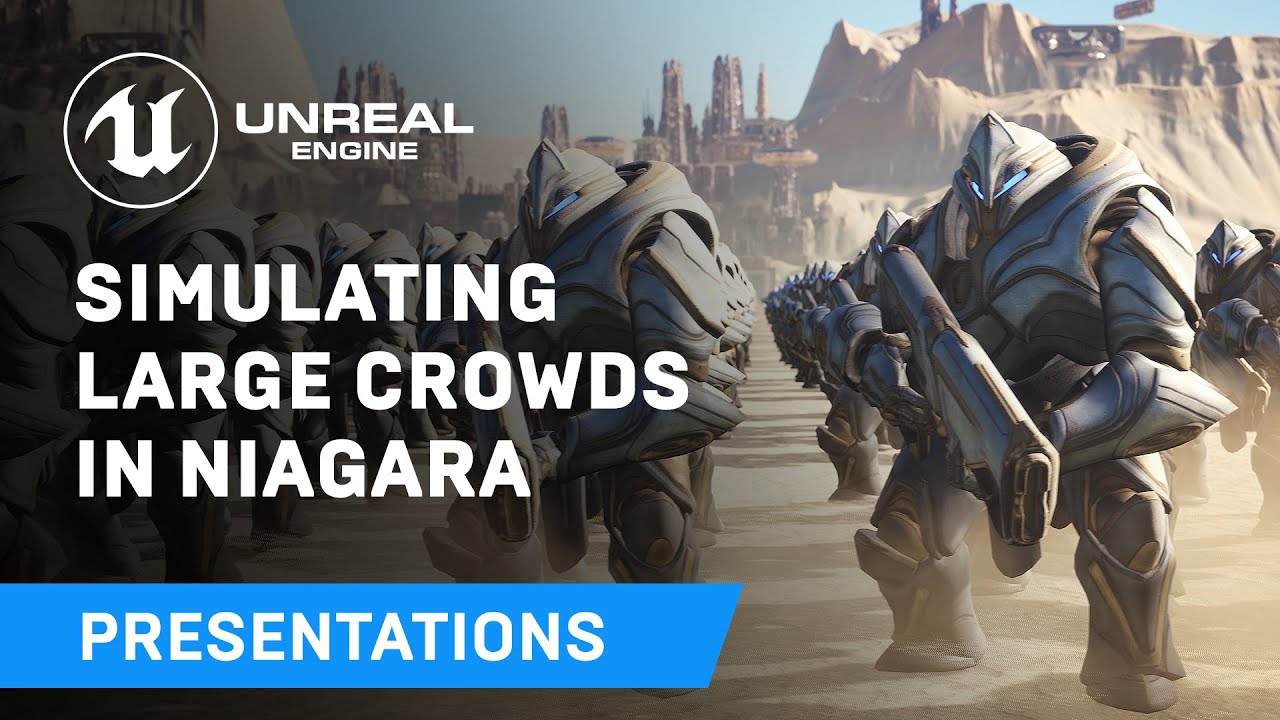
Displaying thousands of characters on-screen in real-time has always been a challenge - until now. Unreal Engine's Niagara visual effects system opens up doors to go far beyond what was previously thought possible and this presentation by Epic's Joseph Azzam showcases how you can utilize the power and versatility of Niagara to create massive cro...
but I think, this is not for multiplayer games
dark wing
So i didn't watch the full video, but at 28:20 there is a crowd manager and a configure animation graph, so i guess inside that graph the bp is sending the values to niagara component, you have to replicate that graph
for example this part here

create an event on server side, set it to multicast RPC, and then that event will call the server RPC
the server RPC will execute the rest of the nodes of all clients
there is no automatic replication inside of niagara, you have to do it manually
 frank birch
What's the best approach for custom replicated movement but for NPC's only? They will always be running serverside so all clients will be simulated... Do I need the saved moves stack? Or can I just teleport it around on tick and clients will see the replication? 🤔
(I am piggy backing on the CMC for replicated movement)
dark wing
if you have too many npcs and you are worried about the network traffic then go with saved moves stack
and if you want to go with the CMC then you do that and reduce the NetUpdateFrequency for the npc actor
 chrome bay
frank birch
What's the best approach for custom replicated movement but for NPC's only? They...
chrome bay
frank birch
What's the best approach for custom replicated movement but for NPC's only? They...
You don't really need to do anything out of the box, just make sure they have replicate movement checked.
You could update UCharacterMovementComponent::SimulateMovement() to purely blend the mesh position if you don't want to actually run movement simulation, but that might make animation more difficult/jank
 queen escarp
how should i set the Input mode so it only affect the specific part in this case i have these codes on "player character Bp" that i call from an actor with an overlapp event


because now it kinda locks both server and client but only unlocks the server not the clients blabla :/
 fathom aspen
Before I delve into this, is anyone aware of the proper way of making gameplay attirbutes of attribute sets push-based?
Meaning, where should I mark such attributes that get set as dirty, so that I miss no changes (sadly setters are macro generated)
 latent heart
Make another setter that wraps the generated setters?
fathom aspen
But the auto-generated setters are auto called by the engine, so who would call the wrapper function?
fathom aspen
From multiple places, either manually calling SetAttribute, or applying a GameplayEffect that mutates the said attribute, etc.
I want to believe that a function like PostAttributeChange accounts for all those changes/cases, and then it's just matters of figuring which attribute that is and marking it dirty
But I'm worried that such fuction doesn't account for all cases
latent heart
Find out what triggers PostAttributeChange
And see all the places where an attribute might be changed.
fathom aspen
Here are the good news, it's being called from the following function, which sets the current value of the attribute but not the base value
/** Modifies the current value of an attribute, will not modify base value if that is supported */
    void SetNumericValueChecked(float& NewValue, class UAttributeSet* Dest) const;
Inside after PostAttributeChange is called a macro that dirties the attribute is called
So Epic does support push model based attributes in a sense already
But that's for changes to current values and not base one, which makes me question if that's fine
latent heart
Are you changing base values?
 magic furnace
Nothing significant, only interesting part is the following:
[2023.08.18-12.44.51:731][  1]LogOnlineSession: Verbose: STEAM: Starting Steam game server. Dedicated? 1 Game Dir is: claymore Product Name is: claymore
Game Desc is: Claymore
[2023.08.18-12.44.54:127][ 73]LogOnlineSession: Verbose: STEAM: Server SteamP2P IP: 90175459927569416:7777
[2023.08.18-12.44.54:127][ 73]LogOnlineSession: Verbose: STEAM: Server IP: 40.115.125.47:7777
[2023.08.18-12.44.54:128][ 73]LogOnlineSession: Verbose: STEAM: Master Server Game Tags (OWNINGID, 90175459927569416)
[2023.08.18-12.44.54:128][ 73]LogOnlineSession: Verbose: STEAM: Master Server Game Tags (OWNINGNAME, 90175459927569416)
[2023.08.18-12.44.54:128][ 73]LogOnlineSession: Verbose: STEAM: Master Server Game Tags (SESSIONFLAGS, 523)
[2023.08.18-12.44.54:128][ 73]LogOnlineSession: Verbose: STEAM: Master Server Game Data (OWNINGID, 90175459927569416)
[2023.08.18-12.44.54:128][ 73]LogOnlineSession: Verbose: STEAM: Master Server Game Data (OWNINGNAME, 90175459927569416)
[2023.08.18-12.44.54:129][ 73]LogOnlineSession: Verbose: STEAM: Master Server Game Data (SESSIONFLAGS, 523)
[2023.08.18-12.44.54:129][ 73]LogOnlineSession: Verbose: STEAM: Master Server Game Data (CONMETHOD, P2P)
[2023.08.18-12.44.54:129][ 73]LogOnlineSession: Verbose: STEAM: Master Server Game Data (P2PADDR, 90175459927569416)
[2023.08.18-12.44.54:129][ 73]LogOnlineSession: Verbose: STEAM: Master Server Game Data (P2PPORT, 7777)
[2023.08.18-12.44.54:129][ 73]LogOnlineSession: Verbose: STEAM: SetGameTags(BUILDID:0,OWNINGID:90175459927569416,OWNINGNAME:90175459927569416,SESSIONFLAGS:523)
[2023.08.18-12.44.54:129][ 73]LogOnlineSession: Verbose: STEAM: SetGameData(OWNINGID:90175459927569416,OWNINGNAME:90175459927569416,SESSIONFLAGS:523,CONMETHOD:P2P,P2PADDR:90175459927569416,P2PPORT:7777)
[2023.08.18-12.44.54:130][ 73]LogOnlineSession: Verbose: STEAM: Pushing Server KVData (OWNINGID, 90175459927569416)
[2023.08.18-12.44.54:130][ 73]LogOnlineSession: Verbose: STEAM: Pushing Server KVData (OWNINGNAME, 90175459927569416)
[2023.08.18-12.44.54:130][ 73]LogOnlineSession: Verbose: STEAM: Pushing Server KVData (SESSIONFLAGS, 523)
[2023.08.18-12.44.54:130][ 73]LogOnlineSession: Verbose: STEAM: Pushing Server KVData (CONMETHOD, P2P)
[2023.08.18-12.44.54:130][ 73]LogOnlineSession: Verbose: STEAM: Pushing Server KVData (P2PADDR, 90175459927569416)
[2023.08.18-12.44.54:130][ 73]LogOnlineSession: Verbose: STEAM: Pushing Server KVData (P2PPORT, 7777)
it still says p2p
which is odd to me
and the register server function that you wrote doesn't throw an error
but yet, still the same thing
just to be extra safe I set all the variables to capital Claymore after this
and tried lower and uppercase for the settings for dedicated on steam
{
    Super::RegisterServer();

    if (IsRunningDedicatedServer())
    {
        // Register Server with Steam
        UE_LOG(LogTemp, Warning, TEXT("Trying to register Steam Server Session."));
        IOnlineSessionPtr SessionInterface = Online::GetSessionInterface();
        if (SessionInterface.IsValid())
        {
            FOnlineSessionSettings Settings;
            Settings.NumPublicConnections = 100;
            Settings.bShouldAdvertise = true;
            Settings.bAllowJoinInProgress = true;
            Settings.bIsLANMatch = false;
            Settings.bUsesPresence = false;
            Settings.bAllowJoinViaPresence = false;
            Settings.bIsDedicated = true;
            Settings.bAntiCheatProtected = false;
            SessionInterface->CreateSession(0, NAME_GameSession, Settings);
        }
        else if (GetWorld()->GetAuthGameMode<AClaymoreGameMode>())
        {
            UE_LOG(LogTemp, Warning, TEXT("Failed to register Steam Server Session."));
        }
    }
}```
that is the register functionbut even without it, if I try to create a session later in blueprint it says a gamesession already exists
steam server browser and my sessions browser both fail to display the server
still able to connect, no problems
 unkempt wind
Hi everyone, is there any way to set up a Client-ListenServer connection such in a way that the client has the same authority as the server? I would like to run two parallel single-player games, and just use the Client-ListenServer connection to exchange a few data. So for example pawn possession should be allowed on client-side and everything else should behave the same as in a standalone game. Is that possible?
dark wing
just call a server rpc for pawn possession
so client ask the server to let him posses that pawn
 dark edge
unkempt wind
Hi everyone, is there any way to set up a Client-ListenServer connection such in...
dark edge
unkempt wind
Hi everyone, is there any way to set up a Client-ListenServer connection such in...
It'd be a lot easier probably to just have your own data exchange system
what data is synced between them?
unkempt wind
dark wing
just call a server rpc for pawn possession
Thank you for your answers, it's an already developed single-player game and I want to add networking functionalities on top of it. I would like not to change any of the existing gameplay systems, that's why I would like to know if there's a particular settings allowing such a procedure
unkempt wind
dark edge
It'd be a lot easier probably to just have your own data exchange system
We are considering that, but for now SteamSockets and OnlineBeacons have been discarded. The ideal solution would be to use Unreal built-in networking features
dark edge
What exactly are you trying to sync here? You trying to get a shared game state or just sync up some small amount of data with no concerns over authority?
What's the big picture, Dark Souls style messages, or actual multiplayer gameplay?
dark wing
check this
GitHub
Socket.IO client plugin for the Unreal Engine. Contribute to getnamo/SocketIOClient-Unreal development by creating an account on GitHub.
its a node js server, really easy to install and work with
You can have one server running as a master server
every player enters your game will connect to that server
then
You can send to that server a message telling him
hey im player with id 99
unkempt wind
dark edge
What's the big picture, Dark Souls style messages, or actual multiplayer gamepla...
For now we want to sync just some data and some events. We would like just to use RPCs. But in the future maybe also have the ability to leverage replicated actors
dark wing
server saves that player ID, then for example player wants to send data to that player, server will receive it and send it to him
unkempt wind
dark wing
https://github.com/getnamo/SocketIOClient-Unreal
Thank you, I will take a look 🙂 So you don't think it's possible with built-in Unreal networking features?
dark edge
unkempt wind
For now we want to sync just some data and some events. We would like just to us...
If you have to ask, you probably won't be doing replicated actors without the usual Unreal server/client model
dark wing
Its a lot better, you don't want to run through server hosting or p2p hosting
because you don't have a lot of things going on
dark edge
just sending a little data over RPCs, sure
I mean, a replicated actor is just something doing RPCs for you, transparently.
It all boils down to little messages.
dark wing
like a 5$ a month server can handle all your players
fathom aspen
latent heart
Are you changing base values?
This is probably a question for designers, but I'm quite sure that we possibly are
Should be ready for all cases xD
unkempt wind
dark edge
If you have to ask, you probably won't be doing replicated actors without the us...
Yeah I know it's possible even rebuilding replication upon a lower networking layer. But I wanted to explore how flexible was the the Unreal networking framework. So it seems that I cannot leverage it to do what I had in mind, or at least not in an easy way without modifying the source code 🙂
Thank you very much for suggestions
And what about OnlineBeacons, do you think they're good enough for production?
 blissful island
hey, has anyone worked with multiplayer in unreal c++ 5? if so any tips or step by step on how the projectile can be shown for the client?
so far default speed
dark edge
blissful island
hey, has anyone worked with multiplayer in unreal c++ 5? if so any tips or step ...
is it a replicated actor?
blissful island
it is set to replicated so yes
its replicated in pretty much everything (trying purpose) replicated and replicated component
 serene kestrel
There's two approaches depending on how fast your projectiles are. For HitScan projectiles, because they are instant you won't be able to really predict them (unless you want to lag compensate everything). So the option there is to play any wind up animations a bit early on the client or sped up so the client can react to information that a projectile is coming at them.
If your projectile trajectories are slow moving and mostly deterministic (initial state is all that is needed to calculate the trajectory) one thing you can do is send that initial state to all of the clients when the projectile gets created (RPC or replication). The "start timestamp" of this projectile will be the servers timestamp of when this is was fired. However, for players to be able to react to this projectile, they need to predict it's movement forward because their own movement is also predicted. How much their movement is predicted is usually equal to ~1/2 of their net RTT. Additionally, when the client receives the info about the projectile being fired, they information is "late" by 1/2 net RTT. So when the Client receives the projectile start state, you want to set the current time of the projectile to a timestamp that makes sense relative to the players predicted movement. To do this quick and dirty, just add the full network RTT to the current time and it should be good enough to test things.
dark edge
blissful island
its replicated in pretty much everything (trying purpose) replicated and replic...
So what's the problem?
show how you're spawning it
does it just not show up on other clients?
blissful island
dark edge
show how you're spawning it
it shows when server is shooting but not when client is shooting, and i have tried to debug it, and all the debug text is also shown but not the projectile
dark edge
blissful island
it shows when server is shooting but not when client is shooting, and i have tri...
ah HA found it
Only stuff spawned on the server will replicate
You need a run on server event between the client code and the spawning of the thing on the server
serene kestrel
As long as those behaviors can be calculated on the client accurately (not sure how the homing works but if there's a target actor that's replicated that probably works?) then you should be able to predict them correctly into the clients' movement time
blissful island
dark edge
You need a run on server event between the client code and the spawning of the t...
so something like this ?

also some code inside of the function
 serene kestrel
In your projectile code, either in begin play or tick, you need to check if your projectile is a Simulated Proxy. If so, you want to offset the "current timestamp" of the projectile sim by the net RTT. If you're using default Unreal movement, this won't be perfectly in sync with where the projectiles will be on the server when you're doing hit reg, but for testing the feature it would be good enough
If the client is firing the projectile and you want to predict that, you can just spawn the projectile locally and run the logic that the server would run. However when the Server's version of the projectile gets replicated down, you already have a version of this projectile so just hide it on the Autonomous Client. This means the projectile needs info about who fired it but that's one way to get the predicted visuals on the firing client
If the firing Client needs to see the accurate version of their server propjectile, when the server's version replicates down, you can instead remove the client's projectile and add some logic to blend the positions to avoid a pop
dark edge
Or you can run deterministic projectiles everywhere and have a manager tell the server about hits and validate them. There's a lot of approaches
Projectiles where InitialPosition and InitialVelocity are enough for it to stay synced across all machines
so they don't have to replicate
You just say "Hey a 50BMG started its short life at 420,69,666 and it's flying at 50000,0,0" and that's good enough that everyone sees it play out the same way.
of course you'll have discrepencies vs moving actors but against the level and static geometry it'll fly the exact same
 rain condor
I wanna replicate fp gun rotation to tp gun but it's stutter. How can i replicate rotation?
dark edge
You don't want that, you want both guns to be driven by the same rotation
I'm guessing what you really want is for a rotation (the aim direction) to go from owning client to server to other clients
 woven bramble
Guys, I always tested the game on 2 PCs between Client and Server. Client saw the Server properly and worked fine. Server also saw the Client well and worked properly.
But I realized I didn't test it on 3 PCs.
If the above scenario was successful, would it work fine between Client-Client as well?
rain condor
dark edge
I'm guessing what you really want is for a rotation (the aim direction) to go fr...
I used a line trace to align fp gun to crosshair. I wanna align tp too
 sudden condor
I'm noticing that I can't access the GameState's player array from a controller's Event Begin Play without a delay node added. Otherwise the array is empty and of course causes errors. How do I wait until the player array is populated/replicated without an arbitrary delay number?
Same issue with grabbing the player state from a widget's owning player
sinful tree
sudden condor
I'm noticing that I can't access the GameState's player array from a controller'...
The Player Array is created locally based on the client receiving replicated PlayerStates from the server.
The best you can do is handle Begin Plays on the playerstate to know when they actually start existing. So that begin play can then trigger a request to read the player array and update what you need to based on the players in the array. The only exception is for the local player's playerstate as they get a local copy before their replicated copy comes through.
sudden condor
sinful tree
The Player Array is created locally based on the client receiving replicated Pla...
Thanks. That's annoying. I noticed how the array didn't have a replication symbol.
 twilit radish
Not sure if you're fully on board with blueprints or also use a mix of C++? It's rather easy to solve in C++ 🙂
 ancient island
is this channel for cpp based netowrking??
ancient island
could i receve some guide from here about a client issue im having here?
should i post it? as it looking more specific than BP chanel
magic furnace
yes, if the issue is replication related you can post here, BP or CPP doesn't matter
half umbra
hi, what is better, using replicated variables or use multicast to change value of variable(Not Replicated)
ancient island
okay so I have
-
a zoom actor which get attached as child actor at event being play , code written inside thridperson BP , but zoom actor was made to make zooming modular ( just like a gun ). my zoom actor , key z is written inside zoom actor itself with a timeline to transit zoom in and out.
for single player game it works but when trying in multiplayer mode client windows on it dont' work -
I am making a post process BP which going to be placed in world in a certain region and will do effects to per client
-
among effects when player 1 , 2 or any inside the volume, the BP should "get current FOV" of the player and make DOF for each player according to it

here is a video showing BP working and tinint per client when B key is pressed

this is the code
the problem is when i try access FOV via camera maneger it working, ie showing fov per client on screen but at end play throwing errors


this is the code
i strongly believe something im doing wrong here
 queen ermine
When loading into a server map (from the main menu) the map loads, shows the terrain, and then moves to the player controller. If I wanted to hide the map initial load, how would I do this?
I tried to use the free loading screen plugin, but that still resulted in the level showing up, processing the client connecting, and then being spawned. So, that didnt work
I tried to create a UMG, that would hide everything, but the UMG requires the controller, and the controller takes a moment to register, so you see the level first, then the UMG
even if I put the code in the level BP, it still flashes the level at 0 0 0 (spawn) first... then does it.
half umbra
half umbra
hi, what is better, using replicated variables or use multicast to change value ...
someone?
 flat spindle
i mean it depends on what you need
half umbra
for example change niagara color
flat spindle
i mean does responsiveness matter
half umbra
i should use replicated LinearColor variable
or Multicast
ok i use rep notify ;p
if someone join to server
then will see same color
thin stratus
@half umbra The question boils down to State vs non-State/Fire And Forget
Whenever you change any State, and a Color is a State, you want to use a Variable marked as OnRep, cause that will call when the Value changes and also call for hot-joining users as well as people who come back into relevancy range.
If you just want to have something execute this very moment and you don't care about it anymore afterwards, a Multicast is fine.
Simplest example is an exploding barrel.
Multicast
- Explosion VFX and Sound
OnRep Variable
- New broken Mesh
- Maybe some Fire VFX that now is on in the center of the barrel
half umbra
thin stratus
<@693223765072543857> The question boils down to State vs non-State/Fire And For...
thanks
and e.g. Player Level (Integer Variable) should be replicated or can i use multicast?
thin stratus
That's already answered by what I wrote
half umbra
ok but what about cheating
so i should use Replicated Variable in this case
Player Level
thin stratus
Yes
 hoary spear
Clients can only rpc on self owned actors
thin stratus
Why exactly is that not in #source-control ?
amber stone
good question. Didnt know it was a channel.
thin stratus
Off you go pasting your stuff into that :D
 ocean dust
Hello, all! I'm building a mutliplayer rogue-lite with procedurally generated areas, but I've run into the issue that using sublevels and Load Level Instance does not properly replicate the loaded levels/actors. After some searching, the docs claim that Load Stream Level should properly replicate to clients, BUT it does not support changing the sublevel's position, rotation, name, etc like Load Level Instance does. What do you all suggest do solve this issue? Thanks!


 valid bough
thin stratus
Whenever you change any State, and a Color is a State, you want to use a Variabl...
valid bough
thin stratus
Whenever you change any State, and a Color is a State, you want to use a Variabl...
I feel like I understood this until I came into a more complex problem, what about attaching an actor to another actor? ie: attaching a weapon to a player? because i use multicast for this and sometimes the other player doesnt have a weapon in their hand. (often happens on listen server) So if client 1 is looking at server , the server wouldnt have a weapon. My thought process is telling me to use OnRep to update the state bIsPickedUp because multicast is only casted once
hoary spear
I use server events on a replicated actor, and it works like a charm ^
No multicasts(so far). Guess i actually need a rep var for this when someone is not always relevant
thin stratus
valid bough
I feel like I understood this until I came into a more complex problem, what abo...
Bad example actually cause UE already replicates actor attachment
valid bough
thin stratus
Bad example actually cause UE already replicates actor attachment
Okay so i over thought it, OnRep is mainly for like you said changing a state of an object, ie destroyed bombsite, etc. Spawning, actor attachment, movement ,dropping a weapo is all automatically done by UE
sudden condor
Alright, I am really lost on how to handle this lobby...I've tried everything for the past two days but I can't get it to work cleanly. Really didn't want to ask, but if someone could potentially hop on a short screen share, maybe I could wrap my head around how you're supposed to approach this.
In short, what I want to have happen:
- Player opens/hosts a lobby (done)
- People join (done)
a. All other players receive a widget displaying the new player's name and ready status (does not work, except for host)
b. The joining player receives widgets for each player currently in the lobby (does not work) - The ready/not ready status of each player is replicated live across all instances, likewise with name (sometimes works, sometimes players cannot ready up)
- When all players are ready, the host can launch the match (haven't gotten that far, but I have evidence that host-specific functions work fine)
Main obstacles:
- PlayerState is often null when handed to widgets that need to replicate it
- HUD is sometimes null upon PlayerController Begin Play
- Results become even more inconsistent with the addition of a third player
My undesireable solutions:
- Simply delay all functions until I can be confidant objects are non-null
- Call things as-needed instead of using variables
dark edge
sudden condor
Alright, I am really lost on how to handle this lobby...I've tried everything fo...
What event triggers the creation of the widgets?
dark edge
thin stratus
Bad example actually cause UE already replicates actor attachment
Is that a part of ReplicateMovement or just the base replication of an actor?
sudden condor
dark edge
What event triggers the creation of the widgets?
here's the game mode, PC, and widget


The delays were from experiments in getting everything to execute properly. It kinda helps but obviously not good practice
I'm gonna go ahead and make an imgur gallery of my complete code, fell free to comment in the meantime though
dark edge
sudden condor
here's the game mode, PC, and widget
repnotify my dude
sudden condor
dark edge
repnotify my dude
sorry I'm new, what's that?
dark edge
sudden condor
sorry I'm new, what's that?
An overview of the Network Features example level, example 1.4: Variable Replication (RepNotify).
learn it, love it
You can avoid a lot of your race conditions with it
sudden condor
dark edge
You can avoid a lot of your race conditions with it
excellent
dark edge
You want pretty much anything stateful to be driven by repnotify
sudden condor
dark edge
You want pretty much anything stateful to be driven by repnotify
Sorry but, what exactly am I setting to RepNotify? I'm still lost
dark edge
Simplest part is the boolean bReady
if you onrep that
then the onrep function will be called whenever it changes, including the first time it arrives
the server-side of PlayerState would then tell GameState or GameMode to do the check for if everyone is ready
which would set a replicated variable GameState.GameIsReadyToStart with an onrep
that onrep would change stuff in UI etc
A lot of these variables are built in as well but idk if you're using the built in ones or your own
Basically the onrep is where you respond to the variable being updated in any way
thin stratus
dark edge
Is that a part of ReplicateMovement or just the base replication of an actor?
Actor afaik
    /**
     * Used for replicating attachment of this actor's RootComponent to another actor.
     * This is filled in via GatherCurrentMovement() when the RootComponent has an AttachParent.
     */
    UPROPERTY(Transient, ReplicatedUsing=OnRep_AttachmentReplication)
    struct FRepAttachment AttachmentReplication;
void AActor::GatherCurrentMovement()
{
    if (IsReplicatingMovement() || (RootComponent && RootComponent->GetAttachParent()))
    {
So ReplicatedMovement is optional
thin stratus
sudden condor
Alright, I am really lost on how to handle this lobby...I've tried everything fo...
Without wanting to advertise anything: My Lobby Kit on the Marketplace kinda does what you want. It has the Widgets and the Ready State stuff.
It's up to you of course if you want to spend the money to learn from it
sudden condor
thin stratus
It's up to you of course if you want to spend the money to learn from it
thanks but I'll pass
sudden condor
dark edge
Basically the onrep is where you respond to the variable being updated in any wa...
I'm finding it really hard to picture the flow chart here. I would like to ignore the ready-up part for the moment, I'm chiefly concerned with getting the widgets working. In my past experiments with shitty solutions, once the widgets work the ready-up does as well.
Do you want me to call OnRep on the incoming new PlayerState from within the menu widget? So that the menu can be told when the PlayerState is non-null? What if it already isn't null, would it still wait around for it to change before creating the menu item?
And a side note, how do I ensure the HUD is non-null from within the PlayerController? That is a big issue, maybe even the main one. It's hard to tell. Frankly I think my issues might be entirely client-side, not server-side.
Like, the HUD is completely client-side. It shouldn't need any form of replication, right?
thin stratus
Are we talking HUD as a UUserWidget or the AHUD class?
Also do you have access to C++, that could make this a bit easier
sudden condor
thin stratus
Are we talking HUD as a UUserWidget or the AHUD class?
HUD Class
thin stratus
HUD Class should be valid on BeginPlay, Client-side
sudden condor
thin stratus
Also do you have access to C++, that could make this a bit easier
I tried once and it nearly broke everything lol I suppose I could try again though
thin stratus
The main reason C++ could help a bit are the build in OnRep functions
For your Widget you probably have a list of Players
The main problem you might face is actually adding an entry for a player with a valid PlayerState
sudden condor
thin stratus
For your Widget you probably have a list of Players
I have a list of widget objects that are each bound to a player state. Replication works fine there once the widgets actually display
sudden condor
thin stratus
The main problem you might face is actually adding an entry for a player with a ...
Yep
thin stratus
How are you adding them at the moment?
sudden condor
thin stratus
HUD Class should be valid on BeginPlay, Client-side
I often get null references here, meaning that the HUD var is being set to null upon the controller's begin play
 thin stratus
BeginPlay of PlayerController calls on Server and owning Client
You have to limit that to IsLocalPlayerController
sudden condor
thin stratus
How are you adding them at the moment?
Event dispatcher. as recommended by #umg
thin stratus
So
Any other place where you modify the Widget List of Players?
What you are doing in that Screenshot is lacking the IsLocalPlayerController check, but that aside, this will only get the Players that are currently connected and replicated, not the ones that aren't or still need to join
So unless you also handle the peeps that join later and the ones where the PlayerState pointer hasn't replicated yet, this will cause some widgets to be missing
sudden condor
thin stratus
Any other place where you modify the Widget List of Players?
The "list" is exclusively within the lobby widget. I simply tell the clients to add a widget when someone logs in, and the controller gives the menus the state to replicate. Removing is another issue but my plan was for the widget to recognize the player state is gone and delete itself.
thin stratus
Have you tried simply using PlayerState BeginPlay and EndPlay ?
cause that's the one you care about
My setup would probably be:
PlayerState::BeginPlay -> GetPlayerController0 -> GetHUDWidget -> AddPlayerEntry(self)
PlayerState::EndPlay -> GetPlayerController0 -> GetHUDWidget -> RemovePlayerEntry(self)
And in case PlayerState::BeginPlay calls before PlayerController or HUD are valid, I would also do the stuff you are doing in your Screenshot, but ensure that it's only run locally.
+- filtering your own PlayerState if you don't want that
sudden condor
thin stratus
Have you tried simply using PlayerState BeginPlay and EndPlay ?
I ran an experiment with that, yes. I had an "initialize" event that substituted for Begin Play in the PC, HUD, Widget, etc. that passed around the playerState to each other. I still had race issues I believe. I can try again though.
thin stratus
Having the code in the PlayerState ensures that this PlayerState is indeed valid
The only race condition you could have is that the GetPlayerController0 is invalid, which should really really really not happen. Or that the Widget isn't created yet, at which point you could just do the GameState->PlayerArray stuff after creating the Widget (in addition)
sudden condor
thank you, you're being really helpful. Let me try putting everything back in PlayerState Begin Play and I'll get back to you
sudden condor
@thin stratus I'm still getting null references. Null "Lobby Menu" presumably means my HUD has not begun play, so same problem, and menu widget's GameState and PlayerState are both Null, which I do not understand how this is possible because they only get set by a chain of causality that starts from the PlayerState's Begin Play. This is all incredibly contradictory.
Besides that, the only options I see are to set up C++ or literally put everything inside PlayerState to see if that makes a difference.


I also meant to ask if I need to change the run settings on the events, beacuse I haven't touched them
dark edge
sudden condor
<@94211915902889984> I'm still getting null references. Null "Lobby Menu" presum...
What is a Lobby?
sudden condor
dark edge
What is a Lobby?
GameState. Not the best name, I realize.
sudden condor
I've been tinkering and its gotten better
dark edge
Widgets are local only so a replicated variable in a widget makes no sense
sudden condor
dark edge
why is that a replicated variable?
Probably doesn't need to be if I'm being honest. I did that near the start and haven't really touched it since
dark edge
This seems really spaghet, I'd just nuke it and try to do things the right way from the ground up
This is just a basic game lobby right?
sudden condor
dark edge
Widgets are local only so a replicated variable in a widget makes no sense
Related topic then, my player items (widgets) carry a replicated player state, which it references to display its values. That seems like an elegant solution, no? It halfway works, which was the current issue I was about to mention. The player items successfully replicate data to the clients from the host player, but the host isn't getting the same from the clients. I say host not as a server, but as the client that started the server.
sudden condor
dark edge
This seems really spaghet, I'd just nuke it and try to do things the right way f...
I would love to do that
dark edge
widgets dont replicate at all
sudden condor
dark edge
widgets dont replicate at all
I'm not replicating the widget, I'm replicating the player state within the widget.
dark edge
so each widget has a pointer to a replicated player state, thats fine
sudden condor
the widget pulls data from the player state
sudden condor
dark edge
This seems really spaghet, I'd just nuke it and try to do things the right way f...
So back to nuking, how do I not end up with the same thing again :P
dark edge
Start with the minimum. I'd start with ready state only
Figure out which local event is a good starting off point to initialize
use onreps to respond to state changes
and keep this in your head
 sudden condor
Yeah I know that graph
dark edge
Like, I would use an onrep of bIsReady in PlayerState to do almost everything assuming HUD is ready when it fires.
OnRep -> tell local HUD that the playerstate changed (might be first connection, might be a change in bIsReady)
That can handle the joining and the ready/unready
If there's a race then the HUD can also check on its startup
That onrep will do double duty, it'll add a new player to the UI, and also update their ready status
IDK if there's a diagram with the guaranteed order of things but that'd be helpful
sudden condor
dark edge
Like, I would use an onrep of bIsReady in PlayerState to do almost everything as...
If I'm being perfectly honest, it doesn't really feel like that would result in anything different. The ready up system works fine, and so does adding players to the HUD assuming everything exists, it's everything leading up to that point where shit hits the fan.
My issue boils down to things just not being there when I want them, and I fixed 90% of the issues by 1) passing objects directly instead of pulling them, because despite the objects existing, their functions such as "get player state" give null objects, and 2) just being a shitty coder and adding some full second delays in strategic locations.
OnRep doesn't feel like it would help because these are entirely local issues, there's nothing to replicate.
Please feel free to tell me I'm wrong
sudden condor
To elaborate, if I call a PC function from my PS Begin Play, but then in that func ask for the PC's state, it gives null. This makes no sense because the state literally exists. If I pass the state in via the func, it works fine, the PC and PS simply aren't connected at that time (or something).
dark edge
Server, owning client, or other client?
Each client only has their own playercontroller, not other poeples
sudden condor
dark edge
your OnCheckStateChanged should be an onrep
ye
dark edge
The playerstate is on every machine, playercontroller is only on owning client and server, gamemode is only on server, etc
sudden condor
dark edge
Server, owning client, or other client?
All one client. The Client PlayerController and the same Client's PlayerState.
sudden condor
dark edge
The playerstate is on every machine, playercontroller is only on owning client a...
Here's an example. I have to pass the state in manually because if the PC asks for it's own state it gets Null.


Just realized that var should probably be replicated
sudden condor
dark edge
your OnCheckStateChanged should be an onrep
Fixed it, didn't test yet tho
Currently looking to eliminate references to the GameState from the menu widget just to simplify things
sinful tree
sudden condor
Here's an example. I have to pass the state in manually because if the PC asks f...
The trouble is that player controllers get a local copy of their playerstate before their replicated one comes down.
The best way to know when you have the right playerstate is to Override OnRep_PlayerState() and have it trigger either an event or run the logic from there.
If you don't have access to do C++, an alternative would be to use a replicated w/ notify bool (probably set with COND_Owner) that you set to true on the server's begin play of the PlayerState. When the OnRep triggers, you know you've received your replicated PlayerState.
sudden condor
sinful tree
The trouble is that player controllers get a local copy of their playerstate bef...
This is great info, thanks
sudden condor
sinful tree
The trouble is that player controllers get a local copy of their playerstate bef...
"the server's begin play of the PlayerState", is that the begin play that is within the PlayerState itself?
sinful tree
sudden condor
"the server's begin play of the PlayerState", is that the begin play that is wit...
When you're dealing with replicated actors like the PlayerState, that means it can exist in more than one place - That's what the Venn diagram that Adriel posted for you before shows.
Begin Play of the PlayerState can then fire on clients and the server. You would need to use the PlayerState begin play, but you need to make sure it is the server's copy of the PlayerState which you could do through using either a Has Authority (Authority) > node or an "IsServer > Branch (true) >". Anything following after this check you would then know is being run on the server.
sudden condor
sinful tree
When you're dealing with replicated actors like the PlayerState, that means it c...
You are a saint, thank you so much
sudden condor
sinful tree
The trouble is that player controllers get a local copy of their playerstate bef...
This replicated w/ notify bool: should it be owned by the player state or controller? Obviously the OnRep would be called in whichever class owns the var. I have it in the PlayerState right now, but I'm thinking it should be owned by the Controller instead, right?
sinful tree
sudden condor
This replicated w/ notify bool: should it be owned by the player state or contro...
It needs to be on the PlayerState. The idea here is that you want to know when the PlayerState has been replicated, and setting it true on the server and a client receiving the "True" value indicates that the PlayerState has been replicated.
sudden condor
sinful tree
It needs to be on the PlayerState. The idea here is that you want to know when ...
So for the stuff in the controller I want to call once the state replicates...do I just call all that in the bool's OnRep? How is that different from calling it directly from the "server = true" branch of the Begin Play? Unless I am missing a way for my controller to see for itself that the bool has changed, without having it's functions called externally.
 pulsar dew
Hi Everyone, I am trying to build a couch competitive multiplayer game, I have the enhanced input system up and running (all in C++), but when I try to create a local player through UGameplayStatics::CreatePlayer(this, 1); the newly added character doesn't receive input from my controller. Any ideas on what I might be missing?
sinful tree
sudden condor
So for the stuff in the controller I want to call once the state replicates...do...
The entire problem is that you don't know when you have a valid playerstate on a client at begin play on their controller as they have a copy of the PlayerState that isn't the replicated one - the replicated version overwrites the old one without triggering Begin Play again.
When you set the boolean true on the server's copy of the PlayerState, the client will receive the OnRep notification when the replicated version has been received - which means you know for sure that your PlayerState is the replicated copy.
Anything you do on begin play of the PlayerState, whether it is server or on client, isn't a point in time that you know for certain that the playerstate is properly replicated to the client, so even trying to run an RPC to the owning client from the server can fail.
sudden condor
sinful tree
The entire problem is that you don't know when you have a valid playerstate on a...
Gotcha
sinful tree
The other thing you probably want to ensure is to use a HasAuthority (Remote)> in the OnRep just so the logic in the OnRep isn't firing on the server's copy 🙂
sudden condor
sinful tree
The entire problem is that you don't know when you have a valid playerstate on a...
So the controller isn't checking on the state at all, it just waits for its events to be called by hte state. And this process with the bool guarantees the controller methods will only be called when "get player state" returns a proper value in the controller.
Like so

 sinful tree
sudden condor
So the controller isn't checking on the state at all, it just waits for its even...
sinful tree
sudden condor
So the controller isn't checking on the state at all, it just waits for its even...
This process with the bool guarantees that the PlayerState has been replicated and anything you call from that OnRep is guaranteed to have a valid PlayerState on the owning client.
Again, make sure you've set the Server Notify boolean's Replication Condition to COND_Owner to ensure that this variable is only replicated to the owning player otherwise every time a player joins it's going to be triggering that OnRep unnecessarily.
sudden condor
sinful tree
This process with the bool guarantees that the PlayerState has been replicated a...
You got it

Thank you so much again!
dark edge
sinful tree
The trouble is that player controllers get a local copy of their playerstate bef...
Yeah that's why I was talking about haveing the bIsReady in PlayerState do double duty
sudden condor
dark edge
Yeah that's why I was talking about haveing the bIsReady in PlayerState do doubl...
ahhhhhhh interesting
 thin tulip
Curious if anyone knows this offhand: if you enable the replicated subobject list support for an actor, does that also affect how its replicated components are replicated? They're subobjects, so it seems like it would but there's also a lot of code specific to components so it's hard to tell at a glance...
thin stratus
sudden condor
<@94211915902889984> I'm still getting null references. Null "Lobby Menu" presum...
I did say you should use GetPlayerController0 specifically
sudden condor
thin stratus
I did say you should use GetPlayerController0 specifically
I see, sorry about that
thin stratus
idk if you fixed this by now cause I don't have the time to read all that text since you tagged me
I also wrote that you should call AddEntry(self) which means you pass the PlayerState to the HUD to add a new Entry for that one PlayerState
sudden condor
thin stratus
idk if you fixed this by now cause I don't have the time to read all that text s...
I haven’t gotten around to implementing it yet, I’m fairly exhausted. I’ll be trying in a few hours or maybe tomorrow.
thin stratus
PlayerState should call:
BeginPlay -> GetPlayerController(0) -> Get HUD Widget -> IsValid -- Valid -> AddEntry( self )
That will cause the LOCAL PlayerController to add a new Entry for each PlayerState that replicates and calls BeginPlay.
And in case the HUD Widget or anything in that setup isn't valid yet, you should put into the PlayerController, or at this point actually just into the HUD:
BeginPlay -> GetGameState -> PlayerArray -> For Each -> AddEntry( PlayerState )
And then you might want to ensure, that you don't add an entry twice inside AddEntry by checking if there is already a Widget in the list with that PlayerState
That's kinda all
sudden condor
thin stratus
PlayerState should call:
BeginPlay -> GetPlayerController(0) -> Get HUD Widget ...
And “get PC 0” will always be correct?
thin stratus
The PlayerState part should be nullchecking the Widget Pointer
thin stratus
sudden condor
And “get PC 0” will always be correct?
It refers to the Local PlayerController of the Player it is called on
What you called returns the PlayerController of the PlayerState (cause the PC owns the PS)
Which is null on simulated clients
And also not what was needed
sudden condor
thin stratus
What you called returns the PlayerController of the PlayerState (cause the PC ow...
I see, thanks
frail barn
dark wing
no problem, mention me if you run into a problem
today i remake it for a Game State instead of Game Instance, and nothing changed
works for standalone, dont work for a client
what should i check then?
sinful tree
frail barn
today i remake it for a Game State instead of Game Instance, and nothing changed...
I don't know the full context of what you're trying to do, but with reading back a bit, it sounds like you now have some team exp variables stored in your gamestate? What's not happening that you're expecting to?
frail barn
sinful tree
I don't know the full context of what you're trying to do, but with reading back...
this simple function is binded to user's widget, to show the state of team's exp variable
works fine in standalone mode, but shows 0 allways as a client, when exp is really a different value
 sinful tree
The variable is not marked as replicated.
frail barn
sinful tree
The variable is not marked as replicated.
you are right, completely forgot about it
all is fine now, thank you
 fluid prawn
Question, does Iris implement a dirty flag type of replication design pattern?
meaning instead of checking every actor in the world and iterating over them to check if they need to be updated. The idea is to use a dirty flag design pattern approach and mark replicated objects that change state and update those to save performance?
 ivory dagger
if i call a run owning client event, does the event execute on server's copy of the actor or some other copy of the actor? right now, im calling a runOnOwningClient event from the server on a controller, and the controller has a widget reference as a variable. but the controller returns the widget reference as invalid. can someone help me on this pls?
sinful tree
ivory dagger
if i call a run owning client event, does the event execute on server's copy of ...
The Run On Owning client you're calling is running on a Player Controller so it indeed should be running in the right instance. You can always try putting a print string in where you're attempting to access the widget reference and you can see whether it's running on server or client as the print string will denote "Server: " or "Client: "
It could just be that you haven't yet created the widget referenece when that RPC is being received.
ivory dagger
the event is running on server's copy. is there a way to make it run on the client's copy of the controller?
ivory dagger
sinful tree
It could just be that you haven't yet created the widget referenece when that RP...
and the widget exists on the local machine when i call this event
sinful tree
Are you able to show some code?
ivory dagger
sinful tree
Are you able to show some code?
https://blueprintue.com/blueprint/-88-oq4m/
this UpdatePlayerList event is called whenever the gameMode is switched by the server.
and its a runOnOwningClient event
sinful tree
UpdatePlayerList is an event on the PlayerController?
ivory dagger
yes
sinful tree
Can you provide a screenshot of the error message you're receiving? I don't think the error is specifically about WB Lobby being invalid.
And server can be correct if you're running a listen server.
ivory dagger
yes the server is running correctly
i dont recieve any error, the code execution stops when i check the WB_LobbyMenu validity at the start of the function
https://blueprintue.com/blueprint/1evhvkft/
this is where the updateplayerlist event is called from, if that helps
sinful tree
From what event is UpdateTeamsToGameState called from?
sinful tree
In the game mode, what event leads up to the execution of UpdateTeamsToGameState
PostLogin?
ivory dagger
my default game mode is team death match, im facing this problem later when i change the game mode from within the server's lobby menu
sinful tree
There is an event that is being called somewhere that ends up triggering UpdateTeamsToGameState - what calls that.
Much like UpdateTeamsToGameState calls UpdatePlayerList
??? calls UpdateTeamsToGameState
ivory dagger
this event dispatcher calls UpdateTeamsToGameState

this all is happening on the server
sinful tree
Put a print string in here and try printing out the display name of the array element.

I'd also move these to the "Completed" on the loop, there shouldn't be a need to call them repeatedly.
 ivory dagger
ue crashed from some reason by doing this😐
ivory dagger
sinful tree
I'd also move these to the "Completed" on the loop, there shouldn't be a need to...
mb, i'll do this
ivory dagger
sinful tree
Put a print string in here and try printing out the display name of the array el...
it prints out all the connected controllers correctly
sinful tree
Is the "Game Mode" variable in your GameState replicated?
 ivory dagger
yes

it works correctly now after adding a delay before clients access this replicated variable
sinful tree
Which means you should be rethinking how you do this... Game Mode in your Game State likely needs to be an OnRep variable which then triggers the logic you want.
ivory dagger
sinful tree
Which means you should be rethinking how you do this... Game Mode in your Game S...
damn, you are right. i should done all this logic through OnReo
Rep
networking is so hard it makes my brain melt
thanks very much man. you spent so much time helping me
 fiery saddle
Hey, I've created a blank project, with absolutly no modifications, and run a multiplayer session, my params are:
- "run under one process" unchecked
- 4 clients
- run as client
- new Editor window (PIE)
I don't know why but the client0 always has a failed rendering of the scene, it renders objects but not the floor:
Any idea?

 kindred widget
fiery saddle
Hey, I've created a blank project, with absolutly no modifications, and run a m...
kindred widget
fiery saddle
Hey, I've created a blank project, with absolutly no modifications, and run a m...
Does it work if you don't run the first client in PIE, but in Standalone?
fiery saddle
kindred widget
Does it work if you don't run the first client in PIE, but in Standalone?
Same problem : /

If I tick "run under one process", all windows fail
 kindred widget
The first client is still in PIE.
fiery saddle
ah you meant selected viewport
fiery saddle
kindred widget
The first client is still in PIE.
here:

(I've added a few player start)
kindred widget
No, I mean Standalone.

It should start your first client in the same window type as the others. You seem to have a landscape issue with displaying it in the editor.
fiery saddle
Indeed it works thanks for the explanation
what the point of not using "standalone game" when testing multiplayer ?
if the rendering and type of window/process is not the same
I have created a post on unreal forum if you want to give your answer 😉 https://forums.unrealengine.com/t/blank-project-fail-render-for-client0-in-multiplayer/1266548
Epic Developer Community Forums
Hey, I’ve created a blank project, with absolutely no modifications, and run a multiplayer session, my params are: “run under one process” unchecked 4 clients run as client new Editor window (PIE) I don’t know why but the client0 always has a failed rendering of the scene, it renders objects but not the floor: Any idea? Running as standalone...
kindred widget
Normally it should be the same. But PIE has a different initialization procedure than a normally built game because it's an editor extension and not it's own process. There may be a PIE only bug with landscapes. If you can give clean steps on a fresh project I would recommend submitting it to an official bug report
fiery saddle
kindred widget
Normally it should be the same. But PIE has a different initialization procedure...
I will, thanks
 muted reef
Hello Community,
I am indie game developer.
Currently I am developing online multiplayer using UE5 for DEDICATED SERVER
Before asking my question I would let you know my game system or action of plan.
Users login with EOS and enters into Menu Level(Local Level Map not lobby) and in GI I have implemented create session on event init. So, users can join the game session (Main Server Level) by find Session getting search result.
Here comes interesting way. Think the game time is 10 minutes. After player gets win/loss the game will end. so, should I destroy session ? Or just kickout all Players to menu level ?
In mean time if any new users comes and try to join same session (ONLY SESSION due to DEDICATED SERVER) they shouldn’t enter into same session which is in middle of game. They have to wait for session to create which is not possible since session can’t create again ?
How should I overcome this problem? Any solutions or suggestion please. My mind is boggling from last few weeks.
thin stratus
muted reef
Hello Community,
I am indie game developer.
Currently I am developing online mu...
Trying to understand what you are aiming at. Do you mean that the Session that the Client joined originally might still be joinable when the next group plays on the same Server?
Idk how one would do that with EOS, but in theory each of these Game Sessions (the Server's) would also come with PlayerSessions. E.g. PlayFab creates PlayerSessions and notifies the Server of those. When joining, a Client will have to tell the Server its SessionID.
If that is not part of the expected ones, they are kicked again.
muted reef
thin stratus
Trying to understand what you are aiming at. Do you mean that the Session that t...
Thank you for trying to understand my problem. Firstly it's like a single session which was running in server map. Since it's dedicated server no one can create new session. And if new players want to join a game they have to wait till existing game ends. Like PUBG/BGMI matchmaking but in dedicated server. How could I achieve this ?
thin stratus
I don't know if EOS can do that, but you usually need some sort of hosting service that spins up servers for you etc. Playfab for example. Costs shit load of money though
@muted reef
EOS definitely won't host the servers for you
 serene furnace
hello
I'm in trouble with a project.
I been trying for weeks to get the "advanced session" plugin working.
I was able to play inside of the project, with the "standalone" testing, and 2 separate players could play without much issues, the game is listen server, so someone is hosting after creating a session.
Thing is I would like this to work trough steam, so I added the steam sub system, and it does detect and lunch the steam overlay without problem.
I went trough the steamworks, got my AppID and got my game uploaded trough steam pipe, after making the C++ class, setting it to be a "shipping version" etc...
But when I download trough steam, i'm totally unable to see any sessions created.
Anyone has any infos for what needs to be done to make those sessions visible ? here is the simple code that creats the session.
And also this code is executed into a "menu_widget".
I'm using the base 1.51 SDK version of steam, that is provided with the engine

 late marlin
Hello, I am building a matchmaking system
I have a matchmaking server (main server) and would like to connect the 10 players to an extra server as soon as a match has been created, e.g. 5 vs 5.
What is the best option here, Kuberneets or AWS? And how do I get the data from the cluster to the matchmaking server stats, round status etc
thin stratus
I think only in C++
thin stratus
serene furnace
hello
I'm in trouble with a project.
I been trying for weeks to get the "advan...
sudden condor
@sinful tree Apologies in adavnce if you don't like to be tagged, but it doesn't look like the method we discussed yesterday works to guarantee that the PlayerState is valid in the controller. You can see that when the remote client joins, the PS is None. And none of the functions tied to the PS (ready-up, name, player list filtering out self) work either, while they do in the host client.


 sinful tree
sudden condor
<@218956378654507008> Apologies in adavnce if you don't like to be tagged, but i...
sinful tree
sudden condor
<@218956378654507008> Apologies in adavnce if you don't like to be tagged, but i...
You should likely set the name when running on the server too, otherwise clients will be setting their own values for each starting playerstate.
The additional host check seems redundant. If they have authority, they are the host.
The PlayerState value may not necessarily be set in the PlayerState variable on the PlayerController by the time this triggers. Trying printing out "Self" in the OnRep Server Notify.
sudden condor
sinful tree
You should likely set the name when running on the server too, otherwise clients...
On the topic of checking the host: you recommended that I add that auth/remote branch node to make sure the following events only fire on the client. But my host player wasn’t getting the proper initialization, so I added that additional branch to make sure only the host player gets the auth side of the node. Does this mean I should just remove the auth/remote node entirely, if both branches go to the same place?
sudden condor
sinful tree
You should likely set the name when running on the server too, otherwise clients...
For the player state, are you saying I should I just be passing it in to the controller via argument?
sinful tree
sudden condor
On the topic of checking the host: you recommended that I add that auth/remote b...
Ok I see, my bad with the host bit... You should keep that.
You could try passing the PlayerState as an argument through to your function and it should be valid.
sudden condor
sinful tree
Ok I see, my bad with the host bit... You should keep that.
You could try passin...
Ok sounds good, I’ll try it later
fiery saddle
hey, in a multiplayer context, in C++, where should we put the information relative to the owning client, that should not be shared with other clients (like ressources supplies in a RTS for example)?
I think about creating an OwningPlayerState class that is a component of the PlayerController, is that correct?
sinful tree
fiery saddle
hey, in a multiplayer context, in C++, where should we put the information relat...
You don't need to do that really. You can mark variables replication condition as owner only if you want them on the playerstate but only replicate to the owning client.
it also really depends on if you're doing anything with server travel/needing to persist data, or even wanting to retain values about a player if they disconnect, then playerstate is usually always the way to go.
fiery saddle
sinful tree
You don't need to do that really. You can mark variables replication condition ...
Thanks! I see, it makes more sense as we avoid mixing variables that have nothing to do with each other in a single state. But I am not sure to understand what should be done if I want indeed to persist the data in case of player reconnexion. In that case, I need a specific class with the necessary information private to the owning client, or should the marked variables be enough ?
sinful tree
You can always categorize your variables. You could still use a component attached to the playerstate and again, mark any variables in there with their replication condition to owner only.
sudden condor
Should I ever be leaving my replication condition on the default value, or should every replicated variable have that setting changed? I have a feeling this might be what is going awry here. My last issue with this lobby is that my remote client's changes to their state aren't appearing on the host client's screen, while the host client's changes are visible on the remote client.
The setup is that the lobby menu widget carries a reference to a replicated player state. When the user interacts with the menu, changes to the player state are made through this reference. For example, clicking the ready-up button directly sets the player state's ready variable.
Further, each player has a displayed list of widgets that each correspond to another player. Each of these player item widgets carries a replicated player state reference as well. Whenever this player state is changed, the widget updates its appearence to match.
To reiterate, the host can do all of this just fine, and the remote client will see it. But the remote client's changes are not visible in the host.
fiery saddle
sinful tree
You can always categorize your variables. You could still use a component attac...
I see, thanks a lot!
sinful tree
sudden condor
Should I ever be leaving my replication condition on the default value, or shoul...
If you're wanting to change variables that replicate to everyone, you have to call a server RPC so the server sets it in order for it to be replicated to everyone else.
dark edge
ivory dagger
it works correctly now after adding a delay before clients access this replicate...
repnotify my dude
someone already beat me to it but
Miata RepNotify/OnRep
Is
Always
The
Answer
sinful tree
1 + 1? OnRep.
How many licks does it take to get to the center of a Tootsie Roll? OnRep.
How many roads must a man walk down, before you can call him a man? OnRep.
What is the meaning of life, the universe and everything? OnRep.
sinful tree
Profiling and determining what is causing lag.
A few general tips:
Don't replicate what you don't need to.
Avoid reliable multicasting.
Multicast only when actually needed.
If you have replicated values changing very frequently (like on tick), you may want to only replicate once every so often and use interpolation on clients instead.
Don't try to optimize something before you know that it is actually a problem.
sudden condor
sinful tree
If you're wanting to change variables that replicate to everyone, you have to ca...
This got it fully functional with two players! Thank you again to you, @thin stratus, and @dark edge for helping me out a ton out with this!
 quartz iris
Is there an easier way to do this?
Could I loop through all players to check if they're being controlled?
 oak pond
wtf, so when I do this, it works completely fine

so why when I add THIS, does it completely fall apart?!

same bloody thing is it not
sinful tree
quartz iris
Could I loop through all players to check if they're being controlled?
That wouldn't really resolve the problem, as the OnPostLogin event would trigger when the Player Controller joins, but by then your client still wouldn't know that the game is supposed to be starting, and clients themselves can not know if a pawn is being controlled other than their own. The only reference they can infer that all players are controlled is to know that a player's PlayerState has a Pawn (you can use GetPawn on PlayerState to check) which again, is a replicated value which you'd need to know when it goes valid - so you run into the same problem - you need to know when something has a certain value for everyone, which is what an OnRep is good for.
The only proper way around this is to use a a replicated variable in the GameState with an OnRep so that you can set the state of that variable on the server and it'll let everyone know what is supposed to be happening based on the new value received.
fossil spoke
oak pond
so why when I add THIS, does it completely fall apart?!
Why are you zeroing velocity?
oak pond
because its a dash
quartz iris
sinful tree
That wouldn't really resolve the problem, as the OnPostLogin event would trigger...
I see thanks Dautra
fossil spoke
That essentially stops the Character dead
oak pond
yes and it does exactly what I want it to in singleplayer
fossil spoke
All your values are different vs the server???
oak pond
youre not supposed to build up speed from a dash this is just to make it consistent, the point is why does walk speed work fine but not the other cmc values
sinful tree
Mutlitplayer is more complicated™
oak pond
same problem even if I just changed acceleration and walk speed, changing walk speed is the ONLY thing itll let me do this way
sinful tree
The character movement component has some client side prediction in it that allows players to move freely, send moves to the server, and the server then validates if they are appropriate moves, and if the server doesn't think the client should be where the client says it should be, it resets the position to what the server thinks should be the location of the player.
Changing the values on the CMC on the client at an arbitrary time doesn't allow the server to know exactly when those values are changed when it receives the saved moves. The client then will end up moving incorrectly based on what the server thinks should happen, and then cause the server to correct the client's location. The RPC method of requesting the changes to those values may work somewhat ok in local multiplayer, but introduce any lag at all and it will completely break.
quartz iris
When you say read gamestate do you mean this?

This is the onrep in the gamestatbase below
 oak pond
sinful tree
The character movement component has some client side prediction in it that allo...
oak pond
sinful tree
The character movement component has some client side prediction in it that allo...
so how is this supposed to be done? it doesnt work in the first place
its like these values just cannot be changed at all however I do it
sinful tree
oak pond
so how is this supposed to be done? it doesnt work in the first place
I wouldn't be able to tell you that unfortunately... I know this limitation of the CMC, but I don't know much about how to program stuff into it. I can tell you it involves modifying it in C++ to add the necessary flags to the move list so that the server can know exactly when you want the movement settings to change.
sinful tree
quartz iris
When you say read gamestate do you mean this?
Yeah, you should be able to read a value or bind to an event dispatcher from your custom GameState using that cast.
I'm not sure why you would set a bool for "Has Joined" on the gamestate.
oak pond

quartz iris
sinful tree
Yeah, you should be able to read a value or bind to an event dispatcher from you...
Oh I need it so once both players have joined the widget plays for both
sinful tree
But why would it be called "Has Joined". You're talking about a GameState... "Has Joined" sounds like it is player related.
oak pond
this doesnt actually make sense though, why would it allow me to change walk speed and nothing else
quartz iris
sinful tree
But why would it be called "Has Joined". You're talking about a GameState... "H...
Isnt that kinda what its for tho
Sure it's not worded the best way
quartz iris
I should rename this to notify player joined or something?
Game ready to start would need to happen twice though
With a float or something
Otherwise how will the gamestate know there's 2 players loaded in ready to play
sinful tree
Your game mode can know how and when players join the game. You set the bool in the gamestate when you know you have the right number of players.
 wispy veldt
Hmm is it possible to use epic online services and default online subsystem at the same time? I'm trying to do multiplayer locally with two clients and am ok with testing them without EOS stuff but it seems like whenever I try to start two clients with EOS enabled it locks up the editor.
quartz iris
sinful tree
Your game mode can know how and when players join the game. You set the bool in...
I can do it from the gamemode to the gamestate?
I think that would make more sense to me
sinful tree
Of course... GameMode: OnPostLogin > Count number of players > Get GameState > Cast to your custom game state > Set your OnRep bool true if NumOfPlayers >= 2. You'd also want to do similar in OnLogout to ensure that if someone quits then it'll set it back to false.
quartz iris
 sinful tree
Just for clarity...
If you want to do something when a new player joins on all clients that is specifically about their PlayerState, then you sort of need to use PlayerState's begin play. The trouble is that it's not great for owning clients as they have a local copy of their playerstate that gets overridden by the replicated one but doesn't trigger begin play a second time so the reference to their own playerstate could be invalid after Begin Play. In this case, you could do what i was telling EpicAura99 earlier to use an OnRep bool on the playerstate with Owner Only replication that you set true on the server's copy of the PlayerState's begin play. When the ONRep of that bool happens, then you definitely have a valid playerstate locally, so the OnRep triggering means you'll be ok to use its reference locally.
Any other playerstates you'd get would be replicated anyway and their Begin Play would work just fine.
quartz iris
Datura on the VS screen widget (the widget that plays at the start) I need it so the enemy player (the oposing player as its a 1 vs 1) has it's name shown. How can I find the enemy player character?
Can I loop through the players and get the ones thats not me for example
dark edge
sinful tree
Just for clarity...
If you want to do something when a new player joins on all...
Why is PlayerState that special case?
sinful tree
dark edge
Why is PlayerState that special case?
I wish I knew. it's really annoying.
 knotty briar
Hey everyone, this is a general question about multiplayer but is there still no easy way to add in client side network prediction in unreal engine blueprints for custom vehicles or physics actors like that?
I noticed a plug in called network prediction in the plugins menu of UE5. 2 but didn't really find any documentation on it as it was beta and experimental
I know that there's the character movement component
But that doesn't really work well with a spaceship kinda like no man's sky with advanced input and movement
sinful tree
quartz iris
Datura on the VS screen widget (the widget that plays at the start) I need it so...
You're getting into a territory where I struggle with... You're needing to wait for the pawn to be valid, and the playerstate to be valid, and have the player's name replicated.
To do it you would need to use a combination of BeginPlay of the pawn and the OnRep of the name. What fun.
It would roughly go something like this:
Begin Play of pawn: Check playerstate is valid, if so, grab name, do what you want with that name.
OnRep of name: Check if GetPawn is valid. If so, call a function on the pawn to let it know that the name has been updated.
 knotty briar
In which case I did see a video where a person uses the existing system and just copies it into a new class which we can yde
I'll post a link here as it's only 5 videos long but I'm sure it's gonna help a lot of you here in the future. https://m.youtube.com/watch?v=RQbLUko5mSU
Take a closer look at one of the most important behind-the-scenes systems in online games: The Network Prediction Interface.
In this video, you are gonna take an introduction to the system, you will be able to understand how does this works, and get ready to implement it yourself in the following class.
Video mentioned:
PBS Space Time - The S...
quartz iris
sinful tree
You're getting into a territory where I struggle with... You're needing to wait ...
The player name is replicated already in the playerstate it's just the finding the enemy player I struggle with atm
 rotund badger
knotty briar
But that doesn't really work well with a spaceship kinda like no man's sky with ...
rotund badger
knotty briar
But that doesn't really work well with a spaceship kinda like no man's sky with ...
that doesnt work well with blueprints full stop
there wont ever be good support like that. BP are a tool primarily for designers. Advanced replication is not something they do.
not to mention the bpvm is far too slow for good advanced movement replication and prediction
any custom movement should be done in c++
sinful tree
quartz iris
The player name is replicated already in the playerstate it's just the finding t...
Ok, then if you know the playerstate you can use GetPawn to know the pawn of that playerstate. If it's not valid that is a sign that the pawn is either out of relevancy range or it hasn't been replicated yet, and that means you need to use the Begin Play of the pawn to read the playerstate to get the name so when it does become valid, it can read the value itself.
You need to do both, no way around it.
quartz iris
sinful tree
Ok, then if you know the playerstate you can use GetPawn to know the pawn of tha...
I don't know the other players playerstate though
 supple cypress
Question about seamless travel. HandleStartingNewPlayer should get called for remote clients as well as players on the server, no?
sinful tree
quartz iris
I don't know the other players playerstate though
Pawn has reference to the PlayerState of its controlling player. PlayerState has reference to their controlled pawn.
So if you're doing something on a PlayerState, you can get that player's Pawn (if it is valid). If you do something on Pawn, you can get the PlayerState of the player in control of it.
fossil spoke
supple cypress
Question about seamless travel. HandleStartingNewPlayer should get called for ...
Server only as its in the GameMode
It is called for each connected Client
supple cypress
fossil spoke
Server only as its in the GameMode
Yes, I know its called from the server, but in debugging my game after server travel, its only being called for remote clients, not the player on the listen server
fossil spoke
You mean not the Host?
supple cypress
fossil spoke
You mean not the Host?
Thats right... its not being called for the host. And yet I swear it used to be.
fossil spoke
It should be called for every PC regardless
Did you forget to call Super somewhere?
supple cypress
fossil spoke
Did you forget to call `Super` somewhere?
That was the first thing I checked. I am overriding handlestartingnewplayer and logging it, but if I compare logs between host and remote clients im getting different results
fossil spoke
How are you comparing logs for this to remote Clients? The remote clients wont log HandleStartingNewPlayer because its on the GameMode, they dont have a GameMode.
Only the Host would see it being logged.
supple cypress
I was looking at the logfiles under /saved/logs but that would actually make sense...
But now that you mention it, there is a lot I'm not seeing after seamless travel that would be things executed on the server
And now that I dig through the host log file, I can see entries for both host and client under the host's log. I mustn't have been looking hard enough earlier to see both clients on one log
fossil spoke
So its all good then?
supple cypress
Yes and no. I still have a bug whereby players are spawning on top of each other but this narrows down where I have to hunt down the problem. Thanks for your help
fossil spoke
Good luck
fossil spoke
Yes
Look at DOREPLIFETIME_CONDITION_NOTIFY macro instead of the normal DOREPLIFETIME
You would pass it REPNOTIFY_Always
The default is REPNOTIFY_OnChanged
enum ELifetimeRepNotifyCondition
{
    REPNOTIFY_OnChanged = 0,        // Only call the property's RepNotify function if it changes from the local value
    REPNOTIFY_Always = 1,        // Always Call the property's RepNotify function when it is received from the server
};
 gleaming crane
Anyone know why my Swimming function is casted to everyone and not just one player?


been trying to figure this out for a week now and i feel like solution is RIGHT THERE 😭
fossil spoke
What do you mean exactly "casted to everyone"?
gleaming crane
replications been a pain
so, when one player gets in the lake, all other players start swimming
Unsure why exactly its casting to every player and not just the one that got in the lake
fossil spoke
Is that a Level Blueprint?
 fossil spoke
Why are you using an RPC?
gleaming crane
omg
that might of been the problem
How would I do it to get one player to swim?
fossil spoke
Well that should be working, I dont see anything immediately wrong with the Nodes.
Just curious why you made it an RPC?
gleaming crane
I thought that it would only go through one client 😭
I'm still new to replication
fossil spoke
Overlaps with Actors should always occur on all machines (if we put aside desync etc)
fossil spoke
gleaming crane
I thought that it would only go through one client 😭
No, the Actor itself would represent "one client"
Assuming its a Character, which is what the Cast node is for.
gleaming crane
yes
its just the characters that are able to swim
maybe i should do it a different way and learn more about rpc LOL
fossil spoke
Honestly, I would move this to the Character Blueprint instead.
gleaming crane
Okay!
fossil spoke
The Character is what is trying to Swim, so it should manage its own state.
gleaming crane
gotcha, thank you lots for helping me clear that up ;u;
fossil spoke
When the Character overlaps with (or even changes surfaces to) water, it sets itself up to swim.
Also, you shouldnt need RPCs for this
Or any replication for that matter.
At least at this level
gleaming crane
noted!
queen escarp
Hey everyone, question im doing a small fps multiplayer via listenserver but as i bow realizing when playing with friends thats its rubberbanding like hell when running, the project is almoat empty since i started 2 weeks ago so ita not related to my Bps (im not using c++). Ive read abit on the web about the problem and i think its that the normal ue movement component isent being replicated? So what are my options? Is ther anyway to solve this with blueprints or do i need to put out my dream of doing multiplayer ?
fossil spoke
There are a number of things that could cause rubber banding.
queen escarp
I read about som plugin. General movement component that could solve it ? But it cost alot of money and i dont know if im to unexperiwnced to use it ?
fossil spoke
Is the Host rubber banding?
queen escarp
No
fossil spoke
Are you using the Character class?
queen escarp
Yeah
queen escarp
Char class
fossil spoke
How are you telling it to move? Are you using the native move input functions?
queen escarp
Y
fossil spoke
So you are calling AddMovementInput?
queen escarp
With component i clicked replicated
fossil spoke
Are you modifying movement speed anywhere for any reason?
 small grail
queen escarp
With component i clicked replicated
small grail
queen escarp
With component i clicked replicated
Isn't it a problem? You should not replicate CMC
fossil spoke
queen escarp
Sprint, crouch etc
How are you modifying those values?
On the Component Details?
Or by Code?
queen escarp
Telling the server to change the values on component details
fossil spoke
Ok, first thing.
Disconnect that
Or remove it, whatever.
Then retest.
Another question.
What are the Pings of your Friends?
How far away do they live from you?
Keep in mind, that large ping values will likely have distortion.
And there isnt a lot you can do about that
So if they live on the other side of the world to you.
Thats more a problem of them being to far away.
queen escarp
Ping idnno but they live like 40 km away so close
queen escarp
Ok so i should not modify movementspeed on conponent ?
fossil spoke
Is the Hosts machine good enough to be hosting?
queen escarp
Id say so
fossil spoke
queen escarp
Ok so i should not modify movementspeed on conponent ?
In the details panel you can, but not via code, at least not safely.
queen escarp
Atleast enough
fossil spoke
How many friends are playing?
queen escarp
4max
queen escarp
Via code? I mean in not chaning movementspeed via code
fossil spoke
queen escarp
Via code? I mean in not chaning movementspeed via code
I did ask you that.
queen escarp
Code = c++?
fossil spoke
Blueprint Nodes are still code.
fossil spoke
Its all code
So disconnect any nodes that change speed.
Is what Im saying.
Start with a process of elimination.
Remove stuff that might be causing desync
queen escarp
Oh so you think thats the problem
I mean i should be able to do it without rubberbanding ? With bps ?
fossil spoke
Is the rubber banding constant or only when you do stuff like change into Sprint?
fossil spoke
Can you take a video of it?
Does it happen in the Editor when you play with multiple clients?
queen escarp
Yeah gimme 10 mins need to get my kid to school 😛
No
Dident count on help so quickly gimme 10 min ok ?
fossil spoke
Ill be here
queen escarp
Thanks
queen escarp
ok im back,
ok so when im running it with 4x clients on my cpu u can acctualy notice a mini version of what my "friends" are getting the rubber thing im going to record it sec

so you can se the clicking or whatever but this is die to 4x clients fps drop i think tbh imma show u with friends online
this is from my friends end
@fossil spoke
 urban crystal
I'm having a wierd issue where i have a level for character select and open a widget in the Player controller's begin play and it was working but not it seems to only be firing on sever.
twilit radish
You definitely need to provide a bit more information here ^^
- Does the widget not open, does certain logic not work tied into to that widget?
- Have you checked at what step in the process it doesn't work any more? (By debugging or printing messages).
urban crystal
the widget doesn't open and I printed messages and it def only ran on the server
both because the only one that printed said "server: " for each player joining and because any code that was after checking if it was the local controller wouldn't run
twilit radish
Is there any code / nodes before creating the widget checking if it's a local player or similar?
urban crystal
code right next to the event would run on the server

nothing at the bottom would run
and what's most confusing is this was working a bit ago
twilit radish
Have you tried printing out the value of your branch statement? 🙂
urban crystal
well at one point I printed something after and it didn't print
twilit radish
As in just print a message before executing the branch with the value of "Is Local Controller"
urban crystal
two clients joining

and with other numbers of clients it's the same prints i've tried
twilit radish
urban crystal
two clients joining
What do the client prints say though?
It says "Server" in before it but in this case we want to know why it doesn't work on the client ^^
fossil spoke
@queen escarp Thats clearly an FPS issue
Your hardware is likely not sufficient
You can barely run 3 clients in PIE without being below 25 FPS
urban crystal
twilit radish
It says "Server" in before it but in this case we want to know why it doesn't wo...
they don't print
thats the issue
twilit radish
So even if you put a print at the very first line of your begin play it doesn't print?
twilit radish
You assigned a player controller in the game mode right? Not manually spawn them or anything?
urban crystal
yeah
twilit radish
What settings are you using to actually test the changes? PIE and just changing the player count to two?
 twilit radish
Do you actually see the other players?
queen escarp
@fossil spoke yeah id say so to, but when in playing with my friends then my fps wont matter for them right
urban crystal
it's just suposed to be a field, for this level you shouldn't be able to see them
but on other levels you can and everything works fine
queen escarp
Also to be fair if in running 4x clients im usually about 35-45 fps atleast now i used firefox to record wich lowered it a bunch
urban crystal
fixed
I was using my gamestate from the other one which I reparented to be gamestate base but the player select gamemode was just parenting gamemode and it's not compatible
queen escarp
@fossil spokeor ?
fossil spoke
queen escarp
<@223322728424407042> yeah id say so to, but when in playing with my friends th...
Yes it will.
queen escarp
whaT ? really ? how so
fossil spoke
If the Host has a bad connection or bad performance so will the Clients
They may run with higher FPS but their network connection will run poorly to the Host
This will cause delays
And rubber banding for example
fossil spoke
Highly likely
 half umbra
hi, I have a strange situation, I have a replicated Integer variable and in the function this variable is changed (by the server) and in this function it calls the event that is to be run on the Owning Client and when it prints this variable just after this event, then this variable does not have the current value, only the previous value. e.g. the server changes this value to 100, and before this variable was set to 50, it will display 50 when it should display 100, and if I run this function again from the server, the server will change this value to 150 and the client will have 100 etc
someone can help?
 winged badger
Client RPCs will typically arrive faster then Actor Replication
which is needed for replicated integer to propagate
 short arrow
Is there a particular reason you are unable to set the net cull distance in blueprints? An alternative question would be is there a risk to changing the net cull distance at runtime?
I'm assuming I can change it in c++ whenever I want
 tardy fossil
you shouldn't have the server tell a client when data is changed.. use OnRep for that
dark edge
half umbra
hi, I have a strange situation, I have a replicated Integer variable and in the ...
Repnotify Onrep
half umbra
dark edge
Repnotify Onrep
yes, but then it changes on all players
i want only on client1 and server
not for client2, client3 etc
dark edge
half umbra
yes, but then it changes on all players
You can replicate to owner only
 young spoke
whats proper way to inherit a rpc ufunction? or is that not a supported design?
i.e.
// .h
class A : public AActor {
UFUNCTION(server, unreliable)
virtual void serverSomeFunc();
};
// .cpp
A::serverSomeFunc_Implementation() {}

// .h
class B : public A {
// can't use UFUNCTION here
virtual void serverSomeFunc() override;
};
// .cpp
// won't compile, no _Implementation function found
B::serverSomeFunc_Implementation() {}
Remove the virtual in Class A
Define the _Implementation part as virtual
Then override that in child
To be honest though, RPC overridding is a bit cursed. Probably best to have the base non-virtual function just call a virtual
young spoke
chrome bay
To be honest though, RPC overridding is a bit cursed. Probably best to have the ...
was thinking the same
chrome bay
But if you must:
class A
UFUNCTION(Server, ...)
void ServerBlah()
virtual void ServerBlah_Implementation() {}```

class B
virtual void ServerBlah_Implementation() override {}```
valid bough
Hi, I feel im a bit confused about OnRep? does it work for the server playing as a client? because i thougt it did. I have a function that sets the local players weapon mesh and i check if it is locally controlled. Works great for clients, ```void AFPSCharacter::OnRep_CurrentWeapon()
{
if (PreviousWeapon) {
// Hide the previous weapon
PreviousWeapon->SetActorHiddenInGame(true);
}
    if (IsLocallyControlled() && CurrentWeapon) {
        CurrentWeapon->SetOwner(this);
        CurrentWeapon->WeaponMesh->SetOwnerNoSee(true);
        WeaponMesh->SetSkinnedAssetAndUpdate(Cast<USkinnedAsset>(CurrentWeapon->WeaponMesh->GetSkinnedAsset()));
        WeaponMesh->AttachToComponent(FPSMeshArms, FAttachmentTransformRules::SnapToTargetNotIncludingScale, "Weapon");
}
}``` But it doesnt set the local weapon mesh for the listen server, (my understanding is that the listen server and clients should always be in sync correct?) so I then have to also use the same code on the server so the server also sets the weapon skin or else it wont get the update. Which is weird and redundant. I guess my question is, how can I set the skin on both the client and server but not have the redundant code?
valid bough
Okay yeah i just seen this on reddit : " Replication events (OnRep) are triggered from the network layer so no, for the host of a listen server, they will not be triggered because data is never sent through the network layer."
valid bough
That makes more sense, because im here like its so redundant to have this code on both the listen server and the onRep
Thank you for clarifying!
chrome bay
Yeah, either have a shared function that you call manually on server + from the on rep, or call the onrep manually. I prefer the former, makes it easier to debug and more clear
dark edge
chrome bay
Yeah, either have a shared function that you call manually on server + from the ...
Do you basically use onreps as events then, no logic in them besides calling the real function?
sudden condor
(Hopefully) Quick question: best way to pass off PlayerState data between levels in multiplayer? Ideally by just transferring the PS objects. Online says to use a GameInstance to carry player data, but it looks like that's geared more for singleplayer. I only need to move a few values, so if there's a quick-n-dirty version I wouldn't mind taking it.
dark edge
GameInstance applies to the server too, but I'd prolly save and load if there's no otherwise easy way.
sudden condor
dark edge
GameInstance applies to the server too, but I'd prolly save and load if there's ...
Agh alright. Probably for the best anyway.
dark edge
Remember the server is just a computer with multiple players on it. It still has all the normal stuff
sudden condor
dark edge
Remember the server is just a computer with multiple players on it. It still has...
Yeah but would it work per-player? I'm looking to let people save loadouts in the menu and carry them into the match.
dark edge
I guess the first question is, is there any server persistence? Does an individual server have any concept of a player that was previously on it, like server side inventory in Minecraft?.
sudden condor
dark edge
I guess the first question is, is there any server persistence? Does an individu...
I haven't made any, no
dark edge
I mean in the game design.
What are you trying to do, you trying to just have it disposable server that runs a single match of the game like counter strike or something with a little bit more persistence that would save data about players.
sudden condor
dark edge
I mean in the game design.
I wasn't planning on it, if it's easier than I think it is I can give it a shot though
sudden condor
dark edge
What are you trying to do, you trying to just have it disposable server that run...
Yep. That does give me the idea to just have players modify their loadout in an in-level preround, so I don't have to deal with data transfer.
dark edge
If you're okay with the player saying what they have then sure.
sudden condor
dark edge
If you're okay with the player saying what they have then sure.
As in, the client reports their data? Sure, I don't see the problem. If it's a security issue, I don't exactly expect this game to take off lol.
 hardy mesa
You may be able to use Seamless traveling for this as well? I can't speak from experience of using it, but my understanding of it was essentially gather up all of your important, persistent, items and then nuke the level and gameplay generated state. Carrying PlayerState data is then exposed through some simple hooks on the actor where you copy off the important values that you care about.
sudden condor
hardy mesa
You may be able to use Seamless traveling for this as well? I can't speak from...
Thanks I'll look into it
 stable grotto
an actor spawn location vector type variable should not be replicated since only the server needs to know about it to use the variable to spawn the actor right?
 steady musk
Hi there
Do you guys know if I can ran dedicated server from the game itself?
Like I want to be able to start a new dedicated server from my current dedicated server
Any ideas how to do that?
thin stratus
steady musk
Hi there
Do you guys know if I can ran dedicated server from the game itself?
Li...
UT had something similar, but not from a DedicatedServer. The C++ Source is still available on Epic's GitHub.
thin stratus
stable grotto
an actor spawn location vector type variable should not be replicated since only...
Yeah
Not too much info but just from what you wrote, yeah
fiery saddle
Hey, for learning purposes, I want to create a Shared Counter incremented by all players (in C++). I have added a replicated Counter variable in the game state, and a OnRep function that print the counter on the screen. When clicking on a key, the player controller calls the "Incr()" RPC function that is located on the GameState. Is that correct?
supple cypress
sudden condor
Thanks I'll look into it
You might also want to check out SwapPlayerControllers() in AGameModeBase.
steady musk
thin stratus
UT had something similar, but not from a DedicatedServer. The C++ Source is stil...
Thanks Ill take a look
Cause Im not sure if its possible
But after all its just about executing .exe file 🙂
And because of security it could be not possible
Well btw already found this one
Probably will help (if anyone will need simular logic)

 lost inlet
Sounds like a security risk waiting to happen
 hollow ridge
How do I replicate Static Mesh inside a BP Class?
lost inlet
you should be able to replicate a UStaticMesh reference (not sure about the component itself), the only other alternative I could think of is you have some kind of other identifier that's replicated instead
it doesn't replicate the mesh data, it's the path to the asset
hollow ridge
mh mh ok ty
hollow ridge
Having a problem:
I've a function to move a component from A to B and If I test that, it works perfectly for the server and it replicates for the client.
BUT The client cant call the event and trigger the component to move. Is there any setting for permission or something else
"Blueprint Runtime Error: "Accessed None trying to read property FocusedActor". Node: Interface Interact Graph: EventGraph Function: Execute Ubergraph AC Interaction Trace Blueprint: AC_InteractionTrace"
sinful tree
hollow ridge
"Blueprint Runtime Error: "Accessed None trying to read property FocusedActor". ...
That's an indication that you're not setting the "FocusedActor" variable in your component when you're attemping to use it. Are you able to show some code?


 sinful tree
So how does anyone else know what "Focused Actor" is?