
#multiplayer
1 messages · Page 105 of 1
 burnt orchid
burnt orchid
burnt orchid
I have attempted to replicate my variables by setting them to replicated and am currently trying to get the player state to communicate, but whenever i do both reels seem to be stopping at once
however it does seem only visual
because the log is spitting out both of them properly
 lucid viper
Hello!
Working on a summoning system for multiplayer.
Currently have it setup so when you press "F", this triggers a Server Custom Event and this fires off the SpawnActor function.
Monster spawns on both Client and Server screen, so far so good.
Now I want that companion monster to follow the owning player.
Im using a "AI move To" function to follow the player
I was using "Get Player Character ( Index 0 )" with a Cast to BP_Character
Monster follows the server player only instead of the owning player.
Does anyone have any ideas how to specifically target the owning player?
 pallid mesa
if you are spawning the monster in the character, pass to the monster the character reference right when you spawn it
avoid using "Get Player Character ( Index 0 )"
 glass orchid
Blueprint on_rep fires for the client if the client sets the variable right?
I want to set a variable that sets a skeletal mesh through the on_rep function.
the idea is to set it on the owning client and then set it on the server, who will then update all other clients, and override the owning client in case theres a mismatch
basically property prediction, for character selection in a lobby.
Would this work or should i go with a different method?
 half umbra
i have this in Character Component in OnRep Function and i don't knowy why Cast to Controller always faild

someone can help?
glass orchid
half umbra
i have this in Character Component in OnRep Function and i don't knowy why Cast ...
because it gets the owning actor, not owning player.
you shouldnt even have to cast here
if youre calling this from a component it will always get the owning character actor
glass orchid
half umbra
i have this in Character Component in OnRep Function and i don't knowy why Cast ...
You could try this instead
 half umbra
glass orchid
You could try this instead
half umbra
glass orchid
You could try this instead
ok, I do not understand this, I use what you sent me, but when the player (Client) receives damage, it is always not a local player
i want update Widget
some idae?
I use Event AnyDamage
this call to TakeDamage function
and TakeDamege update Float (RepNotify)
then run function
half umbra
glass orchid
You could try this instead
with this
glass orchid
half umbra
ok, I do not understand this, I use what you sent me, but when the player (Clien...
well no you should be applying damage on the server only, and then the server replicates the damage event to the clients
half umbra
glass orchid
well no you should be applying damage on the server only, and then the server re...
yes, I do this, but RepNotify variable should update widget
lucid viper
glass orchid
half umbra
yes, I do this, but RepNotify variable should update widget
okay, so what exactly is your question?
half umbra
glass orchid
okay, so what exactly is your question?
i want update healthbar on client side
but i also should check if component owner is local controller
lucid viper
pallid mesa
if you are spawning the monster in the character, pass to the monster the charac...
I added the character ref before I executed the server side event ( Spawning Monster )
Almost have it working but AI Move To seems to send my Monster into a straight b line to a corner of my Map ( See video )
Posted my blueprint system I got going so far, not sure what im missing
I tought it was a NAV issue but map seems to be covered correctly
glass orchid
lucid viper
I added the character ref before I executed the server side event ( Spawning Mon...
you dont have a destination set, so the monster will try to navigate to the world origin

if you want the monster to continously chase the player, that's not the node you should be using.
lucid viper
Weird, I had it working like that before I set my event to be server side
Is there another node you could recomend to follow player?
glass orchid
lucid viper
Is there another node you could recomend to follow player?
have you tried AI move to location or actor?
lucid viper
Thx Let me give that a try
glass orchid
you might want to look into behaviour trees as well, should sort out stuff like patrolling, chasing, attacking, etc.
half umbra

only then works
if I run on owning client
but this is not good idea
why this happen?
glass orchid
half umbra
Im sorry but i dont fully understand what you're trying to ask here. What are you expecting to happen?
half umbra
glass orchid
Im sorry but i dont fully understand what you're trying to ask here. What are yo...
I have projectile, when it hits the player it call "ApplyDamage", the impulse goes to the event "Event AnyDamage" and to update the Healthbar at the client, then I have to run the events set to "RunOnOwningClient" and this should not be ... and the question of why is it that I have to use the RunOnOwningClient event????
lucid viper
glass orchid
have you tried AI move to location or actor?
Same results with AI move to location or actor
Seems to run to world origin again
Starting to think that my char reference might be the issue
Ill do some debugging to see if its being passed correctly
glass orchid
lucid viper
Starting to think that my char reference might be the issue
Ill do some debuggin...
well just do an is valid check beforehand and print string, easy to check
glass orchid
half umbra
I have projectile, when it hits the player it call "ApplyDamage", the impulse go...
because the damage event is only executed on the server
lucid viper
glass orchid
well just do an is valid check beforehand and print string, easy to check
Thx got it working, I had confused 2 of my char ref somewhere in my chain and got it working with the AI Move To again
I dont need to input a destination, I think what was happening was the char ref was incorrect so it took the destination as fail safe ...
half umbra
ok, but still, I guess it should run the RepNotify functions on the client as well?
 glass orchid
lucid viper
Thx got it working, I had confused 2 of my char ref somewhere in my chain and go...
glass orchid
lucid viper
Thx got it working, I had confused 2 of my char ref somewhere in my chain and go...
yeah good thinking there.
half umbra
I'm trying to understand 🙂
glass orchid
half umbra
ok, but still, I guess it should run the RepNotify functions on the client as we...
the function runs on all clients that are set to recieve the the replicated property (so all of them if you havent touched replication conditions)
 tall mesa
Hello all! Anyone have experience with using Wait Gameplay Tag Remove on dedicated servers? I've been following this (https://www.youtube.com/watch?v=BO9mmmEFRns&t=203s) tutorial series and learning to translate it to multiplayer as I go, but that node seems to not wait like I expect it to. It's triggering and passing through as if the tag was already removed the instant the block ability fires. Tags themselves are working right and replicating properly. The Character.IsBlocking tag is applied via an infinite gameplay effect and removed once the button is released.
For context on the setup in the image, "Activate Ability" starts when I press/hold the block button. "Blocking" is a function within the parent of the Character class that the abilities are running off of. The character class is overriding it to set my variable to toggle the animation. "Finished Blocking" is set up the same way as "Blocking"
 glass orchid
tall mesa
Hello all! Anyone have experience with using ***Wait Gameplay Tag Remove*** on d...
glass orchid
tall mesa
Hello all! Anyone have experience with using ***Wait Gameplay Tag Remove*** on d...
is the tag present when you start the task? removed will fire immediatly if the task isnt present in the first place.
also think this question is better asked in #gameplay-ability-system
tall mesa
Ahh good point - I guess I was curious if anyone knew of any quirks that came from being on multiplayer since it didn't have an issue in the single player setup. And the tag should be present, though maybe there's a timing issue. The tag gets applied when the GE Is Blocking effect is applied three nodes prior. I can certainly ask over there if anyone's had a similar issue before, thanks!
glass orchid
tall mesa
Ahh good point - I guess I was curious if anyone knew of any quirks that came fr...
have you tried Wait Gameplay Effect Removed?
tall mesa
glass orchid
have you tried `Wait Gameplay Effect Removed?`
I'm actually in the middle of trying that now lol
tall mesa
glass orchid
have you tried `Wait Gameplay Effect Removed?`
Same issue here. I'm debugging a little deeper and I have a feeling my server is applying/removing gameplay effects and this current setup is waiting for the player to remove a gameplay effect instead of waiting for the server to do it. Looks like my On Removed pin is never firing despite the gameplay effect being removed from the player via Run on Server > Multicast rpcs within the character blueprint
glass orchid
Gameplay effects are replicated by default so you dont have to rpc it
just to the owning client though, only tags and cues are replicated to other clients, so a multicast wouldnt do anything on top of that
Why are you removing the GE/GT outside of the ability anyhow?
@tall mesa forgot to ping oops
tall mesa
glass orchid
Why are you removing the GE/GT outside of the ability anyhow?
To be honest, just because that's how the tutorial set it up. I'm learning GAS and networking at the same time (I know, I know).
Mmmm if GA are replicated automatically, I might be massively overthinking things. Appreciate the help! Sounds like I need to do some reformatting
glass orchid
GA’s (gameplay abilities) are not replicated by default, just their execution. As for Gameplay effects, their replication depends on your ASC’s replication mode.
 thin stratus
glass orchid
Gameplay effects are replicated by default so you dont have to rpc it
thin stratus
glass orchid
Gameplay effects are replicated by default so you dont have to rpc it
Is that also true outside of a GA?
 hollow eagle
Applying a GE on the authority will replicate it (depending on ASC settings), regardless of where it came from
GE replication is unrelated to abilities themselves
though application may be predicted via an ability (with the usual prediction key shenanigans)
 fathom aspen
I always wonder what do we earn by replicating GEs (even to owning client only)
I mean as long as the attributes they modify are replicated, I'm not sure why they need to be replicated
hollow eagle
UI data, for one
fathom aspen
But prolly they do if we want to the server application of the GE to be able to potentially correct the client's application of that GE? (so prediction purposes?)
hollow eagle
that too
fathom aspen
Okay yeah that's fair
hollow eagle
and the GE context itself is important to the owning client
glass orchid
thin stratus
Is that also true outside of a GA?
Isnt it? I thought the ability system which the GE is applied to handles the replication.
hollow eagle
The ASC is, GAs are unrelated to GE replication.
Aside from potentially providing a prediction key.
fathom aspen
Yeah I was able to notice that some of the functions will stop getting called as part of disabling replication on the GEs
Yeah I believe they literally replicate as long as the ASC replicates, and its owning Actor
Since their container is already marked for replication
And well the replication policy as well has to be set to w/e
thin stratus
I do know that we had some things not working with GEs if not applied through a GA.
But maybe I misremember
hollow eagle
if you were applying GEs predictively without a GA you can run into issues
but you can apply GEs just fine on the authority without any involvement of abilities
thin stratus
It was pretty messy in the TheAscent. I think we had replication issues outside of GAs, but maybe the setup was borked
glass orchid
hollow eagle
if you were applying GEs predictively without a GA you can run into issues
How would you apply GE’s predictively outside of a GA?
hollow eagle
literally any of the ApplyGameplayEffect functions on the ASC
there's nothing inherent to GAs that allow applying GEs.
thin stratus
You just need the PredictionKey I guess
hollow eagle
on the authority you don't need a key at all
thin stratus
No but we talk prediction
glass orchid
hollow eagle
there's nothing inherent to GAs that allow applying GEs.
I specifically meant the prediction part 😅
hollow eagle
sure, to predictively apply a GE you'd have a problem because prediction keys get created for GAs
well, not so much a problem as you need a way to replicate the prediction key back to the server and then apply the GE on the server with the same key
GAs do this for you
but you can do it pretty much however you want
glass orchid
Yeah that was my assumption, that prediction is specifically tied to GAs and their prediction keys. I didn’t know you could do that outside of GAs
hollow eagle
it's not tied to GAs
GAs just have the setup and replication done "for free"
if you apply a GE predictively without a prediction key, or with a key that doesn't get used by the server then you'll end up desyncing from the server until something corrects it (generally it results in you double-applying the GE locally because the client doesn't know that the incoming GE from the server was the one it already applied)
but really it's easiest to just use a GA since it does all of this for you. It's just not required.
glass orchid
Yeah i cant imagine a scenario where i’d need something to predict applying a GE outside of a GA, but it’s nice to learn its possible. Thank you for the insight 😄
 shrewd ginkgo
I do a simple multiplayer system but I dont know how can I change server name. Can anybody help me?
 plucky prawn
Easiest way is to just make it an option in the session. More difficult way depends on what you are using for servers. Steam works has stuff, not sure about anything else
 soft isle
Looking for some pointers on what would be the most appropriate part of the framework to put certain data in. Long term I'm planning on doing a json setup for persistent data over multiple sessions, but for now I'm just setting things up using built-in ways of handling things as a temporary measure for the sake of getting to focus on the main gameplay loop first before delving too deep into other territories. Even if temporary I still would like to try and get things "correct" as I'm still learning.
So I have data about each player that I only want the server to be in possession of. This data should persist even if the player the data is associated with has logged off, acting as if the player was still present. Other clients can request this data from the server, but it is up to the server to decide if the client has the right to know this data, and handling sending the data back to the client.
Based on the standard UE network framework, what would be the most appropriate place to store this data? GameMode? The server's GameInstance? Somewhere else?
 quartz iris
Would anyone be able to help as i'm still stuck on this. I can't figure out how to make the gamemode play widgets on the respective winner/loser playerstate variables
 fossil spoke
soft isle
Looking for some pointers on what would be the most appropriate part of the fram...
fossil spoke
soft isle
Looking for some pointers on what would be the most appropriate part of the fram...
Is it only persistent for the lifetime of that Server itself? Or does the Server need to be able to store it for the next time it is booted up as well?
fossil spoke
quartz iris
Would anyone be able to help as i'm still stuck on this. I can't figure out how...
The GameMode shouldnt be managing Widgets for Clients at all.
Maybe explain further what you are looking to achieve?
soft isle
fossil spoke
Is it only persistent for the lifetime of that Server itself? Or does the Server...
Long term it's supposed to retain it after boot (hence the mention of looking into json stuff later), but for now I just want the gameplay loop up and running (without having to going into building the full json foundations right now) and would be satisfied running dummy data that is only persistent for lifetime of server. For now really I'm just trying to figure out what class (i.e. GameMode, GameInstance, other) that should be hosting the data assuming it only needs to be for the lifetime of the server.
fossil spoke
You may want a GameInstanceSubsystem handling this then.
Also, if you plan on using JSON in the future, it would also be smart to start with that now.
Then you dont have to rework anything that was using something else when you move over to a more final solution.
JSON is just a data structure.
Its not what defines your backend services.
 rose turret
are projectiles typically lag compensated?
I'm a bit stuck because with other players interpolated, the user is aiming at enemies in the past. on the other hand, I need to spawn an actual entity in the world and all players should agree on its position for some time step
one thing I'm having trouble with is if a 150ms lag player shoots a rocket and we give that rocket a 150ms "head start" (because we lag compensated it), the other player won't see it spawn for yet another 150ms, for 300ms of total delay, which makes it pretty unfair/hard to dodge
is that just the cost of having two 150ms players or is there something clever that I'm missing?
fossil spoke
rose turret
are projectiles typically lag compensated?
I'm a bit stuck because with other p...
The UnrealTournament source code has predicted projectiles.
At some point though lag just gets to much.
So you have to be realistic about expectations for something like that.
Especially fast moving projectiles.
 small grail
For a player has 150ms, he shouldn't have any good experience anyway.
rose turret
fossil spoke
The UnrealTournament source code has predicted projectiles.
yeah, I just started digging around in the code and haven't found a good answer to the lag comp yet (but I need to keep tracing)
small grail
It is not fair for other players having near 0 latency.
fossil spoke
rose turret
yeah, I just started digging around in the code and haven't found a good answer ...
Its all in their Projectile class from what I remember.
Probably also some parts in the Weapon class.
soft isle
fossil spoke
You may want a `GameInstanceSubsystem` handling this then.
Thanks! I'll look at getting the GameInstance sorted and potentially setting up the subsystem tomorrow then.
As for JSON, the biggest reason I'm not moving straight to JSON is that this is mostly a learning project for me and honestly I'm trying to not gape over too much at a time, even if that means reworking some stuff later. You know, take what I've learnt and iterate on it a few pieces at a time. Get my newfound understanding to stick before I move to the next big part. That said JSON will likely be on the next milestone for me so what I implement before that point will just be the bare minimum so not as much rework. Once I get to that stage I would need to learn the JSON format (which shouldn't be a problem at all) and looking into the backend server for hosting and delivering that data (which is what I really need to sit down and put thought into).
fossil spoke
soft isle
Thanks! I'll look at getting the GameInstance sorted and potentially setting up ...
Fair enough.
Just to be clear a GameInstanceSubsystem is NOT the same as the GameInstance itself.
Do some research on Subsystems for UE.
There are a number of different types.
With different purposes.
soft isle
Aye, probably a bit of bad wording on my reply. I'll brush up on subsystems tomorrow, although I do already have a UWorldSubsystem running for some other stuff so it shouldn't be too problematic to get it sorted out.
Once again thanks, much appreciated. 🙂
rose turret
fossil spoke
Probably also some parts in the Weapon class.
huh... it looks like they sort of lag compensate it where they "fast forward" it by the lag amount. what's throwing me off is that I don't think they ever check if there's a hit during that fast forward!

assuming I'm reading this correctly, it seems like the rocket would pass through someone in front of you if they're close and you're lagging a bit
fossil spoke
Its been a long long time since ive looked at their code.
The projectile will likely be swept, so it should pickup any hits.
That would be my assumption.
rose turret
well they're ticking just the projectile in isolation, vs. rewinding players and then ticking everyone forwards
fossil spoke
Keep in mind it is an incomplete project, so its likely not a complete solution.
rose turret
mmm interesting -- maybe the size of the collider just covers for the potential discrepancy?
yeah
fossil spoke
It is useful for understanding how they achieved the things they have put in though.
Everything else is up to you
I cant remember if they have rewind.
I dont think they do.
It can get expensive.
rose turret
yeah, I'm mostly just wondering about the theory before I even touch the practical part. projectiles are way trickier vs. hitscan to cover lag comp
 wicked ember
guys any1 can assist me? When I press enter lobby I load online users in the right scrollbox but I am trying to update it also when a new player enters the game (both windows are WIDGETS blueprints). with my knowledge I cant make a way to update this list since I think widget variables dont replicate and both are widgets. Any idea?


 near granite
Character can move some area in the level, that area might have cube shape, in that area, only player start and invisible cube actor are there. but he can't go that area.
the positoin of camera component is origin as a world location.
 sinful tree
Any data that you want replicated to appear in the widget must be replicated through replicated actors. Every player in your game has a "PlayerState" which can house variables about them which your widget could read. Without C++, you can't bind to the actual event that would let you know a player joined the game, so the best you could potentially do is use "Begin Play" in the PlayerState to know when a player does join. From that Begin Play event, you could call an event dispatcher and pass along the new playerstate that your widget could bind to so that the widget can update itself with the new playerstate and read any desired values and bind to other dispatchers in it to update values.
@wicked ember
wicked ember
sinful tree
Any data that you want replicated to appear in the widget must be replicated thr...
but begin play is when the character enters a map right?
sinful tree
No. Begin Play on any actor is when that actor starts existing.
So if you're talking multiplayer, Begin Play of a replicated playerstate will happen when a player has joined the game and the server has created their playerstate which then is replicated to all clients.
It'll also happen on the server when the server creates it 😛
Keep in mind, that "starts existing" is what it means. If you have actors that are being culled due to distance on a client, (ie. outside of net relevancy range) the begin play of those actors can retrigger on clients. If an actor is always relevant, such as playerstate, then it should only ever fire one time on each instance of the game that has it.
wicked ember
sinful tree
Keep in mind, that "starts existing" is what it means. If you have actors that ...
so I create a begin play in the player state and with an event dispatcher I update the scrollbox in the widget right? do I have to create any variable in playerstate to record onlineplayers or smthing? or when do I call the event dispatcher?

I might ask noob questions sorry first time here. Since any new player has a beginplay connected to the event dispatcher that should trigger the update of widget scrollbox when someone else connects the game right? not sure how to tell existing users that a new one joined and to update their existing scrollboxs, I will try event dispatcher now, thnx for info

 sinful tree
wicked ember
so I create a begin play in the player state and with an event dispatcher I upda...
sinful tree
wicked ember
so I create a begin play in the player state and with an event dispatcher I upda...
A playerstate is created for each player, so any detalis that are about that particular player should be stored in the playerstate, especially if it's something that needs to be shared game wide, regardless of where that player may be in the game. And sorry, I misspoke. You may need a bit of a different way of passing the reference to the joined playerstate into your widget - for example, the begin play on the playerstate would need to end up calling a function in the widget somehow so the widget actually knows about the new playerstate joining. This could be accomplished by having the playerstate directly call a reference to your widget (i don't recommend this as it'll result in some bad programming practices) or if you have a custom HUD class, you can have your begin play on the playerstate call a function in the HUD by doing Get HUD > Cast to your HUD class > Call the function. The function could then call the event dispatcher that your widget could bind to.
Basically...
Beginplay of Playerstate Fires
PlayerState does a Get HUD > Cast to Custom HUD Class > Calls a function in HUD class, let's say call it "Player Joined" and pass along a reference to Player State.
Player Joined Function calls "OnPlayerJoined" event dispatcher, again, passing through reference to the Player State that joined.
Widget on Construct does a Get HUD > Cast to Custom HUD Class > Binds to OnPlayerJoined -> OnPlayerJoined will have your reference to the joining playerstate, you can add a new entry to your widget with reference to the playerstate and read any variables from that playerstate.
Hmm.. Even Get HUD isn't great it seems... It wants the player controller it belongs to...
wicked ember
I was using a simple hud only activating when the player enters the game but I was hoping to do the lobby logic in the widget and managing matchmaking games after but this widget getting updated is giving me a hard time, damn

I have this also on game mode, can I notify widget when there is any change here?
 sinful tree
You should handle your logic outside of widgets. Widgets are just meant to represent the data. You can have controls within the widget of course, but they should call into other actors to do whatever needs to happen.
As far as GameMode goes, it isn't a replicated actor - it exists only on the server so clients do not have a reference to it.
Also totally unnecessary to have an array of integers and a separate replicated variable for a count of how many values are in the array. The length of the array would reliably have the count always, so there's no need to send over a value that a client could already read from the array itself.
 hoary spear
sinful tree
Keep in mind, that "starts existing" is what it means. If you have actors that ...
hoary spear
sinful tree
Keep in mind, that "starts existing" is what it means. If you have actors that ...
This is news to me, never moved that far yet 😆 Ty! Usefull to know
 dark parcel
How would you guys handle Parrying in Multiplayer game?
Even Triple A game like dark soul have a very bad response when it comes to PVP. If the parry needs to be checked on server and it have a very short window time, how can I make it work with a player that has considerable delay?
small grail
dark parcel
How would you guys handle Parrying in Multiplayer game?
Even Triple A game like ...
I won't do it with validation from server. It really depends on you want better user experience or less trust from client.
dark parcel
small grail
I won't do it with validation from server. It really depends on you want better ...
but then the player will look like parrying air from other client perspective?
small grail
dark parcel
but then the player will look like parrying air from other client perspective?
If both of them have reasonable lantency, it shouldn't be.
Unless one of them are super laggy
dark parcel
I don';t really care about cheating part, I care more about smoother gameplay
oh well, one way to find out is just to test it I guess
 solar stirrup
You can't make everyone happy
small grail
dark parcel
oh well, one way to find out is just to test it I guess
Yeah, if you want to simulate the network latency, UE can do it well.
solar stirrup
Either the player who parries gets damaged, or the player who attacks sees you parry super late and still negate damage
You'd better give yourself a reasonable goal latency wise
If a player plays with high latency, their problem ^^'
 waxen socket
Hi Gast, 👋
I'm also trying to get multiple controllers connected on Apple platforms and in the editor on macOS. Were you able to solve this problem?
Any insight would be appreciated. 🙂
Cheers.
 peak swallow
waxen socket
Hi Gast, 👋
I'm also trying to get multiple controllers connected on Apple pla...
peak swallow
waxen socket
Hi Gast, 👋
I'm also trying to get multiple controllers connected on Apple pla...
Hello Flynn, unfortunately I wasn't able to manage that, it was only a small test project so I dropped it. I hope you'll find a solution 😉
near granite


The screen goes black and bounces, then the level is shown again. What's the problem?
after adding this, this problem accured
 glass orchid
i get this error: Blueprint runtime error: Attempted to reference 'self' as an adressable property. when executing this bit of code. it's inside of the playerstate so i dont understand how it wouldnt work

even more bizarrely, adding this superfluous cast prevents the error from occuring. What am i missing?

 twin pendant
anyone having problems with seamless travel in 5.2 ?
My widgets are destroyed now when using seamless travel.
I just tested it on a brand new project in 5.1, everything works and then upgraded it to 5.2 and it stopped working
 twilit radish
glass orchid
even more bizarrely, adding this superfluous cast prevents the error from occuri...
twilit radish
glass orchid
even more bizarrely, adding this superfluous cast prevents the error from occuri...
What is "Self" in this context though?
waxen socket
peak swallow
Hello Flynn, unfortunately I wasn't able to manage that, it was only a small tes...
Thanks for replying anyways. Cheers. 🙂
glass orchid
waxen socket
Thanks for replying anyways. Cheers. 🙂
The playerstate
It ended up fixing itself after i restarted the editor
 fervent hazel
How can you prevent pushing each other?
 dark edge
fervent hazel
How can you prevent pushing each other?
dark edge
fervent hazel
How can you prevent pushing each other?
are you using Character / CMC?
looks like the sword is yeeting the other character away
twilit radish
Tthe normal character system doesn't do this yeah. Unless you mess it up like I did at some point.
fervent hazel
dark edge
are you using Character / CMC?
yes im using character
dark edge
fervent hazel
yes im using character
probably a collision between sword and character capsule I'd guess
fervent hazel
dark edge
probably a collision between sword and character capsule I'd guess
it was the sword yes
thank you man ❤️
 bitter swift
I recently discovered that in my steam built project, the hosting player is experiencing frame rate lag when looking at other clients. The character's movement is almost jittery, like it's skipping frames. This only happens for some of my friends while others don't experience it when we are hosting.
I found out that if I change rhi.SyncInterval=2 in the DefaultEngine.ini the frame rate lag dissapears, but this is not a good solution because it also makes character turning slow, probably because the delay has been increased.
Does anyone have any recommendations for me on how to approach this issue?
thin stratus
bitter swift
I recently discovered that in my steam built project, *the hosting player* is ex...
You mean the Character Mesh looks laggy/choppy?
bitter swift
thin stratus
You mean the Character Mesh looks laggy/choppy?
Yes. I don't experience it myself, I can only transfer the way my friend's describe the "symptoms". But it sounds similar to what you're pointing out.
I wanna highlight that this only occurs for the hosting players. Everyone else sees everything fine.
thin stratus
bitter swift
Yes. I don't experience it myself, I can only transfer the way my friend's descr...
Well there are two things about replication of movement and visuals.
-
For Simulated Clients (so Clients seeing other Clients, excluding ListenServer), everything visual and audible should be attached to the MESH, not the CAPSULE. That's not related to your issue, but still pointing that out. Cause the Mesh is interpolated, while the capsule is teleported.
-
For ListenServer, there is an annoying thing in the Engine where unlike everyone else, the Server "Ticks" Animations when the Client sends a ServerMove. So not on Tick.
You can disable that with some C++ (not sure about the side effects, but I often disabled that by now), or try playing with the Smoothing Settings (I think they are part of the CharacterMovementComponent.
Long story short, if a Client sends less updates (e.g. lower frames or so), it will look choppy on the ListenServer by default.
bitter swift
thin stratus
Well there are two things about replication of movement and visuals.
1. For Sim...
Number 2 sounds very likely. I don't mind the side effects. It is worth exploring.
I want to try disable the server ticks animation. You mentioned this comes from clients sending Move data. That sounds like the right thing to test first.
twilit radish
Could be that the variable you changed simply makes it look more smooth as it does things with vsync. Which sounds like it could fit Cedric's description yeah 😛
Determines the frequency of VSyncs in supported RHIs.
It would however definitely be a good idea to get your friends to record the behaviour they are seeing. In general that's a pretty good idea if you're trying to fix something 😄
bitter swift
twilit radish
Could be that the variable you changed simply makes it look more smooth as it do...
VSync has already been tried. It helped with some other problems we were facing but didn't quite solve this one. I appreciate the input though, VSync is definately valid.
thin stratus
You can Google the changes for this
twilit radish
I found out that if I change rhi.SyncInterval=2 in the DefaultEngine.ini the frame rate lag dissapears, but this is not a good solution because it also makes character turning slow, probably because the delay has been increased.
That's what I was referring to. Yourrhi.SyncInterval=2is related to vsync.
thin stratus
It's overriding something in the cmc and the character
Needs CPP as said
CMC change was yucky cause it's somewhere in the middle of a huge function so you have to copy paste the whole code and only comment out that part
twilit radish
thin stratus
CMC change was yucky cause it's somewhere in the middle of a huge function so yo...
Time for an engine fork 😛
thin stratus
Sure and host 200-300 gb for something that is fixable in a child class
Pretty sure we shipped the ascent with that change
bitter swift
thin stratus
Needs CPP as said
UCharacterMovementComponent::ServerCheckClientError
If I override this function and leave the scope empty, is that the right approach?
thin stratus
Na it's not that one
void ACharacter::PossessedBy(AController* NewController)
{
    Super::PossessedBy(NewController);

    // If we are controlled remotely, set animation timing to be driven by client's network updates. So timing and events remain in sync.
    if (Mesh && IsReplicatingMovement() && (GetRemoteRole() == ROLE_AutonomousProxy && GetNetConnection() != nullptr))
    {
        Mesh->bOnlyAllowAutonomousTickPose = true;
    }
}

void ACharacter::UnPossessed()
{
    Super::UnPossessed();

    if (CharacterMovement)
    {
        CharacterMovement->ResetPredictionData_Client();
        CharacterMovement->ResetPredictionData_Server();
    }

    // We're no longer controlled remotely, resume regular ticking of animations.
    if (Mesh)
    {
        Mesh->bOnlyAllowAutonomousTickPose = false;
    }
}
That's the ACharacter stuff you have to override and not do
The bOnlyAllowAutonomousTickPose part
bitter swift
Mesh->bOnlyAllowAutonomousTickPose
I have played around with this one before. But I just set it to false. That's not enough I guess
thin stratus
Other thing seems to be in
void UCharacterMovementComponent::TickCharacterPose(float DeltaTime)
That moved by now apparently
So might be easier to override by now
Specfically CharacterMesh->TickPose(DeltaTime, true); has to go from there
Cause otherwise it ticks multiple times
Per tick and per net update
That's the two changes I remember
brb dinner
bitter swift
sry I am a little confused. The functions you showed are possed and unposses. Those only run once if I am not mistaken. What I need to make changes in, is the TickCharacterPose function, that you also talk about.
I am looking at the function now and it makes more sense what you are saying. I actually wasn't aware that CharacterMesh->bIsAutonomousTickPose was dynamically updated.
 void nest
What is the easiest way to get a player's ping? I see there is a get ping in ms node. But it requires a valid session. How do I retrieve the session on the client?
thin stratus
void nest
What is the easiest way to get a player's ping? I see there is a get ping in ms ...
Get the PlayerState
void nest
Yeah I've tried that but the get ping in ms node that uses a playerstate as input does not exist for me? I'm on 4.27, maybe it's Unreal 5 only?
I do get a get ping in ms node, but it requires a session result. And there seems to be no way afaik to get the session result in blueprint on a client


Get Ping in Milliseconds
This ^ one does not exist for me
twilit radish
If we're talking Blueprints only 4.27 doesn't have that node yeah. What you can however do is get Ping as variable from the playerstate and then multiply (or divide?) it by 4.
void nest
Oh ok, but the ping variable is an enum o_O
twilit radish
Do note that if you ever go away from 4.27 towards UE5 this will break.
void nest
 void nest
twilit radish
Do note that if you ever go away from 4.27 towards UE5 this will break.
void nest
twilit radish
Do note that if you ever go away from 4.27 towards UE5 this will break.
Good to know thanks
twilit radish
It should be a number but it might not work too great with BPs. Not entirely sure 😅
In the code it's a number that goes from 0 -> 255.
void nest
I'll print it and see what it gives me
ok yeah it's a number
to get the ms I just multiply it by 4?
twilit radish
/** Replicated compressed ping for this player (holds ping in msec divided by 4) */
void nest
ok yeah times 4 it is
 whole willow
I'm having an issue that causes players to occasionally be stuck in their falling anims after landing on client screens. From my testing, it seems that the movement mode change isn't being consistently replicated. Has anybody here seen something like this before?
twilit radish
whole willow
I'm having an issue that causes players to occasionally be stuck in their fallin...
Is that with the "default" character system? Definitely sounds weird to me as whenever I've used it I never ran into this issue at all. Even with a ton of latency / a decent amount of packet loss it mostly worked fine. I won't deny there are occasionally weird things about it but it's not ever been really bad or anything.
whole willow
I have a custom movement component, but I've tried switching back to the default and it didn't seem to change anything
quartz iris
fossil spoke
Maybe explain further what you are looking to achieve?
I need to show a widget for the winner of the round, as well as the loser.
But atm I can't figure out how to do it properly with the server
thin stratus
There are bunch of ways. If you know the winner you could set a RepNotify variable in the GameState with it and show the widget in the OnRep
Would need to be in form of the PlayerState though
 rain condor
I have an actor with scene capture 2d to make a playerpreview like picture. The problem is when i equip an item it's equip for all inventories of all players

 merry harness
Hiho is there someone who know the vaRest Plugin to create a Login-System?
I try to connect the Login-System with my node Express Backend of the webside, but no result... Normally i should get any data or minimum and undefined on serverside or a print in UE like "can not connect", "user not registered" or something like that. But i get nothing without "login Failed" thats the last check before login...
I think vaRest is using the normal Rest API protocoll so it should be able to connect UE about vaRest with every kind of Rest API backend like PHP, Node Express, GraphQl or Phyton
If someone know vaRest and has a little bit time to look together whats wrong on my bp or at the connection between UE and backend, pls pm me ^^
German or english
 obtuse field
https://www.unrealengine.com/marketplace/en-US/product/eoscore-voice
"Notes: 3d positional audio not yet available"
What does it exactly mean?
 obtuse field
https://www.unrealengine.com/marketplace/en-US/product/eoscore-voice
"Notes: 3d...
obtuse field
obtuse field
https://www.unrealengine.com/marketplace/en-US/product/eoscore-voice
"Notes: 3d...
And, does this plugin go with data over epic's servers? If so, is there plugin that is just replicating voice over dedicated server?
 quiet mortar
Why does my character do this even when I have no animations running
skip to about 10 seconds and you will see it stutters
rain condor
quiet mortar
Show ur player bp
quiet mortar
rain condor
Show ur player bp
There is basically nothing in there but sure
one moment

@rain condor
sinful tree
merry harness
I think vaRest is using the normal Rest API protocoll so it should be able to co...
Generally speaking, you'd be sending some JSON with the appropriate structure your API is expecting through VARest to whatever your API URL is.
 young spoke
For discrete interactions like cast ability, summon unit, purchase item, cancel attack etc. , is it better practice to use TCP or always stick to UDP?
fossil spoke
young spoke
For discrete interactions like cast ability, summon unit, purchase item, cancel ...
Unreliable RPCs should be reserved for events that you can deal with potentially NOT arriving and being executed.
If something MUST arrive (like the Client notifying the Server they want to start an attack) use Reliable RPCs
young spoke
fossil spoke
Unreliable RPCs should be reserved for events that you can deal with potentially...
Yeah sounds like I need reliable for those then
Or game state will diverge significantly
fossil spoke
young spoke
Yeah sounds like I need reliable for those then
Yep.
 pseudo wagon
quiet mortar
pseudo wagon
quiet mortar
https://forums.unrealengine.com/t/camera-is-going-crazy-when-character-is-moving-backwards/122018/2
May be this help you.

Epic Developer Community Forums
You have concurrent updates in your blueprints. Something tells camera to look forward, something else to rotate. Most probably is that you have camera arm set to inherit some rotation from controller. You either find what is fighting what over camera rotation. Or you add camera lag (this is bandaid solution).
twin pendant
twin pendant
anyone having problems with seamless travel in 5.2 ?
My widgets are destroyed no...
One more try 😄
So I also just tested seamless travel in 5.3, it is also doesn't work. Not only the widgets are destroyed but also the player controller is destroyed and spawned again. Does anyone know if there is a project setting that i am missing for 5.2 & 5.3 to fix this? Or if it is a bug? Everything seems to be working fine in 5.1
quiet mortar
pseudo wagon
https://forums.unrealengine.com/t/camera-is-going-crazy-when-character-is-moving...
Thank you for your help but good news is, I managed to fix it !
It wasnt the animation, it was one of the gravity related settings
merry harness
sinful tree
Generally speaking, you'd be sending some JSON with the appropriate structure yo...
Yeah I know json is the way to communucate abiout API´s but i think there isnt any connection, but i have found a nice dokumentation maybe that will help. If i have questions, i can go on your nerves? xD
twilit radish
twin pendant
One more try 😄
So I also just tested seamless travel in 5.3, it is also doesn'...
The PlayerController thingy is likely not a bug. There are two conditions where this could happen. If your GameMode derives directly from AGameModeBase instead of AGameMode it will always destroy the old one and swap over to a new player controller. IF you're however using AGameMode (not Base directly) and you're seamless travelling towards a level where the player controller class is not the same as the previous player controller class it will also destroy and swap to a new one.
You can read more about it here: https://wizardcell.com/unreal/persistent-data/#4-playercontroller
It's a pretty neat guide in general.
The UI issue sounds like a bug I guess. Assuming it's not some issue in your project specific or from upgrading from 5.1 -> 5.2. I did see they fixed some bugs in the 5.2 patch notes to seamless travel so maybe one of those messed something up. Not sure.
WizardCell
Compendium for traveling, disconnecting, and persisting data across such scenarios
twin pendant
twilit radish
The PlayerController thingy is likely not a bug. There are two conditions where ...
alright, thank you very much for the answer!
The controller change is alright, i am using a different controller from lobby to the actual level anyway, but with the widgets getting destroyed when loading into the new level my loading screen setup doesn't work anymore as well. very frustrating..
net.AllowPIESeamlessTravel = "true"
Cmd: ServerTravel LVL_Test2
LogGameMode: ProcessServerTravel: /Game/LVL_Test2
LogEngine: Server switch level: :17777/Game/LVL_Test2?Listen
LogNet: Browse: :17777/Game/LVL_Test2?Listen
LogLoad: LoadMap: :17777/Game/LVL_Test2?Listen
LogWorld: BeginTearingDown for /Game/UEDPIE_0_LVL_Test1
LogNet: World NetDriver shutdown IpNetDriver_0 [GameNetDriver]
LogNet: DestroyNamedNetDriver IpNetDriver_0 [GameNetDriver]
LogExit: GameNetDriver IpNetDriver_0 shut down
LogWorld: UWorld::CleanupWorld for LVL_Test1, bSessionEnded=true, bCleanupResources=true
LogSlate: InvalidateAllWidgets triggered. All widgets were invalidated```
That are some logs when traveling from one level to the other. in an empty project in 5.2 / 5.3
Invalidateallwidgets i guess shouldn't be called but somehow it does low phoenix
Did this help you? ResetAckStatePostSeamlessTravel is just a console variable right? What to do in a shipping build then? I have the same problem with the MustBeMappedGUID error message sometimes appearing.
 winged badger
Its a situation that happens only if you load and unload your replicated classes at runtime
clients can end up unloading a class, where server doesn't, but server has its NetGUID on its Ack list for the clients connection still
then when server tells the client to use it next time, ends up with client disconnecting
 cedar lagoon
Hello guys, quick issue, I have a projectile that upon hit calls an RPC to apply damage, then it multicast the explosion effect, and then it destroys the actor. So everything is happening server side.
My issue is that since the actor is detroyed on server, even if the MC call was before, clients does not receive it (the MC effect). How can I fix that? Thanks
winged badger
instead of MC
use BeginPlay, its not like it has a long lifespan
don't destroy it on server, just hide it after its done its thing and set its Lifespan to 2 seconds or so
do the same on clients, without the Lifespan set
and it will explode, then just dissapear shortly after
cedar lagoon
yeah that would work, but I'd like to not have a lifespan cause I dont know how many time it could take to reach the target
winged badger
ah
then OnImpact on server, EndPlay for clients, no Lifespan set on either just nuke it on server after its done
note that this can cause some problems, depending on your network load
like projectile on short trajectory not getting to its turn to replicate before its destroyed on server
cedar lagoon
I dont understand what you mean with EndPlay on clients
winged badger
server destroys actor -> that is replicated -> client version of actors calls EndPlay before nuking it
winged badger
solution is not ideal, and you should use guesstimating NetPriority of 2.3, Dormant or very low NetUpdateFrequency and ForceNetUpdates when something significant changes
if you're planning to fire them from a 2000 RPM weapon, this network model will not work at all
cedar lagoon
So best way is with lifespan and just hide on server, then destroy?
winged badger
as always, depends
i don't know your number of replicated actors running around, the server load on NetBroadcastTick or your rate of fire
its easiest version to test quickly
cedar lagoon
Ok, thanks, I'll try
winged badger
if its something like thrown grenade
cedar lagoon
its a grenade
winged badger
might be easier to replicate its entire flight path within the actor
spawn it Dormant, with NetPriority of 2.3-2.5
then just let clients simulate its flight and explosion offects on their own
this is the set lifespan 2s on server when done on server scenario, as the actor's destruction would still propagate and you don't want it to propagate before it exploded on clients
low phoenix
winged badger
Its a situation that happens only if you load and unload your replicated classes...
I'm using the Lyra project and on reloading the map from server, on the client it sometimes (or after some reloads, not sure yet) doesn't work and gives the GUID error. In the other cases, when it loads normally on the client, it gives this message: "Warning: GetObjectFromNetGUID: Attempt to reassign read-only guid. FullNetGUIDPath: [79]/Game/Characters/Cosmetics/B_Quinn"
So seems like some Lyra specific problem or modification that I have done wrongly?
 obtuse temple
z string
winged badger
low phoenix
I'm using the Lyra project and on reloading the map from server, on the client i...
callstack when that warning fires would probable reveal more
 tardy fossil
low phoenix
I'm using the Lyra project and on reloading the map from server, on the client i...
tardy fossil
low phoenix
I'm using the Lyra project and on reloading the map from server, on the client i...
only when reloading the map? do you have seamless travel enabled?
 rocky kestrel
What could cause this? Point moves visually but collision doesn't work


"Point" is scene component and it contains point light and cube
 nocturne quail
maybe someone know how to fix it?
the actor only not destroyed if I run as client.
I know that The UI has no channel owner or concept of server
so how to do it?
low phoenix
tardy fossil
only when reloading the map? do you have seamless travel enabled?
I'm just calling "PlayNextGame" on server from blueprint to restart game on server and client. Not doing anything else. Not sure this is the proper way, but it seems to work mostly.

Seamless travel is enabled, yeah.
dark edge
nocturne quail
maybe someone know how to fix it?
the actor only not destroyed if I run as clien...
Show your code for destroying the boots actor
on the drop of your drag and drop you need to do something like this
Client:
Drop -> call MoveItemIntoInventory(Item, Inventory, Slot?) //a run on server event
Server:
MoveItemIntoInventory -> check it's ok -> do whatever adding an item to an inventory does -> destroy the actor
nocturne quail
dark edge
Show your code for destroying the boots actor
void APickup::OnTakePickup(class AARMACharacterBase* Taker)
{
  if (!Taker)
  {
    UE_LOG(LogTemp, Warning, TEXT("Pickup was taken but player was not valid."));
    return;
  }

  if (HasAuthority() && !IsPendingKillPending() && Item)
  {
    if (UARMAInventoryComponent* PlayerInventory = Taker->GetPlayerInventory())
    {
      const FItemAddResult AddResult = PlayerInventory->TryAddItem(Item);

      if (AddResult.ActualAmountGiven < Item->GetQuantity())
      {
        Item->SetQuantity(Item->GetQuantity() - AddResult.ActualAmountGiven);
      }
    }
  }

  if (Item->IsStackable)
  {
    float ItemQuantity = Item->GetQuantity();
    if (ItemQuantity <= 0)
    {
      Destroy();
    }
  }
  else
  {
    Destroy();
  }
}
Does it work if you play as listen server?
nocturne quail
dark edge
Does it work if you play as listen server?
yes
dark edge
Where is the client -> server rpc requesting to take the pickup?
You probably have a problem between the client code and this code.
Show what you do on drag and drop
nocturne quail
dark edge
Where is the client -> server rpc requesting to take the pickup?
void ASurvivalCharacter::ServerEndInteract_Implementation()
{
    EndInteract();
}

bool ASurvivalCharacter::ServerEndInteract_Validate()
{
    return true;
}

void ASurvivalCharacter::ServerBeginInteract_Implementation()
{
    BeginInteract();
}

bool ASurvivalCharacter::ServerBeginInteract_Validate()
{
    return true;
}
void ASurvivalCharacter::BeginInteract()
{
    if (!HasAuthority())
    {
        ServerBeginInteract();
    }

    /**As an optimization, the server only checks that we're looking at an item once we begin interacting with it.
    This saves the server doing a check every tick for an interactable Item. The exception is a non-instant interact.
    In this case, the server will check every tick for the duration of the interact*/
    if (HasAuthority())
    {
        PerformInteractionCheck();
    }

    InteractionData.bInteractHeld = true;

    if (UInteractionComponent* Interactable = GetInteractable())
    {
        Interactable->BeginInteract(this);

        if (FMath::IsNearlyZero(Interactable->InteractionTime))
        {
            Interact();
        }
        else
        {
            GetWorldTimerManager().SetTimer(TimerHandle_Interact, this, &ASurvivalCharacter::Interact, Interactable->InteractionTime, false);
        }
    }
}
void ASurvivalCharacter::Interact()
{
    GetWorldTimerManager().ClearTimer(TimerHandle_Interact);

    if (UInteractionComponent* Interactable = GetInteractable())
    {
        Interactable->Interact(this);
    }
}
just put a breakpoint on BeginInteract here and step through it to see where it breaks
tardy fossil
is there a way for the server to take advantage of the OnRep system for doings stuff only when a replicated variable changes? (since the onrep doesn't get called on the server)
dark edge
tardy fossil
is there a way for the server to take advantage of the OnRep system for doings s...
in bp it gets called on server, in c++ just manually call it
tardy fossil
yeah i was kinda abusing the onrep system since the server doesn't know if the data actually has changed. i suppose i'll just have to change up how i do things
 chrome bay
The Server does know, because you're setting the value. Just compare when setting it
And call the "OnChanged"
Also I recommend not calling OnRep's directly on the Server, makes things more of a PITA to debug. Just have a shared "OnChanged" function or w/e and make a client OnRep call that
dark edge
Can you manually call the actual onrep function or do you need it to call some custom DoThingWhenChanged function? I don't recall.
beat me to it
chrome bay
You can call it like any other function if you like
BP OnReps are a massive hack and suck
 quasi tide
chrome bay
Also I recommend not calling OnRep's directly on the Server, makes things more o...
quasi tide
chrome bay
Also I recommend not calling OnRep's directly on the Server, makes things more o...
How does it make it more of a PITA to debug?
 wraith path
Hi Guys, im changing levels after login successfull, but when my UI(widget) load my connected players from the game state, it only reads my own character and not all the characters. Im running this update function from the game mode. am i missing someting in replication between levels or why is this. if i stay on 1 level it populates correctly
chrome bay
quasi tide
How does it make it more of a PITA to debug?
Just nicer to be able to drop a breakpoint into an OnRep and know it's coming from a client/network callback
Obvs you can look at the callstack, I just prefer not to do it
quasi tide
Fair enough. Was just wondering if there was some actual secret thing that I didn't know about 😅
I just wrap it all in a setter function and then if server, call the onrep. So I can put the break point inside of that if check.
tardy fossil
its on the client that the new value gets compared to the old value for checking to see if OnRep gets called right
chrome bay
In C++ yes
You can force it to be called even the if the received value matches what you have locally, which is useful if a client is modifying properties client-side predictively
bitter swift
thin stratus
That's the two changes I remember
Hey thanks for the help yesterday. I overwrote the function TickCharacterPose() and crossed out the two statements that changes CharacterMesh->bIsAutonomousTickPose.
In addition, I added some ingame functions where the player can manually toggle between true and false for bIsAutonomousTickPose and bOnlyAllowAutonomousTickPose for all characters by pressing 1 or 2.
Unfortunately the problem still persisted. My friends told me they still see the lag, despite toggling the bools.
I did some debugging to make sure they weren't changed anywhere else. They seemed to remain as we set them ingame while running around.
 pearl fulcrum
Does anyone know any good resources or tutorials for getting started with a multiplayer setup VIA dedicated servers? Looking to implement this now and not sure where’s the best place to start
Please reply to my message so I get a ping if anyone knows a good place to start
 steep mica
does sending actors (or any type of references) work as intended over an RPC?
quasi tide
Assuming you're using UE's networking, yes.
steep mica
thx
sinful tree
steep mica
does sending actors (or any type of references) work as intended over an RPC?
If it is an actor reference that is replicated yes. Not replicated, no.
If it is a component reference that is replicated yes. Not replicated, no.
If it is an asset object reference (like a material, montage, sound effect) yes.
If it is a spawned UObject reference no, but it can be made to do so through some C++.
Actors and their components also have "relevancy" that can cause their reference to be invalid on clients if they are not relevant to that client. Distance culling is one such feature that makes an actor not relevant to a client as a client doesn't need to receive data about actors that are far away from them, so the actor ends up being despawned on the client.
steep mica
sinful tree
If it is an actor reference that is replicated yes. Not replicated, no.
If it i...
ok good so just as I thought, what about a replicated variable though? such as a TArray reference
If it is a spawned object reference no, but it can be made to do so through some C++
Any info on this? Sounds like it's important to atleast know
Also didn't even know there was relevancy in Unreal's multiplayer, I'll have to lookup on that
good that distance culling is a default though
sinful tree
steep mica
ok good so just as I thought, what about a replicated variable though? such as a...
Same thing applies with replicated variables - so long as the actor/component they belong to are replicated, the references can be replicated to clients, but relevancy can still apply to actor/component references, so a replicated array of actor references could potentially contain nothing if the actors are not relevant to the particular client that is reading it.
UObject is the base class of the engine, most often you'd be using actors for replicating. I believe there is a pin on this channel about how to properly replicate UObjects.
 reef lantern
I'm following a course that implements a lot of the functionality and systems I'm trying to learn (particularly GAS), however they are creating a multiplayer game while mine is single player. Is there any drawback (besides complexity) in setting up the code as if it were multiplayer (e.g. replication, RPCs) even though the game will only be running locally? I understand it's unnecessary but perhaps down the line I decide to add multiplayer functionality, having the code already structured would be nice - but only if it doesn't hinder the currently planned single player experience.
steep mica
It really shouldn't but doing all that work without testing will probably make it extremely hard to actually implement the multiplayer
reef lantern
Great point
sinful tree
reef lantern
I'm following a course that implements a lot of the functionality and systems I'...
There is a lot more consideration in to what you're programming when dealing with multiplayer as you have to think in terms of multiple copies of objects existing on different instances of the game (eg. server, client1, client2). With single player, you only ever have to think of a single instance of the game making it far simpler to do certain things and not having to worry about the same issues that can arise if you happen to do something a certain way that allows clients to cheat - in a single player game no one cares if you cheat. There is more than likely going to be extra code that you end up making because it is multiplayer, and if you're adding your own touches to the code, it may not function as you expect in both single player and multiplayer.
 formal solar
what are some reasonable values to put in network emulation setting for min/max ping and packet loss?
I put 10/100 ms (for both inbound and outbound) and 3% packet loss
 jade drift
Hello, is there a simple way to make PlayerArray in AGameStateBase not replicated by default? I want clients to not know about other clients
formal solar
you can just not put secret information in player state
sinful tree
jade drift
Hello, is there a simple way to make PlayerArray in AGameStateBase not replicate...
PlayerArray is not replicated, it is constructed locally based on the replicated playerstates that exist
Something I was curious about myself was the possibility of overriding IsNetRelevantFor of the playerstate so that it doesn't get replicated to specific clients.
dark edge
reef lantern
I'm following a course that implements a lot of the functionality and systems I'...
I think GAS is overkill for a singleplayer game unless you REALLY want to use it.
jade drift
sinful tree
PlayerArray is not replicated, it is constructed locally based on the replicated...
Ah I see, I had a look and did notice it being populated by PlayerStates in the World. Do you know how to go about potentially modifying Net Relevancy of PlayerStates?
sinful tree
jade drift
Ah I see, I had a look and did notice it being populated by PlayerStates in the ...
PlayerState by default is set to Always Relevant, so that would probably need to be set false in its constructor. Then you'd override the IsNetRelevantFor function checking if the viewing actor == Owner
That would make it so its only relevant for the owning player controller
(I think)
jade drift
Thanks, I'll give that a go, it sounds very promising
pallid mesa
dark edge
I think GAS is overkill for a singleplayer game unless you REALLY want to use it...
Adriel, physics prediction made it onto 5.3
unsure if you were interested about this, but since you fiddled around with physics i said, why not!
dark edge
pallid mesa
Adriel, physics prediction made it onto 5.3
hmm intredasting
 pine sage
Hi. Question about saving states of players in a open world environment
how do you typically handle persistence of players on servers ?
My context: a player can have only one character per server. In theory, when he connects back to the server, he should get back his character, with xp etc etc etc ...
Storing the save game on the client might lead to cheating (imo) so I figured the server should handle it
I see multiple ways of storing this information: either a savegame or using a database (probably local on the server)
Do any of you have experience in AAA games for that ?
quasi tide
Just do w/e kind of save system you want, but do it on the server. When they log back into that server, check to see if they have a saved character already
If savegame is easiest for you, go for it.
 gritty warren
Would anybody be willing to help me troubleshoot some multiplayer code?
I'm making a top down twinstick shooter style game (using WASD and cursor).
The problem is that I have some code that works for the server but not the client. It is the code responsible for ensuring the player is facing the mouse cursor.
What I am trying to do is set the local player controllers rotation to face the cursor on tick, and then use the CMC to drive the pawn to face the controller. It works great as host / standalone.
However, when running in client via debug mode I get some issues.
here is a screenshot of what the debugger is saying:

If I move down one and display the issues around the "FaceCursor()" function, here is what it shows

I have the whole thing wrapped in an if (IsLocalPlayerController()), so that should be functioning fine
It says that the issue arises in this Get Actor Location section
would anybody know what the issue might be?
fossil spoke
You should be checking if GetPawn() is returning a valid object before trying to access members on it.
if(IsLocalPlayerController() && IsValid(GetPawn()))
gritty warren
Let me try that real quick - is it because sometimes the local player controller can exist before the pawn does?
fossil spoke
The PlayerController will always exist before the Pawn
So if you are trying to access the Pawn on Tick inside the PlayerController, you are likely going to cause a null reference exception
gritty warren
I see!
That fixes it
wow, thank you so much!
that was so quick
I am deeply appreciative!
gritty warren
I'll try to remember, thanks 🙂
 rose pollen
did you end up figuring this out? I am getting this occassionaly, I can't reliably reproduce and its not obvious where to start with debugging. Furthermore, sometimes I get the SerializeNewActor error on its own without the WorldSettings != nullptr error and everything feels fine from a player perspective.
I also am occasionally getting the same error but with None:
LogNet: Warning: UActorChannel::ProcessBunch: SerializeNewActor failed to find/spawn actor. Actor: None, Channel: 6
 naive crater
Are event dispatchers on actor components, unable to be called by clients?
fossil spoke
naive crater
Are event dispatchers on actor components, unable to be called by clients?
Event Dispatchers dont have any baring on network context?
naive crater
yeah, normally I don't have any issues. But i have an actor component, if i try to call an event dispatcher as a client. It does not go through, only the server does. Any function or event aside from that, can be called just fine on the actor component.
fossil spoke
rose pollen
did you end up figuring this out? I am getting this occassionaly, I can't reliab...
Sometimes this can occur with Actor classes that have not been loaded on the Client.
For example, we had this issue a long time ago where on the Client sometimes (randomly) their Weapons would not be spawned in their hands.
Our Weapons were loaded on demand, this was the cause of our issue.
The Weapon class was not loaded on the Client when the Weapon Actor was being replicated after being spawned on the Server.
So therefore it would result in this error.
As it couldnt resolve the Weapon class.
After forcing Weapon classes to load on Clients, the issue went away.
rose pollen
the instance of the class for a given players weapon or the actual class definition?
fossil spoke
The actual class
rose pollen
hmm, how did you force the client to load the class?
fossil spoke
As the only place the class itself was referenced was in a SoftClassPtr
rose pollen
i guess if that was the case i should notice something missing from the client
fossil spoke
As a brute force method the Clients just load the SoftClassPtrs at startup
dark edge
pallid mesa
Adriel, physics prediction made it onto 5.3
Where'd you see that?
fathom aspen
dark edge
Where'd you see that?
His latest article, click his face
thin stratus
rose pollen
did you end up figuring this out? I am getting this occassionaly, I can't reliab...
No. A client of mine has that issue iirc. And since WorldSettings are probably loaded since a bunch of them already worked and spawned, I also don't know what this is causing.
wicked ember
I tried with/without delay, absolute, listen but always get error creating session as dedicated server. any idea? "Invalid player state" server stars at Lobby and once loaded it should create a session

 thin stratus
wicked ember
I tried with/without delay, absolute, listen but always get error creating sessi...
thin stratus
wicked ember
I tried with/without delay, absolute, listen but always get error creating sessi...
So it's been a hot while, but I think the standard nodes can't host DedicatedServer sessions
You might need to install that (free iirc) Advanced Sessions Plugin
And use their nodes
wicked ember
thnx for confirmation just was trying it and seems there is no problem now to create it but I was worried about continuity of that plugin, forum post is 2021 lol
sinful tree
wicked ember
I tried with/without delay, absolute, listen but always get error creating sessi...
From what I remember reading and seeing recently, dedicated servers automatically create their own session on starting up. I can't remember exactly, but I'm fairly certain to change what it does you have to do it within C++ to override the function that does this.
wicked ember
this channel is awesome, so many people willing to help 👍
plucky prawn
I'm not
thin stratus
@sinful tree @wicked ember I'm unsure about that. I know AGameSession in C++ has ::RegisterServer, which does nothing by default.
Proper implementation of starting a Session for DediServers would override that and create the Session there iirc.
I don't think a Dedicated Server creates a session by itself. The only thing it does is "listen" by default, so you can connect.
BP only can't do that of course, but starting a Session in the GameMode is theoretically also fine (with limit to DedicatedServer in case the GameMode is used for Clients in standalone fwiw)
The bigger point is that the default Session nodes use bPrecense = true
Which is not at thing for DedicatedServers
And you can't change that without C++ or the Plugin
wicked ember
advanced plugin working like a charm thanks
 thin stratus
FOnlineSessionSettings Settings;
Settings.NumPublicConnections = NumPublicConnections;
Settings.bShouldAdvertise = true;
Settings.bAllowJoinInProgress = true;
Settings.bIsLANMatch = bUseLAN;
Settings.bUsesPresence = true;
Settings.bAllowJoinViaPresence = true;

Sessions->CreateSession(*Helper.UserID, NAME_GameSession, Settings);
Great
make sure to disable bUsesPrecense for DediServer sessions
But I assume you already did
Cause it crashes otherwise, at least a few years ago
wicked ember
 pseudo wagon
Does any one know about this error:
[2023.08.02-06.41.25:964][373]LogNet: Warning: UActorChannel::ProcessQueuedBunches: Guid is broken. NetGUID: 47, ChIndex: 19, Actor: None
[2023.08.02-06.41.25:964][373]LogNetPackageMap: Warning: InternalLoadObject: Unable to resolve object. FullNetGUIDPath: [49]/Script/GameplayDebugger.[47]Default__GameplayDebuggerCategoryReplicator
[2023.08.02-06.41.25:964][373]LogNetPackageMap: Error: UPackageMapClient::SerializeNewActor. Unresolved Archetype GUID. Path: Default__GameplayDebuggerCategoryReplicator, NetGUID: 47.
[2023.08.02-06.41.25:964][373]LogNetPackageMap: Error: UPackageMapClient::SerializeNewActor Unable to read Archetype for NetGUID 114 / 47
 cedar forge
Hello everyone, I'm developing a multiplayer war game but I encountered a problem I've never encountered before. First of all, our damage works like this; if the projectile hits the player, it deals damage according to the bone it hits.
But I'm having a problem here. I think my character's offset animations (i.e. the character looking up or down according to the pitch value) are not replicated on the server side. I mean, all clients see it as replicated, but since the bullet changes the location of the head when you play that animation, that is, when the character looks up, it still sees the head in its old location and does damage when it hits the old location and does not damage when it hits the new location. If I throw a line trace locally, the damage system works correctly, but since the projectile is replicated, I had this problem when I switched to damage with the projectile, I would be very happy if you can help me, good work.
thin stratus
wicked ember
Put the bUsesPresence to false
wicked ember
thin stratus
Put the bUsesPresence to false
when I find the game, server creates session + map and we both move there but the previous map lobby is no longer accesible for the rest of players, how can I maintain the lobby and server instanciate the game maps?
 thin stratus
wicked ember
when I find the game, server creates session + map and we both move there but th...
thin stratus
wicked ember
when I find the game, server creates session + map and we both move there but th...
You mean the Server hosts a Lobby. You join the Lobby. Then move to the Gameplay Map, and the Lobby is not accessible to anyone else that joins afterwards?
wicked ember
thin stratus
You mean the Server hosts a Lobby. You join the Lobby. Then move to the Gameplay...
dedicated server starts with lobby open, players chilling here but once I press find game and server creates the session and the player joins map "game", the server doesnt maintain lobby map open >.<

if I dont set "open map" after creating session the map just is not created idk how to set up this
thin stratus
@wicked ember So, first off, the Session should be created from the start, not after someone joined.
But maybe that's already the case cause otherwise you can't find the server.
Second, a Server can only hold one map. If you join it, that's the map it has. If the server travels, so does everyone else.
You can't have a Server with Lobby and with Gameplay level at the same time
I'm also not sure what you mean with "FindGame" if you are already on a Server
I have the slight feeling that you are misunderstanding something and you are trying to do something completely else utilizing the wrong things
Are you trying to have a MainMenu Lobby which you invite friends to, and then search with those friends together for a game?
Like Fortnite?
wicked ember
I want to create a multiplayer game where a dedicated server can manage multiple games simultaneously, like 20 games running at the same time
not everyone in 1 map
thin stratus
An Unreal Engine Dedicated Server can only do one match
Each individual game needs its own Dedicated Server
wicked ember
I have read on forums some solutions like opening many maps and asigning a port to each one but is this the only way? pre-loading like 20 GameMaps?
 thin stratus
Yeah, again, Unreal Engine Dedicated Servers, so the thing you package and start a process of, can only handle one game at a time and without using ReplicationGraph or maybe the new Iris stuff only maybe 30 to 60 people, depending on the game.
If you need multiple games, you need to start multiple Servers
Unreal Engine's networking is not made for MMOs without some bigger changes
cedar forge
Hey @thin stratus
thin stratus
Or fwiw replacing the networking
wicked ember
1 game = 1 dedicated server looks silly... I was expecting run multiple games inside 1 dedicated server pffff
thin stratus
Yeah no
:D Won't happen
Unless you know how to modify the Engine :D
You can run multiple DedicatedServers on different ports on the same Virtual Cloud Server
But that's still a longshot for MMOs
cedar forge
cedar forge
Hello everyone, I'm developing a multiplayer war game but I encountered a proble...
Do you have any idea what this is about?
thin stratus
Buddy, please don't ping users for help.
cedar forge
okey, sorry
wicked ember
at least Find sessions node can find games that I am running in multiple dedicated servers? like if I run 20 of these can Find sessions get a list of those 20 maps?
 cedar forge
thin stratus
<@1024311526183665715> DeditcatedServer or ListenServer?
cedar forge
thin stratus
<@1024311526183665715> DeditcatedServer or ListenServer?
dedicated
I guess I'll have to do a trick, but I can't figure out what to do 😄
thin stratus
wicked ember
at least Find sessions node can find games that I am running in multiple dedicat...
But just a reminder that these Servers aren't made to run a lot of users. Fortnite barely runs 100 players with 50k replicated Actors or so by utilizing replication graph, which is C++.
You will only be able to have a lot less players per server.
thin stratus
cedar forge
dedicated
So, the thing is probably the SkeletalMeshComponent
By default it doesn't update bones when not rendered
And since you use a DedicatedServer, it doesn't render at all
Go to your Character and select the Mesh
wicked ember
thin stratus
But just a reminder that these Servers aren't made to run a lot of users. Fortni...
a ye project name mmorpg doesnt represent what I am building hehe, more like a dark and darker game
thin stratus
cedar forge
dedicated
Search then for "Visibility Based Anim Tick Option"
And set it to "Always Tick Pose AND Refresh Bones"
That should ensure that the skeleton anim offset stuff works properly
cedar forge
thin stratus
That should ensure that the skeleton anim offset stuff works properly
thank you very much it worked ❤️
 south crane
why does the avatar always return invalid for clients? everything else works fine. Avatar is valid for the server host however.


i populate the "all player info" struc array on server then pass it to client
name and status works fine but cant get the avatar to work, any insight?
thin stratus
south crane
why does the avatar always return invalid for clients? everything else works fin...
You can't replicate a Texture like that
There is also no real need to have that array
You have the PlayerArray on the GameState. That one has the PlayerState of each player.
That PlayerState has the UniqueNetId (not sure if exposed to BPs by default) which you can use to get all this info on each client.
south crane
initially I have tried passing an array of UniqueNetId's but when I tried getting the info on a client it wouldn't return anything
south crane
ok thanks I will try it like that
rocky kestrel
Aim trying to replicate aim up/down to clients but it is very jittery. How to fix that?

 south crane
thin stratus
That PlayerState has the UniqueNetId (not sure if exposed to BPs by default) whi...
south crane
thin stratus
That PlayerState has the UniqueNetId (not sure if exposed to BPs by default) whi...
the client widgets cant get the steam persona name from a unique netid
 thin stratus
And the ID is valid?
south crane
yes i have also tried printing the id
thin stratus
What does that function do?
south crane
but get steam persona name just doesnt work for client
get steam persona name is just a node from advanced steam sessions plugin
thin stratus
What is a SteampersonaName anyway?
Can't you just get the PlayerName from the PlayerState?
That should be the SteamName already
thin stratus
You should really be able to get that Avatar Locally
But I never used the Plugin. I always coded that myself
rocky kestrel
Is your steam implemented correctly?
south crane
yes it is
thin stratus
Are you testing this on 2 different PCs?
south crane
ye
rocky kestrel
And in editor it doesn't work I think
rocky kestrel
You have steam overlay and playing that game also?
thin stratus
You can see it working there ^^
south crane
yea i may need to make my own solution i guess
south crane
rocky kestrel
You have steam overlay and playing that game also?
yeah i can connect to sesions no problem
rocky kestrel
How you get that net ID?
south crane
its just the GetSteamAvatar and GetSteamPersonaName doesnt work for the client
rocky kestrel
from player controller -> get uniq net ID?
south crane
yes and i put them to an array on the gamemode
tell each playercontroller to spawn widget with that array
like the net id's are printing on the client
but when i try to do get steamavatar it just doesnt return anything
thin stratus
I would need to see the C++ code
I have no idea what that function does internally
And what can make it fail
That's the point where C++ and being able to debug it becomes very useful :P
thin stratus
FString UAdvancedSteamFriendsLibrary::GetSteamPersonaName(const FBPUniqueNetId UniqueNetId)
{

#if PLATFORM_WINDOWS || PLATFORM_MAC || PLATFORM_LINUX
    if (!UniqueNetId.IsValid() || !UniqueNetId.UniqueNetId->IsValid() || UniqueNetId.UniqueNetId->GetType() != STEAM_SUBSYSTEM)
    {
        UE_LOG(AdvancedSteamFriendsLog, Warning, TEXT("GetSteamPersonaName Had a bad UniqueNetId!"));
        return FString(TEXT(""));
    }

    if (SteamAPI_Init())
    {
        uint64 id = *((uint64*)UniqueNetId.UniqueNetId->GetBytes());
        const char* PersonaName = SteamFriends()->GetFriendPersonaName(id);
        return FString(UTF8_TO_TCHAR(PersonaName));
    }
#endif

    return FString(TEXT(""));
}
Do you see that warning in your log?
GetSteamPersonaName Had a bad UniqueNetId!
@south crane
south crane
i will check
i do not have such warning
i have also tried printing the unique net id array on client and server
both print the exact same net id's
yet it only works for the server
so i dont think its bad uniquenetid's
my plugin might be broken or something im assuming at this point
thin stratus
Honestly
Based on the function
SteamAPI_Init() returns false
OTherwise I wouldn't know what could go wrong
Platform is def Windows I guess
And if SteamAPI_Init returns false, then something is wrong with your project
Do both players own the game properly on their steam account?
south crane
yes both steam accounts have game activated with developer autogrant keys
i am able to create and join sessions and such
thin stratus
That stuff might be using Epic's implementation though
south crane
obviously steam overlays and all that work aswell
thin stratus
So the Subsystem
SteamAPI is direct access to the API
Outside of Epic's implementation
If none of the other steam related nodes work on the client then something is wrong
 south crane
hmm i see
thin stratus
The node just offers a bit more settings
south crane
u are probably righht then
thin stratus
See if any other steam related nodes work or not
south crane
i will be checking thanks
thin stratus
Or check if the docs fo that plugin have anything about that
Maybe some ini value or so
rocky kestrel
I am trying to make up/down aiming. How to replicate that control rotation?

If I make it in event tick on character and set skip owner after branch (is locally controlled or has authority) it becomes very jittery
But works kind of
Goal is to have smooth aiming to player itself but other clients it can be little jittery
This way it works but is very jittery and laggy


AnimBP:

 south crane
thin stratus
And if SteamAPI_Init returns false, then something is wrong with your project
south crane
thin stratus
And if SteamAPI_Init returns false, then something is wrong with your project
i had recently upgraded my project from 5.1 to 5.2 and i must have broke something while updating the plugin
i reinstalled the plugin and it suddenly works now haha
thanks for the help
wicked ember
how can I limit connections to a session? I have set 2 but can enter nonstop >.<

 wicked ember
thnx
wraith path
Hi all. Can someone please assist me. I have multiple level's on my game. how can i get list of all the players on the level at that moment? I only seem to get the list on the first level. as soon as I open another level i can only retrieve my own player controller and own player state.
thin stratus
Multiple Levels?
Like, do you mean actual maps?
Cause a Server can only host one at a time.
wraith path
yes actual maps. to give more background. have map01 that I have my login UI and and... once the players click say a "fight" button, they go to another map say Map02 by using the "open level (by name)" node. while still on map01 it works fine and i can get all the players, but once they move to map02 it doesnt.
perhaps my logic is completely wrong.. not sure
thin stratus
wraith path
perhaps my logic is completely wrong.. not sure
And how do you get the list of all Players?
wraith path
i have tried reading the players array in game state, an self made array in game mode also.
thin stratus
And in the Login UI Map, are you connected to some server?
wraith path
im still in dev mode, so i play as listen server with 2 clients
thin stratus
When you press Fight, do you expect everyone to come with you?
wraith path
no, only the players that have clicked fight will join this map. the rest will stay in UI and be able to do other UI functions
thin stratus
Well
So, here is the big deal
You can't stay connected if you aren't on the same map
It's just not a thing in UE
If you join a Server, may it be Listen or Dedicated, you move to the Map of that Server.
If you, as the Server, Open a new Level, you will end up kicking all Clients.
If you, as a Client, OPen a new Level, you will disconnect.
Your only option is a ServerTravel on the Server, that takes the Clients with you.
There is no support for having some players on Map01 and some on Map02
wraith path
i see.. so everytime i move to another map, im actually moving to a standalone instance of the map?
wraith path
well that answers alot of my frustrations...
thank you for that.. appreciate your time
thin stratus
You are in fact the second person today that thought they can run multiple worlds on one server
wraith path
most guides have people just having a ready up and moving to another map..
thin stratus
With a lot of knowledge and engine modifications that might be a thing, but I have no idea how to even approach that, so out of the box it's def not at thing
Yeah, cause that's the only supported thing
You ever played the old Borderlands games?
Like 1 for example
wraith path
yes ofc
thin stratus
You can only ever travel together to the next level/zone
Oh sorry
I meant "ever" not "even"
"even" reads a lot more aggressive haha
wraith path
lol true. Well so i learn something new. 🙂
thin stratus
But yeah, the only somewhat workaround is to not use multiple levels but use LevelStreaming, but that requires probably a pretty complex setup
Then everyone remains on the PersistentLevel, could potentially see each other, but you could load/unload parts of the map and teleport peeps there
idk if that would work for your game
wraith path
i touched a little on that earlier as an options. But i feel i didnt do it correctly because you say, bit more complex.
dark edge
wraith path
i touched a little on that earlier as an options. But i feel i didnt do it corre...
Welcome to #multiplayer
cedar lagoon
Guys, does this setup looks correct to you ? It works, but I'm not sure cause I exec the anim on the client first then send it to server, since it is multicasted I assume I receive it as well (so me that played the anim) no?
If so, how to change that ?
 thin stratus
The Local Client does indeed get that multicast too
Just do IsLocallyControlled with a branch and use the false pin to make sure
cedar lagoon
Yeah thats what I was thinking, like that right ?
 thin stratus
cedar lagoon
Yeah thats what I was thinking, like that right ?
thin stratus
cedar lagoon
Yeah thats what I was thinking, like that right ?
Yop
cedar lagoon
thin stratus
Yop
Thanks bro
thin stratus
UObjects, by default, don't replicate
If your ItemActor was responsible to replicate the SubObject via its ActorChannel, then that is now issing after you destroyed it
plucky prawn
is there a secret macro/function i can use to call onrep functions on dedicated/standalone?
quasi tide
Not that I'm aware of. Just have to call 'em manually.
plucky prawn
alright
quasi tide
Make a setter function and call 'em in there.
plucky prawn
thats a good idea
quasi tide
SetAmmo(int value)
{
    Ammo = value;
    if (HasAuthority())
    {
        OnRep_Ammo();
    }
}
Something like that.
Obviously put in more checks if you need to
plucky prawn
ohh i didnt think to use HasAuthority
i was actuallyt going to literally check if im standalone or dedicated
quasi tide
A vast majority of the time, HasAuthority should be the server.
plucky prawn
ye right
quasi tide
Because you should be having the server spawn everything for you, gameplay related.
plucky prawn
im using blueprints right now without a cpp project, so i thought onrep would get called automatically
maybe thats only for listen server though not standalone
quasi tide
Oh, in that case - yeah. BP calls it regardless.
quasi tide
(Don't know about standalone though)
thin stratus
That's not a thing
quasi tide
But you can also just run a listen server and just not make it publicly searchable and accept no new joins 😈
plucky prawn
just like the good old source days
thin stratus
You could potentially try to use FInstanceStruct and replicate that. That allows for different types etc. Not sure if that fully replicates yet though, but I think so?
quasi tide
I believe it does. Jambax did the work if I recall correctly
thin stratus
I think so, the person who picked it up could potentially do that
I don't exactly know what that involves
But I think there is a function that returns the replicated subobjects or so?
but that was also refeactored a few versions ago I thinkl
I'm not upto date on that
You would be one of a countless amount of people that expect that :P
plucky prawn
hm do the blueprint increment/decrement macros make those variables replicated?
quasi tide
No? You have to mark a variable as replicated via the dropdown on the right when you have the variable selected
plucky prawn
ye they are but when i use do this the onrep function is not called
 quasi tide
Those macros just change the value. Nothin' about marking them as replicated
plucky prawn
sorry i worded my question incorrectly
thin stratus
They want to know if it triggers the OnRep
In theory, it should, reality probably needs you to call the Set w/Notify stuff
 fair latch
Thats shocking to know =(. So UE cant host multiple map where it can track player respectively? Not even with dedicated server?
thin stratus
Not out of the box and no idea how much one would need to alter the Engine to allow that.
One Game/Server, one World, one (Persistant)Map
Think of UE Servers like good old Counter Strike or Unreal Tournament Servers.
fair latch
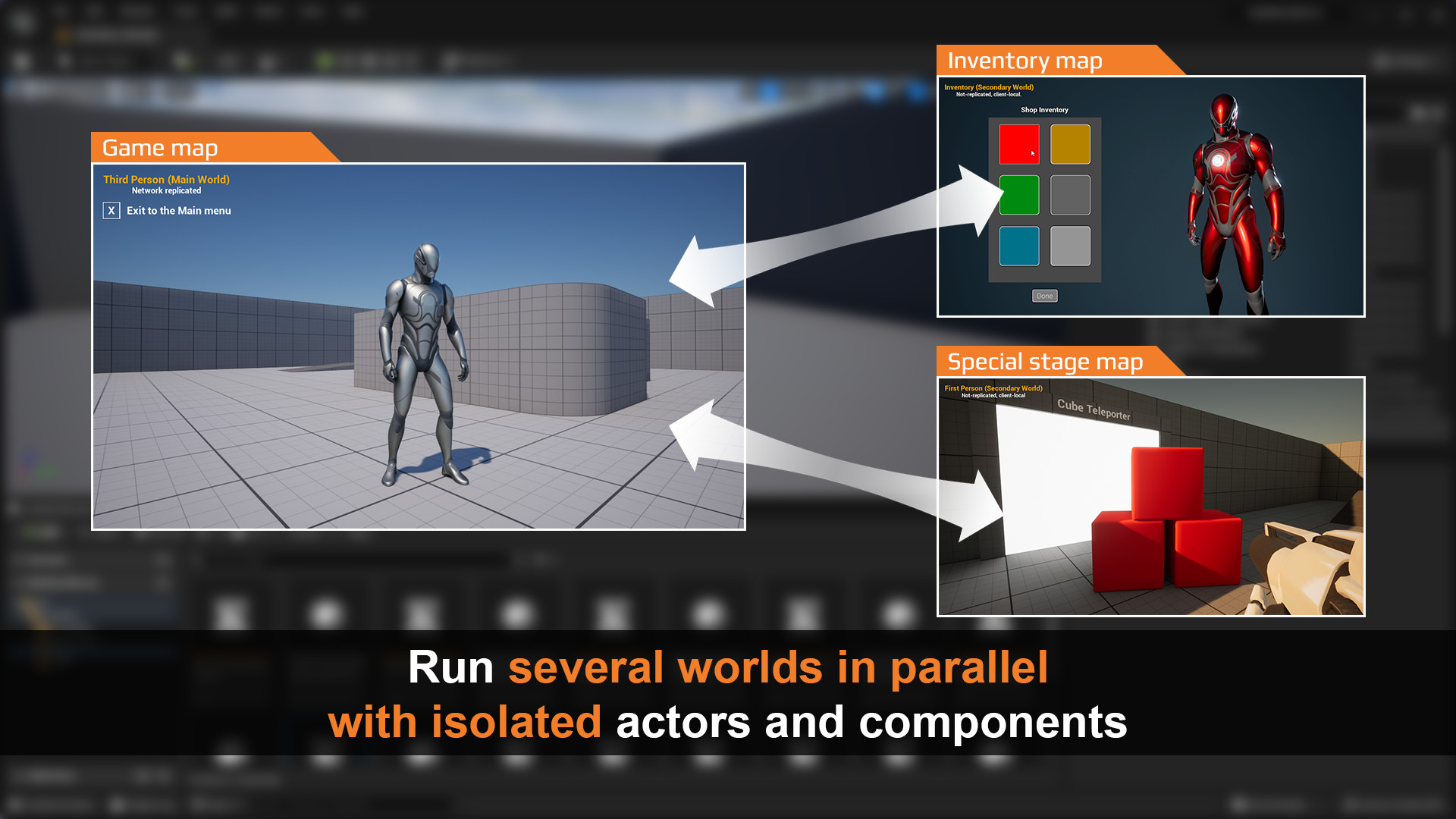 thin stratus
You host one, you play a Match, the Match restarts or changes level. Everyone moves.
fair latch
This is interesting.. 300 dollars tho
thin stratus
the standard UE5 network-replication for multi-player games is supported on the Main World (Secondary Worlds are not replicated);
fair latch
Ahh ok, rip
thin stratus
Lovely that this is 300 Dollars
That's basically the PocketWorld stuff that is in Lyra xD
fair latch
😭
thin stratus
I wrote that for our game from scratch to preview RTS houses in the bottom right corner in UI
All this does is spawning a small world you put actors etc. in and then render them to a rendertarget for UI
For inventories and stuff
fair latch
I guess those mmo made by unreal engine have their own medium to pass data
thin stratus
They probably replaced the networking layer with their own
Basically not using any replication
fair latch
👍
thin stratus
The plugin is licensed "per-seat" accordingly to the UE Marketplace EULA.
Since when are plugins licensed per seat?
Iirc you can share Marketplace stuff with everyone on your team
What a smelly plugin
fair latch
Pog
thin stratus
Maybe it's different for plugins, who knows
fair latch
If it doesnt support replication then its not nuch use anyway
*to me
And loading another world sounds like a heavy toll on the memory
Oh wait that can be useful to display inventory or skill tree
I guess u wrote that your self already
thin stratus
Okay the license stuff seems valid
Epic says one can license it like that
But that's really weird for a plugin like this
Cause it's for ONE game
You add that to a project and need to purchase licenses for everyone who works on the project
RIP the 50 user companies where only one touched the plugin xD
fair latch
They prob just want the ability to sue people that doesnt buy the plugin
thin stratus
Yeah 100%
If it would be something like the BLueprint Assist plugin
Where there are individual users it would make sense
fair latch
👍
quasi tide
thin stratus
Since when are plugins licensed per seat?
For forever. We actually had a discussion about this down in #programmer-hangout a few days ago.
thin stratus
Yeah I just read the license stuff
It's optional
But that user makes use of it for a plugin where it doesn't make sense
BUT WELL
quasi tide
Yeah, I was originally under the impression that it was default.
Hojo corrected me on that though
That said - if they don't say if it is per user, does that mean it is not by default 🤔
thin stratus
I think default is just "nothing" cause not specified means the user can do whatever the UEs license page offers
The page says "You can share it in your company if it doesn't violate the per user license". If there is none, then that should be fine
Plugins may be offered to you on a per user basis.
MAY
Such Plugins may only be used by the number of users that you have purchased licenses for.
Distribution of Plugins in source format to your employees, affiliates and contractors is permitted so long as use by those employees, affiliates and contractors does not cause you to exceed the number of paid users you have purchased for the Plugin.
Fun thing here is the note of SOURCE FORMAT
quasi tide
Then the next question is could plugin authors retroactively apply per-user requirements
thin stratus
If I only upload binaries, this wouldn't even matter?
thin stratus
quasi tide
Then the next question is could plugin authors retroactively apply per-user requ...
Probably, cause they write that into the description
You can't select that as a setting anywhere
Marketplace only has "buy" feature
At least afaik
plucky prawn
Sounds like I need a lawyer just to look at the marketplace
 bronze glade
Hey everyone 🙂 Why are the vfx and sfx not replicating on component overlap? They play on the server but not on the client. The actor has replicates as true, and the event being called is a reliable multicast

 winged badger
Overlaps are local for each machine
sinful tree
bronze glade
Hey everyone 🙂 Why are the vfx and sfx not replicating on component overlap? Th...
My guess would be that you may be destroying this actor somewhere before the multicast has a chance to actually replicate?
winged badger
Why not just let clients play from their own overlap?
bronze glade
sinful tree
My guess would be that you may be destroying this actor somewhere before the mul...
The actor does not get destroyed it continues through the wall
bronze glade
winged badger
Why not just let clients play from their own overlap?
I also tried doing the Remote pin and having that play the sfx/vfx but still nothing. Do you mean a different way?
 round mist
I have an actor spawning from an event called from a repnotify (after a hasAuthority check, so from the server). The actor is set to replicate and I've loaded it up with print strings to see if it actually is being spawned, and it is. It's printing on the server AND the client.
But the actor isn't visible. It's not showing up for clients. Just the server.
Any ideas?
bronze glade
bronze glade
Hey everyone 🙂 Why are the vfx and sfx not replicating on component overlap? Th...
https://gyazo.com/2132901e65983bd64d9f07c8816b90a6
Here you can see that server (right) sees bullet impact on the wall (tiny vfx) for both itself and client. Client (left) sees no impact vfx for either, but correctly sends data for server to see
 round mist
bronze glade
https://gyazo.com/2132901e65983bd64d9f07c8816b90a6
Here you can see that server ...
round mist
bronze glade
https://gyazo.com/2132901e65983bd64d9f07c8816b90a6
Here you can see that server ...
Are they spawned in a multicast event?
bronze glade
The bullet actor or the vfx
bronze glade
Yes if you look in the message I replied to, it has the image of the blueprints. The impact event is a reliable multicast
bronze glade
round mist
Is the bullet a projectile?
And yes 😄
sinful tree
bronze glade
https://gyazo.com/2132901e65983bd64d9f07c8816b90a6
Here you can see that server ...
I see the vfx trying to do something on the client in your video.
 round mist
Oh sorry. I didn't think to check that.
bronze glade
sinful tree
I see the vfx trying to do something on the client in your video.
That's the bullet (just a cube mesh)
The bullet is replicated just fine
Sorry the wall color matching the bullet is probably a bad example lol
I'll make a better clip
round mist
sinful tree
I see the vfx trying to do something on the client in your video.
Is the client too far away? Is it net culled?
What's your net cull distance set to?
Try making the bullet always relevant to see if that's the problem?
bronze glade
 round mist
(I think always relevant will override the cull distance. Obviously you don't want to keep it set to that, but for testing)
You could also just walk real close to the wall to see if that fixes the issue.
Yeah. That clip is a lot more clear.
bronze glade
Relevancy did not fix it, I think it's probably something with my blueprints I just don't know what
sinful tree
Perhaps what is going on is that the multicast is being called before the bullet exists on the client? Put a print string in the multicast, see if it is actually being called on the client?
round mist
Ah.
I think it's becaues you're getting the hit location from the server (has authority) which is 000 since the server hasn't fired, the client has.
Does that make sense?
dark edge
bronze glade
I also tried doing the Remote pin and having that play the sfx/vfx but still not...
Just have overlap play vfx
No networking or anything like that
winged badger
Thats what i said 3 pages up 😁
bronze glade
Didn't work on client still
winged badger
Clients should simulate everything they can get away with
round mist
Just calling the vfx without a has authority doesn't work?
bronze glade
round mist
Just calling the vfx without a has authority doesn't work?
Nope 😦
The client gets the print for both hit and effect, so it is just not playing them in the right place it seems.

 dark edge
bronze glade
The client gets the print for both hit and effect, so it is just not playing the...
dark edge
bronze glade
The client gets the print for both hit and effect, so it is just not playing the...
Show more of the code here
round mist
Yeah. Because your hit location doesn't exist on the server since only the client knows about it.
bronze glade
I did way up higher. I'll re-send the original images
round mist
I think Adriel wants to see the new setup that bypasses the multicast.
dark edge
Try it without any networking
round mist
^
dark edge
Just hit or overlap, straight into spawning the VFX


 round mist
Yeah, that multicast won't work though for the client.
dark edge
Yeah it won't 100% agree with the server, but what would you rather have, bullets that fly slightly different from the server or hit effects that happen in mid-air because the server thought of it happened there but the client thought something different?
round mist
Either remove the replication from that function or just call the vfx directly*
bronze glade
I changed it to not replicated and had it fire without any server authority checks and still nothing. Maybe it's the way I spawn the bullet itself
round mist
bronze glade
I changed it to not replicated and had it fire without any server authority chec...
If you can see the bullet on the server and client then I think you're good there.
bronze glade
Oh okay
round mist
Is it common to use a projectile in cases like this or do devs typically use a hit trace?
(I've never worked on any sort of shooter games)
bronze glade
This is my first one as well
round mist
I mean the impact is triggering, so I guess the speed of the projectile isn't causing problems. Assuming you need to use CCD though?
bronze glade
I have CCD on 🙂
dark edge
round mist
Is it common to use a projectile in cases like this or do devs typically use a h...
I have a custom projectile system that uses traces but per frame
bronze glade
Logs the hit, does nothing after
 dark edge
So it is a projectile that flies over time but it does not have collision,
It's just tick -> trace -> did it hit? -> profit
Cool part about doing it like this. Is that it basically becomes an instant hit line trace if you set the velocity to high enough.
bronze glade
I saw a tutorial that did something like that but I stress tested that VS default UE ProjectileMovement and the performance was very noticeably better with UE projectile system. Maybe I'll have to look into it more though
dark edge
I mean did you do yours in blueprint or C++? That's a 100x speed difference if you did it in blueprint
dark edge
I do mine in a subsystem with just raw structs and it's hella fast, like thousands of projectiles in flight no problem.
dark edge
bronze glade
Yes I do blueprints 😆
That's where your speed difference is coming from.
bronze glade
That's super cool. Wish I could do that lol
I just don't get why the emitter is not spawning with what I'm doing now
dark edge
There's nothing stopping you. It's the same concept as blueprint, just do it in C++. It's not really all that hard to pick up.
It's intimidating at first, but once you just bash your head against the wall and make something on your own without following a tutorial step by step, you'll get it.
bronze glade
I'm not fluent in C++ so I am going to see what I can do with just blueprints for this game. Maybe I'll convert it to C++ later once I learn UE more. I come from Unity so I am just learning the engine right now
dark edge
I would give two tips.
- Use Rider. It's a much smoother experience than VS
- Start simple, the first C++ thing you make on your own should probably be a function library. You could add your own structures and stuff and then just add some functions that you can use in blueprint. You're basically just making your own nodes.
bronze glade
round mist
I think it's becaues you're getting the hit location from the server (has author...
It is the location. Server has the right hit location and client does not
 dark edge
bronze glade
It is the location. Server has the right hit location and client does not
dark edge
bronze glade
It is the location. Server has the right hit location and client does not
Print position on tick
I bet the projectile is not even flying on the client
bronze glade
The client sees the bullet flying though
dark edge
bronze glade
It is the location. Server has the right hit location and client does not
That's with no networking at all right, just hit happens, print the location?
Literally two nodes
bronze glade
They're the same on server and client when shooting straight. No networking involved and it prints 0,0,0 for client on hit and accurate on server

 bronze glade
dark edge
Print position on tick
bronze glade
dark edge
Print position on tick
Client is slightly off on the tick logs but mostly similar. Shouldn't warrant 0,0,0 on hit
round mist
Are you printing after a "has authority" node?
bronze glade
No I am not using the authority at all
round mist
Oh sorry. I didn't look at the ss
bronze glade
Haha all good, it's weird they made it crop unless you click on it now. It shows the full BP when you click
round mist
Yeah. That's where I went wrong. lol
bronze glade
I wonder if client doesn't get the sweep stuff. That wouldn't really make sense though
round mist
Try printing the sweep instead of the spawn loc
dark edge
bronze glade
They're the same on server and client when shooting straight. No networking invo...
Have you tried printing the hit location or just where the spawned emitter ended up?
round mist
Also when you print, does it say server or client or both?
dark edge
I can't think of any way event overlap can be wrong other than if maybe the projectile movement component is doing some sort of background s*** to sync overlaps or something
bronze glade
Client gets 0 from the SweepResultHitLocation so it is that. It doesn't replicate I guess
 dark edge
Replication shouldn't have anything to do with this, it should just be sweeping on all machines. Unless it's not. What events do you have available off of the projectile movement component?
I think I recall using a projectile movement component dispatcher and not the built-in overlap back when I used the PMC
My impression of the PMC is that it's not very good but I don't know for sure.
bronze glade
I'm pretty sure it's what fortnite uses for their bullets so it can't be insanely bad. But it does seem to have issues
I partially fixed it lol
dark edge
I would be very surprised if they did, but they might, I wonder if anyone knows who can say without getting sued.
@bronze glade doesn't PMC have a hit event?
bronze glade
No, just these

I fixed it and got the replication working. Thank you all for talking through things with me!
I converted the hit location to a replicated variable and saved it on the server side. Then used that instead of the initial sweep hit result. Not sure why SweepHitImpactPoint was not replicating on the Overlap event. But this way works 🙂
round mist
I mean... clearly the projectile exists for the client. But is it moving? Do you do any trajectory code prior to spawning the projectile?
thin stratus
Wouldn't it be easier to just move to FInstanceStruct?
dark edge
I wouldn't do that but more power to you
round mist
Maybe the projectile is being spawned at 000 and not moving?
thin stratus
I haven't moved around replicated UObjects yet, so not sure what headache that is, sorry
bronze glade
dark edge
I wouldn't do that but more power to you
What would you do then? The issue has been located to a node coming out of the Overlap event. It seems like it does not get replicated otherwise
dark edge
bronze glade
What would you do then? The issue has been located to a node coming out of the O...
Overlap shouldn't have anything to do with any sort of replication of any sort assuming the thing you're checking for overlap on is actually moving through the world.
If you're going to go that route then just have the hit happen, check if you're on the server, then multicast the location
bronze glade
Is that not what I'm doing? I check if it has authority, do a few other things (not related), and then set the Hit Location variable to use in the multicast for the VFX

I don't mean that in a rude way I genuinely don't know if I am doing it wrong from what you described
dark edge
Just multicast the hit location
Instead of setting a replicated variable and hoping it's there before the multicast is
round mist
He was doing that originally, wasn't he?
dark edge
A multicast can have payload data
 thin stratus
Not sure what GAS would help you here :P
wicked ember
is there any node I can use On Success to filter servers? I am finding full games, looks like "Min Slots Available" is not working, I have set "?MaxPlayers=2" in options and that part is ok

 magic furnace
break the struct and check?
ahh I see
you cannot
@wicked ember

but I see creating the filters is a problem
guess check the documentation, might be c++ only or something
@wicked ember seems like the options are limited

but I guess
check current players against max players
sinful tree
magic furnace
<@169146182407290881>
Should be able to filter ok.
 rose turret
has anyone ever experienced a race condition like this when spawning actors?
my pawn is just a basic sphere with a camera attached to it and I have two PlayerStart Actors in the map
if I hit play, maybe 6/7 times I properly get two spheres but that last 1/7 times I get something like this -- only one Pawn and the second client's camera is off in space
any idea what this is?
 rose turret
has anyone ever experienced a race condition like this when spawning actors?
my...
rose turret
rose turret
has anyone ever experienced a race condition like this when spawning actors?
my...
debugging a bit, it looks like I have two PlayerStates, one PlayerController, and one Pawn
 magic furnace
rose turret
debugging a bit, it looks like I have two PlayerStates, one PlayerController, an...
magic furnace
rose turret
debugging a bit, it looks like I have two PlayerStates, one PlayerController, an...
you won't see the other player controllers like that
better to just print
so in my experience it depends, do you just let the gamemode spawn the actors?
rose turret
yeah, it's just the default GameMode from the TPP project
bronze glade
Hey everyone! Fairly new to MP, if I am using this Switch Has Authority and applying damage to a player only on Authority, is that equally as safe as calling the GameMode to apply damage since that is server only? Or is one more safe than the other against cheating? I would like to try and make sure damage is only applied when it should be and players can't mess with it
 sinful tree
bronze glade
Hey everyone! Fairly new to MP, if I am using this Switch Has Authority and appl...
sinful tree
bronze glade
Hey everyone! Fairly new to MP, if I am using this Switch Has Authority and appl...
Has Authority is only checking whether or not the current instance of the game has ultimate authority over the actor.
Applying damage should be executed on the server, and by means of the server already knowing that damage is being applied - ie. a trace or overlap occurred that the server knew about which is where Has Authority can help if you're detecting on something like an overlap or hit response.
The trick is, you can't really trust clients all that much, so you don't want the clients necessarily telling the server that they dealt damage unless you have some checks in place to validate that they actually could have dealt that damage.
bronze glade
So then if the client is sending the overlap it's still bad even if I call it through gamemode. If I verify authority and then send gamemode to do damage is that pretty safe to ensure the collision actually happened? Or is there a better way?
 sinful tree
bronze glade
So then if the client is sending the overlap it's still bad even if I call it th...
sinful tree
bronze glade
So then if the client is sending the overlap it's still bad even if I call it th...
Correct. Any data that the client sends needs to be scrutinized by the server, otherwise you're just trusting what the client says. It doesn't matter whether it is in the game mode or in the player character, once you're running on the server, the client can't manipulate what they've sent, so if they sent bad data to begin with, then that bad data will still persist through your calculations.
bronze glade
That makes sense
sinful tree
That overlap there, with has authority, would make it so the server is checking if the overlap happens.
bronze glade
So that means the overlap has to occur on the server not just the client right? So this should be a safe call to the Gamemode where I can apply damage?
Sorry for the basic questions
sinful tree
But why bother calling to game mode to apply damage?
Unless it's some super secret sauce that you don't want distributed (like you're running dedicated servers that no one else has access to run)
bronze glade
Well that's what I was asking in my original question but your response made it seem like I should be doing the damage in gamemode. Maybe I misread it
So if I use the Switch Has Authority and call a custom event that runs on server then I should be good? Doesn't need gamemode
sinful tree
Doesn't need game mode. Don't set the event as "Run on Server".
Setting an event as "Run On Server" means you'd allow a client to potentially call it, even if you don't have anywhere in your code where they could - it's opening the door for the communication to happen.
bronze glade
Oh... That makes me nervous a lot of my other code is easily hacked then 😆
So if I do it right after the has authority and don't do any custom event calls, I am safe?
sinful tree
You can still do event calls, but if you're already running on the server, and the event doesn't need to be marked as Run On Server (ie. you don't need a client to be able to request the server to execute it) don't mark it as run on server.
bronze glade
Ah that makes sense. Thank you for patiently describing everything to me haha
sinful tree
Take this as an example of what not to do...
Player is firing a weapon, so they RPC to the server with the "FireGun" event.
Server does a line trace and determines what is hit, and calls the "DoDamage" event. The target actor will take damage as programmed.
The problem here is, is that "DoDamage" is also marked as "Run On Server", so potentially someone mucking with their client can call that function at any time, supply any actor anywhere in the game, AND supply any amount of damage to deal to that actor.
 bronze glade
I did not know that was how the run on server worked. That makes so much sense though. I will go through my current RPC events and see if I have any potential spots that can happen. Thank you!
 gentle mauve
bronze glade
So then if the client is sending the overlap it's still bad even if I call it th...
gentle mauve
bronze glade
So then if the client is sending the overlap it's still bad even if I call it th...
May I ask, out of curiosity, why you are using an interface to get the GameMode?
bronze glade
If that's bad practice I can definitely change it, I just need to access the gamemode from a few places like UI and score and such and I was told that casting was bad practice so I made a BPI to get the gamemode
fossil spoke
Casting is not bad.
Whoever told you that has likely been told the same silly rubbish.
Cast where you need to when you need to.
If you are worrying about Cast performance, I would expect you to already have an extremely well optimized, functional and successful game.
 latent heart
Casting has issue with chain asset loading with hard references. But it's not just casting. Any mention of another bp anywhere (variabel types, etc) will cause this problem.
The solution isn't to stop casting, though.
bronze glade
So then is using a blueprint interface bad? I don’t see why that’s an issue
fossil spoke
bronze glade
So then is using a blueprint interface bad? I don’t see why that’s an issue
Using Interfaces isn't bad either.
They are both tools
With specific jobs.
Choose the right tool for the job.
Learning what the purpose of a tool is, is important in helping you understand why you might want one over another.
Learning all the tools makes you a better developer.
Understanding how and where to apply them makes you even better.
Programming is a journey. You cant learn all the things all at once. You get better as you get more experience.
Experience takes time.
bronze glade
I thought that my use case for the blueprint interfaces was good, but since I got asked why I’m doing it I was just concerned it is bad practice or something
fossil spoke
You could consider it "bad practice" in that your choice to use it over something else was misguided.
But not using something because someone told you "its bad don't use it" is nonsense.
Research that thing and try and understand why they might have said that.
Weigh up the alternatives.
 faint parcel
My void FInventoryArray::PreReplicatedRemove(const TArrayView<int32> RemovedIndices, int32 FinalSize) is being called with an empty RemovedIndices. Is that to be expected in some cases?
fossil spoke
faint parcel
My `void FInventoryArray::PreReplicatedRemove(const TArrayView<int32> RemovedInd...
That does sound odd.
faint parcel
Could it happen if replication is happening but the client added the item as well (not at all sure that's what's going on, just thinking)?
fossil spoke
I dont think so, since PreReplicatedRemove is called BEFORE the index is actually removed (so you can do stuff to it first), hence the name, so even if an Add was applied (which I cant think how it could) the index would remain the same.
Does it happen for PreReplicatedRemove on the SerializerItem?
Or more to the point, does the SerializerItem PreReplicatedRemove get called?
If you arent aware, both FFastArraySerializerItem and FFastArraySerializer support the *Remove, *Add and *Change functions.
faint parcel
I didn't have them on the Item. Adding them now for debugging
faint parcel
fossil spoke
I dont think so, since `PreReplicatedRemove` is called BEFORE the index is actua...
Ah, I might be on to something! What you said I had totally forgotten. It's called BEFORE the item is removed. And I GetInventoryItems after an event I'm broadcasting.
The original problem I'm having is that when I drop an item, it shows in both my inventory and on the ground (two different lists).
Hence PreReplicatedRemove. Which in hindsight is obvious, alas.
fossil spoke
If you need that item to exist in both lists at the same time, you can always mark the one in the inventory as "dropped" and that flag would signify that it isnt to be taken literally as an item still in the inventory.
Since you might want to defer cleaning it up later.
bronze glade
fossil spoke
But not using something because someone told you "its bad don't use it" is nonse...
That makes sense. Thank you for all the advice
faint parcel
fossil spoke
If you need that item to exist in both lists at the same time, you can always ma...
I don't really need it per my current design, but that is a very good idea that I think I might consider doing! Will have to test the UX of it.
 sudden harbor
Do you need some sort of steam account to use steam multiplayer plugin?
fossil spoke
sudden harbor
Do you need some sort of steam account to use steam multiplayer plugin?
Well, yeah...
You need a Steam account to use Steam services.
sudden harbor
fossil spoke
You need a Steam account to use Steam services.
Just a normal steam account?
fair latch
Steam provide test app for unreal. Spacewar app id 480 i think
If u want your app id you will need to pay 100 bucks
sudden harbor
fair latch
If u want your app id you will need to pay 100 bucks
Thanks
 crude tree
So i got my Game and Dedicated Server build done and both work fine on my gaming pc. but when i went to run the Dedicated Server on my Home server the Dedicated Server Crashes.
Last line in log [2023.08.03-02.47.44:076][ 0]LogNet: GameNetDriver IpNetDriver_2147482424 IpNetDriver listening on port 7777
When i run it on my gaming pc it gets past that line and after starts loading the level.
So i dont know if it is crashin to do with the network or loading the level.
fossil spoke
crude tree
So i got my Game and Dedicated Server build done and both work fine on my gaming...
This isnt helpful, you need to run with debug symbols so the crash will log correctly.
crude tree
fossil spoke
This isnt helpful, you need to run with debug symbols so the crash will log corr...
So build the server with debug and then look at log ?
fossil spoke
Well make sure you include the .pdbs with the package you are running the dedicated server with.
Alternatively, atttach a debugger to the dedicated server on the machine its crashing on?
crude tree
fossil spoke
Alternatively, atttach a debugger to the dedicated server on the machine its cra...
i dont think i can do that since i would then need the project and UE build on the server and run it via Visual stuido ?
and i dont realy have space for that