#multiplayer
1 messages · Page 101 of 1
 blissful talon
 twilit radish
Well then you have the choice if pinging random services on the internet fits your goal or not I suppose 🙂
 latent heart
That's not what the log says. That's your summary of the probably hundreds of kb of log says.
We don't want a summary.
 wind moat
latent heart
That's not what the log says. That's your summary of the probably hundreds of kb...
wind moat
latent heart
That's not what the log says. That's your summary of the probably hundreds of kb...
so i should just send in the whole server logs?
latent heart
Sure!
wind moat
latent heart
Sure!
That should be the whole log
wind moat
its a ue5 deticated server with steam online sub
thats what i am confused of...I cant connect to it, even tho it started
latent heart
Have you tried connect with a steam session? Or actually just via IP?
wind moat
Via IP, its not being shown under steam servers
wind moat
well..i Found the server, its available, has all my settings and seems to have an IP which is only local
but still cant connect... hmmm...
wind moat
latent heart
Firewall issue?
all alllowed
On the steam client its saying thirdparty mods installed
 potent coral
i have an actor with this code to randomly change its material, but for some reason the client wont see the material change, any ideas?


 dusk lantern
Hello. I made this code to make a higher jump, when the player crouch charge the power of the jump. But i can’t fix how to make this run to the client, any ideias?


 dark parcel
@potent coral Have you set your actor to replicate?
potent coral
yes

 dark parcel
potent coral
yes
dark parcel
potent coral
yes
Is material empty by default?
potent coral
no
dark parcel
but it isn't the same material that you set?
because repnotify works when the value is changed
 potent coral
ohh
dark parcel
 potent coral
now it works
dark parcel
cuz it's already sync with the server
The way repnotify work it calls when the value is changed (server and client)
iirc
potent coral
yeah i forgot it actually sets the default when u make a variable from pin

📹 Part 4 of our replication series unlocks limitless potential with Multicast and RepNotify! In this video, we dive deeper about how Unreal Engine's Actor Replication really works as well as introduce ourselves to a variable replication and how combining the power of variable replication with an event driven design can help us build a multiplaye...
just found this really good tutorial
 blazing spruce
Hi, hoping someone can help, ive got an axe that the player can throw but only my BP_Caretaker character class is the one that can actually throw/interact with these axes, my BP_StudenBase characters cant.. I have a actor called BP_AxeSpawnLocations which are placed around the map where i want these axes to spawn, and then on my game mode at the beginning of the game i loop through all AxeSpawnLocations and call a Spawn Axe event on them to spawn the BP_AxePickup actor at these locations, when these axes spawn I want to apply a material overlay to them that indicates that they can be picked up however this overlay should only be visible to my BP_Caretaker class, now i know i need to do some form of Client RPC to make it only appear for the Caretaker character class but im not sure exactly to do it as its the Game Mode calling for the spawning of these axes so i have no link between Caretaker class and Axe class, any ideas how i can apply the material overlay only for the Caretaker class while still having the axes spawned by the GM at the beginning of the game?


Just for comparison... i also have the same type of thing happening when the Caretaker class throws an axe, once velocity stops it enables interaction so the player can pick it up and applies the material overlay on the axe by calling the OnInteraction event dispatcher, which the overlay is then only visible to the Caretaker class however the difference is that the Caretaker class is the one spawning the axe which gives me a direct link between the two.. this works perfectly i just need to get it working for when the axes are spawned at the axe spawn locations

Any ideas on how i can get this working when the axes are spawned by the GM?
 upbeat basin
Is it normal that playername variable in player state is empty when I play standalone with steam subsystem enabled?
upbeat basin
I can see in the server logs that login string includes my steam username
 kindred widget
upbeat basin
Is it normal that playername variable in player state is empty when I play stand...
kindred widget
upbeat basin
Is it normal that playername variable in player state is empty when I play stand...
If you have Steam open when you launch the game, it should be your Steam name.
 tardy fossil
hey does FSavedMove_Character::CanCombineWith get called when using PIE network emulation? i put a log print in my custom overridden function and it seems to never be called, and my game is running at 100+fps
everything else is working fine like PrepMoveFor so im not sure why
 thin stratus
@tardy fossil it should be called yes
 queen escarp
@potent coral are u doign the event towards the server ?
potent coral
queen escarp
<@469217472273317908> are u doign the event towards the server ?
?
i already fixed this
queen escarp
oh ok sry
 dark edge
blazing spruce
Hi, hoping someone can help, ive got an axe that the player can throw but only m...
dark edge
blazing spruce
Hi, hoping someone can help, ive got an axe that the player can throw but only m...
One question at a time man, what's the main problem you want to solve?
 worn steppe
I have a door that players can push around with their bodies, it replicates movement using the "replicate movement" flag. Lots of weird behavior with them, e.g. at the start of the level a lot of the doors randomly fling open, a lot of times the door appears open on the client but it's really closed on the server so it looks like an invisible wall, "pushing" the door feels very glitchy. Is it just a bad idea to use physics-sim stuff in multiplayer? Or is it just that my specific BP is screwy
dark edge
For the material, you need to check something on begin play for the axe. I'd check if local player is tagged as caretaker, or you can cast local players pawn to caretaker, but that might be a race condition
blazing spruce
dark edge
One question at a time man, what's the main problem you want to solve?
There was only one question asked lol everything else is context, essentially i need the material overlay to only be visible for the Caretaker class, but the game mode is the one doing the spawning so im not really sure the best way to make it only appear for caretaker
dark edge
worn steppe
I have a door that players can push around with their bodies, it replicates move...
You also need to consider that physics sim and character movement are very different. Character movement is predicted.
dark edge
blazing spruce
There was only one question asked lol everything else is context, essentially i ...
Do something like this in the axe:
Begin play -> are we on the caretakers machine? -> change material
How you decide if you're on the caretakers machine is up to you.
blazing spruce
dark edge
Do something like this in the axe:
Begin play -> are we on the caretakers machi...
Whats the best way to check if its a Caretaker class, just a IsA check or something?
dark edge
You could cast the local players pawn to caretaker, but that might fail if begin play runs locally before the local players pawn is caretaker.
worn steppe
dark edge
You also need to consider that physics sim and character movement are very diffe...
Shouldn't this just mean that at most, players might see other players clipping thru the doors a bit as they walk through?
dark edge
Basically by the time begin play runs on the ax, you want some sort of data to indicate whether or not the local player is the caretaker.
dark edge
worn steppe
Shouldn't this just mean that at most, players might see other players clipping ...
You've also got the situation where two people walking into a door both say that it's in a different spot because they are both in the future.
If it's just one character, one door, it should be fairly smooth. Play with your constraint settings and damping
Also you will need to play with the replicated physics settings in project settings, the stock defaults are very strict and cause a lot of snap corrections
A predicted character busting open a nonpredicted door will be a tough problem no matter what.
worn steppe
ok, maybe I just disable physics for the doors
blazing spruce
dark edge
Basically by the time begin play runs on the ax, you want some sort of data to i...
Yeah i do actually have a slight issue where the axes are actually spawned before the character is spawned, i could either change it so axes only spawn after spawning the characters or could i do some sort of event dispatcher to have the axe's listen for 'OnPlayersSpawned' or something? would that help prevent a race condition?
dark edge
blazing spruce
Yeah i do actually have a slight issue where the axes are actually spawned befor...
I'd start with a timer that triggers the check and material update. Later see if you can find out what's guaranteed to be ready by the time begin play runs on the axe.
One thing to remember, begin play runs on every machine. It runs whenever play begins for the actor (spawned, became relevant, etc)
blazing spruce
dark edge
I'd start with a timer that triggers the check and material update. Later see if...
Sweet, ill give this a go, cheers!
 ivory pivot
Hello all, My sever travel (With EOS and advanced Session Plugin) from lobby is not working with UE5, I tried using “HandleStartingNewPlayer” and not “OnPostLogin”
The server travel command I use: servertravel/Game/Maps/<levelname>
Made sure that I added all needed Levels at the packaging options (advanced - Maps) I also enabled seamless travel but still the clients enter the map as spectators instead default players. I would greatly appreciate your help
 hollow mango
Hey there
I got a weird issue, my control rotation of the host is not syncing properly through to the clients, but the client rotation is syncing correctly to the host, anyone had this issue before?
 sinful tree
hollow mango
Hey there
I got a weird issue, my control rotation of the host is not syncing pr...
sinful tree
hollow mango
Hey there
I got a weird issue, my control rotation of the host is not syncing pr...
If I remember right, control rotation isn't replicated by default to everyone, but it is sent from clients to the server.
hollow mango
So do i to multicast the control rotation to the clients then?
Cause im making a shooter, and im using the desired control rotation option, but it gives me a weird twisted character when the host is trying to rotate
queen escarp
playing in Netmode: Standalone wont let 2 clients on editor join the same level ?
 sour compass
I tried to create a multiplayer "game", but after creating two dedicated windows, spawning 2 players from two set player starts, I realize nothing is replicated.
Further, the client window does not show the cursor even though the character BP sets show cursor to true on BeginPlay.
When the mouse hovers over the card it increases in size. I do not see that on the client.
 sinful tree
queen escarp
playing in Netmode: Standalone wont let 2 clients on editor join the same level ...
sinful tree
queen escarp
playing in Netmode: Standalone wont let 2 clients on editor join the same level ...
Netmode standalone is single player.
sour compass
I assume it is related to there being two clients and only one computer.
 hollow eagle
it has nothing to do with how many instances of the game you're running on a single computer. Did you actually start a server and connect your clients to it? Or have an instance of the game be a listen server?

 hollow eagle
"nothing is replicated" - what do you expect to be replicated? How are you replicating it?
 hollow eagle
scale is not replicated automatically
since you mentioned that the card "increases in size"
sour compass
I see. Let me test with moving the card then. Thanks.
hollow eagle
"moving the card" - this also can't be done from a client unless you send an RPC through something that client owns to the server.
sour compass
I just wanted to get the server to send something to the client as a first step, and movement was replicated. The scale was not, as you said.
Now I just have to figure out how to replicate scale and fix the accessed none property error message.
dark edge
hollow mango
So do i to multicast the control rotation to the clients then?
There are some replicated rotation data available, take a look at get base aim rotation etc
sour compass
hollow eagle
"moving the card" - this also can't be done from a client unless you send an RPC...
Let us assume I fix the Blueprint Runtime Error: "Accessed None trying to read property CallFunc_GetPlayerController_ReturnValue". Node: Set bEnableMouseOverEvents Graph: EventGraph Function: Execute Ubergraph Player BP Blueprint: Player_BP error on the client when I activate the window.
If it is something the client owns it would be the client equipment etc., but what about the card in the image? It is shared between all players in the current state.
My understanding is I have to make an RPC call to the server, asking the server to move the card. Is that not possible?
hollow eagle
the card is not owned by the player unless you've told the server it is owned by the player
generally the only things owned by a player are the player state, controller, their controlled pawn, and potentially anything else that they are meant to directly control. An actor can only have a single owner (or no owner).
sour compass
Exactly, so if I want to allow all players to affect the same card, then every player has to ask the server to perform the required action, right?
sour compass
That being said, at the moment, none of the players are doing anything. The card is just reacting on an on begin/end hover event on its own.
Anyways, thanks.
hollow mango
dark edge
There are some replicated rotation data available, take a look at get base aim r...
Is the base aim rotation been called when right clicking ingame?
dark edge
what
hollow mango
I hope its clear to see, the player im looking at is the host, and for some reason hes always looking to that one direction
The right thing would be that the character would rotate its body completely to the point its aiming, the client does that, but the host does not
 torpid whale
Hello, what is better to make an online game, Blueprints or c++?
I saw a lot of people saying that blueprints are slow on the server side
And I have a fairly advanced game in which I will start saving certain things in the database, such as progress, location, etc, and I would like to define if I do it in blueprints or with c++
 graceful flame
Both
worn steppe
idk, if I know how to do something in both C++ and BP, I pretty much always prefer to do it in C++ with the exception of asset references or like setting float values
dark edge
torpid whale
And I have a fairly advanced game in which I will start saving certain things in...
If you have to ask.....
The answer will be C++ though. You could make a BP-only multiplayer game but it'd be rough and you're limited in what you can do.
How would you even access a database without C++?
torpid whale
dark edge
How would you even access a database without C++?
There are plugins that allow you
worn steppe
torpid whale
There are plugins that allow you
that scares me a little bit
 unkempt tiger
How do I create a replicated component in a dynamic way? default subobjects work fine, but I'm not managing to create a dynamic one
 sudden harbor
Why does my pickups only show for clients when I check these boxes?
 short arrow
torpid whale
Hello, what is better to make an online game, Blueprints or c++?
short arrow
torpid whale
Hello, what is better to make an online game, Blueprints or c++?
Your question was already answered, but as someone creating a big Survival rust like game in 95% blueprint. It's very rough, though not by any means impossible. You need to be very very careful with how you code your game, and you honestly need an expert level blueprint and UE understanding, optimization skills are not optional here... above all though you need to be creative in finding ways to get around many many many hurdles.
The amount of times our team has run into "oh we can't use this in blueprints" "oh that's too expensive for blueprints" "oh that's not exposed" "Oh we need to throttle this" "Oh we can't have these nice AI features because it's too heavy on the server" "Oh must use plugin for this" "Oh this is bugged, and it's marked as won't fix in on the epic site to boot" I can go on, it happens almost weekly, for us it's just another day.
If we were experts at c++ we might have been in beta by now, sadly we are still in alpha (it's been about 2 years, and we are finally closing in on beta)
short arrow
sudden harbor
Why does my pickups only show for clients when I check these boxes?
you need to spawn those items on the server
 fathom aspen
unkempt tiger
How do I create a replicated component in a dynamic way? default subobjects work...
fathom aspen
unkempt tiger
How do I create a replicated component in a dynamic way? default subobjects work...
Just NewObject it
You may need a couple of extra calls for the proper registration to happen, but I can't remember what they were. Searching this channel for NewObject might help yield them (RegisterComponent and AddInstancedComponent ig?)
latent heart
They should really have added a way to do that in an actor by now.
AddDynamicComponent<T> or something
 humble cove
is ther a way to show ur windows like this? server window and a client window? instead of all being clients.
 dark parcel
humble cove
is ther a way to show ur windows like this? server window and a client window? ...
dark parcel
humble cove
is ther a way to show ur windows like this? server window and a client window? ...
Just set a text in the widget?
Use switch has authority to check if it's server/client
Or you can just look above on the window
 humble cove
ignore that, just realised hes playing as listen server. where as i was doing playing as client lol
 rose turret
I'm spawning an Actor on the server that has a property that I want to replicate, ideally with the correct value when it's spawned on the client (it's an ID value that's set at construction time and not touched again, so I don't want it to be NULL until it eventually replicates because a NULL id will lead to somewhat weird behavior)
are there any guarantees about that property being set on spawn or will the spawn and the setting of the property be two separate network operations with potential latency in-between (in other words, do I need to handle NULL ids or is there a way to guarantee that they'll always come over when the actor is spawned?)
fathom aspen
They will come in the same packet as long as setting them has been done at a frame not later than the one the actor has been spawned in @rose turret
And ofc with the exception of unmapped properties. So the guarantee is in place for POD types, which I assume is what your ID is
rose turret
fathom aspen
And ofc with the exception of unmapped properties. So the guarantee is in place ...
amazing, thank you!! what's an unmapped/POD type? (I'm new here 🙂 )
fathom aspen
Unmapped is basically != POD in unreal's terms
You can think of unmapped as a pointer to an AActor/UObject
POD is an int, float, and any primitive data type
rose turret
fathom aspen
You can think of unmapped as a pointer to an AActor/UObject
ahhh that makes sense. perfect. thank you so much!
fathom aspen
No worries. The tips and tricks article in pins goes over that fwiw
 novel bison
anyone have a tutorial they’d consider showing the “right” or best way to do team choice in lobby and have that persist over travel to the game level?
do i just set it on playerstate in lobby and copyproperties?
dark edge
humble cove
is ther a way to show ur windows like this? server window and a client window? ...
yes that's just a listen server
torpid whale
short arrow
Your question was already answered, but as someone creating a big Survival rust ...
Thanks for your answer, it's something I needed to read, I'll continue with bp but I'll be careful
 quasi tide
short arrow
Your question was already answered, but as someone creating a big Survival rust ...
quasi tide
short arrow
Your question was already answered, but as someone creating a big Survival rust ...
Honestly? Take the plunge. Do small stuff first. As long as you stick to the Gameplay Framework, C++ in Unreal isn't that bad.
queen escarp
when im testing my game in editor and im playing as "listenserver" and 2x clients only 1 player gets spawned :/

any tips where the misstake could be ?
thin stratus
Do you have enough spawn points?
queen escarp
yeah
well

acctualy im running this code "if playing solo mode"
could this interrupt it ?
queen escarp
any tips on how to troubbleshoot this ://
dark parcel
Did you use that Number of Expected player somewhere else? it's also set to 1
queen escarp
even if i change it to 2 still wont work
kindred widget
queen escarp
when im testing my game in editor and im playing as "listenserver" and 2x client...
Do you have Number Of Players set to 2 or 3?
In this I mean.
 queen escarp
2
kindred widget
Then that is intended behavior. You have two players. The listenserver and a client.
Oh. I derped. You meant the character. I read that as you were expecting two clients. 😄
dark edge
queen escarp
Anything with get player controller 0 or get player pawn 0 or get element 0 from all connected controllers etc is super sus
dark edge
queen escarp
cant figure out what the hell is going on 😮
walk through all your gamemode code that gives a player their pawn
 ivory bear
for a replicate fire system, I have mouse click calling ServerFire...which goes down the chain and works well.
I want to implement automatic weapons. Examples I have seen do the firemode and retrigerable delay after the mouse click, but before the call to ServerFire. WOuldnt this open you up to cheating and firing auto for any weapon you choose?
Should auto be situated in the beginning of the ServerFire?
novel bison

I'm having a couple issues here and im sure it's something dumb I just cant see
- ui doesn't update on client, only shows 1 connected player
- for some reason there are issues reading the lobby player state even though that's the assigned playerstate class

maybe how im saving the controllers to the array is wrong?
void AEchelonLobbyGameMode::PostLogin(APlayerController* NewPlayer)
{
    Super::PostLogin(NewPlayer);

    AEchelonLobbyGameState* LobbyGameState = GetGameState<AEchelonLobbyGameState>();
    if (LobbyGameState)
    {
        AEchelonLobbyPlayerState* LobbyPlayerState = Cast<AEchelonLobbyPlayerState>(NewPlayer->PlayerState);
        if (LobbyPlayerState)
        {
            LobbyGameState->AddConnectedPlayerController(NewPlayer);
        }
    }
}
void AEchelonLobbyGameState::AddConnectedPlayerController(APlayerController* PlayerController)
{
    if (HasAuthority() && PlayerController != nullptr)
    {
        ConnectedPlayerControllers.Add(PlayerController);
    }
}
public:
    // Array to store connected player controllers in the lobby
    UPROPERTY(BlueprintReadOnly, ReplicatedUsing = OnRep_ConnectedPlayerControllers, Category = "Echelon | Lobby")
    TArray<APlayerController*> ConnectedPlayerControllers;
@novel bison Just a FYI. AGameState(Base) already has a list of all connected players (that also works on clients). It stores APlayerState though:
https://docs.unrealengine.com/5.2/en-US/API/Runtime/Engine/GameFramework/AGameStateBase/PlayerArray/
I think the issue in specific with what you're doing is that only the server has a reference of all player controllers. Clients only have access to their own player controller. As the runtime error in your log also shows "Accessed None trying..." 😛


Array of all PlayerStates, maintained on both server and clients (PlayerStates are always relevant)
 clear island
@pallid mesa I was reading your article on network managers and you mentioned using the "Push model" with a reduced NetUpdateFrequency of 1, I was under the impression that when using the push model, the NetUpdateFrequency setting basically does not matter since when you mark a property as dirty, it's instantly sent to a client (similar to when RPCs are called), so changing the value of NetUpdateFrequency basically has no effect for actors that use the push model for all their properties, right?
 pallid mesa
it is still iterated on the frequency of the net update, however variables are not evaluated unless marked as dirty
if you want to early out at an earlier stage, dormancy works better
clear island
pallid mesa
it is still iterated on the frequency of the net update, however variables are n...
oh I see, so it ends up reducing some stress on the cpu even if no variables are being evaluated
what about movement though?
if ReplicateMovement is set to true
will NetUpdateFrequency affect that?
pallid mesa
movement needs higher frequency because even interpolating a lot, most of the times is not enough with few snapshots
dark parcel
pallid mesa
movement needs higher frequency because even interpolating a lot, most of the ti...
What would be a good frequency for player characters?
pallid mesa
my answer is adaptative net update freq lol
clear island
pallid mesa
movement needs higher frequency because even interpolating a lot, most of the ti...
hmm I see, so reducing NetUpdateFrequency to 1 is not a good idea for moving actors even if all the properties use the Push model
pallid mesa
well... imagine you are dirtying the position in every server tick, netupdate frequency is going to be maxed out for your server tickrate
clear island
hmm yea makes sense
dark parcel
pallid mesa
my answer is adaptative net update freq lol
Like changing the value by specific condition?
but characters would always be moving anyway, so shouldn;'t they use a constant value
pallid mesa
dark parcel
Like changing the value by specific condition?
its a utility of the engine, a CVAR
clear island
better to just have a high update frequency then, rather than constantly dirtying on tick
pallid mesa
you can set it and try
clear island
also does ForceNetUpdate() have any effect on properties that use the Push model?
pallid mesa
clear island
better to just have a high update frequency then, rather than constantly dirtyin...
it doesnt matter really the amount of packets over the network is going to be the same
and i dont think you will throttle much the cpu by dirtying every tick a property
clear island
pallid mesa
it doesnt matter really the amount of packets over the network is going to be th...
yea was just thinking about cpu load
clear island
pallid mesa
and i dont think you will throttle much the cpu by dirtying every tick a propert...
ah I see, maybe not that big of an issue then
queen escarp
@dark edgehm cant find anything zzZzzz
clear island
do you think its a good idea to replace reliable client RPCs that send temporary data, with a replicated prop + push model? I'm assuming push model props would work similarly, or would the RPC approach be faster? (in the sense that its called faster on the client)
pallid mesa
rpc is good if you are not handling with state
clear island
yea I'm not, its not stateful
pallid mesa
then, dont add repped variables if you dont need them
clear island
but reliable RPCs have some drawbacks or so I heard
pallid mesa
reliable rpcs can fill the reliable buffer
quasi tide
Just use reliable RPC until it is a problem for you.
clear island
for players with packet loss, wont that be a bit wasteful though? on bandwidth?
pallid mesa
nah
clear island
since it tries to re-send
quasi tide
Are you expecting all of your players to never receive it or something?
pallid mesa
what duro said might sound weird, but indeed, use it until it is a problem for you, once it becomes a problem then you can develop other solutions
clear island
quasi tide
Are you expecting all of your players to never receive it or something?
well no but just taking into account players with bad connections and thinking maybe the push model + repped prop approach would solve this
pallid mesa
and most of the times you can roll with unreliables rpcs, unless if it is gameplay critical
dark edge
clear island
but reliable RPCs have some drawbacks or so I heard
Setting your name: Reliable
Telling the server what direction you're aiming towards: Unreliable
pallid mesa
and if you fill the reliable buffer, you can look on similar solutions to this one https://vorixo.github.io/devtricks/data-stream/
Devtricks
In this post you’ll learn how to stream big quantities of data in Unreal Engine using the RPC system.
dark edge
"Will it be relevant 1 second from now?" -> Yes -> Reliable
-> No -> Unreliable
This is for client -> server communication.
quasi tide
clear island
well no but just taking into account players with bad connections and thinking m...
But the thing is, you don't know if you have a problem or not.
pallid mesa
but yeah, the norm is that, it wont be a problem
clear island
yea I understand when I should use RPC vs OnReps, (stateful vs not stateful, etc...) but I'm just not seeing any disadvantages to the push model based approach, are they actually slower than RPCs?
pallid mesa
its getting better and better, its true, even iris optimizes a bunch iteration time on server with bitmasks
but tools in the toolbox
rpcs are good for what they offer, one off transient events to -> from
its even better than a variable in terms of logistics, space and management.
clear island
pallid mesa
its getting better and better, its true, even iris optimizes a bunch iteration t...
before I learned about the push model, it was always clear to me when to use RPC vs Replicated prop, too many replicated props == long time evaluating deltas to know if they should replicate, but since the push model completely solves this issue, I'm left wondering where to fit in RPCs in many of these cases and why not just use repped var + push model
pallid mesa
Yes I understand your point, but at the end of the day, you are making stateful something that can be transient. So you might have some structs with parameters to represent client rpcs or multicasts with params? These things take up space aswell.
clear island
pallid mesa
Yes I understand your point, but at the end of the day, you are making stateful ...
ah you mean from an organizational standpoint
pallid mesa
you can of cooooouurse do that, but you will polute your source code with transient replicated variables
clear island
keeping code clean and following best practices
pallid mesa
yes, and also memory if you go a bit wild with it
I always like to say, "get to know your tools, and use them wisely..." you can ofc punch a nail in a table with a screwdriver, but its better to do it with a hammer
clear island
pallid mesa
I always like to say, "get to know your tools, and use them wisely..." you can o...
yea I get your point
I was recently reading the valorant's blog article where they mentioned how they optimized their servers and they mentioned they pretty much stopped using replicated properties because the evaluation of the deltas was taking too long, and switched of to using reliable RPCs only, this was before the push model was a thing
pallid mesa
hehehe yeah XD
clear island
so in this case they are going completely against "best practices", using RPC's for stateful data even
but
they got massive improvements
interesting stuff
clear island
yea, better to profile first
pallid mesa
but ofc, its always sane to keep in your head this stuff while developing
thats why profiling often is a good practice and advice :D
https://youtu.be/flEtQBPtBTc <-- A good reminder that works everywhere, really 🤣
 chrome quest
Funny how I was just about to pick someone's brain on something related.
So I have a flecs::world on a subsystem. Can't be replicated without custom serialization, and I don't want to replicate the whole world anyways.
Buuuttttt., I need to get some component data from the world on the server to some receivers on the client.
I have two approaches in mind:
-
Replicate every change that happens to the
flecs::worldon the server to all clients. i.e. if I create an entity and set a component on the server, do the same on the client using aNet_Multicast. Sinceflecsusing atomic ids, the generation counts and id's are almost guaranteed to be synchronized. -
Use a routing system to get the data from the server using Client -> Server -> Client RPCs plus some callback delegates for whoever is requesting the data.
Would appreciate some help/opinions on this. Or..... I could just write some serialization code to make the flecs::world replicated.
sudden harbor
short arrow
you need to spawn those items on the server
How do I do that? With an actor spawner? Currently I am dragging the BP into the map via editor and construction script changes mesh via exposed variable in details panel.
pallid mesa
chrome quest
Funny how I was just about to pick someone's brain on something related.
So I ...
uugh replicating changes is risky Ozy... what happens if someone disconnects?
chrome quest
pallid mesa
uugh replicating changes is risky Ozy... what happens if someone disconnects?
Ah, I see... there's always the risk of desync. It didn't even occur to me 😅
I need coffee
pallid mesa
unless you keep a buffer and send all the changes to newer connections - but yeah XD
chrome quest
pallid mesa
unless you keep a buffer and send all the changes to newer connections - but ye...
nope nope
I'm 'bout to send some cursed code.
pallid mesa
🤣
clear island
pallid mesa
thats why profiling often is a good practice and advice :D
<https://youtu.be/flE...
yea I've been profiling my dedicated server and noticed NetBroadcastTick time barely even shows up so its definitely not a problem yet, the biggest offender right now is animation (skeletalmesh ticks) first and CMC second, funny enough the optimizations I'm trying to implement now to mitigate that problem seem to be very similar to how valorant did it aswell (turning off mesh ticking based on some conditions like player distance etc...)
pallid mesa
clear island
yea I've been profiling my dedicated server and noticed NetBroadcastTick time ba...
they do have already some settings in the engine for this see visbility based anim on skeletal mesh component
This is tick animation frequency option based on this component rendered or not or using montage You can change this default value in the INI file Mostly related with performance
clear island
yea I'm aware of this, currently using AlwaysTickAndRefresh bones because it was causing some bugs, to use the other options (visibility based ones)
pallid mesa
i extended the engine once to add a new one that actually only refresh bones when a montage plays
clear island
also visibility based ones not sure how they work for dedicated servers
doesnt the dedicated server always "see" all players?
clear island
exactly so I have to use that worst one anyway
pallid mesa
so... dedis never refresh bones for the other options
clear island
yep
clear island
pallid mesa
i extended the engine once to add a new one that actually only refresh bones whe...
that one already exists I think
unless you added it yourself 😛
pallid mesa
nah it doesnt haha, i thought it did exist, but the tick pose and refresh bones are different things
chrome quest
.H
DECLARE_DYNAMIC_DELEGATE_OneParam(FOnContainerDataReceived, const FHItemContainer&, Container);

TMap<FGuid, FOnContainerDataReceived> ContainerReceivedCallbacks;

UFUNCTION(BlueprintCallable)
void RequestContainerData(const FInventoryHandle& ContainerHandle, const FOnContainerDataReceived& Callback);

UFUNCTION(Server, Reliable)
void Server_RequestContainerData(const FGuid& RequestId, const FInventoryHandle& ContainerHandle);

UFUNCTION(Client, Reliable)
void GetContainerData(const FGuid& RequestId, const FHItemContainer& ContainerData);
.CPP
void AHiraethPlayerController::RequestContainerData(const FInventoryHandle& ContainerHandle,
    const FOnContainerDataReceived& Callback)
{
  const FGuid RequestId = FGuid::NewGuid();
  ContainerReceivedCallbacks.Add(RequestId, Callback);
  Server_RequestContainerData(RequestId, ContainerHandle);
}

void AHiraethPlayerController::Server_RequestContainerData_Implementation(const FGuid& RequestId, const FInventoryHandle& ContainerHandle)
{
  const UFlecsGlobalInventory* FlecsInventory = GetWorld()->GetSubsystem<UFlecsGlobalInventory();

  FHItemContainer OutContainerData;

  if(FlecsInventory->GetContainerData(ContainerHandle, OutContainerData))
  {
    GetContainerData(RequestId, OutContainerData);
  }
}

void AHiraethPlayerController::GetContainerData_Implementation(const FGuid& RequestId, const FHItemContainer& ItemData)
{
  const FOnContainerDataReceived& Callback = ContainerReceivedCallbacks.FindRef(RequestId);
  bool bSuccess = Callback.ExecuteIfBound(ItemData);
  ContainerReceivedCallbacks.Remove(RequestId);
}
So ummm.... if you have trouble understanding what it going on... you know how I feel
clear island
pallid mesa
nah it doesnt haha, i thought it did exist, but the tick pose and refresh bones ...
is it not any of these ?
 pallid mesa
clear island
is it not any of these ?
pallid mesa
clear island
is it not any of these ?
nope
ticking montages will only tick the montage for the anim notifies, but it doesnt refresh the bones
clear island
I see
pallid mesa
ima go now, im getting a bit of a headache
ozy, if no one can help you feel free to shoot a message tomorrow
chrome quest
pallid mesa
pf cant read code now XD
😆
basically, client asks the server(RPC) for the data with a FGuid Request ID and a callback delegate. Both get added to a map. Server gets the data and sends it back (Client RPC) with the Request ID. Client finds the callback in the map and calls the delegate with the data as input
chrome quest
pallid mesa
ozy, if no one can help you feel free to shoot a message tomorrow
sure thing. Thanks
clear island
but yea basically since the dedi does not "render" anything I have to use the heaviest of them all, so I switched to disabling the tick directly from code under some conditions
clear island
pallid mesa
ima go now, im getting a bit of a headache
alright, thanks for the info dump your blog is super interesting 😛
yours too, best article I've read there was AnimNotify in c++ 😛
I always hated doing it from blueprint
never even knew you could do it from c++ directly
clear island

uhh not really
I only really know stuff that I actively use 😄
ok so timer
non recurring timer
that is "delay in c++" to me
ohhh I see
so for time slicing stuff
similar to futures in java I guess but futures can return values too
chrome quest
I need this!!
clear island
ah I see, most heavy stuff I'm already doing in a different thread at the moment, but yea inter-thread messaging right now I'm just using queues
chrome quest
I need this !!!
I just want to solve my issue stated earlier. Send a RPC request to the server and get a response with some data without the complicated callback system I have going on
Oh, no it isn't afaik
just co_await SomeDelegate?
I did 🥲
I must have missed it. I'll read it again.
Thanks
rose turret
I'm replicating an actor with a ProjectileMovementComponent over a simulated laggy network and I noticed that it's very jittery
does Unreal have any built-in smoothing for this? given that this projectile is just a velocity vector, I thought that it would be smarter about interpolating/extrapolating
 whole pine
if i have a mesh capture for my pawn, how do i make it so it can replicate to othe rplayers
basically every player has their own mesh capture and shows what items are attached to them
novel bison
sanity check here: I'm setting up a simple boolean in the lobby player state for which team a player is on -- if I want this to follow to the gameplay player state i need to use seamless travel and transfer properties no?
is is easier to just store it on each players gameinstance and grab from there later?
also -- ive got this code trying to move players from lobby to new map
void AEchelonLobbyGameMode::MovePlayersToNewMap()
{
    // Get the selected map name from the lobby game state
    LobbyGameState = GetGameState<AEchelonLobbyGameState>();
    if (LobbyGameState)
    {
        FString SelectedMapName = LobbyGameState->SelectedMapName;

        // Move all players to the new map on the server
        if (GetNetMode() == NM_ListenServer || GetNetMode() == NM_DedicatedServer)
        {
            // Build the travel URL
            FString TravelURL = FString::Printf(TEXT("/Game/%s%s"), *SelectedMapName, "?listen");

            // Server travel to the new map
            GetWorld()->ServerTravel(TravelURL);
        }
    }
}
but when i run it nothing happens
what am i doing wrong?
 fossil spoke
@novel bison Check the Log
It will tell you why it couldnt travel.
Also, APlayerState::CopyProperties is likely what you want
For saving state across seamless travel
novel bison
fossil spoke
<@323324920992104459> Check the Log
which log is this? i don't see anything in the consoles
fossil spoke
The log of the server?
Have you tried breakpointing the Travel? Do you even know its actually making the request to travel?
novel bison
i don't actually -- maybe i should be doing this in blueprints tbh
fossil spoke
Or just debug it?
novel bison
i think the tooling difference is throwing off my debugging skills
fossil spoke
What do you mean?
Blueprint is quite literally just executing C++ code
They are functionally the same
fossil spoke
If you are going to write C++ code, you need to learn how to debug it.
It might be tough, but it would be worth it.
 fluid summit
Does anyone know if there's a way to flag SaveGames as "Cheating" (if it's modded or modified in any way) on videogames in steam? and know with absolute confidence that the save game / character is not modified manually?
I know that Titan Quest and Torchlight 2 do this to some extent for their multiplayer mode, but i'm not sure what setup they have.
All of this on a Listen Server Single/Multiplayer setup. (No dedicated server involved)
dark edge
fluid summit
Does anyone know if there's a way to flag SaveGames as "Cheating" (if it's modde...
Without a server I doubt you'd be able to be absolutely certain about anything
fluid summit
I was thinking of maybe a 2 way encryption method for the save files, so they can be manually checked when desired. But not sure if the method and the key can be deduced from the game binaries
dark edge
Manually checked by what?
fluid summit
let's say you have Steam sessions for to handle listen server multiplayer.
I create a session and people can join, but I don't want people that has "cheating" save files to join into my session.
dark edge
You could maybe do some sort of encryption thing but it's have to be so ingrained in your project that it'd be not worth the trouble. What stops someone from loading up a game, changing state with a memory editor, and saving?
fluid summit
I know cheating on itself it's imposible if there's no dedicated server architecture, but maybe a way to find out if they did cheat on that save game
 coarse gale
I had a quick brainstorm, dont know much about the save game system but I came up with something similar to what you said, encryption or create a pair of sorts where the signature of the save has to match, idk, either way like Adriel said, without a dedi there is always going to be a way past it no matter what you do.
dark edge
fluid summit
I know cheating on itself it's imposible if there's no dedicated server architec...
You'd probably have to do some sort of Blockchain-esque thing where each save state depends on the prior.
fluid summit
damn it, that kind of setup is out of the question, it's too much for what is worth.
dark edge
It depends on what cheating would look like imo
If it's a random item generator it wouldn't be too hard to make an auditable system that records every item generated and the starting seed. It wouldn't be too hard to make something where you could confirm all the items came from the same save game seed.
fluid summit
Doesn't steam have something like "Online mode only" that while you are playing checks for irregularities and only allows cloud saves if it's okey on that session?
The more I think about it, the more it looks impossible. Just asking out because maybe there's some stuff there that i'm not aware off
dark edge
People cheating at your game is one of them good problems.
Means it's at least somewhat popular
coarse gale
This is true…
fluid summit
Yeah, it's a wish to a star and mostly out of curiosity. I was thinking on how torchlight/Titan Quest do it
On titan quest in steam your character gets flagged as cheating if the game is modded or the save file modified in some way. Probably there's also ways to bypass that too.
coarse gale
But either way, if you create a system that like you said, guaranteed with absolute confidence , you should probably sell that not the game
dark edge
You could presumably record the seed at first save and then later be able to tell if anything is out of the ordinary for that seed.
That'd rule out manual editing
fluid summit
Yeah, but it wouldn't prevent things like giving yourself infinite life during a session and just destroying the game to later save that.
Well anyway, it was a question out of curiosity mainly, so don't worry. thanks for the suggestions!
 icy jetty
fluid summit
Yeah, but it wouldn't prevent things like giving yourself infinite life during a...
icy jetty
fluid summit
Yeah, but it wouldn't prevent things like giving yourself infinite life during a...
That stuff should be handled on the server to begin with
Clients shouldn’t be able to give themselves infinite life
Maybe I’m misunderstanding the situation tho 😅
fluid summit
its not a dedicated server setup and save files are local
short arrow
quasi tide
Honestly? Take the plunge. Do small stuff first. As long as you stick to the Gam...
I did find c++ is a lot easier to understand now that I have a great understanding of blueprints. It carries over really well I guess (the fundamentals anyway) but just got no time :p
rose turret
fluid summit
its not a dedicated server setup and save files are local
the problem is that the client code is sitting on the user's computer, so even if you put, for example, an encryption key into the client, the user can just grab the encryption key from your code since it's all on their computer
really just depends on your threat model. if you don't think they'll do that (or don't care) then it's fine, but if it really needs to be secure then there has to be a server/code not running on the user's computer
 vital adder
Hello! Is there anyone here that's experienced with Steam Advanced Sessions? We just released our game and we're experiencing lobby issues (not showing correctly, unable to join, etc). Any clues on this?
fluid summit
vital adder
Hello! Is there anyone here that's experienced with Steam Advanced Sessions? We ...
diid you change the steam id?
 left lance
If, in PostLogin, get my GameState and call a function on that, how can I ensure that function just gets called on NewPlayer? If not possible, then I assume I just multicast out with NewPlayer as a parameter and then check in the GameState function if NewPlayer == MyLocalPlayer?
icy jetty
Basically do what they did in CS1.6 and allow admins/mods and call ‘er a day 😀
sinful tree
left lance
If, in PostLogin, get my GameState and call a function on that, how can I ensure...
Can you clarify what you're trying to do? Called on "NewPlayer", do you mean call that function in the gamestate only on the joining client?
left lance
Correct - "NewPlayer" being the parameter from the PostLogin.
sinful tree
You're probably better off just calling an RPC on the player controller itself which then executes that particular function on the gamestate.
left lance
Essentially, I want to create a delayed BeginPlay of sorts. Aka have actors in the world only call/do stuff for a player once the player is fully loaded. I figured this was the best way
left lance
sinful tree
You're probably better off just calling an RPC on the player controller itself w...
BeginPlay in PlayerController?
sinful tree
From PostLogin.
left lance
Ah.. using the NewPlayer
sinful tree
Yep
left lance
duh
sinful tree
I'm 99% sure that PostLogin is the first place where it's ok to send an RPC to the client.
left lance
Thanks! Do I need to worry about any race conditions or edge cases with this? E.g., player leaving and coming back? I suppose if I'm tapping into events, I could just remove them first (unbind) and then add (bind) just to be safe
sinful tree
Not sure on that one 😛
left lance
Ok, I'll probably just play it safe and unbind first as I'm pretty sure if you unbind an event that isn't actually bound - nothing happens.
Thanks for the help!
@sinful tree Wait... I plan on broadcasting my "Fake Begin Play" event from the PlayerController. Will I have issues with getting an Actor to listen to that event in their Begin Play? E.g., Can Actor A tap into an event on the PlayerController in BeginPlay - especially in a multiplayer scenario? Or is there a chance PlayerController will return null? Currently I'm calling via GetPlayerController with index of 0 to get local player
sinful tree
left lance
<@218956378654507008> Wait... I plan on broadcasting my "Fake Begin Play" event ...
If the actor that is listening begins play before the player controller begins play (the real one), then you'd have a problem.
left lance
sinful tree
If the actor that is listening begins play before the player controller begins p...
Can I gaurentee that?
Last thing I want is some random race condition that I can figure out 6 months from now 😛
sinful tree
If there is some kind of reliance of Actor A knowing about the player, then the player should be signalling to Actor A to say "Hey I'm here". But then you run into the same problem but reversed.
left lance
Wait... Does BeginPlay have to fire for an object to valid? I thought only the PostInit or whatever it's called needs to fire
To jump back to my very first question, will the GameState always be valid? Or is it like the player controller, where in theory an actor's begin play could fire before its
If so, then I could just tie the event to the game state function
I think I'll rewatch this video tomorrow to try to understand this all again. https://www.youtube.com/watch?v=IaU2Hue-ApI
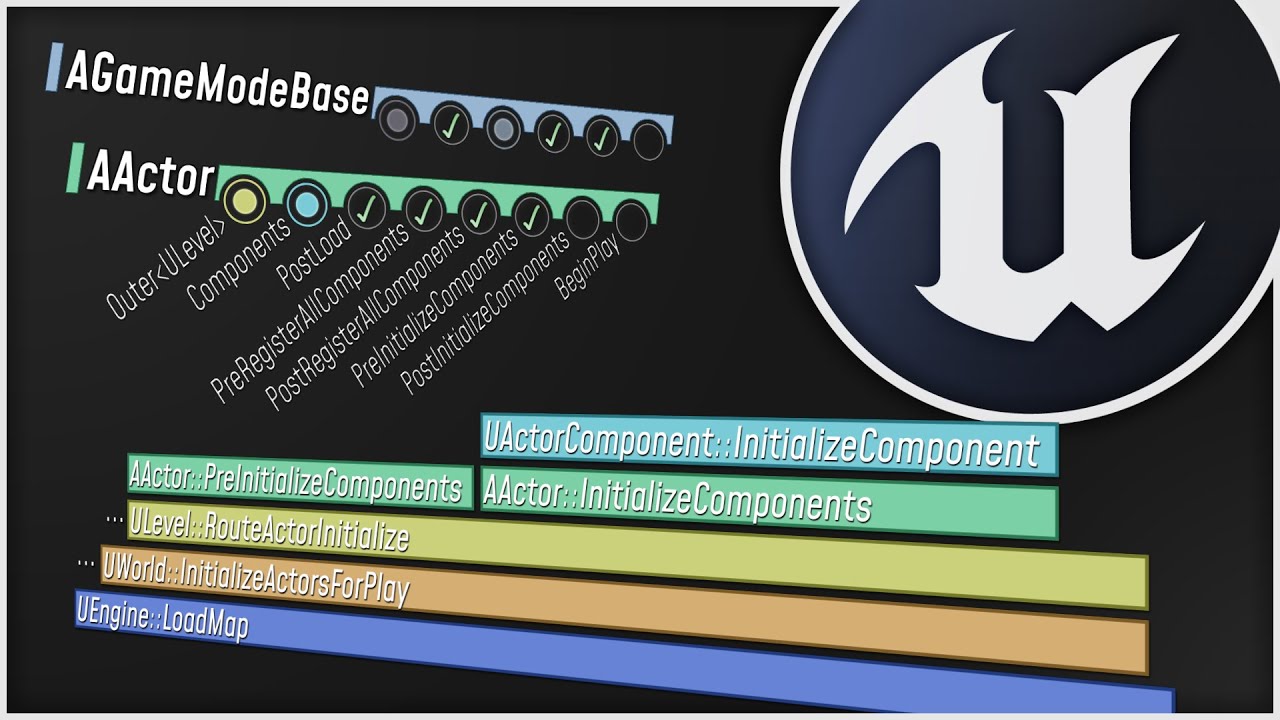
What happens when you start up your Unreal Engine game? This video is a guided tour of the Engine's initialization process: along the way, we'll glimpse the high-level structure of the Engine (modules, game instances, local players, and viewports) and we'll see how all the different parts of the Game Framework (game modes, game states, player co...
sinful tree
One thing I know, is that PlayerState on a client can exist but isn't valid until it gets replicated (ie. OnRep_PlayerState happens on PlayerController) and anything you do with the pre-replicated PlayerState won't work right. Gamestate probably the exact same way.
coarse gale
left lance
Wait... Does BeginPlay have to fire for an object to valid? I thought only the P...
I assume you mean the constructor but the begin play event starts like the objects tick i I believe, it can be a valid object without it but not fully function afaik… probably wrong tho 😊
hollow eagle
BeginPlay cannot be called until the game state has replicated
this is the only guarantee that unreal makes about BeginPlays
and it's purely because BeginPlay is routed through the game state in the first place - the game state is what starts calling beginplay on everything else.
left lance
Ok, so, going through the GameState for my "fake Begin Play" is a good route then
hollow eagle
I haven't paid attention to the full conversation, but the answer is no if your "fake begin play" requires registering some other actor to the game state first
because what happens if that actor registers itself after beginplay has been called?
sinful tree
But on the client...
 hollow eagle
sinful tree
But on the client...
hollow eagle
sinful tree
But on the client...
the order of beginplay isn't guaranteed. The replication (or existence in general, if on the server or playing in standalone) of the game state is
left lance
An Actor's Begin Play would register to an event in the GameState, that event would be fired OnPostLogin from the GameMode (GameMode RPC to GameState using the NewPlayer parameter as a filter once there)
That's the idea at least
hollow eagle
the game state is guaranteed to exist if any BeginPlay is called, as it's the game state itself that initially routes beginplay calls. It might not call its own beginplay first, but the game state will exist.
Assuming you're not calling BeginPlay manually ofc - if you do that then that's your own fault.
left lance
Awesome - thank you!
hollow eagle
Also, the solution Lyra likes to use for general initialization is to have a "CallOrRegister_OnDoThing(FSomeDelegate)" function on the game state (or other object) that immediately calls the delegate if the "OnDoThing" event has already happened or add the delegate to a list to be called later if the event hasn't happened.
left lance
Gotcha - I'll take a look there too to see what I can pick up. Thanks!
And thank you Datura and IncomingFire for helping too!
coarse gale
you still need to confirm what I said wasnt BS, but np lol
left lance
I think it's covered in the video I shared, but I'm gonna save that watch after I get some sleep - I'l lletcha know!
coarse gale
Im just sure I deleted the super begin play one time and my tick broke…
dark edge
Yeah honestly if you have to ask, managed servers are not in the cards for you.
Go for the Garrysmod model, that's at least realistic
Something like league of legends? You wouldn't be here asking questions.
 plucky prawn
Re: server hosting discussion that I didn't read all of and am just giving my $2. Maintaining hosted servers is very costly.. Like a lot. If you are targeting several hundred thousand concurrent players you aren't going to recoup that cost by sales alone and will probably need some kind of subscription service to help pay for it
dark parcel
hollow eagle
BeginPlay cannot be called until the game state has replicated
really good to know that, thanks
wouldn't have to worry about rat race
I have 0 idea with server and multiplayer but I thought Amazon Web Service provide service to host dedicated server and api service?
 woven bramble
Guys, UDP messaging plugin required for multiplayer (Co-Op Steam game)? Because when I turn it off, the FPS problem is solved.
 stable grotto
How do I make sure the player controller is valid when the client connects so I can makes sure all events run on begin play?
 shadow hatch
so i made this delegate that informs when the character has lost(or gained) health and it works great on the server but now i ran into the issue of getting the 'delta value' on the client. Currently there is an 'OnRep' event that handles informing clients about the health change but i cant have inputs there so what would be the smartest way of going about it? a multicast?
 dark parcel
shadow hatch
so i made this delegate that informs when the character has lost(or gained) heal...
dark parcel
shadow hatch
so i made this delegate that informs when the character has lost(or gained) heal...
I learn something from RepNotify function. It actually have the input of the replicated variable . Only in C++ tho, I asked about the counterpart in blueprint apparently it doesn't exist
shadow hatch
oh can it? this is actually done in cpp
dark parcel
The RepNotify in C++ can have the input of the replicated variable
might want to ask others
I know it exist but can't tell you the implementation as I haven't move to C++ yet
 dark parcel
Yeah I know you can get the health there
on the rep notify function
@shadow hatch

 shadow hatch
ah, I seee, very nice, im going to test this
glad ive started digging deeper into unreal cpp lols
perfect, seems to be working

my wannabe gas lite cause gas is too much
 zinc flame
So, I made a door for my game following the Button And Door System tutorial by Matt Aspland, but the door isn't synced between clients. What I mean by that is when the door is opened by the host client, it opens, visually and the collisions "disappear" with the door, but when I open it from another client (any client other than the host client) it only works visually for that client. So, basically I need to replicate the doors state between clients, how can I do that?
 hoary prairie
Hi guys, hope all is well
I've recently implemented aim offset in my upcoming FPS project, but there is a problem where clients can see the other clients aim offset as its replicated but when the projectile is spawned from client to server it doesn't collide with the updated animation blueprint but instead acts as if they had no aim offset even though the server is updating the variable.
When playing as listen server, you can kill other clients even if they're looking down as their collision updates but on clients the server doesn't update neither. I'll upload a video below to show the problem.
But my logic is quite simple, when firing the client sends a RPC to the server to spawn a projectile from the guns muzzle which replicates fine, this projectile is then replicated from server to clients. The bullets hit where they're supposed to but when it comes to hitting other clients from one client, using aim offset or even leaning it never collides where the mesh is but where it would be at normal.
 hoary prairie
zinc flame
So, I made a door for my game following the Button And Door System tutorial by M...
hoary prairie
zinc flame
So, I made a door for my game following the Button And Door System tutorial by M...
Can you show your blueprint and the RPC's you're using?
zinc flame
hoary prairie
Can you show your blueprint and the RPC's you're using?
yeah min
hoary prairie
hoary prairie
Hi guys, hope all is well
I've recently implemented aim offset in my upcoming F...
This problem has been bugging me for the past week, and I've been learning replication for around 6 months or so. I am definitely doing some kind of replication problem somewhere, but I can't figure it out.
zinc flame
hoary prairie
Can you show your blueprint and the RPC's you're using?
well, for the rpc, i just basically set the number of players to 2, and the net mode to play as listen server
rose turret
I'm reading the https://vorixo.github.io/devtricks/simple-rewinding/ and Network Clocks pinned articles and am I right that the latency estimation code is stored on the client and not the server (so the server doesn't know what a client's ping is, but the server does?)
if so, why is that? I guess I just assumed that the client would send a "I just fired this shot" message with a timestamp and the server would be the one to adjust the timestamp based on the latency. but I guess I can't think of a good reason for that... just seems odd to structure it that way
Devtricks
In this post you’ll learn the principles about network rewinding, and we’ll provide a very simple reconciliation implementation for Unreal Engine.
hoary prairie
zinc flame
well, for the rpc, i just basically set the number of players to 2, and the net ...
RPC's on the door blueprint, like how you handle the code.
hoary prairie
rose turret
I'm reading the https://vorixo.github.io/devtricks/simple-rewinding/ and Network...
The server doesn't know what a clients ping is but the server does? 😄 Did you mean the server doesn't know but the client does know??
rose turret
hoary prairie
The server doesn't know what a clients ping is but the server does? 😄 Did you m...
oops haha yes sorry
zinc flame
This is the door script, and I enabled Replicates and Replicate Movement under Replication in Class Defaults (it is an actor)

character bp

and I have an interaction script, that contains the interact event
rose turret
hoary prairie
The server doesn't know what a clients ping is but the server does? 😄 Did you m...
it doesn't seem like there's anything... wrong... with doing the latency adjustment on the client, but I wanted to double check before I wrote too much code
hoary prairie
zinc flame
This is the door script, and I enabled Replicates and Replicate Movement under R...
This would be why 😄
Is this how the tutorial does it?
hoary prairie
rose turret
it doesn't seem like there's anything... wrong... with doing the latency adjustm...
I don't know unfortunately, i mean it sounds like it makes sense.
zinc flame
Well, it doesn't say the replicate stuff
hoary prairie
You might want to follow and learn more about replication then.
Something that is built for standalone will never work with replication.
Just ticking the actor to replicate won't fix your issues with replication neither.
To give you an idea, the client must send the server a remote procedural call to open the door.
Then the server takes the input from the client, opens the door then does a mutlicast to all the other clients opening the door.
So when you interact with something on the character, you get a refrence to the door then call an RPC called like "SERVER_ToggleDoor" then you can use this to start replicating.
 stoic lake
Hi there, we have recently launched our game and quite a lot of people are creating lobbies. Currently it looks like the system is not finding all lobbies, only some of them. This is causing some problems where people cannot get into a game with their friends. Any known reasons for this or possible fixes?
We're just using the find sessions node and add a server list item for each found session
The max found sessions is set to something like 200 so that shouldnt be a problem either
just figured this better belongs in another text channel, my bad
 outer crag
Ergibt das überhaupt sinn ? weiß sonst kein anderen weg die Camp Funktion anzusprechen ausser mit Event Handle Starting New Player, ist beides im gamemode
Does this make sense at all? don't know any other way to address the camp function except with Event Handle Starting New Player, both are in gamemode

 sour compass
How do you get the player controller, or rather, the player state of the client as a client?
This works, but only for the first client. I cant find a way to get the correct index of the current client.
 dark edge
sour compass
https://share.noobsdesroobs.net/UnrealEditor_jpMN9PX0L8.png
dark edge
sour compass
https://share.noobsdesroobs.net/UnrealEditor_jpMN9PX0L8.png
you are literally saying "Give me the first player state"
dark edge
sour compass
https://share.noobsdesroobs.net/UnrealEditor_jpMN9PX0L8.png
If Pawn is possessed by a player, returns its Player State.
sour compass
Because of the 0, yes. I need a variable that represents the current client. I do not know that one./
dark edge
you can just get a pawns playerstate


 dark edge
sour compass
https://share.noobsdesroobs.net/UnrealEditor_3cU59sTAbW.png
dark edge
sour compass
https://share.noobsdesroobs.net/UnrealEditor_3cU59sTAbW.png
you can't get controllers on client besides your own
they don't exist
@sour compass
 sour compass
This is inside the BP inheriting from the character class.
dark edge
What are you actually trying to get at and do?
sour compass
Oh, the pawn is not inside the client at all! Just the controller.
I am trying to set the mouse to be visible, enebla touch and mouse over events.
dark edge
sour compass
Oh, the pawn is not inside the client at all! Just the controller.
I am trying...
the pawn is
sour compass
To do that, I need the player controller, which requires the player state.
dark edge
the pawn is on all machines
dark edge
sour compass
To do that, I need the player controller, which requires the player state.
no
dark edge
sour compass
Oh, the pawn is not inside the client at all! Just the controller.
I am trying...
If you're wanting to do it from the pawn:
Begin play -> is locally controlled? -> get controller -> cast to playercontroller -> do whatever you want
sour compass
Thanks, that made the error go away.
outer crag
outer crag
Ergibt das überhaupt sinn ? weiß sonst kein anderen weg die Camp Funktion anzusp...
Guys?
fossil spoke
outer crag
Guys?
Not really sure what your question is here?
The GameState has an Array of PlayerStates for all connected Clients, you dont need to keep track of PlayerControllers yourself if you dont want to.
outer crag
in singleplayer Works. but in multiplayer he say " Accessed None Trying To Read Property K2Node_dynamicCast_asBp_Unit_Controller_7"

 gilded vapor
outer crag
in singleplayer Works. but in multiplayer he say " Accessed None Trying To Read ...
gilded vapor
outer crag
in singleplayer Works. but in multiplayer he say " Accessed None Trying To Read ...
Controllers aren't replicated to other clients (just server and the owning client)
dark edge
outer crag
in singleplayer Works. but in multiplayer he say " Accessed None Trying To Read ...
Nobody but the owning client and server should care about a playercontroller. Other clients playercontrollers don't exist on your machine.
If that's an AIController, only server should care about that.
outer crag
how i fix that?
dark edge
That's up to you. If you're trying to talk to aicontrollers on the client that's a fundamental design flaw
outer crag
i try to make a rts game
dark edge
That's great. You should brush up on the fundamentals of Unreal networking before trying to do an RTS with it.
 tiny valve
sorry for the late post but how does one do this? Using the create session blueprint node results in an error because there is no player controller as shown in the server log here:
[2023.07.16-04.26.49:932][ 0]LogScript: Warning: Script Msg: CreateSession - Invalid player state
 steep mica
would it be a good idea to give authority to a gun based on who it is equipped to?
dark edge
steep mica
would it be a good idea to give authority to a gun based on who it is equipped t...
You mean ownership?
steep mica
dark edge
You mean ownership?
yes
dark edge
That's fine, depending
steep mica
also, if I attach something on the server, will this automatically be replicated? Or do I need to call a multicast rpc, just want to minimize my multicast rpc calls
dark edge
steep mica
also, if I attach something on the server, will this automatically be replicated...
certainly don't multicast it
I think it's automagic if you have replicate movement turned on
just test
steep mica
alright, also if it doesn't would I use a multicast then?
dark edge
Nah, assuming you aren't letting unreal handle attachment replication for you, attachments is stateful
so
repnotify
either weapon stores MyAttachParent or parent stores MyAttachedWeapon and you repnotify that
Onrep_MyAttachParent
Attach self to MyAttachParent
but use the built in replication of attachment if that works for you
steep mica
is repnotify a server only thing?
dark edge
no
read up on it
it's the most important thing to make your multiplayer not shit the bed
basically:
Variable replicated? Function runs
or in BP:
Variable changed? Function runs
 floral vortex
Not sure if anyone will know the answers to a couple questions I've been having, but thought I'd ask about these issues that I'm having with a multiplayer project in UE5.
If a client calls a Run On Server event in the PlayerState, can that ROS event call another ROS event from an unowned actor?
Or, could the first ROS event call a non-ROS event or function on another actor, and will that second event/function run on the client or on the server?
sinful tree
floral vortex
Not sure if anyone will know the answers to a couple questions I've been having,...
After the first RunOnServer event is properly called (eg. You've called it from a client that owns the actor it exists on), everything else from that point can be considered running on the server, so calling to an unowned actor that has a ROS event will work only because you're already running on the server anyway. You can still call any other events or functions on any actor regardless of whether the function is marked as Run On Server.
Marking an event as Run On Server is telling the code that a client could potentially call the server to perform that event, so long as that actor is owned by the client. If it's not owned by the client making the call, it won't trigger.
Marking an event as Run On Client is telling the code that the server could potentially call to the client that is the owner of the actor to perform that event, but if the owner is not owned by a client, it won't trigger.
All events and functions could potentially be called while running on the server or on a client. For example, an OnActorOverlap in most actors can trigger on both the client and the server when either of them detect the overlap, and any subsequent calls you make from that point can be considered as running on the instance that detected the overlap. This is usually where you would use checks to determine whether it is the server or the client actually doing the detection and doing what you need based on that check.
floral vortex
sinful tree
After the first RunOnServer event is properly called (eg. You've called it from ...
Perfect! That confirms it nicely thank you 🙂
I really appreciate the extended detail you put into this answer.
 covert igloo
do reliable RPCs detect and account for packet loss
short arrow
covert igloo
do reliable RPCs detect and account for packet loss
yeah, reliable will continue to send over and over until it's received.
covert igloo
short arrow
yeah, reliable will continue to send over and over until it's received.
awsome. i had a feeling it did. but i wanted to be sure
short arrow
It's kind of weird reliable isn't checked by default. Everything should be marked reliable for best player experience unless the event is going to be fired consistently anyway
sour compass
The replication of the change is done properly across all clients if I can get the trigger to work.
The on hover event is only triggered when I hover over on the hosting client side, not on the connecting clients. @dark parcel
And for your information: https://share.noobsdesroobs.net/UnrealEditor_YgKb5AQJ2j.png

 sour compass
Ok, thanks. That means that I do not have to do it the manual way. Great! Thanks. I will dig some more then.
dark parcel
sour compass
Ok, thanks. That means that I do not have to do it the manual way. Great! Thanks...
I will do some testing in 5 mins brb
@sour compass Got the same problem as you are , the scale doesn't change. I don't actually do a mp but will let you know if i got it working
Ok got it to work
you have to set the player that wants to change the scale as the owner
sour compass
So temporarily take ownership of the object, change scale, then release ownership again?
dark parcel
Yeah, prevents cheating I guess
you can't do stuff with actor you don;'t own
if you want to test, make a box collision that overlaps the player that want to change the scale, set the overlapping actor as the owner
then do your mouse over thingy
sour compass
That is why I thought I would tell the server to do it, because the server owns the object.
I also have to use raycast manually anyways then, because the onBeginCursorOver event does not have an Pawn or Character parameter.
Ok, thanks. Will look into it.
dark parcel
You can set the client to be the owner (maybe temporarily)
maybe make a request to the server when you mouse over the actor to take ownership
Not sure what kind of multicast you want to call for something like that. Normally you want local changes (eg. highlight on the object)
sour compass
One questions, the actor and the character. Where did you put your code?
dark parcel
sour compass
One questions, the actor and the character. Where did you put your code?
All codes are in the actor when testing for me
for the ownership, i just do an overlap event with the box collision
sour compass
👍 Thanks
plucky prawn
in the player controller, how do i check if a function (eg tick/beginplay) is being run on the client? do i branch on IsLocalPlayerController?
coarse gale
Not used it but I just check everything with IsDedicated but that obviously only work on a dedi... depends what your server is, there is an isServer function aswell I think but not used that either
plucky prawn
hm im not running dedicated, just using the Num Clients slider in the editor and running as listen server
coarse gale
The function you named sounds promising , but the name could be deceiving, even a remote controller running on the listen server could be considered local to that server/client
plucky prawn
apparently i can switch on authority for this which is interesting
coarse gale
that actually makes sense tbh
I assume the client does have authority over their controller
 magic vessel
I'm trying to make a simple lobby for my multiplayer game, and want a static camera looking over the players. I've tried placing this in a few different areas but it never seems to work

I have a Cine Camera Actor in exactly the correct position, but it only works on the listen server and not on the clients
Fixed it:

 trim tangle
do anyone manage to make a gameplay cues stay for the whole duration of a GE and remove when it s duration is over?
for the client seen by a other client.
been 1 full day, kinda out of documentation or video on the subject.
queen escarp
hey guys
so ive had this problem for a few days and it tjust keeps getting worse and worse
anyone got like 15 mins to babysithelp me 😦
cant get anything to work
all broken
 hallow echo
problem to pakage project for android while using EOS Subsystem plugin using 4,27
 queen escarp
for some reason when im testing my game im spawning as a spectator
queen escarp
when im testing as netmode:listen server the both spawn but itsthe clients are frozen =??
cant move or anything and its not being replciated something as u can se but is still on server
pallid mesa
rose turret
I'm reading the https://vorixo.github.io/devtricks/simple-rewinding/ and Network...
all clear now?
rose turret
pallid mesa
all clear now?
yes, thank you!! what unlocked it for me is that the clock delay isn’t really more “hackable” than the timestamp of a hit/client event that gets sent anyway, so we might as well put it on the client
pallid mesa
you got it yes! :)
rose turret
rose turret
yes, thank you!! what unlocked it for me is that the clock delay isn’t really mo...
tutorials were amazing btw. I’m almost done with replicated projectiles and couldn’t have done it without you
pallid mesa
ayy thats awesome to hear Goldylox :)
a good source of inspiration for this can be Unreal Tournament source code
they have projectile prediction
rose turret
my background is software engineering but it’s my first time making games so I’m high slope low intercept right now haha
pallid mesa
my background is Academia!! so welcome to the gamedev family!
rose turret
yeah 100%. having your code isolate those UTProjectile functions gave me a good starting point for that source code and your extra docs around it were really helpful
hah thank you!!
pallid mesa
by the way if you read UTs code
you will notice they don't send a timestamp when they fire :0
thats because they route their shots through the movement component
take a look its really interesting
rose turret
oh fascinating, I didn’t see that. is there a quick hint about why that’s better than putting it into the RPC?
I just read the CMC multiplayer article on the pinned messages so have some baseline for how savedmoves works
queen escarp
can anyone help :/ ?
pallid mesa
rose turret
oh fascinating, I didn’t see that. is there a quick hint about why that’s better...
just alternatives
magic vessel
queen escarp
can anyone help :/ ?
How are you testing it?
queen escarp
@magic vessel do you mean net mode? tried all
magic vessel
Are you generating a session with EOS or are you jumping straight into the level with 2 windows?
Is it supposed to be dedicated server/2 clients or 1 listen server and 1 client?
magic vessel
Are you setting the view target anywhere?
Can you try doing it with the default settings? The default player controller, pawn, etc
queen escarp
hm
dark edge
pallid mesa
thats because they route their shots through the movement component
Dafuq
That's so goofy lol
queen escarp
@magic vesselhnm ok so changing the default pawn acctuialy replicates :/?
magic vessel
Does that work? Testing the level works with the default pawn?
magic vessel
queen escarp
<@376498947704750083>hnm ok so changing the default pawn acctuialy replicates :...
?
 lapis topaz
I'm learning about and looking into optimizing some server stuff. I'm trying to understand if I there's a reason why I shouldn't only use RPCs for replication on some kinds of actors. For example, I have a Door actor that can either be open or close. I make it dormant so the server will never waste time considering it for replication and I make it always relevant so that clients will be able to receive the RPC calls. Then use a set of OpenDoor/CloseDoor rpc calls to control and broadcast the state of the door. If a client connects late then I can just have some kind of Init RPC that will request the initial state of the door. With this approach I'm only ever using server bandwith when the state of the door changes instead of having the server constantly loop over the door's bIsOpen at NetUpdateFrequency. I'm wondering if I'm overlooking anything with this approach.
queen escarp
@magic vessel
magic vessel
queen escarp
<@376498947704750083>
I meant can you control the client
magic vessel
lapis topaz
I'm learning about and looking into optimizing some server stuff. I'm trying to ...
Just use a Rep Notify, it will update the newly joining clients and relevant clients alike on it's state
queen escarp
it dose not spawn a default poawn for the client'
magic vessel
Try setting it up in a new map, adding in the changes you made incremently and see where it breaks
I'm not sure what else could be causing your issue but that is where I'd start
lapis topaz
magic vessel
Just use a Rep Notify, it will update the newly joining clients and relevant cli...
If you use on rep notify then the server is constantly looping to check if the value has changed at NetUpdateFrequency which is what I'm trying see if it's possible to optimize out.
magic vessel
I don't think that this would cause massive broadband issues as much as having potentially dozens of doors send new clients a RPC as soon as they connect
That to me, would cause a massive lag spike unnecessarily. I admire that you want to optimise this but in general it is best to do things with the engine instead of trying to fight the way it does things like replication
whole pine
if i have a 3d mesh capture that shows items a player is holding, how do i save the state of it and multicast it to other players
dark edge
lapis topaz
If you use on rep notify then the server is constantly looping to check if the v...
There's push model
Although, how many world actors are you trying to sync?
lapis topaz
dark edge
Although, how many world actors are you trying to sync?
Potentially hundreds. The main driving thought behind this was that I didn't see the point of having the server constantly check if bIsOpen has changed in the door example. When instead it could just know that the value changed when the door was interacted with through an RPC and broadcast that state change. And then when a client goes into relevancy range for that door, it can just send an RPC to request the latest state of the door.
But I guess in hindsight this is sacrificing extra bandwith for an optimization on the server side that might not matter
dark edge
lapis topaz
Potentially hundreds. The main driving thought behind this was that I didn't see...
Then use the push model or iris
 pallid wasp
I have a problem with me random generating a world but sometimes stuff wont spawn, how do i get a client to update and to spawn the object the same way as on the server?
lapis topaz
dark edge
Then use the push model or iris
Looks like the push model is what I was looking for, ty ❤️
dark edge
pallid wasp
I have a problem with me random generating a world but sometimes stuff wont spaw...
Are you trying to spawn actors on both sides or are you just trying to spawn them on the server and have them replicate to the client?
pallid wasp
dark edge
Are you trying to spawn actors on both sides or are you just trying to spawn the...
Currently on server and rep to client
dark edge
pallid wasp
Currently on server and rep to client
So why did you ask how to have the client update and spawn the object the same way as the server? That's not it, just spawn a replicated actor on the server and it will replicate the clients
pallid wasp
dark edge
So why did you ask how to have the client update and spawn the object the same w...
sorry i did just forget that i did multicast the interaction to spawn, so yea i got it now. thanks! 😅
but will a replicated object spawn even for clients that join later?
pallid wasp
dark edge
yes
Nice! Thanks you!
plucky prawn
if i have an event (eg tick/beginplay) in a pawn or some other class thats replicated to all clients, how can i tell if the pawn is my client's? i dont have authority so switching on it would only tell me if its client or server. do i just compare GetOwner?
sour compass
Before I dig myself a hole using google, how do people test multiplayer games since you cant possess both clients at the same time?
plucky prawn
either get used to playing multiple clients in the editor one at a time or package it up and give it to a friend or chuck it on another pc
rose turret
pallid mesa
just alternatives
I’m using GAS so I’ll probably use targeting and stay within the system
sour compass
And how do i do this? playing multiple clients in the editor one at a time


Play standalone?
 deep shore
sour compass
And how do i do this? `playing multiple clients in the editor one at a time`
deep shore
sour compass
And how do i do this? `playing multiple clients in the editor one at a time`
to play as client, select “play as client”
dark edge
sour compass
https://share.noobsdesroobs.net/hr4nzzEyTH.png
listen server will launch 1 listen server and 1 client
play as client will launch 2 clients and a dedicated server in the background
fathom aspen
plucky prawn
if i have an event (eg tick/beginplay) in a pawn or some other class thats repli...
Literally IsLocallyControlled. However this function has a caveat. It can return a false negative if called in certain places. For example calling it in BeginPlay of pawn would be a bad idea since it's not guaranteed that a pawn has been assigned a controller at that point.
In Tick it's fine, since it will start being meaningful as soon as possible.
plucky prawn
Ye right. So for begin play, i could replace it with some initialisation bool and just check on tick then?
fathom aspen
If you ask me, I would go for an event that guarantees you a possessed pawn and that calls everywhere (server + client)
That can be NotifyRestarted for example
And then IsLocallyControlled should yield a true value on first try
plucky prawn
so im having an issue where my player controller is updating a widget on tick, but Switch Has Authority -> Remote doesnt work for the listen server. is there a way around this? do i make it Has Authority OR (Is Server AND NOT IsDedicatedServer)?
fathom aspen
No, you literally want to check if IsLocalController, for the previous reasoning, but this time this function is for Controllers
dark edge
plucky prawn
so im having an issue where my player controller is updating a widget on tick, b...
What case are you attempting to catch?
plucky prawn
dark edge
What case are you attempting to catch?
im trying to convert the vehicle template to be compatible with multiplayer. in the player controller, it does input mapping and sets up widgets. then in tick, it sets the speed and gear
its not set up for multiplayer so none of this works when i run it with clients
welp it would help if i actually read the errors. the problem was that the movement component wasnt replicated and i wasnt checking if it was valid.......................................................
dark edge
plucky prawn
im trying to convert the vehicle template to be compatible with multiplayer. in ...
You want IsLocalController
plucky prawn
yep thats what im using now. its all working now thanks. ill keep this in mind for the next time i break something
 golden warren
Hi, I have a question.
I use gameplay ability and I want to make grenade ability.
Then, I can throw grenade in server correctly, but Client throws two grenades, client side and server side.
I changed network execution policy to server initiated, then client wouldn't throw grenade.
I changed Spawn Actor Ability Task's Spawn on Authority value to true, then both wouldn't throw grenade.
How can I make them correctly??
sour compass
After a lot of googling and testing I have not been able to get the events OnActorBegin/EndCursorOver to work in MP.


Instead, what I had to do was to cast a ray under my mouse and return the actor it collided with, then perform an RPC to start the process.
dark parcel
sour compass
Instead, what I had to do was to cast a ray under my mouse and return the actor ...
The rpc is called in the player character or controller?
sour compass
In the character BP, but that is the one that works.
dark parcel
Yes because you are the owner of character bp
But you as client don't own that box
Or actor that you want to change the scale to
So u don't have the previlage to call it there
You need the server to set the client that interact with the actor as the owner of the actor
Then you can make the rpc call inside that actor
sour compass
I am making the RPC call successfully, so it works now. I was just not able to use the OnActorBegin/EndCursorOver event inside the box actor.
Since I have to trace a ray to find the actor under my mouse to ask for the correct ownership it does not make the solution simpler.
dark parcel
Yeah but your rpc call was done inside the character not the actor. It is a problem of ownership, I tested yesterday and got mouse over to change the box scale
It's simply an ownership issue
sour compass
Yes, but I have to shoot a ray to find the correct actor, then run an RPC call to get the ownership change, to get it to work.
Then I could just as well just use an RPC call to make it do what I want.
It does not simplify the total solution.
 chrome bay
You can't call RPC's on actors you don't own. There's nothing you can do to circumvent that.
You can still use those events, they just have to call an RPC on something you DO own
E.g, the local character
dark parcel
Right, so we can make the RPC call from the controller or the character as client
chrome bay
ye
The RPC can't belong to the box, is the main thing
And changing ownership isn't really a good solution. You still need an RPC to change ownership anyway.
dark parcel
I mean what I did yesterday was to change the ownership of the box but that's indeed a very bad idea because it allow cheating
chrome bay
The proper solution is to pass the object you're interacting with via the RPC
sour compass
Character blueprint runs a trace, hits the card and returns the card object.
Character blueprint runs a custom event that is set to RUN ON SERVER. The event calls the function on the box actor to change its scale with MULTICAST.
How can I make the solution simpler?
chrome bay
So first of all, "scale" should be a replicated property not a multicast
dark parcel
Use repnotify to change the scale imo.
chrome bay
The trace is fine, just call an event that takes the box as a parameter
sour compass
Yes, if this was the end goal of what I wanted to do, you are correct.
dark parcel
as for the trace, your trace should work. (Locally)
On event begin trace, get your player character and run an RPC that pass the box
chrome bay
The cursor start/end stuff sucks anyway
Also since it's a cursor-level thing, I'd probably move the logic to the controller - but it's up to you
sour compass
dark parcel
as for the trace, your trace should work. (Locally)
On event begin trace, get yo...
It also works on multiplayer? I am confused now.
dark parcel
Yeah imo you should start building single player game
cuz I think you are still struggling with bp communication and referencing

 sour compass
I have built singleplayer games, and no, I will not start with singleplayer games then make it multiplayer later because that is the way of pain.
I am running a trace, that works on multiplayer as well, then I create a custom event/function with the hit actor as a parameter inside the character bp that runs on the server. The server calls the actor in question to tell it to change its scale (for now) which it replicates through multicast back to all clients.
Referencing works fine, data is being passed successfully between clients and server, and I am able to successfully communicate between BPs.
I just failed to make the above mentioned cursor events to work out of the box in multiplayer without any RPC or any trace on my side. I wanted the engine to handle it if possible.
dark parcel
 last storm
Hello, anyways to get session name from FOnlineSession or FOnlineSessionSearch ? i need it in order to display it in the servers list (in c++)
 viscid narwhal
I have 254016 elements in TArray<OfStruct>, how to replicate it, considering the limit is 65535 in the engine?
 proven kayak
viscid narwhal
I have 254016 elements in TArray<OfStruct>, how to replicate it, considering the...
proven kayak
viscid narwhal
I have 254016 elements in TArray<OfStruct>, how to replicate it, considering the...
Many ways. Simplest is to break it into chunks and replicate those. Another would be to convert to bytes, and use kraken to compress the shit out of it
chrome quest
Hey @pallid mesa you there?
I want to run that thing by you again
chrome quest
viscid narwhal
I have 254016 elements in TArray<OfStruct>, how to replicate it, considering the...
Vori has an article on that incidentally
https://vorixo.github.io/devtricks/
It's somewhere here

https://vorixo.github.io/devtricks/data-stream/
Should be this
Devtricks
In this post you’ll learn how to stream big quantities of data in Unreal Engine using the RPC system.
viscid narwhal
thanks guys, I'm gonna look at it
 obtuse moon
Hey! So sorry to necro this. What would you mean by ID types?
I'm trying to get over the specific hoops I'd have to go through to connect different platforms together. I thought as a long shot I could get Android+Windows creating sessions and joining on LAN, but it's kicking me off. When on the same platform, it works as expected, but when on different platforms, it tells me that the match was found but failing on joining.
I'm thinking I'm missing something completely obvious when thinking about this problem. Anyone can help?
thin stratus
obtuse moon
Hey! So sorry to necro this. What would you mean by ID types?
I'm trying to get...
The complete obvious thing would be that without something like EOS, you can't have crossplatform sessions
If you use 2 different Subsystems, like Steam and Google, and you try to get around the Session stuff by joining directly, you'll get kicked when joining due to the Type of the UniqueNetId being different
Google vs Steam that is
That's why you'd need something like EOS as a wrapper
obtuse moon
thin stratus
That's why you'd need something like EOS as a wrapper
Damn. Yeah I've been looking at cert mismatches etc that I could patch for this. I was trying to stay away from EOS as I thought it'd be a little cumbersome for a couple weeks project... I'm just trying to have a "director" PC shoot some RPCs at like four Quest 2 connected to the same session. Maybe then building a simple "remote control" thingy with UDP would be faster? Minus the interface 😦
thin stratus
Oh yeah, then you want to just use a Socket Connection fwiw
I wouldn't deal with Sessions and actually connecting to the Server as a "Game" for that
Unless you need the additional replication to that PC
obtuse moon
Right, I wanted to do that but disguise the director as a different "pawn" or whatever that would just birdsview. Replication would be soooo nice to see where people are at, color coded etc. But I don't think it's an absolute dealbreaker... though it's a pity
thin stratus
Depends on how much you need
You can always send location data etc. via the socket too
obtuse moon
Yeah I'm thinking of doing exactly that then
thin stratus
But if it goes as far as actually having 3D view of everyone, similar to be connected, then it might go out of hand
thin stratus
No worries
 nimble ingot
Hello. What are your thoughts on this video? Is there a better way to do this? As a beginner, I cannot follow it because it is semi-paywalled (see comments) https://www.youtube.com/watch?v=dQD_sPFXcBg
🧑🏻🚀Get the project files here on Patreon: https://www.patreon.com/posts/hosting-joining-66351331
In this video we take a look at how we can Host and Join multiplayer games using the Session nodes from the Default Online Subsystem integrated in Unreal Engine.
We also go over what an Online Subsystem is, and which different Online Subsystems ar...
icy jetty
nimble ingot
Hello. What are your thoughts on this video? Is there a better way to do this? A...
Most tutorials out there are crap anyways and if you have to pay for it, it’s def not worth it. Go through the pinned resources in this channel instead
 forest fulcrum
what's wrong with this replicated variable? its not been send to server

 quasi tide
Rep variables are only from server -> client. Never client -> server
So if it isn't replicating that way, it makes sense
shadow hatch
how can i make sure i call an event on a particular client? im working with some hovering health bars and id like to make sure that only the player that attacked the other player or npc can see the component widgets widget
currently the way i made it work is through the player controller but i dont think that ideal in the long run, the logic should be inside the widget component right
i know each client owns a copy of the widget
quasi tide
forest fulcrum
what's wrong with this replicated variable? its not been send to server
If your question is more about the two red events not firing off, it is possible that you're trying to call those on an object you do not own. Also, calling the MC that only ends up calling a server RPC is pointless.
forest fulcrum
quasi tide
If your question is more about the two red events not firing off, it is possible...
idk , if is correct make the get to the player controller cause not work on server
 grizzled garnet
I'm getting some extreme latency issues with replication during local testing, even with emulation off. I tried profiling but nothing seems to show up that would suggest high latency. One question: when calling a server RPC from the server does this act as a non-RPC function or is the RPC sent over the network and looped back?
 outer sphinx
Hello everyone, one question: I want this "box collision" to be activated only for the local player who is entering it. How can I do? Because any client that enters it activates it in all clients, the only thing that box collision does is change a boolean to TRUE.
 forest fulcrum
outer sphinx
Hello everyone, one question: I want this "box collision" to be activated only f...
forest fulcrum
outer sphinx
Hello everyone, one question: I want this "box collision" to be activated only f...
right click on your other actor and type is server?
outer sphinx
forest fulcrum
right click on your other actor and type is server?
And where did the node land?
short arrow
shadow hatch
how can i make sure i call an event on a particular client? im working with some...
Your question is hard to answer "how can I make sure I call an event on a particular client" in regards to what exactly?
if you want the server to tell someone to do something, you'd use an RPC (run on owning client)
In your case, if I wanted the healthbar to appear for the attacker when they landed a successful hit, I'd do an RPC from server to client after the server has applied the damage
shadow hatch
short arrow
Your question is hard to answer "how can I make sure I call an event on a partic...
well initially i tried ot hook to on damage instigated delegate but it seems like it only triggers on the server and i didnt want to go through the trouble of using PRCs so its basically called on client since currently in my project tracing is done clientside for enemy capsule / mesh
using my own delegate, seemed like the most straightforward way of doing it
 short arrow
the trouble of RPC's 🤨
shadow hatch
its a cosmetic event, why bother the server with it really
short arrow
If the trace is done through and verified by the client then yeah it's fine
wouldn't recommend it though
shadow hatch
because its prone to exploitation?
short arrow
absolutely, and people will absolutely exploit it if they can
we just recently had to add anti cheat to our alpha game... that players paid to take part in. Can you imagine 😂
it's in ALPHA
shadow hatch
i could always add a double check on the server if the hit connected later on but if theres lag or some weird issue i doubt the health widget popping into view would be a big deal in this case. but since this is my first online game im workng on alone i doubt ill be prepared for hacks and cheats in any case assuming my project comes far enough for such to become an issue
oh
interesting
is it a competitive game of some sort, im mostly building coop, something similar to borderlands maybe
in terms of how the game plays cooperatively
short arrow
your first project? it probably won't unless you're that dedicated. but yeah don't put anything past players, someone is gonna load up cheat engine and abuse it
you have the right idea though, it's fine to make the traces client sided if you do plan to add additional verification checks to make sure the client is full of it
most games do this
shadow hatch
im prepared for that if needed yeah. client side only check makes me think of good old dark souls 1 where hackers made you teleport half a mile to get backstabbed
short arrow
many sword fighting games for example the server most likely doesn't do any hit traces for swords being swung, they are probably just checking that the distance is reasonable when the client says they hit someone
shadow hatch
well conan exiles for example creates these huge trace boxes within anim notifies, not quite sure about the mechanics behind that but i think it does trigger only on dedicated
or server* rather
so something similar to what youre describing, prolly
forest fulcrum
what im doing wrong? cant send a value to a server, it works when is client , but server idk , if is crashing, but dont reach the CUSTOM EVENT

 novel bison
anyone have a reliable multiplayer lobby guide?
all the "tutorials" just show you how to create a session w the basic manny and have ppl join -- but im looking to set up a menu-based lobby and then move everyone to the gameplay map after ready up, etc
seems like seamless travel is the way to go but i can't find a clear guide on what's needed there or how to get it to work
so just looking for a good reference
lapis topaz
Anyone familiar with the push model? I've been implementing and everything works as expected. Except that if I launch a server and have a client join later, then the client won't receive any of the initial replicated values of the replicated actors within relevancy range. Am I meant to mark all replicated values as dirty on all replicated actors whenever a new client joins the games? Or am I overlooking something.
sinful tree
forest fulcrum
what im doing wrong? cant send a value to a server, it works when is client , bu...
You can only send RPCs to the server on client owned actors, usually like their player controller, playerstate and character/pawn.
forest fulcrum
sinful tree
You can only send RPCs to the server on client owned actors, usually like their ...
so problem could be the controller?
stable grotto
Is it possible for a character to be controlled by a player controller and AI controller at the same time? Trying to use simple move to location node to move the character on left click in multiplayer
sinful tree
forest fulcrum
so problem could be the controller?
Not sure based on what you've shown. Do you have any warnings in your log about no owning connection or anything like that? What actor is it that you're trying to RPC with to the server? I see that it is a pawn, but is it the correct pawn? Are you sure it's server spawned & replicated?
forest fulcrum
sinful tree
Not sure based on what you've shown. Do you have any warnings in your log about...
im having a pawn that will be a vehicle on posses event , but when i try to send any variable to server not work
sinful tree
So you're sending the RPC on the actor that has not yet been possessed?
fossil spoke
stable grotto
Is it possible for a character to be controlled by a player controller and AI co...
A Pawn can only be possessed by a single Controller. So the answer is no.
forest fulcrum
sinful tree
So you're sending the RPC on the actor that has not yet been possessed?
 stable grotto
fossil spoke
A Pawn can only be possessed by a single Controller. So the answer is no.
stable grotto
fossil spoke
A Pawn can only be possessed by a single Controller. So the answer is no.
Thanks! also the idea to use AI controller to move the client character on click is correct?
sinful tree
forest fulcrum
Can you show what is to the left of this? Want to see what the execution chain is.
 forest fulcrum
sinful tree
Can you show what is to the left of this? Want to see what the execution chain ...
forest fulcrum
sinful tree
Can you show what is to the left of this? Want to see what the execution chain ...
 sinful tree
And there's the problem... You're trying to send an RPC on the actor before it is possessed. You may send an RPC to possess it, but that takes time to happen, not immediately, and while that is happening you're trying to send an RPC in your "Set Input" interface which is on the actor that is not yet possessed.
In your player controller there is an event you can use to know when you've possessed a new pawn called "On Possess"
 dark edge
stable grotto
Is it possible for a character to be controlled by a player controller and AI co...
dark edge
stable grotto
Is it possible for a character to be controlled by a player controller and AI co...
Sort of. You won't be able to possess it and do it the easy way, but there's nothing stopping you from routing input from the playercontroller to some other actor, pawn or not.
What is the primary way of control, is it primarily 1 player <-> 1 character or is it more like an RTS?
stable grotto
dark edge
What is the primary way of control, is it primarily 1 player <-> 1 character or ...
More like diablo so one client owns one character
dark edge
stable grotto
More like diablo so one client owns one character
I would possess it and figure out how to do the pathfinding without an AIController
forest fulcrum
sinful tree
In your player controller there is an event you can use to know when you've poss...
im using PlayerController Deafult, is a way to implement this event ?
dark edge
stable grotto
More like diablo so one client owns one character
One of the template projects demonstrates this I think
sinful tree
forest fulcrum
im using PlayerController Deafult, is a way to implement this event ?
Create your own player controller class and implement the event, then change the default player controller in the world settings to the one you've created.
lapis topaz
Any idea why my replicated values wouldnt be sent to a new client. Everything works fine in editor when everyone is connecting at the same time. But if I boot up a server and then join with a client, then none of the initial values are replicated to them. And I did check to make sure the values are different on the server and the client, so they should be elligible for replication.
lapis topaz
It's an actor component on a normal replicated actor in the world
It's a single enum variable
That I use to dictate the state of the actor
sinful tree
Is the component marked to replicate?
lapis topaz
Yep, it all works in editor. Issue only occurs when I launch it independently and have a client join a few minutes later after the replicated actors have had their state changed.
sinful tree
Oh nevermind I see you said it works for those who join at the same time...
lapis topaz
ye
sinful tree
Are you using the variable in an OnRep or something?
lapis topaz
Yeah, it's handled in an OnRep. Also, if I continue to play with the client, interact with these actors and modify their state, then the replication works
it's really just that initial state that isn't replicated
when the client joins in
sinful tree
Do you have any replication conditions set on the variable?
lapis topaz
I did, I had REPNOTIFY_OnChanged set as the condition but I have since removed it thinking there might be something going funky there.
I'll probably do some debugging to see if the server is even sending over the data or if its just the OnRep callback not being fired
fathom aspen
Is the actor dormant initial by any chance?
lapis topaz
It's awake
fathom aspen
I saw that you are using the PushModel. Are you sure you are dirtying properties upon setting them?
lapis topaz
I disabled it to see if I could isolate the issue
It's not related to the push model after all
fathom aspen
lapis topaz
It's a single enum variable
Oh, and is this the only replicated property on the actor component?
lapis topaz
Yeah its the only value being replicated
fathom aspen
Okay then it seems that you have faced that rare bug where if your actor component has only 1 replicated property, the property won't replicate properly...
I never faced it myself, but others in here did
FYI
Seems like the fix is to add another replicated property... 😕
lapis topaz
😩 ill give it a try
Okay I'm dumb, I think I figured it out. I had a reference to the component's owner being loaded on begin play which was being checked in the OnRep before doing anything. And it seems like the replicated values can be received before begin play is called for the actor.
novel bison
is there a stable ID or something for connected playercontrollers/playerstates in a lobby?
id much rather just save teams as arrays of ids on the gameinstance server side and have the new playerState ask for that when connected to the new server
seamless travel seems like it has zero documentation of how to do it right
copyProperties, etc
fathom aspen
novel bison
is there a stable ID or something for connected playercontrollers/playerstates i...
PlayerState.UniqueId
fathom aspen
novel bison
seamless travel seems like it has zero documentation of how to do it right
Have you checked the persistent data compendium by any chance?
novel bison
yeah ive read a bit of it but im having a hard time wrapping my head around how that applies in practice
they talk alot about actor list and such but i just want to have a simple bool for team selection and so im having a hard time matching up the concepts
am i supposed to have the team config be an actor attached to the lobby player state?
fathom aspen
You have to read it multiple times (and fully) for it to sink. The options are endless, it's up to you to choose what works for you. A simple team property can be an enum on the PlayerState, that for example all connected players in lobby (not main menu lobby, but lobby with players you will end up being with in game) will end up choosing their team, and then that property can be carried over to the game level upon seamless travelling via CopyProperties as demonstrated in that article
novel bison
yeah i think ive got that much, will just have to keep reading
fathom aspen
Honestly what's hard about that article is choosing the option you end up opting for, since the options are many
novel bison
at this point i just want something that works and is simple enough not to be a huge effort to replace later if need be
but yeah i get that
seems like that's the answer to a lot of things in gamedev haha
novel bison
got ittttttttttt

i was calling postlogin (you can see in the logs)
and forgot that that's not called after seamless travel
 toxic ridge
anyone know why I am still getting server corrections (looks like rubber banding) even though I disabled "ignore client movement error checks" and "Server accept client authoritative position"?
 raw belfry
Can someone point me to a learning resource that would explain why Lyra set up as a dedicated server/client, then ran in pie as client would boot into netmode standalone due to frontend (Yes I'm booting it to the frontend map)
stable grotto
I am storing logged in characters within an array in the game mode but when a player character is destroyed it gets removed from the array is this how it works or is it something i am doing?
I thought the player character reference will stay in the array but returns not valid
short arrow
stable grotto
I am storing logged in characters within an array in the game mode but when a pl...
An actor that gets destroyed wipes all traces of itself
References are just pointing at something, if the corresponding actor ceases to exist, there's nothing to point at unfortunately
So yeah, it gets removed, not sure if it happens before or after garbage collection
sinful tree
stable grotto
I am storing logged in characters within an array in the game mode but when a pl...
You do have access to the player array in the gamestate which gives you a list of playerstates in the game. From the playerstate you can get their "Pawn Private" reference which can give you a reference to the controlled pawn that the player is using.
stable grotto
short arrow
References are just pointing at something, if the corresponding actor ceases to...
and the array length is adjusted too right? so if I stored 2 player character references and one of them gets destroyed the array length is now 1
 winged badger
array keeps its length,with nullpointers in it
if you UPROPed it, otherwise you can have dangling pointers
 pearl pollen
I'm having some issues with implementing hitstop (stopping the animation for a fraction of a second when I hit an enemy) in my multiplayer game. I use Custom Time Dilation for it and if I simulate even slight latency between the player and the dedicated server, i get multiple corrections almost every time the hitstop triggers. Does anybody have an idea on how could that be implemented "the correct way"?
dark edge
Not with time dilation that's for sure
Time dilation modifies the reported delta time for things, would wreak all sorts of havoc in multiplayer I can imagine
pearl pollen
Okay so if that option is out of the window then I'm left with changing the montage speed mid-animation. Or can you think of something else?
 outer sail
Hey, when moving around geometry in multiplayer occasionally the player position is slighty desync from server, when moving on the corners and stuff. But, due to this, sometimes the player gets stuck behind on the server, while continuing to move on the client, heavily enlarging the position difference. How can i make sure the difference in position does not get too large?
I've been thinking of just sending an rpc to reset position to server/client auth every few seconds, but surely that isn't the right way to do it
all the movement is done using AddMovementInput on the character
chrome quest
pearl pollen
Okay so if that option is out of the window then I'm left with changing the mont...
you can add a state to your animbp with the default idle animation or whatever it is when the anim is frozen. Then blend out based on time
pearl pollen
chrome quest
you can add a state to your animbp with the default idle animation or whatever i...
Unfortunately I need this for montages, not regular animations
For example: an attack montage starts -> at some point the sword hits an enemy -> the montage freezes for 0.1 secs -> the montage continues normally
chrome quest
ah okay. Might have to tweak the play speed then
outer sail
outer sail
Hey, when moving around geometry in multiplayer occasionally the player position...
I guess a more exact question would be,
Why isn't my player position getting corrected?
twilit radish
outer sail
I guess a more exact question would be,
Why isn't my player position getting co...
I would assume either you or someone on your team has disabled a certain setting on your character. The character system in Unreal is by default authoritative, meaning that if a client does get desynced Unreal will take care of it and force them to correct them self. This is why I would make sure that's still the case on your character settings if that's your desired result.
I believe there's a couple of settings on the movement component in specific that allow you to enable/disable this behaviour.
It could also be that perhaps someone modified the character movement system and didn't properly change it, but obviously I'm not sure what exactly has or has not been modified in your project ^^
thin stratus
So, about Iris, are there any resources despite the Docs which show some implementation?
Or does one really just continue using the same Replicated/ReplicatedUsing/NetMulticast/etc. specifiers for UFUNCTIONS and UPROPERTIES?
From what I read so far, one just has to enable it?
outer sail
twilit radish
I would assume either you or someone on your team has disabled a certain setting...
I'm the only one working on the project mostly, and haven't changed any networking settings on it other than to try fix the issue i'm getting

]

I would expect unreal to do it for me yeah, its very confusing why it isn't doing that
quasi tide
thin stratus
So, about **Iris**, are there any resources despite the Docs which show some imp...
No other resources from what I've seen. And it's supposed to be a drop in replacement, so the previous stuff should still work™️
(fight Epic not me!)
thin stratus
Yeah I read all the docs. But they also say "Have to use new API" "Minimal changes"
But not sure what those should be
quasi tide
The UFUNCTION/UPROPERTY specifiers should still work the same, to my knowledge. As far as I understand it at least.
twilit radish
outer sail
I would expect unreal to do it for me yeah, its very confusing why it isn't doin...
What you could try is quickly making a blank project with just a character in it and compare the settings to it. I don't quickly see what could be wrong with these settings in specific but I'm absolutely sure that Unreal provides corrections for the character system 🙂
outer sail
twilit radish
What you could try is quickly making a blank project with just a character in it...
yeah gonna try doing that
its rare when it happens btw, i need to move around a lot of corners and stuff before it desyncs, although sometimes it happens quick
chrome quest
Correct me if I'm wrong but Lyra and Shooter Game use client authoritative hits with some form of lag compensation.
Why wouldn't they use server authoritative hits? Or is responsiveness that critical to warrant client auth?
I was reading up on lag compensation techniques for client auth hits and I couldn't help but feel that server auth would just work without any hacky solutions.
twilit radish
outer sail
its rare when it happens btw, i need to move around a lot of corners and stuff b...
Desyncs are definitely a common thing in multiplayer games. A good strategy for this could be to have two characters bump into each other with a high simulated latency in the editor. Then you will 100% quickly get corrections normally. Then you can from there on try things.
short arrow
chrome quest
Correct me if I'm wrong but Lyra and Shooter Game use client authoritative hits ...
you ever played call of duty and you got a hit marker but did no damage even though you weren't even lagging?
it's necessary to give clients authority for sure, as long as you check it's reliable and client isn't fos
outer sail
chrome quest
Correct me if I'm wrong but Lyra and Shooter Game use client authoritative hits ...
i remember reading an article on this, its because by the time you send and the server recieves the event of gun being shot the target may have already moved on server
 formal solar
What means fos
short arrow
full of shit
chrome quest
So, it's depends on the player's connection.
chrome quest
outer sail
i remember reading an article on this, its because by the time you send and the ...
this makes sense.
short arrow
you'd usually set a max amount of time for that though, I think some shooters have the server check the time they received the bullet hit, and check if the player who received the bullet was there x amount of milliseconds ago
just verifying the client isn't lying about where, and who it claims it hit
twilit radish
The problem in specific with Unreal and shooting is that Unreal does not have a fixed timestamp physics engine but instead runs physics every frame. This can cause desyncs between positions over the network when you want to specifically pinpoint where a player was standing half a second or so ago, which in something like a shooter is not exactly desirable. It's still possible though but you need to give a bit more leniency and overall it's not exactly the most straightforward thing to implement. Most games can easily get away with less control because they won't have tens of thousands of players anyway. And if you do get to that point just fix it by then 🤷♀️
Vori made an article about it as well that's pinned in this channel too: https://vorixo.github.io/devtricks/simple-rewinding/
Devtricks
In this post you’ll learn the principles about network rewinding, and we’ll provide a very simple reconciliation implementation for Unreal Engine.
outer sail
twilit radish
Desyncs are definitely a common thing in multiplayer games. A good strategy for ...
so i assume, normally, if i stand long enough unreal ideally should be making sure these positions are the same on the client and server?


(left is server, right is client)
twilit radish
Unreal usually corrects very fast. That big of a distance is definitely not right no.
short arrow
there's a margin of error, I think it's like 15 cm?
outer sail
oh this is like 700cm
short arrow
eyah that's huge
twilit radish
short arrow
there's a margin of error, I think it's like 15 cm?
By default the network manager has it set to 3cm (Which is ultimately what the CMC uses). Although there's also a "large correction" which is bigger.
 short arrow
ah, yeah it was probably the large correction I was thinking of
chrome quest
short arrow
you'd usually set a max amount of time for that though, I think some shooters ha...
yeah.
outer sail
twilit radish
By default the network manager has it set to 3cm (Which is ultimately what the C...
(simulated high ping, the desync is insane)
I've tried comparing my character component to the default third person one, and checked the basegame.ini, there's nothing different about them other than walk speed, can walk off ledges (i've set it to false in my game)
the problem actually does seem to be happening on the default third person controller itself
something is wrong with the project, no idea what
outer sail
Does anyone have any idea why unreal may not be correcting my player's position? I've been clueless for hours.
short arrow
outer sail
Does anyone have any idea why unreal may not be correcting my player's position?...
just out of curiousity, are you using a character? or are you using a pawn/actor and just slapped the movement component onto it?
outer sail
It is a Character, yeah
i use this function to add movement to it from the PlayerController

the actual parent class is this, a character class provided by GASCompanion, but it does inherit from Character
 ivory bear
I have an odd scenario. In the following pic, the FireOnClient call handles a mock automatic weapon fire. It works. When you relase the mouse button, the StopShooting print string shows and its stops firing. When I switch to Enhanced Input using Down (Triggered to fire, Completed to call stop shooting) it fails, the Timer is never cleared and invalidated, though the stop shooting string shows. What could cause this?
 formal solar
outer sail
It is a Character, yeah
formal solar
outer sail
It is a Character, yeah
In your CMC settings you can adjust things like correction distances
outer sail
outer sail
I'm the only one working on the project mostly, and haven't changed any networki...
@formal solar in this pic you can see they're perfectly fine
formal solar
It depends on your game dimensions whether they are fine or not
outer sail
They are, the error is in thousands of units
outer sail
@short arrow @twilit radish
I fixed it! Also, might have found a bug with UE5. (or a lack of documentation)
The reason my client wasn't being corrected is because the floor was an instanced static mesh with Movable mobility. For some reason, this stops the character from correcting its position.
How did i find out that it was that setting? by painstakingly changing every setting in an instanced static mesh to see what causes it
twilit radish
That’s definitely weird 🤔
outer sail
twilit radish
That’s definitely weird 🤔
IKR. Especially when you know the fact that it does work if the ground was a static mesh with movable mobility, just not an InstancedStaticMesh
this was torture to new unreal user me 😭
twilit radish
I would kind of assume it’s a bug honestly, but not sure. Maybe there’s a weird technical reason for it.
twilit radish
outer sail
this was torture to new unreal user me 😭
The Game Dev Experience™️
Can’t call your self a real dev until you broke the program you’re using 🤣
outer sail
Yeah had my fair share of those with my 3 years of unity experience xD
unreal is so much better, despite what happened today
twilit radish
I switched over from Unity to Unreal as well some time ago. Things like networking that’s built into the engine are pretty nice 👍
Obviously Unreal also has its downsides but still like it over Unity.
outer sail
twilit radish
I switched over from Unity to Unreal as well some time ago. Things like networki...
yeah here i'm having issues with client correction when moving in multiplayer on an instanced static mesh.
Unity doesn't even have an inbuilt proper character controller, or multiplayer, or an instanced static mesh xD
 dry dove
How many players can handle a multi server?
 shrewd tinsel
is game time replicated?
 short arrow
shrewd tinsel
is game time replicated?
short arrow
shrewd tinsel
is game time replicated?
that's something you can check fairly easy yourself, but no I don't believe it is
every instance most likely has it's own time since beginplay
twilit radish
The GameState has a replicated time variable I believe, but it's depended on latency.
novel bison
what am i doing wrong here? im going through the PC to call an RPC on the PS but it still says no owning connection


im trying to achieve a flow where the player clicks to change team, that sends an rpc to update their player state, then playerstate sends a broadcast out to update all client ui
maybe this isn't the right way?
should I ask the gamemode to change teams and use the PS uniqueid to determine which one to change?
 lost inlet
why are you using GetPlayerState that accepts an index rather than the player controller's own player state?
index 0 will just be the first player state that exists
there's also GetPlayerController on a widget that returns the owning player controller too
dry dove
latent heart
Did you have a number in mind?
Im thinking mmo or big multiplayer, also I have to make a lot of outside services, like chat, friends ect.. to make the server light
dark edge
dry dove
Im thinking mmo or big multiplayer, also I have to make a lot of outside service...
Chess? Hundreds.
Space Engineers? No
So it will depend on where in the Chess -> Space Engineers spectrum of data density and complexity the game is.
If you're new, don't even think about multiplayer until you're comfy with the engine.
dry dove
I've already made in the past a custom server in c++ with qt++, everything went smooth
but custom stuff isn't better than agone or playfab or heroiclabs/nakama
i think there are better products on the market instead of doing smth by hand
what do you think @dark edge ?
sinful tree
dry dove
i think there are better products on the market instead of doing smth by hand
These kinds of things don't really relate to Unreal Engine itself.
You'd still likely have to use Unreal Engine for the "game server" itself where the clients connect to and play the game and has its own replication system. From what I can tell reading about Nakama and Heroiclabs is that Nakama provides some additional social features you could connect your game to and Heroiclabs provides a means of hosting your game servers.
The thing is, there is a limitation to how many players an Unreal Engine game server could reliably replicate to, but the amount of players varies by how complex the game is, and what kind of hardware it is running on.
dry dove
Yes thx understood
latent heart
And how good you are at optimising c++ networking code.
If you want to go past the surface.
 hushed heart
Heya, this might be a silly question, but is there any simple way of adjusting the spawn position of a replicated actor separately on server and client without quite immediately having it corrected on client? I think with my current use-case I have an actor that can get away with not being predictively spawned, if I can just spawn it on the client at the locally-correct place and interp toward the correct position. But am I able to do that with a single replicated actor, or do I pretty much definitely need completely separate versions just to alter the initial spawn location without it being corrected?
Thank you!
dark edge
hushed heart
Heya, this might be a silly question, but is there any simple way of adjusting t...
So are you trying to predictively spawn it or no?
Does actor first spawn on client or server?
hushed heart
dark edge
So are you trying to predictively spawn it or no?
No, right now it spawns from the server first, replicates to the client. But then I want the client to spawn (or be moved immediately) to a different place so I can interp it to the correct place and still replicate once at that point. If I leave it replicating all the time however, obviously it snaps back to the position pretty much instantly.
shrewd tinsel
short arrow
that's something you can check fairly easy yourself, but no I don't believe it i...
i dont trust myself like that

thanks for the info tho
shrewd tinsel
twilit radish
The GameState has a replicated time variable I believe, but it's depended on lat...
i noticed. im wondering whats the best way to handle the laptimes for multiplayer race game?
 valid bough
Hello, I changed game mode to use a custom gamestate and now my character doesnt move (cant do anything except look around) and the default items dont spawn. Anyone know why? Was I supposed to use GameStateBase instead? Switching to default GameState also causes this issue. Only one that doesnt is GameStateBase.
hushed heart
Yep needs to inherit from Base I believe
valid bough
hushed heart
Yep needs to inherit from Base I believe
You would be correct, thank you!
novel bison
if the client is always 1 step behind server for UI updates, do I need to do the UI update call in the OnRep to make sure everything has changed before updating UI?
dark edge
novel bison
if the client is always 1 step behind server for UI updates, do I need to do the...
Right now, when does the client update UI?
novel bison
on the playerstate after calling the setter for the values
 dark edge
novel bison
on the playerstate after calling the setter for the values
dark edge
novel bison
on the playerstate after calling the setter for the values
How does that get to the client?
novel bison
this function on the gamemode

basically goes click button -> call change func on PC -> PC calls change on PS -> PS notifies GM of change -> GM notifies all clients
it does work as expected if I put a significant delay after the variables get changed
so it is a timing issue for when i call the UI update
im just not sure how to implement an OnRep properly when the variables are in CPP and the rest is in Blueprints
do i just set up the OnRep only in CPP and then have it call an overrideable function for the BP logic?
something like
// EchelonLobbyPlayerState.h

#pragma once

#include "CoreMinimal.h"
#include "GameFramework/PlayerState.h"
#include "Net/UnrealNetwork.h"
#include "EchelonLobbyPlayerState.generated.h"

DECLARE_DYNAMIC_MULTICAST_DELEGATE(FPlayerSpyStateChangedDelegate);
DECLARE_DYNAMIC_MULTICAST_DELEGATE(FPlayerReadyStateChangedDelegate);

UCLASS()
class ECHELON_API AEchelonLobbyPlayerState : public APlayerState
{
    GENERATED_BODY()

public:
    AEchelonLobbyPlayerState();

protected:
    UPROPERTY(VisibleAnywhere, ReplicatedUsing = OnRep_IsPlayerSpy, Category = "Echelon | Lobby")
    bool bIsPlayerSpy;

    UPROPERTY(VisibleAnywhere, ReplicatedUsing = OnRep_IsPlayerReady, Category = "Echelon | Lobby")
    bool bIsPlayerReady;

    virtual void GetLifetimeReplicatedProps(TArray<FLifetimeProperty>& OutLifetimeProps) const override;

    UFUNCTION()
    void OnRep_IsPlayerSpy();

    UFUNCTION()
    void OnRep_IsPlayerReady();

public:
    // Callback for player spy state change
    UPROPERTY(BlueprintAssignable, Category = "Lobby")
    FPlayerSpyStateChangedDelegate OnPlayerSpyStateChanged;

    // Callback for player ready state change
    UPROPERTY(BlueprintAssignable, Category = "Lobby")
    FPlayerReadyStateChangedDelegate OnPlayerReadyStateChanged;

    // Getter for bIsPlayerSpy
    UFUNCTION(BlueprintPure, Category = "Lobby")
    bool IsPlayerSpy() const { return bIsPlayerSpy; }

    // Setter for bIsPlayerSpy
    UFUNCTION(BlueprintCallable, Category = "Lobby")
    void SetIsPlayerSpy(bool bIsSpy)
    {
        if (bIsPlayerSpy != bIsSpy)
        {
            bIsPlayerSpy = bIsSpy;
            OnRep_IsPlayerSpy();
        }
    }

    // Getter for bIsPlayerReady
    UFUNCTION(BlueprintPure, Category = "Lobby")
    bool IsPlayerReady() const { return bIsPlayerReady; }

    // Setter for bIsPlayerReady
    UFUNCTION(BlueprintCallable, Category = "Lobby")
    void SetIsPlayerReady(bool bReady)
    {
        if (bIsPlayerReady != bReady)
        {
            bIsPlayerReady = bReady;
            OnRep_IsPlayerReady();
        }
    }
};
hmm not sure if this is it either 🤔
latent heart
I could do an authority check before calling the onrep manually (and also put it in your cpp file)
In fact, before changing the ready status too.
And the spy status.
novel bison
do i need to call them manually?
latent heart
In c++ yes.
novel bison
ok
latent heart
Also when you create a delegate, you should broadcast the thing that's changing in case the subscriber is subscribing the same callback to multiple objects.
(i.e. add your player state as a parameter)
ivory bear
Anyone have a working, replicated automatic weapon fire using enhanced input in blueprints? Fires while mouse button down, stops on release.
novel bison
latent heart
(i.e. add your player state as a parameter)
this is what the delegate implementation looks like
