#multiplayer
1 messages · Page 95 of 1
 latent heart
The Character and Character Movement Component make networking easy for standard fps things. "Easy"
Moving around and such.
 twin juniper
Right now with Steamworks Facepunch, I can write data to sockets VERY easily with byte array equivilents. Just "Here's ya data."
But for action sequences, there's hella work to do with prediction, etc.
twin juniper
latent heart
The Character and Character Movement Component make networking easy for standard...
Like 1 day it's working easy?
Or like 1 month it's working easy?
latent heart
UE doesn't really get that low level.
 real ridge
with plugins, and stuff like that that you dont need own things it can be fast actors and its movement are replicated 😄 I worked with planes which was pawn and it was hella hard to get their movement replicated
twin juniper
real ridge
with plugins, and stuff like that that you dont need own things it can be fast a...
Airplanes?
latent heart
It's all abstracted away so you just set variables and get network events triggered by those variables changing on the client.
real ridge
twin juniper
Airplanes?
yes
latent heart
It depends if you want networked physics for airplanes. Networked physics is very hard to get consistent.
twin juniper
latent heart
UE doesn't really get that low level.
Low level like... if I was making Civilization & wanted every player to know how much money every other player had, that'd be hard?
latent heart
And whether you want client- or server-authoratitative positons
twin juniper
latent heart
And whether you want client- or server-authoratitative positons
I want something that works & doesn't require port forwarding.
latent heart
twin juniper
Low level like... if I was making Civilization & wanted every player to know how...
Other than making your own subclass, that's line 2 lines of code.
real ridge
you should watch some videos where someone is making gamme in ue you will see whats going on
twin juniper
latent heart
Other than making your own subclass, that's line 2 lines of code.
CPP or BP?
real ridge
twin juniper
I want something that works & doesn't require port forwarding.
listen-server? maybe 😄
latent heart
twin juniper
I want something that works & doesn't require port forwarding.
Port forwarding has nothing to do with UE per se. That's to do with things outside of UE, like the session system you're using (steam, EOS, etc.)
twin juniper
real ridge
listen-server? maybe 😄
I only just released my first singleplayer game.
latent heart
twin juniper
CPP or BP?
CPP it's 2 lines of code. In bp, you click 1 button.
twin juniper
latent heart
Port forwarding has nothing to do with UE per se. That's to do with things outsi...
Is integrating steam a breeze or very low level?
latent heart
I don't know about steam. I don't even make games or do anything networked these days.
 unkempt tiger
i can attest that everything seems straightforward due to naïve optimism. this quickly breaks down once you start breaking things down to implement anything remotely complicated
twin juniper
So it might be worth sticking with UE than switching engines for low level access...
latent heart
You stll have low level access if you want it in UE.
Full source etc.
But you don't really need it in the majority of cases.
twin juniper
I was concerned about what systems it could run on
latent heart
UE will run on a toaster. As as long as that toaster is a top of the line PC 😂
real ridge
sorry for ruining your convo but HOW the.. I can cast inside my pawn in player state 😦 I always struggle with casting lol
 latent heart
(that's a joke)
twin juniper
UE is for some reason a bitch with resource hogging
twin juniper
latent heart
UE will run on a toaster. As as long as that toaster is a top of the line PC 😂
yeah....
twin juniper
real ridge
sorry for ruining your convo but HOW the.. I can cast inside my pawn in player s...
I convert to pure cast because I am a massochist.
well... if it's player & always the same player pawn
:P
latent heart
real ridge
sorry for ruining your convo but HOW the.. I can cast inside my pawn in player s...
The owner of a player controller isn't a player state or a pawn.
real ridge
who is owner then
latent heart
If you want the pawn, player controller -> get pawn
real ridge
is player controller with index 0 even right ?
real ridge
latent heart
What is the blueprint type those nodes are on?
inside player state in onRepName
latent heart
So why not just Get Controller?
The one that doens't have an index.
Get Controller -> Get Pawn
real ridge
btw weird thing happened when I join with new player he get his name loaded but name of second will get delete , but if you take a look in the left upper corner you can see I have 2 stored names from playerstate hm
 real ridge
latent heart
Get Controller -> Get Pawn
real ridge
latent heart
Get Controller -> Get Pawn
only this option is there
 latent heart
That migth be it? If it has an index input, it's the wrong node.
latent heart
The owner of a player state is its controller
So if that's actually a player state bp, get owner will give you the controller (you will have to cast it)
real ridge
o I used get pawn
and its going through with it
but now I dont just see each other but noone got deleted
 latent heart
If that has an index input, it's also wrong.
real ridge
latent heart
If _that_ has an index input, it's also wrong.
it has just Self

it might be fine
latent heart
Fantastic.
 pallid gorge
real ridge
pallid gorge
real ridge
xd
latent heart
Make sure it's actually being called.
real ridge
latent heart
Make sure it's actually being called.
bruh if it was not called even I cant see my own name
😄
latent heart
Also there's no guarantee that the pawn will be replicated when the player state is.
Asynchronous programming hoooooooo
real ridge
do I Need multicast repnotify?
latent heart
No
You just need to account for an uncontrollable order.
BeginPlay on you the airplane pawn and on the player state should both try to initialise the name plate.
as well as the repnotify.
real ridge
so then I am lost whats going on here
😦
maybe I should not use server call before repnotfy

it could make problem
latent heart
That's fine.
Just do what I'm telling you and it'll be fine.
You need at least 3 places where the "set text on my airplane" method is called.
If you aren't calling it in all 3 places, you will get problems.
real ridge
latent heart
You need _at least_ 3 places where the "set text on my airplane" method is calle...
what 3 ?
I though 1 is gucci
I had 3 before and deleted it to make it work with 1 🙂
🙂
i thought its wrong approach
U serious?
latent heart
 real ridge
latent heart
real ridge
latent heart
 graceful flame
Anyone know of a UE5 multiplayer game that launched already? Excluding Fortnite.
real ridge
XD
 quasi tide
If you know what you're doing - a very barebones CoD clone can be done in a day or two. For first and third person games, UE is at its strongest. You can 100% do your own custom solution if you want, but you do have to go into C++ land and build your own BP wrappers for it and all that.
I find stock UE networking to be easier and more reliable than Godot's.
latent heart
To get to that place where you know what you're doing, though, will take several years 😂
quasi tide
Like - I can make a CoD zombies game in Unreal in one day. With networking and actually connecting across the web.
I've also been doing this for years and years now 😅
For these types of games, I believe UE's framework really just lets you focus on the actual game itself.
And it looks pretty by default 🤩
twin juniper
quasi tide
I find stock UE networking to be easier and more reliable than Godot's.
I was doing custom with Steamworks.
latent heart
I mean isn't lyra basically already a barebones cod game?
quasi tide
Pretty much.
twin juniper
I don't know UE networking AT ALL.
I saw some "sync" tick boxes in blueprints for my last game.
latent heart
And that's the example project.
quasi tide
But then you have to deal with Lyra 😅
twin juniper
I have used "Mirror" and "Photon" and "Berkley Sockets" in Unity.
Would you say it'll be a long time to figure UE networking?
latent heart
UE networking is a pretty easy concept, in BP it's mostly just click and add events.
twin juniper
I know C++.
latent heart
It's networking in general that you need to know about to succeed.
twin juniper
latent heart
UE networking is a pretty easy concept, in BP it's mostly just click and add eve...
Do you think I'd be "fine" working in BP, or should I really jump headfirst into CPP?
latent heart
How and why 2 different computers do things across a network.
twin juniper
latent heart
It's networking _in general_ that you need to know about to succeed.
I understand network concepts.
I did a TON of research on it when making past games.
latent heart
Learn UE in BP. You can transfer those skills pretty easily to c++ when you need to - if you know c++ already.
There are some UE-based c++ things to learn, but it's not all that much if you are already skilled.
quasi tide
twin juniper
Do you think I'd be "fine" working in BP, or should I really jump headfirst into...
I say do a small project in BP only first. It'll teach you the engine and what not. Then do C++ next. It really helps you understand the engine this route.
twin juniper
latent heart
Learn UE in BP. You can transfer those skills pretty easily to c++ when you need...
I just shipped https://store.steampowered.com/app/1993730/Holy_Journey_of_Salvation/ in UE 4.25.

This concise experience has striking visuals & screenshot candy. As an immersive sim and streamlined walking simulator, quest on your Holy Journey to Ascend in the Holy Chamber! Holy Journey of Salvation is a short FPS Walking Simulator with Cinematic moments & Immersive Sim vibes. As the player, you will solve puzzles using Mythical interpretat...
Price
$11.99
twin juniper
quasi tide
I say do a *small* project in BP only first. It'll teach you the engine and what...
I just shipped above game.
Singleplayer.
quasi tide
Then do w/e you want?
latent heart
Congrats!
twin juniper
Thanks!
real ridge
latent heart
To get to that place where you know what you're doing, though, will take several...
Word
twin juniper
Curious how uhh.... hard Netcode is in UE.
latent heart
That puts you in the 0.1% on this server 😂
quasi tide
latent heart
That puts you in the 0.1% on this server 😂
Soon - I'll join these ranks as well. I'm releasing a game on the 30th 🥳
(Not in Unreal though)
latent heart
Networking in UE is extremely easy compared to, apparently, Unity, where you need to write data directly to sockets using a pencil.
twin juniper
latent heart
That puts you in the 0.1% on this server 😂
.001% cuz I sold 2 copies.
1 some dude that helped me on it bought a copy to give to his friend.
A SECOND copy from ... I can't say who she is but she WORKED with John Carmack.
latent heart
Then she's pretty cool.
 valid bough
If someone can please help me out, im trying to replicate an animation. I know AnimBP doesnt replicate but you can replicate the variable to play an animation across clients but it doesnt work. my variable is correctly replicated using debugging and what not i can confirm. #animation message
twin juniper
latent heart
Networking in UE is _extremely easy_ compared to, apparently, Unity, where you n...
Okay, so it's definitely worth learning UE networking.
twin juniper
latent heart
Then she's pretty cool.
Like you cannot believe... she is so cool.
latent heart
John Carmack is basically jesus.
To give you an example of how to implement sending a varaible across the interwebs in UE with c++
twin juniper
Which version of UE5 is the most stable?
twin juniper
latent heart
To give you an example of how to implement sending a varaible across the interwe...
Plx
latent heart
UPROPERTY()
int32 SomeValue;

UPROPERTY(Replicated)
int32 SomeValue; // this is now sent across the interwebs```Had trouble figuring that out with google.
twin juniper
latent heart
```cpp
UPROPERTY()
int32 SomeValue;
UPROPERTY(Replicated)
int32 SomeValue; // t...
dafuq?
Easy asf
Photon level easy
quasi tide
latent heart
John Carmack is basically jesus.
It's wild just how many things he did that we still do today 😅
latent heart
UPROPERTY(ReplicatedUsing = SomeValue_OnRep)
int32 SomeValue;

UFUNCTION()
void SomeValue_OnRep(); // this is now called when SomeValue is updated over the network```Ikr. Just everything he does is magic. And he's super charismatic too.
quasi tide
Like - UE's networking model is literally Carmack's design 😅
twin juniper
latent heart
```cpp
UPROPERTY(ReplicatedUsing = SomeValue_OnRep)
int32 SomeValue;
UFUNCTION(...
This in the header?
quasi tide
All this magic - but still no namespace support 😠
twin juniper
latent heart
Ikr. Just everything he does is magic. And he's super charismatic too.
Plus he'd prolly be humble enough to say "well... these are the articles that gave me the insight"
twin juniper
quasi tide
All this magic - but still no namespace support 😠
Shh....
latent heart
quasi tide
All this magic - but still no namespace support 😠
Yet.
twin juniper
Namespaces are dumb
latent heart
They are not.
twin juniper
Joking
twin juniper
latent heart
I hear namespace stuff is on the horizon.
for UE?
 half umbra
I set the player name from in the widget, then I send it to the player's Controller, and from the player's controller I run a run on server event with send name to the GameMod, in game mode I run an event that does cast to PlayerState and updates the player name for the controller that sent the form and I don't know why on the client, the first index, which should be the server, has the name of that client that sent its name


 quasi tide
Having to name your class with a silly prefix to not name clash with UE's stuff or potential future stuff is more dumb than namespaces!
latent heart
Everything U-system related needs to be in the global namespace right now.
 twin juniper
latent heart
Everything U-system related needs to be in the global namespace right now.
twin juniper
latent heart
Everything U-system related needs to be in the global namespace right now.
Do you know how much work it is for Steam Support?
latent heart
Saying that, I'm having to refactor a module to rename it.
twin juniper
A lot or, quite integrated?
latent heart
And my prefix may end up being UMaD
quasi tide
Why yes...yes I am!
latent heart
twin juniper
Do you know how much work it is for Steam Support?
It's basically built in, you just have to enable the right modules. Working with steam is... still working with steam. There's a wrapper to interface with UE, but yeah.
twin juniper
latent heart
It's basically built in, you just have to enable the right modules. Working with...
oof.... okay, well I think I learned a lot when I made this:
https://github.com/hislittlecuzin/Facepunch-Steamworks-Multiplayer-StartingPoint
but yeah.,..
Thank you for all your insight, you're a G.

GitHub
Contribute to hislittlecuzin/Facepunch-Steamworks-Multiplayer-StartingPoint development by creating an account on GitHub.
half umbra
half umbra
I set the player name from in the widget, then I send it to the player's Control...
someone can help?
and the update looks like that every time the variable with the player's name changes, I make a RepNotify in which GetAllWidgetsOfClass is located and for each widget I update the player's name
I don't know if that could be the reason
quasi tide
latent heart
I hear namespace stuff is on the horizon.
What is this from? Some UDN grumblings?
half umbra
half umbra
I don't know if that could be the reason
ok so GameState is client and server but how does it work on multiplayer? because I had to create a reflection of this variable and set it to Replicated, then everything works as it should, but why?
I mean Player Array
latent heart
quasi tide
What is this from? Some UDN grumblings?
I don't even know myself. Just something I heard from from my project manager I think. Where they heard it, I have no idea.
latent heart
We outside contractors for Epic, though, so it's probably from someone at Epic.
quasi tide
Nah. A better gameplay scripting environment 😅
BP is cool and all - but I still prefer text languages. And C++ is...ass
latent heart
So an official lua plugin or something? 🙂
quasi tide
So far, Hazelight's Angelscript fork is the best I've seen/used.
But it requires a fork and that has its own problems.
At least it is fairly battle tested at this point though. It Takes Two and The Finals are using it quite extensively.
latent heart
Neat.
quasi tide
According to Hazelight, their next title is also using it quite a bit (obviously, after all it is their work). And it's supposed to have even more LOC than It Takes Two.
quasi tide
Lua or Angelscript?
latent heart
Anything
I'm obviously not saying it isn't a lot of work.
But you already have the uht data as a base.
quasi tide
Well, I believe they forked the engine because they had to do some shenanigans with the GC
latent heart
I guess I don't know why you'd need to, I suppose.
As I say, it depends how you do it.
quasi tide
Me neither. I'm a smooth brain.
latent heart
I would use the scripted objects as accessors to objects that exist in the engine and handle it at a completely different level.
You wouldn't need to handle any gc stuff if your scripted interface just reflected what exists in c++.
Idk.
 glass orchid
I'm trying to make a widget that tracks other players' info, such as their pawn's gameplaytags, display name, etc.
However i'm constantly running into replication timing issues.
What's the proper/best way to check from the widget that the other playerstates have replicated?
real ridge
any tips what is best way to call widget of dead when I die ? because I have this connected to event tick and sometimes happen that if one player die it will show up for all in game

😄
kinda weird
 dark parcel
Have an event delegate that gets called upon player death
real ridge
dark parcel
Have an event delegate that gets called upon player death
event delegate is something like ? repnotify?
dark parcel
Event dispatcher in blueprint
half umbra
why on the server when I get Player Array from GameState in the widget, the order on the client is different than on the server?
I should create new Player Array and set this to Replicated?
real ridge
dark parcel
Event dispatcher in blueprint
I will look on to it
 nocturne quail
can anyone confirm what this guy is talking about, and is it ok to follow him and do the modifications to the DefaultEngine.ini he is telling about?
https://youtu.be/nHfSGuMKIkc

Add this to your DefaultEngine.ini for a huge performance boost!
[/Script/Engine.Player]
ConfiguredInternetSpeed=500000
ConfiguredLanSpeed=500000
[/Script/Engine.GameNetworkManager]
TotalNetBandwidth=500000
MaxDynamicBandwidth=80000
MinDynamicBandwidth=20000
[/Script/OnlineSubsystemUtils.IpNetDriver]
MaxClientRate=800000
MaxInternetClientRate...
 tepid lark
does anyone know how the isfalling value of the movement component would be different on the client and the host, so that the host looks like it's falling from the clients perspective?
tepid lark
half umbra
why on the server when I get Player Array from GameState in the widget, the orde...
because if it had the same order it would be easy 😂
 pallid rampart
Hey guys, not sure where else to ask this but figured i'd ask here. So im relatively new to Unreal Engine, and trying to understand multiplayer. My question for anyone with experience, are RPC'S the only way to communicate from client to server? For example, shooting a gun, do I have to call an rpc from client to server? From my experience in Unity (more specifcially photon fusion), rpc's are generally considered bad and should be avoided. In unreal it seems like everybody uses rpc's, so not sure if its because they're easy to do or thats just the way to do multiplayer in unreal. Thanks for your time and any answers 🙂
quasi tide
rpc is the only way to communicate from client to server
pallid rampart
i see
so the only way to shoot a gun on the server (essentially just spawn a projectile) is to call an rpc from client to server?
quasi tide
Unless you write a custom solution, yes.
pallid rampart
Thank you 🙂
I got one more question. A much better approach imo would be to send the input from client to server and let the server do all the logic and the clients predict it. What would be the best approach for this? Poll input every tick and send that as a struct to the server? would the only way to do this would be to call an rpc every tick? is that a bad idea? Thanks again 🙂
quasi tide
I'm not sure what part of "only way to communicate from client to server" was confusing. Yes. You have to use an rpc in that scenario as well.
pallid rampart
my question was more is sending an rpc every tick is a bad idea lol, sorry for the confusion
valid bough
valid bough
If someone can please help me out, im trying to replicate an animation. I know A...
No one can help me? 🥺
real ridge
guys I am trying to show widget only on player who died and it always shows on all windows I dont understand...
 wanton bear
if i get an owner from an actor, how do i then run on owner but from that object
trying to find an isthisowner type node 
wanton bear
figured it out
tepid lark
real ridge
is there any way of have created widget on monitor when my actor being destroyed
send an event to the controller that owns the widget before the actor is destroyed
tepid lark
valid bough
No one can help me? 🥺
is your animgraph set up correctly to transition to that animation in the animbp? and alternatively you could try multicasting an anim montage depending upon what you're trying to do
also guys I'm getting different isfalling values on the character movement component between client and host, so the host looks like it's falling on the client. character movement component should handle replication itself so I'm not sure wtf would cause such an issue. I must have done something stupid lol
 atomic aspen
I'm new the learn UE5 and Multiplayer stuff on UE5. Guys in my puzzle actor, I'm just declaring a random number to use in both on server and client player. But when I join the session with second character, the number is changing randomly. I just wanna declare an integer between 0,3 as value randomly, and keep carry it to the client character. How can I do that?
wanton bear
atomic aspen
I'm new the learn UE5 and Multiplayer stuff on UE5. Guys in my puzzle actor, I'm...
create the random integer on a custom event that runs only on the server and then store it in a replicated variable
atomic aspen
wanton bear
create the random integer on a custom event that runs only on the server and the...
Now the client side count it as default value which is 0.

 wanton bear
atomic aspen
Now the client side count it as default value which is 0.
wanton bear
atomic aspen
Now the client side count it as default value which is 0.
you're trying to use the variable before it's replicated to the clients
use rep notify if you need to wait for it first, then fire off whatever event that needs it through rep notify or whatever logic to make sure its replicated
also you need to set the variable within the server event
what you're doing is telling the sever to generate a random number and then sending it to the clients and then triggering something on the clients end to tell them that they've got the number
wanton bear
wanton bear
also you need to set the variable within the server event
clients cant send stuff to other clients
atomic aspen
so I just switched the rep notify to replicated, also declaring the variables in the on server function. I didn't understand this sentence actually, sorry for it.
atomic aspen
wanton bear
use rep notify if you need to wait for it first, then fire off whatever event th...
.
Thanks for the help btw.
I really lost my mind cuz of this server and client relationship lol
real ridge
tepid lark
send an event to the controller that owns the widget before the actor is destroy...
i dont understand even there is not working
fk
tepid lark
real ridge
i dont understand even there is not working
can you show us how you're creating the widget
real ridge
 tepid lark
set the event to run on owning client, maybe even pass in a controller as input (probably unnecessary). then call that event from the actor before it dies
real ridge
it is called here after it I destroy actor
 nocturne quail
how to set all the windows at same size resolution in multiplayer testing?
tepid lark
nocturne quail
how to set all the windows at same size resolution in multiplayer testing?
in execute console command node (replace with your desired resolution) ::: r.SetRes 1280x720w
nocturne quail
tepid lark
in execute console command node (replace with your desired resolution) ::: r.Set...
Thank You for this, was searching for hours to modify it
even modifying in the setting file don't change anything
[/Script/Engine.GameUserSettings]
bUseVSync=False
bUseDynamicResolution=True
ResolutionSizeX=1920
ResolutionSizeY=1080
LastUserConfirmedResolutionSizeX=1920
LastUserConfirmedResolutionSizeY=1080
WindowPosX=-1
WindowPosY=-1
FullscreenMode=1
LastConfirmedFullscreenMode=1
PreferredFullscreenMode=1
Version=5
AudioQualityLevel=0
LastConfirmedAudioQualityLevel=0
FrameRateLimit=0.000000
DesiredScreenWidth=1280
bUseDesiredScreenHeight=True
DesiredScreenHeight=720
LastUserConfirmedDesiredScreenWidth=1280
LastUserConfirmedDesiredScreenHeight=720
LastRecommendedScreenWidth=-1.000000
LastRecommendedScreenHeight=-1.000000
LastCPUBenchmarkResult=-1.000000
LastGPUBenchmarkResult=-1.000000
LastGPUBenchmarkMultiplier=1.000000
bUseHDRDisplayOutput=False
HDRDisplayOutputNits=1000
yeah I'm beginning to suspect that the fabric of the matrix is falling apart. But it's weird that it has both lastuserconfirmed resolution and lastuserconfirmeddesiredscreenwidth
nocturne quail
yeah
real ridge
oh now its working by my widget is below all others oh
tepid lark
real ridge
oh now its working by my widget is below all others oh
set zorder to a higher number
nocturne quail
tepid lark
in execute console command node (replace with your desired resolution) ::: r.Set...
is it possible to make them borderless?
valid bough
tepid lark
is your animgraph set up correctly to transition to that animation in the animbp...
Sorry was in class just got home but yes I have the transition to basically check the bIsReloading can enter transition and back to idle when its not. It works client side. But when you're looking at the player who is reloading it doesnt show it. Which is so damn weird.
nocturne quail
Tick runs on the server or everywhere?
 sinful tree
nocturne quail
Tick runs on the server or everywhere?
sinful tree
nocturne quail
Tick runs on the server or everywhere?
It can run everywhere.
tepid lark
valid bough
Sorry was in class just got home but yes I have the transition to basically chec...
that is weird. have you tried logging the value of the bIsReloading and checking the logs on both client and server? I'm having a kind of similar weird issue where bIsFalling value of the movement component is both false on one but false and true on the other, causing the host to look like it's falling to the client. Which makes no sense to me since the movement component replication is supposed to be pretty solid.
valid bough
tepid lark
that is weird. have you tried logging the value of the bIsReloading and checking...
Yeah so logically everything is being replicated correctly. If i reload and print it out in the tick function it shows both client and server variables go to true and switch to false. But on the AnimBP it only shows the client information which makes sense since AnimBP's arent replicated. But the variable is replicated so it should in theory correctly play the animation but it doesnt.
and are you replicating correctly? That seems like a replication issue. But i thought bIsFalling is apart of the movement component by default.
tepid lark
are you in pie mode
valid bough
Yeah im in pie
tepid lark
valid bough
and are you replicating correctly? That seems like a replication issue. But i th...
yeah that's what's weird. Ok i found that if you're in pie mode you won't get the correct values in the editor for the animbp lol
tepid lark
valid bough
Yeah im in pie
so basically you can't trust the bp debugger in pie mode in the animbp, if that makes sense
tepid lark
you probably want to test it in standalone. I could be wrong because of some weird double spawn issue I had but from my notes that was a thing that drove me crazy for a while.
valid bough
Okay im going to test in a build and see if it works correctly
nocturne quail
sinful tree
It can run everywhere.
All right
atomic aspen
If there is anyone who is not busy, may someone help me on the voice channel who has knowledge about multiplayer
it'll be the easy one lol
 eager flare
is it possible to host a game with a vps?
latent heart
atomic aspen
it'll be the easy one lol
If it's so easy, why not just ask in here?
atomic aspen
It is easy to solve it with voice instructions, because I have just few knowledge about UE5. Also the explaining problem with speaking makes it easy
half umbra
I need to know why even though the PlayerArray which is in GameState by default is replicated and is always relevant, but the list of players is not displayed correctly, only when the change occurs in the second variable created by me, then it displays everything correctly

Player List - Widget

Default Variable what is in GameState doesn't work good
custom wariable is ok
why
?
tepid lark
that's insane lol
latent heart
Why is the default variable no good?
half umbra
with the default variable it looks like that on the server, the host is the first index and the client is the second, and on the client it's the other way around, the first index is the client and the second is the host 😄
Default Variable

Custom Variable

when i use the default variable then the first player name is 11 and it should be HOST just like on the server
latent heart
That's certainly weird.
 thin stratus
Order is not guaranteed
PlayerArray isn't actually replicated
It's just filled on everyone's end
Which can of course lead to different orders
latent heart
From BeginPlay and whatnot?
thin stratus
Yeah
latent heart
Makes sense.
thin stratus
So yeah a custom array might make sense
latent heart
Or just assign a player number to the player states (if they don't have one already)
And sort it.
PlayerID?
thin stratus
That's a bit tricker if people join and leave
PlayerID is a random crap variable that could also just not exist
latent heart
Well it's deprecated now.
thin stratus
I don't like replicating a second array cause who knows if that goes totally out of sync or suddenly has old PlayerStates from reconnects in it
But if it works... Sure
If there is any logic you can sort them on locally in the UI then that would be cleaner
E.g. by alphabet or kills
eager flare
would i be able to host a multiplayer game with a vps?
thin stratus
Can also put a "joined" timestamp on the PlayerState and sort by that
half umbra
I will make player ID system by saving each player with a unique ID on the server, each player will have their unique ID locally on their computer
thin stratus
eager flare
would i be able to host a multiplayer game with a vps?
Possibly
half umbra
thin stratus
Can also put a "joined" timestamp on the PlayerState and sort by that
the first index in the list of players will always be the server that is added first is the ID List (Array), so I guess the problem is solved, or so it seems to me
half umbra
thin stratus
PlayerArray isn't actually replicated
the main thing is that I already know that, it seemed to me that this variable is already replicated
thin stratus
Yeah I know a lot of people say it's replicated while it is in fact not
half umbra
so this tutorial is bad: https://www.youtube.com/watch?v=yP9mdOUHKkE&t=1173s

🧑🏻🚀Download the Project Files on our Patreon or simply support us: https://www.patreon.com/kekdot
Directly download these Project Files here: https://www.patreon.com/posts/multiplayer-list-77194881?utm_medium=clipboard_copy&utm_source=copyLink&utm_campaign=postshare_creator&utm_content=join_link
In this tutorial video I show you how you can m...
thin stratus
The replicated PlayerStates just fill themselves locally into the array
So yes clients can access the PlayerStates from it, but not cause it's marked as replicated
And the order is not the same on everyone, cause of the lack of replication. PlayerStates might replicate in different orders. Clients might always have their own at index 0
Might(!)
half umbra
thanks
half umbra
half umbra
so this tutorial is bad: https://www.youtube.com/watch?v=yP9mdOUHKkE&t=1173s
I mean the guy is generally good at explaining and maybe that was just not his goal in this guide 🙂
thin stratus
There is also a lot of people on YouTube who don't know better and spread false information without intending to do so
You could add an index to the PlayerState in PostLogin of the GameMode. On Logout you could reorder them all. It's a bit annoying to keep manually set indices under control
half umbra
thanks i will check it 🙂
tepid lark
any idea why the bIsFalling value for the character movement component would show false on host but the host shows bIsFalling is true on the client... so that the host plays the in air animation on the client?
it's like that value is not being replicated in the movement component, but I have no idea how that would happen
 plush wave
How do I know if it's a player's first time spawning?
 quasi delta
Hello. I want replicate door lock system. For example: When ı got key just ı can open door. I mean other player can not open door if ı have key. other player must be wait for open door. How can ı do that?
 icy jetty
plush wave
How do I know if it's a player's first time spawning?
icy jetty
plush wave
How do I know if it's a player's first time spawning?
You could implement a spawn counter on possess or something along those lines
plush wave
Spawn counter on the player state?
 keen hound
icy jetty
plush wave
Spawn counter on the player state?
keen hound
icy jetty
plush wave
Spawn counter on the player state?
Sounds right.
nocturne quail
What could be the issue?
 latent heart
What's teh crash?
nocturne quail
latent heart
What's teh crash?
Exception thrown at 0x00007FFF15EE4F73 (UE4Editor-Engine.dll) in UE4Editor.exe: 0xC00000FD: Stack overflow (parameters: 0x0000000000000001, 0x000000B7FF403E28).
Unhandled exception at 0x00007FFF15EE4F73 (UE4Editor-Engine.dll) in UE4Editor.exe: 0xC00000FD: Stack overflow (parameters: 0x0000000000000001, 0x000000B7FF403E28).

I tried to drop an item on server
nocturne quail
latent heart
Yeah.... that's bad.
     UE4Editor-Engine.dll!AActor::ProcessEvent(UFunction * Function, void * Parameters) Line 864    C++
     UE4Editor-ARMA.dll!AARMAPlayerControllerBase::ServerDiscardWeapon(AItemWeapon * CurrentWeapon) Line 283    C++
     UE4Editor-ARMA.dll!AARMAPlayerControllerBase::DiscardWeapon(AItemWeapon * CurrentWeapon) Line 544    C++
     UE4Editor-ARMA.dll!AARMAPlayerControllerBase::execServerDiscardWeapon(UObject * Context, FFrame & Stack, void * const Z_Param__Result) Line 208    C++
     UE4Editor-CoreUObject.dll!UFunction::Invoke(UObject * Obj, FFrame & Stack, void * const Z_Param__Result) Line 5588    C++
     UE4Editor-CoreUObject.dll!UObject::ProcessEvent(UFunction * Function, void * Parms) Line 1992    C++
I don't see anything repeating there.
nocturne quail
latent heart
I don't see anything repeating there.
I found
Discard Weapon One was called twice on server

MyPlayerControllerRef->DiscardWeapon(PlayerStateRef_Server->GetHoldGun());
AARMAPlayerControllerBase::DiscardWeapon(AItemWeapon * CurrentWeapon);
MyPlayerControllerRef->DiscardWeapon(PlayerStateRef_Server->GetWeaponOne());
MyPlayerControllerRef->DiscardWeapon(PlayerStateRef_Server->GetWeaponOne());
MyPlayerControllerRef->DiscardWeapon(PlayerStateRef_Server->GetWeaponTwo());
AARMAPlayerControllerBase::DiscardWeapon(AItemWeapon* CurrentWeapon)
DiscardWeapon(CurrentWeapon);
DiscardWeapon(ReplacedWeapon);
DiscardWeapon(AItemWeapon* CurrentWeapon);
Thank You very much, Your hint just solved that Issue 🥳
half umbra
hi, "RunOnOwningClient" is used, for example, to change a non-replicated variable in a specific player, which will not affect other players and they will not see this change. For "RunOnOwningClient" to work, you need to run it from the server. anything else i should know?
sinful tree
half umbra
hi, "RunOnOwningClient" is used, for example, to change a non-replicated variabl...
Not necessarily. RunOnOwningClient is specifically about whether or not the actor itself is owned by a client and will only execute on the client that owns the actor.
EG. PlayerController, PlayerState or their Controlled Pawn are usually owned by that client, so calling a "RunOnOwningClient" event from the server on those actors will execute for that particular player.
Running a "RunOnOwningClient" call on an NPC actor that is not owned will result in the event not firing on the client.
Clients can still call RunOnOwningClient events as well, and if I remember right, clients can call them on any actor whether they own it or not.
You have an additional option when using an actor owned by a client as you can set the replication condition for the variable to "Owner_Only" in which case you can set the variable on the server and with the variable marked as Owner_Only, it'll only be replicated to the owner.
 small gorge
Would anyone know the best way to implement a camera that is not attached to that player character directly, but also updates locally so there is no lag across the network, like a fighting game camera? I've made one that functions properly, but because it's spawned by the server on the game mode and tracks between the 2 players in tick, the clients will not get updates locally and have jittery camera movements
Or is it possible to just have a camera component on the character itself and not have it attached to the player
latent heart
Turn off replicates movement.
Have them manage their own camera?
Or just spawn it on the client and not the server?
 arctic mesa
Is there a way to do a sort of “ownership-based physics replication” system?
The owner replicates an object’s position to all instances
To change ownership, Do a linetrace, if the linetrace hits make yourself the owner
Ownership changes synced with smoothsync
small gorge
latent heart
Or just spawn it on the client and not the server?
Yeah i think i was over complicating it, thinking it would be easier to have all players share a camera
eager flare
can i use a vps as an dedicated server?
wanton bear
how would you go about not caring about what's going on in the owning client?
i have a flashlight rotation that im sending to the server but it's updating the owning client which is causing jitteryness
sinful tree
How are you replicating the rotation back out to clients? Through Multicast or using a replicated variable?
wanton bear
replicated component and running this on the server
 wanton bear
yeah let the client move the flashlight however they want and dont correct it with the server, i assume this is what is causing the jitter
so to do that through is locally controlled.. instead of replicating the component i could multicast the rotation and then
but the local control would be the server in the multicast wouldnt it?
for the pawn/character there would be one copy for the server, one for client 1 and one for client 2, so if i pass the local clients object reference that would work?
nocturne quail
What is causing this error?
void AARMAlayerController::ServerSpawnPickupitems_Implementation(class AItemBase* NewItemObject, class APickupBase*& NewItemPickup)
{
    SpawnPickupItem(NewItemObject, NewItemPickup);
}

 error C2352: 'AARMAPlayerController::SpawnPickupItem': illegal call of non-static member function
guys i have a question
sinful tree
wanton bear
replicated component and running this on the server
So for whatever reason, the "Relative Rotation" is marked as a replicated variable, but it doesn't appear to replicate when you use the "Set Relative Rotation".
What I would do is perhaps set the desired relative rotation in your own variable and mark it as a RepNotify variable and set it to Skip Owner for the replication details.
Next in the OnRep, I would then set the Flashlight's relative rotation based on the new variable you replicated.
eager flare
so lets say you got a dedicated server(1pc) how much player slots would that be?
sinful tree
eager flare
so lets say you got a dedicated server(1pc) how much player slots would that be?
The question elements don't relate to one another. A dedicated server in the sense of Unreal Engine is a copy of the game that is running that acts as a "host" for the game but doesn't have a player playing it, so there's no normal visual, audio or input elements to it.
A "dedicated server" in tech lingo is usually coined for computers that are dedicated to doing one particular thing. So, you could have an Unreal Engine "Dedicated Server" running on a "Dedicated Server".
Neither of these things have anything specifically to do with player slots.
wanton bear
sinful tree
So for whatever reason, the "Relative Rotation" is marked as a replicated variab...
the flashlight is following the first person camera rotation
sinful tree
nocturne quail
What is causing this error?
```c
void AARMAlayerController::ServerSpawnPickupite...
I think it might be APickupBase*& NewItemPickup Are you intentionally putting that & there?
nocturne quail
sinful tree
I think it might be ```APickupBase*& NewItemPickup``` Are you intentionally putt...
yeah it need it there
eager flare
sinful tree
The question elements don't relate to one another. A dedicated server in the se...
yeah i have a vps im not even sure if i can host a game with a vps but lets say i did host my multiplayer game with a vps how many players would it take for the servers to eventually become laggy/crash
thin stratus
eager flare
yeah i have a vps im not even sure if i can host a game with a vps but lets say ...
No one can answer that. It depends on the game and the programming.
sinful tree
eager flare
yeah i have a vps im not even sure if i can host a game with a vps but lets say ...
Could be as few as 1, or as many as 2.1 billion.
thin stratus
Well let's say 100 instead of 2.1 billion
sinful tree
😉
thin stratus
Otherwise people think they might be able to host mmos
sinful tree
I imagine a game where no one actually sees eachtother, and cannot communicate directly, but all one can do is flip a switch on and off, so they only get a single byte they can manipulate. 2.1 billion players connected, and each time someone flips their switch, 2.1GB of data is sent out on the network to deliver that byte state to each player. Glorious.
eager flare
thin stratus
No one can answer that. It depends on the game and the programming.
So lets say a basic fps game like csgo
thin stratus
sinful tree
I imagine a game where no one actually sees eachtother, and cannot communicate d...
/ue-place
eager flare
because that makes it so much easier for me to know how many pcs i need to buy
thin stratus
CS-GO can probably run with 32 or so players, maybe more if properly optimized.
A better example should be Valorant, cause that's UE
thin stratus
Same thing. These games need a lot of data being send quickly, so 32 is probably a good count.
eager flare
32 players for 1 pc
thin stratus
You can see Fortnite with 100 players, on a big map, with a shitload of optimization, as the upper max
eager flare
yeah
thin stratus
eager flare
32 players for 1 pc
It's not for 1 PC, that's where the problem comes.
One UE Dedicated Server. So one Server/Session that players connect to, play a round on and disconnect again.
That one UE Dedicated Server can host 32 (or fwiw 100 if Fortnite) players.
eager flare
oh yeah true
thin stratus
Depending on how strong your SERVER is (may it be a physical one in your home, or a "cloud" one, rented somewhere), can run multiple of those. On different ports.
eager flare
all depends on how many players are in a game at the same time
eager flare
thin stratus
Depending on how strong your SERVER is (may it be a physical one in your home, o...
yes i got a strong vps
thin stratus
But again, it's hard to answer, that's why even the big studios run tests
You won't know until you actually start hosting those and running games on them
What is that VPS for anyway?
Cause there is rarely a scenario where one specific VPS is used
eager flare
well first it was for a fivem server but then i began thinking if i could use it as a dedicated server
thin stratus
But for what?
Are you thinking about making a game that requires you to pay for the server costs?
Cause that's really, really, really expensive
eager flare
haha no
thin stratus
So what is the DediServer for?
Do you make a game like V Rising or so, where players can host their own?
eager flare
rn im just testing and seeing how much players 1 vps could hold
thin stratus
I would also not suggest aiming for that
If you don't have any players, keep the expectations lower
16-32 can probably run on one DediServer
I can't tell you how many DediServer can run on your VPS though
eager flare
yeah its actually pretty interesting how multi billionaire companies go through this
thin stratus
They usually have some data on this
And if not, then they have Beta weekends where they test it
As a developer you pretty quickly realize why almost every game release with online servers has problems on release
Even with now-a-days scaling servers
eager flare
yeah i quickly realized that
thin stratus
These aren't hosted on a specific VPS
The VPS get started and stopped on demand
With some sitting idling
And that's usually one VPS per DediServer then
eager flare
well rn my vps costs about $20 per month which is really cheap for a good vps like this
i dont really have any use for it now doe
thin stratus
What game are you trying to make?
eager flare
a classic fps game
thin stratus
Cause it really sounds like yo uare trying to make one with competitive online multiplayer
thin stratus
And the server cost for that are immense. $20 is peanuts
thin stratus
Well, I won't stop you, but it's gonna be multiple hundreds per month, even with scaling servers
It's really not adviced to do a game like this alone without a huge load of cash
eager flare
oh only a few hundreds a month?
thin stratus
It's scaling
eager flare
oh yeah
eager flare
the more players = more cash
thin stratus
But at that point you hopefully have the players
But the initial cost can be high, cause you host servers for potentially no one
And usually you need a third party service to handle this all
Unless you code it all yourself
And those are pricey
eager flare
yeah def
well im not a millionaire but i do make a few thousands a month
and thought of making a game
thin stratus
Just be aware of the cost, the very high chance of failing in todays market, and then it's fine.
eager flare
exactly just keep grindin and it'll be worth it
thin stratus
We encounter hundreds of peeps a year, similar to you. None heard of ever again.
eager flare
hahah yeah i bet
thin stratus
Gotta stay realisitic :D
eager flare
forsure
rn im just thinking about the future
nothing i am able to do rn
i am going to a game dev school where i hope to find some people
and learn about this kind of stuff
 austere violet
eager flare
so lets say you got a dedicated server(1pc) how much player slots would that be?
austere violet
eager flare
so lets say you got a dedicated server(1pc) how much player slots would that be?
This comes down to what you are doing.
At minimum your controller connects to server and update your movements and actions so the server know what you are doing. It also take your player state and share it with everyone else so they know about you.
That adds a performance cost in processing power and internet bandwith cost for your connection.
Now scale that with the amount of slots and remember its exponential on the bandwith as you add more users you have more player states being shared with each..
Now it comes down to the server's processing power and its internet bandwith needs and not exeeding those limits
eager flare
austere violet
This comes down to what you are doing.
At minimum your controller connects to se...
thank you for the info
austere violet
An alternative is to allow players to host thier own servers and you simply use a server of your own to maintain a list of public servers.
Thats how most games with lobby browsers work
Even GTAV does not use dedicated servers. Someone in the lobby is made host. That and bad coding is why cheats are many in gta
eager flare
yeah with gta its different because a lot of the players only paid for the story mode and then multiplayer was added
so for them having dedicated servers is just a loss
but im going for a classic fps game like csgo/valorant
with matchmaking
austere violet
It is possible to have client be host but still have it secure.
Good coding. Encryption, simple hash checks and valdating server integrety before listing them publicly
eager flare
yes exactly before i hopped on unreal engine i used unity and i did use a similar method
but realized if the host leaves the match the entire lobby leaves
i used mesh 2 mesh peer
 austere violet
You actually want to use 2 hosts so one have auth. And the other verify. So auth ask verify for permission. And if one drop the other takes over as auth and another verify steps up
eager flare
yeah that'd work
austere violet
It is also possible to have an umbrella of servers peerd together and each handling a section of the connections.
I did a test setup back in 4.19 and using peerd server cluster i was able to get 2k connections to first person shooter clients on a 8km x 8km map
eager flare
oo interesting
austere violet
Though that was dedicated with peers in same server room.
In theory it should be possible to select users to act as server and connect people to that based on ping and then connect peer servers together. Less connections to maintain
eager flare
yeah exactly but couldnt i choose every player in the lobby to help host the server to make it less laggy?
dedicated servers are obv the best choice but for indie devs user hosting is better
austere violet
Well you would not want every player to host. That is full peer to peer with no host and allowing players to have own auth.
Localhost is tricky as you have no control over the hardware.
So play it safe limits up to 8 or 16
austere violet
That would work on the auth/verify concept.
Then just add a lobby system and a master server list to run it all. EOS could actually take care of that
eager flare
then i would have to publish the game on epic games right
 round yew
Hello, question
is it possible at runtime to toggle an actor bOnlyRelevantToOwner, so I can make it available to every remote or only the owner when I want?
When I set bOnlyRelevantToOwner to true at runtime, my actor disappears for remote clients as expected, but when I set it to false, it doesn't re-appear for every remote connection, how can I fix that?
wanton bear
what is "is locally controlled" but for actors
get owner is returning none but printing string you have client 1, client 2 and server depending on which actor you interact with
there must be a node for this
round yew
wanton bear
there must be a node for this
if your actor is replicated with default settings it exists for every client connected, so a node like IsLocallyControleld doesn't make sense
The thing you can do is check if the owner of the actor, if it's a player, is the local player
wanton bear
round yew
if your actor is replicated with default settings it exists for every client con...
it has no owner for some reason
wanton bear
im basically wanting to interact with client 1 actor and have it move, then send an event to the server to replicate it to client 2 and not client 1
round yew
You can only send event to the server from an actor, if the local player is the owner, so first set the owner of the actor as client 1
from client1 you create an event, set as "runonserver", get ref to your object->SetOwner as client1
 prime pawn
is server travel function still broken in 5.1
 stoic acorn
Anyone know of any good examples of small indie games out there that have a simple, functional host/join lobby system?
 jaunty lodge
Does anyone have experience deploying on cloud servers such as geforce now?
Also, I'm making a multiplayer application, but it's more for artistic events, metaverse if you will. It's very light on logic and cheating isn't really a thing. Would there be a more suitable framework than the built-in ones of Unreal? It would be cool to get more than 50 players. Since they would be running in the cloud, the bandwith between the instances would be very high.
pallid gorge
Guys I am sorry if I ask it again but I am stuck. I have multiple levels (maps) which are completly different from each others and I would like to let players "travel" between these maps. Only the player who take the teleport will change level, and not every players in the server. What is the best way to do it?
austere violet
the levels would need to be loaded on server,
use level streaming to stream in/out the different sublevels locally, you'll have to handle that in game state, and save your player info to a save file or in game instance before travel, load stream, destroy actor, spawn actor at location, load variables from where you saved it
pallid gorge
austere violet
the levels would need to be loaded on server,
use level streaming to stream in/o...
Is there a specific tutorial for this? I didn't find anything, I am still learning and I don't even know how to load levels on the server
austere violet
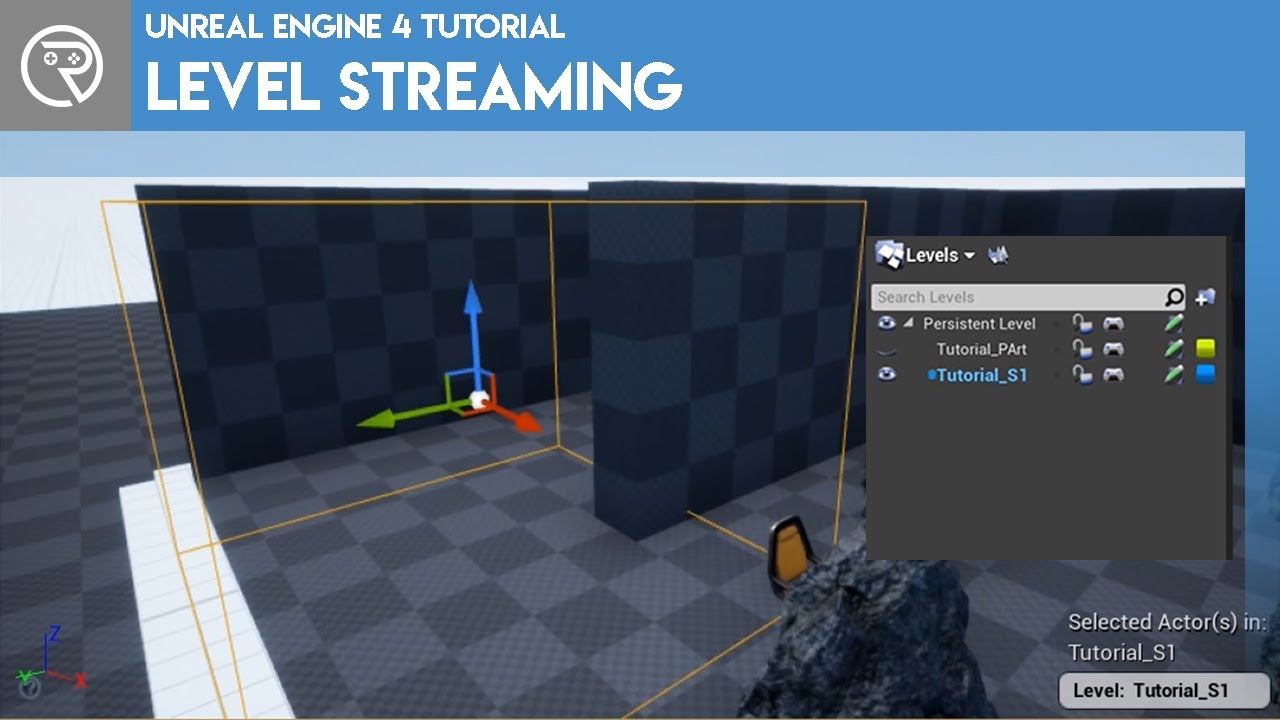
This video was the voted for video by my Patrons and YouTube Members. Show your support at patreon.com/ryanlaley at Silver Tier and you can cast your vote for next month's video.
In this video I explain how level streaming works and how you can use it for both collaboration and for optimisation. This is a technique used in many games and is one...
for loading on server you can use have authority and then load, or event set for run on server that loads it

How do I implement Level Streaming using Blueprint Nodes in Unreal Engine 4?
Source Files: https://github.com/MWadstein/wtf-htf-LevelStreaming
Example Game: https://github.com/MWadstein/UE4-October2015-Jam

Hey guys, in today's video, I'm going to be showing you how to set up and use world composition in your games as well as level streaming distances for your landscape. This is great for optimisation and multi-user editing.
#Ue4 #UnrealEngine4 #Ue4Tutorial
00:00 - Intro
0...
those 3 youtubers do cover just about any topic you can think of, very good source of info
 deep shore
I have a house blueprint that is almost all static meshes and isn’t replicated. If I have a replicated actor that I want to place into the house blueprint, such as a treasure chest, should I add it in as a child actor component? Is it a problem to add a replicated child actor to a non-replicated blueprint?
pallid gorge
austere violet
the levels would need to be loaded on server,
use level streaming to stream in/o...
Basically I should have one persistent level and I should use my maps as sublevels?
 somber fossil
@pallid gorgehi guys ı have modded fortnite but ı make my own modded fortnite people miss old map back but ım researching nice person
pallid gorge
somber fossil
<@362694179001991171>hi guys ı have modded fortnite but ı make my own modded for...
hi
somber fossil
@pallid gorgedo you understand multiplayer
pallid gorge
bro i dont understand anything
somber fossil
ı make own fortnite but ı have old files but ı make online everyone and early acces in game ı can show you
austere violet
pallid gorge
Basically I should have one persistent level and I should use my maps as subleve...
yes
persestent should hold sky and sun if they share the same day time
 brave light
Hi everyone! I am getting this error when I am trying to set a variable via blueprints to the server and every other connection:
UNetDriver::ProcessRemoteFunction: No owning connection for actor BP_FirstPersonCharacter_C_0. Function RPC_Server_SetLookUpAmount will not be processed.

The character that is meantions is the server character
pallid gorge
austere violet
yes
persestent should hold sky and sun if they share the same day time
The thing is that the maps I have are competly different with each sun, skye, lights
austere violet
that's fine too, then just make sure you dont have 2 suns loaded at the same time
pallid gorge
austere violet
that's fine too, then just make sure you dont have 2 suns loaded at the same tim...
Does it depends on the player or what?
austere violet
yea its local
pallid gorge
austere violet
that's fine too, then just make sure you dont have 2 suns loaded at the same tim...
2 suns loaded at the same times, it depends on where the player is, no?
Is it done automatically?
austere violet
if your sun is in your sub level s then every sublevel you load will have its own sun, just dont load more than one sublevel at a time
half umbra
hi, is there any other way to inform the player that he has been kicked from the server other than creating a new level specifically for this notification?
 quartz iris
How can I make a system where when a player joins the server, their house is put down in an area, I wouldn't want the character's house to be placed where there is already another house from another player.
I was thinking something like the Minecraft Plots gamemode or GTA 5 Online.
arctic mesa
How do i go about making the client owner of a physics object with the press of a button?
So smoothsync syncs ownership changes and starts syncing physics from the client
 swift topaz
Is there something specific you need to set up in order to make a listen server? I thought all you had to do was pass forward ?listen as an option, but in a packaged build that option always fails with only the message "Error: LoadMap: failed to Listen" no subsystem is used, just want a basic local host so I can connect via ip.
swift topaz
[2023.06.22-13.25.07:223][633]LogChaos: FPhysicsSolverBase::AsyncDt:-1.000000
[2023.06.22-13.25.07:223][633]LogAIModule: Creating AISystem for world Main_WP
[2023.06.22-13.25.07:223][633]LogWorldPartition: ULevel::OnLevelLoaded(Main)(bIsOwningWorldGameWorld=1, bIsOwningWorldPartitioned=1, bIsValidLevelInstance=0, InitializeForMainWorld=1, InitializeForEditor=0, InitializeForGame=0)
[2023.06.22-13.25.07:223][633]LogWorldPartition: Display: WorldPartition initialize started...
[2023.06.22-13.25.07:223][633]LogContentBundle: [Container: Main] Creating new contrainer.
[2023.06.22-13.25.07:223][633]LogWorldPartition: Display: WorldPartition initialize took 30 us
[2023.06.22-13.25.07:223][633]LogLoad: Game class is 'BP_GameMode_C'
[2023.06.22-13.25.07:224][633]LogNet: Error: LoadMap: failed to Listen(/Game/Maps/Main?listen)```Is it something to do with the level being a world partition?
latent heart
It might be your firewall stopping you from opening the socket?
Breakpoint the error "failed to Listen" and see what triggers it.
swift topaz
oh, I didn' think about breakpoints for that, thanks! Time to figure out what's going on.
nocturne quail
how can someone call a return type function on server which returns replicated variable?
 chrome bay
RPC's are async so they can't return values, if that's what you mean
If you call a function that returns a replicated value, it'll just give you whatever value that property has locally currently
Same as any normal function call/return
latent heart
If you want an answer to an rpc, send another rpc in response.
Or wait for var replication
nocturne quail
chrome bay
RPC's are async so they can't return values, if that's what you mean
I will now post a code to show actually what I am doing
lets say I have these two functions and how will I call SpawnPickupItem on ServerSpawnPickupitem?
UFUNCTION()
void SpawnPickupItem(class AActor* NewActorObject, class APickupBase*& NewItemPickup);

UFUNCTION(Server, Reliable)
void ServerSpawnPickupitem(class AActor* NewActorObject, class APickupBase*& NewItemPickup);
You can't do that
But my question would be, why on earth would a client be allowed to do that anyway
nocturne quail
chrome bay
But my question would be, why on earth would a client be allowed to do that anyw...
the logic is implemented in the character class
pallid gorge
austere violet
if your sun is in your sub level s then every sublevel you load will have its ow...
Yeah, when I load both levels, I have this issue
 chrome bay
nocturne quail
the logic is implemented in the character class
chrome bay
nocturne quail
the logic is implemented in the character class
What I mean is, Clients shouldn't really be able to ask the server to spawn stuff arbitrarily
nocturne quail
latent heart
Can't use if/else, but can tell the server what items it wants to spawn.
its not about pickup, its about dropping item, if a client drop item without involving server how could the other players will know that drop item exist in the level?
nocturne quail
chrome bay
What I mean is, Clients shouldn't really be able to ask the server to spawn stuf...
character is pressing the drop weapon key input, what function should it call and from where?
latent heart
So the server checks that the player has the item it wants to drop, correct?
nocturne quail
latent heart
So the server _checks that the player has the item it wants to drop_, correct?
yes, and if the palyer has the item drop in the level
chrome bay
You just send an RPC to the Server called "DropWeapon" - the server handles everything else
latent heart
In this case I think it's just a badly named method.
chrome bay
You can't spitout the pickup either way, RPC's don't have output parameters. It won't compile
pallid gorge
Should I use world composition or world partition?
quasi tide
If you're in UE5, WP - because WC is pretty much dead at this point. Wouldn't be surprised if it gets removed.
nocturne quail
I will try to change my logic then, I was wrong doing it that way
quasi tide
WP supercedes WC
 steady cape
Can someone point me to an example of working implementation of FFastArraySerializer-based system?
chrome bay
Think there's a few in engine, ability system has a few uses of it
FActiveGameplayEffectsContainer
Has a lot of extra fluff though
FReplicatedPredictionKeyMap is a bit simpler
Not much to it though honestly
steady cape
Alr
round yew
Is it possible to use the replication graph in a way to mix both spatialize dynamics and always relevant for team?
eg: players should use spatialize dynamics but team members should always be relevant to each other no matter of far they are
round yew
https://github.com/locus84/LocusReplicationGraph
I tried to use this plugin, but settings players in a team relevant to each other will actually remove them from all other actors not in the team
chrome bay
round yew
Is it possible to use the replication graph in a way to mix both spatialize dyna...
IIRC, because of how the default spatialization nodes work it's not, as the rules are globally applied at a deeper level
steady cape
latent heart
There's a IsRelevantFor method I think on actors?

Checks to see if this actor is relevant for a specific network connection
chrome bay
Rep Graph is being superceeded by IRIS anyway, so it's days are probably numbered
round yew
chrome bay
Rep Graph is being superceeded by IRIS anyway, so it's days are probably numbere...
Yes but we are on ue4
chrome bay
IIRC if an actor is spatialized at all, it will be forcibly spatialized for all connections, it overrides other nodes
latent heart
IsNetRelevantFor(AActor* Check) override
{
if (Check->IsSameTeamAs(this)) { return true; ]
return Super::IsNetRelevantFor(check);
} or so
chrome bay
NetRelevantFor isn't called when using RepGraph unfortunately
chrome bay
In theory you'd be able to dump the actors into a "always relevant for team" node, but because of how the grid nodes are implemented, they basically overrule that
round yew
How they are doing in fortnite then, it was developed specially for it, and the team must be always relevant to each other?
chrome bay
At least that was the case when I last looked at it, IIRC
latent heart
Why must a team mate always be relevant?
chrome bay
I'd doubt they are, the always-relevant info probably just lives elsewhere
round yew
eg: see them through wall, position info for cursor
chrome bay
But how far can you see them through walls? Not to the other side of the map surely?
latent heart
^
round yew
what about the constant cursor position? or it is pulled from server data?
chrome bay
Not sure what you mean by cursor position
round yew
you always have indicator of where are players around you in your hud
turning around your screen
chrome bay
Yeah but how far does that extend?
round yew
it's always there from what i remember
latent heart
You could simply add each player's location to their player state and update it every so often.
chrome bay
^
round yew
no matter the distance
pallid gorge
Can I ask a stupid question?
chrome bay
always
latent heart
42
round yew
chrome bay
Separate the always-relevant data into a separate actor
i'll try that
chrome bay
It's a bit dumb, rep graph should let you do it - but for whatever reason the spatialization dominates all
At least it did when I last looked. May be worth looking at it again,
steady cape
Oh boy, how fun

 chrome bay
But that being said, do you really want all character data for a teammate on the other side of the map? Probably not
steady cape
Love it when the only piece of sort-of-maybe-documentation contradicts the implementation
chrome bay
steady cape
Oh boy, how fun
You'll find when the serializer is used, it's usually as a huge utility rather than just the array. The actual wrapper code is tiny
A minimal example is shown in fast array serializers header, btw
In the comments
steady cape
chrome bay
A minimal example is shown in fast array serializers header, btw
Yeah, that's where the pic on the left comes from
round yew
Last question, would it be possible to switch an actor replication from dynamic spatial to only relevant to owner?
Not a whole group of actors, just precise actors the player will put into his inventory
When the item is put out of inventory it becomes dynamic spatial again
I'd like to hide actors in inventory, instead of destroying them and caching data
chrome bay
In theory yeah, you move it out of the spatialization node and into another
round yew
ok so it's doable per actor and not whole actor type
chrome bay
We did that for weapons IIRC. They were always relevant to owner, but used owner relevancy when equipped
round yew
cool
chrome bay
yeah, you just have to tell rep graph what to do with it
The class-level concept is used as a starting point because it's the way rep graph is "meant" to work, i.e. same rules for lots of the same actors
round yew
well implementation time then, another challenge 😅
chrome bay
If you want a specific actor to do something different, you have to tell the rep graph to move it between nodes
And I seriously question doing rep graph logic in Blueprint. utterly self defeating.
It's a performance-oriented tool
steady cape
Tf is rep graph
round yew
Yes, I'm not gonna try in bp
chrome bay
yeah kk, just saw that on the plugin
round yew
just the plugin was convenient everything already set up
steady cape
Oh
chrome bay
steady cape
Tf is rep graph
just a different way of deciding what actors to replicate and to whom. Was added to fortnite to handle large-scale games better.
It only really makes sense to use if you have either a) huge number of players or b) huge number of networked actors that are largely doing the same thing
Otherwise, "traditional" path is fine
And it's all going to be replaced by iris in the future anyways
steady cape
Arlight
round yew
yeah, we are doing a VR battle royale, and since ue5 is not ready for mobile VR we are stuck on ue4 for now and no Iris
chrome bay
I would double check that spatialization thing though, maybe it does work
Probably still wouldn't replicate the full character if it's on the other side of the world though
But might be useful for other things
 grim dove
are there any good examples around using iris? I've just heard about it
chrome bay
the fewer chars you have in the world at any time the better
@grim dove not yet, it's all over the engine but experimental. There was a post on forums about "getting started" with it IIRC
latent heart
grim dove
are there any good examples around using iris? I've just heard about it
It's a real eye opener.
chrome bay
The API is changing a lot too
round yew
yes but I was thinking it wouldnt be that bad that your team is always relevant makes some stuff easier, and it's 3 per team max so
chrome bay
It's C++ only too
round yew
90% of the time they are always around anyway
grim dove
ah have they mentioned if it'll be solidified in a particular engine version?
chrome bay
not yet
pallid gorge
austere violet
https://www.youtube.com/watch?v=xeJz26M2xn4&ab_channel=MattAspland
Regarding what I asked before, I follow this tutorial for World Composition. Now I basically have 2 "levels" on one persistence level. So I have 2 sublevels. I have a lot of issue with lights but what I am trying to do is to teleport players between these 2 worlds. Just for test I am using this blueprint for teleport.
For the teleport location, I just took the coordinates of an item to the other sublevel, but the teleport isn't working. It is working but it doesn't teleport to the other level. How can I teleport them between sublevels?

 hearty turret
Hiya there, i was just running through the C++ multiplayer quickstart guides and for some reason, code that is only meant to run on the server is running on clients. I'm using the editor to run a listen server, and this code runs on both windows. It'd make sense for the one running the server but I have no idea why it prints out on the client too unless i've misunderstood something
if (GetLocalRole() == ROLE_Authority) {
    FString healthMessage = FString::Printf(TEXT("%s now has % f health remaining."), *GetFName().ToString(), CurrentHealth);
     GEngine->AddOnScreenDebugMessage(-1, 5.f, FColor::Red, healthMessage);
}
is this some PIE weirdness or me misunderstanding? Additionally,
if (IsLocallyControlled()) {
    FString healthMessage = FString::Printf(TEXT("You now have %f health remaining."), CurrentHealth);
    GEngine->AddOnScreenDebugMessage(-1, 5.f, FColor::Green, healthMessage);
    if (CurrentHealth <= 0) {
            FString deathMessage = FString::Printf(TEXT("You have been killed"));
        GEngine->AddOnScreenDebugMessage(-1, 5.f, FColor::Green, deathMessage);
    }
}
runs on both clients which also seems very wrong. I've not started implementing any of my own features yet, these are just out of the official quickstart docs.
it does echo back the correct object name and the correct health values per instance, but surely these simple debug messages shouldnt be getting printed out in the places they are?
dark parcel
Can i get advice on handling setting client rotation and location with heavy lag in mind?
There is a considerable delay since the vault ran on server
how can I make the vault done locally and the server follow the rotation/location value of the client? seems like the server always try to correct the location too so it cause jitter
hearty turret
hearty turret
is this some PIE weirdness or me misunderstanding? Additionally,
```c++
if (IsLo...
it looks like a PIE thing because running standalone processes for each window does not have the same issue at all, but using two PIE windows cause both to be 'locally controlled' and return true for having authority
pallid gorge
pallid gorge
Regarding what I asked before, I follow this tutorial for World Composition. Now...
Nvm I understand more or less
half umbra
hi, can anyone give me any idea how i can have a permanent ID for gamemode players?
tepid lark
half umbra
hi, can anyone give me any idea how i can have a permanent ID for gamemode playe...
when players connect have server generate a random id, maybe append that to the player name, then save it in the client game instance. If you actually want permanent you need a seperate server running for authentication.
Is it possible to set the wrong owner of a player pawn? Like to somehow get the wrong player state associated with a player character that is controlled by the client?
half umbra
I have a PlayerArray (stores the Players Controlery) and I have a map with player data and an ID that is assigned when a player logs in
I want to remove a player with a given ID from this map
unkempt tiger
Anyone here using PostSerialize on their custom structs?
half umbra

what if i used this?
instead of an integer in Map
OK, never mind.. bad idea

will it be ok to store the player's controllers like this? generates a unique ID for each controller
tepid lark
anyone want to burn their project down and start fresh
 hollow eagle
Why do you need a unique id for each controller in the first place
And why do you need to store them in a list?
The engine already maintains a list of players for you (either via player states or local players, depends on what you need). And a player controller is its own unique id as long as you don't need to persist it between sessions or talk with external services.
If you need to refer to a specific player across multiple clients you generally just pass around that player's player state - you don't need any sort of id because the player state itself is already unique and addressable by all clients and the server.
half umbra
when the player returns to the game the next day, I want him to load what he had
hollow eagle
Ok, so you're talking about having an id across multiple sessions.
I still wouldn't store these in a map, it's not really necessary. Just have each player state or controller or whatever store its own id.
austere violet
tepid lark
anyone want to burn their project down and start fresh
But i started a fresh one only 2 weeks ago 😏
hollow eagle
half umbra
when the player returns to the game the next day, I want him to load what he had
FUniqueNetId is generally the kind of thing you'd want to use as it's meant to represent the id from the player's platform (steam id, xbox live id, PSN id, etc), but I don't know how much of it is exposed to blueprint.
half umbra
on the server, the player creates his ID, later when he leaves the server, he can re-enter and e.g. will have the same nickname, but e.g. when the player is e.g. kicked, then if the index from PlayerArray is used, the user below takes over his index
half umbra
so generating a unique ID for the controllers will be fine, but I'm not sure if it's the best way to go
hollow eagle
again, unique net id is the intended id for this kind of thing
it represents the id the player used to sign into whatever platform they're on - steam/xbl/egs/playstation/whatever
half umbra
ok, but i want everything to happen without steam, epic etc
quasi tide
Create an account system
quasi tide
See how the unique net id actually creates its id and then see if you can just add in your own
dark parcel
I need to set actor location. Something like vaulting, but I want the player to be able to vault locally without the need of server approval. However server always try to correct client position.
What's the proper way to set actor location that can be done in interpolating manner?
tepid lark
sorry to interrupt, but this is kind of throwing me for a loop. This code is on the player controller running on owning client, I pass the controlled hero to the server to set the variable on the server which is replicated and as such should be set on both the host and clients version of the controller. However, the controlled hero variable always returns invalid on the client. Any ideas why?
 dark parcel
tepid lark
sorry to interrupt, but this is kind of throwing me for a loop. This code is on ...
dark parcel
tepid lark
sorry to interrupt, but this is kind of throwing me for a loop. This code is on ...
Hey I am new to Mp and might be wrong on this but is that code executed inside player controller?
tepid lark
dark parcel
Hey I am new to Mp and might be wrong on this but is that code executed inside p...
yes
dark parcel
Player controllers exist on the server
but on the client side they only have their own controller
If you try to replicate Controlled hero in player controller, other client will not know becuase other people's player controller doesn't exist in the client machine
 tepid lark
I just realized what I am trying to do is dumb. I don't want the other controllers to know, I was just ensuring that the hosts version matches the clients, which should by default. But I screwed something up so am checking everything
dark parcel

Im trying to print string the bool value inside the player controller
as you see the server have all the controller and replicate accordingly
but in the client u only see 1 bool
because other controllers doesnt exist in their machine
tepid lark
Yeah. again, not worried about replicating between other controllers, but I no longer trust the server lol
dark parcel
was responding to this " However, the controlled hero variable always returns invalid on the client."
tepid lark
Oh, so you're saying it returns invalid on the other client? Sorry I have moved away from player hosted and have been working with dedicated servers... so going back to player hosted is a little more confusing.
dark parcel
So im saying there's no way to get the value of other controller as client
if you see my screen shoot
server have 3 bool (1 for each player in the map)
but clients only have 1 bool each
So lets change that bool to actor
u will get invalid
tepid lark
yeah, and i'm not trying to do that. I'm trying to make sure that the host and the clients controller pawn reference are the same, with host having set the reference and replicating it back
I may be misunderstanding
tepid lark
thanks for the refresher though
That's what's confusing me, it should work in theory... but I think I really messed something up. Which is why I'm having to check and validate everything, and asked if it's possible for the wrong player state to become the owner of a pawn which another controller possessed.
quasi tide
Why would you want to?
half umbra
To gen Unique Id what i made in GameMode
quasi tide
I mean, you can tell clients w/e you want.
You can have the GS do a multicast or client rpc (after looping through the connected PCs) to do some UI thing.
Up to you really.
dark parcel
tepid lark
That's what's confusing me, it should work in theory... but I think I really mes...
Just a random thought, maybe you should set Controlled hero locally as well cuz replication might take a moment. Is valid check might have been called before the server replicate the value back
Duroxx can I ask a question?
quasi tide
 dark parcel
Thx, with the character movement component tries to correct player location. How will I go about to do something like setting player location in interpolating manner?
Like if I just set the actor location from rpc call, it will cause jitter
Because it sort of fighting with cmc
quasi tide
There may be a way on the CMC to say "just trust me bro" and you can flip that perhaps. So be client auth for a little bit. But I'm not sure. I haven't had to teleport anyone yet.
If it's in regards to your vaulting thing - I just use root motion. CMC supports that.
dark parcel
Root motion from animation?
quasi tide
Yeah
dark parcel
Is there a way to move root motion w.o animation
But I guess that would be the best way
quasi tide
The very definition of root motion is that the animation drives your locomotion.
dark parcel
Yeah soo far I can get movement and root motion montage working but my vault function set the actor location with interpolation. I will just try to make the game w.o having the need to move the player location somehow... thx
Will try anim montage for the vault
sinful tree
tepid lark
Your issue is that you are setting the value on the server which takes some amount of time and is not instantaneous, but in your code you are immediately accessing the controlled hero variable on the client.
tepid lark
sinful tree
Your issue is that you are setting the value on the server which takes some amou...
off screen is a for loop that tries multiple times with a delay... how long should it realistcally take
sinful tree
It depends on latency and a lot of other factors. There is no specific amount of time you should wait.
In fact, your code is somewhat not required. The server knows your controlled pawn already, so you shouldn't need to tell the server which one it is.
swift topaz
swift topaz
Is there something specific you need to set up in order to make a listen server?...
In case anyone else runs into this problem with ?listen seemingly not working when it should be, my problem was the packaged build. I was making the build specifically a "windows client" rather than just "windows". Turns out simply keeping the build a "windows client" will allow you to connect to servers, but not become one for the purpose of p2p hosting. It should have been pretty obvious now that I'm typing it out, but at the time I wasn't thinking about that. Thanks @latent heart for pointing me on the right path!
tepid lark
sinful tree
In fact, your code is somewhat not required. The server knows your controlled p...
it was more for testing because I'm getting weird behaviors that don't make sense to me... so I wanted to verify that the controlled pawn reference is the same on the host and client.
sinful tree
tepid lark
it was more for testing because I'm getting weird behaviors that don't make sens...
So long as you possess a pawn while running on the server, they will be the same.
An easier test would just be to take the controlled pawn reference from the client, pass it through an RPC to the server, get the controlled pawn on the server and check if they are == which you could then print on screen to see if they are the same.
tepid lark
sinful tree
So long as you possess a pawn while running on the server, they will be the same...
do you know if it's possible for the wrong player state to be associated with a player's pawn, possibly as the owner, even though the pawn's controller is associated with another player state? Kind of a weird question... but I'm trying to figure out why client is getting jittery movement (which didn't happen on dedicated server), can no longer use GAS abilities, and the movement component on the host has different bIsFalling values on the client. It's kind of insane.
sinful tree
tepid lark
do you know if it's possible for the wrong player state to be associated with a ...
Not likely. It's more likely you may be trying to do things with the playerstate before it has had a chance to properly replicate.
When a client is joining a game, they sort of create their own player controller and playerstate and when the replicated versions come in, they take over, but they don't fire their begin play again.
tepid lark
So I should check in the begin play event of the player state and player controller since the replicated versions don't fire that event? which could cause a mismatch somehow? @sinful tree
sinful tree
No, if you're using the playerstate in any way on the client before you know it's been replicated, that can cause problems.
There is an OnRep_PlayerState available in the Pawn and in the Controller (though, they're not exposed to blueprints natively)
You can reliably use BeginPlay in the playerstate on the server/host without issue, but not on clients.
tepid lark
sinful tree
No, if you're using the playerstate in any way on the client before you know it'...
That feels closer to the issue since the ability system component is on the player state.
tepid lark
sinful tree
No, if you're using the playerstate in any way on the client before you know it'...
I have no idea how the movement component would have different values on host and client since the engine is supposed to handle the replication
tepid lark
sinful tree
No, if you're using the playerstate in any way on the client before you know it'...
Thanks for your help btw
deep shore
I have a house BP that’s not replicated and contains no logic. I want to place replicated actors inside of the house BP (doors, chests, etc) to make populating my level easier. Should I use child actor components for this, and is it ok to put replicated child actors inside of a non-replicated BP?
 whole pine
i have 2 inventory widgets, one for owning player, one for other clients. how do i make the game know its opening another clients inventory?
tepid lark
whole pine
i have 2 inventory widgets, one for owning player, one for other clients. how do...
are you asking how to correctly view the other player's inventory or are you asking how to trigger an event whenever a player inspects another player's inventory
whole pine
tepid lark
are you asking how to correctly view the other player's inventory or are you ask...
just correctly view it
tepid lark
the player inspecting will make a request to the server with a reference to the client the player wants to view and probably itself as well, the server will then get the inventory of the other client and send that info to the player who requested, which would then fire an event that populates the widget.
and you'd store the players' inventories on the game state or game mode, imo.
whole pine
ok ill look into it thanks
sinful tree
whole pine
i have 2 inventory widgets, one for owning player, one for other clients. how do...
It depends heavily on how you are storing and replicating inventory data.
If you have an inventory component that's attached to your pawn or playerstate and you're already replicating the inventory to everyone, then you just need to get a reference to the component in your widget to display it. If it's something that's attached to the player controller or it's only replicated to the owner, then you're going to have a much more complicated time trying to replicate the inventory contents to others.
tepid lark
In my playercontroller c++ I have an OnRep_PlayerState that seems to be only getting called once, is there a reason it would not be called for the client?
latent heart
It is? You just said it was called once.
tepid lark
Will it not be called also on the player who is hosting?
tepid lark
I worded that weird. So in c++ with 2 players onrep_playerstate only gets called once?
latent heart
It should be called once per client.
Because the PC is only replicated to the owning client.
tepid lark
latent heart
It should be called once per client.
I guess that's why I'm confused about the whole listen server thing where the server is also a client
half umbra
when i want to create 2 hosts:
Assertion failed: !WorldDataLayers || WorldDataLayers == NewWorldDataLayers [File:D:\build++UE5\Sync\Engine\Source\Runtime\Engine\Private\Level.cpp] [Line: 2530]
with one host everything is ok
if I want to have 2 hosts in the editor it crashes just that :/
ue5.0
latent heart
You can't have 2 hosts?
half umbra
latent heart
You can't have 2 hosts?
yes
half umbra
2x New Editor Window (PIE)
Net Mode - Standalone, and I'm trying to start 2 hosts, but I can't because when I click to create a second host after clicking the Create Server (Widget) button, it immediately crashes
tepid lark
did you try standalone so they each have their own process?
half umbra
 wanton bear
flashlight only works on client, not on server or standalone, i get server but why standalone 

 static thorn
wanton bear
flashlight only works on client, not on server or standalone, i get server but w...
static thorn
wanton bear
flashlight only works on client, not on server or standalone, i get server but w...
try hooking out the locally controlled branch
wanton bear
adding set visibility after server toggle flashlight call does nothing
does nothing

and detaching from the flip flop so it cant be setting it back right away
oh that's even weirder, if i switch pawns it is visible
owner no see is not ticked...
okay and now its working...
okayyy i didnt change anything but fine
now the other pawn cant see the flashlight when it's enabled
wanton bear
and the server can see flashlights of other players, until it gets close to them then it fades out
sinful tree
wanton bear
flashlight only works on client, not on server or standalone, i get server but w...
Change your input so it only calls to the server - no flipflop required, no need to pass a bool along.
When running on the server, you can put the flipflop and set the Flashlight Visible boolean.
You're using Multicasts incorrectly here. If players go in and out of relevancy, you can end up losing the actual state.
Change your "Flashlight Visibility" boolean to a Rep w/Notify variable and use the OnRep function to perform the update of the flashlight visibility. You can now get rid of your "MulticastFlashlightVisibility" multicast event.
Get rid of the delay system you're using for replicating the Flashlight rotation - you may as well be using a gated tick that you can toggle on and off as needed. Also choose one: Replicate the rotation in a w/ Notify variable or Multicast the rotation. Don't use both as there's no guarantee that they'll be synchronized. In this situation, I think a multicast would make more sense as you don't necessarily 100% care about the rotation all the time if you're updating on effectively a tick (0.01 delay = it's going to get executed twice in one frame if you're running at 60FPS)
Your issue with the light disappearing doesn't have much to do with the replication, it more likely has to do with position, settings of the light itself and any post processing effects you may be using.
wanton bear
sinful tree
Change your input so it only calls to the server - no flipflop required, no need...
thanks for the tips, i implemented them all and got it working. it's just strange because the post process and light should be identical across sever and client...
wanton bear
ok i finally fixed it, for some reason the attenuation radius being too high causes the issue i was having
 near granite
AI move doesn't work in Multiplayer
nocturne quail
how do we get a ref to player state in multiplayer game.
this
AARMAPlayerState* PlayerStateRef = Cast<AARMAPlayerState>(PlayerState);

or this
AARMAPlayerState* PlayerStateRef  = GetController()->GetPlayerState<AARMAPlayerState>();
 small grail
It depends on you wanna get the remote player state or the local player state.
nocturne quail
small grail
It depends on you wanna get the remote player state or the local player state.
which one is for local and which one is for remote?
small grail
nocturne quail
which one is for local and which one is for remote?
They both okay for getting local player state but the latter one is no way to get the remote player state. You don't have player controller for remote players locally.
nocturne quail
small grail
They both okay for getting local player state but the latter one is no way to ge...
so they are both for local, Thank You for correcting me
 chrome whale
Hey, so I'm having this issue that when I'm testing multiplayer with 2 windows that when I click off of one, it freezes up. But when I click on it again, it's perfectly fine
small grail
chrome whale
Hey, so I'm having this issue that when I'm testing multiplayer with 2 windows t...
You can't solve that with Play in editor easily.
chrome whale
small grail
You can't solve that with Play in editor easily.
What do you mean?
Are you saying I have to compile the game?
It also used to work fine on another computer
small grail
It's like if you have 2 PIE windows, if you lose the focus for one, it would be really low framerates and it is not be able to solve because of the UE rendering way.
But I'm not sure if it is your real problem😛
chrome whale
small grail
It's like if you have 2 PIE windows, if you lose the focus for one, it would be ...
I have a really beefy computer compared to the last one I used which was able to run 2 players smoothly
small grail
chrome whale
I have a really beefy computer compared to the last one I used which was able to...
You could try 2 stand alones, I don't remember it would be different or not.
chrome whale
small grail
You could try 2 stand alones, I don't remember it would be different or not.
That's what I'm currently using
small grail
Still chopped for the client not focused?
 upbeat basin
Is there any overhead of calling a server RPC from a non owning client over network or cpu? Would adding locally controlled check before the RPC help on any optimization?
chrome whale
small grail
Still chopped for the client not focused?
It's not just the client. It's both the host and the client. Whichever the mouse is clicked on
chrome whale
upbeat basin
Is there any overhead of calling a server RPC from a non owning client over netw...
That idk. I'm still new to UE coding and even just coding in general
small grail
chrome whale
It's not just the client. It's both the host and the client. Whichever the mouse...
 kindred widget
upbeat basin
Is there any overhead of calling a server RPC from a non owning client over netw...
kindred widget
upbeat basin
Is there any overhead of calling a server RPC from a non owning client over netw...
I'm fairly sure the client doesn't even try to send the RPC if there's no owner controller present for the actor.
upbeat basin
Yes but how does it decide not to try
chrome bay
It checks the ownership chain until it finds the player controller
upbeat basin
If it's just trying to see if there is a controller or if the parent actor is locally controlled then I guess it wouldn't be any different for me to call that locally controlled check before
chrome bay
Server does the same when it receives it
upbeat basin
Hmm so it could save a few steps then?
chrome bay
You would want to check, because the log will be spammed with warning messages if you don't
Also makes it harder to debug
upbeat basin
Got it, thanks
chrome whale
Sorry I'm back
chrome whale
small grail
https://forums.unrealengine.com/t/huge-framerate-drop-when-game-window-unfocused...
So I disabled it and it still has a huge framerate drop to almost nothing
small grail
chrome whale
So I disabled it and it still has a huge framerate drop to almost nothing
Yeah, that's the only thing could do so far.
chrome whale
small grail
Yeah, that's the only thing could do so far.
I'm also launching it into 2 standalone games too
small grail
Did you try different processes?
chrome whale
I'm stupid. How do you do that?
small grail
chrome whale
I'm stupid. How do you do that?
Don't say that😆
Uncheck this and have a try.
 chrome whale
small grail
Don't say that😆
Uncheck this and have a try.
chrome whale
small grail
Don't say that😆
Uncheck this and have a try.
Still buggy
small grail
chrome whale
Still buggy
Tryied with 2 stand alones? IIRC, this one only works for stand alone.
chrome whale
I assume so. I can try selected viewport
chrome whale
small grail
Tryied with 2 stand alones? IIRC, this one only works for stand alone.
I just found out that 2 PIE windows works fine
small grail
chrome whale
I just found out that 2 PIE windows works fine
Ok, good to hear, it solved anyway😆
chrome whale
small grail
Ok, good to hear, it solved anyway😆
So then why don't 2 standalone work?
small grail
chrome whale
So then why don't 2 standalone work?
I don't know. But basically, stand alone is very different from editor window though.
chrome whale
small grail
I don't know. But basically, stand alone is very different from editor window th...
I take it back. Now it can't connect to the controls
small grail
chrome whale
I take it back. Now it can't connect to the controls
It is possible, you need 2 controllers, lol
chrome whale
small grail
It is possible, you need 2 controllers, lol
No, because it doesn't work with only 1 player
small grail
chrome whale
No, because it doesn't work with only 1 player
Multi processes? You might turn it off while only has 1 player.
chrome whale
small grail
Multi processes? You might turn it off while only has 1 player.
Still didn't work
I keep getting this:
PIE: Error: Blueprint Runtime Error: "Accessed None trying to read property CallFunc_K2_GetPawn_ReturnValue". Node: Enable Input Graph: EventGraph Function: Execute Ubergraph BP Player Controller Blueprint: BP_PlayerController
And the controls work perfectly fine in standalone
small grail
chrome whale
PIE: Error: Blueprint Runtime Error: "Accessed None trying to read property Call...
It is something wrong with your blueprint I guess.
chrome whale
small grail
It is something wrong with your blueprint I guess.
The bugginess in the second player standalone window?
small grail
chrome whale
The bugginess in the second player standalone window?
I can't tell anything if not showing the relative blueprint graph.
chrome whale
small grail
I can't tell anything if not showing the relative blueprint graph.
I don't even know what part to show you
I have a game instance, menu controller, player controller, character base, player state, and much more\
I am also using the online subsystem and eos
chrome whale
small grail
I can't tell anything if not showing the relative blueprint graph.
Is it possibly because it's trying to run eos on the same pc?
 obsidian kelp
Anyone know why scale replication is so lazy? When I spawn an actor on the server I get the correct location in my onconstruct script but I don't get the correct scale until beginplay
OnConstruction(const FTransform& Transform)
chrome bay
Scale isn't replicated. Only Position + Rotation
obsidian kelp
It is replicated though. It just takes a bit
chrome bay
Are you replicating it yourself then or something?
FRepMovement doesn't include scale
Or is the root component replicated or something?
The initial state of properties will all be sent at once
obsidian kelp
https://forums.unrealengine.com/t/actor-scale-not-replicated/316359 Claims that actor scale not replicating was fixed in 4.9

Epic Developer Community Forums
It’s not directly a bug, rather a inconsistency/ usability issue. A description of Issue can be found for c++ for blueprint I’m certain if somebody want to replicate an Actor he expect scale to replicate just as location and rotation. If you don’t want actor to replicate scale specifically, you probably don’t want actor to replicate at all....
chrome bay
You can change the scale at runtime on the Server and you'll see it won't replicate
pallid gorge
Hello guys, I am using this Blueprint to Teleport a player who hit the box, the issue is that if I have 2 client at the same time, the first client teleport.
Only the player who hit the box should be teleported, but the thing is that if I hit the box with the second client, the player in the first client got teleport and the one who should will not be teleported. Why?
 obsidian kelp
If I do SpawnActor and immediately store the scale in a replicated variable will that allow that property to be accessible in onconstruct on client?
small grail
chrome whale
Is it possibly because it's trying to run eos on the same pc?
I don't think EOS would stop the controlling though.
chrome bay
obsidian kelp
If I do SpawnActor and immediately store the scale in a replicated variable will...
I want to say yes.. but I can't remember if replicated vars are read-in before or after construction runs
If not you could also use PostNetInit()
thin stratus
I would use BeginPlay in BPs for stuff like that. There it should be valid. Unless the variable itself points to another freshly spawned actor. That could be invalid due to the second one replicating faster
real ridge
guys I have question in my game I am creating guns like this and attaching it to players , when actor die guns still are in the air and are not delete so I tried do this (second photo), and its called when actor die in parent class but its no working any ideas? guns are still in the air


 brisk quail
Does anyone here have already used FMOD in sounds and replicated it to multiplayers?
thin stratus
I assume you just replicate whatever drives your fmod
That's how we did it with wwise in the past
 limber gyro
its safe to create a savegame object in the game instance init function in MP right?
anything i need to worry about?
half umbra
i would like to receive each player's ping in the widget, how should i do it correctly?
from GameState Get PlayerArray, then cast to Players State and from this get ping
?


 half umbra
 limber gyro
i have a main widget that holds all the players widgets
half umbra
Why you use Byte Variable?
limber gyro
half umbra
Why you use Byte Variable?
no reason in particular, i just dragged it and thats what i got
im in 4.26 btw
half umbra

I'm just wondering if this PlayerState will be correct. I generally set PlayerState once per player on widget creation
this will be correct?
and my ping is for example, on 4 players is: Host = 0, client1=2, client3=2, client4=3
it's supposed to be like that, but I'm not sure, because when joining a server in the server search I have a ping 22
limber gyro
if ur running the game in editor or localy those numbers should be normal
u dont wanna do that on tick tho, not optimal
i think
well it might just be the same as binding the variable actually, im no exactly sure how bidings vs tick work
half umbra
limber gyro
well it might just be the same as binding the variable actually, im no exactly s...
it works same
but i will use Timer
this Event Tick was be for tests
thin stratus
Keep in mind the compact ping has to be multiplied to result in the actual ping
half umbra
Damn, but it seems to me that it does not work well, for the owner of the widget this ping is changing all the time, but for others this ping is constant
thin stratus
limber gyro
its safe to create a savegame object in the game instance init function in MP ri...
I mean, yeah, won't be synced to anyone of course. Would just be local to that player
thin stratus
half umbra
Damn, but it seems to me that it does not work well, for the owner of the widget...
Using that ping is definitely fine
half umbra
thin stratus
Keep in mind the compact ping has to be multiplied to result in the actual ping
by how much
half umbra
thin stratus
Using that ping is definitely fine
because for me players see their ping and others and it seems to me that it should be done differently unless
 jagged lotus
Hey people ! Had a question that has been bothering me for a while. I am making a relatively simple slot based multiplayer inventory using Actor Component, Item Data Structure and Widget Slot... My issue is that i am unsure how i should update the slots that changed. At the moment i am simply changing every slot on RepNotify_ItemData Array (Made a post : https://forums.unrealengine.com/t/unreal-engine-5-2-multiplayer-inventory-slot-update-issue-clients/1208292)
if you have any idea's or tips feel free to share your thoughts ! Thanks.
 dark edge
jagged lotus
Hey people ! Had a question that has been bothering me for a while. I am making ...
dark edge
jagged lotus
Hey people ! Had a question that has been bothering me for a while. I am making ...
Does it work and is it performant enough for what you're doing?
 hearty pine
Hello, does anyone know how i could change someone else's movement speed after hitting him?
Im able to change my own movement speed just fine, using a simple RPC, but when trying to do it on someone else, it never works. I tried to make a custom event ran on server to a multicast, with his actor as the target, and i also tried with a RepNotify, neither worekd
jagged lotus
@dark edge I would say its bad practice to just update every single slot every time someone moves an item, We could be talking 90 slots on each screen for every player. Would i say its good enough ? Meh... everytime I move items around the "Stat game" spikes goes crazy. The question was more like : The engine has been around for a while i am sure people have made inventories for multiplayer before using structure im just curious how they update those specific indexes when they change 😅 But i see where youre coming from ! I am indeed moving on with other things i just feel like the inventory could be done different.
jagged lotus
hearty pine
Hello, does anyone know how i could change someone else's movement speed after h...
Movement is a bit finnicky in multiplayer. Even a simple sprint system requires you to create a RPC server event that sets the player movement speed using the character movement component. Right after you should call a Owning Client event that basicly does the same thing. Simply adjusting max walk speed. Keep in mind to pass the Movement component through the custom events and it should be fine and stutter minimally. Multicast does essentially the same like you mentioned
hearty pine
jagged lotus
Movement is a bit finnicky in multiplayer. Even a simple sprint system requires ...
It always works when i call it for myself though, through a multicast from my client, but it never works if i call it for the other client, which my sword hits
nocturne quail
I replicated Sprint, when pressed left shift it is working fine on all clients and server, but the problems is on other clients the character is moving faster with no animation update, its like sprinting with normal walk animation.
how I can fix it?
thin stratus
nocturne quail
I replicated Sprint, when pressed left shift it is working fine on all clients a...
Depends on what drives your animation
nocturne quail
thin stratus
Depends on what drives your animation
blend space
thin stratus
I meant what variables
Like, what defines sprinting vs not sprinting for your animation specifically
nocturne quail
its all depend on the speed, I created my own speed variables to define it
jagged lotus
@nocturne quail Usually Try get pawn Owner --> Cast to Player --> Get character movement Component --> Get velocity --> vector Length = Speed
thin stratus
jagged lotus
Movement is a bit finnicky in multiplayer. Even a simple sprint system requires ...
I mean, that's as wrong as it gets
nocturne quail
jagged lotus
<@888336128208420875> Usually Try get pawn Owner --> Cast to Player --> Get char...
I am not doing this way
thin stratus
- Sprinting would require C++ if you want to do it properly.
- Sprinting ,or the MovementSpeed specifically, is a STATE, and should only be done with OnRep/RepNotify variables, not Client or Multicast RPCs.
thin stratus
nocturne quail
its all depend on the speed, I created my own speed variables to define it
Right, whatever that speed Variables is, is that replicated to everyone properly?
nocturne quail
thin stratus
Right, whatever that speed Variables is, is that replicated to everyone properly...
I think yes, becasue normal animation is also derived from this variable
character is not idle in normal walk state
pressing shift speed up the character on clients, but the animation remains the same as normal walk speed
 halcyon totem
im trying out the netprofiler and was wondering should these update hertz be that high? I noticed all the other ones are 29.42
 thin stratus
halcyon totem
im trying out the netprofiler and was wondering should these update hertz be tha...
thin stratus
halcyon totem
im trying out the netprofiler and was wondering should these update hertz be tha...
You might want to use Unreal Insights with Network Insights by now
Just an fyi
thin stratus
nocturne quail
pressing shift speed up the character on clients, but the animation remains the ...
Print the values yo uare dealing with
And see what the value in the AnimBP is
You probably lack replication somewhere
nocturne quail
thin stratus
Print the values yo uare dealing with
Ok
real ridge
guys does anyone know why this function always delete only 1 attached actor every time I see that in the air is one actor left 😄
 halcyon totem
@thin stratus do I need to installed UE4 on the dedicated server to use the unreal insight>
thin stratus
halcyon totem
<@94211915902889984> do I need to installed UE4 on the dedicated server to use t...
Not, sure haven't used it with DediServers yet. Also not sure if that's a thing for UE4
Gotta level up your UE game :P