#multiplayer
1 messages · Page 90 of 1
 thin stratus
 twin juniper
I did this
 twin juniper
thin stratus
Also clean up your blueprints :P
twin juniper
thin stratus
Also clean up your blueprints :P
Lol, yeah would. I have very basic experience is BP
thin stratus
BeginPlay of your GameMode or even GameState has absolutely no connection to doing what you are trying
Do that in the ChoosePlayerStart function
twin juniper
thin stratus
BeginPlay of your GameMode or even GameState has absolutely no connection to doi...
I thought that after the PC stores team enum value I can set it to player state
twin juniper
thin stratus
Do that in the ChoosePlayerStart function
But how do I get player state in ChoosePlayerStart?
thin stratus
Yeah but why in two different places?
thin stratus
twin juniper
But how do I get player state in ChoosePlayerStart?
Player -> PlayerState -> Cast -> SetTeamEnum
twin juniper
thin stratus
Yeah but why in two different places?
So, is the player state set before the player is spawned?
 twin juniper
thin stratus
That Player is your Player's Controller
twin juniper
thin stratus
That Player is your Player's Controller
Yes, but if the ChoosePlayerStart spawns the player, then for Player state do exist does it require player to be spawned?
thin stratus
twin juniper
So, is the player state set before the player is spawned?
Unsure what to say here, cause I think you are misunderstanding stuff
ChoosePlayerStart spawns the PAWN
Or rather selects the Player Start to spawn the PAWN at
twin juniper
thin stratus
ChoosePlayerStart spawns the PAWN
Yes, I mean pawn.
thin stratus
Pawn != PlayerState != PlayerController
twin juniper
Sorry terminology
thin stratus
PlayerController exists relatively early when your Player joins the server
PlayerState is created by the PlayerController
And Pawn gets spawned
So yes, the PlayerState is totally valid and available at that point.
thin stratus
The PlayerState is created by the PlayerController (or rather Controller as its parent class but well)
By default PlayerController (Controller in general) has a Pointer to the PlayerState of that Controller
A Pawn/Character does not have a valid pointer to either by default.
If you possess a Pawn/Character, THEN you have access to the PalyerState and Controller via the Pawn directly
+- time it takes to replicate
twin juniper
thin stratus
By default PlayerController (Controller in general) has a Pointer to the PlayerS...
Okay, so PlayerState is stored for each Player controller rather than pawn?
twin juniper
Also, I want to thank you for your tutorial on Online Subsystem. I am doing a task for a job interview and it really helped me understand how to set it up 🙂
twin juniper
thin stratus
Pawns only have convinience pointers to it when possessed
Can you explain wdym by convinience pointers?
thin stratus
That just means you can do Pawn -> PlayerStart instead of Pawn -> Controller -> PlayerState, which is especially useful if other clients want to get the PlayerState, cause they have no valid version of other player's Controller
twin juniper
thin stratus
That just means you can do Pawn -> PlayerStart instead of Pawn -> Controller -> ...
Understood. TY
 strange canopy
hello there, i'm new to multiplayer, is there a way to get my OnRep_Nofity to fire on standalone or should go trough another path? i got something working while connected to the server but would like bring it to allow player to also do it before connecting
 dark edge
strange canopy
hello there, i'm new to multiplayer, is there a way to get my OnRep_Nofity to fi...
dark edge
strange canopy
hello there, i'm new to multiplayer, is there a way to get my OnRep_Nofity to fi...
Is it a BP onrep or a c++ one?
You need to call C++ onreps manually on ther server. Standalone is effectively a listen server with no clients
strange canopy
dark edge
Is it a BP onrep or a c++ one?
oh ty for the reply, it is a BP onrep, well i can look into changing to C++.
thats the only thing? the logic can keep the same as the one working on dedicated server?
dark edge
BP on rep should fire any time the variable changes, no matter how it changed
So if you set your code up right, it should just work no matter if its dedicated, listen, client, or standalone
strange canopy
thanks a lot, thanks to your confirmation i went back to debuging more
finally figured it out
was a issue with seting the same variable during spawn
 sage light
Does anyone know how to deal with server builds which get this error?
Log Net: Error: UEngine::BroadcastNetworkFailure: FailureType = NetDriverCreateFailure, ErrorString - , Driver - NONE
 queen escarp
hi guys im using seamless travel to open a new level while playing where i use a transitioninglevel aswell, what is the normal way to show a loadion screen or something since now ALL ui gets enabled while transfering for some reason ?
 muted onyx
If I am changing the position and rotation of a character on server, how do I know when this is done on client? The characters are being replicated, but as I am spawning like 20 characters, I am having a delay when positioning the pawns.
 quasi tide

 sinful tree
Sounds like it could be a memory leak situation, or something else not being handled correctly causing the engine to work harder over time.
 quiet yarrow
does anyone know how to properly replicate the character movement physics interaction? The push force seems to break everything
 subtle peak
How does games usually handle loading of player skins? Do you load them from cloud save/local save when the player gets spawned in the match? Cause I keep getting this visible 0.5 second delay after spawing where the player has the default mesh/skin before its getting loaded. Whats the best way to handle this?
dark edge
subtle peak
How does games usually handle loading of player skins? Do you load them from clo...
Just spitballing here but I'd start with making sure it's all loaded before spawning in
subtle peak
dark edge
Just spitballing here but I'd start with making sure it's all loaded before spaw...
How tho? Hiding the actor visibility while it loads?
dark edge
subtle peak
How tho? Hiding the actor visibility while it loads?
Or just don't give them a pawn until all the assets their pawn needs are loaded
You'd probably have to implement that yourself
subtle peak
I see, thanks! I'll do some more experiments
 kindred widget
Also a reminder that normal Unreal dedicated servers do need restarted every couple of days. Probably minimum of once a week on average
 sour compass
I have not yet tried UE5, but I might want to make something with it.
I want to make a multiplater game you can use to connect directly to your friends without needing dedicated servers. Think personal minecraft servers or CS where you just /connect to an IP.
Is this supported by the engine or do I have to code my own networking handler in C++?
I know it might make some people struggle with port forwarding, restricted nats etc., but I don't really care about that.
dark edge
sour compass
I have not yet tried UE5, but I might want to make something with it.
I want to...
Yeah it'll work just fine out of the box
You can pretty easily implmeent steam or EOS or some other system for joining friends or do the old school IP and port thing
sour compass
Thanks! I will try to give it a whirl then.
 obsidian walrus
from what i understand, replication graph is getting the axe with iris right?
 fossil spoke
obsidian walrus
from what i understand, replication graph is getting the axe with iris right?
fossil spoke
obsidian walrus
from what i understand, replication graph is getting the axe with iris right?
It is.
obsidian walrus
fossil spoke
It is.
will there be another way to route RPCs? im glad i hopefully wont have to learn replication graph it looked like detritus
fossil spoke
obsidian walrus
will there be another way to route RPCs? im glad i hopefully wont have to learn ...
What do you mean route RPCs?
obsidian walrus
fossil spoke
What do you mean route RPCs?
like if i want a multicast to go to only certain clients
fossil spoke
RepGraph isnt a required feature to utilize if you dont want to use it
fossil spoke
obsidian walrus
like if i want a multicast to go to only certain clients
It is unlikely that RPCs as they are will change in that respect.
Also you can do that already.
In that, you just call a regular RPC on the Client objects you want to have received
 nocturne quail
I implemented this correctly?
I should use if (!HasAuthority()) or if (!Client) ?
UFUNCTION(BlueprintCallable, Category = "Vehicle|Overlap")
void ExecuteBeginOverlap(class AVehicleBase* NewVehicle);
UFUNCTION(Server, Reliable, BlueprintCallable, Category = "Vehicle|Overlap")
void Server_ExecuteBeginOverlap(class AVehicleBase* NewVehicle);
UFUNCTION(Client, Reliable, BlueprintCallable, Category = "Vehicle|Overlap")
void Client_ExecuteBeginOverlap(class AVehicleBase* NewVehicle);


void AARMAPlayerControllerBase::ExecuteBeginOverlap(class AVehicleBase* NewVehicle)
{
    if (!HasAuthority())
    {
        Server_ExecuteBeginOverlap(NewVehicle);
    }
    else
    {
        Client_ExecuteEndOverlap(NewVehicle);
    }
}

void AARMAPlayerControllerBase::Server_ExecuteBeginOverlap_Implementation(class AVehicleBase* NewVehicle)
{
    Client_ExecuteEndOverlap(NewVehicle);
}

void AARMAPlayerControllerBase::Client_ExecuteBeginOverlap_Implementation(class AVehicleBase* NewVehicle)
{
    VehicleInRange.Add(NewVehicle);
}
since I want to run the logic only on the owning client, not on all clients... but at the same time the server should control the logic to avoid cheating
nocturne quail
nocturne quail
I implemented this correctly?
I should use `if (!HasAuthority())` or `if (!Clie...
!Client I mean, !IsLocallyControlled
 halcyon totem
are these time stamps bad? Cam changing the NetServerMaxTickRate fix this? How can I go about finding out whats casuing it?
 sinful tree
nocturne quail
since I want to run the logic only on the owning client, not on all clients... b...
sinful tree
nocturne quail
since I want to run the logic only on the owning client, not on all clients... b...
The overlap should be getting detected on the server, and you don't want the client to tell the server that they are overlapping. Begin Overlap chould just check HasAuthority(), and if so execute what you need on the server, no RPCs needed. Now depending on what you want to happen when the overlap is detected on the server, you may not need to RPC anything back to the client either.
For example, you're adding a vehicle to an array named "VehicleInRange". That's likely something you want to keep track of on the server so you can make sure players are not cheating. If the client needs to know that data, then you would likely want to replicate that array instead, and then the client would have the same array values as the server.
 timid moss
It's cool to see that they are still pushing for a generalized prediction system even after all that has happened. There's hope guys :o
 edgy helm
Hey there. I was wondering if there was a way for a client to interact with a world space blueprint containing a widget. Through widget interaction only fires off from the server, not the clients. I know widgets are not replicated. The logic behind the widget is: on button click get actor of class and send interface message. Is there a way to get this to work both for server and client?
sinful tree
edgy helm
Hey there. I was wondering if there was a way for a client to interact with a wo...
You'd have to have the button click call a server RPC through the player controller or their controlled pawn that is initiating that action, and then when it's running on the server get the actor and call the interface.
edgy helm
But… how can I get the widget to get the player controller of the interacting player?
sinful tree
edgy helm
But… how can I get the widget to get the player controller of the interacting pl...
Technically the widget itself should only exist on the client. You could try "get owning player" within the widget.
edgy helm
Alright thanks a lot, I’ll give it a try.
nocturne quail
sinful tree
The overlap should be getting detected on the server, and you don't want the cli...
Thank you for the detailed reply, it helps so much )
 ebon zealot
how'd one generally generate a player ID that's unique to each player?
the game will be launched on steam so I'm thinking thath as to do with it but during testing I wouldnt use the steam api would i
 chrome bay
ebon zealot
how'd one generally generate a player ID that's unique to each player?
chrome bay
ebon zealot
how'd one generally generate a player ID that's unique to each player?
Globally? You need some kind of account within a platform service to manage that, such as Steam like you mentioned.
The Editor environment/null subsystem just generates a random GUID each time you run, since there's no online service or account to pull from
ebon zealot
that makes sense but I still need to test the saving system w/o using steam or anything
do I just use mock IDs for that?
 gusty slate
Can't you just brute force it for testing? each controller is "indexed" we could say, so you could just load player data like that in series
 fossil veldt
Is it possible to pre-initialize fast array serializers with items, for example add 500 empty items, so that the server doesn't have to send this initial delta, it would just send the items that changed in those initial 500 items
chrome bay
So long as the initial state is saved into the CDO it should work AFAIK
Not 100% certain that works with fast arrays though.
fossil veldt
chrome bay
So long as the initial state is saved into the CDO it should work AFAIK
I think it works so long as you specify the following:


Not sure yet if that means that the server doesn't send the delta, or if it means that the client just doesn't care and discards it
ebon zealot
gusty slate
Can't you just brute force it for testing? each controller is "indexed" we could...
makes sense
How does one usually connect to databases from unreal?
MySQL / mariadb
is there a built in plugin for it?
 quiet fjord
Guys I'm having a problem when it comes to synchronizing positions when I create the players in gamemode. It turns out that when I start my game my characters sometimes jerk when I start moving them. How do I solve the position synchronization problem when I create my players?
 knotty briar
Hello, I have a question, I am using blueprint system and I am wanting to make a LAN game system. I am running into a problem. Both spaceships spawn, and from what I can tell, both are being replicated too. The listen server can move his/her spaceship, whereas the client spaceship jitters as if the server is setting it location where it spawned all the time
How would I fix this does anyone know?
If both of them are clients then they both run into the same isssue
knotty briar
Its all fine now, I had to create custom events for server and multicast and that fixed it
 oak pond
right so why did I go through the whole process of setting up the multiplayer hosting and joining servers, then tested it across two different steam accounts on my current and old pc, works literally fine, but when any of my friends try it nothing happens the server doesnt show up
what am I even supposed to guess to fix this
knotty briar
is it set to LAN?
knotty briar
oak pond
right so why did I go through the whole process of setting up the multiplayer ho...
Try using Hamachi or a VPN to connect to a VLAN, then see if that works, cuz if thats the case then the server will only show up on LAN
which means something wasnt made correctly
oak pond
yeah I considered trying that. I didnt actually set anything to lan though but itd explain why it works on my pcs
knotty briar
yeah its the only logical explanation, especially if it isn't popping up for the others, if it was popping up but couldn't connect, I would say there would have been so many possible reasons
 real ridge
guys what is better way than this to set up color on screen and status for every player in his ui?

I am trying set change ui of everyone but only Me has changed it 😄
dark edge
real ridge
guys what is better way than this to set up color on screen and status for every...
Delete every multicast in your project
RepNotify my dude
What are the rules? Color is based on.... what?
kindred widget
Also don't do string comparisons like this. FNames are much better if you need to == a string for gameplay purposes.
quasi tide
Honestly doesn't look like it should be a string at all. Should be an enum most likely.
Or if you wanna be real fancy, a gameplay tag
dark edge
If this is for friendlies to be blue and enemies to be red then just check if team = local player's team
real ridge
dark edge
What are the rules? Color is based on.... what?
team if red team has it then red if blue then blue, but I already did it like this: Set Team here in game state and then check game state variable in UI
and every player in his own ui will change it up to game state variable status
real ridge
dark edge
Delete every multicast in your project
RepNotify > Multicast ?
dark edge
don't multicast any of this
real ridge
what is multicast good for then
dark edge
Explain in plain english what you're trying to do. You're trying to base the color of the thing on what?
real ridge
dark edge
Explain in plain english what you're trying to do. You're trying to base the co...
you pick a BOMB, your team is red, people in game see that bomb has red team
thats all
its working but its made kinda retarded
😄
dark edge
ok so the bomb should have a color or team variable that's replicated. When you pick up the bomb on the server, Bomb.Color = CharacterWhoPickedItUp.Color
In the onrep, set the color on the material
that's it
Event picked up -> has authority? -> set self.color = WhoeverPickedItUp.Color
OnRep(Color) -> do the color logic

 dark edge
Don't use strings but ok
dark edge
real ridge
I get it but see
WHERE are you calling this?
real ridge
here
 real ridge
inside I make this
real ridge
real ridge
inside I make this
but you can see inside repnotify I am using reference to certain UI of player I think this is problem
every player in game has own ui
I have reference to just that 1
dark edge
real ridge
but you can see inside repnotify I am using reference to certain UI of player I ...
That's fine, the repnotify will run on ALL MACHINES
the repnotify can talk to the LOCAL UI
dark edge
real ridge
inside I make this
You don't ever make a decision here
It'll only ever be red
you need to choose the color based on team in the repnotify
real ridge
okay gonna try
 dark edge
I'd put that all the way at the beginning right after the overlap event but it's whatever
real ridge
dark edge
It'll only ever be red
ik its not finished
dark edge
Have the bomb print the team in the onrep for now, make sure it's updating correctly
real ridge
ok I did it for Heal for now not for bomb but its basically same heal is just adding heal I picked it and it is red for me but not for my game friend
so propably rep cant change ui of others
dark edge
If you're gonna have a bunch of things you should probably make a TeamComponent that handles the onreps and has a dispatcher for when the team updates
You can add it to anything that can be thought of to have a team and the dispatcher can handle the UI updates for you
real ridge
will look on it
 fleet viper
hey there, i have a really big problem with attaching my character to my vehicle. The character literally falls trough everything instead of being attached to the vehicle.... This is how I do it:


before you ask, yes player ref is valid on server and on client
it seems that my actor isnt being attached at all...
 meager spade
you should not be using multicast for such a thing to start with
it will break with relevancy/late joining
dark edge
fleet viper
hey there, i have a really big problem with attaching my character to my vehicle...
Delete every multicast from your project until you know when to use it and when to not
 hearty pine
Is it not possible to pass an Object as a parameter to a Server Event?
dark edge
You can pass a ref/pointer to it if that's what you're asking
hearty pine
That would not hold the values inside it?
dark edge
It needs to be stably named so the server knows wtf you're talking about
hearty pine
i have an itemData inside the "item" object, tried to pass the "Item" but it was null everything
 rich locust
hearty pine
Is it not possible to pass an Object as a parameter to a Server Event?
rich locust
hearty pine
Is it not possible to pass an Object as a parameter to a Server Event?
do not do it, why do it
if object also exists on the server, it means it is replicated
check for it on the serverside and avoid unneccessary RPC s
hearty pine
should the Armor objects not exist on server?
and only pass the "looks" to the players
hearty pine
dark edge
It needs to be stably named so the server knows wtf you're talking about
What do you mean by stably named?
rich locust
send itemData then not the object itself
dark edge
Hey mr Server I totally have this Sword of 1000 Truths
fleet viper
dark edge
Delete every multicast from your project until you know when to use it and when ...
What would be the correct way to do it? This just seems to be a major misunderstanding for me cuz rest of my replication works fone
dark edge
fleet viper
What would be the correct way to do it? This just seems to be a major misunderst...
replicated variable with repnotify
although attachment should be handled for you with replicate movement stuff
fleet viper
dark edge
although attachment should be handled for you with replicate movement stuff
nono, i mean how do i correctly replicate this function for a listen server
i just want to attach my character to this other actor for all clients and this server
dark edge
Client input -> run on server event
Run on server event -> set replicated variable
Repnotify -> do something based on new replicated variable value
Assuming you don't just attach on server and it works everywhere, that's what replicate movement gets you
fleet viper
i think you are mixing my problem up. I dont have any variables to replicate here...
dark edge
Sure you do, MyVehicleToAttachTo or MyCharacterWhoIsAttachedToTheVehicle
fleet viper
or do you mean a bool and then in the repnotify i have to attach?
dark edge
First off check if attachment on server attaches everywhere
that should happen if you have replicate movement turned on but characters are special snowflakes so check that

Epic Developer Community Forums
Hi, I’m trying to attach a character to a vehicle in a multiplayer game. The problem is the character doesn’t always attach right for non-owner clients. Depending on the exact attachment method I use, occasionally the character is offset or totally missing when the vehicle comes into view. I suspect it’s a relevancy issue of some kind but I ha...
fleet viper
dark edge
Sure you do, MyVehicleToAttachTo or MyCharacterWhoIsAttachedToTheVehicle
logic is located inside of the vehicle so I dont have to bother about that, the character that interacts with the vehicle calls an interface on the server and takes the reference to the PlayerChar as a parameter
dark edge
It looks like Character already handles attachement to another component, read that
fleet viper
yeah
dark edge
You should just be able to do the attach on the server and everything just works ™️
fleet viper
dark edge
You should just be able to do the attach on the server and everything just works...
welp, its not working on client side tho...^^
dark edge
read that forum post, you gotta do some stuff it looks like
fleet viper
so i need to disable gravity
dark edge
If you're BP only, I'd look into disabling the CMC, turning on replicate movement if it's not already, and then attaching.
fleet viper
dark edge
If you're BP only, I'd look into disabling the CMC, turning on replicate movemen...
is there a command to show a characters location on server and client and the difference between it? I remember there being one...
aka to show jittering for example
 worn wagon
Hoping for some big boi brain's on this, I'm trying to implement client predicted stamina in the CMC from the info in this repo (https://github.com/Vaei/PredictedMovement/blob/main/Source/PredictedMovement/Public/Stamina/StaminaMovement.h and https://github.com/Vaei/PredictedMovement/blob/main/Source/PredictedMovement/Private/Stamina/StaminaMovement.cpp). It works as intended but the issue comes with my specific use case which is stamina for jumping. When a correction is made the client character's JumpCurrentCount is not reset causing a check in JumpIsAllowed_Internal to fail.


GitHub
CMC extended for predicted abilities. Contribute to Vaei/PredictedMovement development by creating an account on GitHub.
This results in the client failing to jump locally, but the server jump goes through anyway and causes a jarring correction.
The CMC is quite complex and I'm still trying to understand it all, it might be that ACharacter::ResetJumpState is not being called in ACharacter::OnMovementModeChanged but I am unsure. The **FSavedMove_Character **class does include JumpCurrentCount so it should be corrected.
This is likely something I will just have to spend some time debugging, thought I would ask here too in case anyone has experience with the CMC and might know the cause 😄
 terse talon
worn wagon
This is likely something I will just have to spend some time debugging, thought ...
terse talon
worn wagon
This is likely something I will just have to spend some time debugging, thought ...
faced same issue, what I did to solve was to put this piece of code
    if (!CanJump() && GetCharacterMovement()->IsMovingOnGround())
    {
        ResetJumpState();
    }
in my custom Character Tick function
a little hacky, but does solve the issue and is less work than trying to figure out all the edge cases inside CMC that causes that issue
worn wagon
terse talon
faced same issue, what I did to solve was to put this piece of code
```cpp
i...
Yeah was worried I might have to do this, I mean if it works it works, just wish I understood exactly what was going wrong. Appreciate the reply 💪
terse talon
worn wagon
Yeah was worried I might have to do this, I mean if it works it works, just wish...
If you find any non-hackky alternative, would be happy to know about. When working on that I simply didn't had enough time to check other options, and as you said "if it works it works", so just moved on lol
worn wagon
terse talon
If you find any non-hackky alternative, would be happy to know about. When worki...
Yeah I'll definitely let you know, but I'm also in the same boat. Don't have the luxury to spend lots of time on fixing these kinds of issues
 blazing spruce
Hey, whats the best way to replicate the head rotation of my characters? im calling CalculateHeadRotation function on the Event Blueprint Update Animation event

 dark edge
blazing spruce
Hey, whats the best way to replicate the head rotation of my characters? im call...
dark edge
blazing spruce
Hey, whats the best way to replicate the head rotation of my characters? im call...
Don't, you're already replicating the data you need to rotate the head
GetBaseAimRotation
Head is driven by control rotation right?
looks towards where camera is looking
blazing spruce
dark edge
Head is driven by control rotation right?
Yeah so the head does go to where the camera is looking to the extent of -70/70 degrees, threshold of 130 so after that it just resets it back to 0, 0, 0 but clients dont see the head rotations of other players at the moment
 nova kelp
I have a general question about revelency: WHen Playering as listen Server + One client, If I move the Seerver player far enough from the client does revelency happen, I did some test on Sphere Trace running on server it hit well on when Server is near the Client but not at all when far (not sure I am clear)
sinful tree
nova kelp
I have a general question about revelency: WHen Playering as listen Server + One...
Everything should always be relevant for the host. Relevancy is for clients so that you're not replicating everything all the time when they may not even care about a pawn that's 5km away.
nova kelp
it's weird then cuz I have a use case where my line Trace from Client only work when the listen server is not too far^^
sinful tree
Are you sure you're running it on the server?
sinful tree
Not sure what you're showing there? You're using the server (the main PIE window) showing the traces. The print strings are stating "Server: <insert numbers here>" in both scenarios. Are you maybe expecting that you shouldn't see those prints on the client PIE window?
nova kelp
No, The first few seconds when Server on left is near the player attacking the attack land properly, deacreasing health and the first result of the SphereTrace is a Hit True
at the eend I move the listen server, do the attack with the client but the SphereTrace always return false
So I don't really understand why moving the listen server player affect The SphereTrace running on server

 sinful tree
Well it definitely isn't anything to do with relevancy as you can still see the server in the distance on the client view. If something wasn't relevant, it wouldn't be showing at all. It's more likely that it could be because you're using an animation montage to perform the trace. There is a setting called "Visibility Based Anim Tick Option" on the mesh that you may need to change, not 100% sure, but try out the settings and see if one starts working.
 nova kelp
alright will explore this, Thx a lot Datura for your time and help also at least I know what to not look for which is reducing options so it's nice!
 green fjord
hey guys how do i get latency or ping on session?
 small grail
green fjord
hey guys how do i get latency or ping on session?
small grail
green fjord
hey guys how do i get latency or ping on session?
IIRC, you may get the ping from playerstate
twin juniper
Hey all, Hitting a bit of a brick wall here.
Trying to change the color of a playername based on if a player owns a DLC, or their SteamID matches the adminlist/ or is a developer. It works on the own player's side, but they also show other players names as the same color as theirs, even when the other player is just a normal player or doesn't own a specified DLC, etc. I'm not entirely sure what's going on here, but I do have replication set up... I just think not exactly properly. any help is appreciated!
 winged badger
paste the code that does that coloring
twin juniper
Okay, will do
So, it's actually a predefined text widget, colored and all, just hidden. The check for example, is if you own a DLC, it shows that one instead of the default normal one.
Let me blueprintue it
@winged badger https://blueprintue.com/blueprint/05p-l7y_/

No description provided
winged badger
IsDLCInstalled will check local steam client
twin juniper
 winged badger
so it will color all PlayerStates to the state of the local player
 winged badger
yes, and it calls into steam API
twin juniper
Okay, so it's checking local.. got it
winged badger
which reads the client running on that machine
twin juniper
So how do I go about getting the other player's AppID ownership?
winged badger
not entirely sure you can do that with steam
you can have local players RPC their DLC state to the server from their PS
then just replicate that, color in OnRep
twin juniper
Just for clarification, what do you mean by "RPC"?
twin juniper
Okay, so am correct there
 icy jetty
Apparently that’s the sticker for RPC lol
 winged badger
you need to access the controller to see if its locally controlled before RPC
or everyone will color to the state of last player that joined
also
you need to call IsDLCInstalled client side
and then send the boolean through the RPC
or you end up checking only the host's DLC state
twin juniper
 winged badger
both locally controlled check and DLC installed check need to be called before you call server event
not inside the server event
click on red node for server event, and add boolean input in its details panel
to carry the DLC installed value from client to server
twin juniper
I think I'm lost
winged badger
Event On Initialized
is called client side
ServerEvent and everything connected to it is executed server side
also, another problem here is that you're trying to send server event thought a widget
which won't work
twin juniper
I have no clue wtf I just did lol
 winged badger
now move that branch and the IsDLCInstalled between OnInitialized and IsPlayerSupporterOnServer
twin juniper
winged badger
now move that branch and the IsDLCInstalled between OnInitialized and IsPlayerSu...
Which branch? oO
winged badger
you have one
winged badger
yes
twin juniper
Am I supposed to move the connections? Lol. There's something I'm not seeing here I think

Like this?
Problem is the bool for IsDLCInstalled is always false since it doesn't actually tie into the BIs Dlc Installed funct.
winged badger
not your isDLCInstalled
you can go on and delete that
one from steam core
and the locally controlled condition gets plugged into the branch
twin juniper
Like this??
 winged badger
better
2 things left to make it work
you need to use the boolean that comes with server event to setup your visuals
and you need to move that RPC to a PlayerController or PlayerState, because widgets can't sent RPCs
twin juniper
So this?
 winged badger
probably? i don't know your intentions for visuals, but it might work
twin juniper
So if you own the DLC, your name shows in the 2nd one (gold, which gets set to visible), and if you don't your name gets shown in first one (green, which gets set to visible and gold gets collapsed)

So hold up... widgets cant send RPCs? Do I need to move the entire custom event to PlayerCtrlr or PlayerState? Or just the call funct?
winged badger
you need to move the server event, you can still call it from the widget
which is why its usually best to have a variable bHasDLC in PlayerState
and have widget just read it/react to changes in it
twin juniper
Oh ... lucking fovely... Okay, gonna try something - I'll get back to you in just a second lol
Soo...... what do I put as the object? lol
 winged badger
is the widget on widget component?
twin juniper
Parent Class of the widget is User Widget, if thats what youre meaning
twin juniper
It's just some random widget that's displayed above the player's head. I don't think it's "on the widget component" per se
winged badger
how do you put it on screen?
twin juniper
NVM it is a widget component... my bad was thinking something else
winged badger
and that widget component is on what actor?
twin juniper
Widget Component is on the pawn, it gets the widget class (actor: W_PlayerName)
winged badger
but ofc it is
proper way to do this is to setup variable replication in the PlayerState for bHasDLC
then have the widget read it from PS, without referencing the widget from game code
you could connect GetPlayerPawn->GetWidgetComponent->GetUserWidget object to it, but that won't work 100% of the time
if the widget component was on PlayerState and PlayerState was attached to Pawn, this could be made to be reliable
twin juniper
I'm gonna try to put it on the PS, but not sure if tit'll work
winged badger
did you read the network compendium?
twin juniper
Nope, can't get the widget comp. on the playerstate
winged badger
it would take me about 3 minutes to wire all this up ^^
network compendium is pinned on this channel
give it a read, or more then one
twin juniper
I have all the playername components on the PlayerState. But the widget itself I can't get the one on the PlayerState and use it on my pawn
Because If I'm understanding you right, I add the widget to the PS and get that widget on the pawn
sinful tree
You don't want the widget component on the playerstate. The widget component exists on the pawn.
Begin Play of pawn > Get PlayerState > Cast to your Custom Playerstate > Feed in a reference of that playerstate into your widget (which you have to get from the widget component and cast to) and then feed in a reference to the playerstate to the widget. The widget can now bind and otherwise read values from the playerstate of the pawn that has the widget component you're using.
Then the fun begins where you basically must use C++ to know when the playerstate is replicated so you don't run into any race conditions.
winged badger
no, you put a widget component on PS, you set the W_PlayerName on that widget component, you attach PS to the Pawn and you fix the references inside the widget
and he will run into a race condition with current setup
reducing the number of actors involved to 1 removes it
sinful tree
Attaching the playerstate to the pawn? That's one I've not heard of but sounds interesting 😛
winged badger
i didn't want to even mention race conditions, he seems confused enough as is 🙂
if the widget is basically showing PS data, its more natural then having it on the Pawn
twin juniper
I'm so confused I think I said WTF a few times already... lol. So have the widget on the PlayerState?
winged badger
problem with RPC in PS and widget on Pawn is that if the Pawn did not replicate by the time RPC lands, entire thing fails
so lets take this one step at a time
PlayerState blueprint
winged badger
BeginPlay->Branch (GetOwner Cast to PlayerController IsLocallyControlled condition) -> SteamCore IsDLCInstalled -> Call Server Event on PlayerState sending that boolean through the RPC
twin juniper
winged badger
BeginPlay->Branch (GetOwner Cast to PlayerController IsLocallyControlled conditi...
Do this on the pawn or the widget event graph?
winged badger
PlayerState
from ServerEvent
promote the boolean to variable, set it as replicated
winged badger
the one that arrives with IsPlayerSupporterOnSErver
the why...
BeginPlay runs on every PlayerState, including ones belonging to different players
twin juniper
"GetOwner"... get owner of...?
winged badger
PlayerState
twin juniper
I have no GetOwner functions
winged badger
which is PlayerController
Actors have GetOwner function

OnInitialized happens on BeginPlay instead
and GetPlayerController[0] gets replaced by GetOwner Cast to PlayerController
twin juniper
Cant replace GPC with GO and cast to PC
The nodes dont connect
Infact the branch on the PlayerState doesn't even do the local player controller thing
Ok, maybe I fugured it out
 winged badger
sorry
twin juniper
Server evt has this now
winged badger
IsLocalController
twin juniper
 twin juniper
I have this
twin juniper
 winged badger
that works
now from server event
just pull the DLC installed pin
promote it to variable
and set it as replicated
delete everything else
 winged badger
yes
now the PlayerStates on each machine have correct data
all thats left is having the widget access it
twin juniper
Here's the evt beginplay
 winged badger
and we'll do the simplest and super inefficient approach for that, as this is taking a bit too long already
in the widget add binding functions for both textblocks
twin juniper
The textblocks are both set to IsVariable true, does that need to change
winged badger
GetPlayerOwner from the widget is its local controller, from it you can access PlayerState
after that you can cast to your PS type, and read DLCInstalled variable
twin juniper
Like this?
 winged badger
no
you don't call the RPC, you just read the DLCInstalled variable
from your default PS pin
twin juniper
 winged badger
that
you can give it a try, it should work most of the time now
unless widget initializes before the PlayerState replicates the value
which is a situation that needs to be handled
twin juniper
Ok, now to package it and try it out
Sit tight lmao
If this doesn't work.........

Oh, just a thing I thought I'd mention real quick. There's a small delay on when the widget initializes, so the playerstate should always replicate the value before the widget inits. This was actually implemented long before i messed with this whole thing of the widgets and the ownership thing with replication
twin juniper
Oh, nother replication thing for you guys 😏
Trying to replicate color change of the city sample vehicles... doesn't work..
NVM. If RPCs cant be called on Widgets, thats why
twin juniper
small grail
Not replicated.
Right. In figuring this all out I just realized why my color change stuff never worked... because it's all on a widget
small grail
Usually the way doing this is widget getting the variable from playerstate and the player state has the replicated variable for colors.
Like team or something.
twin juniper
Hmmm or would I be able to put a custom evt on the PS, replicate that to server, than in widget, on button clicked, call that function and set the pawn's color there?
small grail
You should put the rep to server event in your player controller
twin juniper
small grail
You should put the rep to server event in your player controller
in PC, okay.
I'll have to try that once I have my other issue nailed down
small grail
But yeah, you can surely call the function in PS from PC.
twin juniper
Okay, so theoretically something like this?
small grail
twin juniper
Okay, so theoretically something like this?
Like? I'm still waiting.
twin juniper
small grail
Like? I'm still waiting.
Packaged build is finished packaging,so going to show you now 😛
This is on PC
 small grail
If it is a multiplay game, please don't use get player pawn 0😅
Using get controlled pawn instead.
Well, for either single/multiply game, it is always good to get the pawn you are controlling from get controlled pawn.
In PC.
small grail
But your code should be MP robust, right?
twin juniper
small grail
But your code should be MP robust, right?
Correct
twin juniper
winged badger
you can give it a try, it should work most of the time now
Doesn't seem to work - shows my name in Green now even though I have the right AppID set and allthat
 drifting stirrup
why does my rotator values bounds go from 0 to 180 and -180 to 0 on the client and when it gets sent to server -> multicast it becomes 0 to 360?
twin juniper
@winged badger Managed to do it from PlayerController. Playerstate sucks balls
I'm going to bed lmao, 3 am here
 sour spindle
I have built server build from UE 5 to which using command line I can manually run it on a custom port and then client can connect to using the port.
My question is how can I make it scalable for moba styled games where I auto create new unreal server instances with different ports?
(The core game is: I have 2 different maps and 20 players connect to play against each other)
drifting stirrup
im having an issue where when i tap A or D key quickly, my character will not turn in the proper direction. its suppose to turn left and right but half the time its in between. this is only in multicast, when i set actor rotation on client it works perfectly from client pov. i noticed that rotators sent over the net get modded so that its 0 to 360 whereas before its 0 to 180 and -180 to 0. so in the multicast i undo that, now both values are the same but when i set actor rotation only on multicast, rotators from BOTH client and multicast are- broken. when i set actor rotation only on client, it works. WTF
how does simply having a multicast break the rotator from the original client
small grail
How are they broken? Like consistent?
drifting stirrup
like it wont turn the correct direction half the time
and btw if i set actor rotation on both multicast and client, then both multicast and client rotators work (although other clients will see stuttering from it not being authorized by server i think)
small grail
Have you checked the value passed from multicast is the one you want?
small grail
Yeah, I guess you sent the rotation value from server to all the clients to set?
Or how did you get your rotation consistent?
drifting stirrup
small grail
Yeah, I guess you sent the rotation value from server to all the clients to set?
yes
small grail
What is the whole process you set the actor rotation?
In my image, should set it from your PC for the local controlled and rep to server and server sent to all other remote clients to the same rotation, right?
drifting stirrup
small grail
What is the whole process you set the actor rotation?
In my image, should set it...
right
small grail
drifting stirrup
right
And it is broken for both server and all client sides?
Even local controlled?
drifting stirrup
Set actor rotation on client only → rotators are correct on both client & other clients
Set actor rotation on multicast only → rotators are wrong on both client & other clients
Set actor rotation on client & multicast → rotators are correct on both client & other clients (but afaik server doesnt authorize it so other clients see stuttering)
small grail
Well, yeah. Because it is by the CMC? I guess your character is set using controller rotation?
drifting stirrup
small grail
Well, yeah. Because it is by the CMC? I guess your character is set using contro...
what is CMC
small grail
character movement component
drifting stirrup
i use "set actor rotation" not controller because that changes your camera
i want body to rotate independent of camera
twin juniper
sour spindle
I have built server build from UE 5 to which using command line I can manually r...
I believe you can set the map in a shortcut, as well as port and query port
small grail
Ah, ok. So your character is not using controller rotation.
small grail
drifting stirrup
Set actor rotation on client only → rotators are correct on both client & other ...
But it is okay set the rotation only on client? So problem solved😅
drifting stirrup
small grail
But it is okay set the rotation only on client? So problem solved😅
no because then your client wont see other clients turning
@small grail do you know how to exclude client from multicast?
small grail
drifting stirrup
no because then your client wont see other clients turning
You mean skipped the local controlled client?
small grail
drifting stirrup
?
Which client you don't want to execute the multicast event?
drifting stirrup
small grail
Which client you don't want to execute the multicast event?
oh the one who called it
small grail
So that's the local controlled client. Who sent the Rep server event.
In which class you called the multicast event?
drifting stirrup
character
small grail
drifting stirrup
character
You may use "is local controlled" method to tell it is a remote character or local one. If it is local one, then skip it.
quiet fjord
guys can someone help me how to synchronize the players their positions when starting a game. I'm having problems when I run it on a remote server. What happens to me is that the players take time to synchronize their positions and prevent me from seeing each other
 ebon basin
My notifies are not triggering locally on Anim Montages launched with Multicast from Server, is this something that happened to anyone before?
I have a client that starts a RunOnServer call to play a montage. Server only gets the montage and Multicasts it. The montage plays correctly but the printString I have in the notify only prints in other clients, not on the one that started the thing
Edit: I'm on UE 5.1
Edit2: It prints everywhere if I play this from server
Just noticed, the notify works if it's a bit later in the timeline, was at the first couple frames
 worthy wasp
I'm certain this has probably been addressed a few times over - but with TMap not being replicatable - how would I return values from an actor in the world to clients whom need to access the values in this TMap for UI/code purposes?
all i can find online is "no you cant replicate tmaps" as answers to the subject
dark edge
worthy wasp
I'm certain this has probably been addressed a few times over - but with TMap no...
Explain the mechanic
Client needs to know..... what?
worthy wasp
TMap is of type <ActorClass, int> I have to lookup actor and return int. works fine (if server) but clients ... not so much
worthy wasp
i just said whaat i'm trying to do
tmap.find(actor) should return int..... for server this works fine. for clients its nto the same
dark edge
More context would help. How often does this have to be done, how immediate does the change to the int have to be, etc etc.
And is it class or actor ref?
worthy wasp
i dont udnerstand the why/howoften/etc question - simply because..... fwiw - it doesnt change often, i'm setting this variable to configure a spawner in the world.
and its a class TMap<TSubclassOf<AActor>, int>
quasi tide
Because if it isn't often, doing an RPC to keep things in sync (as much as possible) could be a solution.
worthy wasp
i'm setting this AS SERVER - so the RPC is there
dark edge
Or it could be an array of structs with class,int in there
worthy wasp
yah that makes sense... i didn tthink about the Struct[]
dark edge
This is what the spawner is spawning right? Like:
Skeleton 50
Mage 3
Boss 1
worthy wasp
yes exactly
dark edge
Yeah I'd do it as an array of structs or just 2 arrays in the actor, whichever is easier
worthy wasp
i'll go the struct array - then i can ensure data is consistent and array order doesnt get fkd
thanks for hte suggestion - makes perfect sense!
 rotund onyx
I feel like I ask this frequently, get it to work, and in a week forget why or how it works.
How do I send data from client to server? For instance the client sets a display name in settings, then when they join a server they send that string to the server.
rich locust
You can use gameinstance, it is persistent between levels, and when player gets in you can call an RPC, using data from gameinstance
you can also send it as parameters when joining server,
rotund onyx
I haven't heard of parameters before, I think I've always just been using RPC
rich locust
Epic Developer Community Forums
Hi everyone, I am currently trying to create a simple game with a dedicated server to which I would like to join with my whole Steam-Lobby. What I have so far: Steam is running on the dedicated server and the clients One client (master-client) can invite multiple other clients by creating a (Steam)-Session (using the AdvancedSessions plugin)...
rotund onyx
What's the max amount of data that can run through an rpc?
rich locust
ther might be different aproach on when using subsystems tho
rotund onyx
I don't think that link has a solution in it, lol. Looks like they never got an answer
rotund onyx
What's the best way to use the Game instance for this?
rich locust
gameinstance is persistent while game is open, unbound to any server etc.
you can store your variables before joining server
when you are ready as a client in game
you can use these datas and send them to the server
rotund onyx
rich locust
you can use these datas and send them to the server
This is the part I actually need to know the logic for
I'm all too familiar with the Game instance, I probably use it too much
If a client sets a RepNotify variable on their end, will the server still get the notification and start downloading the data?
Similarly can this help bypass the limits on large replicated arrays or no?
dark edge
rotund onyx
If a client sets a RepNotify variable on their end, will the server still get th...
no
Pretty much the only way to send data from client to server is an rpc (run on server event)
there might be some other edge case stuff but that's pretty much it
What are you sending and how big is it?
rich locust
rotund onyx
If a client sets a RepNotify variable on their end, will the server still get th...
no
rep notify is, as it is name, notifies on replication
client does not do replication
 boreal bison
I'm trying to have the UI update based on whose turn it is. It works for the hosting player, but not for remote clients. I've got this code for creating the viewport:

and then this code for changing the text:

but I keep getting the error Only Local Player Controllers can be assigned to widgets. BP_PlayerController_C_1 is not a Local Player Controller.
rotund onyx
dark edge
What are you sending and how big is it?
Right now just a name and color, which I have gotten to work with rpc
But eventually I want to send images. I think most are small enough to get through rpc but I'm looking for something a bit more scalable
 pallid mesa
rotund onyx
Right now just a name and color, which I have gotten to work with rpc
But eventu...
pallid mesa
rotund onyx
Right now just a name and color, which I have gotten to work with rpc
But eventu...
take a look here: https://vorixo.github.io/devtricks/data-stream/
Devtricks
In this post you’ll learn how to stream big quantities of data in Unreal Engine using the RPC system.
knotty briar
Hello there... I have a question if you guys don't mind

Epic Developer Community Forums
Basically I am making a game, and I have run into an issue that I would like to sort out ASAP. The problem is with joining sessions. The thing is, joining and leaving servers off the same PC when testing works fine, however when using other PCs on the same LAN, the join session stops working. I did package the project and same issue comes up and...
I have uploaded it there if you wanna see the code
rotund onyx
Wow that's an awesome resource
knotty briar
but
basically the issue is that you can't join from a different PC even if it is on LAN
Which breaks the whole Idea of multiplayer
Just wondering, how could I fix it, as I have absolutely no idea, I have checked through as much as I could
and still don't understand what it could be
rotund onyx
Is that your Writeup?
knotty briar
rotund onyx
Is that your Writeup?
Who's?
rotund onyx
knotty briar
Who's?
Did you write that?
knotty briar
Yeah
rotund onyx
Love it
rotund onyx
When you say maximum pessimistic size of the inner array what does that mean?
knotty briar
wait what are you talking about
 rotund onyx
Ohh
knotty briar
I think you got the wrong person
rotund onyx
Well either way do you know what that means
I think I did ping the wrong person though lol
rotund onyx
pallid mesa
take a look here: https://vorixo.github.io/devtricks/data-stream/
I fat fingered and replied to someone else by accident, what does the maximum pessimistic size of the inner array mean?
pallid mesa
if your data structure has an array inside
which has variable size, assume the worst case: ie: the maximum amount of bits this inner array will have
rotund onyx
So we must set an upper limit on something then?
pallid mesa
if you want to preallocate a chunk size, which is what we want, yes
and by worst case i mean: the max size you can ever have
but this is in case you have an array inside an array, if you just want to send a bitstream - which would be the case of an image\
just encode it by: image bit size (n-first bits) - data
thats essentially how lossless compression algorithms work
rotund onyx
But if I did have an array in an array I would need to make sure my inner array is always under some max size?
pallid mesa
yeah
rotund onyx
What would be a good value for such a thing?
pallid mesa
it depends on the nature of your data
in general i would rearrange my data structures to avoid having an array inside my data structure
rotund onyx
So if I have an array of structs and each of them has an array of floats like the example. I need to set a maximum limit to the number of floats my structs will ever contain?
pallid mesa
yeah
because you are preallocating
and splitting on chunks
think of the max bunch size is at 64K afaik
64K is a lot of data specially if we talk about plain old data
rotund onyx
The most extreme example I can immediately think of is like a Voxel level or something
pallid mesa
imagine you have aan array that holds player ids or whatever
you would bound the array by the max players that ur game can have
rotund onyx
I thought that was only necessary for an array in an array?
pallid mesa
yeah
but I am speaking about an array inside your data structure
so TArray<FMyDataStructure> MyArray:
and the FMyDataStrcuture has the Array of player ids
so thats an array inside a member of a data structure holded in an array
rotund onyx
How would I put together the data on the other end of the connection?
Or split it up in a way that makes sense for that matter
Especially if my struct has an array in it
pallid mesa
the way i do it on my blog is by splitting the main array. So the receiving end will eventually get all of it
you just have to chunk it accordingly based on your inner array max size
thats all, you dont have to send a bitstream, you can send members as I do in my blog
sinful tree
boreal bison
and then this code for changing the text:
You're getting the error because Begin Play of player controller fires on the server and the owning client, so both the host and the client are calling it and the host shouldn't be creating a widget for a different player controller. You should be able to use "Is Local Controller" connected to a branch and using the true path to sensure that you're only doing that widget creation on the game instance where the controller is local.
As for why your UI isn't updating, you'll need to show the code leading up to when you're calling the OnMyTurnChanged and how you're determining who's turn it is.
knotty briar
Hello. I have a question. basically the issue is that you can't join from a different PC even if it is on LAN which breaks the whole Idea of multiplayer. Just wondering, how could I fix it, as I have absolutely no idea, I have checked through as much as I could and still don't understand what it could be
This is on UE5 Multiplayer using blueprints
Epic Developer Community Forums
Basically I am making a game, and I have run into an issue that I would like to sort out ASAP. The problem is with joining sessions. The thing is, joining and leaving servers off the same PC when testing works fine, however when using other PCs on the same LAN, the join session stops working. I did package the project and same issue comes up and...
if you guys want the images for it too
boreal bison
sinful tree
You're getting the error because Begin Play of player controller fires on the se...
so this is my controller rn:

my gamemode:

and my widget function:

when I threw some print statements around, Player Index in the gamemode was being set correctly to 2 for player 2
but then when I printed index in the controller, it was 0
so the gamemode wasn't passing the value correctly
sinful tree
boreal bison
so this is my controller rn:
That RPC on begin play is unnecessary. Just connect up the begin play up to the branch you have above.
You really shouldn't bother using indexes to manage players as it becomes too cumbersome to manage.
In your own example there, you're "Getting Number of Players" but what happens if say, three players join, then the second one to join drops out, and then another one joins? Although index "1" should be available, it would see you have 3 players - 1 and so they'd be assigned index "2" which already belongs to player 3.
You have the player array in the gamestate which gives you a listing of all the playerstates.
From playerstate you can get the controller or their controlled pawn (the variable is called Pawn Private)
From controller you can get their controlled pawn or the playerstate.
From pawn you can get the controller and the playerstate.
So basically, from any one of those references you should be able to know which one is which. If you want to keep track of whos turn it is, you should probably do so by playerstate.
Additionally, you're using the "Player Index" variable on the client, but it's not set up as a replicated variable.
boreal bison
OH
replicating it literally fix it
lol
but to what you said before, I've been able to keep track of whose turn it is using the gamestate to the player controller, should I move the turn logic from the player controller to the playerstate?
sinful tree
Your turn logic should probably be in gamestate.
boreal bison
I lied actually it's in the gamemode:
 dark edge
sinful tree
Your turn logic should probably be in gamestate.
dark edge
sinful tree
Your turn logic should probably be in gamestate.
General architecture question, would you put it all in GameState or the logic in GameMode with data in GameState? What's your dividing line between GameMode and GameState?
sinful tree
Gamestate can store a variable containing the playerstate of who's turn it is. It can be marked as OnRep.
In the OnRep you can call the event dispatcher and pass along the playerstate of who's turn it is.
Your bind in the widget can then get the owning player's playerstate and check if it == the one from the event dispatcher, and if so, it's their turn.
And game mode always runs on the server, so having RPCs within the game mode doesn't really do anything. You can't even have clients call anything in the game mode.
Don't just mark events as RPCs unless you want clients to be able to call them at any time. RPCs are not really about "This needs to run on the server", they are more of a means for allowing clients to make requests to the server to execute the code on the server.
boreal bison
Okay, got it, I'll try to clean up some stuff with that in mind, thank you!
sinful tree
dark edge
General architecture question, would you put it all in GameState or the logic in...
Personally I like to keep GameMode mostly for player spawning or anything that absolutely must be server only that shouldn't be exposed at all to clients.
GameState should handle things that are about the state of the game. A player's turn seems like something that should be handled and stored on gamestate. There's also no point in jumping around through different classes if you don't need to. That said, I can see how one may want to store just the data on the GameState for replication sake, but if we're coding actors to handle all of their logic rather than jumping to the GameMode to perform their logic, why couldn't we do the same with GameState?
I'm no professional though, so...
boreal bison
sinful tree
Gamestate can store a variable containing the playerstate of who's turn it is. ...
How do I use the event dispatcher to pass on the playerstate?
 sinful tree
boreal bison
How do I use the event dispatcher to pass on the playerstate?
sinful tree
boreal bison
How do I use the event dispatcher to pass on the playerstate?
Add an input to the dispatcher.
You have to select it (usually in the bottom left) and then usually near the top right there'll be the + option to add an input.

 boreal bison
sinful tree
Add an input to the dispatcher.
boreal bison
sinful tree
Add an input to the dispatcher.
Got everything to work, thank you so much!

 wanton bear
What's the best way to handle this situation: based on the amount of items a player has placed in the world of a specific class, a variable increases that all players need to see in a GUI
I'm thinking when an item is placed an event on a character triggers an event in game mode, which runs the logic to count how many actors of class exists and figure out the score, then passes the result to game state which replicates it?
boreal bison
sinful tree
Add an input to the dispatcher.
Do you know a way to have the players activate a textbox by pressing any letter key rather than having to click on it?
 echo bough
wanton bear
I'm thinking when an item is placed an event on a character triggers an event in...
echo bough
wanton bear
I'm thinking when an item is placed an event on a character triggers an event in...
on the server side, when the actor spawns, it tells the gamestate that it has spawned, game state will update how many of the actor is spawned and replicate to the clients, client on_rep update ui
wanton bear
echo bough
on the server side, when the actor spawns, it tells the gamestate that it has sp...
detect when an actor has spawned on the server side instead you mean?
instead of having the client trigger a count
sinful tree
The actor should be spawned when running on the server, so when you spawn it, you update your count variable which should probably be on gamestate.
Your gamestate could have an event dispatcher that you would call on the OnRep of the variable.
Your widget binds to the gamestate's event dispatcher to update itself.
wanton bear
the issue with that is the actor is also used as the "building shadow" while placing, although i could add a simple boolean in it to check i guess
sinful tree
The building shadow should be local only.
When you confirm the build, you'd be telling the server where and what rotation to build it. The server spawns it for everyone.
wanton bear
any reason for that? i'd prefer other players in game to see the other players building
sinful tree
That's fine then, yeah... But you would only increment the value when you know that they have confirmed placing it.
wanton bear
wait so going back, how would i trigger an event whenever an actor is spawned in the world of that class
without involving the client
sinful tree
You have to involve the client if you want them to build something in a certain place.
wanton bear
wanton bear
I'm thinking when an item is placed an event on a character triggers an event in...
so this is generally a correct approach?
sinful tree
Player Input > RPC to Server with location/rotation > Server spawns actor.
wanton bear
yeah i have all the spawning already sorted out, just thinking about the variables and their logic and how to secure it reasonably
sinful tree
You don't need to use game mode for something like this.
wanton bear
oh really? what do you need game mode for? i was under the impression that you should run any logic on it that the client shouldnt be able to access in any way
sinful tree
Game Mode handles player connection/spawning players and is the only class that is server-only. That doesn't mean you have to put all game logic in the game mode.
wanton bear
in theory though, if i had some super secret formula for working out a value, it would be best put in game mode though right?
sinful tree
Are you planning on distributing the game where players can host their own servers?
wanton bear
yeah i am, so it's not actually an issue but 
sinful tree
Right, so that's the thing - If you say had dedicated servers that never got released, you could in theory never distribute the game mode in a client build, thereby locking out players entirely from knowing about that super secret formula. If you package your game with the game mode, then technically, the data is there, and someone could potentially reverse engineer that secret formula of yours.
wanton bear
so basically the place that makes most sense is to put it all in gamestate to make it a little easier to navigate unless i'm making some mmo or something
sinful tree
Probably not.
It all depends on what it's being used for and how you need to access it.
If it makes sense to put in gamestate because there are a bunch of variables about it and you need to replicate bits about it, and it doesn't need to touch the game mode and there only ever needs to be one thing keeping track of it, then gamestate would probably be a good fit.
Like a building system could potentially just be a component you add to your players.
wanton bear
yeah it is basically that, it's essentially a shared energy bar between all players
sinful tree
But additional systems that work off of that building system, like that shared energy bar, would probably be gamestate 🙂
wanton bear
hmmm
sinful tree
But if that energy bar was more a part of a base that the players built, then it would probably need to be part of a separate actor manager that handles what a "base" is, has its own energy bar, and contains all the data about all the parts you used to assemble it.
wanton bear
so more generalized would be best in game state
sinful tree
If there's only ever going to be one, yes.
wanton bear
ohh i see what you're saying. yeah that makes sense
thanks a lot, this helped me think through some stuff
 peak mirage
I don't know if this is a bug but I noticed when a multicast RPC is received depend on the NetUpdateFrequency. At first I though I was paranoid but then I did a test.
I set the NetUpdateFrequency to 0.1f (once every 10 seconds). And my server actor will send a multicast RPC every second. First RPC arrived almost immediately but the next calls are all late, and they are mostly arrived every 10 seconds.
So just want to ask if this is UE standard behavior when it comes to multicast RPC or something went wrong?
This test was done in UE 5.1 source build. I did modified something in the source code but it's only in GAS and have nothing to do with replication or network system at all
 jolly siren
@peak mirage No this isn't a bug. Unreliable multicast RPC's are the only type of rpc that depend on NetUpdateFrequency
peak mirage
jolly siren
<@302743765460975616> No this isn't a bug. Unreliable multicast RPC's are the on...
That's weird, they are Unreliable RPC
jolly siren
Sorry typo, corrected it
peak mirage
Oh, you edited the answer, I got it
jolly siren
Unreliable Multicast RPCs are queued up and sent out with Property data. Reliable and Unreliable unicast (client/server) RPCs will be sent immediately.
peak mirage
Thank you, so this is an intended behavior, never encounter a problem with its timing before so I didn't noticed that
jolly siren
yes, it's intended and how the engine has worked for a very long time
peak mirage
Thank you mate, that helps a lot :3
jolly siren
np
You can use ForceNetUpdate() after calling the rpc if you want it to go out immediately
peak mirage
That makes sense, too. Send a lot of RPC would cause problem with network bandwidth :\
peak mirage
jolly siren
You can use `ForceNetUpdate()` after calling the rpc if you want it to go out im...
Thank you :D, does that function have any side effect I should know about?
jolly siren
No, it's actually pretty best practice to decrease NetUpdateFrequency for most things to 1 and call ForceNetUpdate after modifying a variable/calling a unreliable multicast
Although Iris makes all of this a moot point
peak mirage
Oh so that was a good side effect 😌
I know Iris will make a lot of thing go out of the window but that's too far into the future so I guess I will stick with what we got here for the time being 😂
jolly siren
Makes sense, yeah just thought I would mention it
 obtuse field
As ReplicateSubobjectList is deprecated, what should I use instead?
Doing something like this doesn't work:
UTestObject* TestObject = NewObject<UTestObject>(this, UTestObject::StaticClass());
        TestObject->TestValue = 5;
        AddReplicatedSubObject(TestObject);
        TestObjects.Add(TestObject);
.h
UPROPERTY(Replicated)
    TArray<class UTestObject*> TestObjects;
 quiet sable
Hello! Any1 could help me out? The horse is jittery for the rider, but not for other clients

 sinful tree
quiet sable
Hello! Any1 could help me out? The horse is jittery for the rider, but not for o...
sinful tree
quiet sable
Hello! Any1 could help me out? The horse is jittery for the rider, but not for o...
Is your horse using a character movement component? If so, you shouldn't really need to send RPCs to perform movement of the horse.
 dark parcel
sinful tree
Is your horse using a character movement component? If so, you shouldn't really...
dark parcel
sinful tree
Is your horse using a character movement component? If so, you shouldn't really...
Can I ask if it's a good idea to control movement and rotation with rpc at all in multiplayer game? Using rpc sounds like it means it has no prediction at all
I'm trying to understand basic multiplayer framework
I have climbing system and it's jittering on client side. I set the rotation for the character using rpc
Perhaps using rpc for movement Is a bad idea?
quiet sable
sinful tree
Is your horse using a character movement component? If so, you shouldn't really...
I attached my camera to the horse after mounting, and actually, my horse is perfect, my character is jittery
 sinful tree
dark parcel
Can I ask if it's a good idea to control movement and rotation with rpc at all i...
sinful tree
dark parcel
Can I ask if it's a good idea to control movement and rotation with rpc at all i...
Technically all movement is made to the server through RPCs. It's when you're using the Character Movement Component that you may be breaking how the prediction and replication works.
If you're not using the CMC, then it doesn't really matter, you can do RPCs however you like, but you won't have great prediction - the CMC works by the client sending a bunch of "saved moves" at the same time and the server when it receives it, rewinds the game back to those timestamps to see if those moves are possible and if not, it'll correct the position of the player. To the client, they'll move smoothly until such time as a correction is made.
knotty briar
Interesting
knotty briar
sinful tree
Technically _all_ movement is made to the server through RPCs. It's when you're...
Can I use a character movement component in blueprint
sinful tree
quiet sable
I attached my camera to the horse after mounting, and actually, my horse is perf...
Don't attach actors VIA multicast as they only execute if everyone is present and relevant when they are executed - use a variable called something like "Mount" and have it store a reference to the horse and make it an OnRep variable - when the reference is valid, you can do the attachment, when its not, you can deattach.
As far as the jittering goes, you may need to disable collision on your character as it could be interfering with the horse.
sinful tree
knotty briar
Can I use a character movement component in blueprint
If you create a "Character" blueprint it already has it set up with one.
knotty briar
I have a spaceship and I’m thinking of applying there because it’s also jittering with rpc
knotty briar
sinful tree
If you create a "Character" blueprint it already has it set up with one.
I set up a Pawn bp
I’ll have a look though, thank you for your help
dark parcel
sinful tree
Technically _all_ movement is made to the server through RPCs. It's when you're...
I am using CMC but at the same time I am rotating the client thru RPC from blueprint. Do you have a word of advice for me so I can interpolate the rotation smoothly?
quiet sable
sinful tree
Don't attach actors VIA multicast as they only execute if everyone is present an...
onRep works, thanks. My horse has no collision, i moved the capsule away too. Its weird that its perfect for the other client, but not for the rider
 karmic briar
hello,i want to ask im thinking of making a vaullting and mantling using motion warping in multiplayer. in thinking do i need a flag in cmc to drive the vault and mantle that called another func that does it in CMC? my prototype right now is all in character bpnwith the tracing and the act of vaulting and mantle
anyone can give me pointers
 keen flicker
hi. if this's called on the server and i want to change the player character material that other players can see also, from my understanding i need to use simulated event because it gets executed on server and client but for the server i doubt that getting player character 0 is not correct

do i also need a server's player controller for this player also?
 soft halo
Guys, how could they have made this system?
At a certain angle, the camera does not move left and right, but when it passes a certain angle, the camera does.
When Desired Control and Use Controller Yaw are disabled, after a certain angle for the left and right, the set actor rotation system works manually, but this is not compatible for Multiplayer.
Which way would you apply to set up such a system?
 tame kraken
I'm tired of the frequent and hardly explainable multiplayer troubles.
After working on my character movement component for several days, I just notice that multiple clients aren't able to see each other move AT ALL 😬
and ofc my character movement component is weirded out now 🙄
 soft halo
be sure that desired c. is enabled and "replicated" section is enabled
tame kraken
I hope the rebuild will fix the problem because the cmc is totally broken for now
 crisp loom
Hello everyone! I need help with the multiplayer sessions in UE 5.2. I'm new to unreal and game dev in general and while everything else I've tried seems to be going ok so far (documentation is helpful, conventions are reasonable) with LAN multiplayer I seem to have hit a bit of a wall and can't make any progress on my own. I'm using blueprints and would like to avoid C++ if possible so early in my journey and focus on learning the engine's concepts. If however what I'm trying to do is impossible to do with blueprints obviously a C++ solution would be much appreciated 🙂 Also I apologize in advance if the knowledge that solves the issue I'm facing is in the docs and I've missed it. Any links instead of elaborate answers would also be awesome!
What I'm doing: I've setup a really simple game with a single map that allows players to move around and create/join sessions in LAN
What the issue is: When running the game from the Editor (in standalone mode, 2 clients) client A can create a session, client B can join said session, everything works great! When running the game after packaging it (standalone) it works exactly like in the editor between 2 clients BUT only from the same PC. If I use 2 different PCs in the same network I can't seem to make it work, the session client A creates is not discoverable by client B. I'm not sure if I'm missing something about the multiplayer sessions or if it's an issue with my network configuration. My home network has the structure in the image. I've tried every possible combination:
- PC A <===> PC B (under switch): sessions not detected
- PC A <===> PC C (under router): sessions not detected
- PC B <===> PC C (under router, pretty much same thing as the second test): sessions not detected
At first I tried between A and C and thought it might be an issue with the 'find sessions' message being broadcast to all the machines on the switch instead of all the machines on the network (router), but the test between A and B makes me thing that's not the case.
What I've tried: I've tried using ZeroTier to connect to another PC in the virtual network and the strangest (to me) thing happened, the session was actually discovered! But the client who tried to join (even though they received an acknowledgement from the server) did not actually load the map and the join was aborted. I don't think this issue is in any way related to my original problem, I just thought I'd include it in case I'm wrong and it's helpful info. I've also tried adding
[OnlineSubsystem]
DefaultPlatformService=NULL
to my DefaultEngine.ini file, but this seems to have literally zero impact, it changed nothing.
Finally I built the LyraStarterGame project and did the exact same tests I did with my game (hosted lan games and tried discovering them). It works with 2 clients on the same PC but not in different PCs.
I've tried adding exception rules in windows firewall (on all PCs), I've also tried disabling the firewall completely, still no change. I used wireshark to look for the broadcast message but I couldn't find any packages from the source (client looking for sessions).
Side note: I've looked for events I can capture to log network errors, after googling a bit I stumbled on 2 events (can't quite remember their names for sure, I think they were called EventNetworkError and EventTravelError) in UE 4.27 documentation, but they don't seem to be in the UE 5.2 documentation and also I can't find them in my blueprints (even when I set Context Sensitive to false). What's the standard way to capture network errors in UE 5?
I'm always available for more information if needed.
Thank you for your time!
PS: I've also included a screenshot of the logic I'm using to create/join sessions, the event is triggered by the press of a button.

 soft halo
How can I inverse camera lag speed?
I'm making a FPS game, what I want is for the arm to move faster than the camera when the camera moves, at least up to a certain angle. When I set the Camera Lag Speed in the spring arm, the arm moves slowly from the camera, so there is lag. What I want is the opposite, for the arm to move faster than the camera.
How can I do that? Any idea?
 clear island
if I have a USTRUCT with all fields inside replicated and I added it to a TArray that is also replicated, what happens when I change a field inside this UStruct? will the UStruct inside the TArray on the clients be updated aswell?
boreal bison
tame kraken
and ofc my character movement component is weirded out now 🙄
I don't know anything about these types of issues, but I did hear the general movement component on the unreal marketplace is pretty good
 lime iron
I downloaded some plugins and when I rebooted this problem occurred and the project does not open what should I do

 dreamy scarab
has anyone had issues with clients sliding around in vehicles but only on client view from other clients and server view it does not?
 dry pebble
crisp loom
Hello everyone! I need help with the multiplayer sessions in UE 5.2. I'm new to ...
dry pebble
crisp loom
Hello everyone! I need help with the multiplayer sessions in UE 5.2. I'm new to ...
with two different PCs on the same network, I think you had to get the 2nd pc to connect with the ip address of the first PC or something like that.
 eternal canyon
struct FPhysicsPredictionSettings
{
    GENERATED_BODY();

    /** Enable networked physics prediction */
    UPROPERTY(EditAnywhere, Category = "Replication")
    bool bEnablePhysicsPrediction;

    /** Enable physics resimulation */
    UPROPERTY(EditAnywhere, Category = "Replication", meta = (editcondition = "bEnablePhysicsPrediction"))
    bool bEnablePhysicsResimulation;

    /** Distance in centimeters before a state discrepancy triggers a resimulation */
    UPROPERTY(EditAnywhere, Category = "Replication", meta = (editcondition = "bEnablePhysicsPrediction"))
    float ResimulationErrorThreshold;

    /** Amount of RTT (Round Trip Time) latency for the prediction to support in milliseconds. */
    UPROPERTY(EditAnywhere, Category = "Replication", meta = (editcondition = "bEnablePhysicsPrediction"))
    float MaxSupportedLatencyPrediction;

    FPhysicsPredictionSettings()
        : bEnablePhysicsPrediction(false)
        , bEnablePhysicsResimulation(false)
        , ResimulationErrorThreshold(10.0)
        , MaxSupportedLatencyPrediction(1000)
    { }
};```OMG OMG
OMG
in the main branch
of 5.2
sinful tree
keen flicker
hi. if this's called on the server and i want to change the player character mat...
You don't want to do this on a multicast as they fire once and don't remember the state, so if anyone isn't present in the game or have this particular actor out of relevancy, they will not see the change.
Instead, drive stateful changes through OnRep variables (Replicated w/ Notify). When you change the variable on the server, then when the client receives the updated value, the generated OnRep function will be called, and that's where you can use the value to do things to change visuals.
You are correct that using Get Player Character is not the way to go as that will almost always call the local player character rather than the one needing the change. Instead, this functionality should be present on the player character class itself. So the variable I mentioned above that you should create should likely exist on the character so the OnRep can exist there, in which case you could just use the direct reference to the mesh on the character and make the required changes.
crisp loom
dry pebble
with two different PCs on the same network, I think you had to get the 2nd pc to...
that's what I ended up doing, but I used the Execute Console Command node with the open <ip-address> command
this worked fine, but I still think the automatic discovery in lan should work out of the box without any "quick n dirty" solutions like this
anyhow thanks for the reply 🙂
twin juniper
guys
i'm downloading unreal engine 5, but it got stuck for an hour at 82% even if it finished downloading all 20GB
what do i do
please, i need help
sinful tree
clear island
if I have a USTRUCT with all fields inside replicated and I added it to a TArray...
Variables within the structure don't need to be marked as replicated. If the TArray is marked as replicated, then any fields within the structure will be replicated, save for the ones that can't be, like Map variables.
clear island
ah I see, thanks
twin juniper
twin juniper
i'm downloading unreal engine 5, but it got stuck for an hour at 82% even if it ...
it's still stuck
sinful tree
lime iron
I downloaded some plugins and when I rebooted this problem occurred and the proj...
Remove those plugins or add them directly into your project folder and recompile them. If you don't know how to recompile, you'll need to ensure you're using plugins that have been compiled for whatever version of Unreal Engine you're using.
 crystal crag
If there are characters that would only appear if certain events are triggered, is it common in that case to only async load them across the server and clients or would you still just load those assets when the level loads for both clients and server?
I like the idea of only having assets in memory that are actually going to be used. That being said, it seems weird to make all connected clients async load character assets in the middle of game play. For one, it'd have to be multicast reliable, and secondly, you'd have to somehow report back once all clients had loaded the asset.
Reading that back, that does sound pretty terrible. I can't imagine that being a good approach.
 ember furnace
hi, i'm trying to spawn this only on client that triggers sphere, i'm playing as listening server and its replicates to client, on clients alone works as expected - spawns only for client, dunno how to code that correctly

 sinful tree
ember furnace
hi, i'm trying to spawn this only on client that triggers sphere, i'm playing as...
sinful tree
ember furnace
hi, i'm trying to spawn this only on client that triggers sphere, i'm playing as...
The actor cannot be marked as replicated, otherwise when spawned on the listen server host, it will replicate to other clients.
ember furnace
it's not marked as replicated at all
 tribal badge
Hey Guys,
Im making the JoinSession call after finding the list of servers and clicking join. I'm seeing the join session call fire success but im not loading the map of the new world like expected. It seems like there is some kind of connection issue, but im not sure what or why. Here are the logs>
LogNet: World NetDriver shutdown IpNetDriver_95 [GameNetDriver]
LogNet: DestroyNamedNetDriver IpNetDriver_95 [GameNetDriver]
LogExit: GameNetDriver IpNetDriver_95 shut down
LogInit: WinSock: Socket queue. Rx: 32768 (config 32768) Tx: 32768 (config 32768)
LogNet: Created socket for bind address: 0.0.0.0:0
LogNet: IpConnection_81 setting maximum channels to: 32767
PacketHandlerLog: Loaded PacketHandler component: Engine.EngineHandlerComponentFactory (StatelessConnectHandlerComponent)
LogHandshake: Stateless Handshake: NetDriverDefinition 'GameNetDriver' CachedClientID: 2
LogNet: Game client on port 0, rate 100000
LogNet: Initial Connect Diagnostics: Sent '10' packets in last '10.019615' seconds, no packets received yet.
LogNet: Initial Connect Diagnostics: Sent '9' packets in last '10.021638' seconds, no packets received yet.
LogNet: Initial Connect Diagnostics: Sent '10' packets in last '10.033020' seconds, no packets received yet.
LogNet: Initial Connect Diagnostics: Sent '10' packets in last '10.012784' seconds, no packets received yet.
I dont think I have any subsystems activated, and Im not using LAN. Though I am connecting to a local game instance running on the same computer as the first instance.
Does anyone have any idea how to point me toward a solution?
knotty briar
Epic Developer Community Forums
Basically I am making a game, and I have run into an issue that I would like to sort out ASAP. The problem is with joining sessions. The thing is, joining and leaving servers off the same PC when testing works fine, however when using other PCs on the same LAN, the join session stops working. I did package the project and same issue comes up and...
keen flicker
sinful tree
You don't want to do this on a multicast as they fire once and don't remember th...
I see,alright thanks
knotty briar
Hello. I have a question. basically the issue is that you can't join from a different PC even if it is on LAN which breaks the whole Idea of multiplayer. Just wondering, how could I fix it, as I have absolutely no idea, I have checked through as much as I could and still don't understand what it could be
This is on UE5 Multiplayer using blueprints
ember furnace
knotty briar
Hello. I have a question. basically the issue is that you can't join from a diff...
firewall/antyvirus ?
check if your network is private in windows settings
ember furnace
yeah, but did you set network as private?
windows will protect you if you don't set it as private network
 arctic minnow
Does anybody have a problem with character movement being less smooth in multiplayer?? should I turn on network smoothings or smt??? or Network always replicates ticked on or off????
Should this be on?? also should I have this on?

🙂 🙂
🙂 🙂
knotty briar
ember furnace
yeah, but did you set network as private?
I set it to oublic and private
dark parcel
I have a problem with the server seing the client "raw" animation. It's jittering. But client to client is fine. I don't want to resort to dedicated server, how can I make sure host sees the same anim update as everyone else? I tried to update the anim tick rate but it just result on the character animation to play many times faster than client
knotty briar
Idk jittering is so annoying, and I would use a CMC but the issue is I have a spaceship that flies
not a character
soooo can't really use a character movement component
which normally fixes the jittering
dark parcel
The jitter happends to everything. Not just movement but montage too.
This problem is apparent on packaged game 😦
sinful tree
ember furnace
it's not marked as replicated at all
When listen server presses PageDown, it spawns the actor only on their instance. Same with clients, it'll spawn the actor only on their instance.

 dark parcel
https://forums.unrealengine.com/t/listen-server-clients-animations-are-jittery-laggy/689493/15
Seems like there isn't actual fix?

Epic Developer Community Forums
The problem is not simple because as a server you’re supposed to hold truth, and interpolation/smoothness is not the truth. As an example scenario, lagging client might send moves packets (1,2,3) but you receive them in order (2,3,1). Server cannot advance until it has packets in order so it performs all three moves at once when it receives the...
ember furnace
i found problem but dunno why this work like this, overlap is triggered on server and on client

dunno why but that fixed issue
 knotty briar
Epic Developer Community Forums
I understand that, the reason I tried it this way is that I’m setting a CONSTANT velocity, so it’s never changing! And I wasn’t sure why it was changing on the client. Anyway, with the later investigation on why the velocity fluctuates on the client (the coefficient) I removed the force-setting the velocity on the client, simply setting the coe...
found some form of solution to the jittering
which may actually work
https://www.youtube.com/watch?v=nHfSGuMKIkc another potential solution

Add this to your DefaultEngine.ini for a huge performance boost!
[/Script/Engine.Player]
ConfiguredInternetSpeed=500000
ConfiguredLanSpeed=500000
[/Script/Engine.GameNetworkManager]
TotalNetBandwidth=500000
MaxDynamicBandwidth=80000
MinDynamicBandwidth=20000
[/Script/OnlineSubsystemUtils.IpNetDriver]
MaxClientRate=800000
MaxInternetClientRate...
dark parcel
knotty briar
https://www.youtube.com/watch?v=nHfSGuMKIkc another potential solution
I tried them, didn't fix mine 😦 something to do with movement component and its update
icy jetty
knotty briar
quick question
what is call pre replicationj
I saw replication
but
whats the pre-replication property
fossil spoke
knotty briar
whats the pre-replication property
What do you mean? Can you show an example code of what you are talking about?
knotty briar
 fossil spoke
Thats not a property
Well
The Setting itself is
But PreReplication is likely referring to the function itself
Which if you are using Blueprint only, you dont need to worry about
Leave it enabled.
fossil spoke
What does the tooltip say?
knotty briar
literally just says "call pre replication"
no description either
thats what it said
fossil spoke
    /**
     * Called on the actor right before replication occurs.
     * Only called on Server, and for autonomous proxies if recording a Client Replay.
     */
    virtual void PreReplication(IRepChangedPropertyTracker & ChangedPropertyTracker);
I see
thank you
sorry I kinda got another question
say I want to only run a function on all clients and except for the one who owns the action
actor
would that be possib;e
like multicast but without the owner
actually no, I came up with an idea
sinful tree
You either have to send RPCs to the individual player controllers of those players (either through their playerstate, playercontroller or their controlled pawn), or use a multicast and determine if the owner != local controller, then perform the action.
knotty briar
interesting
That makes sense
so its like a more manual check of whos who and induvidiually send it to them
well the last point would be easier
anyways, I have thought of two ideas, one is to make my own prediction system like shown in here: https://www.gabrielgambetta.com/client-side-prediction-live-demo.html
or, I could use the CMC but somehow make it work on my aircraft
which I have no idea how to do
lmfao
I will figure it out now tho
I could try converting my static mesh into a skeletal mesh
hmmm
possibly could work
but Ima try with just normal stuff first
tribal badge
Hey Guys,
was wondering if I could get some help with my multiplayer issue. To break it down, clientB is unable to load the level after connecting to clientA through the session list.
I create the session and load player 1 into the game.
I find sessions with player 2 and the session pops up.
I hit join as player 2 to join player 1.
I get connection successful fire.
I dont load the level and stay staring at the join button.
When I look at the logs right before hand this was happening.
LogNet: World NetDriver shutdown IpNetDriver_95 [GameNetDriver]
LogNet: DestroyNamedNetDriver IpNetDriver_95 [GameNetDriver]
LogExit: GameNetDriver IpNetDriver_95 shut down
LogInit: WinSock: Socket queue. Rx: 32768 (config 32768) Tx: 32768 (config 32768)
LogNet: Created socket for bind address: 0.0.0.0:0
LogNet: IpConnection_81 setting maximum channels to: 32767
PacketHandlerLog: Loaded PacketHandler component: Engine.EngineHandlerComponentFactory (StatelessConnectHandlerComponent)
LogHandshake: Stateless Handshake: NetDriverDefinition 'GameNetDriver' CachedClientID: 2
LogNet: Game client on port 0, rate 100000
LogNet: Initial Connect Diagnostics: Sent '10' packets in last '10.019615' seconds, no packets received yet.
LogNet: Initial Connect Diagnostics: Sent '9' packets in last '10.021638' seconds, no packets received yet.
LogNet: Initial Connect Diagnostics: Sent '10' packets in last '10.033020' seconds, no packets received yet.
LogNet: Initial Connect Diagnostics: Sent '10' packets in last '10.012784' seconds, no packets received yet.
I am also placing a collection of screen shots for my blue prints for creating, finding, and joining sessions. https://imgur.com/a/xqEt5ik
I havent changed anything about the subsystems or anything and tbh I dont even know where i'd do that. I've spent a good 4 hours googling trying to find an answer but im stumped
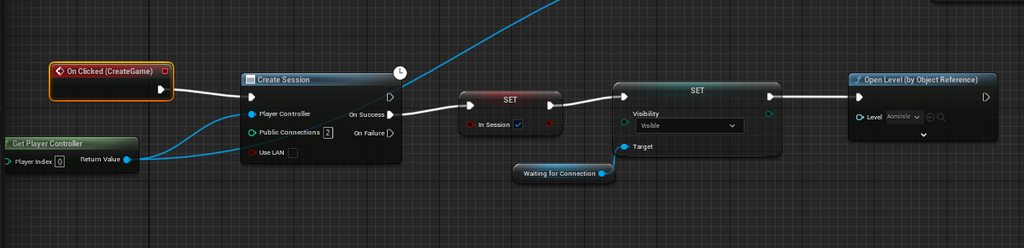 tribal badge
Whenever i load the map from the editor with 2 players it connects no problem. The issue seems to be specific to the Join Session command
twin juniper
I want to get reference to Game Widget which I am creating and adding in Level Blueprints in PlayerState and Game State on Client and Server Both. The problem is that Player Controller doesn't have it's Player State initialized on Client and therefore GameWidget references are setup correctly on server but not on Client. Any solution?
echo bough
twin juniper
I want to get reference to Game Widget which I am creating and adding in Level B...
kinda treat OnRep_PlayerState as the "possessedby" for clients and do stuff from there
twin juniper
echo bough
kinda treat `OnRep_PlayerState` as the "possessedby" for clients and do stuff fr...
How do I implement it in BP?
I came across it but tried BeginPlay on PC but it fires twice for Server setting GameWidget to None after it's been set correctly
Why would it do so?
echo bough
tried on playerstate's begin play?
twin juniper
echo bough
tried on playerstate's begin play?
Not yet. Will try it.
sinful tree
twin juniper
Why would it do so?
Begin Play of most replicated actors will fire on both the Server and Clients. Treat it as if when the server spawns the actor, the begin play fires, when the client receives the notice to spawn that replicated actor, it also fires the begin play. Also, if you're using dedicated server (play as client in editor) widgets can't exist on them so that's why you end up getting the "None" error when trying to add to viewport.
You can gate off something like begin play with Has Authority. Has Authority will almost always be the server (whether dedicated or listen server) unless the object is spawned locally on a client, where the Remote path can be thought of as the clients.
 twin juniper
sinful tree
Begin Play of most replicated actors will fire on both the Server and Clients. ...
twin juniper
sinful tree
Begin Play of most replicated actors will fire on both the Server and Clients. ...
PC for client exists on client right? Is PC replicated too?
echo bough
only to owning client
twin juniper
echo bough
there is this macro to check for dedicated server
I thought of checking for authority but it didn't seem like a good solution. Would try other approaches first and if nothing works then try this
sinful tree
twin juniper
PC for client exists on client right? Is PC replicated too?
The player controller is replicated, yes. This is a funny one, as the player controller and the playerstate can be created locally first before the server has replicated it. The replicated copy takes over.
twin juniper
sinful tree
The player controller is replicated, yes. This is a funny one, as the player co...
I understand. but why begin play of PC fires 3 times in total?
I have a server (not dedicated) and a client
Okay got it
Server PC is replicated but not the client one as it is on client
But why would Server PC beginplay on Client Side affect the one on Server Side?
sinful tree
- Host (listen server) creates their playercontroller - Server begin play fires on playercontroller0
- Host (listen server) creates the second player controller - Server begin play fires on playercontroller1
- Client1 receives their player controller - local client begin play fires playercontroller1
echo bough
Server PC0 Fires
Server PC1 Fires
Client PC0(PC1 in server) Fires
twin juniper
Oh, so server created PC for both client and server?
sinful tree
Of course.
It's a replicated actor, so it must exist on the server and you definitely want it on the client 🙂
twin juniper
sinful tree
It's a replicated actor, so it must exist on the server and you definitely want ...
Ah, sorry it gets confusing sometimes but it certainly makes sense now.
Is there a way to implement OnRep_playerstate in BP?
sinful tree
Nope
twin juniper
echo bough
so the best bet is to use PlayerState's begin play instead
Yeah. And if that doesn't work I can check for local role
sinful tree
echo bough
so the best bet is to use PlayerState's begin play instead
Even that's not great - Begin Play of the playerstate isn't reliable since a client will ultimately create a local copy of a player controller and playerstate before they are replicated. So the begin play that fires usually ends up being their local one first, and then when the replicated one takes over it doesn't fire again.
twin juniper
sinful tree
Even that's not great - Begin Play of the playerstate isn't reliable since a cli...
When I tried setting it from Level BP it hadn't created a local copy and Player state was null upto that point
That is where all this ruckus began in the first place
Would try and see what happens
Thank you for the help 😊
twin juniper
echo bough
so the best bet is to use PlayerState's begin play instead
But how do I get the reference from Level Blueprint to Player State?
twin juniper
twin juniper
But how do I get the reference from Level Blueprint to Player State?
Got it. The solution was to use the GameState class and then get the reference from there. It works.
arctic minnow
Can someone show me how they replicate a launch character?? The right way and a animation montages also how would i make my launch characters smoother in client??/playmontages seams as if they run jumper without shooting in client
😃😁😃😁
😃😁😃😁
 buoyant scaffold
arctic minnow
Can someone show me how they replicate a launch character?? The right way and a ...
buoyant scaffold
arctic minnow
Can someone show me how they replicate a launch character?? The right way and a ...
Make a server RPC that calls a net multicast RPC that calls launchcharacter
knotty briar
Just a question? How can I get a reference to the current session result
Like the session the player is in if it’s a multiplayer match
Cuz I wanna get firstly the max amount of players and secondly the current players to find out when to start the match
 limber cloak
How do you change the skeletal mesh from a USkeletalMeshComponent in multiplayer? I know how to do run on Server and NetMulticast
I need an answer in C++
Please do help
blazing spruce
knotty briar
Cuz I wanna get firstly the max amount of players and secondly the current playe...
Im not sure if you can get a reference to the current session result cause CreateSession doesn't return the session result but you don't need it to set a max amount of players or keep track of the current number of players, when you're calling CreateSession the 'Public Connections' is your max players and then in your game mode you want to override the 'Event Handle Starting New Player' event and create a 'Connected Players' array that stores player controllers, then cast 'New Player' to your player controller and add it into the Connected Players array
You also want to override OnLogout on your game mode too so when a player leaves the session you want to remove their player controller from the Connected Players array
Then before you start the game check if the length of the ConnectedPlayers array is equal to your MaxNumPlayers, if ture, start game
 clever hound
This is happening in the server:

it goes to the client rpc

Then in the client RPC it somehow shows it is empty

So the variable which turns into parameter has value in the server RPC but is empty in the client RPC and I can not figure out why
(This is in the same place as pic n.1) But if on the server I take a copy of something inside the Local Quest ref like the objectives array then it is not empty
 kindred widget
clever hound
(This is in the same place as pic n.1) But if on the server I take a copy of som...
kindred widget
clever hound
(This is in the same place as pic n.1) But if on the server I take a copy of som...
Your Quest isn't replicating the Objectives.
clever hound
kindred widget
Your Quest isn't replicating the Objectives.
No that is not the issue. The issue is that the whole quest ref is empty on the client side.
This is on the server when creating the Local Quest Ref:
 kindred widget
You need C++ to replicated UObjects as subobjects unless that's changed recently.
kindred widget
clever hound
it goes to the client rpc
If it isn't replicated, it won't resolve on the client from the RPC in this function.
Also don't make this RPC directly after creating it either. It still won't resolve correctly. It won't have time to replicate to the client before the RPC reaches it.
clever hound
kindred widget
If it isn't replicated, it won't resolve on the client from the RPC in this func...
I use C++ but you can't set Object type classes as replicated right?
kindred widget
You have to do it through the outer. Sec
 ancient adder
Get the outer actor and call AddReplicatedSubObject()
I think this is not possible in 5.1 or 5.0, you have to override some functions in the actor
kindred widget
Your UObject needs to be a C++ base and override IsSupportedForNetworking(), and return true.
In the outer, either an Actor or ActorComponent, you set this in it's constructor.
bReplicateUsingRegisteredSubObjectList = true;
And then you can use this to replicate the object.
AddReplicatedSubObject(ItemToAdd);
Worth tracking these in an array to call this when finished with them.
RemoveReplicatedSubObject(ItemToRemove);
clever hound
kindred widget
Your UObject needs to be a C++ base and override IsSupportedForNetworking(), and...
So instead of the Construct Base Quest in the blueprint this C++ code does basically the same thing?
kindred widget
That is object instantiation. What I just wrote out is how you replicate it after that.
clever hound
kindred widget
That is object instantiation. What I just wrote out is how you replicate it afte...
Thanks this helps. I will probably figure it out now
dark parcel
is get player controller bad for multiplayer?
clever hound
dark parcel
is get player controller bad for multiplayer?
From what I know, no its not. You use it just like Get Player Character but it just returns the controller instead, which you often do need
dark parcel
👍
knotty briar
blazing spruce
Then before you start the game check if the length of the ConnectedPlayers array...
I see
kindred widget
dark parcel
is get player controller bad for multiplayer?
@clever hound It depends on the context. In most networking code, your classes have a way to get the related controller they need. You should never, under any circumstances rely on the index to get a controller or character.
Also GetPlayerController at index zero can return a client player controller on the server under rare conditions while server travelling in listenserver mode.
If you're using it for UI, it's pointless, UserWidgets have a GetOwningPlayer function to get their relative, local controller.
So in general there's not really much use case for the generic GetPlayerController/Pawn/Character in most code.
clever hound
kindred widget
<@802596752447766569> It depends on the context. In most networking code, your c...
What about if you need to cast to the players Character? Should you still not use GetPlayerCharacter?
kindred widget
clever hound
What about if you need to cast to the players Character? Should you still not us...
I don't understand the question. Casting has nothing to do with getting.
clever hound
kindred widget
I don't understand the question. Casting has nothing to do with getting.
What I mean is that are you saying this is bad?
 kindred widget
What class is this in?
kindred widget
Why does your enemy need access to the local player controller?
clever hound
kindred widget
Why does your enemy need access to the local player controller?
To turn the HPBar towards it

So is this bad then?
kindred widget
That might be fine, but I'd recommend switching that to a simple GetPlayerCameraManager->GetCameraLocation. It's project agnostic and doesn't care about your character.
And I would only suggest this if you really need a 3D widget. Anything screen space should be done in screen space UI and never in a WidgetComponent.
clever hound
kindred widget
That might be fine, but I'd recommend switching that to a simple GetPlayerCamera...
Its just an example and I know I could do it with million different ways which do not require the GetPlayerCharacter, this is just a quickly set up mess which is set to change later on.
Its VR project
Everyting is in world space
kindred widget
I'd maybe rely on the playercamera manager still. Less hard references to classes that might contain heavy assets. And you can copy paste it elsewhere later with no changes, like a new project if need be, portable.
clever hound
Ok ill keep that in mind
blazing spruce
Hey, what's the best way to replicate the head rotation of my characters? im calling the CalculateHeadRotation function on the Event Blueprint Update Animation event in the animation bp, server sees it fine ofc but clients dont see other players head rotation?

 dark parcel
kindred widget
<@802596752447766569> It depends on the context. In most networking code, your c...
dark parcel
kindred widget
<@802596752447766569> It depends on the context. In most networking code, your c...
Thanks
 fair latch
blazing spruce
Hey, what's the best way to replicate the head rotation of my characters? im cal...
fair latch
blazing spruce
Hey, what's the best way to replicate the head rotation of my characters? im cal...
Need to set the value on the server
I suggest having the replicated variable in the character actor.
blazing spruce
fair latch
I suggest having the replicated variable in the character actor.
Ahh nice one that did it, cheers!
 loud frost
Which server is best for unreal engine game hosting ??
sage light
Hey guys, we are looking to implement voice chat features to our game. I wanted to ask which solution in your opinion would be the best based on your experience -
I was thinking about playfab party because we are already using playfab servers and playfab matchmaking, but it seems like it would require some overhead. Wouldn't it be much easier to find a plugin/solution that uses the existing dedicated server for trasnmitting the voice chat data rather than using a different micro service for that?
 unique cloak
Does anybody know are these lines don't do anything? I even tried to use the damaged actor overhead widget and it still didn't work, ideas?
- btw, these functions are fine and I use them in another class and they are working fine I have no idea why it doesnt work here on ReceiveDamage. please help 🙂
 rich locust
unique cloak
Does anybody know are these lines don't do anything? I even tried to use the dam...
rich locust
unique cloak
Does anybody know are these lines don't do anything? I even tried to use the dam...
ReceiveDamage, gets called on server side no ? then it wont work
you need to carry UI updates to client side
unique cloak
rich locust
you need to carry UI updates to client side
thanks I will replicate that
unique cloak
rich locust
ReceiveDamage, gets called on server side no ? then it wont work
Do you think its a good way to use client RPCs like that? because I repeat the same stuff for the server too.
 winged badger
You can just call ShowPlayerName(DamagedActor) from your client RPC
And not dupe code
 crystal palm
hi
crystal palm
Anybody knows how can I get controller Id of my pawn or a reference to it?
I want apply my posses just into that pawn in box collision
crystal palm
 fossil spoke
crystal palm
fossil spoke
crystal palm
What is the Sphere Trace tracing for?
The Pawn?
If so, just Cast to Pawn, the Actor that the Sphere Trace returns.
crystal palm
fossil spoke
The Pawn?
It's a old image in my new doing I want to connect player controller to posses
fossil spoke
Why would you post an image that contains outdated code???
Post the most up to date code.
crystal palm
fossil spoke
Why would you post an image that contains outdated code???
Cuz It brings the meaning
I don't have access to my pc
tribal badge
So I just had my friend download a packaged version of the game. In my game locally I have a Create Game and Join Session call. They worked perfectly fine when I used it locally. However, when my friend tried to find my session it didnt pop up.
Do i have to have an online subsystem configured to support this logic, or does the base multiplayer/online functions handle this?
icy jetty
well, it's not going to automagically let him connect to you over the internet
tribal badge
So if I am understanding this correctly. Session discovery only works on LAN unless im using steam sockets? Unreal multiplayer works, but I would need to connect to the IP directly?
tribal badge
icy jetty
well, it's not going to automagically let him connect to you over the internet
i dont think you read the question clearly
icy jetty
your create game and join session worked perfectly fine when you used it locally, on your own system, but your friend cannot find your session over the internet, is how I read that
tribal badge
yes, followed by 'do i need an online subsystem configured to support this logic, or does the base multiplayer/online functions handle this?'
the answer is yes I need an online subsystem to support this. How does your response help lead me to that answer?
icy jetty
afaik you can also connect without an online subsytem, using IP, but you need to program that into it
tribal badge
yeah thats what I had just figured out moments before you responded
but its good to know now
better than something wrong with my netcode
icy jetty
might also to have to open ports and whatnot tho
to avoid firewall blocking inbound connections
knotty briar
Jus a general question, I’m sure this goes here as it’s networking related. Basically yk how there’s a small jitter right on the client’s pawn in multiplayer, im not sure if it would work, currently my input system is set up in the pawn, where it runs a server even then the multicast even when input is triggered, if I move the input into my controller instead but keep the main movement system in the pawn and call that function from the controller would that fix the jitter
Cut the server and client ain’t fighting anymore and the client never updates it anymore
Only the server does
Although that’s probably how it was before too
I jus don’t know if anyone’s tried it so if anyone has and noticed a difference would you let me know
Cuz I’m in abut of a hurry on this so if it fixes it then ima happy and if it doesn’t then I don’t wanna waste time on it as I have 5 days left out of the ten days we had
 amber barn
hi guys, has anyone implemented a knockback without physics? im using addmovement right now and no matter how big i make the vector the pawn doesn't move much
small grail
amber barn
hi guys, has anyone implemented a knockback without physics? im using addmovemen...
I guess it is better with root motion?
amber barn
small grail
I guess it is better with root motion?
not sure what you mean by that sorry
small grail
amber barn
not sure what you mean by that sorry
Your hit animation has the rootmotion for the location offset.
In short, the character movement controlled by the animation.
Same as your character doing rolling
amber barn
hmm still not sure what youre talking about, when a projectile hits my playerpawns they need to get knocked back x units or with x force, im doing this atm
FVector force = GetActorForwardVector() * 100000000.0f;
AddMovementInput(Force, 10.0f);
value of force doesn';t change the knockback distance
small grail
amber barn
hmm still not sure what youre talking about, when a projectile hits my playerpaw...
Well, what I mean is not controlling the movement by programming, instead, if you have an animation for the character being hit by the projectile, the hit animation has the root motion movement set there to control the distance being knockback. If you don't have any animation for it, it feels a bit weird right? And movement input doesn't work for that.
You need to use Add Impulse method.
amber barn
ah ok i see what you mean more now, i dont need an animation right now just moving is ok to proof of concept it
if i use add impulse i need to enable physics and i dont wanna do that haha
small grail
Hmm, I don't think you need that since I did it before. You can add impulse to the movement component IIRC
amber barn
small grail
Hmm, I don't think you need that since I did it before. You can add impulse to t...
yeah makes sense
from what i can tell these do the same thing
    GetMovementComponent()->AddInputVector(Force, true);

    // AddMovementInput(Force, 10.0f);
Lemme check the code. By the way, have you tried launch character?
amber barn
small grail
Lemme check the code. By the way, have you tried launch character?
i tried launch, didn't move the pawn 😦
thank you!!
small grail
amber barn
i tried launch, didn't move the pawn 😦
thank you!!
That is weird. It doesn't work on either multiplay or single play?
amber barn
yeah for me anyway 😦
icy jetty
amber barn
i tried launch, didn't move the pawn 😦
thank you!!
you're saying pawn. launch requires a movement component like CMC or PMC. You have one of those for sure?
amber barn
icy jetty
you're saying pawn. launch requires a movement component like CMC or PMC. You ha...
yeah sorry i tried it with character
    ACharacter* Character = Cast<ACharacter>(GetOwner());
    if (Character)
    {
        Character->LaunchCharacter(KnockbackVelocity, true, true);
    }
hang on let me check the launch node code
are you setting that knockbackvelocity somewhere?
amber barn
yeah just found the problem sorry
the code isn't running 
thecharacter is null
i dont know why though
limber cloak
can someone tell me if its possible to change the mesh of uskeletalmeshcomponent in multiplayer for all clients (I only manage to change for host)?
 covert mirage
hello everyone, what online subsystem (eos,steam,google or something) should I choose for developing multiplayer for android/ios ?
I need the matchmaking functionality to work in android/ios
small grail
covert mirage
hello everyone, what online subsystem (eos,steam,google or something) should I c...
No any other choice I think. Google one for Android and iOS one for iOS😅
covert mirage
So EOS subsystem really doesnt work in mobile then 😅
just found the redpoint eos plugin
does it provide EOS subsystem functionality to work on mobile platform ? including matchmaking
small grail
EOS is kinda a shell. You still need the native online subsystem for your mobile os I think.
If you do need to login user to their mobile platform, you have to load the native online subsystem.
But if you wanna do crossplatform matchmaking, then EOS helps.
loud frost
covert mirage
hello everyone, what online subsystem (eos,steam,google or something) should I c...
Online subsystem
I just do only creating session and joining session
Didnt done matchmakinh
boreal bison
I'm trying to have my UI show whose turn it is, so I create it in the first image, and in the second image I have a gamestate event dispatched that gets called on the UI to show whose turn it is, but for some reason Get Owning Player only ever gets the server's playerstate and I can't figure out why.

 sinful tree
knotty briar
Cuz I’m in abut of a hurry on this so if it fixes it then ima happy and if it do...
sinful tree
knotty briar
Cuz I’m in abut of a hurry on this so if it fixes it then ima happy and if it do...
For perspective, the Character Movement Component included with the Character class in Unreal is over 3000 lines of C++ code, and it's whats in there that allows for smooth, client predicted movement.
The actual solution is you make a replicated movement component in C++ and look at how Unreal did it with the Character Movement Component, and then you adapt it to what you need, which could likely take you longer than 5 days to do.


 boreal bison
arctic minnow
How would I replicate this right?
boreal bison
arctic minnow
How would I replicate this right?
What are you trying to do?
arctic minnow
Make the pickup work on multi player this also this is all the code related to this


it puts it in my side in multiplayer but picking it up does not replicate for both clients
🙂 🙂
crystal palm
hi
i'm making a multiplayer game and i want to possess the actor in the trigger box how can i do it?
image of that
@fossil spoke its the new code
sinful tree
crystal palm
hi
i'm making a multiplayer game and i want to possess the actor in the trigger ...
Overlap > Has Authority (Authority) > Cast Other Actor to your Current Player Pawn class > from the cast, get controller > possess
crystal palm
sinful tree
Overlap > Has Authority (Authority) > Cast Other Actor to your Current Player Pa...
i tried but it crashes
sinful tree
You'll have to figure it out then, as that's how you'd do it.
crystal palm
ok ty
crystal palm
sinful tree
Overlap > Has Authority (Authority) > Cast Other Actor to your Current Player Pa...
what is " Has Authority (Authority) "?
it's a node?