#multiplayer
1 messages · Page 84 of 1
 sinful tree
 obtuse loom
sinful tree
Are you doing any manual spawning of these characters, or just using the game mo...
obtuse loom
sinful tree
Are you doing any manual spawning of these characters, or just using the game mo...
game mode default
 small grail
As Datura said, you probably need to make the framework for network spawning or get a sample
obtuse loom
make sense
sinful tree
Have you tried restarting the editor? The only case I can think of now with your set up is if you happen to be calling into a different character that isn't owned to try and perform the move which I don't think you'd be doing.
Like, the input should be on the character, that same character sends server RPC.
obtuse loom
sinful tree
Like, the input should be on the character, that same character sends server RPC...
i have the input in the bp for the character
and the function it calls in the c++ for the character
obtuse loom
sinful tree
Like, the input should be on the character, that same character sends server RPC...
ya thats what im doing
i guess ill try and make the network spawning tomorrow and see if it works out
igtg now thanks for your guys's help i really appreciate it
have a good rest of your night/day
small grail
I'm in morning time since I'm in Japan
small grail
obtuse loom
have a good rest of your night/day
Have a good night
 round acorn
If the client has logic that sets a replicated variable and the server has logic that sets a replicated variable to something else, ultimately whoever goes last wins?
small grail
round acorn
If the client has logic that sets a replicated variable and the server has logic...
Interesting question but I guess server wins.
Because server replicated to client with network transmission means will be a bit late.
round acorn
If it's outside a server-only RPC then I guess it's running on both so the value should be identical, barring other logic that feeds into it that may be server or client side specifically.
And outside a client only RPC
What is that called? When an execution path is running on both the server and the client at the same time and setting a replicated variable in that path? Just...normal?
round acorn
small grail
Because server replicated to client with network transmission means will be a bi...
That's true
Hm
I'm gonna rebuild my player state character and animation replication and was thinking about the best way to handle this stuff heh
small grail
So, if you are going to use RPC, don't use replicated value involved in.
My personal suggestion is replicated version for cosmetics like avatar attachment visual
round acorn
I don't want to use RPCs if I can avoid them
small grail
But RPC for core logics you want really be synced.
Like spawning, match state changes and etc.
Maybe spawn is a bad example that usually on server, lol.
round acorn
Yeah some will be unavoidable
 meager spade
Welcome to the battle of latency
small grail
In my experience, I made a tetris online battle game and erasing the lines are RPCs.
meager spade
You will always have latency, so you just need to work around it 😛
round acorn
Aye. Generally only send what you must. Compute everything you can.
Is that accurate ?
meager spade
RPCs are for things that need to happen quickly, Replicated props are for things that can take a while, RepNotify props are for state things
small grail
And rep is not reliable so it could be lost
The event you don't wanna be lost needs RPC
meager spade
rep props are reliable
small grail
Are they? Sorry If I'm wrong.
meager spade
they will eventually be sent
small grail
Even you have really bad connections for a little while?
meager spade
yes
but rpc's take priority
which is why if you abuse RPC's, ie sending tons of reliable rpc's
your game == broken
round acorn
Found that out the hard way
meager spade
i mean you need to be sending enough not to flood the reliable buffer
but be just below the buffer
meager spade
i use quite a lot of rpc's
small grail
meager spade
which is why if you abuse RPC's, ie sending tons of reliable rpc's
Yeah, like don't do every tick RPCs
meager spade
every bullet from a gun is an rpc
small grail
That's a bad habit...
meager spade
yeah but the movement component does that
but its on the unreliable side
who cares if we miss a few updates
round acorn
If a client is aiming just so I want the other clients auto proxies to match that blend space
meager spade
oh we don't use rpc's for that stuff
small grail
You can definitely using OnRep
meager spade
well we do for when they start aiming
and stop aiming, ofc
but that is it
as server needs to know when they started and stopped aiming
round acorn
Otherwise they just use a replicated property or two (axis?) To feed the blendspace
meager spade
but we give them a gameplay tag, which updates the animation
we use BaseAimRotation from the pawn
for the blend space
round acorn
Gotcha
round acorn
Man my player state character... it's a miracle it even works right now. It was the first thing I ever tried making with multiplayer. It's a hot mess.
So, so much on tick.
 icy jetty
so take stuff off tick 😅
meager spade
our player character has 0 tick logic
round acorn
Looking forward to cleaning it up
meager spade
it even has tick disabled
round acorn
0?!
round acorn
I run a sphere trace on tick from my interaction component from the character
meager spade
we do it on the controller
round acorn
Ah
round acorn
True
meager spade
we do our traces in PlayerTick as this is local only
and not on the server
(PlayerTick is a function in the PLayerController)
round acorn
And the server just has to accept your traces? Or you validate another way
I guess all the server needs to agree with is you're in the right vicinty of the interact target eh
And the server should already be doing that
meager spade
we validate it on the server side
round acorn
Ya
meager spade
but server does no traces for the actual interacted item
but it does some checks (is interactable in sane range, angle to interactable, etc)
round acorn
There is so much I need to do better. Thankfully not a lot of rework.
meager spade
and a trace to check for anything blocking
same as our weapons
we only trace for the hit on the client
server does some validation but doesn't do a trace to determine what was hit, but does a trace to make sure nothing blocked the hit (like a wall), angle from player to hit actor, distance, fire rate, etc
small grail
It's always a balance between player experience and anti-cheating. More strict means worse performance.
meager spade
more strict can also be bad experience
sure you can use rewind systems (but this is a performance and memory penalty)
meager spade
but player will be pissed if he said "i hit that player" but server says "no you didn't cause i missed"
all because of latency
round acorn
I honestly don't care about cheating that much. Couch co-op with casual pvp action RPG.
That said, if people are messing up the experience for others by speed hacking or something... yeah. No bueno.
icy jetty
meager spade
but player will be pissed if he said "i hit that player" but server says "no you...
good ole' cs go hit reg? lol
 fossil spoke
There will always be cheaters, you really only need to ensure that you do enough to stop the vast majority of them.
meager spade
cs go was terrible for it
fossil spoke
I remember Battlefield being super bad as well
meager spade
small player competive games, using a rewind system does work well
small grail
Those dudes just make it mainly for consoles.
meager spade
but tbh, it can be a bit overkill
small grail
It is fair to be enough on consoles.
fossil spoke
Prediction is another one of those things lol
We dont predict grenades
Players can barely tell
Unless their ping is 300+
meager spade
nowadays, with the way internet is, its not as bad as it was
round acorn
300+ is just HPBs anyway
meager spade
i mean most people are <80 ping
round acorn
Wonder if you guys were around for the LPB/HPB days lol
Early days of e.g. quake 1 arena. Low pinged and high pinged bastards.
meager spade
yeah, i used to play quake 1 arena
round acorn
Living in AK I was always an HPB haha
meager spade
players want there input to be responsive, so when we throw a grenade, the animation etc is instant
same as weapon fire, movement, etc.
icy jetty
ugh, I'm getting PTSD flashes from playing R6 against Chinese players with 300 ping that had the upperhand because of lag lol
fossil spoke
meager spade
players want there input to be responsive, so when we throw a grenade, the anima...
Thats ours as well.
Anim goes, grenade just pops in when it reps
meager spade
yeah, same
fossil spoke
The anim covers it for the most part
meager spade
we spawn the grenade quite early in the anim
fossil spoke
Yep
round acorn
That's good to know. I won't predict some of my skills in the rpg then.
icy jetty
idk that ping plays that much of a factor in an RPG
fossil spoke
In fast paced action, Players arent watching their grenades come and go, they care more about not dying
meager spade
Rule of prediction: Predict as little as possible to make the game feel responsive, people think they have to predict everything, i see it all the time in #gameplay-ability-system 😦
round acorn
Well it's fast like Elden Ring
fossil spoke
Thats our rule as well.
icy jetty
swinging a sword is never as fast as a bullet needs to be, I mean 😄
round acorn
True
small grail
But GAS is supposed for most of genre of the games I guess?
fossil spoke
GAS isnt genre specific no
small grail
It is easier to make network based games but I still don't like it from beginning.
It is so shitty for debugging.
fossil spoke
Its a complex system.
round acorn
My delve into GAS is going well so far
Hardest part has been designing the proper attributes and MMC/DEC setup
small grail
The worst experience I had is just wanna figure out where game designers setting the tag to make the character broken...
You can't search blueprint default properties
meager spade
complex, over engineered, powerful, but when it works, it works well
there is some big changes coming to GAS in the future though
 quasi tide
I'll bite. Like what?
small grail
The input chain is also not straight forward enough now. You are so painful to find out the combos graph, there's no.
So basically everything for debugging is staring at the tags changing during runtime which is not my favorite...
 drifting stirrup
need help
small grail
drifting stirrup
need help
You have the client character rep the event to the server? If that way, it not gonna work. Only possesed character (because of player controller) can rep the event to server.
 daring arch
Yo!
Server-side, how can I know the last world-space movement direction of a Character?
 thin stratus
daring arch
Yo!
Server-side, how can I know the last world-space movement direction of a Ch...
thin stratus
daring arch
Yo!
Server-side, how can I know the last world-space movement direction of a Ch...
Get the Velocity from the CMC for example
daring arch
I tried that- the problem with that is that for example, if a Character is running straight against a wall, using their velocity for this calculation will result in a wrong direction.
The player is running against the wall but the resultant direction will be the character walking slightly alongside the wall. Does that make sense?
There are scenarios in which obtaining a character's direction from their velocity will result in a different direction than the character's desired direction from their movement input vector
I thought ACharacter->GetLastMovementInputVector() would do the trick (and it does, clientside) but that method is not replicated.
thin stratus
There should just be a getter
It's the movement direction times the acceleration value. So if you normalize it you get the input direction in WorldSpace again
daring arch
Hmm, auto-complete isn't giving me anything from ACharacter (tried "Accel" and "GetAccel")
I'll google around for that getter though! Is that value replicated?
daring arch
Found it, thanks! "GetCurrentAcceleration" from CMC
I'll just normalize it and use that as a direction then. Thank you very much!
thin stratus
No biggie. (:
drifting stirrup
small grail
You have the client character rep the event to the server? If that way, it not g...
it is npc that isnt replicating properly
client character works fine with replicating its own fx, its just the npc having problems
small grail
drifting stirrup
client character works fine with replicating its own fx, its just the npc having...
Client character means the player character on client side? If so, they still has the player controller. NPC has no player controller so it would not be able to rep the event from client to server.
drifting stirrup
small grail
Client character means the player character on client side? If so, they still ha...
it doesnt
NPC is on the server
small grail
drifting stirrup
NPC is on the server
Are they replicated?
drifting stirrup
their movements and stuff, yea
animations too
its only the niagara spawning that isnt working
small grail
drifting stirrup
its only the niagara spawning that isnt working
Did you spawn it from server?
drifting stirrup
small grail
Did you spawn it from server?
i did it in multicast
small grail
drifting stirrup
i did it in multicast
Would you like to show the code if you don't mind.
drifting stirrup
sure but its messy looking
drifting stirrup
small grail
Would you like to show the code if you don't mind.
\

maybe i shouldve said before but this is specifically the npc controller
small grail
drifting stirrup
maybe i shouldve said before but this is specifically the npc controller
Is it AIController?
AIController doesn't exist on client side.
drifting stirrup
yea
drifting stirrup
small grail
AIController doesn't exist on client side.
whys that matter
small grail
So it won't spawn because client doesn't have the controller to receive RPCs...
drifting stirrup
small grail
So it won't spawn because client doesn't have the controller to receive RPCs...
doesnt client take any RPCs from server
small grail
drifting stirrup
doesnt client take any RPCs from server
It does, but the condition is the client needs to have the replicated actor from server.
AIController never exists on client so it is not able to receive the RPCs
You may change the code to NPC character class and give a try.
drifting stirrup
small grail
It does, but the condition is the client needs to have the replicated actor from...
why
drifting stirrup
small grail
You may change the code to NPC character class and give a try.
ill try it
small grail
drifting stirrup
why
Just imagine that like your server send the event to null instance.
If you are asking why AIController is not existing on client, because it is supposed to control only on server.
drifting stirrup
small grail
Just imagine that like your server send the event to null instance.
wym the server already knows the player character instances and the aicontroller instances
what would be null
small grail
Sorry, I cant find the doc I read. But just be good to remember that AIController is not replicated and it is only on server just like gamemode
drifting stirrup
small grail
You may change the code to NPC character class and give a try.
works!!
drifting stirrup
small grail
Sorry, I cant find the doc I read. But just be good to remember that AIControlle...
was it from the wiki or official docs?
small grail
drifting stirrup
was it from the wiki or official docs?
It is not. Unfortunately, official doc is not such detailed.
drifting stirrup
yea unfortunately
drifting stirrup
small grail
Sorry, I cant find the doc I read. But just be good to remember that AIControlle...
is there anything else i should know net related
small grail
drifting stirrup
is there anything else i should know net related
https://wizardcell.com/unreal/multiplayer-tips-and-tricks/
I didn't read it thoroughly but it looks good to check.
 naive bloom
trying to set up multiplayer spawn system and everything is going good but the server player cannot control the pawn, any ideas?
drifting stirrup
ok thanks
small grail
naive bloom
trying to set up multiplayer spawn system and everything is going good but the s...
How did you possess?
naive bloom
the actual posses part of the blueprint is in a custom function on the game mode
sinful tree
drifting stirrup
doesnt client take any RPCs from server
To add to what Joseph.S was saying, it's not about clients "taking any RPCs". Actors or components that are not replicated do not have a connection to clients, thus, there is no network communication happening that would allow an RPC to fire.
AIControllers are one such actor that doesn't get replicated to clients as there's no need for them to be as they are handled exclusively by the server, so you can't reference any AIController on a client. The server can still reference any.
Player Controllers are replicated to the owning client only, so when executing something on the client, you won't be able to reference any other player controller other than the one that belongs to the client. The server can still reference any.
When dealing with Server->Client RPCs, they can only be executed on Actors that are owned by a client, then that particular client will execute it. So if you tried running one on an NPC, I believe you'll get a message about there being no owning connection and it being rejected.
Similarly Server RPCs (Client->Server) can only occur on client owned actors that were spawned and replicated by the server (though there is a way to spawn on both server and client separately and make them net addressable). Any other actor will result in the RPC not going through with a similar error message.
Multicasts can occur on any replicated actor even if it is not client owned, so long as it is executed by the server, though the actor may not necessarily be considered "Relevant" for all connections (there's ways you have to control this, based on distance etc.) and then it won't execute on any non-relevant clients.
naive bloom
there's a part in my blueprint code stating that if the target is controlling a pawn destroy that actor and I bound a key to trigger that event and it is destroying the actor on the server side which I cant move in. So i guess I am technically possessing it but for some reason I cant move
small grail
naive bloom
there's a part in my blueprint code stating that if the target is controlling a ...
Can you just try a simple test that spawning and possession?
naive bloom
not sure I know how to make it simple while keeping the same base function, heres the part of the blueprint i think is messed up some how
 drifting stirrup
sinful tree
To add to what Joseph.S was saying, it's not about clients "taking any RPCs". A...
drifting stirrup
sinful tree
To add to what Joseph.S was saying, it's not about clients "taking any RPCs". A...
When dealing with Server->Client RPCs, they can only be executed on Actors that are owned by a client can only be executed to an actor owned by a client? or from?
naive bloom
thats in my game mode blueprint
small grail
naive bloom
thats in my game mode blueprint
Where is your player controller from?
naive bloom
thats from my player controller BP, heres the code
 sinful tree
drifting stirrup
`When dealing with Server->Client RPCs, they can only be executed on Actors that...
sinful tree
drifting stirrup
`When dealing with Server->Client RPCs, they can only be executed on Actors that...
You execute RPCs on actors. The direction is either to or from a client and the server and I indicated in that quote it was going Server to Client.
Essentially, you can have a replicated actor that exists on the server and client at the same time, but in the concept of the engine, you have a single reference between both.
naive bloom
not sure if this helps but even when I run it in standalone I cant move
drifting stirrup
sinful tree
You execute RPCs _on_ actors. The direction is either to or from a client and t...
AIControllers are one such actor that doesn't get replicated to clients as there's no need for them to be as they are handled exclusively by the server, so you can't reference any AIController on a client. im confused on this
do RPCs automatically send the actor it came from and so if the receiving client doesnt have that reference it doesnt work? or is it hard-coded for clients to not take RPCs from server-only instances
sinful tree
The RPCs would have a reference to the actor they are using, and yes, if the client doesn't have that particular actor, it can't work.
Before the RPC is actually sent, the server already knows if an actor is replicated and if it is relevant to any particular client, and would only send the RPC if it knows the client would be able to receive it.
drifting stirrup
so would it be possible to send "anonymous" RPCs?
sinful tree
What is an anonymous RPC?
drifting stirrup
doesnt send extra data with the reference to the actor it came from
sinful tree
Unreal Engine's replication system in blueprint RPCs requires you to send an RPC through an actor.
No actor, no send.
drifting stirrup
ok but what about cpp RPCs?
sinful tree
Same. You could probably code your own replication system if you wanted in C++.
Actor RPCs will be sent on that actor. Period. It needs an actor to do it.
icy jetty
naive bloom
not sure I know how to make it simple while keeping the same base function, here...
Did you put a breakpoint on the possess to make sure it fires? Also , get in the habit of using redirect nodes, having wires cross each other and go behind nodes makes it harder for yourself and others to read and debug your code
 radiant dew
sorry not too comfortable with replication, i have a server and client players and i run this on bp_Thirdpersoncharacter but this does not replicate to my new level it opens (neither sees eachother). Any hints or help? Thanks in advance!

 tight elk
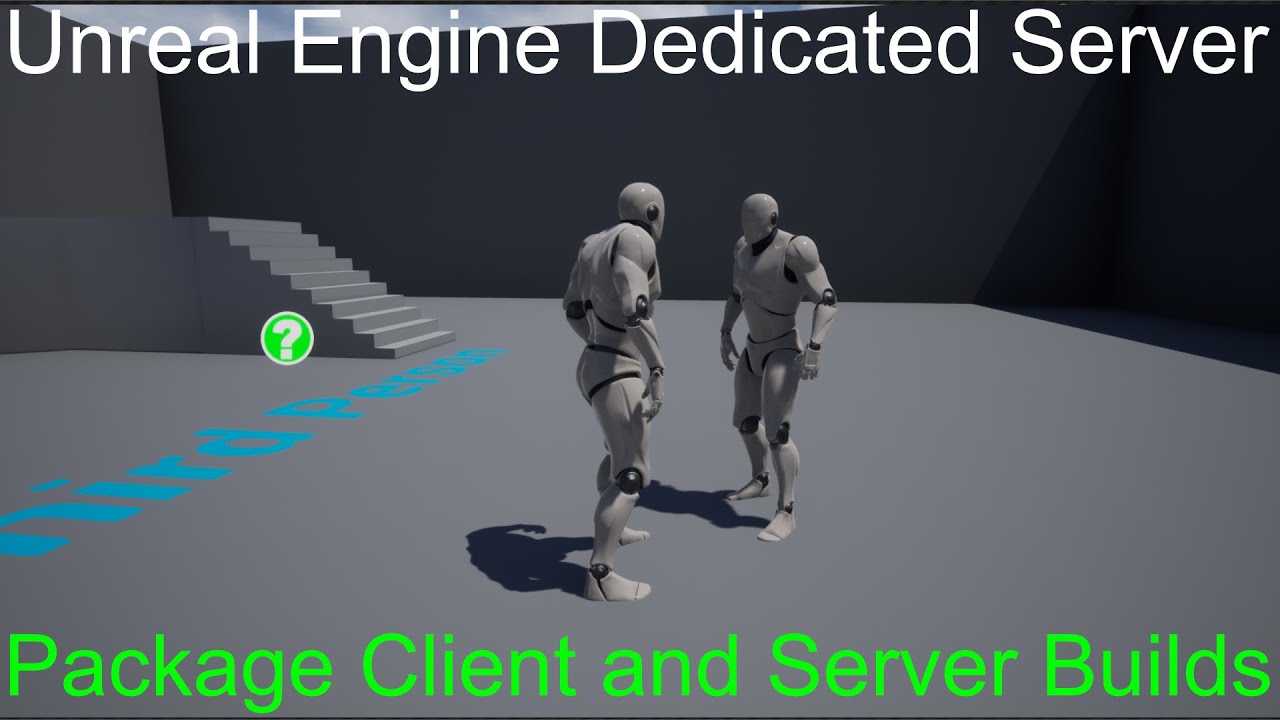
https://www.youtube.com/watch?v=ad5MZLSDAZk
I have been following this tutorial I have made Dedicated server and client builds but the issue is when I copy my client to different pc which is connected to different internet it is not connecting to Server.
what can be the problem ? I am using open comand whit IP
if any one have any other good tutorial plese mention
I want to make simple DS in which client can conect from any where
Patreon: https://www.patreon.com/SneakyKittyGaming
Discord: https://discord.gg/W5g6pZXfjh
Ultimate FPS Template Plugin: https://www.unrealengine.com/marketplace/en-US/product/ultimate-multiplayer-first-person-shooter-template
In this video we setup our project so make it easy for us to package both client and server builds!
 fathom aspen
radiant dew
sorry not too comfortable with replication, i have a server and client players a...
fathom aspen
radiant dew
sorry not too comfortable with replication, i have a server and client players a...
ExecuteConsoleCommand instead, with servertravel YourMapName, and make sure you press that input on the server player
The persistent data compendium from pins should get you covered on travelling as well
radiant dew
fathom aspen
ExecuteConsoleCommand instead, with servertravel YourMapName, and make sure you ...
oh damn thanks alot! Didnt know these even existed, alot of new stuff to look into!
 jolly delta
can we keep an ui when opening a level from a server to load from behind ? like to have a smooth transition between the lobby and the game ?
fathom aspen
Yeah a loading screen you mean

This engineer-oriented talk about assets loading management for good performance and smooth transitions by Epic Games' Support Engineer Axel Riffard goes over different methods to craft beautiful and highly optimized loading pipelines for your game, be it single or multi player.
Learn more about Unreal Engine at http://www.unrealengine.com
jolly delta
fathom aspen
https://youtu.be/ON1_dEHoNDg
i'm not sure but with that we can;t keep the current widget no ?
fathom aspen
What current widget?
All widgets are destroyed upon a hard travel
A loading screen works because it's handled a bit different than regular widgets
Well it's a self contained module just to begin with
jolly delta
fathom aspen
Well it's a self contained module just to begin with
and also, can we asyncly load the online level before open it ?
like to avoid long loading and load ressources when user is on lobby
 keen sigil
i was made multiplayer game
with steam online advanced subsytem
advanced session
now cannot opne project
beacuse i just switched project with 5.1
and now i back to 5.0
but cannot open project still
 fathom aspen
jolly delta
like to avoid long loading and load ressources when user is on lobby
fathom aspen
jolly delta
like to avoid long loading and load ressources when user is on lobby
Loading the level is usually done while the loading screen is on. So the loading screen listens for a delegate to when the level has "fully loaded" and then it's removed
jolly delta
fathom aspen
Loading the level is usually done while the loading screen is on. So the loading...
but can't i load it behind an other level then just open it to have the server replication and avoid loading time ?
fathom aspen
Well, you could probably do that via online beacons?
Start loading the map you're going to travel to, and then it's just a matter of travelling to it?
Not something I did before, or that it was proven to work
And I don't see what you're solving here
You're going to wait for that one way or another
Waiting for that while the loading screen is on makes it much more natural
 winter holly
Hello, I get this error when I try to build a project from visual studio. Note: I have built the engine from source and the version I am using is 5.2. Build started... 1>------ Build started: Project: Trail2, Configuration: Development_Editor x64 ------ 1>Using bundled DotNet SDK version: 6.0.302 1>Running UnrealBuildTool: dotnet "..\..\Engine\Binaries\DotNET\UnrealBuildTool\UnrealBuildTool.dll" -Target="Trail2Editor Win64 Development -Project=\"E:\UEProjects\Trail2\Trail2.uproject\"" -Target="ShaderCompileWorker Win64 Development -Quiet" -WaitMutex -FromMsBuild 1>Log file: E:\UnrealEngine\Engine\Programs\UnrealBuildTool\Log.txt 1>Using 'git status' to determine working set for adaptive non-unity build (E:\UnrealEngine). 1>Waiting for 'git status' command to complete 1>Building Trail2Editor and ShaderCompileWorker... 1>Using Visual Studio 2022 14.34.31944 toolchain (C:\Program Files\Microsoft Visual Studio\2022\Community\VC\Tools\MSVC\14.34.31933) and Windows 10.0.22621.0 SDK (C:\Program Files (x86)\Windows Kits\10). 1>Determining max actions to execute in parallel (14 physical cores, 20 logical cores) 1> Executing up to 14 processes, one per physical core 1> Requested 1.5 GB free memory per action, 7.89 GB available: limiting max parallel actions to 5 1>Building 6 actions with 5 processes... 1>[1/6] WriteMetadata UnrealEditor.version (Trail2Editor) cancelled
1>[3/6] Touch dte80a.tlh
1> Touch dte80a.tlh: Exited with error code 1
1> Touch dte80a.tlh: WorkingDirectory E:\UnrealEngine\Engine\Source
1> Touch dte80a.tlh: C:\Windows\system32\cmd.exe /C "copy /b "E:\UnrealEngine\Engine\Intermediate\Build\Win64\x64\UnrealEditor\Development\VisualStudioDTE\dte80a.tlh"+,, "E:\UnrealEngine\Engine\Intermediate\Build\Win64\x64\UnrealEditor\Development\VisualStudioDTE\dte80a.tlh" 1>nul:"
1>[4/6] Link [x64] UnrealEditor-VisualStudioSourceCodeAccess.dll cancelled
1>[5/6] Link [x64] UnrealEditor-VisualStudioSourceCodeAccess.lib cancelled
1>[6/6] Compile [x64] Module.VSSCA.cpp cancelled
1>C:\Program Files\Microsoft Visual Studio\2022\Community\MSBuild\Microsoft\VC\v170\Microsoft.MakeFile.Targets(44,5): error MSB3073: The command "E:\UnrealEngine\Engine\Build\BatchFiles\Build.bat -Target="Trail2Editor Win64 Development -Project=\"E:\UEProjects\Trail2\Trail2.uproject\"" -Target="ShaderCompileWorker Win64 Development -Quiet" -WaitMutex -FromMsBuild" exited with code 6.
1>Done building project "Trail2.vcxproj" -- FAILED.
========== Build: 0 succeeded, 1 failed, 0 up-to-date, 0 skipped ==========
========== Build started at 9:05 PM and took 01.981 seconds ==========
Thanks man will try it
 mellow thorn
I'm in the process of modding Lyra's cosmetic system. I have a Lyra Tagged Actor that gets added as a character part like normal. In standalone I can use
TArray<AActor*> CharacterParts = CharacterPartsComponent->GetCharacterPartActors();```
To get the skeletal mesh of the tagged actor and then create a SkeletalMeshComponent as child of it to add another skeletal mesh, like a clothing item, and then have all the animation work properly setting the LeaderPoseComponent.
My problem is this doesn't work for muliplayer. On the client even though the character is displayed correctly the `TArray<AActor*> CharacterParts` comes up empty. Anyone have any ideas how to solve this or implement it in a different way? covert saffron
Im trying to replicate control rotation, but im having trouble. The arrow on top of each player represents their control rotation in world space, and the text on the front of each character also prints the current control rotation.
However, these values only ever change on the client (the arrow momentarily points to the correct direction, but then immediately gets reset to a default direction)

here's my node set-up
I'd imagine it would work? but idk maybe not
I have the Arrow Component set to replicate

 jolly merlin
Try to read the rotation from the owner and request it to the servers as a property an let the Server Multicast it to all his Clients . The Server has to update his copy as well
covert saffron
Is that not what's happening in mine?
(also correction, clients on the server show up properly, but not on other clients)
(you can see here, the server on the right)
 jolly merlin
I thought maybe the second Client not having the right rotation replicated to him
 covert saffron
oh
 dark edge
GetBaseAimRotation will return a replicated pitch if that's all you need
dark edge
Or you can just set a replicated rotation variable on tick ON SERVER
or rather, do something like this
Tick -> Run on Server Event (passing over control rotation)
Run on Server Event -> Set MyReplicatedRotationVariable (using passed in rotation)
covert saffron
how would everything else know about it changing?
dont you need a multicast to do that?
covert saffron
dark edge
Run on Server Event -> Set MyReplicatedRotationVariable (using passed in rotatio...
and are you saying the server event needs an input to replicate everywhere?
like this?

or is that just for convience?
the arrow rotation works, but now the text doesnt

(it just says "Text" on the clients)
jolly merlin
can you try to call the Multicast function from the Server with the Rotation value?
i am going to send you an example
maybe something like that
 dark edge
covert saffron
how would everything else know about it changing?
dark edge
covert saffron
how would everything else know about it changing?
the fact that it's replicated
If you're new, just forget that multicast exists
covert saffron
rly?
dark edge
yes, it's a trap
use run on server event to send stuff to server
have server set a replicated variable to get it everywhere else
use repnotify if you want to update something when that variable changes
btw you can use GetBaseAimRotation to get the control rotation pitch on clients
covert saffron
what if you want a function that changes a lot of variables to run on the server and all clients?
covert saffron
dark edge
have server set a replicated variable to get it everywhere else
also, Isnt the way your saying make it so every action is serverside? I basically want most functionality to be client-side (as I dont want server lag to affect input actions), and have that get relayed to the server and get shot out to everyone else
buut idk
covert saffron
dark edge
GetBaseAimRotation will return a replicated pitch if that's all you need
btw, how do you know when functions like these are replicated or not?
 obsidian kelp
Any idea why spectating a bot in multiplayer using setviewtarget would be stuttery?
Feels like replication for the bot's position is being throttled
obtuse loom
is there only supposed to be one player controller when using multiplayer?
 wooden abyss
Does the Open Level Node work in a listen server to move all players to a new level?
Or is it only meant to work in a singleplayer setting?
 dark parcel
Does anyone know a fix to host seeing client animation jittering? client to client is fine.
I tried setting bOnlyAllowAutonomousTickPose = true; but this time the client play the animation twice as fast
is there a setting where I can set the tickrate?
icy jetty
dark parcel
Does anyone know a fix to host seeing client animation jittering? client to clie...
There’s a post from Datura higher up in this channel from a few days back where he addressed that I think
dark parcel
I will look through history msg, thanks
just thought it should be pinned, isn't it like a very common problem for Multiplayer. Can't find solution either, there is the bOnlyAllowAutonomousTickPose but it made the animation running 2 - 3 times as fast
icy jetty
Try here #multiplayer message
Not sure if it’s your issue exactly but maybe it’ll help
dark parcel
I read it, not the issue unfortunately

Epic Developer Community Forums
Host of Listen Server sees low fps clients’ animations incredibly laggy/jittery. I’m using default UE’s Character with Character Movement Component. Clients see everything just fine. I’ve seen a lot of post about this issue but little to none solutions, atleast none that would work. Does anybody have solution for this?
Would love if someone can address this, I mean it literary happened right off the bat with every fresh multiplayer project.
kinda suck if some people are forced to host dedicated server just to get rid of the problem
https://www.reddit.com/r/unrealengine/comments/a0n455/listen_server_host_sees_clients_jittering_fix/
reddit
14 votes and 9 comments so far on Reddit
 dreamy berry
I made a door, and it works
except for
when someone open/closes it, then the other player interacts with it, it tps back to the opposite position and does the animation
even thought they door is in the same state on both perspectives
it only happens when i wait a while
wooden abyss
Hello, sadly i have another question regarding loading screens for my listen server multiplayer game. I've created a custom GameInstance class to create LoadingScreens with the movieplayer. Then I realized this does not work with the console command "servertravel" as the events PreLoadMap and PostLoadMapWithWorld dont trigger. I would like to avoid using seamless travel as my game is already built around having different GameModes and PlayerControllers. I know I could just use a PlayerCameraManager to avoid having the player see 0,0,0 for some time but I still want to have an actual loading screen regardless. Are there any good options I could take a look at? After this approach not working I'm kinda lost again
dark edge
covert saffron
also, Isnt the way your saying make it so every action is serverside? I basicall...
If other people need to see it, it has to happen serverside
you can predict locally
wooden abyss
@sinful tree well, yeah you already posted this when I first asked about it and thats why I tried the custom GameInstance class but I cant use the delegates with the execute console command. And I would still love to use an actual loading screen and not just rely on the PlayerCameraManager like I already said. Thats why I was asking if there might be a workaround with using console command servertravel or something else
Oh did i imagine the response just now?
obtuse loom
hey guys is there only supposed to be one player controller when testing multiplayer?
can someone tell me why only one player controller is being created for me when im playtesting with 2 people
 prisma snow
obtuse loom
hey guys is there only supposed to be one player controller when testing multipl...
prisma snow
obtuse loom
hey guys is there only supposed to be one player controller when testing multipl...
each client only gets it's own player controller replicated, not the others
obtuse loom
prisma snow
each client only gets it's own player controller replicated, not the others
well yea but shouldnt both player controllers show in the outliner?
prisma snow
obtuse loom
well yea but shouldnt both player controllers show in the outliner?
No idea about the outliner, are you playing as server or client?
obtuse loom
prisma snow
No idea about the outliner, are you playing as server or client?
im playing as listen server
fathom aspen
obtuse loom
well yea but shouldnt both player controllers show in the outliner?
If it's the server outliner then sure. If it's the client's then no
obtuse loom
i keep getting this error
 obtuse loom
fathom aspen
If it's the server outliner then sure. If it's the client's then no
obtuse loom
fathom aspen
If it's the server outliner then sure. If it's the client's then no
ya its not showing on the server side either
but if i print it out from the game mode it prints that it is there
fathom aspen
obtuse loom
i keep getting this error
Its meaning and how to fix it can be found in the tips and tricks article found in pins
fathom aspen
obtuse loom
but if i print it out from the game mode it prints that it is there
Then the server outliner should have it
You are simply not looking at it
obtuse loom
fathom aspen
Then the server outliner should have it
well why doesnt it then
fathom aspen
There is a cog
obtuse loom
what is cog
obtuse loom
is it called cog?
fathom aspen
Are you trolling?
wooden abyss
It's short for cogwheel
fathom aspen
If you're in PIE, there should be an option to pick a world
obtuse loom
also it may be worth noting that the player state and the player character are showing for both, its just not the player controller that is not showing for one of them
oh i see now
now it shows
but then why am i getting that error?
shouldn't that mean it does have an owner
fathom aspen
I already pointed you where to look
fathom aspen
Maybe that get you covered or you better understand what's going on and get back to us with a better question
obtuse loom
aight thanks for your help man much appreciated 💟
dark parcel
It's getting depressing, why do Server see client animation differently than client to client
does it have something to do with TickCharacterPose? I tried solution online specifically here
https://www.reddit.com/r/unrealengine/comments/a0n455/listen_server_host_sees_clients_jittering_fix/
but now the animation speed on the server is based on the frame rate
reddit
15 votes and 9 comments so far on Reddit
in 144 fps, the run animation play 2 - 3 times faster while in 30 fps she is just moon walking
I can't find the answer for years
icy jetty
Wait, your issue is fps related ?
dark parcel
After i make changes then yes
I mean don't u all have this problem?
we can test with any template
icy jetty
I mean those are usually solved by using delta seconds no?
dark parcel
The jittering?
The issue is only listen server see jittering animation/fast animation depending on the server frame rate
icy jetty
Differences in movement at different fps
dark parcel
client with other client sees everything perfectly normal
This problem can't be seen in PiE
once they are packaged and tested on multiple computer. We can see the very apparent de-sync with listen server on animations
Client to client sees everything normal
icy jetty
That link you posted seemed to give a solution, tho it seems you might need to go at it through cpp
dark parcel
I've been trying to do it in CPP, i see changes
the changes is now that the animation played depending on the server fps
 icy jetty
So then do you have a way to fix that now with world delta seconds?
dark parcel
I wouldn't have a clue, and I don't really understand the source of the problem. So everything that server see is "raw" according to the post
trying to translate how that works in the engine
"This is because the server ticks the skeleton's animations only when they receive network updates"
Ok I seem to fix it

disabled TickCharacterPose in MoveAutonomous
I removed this condition tho CharacterMovementCVars::EnableQueuedAnimEventsOnServer
.... hopefully that didn't cuase problem
dreamy berry
Why wont my timeline replicate right?

The value changes when I use the server
but when the client does the values dont change
so there is a jump in the timeline if the server uses it again
sinful tree
wooden abyss
<@218956378654507008> well, yeah you already posted this when I first asked abou...
Sorry, that's why I removed it - realized it was you that I had posted that to originally.
 blazing spruce
dreamy berry
Why wont my timeline replicate right?
blazing spruce
dreamy berry
Why wont my timeline replicate right?
Its prolly not the timeline itself but how you're calling the timeline to be played
 dreamy berry
blazing spruce
Its prolly not the timeline itself but how you're calling the timeline to be pla...
dreamy berry
blazing spruce
Its prolly not the timeline itself but how you're calling the timeline to be pla...
I know the timer does not change if the client opens the door
but you can still see it on both ends
blazing spruce
dreamy berry
I know the timer does not change if the client opens the door
Run that timeline on a multicast event and then add a RepNotify 'IsOpen' bool to handle relevancy
Something similar to this
 dreamy berry
okay ill try that
blazing spruce
And this, but yours would be setting rotations not locations
 dreamy berry
thank you
dreamy berry
blazing spruce
Something similar to this
what is the w/notify thingie?
This is too complex for me D:
sinful tree
dreamy berry
what is the w/notify thingie?
When you mark a variable as replicated, there's a "notify" option. In blueprints, these kinds of variables have "OnRep" functions automatically generated for them that will get called when the new value is received from the network - it can also trigger on the server.
dreamy berry
oh okay thank you
Is there any text I could read to help me with making a this?
I dont really understand what im doing
quasi tide
Yeah, mountains of it in the pins
dreamy berry
oh okay thank you
obtuse loom
hey do characters always have authority?
it never prints the client fireing to server
 sinful tree
obtuse loom
hey do characters always have authority?
sinful tree
obtuse loom
hey do characters always have authority?
Generally:
If a client spawns an actor, the client is authority on that actor.
If the server spawns a replicated actor, the server is authority on that actor.
obtuse loom
oh i see
so because my gamemode is what spawns it, then it is controlled by the server
is that right?
sinful tree
obtuse loom
so because my gamemode is what spawns it, then it is controlled by the server
Server should have authority of the actor if spawned in game mode, yes.
obtuse loom
ok but that should still not affect how my code works is that correct?
so that would mean the issue is with the multicast
sinful tree
Well, if you're calling this on an actor that is not owned by the client, then it wouldn't send the RPC to the server.
If you're calling this while already running on the server, then the multicast should go through.
obtuse loom
Also should there be multiple characters that are server or should there be only one?
sinful tree
obtuse loom
Also should there be multiple characters that are server or should there be only...
Any character that would need to be replicated should exist on the server.
Otherwise, I'm not sure what you mean by multiple characters that are "server".
naive bloom
trying to call this server spawn player custom event when a character dies in multiplayer of course (this is in my player controller BP). I can get the player to spawn with a simple keyboard input but cant get it to work on character death any ideas?
 sinful tree
naive bloom
trying to call this server spawn player custom event when a character dies in mu...
sinful tree
naive bloom
trying to call this server spawn player custom event when a character dies in mu...
Are you able to show how your character death works and where it attempts to call this? Nevermind... I see you posted in #blueprint
naive bloom
thats actually just how my enemy dies ill put how my character dies in here 1 sec
you know what from what the person in #blueprint just told me you cant execute code on a destroyed actor and i had called the server spawn event after destroy actor lol should i make a separate function on my player controller that when called destroys actor and then calls the server spawn?
naive bloom
actually that's not working I cant call an event on my player controller from my character
icy jetty
Why not
naive bloom
i swear any time you say why not it all of a sudden lets me lmao
naive bloom
icy jetty
Why not
what would i need to put as the object reference for the call to the event on my PC
 queen escarp
hm my project seems abit laggy when im playing it is there a way to se if that is preformance issues or coding issues or something
?
naive bloom
nvm i finally found a solution at long last its been like 3 days 😭
 mental stone
Hello, I have been working with playfab and unreal recently and I faced a problem with the "Create Server Matchmaking Ticket"... It's giving me an error code of 1000 even thought I did everything exactly as said in the documentation.
icy jetty
naive bloom
what would i need to put as the object reference for the call to the event on my...
Get player controller probably
mental stone
There is no pin for player controller... if someone already worked with playfab and unreal dedicated servers I hope they can help me. Thanks
icy jetty
I was replying to someone else
mental stone
mb sry
naive bloom
alright new hurdle to pass, this code on an actor that will be an enemy is on launching my server side character but not the client side? ill be doing some digging but if anyone knows a quick solution let me know.
 thin stratus
naive bloom
alright new hurdle to pass, this code on an actor that will be an enemy is on la...
thin stratus
naive bloom
alright new hurdle to pass, this code on an actor that will be an enemy is on la...
You can't execute Server or Client RPCs on non-owned Actors
If that actor isn't owned by the specific client that calls the RPC it won't work
Also you are using the Input of the Server RPC to calculate a value in the Multicast
That's as wrong as it can get :D
naive bloom
: )
thin stratus
You'll have to send that value with the Multicast if you need it
naive bloom
i see so would a work around be to create this as a function in the game mode and multi cast it and then call this function from the actor? and i need to increase that integer by 1 every time the launch character node triggers i assume ill somehow have to get that to the game mode?
thin stratus
naive bloom
i see so would a work around be to create this as a function in the game mode an...
No. GameMode doesn't exist on Clients
If this is an AI then you only need to call this all on the server
If the integer has to exist on everyone then mark it replicated. That's it
This being the incrementing of the int
You can also just send the int along additionally
The server RPC is probably your main issue. You can only call those in client owned actors
If this is confusing then you should read (re-read) the network compendium
naive bloom
ah i see ok ill mess around with that
 humble wadi
Hey there!
Sorry for replying to a month old response. I'm working with the gameplay ability system and i've also watched Delgoodie's CMC tutorials. Sprinting and other stuff makes sense, though I was wondering how one would go ahead and implement movement modifier gameplay effects with GAS that play nicely with the CMC's prediction framework. It makes sense to add sprint speed modifiers inside of the CMC and stuff but it surely is not a manageable method for gameplay abilities where you could have hundreds of different abilities/effects that you would want to apply to characters to modify their movement speed. Imagine stuff like equipping items that grant movement speed buffs, or simply being hit by an ability that reduces your movement speed by a percentage. Has anyone tried something like this before?
@grand kestrel Apologies for the tagging. I've found you as the author for this git repo: https://github.com/Vaei/PredictedMovement/
Can I ask for your suggestions/opinions on the matter I've posted? 🙂
Also, if direct tagging is a no-go here, please do let me know so I can avoid it in the future.
blazing spruce
dreamy berry
what is the w/notify thingie?
Whenever you set a variable to RepNotify it creates a function along with it so any time that variable is set it will also fire off the function, multicasts will fire for both server and clients but they only happen for players who are relevant to the actor at the time the multicast event is fired (https://cedric-neukirchen.net/docs/multiplayer-compendium/actor-relevancy-and-priority), the RepNotify will update those players who aren't relevant to the actor when the multicast is fired, so in my example the multicast event will play the timeline to open the door, a player who is on the other side of the map wont see the animation of the door opening but they do need to know if the door is open or closed when they become relevant to the door actor, so in my OnRep function im checking if IsOpen is true, if so it sets the door's location to its open location, if not it sets it to be closed at its closed location
Using the multicast will achieve the behaviour you're looking for but it wont handle relevancy which can cause issues with clients being 'out of sync' with the server
 shut abyss
Hi! Maybe someone knows in what direction I can search. I have a listen server and one client in LAN. I can connect from client to server in the editor. But in built version I cannot connect to the listen server. One more interesting thing is that if client and server are on the same machine, then connecting to server hosted on built version works fine.
 dense topaz
How do you connect exactly?
shut abyss
open myip:7777
dense topaz
Strange. Can you find the session via findSessions node?
shut abyss
that doesn`t work too
dense topaz
How you open the session?
shut abyss
open MyMap_P?listen
dense topaz
Not sure if you use c++ but try using the create session node and check lan bool
 mild urchin
hey y'all I used to have a button in my editor to add a client once the game was already launched but I can't figure out how to activate it :/ I'm using unreal 4.27 btw anyone have an idea ?
dense topaz
Ofc you need to search in lan on the client too
 tired jasper
whats the simplest way to replicate a characters rotation? should this be handled in the movement component like the location is?
 chrome bay
The movement rotation is already replicated
tired jasper
does it get it from the controller's desired rotation?
chrome bay
Usually yeah
You need to override virtual void PhysicsRotation(float DeltaTime); in Character Movement Component if you want a rotation that doesn't fit with the existing settings
(which is either follow movement velocity or control rotation)
tired jasper
ah ok, so i guess best practise is to 'set control rotation' in the player controller and let that filter down to the character/pawn?
chrome bay
IMO yeah
tired jasper
cheers
currently getting location under cursor and rotating control rotation to lookat cursor location... kinda dont want to do it on event tick... any better solutions?
maybe a Timer by Event?
chrome bay
tick is fine to me
controller ticks already and before character movement ticks, so there's no benefit to not doing it on tick
quasi tide
tired jasper
maybe a Timer by Event?
Do you only want to get it every X seconds? Or do you want it every frame? Timer by Event is objectively worse than Tick
Don't be scared of Tick
Timer by event makes sense when you are like, "I only want to do something every X seconds".
Timers just tick under the hood anyway.
tired jasper
ahh ok
makes sense
i can use Tick because it's pretty core to the gameplay to have up-to-date player rotations (Y)
 green fjord
hey guys, why when i call get All Actor of Class in game state it return 0 but when i call it on player character it return not 0 (but 10)
i already tried delay but still return 0 in game state
small grail
What class? Is it a network game?
mental stone
Hello, I have been working with playfab and unreal recently and I faced a problem with the "Create Server Matchmaking Ticket"... It's giving me an error code of 1000 even thought I did everything exactly as said in the documentation.
Can any one help me?
green fjord
small grail
What class? Is it a network game?
my BP class named BP_Card
 latent heart
green fjord
i already tried delay but still return 0 in game state
latent heart
green fjord
i already tried delay but still return 0 in game state
Are you using the correct game state?
green fjord
latent heart
Are you using the correct game state?
yes
green fjord
green fjord
yes
in game mode
green fjord
green fjord
in game mode
i print string it
small grail
Usually it is like replication problem.
green fjord
in begin play
but i try in single player first
it still return 0
i think its a bug
small grail
Are you sure they are spawned when you getting them?
latent heart
Definitely the wrong class then.
green fjord
yes i already try call Get All Actors of Class in the game state begin play and BP_Character in begin play. but both return different result
green fjord
latent heart
Definitely the wrong class then.
the same class
small grail
Are you sure they are spawned when game state starts?
green fjord
guys i figured it out
i call the get All Actors of Class inside function that i made in game state and it return 0
but when i try to call get All Actors of Class directly in Event BeginPlay in game state it is working
strange
latent heart
You're calling your method before begin play happens.
Do you call it in the constructor or something?
green fjord
i call the method/function in the begin play game state
latent heart
You need to show us your code, I think.


 tired jasper
what happens if you put a delay of 5seconds straight after the begin play?
green fjord
already tried that. but still it return 0 inside that function
latent heart
How do you know the other one is returning zero?
small grail
Switch authority? Are you sure it is server?
green fjord
latent heart
How do you know the other one is returning zero?
i print string it
green fjord
small grail
Switch authority? Are you sure it is server?
yes. i play 1 player only
in editor
small grail
If you play it as client, still could be simulating the network environment
green fjord
but im sure its called in authority because the print string inside set trigger location function was called
i tried it without switch has authority too
i think it cant call get all actors of class inside a function
small grail
How is you instances I mean they are spawned or placed in the level?
latent heart
green fjord
i print string it
Print string what, exactly?
green fjord
small grail
How is you instances I mean they are spawned or placed in the level?
placed in the level
green fjord
latent heart
Print string what, exactly?
print string the length of the returned actors
small grail
So you don’t have network simulating totally, but it doesn’t work?
green fjord
yes its strange im planing to create a new project
green fjord
small grail
So you don’t have network simulating totally, but it doesn’t work?
it return 0 on function but return 10 when called directly in event begin play
small grail
That sounds bizarre. It should work inside the functions
latent heart
Have you tried moving the modes directly to the begin play event and not using the custom event?
green fjord
latent heart
Have you tried moving the modes directly to the begin play event and not using t...
nope. im planing to recreate simple project and reproduce this scenario and see if it still return a 0 actors inside a function or not
latent heart
Try just connecting the node up to begin play.
green fjord
fyi: im on unreal engine 5.0.3
latent heart
Will take 3s to test reconnecting the nodes.
dark parcel
green fjord
in editor
did u play as listen server?
dark parcel
Hey guys, how would you tackle montage replication with starting position?
mainly for drop in player to stay in sync with everyone's animation
meager spade
check AbilitySystemComponent.cpp
it has an implementation inside it to sync montages
latent heart
I think you have to ask yourself, too, if you even need it. Is the montage a few seconds long? Who will care or notice?
 dreamy scarab
Can anyone help with this issue. I have setup a vehicle system that uses a interface to take control of car when interacted with instead of possession. entering and tasking control of vehicle camera works fine I can rotate and see around car but the input for throttle does and steering does not work even tho it's the same interface as to rotate the camera around
Everything works fine single player and I can drive around but multiplayer client can enter car and rotate camera around but can not drive it
latent heart
Probably the server is not receiving the commands to control the car.
meager spade
the way we did it was to mark the vehicle as autonomous proxy
and sets its owner to the driver, then do a client rpc to setup the inputs on the client side
we reverse this when driver leaves
naive bloom
ok so I studied the network compendium and I am still pretty confused I think... currently all of this logic is on an actor that nobody owns which I now realize I cannot call RPC's from. I would think that the logic for my enemy should actually be on my enemy but it seems I would actually have to have all of this happen in the game state BP? in that case wouldn't the Gamestate BP be flooded with blueprints once I have much more enemies? (context this code is trying to launch all players in the session once the boss's health falls below a certain point.)
 daring arch
Question: is CMC's velocity replicated over the network to SimulatedProxy?
Basically I just want to know if I can use GetVelocity to determine, in a machine whose role is Simulated Proxy, if a Character is moving or not
dense topaz
naive bloom
ok so I studied the network compendium and I am still pretty confused I think......
i would put the boss logic either in the Behavior's tree, or in the character BP, the AI is always server side anyway, so what you have to do is replicate the necessary parts to the clients
 sterile plaza
naive bloom
ok so I studied the network compendium and I am still pretty confused I think......
sterile plaza
naive bloom
ok so I studied the network compendium and I am still pretty confused I think......
I can't read the screenshot, too low resolution. But it sounds like you're trying to have NPCs make decisions on the client and then tell the server about it? You should be deciding stuff like that on the server.
naive bloom
dense topaz
i would put the boss logic either in the Behavior's tree, or in the character BP...
whats the behavior tree?
naive bloom
sterile plaza
I can't read the screenshot, too low resolution. But it sounds like you're tryin...
to do that on the server i would run that through the game state right?
dense topaz
naive bloom
whats the behavior tree?
the BT(Behavior tree) is recommended for complex ai, it is a much more organized and better performant method to controll AI behavior. especially for boss logic BT is the best solution if you ask me 🙂
dense topaz
naive bloom
to do that on the server i would run that through the game state right?
Gamestate is more for tracking the games progress that needs to be replicated to the clients, Like Kills in a team or captured flags in CTF for example
dense topaz
naive bloom
whats the behavior tree?
Thats an example behavior tree, you can set the exact behavior of the ai and its conditions to trigger

 naive bloom
ahhhh i see ill have to look into AI then i was avoiding it until i could just make a static enemy do the things a I want but since that seems like the better solution anyways its time to bite the bullet
 hushed vault
This is in my player
if I am the host, the Inventory HUD is valid
if I am the client, its always null

Maybe there a flaw in my logic but I was in the thinking that the UI and updating it would be client side, do I need to do RPC for this or my solution is just wrong?
 echo pasture
the logic seems fine, it just seems like you just didn't set the game UI on the client
since you're saying it's null
you will need to do an RPC if you are storing your items on the server, but if you're storing them locally and you only want to locally operate on them, then you won't need an RPC
obtuse loom
hey why does my tick in c++ for my character print has authority = true but in blueprints it prints false?
 vagrant hamlet
If I pass a uobject pointer as a parameter in an rpc, will the engine serialize the replicated uproperties for me, or does it only work for actors?
sinful tree
vagrant hamlet
If I pass a uobject pointer as a parameter in an rpc, will the engine serialize ...
UObjects don't replicate, so you cannot pass them as a parameter in an RPC. There is a guide in the stickies about replicating UObjects.
dreamy scarab
latent heart
Probably the server is not receiving the commands to control the car.
Still trying to get my head around client/server multiplayer. I have tried making a event called send vehicle input containing a has authority switch with a server rpc and multicast but still doesn't work
vagrant hamlet
why are you multicasting input 🤔
latent heart
You can't send server rpcs from an actor you don't own.
vagrant hamlet
sinful tree
UObjects don't replicate, so you cannot pass them as a parameter in an RPC. The...
thx
latent heart
Since you aren't using possession, you don't get ownership.
Kaos gave you a solution to that.
dreamy scarab
latent heart
You can't send server rpcs from an actor you don't own.
I do own thr charactor am sending it to the vehicle
dreamy scarab
I am using a interface on the vehicle and if invehicle is valid on charactor i send the normal move and mouse input to the vehicle instead of the charactor
obtuse loom
hey guys why does my print print playercontroller 0 for both players?
 sinful tree
obtuse loom
hey guys why does my print print playercontroller 0 for both players?
sinful tree
obtuse loom
hey guys why does my print print playercontroller 0 for both players?
Because player controllers don't replicate - the local controller is always referenced as 0 on a client.
latent heart
dreamy scarab
I am using a interface on the vehicle and if invehicle is valid on charactor i s...
Show your code. Specifically the part where you send it to the server.
obtuse loom
sinful tree
Because player controllers don't replicate - the local controller is always refe...
oh
latent heart
sinful tree
Because player controllers don't replicate - the local controller is always refe...
They do, but only to the owning client?
obtuse loom
so even though its saying 0, it means the pc1 right?
dreamy scarab
latent heart
Show your code. Specifically the part where you send it to the server.
OK give me 2 mins will take a few screenshot
sinful tree
obtuse loom
so even though its saying 0, it means the pc1 right?
It's a good idea to stay away from trying to reference players by index in online multiplayer.
obtuse loom
sinful tree
It's a good idea to stay away from trying to reference players by index in onlin...
well i was tryna debug lol
im not actually referencing by index
latent heart
sinful tree
It's a good idea to stay away from trying to reference players by index in onlin...
You can do it for the player array on the game state, though, just don't use it for plaeyr controllers.
Though that array is liable to change, so storing an index to be used later is a bad idea.
obtuse loom
why does this never print for the no authority

shouldnt one print on the server
and one for the client?
this is in tick btw
 hollow eagle
no, because you checked IsLocallyControlled right before that...
latent heart
That'll only print authority for a listen server?
obtuse loom
so the tick doesnt run twice? one for the client and one for the server?
hollow eagle
it does, you just checked IsLocallyControlled which isn't going to return true for the server if it's something controlled by a client
hollow eagle
never? I have no clue what you're doing
hollow eagle
ok, but why do you care about whether it's locally controlled
you're throwing random functions at this without understanding what they do
latent heart
Just run teh method. If it's a client, it will send it to the server. If it's the server, it will run it locally.
(assuming all other criteria are met)
obtuse loom
so like this?
 latent heart
No
dreamy scarab
latent heart
Show your code. Specifically the part where you send it to the server.
1st Image is vehicle Controls 2nd is charactor on enter vehicle and 3rd is redirected controls from charactor


 obtuse loom
latent heart
No
obtuse loom
latent heart
No
what did i do wrong?
latent heart
dreamy scarab
1st Image is vehicle Controls 2nd is charactor on enter vehicle and 3rd is redir...
So from what I can see, you don't actually send the input to the server at all?
The only thing you do is attach and detach the player to the car.
(over the network)
dreamy scarab
but why would the camera rotation work?
latent heart
obtuse loom
what did i do wrong?
- Just call the method, not the _Implementation version. In this case, ServerRPC_Move.
- Don't multicast this information out, just set variables in your player (I assume?) and replicate them normally.
latent heart
dreamy scarab
but why would the camera rotation work?
Because the camera is local?
Idk.
dreamy scarab
no i am using the interface to control the vehicle spring camera
latent heart
So? It just means that hte server isn't resetting the spring arm component's transform.
You're still doing only on the client.
The server isn't being notified of this at all.
dreamy scarab
oh i see what you mean
latent heart
I don't know what "Set Throttle and Break Input" is doing.
But it will also only be executing locally.
Same goes for the steering.
If you have some authority check in the steering and acceleration methods, that's why it does nothing on your client.
dreamy scarab
that is part of the advanced vehicle system
 latent heart
Well, yeah, you arne't the owning client, so it does nothing.
obtuse loom
latent heart
1) Just call the method, not the _Implementation version. In this case, ServerRP...
i thought multicasting was good tho?
latent heart
Multicast being useful is extremely rare when compared to direct rpcs and regular replication.
obtuse loom
i see
dreamy scarab
latent heart
Well, yeah, you arne't the owning client, so it does nothing.
i have set the owner to the character that enters on the rep notify
 latent heart
Shrug Idk.
dreamy scarab
😭 lol i might just have to stick to possess kind of ruins the game but never mind lol
latent heart
You should stick to having your controls in the PC and forwarding them to the server. You can then forward them to the local versions of the actors for local simulation and let the server do it itsefl as well.
Paint skills++
 dreamy scarab
latent heart
You should stick to having your controls in the PC and forwarding them to the se...
dreamy scarab
latent heart
You should stick to having your controls in the PC and forwarding them to the se...
i just followed a guide on how to integrate vehicles into lyra but it was not replicated so just tried to do it my self lol
latent heart
Multiplayer changes the entire dynamic of how everything works.
dreamy scarab
yeah i figured that everything is so much more complicated lol
latent heart
Tbh, you should even design SP games thinking about MP. It stops you doing sloppy code.
obtuse loom
im a bit confused, if i have an input that rotates my character, do i send that as a parameter through a server rpc, or what?
dreamy scarab
actually i forgot to say if i connect them both the car wheel spins but does not move if that changes anything lol
 latent heart
Probably?
obtuse loom
alright thanks
 upbeat gale
[2023.05.16-15.26.54:726][412]LogNet: UNetConnection::SendCloseReason:
[2023.05.16-15.26.54:726][412]LogNet: - Result=MissingLevelPackage, ErrorContext="/Game/ThirdPerson/Maps/TestMap/Generated/TestMap_MainGrid_L0_X0_Y-1,/Game/ThirdPerson/Maps/TestMap/Generated/TestMap_MainGrid_L0_X0_Y-1"
How to solve this problem? 5.2
This problem occurs when connecting to the server and when a level uses World Partition
 ocean geyser
question, does setting an actor to dormant all have the same affect as initial so that when the game starts it does not send everything over the network before shutting itself down?
fossil spoke
ocean geyser
question, does setting an actor to dormant all have the same affect as initial s...
DormantAll will cause the Actor to be removed from the consider list when determining if its variables should be replicated.
Initial Dormancy only affects Actors that were placed in the level.
ocean geyser
fossil spoke
Initial Dormancy only affects Actors that were placed in the level.
gotcha, and if an actor thats placed in the level is set to dormant all would that actor have the same effect initially as if i set it to intial?
obtuse loom
hey can someone explain to me why when i use the addmovement input it only adds it to the server character but if i use the add velocity one it moves both of them?

how can i fix it?
fossil spoke
AddMovementInput should be handled by the Client, not the Server.
ocean geyser
fossil spoke
Unsure to be honest.
gotcha. doing some testing to figure that out, thank you
fossil spoke
ocean geyser
gotcha, and if an actor thats placed in the level is set to dormant all would th...
Generally you want to use InitiallyDormant for an Actor that may need to replicate in the future but could also never need to replicate throughout the course of a match.
So for example.
A Machine Gun Turret thats placed in the Level.
That requires a Player to interact with it to perform actions
obtuse loom
fossil spoke
AddMovementInput should be handled by the Client, not the Server.
but even if i just do it in the tick function normally without calling the rpc it still only works for one
fossil spoke
Throughtout any given match, no Players may ever interact with it.
But there is a chance that they could, at which point you would flush its dormancy
ocean geyser
fossil spoke
Generally you want to use InitiallyDormant for an Actor that *may* need to repli...
thats basically the situation, many interactables that may or may not be touched but when they do we would have them go back to dormant if not interacted with after X time. kind of like fortnite trees
fossil spoke
Yep.
An Actor can only be InitiallyDormant once.
You would set it to DormantAll after the fact.
I believe it assumes DormantAll after the fact anyway when its dormancy is checked and its already been Initially Dormant and its set to it again.
I cant remember.
obtuse loom
obtuse loom
but even if i just do it in the tick function normally without calling the rpc i...
would i have to fire a client rpc to fix this problem?
because my characters are naturally server controlled?
fossil spoke
obtuse loom
because my characters are naturally server controlled?
What do you mean they are naturally server controlled?
Unless they are NPCs Pawns are controlled by Players.
Generally speaking.
obtuse loom
ok so then why does the add movement input not work in normal tick?
it only works for one person
ocean geyser
fossil spoke
I believe it assumes DormantAll after the fact anyway when its dormancy is check...
that seems to be what testing showed, atleast with FlushNetDormancy, starts out as intial, once flushed it goes back to dormant all
fossil spoke
Is it FirstPerson?
 visual glen
is it bad to have a net multicast for something relatively simple that may happen every few seconds?
fossil spoke
AddMovementInput is not the same as adding an Impulse to velocity.
Impulse is a one time application
AddMovementInput is meant to be applied in small increments over many frames.
obtuse loom
well ya i have it in my tick function
fossil spoke
visual glen
is it bad to have a net multicast for something relatively simple that may happe...
Depends, what are you talking about specifically?
obtuse loom
so it should work
fossil spoke
Is it for an NPC? If its not, you should be handling it with Key Input events.
As the Client should be controlling it through Key Inputs no?
obtuse loom
well what i want it to do is continously move in the direction its facing even if im not clicking a button
and i rotate it when i drag my mouse
visual glen
fossil spoke
Depends, what are you talking about specifically?
I'm looking to use a NetMulticast function that starts a timer on each client (up to 4 clients) which is basically a cooldown for an essential Actor in the game
obtuse loom
so thats why i have it in tick
visual glen
but not sure if that would cause lag
fossil spoke
visual glen
I'm looking to use a NetMulticast function that starts a timer on each client (u...
How often are you expecting to be calling that?
visual glen
fossil spoke
How often are you expecting to be calling that?
maybe once every 3-15 seconds
fossil spoke
obtuse loom
so thats why i have it in tick
Perhaps you should take a look at how the TopDown example project handles it.
fossil spoke
visual glen
maybe once every 3-15 seconds
Well if thats what you need then go for it.
A single RPC isnt going to hurt in that period of time.
visual glen
perfect ty, first multiplayer project 😛
visual glen
ty! I appreciate the tips
fossil spoke
Then worry about perf once you know all the tools available to you
 gritty warren
Hello all, I am trying to do something relatively simple. I am trying to replicate the result of a trace made by my camera (so starting from my camera, going forward 1000 units or so - basically just a point in the middle of my screen some ways off in the distance).
The problem is that the character controller is not replicated to other clients, and so the camera isn't replicated to other clients it seems. Would anybody be able to provide insight?
The goal is to have my character's weapon point to the direction of that trace result, which works totally fine in single player with my original implementation. Should I be doing something like adding a variable to the player state/character, and then editing that value, and then having that value be replicated? 🤔
fossil spoke
Whats the purpose of this?
Have a Weapon point at the trace end on all Clients?
Is this a First Person game?
gritty warren
The goal is to have my character's weapon point to the direction of that trace result
To expand on this:
I want the tip of my gun to point to the end of this trace. Each client should see where each other client's trace is pointing to
gritty warren
fossil spoke
Is this a First Person game?
its hybrid
i have figured out the control rig portion successfully, it works great in a non-replicated setting
But when I look at it from a simulated proxy, the guns of all other players don't actually point anywhere
(another step after is adding a delay, so that there is weapon sway - also something I have done, and works fine in the non-replicated setting)
The problem is that I'm using the camera trace, and the other clients dont have access to the controller (or camera). At least I think thats the issue?
fossil spoke
Try utilizing APawn::GetBaseAimRotation to start.
gritty warren
So what I'm after is this:
I need a trace result that is stored somewhere in a way that is replicated and that is accessible by my ABP
gritty warren
fossil spoke
Try utilizing `APawn::GetBaseAimRotation` to start.
I have this as a current fix, but its so much more complicated when dealing with the sway/weapon move lag
fossil spoke
You dont want that on Simulated Proxies though, its not important to outside observers.
gritty warren
it would be nice to get it from the camera itself too for the purposes of determining where the bullet will end up, so you're always pointing to where you think you are pointing (if that makes sense)
gritty warren
fossil spoke
You dont want that on Simulated Proxies though, its not important to outside obs...
in my case, the bullet leaves the gun in a straight line. So in this case, the sway could be important
if the gun is not pointing at you, the bullet wont hit you
fossil spoke
Generally you will handle the Local Client and Server more accurately and have a approximation for Simulated Clients
Yes but you would fake the shot on Simulated Proxies.
fossil spoke
Its an efficiency issue yes.
gritty warren
well, I suppose I'd like to try it without doing approximations and then worry about that later
i feel like what I'm asking for should be relatively basic: How can I send the result of a trace to everybody?
fossil spoke
gritty warren
i feel like what I'm asking for should be relatively basic: How can I send the r...
Sending anything to anyone is basic sure.
But you are going to run into more than just that as a problem
gritty warren
so in my case I do the trace on the client, then get the location of that trace, then send that data to everyone
and that should be sufficient I think? 🤔
fossil spoke
NetMulticast or use a replicated variable
Well you will have to send the Clients version of the result to the Server so the Server can then send it to other Clients.
Which adds latency
gritty warren
fossil spoke
NetMulticast or use a replicated variable
Ah, I tried this and it didn't work. I must've done something wrong.
Should I be storing the variable on the character or something, and then selecting that as replicated? 🤔
gritty warren
fossil spoke
Well you will have to send the Clients version of the result to the Server so th...
how would I do this?
Thats the multicast right?
gritty warren
I actually have read that hahaha
fossil spoke
Then you shouldnt be asking me that question
gritty warren
I'll go ahead and try asking my question again at a later time then
gritty warren
Sometimes people get really mean here and I'm not really trying to engage with that
fossil spoke
From Client to Server
You are asking a super basic question, which is thoroughly explained in the document, however you say you have read it, Im just expressing that if you did read it and understood it, you should be able to manage it.
You would get the Client to do an RPC to the Server
Passing along the Hit Result
You might send this RPC every frame
And make it Unreliable.
So the Server gets as update to date version of it as often as possible
Then the Server would either update a Variable that is replicated
Or send its own NetMulticast RPC to let other Clients get that value.
gritty warren
No I'm sorry I don't know how to or where to implement my trace that utilizes my camera to get the trace result I'm looking for and where I should be storing that data. I can imagine a whole host of solutions, some better than others. Should it be stored on the player state, on the pawn, can it be stored on the ABP, etc.
fossil spoke
Use the Pawn
As the Pawn is the one that is dealing with the information and providing the information
It is replicated already and exists on all Clients
So you should have no issues with RPCs and Replicated variables there.
(As you were before with the Controller since it only exists on the local client and the server, not remote clients)
gritty warren
So on my Pawn, I will having something like:
UFUNCTION(NetMulticast, unreliable)
void MyMulticastedTraceFunction();```

with the actual function definition having my trace which is based on the character camera, and then setting some variable that is stored on the character itself?actually that can't work, because only the server can perform that and the server doesn't have the camera
fossil spoke
You need the Client to send an RPC to the Server, which is Unreliable.
Then the Server does the Multicast.
UFUNCTION(Server, Unreliable)
void ServerUpdateLookResult(FHitResult LookResult);

UFUNCTION(NetMulticast, Unreliable)
void MulticastUpdateLookResult(FHitResult LookResult);
The trouble with this, is that the Client that sent the result in the first place will also receive the multicast.
So inside the Multicast you need to handle ignoring that Client that sent it.
gritty warren
Hmm okay. I'll have to work on this another time, there are specific implementations here that I don't know how to do
But thank you for the guidance
 magic vessel
Is there any easy way to use a local player subsystem with a listen server design?
fossil spoke
magic vessel
Is there any easy way to use a local player subsystem with a listen server desig...
What do you mean?
Use it in what way?
Local Player Subsystems are exactly that, local.
They are not replicated in any way and only exist for the local player.
magic vessel
I'm trying to retrieve it from a component so I can listen for an event on the subsystem
On both listen servers and clients
But it crashes
if(UTestSubsystem* TestSubsystem = Cast<UTestSubsystem>(GetOwner()->GetNetOwningPlayer()->PlayerController->GetLocalPlayer()->GetSubsystem<UTestSubsystem>()))
    {
        UE_LOG(LogTemp, Error, TEXT("Subsystem found, binding Event"));
    }
Ok well fix the crash first?
What is the crash saying the problem is?
GetOwner()->GetNetOwningPlayer()->PlayerController->GetLocalPlayer()
One of these is likely nullptr
And you have an access exception
magic vessel
Yeah, I know I should fix the crash first
fossil spoke
You should always be checking pointers before trying to use them.
magic vessel
I'm asking to see if there is a better way to retrieve the local player from both the listen server and clients
And limit the number of null checks I need to make
latent heart
The exception being if you're in a "pointer safe zone" where the input must be a valid pointer.
And this is guaranteed by the caller, not the function.
fossil spoke
magic vessel
I'm asking to see if there is a better way to retrieve the local player from bot...
You can use the GameInstance to retrieve the local player.
Unless you are running split screen there is only 1 local player.
UGameInstance::GetFirstGamePlayer()
Looks like what you want.
fossil spoke
👍
dark edge
gritty warren
actually that can't work, because only the server can perform that and the serve...
tracing locally to determine what you're looking at should be fine
gritty warren
dark edge
tracing locally to determine what you're looking at should be fine
so how would that work though? what exactly would the implementation be?
dark edge
"Hey Mr. Server, I'm looking at this actor"
Server can check to see if that's plausible
gritty warren
dark edge
"Hey Mr. Server, I'm looking at this actor"
well it can't be a multicast, because itll say "Use the camera to do it!"
and the server will go "I dont have the camera :)"
dark edge
use your LOCAL camera
gritty warren
and that result needs to be sent somewhere
dark edge
server does'nt care about the camera at all
dark edge
then replicate a vector
gritty warren
hmm
dark edge
"Hey Mr. Server, I'm looking at 420, 69, 1337"
gritty warren
yep, that brings us back to Matt's suggestion right?
dark edge
gritty warren
yep, that brings us back to Matt's suggestion right?
For instance, I do this in my vehicular combat prototype


Dirty and not predicted but it works.
now everyone knows all 5 of those variables
dark edge
yup in pawn
gritty warren
I see, and those variables are replicated. In my case, that means the ABP should be updated as well.
That's great, thank you. A very simple solution!
dark edge
There are some considerations depending on what you're doing, like skipping owner if you want to sort of predict
in my case there's zero prediction, so not skipping owner is fine
with skip owner, you'd go like:
Tick -> is locally controlled? -> do the logic -> set variable (replicated, skipowner)-> send variable to server
Recive Variable -> set variable (replicated, skipowner)
so now owner has variable right away instead of waiting for round trip to server
gritty warren
I see, I definitely want to predict or even do client authoritative if that applies here
im doing a co-op game so idc about cheating
dark edge
Mines all physics so prediction goes right out the window
gritty warren
ill take a look at these implementations, i really appreciate it 🙂
dark edge
It's big lumbering vehicles though so it doesn't matter, not like Valorant or CS:Go
gritty warren
dark edge
Mines all physics so prediction goes right out the window
you could perhaps look into the savedmove stuff used in the CMC
dark edge
gritty warren
you could perhaps look into the savedmove stuff used in the CMC
SavedMove is a tall order with player-designed and built vehicles
gritty warren
i have made correctly predicted physics based sliding that way. I only get bad rubberbanding if i collide with something, but eh
gritty warren
dark edge
SavedMove is a tall order with player-designed and built vehicles
op
your game sounds awesome though
hahahaa
magic vessel
My Server RPC doesn't appear to be called on the Server, both the actor (player controller) and the component replicate and I'm on the Client Net Mode
I'm testing it using a custom event in the player controller that has a button in the editor, I get the feeling that this is what is tripping it up as I've tested it with the tick (horribly practise but I had to test it somehow) and it seems to work fine on the Tick
latent heart
c++ or bp?
magic vessel
C++ for the backend but the custom event is bp
I'm getting some really weird debugs as well:
LogBlueprint: Warning: Inventory: DedicatedServer: Searching for item at index: 1601070336
LogBlueprint: Warning: Inventory: DedicatedServer: Searching for item at index: 0
LogBlueprint: Warning: Inventory: DedicatedServer: Item at index 1419934112 is not valid
Those indices should never be above 20 at most
latent heart
Might be a null pointer causing shenannigans.
magic vessel
I'm passing the index through the RPC which is getting increased from around 0-20 to 1419934112
It's just an int, I'm trying to find a way to fix it
Would const int& in the RPC help fix it?
latent heart
Probably not.
magic vessel
I managed to fix it, it was entirely on me this time xD
I had a server index as I am using a FastArray instead of a normal TArray and I needed it to guarantee that the client calls the correct index on the server
So the Inventory Item had a Server Index, which is what I was checking but I didn't mark the item/array as dirty, so it didn't replicate, so the client never got the Server Index
 nocturne hare
Hey all, have a question about playercontrollers.
I have some logic for inventory that exists as fields for a PlayerController class. I want to use this logic for server controlled "player" bots. Is it possible for me to have a PlayerController that's only controlled by the server, and use my code to control it?
hollow eagle
you would use an AIController for that
not a player controller
if this is some logic that needs to be shared between the two then think about putting it in a component and having that on both a player controller and ai controller
daring arch
Hey, question for yall:
I want to replicate a var from the client that "owns" the Character to the server.
Are RPCs the best way to do that? I am essentially trying to replicate whether a Character is aiming down sights or not.
Should I just RPC the server and tell it whether I am currently holding the ADS key or not?
hollow eagle
yes
you do not have any other options - RPCs are how you communicate from client to server.
daring arch
Gotcha, so that's how I'm supposed to handle any sort of "input" that should be replicated, is that correct?
Aiming, shooting, reloading- I just RPC the server telling it that I have just attempted to aim/shoot/reload, do that locally as well for the local player and have the server replicate that to all other players, is that correct?
hollow eagle
yes
daring arch
Perfect. Thanks!
Oh one last thing- should I use unreliable RPCs for this?
I do not know how bad it is to use Reliable RPCs all the time for stuff such as toggling ADS on/off or reloading or firing.
fossil spoke
You want actions that need to happen to be reliable.
Toggling ADS is an important action for the Server to know about.
daring arch
Right. Yeah that makes sense.
Seems like this will be the way to go then! Thank you, both of you.
icy jetty
What if it’s set to hold to ADS ? On the forums someone was saying you don’t want to set things that are on tick as reliable, as they might cause bottlenecks but that hold input is checked on tick or thereabouts, no?
fossil spoke
icy jetty
What if it’s set to hold to ADS ? On the forums someone was saying you don’t wan...
Inputs are processed every frame yes. But there are different types of Input.
Axis and Action inputs
Axis are ticked every frame.
Action are only executed on a change in the key state
IE: Pressed/Released
Therefore holding an Action key that is for ADS will only fire once as its still "Pressed"
It would then fire again when releasing the key
So in this case, you would only be sending 2 RPCs
Going into the ADS when pressing the key.
And going back out when the key is released.
RPCs that you want to call in a high frequency should definitely be unreliable.
icy jetty
Ooh that makes a lot sense
nocturne hare
hollow eagle
if this is some logic that needs to be shared between the two then think about p...
Would you know anything about using the server to mimic a client connection to a game and being able to use the player controller through that?
hollow eagle
No, and that'd be way harder than just using an ai controller.
nocturne hare
fair enough. thanks!
 honest peak
https://docs.unrealengine.com/5.2/en-US/introduction-to-iris-in-unreal-engine/ Do I still need to build iris from source now? Or not anymore? Seems that they added this page under 5.2

Learn about the design and components of Iris as well as how to configure your project to use Iris.
 hushed anvil
Hey guys, I'm trying to make character selection, is there a way to change and replicate the skeletal mesh of the player when he joins the match according to his selected mesh? thank you for any help
small grail
hushed anvil
Hey guys, I'm trying to make character selection, is there a way to change and r...
You shouldn't replicate the skeletal mesh. Instead, you need to index them and load it in their own client.
hushed anvil
small grail
You shouldn't replicate the skeletal mesh. Instead, you need to index them and l...
If they load it from their own client, how will other players see them as the correct mesh?
small grail
hushed anvil
If they load it from their own client, how will other players see them as the co...
You replicate the index from server to each client, right? Then each client load the relative skel meshes.
hushed anvil
small grail
You replicate the index from server to each client, right? Then each client load...
Ohh I understand what you're suggesting, however I don't replicate the index, what would be the correct way to do that?
small grail
hushed anvil
Ohh I understand what you're suggesting, however I don't replicate the index, wh...
The principle is whenever the client change the avatar (I guess), RPC to server with the index, then server multicast to each client then they load the avatar by index their own.
hushed anvil
small grail
The principle is whenever the client change the avatar (I guess), RPC to server ...
Nice okay I think I understand, just one more question, where should I put those events? In the GameMode, or the Player Pawn, or somewhere else?
small grail
hushed anvil
Nice okay I think I understand, just one more question, where should I put those...
RPC from client to server: PlayerController
RPC from server to client: Usually Gamestate
GameMode doesn't exist on client side, never RPC anything there.
hushed anvil
small grail
RPC from client to server: PlayerController
RPC from server to client: Usually G...
Okay, thank you very much!
small grail
hushed anvil
Okay, thank you very much!
You're welcome.
hushed anvil
small grail
You're welcome.
Hey, I'm running into a problem - I'm changing the mesh outside of the server session, in a separate level.
From what I understand, Game Instance is the only way to save variables across levels, but it isn't individual for each player.
Therefore, I'm not sure how to save a variable which will handle the mesh selection, while it being individual for each player and replicated
small grail
hushed anvil
Hey, I'm running into a problem - I'm changing the mesh outside of the server se...
I don't quite understand it. You mean your client select some avatars in the selection level and you want them to bring into the real game match level?
hushed anvil
small grail
I don't quite understand it. You mean your client select some avatars in the sel...
Exactly
I need to store it somewhere, you're right when you say to store in Player State, but it won't keep these variables when I change the level
small grail
hushed anvil
Exactly
Luckily I've done this before. So you can create a subsystem for it (you can do it in game instance for sure, but just wanna keep game instance slim enough)
small grail
hushed anvil
I need to store it somewhere, you're right when you say to store in Player State...
So your each client has their local copy of the avatar index and just replicate it to server right after load the real game match map.
hushed anvil
small grail
So your each client has their local copy of the avatar index and just replicate ...
So first I store it in Game Instance, then what?
small grail
hushed anvil
So first I store it in Game Instance, then what?
Then your server bring all the clients in the real map. The client replicate the cached avatar info to server right after they get into the new map, right?
hushed anvil
hmm I'm not sure what you mean
My thought it to maybe get the variables from the Game Instance, then store them in the Player State, and in the Player Controller it'll take the variables from PS and run it on server?
small grail
hushed anvil
My thought it to maybe get the variables from the Game Instance, then store them...
It needs to be after the new map loaded that's all.
hushed anvil
Yeah so how can I keep those variables persistent?
small grail
hushed anvil
My thought it to maybe get the variables from the Game Instance, then store them...
In Char selection map: Player selected avatar-> cache them into game instance (subsystem suggested)
Level changes->New map for match
New map loaded: Client get the cached info from game instance, RPC them by PlayerController to server
Server multicasted them to each client
Client side load the avatar.
hushed anvil
Ohhhh
small grail
hushed anvil
Yeah so how can I keep those variables persistent?
All game mode related class will be destroyed after map changing so only way is game instance (subsystem)
hushed anvil
What do you mean by Subsystem?
small grail
game instance subsystem.
If you are not familiar with subsystem you can skip it and refactor it later.
small grail
hushed anvil
What do you mean by Subsystem?
hushed anvil
Only Subsystem I know is the Online one
hushed anvil
small grail
https://docs.unrealengine.com/5.2/en-US/programming-subsystems-in-unreal-engine/
I'm unfamiliar with that sorry
small grail
It's fine, you can just use game instance
hushed anvil
Yeah okay
small grail
It's just from a view of programmer that can make the game more efficient.
And better code easier to read, that's all.
hushed anvil
I see, I'll check that later thanks for the tip!

This is what I came up with (this is in my Player Controller), where should I call CharSelectServer?
small grail
hushed anvil
This is what I came up with (this is in my Player Controller), where should I ca...
It is a bit complicated that if you want the formal solution it will takes a bit time.
Like you need to check in the game mode that all the players are logged in
Then change the match state to pre-start
Replicate this from server to client, and the client do OnRep for the state changed to pre-start
Then RPC to server, and server multicasts to each client. Then client start to load the character.
hushed anvil
small grail
Like you need to check in the game mode that all the players are logged in
If I'll change the meshes only after everyone is logged in, it means it won't be replicated until then, no?
small grail
hushed anvil
If I'll change the meshes only after everyone is logged in, it means it won't be...
Yeah, you can hide them at that phase😛
hushed anvil
Oh I guess that's a solution 😂
But from where should I call the Event that runs on server?
small grail
From you get the OnRep event for your state changes.
hushed anvil
Let's say I wanted to do it when I press K, just for testing, where should I put it?
small grail
Level blueprint😅