#multiplayer
1 messages · Page 44 of 1
 prisma snow
 peak sentinel
prisma snow
where's my high performance
peak sentinel
prisma snow
where's my high performance
in tick aggregator
prisma snow
peak sentinel
in tick aggregator
but tick slow, should use timers
peak sentinel

prisma snow
aggregated timer*
peak sentinel

 mortal mica
when testing with 2 clients launched from the editor whichever client is not in focus throttles framerate down quite a lot, making it almost unusable to test since everything is delayed (rpcs wont come back until I alt tab, etc). Is there a way to make the processes run without throttling?
 lucid viper
Hello! So noob question lol
I need to run a function locally on the client to display a damage indicator for my multiplayer game.
In order to run a function on the clients only is via onrep?
 ember vine
UFUNCTION(Client, Reliable) on the pawn
 quasi tide
lucid viper
Hello! So noob question lol
I need to run a function locally on the client to d...
quasi tide
lucid viper
Hello! So noob question lol
I need to run a function locally on the client to d...
GIRU's way works as well. Depending on the use case.
lucid viper
quasi tide
https://discord.com/channels/187217643009212416/221799439008923648/1055162194523...
Interesting gonna check this out
quasi tide
You can also do it with an onrep
Soooo there are multiple ways you can do it. Just depends on how your stuff is already set up
lucid viper
Yeah I tried using a onrep but the thing is that I need my onrep to fire regardless if the actor has changed or not and the DOREPLIFETIME was not working for me.
quasi tide
lucid viper
Yeah I tried using a onrep but the thing is that I need my onrep to fire regardl...
lucid viper
Oh that might be exactly what I need, spent countless hours last night trying find this.
 ember sinew
If I have code running on the server that wants to call a server RPC, I still have to assume that RPC call is asynchronous right? If I need it to be synchronous, is it sane to directly call the _Implementation() method from the server?
lucid viper
quasi tide
https://discord.com/channels/187217643009212416/221799385611239424/1053891237536...
Header:
    UPROPERTY(ReplicatedUsing = OnRep_InstigatorActor)
    class AActor* InstigatorActor;
CPP:
void ABlasterCharacter::GetLifetimeReplicatedProps(TArray<FLifetimeProperty> & OutLifetimeProps) const
{
    Super::GetLifetimeReplicatedProps(OutLifetimeProps);
        DOREPLIFETIME_CONDITION_NOTIFY(ABlasterCharacter,   InstigatorActor, COND_None, REPNOTIFY_Always);
Does that seem about right?
Seems to only fire once
quasi tide
ember sinew
If I have code running on the server that wants to call a server RPC, I still ha...
You really shouldn't ever have to call the _Implementation() one. If it is the server trying to call a server method, it happens pretty much immediately anyway.
quasi tide
lucid viper
Does that seem about right?
Seems to only fire once
Try playing with the condition stuff. I've tested it on my side and it does work as expected.
I just didn't use the COND_None one.
ember sinew
quasi tide
You really shouldn't ever have to call the _Implementation() one. If it is the s...
"pretty much immediately" as in "still not synchronous?" In this case I need it "explicitly immediately" - my server RPC modifies the state of some object, and the server code calling that RPC checks the state on the very next line
quasi tide
Yes. Server RPC is just calling a function on the server. If it is already the server, you're just calling the function.
There is no round-trip to make
ember sinew
Cool beans, thanks 👍
lucid viper
quasi tide
I just didn't use the COND_None one.
Tried a few conditions and so far no luck but ill look into the other solutions. I have a ReceiveDamage function that gets called when hit and hoping I can just use the !HasAuthority() and get away with that.
quasi tide
If that method is already just a client rpc, that works as well.
The HasAuth check will only work if the code is also executed on the client.
lucid viper
@quasi tide
Quite honestly im a bit confused on how to approach my Damage Indicator.
Im trying to pass my Damaged Actor from my Character.cpp>Controller.cpp>HUD.cpp. In my HUD I use a .Broadcast to trigger my blueprint.
So in my character.cpp I have a ReceiveDamage function
I tought I could get away by simply passing my Damaged Actor from there directly but when i call GetHUD() it returns NULL.
I figured this is because im calling my ReceiveDamage function from the server side and this is when I started trying to setup a onrep. Which triggers only once tho since were hitting the same actor.
If im understanding this, HasAuthority() wont work for this either because it still needs to run locally.
quasi tide
lucid viper
<@297744474703134722>
Quite honestly im a bit confused on how to approach my Da...
- Server processes damage
- At the end do a client RPC with the damage value
- In there, have the client handle the UI
This is the most simple approach. It may or may not work for your game, idk. Mostly because you might end up having a lot of RPCs in some situations.
If you do a client RPC, you don't really need a has auth check
The hasauth check is if you had code that would run both on server & client
For example, Begin Play runs on both.
For the OnRep approach, you'd have to do the damage calculation locally as well. Assuming you're doing the OnRep with the health variable.
lucid viper
I'm currently working off a multiplayer project that I built following a course. I got my health replicated correctly.
At this point I'm just trying to implement a Damage Indicator that will show a simple arrow pointing to the instigator actor, the part i'm stuck on is figuring out how to run this locally.
Have you tried DOREPLIFETIME_ACTIVE_OVERRIDE before by any chance?
quasi tide
I have not
 split wind
Question: is there a known reason why a joined client would rubberband back to its spawn point when inputting movement? As it is, I got the client to connect, server and client characters see eachother, but the client keeps getting thrown back to its spawn point when trying to move any direction. It'll walk a couple steps. Then "pew" back to its spawn point. Ideas?
Edit: I should probably add that this is from client to client lisen server. Not dedicated.
Edit: Solved: I unchecked replicate movement on character_bp.
EDIT: now server and client can't see eachother.
 hallow sand
 Both actors have identical replication settings?
Not sure why the sphere will go back to dormant and unload from the client but the star doesn't
lucid viper
ember vine
UFUNCTION(Client, Reliable) on the pawn
Im going to test this out I think it might be the best approach.
Added this in my Header:
UFUNCTION(Client, Reliable) void DisplayDamageIndicator(AActor* DamageCauser);
In my Character cpp:
void ABlasterCharacter::DisplayDamageIndicator(AActor* DamageCauser)
{
    BlasterPlayerController = BlasterPlayerController == nullptr ? Cast<ABlasterPlayerController>(Controller) : BlasterPlayerController;
    if (BlasterPlayerController)
    {
        BlasterPlayerController->SetDisplayDamageIndicator(DamageCauser, FollowCamera);
    }
}
How I setup my receive damage:
void ABlasterCharacter::BeginPlay()
{
    OnTakeAnyDamage.AddDynamic(this, &ABlasterCharacter::ReceiveDamage);

}

void ABlasterCharacter::ReceiveDamage(AActor* DamagedActor, float Damage, const UDamageType* DamageType, AController* InstigatorController, AActor* DamageCauser)
{
  //Do stuff to take damage
  DisplayDamageIndicator(DamageCauser);
}
Does this seem about right?

I keep getting this error tho, I think I might not be implementing this right.
ember vine
cpp of DisplayDamageIndicator needs to be DisplayDamageIndicator_Implementation
_Implementation is required on a few ufunction specifiers; netmulticast, server, client and some blueprint event ones
lucid viper
That was it, it compiled correctly now. Seems like this was the solution, my damage indicator is finally firing off correctly 😄
Just curios, what would be the different between using this method vs DOREPLIFETIME to replicate variables? I would imagine DOREPLIFETIME has more of a performance hogger then calling the function manually?
Tempted to rework alot of my Onrep function I created for other things to do something similar 😛
But if there no point ill leave it as is
 winged badger
lucid viper
That was it, it compiled correctly now. Seems like this was the solution, my dam...
winged badger
lucid viper
That was it, it compiled correctly now. Seems like this was the solution, my dam...
also, it is recommended that the first word of client RPC name be Client
it doesn't make much difference on a new class in a tiny project, but projects tend to grow
prisma snow
winged badger
it doesn't make much difference on a new class in a tiny project, but projects t...
Even in small classes it ends up being common to have several rpcs for the same purpose (client to server + multicast for example) and having prefixes really helps
 graceful flame
prisma snow
Even in small classes it ends up being common to have several rpcs for the same ...
graceful flame
prisma snow
Even in small classes it ends up being common to have several rpcs for the same ...
I use CL_ S_ and MC_ prefixes and use separate colors swatches for comments.
prisma snow
graceful flame
I use ```CL_ S_ and MC_``` prefixes and use separate colors swatches for comment...
cool with the colors, will consider doing the same
but I don't like prefix abbreviations 🤣
graceful flame
When you click to assign the color on a comment, you can drag it into the section above the wheel so it saves it there for reuse later.
 winged badger
prisma snow
now I wanna do it in my IDE
winged badger
prisma snow
now I wanna do it in my IDE
well, TODO colors differently in rider 😄
prisma snow
winged badger
well, TODO colors differently in rider 😄
ik I use it profusely
makes me feel like a procastinator
 glad escarp
This worked out finally. Thanks. And thanks everyone else who was helping me.
 jolly siren
@young spoke In 5.1, Iris compilation is enabled by default but Iris is disabled by default at runtime. Those two concepts are separated.
In 5.0 they are both disabled by default
 young spoke
jolly siren
<@692111955498106951> In 5.1, Iris compilation is enabled by default but Iris is...
young spoke
jolly siren
<@692111955498106951> In 5.1, Iris compilation is enabled by default but Iris is...
to be clear, are the UE_WITH_IRIS sections in engine compiled and running in editor 5.1 by default?
jolly siren
UE_WITH_IRIS is compilation
young spoke
jolly siren
`UE_WITH_IRIS` is compilation
i'm aware, i'm asking if that macro is enabled by default
jolly siren
yes, I already said compilation is enabled by default in 5.1
young spoke
if i cloned 5.1 off github and buitl from source
ok
then not sure i understand how it's disabled at runtime?
i.e. AActor::SetOwner calls AActor::UpdateOwningNetConnection with UE_WITH_IRIS which looks like a hefty call
jolly siren
Because there is another flag for enabling/disabling it at runtime separate from compilation
-UseIrisReplication=1 or net.Iris.UseIrisReplication
which defaults to 0
ahh yeah really they should have wrapped those calls in if (UE::Net::ShouldUseIrisReplication()) too lol
young spoke
jolly siren
ahh yeah really they should have wrapped those calls in `if (UE::Net::ShouldUseI...
my only concern was this section https://github.com/EpicGames/UnrealEngine/blob/release/Engine/Source/Runtime/Engine/Private/ActorReplication.cpp#L893
called on any SetOwner if Iris is compiled with seems like a lot
 versed ocean
Any known issues with windows 11 and dedicated server? trying to get my brother up and running with my project, it built the dedicated server but when you run the .exe you get nothing, at all
he can run from editor, but server never pops up?
jolly siren
@young spoke Are you wanting to use Iris? Or are you concerned with the overhead of that when not using Iris?
young spoke
jolly siren
<@692111955498106951> Are you wanting to use Iris? Or are you concerned with the...
overhead when not using iris
guess i could just overload SetOwner
on a second look i'm not too concerned... it's just setting children roles
moreso just curious
jolly siren
I'm pretty sure ReplicationSystem is null when not using Iris
So UpdateOwningNetConnection just early outs
young spoke
nice
jolly siren
#if UE_WITH_IRIS
    if (IsUsingIrisReplication() && !ReplicationSystem)
    {
        LLM_SCOPE_BYTAG(Iris);

        if (ensureAlways(InitReplicationBridgeClass()))
        {
            const bool bAllowSend = !bInitAsClient;

            UReplicationBridge* ReplicationBridge = NewObject<UActorReplicationBridge>(GetTransientPackage(), ReplicationBridgeClass);
            if (ReplicationBridge)
            {
                ReplicationBridge->SetNetDriver(this);

                // Create ReplicationSystem
                UReplicationSystem::FReplicationSystemParams Params;
                Params.ReplicationBridge = ReplicationBridge;
                Params.bIsServer = !bInitAsClient;
                Params.bAllowObjectReplication = !bInitAsClient;

                SetReplicationSystem(UE::Net::FReplicationSystemFactory::CreateReplicationSystem(Params));
            }
SetReplicationSystem is wrapped in a IsUsingIrisReplication
Which is false by default
young spoke
cool, thx
jolly siren
np
 fresh cloud
OOF now i gotta learn iris?
quasi tide
No
It's going to be a long time before Iris is actually production ready
Just stick with the classic system.
You can probably release a full game or two before Iris is ready
Not just Epic ready, but actually production ready
Really, just stay away from the shiney stuff when learning.
fresh cloud
true, the base networking is already tough to wade through as is
prisma snow
quasi tide
Not just Epic ready, but actually production ready
"Epic ready" 🤣
 daring gorge
Hey guys , im facing a weird issue where as soon as anyone tries to join a server they get kicked out instantly, the pawn they need to possess spawns but right after that they get kicked out of the match back into the menu; i am spawning the pawn using game mode post login, i used a bunch of delays everywhere too as a just in case; and this happens only in the built version not in editor or smth, does anyone know why this is happening?
 wooden plover
Any idea on good content for learning how to make a multiplayer game using Blueprints?
prisma snow
wooden plover
Any idea on good content for learning how to make a multiplayer game using Bluep...
see compendiums in pinned massages
 rancid monolith
I have an RPC on my GameState subclass that isn't firing from client to server, any idea why that might be?
defined as such:
UFUNCTION(Server, Reliable)
void Server_RequestRespawn(AController* controller, TSubclassOf<APawn> charClass);
Thanks! I ended up getting a copy of UE4 Network PDF from someones blog and ended up picking up the book from Marcos Ramaros
rancid monolith
rancid monolith
I have an RPC on my GameState subclass that isn't firing from client to server, ...
Called in this function:
{
    UWorld* world = GetWorld();
    AGameStateBase* state = nullptr;
    ASGameState* sGameState = nullptr;

    if (world) state = world->GetGameState();
    sGameState = Cast<ASGameState>(state);
    auto sPlayerState = GetSPlayerState();

    check(sGameState && sPlayerState)

    sGameState->Server_RequestRespawn(this, sPlayerState->CharacterClass);
}
the pointers are all valid and I'm fairly certain all involved actors are set to replicate
it works on listen server but not as client
 fathom aspen
Server RPCs will only be meaningful (and actually fire) when fired from client-owned actors
GameState isn't such one
On listen-server the RPC is just running as a normal function, thus the "works"
rancid monolith
Gotcha. I should be able to to a server RPC from my controller class then? then call my function in GameState on the server?
fathom aspen
Correct, that's an option
rancid monolith
cool, thanks
versed ocean
Anyone had the issue of the dedicated server not launching? Working with my brother on a game and ever since I added dedicated server ( he download his engine and built from source ) he cant seem to push play and have the server run? He is able to package the server and get an exe that he can run... Just seems super weird? Am I missing a step that I did that I havent had him do?
if I pull the repo into a new folder it all still runs for me.. so I doubt its missing something in the repo..?
 obsidian basin
I'm using Add Actor World Rotation for my third person character to make them spin on the spot (without moving), however I discovered it's not network replicated. So I've set it up so that my Input calls a server function, stores the actor and the rotation rate, then passes that information to all clients.
Almost works - it seems to rotate fine on other clients, but on the client who's controlling them, it's a bit slower and therefore there's a sync issue between clients.
Is this just normal network latency? Or am I implementing this incorrectly?
graceful flame
obsidian basin
I'm using Add Actor World Rotation for my third person character to make them sp...
Time for some client side prediction!
- Check if they are allowed to do the thing client side first.
- Do the thing client side so there's no input delay.
- Next immediately check if they were allowed to do the thing on the server and rollback to how things were before if they "cheated".
obsidian basin
Ok, I think I get what you mean. Is checking if they're allowed to do it client side essentially the authority check? I'm still learning about multiplayer.
graceful flame
No, the client side check is for the benefit of non cheating player's user experience. Without that check and the permission to proceeded to "do the thing" they'll have input lag feeling while waiting for the server to grant permission to "do the thing".
The secure server (lag delayed) check will allow the non cheating players through 100% of the time and will only force the cheaters to rollback (after lag delay)
obsidian basin
Interesting, ok, I'll look a bit deeper into that, thanks!
graceful flame
It's the same sort of thing when a cheater tries to get unlimited ammo, they are changing the ammo value directly on the memory of the running game instance but they'll just end up seeing the numbers on their HUD change and might be able to see their gun firing and hear it shooting, but no damage is being done and other players don't see them firing their gun.
 dark edge
obsidian basin
I'm using Add Actor World Rotation for my third person character to make them sp...
dark edge
obsidian basin
I'm using Add Actor World Rotation for my third person character to make them sp...
How is their rotation driven normally?
is camera meant to spin too or just the character mesh/capsule?
obsidian basin
graceful flame
It's the same sort of thing when a cheater tries to get unlimited ammo, they are...
So rotate on the client, then rotate on the server, then ask the server if the client rotation matches and if not, correct with the server one?
dark edge
What's the use case, is this turn-in-place or some sort of spin move?
graceful flame
Can't really say without understanding the scenario a bit more
obsidian basin
dark edge
How is their rotation driven normally?
Right now, the camera is not rotating with the character. So I'm rotating the character just with Add Rotation (I want the camera to be a free cam)
obsidian basin
graceful flame
Can't really say without understanding the scenario a bit more
Understandable, I think I get what you mean, though.
Originally I was using the camera yaw control which I know is MP safe, but I couldn't have a free floating camera with it (would always snap the player to face the camera direction)
dark edge
You still haven't said if this is meant to be a one-off thing or you just want character and camera rotation disconnected from each other
try "Orient rotation to movement" in the CMC
that might get you closer to what you want
obsidian basin
So my ultimate goal is to allow the player to freely rotate the camera around the character, and for it to remain 'player relative'. So if you rotate the camera 90 degrees to look at the side of your character, then turn your character, the camera would remain on that rotation to the player.
Hard to describe
dark edge
obsidian basin
So my ultimate goal is to allow the player to freely rotate the camera around th...
How do you turn your character?
do A and D "steer" them?
like a car/tank?
obsidian basin
yeah
dark edge
So if I press D I turn in place, not move towards camera.right, correct?
obsidian basin
Yeah
dark edge
K you'll want to formulate it to play nice with the CMC
dark edge
I'm not sure the CMC can do this right out of the box but that's how I'd do it
OR
keep control rotation as the driving rotation
and DON'T use it for camera
A and D add to control rotation
camera is on it's own since it's client authoritative anyway
so view input modifies some other rotation that the camera uses, and A and D modify control rotation which is automagically handled for you in the CMC
that'd be the easiest and most robust way to do it
obsidian basin
Yeah, like I mentioned I originally used the standard Add Control Yaw for turning, but the problem I encountered was I couldn't get proper free rotation between the camera and the player. The player would always snap to face the camera when I finished rotation the camera (This was using a 'press to rotate' key)
dark edge
obsidian basin
Yeah, like I mentioned I originally used the standard Add Control Yaw for turnin...
Disconnect the camera from control rotation
obsidian basin
I tried that, but as far as I could tell, I couldn't figure out how to rotate the camera without it
dark edge
A and D drive ControlRotation
Mouse drives CameraRotation
dark edge
obsidian basin
I tried that, but as far as I could tell, I couldn't figure out how to rotate th...
Just rotate the camera
It's a thing that can be rotated
obsidian basin
Like, just adding rotation to the spring arm?
dark edge
Yes
dark edge
You might be fighting the rotation of the capsule but you can also just set the rotation of the spring arm.
obsidian basin
You're totally right
dark edge
I think the spring arm might have options to opt out of inheriting rotation from its parent component. Not sure.
obsidian basin
It does, but it doesn't work that well.
I mean, well it does
But without doing something else, it's dead in the water. Your solution would bte the missing piece
I just need to extrapolate the mouse movement and convert that to a value I can add to rotation
Ok, thanks - let me go back and re-work that. If I can get that working, then yeah I'll just switch over to Add COntroller Yaw Input and problem solved.
dark edge
obsidian basin
I just need to extrapolate the mouse movement and convert that to a value I can ...
Same math as before, just modify a rotation instead of calling add controller pitch/yaw
I like doing it on tick instead of using the input axis events. That way you can do it all at once.
You can just get input axis values that way you can combine them
ember vine
the collection wont be massive and its just server->owning client only relationship so i dont wanna deal with ftr complexity for this
obsidian basin
This camera movement is turning out to be trickier than I thought
 candid gale
Any help with this?
I did a repnotifies just to test and see if calling rename on client as well would do the trick.
Initially it seemed like it was gonna work, as the info shown by the item on debug clientside was finally showing me the correct OuterPrivate values, pointing to the new owners, but nope, seems like there's something else that ties the item to it's original owner, because the moment I remove the actor that originally contained the item, the item starts acting up and not showing up on the new owner and becoming NULL.
Idk what else to do to cut ties between the item UObject and it's original/first owner

 peak mirage
candid gale
Any help with this?
I did a repnotifies just to test and see if calling rename o...
peak mirage
candid gale
Any help with this?
I did a repnotifies just to test and see if calling rename o...
Try assign the item to new owner before destroy old owner then, maybe when you destroy the old owner, there is nothing refer to that item anymore, and garbage collection just clear that item up from the memory?
candid gale
peak mirage
Try assign the item to new owner before destroy old owner then, maybe when you d...
In theory I perform all that stuff before destroying the item, in the function AddItem, the second screenshot shows the relevant part where I assign the new Outer


and let me add something else, this is only happening on dropped items that were spawned by the server (AKA didn't have a previous player owner) and these items were containers themselves (AKA pants, shirts, etc) AND (this one is important) I search the contents of that container (which opens the inventory UI) and move one of my items to the container (Which performs a switch between the item I'm moving and the empty slot of the container, they change owners and such, I don't create a new inventory slot but try to change the owner info to my player to prevent creating new UObjects any time a move is performed) AND finally I pick up the container item with the item I moved into it and is equipped in one of the player available slots (pants, shirt, etc) and this removes the pick up actor that originally contained the item UObject.
When the container is in my player's possession I notice the empty slot that I switched with the Item I moved to the container I picked up becomes NULL, and well, that breaks everything
Now, this doesn't happen if I just straight up pick up the container without moving any of my original items into it
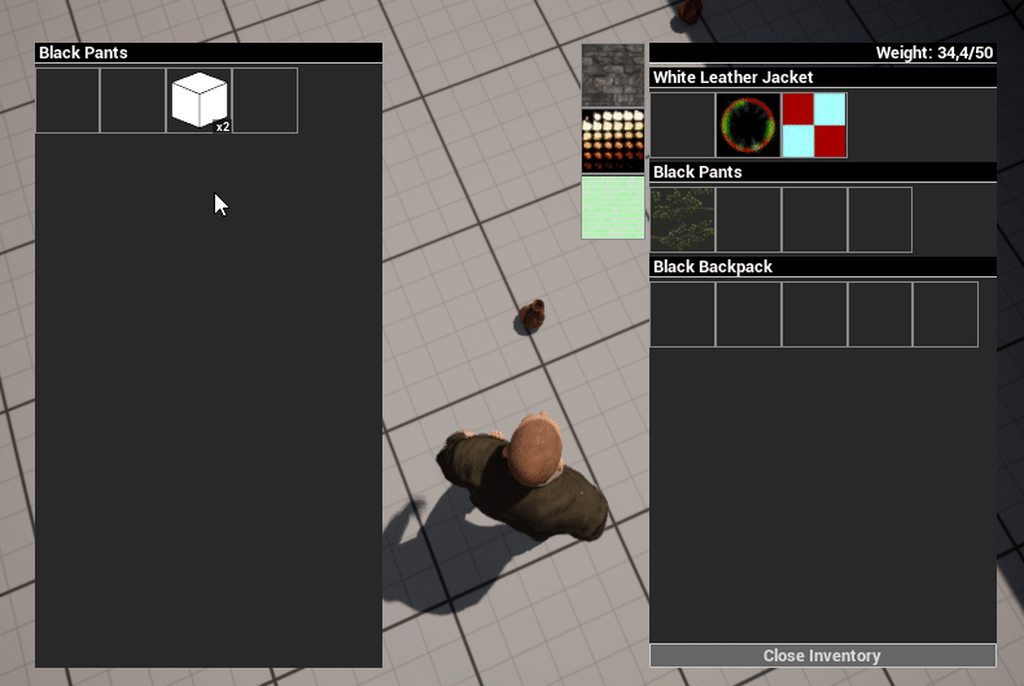
here you can see what happens when my item was in the container
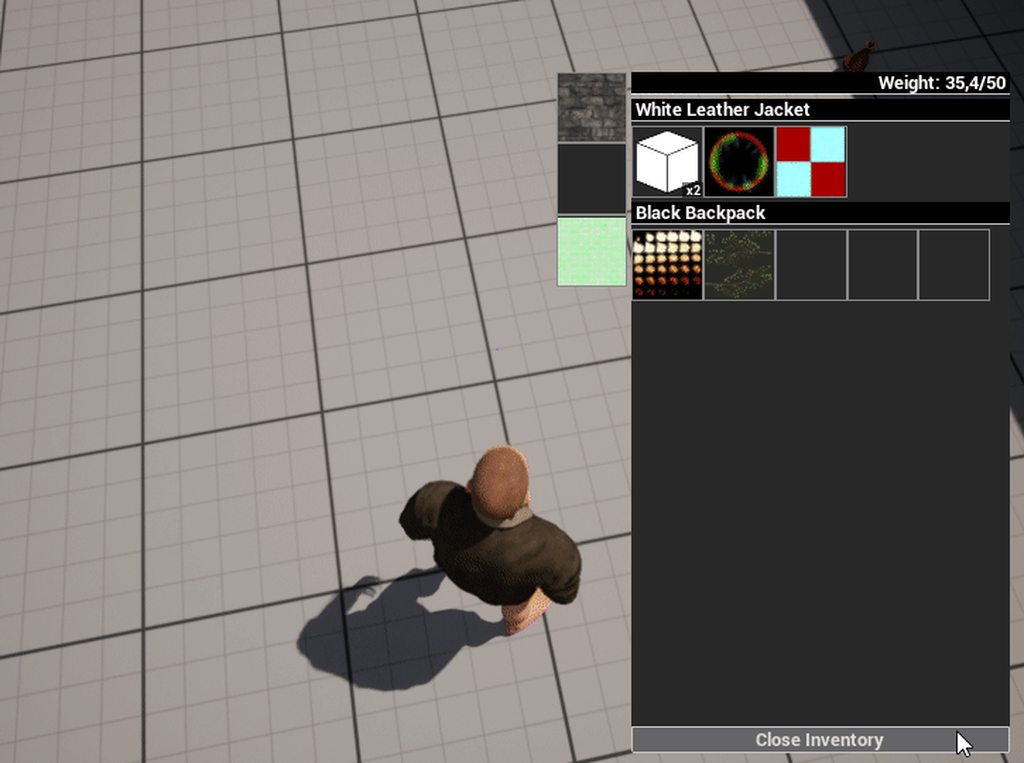
And here when it didn't have any
But I just realized, the sole action of opening the contents of the container (opening the UI) causes the same issue even, no need to move any of my items into it
peak mirage
If opening UI can cause the problem then maybe these item maybe just some ghost items appear on client machine only but not on the server itself?
candid gale
Scratch that, aside from opening the contents and the UI I'm required to perform a move, doesn't necessarily have to be a move to the container, I move an item from one of my own slots to another, the issue happens
which confuses me even more, the fact I'm making moves on my own inventory shouldn't affect anything with the other inventory
peak mirage
Well then comment out most of the function and try to minimize the action they could do to debug it. There is nothing much I cando.
 mild socket
just curious, what is an outer private? is it a c++ thing?
 hollow eagle
candid gale
and let me add something else, this is only happening on dropped items that were...
hollow eagle
candid gale
and let me add something else, this is only happening on dropped items that were...
Are these items pointers to assets on disk? Or objects that have been instanced at runtime?
Also, have you looked at what flags are present on the objects? There are a few that can screw up replication.
Oh, and make sure you're not making any assumptions about when an object might be replicated. Unreal can, for example, receive the size of a TArray on one frame but not have all of the objects in that array yet resulting in some nulls that will be filled in when it does receive the objects.
candid gale
hollow eagle
Are these items pointers to assets on disk? Or objects that have been instanced ...
This is how I spawn items in the world for now, I'll take a look at the flags and show you


Btw this is also how I partially create pickup actors when I drop an item from my inventory, just exclude the first screenshot, it SetItemInformation takes over with ItemInfo being the UObject that came from my inventory
Are these the flags you're asking about?

 vivid prawn
is there anyway i can reduce the build size for Dedicated Server, since it's not rendering but holding data?
 weary mason
found a fix few years later for the newbs ?
 grand kestrel
weary mason
found a fix few years later for the newbs ?
grand kestrel
weary mason
found a fix few years later for the newbs ?
From 4 years ago? I mean... probably
weary mason
@grand kestrel well i just realized my mp chars get invisible and that error pops on the server
@vivid prawn i uses RunUAT BuildCookRun -project="X:/MYPROJECTNAME/data/MYPROJECTNAME.uproject" -noP4 -platform=Win64 -clientconfig=Shipping -serverconfig=Shipping -cook -clean -distribution -bUseAVX -NoXGE -compressed -server -serverplatform=Win64 -noclient -NoCompile -stage -pak -archive -archivedirectory="X:/MYPROJECTNAMEServer"
should remove some -xcfg which is custom added
@grand kestrel whats was your fix for the spline meshes ?
grand kestrel
I do not know, it was 4 years ago
weary mason
i understands i dont rem a cpp fix i did on my project 4 months ago
 uneven chasm
I am having a dumb moment with replication.
I have a play fab json object called User Info replicated without a condition
The server is setting it correctly but the client is not getting the value.
What am I missing


 vivid prawn
@weary mason okay, i see... i usually use Unreal Engine Editor build, haven't try compiling it with command line, will give it a try now
also is there any method to lighten everything?
like I'm thinking to no to cook textures folder when i'm building the project, haven't tried it yet, but I assume that shouldn't effect the game.
weary mason
@vivid prawn server build can only be complied only using cpp if i'm not mistaken
vivid prawn
weary mason
<@262663084710166528> i uses RunUAT BuildCookRun -project="X:/MYPROJECTNAME/data...
you run this in Unreal VS? or as bat file?
vivid prawn
weary mason
<@262663084710166528> server build can only be complied only using cpp if i'm no...
yeah, I do use UE Source and cpp
weary mason
@vivid prawn you need source for dedicated server build, learned that like 3 years ago
vivid prawn
yeah, i do have that
i can build the dedicated sever without any problem
right now thinking 2GB is too big for dedicated sever
it's almost same size as standalone client build
weary mason
my client build is 20 gb so server being 1-2 gb is good
vivid prawn
okay, how do you reduce it to 1-2gb? with that command line that you mentioned earlier?
vivid prawn
okay, let me try that
vivid prawn
weary mason
<@262663084710166528> i uses RunUAT BuildCookRun -project="X:/MYPROJECTNAME/data...
okay, though there is no cmd in here
vivid prawn
weary mason
should remove some -xcfg which is custom added
what is -xcfg again?
vivid prawn
also i have Shipping Server
clientconfig and serverconfig using these right?

so for serverconfig should be shipping server?
or just shipping?
weary mason
shipping is for x64 client and shipping server is for the actual server, after your build them you can use the cmd to build client and server shipping builds
client win64// RunUAT BuildCookRun -project="D:/myproject/data/myproject.uproject" -noP4 -platform=Win64 -clientconfig=Shipping -serverconfig=Shipping -cook -clean -distribution -NoXGE -compressed -allmaps -NoCompile -stage -pak -archive -archivedirectory="D:/XbuildgameWindows"
client linux// RunUAT BuildCookRun -project="D:/myproject/data/myproject.uproject" -noP4 -platform=linux -clientconfig=Shipping -serverconfig=Shipping -cook -clean -distribution -NoXGE -compressed -allmaps -NoCompile -stage -pak -archive -archivedirectory="D:/XbuildgameLinux"
server win64// RunUAT BuildCookRun -project="D:/myproject/data/myproject.uproject" -noP4 -platform=Win64 -clientconfig=Shipping -serverconfig=Shipping -cook -clean -distribution -NoXGE -compressed -server -serverplatform=Win64 -noclient -NoCompile -stage -pak -archive -archivedirectory="D:/XbuildgameServer"
server linux// RunUAT BuildCookRun -project="D:/myproject/data/myproject.uproject" -noP4 -platform=linux -clientconfig=Shipping -serverconfig=Shipping -cook -clean -distribution -NoXGE -compressed -server -serverplatform=linux -noclient -NoCompile -stage -pak -archive -archivedirectory="D:/XbuildgameServer"
vivid prawn
hmm... okay, let me try that
uneven chasm
uneven chasm
I am having a dumb moment with replication.
I have a play fab json object called...
anyone have thoughts on this server controller variable not replicating to client controller ?
vivid prawn
@weary mason the error that i'm getting is that 'RunUAT' is not recognized as an internal or external command
where is RunUAT located?
weary mason
in your unreal engine docs
vivid prawn
Unreal Automation Tool?

Unreal Automation Tool is a generic system used to automate processes, including testing and building games.
Engine/Build/BatchFiles
 cosmic trail
If I wanted to use fast array to act as a network manager for properties of an actor, but I also want to keep a similar "OnRep" function concept working for each property, should I:
Or 2. Would making one fast array serializer with a big struct that had all the properties be enough to know when an inner property changed?
Or 3.  do I do the big struct and do a comparison on all the properties when that entry has changed to send out notifications OnRep for the inner properties that changed?
@weary mason okay, is Shipping lighter than Development?
i think i need to build UE Shipping, cause so far i'm using Development to build the project
 sinful tree
uneven chasm
anyone have thoughts on this server controller variable not replicating to clien...
sinful tree
uneven chasm
anyone have thoughts on this server controller variable not replicating to clien...
If that variable inherits from anything other than actor, it may not be able to be replicated as UObjects can't replicate by default.
uneven chasm
thank you for confirming that, it was my suspicion
vivid prawn
@weary mason I use the command to build the project for development
Server is 2GB and Client is 2.21GB
I will try again with Shipping, when UE source done building Shipping
 cedar swift
has anyone got motion warping working smoothly in multiplayer?
daring gorge
Hey guys , im facing a weird issue where as soon as anyone tries to join a server they get kicked out instantly, the pawn they need to possess spawns but right after that they get kicked out of the match back into the menu; i am spawning the pawn using game mode post login, i used a bunch of delays everywhere too as a just in case; and this happens only in the built version not in editor or smth, does anyone know why this is happening?
it weirdly lets me play sometimes and the other times it just doesnt work;
 pallid mesa
cosmic trail
If I wanted to use fast array to act as a network manager for properties of an a...
pallid mesa
cosmic trail
If I wanted to use fast array to act as a network manager for properties of an a...
you can perform the comparison on the client per atomic decode, basically you'd only need to call a function if the incoming temp value differs from the current cached one (per property)
pallid mesa
cedar swift
has anyone got motion warping working smoothly in multiplayer?
the concept is that you let each client simulate their own dance cards given minimal input (got confused, this is motion matching)
pallid mesa
daring gorge
it weirdly lets me play sometimes and the other times it just doesnt work;
buff.. hard to say, debug debug and take a look at the logs to see if there's something sus
cedar swift
pallid mesa
~~the concept is that you let each client simulate their own dance cards given m...
can you expand on how this would work a little?
pallid mesa
each local client simulates its own anim graph and the simulated proxies' given local data they have about them
so... there are some gotchas
this will provide indeterministic results
but if you dont need animation determinism you can deal with it
meaning that the head/arms/legs positions will differ between clients more than they would in a - non m. warping setup
cedar swift
I see. I'm not sure if that's the solution I want to go with yet, I don't need high accuracy on heads/arms/legs, so it might be what I go with
just general direction, it's a third person mobile game, so nothing too precise.
pallid mesa
m. warping (m. matching) is cool but its a bit data intensive
just watch out for your memory budget
cedar swift
I'm in really good shape there right now, wasn't aware warping was a big deal. I think I'll write something small and customize it as needed
mostly need the part of motion warping for like, wow's warrior charge, as an example.
pallid mesa
@cedar swift ay.. ignore me snek I was thinking of motion matching, oh dear, I'm sorry
all these concepts sound alike...
cedar swift
pallid mesa
<@253446247162183682> ay.. ignore me snek I was thinking of motion matching, oh ...
haha, that's okay. And yeah, they do. Very confusing.
pallid mesa
When you said "warrior charge" the lightbulb turned on haha
cedar swift
😂
pallid mesa
Unfortunately, I haven't explored much motion warping, but got some friends that tried it in Multiplayer reported: "Just works™️"
cedar swift
oh? interesting. I was having a lot of jitter.
Might need to take a look into what was causing that.
pallid mesa
Maybe it helps saying that my friend is using GAS?
w a clear prediction window and such ~
cedar swift
Yup, that might be it, I'm not using GAS. Not a fan of the workflow.
daring gorge
pallid mesa
buff.. hard to say, debug debug and take a look at the logs to see if there's so...
i dont believe we can get log files in builds, right?
 near granite
Variables Replication only can be used in the state of that pawn is replicated??
fathom aspen
daring gorge
i dont believe we can get log files in builds, right?
You do, under Saved/Logs
 distant vault
I’m having a problem where I’m trying to separate the players into two different arrays and making sure there aren’t any duplicates. But I’m having issues where it add the same controller in the hunter and doesn’t add the other
 obsidian basin
Question - I've got a player's name stored on the server as a text variable properly. How can I query that name?
As a player, I'd like to select another player and have their name displayed in my UI
sinful tree
distant vault
I’m having a problem where I’m trying to separate the players into two different...
Few things not good here.
- This appears to be set up as a Client -> Server RPCs but this is likely something that should be determined on the server without anything being sent from the client. If your intention is for something to "Run On Server" but without the client having to tell the server to do it, then you need to use other events that could be triggered on the server (eg. Begin Play) and then use IsServer checks to ensure the event is running on the server.
- The "Get Random Player" node you're using is likely being executed twice, once for when you're adding it to the array, and a second time when you're feeding it into the SR Grant Hunter Role event, meaning, you may be getting two different values.
- Clients normally would not have access to other client's player controllers. So if this code is running on a client, then it's likely only able to get a single player controller reference (their own).
near granite
I want to make If one player's level is changed, all clients's level is changed at the same time. how can i do?
sinful tree
obsidian basin
Question - I've got a player's name stored on the server as a text variable prop...
There's a player name variable that exists on the playerstate that you can use to store the player's name. Any time you need to reference the name, you can get the playerstate of the controlled pawn/character and get the name (without casting even!)
sinful tree
near granite
I want to make If one player's level is changed, all clients's level is changed ...
If everyone's level needs to be the same, then that sounds like you want to store the level on the gamestate rather than any particular player.
obsidian basin
sinful tree
There's a player name variable that exists on the playerstate that you can use t...
Definately useful, but I'm also going to be needing to get additional information - health, attributes, etc. What's the best way to collect information from a playerstate based on the character?
I tried to basically just say "Get Player state" from the selected actor, but it seems to be returning information on the local client
despite the fact the variable is repnotify and was sent to the server
sinful tree
obsidian basin
I tried to basically just say "Get Player state" from the selected actor, but it...
The concept being, let's say you had a "text render component" on your character. You could do something like this to display the name above their head. Any other UI you want to use, you need to feed in a reference to the character that you're wanting the playerstate of, or a direct reference to the playerstate of the character.
Just keep in mind using Begin Play doesn't guarantee the playerstate has already replicated by the time the event is called. You may need some OnRep overrides to properly read the data and set any UI/Textrenders etc. when you've actually received it.
Data that should persist about a player should be put on playerstate. Data that doesn't need to be retained through spawning of a character should be put on the character. Eg. Health is likely something that should be stuck on the character. Player Level should likely be placed on PlayerState.
 obsidian basin
sinful tree
The concept being, let's say you had a "text render component" on your character...
obsidian basin
sinful tree
The concept being, let's say you had a "text render component" on your character...
Yeah, I have most of my data stored on the playerstate already. I actually do have the names displaying above the player head, I'm just wanting to change it to be displayed in UI on selecting the character instead.
Is it really as easy as saying "Get Player State of this actor" and then so long as that data is replicated I can return it?
sinful tree
obsidian basin
Yeah, I have most of my data stored on the playerstate already. I actually do h...
It should be that easy yes, if you're using the Player Name variable of the playerstate.
Or even if you're using your own variable 😛
obsidian basin
And same for any other variables stored?
Ok
Thanks, that's really helpful - I'll dig into it a bit more
distant vault
sinful tree
Few things not good here.
1) This appears to be set up as a Client -> Server RPC...
This is In the game mode
obsidian basin
So, one thing I'm not quite clear on...
Dedicated server, two clients.
On Client A, if I select my own character, it lists as BP_Player_C_0. If I select the other, it displays as BP_Player_C_1.
If I go to the OTHER client, the local player is BP_Player_C_0 and the other is BP_Player_C_1
Am I doing something wrong here?
 woeful ferry
obsidian basin
Am I doing something wrong here?
woeful ferry
obsidian basin
Am I doing something wrong here?
No
fresh cloud
Nope! the naming order is based on when the client locally instantiated the player pawn/character
obsidian basin
So if I'm trying to access a pawn's player state - would that not just return me the wrong state each time?
fresh cloud
If Pawn is possessed by a player, returns its Player State.
all pawns can get the player state associated with it's owner i think? call this on the pawn in question and it returns the player state for the person that controls it... i dunno how it works tho so ymmv 
i'm just assuming it's unreal magic lol
winged badger
when PlayerCOntroller possesses the Pawn it sets the replicated PlayerState member on the Pawn, that has a c++ OnRep_Pawn
no magic
do note that PC and Pawn have a default NetPriority of 3, and PlayerState has 1
winged badger
which means that at the very start of the game you are very likely to end up in a situation where pointer to the PlayerState in the Pawn has replicated, the PlayerState Actor itself has not
fresh cloud
i need to mentally bookmark that later
winged badger
so it cannot be resolved
OnRep_PlayerState in the Pawn will trigger when the PS Actor replicates though, but if you are doing a simple approach - Spawn the Controller, Spawn the Pawn, Possess the Pawn all in one tick as the game has already started
odds are very good that you won't be able to access the PlayerState on client from either Controller or Pawn on their BeginPlay
 pure mango
Is it possible to get data from a Server RPC if you're on the client?
winged badger
what do you mean?
 potent cradle
Folks, has anyone had issues before with fastarrays that have a filled array before beginplay?
I'm noticing that if I run the game with data already in the array, and then mutate the array, I hit a check in FRepLayout::DeltaSerializeFastArrayProperty.
No issue if I make sure the array is empty, play, fill, mutate.
https://cdn.discordapp.com/attachments/221799439008923648/1055433002328522812/image.png

The mutation is an update call, where I mark the item dirty.
Continuing from that check leads to this (logic is the exact same though, other than the array having data or filling it on beginplay):
 pure mango
winged badger
what do you mean?
pure mango
winged badger
what do you mean?
Well, I have this Blueprint Component (BPC) that holds data (for example: stats)
Then I have a Blueprint Character that has the BPC.
I add the BPC only on the Server
So BPC exists for BP_Character only on the server, not client
I can make calls to the BPC in BP_Character using Server RPC, no problem
But if I want to grab the stats data from BPC in BP_Character, I'm not sure how
dark edge
pure mango
Well, I have this Blueprint Component (BPC) that holds data (for example: stats)...
That seems like an ass backwards way to do it, any reason why?
You'll need to RPC the request then RPC back the data
 meager raptor
Hey guys, any idea why, on server, only AddLocalOffset works to change the relative location of a character mesh ? On client, SetRelativeLocation works perfectly
 pure mango
dark edge
That seems like an ass backwards way to do it, any reason why?
pure mango
dark edge
That seems like an ass backwards way to do it, any reason why?
I have a working version where I replicate the BPC (stats), so basically both the server and client have the BPC
For setting stats on the BPC (or using the BPC in general), I use Server RPC
For getting stats from the BPC, I just use the local BPC variable
It works
But I've been experimenting to see if I can remove replication to optimize a bit
But you're probably right that it's kind of hacky
I reverted changes back to how I was doing it before
 outer sphinx
hello guys how are you doing One question I want to connect my project to a sql db with c++, do you know where I can get information to read or see and learn how to do it?
 real ridge
@thin stratus hello do you remember our yesterday´s conversation? I tried make whole new project without EOS and use Pawns to join server and result is same when I join with pawns I dont see each other but when Character I do

 thin stratus
But only in packaged, right?
real ridge
thin stratus
But only in packaged, right?
this is packaged should I try run it through editor?
this is packaged server + client
thin stratus
Would be easier to debug if it also happens in the editor
real ridge
I am joining via open 192.0.0.1
okay give me sec
then
can I use in editor also open 192.0.0.1
?
thin stratus
Just start the Level directly with Play as Client and 2 Players
real ridge
these settings are fine?
 thin stratus
Yop
You say you can't see each other. You aren't by chance literally standing inside each other or?
Cause the Camera angle of your two windows in the screenshot looks exactly the same
real ridge
I dont think cause when I spawn characters they just spawn one next other
editor startup (standalone)
 thin stratus
In that image they are in the same location though
Make sure you have two PlayerStarts
real ridge
but look this is when I changed to character

I do have 1
I can change parent class from my thirdpersonchar to pawn from Character and see what happens
thin stratus
Yeah but
Characters have special Spawn logic
They push themselves outside each other
Cause of their collision
real ridge
thin stratus
Make sure you have two PlayerStarts
I try add one more?
but it will automatically spawn another on second?
thin stratus
Yes please. and face them towards each other
No
It's random
But you can try a few times


Works fine for me
my Pawn just has a sphere in its center
So you see the other plyer in that screenshot
real ridge
okay so here are two
 thin stratus
Yop
real ridge
oh hell @thin stratus

its this
I die
oh my god
so whole time was problem just one start player point
insane
so then If I have 5players joining game I need 5 startplayers on the map?
😄 I will die
thin stratus
Character's are set to block each other
And when they try to spawn they will first see if there is space
If there isn't, then they will try to reposition
real ridge
thin stratus
Character's are set to block each other
so its about collision box settings?
thin stratus
And if that still fails they won't spawn
The Pawns probably aren't blocking each other
Or maybe Characters have extra logic somewhere
Your best bet is to override the logic in the gameMode that finds player starts
And handle this yourself
FindPlayerStart and ChoosePlayerStart
real ridge
thin stratus
The Pawns probably aren't blocking each other
do you think I can achieve spawning via 1 point throught good collision box settings then ?
real ridge
thin stratus
FindPlayerStart and ChoosePlayerStart
okay
thin stratus
I would not do that
real ridge
my idea of game is 5 vs 5 and they will propably spawn in one place
in the area as I want use planes in my game propably I do need use Pawn class
i dont know if character is good to make lane
plane
and physics
thin stratus
You can write your own custom PlayerStart somehow
And return that
And then grab a custom transform from that per player or so
real ridge
thin stratus
And then grab a custom transform from that per player or so
so I will do it after on login?
thin stratus
but nothing I am willing to further expand on honestly
real ridge
just to clarify
thin stratus
Check GameMode and GameModeBase functions
There are a few that go through the process of spawning
SpawnDefaultPawnAtTransform for example
real ridge
okay but u mean in c++ right?
thin stratus
Or something like that
Some of them are BP exposed
Others will require C++
But you gotta keep in mind that MUltiplayer programming requires C++ eventually anyway
real ridge
we work with c++ because of EOS
thin stratus
Yeah then you are fine
real ridge
i work with it atleast one year dont worry
its still new for me
but I do understand 😄
eos is overkill
thin stratus
I hope this helps you (:
I just noticed this cause I hd the same on my map when I tested it for you
real ridge
yes many thanks thank thank thank you very much
thin stratus
And then I saw the screenshot xD
real ridge
I had no idea what is the problem and propably I will never try use 2 spawn points
haha
THANKS!
I need type it down and when someone here will show up with same problem help him fast
split wind
Need help. I've been fighting with client possession when joining server, finally got it to possess when joining. Problem now is the player's camera is in the floor. All controls work, but the camera is in the floor and not even centered at the player position. I should add this is a vr setup. When I play normal standalone, player works as it should, but when possessing a pawn as a client, camera is not where it should be.
real ridge
split wind
Need help. I've been fighting with client possession when joining server, finall...
maybe can help

 thin stratus
Not sure that is relevant
split wind
real ridge
maybe can help
ty for the response. this stuff looks similar to what i have now. one sec..
real ridge
split wind
ty for the response. this stuff looks similar to what i have now. one sec..
okay bro I was using this when I was spawning multiple characters that's why
real ridge
thin stratus
Not sure that is relevant

split wind
yea, my setup is similar to these pictures. but like i said, it's spawning, and possessing, but the camera is no where near where it should be.
real ridge
split wind
yea, my setup is similar to these pictures. but like i said, it's spawning, and ...
show viewport of your player
split wind
@real ridge you mean when pIE?
like i hit play, and you see what i see? yea?
nvm XD
one sec
split wind
can't really see it, but if you look up top right at the green beam, that gives you an idea where the camera should be, compared to where it is. also. the camera is not moveing with the HMD. move, turning head, does nothing. it's not following the HMD like it should.

haha
split wind
yea, idk either. appreciate the time though, ty
 split wind

which one of these channels are we allowed to screen share in?
or do you have to have special permissions to screen share?
ive tried but lack authority.
real ridge
i want see how u have placed spring arm and camera there
real ridge
ahh
shiet i never worked with vr before hmmmm
maybe u just have to on physics or deactivate gravity
somewhere
i had this problem once
camera was falling because something in setting was ticked wrong
i think gravity
not sure
split wind
hm.. maybe somthing, i did go through the other day and untick alot of stuff😭
real ridge
but your camera is on the floor
split wind

real ridge
if bird is flying then camera drop too?
split wind
like, it's moveing with the pawn, my normal controls move pawn as it should, everything else is working ( except the functoions that need the camera position.
character all moves how it should, only problem is the camera is locked at floor, way away from charcter, and for some reason, the HMD (head mount display) does not control camera rotation like it should
i did go through and untick alot of replications, but idk if that would effect the physical posistion of the camera
real ridge
and on the start it's on the bird or on the floor since start?
 drowsy meteor
Hi guys , i'm working on the first person template and trying to make it into a multiplayer, i replicated the movement and other player with SetReplicates(true);
SetReplicateMovement(true);
but i cant get to replicate the projectile , the client can pick the weapon but cant shoot , the animation plays and sound too but no projectiles spawns or moves ....
thin stratus
Is it new that you can enable SeamlessTravel in PIE Single Process? Did someone try that?
quasi tide
New in 5.1, yes.
Haven't tried it though
Bottom bullet point

Added net.AllowPIESeamlessTravel to control seamless travel in single process PIE. a further down bullet point
thin stratus
Hm okay
Other question, is there a variable or point in GameState/Base that allows me to do something based on this being after a SeamlessTravel
I have some Component on the GameState that should do something else when it is post seamlesstravel
 fallow shadow
My game crashes when two clients are in a session together
i really hope this is a PIE thing
Oh yeah you should probably also know that i use the steam subsystem
prisma snow
fallow shadow
i really hope this is a PIE thing
test standalone
fallow shadow
i am
prisma snow
I had an issue with Niagara before and didn't work in PIE, just standalone (as separate processes)
fallow shadow
wait could this be happening because i have no steam accounts related to these instances that are trying to connect
looking at the stack
this seems to be happening right after some sort of steam auth function
obsidian basin
Is the only difference between a variable being Replicated and RepNotify is the latter has an event that you can call?
Ok, cool, thanks
Also, related un-related... if I store say an int on playerstate - assuming I've successfully replicated that to the server and clients, how can I get that variable? As far as I can tell the only playerstate that exists on a client is for that client.
 latent heart
They all exiat
Check the game state.
It has an array of the player's player states.
They may not all exist at x point in time, though. Replication doesn't all happen at once.
obsidian basin
I'm not seeing it.
latent heart
What, specifically?
obsidian basin
The array, at least not in the inspector
Sorry, not seeing the array of player states on the game state I mean
obsidian basin
Let me reset it to gamestatebase and check
Not seeing it there, either...
I see what you refer to in the documentation, though
PlayerArray?
Unless it's not supposed to show up in the Inspector, but that seems a bit odd.
latent heart
If it's on game state base, it will be on game state, you just may not be seeing it correctly in the debugger.
Rider? 😂
obsidian basin
I'm not even seeing it on GameStateBase lol. Unless I'm blind.

This is what I'm seeing
 weak linden
obsidian basin
I'm not even seeing it on GameStateBase lol. Unless I'm blind.
weak linden
obsidian basin
I'm not even seeing it on GameStateBase lol. Unless I'm blind.
You're not supposed to see it there
latent heart
Array of all PlayerStates, maintained on both server and clients (PlayerStates are always relevant)
Literally on game state base.
It won't be on the detail panel, though, yeah.
obsidian basin
Ohhh ok, so I can access it through the BPs, I just can't see it there.
weak linden
Yes, correct
obsidian basin
Ok, well that makes sense for accessing the data, then.
weak linden
Most things aren't exposed to the details panel (of instances), imagine how cluttered it'd be 
obsidian basin
True, would be nice if you could customize that, though.
So any replicated variable store on Playerstate shoudl be found in there?
weak linden
You can technically expose your own stuff, but it won't really allow you to do anything "extra" with it being there, besides see its value at runtime for debugging
weak linden
obsidian basin
So any replicated variable store on Playerstate shoudl be found in there?
GetGameState -> Get PlayerArray -> Foreach Loop -> Do stuff with PlayerState/s
obsidian basin
This removes a pretty big block in my understanding of networking, thanks.
weak linden
GetGameState -> Get PlayerArray -> Foreach Loop -> Do stuff with PlayerState/s
Of course, that's a very "specific" approach to accessing all the player states in a generic manner, what you need though could be entirely different depending on your use case
obsidian basin
My immediate goal is probably fairly simple. I have nametags above player heads which display each player's name properly synced across the clients. What I'm trying to do now is on selecting a character, to display their name in another part of the local UI as well as an int value.
The name didn't seem too complex as I already was sort of there, but the int was causing me to scratch my head
Because I had no idea how to access another client's playerstate.
Or rather, the values replicated from that playerstate
weak linden
Ahh, well, now you know 🙂
obsidian basin
Yeah, greatly appreciated from both of you!
I'm not trying to make anything specific atm, just basically messing around with some common use cases to learn more about networking
One last question, would you happen to know the best way to ensure the entry I'm getting from the array matches the player?
weak linden
By "the player", I assume you mean, the "local player"?
obsidian basin
If I have two players (A and B) and I'm A, how can I ensure the playerstate entry I'm getting is B's and not mine
weak linden
Whilst iteratting over the player states you can just compare to see if it is/isn't yours PlayerState != MyPlayerState
obsidian basin
Oh makes sense
 deft umbra
hey! I am kind of new to this whole networking with unreal thing, I have a basic setup for a golf-type game, and I was hoping to replicate it across a network for online multiplayer, currently it works perfectly on the server, but when this event is fired on the client it is not shown on the server and the client is teleported back, how would I go about replicating the event in this screenshot? thank you so much in advance!
 weak linden
deft umbra
hey! I am kind of new to this whole networking with unreal thing, I have a basic...
weak linden
deft umbra
hey! I am kind of new to this whole networking with unreal thing, I have a basic...
Your "fire" event is only happening locally to where it is called from, it probably wants to be marked as replicated to server
deft umbra
weak linden
Your "fire" event is only happening locally to where it is called from, it proba...
would i also have to have a second event that fires a multicast of this?
weak linden
deft umbra
would i also have to have a second event that fires a multicast of this?
No, it only needs to happen on the server
deft umbra
weak linden
No, it only needs to happen on the server
but what if it’s the client who is running the event, would they not have to notify other clients of that?
weak linden
deft umbra
but what if it’s the client who is running the event, would they not have to not...
No, the server itself is/should be in charge of notifying everyone (through replication), the clients are only supposed to ask the server to do it for them
deft umbra
weak linden
No, the server itself is/should be in charge of notifying everyone (through repl...
alright, then what is the purpose of multicast events if the server already informs clients of what is happening?
weak linden
deft umbra
alright, then what is the purpose of multicast events if the server already info...
It depends on the scenario, but typically you'd use a multicast to say, play a client side effect, sounds, muzzle flash, etc after firing a weapon, but essentially, it's just another way to send information from the server (or rather, network authority), to all players
deft umbra
that makes a lot more sense, thank you so much!
weak linden
In this case, the effects of Add Impulse (A.K.A movement), would/should be replicated automatically if you have "Replicating Movement" checked and you are moving the object from the server
deft umbra
does it matter that the object is a possessed pawn and not a character object?
weak linden
No, it shouldn't matter
deft umbra
alright, one more question, i assume i would use a run on owning client event when i want something to only happen on the client i execute it on?
weak linden
If you're executing it from the server, yes, if it's only called locally and supposed to be executed locally, it can just be a normal event (or better yet, just a function, since they're more efficient/faster)
deft umbra
perfect, thank you so much for all the help!
weak linden
Happy to help!
deft umbra
so, i just tried setting the fire event to run on server, and the server still works, but on the client it’s not fired at all
weak linden
How're you calling the Fire event? Just from the input binding?
deft umbra
yeah, it's being called on release from the left mouse button event
weak linden
So
FireButton Released -> Run on Server "Fire" event -> Add Impulse, etc, etc?
deft umbra
yeah
weak linden
Can you confirm it's running by adding a random print string after the Add Impulse node?
deft umbra
just did, and it did print from the server even when the event was run by the client
weak linden
Okay, so Add Impulse is not doing anything? Or is something else not working?
deft umbra
add impulse isn't working, and the 2 variables i set after it aren't being updated either
the only thing that seemingly is functioning is the print string i put in
weak linden
Yeah, I figured those last two wouldn't work properly (you'll need to re-structure your code so they're only set/used client side or replicated and set only from the server), but, Add Impulse should be working at least 🤔
deft umbra
do you think it could be because of the way im calculating the impulse?
this string of nodes is to calculate what impulse to apply

(the force val variable is adjusted based on how far back the player pulls)
weak linden
Hmmm, that code should work
dark edge
deft umbra
this string of nodes is to calculate what impulse to apply
Are you ignoring mass with the impulse or no?
750 is a tiny impulse
depending on the mass of the thing tho
deft umbra
it's 750 * the pullback, which is anywhere from 0-100
deft umbra
as of now, the client isn't moving at all
i had it print the impulse vector and on the client it just returns 0 for all 3 axis
dark edge
Get it to fall and roll before worrying about yeeting it
deft umbra
dark edge
Get it to fall and roll before worrying about yeeting it
it is, all the physics is syncing correctly
dark edge
You just said it isn't moving at all
deft umbra
it's not moving when i try to fire the impulse, but in general it is moving fine
dark edge
how are you syncing ForceVal?
print that
make sure it's not 0 on server
also do you have replicate physics on?
are you sure the physics is replicating or is it just independently simulating physics locally everywhere
deft umbra
yes, intrestingly, force val prints correctly when it's printed on the server, but when done on the client it prints 0
i don't have replication on for the force val variable though
dark edge
This is a janky way to do multiplayer but it should at least work.
Try this, begin play and add an impulse after a small delay on the server
make sure server AND client see it yeet around
if not then your replicated of the physics is busted
dark edge
dark edge
Try this, begin play and add an impulse after a small delay on the server
Begin play -> Delay -> has authority -> yeet it
If server sees it move and client doesn't then you're not replicating the physics correctly
deft umbra
just tried it, the server does go flying on both screens
from what i can tell from some quick debugging, the force val variable isn't being replicated
weak linden
deft umbra
from what i can tell from some quick debugging, the force val variable isn't bei...
It doesn't need to be replicated if it's only being calculated server side (which it should be, since it's gameplay sensitive)
deft umbra
weak linden
It doesn't need to be replicated if it's only being calculated server side (whic...
i have it being calculated off of the y-axis input event from the mouse, so most likely not server
weak linden
Ahh, yes, then you likely want to pass it as a parameter to the fire event
Ideally, you'd want to try and calculate stuff like this server side, but since you're directly using the mouse axis and I assume "cheating" isn't going to be so much of a problem for you, you can just add it as a parameter to the event
deft umbra
i tried just passing it as a parameter, it worked but it was really laggy for the client, and when i take a shot it's not moving in the correct direction
weak linden
Yes, so now enters the next problem, physics replication in multiplayer is notoriously hard to get smooth results
You can get them "synced up", but the actual movement is a real pain, if you can find SmoothSync on the marketplace (I seem to recall someone saying it was free at some point?), that should do a good job of making things feel smooth, but outside of that, without using C++ and Async Tick physics, you're going to struggle to get a really nice result
deft umbra
weak linden
You can get them "synced up", but the actual movement is a real pain, if you can...
alrighty, i'll look into smoothsync, if it's not outrageously expensive i'll look into it, otherwise i may take this opportunity to try and learn godot, i've been using unreal for a few years now and i really enjoy it, but you can't learn anything new by staying in your comfort zone
weak linden
deft umbra
alrighty, i'll look into smoothsync, if it's not outrageously expensive i'll loo...
You'd be better off learning Unity over Godot, but, all game engines will have the same issues regarding physics in multiplayer, it's just not a simple "situation" to network 😅
deft umbra
weak linden
You'd be better off learning Unity over Godot, but, all game engines will have t...
lol, it's all good, i used unity a long time ago, wasn't a huge fan which is why i got started in unreal, i may scrap this project all together, it was just a small prototype idea for something to add to my portfolio, just something to do as a break from my bigger project
dark edge
@deft umbraThe built in physics networking is pretty good with one caveat, just completely put prediction out of your mind
If you're ok with the server doing the simulation and clients seeing it with ping delay, it works pretty good.
You want to learn how it works and tune it, it has a bunch of tuning parameters for error and corrections etc.
deft umbra
alrighty, i'll look into it, thanks!
dark edge
Also it's misspelled in the project settings, it's called "Physic Error Correction" lol
 deft umbra
lol
dark edge
I'm doing a modular vehicle project but I don't replicate everything, just the gameplay-important stuff
Like for the vehicles, I replicate the movement of the actual chassis and turrets, not the individual wheels. I don't care if everyone agrees about the wheel positions as long as they agree on the position of the overall vehicle.
So it's not that heavy, it's on average one replicated physics object per player.
deft umbra
that is a very good point, i’ll see if i can change some of the error correction stuff and make the sync a little less heavy
dark edge
The default settings are super strict.
deft umbra
is that why on the client the impulse feels really laggy?
young spoke
Anyway to get the "expected" number of players in cpp (not actual size of PlayerArray)?
specifically referring to the Number of Players config in PIE used to launch game
fathom aspen
ULevelEditorPlaySettings* PlayInSettings = GetDefault<ULevelEditorPlaySettings>();
int32 NumClients;
PlayInSettings->GetPlayNumberOfClients(NumClients);
This should probably work
versed ocean
reading some conflicting information about where to bind my input in my multiplayer game, I had my bindings on the character, which seemed fine thus far.. Should it be on the PlayerController?
alright, so you can bind multiple places with purpose doesnt have to be centralized, correct?
perfect.
distant vault
Hello, I have a damage function which I am calling from an object but for some reason the actor that is suppose to receive the damage through the INTERFACE does not run the code. but when I call the event directly by casting it works


 crisp galleon
Hello there, i'm currently making a multiplayer game with the null subsystem and i'm wondering what append what append when for the client when the server crash and what happend on the server when a client crash. It's look like unreal don't call the LogoutDelegate nor the destructSession..
If you know what append or where i can find the information it's would be so nice 🤩
thanks you
edit : my question is valid for the steamSubsystem to because i'll use it very soon
 woven basin
If it crashes, you won’t get notified. You just get disconnected (or the client disconnects)
crisp galleon
woven basin
If it crashes, you won’t get notified. You just get disconnected (or the client ...
Is there any chance to handle the disconnection to make my client return to the menu and not to my bootstrap screen?
Currently the client is disconnected and it "restart" the client game from the very first level
Here is my game flow : Bootstrap => main menu => Session selection => Lobby session => Game => Result screen.
woven basin
I think a disconnect forces you to the “entry map”. But you could override the game instance NetWorkError callback, and then flag it was a forced disconnection there?
crisp galleon
hoooo i see ! Thanks for the tips ! I'll look for it right now !
 glossy kettle
crisp galleon
Hello there, i'm currently making a multiplayer game with the null subsystem and...
glossy kettle
crisp galleon
Hello there, i'm currently making a multiplayer game with the null subsystem and...
do subsystems still behave wonky when used in networked contexts?
dark edge
glossy kettle
do subsystems still behave wonky when used in networked contexts?
Don't subsystems just not really know about networking?
quasi tide
Correct
crisp galleon
quasi tide
Correct
So it means the event ErrorNetwork (in gameInstance) won't be triggerd? (after sevrel test it's look like yes...)
obsidian basin
Have a question as a follow up to one from much earlier today. So I've got the player states array from the gamestate. I need to find the entry that matches a specific player in my game (actor is stored as variable on the local client). How can I determine which entry is that specific players?
sinful tree
obsidian basin
Have a question as a follow up to one from much earlier today. So I've got the ...
What reference do you have to the player? Their character?
fresh cloud
i mean, get a reference to the pawn they own, the run GetPlayerState on that pawn
obsidian basin
sinful tree
What reference do you have to the player? Their character?
Sorry, yes the actor, basically
sinful tree
obsidian basin
Sorry, yes the actor, basically
Well, "Actor" class isn't the same as pawn or character. If you have a reference to at least their pawn, then as Mittens said, you can get the player state from the pawn.
If it's stored as actor, that's fine, you just need to cast.
fresh cloud
if it's not a pawn on something derived from pawn, it's MUCH trickier
you as a developer have to be consistent in setting ownership of the non-pawn actor
obsidian basin
Ok, and Im guessing I need to cast to the server, right? I can't just look this up locally?
fresh cloud
then after that you can pull owner from it, then get gamestate from that i think?
obsidian basin
It's an actor, so it should be ok
sinful tree
Should be locally available.
fresh cloud
player states are available to all clients yes
obsidian basin
Oh ok, so changing data = Send to server, but reading = can be done locally?
glossy kettle
fresh cloud
player states are available to all clients yes
big if true
fresh cloud
yep, a client won't have references to either the gamemode or playercontrollers that are not their own, but have access to gamestate and all playerstates
glossy kettle
gs > ps imo
sinful tree
obsidian basin
Oh ok, so changing data = Send to server, but reading = can be done locally?
Replicated data needs to be set on the server. It's a bit more complicated in terms of reading variables on the client as there can be multiple conditions by which the variables may or may not be available, but generally speaking, yes. If it's been replicated, you can read it on at least one client 😉
obsidian basin
Thank you both very much!
Oh man, so close - it's telling me that It's found a matching player state, but when I take that player state and return a variable (Text string) it's just returning the local character's name.
I originally had it as a For Loop with break, but simplified for now to try to get it working
 peak mirage
Ofc, you should use a string variable as custom name and send that to server. Set that variable replicated and you are good to go.
obsidian basin
Yeah I did that, though is there a way for me to be able to verify the variable has actually been replicated properly?
I basically made a custom event set as run on server, that sets the variable in playerstate to replicated.
peak mirage
obsidian basin
Yeah I did that, though is there a way for me to be able to verify the variable ...
RepNotify is what you would like to use.
If in blueprint, that should be the third option in Replicated dropdown menu.
obsidian basin
Ok, I changed it over and put a print - looks like the server got it and then both clients
peak mirage
When select that option, you will see and new function OnRep_CustomName or something similar.
obsidian basin
So I -think- it's being replicated properly...
peak mirage
Yup, that function will be call when your variable is replicated down.
obsidian basin
Yeah, so the variable seems to be setup properly..
For now I have the function above to get the name running on a UI widget, should I move it off? I was planning to put it somewhere else, like the controller eventually.
Would that be causing an issue?
peak mirage
That's just a preference, it can be anywhere like controller, character, player state.
obsidian basin
Oh no, wait it's on a library, Im getting myself confused.
peak mirage
Oh wait, you have a array? So put it in your controller.
obsidian basin
Well, the Playerstate array, yes - the one stored on gamestate.
peak mirage
Is that a custom array you created yourself?
obsidian basin
No, this is the PlayerState array stored on the Gamestate by unreal.
This one

Full disclosure, I only learned about this earlier today.
peak mirage
Oh, in that case you are good to go, put that anywhere you like.
I often put that kind of function into a subsystem in C++, but you can use your controller as well.
obsidian basin
Let me take a step back - I have a variable - a text character name - I have stored on my player state. That variable is replicated.
I'm trying to return that name when I select another character in game. Right now when I select another actor belonging to another player, it just returns the local player's character name.
That's what the function above is meant to do, or at least intended to do.
Yeah, tbh I'm just trying to get the hang of basic multiplayer before I start diving into C++ lol.
My experience is limited to 20 years of lua scripting with a smattering of Java and C#.
peak mirage
Oh then you will have a hard time follow C++ syntax. I would recommend Rider for Unreal, it does a better job than Visual Studio. Paid software, ofc.
obsidian basin
Oh that's weird, so during my loop I decided to just print out the character names for all entries and it's only printing the local player's...
peak mirage
Did you set the custom variable some new value?
obsidian basin
Yeah
 twin juniper
hello i wanted to see if i could get some input on this.
i want the actor that is being hit by the line trace to activate the ragdoll action. but how can i refer it to the actor that is being hit.

 obsidian basin
Array is the right size, two entries with two clients.
sinful tree
The issue is you're Getting Player State 0.
If you have a reference to the actor that is actually the pawn, cast to pawn, then from pawn drag off and do "Get Player State".
obsidian basin
oh my god lol
sinful tree
Those "get player X" with the index should be avoided in multiplayer for just such a reason 😛
obsidian basin
Holy shit thank you
sinful tree
Exception i think is just player controller 0 when doing it locally but even that I think can get messed up on the host of a listen server.
obsidian basin
Both of you for your help lol. I was pulling my hair out over this
I now know how to replicate a variable to the server and then how to access that information.
Which feels minor but to me it's a big step
peak mirage
twin juniper
hello i wanted to see if i could get some input on this.
i want the actor that i...
Are you applying damage on other actor and set ragdoll on yourself?
Beside, I think you should ask this on blueprint channel.
peak mirage
Then about that you just need to cast OutHitActor (that you're applying damage) to Character and call your function from the character.
obsidian basin
Is replicating a variable (or an array) to the server expensive?
I guess it would be
If done like every tick
sinful tree
obsidian basin
Is replicating a variable (or an array) to the server expensive?
I wouldn't think there's much cpu expense in terms of replicating the values, but the bandwidth expense of sending a value to the server is only basically as expensive as the bandwidth that variable would take. Booleans are a byte, bytes are a byte, int32 are 4 bytes, floats are 4 bytes. If you have an array of these types, then you multiply the number of array items by their respective byte value to determine how much bandwidth they're taking up.
If you're working with a replicated actor reference, it's usually only a few bytes as the full contents of the actor are not replicated in its reference (it's a NetGUID that is sent that is then referenced to the appropriate actor on the receiving end).
More complex structures like vectors (3x floats), rotators (3x floats) and transforms (9x floats by means of 2x Vector, 1x Rotator) I believe have some magic done on them in the background that reduce their transmission size... Maybe its just rotators.
You'd probably want to try and limit what it is you're sending and receiving as there is a finite amount of bandwidth that is allocated for the RPC system. If the data doesn't necessarily need to be sent on tick, then don't send it on tick, especially if it is something larger like an array with several thousands of entries, and especially more so if you intend on having multiple instances of that actor also sending and receiving similar data. In some instances, it's perfectly acceptable to send data to the server on tick, for example, if you were using motion controllers and you want your character to animate appropriately with a player moving their controllers - you'd want that data sent on tick, but you wouldn't want to mark it reliable as it's being updated so quickly anyway.
 gusty raptor
Hi, i want to replicate a variable that's inside a playercontroller. I enabled the replicate option, however do i still need to run a RPC? it wont replicate...
 silent sinew

Both windows during this PIE "Play as Listen Server" with 2 players show same mode/ role and both execute the code to print this from a key press event. Shouldn't an even from a key press trigger on one game session, run on that characters code, and not do anything else on the second pop up window unless the function is called on the server and RPC'ed to run on the other window?
Additionally wouldn't the pop up window register as 'Client'?
Here's the key press event

And the code in that function cpp void UFw_OverlayComp::Input_ActivateOverlay() { if (AFW_Character* tmpChar = GetChar()) { if (tmpChar->IsLocallyControlled() && tmpChar->HasAuthority()) { if (UFW_BaseCharComp* tmpBaseComp = GetBaseComp()) { GetChar()->Util_CheckNetType(10, GetChar()->GetName()); if (tmpBaseComp->Fw_MoveMode == EFW_MoveMode::FW_Ground) Call_ActivateOverlay_Server(!OverlayEnabled); } } } }
Some of this is just stuff I've added as I scratch my head to figure out why it's being called
I thought it would be: Main window game gets input key press -> calls code on its character that it is controlling, this runs the code above locally - which determines its locally controlled (not sure why I'd need this - why it's calling this code on a character in the pop-up window), and then calls the server function.
woven basin
gusty raptor
Hi, i want to replicate a variable that's inside a playercontroller. I enabled t...
the client needs to tell the server of any requested changes via an RPC - yes.
woven basin
silent sinew
Both windows during this PIE "Play as Listen Server" with 2 players show same mo...
if you are testing multiplayer in the editor - one recommendation is change "run under one process" to false, so that you dont get mixed messages
gusty raptor
woven basin
the client needs to tell the server of any requested changes via an RPC - yes.
Hhm, i'm confused, i thought that i did some replicate code in c++ without RPC,...
gusty raptor
Right yeah, thanks for explaining 🙂
 rose egret
how do I know the OnRep_ actor received is initial ?
I guess I asked that before but did not receive anything well
silent sinew
woven basin
if you are testing multiplayer in the editor - one recommendation is change "run...
Thanks - the problem with that is only one window spawns then
So I'm just getting into this replication network stuff and I'm starting to get the flow but one thing that is tripping me up is the OnRep variables. I'm using the ReplicatedUsing UPROP specifier and I'm not seeing any replications occur (the OnRep func never gets called)
UPROPERTY(BlueprintReadWrite, EditDefaultsOnly, Category="OverlayVariables", ReplicatedUsing="OnRep_Aiming", meta=(MultiLine="true")) bool Aiming = false;```
DOREPLIFETIME(UFw_OverlayComp, Aiming);```void UFw_OverlayComp::OnRep_Aiming()
I'm certain the property is being changed, but it seems when it does the OnRep func does not get called.
I have a couple questions if anyone has experience with this in c++
One - When setup correctly does the variable replicate first - then the function is called - meaning that in that function I don't have to apply the new value because it was already replicated
quasi tide
Honestly didn't know the method name could be put in strings for ReplicatedUsing. I don't think I ever do.
That said - where is it not being called? On the client? On the server?
silent sinew
I have a bool value that is set - from and RPC, this bool value is being changed on the clients from this RPC call they receive
I would assume that when the RPC call causes the bool to change on the clients - the clients version of the newly updated bool is then replicated back to the server/ and then to clients
quasi tide
That won't trigger the onrep
silent sinew
Ohh really
quasi tide
Change the property on the server, then the server replicates it down to the client. Then, if the client has a different value, the onrep is triggered
silent sinew
Ahhhh
That makes sense
Okay so basically anything that replicates the clients should essentially request a change - and if allowed by the server - it changes its version and then that replicates down - causing the OnRep to be called locally on the clients
quasi tide
Pretty much.
Client always asks the server to do something and then the server says yay or nay
silent sinew
That actually makes sense - thanks!
silent sinew
Don't scare me yet - let me get my ego sufficiently fluffed
quasi tide
Basic prediction is pretty easy
Just...change the value on the client to what the server says it will be.
quasi tide
But then, if you have behavior tied to the onrep, you would either have to call the onrep manually or tell UE to always call the onrep
silent sinew
Awesome - very helpful - ty
prisma snow
silent sinew
You have to 'Blend' between them
depends, some situations might allow you to just do it on the client and the server value will just confirm it, or overwrite
For example, in a lobby where players are selecting team or faction, it is going to be weird that picking it is somewhat forbidden by the server, so predicting on the client is safe and easy
 dreamy totem
Hi, good afternoon, I'm needing a little help with a project I want to do about an MMORPG game, does anyone have experience connecting to a database and online multiplayer to make this type of game? I would be very grateful if you could ask a few questions for me to guide myself

Or if you could guide me on what I would have to investigate to connect mysql to unreal engine, I would also be very grateful.
versed ocean
UE4版本:4.19.2,MySQL数据库版本:8.0.13,库文件版本:mysql-connector-c++-8.0.13-winx64,C++版本:VC2017.,操作系统版本:WIN7写在前沿:本人也是一个UE4+C+++MySQL菜鸟,文章有不足之处,欢迎指正。如果有更好的办法,欢迎提供,不胜感激!原文保存在我的QQ空间:https://user.qzone.qq.com/19808...
translate it to english
This is an advanced topic if you're asking you most likely won't be able to make it happen, you'll need to wrap that library in a plugin, enable bUseRTTI in the build, if none of this sounds familiar... read a ton of shit..
dreamy totem
It's a lot of text to explain, but it's a task they sent me to do, for now I just have to connect unreal engine to mysql, then I'll see what I have to do

dreamy totem
versed ocean
This is an advanced topic if you're asking you most likely won't be able to make...
Thanks you so much!
i'll read it
 velvet kettle
Mssql is better than mysql for an mmorpg.... imo
dreamy totem
I'll keep it in mind, do you have any more suggestions to tell me? all is welcome
dreamy totem
velvet kettle
Mssql is better than mysql for an mmorpg.... imo
Why do you say it's better?
velvet kettle
MSSQL Server prevents processes from manipulating or accessing binaries or database files while MySQL allows it... MSSQL also doesn’t block the database during data backup, which allows you to backup/restore huge amounts of data easily... lastly but not the only remaining difference, MySQL does not let you cancel a database query after it has been started, you would have to kill the entire process if it hangs
It is at least worth looking into the differences of each before choosing the one to use, the drawback to MSSQL that alot of people dont like it is made to run on windows systems only since it is built and maintained by Microsoft afterall
dreamy totem
Thanks, I'm going to investigate what you just told me and read the link sent above
One last question, can I do the whole procedure to connect to mysql server but instead of mysql use mssql?
velvet kettle
Since they are different systems then so is the setup but neither is more difficult to do than the other
dreamy totem
Thanks
distant vault
Hello I'm having a bit of a problem with this server travel. It does transition the players into the new level but for some reason the code inside the game mode that is attached to the level doesn't run at all
 obsidian basin
sinful tree
I wouldn't think there's much cpu expense in terms of replicating the values, bu...
obsidian basin
sinful tree
I wouldn't think there's much cpu expense in terms of replicating the values, bu...
Thanks - I have a bunch of attributes that, in game would only ever increase via specific events that I could trigger to update (Level up, buff/debuff/etc). However, in the editor, I can of course change an attribute in the inspector, so I was planning to make an ontick update so I can continue to do that while testing.
Maybe I'll have that update only run when I'm running in editor.
thin stratus
distant vault
Hello I'm having a bit of a problem with this server travel. It does transition ...
Why are you using absolute paths to map and gamemode?
Please don't do that
Just the MapName
And set up the Game Mode Aliases in your Project Settings under Maps and Modes
Then you can do ?game=GameModeAlias
latent heart
Also you should remove spaces in your folder names before it bites you in the arse later.
obsidian basin
Is it best practice that once you have all variables synced to the server that if you want to look up something, you should just look up the data via the gamestate even for the local player?
sinful tree
obsidian basin
Is it best practice that once you have all variables synced to the server that i...
Replicated variables can be stored in whatever actor they belong in. There's no specific need to go through the game state to look them up. When you have a reference to the actor, you can directly look at their properties.
Eg. I do a line trace while running on the client and detect an enemy in front of me. Through an interface I can read its replicated "health" value and display it on my UI.
cosmic trail
For relevancy, what am I doing wrong here. I want an actor to be relevant only to the player controller's client for each connecting client and replicate to them:
- In Actor's constructor set bNetUseOwnerRelevancy = true and/or bOnlyRelevantToOwner to true(tested both)
- Actor->SetOwner(PlayerController on server of the client)
Replication does not work
If I set to bAlwaysRelevant, replication works, but is valid to everyone(which I don't want).
sinful tree
bNetUseOwnerRelevancy means it'll be relevant based on the relevancy of the owner. So if you had an actor that was owned by the playerstate, then that actor should technically be relevant to all, if I'm understanding it correctly.
bOnlyRelevantToOwner means it should only be relevant to the owner, however, that doesn't necessarily mean it's always relevant to the owner. You could override IsNetRelevantFor() and return true if the viewing actor is the owner of the actor, thereby making it always relevant to the owner only.
Found this page which gives some good info on relevancy and the flow too:
https://merserver.com/index.php/2022/10/19/unreal-detailed-actor-replication-flow/
fathom aspen
I like how they just copied the docs https://docs.unrealengine.com/4.27/en-US/InteractiveExperiences/Networking/Actors/ReplicationFlow/
But yeah I would just debug IsNetRelevantFor and figure what's broken there
cosmic trail
Ah ok, so it already goes through IsNetRelevantFor
fresh cloud
for ReplicatedMotion on actors... there's no like, timestamping right?
when i receive it or even onrep it on a client, it's just wild wild west i receive them in weird orders?
i'm depending on it for simulated actors, but it's too jumpy. i'm assuming i'm just receiving the replication in an inconsistent order, because my autonomous <-> server looks fine even with corrections
fathom aspen
You mean bReplicatesMovement?
fresh cloud
yeah, and then the uh
fathom aspen
Yeah that has no form of interp whatsoever
fresh cloud
FRepMovement structure that gets replicated to actors
fathom aspen
Yes I figured
The easier mode is to use a replicated timeline (if that fits the goals ofc)
Or do your own interp logic
fresh cloud
yeah... i'm thinking i'm getting packets from past locations and it's bumping around lerping between them, cmc looked like it simulated fully but i don't know how it's correcting?
i assumed i would be able to pull the FRep structure every frame, but this weird bumpiness makes me think that's a little naive
i'm going to comb through cmc a bit one more time... man this is a bummer
fathom aspen
Yeah CMC uses it ofc, but well the CMC rolls its own solution to that.
You can take a look at it to see what they do, though it's going to be a nightmare 😔
fresh cloud
yeah, i'm depending on CMC as an example to implement my own prediction setup and, if i implemented everything right, it feels REAL good
it's just the simulated proxies that look really bumpy and weird
 native vector
question what is difference between
is server + is dedicated server.
has authority ?
in theory how i understated it if client is a owner of actor he has authority or is a server ?
fathom aspen
Just do single-player problem solved
fresh cloud
oh, nori, so the client that is possessing a pawn is considered the "autonomous" version of the pawn
any other pawn that's owned by other players that isn't the client in question is the "simulated proxy"
the dedicated/listen server is the "authority" version of the pawn
you get data from the autonomous client, send it to the server (this is handled for you in ACharacter and UCharacterMovementComponent) and the server verifies the move
fathom aspen
native vector
question what is difference between
is server + is dedicated server.
has authori...
Is server means all authority net modes (standalone, listen, dedicated)
HasAuthority checks if the current machine has authority over the actor in question (basically checks the LocalRole)
The client has authority of an actor only if they spawned it locally, same goes for server
fresh cloud
^ yeah this
augh i thought i was home free gotta figure out simulated proxiessss
i was SO CLOSE
native vector
fathom aspen
Is server means all authority net modes (standalone, listen, dedicated)
HasAutho...
The client has authority of an actor only if they spawned it locally, same goes for server
so i was close
is server will be better less ways to get a bug
fathom aspen
LocalRole by default is authority and as long that does not change (for example by replication or other circumstances) then it stays like that
You're right sometimes™️
Counting on NetMode is known to be more reliable, but checking the Roles is known to be faster
native vector
fathom aspen
LocalRole by default is authority and as long that does not change (for example ...
LocalRole by default is authority
makes sense if u switching from multiplayer to single-player
but for something critical like player data is server looks like the best chose
fathom aspen
Again it depends™️, I use both and I tend to the roles when I can
There is no such an always best choice
native vector
yes depends™️
fathom aspen
If that was the case the role system would have been deprecated long ago
Laughs in CAC
obsidian basin
sinful tree
Replicated variables can be stored in whatever actor they belong in. There's no...
I guess the only time you would have to is for a non-local actor, then.
fallow shadow
anyone has this issue with steam subsystem where the game straight up crashes if you join a session
the exception seems to be thrown around some steam auth function so it might be that?\
native vector
i get good info when to use what
- is server
- reqest RPC [relatable]
- server only and must run in multyplayer but not in single-player
for rest i can use
is authority
@fathom aspen Thanks for answer
fathom aspen
That could happen to a various million reasons, but the logs says it all. The people over #online-subsystems might help you better if you provide them with the logs and relevant info @fallow shadow
fallow shadow
Hey that's actually a pretty good idea
fathom aspen
native vector
i get good info when to use what
1) is server
- reqest RPC [relatable]
- server ...
IsServer code runs on both multiplayer and single player though
sinful tree
obsidian basin
I guess the only time you would have to is for a non-local actor, then.
Not sure what you mean as a non-local actor would mean an actor that doesn't exist on the instance of the game. If you're replicating actors, then a copy of that actor could end up being created on clients. Once they are replicated, their values can be accessed. Regardless, you wouldn't necessarily need to go to the gamestate if that actor only exists say on the server, it just depends on how you've set your references.
Example:
The server spawns a non-replicated actor and stores its reference in one of the client's player controller on begin play. Clients would not be able to reference this actor directly, however, they could run an RPC to the server on their player controller, the server receives it, and then the server can access the actor directly from the reference stored on the player controller.
obsidian basin
sinful tree
Not sure what you mean as a non-local actor would mean an actor that doesn't exi...
Ohhhh of course, now I get what you mean.
native vector
fathom aspen
IsServer code runs on both multiplayer and single player though
hmm so u are saying the IsServer is the same in 80% as has authority
what is a purpose of has authority if game will not be host -> client
just my thoughts 
fathom aspen
You can do IsServer and not IsStandalone, if you want to do it for MP server-only and not SP
But good to note that even MP has standalone when a client is not connected to a server yet
obsidian basin
For some reason I kept thinking data is stored solely on the server, which it is, but then it's sent to all clients.
So the only time I need to actually speak to the server is when I update something
fathom aspen
native vector
hmm so u are saying the IsServer is the same in 80% as has authority
what is a ...
HasAuthority in SP is always true if that's what you're asking
They are different tools that you can opt for to achieve the same goals most of the times
quasi tide
HasAuthority is pretty much - what machine created the actor/object. Because the server should be the one that creates an actor/object in 97% of scenarios, you can safely assume HasAuthority is going to be true to denote that you're on the server
This is at least assuming you didn't do anything different, such as changing who has auth.
native vector
quasi tide
This is at least assuming you didn't do anything different, such as changing who...
look like is server is safer less ways to make a bug
prisma snow
Sometimes you want to change it for some reason, but usually you will know why
fathom aspen
@whole grove you are not allowed to give bio medals in #multiplayer land
So what's the schedule for xmas eve? Are we hot-reloading?
What?
native vector
i will have read some day threw source maybe i will understand it 
fathom aspen
No longer C++20 only™️ 😱
I would sacrifice that for the works™️
But what's horrible about it? The syntax gets weirder?
That moment when you hehe and sob at the same time 😔
It looks ugly, yes, thanks
quasi tide
Laura has been hard at work the past like 3 or so days getting this to work with C++17. And just today she was able to get it working with a launcher build.
fathom aspen
It would help cure some pain™️
quasi tide
Sure - she changed nothing to get it to all of a sudden work with the launcher. But it works
fathom aspen
That all what I wanted to hear, now I don't mind the syntax
1.0 that is
But I meant the C++17 thingy
We don't deserve you warrior 😔
Now I have to figure out what present I have to gift you for xmas tho 🤔
I already starred coro

Him ^
FTFY: co_await plsDon'tThx()
Count the fix as your present for the new year
quasi tide
 distant vault
thin stratus
Why are you using absolute paths to map and gamemode?
distant vault
thin stratus
Why are you using absolute paths to map and gamemode?
Thank you was able to get it working
 vale sphinx
Does anyone know how to save player info like name kills etc between levels for multiplayer? Blueprints



 hushed rain
Server: Listen server type
Problem: I have to set a reference to a spawned drone from soldier, but it gets overwritten every time someone spawns one so I lose the player-specific gameplay(nametag, enemy targeting, etc)
How do I set a reference to a spawned BP per player in a listen environment? Do I need to use an array and set each reference to the owning player?
pallid mesa
add the drone reference in the pawn/controller and spawn it on authority.. each controller/pawn will have its own reference
based on whether you do possession or ownership + actor channel rerouting you'd need the pawn to be valid or not
candid gale
Hello again, I wanna keep expanding on this issue I haven't found solution for.
this for context as it's been going for quite long (all my messages past this point have been about the issue) #multiplayer message
I just triple checked, the issue WILL happen if I open the contents of a dropped item spawned by the server and had no previous player owner (meaning the first OuterPrivate is the pickup item actor). That's it, just open the contents (and show the UI) nothing more, no inventory moves or anything, close the inventory, try to pickup the item and will result in what you see in this GIF
#multiplayer message
what I'm doing under the hood is the following:
- Assign the inventory component reference of the pickup item to a replicated property of the inventory component of my character, like this:
void ACppProjectCharacter::GetItemContents_Implementation(AItem* item) {
    if (item) {
        Inventory->SearchedItemContent = item->Inventory;
    }
}
SearchedItemContent is a replicated property and calls a repnotifies function:
UPROPERTY(ReplicatedUsing = OnRep_SearchedItemContent, VisibleAnywhere, BlueprintReadOnly, Category = "Inventory")
UInventoryComponent* SearchedItemContent;

// The repnotifies function that opens the player inventory
void UInventoryComponent::OnRep_SearchedItemContent()
{
    if (SearchedItemContent) {
        Cast<ACppProjectCharacter>(GetOwner())->OpenInventory();
    }
}
After this the BP and UI BP take over by rendering both my player inventory and the pickup item inventory
This is how I replicate subobjects:
void UInventoryComponent::GetLifetimeReplicatedProps(TArray<FLifetimeProperty>& OutLifetimeProps) const
{
    Super::GetLifetimeReplicatedProps(OutLifetimeProps);

    DOREPLIFETIME(UInventoryComponent, Storage);
    DOREPLIFETIME_CONDITION(UInventoryComponent, SearchedItemContent, COND_OwnerOnly);
}

bool UInventoryComponent::ReplicateSubobjects(UActorChannel* Channel, FOutBunch* Bunch, FReplicationFlags* RepFlags) {
    bool bWroteSomething = Super::ReplicateSubobjects(Channel, Bunch, RepFlags);
        // Note storage is a UStorageItemBase property, it's just an ItemBase that can hold other items in it, so this is the typical backpack or pants in a dropped pickup item
    if (Storage) {
        bWroteSomething |= Channel->ReplicateSubobject(Storage, *Bunch, *RepFlags);

        if (!Storage->Items.IsEmpty()) {
            bWroteSomething |= Channel->ReplicateSubobjectList(Storage->Items, *Bunch, *RepFlags);
        }
    }

    if (SearchedItemContent) {
        bWroteSomething |= Channel->ReplicateSubobject(SearchedItemContent, *Bunch, *RepFlags);

        if (SearchedItemContent->Storage) {
            bWroteSomething |= Channel->ReplicateSubobject(SearchedItemContent->Storage, *Bunch, *RepFlags);

            if (!SearchedItemContent->Storage->Items.IsEmpty()) {
                bWroteSomething |= Channel->ReplicateSubobjectList(SearchedItemContent->Storage->Items, *Bunch, *RepFlags);
            }
        }
    }

    return bWroteSomething;
}
Storage also has a repnotifies that updates the inventory UI accordingly:
void UInventoryComponent::OnRep_Storage()
{
    if (Storage && Storage->InventoryOwner) {
        if (ACppProjectCharacter* AsPlayer = Cast<ACppProjectCharacter>(GetWorld()->GetGameInstance()->GetFirstLocalPlayerController()->GetPawn())) {
            AsPlayer->Inventory->OnStorageUpdated.Broadcast(Storage, FText::FromString("Storage"));
        }
    }
}
NOW, UStorageItemBase has an array of UItemBase items of course, same deal, it updates the UI:
UPROPERTY(ReplicatedUsing = OnRep_Storage, VisibleAnywhere, BlueprintReadOnly, Category = "StorageItemBase")
TArray<class UItemBase*> Items;

void UStorageItemBase::OnRep_Storage()
{
    if (InventoryOwner) {
        if (IsStorageValid()) {
            if (ACppProjectCharacter* AsPlayer = Cast<ACppProjectCharacter>(World->GetGameInstance()->GetFirstLocalPlayerController()->GetPawn())) {
                AsPlayer->Inventory->OnStorageUpdated.Broadcast(this, FText::FromString(""));
            }
        }
    }
}
And finally this is how's replicated:
void UStorageItemBase::GetLifetimeReplicatedProps(TArray<FLifetimeProperty>& OutLifetimeProps) const
{
    Super::GetLifetimeReplicatedProps(OutLifetimeProps);

    DOREPLIFETIME_CONDITION(UStorageItemBase, Items, COND_OwnerOnly);
}
This is it, what happens when I pick up the item in the debugger is that Rename works in Storage (AKA the UStorageItemBase) it's OuterPrivate becomes my character, and the item is on my inventory (otherwise you couldn't see the Pants section that's empty in the GIF, that only shows up If the Pants property has an actual item) but the items inside it (so the Items property of Storage) appears as empty, the array is completely empty on my client unlike the server version of that item.
Why? I don't really know, remember, this just happens when I open the contents of the item, so when my character SearchedItemContent property takes the inventory of the item pickup actor being searched on.
So maybe it's something with the conditions I'm setting to replicate the different properties? something with GC, I'm not really sure, but just to make it clear, when the inventory UI is closed, SearchedItemContent becomes nullptr, so there shouldn't be any reference to the storage item anymore.
And also I can confirm that no matter if player 1 interacts with the pickup item and even moves items into it, if a player 2 never opens it's contents and just picks it up, it'll work just fine for player 2, so yeah, something fishy is happening with the client of player 1.
Hopefully this is full insight of what I'm doing and you can help me find a solution for it
hushed rain
pallid mesa
add the drone reference in the pawn/controller and spawn it on authority.. each ...
Thank you.
obsidian basin
Hey, so if I'm trying to build, for example, a health regen system... do you have the client tell the server it's regening X health per second, or would the server be running that itself and then telling the client that it's regenning health?
It feels like the former would leave you open to exploits.
fresh cloud
if the rate is consistent, you can set it up as a prediction system. as long as entering the regen state and the amount regened is deterministic
you can let the client pseudoregen, then the client corrections happen when server calculates damage
this is an approach that should feel much more responsive to the player, and lets authority stay where it NEEDS to be: when damage is calculated
so, if a client cheats and starts regening when they aren't supposed to/hacked their regen higher, it stays out of sync with the server, but as soon as they take damage/etc, the server corrects them when it matters
obsidian basin
Makes sense
pallid mesa
Great explanation
obsidian basin
Thanks, I think I need to look up a few videos on damage/health systems as I had an idea in mind, but I imagine others might have some better implementations for me to start with.
fresh cloud
mhmm, the name of the game is only updating/replicating values when it's absolutely necessary, and catching cheating when it's absolutely necessary
if the clients and server stay close enough insync enough to feel responsive, but not 100% replicated all the time, that could be a networking perf win
within ux and not falling into "why did i die i still have so much health" moments lol
pallid mesa
prediction might be a bit of an advanced topic for a beginner but I think its complementary and essential to know that latency and cpu time are the reasons why we engineer logic in a weird way sometimes
sinful tree
fresh cloud
within ux and not falling into "why did i die i still have so much health" momen...
I wouldn't think this is the appropriate way to manage health. Regardless of what you're doing, you're probably replicating the health value from the server to the client whenever the server changes its value whether it's adding health or subtracting health. The server doesn't know what value the client has, so you'd still end up needing to send the health value anyway if you want to keep them in step.
As Tribalbob is asking about a regeneration system, suggesting that he predicts the regeneration on the client would result in the client more likely to have a higher value before the server tells them the actual value, so If anything, having the client predict that they have more health than what the server thinks they do would result in the client thinking "why did I die I still have so much health" as the server may have a lower amount of HP for the player.
I suppose it would depend on how the regeneration system activates - if it's something the player triggers, then I can see how one would perhaps want to see an instant result (eg. player presses button instantly activating a regeneration ability for the next x seconds and the health starts trickling in immediately), but if it's something passive (eg. player was engaged in combat, and is now no longer for a few seconds, they begin to regenerate their health automatically), I would think the server should be in control of the player's health directly, and if the client is actually lower than what the server has, that's a better result as you'd never have someone complaining about not dying when they thought they would.
Am I right in this line of thinking?
pallid mesa
That's the point of prediction.. you do things prior than the server, which can lead to rollbacks
sinful tree
Yes, but predicting a health regeneration system doesn't seem wise. The client may end up thinking they have more health than what they actually do. The rollback in this case could result in the player being* dead when they thought they'd live.
pallid mesa
Of course, that's one of the issues you can face
But it's a design question more than anything else
Maybe you are okay with that, maybe you aren't...
We spoke about prediction on simulated proxies... is it a good idea? is it not?
there are many many things in which you 'll have an intersection with design
We all dream with the perfect combat system with 0 latency and hit reactions that affect gameplay
is it really possible? - Yes
Now... rollbacks will be a thing u won't be able to avoid
and of course, complexity
fresh cloud
mhmm, it's a trade off. you get the network perf win of health being predicted and then confirmed on the server or not, but depending on that confirmation rate, you might lead to UX issues
in the context of a fighting game, which can also be broadened, it's confirmed people prefer the immediacy and consistency of seeing things happen and having it be predicted then minimally corrected later rather than the latency of the server confirming regens, which loses both immediacy and consistency
pallid mesa
there are also techniques to hide latency to a degree if actions are locked after input
prisma snow
If I had to make such a health system for an FPS, I would probs not do prediction per se, rather hide lag with an animation
fresh cloud
the question at that point is, what do you do when both client and server connections are inconsistent and variable latency?
pallid mesa
you cant hide health regen with an animation x'D
prisma snow
So the health bar depletes/increases slowly animated which gives time for the server update to arrive
pallid mesa
ah u mean UI animation hahaha
prisma snow
pallid mesa
you cant hide health regen with an animation x'D
Ofc you can, with an UI animation xD
fresh cloud
one health tick might take 30-40ms to confirm on one tick, then 50-60 another depend on network stability
prisma snow
pallid mesa
ah u mean UI animation hahaha
yes yes hahaha sorry if I was not clear
fresh cloud
the inconsistency might be a worse UX experience than the prediction route
pallid mesa
I was imagining the player moving their arms or something 🤣
prisma snow
A UI animation can easily last 200 or 300 ms
That hides anything
And the server correction can be interpolated or animated even
thin stratus
I suffered immense headache from prediction in 2022, in regards to Movement and interactions between 2 or more players.
pallid mesa
its complex
prisma snow
That said, if it is a very competitive game I would do no animation and just trust the client value
Bcs probs those players care about seeing values faster, idk really
pallid mesa
we are speaking about "doing stuff" that is actually really complex depending the context
prisma snow
I just know RTS
prisma snow
pallid mesa
I was imagining the player moving their arms or something 🤣
lul
Client side prediction gone wrong
fresh cloud
thin stratus
I suffered immense headache from prediction in 2022, in regards to Movement and ...
lol exi right now i'm trying to figure out how to get simulated movement working. i'm following cmc really closely (which is why i've been chiming in when you've mentioned it, lol) and right now my autonomous <-> server flow is perfect but i'm lerping between ReplicatedMovement structure updates and i'm getting IMMEDIATE rubberbanding
i'm so pissed, i thought i was done and homefree
but i gotta figure out simulated proxies now LMAO
prisma snow
I had many doubts when thinking how to sync our RTS movement, and it was not until I was in the middle of it that I could understand and get more ideas about how to go about it
thin stratus
fresh cloud
lol exi right now i'm trying to figure out how to get simulated movement working...
I had the most "fun" with predicting a dash into another player that knocks them back
prisma snow
For example, I realized that sending velocity or rotation was completely unnecessary bcs it was almost deterministic and had no much gameplay impact
thin stratus
CMC just sucks in that regard
fresh cloud
yeah, oof... i dunno, once i get the simulated proxy corrections and representations figured out i can move on with my portfolio piece, but JEEZ i didn't think it would be this hard
prisma snow
Also realized that hard collisions are a bad way to go for multiplayer bcs it can tend to snap hard and desync more
fresh cloud
mhmm, rts is a huge beast when it comes to networking, it's really easy to balloon the networking updates that you think are necessary
prisma snow
And faster framerates tend to result in less desync too
prisma snow
fresh cloud
mhmm, rts is a huge beast when it comes to networking, it's really easy to ballo...
yeah I had a pretty optimized system and after applying with the movement stuff, I realized it could be done quite differently, although the basic concept is the same
 rotund cosmos
What would be the best way to store the players who belong to a squad? Im currently using a SquadData object, inside there is an array of PlayerStates. After implementing seamless travel and data persistence, there is an issue. I persist the squad data, but it has the old player state references (LobbyPlayerState). In the new level, I cant access eg.: GetPawn(), because its only working on the new PlayerState (CombatPlayerState). Would it be better to store something else as a player identifier, that can reference the correct playerState whenever needed?
thin stratus
You probably in any case have to update your SquadData
Either you replace the old PlayerState with the new one, or you will have to do that with any other reference you had before.
PlayerController could work however. But that one isn't replicated for others
rotund cosmos
thin stratus
Either you replace the old PlayerState with the new one, or you will have to do ...
or maybe I could try storing NetId instead of PlayerStates? With that, I can get the current player state assigned to the id from the GameState
thin stratus
You could do that too
rotund cosmos
thin stratus
You could do that too
I'll try both, thanks
thin stratus
That would make it a bit easier for persistent info but you wouldn't really have a callback for that PlayerState being valid in case you need that
rotund cosmos
thin stratus
That would make it a bit easier for persistent info but you wouldn't really have...
I fixed it this way: Every PlayerState has a reference to their own squad as well, and I copy that reference over inside CopyProperties(). Before copying over, I loop over the players in the squad, find the current player, and I replace the reference to the new player state. It seems to work this way. Thanks!
silent sinew
I need help with OnRep c++. RPCs seem to be working as expected. In my situation I have an animation of weapon being taken out. Input key is received -> requests the server if it's okay in a server func, server says goes ahead and execute this -> inside the func a bool value is set that is ReplicatedUsing, but I don't set it locally - instead I have another function to set on the server, because I assume it is supposed to replicate down to the clients. I can see this Server func gets called and the value gets set (on the server) it does not replicate to the other clients, and the OnRep function prescribed in "ReplicatedUsing" is not called.
weak linden
silent sinew
I need help with OnRep c++. RPCs seem to be working as expected. In my situati...
I presume you're explicitly calling the OnRep after changing the value?
bMyThing = true;
OnRep_bMyThing();
void UFw_OverlayComp::OnRep_OverlayEnabled()
ReplicatedUsing="OnRep_OverlayEnabled"
DOREPLIFETIME(UFw_OverlayComp, OverlayData);
Thats the bool value at the end that is supposed to rep
'OverlayData'
Wait
Sorry
I didn't read it all the way
weak linden
I was just about to say that's not quite what I asked 😛
silent sinew
Sorry - So I'm supposed to manually call OnRep?
Also - I'm only setting the bool value inside the Server function I designated for setting this bool value - I was under the assumption that the value would then automatically get passed to the clients in its updated version
weak linden
Yes, you should be calling the OnRep after the value is changed on the server
silent sinew
Does calling the OnRep - force the value to propagate to the clients?
weak linden
Yes, AFAIK
silent sinew
Going to test now - thanks !
weak linden
👌 Hopefully that's all you were missing
thin stratus
Eh
No
Calling OnRep just calls OnRep
That's all there is
The reason you call OnRep on the Server in C++ is because it isn't being called for Servers by default
Cause OnRep is meant as a "This variable replicated" for Clients
In BPs, OnRep is not an OnRep but a "Variable Changed Notifier", that's why it calls for everyone
Even if the Client changes it afaik
C++ OnRep is the correct one
If OnRep doesn't call for your Clients, then there is another issue