#multiplayer
1 messages · Page 41 of 1
 weak linden
 torpid girder
no?
 sonic python
It's wrong see kamikaze
sonic python
weak linden
You ideally need to figure out why you're getting stuttering in the first place,...
This
sonic python
torpid girder
no?
Mine is for a short term solution . Isn't it ?
weak linden
torpid girder
no?
No, it's prone to allowing cheating, those options essentially tell the server to trust the client, which in most cases is something you should never do
sonic python
weak linden
No, it's prone to allowing cheating, those options essentially tell the server t...
Trust is important (. ❛ ᴗ ❛.)
Okay Just Kidding
Okayy after finishing this let's come to my problem
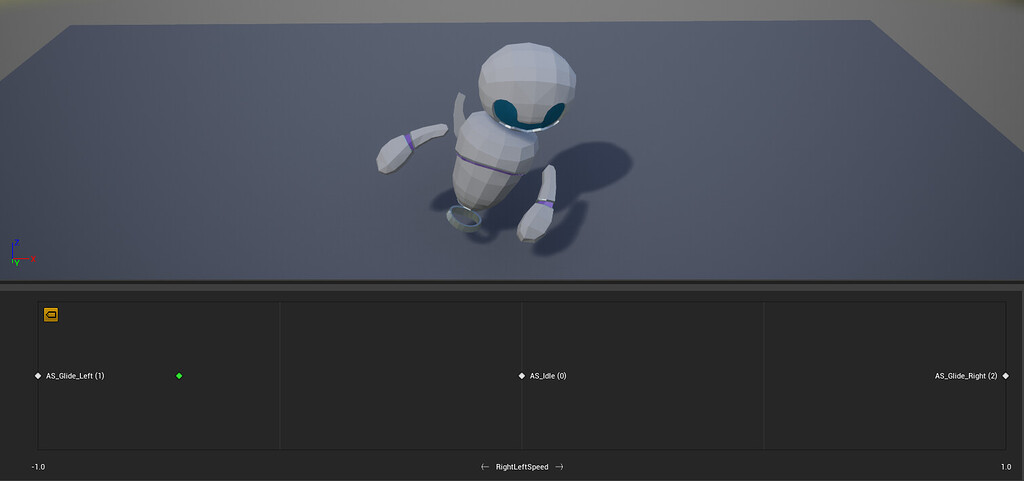
Epic Developer Community Forums
EDIT: just realized the problem is not limited to blend spaces; it is affecting all animation, even a simple idle loop. I simply noticed the issue first with the blend space since that movement is more exaggerated than the idle loop. Investigating! I’m having an issue with blend space playback in networked games. On the listen server, remotely ...
Try this
weak linden
sonic python
Okayy after finishing this let's come to my problem
Yes, so at a quick glance from your widget blueprint, I think, you may need to rethink how you're equipping of items works, ideally you want to have the server control the equipping process.
Example:
Player picks their desired clothing, items, etc in the UI, you can, as you are, store that in the game instance for later use (since that is unique to each player), then you need to send that information to the server (probably via the player character), the server then either spawns those items and attaches them.
I assume in your case, you have pre-defined components already in your character that just need a mesh assigned? In which case, instead of the server setting those, you send the information needed to "find" the data (RowName and Category) from the server to clients (via a multicast event) which then will find the meshes from the datatable and set them there.
sonic python
weak linden
Yes, so at a quick glance from your widget blueprint, I think, you may need to r...
That's what I did
?
Maybe there's a problem in multicasting?
weak linden
Does this EquipItem function run a server event inside the character?

Because, from what I can tell, that function itself, is not replicated to the server
sonic python
I tried running a server event
But When a player is choosing another player is unable to choose
When I did that
weak linden
sonic python
But When a player is choosing another player is unable to choose
Okay, so let's start from the top, just so I can understand how you're doing things, when do players get the UI to pick their items? Is it before or after they spawn in the world?
 rose prawn
The code above is in the widget. You can see a function that sets brush colors of border. BecomeActiveSlot is server replicated, but widgets only exist on local machine, so that function will never work
weak linden
rose prawn
The code above is in the widget. You can see a function that sets brush colors o...
None of those functions in the widget blueprint are server replicated though (not in that screenshot)
 sonic python
weak linden
Okay, so let's start from the top, just so I can understand how you're doing thi...
sonic python
weak linden
Okay, so let's start from the top, just so I can understand how you're doing thi...
Ui is working fine I think?
sonic python
rose prawn
The code above is in the widget. You can see a function that sets brush colors o...
Oh what?
weak linden
rose prawn
Oh I missed that one, yeah, that'll never work
sonic python
weak linden
Okay, so let's start from the top, just so I can understand how you're doing thi...
Not pick , they choose it like they buy items from a shop and from inventory they choose the item
weak linden
sonic python
Oh what?
Widgets themselves cannot call RPCs that're declared inside them, since widgets are only "client side"
sonic python
rose prawn
It marked as server replicated, but it won't work
Oh then should I have it as not replicated?
weak linden
You have to do it so that when the player presses the button, it calls a function that is in the character class itself
sonic python
weak linden
Widgets themselves cannot call RPCs that're declared inside them, since widgets ...
Oh
rose prawn
My point is you should really stop doing anything and read & watch tutorials about how replication works
sonic python
weak linden
You have to do it so that when the player presses the button, it calls a functio...
Should I replicate that equip item
In the Tp character
rose prawn
There are so many severe problems in codes you showed
weak linden
sonic python
Should I replicate that equip item
No, BecomeActiveSlot itself won't work as a replicated function.
How does your item system work? Are you spawning actors for stuff and attaching or are they mesh components that're already setup in your character?
sonic python
weak linden
No, BecomeActiveSlot itself won't work as a replicated function.
How does your ...
I guess I'm spawning
weak linden
sonic python
I guess I'm spawning
Using SpawnActor?
Or are you creating components via AddXXXComponent?
 weak linden
Okay, so your character already has the components, that's fine, give me one sec
sonic python
Okayy
weak linden
What you want to do is something like this:
Player presses the button for "buy" -> grab the information for what they "bought" -> get your player character blueprint (the same way you are already should be okay) and call a server replicated function that is within the character blueprint, inside the character, you want to send the table row and category to a Multicast function (that is also inside the character blueprint), and then from that function you can finally get the mesh from the data table, then set the mesh.
So, from where you are, BecomeActiveSlot shouldn't be replicated, EquipItem should be server replicated, then you just need to add the extra multicast that will do everything from your last screenshot
sonic python
i guess i want to do that
if the equip item is server replicated
the client is not able to choose the dress till the server enters the match
weak linden
I'm not really sure how that's happening, by server replicated, it means the "server side" of the game, which should work whether that player is spawned or not, unfortunately I'm not able to help more 😦
sonic python
one min
this is in charac bp

This is the problem coming

right one is the server
sonic python
weak linden
I'm not really sure how that's happening, by server replicated, it means the "se...
Oh ok. Really Thankful for help you did now

okay i guess
how it is now itself is okay i guess?
ill change it in update with more knowledge
its not wrong isnt it , they are sure equipping the dress , and having it in the game
but just their dress is not seen for others
isnt it?
torpid girder
i am still baffled why my characters spawn falling through the floor on the remote client, but when you die and respawn again, its all ok
ok so i disable replicate movement and good the character doesn't fall through the floor, enable it and bye bye
why would the local client start to compute the position of a proxy character?
torpid girder
i built a number of web services to handle currency etc
i don't want lots of logic going on with the server
 quasi tide
So I was testing my ammo counting logic with a bad connection and I noticed that it fails in poor connections. Say you fire fast, the client can get out of sync with the server - client has 5 bullets left, but the server says it has 8 (because the other shots haven't gotten to the server yet). The server then replicates it back down to the client, jumping the client's count back up to 8. Thus allowing the poor connection to fire more rounds than they should.
What would be a good way to handle this? My first thought was, in the onrep, only accept it if it is less than what the client thinks it should be. Thought process is that the server should always only be a few behind, but if a cheater wants to adjust their ammo to greater or equal to what the server says it should be, it should just be ignored. There shouldn't really be a time that the server's ammo is less than the client's after the onrep has fired.
Thoughts?
 versed ocean
trying to hook into the loading process to load up some details from mySQL -- no issues on DB / loading code... but WHERE should I hook? do I hook into my derived GameMode? I thought it would be based on some of the comments the InitNewPlayer event, but that doesnt seem to ever trigger? I'm running dedicated server

Nevermind, was lying -- had engine set to launch as client, so must have been launching a dedicated server in another thread or something without a debugger attached, changed that and now it hits. Appologies
torpid girder
so i have this spawn code, it checks for a key in the PC, looks up the base character from the data table and i simply GetWorld()->SpawnActor, sometime changes the second time around, and proxied players don't fall through the floor as they do the first time a player spawns into the game

i am wondering, there must be something that controls actor creation on the client?
 unborn nimbus
Is AActor::DetachFromActor replicated automatically?
quasi tide
I believe so
unborn nimbus
That's what I thought
quasi tide
I'm pretty sure there is a piece inside of the C++ code that highlights that it is replicated.
I believe I recall seeing something like that with the attach equivalent
unborn nimbus
ah yea in the component level method there is
quasi tide
That's the one that should be used I believe. Attach/Detach from component. Isn't the Actor variants depreciated 🤔
unborn nimbus
 quasi tide
Ahh it was the root component variant that I was thinking about
sonic python
Hey hey hey
When a weapon is picked by client ,how to make the server or others see that the client has the weapon picked up
 eternal canyon
quasi tide
So I was testing my ammo counting logic with a bad connection and I noticed that...
eternal canyon
quasi tide
So I was testing my ammo counting logic with a bad connection and I noticed that...
Are the shots that aren’t taken into account on the server actually doing any damage or effects?
Otherwise it’s not rly a problem
 graceful flame
sonic python
When a weapon is picked by client ,how to make the server or others see that the...
graceful flame
sonic python
When a weapon is picked by client ,how to make the server or others see that the...
Repnotify
sonic python
Repnotify what the weapon variable?
 ancient moth
Hi ! I'm working on a lag compensation system with server rewind. I have a working rewind system able to confirm hit and I'm trying to use it with a physic-based ball. The players hit by contact the ball, and the ball moves. Is there any function to apply a trajectory correction after the hit confirmation ? How can I recalculate the new correct location and velocity of the ball based on hit in the past ?
graceful flame
Which ever variable changes that you've setup so you can track which weapon is picked up.
Maybe its an enum of all your weapons
quasi tide
eternal canyon
Are the shots that aren’t taken into account on the server actually doing any da...
All the shots are taken into account. It's just a matter of latency. Under poor conditions, the client can get more shots done.
eternal canyon
quasi tide
All the shots are taken into account. It's just a matter of latency. Under poor ...
Uhhh are they separate rpcs or smthn?
As you’d typically wanna subtract ammo when u fire the shot on the server
And make sure that u ofc check
eternal canyon
eternal canyon
As you’d typically wanna subtract ammo when u fire the shot on the server
U can still predict ofc
quasi tide
That's the exact thing that I'm doing
But under poor conditions - the server onrep overrides the client's value.
eternal canyon
quasi tide
That's the exact thing that I'm doing
Then why would the client be able to fire shots without checking the ammo in the server?
quasi tide
You already have the correct ammo count locally. Doing an rpc to check the ammo count before you can fire can lead to very unresponsive controls under poor connection, 'cause you have to wait until the server responds before you can fire.
I'm not planning on implementing rollback per se
The client already has the ammo count locally. You can use that to check if the client can fire.
- Client checks if it has the ammo to fire
- It passes and then fires and tells the server that it fired
- Server validates that it was allowed to fire as well and then processes the firing (while also reducing the ammo count)
- Client reduces it as well.
In a single shot scenario - this is all fine & dandy. But if you encounter a situation where the client shot 3 times (reducing the count from 10 to 7), but the server hasn't received the RPCs for firing in time for the ammo to onrep back to the client, the server will override the client's prediction more or less and adjust it to what the server says it should be.
So client fires 3 shots. Ammo should be 7. 2 RPC's get to the server and the server says the ammo should be 8. Client gets that and updates its value locally. Final RPC is received, server updates it back to 7. But client has already fired again at this point, so client says it should be 6 or 5. Server overrides it again. So on and so forth.
quasi tide
Yes. Just write it where it shouldn't matter if it is listen or dedicated
graceful flame
Listen means cheaters can cheat without much difficulty. So if something like speed hacks doesn’t matter in your game then sure.
quasi tide
UE makes it quite easy to do so
 dark edge
graceful flame
Listen means cheaters can cheat without much difficulty. So if something like sp...
dark edge
graceful flame
Listen means cheaters can cheat without much difficulty. So if something like sp...
Only the host, but if your host is cheating then what's the point. You wouldn't run listen server for a competitive game but for something you want to play with friends it'd be just fine.
quasi tide
You wouldn't run listen server for a good and fair competitive game
graceful flame
The difference being that if a cheater tries speed hacking on a game with a dedicated server they’re constantly having their position corrected by the server and so they appear to stutter in place instead of speeding forwards.
ancient moth
It's not that easy, but it's doable. In listen server, you have additional code to handle the fact that the server is also a player. These part would need to be rework if you want to pass to dedicated server.
Also, just a little warning, it's not possible to "get BP" without get C++ first. If you can't understand C++, you don't understand really BP (which are just graphic C++). In particular on MP games, it's impossible to really understand what happen behind the nodes to avoid to make big mistake or not-optimised code.
 thin stratus
You'd need to code with both in mind
graceful flame
While you’re developing the game you use PIE client mode to test with so you don’t have to actually rent and setup a dedicated server but it’s using the same architecture.
thin stratus
In DediServer only models, you'd never play visuals effects and sounds for anything but clients.
For ListenServer you'd do it for everyone
If you target both, even if just during dev time, you'd need to handle both cases
So that it plays them if ListenServer but not if Dedi
That might go for more than just this example
Rest depends on how your game would match make
DediServer matchmaking of course works heavily different and requires a backend
(also super €€€€)
Competitive Games with small teams (or even as solo dev) are a really really bad idea
ancient moth
ancient moth
Hi ! I'm working on a lag compensation system with server rewind. I have a worki...
Any idea for this problem ? A least some hints... 😅
 quartz iris
For the winner of a round between 2 players, should I put the winner's controller into a variable so I can keep track of who's won what round?
 low helm
Player state is more appropriate
Because all clients have access to each other's player state
quartz iris
I'm still kinda confused on how I can display the winner within a widget
low helm
You need an object that's replicated to everyone, the game State object would be the most common to use for this purpose
Do you have a custom game state
quartz iris
low helm
Because all clients have access to each other's player state
I have this in gamestatebase

Yeah
low helm
I don't think you're supposed to use get player character like that, clients cannot read that properly
quartz iris
I understand how to use gamemodes/states im just not sure about displaying the winner/loser in a widget and the opposite players health inside a widget too
low helm
But it's good you have a game state
Have the server save as a variable either the character or the player state of the previous winner
A replicated variable on the game state, and that is what your widget will read
quasi tide
Game state cycles through all Player Controllers and calls a ClientRPC that will cause the widget to show up.
low helm
Seems a lot simpler to just do a multicast on the game state
quasi tide
You can, sure. I just prefer to do my UI handling stuff through my player controller.
quartz iris
low helm
Seems a lot simpler to just do a multicast on the game state
Like this?

Its not a multicast atm but i'll change it
low helm
Lol, yeah sort of like that
But don't create a different event for each player, that's silly
quartz iris
So I need to loop each controller?
quartz iris
 low helm
Perfect
Now your widget and your other logic can just read that integer
Go into your winning widget and add an integer variable which is exposed on spawn and instance editable
quartz iris
low helm
Go into your winning widget and add an integer variable which is exposed on spaw...
Winning widget meaning the widget showing up for the winning player?
low helm
Yeah
 low helm
You have to give a little more background on what that ticklogic is doing
But it definitely looks irresponsible
quartz iris
Checking for each players health
low helm
That is the server checking to see who's dead?
low helm
Okay, technically that should work but it's still a strange approach, typically you would just put that logic on the characters themselves whenever they receive damage
quartz iris
Yeah
low helm
Also, you would need to make sure that the clients were not running that ticklogic
quartz iris
But for now im testing its ok
Isn't getting the local player char not going to work though?
low helm
Not sure what you mean
quartz iris
I need for this to check through each player in the lobby to see if they are dead and if they are give the other player a win
Would I need to keep the variables for Player 1 and Player 2 wins?
quartz iris
How do I do this properly? I'm not doing it right
low helm
Better approaches would be to save an array of victories, or to set an integer for victories on each player state
For instance, you could have one array on your game state which is an array of player States, every time someone wins add their player state to the array
Then you can write a function to output who has won how many times, and you would even retain the order in which they had won
So it would look kind of like this
1,1,2,1,2,1,2,1,2,2,2
Except instead of numbers it would be player State references
quartz iris
I think I need a good youtube tutorial or something lol
low helm
I'm sorry I'm overwhelming you
Just keep chipping at it and send me pictures of your code in DM if you have more trouble so we don't clog up this chat
You're on the right track
quartz iris
So wait so getting the player character 0 gets the first player who joined eg the server right?
 signal meteor
Does anybody use AI in their Multiplayer games?
low helm
quartz iris
So wait so getting the player character 0 gets the first player who joined eg th...
On server I think it should work that way, but on the clients it definitely will not
low helm
signal meteor
Does anybody use AI in their Multiplayer games?
Yes people started doing that in the '90s
quasi tide
signal meteor
Does anybody use AI in their Multiplayer games?
Nope. Not a soul.
AI can only be done in single player.
low helm
Yes
graceful flame
So I'm just walking around using the default character movement component while emulating a realistic amount of lag and the results are unplayable. The amount of jitter due to server corrections is awful. Not sure what I'm doing wrong here. Can't take more than two steps without it stuttering. I have changed default walk speed from 600 to 800 and don't change it during runtime.
Incoming: 15-80ms with 2% loss
Outgoing: 15-80ms with 2% loss
Actor tick: Tick enabled 0.0
Mesh tick: Tick enabled 0.033
CharacterMovement: Tick enabled 0.0
CapsuleComponent: Tick enabled 0.033
Net Update Frequency: 100
Replicates: Enabled
Replicate Movement: Enabled
quartz iris
So how can i get the other player's health etc
In the widget
The player you're fighting against
low helm
If you only need it at the end, just include those as parameters of your victory event
And the widget can read it the same way it read the integer
quartz iris
At the start
low helm
If you need to continuously, make it a replicated variable on the characters
low helm
graceful flame
So I'm just walking around using the default character movement component while ...
At that speed, the character movement component shouldn't be giving you that much trouble though there are options to significantly turn down server correction
graceful flame
I need some guidance
low helm
low helm
At that speed, the character movement component shouldn't be giving you that muc...
What sounds more likely is it the player is actually colliding with something that he is carrying, perhaps on the client but not the server or the other way around
Are you sure it's the instantiation of mild lag that is causing this
quartz iris
low helm
If you need to continuously, make it a replicated variable on the characters
Yeah but how do i get the right character ?
graceful flame
There are a few attached meshes, but I have collisions and visibility disabled until some event happens.
Yea if I disable lag emulation it all goes away
low helm
quartz iris
Yeah but how do i get the right character ?
That depends on the widget that is displaying that information
low helm
graceful flame
There are a few attached meshes, but I have collisions and visibility disabled u...
Are you sure that event is happening on the client and server properly
graceful flame
It happens before that event even fires yea
quartz iris
low helm
That depends on the widget that is displaying that information
Its the widget made when the player wins/loses
low helm
Well I suppose we could look at the character movement component and just find the server correction variables, look for variables and say error correction or location correction or something like that, I'm not on my computer right now
low helm
quartz iris
Its the widget made when the player wins/loses
If the players know what player number they are, they could just read an array of health values
quartz iris
How do I get the name of the player from the character which is stored inside the Round 1 Winner character variable?
 quartz iris
low helm
If the players know what player number they are, they could just read an array o...
quartz iris
low helm
If the players know what player number they are, they could just read an array o...
So I do NOT= local player
 low helm
quartz iris
How do I get the name of the player from the character which is stored inside th...
low helm
quartz iris
How do I get the name of the player from the character which is stored inside th...
You would need to cast from get player character to whatever the actual class is, that should have your player name variable
These questions are coming a bit too fast I got to go for a while
low helm
quartz iris
So I do NOT= local player
That doesn't seem right
quartz iris
low helm
You would need to cast from get player character to whatever the actual class is...
This would be the actual player's name right? like their steam name for example, as im using advanced sessions
quartz iris
low helm
That doesn't seem right
Why not? There's only one other player in the server and so if it's NOT= to your player then it must be the other?
low helm
I don't know where steam advanced sessions puts player's names you'd have to ask someone else
low helm
quartz iris
Why not? There's only one other player in the server and so if it's NOT= to your...
I'm not exactly sure what you're trying to do there but yeah maybe you're right
quartz iris
low helm
I'm not exactly sure what you're trying to do there but yeah maybe you're right
I need every player to see the health of the enemy they're going against in their widget
 strange apex
Hey, I added Create / Join Session. I have a pickup to inventory system which picks up actors/items BUT it only works on The Host Player, any other player connected cannot pickup the item [ in my case it shows inside the inventory that he picked the item up and I can even drop it but the item is still there ]
low helm
Well typically in a video game players would be able to see each other's health persistently, but you could do it a little different, you could do it to where at the victory screen the server just tells you the health of the player that did not die
quartz iris
No I don't think you know what I mean lol
All im asking is how do I get the information from the opposite player's character as a character
Specifically in a widget
low helm
strange apex
Hey, I added Create / Join Session. I have a pickup to inventory system which pi...
You need to run an event on the server so that the server will delete that item
strange apex
so from PICKUP NODE --> custom event / which triggers delete actor?
low helm
Yeah
 sinful tree
quartz iris
All im asking is how do I get the information from the opposite player's charact...
sinful tree
quartz iris
All im asking is how do I get the information from the opposite player's charact...
In the GameState there is the PlayerArray which is a list of playerstates. If you know for certain that there is only 2 players, then you can loop through the PlayerArray and check if the Owning Player of the Widget's PlayerState != Array Element then you have the other player's playerstate.
low helm
quartz iris
No I don't think you know what I mean lol
But yes, on any given character you can check to see if it is locally controlled and if it is not then it is belongs to someone else
strange apex
strange apex
so from PICKUP NODE --> custom event / which triggers delete actor?
Doesn't seem to work, probably did it wrong.
low helm
Did you make it RUNonserver
strange apex
 strange apex
object , but rn i am making it run on character and it worked but also removed my player
low helm
It will probably fail if you run it on the object, because objects that you are not the net owner of are not eligible to send messages to the server
Yeah good run it on your player, you probably just accidentally have it destroying self instead of destroying the object it is supposed to point to
strange apex
idk why but when i create the event it makes it to delete the character , is it because i am running the event inside the Character BP?

Can't seem to fix it
Also another thing, When the host throws item from inventory they show up differently to the Client [ the cubes are the Items/Actors that you can pick up ]
 sonic python
graceful flame
Which ever variable changes that you've setup so you can track which weapon is p...
sonic python
graceful flame
Which ever variable changes that you've setup so you can track which weapon is p...
nope not working
like the weapon attaching to player is not seen .. and even the attack animation is not seen
 severe monolith
Will this work as a method to pass a class to clients? (the onrep function will create the widget and add it). I had an issue where the healthbar didn't exist as object for users
 torpid girder
i was just reading over the logs and found LogNet: ReplicationDriverClass is null! Not using ReplicationDriver.
is that something i should worry about?
severe monolith
severe monolith
Will this work as a method to pass a class to clients? (the onrep function will ...
didn't work, fuck
graceful flame
Repnotify isn't some switch that magically makes your weapon work properly, its the mechanism that you need to utilize in order to achieve the result you're looking for.
torpid girder
oh wow getting closer to why my characters fall through the floor when the first spawn in (at least the remote proxies do)
so if i run far away from the other player (i assume despawn) and run back (re-created some how) the character are both standing correctly
 regal ether
Quick Question: Anyone here know how to replicate a set actor location? So basically I have 2 portals, and I want their position to be set by a gun that users have. Only issue is, I cant figure out how to set the location. Right now, the move portal event is called with remote authority (so client), and is not replicated. This event calls a server event, which carries out the logic. However, this does not work in the level, as nothing is moved. Attached is an image of the logic

 dry pebble
Does anyone know how to enable the Networking Plugin - specifically how to get the insights part to work? I enabled all 3 plugins and in "Launch Commands" added -trace=np but that didn't do anything. In his video he types trace=np in visual studio, how do you do this with rider? (also I know the plugin isn't worked on anymore, just trying to debug something) https://www.youtube.com/watch?v=_rdt-v1nFlY
Video explaining WIP Network Prediction Insights
Part 2: https://youtu.be/18BNvoGP-E0
low helm
regal ether
Quick Question: Anyone here know how to replicate a set actor location? So basic...
What object is this event on? It needs to be on a character or playercontroller
regal ether
the event is in the portal
low helm
You cant put replicated events on objects that you are not the NetOwner of
 low helm
doesn't matter, the event needs to be on the player character
regal ether
but I cant do that
low helm
you can
regal ether
is there any way I can set its location in the portal?
the location isnt the only thing being set
regal ether
what does that mean
low helm
create an event on the character which is replicated
and runs this event, non-replicated, on the server

so create an event on the character which has a reference to a Portal, and the Hit paramter also
regal ether
ok thanks
graceful flame
If you use the default character movement component and these network emulation settings do you get lots of server corrections too? I can't seem to figure out why moving around with just this amount of lag becomes unplayable.
p.NetShowCorrections 1
Actor tick: Enabled with rate 0.0
Mesh tick: Enabled with rate 0.033
CharacterMovement: Enabled with rate 0.0
CapsuleComponent: Enabled with rate 0.033
Net Update Frequency: 100
Replicates: Enabled
Replicate Movement: Enabled
Netupdate Frequency: 100 (default)
 severe monolith
strange apex
idk why but when i create the event it makes it to delete the character , is it ...
severe monolith
strange apex
idk why but when i create the event it makes it to delete the character , is it ...
well you are just telling it to destroy the actor (self). And itself is the character
low helm
I have a general architecture question. The further ones stutter more under strain and I'm curious which system is doing this.
Moving 600 of these around on .1 second tick on server, client receives through Smooth Sync (replicates movement off). What is prioritizing the close ones?
 severe monolith
graceful flame
If you use the default character movement component and these network emulation ...
severe monolith
graceful flame
If you use the default character movement component and these network emulation ...
Chances are you are telling your server and client different move speeds, and when your client tries to move, it does it at a wrong speed. (Or the client is completely unable to move on itself, and relies on the server for all moving)
graceful flame
But its using the default movement, so it should already be using client prediction and all that good stuff
severe monolith
have you modified the move speed in any way?
graceful flame
I'm not changing the speed on runtime or anything like that, its set on the character class default to be 800 instead of the default 600 thats it.
graceful flame
No same corrections, just moving slower overall
graceful flame
Even using the average settings of min 30, max 60, loss 1 its correcting so much the screen is blue with debug capsules
just strafing back and forth left to right, forwards and backwards a few steps
low helm
it has to be a speed difference or there's some collision happening you don't realize
Try posting a video of the hiccups, or try deleting and remaking the charactermovementcomponent
 latent heart
Just for a moment I thought you were being super facetious and telling him to re-write the entire component from scratch 😄
graceful flame
Well I have another character that uses a modified CMC with the same issue lol...
But they both use the same parent which is default CMC which has prediction stuff built in
The AI characters are moving around fine which I suppose is normal
low helm
so you've modified the CMC that's causing hiccups? HMMMM
quasi tide
To be fair - no small amount of people have issues with the CMC and server correction on fairly average connections.
graceful flame
There's two characters one with the normal character movement component and another character (Im not even testing with at the moment) that extends the character movement component to add some stuff
low helm
a normal CMC with 160 ping should be perfectly smooth, unless you broke something or there are invisible things in the world you're colliding with on the server
graceful flame
Its an empty flat land with some ramps and cubes scattered around
not even walking into those
 kindred widget
@graceful flame What speeds are you moving at? Also what framerates. I found even upping default speed to about 900 and running at 15fps was practically impossible to move 30 fps was still kind of annoying. I had to up the Network Update Distances quite a bit.
graceful flame
Around the same speed, what did you set the distances to?
Is this the Network Max Smooth Update Distance and the Network No Smooth Update Distance?
Similar FPS too
kindred widget
Yeah. I generally try to keep them a little over max speed. Needs more or less depending on acceleration.
strange apex
severe monolith
well you are just telling it to destroy the actor (self). And itself is the char...
i know but i cannot change to the Item actor
graceful flame
kindred widget
Yeah. I generally try to keep them a little over max speed. Needs more or less d...
With one slightly more than the other?
I see default is min smooth distance: 256cm and no smooth distance: 384cm
kindred widget
Yeah. That's assuming 600 max move speed with default acceleration. Just mess with them a little. Basically you want to let the server catch up to the client's intentions without correcting it too harshly. The overcorrection at lower FPS is what causes the movement issues. Client trying to move too far per frame.
graceful flame
Okay
Also is this a value you change dynamically during runtime based on some other value or event?
kindred widget
Not sure on that. Haven't tried or looked it up. Just happened across that on a test project a month or so ago. 😄 Wouldn't have been an issue except I was trying to superspeed to debug some stuff and client just wouldn't move.
sonic python
graceful flame
Repnotify isn't some switch that magically makes your weapon work properly, its ...
Actually I know but still thanks man , and now should I do the same thing for my attack logic as it also is not working for the client
graceful flame
sonic python
Actually I know but still thanks man , and now should I do the same thing for my...
Are you using Apply Damage?
sonic python
Yes
graceful flame
and Event Any Damage on the actor being damaged?
 woven basin
graceful flame
I'm not changing the speed on runtime or anything like that, its set on the char...
woven basin
graceful flame
I'm not changing the speed on runtime or anything like that, its set on the char...
This video is the best by far for how it make movement speed changes and handle lag up to 500ms https://youtu.be/RtQRMcupJs0

Support the channel through donations. Crypto accepted!
PayPal: https://paypal.me/reidschannel?locale.x=en_US
Patreon: https://www.patreon.com/reidschannel
Bitcoin: 1JFwWHr4X6uAeoZadukzqKjzFBj3Qjy7Sk
Ethereum: 0x2B2Bc108F1Cc0fF899959dEF3226637787d8C3dE
Dogecoin: DNQ33YnhpWoTBokBNVkZP5ub8KTLkpyjpv
Join our community discord!
Discord: https://dis...
dry pebble
woven basin
This video is the best by far for how it make movement speed changes and handle ...
yes and delgoodie's tutorials too
graceful flame
Yea this is for extending the movement component to do stuff like dashing, wall running ... etc. I have another character that does this, but its not the problem. The problem is with just vanilla walking around and strafing back around suddenly and quick turns.
 abstract sundial
dry pebble
Does anyone know how to enable the Networking Plugin - specifically how to get t...
abstract sundial
dry pebble
Does anyone know how to enable the Networking Plugin - specifically how to get t...
In Rider, there are 2 options:
- add program arguments to the Run Configuration (drop down with the name of your project on the toolbar > Edit Configurations)
- install EzArgs plugin (it'll add a similar text edit field to the toolbar as in your example)
graceful flame
I guess it's just gonna be more trial and error with different values for these:
 woven basin
dry pebble
yes and delgoodie's tutorials too
woven basin
dry pebble
yes and delgoodie's tutorials too
Oh wow. Just looking at those now. Looks amazing. Thanks.
low helm
under normal conditions, replication is only passed from the server to the client
you could send your position to the server with events and all
but the sexier way to do it is download smoothsync and it will handle it all by itself
it's a plugin that allows the netowner of an actor to just directly SETACTORLOCATION and smoothsync sends that info the the server and smooths it out on all other clients
 dim trail
is there a way of getting the current path of a controller on the server?
 dry pebble
abstract sundial
In Rider, there are 2 options:
* add program arguments to the Run Configuration ...
dry pebble
abstract sundial
In Rider, there are 2 options:
* add program arguments to the Run Configuration ...
thank you, will take a look
sonic python
graceful flame
and Event Any Damage on the actor being damaged?
Yes
dim trail
can you not clear timer handles on the server?
 prisma pelican
is it possible to disable client side protection in blueprints?
sonic python
This is my pick up codes in character bp

This is an example of pick up with sword in my sword bp
 sinful tree
sonic python
This is my pick up codes in character bp
sinful tree
sonic python
This is my pick up codes in character bp
You need to stop using RPCs for everything, especially multicasts for changing values for others.
Anything stateful should be done through variables. Selecting/Equipping a weapon is something stateful, so there should likely be a replicated variable that you use with an OnRep -> The OnRep function fires when the value changes, so you use the OnRep function to perform whatever action you need with the new value.
It's also a very bad idea to use "Get Player Character/Controller/Pawn" with the index in multiplayer - you don't know which is actually the one you want to use.
You use multicasts when you have something that is "fire and forget" like a notification that needs to pop up on screen, a sound playing, some visual effect to play.
RPC usefulness is also tied to the owning client of the actor. If you have a weapon on the ground, it's unlikely that any specific client owns it, so you cannot:
A) Cannot Call a Client -> Server RPC that exists within the actor.
B) Cannot Call a Server -> Client RPC that exists within the actor.
All you can do to communicate with a replicated actor that is not owned is:
A) Multicast, but only when you know you're running on the server.
B) Set replicated variables, and if you want them to replicate to all clients, you need to be running on the server.
A typical replicated pickup action would go:
Client Side: Press "E" on Character > Determine if something is within range that can be interacted with > If Found RPC to Server with a reference to the actor.
Server Side: RPC received > Check if passed through actor can be interacted with (check if it's a valid actor, if it's within range, if the player can interact with it) > Call "interact" interface on actor, preferably passing through a reference to the character or controller that was performing the interaction.
STILL Server Side (Item Interface): Validate if the specific interaction this actor performs can be completed with reference to the character/controller > Perform whatever is required to complete the interaction on the server, setting any variables that need to be set, preferably OnReps for anything stateful. As you're still running on the server, Multicast any sound/visual effects if necessary and destroy the actor if you want it to disappear.
Client Side (OnReps received): Do whatever you need to do with the new values in their OnRep functions.
sinful tree
dim trail
can you not clear timer handles on the server?
If they were created on the server then you should be able to clear them.
sinful tree
prisma pelican
is it possible to disable client side protection in blueprints?
I haven't heard of client side protections myself. Do you maybe mean client side corrections where the player is moved by the server if they're in a spot the server doesn't think they should be?
sonic python
sinful tree
You need to stop using RPCs for everything, especially multicasts for changing v...
So you mean , that I have to do things in the sword bp here?
Like What Should I do ?
I'm confused
sonic python
Should I create Boolean rep notify and add the logic for the sword in it and use it?
sonic python
sonic python
Should I create Boolean rep notify and add the logic for the sword in it and use...
Attach ,detach
 rocky night
Anyone know how to show the actual player in the match on the hud?
i know how to get the steam name and display it but not how to show it froma ll on the hud (max 4 )
 round mist
rocky night
i know how to get the steam name and display it but not how to show it froma ll ...
round mist
rocky night
i know how to get the steam name and display it but not how to show it froma ll ...
You're just trying to list connected players in your HUD?
I think the game state has a list of all the players connected? Or you can use Steam's API to do that. Can't remember off the top of my head.
Then you'd just create a widget to display them in a vertical box. Right? I must be missing something.
rocky night
yea just that actually
torpid girder
hello, other than editing the DefaultEngine.ini can i set the replication graph class in PIE?
 visual urchin
Hey, I've got a question. Right now the only way I found to make a server call from client is by calling an event written in the player character blueprint. I'd like to know if it's possible to have a GameManager blueprint in the map that contains all events that can be called by clients. I understand that if client doesn't own the object, it cannot send a server call, but I don't think it's a good idea to have all the events in the same blueprint.
latent heart
Server calls can only be made on player-owned actors, such as player controller, player state and their pawns.
Having a random actor not owned by the calling player won't help.
visual urchin
Well, shit happens.
latent heart
You can abstract the calls you need to make.
E.g. find a common way for all calls to be routed through the same Server RPC
visual urchin
I'll create a component for the player character that can deal with all this.
Hope it works.
Thanks for the help!
latent heart
Np.
 amber saffron
hi again, feel like im almost getting it to work correctly. here is my flow:
1.) Player A has variables that are dynamically set ( a cockpit skeletal mesh, and a mech build array)
2.) Player A creates a listen server
3.) in the created listen server map an actor bp(mech platform) has an empty skeletal mesh component. on event begin play mech platform pulls the cockpit mesh variable from Player A and sets it to its skeletal mesh component via repnotify. it then pulls the mech build array variable from Player A and spawns parts in the map
4.) mech platform then assembles the parts via another repnotify. up to here it works for server player
5.) client B joins the map
6.) Client B only sees the spawned parts and it attempts to assemble them, but it does not see the cockpit skeletal mesh
where do i correctly store the the variables for player A so that they can be properly used by mech platform to be replicated to Client B?
i currently have the variables stored in the player state and access them in the mech platform bp like this

and here is the repnotify for the cockpit skeletal mesh

 prisma snow
Mmm I'm getting a weird crash: I'm spawning an in the server with the following code, on BeginPlay:
if (GetNetMode() != NM_Client)
    {
        HelperActor = GetWorld()->SpawnActor<AHelperActor>(AHelperActor::StaticClass());
    }
The actor itself is set to replicate:
AHelperActor::AHelperActor()
{
    PrimaryActorTick.bCanEverTick = false;
    bReplicates = true;
    bAlwaysRelevant = true;
}
When I call a function from him on the client, everything goes well until we hit the following line:
if (GetNetMode() == NM_Client) {}
The call stack after the GetNetMode() function is called is:
Unhandled Exception: EXCEPTION_ACCESS_VIOLATION reading address 0x0000000000000008

UnrealEditor_Engine!AActor::GetWorld() [D:\build\++UE5\Sync\Engine\Source\Runtime\Engine\Private\Actor.cpp:556]
UnrealEditor_Engine!AActor::InternalGetNetMode() [D:\build\++UE5\Sync\Engine\Source\Runtime\Engine\Private\Actor.cpp:4668]
Hey My Weapon still is not replicating
Can anybody show something so that I know how to do it?
quasi tide
quasi tide
So I was testing my ammo counting logic with a bad connection and I noticed that...
Hey @chrome bay - how does HLL handle this kind of situation? If you are able to share.
 chrome bay
Ammo is replicated as a struct with some other params. We only take the Servers' most recently replicated value if the "reload counter" increases - if it doesn't, we keep the clients' local value.
quasi tide
Alright - so, my proposed solution isn't too out of left field. Thanks!
chrome bay
Yeah same idea, we know ammo will only ever go up if a reload was completed on server - so that's the only time we accept the servers' rep update
We send different calls if the client tries to fire and it gets rejected. Low-key prediction/reconcile essentially.
quasi tide
Yeah, inside my onrep now checks if it was a reload (pretty much if the ammo equals the magazine size) and if it wasn't, then checks if we should keep the client one. It also handles the situation where a client tries to say they have more than what the server thinks (outside of the reload situation). Simple script kiddie deterrent 😅
 twilit radish
HLL competitor incoming 👀
quasi tide
Definitely not
I have no interest in pvp
Really sets me free to allow more client stuff 😅
Oh - you shot every enemy on the map after spawning? Strange - but okay!
twilit radish
🙂
chrome bay
If i've learned anything this week alone it's that people will always find a way..
Can't even wrap my head around the latest hacks I've seen 😄
twilit radish
If only people would just be nice 🥲
prisma snow
prisma snow
Mmm I'm getting a weird crash: I'm spawning an in the server with the following ...
Solved it, for some reason I could call a function on a NULL object and only crashed a few stack frames later
twilit radish
But yeah.. Unless you have a game that happens to have no design issues it's just a never ending game.
quasi tide
prisma snow
Solved it, for some reason I could call a function on a NULL object and only cra...
Just to clarify - this was null?
prisma snow
quasi tide
Just to clarify - `this` was null?
YES lol
but I could call functions on it
quasi tide
Go home computer. You're drunk.
prisma snow
yeah very weird
if you call a function to another class that is replicated and is your UPROPERTY(), you still have to mark your pointer to that class as replicated right?
chrome bay
not neccesarily
You can have a non-replicated UPROP pointer to a replicated object
E.g, PlayerArray in Game State
The array is constructed locally
prisma snow
chrome bay
You can have a non-replicated UPROP pointer to a replicated object
Mmm mine was null for sure, not sure if that is the cause
chrome bay
Well ofc the client would have to populate that pointer somehow
prisma snow
chrome bay
Well ofc the client would have to populate that pointer somehow
ahh then yeah that's the problem
chrome bay
But replicating the object itself != replicating a pointer to it
prisma snow
exactly, that was my reasoning error then
twilit radish
I'm looking at what random cheats HLL has on YT and I see this gold of a comment:
and the unwillingness of the Hell let Loose Dev team or team17 to encrypt their files is the problem here!
quasi tide
 twilit radish
Just encrypt the files, Jambax! 😂
quasi tide
Jambax probably 👆
chrome bay
If only I didn't have to hide behind PR
twilit radish
I do always find this topic a shame though. Imagine if the people who made cheats just used those skills for something good or something else 🥲
quasi tide
For some - it is just a game of cat & mouse
 gentle oracle
Planning on upgrading my ue5 to ue5.1, does anyone know for sure if they added the adjustment to world partition with listen servers? Where everyone just loads around them rather than the server having everything loaded
 molten matrix
Has anyone seen this error before: Socket->SendTo failed with error 21 (SE_EADDRNOTAVAIL). It's happening when I try to call ClientTravel on my local address. I'm using the Null online subsystem.
Here are the prior logs:
LogNet: Browse: 192.168.1.225:0/Game/Maps/Entry_CruiserCommand
LogInit: BSD IPv4/6: Socket queue. Rx: 32768 (config 32768) Tx: 32768 (config 32768)
LogNet: Created socket for bind address: 0.0.0.0:0
LogNet: IpConnection_0 setting maximum channels to: 32767
PacketHandlerLog: Loaded PacketHandler component: Engine.EngineHandlerComponentFactory (StatelessConnectHandlerComponent)
LogHandshake: Stateless Handshake: NetDriverDefinition 'GameNetDriver' CachedClientID: 4
LogNet: Game client on port 0, rate 100000
LogNetVersion: CruiserCommand 1.0.0.0, NetCL: 0, EngineNetVer: 30, GameNetVer: 0 (Checksum: 1063194264)
LogNet: UIpConnection::HandleSocketSendResult: Socket->SendTo failed with error 21 (SE_EADDRNOTAVAIL). [UNetConnection] RemoteAddr: 192.168.1.225:0, Name: IpConnection_0, Driver: PendingNetDriver IpNetDriver_0, IsServer: NO, PC: NULL, Owner: NULL, UniqueId: INVALID Connection beginning close timeout (Timeout = 165133876).
Is it worth to have a replicated property that is never going to change, just needs a dynamic initial value?
I'm thinking about the pointer issue I had before
twilit radish
In at least C++ you can set it to be "Initial only" so it only replicates the very first time for clients but does adjust dynamically when new people join (assuming you updated the variable).
molten matrix
molten matrix
Has anyone seen this error before: `Socket->SendTo failed with error 21 (SE_EADD...
I figured it out. My call to ServerTravel was missing ?listen at the end.
prisma snow
twilit radish
In at least C++ you can set it to be "Initial only" so it only replicates the ve...
wow that is exactly what I need
so if it is a pointer to an actor, which is initially nullptr but soon gets assigned, I can use that?
twilit radish
Not sure if you want to use it then, it won't update unless you rejoin. Unless that's what you want 😄
quasi tide
Yeah - I use the InitialOnly condition quite often. To set the value on the server and prevent simple script kiddies
prisma snow
the problem is that the value is not set on construct, but on begin play iirc
I don't think I can spawn the actor on constructor
twilit radish
I'm not exactly sure at what point the initial variables get send honestly 🤔
quasi tide
Probably capture it in PostNetReceive (or something like that)
prisma snow
the best way could be to just RPC it but then I have to send manually to new joiners
quasi tide
James probably knows off the top of his head though 😅
 winter ridge
Hello, I'm having a issue with local multiplayer. When I'm creating local players they don't return valid player controllers except only for one local player.. I have "spawn player controllers" ticked on the node too. I've also checked the amount of player controllers that exist in the world after creating 4 local players and only get one. Anyone have any ideas why? (this is 5.1 in bp by the way)
sonic python
sonic python
Hey My Weapon still is not replicating
?
I will understand it now for sure...
 young spoke
is there a reason in UE5.1, on third person template, when i enable "Play as Client" , it seems like PlayerController does not possess the character
so clicking around, moving around, nothing happens
 mild socket
young spoke
so clicking around, moving around, nothing happens
mild socket
young spoke
so clicking around, moving around, nothing happens
Hey, did you get to solve this? Are you using the base template and it doesnt work?
young spoke
mild socket
Hey, did you get to solve this? Are you using the base template and it doesnt wo...
i didn't solve it... moved on
mild socket
Rip. Gave up?
prisma snow
Is the third person shooter multiplayer ready to begin with?
I remember that the top-down template wasn't
young spoke
mild socket
Rip. Gave up?
yep, it's probably a random setting that is botched on my editor somewhere
same happens for TopDown
nbd
mild socket
It might not be multiplayer ready. I did see tutorials about implementing stuff like shooting and actor look direction in the first person, but third person should be multiplayer ready on a basic level, like movment is replicated from the get go as of ue4,
Have you tried verifying the launcher in the library? And making a completely new project to test?
young spoke
mild socket
It might not be multiplayer ready. I did see tutorials about implementing stuff ...
it's just a configuration issue
mild socket
Maybe yeah
young spoke
I use CMC and other net objects fine in my game on 5.1.. it's just the template thats acting funny
and i didn't feel like digging in
sonic python
heyy one more thing as i have done my damge logic with event apply damage theres no need for RPCs in the damage part for a weapon right
dark edge
sonic python
heyy one more thing as i have done my damge logic with event apply damage theres...
Depends on what kind of setup you're going for
sonic python
depends?
dark edge
Somewhere between the player pressing the button and the thing happening, there has to be an RPC to the server. The results of the thing happening have to get back to the client and to other clients somehow, either replicated data or RPCs, depending.
sonic python
variable for the amount of damage and booleans can be replicated for that?
but theres a chance that RPCs is not needed right?
dark edge
At a bare minimum, that is, the new health being correct after damage, that'll work.
You might want a multicast or whatever for the cosmetics like damage popups or such
Really all depends
 proud gust
Atm im trying to do the following and i need some help, I try to keep it short ^^
I have 2 Dedicated Server with different IP(two different machines). When the Player starts the Game, the LogIn screen appear and the User can login, the Server checks if the username/Password is correct.(Its all stored in a MysqlDatabase).
After this the user connects to Server 1 and can play on it.
When the Player now wants to change to Server 2, he gets disconnected from Server 1 and Connects to Server 2.
But atm the Player needs to Login again with Username/Password, that way Server 2 knows which Player is logging in.
How can i automat this, so that the Player dont need to Login again?
I want that Server 2 knows, that this player was allready logged in(on Server 1) and that he dont need to enter Username/password again.
I was thinking to send the IP-Adress from the Player from Server 1 to Server 2(Maybe over a WebSocket) and if the Player Connects to Server 2 and Server 2 has that IP-Adress from the Player allready,
he loggs in the Player Automaticly, but i'm not sure if this is the correct way(i dont want to make huge security mistakes)
sonic python
the weapon being attached to player of a client is not visible to the player
how to fix that
for the server everything works fine and perfect
dark edge
sonic python
the weapon being attached to player of a client is not visible to the player
the weapon actor should be replicated, with replicate movement turned on. Just attach it on the server and it should attach everywhere
afaik. It's been a while since I've touched that stuff
sonic python
movement of the player is replicated
do you wanna see my codes?
only if you wanna
ah what happen
Sorry anyone can help if you want
ill send my codes
in character bp
 dark edge
sonic python
in character bp
dark edge
sonic python
in character bp
Do you want the client to tell the server what they want to pick up or to just tell the server they pressed the pickup button and the server decides everything from there on out?
I'd recommend the latter.
Input -> Run on Server Event
Run on Server Event -> Choose what to pick up -> Pick it up
That'd be the safer option but less snappy, you can also
Input -> Choose what to pick up -> Run on Server Event with a paramter telling server what you want to pickup
Run on Server Event -> Do the actual pickup
sonic python
dark edge
Do you want the client to tell the server what they want to pick up or to just t...
Mmm second one
dark edge
So do it. Right now you're doing nothing multiplayer in your pickup mechanics
sonic python
tell the server they pressed the pickup
dark edge
K so just add a run on server event between the input and the get overlapping actors
dark edge
Remember that input is only local, your current code will only do stuff on the LOCAL machine where the event is happening. That's why it works on host but not client. The host doesn't know about the client picking anything up because you aren't telling it.
sonic python
i tested it now
and now when the client presses pickup
the weapon gets attached to the server player
whats happening now?
how to fix this?
dark edge
sonic python
the weapon gets attached to the server player
Show your pickup code. I bet you're attaching to Player 0's pawn, that's a nono
where you do the actual attachment
I can already tell your pickup interface isn't enough, the weapon doesn't know WHO is picking it up
and generally I wouldn't put pickup stuff in the interface, the thing that's doing the action should do the mechanics
that is, the character should pick up and attach the weapon, the weapon should not attach itself to the character
sonic python
dark edge
Show your pickup code. I bet you're attaching to Player 0's pawn, that's a nono
I have different items using the same pick up function
dark edge
sonic python
I have different items using the same pick up function
That's fine, but put that function in the character
not in the item
sonic python
Ill show you my pickup code in the sword
sonic python
dark edge
That's fine, but put that function in the character
character?
dark edge
You can do it either way but you need to pass over a reference to the character/pawn that's doing the pickup
just show your code


 dark edge
pass over the character reference in the interface
so it know's WHO is picking it up
That'll fix it, but I'd put the pickup mechanics inside the actual character and not on the items.
sonic python
dark edge
pass over the character reference in the interface
?
 sonic python
a error is coming

I added a parameter

oh wait a minuteeeee
it works nowwwwwwwwwwwwwwwwwwwwwwww
Thank youuuu Adriel
oh there comes another prob
now the player aint taking his sword out
sorry for being stressful..
severe monolith
Hello, my multiplayer server travel works fine when playing in editor or playing standalone, but when i package the game, i can't use the server travel, simply nothing happens when i click my start game button
This command

again, no problems in PIE
dark edge
sonic python
the damage aint working
You probably have a TON of stuff in your project that wasn't set up correctly for multiplayer. Just go bit by bit and make sure it makes sense
make sure you understand the difference between the server, client, local, etc
sonic python
quiet hard
ill go through it but
can you or someone help in this alone?
let me show my attack codes
in charac bp
thin stratus
severe monolith
This command
Check your Logs fwiw. It might be failing to travel to the level? Maybe packaging problems.
severe monolith
thin stratus
Check your Logs fwiw. It might be failing to travel to the level? Maybe packagin...
How to check logs on a packaged game?
thin stratus
A packaged game still has a Saved/Logs folder
severe monolith
thin stratus
A packaged game still has a Saved/Logs folder
Looks like im not at fault here, someone else has exactly same problem. command is apparently broken on packaged builds. Hmm
 thin stratus
Steam requires Seamless Travel
The post you linked is talking about non-Seamless Server Travel
You can't use that with Steam
And in general, if not explicitely needed for your game, you should always use Seamless ServerTravel
thin stratus
If you non-seamless ServerTravel when using Steam it will cause your Clients to fail the reconnect
severe monolith
But not even the server travels atm, is that intentional?
thin stratus
No, but the post you linked doesn't metion that problem either
severe monolith
hm
severe monolith
i will, thanks
sonic python
Hey is there any tutorials related in app purchases, how to set the money? After setting the game currency in game
 dusk night
At what point can a client receive RPC's? I'm sending an RPC from server->client as soon as the GameMode match starts(which happens as soon as NumPlayers > 1), but they do not receive it unless I delay sending it via a timer.
signal meteor
dusk night
At what point can a client receive RPC's? I'm sending an RPC from server->client...
are there buffered rpcs in unreal? if there is you may want to look into it. Buffered RPC ensures that all new joins receive the request so no synching or timing is needed.
thin stratus
dusk night
At what point can a client receive RPC's? I'm sending an RPC from server->client...
Usually as soon as their connection is fully setup
There are some events that are more precise but one event you can use is PostLogin
 fiery wadi
I am new to multiplayer and am trying to get a grasp of how each replication function works etc. I figured I would try a simple "Show client UI upon starting game". Ofc this doesnt work. XD
If I am undestanding correctly the Game Mode is the server logic which can then tell the client what to do or send info to the client(playercontroller) ?
this is my attempt to show 2 buttons to 2 clients using the 2 players and ListenServer model from the PIE but as you can see no UI shows.

So for something like this would I have to put the code into the Player Controller and then the Server would tell the Client to run this code or would the Server send it to the client ?
kindred widget
AHUD is not a replicated class, so you cannot replicate or RPC through it.
And generally speaking I would advise not showing UI directly like that. Generally you set some state on a client and that state change triggers a UI display.
For example a user initiates a vote to kick a player. They tell server this, server sets something like a replicated struct and it's OnRep decides if UI needs to be shown based on the information in the struct.
Another example might be a countdown to start the game, or an important timer. You replicate some state and let the client handle it locally.
For something as simple as displaying UI at the start of the game, you should just use AHUD's Beginplay. The server shouldn't dictate when the client gets UI, the client should based on it's local state.
fiery wadi
Ahh thank you for that information, I was following some tutorials but i started to feel like i wasn't learning just basially copy and pasting so felt the need to try and get my hands dirty with this and then ofc you run into issues with the tutorial's and you have no idea how to fix them because you do not really understand what you have written/coded and you just hit a wall.
kindred widget
The only kind of UI I could see being put on screen directly from an RPC is quick temporary displays like a notification of the game's current state that then just fades out on it's own. Or stuff like chat where you don't really want to replicate it and just need a quick burst send.
fiery wadi
ah like a tab score sheet screen much like in COD and various other games
where the server would have all the information regarding match state 5 Kills, 2 Deaths, 3 Assists etc..
kindred widget
Nah. Even that I would let client display on it's own. All of that state should be replicated to client through like PlayerStates or whatever. They should be able to bring that up at will.
fiery wadi
This is what i though might be a "tiny" multiplayer thing to do, Host Game(Create Session), Join Game (Find Session and Join) and then each player has an input Player 1 hits 1 to damage player 2 and player 2 hits the 2 key to damage player 1 and update HP accordingly, would you say this is a small enough project for a beginner?
dark edge
fiery wadi
ah like a tab score sheet screen much like in COD and various other games
Nah tab spawns a widget which fetches the data from GameState and PlayerStates
fiery wadi
Oh i thought it queried the data from the server then spawned the widget, but seems it has already kept that data upto date so it's ready for the widget.
dark edge
fiery wadi
Oh i thought it queried the data from the server then spawned the widget, but se...
Could be either but the UI doesn't talk over the network
UI should just display data that lives elsewhere
fiery wadi
Ah ok I,ll try to fmble my way through some of this as i feel copy and pasting from tutorials that usually end up getting stuck and such like and then having to start again and i could have wasted over a week on it seems like a waste of time.
so time to try to understand! 🙂
dark edge
fiery wadi
Ah ok I,ll try to fmble my way through some of this as i feel copy and pasting f...
Tutorials suck, just try to do the thing and look up specifics if you get stuck.
fiery wadi
indeed.
dry pebble
Does anyone know how to handle a custom movement mode and animations in multiplayer? E.g I have a custom mode for sliding. How best to update the animation blueprint? This is the current Blueprint ThreadSafe Update function but it sometimes updates the other player and sometimes doesn't.

 elder sable
dry pebble
Does anyone know how to handle a custom movement mode and animations in multipla...
elder sable
dry pebble
Does anyone know how to handle a custom movement mode and animations in multipla...
Get the id of your custom movement mode ( stored in uint8 CustomMovementMode;)
 rancid monolith
How can I differentiate between APlayerControllers on client vs server? I need something like IsLocallyControlled, but that's just on APawn
elder sable
You can check the net role
rancid monolith
I know I could check if netrole = autonomous proxy, but for someone on a listen server, its authority instead, when IsLocallyControlled would return true
elder sable
netmode, localrole, remoterole
 fossil spoke
rancid monolith
How can I differentiate between APlayerControllers on client vs server? I need s...
fossil spoke
rancid monolith
How can I differentiate between APlayerControllers on client vs server? I need s...
IsLocalPlayerController
IsLocalController
rancid monolith
literally just found that the second before you posted lol
fossil spoke
Keep in mind, if this is a Listen Server, that will return true for the Host.
rancid monolith
exactly what I was looking for 👌
ty
is OnPossess only invoked for controllers on the server?
elder sable
Yes it's server side
You have ackknowledgepossion and another one for client, don't remember exactly the name
dry pebble
elder sable
Get the id of your custom movement mode ( stored in `uint8 CustomMovementMode;`)
How do I get the ID in blueprints? I have access to the movement mode, but not sure how to get the id now. The ID is in my custom CMC

UENUM(BlueprintType)
enum ECustomMovementMode
{
    CMOVE_Slide UMETA(DisplayName = "Slide"),
};```could just do a getter function?
dry pebble
rancid monolith
could just do a getter function?
I tried, didn't work. Sometimes clients see the sldie, soemtimes they don't
 pastel fiber
When I press W for example, the event handler for it only runs on the client that owns the character.
dry pebble
nvm I fixed it, had to make sure I went from walking/idle to slide as well as crouch to slide because for 1 frame you got from sprinting to crouching to slide and sometimes i think the packet for iscrouching to be true may be dropped.
 tough light
I have a bug and hoping you guys might see some error that I cant see.
So I'm respawning player in game mode :
    //Destroy old Character model after X amount of seconds
    OldChar->Rename(*(OldChar->GetName()+"'s Dead Body"));
    OldChar->SetLifeSpan(3.f);

    //Respawns Player @ Random Starting Location
    AController* Spawning = OldChar->GetController();
    Spawning->UnPossess();
    FTransform PlayerStart = FindPlayerStart(Spawning,"None")->GetTransform();
    APawn* P = SpawnDefaultPawnAtTransform(Spawning,PlayerStart);
    Spawning->ClientSetRotation(PlayerStart.Rotator(),false);
    Spawning->Possess(P);
and a function to see if the player is local here
    //Get Net Mode
    const ENetMode NetMode = GetNetMode();

    if (NetMode == NM_Standalone)
    {
        // Not networked.
        return true;
    }

    if (NetMode == NM_Client && GetLocalRole() == ROLE_AutonomousProxy)
    {
        // Networked client in control.
        return true;
    }

    if (GetRemoteRole() == ROLE_AutonomousProxy && GetLocalRole() == ROLE_Authority)
    {
        // Local authority in control.
        return true;
    }

    return false;
It works for first time spawning but does not work for respawning / calling this function
 lucid viper
Hello,
Currently implemented a sprint system, you can sprint foward diagonal but not left, right or backwards. I used a blenspace for the forward and diagonal sprinting animation. Everything works locally. Was able replicate the walk/sprint speed but noticed the sprint animation dosen’t follow. Would anyone have any tips on how to replicate sprinting animation in this case?
I was looking into blendspace replication, seems complex but not sure if its the correct way to implement this for multiplayer.
Im wondering if it would be easier or could I get away with just hooking it up to an anim montage instead
 fresh cloud
so, quick knowledge question
on character movement component for simulated proxies, it depends on the ReplicatedMotion actor structure to get changed on the server after receiving a servermove from the autonomous proxy, then that goes to clients that have the character as a sim proxy, and then it takes that replicatedmotion data and applies it/smooths it?
 iron crest
Hello, I have a question, Im trying to replicate a sword being spawned and attached to my players back if he presses the interact key which is handled through an interface, the problem is, I have no clue how to replicate a blueprint interface, its only showing up on the client. Does anyone have an idea on how to fix this

 lucid viper
Hello,
Currently implemented a sprint system, you can sprint foward diagonal but...
lucid viper
lucid viper
Hello,
Currently implemented a sprint system, you can sprint foward diagonal but...
OMG im am idiot lol So I miss understood the issue here. I tought you needed to manually replicate the animations un your blueprint in your C++
I was scratching my head on why my blendspace set in my anim blueprint wasnt firing off
Turns out I forgor to replicate the variable over to the server correctly ... not my blend space is working perfectly 😄
weak linden
iron crest
Hello, I have a question, Im trying to replicate a sword being spawned and attac...
You don't need to replicate an interface, you just need to ensure you're making your interface calls in the correct locality, typically, for picking up/spawning items on interact, the flow would be like this:
Player locally presses interact -> call a server RPC with the interactable object as a parameter -> Server calls the interface function within the usable object -> interactable object does whatever it needs to do, spawn item, add to inventory, attach to player, yada yada, and it should automatically replicated to all/other clients (providing you have remember to check replicates in your spawned objects)
iron crest
weak linden
You don't need to replicate an interface, you just need to ensure you're making ...
hmm do you think you can elaborate, im not following, im lost, should the actual function inside the interface have a paramenter, and should it be input or output, because for some reason when I add the output as the actor to spawn, it doesnt allow me to make the event that the function is being called from?
weak linden
iron crest
hmm do you think you can elaborate, im not following, im lost, should the actual...
Bear with me one second and I'll get you a visual example
iron crest
ok thank you
weak linden
iron crest
ok thank you
Here's a small little demo project I put together for someone the other day (you can open it In UE4.27 and up), it should give you an idea on how to send the interact request to the server, all the relevant blueprints are under ServerInteractDemo\Blueprints, you'll want to see BP_Character (in the Character folder), BP_UsableActor and then BP_LootChest (under Gameplay folder).
Feel free to ask any questions after you've checked it out.
weak linden
I hate to ask, but do you happen to have a code-based example of how you're doing your buffering and interpolation on the client you'd be willing to share? I've spent the last year trying different implementations of it and have a fairly good idea on 'how it works' but my execution has resulted in nothing but *mostly* undesirable visuals 😅
Would be more than happy to buy you a beer for a little helping hand.
iron crest
weak linden
Here's a small little demo project I put together for someone the other day (you...
Hey sorry for the late response, it still doesnt seem to work, the sword doesnt spawn on the character anymore. Any cluewhy?
weak linden
iron crest
Hey sorry for the late response, it still doesnt seem to work, the sword doesnt ...
Is your Sword blueprint marked as replicated? (not the mesh, just the actor blueprint)
iron crest
yep it is
weak linden
Can you show screenshot your blueprint/s for me to take a look at?
iron crest
Oh no, the actor wqsnt replicated, it works now lol, thank you
weak linden
Nice! Glad that's worked, has it solved the initial problem too?
 agile loom
tough light
I have a bug and hoping you guys might see some error that I cant see.
So I'm r...
agile loom
tough light
I have a bug and hoping you guys might see some error that I cant see.
So I'm r...
Why you didn't call the RestartPlayer()?
tough light
agile loom
Why you didn't call the RestartPlayer()?
I have it just does not work.
agile loom
tough light
I have it just does not work.
It may fail because of a null player start, when calling FindPlayerStart(), make sure the return is valid
tough light
agile loom
It may fail because of a null player start, when calling FindPlayerStart(), make...
is there a way to call RestartPlayer with my own spawn becuase my find player start function looks like this : FindPlayerStart(Spawning,"None");
agile loom
tough light
is there a way to call RestartPlayer with my own spawn becuase my find player st...
You can override the FindPlayerStart()
tough light
wouldnt it be better to override RestartPlayer function?
agile loom
tough light
wouldnt it be better to override RestartPlayer function?
Yes you can, but overriding the FindPlayerStart and returning a valid player start is easier
tough light
Just overrid the FindPlayerStart func:
AActor* UE4GameMode::FindPlayerStart_Implementation(AController* Player, const FString& IncomingName)
{
    return Super::FindPlayerStart_Implementation(Player, "None");
}
still not spawning
weak linden
tough light
Just overrid the FindPlayerStart func:
```
AActor* UE4GameMode::FindPlayerStart_...
Just an FYI, that does nothing extra than the default FindPlayerStart
tough light
it should have insteal of finding the player start using the Incomming name it changes it to "None" which are all my spawns
weak linden
If you were already calling FindPlayerStart like this FindPlayerStart(Spawning,"None");, it is actually just forcing the same thing, what actually is the error you're having?
tough light
I have it working kinda, my current function starts the spawn posess the character then finished spawning the character. For some reason, possess is not activating isLocallyControlled
    //Destroy old Character model after X ammount of seconds
    OldChar->Rename(*(OldChar->GetName()+"'s Dead Body"));
    OldChar->SetLifeSpan(25.f);

    //Get Controller And UnPossess / Let Go Of Old Char
    AController* Spawning = OldChar->GetController();
    Spawning->UnPossess();

    //Respawns Player @ Random Starting Location
    FTransform PlayerStart = FindPlayerStart(Spawning,"None")->GetTransform();
    ABRM6Character* NewChar = Cast<ABRM6Character>(UGameplayStatics::BeginDeferredActorSpawnFromClass(this,OldChar->GetClass(),PlayerStart,ESpawnActorCollisionHandlingMethod::AlwaysSpawn,this));

    //Check if new character is valid
    if(NewChar == nullptr) RespawnPlayer(OldChar);

    //Set Character Owning Player & Finish Spanwing
    Spawning->Possess(NewChar);
    NewChar->SetOwner(Spawning);
    UGameplayStatics::FinishSpawningActor(NewChar, PlayerStart);
BTW, you probably shouldn't be using OldChar->Rename in that way, Rename is really used for changing the outer of an object, not for giving it a custom "name" like you are, also, where are you running your For some reason, possess is not activating isLocallyControlled code from?
tough light
ok for renaming I just dont want the new body to be named XXXNAME1 so I just rename it to the dead body
And I've had some issues for ListenServers testing my game where IsLocallyControlled does not work, so I've made my own isLocal function here:
bool AUE4Character::IsLocal() const
{
    //Get Net Mode
    const ENetMode NetMode = GetNetMode();

    if (NetMode == NM_Standalone)
    {
        // Not networked.
        //GEngine->AddOnScreenDebugMessage(-1,5,FColor::Orange,"Standalone Game");
        return true;
    }

    if (NetMode == NM_Client && GetLocalRole() == ROLE_AutonomousProxy)
    {
        // Networked client in control.
        //GEngine->AddOnScreenDebugMessage(-1,5,FColor::Orange,"Client & AutonomousProxy");
        return true;
    }

    if (GetRemoteRole() == ROLE_AutonomousProxy && GetLocalRole() == ROLE_Authority)
    {
        // Local authority in control.
        //GEngine->AddOnScreenDebugMessage(-1,5,FColor::Orange,"Listen Server Authority");
        return true;
    }

    //GEngine->AddOnScreenDebugMessage(-1,5,FColor::Orange,"N/A.");
    return false;
}
And later I have it so it enables and disables the characters viewmodel + world model but I'm also using UE4 native Owneronlysee
GetMesh()->SetOwnerNoSee(true); so the player cant see his own worldmodel
and Viewmodel->SetOnlyOwnerSee(true); so player can see his viewmodel only
but during the respawn func somehow it gets flipped and the character thats player cant see his viewmodel and all other players can
prisma snow
If I want to have a net helper actor with the same RPC capabilities than the PlayerController (I don't wanna clutter the PC with unrelated RPC functions just because it's already setup), how should I proceed? I think I need to set the owner but not sure how that's done properly
weak linden
tough light
ok for renaming I just dont want the new body to be named XXXNAME1 so I just ren...
You should be using the built in Player Name functionality in the player state for player names, instead of Character->GetName(), you can set the name of a character, via the game mode like this:
#multiplayer message
Adding the "dead body" suffix should be handled in your game ui for example.
Also, that still doesn't answer how and where you're calling these functions, but, regarding IsLocallyControlled, it will return true only when executed on the machine who's currently controlling the character (I.E the local players client)
tough light
weak linden
You should be using the built in Player Name functionality in the player state f...
Yeah isLocallyControlled is what I want but for some reason Posses is not allow me to call isLocallyControlled or when the new player is spawned its not possesed when beginplay is ran
weak linden
tough light
Yeah isLocallyControlled is what I want but for some reason Posses is not allow ...
BeginPlay is called as soon as the actor is spawned, not when it's possessed, you also probably can't possess a character that's being spawned with SpawnActorDeferred, you will probably want to override OnPossess or OnRep_Pawn in your player controller if you need something that runs after the pawn is posessed
https://docs.unrealengine.com/5.1/en-US/API/Runtime/Engine/GameFramework/APlayerController/OnPossess/

Overridable native function for when this controller is asked to possess a pawn.
Or, as an alternative, just run a client RPC on the new pawn after calling Possess like I do

Actually, you might be better off overriding PossessedBy in your pawn and then calling your client RPC from there
Called when this Pawn is possessed. Only called on the server (or in standalone).
 worn wagon
weak linden
I hate to ask, but do you happen to have a code-based example of how you're doin...
worn wagon
weak linden
I hate to ask, but do you happen to have a code-based example of how you're doin...
Yeah sure, no guarantees it's perfect though 😄
Actor header file
USTRUCT()
struct FPhysicsState
{
    GENERATED_BODY()

    UPROPERTY()
    float TimeStamp = 0.f;
    UPROPERTY()
    FVector Pos = FVector::ZeroVector;
    UPROPERTY()
    FVector LinVel = FVector::ZeroVector;
    UPROPERTY()
    FVector AngVel = FVector::ZeroVector;
    UPROPERTY()
    FRotator Rot = FRotator::ZeroRotator;
};

UCLASS()
class BLOCKPARTY_API AInterpolatedPhysics: public AActor
{
    GENERATED_BODY()

public:
    // Sets default values for this actor's properties
    AInterpolatedPhysics();

    /* Physics Smoothing */
    const int32 MAX_SERVER_PHYSICS_STATES = 20;
    UPROPERTY()
    TArray<FPhysicsState> ServerPhysicsStates;

    UPROPERTY(ReplicatedUsing=OnRep_ServerPhysicsState)
    FPhysicsState ServerPhysicsState;
    UFUNCTION()
    void OnRep_ServerPhysicsState();

public:
    // Called every frame
    virtual void Tick(float DeltaTime) override;

};
Relevant cpp file stuff
void AInterpolatedPhysics::OnRep_ServerPhysicsState()
{
    // Track the last MAX_PHYSICS_STATES physics states in array
    ServerPhysicsStates.Insert(ServerPhysicsState, 0);

    // Remove oldest array item above MAX_PHYSICS_STATES
    if (ServerPhysicsStates.Num() > MAX_SERVER_PHYSICS_STATES)
    {
        for (int i = MAX_SERVER_PHYSICS_STATES; i < ServerPhysicsStates.Num(); ++i)
        {
            ServerPhysicsStates.Pop();
        }
    }
}

void AWeaponThrowableProjectile::Tick(float DeltaTime)
{
    Super::Tick(DeltaTime);

    ABlockPartyPlayerController* PC = GetWorld()->GetFirstPlayerController<ABlockPartyPlayerController>();
    if (!PC) return;

    if (HasAuthority())
    {
        if (UPrimitiveComponent* PrimitiveComponent = Cast<UPrimitiveComponent>(RootComponent))
        {
            ServerPhysicsState.Pos = PrimitiveComponent->GetComponentLocation();
            ServerPhysicsState.Rot = PrimitiveComponent->GetComponentRotation();
            ServerPhysicsState.LinVel = PrimitiveComponent->GetPhysicsLinearVelocity();
            ServerPhysicsState.AngVel = PrimitiveComponent->GetPhysicsAngularVelocityInDegrees();
            ServerPhysicsState.TimeStamp = GetWorld()->GetTimeSeconds();
        }
    }
    else if (PC->NetClockComponent)
    {
        // How far back in time the actor's transform will be
        float InterpRewindTime = .1f;
        // After what time difference to stop extrapolating (too laggy)
        float ExtrapLimit = .5f;
        // The target server time we want to obtain a transform for
        float InterpTime = PC->NetClockComponent->GetServerWorldTimeRTInterpolated() - InterpRewindTime;

        // Interpolate
        if (ServerPhysicsStates.Num() && ServerPhysicsStates[0].TimeStamp > InterpTime)
        {
            for (int i = 0; i < ServerPhysicsStates.Num() - 1; ++i)
            {
                FPhysicsState UnderPhysicsState = ServerPhysicsStates[i];

                // Find closest PhysicsState under the re-winded current server time (InterpTime)
                if (UnderPhysicsState.TimeStamp <= InterpTime)
                {
                    UE_LOG(LogTemp, Warning, TEXT("Current Index = %i"), i);
                    // Get the closest PhysicsState over InterpTime (The PhysicsState before UnderPhysicsState is guaranteed to be over InterpTime)
                    FPhysicsState OverPhysicsState = ServerPhysicsStates[FMath::Max(i - 1, 0)];
                    float Length = OverPhysicsState.TimeStamp - UnderPhysicsState.TimeStamp;
                    double Alpha = 0.0f;

                    // Calculate the alpha value used to Lerp between both values to achieve the target transform
                    if (Length > .001f)
                        Alpha = (InterpTime - UnderPhysicsState.TimeStamp) / Length;

                    // Lerp between PhysicsStates to get our Position/Location and Rotation
                    const FVector Pos = FMath::Lerp(UnderPhysicsState.Pos, OverPhysicsState.Pos, Alpha);
                    const FRotator Rot = FMath::Lerp(UnderPhysicsState.Rot, OverPhysicsState.Rot, Alpha);

                    SetActorLocationAndRotation(Pos, Rot);
                    return;
                }
            }
        }
        // Extrapolate
        else
        {
            // If our PhysicsStates are too out of date, attempt to extrapolate the position using the latest PhysicsState's velocity values
            FPhysicsState LatestPhysicsState = ServerPhysicsStates[0];
            float ExtrapLength = InterpTime - LatestPhysicsState.TimeStamp;

            if (ExtrapLength < ExtrapLimit)
            {
                FVector Pos = LatestPhysicsState.Pos + LatestPhysicsState.LinVel * ExtrapLength;
                FRotator Rot = LatestPhysicsState.Rot + LatestPhysicsState.AngVel.Rotation() * ExtrapLength;
                SetActorLocationAndRotation(Pos, Rot);
            }
        }
    }
}
 jolly delta
Hey, i'm looking for a few info. We currently have ue5 project that is able to run client server from the editor. We are looking to do a server build, and i am not sure if we can do it on an existing project ?
worn wagon
You also need an accurate synced network clock for this to work well, checkout vori's article https://vorixo.github.io/devtricks/non-destructive-synced-net-clock/
Devtricks
Do you want to have a better synced clock in Unreal Engine without removing the default “synced” clock? This is your post!
I had to make an adjustment though:
{
    const float RoundTripTime = GetWorld()->GetTimeSeconds() - ClientTimestamp;
    RTTCircularBuffer.Add(RoundTripTime);
    float AdjustedRTT = 0;
    if (RTTCircularBuffer.Num() == 10)
    {
        TArray<float> tmp = RTTCircularBuffer;
        tmp.Sort();
        for (int i = 1; i < 9; ++i)
        {
            AdjustedRTT += tmp[i];
        }
        AdjustedRTT /= 8;
        RTTCircularBuffer.RemoveAt(0);
    }
    else
    {
        AdjustedRTT = RoundTripTime;
    }

    ServerWorldTimeDelta = ServerTimestamp - ClientTimestamp - AdjustedRTT / 2.f;
        // Added this line
    ServerWorldTimeDeltaRT = ServerTimestamp - ClientTimestamp - AdjustedRTT;
}
Don't divide the RTT by 2 for this, because the timestamps will always be out of date when your ping is above the rewind time. You can imagine on 150 ping, timestamp on server = 1 second, it gets sent to you and arrives at 1.15 seconds and now the InterpTime will be 1.05, which is greater than the most recent timestamp.
Solution is to fully compensate for the RTT, so the time when you receive the timestamp is the same (with some margin of error). Timestamp on server = 1, time when received on client = 1.
I then just have it interpolate in the tick component, this is because when the network clock gets synced by ping pong rpcs to the server, and there is a jump in this value whenever it's adjusted, so the actors will jump slightly when this happens if you don't smoothly interpolate this value.
void UNetClockComponent::TickComponent(float DeltaTime, ELevelTick TickType, FActorComponentTickFunction* ThisTickFunction)
{
    Super::TickComponent(DeltaTime, TickType, ThisTickFunction);

    ServerWorldTimeDeltaRTInterp = FMath::FInterpTo(ServerWorldTimeDeltaRTInterp, ServerWorldTimeDeltaRT, DeltaTime, 2.0f);
}
Apart from that just make sure the actor this is being applied on is set to simulate physics on the server and not the client
thin stratus

Unreal Engine
Welcome to the Unreal Engine Issue and Bug Tracker. You can check the status of an issue and search for existing bugs. See latest bug fixes too.
Just found this lovely bug
In case someone randomly runs into that..
chrome bay
oof
thin stratus
They probably forgot to call something from the ServerMove driven TickPose
Don't know how to see the TargetFix
jolly delta
may i build something that act like this setting ?
 woven basin
thin stratus
In case someone randomly runs into that..
woven basin
thin stratus
In case someone randomly runs into that..
yeah - i was burnt by this. I think @dry pebble actually logged the ticket a few weeks ago when she ran into the issue when 5.1 came out.
What's more concerning is I havent seen a PR in UE-Main to resolve it...
 woven bramble
Hey, I want to test my game on the same PC, but 2 steams do not open on the same PC (Sandboxie is not fully compatible.)
I used VirtualBox, but this time I get the error "D3d11 compatible gpu feature level 11.0 shader model 5.0" when opening the game.
(Directx etc. installed.)
Do you have a suggestion?
woven basin
jolly delta
may i build something that act like this setting ?
Yep - you build a Client, and then a Dedicated Server.
Or if you want the Client to also be a server, then you just build it as a normal game as a listen server.
jolly delta
woven basin
Yep - you build a Client, and then a Dedicated Server.
but there is no way to do it without the sources ? like a client that act like a server but without doing gameplay as a client
woven basin
nope. Listen server using installed build, or Dedicated server using source build.
its not really that hard - and if you are doing dedicated server stuff then you're going to need c++ for other stuff anyway
weak linden
worn wagon
Yeah sure, no guarantees it's perfect though 😄
Thankyou so much! I'm going to give this a go in a moment, if you've got this sending at a lower rate than 100 times a second for the results in the video you posted, it's definitely a lot closer to being usable than my attempt/s over the last year, will be sure to report back later with the results 😅
worn wagon
weak linden
Thankyou so much! I'm going to give this a go in a moment, if you've got this se...
In the video I had NetUpdateFrequency set to 10 for reference 🙂
Let me know how it goes
weak linden
worn wagon
In the video I had NetUpdateFrequency set to 10 for reference 🙂
That's a really clean visual result for 10, I've been trying to target around 30 (unsuccessfully) since this is for player vehicles that they can walk upon (so higher precision is needed), I'll be sure to report back.
One question regarding the networked clock, did you implement the NetworkEventSubsystem that was referenced on the article regarding issues with late join clock sync?
 meager raptor
Hi everyone, when I use "Net Cull Distance Squared" and I see an asset that was previously culled there is a difference between server and client. How can I force it to sync with the client when it should not be culled ?
worn wagon
weak linden
That's a really clean visual result for 10, I've been trying to target around 30...
No I haven't bothered with this. I haven't used my network clock for much yet, and everything I have done isn't that gameplay critical, it's more visual things.
Probably a good idea though
jolly delta
woven basin
nope. Listen server using installed build, or Dedicated server using source buil...
but i can do a listen server now that to not run gameplay and then later do a dedicated server no ?
weak linden
worn wagon
No I haven't bothered with this. I haven't used my network clock for much yet, a...
I imagine it won't matter too much for short-lived actors, (like your throwables), but I guess with vehicles it'd be more of an issue, Iast thing, looking at your code, I assume you went with the RTT clock as opposed to the Circular Buffer version?
worn wagon
No that's the circular version
weak linden
worn wagon
No that's the circular version
Alright, thanks a ton! I'll let you know how it goes 😄
weak linden
jolly delta
but i can do a listen server now that to not run gameplay and then later do a de...
You can actually locally develop to support dedicated servers, (testing with NetMode set to Play as Client instead of Listen Server as in the screenshot), you only need a source build (or custom installed build with server support) for when you package/ship the game
 jolly delta
weak linden
You can actually locally develop to support dedicated servers, (testing with Net...
jolly delta
weak linden
You can actually locally develop to support dedicated servers, (testing with Net...
is an other pc can connect to this simulated dedicated server ?
like a build client
weak linden
jolly delta
is an other pc can connect to this simulated dedicated server ?
You can change "number of players" to 2 and the editor will spin up and connect 2 clients for you, though that will only really work locally
jolly delta
weak linden
You can change "number of players" to 2 and the editor will spin up and connect ...
meh so i need to have a dedicated build
builded unreal take 300go...
meager raptor
meager raptor
Hi everyone, when I use "Net Cull Distance Squared" and I see an asset that was ...
Anyone ?
weak linden
meager raptor
Anyone ?
Can you explain a little more about what you mean? Net cull distance is basically how far away you have to be from an object before it's considered "not relevant" to you and is culled to save bandwidth/CPU, when you come back within this range, the actor will be un-culled and be relevant to you again, if you don't want actors to be culled, you can simply set "Always Relevant" under replication settings in the blueprint of the actors that're being culled, you ideally don't want to do that since things shouldn't really always be relevant (unless it's 100% necessary)
weak linden
jolly delta
meh so i need to have a dedicated build
If your game is packaged with "Game" target, you can probably run it with -server and it'll work for testing, but really, you do want to package with true dedicated server support if that's what you intend to ship your game with
meager raptor
weak linden
Can you explain a little more about what you mean? Net cull distance is basicall...
Yep, this is a matter of optimisations. What I see is that when an actor is deculled the client is out of sync from the server. Like for example, I have an enemy that can fly. I set it's altitudes (with a replicated variable) when it's culled. When the client can see it, the altitude is not correct.
 obtuse field
Should IsLocallyControlled() return false in standardlone?
weak linden
meager raptor
Yep, this is a matter of optimisations. What I see is that when an actor is decu...
I think that could be more related to how you're handling your enemy moving, I had a similar issue to this when I was early prototyping my games vehicles by locally simulating movement as well as on the server, I ended up moving over to a fully server-authoritative movement setup
meager raptor
but that would mean a lot of replicated variable for the movement
these are the main ennemies in the level
jolly delta
weak linden
If your game is packaged with "Game" target, you can probably run it with -serve...
if a client is not conencted is it marked a "is server = true" right ?
meager raptor
jolly delta
if a client is not conencted is it marked a "is server = true" right ?
no or if in standalone
jolly delta
mmeh
jolly delta
meager raptor
no or if in standalone
is standalone is the state of the build ?
weak linden
jolly delta
if a client is not conencted is it marked a "is server = true" right ?
IsServer will return true if the current worlds NetMode does not equal NM_Client
jolly delta
weak linden
IsServer will return true if the current worlds NetMode does not equal NM_Client
where can i check that ?
weak linden
jolly delta
where can i check that ?
Taken from here:
https://docs.unrealengine.com/4.26/en-US/API/Runtime/Engine/Engine/ENetMode/
NM_Standalone    Standalone: a game without networking, with one or more local players.

NM_DedicatedServer    Dedicated server: server with no local players.

NM_ListenServer    Listen server: a server that also has a local player who is hosting the game, available to other players on the network.

NM_Client    Network client: client connected to a remote server.

NM_MAX
The network mode the game is currently running.
Blueprint has access to these 3 functions IsServer, IsDedicatedServer and IsStandalone, which should be sufficient to test, I don't think there's any way to just "get the current net mode" in Blueprint
jolly delta
weak linden
Taken from here:
https://docs.unrealengine.com/4.26/en-US/API/Runtime/Engine/Eng...
but i mean qhere can i get this value and or change it ?
weak linden
It's not really something you go changing, it's entirely based on the current networking status of your game, whether you're connected to a server, hosting as a listen server, etc
jolly delta
weak linden
Blueprint has access to these 3 functions IsServer, IsDedicatedServer and IsStan...
https://docs.unrealengine.com/4.27/en-US/InteractiveExperiences/Networking/Server/ did you know if that work for ue5 ?

An overview of the role of the server in multiplayer.
weak linden
jolly delta
https://docs.unrealengine.com/4.27/en-US/InteractiveExperiences/Networking/Serve...
Yes, it's the same for UE5
Though the executable will be named UnrealEditor.exe instead of UE4Editor.exe
jolly delta
yeah i saw it
i try that UnrealEditor.exe Production Content\TopDown\Maps\TopDownMap?Listen -game -log -ResX=1280 -ResY=720 -WINDOWED but seems not to be good x)
weak linden
jolly delta
yeah i saw it
You need to use fully validated path to your project.
I just have a start_game.bat file in my project directory that does something like this:
"U:\UE_5.1\Engine\Binaries\Win64\UnrealEditor.exe" "U:\Projects\MyProject\MyProject.uproject" MapName?Listen -game -log
If you want to test in server-only mode, you use -server instead of -game
jolly delta
weak linden
If you want to test in server-only mode, you use -server instead of -game
is that also work when directly start the game using the build ? lile build.exe -game ?
weak linden
You don't need to add -game when launching from a packaged game, it's only the UnrealEditor executable that needs it since it'd start the editor without
jolly delta
weak linden
You don't need to add -game when launching from a packaged game, it's only the U...
if i start the server using the editer should the build client can join it ?
weak linden
jolly delta
if i start the server using the editer should the build client can join it ?
No, you can only join a server that is using the same build, I'd just suggest you look into packaging your game properly with server support if that's what you want, it takes time, but it's better than jumping through hoops
 limber gyro
does the client have acess to the game mode variables, im under the impression that it doesnt but i dont remember for sure
quasi tide
No. GameMode only exists on the server.
limber gyro
ty
meager raptor
I created an animation that is playing on the server (as on the image 1), then on the client I set the values from the replicated variable (as on the image 2). I can't seem to have a good animation though even with the vinterp. I even tried to super slow down the animation but I don't see anything on the client


Any idea why ?
 twin juniper
Hey guys. Where 's to verify if streaming is completed client side before spawning and possessing it's pawn on the beggining of the game? It's weird that the main base engine doesn't care about this for world partition
dry pebble
thin stratus
https://issues.unrealengine.com/issue/UE-170093
lol yep that was my bug report @woven basin 😄 Hit me a month ago when the host couldn't hear the footsteps of the clients but the clients could hear all the footsteps. Thought I was doing something wrong for so long before I tested it in the third person map.
meager raptor
meager raptor
I created an animation that is playing on the server (as on the image 1), then o...
I just had to lower the interp speed
limber gyro
how do u disable input in multiplayer?
ive been on this for an hour now and "disable input" doesnt work, even tho the class tick is definetly being called
 split wind
I'm having a little trouble. When the a client joins my host server, it spawns 2 characters overlapping eachother, and then uncontrolably floats and moves upward. I have no idea..
 winged badger
one or both get catapulted to orbit because they spawned inside one another, most likely
limber gyro
theres an option in your playerspawn that lets your character not spawn inside each other if i remember correctly
winged badger
core of your problem is that 2 spawn, use GameMode HandleStartingNewPlayer for player spawns
from blueprint the Parent functions is what calls RestartPlayer, which goes to spawn the playwer pawn
if you have servers and clients character spawning inside each other, you can just add more player starts
pastel fiber
Do servers internally use or call Client RPC to notify the clients that their replicated properties have been changed?
pastel fiber
So how do servers notify clients when replicated properties have been changed?
winged badger
they send a packet with the update via its actor channel
pastel fiber
What is the difference between this mechanism and just calling Client RPC?
winged badger
for one RPC stands for Remote Procedure Call
it calls a function on the other machine
normal replication does not
as net driver deserializes changed properties it received in the packet, it uses reflection to determine if there is an OnRep function and if its overloaded, then calls it
pastel fiber
OnRepNotify_Blablabla() on the clients is executed.
winged badger
which is why you can have OnRepNotify_Blablabla(FMyBlaBla OldBlaBlaValue);
overload for the OnRep
pastel fiber
Client RPC can also accept parameters.
winged badger
and also why the OnRep has to be a ufunction, and why you need to specify its name in ReplicatedUsing
pastel fiber
Client RPC needs UFUNCTION as well. 🙂
winged badger
second, you can only send client RPC through actors that belong to that connection, like PlayerController and everything owned by it
pastel fiber
Good point!
winged badger
and third, the priority and the way they are sent is not the same
reliable RPC has a high priority, and generally does not wait for the actor to have its turn to replicate
there is also a limited buffer for reliable RPCs
i think only unreliable multicasts go through the normal actor replication packet
pastel fiber
Replication is also reliable, right?
winged badger
most of the time
it has been known to break due to various engine bugs
but generally it will get there
quasi tide
Happens at the end of the frame as well (if I recall correctly)
winged badger
most notorious example being a single replicated property in a class with OnRep not working until you add another replicated property
pastel fiber
One of the ways the server can keep the clients synchronized is by using variable replication. The way it works is that every specific number of times per second (defined per actor in the
AActor::NetUpdateFrequencyvariable, which is also exposed to blueprints) the variable replication system in the server will check whether there are any replicated variables (explained in the next section) in the client that need to be updated with the latest value.
quasi tide
int ImportantProp;
bool bHereCauseThisClassNeedsTwoReplicatedProps;
🤣
winged badger
i usually go with something like
UPROPERTY(Replicated)
bEpicHasABug = true;
Somewhat misleading, as one could infer that server has an idea what property value on client is. It never does.
pastel fiber
pastel fiber
> One of the ways the server can keep the clients synchronized is by using varia...
This checking mechanism periodically is not as efficient as what you said above.
winged badger
Server just does "my replicated property has changed, im replicating it"
to make it even more awkward, blueprints don't really have a RepNotify mechanism
its actually a IPRopertyChangedTracker that causes blueprint "OnReps"
you can make a simple test where you change the value of RepNotify property on client locally and then watch that OnRep fire
quasi tide
I'm going to be honest - I'm guilty of taking advantage of that...even in SP games 😅
pastel fiber
Replicated properties that are changed on the owning clients will not trigger the OnRepNotify_Blablabla().
winged badger
Cedric looked shocked when i suggested that its fine to use RepNotify as property changed callback in single player games on #blueprint once 😄
quasi tide
pastel fiber
Replicated properties that are changed on the owning clients will not trigger th...
In BP - OnRep always fires. Regardless of where the variable is changed.
winged badger
except for it being called RepNotify, its actually more inline with what the code behind does then using it for replication callbacks
pastel fiber
Remembering many exceptional behaviors in both C++ and Blueprints burdens me. 🙂
winged badger
pastel fiber
Replicated properties that are changed on the owning clients will not trigger th...
you are correct as long as the scope of that statement is limited to c++
in general - if you are at least semi-comfortable in c++ you want to keep your networking entirely in c++
BP is just messy, and while it does have a basic toolkit - Replicated properties with hacked RepNotifies, Dormancy, RPCs and Actor/Component replication
that is the entirety of what blueprint can do with networking, and all the tools you can use to improve and optimize are exclusive to c++
pastel fiber
OK. THank you. It is time to sleep sound.
winged badger
pastel fiber
Remembering many exceptional behaviors in both C++ and Blueprints burdens me. �...
since you are showing interest in how things behind the hood work, i warmly suggest giving NetSerialization.h a read
half of that header is comments.... er, documentation for network serialization
quasi tide
I still prototype stuff in BP on the networking side. I just expose BIE's during prototyping phase. Then when I'm liking the feature, I move to C++ and remove the BIE.
quasi tide
winged badger
since you are showing interest in how things behind the hood work, i warmly sugg...
Is that the one that has like 300 lines of comments?
winged badger
yeah, including the FFastArray implementation example wrapped in #if 0
quasi tide
Always a pleasure Zlo 👍
thin stratus
dry pebble
lol yep that was my bug report <@396238932242595842> 😄 Hit me a month ago when ...
Yeah employee of mine reported the same issue in their project
So we checked if they maybe did something wrong, but then I used my google skills and found the report :D
 fathom aspen
winged badger
yeah, including the FFastArray implementation example wrapped in #if 0
fathom aspen
winged badger
yeah, including the FFastArray implementation example wrapped in #if 0
Since ue5™️
/**
 * Everything related to Fast TArray Replication has been moved to "Net/Serialization/FastArraySerializer.h"
 */
anyone knows how to fix this ? [ Replication ]
Host can pick up items and then drop them back
Client Can Pick the item into the inventory BUT it does not PICKUP from the floor and if the Client Drops the item it doesn't show on Host.
sinful tree
When you're picking up or dropping the item, are you sending an RPC to the server to do so?
strange apex
sinful tree
When you're picking up or dropping the item, are you sending an RPC to the serve...
no but i tried to create some custom events that would run it again on Server but doesn't seem to fix it ( or it's really hard to add it to some functions )
sinful tree
It's not about running it again on server, it's that you need to run it on the server entirely and replicate the results.
Eg.
"E" to pick up item > Send RPC to Server with reference to the item > Server validates if item is within range of the player, and does any other checks > Server adds item to player inventory (a replicated variable of some kind) > Server Destroys Item Object.
Input to Drop Item > Send RPC to server with reference to the inventory item the player wants to drop > Server validates the player has the thing to drop > Server removes item from player's inventory > Server spawns a replicated actor of that item.
strange apex
sinful tree
It's not about running it _again_ on server, it's that you need to run it on the...
okay i will try to replicate that, thanks
here is one of the Function's [ top image is player_bp ] [ bottom image is Item_Parent ]

i have never replicated before so i am quite a newbie to this
sinful tree
You'd need to call your RPC before you call your interface to the item. The server would end up calling the interface.
And your RPC would need to send the reference to the "Hit Actor" that you're currently feeding into your interface.
dark edge
strange apex
i have never replicated before so i am quite a newbie to this
@strange apex #multiplayer message
strange apex
dark edge
I'd recommend the latter.
Input -> Run on Server Event
Run on Server Event -> Ch...
i was just thinking about that
dark edge
You can either say "hey Mr server I just pressed my pickup button" or "hey Mr server I wanna pick up this item"
strange apex
i will try it now and let u know if it works
I tried putting these in every position possible in this BP , going to test it with other one now [ The Client can't pickup item at all with this ]

Tried it with the other BP but the same thing, either I am dumb and doing it wrong or it just doesn't work. [ The HOST can Pickup items BUT Client CANNOT.
severe monolith
strange apex
Tried it with the other BP but the same thing, either I am dumb and doing it wro...
put in some print strings to see where it goes wrong
usually it is some value that isn't replicated
or something that fails to cast because it doesn't exist on the client or server
strange apex
severe monolith
put in some print strings to see where it goes wrong
okay
If i do it like this then Branch comes out as FALSE

Like this it keep going ( and then ...
 strange apex
Like this it keep going ( and then ...
strange apex
strange apex
Like this it keep going ( and then ...
it says it goes in but doesn't come out in another BP
strange apex
strange apex
it says it goes in but doesn't come out in another BP
when the Replicated Custom event is not there it keeps going until the end but with it , it stops there and doesn't continue
dry pebble
Is it bad to use root motion in a multiplayer game for fast-paced movement like combat? Trying to wrap my head around this. When should you or should you not use root motion in a multiplayer context with latency in mind?
 bronze geyser
Is there any good solution to make Chaos Vehicles work properly in multiplayer? I mean they are lagging and jitter so much on client side. Epic does great job with character movement interpolation, but Chaos Vehicles on multi are nightmare to work with
I'm using UE 5.1 btw
woven bramble
Hey, I want to test my game on the same PC, but 2 steams do not open on the same PC (Sandboxie is not fully compatible.)
I used VirtualBox, but this time I get the error "D3d11 compatible gpu feature level 11.0 shader model 5.0" when opening the game. (Directx etc. installed.)
How can I test the game on the same PC?
 unique cloak
Hi, when im checking whats the ping with PlayerState->GetPingInMilliseconds() an I set the ping in the ini to 100 but it prints like 150 or more to the screen.
Why is that?
Also I changed the latency to min - 10, max - 30 bc I saw someone that doing that and how did it reduce my ping?
woven bramble
woven bramble
Hey, I want to test my game on the same PC, but 2 steams do not open on the same...
@weak linden Do you have any advice on this subject?
thin stratus
unique cloak
Hi, when im checking whats the ping with PlayerState->GetPingInMilliseconds() a...
I think it also counts delta time into that or so. It's weirdly off, yeah
thin stratus
woven bramble
Hey, I want to test my game on the same PC, but 2 steams do not open on the same...
The virtual box probably doesn't have access to the GPU with drivers and stuff. Not sure how one would set that up. Pretty sure we gave up usually and used two pcs
thin stratus
unique cloak
I think its not accurate bc its compressed
Na that's not heaving that big of an effect
unique cloak
so why its happening?
 pallid mesa
worn wagon
Apart from that just make sure the actor this is being applied on is set to simu...
pallid mesa
worn wagon
Apart from that just make sure the actor this is being applied on is set to simu...
Very nice piece of info Ghetto, gj 👍
pallid mesa
thin stratus
https://issues.unrealengine.com/issue/UE-170093
on this topic, queued notifies are still broken when running on root motion setups...
worn wagon
I noticed my footstep sounds weren't playing for the listen host too since 5.1, thought I broke something myself.
Montage notifies play fine though
pallid mesa
I will always ask, but consider freezing that piece of info somewhere outside discord so its accessible to devs 😄
worn wagon
pallid mesa
I will always ask, but consider freezing that piece of info somewhere outside di...
I wouldn't mind doing so, just I'm not sure the implementation is 100% perfect yet since I haven't stress tested it, although it seems fine. I posted it coz the guy asked about it
pallid mesa
that's when the community effort happens. Remember how many iterations we did here together until we got a nicely done network clock article?
I personally believe that these sources of information can be a very great way to learn by example and to reason about problems
because maybe.. you can even find out a bug or something unintended while writing your reasoning 😄
worn wagon
Yeah definitely, I've noticed that trying to teach people helps your own understanding a ton.
pallid mesa
I started my blog just for myself
as a way to take notes and preserve them
then I figured that it'd be cool to share them with the people and keep them fresh if someone finds a better way to do something, keeping it always open for improvements
worn wagon
pallid mesa
then I figured that it'd be cool to share them with the people and keep them fre...
Open source mindset 
I've very grateful to people like you in this community, since the documentation for unreal is a bit lacking compared to something like unity
pallid mesa
worn wagon
Open source mindset <a:TE_GIGACHAD:969581773216428042>
only at a very superficial level, let's say 101s because the intent is not for people to copy what I write, the intent is for people to understand the problem, seeing a simplistic approach and then expand upon it
physics state interpolation is such an excelent example to learn extra-interpolation
which can be applied to many many things
worn wagon
I saw someone asking about chaos vehicles being laggy on the client, I haven't messed around with them but I'm guessing there's no out of the box interpolation or prediction. I wonder if a similar approach could be applied to that.
pallid mesa
sure thing, server authorative movement working at a reduced net update rate needs some love
but I'd start with an example as simple as yours, a bouncy ball or a cube falling
NPP can be explored for predictive movement, but thats another topic
worn wagon
NPP?
pallid mesa
that's a can of worms aint opening now x'D (network prediction plugin)
worn wagon
Ohhh I remember looking into that but read it was abandoned
pallid mesa
thats what some people say, but the reality might be far from that, who knows
if you are interested in the topic, you can take a look, it won't hurt. Btw if you get to publish the inter-extra server auth somewhere, feel free to ping me (lmk)
worn wagon
Sure thing 😄
 rough jolt
Clients are getting disconnected from my server randomly, I can't discern a pattern. Any ideas how to debug this?
worn wagon
Is it listen or dedicated? And how long do they stay connected for usually?
rough jolt
Listen. it seems to be completely random from immediately while connecting to 5-10 minutes
pallid mesa
maybe too harsh on your _validate implementations? 😄
usually disconnects come with a reason
rough jolt
It's not a crash, and as the host i can't notice any performance issues when folks get disconnected. sometimes it disconnects everyone at once, but it just kicks them to the main menu
worn wagon
nothing in the log at all?
rough jolt
What's the log file?
pallid mesa
ah, everyone? are you doing a hard travel through steam?
does this happen during map change?
rough jolt
There's no map changes in my game and we're not using any kind of steam implementation
rough jolt
Oh, i was using the packaged build
rough jolt
I'm sorry if i don't follow the terminology very well, i'm not very good at this yet
I have a text field where you put the IP, and it needs port forwarding, so i assume that's it, yes
it's the simplest listen server you could have i'd imagine
pallid mesa
ah, all right all right ~
you'll need to take a look at your server log when you execute it (you can have a live log by launching your listen server with -log parameter)
there are some functions in the engine you can debug to check why someone disconnected but I dont have ue at hand now to point you where -
checking the log might be insightful enough
rough jolt
so the best way to test it is within the editor? cause it doesn't seem like the packaged build makes logs
rough jolt
@pallid mesa How am I supposed to get those logs? cause i can't figure out. In the editor (if i play standalone) the message log is empty, the output log has nothing
fathom aspen
rough jolt
so the best way to test it is within the editor? cause it doesn't seem like the ...
It does, it's under Saved/Logs
fathom aspen
rough jolt
<@158247241000157185> How am I supposed to get those logs? cause i can't figure ...
The output log always has something
rough jolt
Could this be it?
 rough jolt
does this make any sense to anyone?
 dark edge
rough jolt
does this make any sense to anyone?
dark edge
rough jolt
does this make any sense to anyone?
You sending reliable RPCs on tick anywhere?
rough jolt
not that I can find. the first times i checked the log it named a few specific functions that were reliable, i made them not reliable, the functions mentioned changed
now those functions being mentioned aren't reliable
and it still kicks my clients out, on top of replicating a whole lot worse
Also, every time i "un-reliable" one of these functions, they become, well, unreliable
and i can actually notice them not being correctly RPC'd sometimes
which i don't know how to fix
dark edge
rough jolt
Also, every time i "un-reliable" one of these functions, they become, well, unre...
You should unreliable everything that can be, and only make reliable the stuff that HAS to happen
if it's something that's being spammed every frame, then make them unreliable
 gray orchid
Would anyone know how to fix a problem I have where I have two scopes using render targets and when the other player spawns in the targets switch?
dark edge
gray orchid
Would anyone know how to fix a problem I have where I have two scopes using rend...
Show your logic
weak linden
woven bramble
<@105665012684623872> Do you have any advice on this subject?
You can't test with two "steam" clients locally (a local client + server is fine however), it has to be separate computers, either that, or you run your instances with -nosteam and make sure Null Subsystem is a fallback for testing
weak linden
rough jolt
does this make any sense to anyone?
Most of those errors are the functions "ApplyImpact" and "TrackTarget" being called in the wrong place, such as a server/client RPC being called on a client that does not own those objects
rough jolt
The problem was a certain function being set to reliable. i'm not exactly sure why it was happening, but I messed around a little with how i was calling it and managed to get it to a point i'm happy with I believe :)
thank you all for your advice :)
weak linden
@worn wagon I could kiss your right now, 30 updates/s send rate, emulated 250ms, aside from the response to inputs, it feels really nice!
woven basin
weak linden
<@543559025342676992> I could kiss your right now, 30 updates/s send rate, emula...
What was the trick/lesson/info that helped?
weak linden
woven basin
What was the trick/lesson/info that helped?
I think it's a combination of factors, but largely I'd say it's the addition of the network synced clock and the way I was de-queueing my snapshots, the code that Ghetto provided is just a ton simpler than what I was doing, there's still some minor jitter when interpolating rotations, but overall, it's a far better result for actual positions and it's over 3 times more efficient network wise.
Actually, I think the rotation jitter is unrelated to the interpolation itself, as soon as I de-possess and stand on the deck, it's unnoticeable
 civic seal
Question - is it possible to spawn an actor on the client in anticipation of the authoritative version of this actor spawning on the server, and then attaching replication later? I'm trying to figure out how to best deal with the inevitable latency when spawning projectiles belonging to the player.
weak linden
civic seal
Question - is it possible to spawn an actor on the client in anticipation of the...
I think that's a little over cautious, just locally play the client effects (fire animation, muzzle effects) and just allow the spawning to happen on the sever
The lesser of all evils is making sure it feels like they've actually shot their weapon as opposed to the result of what shooting their weapon would do, not to mention, in most scenarios, latency won't be a problem
 hollow eagle
civic seal
Question - is it possible to spawn an actor on the client in anticipation of the...
hollow eagle
civic seal
Question - is it possible to spawn an actor on the client in anticipation of the...
You actually can though it has some restrictions (primarily that the actor must be named in a way that the server can predict), and really should only be used if you absolutely need to. See this article for an example (it's for doing procgen but the info about net startup/net addressable actors is relevant even if you're not doing so): https://vorixo.github.io/devtricks/procgen/
civic seal
@hollow eagle @weak linden thank you!
 spare garden
good day to all! Been a lurker in this server for a while, and finally need to ask for some help! I am having an issue with what I think is replication of player movement and actions depending on the net mode chosen. If I select stand alone, then everything works fine for both clients. If this is not chosen, then both clients have issues with certain things. For example, I have a teleport ability implemented which just moves the player character to a point of reference. The marker spawns and everything seems to work fine, which tells me the BP is working. But upon release of the key, the player jumps to the spot but is jerked back to their starting location. Another issue is with sprinting. I am not sure if this has to do with the fact I have a stamina mechanism associated with movement, but the clients will 'stutter' when I try sprint if the net mode is not set to standalone. And one last thing is with damage to other actors. I have a spawner which just continuously spawn enemy actors in. Both clients see the actors spawning, but upon interacting or trying to damage them, the damage does not apply. I have a print string configured to output the hits and where they register, so I know that the 'bullets' are hitting the target, but the damage doesnt apply. Is this all one setting I have wrong dealing with replicating or am I missing something else entirely? Thanks!
weak linden
spare garden
good day to all! Been a lurker in this server for a while, and finally need to a...
To me this sounds like much of it isn't replicating at all, Standalone means no networking, so that's why it will work perfectly, it sounds like you're not doing anything via the server for your teleport and/or sprinting
sonic python
Hey Guys My In Game Hud is not seen by the client
what should i do?
is this related to RPCs?
weak linden
sonic python
is this related to RPCs?
Maybe, widgets are supposed to only be created client side, so the the first question I have is where are you creating your widgets?
Personally, I like to use the dedicated HUD class for managing references to each of my widgets, tends to avoid the chaos that is "lets create widget all over the place because it's easier" 😅
Plus, the HUD class is:
- Only created client side anyway.
- Referenceable from anywhere you can get the local players controller.
sonic python
weak linden
Maybe, widgets are supposed to only be created client side, so the the first que...
I have a event Show in-game hud in player controller
And when event begin play in the player controller it will set it
spare garden
weak linden
To me this sounds like much of it isn't replicating at all, Standalone means no ...
Hmm I figured as much...I went through and chose to replicate (not repnotify) all of the variables involved, but it still didn't work. I'm honestly not sure which option to choose for the second drop down, there's like a dozen choices.
I'm still trying to learn about multiplayer setup and all that.
sonic python
Okay did that
Fixedddd
Now My Lobby timer , after completing the time , it is not disappearing for my client
sonic python
Hey and
My Characters jittering stops , when I tick that ignore client movement and server accept client authoritative position, but the tick goes off after sometime
And One More prob
My Client Can't Get out of the vehicle ,
And Couldn't drive it
 hushed rain
Is it possible to control a spawned pawn(that uses Character Movement) without possessing it? I cant seem to send inputs to it.


 frank phoenix
Is there a way to know if a client connected as a Pixelstreaming client? Should i check the connection options string for that?
sonic python
sonic python
In Ship Bp
He gets in
he is not able to control the vehicle but
anyone want to help can see the codes
worn wagon
weak linden
<@543559025342676992> I could kiss your right now, 30 updates/s send rate, emula...
Glad to hear it 😄
Yeah the only downside is because it's 100ms in the past it appears frozen momentarily after spawning. I was considering adding some code to make it invisible until the buffer has over 100ms of physics data
prisma snow
What would be a good way to handle race conditions in replication?
I have the following scenario, which works well as an example:
I spawn a battalion of units on the server, which gets ordered to move out of a building (in the same frame/function). This move order is multicasted for all clients.
However, because the newly spawned battalion (which is replicated) does not exist on the client yet, it happens that the move order (RPC) arrives earlier than the actor is spawned in the clients, so it is null. I can use a small timer but I wonder if there are best practises or recommendations about handling this kind of scenarios
chrome bay
Me personally, my "orders" are replicated
The "orders" themselves live in a single actor which replicates them out, the units executing the order store the order ID they are executing
 oak hornet
Hi how can i manage levels and stuff like that in multiplayer, how to travel from lobby to game level? for example, cant find anything related and i guess its pretty common
sorry im a bit stressed
found the offical doc
prisma snow
chrome bay
The "orders" themselves live in a single actor which replicates them out, the un...
Interesting, not sure I can do a similar approach (due to it being an RTS where orders are handled in quite a complex way) but I'll try to think of a way to do it 😄
chrome bay
Hmm my approach should also work for RTS I think (that's what mine was done for, sort of)
Hasn't really been trialled on lots of commands yet though
prisma snow
chrome bay
Hmm my approach should also work for RTS I think (that's what mine was done for,...
ohh lol
well this case is complex, orders are given by the player controller through a helper actor for replication, then once replicated orders are passed to the corresponding battalions, who then store them in a queue and execute in order
chrome bay
yeah is quite similar to what I do really
prisma snow
since there are quite a few battalions and orders replicating them as a stateful prop could be too heavy
chrome bay
I basically have my "orders" in a fast array, and a "data" actor for each connection (with it's own "orders" array)
Since an order doesn't change once it's added, and I purge old orders when nothing is using them anymore
pastel fiber
A projectile fired by one client explodes when it hits the wall. But from other clients, the projectile explodes before hitting the wall. What causes this out-of-sync event?
chrome bay
Hard to say without knowing how the networking of it works
But presumably, the projectile is exploding server-side before it's had a chance to move client side
worn wagon
Weird that you say for one client it's normal though
prisma snow
chrome bay
Since an order doesn't change once it's added, and I purge old orders when nothi...
Mmm interesting, need to think about it but might simplify the approach and process. I assume you have some kind of OnRep to issue the orders locally once replicated
chrome bay
Sort of. What each unit is executing is replicated indirectly through the same data object
Once all rep notifies have processed, it dispatches the updates
prisma snow
chrome bay
Sort of. What each unit is executing is replicated indirectly through the same d...
I see
chrome bay
My system is massively overengineered tbh 😄
prisma snow
I assume each unit is an actor that is also replicated?
prisma snow
chrome bay
My system is massively overengineered tbh 😄
well it's useful to know. It is very tricky to handle race conditions with initialization in multiplayer
chrome bay
Ah no, each unit is just a local-only component (but is network addressable). It's usually attached to a player state
prisma snow
chrome bay
Ah no, each unit is just a local-only component (but is network addressable). It...
I see
chrome bay
I deliberately didn't want every unit to be individually replicated to avoid such race conditions, but also just the general cost of having all those extra replicated comps
pastel fiber
void AMyProjectile::BeginPlay()
{
    Super::BeginPlay();

    if (GetLocalRole() == ROLE_Authority)
    {
        SphereComponent->OnComponentHit.AddDynamic(this, &ThisClass::OnProjectileImpact);
    }
}

void AMyProjectile::Destroyed()
{
    FVector SpawnLocation = GetActorLocation();
    UGameplayStatics::SpawnEmitterAtLocation(
        this,
        ExplosionEffect,
        SpawnLocation,
        FRotator::ZeroRotator,
        true,
        EPSCPoolMethod::AutoRelease);
}

void AMyProjectile::OnProjectileImpact(
    UPrimitiveComponent* HitComponent,
    AActor* OtherActor,
    UPrimitiveComponent* OtherComp,
    FVector NormalImpulse,
    const FHitResult& Hit)
{
    if (OtherActor)
    {
        UGameplayStatics::ApplyPointDamage(
            OtherActor,
            Damage,
            NormalImpulse,
            Hit,
            GetInstigator()->Controller,
            this,
            DamageType);
    }

    Destroy();
}
void AMyProjectCharacter::Fire()
{
    if (!bIsFiringWeapon)
    {
        bIsFiringWeapon = true;
        GetWorld()->GetTimerManager().SetTimer(FiringTimer, [this] {bIsFiringWeapon = false; }, 0.25f, false);
        HandleFire();
    }
}


void AMyProjectCharacter::HandleFire_Implementation() // Server RPC
{
    FVector spawnLocation = GetActorLocation() + (GetActorRotation().Vector() * 100.0f) + (GetActorUpVector() * 50.0f);
    FRotator spawnRotation = GetActorRotation();

    FActorSpawnParameters spawnParameters;
    spawnParameters.Instigator = GetInstigator();
    spawnParameters.Owner = this;

    GetWorld()->SpawnActor<AMyProjectile>(AMyProjectile::StaticClass(), spawnLocation, spawnRotation, spawnParameters);
}
Well it's pretty obvious really - server is destroying the actor as soon as it hits something, so there's every possibility the client will destroy it before it reaches the same location it was in server-side
prisma snow
chrome bay
I deliberately didn't want every unit to be individually replicated to avoid suc...
yeah indeed, same here. But those unit were replicated initially (and the battalions still are) so I'm in a kind of mixed context xD
Probs I should rewrite all the logic so that battalion handles are also not replicated, but then I need to make all those objects to spawn in both client and server and make sure I can reference both properly
pastel fiber
chrome bay
Well it's pretty obvious really - server is destroying the actor as soon as it h...
But the explosion effect is spawned at the location provided by the server. It should explode at the same location but different time.
chrome bay
GetActorLocation() isn't necessarily the location it exploded at
It's whatever the current location is client-side
If the actor is destroyed, then it won't get replicated property updates
pastel fiber
OK. Thanks.
 azure karma
Hello, I am trying to get my server run on Linux and it gives me this error. Did someone run into the same problem and might please be able to help me fix it? 😅

 torpid nymph
what's the proper way to carry details about the player to the server, things like, nickname and weapon choice, I've been doing that through the gameinstance and retrieving it on the client and sending rpc to the server, but I'm wondering if there's a cleaner solution
quasi tide
That's the general approach mostly, yeah.
pallid mesa
@dry pebble Hey Meags, I recall u were having the notify issue on listen servers, to fix it you have to add this in your DefaultEngine.ini (only works in >= UE 5.1)
[SystemSettings]
a.EnableQueuedAnimEventsOnServer=1
Does this fix anim notifies not played on listen hosts?
quasi tide
Yeah
worn wagon

pallid mesa
but it doesn't fix anim notifes played reliably under root motion montages 😬
@worn wagon
quasi tide
Root motion is just a mixed bag with UE & networking
pallid mesa
oh yeah it is lol
but sometimes there's no other option, specially due to the level of controllability
quasi tide
I wonder if you can bypass it by doing root motion manually? 🤔
technically it isn't root motion
Laura only talks about climbing, but the idea is there.
pallid mesa
rm gets sorted in the cmc doing something similar, the problem comes from disptaching conditionally the queued notifies
as the current code only accounts for animations without root motion

will prolly do a PR or something
worn wagon
pallid mesa
<@146380124915367936> Hey Meags, I recall u were having the notify issue on list...
Where did you find this btw?