#multiplayer
1 messages · Page 20 of 1
 twin juniper
 bitter oriole
And at a glance, with about 1MB/s being rather on the good side of average upload speeds, you have to consider that streaming quality would be absolutely horrendous - like we're talking 240p here
twin juniper

bitter oriole
You can also write C++ to replicate PNG files, with the same caveat - one image would take about a second, depending on size
None of this is normally done
twin juniper
Gotchya, so we can't just replicate 2Dtexture file in Blueprint right?
bitter oriole
Anything visual is incredibly, drastically heavier than gameplay
bitter oriole
twin juniper
Gotchya, so we can't just replicate 2Dtexture file in Blueprint right?
Nope
twin juniper
Thank you soo much Stranger
 sinful tree
- The item should be a replicated actor.
- Any "Overlap" events should use a Has Authority (Authority) > at the beginning so they only trigger on the server. You don't want clients running any of the code themselves - they will have the location replicated to them automatically. This also means you don't need to have RPCs for anything to do with the pickup/chase system - the server will detect the overlap and you can have it move the objects.
- Your "Score" variable should likely be getting set on the server, so again, no RPC there. You can make it a "RepNotify" variable and use the generated RepNotify function to call your event dispatcher.
- You really should use a gate and tick like I sent in the images earlier to handle your "Chase" logic. #multiplayer message
- You should not need to RPC anything to get this to work. The server can handled what it needs to without the clients telling it what to do, and the server replicates the score to the player which then can trigger the OnRep function which can then call your dispatcher to update your UI on the client.
 noble junco
Q: For the last week, I have been trying to find example or outright libraries for how to implement multi-player character creator/customisation. Something akin to BD Online or Cyberpunk... or really anything half-descent really. Does anyone have a pointer to examples... or something already developed?
 graceful flame
Make a ui of what you want to change then connect the ui values to the customization controls which make the characters unique and save it on a cloud database so it can be recalled later. It’s a lot of work and I’m doubtful that you’ll find any sort of tool that meets your game’s needs like that. Only thing close I can think of would be metahumans.
 weary laurel
I have enabled port 7777 to listen in both Inbound Rules and OutboundRules over the firewall with TCP and UDP options, but my server still does not listen to port 7777, what could be the reason? Or can you suggest me a resource that explains this work thoroughly?
 true spade
Hi, I'm trying to implement the online matchmaking, so I cannot find any steps since mostly projects/examples are outdated. Can anyone please write how to properly write matchmaking ?
For instance, that I can find servers join as a party with my friends, etc. 🙂
bitter oriole
true spade
Hi, I'm trying to implement the online matchmaking, so I cannot find any steps s...
That stuff hasn't changed much since Unreal 4.0, tbh
Create session, join session
true spade
bitter oriole
That stuff hasn't changed much since Unreal 4.0, tbh
Thanks for the answer, I'm trying to find a solution for the listen server and for the dedicated server, I wanna pick a best ping for the current player, but if I'm joining as a party of 4 friends (btw that example I cannot find anywhere) to join all 4 party members in the match, do you have an example or somehow explain that to me 😄
bitter oriole
At that point you probably want to write yourself a matchmaking server
And at that point you can simply implement your own online subsystem entirely
The engine's is simply a thin wrapper above Steam, EGS, GOG etc services
What they offer or not is outside the engine's control
true spade
Is it possible with Steam, join a group of players in the same server/session?
Without implementing own subsystem
bitter oriole
Steam gives you basic sessions tools - you can create one, players can search, list, choose sessions
What you build on top of that, whether you have a server or not, is quite outside Steam's responsibility
There's also non-Steam stuff that's more flexible: https://www.unrealengine.com/marketplace/en-US/product/matchmaking

Unreal Engine
Team matchmaking for Unreal Engine! No matchmaking servers needed and no monthly fees!
true spade
Oh, so at first I can create only that you can join the lowest ping out there, but party joining will be almost impossible to make.
That's nice plugin
 past totem
Advanced sessions plugin?
true spade
past totem
Advanced sessions plugin?
Is it possible create this within advance sessions plugin?
true spade
Join as a party into the match, for instance
 thin stratus
Party Systems are done via Beacons
Steam only allows a player to be part of one Session at a time, so you can tell everyone to join whatever the Main Player (BeaconHost) wants, but that kills the Party. So you'd need to manually recreate the party when everyone leaves the actual Server again
Also this whole topic is #online-subsystems content
true spade
thin stratus
Steam only allows a player to be part of one Session at a time, so you can tell ...
Thank you so much for this response. I'll take a look at that, this is what I'm looking for (I think). Thanks again
 marble thorn
How do you pass variable values from a Client's menu widget to the server map's Gamemode in a dedicated server?
 dark edge
twin juniper
like store them in an array or something
dark edge
twin juniper
like store them in an array or something
Do the math on how much data that'd be
dark edge
marble thorn
How do you pass variable values from a Client's menu widget to the server map's ...
You don't directly go from widget to gamemode
You'd communicate through the PlayerController
marble thorn
dark edge
You don't directly go from widget to gamemode
Hey, Much thanks for the reply. I am kind of stuck with this for the past two weeks. So this is my requirement.
0
I have a Game default map which has a widget. The players have 2 options, Create a session or join a session which is triggered with 2 buttons in the menu (Host and Join). In the menu, also the player selects the level he wants to play and number of players against which he wants to play. Once he selects map and enter number of players against which he wants to play, he clicks host button which will open level (in Ip Address) containing the server map which is a lobby. In the lobby gamemode, I have condition which will check if the lobby has n number of players that the host player has input in the menu before and then will load the level that the host player has selected in the menu before. The only problem which is frustrating me right now is the fact that I am not able to pass those menu variables to the server map (lobby) gamemode. I have tried options with OpenLevel and Casting values to Game Instance. but none is working with dedicated server. How exactly should I tackle this issue?
marble thorn
dark edge
You'd communicate through the PlayerController
Can you pls elaborate as I am kind of a newbie wth this. Any help will go a long way mahn. I m too tired of this sh*t
dark edge
So are you doing dedicated server or listen server? You said dedicated but now you're talking about a host player which implies listen
marble thorn
No no... Host means a new player when he clicks on the host button, i will have a new game instance spinning up on AWS and the player will join the session. Then will wait in the lobby for other players to join via matchmaking. THis is how I am plannning the server and pls correct me if I am wrong
 little pumice
It seems like FArchive doesn't care about property serialization order (I can flip line 30 with 31 one and get same result). How does it know during Deserialization what bytes corresponds to which property?

 slow hornet
Can someone tell me more about how is the current state of online multiplayer in Unreal Engine 5?
I am getting back to development, and I was wondering about what is new out there and currently reliable.
I have found so many plugins on marketplace already and then there is this official plugin from Epic Games called (Online Subsystem EOS).
I am a bit lost on where to continue as a starting point, I have played around with an advanced steam dedicated plugin (dont really remember the name) and replication in general before in ue4, but that was quite a while, and it was actually working, but maybe there are better solutions atm no idea.
Also, before continuing much more on my project, I want to make a good multiplayer foundation.
Just need some bullet points on the current solutions pros/cons, like a overview of the current state and current plugins.
Maybe its asking too much I dont know.. but anything that you could talk about this would already be nice, just to try get things clear in my head.
Thank you!
thin stratus
slow hornet
Can someone tell me more about how is the current state of online multiplayer in...
The very first thing you should learn is that Replication and OnlineSubsystem stuff are two different things.
Replication happens when everyone is connect and playing your game.
OnlineSubsystems, like Steam, EOS, etc., happen around this. That stuff handles finding the games that you then join.
And similar things, like Friendlists etc.
In terms of replication not too much has changed. There is some push (no pun intended) for the PushModel, which is C++ only iirc, but default replication is still totally viable.
There is also some PredictionPlugin that is forever stuck
And some new things are yet to come that aren't usable yet
But generally you should be able to more or less code the same way you did 4 years ago
OnlineSubsystem depends on what you want to do
If you want to release on Steam, just use the SteamSubsystem.
If you need crossplatform, you should have a look at EOS + whatever platform you release on
But that's more #online-subsystems stuff
thin stratus
little pumice
It seems like FArchive doesn't care about property serialization order (I can fl...
<< works both ways
If you flip the lines, they are flipped for saving and loading
So that does of course not have an effect then :P
The FArchive is an IsLoading or IsSaving if you wish to debug this or do special stuff for loading vs saving
 fluid summit
Hi! i'm having a trouble with duplicated drops.
When my creeps die --> OnDestroyed.
I call an event on the GameMode to drop a single item.
This is being called only one (i checked with a break) but i still get 2 items dropped.
Does anyone know from where this second call may be coming?


All the drops are duplicated
Solved: The pin connected to the node "Drop item" was connected twice (one to the cast reference of GM and the other one to the Valid get of the GM)
 real ridge
slow hornet
thin stratus
Replication happens when everyone is connect and playing your game.
OnlineSubsys...
real ridge
slow hornet
thin stratus
Replication happens when everyone is connect and playing your game.
OnlineSubsys...
Thank you for extensive description! I will look into SteamSubsystem then 😊
This is exactly what I was looking!
 small lark
kind of a noob question but the online services EOS plugin vs online subsystem EOS plugin whats the difference...
past totem
hi how can I get the IP of the dedicated server
so I can save it to re-join the same server later
I'm joining through session bp nodes
how can I save it so I can rejoin the last server I was in?
 plucky prawn
past totem
hi how can I get the IP of the dedicated server
plucky prawn
past totem
hi how can I get the IP of the dedicated server
if you are running this from a vps, this is normally sent to you via email and accessible through a control panel. if its a local machine that you control, this can be found on windows a bunch of ways like through command prompt/power shell, or from your router's static ip list
past totem
plucky prawn
if you are running this from a vps, this is normally sent to you via email and a...
I want to do it from bps
get the ip of the server I'm in / connecting to
or cpp if simple
plucky prawn
im not sure on that sorry
past totem
thx tho
 magic furnace

why is this on rep being called
on all clients + server
but doesn't do anything

if I hook up a multicast
it does change the collision
so odd
 oak prawn
I want to make a branch for my game so that the dialogs don't get mixed up. this branch will ensure that one dialog is working but the other dialog is not. But I've seen many times that the dialog is bugged while doing it online.
even when the dialogue was over it was showing that the dialogue was still going on
How can I remove this bug?
can it be fixed by ticking reliable?
 oak prawn
if scene branch plays dialog correctly , it waits for dialog to end . But maybe there is a bug in the future, scene branch stays false

If I enable reliable, will branch work better?
past totem
oak prawn
If I enable reliable, will branch work better?
no
 cold moat
How good are animations on a networked game in Unreal? For example I love making attack animations and calling code on the animation to trigger damage etc, can I set a notify in animation to run on the server? Or maybe make a notify that calls a replicated event?
past totem
cold moat
How good are animations on a networked game in Unreal? For example I love making...
it kinda works
generally it works
depends on how responsive u need it to be
cold moat
I mean, it would be okay to me if the attack trigger/notify and the animation were not in sync due to lag
but I would wish the trigger at least would get called
past totem
ye
cold moat
Then calling animations on the server and setting reliable maybe would do? 🤔
past totem
u don't need to set it reliable
cold moat
past totem
u don't need to set it reliable
why not though?
 chrome bay
 foggy idol
because i want to do it from a lobby
foggy idol
because i want to do it from a lobby
You would already be connected to the lobby, traditionally the only way to keep the players in the same server is for that "lobby" to be a game/session you are connected to.
Alternatively you can form a "lobby" with beacons, then tell each player to join the game later - but beacons can be quite difficult to work with sometimes
thin stratus
Yeah e.g. Steam will need you to recreate the beacon lobby when everyone leaves
 wheat magnet
how to test dedicated server without building client and dedicated server build each time in editor?
 fallow pendant
Hello everyone. I've been struggling for a while.
What is the best practice for implementing team index and player index?
I don't know where to put it, Player State/Player Controller/Player Class
My game consist of 2 team (or more) and each team has 5 players
Please help me
Thanks guys
bitter oriole
fallow pendant
Hello everyone. I've been struggling for a while.
What is the best practice for ...
Pretty sure player state already has a team index field
Not sure why you'd need a player index
But that should be there too
fallow pendant
Thank you Stranger,
 bitter oriole
No, that's your unique platform net id
thin stratus
wheat magnet
how to test dedicated server without building client and dedicated server build ...
You can select "Play as Client" in the Editor
That spins up a DedicatedServer in the background basically.
slow hornet
Quick question guys, I am spawning an Actor on server side, however when I set to simulate physics on the component, I can see it moving in one client but not in the other client.
Actor is set to replicate, all chilld components are set to replicate too.
I don't need to multicast anything correct?
If I multicast the spawn of this actor it works, but I think that's not the correct way of doing it, because I would end up with different actor instances on each client, right?
this actor should live on the server, and all the clients should get its moving position (physics) from the server
past totem
Simulate physics is not replicated
Don't spawn an actor on multicast , that won't be synced
@slow hornet
past totem
To not use physics in multiplayer
U can replicate it with workarounds if u rly need but it'll be weird and laggy
slow hornet
Couldn't I spawn the actor on the server and then create copies for the clients (multicast) only to see those meshes falling?
Then any interaction that the client do on their multicasted actor with would be casted to the server and triggered there on the server actor
Wondering what is the proposal here to follow
chrome bay
no because if you spawn actors client side they cannot be resolved over the network
Replicated physics objects are always a bit jank, you just have to live with it. The engine does what it can to smooth things out
past totem
If you rly want, on server tick save mesh component translation to replicated var
And on client tick, use that var to set the transform of the mesh component
chrome bay
The correct way of doing this would be to spawn replicated actors server-side that are set to sim physics.
Don't do that, replicated movement already does this way more efficiently
And physics replication will automatically interpolate/smooth as best as possible
Trying to overrule it yourself will make it far worse
past totem
But that doesn't work tbh
chrome bay
It works fine
But it needs to be replicated properly, if you spawn stuff client side independently it'll never work
past totem
Unless maybe it needs to be the first component or something to work i gyess
chrome bay
The root component is always the one that needs to simulate physics yeah
But that should always be the case anyway
past totem
I'll try too later cuz I do something similar thx
 summer tide
When I set death to a character and play death animation, it effects all the characters created from that base BP/ Any idea how to prevent that? I thought casting should resove that.
thin stratus
summer tide
When I set death to a character and play death animation, it effects all the cha...
That doesn't have anything to do with casting though
Casting is just checking if some reference is of that Type you are casting to.
And if it is, it allows you to access the properties of that Type/Class and its functions.
You'd need to show us how you actually set that death and anim stuff
 rich dune
How would I handle a Multiplayer Stat and rank server the best way in UE5?
I want to centrally collect gamplay and rank data on a server. The question is the best way to do it. I could send the data directly from within the game to my MySQL database but this is probably not very safe. Would it be better to send and receive data via a socket connection to a server which it self connects to the database?
 thin stratus
And where is that code? In the Character?
summer tide
thin stratus
And where is that code? In the Character?
In my character BP. I have two of them placed in the map
summer tide
How do I prevent that
thin stratus
That depends on what you actually want to achieve here
When should that DeathAnim be played?
thin stratus
rich dune
How would I handle a Multiplayer Stat and rank server the best way in UE5?
I wa...
If you don't have a Dedicated Server, then you should probably have some sort of webservice in between that manages your HTTP Requests.
Keep in mind that collecting data has to be opt in.
summer tide
thin stratus
That depends on what you actually want to achieve here
My situation is complicated. But what should I do in that scenario of the screenshot?
thin stratus
I can't answer that. The scenario in your screenshot is way to vague and simple.
And I would still need to know what you would expect to happen in the Scenario of your screenshot
rich dune
thin stratus
If you don't have a Dedicated Server, then you should probably have some sort of...
How do you meant it with a dedicated server?
summer tide
I have a IsDeath variable in a component of that character. I set it to death and tried playing from blueprint and statemachine. Both has the same output
thin stratus
rich dune
How do you meant it with a dedicated server?
UE DedicatedServer
thin stratus
summer tide
I have a IsDeath variable in a component of that character. I set it to death an...
Yeah but the code in your screenshot is 100% clear why it's causing it
The code you actually should post is your gamepaly code
Cause that one has bugs
summer tide
thin stratus
Yeah but the code in your screenshot is 100% clear why it's causing it
How do I fix the one in the screenshot? Trying to understand
rich dune
thin stratus
UE DedicatedServer
Yeah sure the game is running on dedicated servers. but also gives the option to run on P2P and on both versions the game should be able to produce ranking data
thin stratus
summer tide
How do I fix the one in the screenshot? Trying to understand
Again, what do you expect to be the "fixed" state here?
thin stratus
rich dune
Yeah sure the game is running on dedicated servers. but also gives the option to...
Ranking data on P2P is kinda garbage
summer tide
thin stratus
Again, what do you expect to be the "fixed" state here?
Play the animation on the specific character
thin stratus
On which specific character
You have two in your level, which one should it play on and why?
rich dune
thin stratus
Ranking data on P2P is kinda garbage
For the coop mode it's kind of usefull
thin stratus
rich dune
For the coop mode it's kind of usefull
Yeah but it can still be fully cheated
Only thing you can do is rate limiting and maybe limit how high the ranked values can go
rich dune
yeah thats the point . How do I atchieve the best result
thin stratus
Either way, have them talk to a Webservice
summer tide
thin stratus
On which specific character
Based on the IsDeath variable
thin stratus
summer tide
Based on the IsDeath variable
Well, put a branch between BeginPlay and the Delay.
Connect the isDeath variable to the Branch
summer tide
thin stratus
Well, put a branch between BeginPlay and the Delay.
Connect the isDeath variable...
I figured it out. Thanks for the hint. I used rep-notify on IsDeath
 fierce grove
Hey there, does a TMap inside a replicated struct replicates?
chrome bay
no
In UE5 UHT will warn you that it needs to be marked "NotReplicated"
You can replicate it yourself using NetSerialize, but that ofc means the entire struct + TMap will be sent for any change
And if it's keyed with UObjects, it's unsafe
 rotund cosmos
Hi guys! I have a question in regards with timers and replication. I Have a UObject (an effect that can be applied to players.). It contains a name for the effect, etc. and A TimerHandle for the Assigned timer. The UObject is properly set up for replication (IsSupportedForNetworking() {return true}). I Have an array of these objects in the player class. It is set as replicated and I use ReplicateSubobjects for replicating the Effect objects through the array. When a new effect is added to the player, it creates a new effect object with specified properties on the server, sets the expiration timer handle with a given time and adds it to this array. I want to use the GetTimerRemaining() method on the clients, so I can set a progress bar accordingly. I dont replicate the timer handle, so it only works server side. How could I set a timer both on the client and the server after object creation? I tried it through a client RPC, but on the client, the Effect object is null / it hasn't been replicated yet. Any Ideas?
 loud frost
 mortal sinew
Can a listen server have connection with a dedicated server? while having clients connected
Lets say i want to have a global chat, per dedicated server, that would be accessible while you are playing in a session with a listen server
chrome bay
rotund cosmos
Hi guys! I have a question in regards with timers and replication. I Have a UObj...
Timers are not replicated, they're local only
rotund cosmos
chrome bay
Timers are not replicated, they're local only
I know, thats why im asking, when should I create a timer on the client for visual only?
chrome bay
The easiest way to make it work, is to replicate a timestamp and a "length" - and the timestamp is made relative to GameState::ServerWorldTimeSeconds
rotund cosmos
chrome bay
The easiest way to make it work, is to replicate a timestamp and a "length" - an...
hm, interesting
I will give it a try
chrome bay
It's not perfect and the timer may jitter now and again, but it's the only default synchronised game clock
thin stratus
"not perfect" :D absolute disaster that thing
 pallid mesa
a better timer here: https://vorixo.github.io/devtricks/non-destructive-synced-net-clock/ ✨
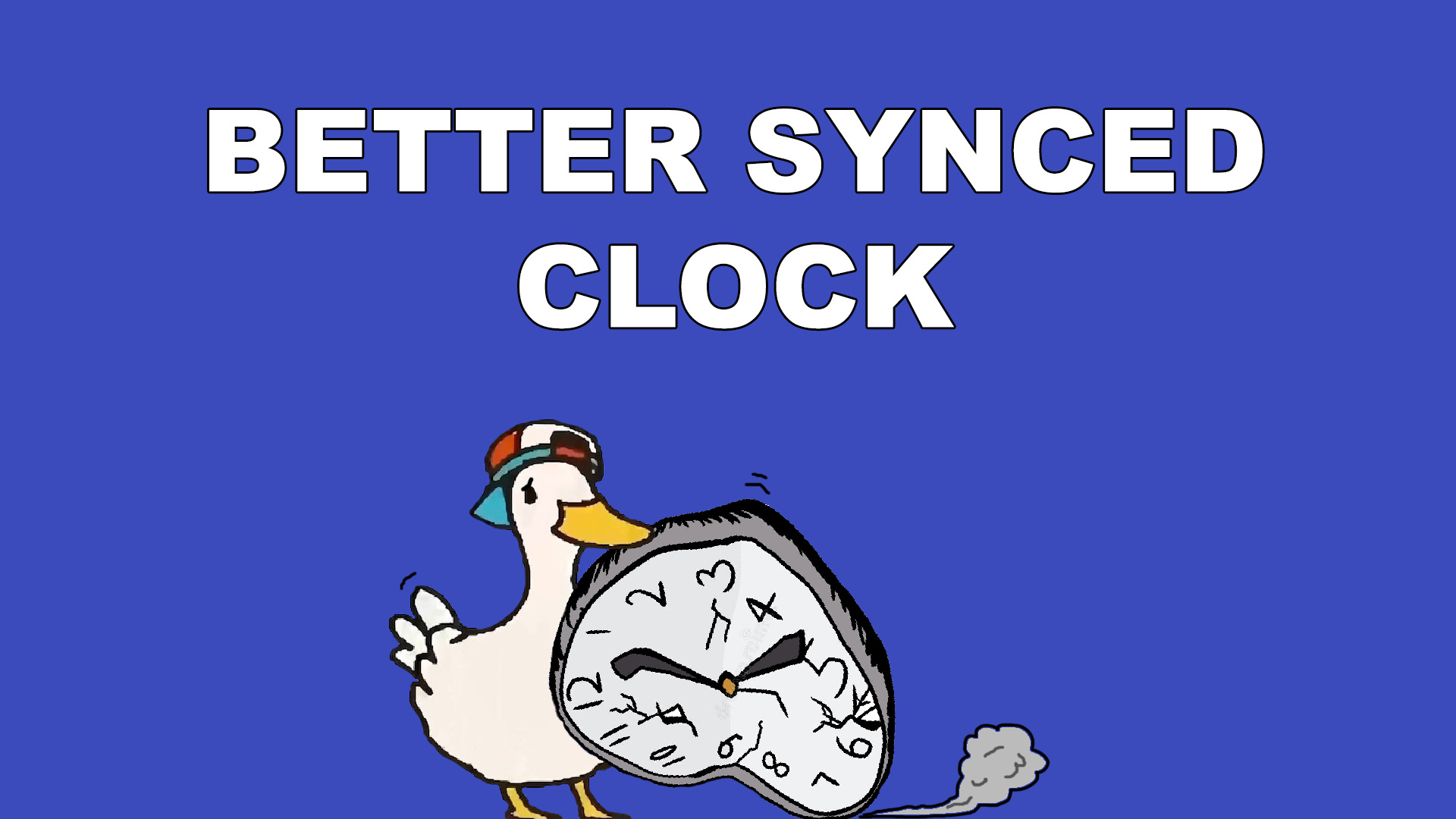
Devtricks
Do you want to have a better synced clock in Unreal Engine without removing the default “synced” clock? This is your post!
🤣
oak prawn
I have a very important boolean for my game. If it works incorrectly, the next dialogs of the game will not open. It works perfectly in singleplayer, but in multiplayer the boolean stays false after a while.

If I turn on reliable, can it be made to work more smoothly?
 slow hornet
Maybe stupid question, but its not possible to spawn a decal to a StaticMeshComponent that lives on the server correct?
Even tho that StaticMeshComponent is ticked for replicate, since SpawnDecalAttached does not replicate?
Everytime I check if the MeshComponent is valid (before attaching the decal), it tells me false 😐
oak prawn
Because the boolean must be declared as true or false to the server in a very short time, otherwise bugs may occur.
sinful tree
oak prawn
Because the boolean must be declared as true or false to the server in a very sh...
That sounds like bad design. What happens if someone happens to have a ping spike or a bit of packet loss and they don't receive it within what you think the timespan should be?
oak prawn
I don't know, I think we had these problems yesterday. My friends tested my game.
exactly what i want. If a dialog is active, a new dialog should not start.
chrome bay
If the system is dependant on a delay it's going to break in MP at some point, that's inevitable.
The only proper solution really is to refactor the system so that you don't need the delays
oak prawn
I made a logic like this
 chrome bay
And yes if an RPC has to be received, then it should of course be reliable. Reliable is meant for things you can't miss.
oak prawn
How can I set up the most seamless solution?
chrome bay
Like I said, remove the delays
A delay in multiplayer will break, it's only a matter of time
oak prawn
hmm
chrome bay
They're also a source of extremely hard to reproduce bugs
When you factor in real-world connections with latency, packet loss etc that you can't account for
chrome bay
If a client has to receive an RPC, then it should be reliable.
That doesn't mean it'll fix this
 elfin lintel
If I send a UObject pointer over RPC (Server->Client) and store that pointer on the client, if a property on the UObject changes will the client see it? Or is the object effectively copied over the network?
sinful tree
Is that UObject replicated?
chrome bay
elfin lintel
If I send a UObject pointer over RPC (Server->Client) and store that pointer on ...
No to both. The property and object would both have to be replicated
client-side, that pointer would then be resolved to the clients local version of that object
elfin lintel
Ok thank you, I will have to think of another way to replicate that data. I am just trying to limit the amount of objects/data I am replicating and I was wondering if that would work. I may convert the object to a struct and then manually update/push that struct when changes are made to it (not often)
chrome bay
If you want to replicate arbitrary UObjects you can but there's a lot to it:
https://jambax.co.uk/replicating-uobjects/
If you can use a struct, that's by far the easiest method. Structs will only replicate the data that changes.

 thin stratus
Ah, casual "I used a delay to solve network latency." issue?
oak prawn
my problem is when a dialog is active the scene branch is true . scene branch drops false at the start of the dialog and becomes true again when the dialog ends
but if I don't put delay in between, the dialogue in the 2nd player doesn't appear because the scene branch is false
slow hornet
slow hornet
Maybe stupid question, but its not possible to spawn a decal to a StaticMeshComp...
Any clues on this?
slow hornet
I spawn an actor (server side) that has a component A, then I spawn a decal (client side) attached to that component A, I see the decal on my client, all good.
Then component A starts moving, and decal is not moving as expected (it was attached... i was expecting the decal to move too, matching component A position)
I am sending the component A object reference on the RPC to client to attach it, and it seems invalid I think
dark edge
is component A replicated and can you resolve it on both sides?
slow hornet
slow hornet
I am sending the component A object reference on the RPC to client to attach it,...
this is not correct, the decal gets attached properly, and component is valid. its only after starting moving that decal doesnt follow
dark edge
Do other things spawned and attached also not move or just decal?
slow hornet
the other things move correctly on all clients, on decal i stop seeing it
dark edge
Does a decal move with it in singleplayer or listen server?
slow hornet
not sure this answers your question, but i am testing using net mode: "Play as client"
i saw this working before in single player yes
before jumping into multiplayer
keep world transform on decal
dark edge
ya don't do that
keep world transform = don't move
or rather
Is it attaching with world or local? I know there's some UE5 stuff that you can do world attachment now
slow hornet

I am attaching to component, which is a StaticMeshComponent (root of an actor)
that component then gets simulated physics and decal doesnt follow
already tried Keep Relative and Keep world
dark edge
Try to just manually attach the thing after doing that. Maybe somethings broken in Spawn Decal Attached.
Is a decal a scene component?
slow hornet
dark edge
Try to just manually attach the thing after doing that. Maybe somethings broken...
ok will try
slow hornet
dark edge
Is a decal a scene component?
Dont really have enough knowledge to answer that yet sorry :/
 quasi tide
slow hornet
Dont really have enough knowledge to answer that yet sorry :/
quasi tide
slow hornet
Dont really have enough knowledge to answer that yet sorry :/
scene component = a component with a transform
actor component = a component without a transform
slow hornet
I guess the answer is yes then, Decal has a Transform
 slow hornet
dark edge
Try to just manually attach the thing after doing that. Maybe somethings broken...
slow hornet
dark edge
Try to just manually attach the thing after doing that. Maybe somethings broken...
tried, but also not following :/
will do some searches
slow hornet
I got confused sorry, the problem is actually that component A is not being sent properly (as variable) through the RPC to the client.
The component is ticket to replicate, but when calling the event on owning client and giving that component A as input, after the check if is valid, it says is null there.
And I believe it's because the owning client can't reach that that scene component object reference because its owned by the server?
thin stratus
When are you adding that Component @slow hornet ? DesignTime or Runtime?
slow hornet
runtime.
I spawn an actor in runtime that has that component
thin stratus
So the Component is added designtime?
slow hornet
the component is part of the actor already in design time yes
i just spawn that actor in runtime
thin stratus
Both Actor and Component are replicated?
slow hornet
i guess so, let me check agian
thin stratus
I mean, I don't actually know if it's needed to replicate the Component here, as the Client should be able to resolve it anyway.... maybe not
slow hornet
actor (replicates ticket)
component (component replciates ticket)
thin stratus
Hm, Components should count as subobject replication, and I'm relatively sure they are stably named like this
Not sure then atm
slow hornet
I made some progress here, but its still weird behaviour, maybe i need some switch on authority
player controller receives on server side the component where the decal should be attached
then i set with RepNotify that component
thin stratus
PlayerController?
slow hornet
yes
thin stratus
How does the PC play into all of this again?
Cause that only exists on the owning Client after all
And doesn't really follow any position
slow hornet
its just to have some place to draw the decals, and since PlayerController both runs in server side and client side
I was re-reading your compendium today and notice that PC lives on both places
thin stratus
I wouldn't use the PC for stuff like that tbh
I would also not replicate the Component but just an Actor if needed
Usually makes more sense to not even replicate the Actor and just have the Component being spawned on both ends by some other replication
slow hornet
where would u draw the decals then? on the pawn? because it needs to be client side i think
thin stratus
What kind of decal is that
 thin stratus
Yeah but, what is its purpose
thin stratus
Okay, and everyone has to see that?
slow hornet
yes i was trying that ^^
thin stratus
And your Tree is what? A replicated actor?
thin stratus
Because it sounds like you could get away with just having a "bIsFalling" RepNotify in which you add the Decal to the Tree
slow hornet
physics already replicate , the falling and stuff, using a StaticMeshActor
Ah
I think I got what u mean
inside the falling tree blueprint having that logic
instead of passing around the component object reference where i want to attach the decal
i was clearly overcomplicating.
let me try that, my current issue is that the decals were not following the physics movement.
but i believe that might work a way better!
slow hornet
thin stratus
Because it sounds like you could get away with just having a "bIsFalling" RepNot...
If I got it right, this is not working for me :/
At least from my attempts, because the actor tree is not owned by the client, so I can't really spawn a decal (which is client only) there
dark edge
slow hornet
If I got it right, this is not working for me :/
At least from my attempts, bec...
Show your setup in a repnotify
OnRep bIsFalling -> DoStuff
cold moat
Guys, I'm applying movement to a character server-only, on the client it seems very laggy, should I call the event both on client and server so the movement seems smooth on the client and if wrong, corrected by the server?
dark edge
cold moat
Guys, I'm applying movement to a character server-only, on the client it seems v...
Number one, how is the character moving? Is it a canonical unreal character with character movement component?
cold moat
dark edge
Number one, how is the character moving? Is it a canonical unreal character with...
Nope, I'm using set actor location as I'm using VInterp
it is a smooth movement from point a to b
the "Movement event" is set to "Run on Server", called by another event that is set to "Run only on Authority" (server afaik, this event also is set to Run On Server though)
although setting the movement to run on multicast still leaves it being very "choppy", laggy, it looks glitchy.
on server it is smooth like butter though, not very sure how to accomplish this smoothness on client as well
dark edge
cold moat
on server it is smooth like butter though, not very sure how to accomplish this ...
That's the core problem of multiplayer.
Start by not trying to outsmart the engine. Just use replicate movement instead of multicasting the location. But you really want a movement component of some sort tho.
cold moat
I'm using the character movement component on my character
but I'm not sure if the movement from set actor location will be replicated just like the character movement's movement 🤔
dark edge
cold moat
but I'm not sure if the movement from set actor location will be replicated just...
Ya prolly don't just set actor location. Use the movement component to do it.
What are you trying to do here? What's the gameplay mechanic.
slow hornet
dark edge
OnRep bIsFalling -> DoStuff
its here

that print on return is false, its not spawning the decal
and my guess is because this actor runs on the server
dark edge
slow hornet
That should be an impulse btw
dark edge
slow hornet
And also you aren't checking if it's falling
That will trigger when it's NOT falling
Is Set Simulate Physics replicated or not? I don't recall if that state is replicated.
slow hornet
oh I thought that repnotify trigger when the var changes?
dark edge
slow hornet
oh I thought that repnotify trigger when the var changes?
Don't rely on it, it will fire on initial replication too I'm pretty certain
slow hornet
ok ok
dark edge
Or when going in and out of relevancy
You are trying to do valheim style trees, right?
slow hornet
physics is working, and tree falls, its just the decal thing not being applied
yes as prototype for the time being, it will help me further on on different scenarios
thin stratus
Can you try attaching it to something else than the physics simulating component?
There is not reason for this to not work
If the print prints on everyone
Then it should spawn the decal
There is no "This exists on the server" thing to prevent this
The OnRep would never work if the actor wouldn't replicate properly
slow hornet
ok thanks guys for the input, I am out now for a bit, neet to air my mind a bit on it.
I will try and recheck everything when I am back, and will just drop some lines on the feedkack I have.
Thank you both!
 vagrant grail
what's the command to see how the player capsule gets corrected by the server compared to the client in terms of speed / position, and also how can I open the console to type that command ?
dark edge
Tilde opens console
Top left of keyboard
I don't recall the specific commands but it's something show corrections so you can Google that
dark edge
I think it's
net showcorrections 1
Or something
cold moat
dark edge
Ya prolly don't just set actor location. Use the movement component to do it.
But is there a way to set location through the movement component? I don't think so :(
slow hornet
@dark edge @thin stratus
Thank you both for your patience today!
After some good fresh air, a bit of reworking on the blueprints and following your advices, I finally made it! ^^
Decals following the attached physics component 🙂
Here is the final solution I came up with, in case you wanna give some comments on it.
 dark edge
slow hornet
<@127902729677963264> <@94211915902889984>
Thank you both for your patience tod...
dark edge
slow hornet
<@127902729677963264> <@94211915902889984>
Thank you both for your patience tod...
Are you dedicated server only?
slow hornet
Well currently I am testing on net mode (play as client)
dark edge
Do you intend on listen server or dedicated?
slow hornet
dedicated I believe
dark edge
You shouldn't gate the decal if listen server.
slow hornet
yes I understand what u mean
it was just because, the dedicated server in this case wont have any decal to draw
so I just avoid that call, saving processing costs
but if listen server, then it has to run it, good point thanks!
dark edge
slow hornet
it was just because, the dedicated server in this case wont have any decal to dr...
Dedicated server might just ignore it anyway, not sure
 limber cloak
If I want to have an account manager located on my server, will there be an issue if the game is placed on epic games store and steam.
I mean the account will be created by using the steam id or epic games id.
The issue I'm expecting is that the epic games account might match(be the same) as someone elses steam account id
What should I do? Theory please
 worn wagon
Yo what's up guys, I'm wondering if any of you ever experimented with fake latency for the host of a listen server. My idea is give the host artificial latency matching the next lowest player to make the game more fair. Implementing this system-wide sounds impossible, but having it exist for specific systems such a hit registration seems feasible. What do you guys think?
past totem
worn wagon
Yo what's up guys, I'm wondering if any of you ever experimented with fake laten...
this might be overcomplicating it but, I would try to see how the engine does it (network emulation setting)
might be something that can be exposed
but maybe not
worn wagon
Seems like a good place to start anyways, thanks
dark edge
worn wagon
Yo what's up guys, I'm wondering if any of you ever experimented with fake laten...
That will make hosts mad more than it makes clients happy
Just favor the shooter and call it a day
worn wagon
dark edge
That will make hosts mad more than it makes clients happy
It would be optional 🙂
dark edge
That's the nice thing about shooters. If you see your bullet hit the other guy, it should count 99% of the time.
worn wagon
I already favour the shooter but my friends and I like competitive stuff, I can easily see people saying "host advantage" every game
People would not want to host because they feel it's a crutch
dark edge
If your prediction is on point the host shouldn't have THAT big an advantage. But competitive and listen server don't really go together that great IMO
worn wagon
dark edge
If your prediction is on point the host shouldn't have THAT big an advantage. B...
Yeah they don't 😄 It's not meant to be CS level, it's a party game, but the gunplay is semi competitive
When you have 1 shot headshots with some weapons I can see the advantage being noticeable
dark edge
The problem is you can't really do what you're wanting to do anyway. If the host is getting fake ping, then what is actually running the simulation?
the host IS the simulation
worn wagon
Ya I know, that's why I said doing it system wide isn't possible
dark edge
You'd need like a 2nd process/world or some really fancy code. Seems like a non-starter to me.
worn wagon
But you could certainly put some delay on hit registration for example
dark edge
If anyone lands a headshot it should kill who they hit, that's what prediction is for.
 hollow eagle
that doesn't actually solve anything, proper prediction means the host doesn't have an advantage anyway
dark edge
You got instant shots or projectiles?
worn wagon
Instant shot
dark edge
Yeah then don't bother. Click head, kill guy (after server sanity checks it)
worn wagon
hollow eagle
that doesn't actually solve anything, proper prediction means the host doesn't h...
Hmm maybe I'm worrying over nothing
I haven't given it too much thought yet, I was curious your guys' opinions
hollow eagle
A proper prediction framework with rollback will give all players the same advantage as the host (very high pings excepted - you can't do anything about those).
In exchange you end up with peeker's advantage, which is something basically every competitive game just lives with.
worn wagon
Currently the client has full authority, so if they hit on their screen it is valid. Obviously this is highly abusable but it's a party game
hollow eagle
Right, that's the other route.
Which also means the host doesn't have an advantage.
worn wagon
hollow eagle
Which also means the host doesn't have an advantage.
Now that I'm thinking about it this is true 😄
hollow eagle
Doing some degree of sanity checking is probably a good idea, however.
worn wagon
hollow eagle
Doing _some_ degree of sanity checking is probably a good idea, however.
What would you suggest? I currently only check for a few things, like ensuring hitresult arrays for spread weapons like shotguns have the correct number of items
dark edge
worn wagon
Currently the client has full authority, so if they hit on their screen it is va...
Yeah favor the shooter is basically the same but the server is checking that they didn't cheat it and COULD have hit the guy
in their view
hollow eagle
You could do something like checking with a trace against larger hitboxes than normal.
dark edge
Everyone is in the future and seeing others in the past compared to the server
worn wagon
hollow eagle
You could do something like checking with a trace against larger hitboxes than n...
I thought about a "close enough" distance check, which would stop teleport hacks
hollow eagle
Right
hollow eagle
then I wouldn't worry about it
dark edge
Anyone here have any thoughts on how to extend this kind of system to slow projectiles?
Maybe 1s flight time projectiles
man i wish i had a multiplayer game idea that DID NOT require prediction. It's such a PITA
worn wagon
I'm glad the CMC handles that stuff because I know very little about prediction, outside of how source engine does it.
worn wagon
dark edge
Anyone here have any thoughts on how to extend this kind of system to slow proje...
My dumb first idea would be to save all player position every x ticks (depending on how performant you want it to be) and interpolate between those values based on a timestamp given by the client
It would be all hitbox positions*
And redo the trace/hit calc based on that old position
hollow eagle
dark edge
Anyone here have any thoughts on how to extend this kind of system to slow proje...
rollback solves everything (except peeker's advantage)
too bad it's a bunch of work
worn wagon
hollow eagle
rollback solves everything (except peeker's advantage)
too bad it's a bunch of w...
Is rollback what I said?
hollow eagle
no
rollback is recording the state of the world over time. When a client fires, it sends a timestamp to the server and the server rolls back the world to that time to process the result.
That way the server processes things as if the client fire command was received instantly
It's pretty much the industry standard way to do competitive FPS (CS, valorant, etc)
dark edge
Hell even New World doesn't predict projectiles lmao
not that it's an engineering marvel or anything
hollow eagle
Projectile prediction is pretty hard tbh. Look up the "I shot you first" GDC talk from bungie
they go over their solution for grenades
iirc they basically use the throwing animation to hide the grenade's position getting corrected by the server, but it's been a while since I've watched the talk
dark edge
I'm thinking something sort of like a fuzzy deproject.
Projectiles are local everwhere until a hit.
Server back-calculates the hit actor to where it was clientping/2 ms ago and does some sanity checks to ok it
hollow eagle
I think this is where they talk about networking grenades: https://youtu.be/h47zZrqjgLc?t=1568
relevant because grenades are just projectiles with a fancy animation
unfortunately it doesn't quite solve projectile weapons since weapons generally have a very short animation so there isn't much time available to hide projectile spawning
but it may give you some ideas
dark edge
You'd think someone somewhere would be working on a general prediction framework. I mean, it's all just boundary conditions and update rules.
hollow eagle
epic was at one point
dark edge
The whole CMC / GAS / Whatever else clusterfuck is a mess. It's all the same problem, why solve it over and over again.
hollow eagle
there's a WIP network prediction plugin that was under development at one point and then iirc the main engineer working on it left epic
GAS doesn't actually solve the same issue as CMC
CMC implements (client, not server) rollback, GAS solves instantaneous prediction.
actually pretty different problems
CMC stores movement in a buffer so that if the server corrects any movement it can replay newer movements on top of the correction
GAS just makes it so you can fire instantaneous actions and know when they've been acknowledged by the server
dark edge
I mean it's all sort of the same shape of the problem tho.
You got predicted actions, a chain of causalities, and corrections.
hollow eagle
It's a similar problem space but with very different solutions. You wouldn't want the complexity of CMC's movement buffer in GAS. You could do it and it'd be technically superior to the GAS solution, but the complexity of both the framework and code using it would skyrocket.
dark edge
Your saved move buffer and assembly of prediction keys are sort of the same thing. Yeah you'd def. want to parametrize whatever a generic solution would be to encapsulate both approaches.
hollow eagle
Nah, prediction keys aren't quite the same
GAS can't replay actions the way CMC can
prediction keys just make sure that an action being sent by the server wasn't already something the client did
CMC meanwhile will store a buffer of actions that haven't been confirmed by the server. If an action gets corrected but further actions have been taken by the client, then the further actions are instantly replayed on top of the corrected action leading to less rubber-banding.
CMC's solution is actually similar to what you need for full rollback, except inverted since it's clients performing the rollback instead of the server.
dark edge
So what happens in GAS if you do something analogous, like say, being OOM on the server, casting a heal that costs mana (prediction failed), and then casting a spell that costs half of your HP (successful on both sides)?
Does GAS basically just do a hard correction and sync the state at the end?
hollow eagle
I think it would cancel just the first ability that failed and restore that bit of state. The second wouldn't be affected as it wasn't affected by the first.
I'm not sure that the client would actually replay the second ability in that case - I think that the attribute set would just end up replicating and that'd be the correction.
I think that the piece GAS is missing compared to CMC (aside from CMC also handling interpolation from a bad state to a corrected one) is that it doesn't replay further prediction actions after a correction.
Which is the actual hard part about CMC.
dark edge
So what CMC does could be thought of as casting an ability every single frame. You'd def. want the ability to replay otherwise you'd never catch up to a good predicted state and be constantly clobbering your state.
hollow eagle
Exactly
It's why you can't use GAS for what CMC does
You can see the sheer amount of state CMC needs to save for predictions in FSavedMove_Character btw
there's quite a lot
and it has to know how to combine those states and replay them
The prediction plugin would have been awesome to solve trying to write some of this stuff for custom components. Even if it just pulled GAS' prediction framework out it'd be nice since it shouldn't really depend on GAS.
And if it supported CMC-style saved moves it would be even better.
quasi tide
Last I heard, they still want to work on the plugin, just no set time really.
hollow eagle
yeah 😦
dark edge
I just hope it's not just a 3rd prediction system
er 4th if you count physics extrapolation
"Hey I need a locally predicted ability that picks up physics objects and yeets them into Characters, damaging their health and knocking them back. Can you do it by tomorrow?"
hollow eagle
it actually had a WIP physics prediction component
and a set of new movement components
 iron crest
Hello, I have a problem, I made a hotbar whereas you can drag and drop powers into and then you press a key that casts to the powers class and sees which class it is, then plays an event, my problem is that only seems to work in single player, when testing as client and I press the key, nothing happens and my print string states that the casts failed anyone have any clue why this isnt working?
 dark edge
hollow eagle
it actually had a WIP physics prediction component
dark edge
hollow eagle
it actually had a WIP physics prediction component
I have a physics based game project but that one will not be doing prediction. 15ms of lag doesn't really matter for an already slow-responding vehicular contraption and the thought of trying to predict user-built vehicle mechanics just makes me sick
I got it working in multiplayer with lag and it feels great. 2 clients at full speed colliding with each other behaves very well, considering how chaotic multiplayer physics can be.
Much easier to deal with 30ms of lag for actions than trying to predict Little Johnny's Clusterfuckmobile in a multiplayer setting.
 empty harness
Im having issues with switching characters on client, server works fine, but when client unpossesses it doesnt repossess the newly spawned character and is just left basically stuck unable to move as it isnt controlling anything
 short arrow
empty harness
Im having issues with switching characters on client, server works fine, but whe...
short arrow
empty harness
Im having issues with switching characters on client, server works fine, but whe...
make sure you're not doing it on the same frame. I found that my issues were solved by spawning an actor... waiting 0.15 seconds before having the client possess it would work 100% of the time
for some reason for me It would never work if I tried to spawn an actor and possess it on the same frame. Idk if it's the same for others
dark edge
empty harness
Im having issues with switching characters on client, server works fine, but whe...
You're doing all of the possession etc on the server right?
empty harness
dark edge
You're doing all of the possession etc on the server right?
on begin overlap of an actor, then through a switch has authority and running off authority only
dark edge
empty harness
on begin overlap of an actor, then through a switch has authority and running of...
show your code
slow hornet
Hello there, I am changing in runtime the mesh of static mesh component, and I am getting this error in console:
StaticMesh property overwritten for component StaticMeshComponent /Game/Levels/UEDPIE_1_Project_Level_1.Project_Level_1:PersistentLevel.Tree2_C_0.StaticMeshComponent0 without a call to NotifyIfStaticMeshChanged(). KnownStaticMesh (0000000000000000) != StaticMesh (00000B3651393F00 - StaticMesh /Game/Resources/Trees/p1.p1)
The game freezes for a bit but then it changes the mesh with success.
I tried looking into Notify / Changed node functions in blueprint for the mesh component but haven't found anything..
Any clues on this?
slow hornet
nevermind I will just create the actor with the desired mesh in construct script 🙂
 kindred gazelle
iron crest
Hello, I have a problem, I made a hotbar whereas you can drag and drop powers in...
kindred gazelle
iron crest
Hello, I have a problem, I made a hotbar whereas you can drag and drop powers in...
You probably don't need to be doing all the events you have there. I'm no expert so take my advice with a grain of salt, but you don't need to do the check on a multicast. In fact you don't want to do a check on a multicast. A multicast will (if executed from server) fire on every client which I'm pretty sure you don't want to do, you just want this to fire on the client which pressed the button. So you'd probably want to only do the visual effect on a multicast without trying to replicate the check. This might not solve the issue as I don't fully understand why it would tell you the cast failed, but nobody else responded so I thought I'd help even if a bit late
pallid mesa
hollow eagle
It's why you can't use GAS for what CMC does
proper that's where native actions come into play... mini-activatable events based on tags in which u block and cancel a series of abilities based on the tag relationship table
thin stratus
GAS def doesn't do any buffering
You predict the Ability and if the Server says "Hold, you can't actually do this." it will just cancel the ability.
It will undo any side effects that are GAS related, but if you set a variable on your character to true, you gotta set it to false again when the ability ends/cancels.
I recently implemented a buffer, where I just listen to NotifyAbilityFailed or so in the ASC, and then add the Ability to an Array (custom Struct). Whenever NotifyAbilityEnded calls, I check if I have something to activate in that Array.
But that's more about buffering abilities for things like a MOBA.
In regards to Networking, CMC and GAS, what is really more complex are things that prohibit movement, like a Stun.
Because the SavedMoves don't know about the stun ;D
quasi tide
Got it, so don't support stuns 👍
thin stratus
Another thing I noticed is that if you have a delay in your GA and then perform a RootMotionSource, you gotta get corrected.
Which doesn't happen when you do it on Activate instantly.
That's because Epic flushes server moves on activate
To fix that you gotta expose the FlushServerMoves function and do it by hand in the frame you call the RootMotionSource
There is a lot of shit going on with CMC and GAS..
Sadly I never really have the time to write about those things. A good colleague of mine also figured out a good way on how to handle stacking shield buffs, which by default don't really work the way one would expect.
Took us quite a while to figure that out with GAS, but that's more #gameplay-ability-system
pallid mesa
thin stratus
To fix that you gotta expose the FlushServerMoves function and do it by hand in ...
this one is quite interesting, I wonder if this could be mitigated by adding a flushservermoves call in all the tasks that deal with rootmotion
thin stratus
It could
past totem
what is this 5.1

 woeful ferry
I have a replicated UObject that I want to have some logic on the client after it has been destroyed on the server.
How would I approach that? Is a multicast for a "End Play" a good choice or how would I tackle it?
pallid mesa
OnDestroyed gets called everywhere @woeful ferry
also EndPlay gets called everywhere
woeful ferry
pallid mesa
OnDestroyed gets called everywhere <@390171869057384449>
That's for Actors though
I'm talking about UObjects
pallid mesa
Oh right I missed that part haha
so if the multicast is reliable it will be called before the destruction
although there's no endplay on uobject
@woeful ferry
woeful ferry
pallid mesa
although there's no endplay on uobject
Yea, that's why I was thinking on making a custom one 😄
With a reliable RPC
if that's a good idea 😛
pallid mesa
yes you could do that I don't see why not
although bear in mind that RPCs are for transient stuff
so if you want to make any stateful change then a RPC will not work here
woeful ferry
pallid mesa
so if you want to make any stateful change then a RPC will not work here
It's just to tell the client that a quest has been completed. Because if I remove the quest from the ActiveQuest array, the UObject will not replicate from that frame onward, since that array is a replicated Subobject.
I could also just remove the quest the next frame, so the client get the last bit of replication from that frame.
Although it seems a bit hacky, but it should work in theory 😄
twin juniper
quasi tide
Not much is actually known about it.
Well, yes. There is the full code of it on github
in the 5.1 branch
quasi tide
twin juniper
Well, yes. There is the full code of it on github
Obviously....
Doesn't change my statement though.
twin juniper
You can know a lot about the concept and how it works by reading its code but okay
quasi tide
Obviously you can just read the code. I didn't say you couldn't. But that doesn't change the fact that not much is known at this point.
Yes that can change by simply reading the code
But as it stands right now - not much is known at this point
thin stratus
woeful ferry
It's just to tell the client that a quest has been completed. Because if I remov...
Hmmm, I have this feeling that there is something wrong overall in this setup.
Maybe it should just be a QuestArray, and the UObject has a State for Active or not? Then you don't have to clean it up and you can still send replicated data.
woeful ferry
thin stratus
Hmmm, I have this feeling that there is something wrong overall in this setup.
M...
I guess I can do that too! 😄
I was actually thinking about doing that
 vivid seal
The way I've handled this is to have a bDestroyed boolean that is replicated. When I destroy the object on the server I set it to true, and disable any functionality, move it to a separate array, etc. then set a timer to actually destroy the object (remove all refs to it) in 1sec, and then the client handles cleanup stuff in the OnRep of that boolean
there's probably a better built-in way to do this though
i use that system for buffs/debuffs for example, when they are removed they go to a separate RecentlyRemovedBuffs array that isn't interacted with at all, stop exerting any effects on the player, and then 1sec later are destroyed after replicating a struct with info about how they were removed so the client can do any cleanup stuff.
I include the RecentlyRemovedBuffs in ReplicateSubobjects for the component that handles buffs, obviously
dark edge
You guys know any good approaches to handling state transitions with RepNotify?
That is.
Doing something at the edge of the transition? Like if you repnotify bIsDead, actually doing something when bIsDead changes?
That way you can use the edge as the event to play a sound and particles etc. But it won't happen if something becomes relevent and is dead
vivid seal
one trick i've heard for this is making a struct rather than just a flag for this, and adding a timestamp to it, and only playing effects if it happened recently
i think in c++ there's also a way to check if something just became relevant?
don't remember the code for it though, there's definitely a way to check what timestamp an actor became relevant at, and you can just check that timestamp is roughly equal to right now
looks like there's a "Get Game Time Since Creation" node in blueprints, you could test and see if that resets on leaving relevancy
dark edge
Yeah I'm curious about what the most elegent solution would be. I could imagine something like a door becoming relevent and then half a second later being opened. That should play the opening sound. But becoming relevent WHILE open should not.
Drive through a town and just hear hundreds of doors creaking
vivid seal
yeah your best bet is to tie "event" logic to "time since becoming relevant." like i said i KNOW there's a way to check that, i just cant remember what the name is/how to access it
dark edge
I think in C++ we have pre-post replication values, not sure what they'd be for becoming relevent tho
vivid seal
the pre-rep value passed in the OnRep is just whatever the client had, for initial replication I'd assume it's either a default value or just the same as the replicated value
probably wouldn't help for relevancy, more useful for checking transitions from one state to another (which isn't useful for booleans since you know its always the opposite of whatever it is now)
@dark edge searching through history for this channel it looks like that Get Time Since Creation function is what you're looking for, HOWEVER it won't work for objects that are placed in the map, since they don't despawn when out of relevancy range. It will work for anything spawned at runtime that despawns when leaving relevance
so you can use it for mobs that die, but probably not doors that are open
dark edge
So probably best to just split things between state and transients and call it a day.
isntead of implying transients from state
vivid seal
or just manually attach a timestamp to things if you really want it in one place
not a perfect solution by any means but it is pretty simple
 ember dagger
Can anyone here help me out. Im having some issues with owner no see not working. I have a function called Update Held Item which takes in an actor class reference "new held item" which then calls a server rpc which then spawns the actor and then sets a reference to spawned actor as rep notify. In the rep notify function i add the item to my inventory and then attach it to my held item root component. The problem is in the held item actor. I have a static mesh with owner no see as true. and in the server rpc where i spawn the actor im connecting the owner to self. Everything spawns and attaches where it needs to fine, except the owner is still able to see the held item when it shouldnt. Any idea how to fix this?
iron crest
Hello, I have a problem, I made a hotbar whereas you can drag and drop powers into and then you press a key that casts to the powers class and sees which class it is, then plays an event, my problem is that only seems to work in single player, when testing as client and I press the key, nothing happens and my print string states that the casts failed anyone have any clue why this isnt working?

 plucky prawn
iron crest
Hello, I have a problem, I made a hotbar whereas you can drag and drop powers in...
plucky prawn
iron crest
Hello, I have a problem, I made a hotbar whereas you can drag and drop powers in...
your picture is very difficult to read but i would assume from reading the errors that Hud is invalid
iron crest
Ive chck though the hud is being refrence correctly, I can zoom in one sec

am I refrencing the hud incorrectly, PS: it works when only one client is present, but not when 2 are present
 scarlet olive
ember dagger
Can anyone here help me out. Im having some issues with owner no see not working...
scarlet olive
ember dagger
Can anyone here help me out. Im having some issues with owner no see not working...
Is this issue only occurring on the client?
ember dagger
no for both. I just went and set the visibility of the mesh locally instead, couldnt get it to work the otehr way
sinful tree
iron crest
Hello, I have a problem, I made a hotbar whereas you can drag and drop powers in...
Widgets don't replicate and as such, you can't pass reference to a widget through RPCs like you're doing. You'd need to approach this differently.
iron crest
sinful tree
Widgets don't replicate and as such, you can't pass reference to a widget throug...
should I do this through the actual widget or through like boolean variables, idk how to go about this, how would you?
sinful tree
As a first step, perhaps make separate server RPCs for each ability and then call whichever one based on which ability class you've got slotted.
This keeps the logic of what to call based on the widget.
iron crest
sinful tree
As a first step, perhaps make separate server RPCs for each ability and then cal...
Ok Ill tyr this out and see if I get ny errors
iron crest
sinful tree
As a first step, perhaps make separate server RPCs for each ability and then cal...
this is the rror and this is the code

 sinful tree
You can't reference widgets on other clients or on the server. Anything you want to read from the client's widgets has to be done before you call any server RPC. Determine which server RPC to call after you've pressed your input.
iron crest
so are you saying I have to RPC me getting the hud reference before anything? sorry havent worked much with stuff like this
sinful tree
Input > Determine which RPC to call (ie. read your hud widget and do your casts) > Call the RPC appropriate to the ability you want to activate.
iron crest
like ths?

dont know if this is relevant but any time I drag and drop a abilityt into my hotbar, it sets the hotbar ability to the abilitie that was dropped which is why im casting to the slot and getting the ability class, not sure if thats the right way to go abt it
 pallid mesa
dark edge
You guys know any good approaches to handling state transitions with RepNotify?
...
pallid mesa
dark edge
You guys know any good approaches to handling state transitions with RepNotify?
...
i use an enum for that
/dying/dead
and a replicated clock
 vagrant falcon
what is a best place to store diablo like stats data (buffs, hp, attack speed, movement speed and etc.) in a top down multiplayer
thinking about proxy pawn or player state

my stats system
 dark edge
vagrant falcon
what is a best place to store diablo like stats data (buffs, hp, attack speed, m...
dark edge
vagrant falcon
what is a best place to store diablo like stats data (buffs, hp, attack speed, m...
smells like a component on pawn
why the proxy pawn?
vagrant falcon
@dark edge i found atm only this solution to make mouse click to move, is there any alternative?
dark edge
vagrant falcon
<@127902729677963264> i found atm only this solution to make mouse click to move...
You definetly don't need a proxy pawn for that. Look at the click to move template
I would put your stats system into a component on pawn
reuse it for enemies etc
vagrant falcon
@dark edge ue4 top down template?
dark edge
IDK about your design but our game, there is literally zero difference between the player's character and an enemy. I can put an AIController on my character and possess and enemy and everything works and nothing is broken. The player's character isn't special. But YMMV
I don't remember the template name but there's one with click to move
I mean it's just click -> convert to world location -> pathfind to there
vagrant falcon
@dark edge ok, thanks i will take a look
dark edge
Also look into GAS before you try reinvent it, but be warned it's BIG

GitHub
My understanding of Unreal Engine 4's GameplayAbilitySystem plugin with a simple multiplayer sample project. - GitHub - tranek/GASDocumentation: My understanding of Unreal Engine 4'...
vagrant falcon
i was triyng GAS but the system is not flexible enough
so i'm making my own with lua injection
dark edge
vagrant falcon
i was triyng GAS but the system is not flexible enough
so i'm making my own with...
What could GAS not do?
 latent heart
twin juniper
vagrant falcon
i was triyng GAS but the system is not flexible enough
so i'm making my own with...
latent heart
twin juniper
vagrant falcon
i was triyng GAS but the system is not flexible enough
so i'm making my own with...
it's one of the most flexible thing available out here x)
i mean it's enough flexible for a big game like Fortnite that has like 3 big gamemodes, survival, BR with a large map and creative where you create with you want
if that's not "flexible" for you then i don't know what it is 😛
dark edge
I can't think of a spell you can't make with GAS but idk
 modern cipher
i wonder why pubg did not use gas xD
twin juniper
modern cipher
i wonder why pubg did not use gas xD
not sure if GAS was released when pubg was in development (late 2016 iirc)
dark edge
Now whether or not it's the best fit is another story. It's a big system. But it is surely capable of whatever you can think up.
 unkempt tiger
Will GetWorld()->GetTimeSeconds()'s return value ever be affected by replication over the course of a match for a local client?
Or can the local client expect to use this safely to calculate how many real seconds passed (assuming time dilation is 1)?
 kindred widget
unkempt tiger
Will GetWorld()->GetTimeSeconds()'s return value ever be affected by replication...
kindred widget
unkempt tiger
Will GetWorld()->GetTimeSeconds()'s return value ever be affected by replication...
Not 100%, but I think you're looking for AGameStateBase::GetServerWorldTimeSeconds
unkempt tiger
Oh no I'm trying to use GetTimeSeconds as a base to replace GetServerWorldTimeSeconds's return value
So that it's less prone to snapping with every replication
What do you mean by not 100%?
kindred widget
Meaning I wasn't sure.
unkempt tiger
Oh, right
kindred widget
I dunno. I normally interpolate anything related to networked values anyhow since you can't really be sure if you're going to get updates often anyhow.
unkempt tiger
I tried using a rolling average approach to smooth out a bias between the server's TS and the client's local TS, so I can override GetServerTimeSeconds to something like this:

So wanted to make sure I can rely on GetTimeSeconds, anyways thanks 👍
 nocturne glacier
hey guys, following problem that drives me nuts:
i want to have a weapon c++ class, that calls functions when certain actors overlap with the weapon.
to do that i bind my callback function like this in BeginPlay only on the server and that works fine.

the callback function does currently nothing besides printing a message

now, if i test this in game with netmode listen server and 3 players, i see that when i overlap something with my weapon not only my weapon triggers the callback function but also the weapons of the 2 other players do that as well.

i really dont get how the hell this can happen. anyone any ideas? 😄
and the weapon class is super simple. nothing fancy there.

if i place the character blueprint in the level with no player controlling it, the weapon of that non player controlled pawn works fine and does not call the overlap function, when a player overlaps something with his weapon.
 serene kestrel
unkempt tiger
I tried using a rolling average approach to smooth out a bias between the server...
serene kestrel
unkempt tiger
I tried using a rolling average approach to smooth out a bias between the server...
One other thing to maybe look out for with your approach is that WorldTimeSeconds could also play out differently on Client/Server if you have a MaxUndilatedFrameTime set in your WorldSettings. Take a look at LevelTick.cpp->UWorld::Tick(ELevelTick, float DeltaSeconds) where GameDeltaSeconds is set to the fixed up delta seconds before incrementing TimeSeconds with that value
unkempt tiger
serene kestrel
One other thing to maybe look out for with your approach is that WorldTimeSecond...
Oh, this is golden info, thanks for that heads up!
pallid mesa
@unkempt tiger why dont do this? https://vorixo.github.io/devtricks/non-destructive-synced-net-clock/
Devtricks
Do you want to have a better synced clock in Unreal Engine without removing the default “synced” clock? This is your post!
serene kestrel
pallid mesa
<@239813732966989834> why dont do this? https://vorixo.github.io/devtricks/non-d...
Not sure of vio's use case, but the reliable RPC's in that implementation will run into problems when resending an old Client/Server timestamp so with some ill timed packet loss the sync could drift
pallid mesa
thats where the frequency comes into play
unkempt tiger
I see that he's still using GetWorld()->GetTimeSeconds() at some point
Also agreed @serene kestrel, I chose to use unreliable for that reason, put together with a cooldown that changes based on reply success rate
pallid mesa
Another approach that might work is using unreliable updates and have a higher frequency
unkempt tiger
pallid mesa
<@239813732966989834> why dont do this? https://vorixo.github.io/devtricks/non-d...
Other than the reliable RPCs which had me raise an eyebrow I see no reason not to use this, any implementation that works is good enough depending on the dev needs I suppose
pallid mesa
but so far the trick relies on the ntp pong-back formula
serene kestrel
It seems like it's also only using the Delta from the absolute min round trip, if you do mess with time dilation, I think you could get weird values for round trip time if it's based off of world time.
pallid mesa
yes, it doesnt support time dilation!!!
so if u need time dilation
have this in mind
unkempt tiger
what does the ntp pong back formula end up looking like, what is that
pallid mesa
im on the phone rn, but look at ntp clock on Wikipedia
serene kestrel
Like the idea is good, but I've made something that actually syncs a local timer (not just a delta) in Unreal and after every sync, you throw out the old sync values and start a new sample
pallid mesa
serene kestrel
Like the idea is good, but I've made something that actually syncs a local timer...
sharing is caring haha 😄
serene kestrel
pallid mesa
sharing is caring haha 😄
lol true, maybe I'll clean it up a bit and make the github public
pallid mesa
ping me and I'll link it in my article
specially if its non-destructive
if u know what I mean by that - because sometimes my wording is odd
unkempt tiger
How do you test your implementation? I set up a quick BP that visualizes the time sync
unkempt tiger
pallid mesa
if u know what I mean by that - because sometimes my wording is odd
I don't, wdym by destructive?
pallid mesa
by non destructive I mean that it is an addon and doesn't require engine changes
so portable
or pluginified
unkempt tiger
Oh, got it, so any player controller subclass should be non destructive then
pallid mesa
unkempt tiger
How do you test your implementation? I set up a quick BP that visualizes the tim...
like that
i made a BP and compared the original one with the one i documented
run several experiments
unkempt tiger
what does the BP actually do?
pallid mesa
nothing just queries the server and client time
and compares both
at the bottom of the article you can find a table with a test sample
unkempt tiger
Yeah saw that, but how do you query the server time?
Or rather, when?
When something replicates?
unkempt tiger
With network emulation?
pallid mesa
mhm
yeah
also this clock you saw is battle-tested XD
buut
doesn't support time dilation
_<
i just hope that epic will improve some day the default clock they got
unkempt tiger
What is your usecase of the synced clock?
unkempt tiger
Okay so, for example, say you want to play a client animation
pallid mesa
mhm
unkempt tiger
so that it ends JUST when the client is supposed to receive some packet
pallid mesa
u can do frame skipping on the server based on this predictive action and the sent timestamp
unkempt tiger
e.g a respawn animation, and the packet is 'player respawned'
pallid mesa
mhhhh?
unkempt tiger
my brain stopped working welp
pallid mesa
hahaha dont worry
just bear in mind that its not perfect as it doesn't properly support time dilation
and you can have issues with these reliable RPCs
unkempt tiger
Im not really concerned with your implementation as much as I'm interested in what constitutes a correctly synced net clock
pallid mesa
Ah so the article provides a brief snippet on how it works
chrome bay
tbh there's not really any such thing
due to the laws of the physical universe that we occupy perfect sync is impossible
pallid mesa
hahaha
chrome bay
you can get good enough tho
pallid mesa
yee
unkempt tiger
What what test do you use to determine what's better?
pallid mesa
but we got one far better than what unreal does, which...well
chrome bay
unkempt tiger
What what test do you use to determine what's better?
see how much stuff breaks 😄
pallid mesa
if the time that has passed in the server is close to the time that has passed in the client
say... the server says 50
chrome bay
tbf we use the built-in engine one in HLL for quite a lot of stuff
pallid mesa
the client should say something close to 50
chrome bay
even hit reg
serene kestrel
Also for what it's worth, I only use Time dilation when testing things, not during actual gameplay so the time dilation support is really only important if you're going to use it with gameplay
pallid mesa
serene kestrel
Also for what it's worth, I only use Time dilation when testing things, not duri...
yes
thats what im saying that if u need time dilation
be careful haha
so vio
unreals clock says 49.20 when it should be 50
unkempt tiger
What I'm doing is: the server promises that in ServerTS = X, it'll send some packet, and then on the client, I do a progress-bar-like animation that is set to complete just when the client's version of ServerTS reaches X, and the test I perform is: did X arrive JUST when the animation ended, that is my test
 past basalt
nocturne glacier
hey guys, following problem that drives me nuts:
i want to have a weapon c++ cla...
past basalt
nocturne glacier
hey guys, following problem that drives me nuts:
i want to have a weapon c++ cla...
if i had the time I would look into this. nobody else in here?
unkempt tiger
So my question is, does that make for a good test, aka does it cover most/all usecases
pallid mesa
i guess but
a bit too cumbersome
ensuring that the clocks are close enough is already a good test
and as james said
most of the times...
unreal's default one is enough
(im using it aswell)
unkempt tiger
I'd be interested in sharing my quick and dirty test BP and see what other implementations are getting
unkempt tiger
I wouldn't know what to do with them
pallid mesa
just print them to see if they are close enough, data analysis, u know
unkempt tiger
If I print them both on the client and the server, I would be getting two different prints
pallid mesa
correct yes
unkempt tiger
Printed to the screen at possibly two different times
Because internally UE needs to network the print call
pallid mesa
u can filter them out and compute the error tolerance
unkempt tiger
that adds bias to the test
pallid mesa
noooooo
pallid mesa
now ur making me doubt hahaha
im on the phone cant physically check anything
but if you perform the same test using the same conditions
using both clocks
the bias will be equivalent in both cases
dont you agree?
anyways i have to go 10 minutes
brb
tell me ur findings :))
and gl diggin vio!!
unkempt tiger
what findings D:
pallid mesa
@unkempt tiger I'm back hahaha
so your findings about both clocks
which one drifts less from the real server time
unkempt tiger
do you mean both implementations?
nocturne glacier
past basalt
if i had the time I would look into this. nobody else in here?
would really appreciate that
unkempt tiger
ah I dont have time to switch implementations atm
pallid mesa
you overriden the unreal default one?
unkempt tiger
yeah
I guess I could undo the override
but I'm already certain mine produces better sync than unreal's default imp
pallid mesa
actually you can try to use the same netem settings I am using in my test
and print solely your clock
to see how it compares to mine and unreal's given that i documented that in the table
so no need to undo your implementation
just print/log some numbers
unkempt tiger
yeah I can try that
So literally just this?

How did you run it beyond net emulation settings? in standalone? under one process, launch server in separate process? etc
Was it in PIE or shipped etc? I'll just assume the UE version won't matter lol
pallid mesa
no
u dont need the Authority remote haha
PIE dc server 1 client
just print the value
and thats it
no need for the extra text
unkempt tiger
welp mine completely broke under the bad net emulation settings
 pallid mesa
yikes, 3 seconds behind ~
then you know your clock won't work to send timestamps around
unkempt tiger
yeah lol
pallid mesa
so, try undoing your changes and printing out, it should improve
and then you can also grab my clock and fine tune its frequency and reliability
unkempt tiger
im more interested in learning what's failing with my approach
pallid mesa
that's very cool from your side
so... revise the concept of how an ntp clock works
and probably you can extrapolate what you might not be doing right
unkempt tiger
Oh, mine broke because the timing offset was so big that my client code discarded every server reply and never actually updated the timing offsets
unkempt tiger
not fantastic, assuming the test is valid

It's actually just not fantastic without any assumptions, because my code doesn't pass the animation test as well
im surprised yours works so well
i'd imagine any kind of sync code would absolutely flop out when ping constantly varies between 400-800 ms and 5 packet loss
pallid mesa
unkempt tiger
i'd imagine any kind of sync code would absolutely flop out when ping constantly...
if you base it off on replication yes
its just the ntp magic
yours its not bad, its likely comparable with the stock one
unkempt tiger
I suppose, the only real advantage I saw over the stock one is that mine doesn't snap as often whenever theres a sync
unkempt tiger

unkempt tiger
@pallid mesa I'm looking at your article and two questions come to mind
I see you're sending the client timestamp over the network, wouldn't be less expensive to cache it locally on the client instead?
And second, I see you're locking into the ShortestRoundTripTime over time, how come? Is that not prone to failure as the match progresses?
For example the client can log into the server from a set of routers with optimal network conditions, but midway through the match, say due to sudden network congestion in the client's area, the client is rerouted to a different path, causing higher RTTs, and so now ServerWorldTimeDelta will never be set again
pallid mesa
those are three questions!!
let me read them
- yes you can cache for when the client rpc kicks back in 😄
- Let me check more in detail because I might very well forgot some extra details
@unkempt tiger 🍪 for you for finding bugs
@unkempt tiger im silly vio
the way it is is right
the trip with shortest round trip still provides most accurate delta to server's clock
network conditions may worsen, but time still flows at the same rate
unkempt tiger
where is that from?
unkempt tiger
also, it wouldn't be crazy to assume that exists a packet that somehow, through magic, makes it home immediately, so then why not assume 0 shortest round trip time? and then we could just do ServerTimestamp - ClientTimestamp
pallid mesa
if you get a 0 rountriptime
oh boi
ur clocks will be perfectly synced
🤣
bear with me
this clocks only sync if there's a better rountrip time, thus a chance to improve
 twilit radish
I would imagine the entire idea of shortest RTT is because of desyncs in PC clocks? PCs are never perfect synced up in time with everyone around the world.
pallid mesa
daft punk starts playing
unkempt tiger
idk, it's either that my brain is extremely farty atm, or something doesn't check out, because something feels odd both with the test and the minimized round trip assumption
(it may be my farty brain though)
pallid mesa
so
let me say this
time flows.... equally in both ends
meaning that... the clocks move equally
now... I send a correction from server to client to adjust the clock
only when the roundtriptime is better than my previous one
time flows.... equally in both ends
buuut, they got closer
if a new roundtriptime comes that is better than the previous one
they will be even closer
but the premise is that time flows.... equally in both ends
pallid mesa
so the server does time + 1 every second
the client does the same
time + 1 every second
as you can see
the time flows in both ends the same way
so the rate is equal
the speed at which the clocks increase
twilit radish
But this assumption is kind of flawed, the clock on a PC is not perfectly in sync with a server clock. So while time is indeed moving at the same rate it may be further or more back depending per machine 🤔
dark edge
Yeah for a synced clock you just keep sending timestamp and ping and gradually dial the clocks in
They'll get to within a few ms of each other pretty quick
You need to do a statistical syncing, not base it all off of one packet
unkempt tiger
It feels like the kind of assumptions we are not allowed to make when creating a net synced clock
pallid mesa
twilit radish
But this assumption is kind of flawed, the clock on a PC is not perfectly in syn...
correct time will drift, but not enough to be a problem, and over time is statically better than the stock one
twilit radish
But why assume time on a PC when you can assume the relative time?
dark edge
Hey my clock says 10 seconds and RTT to you is 31ms
Hey my clock says 11 seconds and RTT to you is 21ms
Hey my clock says 12 seconds and RTT to you is 50ms
Hey my clock says 13 seconds and RTT to you is 35ms
Hey my clock says 14 seconds and RTT to you is 32ms
Hey my clock says 15 seconds and RTT to you is 33ms
Hey my clock says 16 seconds and RTT to you is 33ms
Hey my clock says 17 seconds and RTT to you is 32ms
That's what the server should be saying to the client. That is enough
twilit radish
That would be more accurate than assuming that a PC and a server are perfectly lined up with each other.
dark edge
Client adjust their clock by statistically doing stuff to the last X sync messages from server
Filtering for ping spikes etc
Just like GPS
pallid mesa
the assumption here is that time increases in both ends equally
pallid mesa
thus the approach that I mentioned
but it doesn't always Adriel
we are in a quantum world
🤣
no out of goofs
you can assume it does, that's why the article I sent, just works™️
twilit radish
I should focus on work lol. I'll be back later, but I'm going to read your page about this again Vori 😛
dark edge
You will develop drift but that's why you are constantly updating the sync offset. Very gradually. Shouldn't ever adjust more than a few ms after initial sync
pallid mesa
that's what will naturally happen with the implementation
have you looked at it Adriel?
to be in context here: https://vorixo.github.io/devtricks/non-destructive-synced-net-clock/
unkempt tiger
I still think the test is misleading in that prints themselves have a net bias until they're read on the client's screen
dark edge
That's exactly what I've described but it syncs up every 10 seconds
pallid mesa
dark edge
That's exactly what I've described but it syncs up every 10 seconds
yup every 10 seconds and if it finds a better rtt it will update clockos
:3
pallid mesa
unkempt tiger
I still think the test is misleading in that prints themselves have a net bias u...
nonono vio
the test is right because even if there'd be replication in the midle
dark edge
The problem is you have uncertainty with RTT
pallid mesa
in the use case I'm doing it so with both clocks
dark edge
you need to do statistics on the RTT time to settle on a value
pallid mesa
well the shortest is the better, just set once and let every end simulate from then
no future updates needed
assuming shortest rtt is 0 (in a perfect world made out of flowers)
dark edge
You'll still need to periodically check and adjust if needed but that's the idea. You just don't KNOW if shortest is accurate.
consistent RTT is more important than short
quasi tide
Dang - two and a half hours later, we're still talking about syncing clock?
pallid mesa
i mean shortests gives me a shortests difference between client timestamp and servers... hence relying on shortests
HAHAHHA
sorry
assuming no dilations
dark edge
Yes but you do math on it.
Time = TimeFromServer - RTT/2
the uncertainty in RTT is where your error comes from
 zenith wyvern
If an array replicates, does a 'set members in ...' on an element replicate? it seems like it doesnt, whereas adding does
pallid mesa
dark edge
Yes but you do math on it.
Time = TimeFromServer - RTT/2
only when a better is found
dark edge
For later updates you need to check if you're still synced, if you sync to one magic short RTT packet and then constantly see that your calculations are consistently ahead or behind, you need to update your sync as it was obviously off by some amount of error
pallid mesa
 dark edge
 pallid mesa
dark edge
For later updates you need to check if you're still synced, if you sync to one m...
pallid mesa
dark edge
For later updates you need to check if you're still synced, if you sync to one m...
yep this would by the theory of adjusting and removing remainders of error
but still, look at empirical data
it displays that the values or at least the tolerance between the real and simulated is pretty on point
dark edge
Right now are you doing the filtering and averaging or just doing a hard sync on the shortest RTT packet?
pallid mesa
I'm doing shift adjustments on the shortest RTT packet
as the article suggests
and then it stays there for the rest of the simulation if no other shortest is found
pallid mesa
you got a synced clock accidentally
the end goal is having the client values equivalent or close to the server values
and if the outlier within your net connection provided it, you were in luck


 pallid mesa
thats a cool looking sphere
dark edge
I mean you do you but that sounds like a recipe for always being out of sync by ShortestRTT - AverageRTT ms
unkempt tiger
Its purpose is to simulate real world scenarios for clients using ServerWTS to estimate when things will get replicated from the server
With this in OnRep, I'd be glad if you could try it vori, the idea is that the growing sphere needs to make it exactly to the black sphere - and then restart, which happens on OnRep. The growth of the sphere is based on the ServerTS
 dark edge
So why are you betting it all on the outlier and not the mean? If your RTTs look like
100
100
100
20
100
100
100
180
100
100
You'd assume 20ms for constant offset
not 100
and you'd constantly be 80ms off
pallid mesa
just because of the math hah
dark edge
You don't extrapolate your gas mileage by what you got when going down a long hill? Madness
dark edge
I got 3 paychecks this month, if I extrapolate that out I'll get 36 this year instead of 24. I'm rich now.
pallid mesa
you'd adjust your clock in the server, and then the pong back won't likely be 20
thus the math wouldn't work
is that what you mean?
dark edge
You adjust on client but you need to use AVERAGE RTT, not shortest.
In perfect conditions they will be close
but across the internet they will not
unkempt tiger
notice that by doing that, you might see the ServerTS start to jitter with big enough ping variations (which wasn't the case as soon as a 'perfect' packet arrived previously)
 copper grove
[2022.10.07-17.03.06:992][988]LogNetPlayerMovement: Warning: ServerMove: TimeStamp expired: 80.884956, CurrentTimeStamp: 82.064621, Character: BP_VRECharacter_Consumables_C_2147477988 i get alot of this while playing online and players are teleporting a lot
dark edge
copper grove
[2022.10.07-17.03.06:992][988]LogNetPlayerMovement: Warning: ServerMove: TimeSta...
IDK a lot about the CMC but that sounds like bad network conditions assuming you aren't doing anything fancy? THat's a 2s old move.
pallid mesa
dark edge
So why are you betting it all on the outlier and not the mean? If your RTTs loo...
Ima do some experiments
and look at data now
dark edge
What's your experimental setup? If it's on LAN this will all be moot
pallid mesa
netem pie
dark edge
or are you simulating conditions?
pallid mesa
BAD settings
everyone
the results I've sent are from bad settings

the test setup is printing out the serverclock in the server and in the client
keeping the shortest RTT so far has given the closest results... because time flows everywhere equally assuming no dilations
no I'm going to implement cumulative average discarding outliers
any recommendation so far? @whole grove @dark edge
how shall the heuristic look to discard outliers and such?
what's a reasonable threshold to consider an outlier?
dark edge
Just start with a rolling average and later you can toss outliers
unkempt tiger
you can also keep outliers but give them a smaller weight depending on how far they are from said rolling average, but that's probably unnecessarily complex
pallid mesa
@whole grove they are time values Laura
the server time value is the ground truth
an instance of time
dark edge
pallid mesa
the server time value is the ground truth
Just print out ServerTime - CalculatedClientTime every time you get a packet from server
pallid mesa
old clock is defaults unreal's networked clock in the gamestate
pallid mesa
yes quite considerably
dark edge
It's reduced for sure but whether or not its good enough for the application depends on the applicatoin
pallid mesa
dark edge
Just print out ServerTime - CalculatedClientTime every time you get a packet fro...
you have it there in the table, I can calculate the delta error for you xD
dark edge
Can anyone intuit why
Average = 0.9 x Average + 0.1 x Sample
would NOT be a simple rolling average (size 10 in this case)?
This is geometrically decaying i think
pallid mesa
holy craaaap? <= 1ms error??????????
that's beyond the scope of what I need
i should add a new column to the table then with the error
it'll be better, thanks for the feedback
and about doing a moving average, I think if the code is simple I'll add it in the article as a post-mortem
UNLESS
Adriel you
or you Laura want to write an article about it 😄
I'm not telling you to write about doing a moving average xD I'm suggesting you to write about doing a net clock in unreal 😄
unkempt tiger
hm what is this 10-3-3 magic I hear
dark edge
pallid mesa
I'm not telling you to write about doing a moving average xD I'm suggesting you ...
You just copy this with the statistical filtering stuff
https://en.wikipedia.org/wiki/Network_Time_Protocol#Clock_synchronization_algorithm

The Network Time Protocol (NTP) is a networking protocol for clock synchronization between computer systems over packet-switched, variable-latency data networks. In operation since before 1985, NTP is one of the oldest Internet protocols in current use. NTP was designed by David L. Mills of the University of Delaware.
NTP is intended to synchron...
pallid mesa
so my clock's error is about ~ 0,05 s
dark edge
50ms so about 3 frames
pallid mesa
And Unreal's ~ 0.4 s