#multiplayer
1 messages · Page 7 of 1
 valid imp
My actor on the server, let's call him Server Georges, calls a client RPC on a Player controller. Is there a way I can pass a reference in that RPC so that the Player controller will be able to do something on Client Georges?
 fathom aspen
valid imp
My actor on the server, let's call him Server Georges, calls a client RPC on a P...
fathom aspen
valid imp
My actor on the server, let's call him Server Georges, calls a client RPC on a P...
If the reference is an actor, then it has to be replicated
valid imp
fathom aspen
If the reference is an actor, then it has to be replicated
That's fine, I just want to be able to call something like DoThis(&TheActor) from server to the client player controller and the client will find the right actor (but on client side) if it does TheActor->Whatever() .
 celest bough
@winged badger seems like the name was auto given to the player state which is handy 🙂
so i can just use that
thanks
fathom aspen
valid imp
That's fine, I just want to be able to call something like DoThis(&TheActor) fro...
That's what happens, it's the replicated version actor. That's why I said you have to replicate as it's resolved into a GUID
valid imp
Perfect, thank you.
 winged badger
celest bough
<@352507850980851712> seems like the name was auto given to the player state whi...
winged badger
celest bough
<@352507850980851712> seems like the name was auto given to the player state whi...
and that means that every playerstate on every machine will know that name at the time it calls BeginPlay
which is also appropriate time for player joined message
 quiet fjord
fathom aspen
quiet fjord
fathom aspen
ServerTravel <MapName>?<OptionsString>
Well the ? is part of the options string but you get the drill
 umbral horizon
anyone?
 fathom glacier
guys, I need some help. I'm creating a multiplayer dogfight project and I'm having issues with projectile. The server spawns projectile just fine, but the client spawns it with some serious offset when I'm not facing north or south. How can I fix this?
here is when I'm facing directly north

here is when I look slightly to the side

The server side doesn't have this issue
it gets worse whenever I look more to the side
 south crest
why would OnComponentBeginOverlap be called on every client, when that component is not set to Replicate? (i do have actor replication turned on)
 limber gyro
guys i have a character select system that works fine when u connect through IP but breaks when i connect though sessions, has any 1 has any similar issues? maybe because in testing im using the same steam ID it assumes the player controller is the same?
My characte select UI goes to the first player connected instead of the proper player
and if the first player picks a characte he swaps character again
 sinful tree
south crest
why would OnComponentBeginOverlap be called on every client, when that component...
sinful tree
south crest
why would OnComponentBeginOverlap be called on every client, when that component...
If you've added the component to the actor in the editor (not at runtime) then that component still will exist on the clients, even if it is spawned by the server.
south crest
ahh i think it makes sense now
since all clients are tracking the pawn locations, the pawn hits the collider on all clients
sinful tree
Correct.
fathom aspen
limber gyro
My characte select UI goes to the first player connected instead of the proper p...
Yeah that could be it. You can debug and see what the NetId anyways
 livid arrow
what does setting an event as reliable do?
sinful tree
livid arrow
what does setting an event as reliable do?
Unreal will keep sending it until the other side sends confirmation it was received. Should only be used for critical gameplay events, but not stuff that is rapidly sent (like a position of some kind on tick) or superfluous to the actual gameplay itself. Events not marked reliable are not guaranteed to be received by the other end.
 vivid prawn
I'm trying to use Level Instance within the map (not Level streaming) and blueprints within it, doesn't replicated with clients, is this a known issue or am i missing something?
everything work perfectly on Server side, but not client side
basically nothing show on client side
well the blueprint init all showing up on client side, but not the functionality
however if i break the level instance inside the level, all the blueprints works on both server and client side
umbral horizon
Anyone?
livid arrow
currently this only happens client side despite my best efforts. Is there a glaring issue that i have missed as to why the lean only shows for the client?

 karmic briar
saw the roadmap about Iris and looking at the code,its going to be the replacement for current replication system right?
like how NP was supposed to be?
if what i read so far,will the replication inside CMC and GAS be unify in this case?
umbral horizon
The anyone returns?
 twin juniper
Hi!
I have a problem with movement jitter on the client (left screen in the video), which cannot be seen on the server (right screen on the video). My character setting are more or less standard. I’ve tried almost every trick suggested on the internet but I just can’t seem to get it to work. Any suggestions?

Character movement:

 worn wagon
twin juniper
https://www.youtube.com/watch?v=aW8b3xacUtM
worn wagon
twin juniper
https://www.youtube.com/watch?v=aW8b3xacUtM
Can you show your movement code?
The CMC has prediction built in so it should look smooth on the client if you're applying it correctly
winged badger
and do not set your skeletal mesh component as replicated
twin juniper
movement code is pretty much standard

and component is not replicated

(mesh component)
worn wagon
twin juniper

@twin juniper Might be what Zlo said about your skeletal mesh replicating
oh right
I'm not really sure then
twin juniper
@worn wagon i'm still confused about the add input nodes
does anyone know a definitive answer to this:
reddit
1 vote and 1 comment so far on Reddit
worn wagon
I'm not sure if it "needs to", but you should yes
And it may need to, I just haven't tested otherwise
The question is what input are you detecting to apply the movement on the server
input bindings are only on the client

So yes, this would only work for the listen server host as it's the only local player running with authority
InputAxis won't be triggered on the server for remote clients
I'm not really sure what is happening in your video, it looks like the movement is being applied on the server and replicated down with a low tick rate. On LAN it should still look smooth even if it was only being applied on the server.
I can't see your whole project though, so it could be a number of things.
twin juniper
@worn wagon how would i go on and troubleshoot this? any suggestions?
worn wagon
twin juniper
<@543559025342676992> how would i go on and troubleshoot this? any suggestions?
Maybe start with a fresh character with default values and basic movement and try and use that, see if the client has the same issue
Narrow down if it's a problem with your character movement setup or something else
Your movement code looks fine, so you can reuse that.
There might be something you ticked somewhere in your character blueprint that shouldn't have been
Make sure this is ticked too

And your character movement component is set to not replicate

That's how mine is setup anyway, I'm not sure if setting it to replicate would mess it up, but it's not needed.
 fossil pelican
when testing multiplayer in the editor and using "launch separate server" is there any way to set the server console window position the same way you can set the new window position?
it keeps starting on top and i have to drag it out of the way
celest bough
MP is so confusing. Can anyone help me understand why when a client calls a function and passes in their own PC like in the picture, why does the resulting call on the server always swap to the host (or server) PC?

(i know the function says player state, but i tried it with both pc and state and the same thing happens)
fossil pelican
im trying to get my head round this kinda stuff myself......I mean i know how it works but feels like you gotta think with portals
since thats an event, the server is calling it though isnt it?
since its a server function
celest bough
the server executes it, but im calling it from a client
fossil pelican
so youve got a call to "update session score" in your player character or whatever?
celest bough
i call it from the users local player controller
and the reason i call it is so the server can store your new score in the game state
fossil pelican
when you call that event on your local player controller its telling the server to call it on the server side "copy" of that player controller.
"why does the resulting call on the server always swap to the host (or server) PC?" so you call it on your local client (connected to server) but another controller on the server (the host(listen server?)) is executing it?
twin juniper
@worn wagon @winged badger belive it or not, it was camera lag that was causing it
celest bough
so basically like i want to use that player controller to display a message to all people of the score the player just got
fossil pelican
so you have client (player 2) connected to server (listen server and player 1) and call the event on the local controller (in player 2 client window) but player 1 (host/server) is executing?
celest bough
but in the message the the pc always just gives the hosts username
worn wagon
twin juniper
<@543559025342676992> <@352507850980851712> belive it or not, it was camera la...
Ahhh, that makes sense. Well i'm glad you figured it out.
fossil pelican
ok well you need to use a NetMulticast called on the server for that
worn wagon
celest bough
so basically like i want to use that player controller to display a message to a...
Wouldn't it make more sense to use the playerstate for that?
fossil pelican
NetMulticast executes the function on all connected clients
celest bough
im trying to use the player state
my plan was to save each players score in a map using that function
worn wagon
You said you were trying to store it in the game state
celest bough
but then also use the incoming pc to get the players name to tell everyone else
worn wagon
You don't need a map, you just need a property that gets replicated in the playerstate
fossil pelican
you need a function on your local player than performs a server action.......that server action should update the score in the player state and score should be replicated
celest bough
i had it set up so the map stored all player scores

i tried it qwith playerstate and with pc
fossil pelican
and a multicast to send a message of the event to all connected clients
celest bough

thnis is the full function
but at the end, where im getting the players net id and then nickname
its using the hosts name, despite taking the pc or playerstate from the original function call which is being called by the client

and this is the second function that tells all players of the new score
fossil pelican
where are you passing the player state from?
celest bough
from the client
the client passes in its own player state when it calls the server event
but it still uses the name of the host when it uses that playerstate to get the netid and nickname
and that is confusing me
and the same happened when i passed in a player controller instead of playerstate
fossil pelican
so youre calling "Update Session Score" on your local player and taking the local player state and plugging it into it?
celest bough
yes
fossil pelican
dont do that, get the player state ON the server
celest bough

thats how im calling it from the client
how do i get the correct playerstate on the controller though when i cant imput a pc either
fossil pelican
but there, youre essentially passing the local player state over the network to the server. i dont even know if you can do that
you want to get the server side player state
i guess you cant and the engine is using the local player state (which is now the server) as the input
server host
celest bough
i guess my next question is, how do i know from a servers perspective which player is making calls if i cant pass in a pl ayer state or playercontroller
fossil pelican
you dont need to pass any variables into UpdateSessionScore. You should really be calling Server events on the local controller like "pick up gem" and in there doing playerState->SetGemScore ++ and have gemScore in the player state replicated
celest bough
ok so my game basically is set up to be 100% singleplayer but in a MP environment
fossil pelican
if you call a server function on the client, it tells the server to call that function on the servers VERSION of that client
celest bough
so the only actual gameplay event that happens on the server is to request the pawn
and from that point it plays as 100% singleplayer
with the exception of being able to see other players
and then there is this score posting issue
which is only visual to show everyone the score you got
winged badger
again - PlayerStates to the rescue
they are originally made to display kill counts in MP deathmatch
fossil pelican
hes using player states, but hes trying to pass the local player state to the server event and update it there
celest bough
yeah i guess my question is how do i use them, if its not letting me simply pass my local state into a server called function
winged badger
why? PS is perfectly capable of sending a RPC of its own
fossil pelican
@twin kite im assuming you have a variable in the player state called Gems, or GemCount or whatever
celest bough
nah not in the player state
winged badger
just send a server update from the PlayerState and you're gold
and PS is replicated, therefore net addressable, server can resolve that pointer without any problems
fossil pelican
so why are you even trying to pass the player state and Gems Collected?
celest bough
to get the name of the player
celest bough
i do everything in player controller basically
winged badger
on both client and server instance of player's PC
players PlayerState is GetPlayerState
there is literally no need to bounce the pointer around the network
fossil pelican
Zlo, what im wondering is, should that even work? hes essentially trying to send his player state object over the network to the server
winged badger
as every single class capable of sending a Server RPC can effortlessly find the associated PS on any machine
no
hes trying to send a NetGUID of his PS over network
celest bough
so if i call a server event from a playerstate, and the server event is also in the player state, using get player state will return the client that called the event?
fossil pelican
what does the server do in that case? what gets sent?
fossil pelican
ahh
then why is the variable and input blue, for object reference?
in his last screenshot
winged badger
i would send a pointer from c++ as well
fossil pelican
he says thats his server function called by his local player
winged badger
net driver would find the NetGUID for that object
and send that in a package to server
there is plenty going on under the hood that blueprints are oblivious to
fossil pelican
so the engine automatically resolves objects like that when you pass them over the network?
winged badger
infact, even for development, BP only has about 10% c++ functionality
fossil pelican
so you pass in an object pointer into a server function, engine is like....ok this is a pointer, lets resolve this over the network in a much more efficient manner?
celest bough
celest bough
so if i call a server event from a playerstate, and the server event is also in ...
is this correct?
fossil pelican
just calling the server event locally is calling the event on the server for that client
celest bough
il whip something up real quick and post a pic to see if its still going over my head xD
fossil pelican
a server function says call on the client (tell the server the client wants to do this), execute on the server. but it keep an intact channel between the local client and the corresponding client on the server. Local client wont do anything, server version will call the function
look at it like you pulled your local client out of your pc memory, traveled to the server and put that client into the server memory and then called the function
celest bough
so this is now on my playerstate

if i do get playerstate from my local playercontroller and call this function
will it work how i want
ignore the missing connection xD
fossil pelican
looks like the last call in the chain is trying to replicate to the server, event though this call is already on the server
and since its called in a server event, it will only ever execute on the server
celest bough
i just assumed that anything that needed to run on the server needed to be marked as server
fossil pelican
nope, only anything you want to call from a local client but execute on the server needs to be marked as server
if its marked as server and called directly on the server, it will still only run on the server
 fossil pelican
yeah this looks more like it
celest bough
thanks ❤️ il give it some testing to see how it goes
fossil pelican
why is there no target output in your AddScoreToGamestate
celest bough
im not sure i understand
fossil pelican
well youre passing a player state
celest bough
i was
but now due to the conversation, im under the impression that by simply calling the a function in the playerstate, using a reference to self will return the correct gamestate
is this wrong?
fossil pelican
no youre right*. just confused about player state being passed and then not being in the event itself
celest bough
oh its not being passed in
its because the event is IN the gamestate
so that is the reference input
*playerstate
fossil pelican
ahh yes of course xd
winged badger
you're still reinventing hot water
you put the score in a PlayerState
you make a widget that takes a PlayerState context and displays name + score
you make another widget that accessed PlayerArray in the GameState, and then adds a PlayerStateScoreWidget in its vertical panel for each PlayerState there
fossil pelican
well technically, you reinvent hot water every time you boil it 😉
winged badger
PlayerState has Server RPC that just sets score on its server instance and broadcasts the change via event dispatcher
there is no need to complicate, the simpler the code is the less likely it is to break
celest bough
so something like this called from my local player controller and executed on the playerstate?

this will update the score on the server?
or this to be more precice

although that still doesnt explain how to get the correct players name since doing this always seems to give the hosts name

its weird because when i test it locally it seems to give different names
but once i get it runnign with steam it only shows the hosts name
winged badger
its usually best to catch the class name in any screenshot for this channel
as most of screenshot mean little without knowing the scope
 winged badger
i mean you have the class name top left on the node editor
so you move your logic so you can catch both the logic and that name together in a screen
generally, yes
celest bough
im blind, where is it sorry

so from this point after setting the score in the player state, how would i then tell everyone that this specific player has posted a new score
if i cant access their username from this bp
celest bough
oh
winged badger
you do OnRep_Score
celest bough
so thats different from the get unique net id?
winged badger
and you fire notifications from UI there
engine should set the anem from netID automatically
*name
and name replicates
celest bough
hmm
winged badger
so everyone knows it
celest bough

in my testing, the top stuff just returned the host name
il try the get player name though
winged badger
then you were working with wrong instance of PS
celest bough
it was a server function, called froma local PC
winged badger
probably not recovered from watching unreal tutorials and used GetPlayerController[Index} at the wrong spot
(you should use GetPlayerController/Character[Index] only if you are iterating over all PlayerControllers/Characters from server or you're doing splitscreen and in no other scenario)
it can even mangle indices during seamless travel to the point where host's controller won't be on index 0 on the host
celest bough
celest bough
I dont understand why this didnt work then
its ran on the server so the get player controller shouldnt matter afaik
winged badger
and that is PS?
celest bough
yeah
winged badger
how do you print the name?
when displaying it?
because if you connected the right hand side of the screnshot
that would definitely break it
 winged badger
as executing on server GetPlayerController[0] is almost always the host controller in case of listen server, and first player that logged in in case of dedicated
celest bough
yeah
winged badger
so
celest bough
but i assume that doesnt matter since the event being called from the pc reference is a server event
winged badger
your RPC arrives on Server
so now you're in Server scope
then you GetPlayerController[0]
which is server PC
and send it through another Server RPC, which is at this point just a normal function
and when it arrives to the logic you just posted, its always the server's PC
no matter who sent the first RPC
celest bough
yeah
but that doesnt explaIN why the string being passed in is always the hosts name
the string being passed in is getting the name from the playerstate that is adding the score, which i assume is the player that posted the new score
and yet once i get on steam, it always just returns the hosts name
winged badger
ofc it does
celest bough
why though
winged badger

because right hand side of this executes on server
and only on server if connected
since the entry point is the server RPC
GetPlayerController[0] will always evaluate to host's controller
celest bough
yes but even if i had the local players controller, it would still go to the server no?
winged badger
on client instance of the PC, GetPlayerController[0] is the client's controller
on server instance of the client's PC GetPlayerController[0] is the host's controller
fathom aspen
Also worth mentioning that this is a MUST in this regard: #multiplayer message
winged badger
those 2 are not the same object
celest bough
so what is the fix in this instance
winged badger
don't use GetPlayerController[0] connected to logic that has RPC as entry point
celest bough
i assumed it didnt matter that you called the servers PC because the input is still coming from the player PS
and thus would get the correct name as the input
winged badger
it would not
you could send GetOwner cast to your PC class
instead of GetPlayerController[0]
that would work from PS, as PC is its direct Owner
celest bough
something along these lines?

this iis in the PS
or would i need to pass the owner through as an input to the function in the PS
winged badger
yes
like that
GetOwner from PS returns its own Controller
on server and on owning client
on simulated proxies it will return null
celest bough
😦

still not my name in the second score
always the host name
second name should be mine, its using the username passed into that new liveplay score event
winged badger
what calls Server Add Score
celest bough
the local player controller
winged badger
show me
celest bough
so this is my game mode when a player joins the game

i pass their PC reference to them and save it as a reference
and thats the reference i use whenever i need a pc ref
instead of "get player controller 0 "
and as you can see in the image above
the name from that PC is correct
the name should be "hairy cabbage" for the scores
it worked for the player join message (using the code above in the GM)
limber gyro
winged badger
you could send GetOwner cast to your PC class
this just saved a lot of hours of headache
i was about to ask something when i saw ur conversation
thanks zlo
i wish i had a billion dollars i would hire you on the spot
 celest bough
oh i believe it xD
winged badger
holding an array of player controllers, why?
celest bough
well i use it to tell all players when something happens
winged badger
GetGameMode->GetNumPlayers->For(0 to NumPlayers - 1)->GetPlayerController[Index]
one good use for that GetPlayerController function
 winged badger
yes, if you use engine instead of custom caching, things break less
limber gyro
by the way, i only had the "get player controler 0" issues start to pop up after i changed to the steam net driver, do u think its related or i might have done something wrong along the way that i forgot? i remember having no issues before that change
does the steam net driver changes some stuff internaly that doesnt let the regular "get player controller" work properly?
winged badger
seamless travel can shuffle indices
sometimes
ontop of all newb mistales you can do with it
limber gyro
what was happening was that only 1 player was getting affected by the UI
fathom aspen
limber gyro
does the steam net driver changes some stuff internaly that doesnt let the regul...
That was my thought last night. Would have suggested it to you but you said it worked when using IPs
winged badger
i remember Authear crashing the game by using GetPlayerController[0] during HandleSeamlessTravelPlayer
limber gyro
so i would spawn 2 players and then the choice i would make in the UI would afect the first player twice
fathom aspen
It should almost work the same in both cases
limber gyro
fathom aspen
It should almost work the same in both cases
thats my impression too but u never know
fathom aspen
Doesn't have to do with steam whatsoever
celest bough
is is possible my issue is steam related also?
limber gyro
well it seems to be working now with "get owner"
celest bough
i notice it appears to work properly when i test localy
but when i switch to steam is when i get the name issues
limber gyro
and get owner actualy makes a lot more sense from a network perspective
fathom aspen
winged badger
i remember Authear crashing the game by using GetPlayerController[0] during Hand...
Yeah that's what he told me: "Sometimes in Listenserver the client actually connects fast enough that it ends up as Index0 on the Listenserver. So you end up with the wrong controller if you call that expecting the listenserver's controller."
winged badger
always use relative references connected to RPC logic
limber gyro
winged badger
**always** use relative references connected to RPC logic
i will be sure to remember that
worn wagon
fathom aspen
Yeah that's what he told me: "Sometimes in Listenserver the client actually conn...
Does this apply to GetWorld->GetFirstPlayerController() too?
fathom aspen
That's the same version of that GameplayStatics one iirc
winged badger
we do have a rule: someone causes a bug/crash using GetPlayerController[0] and he/she gets to check the entire project for any uses we didn't detect and remove them
winged badger
GetFirstLocalPlayerController(0 is safe
and should really be added to GameplayStatics, followed by some shock therapy to epic's community managers in order to start using it
fathom aspen
winged badger
we do have a rule: someone causes a bug/crash using GetPlayerController[0] and h...
Yeah sad but true
worn wagon
Someone should really compile all of the stuff that gets discussed in here, there's so much that isn't in the official docs.
limber gyro
worn wagon
Someone should really compile all of the stuff that gets discussed in here, ther...
you would need some one full time just for that
fathom aspen
winged badger
and should really be added to GameplayStatics, followed by some shock therapy to...
Would save us some precious time here
fathom aspen
Though hot reload is ditched by now, this one isn't 
worn wagon
I've had issues with live coding too though
I'm just in the habit of restarting the editor
fathom aspen
It's by no means perfect. Yeah that's a good habit
winged badger
i am aware of its limitations, and that it sometimes just breaks because reasons
so can use it safely
celest bough

i changed the function to the get player name instead of the nickname from the netid
and it works nowe
so i guess those two things dont give the same thing
on steam at least
winged badger
ah
fathom aspen
Most probably they don't. UniqueId is invalid for example on NullSubsystem
winged badger
that would be because that gets pulled from steam client
i did tell you to use GetPlayerName like 5 hours ago 😛
celest bough
player name gets pulled from steam client?
winged badger
yes
celest bough
ah
winged badger
engine stores it in PlayerNamePrivate
which GetPlayerName returns
once
im not entirely sure how it evaluates when called repeatedly, because i've never tried
celest bough
ty for putting up with me for a while xD ❤️ glad this is sorted for now at leqast 😛
winged badger
now you should rewrite it using 25% of nodes used atm 😄
fathom aspen
More correctly, he should move it to cpp 😛
winged badger
baby steps
celest bough
rofl
worn wagon
And of you fuckers know about physics assets/simulations? There doesn't seem to be a channel for it and ue5 general is never helpful
Tired of my shit clipping through the floor 😩
What's weird is it doesn't even go fully through thick floors, it gets stucks inside of it
And I'm not talking about a ragdoll, it's just a single box primitive for a weapon physics asset
fathom aspen
Have you tried #legacy-physics ?
worn wagon
Oh my bad 😂
fathom aspen
I think it's the only physics oriented channel here
worn wagon
I just like you guys honestly
limber gyro
this cast is failling on the player that creates the session

i create the session and join it and it fails
its connected to begin play by the way
any ideas why that would be the case?
thats a character BP
works fine on the other player that joins the session
fathom aspen
limber gyro
Always better if you take full screenshots so we know what the context is
What class is this?
 fathom aspen
limber gyro
thats a character BP
fathom aspen
limber gyro
thats a character BP
Ok fair enough
BeginPlay fires on both server and client
limber gyro
im assuming that it has something to do with the session host being both the server and a player
fathom aspen
You are spawning the HUD on both which is wrong
You spawn it only if locally controlled
Add an IsLocallyControlled check there
limber gyro
i am, the character walks around just fine and shots
and does all its suposed to do
after that local control check its not firing that "failed" print
but its still not working
isnt the session creator not localy controled?
fathom aspen
I don't have sessions experience but I read the comment and it said you are spawning HUD
That's done at local controller
Anyways figure out why it's failling
Ok so for the one that it fails for, watch what GetOwner returns
Debug
Does it return None?
limber gyro
i printed the display name its empty
ye its invalid
so its returning invalid in the session creator
fathom aspen
Well for client it can be invalid
Owner is a replicated property
On server it has to be valid
On client it's failing
Though why you are using GetOwner if you can do GetController
fathom aspen
For his case it was PlayerState. Both PlayerState and Pawn are owned by PlayerController
limber gyro
whats the diference betwen get controller and get player controler
fathom aspen
But from PlayerState the way to get contoller is to GetOwner
That's the right way there
limber gyro
GetController doesnt work either
limber gyro
well thats a good question
fathom aspen
For server you can use Possessed event if you want to be sure it's there
fathom aspen
fathom aspen
For server you can use Possessed event if you want to be sure it's there

 limber gyro
it works on the possesed event
interesting
so maybe the begin play is just too fast and the PC is not there yet?
imma try a delay to see what happens
fathom aspen
BeginPlay can fire without the pawn being possessed
fathom aspen
limber gyro
imma try a delay to see what happens
Will work
Though they are not a good practice
limber gyro
ye
fathom aspen
Always use such events
limber gyro
works with the delay
fathom aspen
When possible
limber gyro
on possesed is actualy giving me the same issue on the clients now, im gonna stick with the delay i guess
fathom aspen
Well possessed is only called on server
So it won't be valid on client
There should be an event to when your controller has replicated. Something like OnRep_Controller
limber gyro
that would make the bp more complicated i think
worn wagon
Yeah these issues are annoying
I've had to use a combination of BeginPlay, Restart, and OnPossessed to gets things to work properly in multiplayer for pawns
worn wagon
limber gyro
that would make the bp more complicated i think
It would but it's necessary
 faint eagle
afaik properties replication has some smart mechanism to not replicate and actor that is very far away from a player. Do the same rules apply for RPCs? If I send multicast RPC from server on some actor is it called on all players, or only to players within some relevant radius?
fathom aspen
limber gyro
that would make the bp more complicated i think
You can't expect things to work on BeginPlay like you want. OnReps are inevitable.
limber gyro
I dont wanna say anytthing wrong but i think there os somethng like that, teu searching for "NET relevância"
fathom aspen
faint eagle
afaik properties replication has some smart mechanism to not replicate and actor...
Only relevant players to the actor the multicast was fired on
limber gyro
Jesus this auto correct is killing me
"net relevancy"
The docs mention some stuff about range, but i cant remember
fathom aspen
NetCullDistanceSqured. It's the distance squared
The distance is 150 meters by default
faint eagle
fathom aspen
Only relevant players to the actor the multicast was fired on
cool, thanks
Another question. Why is OnRep called only once when I'm replicating property with the same value even though I've set the replication condition to REPNOTIFY_ALWAYS? I'm using push model for this property. I can tell for sure that the OnRep fires once, but only once, even though marking property dirty fires multiple times


 chrome bay
It's only ever sent when the server thinks the client has a different value
REPNOTIFY_ALWAYS just means that the client will call the RepNotify function even if it receives the same value it has locally from the Server
faint eagle
hmm and how does the server decides whether the client has a different version or not?
chrome bay
It keeps a history
And a shadow state of each clients' value of each replicated property for every object
You can't force the server to send a property to a client, it'll only ever send when the last acknowledged value doesn't match
faint eagle
how can it be sure that the process on client doesn't change the property? by user input for example
chrome bay
It can't
That's why you shouldn't modify replicated properties client-side unless you're doing something special, like prediction
Otherwise you can end up permanently out of sync
PushModel realistically does next to nothing
faint eagle
hmmmmm ok thanks 🤔
i was thinking about replicated properties and push model as somewhat "lazy" reliable RPCs like I wanna make sure that replication reaches clients but I'm not really concerned how fast does it happen
winged badger
push model i estimate is 5% gains if you're lucky
fathom aspen
Net Manager > Push Model
chrome bay
faint eagle
i was thinking about replicated properties and push model as somewhat "lazy" rel...
I mean it sort of already does that really, push model really just means "don't compare this property until I mark it dirty"
 graceful flame
fathom aspen
Net Manager > Push Model
graceful flame
fathom aspen
Net Manager > Push Model
Could you please briefly explain the difference between the two?
I'm just using onRep and RPCs as needed. Also doing some client side prediction here and there but I'm not entirely sure what those two terms are.
 thin stratus
So
Who wants to tell me about Iris
I'm pretty sure someone here already looked at that stuff :D
For those who have no idea why I ask
graceful flame
oh yeah I saw that on the board
perhaps ue5-main has an experimental plugin? I'll have a look
graceful flame
ohhh what's this??
 thin stratus
 quasi tide
What I linked is all that I've seen anyone talk about regarding Iris Cedric.
So it's super unknown at the moment.
quasi tide
Possibly?
thin stratus
Weren't they just in the process to go push model?
quasi tide
Or maybe it'll be like push model where it is opt-in
thin stratus
I mean I'm all for it
If it allows more players
Then it must be very "new"
As in, remove existing stuff
Might be using push model through and through
Hopefully integrates with the prediction plugin..
quasi tide
I'd like even like...a small piece of documentation about it.
That person I linked thinks it's to help network Chaos
thin stratus
The commit does seem to touch GAS and NetPrediction
they should really make sure everything works hand in hand
Networking is hard enough already
quasi tide
Could also be for Mass as well.
¯_(ツ)_/¯
I don't know enough about networking low-level to actually dig through and theorize 😅
thin stratus
Me neither tbh
I just want things to be in a working state
Preferably with less problems :D
quasi tide
Let's hope Jambax gets bored one weekend 🤣
thin stratus
"I'm gonna rewrite this shit and make it predictable from CMC over GAS to Mass and Chaos!"
The dream
fathom aspen
graceful flame
Could you please briefly explain the difference between the two?
Push Model was explained the sentence above. It's main objective is to reduce server cpu time by not comparing properties on intervals if they changed, but telling the server hey: this value changed, replicate it. Net Managers aim for the same goal, i.e. reduce server cpu time, though they yield more noticeable results. What they do is that you turn off replication for actors and let some other net manager actors handle the replication of their properties. A great exclusive article that was written on this by vori: https://vorixo.github.io/devtricks/network-managers/
Devtricks
How to replicate hundreds of actors without replicating them.
Note though, that the article only goes over actors that are placed in the level. Actors that are spawned at runtime are a bit more tricky to handle though it's doable
fathom aspen
graceful flame
I'm just using onRep and RPCs as needed. Also doing some client side prediction ...
That's good, though imagine you have thousands upon thousands of actors. That's where these two shine
They can work in tandem, though the latter is the game changer
graceful flame
ahhh okay so my game only has about two dozen replicated actors at any given time. 4vs4 players, and some level actors
So maybe something to read up on but not spend too much time implementing....yet.
fathom aspen
Then you don't need to worry much about it ^^
thin stratus
fathom aspen
Push Model was explained the sentence above. It's main objective is to reduce se...
Right, but PushModel isn't everywhere in the Engine yet, right? and Blueprints aren't using it at all or?
If Iris aims to reduce server cost and similar, then it ultimately aims to reduce the cost of replication itself. So it's basically on a similar level as the PushModel attempt.
Haven't looked at the code, but Iris may just be using PushModel fwiw.
But then more.
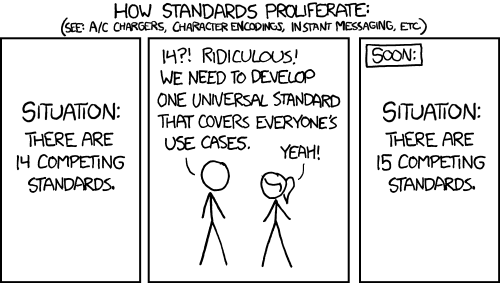
We now have like 3+ systems in the Engine. Normal Replication, PushModel and that ReplicationGraph. having Iris as a 4th+ is annoying
I would rather like seeing them clean stuff up instead of adding new stuff in addition
quasi tide
 thin stratus
:D yeah
fathom aspen
thin stratus
Right, but PushModel isn't everywhere in the Engine yet, right? and Blueprints a...
There is a function that is exposed to BP iirc. Also you can use it in exclusive BP projects. The only gameframework class that I know that uses them extensively is PlayerState 😄
fathom aspen
thin stratus
If Iris aims to reduce server cost and similar, then it ultimately aims to reduc...
Yeah I haven't looked at that Iris too, beginning @pallid mesa to explain it to me xD
 pallid mesa
iris is like a default push based model without scanning
fathom aspen
I assume if Iris does something similar to the PushModel then there's a good chance that the PushModel is going to the vault?

fathom aspen
pallid mesa
iris is like a default push based model without scanning
So it's PushModel++
fathom aspen
fathom aspen
I assume if Iris does something similar to the PushModel then there's a good cha...
Then this could be the case damn
fathom aspen
thin stratus
I would rather like seeing them clean stuff up instead of adding new stuff in ad...
Yeah the engine definitely needs a cleanup. For example I was faced by this OverrideWith nonsense lately which you and James a while back literally ranted about it lol
 lament minnow
is there a way to snap a spring arm's rotation lag back to 0? when spawning my actor and setting it's position at the beginning of the game the spring arm is doing a weird rotation to get into the correct orientation.
thin stratus
Setting the boolean that turns it on and off might work?
lament minnow
i'll give that a try, thanks.
ok, so if i set the bool to true after 1 frame of setting the spawned location/orientation it's snapped to the correct orientation, thanks 🙂
 celest bone
I'm looking at creating a testing level for our game, that is multiplayer. I only ever want one of these sessions open, so I want a button that either creates the session if it doesn't exist, or joins it if it already has been started. Any way to do that with sessions?
pallid mesa
there is more to it, but something like that is definitely possible
basically on your common entry to create a session or not should do first session discovery, if all the sessions found are full, create a session, if not just join a session
celest bone
I will have a mix of traditional sessions, that load a standard world, and this one session that loads a specific map.. any way to differentiate between these when doing session discovery?
pallid mesa
you will need a online subsystem for session discovery and creation ie: steam, eos
huh? mind clarifying
two maps
or...
something else?
celest bone
So there is the standard world, that the main create/join session system will use.
In addition, we have a testing level, it's a small level purely to test mechanics, that we want a menu option to create/join automatically
pallid mesa
well you can open the desired level with the ?Listen parameter
and clients can hard travel to it
from whichever map as long as the previous session is handled
common user plugin might help
take a look at Lyra session management code
celest bone
Awesome, that gives me a lot to search for, thanks!
 fallow shadow
Hello, i am trying to set an actor's location but i do not have much luck. The character is always jittering. I understand thats because the client and the server both try to set the new location but i am only setting this on the server. Does anybody have any insight as to how i could fix the jittering?
 pallid mesa
To remove all the jitter you have to put the character predictively in the same position that you are placing it in the server
also
if you are in the server you have already authority
so that authority check is irrelevant there
where are you calling this code from?
fallow shadow
pallid mesa
To remove all the jitter you have to put the character predictively in the same ...
So call a local event that sets the actor's location and then call the server event?
fallow shadow
pallid mesa
where are you calling this code from?
i am calling this from a function(The function itself was called from the server)
fallow shadow
pallid mesa
which function
Need a screenshot?
pallid mesa
if you are already on the server, doing a server rpc does nothing
yeah sure
put more context to the problem 😄
it always helps!
fallow shadow
pallid mesa
if you are already on the server, doing a server rpc does nothing
I just thought of running the event on the server as there might be sometime where i won't be calling it from the server(but i will be calling it from a client owned actor)
fallow shadow
pallid mesa
yeah sure
Just a moment

 pallid mesa
where are those two functions called from?
fallow shadow

 pallid mesa
DoDamage isn't relevant here, right?
but as you can see in the bottom image you sent your LaunchCharacterToAir...blahblah
is already on the server
so all the functions called from there will also be called on the server
where's LaunchCharacterToOnAir... called from?
fallow shadow
 fallow shadow
pallid mesa
so all the functions called from there will also be called on the server
fallow shadow
pallid mesa
so all the functions called from there will also be called on the server
So i can just not replicate the said events? I mean they are already running on the server lol
pallid mesa
fallow shadow
but... where's this called from
fallow shadow
no worries. It's called from an animation notifier which is placed inside of an animation montage
pallid mesa
fallow shadow
also, where is this function being called
fallow shadow
I think you replied two times on the same picture
fallow shadow
So one time for the interface and one time for the event?
pallid mesa
correct, where's that interface being called from, and where is that interface implemented
fallow shadow
So you see the implementation of the interface on the screenshot you replied and here is the place i call it from
 pallid mesa
fallow shadow
So you see the implementation of the interface on the screenshot you replied and...
pallid mesa
fallow shadow
So you see the implementation of the interface on the screenshot you replied and...
what's that class a character?
yes nvm it is
depending on your setup
you might be in luck and your anim notify might be called also in the server
so you might not need to replicate anything
sorry on-off cooking
so this is convenient, as you have execution flow parallel in server/client
which allows you to do stuff predictively
basically to ensure your execution context
in blueprints you can add a print
it will say Server: or Client: based on the execution context
if you are already on the server you don't have to server rpc
fallow shadow
okay i will add a print on the events and let you know what they say
yeah it does get executed on the server side
 pallid mesa
where did you add the print?
fallow shadow

 fallow shadow
It says client
pallid mesa
only client, not server?
fallow shadow
Only client
actually no it had both the client and the server
it actually had every client
1 2 and 3
along with the server
mb 😓
pallid mesa
okay if its on the server, then no need to send a server rpc
since you are already on the server
now if you wish to execute code in the locally controlled pawn, which is likely your code
just add a islocally controlled
because you are only interested in the locally controlled pawn to perform the predictive code
parallel to the server execution
fallow shadow
Should i add said code on the final event(The set actor function)? or after i have called the set actor function?
 regal geyser
Is there an event which is called when player fully loaded new level after seamless travel? GameMode knows for how many players it needs to wait to start the game, but Handle New Starting Player is triggered before player's level is fully loaded and I'm not sure how I can wait for all players to be fully loaded in for a game to start.
fathom aspen
The source code says otherwise

HandleSeamlessTravelPlayer can be called before the client has finished loading world just in case it was an AIController ^^
Which is not relevant
If you want to make sure all players has fully loaded then check when SeamlessTravelCount is something you want and then you're good
This was talked about not a while ago: #multiplayer message
Search tool is ❤️
regal geyser
Thanks a lot for you help, I tried looking in SeamlessTravelCount variables but it seems they are not exposed to blueprints if I'm not mistaken
fathom aspen
Yeah I don't think any of this are 😦
BP is so limited tbh
You might find some workaround but it just time consuming and ends up looking weird
regal geyser
Yea.. I don't really understand why some crucial data still aren't exposed to blueprints.
winged badger
sadly, best workaround for blueprint networking is to just use c++
fathom aspen
FACTS
limber gyro
hey guys, my options are not being carried over properly, im guessing that i am doing something wrong in the BP

the line of code called in "initGameState"
playersPerMatch = UGameplayStatics::GetIntOption(FCommandLine::Get(), TEXT("playersPerMatch"), 2);
fathom aspen
Well yeah you prolly right, it just constructs the URL based on the two 😄
Though what is combo box string has?
LevelName?
fathom aspen
limber gyro
`playersPerMatch = UGameplayStatics::GetIntOption(FCommandLine::Get(), TEXT("pla...
Well
Did you print the string?
What does it output if you print it
limber gyro
u mean the options being passed?
fathom aspen
Yes
limber gyro
looks correct
fathom aspen
How do you print it?
limber gyro
with a print node
limber gyro
 limber gyro
u mean on the gamemode
limber gyro
let me check. i was under the assumption it would just work since its in the options field
fathom aspen
You can print it when you travel to the new level
fathom aspen
limber gyro
let me check. i was under the assumption it would just work since its in the opt...
Well it can be invalid
Always debug
limber gyro
imma do a UE_LOG
gimme a sec
ye its wrong
LogTemp: Warning: -skipcompile
thats the only thing being passed
maybe im getting it wrong
FCommandLine::Get()
is this not the correct method?
fathom aspen
Well you already got it there in the GameMode
Cached
If this is the first connection you can simply print that one
AGameModeBase.OptionsString
You simply print it in BP
On tick w/e
In the GameMode class
fathom aspen
This is how it should look: LevelName?listen??playersPerMatch=NumOfPlayers
The ?? shouldn't be an issue, though you can stay with one if you remove that ? down there
 fickle igloo
Is there any way for PIE Net Mode "Play as Client" to NOT start a server in the background? (this should effectively be how it acts as a 'packaged client'). I don't think this is the same as 'Play Standalone' as many things behave different in that mode (IsServer/HasAuthority/Client Side Pathfinding).
sinful tree
fickle igloo
Is there any way for PIE Net Mode "Play as Client" to NOT start a server in the ...
Standalone is the way to launch PIE without a server. Listen Server means that the first player acts as the server. Standalone is as if you're playing a single player game, not connected to a server.
Standalone effectively acts like the server as well, as it is the "host" of the single player game 😛
You can have the standalone instance connect to an external instance of a server in which case it'll start acting like a client.
fickle igloo
sinful tree
Standalone is the way to launch PIE without a server. Listen Server means that ...
Hmm I'll double check that. The issue I was having there is that the 'play as standalone' was having some blueprint functions behave differently then when in 'play as client' . While I sometimes want to connect to a dedicated packaged server for debugging, sometimes I instead want to connect to a auto-made one for quick testing. I was wanting to use the same blueprint code in both cases. I wasn't testing post-connect though, only on level init, so if it changes it's behavior after doing an 'open level' that might work...
fickle igloo
sinful tree
You can have the standalone instance connect to an external instance of a server...
Was going off this picture here, where it shows that "has authority" is different on client mode vs standalone
 fathom aspen
IsServer shouldn't be behaving any different as it checks that your net mode isn't NM_Client
So works same on all types of servers and standalone
Even HasAuthority. Standalone always has authority
fickle igloo
fathom aspen
Even HasAuthority. Standalone always has authority
even after connecting to a remote deticated server?
fathom aspen
No. Then he's a client
sinful tree
fickle igloo
Was going off this picture here, where it shows that "has authority" is differen...
That image shows that the only one that doesn't have authority is when the netmode is NM_Client.
So if you play standalone, you're going to be authority.
fickle igloo
so the key seems to be, that the net mode can be, and is, changed for you at runtime, which I didn't think was possible (I thought it was set once you hit the play button, and unchangeable)
sinful tree
Yes
When you connect to a server, your netmode would change to NM_Client, meaning you won't have authority. If you start hosting a game, you're set to NM_ListenServer and have authority.
fathom aspen
That's not the case. You can launch as listen server with another client, and make the other client host a new map as listen server and make the listen server join him. @fickle igloo
Net modes flipped
fickle igloo
ok, I'll proceed with some attempts under that new understanding then. Thanks you two 👍
 fluid summit
Hi everybody! where do you think it's better to keep the Equipped items info? Player State, pawn or maybe other place?
sinful tree
fluid summit
Hi everybody! where do you think it's better to keep the Equipped items info? Pl...
Probably a component on the character?
fickle igloo
fluid summit
Hi everybody! where do you think it's better to keep the Equipped items info? Pl...
do the items go away when the character dies, or does it respawn with the character?
fluid summit
fickle igloo
do the items go away when the character dies, or does it respawn with the charac...
They respawn with the character
it's your regular arpg (diablo, path of exile, torchlight, etc) setup
fickle igloo
fluid summit
it's your regular arpg (diablo, path of exile, torchlight, etc) setup
I've heard augments made that it's better to store them in PlayerState in that case, since if you destroy the character you'd have more steps to rebuild the items equipped
fluid summit
on my previous setup i had it on the pawn, but i'm having doubts exactly because of that, makes more sense on the PS
 vale grove
how do i do multi user editing in ue5?
livid arrow
vale grove
how do i do multi user editing in ue5?
there is documentation on how to set it up, but it is a plug in you need to activate
Can anyone see any issues with this? currently this only shows on the owning client.
 fluid summit
livid arrow
Can anyone see any issues with this? currently this only shows on the owning cli...
fluid summit
livid arrow
Can anyone see any issues with this? currently this only shows on the owning cli...
Execute RPC on tick sounds like suicida by performance issues
Also, could it be that it's executing on Server, but the values you get com "last input vector" don't lead to any change and they look like it's not running?
livid arrow
fluid summit
Execute RPC on tick sounds like suicida by performance issues
the on tick is simply to see if it works, and Im not sure what you mean. can the server not read the last input vector?
fluid summit
if you are not replicating the movement you will get different values, do a print on the values and check just in case
also make sure "Cube2" is valid
livid arrow
fluid summit
if you are not replicating the movement you will get different values, do a prin...
cube2 is valid. when I print the values the server seems to only read the host clients values. however, i still cant see the rotation of the host from a client
vale grove
livid arrow
there is documentation on how to set it up, but it is a plug in you need to acti...
ok so basically
do i need a vpn?
because it just doesnt work with my client
livid arrow
vale grove
ok so basically
you do if you are trying to work with someone outside of your local network. I used hamachi when working with my friend
vale grove
vpn?
vale grove
livid arrow
you do if you are trying to work with someone outside of your local network. I u...
vpn?
and yes we are in diffrent states
livid arrow
vale grove
vpn?
you will need to spoof that you are on the same network
or have access to an actual server running the multi user editing server
sinful tree
livid arrow
Can anyone see any issues with this? currently this only shows on the owning cli...
Last Input Vector from the CMC isn't replicated at all, even the server doesn't know this value, so it can only be used on the local client. So you'd probably have to pass that through the RPCs or use a different value.
livid arrow
sinful tree
Last Input Vector from the CMC isn't replicated at all, even the server doesn't ...
what would I do to get that value replicated? would i just make it a replicated variable? sorry if I miss stuff, i am still new to multiplayer and networking stuff
sinful tree
livid arrow
what would I do to get that value replicated? would i just make it a replicated ...
Create a Vector input on the Server and Multicast events, and pass the value through from the client to the server, then from the server to the multicast.
Also doing the below will cause the server to call the "Lean Server" function twice as event tick runs on both the server and the client. You'll need to put a "HasAuthority" node directly after Event Tick so only the client calls the event.
 livid arrow
sinful tree
Also doing the below will cause the server to call the "Lean Server" function tw...
livid arrow
sinful tree
Also doing the below will cause the server to call the "Lean Server" function tw...
alright thank you, I will try this.
 harsh oyster
Hey, I was wondering... I'm currently working on multiplayer for a battle royale game, but I'm a bit confused about how the servers work. Is it done by creating and hosting sessions, or is it automated on a dedicated server? How?
 short arrow
fluid summit
Execute RPC on tick sounds like suicida by performance issues
short arrow
fluid summit
Execute RPC on tick sounds like suicida by performance issues
RPC won't really be a problem for the server as long as it's not set to reliable
fallow shadow
pallid mesa
because you are only interested in the locally controlled pawn to perform the pr...
That doesn't seem to work. I have done it like this but it doesn't seem to be working


 elder sable
Is it possible to use beacons in PIE ?
pallid mesa
check if the owner is LocallyControlled or Authority
if it is then you dont need to have rpcs at all
so step #1 remove all rpcs @fallow shadow
fallow shadow
Done
 pallid mesa
you can do trygetpawnowner in the anim BP
in which you can check for local controlled pawns
fallow shadow
I am not using skeleton notifiers.
I am using anim notifiers which are a separate class
pallid mesa
you are using an anim notify?
fallow shadow
yeah
fallow shadow
I am using this
 pallid mesa
ah yeah so the anim notifiers
can be implemented in the anim graph basically checkout the matthew wadstein video about them
but basically they can also be implemented in their own object
fallow shadow
Are there any noticable differences in implementing them in their own object or in the anim graph?
pallid mesa
functional mostly, let me send you the video because over chat explaining them might be a bit iffy

What is the Anim Notify Class in Unreal Engine 4
Source Files: https://github.com/MWadstein/UnrealEngineProjects/tree/WTF-Examples
Note: You will need to be logged into your Epic approved GitHub account to access these examples files. https://github.com/EpicGames/Signup
but the principle is the same, you can get the owner of the skeletal mesh which which can be a pawn
and then from there you can check if its locally controlled
pallid mesa
if (has authority OR IsLocallyControlled) then proceed
this basically ensures thay your local controller will get execution flow aswell as the server
so you can predictively set values in the client
fallow shadow
pallid mesa
if (has authority OR IsLocallyControlled) then proceed
like this?
 pallid mesa
dont make the pawn cast pure
fallow shadow
In case it fails?
pallid mesa
and then it would be a matter to revise the rest of the logic, but now you got a server/local client execution flow, which is exactly what you need for prediction
pallid mesa
fallow shadow
In case it fails?
nothing
fallow shadow
pallid mesa
and then it would be a matter to revise the rest of the logic, but now you got a...
So now, all i need to do is call the local events and right after the same events but on the server side?
pallid mesa
no
they are already gonna be called in server and locally
hehe because remember that the anim notify
gives you a server execution flow
think of it as execution flows
or contexts
if you are in a server execution flow u dont need server rpcs
cause u are already in the server
fallow shadow
pallid mesa
if you are in a server execution flow u dont need server rpcs
Yeah, i got that yesterday.
But do i not need to do some code to predict the values locally? and then pass them onto the server?
Also when i am hitting the enemy character is jittering on my screen(not his local screen)
pallid mesa
so you got execution flow in the client
already
but its local client
so prediction consists on performing actions in the local client before they happen in the server
so you can see a 0 lag simulation in your client
so if the logic is equivalent in server and client you will not get snapped back in this case since its about movement you dont need rollbacks
since the cmc will take care about rollbacking you
fallow shadow
pallid mesa
so if the logic is equivalent in server and client you will not get snapped back...
Yeah that's the idea but if i am to set the location at the same time do i not need to call the two events back to back?(First for setting the new location locally and one time on the server). What am i missing here?
pallid mesa
no, remember that this execution flow is in the local client and the server
if you set, for example, the actor location to 0,0,0
what will happen is that your client will set the location and then the server will set it
with no RPCs
because remember
the execution flow we got is server and local client
so the same white wire
is doing local client execution flow
and server execution flow
because anim notifies give you said benefit
- the logic we added in there
fallow shadow
pallid mesa
because anim notifies give you said benefit
I am thinking that we should call different events based on whether it has authority or if its locally control. Right now i am calling the same event which doesnt make much sense given that one is executed on the server and the other on a local client
pallid mesa
what do you mean?
fallow shadow
so we have this
 fallow shadow
So it's like running two parallel functions?
pallid mesa
yes one server sided and one in the local client
but
the local client one comes earlier
unless this is server initiated
pallid mesa
it depends on your logic
basically try to set an actor location to 0,0,0
right after the execution flow we created
if you get a smooth as butter result in your local client then it means our execution flow works predictively
dont call any of your custom logic
fallow shadow
like this?
 pallid mesa
yes we are simply testing
correct
as long as your 0,0,0 is fine
you should feel a smooth teleport
fallow shadow
Yeah it is smooth
pallid mesa
then we got our prediction working 👍, now you can test it better by enabling network emulation
and setting average lag
in play settings
fallow shadow
Quick question. Would this be affected by high latency?
pallid mesa
thats what im about to show you
haha
by enabling network emulation in the play settings and setting average lag
you are simulating a laggy scenario
fallow shadow
 pallid mesa
try everyone and average
fallow shadow
like this?(for average)
 pallid mesa
emulation target everyone
yes thats about 100ms if you set it to everyone as I mentioned
thats what we wanna test
so the good thing about predictive actions is that even if we have high lag, we will feel the smooth experience in our clients end
fallow shadow
Yeah it is still pretty smooth
pallid mesa
thats very great!
you see? thats the advantage of prediction
buuut
predictions can fail
:(
and this is the gotcha that a prediction system has
predictions woooork really really well if your data is baked
or directly available
now... if your data has a runtime factor...
for example u do a capsule trace or whatever to obtain your data
it might happen that the server side capsule trace and the client side capsule trace
dont match
because remember they are executed in different timeframes
in such case you will get different results in client and server
meaning that your prediction will look off
so now your work consists on revising your logic to detect cases in which the server might produce different results than the client
for such cases u often do a trust and verify heuristic in which u totally trust what the client said
to do the predictive action
but you gotta check it afterwards in the server
that is the case when we do predictive shooting
in online shooters
fallow shadow
Quick question, why would we care about what happened in the client? I mean do we not know that whatever the server results in is 100% accurate?
pallid mesa
yes but when you are playing a shooter
and your latency is reasonable
we want to give the client 0 latency on his shooting
so on the server when we get to validate the shoot
we HAVE to rewind the game
to the point in which the client shooted to ensure the hit was valid
assuming linetrace shooting!!
basically because we want responsiveness!!
imagine a shooter in which ur shooting is capped by latency
players will be mad with you
😄
all of these techniques are implemented in Unreal Tournament
thats why its a very valuable resource
fallow shadow
pallid mesa
imagine a shooter in which ur shooting is capped by latency
Now i get what u r saying
But doesn't rewinding take some time?
pallid mesa
well what games often do
they have a list of actors that should be rewound
like... characters, moving platforms... etc
when you shoot only the relevant ones are rewound
fallow shadow
It still sounds like a lot for the server to do in a split second
pallid mesa
so basically you store server side a vector of positions in a fixed timestep
per each candidate actor to be rewound
and when you shoot
you simply select the position that was valid for your shoot
so its simply an array lookup on a list of candidate actors
btw im speaking about a competitive shooter
you can avoid these rewinding stuff by doing an approximate location with client leeway check
but on a competitive shooter
like valorant... or such
you should do this
fallow shadow
I see, it's an interesting concept. I would really like to see it implemented though. So much data has to be processed in such little time.
pallid mesa
not really hahah its okay as long as you scope it
lots of games do it
like... Unreal Tournament, PUBG... yada yada yada
to see an implementation of this
you can checkout Unreal Tournament source code
fallow shadow
I just might lol
Also i wanted to ask you something else
Can we do what we did for set actor location, for the launch character node? Do the same principles apply?
pallid mesa
if the data is baked yes



 errant vapor
is there any way of ensuring that the client(s) receive a net update when doing a low update frequency(alternatively dormancy) on an actor? im using the replication graph and i have thousands of actors that change very rarely and rely on forcenetupdate when they do change.. however, in packet loss scenarios, a client will occasionally miss one of these updates and then has to wait until a new forcenetupdate to have a chance of synchronizing.. id ideally want the server to keep pushing that actor's update every few frames until its received an ack from each client, then going back into dormant/lowfrequency
pallid mesa
fallow shadow
(Both screenshots are on server side)
wym server side? isn't this called in local client and server?
pallid mesa
errant vapor
is there any way of ensuring that the client(s) receive a net update when doing ...
forcenetupdate or flushnetdormancy
fallow shadow
pallid mesa
wym server side? isn't this called in local client and server?
The screenshots i sent are part of the take damage function which get executed on the server side alone
pallid mesa
if take damage is server only... theeeen there is no room for prediction in the afterexecution flow
you can however bring down the event to the client from the server, formally called a server initiated action
fallow shadow
pallid mesa
if take damage is server only... theeeen there is no room for prediction in the ...
What if i call a client only event and in the client only event i execute the launch code along with a server version of the launch code?
errant vapor
pallid mesa
forcenetupdate or flushnetdormancy
youll note im already using that.. my problem is when a client misses one of these forced updates from the server, in which case it could take minutes/hours before another forcenetupdate happens, and the clients version of the actor is stuck in the wrong state until then. im looking for a way of guaranteeing that that particular update reaches the client(s)
pallid mesa
yeah sorry i didnt fully read you
are these actors dormant initial?
part of the level?
fallow shadow
They are part of the level yes
they are character BPs
Actually they are the player character
fallow shadow
Oh okay, we have the same icon as trog and i got confused lol