#blueprint
402296 messages · Page 937 of 403
 lean orchid
 near wolf
Hello, I bought this helicopter blueprint from the marketplace, but the rotor animation is not working. Can someone help me?
 lean orchid
ok i managed to open my base class now by changing its uasset name 😄
 lyric glade
how do i get animation bp from ai action code?

 icy dragon
lyric glade
how do i get animation bp from ai action code?
icy dragon
lyric glade
how do i get animation bp from ai action code?
What are you trying to do? Seem super jank
lyric glade
play animations when ai does stuff
 tawdry surge
Normally you would use the task to set some variable in the ai BP and the animation BP should be pulling those values and using them to determine the animation output

 gentle urchin
This is not what destroys your character
 paper gate
 gentle urchin
Define 'destroy' in this context anyway
paper gate
i dont want to destroy
gentle urchin
If you blend to some 0 anim. It'll ve invisible, sure
 gentle urchin
Then somewhere some script is saying "Destroy Actor"
And points to the player character
paper gate
no i didnt use destroy actor anywhere
tawdry surge
Or you are falling through the floor too close to the kill z of the level and just looks like an instant kill
That would be a funny edge case to hit tho
paper gate
yes i guess u correct
paper gate
tawdry surge
Or you are falling through the floor too close to the kill z of the level and ju...
tell me how to fix it
gentle urchin
Dont drop below killZ
tawdry surge
Well first id check your player location in the level and see if thats happening
It's a long shot possibility
paper gate
what ss u need tell
gentle urchin
Got a video of whats going on?
 grave venture
So after creating an interface and adding it to the class setings of a blueprint and I've done this quite many times before and never had this issue
When I'm trying to drag this function in blueprint it says, the function was not marked as blueprint callable
what's up with that maybe anyone knows?
paper gate
gentle urchin
Heh
but why it destroyed ?
gentle urchin
paper gate
but why it destroyed ?
KillZ kills it
paper gate
ok so how to fix it
gentle urchin
Adjust the location before swapping capsule height
gentle urchin
grave venture
So after creating an interface and adding it to the class setings of a blueprint...
A bp interface?
grave venture
Yes
The simplest
Create interface -> put it in another BP's class settings to use it
but what is this
like this icon

shouldn'
shouldn't it be like "F" written there 😄
and I can just drag and drop
tawdry surge
I just saw these in a project yesterday. Idk what they denote either and would be interested in knowing too
gentle urchin
Ill try in a min 😂 ue5.02?
near wolf
I have a helicopter with rotor animations. But it only works on the default map and not in another maps. I think it's something with the blueprint. What could be the problem ?
tawdry surge
Where is the rotation happening?
near wolf
it starts once you click spacebar to go up
oh you mean where


This is the blueprint for the rotor
but Im not that advanced with blueprints and im stuck
gentle urchin
wrong pawn in different level ?
near wolf
 near wolf
gentle urchin
wrong pawn in different level ?
near wolf
gentle urchin
wrong pawn in different level ?
no, im using the right one
grave venture
Also so you knew it's a very default BP interface 😄

 versed sun
Did you set up Game Mode in your new level?
 near wolf
Yes, the helicopter works, but the rotors are not starting to spin
gentle urchin
grave venture
Also so you knew it's a very default BP interface 😄

works like a charm
but cant drag and drop the interface directly, no
Not sure why really 😄
tawdry surge
Was the one in the default level already placed or did you place it?
near wolf
tawdry surge
Was the one in the default level already placed or did you place it?
it's already placed, It's a helicopter blueprint that I bought from the unreal marketplace
but it only works on the provided map
tawdry surge
I'd look in the details of the one in the level. Sometimes they have different settings from the class
gentle urchin
yeah, instanced ones may differ
near wolf
yeah but what exactly ? The helicopter uses the same blueprints on different levels ?
near wolf
tawdry surge
0 means it won't spin
when I change the number it starts spinning , but it just spins all the time with the same speed
it's not how it should be slowly then goes faster like in the default map
gentle urchin
sounds like it cant interpolate properly ?
tawdry surge
Ok so if setting that makes it spin, then my next step would be to see where that is being set in the blueprint and making sure it's still happening
I'm starting to suspect they did a dumb thing and tied it to the level BP somehow
near wolf
 gentle urchin
tawdry surge
I'm starting to suspect they did a dumb thing and tied it to the level BP someho...
gentle urchin
tawdry surge
I'm starting to suspect they did a dumb thing and tied it to the level BP someho...
like using level bp to set the rot speed or smth
near wolf
there are no level blueprints
tawdry surge
Yes there are. whether it's used or not..
But ok so what is to the left of the branch?
near wolf
 gentle urchin
personally, i think this looks rather messy
but thats not relevant for the issue i guess 😛
tawdry surge
Haha it's always relevant
But you need to go inside the collapsed graph to see where your lerp values are coming from
gentle urchin
like,
wouldnt it be easier to keep track of rotator speed in the chopter_BP,
and just feed it directly to the anim bp ?
the fancy macro also throws me off

latent like that
tawdry surge
That's what it's doing, but it's not increasing the current max speed
B for the lerp
near wolf
 near wolf
This is what is inside the lerp node
gentle urchin
glad this wasnt confusing at all x)
whats it compensating for, since its not a regular lerp ?
near wolf
for me, it is lol
gentle urchin
yep
tawdry surge
Select value_2
near wolf
I also messaged the guy who created the blueprint and he told me this : This project is fully functional, you can assign your own Input, depending on your requirements. Well, in order to connect a blueprint to another map, you also need to have some technical knowledge. Another map is not related to the project, if you connect it correctly everything will work on any map
gentle urchin
just make sure you dont break it, because then you'll get literal float 4
for whatever reason
If done correctly, i'd say making a chopter work in any map shouldnt be more work than setting up the GameMode
tawdry surge
That's not a great answer.. "you need technical knowledge to make it work on a new map"
Makes me think he used the level BP somehow
near wolf
Hm I just noticed something interesting
gentle urchin
like..

 gentle urchin
along these lines
near wolf
where the helicopter works fine

But if I put the player start above the ground
The rotors stop working just like in the other map
so it's something related to the ground I guess
tawdry surge
I'd gut it and make something less dependent
gentle urchin
feeding RotorCurrentSpeed to the AnimBP -> Voila
you have a working start

assuming acceleration is linear, both ways
tawdry surge
Zero reason for the helicopter to care about the ground or the level or gamemode
gentle urchin
^ Exactly
near wolf
hmm
So I'm not very sure what to do now
I can try recreating that blueprint but I think something else will break
gentle urchin
Probably, really
near wolf
ffs why did this guy not make it work everywhere but just on his map

What about this
gentle urchin
Getting there
near wolf
I also notice that it's not just the rotor that is different, the handling and the moving of the helicopter also is different on both maps
gentle urchin
As MW suggested, check the variables
lyric glade
i click on the result but it leads me nowhere how can i fix it?
 grave venture
So how do I do when I click the button with my third person character, It triggers something in another Blueprint
was trying with interface but can't pass it to "communicate" with another blueprint
idk
 trim matrix
when possesing someone, the character freezes in air. (if i have jumped)This is a problem as I am making a multiplayer game
near wolf
gentle urchin
As MW suggested, check the variables
Im checking them, but I'm not sure what could be wrong with them
I cna make the rotors spin, but it's not how it should be going from slow to fast
trim matrix
I am possesing a sort of drone on a keypress
 sinful marlin
#work-in-progress For anyone wanting a tutorial on how to make a notification system in BP!
tawdry surge
I don't have time to watch that at the moment, so idk if it's good or not.. However from a marketing standpoint point, basically saying in the description "I'm still learning how to code but let me teach you" doesn't fill me with confidence
 tight schooner
grave venture
So how do I do when I click the button with my third person character, It trigge...
tight schooner
grave venture
So how do I do when I click the button with my third person character, It trigge...
Is this a button in the level that opens a door / turns on a light /etc..?
Yeah the content examples are that all day
grave venture
tight schooner
Is this a button in the level that opens a door / turns on a light /etc..?
It's just a Input - Q
grave venture
tight schooner
Is this a button in the level that opens a door / turns on a light /etc..?
I mean I know how to do it with box collision and line trace (for example: open door, pickup item and so on)
But I was trying to JUST CLICK THE BUTTON and something happens (pushes the object, doesn't matter where im standing or looking or doing)
Just with a push of button (Q)
Didn't want to cast it, wanted to utilize it with an interface
 dusky crane
I have multiple characters and each character has a customizable ability loadout. i want these loadouts to be saved so theyre the same when you restart the game.
my question here is, do i have a saveslot for every single character or do i just use a single saveslot that contains a map with the character's name and relevant data?
okay, thanks!
 shut escarp
hello, when i do a cast my function gets called and works perfectly but if i set the player variable and try to call the drop weapon function using the saved variable it does not work and i get the accessed none error. am i doing something wrong? (this is being done in my player controller)

 subtle hatch
shut escarp
hello, when i do a cast my function gets called and works perfectly but if i set...
subtle hatch
shut escarp
hello, when i do a cast my function gets called and works perfectly but if i set...
is the variable global? if it is local variable, then it gets erased everytime the function exits
shut escarp
yeahh its global variable
subtle hatch
can you try to disconnect the line from the cast to the function DropWeapon
 faint pasture
.... have you tried it? Certainly it's faster than coming here to ask
 fast finch
you cannot edit them
only read
and that is super fast
3000 row entries are not even alot
if you have a system this big tho
i advice you to look into sql
just for that final bit of power and accessibility
shut escarp
subtle hatch
can you try to disconnect the line from the cast to the function DropWeapon
yeah i tried that , only when i have the line connected from the cast it works. but if i use the saved function i get accessed none. the cast does not fail either.
this is so weird lol
 rain egret
at the start of my game i have, for debug purposes, a actor that instantly spawns, initializes and outfits a airship within a few seconds.
this causes a massive lag spike, is there any way to lower the lag? i already made a custom for-each macro that uses a delay.
 tight schooner
@rain egret isn't game start the most acceptible time for lag? Otherwise put those objects into the level so that they're already there at map load. Or spread the work of spawning stuff over time.
Or make the lag more acceptible by having a discrete spawning phase at pre-game and fading in the view once everything is spawned
If the computer has to do that work no matter what, then be strategic about when it does it
It also depends on the source of lag. If it's a DX12 project and you're seeing stutters the first time certain things are presented (in play-as-standalone or packaged) then it's due to runtime shader compilation. My project has this issue with gpu particle systems, heh.
rain egret
its more that it has a lot of collision building to do
the ships are made at runtime from scratch

the shipyard first turns this mesh into a frame structure thats created procedurally. then each wall is made and attached.
tight schooner
Yeah sorry, I don't have experience with that. If you've narrowed down the laggy part of the process, I guess do it in advance in a strategic moment where the spike is less annoying
And then let the cosmetics happen afterward
You can construct the physics thing earlier then enable collisions on that component at the right time during the animation I guess
If the physics and the visual mesh are the same component then similar idea. Construct it with physics/visibility disabled in advance then enable that stuff later
rain egret
you think the lag purely comes from displaying the mesh? worth a try i will test it out
tight schooner
I can't say. Acc'd to you it comes from spawning it in the first place? If that's true then you have some control over where the lag spike occurs
Cuz you can spawn it invisibly, paying the toll, then do the animation afterward
rain egret
i solved it aaaaa
all it took was that for each with delay
now i can combine this with your solution of having it invisible until its all done and thatd work great
 sterile jacinth
Hello folks! I have a problem with buoyancy. For some reason my character doesn't float on water when being ragdolled. I used the same skeletal mesh and added buoyancy to it, and it floats just fine. Anybody knows what is the possible issue here? Thanks in advance
tight schooner
@rain egret btw if you haven't yet, try "stat raw" in the console for a frametime graph
trim matrix
can someone help me out with this?
while im aiming this box collision rotate with my camera and when ever it collide with those actors "cubes" it store them in array?
how can i do that
 tight schooner
Break the problem down. You need to make the collision component generate overlap events with the cubes. Use the overlap event to get the actor reference, check if it's one of the cubes, and "add unique" into your array.
 broken quiver
 modest monolith
fixed

 wanton prawn
Does anybody know if .sav files created with a UE4 build of a game have compatibility issues with UE5 builds?
My game released using 4.25, and I upgraded the engine to 5.0 when it came out. But now it seems to be reading my settings save incorrectly, unless I delete and recreate it. I'm wondering if it's possible to establish backward compatibility for the sake of my players, or if I should just instruct them that their old saves are no longer compatible once I push an update.
Worth noting that this issue seems to only crop up in packaged builds. I've attempted to shove UE4 saves into the place that (I think) the editor puts its saves, but so far I've had no luck replicating it.
trim matrix
tight schooner
Break the problem down. You need to make the collision component generate overla...
i used a begin overlap but he doesn't work correctly
trim matrix
tight schooner
Break the problem down. You need to make the collision component generate overla...
and specially if i aim exactly at the cube
tight schooner
trim matrix
i used a begin overlap but he doesn't work correctly
make sure both the world-cubes and your cube detector component are set to overlap each other's collision channels, and both are set to "generate overlap events"
trim matrix
tight schooner
make sure both the world-cubes and your cube detector component are set to overl...
but my cube doesn't have a box collision
 hazy fulcrum
Does anybody have a method of getting the spring arm component to retract to the offset position and not to the component origin when it detects a collision?
I've been playing around with the settings and none of them seem to prevent the camera from retracting into my character's back whenever the spring arm hits something.
gentle urchin
Custom springarm
Or simply set its origin at the camera location
And point it towards the viewtarget
hazy fulcrum
So my 'fix' was to use two spring arm components, one parent for target length and one child with 0 length and just the desired offset, with the camera attached to the child.
Which kind of works, but feels really ghetto.
How would you go about setting up a custom spring arm?
 undone surge
im trying to get a projectile to spawn in sky and hit a target area. i managed to get it to spawn directly on top of the target and come straight down but i want it to spawn a little sideways and hit in random places but within the target , how would i do that
 gentle urchin
hazy fulcrum
How would you go about setting up a custom spring arm?
gentle urchin
hazy fulcrum
How would you go about setting up a custom spring arm?
Id just reverse it tbh. A custom springarm would be a custom springarm component
With your own defined logic
 deep geyser
Does anyone know a good algorithm for calculating which direction would fluid flow through a pipe network?
faint pasture
undone surge
im trying to get a projectile to spawn in sky and hit a target area. i managed t...
With math
Is it just simple projectile motion with no drag?
There's a suggest projectile velocity node, it can math for you
There might also be a suggest angle node
undone surge
yes its a simple one i have the velocity set and everythng
faint pasture
if you want a constant speed
undone surge
i just want it to start at and angle and land at a specific location
faint pasture
undone surge
i just want it to start at and angle and land at a specific location
Do you want to change the SPEED to change the hit location or the angle?
undone surge
no i just want it to randomly hit a circle location in a random pattern like a shotgun spread

like this
faint pasture
So figure out the orientation to make it hit perfectly, then randomly pitch and yaw it a little bit
undone surge
one thing i was confused on is which node to use to orient the launch direction
on begin play
like i start a little away on x axis of hit location then after that how do i turn the launch orientation
towards the target
faint pasture
undone surge
one thing i was confused on is which node to use to orient the launch direction
Already told you
https://docs.unrealengine.com/4.26/en-US/BlueprintAPI/Game/Components/ProjectileMovement/SuggestProjectileVelocity/
SuggestProjectileVelocity
undone surge
ok thanks i will see this
faint pasture
Do that, then just rotate the output by a tiny random rotator and you'll get your spread
start with getting it to hit first
one problem at a time
undone surge
alright i got it
also i have a projectile movement component which has the speed
shouldi put this speed in suggest vel ?
or should i make that 0
and copy that value here
 faint pasture
Yeah put the speed into launch speed
it'll tweak the angle of the resulting vector to make it hit (if it can, there can be impossible situations)
deep geyser
Does anyone know a good algorithm for calculating which direction would fluid flow through a pipe network?
I need something for a hydraulic simulation, where a system could be custom made, with levers to switch flow during gameplay
faint pasture
deep geyser
I need something for a hydraulic simulation, where a system could be custom made...
Ooh boy you asked the right guy
I'm working on an arbitrary flow network plugin
deep geyser
Lol wat 😂
faint pasture
You trying to switch flow or pressure?
gentle urchin
Adriel the flow guru
faint pasture
Like are you trying to have a bit of hose be ON/OFF or have a pressure or what
deep geyser
For now flow
I'm working on a prototype simulator for a school, so the functionality would be limited for it
If it kicks off, so will the complexity and budget
faint pasture
Give an example use case, what does an interaction with this system DO?
undone surge
faint pasture
it'll tweak the angle of the resulting vector to make it hit (if it can, there c...
thanks
faint pasture
I'm trying to suss out if you're talking about a full bidirectional effort/flow system, or something more analogous to light switches, or what
deep geyser
I'll contact you tomorrow, I have to go offline
faint pasture
deep geyser
I'll contact you tomorrow, I have to go offline
KK
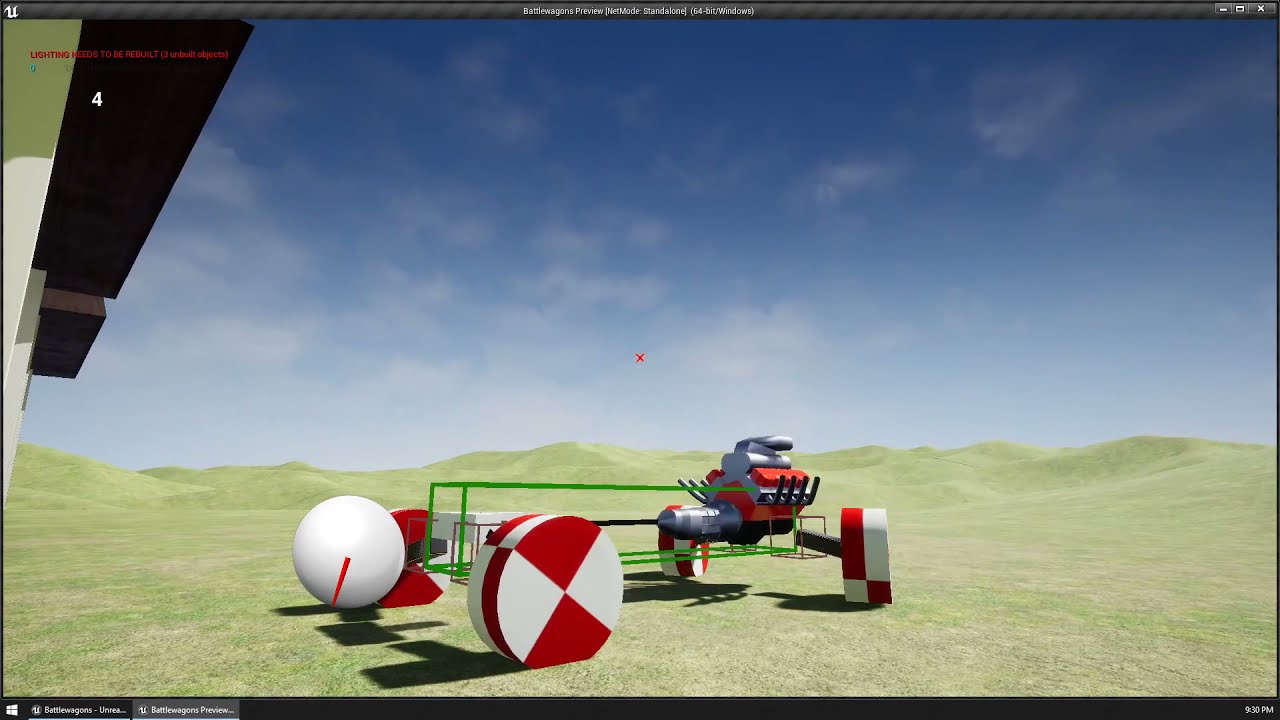
I haven't done the hydraulics system yet but this is the graph network solver thing I'm working on. Right now I just have the torque/rpm regimes made but it's trivial to extend to hydraulics or electronics or traffic or whatever.
https://www.youtube.com/watch?v=Datugg_ZS3E
 flat coral
Which sound function would you use for something that should travel with the player and isn't directional, but is in world space and so things like attenuation and echos might still apply?
For example, the engine sound for a car the player is inside
faint pasture
flat coral
For example, the engine sound for a car the player is inside
sound component
Spatialization distance is a setting on the sound attenuation settings
once you're close enough it's no longer directional
 stoic echo
Hey, I've been looking for a proper way to set audio areas. Whenever i enter a box it plays a certain audio file (ambient music) and as soon as I leave it it shall play a different one.
I couldn't find myself a proper tutorial for that since I watched a few on youtube. If there's anyone who has done that before I'd be grateful if you'd help me out.

 zealous moth
@stoic echo iirc you should use the same audio player. So when you overlap a new zone, make new song start at volume zero and increase with time as you decrease previous song to 0 and disable.
stoic echo
zealous moth
<@240539295289442305> iirc you should use the same audio player. So when you ove...
oh okay, I've watched a video about that which also mentioned the variable to "select track" whenever begin or end overlapping, is that correct?
which is a variable for track01 and track02 for example and it just stops the first track and starts the second one
flat coral
Okay so you know how the "Box" rendering of images lets you take a margin along the edges, consider that the border, and then the center is the only thing that stretches?
What are the odds Unreal has a tool like that, but for audio files?
I've got a lot of audio files that have a very clear starting, middle, and ending, and I want to loop them but i only want to loop the middle part
So like, play the beginning, play the middle on loop for X seconds, then play the ending
faint pasture
stoic echo
Hey, I've been looking for a proper way to set audio areas. Whenever i enter a b...
Audio volumes my dude
stoic echo
same, im a bit confused. also i am somehow not able to select the sound that should be played in the audio volume
faint pasture
I'm not sure. I haven't touched it for years
But if sound in an volume is what you're after, that seems like a sound volume
faint pasture
stoic echo
same, im a bit confused. also i am somehow not able to select the sound that sho...
Maybe Ambient Zones are the thing nowadays.
https://docs.unrealengine.com/4.27/en-US/WorkingWithAudio/AmbientZones/

Creating ambient audio zones using the Ambient Zones properties of Audio Volumes.
 pine trellis
@faint pasture does it charge in your car with the car phone charger?
faint pasture
pine trellis
<@127902729677963264> does it charge in your car with the car phone charger?
You need a charger with power delivery and the wattage the laptop needs. You aren't gonna charge it with any old USB-C charger.
hazy fulcrum
hazy fulcrum
Does anybody have a method of getting the spring arm component to retract to the...
Bumping this as I'm still having the issue after trying to tackle it for the past few hours. I attempted to build a custom 'spring arm' using the player camera manager but I wasn't able to get the offset to remain in the same place as the character rotated around. Is there an 'accepted' way of accomplishing what I'm after?
 tranquil gorge
Hey does anyone have a moment. Ive been working on creating a camera system for quite a bit now and i would love it if someone can be in chat with me and help me figure it out while i screen share if they feel they are capable. Would be much appreciated 🙂
 exotic warren
faint pasture
I'm working on an arbitrary flow network plugin
exotic warren
faint pasture
I'm working on an arbitrary flow network plugin
Oi what stop yoinking my thing that i'm clever at

 austere ingot
i have a config variable (loaded from a config file on a dedicated server) that contains a list of admin ids
works in editor to pull from the list, but no when compiled?
 raven pilot
is there a way to disable input without disabling camera?
 jaunty summit
deactivate camera + https://docs.unrealengine.com/5.0/en-US/BlueprintAPI/Input/DisableInput/

Disable Input
raven pilot
jaunty summit
deactivate camera + https://docs.unrealengine.com/5.0/en-US/BlueprintAPI/Input/D...
sorry i meant without*
finished audio prints?
seems like the event might be part of the problem
jaunty summit
raven pilot
sorry i meant without*
Disable input doesn't disable camera. Does it?
raven pilot
jaunty summit
Disable input doesn't disable camera. Does it?
it does : (
yea thats very strange, not sure why it doesnt print
tawdry surge
Only if you call it on the controller. If you call it on the character it shouldn't
raven pilot
i actually have a event set up on one of my nodes, its a bit similar
tawdry surge
Unless your camera code is in the character too
raven pilot
tawdry surge
Unless your camera code is in the character too
am using unreal default camera system i think
haha yea strange
not sure if it should skip a node like that
raven pilot
tawdry surge
Only if you call it on the controller. If you call it on the character it should...
i call it from character after i cast to third person character
maybe there is an event limit? maybe try putting that event before the intialized_event
ahhh i see
jaunty summit
raven pilot
it does : (
Yes. Then all your inputs are on the character. Then have the mouse input on the controller and call the disable on the character
I think this can be done in a more neat way using the Enhanced Input System
As you can load and unload mapping contexts
raven pilot
jaunty summit
Yes. Then all your inputs are on the character. Then have the mouse input on the...
thanks for advice but am clueless on how to move mouse input on the controller
raven pilot
jaunty summit
I think this can be done in a more neat way using the Enhanced Input System
first time hearing of enhanced input
jaunty summit
raven pilot
thanks for advice but am clueless on how to move mouse input on the controller
AddControllerYawInput becomes AddYawInput
Same goes for Pitch
jaunty summit
raven pilot
first time hearing of enhanced input

Using the Enhanced Input Plugin to read and interpret user input
raven pilot
jaunty summit
AddControllerYawInput becomes AddYawInput
my camera inputs seems to already by on controller
 raven pilot
jaunty summit
https://docs.unrealengine.com/4.26/en-US/InteractiveExperiences/Input/EnhancedIn...
raven pilot
jaunty summit
https://docs.unrealengine.com/4.26/en-US/InteractiveExperiences/Input/EnhancedIn...
 raven pilot
jaunty summit
Target is Pawn
raven pilot
jaunty summit
Target is Pawn
how do i change target?
i tried using get player controller node
jaunty summit
raven pilot
how do i change target?
You go to the PlayerController class
And do the setup there
Same red nodes
Different blue nodes though
jaunty summit
jaunty summit
AddControllerYawInput becomes AddYawInput
As I said
jaunty summit
raven pilot
my camera inputs seems to already by on controller
And you remove this
raven pilot
jaunty summit
As I said
ohh okay, i cant read
raven pilot
jaunty summit
You go to the PlayerController class
how do i get there? is it in contents? i typed it in but couldnt find
jaunty summit
You simply open that class
Forget about the character class
Just leave it behind
And go to the PlayerController class
Find it in the content browser
Look for the one used by your GameMode. That's the one you should be looking for
raven pilot
jaunty summit
Look for the one used by your GameMode. That's the one you should be looking for
kay
i think its thirdpersongamemode
jaunty summit
If it's a cpp PlayerController class, make a BP child of it
raven pilot
is it this?
 raven pilot
k
raven pilot
jaunty summit
If it's a cpp PlayerController class, make a BP child of it
i made blueprint child out of it
 jaunty summit

jaunty summit
jaunty summit
And do the setup there
.
raven pilot
k
hmm
thanks
will try
@jaunty summit so i did it here and removed the one from old BP, but camera doesnt work now
 jaunty summit
raven pilot
<@393501253184913418> so i did it here and removed the one from old BP, but came...
jaunty summit
raven pilot
<@393501253184913418> so i did it here and removed the one from old BP, but came...
You don't need to specify a target
You already in PlayerController
raven pilot
jaunty summit
You don't need to specify a target
i get this tho

do i need to switch to playcontroller somewhere?
raven pilot
this?
 jaunty summit
raven pilot
i made blueprint child out of it
jaunty summit
raven pilot
i made blueprint child out of it
Why did we make a BP PlayerController class if we are not going to use it
jaunty summit
raven pilot
this?
Yes this is called the GameMode class
You need to do this in the PlayerController class you just created
raven pilot
jaunty summit
You need to do this in the PlayerController class you just created
i only have parent and child

gamemode
how would i change to player controller class?
jaunty summit
raven pilot
i made blueprint child out of it
Oh thought this was a PlayerController class
Do you know how to make a BP PlayerController class?
 jaunty summit
Yes
raven pilot
k
raven pilot
jaunty summit
Yes
i have the nodes in
not working, guessing i need to change gamemode or something?
jaunty summit
raven pilot
is it this?
Here you do so
jaunty summit
They stay in character
raven pilot
k
jaunty summit
By the way, is this a cpp project or BP only?
raven pilot
jaunty summit
By the way, is this a cpp project or BP only?
BP only, lol i cant code in cpp
can barley in BP
raven pilot
jaunty summit
They stay in character
thanks it seems to be working btw
 potent bear
I'm getting a blueprint runtime error, do any of you know how to fix it?
what I'm trying to do is this ( UPhysicsHandleComponent Result = GetOwner()->FindComponentByClass<UPhysicsHandleComponent>(); ) but in blueprints and I'm getting an error for some reason

 potent bear
ok, give me a minute and I'll share the info
potent bear
jaunty summit
GetOwner is null
I created a system that allows you to pick up any object that has a custom collision ( Grabber ) in C++, but I'm working with some people were when I updated the gitlab with my code, no one else was able to run it because they could not rebuild the project, so I'm making a Blueprints version of the code.
The problem I'm having is that because blueprints and C++ work a little bit differently I'm having a hard time figuring out how to translate it with ease, the code works fine, but the blueprint version is not working properly.
I'll send the code now with details on how they function, but the basics is simple, it has two functions, one is Grab and the other is Release
Problem 1.
I'm not sure why it's returning an event instead of a function
the one that works is the one on the right were the code was first implemented
 jaunty summit
This is not a problem. Those are just symbols and this is how they look in cpp and BP
Your real issue is: How to convert cpp code to BP
potent bear
yea
I have the full code that I made, I'll send it here as a text file so that it will not clutter the chat
jaunty summit
Good. And this is how you share bp code: https://blueprintue.com/

blueprintUE is a tool for sharing blueprints for Unreal Engine. UE is a game engine which use visual scripting called blueprint.
potent bear
The header file is in the top, and the CPP is at the bottom, I separated them with a line of ( ------------ )
I'll send the blueprint one now
Function 1. (Grab)
No description provided
Function 2. (Release)
No description provided
Function 3. (GetPhysicsHandle)
No description provided
 pulsar path
is there a way to make kind of a 'reverse function'? i think its commonly referred to as a hook in modding.
essentially just where i call a node in a blueprint, and then somewhere else (potentially in multiple locations) things are listening for that node to be called, and then they all go off. I heard you can do it with interfaces but i cant seem to figure it out
for instance i could have a node that is fired when my player shoots, and then an enemy could listen for that node call and do something with it, an ally could be listening for it, etc
potent bear
potent bear
The header file is in the top, and the CPP is at the bottom, I separated them wi...
To end this, this code is a Scene Component called Grabber, and the scene component is attached to the camera of the player, on top of this, the character blueprint has a physics handle component. All this is topped with a a new trace channel called Grabber.
jaunty summit
I wouldn't really do GetOwner without checking if it's valid first
That way you can prevent such crashes too
jaunty summit
pulsar path
is there a way to make kind of a 'reverse function'? i think its commonly referr...
You do it with interfaces
potent bear
good news, there are no errors now, bad news is that it still will not pick up the objects
No description provided
No description provided
jaunty summit
potent bear
---
Problem 1.
I'm not sure why it's returning an event instead of a function
...
Also why are you specifying a target if you are already there
Not saying this is the issue but why...
 thin panther
pulsar path
is there a way to make kind of a 'reverse function'? i think its commonly referr...
thin panther
pulsar path
is there a way to make kind of a 'reverse function'? i think its commonly referr...
Can also be done with event dispatchers
potent bear
jaunty summit
Also why are you specifying a target if you are already there
because I'm pointing to the exact location of the object
thin panther
You basically fire a dispatcher and have separate things "subscribe" to that event
jaunty summit
potent bear
because I'm pointing to the exact location of the object
Oh thought you were there already... my bad
But it's not any different from how it's implemented in cpp as I see
Not saying you should ignore it, but your friends not being able to rebuild the project isn't a good reason to do move it to BP
potent bear
I know, which is weird
jaunty summit
cpp is more performant, and you should stick to it
Especially that you're doing some tracing there as I saw
jaunty summit
thin panther
Can also be done with event dispatchers
Ah correct forgot about those
jaunty summit
pulsar path
is there a way to make kind of a 'reverse function'? i think its commonly referr...

How do I use Event Dispatchers in Unreal Engine 4?
Source Files: https://github.com/MWadstein/wtf-hdi-files
potent bear
I know, if you want I can show you a video of what's happening with both the cpp and the blueprint version
pulsar path
i cant figure out using interfaces, dispatchers seem like what im looking for though
thats a good video series, will give that a watch
jaunty summit
potent bear
I know, if you want I can show you a video of what's happening with both the cpp...
I have to go to sleep sorry :((
potent bear
no problem, thanks anyway, you helped me solve some errors that I had, so thanks
 hasty sage
Heya. Could anyone help me with a blueprint component question? Posting my unreal forum link here

Unreal Engine Forums
Heya I trying to implement a blinking light feature. I have complete the logic and it is working. Now, I am trying to create a blueprint component (not sure if scene or actor blueprint is correct/better) that allows me to use it for any light type by attaching it to a light currently placed in my level. Let’s call this new component BP_Compone...
 blissful widget
Not my thread, but pretty curious about this. Does anyone know how to make this nicer, aside from C++? https://www.reddit.com/r/unrealengine/comments/vq91ld/help_is_there_any_better_way_to_achieve_a/

reddit
0 votes and 1 comment so far on Reddit
tight schooner
hasty sage
Heya. Could anyone help me with a blueprint component question? Posting my unrea...
Get components of class node?
 cloud citrus

I have a texture sample "internal_ground_ao_texture" and AO
Im assuming AO goes into Ambient Occlusion
but what about the other one?
gentle urchin
blissful widget
Not my thread, but pretty curious about this. Does anyone know how to make this ...
A regular datatable does strike me as fitting for this
gentle urchin
cloud citrus
I have a texture sample "internal_ground_ao_texture" and AO
Im assuming AO goes ...
blissful widget
gentle urchin
A regular datatable does strike me as fitting for this
Yeah I thought so too, commented the same but there was another suggestion made too
The only thing about data tables is the API revolved around fetching rows (a struct?), while fetching exact cells is more tedious
gentle urchin
blissful widget
The only thing about data tables is the API revolved around fetching rows (a str...
Fair. Could also just do a simple array but the lookup would be some math
(InputA*NumberOfColumns)+InputB
Not very nice to work with, but a simple editor util widget would solve that
blissful widget
If I cared about that particular function, I'd go DataTable + BP accessor for the struct itself, should just be 2 node calls then
Ha yeah that too, but with BP questions I'm reluctant to suggest mathy solutions. How would that work with adding new rows or columns?
gentle urchin
Dynamically?
New columns would update the NumberOfColumns value, so i'd bet on reading it somehow
Like.. can you read entries to an enum?
Probably not tho
Or you could take the length of the array
And sqrt it
tight schooner
Make a series of collision channels and collision profiles and do overlap tests on the door 
Yeah idk, any approach is complicated on the inside so the stuff that matters is how you want to store the data for which element opens which door type, and how you want to retrieve it (probably a function that has an element type and door type enum inputs and a boolean output)
One way to pick an approach is to consider how much of a PITA would it be to add 3 more element types and 3 more door types
Picture the workflow for doing that
gentle urchin
Yepp thats definetly something to consider
 acoustic lava
Are there any good recourses to setup gamemodes
I want to setup a basic deathmatch
 limber parcel
tight schooner
One way to pick an approach is to consider how much of a PITA would it be to add...
limber parcel
tight schooner
One way to pick an approach is to consider how much of a PITA would it be to add...
whats PITA lol
i guess its not italian bread lol
 gentle urchin
Pain in the a*s
tight schooner
I could go for a quesadilla...
 solar bison
does this print run after the loop is complete or somewhere in the middle?
 solar bison
yuck. so I hjave to drag out a pin after complete if iw ant sequential logic
well....that makes the sequence pin somewhat useless i guess
 lime fulcrum
not rly
solar bison
then?
lime fulcrum
what do you need to achieve?=
solar bison
run the print after the loop is complete
lime fulcrum
pin it to COMPLETE
solar bison
foreach() {}
print(xyz)
COMPLETED
solar bison
solar bison
yuck. so I hjave to drag out a pin after complete if iw ant sequential logic
.
solar bison
looks ugly, hard to read
lime fulcrum
well, I use to collapse nodes when it starts to become ugly as you say
way more organized and cleaner to follow
solar bison
thanks
lime fulcrum
np 🙂
gentle urchin
It doesnt to paralell
It does the loop first
As long as theres no latent nodes related to the loop exec
lime fulcrum
yeah but then immediately goes down
gentle urchin
That it does. During the same frame
lime fulcrum
yah 😄 sorry I didn't explain that detail xD
 paper galleon
Sequence just helps to organise code. It's not an automatic parallel node. Hence the name sequence. Each then branch completes execution before moving to the next. Unless there's an async node as Squize pointed out.
icy dragon
It's not parallel but ignores latent nodes in between
gentle urchin
Using functions over a low ball also tends to help with the organisation of the code
And eases readability
And saves you trouble down the road
pine trellis
is there a special way to delete folders in unreal engine through the editor? I try to delete but it never goes away
limber parcel
pine trellis
is there a special way to delete folders in unreal engine through the editor? I ...
unreal be like
gentle urchin
Sounds like you have some redirects or files that has not been completely deleted
limber parcel
 gentle urchin
If you know theres nothing there you can always force it in explorer
At your own risk, ofcourse
limber parcel
after u move files u have to delete folders manually
also never do shit like that in explorer
gentle urchin
Theres no option to it
pine trellis
@limber parcel I cant delete it from unreal
gentle urchin
Ones files are 'stuck' in the folder.
limber parcel
gentle urchin
Ones files are 'stuck' in the folder.
restart unreal and try again
gentle urchin
No bueno
limber parcel
pizdec.
gentle urchin
Soo just do it in the explorer :p
Once youve fixed your redirects and made sure theres nothing left
pine trellis
ok...
 limber parcel
 solar bison
i don't see events i can bind to for my button, why?

 solar bison
gentle urchin
So you unticked it yourself? 😅
solar bison
gentle urchin
So you unticked it yourself? 😅
yes XD
gentle urchin
pine trellis
ok...
Did your project crash, or did it work out? 😅
limber parcel

 rose gull
Is there a way to run axis mappings only once? Im having my leaning system on axis mapping using a timeline and the timeline keeps playing, is there a way i can make it work such as only when the value of axis changes to smth it runs the timeline
tawdry surge
Make a branch save the axis value to a variable and check if the new one is not equal to the saved one. But you're better off with one of the interp to nodes
trim matrix
I want my character to ragdoll and it does, but it's in tpose. I have the physics asset and everything.


nvm
i had to change the mesh collision type to ragdoll
rose gull
tawdry surge
Make a branch save the axis value to a variable and check if the new one is not ...
Ah im gonna try that thnx
trim matrix
Hello Guys I'm pretty new to UE and I had a quick question/Problem. When I added a full auto system to my gun, it allowed me to skip my reload animation and it will fully reload my weapon. Any fixes so that my gun stops firing when I click my reload button and forces the animation to play? This only occurs when I added the full auto system, without that part of the blueprint, my gun forces the reload animation just fine.


maybe don't allow to reload when firing?
I tried that but for some reason that piece of blueprints on the bottom just ignore it
as long as i remain holding down the shoot button, then I can override any checks
For example I'm not supposed to be able to shoot and sprint but it allows me to as long as I'm holding down the button
tawdry surge
Because you need to trigger stop firing when reload is hit
Then if you try to fire again it will hit your checks
trim matrix
tawdry surge
Then if you try to fire again it will hit your checks
I didnt even think about that thank you so much!
trim matrix
tawdry surge
Then if you try to fire again it will hit your checks
I just implemented the piece of code and Jesus man I've been looking for hours with no help until now. You're a life saver!!!! Works perfectly
tawdry surge
Nice
gentle urchin
Not just stop i guess? Block aswell i'd think
so you cant start shooting while reloading
e.g. gun is in an "unfireable state" , just like when you run out of ammo
limber parcel
shroedingers gun
gentle urchin
Thats only during pickup, with an unknown mag :p
 dry condor
limber parcel
shroedingers gun
dry condor
limber parcel
shroedingers gun
you dont know if it shoots until you pull the trigger, genius 😄

 forest sable
Greetings, I have a question...
What if the BluePrint system could generate any kind of code for any kind of programing language, just with the click of a button ?!
Well that's what I build in this project https://github.com/Sheriff99yt/Vision_Visual_Scripting
blissful widget
forest sable
Well that's what I build in this project **https://github.com/Sheriff99yt/Vision...
Your thesis is a tiny bit more ambitious than mine haha
forest sable
blissful widget
Your thesis is a tiny bit more ambitious than mine haha
Tell me about yours
blissful widget
forest sable
Well that's what I build in this project **https://github.com/Sheriff99yt/Vision...
I think you really want lots of examples there, and a list of languages it does transpile to. Unclear if it's just Python at the moment. Congrats for writing your thesis though!
OT, I'll post in #lounge
forest sable
blissful widget
I think you really want lots of examples there, and a list of languages it does ...
Thanks ❤️
lime fulcrum
Hi!
What was that parameter in Character Movement to make the character NOT stop immediately as it is not walking
Like an inertial effect... I can't remember which one was it :\
blissful widget
lime fulcrum
Hi!
What was that parameter in Character Movement to make the character NOT stop...
BrakingFriction?
lime fulcrum
I did set that to 0 but I Think the AI is just moving the character by changing location :\
blissful widget
Sorry, BrakingDecelerationWalking maybe then
lime fulcrum
Did that as well
blissful widget
And GroundFriction?
lime fulcrum
all 0
 manic geode
How do I add this?

 prime stump
Hi, can anyone tell me why this scroll box is being a freak? If I have it in the Horizontal box that its nested in, it just doesn't show in game at all for some reason so i have no settings, but if i have that Horizontal Box as a Vertical Box, it shows in game but the scroll box doesn't work at all.. why would it completely disappear in game with a horizontal box but I can see it in the editor just fine?

 prime stump
manic geode
And how do I add those ?
prime stump
manic geode
And how do I add those ?
Hold 1 and left click
blissful widget
@lime fulcrum I wonder if you're after Add Force instead of Add Input Vector, in addition to Physics Simulation on the character's root component
lime fulcrum
@blissful widget I'm trying to use the Charachter class with AI Controller and move the character
it does move and follows the behavior tree but when it stops it's just instant stop
 gritty plover
Hey, anybody know why the comment "bubble" option is unchecked by default every time I make a comment in BPs, despite showing that it should be checked by default?
 manic geode
prime stump
Hold 1 and left click
manic geode
prime stump
Hold 1 and left click
Worked thanks 🙂
And where are the anchors in UE5?

thats in UI blueprint
 cedar sparrow
how come for the paragon character assets, all of their controls and locomotion are in their character BP and not the player controller BP? is that not what a player controller is for?
 mossy perch
Trying to get the game to login when Gamemode is launched.
Somehow i manage to login, but also not according to my checks


It fails on creating the session (ue5.0.2)
gentle urchin
cedar sparrow
how come for the paragon character assets, all of their controls and locomotion ...
Imagine handling those custom locomotion setups from a single location.. would be pretty horrible
 velvet viper
Hi all! Hope everyone is alright,
I've got a pretty specific but straightforward problem which is doing my head in for some reason
Essentially I want to trace along a plane/wall to get the edge point clamped by the volume bounds (imagine i've got a middle point of a wall, and I want to get the edge point)
Hope the images can make it a bit clearer!
Any help would be greatly appreciated, cheers

 cedar sparrow
gentle urchin
Imagine handling those custom locomotion setups from a single location.. would b...
cedar sparrow
gentle urchin
Imagine handling those custom locomotion setups from a single location.. would b...
That makes sense I guess
gentle urchin
velvet viper
Hi all! Hope everyone is alright,
I've got a pretty specific but straightforwar...
Id probably let the building hold some socket data that can be used to find nearest
Otherwise youd need to trace in multiple directions to find nearest corner, would you not ?
 desert juniper
velvet viper
Hi all! Hope everyone is alright,
I've got a pretty specific but straightforwar...
desert juniper
velvet viper
Hi all! Hope everyone is alright,
I've got a pretty specific but straightforwar...
here's a talk on how dying light figured out their parkour.
has a really good talk about climbing ledges, buildings, etc
though it's not the answer you're looking for atm, I'm sure it'll come in handy in the future
https://www.youtube.com/watch?v=uikbLyi-cug
otherwise, what about doing multiple traces, and figuring out which is the highest point
 junior hedge
hi, I want to do this but I have no idea how I could do it. I have an array string [0] that has a text body in it, and I want to send that data to another array but instead of 1 data I want every letter to be it's own "section" of the array, including spaces
 gentle urchin
junior hedge
hi, I want to do this but I have no idea how I could do it. I have an array stri...
gentle urchin
junior hedge
hi, I want to do this but I have no idea how I could do it. I have an array stri...
"Section"?
desert juniper
if building has a ledge rather than a straight vertical wall. you're going to run into an issue where the straight vertical trace won't work as you expected
junior hedge
gentle urchin
"Section"?
[0] is one section [1] is another [2] etc idk how to phrase
gentle urchin
Ah
Theres a string to array node
Which gets each letter of the string in array format
cedar sparrow
Has anyone had a problem with the Murdock Paragon asset? He's the only one whose running animation freezes when he reaches max speed. Every other character has worked fine
gentle urchin
junior hedge
[0] is one section [1] is another [2] etc idk how to phrase
ParseToArray
junior hedge

like this?
how would I specify if I want only the letters to be assigned
into different "section"
gentle urchin
Not "get"
desert juniper
gentle urchin
Id probably let the building hold some socket data that can be used to find near...
the dying light talk i linked actually talked about sockets and different actors to determine the areas that were climbable/grappleable. but after just a short period they had thousands of these manually placed sockets, and were expecting to do tens of thousands more. so they instead went for a more procedural method
junior hedge
ok so this kinda works but it only splits into words
desert juniper
one of those that you don't fully know/undersatand until you try it yourself I assume
junior hedge
I want it split into letters
junior hedge
gentle urchin
Not "get"
what to use then
gentle urchin
Just parse to array
I think
Hmm
No
Thats not it
Ah
GetCharacterArray
Thats the one
gentle urchin
desert juniper
one of those that you don't fully know/undersatand until you try it yourself I a...
Yeah true that. Id imagine for these type of buildings it shouldnt be to much work tho. Could generate the sockets dynamically aswell
 blissful widget
I always wonder that with skeletal meshes, can you programatically get the bounds? EG spawn something at the top or bottom of a character, without a socket or scene component.
gentle urchin
junior hedge
I tried this and got an error
Try setting it to a different array
Shouldnt matter tho
What error you got?
"An error" is not very descriptive :p
junior hedge
gentle urchin
What error you got?
nothing was assigned

I was able to do this
T.h.i.s. .i.s. .a. .t.e.s.t
but idk if it is a smart way to go about things
gentle urchin
Get character array from string should work..

 gentle urchin
The array is empty
junior hedge
ik
 gentle urchin
Just
junior hedge
I tried this it errors
junior hedge
Upe?
gentle urchin
Phone, one hand, glueing plastics. Pardon my typos
junior hedge
you're fine
I cannot plug the array into the make literal string without the get
oh
i see what you mean now
gentle urchin
Ignore the array for now 😄
gentle urchin
Verify that it works with a space aswell
gentle urchin
Goodie
junior hedge
ik the reasdon
when I was getting the array I accidently plugged in the wrong variable (at the beginning)
appreciate the help

how do i create the break?
blissful widget
Plug something into the exec pin? Or do you mean break the element?
junior hedge
oh I thought break meant like delay
blissful widget
Nah break in this case means stop iteration, I believe
dry condor
break is a condition under which the loop stops executing
junior hedge
I tried converting it into a text bind with a boolean so it stops after 1 time but its only printing T in console and the text isnt showing at all

this works with event construct
 young frost
Using dot product, can I find out if I am in the left or right side of a box?
blissful widget
young frost
Using dot product, can I find out if I am in the left or right side of a box?
No, it's a vector similarity score sorta
tawdry surge
You can get relative position to the box and that will tell you if you are left or right of the root
trim matrix
Hi, I have this rope plugin in my game that does not respond to raycasts, but consists of individual particles that make up each segment and I'm trying to spawn sphere collisions along each segment in order to collect collision data like I have represented by the sphere traces in the video above. I've made a few attempts with no success, I reached out to the creator of the plugin who originally suggested this solution to me in the first place, but has not elaborated with me further.

Heres what I have atm the spline point vectors normally plug into a multipsheretrace node, as shown in the video above. but with the bp now it only renders one point at the very start of the rope.
 lilac storm
Hey , is it possible to use FindLookAtRotation() to find right or up look at rotation not only forward ?
near wolf
to the guys that were helping me with the helicopter yesterday ... I found the issue and it got fixed with just ONE single click
god damn, I love when I spend 2 days on a issue that get's fixed with a single click
gentle urchin
young frost
What if I use two both foward vector and right vector
Then you can, yes
gentle urchin
near wolf
to the guys that were helping me with the helicopter yesterday ... I found the i...
What was the click?
 tawdry surge
@lilac storm no. Find look at rotation always assumes that you want the rotation to make forward x look at the target
near wolf
how can I make this work only on button press

what I mean is right now I have an input that works for both vehicle and character. But I want the free look to be available only when you hold a button for the vehicle
gentle urchin
Sounds like something the pawn should control
near wolf
right now when rotating the mouse, my vehicle rotates, but the camera also rotates around the vehicle
I want to make on of them activate with a button
 spark steppe
add a button event which either opens/closes a gate which you use in the axis event, or which sets a bool that you check in the axis event
@near wolf
near wolf
 near wolf
spark steppe
<@292058077878943754>
near wolf
spark steppe
<@292058077878943754>
Something like this ?
Im not very advanced with blueprints, most of the things I try is trial and error haha
spark steppe
close but not quite yet there 😄
in the q event only set/unset the bool (do nothing else, dont connect it to you camera setting stuff)
in the axis events add a branch to both at the beginning, which check the bool value
so only execute the camera rotation if the freelook bool is true
 junior hedge
is there no way to get a delay inside a function? (for loop)
lilac storm
Hey i got a missile which launches from ground to hit targets in the air . I got direction vector (Target.location - Missile.Location) , but i want missile to rotate as this vector , How i can make it ? here is my "great" illustration of what i want
 near wolf
Ok, I did some progress my camera rotates on button press, but doesn't stop
junior hedge
near wolf
Ok, I did some progress my camera rotates on button press, but doesn't stop
show
near wolf
junior hedge
show
 tawdry surge
@lilac storm so just rotate the missle mesh to be fired along its forward vector and then you can use find look at rotation()
 verbal pagoda
Hi. Having some issue with using aim space in UE5, pretty standard setup from UE4 tutorials (didn't work when I tried to do it when using bone rotation either while aiming, only without aiming)
When I'm actually aiming my entire character gets rotated, instead of it using the aim space additive animation. Anyone know where to start debugging that kind of issue?
gentle urchin
junior hedge
is there no way to get a delay inside a function? (for loop)
functions cant be latent, so no
junior hedge
near wolf
you could do a flip flop to set to false or you could have a boolean checking the mode if i understand you correctly
spark steppe
i said only connect the set bool on button press, nothing else
you still have your camera settings attached
verbal pagoda
Maybe someone will recognize the great aim walk 😄 I'm kinda clueless at this point, tried like 50 things to fix.
 blissful widget
verbal pagoda
Maybe someone will recognize the great aim walk 😄 I'm kinda clueless at this po...
blissful widget
verbal pagoda
Maybe someone will recognize the great aim walk 😄 I'm kinda clueless at this po...
You're rotating the character I'm guessing, on the wrong axes
verbal pagoda
I do this, but without that it doesn't turn at all. I thought the aim space would apply that rotation only to it's own input information.
 near wolf
spark steppe
i said only connect the set bool on button press, nothing else
near wolf
spark steppe
i said only connect the set bool on button press, nothing else
like this ?
 near wolf
why would I be kidding ? I said im not advanced with blueprints, Im still learning
I don't understand everything
spark steppe

then copy the set free look node and connect the copy to the released event of your button and unmark the checkbox
then show a screenshot again of what you have right now... doing one step a time xD
near wolf
 spark steppe
now drag the free look variable from your variable list on the left in the blueprint and pick get
and connect it to the input of the branch
and show another screenshot then xD
near wolf
Done, what's next
spark steppe
show it
near wolf
Im not that bad 😄
 spark steppe
now connect the true output of the branch to where you set the camera rotation
and copy the branch/variable get to the other axis, too
junior hedge

this works until I put the delay then it only does the loop once, this is called on event construct
 surreal peak
You can't put a delay into a for loop
junior hedge
surreal peak
You can't put a delay into a for loop
any other way I can do what I want to do?
spark steppe
show 😄
near wolf
 near wolf
no, nothing happens
surreal peak
junior hedge
any other way I can do what I want to do?
I think you can make your own Makro with a delay, but I never did that.
The more manual way is simply keeping track of the index yourself, getting the element by hand from the array, increasing the index and checking if the index is still in bounds of the array and then calling whatever function does all of that with a timer or a delay at the end
near wolf
I wanna have Q rotate the camera to the left and E rotate to the right
but Q is still not working
spark steppe
what the heck
i thought you want free look only to happen when a button is pressed
if you hold down Q you should be able to freelook now
near wolf
you mean with the mouse ?
junior hedge
surreal peak
I think you can make your own Makro with a delay, but I never did that.
The more...
is there a node to check if the array is out of bounds?
surreal peak
So basically:
EventDoStuff -> Get array element -> Increase Index -> Check if Index is valid -> If true set timer to call EventDoStuff
blissful widget
junior hedge
is there a node to check if the array is out of bounds?
Yeah, Get. The true is... Dangerous
near wolf
Ok I found a node that I haven't connected
surreal peak
You can just use IsValidIndex in this case
near wolf
it works now
surreal peak
I exposed that sometime during UE4 days
junior hedge
 surreal peak
No
On the array
It's context sensitive
And you need to keep track of the index as a variable yourself
surreal peak
near wolf
I can free look with the mouse, but it also keeps rotating ot the left
Can't you just use control rotation for the free look?
Then you only need to hook up each of the two axis events with either AddControlInputYaw and AddControlInputPitch
And guard them with the boolean like you already do
Your spring arm then needs to be set to use control yaw and pitch
And that should be all
But maybe I'm missing more info about your setup
near wolf
I think It works fine now, the only small issue is that when free looking, the helicopter also slowly turns to the side
but Ill try to fix that
thanks anyway
surreal peak
IsValidIndex is an Array function, similar to the GET node you already have.
Whatever you have there in your screenshot is wrong
limber parcel
consider other type of loop
i literally made a foreach loop with break that restarts itself like some retard lol
obviously its not optimal but at least it worked lol
limber parcel
yeah u can also make custom loop with delay
some indian guy made tutorial for it iirc
gentle urchin
I should have a project just for these macros and functions lol
surreal peak
*Plugin
gentle urchin
^^ yes
surreal peak
But it's probably also not wrong to understand how to hook up some simple timer, Get and IsValidIndex Nodes.
junior hedge
surreal peak
IsValidIndex is an Array function, similar to the GET node you already have.
worked btw forgot to say
 fair dove
Hey guys, I have a c++ class that is a child of ACharacter, and it has a TriggerVolume that I added to it. I then created a blueprint class based on the c++ class. When I drag it and place it on the map everything looks good but the TriggerVolume is always at 0, 0, 0. Is there a way to make it in the same location as everything else (the capsule component etc) ?
One one the left is the triggervolume

And when I move around the bp i placed on map with the arrows the trigger volume doesn't follow, i have to move it manually
surreal peak
That's a #cpp question and it's probably cause you didn't call SetupAttachment on the trigger volumne component
fair dove
Thanks cedric, i'll check that first and if not i'll post in the cpp section
yeah that was it lol, thanks again
undone surge
is there a node or function which gives u an output based on given probability or chance ? i want a zombie to drop items based on a propability. is therea node for it or do i do it manually
 surreal peak
Yes
undone surge
ok thanks
surreal peak
I wonder if I can somehow find out when that node was added
Ha, found it
I knew my wife PR'd it :D
Man the amount of shit comments on these PRs sometimes
Damn 6 years ago. time flies
blissful widget
surreal peak
Man the amount of shit comments on these PRs sometimes
Bruh, first line is just "Your code is bad." Ok dweeb, great way to provide feedback
surreal peak
Yeah, I mean it probably wasn't good, she was still learning. But yeah, those comments are often awful.
What I dislike the most is this "Just make it a free plugin"
That's the whole reason people have to install 5+ plugins to get decent amount of nodes in UE that should be available from the start
blissful widget
Even if the code is bad, starting like that just gets your feedback ignored or twisted because they get defensive from there on. Providing cold, hard technical feedback pointing out significant issues is 100x better than that still
dry condor
yeah but those trolls dont have that knoledge 99% of the time
surreal peak
The comment from danroconnor is probably the best
Being open to the idea
And posting exact steps to make the PR go through
 obsidian coral
blissful widget
Bruh, first line is just "Your code is bad." Ok dweeb, great way to provide feed...
obsidian coral
blissful widget
Bruh, first line is just "Your code is bad." Ok dweeb, great way to provide feed...
but he was right, and did provide feedback. I think your reading that negatively, when they probably meant it more literal.
icy dragon
surreal peak
Man the amount of shit comments on these PRs sometimes
The thread reeks Stack Overflow
icy dragon
obsidian coral
but he was right, and did provide feedback. I think your reading that negativel...
Yeah, sure, they didn't cuss, but kinda passed off as being a jerk.
If it could've been worded better, why not?
Something like
There's a mistake on the formula
Is that so hard?
thin panther
if there is a way you can be more constructive, you should be if your intention is to help
blissful widget
obsidian coral
but he was right, and did provide feedback. I think your reading that negativel...
Nah bud, especially in non-face to face communication it pays to be less confrontational. I've been through good and bad programming cultures, and that wouldn't fly in the good ones.
Show, don't tell. If there's issues point them out, and don't lead with something that might make someone defensive, ever.
icy dragon
obsidian coral
but he was right, and did provide feedback. I think your reading that negativel...
Attitude like those are just discouraging newcomers and beginners to learn, because they know they'll thrown shit as if they already know everything and it's a stupid blunder
I know it's hard to be constructive.
 covert bough
Is there any way to programmatically adjust the GroundRadius of a SkyAtmosphere component in BP, or cpp for that matter? Im currently doing this in BP. Im trying to procedurally generate planets, this includes generating their radius, however, whether pre-adding the SkyAtmosphere component or adding it in the construction script, I cant find any way to set its Ground Radius. In UE5 btw.
obsidian coral
I disagree about any attitude to be frank, like i said i take his as a literal wording, and not an aggressive one, as in the code does not function as intended(i.e: it's bad/broken).
surreal peak
I didn't want to kick off a discussion here
:D I was just curious cause I remembered her being annoyed the node doesn't exist
thin panther
obsidian coral
I disagree about any attitude to be frank, like i said i take his as a literal w...
again its still not constructive to just say that though, as a beginner whats gonna help you correct bad practices, being pointed out what you did wrong where, or being told "This is terrible"
icy dragon
covert bough
Is there any way to programmatically adjust the GroundRadius of a SkyAtmosphere ...
Likely Ground Radius is not exposed.
thin panther
the latter doesnt give you anything ot go in in terms of improvement
a lot more likely to result in someone shutting down on the matter
 lavish tusk
Hey! I'm trying to make a base class for a trap actor. Part of the class is a "trigger" that sets off the trap if the player overlaps it, and the other part is the "killer" that moves as a projectile when the trigger is activated. Then, when the player is respawned, I want the trap to go back to its initial location. My problem is that I want to use "projectilemovement", but it appears that component can only be activated once per instance of an actor, so when its position is reset when the player respawns, it can't be activated again. I tried to work around this by destroying and respawning the actor completely, but I want things to be changed in the level in the instance of the actor, which isn't accounted for in the "spawn actor" node. Thanks in advance and let me know if anything needs to be clarified!
versed sun
covert bough
Is there any way to programmatically adjust the GroundRadius of a SkyAtmosphere ...
My first thought for a work around is:
If you use level streaming , you have premade levels each with different sized Ground Radius. Then when you make the planet, load the level with the closest sized Ground Radius
surreal peak
lavish tusk
Hey! I'm trying to make a base class for a trap actor. Part of the class is a "t...
I think it simply resets the updated component
You should be able to set that back to the root of the projectile
That should make it work a second time
You can def activate projectiles more than once if you set the updated component
I think stop movement nulls it
Caught me off guard before too
lavish tusk
surreal peak
You can def activate projectiles more than once if you set the updated component
ohh definitely never saw this node before! so if I intend to do use that same projectilemovement node twice, then "target" and "new updated component" inputs would both take projectile movement component?
covert bough
@versed sun hmm, yeah, that could work, though that would drastically limit the range of planets i could generate, right now, depending on the planet type, im generating them anywhere from from 10 to 2000 km diameter
i dont want to have to create 1990 streaming levels 🙂
surreal peak
lavish tusk
ohh definitely never saw this node before! so if I intend to do use that same pr...
Updated component is the root of the actor usually
There is also interpolated component which is usually the mesh but that's more for network games
versed sun
Yah, no clue on your scale of what you can see, but you could just load the Ground Radius Levels for just planets in range, and unload them when you cant even see it
lavish tusk
surreal peak
Updated component is the root of the actor usually
i see. ok I'll play around with the node and report back. Thanks!
surreal peak
covert bough
i dont want to have to create 1990 streaming levels 🙂
Your best bet is to check if the actor has the variable somewhat exposed to public in cpp
covert bough
ah, yeah, may give that a shot
surreal peak
By checking the header
And if so expose it to BPs yourself
Or at least protected then you could make a CPP child of it and use that for your BP spheres
Or skyatmosphere or what it was
lavish tusk
surreal peak
There is also interpolated component which is usually the mesh but that's more f...
so I tried this, but still couldn't activate my movement component again. Thoughts?
 covert bough
@surreal peak is there a guide somewhere on how to set up a dev env to start making engine code changes like that?
i assume this? https://docs.unrealengine.com/5.0/en-US/setting-up-your-development-environment-for-cplusplus-in-unreal-engine/
How to set up your development environment for programming with C++ in Unreal Engine.
 spring jolt
First time posting to this thread. I just tried converting my project that was mainly developed in UE4.26 to UE5.0.2, and I hit a critical issue right off the bat. My character movement is skipping/lagging and I can't understand why. Has anyone heard of/dealt with this issue before? I'm not getting any errors in my Player Controller, where movement is implemented. You can check the video here to see the issue: https://youtu.be/V9ZL21_ZScI

Just starting to migrate our project to UE5.0.2 from UE5.0 Early Access....and boom...character movement is broken...ugh. I hope this won't take too long to fix.
 plain plaza
I have a widget Blueprint for a Button that is calling onClick a Event Dispatcher. I added multiple of those widgets to my mainmenu widget. I want to know what button is pressed so i loop over all buttons to check who triggers the event. Unfortunately i always get the last index as output. Can someone help? Iam sure there must be a better solution 😦 Iam pretty new to ue.

 versed sun
Add a Reference to the button on your event dispatcher
 feral cairn
hi, been looking at this error for while now... i dont understand what it means, been looking through my blue prints for a while. the pick up will only wokr if i move item by knocking it

leads to this ;/
 spring jolt
This is the character movement code in my Player Controller BP.
 tawdry surge
@feral cairn use that branch above the hit result node and check if you hit something before trying to access it
feral cairn
tawdry surge
<@186618251579490315> use that branch above the hit result node and check if you...
ok thanks
 astral stratus
quick question how did everyone learn blueprints so well? found myself stuck in tutorial hell, Bought a course on udemy to help me and I also bought a 600 page book on unreal engine blueprints and making small games. Am i going the right way now?
feral cairn
astral stratus
quick question how did everyone learn blueprints so well? found myself stuck in ...
im still at beginning and watching youtube lmao thats my goto for now xD
astral stratus
yeah i dont feel like thats going well for me id like to do things on my own so i took this step
feral cairn
to be fair its causing me issues doing so.... so im at the point on trial and error
astral stratus
hence why im on the road to break out of tutorial hell. Goodluck though!
feral cairn
thx gl to you to
blissful widget
BP is just visual programming. If you can program, you have a head start. Aside from that, just practice till you intuitively know how to approach things
feral cairn
;p the only thing i done related to blue prints is skratch xD
but that was when i was in school
tawdry surge
It's the same process
Identify a problem you wanna solve-> break it into tiny steps->work from the beginning forward
astral stratus
👍
 mental trellis
astral stratus
quick question how did everyone learn blueprints so well? found myself stuck in ...
mental trellis
astral stratus
quick question how did everyone learn blueprints so well? found myself stuck in ...
You'd be better off learning how to program and then applying that logic to BP - it'll be more help than watching a tutorial on making a gun and not knowing why things are happening.
A lot of the issues newcomers to BP make are because they don't understand the basics of OOP.
astral stratus
@mental trellis im on that road right now.
mental trellis
Good luck then!
astral stratus
thank you
tawdry surge
Any of my game dev students who have no coding experience, I usually assign the cs50 series from harvard on youtube. It covers all the basic stuff really well
 late tusk
Anyone know if there's On selection changed event, I can use in a Editor Utility Widget, or do I have to run a check in the Tick event ?
 winged sentinel
Hi would anyone know what I’d have to figure out to fix these red pins? These are on a custom c++ node
 mental trellis
One made with UFUNCTION or an actual custom k2 node?
 brave grove
winged sentinel
Hi would anyone know what I’d have to figure out to fix these red pins? These ar...
brave grove
winged sentinel
Hi would anyone know what I’d have to figure out to fix these red pins? These ar...
try to compile your code again and refresh if u have made it with UFUNCTION.
Hi does anyone know what would be the reason why my plugins components keeps on unloading from the blueprint when I restart my editor. Currently happing with my motion warping plugin.
winged sentinel
mental trellis
One made with UFUNCTION or an actual custom k2 node?
A UFUNCTION
winged sentinel
brave grove
try to compile your code again and refresh if u have made it with UFUNCTION.
Will try thank you
junior hedge
astral stratus
quick question how did everyone learn blueprints so well? found myself stuck in ...
I watched one hour and 30 minutes of a yt course for the basics then just asked questions if I didn't get something
I still don't know about macros and stuff but yeah
I'm learning alot even now
but I was able to create a very big project (couldn't finish due to no modeling experience) in about a week while learning MANY things and implementing them into the project
tawdry surge
If you made a "very big project" in a week as your first attempt, I would bet that it wasn't structured well and would probably be hard to scale, modify, or reuse..
Stick to small single player projects till you're comfortable with the basics of oop and BP communications, then move on to larger projects.
Jumping straight into the deep end rarely speeds up the learning process
junior hedge
tawdry surge
If you made a "very big project" in a week as your first attempt, I would bet th...
its not the new call of duty its just a fnaf fangame lol
 warped niche
Hey there! Do any of you guys know of any super introductory courses or resources for blueprints that actually show you the fundamentals of it? I find I just find tutorials and I come out not understanding any of it any better at all
desert juniper
warped niche
Hey there! Do any of you guys know of any super introductory courses or resource...
no prior programming experience?
unreal has some courses here https://dev.epicgames.com/community/learning?application=unreal_engine
besides that, there's this one https://learn.unrealengine.com/course/2436619?r=False&ts=637924833849431427
warped niche
desert juniper
no prior programming experience?
Pretty much 0. Started a c++ course over the weekend but honestly it might as well be Latin
warped niche
desert juniper
unreal has some courses here <https://dev.epicgames.com/community/learning?appli...
I really appreciate it
desert juniper
warped niche
Pretty much 0. Started a c++ course over the weekend but honestly it might as we...
and it stay latin.
C++ is incredibly tough to learn if it's your first language
BP will be a much better introduction 🙂
mental trellis
desert juniper
and it stay latin.
C++ is incredibly tough to learn if it's your first language
Your efforts are void!
Is is that void*?!
desert juniper
it be &void believe it or not 😉
mental trellis
Your efforts are null(ptr) &void!
warped niche
desert juniper
and it stay latin.
C++ is incredibly tough to learn if it's your first language
Might try python first?
As a first proper coding language I mean
desert juniper
warped niche
Might try python first?
no. it's night and day from C++
this is a much lighter approach to learning to program
http://rbwhitaker.wikidot.com/c-sharp-tutorials
junior hedge
isn't java extremely similar to C#?
desert juniper
it's C# which is much more digestible
Everything up to chapter 27 is directly transferable to C++ and blueprints (with some obvious syntax differences)
mental trellis
c# is not c++
junior hedge
It's nickname is literally "Microsoft's Java"
junior hedge
mental trellis
c# is not c++
read the convo
mental trellis
I am!
desert juniper
junior hedge
isn't java extremely similar to C#?
yes 🙂 for the most part
every language has their differences. but i do find that C# and java share a lot of similarities
mental trellis
junior hedge
read the convo
You're looking for a similar, but easier, language compraed to c++? That isn't c#.
junior hedge
mental trellis
You're looking for a similar, but easier, language compraed to c++? That isn't c...
read what Amaze and MischMash are saying, don't see how this applies to me
desert juniper
java as well. but C# is a bit more relevant
mental trellis
junior hedge
read what Amaze and MischMash are saying, don't see how this applies to me
Well, whoever is learning then.
 desert juniper
while loops shouldn't really be used unless you know exactly what you're doing
they'll block the thread
junior hedge
oh i didnt know that
desert juniper
yeah. insta crash
junior hedge
what's a good way to do this then?
mental trellis
Somewhere in that loop body exec bit, you need to set that bool to false.
desert juniper
if you really need to do a loop, just use a timer, or a delay node
mental trellis
Or events
junior hedge
desert juniper
if you really need to do a loop, just use a timer, or a delay node
basically I want to skip a dialogue
desert juniper
junior hedge
what's a good way to do this then?
here's an example of a way to perform a loop that's often used

really shitty code here.but shows how to use a delay in order to run a loop that won't actually crash
desert juniper
np, look at what @mental trellis said though. there's likely a much better solution for what you're trying to do. i just gave the closes to the one you were asking for 🙂
junior hedge
mental trellis
Somewhere in that loop body exec bit, you need to set that bool to false.
I am using a keybind to change the value

this is what I did
if wondering
desert juniper
events in general would probably help. but would have to spend a bit more time understanding what it is you're trying to do exactly
junior hedge
desert juniper
events in general would probably help. but would have to spend a bit more time u...
It would be way to complicated, I am using construct for debugging but if I had it in separate events when there would be THOUSAND of dialogue it would be pretty confusing nonetheless
desert juniper
yeah you don't want to hardcode any data. you want to build a generic system to parse your dialogue
I haven't made my own dialogue system yet in UE, but I've made one in java before.
basically had all dialogue in a json file with pointers as to where to go next if certain dialogue was selected, or choices
tawdry surge
You would do the same in unreal. Inkle is also a great tool for designing branching narratives for games and exporting them as json
desert juniper
0 learning curve is purely anecdotal evidence...
though it was the same for me 🤣
really though. both languages are a pleasure. though I'm not advanced enough to understand why java gets hate. 🤷♂️
is C# cross platform now?
tawdry surge
Yeah but going from c# to c++ many people still struggle. Thats why I like the cs50 course as a starter.
It isn't focused on any particular language and covers the super low level concepts that hold people back when learning lower level languages
desert juniper
tawdry surge
Yeah but going from c# to c++ many people still struggle. Thats why I like the c...
agreed. going from C# to C++ tough will be a much easier time than from nothing to C++ 😄
that's why i had recommended C# earlier first for their first language
not to mention unreal's macro heavy C++
it's fine once once you really get used to it. but man what a learning curve that was

rider is what changed it for me. VS is trash
unreal without proper intellisense is just for masochists
tawdry surge
That's a breeze once you learn BP since you can use your BP functions to track down the c++ ones.
It's the people who never learn about memory allocation or what big O is that struggle as they try to advance
desert juniper
well.. the great thing is you can impliment C++ to your BP project if you ever need it, and if you don't.. then you're good anyways 😄
junior hedge
how about with speeds?
desert juniper
Java performs not as bueno. C# is closer to the metal than Java. somethign about the hypervisor? 🤷♂️
it was built for cross platform compatibility. it can run on anything
I could have been misled. Its been years since my CS courses
desert juniper
oh yeah, I always leave that to BPs
all my C++ actors and components are just the "Base"
and then all my implementations are in BP
like my items and inventory system. I have a AWieldableItem and that has all the basic info all wieldable items need
but I still leave it up to the BP to perform all the implimentations and item specific logic