#blueprint
402296 messages · Page 934 of 403
 cyan bone
but that means if i move the camera around
then the thing will be off right?
it wont fade in against the background
 versed sun
thats part C
I was thing a 2nd check in Event disparcher that can fire a "Retake Photo" that when the angle changes too much
cyan bone
I see but there must be somthing of a fade into the background. Like in photoshop when you cut the background and then do a gradient into the transparent
the issue is the sky
if green (grass) goes into the sky then its over
if i could take a picture of them without background as a png
else it will need many pictures ticking
and thats not good
 astral stratus
love having to scrap my entire inventory system and start over 🙂
cyan bone
versed sun
or more of a floating camera
you mean if i can roam around like in Total war or if its more like Age of Empires?
versed sun
yes
cyan bone
for now its more like age of empires
but you can zoom in a lot
im still undecided on this
because the total war style gives more fancy zooms
and you can look in the horizon and so
versed sun
then you might need to retake pics when the angle changes too much
cyan bone
i made a blueprint that makes a solid out of a convex hull from my soldiers batallion positions. So it takes their wrap, then converts it into a solid. A procedural static mesh.
cyan bone
versed sun
then you might need to retake pics when the angle changes too much
yup i think that will be messy
because of the sky
and the grass. It would need a tick picture. And if i take a picture, then the soldiers must be there anyways, right?
so maybe the idea of the cube would be better in this respect?
versed sun
or... Top down Scene Cap Pic, put on a Decal ?
i dont know the scale of how far things are
cyan bone
its a huge battlefield. I tested 50k+ units the other day
thank you ryckoshae
this brainstorming was very important
versed sun
You got some htings to think about and test
Maybe even a particle system? i havnt used them much but just a thought
 ripe pier
Hello everyone, want to make a custom blueprint where I can change the colour of the new default UE5 car. How can I go about it?
I know that I can change the material colour with the tint feature on the body but I dont know how to implement that into a UI with blueprints
 topaz badger
Anyone know why Im getting this error? It started happening ever since i move to ue5 but will go away and come back randomly. If i restarted it would compile fine.

 echo mist
Can I add "TriggerBase" as a component into BP?
I want BP_A to have reference to BP_B trigger collision, but the only thing I can add is Sphere/Box/Capsule Collision component and I didn't find a way how to reference default Collision component no matter the shape just like TriggerBase can contain Box/Sphere/Capsule Trigger
 faint pasture
Why would gamemode have anything to do with this?
Just have some variable on pawn or on playerstate with a repnotify that adjust the material parameter or swaps the material out
 lime moat
Hey ya'll, i'm having an issue trying to get a SetText component to update its text in the editor. I am simply wanting to know what index each item is in editor. Heres a screenshot of what I have in my construction script. Currently, the setText is rendering out the last index for all of my BP actors I have in the map. I can see each item's index in the exposed variable, and in print string on begin play, so it's odd that setText isn't updating correctly.
edit, figured out my problem. I wasn't using the RenderText from the array
 lime moat
 glass stump
How do I save the 'state' of a BP?
glass stump
How do I save the 'state' of a BP?
make a new BP of the save type class. send any variables you want saved to that save class. Then you can use node "create save game", and then "save game to slot"
 worthy carbon
Hey everyone i have an inventory system in my ue5 project but i'm missing the part where i click on 1/2/3/4 or 5 the item has to attach to the character... how do i set that up?
glass stump
lime moat
make a new BP of the save type class. send any variables you want saved to that ...
Would I need to use an array variable to save the state of each instance of the object within the level though?
As there's multiple of these objects, each with a different state which changes depending on the players actions, and I thought that if I do it straight up like this it'll just change all of them to the same thing, but I might just be misunderstanding how it works.
lime moat
glass stump
Would I need to use an array variable to save the state of each instance of the ...
You can save array elements, i'm not sure if that's what you'll need for your project though.
lime moat
glass stump
As there's multiple of these objects, each with a different state which changes ...
if your states are all saved in an array, you should just be able to send that array to the save class
glass stump
lime moat
if your states are all saved in an array, you should just be able to send that a...
ah, i wasn't sure because i used an array system to load (or rather not load) destroyed enemies today and that worked fine, been trying to update it to set the state of these other BPs too.
but i just realised i can actually directly create a variable of the exact state variable in the savegameobj, didn't know i could do that. XD just need to figure out how to set it to load each BP in the state set by the player in the game when saved atm.
lime moat
glass stump
ah, i wasn't sure because i used an array system to load (or rather not load) de...
If your array is accurate, using a for each loop to set whatever values you need on begin play should be good. You can cast directly to save game to access the array
glass stump
lime moat
If your array is accurate, using a for each loop to set whatever values you need...
Ah, thank you I'll try this out! :) I felt like I was missing something so hopefully this is it. :)
lime moat
glass stump
Ah, thank you I'll try this out! :) I felt like I was missing something so hopef...
Good luck! 😄
 tawdry surge
I'm having a hard time pinning down an issue with some widget components.
I have two widgets in world space I'm using for interaction spots. They work fine but in the level (And only in the level) they render black (top picture)
BP editor viewport, widget editor, and material editor all look fine.(bottom picture)
Anyone have any idea why this could be happening?


 elder mango
what's the best for good collision?

 tight schooner
elder mango
what's the best for good collision?
tight schooner
elder mango
what's the best for good collision?
There are tradeoffs. Collision primitives like spheres and boxes and capsules are inexpensive to test against. Complex collision is expensive. If you're going to have A LOT of collisions on a complex surface, it might noticeably impact the game thread
Sometimes you need the precision of complex, like on a spline road that vehicles will drive over
But otherwise use simple when possible
 pseudo wedge
im trying to get ureals top-down template to work using the other event tick method, but the player literally doesnt move at all and just stands still


 viscid hinge
why is it flickering what do i work on


 pseudo wedge
im a huge fucking dumbass nevermind
tight schooner
@viscid hinge is your hit location exactly on the boundary of a grid snap?
Maybe offset the hit location by the hit surface normal
viscid hinge
Well I kinda fixed it but there is a problem, when I trace from a certain side the object gets placed inside the existing object
tight schooner
How did you fix the original issue?
Asking in case the new issue is related to that
viscid hinge
I broke the hit loc to a 3f and snapped each invudal one, but now there is a new problem
Il show you one sec
tight schooner
Hmm. My thinking is the hit locations you're getting are straddling the line between two grid points and you need a way to disambiguate that
Adding the surface normal of the hit to the hit location should be enough in my imagination
Cuz that'll offset it away from the traced surface
Which is where you actually want the new block to go
tight schooner
Yeah try my suggestion above
Hit location + hit impact normal
Then vector snapped to grid
If it doesn't work try multiplying hit impact normal by 10
Or use a Draw Debug Sphere node to visualize what's happening
viscid hinge

like this?
it works well but there is a new problem

it works well tho


can you please also explain to me what this did to make it work? thank you
tight schooner
A "normal" vector is a vector with a length of 1 that points in a direction. For example, the "actor forward vector" in your line trace screenshot is a normal that points in the direction the actor is facing
The impact normal... If I recall correctly... Is what's more commonly called a surface normal
It points away from the surface
So by adding the surface normal to the hit location, you're offsetting the location away from the surface by one Unreal Unit (cm)
And that's enough to disambiguate the grid location you're looking for
viscid hinge
viscid hinge
what ab this problem
i mean, its good for now i do thank you alot, i wish it wouldnt snap to corners tho
tight schooner
Corners? Jeez. I don't have a great solution for that off the top of my head
Other than doing a whole lot of conditional line traces to test whether there's
- a surface near the cursor
and 2. an empty grid space on the backside
viscid hinge
allright no problem thank you for your soultion
btw again, is there a way to snap objects to box collisions on Static meshes instead of grids?
tight schooner
Like place a thing on a surface without snapping? Basically do the same line trace and "impact normal" offset, but skip the grid snap part, and have to figure out how much offsetting off of the surface you need. If you have a spawned object, you can get the "bounds" of the object, which'll help you figure that out if the placable objects aren't all the same size.
If they are the same 100³ size then you basically need 50 offset.
 digital palm
Hey, I'm trying to create a bed actor. This purpose is just let the character sleeping. I want to change also the input. I would like to only have the 'e' button could be pressed to exit the bed, and then if 'e' pressed, it gives back all inputs. How can I do that? I tried to disable input but it's disable everything (oh and its multiplayer)
viscid hinge
tight schooner
Like place a thing on a surface without snapping? Basically do the same line tra...
Is there any video that can help me with this or doc
tight schooner
Sorry I don't have one offhand. I never tried making this type of game @viscid hinge
viscid hinge
tight schooner
Sorry I don't have one offhand. I never tried making this type of game <@5236923...
What can I search up tho, I found nothing useful
tight schooner
Idk the proper jargon either 😅
Building system? "Minecraft"?
I know there are a lot of "make minecraft in UE" type things on the web. Can't vouch for any of them though.
Probably on the UE marketplace as well
viscid hinge
Building system has only 3 proper tutorials, once is something I don’t want, second has a part of code I can’t do/ add wish if you could help me with it it will help bec he shows how to snap to boxes,
And no I’m not making “Minecraft” it’s a realstic sandbox building game, not close to mc but inspired by it
I will show you the part I’m stuck at

UE4 Base Building, Build System tutorial series.
Assets used in these series: https://www.mediafire.com/file/zvcwp3fadw4af0i/ItsMeBroBaseBuildingAssets.rar/file
Building Playlist: https://www.youtube.com/playlist?list=PLGm9gBuuMTeuLQythBu61WK7qO31RRH7l
Join our discord: https://discord.gg/Gr9sPP2
Free assets: https://itsmebro.net
Donate: https...
5:10
I can’t find anything called set camera
 desert juniper
viscid hinge
Building system has only 3 proper tutorials, once is something I don’t want, sec...
desert juniper
viscid hinge
Building system has only 3 proper tutorials, once is something I don’t want, sec...
Building system has only 3 proper tutorials
the series has 37 videos
https://www.youtube.com/watch?v=AgXbXoSRqyI&list=PLGm9gBuuMTeuLQythBu61WK7qO31RRH7l&index=1
viscid hinge
desert juniper
> Building system has only 3 proper tutorials
the series has 37 videos
<https://...
Yes I’m talking 3 as 3 Creators they have proper vids
desert juniper
viscid hinge
I can’t find anything called set camera
The camera they're talking about exists on the BuildComponent
it's just a variable of type Camera
if you don't have one, then you forgot to create it whenever he did
viscid hinge
Thank you I will try
 tight schooner
astral stratus
https://gyazo.com/627df8bbe0be1f96a1f5b0b8a5bc0847
tight schooner
astral stratus
https://gyazo.com/627df8bbe0be1f96a1f5b0b8a5bc0847
Set by ref? Might only be available inside a function graph but not sure
In an event graph you can just set a variable directly
astral stratus
im inside a function graph right now and cannot find this for the life of me
viscid hinge
is there a way to make the flying not slipery like that, like when i stop pressing to go up it stops instead of gliding
tight schooner
@astral stratus does your function have a "pass by ref" input? Try dragging the diamond shaped pin out and search for "set"
astral stratus
im actually not sure why im not seeing that node
this is the tutorial im following in at 5:54

It's finally time to set up the core of our inventory system: The add and remove features. These introduce a bunch of new functions, including some that allow us to scan our inventory.
Let's make an inventory system!
Asset Packs:
Advanced Village Pack - https://www.unrealengine.com/marketplace/en-US/product/advanced-village-pack
Craft Resour...
any ideas?
 pulsar path
idk but just a 'set variable' (that is of type integer) will work just the same
oh thats interesting
it might be a struct thing, you can try dragging off the struct?
astral stratus
you are a king ❤️
pulsar path
np
astral stratus
any reason why i couldnt find the set ref though from typing it?
pulsar path
you actually can
i only just found out about this
its just called set by -ref var and it changes to whatever type of variable you plug into it
 pulsar path
viscid hinge
is there a way to make the flying not slipery like that, like when i stop pressi...
pulsar path
viscid hinge
is there a way to make the flying not slipery like that, like when i stop pressi...
on released, set velocity to 0. you could do this to just set the vertical velocity in case the player is still moving horizontally when they stop going up

i believe that should work ™️
if not you could just grab the velocity, and apply an impulse thats the opposite of it, effectively stopping movement
viscid hinge
thank you
astral stratus
love how helpful everyone is in here
pulsar path
its weird being on the other end of it, i got a lot of help from here when i was still learning
still kinda learning tbh, always gotta be learning
astral stratus
yeah im learning as I go this tutorial im following explains everything fairly well
 foggy escarp
pulsar path
on released, set velocity to 0. you could do this to just set the vertical veloc...
foggy escarp
pulsar path
on released, set velocity to 0. you could do this to just set the vertical veloc...
Oh I had no idea you could do this.
I guess it's similar to setting any other stuct variable by ref.
 gentle urchin
astral stratus
https://gyazo.com/627df8bbe0be1f96a1f5b0b8a5bc0847
gentle urchin
astral stratus
https://gyazo.com/627df8bbe0be1f96a1f5b0b8a5bc0847
Isnt this the macro node set integer?
 fervent bramble
Not entirely sure where to ask for help with this.. I'm trying to recreate a similar camera system to this, I already have a system setup to switch between cameras, I'm just not entirely sure how to have the camera sorta float with you as you go down a hallway if that makes sense? Any help would be greatly appreciated
 surreal peak
fervent bramble
Not entirely sure where to ask for help with this.. I'm trying to recreate a sim...
surreal peak
fervent bramble
Not entirely sure where to ask for help with this.. I'm trying to recreate a sim...
You can do that using splines for example
 rough warren
Hey guys, I'm just wondering how I might change which direction my attach to socket is


Is there a way I could create a socket attachment on the item and then just attach socket to socket maybe?
surreal peak
What stops you from just rotating the socket on your skeleton?
rough warren
I rotate it and it just doesn't change

 shadow sentinel
Hello everyone. My friend has just finished another year of programming at a university and he's looking around for a good place to start learning Blueprints so that he can eventually make his own, small souls-like clone. Does anyone know of any decent tutorials that would be a good place to start for someone with no prior UE knowledge? Thanks! 😄
rough warren
surreal peak
What stops you from just rotating the socket on your skeleton?
Also, I don't want to rotate it on the player because I'm going to have multiple items
surreal peak
I mean theoretically you just need to make sure your times follow the same orientation
But if you want to use this you can just use the second socket on the item itself to drive the offset params on the attach node
worthy carbon
Hey everyone i have an inventory system in my ue5 project but i'm missing the part where i click on 1/2/3/4 or 5 the item has to attach to the character... how do i set that up?
rough warren
surreal peak
But if you want to use this you can just use the second socket on the item itsel...
Would you by chance know how I might set a delay for "swinging" or clicking?
 umbral merlin
Hi.
Me and my team trying to make a FPS game to shoot words as bullet.
Is there any ways to input Python output (Or Array or just print() ) to UE4's blueprint? Because we use Python to recongnize audio and convert to text
 icy dragon
umbral merlin
Hi.
Me and my team trying to make a FPS game to shoot words as bullet.
Is there ...
icy dragon
umbral merlin
Hi.
Me and my team trying to make a FPS game to shoot words as bullet.
Is there ...
Don't use Python.
umbral merlin
icy dragon
Don't use Python.
I am a new guy who joined UE4 and programing.
I just want a function can recongnize audio and transfer to text. (Japanese as main)
Any suggestions?
icy dragon
umbral merlin
I am a new guy who joined UE4 and programing.
I just want a function can recongn...
Use speech recognition library that's made with C/C++, then integrate it to Unreal C++ as plugin
(Make sure the library is not under copyleft licence like GPL - they're not compatible with Unreal's licence)
tight schooner
shadow sentinel
Hello everyone. My friend has just finished another year of programming at a uni...
umbral merlin
icy dragon
Use speech recognition library that's made with C/C++, then integrate it to Unre...
I appreciate your comment. It woud be awesome If theres any tutorial video or document about how to use speech recongnition library. We must rush if we change python from C or C++.
icy dragon
umbral merlin
I appreciate your comment. It woud be awesome If theres any tutorial video or do...
Integration depends on the library you'll end up using. Check the docs on what function to call, then call it from Unreal C++.
There's also Third Party plugin template when you're making a new plugin, it shows how to hook a third party lib.
 oak ember
See i have the FPP melee animset ... i want to use it with alsv4 i know how to play anim montages in alsv4 and i am able to attack but ... i want the animations to function only the upperbody i want to know how to blend layers in alsv4..... any tuts??
shadow sentinel
tight schooner
https://learn.unrealengine.com
Thank you!
 open latch
Does anyone know why this doesn't work properly on built ? It does work as intended in the editor, but when packaged it doesn't function
 umbral merlin
icy dragon
Integration depends on the library you'll end up using. Check the docs on what f...
umbral merlin
icy dragon
Integration depends on the library you'll end up using. Check the docs on what f...
Thats a whole new part for me. I will have a try.
Many thanks
 jagged stone
Given a location, a rotator and a distance. How can i calculate the ending location? This is what I came up with i think it works:
jagged stone

 dreamy yacht
Hi, can somebody help me? I have followed this tutorial to make a simple outline for objects ( like here )
\

I want to start outline for A.I. cars when they are in certain range from player's camera, but as test object I chose the simple box static mesh\
( maked on the image in red circle )
*marked
The problem is: the game engine finds the box and shows the outcome with print string
but looks like the engine can't find the tagged test object

and no outline is visible


looks like the engine can't find the searched actor , although it has the tag
 marble tusk
You're not inputting anything into the traced actor pin
 twilit lion
Hi. What's the class name for getting Material Instance? I tried "Material Instance", "Material Instance Object Reference", "Instanced Material".. If I try "Material", I get all materials, except for the Material Instance ones.. Anybody know what to type as class name to get the Material Instance assets?
I can get all assets, and then filter out, but it'll take more time to get the array than if only materials.
EDIT: After getting all assets, then filter by name, I was able to retrieve the asset class name from the material instances that it found, and printed to a print string.
Short answer, "MaterialInstanceConstant" is the class name. 🙂
 dreamy yacht
okay, looks like the searched, tagged actor is found
but still no outline is visible :/

damn, looks like there'is an internal error in material code
gimme 5minutes to fix
dreamy yacht
another problem - the detection range is set for 250000 units, but the outline rendering range is very short ( like 20metres in front of outlined actor )


I mean the range, where the outline starts to show up is very short like 20m
versed sun
can you make outline thicker ?
dreamy yacht

that doesn't help
I have to make the outline visible range wider
for now it's like

and I want to force the engine to draw the outline sooner
and I don't know if it's related to LOD of the car or not
The wanted function is: when A.I. car moves away from player car ( player camera ) , the A.I. dissapears in dense fog ( disabled at the moment of testing ), then only the A.I.'s car outline is visible
do you know how to change the outline rendering range ?
do you think, that outline rendering range is stored inside the outline material itself ?
dreamy yacht
okay, I found it
glass stump
If I wanted to save the state variable from a BP into a save game obj, would I create a variable in the save game obj of the varaible type 'BP state variable' (directly referencing it) or would I create a new state variable, or maybe even a bool variable?
 maiden wadi
Your state is nothing but a number of some kind. All you have to do is copy that number into the savegame object, and be able to read it from the savegame object.
glass stump
And then I can load it back when the level starts so it assigns the correct last states to each object and implements the appropriate conditions?
Hmmm, so I guess a integer would be best.
thank you!
 quick grove
sorry guys, how can I check if an "Input Chord" variable is empty?

I mean... if key is set to none
 zenith trout
get key name i think
quick grove
maybe "Get Input Chord Display Name"?
zenith trout
most likely
quick grove
ok thanks let me try
zenith trout
i dont remember the exact name
 ornate trail
'fallback struct structure'? why would a create widget revert to this? Caused issues with my inventory and took a while to trace
 remote meteor
refresh the node and recompile the bp
ornate trail
refreshing the node and reconnecting fixed yeah.. but more concerned as to why
quick grove
zenith trout
most likely
it works now!
remote meteor
blueprint struct sometimes are like that
especially when you modify an existing already being used struct
ornate trail
oi yoy, ok good to know. took forever to trace before I noticed some vars where getting passed as null
 jolly cairn
hi all, i have this blueprint to move the players camera up close to the computer terminal i made. The position works fine but it's keeping the direction the same as what the player was facing

when all is said and done, i essentially want it to be like this

im not sure if it's the transform not working, or if im doing it on the wrong thing
this is what i want,this is what i get

 ornate trail
zero out the rotator on the transform maybe?
 tawdry surge
Actors don't receive input by default
 true folio
Oh so u need to create the input?
 slim grove
im trying to move my movement code to the player controller but i keep getting BP errors
Blueprint Runtime Error: "Accessed None trying to read property CallFunc_GetPlayerCharacter_ReturnValue". Node: Add Movement Input Graph: EventGraph Function: Execute Ubergraph BP Player Controller Blueprint: BP_player_controller

 lilac storm
hey guys need your help , here is a screens of pivot exact same static mesh in Blueprint and on Level, why pivot is changing when i put bp into the scene? is this ue5 bug?


 undone surge
is there a way to put a delay in an anim graph? like if i want to put a delay between these states?

 solar needle
i have confusion
 keen pendant
I'm losing my mind here. Anyone have experience working with the new Chaos System for Destructibles? My anchor field is constraining inside the box, and I can destroy elements close to the ground floor, but whenever there's any height involved, its just ignored and the projectile shoots through the walls.
maiden wadi
jolly cairn
hi all, i have this blueprint to move the players camera up close to the compute...
Not sure if you've solved this. But if you're moving the player's actual camera, then usually these are affected by ControlRotation. You would want to set that instead of the camera's rotation. However as another note for general design patterns I would advise not messing with the player's Camera at all and instead simply calling SetViewTargetWithBlend on this terminal actor. And then SetViewTargetwithBlend back to the character when done.
lilac storm
lilac storm
hey guys need your help , here is a screens of pivot exact same static mesh in...
no ideas ?
jolly cairn
maiden wadi
Not sure if you've solved this. But if you're moving the player's actual camera,...
thanks i ended up cutting the mechanic but will be handy to know for future reference
solar needle
how to make spawned drone that follow the character. include the rotation. without using socket ?
quick grove
hi guys, I've just created an .html page where there's written only the current game version

how can I tell the game to go into that online page in background and check what's written using bp?
solar needle
nvm. how find look node actually work ? it just set mesh to look at the other mesh ? however it cuase the object. even in socketed mesh rotate whatever it wants
as long it find look at. i cant find constrain for it
i still didnt find how to anchor it
confused af
gentle urchin
If its attatched to a moving socket you need to apply the opposit delta rotation of the socket
**
solar needle
i repair my question
gentle urchin
I repaired my answer 😄
solar needle
i have my actor A set to look at other actor C with limitation of yaw only. so far so good. however, the actor attached to socket which is actor B. which is spaceship with all rotation. this cause the Actor A look at Actor C but didnt respec Actor B rotation like pitch and roll
which is pain in my head
despite being socketed
geez how the hell world of warship turret work like tht
gentle urchin
Wait, so you want actor A to follow actor B despite being set to view at actor C?
maiden wadi
quick grove
hi guys, I've just created an .html page where there's written only the current ...
Normally you would have a JSon or other structured container like that, that the webpage reads and displays. The game can access the JSon directly from a link as well. I don't know if BP has that functionality by default though. I doubt BP has the ability to parse HTML files though.
solar needle
i want Actor A to follow Pitch and Roll Actor B while it have yaw to see Actor C
solar needle
yes. the problem that Actor A didnt like to follow the rotation of Actor B Pitch and Roll
solar needle
this cause the problem like i said
the turret (actor A) didnt have Yaw and Pitch follow Actor B
3 hour i cant find a clue
 maiden wadi
The easiest method for turrets is usually to calculate and set Yaw and Pitch independently. The Base(Yaw) simply projects the target's location into it's own space and interpolates towards that on one axis and Pitch does the same. Applying clamped local space rotation clamps before setting the final rotation.
gentle urchin
You're not reading its current pitch and roll
maiden wadi
Part of the issue is you want to avoid Rinterp. You don't want a full rotator calculation. FInterp each axis independently.
The target point needs to be inverse transformed into the turret's local space. After that you can do easy assumptions like Zeroing Z out on the new local point to get a clean Yaw rotation. And it makes pitch easier as well. You remove the complexity of the ship altogether.
solar needle
what is F interp and R interp ?
maiden wadi
Interp means Interpolation. F means Float. R means Rotator
gentle urchin
You dont want interp tho
You want the other one
With something like const speed
Erh forgot its name 😂
maiden wadi
FInterpToConstant or something.
gentle urchin
Ahbyes. I mixed with lerp
solar needle
so Rinterp is changed to Finterp ?
ok
do i need to have socket ?
still causeing more bugs
what interpolation means ?
at this point i just need to know what is interpolation
 thin panther
Blending between two things
solar needle
what blending ?
maiden wadi
You have a speed, and two points, and a current timeframe. With those numbers you can extrapolate a point between your two points given the time and speed.
solar needle
what is extrapolate ?
thin panther
Lets say yiu wanted to interpolate between 300 and 600, halfway through your timeframe you would be at 450
Extrapolate means to extract a piece of information iirc
Google could answer that one too
maiden wadi
"Extrapolation refers to estimating an unknown value based on extending a known sequence of values or facts. To extrapolate is to infer something not explicitly stated from existing information."
solar needle
so interpolate means information on middleground ?
maiden wadi
Interpolation - Estimating a value inside a set of data points.
maiden wadi
Correct. Your current rotation and your target rotation.
solar needle
yeah i have to redesign my project. again. it just that it cause unwanted bugs
maiden wadi
This small hiccup is causing an issue with your entire project? O.o
solar needle
changed to Finterpolate
the gun part didnt follow the main part
the R interpolate work fine
and the issue still unsolved
try to fix cause turret to jitter
i try to make turret follow the pitch and roll of the spaceship. it cuase the bug
maiden wadi
If RInterp works, and you're having jitter. Just set the rotation to the target rotation if it's within a margin. Should eliminate that.
maiden wadi
When does the jitter show up?
solar needle
when it find the actual target
maiden wadi
Yeah. Just set it to the target rotation instead of interpolating then. It's causing it to over adjust.
There should be an easy nearly equal function you can use for detection of that.
 onyx violet
so I'm making a system where in a 1st/3rd person game, turning with the mouse decelerates a player, I have a basic function setup to calculate it, there is a problem tho, changing FPS limit seems to make this equation more sensitive.
How can I factor in delta seconds from event tick to make this equation work the same regardless of FPS
maiden wadi
onyx violet
so I'm making a system where in a 1st/3rd person game, turning with the mouse de...
Usually it's just a simple multiplication. Not sure about your function, but most times you'll multiply a multiplier or a speed by Deltatime. So if you have a speed that does 800 units in 1 second. You multiply the 800 by Deltatime. This causes you with 13.33 at 60fps for example, meaning in straight linear you'd be able to move 13.33 units each frame for a total of 800 units in a full second at 13.33x60
It's probable you have a variable that dictates how much slowing to apply to reduce current speed. You probably need to multiply that by Delta before using it.
onyx violet
ok i'm gonna read this slowly to make sure I understand it but the way it works is the equation generations a multiplier number that's in range from 0.6 to 1.0, 1.0 just means you're not losing speed, while 0.6 you're going at 60% speed
maiden wadi
How are you setting the speed? Is this for lowering a max speed, or are you actively reducing current speed?
 tiny meteor
 onyx violet
all i'm doing is taking the input axis value and multiplying it by this number that is outputted by the equation
tiny meteor
anyone know why this happens? I am spawning an actor and getting all child components, and it is returning 0
if it is placed in the world it returns non 0 value
 outer elbow
Hi does anyone know how i can make this work in first person? Im following a tutorial on how to make a slide mechanic, but my project is a first person and their using an animation with a character, but I cant make a character because its first person and it would ruin it. Thats their blueprint with the animation (some nodes are cut off) And this is mine without the animation, how can i make the slide work without the animation?

 tiny meteor
@onyx violet if you are applying a constant speed per frame then yes higher framerates will make objects move faster,
outer elbow
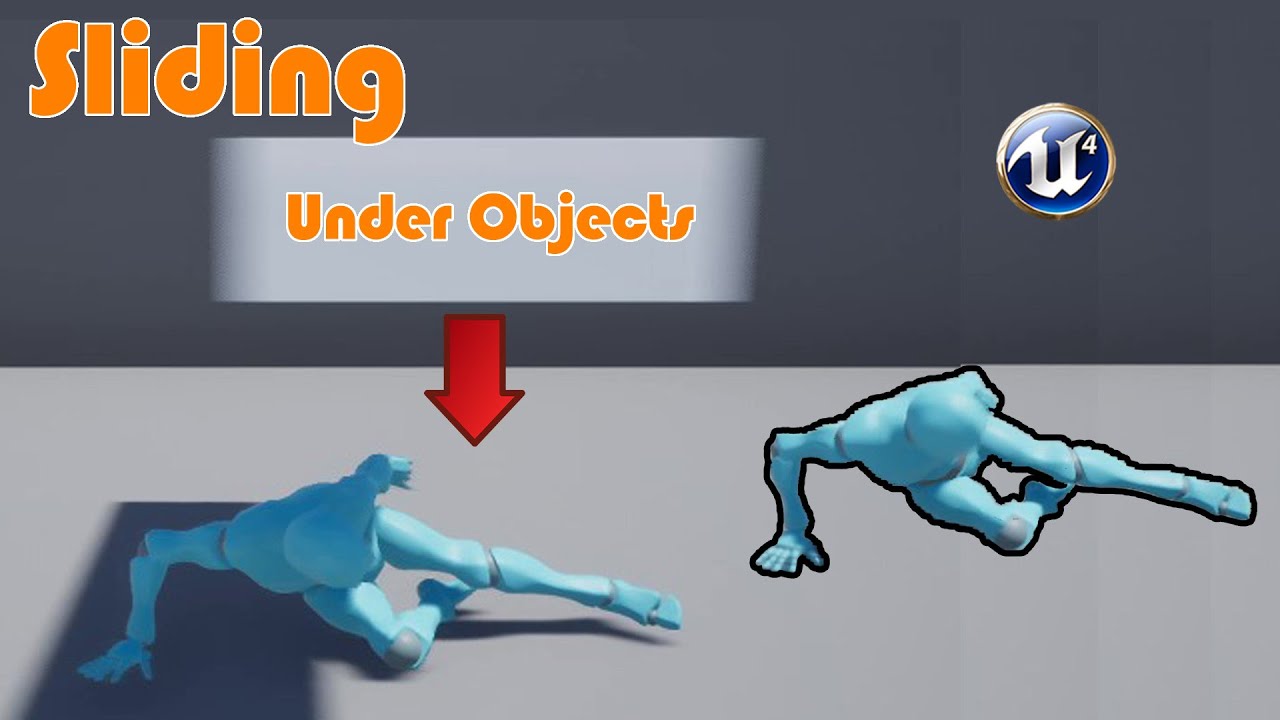
Hey guys, in today's video I'm going to be showing you how to slide and slide underneath objects without the collision getting stuck.
Sliding Animation: https://drive.google.com/file/d/1z8DGDOOrSd48o-6RQe6_4UhUm22BI_Pb/view?usp=sharing
Vaulting And Climbing Video: https://youtu.be/h_Cr_azdsDE
Parkour Playlist: https://www.youtube.com/playlist...
tiny meteor
you just multiply it by world delta
 onyx violet
that's not what i'm doing...
it's not quite as simple as that
i have an equation that factors in mouse movement value and it's returning higher/lower depending on the players FPS
I guess I could just multiply that actually
i'll try messing around with that actually
tiny meteor
world delta is frame time, you just need to scale it by frame time
maiden wadi
tiny meteor
Are you absolutely sure that this component's actor has any SceneComponents attached to the root?
tiny meteor
yes, I have the same actor placed in the world and it returns 3 child components
when its spawned, I can see the components in the editor view, it has components its just returning 0
maiden wadi
Really odd. All of that should definitely be valid at beginplay. :/
 barren sonnet
Anyone know if there is a way to instance a blueprint on a spline instead of a mesh ?
gentle urchin
barren sonnet
Anyone know if there is a way to instance a blueprint on a spline instead of a m...
Sure, just spawn the bp actor along the spline
 normal dew
sorry noob question, is there such a thing as a flip flop node but with 3 outputs? i want to have 2 inventory systems, pockets for small objects (batteries, meds etc) and large objects (fire axe, flashlight etc) can only go in the hands and can be swapped between hands or dropped
3 way flip flop node would be for swapping and dropping hand inventory items
gentle urchin
Just do a switch on int
Or switch on enum, if that could make sense in your system
 valid bolt
anyone know how to move preview assets without moving the socket it is attached to?
 onyx violet
I'm making a system in a 1st/3rd person game where turning with the mouse declerates the players, there is a problem where lower FPS is making the turn deceleration more sensitive, meaning they slow down more. The problem is that because they are getting less frames, the delta seconds is bigger, which makes multiplying by that makes the player slow down more, does anyone know how I can address something like this?
 flat raft
Hey Hey! What asset type is this?

 unborn maple
muzzle flash not spawning where muzzle is located it spawning underneath it

also tried get socket location
flat raft
unborn maple
muzzle flash not spawning where muzzle is located it spawning underneath it
unhook the rotation and see if the position is in the right place, first. Then you know if the rotation is off
unborn maple
yea it still underneath the socket
i added the muzzle socket as an extension to the barrel
so it might be because of that
flat raft
hmm.. it should still know where to put it. You muzzle asset might have an offset. Spawn a sphere or something instead of the muzzle and see if it's in the right place

 ivory light
does Download Image work with .jpg? i can't get either success or fail out of it 
unborn maple
cube is spawning undermeath me too
faint pasture
onyx violet
I'm making a system in a 1st/3rd person game where turning with the mouse decler...
Show your current math
 cobalt gulch
How can I add post processes to a widget? I need this to only effect a part of the screen
onyx violet
faint pasture
Show your current math
this is what I have, I'm going to try using the character movement component and use the rotation rate
 faint pasture
cobalt gulch
How can I add post processes to a widget? I need this to only effect a part of t...
faint pasture
cobalt gulch
How can I add post processes to a widget? I need this to only effect a part of t...
Either do it in the widget materiel or mask
 small shore
using UE5 and AI perception hearing is giving off this stimulus location
 faint pasture
onyx violet
this is what I have, I'm going to try using the character movement component and...
faint pasture
onyx violet
this is what I have, I'm going to try using the character movement component and...
Divide by delta seconds. But you really oughta precalculate a turn rate. Also functions are better without branching, just make it a pure function.
flat raft
unborn maple
cube is spawning undermeath me too
add a socket to your hand to see if it spawns there correctly. Basically, start removing stuff to see where it works correctly, then procced forward slowly and see where it breaks. That's what i do.
faint pasture
MovementMultiplier = SomeFunction(TurnRate)
SomeFunction probably just being a map range clamped on TurnRate
faint pasture
faint pasture
MovementMultiplier = SomeFunction(TurnRate)
MovementMultiplier = MapRangeClamped(AbsoluteValue(TurnRate))
 cedar sparrow
Is there something that I can use to notify all blueprints on the board? Specifically, I have some units on the board and some of them regenerate health at the start of the "upkeep" phase of a new round. In my game mode, when I switch to the upkeep phase, how do I send out a message to all blueprints that "upkeep" has started and they should trigger whatever their upkeep events are. Or, do I have to do a "get all actors" and run that event if it exists?
onyx violet
faint pasture
Divide by delta seconds. But you really oughta precalculate a turn rate. Also...
what do you mean exactly by precalculate a turn rate? would using the character movement component rotation rate be a better alternative than this?
faint pasture
onyx violet
what do you mean exactly by precalculate a turn rate? would using the character ...
Depends on if you need turn rate for anything else but just calculate it earlier in the frame and then you have it
faint pasture
cedar sparrow
Is there something that I can use to notify all blueprints on the board? Specifi...
Dispatcher
Your game controller, wherever that is, can have a dispatcher to notify everyone what turn and phase it is
Everyone who cares binds to it on begin play
cedar sparrow
faint pasture
Your game controller, wherever that is, can have a dispatcher to notify everyone...
you mean like a player controller? or whatever class is "controlling" the game?
onyx violet
faint pasture
Depends on if you need turn rate for anything else but just calculate it earlier...
I apologize to keep asking questions I know it can be annoying but when you say calculate it earlier in the frame, what does that mean exactly?
faint pasture
Or you can just get all actors with interface
faint pasture
cedar sparrow
you mean like a player controller? or whatever class is "controlling" the game?
Yeah, and it shouldn't be playercontroller. Either gamemode or gamestate I'd guess
cedar sparrow
faint pasture
Yeah, and it shouldn't be playercontroller. Either gamemode or gamestate I'd gu...
Ok thanks, ill start looking into dispatchers
appreciate it
faint pasture
faint pasture
Or you can just get all actors with interface
For a turn based game this would be fine as you won't be doing it hundreds of times per tick
Interface would be simpler
unborn maple
flat raft
add a socket to your hand to see if it spawns there correctly. Basically, start ...
just did attach emitter and made a scene component that work better then doing a bone
 gentle crest
hey I had a quick question, do you guys think I should only use one player save bp for each person?
faint pasture
gentle crest
hey I had a quick question, do you guys think I should only use one player save ...
You mean for multiplayer, should there be 1 save file per player?
gentle crest
yea
faint pasture
Yeah I think that's a good idea for serverside saves, that's how Minecraft does it
1 save file per world and 1 per character
 drowsy nexus
multiple weapons
one that is fully automatic
one that charges up and explodes on impact
one that is semi automatic
i want to be able to switch between these weapons at will, they will have different models
is there any guides or things i can use as reference to do that?
faint pasture
drowsy nexus
multiple weapons
one that is fully automatic
one that charges up and explodes o...
Any super basic weapon tutorial would go over that but how far along are you right now? Do you have a weapon actor that is able to be equipped and fire?
drowsy nexus
i have a character who can switch between 3 guns (all identical just different colours and when i shoot text is displayed (3 different texts) but not shooting occurs )
faint pasture
drowsy nexus
i have a character who can switch between 3 guns (all identical just different c...
Do you have 3 different gun actors or a gun actor with 3 different modes or is this all built into the Character with no gun actors at all?
drowsy nexus
there is an adult gun and 3 childs
faint pasture
Do you mean you have a Gun class and 3 subclasses of it?
drowsy nexus
 faint pasture
K that's good
So you said you can already swap between the guns?
Make a StartFiring and StopFiring events in GunBase.
drowsy nexus
yeah with the mouse scroll wheel
faint pasture
In the child classes, implement the logic on StartFiring and StopFiring
drowsy nexus
i am just nor sure where to put the shooting code? do i put it on the individual guns
faint pasture
drowsy nexus
i am just nor sure where to put the shooting code? do i put it on the individual...
There's a million ways but yes for now, just have each gun fire in a different way
The base class just has the StartFiring and StopFiring events, so in your character it can be like
MouseButtonDown -> Get CurrentGun -> StartFiring
MouseButtonUp -> Get CurrentGun -> StopFiring
and they'll behave differently
drowsy nexus
so in the specific guns i would have
Gun 1: event start shooting---fire bullet
then for my fully automatic gun i would have the start stop
faint pasture
Then for your chargup you'd have a different bullet and you'd fire on StopFiring, passing some info to the bullet about charge
You could make a function in BaseGun called FireProjectile which takes a class for the projectile and does all the math on where to spawn it and what direction it shoots in etc.
But do it all seperately first
drowsy nexus
makes sense.
currently I have nothing but the shooting stuff just using the default gun and character models etc. once i have the 3 guns down should i then get all the scaling correct? maybe replace the preset gun models with some bad models i make
in prior projects i have had ammo stamina health etc sorted so they could be my next step
drowsy nexus
@faint pasture so i have this for my fully automatic gun but it is still semi automatic
 faint pasture
drowsy nexus
<@127902729677963264> so i have this for my fully automatic gun but it is still ...
faint pasture
drowsy nexus
<@127902729677963264> so i have this for my fully automatic gun but it is still ...

FiredBullet /= FireBullet
 last briar
guys i was trying to make a vaulting system from this tutorial but it isnt working and idk what to do


i dont really know what to do
bruh
faint pasture
last briar
guys i was trying to make a vaulting system from this tutorial but it isnt worki...
Back up and do something smaller if you're lost.
 zealous moth
@faint pasture terrible advice in fact you should add more features until it works
tight schooner
@last briar if you're serious about making that work, you need to debug it by
- Understanding what every part of that node graph is supposed to do
- Determining if every part is producing the output you expect by using breakpoints, print nodes, and debug shapes
If the tutorial didn't convey point #1, then it's a bad tutorial and you should instead learn BP generally until you can make your own vaulting system
 outer sandal
Hi, can anybody explain to me, why does the node keep coming out like this

When the code is like this

Shouldn't return anything
And the input parameter... should be as an input, like honestly...
UFUNCTION(BlueprintCallable) ofc
 dawn gazelle
Using an & on the variable type means it'll return a pointer, no?
thin panther
last briar
guys i was trying to make a vaulting system from this tutorial but it isnt worki...
There isn't much point us trying to help when you have done little debugging past, "it doesn't work". It would be more helpful to understand where specifically it doesnt work, and if you dont understand even what the code does and it was blindly copy pasted, then you need to understand what you are doing before you can "fix" it
as seanny said
outer sandal
dawn gazelle
Using an & on the variable type means it'll return a pointer, no?
Well, technically it shouldn't return anything, but it should interact with the Input directly through reference/Pointer
So I'm just asking if the editor just handles it like that or if I'm doing something wrong
Ofc, I may be completely wrong
Basically trying to figure out the whole blueprint workaround
dawn gazelle
Putting the & on a variable type on a function parameter makes it return that variable, even if your return type is set void. You're basically declaring that variable to be of a pointer type, so if you set its value within the function, when the node is executed the output will be whatever its value was set to.
I think if you remove the & it'll behave as you expect.
outer sandal
dawn gazelle
Putting the & on a variable type on a function parameter makes it return that va...
Just thought if that would be the case, it would function in the blueprint just like a "set <variable>" would, aka that FGBAbilitySet_GrangetHandles being both input/output
outer sandal
dawn gazelle
I think if you remove the & it'll behave as you expect.
I mean, Gonna try if it's gonna actually remove abilities wihtout the reference to it, you're right, should try everything
dawn gazelle
and failing removing the &, put a * in its place... I'm not super great with the syntax yet myself XD
 quiet shuttle
Im wondering if there is a way to call functions or events on certain points of a music/audio track. I have a couple different actors that I want to light up in sync with the music they play. Would something like a sequencer be able to do this?
outer sandal
dawn gazelle
and failing removing the &, put a * in its place... I'm not super great with the...
Works great without any reference or pointer... Alright, Blueprints just don't give a damn about anything and just doing direct referencing themselves
Anyway, thanks for the input, much appreciated
tawdry surge
You can do that with meta sounds in ue5, or by analyzing the sound file and saving the playback positions you want to fire events, either in a 3rd party software or manually
 iron bone
Any ideas for why my character is teleporting to the "predicted location" instead of interpolating there? I've tried seemingly every combination of numbers in the two spots I circled

this is ue5 btw
tight schooner
iron bone
Any ideas for why my character is teleporting to the "predicted location" instea...
Not sure. The InterpTo nodes are meant to be run on a ticked event though, i.e. on every frame
If you're only running it once, then you'll only see it move on that frame
It's interesting you're saving the start location to a variable though. Usually you see that in timeline-based movement where you directly interpolate between two locations...
If you have no idea what to do, try disconnecting that Set Actor Location node from the execution line, and reattach it to Event Tick (and enable actor tick in the class defaults panel)
Then you'll see it move around or something when you push the R key
iron bone
thank you seanny! Going to try this
 crimson saddle
I have two small-ish questions:
- What is the best way for an object to store a reference to a player in a multiplayer setting? (Potentially with Ai players) String id, direct reference to a pc, a reference to the playerstate, etc?
- What is the best way to keep track of player resources or score in a multiplayer setting? (Also potentially with Ai) What object (on the server I assume) should be keeping track of all the players and their scores? (The first question kind of applies here too)
crimson saddle
Thought of a third question:
What's the best way to kind of simulate multiple owners to an object? I know it isn't possible to literally have multiple object owners, but I'm not sure how to best make a mechanic that acts that way. This is also kind of related to the first question because I assume I need an array or map of players in the object.
faint pasture
crimson saddle
Thought of a third question:
What's the best way to kind of simulate multiple ow...
What specific mechanic are you thinking of?
faint pasture
crimson saddle
I have two small-ish questions:
1. What is the best way for an object to store a...
PlayerState or Pawn for both.
Depends on your design
crimson saddle
faint pasture
What specific mechanic are you thinking of?
If players could all "own" a stake in an object on the map. Essentially I think the object would just store all its owners in an array, but I'm not sure if that is the best way, and I don't know who the "real" owner would be in an underlying engine sense
crimson saddle
In a multiplayer setting it would just for calling events and functions on that object I think. Maybe I am thinking wrong though
gentle urchin
Is this a loot sharing mechanic?
crimson saddle
No it's more of like a plot of land sharing mechanic
crimson saddle
If a team owns something then multiple players could control the land
gentle urchin
Ah like that
crimson saddle
I just know that server calls don't work when called by a non-owner (I think)
gentle urchin
Id let some team entity own it i think
crimson saddle
Wouldn't my query still be applicable though? The entity has an singular owner technically right? How would I operate on it without actual ownership?
gentle urchin
True, it would
For access id just check if the player is part of the owning team i guess
crimson saddle
Would my server rpc calls still get through?
I was under the impression they always fail if not called by the owner
gentle urchin
 crimson saddle
Right so even a team entity needs to be owned by someone, if I wanted to operate on an object owned by the team I'm not sure what I would do
I guess I would have to start all server calls in the player pawn/controller and run that somehow through the team entity or just directly to my team-owned object
I'm not entirely sure
gentle urchin
I think the team entitiy would be owned by server, so only server can verify access to it ?
How one would go from there im not 100% sure about really
crimson saddle
I think anything that needs to be called on a team-owned object would need to start on a client so the server can do the rest
I suppose the team entity is really just holding an array of player states, and maybe a score or whatever
Feels a bit like a task that could be given to the game mode or game state
gentle urchin
Sounds reasonable
 acoustic lava
 trim matrix
hi guys
my anim montage is not playing

its in character bp

i didnt changed any defaults in anim montage i created it and added it to character bp
can anyone help me with this?
icy dragon
trim matrix
my anim montage is not playing
Make sure your anim graph uses the slot the montage is using
trim matrix

i have this
and do i need to change defaultslot?
to attack ?


i cant see attack in slot names

 desert juniper
leave it on default
desert juniper
yes
trim matrix
ya i set every thing to defaults
but its not playing

i added round one
rest is from ue5 default anim graph
desert juniper
should be fine 🤷♂️
is it that it's just not replicating?
trim matrix
iam not useing any multiplayer
 neat stream
I'm trying to get all data asset from class what I'm doing wrong?


 lapis ridge
Hey everyone! I'm making a character and trying to get it so that the skeletal mesh reacts to the world with physics (they don't phase through walls if outside collision) any ideas how I could do this? Thanks!
 wanton galleon
Hi, don't really know where to ask that. My character is not affected when I set my Max Walk Speed, do you guys have any idea what could be happening ?
quick grove
wanton galleon
Hi, don't really know where to ask that. My character is not affected when I set...
did u connect it to "Character Movement"?
 wanton galleon
Yeah :/ And even when I set it to 0 in the detail panel directly, it seems like it is not affecting the character... i'm using the simple move to location to move
 dreamy yacht
I have problem, that sucks. A car mesh ( schoolbus ) with only base lod ( LOD 0 ) behaves in such way


When the camera changes then it looks fine

seems like LOD is the problem, but there is only base LOD ( LOD0 )!
wtf
the other car behaves in similar manner

 abstract mulch
Hello! this is my first time posting and I hope this goes here?
I am trying to make an endless runner for my first game, but I dont want the player to run for ever I want the player to stay in place and make the ground and everything move past the player.
the problem is that eventoverlap fires twice. Always! It keeps spawning the tile twice. A ''do-once'' should do the trick but it doesn't fix the issue. I tried looking up online but people say delay is best way to fix it but I feel like I want to just make it work with out delays... If you need extra information I'm happy to provide.

 umbral merlin
icy dragon
Integration depends on the library you'll end up using. Check the docs on what f...
umbral merlin
icy dragon
Integration depends on the library you'll end up using. Check the docs on what f...
Is this free?
icy dragon
umbral merlin
Is this free?
Depends on whether you picked the free open source one or paid ones.
umbral merlin
icy dragon
Depends on whether you picked the free open source one or paid ones.
Roger that
last briar
wait what
last briar
i saw that and its kinda broken still
yeah i put it into the branch
dummy
its kinda broken
want me to show you with screen share
quick grove
wanton galleon
Hi, don't really know where to ask that. My character is not affected when I set...
try unlicking and writing manually 0
wanton galleon
quick grove
try unlicking and writing manually 0
I found out finally, it is because the minanalogwalkspeed wasn't set to 0 !


 vapid grotto
Hi, does anyone have an idea how to set 1 camera in front of player on monitor 1 and another back camera of the player on 2nd monitor display?
Thank you any help in advance.
quick grove
guys do u know why the input selector key doesn't take the ALT and the CTRL keys?
vapid grotto
here result i need,
ignore ms paint my skills 😉

 spark robin
Im rather confused here https://youtu.be/X0_Sm0kc95Y
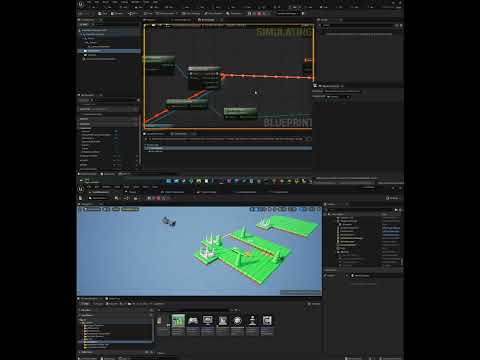
Like I set the active pawn to be my "mainMenuManager", I iterate every tick to make sure that all camera components in my "mainMenuManager" except the correct one is inactive.
Ive done debug prints to make sure the correct actor owns the players viewport (so Im actually looking through the right actors camera, unfortunately it doesnt seem to be a way of ensuring you are looking through the right camera component other than disabling the other camera components of the actor)
Yet somehow, my view is located in a different location from the camera
The pattern is that the view location is offsetted by the location of the viewport when I start PIE. My first though was that the player controller must be doing something funny, so I double checked that its truly set to the default "PlayerController". Ive also made sure that y player pawn blueprint inherits from "Pawn" and not something else
Even stranger is that I can see the camera Im supposedly looking through - clearly being in a different location
icy dragon
vapid grotto
here result i need,
ignore ms paint my skills 😉
You could setup a split screen viewport, but it might infringe a patent.
vapid grotto
hahhaha 😆
 crude fjord
vapid grotto
here result i need,
ignore ms paint my skills 😉
crude fjord
vapid grotto
here result i need,
ignore ms paint my skills 😉
You can use nDisplay to handle multiple monitor setups like that

nDisplay renders your Unreal Engine scene on multiple synchronized display devices.
vapid grotto
thanks
gentle urchin
spark robin
Like I set the active pawn to be my "mainMenuManager", I iterate every tick to m...
Why iterate every tick?
Sure theres an event for every time it should change
glass stump
Is there a step-by-step guide on saving and loading different types of variables in UE4? Like even stuff like saving the last state of each button, etc?
crude fjord
Is there a BP equivalent to the "Camera Position" material node? This works most of the time, but it does not always match with the currently rendering camera (for example when overriding the camera or when ejecting in the editor)

I would think it's quite common to want the current active camera position, but google seems to disagree as most people seem to use the above
tawdry surge
Well when you eject you're no longer possessing the player controller, pawn, or associated camera, so it makes sense it wouldn't work then.
If you change view targets or however you're switching cameras, it might not be updating the camera manager. Not sure why else it wouldn't work during regular runtime
crude fjord
It indeed makes sense, but I can't find another way to access the actual rendering camera
gentle urchin
A PlayerCameraManager is responsible for managing the camera for a particular player.
GetCameraViewpoint perhaps?
trim matrix
Does anyone know what does message means ? At first i thought it was an error but everything is working well

LogScript: Warning: Script Msg: Divide by zero: Divide_DoubleDouble
LogScript: Warning: Script call stack:
    W_Healthbar_C.ExecuteUbergraph_W_Healthbar
    W_Healthbar_C.OnHealthChanged
    PlayerController.ClientRestart
Wouldn't that have the same issue as you're still accessing the camera in the player camera manager and not necessarily the render camera?
Also that one doesn't seem to be blueprint exposed, if it has to be done in c++ so be it, but I'd prefer a BP only solution
crude fjord
trim matrix
```
LogScript: Warning: Script Msg: Divide by zero: Divide_DoubleDouble
LogScrip...
The warning is pretty clear, isn't it? You're dividing by zero somewhere. The reason that it might still work is that it probably has some fallback value which it returns when dividing by zero and that fallback matches what you'd want to see, but it's better to fix the math itself
trim matrix
crude fjord
The warning is pretty clear, isn't it? You're dividing by zero somewhere. The re...
It's from the Lyra code i did not touch anything 😄
gentle urchin
Even if so, it should be fixed imo 😄
gentle urchin
crude fjord
Wouldn't that have the same issue as you're still accessing the camera in the pl...
Perhaps. Not at pc so cant verify , but i seem to recall having similar issues as you are experiencing, and found a bp only workaround
But cant recall what it was (nor which project)
icy dragon
crude fjord
You can use nDisplay to handle multiple monitor setups like that
Could nDisplay be used for game? I thought it was just for virtual production, mainly large chained screens
 hybrid herald
I have a savegame that doesn't read when its in a packaged game? Any clues what is going on?
or rather..its just a MAP-variable (string to string) that is not being read
other data loads just fine
crude fjord
icy dragon
Could nDisplay be used for game? I thought it was just for virtual production, m...
I haven't used it myself, but it's a runtime feature, so I don't see why not
crude fjord
gentle urchin
But cant recall what it was (nor which project)
That's a shame, but good to hear that it should be possible at least
spark robin
gentle urchin
Why iterate every tick?
To be sure its using the right camera component
The fix I found was rather strange: If I set the gamemodes default pawn & player controller back to default (so the player controller & pawn is no longer the classes I created that I want to be the player controller & pawn) and then instead set them to the correct ones on begin play in the player controller & pawn itself - the issue went away
You get the idea that the game mode would spawn a duplicate pawn or something - but according to my print statements that isnt the case
So... I did something... it worked... and I still have no clue what the issue really was, feels like an engine bug
 next carbon
Does anyone know how to work with physical controllers? I'm creating a second local player controller but it's not picking up my second gamepad
icy dragon
next carbon
Does anyone know how to work with physical controllers? I'm creating a second lo...
I think there is a setting for that in Project Settings
next carbon
icy dragon
I think there is a setting for that in Project Settings
Hmm - do you have an idea what the setting is? It's mostly just input mappings
gentle urchin
spark robin
To be sure its using the right camera component
Right, but checking every tick sounds very excessive 😅
wanton galleon
Hi, it is possible to get in blueprint the number of UV channel of a mesh ?
 mossy falcon
Since I just started to really get into unreal engine I got a little confusion to clean up
does each 'Material' only got their respectiv blueprint or can I for example place two door. I want to leave door 1 as is. But with door 2 I want to change something in the blueprint. Do those changes affect door 1 or does each entity of the door have the main blueprint from wich they inherit everything and I can make changes however I want for each instance of the door?
mossy falcon
thanks, one confusion around BP less
 light harbor
Does anyone know how to do a checkout that adds total prices and subtract from wallet, I am trying to make a supermarket/ shopping game where I interact with groceries by pressing E which then goes to a cart then I go to the checkout till which will show the total price to purchase etc.
https://www.youtube.com/watch?v=GuRZfr8ZeWI the only one similar that I have found online

The online business is growing dramatically in all sectors and especially the e-commerce. Most of the retail stores are using or planning to implement an e-commerce platform. It is well known that the market shares any store drop without the online shopping.
On the other hand, Virtual Reality is gaining ground and reaching many applications, ...
icy dragon
light harbor
Does anyone know how to do a checkout that adds total prices and subtract from w...
Go through array of items in cart, accumulate the total price, and deduct the wallet with the total price.
mossy falcon
set total to 0
for each ITEM in CART
total += get item price
wallet -= total
this would be a basic pseudo code for what u want
light harbor
ok thank you for the suggestions
 worn gyro
I have an issue here, whenever this pitch passes 90, it will go in the opposite direction

so if i add for example, current relative pitch + 46, first time it goes 46 fine, next time when it hits 90 it will drop back ddown to 88, 46+46 = 92 so 90-2 = 88
WTF am I doing wrong here?
 burnt grove
Anyone managed to get spawned actors working with world partition? I can't seem to get them to unload
 mental lake
can anyone please help me
I am doing GameDev.tv 's Blueprint Course and in the Crystal Cavern Game my ball Pawn isn't spawning
(fixed)
 quaint dagger
Having some issues with a timer based on when a switch is on. It should calculate the time passed from turning on and multiplying it by a given variable and setting total usage. But it always reads 0, anyone know where I've gone wrong?
 faint pasture
quaint dagger
Having some issues with a timer based on when a switch is on. It should calculat...
faint pasture
quaint dagger
Having some issues with a timer based on when a switch is on. It should calculat...
To start with, have one timer variable and have some function to convert it to hours and minutes if needed.
Just use some float for seconds or whatever
mental lake
faint pasture
To start with, have one timer variable and have some function to convert it to h...
why stop watching tutorials lmfao
faint pasture
mental lake
why stop watching tutorials lmfao
Because they suck and every damn day there's someone in here who's into some tutorial way beyond their understanding and asking for help
gentle urchin
Like getallactors on tick 😄
faint pasture
Just following along blindly will not teach you a thing, just learn the fundamentals and try to make something.
mental lake
faint pasture
Because they suck and every damn day there's someone in here who's into some tut...
not all suck
gentle urchin
Needle in a haystack
mental lake
Have you learned from Udemy?
mental lake
Well then you might be looking at the wrong people
icy dragon
mental lake
Well then you might be looking at the wrong people
Or you're looking at the wrong portal

Epic Developer Community
Epic Developer Community Learning offers tutorials, courses, demos, and more created by Epic Games and the developer community.Learn UE and start creating today.
digital palm
Hey guys, I'm trying to create a mini game like repairing generator on dead by daylight like here (https://youtu.be/zV4gwFsazMs). Only inputs here are exit and qte actions(space for example). But I don't want other inputs to be executed like jump for space. Creating a new pawn, and switch during the qte is the best to acheive that?
faint pasture
The concept of following along and painting by numbers is an awful way to learn. You won't REALLY get it until you branch out and do something on your own. By all means, tag along for a little while, but you're gimping yourself. Once you sort of understand how the engine works, just go for it and make something on your own.
mental lake
icy dragon
https://learn.unrealengine.com
https://dev.epicgames.com/community/learning
I prefer Udemy because I can contact the instructors directly and the response times are relatively faster
Though I've used this before
icy dragon
digital palm
Hey guys, I'm trying to create a mini game like repairing generator on dead by d...
Gate the jump function when QTE session is active
icy dragon
mental lake
I prefer Udemy because I can contact the instructors directly and the response t...
Okay Udemy promotor
mental lake
faint pasture
The concept of following along and painting by numbers is an awful way to learn....
I do not disagree
gentle urchin
icy dragon
Or you're looking at the wrong portal
If you found some good ones, thats all well and good :p
icy dragon
Their pricing sucks
And I'm getting good at UE even with free resources
The learning resources for UE4 were even wilder 5 years ago
gentle urchin
Way past tutorials at this point
Yeah^
I watched 4 different people , picking apart their good and less good methods and went solo from there
Watching back, they're pretty shallow
Then again , people do it for free, and its a lot of effort often
faint pasture
Mathew Wadstein is all you need TBH
gentle urchin
So dunno why im complaining 😆
icy dragon
faint pasture
Mathew Wadstein is all you need TBH
🍅
Because a tomato a day keep shitty tutorials away
glass stump
I understand the concepts of how to save/load, but I'm not sure exactly how to do it, are there step by step instructions somewhere?
I've managed to save some variables but when I try and adapt it for others it just doesn't seem to work. 🤔
 fast thistle
I think this is problly a blue print issue . My stamina bar won’t go up nor down .


Any help would be appreciated 🫡
mossy falcon
please use the snipping tool @fast thistle
 mossy falcon
for screenshoots
glass stump
remote meteor
only values
Indeed, but how do I do this and then get it to correspond to the objects in the game?
remote meteor
glass stump
Indeed, but how do I do this and then get it to correspond to the objects in the...
you are supposed to gather the information from all the object that you would want to save, say by a delegate or objects submitting themselves to game mode or such
then you set those info into the SaveGame Object, then we can save it

 remote meteor
are the stamina values printing correctly?
fast thistle
remote meteor
are the stamina values printing correctly?
By that you mean ? ( I apologise)
I very new to this
remote meteor
do a print string after you set stamina values
check whether if the values are correct in the first place
fast thistle
Yea I think so
iron bone
tight schooner
Not sure. The InterpTo nodes are meant to be run on a ticked event though, i.e. ...
I used a timeline to replace the "get world delta seconds" on the Vinterpto node and now it's acting like I want it to- Thanks again!
remote meteor
if you sure values are correct, then check your progressbar widget value binding, if its set to the correct function
fast thistle

This seems to be find remember my progress bar for stamina is not responding
Well I don’t think so 🥲
remote meteor
this one 🙃
 fast thistle
fast thistle
fast thistle
That is the one
That’s in there
i cant change the value , is that right?
 remote meteor
yeah if you selected the binding you cant change it
then do a print string within the GetPercent2() function and see what values it is getting or whether if its running or not

 slim grove
how can i loop through an array that starts with nothing in it
 hushed cobalt
slim grove
how can i loop through an array that starts with nothing in it
hushed cobalt
slim grove
how can i loop through an array that starts with nothing in it
I'd say do a null check for the contents, and don't loop until there's something in it
remote meteor
fast thistle
drag the Stamina value into the String variable in the Print String Node
😅
slim grove
well i need to do whats in the loop to get stuff in it
hushed cobalt
What I mean is don't attempt to access or iterate through the array until it has at least one child. So you'll need to do a null check somewhere
slim grove
also how can i replace an element in it
fast thistle
remote meteor
😅
🥲
hushed cobalt
slim grove
also how can i replace an element in it
reassign the index you're needing to replace to the new value
remote meteor
set array element
iron bone
Any suggestions for adding a second of floaty-ness to a character after being put into the air? Similar to how the jump makes you not immediately fall but I don't want to launch the character
fast thistle
remote meteor
drag the Stamina value into the String variable in the Print String Node
The end result of that will be numbers right 🥲
( apologies)
remote meteor
yeah, we want to see the actual numbers that is being set
fast thistle
Yes Sir working and decreasing
hushed cobalt
I'm trying to get an actor to rotate to point at the location the mouse clicks on. This is just setting the actor to look in one direction. I also noticed that when I get the world coordinates of the mouse, it's way off compared to the location of the actor, even if I click on the actor.
Does someone have a way to get the actor to rotate to the x,y position of a mouse click based on the terrain?

 remote meteor
iron bone
Any suggestions for adding a second of floaty-ness to a character after being pu...
remote meteor
iron bone
Any suggestions for adding a second of floaty-ness to a character after being pu...
gravity scale in the character movement
fast thistle
The numbers are working like the bar should be 🥲
hushed cobalt
I also tried using get hit result, but unsure how to use that tbh
remote meteor
hushed cobalt
I'm trying to get an actor to rotate to point at the location the mouse clicks o...
you need to to a line trace from these values

 ornate dragon
Hi. What would be the proper way to disable game input when mouse is over the widget and it's child elements, while still allowing game input to work outside the widget?
Example: When mouse is in the inventory window, clicking on item icon or inventory background performs actions with character.
remote meteor
actually never mind
remote meteor
hushed cobalt
I also tried using get hit result, but unsure how to use that tbh
use Hit Result Under Cursor in the player controller
hushed cobalt
remote meteor
use Hit Result Under Cursor in the player controller
So I was looking at that, but I'm not sure how to use these. I cant seem to get a location from result

Any advice
fast thistle
So the numbers increasing , decreasing, refilling , but the bar is solid grey
remote meteor
hushed cobalt
So I was looking at that, but I'm not sure how to use these. I cant seem to get ...
use by Channel, Visibility, break the hit result, get location
remote meteor
fast thistle
So the numbers increasing , decreasing, refilling , but the bar is solid grey
just for a sanity check, can you drag in a new progress bar and do the binding again and check the result?
fast thistle
Ok
hushed cobalt
remote meteor
use `by Channel`, Visibility, break the hit result, get location
you're a beautiful soul ❤️ If you don't mind, what exactly does "Break Hit Result" do? I'm new to the Unreal engine, but "break" has always meant breaking a loop, so this is a new context for me
fast thistle
remote meteor
just for a sanity check, can you drag in a new progress bar and do the binding a...
It worked
You a. Genius
Thank you so much

remote meteor
hushed cobalt
you're a beautiful soul ❤️ If you don't mind, what exactly does "Break Hit Resul...
when you see blue node, it usually means its a structure, structure can contains other variables.
breaking a struct in blueprint means a node that allows you to see all the variable in the struct at once
while making a struct in blueprint means you can make up a struct with a set of values
its like a container
hushed cobalt
Oh ok, I think I get it. So "break" in this context just means breaking the variables out of their structure?
That's sick. I appreciate it
remote meteor
🎉
remote meteor
ornate dragon
Hi. What would be the proper way to disable game input when mouse is over the wi...
if setting input mode game/ui doesnt fulfill then it can be quite hard to separate the inputs since they are both independent from each other
glass stump
If I have multiple doors in a level that are opened only when all of the associated switches with the door are 'On', how would I be able to save this in my SaveGame Object so it will load with the right switches set to on as when the player last left the game, plus whether the door was open or not?
I know I have to save the variable(s)in the object but how exactly and how do I reimplement it on load?
remote meteor
on load, you tell the doors here is you current state and update them accordingly
slim grove
how can i loop over an array of a struct and see if one of the struct's value matches another value
remote meteor
slim grove
how can i loop over an array of a struct and see if one of the struct's value ma...
equals one by one, or you can make a array, add unique both struct, compare if return index from the add unique is -1
glass stump
remote meteor
on load, you tell the doors `here is you current state` and update them accordin...
when you say update them, does that mean calling the events that would correspond to each variable being on?
slim grove
remote meteor
equals one by one, or you can make a array, add unique both struct, compare if r...
i dont understand?
remote meteor
you probably have something similar in your savegame TMap<FName,EState>
on load, you can get all your doors, check if they have an already saved state in the save game, if exists, set them accordingly
glass stump
remote meteor
on load, you can get all your doors, check if they have an already saved state i...
Ah, I see thank you I'll try it out. :)
remote meteor
slim grove
i dont understand?
whichever way you prefer, former is easier to make but not efficient and require exactly the same values, latter has more control

 slim grove
the thing is i care only about one value and the input is an array aswell i cant execute the rest of the loop until a result is found
remote meteor
so we are finding duplicate "unique key" in an array?
slim grove
yeah i cant use a map because it needs to be replicated
remote meteor
i guess?
 slim grove
wait no i dont need a dupe i need to see is any value matches another value and return the index its found at and if its found
ex:
array [["e", 1],["d", 4],["yeet", 9]]
and im looking for "e"
return: true, 0
im sorry
remote meteor
e matched with one of the e in yeet?
hushed cobalt
Back again, after using the get hit, which mostly works, it seems to be off a few degrees when looking anywhere aside from true north or south. Screen shot for example, I was clicking directly on my enemy
Is there some padding I may be missing? Or is this just a limitation of the "Look at" function and I should write my own..?


 remote meteor
hushed cobalt
Back again, after using the get hit, which mostly works, it seems to be off a fe...
remote meteor
hushed cobalt
Back again, after using the get hit, which mostly works, it seems to be off a fe...
ahhh its time to maff
hushed cobalt
remote meteor
ahhh its time to maff
lmao so write my own, got it
slim grove
no i mean [[struct][struct][struct]]
and i need to check if one of the values in a struct is equal to an input and return the index its found at
remote meteor
because of the height difference
remote meteor
slim grove
no i mean [[struct][struct][struct]]
and i need to check if one of the values i...
oh lol thats easy
hushed cobalt
remote meteor
because of the height difference
I'll try compensating in my XY function. Thank ya
remote meteor
slim grove
no i mean [[struct][struct][struct]]
and i need to check if one of the values i...
 slim grove
thanks! that should work
also how can i make a function that can be used by any BP
without a cast
gentle urchin
Some rules to it, but you'll figure them out
Like you cant reference something from inside a bp etc
Must be an input to the function
 dim tapir
This might be a more accurate channel for my question.
"Hi, new to coding and working on my first game. I'm trying to make my character take damage but I can't get it to work. It does the "damage applied" print but not the remaining health..
First image: Enemy BP
Second image: Character BP"

 dim tapir
Umm, not sure how to call on my player for the damaged actor. I set a tag on him "Player" but my "has tag" doesn't go in that box
faint pasture
slim grove
how can i loop over an array of a struct and see if one of the struct's value ma...
Loop over the array of structs and see if one of the structs values matches another value
dim tapir
Sorry complete beginner.. what?
faint pasture
dim tapir
This might be a more accurate channel for my question.
"Hi, new to coding and w...
How does your attack determine which actor it hits?
dim tapir
By using the damaged actor I believe
dim tapir
I would like it to be on overlapping
 manic geode
Guys, can you help? Im trying to make a building system but these pieces (the transparent ones) are not interactable and I dont know hot to fix them. They were interactable when they had collision with the character, but when I switched that off - they became just fog

 sly nova
Unreal Engine Forums
I’ve tested this in 4.7 and 4.8, and I can’t see that the behaviour has changed between these two versions. For User Defined Enums (the enum assets you create, rather than C++ enums) the Data Table editor UI has always shown you the “NewEnumerator0” style names, and the CSV importing has only ever worked with the “NewEnumerator0” style names. I...
Has this bug been resolved? I can't import enums from a csv
faint pasture
dim tapir
By using the damaged actor I believe
Damaged actor is the actor you're damaging. You choose that. Line trace, overlap, random actor in the world, self, however you want to do it.
 daring maple
Hi! I am trying to create a blueprint that will automatically create a material layer instance for the texture sets I import into the engine (Editor only). It seems that material layer instances are not exposed to blueprint? I can't seem to find a way to do it.
 sturdy garnet
i am trying to make it so i take damage over time

like standing inside fire for example but when i walk into the zone nothing happens
tawdry surge
Set a function or event by timer and use that to damage the character while overlapping
oak ember
 flat bison
guys where can i learn BP thoroughly ?
flat bison
guys where can i learn BP thoroughly ?
try official unreal engine youtube channel or read unreal documentations about blueprints
oak ember
documentations ?
flat bison
most of them arent written yet
oak ember
flat bison
most of them arent written yet
a channel named "astrum Sensie" his ARPG series helped me making a ARPG game and i got to learn a lot from that series
try that
flat bison
i'll check, thanks
crimson saddle
Does anyone have a workaround for trying to use map variables in multiplayer? I have just come to the sad realization that replication on them is not supported, for whatever reason...
 smoky rivet
do for loops automatically detect whether the index should increase or decrease?
thin panther
flat bison
guys where can i learn BP thoroughly ?
Leanr the general programming principles rather than a hyperspecific tutorial series, from htere you can use MathewW's YT channel as a resource for various nodes
With a bit of knowledge in progammatic thinking, debugging, vector math, and built in functions, you should be able to break down your own problems into a solution
You wont find a compendium "learn bp thoroughly" course, because it differs for your need, and a lot of it is just knowing how to break a problem into a set of logical steps
faint pasture
smoky rivet
do for loops automatically detect whether the index should increase or decrease?
I think so, try it
Just make a for loop from 10 to 0 and print the index. Remember the first thing printed is on the bottom
tawdry surge
I think for loop goes forward and reverse for loop goes backwards
Don't think it detects which way you're trying to move
faint pasture
You're talking about a raw for loop and not a foreach right?
thin panther
they should really have called the nodes
"for loop" and "pool rof"
digital palm
Hey, I changed the default character camera inside the lobby to have like in other games lobby. What should I pass to New View Target to the new Set View Target with Blend? How can I set the default character camera?
faint pasture
digital palm
Hey, I changed the default character camera inside the lobby to have like in oth...
One question at a time.
The Set View Target with Blend, is that for setting the view target to the LOBBY camera or the gameplay camera?
What are you trying to do here.
 runic nest
Does anyone know if it is possible to pause the custom rotator node in a material?
faint pasture
runic nest
Does anyone know if it is possible to pause the custom rotator node in a materia...
Does it have a speed parameter?
runic nest
faint pasture
Does it have a speed parameter?
Yes I have included a speed parameter but when setting it to 0 to stop the rotation the image is reset back to the original rotation (I was hoping for the image just pausing at whatever angle it happened to be at when the speed is set to 0).
digital palm
faint pasture
One question at a time.
The Set View Target with Blend, is that for setting th...
well ok. Basically the lobby is inside the same map as the gameplay. So What I'm trying to do first is to set the lobby camera in the begenning when the player enter the map. Then (where I said OnGameBegin) I want the default pawn camera, when players are teleported to the player start for game (not player start lobby).
So I tried to set the first view target with blend inside the level blueprint, because this bp is load for each client. I have another view target with blend inside my game, but idk what to put inside new view target.
Is that more clear x)
faint pasture
digital palm
well ok. Basically the lobby is inside the same map as the gameplay. So What I'm...
Maybe consider making a lobby pawn, which is your default
You log in and have the lobby pawn with the lobby camera
You choose your character
then you update the player pawn class and call restart player
To preview characters, you can spawn them locally
So effectively, at game start with multiple players, they all have an invisible pawn with just a camera at the same location and are all looking at different characters locally on their own machines
once they choose one, you set the pawn class for the controller and restart them. You'll need to adjust some of your functions in GameMode but it should be pretty slick and robust
digital palm
ok I'll try this. So posses the lobby pawn? When the game start, switch to character pawn right?
faint pasture
digital palm
ok I'll try this. So posses the lobby pawn? When the game start, switch to chara...
Depends on what you mean by the game starting, if that's using the gamemode's start event or your own
digital palm
yea a function to teleport players where I want, give them input mode game...
faint pasture
Look into the choose start spot and choose pawn for player and restart player functions in Gamemode, you can override a lot of them
fast thistle
Does creating a lote of widgets slow down performance
digital palm
faint pasture
Look into the choose start spot and choose pawn for player and restart player fu...
looking good. Another point. In fortnite or pubg for example, in the lobby, the player always see his character in front of the other players. How to acheive this? because for now I only have player starts, and removing one when another player join

 sharp sigil
Hi, I have a teleport ability which teleports the player (duh), but I'd like to move the camera smoothly between the two points. Any way to do this
digital palm
sharp sigil
Hi, I have a teleport ability which teleports the player (duh), but I'd like to ...
if the camera is attached to the player, I would say no. So maybe try to teleport the player smoothly
sharp sigil
If you mean interpolating the position between the two points, I was trying to avoid that due to potential issues (having to disable collision, networking problems possibly) but I'll look into it
elder mango
can someone help me
I loaded my project and this happened

the whole map is dark and everything is gone
trim matrix
can someone help me with this?
i want when im aiming, my box collision when he touched those actors "cubes" store their transforms in an array then spawn like a particle effect in every single one of theme

 olive orchid
Hey all, maybe someone here can help me out with a quick audio(?) blueprinting dilemma
I'm setting up a system that uses raycasts to determine the size of the space the player is in to adjust reverb settings. So far I'm just trying to find the average distance of the past 16(can change, just what I have it at right now) casts, each hit stored in an array.
I have a function made up to calculate the average array, which is the Float Array Average node. The issue I'm having is that the average value keeps rising, and never stabilizes.
Here's what I've got so far: (edited)


 faint pasture
@olive orchidYou sure you need an array?
Each tick, can't you just do
Average = 15/16 * Average + 1/16 * Current
Or just filter it with a slow FInterpTo
That'll average it for you and is easily tunable
olive orchid
faint pasture
<@163501060546101249>You sure you need an array?
I was considering the possibility of just doing it with something like slow FInterpTo (I'm planning on passing the values into middleware) without the array
I think I'm mostly concerned about the accuracy in that case, though
 icy mason
Hey, I have a pretty stupid problem, my cameras don't work when I get in the car, instead it puts me in the ground
Any idea ? I really can't find any solution

 zealous moth
icy mason
Hey, I have a pretty stupid problem, my cameras don't work when I get in the car...
zealous moth
icy mason
Hey, I have a pretty stupid problem, my cameras don't work when I get in the car...
it's your controller, you are using the controller's transform at the root
 dusty coral
Hello guys how can i do battle royale zone with different closing point? Like "first zone closing to bla bla bla location." tahnk you
faint pasture
olive orchid
I was considering the possibility of just doing it with something like slow FInt...
If you're concerned about accuracy I wouldn't just be averaging 16 random traces
That won't be very accurate and also will be distributed weirdly.
dusty coral
zealous moth
it's your controller, you are using the controller's transform at the root
i want to make zone closing like that with random points
 faint pasture
icy mason
Hey, I have a pretty stupid problem, my cameras don't work when I get in the car...
faint pasture
icy mason
Hey, I have a pretty stupid problem, my cameras don't work when I get in the car...
Show what "get in the car" entails
icy mason
faint pasture
Show what "get in the car" entails
its pretty basic

BP_PlayerCharacter
 faint pasture
@icy masonDoes it work fine if you just spawn it on the map and possess it?
Which camera is it looking out by default?
icy mason
The one of my character, But when i enter in the car, None of the cameras are set up to be on the floor, and the character is deleted so is not his cam (If we follow the logic)
faint pasture
icy mason
The one of my character, But when i enter in the car, None of the cameras are se...
Are you sure? Are you sure you're not looking through the 3rd person cam and collision is screwed up? What happens if you just possess the car on its own?
Also your logic for handling possession and deletion is wacky, that could be part of the problem. You should do that through the PlayerController or GameMode
icy mason
faint pasture
Also your logic for handling possession and deletion is wacky, that could be par...
I'm watching this tomorrow, I'm working so I get up in literally 4 hours 💀
I will try to fix the problem myself, I don't want to disturb more with my problems
I gonna recode all logics possession and deletion in Playercontroller or game mode like you said
Thank you for your help, I appreciate it
sturdy garnet
anyone got a solid guide on how to make fully automatic weapons?
astral stratus
could someone help me with an issue im having, im trying to make a building system but when I added the box trace it seems like my build is always red and i cannot build because the ground is an "obstacle" how can i ignore the ground with the hit actor?

No description provided
No description provided
faint pasture
astral stratus
could someone help me with an issue im having, im trying to make a building syst...
Did you make that system yourself or just copy a tutorial?
What's your desired building mechanic, like Space Engineers?
 prisma stag
Hello just curious, I am working on creating a parking lot where AI vehicle can park. Now, the lot will be "upgradeable" so is there a way to create a spline path for the vehicle to follow based on any open parking spots using a socket on the mesh?
trim matrix
Is it possible to have an array of maps?
Im trying to store multiple maps. Each NPC has a map for their morph targets and corresponding morph t values
store every NPC's facial keys on a save game
icy dragon
prisma stag
Hello just curious, I am working on creating a parking lot where AI vehicle can ...
I think it might be better to just have a vehicle AI that isn't based on spline, just go to point B
faint pasture
trim matrix
Im trying to store multiple maps. Each NPC has a map for their morph targets and...
Why are they sets?
astral stratus
@faint pasture followed a tutorial learning how it all works
trim matrix
faint pasture
Why are they sets?
So I can get their names and values
theres multiple/several morph targets per npc
prisma stag
icy dragon
I think it might be better to just have a vehicle AI that isn't based on spline,...
Ah.
trim matrix
Sorry theyre maps**** @faint pasture
 lavish tusk
hey! I'm looking for some help with the projectile movement component. I want my actor to shoot out when triggered, and put back in place when a button is pressed. I'm having trouble activating the projectile movement component twice, though. I'll trigger it, and it'll fire off, but then when I reset its position and stop its movement, I can't activate it again. does the projectile movement component only fire once per instance?
faint pasture
lavish tusk
hey! I'm looking for some help with the projectile movement component. I want my...
Have you tried resetcomponent?
faint pasture
astral stratus
<@127902729677963264> followed a tutorial learning how it all works
K so start by thinking about how you want the 2 main functions to work
- Where and at what orientation are you trying to place the object
- Can it go there?
lavish tusk
faint pasture
Have you tried resetcomponent?
I don't see that node
faint pasture
lavish tusk
I don't see that node
Drag a pin off the component and see what's available to you. Should be something like reset
lavish tusk
faint pasture
Drag a pin off the component and see what's available to you. Should be somethi...
I see reset interpolation for the projectile movement component, but it appears to do nothing
faint pasture
faint pasture
K so start by thinking about how you want the 2 main functions to work
1. Where...
In your case, right now, your "can it go there" test is whether or not that box trace hits ANYTHING. If that's not the desired behavior, change it.
astral stratus
@faint pasture well it all works if i unhook the entire box trace. im trying to learn how to make it ignore the ground so it will allow it to build on the ground
faint pasture
lavish tusk
I see reset interpolation for the projectile movement component, but it appears ...
SetActive is what you want maybe
faint pasture
astral stratus
<@127902729677963264> well it all works if i unhook the entire box trace. im try...
You don't TOTALLY want to ignore the ground tho right? You want it to embed in the ground, not go right through it as if it wasn't there, right?
lavish tusk
faint pasture
SetActive is what you want maybe
yeah, I thought so too. but if I deactivate it and activate it again, it's unable to be triggered for a 2nd time
prisma stag
icy dragon
I think it might be better to just have a vehicle AI that isn't based on spline,...
Since this does seem a bit simpler, do you happen to know of a way to make the turning smoother since it will be based on just going from point A, to point B instead of a smooth spline curve?
faint pasture
astral stratus
and it all works until i hook up the whole box trace
You probably want 2 traces (if you want to keep the box trace). One box trace for intersections with other things, and a sphere trace for placement against the ground etc.
faint pasture
prisma stag
Since this does seem a bit simpler, do you happen to know of a way to make the t...
It all depends on your context. The simplest approach to making something smoothly move from where it is to where and what orientation you want it to be is to use a spline
astral stratus
@faint pasture I will look into that
trim matrix
trim matrix
Is it possible to have an array of maps?
^
icy dragon
prisma stag
Since this does seem a bit simpler, do you happen to know of a way to make the t...
Angular acceleration and PID perhaps?
trim matrix
faint pasture
Maybe in a structure
You can add arrays to structure through BP?
faint pasture
trim matrix
You can add arrays to structure through BP?
You can have an array of structs with a map inside them. I think
trim matrix
faint pasture
You can have an array of structs with a map inside them. I think
no you cant create structures through BPs
faint pasture
Your savegame can be a struct full of structs with your map in them
You're telling me you can't create a struct in BP?
thin panther
trim matrix
no you cant create structures through BPs
Yes you can
Not ideal
You can make one in c++ and expose it to bp as well
faint pasture
trim matrix
Im trying to store multiple maps. Each NPC has a map for their morph targets and...
Also this could just be an array of structs
trim matrix
faint pasture
Also this could just be an array of structs
what? how do i create multiple structures from bp then save them all into my save structure?
faint pasture
Your save struct can have members which are structs or arrays of structs
 manic knot
Im trying to use the HUD class. This doesnt add the widget and the variables remain invalid. Am I doing it wrong?
 trim matrix
faint pasture
Your save struct can have members which are structs or arrays of structs
trim matrix
faint pasture
Your save struct can have members which are structs or arrays of structs
how do i set a member to be 'array of structs'?
faint pasture
SaveGame
-NPCDataArray
--BobData
---Shapekeys
--AliceData
---ShapeKeys
Although why the hell are you saving this stuff in a savegame, does it change at runtime?
You'd think your saved NPC data would be stuff like location and inventory etc
trim matrix
faint pasture
SaveGame
-NPCDataArray
--BobData
---Shapekeys
--AliceData
---ShapeKeys
huh? i have none of what your listing
faint pasture
I was sketching out what your savegame could look like
trim matrix
how do i set a variable to be 'array of structs'
its to save the faces/appearance of npcs
so u dont lose it when u reload the save

Like im not sure what to put in membervar 20
manic knot
manic knot
Im trying to use the HUD class. This doesnt add the widget and the variables rem...
Nevermind I just needed a delay, or rather will need to wait until HUD is initialized
trim matrix
to get an array of structs
trim matrix
thin panther
then change the type to be an array
ohhh okay thank you so much
 ember mortar
Hey guys, how do you change rich text block styles in runtime? Any ideas?
tawdry surge
Its probably a property of a struct on the text block. You'll have to make one with the settings you want and set it to be the one the block is using
ember mortar
tawdry surge
Its probably a property of a struct on the text block. You'll have to make one w...
Well it is as easy as I thought it should be. But I was getting the "accessed none" error while reading the variable which made no sense so I started looking for another solution.
Then I restarted the engine and it for some reason started working. Weird. Thanks for the help though

 raven pilot
seeking help
lets say my character uses a melee ability on another character, and then i want the receiver of my attack to play a certain animation, how would i do that?
(but i dont want the enemy to play an animation every time i hit them, only with that certain attack)
prisma stag
icy dragon
Angular acceleration and PID perhaps?
Sorry to bother, but do you happen to know of some video or explanation of these methods for vehicular movement?
icy dragon
prisma stag
Sorry to bother, but do you happen to know of some video or explanation of these...
TBH I just know it from Rocket League bot engineering xD
prisma stag
icy dragon
TBH I just know it from Rocket League bot engineering xD
LOL. Well at least I know it can be used 😂
 trim pollen
raven pilot
lets say my character uses a melee ability on another character, and then i want...
trim pollen
raven pilot
lets say my character uses a melee ability on another character, and then i want...
Seems like there are two steps. 1. Play character animation when some thing happens, e.g. a button press. 2. Check if character received a hit, and if so, what type.
If you can do both of these then should be pretty straightforward
raven pilot
trim pollen
Seems like there are two steps. 1. Play character animation when some thing happ...
haha yea am struggling with second step
trim pollen
We need to see how you have designed things to help
raven pilot
yes ur right
raven pilot
trim pollen
We need to see how you have designed things to help
here is step 1
 raven pilot
k
raven pilot
trim pollen
Super low res
is this clearer
 trim pollen
Ya
raven pilot
k
 spark steppe
that's still awful low res...
raven pilot
(ignore the ability rotation)
spark steppe
don't zoom out that much
raven pilot
spark steppe
don't zoom out that much

i try to zoom in as much without cutting out code
spark steppe
well, if you hide/resize the panels on the right, you would be able to zoom in further...
but now it's at least readable

 spark steppe
but now it's good readable, so 9/10
 spark steppe
go for that in the future and it's more likely that someone will look at your "code"
raven pilot
spark steppe
go for that in the future and it's more likely that someone will look at your "c...
indeed, note taken
spark steppe
because its highly annoying if you have to guess what is what
raven pilot
yea i can see that
trim pollen
Also not entirely sure how this snippet relates to your question