#blueprint
402296 messages · Page 916 of 403
 ivory adder
what do i use instead
 gentle urchin
traces for nearby interactables is also a commonality
I would use a timer
You want something to execute every 5 sec
gentle urchin
Thats not what your Delay tells me
ivory adder
?
the delay gets smaller the higher your score
when it reaches 0 i want it to spawn a new enamy and restart the delay back to 5
the dalay is how long the enemy takes to shoot
gentle urchin
So there's ... 10 Score Steps for each reset of the delay ?
ivory adder
the score steps is like u need to reach 10 ppoints for the next speed
gentle urchin
The score check is something you'd do whenever the score is edited
no reason to check it on tick
somewhere you got an event saying "add x score"
ivory adder
right
gentle urchin
inside this event, after adding said score, you check the score step, and trigger additional events when appropriate
ivory adder
yes
ok i see what your saying
instread of checkign the delay, check the score when it updates if it is at a certain level and if it is then spawn a new enemy right?

 gentle urchin
only if it works lol
ivory adder
yes
 short reef
So is it possible for a sphere/cube/capsule trace to detect another trace?
gentle urchin
Dont think so
You can place something that can be traced at the end of one of the traces tho
OnHit -> AddCollisionComponent -> etc
short reef
I doubt that'd solve my problem (I'm using traces for melee weapon hitboxes and I just realized I can't use traces for parry detection), I guess I'll just have the weapon detect if it hits a guard or parry collider and communicate to both actors accordingly.
gentle urchin
Usually youd have some state that handles that Id imagine
'Parrying', 'Blocking', etc
Relying on precise collision can be risky
Especially at some speed
short reef
That's why I'm using traces instead of collisions for moving stuff
In this case though the parry/guard colliders are basically static
 quaint fog
Could anyone give me a hand? I am kind of stumped
I am generating a random int between 0 and 10000 in the game mode BP


Then in a component BP I get that value and set it there too

However the printed integers are different
I don't understand how that happens, as I am just reading the same int generated in the game mode
why does it change?
I figured it out
 dawn gazelle
quaint fog
why does it change?
dawn gazelle
quaint fog
why does it change?
Because you have a timer calling the function constantly.
quaint fog
No, no, that was intended
the issue is that randNumGen being set and print string get a different value from the "random integer in range"
dawn gazelle
Always a sneaky one.
quaint fog
I piped the set value into the print string and it fixed it, am such a noob lol, thanks anyway!
 summer jetty
Could someone point me in the right direction... When my character 'dies', he goes into a different state. He can still walk around the world, but it's all misty/grey and most players/creatures can't see him. However, I want the player to view other players/creatures as more/less transparent depending on whether they are human or not. The 'magical' ones he can see more clearly, they can see him and he can still interact with them. All the creatures have a variable for 'magical' that has 3 settings. So I can check if a) the player is 'dead' and b) how 'magical' the creature is and then base interaction behaviour off that. However, I'm not sure how to do the transparency part. I thought it might be something in the post process volume I've added on the third person character. But there doesn't seem to be anything like this. Is there another setting under a different name? Or another way to do the above?
 obsidian dirge
How can i do that? Sorry if i’m asking basic questions, if u got a link to any tutorials i can just check those out and figure out the rest
That was my original idea, i thought making a colisión box moving along with the player but bellow the track so if it falls it can die
quaint fog
summer jetty
Could someone point me in the right direction... When my character 'dies', he go...
Transparency is handled in the material, that's where you would edit that stuff
 ember basin
obsidian dirge
That was my original idea, i thought making a colisión box moving along with the...
ember basin
obsidian dirge
That was my original idea, i thought making a colisión box moving along with the...
So you are creating the track as you go from a blueprint? You could add a box collider volume component to that track BP, place it sufficiently sized and below, then use the On Overlap function for the box volume to setup when you respawn. Collect the ball position on Overlap and use that to determine the new start position (adjusted to be on the track) ... A moving volume would require a frequent check for position also. This is fine used sparingly imo,, but it should be used with consideration as neglectful use can damage performance.
 pseudo geyser
Hey guys, i am using this code in character BP, i want to save this but i don't know what type of variable to assign this, if you know pls give me any suggestion, thanks
 dawn gazelle
pseudo geyser
Hey guys, i am using this code in character BP, i want to save this but i don't ...
dawn gazelle
pseudo geyser
Hey guys, i am using this code in character BP, i want to save this but i don't ...
Save what exactly? Which option they've selected (ie. 1BOT, 2BOT or 3BOT?)
pseudo geyser
It's Character selection mode so it's depends on button press
 modest monolith
Hello, do you know by any chance how they managed to create a looping background not relying on random tiles spawner in sunway surfer? I can't find a single video on youtube.. the tiles spawned in subway surfer are random while the background follows a different randomization path
 tawdry surge
Spawn them separately using different method of choosing which tile to pick.
If you want a repeating pattern then looping through an array in order is easiest
pseudo geyser
dawn gazelle
Save what exactly? Which option they've selected (ie. 1BOT, 2BOT or 3BOT?)
widget
 dawn gazelle
pseudo geyser
It's Character selection mode so it's depends on button press
dawn gazelle
pseudo geyser
It's Character selection mode so it's depends on button press
Probably an enumerator would be your best bet. Also, you can then collapse the logic down to one event, passing along the selection.

If you have more bots to add later, then it's just a matter of adding another option into your enumerator, then updating this so the select node fields have the appropriate mesh assets for the bot options you have.
gentle urchin
Stuffing the selects in functions makes it easier to update later
 grizzled cloak
Hi Guys and Girls,
Quick question, I'm stuck on Unreal Engine 4 Tutorial - RTS Part 12: Unit Actions, I'm using UE5 latest build
When I add collect, attack, wait, it breaks the travel sequence, if I remove these and only keep travel it works no problem
But I have noticed that the target location returns invalid, I have copied the tutorial so not sure where its gone wrong or if its a UE5/UE4 difference issue?
I'm sure I have probably missed a tick box of something somewhere though 🙂
I have logged out all the data and everything looks correct? Any ideas on what else i should check?


 fleet heron
H!I guys how do i count the number of objects inside the collision?
pseudo geyser
@dawn gazelle thanks you so much bro it's working perfectly 👍✨
gentle urchin
Get overlapping actors -> length
summer jetty
quaint fog
Transparency is handled in the material, that's where you would edit that stuff
Material in the 3rdPC BP or the creatures themselves? As far as I know there isn't an equivalent of a 'branch' in the material where I can change how the player views them? Or am I googling the wrong thing?
 fiery swallow
There is no native function to break a sentence up into words right?
tawdry surge
@summer jetty if statement, static switch, or set parameter values
@fiery swallow pretty sure you can parse sets in BP
summer jetty
on the 3rdperson character?
gentle urchin
You can parse indeed
tawdry surge
Any material. Depends on your actual use case
summer jetty
Won't that change the material for all players though? (sorry, I haven't done much with mats before now)
Actually, thinking about it, that would be ok as all players can die and would need the same PPV applied when looking at creatures while they are dead.
ok cool, thanks for your help! 🙂
fleet heron
HI! this is not worked.:( I need objects to run away from me on trigger
 fiery swallow
tawdry surge
<@135505411779461120> pretty sure you can parse sets in BP
fiery swallow
tawdry surge
<@135505411779461120> pretty sure you can parse sets in BP
wish I knew this before I made my own 😭 thank you
dawn gazelle
fleet heron
HI! this is not worked.:( I need objects to run away from me on trigger
You're basically doing (As Third Person Location * 2) - As Third Person Location... So they're going to move just to the "As Third Person" Location.
You'd need to do some math to figure which direction is the best way away from the player which you could do probably with a line trace from the object to the "As Third Person Character", using the hit normal, possibly inversing that and then multiplying that by 10000 or something and use that as the destination.
fleet heron
i understand thanks you!
 native summit
Hey, does anyone knows why my shooting is not working? It's always shooting to the corner of the map Hey, I've got a problem with my shooting functions. It's always shooting to the corner of the map.
I don't know what's the problem here:
Character
https://blueprintue.com/blueprint/ko0mxzd9/
and
Weapon
https://blueprintue.com/blueprint/uzo-6uk2/

No description provided
No description provided
 hexed glade
Just noticed something strange with progress bars and wondered if anyone else gets this problem. If I bind the percentage to a changing value it works fine visually. However, if I try to get the percentage from the widget, it will always return the default value of the progress bar.
gentle urchin
hexed glade
Just noticed something strange with progress bars and wondered if anyone else ge...
Guess the lesson to be learned is dont use bindings 😅
hexed glade
gentle urchin
Guess the lesson to be learned is dont use bindings 😅
Probably. Would just have been a lot simpler to get the percentage directly from the progress bar instead of having to loop around to get the value.
 oak ember
please tell me how can i make my camera follow arms while playing animations montages...i tried to reparent the arms but still it doesn't work
 fast finch
 trim matrix
Day 3 of learning Unreal Engine, I have learned how to make jumpscares 😄
 left carbon
Hi! Does anybody know, if it is possible to get material from hit? Or material slot name or index?
 hearty barn
I figured it out i just used get actor rotation instead of world and it gave the correct values
 obsidian dirge
ember basin
So you are creating the track as you go from a blueprint? You could add a box co...
obsidian dirge
ember basin
So you are creating the track as you go from a blueprint? You could add a box co...
That sounds good! I’ll try it out and let you guys know how it goes
Thank you!!
 tight schooner
left carbon
Hi! Does anybody know, if it is possible to get material from hit? Or material s...
tight schooner
left carbon
Hi! Does anybody know, if it is possible to get material from hit? Or material s...
If you break out the hit result struct you might find some relevant stuff. Going from memory. Something to figure out what footstep or impact sfx to play. (Such tutorials might be useful)
left carbon
tight schooner
If you break out the hit result struct you might find some relevant stuff. Going...
I'm trying to do this, but it always outputs None. And Face Index is always the same, no matter what slot trace hits.

Maybe this is UE5 bug. I should try this in UE4
tight schooner
Now that I see that screenshot... in my game, I used the physical material system to differentiate between categories of materials for selecting sfx/vfx. Not sure if that's what you're up to.
left carbon
tight schooner
Now that I see that screenshot... in my game, I used the physical material syste...
Well, I could use phys materials, yes, but I thought there is a way to make it straight without workarounds
tight schooner
I wonder if your BP is returning info about the collider rather than the visual mesh
left carbon
Well, I use trace complex. I guess it should output proper face index
Otherwise there is no point in this function, I guess. I also tried to enable CPU Access inside static mesh, but still no effect..
tight schooner
Yeah, sorry, I'm stumped. Hopefully someone else can help
left carbon
Thank you anyway!
 desert juniper
left carbon
I'm trying to do this, but it always outputs None. And `Face Index` is always th...
desert juniper
left carbon
I'm trying to do this, but it always outputs None. And `Face Index` is always th...
I found a bug with multi box trace the other day. wouldn't be surprised if this was another engine bug
here's the discussion about it <#blueprint message>
trim matrix
anyone know how I can take camera Component and set the Material of another component Plane in same blueprint ?? I have only ever done it is past where camera is not in same Blueprint as the plane that is receiving the Material if that makes sense
gentle urchin
desert juniper
I found a bug with multi box trace the other day. wouldn't be surprised if this ...
not able to reproduce
desert juniper
gentle urchin
not able to reproduce

was it possibly fixed in 5.0.1 or 5.0.2?
gentle urchin
wait , you're on 5.0.0 ?
gentle urchin
i tested on 4.27 (despite double checking that you were on 5, based on the pie frame)
brainfart
I went for multiple linetraces along with a box trace for my building placement 8-)
box for initial, and linetraces for slope check
desert juniper
lol. yeah i don't remember if it was 5.0.0 or 5.0.1 at the time
I haven't expanded on build system all that much. once it was a semi working prototype, I left it alone
if you're willing to share, what was your solution for snapping?
 neon spear

can i export this animation bp and the animations to ue5 from ue4? I tried and it wasnt recognized as a file
gentle urchin
desert juniper
if you're willing to share, what was your solution for snapping?
Ended up using the built in snapping method
gentle urchin
as the date prooves, its many moons ago
desert juniper
well that's pretty cool
yeah didn't think of just using the grid. i don't know if it'd work for all the items in a traditional survival building game, but something to think about
gentle urchin

snap to grid, yeah
used a spline for the "tunnels" , but for a survival building game those probably wouldnt exist (equivalent of roads)
 obtuse current
When setting UseControllerDesiredRotation on CMC at runtime, do I need to set it on server and client? Or do I just set it on client and it updates the server appropriately
 desert relic
set actor rotation is not working on player's character for no reason at all
how do i fix it
trim matrix
desert relic
set actor rotation is not working on player's character for no reason at all
First person character by any chance? You might want to be setting the rotation on the controller instead
desert relic
im gonna try
 calm cargo
Are blueprint nodes for InputActions defined in the project's input settings deprecated or something? Because mine isn't working
For example this node, for a 'reload' action I have which 100% works in other places, and is not consumed or anything like that
 desert juniper
gentle urchin
desert juniper
gentle urchin
ah yeah, didn't even know this was a thing.
I built an interesting system using sockets on the SM. it works but needs some amount of work
 median orchid
I'm trying to create a rocket launcher bullet, and the best way I thought to go about it is using the Line trace. However is there a way to create a line trace that follows the bullet, as I want to have the ability to dodge the individual bullet.
 earnest tangle
Why not just use an actor with a projectile movement component?
median orchid
because my collision system makes me wanna kill myself
calm cargo
what's your collision system like?
median orchid
not working rn lol
earnest tangle
it would be a lot simpler as a projectile actor... if you really want to do it with linetraces, you would need to do it so that on tick you move forwards and trace
and you would still need to add something to actually make it visible which would probably be another actor either way
median orchid
I'll try it and mess around with it ,thanks
gentle urchin
desert juniper
ah yeah, didn't even know this was a thing.
I built an interesting system using ...
Finding the nearest socket is whatnim doing for connection to buildings 😄
Just a distance check really
 long schooner
oak ember
please tell me how can i make my camera follow arms while playing animations mon...
long schooner
oak ember
please tell me how can i make my camera follow arms while playing animations mon...
you would have to parent the camera to a bone socket
a bone in the animation, then it should work fine
 drowsy pumice
I'm weirdly struggling to get an OnClicked event for a simple actor
What exactly is required for it?
I've tried both Event ActorOnClicked and a custom event with Bind Event to On Clicked, but I can't get a simple on click event to work. I tried turning collision for the actor back on for everything, still nothing.
long schooner
drowsy pumice
I'm weirdly struggling to get an OnClicked event for a simple actor
what exactly do you want to do? and could you show the bp??
drowsy pumice
long schooner
what exactly do you want to do? and could you show the bp??
Literally just get an OnClicked event lol
 long schooner
drowsy pumice
Literally just get an OnClicked event lol
long schooner
drowsy pumice
Literally just get an OnClicked event lol
isnt that a custom input actor?
give me a sec
drowsy pumice
I don't recall ActorOnClicked not being a simple default
I feel like I've used it plenty of times before
long schooner
Yeah, i looked into the documentation
I prefer to use on click function on Player controller instead
 maiden wadi
Instead?
drowsy pumice
I was just trying to use a simple OnClicked for debugging purposes
maiden wadi
OnClicked for actors is dispatched from the PlayerController if I'm not mistaken.
If it's still not working, make sure it's enabled in your player controller.
long schooner
maiden wadi
OnClicked for actors is dispatched from the PlayerController if I'm not mistaken...
yeah, but what I do is having a cast system in player controller, and a parent bp for clickable items, and a function for them to send info
long schooner
drowsy pumice
I was just trying to use a simple OnClicked for debugging purposes
never used it, but seeing the documentation you need to have a "clickable interface"
drowsy pumice
long schooner
never used it, but seeing the documentation you need to have a "clickable interf...
Yeah no, I found out the problem was something I did to my actor's components
I added a giant sphere to my actor and on clicked works just fine
long schooner
drowsy pumice
I added a giant sphere to my actor and on clicked works just fine
yeah, it needs some type of collision xD
drowsy pumice
It's some setting on my components that's stopping it from firing, and it isn't Visibility Channel trace
I checked that already
maiden wadi
Does the component actually have collision primitives?
drowsy pumice
Not sure what that is
maiden wadi
Collision settings can't affect collision primitives if there's no primitives.
drowsy pumice
And what is a primitive?
maiden wadi
Your meshes should have a simplified collision object. Otherwise they have to use complex tracing.
drowsy pumice
It's a simple cube
I found the problem
It was really dumb
There was just an invisible cube in the way of the clicking trace
 maiden wadi
Oof Done that one a few times too. 😄
This is what I meant with that though. This door has no simplified collision. No green outlines.

This sphere does.

Can't remember if on clicked allows complex tracing or not.
drowsy pumice
maiden wadi
This is what I meant with that though. This door has no simplified collision. No...
Right, I think I've seen that before with my friend who's working on 3d modelling stuff
I'm more focused on gameplay 😛
maiden wadi
You'll need to know that for gameplay programming. Using simplified collision can save a lot of frametime with tracing sometimes.
Less vertices, faster checking.
 reef marsh
I'm trying to hide the "Target [self]" pin on my BP node. I've added these two to the meta tag but it still shows up. What am I missing? UFUNCTION(BlueprintCallable, meta = (DefaultToSelf, HideSelfPin), Category = "Convergence|GAS") virtual bool ApplyGEToActor(AActor* Target, TSubclassOf<UGameplayEffect> GameplayEffect, bool IfEnemy = true);
 fleet heron
I have a problem. when I load the mesh into the engine, in two character blueprints they are directed in different directions (one X, second Y). do you know what is this?
reef marsh
fleet heron
I have a problem. when I load the mesh into the engine, in two character bluepri...
Can you explain this better and show what you mean?
fleet heron
@reef marsh I have two blueprints. one mesh in these blueprints is facing the same direction, but in the game I control a character that walks sideways, and the other blueprint (AI) runs normally direction

 reef marsh
sorry, I still don't understand your issue
fleet heron
ok. dont no how to explane )
trim matrix
anyone know how I can calculate velocity of something which isn't physics & isn't really moving if that kind of make sense. like something following ribbon or spline like
 hearty canopy
hello. what can I provide as world context object to my utility blueprint to make it work?
 maiden wadi
trim matrix
anyone know how I can calculate velocity of something which isn't physics & isn'...
maiden wadi
trim matrix
anyone know how I can calculate velocity of something which isn't physics & isn'...
Generally you just save the premovement position. Move the object, and velocity is the difference between those two points. This equation gets much more complex if you need a more specific velocity following each and every curve in the spline.
calm cargo
calm cargo
For example this node, for a 'reload' action I have which 100% works in other pl...
Anyone know what reason there is for an InputAction event to not fire inside a player controller class?
tawdry surge
Yeah
calm cargo
Yeah, it's 100% being used
tawdry surge
Afaik controller is the first stop for input, so it shouldn't be consumed by anything else
 tawdry surge
But the string on begin play fires?
calm cargo
Yeah
tawdry surge
That is very odd
Does it work if you put the action/axis events in the character class?
calm cargo
Nope as well
Just tested this on a blank controller that doesn't inherit from my own class, and it does work
long schooner
calm cargo
This InputAxis also isn't being called
I just saw it, but are you sure you are possessing the character/pawn?
calm cargo
Yeah I am, I think I screwed something up in my base C++ class or something
But I'm really not sure what
Maybe not calling Super on BindInputComponent
 mellow folio
You are probably consuming that input on another event
calm cargo
I bound it to a function call, but I don't remember every saying to consume the input 🤔
mellow folio
What button is it
calm cargo
I tried several buttons, once was R, once was ]
mellow folio
Search for events using those, and search the player pawn as well for any duplicate events
mellow folio
hearty canopy
hello. what can I provide as world context object to my utility blueprint to mak...
Try Self
 sinful coral
Would anyone be interested in helping me take a simple shader from shadertoy and getting it into UE4 either with a plugin and .usf file, custom expression nodes or some other way. I am new with working with shaders and have been going through UE documentation and forums and YouTube. If anyone has some time to help with this it would be greatly appreciated.
calm cargo
Welp I was being stupid, in the C++ I reset all action bindings at some point (so that I can re-bind only recently enabled input sets) and as I feared, forgot to call super
trim matrix
Could anyone help me resolve this issue where my character being attatched to this rope with splines causes the player to drift to one end of the rope if the splines are not exactly even? I am using plugin from VicoDynamics but I think the way unreal splines are implemented work for it? I'm trying to implement tight rope walking
trim matrix
This is inside the rope bp @calm cargo I havent done anything specifically to the player controller other than change the movement mode

 wicked magnet
I feel like I'm missing the right way to store all of my spot lights in an array. On startup I'm getting all of my spotlights with the tag shown, but when I try to access the Spot Light Component of any of the stored array items later, I get an error. I looked into using Get Components by Tag, but I'm not sure I understand that one. I thought it would do a project search but it seems to only search within the blueprint, I believe.

 calm cargo
trim matrix
This is inside the rope bp <@239813732966989834> I havent done anything specific...
calm cargo
trim matrix
This is inside the rope bp <@239813732966989834> I havent done anything specific...
What happens if you just disabled the CMC entirely for when the player is attached? Does it still do that, or is it fixed on the rope and unable to move?
trim matrix
the lock attachment loop timer is what is keeping the player attached to the rope every frame.
calm cargo
(best to do that on tick, and make sure the tick happens after CMC ticks)
trim matrix
If I change it to none it still slides
calm cargo
that rope may not be an attach-friendly component
trim matrix
Well the loop is basically simulating a tick, but I'll try that too
calm cargo
instead, you might want to 'fake it' by maintaining a 'is on rope' bool with some transform data, and use that, on tick, with CMC disabled to avoid unwanted side effects
that movement-on-rope scenario is an extremely niche case, and imo is worth being faked
trim matrix
https://youtu.be/rXN_St1CwBk?t=153 The whole reason I got the plugin was because this was showcased and I figured I could use it to implement the feature.

A quick look at some of the new features added to VICO Dynamics in the latest Feature Update (v1.2). Slated for release in October to the Unreal Engine Marketplace (https://www.unrealengine.com/marketplace/vico-dynamics-plugin) with complete source code access to licensees via GitHub!
Recorded in real-time on a Core i7 6800k with a GTX 1080 TI....
tbh the documentation on this entire thing is quite poor...
calm cargo
wicked magnet
I feel like I'm missing the right way to store all of my spot lights in an array...
get all actors (and its variant functions, e.g the one you're using) returns an array of relevant actors inside the current world, not a project-wide search
wicked magnet
calm cargo
get all actors (and its variant functions, e.g the one you're using) returns an ...
Oh yeah I know that, that's fine. I use these functions fine on other actors, like pawns, I'm just having a hard time with lights for some reason. I want some lights to flicker, so I can store the lights I need in an array.
calm cargo
trim matrix
https://youtu.be/rXN_St1CwBk?t=153 The whole reason I got the plugin was because...
100% the best way to approach this is to derive the player's wish velocity and stick it on the rope (by doing the closest point on spline thing), on tick, after CMC does its stuff
 last walrus
Hey guys
can anyone tell me what's wrong with my vertical FOV calculation code?
the small cube inside a big cube represents it's center
side cube is spawned as it should spawn but top cube is a little bit lower...
all code below:
https://blueprintue.com/blueprint/mngwbqx0/ - code of spawning cube actor
https://blueprintue.com/blueprint/hjcfj5vx/ - code of calculating vertical FOV

No description provided
No description provided
calm cargo
wicked magnet
Oh yeah I know that, that's fine. I use these functions fine on other actors, li...
btw, it seems like you didn't input the actual actor into the array

(i dont know if that was your intention, but it seems like it was)
trim matrix
calm cargo
100% the best way to approach this is to derive the player's wish velocity and s...
so once it's attached to the rope disable cmc? Wouldn't that disable any input whatsoever?
calm cargo
you can skip disabling CMC, and I'd advise against actually attaching to the rope
instead, fake-attach it by snapping it to the desired location every tick
i'm fairly sure it's the attachment code that's messing your stuff up, because its actively trying to maintain the player to the rope's component, but who knows how that's implemented internally
last walrus
@calm cargo can you help me too? 😄
I'm really out of ideas about fixing the stuff...
calm cargo
my brain is all out of math for today im afraid
 lilac storm
hey guys can i ask math question here ?
 icy dragon
lilac storm
hey guys can i ask math question here ?
icy dragon
lilac storm
hey guys can i ask math question here ?
Not if it's your math homework assignments
lilac storm
icy dragon
Not if it's your math homework assignments
😆
okey so i have started a math book and as the book says . Dot product is a projection of one vector into another , okay thats fine but it also says that DOT(a,b) = DOT(b,a) . when you calculate it yes its correct but when i visualise it , it doesnt seems that projection of A and B are equal . Obviously B's projection looks much bigger that A's . So why everywhere it says that they are equal ?
 sinful coral
I would only use one that is copyright free for public use. I am just trying to learn how to use/create custom shaders with usf files
 kindred pier
I am trying to have the textbox automatically act as if it's been clicked on so one can type in it upon pressing the key, but this isn't working, and I'm not quite sure what I'm doing wrong

just doesn't focus on the widget
wicked magnet
calm cargo
btw, it seems like you didn't input the actual actor into the array
Oh I think I messed up the variable type and missed the node link was broken. I tried to make the array a Spot Light Component type, since I want the spot light component of the spot light actor (it's a generic spot light), but I see there is a mismatch if I do that.
I think I'm not always clear which variable type to use when storing arrays.
In this case I just want to have all of my tagged spotlights stored in an array so I can turn them on/off.
icy dragon
sinful coral
I would only use one that is copyright free for public use. I am just trying to ...
Look for something that is not Creative Commons, except CC0 (which is public domain)
wicked magnet
Oh man, I was doing arrays inefficiently. Found a much more efficient way of storing all my lights without For Loops. For some reason, I thought I needed a for loop to add each actor to the array. And using Promote to Variable is a better foolproof way of making sure my variable type matches.

vs old method (with broken node as well, which I addressed separately)
 trim matrix
I am trying to have all the players in the game over a network share the same camera but when I load it up it doesn't seem to work at all. I have this in the gameinstance. I don't understand why the camera won't work at all. Can anyone help?

 limpid bronze
is there a sphere version of line trace by channel?
 sudden zephyr
sphere trace by channel? xD
limpid bronze
thanks
sudden zephyr
I'm trying to make an antenna that moves while driven but for some reason it just behaves like a dead snake. Been trying for 2 days to figure out the physics asset thingie but nothing I do has any significant impact on it, it just won't stay upwards. T.T
 dawn gazelle
 cobalt gulch
How do I replicate a modify bone in unreal engine?
cobalt gulch
How do I replicate a modify bone in unreal engine?
You can replicate the values through the character, and read the replicated value into the anim graph.
cobalt gulch
dawn gazelle
You can replicate the values through the character, and read the replicated valu...
Wouldnt that effect all players?
dawn gazelle
Not if you're replicating only on the character that the change is required on.
cobalt gulch
For me it only works on the client

The server doesnt even let me use the left lean system
nothing happens
 faint pasture
sudden zephyr
I'm trying to make an antenna that moves while driven but for some reason it jus...
faint pasture
sudden zephyr
I'm trying to make an antenna that moves while driven but for some reason it jus...
Soft angular constraints.
dawn gazelle
cobalt gulch
For me it only works on the client
Animation instances I don't think are replicated. You use a replicated value on the character itself. Then in your anim instance, you get the owning pawn, and read that value in the animation update event and set it in a variable that is within the anim instance and use that variable to drive your animation graph.
sudden zephyr
faint pasture
Soft angular constraints.
You mean those? I tried pretty much every option in this damn thing. T.T

 minor pagoda
what's ADS on lyra's AnimBP?
 sudden zephyr
Aim Down Sights most probably
 heady jay
How can I get an array of every foliage in a level?
sudden zephyr
faint pasture
Soft angular constraints.
This is the closest I got but it does not behave like an antenna. xDDDDD
https://streamable.com/ag65zk

 jaunty crow
Im trying to set the cameras location and rotation whenever they interact with the forge but for some reason it keeps getting set to the wrong location first pic is in game 2nd is the red arrow indicating where the camera is supposed to be and third the bp


the camera location seems to change depending on where the player is when they interact but i cant figure out how to fix it
icy dragon
jaunty crow
Im trying to set the cameras location and rotation whenever they interact with t...
Why not use set view target with blend?
jaunty crow
icy dragon
Why not use set view target with blend?
how do I set the new view target to be a child of the blueprint?
Since theres going to be multiple i dont wanna have to manually place each camera/actor object
If i use a spawn actor and set the class to a camera actor then set its transform when using set view target it just goes to some completely random spot like 50000 units away
hearty canopy
mellow folio
Try Self
I tried, it doesn't work:
Blueprint: Warning: DrawMaterialToRenderTarget: WorldContextObject is not valid.
LogBlueprintUserMessages: [NewEditorUtilityBlueprint_C_2] Hello
LogScript: Warning: Script Msg: No world was found for object (/Engine/Transient.NewEditorUtilityBlueprint_C_2) passed in to UEngine::GetWorldFromContextObject().
hello. what can I provide as world context object to my utility blueprint to make it work?
Tried to use self or other files from content browser but it didn't worked
Log is above
 tight schooner
@hearty canopy I think there's a node, get world context
hearty canopy
tight schooner
<@207934404922703873> I think there's a node, get world context
can't find it, maybe it's not available in utility blueprints
dawn gazelle
You can pass in a reference to any object that exists in the world that you're working in. Even GetPlayerController 0 should suffice I think.
Oh wait.. Utility blueprint... Maybe not.
 sudden nimbus
hearty canopy
can't find it, maybe it's not available in utility blueprints
sudden nimbus
hearty canopy
can't find it, maybe it's not available in utility blueprints
what kind of utility blueprint are you trying to make?
actor action? asset action? etc
hearty canopy
sudden nimbus
what kind of utility blueprint are you trying to make?
That's rendering material to render target. Basically it's just an asset action
cobalt gulch
When you enable replication on a float variable what does that actually do?
trim matrix
cobalt gulch
When you enable replication on a float variable what does that actually do?
When the value is changed on the server, the server will automatically send the updated value to each client.
cobalt gulch
trim matrix
When the value is changed on the server, the server will automatically send the ...
What of you change the value on the client when it's already been set to something by rhs server
limpid bronze
how do I stop a camera spawning everytime the game starts?
trim matrix
cobalt gulch
What of you change the value on the client when it's already been set to somethi...
If you change the value on the client, the local version of that value will remin different from the server.
The next time the value upates on the server, the server will again send its new value to the cleint
cobalt gulch
trim matrix
If you change the value on the client, the local version of that value will remi...
There are two separate values?!
trim matrix
The float value is on your computer and the float value on the server can have sepereate values yes.
If they get out of sync
Dont set the value of a replicated variable on the client.
That will cause it to be out of sync with the server
cobalt gulch
So you always want to be setting the float variables on the server
limpid bronze
is there some way I can make a camera in scene be the primary camera?
cobalt gulch
Unless it's not related to online
trim matrix
yes exactly
trim matrix
cobalt gulch
Unless it's not related to online
well to be more exact, you always want to set a replicated variable on the server.
trim matrix
cobalt gulch
So you always want to be setting the float variables on the server
if the float variable is replicated, then yes
cobalt gulch
Oh ok
But if I had a character who could see enemies footsteps the variables would not need to be replicated right? As its only the local player who can see it
trim matrix
cobalt gulch
But if I had a character who could see enemies footsteps the variables would not...
I dont understand what variables your talking about
footstep variables?
cobalt gulch
Related to creating visual footsteps of the enemies when they walk
The enemies are players
Although they can't see the footsteps only you can
trim matrix
The enemy position would need to be replicated. Nothing about there footsteps should need replication. Footstep calculations can be done individually on each client.
Each game client can decide if they can see footsteps or not.
And each game client can draw footsteps on its own
cobalt gulch
How would I replicate the enemies position?
trim matrix
I don’t know anything about your enemy’s so I am not sure
I’m assuming they are just character classes?
dawn gazelle
Actor position is already known if it's a replicated actor. You just GetActorLocation.
cobalt gulch
trim matrix
I’m assuming they are just character classes?
Yes
trim matrix
then yea, unreal will take care of that for you.
cobalt gulch
Awesome
So if I were needing to create a muzzle flash on the character I'd just do that on a custom server event?
Then it shows up for everyone
trim matrix
cobalt gulch
So if I were needing to create a muzzle flash on the character I'd just do that ...
I would think that the gun fire event would be the replicated one.
but yea
can just make it a custom event.
cobalt gulch
Oh yeah I'm stupid
Why would I replicate a new event when I can just do it through the in fire lmao
Awesome I'll be back in like 2 years with a triple A game
trim matrix
good luck
 trim matrix
looks good
cobalt gulch
Thanks man
Ooh one more thing if you're still here, is there a way to set the enemies material, but only through a post process element in a widget
Because one of my characters holds a radar which detects heart beats through walls
trim matrix
Not the person to ask about anything to do with visuals, sorry.
limpid bronze
How would I have a blueprint widget interact with something within the game world?
like say, if I pressed new game and wanted something to play out in the game world
trim matrix
limpid bronze
like say, if I pressed new game and wanted something to play out in the game wor...
Add a actor variable to your widget blueprint. When you create the widget blueprint, set the value of its actor variable.
When you press the button on your widget blueprint, get the actor variable, call functionality on that actor variable.
limpid bronze
how would I get said actor?
trim matrix
How do you get the actor in order to set the value of ActorVariable?
limpid bronze
yeah
trim matrix
by getting a reference to it. I do not know what actor your talking about so i am not sure how to find a reference to it.
what actor is this?
limpid bronze
its a generic actor at this point. Basically I want the knight on my title screen to jump off, so I want to grab the knight as an actor variable and then apply an impulse to make him jump off the cliff.
 trim matrix
you can just do GetActorOfClass
it wont fail you
or put a tag on that actor.
use GetActorWithTag. or whatever that node is called.
 fair oak
How do i find the localization dashboard in ue5?
 tawdry bone
So I have a sword which is basically just a floating animated sword, and I need it to check collisions for hits, whats the best way to check if my sword is overlapping an enemy?
 faint badge
 fair oak
Weird didn't see that i try it when i'm home
cobalt gulch
What does a server custom event do if the game is run in singleplayer
trim matrix
cobalt gulch
What does a server custom event do if the game is run in singleplayer
nothing special
kindred pier
I am trying to have the textbox automatically act as if it's been clicked on so one can type in it upon pressing the key, but this isn't working, and I'm not quite sure what I'm doing wrong

 tawdry bone
trying to build my project for a game jam and getting this error, but I'm not 100% sure why I'm getting it because I'm pretty sure the class it's trying to reference is supposed to be autogenerated? Unless it's talking about the cpp parent class I made for it, but that class is available and built fine LogPlayLevel: Warning: LogLinker: Warning: CreateExport: Failed to load Parent for BlueprintGeneratedClass /Game/Blueprint/BP_DemonClone.BP_DemonClone_C LogPlayLevel: Warning: LogLinker: Warning: Unable to load Default__BP_DemonClone_C with outer Package /Game/Blueprint/BP_DemonClone because its class (BP_DemonClone_C) does not exist
 knotty bane
tawdry bone
trying to build my project for a game jam and getting this error, but I'm not 10...
knotty bane
tawdry bone
trying to build my project for a game jam and getting this error, but I'm not 10...
can you create a new BP from your C class without compilation error? (just for testing)
tawdry bone
knotty bane
can you create a new BP from your C class without compilation error? (just for t...
Yup! just tested no problems
icy dragon
limpid bronze
like say, if I pressed new game and wanted something to play out in the game wor...
So you want the game to immediately start in the same level?
limpid bronze
icy dragon
So you want the game to immediately start in the same level?
I've done it now.
icy dragon
k
limpid bronze
icy dragon
k
knotty bane
tawdry bone
Yup! just tested no problems
duplicate the asset (the BP which throws errors) and try again? sorry - then I'm out of ideas 🙂 hopefully sb. else has an idea. maybe check the variables for their default values if there is something strange? maybe you change varaible type or something? It jails about the CDO or defaults of the BP I would say
tawdry bone
knotty bane
duplicate the asset (the BP which throws errors) and try again? sorry - then I'm...
I appreciate the help, I hadn't actually done anything in the c file yet here so I just changed the parent class for the sake of getting something submitted for this jam
I'll have to try some more troubleshooting later though because I will need that eventually
 plain ice
quick question about events. I'd like to hook up an event to a timer but I don't wanna implement the event itself close to the Set Timer node. Is there a way I can reference the event delegate without having to drag a long wire in my blueprint?
 ionic heath
plain ice
quick question about events. I'd like to hook up an event to a timer but I don't...
ionic heath
plain ice
quick question about events. I'd like to hook up an event to a timer but I don't...
You want create event node
plain ice
I don't understand how that works
google tells me it creates a single cast delegate. But I don't see how to give it a name or hook up an exec line to it or even reference it
limpid bronze
I have a slider that controls the level of audio
and it works
until I hit 0
and then it doesn't seem to work when going back up
maiden wadi
cobalt gulch
What does a server custom event do if the game is run in singleplayer
Exactly the same thing it will do in multiplayer. Server will run on Server. Client will run on Client. Multicast will run on all. In Singleplayer, the machine is the server and client. So all events just simply run on that machine.
 dusky sail
Hello, i am a beginner with ue5 and i am doing small FPS project with my friends. Now im working on sprinting system based in blueprint. Can somebody learn me how to do it please? Thanks
knotty bane
dusky sail
Hello, i am a beginner with ue5 and i am doing small FPS project with my friends...
you can increase/decrease the walking speed of your characters movement component. this + maybe a varaible for stamina should be all you need
dusky sail
knotty bane
you can increase/decrease the walking speed of your characters movement componen...
Thanks ill do little research about it
knotty bane
dusky sail
Thanks ill do little research about it
if you start with eg. the fps template from UE you can use this in your default pawn. just drag/drop the component from your outliner left top into your graph and select "get....". from there drag out a pin and search for "speed" - then there should come a get/set for different speeds you can play around with
dusky sail
Im doing it in FPS template so it will be easier then
 dire reef
does anyone know why my level blueprint events don't fire once i possess a new pawn Vehicle?
for instance i've a box trigger and it overlaps with my character class but once i possess a vehicle pawn, box trigger don't overlaps and or fire with my Vehicle Pawn?!!!!!
tawdry surge
What are the collision settings for the trigger? And are you casting to the player off the overlap event?
dire reef
tawdry surge
What are the collision settings for the trigger? And are you casting to the play...
there's no casting and it was working till days ago
i'm sure there's no problem with collision it's something else IMO
dire reef
tawdry surge
What are the collision settings for the trigger? And are you casting to the play...
 dire reef
tawdry surge
What are the collision settings for the trigger? And are you casting to the play...
dire reef
tawdry surge
What are the collision settings for the trigger? And are you casting to the play...
setting for box trigger is default
collision preset : Trigger
tawdry surge
Is your vehicle pawn collision set to generate overlap events?
 umbral ginkgo
Is there any way to switch between levels but have the player spawn in the same location they were in the previous level?
dire reef
umbral ginkgo
Is there any way to switch between levels but have the player spawn in the same ...
game instance would help i believe
you should save your last location in the first level in a Vector via game instance then use that variable via game instance to set your player location where it was
umbral ginkgo
Ah that’s similar to what I was thinking but I didn’t know if there was a better way to do it as game instances can get a little messy
Thanks for the suggestion, that’s probably what i’ll do
 twin pine
I have a very small sphere collider that checks for overlapping actors(of a certain type) but somehow it always finds them if they are in the scene

I don't understand how it can detect stuff that's far outside of it's bounds
 hallow gate
Any particular reason that UE4 crashes when I'm trying to compile a blueprint with "Spawn Actor" off "Event Destroyed"?

 versed sun
what does it say when you hover over the red ERROR?
hallow gate
Nothing to do with that, that was just because I placed it and compiled it without locations inserted
As soon as it's attached to EventDestroyed and I try to compile it, UE4 crashes

This works
This doesn't
Yeah yeah, can't take a screenshot of a crashed program with print screen, lol
One sec
This doesn't*

My assumption is that it cannot read the variables due to the data being "Gone" since the actor is gone
But the way UE4 handles that really shouldn't just be "Lol I die now"
Haha
versed sun
if it crashed, maybe it didn't save some code somewhere else
maybe disconnect white Exe pin, compile and save , then reconnect and compile?
 brittle garnet
Probably because you're getting values from a reference (this) that is no longer valid (pending destroy).
Just a guess.
hallow gate
brittle garnet
Probably because you're getting values from a reference (`this`) that is no long...
Yeah I know that, but why does the entirety of UE4 just die?
Seems excessive
dawn gazelle
It's not crashing at run time rihgt?
hallow gate
Nope, just when I compile it
I can get around it just by hard coding into the spawn actor slot the data it needs, but it's still funny
brittle garnet
Epic is a small indie company. Can't expect them to handle errors like this.
dawn gazelle
So the references shouldn't specifically matter by that point.
versed sun
Also, make a custom event for destroying, run your code in that event the Destroy actor (Self)
hallow gate
Datura, if it crashes when I hit compile, runtime is absolutely the least of my issues
XD
hallow gate
versed sun
Also, make a custom event for destroying, run your code in that event the Destr...
I'll just put the data it needs directly into the variables, but thanks
Is it even worth reporting that crash right now? I'm guessing there won't be anymore patches to UE4 since UE5 is out?
brittle garnet
Isn't 4.27 LTS?
 brittle garnet
Probably worth a report.
dawn gazelle
My last guess would be a corrupted blueprint. Try the same thing on another one.
hallow gate
Okay through my sheer brilliance, I've discovered that the source of the crash is specifically when I pick "Always Spawn, Ignore Collisions"
Which is even more confusing
Functions fine if I do it in another BP, so I'll just rock it that way
Utterly bizarre
fair oak
how do i get a simple string from a txt http online file in unreal engine 5?
i saw some node with fetch but it doesn't show up
 jaunty dome
So I have the persistent issue of the Widget not showing up when packaging the game with shipping as build mode.
I have set the game mode and entry map properly in project settings
I also tried the following:
1- Create and add widget to viewport on begin play in the GameMode
2- Created HUD class set it in the game mode and created the widget from there.
3- Created the widget via begin play in the level blueprint.
All these solutions work in editor/PIE but it doesn't show up when packaging the game for shipping.
I used UnrealPak tool to display the packaged files, it seems that my gamemode AND widgets are packaged properly so that is not the issue
versed sun
I remember something about Levels having to be included in a list for package builds

dont know if that effects widgets in level blueprint
jaunty dome
it is included in the packaged build
umbral ginkgo
I have a vector stored in an interface, how do I retrieve that vector to use in another blueprint (assuming I already have the interface set up in this blueprint
 barren belfry
Whats the best way of doing a camera shake?
 copper grove
Hello, so ive been running into this issue where once my static mesh with a rotating movement component reaches a 90 degree angle it starts rotating on another axis. I am just wanting it to rotate on 1 axis. Does anyone know why this is happening and would be able to help me fix this issue?
 lean elbow
copper grove
Hello, so ive been running into this issue where once my static mesh with a rota...
lean elbow
copper grove
Hello, so ive been running into this issue where once my static mesh with a rota...
This is a very uneducated guess but could it be rotating based on its current position/transformation somehow? Or rather world rotation if that's a thing.
 balmy vessel
Having a slight issue that i assume is view port only, I have something that resembles a widget system but having to make it out of planes due to needing it to not take into account depth and widgets not being able to support that, but for some reason its not all rendering together in perspective


 sweet silo
Hi how would you constraint camera movements to a certain zone ? thanks
balmy vessel
(the 2 images are slightly different camera rotations)
 high frost
How do I create a blueprint from several selected BSP actors placed on a scene?
cobalt gulch
trim matrix
nothing special
So it still works in singleplayer right?
If I were doing a bomb game mode like csgo do I put the round number and match time on the game mode on the server custom event?
earnest tangle
high frost
How do I create a blueprint from several selected BSP actors placed on a scene?
BSP's cannot exist within blueprints. You can convert them into static meshes and then it would be possible
 still rain
hey guys, when i am trying to export material to another UE project, i found some of the nodes were disconnected
Especially when i am using megascan materials,
and since another proj is in Linux, i cannot get megascan to download material on linux.
 burnt citrus
Hey, I want to make footstep sounds, but I'm too lazy to add anim notify on each animations.
Is there procedural way to do? I don't want to buy and use any other plugins
earnest tangle
If you don't want anim notifies you could try using timers I guess
but depending on how your animations work, it might not reach a good accuracy without a lot of fiddling
burnt citrus
earnest tangle
If you don't want anim notifies you could try using timers I guess
but it potentially has lag
earnest tangle
I guess another approach would be to trace from the feet towards the ground and see when it's close enough and play the audio but that seems somewhat complicated for not having to add anim notifs lol
burnt citrus
earnest tangle
I guess another approach would be to trace from the feet towards the ground and ...
Yes but I want to reuse footstep system with many animations
I would use raytrace footstep system
earnest tangle
Yeah I mean you could give it a try and see if it works for your usecase, basically it's similar to doing foot IK
tight schooner
@copper grove I was gonna say gimbal lock (when rotating on pitch axis) but lookin at the strange behavior in your video, I'm not 100% sure. You should screenshot the relevant node graph for the channel.
If it is gimbal lock, you should either attach the offending part to a dummy Scene Component in such a way that you can rotate it on yaw or roll, or use quaternions to rotate
copper grove
tight schooner
<@237368520650784768> I was gonna say gimbal lock (when rotating on pitch axis) ...
it seems to be just the speed at which the object is rotating. ive changed the rotation Rate from 2.0 to 6.0 and its rotating completely fine now
its just a little faster then I wanted which is quite annoying
A rotation that is below 6.0 starts to do the rotation on another axis it seems
tight schooner
Huh.
 copper steppe
I have some some container blueprints with a price variable Z, each container, contains X child actors each with their own price variable Y
Currently I would have to calculate Z myself, going through each child actor, and adding them together
What would be the best way to automatically set Z to Sum(Y) ? 🤔
gentle urchin
Store the items in a datatable
On whatever criteria you got (I use some custom Focus) update Z according to current focus Y value
This would ofc work for child actors aswell
Oh wait
You want Z to Sum all Y's?
modest monolith
Hello, When they write for example Vertex count : 15000 for a model does it count also as poly count?
earnest tangle
Are vertexes the same thing as polys?
modest monolith
No.. then why they all speaks about vertex and nobody says how many polys? I wanna know the polys not vertex
earnest tangle
No idea about that, but yeah they are indeed not the same thing. A polygon would always have at least 3 verts
earnest tangle
No, polygon is the shape, such as a triangle or a quad
earnest tangle
Vertexes are the points that make up a polygon
modest monolith
Yeah but why they write like 50.000 verts
when what the people need is polys
to know
earnest tangle
Possibly a question for #graphics :)
I know you push vertex buffers into the GPU to render stuff, so it could be relevant as well
wicked magnet
Is it possible to have an array that stores multiple types of light actors inside of it? Right now I have one array per light type (i.e. one spot light array, one point light array, etc), but was thinking it would be less scripting if I was able to add all of the light types to one array. So that way I could make basic global changes to all lights at once (i.e. set visibility) instead of needing to access multiple arrays.
earnest tangle
Try making it an array of "Light" object references
I think all the light actors extend from ALight
If that doesn't work, you could store them as plain Actors but it would mean you need to cast them whenever you want to do changes
hearty barn
Thanks @earnest tangle and @sudden zephyr I did some rethinking and got it working! https://streamable.com/ly17bp
 earnest tangle
Nice that looks pretty good :)
hearty barn
thanks 🙂 I want to tweak it some more but it feels much more fluid and accurate now
wicked magnet
earnest tangle
Try making it an array of "Light" object references
Thanks! Yeah, that seems to work. Saves a lot of time since I have multiple sections of lights I want to turn on and off to do it like this.
 copper steppe
gentle urchin
You want Z to Sum all Y's?
copper steppe
gentle urchin
You want Z to Sum all Y's?
I want Z to be the sum if all child Y's, yes^^
reef marsh
Anyone know why I have to delete the intermediate folder occasionally and recompile before my BP-exposed functions are recognized? They'll all be working fine and then some random time when I load the editor, most of the BPs have errors with unrecognized function calls; I delete intermediate and recompile and it's all fixed
earnest tangle
Are you hot reloading
reef marsh
no
It isn't after I make changes to code either. Like i'll add some new functions, it all works fine, I compile BPs, finish working, and open it up tomorrow to all the BPs having those errors. Not every time but maybe 1/3 of the time? It's weird
earnest tangle
🤔
Yeah I've never ran into that so it really sounds like a hot reloading problem if anything lol
earnest tangle
Are you compiling with editor closed?
reef marsh
always close the editor and compile
cobalt gulch
cobalt gulch
If I were doing a bomb game mode like csgo do I put the round number and match t...
Anyone help pls
earnest tangle
Okay yeah, I've heard it can cause issues even with hot reload off if you compile with editor running
reef marsh
mine won't ever compile with the editor open
it always errors out
so even if I wanted, I have to close it
earnest tangle
cobalt gulch
Anyone help pls
Not really an mp expert but it seems GameState might be the place for those types of data... might have better luck on #multiplayer
reef marsh
It's manageable since it's an easy fix, just annoying
wondered if there is something I'm doing that's causing it
earnest tangle
maybe someone on #cpp might have a better idea, although they will quiz you on the hot reload first I suspect 
reef marsh
then they'll redirect me to here
 compact thorn
Hello guys how is it going!.. I have one question about ue5
compact thorn
 elfin wolf
go on
elfin wolf
go on
When I open BP or animation and stuff in my editor, UE 5 crashes everytime, I tried alot of things nothink worked
elfin wolf
when you open anything or a specific bp?
elfin wolf
compact thorn
When I open BP or animation and stuff in my editor, UE 5 crashes everytime, I tr...
happened to one of my blueprints, had to delete the file from the project completely :(
solution: use perforce (source control) with ue5
compact thorn
elfin wolf
when you open anything or a specific bp?
Let me check Iam not sure It might be just one BP
All Bp
compact thorn
elfin wolf
happened to one of my blueprints, had to delete the file from the project comple...
It would be good if only happens to 1 BP, but it affects all editor
tawdry surge
All projects or just that one?
compact thorn
tawdry surge
All projects or just that one?
Just that one. But I realised somethink, I had drivable cars, in Ue4 and I migrated it to ue5, now all car realted stuff I cannot open, I even made a new one and exported it from blender still editor crashes
 cursive wigeon
Hey, has anyone used niagara particles in a 2d top down game? I have a collision system working for damage etc. but once I try to use niagara system for dmg teh same way it doesn't work..


 rare gale
If I set up an input (old way in the Project Settings) to have a Control modifier, it works, but still does the non-modified input as well. How do I keep that from happening. They are each set up as separate inputs
rare gale
rare gale
If I set up an input (old way in the Project Settings) to have a Control modifie...
I chanced the Ctrl-click to a release rather than press and it seems to work the way I want. Strange that I can't do press though
tawdry surge
I think you need to have another event that fires on the unmodified key too
Or you could manually check if the modification key is pressed too, but that shouldn't be necessary
rare gale
The problem was that the non-modified event was firing as well
 frigid hill
I got a stupid question but I'm trying to create new widgets OVER an existing widget, and the new small widgets get created UNDER my existing widget, there is way for me to click on them, even tho I've set the big one to be non-hit testable
thats my basic Widget, and then I want to add dynamically buttons to it

but they get created UNDER the first one

and yes, I've checked the Z order, it doesn"t matter
do I somehow need to add those new widgets as a child to the parent one or ?...
rare gale
I'd set up overlays to put the buttons into as children. That way you can put them where you want them
frigid hill
I need to find some doc about overlays then. I've never used those
thanks for the reply
tawdry surge
Right. If you have a separate unmodified event then it should fire correctly @rare gale
rare gale
overlays are just widgets that allow any number of children... they layer them on top of each other rather than try to align them like a vertical box or horizontal box
fair oak
hey i just want to show a widget when the car is in a certain point in the world while the player is possessing it but not when i switch to third person i tried everything and i cant get this simple thing to work (interfaces, booleans, current pawn starts with string boolean stuff etc)


 frigid hill
rare gale
overlays are just widgets that allow any number of children... they layer them o...
frigid hill
rare gale
overlays are just widgets that allow any number of children... they layer them o...
I think I got the idea, any magical node to add a newly created widget to the "overlay" element in the main widget?
like "add to overlay" or something
rare gale
get a ref to the overlay widget and add child, then pass in the widget you want to be in that overlay
frigid hill
rare gale
get a ref to the overlay widget and add child, then pass in the widget you want ...
you sir are golden, you made me save like an hour of youtube for that. Thanks 🙂
rare gale
NP, good luck
rare gale
fair oak
hey i just want to show a widget when the car is in a certain point in the world...
Does the widget not show up at all?
fair oak
rare gale
Does the widget not show up at all?
it does sometimes and when the whole thing works then i get 500 errors in lime 10 seconds
my problem is testing if its possessing the car and overlaping the collision box off the different actor as a car
rare gale
I'm guessing the errors is for when you try to remove the widget that doesn't exist anymore. You'll want to put an IsValid macro before the Remove from Parent node and only do it if valid. You may also want to save a ref to the widget before you Add to Viewport so you can refer to it in other areas. (May not be needed) I'm not sure I understand how you are doing the other part though
fair oak
yeah but idk if spaming eventtick is a good idea in general
or maybe using while but my brain had enough logic for today i guess
rare gale
Sometimes Tick is useful just to understand how something is working. Then, once you get that figured out, move it to a more logical place and off of tick
fair oak
its weird that this is the hardest part in converting my car to an UFO
rare gale
You can also bind to a timer that loops every .3 seconds or so to get the same effect with less overhead
fair oak
yeah but it should be immediately i think
rare gale
you try print strings to see if things are firing and when?
fair oak
yes
i never get a false out of a branch and stuff only works with event tick
but before the branch it prints always true or false
i have these functions in the car and i want to test if the player is entered and if the car is in a colission box why is this so hard

 candid geyser
Hey, I know this is a basic question, but does anyone have a suggestion for how to go about making the transition between one animation to another in a 2D Blend Space smoother?
Like, adding interpolation for example
trim matrix
Hey there
is there a way to get an object's scale in the world in metres or some other unit that is independent from what the relative object size is ?
So far I've tried, this, didn't work though
- get World Scale (of a static mesh component)
- get Actor Scale 3D
What I'm trying to do
- creating an option ingame to snap by the size of the object one wants to place
The Issue
- the object size of a cube for instance, one, is nothing in any scaling situation
- instead of snapping by an object's size I end up moving it by just a little
The image below visualizes what I want (on the left, white cube would be the desired distance) and on the right an example of what happens
(please ping if you got an idea)
Update - Found the solution
- getting a reference to the actor
- connect the reference to a node called "get actor bounds"
- box extent output can be used
- box extent is apparently half the actual size, atleast when I look at "approx size" in the mesh viewer, so I multiplied that by 2
Just in case anyone is Ctrl + F 'ing through the questions with the same problem
 rare gale
fair oak
i have these functions in the car and i want to test if the player is entered an...
rare gale
fair oak
i have these functions in the car and i want to test if the player is entered an...
you can check if something is in the trigger already with IsOverlappingActor to check for your car

the event you are using only works if the object goes from not overlapping to overlapping. If the car is already in the trigger when you get in, it wouldn't fire that
fair oak
rare gale
you can check if something is in the trigger already with IsOverlappingActor to ...
idk i have my third person in a socket i'll try when my brain isn't broken anymore
rare gale
candid geyser
Hey, I know this is a basic question, but does anyone have a suggestion for how ...
Might have better luck with that here: https://discord.com/channels/187217643009212416/221798806713401345
candid geyser
rare gale
Might have better luck with that here: https://discord.com/channels/187217643009...
how dare you be smart
i am betrayed
 spiral gale
I might have a fundamentally wrong understanding of timers, but, why would this timer keep looping until it's cleared? Shouldn't it keep ticking, if anything?

 lost pecan
youre firing an event which starts a timer which fires the event that starts the timer
the Event input on the timer node refers to which Event the timer should fire when triggered
 thin panther
spiral gale
I might have a fundamentally wrong understanding of timers, but, why would this ...
thin panther
spiral gale
I might have a fundamentally wrong understanding of timers, but, why would this ...
Alternatively you can just tick looping
And it will loop the timer
Then clear it when needed
spiral gale
thin panther
Alternatively you can just tick looping
But that's not what I'm looking for, in fact, I need this timer to fire once and keep ticking until I clear it by some condition
spiral gale
lost pecan
the Event input on the timer node refers to which Event the timer should fire wh...
Are you suggesting that I should unplug the exec pin between the Event and the timer?
thin panther
Whats the point in a timer still ticking if its only firing once
Explain what you are trying to do
lost pecan
youve probably misunderstood timers
thin panther
^
lost pecan
when you first run the timer youre saying "in X seconds, run the red Event input"
spiral gale
Yeah that's what I figured. Perhaps Timelines are a better suited candidate for what I'm trying to do
thin panther
Again what are you trying to do
spiral gale
Basically, I need to keep track of how much time has elapsed once a specific event is fired
gentle urchin
spiral gale
But that's not what I'm looking for, in fact, I need this timer to fire once and...
Just tick looping, save the handle, and clear it when needed
spiral gale
And have access to time elapsed time as a variable, and clear it with my own logic. As in, I perform the long jump action, start a "stopwatch" and have it ticking until I land back on the ground
I use the elapsed time to read off of a float curve
lost pecan
that seems to be exactly what timelines are made to solve, yes
thin panther
Yeah timelines arent made for that
spiral gale
Is that the appropriate way to do it in general? Read off of tick and keep the delta?
gentle urchin
If you need it updated once per frame, thats perfectly valid
Otherwise just read it when desired
I believe theres a get world elapsed time or something alike?
Or get current game time perhaps
spiral gale
Get Game Time in Seconds, perhaps?
spiral gale
I'll try that approach I guess, thanks - I though Timers would work here, but what I'm looking for is more of a stopwatch
spiral gale
spiral gale
I might have a fundamentally wrong understanding of timers, but, why would this ...
And yet, as an aside, I still don't understand why this keeps firing itself - I watched it with breakpoints and I invoke the Custom Event once
this node only gets called once. But the Event itself just keeps on going - maybe that's what Timers are supposed to do, but I don't get the logic behind it, especially since Looping is unticked 🤔
 earnest tangle
If you are talking about your earlier screenshot, it's like was said - you are triggering the same timer again and again
spiral gale
Would it work with a Do Once that I manually clear with a LongJumpEnd Event, or is that an ugly solution?
earnest tangle
It would work if you just stop having the timer re-trigger the event that triggers the timer
spiral gale
I'll have a better look into it, but so far I can't figure out how the timer is triggering the event
All I'm doing with it is this
 earnest tangle
is it still set up like this though? https://cdn.discordapp.com/attachments/221798862938046464/980899608693710878/unknown.png
 spiral gale
earnest tangle
is it still set up like this though? https://cdn.discordapp.com/attachments/2217...
spiral gale
earnest tangle
is it still set up like this though? https://cdn.discordapp.com/attachments/2217...
It is. Is this wrong in itself, then?
earnest tangle
Look at the event pin
That's what triggers when the timer fires
You have connected it back to the same event which starts the timer... therefore every time when the timer triggers... it runs the same event... which then starts a new timer... and so on
 viscid arrow
does anyone know how to use for each loop with break?
earnest tangle
you connect an exec pin into the break pin to trigger the loop to stop
earnest tangle
you're probably getting an inifinite loop
so it would be helpful to see how you've set it up
viscid arrow
its a bit messy though, i'll send it in a bit
spiral gale
earnest tangle
You have connected it back to the same event which starts the timer... therefore...
I get what you mean - thanks, I'll rethink this through.
earnest tangle
👍
viscid arrow

 tight pollen
hi, how can i get current camera from character in component
my character have this component
and i don't want use: Begin Play >> Get Component in character >> Set Camera Variable>> Get this variable in Component
i want, something like "get owner"
or something like "Get Current Camera"
does such a thing exist
?
viscid arrow
does the character have multiple cameras?
viscid arrow
tight pollen
and i don't want use: Begin Play >> Get Component in character >> Set Camera Var...
this is how i would do it
tight pollen
but I am looking for an automatic solution
that the camera will be set immediately after adding the component
gentle urchin
viscid arrow
Dont manipulate the array you're working on.
Toss it in a function, make a local array of your findings, and return that
viscid arrow
tight pollen
that the camera will be set immediately after adding the component
i know theres a camera manager, try that
viscid arrow
gentle urchin
Dont manipulate the array you're working on.
what happens if i mess with the array?
viscid arrow
gentle urchin
Dont manipulate the array you're working on.
thanks btw 🙂
 rich jungle
viscid arrow
what happens if i mess with the array?
rich jungle
viscid arrow
what happens if i mess with the array?
unreliable results
tight pollen
I tried and I don't know how to download the camera from Manager
rich jungle
you can't be 100% certain if you're getting the information you expect
viscid arrow
rich jungle
unreliable results
ok, thanks
umbral ginkgo
How do you update an interface variable?
umbral ginkgo
Idk, haven't used interfaces in a while
tight pollen
tight pollen
hi, how can i get current camera from character in component
someone know?
rich jungle
tight pollen
someone know?
player controller > get current camera manager?
tight pollen
rich jungle
player controller > get current camera manager?
this is multiplayer
so i need get owner i think
umbral ginkgo
Back to the interface thing, what function do you use to retrieve the variable you store in the interface?
viscid arrow
does the append array add both arrays together or does it override?
versed sun
i believe overrides the top value
 severe tendon
Hello, how could i make it so that i create only one widget with text on it, yet the text changes depending on the situation?
So that i dont have to create like 10 widgets for each line of text
versed sun
add a Text variable, Check Expose on Spawn and Instance editable
then when you create the widget, the new Variable will be there
 dire shadow
hello chat, completely new to the software, coming from unity
trying to translate a project from unity into unreal, getting stuck with a hovercar script, im just trying to get those 4 points as default values for a transform array i can move them in the viewport using the 3d widget but i was wondering if i could somehow apply it to the blueprint class

 versed sun
Apply to the Blueprint that you have the mesh in , or do you want to save 4 transforms to the mesh ?
dire shadow
id like to set the ones i have in the viewport as default values
im not even sure if its the proper way to do what im trying to do
versed sun
you can Get socket by name i think
dire shadow
in unity i just had 4 emptys parented to the car and i used that as points
versed sun
so , you have 4 socket point on the mesh , right ?
dire shadow
im not sure what a socket point is, would you mind explaining it ?
im sure im probably using them but i just dont know the proper names
versed sun
your Hover Point1-4
dire shadow
yes
 versed sun
so, make a text array with the 4 socket names
dire shadow
ok
versed sun
im mocking it up, sec

its a Name variable type
ooo, change the Transform Space to .... component? not sure
dire shadow
i would guess it would be actor space
versed sun
i think , as long as the hovercar is centered
dire shadow
how did you actually edit the values


it prompts me to add another node but i cant actually edit the values directly
versed sun

plug one of these into an array pin
[0]
then you can delete that node once the pin is assigned
dire shadow
seems weird that you kinda need to kickstart it
versed sun
its just a grey wildcard to start
dire shadow
i feel like you should just be able to choose the array type in the details tab to begin with
 orchid garden
dire shadow
seems weird that you kinda need to kickstart it
orchid garden
dire shadow
seems weird that you kinda need to kickstart it
few things are like that
dire shadow
but i guess that also works
candid geyser
Okay! Officially in a good position, all I need to ask is, does anyone know how to use a box trigger to play a specific HUD animation?
dire shadow
versed sun
ok so how do you get that node
 versed sun
well , i learned to work backwards, i pluged in the Array Element of the For Each Loop into the Socket name, and that assigned the pin type for the Loop
thats a variable
dire shadow
versed sun
well , i learned to work backwards, i pluged in the Array Element of the For Ea...
i guess its just software quirk you need to learn
orchid garden
candid geyser
Okay! Officially in a good position, all I need to ask is, does anyone know how ...
really depends on how your system is setup, for instance I can do a BPI call to my BP_Hud_Game which inturn fires off x event on the 'triggering' players hud.
dire shadow
@versed sun now that i have it setup, how exactly is this helping

 cobalt rose
When debugging and on a breakpoint, how can I find out which Pawn a given controller possesses? The "Blueprint Debugger" window doesn't show any variables that might refer to pawn, and I don't know a way if I can call "getPawn()" on a live instance while debugging
dire shadow
is this getting the transform from the scene widget directly ?
versed sun
well, i would start by running that in your construction script
dire shadow
ok
versed sun
but , add a Clear Array node before that
 upper flax
How do vector arrays work? I can't seem to plug them into a get node
dire shadow
pretty sure you need a for each loop before
versed sun
so you dont keep adding 4 new ones
dire shadow
versed sun
but , add a Clear Array node before that
ok
it seems like its plugged wrong

 dire shadow
yuh uh, im a programming god
 versed sun
so now, those Default Transforms will always be whatever your socket points are
and if you decide to adjust the points on the mesh, you dont have to change any code
dire shadow
but doesnt that mean i need to change the points on each actor i make from that class
by default they're in the middle

i wouldnt be surprised if i explained myself poorly and you tought i was talking about something else
if so im sorry
dire shadow
i have 1 mesh but since its a pawn blueprint its supposed to spawn at the start of the scene
if im not mistaken
right now im using a spectator pawn and an instance of the class i just placed down for prototyping
 versed sun
i assume you need those transforms to spawn smoke/fire/clouds or something ?
dire shadow
i need those to cast rays to the floor to determine if i should apply force at those points to make the car hover
i have the unity script im trying to translate if that can help
versed sun
yah, i never tried unity
dire shadow
basically it just checks if it gets close to the floor and when it gets too close it starts applying a force to make the car hover
versed sun
so, each actor that you have will each have a set of 4 Transforms
dire shadow
yeah
versed sun
those transforms are relative to the owning actor , btw
dire shadow
technically there will only be one at all time in a scene
dire shadow
yes its not a mesh its the actual actor
versed sun
i thought you had sockets set up in the mesh editor
dire shadow
oh no
its just that transform array

id just like to be able to use a gizmo to get them in place as default values
i wont need to touch them after that
i could technically just input the coords but its gonna take a while to get them right
versed sun
alright , open the hovercar static mesh
 versed sun
top righ , you see Socket manager ?
versed sun
Create a Socket , and you can position it in the world
dire shadow
then that blueprint thing you made makes it into a transform array right ?
versed sun
yes
versed sun
yup, you can save alot of info in sockets
dire shadow
i dont really understand why that would be in the static mesh in itself but uh
versed sun
you can even have a Preview Mesh, so if your adding wheels, you can visualize them
dire shadow
thats pretty nice
while im at it do you know why theres unloaded actors that i cant delete and just spawn when i start the game
 versed sun
no clue
dire shadow
ill just try restarting
might be some kind of cache thing
it was, i think
at least i could remove them when i restarted

ok it works, nice
versed sun
nice
 graceful hamlet
Any ideas why the "get any keys" input would fire with every key (and mouse click) except for the arrow keys? I checked to see if they were being intercepted somewhere, but no luck. The work otherwise (like I can arrow back and forth in the comment box here)
Binding them specifically with input likewise fails.
 lean pawn
Hey peeps
Someone there?
I can't seem to find a certain group of blueprints... How should I proceed to add nodes?
dire shadow
@versed sun sorry to bother you again but the points seem to get out of alignment, like they follow the mesh but not the rotation
versed sun
whats your code for determining start/end of line trace ?
dire shadow

 dire shadow
trying that
its even more unpredictable
for some reason
i looks like the transform of the point is a inverted version of the mesh transform
versed sun
better yet, skip the break and make vector , and just add location + 0,0,-Hoverheight
ok, might have to rotate vector
oh, you want world location, not relative
dire shadow
id just want the hover point to stay in place with the car
cursive wigeon
cursive wigeon
Hey, has anyone used niagara particles in a 2d top down game? I have a collision...
ANyone able to help with this?
 dire shadow
the z rotation is plain reversed, you can see the front rays just hit at the other side
 dire shadow
versed sun
dire shadow
versed sun
ill try that
 woeful haven
does anybody have a lead on how to get a Level Sequence to play within a blueprint? I have a simple animation on a SM that I would love to play each time I drop the item in the world
dire shadow
versed sun
whats that last node

 versed sun
remove that Make Relative transform
dire shadow
well now it doesnt detect any hit at all
without that make relative transform it simply doesnt move with it
 versed sun
ok
dire shadow
truly confused
versed sun
well.... you could take that first chunk of code , change it to world space , and run that before your line trace, then its just
 limpid bronze
How would I detect if an object is behind another object?
Like how would an enemy detect if the player was behind them.
dire shadow
versed sun
well.... you could take that first chunk of code , change it to world space , a...
a friend gave me something, if what he gave me doesnt work ill use that
tawdry surge
Dot product the forward vectors of the two actors
If its return value is 5.-1 its facing the same way
 flat coral
Is there a way I can move a variable from a parent class down to the child class, so if I reparent it I keep the variable?
trim matrix
Hi, im currently working on a mod for a game. I am trying to draw lines with the onpaint function but it just doesnt draw anything. Widgets and stuff appears correctly but the onpaint thing is somehow not working. Does someone have an idea how i could fix that ?
 undone surge
the transform here in the mesh settings is referred to as world transform in bp?

like if i wana change these in bp i use set world transform ?
limpid bronze
I know this isn't the right channel but do you guys know where the pause/start button on the Unreal Engine gamepad is?
is it special left and special right?
viscid arrow
is it possible to reset a for each loop?
calm cargo
How can I append a new line to a string?
dire shadow
versed sun
well.... you could take that first chunk of code , change it to world space , a...
i fixed it (me so smart) i made some empty static meshes


used them as parented vectors
tawdry surge
@viscid arrow if you break out and start it again
@calm cargo append and shift + enter
viscid arrow
tawdry surge
<@305109077577564162> if you break out and start it again
oh ok
 latent spade
How do I add the ability to rotate a Param2D? I need to rotate a media plate in composure that was filmed vertically.
calm cargo
tawdry surge
<@239813732966989834> append and shift + enter
Thanks 👍
severe tendon
So, i have a door blueprint with a code that says that it needs a specific key to open it, there are three types of doors and you need a key for each one, how could i make a child actor and replace the key needed to open the door in question for each door?
Should i just copy the code i made in the parent and just change the key needed or is there a more effective way?
flat coral
Is there any way to use Replace References for components of an actor?
tawdry surge
@severe tendon you should just make a variable for key type and set it on spawn or manually in the level when its placed
No need for more than 1 class
severe tendon
The thing is that all the doors are connected, so if i change the needed key for one door it will also change the rest
How exactly could i set it?
tawdry surge
If you make the variable for the key type instance editable and expose on spawn you'll be able to set it from the details panel in the level or pass it through the spawn node
severe tendon
Yeah it works
Easier than i imagined lol
Thanks 👍
Also, I'm doing the same but with the keys, the thing is that each key has a different color, should i just create a child for each one and change the color or is there a easier way?
 vocal kestrel
QUick question, is this a decent-enough solution to get proper physics collision using the charactermovemet component when standing still? Since it doesn't handle collision properly without moving, i just move the thing a bit each frame, so it's always works.
 tawdry surge
@severe tendon you can set the material per instance much the same way. I'd pry make a struct and a datatable for it depending on how many types you end up with
That way you can set the color, type, mesh, etc.. with one option rather than setting them individually every time
severe tendon
Ok, how can i make a instance of a material btw?
vocal kestrel
You should just be able to right click the mateiral and choose that option
limpid bronze
How do I activate the mouse via blueprints?
flat coral
Is there a reason why "duplicating" components doesn't actually duplicate it but instead makes a new one with the default settings?
Like, if I duplicate a static mesh, the new one should be the same mesh as the old one
tawdry surge
@limpid bronze get a reference to the controller-> "set show mouse cursor" and probably "set enable click events" too
limpid bronze
ah okay. Thank you
cobalt gulch
How do i put a post process on a widget?
lilac storm
hey devs , i am quite new to ue4 so sorry for this question . but what is a difference of having gun as a Static Mesh and Skeletal . I have seen almost every gun asset in the marketplace are Skeletal Meshes .Why is that ? What is an advantage of having it as a Skeletal Mesh ?
 dense furnace
skeletal meshes you can animate in your modeling tool where a static mesh is just a mesh no animations or bones you can still animate it in ue but depending on your needs that can be more work
lilac storm
dense furnace
skeletal meshes you can animate in your modeling tool where a static mesh is jus...
Alright , Thanks !
 summer skiff
Is there a way to hide and show a material when lit by a specific light. I am trying to create a ghost effect where a flashlight beam only reveals some objects. Thanks
cobalt gulch
How do I get a reference to the player who shot the character with a bullet?
 dark crow
Instigator?
 fiery glen
cobalt gulch
How do I get a reference to the player who shot the character with a bullet?
fiery glen
cobalt gulch
How do I get a reference to the player who shot the character with a bullet?
does the bullet set the instigator when it is spawned?
cobalt gulch
fiery glen
does the bullet set the instigator when it is spawned?
How do I do that
fiery glen
when you spawn the bullet it should have a pin to set the instigator
SpawnActorByClass etc
cobalt gulch
Oh but the bullet is being spawned from the weapon
cobalt gulch
Get owner?
I can't get the instigator and give it to the bullet
Wow this is unbelievably confusing
tawdry surge
@summer skiff you can use a sphere mask to get that working
summer skiff
tawdry surge
<@454974031783919627> you can use a sphere mask to get that working
I’ll look into that. Thanks
candid geyser
Okay! So I got a basic dialogue system functioning. Any suggestions on how to make it scroll characters instead of all appearing at once?
dawn gazelle
candid geyser
Okay! So I got a basic dialogue system functioning. Any suggestions on how to ma...
Something like this perhaps?

 tepid shore
Can someone tell me why this doesn't place the rotation of an object back to zero after being changed in the world?

here's some context https://i.gyazo.com/282c4674b3940490604dec3579127fd5.mp4
I want the door to reset when an event happens or is activated
 celest tangle
This is currently moving my character forward & backward but only barely (very small amt) every scroll of the mouse wheel. I tried changing the scale value both in blueprints and in project settings axis mappings but they seem to have no effect:
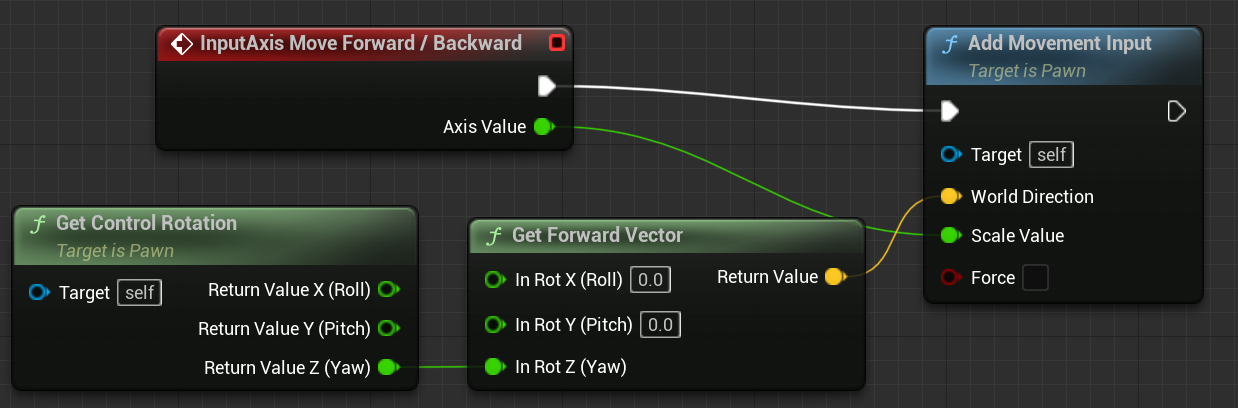
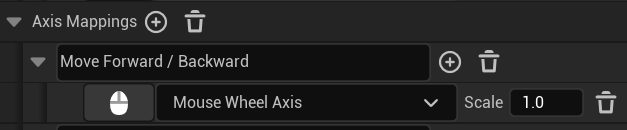
Any idea how to make the character move faster or more per scroll?
trim matrix
tepid shore
Can someone tell me why this doesn't place the rotation of an object back to zer...
Is code inside of the DoorBP?
trim matrix
tepid shore
here's some context https://i.gyazo.com/282c4674b3940490604dec3579127fd5.mp4
🤣
tepid shore
trim matrix
Is code inside of the DoorBP?
It is 😶 So I'm guessing controlling rotation of objects and what not can only be done in the levelBP
trim matrix
tepid shore
It is 😶 So I'm guessing controlling rotation of objects and what not can only b...
By default, action mappings do ont work on regular actors. Is input enabled for that actor?
tepid shore
trim matrix
By default, action mappings do ont work on regular actors. Is input enabled for ...
It isn't I did just added it to the levelBP and it works how I intended I Just have to figure out how to set the velocity to 0 now
trim matrix
tepid shore
It isn't I did just added it to the levelBP and it works how I intended I Just h...
https://docs.unrealengine.com/4.26/en-US/InteractiveExperiences/Input/ read that to fully understand the issue beforehand.

The Input object is responsible for converting input from the player into data in a form Actors can understand and make use of.
tepid shore
trim matrix
https://docs.unrealengine.com/4.26/en-US/InteractiveExperiences/Input/ read that...
Thank you I'm on it I feel like this is going to help a lot i appreciate it
dawn gazelle
celest tangle
This is currently moving my character forward & backward but only barely (very s...
A forward vector is normally a value between -1 and 1.
An axis value is normally set up to be between -1 and 1.
The direction is multiplied by the scale value on the Add Movement Input node.
So if your axis value is between -1 and 1, and your direction vector is between -1 and 1, multiplied together they'll only be between -1 and 1 which is a very small amount of movement.
To fix this, you either want to change your axis value to output higher values, or multiply the axis value by a certain amount before inputting it into the Scale Value on the Add Movement Input node.
celest tangle
dawn gazelle
A forward vector is normally a value between -1 and 1.
An axis value is normally...
Tyvm for the reply, that makes a lot more sense why it was moving so little! I ended up changing the code a bit to find my solution, and it involves a scaler like you suggested using:
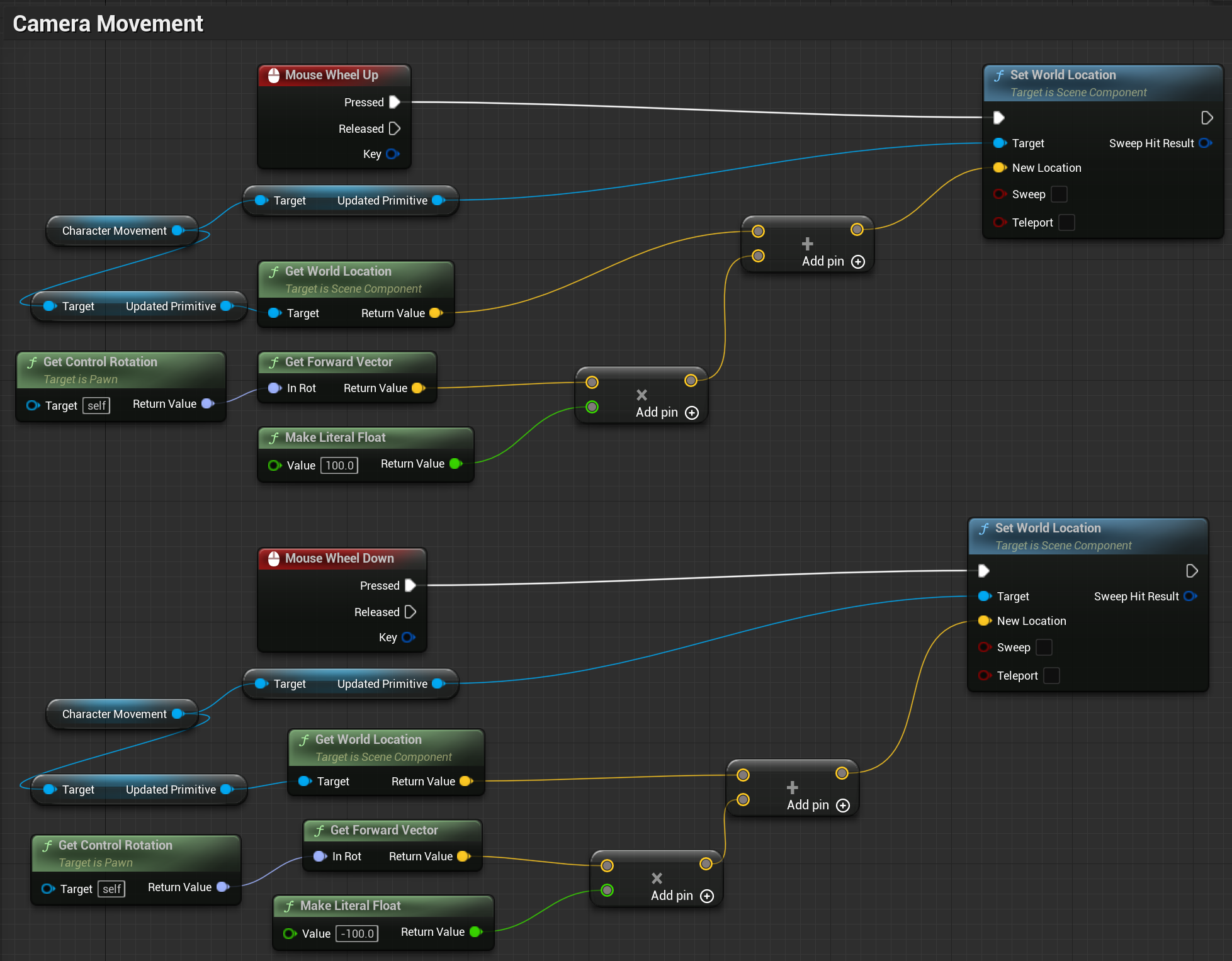


 delicate scroll
I’ve got an array “Added to Table” and what I’m trying to do is get the values to be shown in a widget. So, I’ve got another array, “Position Array” which has the variables of each piece of information where it should be on the variable. (The widget has strings as placeholders, so that when the data is updated it will display the right information where I it needs to be if that makes sense.)
The idea is that I’m taking the, “Added to Table,” values and setting the variables in the, “Position Array.” That should make the widget display the information.
I can do that by taking, “Added to Table,” getting the index, and setting the specific variable.
What I want to do, so that it’s cleaner (and I assume more efficient maybe?), is to use a ForEach Loop. It would also save me the trouble of having to add all of the variables and making this whole big thing. Although at this point it would have been MUCH faster haha. But I want to figure this out (even though it’s putting me behind schedule 😬 . )
 candid geyser
Okay so I had to kinda restart the dialogue system
Any suggestions on how to make a dialogue system, where the player can actually decide what to say next?
gentle urchin
Theres like a 100 ways to do this ^
You want to present the player with options?
I enjoyed the dialogue nodes plugin, had great experience with it. Makes multibranching dialog super trivial. Sadly its not supported in ue5 yet... i've been planning to convert it but its a tad out of my knowledge , so its gonna take some time 😂
 quartz parrot
hey guys! Im trying to convert a group of Static Meshes to a single SM in ue5, however I get 18 instances of the same material (arrow material) when converting them to a single mesh, is there a way to make the 19 meshes use the same material?
 maiden wadi
flat coral
Is there a reason why "duplicating" components doesn't actually duplicate it but...
maiden wadi
flat coral
Is there a reason why "duplicating" components doesn't actually duplicate it but...
I'm not sure about the Blueprint call. I assume that it's the same thing, but the C++ call to "Duplicate" a component does exactly what you mentioned. It creates a new component of the same type, at the same attach point. The reason for the call is mostly because there are several lines of code required to create a component in C++. As a general rule, you're probably never going to see Engine level calls that duplicate or handle state for you. That is all going to be project specific.
flat coral
maiden wadi
I'm not sure about the Blueprint call. I assume that it's the same thing, but th...
I had to read the first sentence a few times because it was so far from my mental model. I'm not "calling a function" I'm trying to do copy/paste in editor? It's like if I copied an imagine and ended with a blank white rectangle the size the image was
maiden wadi
Oh, I thought you were using the literal duplicate function for components. 😄
flat coral
Nah I mean like this
 maiden wadi
Not sure about that then. Haven't had a problem with pasting components like that. They usually retain values.
flat coral
They do if they're not inherited
maiden wadi
That might share the same duplicate function. Which doesn't copy values.
 terse moss
Sorta complicated to explain, but does anybody know of a way to find a given number of points with equal distance from one another relative to an origin location? I want an actor that you can specify a number, and it creates a "clump" of points that are roughly forming a sphere, where you can specify the distance between these points. I have no idea how to tackle this, any input would be nice.
maiden wadi
Would just ctrl+c, ctrl+v if possible.
flat coral
Same issue unfortunately.
Also BTW do you know of any way to check WHERE a blueprint is referencing some other BP?
I've since reparented most of these, but even though the new parent is "Actor" some of them still say they're referencing the old parent
maiden wadi
Alt+Shift+R, or right click and go to the reference viewer.
flat coral
maiden wadi
Alt+Shift+R, or right click and go to the reference viewer.
That doesn't give me more detail than this though? Like as far as I know, I've gone through all those objects on the left and sanitized them for any reference to the one about to be deleted
 flat coral
terse moss
Sorta complicated to explain, but does anybody know of a way to find a given num...
flat coral
terse moss
Sorta complicated to explain, but does anybody know of a way to find a given num...
Also this is less a Blueprints problem and more a math problem and a fuckin hard one too
terse moss
Yeah I had no idea where to ask lol, I've just been bouncing this around in my head all day
flat coral
Like if I'd gotten that in a linear algebra class early enough I might have dropped it
terse moss
I'm probably gonna abandon the idea and fake it at 5 number intervals that max at 20, this is all for a collectible that I want to specify the quantity of a given instance
flat coral
It'd be nearly trivial with a circle but it gets weird with a sphere
terse moss
I'm still dumb when it comes to math stuff like this, even a circle might be fine for this
flat coral
Oh nm I just remembered how to do this, you're secretly constructing regular shapes with that many points
terse moss
But how does that work when it becomes multiple "layers" deep? Is it like a certain number will trigger a second layer sorta deal?
or second shape
flat coral
Oh GOD you don't just want the surface of the sphere you want them spread throughout?!
terse moss
This is all just me finding the cheapest easiest solution that looks best, I'm not married to any particular solution
I'm not knowledgable and wanted to ask before making a terrible mess of a blueprint that didn't even work lol
flat coral
If you wanna have fun with it look into molecular geometric. How elements combine to form molecules actually duplicates this same problem because they want to attach to the same center element but be as far away from each other as possible in a spherical arrangement

Ignore the green ones there
If you wanna google it I think the real term these days is "Valence Shell Electron Pair Repulsion theory" or VSEPR
But that's way overcomplicating it
terse moss
Super interesting, yeah this isn't something that's highly necessary for me to solve either, just would be neat if possible. Might max out the quantity that you can apply at 20 or something and just make sprites for 1, 5, 10, 15, and 20 with scaling in between
I just love me some visual polish
But performance hit for a collectible that's repeated a hundred times probably isn't worth it
flat coral
Yeah, no, simulating this is probably np-hard.
terse moss
That said, if solved it'd only need to run in construction script, I don't want complex movements
flat coral
Honestly I'd just make a shape with 20 points that looks good, and then have an order to them so I can hide some of them to get the correct number
So it hides the outer ones first and inner ones last
terse moss
Yeah haven't thought of that, sounds like a clean solution too
flat coral
OR YOU COULD SIMULATE MOLECULAR GEOMETRY C'MON IT'LL BE FUN
terse moss
OH YES PERFECT I'LL GET RIGHT ON IT
How would you get shape vertex location in this circumstance?
Or are you saying specify the locations manually
flat coral
Manually. If you want them to move just specify a path for each
trim matrix
Can someone tell me what Event Beginplay does?
terse moss
It's an event that is fired when you begin play
flat coral
trim matrix
Can someone tell me what Event Beginplay does?
Whatever you want it to do!
But yes, it gets called by the engine when that component begins play
trim matrix
flat coral
Whatever you want it to do!
Like can i use it to make a clip play when u start a level?
flat coral
Yeah if it's attached to a blueprint that's spawned in level. Though I can't say that's the best way to do it, I haven't messed with video playback
trim matrix
flat coral
Yeah if it's attached to a blueprint that's spawned in level. Though I can't say...
Soo not in level blueprint?
terse moss
All depends on your needs really