
#blueprint
402296 messages · Page 913 of 403
 soft peak
 spark steppe
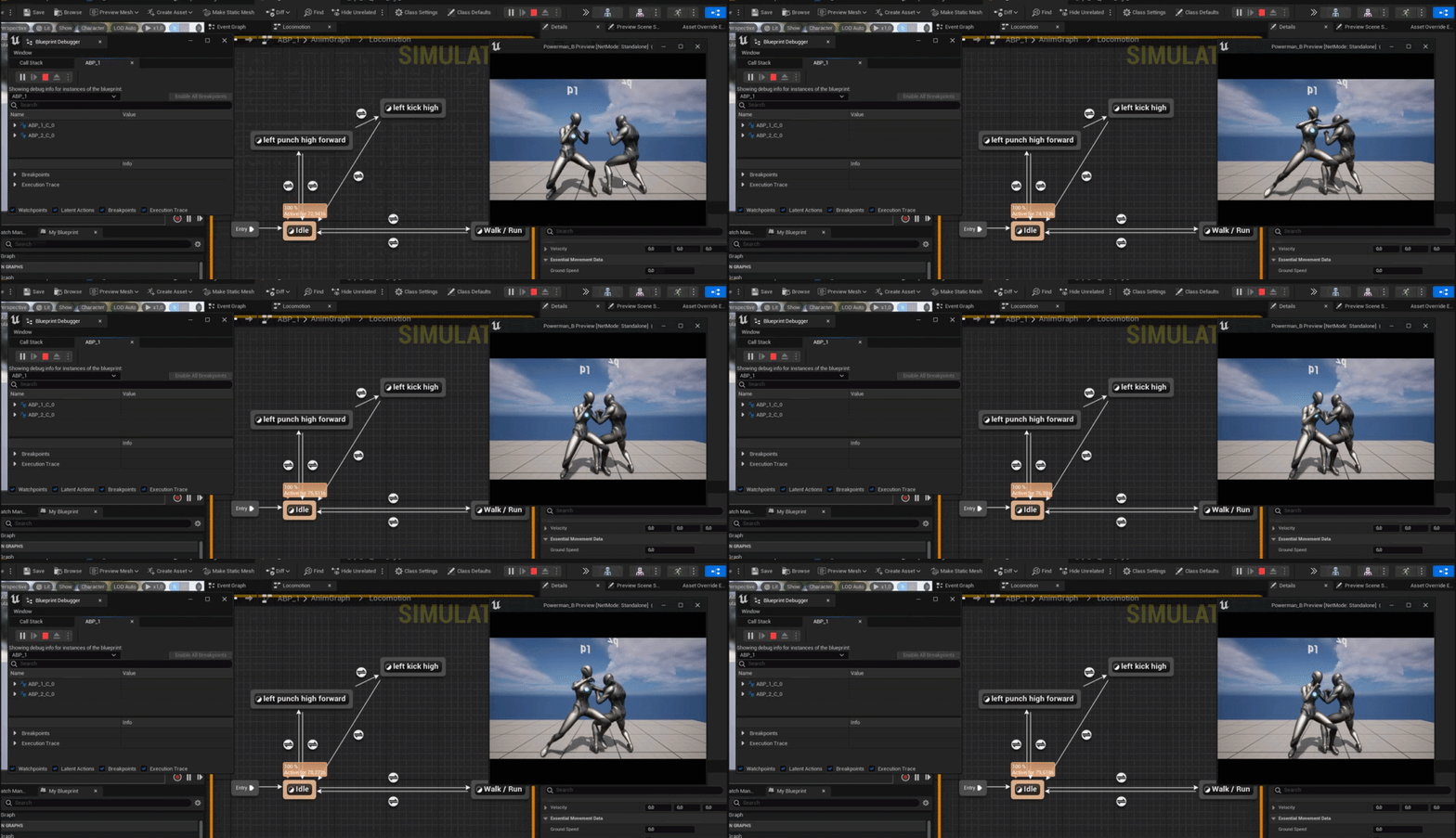
yea play, open the blueprint and on top theres a drop down to select a debug object
if you select the active instance it should show what's happening
soft peak
i did, it opens up a new window, but it did not show what i was looking for, did i choose something different?
https://i.gyazo.com/05134e742e9e8825976a7599b5f58f94.gif

 modest monolith
soft peak
i did, it opens up a new window, but it did not show what i was looking for, did...
modest monolith
soft peak
i did, it opens up a new window, but it did not show what i was looking for, did...
is that how you send big videos ? trasforming them into gif ? genius lol
spark steppe
but that's what you've been looking for?!
soft peak
actually there was no debug in that arrow thing
spark steppe
huh
soft peak
 spark steppe
the same thing also exists in normal blueprints btw
if you ever need it, now you know
soft peak
from ben to ben, thanks 😄
when working with animation states and transitions rules based on booleans
is it possible that it can stuck in a state?
(when i hitting multiple times the key it got stuck)
hitting the key, is setting the canEnterBoolean to true
which could solve that problem is, if we would have anode in the state where i can ask "is animation done playing", is that even available?
found it finaly: get relevant anim. time left
 icy dragon
soft peak
https://i.gyazo.com/d426f6a7a038ff94caf6a40cd27e3ab9.mp4
icy dragon
soft peak
https://i.gyazo.com/d426f6a7a038ff94caf6a40cd27e3ab9.mp4
Why not use montages?
I mean, it's up to you if you really want to use state machine for one off anims, but montages would be infinitely better for such thing.
I can imagine how horrible that SM setup would scale as you add characters and whatnot
 cyan bone
I have a bunch of stuff they need to happen when my character is moving. Things like some smoke effects and animations.
But i need them to stop once the character stops moving, so this is what im doing. I check constantly if the has velocity. Is this the right way to do this?

Something feels like this is not the right practice. Is there something like Event on Stop Moving ? Or Event on Start Moving?
 earnest tangle
This is an entirely acceptable way of doing it. There is no builtin "started moving" thing
Depending on how you want it to work, you could use anim notifies as well to trigger based on animations
cyan bone
earnest tangle
Depending on how you want it to work, you could use anim notifies as well to tri...
thank you. im so bad yet at character anim, you mean the one in skeletal mesh? so i guess i will just go with set timer event and a checker of velocity
this will also work in multiplayer right?
earnest tangle
Yeah if you don't need for it to instantly react then checking it on timer probably works well for it
Not really an expert on mp, but as long as you replicate things correctly it oughta work
cyan bone
earnest tangle
Not really an expert on mp, but as long as you replicate things correctly it oug...
yup the only thing annoying is that i cant use delay
 brazen leaf
Im having trouble conceptualizing a solution for this, maybe one of you has an idea.
To let the player start a game action, I want to compare a list of required actors to a list of 'inventory' actors. Like if the player tries to begin baking a pie I want to be able to require they've put 2 Apples and 1 Flour in the oven first.
I get a broken brain halfway through implementing anything I've thought of.
I last tried setting up the requirements as an array of actor class references, like [apple,apple,flour] but couldnt find a way to get the class of the items in the inventory. Get Class gave me Actor, not Fruit_Apple (im not making a baking game, just examples 🙂
 desert juniper
brazen leaf
Im having trouble conceptualizing a solution for this, maybe one of you has an i...
desert juniper
brazen leaf
Im having trouble conceptualizing a solution for this, maybe one of you has an i...
iterate through a list of required items and their quantities (Create a struct that holds an item class, and an integer for quantity)
then check to see if the player's inventory (or who ever's inventory) contains those items, and enough of them
 solid zenith
I want to render sphere ahead of camera while button is held down ive got everything except moving sphere, tried several nodes couldnt get it to work, how do I connect these so it would run repeatedly?
 brazen leaf
any idea why an actor wouldnt be getting Event Tick? Im watching one BP during play and the red line coming off it is constant and on the other its never firing. ('start with tick enabled' is active on both)
 scenic magnet
Is there a shortcut in blueprints for making a value that follows a sequence through time. For example having an object scale up and down using a sine wave.
I would normally just keep a float var and add deltatime to it each tick, wrap back to zero once it's greater than 2pi, take the sin of that float each time around for the scale. I know how to do that but thought there might be an alternate way to do it with BPs.
 mystic bough
scenic magnet
Is there a shortcut in blueprints for making a value that follows a sequence thr...
mystic bough
scenic magnet
Is there a shortcut in blueprints for making a value that follows a sequence thr...
timeline
 dawn gazelle
brazen leaf
any idea why an actor wouldnt be getting Event Tick? Im watching one BP during p...
dawn gazelle
brazen leaf
any idea why an actor wouldnt be getting Event Tick? Im watching one BP during p...
You may need to select the instance to see it firing. While the game is running you can select the instance to monitor from the drop down beside where the play button is.
 brazen leaf
dawn gazelle
You may need to select the instance to see it firing. While the game is running...
brazen leaf
dawn gazelle
You may need to select the instance to see it firing. While the game is running...
That's a helpful feature I just figured out today but that's not it. I can see On clicked fire and when I just try printing on tick nothing happens either. I did paste it from another blueprint. Maybe it has some weird baggage. I'll try re-adding it tomorrow
 dusk cave
I'm trying to spawn my pawn at my players location but it doesn't work. What am I missing?

 hardy merlin
Not sure if this is the right channel, but is there a way to create a blank animation?
 brazen pike
dusk cave
I'm trying to spawn my pawn at my players location but it doesn't work. What am ...
brazen pike
dusk cave
I'm trying to spawn my pawn at my players location but it doesn't work. What am ...
Where are they being spawned instead?
dusk cave
brazen pike
Where are they being spawned instead?
at 0, 0, 0
well actually
when I try to print the location, nothing shows
and the pawn is not shown in the outliner
but the game does switch to the camera that I'm using on the pawn
brazen pike
Well, first of all I can't see a reason why you'd need to set it on tick since it doesn't need to be updated every frame. You can just get rid of the variable and connect "get actor location" to it directly. Also I'm unsure what it is gonna do when you convert vector to transform, you could just split the transform pin and connect "get actor location" directly into the location pin.
dusk cave
brazen pike
Well, first of all I can't see a reason why you'd need to set it on tick since i...
i tried plugging it in but got the same result
brazen pike
Even when you split the pin?
brazen pike
Can you send a screenshot of what you tried?
dusk cave
 brazen pike
Hmmm, you're saying its always spawning it at 0,0,0?
dusk cave
when i try to print the location, after i spawn the pawn, nothing shows up
and the pawn is not listed in the outliner
so im assuming something's wrong with my spawn code?
brazen pike
Okay, I'd have thought this would work so my next suggestion is just a guess, but maybe try using get world location rather than actor location
dusk cave
nope
getactorlocation should've been at least one of the nodes I need not sure why its not working
brazen pike
Breakpointing possess and checking the value of the location gives you 0,0,0? just to be absolutely sure
 elfin wolf
the problem is the spawnactor node or the drone BP itself
dusk cave
I don't have anything inside the drone BP besides the code to pick it up
elfin wolf
if you spawn it without possessing it what happens
dusk cave
hmmm i dont see it i think
yea its not there but I have a cube mesh on it
I can see the cube when I possess it
brazen pike
The drone hasn't been set to be only visible to its possessor right? (I forget the terminology)
 brazen pike
dusk cave
when i try to print the location, after i spawn the pawn, nothing shows up
brazen pike
dusk cave
when i try to print the location, after i spawn the pawn, nothing shows up
okay can you try to print the location again? And show the code you use to print because nothing showing up means something is probably wrong with the print
 elfin wolf
even if the location was 0 it would still spawn in the outliner
 brazen pike
do you have to be exact with search? since the name is BP_drone
dusk cave
no
bruh i got it
If I change the collision to always spawn, ignore collision it works
i dont get that
brazen pike
Oh of course, damn I thought collision be it but wasn't sure. yeah its because its seeing the spawn location is inside the capsule component of the player and deciding it shouldn't spawn if its going to be blocked
you just have to tell it to spawn anyway
elfin wolf
lol it's always the simplest stuff you don't think about
dusk cave
exactly
 uncut salmon
I have a custom channel which i use to track certain objects to break with 'destructible' which I have set to block. However, this doesn't take effect unless I put in this blueprint. Am I missing something to set this up in the sidebar without putting it into blueprints?

 cobalt gulch
How do I play a sound cue to a location but it only effects players with a certain custom string
 opaque acorn
Hello is there any way to get the origin static mesh from a instance static mesh cluster
There is a node called get instance transform but i dont see a node to get the origin mesh by reverse engineering
 granite scaffold
Hi all, I have a function with a return variable that might be none, which is ok because i handle that outside of the function. However, i receive an error about it in the message log. is there a proper way to handle that?
Nothing's actually broken the error is just annoying
opaque acorn
Btw is there any limitations on how many instance static mesh actors are possible ??
 dusk dust
Hello. I am trying to get my quadtree to update based on player location. Currently it runs on construction script and updates when I move a point, represented with a vector variable. Adjusting this point updates the quadtree immediately
Now I am trying to update it based the cameras location rather than a point I manually move around
I can't access cam location in construction script so I need to do everything in the event graph
But there is a problem
The way my quadtree works is by creating a new master square, and then subdividing it by deleting the original square and creating 4 new squares
You know what
Nevermind
opaque acorn
?
 undone surge
what is the best way to do an area of effect explosion damage? do i create a collision sphere after explosion ?
opaque acorn
Use overlapping event
Spwn a/ make a boolean like if x was done then sphere on begin overlap get actors
Then you can spwn impact effect/ damage/ impulse force etc
If you use tags or gameplay tag then you can specify whom to affect
 serene bramble
I have a bunch of strings I want to access in the blueprints (story lines/their subtitles) but not sure how. I tried an Enum but it doesn't have a key->value type mapping. Any suggestions?
(Idea is to set the string in my code to "Storyline1" or something then the storyline is stored in another file (json maybe? {"storyline1": "This is the storyline"}))
 sinful sonnet
Get Platform Name
Hello, does this work on switch ? (nintendo)
How can I test the quality in blueprint ?
 still rain

 digital needle
guys can anyone reference me some sort of tutorial or provide guidance on how can i replace the default maniquinn character to a custom character and use that character at runtime
earnest tangle
google for something like ue4 custom character model, ue4 mixamo character, or something like that
mixamo has a bunch of stuff you can easily import into ue4 so that query would probably get you a bunch of examples on how you can do custom characters
 signal hornet
Hey guys, I'm currently trying to get player overhead name tags working. I'm trying to do it so that the player can set it from the main menu before joining the lobby, so I'm wondering what the best way to set the 'input text' to a 'user data storage' so it can be re-accessed and RepNotified upon joining the server? Thanks
earnest tangle
stick it in your game instance, that persists through level loads
signal hornet
earnest tangle
stick it in your game instance, that persists through level loads
Thanks!
undone surge
i have a projectile that is turning mid way like a rocket. how do i get the mesh of that rocket to also change direction to the same direction that its going . do i get forward vector and set rotation to that?
solid zenith
What I am missing here? Delay node works so position is fine I want my sphere to follow camera forward vector while key is pressed but with timer sphere just doesnt move

 maiden wadi
undone surge
i have a projectile that is turning mid way like a rocket. how do i get the mesh...
maiden wadi
undone surge
i have a projectile that is turning mid way like a rocket. how do i get the mesh...
Usually you don't affect the mesh at all. The mesh should be parented to the root component which is usually a collision component in a projectile. The PMC or code you're moving the rocket with should turn the actor's root component, leading to the mesh turning as well.
 tight schooner
granite scaffold
Hi all, I have a function with a return variable that might be none, which is ok...
tight schooner
granite scaffold
Hi all, I have a function with a return variable that might be none, which is ok...
IsValid node
tight schooner
solid zenith
What I am missing here? Delay node works so position is fine I want my sphere to...
Can't set a timer on a function or event that has inputs. If you need inputs, then store the data into variables instead
granite scaffold
tight schooner
IsValid node
how does this help exactly? i dont care if its invalid, the problem is the return node seems to care
it seems to still return none as expected
but throws the error anyway
dusk dust
opaque acorn
?
Ignore that whole thing
I was setting up a question and decided not to follow through
solid zenith
tight schooner
Can't set a timer on a function or event that has inputs. If you need inputs, th...
You mean function will work like that only?
 tight schooner
granite scaffold
how does this help exactly? i dont care if its invalid, the problem is the retur...
tight schooner
granite scaffold
how does this help exactly? i dont care if its invalid, the problem is the retur...
You asked how to properly handle stuff so it doesn't throw errors. If some data could potentially be null, do an IsValid check first before doing anything else with the data. That's the common practice. You should strive to eliminate all errors and warnings.
tight schooner
solid zenith
You mean function will work like that only?
Get the variables inside of the function, not outside. If you want to set a timer on a function, the function can't have inputs
i.e. no input pins on the box at all other than "target"
 mental trellis
Game Instance isn't replicated
So if you want clients to be able to see it, you need to stick it on something like a player state (you can store it locally on your game instance, but when you get into an actual multiplayer map (i.e. coming from a main menu) you need to copy it to a player state)
signal hornet
Thanks so much, I was told to put it within a Game Instance but wasn't aware that it doesn't replicate.
mental trellis
And, to answer your other question, when you travel to another level, I think you're going to get an entirely new ui
So you will end up creating your nameplate again.
signal hornet
Yeah that's what the guy does in the tutorial aswell
 reef sierra
Hello, anyone know a tutorial for making an AI destroy obstacle in his path? (if he is looking for me, but if there is a door,wall,ect he destroy it)
 surreal wagon
I'm trying to remove an item from a tileview but this happens instead

 thin panther
surreal wagon
I'm trying to remove an item from a tileview but this happens instead
thin panther
surreal wagon
I'm trying to remove an item from a tileview but this happens instead
You havent connected your cast
surreal wagon
Yeah I tried to an it doesn't work, in the tutorial he doesn't need to connect it
As Cast to tileview in ue4 doesn't need to be connected
 past hazel
to use Pose Warping do you need to use Root Motion animations without BlendSpaces?
spark steppe
surreal wagon
I'm trying to remove an item from a tileview but this happens instead
that should only work if you make a childclass of list view
did he maybe do that in the tutorial?
 silk cosmos
solid zenith
What I am missing here? Delay node works so position is fine I want my sphere to...
silk cosmos
solid zenith
What I am missing here? Delay node works so position is fine I want my sphere to...
You never selected looping. If you want it to consistently move
surreal wagon
@spark steppe yes he did, but i cant right click- pure cast
spark steppe
that's quite the answer...
you dont have to cast if you extended list/tile view
so only one thing can be true
if he did a cast, he didn't extend the tile view widget
surreal wagon
I dont understand what you mean
Support the channel through donations. Crypto accepted!
PayPal: https://paypal.me/reidschannel?locale.x=en_US
Patreon: https://www.patreon.com/reidschannel
Bitcoin: 1JFwWHr4X6uAeoZadukzqKjzFBj3Qjy7Sk
Ethereum: 0x2B2Bc108F1Cc0fF899959dEF3226637787d8C3dE
Dogecoin: DNQ33YnhpWoTBokBNVkZP5ub8KTLkpyjpv
Join our community discord!
Discord: https://dis...
Look he does a pure cast
the cast to tileview class does convert to pure cast tho
but it's not compatible
cyan bone
Whats the difference between these 2 badboys?
Is segment just a chunk of a line? It seems the Get Point distance to line is for an infinite line right?

thank you
surreal wagon
pure blueprints
brazen leaf
Do yall have any favorite productivity plugins?
 young frost
Hello! So I have a grab mechanic in my game, and I am using a Physics Handle to do so. The problem is, using a Physics Handle you can only grab components, and not actors. My actor, that is a cube, has collider components identifying which face it corresponds in the cube, and these components are in the way of the mesh, AKA my players grabs the colliders instead of the actual cube
 serene pike
Trying to reference one instance of a blueprint actor in a level, I'd done it months ago it seems, but I have no idea how I did it, how do I do another of these

 balmy vessel
Is there a way to set Owner No See in the details panel or do you have to do it through blueprints?
 dire orbit
Did you figure this out? I can't get it to work
 last abyss
serene pike
Trying to reference one instance of a blueprint actor in a level, I'd done it mo...
last abyss
serene pike
Trying to reference one instance of a blueprint actor in a level, I'd done it mo...
click on the actor in the level, then in level blueprint right click in the event graph and at the top you have the option
 trim matrix
is it possible to move spline in the runtime? make it longer, or wider?
 supple needle
Hi all, happy Wednesday,
I have created an actor blueprint that is basically operating as an on off light, push and hold a key and it goes on, release and it goes off. The issue I’m having is if I copy paste the actor the key input only controls the most recently placed actor, what would be the solution to control many actors with the same key input?
 wide solstice
Hey guys do the "playlist" of audio with concatenator loop automatically?
brazen pike
supple needle
Hi all, happy Wednesday,
I have created an actor blueprint that is basically op...
If you're putting the key input event inside the light itself, unticking the box "consume input" on the event might solve your problem, but to really solve the problem you probably want just one input which is handled within the player character and sent to any light the player is looking at / near
But of course, that might not even be your problem, so if it isn't then send a screenshot of the blueprint from one of them here
supple needle
Thanks Lemon, ill try this out, not currently at my computer but plan to dig in tonight. Just wasn’t sure where to start.
Will send a screenshot if i hit a wall again
 humble oracle
How to do so, that game continues after playing the sequence where it was interrupted?

 rich jungle
Failed to load /Game/World/TileDisplay/CartTileStruct1.CartTileStruct1 Referenced by CartGameMode_C
I did a big stupid and force deleted something because a type change was messing everything up (I couldn't replace the references because I was going from object>actor)
I keep getting this type of error when trying to run the program
thing is
I actually made a new struct entirely and replaced all references to it
but now I'm getting the same error I was with the old corrupted one
does anyone have any experience with this?
(of course the moment I ask I figure it out)
(the corrupted blueprint was a variable inside the "can't load" property. Even though I changed the variable to my new non-corrupted version, it was still bugged thinking that property was corrupted. I had to delete the variable in question)
 ornate hatch
hey guys so I ran into an issue where the timelines are not reversing, instead stops!

 versed sun
Reverse from End
ornate hatch
doesnt work
it still stops
other half of the function

ohh the bottom part in not connected to anything btw
cyan bone
https://blueprintue.com/blueprint/yorl7h2c/
Im trying to make a lerp Event function.
It works fine, but the issue is, its being executed asynchronously.
So it will execute everything after the event call before it is Finished.
So how can i make a function that makes a lerp with a timeline that waits before it finishes, like a function with a return would do?
Since i cant put timelines inside functions. What is the alternative here?

No description provided
ornate hatch
 tight schooner
cyan bone
https://blueprintue.com/blueprint/yorl7h2c/
Im trying to make a lerp Event funct...
tight schooner
cyan bone
https://blueprintue.com/blueprint/yorl7h2c/
Im trying to make a lerp Event funct...
Not sure what you mean. Timelines have a completed pin. If you want to queue actions, I guess you need to make a queueing system that buffers the necessary data and waits for the timeline to finish before running it again with the next item
cyan bone
tight schooner
Not sure what you mean. Timelines have a completed pin. If you want to queue act...
100%. But im making this function so it is reusable all over my blueprint. So sometimes the lerp ends and i need unit to rearm. Other times i need it to move then jump. See? So there are different outcomes at the end of the timeline.
Perhaps i could send in the event an argument for a reference for the next function to call after the timeline its done? Is this possible?
versed sun
ornate hatch
doesnt work
i think Play from start Rotates from (Where it is) to 25,-10,-70, so the reverse is rotating from 25,-10,-70 to ....(Where it is), you need to save the default Rotation BEFORE you start moving it. and do the same for Location
solid zenith
What node would allow me to return between two vectors depending on boolean?
maiden wadi
Select vector
solid zenith
nice ty
ornate hatch
versed sun
i think Play from start Rotates from (Where it is) to 25,-10,-70, so the revers...
ohhhh yah!!!! i forgot about it, I AM SO DUMB
 gentle urchin
cyan bone
https://blueprintue.com/blueprint/yorl7h2c/
Im trying to make a lerp Event funct...
gentle urchin
cyan bone
https://blueprintue.com/blueprint/yorl7h2c/
Im trying to make a lerp Event funct...
The code you're showing isn't related to your issue , if im reading you correctly
Its like you want to wait for the timeline to finish before execcuting whatever was setup after Play timeline From Start
cyan bone
gentle urchin
The code you're showing isn't related to your issue , if im reading you correctl...
Sorry. Yes this is confusing. In my project i have a lot of timelines with lerps all over the place. So what i meant to do, is to create a function that lerps my character, and then proceeds with whatever it was doing. But maybe this is not possible and i have to just work with what we have, and just use timelines everywhere its needed.
If i could use a function that just lerps from a timeline. Then i could call this function/event from every other place. Instead of making 10 timelines, i would make just 1. That was what i was trying to do.
gentle urchin
Why save on timelines ?
having one or 10 shouldnt make any difference
assuming you're still gonnna do the same code anyways
cyan bone
gentle urchin
Why save on timelines ?
ok i came up with an idea. I will post it in a bit.
This is what i came up with just now. So basically this can be reused for all context. I just say where this is coming from and it will then go back at the end. This way i can use this lerp in all places of my blueprint. What do you think? Is this good, or bad practice?
 versed sun
can you put everything after the timeline into a function ? so new function would have input pins of: Instance, Destinations and Time. Inside your function you can get your Get Current Transform Instances, Get instance Count, the Loop, and Update instance transform
Also, uncheck Mark Render state Dirty for all but the last Index of loop. no need it updating more than once a tick
 brazen stirrup
hey so question for you guys
im spawning some spheres, but cant add impulse to it
cyan bone
versed sun
can you put everything after the timeline into a function ? so new function wou...
How do i do that? The timeline wont allow me to collapse to function, and its in the middle of the spAgheti?
brazen stirrup
 versed sun
cyan bone
How do i do that? The timeline wont allow me to collapse to function, and its in...
versed sun
cyan bone
How do i do that? The timeline wont allow me to collapse to function, and its in...
I will mock one up for oyu
cyan bone
versed sun
Also, uncheck Mark Render state Dirty for all but the last Index of loop. no ne...
Uncheck state dirty? So i make an if statement to check if it is the last one?
cyan bone
versed sun
I will mock one up for oyu
thank you kind sir
brazen stirrup
can someone tell me what im doing wrong with my bps?
desert juniper
brazen stirrup
can someone tell me what im doing wrong with my bps?
read the error in your console window
it'll tell you exactly what's going wrong when you try to add impulse
brazen stirrup
it says set physics enabled
but im already doing that
any ideas?
also, the target is the spawning actor
rich jungle
brazen stirrup
also, the target is the spawning actor
did you add a movement component to your actor?
brazen stirrup
i dont think so, its just a sphere
rich jungle
add projectile movement component
brazen stirrup
that didnt work
so , the spheres supposudly a volleyball
and i want to add impulse to it

 cyan bone
versed sun
cyan bone
versed sun
I see that is nice. Thank you. It looks cleaner. But on the other hand i thought that putting the get all instance transform before would save a little bit. So it wont be preformed by all thousands of units each loop.
I will test now the last index dirty render.
But i dont know why this is necessary? Is there an issue in rendering all dirty? Wasn't it supposed to be better for performance because its dirty?
versed sun
i THINK if its true, then it refreshes all instances and redraws them,
cyan bone
Oh there's that issue, that with the lerp the get instance transform cannot be called every time you lerp, else it will increment the speed like crazy. That would be in Vinterp to? Or am i not seeing something?
versed sun
and yes , the the transforms before the timeline would be better
cyan bone
versed sun
i THINK if its true, then it refreshes all instances and redraws them,
So this is cheaper. I didnt know that.
gentle urchin
its also a tad cheaper to bulk update the transforms
brazen leaf
Im trying to set up a top down camera that I can pan around by clicking and dragging, like you would scroll a map in most mobile apps (if the mouse clicks, then moves down right, the map should move up left at the same rate, and only while the mouse is moving)
I have the mechanics for getting the mouse cursor but Im not sure how to set up this movement
brazen stirrup
ok, got it fixed, the impulse was too low lol
cyan bone
versed sun
i THINK if its true, then it refreshes all instances and redraws them,
I tried doing the last index mark render state dirty, and now none of them move. They just stay in the same place. What am i doing wrong?
 versed sun
yah, instance count -1
gentle urchin
I would expect it to work, despite this?
since the loop also ends at count
even if the set index is invalid for the node?
well, perhaps not. It could be one of the first checks, and just quits early
cyan bone
versed sun
yah, instance count -1
-1 now it works. thank you
versed sun
Maybe Skip that and manulay check it true just to see if it works
gentle urchin
So if the index is invalid, the rest is ignored 😄
versed sun
oh, i think the Loops Last Index should be Instance count -1 also
gentle urchin
yepp
Still, bulk updating is cheaper, so i'd switch to that sooner rather than later
versed sun
batch
 cyan bone
gentle urchin
Still, bulk updating is cheaper, so i'd switch to that sooner rather than later
cyan bone
gentle urchin
Still, bulk updating is cheaper, so i'd switch to that sooner rather than later
I was just working on that and got confused. So basically batch update is cheaper because it wont need a for loop, and will just update them with an array of transforms.
But in my situation i need to do a for loop anyways, because i need to get the Lerp new location inside that transform array?

Perhaps in this case it's that much better?
gentle urchin
From my tests it was marginally better , but still better
it's a lot more complicated to setup in my scenario with individual units who may or may not move etc
versed sun
Do the Loop part in the function, Save the values to a Local Transform Array, and after the Loops is finished, then batch update
gentle urchin
I'm considering a rewrite to benefit from it, but it requires swapping between moving and stationary ISM components
cyan bone
versed sun
Do the Loop part in the function, Save the values to a Local Transform Array, an...
Is it possible to make Local Array?
gentle urchin
yes
cyan bone
The only one i see is that one with the pins
versed sun
cyan bone
Is it possible to make Local Array?
yes
gentle urchin
This is also way faster in c++, about 1/8 of the cost in my setup
versed sun
Can you toggle seeing NavMesh at runtime in UE5?
spark steppe
versed sun
Can you toggle seeing NavMesh at runtime in UE5?
guess you have to eject (F8) from the viewport, unless you meant standalone runtime
 glass path
guys i have a problem with camera shake. When i stop moving, the camera shake starts blending out. So when i start moving again while the camera shake is in the process of blending out, it snaps right back into the start of shake. How do i make the transition smooth?
versed sun
ahhh, i didnt have NavMesh Volume tall enuff
cyan bone
versed sun
ahhh, i didnt have NavMesh Volume tall enuff
So something like this? This is not working i dont know why. Its getting so spaghetti 🍝 i can hear the italian music
 versed sun
Make sure you Clear the Transform array before every Loop
oh , i see it
I haven't used the Batch update yet , so no clue
cyan bone
https://blueprintue.com/blueprint/ixo339ch/
maybe @gentle urchin can see what im doing wrong?
No description provided
soft peak
in animation blueprint, i know i can somewhere check a checkbox where it says something like that: "when animation is done allow transition out of current state"
but i totaly forgot where that was?! -.-
gentle urchin
cyan bone
https://blueprintue.com/blueprint/ixo339ch/
maybe <@231467939734355969> can see ...
Check the return value of the batch update , to see if it gets accepted (true)
cyan bone
gentle urchin
Check the return value of the batch update , to see if it gets accepted (true)
it says false in debug

but it works with the old update instance transform. so strange
versed sun
maybe your Array Length != Instance count ?
cyan bone
versed sun
maybe your Array Length != Instance count ?
yes that is the issue. so it must be exactly the same. im doing something wrong very early on
thank you
versed sun
being 1 off is so easy to do
cyan bone
versed sun
being 1 off is so easy to do
I removed last index. But now the units might be going to the wrong index place

 sly sage
Hi! New member here. I received this error when playing a level that I'm working on. Any idea on what I need to do to fix it?
 versed sun
you should be able to click on the text after Node: and it will take you to the problem
sly sage
this is where it took me. does anything look off in the blueprint that could have caused the error message?


@versed sun
sly sage
versed sun
yes, where are you setting "Armor"
does this help?
 versed sun
Is Armor a component or variable ?
sly sage
I apologize if I don't understand basic blueprint Logic. I'm a sound designer trying to learn some of these things
sly sage
versed sun
Is Armor a component or variable ?
I believe it's a component!
does this hierarchy imply that?

 naive stag
any ideas why the heck this might be happening?

Im using Move Component To equally both for sky and ground
but for some reason I cant use it on sky second time
While I can easily for ground
sly sage
versed sun
Is Armor a component or variable ?
nvm! I found that it's a variable
supple needle
brazen pike
If you're putting the key input event inside the light itself, unticking the box...
the consume input was the issue, thanks!
 brazen pike
supple needle
the consume input was the issue, thanks!
brazen pike
supple needle
the consume input was the issue, thanks!
You should really look into setting up inputs on the player character instead, as well though. Inputs really aren't designed to be used this way, which is why consume input is turned on by default. Additionally, if you ever want to do anything with multiplayer you'd have to completely redo this entire system, so it would be beneficial to learn now
solid zenith
is there any way to see in runtime how costly my certain blueprint is
like gpu stat or something
supple needle
brazen pike
You should really look into setting up inputs on the player character instead, a...
Good to know, currently im using unreal as a virtual stage for DJ sets but anything I can do to make it expandable and more efficient is worth looking into
brazen pike
supple needle
Good to know, currently im using unreal as a virtual stage for DJ sets but anyth...
With that you won't have to worry too much about optimisation then. But it does mean if you make something else you wouldn't have to constantly repeat input code, so it can only help
brazen leaf
any vector math ppl on? Trying to figure out how to generate a vector for a new camera position given the difference between 2 other vectors.
More specifically, to implement click-drag camera panning, I am getting my initial click coordinate(A), the next tick mouse coordinate(B), then I want to move the camera (C) relative to the difference between A and B, so that I can move C to new location D (I think this will work but my brain breaks at vector math)
 crude isle
uhh for some reason
when I spawn an actor
it spawns but it's not visible
normally it is visible
and I debugged to check if it was even spawning it and it was
help me lol
oh wait nvm
I found the issue
naive stag
crude isle
I found the issue
What was it
crude isle
I was spawning the wrong actor
naive stag
Bruh
naive stag
Screenshot
crude isle
but I cant see the mesh
crude isle
naive stag
Screenshot
lmao, there aint really a way to screenshot this

ah
there we go
I fixed it
 winged thicket
yo, im trying to make animations using bp (i forgot what those things called) and i faced this problem
i have this component i use to.. ughhh.. you can see it in the vid, anyways i use that component to set the leg position
and now when im trying to set its world location it moves to the new location but its X,Y,Z dont change for some reason which make this weird movement, and also makes me unable to set the other things locations properly.
^
how do i fix dis
i just use simple setworldlocation
oh yeah and i do all that in construction script
 cyan bone
I have a for loop that ends at distance count.
Instance count is 80. And I just push 1 element per instance into another array, final destinations.
I get 81. I only noticed this now because im trying to use Batch Update Transform. Until now i have done many many functions using Get Instance Count.
So...should i go back and and add -1 with get instance count every time i loop through an instance? I dont know why this never gave issues before.
 versed sun
if your instant count is 80, and you loop from 0 to 80, it loops 81 times
so, if your Last index is Instance count(80) minus 1 (79), it will loop 80 times
 sudden zephyr
Jo.. Anyone know if you can modify chaos wheels at runtime? Can't find a way to access them in my vehicles. E.g. I want to at low speeds enable rear axle steer and no axle steer past some speed. o.O
dusk dust
is it possible to get the viewport cameras location? and is it also possible to get it through construction script like how you can get the locations of other objects in the construction script?
sudden zephyr
dusk dust
is it possible to get the viewport cameras location? and is it also possible to...
Hm...
https://docs.unrealengine.com/4.27/en-US/BlueprintAPI/Development/Editor/GetLevelViewportCameraInfo/
Get Level Viewport Camera Info
dusk dust
i searched this up and its not there
sudden zephyr
It might require this in a world BP/level BP or how it's called and then try take the info from there. ¯_(ツ)_/¯
sudden zephyr
Why not?
dusk dust
my blueprint isnt a level blueprint
sudden zephyr
What i mean, you can implement something to take the info inside level BP and then pull the info from your actor BP.
Duh xD
dusk dust
hm how
winged thicket
winged thicket
yo, im trying to make animations using bp (i forgot what those things called) an...
yo guys this corner looks very cute in my question up here ^^
 sudden zephyr
Not sure about that one. Wasn't working that much with levels tbh. Mostly working on actor BP, so, sorry, all I can do in this case is point you in the direction. GL! xD
dusk dust
thanks
winged thicket
yeah its a pretty cute corner, you should totally go up and see the question :D
winged thicket
winged thicket
yo, im trying to make animations using bp (i forgot what those things called) an...
but fr bro everyone who clicks on this channel needs to go up and see this question
 somber dove
anyone have much experience with editor utility widgets? i'm trying to trigger something on mouse movements, but am only able to capture the mouse movements when they move over the widget, and i'd like to capture the movements when the mouse is on the viewport. any ideas here ?
 faint pasture
somber dove
anyone have much experience with editor utility widgets? i'm trying to trigger s...
somber dove
faint pasture
somber dove
anyone have much experience with editor utility widgets? i'm trying to trigger s...
somber dove
thanks!
 tawdry kernel
Anyone knows how can I make so that the main char camera dont change when possessing another pawn? Cant find the solution to that
earnest tangle
there's an option somewhere to not automatically switch camera when possessing
might be on player controller or player camera manager or something like that
 austere vapor
I'm trying to create a flashbang effect. I have tried using an actor-owned PostProccessing component, along with UI widgets to create the effects, and while they have both worked, both methods also trigger the person who didnt get flashbanged to get blinded. Does anyone know how to make sure only the target is blinded if they share a class? This needs to works for both online and local multiplayer
faint pasture
austere vapor
I'm trying to create a flashbang effect. I have tried using an actor-owned Post...
Show your code
earnest tangle
create a dynamic material instance of your PP material and assign it into the camera's PP mat stack
 lavish sphinx
https://www.youtube.com/watch?v=-WmhLaU8HoU any idea, how can I do that?

We built this advanced top down camera system for one of our customers. Goal was to make the camera recognize walls, defined by specific blocking elements. This lets the camera dynamically slow down and stop so the player moves out of the center. The camera also smoothly wraps around edges and moves in front of the player, depending on its movem...
earnest tangle
as long as you correctly trigger it only on the player in question it should work that way
earnest tangle
lavish sphinx
https://www.youtube.com/watch?v=-WmhLaU8HoU any idea, how can I do that?
which thing out of the more than dozen things happening in that video might you be referring to lol
 grave apex
does anyone know how to jump to where an asset is specifically being used within another one from the reference tree?

I cannot find where that voice clip on the right is being played in the MyButton widget
austere vapor
faint pasture
Show your code
I'm away from my computer atm but it's the simple "create widget -> add to viewport"
with the widget removing itself after the animation is over
 crystal torrent
earnest tangle
which thing out of the more than dozen things happening in that video might you ...
crystal torrent
earnest tangle
which thing out of the more than dozen things happening in that video might you ...
that point, how to make that point launch the strokes and make them collide with the walls.
 earnest tangle
🤔
Might be a particle system of some variety
Although it also looks like the debug lines you get from linetraces


 tawdry kernel
earnest tangle
there's an option somewhere to not automatically switch camera when possessing
tawdry kernel
earnest tangle
there's an option somewhere to not automatically switch camera when possessing
Yeah but does not work properly. When you disable that and possess another pawn the engine creates another camera on the middle of the possess pawn
earnest tangle
I don't think you changed the correct setting, there's one which just stops it from doing anything with the camera when a new pawn is possessed
Unfortunately I don't remember where it was specifically or what it was called, but I'm fairly sure it was somewhere in player controller, the camera manager, or other classes related to those
sudden zephyr
lavish sphinx
https://www.youtube.com/watch?v=-WmhLaU8HoU any idea, how can I do that?
Should be rather simple me thinks. It runs the camera separate from character. You set the cam location manually and to ensure the smoothness, I'd even detach the camera on being play. Then set the camera with lerp/interp at what ever distance in the direction the char moves, have a line trace at feet level + bit above that (floors and what not) in a 360 circle and stop updating camera movement for that 'direction' that it hit just to ensure smoothness or if you'll have some 'environment' stuff that moves eventually in game. Don't just stop camera movement. Hope you good with math tho, gonna need a bit of it to pull off but should be rather straight forward. Not saying easy or simple, but very straight forward. 😅
sudden zephyr
tawdry kernel
Yeah but does not work properly. When you disable that and possess another pawn ...
?

Perhaps this?
tawdry kernel
sudden zephyr
Perhaps this?
this on the controller?
sudden zephyr
Actor itself but might have override settings on components too so, here's a nice trick

xD
So, just search the component too and see if there's a cam posses setting and uncheck it. ¯_(ツ)_/¯
GL! 🙂
earnest tangle
    /**
     * True to allow this player controller to manage the camera target for you,
     * typically by using the possessed pawn as the camera target. Set to false
     * if you want to manually control the camera target.
     */
    UPROPERTY(EditAnywhere, Category=PlayerController)
    bool bAutoManageActiveCameraTarget;
try this one, it's on Player Controller :)
sudden zephyr
Thought so... I assumed a character component would have an override for sure.
tawdry kernel
earnest tangle
```cpp
/**
* True to allow this player controller to manage the camera...
Im using blueprints, but I will try that
earnest tangle
Yeah it should be available in BPs too
You just need to create a custom player controller class if you haven't done that, and select it as the default
tawdry kernel
ooh yeah, Ive found that bool
it does not work the way I expected
it still creates an Camera attached on the possessed pawn
sudden zephyr
Did you also disable the one on actor itself too? Just in case.
tawdry kernel
sudden zephyr
Did you also disable the one on actor itself too? Just in case.
that bool is ony avaible on the controller
available
solid zenith
Alright what is wrong here I dont get it bruh first sound deactivates perfectly fine but second one suddenly throws error that apparently sound is pending kill or garbage whatever it means while the sound is still playing

bottom white line is on E key pressed top one is on released btw
sudden zephyr
tawdry kernel
that bool is ony avaible on the controller
I remember having some issue with that too with character/vehicle bp's and what I did ultimatiely was get the position of cam before switch and on begin play detach the cam and set the location to the previous cams location. So... Yeh. xD
 manic osprey
How would I create a lottery winning scratch card system where the player can scratch cards ?
tawdry kernel
sudden zephyr
I remember having some issue with that too with character/vehicle bp's and what ...
a way that Ive found to somewhat fix my issue was using a camera maneger on the player controller, it does not change the camera, but when I move my cursor the camera dont move
when I possess a pawn
 mossy abyss
Hello all, quick question, would anyone have a clue as to why multiple timelines would proc when they are on separate events in the level BP?
sudden zephyr
Dunno what you're trying to do and hence we don't know which one might be the best solution. However, I think camera manager is so to speak an interface, it's done by you, you're basically telling the engine 'don't let components or actors interact with camera unless I want them to.' I think. If someone could confirm. Haven't played around with it in a long time so...
proc? 😅
tawdry kernel
what Im tryng to do is controlling a submarine inside of the submarine, its a firts person game
but I wanna be able to move the submarine without changing the main char camera
sudden zephyr
Well, did you actually do anything with the camera manager/player controller or did you just make new PB's and connected them and that's it?
Cuz now you gotta tell trhough player controller which pawn should take input from which pawn and what not.
Again, the entire point of it is so you have absolute control over it.
mossy abyss
Sorry for poor nomenclature, out of 10 timelines that play the last two seem to also trigger prior timelines in tandem.
 sudden zephyr
Unless somewhere in code the event re-triggers because of changes done by those timelines, those timelines don't activate them otherwise.
mossy abyss
this is an example of the second to last timeline, it boggles me because like you stated it shouldnt be happening.
 sudden zephyr
I didn't say it shouldn't be happening, I'm saying that on the SC, no timeline can possibly re-trigger anything by themselves as seen there. So that chain is fine. However, if something, let's say a piece of code somewhere that checks the actor location triggers that timeline chain, right? If the timeline chain does something to make that prior code trigger the timeline chain all over again, then there's the issue.
So what you could do as test is, add a bool to the event with whatever name you think appropriate like DONE? and make it true by default and if true and add a branch just after the event that gives you issues. after the branch set bool to false and make that bool set to true after the last timeline should finish.
If you get the idea.

Although you should definitely check what causes it and fix it, sometimes some things also need this be default no matter what. It's based on what you're trying to do. Some actions can retrigger and this makes sure that the first action finishes before it let's it do another one. Normal stuff honestly. So, depends on whatever it is your coding. Hope this helps and GL! 🙂
Oh, and the names are trademarked, you can't use them 😛
mossy abyss
I appreciate the suggestion, and will be sure to credit you for your assistance, as this is an academic project!
sudden zephyr
Please don't LMAO xD
mossy abyss
I shall honor your request.
mossy abyss
Implementation is a bit different, but it worked like a charm. if you were curious though its a rail shooter so timelines were easy.
dawn gazelle
solid zenith
Alright what is wrong here I dont get it bruh first sound deactivates perfectly ...
When you press E, you're spawning a sound, then delaying for almost a second before creating the second. On release, your code shows that you're trying to toggle them active. If you press E and immediately release before the delay is up, then the second "Toggle Active" won't have a valid reference to the second sound you're spawning.
To fix this, you may want to store the references to those sound components as variables and you can use a validated get to check if they are valid before attempting to toggle active, just in case it wasn't created.
It's also generally a bad idea to take references across execution lines for just such a reason - you're making an assumption that the return value is going to be valid when that part of the code may not have executed yet.
sudden zephyr
dawn gazelle
When you press E, you're spawning a sound, then delaying for almost a second bef...
Isn't spawn sound playing automatically?
dawn gazelle
sudden zephyr
Isn't spawn sound playing automatically?
Yeah but the "Toggle Active" node can stop the component I believe. So press E, it's probably supposed to play the sound, and on release of E it ends up stopping it.
But if the sound component isn't created, then he'd get the messages indicating that it's not a valid reference or pending kill.
solid zenith
thx for response but I fixed it with using "is valid" node on key released and if its valid just deactivate that sound lol
sudden zephyr
Toggle is a bad way of doing things that need specific start/stop
The whole thing is weird, that's why I'm wondering.
solid zenith
how do you play sound then
but be able to cancel it
anytime
play sound doesnt let it
sudden zephyr
 solid zenith
aaa thx will try that
sudden zephyr
Basically, no need to spawn it before you want it to actually play, uneccessary I think. So you can just spawn it at the "toggle" part and stop it there, that way you don't need to store references, less variable clutter, however, you do need a validate in case the sound finishes before it should call "STOP"
Especially if you have the "auto destroy" checked.
This is what I mean:

No need to store references if it's very temporary. Again, depending ofc and assuming by the pic. 🙂
Oh, to make it easier, basically, literally replace the toggle node with the validate and stop node as shown
What you're basically doing is, 'if the sound exists, stop it, otherwise it's already done, move on in the exec chain.'
sudden zephyr
Literally replace the toggle sound with the valid/stop nodes
solid zenith
is valid? branch if true stop it
ya Ive got I think harder one more question
tho lemme screen record rq
sudden zephyr
the is valid should go in stop, the no valid should go to branch or whatever the next node is
solid zenith
ya it works like that tho u mentioned something its a bad way
actually nvm
u said toggle
lol 3am here
solid zenith
Look at this those particles will be position my character gonna teleport to, Im almost certain half of teleports will end up inside objects cause it doesnt avoid them, rn im doing it with line trace and camera forward vector but without adding tons of spaghetti and like 12 more line traces and math I dont know how to make it avoid all holes like this
sudden zephyr
Should not be that difficult actually.
solid zenith
Ya cause I probably do it the stupid way
sudden zephyr
No, not really.
solid zenith
well my way I only imagine shooting into all directions more line traces and push position accordingly
and I even idk how it gonna run cause its on event tick
sudden zephyr
basically, shoots a line trace from camera forward, and on the impact shoots another one upwards until a gap is found within a threshold. If it's clear within that threshold, have an offset from the (edge) and shoot one last line trace upwards that checks if there's enough room for the character. That's pretty much it, I think.
solid zenith
actually u gave me better idea
i just shoot down and up if even one is not enough just show u cant teleport there lol
sudden zephyr
One think I'd say to first do to make it easier to check what it's doing is to have it change color, like red no teleport and green teleport and it's gonna also make it easier to see what the code does/thinks is valid. It might be janky when it doesn't find suitable teleport location but you don't care for that as long as it's not janky when it does.
I'm assuming the teleport only works on surfaces the character can actually stand right?
solid zenith
sudden zephyr
basically, shoots a line trace from camera forward, and on the impact shoots ano...
actually I dont know how it would work if I do that inside those white cubes from video it would hang up shooting up and down unless I misunderstood
ya
sudden zephyr
Let's say a pole? Like the street lights in Dishonored.
solid zenith
oo it doesnt mean it can stand there
he can fall or whatever
just to not teleport inside small hole
sudden zephyr
No, I mean the initial teleport should allow thin geometry or only wide ones, that will determine the ledge depth threshold
solid zenith
in simpler terms if u can lmao
sudden zephyr
Literally just needs 3 line traces, however, the threshold implementation is the issue. xD
solid zenith
My character just has simple default capsule hitbox nothing fancy
if u talking about that
sudden zephyr
That's not really important.
No, the threshold of if there are 2 possible teleports close to eachother and you want the player to be able to select them.
solid zenith
aa you thinking something hard
I just want position to get out of hole
2 possible teleports shouldnt be a thing
sudden zephyr
Wait, is it something temorary or is teleport part of the main gameplay loop?
solid zenith
temporary press E see position u will tp to release E teleport
its a skill in the video im holding e all the time
sudden zephyr
Nvm, you don't get what I mean.
solid zenith
Alright I just checked out your big words and my stuff is definitely main gameplay loop
first week in ue5 tons of weird names for everything dont really understand ue5 slang yet haha
sudden zephyr
Ah, np. Asking because it it's temporary, it's easier to do with triggers for ledge detection, but if it's main loop and should be dynamic and not rely on assets with triggers or other info, then what I said earlier, 'detect ledge' will be first hurdle and easiest, you got it almost down anywa, but you'll have some trouble with the detection threshold what I call at least, not sure if there's an actual name. What I mean by that is this: Old vid/old project in UE4 btw. If I find the project, I'll send the code but I doubt that. T.T
https://streamable.com/nosmbp

If you notice, theres 2 poles close enough, now you want that 'what I call threshold of which to pick in close proximity'
That one was a PITA xD
And yeh, I borrowed a hunter from HL2 xD
solid zenith
your teleport is very different of mine but anyways I will leave this for now gonna come back to it when I understand more haha thx
sudden zephyr
Actual shame, had a fully ported hunter and strider. T.T
The point is not the teleport however, I just interp and you won't. But yeh. GL!
solid zenith
sudden zephyr
If you notice, theres 2 poles close enough, now you want that 'what I call **thr...
this right here
I can assure you with certainty
I dont need that
and u use video as the visualisation of what you mean
sudden zephyr
Oh... Then it should be really easy no? Literally just 3 line traces lol
I'm guessing ofc. o.O
solid zenith
I cant imagine just 3 line traces would cover all cases
sudden zephyr
Well...
I mean, is it a multi orientation teleport or just teleport on top of things?
solid zenith
u will always teleport with current orientation just position has to be pushed out of any holes where you wouldnt fit in
sudden zephyr
Yeh, hense 3 traces, 2 for ledge 1 for height/hole if char can fit.
solid zenith
alright u shoot one forward hit 90* wall shoot one up hit wall too, shoot down hit wall too, its a hole
what do we do
sudden zephyr
A 90 degree wall is a floor but yeh, if you have a location on your level to show, that'd be easier. 😅
solid zenith
how do you get position just outside of this box as simple as possible
that would cover any hole
sudden zephyr
What you mean outside? On top? On bottom? What's the priority?
solid zenith
actually good point I cant say nearest possible position I would fit in
but it could be behind it for all ue5 cares
towards me
ig
sudden zephyr
It should be based on where the player is looking.
IMO, your choice however.
Theres 2 possible approaches, one is harder (i did that) and one is slightly easier. One includes triggerboxes that you can place manually to tell the teleport system where it can and cannot teleport, one is the harder where it needs to recognize that by itself.
solid zenith
trigger boxes would be fine I think just gotta look up how it works
tho I dont see any tags system like in unity
in unity i did something similar
just said ignore certain tag
like shoot through it
all the complex shapes were in it
could hit only basic no problem shapes
sudden zephyr
Trigger boxes are pretty simple to setup. Basically you put a trigger box with custom channel collision for 'can teleport' and place it where you want, then one sphere trace shoots out of camera and if it hits a triggerbox, it enables the teleport. That is the 'static' way of doing it. AKA how Dishonored does it, i think. A more dynamic way, like in Dying Light for instances uses a fully programmatical approach instead for obvious reasons.
Ofc it can be a combo as well. 🙂
sudden zephyr
I think so
solid zenith
ya its good then will do them
sudden zephyr
LMAO, where is the add objects now in UE5? I didn't even get to place a single box yet and dunno where it is. xDDDDD
Oh, and by trigger box, ofc I mean, you setup a teleport channel in project settigns collision, you make a actor BP and add a trigger box in there and set it's collision to teleport channel. Then a sphere trace by channel to hit the teleport collision channel.
And you can even add a custom thingie that denotes a teleport box ofc and you should do that from the get go, thank me later. 🙂
solid zenith
Ya thx
sudden zephyr
Basically any triggerbox should have a specific mark or you'll be crying later. I know I did. xD
Oh, to avoid confusion, in actor BP, you're looking for box collision and billboard for custom viewport 'icons'. If someone wonders. 😅
trim matrix
any idea how to set the bounce angle of a projectile?
 sudden nimbus
trim matrix
any idea how to set the bounce angle of a projectile?
sudden nimbus
trim matrix
any idea how to set the bounce angle of a projectile?
let physics do it
trim matrix
how?
sudden nimbus
if you configure the projectile to collide with the target, it will do it on its own
if you are not seeing that, it's probably missing the collision because it's too fast. CCD (continuous collision detection) is one way to address that
it's not enough for all use cases, but worth looking at
trim matrix
I'm trying to recreate pong and the problem is that if a projectile collides on a perpendicular surface it loses all angle and just bounces across one direction
Whereas normally you'd want to add a 45° angle to whatever angle it bounced at
sudden nimbus
you mean it hits at 45deg, bounce in the 45deg angle with the inverse of the surface it hits
pretty sure it should do that fine. Are you applying a force on hit or something?
here's an idea, are you modelling the 2d circle as a sphere ?
trim matrix
Yea it's a normal static mesh sphere
With a projectile movement
no friction, no gravity, 1.0 bounciness
sudden nimbus
try constraining it's z axis, even though I assume you are doing an orthographic 2d camera, it would still matter
trim matrix
z axis is not an issue because it floats above the ground and has 0 gravity
sudden nimbus
that doesn't constrain physics. There is properties for constraining physics in particular dimensions as well which would be even better
kind of sounds like the Z of the ball is going crazy, and maybe you don't notice because of the orthographic projection?
on the other hand maybe if you started from a 2d template all of that is handled /shrug
trim matrix
I mean if I spawn a simple ball, give it a projectile and initial velocity, 0 gravity / friction and point it at a wall at a 45° angle
shouldn't it just bounce back at the same angle?
sudden nimbus
I'm suggesting that things are happening in 3d that you don't realize, so "45deg angle" wouldn't have a meaning without some kind of reference axis
but again, if you started from a 2d template to build this pong, I'd imagine constraining things the right way wouldve already been there. I've never built anything 2d in engine
trim matrix
Figured it out
it was the friction set to 1..............
But why would friction kill any angular momentum?
I thought it was normal behavior so I spent 2 hours developing custom bounce logic relative to the angle and position of the racket
-_-
sudden nimbus
trim matrix
I thought it was normal behavior so I spent 2 hours developing custom bounce log...
I feel satisfied that I nudged you to make the physics engine work for you, rather than reimplements the physics engine :-D
even if that's completely not the place I suggested to look, ahem, it's fine psssh
gentle urchin
Close enough!
sudden nimbus
close enough is 5.0.2, PSA: problems with ue5? update to 5.0.2, there's 300 fixes in there and you should have them. I for one am weeping with joy
gentle urchin
Where does the umg listen for input locate on the input stack? Is it equivalent to an actors 'enable input'?
 grim lantern
How do I create an array of Transforms on the fly in Blueprint (Without creating a local variable)
gentle urchin
sudden nimbus
close enough is 5.0.2, PSA: problems with ue5? update to 5.0.2, there's 300 fixe...
holy , thats one big update

 oblique shore
Does any have tips for making a 3D fighting game like Tekken or Soul Calibur?
gentle urchin
Those games feel closer to 2d than 3d
 jagged stone
How would I check if an actor (for example "Other Actor" from a overlap event) is a player character? Do i try to cast it and check for failed?
 fiery glen
Sure
 worthy tendon
jagged stone
How would I check if an actor (for example "Other Actor" from a overlap event) i...
worthy tendon
jagged stone
How would I check if an actor (for example "Other Actor" from a overlap event) i...
no need for cast, just use GetPlayerCharacter node and compare it with Other Actor using == node and a branch
jagged stone
But I mean it can be any player character (so in my case 4 local players)...it would seem ineffient to loop through all 4 and compare?
gentle urchin
On overlap, would you care which one tho
Casting solves this easily
If you care which one then youd probably be easier off having some integer for them, and read the int from the character that overlaps
jagged stone
Is this an acceptable way to do it?
 brazen pike
jagged stone
Is this an acceptable way to do it?
brazen pike
jagged stone
Is this an acceptable way to do it?
Yes
jagged stone
So if someting not castable to that overlaps it just ignores (it doesn't throw errors somewhere?)
brazen pike
It would execute the "cast failed" line, which if you have nothing there does nothing
jagged stone
ok thanks

 winter cradle
Hey there, I'm having troubles with setting a custom data value on a HISM , can anyone pls help me understand why am I getting false here? It should be very straight forward but the value isn't set

 serene bramble
Any help?


 icy dragon
serene bramble
Any help?
icy dragon
serene bramble
Any help?
Plug in a static mesh getter on that
serene bramble
Odd that I've never had to do it before but thanks
 tame pecan
serene bramble
Odd that I've never had to do it before but thanks
tame pecan
serene bramble
Odd that I've never had to do it before but thanks
Yes you have
gentle urchin
gentle urchin
Where does the umg listen for input locate on the input stack? Is it equivalent ...
Any intel on this? I suspect something is catching my input before i want it to, but not sure... 😅
sudden nimbus
gentle urchin
Any intel on this? I suspect something is catching my input before i want it to,...
it's hairy
gentle urchin
It doesnt explicitly say , ugh
Hairy indeed
It worked like 2 iterations ago, but stopped working during refactoring 😅
I suspect an actor is added to the stack after the listen event in the widget
sudden nimbus
yeah that seems possible
as I mentioned in that thread, I've let the player handle global events and it's worked for my use cases, but the person particularly was looking to handle things like main menus where there is no player controller in action
tame pecan
serene bramble
Maybe I am remembering wrong
Yes you are, there’s no way it works without a target
maiden wadi
@gentle urchin UMG gets input via focus If not in the focus path, inputs in UMG aren't processed.
gentle urchin
maiden wadi
<@231467939734355969> UMG gets input via focus If not in the focus path, inputs ...
Even with Listen for Input?
I was sure i just used it without it being in focus, but now that you mention it, I did some changes there
maiden wadi
Oh, the new UserWidget stuff?
gentle urchin
Relatively new yes
maiden wadi
Let me double check but if I'm not mistaken those are just InputComponents, same as any other actor, yeah. They'll get put to the top of the input stack, so would stop other input depending on when they were pushed to the stack.
maiden wadi
Hmm. Maybe. Would be easier with a C++ source build. But lets find out.
Well. It is easy to find it in a breakpoint in Player Controller.. but reading through that is annoying.
Lets try something else.
gentle urchin
Is it an accessible array or smth in the playercontroller?
maiden wadi
It's CurrentInputStack
It uses that to build the stack in the BuildInputStack function.
jagged stone
Does anyone know how to get the value from the "Morph Target Object Reference" (I'm looping through the "Get Morph Targets" node which returns an array of morph targets)
 stone flume
How on Earth can I get the local ip address in Unreal Engine?
jagged stone
But how to do get the value from the array element?
maiden wadi
@gentle urchin If you just need a vague overview of the input stack. You could run this in your player controller.
for (TWeakObjectPtr<UInputComponent> LoopInputComponent : CurrentInputStack)
{
    if (LoopInputComponent.Get())
    {
        UKismetSystemLibrary::PrintString(this, UKismetSystemLibrary::GetDisplayName(LoopInputComponent->GetOwner()));
    }
}
LogBlueprintUserMessages: [ASPlayerControllerBP_C_0] Server: ASPlayerControllerBP
LogBlueprintUserMessages: [ASPlayerControllerBP_C_0] Server: ASHUDBP
LogBlueprintUserMessages: [ASPlayerControllerBP_C_0] Server: SimpleBox3
LogBlueprintUserMessages: [ASPlayerControllerBP_C_0] Server: SimpleBox
LogBlueprintUserMessages: [ASPlayerControllerBP_C_0] Server: SimpleBox2
Remember that this is backwards. 😄 So bottom would input fist.
gentle urchin
Hmmmm
"Showdebug input" in console
Forums still have gold in them

It appears to be sorted here
maiden wadi
I'm not sure if I'm a fan of the inputcomponents in widgets or not. I Can see some uses maybe. Feels a little weird. Maybe it's to allow better BP access to controls in widgets?
gentle urchin
I agree
im gonna move away from it again
just iterating on setups, and getting new directions along the way
picking the road of least resistance 😄
maiden wadi
I dunno. I admit I'm too used to the current way. I like that Slate/UMG can completely override gameplay aspects. Make popups and full screen widgets much easier to handle.
I do wish Epic would make a BP pass for some simpler helper functions though. Not sure why flush input keys is strictly C++ only.
gentle urchin
Weird how when i move it to the actor it instantly works
So it appears it was at the top of the stack
But still blocked by something. Tried enabling / disabling focus etc to no avail
Oh well, actor it is !
 vivid vapor
Anyone else run into the issue where you can use a controller in the editor to move the camera. But when you enter PIE you can't move the character?
gentle urchin
Not sure what you mean
Theres a huge diff between editor and ingame
Only natural for they to differ?
vivid vapor
Yeah sure but the default character in the third person template has mappings for controllers.
Doesn't seem to detect it properly though
maiden wadi
Sounds like the editor has gamepad handling, and your game code does not.
vivid vapor
I changed nothing and suddenly it detects input
So something was weird with unreal. I didn't even restart the editor.
maiden wadi
Viewport focus issue maybe.
gentle urchin
Common
maiden wadi
Viewport might not have been processing the inputs until you clicked on it or something similar.
vivid vapor
ah yeah that may have been it 🤦♂️
Ive used unreal since 2014 but I have never used a controller in anything I've made 😛
maiden wadi
Good luck when you get to UI stuff.
vivid vapor
Not making a full game thankfully. But I am very familiar with the hell that is UMG.
Thanks for the help guys
maiden wadi
Just keep in mind that Unreal was designed around the idea of simplistic FPS/TPS games. You do anything else and you're looking at quite a bit of framework.
Also. Fun tip. You'll notice that most Unreal applications don't refocus the game after alt tabbing. Easiest fix in the world in C++.
gentle urchin
Annoying how focus doesnt follow hovered state of buttons. And the navigation seem... half auto?
maiden wadi
That's also an easy fix. 😄 OnHovered, set focus, and in the style, add a || IsFocused to the IsHovered check for it's display.
Need your own UButton for that though.
gentle urchin
Yee
maiden wadi
I did that with my inventory. Modeled it a lot after ARK's. Hover sets focus, allows the button itself to catch keyboard events just from hovering.
gentle urchin
And theres no delegates for when the default button recieves/lost focus
Custom buttons solves this
But i dont get why hover/focus is not equal
Why would they differ
maiden wadi
I think it depends on the scenarios and designer. Personally, I wouldn't differentiate them in most cases.
Some people want hover displays without focus changing though for mouse users.
And 80% don't even understand what focus is, so..
gentle urchin
Me included lol
Started toying with it yesterday
Seeing what works out of the box
Somehow some nearby buttons work out of the box
While further away were ignored
maiden wadi
How so?
gentle urchin
No clue yet
maiden wadi
As in focus navigation?
gentle urchin
Almost like theres some internal distance check for a focusable widget in the aproximate direction
Yeah
maiden wadi
Most of it is based on containers. Much easier to navigate in grids/hbox/vbox sort of things. Canvas are eh. Usually better in canvas to override the escape functions to specify specific widgets.
maiden wadi
I would definitely recommend checking out the escape overrides. They'll make gamepad/keyboard arrows nav insanely easier.
 quaint nova
How do I make the player max speed go up when an integer hits a certain value?
maiden wadi
Run a function when you change the integer. If Integer is value you want, change speed.
quaint nova
alright, thanks
past hazel
how to select a skeleton for several animations at once?
 cyan bone
@gentle urchin I think you told me yesterday that using mark render state dirty only in the last index is better for performance in the Update Instance Transform. But in the Batch Update Instance Transform i should tick it right? Because there is no way to do it only for the lasT?
 gentle urchin
Yepp
It handles it internally
If you batch updated several timed in a frame tho, youd only check it on the last call
cyan bone
gentle urchin
If you batch updated several timed in a frame tho, youd only check it on the la...
thank you
gentle urchin
cyan bone
thank you
Hows the perf looking? Stress tested it yet?
signal hornet
Hey guys, I've made a 'Set Overhead Nametag from Main Menu' System. The host can type their name in from the Main Menu, hit start server and it'll load the level and be displayed correctly clients side. However when another player types in their name and hits joins server it overwrites the hosts 'Player Name' with their own text and both the host and client can only themselves as the set 'Player Name' while the other players are unset (which should be a replication issue). Do I need to use an integer to differentiate the players by hooking it into the Save Game Slot & Load Game Slot nodes to make them unique?
cyan bone
gentle urchin
Hows the perf looking? Stress tested it yet?
Its looking good. I will stress test it with a lot of units soon and show it 🙂
gentle urchin
signal hornet
Hey guys, I've made a 'Set Overhead Nametag from Main Menu' System. The host can...
 shut fiber
I'm trying to do exactly this. Does anyone have any suggestions?
"Set Editor Property" seems to only be for assets, not actors.
gentle urchin
Bulk edit via matrix ?
shut fiber
No I need to do it in an editor utility
gentle urchin
Guess theres the c++ road then
shut fiber

 untold fossil
How do I get the bounds of a mesh when it's rotated? Currently when I get the bounds of a rotated mesh it creates a bound box around the mesh that is still oriented in a 90 degree field.
shut fiber
That's just how bounds work - I've had the same issue
 foggy escarp
Hey, I'm wondering if somebody could point me in the right direction.
I'm developing a physics-based build system and one of my sought-after features I'm planning on including is saving and loading prefabs. These prefabs would include the combination of components and/or child actors. They'd be constructed and assembled in runtime.
Everything is already based on structures and I plan to use data tables in the development.
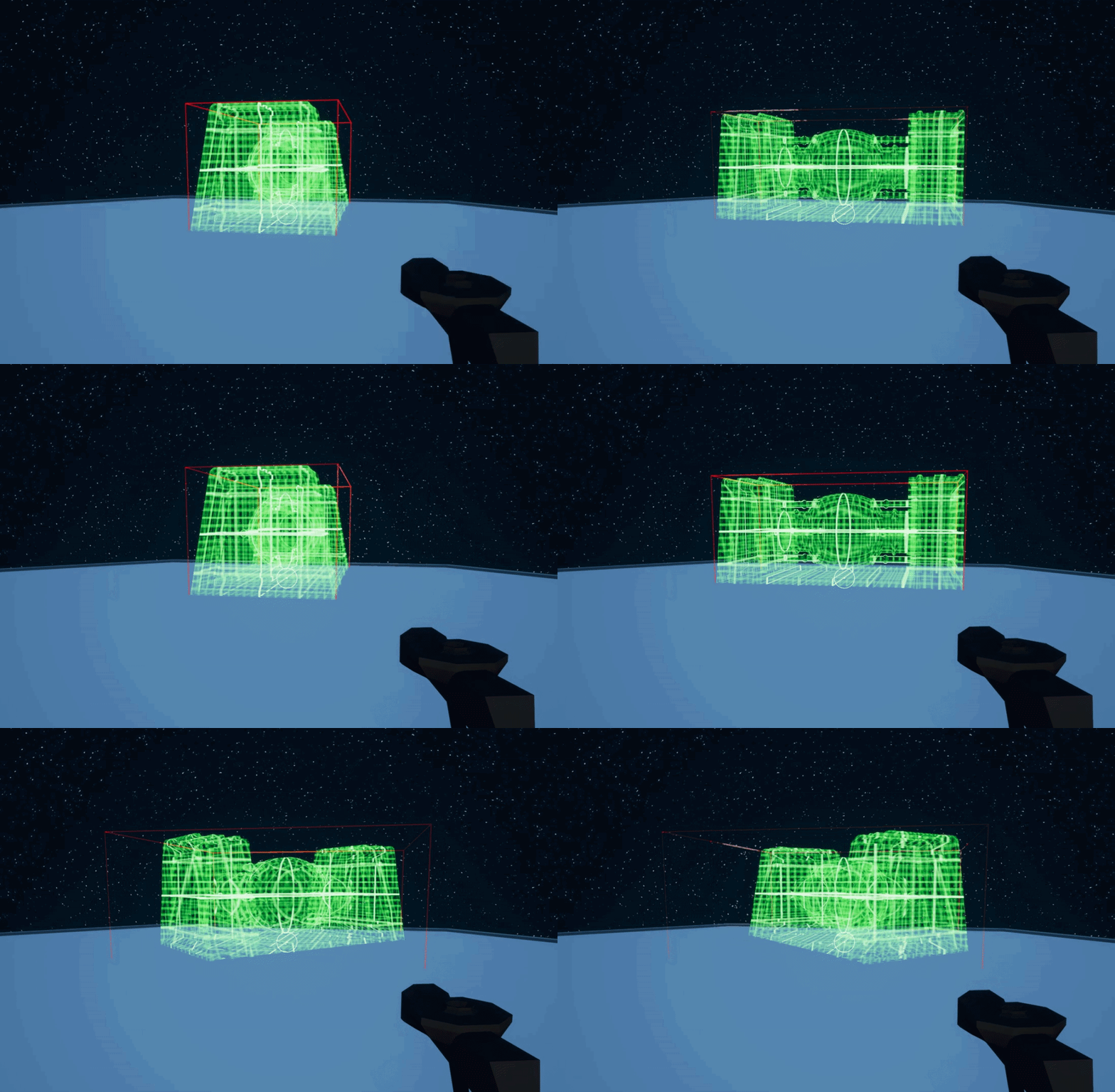 foggy escarp
Hey, I'm wondering if somebody could point me in the right direction.
I'm develo...
foggy escarp
foggy escarp
Hey, I'm wondering if somebody could point me in the right direction.
I'm develo...
But my question is about how I'd save and load them.
I was thinking about a possible solution of using save objects but im unsure.
shut fiber
untold fossil
That seems kinda silly
I'm not very good at vector math but you could maybe store the unrotated extent and then rotate that as the mesh is rotated rather than using the "Get Mesh/Actor Bounds" function after the rotation has taken place
foggy escarp
untold fossil
How do I get the bounds of a mesh when it's rotated? Currently when I get the bo...
From the static mesh actor itself, you can create the rotated bounds.
one, sec i found something on this a while back
untold fossil
@foggy escarp do you mean this? https://gyazo.com/8e8eeb14b3a7a73a53c622191dc8dad7

But what do I do with min and max? o_O
foggy escarp
min and max are your extents of the bounds
shut fiber
Would that not have the same issue though?
foggy escarp
untold fossil
may have found a solution
https://forums.unrealengine.com/t/oriented-bounding-box-from-getlocalbounds/241396 here's the forum post i used.

Unreal Engine Forums
Hello, Rendering an (axis aligned) boundingbox using getcomponentbounds works nicely (below in green). To visualize my target-rectangle (red lines) I’m trying to get it a bit more tight by making an oriented boundingbox, using GetLocalBounds and rotating it (below in yellow). However as is seen in the image, the yellow box doesn’t encompass t...
There's are multiple ways.

This one is what i used.
foggy escarp
shut fiber
Would that not have the same issue though?
You can use the bounds of the mesh or even the imported bounds and orientate by rotation
shut fiber
foggy escarp
https://forums.unrealengine.com/t/oriented-bounding-box-from-getlocalbounds/2413...
Nice, thanks for sharing
foggy escarp
np
untold fossil
found it
sharing solution in a sec

So what I did is indeed first save initial bound extent. Then when rotating I use the live origin of the mesh, the old (saved) extent and the live orientation


 thorny rover
Hi. Question about level streaming. If you have a Persistent Level and Sublevels under it. For example a ground is in persistent level but houses are on different sublevels. How would you access variables of sublevel elements during runtime (e.g. when the ground is the persistent level but you would need to access a variable about one house)? Ideas would be helpful
thin panther
Just as you would any normal bp
If you are talking about communicating between level blueprints im not sure if thats a great idea
thorny rover
I would rather avoid using level blueprints
thin panther
Well then you can just go about regular inter bp cimmunication
Once you have a reference, cast to it
 opal rampart
Hi people, I'm trying to teleport my character if he gets stuck falling mid-air, like in Elden Ring (where it kills the player). In the image above, I placed character movement, is falling and teleport. But I don't know how to put a timer, or something like that, that tells the blueprint to teleport the character if he is falling for x seconds. Does somebody know how can I do that?

 wicked osprey
Guys, how can I rotate an item if it is a root component? I need to select rotate for some items that I will throw away (for example, rotate the weapon by some angle, and leave the first aid kit in the same position, for example).
earnest tangle
to rotate the root you rotate the actor
wicked osprey
earnest tangle
to rotate the root you rotate the actor
But i have root static mesh, and it simulate physics
earnest tangle
so?
trim matrix
I have a really annoying issue.. sometimes sporadically my MaxStamina Value here somehow gets evaluated as zero which breaks this logic (division by zero):

It gets fixed when I change anything in this blueprint -> compile -> rechange it and compile again. Why does this happen?
foggy escarp
You don't have anything on construct?
trim matrix
Its derived from a C++ class and both in construct and begin play it is set to non-zero.
wicked osprey
@earnest tangle If I simulate physics with static mesh, then the root component will not simulate it at all and will remain in one place
earnest tangle
you're saying that your root is a static mesh which simulates physics
but you're also saying the root will not do that
so I'm not quite sure what exactly it is you're doing
brazen leaf
Can I make a library function that just takes a generic/wildcard input like Array?
I want to make a helperfunction like Print Array that doesnt care what the type of the object in the array is
earnest tangle
you can do it using a macro library but that's about it... it's possible in C++ but not trivial there either
solid zenith
This should run on key released but from atleast printing the number seems like get input key down resets to 0 before check comes through how can I fix that? Should make something that holds time then resets and starts increasing only after key is pressed again, idk what to use tho
 quaint nova
i have this function that should add 600 to max walking speed when my points hit 100 but it just begins accelerating when points are not at 100


i'll try adding it in another bp
desert juniper
quaint nova
i have this function that should add 600 to max walking speed when my points hit...
delete the sequence
sequence just means
'Do this, once you're done, do this'
desert juniper
yeah, there are no 'splitter' nodes
quaint nova
yes
oh my goodness
i did something and now it works
well how do I get more milestones than 100
desert juniper
?
quaint nova
so in the code currently when my points get to 100 it adds 600 to max walking speed

so if I want to add 600 again when I hit like 1000
should I just continue the set max walkspeed node
quaint nova
thanks
so if I use the select node with integers, and plug an array with all integers I want it to add 600 to max walk speed with, would it work?
quaint nova
it is ok
desert juniper
an Switch on int node is what you'd want


actually i don't know if you can set specific values
 sharp fox
where can i post a world/material problem
quaint nova
I am watching a series from Virtus covering the endless runner game I am currently trying to make, but he had the speed increase by every tile but I wanted it to be like by hitting a certain amount of points
gentle urchin
quaint nova
i have this function that should add 600 to max walking speed when my points hit...
I'd suggest making a function in the player bp itself to handle the increase
desert juniper
after some googling, people suggest a ugly way, of converting the int to a string, and then switching on that
gentle urchin
Your issue now is the sequence node, and the consequential flow control of it
quaint nova
gentle urchin
I'd suggest making a function in the player bp itself to handle the increase
it is currently in character bp
and the sequence has been removed
gentle urchin
Its bypassing your branch, so the branch serves no purpose
If its in the char, why do you get player char and cast to self?
faint pasture
Just select speed given points
desert juniper
 quaint nova
sorry I am an amateur
desert juniper
kinda ugly, but is simple and it works
faint pasture
Fuck a switch, just select the speed. It's just a stepped function lol
desert juniper
he wants to apply different char movement speed based on number of points
it is a bad idea for sure. but a simple one
better would be map of points to speed
faint pasture
desert juniper
And when points are 101¿
gentle urchin
Or 99 again
desert juniper
faint pasture
And when points are 101¿
100 sets it to 600 speed, and then doesn't care anymore until it hits 600
that was the intention
he doesn't want it continuous. just as an achievement
quaint nova
desert juniper
100 sets it to 600 speed, and then doesn't care anymore until it hits 600
yes
gentle urchin
Hard to tell imo
desert juniper
when you hit 100 points, set speed to xxx, then when you finally hit 600 pts, set speed to that
gentle urchin
But then it'd work yes
quaint nova
oops I wrote it wrong
desert juniper
ugly I admit.
solid zenith
solid zenith
This should run on key released but from atleast printing the number seems like ...
.
gentle urchin
Probably not
desert juniper
@quaint nova is added speed always going to be + 600?
faint pasture
desert juniper
100 sets it to 600 speed, and then doesn't care anymore until it hits 600
As long as 100 is guaranteed to be hit, sure. We know nothing of his points setup though
You want a curve for this.
gentle urchin
I guessed point being health points, but if its accumulated points of something, then..
quaint nova
desert juniper
<@285721605668339713> is added speed always going to be + 600?
yes it is supposed to work like when you hit 100, the speed gets increased by 600, when it hits 1000, the speed is again increased by 600
faint pasture
quaint nova
yes it is supposed to work like when you hit 100, the speed gets increased by 60...
And carrying on?
10,000?
faint pasture
Why not 500?
If it's not a steady pattern then use a curve.
If it is then use math
quaint nova
well it is quite close since you gain points almost every tick
so it doubles so fast
faint pasture
quaint nova
well it is quite close since you gain points almost every tick
Curve
quaint nova
yes
gentle urchin
You could hard code a formula but that'd be even worse than the switch 😄
An array of target points
faint pasture
gentle urchin
You could hard code a formula but that'd be even worse than the switch 😄
The switch is practically guaranteed to never be hit, he said he has points going up on tick, there's no way I would rely on having points be exactly the value instead of greater than the value
quaint nova

well
it does increase the speed on 100, but I cannot see currently clearly if it does it again on 1000, I will come back to this when I get some obstacles
faint pasture
quaint nova
it does increase the speed on 100, but I cannot see currently clearly if it does...
Dude just do a curve. This is shitty and will break all the time.
Also why are you still getting player character and casting to third person character? Isn't this ON the third person character class?
 brittle garnet
quaint nova
brittle garnet
quaint nova
This is self-harm. Please stop.
 zinc flicker
Question about "Groom" hair and enable/disable simulation.
Since groom hair take lot of performance i was thinking to make them only simulate when you walk over a trigger box and are near them so they got deactivated for the rest of the time.
The problem is in the image above the "simulation enable" from groom, doesn't work at all.
The only option i found for now that worked is just to make the hair "hidden in game".
Is there a way to tell the "groom hair" to disable and enable simulation or is the "hidden in game" way to go?
 quaint nova
faint pasture
Dude just do a curve. This is shitty and will break all the time.
quaint nova
faint pasture
Dude just do a curve. This is shitty and will break all the time.
so do you mean float curve or? (I know this might be a stupid question)
faint pasture
quaint nova
so do you mean float curve or? (I know this might be a stupid question)
Yup. X axis is score, y axis is speed
You can make it stepped and not smooth so it only goes up at the break points
faint pasture
quaint nova
How do I reference it in bp
Add a float curve variable to the BP, set it to be the one you made. Then sample it (Get Value at Time or whatever)
 lime fulcrum
Hi!
Do you guys know why my Widget Interaction does not interact with the 3D Widget? I see the trace when enabling the Debug, it passes through the 3D Widget and yet it has collision. :\
I'm confused
 wise tide
Very simple question but if I want something to happen on my gamemode begin play before the parent gamemode begin play I assume I put it in between here.
If I want something to happen after the parents begin play, do I need to add it to the parent BP or can I just drag from the last exec pin?
 lime fulcrum
no, you add it afterwards
wise tide
Like if I drag from that last exec pin will it run that section of nodes after, during or before the parents begin play
lime fulcrum
Parent: BeginPlay is used to do stuff from your parent class like things you need to do for all sub classes
otherwise if you don't spaw nthat node it's like you wanna override all of that
it will run after
wise tide
I see, so stuff I want to run after the parents begin play, but only on this specific child, I just put after the parent begin play node
brazen leaf
This is weird. I have an Actor Component class with these two variables set. I made a child blueprint and the child can only see the 2nd variable and define it, not the 1st. They have the exact same settings in the parent (instance editable, public)

I found one weird thing. under Variable Details, Advanced, there's CFF_DisableEditOnTemplate for the one the child can't see. I dont see where that came from or how to change it
Yes, I am able to do that
Right
I need to set it to Actor Class Reference
solid zenith
What would I need to use to make a float which would increase in my case from 0 to 1 +0.01 every frame or whatever but could be stopped before reaching 1 too and then come down to 0 -0.01 every frame
brazen leaf
I learned this last week but it didnt stick. Thanks @toxic jay !
faint pasture
Do you guys use data tables, data assets, data only bps, or some mix?
earnest tangle
I'm using increasing amounts of data assets lately as they are quite convenient for storing all kinds of data and configs, and they are resistant to having to recreate blueprints when they get corrupted :P
faint pasture
earnest tangle
I'm using increasing amounts of data assets lately as they are quite convenient ...
How do you discover them at game time?
earnest tangle
they can also be sometimes useful as they support polymorphism
faint pasture
Like how would I "get all possible items"?
earnest tangle
I just assign them into blueprints and the bp uses it as its settings source or such
I have a data asset which is an array of other data assets for that purpose in my other project
which is then assigned into some BPs that need a list of things
faint pasture
Ok so I could make a bunch of item definition data assets and then create an ItemDBDataAsset which contains references to the items?
earnest tangle
for example yeah
faint pasture
The ItemDBDataAsset would replace the DataTable sorta then
earnest tangle
you can also discover them through asset manager but it can be kinda fiddly sometimes so really depends on how you want it to work I guess
you certainly could use a data table too if that makes sense in your usecase, for example if you use spreadsheets for some usage
faint pasture
This is for defining hundreds of items, data assets would probably work.
 dense thicket
to make a MP game for steam, do i NEED a lobby or is it just "nice to have" ?
sudden zephyr
dense thicket
to make a MP game for steam, do i NEED a lobby or is it just "nice to have" ?
The fact that that's a question nowadays is just fu imo but then again, I'm a boomer. xDDDD
faint pasture
dense thicket
to make a MP game for steam, do i NEED a lobby or is it just "nice to have" ?
Depends on if a lobby makes sense for the game
sudden zephyr
I mean... Games coming out without scoreboard now too so... xDDDDDD
🤔
faint pasture
Our game doesn't have a lobby but it's not a match-based game.
dense thicket
faint pasture
Depends on if a lobby makes sense for the game
thanks, so i guess it does not need it 🙂
faint pasture
Can't see shit
naive stag
How can I do it so that In arrays, the first existing value will be picked up?
faint pasture
naive stag
How can I do it so that In arrays, the first existing value will be picked up?
How do you have a non-existing value in an array?
array of what?
faint pasture
Either do a foreach loop, saving the first valid ref to a function variable and returning it when done, or a while loop, bailing out at first valid ref or end of array. Depends on how huge the array is which is better, but I'd lean towards the foreach
Foreach Entry in Array
if Entry is valid and FirstValidRef isn't, set FirstValidRef = Entry
loop end
Return FirstValidRef
OR
ReverseForEachLoop
if Entry is valid, set FirstValidRef = Entry
loop end
Return FirstValidRef
both approaches will return the first valid ref, or a null pointer / invalid ref if none exists
Make it a translucent/masked material. Also, #graphics
undone surge
ok thanks n srry ill put it there next time
naive stag
faint pasture
Foreach Entry in Array
if Entry is valid and FirstValidRef isn't, set FirstValid...
Im having a hard time understanding that. Is there a way maybe you can send an image of it or something?
faint pasture
naive stag
Im having a hard time understanding that. Is there a way maybe you can send an i...
Start by making a function that returns an actor reference. Give the function a local variable FirstValidRef
naive stag
faint pasture
Start by making a function that returns an actor reference. Give the function a...
I did it already
faint pasture
K do you wanna do the foreachloop method or the reverse one?
faint pasture
K so set that up and show what you got
Foreach -> branch -> set FirstValidRef

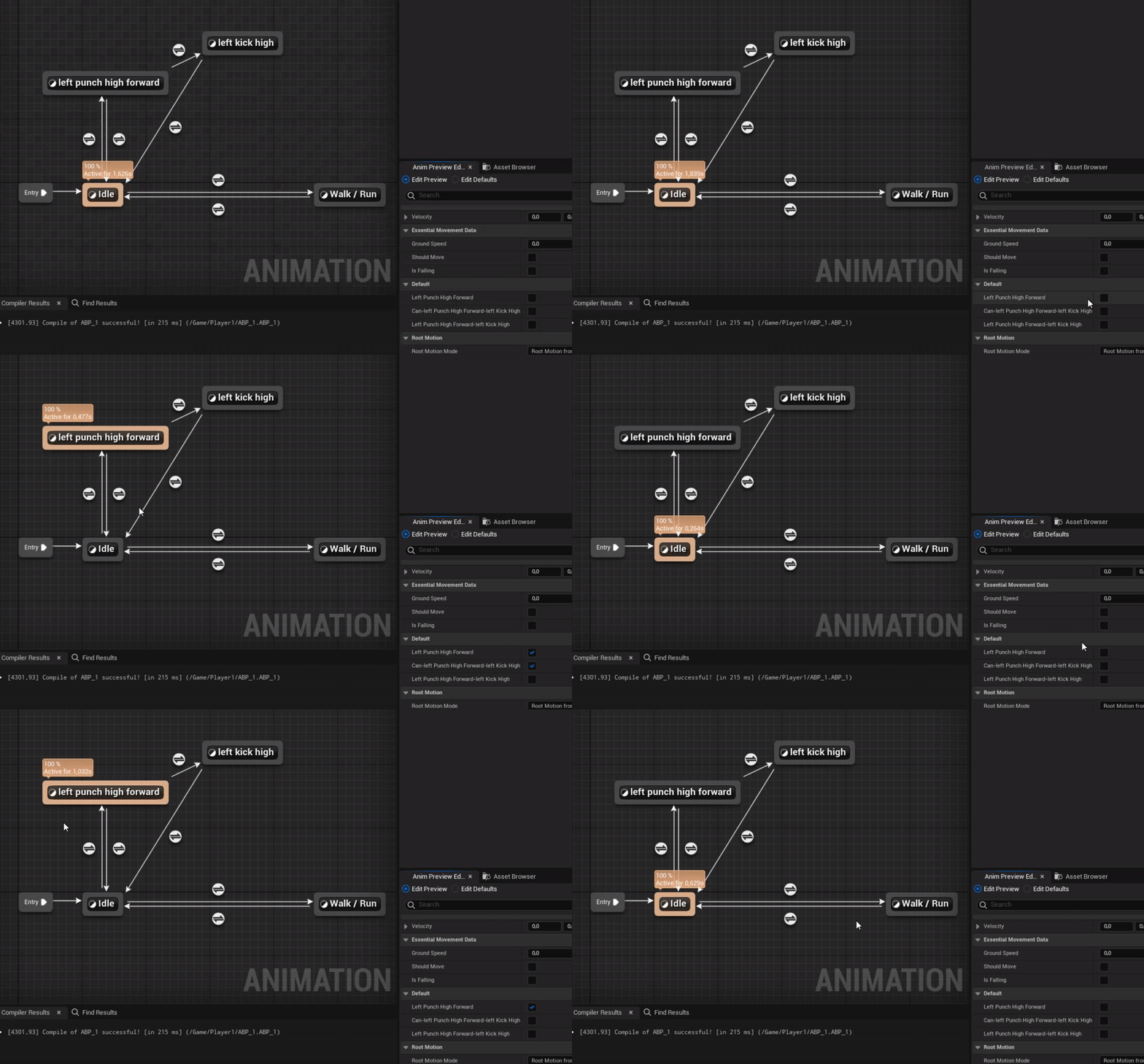
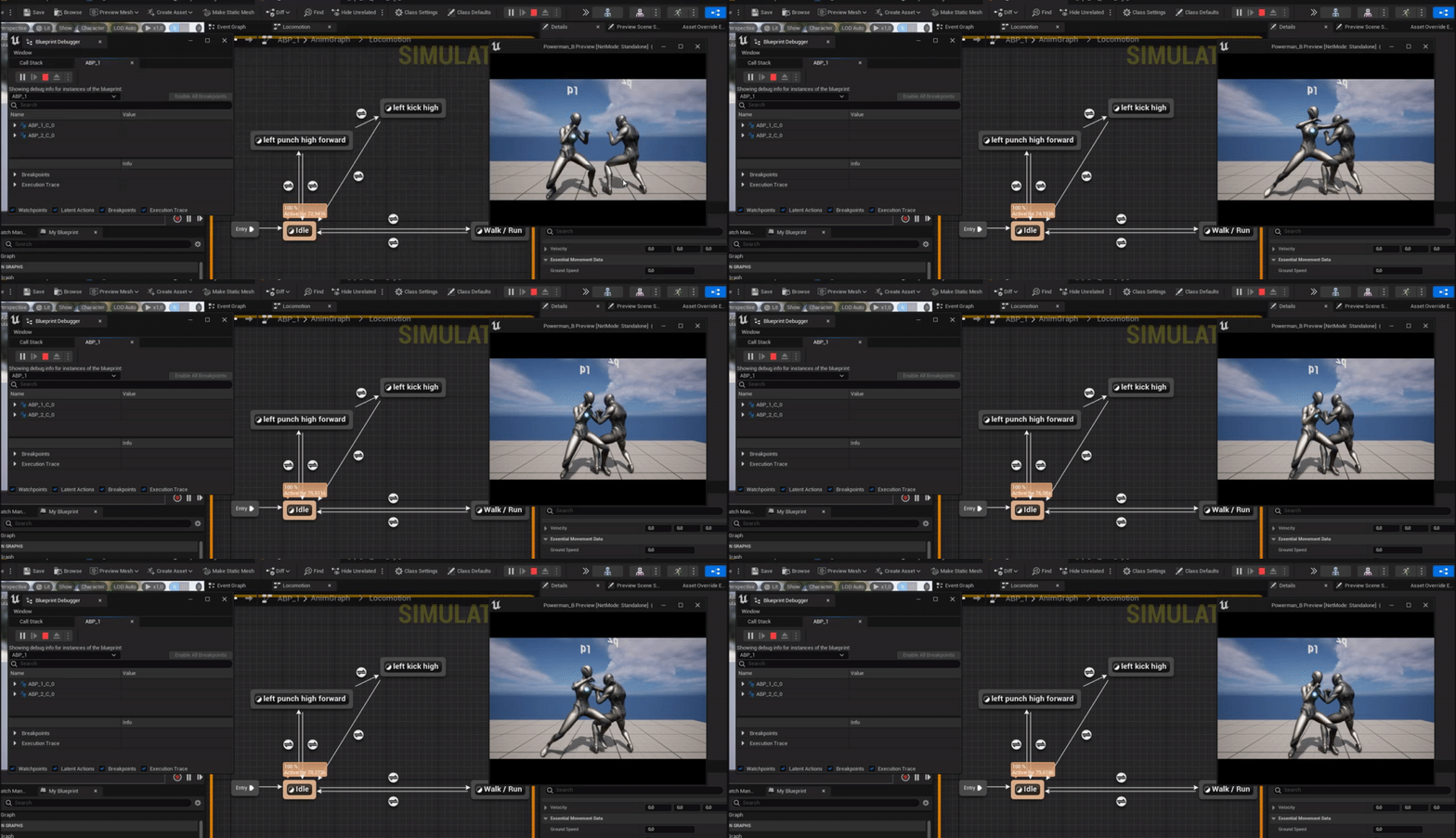 faint pasture
gentle urchin
||||
faint pasture
gentle urchin
||||
No, return after the loop is done. But that actually would work I think, bailing out of the for each loop early.
gentle urchin
Yeah, this works
naive stag
gentle urchin
||||
How is it gonna save the first variable?
gentle urchin
no reason to iterate further
faint pasture
Make sure you have another return after completed returning a null ref
gentle urchin
 gentle urchin
Doesnt it return the default value if nothing else is returned? aka none?
but its good practice to do so, for sure.
naive stag
I have 5 objects that are valid as well
faint pasture
Not sure, I havn't pushed the limits of BP functions to see if they break
naive stag
I need to pick the first valid object out of those 5
gentle urchin
if you wanted to know the index,
 faint pasture
Is this seperate from the array?
gentle urchin
and toss yourself an out aswell
sudden zephyr
Why not use for each with break? He's only pulling 1 ref. o.O
faint pasture
sudden zephyr
Why not use for each with break? He's only pulling 1 ref. o.O
Function bails out anyway
so it breaks anyway
faint pasture
naive stag
I need to pick the first valid object out of those 5
If they're NOT in an array, make an array out of them and call the same function. Voila, you're reusing code. That's great.
gentle urchin
If you're not familiar with the method, i can see it coming off as confusing tho
It's 100% safe to use 🙂
sudden zephyr
faint pasture
Function bails out anyway
Wait... Heh... The way the above function is set is that it's gonna itterate and push everything thorugh. So basically you call the function once but it's gonna push each loop iteration. No?