#blueprint
402296 messages · Page 889 of 403
 idle crescent
Also, do object child class blueprints not have constructors and destructors? I may have to derive from actor instead, then.
 tawdry surge
Of course they do.. all classes in c++(and therefore bp) have a constructor an destructor
idle crescent
Well, I don't see where to override the constructor/destructor in BP for an object child class though, so I was confused.
Meanwhile though, if I derive from actor for instance you see a constructionScript and destroy functions to override
tawdry surge
Object type Constructors might not be exposed to BP by default
idle crescent
They aren't it would seem.
idle crescent
Well. I would figure it would waste data if it isn't rendered and has no location.
I could just derive from actor instead though, yes.
 odd ember
sure if you don't need it to run any functionality as the game begins it's all good
UObjects in BP are basically data objects unless they are "special", as in, Game Instance etc.
idle crescent
Well. Like I said, I'm porting a FDM and it uses constructors and destructors
So that's why.
odd ember
I didn't know that, I haven't seen your question. I also don't know what a FDM is?
idle crescent
Sorry, I didn't mean to assume you knew it all. FDM is Flight Dynamics Model.
 clever helm
help, when i updated my project from 4.27 to unreal engine 5 sprinting stopped to work properly, max walk speed gets changed but wont affect the character's speed
 trim matrix
Hey folks, So i am doing procedural generation at the minute and l looking at the fence BP in content examples. So I wanted to test it out for the 400x300 wall that comes with UE Starter Content. So I did the following:
https://blueprintue.com/blueprint/3_y3xuck/
Variables
Wall Width: 400
WallToSpawn: Wall_400x300
The Starting X location is -1660.0. Went I duplicate and move the wall along, the next starting X location is -1260. I set the wall width variable to 400 then. However the procedural wall spawns at endpoint 600 on x. See screenshot
The endpoint in screenshot is where the wall spawns. I would have though it would wait until I get to an end point then spawn the wall. Unless Im missing something Compltely obvious. It just seems to be all the walls in the architecture of the starter content.
If I don't reply straight away it's because I'm out in a cafe and can't get the problem out of my head!!


No description provided
odd ember
idle crescent
Sorry, I didn't mean to assume you knew it all. FDM is Flight Dynamics Model.
I see. your best bet is to use cpp if you want to do something more complicated than just prototyping. FDM seems very heavy on the simulation side, so I'd definitely recommend that approach for that reason as well
idle crescent
odd ember
I see. your best bet is to use cpp if you want to do something more complicated ...
Yeah. You're probably right. I just try to be lazy I guess, and that won't work this way at least.
clever helm
clever helm
help, when i updated my project from 4.27 to unreal engine 5 sprinting stopped t...
any help...
tawdry surge
You'll need to give more info than "it stopped working". Screenshots are always nice too
trim matrix
Any help on my one would be greatly appreciated too. I suppose I could just create an instance of it but I do like using the end point in the editor
clever helm
tawdry surge
You'll need to give more info than "it stopped working". Screenshots are always ...

really the normal setup
i tried to actually change the default value to 1200, and whenever i click play it always become 120
trim matrix
does anyone know how I can specify that spotted actor is the first person character only?
because it keeps detecting AI's and the first person

in this screenshot
above
I want the enemy to detect only the first person character
not other ennemies
because they run into each other and stay stuck

I tried doing this but didnt work
here's an example of the issue
trim matrix
trim matrix
Hey folks, So i am doing procedural generation at the minute and l looking at th...
If i am understanding this correcty, you are attempting to make a wall that will dynamicly grow towards your endpoint?
trim matrix
clever helm
i tried to actually change the default value to 1200, and whenever i click play ...
This code looks incredibly normal to me
I dont think the problem lies there
I would imagine that there is another spot in your code that is changeing the movement speed value, or this could be a multiplayer project, could be using the wrong character?
 blissful grail
Anyone encounter an issue where their AI is moving faster than what the CMC is supposed to allow them to? I have MaxWalkSpeed set to 10 and they're blazing past my player, who moves at 350. 🤔 (I don't alter the speed in code at all)
odd ember
blissful grail
Anyone encounter an issue where their AI is moving faster than what the CMC is s...
sounds like a job for the debugger
trim matrix
trim matrix
does anyone know how I can specify that spotted actor is the first person charac...
Just simply CastToFirstPersonCharacter
that is one way
clever helm
trim matrix
I would imagine that there is another spot in your code that is changeing the mo...
nothing is overriding the maxwalkspeed i dont really know whats the issue it suddenly stopped working
blissful grail
odd ember
sounds like a job for the debugger
Honestly not sure what to debug per say. Especially considering this is the first time I've encountered this.
I literally just change the value in the CMC in editor. Nothing more, nothing less.
trim matrix
clever helm
nothing is overriding the maxwalkspeed i dont really know whats the issue it sud...
Is your LeftMouseButton input even happening?
Could be the wrong character, could be in UI only mode?
odd ember
blissful grail
Honestly not sure what to debug per say. Especially considering this is the firs...
you won't know until you try
blissful grail
blissful grail
I literally just change the value in the CMC in editor. Nothing more, nothing le...
Like - I understand that the value isn't being saved.
clever helm
trim matrix
Is your LeftMouseButton input even happening?
left mouse input does indeed happen
i added a breakpoint and the maxwalkspeed does infact get changed
trim matrix
trim matrix
If i am understanding this correcty, you are attempting to make a wall that will...
That's it mate yeah. So first wall takes up 400px then I would expect next wall to spawn at 800px on the endpoint but it spawns at 600px
trim matrix
clever helm
i added a breakpoint and the maxwalkspeed does infact get changed
then how is it getting changed back?
clever helm
but for some reason when i check the walkspeed its the default one
clever helm
trim matrix
then how is it getting changed back?
i dont really know
 clever helm
whenever i press shift its supposed to run the new maxwalkspeed but when i check for it nothing is changing
trim matrix
trim matrix
That's it mate yeah. So first wall takes up 400px then I would expect next wall ...
Firstly then, id like to ask, is there a reason then why the walls need to be seperate componets?
 vital osprey
Hey all! Quick question, I made a Control Rig containing an IK system, but when I'm hooking up the Control Rig Node in the Event Graph for the Animation BP, I get a compile error saying: "Control Rig has no valid instance". Any ideas as to why this happens? 🤔
 modest monolith
Hello guys, I'm using a Random Sequence Player for play a random animation between 2 when I land from a jump.. but after I land it keeps playing that landing animation forever instead of just one time.. how can i fix this ?
blissful grail
odd ember
you won't know until you try
Yeah, not the slightest clue. The BP was cursed. I'm going to blame it on reparenting bugs or something like that. I just deleted the BP and recreated it. Now it respects values that I changed in the inspector.
odd ember
blissful grail
Yeah, not the slightest clue. The BP was cursed. I'm going to blame it on repare...
I've seen that bug before
 cedar cave
Hello. Can someone help me code my game?
trim matrix
cedar cave
Hello. Can someone help me code my game?
Dont ask to ask, just ask
 broken wadi
cedar cave
Hello. Can someone help me code my game?
broken wadi
cedar cave
Hello. Can someone help me code my game?
Try asking a more specific question and you might get an answer.
For example: How do I make my character do a front flip whenever I press spacebar.
trim matrix
trim matrix
Firstly then, id like to ask, is there a reason then why the walls need to be se...
None at all mate. I was trying to learn about it by taking the procedural fence BP in example contents and messing with it to try it with walls. If you were doing it is there a way youd recommend? My head is melted atm with it 😂
trim matrix
trim matrix
None at all mate. I was trying to learn about it by taking the procedural fence ...
I would recommend using a singular wall and simply scaling it to the desired length.
I'm beginning to think myself that is the easier option
It is far eaiser
it also allows you to make the wall to an exact length
If you try and duplicate the wall, you are limited to wall lengths at 400 U unit intervals
If you use one wall and scale it, you can make the wall length anything
TargetWallLength / 400 = Scale
 hollow gorge
How do I open the level blueprint in ue5?
 slender rune
hollow gorge
How do I open the level blueprint in ue5?
slender rune
hollow gorge
How do I open the level blueprint in ue5?
 modest monolith
Hello guys, I'm using a Random Sequence Player for play a random animation betwe...
modest monolith
modest monolith
Hello guys, I'm using a Random Sequence Player for play a random animation betwe...
😦
 jagged stone
How can I bind to events from a reference object? For example I have an variable "Spawner", and at BeginPlay I'm finding the spawner object and setting it to this variable. Then i want to bind some things to the event dispatchers for this object...but they don't get fired:

I'm guessing that this is because the bindings are getting created before the object has been set...how do i solve this?
 sage heron
Hey ppl, can you like "resume" a For Each Loop with Break?
tawdry surge
No
 round moth
hey yall
im trying to work on learning unreal and its a lot of fun
so i was wondering, if i made a blueprint called target, or enemy. then placed them around. then if i put on line trace the on actor then get actor from class
then i could have something happen every time when a target is hit?
 thin panther
You use a line trace
And cast to the object usi whatever you hit
Then call whatever on the object
A get actor of class is unnecessary there
trim matrix
jagged stone
I'm guessing that this is because the bindings are getting created before the ob...
Correct. In your situation, you would need to set the reference to Spawner in the construction script.
Either that or manualy create the bindings via BP functions
jagged stone
Is that possible? I thought the constructor script gets called before any objects are put into the world?
trim matrix
Construction script gets called when a object is Spawned or Placed in the world. Or also when an Placed object is updated in the world.
In your situation, the gamemode will be spawned in the world at the beggining of the game.
As long as the spawner was pre placed in the world, you should be able to set that reference during construction script
jagged stone
ok, thanks i think i misunderstood the order that game loads things
confirmed that setting the object variable in constructor script does work 👍
trim matrix
It will also be helpfull for you to learn how to bind events manualy as well
Using BP functions
I would reccommend trying to accomplish the same thing by manualy binding the events as well. Just so you know how to do it that way as well.
In most cases using event dispatchers, you will need to manualy bind those events using functions.
round moth
so do i have the line trace return what it hits? then ask whether it is a target or not, then if yes, add point or destroy target?
just not sure how to get what it hits
 fleet cobalt
is there a block that wokrs like branch except it does two actions on true
trim matrix
im not sure the question
fleet cobalt
i want to do two actions on event construct and i do not know how
trim matrix
by connecting two nodes together?
round moth
does on component hit, count for linetrace?

 spark steppe
line trace on a channel that the collision box is set to block
round moth
what
spark steppe
let me rephrase it... the collision box must block collision on the channel that you do your line trace on
 icy dragon
round moth
what
icy dragon
round moth
what
Line trace on a collision channel that the box collision blocks.
round moth


so its tracing on camera and it has block on camera
but it still doesnt seem to work
spark steppe
but it should
round moth
ok ill keep tryom
spark steppe
is your trace going through the box?
round moth
yes
round moth
yes
spark steppe
ok
 trim matrix
where would I put a fonctionality that stuns an enemy
I have a behavior tree but not sure if I should try to integrate there?
the ennemy will get stunned by the player
and be able to move again after like 5 secondes
spark steppe
yea sounds like something that could be in the BT
observer which checks a bool or something

 spark steppe
or do you rather want to disable the whole AI for 5secs?
that could be done outside of the BT
spark steppe
can't move and can't do any AI related things are 2 different things
trim matrix
cant do any AI related things
round moth
i have it set to block all and my character can walk through it
spark steppe
then i would put that logic on the stun effect
let it disable the AI on the character it hit, and set a delay of 5seconds which reenables it
spark steppe
didn't you say collision box?
was that a actual mesh the whole time?
open the other mesh in the mesh editor, click on show => simple collision
it most likely doesn't have any simple collision set up
round moth
i dunno to be honest. i had a static mesh, that i put a collision box around, but now this different static mesh is doing the job
and that is so true
it was just a mesh that didnt have collision on in the mesh editor
 spark steppe
shouldn't you set widget ref to the widget that you created? nvm
or is that on purpose as it is?
round moth
i dunno what you mean
im just wondering why the mouse wont show
any thoughts on helping with that?
icy dragon
round moth
shouldnt this all work?
The Cast node isn't necessary if Widget Ref is the same class as you're casting.
round moth
ok yes i gotcha. but the show mouse cursor, isnt showing the mouse

this happens when i do that
like when i close the game
and im mostly worried about the mouse tbh
icy dragon
round moth
Where do you set the Widget Ref variable?
round moth

 jaunty summit
round moth
how do i get the mouse to show then
jaunty summit
round moth
how do i get the mouse to show then
From PlayerController there is a boolean(called ShowMouseCursor) you can set to true
But it's not what they are asking you
round moth
round moth
shouldnt this all work?
yes i know look
jaunty summit
They are asking you where are you setting the reference variable Widget Ref?
 jaunty summit
And that would be our answer too
round moth
i dont know how to answer the question
jaunty summit
You have a variable called Widget Ref. If you create it without setting it to meaningful value(which is a user widget) then it would take the default value which is null.
jaunty summit
round moth
And that's why you would be seeing this error list
round moth
widget ref is my w_main, my main widget
icy dragon
But where in the BP do you set the reference?
thin panther
you made a variable
but it needs a value
you made it of the correct type, but you havent actually put anything in it
thin panther
well you need to set it when you make the widget

 limpid bronze
How do you disable Simple Move To Actor?
Like say if I call a simple move to actor when the player is in range of an enemy, how do I tell it to stop when out of range
the best I could think of was telling the AI to move to itself.
jaunty summit
StopMovementImmdediately
Oh looks like it's C++ only. Try StopActiveMovement or StopMovementKeepPathing
round moth
is there something to just re load the level?
jaunty summit
Load the level again
 fervent jolt
Hey, so Im trying to make it so if no save slot is found a new one is made called untitled1, or if unavailable untitled(higher number here).
The way Im trying to do this is by checking all save slots to see if the name untitled27 for example exists, and if so then incrementing it so it can try untitled 28 and so on until it finds a unused name.
It occurs to me however the array would only supply one slot at a time causing issues since one slot is not every slot and could give a false negative. is there a different node I should be using?
 fervent jolt
round moth
is there something to just re load the level?
fervent jolt
round moth
is there something to just re load the level?
I think theres a command node you can have do the RestartLevel command when desired
round moth
nice thanks
 last ice
whats the best way to check if another actor is overlapping on BeginPlay?
for the running game there are events... but on all that happened before begin play it does not work
 jaunty summit
How would that happen before BeginPlay I wonder...
odd ember
last ice
for the running game there are events... but on all that happened before begin p...
GetOverlappingActors
last ice
odd ember
`GetOverlappingActors`
ah. seems i have overseen that. ty for your help 🙂
trim matrix
hey guys
Im trying to stun an ennemy when I hold down a key for 3 seconds while im pointing at him with a flashlight (line trace node)
the issue is I cant get it to work with a float and a few conditions
my code is kinda of sloppy ngl
I've been told to use some kind of timer but im kinda lost rn , any help is appreciated. thanks


 trim matrix
I've been told to use some kind of timer but im kinda lost rn , any help is appr...
trim matrix
trim matrix
I've been told to use some kind of timer but im kinda lost rn , any help is appr...
Yes go look up on how to use timers
the function to create one is called SetTimerByFunctionName
trim matrix
trim matrix
Yes go look up on how to use timers
do you know if there's a way to activate a boolean when the line trace hit a specific actor
?

by using the SetMyBoolean node?
I dont know what your asking
broken wadi
First use that one to check if it was a successful hit or not, then you check for the correct type (you've got that already with the cast) then drag from the blue pin of the cast and search "Set (your boolean)" and check the box.

 pine trellis
I gave my mesh a material instance and I set a timeline to change it after death is this the correct way to get the material instance ? Its not working

I need to get the MI from my mesh and change it from the timeline
trim matrix
broken wadi
First use that one to check if it was a successful hit or not, then you check fo...
wait im lost

I have the linetracebychannel there yes
broken wadi
Check the ouput of Return Value from the Line Trace by Channel by using a true / false branch to determine if the line trace actually hit something.
or I guess that's not exactly what you're after, you can skip that part
 broken wadi
so then drag from the blue pin "As Mannequin Master Ai 2" and set your bool as you normally would
I don't understand your question, you've got some boolean you made called Hit being set to true. Is that what you wanted? Or are you trying to set a boolean that lives inside of As Mannequn Ai Master 2?
round moth
can i put names of levels in an array, then have a trigger or a button that loads a level, in the current array position plus one
trim matrix
that would work yes
when the line trace hits my AI
it will activate a bool to true
when its not on the AI
the bool will be false
@broken wadi you get it?
broken wadi
Then just set your boolean to false when the linetrace's return value is also false
trim matrix
doesnt work
broken wadi
what doesn't work, you can't set the boolean?
 broken wadi
@trim matrix
trim matrix
 trim matrix
trim matrix
trim matrix
idk it makes no sense
I removed that
you can hit floors and objects too with the trace
then..........
nothing states that its the AI specifically
 broken wadi
Your cast attempts to find that out
trim matrix
 pine trellis
can someone help? How can I get the material instance of the mesh and then use the time line to change it? its not working this way, I made a reference on begin play and then tried to call it but its not working
 trim matrix
Im confused because no materials are being updated until the timeline is finished. Is this intended?
trim matrix
trim matrix

what do you think?
looks correct to me
looks sketchy ngl
it is perfectly fine
pine trellis
@kindred lark At deatth I am trying to make the mesh fade out
all the nodes are for create material instance but no get material instance from my mesh
why does this always have to happen to me
trim matrix
I am assuming this timeline contains infromation about the fading out part?
 trim matrix
as of now then, your timeline is acting more like a delay rather then a timeline.
absolutly no logic that changes the material instance happens until after the timeline has fully completed
Your logic for changing the material instance is coming of the the Finished output of the timeline
It should instead be coming of the the Update output.
 pine trellis
oh ok let me check
trim matrix
This way, the code will execute everytime the timeline updates. Which I am assuming is every frame of the game.
trim matrix
trim matrix
it is perfectly fine
nothing is working now
I could not tell you why nothing is not working. What is not working?
How is it not working?
everything
Do you want to give any information about what is happening?
or just say that everything is not working
the AI wont get stunned
when I point the light
Do you have any idea why its not working?
Do you want to show me the code again?
Have you done any debugging so far about the problem?
with print string ya
Well what did you find out.
Did you find out that the linetrace was working?
Was the linetrace not working?
broken wadi
@trim matrix Try to be more descriptive when you're asking questions. If you take the time to think carefully about your question and provide as much information as possible others will find it easier to help you. Its okay to write a very long and detailed question with a screenshot. But if you keep making rapid fire screenshots while providing very little context and just say stuff like "nothing is working" how can you expect others to help you when they don't know anything about your game.
round moth
i need help
trim matrix
round moth
i need help
Just go ahead and ask
round moth
im trying to figure out how to get the stuff from inside the array and just have it be the text

and yeah lol was typing
round moth
on what
trim matrix
drag off of the array and type that
round moth
a copy or ref
trim matrix
doesnt matter for you right now
Either or
@trim matrix im recording a video of my blueprint
round moth
oh nice
trim matrix
That function will return a specific element in the array at the provided index.
so you can see in real time where everything is maybe it will give you a better idea of what im trying to do
ok
limpid bronze
This is going to sound confusing but how do you register hits with stuff like walls and surfaces?
because I've been trying to use onComponentHit with a sphere collider but it doesn't seem to work.
trim matrix
OnComponetHit does not work with collision volumes
It only works when you Hit the componet with a linetrace
limpid bronze
It wouldn't have worked anyway
trim matrix
Instead use the OnComponetBeginOverlap
limpid bronze
since turns out the projectile movement was only moving the sprite and not the spherecollider I had attached.
 limpid bronze
I think it might be getting caught on the enemy firing it
 trim matrix
maybe yea, I am not sure
round moth
is load level just loading the level in the same world, instead of opening it like a level?
trim matrix
though I dont think the fire would fly past it
round moth
and im not sure what open level does lol
limpid bronze
trim matrix
maybe yea, I am not sure
Found the problem
had simulate physics enabled.
trim matrix
round moth
and im not sure what open level does lol
Open level is the correct node to use
round moth
ok
trim matrix
The other one does exactly what you described, opens it in the same level.
Open Level opens a completly new level
trim matrix
The input LevelName is the exact same as the name of the level asset?
 trim matrix
Are you sure a valid value is being pulled from the array?
Have you tried to printstring it?
round moth
yeah lemme try
trim matrix
@trim matrix
round moth
it isnt for some reason
trim matrix
round moth
it isnt for some reason
Ss the code, im sure its very simple.

 trim matrix
trim matrix
trim matrix
I see two issues as of right now. First is just that the print string for "Linetrace is not on the enemy" would not run at the correct time. If this print string does ever run, it would be misleading. Second is that the stun code is incomplete. I would expect that enemys get stunned right now and never come out of being in the stunned state.
Also does the print string for "Line trace on enemy" ever run in game? Just to make sure.
When you look at over an enemy, does that run?
trim matrix
round moth
What is the defualt value for currentLevel?
round moth
0
trim matrix
Ok
well there is a couple things, firstly, your printText will never run unless the level is = 3
Which in this case, will never happen.
trim matrix
So why dont you put the Print text before the branch
Secondly, where is this currentLevel value being stored?
Im assuming this is inside the NextLevelTrigger?
trim matrix
ok well here is one issue as well.
The value of currentLevel is not being stored in a place that will be saved between levels
every time you load a new level. The value of currentLevel will be reset to 0 each time.
trim matrix
More specificly, every NextLevelTrigger actor will always have a default currentLevel value of 0
so when you load a new level, each NextLevelTrigger will always have 0 for its currentLevel
So you need to move the value of currentLevel to a location where it will not change. Even after you load a new level.
trim matrix
There is only one thing that persists even through level changes
It is not the gameMode
round moth
ok
trim matrix
How it works is that everytime you load a new level, a new gamemode gets loaded
This also means that every part of the gamemode
Such as the defaultPawnClass
player controller
game state etc
will also get reloaded
The only thing that stays is called the GameInstance
The game instance is created when you launch the game, and does not get deleted until the game closes.
round moth
ok
trim matrix
The GameMode(and all parts of it) gets created when you load a level, and deleted when you close a level.
So you will need to create a custom GameInstance class for your game.
Then put the currentLevel value on that.
limpid bronze
How do you tell in blueprints when an animation has ended? Like I want my enemy to shoot a fireball at the end of their fireball shooting animation.
round moth
ok
trim matrix
you can change the GameInstance you game uses in the project settings, in Maps&Modes.
trim matrix
limpid bronze
How do you tell in blueprints when an animation has ended? Like I want my enemy ...
A animation Montage?
trim matrix
trim matrix
I see two issues as of right now. First is just that the print string for "Linet...
they do come out I tested it
round moth
where do i find the make game instance thing
 round moth
thanks cool
trim matrix
trim matrix
they do come out I tested it
I see, I somehow missed that node before.
So does it work? what part does not work?
bascicly When I turn on the flashlight on the ground
and then point it at the enemy it stuns the AI
which is not right because the light needs to be on the enemy for 3 seconds for it to work
that's why I was trying to set a bool if the line trace hits the AI
As of right now, the code will instantly stun the enemy when you point over it.
 wicked magnet
same class in both nodes
tag name is copy/pasted from actor
It's nothing new I haven't done before.
trim matrix
trim matrix
bascicly When I turn on the flashlight on the ground
Right after you set Hit = TRUE, you call stun enemy.
limpid bronze
trim matrix
A animation Montage?
does that work with flipbooks?
trim matrix
limpid bronze
does that work with flipbooks?
Anim montages do not work with flipbooks no.
pine trellis
does anyone know if this code here will speed up me packing time or will it cause nightmares? I just bought a 12 core CPU and it only goes to 28% when packing! my other CPU went to 100%
 trim matrix
limpid bronze
does that work with flipbooks?
trim matrix
trim matrix
limpid bronze
does that work with flipbooks?
Are you using flipbooks?
trim matrix
I need to look at some old code to remember how to tell when a flipbook anim has finished.

 trim matrix
trim matrix
trim matrix
My eyes are not working today it looks like.
That looks correct to me.
Anyways, some changes need to be made still.
wait?
When you press right mouse button?
ya
that opens the flashlight
The LineTrace comes from eventTick?
trim matrix
round moth
but im not sure what to put in object
GetGameInstance
round moth
yo true
trim matrix
trim matrix
what calls the linetrace?
not sure honestly
I didnt do that part of the code
Well thats important.
Try and find out where the LineTrace happens
On EventTick?
On a mouse button press?
Im assuming eventtick right?

what calls that?

What calls ModeAttaque*
not sure
didnt find anything
its just a custom event I guess
limpid bronze
How do I make a non-looping flipbook?
trim matrix
was just looking at the old code again
its called SetLooping, the target is PaperFlipbookComponet
 round moth
any idea what this means?
 trim matrix
round moth
any idea what this means?
trim matrix
round moth
any idea what this means?
It means an invalid LevelName was specified
There was more things to say about the OpenNextLevel code, do you mind ss your current code for it?
trim matrix
fk man...
idk what to do anymore
Do you want to just hop on VC.
I will help you on call, can share screen
round moth
restarting my stuff
trim matrix
limpid bronze
How do I make a non-looping flipbook?
Sorry it took so long to reply, there is a dispatcher on the PaperFlipbookComponet called OnFinishedPlaying.
how about the bool starts the timer???
Im not sure that makes any sense to me.

¸when that's true
it will start a timer
Yes good idea.

StartTimerByFunctionName
like this
 trim matrix
StartTimerByFunctionName
trim matrix
trim matrix
StartTimerByFunctionName

Here we take a look at how we can use the set timer by function name node within blueprints to continuously fire off a function on a timer.
We also take a look at how it's more efficient than using the standard event tick approach.
Unreal Engine 4 Level Design Series: https://www.youtube.com/watch?v=GNjpkQpN6HE&list=PLL0cLF8gjBpo3EUz0KAwdZrDYr...
ok Im checking this tutorial now
yes watch that.
I will get back to you on my situation
might hop off soon cause its getting late here
trim matrix
round moth
this is my code rn
It is important to understand that arrays start at index 0.
trim matrix
yep
 trim matrix
round moth
without breaking
trim matrix
round moth
without breaking
Did you make it so the firsst time the code runs, it will not open level 2?
round moth
yes? when i play, i am in level 1
trim matrix
oh i see, since this is running only on the trigger.
Sorry my brain is not working the best right now

round moth
all good friendo
limpid bronze
trim matrix
Sorry it took so long to reply, there is a dispatcher on the PaperFlipbookCompon...
Thanks, it now shoots at the end of the animation; I just need to find a way to turn the looping back on for the other animations as it just ends up stuck on the last frame of the firing animation
round moth
im gonna put a widget with a next level button when you hit the trigger to go to the next one
and then thatll be my first "game"
even if its just a crappy jumping puzzle
trim matrix
limpid bronze
Thanks, it now shoots at the end of the animation; I just need to find a way to ...
Do you mean, start the a looping idle animation again after the fire animation ends?
limpid bronze
trim matrix
Do you mean, start the a looping idle animation again after the fire animation e...
yeah
trim matrix
CustomEvent OnFinishedPlaying ShootGun PaperFlipbookComponet.SetFlipbook(NewFlipbook = IdleAnim) PaperFlipbookComponet.SetLooping(TRUE) EndCustomEvent
trim matrix
limpid bronze
yeah
That should be what you need
limpid bronze
trim matrix
That should be what you need
like this?
 trim matrix
yes
limpid bronze
It's still freezing on a frame
trim matrix
oh yea lol
I forgot the most important node
PaperFlipbookComponet.Play
at the end
trim matrix
limpid bronze
like this?
that should be it
 glass crypt
What would cause the blueprint viewport to always be zoomed out really far for every blueprint? It takes me like 5 seconds to zoom into the normal view.
 worn kernel
im trying to get information from the gamemode and it tells me the value is 0 when i have it set to 5


in the print string its says 0
for each loop is not firing ether
trim matrix
Players inventory must be getting reset somehow then
Somewhere outside the scope of your screenshot
trim matrix
worn kernel
im trying to get information from the gamemode and it tells me the value is 0 wh...
Try using find in blueprints tool to and search for “player inventory”. See if you can identify where the array is being reset
 jaunty jolt
I created a structure blueprint. How do i add a function to it?
In c++ when you create a struct you can put functions inside it.
Is this possible in the structure somehow?
round moth
how hard is AI in unreal? never done anything on it in any game engine
 surreal peak
jaunty jolt
I created a structure blueprint. How do i add a function to it?
In c++ when you ...
surreal peak
jaunty jolt
I created a structure blueprint. How do i add a function to it?
In c++ when you ...
Not possible in BP
You also can't expose CPP struct functions to BP
You'll need to put them into a Function library
surreal peak
round moth
how hard is AI in unreal? never done anything on it in any game engine
Probably impossible to be answered as it's highly dependent on you
round moth
surreal peak
Probably impossible to be answered as it's highly dependent on you
oki doki. does blueprint make it easier, like everything else?
surreal peak
I personally hate the way UE AI works. At least BP wise
But that's again subjective
It might make it easier for you
 final stone
Hi, can anybody help me? How I can play the level sequence by pressing the button on the widget?
 gentle urchin
Same way as you would otherwise
 gray chasm
this is kind of a long shot, but if I'm editing a component in the level (ie. a spline), is there any way to, from the level, bake it back into the blueprint?
 marble warren
i would try learn AI sometime in learn portal 🙂
odd ember
gray chasm
this is kind of a long shot, but if I'm editing a component in the level (ie. a ...
nope, not unless you make some sort of utility for that. you can save instance data on just the one instance you edit, but you can't propagate it back to the BP
 distant fable
Anyone know how to setup a behaviour with inheritance in child blueprint where I can in the parent make some behavior with delay, and then call that from a child?
 tight schooner
distant fable
Anyone know how to setup a behaviour with inheritance in child blueprint where I...
tight schooner
distant fable
Anyone know how to setup a behaviour with inheritance in child blueprint where I...
Not sure if I entirely understand the question. Can't you Set Timer By Event or Set Timer By Function Name on a parent function from the child?
odd ember
distant fable
Anyone know how to setup a behaviour with inheritance in child blueprint where I...
you can call any event in the parent from a child
so if that event has a delay the same delay works
 boreal socket
Migrating our project from 4.21 to 4.25, is there a way to disable "Render in Depth pass" this from Blueprint?

 somber abyss
Hello! Does anyone know where can I find the "Render Movie" blueprint function? I've looked in 4.27 & 4.26 and it's not there. The unreal website documentation says that it's present in both versions!
 grim peak
Hi all.. I have created a component and a BP_actor for my static mesh. I want to add some sound when you do a OnMouseHover on my the mesh_BP. Where would you do this? Thanks

 open latch
Is there a specific way to destroy a static mesh and sphere collision inside a BP
tawdry surge
Destroy component
tight schooner
grim peak
Hi all.. I have created a component and a BP_actor for my static mesh. I want to...
idk it kinda depends how you want to systemize it. If the sound is localized to the object rather than a non-spatial UI sound, it makes sense to spawn it on the object. The nodes "Spawn sound at location" and "Spawn sound attached" will create components on the fly. Or you can add a permanent sound component in the BP's component list, which you can send a play command to. The latter might be more useful if you're going to have many types of clickable objects that each have their own customized sound parameters; a sound component is a logical place to house that data and play/replay its custom clicked sound within a family of actor classes. (I'm imagining clicking on units in a classic realtime strategy game, and each type of unit has their own audio response to that.)
Ultimately there are a lot of ways to do it... you can pick an approach that makes the most sense to you
If it's just a generic UI sound that isn't specific to the actor being clicked on, you don't need to put it on every actor.
 slender idol
hey, I got an issue with the set timer by event node, the remaining timer always shows 0 after setting it, the delegate won't fire either.

 velvet vessel
Good morning lads , I wanna ask right if its possible to my the sky sphere change when a certain key (y) is pressed , like when I switch to a character the sky goes black then switching back it goes white again .
gentle urchin
Yes, that is something one can achieve
velvet vessel
And how does one achieve such an achievement ?
tight schooner
slender idol
hey, I got an issue with the set timer by event node, the remaining timer always...
Not sure what's wrong in your screenshot. I mean, I slapped this together and it works. The print reports "1.0". Clearing and invalidating the timer handle after the timer fires is kind of pointless though. It clears itself unless you loop it.

 ember berry
Hey guys, so I'm having a problem with sprinting system. It fully works, but when i get to 0 stamina with shift still pressed stamina doesn't go up again until i press shift a couple of time... What could be the problem?


 gentle urchin
velvet vessel
And how does one achieve such an achievement ?
gentle urchin
velvet vessel
And how does one achieve such an achievement ?
Youd need to connect your input responsible actor to the skysphere blueprint and adjust its time
 formal parcel
@velvet vessel make a bp of it and reference it like any other actor?
velvet vessel
gentle urchin
Youd need to connect your input responsible actor to the skysphere blueprint and...
ahh that could work thank you
velvet vessel
formal parcel
<@221973094586253322> make a bp of it and reference it like any other actor?
quite new to the unreal engine scene , apologies .
formal parcel
no worries, me too
trim matrix
how do u mke flying like goku on unreal?
slender idol
tight schooner
Not sure what's wrong in your screenshot. I mean, I slapped this together and it...
I am using the nodes in a UObject based bp, it seems not even the set by function node works, the timer seems to not be set at all.
Does timer exist by handle returns false
everything past the node executes tho
tight schooner
never tried UObject as the parent class before... dunno what the limitations are with that; sorry
trim matrix
I'm trying to make a shotgun like reload system where it plays an animation / sound for every missing bullet, I figured out how to find the amount of bullets missing but can't figure out how to play the sound that many times?
trim matrix
trim matrix
how do u mke flying like goku on unreal?
no one knows sad i thought u all pros
formal parcel
@trim matrix i suggest make a reload function that reloads 1 bullet and plays the sound, then call that function in a while loop: while (not fully reloaded and reload not interrupted) -> ReloadOneBullet
then put a timer variable for reload speed
@trim matrix oh we know.. we just aren't going to waste time trying to explain it to someone that wont know what to do with the info
trim matrix
formal parcel
<@456226577798135808> oh we know.. we just aren't going to waste time trying to ...
hmm u cnt tell u dont know
tight schooner
I think a While Loop is instantaneous... can soft-lock the game with an infinite loop. There needs to be something latent like an animation that completes, and then some logic to check if there are bullets remaining --> play animation again...
trim matrix
also my 8 gb ram aint running unreal lol
formal parcel
yea seanny it'd be more like a check than a loop on frames, considering the timer
grim peak
tight schooner
idk it kinda depends how you want to systemize it. If the sound is localized to ...
Thanks so much seanny. I have added a sound component in the BP. Not sure how get it working with OnmouseHover. Do you mean something like this?
 formal parcel
also polyphia sucks 🙂
tight schooner
grim peak
Thanks so much seanny. I have added a sound component in the BP. Not sure how ge...
I'm not familiar with UE5. Is Item_ClickableComponent a BP component? Does it handle hover/clicked events as a sort-of interface? I'm not sure if your question is about spawning/managing the sound, or making clickable actors aware that they're being mouseover-ed or clicked on in the first place.
I'm pretty sure you don't want it to play the sound on BeginPlay
formal parcel
@grim peak you can use these to create event handlers, you dont wire them up in beginplay:
 trim matrix
lol u just dont know anything poser
other than this guy anyone know how to run unreal for a 8 gb ram when i turn on chrome it crashes
tight schooner
trim matrix
lol u just dont know anything poser
"how do I fly like goku" is too broad of a question for anyone to reasonably answer
formal parcel
stop listening to emo prog rock and buy more ram 🙂
trim matrix
tight schooner
"how do I fly like goku" is too broad of a question for anyone to reasonably ans...
well it makes sense
i want to fly like a superman type game
formal parcel
show me what you have so far on your attempt and we'll tell you where its wrong....
holds breath
trim matrix
damn this is so cool
 formal parcel
alright, you got the third person template open, thats a start
show me your character bp you're creating for superman, and your player controller stuff
trim matrix
im just saying is there like reso i cn decrease or anthing
so i cn run a utube video
formal parcel
i think you should spend all day on youtube watching beginner tutorials
but you want superman game NOW
so... good luck 🙂
 formal parcel
that actually looks pretty cool ngl
trim matrix
well u dont know im a blender amateur
formal parcel
well anyways polyphia, this is a help channel where people have specific questions - noone is going to handhold you through beginner tutorials
trim matrix
heres a little sculpting
 formal parcel
if you actually wanna make that, start learning
trim matrix
nah im just saying wat nodes do i use so i cn fly its a specific q in my opinion if u guys cnt i cn go somewhere too
formal parcel
uncanny valley exists on doll renders, who knew
tight schooner
You have to break that big problem "how do I fly" into smaller steps. Mapping a new control and making that input event available on the character. Disabling gravity and moving the character upward or whatever.
trim matrix
tight schooner
You have to break that big problem "how do I fly" into smaller steps. Mapping a ...
hmm thats a gud start not some comments
tight schooner
I never made a third person character fly but I know you have to break the problem down
formal parcel
or just maintain a velocity vector that you add to, then every tick add an anti-gravity force, y: -980
tight schooner
and then when you have specific snags or questions related to blueprint, you can ask here
formal parcel
but either way, the point is, you're clearly absolute beginner, which is fine, you just need to watch a few beginner tutorials or you're going to be stuggling with all the basics
trim matrix
formal parcel
uncanny valley exists on doll renders, who knew
working ona cyborg right now too

 minor creek
i need a spawner blueprint similar to niagara plane shape location. how can i do that?
formal parcel
for meshes?
 tight schooner
minor creek
i need a spawner blueprint similar to niagara plane shape location. how can i do...
tight schooner
minor creek
i need a spawner blueprint similar to niagara plane shape location. how can i do...
Can you describe Niagara plane shape vector? Does it select a random location on a plane?
 wicked osprey
Hello guys. I have a question. I need to call logic in an item on OnDrop and here's the thing, I can use either event dispatcher or interface. Is there a difference what exactly to use, if both suit me? The usual method will not work, since not all items need to implement the OnDrop logic
minor creek
 tight schooner
minor creek
tight schooner
minor creek
Set Timer By Event node with "looping" checked with the red pin hooked up to a custom event will turn that event into a repeating one
formal parcel
@wicked osprey interface is smarter, easier to expand and for the objects that dont need to do anything you can just return void
tight schooner
... And then that repeating event can spawn stuff with a random location vector within a range. I guess you can use Random Float in range hooked up to Make Vector, and then add the appropriate offset vector to place it in a desired world location, however you want to determine that.
You'll want to "Set Lifespan" on whatever actors you're repeatedly spawning if you want them to decay like particles.
wicked osprey
formal parcel
<@431522471213269022> interface is smarter, easier to expand and for the objects...
That is, I can create a method in the main class and where it is not necessary to simply not implement it?
tight schooner
This might be hell on performance depending on how many of these pseudo-particles you're spawning
formal parcel
@wicked osprey well you'll have to implement it but it can do nothing
so just a blank definition
but then for the cases where you need complex behavior you have the framework there to do it
tight schooner
@minor creek Another idea is to spawn these pseudo particles as components in an actor, and thus the host actor can be something of a "particle system".
With the components being spawned in relative-space rather than world-space
And thus no need for actor-to-actor communication/management
 tight schooner
minor creek
am i doing it right?
tight schooner
minor creek
am i doing it right?
No... It's setting a timer of 0 on itself. The Set Timer node has to be called elsewhere. Idk where you want to do that (BeginPlay works for testing)
The time has to be greater than 0
It'll set a timer on the event attached to the red line
grim peak
formal parcel
<@604581050538131466> you can use these to create event handlers, you dont wire ...
Thanks... I tried what you mentioned, it plays the sound once, but not when I hover over my mesh.
 formal parcel
no wrong place
in the component that you are wanting to hover over
add a on mouse over event
on begin cursor over
that item clickable component should contain the event
grim peak
formal parcel
no wrong place
Right 🙂 thanks so much.
formal parcel
np 🙂
minor creek
tight schooner
No... It's setting a timer of 0 on itself. The Set Timer node has to be called e...
event timer seems to be doing the job but even after a few spawns performance gets worse
minor creek
so stacking them in scene better?
https://www.youtube.com/watch?v=mIGRAGzSRgA how is this guy doing it
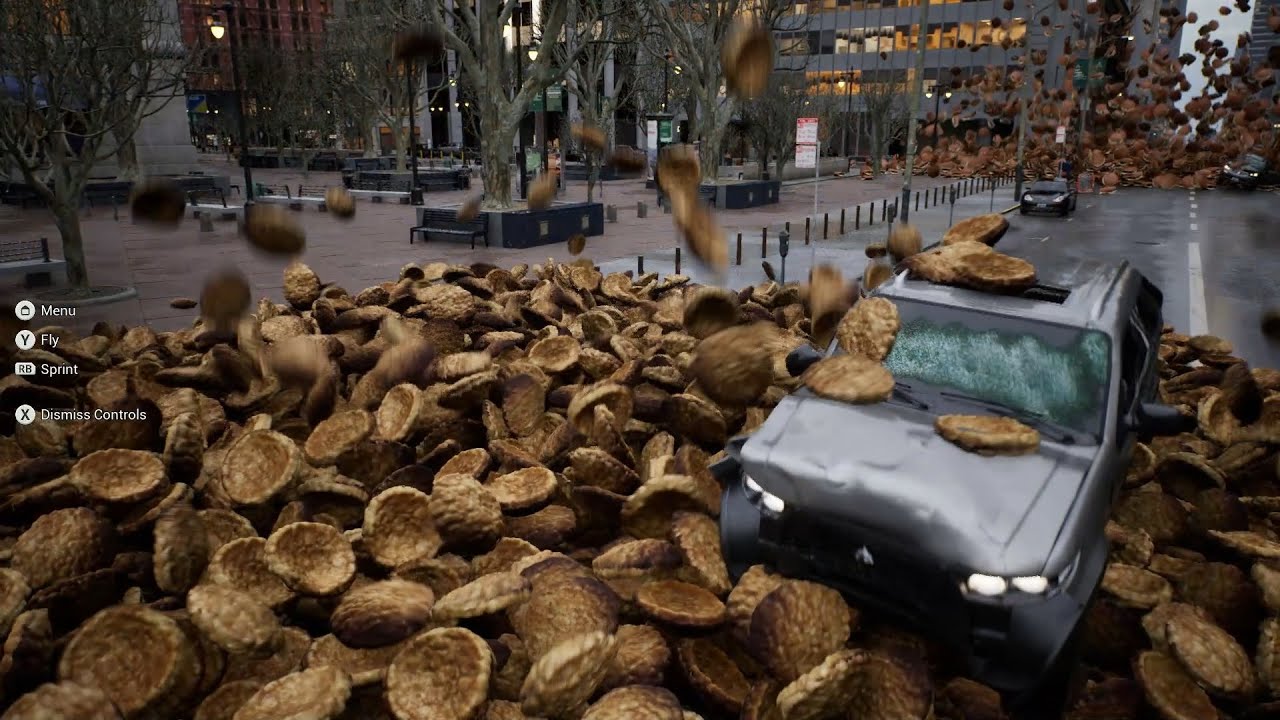
#UE5 のCity Sampleで続き。オブジェクトをバイバインしてみると街への破壊力がアップするようで色々酷いことに。
というよりCityサンプルの自動車、破壊後のメッシュまで用意されているんですね、すご
https://youtu.be/MQ1kkVBV6hM or more like this

#UE5 のCity Sampleで前回は増殖シミュレーションを行いましたが、NGテイク集です。自動車や人物の生成はランダムなのでその都度違う結果が得られます。
 wise tide
I am transitioning the camera when clicking buttons on the main menu. This works fine however if one of these buttons is pressed when the camera is mid blend it just snaps to the camera.
Is it possible to have the camera instead blend back smoothly? Or would I be better off having a single camera and having it move into the positions I want?
 tight schooner
I wouldn't know how to recreate that. I'm pretty sure if each of those were blueprint actors or components it would bring realtime performance to its knees @minor creek
It's chaos physics or niagara
Which have their own channels
minor creek
i just want the physics actors to flow through these spaces
 open latch
do these two work together?
 minor creek
niagara didn't help me
stacking them brings a mass issue that upper actors smash lower ones
so they go through static meshes
 formal parcel
submersed is this for real-time?
 minor creek
formal parcel
submersed is this for real-time?
minor creek
formal parcel
submersed is this for real-time?
im doing it thorugh movie render queue
tight schooner
I hate to say it but you're asking about particle physics in a channel about game logic
tight schooner
If you don't mind tanking perf, you can spawn hundreds of physically simulated mesh components, but...
If you do mind, you have to use some other system. I suspect a fancy video game production would simulate this animation offline and figure out how to bake the animation data
And replay it in UE
Or they'd have some clever c++ simulation driving it
That isn't physical
wise tide
I show the mouse cursor for my main menu and when I click play it loads the level. However I still have my cursor and I need to click on the screen to hide the mouse and control my character.
I tried adding this to the beginplay on my level but it still shows the cursor.
 formal parcel
thats a UE editor setting
i forget where it is though
something about requiring a click to get focus
wise tide
I right clicked my project and clicked "Launch Game" so shouldn't that not use the editor settings?
formal parcel
and theres another setting for passing in that first click
not sure
but i know the window needing a click to focus is an editor setting
wise tide
let me try packaging it as standalone to make sure
 foggy escarp
I believe setting the game mode to game only will fix this.
grim peak
formal parcel
in the component that you are wanting to hover over
So i'm in the Item_clickable component now... So here I can connect the sound logic? I have a customevent OnmouseHover can I add the sound from here?
 foggy escarp
But there is still a bug similar to this that I've fixed by using hacks to refresh the cursor.
wise tide
foggy escarp
I believe setting the game mode to game only will fix this.
Where do I set this?
I am looking at my level gamemode
 wise tide
ah, let me try that
foggy escarp
grim peak
So i'm in the Item_clickable component now... So here I can connect the sound ...
This will be your friend...
https://www.unrealengine.com/marketplace/en-US/product/graph-printer

Unreal Engine
This plugin adds a shortcut key that prints an Unreal Engine graph editor (such as Blueprint or Material ...) to an image file or copies it to the clipboard.
It's free so yeah
wise tide
yeah that worked, ty
open latch
How can I make the player character magnetic? The Magnet BP for items > actor doesn't work
formal parcel
np glad it helped
@foggy escarp cool plugin but where the hell do I set it to only copy to clipboard?
foggy escarp
There's different shortcuts for each way to copy it
I think it's like f10 or something
formal parcel
yea i found it, i dont like that it copies the whole path tho :
will stick to win+shift+s i guess
wise tide
I want to change the texture a material is using in the character blueprint. I managed to change the materials opacity by making the opacity value a parameter and using "Set Scalar Parameter Value on Materials".
However I cannot find something similar to use to set the texture used. I have the texture as a parameter, but I do not know how to access it
 short pawn
wise tide
I want to change the texture a material is using in the character blueprint. I m...
short pawn
wise tide
I want to change the texture a material is using in the character blueprint. I m...
You have to create a material instance then change the variable of that material instace
icy dragon
wise tide
I want to change the texture a material is using in the character blueprint. I m...
Set Texture Parameter Value
wise tide
short pawn
You have to create a material instance then change the variable of that material...
cant I get the currently set material instance and apply ^^^ that to it?
short pawn
wise tide
cant I get the currently set material instance and apply ^^^ that to it?
This might help https://youtu.be/6OTaEHfRyH8

A few people wanted to know how you can use blueprints to change materials around. :)
Twitter: https://twitter.com/Play_Ruff
Patreon: https://www.patreon.com/deanashford
wise tide
ait I got that working, thanks
I figured it would be a lot simpler and I was just missing something xd
formal parcel
this engine is kinda weird like that - things you think are going to be hard are like oh lol just connect 2 boxes... and then seemingly simple things are complex af
grim peak
formal parcel
yes decorix
Hi again. Its working. I'm not sure if I did the good/right way, but when I have my object in green colour it plays sell/Purchase sound and when I hover over the object it has a pop sound. Thanks for your kind help. I find it hard to understand when to have it in the BP_actor or in the Item_Clickable_component. Guess the Component is sitting inside the BP and it calls it anyway.
 formal parcel
glad you got it working man
just a note
that spawn sound is missing location so you're playing it at 0,0,0
if you dont need a location use spawn sound 2d
play sound 2d*
@grim peak
also to answer your question put the event on the object that it actually belongs to
makes future refactoring much easier, you dont want a bunch of weird cross dependencies
grim peak
formal parcel
also to answer your question put the event on the object that it actually belong...
great tips thanks:-)
 red grail
Hello, I'm trying to create a escape menu during runtime that doesn't pause the game. The menu has a resume button, but when the menu is opened with ESC, I disable character movement and when I press resume, it's still disabled and I'm not sure how to reenable it. Need some help please! 😅

Here's the rest (in the thirdpersoncharacterbp), still wip

 mental trellis
Have you tried "Enable movement" ?
 main wigeon
any way to change customdepth renderpass stencil number on triggerbox? want to change the 255 to 254 on trigger (object overlap)
 red grail
mental trellis
Have you tried "Enable movement" ?
red grail
mental trellis
Have you tried "Enable movement" ?
Where's that at? I didn't find anything like that, only the disable one
mental trellis
No idea.
red grail
The "Set movement mode" node works fine I think, but I don't know how to get it into the widget
Basically how to reference the character movement of my thirdpersoncharacter within a widget
formal parcel
pass in a ref to it
red grail
formal parcel
pass in a ref to it
Yeah but how
formal parcel
actually just get it from the player controller?

so hold a ref to your movement there if needed, idk if it has context
but super simple to get a player controller and go from there
red grail
 formal parcel
so ultimately move any process code to your player controller out of the UI, and have the UI call the functions
formal parcel
debug it... at least you have the object ref you need
i would put it in the player personally
code that does things to players dont belong in UI code IMO
red grail
Yeah, I tried that, but how does the player BP know if I pressed the resume button from the widget?
Dont I have to tell it from the widget?
formal parcel
but thats just a architecture thing, it should still work because at least now you have the ref to the player controller instance in your UI
no
the widget will call a function on the player controller
which already is responsible for controlling the player
so from the widget its: (cleanup widget)->get player controller->call your new function and let the player controller handle it
separation of concerns
red grail

Do you mean this with function?
I created a function within the PlayerBP that does that
formal parcel
yea not that, you also have a player controller
the character is just the character
the controller is what controls the character
"Player Controller" is a top level class
you can make a BP and set that as parent and add your custom code
its a good way to maintain state on the player because maybe the player actor changes at some point or something
and ultimately it dont matter what character you're controlling for this interaction, this is an input kinda thing... hense... player controller
red grail
I don't know where that player controller would be
formal parcel
if you haven't made one you need to just make one
new bp_playercontroller, make parent: player controller
then in engine settings set the player controller to your new one
same way you override everything else
red grail
Oh, so I have multiple player characters, like in one level I'm only flying a drone and in the rest it's this thrid person character. The Player controller that you are talking about is like a global thing that affects all of those?
formal parcel
yep
its the thing you interact with

Player Controller Class
inputs -> player controller -> player
er, character
 red grail
Thats this right?
 formal parcel
did you make that one?
 remote meteor
template
 formal parcel
ok yea
so you just need to make you a playercontroller and set it there
then you have the BP to add your function into
then in your UI you can just get the player controller, cast to your type, and call functions in it
and it has context on everything you need
and you can manage the game state in the player controller, and not in the player/UI
as in, i'm showing UI's and they are interacting with that, or we're back in the game, etc...
or now we're a goldfish but I dont wanna lose all the gamestate I had saved for the other character that still exists
red grail
That is so smart
formal parcel
i'm good at architecture at least 🙂
red grail
Okay, so I have a Player controller called "GlobalController" now and I've set it in the project settings to be used
Now I create the same function from up above within this new controller
formal parcel
yep, what I would also do if you're only gonna have one character..i
eh nevermind thats getting complicated to explain, but yea you're on the right path now
 remote meteor
GetControlledPawn() -> GetComponentByClass<CharacterMovementComponent>() -> SetMovementMode()
do some valid checks inbetween
formal parcel
^ what he said
 ionic raft
hey again, i'm still trying to get controllers that aren't xinput to work with our game using the RawInput plugin.
I've given up on the switch controller as it seems to simply not send its left thumbstick to any axis. Now I'm trying to get a playstation controller working. Everything about it works except the d-pad. I'm a bit confused on how to get the d-pad working, because it's assigned to only one axis, axis 5. Depending on what button on the d-pad I press the value changes, but it's really weird because the values aren't like... good values, if you know what I mean. For example, not pressing anything is 1.14, pressing left is 0.857, etc. Do you guys have any clue on what I can do to get this to work, other than doing some jankness in blueprint and just checking the axis value?
red grail
remote meteor
do some valid checks inbetween
Like this?
 remote meteor
ye add isvalid macro to both of the return values though
drag from the return value pins, type isvalid, choose the macro version
 remote meteor
yesh
formal parcel
naw the f
remote meteor
f is a pure func
you can use both
with the f you will need branches
the ? does it for you anyway, you can double click it and see
formal parcel
yea i guess i generally am handling that case
red grail
 remote meteor
yash
red grail
How do I do the casting properly tho
remote meteor
if you want you can put some print string on the invalid
to prompt in output log if the are null reference
you dont really need your character reference in this way
unless you need something else specific from your character
 balmy vessel
so i've got a variable on a widget which is inside a widget which is inside a widget etc. is there a better way to access it than this? I was thinking I could have a pointer and set it in the widget with the variable but i dont think blueprints support pointers
 remote meteor
then instead of getting the component, you can cast to your character, then get the stuff you need from where
ionic raft
balmy vessel
so i've got a variable on a widget which is inside a widget which is inside a wi...
blueprints is fine with pointers, any object in blueprint is a pointer i'm pretty sure
formal parcel
widgets are quite goofy IMO
remote meteor
every object reference in blueprint is a pointer
formal parcel
TheRedFlash you can hold a ref to an instance in a BP
balmy vessel
remote meteor
every object reference in blueprint is a pointer
is an array of names classed as an object? I assume yes im p sure everything is an object but when it comes to specifics in development ive not been taught much haha
 faint pasture
red grail
Should I cast at eventbeginplay to all my characters?
faint pasture
red grail
Should I cast at eventbeginplay to all my characters?
Do you know what casting is?
remote meteor
array are definitely pointers ops wrong info
ionic raft
balmy vessel
is an array of names classed as an object? I assume yes im p sure everything is ...
no but you can store the thing that has the array of names on it
red grail
faint pasture
Do you know what casting is?
Uhh, I cast if I need to do something as the casted object or somethign like that
ionic raft
remote meteor
~~array are definitely pointers~~ ops wrong info
i don't think so
balmy vessel
so if, in my ID Patient symptoms widget I use a reference to my parent widget and set an array on my parent to the array from my child, will the one on the parent be the exact same as the one on the id patient symptoms?
faint pasture
red grail
Uhh, I cast if I need to do something as the casted object or somethign like tha...
A cast is just a type check. It's a question. "Is this thing an instance of class X?"
Like asking
"Is this Animal a Dog?"
If you have an Animal and you want it to Bark if it can, you have to cast it to Dog because Dogs are the things that bark. Wouldn't make much sense to try to make a Fish bark would it.
formal parcel
more specifically casting is attempting to turn your thing you claim is a dog into a dog, and letting you know if it worked, and if so, giving you the dog
faint pasture
If the Animal was a Fish, it'd fail, because a Fish is not a Dog.
But both are Animals, so they can do Animal things (eat, move, etc)
red grail
I think I kinda understand lmao
faint pasture
We need a sticky or something, every damn day I see cast being used like it is a get or some sort of message.
formal parcel
a small programming 101
faint pasture
Probably because it sounds like an action verb. I vote we rename it pigeonhole.
red grail
I get what your words mean, but I dont know how to put it into practice
formal parcel
explaining scope, events, reference vs value
balmy vessel
@red grail do you know what inheritance is?
formal parcel
I vote we name is Smash
balmy vessel
like class inheritance
red grail
balmy vessel
<@499570903521165328> do you know what inheritance is?
Like parent child?
balmy vessel
yeah
red grail
Player controller in this case would be the parent and all my characters are the children
formal parcel
turning into a jr dev interview: "whats diff between interface and abstract class?"
remote meteor
nnono
balmy vessel
not really
red grail
I'm so lost 😄
remote meteor
player controller and ur characters are 2 different objects
formal parcel
no its a strict class definition thing
every class can "inherit" from another
so you can make a heirarchy
generally used to share behavior
and the whole reason casting exists
well, main
then we get into interfaces but idk where this topic is going 🙂
red grail
This might be a weird way to explain it, but let me know if I'm on the right track. The player controller is kind of like a random dude that all my characters share their phone number with and the player controller allows us to share stuff between characters from a central point. Does any of this make sense? lmao
balmy vessel
if I have a class Animal, that contains a name and a size, I can have children of that, e.g. Dog and Fish. The Dog and Fish classes will both have the variables name and size but I can add more variables, so I can add FurColour to Dog and ScaleColour to Fish.
Then, when i write a function I can have it take in an animal, but inside I can use Cast to try and see if the Animal class i suplied fits into either a dog or a Fish.
A super simple visualisation is shapes, a cube, sphere and pyramid are all shapes but they arent the same as each other, the Cast function acts as the hole, if the Shape can fit through the Cube hole, its a cube, if it cant, its not
balmy vessel
red grail
This might be a weird way to explain it, but let me know if I'm on the right tra...
I think you've misunderstood the purpose of the player controller
the player controller shouldnt be used to control all players, It should be used by 1 player to control 1 character
you're thinking of a player manager i think
formal parcel
the player controller is the (not technical) interface between inputs and actions
remote meteor
Player controller is as its name suggest, a Controller. A controller can control a pawn (a character is a child of pawn) at a time
user inputs action will go through player controller by default
so you can do input based handling at player controller
red grail
So its like a "soul" that possesses the playable characters?
remote meteor
yes
formal parcel
exactly
 last walrus
Is there any event that triggers every time when new minute/hour/day/etc begins?
I dont want to use timer because i need this event to be bound to system time
red grail
Yeah like I could possess a car and then drive around right?
remote meteor
last walrus
Is there any event that triggers every time when new minute/hour/day/etc begins?...
to get system time, it would be UTCNow() but i dont know any other way other than checking it every tick 🤔
formal parcel
in this case you're using it like an overall input manager
more complex games you'd get more complex control mechanisms
last walrus
remote meteor
to get system time, it would be UTCNow() but i dont know any other way other tha...
Sad
But thanks for your answer
red grail

So this function within the player controller is kind of like a memory that I can carry around?
Between possessable characters
formal parcel
well thats just a function that exists in your "soul"
remote meteor
kinda but there is a better place for memory stuff (PlayerState)
formal parcel
so you can call it at any time and it has nothing to do with the character
remote meteor
😅
balmy vessel
will this only set the symptoms added once? I want the dashboard ref symptoms added to be a pointer to the ID_PatientSymptoms symptoms added

so that whenever the ID is changed, the change is reflected in the dashboard version
remote meteor
balmy vessel
will this only set the symptoms added once? I want the dashboard ref symptoms ad...
this will override all values in the array in your dashboard with the values where your get variable is
essentially, copying it over
balmy vessel
but it won't keep updating, so when i make a change to the bottom one it will update automatically, is there a way to do that?
remote meteor
do you need temporal copy of the values? (like used for reverting and such)
balmy vessel
not sure wym by temporal. basically, i was doing this before

which looks horible
ik for functions, I can subscribe to an event instead of doing this kinda pyrimad thing, but idk how to do it for variables
trim matrix
trim matrix
yes watch that.
 remote meteor
hm your children can broadcast the updated values whenever its updated with an event dispatcher, but to bind it its also the same problem i believe
trim matrix
not sure what im doing honestly
red grail
formal parcel
so you can call it at any time and it has nothing to do with the character
Sorry, I'm trying really hard to wrap my head around all this but I don't see the connection quite yet... I don't know how the press of the resume button triggers the player controller function that we created?
balmy vessel
remote meteor
hm your children can broadcast the updated values whenever its updated with an e...
yeah
formal parcel
in the press of the resume button, get player controller, cast to your new type, call function
ionic raft
ionic raft
hey again, i'm still trying to get controllers that aren't xinput to work with o...
Should I ask this in a different channel?
remote meteor
balmy vessel
not sure wym by temporal. basically, i was doing this before
tbh, there is nothing wrong with the pyramid if this is the case, if you want you can wrap it with a pure function i guess?
looks tidier
since you already have reference to everything in hierarchy, not much reason to "skip" them

 red grail
formal parcel
in the press of the resume button, get player controller, cast to your new type,...
red grail
formal parcel
in the press of the resume button, get player controller, cast to your new type,...
Like this?
remote meteor
i believe so, you can try
formal parcel
yep
formal parcel
that last part is a bit goofy
red grail
Now, should the whole pressing Esc to open/close the menu be in the controller as well or is it fine in the player?
formal parcel
cuz ur getting the player controller from within your player controller
controller
all input goes through controller
remote meteor
ionic raft
hey again, i'm still trying to get controllers that aren't xinput to work with o...
really not sure about rawinput, have you checked the raw input mapping in project settings? adjusting the offset and such
blissful grail
Pawn specific controls should be in the pawn. Pawn-agnostic controls should be in the controller.
formal parcel
@red grail
 red grail
blissful grail
Pawn specific controls should be in the pawn. Pawn-agnostic controls should be i...
red grail
blissful grail
Pawn specific controls should be in the pawn. Pawn-agnostic controls should be i...
That's what I was thinking about right now
red grail
formal parcel
<@499570903521165328>
So, just a reference to self is good?
formal parcel
yea, cuz self in this instance is the player controller
remote meteor
self ref for the input mode because its a function library
you can straight away set the mouse cursor variable from within player controller
ionic raft
remote meteor
really not sure about rawinput, have you checked the raw input mapping in proje...
Yes, the problem is that the d-pad only sends to one axis value. It doesn't matter what I set the mapping to, whether its generic usb controller axis one or gamepad right trigger axis, the value is the same. This is a problem because I want to be able to map the playstation d-pad to the d-pad up, down, right, and left gamepad buttons. But I can't do this if the entire d-pad is one axis. So I was wondering if there was some magic checkbox or something I guess.
formal parcel
if the dpad values are always the same you "could" just map them with an ENUM?
so a quick math, then cast to enum that is setup with saem values
trim matrix
trim matrix
Please do not ping a day later. I am not here to help right now.
red grail
remote meteor
you can straight away set the mouse cursor variable from within player controlle...
What do you mean with straight away?
ionic raft
formal parcel
if the dpad values are always the same you "could" just map them with an ENUM?
Sort of, but not really. A lot of the game depends on the input events of the d-pad, which you can't call through blueprint. So unless I made some kind of weird event dispatcher it wouldn't be the same.
formal parcel
no i mean when you get the input axis you know defined values = certain buttons
its a straight forward map in the beginning of the input event
ionic raft
formal parcel
no i mean when you get the input axis you know defined values = certain buttons
Yes I know, but that's the jank way I talked about that would require having to add functions in weird places that would be more convenient to not have to do. Because I specifically have different actions to d-pad up and d-pad left. And also gamepad navigation in buttons.
trim matrix
trim matrix
why
This is not my job, I only help people on this chat when I decide I want to sit at my computer and help people. Ask another question entirely. If I am around and I feel like I can answer, I will. Do not ping people, we are not here to help on your timelines.
didn’t need to write a paragraph
formal parcel
@ionic raft

adjust values as needed
handleInputEvent(Enum direction)
this dont work?
ionic raft
formal parcel
<@619636772825202691>
Yeah like I said I know this would work, but it'd be super inconvenient because of how input works. Thanks for trying to help though.
formal parcel
"how input works"
ionic raft
Mostly it's the widgets that are inconvenient.