#blueprint
402296 messages · Page 880 of 403
 thin panther
 dark crow
A true refined gentleman
thin panther
i refuse to believe they posted a question and then just ran away from discord
 dark crow
I'm scared of what I'm witnessing
thin panther
not exactly
 cobalt gulch
I just don't want to have 500 variables saying whether or not the player has an item for each
 potent laurel
or set by reference
thin panther
you want the blue pin one iirc
thin panther
cobalt gulch
I just don't want to have 500 variables saying whether or not the player has an ...
then explain what your trying to do
my mind reading wizard skills are lacking
potent laurel
lol
cobalt gulch
thin panther
then explain what your trying to do
Have it so I can easily note whether a player has an item
thin panther
if you cant explain what your trying to do in detail then i cant help you
you have rephrased the same sentence three times
dark crow
Use tags instead 🤣
cobalt gulch
Say it was needed to know whether the gun had been unlocked or not for every gun in the game
thin panther
having a player check for items could mean "im doing an inventory in a bad way and manually checking all 3000 item types"
or it could mean "does the player have a key"
thin panther
so loop through an array of items, and check if they have been unlocked
an array of bools
when gun 1 is unlocked, set the corresponding index to true for instance
cobalt gulch
Should I do the same with missions ?
thin panther
yes at the end of the day you want to store a bunch of true or falses, so make an array of bools
dark crow
I mean, if they're individual, the simplest way is a true or false
thin panther
and you really dont have to worry about number
as theyre 1 bit each
you could have 300 weapons and it would still be less than 10 actors in a world
in terms of memory
and variable size
potent laurel
maybe 3000
thin panther
3000 is still only 100 actors
cobalt gulch
3000000000000000000000000000000000000
potent laurel
lol
thin panther
there we go
dark crow
If you have 3000 guns I would be worried for your sanity
thin panther
now we are being slightly unreasonable
potent laurel
array of bools is probs the easiest way too
cobalt gulch
Im literally creating a siege clone because the devs gave up with the game
thin panther
but likely your gonna have less than 150 guns and missions combined, so
thin panther
cobalt gulch
Im literally creating a siege clone because the devs gave up with the game
like r6 siege?
cobalt gulch
thin panther
like r6 siege?
Yeah
thin panther
oof good luck
cobalt gulch
I'm going to hire voice actors
thin panther
thats not why i oofed
dark crow
Buy a server farm
thin panther
you gotta pay for dedicated servers, and you gotta actually get people in game which is hard enough, and then youve gotta write good multiplayer code, and youve gotta learn c++ and youve also gotta not get sued by the publisher
cobalt gulch
 thin panther
i wish you luck in your endeavours tho
potent laurel
lol
cobalt gulch
It's probably going to end up being a single player game because of the amount of work but it's really just a side project 🙂
thin panther
cobalt gulch
It's probably going to end up being a single player game because of the amount o...
thank god for the single player game bit
you scared me for a second tho
although it is an interesting project
i will give you that
dark crow
Seems good to have fun and learn
thin panther
gives you a good chance to learn some good shooter ai too
genuinely hope you stick with it cause it sounds good
dark crow
Insert the division AI code
cobalt gulch
Thank you aha, imagine Siege with characters that are mercenaries paid to fight together lol
thin panther
dark crow
Insert the division AI code
we dont want to scare off the newbies now
dark crow
 dark crow
the misery
 faint pasture
cobalt gulch
I'm going to hire voice actors
faint pasture
cobalt gulch
I'm going to hire voice actors
I hope you have $1M+
cobalt gulch
Fuck this im going back to Scratch
thin panther
well done another project lost to division source code 😔
dark crow
Just mod Roblox
thin panther
faint pasture
I hope you have $1M+
wym fiverr is good enough
dark crow
Roblox 6 Siege
faint pasture
A seige clone would cost at least that with brilliant and cheap programmers and artists
thin panther
single player siege is more doable at least
its just a map with an objective and some shooty ai
way more feasible
i dont think theyre going for 100% true to form
cobalt gulch
I already have an objective for singleplayer, not for online tho lol
faint pasture
Depends on how close you consider to be "close enough", but feature and polish parity is a pipe dream
dark crow
Really gotta make those animations look hella crisp and clean
cobalt gulch
This is the kind of thing im going for with the characters
 dark crow
And then say friggin hecc to Chaos for every weird and performance heavy destruction
faint pasture
I just figured out how electricity works. So anyways I'm gonna make an electric car company like Tesla but better. I have no money btw.
cobalt gulch

 dark crow
Looks nice, you have fun with it
Just don't advertise it as a R6S clone in case :p
cobalt gulch
Yeah
Atm it's more like you get 3 different contracts and have to chose one to progress
 viscid hinge
@potent laurel

i did it like you said and it didnt work

and again, if i add a do once node, the code doesnt run properly, the mesh hits the ground, detects the collison again for no reason and excustes again
 coarse frigate
Hey guys, very noob question here...
In general, if you have a huge spiderweb of a blueprint, is it important to break it into macros / functions for specific tasks even if you don't intend to use them anywhere else in the BP? Or is it simply preference of readability?
thin panther
coarse frigate
Hey guys, very noob question here...
In general, if you have a huge spiderweb o...
its just to help readability
generally really large spiderwebs would be translated to c++ for performance
but tbh, if it's a one use thing, split it up if you need it for readability, otherwise if you fancy risking pissing off future you you can keep the spiderweb
 coarse frigate
thin panther
but tbh, if it's a one use thing, split it up if you need it for readability, ot...
coarse frigate
thin panther
but tbh, if it's a one use thing, split it up if you need it for readability, ot...
Lol yeah I am going back and commenting the piss out of one of the spiderwebs now. That's always worked for me in web dev. Thanks for the clarification. Some things make sense to split off, but I was finding myself doing it just to do it and it was actually making things worse in some cases.
 peak summit
does UE anim bp have an "any state" transition?
 long whale
Hi, anybody know what happened to scenecapturecomponent2D with new 5.0? My old render target become like this
coarse frigate
Another noob question along the same lines as in the answer may be opinionated...
What's the best way, if any, to share blueprints between projects? For example, let's say I came up with an inventory system that I really like and want to share blueprints or functions with any of my projects that will include the same system, is there a good way to share that? Or is it just a bad idea? I know in programming it's generally a good idea, but not sure how it works project to project with UE.
long whale
 coarse frigate
long whale
Hi, anybody know what happened to scenecapturecomponent2D with new 5.0? My old r...
coarse frigate
long whale
Hi, anybody know what happened to scenecapturecomponent2D with new 5.0? My old r...
Wish I could help you, all I will say is I have had to re-add little things here and there more than once since converting my project to get them to work as they used to.
long whale
feels bad. It seems to miss the objects I put in the scene. only capturing background
peak summit
 gentle urchin
Depends on your state i suppose
gentle urchin
Depends on your state i suppose
might have been going about it wrong but i have custom montages for enemies who can run some gameplay abilities, so i can't quite figure out how to just "stop" the anim bp from going back to idle. Empty Death state results in T pose after montage.

ah, there we are.. the magic toggle
long whale
I feel it has something to do with rendering objects high in the skysphere or fog. Moving the scene down seems to fix the problem
thin panther
coarse frigate
Another noob question along the same lines as in the answer may be opinionated.....
you could make it in a plugin, or migrate the files between projects
gentle urchin
Sadøy there's no easy way to sync it between projects tho
 icy dragon
gentle urchin
Sadøy there's no easy way to sync it between projects tho
icy dragon
gentle urchin
Sadøy there's no easy way to sync it between projects tho
Git submodule
But admittedly it's kinda hacky
 hushed linden
hey can anyone help me with a simple shooting system for my fps game?
thin panther
what probelm are you having
hushed linden
i just cant figure out the code
thin panther
I mean it depends on the type of shooting you want
hushed linden
ohh well im just want to start of with hipscan i think its called
thin panther
Typically you shoot a line trace forward from the camera, and there are plenty of guides on how to set that up
gentle urchin
icy dragon
Git submodule
But admittedly it's kinda hacky
And doesnt work cross engine versions does it
icy dragon
gentle urchin
And doesnt work cross engine versions does it
Nope.
Forward compatibility rule still applies
I mean as in bring it to older versions of the engine, there might be a chance for C++ plugins, but not for asset/content only stuff
 deep ether
Anyone know if there is a way to write to volume render targets?
 worthy shadow
I want to create a Widget BP, give it a name and store it within the project by giving a path. I want to do all that within Visual Studio itself. Any suggestions?
 mental trellis
Shrug
 cobalt lynx
Hey, anyone know why my vehicle keeps accelerating even after unpossess?
I tried spawning in an AI Controller, disabled input, manually applied breks and whiped all input. But it still keeps accelerating.
I just want it to roll after unpossess
worthy shadow
mental trellis
_Shrug_
I saw some functions in FKismetEditorUtilities that are associated with creating a blueprint
Not really sure which to use because only one of them requests a filepath
       * @param Actor The actor to use as the template for the blueprint
       * @param bReplaceActor If true, replace the actor in the scene with one based on the created blueprint
       * @param bKeepMobility If true, The mobility of each actor components will be copy
       * @return The blueprint created from the actor
     */

static UBlueprint* CreateBlueprintFromActor(const FString& Path, AActor* Actor, bool bReplaceActor, bool bKeepMobility = false, UClass* ParentClassOverride = nullptr);
 spark steppe
chances are high that those are editor only
i think the only gui stuff with c++ is slate
mental trellis
I mean, what about that method says to you that it's about creating a widget blueprint?
You can use UMG from c++
It's just, why would you?
worthy shadow
mental trellis
I mean, what about that method says to you that it's about creating a widget blu...
There's no specific method to create a WidgetBlueprint per say I think. This is the generic function to create a BP of a particular actor type from what I can see
worthy shadow
mental trellis
It's just, why would you?
Well I'm trying to perform the creation of a WidgetBP via clicking a button in my plugin. Remember I was trying to grab the map names through a combobox? I did that and after I select the map I want to automate the process of creating a minimap for it by clicking a button. So before creating the minimap, i want to first generate the WidgetBP that will contain it
Hope I made sense
mental trellis
You did.
worthy shadow
mental trellis
You did.
Phew
spark steppe
do you really need a bp for that?
my minimap grabs the loaded level and picks the correct map on its own
one widget for all levels
worthy shadow
spark steppe
do you really need a bp for that?
This is my final university project
I'll be generating the map piece by piece within that widget BP i create
 foggy escarp
So is it just me or is debugging simply not as useful as it should be.
hovering over variables usually doesn't show states, same for watches, and breakpoints.

but then at certain times it does, so it's unclear why they are shown and why not.
spark steppe
but still you don't need a separate widget for each level
worthy shadow
spark steppe
but still you don't need a separate widget for each level
Ah right, I think I get what you're saying
spark steppe
what i do is dividing the world in chunks, rendering the bird view to a render target and writing that chunk with level and chunk location to the save game folder
worthy shadow
Cz having different widgets means changing which widget is displayed when the key is pressed
spark steppe
when the level changes the widget just has to grab the correct textures, either from disk or generate them
worthy shadow
spark steppe
when the level changes the widget just has to grab the correct textures, either ...
The entire idea behind by project is kinda big and I want to keep it a little secret, could I PM you with my idea and for some help?
If you don't mind
worthy shadow
Thanks
worthy shadow
spark steppe
you don't have to spoil your plans here
I have sent zee request
 radiant mural
Please tell me why this is not working.
 foggy escarp
I'm assuming the camera is attached to the camera boom?
spark steppe
i'm assuming it's not
radiant mural
Yep, and i can move it an everything.
radiant mural
Ok, that is true
That was it, thanks a bunch! I had 'use pawn rotation' set from a previous test
 fiery ridge
How do you call a custom function/interface for each actor in the level via the For Each Loop node?
spark steppe
the question you shall not ask
GetAllActorsOfClass => ForEachLoop => Interface Call
fiery ridge
Does it matter if I'm using Get all actors with TAG instead?
spark steppe
no, thats most likely better as the list is shorter
fiery ridge
spark steppe
GetAllActorsOfClass => ForEachLoop => Interface Call
Thanks bro, it worked
 kindred marsh
Hey guys i have a silly question because i stuck. I want to spawn an actor between my pawn's camera and an other actor. I try something like that (image) but it was mistake. obviously. Any ideas?
 faint pasture
kindred marsh
Hey guys i have a silly question because i stuck. I want to spawn an actor betwe...
faint pasture
kindred marsh
Hey guys i have a silly question because i stuck. I want to spawn an actor betwe...
Your math is totally wrong
spark steppe
just lerp between both vectors, with alpha 0.5
faint pasture
Or add them and divide by 2
spark steppe
lerp is the lazy way 😄
 fiery swallow
faint pasture
Or add them and divide by 2
fiery swallow
faint pasture
Or add them and divide by 2
Hold up, adding 3 vectors and dividing by 3 gets the center point of the triangle???
kindred marsh
faint pasture
Your math is totally wrong
i am sure about that i am terrible on maths. Lerp or (Vector + Vector) / 2 what do you recommend?
spark steppe
define center point
spark steppe
center of mass or shortest distance between all corners?
faint pasture
fiery swallow
Hold up, adding 3 vectors and dividing by 3 gets the center point of the triang...
Depends on your definition of center point
fiery swallow
faint pasture
Depends on your definition of center point
The dot in the center.
 kindred marsh
this worked fine
 spark steppe
https://en.wikipedia.org/wiki/Centroid#Of_a_triangle (I give you the link because i'm really really really bad when something has more than 2 vertices) 😄
fiery swallow
spark steppe
<https://en.wikipedia.org/wiki/Centroid#Of_a_triangle> (I give you the link beca...
Right I was asking if the adding and the dividing method he used works for more then 2 points. Probably not im guessing
faint pasture
fiery swallow
Right I was asking if the adding and the dividing method he used works for more ...
It does, it just may or may not actually get the centroid. I'm sure there's some word for what the average of a bunch of vectors is
spark steppe
average is the word
kindred marsh
thanks for your help guys you made the day for a bad on math new developer
fiery swallow
Awesome, I will definitely utilize that in the future. It came up once in the past and I banged my head trying to figure out a quick way to do it. Thanks
faint pasture
Turns out the centroid is the average
 fiery swallow
I dont know what I'm looking at. We had to choose which kind of math we wanted to learn in highschool. We couldn't learn them all 👍
spark steppe
what the heck was the alternative math?
reading from lounge where they just said that french people say 4x20 for 80, was it french math?
fiery swallow
We had to choose between, algebra, geometry, calculus, physics, or trigonometry? I can't really remember. There was another one I think
spark steppe
trigonometry should be part of geometry
fiery swallow
That's why I put a question mark at the end of that one
faint pasture
Yes but an average is like, before all that
spark steppe
@fiery swallow which country do you live in?
fiery swallow
9th grade was pre algebra, 10th grade was geometry or calculus, and then 11th and 12th grade we had to choose a following path. I am in the US
radiant mural
I have my topdown camera boom set to inherit pawn rotation when i hold down the right mouse button. I turn back off inherit pawn rotation when i release the button. I cannot figure out how to make the camera stay where i put it while holding down the button. Afterwords, i still want it to behave as it did before i ever pressed the button in the sense that based on where i click, the pawn could walk towards the camera. If not an easy answer, no worries, i will keep trying
fiery swallow
I ended up doing pre algebra, algebra, and then algebra 2
spark steppe
radiant mural
I have my topdown camera boom set to inherit pawn rotation when i hold down the ...
getRelativeRotation and store it in a variable before you disable inherit, then set the relative rotation from the variable after you disabled inherit
that should in theory work (haven't tested it)
radiant mural
spark steppe
getRelativeRotation and store it in a variable before you disable inherit, then ...
Ok, i had it after.. I will try before now
spark steppe
and the important part is to store it in a variable before you remove the inherit thing
radiant mural
Ok. I think i had it right After turning of inherit
I must still be doing something wrong

 trim matrix
what shall i make?
radiant mural
inherit location/rotation when button is released, and set rotation/location then too
radiant mural
I want the camera to change modes while i press the right mouse and allow me to rotate like i am in third person mode, with this topdown camera. Then when i release the mouse button, i want the camera to stay where i left it, but return to topdown style control
The problem is, to my brain, that should have worked. (I do not think like a programmer)
spark steppe
the moment you turn inherit on again it would probably snap back
radiant mural
Yes, exactly. You know your stuff!

 jaunty dome
GetAllActorsOfClass doesn't include actors that are child components
how do I get all light actors in the world, including those attached to the player bp ?
icy dragon
fiery swallow
We had to choose between, algebra, geometry, calculus, physics, or trigonometry?...
Definitely not calculus
radiant mural
@jaunty dome I am not sure, but maybe you can give the lights Tags and search for them by Tags instead of class
fiery swallow
icy dragon
Definitely not calculus
Wdym? Calculus was an option
icy dragon
fiery swallow
We had to choose between, algebra, geometry, calculus, physics, or trigonometry?...
Mostly relevant math in game programming are the usual algebra, vector maths, trigonometry, curve math (inc. logarithm), matrices (though BP alone can't do this), and binary/bit operations
Calculus is barely used for game programing, if not at all
spark steppe
laughs in curve(d) assets
icy dragon
spark steppe
*laughs in curve(d) assets*
laughs in manually graphing curves for shaders
fiery swallow
icy dragon
Mostly relevant math in game programming are the usual algebra, vector maths, tr...
Oh I thought you meant the options in my school my bad. We were talking about my basic highschool. I got my programming degree from youtube and Google. College free bois
icy dragon
Ah...
My math in high school didn't even reach calculus at all lol.
 dusk cave
can someone tell me why I'm unable to click on my text box with my mouse
 icy dragon
It was just trigonometry, matrices, vectors, and statistical finite relations
fiery swallow
icy dragon
It was just trigonometry, matrices, vectors, and statistical finite relations
Both of our schools were probably low ranked for education :)
trim matrix
dusk cave
can someone tell me why I'm unable to click on my text box with my mouse
There could be alot of reasons, I would first make sure that there is no invisable widget overtop of the textbox
Maybe that text box is behind your main hud?
dusk cave
no its not
fiery swallow
dusk cave
can someone tell me why I'm unable to click on my text box with my mouse
When you add it to viewport try giving it a ridiculously high zorder value
fiery swallow
If you are hovering over a button in the UI and it doesn't work. 9/10 there's another UI infront of it
trim matrix
yep
99/100
it may not seem like there is anything in front of it, but most of the time there somehow is
dusk cave
 icy dragon
dusk cave
can someone tell me why I'm unable to click on my text box with my mouse
icy dragon
dusk cave
can someone tell me why I'm unable to click on my text box with my mouse
Try checking it with Widget Reflector
dusk cave
bottom one is the one im trying to click on
trim matrix
it can be a diffferent widget as well.
icy dragon
If you use widget reflector, you can see what widget gets the hit first from the cursor
dusk cave
ill try that
spark steppe
also check if you didn't set it to not hit testable
dusk cave
ok so it says my mouse is over HUD display
trim matrix
yep
your HUD Display is above your text box in the heirarchy
Litterly your text box is the lowest thing in your heiarchy
move it to the top
dusk cave
i did but nothing happened
trim matrix
Just because the HUD_Display looks invisible in some parts, does not mean its not consuming mouse click.

 agile coyote
why are some of my pins coloured in?
 icy dragon
agile coyote
why are some of my pins coloured in?
icy dragon
agile coyote
why are some of my pins coloured in?
Because it's vectors
trim matrix
is that UE5 or something?
icy dragon
Nothing sussy wussy
icy dragon
trim matrix
is that UE5 or something?
Yes, UE5 math nodes are universal now
trim matrix
oh nice
 open latch
I got a walk speed adjustment event linked to a destructible mesh, how can I prevent the fractured meshes from calling that event ?
icy dragon
trim matrix
oh nice
Though it can backfire with single float and double float vars
open latch
 trim matrix
open latch
I got a walk speed adjustment event linked to a destructible mesh, how can I p...
trim matrix
open latch
I got a walk speed adjustment event linked to a destructible mesh, how can I p...
Im not sure what your asking.
oh there
agile coyote
Here you can see the top ones are normal yellow, the bottom one is half yellow though

I'm thinking it's because this project was an upgraded UE4 one. all new nodes i place have teh half yellow pins. if i delete the top one and recreate it, it'll also be half yellow
dusk cave
fiery swallow
When you add it to viewport try giving it a ridiculously high zorder value
that worked thank you
trim matrix
dusk cave
that worked thank you
If that worked, I would check to make sure you do not have multiple of your PlayerHUDUis created
also I would check
 ember bluff
I can't find how to convert static meshes into blueprints, in ue5
trim matrix
To see if there is some other invisable HUD still on the screen
Like maybe you created an equipment HUD at some point
ember bluff
I searched for blueprint in the details, and found nothing
dusk cave
my game does have a VHS screen effect which might be the problem
agile coyote
funnily enough, mousing over them gives slightly diff tooltips. i guess the old blueprint nodes were replaced with the updated versions but still exist behind the scenes?
 trim matrix
If the VHS screen effect is a widget that is over the screen then yes, that could of been the issue.
trim matrix
ember bluff
I can't find how to convert static meshes into blueprints, in ue5
Convert static meshes into blueprints??
Do you mean like
Take a static mesh assest and turn it into an editable blueprint?
ember bluff
Select 5 static meshes from the world, click a "create blueprint" and create a blueprint with those static meshes
like I did in ue4
trim matrix
Oh yes I remember doing that to, I dont know how todo it in UE5 if you still can
You can just create the blueprint manualy
Can create another blueprint and just attach those static mesh actors to it
good luck xD
 limber jacinth
Are you making prefabs?
trim matrix
to be honest im not sure why the option would of been removed or changed
ember bluff
limber jacinth
Are you making prefabs?
Yeah
limber jacinth
I think the workflow was changed to "Packed Level Instances" iirc, I could be wrong, but here is a video on that process. https://www.youtube.com/watch?v=PtGDgMIbyyg

Streaming every Wednesday at https://twitch.tv/techartaid/
Find more tutorials at https://techartaid.com/
trim matrix
nice
ember bluff
thanks!
 maiden wadi
The actual Prefabricator plugin was really good for UE4 at least. Haven't checked it's status on 5 yet.
 bronze hill
Hello Guys i have question about event dispatcher
I'm studying the plug-in that i bought.
bronze hill
this works

but it doesn't

i think of it as a timing problem, but it's strange that it doesn't work after everything is complete
trim matrix
its not a timing problem
The code is attempting to loop through each object in the array, and bind an event to each of them
This is working properly in the first picture
In the second picture, no binding is happening till after the loop has completed
bronze hill
ah ha! it should be assign every objects?!
trim matrix
yes, the code needs to assign a binding to every object.

 undone surge
how do i assign different sound effect for each child class? what kind of variable would it be to store sounds as a variable
 slim grove
how can i have the gun on the default FPS be automatically attached to the player i tried stuff but nothing worked.
agile coyote
is there an easier way to get the top left and bottom right coordinates of an actor than this?
 trim matrix
I couldn't tell you, this wouldn't be the best channel to ask in.
 odd ember
worth reading the channel descriptions really
trim matrix
undone surge
how do i assign different sound effect for each child class? what kind of variab...
SoundWave or SoundCue types
undone surge
@trim matrix is there a way to customize each sound to make it random ?
trim matrix
Yes, I only would know how to do it programmatically though
Depends on what you mean by random as well
open latch
Left stump is the one I put in the world
right stump is the one called by another other blue print on play
It is a destructible mesh ... Why doesn't it retain its scaling when spawned ?
 trim matrix
slim grove
how can i have the gun on the default FPS be automatically attached to the playe...
trim matrix
slim grove
how can i have the gun on the default FPS be automatically attached to the playe...
Its not as simple as Beginplay -> Attach componet to actor? Not sure what the setup in that default FPS template is though. Might have to go into more detail about your problem.
slim grove
basicaly the gun by default has a collsion the when collided by the player casts it to the player but i need to get the player actor but i am unable to do it without the collision because i am new to UE5
trim matrix
guys u have a big issue
Hey so i have a problem . i misclicked forcedelete of a file and cannot restore them. I have a backuo file but how to get it to recognise in unreal engine
trim matrix
slim grove
basicaly the gun by default has a collsion the when collided by the player casts...
I see. So this gun is a pickup on the ground? Then you collide with it and it attaches itself to your player? is that what your saying?
trim matrix
trim matrix
guys u have a big issue
Please just ask the question. We are here to help
slim grove
yes but i want to to be atached from the start instead of being a pickup
trim matrix
trim matrix
Please just ask the question. We are here to help
oki but its kinda vague bc idek how to describ it
I see, well there is a couple different approches you could take.
when i shoot my gun {left click} my ammo goes and and shit but nothing shoots
here is my bp can yalll tell me if anything is wrong with it?
 trim matrix
slim grove
yes but i want to to be atached from the start instead of being a pickup
trim matrix
slim grove
yes but i want to to be atached from the start instead of being a pickup
Do you want to VC real quick? easier to explain over call.
slim grove
i can but im a bit young
trim matrix
lol well its ok
gentle urchin
😂
trim matrix
?
trim matrix
eh
gentle urchin
Bulletref?
trim matrix
yh
gentle urchin
I hope thats not a bullet ref
trim matrix
...it is?...
gentle urchin
And more of a scene component for bullet spawnpoint
 gentle urchin
Well part of it
Player wont have enemy tag
So bullet will destroy itself
Check if this is triggered
By adding a print string on event hit
trim matrix
gentle urchin
Player wont have enemy tag
how wont it?
bronze hill
Hello i saw something during studying, isn't it should use ForEachloop for perform array element's function? but it plug array to target pin. how can i do that?

i want execute function of element for every elements in array like that
In general, I used ForEachloop for simple things. like set values
gentle urchin
Just use regulal foreachloop
bronze hill
but it seems much more simple so i wonder that i can do too
bronze hill
thank you for your advice!
gentle urchin
but if you reallly really want to , find the function, and plug the array directly in
you cant find the function from the array context, but you can work your way backwards, or turn off context sensitive to find the function in question


 bronze hill
ah thank you! but when i try this It is said that it does not fit
gentle urchin
Old engine version?
 gentle urchin
trim matrix
gentle urchin
trim matrix
"Window" tab up there on the bar
bronze hill
thank you squize!
trim matrix
gentle urchin
"Window" tab up there on the bar
what do i click in window tab
 trim matrix
ill click all of them
wait i want it to show this sorta thinggy

but i cant figure it out
trim matrix
gentle urchin
what you want to show
this i s what i want to show
gentle urchin
so add those?
trim matrix
i cant find it though..
gentle urchin
restart 🙂
trim matrix
open latch
Left stump is the one I put in the world
right stump is the one called by anoth...
Im not sure, if the problem is something specific to destructable meshes I could not help you, if the problem is something wrong with the code I could. Maybe screenshot the code of the stump spawning?
im back with some lunch
 minor wolf
how does meta = (Categories = "x.y.z") translate to a blueprint Gameplay Tag variable?
trim matrix
idkgud question
open latch
trim matrix
Im not sure, if the problem is something specific to destructable meshes I could...
got it solved , an article from 2014 explained it
 vernal grove
Hello,
I have query How to make character rotate to side way or backward when moving side ways or backward respectively ?
 lapis inlet
Can anyone help me with figuring out the players mouse angle in respect to a central player controlled actor?
I want to click and make the player move in its direction by applying a force towards that angle
ATM I literally only have this to detect the cursors position

 mellow folio
Try get mouse world position
 pulsar kraken
hi all, regarding patching system, youtube videos show upload and download from local server ( maybe setting in same PC) but how to upload pak files like amazon or google and download from there ? as applying the pak file is all how we code and requirement, but how to download from server ?
mellow folio
It’s not an exec
lapis inlet
mellow folio
Try get mouse world position
doesn't exist, do you mean mouse position on platform?
mellow folio
It needs to originate from a player controller
lapis inlet
Yea I have the player controller
mellow folio
I don’t remember what it’s called I’m not at my computer but it will give you a vector location and a vector direction
Type in getmouse and peruse the options
Like I said, it is not an executable so don’t search for Blue nodes
 storm vigil
Hi. does anyone prefer using rootmotion for FPS with bodyawareness to drive the speed of their character or the locomotion itself? I prefer it as the movement and animations are in sync with the ground, so I am kinda using the blendspace for movement on the x and y axis.
mellow folio
storm vigil
Hi. does anyone prefer using rootmotion for FPS with bodyawareness to drive the ...
Most games do not use root motion for first person shooters, It locks the players into animations so they don’t have as much freedom as they would normally expect. Using route motion needs to be a conscious choice that you do for a good reason
storm vigil
mellow folio
Most games do not use root motion for first person shooters, It locks the player...
I see but the rootmotion is only on the lower legs as the upper body is using a separate animation for the FPS, it just blended by bone on the spine, so they kinda merged when the shadows shows up, but FPS animations is separate and not affected by the rootmotion of the lomoction of the lower leg. I tried doing this as it was kinda cumbersome for me to set the right speed and animation to prevent the sliding of the foot. hehe
It kinda looks more natural to me at least I wont go overboard or under on the animation syncing with the ground, IMO hehe
 azure jackal
how I can make shadow distance
For example, there is option that you can set Render distance for lights and if you are more far away from light it will dissapear
I want to make something simillar but with casting shadows for my lamps
mellow folio
storm vigil
It kinda looks more natural to me at least I wont go overboard or under on the a...
You want to research Inverse Kinematics
Look on the marketplace for the Advanced Locomotion system
Most players don’t mind if the feet don’t match the ground perfectly,But if it is important to you, you probably want the advanced Locomotion system
storm vigil
You mean foot IK, i do have implemented it. For ALS, i choose not to use it as I might make my lomoction more complex, the animations of leaning and all might not fit my FPS/tactical horror game. hehe But it looks good on TPS though. hehe
open latch
this is so weird
 acoustic lava


 earnest tangle
Look at your exec pins
You have connected the top exec pin on MoveTo into ChasePlayer, which means it will immediately call this again, then again, and again...
trim matrix
so dont do that?
earnest tangle
If you don't want an infinite loop :)
thin panther
Aaaaa you saw me
trim matrix
yh..
thin panther
I must return to hiding
trim matrix
why?
thin panther
Idk
jaunty dome
this does not return lights that are components in a blueprint actor
 trim matrix
omg the ai so f*cking fast
jaunty dome
how can I get ALL light sources including those that are components
trim matrix
i need to figure out how to slow the AI down..
jaunty dome
but i want to get all lights, whether they're an actor on themselves or a component
maiden wadi
GetAllActorsOfClass(Actor), loop over those and call GetAllComponentsOfClass(LightType)
thin panther
trim matrix
i need to figure out how to slow the AI down..
Change its max walk speed in the movement component
maiden wadi
All components exist in an actor, they cannot exist without one.
trim matrix
thin panther
Change its max walk speed in the movement component
i did
i slowed it down already
the mamx walk sped was 600 😮
now its 200
jaunty dome
 thin panther
Ye thats the same speed as the player by default
maiden wadi
jaunty dome
On each actor
trim matrix
oh crap thats for mine lol
jaunty dome
maiden wadi
On each actor
I disabled context sensitive, the node "GetAllComponentsOfClass" doesn't exist in UE
maiden wadi
 jaunty dome
GetComponentsByClass is the correct one
that will be expensive to use on all actors of the world
maiden wadi
Expensive is a relative idea.
mental trellis
Why not get all actors of type point light?
Unless you're adding point lights to random actors
And then it might be better to use child actors so you can still iterate over point light actors 😛
maiden wadi
Ew. Child Actors. 😦
I wouldn't really worry about the performance cost til you need to. Really depends on what you're trying to do with the lights and if you're spawning new ones. Could cache the array. In C++, there is a delegate for actor creation that would let you keep an updated array very simply in a subsystem.
If it's a one time call for like daytime change once every fifteen minutes, performance isn't a huge deal. The minor frame drop fix is polishing. If you're doing something on tick, there's probably a better way to handle it like a child class of lights that register to a manager.
trim matrix
thats odd...
when i click reload buttern {r} its goes to -30 / 0 then when i shoot it instantly goes to 0 / 0


pls help
idek but i think this is issue but?

 fiery knoll
What's the value of 'Ammo' before reloading?
fiery knoll
Try using breakpoints to see the temporary values in your reloading function. That'll show you if it's behaving as intended.
trim matrix
then current mag is 31
trim matrix
fiery knoll
Try using breakpoints to see the temporary values in your reloading function. Th...
u make brain hurt i have 3 brain sells can you mayb simpli?
fiery knoll
OK, so Current Mag in the end = Ammo - TempAmmo + CurrentMag
which filled in with your values = 0 - 60 + 31 = -29
Next time you shoot Current Mag = Clamped value of (CurrentMag - 1) between 0 and 30
= Clamped value of -30 = 0

 fiery knoll
I don't understand your last question. Do you need what?
trim matrix
do i need to add a variable for temp ammo?
fiery knoll
Looking at your screenshot it seems you already have one:
It probably is a local variable in your reload function.

So you'll only see it listed when editing that function
fiery knoll
Depends: do you need it outside your function?
trim matrix
probably
aweee shit i fixed it
wait no when its get to 0 ammo it goes to -1 when i click r
ughhh
OMG
i fixed it
😄

 open crypt
I'm looping through an enum, using the value to create menus (specifically I'm recreating a structure based on that new enum, and then pulling the data out on the widget to set the text)
The values were all returning the first enum, even though I was looping through - however, when I set a print string, it showed the correct enum values and created the menus perfectly - what is going on?
 fiery knoll
Could have something to do with using a deprecated type?
 celest sphinx
hey, so, i think i have setup my animation blueprint wrong as the character does not use the crouch idle animation i added to the blendspace, but instead just uses the normal idle animation when the player is crouching. once the player starts to move the crouching animation is played normally

 fiery ridge
How can I use the percentage from "text" for a bool gate?

I'm trying to extract the number from text but not sure if it's possible
lapis inlet
Alright so
I have a gamemode that gathers all actors with a certain tag, compiles their relative weight, and then calculates a consistent, gravitational force for all other actors to be drawn to that specific one
Issue is, I cannot delete any actors while the game is still running with the current setup, as the array still thinks the actor is there
I am currently trying to figure out how to tell the array to delete the actor from its reference during certain events, IE, when an actor collides with another actor
But, I am not smart, so I need massive help with this, cheers
 lapis inlet
And then find it in the array?
trim matrix
yh
lapis inlet
Like this?
 trim matrix
try it
lapis inlet
Doesn't work
lapis inlet
I have two-three weeks to do this and I'm barely managing this alongside two other projects...
All for Uni
dark crow
Is MainGameBase a GameMode?
trim matrix
guys i need help
for my gun
when i shoot
it hits the ai and itkilled it but the bullet doesnt show
when it comem outs the gun
trim matrix
pls someone help meh
peak summit
can sphere overlap actors cause collision? not sure why this is happening sometimes.. most of the time it's fine
 dark crow
lapis inlet
I did say
dark crow
lapis inlet
I did say
Plug into Object
Get GameMode
There's a node to get the gamemode
lapis inlet
dark crow
Plug into Object
Get GameMode
I don't follow
lapis inlet
ooooooh
Now, how do I go get the gamemodes actor array, find the specific actor that is colliding with another, and delete it from not just the game, but the array as well?
 dark crow
You can still keep the cast like you had
trim matrix
when i shhoot no bullet comes out
 lapis inlet
Where do I connect the "Get game mode" node?
trim matrix
peak summit
can sphere overlap actors cause collision? not sure why this is happening someti...
nice models
 lapis inlet
kk
peak summit
trim matrix
nice models
lol its mixamo
trim matrix
peak summit
lol its mixamo
the anims?
or models?
peak summit
you may have to credit them or something
lapis inlet
This is what I have, and it still wont remove the cases in the arrays


Born to code, forced to debug
 dark crow
If you Remove stuff from the Array and reference it somewhere for usage, it's gonna return None in that place
Cause well, you removed it
So gotta check if it's valid in those places before doing anything
lapis inlet
I'll admit, im very inexperienced with this and being severely challenged in progression
I would love if you could help me with doing this
 dawn quarry
trim matrix
dawn quarry
trim matrix
what does your "bullet ref" represents? its hard without knowing the big picture but i'd expect you'd use a socket attached to a gun or something to decide where your bullets come off
cobalt gulch
How can I replace an image when I click on a button within a widget
 dawn gazelle
lapis inlet
dawn gazelle
lapis inlet
These errors aren't related to the code you've shown.
lapis inlet
dawn gazelle
These errors aren't related to the code you've shown.
I'll pull up the gamemode blueprints too
fiery knoll
lapis inlet
I would love if you could help me with doing this
When looping through your arraystore al the indices of the items you want to remove in a secondary array. Then when you're done doing your first loop start a second loop through this new array of indices and remove the items from your original array by index:


 dawn gazelle
Doesn't look like it has anything to do with these either. The errors are coming about where you're attempting to Get an array item (not while in a loop)
cobalt gulch
How can I replace an image when I click on a button within a widget
lapis inlet
dawn gazelle
Doesn't look like it has anything to do with these either. The errors are comin...
Could be this then


Again, inexperienced
dark crow
😟
trim matrix
yay my favourite thing to do an aim offset
guys how do i add another camera for aiming?
open crypt
is there like a "super soft" reference that you can pass in as an input to an actor (when spawning) and then cast from that input to the correct actor, from the blueprint itself?
 robust kelp
ok so probably a dumb newbie question.. casting bad i get it.. blueprint interface ok.. so i have 1 blueprint interface hooked up.. however the game has created 3 copys of actor(interface is on) shopkeeper.. how do i talk to shopkeeper 3 not 2.. looking more procedural.. atm i have actor(actorName_interface), actor2(actor2_interface).. actor 2 and 1 are exact same.. however in game i want them to act seperate of each other? im i going about this wrong?
gentle urchin
robust kelp
ok so probably a dumb newbie question.. casting bad i get it.. blueprint interfa...
Casting is ok, and it sounds like you're going about it wrong
 smoky robin
Hey y'all, I'm a noob with Blueprints. I'm looking to make a very simple Hierarchical Instanced Mesh array. I just gotta repeat this mesh a bunch of times with a consistent offset to make a long aqueduct. All the Google tutorials I found are a bit overly complex. Any one want to point me to how I can just kick out a blueprint of an array with a consistently increasing offset on say the x-axis?
 maiden wadi
smoky robin
Hey y'all, I'm a noob with Blueprints. I'm looking to make a very simple Hierar...
maiden wadi
smoky robin
Hey y'all, I'm a noob with Blueprints. I'm looking to make a very simple Hierar...
Honestly, for an aqueduct, I'd consider going more in the direction of a spline mesh setup.
smoky robin
maiden wadi
Honestly, for an aqueduct, I'd consider going more in the direction of a spline ...
Nice! I'm leveraging nanite, but I assume that splines are using instances as well?
maiden wadi
I'm not as familiar with the inner workings of spline meshes performance wise. They can't be too bad since people use them a ton for stuff like power lines, roads, paths, etc.
trim matrix
today i have been working on my project for 7-8 hours ill take a brake til llater
cyall
 slow pewter
smoky robin
Hey y'all, I'm a noob with Blueprints. I'm looking to make a very simple Hierar...
slow pewter
smoky robin
Hey y'all, I'm a noob with Blueprints. I'm looking to make a very simple Hierar...
and what was to Complex?, cant see anything complex out there
slow pewter
trim matrix
today i have been working on my project for 7-8 hours ill take a brake til llate...
Welcome in the World of Gamedev xD
smoky robin
maiden wadi
I'm not as familiar with the inner workings of spline meshes performance wise. T...
I think the spline mesh is a good call, I'll try this direction. Thanks!
https://youtu.be/ulb4escy8Yw?t=333
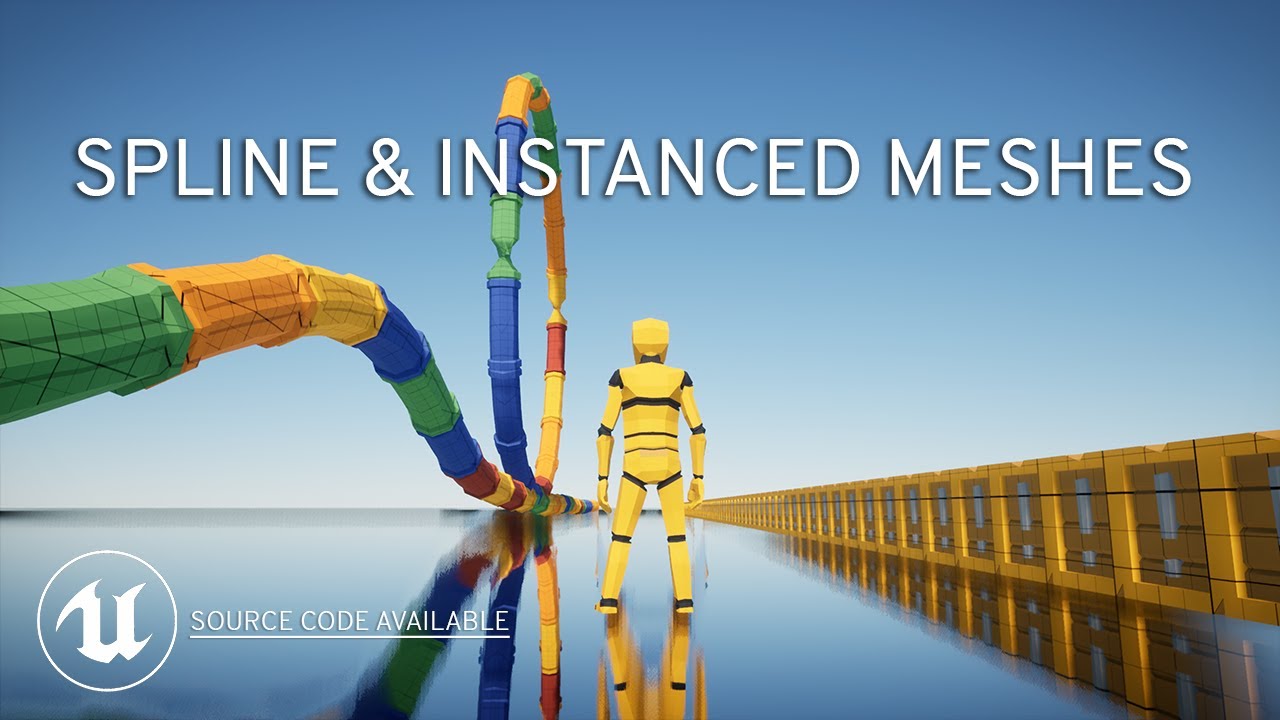
Source code: https://github.com/PendingKill/Tutorial_SplineMesh
TABLE OF CONTENTS
00:00 Introduction
00:52 Spline Mesh Components
05:33 HISM using Splines
07:55 ISM using Splines
09:08 Performance Profiling
10:57 Creating a Corridor in 3 Clicks
Today we're looking at how you can speed up your level design and save tons of time using spline me...
smoky robin
slow pewter
and what was to Complex?, cant see anything complex out there
Most of the stuff I found was arrays for like grids with randomized rotation and whatnot
trim matrix
i just realised smthing on how to fix my gun#
nah wont work
might just remake the shoot system
slow pewter
smoky robin
Most of the stuff I found was arrays for like grids with randomized rotation and...
but wheres the Problem? , i only see Straight Geometry on that, so why not an For Loop and than Spawn Instanced Meshes? , on Construction script?
Would be the Basic of something like this
smoky robin
slow pewter
but wheres the Problem? , i only see Straight Geometry on that, so why not an Fo...
Well, the problem is my own ignorance, as I'm a noob at blueprints and need some real handholding. But I'll look into that, thanks
 hexed glade
Can you cast to a character from the animation blueprint? Been trying for a while now, but no matter what object reference I've put into the "cast to" so far, it always fails.
trim matrix
i fixed my aim offset 😄
slow pewter
hexed glade
Can you cast to a character from the animation blueprint? Been trying for a whil...
u mean from Character to Anim BP?
hexed glade
nope, that works just fine. Though the other way around seems to be a bit trickier.
Actually on looking through my blueprint, I can do it with an anim notify event in front.
slow pewter
hexed glade
nope, that works just fine. Though the other way around seems to be a bit tricki...
So i dont see a problem there, because u already can Communicate just , send their Self reference?
cobalt gulch
When using the save game variables, is there a way to save the game every time an action is made, I would like this because for example if the player lost money during a mission, i wouldnt want them to quit the game and get their money back by cheating
slow pewter
cobalt gulch
When using the save game variables, is there a way to save the game every time a...
U can Create an Custom Save Event, and Calls ot on any Important Action
trim matrix
Hello, where would you recommend defining actions in the new enhanced input system? I don't want to put every action implementation into single file
 blissful grail
hexed glade
Can you cast to a character from the animation blueprint? Been trying for a whil...
blissful grail
hexed glade
Can you cast to a character from the animation blueprint? Been trying for a whil...
Yes, you can. If it isn't working, you're doing something wrong. Show code.
 slender garnet
Anybody know if there's a way to add a new node with Spacebar instead of Right Click? I want to match other graph software, I keep hitting Space 

 swift kestrel
 hearty sequoia
Anyone know why this code dosnt spawn an emitter
hearty sequoia
Anyone know why this code dosnt spawn an emitter
Your destroying the actor before you spawn the emitter
hearty sequoia
Still dosnt work even if i switch them around or remove the destorying node
blissful grail
slender garnet
Anybody know if there's a way to add a new node with Spacebar instead of Right C...
Not sure - could check the shortcut keys by going to either project settings or editor settings
swift kestrel
hearty sequoia
Still dosnt work even if i switch them around or remove the destorying node
Ah your using Spawn emitter attached which means you need to pass in a component for it to attach to. If you just want it to spawn at a location use spawn emitter at location.
hearty sequoia
ah thank you!
trim matrix
is the node "Ignore Actor When Moving" still exist?
 rotund marlin
How difficult would it be to setup so mic is sent in-game thru blueprints?
hexed glade
blissful grail
Yes, you can. If it isn't working, you're doing something wrong. Show code.
Here is the current setup. I've got a question though as the character reference is used for a "blend poses by bool". Will there be a conflict if multiple actors are using the same animation blueprint?
 maiden wadi
rotund marlin
How difficult would it be to setup so mic is sent in-game thru blueprints?
maiden wadi
rotund marlin
How difficult would it be to setup so mic is sent in-game thru blueprints?
Pretty easy with a $100 plugin I imagine.
 paper gate
 blissful grail
hexed glade
Here is the current setup. I've got a question though as the character reference...
blissful grail
hexed glade
Here is the current setup. I've got a question though as the character reference...
If the multiple actors are not of type TopDownCharacter - yes.
rotund marlin
Without plugin i was thinking authaer
paper gate
paper gate
Not able to click , i create a actor with in which i add widget
faint pasture
rotund marlin
Without plugin i was thinking authaer
There's some built-in stuff for that, dig around in the Plugins list in engine.
No promises that it'll work, but you can check out what's available
hexed glade
blissful grail
If the multiple actors are not of type `TopDownCharacter` - yes.
They are all of the topdowncharacter type. So even though two or more characters activate the same animation, they will get the variable from their own character?
blissful grail
Yes
trim matrix
guys how do i make a working shoot i just cant do it lol
hexed glade
blissful grail
Yes
Okay then as far as I can tell, the casting works just fine for the character controlled by the player, but not for any character controlled by the AI.
 brazen pike
trim matrix
guys how do i make a working shoot i just cant do it lol
brazen pike
trim matrix
guys how do i make a working shoot i just cant do it lol
linetrace
trim matrix
yh that would be fun if i knew how to use it
blissful grail
hexed glade
Okay then as far as I can tell, the casting works just fine for the character co...
Put print statements in the cast failed execution path. Double check to make sure the AI characters are the right type.
dawn quarry
slender garnet
Anybody know if there's a way to add a new node with Spacebar instead of Right C...
it seems to prefill the search bar with whatever you used as shortcut including space... but at least it works
 brazen pike
trim matrix
yh that would be fun if i knew how to use it
brazen pike
trim matrix
yh that would be fun if i knew how to use it
The start point is the player character's camera (if it's first person). Then for the end point you want to get a forward vector of the camera, multiplied by (distance you want the bullet to travel, probably 99999) + the start location.
like this

its very simple. There are hundreds of youtube tutorials
slender garnet
dawn quarry
it seems to prefill the search bar with whatever you used as shortcut including ...
Awesome, it works. Thank you!
hexed glade
blissful grail
Put print statements in the cast failed execution path. Double check to make sur...
Was my mistake there yes. Though I made a child character with all, but realized the AI characters were duplicated.
 stray wren
hi im trying to update the movement for my drone enemy and I would like it to tilt when it moves left and right to represent how a drone would move in real life. just wondering how i should go about that. here's the blueprint for the movement so far. https://blueprintue.com/blueprint/hs2dufch/

No description provided
hearty sequoia

Anyone got ideas why force isnt being applied
ive tried to search on google but got no results
mental trellis
Is cube the root component? Shrug

 barren belfry
Hello! Does an array automcatically "rebuild" itself when an item is removed or do you have to do that manually?
blissful grail
- It's not getting called
- The cast is not correct
mental trellis
barren belfry
Hello! Does an array automcatically "rebuild" itself when an item is removed or ...
If you use Remove At, it will shift down every item above that by 1
barren belfry
Amazing, thanks!
mental trellis
If you don't care about ordering, use Remote At Swap
barren belfry
But will it also change the array size?
mental trellis
Instead of shfiting them all down by one, it will just move the one in last place to the one you removed and delete the last element.
It will.
barren belfry
I do not get the option "remove at", instead I have "remove index". Is it the same?
mental trellis
Yeah, that'll be it.
hearty sequoia
mental trellis
Is cube the root component? _Shrug_

im not sure im new to this lol
cobalt gulch
blissful grail
1) It's not getting called
2) The cast is not correct
I don't understand
barren belfry
hearty sequoia
As a side note, you can just multiply a Vector with a float (in your case 100). As for why it doesnt work, make sure "Simulate Physics" is enalbed
hearty sequoia
ah ok thank you
mental trellis
Cube is not the root component
hearty sequoia
is there a way to make it the root?
mental trellis
Drag it on top of the "default scene root." This may not be required. Make sure physics is on first.
barren belfry
You can drag it onto the top object in the hierarchy
 austere ingot
can you apply replication graph settings to strictly blueprint actors?
radiant mural
I have: a fully functional TopDown point and click control system, including WASD TopDown control.
I want: To be able to hold the right mouse button and move the camera as if it is in 3rd person (style)
But, while in TopDown click, also WASD TopDown control, mode I have the camera Lag to follow from behind. So, When i release the Right Mouse button, I want the camera to hold the Pitch, but allow the Yaw to lag back to behind the player. I have been trying the route of when i press the right mouse button 'inherit pawn control rotation', But this is not really working. Does anyone know of a reference for this type of control?
 steady night
https://gyazo.com/e3879a231ca26410df0e52e4cbb67714
hey guys i have a basic "sprinting" system but im having some issues with the annimation relating to it

isent there a "current speed" and a "maximum speed" that i should be referensing to instead ?
radiant mural
That is technically correct as a way to make it sprint. The animationthat match are controlled elsewhere
steady night
well yeah but im chaning thje "max" value and im my blendsace ive got a max value already so it cant determan what the value is correctly :/ ?
like in my blendspace ive got "speed" variable
trim matrix
guys i need help
i was makin my animation and
when i go to click key and then apply it wont work
blissful grail
cobalt gulch
I don't understand
Which part?
trim matrix
 mental trellis
That might be because those buttons are disabled.
trim matrix
hoow do i enable them?
radiant mural
steady night
like in my blendspace ive got "speed" variable
https://www.youtube.com/watch?v=-u-KQ5kLauk Unreal Engine 4 Tutorial - Animation Pt.4 Sprinting Maybe that will help
 solid nexus
Hey ya'll - I have tracking data coming in from a Kinect but the numbers are very erratic and 'jittery'. I'm looking for a way to smooth the data, or average it out I suppose. Could anyone recommend a method? It seems like 'Weighted Moving Average Float' might be the right node but I'm unsure how to use it properly.
trim matrix
breh been doing animations for nrly 2 hours lol
@shy patrol have you seen my dad recently?
 shy patrol
Trying to make a blueprint that finds a character once they are spawned into the world and checks to find a Boolean that then activates something on a separate blueprint. It works right now, but gives me error notifications. If anyone knows a way to fix it or a better way to go about this, it would help a ton. Images attached.

 steady night
https://gyazo.com/2aee6271fd7f608b4acb9112e52048d3
when casting to a Animation Blueprint what would be the object then :/ ?

im just setting a variable in the animation bp thats what im after
radiant mural
steady night
im just setting a variable in the animation bp thats what im after
IDK, but there is a specific room about Animation. Not sure if that room may provide more answers or not
dawn quarry
steady night
https://gyazo.com/2aee6271fd7f608b4acb9112e52048d3
when casting to a Animation ...
try get anim instance node from your skeletal mesh
steady night
aye it worked @dawn quarry ty
hm how would i make the animation only go from the waist up
i mean so i can still "run" while attacking in this case
dawn quarry
you'll have to use additive animation, it's been long time since I used it but I remember doing it in the anim blueprint via weight or something
there should be a lot of documentation about it

Demonstrates how to blend animations together, in this case, a character that can move and fire a weapon at the same time.
I think that's what I used as bootstrap
steady night
ah right ty ill look into that!
 charred berry
anyone know why the cable ( with weird end instead of 'sphere') was changed in ue5 ? No info at docs for ue5 other than simplistic functions,,trying to make cable but its very different it seems in ue5 release
 keen nymph
I'm having a weird issue in ue4.26
Door blueprint
I'm foreachloop attaching an array of actors to a static mesh component I use as axis location then rotate/move that axis mesh component to move the attached actors.
Problem is it doesn't seem to work with static meshes. aren't static meshes supposed to be actors?
I tried putting the static mesh inside a blueprint and it attaches, if I move the axis component in the editor, the attached mesh moves with it but at run time it's acting as though nothing is attached. really weird.
trim matrix
Anyone know how to make like a flying thing?
 fierce birch
Is it possible for a particle to deal damage? The way that I see a lot of people do it is attaching a mesh and scaling it to fit the dimensions of the particle system but is there a way to get the same result without doing that. I know how I can add collisions in Niagara but not sure how to deal damage
trim matrix
Yes it’s possible
Can’t you add like a pain volume to it?
To deal a certain amount of damage
?
fierce birch
I was trying to see particles themselves can apply the damage
trim matrix
Oh
Hm
Maybe
Test for a hit and apply damage by using a line trace and spawn te particsal affect while firing the beam will just be visual
Read that of Reddit
Does that help?
How do I add a flying thing guys?
spark steppe
shy patrol
Trying to make a blueprint that finds a character once they are spawned into the...
your code is assuming that GetActorOfClass always returns a valid result, which isn't true
put an isValid check in there and only do stuff on the character reference if it is valid
shy patrol
spark steppe
your code is assuming that GetActorOfClass always returns a valid result, which ...
yep, that was it, totally forgot about the "is valid" thing, thank you!
 graceful trench
I have a question. I have a UE4 asset for AI traffic that uses a non-nav-mesh method, and uses AI Behavior Trees instead. Works great. But I am curious if UE5 has a new and more useful way of controlling cars via AI. Without needing Nav Mesh. Basically, what is the best way to use the new Chaos Vehicle system and AI controlling the cars? Thanks!
This is the asset I've created - https://www.unrealengine.com/marketplace/en-US/product/arch-vis-ai-traffic-system

Unreal Engine
AI Vechicle Traffic system with various features. Spline follow, Waypoint follow, Spawn vehicles, remove vehicles, Parking, traffic lights, and more.
Perhaps Behavior Trees would still be my best choice?
Does it now? I'll have a look at that. Thanks for mentioning it.
Yes, I've seen the Matrix example being used, but I assumed the vehicles were all scripted for the game. Not dynamic with AI Logic. Downloading now to test it out.
spark steppe
they are dynamic
but prepare to get into some complex stuff, which for the c++ part is subject to change (at least there was quite some patching involved to get citysample compile on 5.1)
graceful trench
spark steppe
but prepare to get into some complex stuff, which for the c++ part is subject to...
Should be interesting to see.
spark steppe
specially the MassAI stuff seems to be heavily worked on
trim matrix
I can't see PS4 section in ActionMapping menu, I want to use Share button. Any idea?
faint pasture
shy patrol
Trying to make a blueprint that finds a character once they are spawned into the...
That's all sorts of fucked up. Why not just have 12stringcharacter trigger whatever you're triggering?
But anyway, first of all, you don't need tick to do what you're doing. Trigger it on begin play
2nd, you need a case for when 12stringchracter doesn't exist, that's what's causing your errors
 cyan swan
is it possible for an single input pin to be connected to multiple output pins (execution pins excluded)?
spark steppe
depends on the node
cyan swan
do you have an example of node that allows multiple inputs in the same pin?
spark steppe
usually you can have multiple target connections for example (thinking about it, it may only work on the target pin)
cyan swan
yes, for output pins it makes sense the result can be used in multiple places - but for inputs, I wonder what would be the expected behavior, theoretically
spark steppe
with the multiple targets it would just run the node several times, once for each target
faint pasture
cyan swan
yes, for output pins it makes sense the result can be used in multiple places - ...
Do node to all inputs.
IDK what the order would be, don't rely on it prolly
rotund marlin
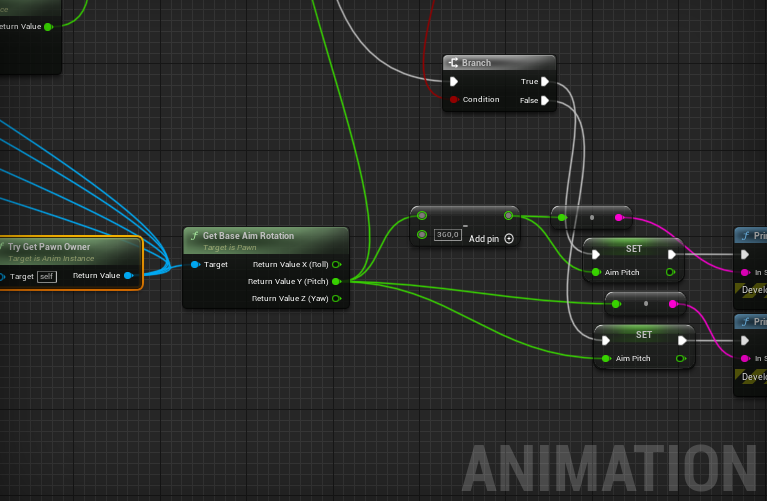
If.. https://i.gyazo.com/ef65a3920e570c253b8345d29a0d3cba.png Makes host see clients aiming at 266 angle rather then the minus value.. where did i go wrong ? 😮
 faint pasture
rotund marlin
If.. https://i.gyazo.com/ef65a3920e570c253b8345d29a0d3cba.png Makes host see cli...
faint pasture
rotund marlin
If.. https://i.gyazo.com/ef65a3920e570c253b8345d29a0d3cba.png Makes host see cli...
Yo you can have Try Get Pawn Owner in your graph more than once.
No need to drag the blue spaghetti all over the place
maiden wadi
rotund marlin
If.. https://i.gyazo.com/ef65a3920e570c253b8345d29a0d3cba.png Makes host see cli...
Rotators are converted to uint8 or uint16 values for each axis for networking and reconstructed as floats after. 190 degrees is the same as -170. 355 is the same as -5. This applies for Yaw and Roll as they're 360 degrees. Pitch is only 180 degrees from 0-180 or -90 to 90.
 boreal sigil
Is it possible to use the ReplicationGraph in blueprints?
maiden wadi
You cannot. It's one of the many networking tools you'll need C++ for.
boreal sigil
maiden wadi
You cannot. It's one of the many networking tools you'll need C++ for.
thanks
 obtuse dawn
so im trying to make a space game and I want to map to be infinite but when I got past a point all the code stops working and I dont know how to fix it
dark crow
obtuse dawn
so im trying to make a space game and I want to map to be infinite but when I go...
Disable world bounds in world settings
rotund marlin
Hmm.. so now ive spent about 1-2 hours working on voice, found a guide to follow to setup vo-ip but zero luck still,
and got https://i.gyazo.com/f13a4a2fbd1bd14a3960d2339546bca4.png Setup in character BP not using a PushToTalk, and Volume when listening to voice still remains as 0.0
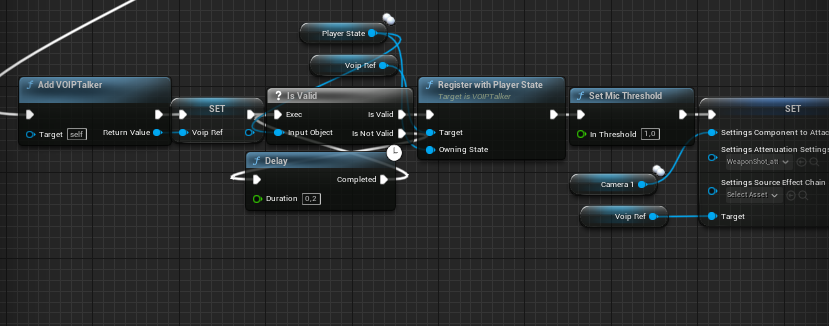 obtuse dawn
dark crow
Disable world bounds in world settings
obtuse dawn
dark crow
Disable world bounds in world settings
it works but now the meshes are shaking
obtuse dawn
is there a way to fix it in ue4?
thin panther
dark crow
""""""fixed"""""" with UE5 by using doubles
until you use up them other 32 bits heh
thin panther
obtuse dawn
is there a way to fix it in ue4?
not unless you use world composition, or expand the engine
dark crow
obtuse dawn
is there a way to fix it in ue4?
Rebasing
dark crow
There was a project around showcasing it iirc
But it was merged into the Engine
I think you gotta manually call the origin or have a logic to move it each time
potent laurel
infinite is big
viscid hinge
where is the Wheeled vehicle Class in unreal engine 5 i cant find it
icy dragon
thin panther
until you use up them other 32 bits heh
UE5 has true 64-bit double floating points, but it's kind of in a weird conondrum right now, as it coexists with single floating point
thin panther
thats weird
icy dragon
I think I see one having issues doing arithmetic with both single and double floating points in BP, and the confusing naming didn't help either
thin panther
bit of a computer science thing that i don't know if you'll know,
is ue5's true doubles just like IEEE 754 standard but larger exponent and mantissa?
icy dragon
thin panther
bit of a computer science thing that i don't know if you'll know,
is ue5's tru...
Haven't check the source code on that, but inclined to think that's the case
thin panther
seems like the most sensible way to do it
still susceptible to the whoel floating point imprecision tho
icy dragon
At least large enough that you don't have to worry about it practically
thin panther
does this mean ue5 supports larger map sizes by default or is it still the 20km max by default?
dark crow
float do double is kind of a mess rn and all that
icy dragon
thin panther
does this mean ue5 supports larger map sizes by default or is it still the 20km ...
Large World Coordinate is enforced, I think
dark crow
Saw on the github that they are docing explicit casts even on the Fortnite branch
thin panther
ohhh that's kinda nice
thin panther
dark crow
float do double is kind of a mess rn and all that
ye i imagine
icy dragon
Though IIRC the limit right now was around 80M km
odd ember
dark crow
Saw on the github that they are docing explicit casts even on the Fortnite branc...
yeah I don't think there's any standard being implemented by default in cpp20
it's just 8 bytes
icy dragon
Theoretically it should go up to billions of kilometers if LWC fully covers 2FP
 cursive ibex
Hello folks, need some help. Might seem too easy for the experts here but I'm trying to create an in-world scoreboard. It's for a VR project and I keep failing unfortunately. I need the score to update on collision. The collisions work just fine and I can see my log messages stating that it registers the collision.
dark crow
What's the scoreboard in this case, just an actor?
cursive ibex
Yeah, it's an actor
potent laurel
i would suggest storing the collision scores in playerstate class
then using the scoreboard to read from that
dark crow
If it's a team global score then GameState
potent laurel
yeah
cursive ibex
potent laurel
i would suggest storing the collision scores in playerstate class
That seems beyond my abilities lol Let me try looking it up
potent laurel
is it team score?
dark crow
Well, it can technically be done multiple ways, depends on what exactly you trying to achieve
If it needs to save too
etc etc
Cause you could even have a hard link between scoreboard and goals and have the scoreboard as a manager
cursive ibex
https://www.youtube.com/watch?v=GrycMDKPRVs
I was using this tutorial until it completely failed because he's colliding the bowling pins with the floor and the floor has the UI actor in it

Tutorial on how to make simple VR game in Unreal Engine.
You can make VR bowling in just a few minutes.
*
*
(Unreal VR) (UE4 VR)
*
You can download all assets here:
https://drive.google.com/open?id=1MgtL675QmHJvI-b0KpmARLYApXqrJhWp
VR Bowling is one of the easiest games you can make.
Most things will Unreal Engine do for you.
We can start by...
dark crow
If they're always present
cursive ibex
I don't need it to save. Just increment on each hit.
potent laurel
can you show me how you see the collision works fine
like umm do you have an event triggered for that
cursive ibex
Okay, so I'm not in my lab right now (where my project and files are) but Its basically on component hit (of the target) casting to the arrow and I put in a simple print to log if the collision works
potent laurel
ok so you have a class setup for the arrow thats good
 wild laurel
hey guys need a little help with projectile logic. Im doing a simple line trace using this code but the video shows the issue of the linetrace (black line) going all over the place when im moving. The odd part is the decal spawn (sparks) are correct even while moving, just the important line trace which is what causes the actual damage is wrong. Very odd because I have them coded as the same location. Any ideas?
 cursive ibex
I'm sorry to have made this harder by not having my files to show 😐
wild laurel
cursive ibex
wild laurel
I can't help but this looks cool 🙂
 cursive ibex
I cast to the other object (my arrow projectile BP)
 wild laurel
cursive ibex
I can't help but this looks cool 🙂
wild laurel
cursive ibex
I can't help but this looks cool 🙂
thx been workin on for over a year and a half lol >.< just lots of irritating bugs to work through at this point
cursive ibex
which had a sphere collider at its tip
And just a small question on top of this, I should be able to replicate this on any FPS game too right? The same logic?
 cursive ibex
ohhhhhh
potent laurel
then it will increase the score variable in player state by 1 each hit
cursive ibex
The other actor goes to the target
potent laurel
the other actor is the arrow
cursive ibex
I had all of this except that I couldn't figure out how to update the UI actor
potent laurel
ok then in the UI
cursive ibex
I mean obviously didn't have it exactly like this. I had the update logic from the tutorial but it failed because of different collision logic. Let me try this out on generic FPS game
potent laurel
2 secs
cursive ibex
potent laurel
2 secs
No worries, take your time
potent laurel
at a lan festival and someone started asking questions lol
so yeah is your UI done with widgets?
cursive ibex
potent laurel
at a lan festival and someone started asking questions lol
Everyone's lost
cursive ibex
potent laurel
so yeah is your UI done with widgets?
I'm trying to recreate the situation in the FPS demo template
potent laurel
have you figured the correct wisget you want the score to update to?
cursive ibex
potent laurel
have you figured the correct wisget you want the score to update to?
In my original files, I had made an actor that just had a text component to it
How the updated score would reflect on that actor is something I have no clue about
potent laurel
ok so like an in world score board
cursive ibex
potent laurel
ok so like an in world score board
exactly
potent laurel
ok for that actor, open it as a blueprint
then there is a few ways to update it
is the game multiplayer or offline?
cursive ibex
potent laurel
is the game multiplayer or offline?
offline. It's for a research paper experiment so highly controlled offline game
There are very few variables
potent laurel
cursive ibex
There are very few variables
what are the variables?
cursive ibex
potent laurel
what are the variables?
Just some audio in the background that will be changing from the control group
cursive ibex
Yeah, there's going to be a timer that counts down from 60 seconds
I just assumed that once I have the scoreboard ready, I'd get that done faster but not meant to be
Am I doing something wrong here? Why won't it print?
 potent laurel
do you get a hello print
cursive ibex
nope
potent laurel
ok so its the ceiling lamp
cursive ibex
Yeah
 cursive ibex
Where do I get the staticmeshcomponent
cursive ibex
Alright
 cursive ibex
alright
It wasn't compiling with the displayName part
oh nvm I was idiotic. I was writing the node out
potent laurel
lol
potent laurel
ok so that means the static mesh doesnt have the right collision settings, or the arrow either
thin panther
does either object have simulation generates hit events?
thats a tickbox thats needed
for event hit
cursive ibex
potent laurel
ok so that means the static mesh doesnt have the right collision settings, or th...
The arrow was printing. I'm failing at this now lol
cursive ibex
thin panther
does either object have simulation generates hit events?
Checking
potent laurel
cursive ibex
The arrow was printing. I'm failing at this now lol
your not man trust me, we all gone through this lol
cursive ibex
xD
cursive ibex
thin panther
does either object have simulation generates hit events?
Checked this on both now
thin panther
try now
cursive ibex
Although I remember not doing and the print logging my hellos on each hit.
Tried, no go
thin panther
drag off cast failed and pritn a different string
thin panther
lol
potent laurel
so the collision is 100% not working
cursive ibex


 cursive ibex
sec

Weird part is I can see the collision happening
I set the collision box to be way bigger and the ball is clearly hitting it

 potent laurel
lol
cursive ibex
I thought collision boxes were meant for collision stuff
cursive ibex
What if I wanted only a certain area hit to count as a hit? Then a box?
 cursive ibex
Yeah, maybe I should've done hit with the box for it work?
potent laurel
yup
potent laurel
it wont if the collision settings dont allow the arrow to overlap, iirc
like it gets hit
not overlapped
potent laurel
yeah but the arrow isnt allowed to overlap (go through) the box with the current collision preset
cursive ibex
potent laurel
yeah but the arrow isnt allowed to overlap (go through) the box with the current...
Damn, thats right. I'll check in my lab tomorrow if removing the box collider changes anything
I still don't understand how to reflect the score onto the actor
potent laurel
One step at a time bro
 scenic kindle
how do i make my actor ignore only player collisions? but still detect overlap events.
(physics enabled)
icy dragon
scenic kindle
how do i make my actor ignore only player collisions? but still detect overlap e...
Collision channels.
scenic kindle
but what specifically. I just want my character to be able to move through it but the actor doesn't fall through the floor.
scenic kindle
yes but which channels specifically
 thin panther
you make one
look into custom collision channels
that way you can set your player to one, and have the objects ignore the player only
with some googling and looking at documentation you should have that done fairly quick
scenic kindle
ok thanks for pointing me in the right direction
thin panther
no problem
i dont like just giving the exact answers cause that doesnt help ya in the long run
feel free to ping me if you still dont get it tho
scenic kindle
nah it's fine. if there's one thing a game dev can do it's figure it out
thin panther
thats an attitude i like to see :)
scenic kindle
YES i got it working. thanks a lot. now i actually know how to work with collisions.
thin panther
no problem :)