#blueprint
402296 messages · Page 878 of 403
 dire frost
 stuck trench
dire frost
from the player controller you can disable the player's input and thus "any key"...
stuck trench
dire frost
from the player controller you can disable the player's input and thus "any key"...
Sorry I'm really dumb beginner, where is player controller input option?
 maiden wadi
Also. This is strictly for the movement component. This doesn't cover anything like 3D nav meshes for air movements, or walking on what used to be walls. If only the player can do this, it's an easy task. Once you need AI or Networking. Your work is going to grow pretty fast.
dire frost
well let me try to replicate the problem on my end and i will get back to you @stuck trench
stuck trench
dire frost
well let me try to replicate the problem on my end and i will get back to you <@...
ok thanks
if you want I can provide you any screenshots you want
 remote belfry
maiden wadi
Also. This is strictly for the movement component. This doesn't cover anything l...
remote belfry
maiden wadi
Also. This is strictly for the movement component. This doesn't cover anything l...
I figured as much. It's one of the reasons I was still trying to fake it with BP. Since if it works in BP it will work just about anywhere... I know thats not exacly/really correect, but you get my point.
 tight pollen
is it possible to somehow take the time of the animation that is in the State Machine from the level of MyCharacter?
 summer jetty
How do I load multiple level maps at once via blueprints (and how does the spawn transform work in that situation)? For example, if the character is standing on the border of two level maps when they log out of the game and can see both. When they log back in, I want to load both level maps and the location of wherever the player was standing last time (spawn transform).
 mellow folio
Find the LoadLevelInstance node
Or look up more robust solutions like world composition or World partition or whatever they’re calling it these days
 bold sedge
what's the ideal approach if I want to spawn a lot of projectiles and save on performance?
 radiant pawn
I'm using a Random Stream to make a set of colors that get applied to procedural creatures, each creature gets a new set of colors. The stream gives me different results as expected, but the first one spawned is always exactly the same colors. Any ideas why?

The seed is different each time too, I check on start
mellow folio
bold sedge
what's the ideal approach if I want to spawn a lot of projectiles and save on pe...
Are they traveling together
bold sedge
mellow folio
Are they traveling together
random locations from one object
mellow folio
bold sedge
random locations from one object
You’re not really providing a lot of information, but it will basically just boil down to each projectile has to be its own thing
So there is no optimization
Unless you can provide more information about your use case
 thin panther
bold sedge
random locations from one object
thin panther
bold sedge
random locations from one object
Ye its as panther said, if you want help you are gonna have to give a bit more useful information
 vivid sedge
sorry again a dumb question does this work in ue5? because i cant do it 😄

 sour urchin
How do I get the angle for the arrow, depending on its location? I need the arrow to always look in the direction closest to the edge of the screen?

 fiery swallow
sour urchin
How do I get the angle for the arrow, depending on its location? I need the arro...
fiery swallow
sour urchin
How do I get the angle for the arrow, depending on its location? I need the arro...
gotta clamp it
the set position on screen
the clamped value should be the maximum XY values of the screen. I'm bad at explaining though so you probably didn't quite understand :)
sour urchin
I have these values, But I still don't understand how to do it right
 bold sedge
mellow folio
You’re not really providing a lot of information, but it will basically just boi...
bold sedge
mellow folio
You’re not really providing a lot of information, but it will basically just boi...
So I have a blueprint that spawns another blueprint which has a projectile component and static mesh of the bullet, the main blueprint spawns each one every projectile at a different angle every second. I have a few of these around the map so it caused an fps dip. I do have the projectiles delete after a second. I thought that maybe I could have it so once you pass a trigger in the area that the previous projectiles should stop spawning or only have them spawn once you enter each area.
 surreal peak
Your best bet is probably to just calc it via dot product
fiery swallow
I use project world to screen
fiery swallow
looked like to me he wanted the arrows to move around without leaving the screen, perhaps I misunderstood
surreal peak
He asked for the angle of the arrow depending on the location
thin panther
bold sedge
So I have a blueprint that spawns another blueprint which has a projectile compo...
so you could have a function in that bp that spawns projectiles on a timer, then your stop function could be clearing and invalidating the timer handle
thin panther
no problem!
might need to be a custom event actually, not sure if timers work in functions
sour urchin
@surreal peak Can you give me a little more information on what values I need to specify in the dot product?
bold sedge
I usually use them on custom events
surreal peak
sour urchin
<@94211915902889984> Can you give me a little more information on what values I ...
You need 3 normalized directions for two dot products. Two of those are given by the coordinate system, being 1,0 and 0,1. The third one should be the direction from middle point to the arrow
Middle point to the arrow is (Arrow location - (Max / 2))
And then nornalize
sour urchin
okay, thanks
surreal peak
The dot product with 0, 1 gives you the info if it's top or bottom of the screen
And the one with 1,0 will give you left vs right
You can apply the acosd to the first dot product to get an angle between 0 and 180
 dreamy yacht
 surreal peak
It it won't tell you if it's left or right
surreal peak
You can then multiply it with the SIGN of the second dot product which should turn it to -180 - 180
dreamy yacht
Is it LOD related ? Looks like that the engine renders a smaller car inside a bigger one, and the small one moves!
How to fix that
surreal peak
float dotOne = Dot(Vector2D(0, 1), directionToArrow)
float angle = acosd(dotOne)
float dotTwo = Dot(Vector2D(1, 0), directionToArrow)
float finalAngle = angle * Sign(dotTwo)
@sour urchin something like that
Then you might need to modify the angle to fit to your needed angle for the arrow image
sour urchin
Thank you, very helpful.
 misty tulip
Hey everyone I have a light switch turning off multiple lights. I assign the lights and the switch an exposed int variable to assign which lights get turned off by the switch but it seems to only turn off one light. Am I missing something with my logic here? Shouldn't it turn off all the lights in the array that have the same int value?
 misty tulip
Nevermind I figured it out. Apparently loops dont work nice in a blueprint interface
vivid sedge
so im trying to get some things from ue4 to ue5 but i dont find this vaule... does somebody know? and i cant find this value in ue4... but its there

i am a bit confused
 sour fossil
misty tulip
Hey everyone I have a light switch turning off multiple lights. I assign the lig...
sour fossil
misty tulip
Hey everyone I have a light switch turning off multiple lights. I assign the lig...
The loop is fine I think, you just needed the return on the complete and not during the loop.
 muted sapphire
Im trying to make a simple trap shooting game, how would I make it so when I press F something spawns my clay pigeon actor with some velocity?
Im new also
this was my attempt as someone who doesnt know blueprints

 rotund coral
Is there a way to use Blueprint Search syntax to search for BPs that have a variable set to a certain Default Value? For instance, if I have a bool declared on a parent class and that parent has 20 children, I want to find the children that set that variable's default value to true. I can't quite figure out the syntax.
mellow folio
muted sapphire
Im trying to make a simple trap shooting game, how would I make it so when I pre...
Look up projectiles on YouTube
muted sapphire
okay
mellow folio
It’s a common implementation, no point to describe it here. Just put a projectile movement component on the pigeon
 mental trellis
rotund coral
Is there a way to use Blueprint Search syntax to search for BPs that have a vari...
mental trellis
rotund coral
Is there a way to use Blueprint Search syntax to search for BPs that have a vari...
You could "get all objects of class" of the parent type, check if the object is a CDO (default object,) if it is and it's a child of the parent class (not the parent class itself,) check the bool. That would be the bad way to do it. The better way would be to get a list of the classes which extend from the parent class and check their CDO.
I'm not sure how you'd do that in BP, though.
It might even be more performant to do it the bad way, actually
rotund coral
mental trellis
You could "get all objects of class" of the parent type, check if the object is ...
Yeah, i'm trying to specifically do this in editor Blueprint Search tool. I suppose I could do it that way with a commandlet or python script.
mental trellis
Ah.
 long whale
Hello, is there a good way to get mouse click location in the local coordinate of umg palette?

The return value of this function seems to have an offset. Not sure if it's the window bar or something
Need to allow player to click on the map widget and place something in the world.
 zealous moth
@mental trellis you can do reverse get and an interface in-game. For his purposes... no clue
 strong shell
is there a downside for a set of pawns to check a global game state flag in a GameMode object(or somewhere else easily accessible) during Event Tick?
mental trellis
long whale
Why aren't you connecting "My Geometry" to "Geometry" ?
I know it's highly likely to be the same, but still.
zealous moth
@strong shell it is needless. You basically impose a weight on your performance. Best way is to have an event when the flag occurs and do the deed.
Worst case, use a timer on a 0.1s loop instead to save performance
mental trellis
long whale
And have you tried unchecking "include window position" ?
strong shell
it'd be for deciding which set of logic to tick, either the "overworld" logic or "in battle" logic
long whale
mental trellis
And have you tried unchecking "include window position" ?
It's included
strong shell
and I'm not exactly planning on swapping out the "overworld" pawn with a "in battle" version
 zealous moth
@long whale account for it in your event with a counter offset
long whale
zealous moth
<@393972116531314699> account for it in your event with a counter offset
yes but how to get this value
zealous moth
Trial and error
mental trellis
long whale
I wonder how to get rid of this
If you're using the root SWindow, sure, it will.
zealous moth
Like the good old days
mental trellis
Use the overlay running on top of the viewport?
zealous moth
Or get a 📏 📐
strong shell
I guess I'll have a broadcast event when the game state changes
 analog moat
So I have a quick question, I'm currently working on a player panel/info sheet, and i want it to display the current information of a character but I'm not sure how to go about that, k was told a data table but I'm not sure how to match that to what the panel looks like
 mental trellis
@strong shell does the model change or just the behaviour?
A simple state machine sounds like what you want. Implement a state in code. Activate the relevant state depending on situation.
 proper vigil
i miss blueprint navitazation even though i never even touched bp
mental trellis
I hear it was coming back
proper vigil
best ending: they imprive regular bp performance
worst ending: they force us to do cpp
long whale
mental trellis
Use the overlay running on top of the viewport?
what does it mean
proper vigil
without bp nava
mental trellis
Of what are you getting the local mouse position, HRFleur?
proper vigil
how am i supposed to make a 72 fps+ oculus quest 2 multiplayer high fidelity gamew
long whale
zealous moth
Or get a 📏 📐
The mouse position is also in screen space and changing based on window size
 mental trellis
Make it really dark, Sprite. Pretend things are there.
long whale
this sounds like a common functional requirement. isn't there a better way to fix the issue?
zealous moth
Good old math. Use print string to see the coordinates and the offset. Then do a ratio coefficient adjustment
mental trellis
The other way around. It comes as absolute. You're converting it to local. It should work.
What is the offset your getting?
Is it static, regardless of the size of the window?
mental trellis
Alright.
So you need to take off the height of the window bar before convertign to local
Because it's scaling the size of the window bar in its calculation
long whale
yes
mental trellis
(absolute pos - (0, window bar height))->convert to local
analog moat
mental trellis
A simple state machine sounds like what you want. Implement a state in code. Act...
How would I go about making state machine that would properly ready off the info of each individual character? See I'm trying to get the information read such as the species of the character someone is currently playing kind of like this player panel here, an example from a game I've played
 long whale
mental trellis
(absolute pos - (0, window bar height))->convert to local
long whale
mental trellis
(absolute pos - (0, window bar height))->convert to local
thanks I'll try that
mental trellis
analog moat
How would I go about making state machine that would properly ready off the info...
Sorry that stuff about state machine was for somebody else! (the guy I replied to above that comment)
analog moat
Oof sorry XD
mental trellis
analog moat
How would I go about making state machine that would properly ready off the info...
As for your specific issue, build your layout in UMG and either set the fields on widget creation or bind them.
analog moat
mental trellis
As for your specific issue, build your layout in UMG and either set the fields o...
That's how the panel is already made, upon pressing I It brings the panel open and closed but other than that theres no other info being displayed then what's already in the widget
 analog moat
Yes
mental trellis
I would have a function or event on the widget "on opened" (a custom event possibly?) which you trigger and pass your player character to.
 agile hound
I’m making a turn based rpg and I’m struggling with my arrays. I’m able to get the effect started, and i know how to make it stop after a certain amount of turn… but, when the actor (status effect) is added to the character, how do i access the variables in this newly added actor? @sour fossil @faint pasture (tagged these 2 cause they helped me alot about this yesterday)
Maybe my array shouldn’t d be class reference? Should it be object reference?
 mental trellis
Then in that event, examine the character and set the value of the fields based on its stats.
That won't have them update in real time, though.
If you want real-time updates, it's easiest to set up a data binding in the text fields
mental trellis
agile hound
I’m making a turn based rpg and I’m struggling with my arrays. I’m able to get t...
It should indeed be instances, not classes.
Unless all instances of that class have exactly the same values.
agile hound
How do i do that? 😂
mental trellis
Then you can get the default object and get the values from that.
agile hound
Actor instance handle?
mental trellis
No.
strong shell
mental trellis
A simple state machine sounds like what you want. Implement a state in code. Act...
it's for a behavior state machine, yeah
hmm, I DID get that Simple State Machine from the marketplace I think, maybe I'll try that
mental trellis
@agile hound First, answer the question. Let's say you have a status effect - do the values of the variables on that status effect ever change from their defaults?
I need to implement a custom state machine graph. I may cry.
strong shell
there's a set of condition variables that will change overworld behaviors and animations played, yeah
mental trellis
Sorry, I should really @ people.
 mental trellis
Effort! 😄
strong shell
¯_(ツ)_/¯
mental trellis
It's far easier to just type than to move my hand to teh mouse to reply.
analog moat
mental trellis
If you want real-time updates, it's easiest to set up a data binding in the text...
I think the only ones that would require a time binding would be the things such as climate, Stage, Time (day or night) and the current location but I believe I can make a function that can fill in the other information, see what I'm trying to get it to read is If you're born for instance a Dragon under species itll read Dragon unless otherwise
agile hound
mental trellis
<@810569660869115924> First, answer the question. Let's say you have a status e...
Yes, effect duration for example (int) -1 every turn.
mental trellis
@analog moat So initialise your widget with the appropriate constant stats and bind the ones that will change
You'll have to implement some kind of variable of something which you can use to say "my race is dragon"
(on your character or whatever)
Or have a Race object, which has details like name, common ages, skin colours, etc.
(add that to a data table and select the correct row for your character)
mental trellis
agile hound
Yes, effect duration for example (int) -1 every turn.
Then you should change the type of your array from effect class to effect instance
Or object I think it's called in the BP UI?
strong shell
oh, I'm a dummy, I could put my logic into an AI blackboard xD
agile hound
mental trellis
Then you should change the type of your array from effect class to effect instan...
Object reference

I tried that at first but i didn’t know how to find if the actor was in my array or not lol
My problem is here then…
 mental trellis
Do all your status effects inherit from a common actor type, dowdow?
You should use that type for the array, if so.
agile hound
Checking to see if my array contains………… don’t know what to put there lol
I have one actor for burning… then one actor for poison etc… the array is then beign populated in my unit parent (characters and enemies)
agile hound
Awwwwww make a parent status effect then a bunch of childs
mental trellis
That is something you should do, but it won't make a difference to your current issue.
You have to answer the question now, what happens if you are already burning and you get set on fire again?
agile hound
Hahah that’s exactly what i was thinking 😂
mental trellis
Should that new burning actor replace the old one? Should it update its values for potentially more damage? Should the new one be discarded?
agile hound
Yeah, i thought of that… i’ll either stack or set the starting int
mental trellis
Okay, stacking, you need a stack count variable on your status actors
agile hound
2 turns remaining… i’ll either add or set the starting amount of turn… haven’t decided yet
mental trellis
So when you find the right one, increase stack size by 1 and reset time back to full?
agile hound
I’ll just check to see if the character is already burning… if yes, modify the effect duration
mental trellis
Alright.
Now convert what you just said into code.
How would you check if they are already burning?
Hint: it is not using "Contains"
mental trellis
You can do it without access to any variables (to check if it exists)
agile hound
Yeah, but if it exists… i then have to modify the variables so i still need access to it
No? Haha
mental trellis
Yeah, but we're not at that point yet.
mental trellis
I guess that could work. I don't know how that node works specifically.
I haven't used BP in like 8 years.
mental trellis
Personally? Absolutely. But it's exactly the same in BP.
agile hound
Yeah
agile hound
Find was the same thing, just a blue node that i had to enter something lol
mental trellis
Oh
agile hound
Filter array might work?
 mental trellis
Because, potentially, there might be more than 1 burning in there.
The code doesn't know you won't add more than 1.
Also, you need to hook up the exec pins.
agile hound
mental trellis
Also, you need to hook up the exec pins.
For sure 😂
mental trellis
So now if you have 0 elements in your filtered array, add one. If you have 1 or more elements, get the first element and update it. Simple!
Make sure you add to your status effects array, not the filtered one.
You could just use a Map for this, btw, and avoid all this array searching.
A map takes a key and associates it with a value. Let's say your key is "burning", your value would be "burning status actor" or Null
 rapid mortar
True I didn't think about that. I'd definitely still like to try as I think a really cool app can be made using a game engine
agile hound
mental trellis
Make sure you add to your status effects array, not the filtered one.
When i try to add it’s still just a blue node that i don’t know what to plug in there for it to recognize the actor i want to add to the array
agile hound
 mental trellis
So you need to spawn a new actor?
agile hound
The spawn actor is not a problem, i want to add it to the array
The enemy get set on fire, it gets damage etc… the only thing is i want to manipulate the variables in my combat component at the start of the affected players turn.
agile hound
Ok so now if i burn the enemy the actor is created in the 0 slot
So it would be simple if burning was always created in the 0 slot… but if the enemy is blind before set on fire… i assume burning would be 1?
mental trellis
Correct
agile hound
Ok, so, how do i control that? 😂
mental trellis
You don't.
agile hound
Hahaha
agile hound
Hahaha
So in my burning status function, i need to determine if the effect_burning Character is in my array or not. If it is, i need access to it’s variables to modify the effect duration.
agile hound
I’m obviously not to experienced with arrays 😦
mental trellis
Then change the type of your array.
agile hound
I actually do have one hahahahha
agile hound
I made a parent class first thing, just didn’t remember earlier hahahha
Change the type of my array?
Thanks Daekesh 🙂
 spark steppe
it's still hard for my mind to comprehend how people, who want to make software, make "screenshots" with their phone
agile hound
🤦♂️ 😂
 spark steppe
sus
 steady basalt
Anyone know if there is a way to access a specific piece of a chaos destructible?
 late shuttle
Maybe ask in the physics channel? I'm honestly not sure.
steady basalt
ok, thanks
 icy dragon
late shuttle
icy dragon
late shuttle
LETS FRICKING GOOOO
 late shuttle
Marry me, Makoto senpai...
 thorny marsh
Guys can you get back ontopic please.
 faint pasture
Look what I saw outside
 thin panther
How long did that take!
 sly forge
Does anyone know the fix for variables breaking when you collapse them to nodes?
 civic thistle
thin panther
How long did that take!
civic thistle
thin panther
How long did that take!
That took him 2 seconds
thin panther
Oh i thought it was a photoshop nvm
 trim matrix
hello guys, is it possible to set my character to fall vertically when jumping
icy dragon
trim matrix
hello guys, is it possible to set my character to fall vertically when jumping
Uhh, it's falling vertically by default. Not that inherited character capsule can be sideways to begin with
 crimson geyser
I want a rolling ball to be out of my game after 15seconds or so, so I used DestroyActor with a delay. But it doesn't work all the time. Does anyone have an idea why?

It seems like it only works if the ball is laying still.
 gilded venture
it'll only trigger if it overlaps with another actor
anyone have any ideas on how to make a zelda-styled boomerang that comes back to you 
icy dragon
crimson geyser
I want a rolling ball to be out of my game after 15seconds or so, so I used Dest...
Make sure the collision's generate overlap is enabled, and try using timer in lieu of the delay
crimson geyser
I unchecked the Hidden in game on my box collision and now I see that the box is dropping through the floor, but the root component stays in place.
 eager agate
anyone know if theres a way to convert text to static mesh? im trying to make it so that when the text box is committed a mesh will be set to whatever object is referenced.


i suppose this could go in umg but its more of a programming centered question
 left niche
eager agate
anyone know if theres a way to convert text to static mesh? im trying to make it...
left niche
eager agate
anyone know if theres a way to convert text to static mesh? im trying to make it...
Store the text and mesh in a map and use that to access
eager agate
thats not really what im asking...
left niche
eager agate
thats not really what im asking...
Change the mesh depending on the text. Isn't this what you want?
left niche
Just store the reference to the mesh with the corresponding text as key. You can get the mesh reference from the text. this is exactly what a map is for
eager agate
well i want to be able to change it to any static mesh asset in my game... but i kind of doubt thats possible
trim matrix
Hello, I want to completely separate my core code and my maps. Does it make sense if Icreate a plugin for each of my maps and put everything related map in?
 minor wolf
Is there a way to have a blueprint class which does not create a specific actor component which the parent class has? I know you can do it in c++
 undone surge
what would i have to do if i was to take a character mesh from somewhere else and imported it to UE5 but the skeleton did not match
sour fossil
trim matrix
Hello, I want to completely separate my core code and my maps. Does it make sens...
Really depends on what kinda code you have running in the level blueprint.
sour fossil
undone surge
what would i have to do if i was to take a character mesh from somewhere else an...
You'd have to read up / watch some tutorials on "Retargeting"
undone surge
sour fossil
You'd have to read up / watch some tutorials on "Retargeting"
ok thnx
sour fossil
undone surge
ok thnx
https://youtu.be/uwKuOyZLLD8 I'm assuming you're talking about this kinda stuff

In this video we go over how to retarget an animation in ue4. Compatible with both Unreal Engine 4 and Unreal Engine 5.
🎮 Retargeting Animation More Detail 🎮
https://youtu.be/TcAAYek9Ij0
🕺 Come join the Team Beard Discord 🕺
If you're a game developer and looking to join a friendly game dev community which ranges from expert to professional...
undone surge
sour fossil
https://youtu.be/uwKuOyZLLD8 I'm assuming you're talking about this kinda stuff
yes
but when i import and open mesh it keeps changing my ue5 base skeleton to the new on
stuck trench
Does anybody know why can't I use two "Any Key" nodes at once?
 still rain
i cannot find this node with a direct search in blueprint
 stuck trench
Do you have context sensitive unchecked?
still rain
but if i drag a line from a material instance then i can find it
still rain
stuck trench
Do you have context sensitive unchecked?
Nope ....
oh... it solved my problems
so the context sensitive is kind of a AI tool thats trying to detect whats relevant in the current context?
 proven plover
Hi guys! How can I update render target in a for loop iteration and make sure it has been updated?
sour fossil
proven plover
Hi guys! How can I update render target in a for loop iteration and make sure it...
how do you mean?
proven plover
sour fossil
how do you mean?
Basically I want to loop through selected materials in an editor utility widget and export them to disk as textures
But straight forward approach doesn’t seem to work, it exports everything black
stuck trench
Does anybody know why can't I use two "Any Key" nodes at once?
sour fossil
proven plover
Basically I want to loop through selected materials in an editor utility widget ...
interesting, and it works fine if you try and export stuff without a loop?
proven plover
sour fossil
interesting, and it works fine if you try and export stuff without a loop?
Exactly
sour fossil
My only assumption is that the Render Target is not updated until the next frame, and since a loop all happens within a single frame you're getting nothing. Sorry I've not tried that before. Hopefully someone will have a better answer for you.
does the first or last export come out ok?
 wicked osprey
And I have such a question guys, what should I do if I have the logic of reloading (adding cartridges) or the first aid kit is wasted at the end of the animation? That is, for example, I have two slots with cartridges and I need to use both of them to recharge, then how best to do the logic. First, check that there are at all this type of cartridges in the inventory (at least one piece) to start playing the animation, and at the end to make a full-fledged logic, where I will already check all the slots and get all the necessary cartridges. Or do I immediately check all the slots, save each slot and the number of items I need from it, and just take them away at the end of the recharge?
Briefly speaking
It turns out that first we do a "reconnaissance cycle", which checks if there is at least one stack with the necessary cartridges, starts the animation, and at the end of it again conducts a cycle, but already a full-fledged one in which all cycles checks and adds cartridges
proven plover
sour fossil
My only assumption is that the Render Target is not updated until the next frame...
Nothing comes out actually (
Thanx, anyway
undone surge
i am making a bullet for a projectile, would i just keep the bullet as the mesh that hits or do i make a box collision ?
sour fossil
undone surge
i am making a bullet for a projectile, would i just keep the bullet as the mesh ...
personally, I always like to make a projectile base that always has collision box or sphere.
undone surge
sour fossil
personally, I always like to make a projectile base that always has collision bo...
this is so that i can customise the size of the collision right ?
sour fossil
yeah exactly
generally, games mostly have collision boxes that are bigger than the actual meshes
undone surge
so if i have different types of projectiles with diff sizes i add the box collsion to the parent class and then edit the size of each box for each bullet in each child class
sour fossil
that's one way of doing it yes
undone surge
ok thank you
sour fossil
boxes generally work better for "longer" projectiles.
so if you're doing like normal bullets. like those out of an assault rifle. the actually collsiion maybe 10x longer than the actual bullets
because that makes hitting moving targets generally feel better
 red fossil
Hey! Does anyone know why my references aren't pulling anything? I'm casting to my player and getting a reference, then trying to add velocity to the character movement as well as getting the player's forward vector, but I get this error:
Blueprint Runtime Error: "Accessed None". Node: Set Velocity Graph: EventGraph Function: Execute Ubergraph Flight Blueprint: Flight``` undone surge
sour fossil
so if you're doing like normal bullets. like those out of an assault rifle. the ...
undone surge
sour fossil
so if you're doing like normal bullets. like those out of an assault rifle. the ...
i see
also i making an enemy ai and when i put the mesh in, the capsule is smaller than the mesh by alot but if i increase the capsule size it stretches the mesh. how do i increase the size of the capsule but not the mesh @sour fossil
 dense furnace
red fossil
Hey! Does anyone know why my references aren't pulling anything? I'm casting to ...
dense furnace
red fossil
Hey! Does anyone know why my references aren't pulling anything? I'm casting to ...
if this code works but you get that error add a is valid node on dragon before using it. if the code isnt working at all i would say your character isnt that class and its faling to set it
sour fossil
undone surge
also i making an enemy ai and when i put the mesh in, the capsule is smaller tha...
you should not be changing the size of collision via scaling but rather directly telling the collision it's size
sour fossil
no just in the viewport for the blueprint
select the collision
then in the details, on the right, you will see Half Radius and Half Height
they are the sizes of the capsual
leave SCALE on 1.0 1.0 1.0
stuck trench
undone surge
sour fossil
select the collision
is this for capsule component ?

or should i remove this and add the box
where do i find parent events

like this
red fossil
dense furnace
if this code works but you get that error add a is valid node on dragon before u...
Thanks!
 odd ember
undone surge
odd ember
undone surge
right click on event > add call to parent function
undone surge
thank you
odd ember
it's not super intuitive
undone surge
odd ember
right click on event > add call to parent function
its greyed out
does that mean i cant call to parent for this ?
odd ember
probably means there isn't a parent function for this function
 odd ember
do you have inheritance setup for your actor?
undone surge
yes

these ones are here tho
@odd ember i want to get a variable from another class in my projectile class but cast fails

what am i doing wrong
 viscid hinge
Iv been having this problem for 2 days i cant see a reason why this doesnt work
red fossil
dense furnace
if this code works but you get that error add a is valid node on dragon before u...
Do I add it here?
 dense furnace
that is one spot that miight help if you still get the error click on it it will take you to the issue but you might need it before setting the velocity
viscid hinge
viscid hinge
Iv been having this problem for 2 days i cant see a reason why this doesnt work
im geting the colission detected twice to the flip flop automatilly goes back to a thus not reversing the timeline
red fossil
Huh! That fixed the error. It's still not working completely right, but I think it's replication stuff I need to fix now so it doesn't jitter.
Thank you
 austere ingot
viscid hinge
Iv been having this problem for 2 days i cant see a reason why this doesnt work
austere ingot
viscid hinge
Iv been having this problem for 2 days i cant see a reason why this doesnt work
seizure warning probably, sheesh
viscid hinge
sorry 😦 idk whats with the recording
but long story short the flipflop isnt working
my charecter is fine, the collision is being detected twice in one collsion, so the flipflop doesnt work
 red fossil
viscid hinge
sorry 😦 idk whats with the recording
red fossil
viscid hinge
sorry 😦 idk whats with the recording
Your recording software is probably focused on unreal and not your whole monitor, so it's snapping to every little window in Unreal
viscid hinge


 brazen pike
viscid hinge
brazen pike
viscid hinge
If you print after the event call (before the flipflop), try entering the box one time (and staying there) to see how many times it gets called
viscid hinge
brazen pike
If you print after the event call (before the flipflop), try entering the box on...
when i enter the box, both fliplops run, the first one and the second one, for example
A (print UP)
B (print Down)
when i enter the box, both a,b get printed
last thing printed is b
brazen pike
I suppose you could add a 'do once' before the flipflop which resets upon completion
viscid hinge
i did, the reverse doesnt play nor prints
brazen pike
Can you try that again and show what the BP looks like when you do that?


 brazen pike
viscid hinge
brazen pike
viscid hinge
yes, so now you drag out the pin from "finished" and into "reset"
 sage wharf
Hey folks!
Had a small issue. When I am trying to use the 'Find all actors with interface', the function works fine for everything except when it's the HUD Widget blueprint. The Widget BP has the interface configured in the defaults.
still rain
Did i do anything wrong with the 2D rotation

when i tried 90 or 3.14159 for the angle param, the material wont rotate to exact 90 degree
and 360 or 2*3.14159 wont get expected result as well
brazen pike
viscid hinge
?
Your timeline has an output called "finished". That will be called when it gets to either the top or the bottom. That way, it will not ever be called twice because then it can only be called once, and it then is allowed to be called a second time only when the animation finishes.
brazen pike
viscid hinge
?
If you drag from "finished" on the timeline, into the "reset" on the 'do-once' then it might work.
odd ember
still rain
Did i do anything wrong with the 2D rotation
this isn't blueprint, it's the materials graph. use #graphics
sage wharf
sage wharf
Hey folks!
Had a small issue. When I am trying to use the 'Find all actors with ...
This is how it looks like.
Here it works in the bottom case & not the top case.
 maiden wadi
Wondering why you're using interfaces here?
 gentle urchin
Interfaces is life, casting is bad, and tick is not usable
maiden wadi
I'ma kee u
maiden wadi
sage wharf
This is how it looks like.
Here it works in the bottom case & not the top case.
For real though. The reason you don't understand why this isn't working is because interfaces are not a good thing to use unless you really know why you need them. Ditch them, and cast to your classes to call functions.
sage wharf
maiden wadi
For real though. The reason you don't understand why this isn't working is becau...
Really? I hear casting is a bad way to call functions. In the end if it doesn't work out, that's what I am gonna do anyway.
maiden wadi
The reason you've heard that is because someone doesn't understand how Unreal's Memory Management and garbage collection work. So they referenced their entire project and had 6 gigs at once in memory when it should have been two. Queue this happening a dozen times, multiple reddit posts about it and lazy designers not caring what they cast to and you have a beautiful reason for why casting is bad. Correct class hierarchy and use of soft refs negate this entirely and don't make code hard to follow like interfaces do. Also point is entirely moot for small projects.
gentle urchin
You know you've done wrong when the entire level and all the actors of all levels get loaded during your main menu
sage wharf
maiden wadi
The reason you've heard that is because someone doesn't understand how Unreal's ...
Aah, thank you for the insight!!
Just to clarify, soft reference is like when the HUD was drawn in my PAWN, I saved it as a Variable, the output that was drawn. Then I use that to directly call functions inside the HUD. Is this a good way of doing it. I am just making a small demo for a Technical Designer test.
sage wharf
gentle urchin
You know you've done wrong when the entire level and all the actors of all level...
Makes sense.
maiden wadi
That's caching a variable. It's okay to do. I find it pointless in a lot of cases. Global getters are extremely fast. HUD for example can be easily retrieved using GetPlayerController->GetHUD->CastToProjectHUDClass. Drop that in a function library and you have an easy getter for your HUD class.
sage wharf
maiden wadi
That's caching a variable. It's okay to do. I find it pointless in a lot of case...
OHHH! I never thought of that!! Damn, thank you!!
Something like this, but into pure function?
 maiden wadi
Use Controller. Pawns don't always exist and sometimes aren't always possessed
sage wharf
When I do get HUD from a player controller, will it automatically get the Widget class or the HUD class?
maiden wadi
Oh. HUD is a widget?
gentle urchin
Ohh lol
maiden wadi
In that case, what you have works. I thought HUD was a reference to your AHUD class
gentle urchin
Same
maiden wadi
sage wharf
Aah, thank you for the insight!!
Just to clarify, soft reference is like when th...
SoftRefs are easy to understand, but require a bit of other understanding first.
To start, Unreal creates a CDO for everything it needs to instantiate. CDO is Class Default Object. For example, if you have a single HUD in your game. You actually have two of these in memory. There will be the instantiated version you're using, and a default one that was loaded from disk that the one you instantiated was created from. Same for a Pawn. If you have four pawns running around, there are actually five in memory. Four instantiated, and the default object the other four were copied from.
These CDOs are loaded and created anytime they're needed. Unreal deems them needed when another class has a hard reference to them. This can be from a function return or input, from a variable in the class(populated or null). Casting falls under the function category. When you cast you return that class type as a hard pointer. Linking those two CDOs together. Purple class refs also count for this. So like in the case where you have your GameMode. This has class references to the default Pawn, Controller, AHUD, GameState, PlayerState, etc. So when Unreal goes to load your map, it goes to load the game mode, but it needs all of those other classes first, and anything those classes hard ref, etc etc until everything is ready and then GameMode can create it's CDO. And then eventually the GameMode is instantiated and creates it's actual instance.
Soft Refs allow you to load things on demand. For instance, if these classes were all softrefs. Unreal could load the GameMode without having to load those classes. But would then need to load them manually before being able to instantiate them. Having a class loaded means their CDO is active. This means that for classes that are always there, avoiding casting is pointless, as it isn't going to load anything extra.
 calm citrus
Hey guys! Is it possible to recreate this attack in Blueprints? I spent all day yesterday to figure it out and I've failed. https://www.youtube.com/watch?v=gqE5zk4XBvE
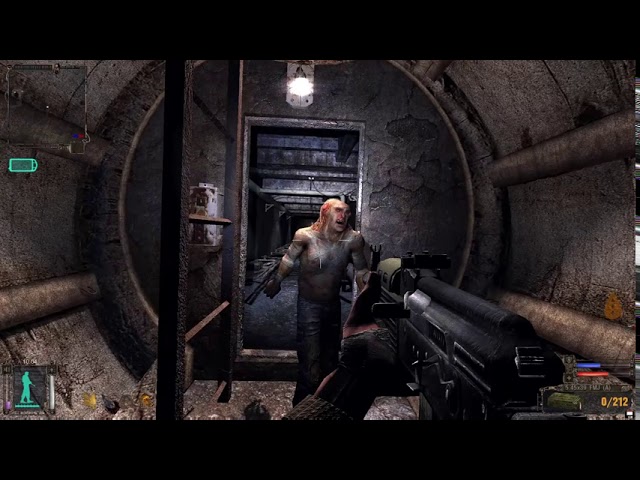
First Controller mutant you come across in S.T.A.L.K.E.R. SoC.
odd ember
calm citrus
Hey guys! Is it possible to recreate this attack in Blueprints? I spent all day ...
can probably mimic it by making the FOV smaller with the camera pointed towards the direction of the enemy
sage wharf
@gentle urchin & @maiden wadi , thanks for the insight! It was really helpful. Although, I found a solution to my problem earlier, there is a 'GetAllWidgetsWithInterface' node, used this for now. Since I have already made the whole project with Interfaces so far, and this is just the last leg. Next time I start a new project, I will use your ideas about the Global Getters. Thank you very much!! ^_^
summer jetty
When the player enters their character name in the textbox, how do I get it to automatically check if the first letter is a capital (and if not, change it to a capital)?
calm citrus
odd ember
can probably mimic it by making the FOV smaller with the camera pointed towards ...
Sounds like its worth a shot. Any idea to force the player to face the enemy?
odd ember
calm citrus
Sounds like its worth a shot. Any idea to force the player to face the enemy?
over time?
or just instantly
because you just set the rotation
 dark crow
Find Look at Rotation is a node that exists
calm citrus
odd ember
or just instantly
Instantly for now. I'm not to fluent with blueprints yet so forgive me if my code is terrible or if I am just completely off. I'm just trying to recreate game mechanics from games to learn. But this is what I got

unfortunately didnt work for me
odd ember
calm citrus
Instantly for now. I'm not to fluent with blueprints yet so forgive me if my cod...
use location, not rotation
calm citrus
odd ember
use location, not rotation
which node am I replacing with location?
brazen pike
Get actor location insted of get actor rotation
gentle urchin
calm citrus
which node am I replacing with location?
The top two nodes , get actor rotation and make Rotation X vector
stuck trench
PROBLEM:
So basically I am starting with a game. I want my game to play through like this: Intro --> Menu --> Start a game
Currently I am working on Intro. I have created a 5 seconds video loop that I want to be playing until player presses ANY KEY.
There will also appear text: "PRESS ANY KEY TO START"
After player presses some key on the keyboard or mouse, 5 seconds video will stop looping and play one last time.
Right after, text will disappear, everything will disappear and there will start a new video that is 15 seconds long and after this video will end there will appear new scene MENU.
But I cannot get the Intro part to work. I have one level called "Intro" I have two widgets called "VideoWidget" and "ClickToStartWidget". I use "Any Key" node in both widgets, but only "ClickToStartWidget" is working. The "VideoWidget" doesn't work, the looping video doesn't stop. But when I remove "Any Key" node from "ClickToStartWidget" suddenly the "VideoWidget" works fine. There are screenshots of the graphs for Intro (Level), VideoWidget and ClickToStartWidget:


And there is an additional showcase to give you a better idea of what am I working on:
https://files.fm/f/acxy2vnna

Please if you understand Blueprint a little bit help me 🙏 Thank you in advance!
gentle urchin
Set input mode problems?
 past hazel
Is there a way to change the spline at game start?
 earnest tangle
You can set your actor variables to be saved to config, after that it should automatically hook them up for you
stuck trench
gentle urchin
Set input mode problems?
Can you explain me please? I'm beginner 🤓
earnest tangle
Ah
I'm not sure if that's available in BP's, but it seems like it should be possible in C++ 🤔
gentle urchin
past hazel
Is there a way to change the spline at game start?
You can update a spline at runtime, yes. Unless its a landscape spline
stuck trench
@gentle urchin ?
 last pier
Hi, is it possible to disable lighting on 3D widget, just as classic widget ?
gentle urchin
stuck trench
<@231467939734355969> ?
Your altering input mode. Thats ome reason it could change. Try to not use that and see what happens
That or change it back once the video ends
Is the first thing that comes to mind
icy dragon
last pier
Hi, is it possible to disable lighting on 3D widget, just as classic widget ?
Give it an unlit material? Though I think widget comps are unlit by default, but I might be wrong
stuck trench
gentle urchin
Your altering input mode. Thats ome reason it could change. Try to not use that ...
what should I use instead of the "Set Input Mode Game And UI" ?
last pier
icy dragon
Give it an unlit material? Though I think widget comps are unlit by default, but...
Yes it's unlit by default
 jaunty dome
hey guys, my brain isn't working right now, I have a sanity variable that goes from 1 to 0
I want it that the more it goes down the higher another variable goes
 icy dragon
jaunty dome
hey guys, my brain isn't working right now, I have a sanity variable that goes f...
icy dragon
jaunty dome
hey guys, my brain isn't working right now, I have a sanity variable that goes f...
1 - Sanity
gentle urchin
stuck trench
what should I use instead of the "Set Input Mode Game And UI" ?
Why are you using it in the first place
icy dragon
jaunty dome
hey guys, my brain isn't working right now, I have a sanity variable that goes f...
(or subtract whatever max value it is with the Sanity var)
stuck trench
gentle urchin
Why are you using it in the first place
I dont't know, I copied it from someones answer yesterday, as I said I'm beginner at Blueprint programming.
@gentle urchin can you help me fix it please?
icy dragon
stuck trench
**PROBLEM:**
So basically I am starting with a game. I want my game to play thro...
What happens if you skip the Set Input Mode Game And UI? (or just use Set Input Mode Game Only)
Considering that the actor is supposed to take the input, not the widget itself.
stuck trench
ok I'll try skip the node first
stuck trench
icy dragon
What happens if you skip the Set Input Mode Game And UI? (or just use Set Input ...
I did this and it's still not working
 icy dragon
What class is that BP? Actor? Or Pawn?
(see the top right hand corner of the editor)
summer jetty
When the player enters their character name in the textbox, how do I get it to automatically check if the first letter is a capital (and if not, change it to a capital)?
jaunty dome
icy dragon
(or subtract whatever max value it is with the Sanity var)
🤦🏻♂️
thank you
stuck trench
icy dragon
What class is that BP? Actor? Or Pawn?
(see the top right hand corner of the edi...
if you mean this? Parent Class: User Widget
icy dragon
Oh shit, I don't know widgets can have input events in UE5 now
dire frost
stuck trench
I did this and it's still not working
can you drag out of the "Get Player Controller" and search for "is input key down"
stuck trench
like this?
 icy dragon
AFAIK in UE4 input events was not possible in UMG BPs
dire frost
stuck trench
like this?
the "target" pin should be connected to "Get Player Controller"
when you click the drop down menu at "key" pin is there an option for "any key"?
 dire frost
yeah
 dire frost
nice! well you can go on tick and make a branch node checking if the "is Input Key Down" true
icy dragon
If it's in UE4, I'd just let the Pawn handle the key input and call an event on the start screen widget.
stuck trench
dire frost
nice! well you can go on tick and make a branch node checking if the "is Input K...
In the same graph or in level blueprint?
dire frost
in the widget graph
stuck trench
ok
past hazel
gentle urchin
You can update a spline at runtime, yes. Unless its a landscape spline
But how can you implement the ability to drag a new spline point to visually show where it will be? I want to do something like this
 dire frost
just move all of the nodes that are connected to the anykey event to the branch
dire frost
icy dragon
If it's in UE4, I'd just let the Pawn handle the key input and call an event on ...
also this could work too honestly
gentle urchin
past hazel
But how can you implement the ability to drag a new spline point to visually sho...
plenty of ways. draw lines, spheres cubes, and whatnot
deforming meshes, adding ISM's along the paths etc etc
stuck trench
like this?
 dire frost
stuck trench
like this?
dire frost
stuck trench
like this?
yeah now connect the condition with the "is input key down"
and tick to the branch
 dire frost
stuck trench
btw If you want we can voice call
dire frost
stuck trench
btw If you want we can voice call
i cannot do that rn sorry. mic broke
gentle urchin
I'd suggest as makoto did, and do it in the pawn, or even the controller (if this is a main menu)
stuck trench
dire frost
i cannot do that rn sorry. mic broke
np mate
dire frost
stuck trench
just connect the "target" pin with "get player controller" and connect "event tick" with the branch
 icy dragon
Event Tick? That's overkill for something done once.
dire frost
stuck trench
yep now that should work normally across all of the widgets
you can now change the input mode to UI only
dire frost
icy dragon
Event Tick? That's overkill for something done once.
it really isnt, you're just checking if a key is down which doesnt take too much compute time
stuck trench
oh nice! it works, thanks, just some details now
dire frost
stuck trench
oh! and add a "do once" node after the delay
stuck trench
behind the delay in event tick ?
dire frost
no after it
gentle urchin
If this widget is deleted, you dont need doOnce
It'll only ever happen once
no reason to gate tick if tick is not existing
dire frost
stuck trench
**PROBLEM:**
So basically I am starting with a game. I want my game to play thro...
yeah but he doesnt delete it for the last image here
stuck trench
error after stopping the game:
 dire frost
gentle urchin
he deletes it once the button is pressed no?
dire frost
gentle urchin
he deletes it once the button is pressed no?
for the first widget yes and i agree with you on that but he doesnt delete it for the second widget
gentle urchin
I think inputs are bugged/not functioning normally while UI Mode only is on
Moved over to the focus stack or whatever, isnt it.. ?
dire frost
stuck trench
error after stopping the game:
did you connect the "player controller" node with the "get player controller"?
 worthy carbon
i created a aimoffset but when i shoot my gun and look up the line trace is going straight forward
stuck trench
dire frost
did you connect the "player controller" node with the "get player controller"?
nope I haven't, now its fine 😄
icy dragon
stuck trench
I think this is better setup than that. Also this is done in a possessed Pawn (of course it creates and stores the reference to the widget), but I think you can side load this to an Actor to save one branch.
 dire frost
worthy carbon
i created a aimoffset but when i shoot my gun and look up the line trace is goin...
dire frost
worthy carbon
i created a aimoffset but when i shoot my gun and look up the line trace is goin...
can you give us a screen shot for how you trace you lines for guns?
stuck trench
dire frost
did you connect the "player controller" node with the "get player controller"?
Now it doesn't work... 😦
dire frost
what's the problem?
 stuck trench
dire frost
what's the problem?
stuck trench
dire frost
what's the problem?
I have it like this but it doesnt work

 swift kestrel
worthy carbon
swift kestrel
worthy carbon
Use get camera rotation from the player camera manager
dire frost
stuck trench
I have it like this but it doesnt work
what doesnt work lol? im confused
stuck trench
dire frost
what doesnt work lol? im confused
after pressing any key the text doesnt change and the video neither
like we didnt even programmed anything, thats how it acts
gentle urchin
Did I skip out on an important lesson some time ago or is it weird to use an Event Dispatcher internally in a class hierarchy?
e.g. declare dispatcher in parent, bind to it in child class.....
Seem super odd.
dire frost
stuck trench
after pressing any key the text doesnt change and the video neither
can you add a breakpoint at the branch?
dire frost
nice can you hover over the red pin for the "is input key down"
stuck trench
yeah
dire frost
and see if it says true or false
stuck trench
"Returns true if...."
dire frost
huh? did you hover over the red pin or the node itself?
stuck trench
I hovered over this:
 dire frost
give me a sec...
stuck trench
ok
dire frost

something like should apear
and as you can see it tells here if the boolean is true or false
stuck trench
current value = false
icy dragon
I don't know how UE5's input events in widget BP is handled, but I think at this point sideloading it to Pawn/Actor might worth the less hassle.
dire frost
icy dragon
I think this is better setup than that. Also this is done in a possessed Pawn (o...
try out this solution
stuck trench
nvm
stuck trench
icy dragon
I think this is better setup than that. Also this is done in a possessed Pawn (o...
what is the "start screen" and the "main menu" do I have to create new levels or something?
dire frost
icy dragon
I don't know how UE5's input events in widget BP is handled, but I think at this...
yeah you're right
icy dragon
stuck trench
what is the "start screen" and the "main menu" do I have to create new levels or...
They're just reference to widgets.
icy dragon
Typically you create the widget in BeginPlay, then store the reference to the object.
The "IsStartScreen" is just a bool variable.
 stuck trench
do I have to do this graph in widget or level?
icy dragon
In your Pawn that you possess for the main menu level.
stuck trench
icy dragon
In your Pawn that you possess for the main menu level.
what the hell is Pawn, sorry I'm really new
like the Level Blueprint?
summer jetty
Anyone know why this isn't working? It's validation for when the player enters a character name. It should be a) minimum 3 letters, b) maximum 21 letters, c) have an uppercase first letter. It does a) and c), but lets me type as many letters as I want still.
 icy dragon
stuck trench
what the hell is Pawn, sorry I'm really new
icy dragon
stuck trench
what the hell is Pawn, sorry I'm really new
Nope, not level BP, but the Pawn that you possess in the main menu level.
Because you have to possess on something in a level.
Pawns are possessable Actors, and has easier time receiving inputs.
stuck trench
where to I find the Pawn
icy dragon
Make a new one if you haven't already
 stuck trench
how the hell did you got into this window? bruh ... why is it so complicated
surreal peak
You should probably watch some beginner tutorials before asking questions (:
stuck trench
surreal peak
You should probably watch some beginner tutorials before asking questions (:
I had but they are not specific for the things I want to do in Unreal
And Pawn and Actors werent mentioned
icy dragon
Doesn't matter, general tutorials can be applied to many specific things
stuck trench
Question out of topic: What's the best engine for Interactive Story Game with AAA graphics?
Maybe I had chosen bad engine...
icy dragon
stuck trench
I had but they are not specific for the things I want to do in Unreal
https://www.unrealengine.com/en-US/onlinelearning-courses/blueprint-kickstart
It's for UE4, but basics are applicable to UE5's BP

Epic Developer Community
Blueprint is a powerful visual scripting language in Unreal Engine. Explore how Blueprint interacts with systems in Unreal Engine, with Epic Games' Sjoe...
stuck trench
icy dragon
https://www.unrealengine.com/en-US/onlinelearning-courses/blueprint-kickstart
It...
Ok, watched.
mental trellis
icy dragon
Nope, not level BP, but the Pawn that you possess in the main menu level.
Becaus...
I mean, you don't have to.
icy dragon
Yeah, something something GameMode.
tight pollen
how can i block camera rotation?
i use timeline to rotate Camera and when Timeline is running then i don't want rotate from mouse
how can i do it
i think i need only block camera rotation
from mouse somehow 😄
or disable Mouse 🤔
icy dragon
tight pollen
how can i block camera rotation?
Set Control Rotation, and block the input events from setting it with a bool?
 mental trellis
Good question.
trim matrix
Hey so i got the y vector value of both my pawn and player pawn. when im looking to someone it should give me a yes back. Does anyone know the logik behind it?
icy dragon
 real garnet
how can I do that
real garnet
how can I do that
That'd require some material trickery.
real garnet
Activate this and the shadow is back
 icy dragon
real garnet
Activate this and the shadow is back
icy dragon
real garnet
Activate this and the shadow is back
Ah, didn't know it was a thing
real garnet
Very good feature, I just found out.
gentle urchin
undone surge
how do i see my functions that are in my parent class in my child class /
Theres an eye in the declaration view where you can set 'show inherited ..."
 undone surge
it has show inherited variables
undone surge
but it doesnt show functions
undone surge
there is this override button
if i click it
it shows my funcs
but will it break anything
undone surge
how do i just normally see functions
gentle urchin
Why do you want to see it ?
gentle urchin
Right so override
gentle urchin
Depemds if the functionalitynis shared across several children
undone surge
basically it does the same thing but like in my case i want each child class to spawn a different object
so im making func
gentle urchin
The function could still be in the parent
If they all spawn something
Then in the child you just change the variable defining what to spawn
undone surge
i see
but then i will need to open the function in child right
to define it
for each
thin panther
When you male a variable in the parent you can change it in the details of the child
And messing things up is oart of the process
You cant learn if you dont mess up
undone surge
thin panther
When you male a variable in the parent you can change it in the details of the c...
thnx
undone surge
thin panther
When you male a variable in the parent you can change it in the details of the c...
also to change the details in the child i edit that fucntion in the child right ?
undone surge
so bascially for each child blue print class i want a different mesh to spawn
thin panther
Yeah?
That still doesnt tell me why you are editing a function
You want to change yhr value of the variable in the details panel... nothing about a function
undone surge
so like i want each child class to spawn a different projectile depending on the child class which is the weapon

or am i doing it the wrong way
thin panther
Is it a local variable or a normal one
undone surge
normal
thin panther
Then do what i said
undone surge
alright
gentle urchin
As long as the only difference is what to spawn, altering the variable alone is enough
undone surge
i see
gentle urchin
To see or not to see, that is the question
undone surge
😦
gentle urchin
You got this !
 sacred canyon
does anyone know anything about procedural mesh component? I dont even know what the right channel for that would be
thin panther
I imagine some people do
Whats the question
I can say ye i know a bit
Like, it makes a procedural mesh
mental trellis
I know quite a bit about it. What's up?
summer jetty
Does anyone know why this isn't working? It's driving me nuts! Got the min 3 characters and upper/lowercase bits to work, but it still lets me keep adding as many letters as I want in there.

 barren sonnet
Anyone know of a way to dynamically generate a spline around a mesh ? I'd like to use it to paint the terrain around the base of buildings using the "Editor Apply Spline" action.
thin panther
@sacred canyon
sacred canyon
I just clicked into the channel again lol
thin panther
Lol that timing tho
sacred canyon
Im hoping to make some kinda 2d waves, but with thickness, like this

cant even work out the actual wave logic but I assume visually procedural mesh is needed
thin panther
You can use a material with vertex displacement iirc
thin panther
Thats typically how waves are done
sacred canyon
thats what I wanted to do, but that seems even more impossible
thin panther
Just shift some vertices by some noise
sacred canyon
I dont even know how to connect the sides with the top when that happens, wpo is so confusing and there doesnt seem to be any help online for this specific thing
icy dragon
thin panther
Just shift some vertices by some noise
Basically the same thing I suggested on the same question awhile ago.
icy dragon
sacred canyon
I dont even know how to connect the sides with the top when that happens, wpo is...
Is the water going to tip over at any point?
As in tilting to be poured out?
sacred canyon
Id like to but is that even possible?
what I really wanted is proper fluid physics but theres nothing online about that either
so Id be happy with a nice dynamic waves effect
thin panther
Yeah basically no games use proper fluid sims... too expensive really
Unless you have a faked version that isnt entirely accurate
icy dragon
sacred canyon
Id like to but is that even possible?
It's not whether you'd like to or not.
It's whether your game/levels actually need it or not at any point.
gentle urchin
Calculate flowrate by amount of overflow
icy dragon
If not, then fake it till you make it.
sacred canyon
well what I mean is that I could do a lot more with fluid physics but if I cant have it then I still want the wave effect
thin panther
9 times out of 10 they will just use a plane with vertex offsets, and a post process mat underneath
If you need simulation sometimes they use simulated spheres that have a material that blend then together into one object
Otherwise its 2d particle sims
sacred canyon
I could still have a simple pouring mechanic that could fill bodies of water
icy dragon
Buoyancy is kind of a different matter
But the deciding factor here if the gameplay/levels are actually going to depend on it or not.
sacred canyon
yeah Ill have actual buoyancy but I mainly mean for the visuals
 fallen glade
Is it possible to smoothly change camera shaking patterns on the fly?
 sacred canyon
obviously itd be a lot easier to just have a cube that makes objects float around in it but I want it to look like water
fallen glade
sacred canyon
obviously itd be a lot easier to just have a cube that makes objects float aroun...

In this week's Unreal Engine Material Editor Tutorial, we're using World Space Vertex Displacement to create Gerstner Waves. We calculate both the vertex offset and the vertex normal in the shader, and then combine them with the rest of the water shader that we made in previous episodes. Finally, we create a Material Function with our Gerstner...
?
 thin panther
But also if its 2d it could be faked with layers of paralax sprites no?
sacred canyon
the game is actually 3d

but obviously an ordinary water effect wouldnt work for that
thin panther
Ah understood
fallen glade
I don't get it why would an ordinary water not work?
gentle urchin
Probably from a very unpresise definition of "normal water "
Normal water would definetly work, even if stylized and 2d
sacred canyon
because this is how 3d water looks from a side view
 summer jetty
Is there a node to prevent any more characters being typed into an editable textbox?
thin panther
I think they mean they wants the water to look slanted from the side, but still give the impression of a body of water that's been sliced in half, which woukdnt work with normal water
 jaunty jolt
I created a function that spawns 3d Text actor.
it creates a text that slowly disappears by scaling itself to 0, then destroys itself.
This is useful to display messages in the level.
it displays a message on top of my pink rabbit in certain situations.
Like "Pink Rabit Strikes" (then disappears). Or others like, "You have too many rabbits" in the corner. Now im confused where i should put this function.
Because it should be a function that can be used by most blueprints.
So i put it in the TopDownExampleMap blueprint.
Is this the right thing to do? I also cant call the function or cast to it from other blueprints?
So im doing something wrong. This shouldnt be in the level blueprint right?
gentle urchin
thin panther
I think they mean they wants the water to look slanted from the side, but still ...
It needs an additional surface to be changed, sure
But thats additively
thin panther
Fair enough
summer jetty
The maximum bit on here isn't working. It checks there are at least 3 letters and sets the upper/lower case letters. But I can type as many letters as I want, which shouldn't work.
 gentle urchin
jaunty jolt
I created a function that spawns 3d Text actor.
it creates a text that slowly di...
gentle urchin
jaunty jolt
I created a function that spawns 3d Text actor.
it creates a text that slowly di...
Levelbp is hard to access , so I would suggest elsewhere.
In a sense it could make sense to have it in the players hud class because its always and only relevant to the player And its part of the hud experience
jaunty jolt
sometimes the messages need to be seen by all players. like when "Pink Rabbit Strikes". Others like "You have too many rabbits", its just for the player.
What if i put it in the controller?
gentle urchin
Didnt realize it was multiplayer
jaunty jolt
I already have an actor BP_Text3D. I spawn this actor and it shows the text. Then destroys itself
 empty quail
So, I discovered that if you put an Actor Component with Input Events on a PlayerController in blueprints, PlayerController will route input to that component. This is pretty helpful, but I'd like to be able to choose which component receives the input in order to implement input modes using objects instead of a switch statement.
Is there a way to do this?
trim matrix
does anyone know how to get a pawn player rotation?

 dawn quarry
why cant you subclass gameplay_task in blueprints? looked like what I needed 🤔
thin panther
trim matrix
does anyone know how to get a pawn player rotation?
Get world rotation?
Also what are you doing with that get all actors of class
And how often are you using it
 earnest mango
summer jetty
The maximum bit on here isn't working. It checks there are at least 3 letters an...
earnest mango
summer jetty
The maximum bit on here isn't working. It checks there are at least 3 letters an...
I think that's b.c. nothing in your code is altering the string, just checking its length. If length>20, I think you need to get the string, chop it down to 20 chars in length, and then set the TextBox's string to that new, chopped-down string
trim matrix
thin panther
Be careful with get all actors of class, it can be expensive to use
i sorted them with a text box to get only one i choose
thin panther
Okey doke
summer jetty
earnest mango
I think that's b.c. nothing in your code is altering the string, just checking i...
Fixed it! Thank you! 😄
gentle urchin
empty quail
So, I discovered that if you put an Actor Component with Input Events on a Play...
Enable / disable inputs may work?
So last enabled is first in line
empty quail
Hmm. Components don't seem to have those nodes. If that works though, I think I can do it with Actor subclasses. Not as tidy as components, but workable!
Thanks!
 fathom gull
Hey, I have set up a stamina system but it also drains when I press left shift without moving, how do I make it so that it only drains stamina based on the player velocity? (so it only drains when the player moves faster than a particular speed)
empty quail
Get Velocity on Tick, that'll get you a vector. The Length of the Vector is the speed your actor is actually moving. Just check if that's over your threshold, and drain one tick worth of stamina if so.
sacred canyon
thin panther
I think they mean they wants the water to look slanted from the side, but still ...
did anyone have any ideas for this btw?
fallen glade
sacred canyon
did anyone have any ideas for this btw?
I still have no idea what you want. Maybe share like a reference?
The water you posted seemed fine to me (broken but fine if refined)
Anyone know if it's possible to loop a sequence shake pattern? Best way I found for now is to hack play one after another, looping forever

I bought like £40 of camera motions should have waited :/
 real tree
So I'm working on a plugin which has it's own Input system, and I'm wondering how I'd go about making a function similar to this, Event BeginPlay, or Event Tick that doesn't need to be hooked into anything prior to being used.

 visual dune
I don't know where to ask this question, but I'm trying to make a vehicle automatically decelerate and stop at a fixed point. I'm trying to make it so that the vehicle follows a user-defined curve, but because I have it so that the time is equal to the distance from the vehicle to the fixed point, the time vehicle never truly reaches a speed of 0 because the slower the vehicle gets the slow it takes to reach the end of the graph. I hope that makes sense. Does anyone have any ideas of how I could fix this?
 faint pasture
@visual duneWhat is that curve showing?
visual dune
the speed at a given time/distance
faint pasture
What is your normal interface with the vehicle, is it physics driven, some movement component, etc?
faint pasture
Instead of making a curve of speed, try making a curve of distance
visual dune
faint pasture
Instead of making a curve of speed, try making a curve of distance
What do you mean?
faint pasture
Time on X, distance on Y
visual dune
I will look into that, cheers!
faint pasture
So then you can KNOW the time to arrive and distance to start using the curve.
sacred canyon
fallen glade
The water you posted seemed fine to me (broken but fine if refined)
that was a flat plane with no dynamic effects
I showed an image of how I need it
faint pasture
You can make the motion completely identical, but this way your variables will be independent.

 plain helm
Migrated animations from other project. But when I try to open it Editor crashes.

I found this in crash report file

What could possibly cause this problem?
fallen glade
sacred canyon
Just use some sort of mesh and then pann a displacing textuture on top


also #graphics is probably a better place for this
faint pasture
fallen glade
Just use some sort of mesh and then pann a displacing textuture on top
This. You could easily make a dynamic 2d water surface material to respond to splashes etc and make waves.
icy dragon
sacred canyon
wave effects on a 3d object but 2d waves
Why is that more complicated than necessary
As silveregg example pointed out, you only have to worry on the upper side, just WPO the heck out of it.
mellow folio
Is WPO detected by BP line trace?
 thin panther
reset your layout in the windows tab
trim matrix
cheers brother
 sacred igloo
Anyone experience an issue with Get Location At Spline Point before? No matter if I try world or local space, the result is the same, and there is an offset from the actual point for some reason. Any help would be greatly appreciated, I couldn't find a solution online.

 fathom gull
Hey, I have set up a stamina system but it also drains when I press left shift without moving, how do I make it so that it only drains stamina based on the player velocity? (so it only drains when the player moves faster than a particular speed)
maiden wadi
fathom gull
Hey, I have set up a stamina system but it also drains when I press left shift w...
Where are you updating the stamina variable? Tick?
thin panther
fathom gull
Hey, I have set up a stamina system but it also drains when I press left shift w...
check if the length of player velocity is greater than your desired speed
sacred canyon
icy dragon
Why is that more complicated than necessary
As silveregg example pointed out, yo...
but as I said I dont get how to do that with the correct points and actually reacting to impacts
sacred canyon
fallen glade
Just use some sort of mesh and then pann a displacing textuture on top
yes thats how I imagined the mesh to look but it needs to actually REACT
icy dragon
sacred canyon
but as I said I dont get how to do that with the correct points and actually rea...
Render target trick, make it accumulate over time by using previous frames
Though using canvas RT can be slow
sacred canyon
shouldnt be a problem, 90% of materials will be just solid colours
icy dragon
Render target is still a texture to drive the WPO, and the way it's updated can be slow
sacred canyon
if I could find out how to access specific axis for wpo that would be a good start I guess
wouldnt it just be a normal vector? one of the colour nodes representing xyz?
but then how would I make it different on different sides of the cube, materials are flat
idk anything about wpo actually
maiden wadi
Render targets aren't as slow as people complain about. There used to be an issue with UCanvas regarding them. Drawing them through a UImage really isn't noticeable.
sacred canyon
sacred canyon
idk anything about wpo actually
I mean I can see it obviously offsets the whole thing but how would you do that on individual points
sacred canyon
gentle urchin
I remember it stealing litteraly half my frametime
I tried a portal effect once using that I think and it was unplayable
maiden wadi
We just implemented a new system at work. Uses a Render Target. 2048x2048. I don't even notice it. Might profile it later out of curiosity.
I think my 297 lines of code to display three lines of text is taking more frame time. 😄
fathom gull
maiden wadi
Where are you updating the stamina variable? Tick?
Sorry for late respond, yes event tick
 fathom gull
thin panther
check if the length of player velocity is greater than your desired speed
fathom gull
thin panther
check if the length of player velocity is greater than your desired speed
how would i do that?
thin panther
fathom gull
how would i do that?
Get player velocity, get length, compare with spees
maiden wadi
gentle urchin
297!?
Not including sub functions. Probably another 200 total. Formatting text in C++ is fun. 😄
gentle urchin
If velocity.length > 600, then stamina = stamina - tick * staminadecreaserate
gentle urchin
maiden wadi
Not including sub functions. Probably another 200 total. Formatting text in C++ ...
Ouf, and here i was looking forward to trying some ui stuff in c++
fathom gull
thin panther
Get player velocity, get length, compare with spees
how do i compare with speed? sorry new to UE
 autumn vector
I see FindPathToLocationSynchronously and it works fine. But it hits the FPS for a bit. Is there anyway to do this async?
fathom gull
I Dont understand, what nodes in blueprint ?
maiden wadi
gentle urchin
Ouf, and here i was looking forward to trying some ui stuff in c++
It's not so bad. Just gets very verbose. Specially when dealing with rich text.
int32 SomeNumberValue = 1454;
int32 SomeOtherNumberValue = 435345;

FFormatNamedArguments MyNamedArguments;
MyNamedArguments.Add("SomeNumber", SomeNumberValue);
MyNamedArguments.Add("SomeOtherNumber", SomeOtherNumberValue);

FTextFormat TextFormat = FTextFormat::FromString("{SomeNumber} x {SomeOtherNumber}");

FText MyNewText = FText::Format(TextFormat, MyNamedArguments);```
 jaunty summit
autumn vector
I see `FindPathToLocationSynchronously` and it works fine. But it hits the FPS f...
jaunty summit
autumn vector
I see `FindPathToLocationSynchronously` and it works fine. But it hits the FPS f...
FindPathAsync
I never done it, though a quick search pointed me there
fathom gull
gentle urchin
If velocity.length > 600, then stamina = stamina - tick * staminadecreaserate
How do i do this in blueprints?
faint pasture
fathom gull
How do i do this in blueprints?
Have you tried? If, Greater than, Multiply, equals, length of a vector are all nodes in BP
just right click or drag off a node pin and start typing shit and you'll find them
fathom gull
faint pasture
Have you tried? If, Greater than, Multiply, equals, length of a vector are all ...
yes and i cant connect them
gentle urchin
fathom gull
yes and i cant connect them
Yes you can, if it was not possible we likely wouldnt suggest it ..
 unborn compass
So I designed this system but i was hoping someone could help me make it better. It essentially is for draining a resource based on the movement of a pawn

so as it moves it drains the resource slowly
worthy carbon
HELP... i retargeted my skeleton with a mixamo skeleton and now this is what happend to my animation
 fathom gull
gentle urchin
Yes you can, if it was not possible we likely wouldnt suggest it ..
fathom gull
gentle urchin
Yes you can, if it was not possible we likely wouldnt suggest it ..
I know that, i just dont know how to do it, do you mind sending a picture of how to do it?
faint pasture
fathom gull
I know that, i just dont know how to do it, do you mind sending a picture of how...
Start with adding an IF node and giving it the output of a greater than (float) node, comparing the length of your velocity vector and whatever speed you want to consider sprinting to be.
We aren't here to show you node by node how to do the simplest stuff.
gentle urchin
fathom gull
I know that, i just dont know how to do it, do you mind sending a picture of how...
Do as Adriel suggested. Try to search for the nodes
fathom gull
Well thanks for trying to help both but i dont understand, dont even see a if node
faint pasture
fathom gull
Well thanks for trying to help both but i dont understand, dont even see a if no...
right click graph, type "if" or "branch"
maiden wadi
I very strongly recommend finding a youtube series to follow. There are some that are 20+ videos long. They'll give a decent introduction to the engine.
 flint wharf
Is there some way I can get the current camera from my player controller?
maiden wadi
flint wharf
Is there some way I can get the current camera from my player controller?
Depends on the reason.
flint wharf
maiden wadi
Depends on the reason.
I have a custom camera I made and I want to be able to map user inputs to the functions in the controller. (I'm new to UE but not programming so I might be doing this wrong)
maiden wadi
Normally inputs go in Pawns when related to a camera. Your "Camera" would be a Pawn actor with a Camera Component in it. And you'd program your inputs into the pawn instead of the controller.
 gentle fog
Is there a way to find out what the Verlet (Vector) node does or how it works?
maiden wadi
General reasoning for this is to avoid control routing. Placing same controls bindings in a Character, Car, Plane, and Boat, that all can do very different things would lead to some long if statements in a controller. Handling them in the pawn class avoids that and they just simply work when that pawn is possessed.
maiden wadi
gentle fog
Is there a way to find out what the `Verlet (Vector)` node does or how it works?
Don't recognize that one. UE5?
gentle fog
maiden wadi
Don't recognize that one. UE5?
Yes
flint wharf
maiden wadi
Normally inputs go in Pawns when related to a camera. Your "Camera" would be a P...
Thanks for the info.. I originally had the inputs map to the custom camera class inside the pawn I guess I had it right to begin with. I guess I'll research more into the controller class since I thought it was for this kind of stuff.
jaunty summit
flint wharf
I have a custom camera I made and I want to be able to map user inputs to the fu...
I'm not sure how inputs are connected to your camera, but if you mean input axis for rotation stuff, then you can use AddPitchInput and AddYawInput
thin panther
fathom gull
Well thanks for trying to help both but i dont understand, dont even see a if no...
did you try typing if into the node search, if you do it gives you what you need
unfortunately it is up to you to figure out where in the code this logic goes, and how to construct the logic, otherwise you will not learn
maiden wadi
flint wharf
Thanks for the info.. I originally had the inputs map to the custom camera class...
It is for that. But it isn't for that directly. The Controller itself actually handles all gameplay input. Without going into a crazy amount of depth. UE has two layers of input.
Unreal's UI framework processes all input from the OS. Depending on control modes(UIOnly, GameOnly, GameAndUI), this gets routed through certain systems. When in GameAndUI, it goes through all. First through UI. If nothing blocks it, it goes to the local PlayerController. Once in the controller, the controller ticks inputs.
The most important note on this is the input stack function. It will build an input stack. First is any Actor that has directly had input enabled. Next is the controller itself, third is the Level Blueprint, and last is the currently possessed pawn.
So if pawn and controller have same input bindings, controller will try to run it first, if it consumes it, pawn never gets it.
So in the end, you can bind inputs into your pawns, and have them do pawn related things directly without ever actually involving the controller in your code, thanks to the framework set up around it.
thin panther
but i do agree with Authaer, it sounds like you need to learn the engine at a basic level, or learn some of the more basic programming principles, as this will teach you how to think for yourself and solve more simple problems
gentle urchin
maiden wadi
General reasoning for this is to avoid control routing. Placing same controls bi...
Actually, just routing them directly from controller to pawn, gives you a single point of blocking or rerouting specific inputs if desired, across all controllable pawn types that you've set up...
flint wharf
jaunty summit
I'm not sure how inputs are connected to your camera, but if you mean input axis...
I've got a bunch of functions for panning the camera when the mouse gets to the edges of the screen, zooming with the scroll wheel, rotating about the pawn when the middle mouse button is pressed, etc.
maiden wadi
gentle fog
Is there a way to find out what the `Verlet (Vector)` node does or how it works?
Where are you seeing this? I am not sure if this is blueprint related.
flint wharf
maiden wadi
It is for that. But it isn't for that directly. The Controller itself actually h...
Thanks that's very helpful I didn't know about the event bubbling for inputs
jaunty summit
flint wharf
I've got a bunch of functions for panning the camera when the mouse gets to the ...
Ok the last part can be done with the mentioned functions though you would have to be careful of the issue Authaer told you about. I would suggest you to dig into the PlayerCameraManager class. You might find some useful stuff there.
You can access it from your PlayerController
fathom gull
thin panther
did you try typing if into the node search, if you do it gives you what you need...
Yes ofcourse i did, but i didnt know that branch was the same as if, and why would i not learn when im asking for help, never coded or used UE so some of the simplest things for you is not so easy for me
thin panther
fathom gull
Yes ofcourse i did, but i didnt know that branch was the same as if, and why wou...
you learn best when you have to figure things out, this is the problem with tutorials. A lot of people just use the information without absorbing it
and using a basic course/guide would teach you these simple things as well
if we tell you every individual step and just provide a solution, that does no benefit for your learning
flint wharf
jaunty summit
Ok the last part can be done with the mentioned functions though you would have ...
Good advice I will have a look at PlayerCameraManager. So much to learn.
maiden wadi
fathom gull
Yes ofcourse i did, but i didnt know that branch was the same as if, and why wou...
I know how frustrating it feels to start from basics with no programming background. That's why I recommended one of those long tutorial series. They won't teach you best practice right away, but they will at least get you comfortable with the editor. You won't really learn well until you are comfortable with it. I spent my first couple weeks learning by following a city builder. Didn't have a clue what I was doing, I just hooked stuff up the same way that the video did. I went back through it after I finished and paused to look up the data types, and such to understand them. Literally spent three weeks doing something that would take me a couple of hours now. Time well spent though.
thin panther
That's also a fair point, I first learned unreal through a college course where i just made things by following tutorial sheets. Things were confusing, I didn't remember anything, or learn much from it. Hell the whole idea of parent-child classes was completely foreign to me, until i went away and i learned a programming language. Not saying you have to do that, there's different ways for everyone, but after doing that, and learning the engine, i can do things that I couldnt even conceptualize without a tutorial, like inventories and such
fathom gull
thin panther
you learn best when you have to figure things out, this is the problem with tuto...
I understand what you guys are saying but isnt that the same as this?
thin panther
no
what you asked was for a screenshot of how to do it, that isnt learning, that's giving the answers. compare it to revising for an exam vs being given the answer sheet. theyre totally different things.
we gave you the underlying logic, so the way you would learn, is by figuring out how to represent it, and where to put it
 midnight ravine
Is there a way for me to get the currently set value for the Input Settings --> Axis Config --> Dead Zone?
I've only found the Get Input Settings node but don't know what to use next.
fathom gull
thin panther
we gave you the underlying logic, so the way you would learn, is by figuring out...
ah i see what you mean now
trim matrix
there's a bool in my main game mode that I would like to set from my menu game mode
I am a silly noob, could somebody point me in the right direction? thank you
@ Zenahr_ you could remove the deadzones and put them in your movement logic directly
midnight ravine
trim matrix
@ Zenahr_ you could remove the deadzones and put them in your movement logic dir...
I'm working with Lyra in UE5 right now and removed all deadzones from within the project settings, but they're still there. I was hoping to do a quick print log to see if it's because of the contorller I'm using or to see if the game logic hardcoded deadzones somewhere without having to look too deeply into the existing BPs.
trim matrix
check the input.ini
faint pasture
gentle fog
Is there a way to find out what the `Verlet (Vector)` node does or how it works?
Where are you seeing that?
 willow cedar
Is there a way to get who is interacting with an object through a Blueprint Interface?
faint pasture
willow cedar
Is there a way to get who is interacting with an object through a Blueprint Inte...
Add InteractingActor to the interface. That is, pass the interactor over in the interaction call
willow cedar
Sweet. Thank you.
maiden wadi
Huh. I can't even find the render target in my insights profile... I am assuming it's one of these 600 or 800 nanosecond paint calls. I know what the rest of this is.
faint pasture
maiden wadi
Huh. I can't even find the render target in my insights profile... I am assuming...
So what's the trick to what you guys are doing vs just drawing to a render target the naive way?
maiden wadi
I dunno. I didn't do anything fancy. It's just a RenderTarget asset. 2048x2048. Use that in a material, use the material in a UImage.
Checking Render thread profile to. Just not seeing anything.
faint pasture
maiden wadi
I dunno. I didn't do anything fancy. It's just a RenderTarget asset. 2048x2048. ...
How do you trigger the actual drawing? Just DrawMaterialToRenderTarget?
I've found that to be fast but I've been trying to figure out how to speed up my polygon drawing to RT (just a bunch of triangles)
maiden wadi
The SceneCaptureComponent renders it to the RenderTarget asset we just feed the actor/components needed to display to it. And then the material handles the opacity.
I mean it's like 10 components max. But given how bad people complain about render targets, I'd have expected at LEAST at 600microsecond timing here.
faint pasture
Ah yeah I'm talking about just rendering abstract triangles (bigass array of structs with 3 2d vectors)
maiden wadi
Heh.. Amused that my 2000+ line tick in a tooltip setting 34 textblock's text is faster than four callable, and 10 pure blueprint nodes changing four textblock's text. 😄
Formatting code might not be free. But man is it fast.
 hard kettle
In blueprints is there a way to add location references say using like cubes and then reference them in c++? I have a dirt field and I am trying to add some standing locations on it to use in my c++ class
faint pasture
hard kettle
In blueprints is there a way to add location references say using like cubes and...
You're either looking for Sockets or just adding some vector variables to something.
A socket is just a named offset in a mesh
mental trellis
Perhaps add a TArray<FVector> in c++ and make it a uproperty
Include the uproperty metadata specifier that lets you move the fvectors about in the viewport
hard kettle
aye thats what I was thinking but I was actually thinking more of so I could see the locations in the blueprint editor physically as well so I could arrange them/edit them later without having to find where each of the vectors was in the list
 granite stratus
does anyone else know why data assets just seem to always explode whenever i reopen my project
unborn compass
silly question kinda cause theres other ways to do it but i want number to match, so anyone know if i make an array like this does it leave the 0 and 1 as null or does it move everything up?
 maiden wadi
granite stratus
does anyone else know why data assets just seem to always explode whenever i reo...
maiden wadi
granite stratus
does anyone else know why data assets just seem to always explode whenever i reo...
In what way? I use them all the time without issues.
granite stratus
it just breaks any blueprint that references a data asset
i only have 2
the references go null and it crashes the editor when scripts try to compile
earnest mango
unborn compass
silly question kinda cause theres other ways to do it but i want number to match...
I think that will cause array elements 0 and 1 to be None, but I'm not certain
 foggy escarp
earnest mango
I think that will cause array elements 0 and 1 to be None, but I'm not certain
foggy escarp
earnest mango
I think that will cause array elements 0 and 1 to be None, but I'm not certain
yep
maiden wadi
granite stratus
it just breaks any blueprint that references a data asset
Definitely haven't experienced that. Not sure what that could be either. Have never had pointers to assets lose their state like that.
granite stratus
ive had it happen in a bunch of projects before
just wondering if anyone actually knew how to resolve it
 dense badger
unborn compass
silly question kinda cause theres other ways to do it but i want number to match...
dense badger
unborn compass
silly question kinda cause theres other ways to do it but i want number to match...
0 and 1 will be null in this case.
unborn compass
dense badger
0 and 1 will be null in this case.
ty
 pseudo crystal
Does anyone know if it is possible to fracture a mesh / geometry collection at runtime? I cannot find a function to do this.
 keen crest
Why is there a severe lack of documentation or tutorials on getting variables from other actors?
I have a widget that pops up at the start of the game before anything happens that constrains the aspect ratio to 16:9 or 4:6. I have a Boolean in the actor, true goes to 4:3 and false goes to 16:9. I want to change that boolean in the widget, but I can't. The camera actor doesn't exist when the widget is created so I can't get it from the level. The camera isn't attached to the player so I can't get player character. I create an object variable with my Camera Actor, I get a accessed none error, I create a Variable that is specifically for my Camera Actor, I get accessed none error. Why is in so unnecessarily difficult to pull variables from other blueprints? No other engine has this problem, not even beginner engines or advanced engines.
Widget Cast

My Camera Actor
 willow cedar
keen crest
Why is there a severe lack of documentation or tutorials on getting variables fr...
willow cedar
keen crest
Why is there a severe lack of documentation or tutorials on getting variables fr...
I'm no expert on this, but my first thought is if the actor doesn't exist yet, to store it somewhere to be referenced on actor creation. I don't know the solution, but it could help you search around. Somebody else can probably assist better.
keen crest
Like an array?
willow cedar
More like save data I think. I'm not sure, but this sounds like Save Game stuff, because you want the values kept each time you load I'm gonna assume.
Probably a good place to research if you want things like settings. I haven't ventured into settings myself, but that's where I'd search for something like this.
First time trying to provide info here too, so sorry if that isn't too helpful
keen crest
willow cedar
More like save data I think. I'm not sure, but this sounds like Save Game stuff,...
Don't need it to particularly, at the moment, but I'll look into it. Knowing UE4 it's probably the only solution, this engine is a pain in the ass sometimes, make me wish I learned Godot or Unity first 😅
keen crest
willow cedar
First time trying to provide info here too, so sorry if that isn't too helpful
Nah don't worry, we all gotta start somewhere
Sure someone else will wander in, or not, also knowing this discord server.
willow cedar
Wish I could help ya more
 dawn gazelle
keen crest
Why is there a severe lack of documentation or tutorials on getting variables fr...
dawn gazelle
keen crest
Why is there a severe lack of documentation or tutorials on getting variables fr...
When you create an integer variable, its default value is 0. It's not until you change the default value or set the variable that you end up changing the number.
When you create an "object" or "actor" variable, it's default value is "None". You cannot change the default value as objects and actors don't exist until the game is running, so you need to get a reference to the object or actor and set it in the variable at run time.
A very quick and dirty way of getting that reference, is by doing "Get Actor of Class".
keen crest
dawn gazelle
A very quick and dirty way of getting that reference, is by doing "Get Actor of ...
tried that but requires me to put the camera in the startup level, which will create a load of errors because it requires the character to be present and a spline actor to travel on, at which shouldn't be possible yet, as the main menu hasn't even started yet
minor wolf
minor wolf
Is there a way to have a blueprint class which does not create a specific actor ...
bumping in case anyone knows if this is possible
keen crest
dawn gazelle
When you create an integer variable, its default value is 0. It's not until you...
I've tried making a reference to the actor but I get accessed none errors, am I doing something wrong?
dawn gazelle
keen crest
I've tried making a reference to the actor but I get accessed none errors, am I ...
As I just said: When you create an "object" or "actor" variable, it's default value is "None". You cannot change the default value as objects and actors don't exist until the game is running, so you need to get a reference to the object or actor and set it in the variable at run time.
Once the variable has the value, you won't get "Accessed None" errors.
keen crest
dawn gazelle
As I just said: When you create an "object" or "actor" variable, it's default v...
So you're saying, drag the actor into the level to access it?
dawn gazelle
If you're dealing with an actor, unless it has been spawned in (using a Spawn Actor node) or placed in the level, then there would be no way to access it.
keen crest
So when I load in a new level the variable will go back to default?
Which destroys the purpose of the option?
Is there really no way to have a universal variable?
 broken wadi
Are Gameplay Tags the same thing as the purple Tags for an actor?
I'm not sure if my EQS test condition using Gameplay Tags will work with actor's tags.
dawn gazelle
keen crest
So when I load in a new level the variable will go back to default?
You have the Game Instance but even that will not retain references to objects if they are destroyed during level transition. It can store other basic variables (like integers, bools, structures, etc.) that will persist for the lifetime of the game.
keen crest
dawn gazelle
You have the Game Instance but even that will not retain references to objects i...
Could try that...
Will seeee if that works
dawn gazelle
If you need something that should persist between each execution of the game, then you probably want to use a save game object.
sly forge
Does anyone know the math to fill these 2 squares with 1x1x1 cubes given red dots coords?
 dawn gazelle
broken wadi
Are Gameplay Tags the same thing as the purple Tags for an actor?
dawn gazelle
broken wadi
Are Gameplay Tags the same thing as the purple Tags for an actor?
If you mean the actor tags (that is an Array of Names), then no, they are not the same thing.
broken wadi
ahh crap
 devout latch
dawn gazelle
If you need something that should persist between each execution of the game, th...
devout latch
dawn gazelle
If you need something that should persist between each execution of the game, th...
That's what I do in my game - I store some things in Game Instance but also in a Save Game Object. I always wondered if on a console, would the Game Save actually store to disk while Game Instance wouldn't? And if so, wouldn't that take longer?
dawn gazelle
broken wadi
ahh crap
Game Instance only persists while the game is running. Once you stop the game, Game Instance is destroyed.
Save Game is exactly that - it's saving variables to disk.
broken wadi
Ohh I can just add GamePlay tags directly onto my actor. It should still work then.
dawn gazelle
(and sorry that reply was meant for @devout latch
broken wadi
Kind of confusing how there's two tagging systems lol, I'm sure there's probably a good reason for that.
dawn gazelle
GameplayTags were added later I believe. They're a bit easier to work with imo - it prevents you from making typos, they use hierarchy when trying to see if something has a certain tag, and they're a bit more network efficient.
broken wadi
My use case for checking tags is within an AI's EQS test condition, I noticed that you can run a check for tags, but I guess its only for Gameplay tags and not actor tags.
keen crest
dawn gazelle
You have the Game Instance but even that will not retain references to objects i...
Works finally, thank you 😇
faint pasture
sly forge
Does anyone know the math to fill these 2 squares with 1x1x1 cubes given red dot...
Depends on how general-case you gotta get
What's the input data, 2 sets of 4 points, or just 7 points, or any amount of points in any orientation, or what?
sly forge
Red dot locations and their order

I only got red dots transforms and their order in array
Im trying to make a procedural building, i start with pillars then roof, atm i got the pillars working
faint pasture
why 1cm cubes?
sly forge
its 100cm, i meant the scale with 1
faint pasture
Ah yeah, anyway, per room, just place room width x room height
sly forge
1cm would be great but i dont think the engine can handle many cubes
faint pasture
Start with making a function that can place a rectangle full of cubes given the dimensions of the room and coordinates of top left or bottom left corner.
Then you just have a nested loop spawning cubes
sly forge
with rectangle function you mean like making a wall?
oh u mean according to the image
but it will fill the space between 5 and 7 if its rectangle
thin panther
split it into 2 smaller ones then
rectangle 1273 and rectangle 3456
remove overlapping
bingo
sly forge
yea but when you have a larger structure with more pillars(Red dots) you'll need math to split them, add then remove overlapping
 plain pewter
My cpp-derived blueprint suddenly has a parent class of "None" and breaks the editor. I don't know how it got unassigned but the original parent class is present and compiles fine. How do I reparent the blueprint?
sly forge
open blueprint - file - reparent blueprint
plain pewter
I can't open the blueprint, that crashes the editor
faint pasture
sly forge
yea but when you have a larger structure with more pillars(Red dots) you'll need...
You should have a data structure that captures "rooms", not just a random assortment of pillars
plain pewter
This pops up, and it does indeed crash
 sly forge
Clicking yes crashes the editor?
plain pewter
yep
faint pasture
plain pewter
This pops up, and it does indeed crash
You sure you didnt rename the parent class out from under it?
plain pewter
It looks like this scenario happens sometimes and isn't possible to fix, I didn't know if someone here had hidden knowledge
sly forge
faint pasture
You should have a data structure that captures "rooms", not just a random assort...
yea i think imma make it abit more manual
plain pewter
faint pasture
You sure you didnt rename the parent class out from under it?
90% sure, but if I did I don't remember exactly what the name was before. I tried poking around the uasset file in a hex editor to see if it maybe had a parent class name but didn't see anything