#blueprint
402296 messages · Page 874 of 403
 zealous fog
This might be a silly idea and I'm no professional, but couldn't you save the ismixed on the player character
 thorny rover
Hello! I have a question about Navigation Data Object referece.
I have 2 separate navmeshes (navmeshbounds) on different sublevels. I want player to switch between them (and place player on the correct navmesh afer switch).
I want to use "Get random reachable point in radius"
But seems that Nav Data is not compatible with Nav Mesh bounds, i get error:
"nav mesh bounds volume object reference is not compatible with navigation data object reference"
Is it somehow possible to convert navmesh bounds volume into Navigation data reference?

 brazen pike
zealous fog
This might be a silly idea and I'm no professional, but couldn't you save the is...
brazen pike
zealous fog
This might be a silly idea and I'm no professional, but couldn't you save the is...
That assumes there will only ever be one button. If there are multiple then it will be "is mixed" true for all of them if its done in the playercharacter.
 lusty wraith
brazen pike
It's not going to be created at the start of the game, so you need to find a pat...
lusty wraith
brazen pike
It's not going to be created at the start of the game, so you need to find a pat...
ok, I did what you said, referenced the pc_int_wb in the pc_bp (which is where the WB is created) but it still says none in the default value. Also now, im not sure how to call the boolean
 brazen pike
If its done in the individual BPs, then it can check for a specific button
Can you show slightly more of the PC_BP
zealous fog
Yeah that's true
lusty wraith
sure
 zealous fog
Difficult to say what's the best option without knowing what system you're trying to make and what the gameplay context is
brazen pike
lusty wraith
sure
So you have the same issue. What you need to do is drag out the variable onto the graph and select "set"
then you can tell the variable what it should reference
and the input of the "set" node should be the output of the "Create widget"
lusty wraith
brazen pike
and the input of the "set" node should be the output of the "Create widget"
ok, so like this
 brazen pike
Yes
lusty wraith
thank you, i'll see if this works
brazen pike
it won't work unless you have set the PC variable properly
You can now find the widget from the PC, but you also need to be able to find the PC from the vending machine
zealous fog
Interface could be a good option there
brazen pike
I'm not too sure about that, my best guess would be an event dispatcher but then again still need to reference
 undone surge
this is a parent class, what node do i use to get a specific chilld class from this
 brazen pike
lusty wraith
ok, so like this
brazen pike
lusty wraith
ok, so like this
Do you know how to set an instance editable variable from the viewport?
brazen pike
undone surge
this is a parent class, what node do i use to get a specific chilld class from t...
Cast to (Child)
zealous fog
brazen pike
I'm not too sure about that, my best guess would be an event dispatcher but then...
Why not? When you perform the action that needs to check the ismixed bool you can get player character, use the interface to get the reference and then get the bool
lusty wraith
brazen pike
Do you know how to set an instance editable variable from the viewport?
unfortunately no.
brazen pike
undone surge
<@199709965471055872> what does convert to pure cast do
Just that you don't need to put it onto the execution line, and it will assume that it is valid rather than giving you an success and fail exec. If it could ever fail but a branch into the boolean output it gives
undone surge
ahh so basically it will run whether condition is valid or not
and if it isnt it will error
brazen pike
yeah
undone surge
ok thanks
brazen pike
zealous fog
Why not? When you perform the action that needs to check the ismixed bool you ca...
Well I'm sure it COULD be done that way. I'm just not sure how since you need a reference to the pc
lusty wraith
brazen pike
Do you know how to set an instance editable variable from the viewport?
i think this is it actually?
 brazen pike
yes that's it
lusty wraith
ok, ima see if i can figure this out now
brazen pike
Now get the PC variable, then get the widget variable from that, and finally get the boolean from that
brazen pike
zealous fog
Why not? When you perform the action that needs to check the ismixed bool you ca...
What would you use as an input?

(that is one of my interfaces)
as an example
if you didn't already have a reference
lusty wraith
brazen pike
Now get the PC variable, then get the widget variable from that, and finally get...
omg, thank you so much, it works ❤️ ❤️
@zealous fog thank you also for your suggestions
brazen pike
lusty wraith
omg, thank you so much, it works ❤️ ❤️
I've just looked into it, and a slightly better way of doing it would be to use an event dispatcher. But I'm not telling you to change it, just letting you know what to google if you would like to slightly improve it
lusty wraith
brazen pike
I've just looked into it, and a slightly better way of doing it would be to use ...
I did wonder that to begin with, i tried to do it but couldnt get my head round it. Why would it be better? is it less expensive?
brazen pike
lusty wraith
I did wonder that to begin with, i tried to do it but couldnt get my head round ...
I believe so, but I couldn't tell you why
I think memory usage, might need someone more experienced to confirm though
lusty wraith
brazen pike
I believe so, but I couldn't tell you why
I will have to learn them eventually i guess
zealous fog
brazen pike
What would you use as an input?
Get player character
 lusty wraith
🤔
brazen pike
Yeah, add on top of that the widget is called PC_Interface
undone surge
@brazen pike is this blueprint correct ? i have a parent weapon class for which i created different child classes to keep it organized but i have my custom event(Fire) in the child so i did casting but this isnt working. did i cast it right ?

it only works if i put my custom event in the parent class and it uses variables only from parent class then
brazen pike
undone surge
it only works if i put my custom event in the parent class and it uses variables...
what does that code look like
I mean in the character
 brazen pike
yes but I assume to get it to work with the parent, you are no longer casting to the child
undone surge
i need it to work with the child class but it wont work
so i was wondering if i did casting right
brazen pike
It looks fine to me. Are you getting an error?
undone surge
no it just doesnt fire the gun
brazen pike
Where does the execution fail, at the cast?
undone surge
first it was firing but it was using parent variables which i didnt want so i made fire event inside child class
it wont go past cast
the red line thing
when i play
it stops at cast and wont go into the custom event
 urban haven
Hi all, Variant manager question: Can I duplicate objects/Blueprints using the variant manager? Like I would want 2 or 3 cars instead of 1. Is this possible?
I think it is similar to regular spawning an object?
 thin panther
undone surge
it stops at cast and wont go into the custom event
thin panther
undone surge
it stops at cast and wont go into the custom event
Whats in the weapon variable
thin panther
When you spawn and attach the weapon, set its the variable to its return value
You need to tell the cast which specific instance of the weapon you mean
So you need to store the reaukt of the spawn
 peak summit
why is it standard practice to move your mesh down to align with a capsule collider instead of bring the collider up? "Show floor" is half way inside the capsule in preview.
 trim matrix
Hey Guys, i need to scatter loads of coins in a transparent container... how would you do that? i tried physics but can't freeze the position
undone surge
thin panther
You need to tell the cast which specific instance of the weapon you mean
i see
thin panther
peak summit
why is it standard practice to move your mesh down to align with a capsule colli...
Because you cant move a root
peak summit
works for me ;P
thin panther
Typically your collision will be the root
 worthy carbon
When i try to attach my backpack to the character it doesn't attach and it gives me this error
 undone surge
@thin panther i would do that here right after the final node ?

 keen schooner
I could be misinterpreting, but should you even need to cast to the parent class? I use something similar with my item pickup system, in that the base item class has an Interact event, but Backpacks function differently when picked up than other items. I used Override on the backpack blueprint's Interact event, wrote what I needed in there, and it defaults to that overridden event instead of the parent class's Interact event. No casting needed.
thin panther
You need either your master weapon bp, or your specific weapon
thin panther
Np
trim matrix
guys, i would like to save the position of some componentActors after a simulation, do you know if it's possible to do so in a BP?
 sly forge
Hello, is it no longer possible to change pins order in blueprint functions in unreal engine 5?
 odd ember
trim matrix
guys, i would like to save the position of some componentActors after a simulati...
odd ember
trim matrix
guys, i would like to save the position of some componentActors after a simulati...
what do you mean by component actors?
odd ember
sly forge
Hello, is it no longer possible to change pins order in blueprint functions in u...
it probably is but they have probably found a new way to make it more obscure
trim matrix
Hey so im working right now on a modification of a Game and i need a way to get a distance from my pawn to the closest player pawn.
Somehow the code doesnt show the distance to the closest player.
I hope someone can help me.
UE Version 4.21(I know its old).
 odd ember
trim matrix
Hey so im working right now on a modification of a Game and i need a way to get ...
odd ember
trim matrix
Hey so im working right now on a modification of a Game and i need a way to get ...
if you just want a straight distance, there are nodes for that. I'm not sure what you're doing with that segment node. I assume that's custom made
 real notch
Not too familiar with BPs, is there a dummy object I can place in a BP to just use as a way to get a vector3 location as a spawn location for construct/scripting ? I see arrow?
 sonic moss
I've used arrows and billboards in personal projects.
worthy carbon
Hi everyone! does someone knows how i can attach items to the character if its in the inventory?

 odd ember
almost certainly some multiplayer server client issue
 maiden wadi
Seems like it's called too soon. The binding allows it to call later?
 keen shard
basically, there is a bunch of server config that happens, and this other actor needs to know when the gameinstance is done doing that configuration when you're host
the actor waiting for this to be called is an actor in the level.
the order of operations is this. InitPawn spawns -> configures player, tells game instance to configure server -> Game instance configures server -> calls Server Ready
odd ember
keen shard
which blueprint is this in
keen shard
two important actors on the level. the InitPawn and GameAutomator (that's waiting for the Server Ready to be called).
GameAutomator is in the level
so I thought, the GameAutomator have it's begin play happen AFTER Server Ready was called, totally possible.
so I added a 1 sec delay to the Server Ready call in GameInstance to make sure.
still no go
so then i did bind on ServerReady (in the GameAutomator actor), removing all delays, and it worked
maiden wadi
What is calling the Server Ready?
keen shard
GameInstance
maiden wadi
What event?
keen shard
this is in game instance

if i bind to the event* in InitPawn or GameAutomator (which exist on the level) then they are called properly.
but if i use the green button thing

it doesn't fire
 tranquil elm
is their a way to pass props or txt and make them into script ?
keen shard
like i'm waiting for someone to tell me that you just can't do the green button event thing with specifically the GameInstance
and if that's the case, should i just never use this green button feature?
maiden wadi
What exactly is the GameInstance ref you have there? That's not usual to be binding things like that. Usually that green button is used for binding children's delegates. Like using a Button inside of a UserWidget.
Chances are the binding is the problem. Whatever that ref is, it might not be valid at binding time.
keen shard
OHHH i think i got it
yeah, i'm doing this

so when i do the green button bind, it's binding to an empty reference
maiden wadi
Yeah. That'd be way too late for that delegate. You'd need to bind that yourself after that Beginplay set.
keen shard
because the delegate is bound on construction of the actor, not on begin play
begin play happens after
odd ember
don't think delegates can be bound in the construction script
keen shard
i mean, just whatever the default behavior is, the green button event node is connected to the initial GameInstance var, which is empty
until begin play, where I set it
maiden wadi
On a side note. I encourage not bothering with ref keeping so much. It's a waste of effort, and can in some cases cause memory garbage collection problems. GameInstance is global and very fast to get, and always valid.
 echo salmon
Hello guys, i was wondering when the checkbox is checked it doesnt play the sound i have assigned ?
 keen shard
this green button binds to the empty reference. because it's empty before "begin play" and this green button binds the event before begin play

 ionic raft
hello, sorry to interrupt, but is it possible to set fullscreen to different resolutions? so like have the game be in fullscreen mode but have a low resolution, for example. I'm using the game user settings and the "Set fullscreen mode" and "Set screen resolution" and "apply settings" nodes. Whenever I try to set the resolution lower than the desktop resolution, instead of keeping the game fullscreen, it makes the window go smaller and fill the top left corner of the screen. Also, when I switch to windowed and back to fullscreen then change the resolution to a larger one, it fills the space with black. Am I just trying to do something impossible?


 tawdry mural
maiden wadi
On a side note. I encourage not bothering with ref keeping so much. It's a waste...
tawdry mural
maiden wadi
On a side note. I encourage not bothering with ref keeping so much. It's a waste...
you can "play sound2d" in your function
ionic raft
echo salmon
Hello guys, i was wondering when the checkbox is checked it doesnt play the soun...
i think check sound only plays specifically when you click on it
echo salmon
@ionic raft i guess yes
maiden wadi
ionic raft
hello, sorry to interrupt, but is it possible to set fullscreen to different res...
Don't test stuff like this in PIE. Try keeping graphic setting tests like this to Standalone. PIE will react oddly to a lot of settings.
keen shard
maiden wadi
On a side note. I encourage not bothering with ref keeping so much. It's a waste...
Thanks @maiden wadi . It's good to know why this is happening and not that it's a weird bug. this will be huge in helping me avoid similar issues in the future. as far as using these references, i use them so I don't have to cast to my custom class all the time. which game make the code super verbose. the reference should die when the actor dies, so i'm not sure if that is too much of an issue in this case. but i wouldn't consider myself a garbage collection expert
 neon orbit
Hey ya'll! I’m very new to UE and am looking for help with some VR work I’m doing with Blueprints in 4.27. I want to utilize morph targets on a hand skeletal mesh I made that I’ve assigned to the Oculus Hand Component. Any suggestions for how to get this working?
maiden wadi
keen shard
Thanks <@!143471961723371520> . It's good to know why this is happening and not ...
Make a static BP Library function that returns your casted game instance. Much better to create framework for your projects.
ionic raft
maiden wadi
Don't test stuff like this in PIE. Try keeping graphic setting tests like this t...
thank you... yup it works in standalone.
keen shard
maiden wadi
Make a static BP Library function that returns your casted game instance. Much b...
good advice, appreciated
trim matrix
odd ember
what do you mean by component actors?
im spawing 500 staticMeshComponent in a BP, with Physics on.
i hit play, and i would like to get update the position of each staticmesh to match the end of the output physicsSim
trim matrix
guys, do you know how to kill/delete staticMeshComponent that are outside a specific geo?
 waxen gull
How can i create a Static Texture from a Rendertarget via Blueprint IN the specific Content folder ?
 proper dagger
hi! when I create a widget and add it to the viewport with a trigger box it makes my character character move forward on it's own. Stop Movement Immediately doesn't work.
trim matrix
hey guys

does anybody know how I could make a timer that activates when the line trace hits a target?
and when the timer hits 3 secondes
it will activate the custom event (stunned)
proper dagger
trim matrix
does anybody know how I could make a timer that activates when the line trace hi...
add a delay of 3 seconds?
trim matrix
Wow its that easy?
 red fossil
Anyone know why this is not working? I'm trying to get my character to pitch and have it replicate to other players. I was using "set actor rotation" before which worked but apparently I'm supposed to use "set control rotation". But no luck so far
I need it to change the control rotation depending on the camera angle
 maiden wadi
trim matrix
Wow its that easy?
maiden wadi
trim matrix
Wow its that easy?
Depends on what you want in the end. If you want to line trace once and stun it after 3 seconds regardless of whatever else may happen, then yes. Otherwise you need a different approach.
maiden wadi
red fossil
Anyone know why this is not working? I'm trying to get my character to pitch and...
You set control rotation locally on the owning client. Control rotation is a user's desired look direction. Depending on your use case, you have to use GetBaseAimRotation, or create your own implementations from replicated states to do what you want. GetBaseAimRotation only uses Replicated Pitch. It uses the pawn's world yaw and replicated float as pitch. Your movement component, animbp or character tick would still need to handle visuals locally in every client from these inferred or replicated states to get the kind of view you're after.
trim matrix
maiden wadi
Depends on what you want in the end. If you want to line trace once and stun it ...
I want the animation to activate when the player is holding right click for 3 seconds
red fossil
The setup I have is not working at all even when playing as listen server
trim matrix
not just click once and wait for 3 seconds
 small halo
this is gonna sound like a nooby question

after setting the values, how do i set them back to the default values
trim matrix
trim matrix
I want the animation to activate when the player is holding right click for 3 se...
while having the line trace on the AI
maiden wadi
small halo
https://gyazo.com/dfaf4f135773dac558328254ef69155e
Semi sure you can just set them to something very high and low.
small halo
trying doing that but then player starts loooking backwards
trim matrix
@maiden wadi can you help me bro pls
red fossil
I got it I think? This works and replicates perfectly

instead of set control rotation
 loud badge
Guys quick question, can I set a property on my gamemode blueprint class through the editor? (child from c++ gamemode which has a Uproperty editanywhere), can't find it .. I might be doing something wrong.
maiden wadi
trim matrix
while having the line trace on the AI
Sounds like a tick gate. Right click opens, releasing right click closes. On tick trace. Hit Target, Set float to current game time, set actor ref to hit actor. If any trace misses, set float to -1, and the hit actor to null. If hitting the set actor ref you have saved and it's valid, then check if the current game time is > SavedFloat + 3.0
 fluid lagoon
Hey guys! Im trying to put a cap on the health at 0 when the player reaches that, the first image shows them all being set to 0, and the other is the test damager. The health still goes below 0 anyhow, Just wondering if anyone had an idea?


I feel like it might be how Im minusing the health?
tawdry mural
 trim matrix
maiden wadi
Sounds like a tick gate. Right click opens, releasing right click closes. On tic...
trim matrix
maiden wadi
Sounds like a tick gate. Right click opens, releasing right click closes. On tic...
U mean hit target right?
 true lake
Hello, does anyone know why on the top down template the character doesn't go right on where we click ? It's 50 units aside of the clicked point.
 fluid lagoon
tawdry mural
fluid lagoon
tawdry mural
Instead of checking to see if its 0, should I use this instead and set it as the health?
maiden wadi
true lake
Hello, does anyone know why on the top down template the character doesn't go ri...
Movement acceptance radius.
trim matrix
 tawdry mural
fluid lagoon
Instead of checking to see if its 0, should I use this instead and set it as the...
tawdry mural
fluid lagoon
Instead of checking to see if its 0, should I use this instead and set it as the...
the value wont go below 0 if you use clamp
maiden wadi
Also. Clamp is Fine, but Max is quicker, and a smaller node.
true lake
maiden wadi
Movement acceptance radius.
And where do you find this value please ?
fluid lagoon
tawdry mural
the value wont go below 0 if you use clamp
Nice, should I plug this into a set statement for the variable in my tick event?
tawdry mural
you can use it anytime the value changes, it dont need to be at tick
maiden wadi
true lake
And where do you find this value please ?
I'm not sure. I think that template uses SimpleMove. Not sure how to affect that. Normally you specify it on the AIMoveTo nodes.
Would probably just do some prediction math and place the point slightly past the cursor from the pawn.
true lake
Thank you very much for your answer ! I will look for more infos
trim matrix
maiden wadi
Sounds like a tick gate. Right click opens, releasing right click closes. On tic...
im too visual bro
can you show me an example
undone surge
what nodes would i use to change rotation of camera
loud badge
stuck here :x its possible to have custom properties on a gamemode? beside the default ones?
 dusk cave
Hey yall I'm trying to figure out how to use the for loop. For some reason, this only does what I want once.
 tawdry mural
because delay
for loop touches delay 9 times but it only shoots further once after 2 sec
dusk cave
im confused. what do you mean it only shoots further once
tawdry mural
for loop shoot instantly 10 times
dusk cave
oh
tawdry mural
it doesnt wait for delay
dusk cave
so if I wanted to make something change materials every 2 seconds, i shouldnt use the for loop?
tawdry mural
no but you can use timer by event/function
trim matrix

@maiden wadi
I tried this for a test to display the time that I hold down right click but it doesnt work
No time display
 plush ridge
Any way to change the default rotation of an animation that has root motion enabled? It seems to use the same rotation no matter what I do. I tried changing the root's rotation on frame 1 and setting a keyframe there but no luck
tawdry mural
import rotation should work

 worthy fern
Does anyone know how to modify the post process properties of a scene capture component in order to dim it?
 fallen glade
Is it possible to sample a curve from the editor like this without creating a variable for it?

 misty tulip
Hey everyone I'm following a tutorial for creating an inventory system. It's from Ryan Laley on youtube. Everything is working great. But the way he has it set up is one item that the mesh gets set when the item is created. You set this through exposed variables. I have this all set up.


But my issue is that I cannot see the items when setting up the map. Only when I play the game. Is there a way to show the selected mesh in the editor without the need to play. Then I could see where I'm placing an object. This is how I see the items in the editor now.

 desert juniper
misty tulip
But my issue is that I cannot see the items when setting up the map. Only when I...
desert juniper
misty tulip
But my issue is that I cannot see the items when setting up the map. Only when I...
BeginPlay only runs when the game actually plays, hence why you can't see them in the editor
you can separate the logic to a function or event, and then just call that in both BeginPlay, and in the construction script if you'd like
misty tulip
That would require cpp right?
desert juniper
no
take a screenshot of your entire editor
I meant the bluepint you had that logic on, but found a screenshot on google

that's the construction script tab.
misty tulip
Ok I see that
desert juniper
Any logic you do on construct will run as soon as any values are modified in the editor
to make it simple for now, just copy/paste your code from the BeginPlay, into the construction script
misty tulip
Oh wow
Ok but I should keep the same code in begin play?
Oh I understand. Make all my code a function then place in both so changes apply to both
desert juniper
best practice is to separate it out to a custom event, or a function, then you just call that event/function in both places
yup. you got it
desert juniper
🙂 no problem!
 scarlet arrow
Does anyone knows how to stop a function?
I have a health regeneration going on as a function on Event Tick and i'm trying to add a cooldown to that HP regen every time my character receives damage
it should be like this
If character receives damage, health regen stops for 5 seconds, after 5 seconds health regen starts again
dusk cave
scarlet arrow
Does anyone knows how to stop a function?
I have a health regeneration going on ...
i'm gonna guess you'll need to use a branch and some bool variables
scarlet arrow
i did that already and it's not working
dusk cave
shouldn't my branch be looping if it's in Event Tick? I want whatever is happening in false to repeat until true

 faint pasture
scarlet arrow
Does anyone knows how to stop a function?
I have a health regeneration going on ...
faint pasture
scarlet arrow
Does anyone knows how to stop a function?
I have a health regeneration going on ...
On Tick
Health = Health + DeltaSeconds * Regen * bCanRegen
On Hit
bCanRegen = false
set retriggerable delay or time to set it back to true
Bruh if you're putting a delay in event tick then you're fucking up. What are you trying to do here?
dusk cave
faint pasture
Bruh if you're putting a delay in event tick then you're fucking up. What are y...
im trying to make something look like it's flickering
until the player does something to stop it
faint pasture
dusk cave
im trying to make something look like it's flickering
So do you want to flicker by swapping materials or changing a parameter on the material?
Typically it's done with a parameter
dusk cave
oh i haven't figured out how to change the parameter through blueprints
faint pasture
But you can do what you have there with a delay or timer
Or a looping timeline if you want to parametrize it
Try this, make an event StartFlicker and event StopFlicker, drag in a Gate and your material setting nodes and a delay, and you'll have all the stuff you need to make it happen
Startflicker -> open gate -> enter gate -> set material -> delay -> set material -> delay -> back to enter gate
StopFlicker -> close gate -> set material
dusk cave
okay gonna try to set it up
dusk cave
faint pasture
Startflicker -> open gate -> enter gate -> set material -> delay -> set material...
im not understanding the gate node. so start flicker connects to open gate, then enter?
 white elbow
How do you make a surface show the another camera's view? I'd like to make a scope like that (from Unturned)
 faint pasture
dusk cave
im not understanding the gate node. so start flicker connects to open gate, then...
faint pasture
dusk cave
im not understanding the gate node. so start flicker connects to open gate, then...
Yes use a sequence to first open the gate then enter
gate is just like waht it says, its a gate. you enter, and you either proceed or don't depending on if the gate is open or closed.
faint pasture
white elbow
How do you make a surface show the another camera's view? I'd like to make a sco...
Render target
white elbow
A good start, thank you
dusk cave
like this?
 faint pasture
@white elbowSpecifically, put a camera component right in front of the scope with a narrow square field of view (like 5 degrees or so), and capture it to a render target (forgot the node name). Then use that render target in a material somewhere (prolly at the other end of the scope
faint pasture
dusk cave
like this?
Yeah, now do the rest and try it
dusk cave
I think I'm doing this wrong

 spark steppe
well, all i can say is that you are doing screenshots wrong
who is supposed to be able to read that?
faint pasture
dusk cave
I think I'm doing this wrong
Nah that looks fine, what does it do?
spark steppe
start flicker => set flickering material
stop flicker => set not flickering material
faint pasture
He doesn't have a flickering material
he's flickering by swapping materials over time
spark steppe
then he should make one
dusk cave
I need to it to start flickering when the game starts so it's not doing anything atm
spark steppe
then call startFlickering from BeginPlay in the same actor
faint pasture
dusk cave
I need to it to start flickering when the game starts so it's not doing anything...
BeginPlay -> StartFlicker
dusk cave

sorry how do i screenshot these better
oh its working
thanks @faint pasture then all i have to do is call stop flicker wherever I need it?
faint pasture
dusk cave
thanks <@127902729677963264> then all i have to do is call stop flicker wherever...
Yes. Start just trying stuff before asking lol. That's how you learn, just yolo and try stuff.
thin panther
yup, ask for the help when it doesnt work, not before you've tried
dusk cave
i did try a couple of ways and now I know to use a gate node
faint pasture
There's 10,000 ways to do this. The takeaway isn't "Use a gate node to make something flicker", the takeaway is that now you know what a gate node does and you can use it in combination with timers or delays to do complex stuff. You could use that exact same setup to make a machine gun
 mild pine
Hey guys, I've setup the ability to shoot physics objects, but I'm getting warnings when I hit objects that aren't set to movable. Is there a solid way of checking for what actors to apply the force to, other than casting to every single physics object I have? 😅 I guess I should make one parent in that case
 faint pasture
mild pine
Hey guys, I've setup the ability to shoot physics objects, but I'm getting warni...
faint pasture
mild pine
Hey guys, I've setup the ability to shoot physics objects, but I'm getting warni...
There's an IsSimulatingPhysics node
Show what you do when you hit something
mild pine
faint pasture
There's an IsSimulatingPhysics node
Target is HitComponent
 faint pasture
mild pine
Target is HitComponent
faint pasture
mild pine
Target is HitComponent
Check if hitcomponent is simulating physics before impulse
and you prolly only wanna do all this on the server
mild pine
The gun's triggered by the server 🙂
That worked neatly, thank you! Didnt know about that check 🙂
faint pasture
@mild pineYou shouldn't need another RPC to do damage. Do it like this
Event Hit -> Authority check -> deal damage -> physics check -> apply impulse
Only the server projectile will pass the authority check to deal the damage and apply the impulse
mild pine
Oh, is it not the same if I do the authority check before I spawn the projectile?
 royal trellis
any idea how i can turn on use "controller rotation yaw" without my character snapping into the direction of the camera? i am trying to do a transition from when character stops running(where controller rotation yaw is off) to stopped/walking where the controller rotation yaw is ON. id like the character to rotate smoothly into the direction of the camera for half a second to a second(without snapping)
 fiery ridge
Is it possible to change the time dilation of a single actor without messing with the global time dilation?
 acoustic tundra
Hi, i've had an issue for some time now but haven't been able to find a fix.
I have a main menu that pops up in a cutscene (made with the sequencer). This all works. However, I'm not sure how to bind an event from the widget bp (play button in this case) to an event in the sequence director (in which I can tell the cutscene to stop playing).


 icy dragon
acoustic tundra
Hi, i've had an issue for some time now but haven't been able to find a fix.
I h...
icy dragon
acoustic tundra
Hi, i've had an issue for some time now but haven't been able to find a fix.
I h...
Event Dispatchers / Interfaces.
Or alternatively have your GameInstance store reference to the cutscene and go through it
mild pine
Hey guys, is there a better method to disable backwards sprinting than setting a bool on W (that could be bypassed by changing input keys, but anyway) and checking if that's true when sprinting? Right now I can initialize my sprint while holding W, and then I can, while sprinting, use S to run backwards. I've read someone say "You should compare the forward vector on you character with the actual direction it is going. Take the dot product of the vectors and see of it's lower than your threshold before setting your maxspeed." - but is this best practice? Would prefer not running this on tick. Getting the axis value and checking if that's -1 (backwards) would've been a nice way to go about it, since that value is already being set per tick for movement, but that also allows me to bypass it by holding sprint & changing secondary input.
Edit: I added a boolean check in Input MoveForward & set a bool that would be run through a check in the sprint code, but that -also- didn't stop me from bypassing by changing input while running. Am I overcomplicating this? 🤔 😆
 tribal stream
If I wanted to make a system where the player score is like this:
if u have 20 points, I want the code to look at the first number and play the sound where I say "two" then looks at the other number and plays the sound where I say:"zero"
of course, two and zero is a bad way to say 20, but it works. Any pointers to do this?
I don't even know what it's called.......
 rough cedar
Can anyone point me in the right direction to creating the same functionality of the camera rig rail system? Specifically I'm trying to recreate the Current Position on Rail function. Moving this slider basically moves the start point along the spline to whatever value you set here. But the most important part for me is it does this in the editor without having to run the game. So its definitely some construction script thing

 faint pasture
 ember mortar
Hey, someone knows why this might be throwing infinite loop exception?
ember mortar
Hey, someone knows why this might be throwing infinite loop exception?
Because it's hitting the max loop iteration
What are you trying to do? While loops do NOT operate over several frames if that's what you're trying to do here
The frame that you press that button, that while loop will iterate like 100k times, crap the bed, then throw that error
ember mortar
faint pasture
What are you trying to do? While loops do NOT operate over several frames if th...
Oh, I am trying to make it that the longer you hold the button down the stronger your throw will be... I just need to add some value like every second to a variable until you release the button. Guess I´ll have to use something else than while loop
faint pasture
ember mortar
Oh, I am trying to make it that the longer you hold the button down the stronger...
Try a timeline
play timeline on button press
Or you can store the time when pressed and check the stored time when releaseed
depends on if you need a visual/auditory feedback of the throw strength or not
zealous fog
Timer would be another option
But I probably love timers too much I use it for so many things lol
 dire timber
Hey can anyone help me with adding water, like on an island that goes on forever, that works on a huge open world map?
I tried ue4s water sytem but the map is too big for that
acoustic tundra
icy dragon
Or alternatively have your GameInstance store reference to the cutscene and go t...
Tried this. Any clue why the cast to the GameInstance fails?

this is in the GI_Game
 ember mortar
faint pasture
Try a timeline
ember mortar
faint pasture
Try a timeline
Yea thank you! This was all I needed, two nodes... no need for any loops and stuff
 zealous fog
acoustic tundra
this is in the GI_Game
zealous fog
acoustic tundra
this is in the GI_Game
Do you have the right game instance class set
faint pasture
ember mortar
Yea thank you! This was all I needed, two nodes... no need for any loops and stu...
Released should do the actual throw after/before stopping
acoustic tundra
zealous fog
Do you have the right game instance class set
good point ahah think i forgot
works now, ty <3

 zealous moth
@ember mortar why a timeline?? Use a timer and enable on press and do repeatable event in it at interval and stop when released. Timeline makes little sense imo
ember mortar
faint pasture
Released should do the actual throw after/before stopping
Hmm seems like it is working just like I needed though (Code shown at the end of the vid.)
faint pasture
ember mortar
Hmm seems like it is working just like I needed though (Code shown at the end of...
You are calling play montage on update
which happens immediatly
and every frame the key is held down
honestly I'm surprised it's not doing something obviously wrong but it's 100% not working how you want it to. What happens if you just hold the throw key for like 3 seconds?
ember mortar
faint pasture
honestly I'm surprised it's not doing something obviously wrong but it's 100% no...
Yes yes, I noticed the montage started playing immediately since he changed the stance a little... it works perfect now after the readjustments you suggested. It should be ok like this right?

 torpid mulch
How can I check if this is valid or null as a condition? I tried "Is Valid" but I don't really get it :(
 torpid mulch
I wanted to return a single component (as it only has one with this tag) but someone told me to get the 0 index as it is the only one it could have on the array
 earnest tangle
Yep that should work
torpid mulch
earnest tangle
So you need to check the array's length
Does 0 count as an item on the array or it needs to be 1?
earnest tangle
Arrays start from index 0, so assuming there is at least one item in the array, this should work
torpid mulch
Weirdly I'm receiving this even after verifying the array
 faint pasture
@torpid mulchWhat are you trying to do?
You might be trying before player pawn exists, idk
earnest tangle
^this would be my guess as well
the error you're seeing is from the get player pawn node's return pin, it says the value there is "None", so it can't use the get components node
torpid mulch
This is the test I was doing, I'm not very used to the blueprints system yet, but shouldn't the error not exist as the branch verifies if the player exists?

I'm sorry I'm still a bit lost with the flow of the blueprints
 dawn gazelle
torpid mulch
This is the test I was doing, I'm not very used to the blueprints system yet, bu...
dawn gazelle
torpid mulch
This is the test I was doing, I'm not very used to the blueprints system yet, bu...
Array Length returns 0 if the array is empty. If your check is >= 0, it'll return true if it's empty, so getting array index 0 will cause an error if the array is empty.
That being said, if your player pawn doesn't exist when this code is called, then it'll error out as you're already seeing.
torpid mulch
Oh, my bad, the engine I used before -1 was empty and 0 was an item, that’s why I was trying to get the player on “0” and also verifying for >= 0, it was the same count on both
I’ll fix it right now, tysm for explaining it to me :)
 south pier
Hello, I created a Niagara system, but was wondering how I could attach that to a line trace to act like a bullet trail
 oblique vigil
Hello, I am currently working on a project with a light puzzle and I need to make it so completing the light puzzle opens a door. I have everything working, the only part that i don't know how to do is detecting that the puzzle is completed and making that open the door. Any help is apricated
faint pasture
oblique vigil
Hello, I am currently working on a project with a light puzzle and I need to mak...
define light puzzle
what's the win condition?
oblique vigil
its a 3x3 grid of tiles and when u step on one of the tiles it lights up the tiles and the adjacent ones
the win condition is lighting up all the tiles in the grid at the same time
faint pasture
oblique vigil
its a 3x3 grid of tiles and when u step on one of the tiles it lights up the til...
Oh ok, well you have some sort of Update function on the puzzle that sets all the new puzzle state, whenever that is called, check if they won (Are all tiles lit up?). If so, call Event Complete or whatever and do the stuff that happens when you complete it.
oblique vigil
ya i understand that, but i dont know how to check for them all being lit up and than using that send a signal to the door making it open
faint pasture
oblique vigil
ya i understand that, but i dont know how to check for them all being lit up and...
Do you have a Puzzle Actor or just a bunch of PuzzleTile actors?
is there something that knows about all the tiles?
oblique vigil
there is one tile that i duplicated 8 more times
faint pasture
But nothing has a reference to all of them? Something has to handle the logic for the puzzle being done
oblique vigil
oh ok, how do i do that?
faint pasture
is a puzzle gonna be a common thing or is this just a one-off thing?
oblique vigil
1 off
faint pasture
K then just make a LightPuzzleActor and reimplement the logic in it
that's what I'd do
should be simple
OR
make a LightPuzzleManager actor assuming you already have the lighting up logic done with your seperate actors
have it have an array of all the tiles
oblique vigil
ok imma be honest i am very new to unreal so could you give it to me in laymans terms?
spark steppe
you make a new actor blueprint, which handles/manages all your tile actors
the manager could also spawn the tile actor to the level
like a manager in a company tells it's employees what to do 😛
trim matrix

the branch is connected to Event tick
does anybody know why this is not working
so basically what im trying to do is if I hold down right click and let go its supposed to display on the screen for how long in seconds I was holding down right click
this is just a test to see how I can later implement an action where If I have a line trace on an actor while holding down the right click for 3 seconds it will freeze the AI
oblique vigil
spark steppe
you make a new actor blueprint, which handles/manages all your tile actors
i got that working, but now how to i make it so it actually detects when the puzzle is complete (all the tiles lit up)
spark steppe
how do the tiles know when to lit up?
or rather, when a tile lit's up, notify the manager about it, the manager then checks if all tiles are lit, and decides if the game was won or not

 stuck hedge
When you 'get current level name' while using level streaming, does it return the name of the parent level or does it return the name of the current streaming level you might be standing in?
spark steppe
pretty sure it get's the name of the persistent level
stuck hedge
Thanks.
dire timber
Hey anyone know how to make the ue4 water cover a large land mass?

like not just that small spot
spark steppe
stuck hedge
Thanks.
the problem is that you can stream multiple levels in the same place if i'm not wrong
so there wouldn't be a reliable way when only returning one string
stuck hedge
I suppose that's true. That's fine, I can just do it by index
rough cedar
Is it possible to visualize a sequencer triggered event in the editor without running or simulating the game? Like if my camera reaches a certain distance on my spline have it trigger an event and let me see how that’s looking in the viewport. I know it’s a tall order 😩
spark steppe
no
rough cedar
I figured
icy dragon
rough cedar
Is it possible to visualize a sequencer triggered event in the editor without ru...
No. Sequencer events only work in runtime tick, not on editor tick.
 vast kindle
Anyone know of a clever way to get around the issues of Map variables not being replicable?
 unkempt harbor
hey folks, i updated to 4.27 recently and the console command t.MaxFPS used to work properly when used in conjunction with Execute Console Command in 4.24.
Now in 4.27 there is no way for the user to change their maxFPS because the console command no longer works if its processed through Execute Console Command. That being said it still works if I use the tilde key as a developer and input the console command manually. Anyone know a workaround?
Oop nevermind, figured it out. I was altering Game User Settings in the same function and Epic added Set Frame Rate Limit between 4.24 and 4.27. Problem solved!
 still rain
i discopnnected the parent construction script, but when i compile it still call it

anyone help?
dawn gazelle
vast kindle
Anyone know of a clever way to get around the issues of Map variables not being ...
Closest you can kinda do is make a structure array of your key and value type, then populate it with the contents of your map and replicate the array.
 shell heath
Not sure if this question belongs here so please forgive me if I’m wrong.
I was wondering, if I do a data sheet for a list of my characters. Do I just enter their stats there or would I have to make a stat structure and then attach it to the data sheet?
I’m trying to maximize work efficiency without too much clutter.
 teal gull
shell heath
Not sure if this question belongs here so please forgive me if I’m wrong.
I was...
teal gull
shell heath
Not sure if this question belongs here so please forgive me if I’m wrong.
I was...
when you create the data table, it asks what struct it will gets its collums from. I have done this for weapon stats
shell heath
teal gull
when you create the data table, it asks what struct it will gets its collums fro...
So should I make a character data sheet that just lists their name?
Then make a separate structure that holds all of their mechanic details (lvl, exp, health, etc.)?
dawn gazelle
shell heath
So should I make a character data sheet that just lists their name?
Then make ...
A data table is read-only at run time so it's not really useful for keeping track of things like level, exp, health, etc. It can be used as a base for initializing characters though if you want to use some data driven design to create your characters rather than using several child classes.
As far as saving the data for later use, you'll want to use a save game object and this is where a structure could come in handy as well, as you could then have a map variable set up with a key for the character, and the value set to that structure, so you can easily save and load their stats.
shell heath
dawn gazelle
A data table is read-only at run time so it's not really useful for keeping trac...
Hmmm, I’m still learning UE so what you just said went over my head.
I keep running into videoes where people say to make a structure for stats (which I assume would be just about every stat possible like prestige’s and such) but I guess I don’t know how to make the different characters without a data sheet for the game to know who has what stats.
 stuck plaza
Is there any way to check where particular even dispatcher/delegate was subsribed to, for example a list of all blueprints?
icy dragon
stuck plaza
Is there any way to check where particular even dispatcher/delegate was subsribe...
I think those are usually bound at runtime, so except reference viewer, maybe there's no way to tell in editor
urban haven
How would you make a row of BPs?
icy dragon
urban haven
How would you make a row of BPs?
wdym by row of BPs?
Is it bunch of actors stacked in a row in the map?
urban haven
I have a variant manager which controls parts of a BP, but simple duplicating the BP does not update the changes that the variant manager makes... So I need a way to make a row of BPs, but they need to follow the original BP... If that makes sense @icy dragon
tribal stream
How do I do events based on an integer's digit?
Or how do I select and print a digit of an integer?
like:
13
I want to print 1 (first digit)
or print 3 (second digit)
thin panther
Convert it to a string
And print string
Then you can just access string[0] or string[1]
tribal stream
thin panther
Then you can just access string[0] or string[1]
How do I access it?
I am using BP (obviously), is it possible there?
tribal stream
tribal stream
How do I access it?
some pointers would be appreciated.
Tried to google stuff, but came out empty handed.
thin panther
Jeez ya gave me a whole 3 mins
But use the get substring
Digit 1 is index 0
Digit 2 is index 1
Length will be one
Damn i think this is one of the first ive seen that c++ makes easier
 fiery knoll
Is there a way to go 'into' a map check error to get more info?
I marked a BP as deprecated, and got a map check error which indicates the BP is still present in a map (I think).
However reference viewer shows no references from any maps.
Would be handy to see which map triggered the map check warning.

 fiery knoll
stuck plaza
Is there any way to check where particular even dispatcher/delegate was subsribe...
fiery knoll
stuck plaza
Is there any way to check where particular even dispatcher/delegate was subsribe...
You could also do a 'Find in blueprints' search with the name of the event.
trim matrix
idunno why my projectile tends to fall through the floor randomly at low framerates. Any ideas?
urban haven
I have an idea: If I have a parentclass and change that through Variantmanager, will the childern of that class adapt those variant change?
 mellow folio
trim matrix
idunno why my projectile tends to fall through the floor randomly at low framera...
mellow folio
trim matrix
idunno why my projectile tends to fall through the floor randomly at low framera...
is it using the UE projectile component?
thin panther
urban haven
I have an idea: If I have a parentclass and change that through Variantmanager, ...
What exactly are you trying to do
urban haven
thin panther
What exactly are you trying to do
I have a variant manager which controls parts of a BP, but simple duplicating the BP does not update the changes that the variant manager makes... So I need a way to make a row of BPs, but they need to follow the original BP... If that makes sense
trim matrix
mellow folio
is it using the UE projectile component?
No
I've been having to use addforce it give it its own gravity cause I need it to hit the floor sooner than the player
mellow folio
then post pics of the code
thin panther
If you copy paste a bp it should definitely be the same
trim matrix
oh yeah lol

 urban haven
thin panther
If you copy paste a bp it should definitely be the same
urban haven
thin panther
If you copy paste a bp it should definitely be the same
That is correct, but not when using a variant manager... The copies remain in the same state as you copied them...
Can I force them to update somehow?
thin panther
When you update tje manager just get all of the bps and update them
trim matrix
mellow folio
then post pics of the code
The big cylinder simulates physics but sometimes it just doesn't work, even at 60fps + it can still fail, rarely but it happends
mellow folio
trim matrix
oh yeah lol
You might need to turn this on on the Root Component
 fiery knoll
trim matrix
oh yeah lol
fiery knoll
trim matrix
oh yeah lol
I think your casting does not succeed (don't see the print happening when the cillinder falls throught the floor)
trim matrix
mellow folio
You might need to turn this on on the Root Component
I'll try this
that seemed to work thank God. 💀 only thing now is when it touches the ground it kind of bounces forward too much. But this is a great starting point, thanks alot
mellow folio
so basically when things are moving, particularly either very fast, or when framerates are low (therefore causing each frame to push the object very far, which is a type of "speed') -->
What happens is, an object can pass all the way through the thing it was supposed to hit from frame A to frame B, meaning that the 2 things never actually overlap
urban haven
thin panther
When you update tje manager just get all of the bps and update them
Apperently not, I think you have to attach each BP to the variant that is being called...
mellow folio
Consider that landscapes have essentially 0 volume vertically, so a "bullet" shot at a landscape would frequently never "overlap" it
trim matrix
mellow folio
Consider that landscapes have essentially 0 volume vertically, so a "bullet" sho...
I see, I figured it might have something to do with the verticallity aspect. thanks for breaking that down for me, really appreciate it.
mellow folio
another solution would be to increase the size of the projectile
whatever the overlapping component is
by increasing its size, you could effectively ensure it doesn't move greater than its own radius in any given frame
but CCD should work too...
thin panther
You dont
If you do what i said
So get all of the bps and change the resukting vars
Hinestly this sounds like something you want an editor bp for
 hot lotus
If you have a small projectile you could linetrace also, depending on the projectile count. If you linetrace previous frame position to current frame position. Something like melee linetrace
trim matrix
Hi everyone! do you know how to kill/delete staticMeshComponent (spawned in a BP) that are outside a specific geo?
not in the bounding box, but in the actual geo
faint pasture
trim matrix
Hi everyone! do you know how to kill/delete staticMeshComponent (spawned in a BP...
Event end overlap?
faint pasture
thin panther
Hinestly this sounds like something you want an editor bp for
There's a bulk edit thing
faint pasture
trim matrix
is it working with staticMeshComponent too?
Have you tried?
hot lotus
trim matrix
Hi everyone! do you know how to kill/delete staticMeshComponent (spawned in a BP...
I think there is a component overlap function that takes two components, how is your geo defined?
 onyx token
is it very expensive to make every function a component?
Like doing an action - component
moving - component
inventory - component
equipping stuff - component
 mental trellis
Depends how many you're going to have...
hot lotus
If it's only these 4 no
 open latch
My items are spawning outside the box collision, is there a way to fix it ?


 glacial stream
Hello everyone again i cant find spline edit in game viewport but see it in blueprint viewport what im do wrong?
PS Tag me or write in PM please


 ember vapor
hi, does anyone has any tips on how to fix this texture problem?
brazen pike
ember vapor
hi, does anyone has any tips on how to fix this texture problem?
Go to the skeleton of your weapon, then uncheck the box "apply decals"
ember vapor
brazen pike
Go to the skeleton of your weapon, then uncheck the box "apply decals"
that worked!!!! thanks a lot ^-^
 upper quiver
Hey guys, I have a nooby question about arrays.
TLTR:
-Made an Array with 2 SM (short 100cm, Long 300cm)
-First and Last Mesh can be set by me
-Middle Mesh is Random (Array Item from Stream) Instance Mesh
How could I get the Mesh Item for each Loop and change the Y Location accordingly, to make it fit to the last random mesh?


 brave robin
I'm still struggling with the "loop delay" problem
But when I put a breakpoint on the same delay, it just doesn't work.
 gentle urchin
brave robin
I'm still struggling with the "loop delay" problem
But when I put a breakpoint o...
gentle urchin
brave robin
I'm still struggling with the "loop delay" problem
But when I put a breakpoint o...
Loop delay?
You'd need a custom macro for that if you ain't got one yet
brave robin
gentle urchin
You'd need a custom macro for that if you ain't got one yet
I don't quite understand why I need to make a macro
Will this reduce the "noodles" of the nodes and make complaints about the node disappear?
gentle urchin
brave robin
I don't quite understand why I need to make a macro
Will this reduce the "noodle...
The default macro doesnt give you delay funcionality per array element
Assuming thats what you're after
gentle urchin
upper quiver
The branch here doesnt make any sense . Youd need to multiply the index by the distance the item should be displaced with , in the direction from Start to End
Id also suggest some rules to either fix diatances, or have some code to morph one of the pieces to fit a finer displacement
 weak widget
How do I convert a texture 2d object reference to a slate brush structure?

Oh, nevermind, I figured it out!
Had to use a Make Slate Brush node
 ocean bluff
Hello! I need help creating a camera midpoint for 2 or 4 players in the level when they're spawned in. I tried a lot of methods but it doesn't track the players, it's still using the one character camera. Here's the video and camera blueprint

Game mode blueprint

Camera viewport
 ocean bluff
Hello! I need help creating a camera midpoint for 2 or 4 players in the level wh...
ocean bluff
ocean bluff
Hello! I need help creating a camera midpoint for 2 or 4 players in the level wh...
camera blueprint
 upper quiver
gentle urchin
The branch here doesnt make any sense . Youd need to multiply the index by the d...
upper quiver
gentle urchin
The branch here doesnt make any sense . Youd need to multiply the index by the d...
That's also a question. I know that I have 2 mesh types with 100 or 300, which are randomly placed. But don't know where to spawn the next Mesh, 100 or 300 on Y.
To define a distance and than to populate it with random Meshes of an array seams better but more complicated
 gentle urchin
upper quiver
That's also a question. I know that I have 2 mesh types with 100 or 300, which a...
gentle urchin
upper quiver
That's also a question. I know that I have 2 mesh types with 100 or 300, which a...
I would also suggest considrring a spline for this , more flexible :)
 analog hazel
Hey is their a way to turn Use Controller Rotation In Pawn settings on off with a Bool? I cant find that
gentle urchin
gentle urchin
I would also suggest considrring a spline for this , more flexible :)
Along with single sized meshes to select from with an optional random length scale
odd ember
analog hazel
Hey is their a way to turn Use Controller Rotation In Pawn settings on off with ...
it's on the springarm
 river herald
anyone know if you can add rotate movement component to a single component and not the whole actor
odd ember
river herald
anyone know if you can add rotate movement component to a single component and n...
you can't. components work with actors, not other components
you can use a timeline a lerp between rotators for components
analog hazel
Thank you CE so I figured out what I need to do but I dont know how to code it....
gentle urchin
river herald
anyone know if you can add rotate movement component to a single component and n...
You could just apply rotation on tick if thats what you want to happen, inside a component
river herald
gentle urchin
You could just apply rotation on tick if thats what you want to happen, inside a...
if i have a lot of these actors would tick be bad to use
analog hazel
Any way to add a float Calculation to a use pawn control rotation so it can do some math?
gentle urchin
river herald
if i have a lot of these actors would tick be bad to use
It comes at a cost, as all things do
ocean bluff
Hello! I need help attaching the rope to the characters properly. When the characters and rope spawn in, it attaches the second character correctly but not the first player. here's a video and blueprint for it.

Spawn Rope Function Blueprint
 sly forge
Delay nodes dont work in ue5?
they dont work if u call it thro editor using custom event
thin panther
Why do you want a delay in editor time
sly forge
some procedural stuff, dont want the editor to freeze when spawning alot of actors
thin panther
I mean im sure it will be fine without the delay
sly forge
nope, spawning thousands of actors with forloop freezes the editor untill its done
thin panther
Well ye that makes sense
You arnt gonna be doing anything else while its spawing
So just let it do its thing
 little trench
how can we paint landscape at runtime? (for ex: when base building games how can we paint dirt material under the structure)
south pier
I am trying to attach this particle system to a line trace, but it does not go straight. I know it's cause of the rotation, but I am unsure what to put in there. Can I get the rotation of the line trace itself?

 little trench
south pier
little trench
south pier
try getting find look at rotation node to make rotation, use player controller location and forward vector
 native terrace
hello, sorry for posting this question here but idk which programming channel would be the correct one..
What's the 'correct' way to implement a GameMode where there's no real 'win condition' such as in a management game?
south pier
little trench
try getting find look at rotation node to make rotation, use player controller l...

Still not working
little trench
south pier
multiply forward vector value with a float (like 10000) and add to player controller location, becoz it needs to locations, forward vector is not a location it's just a vector, then set that to target
 leaden dock
is there a bp node to do a modulo?
native terrace
i think you'll have to write small macro for modulo
south pier
little trench
multiply forward vector value with a float (like 10000) and add to player contro...
 little trench
south pier
little trench
south pier


 little trench
south pier
little trench
south pier
i think your particle effect has it's own local rotation, like 90 offset or something.

try change this value and find better rotation
south pier
Well sometimes it shoots to the left of the line trace and other times it shoots to the right of the line trace
 little trench
south pier
Well sometimes it shoots to the left of the line trace and other times it shoots...
little trench
south pier
Well sometimes it shoots to the left of the line trace and other times it shoots...
you can use trace start location and end location to find look at rotation node as well, maybe it will give better result
 rotund marlin
ive clearly missed something somewhere, but ain't controller suppose to be able to change its pitch-yaw without it forcing pawn to uhm.. loose its feet of the ground to do so?
analog hazel
Hey guys Is there any other options for setting set control rotation with a different node other then the "set Control Rotation" node?
 grand valve
For yaw, you use UseControllerRotationYaw, but pitch is more suitable for something like an aircraft where the pitch of the entire object actually does change. Instead of UseControllerRotationPitch, you should attach a camera to the Pawns head, and set "UseControlRotation".
Sorry for the misreply, @rotund marlin
 calm citrus
Hey anyone know how to stop my character from being able to Move when aiming. Kind of like old Resident evil games? I want them to still be able to look around obviously I tried using a Disable input or set the max walk speed but then I could just press my sprint button and I can move while aiming?

 blissful grail
If you're using the cmc - can try just setting the movement mode to none.
calm citrus
blissful grail
If you're using the cmc - can try just setting the movement mode to none.
Sorry I shouldve specified if I was new or not. Whats cmc?
blissful grail
Character Movement Component.
If you created a BP from the Character class, you have it.
calm citrus
That actually worked perfectly thanks
 pine trellis
is it true what everyone is saying, that unreal 4 has died and now all support goes to unreal 5?
analog hazel
I know what the problem is guys just cant do the math for it, the Set Control Rotation at the end, I need to do a slow transition to it vs a snap. if this makes since? i dont some research first but i cant find what im looking for.
 analog hazel
Ill try those, I tried Ease and it didnt do what i liked
okay that Rinterp may work way i Like just need to add an turn in place animation for it, Thank you ill let you know how it turns out
analog hazel
With that BP i posted, I set that Set Control Rotation to mouse release, which alowes me to still rotate the way I like but soon as I let the mouse on release the character instantly snaps vs finishing the animation
trim matrix
hey guys
 manic hamlet
Hey, I assumed that this would print whatever is in
Content/StreamingAssets/PlayerData.json
But it gives me an emptry string aka {}. What am I missing here? 🙂
 trim matrix
Im trying to set a condition where If I hold right click for 3 seconds while pointing a flashlight at an enemy it will stun him but now If I right click for 3 seconds without pointing at the enemy and then turn and point at him it stuns him
<


can anyone help me pls
gentle urchin
On hit, if føashlight is on, start a timer,
If released clear timer
Else timer will execute the stun
gentle urchin
Why use a float?
Or its prob tick driven
Makes sense then
I wouldnt use input key down tho
That assumes flashlight is only on while aiming at enemy
While the flashlight could already be on
red fossil
Sorry, quick question: How can I lerp to a rotation? My player copies the rotation of your camera currently, but I would like to add a bit of input lag because it happens too fast. So I want it to lerp from the rotation it's currently at to the new rotation of the camera over x seconds.

 steady night
https://gyazo.com/7ce36013b8f1e4aef8be078783b00824
hey guys can someone help me how do i remove the collision so that the charachter wont interact with the item being dropped ?

so i wont push it around
 grave rune
how do I convert BP to C code?
 vast kindle
dawn gazelle
Closest you can kinda do is make a structure array of your key and value type, t...
vast kindle
dawn gazelle
Closest you can kinda do is make a structure array of your key and value type, t...
Funny enough, that was what I figured and regretfully did (while also grumbling the whole way through hah). Yeah - seems to be the only way I got data to go through, then set up a function to fix the mapping variables with the loaded arrays. They really need to make maps replicable, no reason why it shouldn't be.
thin panther
grave rune
ya do it manually
trim matrix
gentle urchin
On hit, if føashlight is on, start a timer,
how
 red fossil
steady night
https://gyazo.com/7ce36013b8f1e4aef8be078783b00824
hey guys can someone help me...
red fossil
steady night
https://gyazo.com/7ce36013b8f1e4aef8be078783b00824
hey guys can someone help me...
You can set it to "ignore" collision on that type of object. If you need you can go to your project settings and create a custom tag for those items and then set them to ignore in your character
steady night
@red fossili change it to "no collison" at all but then the simulate physics dont work :/ ?
red fossil
No you don't want it to be set to no collision, make it "custom" collision mode in your character bp, then change your items to "ignore"
one sec

Check out my Unreal Engine 4 courses:
►Souls-Like Action RPG with Multiplayer: https://unrealenginemastery.teachable.com/p/souls-like-action-rpg-game-with-multiplayer
►Stealth Horror Game for Beginners: https://unrealenginemastery.teachable.com/p/unreal-engine-4-beginner-course-stealth-horror-game
►Multiplayer ...
He shows how to do it here^
Ah it's called Object Channels
So make a new object channel, go to your item, set the object type to that new channel, then in your character collision, tell it to ignore that channel
steady night
ahh ok thanks!
red fossil
yw!
manic hamlet
Hey, I assumed that this would print whatever is in
Content/StreamingAssets/PlayerData.json
But it gives me an emptry string aka {}. What am I missing here? 🙂
https://cdn.discordapp.com/attachments/221798862938046464/961670741147918386/unknown.png
 grave rune
thin panther
ya do it manually
grave rune
thin panther
ya do it manually
tnxxx u were helpful
 unique marlin
Hi guys!
Is there anyone here with experience of working with world composition and how to handle loading screen from a main menu to the world? Currently it just looks really scuffed when loading in unfortunately, as you can see some of the world popping in when it's "finished" loading
 karmic shadow
I have a huge amount of AIs covering the world but Only certain of them are move, While the rest detect the move they should move to but Don't move, Please help me
gentle urchin
trim matrix
how
Simply start the timer if the timer is not already running, and the target is the same
Personally id have this logic in the enemy so it'd be easier to handle
Ans you can easily have different reactions on different enemies
Longer/shorter duration etc etc
 round dock
 open crypt
I'm running a setText function on the Construct script of a widget (it's a button) - in the parent menu, these widgets are added as part of a loop - but what is confusing to me is, it's setting the text for the button as though I'm passing through an index but I'm not -
So it works, but it's not supposed to - for example, the 2nd item in that enum is Par Check - but when I create the widget, I never pass that info in, so it should read the very first item, which is Rescue in this case -


1st image is Construction Script of Widget
2nd is the Parent widget that loops through and creates that widget
 sweet birch
not sure were the best place to ask this is but i have a question:
imagine a race car with AI that isnt AI but just past recording of me inputting a lap, like you would see with trackmania
if your racing against these AI, all that would matter would be my camera in my car right? chunks for the AI wouldnt need to load as its all pre recorded movement not relying on gravity etc
 ancient vine
anyone know a tutorial for how to have an object stop at certain points on a spline path?
gentle urchin
ancient vine
anyone know a tutorial for how to have an object stop at certain points on a spl...
Define 'certain points'
Perhaps an example
 gentle urchin
So spline Points?
ancient vine
yeah
gentle urchin
Usually you'd probably wanna go end to end
Otherwise you need extra config for the moving platforms
ancient vine
yeah but for what I want to do I need each platform to move to a point and then wait for the player to jump on it before moving to the next point
do you know how to do this?
gentle urchin
I can think of a few ways yes
A timeline is prob the quickest
Timeline lerp from spline point to spline point
On complete, update target point. If current point = last point, reverse
ancient vine
Thanks gonna try that now
gentle urchin
Keep track of the current point outside the timeline loop :)
trim matrix
odd ember
if you just want a straight distance, there are nodes for that. I'm not sure wha...
Hey, so i tryed a different design now. And my game keeps crashing.
 odd ember
trim matrix
Hey, so i tryed a different design now. And my game keeps crashing.
odd ember
trim matrix
Hey, so i tryed a different design now. And my game keeps crashing.
makes sense, that looks like an infinite loop
trim matrix
odd ember
makes sense, that looks like an infinite loop
ur right
odd ember
also that delay on tick does nothing for you
trim matrix
okay
trim matrix
odd ember
also that delay on tick does nothing for you
do u know how i can list all the pawn names in a list? with like a list box?
odd ember
trim matrix
do u know how i can list all the pawn names in a list? with like a list box?
what are you trying to make?
trim matrix
like a list where all the names are listed
odd ember
well you can do what you're doing
but just cut the execution that goes back into it the loop


 grave hearth
Have I gone* blind, or is there no way to change Datatable row names anymore?
trim matrix
Hi everyone! i'm struggling on something.. i want to make the X position of an object to oscilate slowly between -10 to 10... but i can't find a way to control the speed of the oscilation.. how would you do oit?
 stray wren
hi! so I made a laser for an enemy that does a sweeping type effect but I want to add some sort of damage or burn effect to the ground where it hits, how should I go about that?

https://blueprintue.com/blueprint/syu4af77/ heres the blueprint for the laser attack

No description provided
trim matrix
odd ember
well you can do what you're doing
Hey CE can you maybe accept my friend request?
odd ember
trim matrix
Hey CE can you maybe accept my friend request?
no thanks, I don't do that
trim matrix
odd ember
no thanks, I don't do that
hm okay
gentle urchin
grave hearth
Have I gone* blind, or is there no way to change Datatable row names anymore?
Double click the row name?
grave hearth
gentle urchin
Double click the row name?

Tried, but not working, right clicking doesn't work either
 frail meadow
Am i the only person where the UI colors got reset when upgrading to UE5?
my entire UI used to be dark and now its white
grave hearth
Composite datatables seem like they work "normally" though
gentle urchin
grave hearth
You're in the wrong view are you not
grave hearth
gentle urchin
You're in the wrong view are you not
OH
You're right
Didn't know there are different ones until now lol, thanks
gentle urchin
You never noticed two different panels? 😅
trim matrix
 grave hearth
gentle urchin
You never noticed two different panels? 😅
grave hearth
gentle urchin
You never noticed two different panels? 😅
I didn't even know you could edit that panel view haha
trim matrix
How do i add a collision to my bp character AI
grave hearth
frail meadow
Am i the only person where the UI colors got reset when upgrading to UE5?
Mine's been dark throughout all versions of ue5 I've tried
trim matrix
odd ember
no thanks, I don't do that
Hey do u know how to list an array inside of an List Box?
odd ember
trim matrix
Hey do u know how to list an array inside of an List Box?
do like you did with the foreach loop
frail meadow
grave hearth
Mine's been dark throughout all versions of ue5 I've tried
but i mean my widget BP's
grave hearth
frail meadow
but i mean my widget BP's
Ah, my widgets are as before I cloned my (4.26) project
trim matrix
odd ember
do like you did with the foreach loop
like this?
 odd ember
trim matrix
like this?
odd ember
trim matrix
like this?
I don't know why you keep adding the loop back yourself
it already loops inside the foreach
you don't need to loop it
 odd ember
take a look at some tutorials for list view
trim matrix
okay
trim matrix
i looked at the documentary. The compiler says theres no Entry Widget Class Specified on this list.
 crisp badger
Hey everyone, just joined because I'm having issues with referencing an actor in another scene. Basically, I have 2 scenes, an interior and exterior - when the character walks from outside to inside there isn't an issue as the spawn place for the character is at the door. But when I move from inside to outside the character spawn sin the default location where the game starts; but I need him to spawn by the door of the building he's just exited - I was thinking of just setting the characterActors location during the loadscreen but I can't figure out how to reference him - any ideas?
Here's a little example, so as you can see when the exterior scene starts he's in the center of the road which is fine. But when he exits the interior he is then also in the middle of the road
open crypt
Is there any UE4 bug where a break on an event will not fire even though you are watching the event fire (and are making it fire)
shit


that break never fires
 toxic forge
Hello, did they change how BP events work in UE5? when i for example want to create OnTakeAnyDamage it makes me bind it manually
 dawn gazelle
toxic forge
Hello, did they change how BP events work in UE5? when i for example want to cre...
dawn gazelle
toxic forge
Hello, did they change how BP events work in UE5? when i for example want to cre...
The event is called "AnyDamage"
open crypt
Is there something special about widgets that makes them not have breaks fired?
 neat surge
Hello, fellow devs, I am facing an issue. So I am trying to push the "Sphere Object" when it hits the "Linetrace" using the Timeline code below everything is working as intended when I have set the framerate to 1000 basically Uncapped.
Footage With 1000 FPS
https://streamable.com/mjexou
But everything breaks when i test the code with low FPS in this case 10 FPS
Footage With 10 FPS
https://streamable.com/o7i29h
How can I make sure that the results are the same for every machine no matter what the frame rate is code is below.
Event Tick Code
https://ibb.co/bJMp7xy
Timeline And Setting Velocity Code
https://ibb.co/YBdbH5f


 icy dragon
neat surge
Hello, fellow devs, I am facing an issue. So I am trying to push the "Sphere Obj...
icy dragon
neat surge
Hello, fellow devs, I am facing an issue. So I am trying to push the "Sphere Obj...
Event Tick executes on every frame (at least by default)
gentle urchin
This seem like some very odd setup
Especially if tick is playing the timeline from start each tick
white elbow
I want to make my gun project a ring that indicates the weapon spread, how do I do that? I'm thinking about either some sort of decal or however those quirky modders make your flashlight a shrek face
Can you make a spotlight project a custom image, or it's something else entirely?
gentle urchin
I think you can apply a light function that defines how the light behaves
open crypt
This is why you want to not do event based actions on tick
gentle urchin
But for the spread of your gun a circle probably suffice?
icy dragon
white elbow
Can you make a spotlight project a custom image, or it's something else entirely...
Light functions.
Though nowadays we usually use IES profiles for flashlights, which admittedly not viable for Shrek
gentle urchin
Just go for decal
white elbow
actually I guess I'd need something that acts like a projector rather than a flashlight
gentle urchin
Decal, there you go
white elbow
no idea how to use decals yet tbh, this is gonna be a fun night
gentle urchin
It may not even work right tbh
Its projected alright,
But "flat"-ly so
Perhaps some niagara emitter is better
white elbow
niagara?
gentle urchin
The 'new' particle effect system? Replacing cascade
white elbow
gentle urchin
But "flat"-ly so
so it won't work on two separate surfaces, for example if you're lighting a corner?
gentle urchin
white elbow
so it won't work on two separate surfaces, for example if you're lighting a corn...
The size will be the same on two surfaces at different distances
Which means one of the surfaces will display the wrong spread
 mild jacinth
hi does anyone know why input would get disabled when using 'set view target with blend'. imagine i have 1 bp actor(non-character, just BP Actor) and i enable input for it at beginplay. but when i use 'setviewtargetwithblend' then the input is not recognized anymore. why is that?
its probs something easy but im not thinking correctly
 lime fox
hi anyone have an idea how to solve this? like how do i either stop the character from walking off the edge or make him fall if he does.

 mild pine
So as a way to prevent the issues I've been having with huge framedrops when the player is restarted, I was thinking that instead of using RestartPlayer I could simply teleport the killed player to a spawning location and reset all his variables. Does that sound like a good workaround to you guys? In this case I guess I would be using the GameMode override to get a random PlayerStart location and use that to teleport the player?
sweet birch
gentle urchin
All that would matter would be the car transform
had to go away for a bit sorry, what do you mean by 'car transform'?
 late agate
Hi there
I'm pretty new to unreal and I was wondering when I copy blueprints from blueprintue.com, how can I get the variables and components?
echo salmon
Is it possible to add meshes icons on Menu widget ?
 tame pecan
late agate
Hi there
I'm pretty new to unreal and I was wondering when I copy blueprints fro...
tame pecan
late agate
Hi there
I'm pretty new to unreal and I was wondering when I copy blueprints fro...
With components, you have to create them, but with variables you can just right click and press ”Promote to variable”
late agate
tame pecan
With components, you have to create them, but with variables you can just right ...
Okay
But in many cases I don't know exactly what component it is.
And is there a way to generate and connect all missing variables automatically?
tame pecan
late agate
Okay
But in many cases I don't know exactly what component it is.
And is there a...
Component is just a thing that lives under a actor. Could be a inventory or a static mesh or whatever
No there isn’t
 fallen abyss
I am currently implementing a UI mockup I made but my viewport in ue5 is (obviously) not 1920x1080 (16:9). How can I make it that when I play the game it takes a set dimensions
late agate
As a simple example
The pasted blueprint had a CapsuleComponent. But it could be a capsule collider or just a static mesh called CapsuleComponent.
I'm a bit confused how to figure out which component was used in the original file
neat surge
icy dragon
Event Tick executes on every frame (at least by default)
@icy dragon @gentle urchin so i should try to take out as much code as i can out of event tick?? in this case the SphereTraceByChannel and as for the timeline it is inside the InputAxis Upon Button Press it gets executed
 sharp yew
how can i make a physics object not interact with another specific object?
 frozen rivet
how can I see in lyra project how they attaching the weapon to the hands?
just curious to understand if the weapon is being attached to the hands or the other way around
calm citrus
frozen rivet
how can I see in lyra project how they attaching the weapon to the hands?

Hey guys, in today's video, I'm going to be showing you how to give the player a weapon socket so that they can spawn in and attach a weapon to their mesh. This allows the weapon (or any object) to travel with the player, including their animations.
Infinity Blade Weapons: https://www.unrealengine.com/marketplace/en-US/product/infinity-blade-we...
this video helped me
Its in unreal engine 4 but I followed the code
on unreal engine 5
fallen glade
how do you get the index of an ENUM?
faint pasture
fallen glade
how do you get the index of an ENUM?
It doesn't have an index but you can cast it to an int to get the int representing it. Why would you do that though?
fallen glade
faint pasture
It doesn't have an index but you can cast it to an int to get the int representi...
Cool, thanks! Just to switch things around, I have a bunvh of stats like health etc that I find easier to keep in mind reading the enum
 obtuse dawn
so im having a problem where I switch the player mesh from the original and it just goes through everything
heres what I mean
I have tried changing the collisions and it wont work
fallen glade
does it have a collision?
obtuse dawn
yes
fallen glade
is it set to block all?
obtuse dawn
yes
fallen glade
how do you move it?
fallen glade
is it set to collision both
 fallen glade
mmm how do you actually move the ship? are all of these set to block? also, are those boxes set to block all to?
 faint pasture
fallen glade
Cool, thanks! Just to switch things around, I have a bunvh of stats like health ...
faint pasture
fallen glade
Cool, thanks! Just to switch things around, I have a bunvh of stats like health ...
What? That sounds..... really wrong. What are you trying to do?
fallen glade
Well it's working, can't be that bad 😛 (probably is) so I have a stat struct and a struct containing all the stats. I find it's easier to operate on them like this when tweening etc @faint pasture how bad is it ?

 open crypt
sequences don't take delays into account correct?
 rain heath
What's better, blueprints or c++ for a game kinda like Forza/GTA
thin panther
the answer is both
you want to use elements of both
complex systems and tick based systems benefit from c++
simple gameplay can benefit from bp
 dense furnace
engine is designed for both to be used really
open crypt
You want to use blueprints when you have generalists or artist who don't program but can understand some basic logic, blueprint helps make your systems more modular so other people can work on them
rain heath
I understand c++ but I'm also making automatic functions that fire off at a certain time in real life.
mellow folio
rain heath
I understand c++ but I'm also making automatic functions that fire off at a cert...
Blueprints are faster to write, and therefore free up the programmer to spend more time building and potentially even profiling performance problems. C++ code just runs faster, and has some additional flexibility.
If you need to program very big systems that change frequently or in ways that require lots of computation, those systems will need to be written in C++. If you need big tools that the engine does not provide, like a large scale custom pathing solution, you'll need C++. Most everything else is more efficiently built in BP.
However, there is a huge difference in performance between bad BP and good BP, so either way you're going to have to git gud.
I personally recommend that general learners should master BP first, unless you want to get into C++ right away to reap its rewards.
rotund marlin
Question, If Clients fail to see where server playercontroller is aiming with linetrace, is it a replication issue in BP or is it configs somewhere?
mellow folio
If your game is going to be small, or programatically simple using existing tools, C++ will probably just slow you down.
mellow folio
rotund marlin
Question, If Clients fail to see where server playercontroller is aiming with li...
Whose controller is it?
rotund marlin
Server/Client 0
mellow folio
Is it his own controller?
rotund marlin
server can see clients aim, Clients can see server shot
but client cant see server aim point
client just see straight shots.
mellow folio
Oh, well clients never have any copies of anybody elses player controller
that is never replicated
only the server has copies of everyone elses controllers
rotund marlin
Ment Camera line-trace
mellow folio
So that player controller doesn't even exist (on the client who is interested)
 thick palm
Sorry to interrupt, completely different question.
Does anyone know how I can get gamepad input to manipulate a mouse cursor?
Essentially all I am trying to do is have a simple solution to navigate menus with a gamepad by building an artificial cursor sort of thing. Any insight is appreciated :)
rotund marlin
Well panther thing is, its The camera of a pawn, that is controlled by controller, Which fires direction of the line-trace that client fails to see
and its client > auth check > multi casted in start
trim matrix
hey guys
Does anyone know why my AI is always stuck at the corners of the nav mesh
like in the video
thick palm
thick palm
Sorry to interrupt, completely different question.
Does anyone know how I can ...
nvm I got it lol
mellow folio
rotund marlin
Well panther thing is, its The camera of a pawn, that is controlled by controlle...
I'm not sure what you mean, post pics if you want
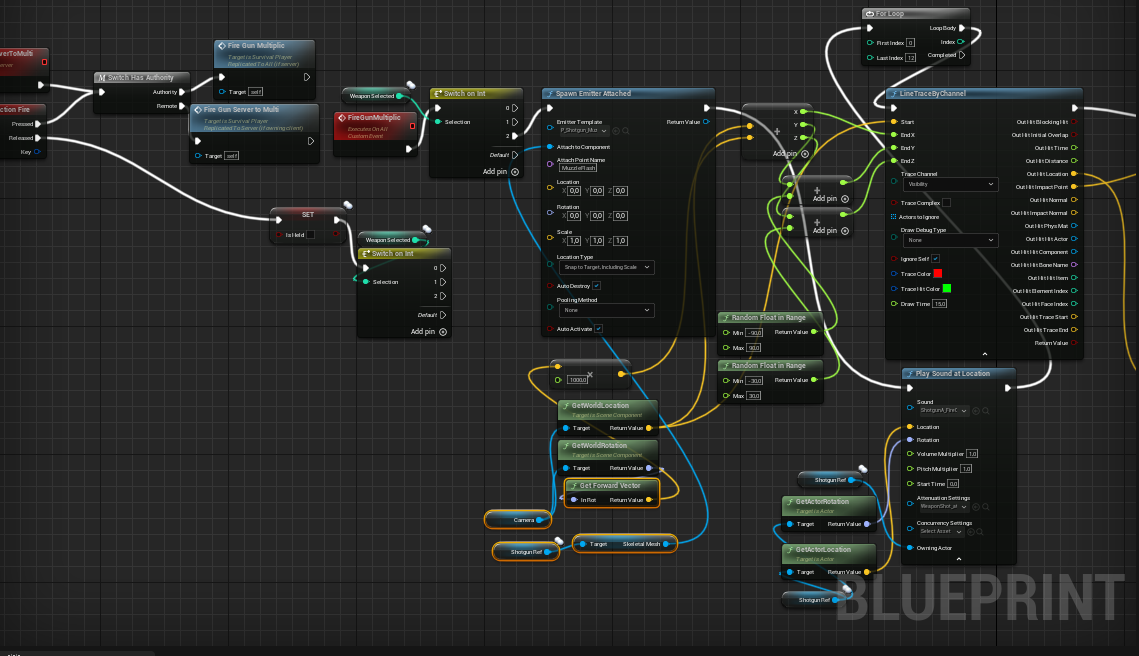
 flint wharf
So.. I have a custom camera I made that I can rotate/zoom/etc with my mouse. If I want 100 characters in my level and want to use that camera on a springarm for any of the characters do I have 100 characters with cameras and springarms? Or do I need to look at dynamically attaching them when the user switches characters? I'm new to UE.
rotund marlin
im guessing i can't use Camera as the aim for multiplayer linetracing just
icy dragon
flint wharf
So.. I have a custom camera I made that I can rotate/zoom/etc with my mouse. If ...
Depends on how you setup the camera, really. Spring arm + camera on all of them would barely take a toll on perf, as they're not really doing anything until you possess them.
flint wharf
@icy dragon Thanks good to know there isn't a big performance cost I guess that was my main concern. That and I don't know the 'best practices' for anything yet. Not a lot of tutorials talk about big picture stuff.
trim matrix
hey guys
Does anyone know why my AI is always stuck at the corners of the nav mesh
like in the video
this is my AI bp


 faint pasture
rain heath
What's better, blueprints or c++ for a game kinda like Forza/GTA
faint pasture
rain heath
What's better, blueprints or c++ for a game kinda like Forza/GTA
You will need a lot of good c++ code to pull off a Forza/GTA clone no matter how small in scope
Singleplayer you could maybe make a prototype with walking dude and getting in a car and driving but nothing as complex as those
thin panther
thats a fair point
even though there is a way to go about it, that project will be dead before it starts
and definitely not hosting it on your own server's or someone else's
gentle urchin
Forza/gta? isnt that very different games?
Or is there a gran turismo A* something? :p
trim matrix
can somebody pls help me?....
 shut hinge
how do we convert blender's f-curve baked sound into animation keyframes so Unreal Engine can be able to import it in as animation data?
 hollow briar
Hey small Inventory drop question, how do you spawn an actor removed from the inventory? I use this, but what ever item I will drop it will be the same item

So I need to tell it to spawn the object removed from the inventory but I don't know how
this is the drop sequence

 bold shard
I have a BlueprintNativeEvent, but my BP implementation doesn't get called. My C++ implementation is empty. Any ideas on what I am doing wrong?
 obsidian coral
in the animation viewer, if you adjust an animations global playrate, is there anywhere in the ui that tells you the new length of the animation in seconds?
trim matrix
Guys how to refer a blueprint class in c++
faint pasture
trim matrix
Guys how to refer a blueprint class in c++
Not 100% sure but pretty sure you just don't
not as the BP class anyway
trim matrix
Got it.Can you plz answer my question in multiplayer section as well
undone surge
which character is this a ref to in the new ue5 anim bp eventgraph?
 maiden wadi
undone surge
which character is this a ref to in the new ue5 anim bp eventgraph?
maiden wadi
undone surge
which character is this a ref to in the new ue5 anim bp eventgraph?
Most likely the one who has the skeletal mesh that is running the anim instance.
undone surge
maiden wadi
Most likely the one who has the skeletal mesh that is running the anim instance.
BP_ThirdPersonCharacter or it changes based on the current mesh
maiden wadi
You're mixing instances with classes.
undone surge
oh
maiden wadi
Any Actor, be it an Actor base, Pawn, Character, etc can all have SkeletalMeshComponents. A SkeletalMeshComponent houses the AnimBP. This also means you can have multiple AnimBPs per actor, one per skeletal mesh. This node just gets you a reference to the actor that owns the skeletal mesh that is running the instance. If you're running the instance on BP_ThirdPersonCharacter, you can cast that OwningActor to that and it should succeed.
icy dragon
trim matrix
Guys how to refer a blueprint class in c++
You can't.
BP is on top of C++.
trim matrix
Got it thanks
icy dragon
<@&213101288538374145> crosspost across multiple channels
 torn kettleBOT
:triangular_flag_on_post: Near#2921 received strike 1. As a result, they were muted for 10 minutes.
 raven hollow
icy dragon
You can't.
BP is on top of C++.
raven hollow
icy dragon
You can't.
BP is on top of C++.
@trim matrix it is possible, try this out
UPROPERTY(EditAnywhere, BlueprintReadWrite) TSubclassOf<AActor> myBPClass;
 lucid lynx
Is there a way to detect collisions on a camera when the camera moves around with mouse input? I have a collision sphere on it, but it only seems to trigger overlap events on player movement and not just moving the camera around with the player capsule stationary.
 fleet cedar
Hiya. I would like to have my character enter a puzzle, such as a door combination.
How would I handle this transition? Would I just move the player controller? Possess something different?
white elbow
how would I make a spotlight be less affected by distance? It's too bright up close and too dim far away
 mellow folio
white elbow
how would I make a spotlight be less affected by distance? It's too bright up cl...
mellow folio
white elbow
how would I make a spotlight be less affected by distance? It's too bright up cl...
turn off inverse squared
white elbow
exactly what I need, thanks!
 gray lantern
How do I get the on clicked function from my widget into my blueprint? im doing this atm but it's so dirty
 mellow folio
gray lantern
How do I get the on clicked function from my widget into my blueprint? im doing ...
mellow folio
gray lantern
How do I get the on clicked function from my widget into my blueprint? im doing ...
Make an event dispatch on the widget
gray lantern
so like when my onclicked happens in the widget it fires in here
mellow folio
When the widget is clicked, have it call its own ClickDispatch event
When the widget is created, have the BP creating it BINDEVENT to ClickDispatch

 open latch
How would you go around creating a roar ability
what it should do is let out a "yell" and it should destroy meshes infront of the character ( specific range)
 mellow folio
yeah that's right
now when the Widget is created, BINDEVENT to WidgetClicked
drag off of this

 mellow folio
now drag off that little red pin
and create the event you want to fire
the dispatch should not exist on your BP....
gray lantern
This works
thanks so much

just creating a little controller for my Niagara system
undone surge
guys one of my animations is moving my character. how do i get character to stay in that location after animation is over? what would i use to set the location to the current location of the mesh
 summer schooner
@open latch I'd recommend a Multi sphere trace set to the width you want the shout to affect, starting at the source of the shout and then doing the check for X units.
Or if you want to have it move over time(wave like): Multiple sphere traces that grow in radius. Like: Multi sphere trace at location X,y,z with a radius of 10 -> delay 0.5 sec -> multi sphere trace at x+1,y,z+1 with a radius of 20..... for example.
But there's probably a better way 😄
white elbow
I want to project an octagon shape, but it projects just a circle of red light, what did I miss?

 mellow folio
very fancy
red fossil
Is there an equivalent to the "add torque" node that doesn't require physics simulation? I want to apply left and right roll velocity to my character, but I can't use this.

 scenic magnet
Is there a built-in or preferred way to use config variables such as player-set control mappings, render options, etc?
red fossil
I've been trying to straight up add character velocity using my right vector, but it hasn't really worked the way I intended
open latch
Where is chaoseditor in 4.27 ?
red fossil
Well it did work, but it pushed my character left and right instead of rolling it
scenic magnet
I'm sure I could figure out how to manually code what's needed to read/write from disk and populate global vars, but I'm guessing there's already something that does it. Anyone?
white elbow
red fossil
Is there an equivalent to the "add torque" node that doesn't require physics sim...
there's AddWorldRotation if that's what you need
undone surge
what do i have to change to connect this
 scenic magnet
undone surge
what do i have to change to connect this
scenic magnet
undone surge
what do i have to change to connect this
 undone surge
thanks
scenic magnet
I hope it's the right one, there's only about 1000 rotation things in there. 😉
undone surge
scenic magnet
how do i set the rotation though ? this gives bool
scenic magnet
No, the one up top set relative rotation, sorry it's got the wrong one highlighted.
(Up by the tooltip)
 analog moat
sooo i have a question, i started to make blueprints for my game however i came to a wall, the new widget i started to make a health bar requires the begin play but thats already in use how do i go about this without messing up the first blueprint (can provide screenshots)

 mental trellis
You can chain together more nodes to your original begin play event?
analog moat
mental trellis
You can chain together more nodes to your original begin play event?
chain them with a squence im guessin? O.o


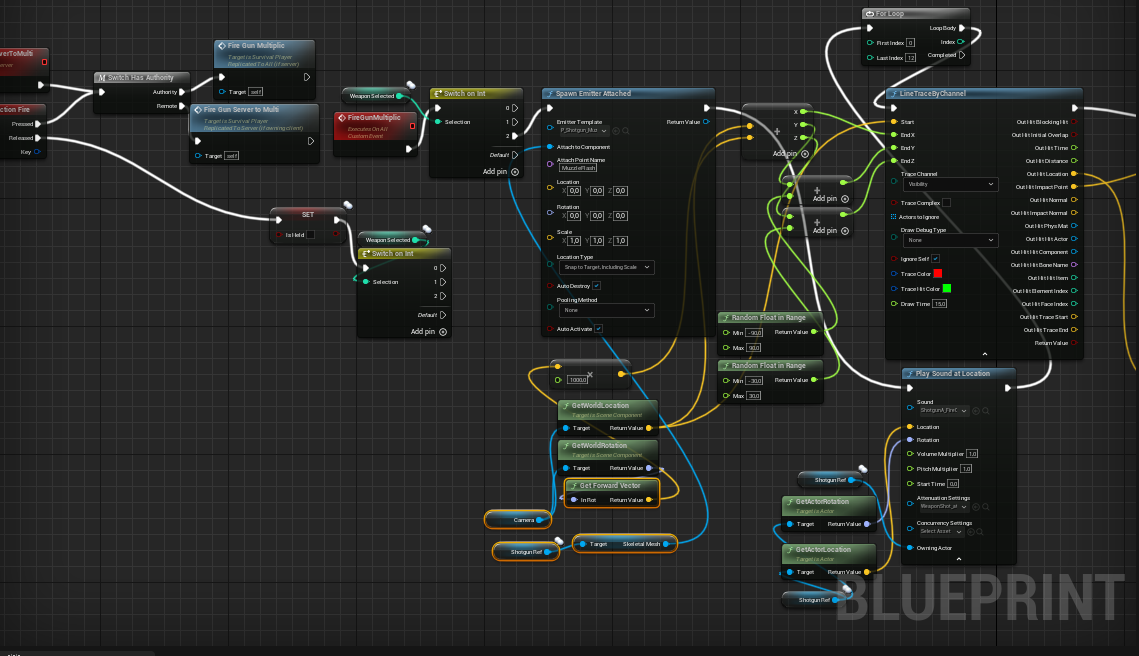 analog moat
mental trellis
analog moat
mental trellis
ahhh gotcha, thanks!
mental trellis
I mean, you could use a sequence.
 drifting merlin
Hi all. I have a quick question. Is it possible to make Scripted Actor Action with editor utility blueprint and then also bind this action to some keyboard shortcut? So I can for example select some actors in the editor viewport, then press CTRL+SHIFT+Q to execute some custom script on those actors?
 brave bolt
how to achieve this option left right?

is this combo box
im new in unreal engine. 🥲
mental trellis
Or maybe some gridpanels
brave bolt
i mean that medium slider left and right
if left is click turn into easy
if right is click turn into hard
how to set that
red fossil
white elbow
there's AddWorldRotation if that's what you need
I'll try it out, thanks
fleet cedar
Hiya. I would like to have my character enter a puzzle, such as a door combination.
How would I handle this transition? Would I just move the player controller? Possess something different?
odd ember
fleet cedar
Hiya. I would like to have my character enter a puzzle, such as a door combinati...
you'll have to be specific
fleet cedar
I have a third person character, I want to have him do a puzzle, like jigsaw for example
I've created the interaction events for it, but I just am not sure how to go between him and the puzzle mode
fleet cedar
So the camera would go into First Person, He would hide, but what am I controlling? Do I possess the puzzle? Do I just hide him?
The controller input would change, he no longer walks, just moves a '2d' cursor
fleet cedar
Okay, that makes sense
odd ember
you could have it own the puzzle pieces as well
so all the inputs are in the pawn even when you move the pieces around
and you could enable specific inputs only for the puzzle mode
odd ember
right so does the above approach not work?
fleet cedar
I will try! Thanks
I didn't know whether to put it in a pawn or what... It makes sense to me to move the functionality out of the main character BP since it's going to just get confusing if it's all in one
And I'd have to disable so much of it while in that mode
odd ember
fleet cedar
I didn't know whether to put it in a pawn or what... It makes sense to me to mov...
yeah if it's truly a "mode" it's always easier to have it separate
 fiery glen
think of the pawn as what you currently CAN do and the controller as what you want to do
trim matrix
Hi all, I have a problem with Max RPM vehicle movement, I cant set or get Max RPM in the blueprint. I want to upgrade the performance of our car while in a garage. Does anyone know a solution?
odd ember
characters are defined by having the character movement component
whereas pawns have no movement component by default
 lapis inlet
Alrightyyyyyyy
So
Hmmmm
I'm trying to make a custom gravity simulation for my game, issue is that the simulation cannot handle more than abt 50 or so objects (getting slower and slower the more they are added). I'm fairly certain its because the process is not optimised at all, so I would like to try out two body gravity simulation which is that all objects only interact with the gravity of whatever dominant gravitational influence they are in.
IE. Planets would only interact with the gravity of the sun, and moons with their parent planets. Edge-cases are allowed however, like when two planets get close enough for their SOI (Sphere of Infleunce) to overlap and therefore shift the gravitational infleunce from the sun, towards the planets.
Albiet, probably make it so everything still interacts with the Sun's gravity
So erm, anyone willing to help me out with this?
I will admit, I think I gave myself a super difficult task for this lmao
odd ember
fleet cedar
<@!224571781862653952> awesome
halfway there. make your character invisible when you do this
odd ember
you can move the camera as well
fleet cedar
fleet cedar
@odd ember

Any idea why this isn't working
The player isn't moving to the location I asked it to
 plain helm
Why icon of the game in the phone doesn't change? I did change it in android project settings