#blueprint
402296 messages · Page 846 of 403
 odd ember
 haughty temple
hmm ill look into it a little but it says returns the array in the axis-aligned box, not sure what that exactly means but to me sounds like it cannot be rotated
odd ember
in which case, the second option is using collisions, which have their own transform and can be rotated, individually of their parent actor even
haughty temple
yea thats the only other thing i could think of is box collision that is attached to player, seeing this in action it shows that it doesnt rotate with actor
and guessign that is what its designed for for whatever reason
ok maybe componentoverlap actors is what you want?
and make a box collision on your player
then feed the box collision into that
havent tested that yet kind of multitasking atm
 dusk nymph
The problem is If i will use the collisions events i will not have those options "actors to ignore", "object types"
 haughty temple

this one
then you can set its transform to whatever you want or just pass in its current transform
i would assume
dusk nymph
omg i didn't know this exists i wasted a lot of time
 main pollen
thanks
haughty temple
aye we both learned something new 😄
odd ember
dusk nymph
The problem is If i will use the collisions events i will not have those options...
yes you do, you can filter on both collision channels AND you any actor or component coming in
dusk nymph
odd ember
yes you do, you can filter on both collision channels AND you any actor or compo...
anyway i will use component overlap actors but how ?
odd ember
dusk nymph
anyway i will use component overlap actors but how ?
the event you get from the collision component allows you to filter on OtherActor. apart from that you can even completely forego that the incorrect actors collide by setting up the collision channels
dusk nymph
odd ember
the event you get from the collision component allows you to filter on `OtherAct...
ok thank you for this info
 teal talon
Any help on accessing this rain settings in my landscape material instance from a blueprint?
 gentle urchin
Sounds like the wrong way around ?
 long schooner
Hey can someone help me with spawneable items on sequencer?
gentle urchin
Wouldnt a weathercontroller control some MaterialCollectionParam ? @teal talon
teal talon
I'm not sure I'm using goodskys from market place. Just need to toggle the rain drops in puddles when the rain starts. Can't figure out how to get access to that check box
long schooner
I have an error that do not appear in the level, and if I made it into possessable, they stay at 0 0 0, without updating any keyframes

 jovial elm
If anyone is familiar with Genshin Impact, I'm trying to make a feature where I can swap between different characters in a party by pressing a button. The new character would replace the previous character's and have its same position. What would be the best way of doing this?
I saw one suggestion that says have all the party characters in the world but the ones not played as would be invisible and not respond to any inputs. They would just update their position as you move about the world. When you want to switch, it would just remove the restrictions on the character you switch to and place them on the character you were playing as initially. Im questioning if that's the best in terms of efficiency as it seems like a lot of things the computer has to do.
long schooner
jovial elm
If anyone is familiar with Genshin Impact, I'm trying to make a feature where I ...
Prepare a function inside the character that changes their skeleton mesh, attacks etc.
 rare gale
jovial elm
If anyone is familiar with Genshin Impact, I'm trying to make a feature where I ...
rare gale
jovial elm
If anyone is familiar with Genshin Impact, I'm trying to make a feature where I ...
I'd spawn and possess, personally
 tight schooner
the problem with doing it as one BP is you'll need one huge BP that handles every possible character...
long schooner
rare gale
I'd spawn and possess, personally
that would force the system to spawn characters, and have them in the level, I would not recommend it
rare gale
you have to be careful if you store a lot of info on the character itself. Might be good to move certain info that is shared or would need to be re-acquired to the GameInstance
tight schooner
Spawn and possess is the most practical. Pre-spawning and keeping hidden the swappable characters might be better for perf cuz spawning complex actors can be expensive
rare gale
wouldn't you just destroy the other one? Depends on how big that character is I guess
 twilit gull
if i'm using same gamemode for 2 maps does the first instance of gamemode being destroyed when new map is loaded?
 finite fulcrum
Does anyone know why a SphereTraceByChannel would not register a hit on a character, but a MultiSphereTraceByChannel would?
 jovial elm
tight schooner
Spawn and possess is the most practical. Pre-spawning and keeping hidden the swa...
jovial elm
tight schooner
Spawn and possess is the most practical. Pre-spawning and keeping hidden the swa...
Yea this seems like the least expensive out of the 3 things suggested
The hidden and then toggle on or off I mean
jovial elm
long schooner
Prepare a function inside the character that changes their skeleton mesh, attack...
The problem with this is it seems to me like its also a lot of work. Why not front-load the work at the start and then only do minimal amounts when the button is pressed?
long schooner
rare gale
wouldn't you just destroy the other one? Depends on how big that character is I ...
If you want to change the characters fast, in middle of the battle, possessing would make it janky, you would force the player to stop and then do it, genshin allows to change the character mid fight, and falling, moving etc. having one character that changes it's skeleton mesh, with specific animation BP is the way to go, unless you want the characters to have really different ways to play, then having different characters bp is better, but possessing and unpossessing would make a lot of bugs and problems later on
jovial elm
long schooner
If you want to change the characters fast, in middle of the battle, possessing w...
Do you think changing meshes, attacks, etc is more efficient than the invisible toggle on/off?
Personally I'm not very experienced so my opinion was only formed with limited knowledge but it seems more resource intensive. I could be totally wrong tho
Also if its more resource intensive it might not be snappy enough at times depending on existing loads on the computer?
Again I could be totally wrong on everything which is why Im asking
dusk nymph
i have "attach component to component" node so when i get the component world location it gives me the location if it wasn't attached what to do ? 
long schooner
jovial elm
Do you think changing meshes, attacks, etc is more efficient than the invisible ...
let me prepare you something I am having some issue with changing the anim bp
jovial elm
oh that would be great thank you
 austere copper
Hey yall is it normal for UEs ram usage to jump 100 mb everytime you compile a bp? Im think I have a memory leak if not.
long schooner
jovial elm
oh that would be great thank you
you make something like this, you can change the mesh not on a tick but when we just press the buttons, but you may have problems if we change character in the middle of an attack

 tight schooner
jovial elm
Again I could be totally wrong on everything which is why Im asking
tight schooner
jovial elm
Again I could be totally wrong on everything which is why Im asking
I haven't tackled specifically this scenario, but swapping will have some complexity, cuz you'll have to hide the actor, disable collision, disable other stuff (Particle emitters? Sound sources?) and then transfer some data to the character being swapped to (location, rotation, whatever else)... But if all the swappable characters share a common parent class (which they definitely should!), you can put a lot of those functions into the parent class so that all your characters will have them. And that's basically how UE4 is meant to be used, with a family of classes, inheritance of functionality, and spawned objects. Having one mega-actor BP that handles every possible action that every possible character can do is contrived and will entail lots of complexity in practice, unless all your characters are so similar that they're practically skins. (And even then, you'd have to use UE4's soft object reference system to avoid loading all possible character assets into memory at the same time.)
From a performance/memory POV, pre-spawning and/or reusing stuff is a common technique called "pooling"; it ensures that stuff is in memory and ready to go so it doesn't load it on demand.
long schooner
Also you would have to prepare some different attack hitbox, but they can just the animBP
dusk nymph
dusk nymph
i have "attach component to component" node so when i get the component world lo...

long schooner
jovial elm
Do you think changing meshes, attacks, etc is more efficient than the invisible ...
the animation works off, because they are not prepared for the swap, but you will have to work on them so this won't happen(the reset mid air)
jovial elm
long schooner
you make something like this, you can change the mesh not on a tick but when we ...
ahh yup this makes sense tyvm!
jovial elm
long schooner
the animation works off, because they are not prepared for the swap, but you wil...
mhm 100% can make adjustments for that
long schooner
you can also set conditions like, we can press swap, but can't swap before the attack is finished and something like that, also if you add the particles and elements on the BP anim they will swap with the character, so no need to worry about them
in game conditions like buring grass, are activated by the character and stayed on lvl, which make sense
jovial elm
long schooner
you can also set conditions like, we can press swap, but can't swap before the a...
Yup was thinking about that when you mentioned about how it would be troublesome if you change mid attack animation
They have those same restrictions in genshin anways
long schooner
I have no idea where I would put the dmg boxes of different characters, if in the BP character, or have different weapon BP that are switch when we switch the character, having different triggers on Heavy and light attack, for example
having 2 enum, one for character mesh and one for their weapon
 worthy frost
you want to encapsulate stuff
like your weapon should have the damage overlapping/detection
and you can just use the character mesh and bones to determine where damage was
long schooner
worthy frost
like your weapon should have the damage overlapping/detection
I think genshin uses spawning arrays of triggers in front of character, like overwatch
worthy frost
overwatch doesn't do that?
long schooner
this is used, because it has a multiplayer structure
worthy frost
i don't do such a thing in a multiplayer game
long schooner
worthy frost
overwatch doesn't do that?
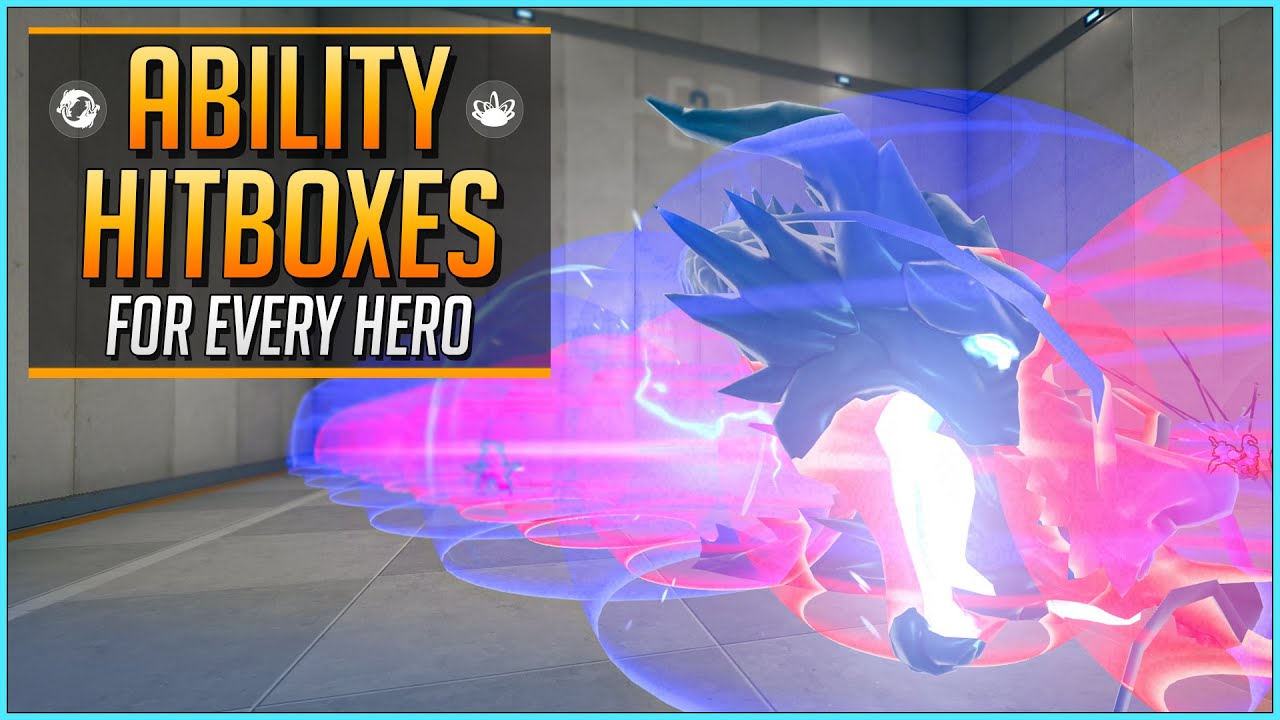
Ever wondered how big the Rein Fire Strike is?
★ Written Workshop Guide/Instructions (Google Doc):
https://docs.google.com/document/d/1hHR-3VZ4_VIGc5skwslMBf3FLuhN8dZVygtwxwZVicY/edit?usp=sharing
★ This video was done in collaboration with the members of the Elo Hell Workshop Discord
https://elohell.gg/workshop/discord
★ Workshop Developers:...
long schooner
Yeah, what I meant is that they are not linked to the ability
worthy frost
we do that with weapons (we do sphere traces/box traces) as the weapon is used
all abilities actually
but players don't get special hit boxes
odd ember
that's right, players aren't special
long schooner
you right, I explaned myself quite poorly there
jovial elm
@tight schooner @long schooner thanks for the help and answering my questions I really appreciate it
 silk hinge
Hey, I'm wondering why is this locked ? https://prnt.sc/U99ibkddouoO
I tryed setting master bone component node, but It's making the head of the weapon way too small, probably the bones ares not the same size, so This option is kinda my last shot x)

 spiral fossil
Hi, I'm working on a map for pavlov and I have a little problem that is struggling me.
Basically, what I want to do is that when a player enters into an interior, which has a triggerbox, it plays some specific sounds that are looping. The problem is that I'm not very experienced at UE and I'm not able to stop the sounds when the player exits the triggerbox. What could I do?
 long schooner
spiral fossil
Hi, I'm working on a map for pavlov and I have a little problem that is struggli...
long schooner
spiral fossil
Hi, I'm working on a map for pavlov and I have a little problem that is struggli...
You could set up the sounds on different categories in your masters, and set the volumen on that category when you go inside
silk hinge
have you tryed get the "end overlap" node, getting the same actor that the one that enters and something like stop the music when ever the actor ends overlapping ?
odd ember
spiral fossil
Hi, I'm working on a map for pavlov and I have a little problem that is struggli...
instead of having your logic loop around like that, why not start a timer? then you can just turn off the timer when you exit
reliably
 icy dragon
spiral fossil
Hi, I'm working on a map for pavlov and I have a little problem that is struggli...
icy dragon
spiral fossil
Hi, I'm working on a map for pavlov and I have a little problem that is struggli...
Why the for loop at the end?
 ionic gull
For some reason all of my Interface Messages to weapon classes stopped working suddenly; Other than the interface not implemented (it is, it was working until recently) what could cause this?
spiral fossil
silk hinge
have you tryed get the "end overlap" node, getting the same actor that the one t...
I tried to set up the sounds as a Sound Component Variable like this video (https://www.youtube.com/watch?v=uWrvr0MHIac) but it didn't work
spiral fossil
icy dragon
Why the for loop at the end?
Because 2 of the sounds aren't loops, they're sounds efects that play every random amount of seconds in a range and I just want to loop that delay. I'm not very experienced so if it¡s wrong you can tell me 😄
 prisma stag
Hello, I have an actor that creates an array of plots that the player can purchase to then build on. Now I have an AI that I only want to walk on the purchased plots, so is it possible for the navmesh above the plot to become “active” once the plot is purchased?
odd ember
you can set the navmesh type to be null if it's not purchased
prisma stag
odd ember
you can set the navmesh type to be null if it's not purchased
How would I do that for only the part of the navmesh that is above an owned plot?
odd ember
it's an option on the actor
silk hinge
I'm still stuck here wondering why is this locked ? https://prnt.sc/U99ibkddouoO
I tryed setting master bone component node, but It's making the head of the weapon way too small, probably the bones are not the same size, so This option is kinda my last option, unless you guys know another way to link those two togetherx)
 obsidian ridge
Sorry
silk hinge
I've find how to unlock it, But it still dosent do the job tho, so I'm like super stuck on how to make move together xD
prisma stag
odd ember
you can set the navmesh type to be null if it's not purchased
So I've found the option to do this, however, it seems to be generating the nevmesh in areas that shouldn't be set.
odd ember
prisma stag
So I've found the option to do this, however, it seems to be generating the nevm...
double check that it's not on you
 tight pollen
I have really high FPS drops when it loads a new Level (Level Streaming)
anyone can advise something?
each Level have 400-1000 actors
tight pollen
when should i use Streaming method: blueprint / always Loaded?
 glossy drum

number and array element never match
that is easy 101 stuff
if indexes in arrays don't work?
this is nuts
odd ember
glossy drum
if indexes in arrays don't work?
arrays start from 0, not 1
 vestal acorn
Im a bit stuck here - I change player camera to cinema camera (blend view with target ) in level and then play a cinematic - but how do I set it back to view blend to original player camera? The only things I can connect to it are not the correct camera
 vestal acorn
Im a bit stuck here - I change player camera to cinema camera (blend view with t...
vestal acorn
vestal acorn
Im a bit stuck here - I change player camera to cinema camera (blend view with t...
This worked.
 twilit gull
why dont they block each other?


 dawn gazelle
You can set up an input to be passed by reference.

 golden crest
Hello, I am working on a feature for my game where I am trying to have meteors, acid rain, lighting etc just natural disasters come down at random times throughout the match and deal damage to the player. I am not soliciting help I just would like some ideas as to how to use blueprints to make this system
 tawdry surge
Make a weather manager object to spawn/trigger the events using timers is pry the simplest way
golden crest
my biggest confusion is the damage system specifically how I would integrate that into something like rain
dawn gazelle
golden crest
my biggest confusion is the damage system specifically how I would integrate tha...
If it's raining, have a random timer set up (ticks anywhere from 0.5 to 1.5 lets say) that deals a random small amount of damage to the player.
When it stops raining, stop the timer.
golden crest
I feel like the idea seems so simple I just am not sure how to execute it
with that system if I gave other actors a health system would it also damage them too?
 sharp rapids
How would one Update an existing value in a Map?
This does not seem to work
 dawn gazelle
sharp rapids
How would one Update an existing value in a Map?
This does not seem to work
dawn gazelle
sharp rapids
How would one Update an existing value in a Map?
This does not seem to work
You have to re-add it back into the map
sharp rapids
dawn gazelle
You have to re-add it back into the map
So, the Find node returns a Copy of the value and not a reference?
sharp rapids
dawn gazelle
Yep
This might be a stupid question, but what would happen to the previous int value?
dawn gazelle
Any time you add a key and it already exists in the map, the key/value pair is overwritten.
 lofty ravine
hey guys i am trying to replicate a build menu. So when I place something down I am trying the server to replicate it so all other clients can see
pls help
 pale iris
Is there a way to replicate ai on the client side because it only works on the listen server 😦
 dawn gazelle
lofty ravine
hey guys i am trying to replicate a build menu. So when I place something down I...
dawn gazelle
lofty ravine
hey guys i am trying to replicate a build menu. So when I place something down I...
#multiplayer But it's pretty much the same thing you asked before - anything that you want to tell the server to do has to go through a "Runs On Server" event (along with any data you want to pass to the server about said object creation) on an actor that the client owns and is replicated (like your Player Controller). Once you're running on the server, you can spawn any actors you wish and if they are marked as replicated, all clients will be able to see them as well.
gentle urchin
pale iris
Is there a way to replicate ai on the client side because it only works on the l...
 keen widget
please tell me
 rough cedar
Hi, I am currently trying to move my crosshair around the screen using a gamepad independent of the camera and character. I couldn't find any way to do it other than just forcing the crosshair around the screen using local offsets which I am getting from the axis inputs of the right analog stick. This seems to work but its been a pain to try and get the cursor to stay within the bounds of the screen. Currently I'm just gathering that info from the Get Viewport Size node and setting cursor bounds as a boolean. If they are false the cursor moves, when true it gets the last last position where it stopped and Hopefully still have mouse control to bring it back. But its really janky right now. The cursor sorta stutters when it reaches the bound and I can eventually gain control again. Ideally I'd like the cursor to just stop when it reaches the edge of the screen and have control the full time. Or really any other method to moving the cursor around with a gamepad I'd be happy with. Any help is much appreciated.
 dawn gazelle
keen widget
please tell me
dawn gazelle
keen widget
please tell me
Don't think there is any way to do this. Can't see anything within the project/editor settings that would allow it.
dawn gazelle
rough cedar
Hi, I am currently trying to move my crosshair around the screen using a gamepad...
If you have the calculations already figured out, rather than using booleans you can probably clamp the output values so that it stays within a determined range.
Also, why use a transform at the beginning there when all you really needs is a vector?
 dusk cave
Hello. I need help adding force to an actor by using a line channel.

 timber kernel
 rough cedar
@dawn gazelle how would I apply the clamp. It's not really something I've used.
clamp float?
 keen heart
Can You Let Me Known, How I can tackle an input to multiple events at different scenario on same left key of mouse
Moreover, Please help me out with click input register
Any thoughts from you guys
dawn gazelle
rough cedar
clamp float?
Yep .Set it up for the min and max values on the y and z axis.
 rough cedar
Awesome very helpful! Let me see if I can apply this to what I have
@dawn gazelle what am I pulling the "calculated next position" from?
dawn gazelle
rough cedar
<@!218956378654507008> what am I pulling the "calculated next position" from?
Whatever you're calculating in your macro as the next position that the cursor would need to be moved to for either axis.
 dawn gazelle
Yep, the the appropriate MaxLeft and MaxRight for the Min and Max on one axis, and MaxUp and MaxDown on the other.
rough cedar
@dawn gazelle I did this but my cursor just shoots off screen when I start now

clearer shot

maybe I should be grabbing the axis from the up and right of the controller instead of the relative location of the cursor
dawn gazelle
rough cedar
maybe I should be grabbing the axis from the up and right of the controller in...
Yeah that should work. Feed in the axis value into the values for the clamp.
So if the axis is 0, then it won't be adding a local offset.
rough cedar
right on
yep that works! but the cursor isnt stoping at the edge of screen
i think its cause the screen size is by pixels and that doesnt really convert to the same units
ill just try putting some basic values in to see if its working for now
rough cedar
weird, it seems like when I move the cursor via addLocalOffset it moves but then it sets the the relative location back to 0
rough cedar
@dawn gazelle tried everything. for some reason the max distance never works but setting min to 0 does stop the cursor. So regardless of the number I set in Max it just seems like its thinking every time I move the cursor and stop the new position is 0. so what happens is the cursor moves (lets say right) and then if i try and go left it cant. But it can continue to move right without restriction.
 patent plover
whenever I am trying to package the game, this link is popping up: https://docs.unrealengine.com/4.27/en-US/SharingAndReleasing/

Information on developing for platforms other than PC.
rough cedar
I wonder if this might solve all my issues https://sbcomputerentertainment.com/other-2/gameplay/how-to-move-the-mouse-cursor-using-the-gamepad/

UE4 by default uses either Slate (C++) or UMG (Blueprints) to render UI and other HUD elements on screen. I wish this would get implemented into the engine by default, because currently gamepad int…
 wicked osprey
Guys, what is the best practice to store crosshair for different item, in character, or in item, or in HUD?
odd ember
wicked osprey
Guys, what is the best practice to store crosshair for different item, in chara...
the widget should be part of the HUD, but the weapon can hold the image data
 last abyss
I don't believe there is just a node for that, but you can do something like a select node where the condition is value A - 2 > value B - 2 ?
in this case if both are equal difference it would default to B, but you can change the > to a >= if you want A to be the choice if the difference is equal
well... actually it would be however u organize the select node... anyway I'm rambling
 fiery glen
yeah that's the solution but I'm honestly wondering if there's a math node that just does that all at once
oh well, easy to make one in a minute
dusk nymph
wicked osprey
odd ember
the widget should be part of the HUD, but the weapon can hold the image data
If I hasn't item in hand? How i can select crosshair as dot?
gentle urchin
Have a fallback
IF HeldItem IsValid -> Use texture from HeldItem
ELSE Use this DOT texture
odd ember
wicked osprey
If I hasn't item in hand? How i can select crosshair as dot?
consider that "no weapon" could also be a weapon
 tender gorge
So I did this and it worked 100% before but now after doing nothing new it no longer works for some reason. What I have is two Collision Boxes where one is set to Begin Overlap and the second one is set to End Overlap. Begin Overlap spawns something while End Overlap destroys the spawned object. It worked 100% but now for some reason any time I enter the Collision Box for the End Overlap to destroy the spawned object and now destroys it when it's suppose to happen On End Overlap.
There is literally nothing different with the Blueprints so I have no idea why.

 dark crow
That destroys itself, not the spawned object
tender gorge
Yeah the object that is spawned is itself and I want it to destroy itself on End Overlap but it doesn't. It destroys it self as soon as it enters the Collision Box not exiting it. This works for everything else as intended but this stopped working. I even redid it and it's still doing it.
Stopped working only for this. It works as intended for everything else.
odd ember
tender gorge
So I did this and it worked 100% before but now after doing nothing new it no lo...
if you try with breakpoints you may find that you begin and end overlap quickly within each other. this usually means that multiple parts of the same actor overlap
tender gorge
odd ember
if you try with breakpoints you may find that you begin and end overlap quickly ...
But where would I put the breakpoint?
odd ember
on the overlap events?
 neat stream
hey guys, do we have a way to control landscape from blueprint... say I have a city blueprint and I want it to flatten the landscape under if possible
?
tender gorge
odd ember
on the overlap events?
I have no idea what I'm looking for. I set a Breakpoint on the End Overlap it crossed it and it shows no errors.
odd ember
tender gorge
I have no idea what I'm looking for. I set a Breakpoint on the End Overlap it cr...
you're looking for if it triggers
and how many times begin overlap triggers
neat stream
odd ember
I don't know that landscapes can be dynamically changed
voxel could be the way maybe
odd ember
neat stream
voxel could be the way maybe
sure but that's not what you asked
tender gorge
OK. It says the End Overlap triggered as soon as I entered it, but how do I see how many times it triggers?
odd ember
you'd have to find a voxel plugin that would allow you to do that regardless as its not part of the engine by default
neat stream
odd ember
sure but that's not what you asked
Waterbodies do change the landscape
 obtuse herald
neat stream
hey guys, do we have a way to control landscape from blueprint... say I have a c...
obtuse herald
neat stream
hey guys, do we have a way to control landscape from blueprint... say I have a c...
Also you can try some material magic
odd ember
obtuse herald
Also you can try some material magic
materials won't magically move collisions
obtuse herald
right
tender gorge
odd ember
and how many times begin overlap triggers
OK. It says the End Overlap triggered as soon as I entered it, but how do I see how many times it triggers?
odd ember
you can resume play and count if it triggers again
you can also see which component triggered it
tender gorge
odd ember
you can also see which component triggered it
So I clicked the resume button and it triggered once more when it enters the Collision box and it happened twice when it Ends Overlap.
odd ember
what if you generate it on tick? 🤔
tender gorge
All four times it says it is that Collsion Box
odd ember
tender gorge
All four times it says it is that Collsion Box
okay. what is Collision Box?
tender gorge
odd ember
okay. what is Collision Box?
What do you mean sorry?
odd ember
tender gorge
All four times it says it is that Collsion Box
.
here you say Collision Box triggers it yes?
what is it
obtuse herald
neat stream
hey guys, do we have a way to control landscape from blueprint... say I have a c...
I also found this
mybe it's something worth to look into
odd ember
@trim matrix could that be ran on tick? 
tender gorge
odd ember
what is it
Ah ok. The Collision Box is suppose to destroy the actor on End Overlap. Is this what you mean?
tender gorge
odd ember
what is it
The Collison Box that is triggered is the correct Collision Box but it triggers when it Begins Overlap but it isn't suppose to trigger until End Overlap. As you can see in the photo the Destroy Actor is indeed hooked up to the End Overlap.
odd ember
only about 17k people in here. at 60 fps that's only enough for 284 seconds worth of bans
tender gorge
I havbe all of this setup the exact same way for everything else and yet it works as intended.
odd ember
tender gorge
The Collison Box that is triggered is the correct Collision Box but it triggers ...
so that would imply that collision box (whatever it may be) exits the collision almost as soon as it enters it
I would check how that correlates with how the actor moves
odd ember
you can show collisions in game
tender gorge
Oh yeah I did that.
Which is how I discovered it is that Collision Box that starts it.
odd ember
you can highlight the pin when using breakpoints to see if it is Collision box
that is crucial
tender gorge
I also tested by taking out the Destroy Actor Node and it no longer does that when I take it out.
odd ember
because it might not be collision box triggering it on exit
tender gorge
It's not exiting when it causes this it is when it enters but its suppose to when exting.
Or I just misunderstood what you said
 spiral shell
I'm using RInterp to get my actor's rotation to animate over time, but my rotations are happening instantly. Anyone know what I'm doing wrong?

 maiden wadi
You're using a delay in tick.
Tick->Delay,
Tick->Nothing,
Tick->Nothing,
Tick->Nothing,
Tick->Nothing,
Tick->Nothing,
Tick->Nothing,
Tick->Nothing,
...2 seonds later
Tick->SetRotation
spiral shell
@maiden wadi Thanks! What's the appropriate way to set this up
Or if you can just point me in the right direction
 graceful holly
hello! do you guys have any idea of how to implement a jump buffer mechanic? right now i was thinking about using timestamos
 main lake
What can cause this :
I'm following a tutorial and I have this now for some reason while in the video i'm following everything works perfectly for him
 maiden wadi
spiral shell
I'm using RInterp to get my actor's rotation to animate over time, but my rotati...
maiden wadi
spiral shell
I'm using RInterp to get my actor's rotation to animate over time, but my rotati...
What is the goal with this? Just look at a random location every 2 seconds and interpolate rotation there smoothly?
spiral shell
AI Roam, but where the rotation happens completely before the location transform, not simultaneously
@maiden wadi
maiden wadi
I would do your tick in two parts, constantly with no gates for start. First, try to rotate. Interpolate rotation towards target. Drop that into it's own event or function and call that from tick.
After that, do the same thing, but with Location. Except only do location interpolation if actor forward rotation yaw nearly equals look at rotation yaw.
Then on beginplay, set a timer for your 2 seconds to pick a new location in navigable radius.
spiral shell
@maiden wadi thank you! this is super helpful
main lake
anyone for my probleme above please ? ☝️
maiden wadi
First guess is that those are unnecessary saved pointers from a PlayerController and GameState that aren't actually populated.
main lake
But like all of these things were working perfectly before. What code should I sent here to help people understand what's going and help me fix it ?
dark crow
Can HUD even access GameState?
maiden wadi
Click on the white ReturnNode text on one of them.
Anything can access GameState
Well, anything that can GetWorld()
 maiden wadi
Yeah, ditch the little blue thing there and just do a GetGameState and cast it to your gamestate type.
main lake
but I'm already doing that in my Event Construct and save it into a variable to do it once
 maiden wadi
Chances are it was too early, which is unlikely since this is probably created from something's beginplay. Or you're casting to the wrong gamestate, or your gamestate isn't set correctly on this map.
tender gorge
odd ember
because it might not be collision box triggering it on exit
What do you mean by "because it might not be collision box triggering it on exit" It's suppose to trigger when exiting the Collision Box but it triggers when entering the Collision Box.

 dusk nymph
the location of the collision is not changing and i need it what to do ?
main lake
maiden wadi
Where is this widget being created?
What do you mean by that ?
maiden wadi
Is this widget in a WidgetComponent?
main lake
How do I know that ?
maiden wadi
Did you put it in a WidgetComponent on an Actor?

 maiden wadi
Odd. Should be valid there.
maiden wadi
Unsure. Doesn't make sense that it isn't valid. Widget is created on Beginplay. GameState is what initiates BeginPlay so it has to be valid at that point. Your world settings indicate the gamestate is correct for the cast type.
main lake
I'm gonna relaunch Unreal just to be sure
maiden wadi
At this point I'd start screaming dark black magic. 🤷♂️
main lake
Yeah I should call a witch to solve my issue 🤔
It looks like it's an issue with the BP_Hud class
when I remove it from the HUD Class in the world settings I don't have the errors anymore
maiden wadi
You also shouldn't have the widget.
 unkempt terrace
Hey, does anyone have extensive experience with the media player and seeking through videos ? I'm having a lot of troubles somehow and help would be appreciated
main lake
maiden wadi
You also shouldn't have the widget.
What do you mean ?
maiden wadi
You HUD spawned the HUD widget.
graceful holly

Help!
do you guys have any idea of how to implement a jump buffer mechanic? right now i was thinking about using timestamps, but it's not working so far
main lake
maiden wadi
You HUD spawned the HUD widget.
Nope it spawns the WBP Hud
 maiden wadi
Yeah.
You just removed this thing, so it's beginplay doesn't run.
No widget, no errors.
main pollen
I have a "while loop" node and the condition is depended on me holding down a button. UE4 sees this like it's an infinite loop but it is not. How can I fix this
main lake
maiden wadi
No widget, no errors.
So how to solve that please ?
main lake
main pollen
I have a "while loop" node and the condition is depended on me holding down a bu...
Why doing it with a while loop ? Just have a boolean variable called "IsPressed" for example and on the key "Pressed" event you set it to true and on "Released" set it to false
main pollen
It's not actually button press I just told that for simple explanation
Let me screenshot the blueprint
main lake
you said holding down a button 🤔
 thin panther
main pollen
I have a "while loop" node and the condition is depended on me holding down a bu...
thin panther
main pollen
I have a "while loop" node and the condition is depended on me holding down a bu...
Ue4 detects anything as an infinite loop if it cannot be execute in roughly 1 frame
main pollen

I don't know why but I tried to do what I did when I get the infinite loop error
but now I dont get it 😄
The thing I am trying to do is fire a line trace until it hits a different object type
I might need to put a delay between loops because I dont want it to depend on my framerate
 vital aspen
some one from earlier was telling me about a tutorials series from Titanic Games. and did anyone know that his tutorials series are 5 and 6 years old. They are way out of date. Nothing new sense 2017.
anyone have time for a hands on help with drag and drop issue. I'll be in the Lounge voice channel
 vital aspen
show us what the node Jump does
I don't think anyone has any idea what your trying to do. @graceful holly
and how do you call the event on landed ???
 slow pewter
Hey Guys im Trying to Saving, an List Array of User Widgets in Save Game, Saving is Correct, i can look into Savegame, or into the Log output , but When i Load, it Only loads all other Vars, is it possible that is an Bug?
btw an Array in an Struct
odd ember
vital aspen
and how do you call the event on landed ???
it's called automatically from the CMC when you make contact with a collision
odd ember
graceful holly
It doesn't work for some reasons
can you try with a small delay before the jump?
vital aspen
ok, Thanks CE
Using On Drag Detected. When you drag something off an inventory. It should set what it's dragging, Right. anyone know how that works. This just returns None
 gentle urchin
Didnt we go through this last night?
vital aspen
Yes and I never got an answer
gentle urchin
.
How exactly you update and set the infi in your widget slots was never talked about
vital aspen
Like I said, That's not the issue. Look at the image above. This should have the info on the item that's getting dragged. and it returns None. Makes no sense. This is what I'm trying to figure out how this works.
gentle urchin
The print returns none?
vital aspen
Yes,
gentle urchin
So the data is not present
vital aspen
Right. There should be something from what it's dragging
gentle urchin
But thisnis the drag start...
So if its not even there at the start, it cant be there at the end..
gentle urchin
But you say its also None at dragdetected...
So it cant magically make data along the way
vital aspen
Right and on the On Drop. Because the On drag Detected doesn't see anything.
it all reads None
gentle urchin
Pass a hardcoded value in,
You'll verify that the drag works as it should
Make literal name
vital aspen
ok, I have a log that I use for testing. let me see what happening now.

Now the ItemName is passing the name Log.
let me see if the same thing happens on Drop
main pollen
main pollen
solved with using event tick and "is input key down" node, but I hope that linetraces don't cost too much system power
vital aspen
ok, that's strange. the On Drop doesn't run.
Yes, the on Drop doesn't run when I drop the Item in the box. What I am trying to do is when I pick something up and I drop it back on the ground.
well I didn't think I can get help on this sense no one has any idea what's wrong. Let me ask you this. Will drag and Drop only work with slot based inventories
The inventory that I have. Is that someone helped me make it. because slot based inventories are too hard. and I just couldn't get them to work. The inventory system that I'm using is Object related and using arrays for my inventories.
 wanton knoll
does anyone have any sort of tutorial on how to make an end game screen after collecting all of the coins with the time showing, i have a simple project that i need to finish soon
icy dragon
wanton knoll
does anyone have any sort of tutorial on how to make an end game screen after co...
Just make a widget showing the time remaining and whatnot
gentle urchin
No tutorial.. have the coins register at a manager, and deregister when picked up. When the array of coins (pickups) is empty, create the widget
icy dragon
Nothing too extraordinary going on
 wild moth
Hello 🙂
I'm looking for the best way to make the most precise timer with the least performance and it is affected by FPS? Timers aren't affected by FPS
wanton knoll
icy dragon
Just make a widget showing the time remaining and whatnot
i have made a widget of the time going up i just dont know how to make an end screen with the time
gentle urchin
wild moth
Hello 🙂
I'm looking for the best way to make the most precise timer with the le...
Why so precise?
wild moth
It's an automated manufacturing game, crafting and output times need to be precise
icy dragon
wanton knoll
i have made a widget of the time going up i just dont know how to make an end sc...
You know how to make pause screen?
wanton knoll
icy dragon
You know how to make pause screen?
nop
icy dragon
wanton knoll
nop
What about game over screen?
wanton knoll
im pretty new to ue4...
gentle urchin
wild moth
It's an automated manufacturing game, crafting and output times need to be preci...
Timers will suffice for that.
 wind tartan
wanton knoll
im pretty new to ue4...
wind tartan
wanton knoll
im pretty new to ue4...
you said you made one widget, just make another and set it's visibility to hidden. then unhide it when the game ends
wild moth
Timers aren't impacted by FPS they're world time
gentle urchin
Wait, you want it affected by fps?
wild moth
Yes
gentle urchin
Well thats new
If you want it affected by fps then its a terrible timer
Not a timer at that point
wind tartan
if you want it to change by FPS, just increment an integer in a Tick() function and use that number as the time
gentle urchin
Its basically just a frame counter
Not a timer
Those high fps players are gonna have a perma boost in such a setup :p
thin panther
That is a terrible idea but go for it
spiral shell
when using GetRandomPointInNavigableRadius, anyone know how to limit this to a point in a semicircle in front of the character only
wind tartan
you could check if it is in front or behind, and if it is behind rotate it 180 degrees
spiral shell
@wind tartan Thanks!
 north maple
hello! i have a question
thin panther
Ask away :)
north maple
I have 2 textures, dark and light versions of the same image and i try to achieve something like fog of war.
As the car goes, it should reveal the texture in some radius and save it on the plane but i couldn't find a proper way.
It may be simple but i just can't figure how to approach this, any idea?
 north maple
ah okay, thank you
wanton knoll
wind tartan
you said you made one widget, just make another and set it's visibility to hidde...
kinda dont know how to do that
thin panther
He has given you the names of the nodes, i reccomend learning the basics a bit more
main pollen
How to get the location of multiple objects that are from the same blueprint and spawned after the game started?
 lime yoke
Do you guys know how to use GetPlayerViewPoint using blueprints?
main pollen
gentle urchin
What is it for?
I spawn the same object everytime I press a button and their locations are different. I can get the first one's location but what about the second of third one? How can I put this process into an order without copy-pasting all of the nodes?
 gentle urchin
Store them in an array
Their locations if thats all you need , or the actor references
 open crypt
To make a custom actor that has navlinks contained in it, but still be able to have the functionality, I"d have to make a construction and instanced variable for each one of these elements I want to tweak when the actor has an instance in the world?


Am I missing something, or is this a decent approach
I need to be able to put some parameters on on navlinks, just for simple location tracking purposes, (like where the navlink actual is)
main pollen
this might seem dumb but maybe I can explain myself better with this. I know "sequence" doesnt work like that but basically what I am trying to do is: when I spawn the object for the first time, I want to set object location1 and I want UE4 to wait for me to spawn another one, so when I spawn the second object, I want only "Then 1" to fire @gentle urchin

probably there is a node for this but because I am a total beginner I dont know it
open crypt
if it is only running once, you can Get an Actor of all class, and at the end of your begin play of that actor, check the length of that array, (the get all actors of class)
@main pollen - then don't do the thing, when the array length is greater than 1
there's probably more elegant solutions but this should work for you
main pollen
open crypt
if it is only running once, you can Get an Actor of all class, and at the end of...
they don't spawn at the same time. I am doing it manually
open crypt

that will work for you
whenever an actor is spawned, (this is for blueprint of C++) the beginplay function will fire
so all you are doing is checking, each time you manually spawn it in, "Hey, are there more than one of this actor in the game" if so, fire false
gentle urchin
main pollen
this might seem dumb but maybe I can explain myself better with this. I know "se...
Switch on int, incrementing the int
main pollen
open crypt
but the thing is, there will be more than 2 of it
 winged holly
has anyone ever worked with pixel streaming ? Is it possible several players (camera) ?
gentle urchin
Add their locations to a vector array...
dawn gazelle
main pollen
this might seem dumb but maybe I can explain myself better with this. I know "se...
Sounds like a multigate is what you need.
 gentle urchin
main pollen
but the thing is, there will be more than 2 of it
gentle urchin
main pollen
but the thing is, there will be more than 2 of it
Whats the intent of these vectors? Why not just save them in an array?
main pollen
dawn gazelle
Sounds like a multigate is what you need.
will look it up
main pollen
gentle urchin
Whats the intent of these vectors? Why not just save them in an array?
When I'm done with spawning them, I want to set each of the spawned object's location as spline points. I am trying to create spline in-game in real time
main pollen
yeah I was thinking about that
gentle urchin
Lets you have a generic amount of spline points
Loops well , being an array and all
open crypt
Is there any reason why I shouldn't have a space inside an item of of enum?
gentle urchin
main pollen
When I'm done with spawning them, I want to set each of the spawned object's loc...
On another note, you can add to a spline at runtime directly if you wanted to
main pollen
can you explain
main pollen
gentle urchin
that is cool
What I have in my mind is, first: set the start and the end location of spline and then add the spline points in between
gentle urchin
Inserting splinepoints is troublesome
The sharp turns is by choise btw. Can be swapped when adsing the points

It was curved at some point
Added in an identical fashion tho. Starting from 0 and moving forward
If you use actors as you planned, you probably want to save the actor references aswell
As you probably want to destroy them once the spline is placed there
Not sure why you spawn an actor in the first place if all you want is the location tho^^ you alreasy feed it to the actor spawned, so you could use that directly instead
odd ember
gentle urchin
Inserting splinepoints is troublesome
don't insert spline points just change the mesh AT spline points
gentle urchin
odd ember
don't insert spline points just change the mesh AT spline points
Im not sure what the intent behind it was...
main pollen
gentle urchin
Not sure why you spawn an actor in the first place if all you want is the locati...
I am shooting traces and when a trace hits the ground while I am pressing a button, an actor spawn at that location and since my linetraces are only sensitive to the object type that my ground is, it only spawns when it hits the ground. So spawned actors are basically staying between the trace and the ground preventing the spawn. Also I use the actors as a distance between spawn points. Might be dumb but I have been working on this for weeks now 😄 total beginner problems
odd ember
I do wonder if cities skylines did graphs instead of splines for their roads. or maybe a combination
gentle urchin
Im ending on some combo, if it can be called that.
main pollen
something like this, actors will be hidden in the final of course
odd ember
didn't you first learn about graphs the other day?
odd ember
have you already implemented one?
gentle urchin
Not yet
odd ember
gentle urchin
Intersections will be setup in a graph, with splines connecting them
yeah this is how I imagined they would do it
any vehicle could query an intersection to get to the next one
the splines would determine the how
gentle urchin
Yepp exactly what i was thinking
odd ember
simplifies your pathfinding as well
gentle urchin
main pollen
something like this, actors will be hidden in the final of course
Right, gotcha. Id still just save the hit vectors in an array
odd ember
instead of looking at spline points
you just look at intersection points
much cheaper
gentle urchin
Yeah, this will help a lot on that part
But with my latest change in direction i may be facing way less performance issues than i initially imagined
Earlier i could easily imagine atleast 500npcs doing their things and pathfinding and whatnot
Now ill be surprised if it hits 200 before its "enough"
odd ember
not sure what that means but 👍
main pollen
dawn gazelle
Sounds like a multigate is what you need.
thanks btw. this was what I was looking for
gentle urchin
If you're using an array, you dont need the multigate
If you're not using array or another dynamic container type you're in for a fun time...
golden crest
I am trying to make a feature in which meteors fall down and damage the player im not sure how to set it up though I understand collision and gravity but not how to get it to spawn and go in the line i want it to and how to get it to spawn at random intervals
gentle urchin
Some spawnerbp with a random variable delay/timer for the spawning. Parameters for height and radius for the random spawn, and some random direction modifier
Comets being actors with something like projectile movement
 late shuttle
Problem: Switching characters by possessing a new character through the Player_Controller.... but the NEW character immediately inherits the rotation of the previous character. Have turned Rotation Rate Yaw Z to 0 but it doesn't work....
Ideas?
 tawdry mural
golden crest
I am trying to make a feature in which meteors fall down and damage the player i...
tawdry mural
golden crest
I am trying to make a feature in which meteors fall down and damage the player i...
spawn them at like 0,0,10000 and do a timeline which moves them to 0,0,0
gentle urchin
late shuttle
Problem: Switching characters by possessing a new character through the Player_C...
Set control rotation to new pawn on possess perhaps?
late shuttle
@gentle urchin tried that. Didn't work.
tawdry mural
then apply radial damage on timeline finished
gentle urchin
late shuttle
<@!231467939734355969> tried that. Didn't work.
I cant recall having this issue when i did pawnswitching 😅 sorry
golden crest
gentle urchin
Some spawnerbp with a random variable delay/timer for the spawning. Parameters ...
I will check this out and update you
gentle urchin
tawdry mural
then apply radial damage on timeline finished
Unreliable unless landscape is guarantred at 0 z
Should at the very least have some check for end location with such a method
Id probably just let it happen on hit tho
Using collision
gentle urchin
golden crest
I will check this out and update you
Also probably use playerloc as cebter for random spawn
 faint pasture
@gentle urchin I'm doing some graph work and yeah I'd do roads as a directed graph. For a city sim anyway. If your agents have to be able to leave the road and get on the navmesh you might want to stick to just 1 nav environment.
Really depends on your desired scale and mechanics.
gentle urchin
No navmesh for the people that uses the graph
probably not for the exterior entities aswell, but I'll see what works when it comes to it
Sounds like a clever way to do it with directed graphs 🙂
gentle urchin
golden crest
I will check this out and update you
raining like crazy

 golden crest
yup that looks like what im thinking of
gentle urchin
centered around the player
going straight down as it is now , dunno if thats what you want but
golden crest
I kinda want to just spawn then in a certain area not primarily focus the player
my goal is to spawn them in the center of this map and only the center
 faint pasture
@gentle urchin You'll want to do some thinking on if you go with the adjacency list or adjacency matrix route. Matrix is more memory but scales better for searching.
I'd lean towards list for roads since the matrix would be super sparse
gentle urchin
golden crest
I kinda want to just spawn then in a certain area not primarily focus the player
right, so center is middle, + radius to reach the edge
 steady night
 faint pasture
 trim matrix
How could I make this better?
trim matrix
How could I make this better?
Start by rearranging so it doesn't look like spaghetti thrown at a wall. Then make some functions/events for commonly used stuff instead of reaching execution all over the place.
gentle urchin
golden crest
I kinda want to just spawn then in a certain area not primarily focus the player

This is the spawner
golden crest
gentle urchin
right, so center is middle, + radius to reach the edge
thank you i will test that out
golden crest
gentle urchin
OMG THANK YOU
gentle urchin
replace the GetPlayerCharacter with probably self
and just place it in the dead center of your circle

play around with radius and SpawnZ to find your initial spawn settings.
trim matrix
faint pasture
Start by rearranging so it doesn't look like spaghetti thrown at a wall. Then ma...
ok the rearranging I can do but Im not sure what you mean by "reaching execution all over the place". Its my first day on ue4 xD
golden crest
gentle urchin
play around with radius and SpawnZ to find your initial spawn settings.
THANK YOU SO MUCH FOR THIS I TRY THIS ASAP
gentle urchin
faint pasture
<@231467939734355969> You'll want to do some thinking on if you go with the adja...
Yeah I think I'll go for lists aswell. Pros and cons with both of them , but im probably not at a scale where it really matters
faint pasture
@trim matrix
Tidy it up something like this. If you have a lot of execution going into the same node, consider making an event or function

 visual dune
Heya, the editor keeps crashing when I run this blueprint (See attached Image). I've tested the graph without the variable set node and it doesn't crash. This is the error that I get upon crash (See attached file).

 wind void
Whats a quick way to animate rotating something 90 degrees? Atm I just have an AddWorldRotation node, which works. But trying to polish the game by adding it as a very quick animation.
faint pasture
wind void
Whats a quick way to animate rotating something 90 degrees? Atm I just have an `...
Timeline
gentle urchin
visual dune
Heya, the editor keeps crashing when I run this blueprint (See attached Image). ...
Kinda need to know what the Pathfind function does. Exception is typical for nullptr
gentle urchin
wind void
Whats a quick way to animate rotating something 90 degrees? Atm I just have an `...
Or RInterp
faint pasture
If it has to be continuous, do some sort of interp on tick. If it's an "animation", use a timeline.
Door opening, timeline. Constant smooth chase cam, tick interpolation.
gentle urchin
Yeah timelines are more user friendly 😛
visual dune
gentle urchin
Kinda need to know what the Pathfind function does. Exception is typical for nul...
mhm, thanks allot that helped allot.
wind void
Ty
visual dune
Thats exactly the issue, one of the items is invalid.
 gentle urchin
Sweet!
visual dune
I would've spent the rest of the night tryna just find the issue
gentle urchin
Well.. not sweet but glad it was that straight forward to figure out atleast 😛
late shuttle
This is seriously pissing me off, EVERY time I possess the new Character it inherits the controller rotation of the previous. FFFFFFFFFFFFFFffffff
gentle urchin
disable pre swap enable agaim after?
Nah prob wont work
Are you sure they are not identical?
As in the logic plays for both of them?
Mimiced all along...?
late shuttle
I keep outputting the event tick actor rotation into a Print String and it reports identical rotations
gentle urchin
Always?
late shuttle
Always.
late shuttle
The 2nd character is supposed to be an RTS camera that doesn't rotate, but this is messing everything up.
late shuttle
If the 1st character looks yaw 71.1 the RTS camera is looking yaw 71.1
gentle urchin
So you're basically swapping actor when zooming out ?
Whats the original cam? The not rts one
late shuttle
Not swapping, unpossess and possess
gentle urchin
Poteto tomato
late shuttle
Original camera is on top down rotating space ship.
gentle urchin
Original wouldnt be if following ship ..?
late shuttle
Original is a child component of the original, not really "following" per se
gentle urchin
Got any code to show?
late shuttle
Let me clean things up so I can show.
I've been trying so many different things trying to solve this that it's a mess.
faint pasture
late shuttle
This is seriously pissing me off, EVERY time I possess the new Character it inhe...
Because control rotation is not the property of a pawn, it's the property of the controller
late shuttle
Hmm.... I think I fixed it with a Disable Input (Controller + 1st_Character) - Set_Control_Rotation to 0,0,0 then possess the new Command RTS Character and THEN enable Input and do a OnPossess SetActorRotation
I had been doing SetControlRotation 0,0,0 previously, but the key was to DISABLE INPUT on the 1st Character Actor so that the movement code that updated rotation via current mouse screen location wouldn't nullify the SetControlRotation 0,0,0
gentle urchin
sounds like some complicated setup
late shuttle
Thanks, everyone. That was a wee bit stressful...
golden crest
does anyone know why I have two different options for a blueprint. I created a fresh project and made a brand new blueprints folder and in one i get the one on the right and the other the options on the left

 dawn gazelle
golden crest
does anyone know why I have two different options for a blueprint. I created a f...
dawn gazelle
golden crest
does anyone know why I have two different options for a blueprint. I created a f...
What are the classes these two blueprints are based off of?
golden crest


 echo salmon
I have changed the physical material friction but it still moving even when iam not hiting the forward button.
golden crest
i deleted the default events that come with it in the second picture
gentle urchin
You're in a different section of the window
 violet wagon
golden crest
i deleted the default events that come with it in the second picture
violet wagon
golden crest
i deleted the default events that come with it in the second picture
i dont see an issue with the screenshots. looks to me like you screenshotted the components tab and then the 'my blueprint' tab
gentle urchin
^ this, exactly
echo salmon
The physical material friction shouldnt make the ball not roll after you stop hitting the forward button ?
golden crest
There is no way to add more components it doesn't give me the option to open the components tab
violet wagon
golden crest
There is no way to add more components it doesn't give me the option to open the...
oh i see. You can add the window by clicking the 'window' drop down at the top of your screen then adding in the components window.
@golden crest
 golden crest
violet wagon
oh i see. You can add the window by clicking the 'window' drop down at the top o...
golden crest
violet wagon
oh i see. You can add the window by clicking the 'window' drop down at the top o...
ohhhhhhhhhhhhhhhhhhh thank you so much
violet wagon
no problem 😄
golden crest
thank you everyone i know these are very basic questions i am asking i appreciate the help though
violet wagon
golden crest
thank you everyone i know these are very basic questions i am asking i appreciat...
we all had the same problems when we started out. no shame in it
 zinc willow
am i missing something? left class is bp class derived from right c++ class. I wanted to assign static meshes in the editor, not static mesh components. Wtf?
 gentle urchin
Even wrong category
odd ember
zinc willow
am i missing something? left class is bp class derived from right c++ class. I w...
it's more of a #cpp question but you cannot hold object instances in the CDO
the category thing is because there's a missing meta = () wrapper in the UPROP
zinc willow
can you please elaborate? idk about that and googling "meta uproperty" doesnt show anything related
a link would be awesome
Metadata keywords used when declaring UClasses, UFunctions, UProperties, UEnums, and UInterfaces to specify how they behave with various aspects of Unreal Engine and the editor
 tranquil abyss
If I wanted to make my character shoot a fire ball lets say from its hand, and the damage comes form the stats of the player, would you crate a number in the fire ball on spawn based on the players stats, then the damage on hit does form the projectile its self
I should say damage is based on some stat in the player
odd ember
on spawn you can parse the parameters for the stats into the fireball, have the calculations be done beforehand based on the caster, then when it hits, have similar calculations happen for the hit target
main pollen
I have blueprint class called "spline" and it has a component called "spmesh"

I am trying to find a reference for spmesh in details there is none
odd ember
main pollen
I have blueprint class called "spline" and it has a component called "spmesh"
you are using the class, not the instance
get a blue pin instead of a purple
main pollen
isnt it possible for me to pull a component of the class that I casted :/
odd ember
main pollen
isnt it possible for me to pull a component of the class that I casted :/
it's possible all the same. the difference is that you don't actually have a component here with the purple pin. you just have a class template for it
if you want the component, you need the blue pin basically. if you show your entire logic it might be easier to solve
main pollen
that object thing always confuses me
 dawn gazelle
main pollen
that object thing always confuses me
dawn gazelle
main pollen
that object thing always confuses me

Google Docs
What is Casting? Casting is a means of making a less specific object reference more specific so that you can access the functions and variables that are accessible to that specific class. Casting will only succeed if the input object is of, or inherits from, the defined casted class. In the be...
main pollen
what to connect it
odd ember
main pollen
what to connect it
the object you want to cast
what are you trying to do?
which class/BP are you in?
main pollen
but that object doesnt exist yet
main pollen
odd ember
which class/BP are you in?
different one
dawn gazelle
If the object doesn't exist, then how can you cast to it?
odd ember
main pollen
different one
why are you in a different one?
main pollen
I'll spawn it
dawn gazelle
Then it needs to be spawned so you can have a reference to feed into the cast.
main pollen
odd ember
why are you in a different one?
isnt that what casting is for?
odd ember
main pollen
isnt that what casting is for?
no. not at all
only the BP that contains "spmesh" knows about "spmesh"
no other blueprint will be able to know about it, unless you explicitly tell other blueprints about it
main pollen
odd ember
only the BP that contains "spmesh" knows about "spmesh"
that's why I tried to cast it's class first
odd ember
main pollen
that's why I tried to cast it's class first
right but the class is never going to be your "spmesh" component
main pollen
main pollen
I have blueprint class called "spline" and it has a component called "spmesh"
class is called "spline"
odd ember
yep
it will be a spline component
but not your "spmesh"
maybe explain a little bit about what you are actually trying to do with "spmesh" in this blueprint, that has no knowledge of "spmesh"?
main pollen
maybe this will make sense

 cursive girder
I've added a Procedural Mesh Component to my actor, and then added a load of triangles. I couldnt see the mesh, so I added debug lines to confirm the triangles. The debug lines appear where I expected. Unposessed my actor and started fiddling around and I could see the Procedural mesh about 7000 units away. Anyone know why the mesh isnt sitting onto of my actor?
main pollen
main pollen
maybe this will make sense
I'm not very experienced with splines and casting, all of the spline tutorials are for construction script so I'm trying to do something unfamiliar for me
odd ember
main pollen
maybe this will make sense
try with a SpawnActor node instead of a cast node
violet wagon
cursive girder
I've added a Procedural Mesh Component to my actor, and then added a load of tri...
could you show screenshots of your math? My first guess is that your using relative and world locations incorrectly which causes the mismatched spawn locations
cursive girder
Yeah, just trying to get some screenshots
This is gathering 360 line trace results into an array of vectors

Trace results to the mesh

Building the verts, triangles and uvs

The LineTrace and creating each blade both use the actor location, so I thought it would have worked - I'll just do another with the debug that does render in the right place
 violet wagon
cursive girder
The LineTrace and creating each blade both use the actor location, so I thought ...
violet wagon
cursive girder
The LineTrace and creating each blade both use the actor location, so I thought ...
been a while since ive used procedural meshes, but looking over my old BP for a grid drawing, I never add my actor location to draw the lines, so while your line trace is using world location, the procedural mesh is using world location. Id try to subtract the world location from the line trace hit result location to convert the world space into relative and see if that works.
 unreal trout
is it possible to create an animation without skeleton?
such as the opening and closing of a chest
violet wagon
unreal trout
is it possible to create an animation without skeleton?
such as the opening and ...
kinda. you can use timelines to rotate, move and scale meshes to script out your own animations. for a chest you would need to have the top be a separate mesh so you can move it individually from the base.
cursive girder
@violet wagon - So subtract world location from all 3 points in the blade creation code?
unreal trout
violet wagon
kinda. you can use timelines to rotate, move and scale meshes to script out your...
perfect thank you
violet wagon
cursive girder
<@!239902702404894720> - So subtract world location from all 3 points in the bl...
yhea try that and see if the debug lines match with the mesh lines
 violet wagon
 somber lintel
Anyone know what this node is?
somber lintel
Anyone know what this node is?
looks like you made it yourself, or the person that created the project made it. you can double click it and itll take you to the event
somber lintel
Im watching a video and the guy has this and the code doesnt seem to run without it
cursive girder
Whats the video?
violet wagon
somber lintel
Im watching a video and the guy has this and the code doesnt seem to run without...
in the video he probably created that event.
somber lintel
Thanks!
cursive girder
@violet wagon How do I get the world location?
violet wagon
cursive girder
<@!239902702404894720> How do I get the world location?
it would be relative location + actor location
violet wagon
cursive girder
<@!239902702404894720> How do I get the world location?
your debug lines are already in world location since your using the actor location, but when you draw the procedural mesh, it should take in relative location.
 trim marsh
ohh i got it
cursive girder
@violet wagon

😦

Red line traces on the right are my debug, Big grey area on the left is my procecudrally generated mesh
violet wagon
cursive girder
Red line traces on the right are my debug, Big grey area on the left is my proce...
where is your procedural generated mesh in the world? Is it at 0, 0, 0?
cursive girder
No, its attached to my player pawn
violet wagon
i see. the character location is some thing like 526, -14, 885 while the relative location starts at 0, 0, 0. There is a desync with where these drawing start. So when you line trace to 15, 50, 70 it will start at 0, 0, 0. When you start the mesh drawing and 15, 50, 70 it will start at your player location, not 0, 0, 0. line traces use world location, mesh uses relative.
Thats the difference between the two, but what should fix this is subtracting the world location (GetActorLocation) from the vectors in your vector array. Seems like your player location is getting added when you draw the mesh.
cursive girder
so my vertexes are (0,0,0), (point1 - GetActorLocation), (point2 - GetActorLocation) ?
violet wagon
cursive girder
so my vertexes are (0,0,0), (point1 - GetActorLocation), (point2 - GetActorLocat...
exactly.
cursive girder
progress -

Its now radiating out from the player, but the planes or the points are backwards
Ha, dumb math 😄

Cheers @violet wagon
violet wagon
cursive girder
Cheers <@!239902702404894720>
glad i could help 🙂
tranquil abyss
Trying to create a fire ball, I can spawn it with a key but I want it to move to the closest AI from it Also want speed rotation accel and accel controll

Guessing ill need a motion controller maybe
not sure
 lavish vortex
I'm trying to learn more about level streaming for an infinite brawler where you can pick up improvised weapons from different sections I have streamed in. I want these weapons to persist regardless of the load state of the level they were spawned in from, so if the player walks far enough away from the area to unload the section the weapon was in, the weapon isn't unloaded as well. Pouring through documentation and I can't seem to find a way to do this, is this possible?
 minor wolf
tranquil abyss
Trying to create a fire ball, I can spawn it with a key but I want it to move t...
minor wolf
tranquil abyss
Trying to create a fire ball, I can spawn it with a key but I want it to move t...
you could probably store the chosen AI then each tick or something do a simple move to
last abyss
lavish vortex
I'm trying to learn more about level streaming for an infinite brawler where you...
anything that you want to be persistent has to be in the persistent level, not in sub levels
lavish vortex
last abyss
anything that you want to be persistent has to be in the persistent level, not i...
hmm okay, that's what I was afraid of lol. looks like ill have to just make a duplicate on pickup to be in the persistent level. thanks!

 last abyss
I'm pretty sure u can't use simple move to node using an actor, you need pawn or character for that because it has to be a possessable class
tranquil abyss
hmmm
last abyss
if you want to change an actor's location over time you have to code that yourself in a timeline, using set timer by event, or using the tick event it depends really on what you're trying to achieve
tranquil abyss
what im doing here is making a fire ball
that finds the nearest enemy ai
and goes to it
last abyss
if you're making a fireball then you likely want to use projectile movement component
tranquil abyss
that work with an actor
last abyss
because the projectile movement component actually has what you are looking for, where you can assign a "homing target".. I just don't know how customizable it is
yes it will work with an actor
tranquil abyss
coolie
 peak solstice
 last abyss
peak solstice
last abyss
peak solstice
I'm not sure what you mean by that, but I believe that is a fallback when the enumerator you had previously selected gets deleted.
 unborn compass
Hello everyone. Just wondering if anyone knows why my floating pawn movement isn't working on client1 when playing via listen server. works on the servers pawn though. I have a feeling its something really simple like a checkbox somewhere. I do have the entire class replicated
another thing is that it doesn't realistically require replication at all since its kind of a topdown view and there isn't any reason for other clients to know where it is so if someone has a way of doing it that way it'd be cool
Like I'm not sure if you're allowed to have a client create an object they can control and not have it matter to the server at all
dawn gazelle
unborn compass
Like I'm not sure if you're allowed to have a client create an object they can c...
You can spawn an actor on the client and have just that client see and manipulate that actor, but you probably don't want to possess it at all client side, instead just let the player controller feed it commands and use its own AI controller to respond.
Server and other clients won't know anything about it.
unborn compass
dawn gazelle
You can spawn an actor on the client and have just that client see and manipulat...
could you elaborate on feeding it commands? and where it should spawn from? should the controller spawn it? and how do you possess it then?
i apologize if my questions are dumb lol
dawn gazelle
unborn compass
could you elaborate on feeding it commands? and where it should spawn from? sh...
Feeding commands:
You make events that an AI controller can then use to determine what to do, or you directly drive the behavior from any player input just as you would normally.
Spawning:
Spawn from wherever you like - it probably makes more sense to spawn from the player controller in case you do end up possessing a different character on the server, this way you can keep your reference to your other controlled actor.
Possessing:
You are already possessing a character determined by the server, so possessing anything else locally only doesn't make a lot of sense, and could quickly lead you to not knowing who is possessing what. Everything in the game world can theoretically be interacted with by the player controller without possessing it - it's just a matter of possessing gives some easy access to using known player inputs.
Eg:
You can have an actor that is spawned in the world. You have it so your "A" key from your player controller sends an event to that actor. The event on the actor can then react to that keypress and do something with that input from the player.
unborn compass
ok but doing that "feeding" option would i be able to see through that camera? cause that is the main point
a pawn with an RTS like camera
dawn gazelle
Not sure about the camera. I'd imagine you could change the camera locally without issue using something like SetViewTargetWithBlend().
 sleek kite
violet wagon
exactly.
sleek kite
violet wagon
exactly.
can I get some help good sir 😂
violet wagon
sleek kite
can I get some help good sir 😂
Yes you may 😄 ask away
 dusty quartz
Hello, sorry I am new to here, I just have a small question related to a project that I am working on. I want to return Mouse Location to World Space during Mouse Drag, it works perfectly when I put it on Event Tick, however, when I tried to put it on OnDrag function or Event On Drag Enter, the value only returns 0,0,0. If anyone can point me to the right direction, it would be very helpful. I don't know if this is the right place to ask.. Thanks in advance.
 gentle urchin
Sounds like something thats fine to have om event tick ^
You want it to update smoothly
 earnest rose
Any1 have any idea why a pawn wouldnt be slowed by character movement when strafing? Im setting the character movement like normal, and it works forward, backward (reducing it by half-that is)
But not sideways...he goes fullspeed!
maiden wadi
earnest rose
Any1 have any idea why a pawn wouldnt be slowed by character movement when straf...
Impossible question to answer without knowing how your speeds are affected and by what math.
gentle urchin
Its to early to start guessing :p
Like finding the needle in thehaystack with nothing to go on
 spark steppe
dusty quartz
Hello, sorry I am new to here, I just have a small question related to a project...
spark steppe
dusty quartz
Hello, sorry I am new to here, I just have a small question related to a project...
you may want to override the onMouseMove function in your widget (click the overrides button where you add new functions and check if it's on the list)
earnest rose
maiden wadi
Impossible question to answer without knowing how your speeds are affected and b...
Very little maths. My characters just a regular walking man with 270 walk speed. If i SET it 100 while reloading (just a bool), then he goes slower. So the most basic maths is not a minefield. But he doesnt go slower when moving sideways- he sticks at an unimpeded 270.
maiden wadi
And what is detecting that he is moving sideways?
earnest rose
A GetMoveRight Float connected to a >= .5 and <= -0.5 'OR' Branch. Yes the max walk speed is altered, which i have tested via a print string and moving forward/backward
oh i could show some code
gentle urchin
Way easier
 earnest rose
and thatll crop a bit? ill give it a try
maiden wadi
This check isn't being ran, or is being overridden somewhere else.
 gentle urchin
And its just for moveright, not forward?
earnest rose
Forward gets reduced by a testable amount if hes not strafing here
100
so he should be reduced to 50 moving sideways
gentle urchin
Looks like something that should run of the axis input event tho, and not in the.. whatever montage is player before this
earnest rose
I can do this, but... i mean its odd right? he works fine forward backward, but despite the value being print screened... he still moves at 270 while strafing
earnest rose
the idea is that if hes not moving right or negative right then he will get a negative on that branch, and then he gets his speed reduced by 100 while forward backward, which works fine
*Set to 100 sorry
gentle urchin
If he's not moving left or right, reduce the speed to 100?
0.5 is not not moving tho, if its for controllers
You'd want to check if its nearly equal to 0
With a tolerance
gentle urchin
You can call this "deadzone" if you want to have it as a player setting
earnest rose
It didn't work -__-' I have failed the gods
Thankyou tho, for your suggestion, i know theres not a lot ppl can do without seeing the rest of the code etc
gentle urchin
So, 100 movespeed if not moving left or right? And more if so ?
earnest rose
gentle urchin
So, 100 movespeed if not moving left or right? And more if so ?
I fixed it!!
gentle urchin
Sweet
What was the issue? 😛
Also, If this is done during a notify
may i suggest using a notify state instead?
or does this 100% work ? 😛
earnest rose
gentle urchin
What was the issue? 😛
Hi, yes, so- I didn't consider an on Tick Event's interaction with my aims. It was asking a similar enough question that it was overriding my set values back to 270 (but only if i wasn't moving forward!)
gentle urchin
Heh like Authaer suggested then 😅
earnest rose
yup!
TBH its valuable just to 'chat through' it with people.
I doubt i need to tell anyone here that though- probably a big reason why this Discord exists!
gentle urchin
Rubberducking solves 80% of the problems
If not more
The remainder ends up here 😅
earnest rose
Time to invest in Rubberducky
 brittle flame
Before i post a heap of screenshots - is this a reasonalbe place for a noob to ask questions about axis orientation and the projectile component?
or should i annoy the physics channel?
gentle urchin
Sounds like bp to me then
brittle flame
righto here goes lol
This is the only mesh in question - its a mesh i made in blender to clearly identify front,back,left,right,top,bottom, the three axis and even the axis direction. (dark red is negative x)

Another angle

the mission is to create a 'bullet' in unreal
using the projectile component
and enabling the um... follow direction thingy... more screenshots comming
This is the overall layout of my scene

Here is an explanation of the orientation difference between blender and unreal - incase that's the issue

I have a BP actor with the mesh and projectile component - here are the transforms for the various bits

Strangley in the BP area - the oriention is funky - and is likley indicitive of my issue.

The problem is that when i run the game - the direction that my mesh moves in... it is leading with the Red axis

i've set the projectile to shoot up in the z direction (very tiny amount)
gentle urchin
Change the import transform ?
brittle flame
yeah tried that here:
So after transforming by -90 on import it looks good in the BP

But the bugger in the viewport looks like this... BUT IT DOES LEAD WITH THE BLUE EDGE UP WHICH IS GOOD

if i rotate it here- then it goes a little wierd
i had to research FBX front and top orientation to try and nut this. I just want it to shoot up from the top
which i guess it does after i reimport on the -90 um...y axis i think. But the object sits in the viewport before playing with the weird orentation above
gentle urchin
Is the instanced object rotated?
brittle flame
nah
i keep thinkign if i change the mesh in blender it might work but.... then i realise it just moves the problem
i guess i just want predictable results
this is just a rig to check it is doing what i want
gentle urchin
The object in the world isnt oriented as the object in the preview window ,
Thats why i was wondering if you rotated that
brittle flame
yeah its weird
gimmie a tick i'l drag the BP into the scene again
... something odd going on... bit longer...
gentle urchin
Ill give you... 5 ticks !
brittle flame
i guess this is as good as i can do - if i rotate on -90 degress on the y axis on import, it works as expected if I tollerate the orientation of th emesh in the editor before i hit play.
if this was a large object this could be super irritating
maybe i should write my own projectile code - its frustrating though - i just watned to do a basic video on youtube to follow and i ran into issues right away lol
the bloke on youtube used a blank cube so there was no way to tell if he had the same issue.
i noticed the problem when i moddled a bullet shape - then i got the shits because that only helps with one axis so i modeld this cube.
gentle urchin
You're not the first and definetly not the laat to face this
Blender has some weird fbx support iirc
brittle flame
thankyou - thats nice to hear.
i wasn't being sarcastic lol
yeah i guess i should find an object that someone has modeled in another application
and drag it in and see what hahppens
gentle urchin
I believe theres quite a few guides on how to adjust thevexport orientation in blender so it matches unreals
Havnt touched blender in years so dont have any at hand sadly
 cursive path
I need help with loading because the loading screen end before i spawn my character and i use asyn loading plugin
 blissful horizon
Hi guys, can you recommend how can I set Depth of Field with nodes? Which one(s) should I use? I have been reading the documentations for an hour now but couldn't find a solution :/
Great thanks for any help :)
brittle flame
gentle urchin
Havnt touched blender in years so dont have any at hand sadly
Thanks for trying mate - i used a mesh i found online and i still have the same issue. Yeah i've followed all the guides for blender imports. I think this is an unreal issue.
sorry laith and AIRNEr i'm a noob - not much good to you
spark steppe
you can set the forward/upaxis in the fbx export of blender, just google the correct settings (there are probably hundreds of results for that)
but yea i think your projectile movement in unreal is the problem
gentle urchin
Probably played around with them trying to align it to the wrongly imported mesh forward axis
icy dragon
blissful horizon
Hi guys, can you recommend how can I set Depth of Field with nodes? Which one(s)...
Set the camera's post process settings struct, and access the variable to DOF related settings
blissful horizon
icy dragon
Set the camera's post process settings struct, and access the variable to DOF re...
That worked like a charm, huge thank you! :D
icy dragon
cursive path
I need help with loading because the loading screen end before i spawn my charac...
Are you using world composition?
cursive path
icy dragon
Are you using world composition?
Yes but i use main menu is in seperate persistent level and when i open level from main menu to my main persistent which have many composition maps the loading finish before the level load
icy dragon
cursive path
Yes but i use main menu is in seperate persistent level and when i open level fr...
Okay, so that involves some (fairly simple) C++ coding. There's no way to control that with just BPs.
cursive path
icy dragon
Okay, so that involves some (fairly simple) C++ coding. There's no way to contro...
That bad news i so bad with c++ zero knowledge
icy dragon
cursive path
That bad news i so bad with c++ zero knowledge
Don't fret tho
The code is pretty simple, just around 5 line of code
 vagrant surge
cursive path
Yes but i use main menu is in seperate persistent level and when i open level fr...
vagrant surge
cursive path
Yes but i use main menu is in seperate persistent level and when i open level fr...
You can keep the main menu as a var on your game instance and parent it to screen again when opening a new level
 unreal quail
is there a function to interpolate between two vectors? (with two vectors and a float between 0 and 1)
I just want it to do v1 * float + v2*float basically
but it's 2km long in blueprint
meh nvm I guess I'll just do it 🥲
unreal quail
it's called ease
I just found it
FInterp is for floats only and VInterp takes a speed input and a deltatime
 mental trellis
Oh, if you want a linear interpolation, it's Lerp, not Interp
Ease In/Out won't be linear.
cursive path
vagrant surge
You can keep the main menu as a var on your game instance and parent it to scree...
Will see what i can do
cursive path
icy dragon
Don't fret tho
The code is pretty simple, just around 5 line of code
What is the code
unreal quail
mental trellis
Ease In/Out won't be linear.
you can select linear and yeah I wanted a lerp
thanks!
icy dragon
cursive path
What is the code
 pliant tendon
Does anybody know why my packaged game doesn't play the music (it plays it inside the PIE editor thing)
 raven hollow
I want to adjust light settings at runtime,
so I have to get all the lights from the scene(there are around 5 to 6 lights so it's not a big issue) I am using this code.

when I use the object from this array and try to adjust the intensity no changes are happing.

while the print string showing the current changing values like between 0 to 50
the lights are not updaing
does anyone know how to fix it?
or how to change light intencity?
 uneven coral
Sorry for throwing this inbetween light problem description parts.
Hello, I'm coming here with 2 questions.
- I wanted to perform advanced search through "Find in Blueprints" and it is not working as intended. For me usage of AND (&&) is resulting in both conditions listed together as OR (||) should work. Any ideas how to overcome this? https://docs.unrealengine.com/4.26/en-US/ProgrammingAndScripting/Blueprints/Search/
- How to search for exact name only? Like if I do "(Nodes(Name=Delay))" then I will receive all nodes that contains delay in name (but I only want nodes named exactly Delay on this list 😦 )

Getting the most out of searching in Blueprints, from indexing all Blueprints to advanced search syntax
raven hollow
raven hollow
I have seen some forum posts where people are changing light intensity directly but in my case when I try to link light component with the intensity node it's converting my and or getting this light component node.
tawdry surge
When you "get" the light array element is it a (copy) or a (ref)?
pliant tendon
Hey, sorry for asking again, but when i package my game my music (only one sound, all the others are fine) doesn't play
wicked osprey
Hi guys. How can I monitor the number of created Uobjects at runtime? I'm just afraid that I'm doing too many operations to create Uobject, which can load memory
odd ember
wicked osprey
Hi guys. How can I monitor the number of created Uobjects at runtime? I'm just a...
uhh I believe the command is stat uobject
slow pewter
Ok Code Noob here again, Why is this Not Working /// but this ->
https://puu.sh/ILqJ4/2d9802d9a5.png not working
///but this ///
https://puu.sh/ILqJo/d7cf77ceed.png
The Second Array is just Filled up with an Load from Savegame Event, but, after an Load why i cant Directly try to Grab the Array from Savegame when it Was already loaded?


For my understanding if the Savegame already was loaded, it should get easy to grab the Variables of them, but looks like not rly
odd ember
slow pewter
Ok Code Noob here again, Why is this Not Working /// but this ->
https://puu.s...
probably something to do with how those struct values are set
unfortunately BP structs aren't made for writing to
 odd ember
and work best when they are only read from
slow pewter
odd ember
and work best when they are only read from
Mhh, thats really weird, but to Get it, and do like Add onto it works, Quite Well
odd ember
slow pewter
Mhh, thats really weird, but to Get it, and do like Add onto it works, Quite Wel...
yeah but they're buggy and sometimes you'll have issues setting them
the SetStructMembers node can help alleviate this but even then it may still bug out
 earnest tangle
I wonder what would cause that because I had a whole bunch of struct processing and it worked just fine 🤔
I moved a lot of it to C++ purely due to it being easier to deal with there though
odd ember
it seems to work on a case by case basis
I've had projects where I have had issues that I couldn't resolve and projects where it worked flawlessly
I've since then moved all struct writing to cpp
earnest tangle
interesting
slow pewter
Ok if i would load it again, with like the Load Event, it Works, but boi, i dont want to load 1000x Times
slow pewter
earnest tangle
interesting
yeha but sad for me
slow pewter
odd ember
it just isn't consistent
yep
odd ember
if you can, I would recommend to dip into cpp to create a few wrapper functions that allow you construct cpp structs that you can then expose to BP
the consistency so far has been 100% for me when I've done that
slow pewter
i cant because im not a Code boi, im more Artistic, and i have something Visual in BP; and on Pure Code i get headache
odd ember
I can't really give you any advice then, you're hitting the limitations of the BP scripting language
slow pewter
odd ember
I can't really give you any advice then, you're hitting the limitations of the B...
still Thanks bro, u help a lot on my Questions
 bright harbor
dk if this is the right place to ask, but how would one make an async loading screen? not one that just displays for a couple seconds when loading a level but actually multithreads the task to make the level load in the background
if there are any tutorials or documentations that could help as well it would be a huge help
odd ember
bright harbor
dk if this is the right place to ask, but how would one make an async loading sc...
only available through #cpp
there's a tutorial on the wiki
bright harbor
odd ember
there's a tutorial on the wiki
can you send a link? im okay using c++ i just couldn’t find any information on how to do it
slow pewter
Oh i found an Way
odd ember
bright harbor
can you send a link? im okay using c++ i just couldn’t find any information on h...
slow pewter
@odd ember https://puu.sh/ILqY2/51e55e56f4.png // So i guess there was an Misunderstanding of my Side , From Loading directly Cast is only from the Loaded STATE; if i now Get the Reference and doo an another Cast, it Works Well, i just append than so it Get to the Current State at the Current SaveGameObject

now i Can get the State and still Modify it, whitout only Load the Loadedstate
bright harbor
odd ember
https://unrealcommunity.wiki/loading-screen-243mzpq1
perfect!! thanks!!
trim marsh
hello guys , why the child spawn in the same positions , exist some function to set the child position?

 slow pewter
trim marsh
hello guys , why the child spawn in the same positions , exist some function to ...
slow pewter
trim marsh
hello guys , why the child spawn in the same positions , exist some function to ...
What exactly you want? , on your picture i dont get what you want
trim marsh
im spamming a widget when i overlap a box , but the child widgets are spamming in the same position

like this , so i need to move the position when theyre spawmed
 mellow folio
Use a Grid Panel or somet other type of Panel that placesthings? not an overlay
slow pewter
trim marsh
im spamming a widget when i overlap a box , but the child widgets are spamming i...
Yep, what are u thinking, like they are moving/ or are animated itself? ; like Grid Panel, could work , If u want Column like, otherwise, u can ANimate it in widget, or u need to adjust it different like Set locations on each Spawn
@odd ember nvm u was right, thats Buggy af, now its Doubled all, and if i didnt Append, its just Empty, probably i should doo a Bug report
trim marsh
slow pewter
Yep, what are u thinking, like they are moving/ or are animated itself? ; like G...
thx
❤️
odd ember
slow pewter
<@!224571781862653952> nvm u was right, thats Buggy af, now its Doubled all, and...
yeah that's the unfortunate reality. you can submit a bug report but like I said: you are hitting the limitations of the BP scripting langauge. I think they are well aware of the issue
(to be clear, it's been this way for years now)
and it's likely a consequence of the fact that structs in BP are always copies of data
rather than pointers to data
slow pewter
odd ember
yeah that's the unfortunate reality. you can submit a bug report but like I said...
Yeah understand that Bro, Thanks for now i just remove duplicates, its an Buggy workaround but it Works, and better than 1000x loading
mellow folio
I'm not sure what you're trying to do but there are no bugs around setting structs inside of savegames
I do it all the time
same with reading from
slow pewter
Yeah you read the directly State, of that SaveGame Object, but i Work with Loadstates, and Unloaded States, and its an Bug, because thats why it doubles, and if i doo nothing its Empty
@mellow folio
its like @odd ember said already
mellow folio
I'm sorry but the translation makes no sense
the problem you're having probably relates to the way you're using output pins on those macros
or whatever that is
slow pewter
@mellow folio Well as i said, if i Load it loads the State of the Variables, but for my Understanding the Object itself, like the Current Saveobject, should have that Loaded States too, but it wont, if i Load from State and than use the Cast, it Works, but if im just Cast to the Reference like the Cast to the Savegame, it uses the Current Savegame object, but the State is Empty
thats indeed a Bug
odd ember
mellow folio
I'm not sure what you're trying to do but there are no bugs around setting struc...
there most definitely are. getting consistency with BP structs when writing to them has been an issue from the onset, because of limitations in the BP scripting language. it's worth keeping in mind that just because you haven't had issues it doesn't mean that they don't exist
BP structs were not meant to be written to
slow pewter
Well to be fair with an Easy workaround now it Works very well, but its an Workaround so yeha
mellow folio
No, the problem he's having stem from misunderstandings about how SaveGame objects work. If he wants to set variables on a savegame object, he can't simply pull from a Getter pin over and over, he needs to variabilize the object, make changes to that variable, then use the SAVEGAME node to save it again
mellow folio
odd ember
BP structs were not meant to be written to
I have no idea what you mean by this.
slow pewter
mellow folio
No, the problem he's having stem from misunderstandings about how SaveGame objec...
i have no Problems in Saving btw, its just reading, if i LOAD it onetime it should be, already LOADED on that Instance of the Gameobject, but its not.
i would need LOAD everytime i get this Var.
odd ember
mellow folio
I have no idea what you mean by this.
what I said. structs in BP are copies, so you aren't working with pointers or data addresses
mellow folio
Yeah, but that's not what you said. 😎
slow pewter
mellow folio
Yeah, but that's not what you said. 😎
he said that already before
sharp rapids
slow pewter
i would need LOAD everytime i get this Var.
Have you tried saving the array into a variable after loading it once?
That way, it will be accessible later
mellow folio
If you're regularly reading/writing to an array, you wouldn't want that to be a SAVEGAME object anyway. SimpleorComplex is correct, just run your logic on one of the standard game objects.
slow pewter
sharp rapids
Have you tried saving the array into a variable after loading it once?
Yes but im working with differenct Sources, and i Need to Directly Change Things on the Savegame Object, Saving is just an Save the STATE of the Variables on that Call, otherwise it would be Easy, as you said just Load from state an Cast and Create to Variable, but if there is any changes, i would need Save / Load 1000 Times,
So for a better Workflow i just Transfer Data, and than at last Point Save , so i can directly doo changes etc,
mellow folio
Yeah. Make a variable of your SaveGame object, and you can quickly read and write from that
slow pewter
for me its more easier and faster than saving that Array on an Variable and Work with another Copy
sharp rapids
slow pewter
Yes but im working with differenct Sources, and i Need to Directly Change Things...
If I'm getting it right, What you're expecting is
You save a Variable 'A' in a SaveGame
Then somepoint later, you load that variable and catch it in another Variable 'B'
Then you update and save a new value of Variable 'A'
and you want to automatically update the new value on Variable 'B' too without having to load it again from the savegame?
mellow folio
he wants to read and write to savegames without loading the savegame again, or making a copy of it
sharp rapids
mellow folio
he wants to read and write to savegames without loading the savegame again, or m...
That's not possible @slow pewter
You already have your answer in just transferring the data
slow pewter
Yeah im a begginer got an Workflow for it to get it to Work,
slow pewter
sharp rapids
That's not possible <@!143780188814049280>
You already have your answer in just ...
The Main Problem is about Complexity, for Example have 10 Buttons, and all of them like Name Change, or Struct Data in their changing, is Directly, Transfering Data, and directly Storing it and saving, that Means, it get from a Lot Sources Data, , if i want it Simple i just, Set one Array up , Set it to the Variable in the Savegame and SAVE, but well it doesnt matter tbh, i got it to Work, how i want, its an Workaround, but Hey it Works 
 whole anchor
gentle urchin
<#221799195806400512>
whole anchor
gentle urchin
<#221799195806400512>
Okay.
odd ember
mellow folio
Yeah, but that's not what you said. 😎
if you write to a copy you are writing to nothing. copies aren't going to hold your data, they will only exist momentarily for the purpose of reading. as soon as you exit scope they're gone


 cold cobalt
Is there any way to orient character movement to the control rotation without actually rotating the character?
slow pewter
 coral sand
I'm doing
coral sand
I'm doing
should Work for what i see
 hollow inlet
coral sand
but it's not... hiding?
hollow inlet
coral sand
but it's not... hiding?
is it a multiplayer thing?
 mild briar
I got a gun skeletal mesh inside a blueprint and I would like to change the gun material when it is in game, i tried searching for something but didnt find any answer that worked. Could anyone help please?
 dapper forum
Hi Guys, my players I spawning with the camera facing the "player start" orientation and not the camera I've set for my pawn, do you know why?
Players are*
 fair magnet
If I do a multicast... which then does a server call... will each individual client do that server call? .-.
dapper forum
The pawn is set on Gamemode, it's definitely being considered since my custom inputs are working
tranquil abyss
I have a fireball like ability and it is going to the nearest enemy like I want but I want the turning to be more like a missile and not just adding velocity in the direction of the actor

Using a projectile movement controller
gentle urchin
Depends on your logic
If its a looping timer it will catch up
Not sure if its worth much of a consideration tho, as the player experience in such scenario would be pretty bad regardless of how it tries to 'make up' for it
Just my two cents :)
odd ember
anything below delta time will fire at the next delta time
if there's enough accumulation of ticks between delta time, it will fire multiple times, but only at the next delta time
 charred flint
I tried making a simple teleport, but now it doesnt work anymore when I click on the mesh. When I add press string in between it works, the teleport destination I have set I checked multiple times and is correct, anyone has any logics why this wouldnt work? (It did work before)
 tranquil abyss
Yeah that's doesn't do what I want it to do
 reef marsh
I have a base class (TDCharacterBase) that my character BPs derive from and then several children of the main character BP. Any idea why I can't cast an actor to the children? I can cast to the base class or the top-level parent BP but none of the children (when the object is an actor)
gentle urchin
charred flint
I tried making a simple teleport, but now it doesnt work anymore when I click on...
Did you try the direction one?

Something along those lines
Or a collision volume on each side setting the opposite side as target
Probably cleaner
fair magnet
How do I revert time?
mental trellis
I really want to say Flux Capacitor.
gentle urchin
Bathtub, a spinning device, and the speed of light
mental trellis
reef marsh
I have a base class (TDCharacterBase) that my character BPs derive from and then...
Are these actors actually instances of your subclasses?
If you create an instance of, say, TDCharacterBase and try to cast it to a child it will fail.
echo salmon
Can anyone help me out why the ball is keep moving ? I have changed the the physical material friction but is still moving while iam not pressing anything.
fair magnet
does insert resize the array to fit or will it replace the index?
 mental trellis
Resizes
 odd osprey
Yes it adds to the array at the specified index and then repositions everything behind it
fair magnet
Great
tight pollen
can I use Stream Level Bound Volume without any problems and always have maps set to Always Loaded? I'm creating a multiplayer game and I heard that using Stream Level can be problematic, so I decided to only set the visibility of the Maps, they will be loaded all the time but not visible, are there any contraindications?
vital aspen
does anyone know of a BP inventory system that works. Most of the videos I fount on youtube are more then 1 year old. anyone have any ideas.
and the ue doc's has nothing on inventory systems
dawn gazelle
vital aspen
does anyone know of a BP inventory system that works. Most of the videos I fount...
https://www.youtube.com/watch?v=yxqSkFNAzE0&list=PL4G2bSPE_8uktjEdP4ZuRq5r2o4JMdZfM
This is a great series and is still relevant today.
vital aspen
No thanks. I couldn't get it to work. I even made a new project and just tried to get it to work. and it failed
and plus his video are like 4 years old
odd ember
good programming principles are timeless
reef marsh
mental trellis
If you create an instance of, say, TDCharacterBase and try to cast it to a child...
The cast doesn't fail, blueprint won't allow me to create a cast to it. I begin "cast to" and it doesn't have options for the children. It should be context sensitive since I'm casting an Actor to a child of Character but even if I turn off the context sensitive menu, no option seems to exist for it. It's strange, I cast to my child BPs all the time but not sure why this isn't working here.
mental trellis
Are your classes setup in c++ without the BlueprintType specifier?