
#blueprint
402296 messages · Page 821 of 403
 covert agate
This is fully functional, but is there a way to detect when he's finished his cooldown so it's possible to move again?
The cooldown has an animation in the Anim BP, so would there be a way to detect when he goes from Cooldown -> Idle/Walk, maybe??
 mellow folio
send me pictures and I can fix it if it's broken
 tranquil abyss
Its not that anything is broken, ive just never really messed with custom events before and Im not sure what goes where
mellow folio
tranquil abyss
Its not that anything is broken, ive just never really messed with custom events...
it's simple, the Character has a dispatch
he calls the Dispatch when he levels up
the Weapon wants to RECALCULATE when the dispatch occurs
so at BEGINPLAY, the Weapon needs to (get a reference to teh character) BIND RECALCULATE to the LEVELUP dispatch
covert agate
A delay isn't really an option as the pounce could last for various times depending if they hit a wall or what not :(
Huh, I'll have to look into that more
mellow folio
covert agate
A delay isn't really an option as the pounce could last for various times depend...
you should just make an AnimNotify since your animation logic is already going to be worrying about all that flying/colliding crap anyway
That way your AnimBP can just send a message back to your character that you're done flying
covert agate
Thanks! I've tried AnimNotifys but they always acted weird so I assumed they weren't for my situation
It's good to be reassured that I'm just doing it wrong and I can go back and try them out again
Thanks for the help guys
mellow folio
covert agate
Thanks! I've tried AnimNotifys but they always acted weird so I assumed they wer...
Just make sure you have a good reference to your character in your Animation BP. From there, if you can get an AnimNotify event firing, you should be able to piece the rest together.
covert agate
Awesome, thanks again
 zealous fog
mellow folio
Just make sure you have a good reference to your character in your Animation BP....
zealous fog
mellow folio
Just make sure you have a good reference to your character in your Animation BP....
There is a specific node in the animbp to get owner
 young sandal
Help solve the problem. I renamed the dispatcher node and the connection of the delegates was broken. Now I can't remove or rename the dispatcher.
 mellow folio
right click and refresh node?
Also try duplicated the entire file, I've had to do that before with some types of corruption it works itself out
 wet steppe
how do I stop my camera pitch effecting the speed of my player character
mellow folio
do you mean the pitch of the ground?
young sandal
mellow folio
right click and refresh node?
Also try duplicated the entire file, I've had to d...
These methods do not solve the problem
 distant dagger
could some one show me how to do this^

 mellow folio
So you created the LEVELUP dispatch, that's step one
But the binding doesn't occur on the character, what you want there is CALL LEVELUP DISPATCH
tranquil abyss
The top picture is in the AI
and the bottom is in the player
just in case that was confused
tranquil abyss
its seem backward but idk what im doing
Basically on killing an AI it checks to see if XP is past the level up mark

 tawdry surge
You didn't bind an event to level up, so that is never gonna fire btw
tranquil abyss
in AI ^
im like a week into Unreal so Most things I do are because I don't know what i'm doing
mellow folio
Yeah I think we don't want the dispatch at all anymore....it looks like all of the action is just happening on the character.
look just do this
make a regular event on the character
called LEVELUP
and put all this crap on it

and also run this event from it too

so the AI can just call LevelUp or GiveExperience and the player can handle it all himself
do you know that the AI can trigger an event on the character?
tranquil abyss
It makes total sense logically but I dont know how to actually make that
when you say make regual event Idk what that means
mellow folio
"ADD CUSTOM EVENT"
tranquil abyss
ah
mellow folio
the AI can just trigger events on the character from here

so you don't have all the logic running on the AI
tranquil abyss

Once I understand this, its gonna make life so much easier
I think I have been Over Casting To from other blueprints because I never knew this


 mellow folio
UMG animations are probably the closest equivalent
but they are a little crappy to learn
you can get sloppy and just use a delay loop
mellow folio
A common approach is to use the DO N node so it goes through like 50 times, just make sure to reset it before using it
 tropic oracle
alright tysm ❤️
 wraith eagle
Anyone wanna help a noob with blueprints, please DM me. I suppose an actor can use variables from another actor somehow?
 still delta
Hey guys, looking for some assistance. I ran into a problem last night creating a simple main menu that for now is supposed to just open up my alpha level. That part of the functionality works. Click enter, alpha level opens. However my main menu UI seems to recreate itself once the alpha level is opened. I tried looking for references to the widget in the Player Character n found none, and tried renaming the main menu UI and found this error. Was thinking maybe it had something to do with the problem. "An asset already exists at this location with the name "UI_MainMenu"

How do I do that? Sorry, very new to UE, still reading through the documentation n taking the unreal learning courses
Well, in attempting to delete it I "found" the redirector, but I still don't know how to specifically delete it or find it. It doesn't seem to be exactly where it says it is in the file directory
 wraith eagle
So, Im tring to get a door to open when I enter a box collision, but there is something Im missing..
Door

Button
 tranquil abyss
@mellow folio Thanks man I totally get it now, No more Mega casting in blueprints that make zero sense LOL
Big big help
 green eagle
cant seem to create a simple "hit 1 to rotate player 180s" function. Any tips?
 jolly island
I'll have to check that, thanks for the help 🙂
 eternal drum
hello, I frankensteined this help graph on hot to make a smooth movement from a input axis.
 wraith eagle
Hey guys, is this correct? If I want a box collision overlap only start when I step over it a use cast to first person character or whatever?
What if I want objects to be able to start it aswell? is that possible?
 brazen merlin
eternal drum
hello, I frankensteined this help graph on hot to make a smooth movement from a ...
brazen merlin
eternal drum
hello, I frankensteined this help graph on hot to make a smooth movement from a ...
anyway to mock this up using something like blueprintue.com?
eternal drum
brazen merlin
anyway to mock this up using something like blueprintue.com?
yesyes
brazen merlin
wraith eagle
What if I want objects to be able to start it aswell? is that possible?
it's not a good idea to start objects in an overlap area, it may not trigger it reliably
wraith eagle
Im trying to move a box into a hole right now, and when it lands it will open a door 🙂
brazen merlin
so whats the problem?
wraith eagle
that nothing happens when it lands, I can only get it to open using my character right now
brazen merlin
well a box is not a character so the cast is failing id imagine
if the box is a bp class, you cast to that
or if you want player and/or box to work with triggering, set tags
all actors can have tags and you can check to see if, on overlap, the actor has the tag
wraith eagle
hmm I see, I will check up on that, thanks
got it to work with cast to blueprint for now, thanks alot @brazen merlin
eternal drum
brazen merlin
anyway to mock this up using something like blueprintue.com?
https://blueprintue.com/blueprint/k3_flh1w/ Here it is, Using ot for smooth camera zomming.

No description provided
brazen merlin
eternal drum
https://blueprintue.com/blueprint/k3_flh1w/ Here it is, Using ot for smooth came...
and what works what doesnt?
eternal drum
brazen merlin
and what works what doesnt?
wdym
brazen merlin
it all works?
was this just to share you're implementation of camera smoothing? if so, nice, thanks for sharing

 gentle urchin
^ correct
 rigid fractal
but i have other interfaces and they dont show up there
need to configure something?
i will see, thx
 shadow crescent
Is there any advantage of using break rather than split node?
 dawn gazelle
Using break = less chance of corrupting a blueprint in case you change the structure?
At least... That's what I experienced @_@
shadow crescent
Interesting
gentle urchin
Add offset to it
Render transform
Equal to width of progressbar * progressbar.value
- -1
In X
dawn gazelle
Couldn't you be sneaky and use a slider on top with no bar, and an image set for the thumb? Then just set the same value for the slider? XD
 flat bison
Hey guys ! Well , lets say i have ten shorts and a character. How can i make these ten shorts in game selectable for the character
Can someone ping me if you know how to do it
gentle urchin
dawn gazelle
Couldn't you be sneaky and use a slider on top with no bar, and an image set for...
Probably 😂
 maiden wadi
flat bison
Hey guys ! Well , lets say i have ten shorts and a character. How can i make the...
maiden wadi
flat bison
Hey guys ! Well , lets say i have ten shorts and a character. How can i make the...
That isn't exactly a 1+1=2 explanation. You need two UserWidgets, some form of data structure that you can match these Shorts to a datatype like a GameplayTag, FName or Integer. Then you need to make one widget hold this data type and display it as an icon matched to the datatype. The second widget holds instances of this first widget and populates itself with them from the list of Shorts. Then on click, the widget needs to get a reference to your character and call a function that can equip said Shorts from your datatype.
In reality what you're asking is extremely simple, assuming you have a basic knowledge of the following.
- Datatables/DataAssets
- Lookup Key types like GameplayTags, Enums, Integers, FName etc.
- Soft Object References for icons and mesh visuals
- Framework to reference correct objects
- Widgets
And also potentially understanding how to do this correctly with multiplayer if the game isn't singleplayer.
gentle urchin
Solid as always.
 spark steppe
if i do a forEach on an pure node array output, does it fetch the array once or each iteration?
gentle urchin
Each
spark steppe
thanks, i hate it
gentle urchin
Same
Damn bps :p
Cant avoid them and they're nice for many things but loops isnt one of them 😅
maiden wadi
I cheat them and just drop the loop into a function that takes the array by ref.
gentle urchin
Does that work?
maiden wadi
It still pulls the array every iteration, but it doesn't run the function more than the one time that the function the loop is in is called.
gentle urchin
Hmm..
maiden wadi
In that case it just pulls the array parameter of the function. It's nice if there's a framework pure const function that really should have been marked blueprintpure=false
 trim matrix
hello! can anyone tell me how to switch back to the first person camera after switching to another camera? i am at this step
gentle urchin
If its not pure the variable will be cached tho
trim matrix
 gentle urchin
Y
 maiden wadi
What was the other camera you switched to?
maiden wadi
Then you want to go back to the currently controlled Pawn.
gentle urchin
Hmm.. yeah thats prob it
I felt there was a trick with the cam manager aswell but perhaps i mix stuff
Sounds like it by the simple test above^^'
trim matrix
yeah and how do i do that
maiden wadi
Where is this input?
trim matrix
kk let me try it
maiden wadi
Level blueprints make me sad. 😦
trim matrix
why?
maiden wadi
Though happy thoughts. I hear they're ditching them in 5.0. May be a bad rumor.
trim matrix
what do you use lol
im a beginner in unreal engine and that's what i use most of the time
maiden wadi
Depends on what I need to do.
For Inputs, you should be using your Pawn or Controller most times.
maiden wadi
AHUD
trim matrix
damn
theres tons of places
to do it in
level blueprints are just more organized
imo
maiden wadi
There is a whole wide world out there. It's Unreal™
trim matrix
thank you folk you helped me
gentle urchin
Except in lazy main menus
Where i dont care to create a custom controller class..
But i often end up doing it anyways
Nowadays its all gameplaytags anyway
UI.Menu.Main
maiden wadi
trim matrix
level blueprints are just more organized
Organized is a matter of perspective. If you're doing small tiny projects with very little code, probably. But consider that if you made a game with multiple levels, now you have to copy paste this logic for every single level. But why bother doing that when you can just make a couple of basic classes and reuse those classes in different levels for the same functionality with zero copypaste?
I don't even know how many thousands of classes we have at work.
 icy dragon
trim matrix
level blueprints
icy dragon
trim matrix
level blueprints
I don't use level BPs at all lmao
gentle urchin
How many 'main' classes you got out of those thousands? 😅
trim matrix
ok taking the blueprints and all that programming away, unreal engine got some amazing graphics
you cant deny
icy dragon
With stuff like open world map, where things have to be reuseable, level BP is absolutely no go.
trim matrix
ok well i will just stop using it if its not that necessary
:)
anyone have any experience with the cable and the "set end location" node, I have some blueprint set up that it shoots a linetrace, if it hits something attach the end cable to that actor and that works but it doesnt attach to the exact location you were looking at instead it looks at the root, my idea was to just set it the end location to the impact location but when I do that it shoots the cable somewhere random in the sky, any idea how to fix this? Also I did remove the 100 off set in the cable settings
maiden wadi
You'll get the hang of it. And then something else will swamp you. Been messing with Unreal for three years, almost a year professionally and I still feel incredibly lost some days.
maiden wadi
trim matrix
anyone have any experience with the cable and the "set end location" node, I hav...
Not familiar with the Cable Component so much, but judging the code, you need to attach it to something first, then set a local offset to what you attached it to.
trim matrix
maiden wadi
Not familiar with the Cable Component so much, but judging the code, you need to...
I have the "Set attached end to" node right before the set end location so hm
gentle urchin
Or spawn an actor at hit loc
trim matrix
gentle urchin
Or spawn an actor at hit loc
hm that could work too
gentle urchin
Just for the purpose of attatching to it
Gives you an opportunity to expand hit logic aswell
maiden wadi
Does something like this work?
 trim matrix
maiden wadi
Does something like this work?
trim matrix
maiden wadi
Does something like this work?
let me try it one sec
oh worked like a charm haha thank you!
spark steppe
some math guru around? :>
how would one calculate the "center" of that triangle, given 3 vectors?
 gentle urchin
Avg of the 3 ?
maiden wadi
Add them all together and divide by total count.
spark steppe
thats all? 😄 thanks
maiden wadi
Or well, that depends.
spark steppe
i feel like that would kinda pull the location towards B/C
maiden wadi
That'll get you the center of the triangle, but if you have a majorly long end, it might not be where you want.
spark steppe
as it would be outside of the triangle?
trim matrix
UHHHHH
 maiden wadi
Won't ever be outside of the triangle.
trim matrix
trim matrix
UHHHHH
I SWEAR THIS WAS AN ACCIDENT
 gilded pasture
hi everyone i have a question basicly i'm doing a blueprint to génerate ivy proceduraly and i'm wonderind how can i get the up vector when the spline hit an object ?, i know thers is a node get "actor up vector" but it doesnt work is the object is rotated
flat bison
@maiden wadi hey thank you for the help. Can you check your direct message please
maiden wadi
I only take indirect ones.
flat bison
Well, im a literal beginner , are there any videos that can help me make a start with blueprints ?
Maybe you can recommend me something
gilded pasture
@flat bison check this https://www.youtube.com/channel/UCOVfF7PfLbRdVEm0hONTrNQ

YouTube
This channel is dedicated to exploring Unreal Engine 4 and the Blueprint programming language that it uses. You can think of it as a companion to the API documentation as I try to cover the how and why for what things are used for when using the Blueprint system.
The master project for these tutorials can be found at https://github.com/MWadste...
 pastel rivet
why would you suddenly after about 45 seconds after possessing a pawn and set view with blend target custom camera, loose it and get a camera at 0.0.0?
flat bison
gilded pasture
<@!449582804804567041> check this https://www.youtube.com/channel/UCOVfF7PfLbRdV...
Uhum, thanks i will
spark steppe
authaer do you know if the same trig rules apply to rotations?
e.g. i have 3 rotators and want the average (and should i use normal vectors for that calculation?)
maiden wadi
flat bison
Maybe you can recommend me something
If you have the time, I would watch through some of the Epic livetraining stuff. Also find a general long tutorial to follow through to get yourself familiar with blueprints, they usually run 15-30 hours long, and are 15-45 minute episodes. They won't all teach you good practice, but you need to learn the engine first.
maiden wadi
spark steppe
authaer do you know if the same trig rules apply to rotations?
Theoretically, sure. Though I'd recommend not doing that math directly on rotators if you don't need roll. I think you'd have an easier time converting those to unit vectors, then averaging them and converting that back to a rotator.
If you have to do them on rotators, it might work. In theory it should. Though I'd consider doing it on a per axis basis and then reconstructing it.
 soft peak
in an animation state how can i get the current animation keyframe?
spark steppe
iirc there's no real way, you need to get the time position and multiply it by the FPS of the sequence
 spice lynx
spark steppe
how would one calculate the "center" of that triangle, given 3 vectors?
spice lynx
spark steppe
how would one calculate the "center" of that triangle, given 3 vectors?
This should be a pretty straight forward maths problem
soft peak
is there a way to "smoothly blend" animations when switching from "jogging" to "running" for example?
 spark steppe
you can adjust the blending in the statemachine transition
spice lynx
Have you solved your center of triangle problem?
spark steppe
i'm actually setting up what authaer told me, couldn't test it yet
 spark steppe
@soft peak yes
check the details panel when you select one, there it shows you blend settings
soft peak
ah...mayble blending duration i think?
spark steppe
yes, and the kind of blend also affects the visual of it
spice lynx
Ah I see I didn't see the replies 😄
soft peak
never paid attention to details panel for the transitions! thanks alot 😄
spark steppe
another option is to setup a blendspace for that exact purpose, which you feed with your characters speed
pastel rivet
I figured why the camera suddenly broke, it was because i was deleting all the standard shit that UE spawns when you have a new player introduced
soft peak
spark steppe
another option is to setup a blendspace for that exact purpose, which you feed w...
blendspace animation is it i think?
pastel rivet
So i guess we have to live with 3 player camera managers and 3 default cameras
 floral condor
what's the difference between the DotProduct and the GetDotProductTo nodes?
I have 2 vectors, but I I want the functionality of the GetDotProductTo node but it only takes actors. So I use the Dot product node and I get a different result
 faint pasture
spark steppe
e.g. i have 3 rotators and want the average (and should i use normal vectors for...
faint pasture
spark steppe
e.g. i have 3 rotators and want the average (and should i use normal vectors for...
Averaging a bunch of rotations seems pretty Ill defined. What are you trying to do?
spark steppe
doing a bunch of line traces and want to find the average
spark steppe
impact normal <> rotator
soft peak
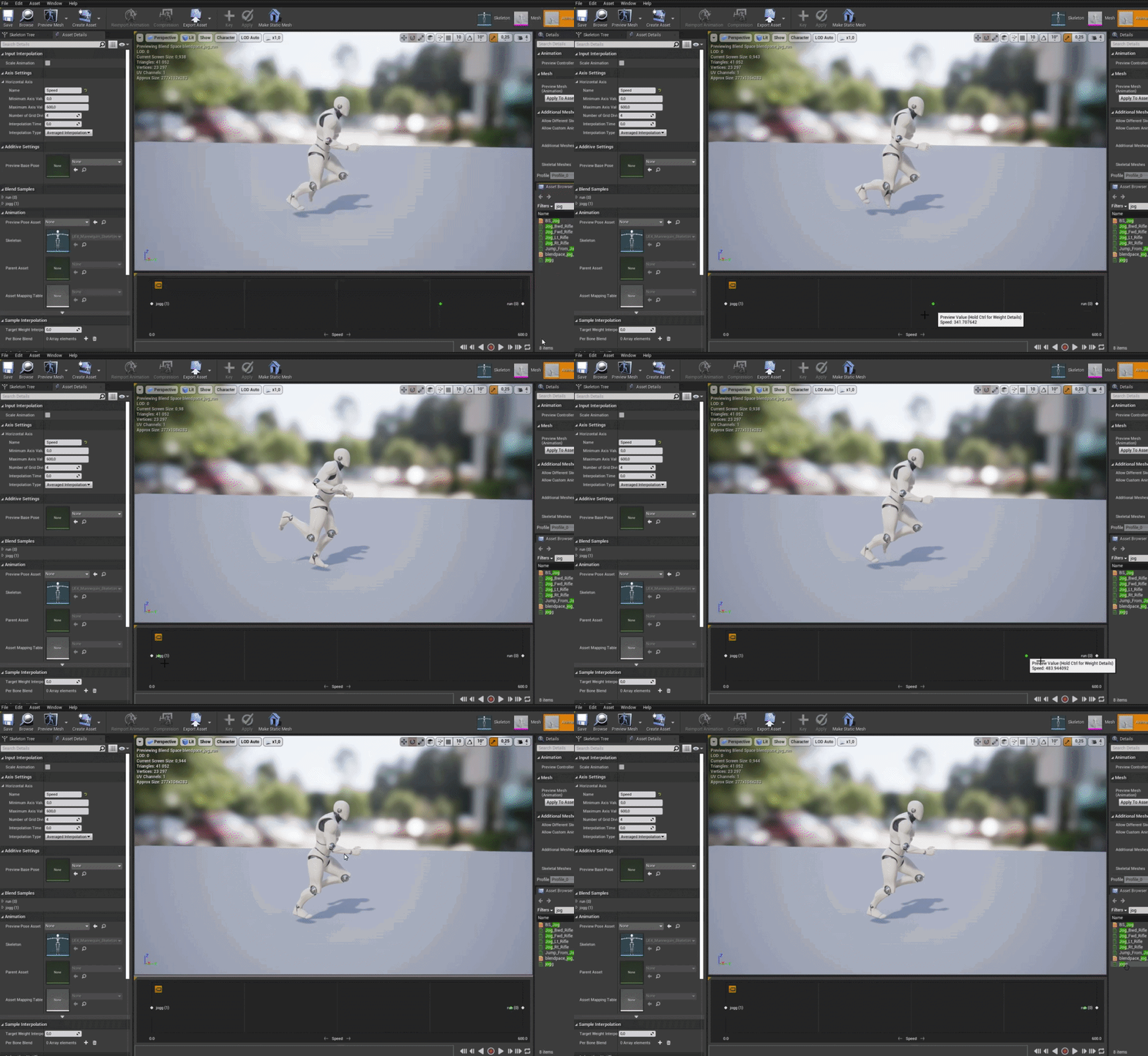
uhmm.....when creating a blendspace1d, and i put 2 animations into it.....is there a reason it wont play those animations?
-->https://i.gyazo.com/7465cfccfe63945ab3f6ec886f4bdb11.gif
 gentle urchin
ye
spark steppe
thanks for testing it
gentle urchin
yw
gilded pasture
does anyone know how to get this vector ?
 gentle urchin
Cross product of cross product
gilded pasture
of whats ?
gentle urchin
 gilded pasture
ho thx 🙂
gentle urchin
Guess this has a few more things inside of it but should be possible to extract from it what you need
You prob dont want distance etc
gilded pasture
kk' i'm gonna try
gentle urchin
Cross of (cross of trace dir and hit normal) and hit normal
 trim matrix
I have this grapple type mechanic in my game and it works well so far but it acts like a swing when you attach to something which I want but I want it that when the swing point is below the player instead of it glitching out and having the character kind of floating, instead to make the player dive down from there current location down till they are below it, right now I think I know how to do most of this besides the most important part, how do I tell within the blueprint if the target the player hit is below them and should in this case start the diving?

have a pic incase it helps at all
 mossy mist
hi navigation invoking is not working at all
i enabled runtime generation to dynamic
so as my navigation volume
and set generate only around invokers
i cant see the green navigation even when pressing the button to show navigation
or pressing p
in game, ai doesnt move either
ai moves however with static generation and building
what is happening
mossy mist
found it
spark steppe
i have to use "Get Forward Vector" to get the unit vector of a rotator, right? xD
sorry for my stupid vector math questions, im dumb
 pale flare
Hey what channel should i go into for help with making saves
Im trying to get my audio settings values to save but cant exactly wrap my head around the save game blueprint
maiden wadi
spark steppe
i have to use "Get Forward Vector" to get the unit vector of a rotator, right? x...
I think that works. I usually use GetRotationXVector. Both make the same call in C++.
pastel rivet
Is a new player controller created when a new gamepad is connected? Beyond the first one of course
 fervent temple

trying to spawn projectile on server
nothing happens
i use my button and nothing pops up
switch to not replicated and it works
BRUH
nvm
forgot multicast
tranquil abyss


Sorry for the pic spam
but my AI does the Attacking animation
when I click
I know why its happening but not sure a solution
 split dagger
anyone know how to remove new lines from a string ? I have these invisible line breaks that are messing up my json strings.
I'm using remove already to make the json work correctly but I don't know what to remove for these weird line breaks
shift-enter didn't work.
 crimson tartan
So I'm trying to copy my friend's vaulting mechanic and I pretty much got it, but for the life of my I can't figure out how to add the:
- tags
- bReplicates
- bAutoActivate
- bIsEditorOnly
And Event Dispatchers:
- OnComponentActivated
- OnComponentDeacticated
I've looked everywhere within my project and can't seem to find them. When I try to create a new variable with those names it gives me an error saying "variable with that name taken"

 mystic bough
because they already exist

replicates, autoactivate, and iseditoronly are variables that are default. there might be some c++ to expose replicates and editoronly, depending on the type of parent
 dusk nymph
Why can I move but randomly I stop being able to move
faint pasture
fervent temple
forgot multicast
Don't multicast a projectile (probably)
fervent temple
faint pasture
Don't multicast a projectile (probably)
it worked tho
not really sure what i else i should do
dawn gazelle
The appearance of working, and actually doing what you expect is two different things.
fervent temple
dawn gazelle
The appearance of working, and actually doing what you expect is two different t...
it appears to do what i want
dawn gazelle
Multicasting the spawning of a projectile means you're spawning independent copies of the projectile on each client.
faint pasture
fervent temple
it worked tho
Spawn one(1) REPLICATED projectile on the server (probably)
fervent temple
faint pasture
Spawn one(1) REPLICATED projectile on the server (probably)
but that doesnt work
nothing happens
fervent temple
dawn gazelle
Multicasting the spawning of a projectile means you're spawning independent copi...
eeee. that does work but thats not ideal
faint pasture
fervent temple
but that doesnt work
Yes it does. You're not doing that.
 dusk nymph
Why can I move but randomly I stop being able to move
dusk nymph
dusk nymph
Why can I move but randomly I stop being able to move
please anyone 
fervent temple
then spawn the thing directly from that event?
faint pasture
Input -> run on server event -> spawn actor (actor should be replicated)
That's for NO clientside prediction. Prediction makes things 10x more complicated.
fervent temple

ok so the code inside my projectile fires
but i dont see the projectikle
yeah this was the problem i ran into earlier
code inside the bp of the projectile works perfectly
but the thing isnt visible
mellow folio
Did you check to see that the projectile is replicated with movement replication on
 naive jolt
Hey I have a (hopefully) quick question about the Enhanced Input System... Does anyone know how I can set it up so that the "Input" is constantly being read. The use case is Look with the mouse. The typical behavior of course is obvious, camera moves when mouse moves, however with the Enhanced Input System I need to have a mouse button down for the camera to move. I'm surely doing something wrong.
fervent temple
mellow folio
Did you check to see that the projectile is replicated with movement replication...
thx g
stupid mistake
 lost solstice
in a situation like this do i need to worry about the is valid node or would that already be done when checking if the cast failed or not?
 mellow folio
Pretty sure it’s impossible for it not to be valid at that point, so that should be redundant
 pale blade
A chord is when you press multiple buttons at the same time, right?
 keen wedge
Hi all, quick question if I may...
I have a game over UI widget which appears, when the game ends, it doesn't load a separate level for this, just pauses the game, and sets the widget to be visible.
This evening I've tried adding a material, fed from a render target texture, fed from a scene capture component, pointing at a little animation dude that I want to appear on the game over screen...
if I add an image to the hud, it works perfectly, until the game is paused, thus, same issue occurs when the game is over. Becaues of the pausing, the animation appears to stop. Can anyone advise how I can keep the animation playing on a specific actor, and, enable the scene capture component to still do its thing, so that I can have the animated dude on the game over ui widget please.
I took a quick look at TickableWhenPaused, but I'm not 100% sure on what/where I'm supposed to use that... I added it to the skeletal mesh component and that made no difference...
faint pasture
Why are you pausing?
rigid fractal
is there any node similar to "construct object from class" but to destroy? something like "destruct object from class"
icy dragon
keen wedge
Hi all, quick question if I may...
I have a game over UI widget which appears, ...
Why needing scene capture for the game over screen at all? Can't you just fade out the player camera, and fade in to a camera placed in an enclosed area where the character is in "death stasis" kind of state?
I'm picturing this as in Kingdom Hearts like game over screen. The scene capture would make sense if it's like Metal Gear Solid 2's game over screen and the inset capture of the death.
Would be nice if you provide mock up or reference to the game over screen in question.
keen wedge
faint pasture
Why are you pausing?
When the game ends you mean? If I didn't, stuff still kept moving/doing things in the world. Seemed the quickest approach (at the time) to making everything "stop".
keen wedge
icy dragon
Why needing scene capture for the game over screen at all? Can't you just fade o...
The three images of the mushrooms, those are the images using the materials, which reference the render target textures...

I want them to still animate on this screen
(will tidy the backgrounds behind them later etc)

Driven by these
but the animation stops, when the game is paused etc..
Only thing I could think of doing was to load a separate level for the Game Over...
icy dragon
keen wedge
The three images of the mushrooms, those are the images using the materials, whi...
Okay, then you can do this without pausing at all.
keen wedge
Will I then need to manage everything else in the game level though, and make it stop moving, playing audio, and so on..
Same with the player, dont want them being able to move around etc..
icy dragon
Just cease input to player character when the death state happens.
No need to even pause the entire game.
keen wedge
...but then there's the audio, animations for all the objects left in the world, particles...
all that will need "stopping" too..
icy dragon
Don't even think about them
keen wedge
?
icy dragon
Just let them running, as you're seemingly putting the game over characters in a separate space, the stuff in the player world is pretty much irrelevant to even thought hard on
keen wedge
Its not going to be irrelevant if the player can still hear it all though?
icy dragon
If the game over space is far enough from the playable space, and you have sound attenuation going on, it is going to be irrelevant to bother.
keen wedge
There isn't a "game over space"...
?
Those three mushrooms with the cameras are just for the rendering for the UMG... they are just sitting outside of the main playable area...
icy dragon
keen wedge
So this is in the same space as the playable space?
keen wedge
there isn't a dedicated "game over space"
They are literally just the other side of a wall...
icy dragon
Ideally you want to have it separate, far enough from the playable space.
If the game over happens, and the full screen widget appears, you possess a pawn placed in the game over space (or other kind of space if you reuse this for something else in the widget)
keen wedge
I kinda get what you're saying, but it seems a bit odd to leave everything "running".... anything that is "counting" for example... if I sat there long enough at game over, I could potentially exceed the limits of an int or whatever else... doesn't seem like a good way to manage resources?
I appreciate its unlikely to happen... but just feels a bit odd..
If I was going to do that I think I'd rather just load a separate, empty, level for the game over ...
Then there'd be nothing in there other than the scenecomponent stuff for the animated mushrooms on the UMG...
icy dragon
I felt like your setup is way too inefficient, if stopping the counter in game over state somehow is not even an option
keen wedge
That's kinda what the "pause" was doing...
icy dragon
Can't you just stop the counter in the actor that's doing it?
keen wedge
I could go back through and wire up the GameOver event dispatcher to everything, but that would take more time than I was hoping to invest..
Flipping this on its head.... what would be the advantage of relocating the player to another area of the same level, rather than just loading an empty level for game over? Any benefit (other than the load time?)
When they currently hit the "main menu" button, thats a separate level, if they hit "play again", that reloads the playable level etc..
Just curious
icy dragon
I don't know about your technical design document, but this felt like way overcomplicating than I would've set up.
The other benefit of the method I propose would be that you can have the same values persisted from the current instance of the level if you're not writing to Game Instance.
keen wedge
This is a uni project... there's no TDD..
I am writing to the game instance...
and gamestate
 winter garnet
Simple question - I have a FTimespan and would like to format it like MM:SS - how would you do that?

Currently it gives a flat integer ranging from 0-60 instead of 00-60
keen wedge
winter garnet
You could take the seconds, divide by 60 to get the minutes... then MOD % 60 to get the remaining seconds... might be able to use the ToText node to add preceeding 0s where necessary...
rigid fractal
rigid fractal
is there any node similar to "construct object from class" but to destroy? somet...
help?
brazen merlin
rigid fractal
is there any node similar to "construct object from class" but to destroy? somet...
destroy all objects of a class?
keen wedge
rigid fractal
help?
or hold on to a reference for the object you created of that class, and then destroy just it?
winter garnet
keen wedge
You could take the seconds, divide by 60 to get the minutes... then MOD % 60 to ...
Gotcha. Thought it would have an automated way since this is pretty standard from my perspective. But thanks!
rigid fractal
brazen merlin
destroy all objects of a class?
does it exist?
keen wedge
winter garnet
Gotcha. Thought it would have an automated way since this is pretty standard fro...
Yeah, I'd have thought so too... couldn't see anything when I looked, not in blueprint anyway... cobbled something similar together myself this evening...
brazen merlin
rigid fractal
does it exist?
no, im asking if thats what you want to do though
rigid fractal
brazen merlin
no, im asking if thats what you want to do though
ah ok, i want to remove a specific object
brazen merlin
rigid fractal
ah ok, i want to remove a specific object
then what Rob said. You need to store a reference to it when you make it so you can get it later to destroy it
trim matrix
I need help, I have a BP_Player blueprint which is the player, and I'm adding an impulse of 2000 to the X axis, and when I play the game it works fine but then it starts gaining more and more velocity which makes it really hard to actually play the gain.
rigid fractal
brazen merlin
then what Rob said. You need to store a reference to it when you make it so you ...
alright, but which node do i use to destroy?

 brazen merlin
trim matrix
I need help, I have a ``BP_Player`` blueprint which is the player, and I'm addin...
brazen merlin
trim matrix
I need help, I have a ``BP_Player`` blueprint which is the player, and I'm addin...
why are you doing this?
trim matrix
It's a game where you are constantly moving forward (you are a cube) and you have to dodge the objects ahead of you.
 odd ember
pale blade
A chord is when you press multiple buttons at the same time, right?
odd ember
pale blade
A chord is when you press multiple buttons at the same time, right?
did you just necro something from almost a year ago?
but yes
trim matrix

I did a bit of searching and found this, would it work if I set the Default Terminal Velocity lower?
odd ember
terminal velocity is the speed at which the player gets killed afaik
trim matrix
Oh ok
odd ember
show code
trim matrix
trim matrix
Up here
odd ember
trim matrix
Up here
try to tick Vel Change
rigid fractal
brazen merlin
then what Rob said. You need to store a reference to it when you make it so you ...
or better, is there any node to get object reference by name (not actor)?
if i find the object, i can destroy it
odd ember
this smells bad
like you're trying to hack something
your actor component would need knowledge of the owner and its components to set that
it's better to have each object be responsible for itself
trim matrix
odd ember
try to tick `Vel Change`
It just made it go really fast.
It said if it's true it will ignore the weight (something like that)
odd ember
trim matrix
It just made it go really fast.
try to see if you can find a node for Set speed or Set velocity
that'll serve you better than impulse
odd ember
odd ember
it's better to have each object be responsible for itself
@trim matrix
inherit from the actor?
you can only inherit from one hierarchy
and nothing is stopping you from making an intermediate parent class that has that common functionality
trim matrix
odd ember
try to see if you can find a node for `Set speed` or `Set velocity`
Alright I tried Add Force, Set Linear Velocity, and Add Impulse, and the only one that works well enough is Add Impulse but that's the one that has the problem of continuously gaining velocity.
odd ember
trim matrix
Alright I tried ``Add Force``, ``Set Linear Velocity``, and ``Add Impulse``, and...
you should try the others with different numbers. they are likely not scaled the same way as impulse
trim matrix
odd ember
you should try the others with different numbers. they are likely not scaled the...
I did
odd ember
no you would have to do that in the actor with the static mesh
odd ember
trim matrix
I did
try and ask in #legacy-physics as impulse is related to that. there is the character movement component but it doesn't sound like you're using that
my take is that adding impulse instead of setting impulse is why you're having your issue
trim matrix
odd ember
try and ask in <#221799426820276226> as impulse is related to that. there is the...
Alright
Physics is enabled but I'll try what you said
Didn't work :/
dusk nymph
i'm pressing the W key in the keyboard and the player moves correctly but it stops from moving randomly
@icy dragon
 dusk dust
why is this not moving every grid iteration around based on the vector I have plugged in there?


zoomed in
if I dont multiply it by the index then the entire thing will move based on the vector I plugged in
 rough warren
Hey guys, I'm trying to create a grid system where I can spawn objects within. Currently I've got a system that goes out in +x & +y direction off a empy actor but I'd like to make it so the actor is in the center and the grid goes outwards.
this is how it is currently doing it, (Pink circle is empty actor)

and this is how I'd like to do it
 gentle urchin
For you yes 😅
rough warren
gentle urchin
Half the positiove x, half the negative x?
how do you mean by that?
gentle urchin
Guess seeing some code can help clearify the issue at hand
The problem sounds pretty straight forward. All you have to do is use half the extension in one direction, and half in the other
So instead of 2 tiles forward you do one forward and one back
rough warren
gentle urchin
Guess seeing some code can help clearify the issue at hand
sure ill send it over
 spark steppe
does something like "format text" exist for Strings or FNames? (so that i can define variables which i feed in extra pins)
 languid spear
@spark steppe append node?
spark steppe
yea but still clunky
 gentle urchin
rough warren
gentle urchin
rough warren
Right so you're only doing positive grid this way. Going from center means you need to offset it by the grids half size
rough warren
gentle urchin
Right so you're only doing positive grid this way. Going from center means you ...
ohhhhhhhhh
that makes sense
dusk dust
dusk dust
why is this not moving every grid iteration around based on the vector I have pl...
anyone know?
do I need to specify more?
I severely need help on this
 native summit
Where can I find Interactable in Trace Channel? (UE5)

 primal smelt
native summit
Where can I find Interactable in Trace Channel? (UE5)
primal smelt
native summit
Where can I find Interactable in Trace Channel? (UE5)
Are you following a tutorial where they have a trace channel called that? It is likely they created their own trace channel and named it that. This can be done from Project Settings, search "Trace Channel"
Absolutely confused by this. I have checked, double checked and triple checked and A and B are the only two instances where this value is being set in my entire project (which isn't actually large right now as it's a prototype) - shared across a pawn blueprint and a HUD bp. You can see this exec line is active and yet the value just will not change from 0. No errors reported at all, the HUD bp is cast to at begin play and other communications between the pawn and the HUD work absolutely fine.
I know with these sorts of problems you'll triple check, ask in discord, and then check again and lo and behold you'll find it being set in some dark corner of a forgotten bp, but I created a fresh new variable and tested it and it too is not being set.
Vague as hell I know, but any suggestions for what might be causing this, probably in respect to bp communication, I'd appreciate it. I had it working before and am re-factoring, no idea why it isn't working now.
 zealous fog
primal smelt
Absolutely confused by this. I have checked, double checked and triple checked a...
zealous fog
primal smelt
Absolutely confused by this. I have checked, double checked and triple checked a...
Do you have the issue with a child BP?
Child of this class
Or is this the BP itself
Could you change the 0 value to something else and see if it still results in 0 or if it will then be correctly set
(Into that value)
primal smelt
zealous fog
Do you have the issue with a child BP?
This is the bp itself, the bp for the TestHUD is cast to using player controller (at beginplay).
I have realised that the variable is actually being set, the debug print was first in order on the same exec line, moving it afterwards reports the variable being changed correctly.
But this also doesn't make sense to me, currently I am running this on tick. So shouldn't the debug print pick up the correct value on the next cycle?
zealous fog
Don't know cant see the print string in there
primal smelt
It'd be too far ahead for me to include it in the screenshot. But basically you have:
Print int: Ls Mode ---> Whole bunch of other code that doesn't touch Ls Mode ---> Set LsMode to 1
If we take that as the very first tick, then yeah it makes sense for it to print the default value of 0. But on the next tick and every subsequent tick? If nothing else is setting Ls Mode back to 0 (which I can now confirm definitely isn't happening), then surely on the next tick it should print 1?
zealous fog
Where was the print string before
Maybe it was only running if it was 0?
Otherwise yeah pretty strangr
primal smelt
I didn't notice this issue because previously the function setting Ls Mode was actually before the debug print on the event graph. As part of cleaning up my code, it made sense to move the function into position which just happened to be after where I had debug print on the event graph.
 unreal quail
so I have set an event to multicast but for some reason it's only being called on the server
primal smelt
It's fine because now I know I've borked something else when rewriting the code! It just threw me off the scent for a while because debug print was not printing correctly, so now I'm just curious as to how!
unreal quail
is there something special I need to do broadcast a multicast event or?
ah the actor needs to be replicating, nvm
primal smelt
zealous fog
Maybe it was only running if it was 0?
Well, the only condition was that it was behind a check to see if player is possessing pawn, but that shouldn't have altered anything - just doesn't print if player isn't posessing
 fiery swallow
if it's there and you can't see it something is most likely overlapping it
not to mention grid panels don't auto slot anything you have to write that code yourself
oh looks like you did that 🤔
try removing everything
or hiding everything
and see if it appears
are you sure things are spawning in it as a child?
trim matrix
Hiya, how can I check what pawn type a player is inside a UMG widget? I have the following logic:

Obviously I only want to do the cast if the boolean returns true, but execution nodes aren't allowed here.
Oh they are nvm wtf
unreal quail
@trim matrix sidenote, it's highly discouraged to do this
trim matrix
You mean pure casts formulated like that?
Its fine I just used a branch I dont know why I thought they weren't usable
Good idea might do that next time.
unreal quail
trim matrix
You mean pure casts formulated like that?
no, using a bp function to update UI
that function will be called every tick so it could get expensive
you should instead use events to update a text variable
unless you're doing that only for testing in which case it's fine
trim matrix
I'll make a note in the graph
Well I want it to update pretty much continuously, it's a continuous speed variable
But if I was looking at performance I could do something like, every 0.2 secs
That sounds strange
Single player?
zealous fog
Binding it is less performant than doing it event based
fiery swallow
Sorry I was in a league game, have you tried adding them manually?
in the widget editor and not the blueprint graph
zealous fog
Binding is on tick
fiery swallow
alright, in the pre construct can you add one slot in the array as a child?
because if you can, and it works then we know the problem is just your algorithm
yes the problem is your current function
add it to the pre construct
and see what happens
if it shows up empty then we know what to do
why would all the other widgets work fine except for the one that's being procedurally generated?
yeah I don't think that's the case, but if you want to check just add some things in the child and press play
if they show up in game then that can't be the problem
make sur eno other code is effecting it
 brittle mortar
What is the cheapest way to move objects in structure or bones?
fiery swallow
unhook all the code in your widget that could be effecting it. like everything if you have to
no just that one
need to make sure it's not being influenced or changed
it showed when you unhooked everything?
🤔
I meant for you to remove it from pre construct
and add one in manually
then play in editor
so it showed up in the editor?
so when you start playing, print a string that get's the length of the slot array
okay reconnect your function to construct and inside of it right click "add child" node and then select toggle breakpoint
then play
did the game pause?
okay, plug it in wherever it's suppose to be
I just assumed it was on construct lol
sure go for it
the game should pause when you do that
okay unpause
press play
so you're good now?
no, I thought you removed it
remove it from everything and then try again lol
yes
Did the screen pause?
and the slot shows up? when you hovered over it
alright hover over the uniform grid children array, is it actually in there?
drag off of that and get children, it should be an array
" get all children node"
I'm sorry let's just try one more thing, It's 4:40am. If this doesn't work then I'm gonna call it quits for now. but when I wake up I'm down to call and we can get to the bottom of it together. But for now
instead of calling that function
can you just get the "slots" array -> get 0 -> add it as a child
I'll show you
yes
outside of the function. Replace it with that code
in row 0, in column 1
or coulmn 0 I don't think it matters
try to clear the uniform first

I'm dying to know what the issue is myself
clear children and then add it as a child
have you ever tried adding more then one? lmao
you've convinced me to open up the editor and see if I get the same problem
 cloud grove
Hey all, beginner question here:
How would I fire off an event on specific circumstances like "variable changed", "enters region", "unit died" ? As someone coming from WC3 World Editors im surprised there are no events for it.
For example:
Event = Unit enters region
Boolean = Type of entering unit = unit_01
Do Action
tawdry surge
Call a custom event, blueprint interface or event dispatcher
cloud grove
but wouldn'T calling a custom event require a "fire-off" event still? for example EventBeginPlay -> Call Custom Event
my understanding was that custom events are just task that happen on different locations so you'd save them
cloud grove
ah no im still testing the waters and get a better understanding of the whole foundation
but since I've worked a lot with WC3's RTS Editor thats where my logic comes from
there you could just say the above like enter region, type of unit, do action etc.
or any other stuff like unit died, type of unit etc.
haha yeah
tawdry surge
Start with hour of code tutorial or something. Ai is a bit deep to jump into off the bat
cloud grove
thanks I'll take a look
fiery swallow
@dreamy marsh I just did it and it worked perfectly fine in my 3d widget
I noticed something weird though, it only worked properly when I set "draw at desired size" to true in the 3d widget component @dreamy marsh

This seemed to work properly for me
this is my procedural uniform grid setup
https://gyazo.com/43ecdd23af50235611971ca97915c709

In case you want to try it, they're not local variables though
Draw at desired size ended up not working for you aswell?
It's bumming me out
odd ember
FYI it's worth subclassing WidgetComponent to get greater control of its properties
primal smelt
primal smelt
Absolutely confused by this. I have checked, double checked and triple checked a...
I have more information regarding this. So in short - Ls Mode is being set at A and B and absolutely nowhere else - complete confirmation of this.
With the exec line as shown, Ls Mode in the blueprint referenced should be 1 but it is being set to 0. I am experiencing some oddities where the printed value varies depending on whether it is before or after this bit of code on the event graph (despite this code running on tick). However I am able to confirm that on the referenced bp, it is still set at 0, even if a print string on THIS bp (shown in screenshot) says the current value is 1.
Now, on the screenshot, if I remove B and connect the resulting gap in the exec line, suddenly it works as intended (although I cannot de-activate it and reset the value to 0 ). This should not influence the value at all as you can see from the debug draw, every tick it is going along the exec line that sets it to 1.
Anybody have any idea what is going on here? Have I ran into an engine bug?

It may be helpful to know that in the referenced bp, it runs on Event Receive Draw HUD
keen wedge
Hi all, anyone know how to pause/unpause a Quartz clock? I see a node I can drag from the Quartz Clock Handle reference "Pause Clock", but there doesn't appear to be an "Unpause" option... if I look at the Quartz subsystem itself, there are PauseTimer, UnpauseTimer, IsTimerPaused - but all by function name, and I'm not entirely sure what to do with those... do I just not add a delegate function name?
 vapid ibex
Hello! Are there any articles or guides on how to turn math equations into blueprint functions? Like this one:

I'd need to know C++ on order to do that.
primal smelt
I'm foggy on the details but I certainly got the impression that trying to sync actions on tick between blueprints is a bad idea without checks to make sure they've caught up with each other. But there really is no time precision element to this at all nor are these variables being set in succession - it's a branch so it should just be binary state updating a variable on another blueprint
vapid ibex
And i still doesn't exactly know how to turn equations into computer code either
tawdry surge
Sounds like you don't fully understand the equation. It's pretty straightforward if you do
vapid ibex
It's an equation for trajectory, so I think if I put it into a BP it will accelerate my object in a desired way?
vapid ibex
tawdry surge
Sounds like you don't fully understand the equation. It's pretty straightforward...
You wouldn't be wrong. 😄
primal smelt
vapid ibex
It's an equation for trajectory, so I think if I put it into a BP it will accele...
You need to break the equation up into it's constituent parts and put them in the correct arrangements in your blueprint
vapid ibex
Most of it looks like pretty straightforward and operate in float variables, but then those omega symbols...

 vapid ibex
 versed sun
are you looking for this?
versed sun
are you looking for this?
Oh, I'll try this one, thanks!
primal smelt
Any food for thought is helpful, thank you 🙂
versed sun
It's kinda like a Format Text, you type the Expression(Formula) on the Details tab and it auto adds the Input and output pins
primal smelt
I do have a gamestate bp which I could try putting this onto, worth a shot!
vapid ibex
versed sun
It's kinda like a Format Text, you type the Expression(Formula) on the Details ...
Do I understand it correctly that the following should be written as ((d*П/d*t)*r)?
 versed sun
No clue, you can just put it in the expression and see if it works
primal smelt
Thanks! This is my first project and I've kind of dived into the deep with physics driven movement and trying to have everything work in a systemic way. There's certainly lot's of spaghetti in my code as I experiment!
tawdry surge
Yeah that looks right
gentle urchin
primal smelt
I'm foggy on the details but I certainly got the impression that trying to sync ...
You cant sync them. You must logically execute functions in the order you need them to be executed in
primal smelt
It's certainly had me near pulling my hair out at times but I do feel like I've developed a good understanding in a good range of areas. It's just every now and then I get surprised at - what feels like should be - very simple hurdles!
trim matrix
vapid ibex
Do I understand it correctly that the following should be written as ((d\*П/d\*t...
there is a Operator Precedence (order of operation) section in the unreal docs for the math expression: https://docs.unrealengine.com/4.27/en-US/ProgrammingAndScripting/Blueprints/UserGuide/MathNode/

The math expression node allows you to type in a math expression and builds the appropriate sub-graph to create that expression.
*might be useful checking it out
odd ember
just add a bunch of parentheses to be sure
trim matrix
i can't remember the name of the node that changes value (in range, A & B) based on alpha, can someone please help me?
i swear freaking used it yesterday, and now i can't remember the name of the node (good job brain)
vapid ibex
trim matrix
i can't remember the name of the node that changes value (in range, A & B) based...
It's Lerp
trim matrix
i hate myself
trim matrix
vapid ibex
It's Lerp
thanks 😭
primal smelt
gentle urchin
You cant sync them. You must logically execute functions in the order you need ...
That's right, I've never attempted syncing functions myself - I just recalled reading about the folly of attempting it
gentle urchin
Ah ok
odd ember
primal smelt
That's right, I've never attempted syncing functions myself - I just recalled re...
perhaps you want to elaborate on what you want to do?
trim matrix
Hey guys, is there anyone that can help me with sliceble skeletons, I have the NinjaVR plugin but somehow it does not cut
primal smelt
I've probably gotten too comfy with having everything run on tick, because for the most part all my efforts have gone into prototyping the player character pawn (it has a very unusual movement system). I've been trying to comment out things that I know can be moved off of tick, but all too often when I'm playing about with new mechanics, it's too easy to just add it somewhere on tick "for now" 😆
trim matrix
No sliceable skeleton mesh :P
odd ember
you can also just enable and disable tick at will
primal smelt
primal smelt
I have more information regarding this. So in short - Ls Mode is being set at A ...
@odd ember - topic starts here, there's not much to go through (a few mouse scrolls up)
gentle urchin
primal smelt
Absolutely confused by this. I have checked, double checked and triple checked a...
Original post
odd ember
primal smelt
<@!224571781862653952> - topic starts here, there's not much to go through (a fe...
yeah I can't really tell what your problem is
just keep in mind that timers can fire multiple times per tick
primal smelt
Do you mean like delays or timelines? I did actually start off-tick but as soon as I started getting physics implemented it was a bit of a nightmare getting it to be framerate independent. Or at least it was with the knowledge I had at the time.
I have made liberal use of float timers though which has offered good flow control at least, hopefully mitigating the performance demands of running on tick somewhat
odd ember
but will only update with tick
tawdry surge

Announce Post: https://forums.unrealengine.com/showthread.php?122451
Ian Shadden and Alex are back again to help sharpen your development skills with a new feature from the 4.13 release, Procedural Mesh Slicing! Using this new ability of procedural meshes, we're able to create tons of action-packed gameplay mechanics and visually compelling ente...
primal smelt
gentle urchin
Original post
Thanks Squize!
odd ember
primal smelt
<@!224571781862653952> - topic starts here, there's not much to go through (a fe...
can you describe what you were wanting to achieve instead of looking at it from a point of a technical problem?
gentle urchin
"Cant be loaded" wth..
trim matrix
It normally has every part of body cut but I think a few parts also can work :P
trim matrix
tawdry surge
https://m.youtube.com/watch?v=1zJM1gKoU14
Thank you
odd ember
because 99% of the time, the issue is faulty implementation
primal smelt
Ok great, I'll look into that for sure 🙂
gentle urchin
Running lots and lots on tick is sketchy at best
Requires very delicate flow control
Especially when one actor relies on things set on another actor ...
odd ember
this just means they will update .001/<tick delta> times the next tick
gentle urchin
Event driven design ensures that things only run when needed
odd ember
but you don't get around the fact that they still update on tick
primal smelt
gentle urchin
Running lots and lots on tick is sketchy at best
Yeah, there are definitely things I should be able to move off tick. But for the player pawn, I think I will have to keep a lot on tick because you'll be moving at fast speeds and constantly checking surface normal directions, materials etc which adjust variables on the fly
odd ember
so you're shooting yourself in the foot basically
not saying timers aren't useful
but to think they can work separately from tick is wrong
they aren't asynchronous
gentle urchin
Even when they are
odd ember
we've just established they don't, lol
gentle urchin
They need to be synced into main thread
odd ember
tick is a devil, but the solution to get around tick isn't 50 timers
gentle urchin
primal smelt
Yeah, there are definitely things I should be able to move off tick. But for the...
Sure, some things are best done on tick
odd ember
I'm not
tawdry surge
It's probably C++. BP isn't the greatest for multi thread logic or handling race conditions
odd ember
but to treat them as if they are a silver bullet is wrong
primal smelt
Here's a little macro I made that comprises a lot of my tick flow control. Float Timer is probably more accurate, but I like Tick Timer!
 odd ember
primal smelt
Here's a little macro I made that comprises a lot of my tick flow control. Float...
odd ember
primal smelt
Here's a little macro I made that comprises a lot of my tick flow control. Float...
this smells so bad
primal smelt
Insides smell any worse? :p
 odd ember
the most elaborate bridge to cross a river to get water
primal smelt
Criticism accepted 😂
primal smelt
I mean, it feels perfect for my needs. I tend to be using these float variables for multiple things so a timer that ensures framerate independence that leeches off these floats works for me 👍
odd ember
I think it goes back to the original question that I had: what are you intending to do?
not what you are actually implementing
but what you want to have happen
primal smelt
gentle urchin
~~Got an example for what such a timer would be used on ?~~
Probably not the best example I can come up with off the top of my head, but I have analogue acceleration and braking so I would use this to factor in a delay. So if you were going forward and an axis value of 1 would slam the brakes on, a timer like this will allow me to implement a delay to the "strength" of the brake while also cutting it off if need be once exceeded a certain value.
gentle urchin
Car game? Gotcha
primal smelt
odd ember
but what you want to have happen
Basically I have an analogue rotation method using controller thumbsticks that will draw a rotation "progress" bar (circular) from the starting extreme point (so if player pushes fully to the left, that sets the progress bar at 0 and a full rotation would be 1). The pawn blueprint gets this information and communicates back how much rotation force has been applied back to the HUD to say "cap here". It's hard to explain without going into crazy specifics, but this is necessary with how force is applied based on different surfaces.
The "clamp here" part is what is being upset by my weird issue
primal smelt
gentle urchin
Car game? Gotcha
Not exactly 😉
I'm actually hopeful to release a prototype soon-ish with a level or two for play testing
odd ember
primal smelt
Basically I have an analogue rotation method using controller thumbsticks that w...
this is still very technical. can you explain what it translates to in the game world or project?
the point is not to have your method displayed, but what you're trying to achieve beyond method
because your method might not be correct
primal smelt
odd ember
this is still very technical. can you explain what it translates to in the game ...
While we've been chatting I have actually found a solution to my issue by moving the set int 0 somewhere else (back to where it was before the re-factor actually), still not sure why that issue happened though
primal smelt
odd ember
because your method might not be correct
Oh aye, I suspect there's plenty of my code that could have a Spock once over. But that sort of thing I prefer to work out for myself 🙂
Well, at this stage anyway. I like to feel out, make the mistakes then seek reviews for methodology
odd ember
primal smelt
Oh aye, I suspect there's plenty of my code that could have a Spock once over. B...
I think you should be very careful about that. game development, like software development in general, is wicked problem solving. you can easily paint yourself into a corner, and have cascading problems that set you up for fail if you don't understand what you're doing
and these problems aren't the kind of problems that will surface and show themselves. you could be doing something wrong that only rears its head as a symptom some 6 months down the line that then forces you to rewrite a bunch of code that you've made during that time
primal smelt
odd ember
I think you should be very careful about that. game development, like software d...
Of course, and I don't mean to imply that I'm not doing any forward looking at all. If I was just blindly trudging forward, I'd still be trying to do everything on timelines (which was where I started out).
But I have a fairly good idea of which aspects of my code are fueled by my ignorance and have tried to design it in a way where I can swap those aspects out if need be.
This oddity today is a bit of a concern, but if there is something inherently wrong with how I am communicating with the HUD, I can quite easily remove it, implement everything that needs doing on the pawn side (sans HUD drawing of course) and then look up another way to do the HUD. But I always keep my eyes open here and there and add it to my knowledge base to try out later.
odd ember
I'm just mentioning this because I've seen the code that I've seen from you
thinking that it's somehow wrong to ask for help or to try and understand the underlying principles will get you stuck much faster than you think
in the end it's your project
primal smelt
No it's not wrong to ask for help at all. You're referring to my macro i take it? What's so bad about it?
odd ember
it's not just the macro, it's what you're saying you're doing from your method
primal smelt
Yes but you have to understand, the HUD is a known "this needs reworking". I probably wouldn't even have a HUD implemented at all at this stage if it weren't for one day on a whim I thought "I probably will need some kind of thumbstick indicator on screen for this, let's see how to do that"
My code doesn't hinge on how the blueprints are backing forthing each other, that's just how it's currently implemented and can be swapped out
odd ember
everything can be swapped out. the question is how long that will take you and how many dependencies you'll have based on that. that's why I'm asking for intent and not for method
but like I said it's your project. I don't really care, I just don't think it's a good attitude to have towards these things
primal smelt
odd ember
everything can be swapped out. the question is how long that will take you and h...
Well there are multiple actions that use the positioning data of the gamepad thumbsticks, based on combo presses of triggers and bumpers. I implemented just enough of a HUD when there was one action. As part of this re-factor, I am setting it up so it can use this same information for the other actions. I may need to change things up again, but as part of my plan these 3 or 4 actions are the only things that will require this interaction with the HUD, and I'm just now at the point of taking them into consideration.
That's what I mean by politely declining help for the methodology at this stage. This is just the way I learn - I try myself, I fail, I try to figure out why I failed and then discuss solutions with more experienced people 🙂
odd ember
just be aware that those failures might not be visible until much later, when they become much more costly to fix
primal smelt
I know, and don't get me wrong - I don't think I've got some 4D canny ability to anticipate what all the fails will be, I just try to account with as modular design as I can.
And believe me, there are absolutely some things I am doing with the physics where I can already smell smoke!
Anyway, thanks for all the tips everyone!
 prisma stag
Hello, just curious if anyone knows of a way to have a mesh be relative to an integer's value.
For example if I have a shelf that is to be stocked with items, as the stock count of the shelf goes up, more items get added to the mesh and vise versa. What would be the best way to do this?
gentle urchin
ActualLocation = Offset * Index
zealous fog
So like procedural generation?
Or you can make multiple versions of a mesh, and then swap them out when the stock number goes over the limit for more items on the shelf
odd ember
prisma stag
Hello, just curious if anyone knows of a way to have a mesh be relative to an in...
the way I read this it sounds like you want a few scene components scattered on the shelf as "spawn points" that you then populate with instance meshes as the integer increases
zealous fog
One option is more code heavy one is more art heavy
prisma stag
Multiple meshes would be kind of annoying especially if the player places more than one shelf.
maiden wadi
I did that with one of my first little projects. I had a list of named sockets I used for everything. Any static mesh that was used as a display case had sockets and had a little function to get all sockets for count and a static map I used for ordering. Worked well.
odd ember
yeah sockets or scene components. basically a transform you can go by
zealous fog
prisma stag
Multiple meshes would be kind of annoying especially if the player places more t...
Really dependant on what you wanna do and the level of detail you need, if it's like a mall sim and the shelfs only have 2 or 3 states, empty half full and full, I woukdny make a whole procedural system
But procedural stuff can be fun too
odd ember
the only reason I don't prefer sockets is that they require mesh editing, whereas scene components are actor based
 modest stag
hey guys, quick question (or so I hope). how can I rotate the advanced vehicle that comes with UE4? Like, I'm mapping a button to rotate it when it's off the ground, but nothing seems to affect it
gentle urchin

 rich pawn
someone can help me with data table and data asset ?
prisma stag
zealous fog
Really dependant on what you wanna do and the level of detail you need, if it's ...
I would like it to be more detailed being with multiple items. Sockets could definitely work but I would like to learn about the procedural system though.
odd ember
prisma stag
I would like it to be more detailed being with multiple items. Sockets could de...
it's not a "system". it's just using the sockets to populate the shelf with items arbitrarily
literally a for loop based on an integer value and a picking a random value of out of an array of transforms
rich pawn
hi guys i'm trying something and not sure how to make it work. i'm doing it in Blueprint. So i'm trying to spawn a monster.to do so i made a struct that have a primary data asset (object ref) then i made a data table fron that struct. I created data asset from the primary data asset. For now i'm only trying to make my actor spawn with the data asset.I've put a string at the end to see if it go there and it does but my bp doesnt seems to take de data asset
 prisma stag
odd ember
literally a for loop based on an integer value and a picking a random value of o...
prisma stag
odd ember
literally a for loop based on an integer value and a picking a random value of o...
Ok, once I get home I'll give that a try, thanks.
maiden wadi
Man... I love Prefabricator, but I'm not sure how I feel about hard crashes from a BlueprintCallable function because of a nullptr use.
 wary shadow
Hi, how can I use timer to execute an event for a specific amount of time?
odd ember
wary shadow
Hi, how can I use timer to execute an event for a specific amount of time?
elaborate? you want the event to take a specific amount of time?
wary shadow
odd ember
elaborate? you want the event to take a specific amount of time?
Yup exactly, do stuff for tot seconds if the event is fired
 vital aspen
can someone tell me what difference is between a macro and a blue print
zealous fog
Is there a way for me to assign a value based on a graph/curve, without using a timeline? To have an x input and get an y output depending on the curve
tawdry surge
External curve asset
@vital aspen macro is similar to a function. A blueprint is a class. Classes can contain functions and macros
vital aspen
is making a macro to do something better then a blue print
zealous fog
I made a curve asset but I didnt find a way to implement it
Oh wait its in UMG i will ask there
 dusk ember
sorry to bother you, but since you’re probably the only person that would be in here that has seen that tutorial then you’re probably my only access for help on this. do you have any idea how to replicate this? i tried to but it spews out an error from the camera tilt.
tawdry surge
Macros and functions should only handle one very small/specific task. Blueprints are where you string macros and functions together to do a bunch of things
rigid fractal
rigid fractal
or better, is there any node to get object reference by name (not actor)?
if i f...
its is possible?
odd ember
wary shadow
Yup exactly, do stuff for tot seconds if the event is fired
use a delay node? you don't need a timer for it necessarily
 agile ermine
how do you know it's 0 if it's not connected to anything?
this cannot happen normally
or maybe you have it in 0 coords on the level, move a different part (instead of scene) and check scene location xd
reasons could be many but normally that node should exactly tell you X.Y.Z coords in the level
also what is the bull BP? you show only two nodes and nothing besides this
it's hard to tell
it's like guessing a flower name by seeing 2 pixels of it
gentle urchin
😂
dawn gazelle
rigid fractal
its is possible?
If you're looking to destroy an object, all that is required is to dereference it and the engine will destroy it automatically. So if you've saved a reference to that object, you need to remove all references to it in order for it to be destroyed.
That's really the only built-in method of destroying an object available through blueprints.
If you go into C++, then you can do things like mark the object to be destroyed.
void UMyBlueprintLibrary::DestroyObject(UObject* Object) {
    if (Object)
    {
        Object->ConditionalBeginDestroy();
    }
}
Also, guess the flower:
 agile ermine
it's good with: Hierachical Tree (all your components list) and some more overview on the BP itself
maybe you do a "teleport" node without changes (loc. 0,0,0) at begin play? dunno
yes, there are no more screenshots, what can I say? XD
should we make a list of possible issues assuming what could go wrong?
we'll spend a lot of time guessing and you finding solution
also there are always 3 good things to test:
-restart engine (sounds stupid but it has its bugs as well, it's always a good practice)
-test same code in a fresh project
-recreate code
gentle urchin
If the ref is valid surely it'd return a valid location :)
agile ermine
indeed
gentle urchin
Unless you are on ue5 ea2
 thin panther
indeed, unless it is disconnected
gentle urchin
Then anything can happen
thin panther
or the actor is at 0,0,0
agile ermine
RMB on the 'Scene flowr' and option "find references" - you'll find where the node is used and maybe you're changing its location somewhere
gentle urchin
Disconnected wouldnt even return 0,0,0 😂
thin panther
fair point
agile ermine
XD
maiden wadi
Important question is where that is being ran from.
thin panther
everywhere
agile ermine
ye, everywhere it should give the correct location, regardless if Event Graph or Construction Script
thin panther
please help i've been putting off making the settings menu for so long
I hate it so much

 agile ermine
thin panther
please help i've been putting off making the settings menu for so long
agile ermine
thin panther
please help i've been putting off making the settings menu for so long
you mean UMS handling? 😄
okay, then without screenshots I cannot advice more
no idea
tbh
thin panther
Screenshots still help with that, we cannot tell you what the problem is with 2 unconnected nodes
agile ermine
I get 0,0,0 only if I don't place actor in the World
and only in construction script ofc. Event Graph code will run only if the actor is somewhere in the world
gentle urchin
Print its display name
wary shadow
odd ember
use a delay node? you don't need a timer for it necessarily
I’m not sure about this cause the node must not executed every tick. I’d like to implement something like this:
Custom Event fired -> print hello for 3 seconds
agile ermine
maybe you just spawn it from Level BP and do not set any location then it remains 0
thin panther
if we only we could get screenshots 😔
agile ermine
ok
gentle urchin
Print its display name
thin panther
idk why I hate making settings in games, tis so tedious
agile ermine
wish u luck
gentle urchin
thin panther
idk why I hate making settings in games, tis so tedious
Do it properly once, and never again 😄
thin panther
we dont know what the problem is without screenshots
agile ermine
thin panther
idk why I hate making settings in games, tis so tedious
there's a lot of stuff that has to be considered and done
working with UMG's is pretty simple but annoying 😄
thin panther
agile ermine
there's a lot of stuff that has to be considered and done
working with UMG's is...
yeah I do hate the UMG editor, that is probably a major part of it, also quite dislike working with audio even though it's fairly easy
gentle urchin
Which was?
agile ermine
an example of a piece of code from my UMG (the whole project bases only on this and Player Controller)
 gentle urchin
What was the solution
thin panther
maybe it's just cause I dont get to make the fun wacky things with settings, its just boring backend lol
thin panther
agile ermine
an example of a piece of code from my UMG (the whole project bases only on this ...
lmao i know how that one feels
agile ermine
he will not tell, he'll keep the solved case for himself, he's the Sherlock, why should he tell? 😄
maiden wadi
I have one of these in the world. One single print. So yeah. It matters where you call it from.

 pastel rivet
Hey having some weird issues with the player controllers and gamepad
wary shadow
wary shadow
I’m not sure about this cause the node must not executed every tick. I’d like to...
After the time is expired the custom event stops and wait for another trigger
pastel rivet
When two controllers are connected, the first player controller gets both controllers, but when i unfocus and focus the window thats playing suddenly the correct player controller is assigned
So weird
wary shadow
wary shadow
After the time is expired the custom event stops and wait for another trigger
Does anybody else know how to easily implement this?
agile ermine
pastel rivet
When two controllers are connected, the first player controller gets both contro...
check Project Settings, search for 'Skip' and you'll find "Skip Assigning Gamepad to Player 1" - enable and check if the behavior changes
dawn gazelle
wary shadow
Does anybody else know how to easily implement this?
Gate node?
It really depends on whether or not you're trying to have things perfectly timed or not... Like, one could use a timer and start and stop it when necessary.
Also depends if you're trying to do something on tick.
agile ermine
wary shadow
Does anybody else know how to easily implement this?
a little example
Left side will trigger every time you click S (of course you can have your own trigger)
Right side will trigger the code every 3s as long you hold the W key

or it's not what you meant?
I am not fully into your topic XD
odd ember
wary shadow
I’m not sure about this cause the node must not executed every tick. I’d like to...
loop a timer accumulating delta seconds until it hits 3 seconds total
wary shadow
agile ermine
I am not fully into your topic XD
Sorry u’re right, the print string was just an example, basically I mean print hello each tick for tree seconds only when the event is fired
wary shadow
odd ember
loop a timer accumulating delta seconds until it hits 3 seconds total
Thanks l’ll try it
dawn gazelle
wary shadow
Sorry u’re right, the print string was just an example, basically I mean print h...
 agile ermine
I hate this practice tbh
the code is running every frame
instead use a timer that runs every 3s and you can start and stop it
even if you want so badly to do it via tick - you just need unneeded code for that
timer is lighter, easier to control and less code
pastel rivet
@agile ermine
This solves it, but causes another weird buggy thing
If controller which is nr.1 is pressing a button, the player is connected and it works. Then the second works as well.
But if the second controller is pressed first, then it takes over controller one, but once controller one is using input, its assigned to controller one and the second controller is suddenly assigned to controller two
its not a major issue, just annoying
agile ermine
I think that's an issue with testing multiplayer in PIE because you run a single instance (or is your multi based on Split Screen?)
agile ermine
if you have a reference to 2nd Player Controller - Disable Input on BeginPlay, enable back when 1st Player activated his controller
or pressed any button
but dunno how to implement that at best xD
I mean what to use to check if Player 1 got his controller assigned
wary shadow
agile ermine
I hate this practice tbh
To be honest I’m using UE within AirSim for drones simulation. I’m working with an obstacle avoidance algorithm and If an obstacle is detected, I need to log the drone data for a little amount of time. I’ve all, but actually idk how to save data only for that amount of time every time an obstacle is detected
agile ermine
wary shadow
To be honest I’m using UE within AirSim for drones simulation. I’m working with ...
yeah, for most important part you can use it, there are obviously things that you need to check on the Tick, I just told that because people are overusing it 😛
wary shadow
Btw thank you, I’ve a lot to learn about UE😅
agile ermine
wary shadow
To be honest I’m using UE within AirSim for drones simulation. I’m working with ...
so you can do following:
Check location on Tick and make logic when you're close, nothing detected etc.
and a separate Timer that runs every (wished amount of time) and just saves the Float (or anything you use as variable you want to save)
and you can control the timer start/end when some condition is met or something triggered it
faint pasture
wary shadow
I’m not sure about this cause the node must not executed every tick. I’d like to...
Print Hello that lasts for 3 seconds or print hello every frame for 3 secodns?
agile ermine
btw I was trying to make a 'car' that moves on its own through a map and will avoid obstacles - based on 4 Line Traces XD
worked for some part but that needed hell lot of improvements
maiden wadi
... There is a marketplace asset for creating "Node prefabs" So you can copy paste nodes to blueprints.
agile ermine
for that amount of time every time an obstacle is detected
or do you mean like Adriel said - log info from the 3 seconds time period or log info once every 3s
wary shadow
agile ermine
btw I was trying to make a 'car' that moves on its own through a map and will av...
Thank you, take a look at https://github.com/microsoft/AirSim regarding your project. Up to now I’ve always worked with ROS and Gazebo :/

GitHub
Open source simulator for autonomous vehicles built on Unreal Engine / Unity, from Microsoft AI & Research - GitHub - microsoft/AirSim: Open source simulator for autonomous vehicles built o...
wary shadow
faint pasture
Print Hello that lasts for 3 seconds or print hello every frame for 3 secodns?
The second one
agile ermine
agile ermine
so you can do following:
Check location on Tick and make logic when you're close...
.
faint pasture
wary shadow
The second one
I'd just use a timeline
Detect trigger
Play timeline (3s duration)
Logging code on timeline
Timeline fires every frame for duration
agile ermine
it's also okay, but that would work for the 'logging from a period of time', he asked for 'single-fire logging every 3s'
but ye, your idea would work fine in the case of logging for 'some' time
faint pasture
Yeah he's not exactly being consistent with what he's asking for.
agile ermine
yeah
I know
that's why I keep reasking to make sure XD
trying to understand the issue/idea from roots
for better advice
 dawn gazelle
agile ermine
https://tenor.com/view/futurama-freeze-freezing-cryogenics-solve-all-your-proble...
dawn gazelle
agile ermine
https://tenor.com/view/futurama-freeze-freezing-cryogenics-solve-all-your-proble...
Hey... Some AI did that to avoid losing Tetris.
wary shadow
Yup sorry if I’ve not be clear. Btw yes, just log data for 3s (so save drone position every tick) whenever the event is fired
The custom event is fired from a Python API
maiden wadi
Feels like component territory. Easier enabling and disabling of tick, compartmentalized programming, etc.
rigid fractal
dawn gazelle
If you're looking to destroy an object, all that is required is to dereference i...
i only have access to the object name (string), is there any way to access this object by name and dereference it?
maiden wadi
Recommend not differing things by their object name.
If you need to differ objects, you should tag them with their FName ActorTags array, or make a property that you can alter on them to tag them in your own way.
rigid fractal
got it, i can readapt this
but lets say i have this object saved in a variable, how would i destroy it (in practice)? is it just reset the value of variable?
maiden wadi
Depends on the kind of object. What is it?
rigid fractal
let me explain better
maiden wadi
For example, if it's an asset like a Static Mesh, Skeletal Mesh, Material, Texture, etc. You just make sure nothing is hard pointing to it. This includes your variables or any static mesh components, skeletal mesh components, widgets, etc using this asset.
For widgets, you simply remove them from their parent, and null any pointers you have put them in. This also applies to UObjects saved into an Actor.
For Actors, you just simply call Destroy on them, everything else is handled for you.
agile ermine
and if you get an error by destroying use a IsValid? node
because it may be 'pending kill' f.ex.
and it will return errors after exiting PIE
maiden wadi
Less relevant. As it's already getting destroyed.
rigid fractal
im making a list where items can be added or removed, the add part i did by creating an object with "construct object from class" and the return object would be added in the list
and to remove, in my logic i would have to destroy this object and the return would be removed from the list, similar to the add part
maiden wadi
List as in array, or list as in widget?
maiden wadi
Xanax.
dawn gazelle
rigid fractal
got it, i can readapt this
but lets say i have this object saved in a variable, ...
You need to make it so no variables reference the object. So if you have only a single variable that contains the object, you set that variable to nothing and it will be destroyed.
rigid fractal
agile ermine
what is the trigger to add/remove item?
box collision
agile ermine
so overlap event
right after Overlap Begin and Overlap End - use the Actor node and Cast to BP of your choice
if the overlap detects that it's your chosen BP (the one to which you cast to) - it's gonna reference you to the proper object
and you can use it's variables, destroy, do pretty anything
here's my video about listing objects on a UMG
https://youtu.be/cKYQ8pG3D0o
Ever heard of FakeTrace before? Of course not as I just have invented it!
Check it out what can that be?
If you wanna join our Epic Community use this invitation link to us: https://discord.gg/ebWeqJv68B
Like usually the Project can be found on my Google Drive - head to the About section of my Channel to see all related links!
I called it "fake trace" because I am using a Static Mesh Component instead of a LineTrace ;]
once you come to the part where I use the BeginOverlap and EndOverlap - this is what you need to get into the specific BP of your choice
rigid fractal
i will see
rigid fractal
dawn gazelle
You need to make it so no variables reference the object. So if you have only a...
the issue is that im not saving this object anywhere, its just being created inside the list and added to it
agile ermine
then you already saved it
in an Array
and you can access it
get the List (whatever it is in the UMG)
and use those nodes
 agile ermine
in an Array
agile ermine
agile ermine
in an Array
every time you add a child to the list - it's in an array of the list itself
it is also covered in the video
it's not a straight tutorial
it's more an explanation
I show what is happening, there's a conclusion as well
but it's not "place this node, set value to 3" etc. like tutorial
rigid fractal
this is function that adds the item
"Item Data" is a blueprint of type Object

https://youtu.be/JyMEAx8-nbY
i did it based on this tutorial, but most things i had to readjust or do it my way
maiden wadi
Is DataName a player facing text?
agile ermine
ye, it's usual that you have to adapt it into your own project
better than doing only tutorial and thinking how it works and how to adapt later xD
also a tip
I see you only add one simple info - 'Text' variable
you can use an Array of it instead
agile ermine
Data Table is good for f.ex. items where you have many different info
maiden wadi
In your Struct. You have DataName, DataImage
In the tutorial it is correctly an FText. You're using FString.
Side nitpick, unrelated to your issue, but generally speaking you will find that you use strings very little when programming in Unreal.
agile ermine
depends, Strings have more functionality as the Text Variables
maiden wadi
You shouldn't use them for lookup, and you should not use them for player facing text.

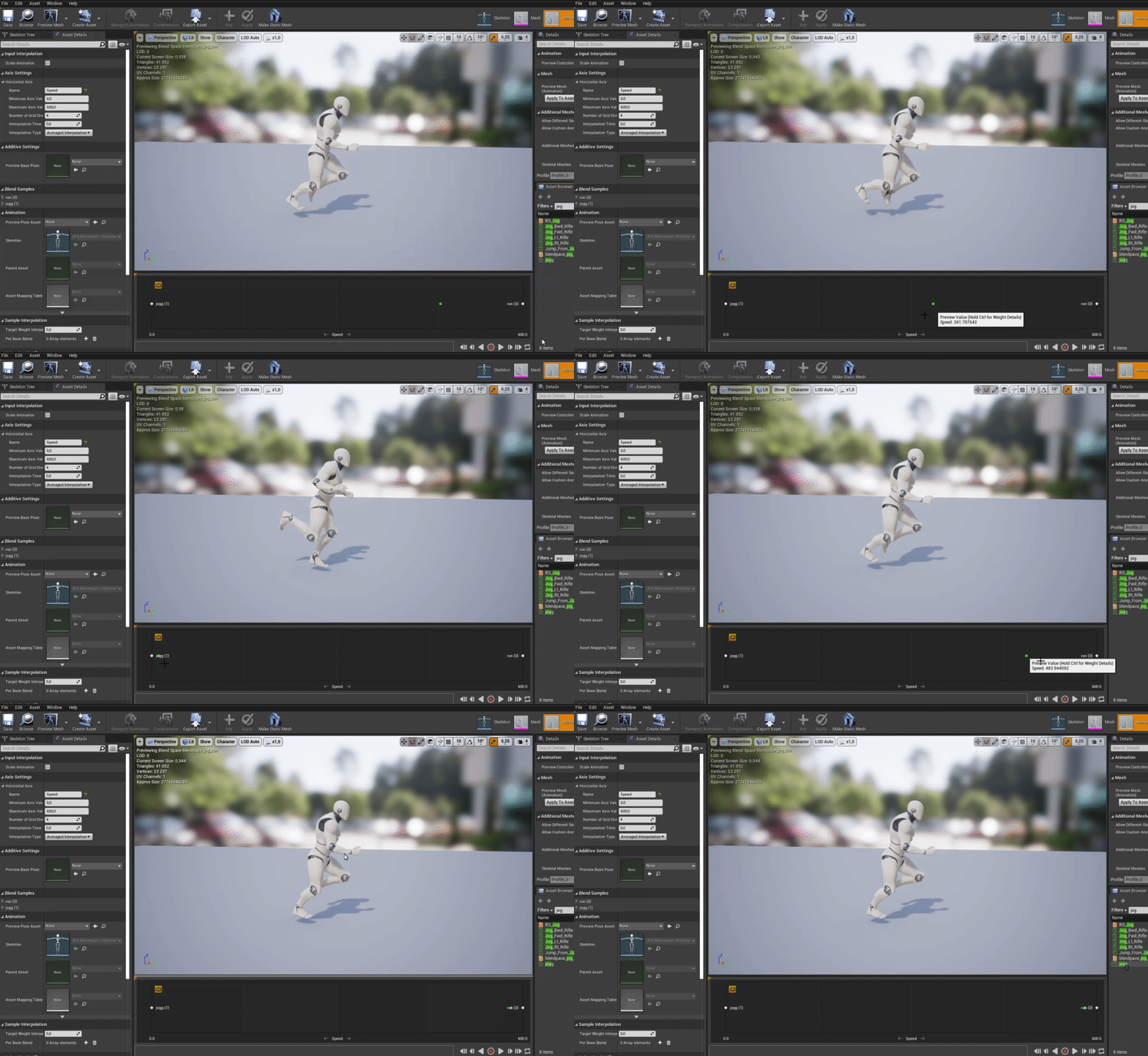
 elfin inlet
haha are you guys working on inventories too?
agile ermine
just a lil example of my import logic with String usage
 agile ermine
rigid fractal
so the correct would be text instead of string?
agile ermine
rigid fractal
so the correct would be text instead of string?
texts are lighter, it's not necessary but better to use Text
maiden wadi
While it's likely not a large consideration for a learner, or a solo project, FText is a localizable text that can easily be changed for differing languages.
<@&213101288538374145>
agile ermine
maiden wadi
While it's likely not a large consideration for a learner, or a solo project, FT...
that's also a good point
rigid fractal
elfin inlet
haha are you guys working on inventories too?
its like a list of items that appears when approaching an item, looks like an inventory haha
maiden wadi
Done it a few dozen times.
 worthy frost

elfin inlet
 rigid fractal
maiden wadi
While it's likely not a large consideration for a learner, or a solo project, FT...
rigid fractal
maiden wadi
While it's likely not a large consideration for a learner, or a solo project, FT...
alright, i changet it
elfin inlet
im trying to do networking, which is driving me insane

most of the stuff will be handled by manager objects
rigid fractal
maiden wadi
While it's likely not a large consideration for a learner, or a solo project, FT...
but about the problem itself, do you have any suggestion?
 drowsy ridge
Hey all,
How do you stop a spheretrace from multiple overlapping hits all the time? I'm dealing with trouble in my game where it constantly overlaps and causes issues.
I've used a do once node, but it's not working.
Notice how many times the debugger says "hit" when a spheretrace is detected.
maiden wadi
rigid fractal
but about the problem itself, do you have any suggestion?
Still not entirely certain on what you're trying to do. Is this like player walking along and overlaps an item it gets added to the list, and player walking away from the item removes it?
agile ermine
drowsy ridge
Hey all,
How do you stop a spheretrace from multiple overlapping hits all the ti...
what is the code logic?
because that's what i causes to happen
how do you handle it?
if you go for OnOverlapBegin - no issues (probably)
it looks like you check for overlap on some timer/tick
rigid fractal
maiden wadi
Still not entirely certain on what you're trying to do. Is this like player walk...
yea
agile ermine
instead of single fire OnOverlapBegin/End
drowsy ridge
@agile ermine https://blueprintue.com/blueprint/rn1u9rv8/
No description provided
I'm using an anim notify state, with receive tick
faint pasture
rigid fractal
yea
Like Project Zomboid or DayZ or PUBG when you can see what's nearby on the ground?
agile ermine
TimeLine etc
maiden wadi
rigid fractal
yea
Then in this case, I would reconsider your adding. Instead, I would just add the actual item object to the Listview. Your Listview widget itself can get the data it needs from the object, and then you can remove the actual object pointer from the listview on end overlap.
drowsy ridge
agile ermine
the Function: Received Notify Tick - when does this trigger?
Triggers inside of an animation, at a particular frame
faint pasture
maiden wadi
Then in this case, I would reconsider your adding. Instead, I would just add the...
Def. this. Just BeginOverlap -> add to list, EndOverlap -> remove from list. The overlap system will handle the checking if it's still overlapping.
rigid fractal
faint pasture
Like Project Zomboid or DayZ or PUBG when you can see what's nearby on the groun...
yes, it shows a list of nearby items
faint pasture
Yes just do it like how authaer said.
maiden wadi
Your creating a holder object for the data is largely useless. Cause you can just use the actual world item instead.
faint pasture
Begin Overlap -> Add
End Overlap -> Remove
And what you're adding and removing should be ItemActor references most likely.
The only complication would be if your items aren't always actors in the world, like if you're nearby an inventory container.
rigid fractal
but the real world object doesnt have the data like name and image, i would have to fetch that data in the data table, right?
faint pasture
In that case, it'd go like this
ItemActor in world
Begin Overlap -> Add ItemActor's ItemData
End Overlap -> Add ItemActor's ItemData
ItemData inside InventoryActor
Begin Overlap -> Add InventoryActor's ItemDataArray contents
End Overlap -> Remove InventoryActor's ItemDataArray contents
maiden wadi
rigid fractal
but the real world object doesnt have the data like name and image, i would have...
Real object has the name you're using for lookup though.
agile ermine
I am still not sure how it's fully handled
it happens on a single frame of Player or the Enemy?
also you can try:
instead of the DoOnce - after it successfully recognizes a Hit (Sphere Trace Single - Return Value = True) disable the Overlap for the Actor and enable it back once the animation is done
faint pasture
rigid fractal
but the real world object doesnt have the data like name and image, i would have...
That depends on your setup. THere's a million ways to do it. However you do it, there has to be some link between what's in the world and the data you want to add/remove from your list view.
rigid fractal
maiden wadi
Real object has the name you're using for lookup though.
the name yes, but the icon no
faint pasture
I'd back up and take a look at your inventory system so far and make sure it makes sense.
in my case, all the WorldItemActors have a struct ItemData which is the "real" item definition
drowsy ridge
agile ermine
I am still not sure how it's fully handled
it happens on a single frame of Play...
The spheretrace is fired via animnotifystate within the animation of our player character. When this spheretrace hits the enemy, it will call a hit.
faint pasture
An item stored in an inventory is just that struct
rigid fractal
the part of adding i can have a lot of ideas, but of removing, none
faint pasture
rigid fractal
the part of adding i can have a lot of ideas, but of removing, none
First of all, are items ever stored as data only or are they ALWAYS actors?
maiden wadi
rigid fractal
the name yes, but the icon no
You are getting that string from the object on overlap somewhere that you're feeding into a datatable. That exists in the item object, correct?
agile ermine
drowsy ridge
The spheretrace is fired via animnotifystate within the animation of our player ...
also you can try placing a boolean in the enemy called f.ex. 'got hit'
depending on its state you'll either perform the Hit code or not
and either a delay or any other trigger that seems useful to change the boolean again and enable hit
agile ermine
faint pasture
First of all, are items ever stored as data only or are they ALWAYS actors?
items stored as data are data
some info like:
name, type, image, count, max count etc.
items that lay on the ground in the Level - those are Actors
rigid fractal
faint pasture
First of all, are items ever stored as data only or are they ALWAYS actors?
the real objects? always actors
agile ermine
they have a logic that will add the Data into your visible UMG
and destroy Actor
but you only pass data
you can add a reference to actor but it's pointless here - you destroy it upon pickup therefore it will reference to... nothing 😛
rigid fractal
maiden wadi
You are getting that string from the object on overlap somewhere that you're fee...
yes
faint pasture
rigid fractal
the real objects? always actors
You guys are getting too many layers here. Here's what you should have.
Struct ItemData
Actor which holds ItemData
UMG widget which can render ItemData