#blueprint
402296 messages · Page 801 of 403
 odd ember
 brazen merlin
odd ember
yes
brazen merlin
odd ember
yes
we have our assumptions, and maybe it is - i thought it was multiple objects, but apparently it only fires once
i am thinking it has to so with the set var tbh
 hexed loom
One message removed from a suspended account.
One message removed from a suspended account.
brazen merlin
hexed loom
One message removed from a suspended account.
all good, coming from a place of frustration, totally understandable
 umbral ginkgo
I fixed my cast and its still not working...
odd ember
yet you spent like 30 mins complaining
hexed loom
One message removed from a suspended account.
One message removed from a suspended account.
One message removed from a suspended account.
One message removed from a suspended account.
brazen merlin
hexed loom
One message removed from a suspended account.
lol scroll up
odd ember
I was. what a fantastic specimen
hexed loom
brazen merlin
lol scroll up
One message removed from a suspended account.
 maiden wadi
hexed loom
One message removed from a suspended account.
maiden wadi
hexed loom
One message removed from a suspended account.
To clarify this, you still need a correct pointer to cast.
 hexed loom
One message removed from a suspended account.
One message removed from a suspended account.
umbral ginkgo
I see we are working on similar things
hexed loom
One message removed from a suspended account.
umbral ginkgo
Im also trying to fix a overlap
hexed loom
One message removed from a suspended account.
hexed loom
umbral ginkgo
Im also trying to fix a overlap
One message removed from a suspended account.
umbral ginkgo
execpt im failing at basic concepts
brazen merlin
basic doesnt always mean easy
 dawn gazelle
umbral ginkgo
execpt im failing at basic concepts
dawn gazelle
umbral ginkgo
execpt im failing at basic concepts
I was stumbling all over myself before everything started to click. Once it clicks, it's second nature.
hexed loom
One message removed from a suspended account.
One message removed from a suspended account.
One message removed from a suspended account.
 flat coral
odd ember
this is standard stuff y'all
flat coral
odd ember
this is standard stuff y'all
I'm pretty sure every game has this exact code in it
 umbral ginkgo
Your probably not wrong
odd ember
couldn't possibly be
 brazen pike
hexed loom
One message removed from a suspended account.
brazen pike
hexed loom
One message removed from a suspended account.
I have this problem too. Been using it for a year, really annoying
flat coral
hexed loom
One message removed from a suspended account.
I don't remember how I fixed it but i remember the top results for google were pretty helpful
umbral ginkgo
Should this work now?
 hexed loom
One message removed from a suspended account.
One message removed from a suspended account.
umbral ginkgo
Should I use player character as the object @odd ember?
brazen merlin
lol, probably ruffling feathers, but i do a lot of my checks with tags instead 👺
odd ember
what do you think, @umbral ginkgo ?
umbral ginkgo
yes?
brazen pike
umbral ginkgo
Should this work now?
You'd have to cast in the first place to get thr player variable, so just cast instead of that
odd ember
hmm, let me ponder
brazen merlin
GetPlayerCharacter has a cast it in anyways, so yeah, just do the cast
odd ember
!8ball should @umbral ginkgo cast to player character?
 torn kettleBOT
@odd ember, :8ball: Most likely.
odd ember
well there you have it
brazen merlin
!8ball is casting the only method?
torn kettleBOT
@brazen merlin, :8ball: Most likely.
hexed loom
One message removed from a suspended account.
One message removed from a suspended account.
brazen merlin
when he's right he's right
hexed loom
One message removed from a suspended account.
umbral ginkgo
But seriously though should I use player character as the object for the cast?
 wide linden
So i got a Procedural ADS project and have no idea how he does movement speed could someone help been looking for 2hrs
odd ember
umbral ginkgo
But seriously though should I use player character as the object for the cast?
did we not answer that question already? twice?
hexed loom
umbral ginkgo
But seriously though should I use player character as the object for the cast?
One message removed from a suspended account.
odd ember
(with the same answer?)
hexed loom
One message removed from a suspended account.
One message removed from a suspended account.
umbral ginkgo
odd ember
!8ball should <@!564968907413258267> cast to player character?
Here you said cast not what to use as the object for the cast
odd ember
did this not work?
umbral ginkgo
Doesn't it check if it's equal to itself?
odd ember
no that was your code
the cast node just casts
or fails if it can't cast
but if it casts fine
then you can also assert that what went through was indeed what you cast
hexed loom
One message removed from a suspended account.
odd ember
widgets
hexed loom
One message removed from a suspended account.
One message removed from a suspended account.
One message removed from a suspended account.
One message removed from a suspended account.
 tawdry surge
Pry wanna look up bindings too while you're at it
hexed loom
One message removed from a suspended account.
wide linden
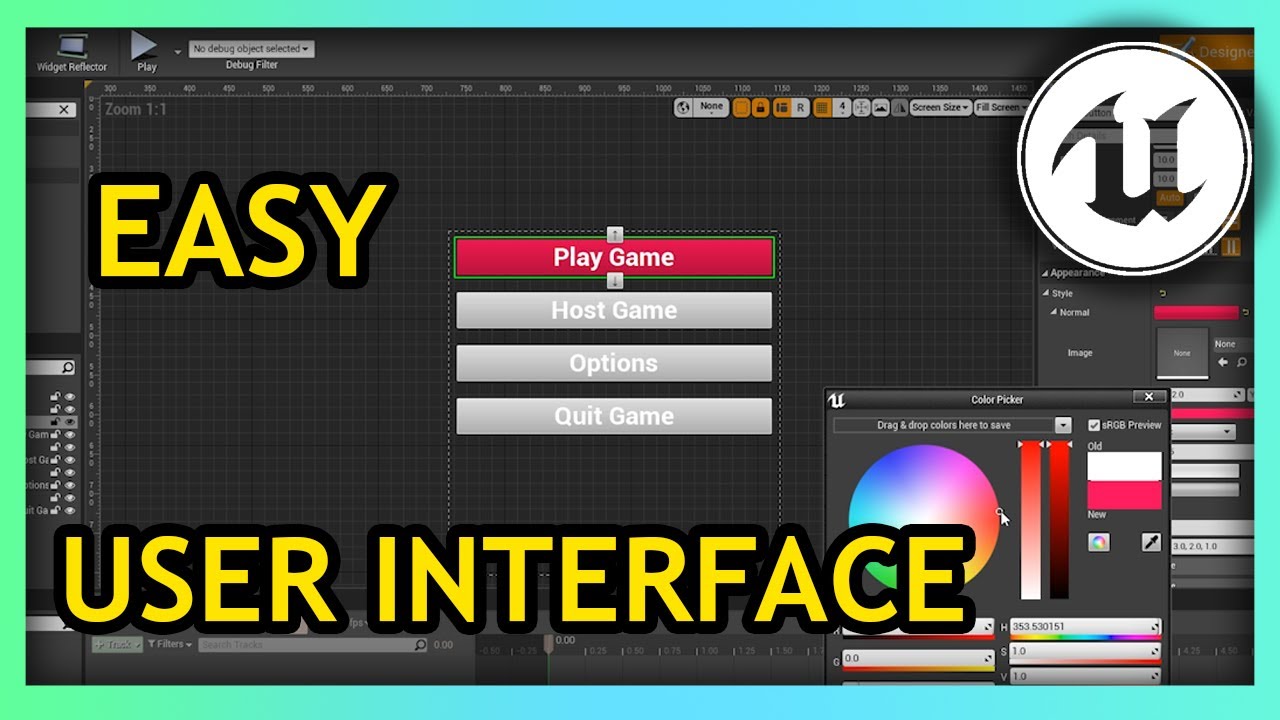
Hello guys welcome back to another video in the Unreal Engine 4 Complete Begginers Guide. In this video we will focus on UMG or Unreal Motion Graphics. UMG is Unreal Engine's user interface system that allows you to create user interface for your game. You can create a wide variety of UI, all with blueprint!
maiden wadi
@hexed loom If you just want to see what those variables are, you can also PrintString them.
hexed loom
One message removed from a suspended account.
One message removed from a suspended account.
maiden wadi
Yeah, Widgets. Also, Ew, UMG Bindings.
odd ember
baby steps
wide linden
anyone help me increase movement speed?
maiden wadi
Baby steps is putting it in the widget's tick. UMG bindings are just ew.
odd ember
wide linden
anyone help me increase movement speed?
there, done
hexed loom
One message removed from a suspended account.
maiden wadi
This escalated quickly.
wide linden
odd ember
there, done
What do you mean
hexed loom
One message removed from a suspended account.
odd ember
maiden wadi
This escalated quickly.
no time wasted. basic javascript experience and less than 2 hours in engine. we're releasing tomorrow
hexed loom
One message removed from a suspended account.
odd ember
wide linden
What do you mean
I could ask you the same
hexed loom
odd ember
no time wasted. basic javascript experience and less than 2 hours in engine. we'...
One message removed from a suspended account.
maiden wadi
hexed loom
One message removed from a suspended account.
In reality. Very easy once you know how to build. More or less just pay $100, do some paperwork and publish. As for actually making money, that's a whole different story.
wide linden
odd ember
I could ask you the same
Yeah hard to explain im using a project there no state machine so i have no idea how movement would be increased
would have to screen share
hexed loom
maiden wadi
In reality. Very easy once you know how to build. More or less just pay $100, do...
One message removed from a suspended account.
odd ember
maybe if you said what object need movement increased
wide linden
thirdpersoncharacter
odd ember
character movement component
hexed loom
One message removed from a suspended account.
 terse elm
hrm interesting. i get reference to my camera bp and i can get/print its right vector. however, it throws mad errors. so i do an isvalid and it no longer prints the vector. its like there, but its not lol
wide linden
hexed loom
One message removed from a suspended account.
lol nah man
hexed loom
One message removed from a suspended account.
One message removed from a suspended account.
odd ember
terse elm
hrm interesting. i get reference to my camera bp and i can get/print its right v...
what kind of camera do you have?
terse elm
its a separate actor bp
 odd ember
there's your answer
 odd ember
wide linden
https://gyazo.com/64fc7816534933e98ab6ded445b9ef4c
odd ember
wide linden
https://gyazo.com/64fc7816534933e98ab6ded445b9ef4c
that's for animations
wide linden
set to 500 but nothing
terse elm
well i cast top it to get the reference and lik ei said it shows up in print but will throw the errors hmm
lemme experiment
odd ember
terse elm
well i cast top it to get the reference and lik ei said it shows up in print but...
if it's a separate actor you need to poll for it
wide linden
in thirdpersonbp?
terse elm
im doing a cast to camera_combat (name of the bp), and get owner on the object
wide linden
or character
odd ember
terse elm
im doing a cast to camera_combat (name of the bp), and get owner on the object
if you're not polling you're going to experience race conditions
odd ember
wide linden
in thirdpersonbp?
yes
wide linden
i have player movement in game just extremly slow
 odd ember
character movement component
odd ember
odd ember
character movement component
.
wide linden
dont have a component for movement
umbral ginkgo
I have another branch that doesn't seem to function. Chosen one is the chosen actor of the class this blueprint is of, and component is the overlapped component in On Component Begin Overlap
 odd ember
yes you do
odd ember
umbral ginkgo
I have another branch that doesn't seem to function. Chosen one is the chosen ac...
that will never work
wide linden
ok let me look around im 2 weeks into this btw so bare with me
umbral ginkgo
Why?
odd ember
an actor cannot be a component
umbral ginkgo
Ahhh
odd ember
and your component is likely empty
umbral ginkgo
ok
terse elm
hm yea not sure how to get this camera properly.
umbral ginkgo
Is there a pin on On Component Begin Overlap that I can use for which actor is overlaped?
odd ember
you're already using it
umbral ginkgo
So thats Overlapped component except it only works for components?
wide linden
im looking but not seeing anything like that
using someones project i bought fyi so looking around like a crack head
odd ember
before we go any further and to stop this mad trial by error routine: what are you trying to do, @umbral ginkgo ?
umbral ginkgo
Thats a good question
odd ember
wide linden
using someones project i bought fyi so looking around like a crack head
then I suggest you read the manual
umbral ginkgo
Give me a moment to type this out
odd ember
I don't know what to tell you
 umbral ginkgo
There are multiple triggers. When an action by either a player or an ai is preformed, a random trigger will be chosen in the respective bp's of the ai and player which is assigned to the variable of chosen one. Both the player and and multiple ai can use the triggers. Im trying to make it so when the player overlaps with the chosen one, the bp sends a message to the player bp, and when the ai overlaps it sends a message to the ai bp. @odd ember
odd ember
why do you need all the component nonsense then?
umbral ginkgo
To be honest im still not quite sure what overlapped component does
odd ember
why do you need the component at all?
umbral ginkgo
to check if the overlapped component is the chosen one
terse elm
hrm need to find a vid. cant seem to get this cam bp and component inside it
odd ember
umbral ginkgo
to check if the overlapped component is the chosen one
you can use OtherComponent
umbral ginkgo
Huh
odd ember
though why you need this in a component is beyond me
umbral ginkgo
Well what is a component?
odd ember
it's a vessel for logic
that you put onto different actors that cannot otherwise be contained in a hierarchy
umbral ginkgo
like I said, all I'm trying to do is see if the chosen one is equal to which component was overlapped by the player
But I dont really know how to do that
umbral ginkgo
What?
odd ember
like the type of thing you need to check for needs to be governed somehow as well
probably by gamemode
umbral ginkgo
Forgive me for being slow, but you made it sound like I shouldn't use the component (?)
odd ember
there isn't a reason to, no
umbral ginkgo
umbral ginkgo
There are multiple triggers. When an action by either a player or an ai is prefo...
Well then, for what im trying to do as whole which I outlined up here, how would you do it?
odd ember
use a bool on the character
called something like IsChosenOne
then I would make the characters register with the gamemode, and let the game mode pick one of the characters to be the chosen one
I helped a person out with a tag kind of game some months back
you're welcome to search for it
it's the same logic
umbral ginkgo
Is there a way other than scrolling to go back that far?
odd ember
well there's search function
umbral ginkgo
Really?
odd ember
nah I'm making it all up
umbral ginkgo
Yeah I dont think the discord devs are capable of making a search function
odd ember
 umbral ginkgo
if only
umbral ginkgo
I cant resist clicking any image
odd ember
 umbral ginkgo
Yes i clicked that
umbral ginkgo
wait what
flat coral
@odd ember you're snarky today 😛
But I absolutely do not blame you
 icy dragon
umbral ginkgo
I cant resist clicking any image
icy dragon
umbral ginkgo
I cant resist clicking any image
 umbral ginkgo
I need this
 gentle urchin
If MS Teams just had half the search box discord has, i'd be satisfied.
hexed loom
wide linden
https://www.youtube.com/watch?v=xJQybMSaODc
One message removed from a suspended account.
flat coral
Can you parallelize multiple instances of the same Timeline?
brazen merlin
flat coral
Can you parallelize multiple instances of the same Timeline?
yes?
flat coral
Wait I could swear calling PlayFromStart restarted it
brazen merlin
honestly dunno what your asking/trying to do
maiden wadi
If you need multiple tracks you can use the same timeline. You cannot play a single timeline, and then call that again after 0.3 seconds and have a timeline running at 0.0 seconds and another at 0.3 seconds.
If you need that, you need multiple timelines.
 midnight blaze
I feel like if I put down certain nodes then I will practically always (>80% of the time) want other, closely-associated nodes. For example if I want the Crouch node then I probably want the Uncrouch node. If I use Add Movement Input, I probably want to get an actor's Forward Vector. So like... I just want a menu where I can click some hotkey on a node and it'll pop up a menu of those most closely associated nodes to make it faster to place them. Does anything like that exist?
 blissful widget
midnight blaze
I feel like if I put down certain nodes then I will practically always (>80% of ...
blissful widget
midnight blaze
I feel like if I put down certain nodes then I will practically always (>80% of ...
GitHub copilot or smart autocomplete for BPs would definitely be handy 😅
Can just drag and type out what you want?
midnight blaze
So many nodes have got names that are similar to others so it's hard to home in on exactly the right one sometimes. Typing something in and THEN having to scroll up and down pages of matches is the worst thing
Often I'll have two closely related blocks of nodes and they'll differ by like.. only one node. ++ instead of --. If I have one it should be maximally easy to get the other
maiden wadi
I cannot say that I've ever experienced that problem.
Once you have used Unreal for a year or so, it's pretty second nature to just right click the graph or drag from a pin and know how to start typing just a few letters to get anything you need.
brazen merlin
midnight blaze
I feel like if I put down certain nodes then I will practically always (>80% of ...
you can fave them 🙂
maiden wadi
For instance, if you want to increment an int, you just drag from the integer pin and {+}{+}{Enter}
brazen merlin
i liked that feature for about a week until i didnt, Authaer is right though, it just gets internalized after awhile
hold b and click for branch
you start to wonder about faster ways and find out there are 😛
maiden wadi
Hmm. I am wondering if I might ditch behavior trees.
brazen merlin
i just finished my ai lol, but im tempted to check out vis ai
maiden wadi
I've been struggling to learn to use BTs better. I get the premise but they feel so messy and limiting. They feel constricting and incredibly messy to me. I've been doing some reading on Utility AI. It sounds a lot like how I initially implemented my AI before I started learning BTs. Apparently some of the research also greatly supports it as a pretty solid design style.
Not to mention I support the idea of not having 50k assets in my content browser just for AI decisions. 😄
 ornate linden
when doing a lot of "find reference and replace" actions does anyone else have the search functionality hang on "caching..." and just never resolve? I'm doing a lot of replacements right now and i've had to restart my editor like 4 times already
maiden wadi
Personally terrified of letting Unreal try to replace variables. I'd do it by hand. 😄
 quick lance
I'm having an issue with setting array elements of a widget container. I have an array of widgets that each has a button with a Size Box child. I create a new user widget and place it inside of the size box - the image on the new user widget works. I then use Set Array Elem on the array to move index 0 to index 3. The image should move with it's parent but it isn't. Is there something I'm missing?
maiden wadi
Would need logic. It sounds like you're reordering an array of pointers and expecting it to reorganize slate child hierarchies.
ornate linden
quick lance
I'm having an issue with setting array elements of a widget container. I have an...
also kinda sounds like what widgetswitcher is used for. i haven't tried your method tho
quick lance
I'm doing a drag and drop inventory system basically. Can't use a widget switcher
maiden wadi
Are you using DropDropOperation?
When I did that, all I did was have the button use an inventory pointer to call a function to switch slots, whether in the same inventory or between inventories. Inventory system would fire a delegate after it's logic was done. The widget would be listening on that delegate and repopulate the inventory widget then with the new inventory state.
quick lance
Yeah I've got the drag and drop functionality working for the simple stuff. It's once I do more than just change a texture on top of things that i have an issue
 inland stone
i got a bit of a problem, i have a helicopter that its set up to use pitch and yaw from the mouse axis. The problem is that i have this code that allows me to free look around the mesh when i press the key input but when i release it the camera just reset to its original position and i no longer can control the helicopter using the mouse axis.
 maiden wadi
Generally, I would caution against letting the widgets do more than ask the inventory system itself to alter things, and display the state. State display can be updated from a delegate after logic is ran.
quick lance
The widgets don't do anything, the problem is that when the system moves the widget, it doesn't appear to have moved
maiden wadi
@inland stone Is that the problem with the rolled camera? If so it sounds like you unintentionally added roll to the camera or it's spring arm. Just need to set roll back to 0 for one or both if that's the case.
inland stone
ok il try to see if that works
maiden wadi
@quick lanceI'm not sure what your inventory is or how you're handling it. But in general it sounds like you've changed the inventory's state, and just haven't updated the widget.
quick lance
maiden wadi
<@!156228017318789122>I'm not sure what your inventory is or how you're handling...
I have set the array element, and it shows that the slot which contains the child widget has moved.
 maiden wadi
ActiveAbilitySlot is a widget?
inland stone
@maiden wadi thanks that works
quick lance
Each of those slot widgets contain a size box that also contains a widget I created at runtime. the widget i created at runtime has an image. the image persists at index 0 instead of showing up at both index 0 and index 3 (in this case, due to me not running the code to remove it from index 0)
 plush wharf
I am using "Async Load Asset" to load a 1 second Animation Sequences into the game. Every time I load a new asset, I see the game lag for half a second. Anyone know how I can get rid of this lag?
maiden wadi
But did you reorder the widgets themselves?
Normally you need to call ClearChildren on the container and then repopulate it from the array of pointers with the new order.
quick lance
Now i see what you meant. Hmm. Is there a way to reorder them without clearing them? The slots need to persist.
they're in a uniform grid panel. I think i can figure this out
maiden wadi
Your only choices are to change the widgets themselves into a new order, or to iterate over them and change their held data and update their internal widgets from the new data.
quick lance
I could set them inside the array and then change which column the slots are in and that should match right?
maiden wadi
Should work I think. I've never tried that. I usually just clear the grid and repopulate it. If it works, definitely. 😄
quick lance
I need to be able to cast my widget so that I can modify it's uniform grid slot. hmm.
 stuck hedge
Any standard methods for checking if an actor goes 'through' another actor? Overlap only tells you if they touch, but doesn't really tell you anything about how the actor leaves the other actor. They might back up, or go right through, etc. Is the only practical solution to put 2 collisions and see if they overlap the second collision on exit? to be able to determine where they exited? or maybe recording their location on entering and checking it on end overlap to see if they're on the same X or Y axis as entering?
 terse elm
for some reason, having a hard time casting to my camera bp from my character. just cant seem to get the reference
 trim matrix
@stuck hedge Doesn't EndOverlap give you a location ?
terse elm
camera placed in level. works as the set viewport etc. but just cant get a reference to it
stuck hedge
at least in blueprints those location nodes are not actually populated.
it's on overlap that gives a sweep result, but it always returns nothing in blueprint. End overlap just gives the other actor. You could get the location and compare it.
blissful widget
Also end overlap means they aren't overlapping any more, what would the location of "not overlapping" be?
trim matrix
The location they stopped overlapping at?
stuck hedge
In theory that would make sense, but they don't include that.
trim matrix
In theory if you think of it like a pencil on a piece of paper, beginoverlap location would be where the pencil first touched the paper, and endoverlap would be the location where the pencil stopped touching the paper (was lifted off or slid off the side). I guess there isn't a way to detect that though using end overlap.
terse elm
hrm so i have a camera_bp which i manually place in level. on event beginplay i set it as game cam, and it works great. however, im trying to get a reference to it in another bp (my char) so i can check the right vector of the cam, and compare it against my player facing. for some reason i cant seem to cast and get a reference to it. any ideas?
stuck hedge
I guess onbeginoverlap you could throw the actor and location into an array and on end overlap find that actor and their original location get the current location and then do some math to figure out if they went through the object or came back out the same side.
trim matrix
Yeah that's beyond my math comprehension, lmao.
blissful widget
You can probs sweep on collision end to get a transform
stuck hedge
trim matrix
Yeah that's beyond my math comprehension, lmao.
A line trace from entry point to end point would tell us if the path touches the object, but since those are right up against the object, it might return a hit even if they enter and exit on the same side.
 potent wedge
Hey guys, I've been relatively new to coding and i have been trying to get the distance between two characters and make one character move faster. So if the enemy is over 200 units away from the player, it runs faster to stay within 200 units then slows down. Was wondering if there's a way to achieve that
terse elm
hrm think i got it
blissful widget
potent wedge
Hey guys, I've been relatively new to coding and i have been trying to get the d...
Length ( enemy transform - player transform )
There may even be a distance node... Have you Googled this first?
potent wedge
blissful widget
Length ( enemy transform - player transform )
There may even be a distance node....
i have, just haven't used the right keywords, thanks for the help
 novel rock
how do i fix this
i set the player rotation to zero when exit vehicle but its still offsets the camera???

i think this has something to do with it.

 faint pasture
terse elm
for some reason, having a hard time casting to my camera bp from my character. j...
faint pasture
terse elm
for some reason, having a hard time casting to my camera bp from my character. j...
Casting doesn't give you a reference, it checks if a reference is of a certain type. That's all. It's not a magic communication device.
faint pasture
novel rock
i set the player rotation to zero when exit vehicle but its still offsets the ca...
Your camera probably is using Control Rotation
terse elm
i was casting to it so i could then set a reference
terse elm
i got it with a get all actors of class, then set my class, saved it in an array of 1, get 0, and set ref
 winged sentinel
I’ve been trying for a while to create a “node” system like this, is it possible to do this in bp? It consists of a blueprint for each node and it’s using spline somehow

But i can’t quite figure out how to make the spline be able to branch off like that
 spark steppe
i think splines cant have branches
on a branch i would stop the spline and create 2 new ones
that way it should be kind of easy to walk through the tree
 tidal marlin
winged sentinel
I’ve been trying for a while to create a “node” system like this, is it possible...
tidal marlin
winged sentinel
I’ve been trying for a while to create a “node” system like this, is it possible...
Of course
winged sentinel
tidal marlin
Of course
Interesting by default I can make branches off like in the image?
I’m essentially using it to make an invisible path that calculates whether the player is moving forward in the level or backward progressing
trim matrix
hello guys i added one mesh into game and i added all collision presets to block all
but if i place that mesh in game on land its falling down

why is it happening exactly? and how can i stop from falling down
 foggy widget
@trim matrix i think you need to uncheck the simulate physic or the gravity . if it wrong ,sorry im also new to unreal.
brazen pike
trim matrix
<@!380973603916611594> where i can find this options?
Under the physics tab above collision
foggy widget
is it working?
trim matrix
yes
foggy widget
How do i setup a sword blueprint to make it able to destroy destructible mesh? i've been stuck for awhile now
flat coral
Can anyone figure why this event isn't firing when I run into this object?


Collision is definitely working, the hit knocks it all around the place
flat coral
And hit detection is DEFINITELY working the other way around because my weapons can paint decals on it
 brazen merlin
i got random guesses only
flat coral
brazen merlin
i got random guesses only
Better than I got, which is "no fuckin clue"
brazen merlin
alright then... lets see
try......
wait hang on
so whats the setup?
both mesh and capsule collider right?
 brazen merlin
and it does use physics?
flat coral

But on a more basic level, yeah the mesh has a phys skeleton, it moves when I run into it, etc
 languid hemlock
heya guys so basically i dunno why but ma blueprint doesnt work :(
 brazen merlin
flat coral
But on a more basic level, yeah the mesh has a phys skeleton, it moves when I ru...
brazen merlin
flat coral
But on a more basic level, yeah the mesh has a phys skeleton, it moves when I ru...
you try either of these?
 languid hemlock
basically this rotates my box and makes it collectable but it basically doesnt do it :(
brazen merlin
languid hemlock
basically this rotates my box and makes it collectable but it basically doesnt d...
did a tut show you this?
brazen merlin
flat coral
Generate Wake Events?
languid hemlock
brazen merlin
did a tut show you this?
yup plus i think hit detection is kinda off :(
 flat coral
brazen merlin
you try either of these?
flat coral
brazen merlin
you try either of these?
No dice, neither helped. I think I need analytic anyways
brazen merlin
flat coral
are you applying damage with the things hitting?
flat coral
brazen merlin
are you applying damage with the things hitting?
No, this actor's supposed to already be dead so there's no point in damage. Wake events didn't help either
brazen merlin
you are both SOL 😆 cuz i have not clue
 eternal reef
languid hemlock
yup plus i think hit detection is kinda off :(
eternal reef
languid hemlock
yup plus i think hit detection is kinda off :(

What is the Rotating Movement Actor Component in Unreal Engine 4
Source Files: https://github.com/MWadstein/wtf-hdi-files
flat coral
brazen merlin
you are both SOL 😆 cuz i have not clue
Well fuck now i have to go to sleep!
brazen merlin
flat coral
Well fuck now i have to go to sleep!
eh probably better. maybe after the engine has a good nights rest it will wake up tomorrow and work
flat coral
This doesn't work either lol
 languid hemlock
eternal reef
https://www.youtube.com/watch?v=gUk-BL-Iyug
languid hemlock
eternal reef
https://www.youtube.com/watch?v=gUk-BL-Iyug
oki thankies :3
brazen merlin
flat coral
This doesn't work either lol
what if you turn on overlap lol?
flat coral
Already tried it, no effect
brazen merlin
i feel like there's some kind of nuance when it uses physics
flat coral
brazen merlin
i feel like there's some kind of nuance when it uses physics
I'm not fucking myself with these calls am i?
 brazen merlin
if you disable it does it do hit?
flat coral
I've tried changing the blend weight to 1 (jellyfish occurs but no hit event) but gotta be honest the other params are french to me
except I kinda know french
Deleted the even, still no dice.
brazen merlin
i dunno, try a clean bp
flat coral
Will tomorrow. This is pretty damn clean tho
 rough cedar
anyone have a good way to spawn a character from my existing character and play an animation montage on the spawned one? Im doing a quick simple test and this doesnt work. the character just spawns but no anim

also is there a way to do this all from within a character or does it have to be done in the level bp?
how can i do it?
 timber knoll
Exactly the same way
For your anim montage have you set it all up properly?
Including the defaultslot in your animBP
rough cedar
ah i was using the sample character and i dont think the blend per bone was setup on it
ill set it up really quick
i have it setup on my player character properly can i just spawn another one of those to test this?
nah didnt work, just spawned the character
oh nvm that worked!
yeah it was on the wrong slot. thanks!
languid hemlock
eternal reef
https://www.youtube.com/watch?v=gUk-BL-Iyug
i watched their video and hmm the cube still doesnt rotates around its own axis :(
but it atleast rotates :p
 hollow granite
Hello everyone ^^ Right now i am working on a garden builder game for a jam. For the game i use a game-clock and i speed up/speed down that clock with timedilation. When the game is speed down i get this weird blur effect when the player moves around. My guess was its because the camera moves to fast for the speeddown time. Any way to turn that effect off or do i have to also make the player move in slowmo? Thanks for you help ^^
Also one more question, i plan on having a dynamic shadow texture that calculates information how much sun falls on that spot averaged over a day. Any ideas/resources how i can calculate such a texture efficently or access the engine calculations for shadows?
hollow granite
Thank you ^^ yup turning motion blur off got rid of it. Will play around with it later if its ok when the strenght is reduced. Never a fan of motion blur in games generally.
 crude dew
Hi guys how would you stop a component from being affected by the rotating movement component please?
I have this as a master template for items but i dont want the sword text render to rotate only the itemmesh
 hollow granite
crude dew
I have this as a master template for items but i dont want the sword text render...
hollow granite
crude dew
I have this as a master template for items but i dont want the sword text render...
couldn't you just use a generic scene-component as parent then have the staticMesh and the text each be child of scenecomponent, then you should be able to rotate them seperatly
 trim matrix
hi! i got a nice procedural wall spline, but my wall mesh need to be changed for 90 degrees, or i have to change something in the BP, is there any soul who can help me with that ?
 wild turret
Hi all, I have several Niagara systems in a level that I want to manipulate with an input from the player when they are within a certain distance.
Is there a way to add a niagara system within a certain range of the player to an array in the player BP, and then set a niagara variable for all systems within that array on a button input event?
An example would be falling leaves from different trees. Falling leaf systems within range of a slam shockwave attack would be added to the array, and then have their point attraction force (located on the character) modified on the attack input so that leaves from those systems would be affected by an outward force from the player.
TIA 🙂
odd ember
wild turret
Hi all, I have several Niagara systems in a level that I want to manipulate with...
you'd have to query them somehow
the simplest way is just having collisions for whatever actors are close enough to the player that they need to show particles
player enters their collision, they register themselves to the player, particles activate as needed
wild turret
Hmmm, not so much about showing particles, they will be visible regardless, it's more about whether specific systems can be affected by player actions. I'll keep digging.
odd ember
wild turret
Hmmm, not so much about showing particles, they will be visible regardless, it's...
the setup remains the same
if it's a slam from a shockwave making leaves fall, then you still need a collision for the shockwave interacting with a collision from the tree, or whatever is dropping leaves
 tawdry mural
will it make any difference in performance if you turn of "start with tick enabled" in every blueprint that doesnt have any tick logic?
odd ember
yes
tawdry mural
why they didn't make it off by the default
trim matrix

hollow granite
crude dew
Still roates the text
any reason you are using the rotationMovement component specifically? You could just have a addLocalRotation BP on the eventTick with a generic amount or 10 degrees or with variable. Not sure if you can specify components with rotationMovement-Component
 crude dew
ahh ok ty
i thought it was easier to use the rotation movemennt component but this might be a better way if i want to specify components.
potent wedge
is there an easier way to actually change the run speed comparative to distance or does this work?

 bitter tundra
wild turret
Hi all, I have several Niagara systems in a level that I want to manipulate with...
bitter tundra
wild turret
Hi all, I have several Niagara systems in a level that I want to manipulate with...
Setup a collision channel for your VFX in project settings 🤙
Create a bp for said channel and on overlap with whatever parameters you need
odd ember
crude dew
i thought it was easier to use the rotation movemennt component but this might b...
components adhere to actor, not to other individual components
 runic parrot
Hi! is there any way to check the size in KB of one array live?
 burnt oracle
I partially understand what I need to do, but not necessarily how to (exactly)
I have a relative offset (that is generated) for an animation (FTransform AnimT)
I need to get the world location of a socket on a static mesh component both before and after applying this transform
the problem is that I'm doing things conditionally so I can't just getSocketLocation(), AddOffset(), getSocketLocation()
I need to correctly calculate the position of the socket as if AnimT was applied to the mesh that the socket is on
runic parrot
make a method to calculate the position with the offset?
 earnest tangle
runic parrot
Hi! is there any way to check the size in KB of one array live?
earnest tangle
runic parrot
Hi! is there any way to check the size in KB of one array live?
This is probably possible to calculate in C++ but not sure if you can do this in BP's, although if you have some specific kind of data type like numbers or strings it might be possible to estimate it
runic parrot
it's all text and numbers
when you spawn the actor, you have a "owner" reference you can link

i don't know how your system is setup, but to cast an actor on each projectile sounds costly
i would pass the base class and play with interfaces so you can send generic messages
earnest tangle
Depends on number of projectiles being shot. Interface calls aren't any cheaper than casts
runic parrot
oh, i tought they were way more cheaper
earnest tangle
It kinda depends, they can be under some circumstances (eg. when some assets haven't been loaded into memory, they can avoid loading them)
Anyway, unless he's shooting a fairly ridiculous number of projectiles, casting it should not be an issue
You could create some variables to control those kinds of things on the projectile, and then set expose on spawn
This would allow you to set them directly on the spawn node
runic parrot
base class of Weapon would work nice in here.
With that model you just mentioned you can do something like Projectile (Owner) --> Get damage.
and each subclass of the baseclass is going to return a diferent value
BaseWeapon - GunShut (GetDamage) -> 10
- Sniper (GetDamage -> 90
earnest tangle
Yeah, it would also make it quite flexible and avoid a dependency to the gun class in general :)
Nah it doesn't do any casting in the background, basically when you spawn it, it'll just set the variable values before BeginPlay and such are called
runic parrot
yeah, that makes sense too
winged sentinel
spark steppe
on a branch i would stop the spline and create 2 new ones
I see thank you

 velvet forum

And this how to use
https://m.youtube.com/watch?v=DsgnAtvzZHg

What are the FInterp Nodes in Unreal Engine 4 and how can we use them to make a mouse scroll zoom in and out for a 3rd person camera?
Source Files: https://github.com/MWadstein/wtf-hdi-files
 thorny rover
Hi, is it somehow possible to change the center X and Y values of touch interface using blueprints?
I would like to set those values at beginplay
 hexed loom
One message removed from a suspended account.
gentle urchin
Wrong input scale?
hexed loom
One message removed from a suspended account.
One message removed from a suspended account.
hexed loom
hexed loom
One message removed from a suspended account.
One message removed from a suspended account.
odd ember
I have no clue what I am looking at
hexed loom
odd ember
I have no clue what I am looking at
One message removed from a suspended account.
odd ember
multiply scale value by -1?
hollow granite
ok kinda stuck on a beginner problem, i have an array of vectors and want to multiply all vectors by a float. I use a for each loop but i dont find an elegant way to update each vector to its new value. Any tips?
odd ember
show code
hollow granite
i just thought up a solution with getting the vector by ref afterwards and then updating that ref. But is there a more elegant way than this?
 hexed loom
odd ember
multiply scale value by `-1`?
hexed loom
odd ember
multiply scale value by `-1`?
One message removed from a suspended account.
tidal marlin
What meens this?
 earnest tangle
string pulling is part of the pathfinding algorithm, I don't remember what it specifically was
if you google for "navigation string pulling" you'll probably find an explanation
novel rock
faint pasture
Your camera probably is using Control Rotation
I don't know what that means, how do i use that to fix it?
blissful widget
earnest tangle
if you google for "navigation string pulling" you'll probably find an explanatio...
Found a graphical explanation -
 crude dew
@peak wedge Thanks!
odd ember
hexed loom
One message removed from a suspended account.
wasnt the issue that your left and right were inverted?
hexed loom
odd ember
wasnt the issue that your left and right were inverted?
One message removed from a suspended account.
runic parrot
Hi! can anyone think of a better way to do this?
Without array/map? (multiplayer)
 odd ember
hexed loom
One message removed from a suspended account.
odd ember
hexed loom
One message removed from a suspended account.
what do you mean inverted?
maiden wadi
Backwards
odd ember
runic parrot
Hi! can anyone think of a better way to do this?
Without array/map? (multiplayer...
impossible to answer. what are you intending to do?
runic parrot
Storing a ST with info, but the amount of st of the same type i can store should be dynamic if posible, without using arrays/maps.
odd ember
what's ST?
runic parrot
oh sorry, a structure type (what exactly the structure definition is should be irrelevant in this case)
odd ember
why aren't these structs on the character classes?
runic parrot
need them to be only data that can be overwriten
they were initially on the character class, but i'm moving them to just pure data for efficiency's sake
hexed loom
odd ember
what do you mean inverted?
One message removed from a suspended account.
odd ember
runic parrot
they were initially on the character class, but i'm moving them to just pure dat...
sounds like it's not very efficient with your new way?
hexed loom
One message removed from a suspended account.
odd ember
hexed loom
One message removed from a suspended account.
then it's not that code
hexed loom
One message removed from a suspended account.
One message removed from a suspended account.
odd ember
I don't know where the code is for rotating the character
runic parrot
it's on the bigger picture, just trying to figurate out a better way to store a dynamic amount of Structure type data.
With a bunch of variables works fine, but if it can be dyanmic it's better.
odd ember
but it isn't the movement code
hexed loom
One message removed from a suspended account.
One message removed from a suspended account.
odd ember
I know it's not where the movement is
because the screenshot shows nothing that would rotate it
odd ember
runic parrot
it's on the bigger picture, just trying to figurate out a better way to store a ...
I mean generally structs aren't supposed to be dynamic, especially not in BP
runic parrot
the struct is not what should be dynamic, but the number of variable of Struct Type i have acess to.
I'm trying to find a way to imitate an Array, so later on i can populate it with N amount of ST type data.
odd ember
so a data table?
hexed loom
odd ember
I don't know where the code is for rotating the character
One message removed from a suspended account.
odd ember
hexed loom
One message removed from a suspended account.
it's the direction you move in
hexed loom
One message removed from a suspended account.
One message removed from a suspended account.
odd ember
I'm telling you it's not that code
it's not
the input mapping gives an axis value
that's a float
not a direction
runic parrot
odd ember
so a data table?
can you hold a data table as a variable on UE4? o.o
i'm gonna check on that
odd ember
runic parrot
can you hold a data table as a variable on UE4? o.o
i'm gonna check on that
data tables are static types... so you can reference it at any time
no need for variables even
just use GetTableRow and specify the data table
maybe it is GetDataTableRow 🤔
runic parrot
oh yeah, it's the same behavior of the static datable, it's of no use than. The Info on the ST types is going to change.
odd ember
well then the structs are dynamic
runic parrot
i guess i'm just going to go with the multiple variables way and make a switch to point to each one
odd ember
which is going to cause you issues anyhow
structs are just copies of data
so they should be used as static data and then funneled into individual variables
in BP that is
runic parrot
what i'm trying to do is just store character information on each of those variables of ST data. the character is going to be different on each one
what i was trying to do is to get a Dynamic number of ST type variables so i can populate them. So i don't have a fixed amount of variables on my class
sorry if it was confusing
hexed loom
One message removed from a suspended account.
One message removed from a suspended account.
One message removed from a suspended account.
odd ember
hexed loom
One message removed from a suspended account.
so set -720 to 720
runic parrot
odd ember
otherwise you're violating OOP
kind of, it's for offline interactions so i can save creating the character actor class on each new interaction
hexed loom
odd ember
so set `-720` to `720`
One message removed from a suspended account.
odd ember
hexed loom
One message removed from a suspended account.
untick the checkbox and see if it matters at all
hexed loom
One message removed from a suspended account.
One message removed from a suspended account.
odd ember
runic parrot
kind of, it's for offline interactions so i can save creating the character acto...
sounds like something you should be doing in cpp tbh. but in either case if you're violating OOP you're on your own. it's a lawless wasteland then
odd ember
hexed loom
One message removed from a suspended account.
try setting 720 to something like 180
runic parrot
odd ember
sounds like something you should be doing in cpp tbh. but in either case if you'...
it's for the prototype, don't worry : P thanks for the help!
hexed loom
One message removed from a suspended account.
hexed loom
One message removed from a suspended account.
One message removed from a suspended account.
odd ember
can you show the rotation axis?
hexed loom
One message removed from a suspended account.
One message removed from a suspended account.
runic parrot
can't you just change the numbers on different direction until you get the one you desire? it seems like the problem is not on the code logic, but rather on your assumptions of what the current state of your actor are at that moment.
hexed loom
One message removed from a suspended account.
One message removed from a suspended account.
One message removed from a suspended account.
hexed loom
One message removed from a suspended account.
One message removed from a suspended account.
odd ember
have you tried 45?
actually nevermind
set it back to what it was
720 or whatever
it's not there
hexed loom
One message removed from a suspended account.
odd ember
try to tick Use Controller Desired Rotation
hexed loom
One message removed from a suspended account.
One message removed from a suspended account.
One message removed from a suspended account.
runic parrot
but if you press left and right, it does move in opposite directions?
brazen merlin
hexed loom
One message removed from a suspended account.
so im just stepping in here, but looking at this, is your mesh facing the right direction?
hexed loom
One message removed from a suspended account.
odd ember
so once you start moving everything is OK?
hexed loom
brazen merlin
so im just stepping in here, but looking at this, is your mesh facing the right ...
One message removed from a suspended account.
hexed loom
odd ember
so once you start moving everything is OK?
One message removed from a suspended account.
One message removed from a suspended account.
One message removed from a suspended account.
odd ember
have you tried rotating the mesh inside of the actor 180 degrees?
hexed loom
odd ember
have you tried rotating the mesh inside of the actor 180 degrees?
One message removed from a suspended account.
brazen merlin
so when was this last working correctly? before the new mesh?
hexed loom
One message removed from a suspended account.
odd ember
nah
hexed loom
One message removed from a suspended account.
odd ember
hexed loom
One message removed from a suspended account.
was it still broken?
or what happened?
hexed loom
One message removed from a suspended account.
One message removed from a suspended account.
One message removed from a suspended account.
runic parrot
agree, most likely you are missing something in the logic. Try following one tutorial about that from scratch
This Video:
We implement the basic features to our player class including visual representation and movement.
UE4 2D Platformer:
In this playlist, we'll create a simple 2D platformer in UE4 using the Paper2D systems inside of the Unreal Engine.
Consider supporting the channel on Patreon: https://www.patreon.com/devenabled
Chapters:
00:00 - ...
tawdry surge
Switch on int based on index number would be quickest
Set the delay variable with the switch and then converge the logic afterwards
runic parrot
or if you have a variable on player that determinates the delay, put a "Select" on the delay length
brazen merlin
sounds hacky
 coarse orbit
Guys can you make a macrolibrary and make a macro with self ref in it then put it in another blueprint and save? mine gives me error and refuses to save although it works as intented
"Can't save "Asset directory": Graph is linked to private object(s) in an external package.
External Object(s):
PrintString
Try to find the chain of references to that object (may take some time)?"
tawdry surge
Well the proper way would be to have a member variable inside each player and run it off that. Hacky is quick and easy tho
brazen merlin
might be better to ask or explain what you are trying to do entirely than this specific thing, it doesnt make sense right now
tawdry surge
I just said player because you said an array of players..
If you want each particular mesh to have a specific delay time you'll need to make a class and set a variable.
If not, then the hacky way will work just fine
brazen merlin
how are you moving them?

 twilit gull
how can i get nearest floor to the actor position?
i guess i need findfloor for that, but i cant figure it out how to use it properly
wide linden
trying to release aim
nvm
got it
had to make aim boolen

if anyone was curious how i did it
brazen merlin
so how many meshes and because they are moving, what are they to do? Move from point A to B? Do they arrive at the same time? Do they take the same time to travel, therefore offset movement? Sounds like tick + set loc? What the current array/loop setup?
wide linden
ok nvm can still sprint ads
mgmm
mhmm
anyone one know how to stop sprint while ads
tawdry surge
@trim matrix first response after you asked the question is the hacky way
wide linden
so right now i can glitch it hold ads then tap sprint and you sprint
brazen merlin
then i have no clue until i actually see what the current state is. i.e. the bp. That all sounds more convoluted than your initial question
tidal marlin
Hello again. And where i can read more about navmesh and pathfinder and how it work in UE4. I now base (Settings, Navfilter, Invoker, EQS and ect) but i want to know how it works in UE4 more deeper.
 remote meteor
twilit gull
how can i get nearest floor to the actor position?
i guess i need findfloor for...
remote meteor
twilit gull
how can i get nearest floor to the actor position?
i guess i need findfloor for...
findfloor function from your character movement component, place your capsule collision world location in it, break the hit result and check for what you need
or you can always linetrace downwards vertically.
tidal marlin
Pls, not documentation. I've already read it from cover to cover))
remote meteor
wide linden
so right now i can glitch it hold ads then tap sprint and you sprint
at your sprint input event, you want to check whether if you can sprint
tidal marlin
I don't understand))
Sorry.
brazen merlin
tidal marlin
I don't understand))
Sorry.
guy who does a lot of navmesh work, i forget his name, but he has a website with a bunch of great stuff
wide linden
remote meteor
at your sprint input event, you want to check whether if you can sprint

 brazen merlin
tidal marlin
I don't understand))
Sorry.
brazen merlin
tidal marlin
I don't understand))
Sorry.
you can also check the github and look into recastnavigation
remote meteor
hence "you cant sprint when you ads"
 vapid peak
Anyone know why I can't change to alternate viewmodes (unlit/lighting only) in standalone game?
I'm trying to use the console command viewmode unlit but nothing happens
wide linden
mhmm ive tried two different things didnt work
tidal marlin
brazen merlin
guy who does a lot of navmesh work, i forget his name, but he has a website with...
Interesting.
Pls, if you remember the name of that guy, tell me
 remote meteor
uh
brazen merlin
wide linden
https://gyazo.com/a9f2cbdc554b8eddd48c46073abe756e
can you kill the attachments?
maiden wadi
@brazen merlin Tom Looman has a lot of stuff like that?
tidal marlin
vapid peak
Anyone know why I can't change to alternate viewmodes (unlit/lighting only) in s...
You cant if i all right undestand
Mayby you can find something interesting in Buffer Visualisation and use in postprocess.
brazen merlin
maiden wadi
<@!568839944970174501> Tom Looman has a lot of stuff like that?
Wha? Tom looman wasnt who i was thinking of for navmesh. Its finnish guy.

 rigid fractal
is there any node to change the graphics quality?
tidal marlin
Base color maybe
@vapid peak
remote meteor
rigid fractal
is there any node to change the graphics quality?
all inside here
 rigid fractal
ah ty

 twilit gull
remote meteor
`findfloor` function from your `character movement component`, place your capsul...
twilit gull
remote meteor
`findfloor` function from your `character movement component`, place your capsul...
my Z is always on the ground and spawn actor at this Z spawns it under the ground
tawdry surge
top is switch bottom is auto with random number in range
brazen merlin
tidal marlin
Interesting.
Pls, if you remember the name of that guy, tell me
Mikko Mononen
 remote meteor
twilit gull
my Z is always on the ground and spawn actor at this Z spawns it under the groun...
remote meteor
twilit gull
my Z is always on the ground and spawn actor at this Z spawns it under the groun...
😉

and when you spawns, make sure to use
 twilit gull
this is towerbuilding preview and it has no collisions
odd ember
tawdry surge
<@456226577798135808>
or just a select node
remote meteor
oh then you probably will want to + Z axis manually if you dont have collision information
or you can make sure your preview actor lowest point is at the origin
remote meteor
twilit gull
this is towerbuilding preview and it has no collisions<:doge:365169868913508355>
assuming the box is your tower and the circle is your actor's origin

 remote meteor
twilit gull
hmmm, on the diagonal actor it goes weird
remote meteor
twilit gull
hmmm, on the diagonal actor it goes weird
cant really see whats going on, diagonal as in?
btw findfloor is only usable for actor with character movement component i believe, how are you using it?
flat coral
Back again, still losing my mind over colliders not firing hit events. I've got a brand new blueprint, completely clean with just the UE4 mannequin skeletal mesh in it. Unmodified except for setting collision to BlockAll


Still not getting either of these events firing
 remote meteor
what are you trying to hit?
flat coral
I'm just hitting it with my player pawn
twilit gull
remote meteor
what are you trying to hit?
yeah, i'm trying to hit floor on the same level with character assuming char and tower close to same z coordinates
eternal reef
flat coral
I'm just hitting it with my player pawn
What is the actor getting hit?
twilit gull

 remote meteor
whose capsule component is that 🤔
flat coral
eternal reef
What is the actor getting hit?
Pretty much custom pawn from the ground up, but it's build around a base collider with these settings

FWIW the colliding actor IS registering the collision. My pawn takes damage if it hits too fast and that's happening
twilit gull
thats what i get

 eternal reef
flat coral
FWIW the colliding actor IS registering the collision. My pawn takes damage if i...
eternal reef
flat coral
FWIW the colliding actor IS registering the collision. My pawn takes damage if i...
The Hit is on a Skeletal Mesh, is it possible that you have a capsule component around the mesh that already blocks your pawn from getting too close?
"Could" explain if your going too fast that the collision does not properly register
flat coral
eternal reef
The Hit is on a Skeletal Mesh, is it possible that you have a capsule component ...
Nope, just a default scene root with no collision, nothing custom about it
 remote meteor
twilit gull
thats what i get
remote meteor
twilit gull
thats what i get
maybe find floor isnt really doing the cut, maybe we can manually linetrace downwards to find floor
eternal reef
I assume DeadMiner2 is the one you try to hit with another character, right?
flat coral
Yeah. I'm trying with the default 3rd person character pawn just in case somehow my pawn is messed up and causing this
SHIT
Registers hits from the default pawn
What's the longest you've spent trying to fix something that wasn't broken...
eternal reef
So wait, it does work?
 bright harbor
so i'm not sure if it makes more sense to put this here or in #graphics but is there a way to stop the camera from clipping into the character model in 3rd person? i have a collision check happening on the boom arm, but this issue still happens
odd ember
you can add collision that blocks the camera
on the character mesh
however that might have some wild consequences
bright harbor
it's already blocking the cameras trace channel, but i'm not sure why it's not doing anything to help it
odd ember
what is?
flat coral
eternal reef
So wait, it does work?
When I'm not hitting it with my player pawn, yes
bright harbor
odd ember
what is?
the mesh itself has the channel blocked, just not the capsule collider
odd ember
I don't think camera has any collision on itself by default
bright harbor
the spring arms collision probe is running through the camera trace channel though
odd ember
yeah but that's just to tell the camera where to move to
bright harbor
as far as i can tell there's no way to add collision to the camera itself
odd ember
in case there's an object in between the actor and camera
of course there is
just make a sphere collision and parent it to the camera
remote meteor
it will clip because the wall behind is asking to do so, there are not enough space between the wall and your character
 lapis flower
let's say I somehow messed up my whole project, is there any way I can recover earlier states of it?
eternal reef
flat coral
When I'm not hitting it with my player pawn, yes
Do you use a Character or a Pawn Class for your custom character?
odd ember
lapis flower
let's say I somehow messed up my whole project, is there any way I can recover e...
if you had source control at the earlier states, then yes
lapis flower
odd ember
if you had source control at the earlier states, then yes
is it on by default
odd ember
nope, it's a separate application that requires a bunch of setup
eternal reef
😬
eternal reef
flat coral
Pawn
Do you use a collision sphere or somethign like that for collision checking or the mesh directly?
remote meteor
bright harbor
as far as i can tell there's no way to add collision to the camera itself
or you can adjust the probe size in the camera arm setting
flat coral
eternal reef
Do you use a collision sphere or somethign like that for collision checking or t...
Collision sphere. As of right now there is no collidable mesh on my custom char, it's first person
bright harbor
remote meteor
or you can adjust the probe size in the camera arm setting
that would work for walls and what not, but the issue is even with a bigger prove size, it will still clip into the character mesh
remote meteor
it should behave that way because theres is physically no space between the floor and ur mesh, the camera has to start somewhere
i will imagine requiring a more tricky way to totally prevent this
eternal reef
flat coral
Collision sphere. As of right now there is no collidable mesh on my custom char,...
Hmm.. okay now its getting tricky
And there is nothing that "COULD" potentially block any hit detection between the other character and your pawn?
What might help is to put "Walk Forward" on tick and place the character and the "hit" actor infront of each other, make the collision boxes visible and check in simulation whether they are actually touching
gentle urchin
remote meteor
i will imagine requiring a more tricky way to totally prevent this
Some material magic 😄
remote meteor
yes
odd ember
bright harbor
that would work for walls and what not, but the issue is even with a bigger prov...
did you try a separate sphere collision?
bright harbor
odd ember
did you try a separate sphere collision?
yeah, but to no avail
gentle urchin
You can also do custom pcm
odd ember
welp, time to uninstall unreal
gentle urchin
With fancy logic for what to do when x happens
flat coral
eternal reef
Hmm.. okay now its getting tricky
And there is nothing that "COULD" potentially...
Here's a fun one: Added a printline to the On Component Hit for the collision sphere of my pawn... It's hitting the actor.


How can a collision only work one way?
remote meteor
you can try to cheese it by setting your character capsule to be slightly larger than your mesh and then 1 probe size
gentle urchin
You can also offset the springarm when you get near straight up rotation, or when camera is closer than x
remote meteor
block collision is a tricky one
when the other end isnt blocking your collision object type, there is a situation where the even only fires when the self actor is moving
flat coral
The big difference between the 3P character pawn and my pawn that I can think of is the 3p character moves presumably by translation whereas my pawn moves by physics
flat coral
eternal reef
oh did you active generate hit events in your character?
If I didn't I wouldn't have gotten that printline above, right?
But yeah, hit events are enabled
 eternal reef
Running out of ideas tbh
flat coral
You and me both
odd ember
collision has to be the same on both elements to work
gentle urchin
bright harbor
yeah, but to no avail
Would offset be acceptable ? So it slides right instead of clipping?
flat coral
Okay so check this out... I added a capsule collider that goes AROUND the whole actor... and it WORKS? Even though it has the exact same Collision settings as the SkeletalMesh?
 bright harbor
gentle urchin
Would offset be acceptable ? So it slides right instead of clipping?
bright harbor
gentle urchin
Would offset be acceptable ? So it slides right instead of clipping?
i suppose so, but i have no idea how i would do it
flat coral
This isn't a fix though it's just another mystery, I need to know which bone was hit
gentle urchin
bright harbor
i suppose so, but i have no idea how i would do it
During cameramove, check the rotation of the spring arm. Remap range clamped, using the last 10 or so degrees to lerp a local offset to the spring arm
remote meteor
flat coral
This isn't a fix though it's just another mystery, I need to know which bone was...
just realized there's this
 flat coral
remote meteor
just realized there's this
flat coral
remote meteor
just realized there's this
aw fuck it's disabled
please dont tell me I gotta go in and change this on every bone
remote meteor
you can highlight all and tick them 😄
flat coral
We're in fuckin' business. Thank you SO much
eternal reef
The usual hunt for the hidden bool that fixes all 😄
gentle urchin
gentle urchin
During cameramove, check the rotation of the spring arm. Remap range clamped, us...
Using camera managers right vector while doing it should make it stay neatly on the right side relative to char at all times
novel rock
novel rock
how do i fix this
I still don't know how to fix this?
bright harbor
gentle urchin
Using camera managers right vector while doing it should make it stay neatly on ...
gotcha, i'll look into it and see what i can do, thank you
plush wharf
I get a hitch (half second lag) in the game anytime I load an animation (soft reference) from a data table. Anyone know how I can stop this lag from happening?
 maiden wadi
@plush wharf As in nothing at all working or running? Because that's not normal for just calling an async load.
plush wharf
maiden wadi
<@!300835086646116363> As in nothing at all working or running? Because that's n...
The game lags, completely pauses, for half a second
once the asset already loads the first time, then it no longer lags when i revisit that item
i am displaying flags from different countries one at a time
maiden wadi
What happens if you do nothing more than disconnect the white execution line from SetItem to LoadAsync?
Wondering if it's previous logic, because ASync loading shouldn't be causing that kind of gamethread spike.
plush wharf
Well, I bypassed the async load asset like you said, and it runs without a lag spike when transitioning to different flags
I bypassed because it will play a sound associated for that flag
I have a rtx 3090 alienware 128gb....
the animation sequence is a 1 second clip. Of livelink facial animations I did for metahuman
On UE5
 maiden wadi
I dunno then. I'm not used to that kind of behavior. 4.25.4 and 4.27.2 at least don't do that when loading assets async.
Also worth asking, this is in Standalone or PIE?
plush wharf
I tried both standalone and in the viewport
 twilit gull
can i override keyboard buttons when hud widget is active?
maiden wadi
I dunno then. Could be the animation or a weird UE5 quirk. Leaning more towards the first, but nothing is impossible.
@twilit gull Use the Widget's OnKeyDown override.
plush wharf
maiden wadi
I dunno then. Could be the animation or a weird UE5 quirk. Leaning more towards ...
Ok, thanks for trying
twilit gull
thats not possible in BP or i'm a bit blind?
maiden wadi
Open the UserWidget, hover over the "Functions" part. Should change to "Override". UUserWidget has a huge list of these. OnKeyDown should be one.
Note, try to use OnKeyDown before you use OnPreviewKeyDown.
 maiden wadi
You get get the Key pressed from one of the aruments and == it to other keys, and branch off of that.
twilit gull
so this way if i have action one on 1 and i open widget with action 2 bind to 1 i get action two?
gentle urchin
bright harbor
gotcha, i'll look into it and see what i can do, thank you

this seem to work
bright harbor
that looks perfect!! thank you so much!! i’ll give it a try after i eat lunch
odd ember
that camera looks like it feels awkward
gentle urchin
I agree, it needs some tuning 😛
if it even can feel not awkward, dunno
not used to offsets like that
odd ember
I think the pivot should still be at the center of the character's neck, not offset
usually you do over the shoulder in third person
maiden wadi
The way that input works in Unreal is that it will first be processed through UI. Your UI trees that can support focus will try to run OnKeyDown and OnPreviewKeyDown. OnPreviewKeyDown will run first, and starts from the base of the hierarchy of widgets. OnKeyDown is second and will instead start from the very tips of the hierarchy at the lowest children. If nothing returns Handled for that key, then it is processed through the PlayerController's InputStack, which is the Array of InputComponents you've created on actors or Pawns via possession or EnableInput.
@twilit gull
maiden wadi
Note that this is for GameAndUI setting. For GameOnly controls, I don't believe UI is considered at all for input, and for UIOnly, nothing will reach the PlayerController's InputStack.
novel rock
i tried all the all the rotation controllers i cold think of.

 novel rock
how do i fix this
novel rock
novel rock
how do i fix this
nothing is working
gentle urchin
Undo the offset you do when entering the vehicle
maiden wadi
Yeah. SpringArm or Camera has had it's Roll value set somewhere. Just needs zeroed out.
novel rock
gentle urchin
Undo the offset you do when entering the vehicle
are you saying i need to remove the attach to component?
gentle urchin
Im not aware of any component , so .. no?
novel rock
gentle urchin
Im not aware of any component , so .. no?
offset?
gentle urchin
You're probably doing something when entering a vehicle
Something about the camera or springarm
wide linden
boys my brain is breaking can anyone help me the question is Aim down sights and a sprint to cancle the ads

this doesnt work
trying to have sprint cancel ads
brazen merlin
why is IsAim true when you press sprint?
gentle urchin
Was about to ask
gentle urchin
...
wide linden
neither work
brazen merlin
sounds like you dont know what you're doing to make this work
gentle urchin
So its obvious what it is
wide linden
thats true
gentle urchin
IsAiming = true should have very clear state
gentle urchin
Not without knowing things like binary states 😅
wide linden
yep idk why i ask any body anything in this discord
always get smart ass response
later leaving this discord
waste of time
brazen merlin
true, why waste time help a newb who should be learning all the base concepts anyways?
flat coral
wide linden
https://gyazo.com/d42e651dad986fdac6e7689ae18944a8
You're doing a lot of setting that bool. Do you Get it anywhere?
brazen merlin
its slackers, not help everyone for free service discord
gentle urchin
Clearly responses would improve if there were payment on the table^^
flat coral
This discord wastes my time and saves my ass in equal measure
gentle urchin
Yeah same
flat coral
But if I wasn't here, I'd waste my time some other way, but what would save my ass?
gentle urchin
There are moments ^
brazen merlin
flat coral
This discord wastes my time and saves my ass in equal measure
easy to help you, you already know the basic ideas of the engine architecture
maiden wadi
I get about one out of every twenty of my questions actually answered. I learn a ton from just following conversations though.
brazen merlin
maiden wadi
I get about one out of every twenty of my questions actually answered. I learn a...
you're too smart though
flat coral
brazen merlin
easy to help you, you already know the basic ideas of the engine architecture
That just means all my problems are fucking insane esoteric shit where by the time I come for help I've already proven that P = !P or something
brazen merlin
flat coral
That just means all my problems are fucking insane esoteric shit where by the ti...
yeah, its the stuff that you're not likely to find a million times over out on the interent
trim matrix
Hey, so basically for some odd reason my list view item in my widget is not actually being clicked on when I click on it. Like this event (image attatched) doesnt even fire off at all when I click on any item in the list view: https://screenshots.foxy.rip/FXPgzzOG
 maiden wadi
16 hours a day of Unreal over three years will do that. 😄
gentle urchin
maiden wadi
16 hours a day of Unreal over three years will do that. 😄
I wish I had half that time
Lucky if i get in an hour or 2 during the day
flat coral
trim matrix
Hey, so basically for some odd reason my list view item in my widget is not actu...
Are you SURE the selection is actually changing? My first guess would be that you've got some higher level widget which is catching your clicks before they get to this list
brazen merlin
i stare at the engine for 3 hours on average, just absorbing it
trim matrix
flat coral
Are you SURE the selection is actually changing? My first guess would be that yo...
But there is nothing that would catch it
eternal reef
Thinking all day about your project and then not doing anything at all when you would have time is the way to go
flat coral
trim matrix
But there is nothing that would catch it
That's a tough thing to be sure about in a UI of any complexity. Widgets can be added to viewport from anywhere, and be totally invisible and still catch clicks
IMO you should throw some debugging in there and make SURE that your list view is getting click events somehow before you try to debug it further
...Take it from someone who just spent like 4 hours trying to fix something which was not actually broken
brazen merlin
flat coral
...Take it from someone who just spent like 4 hours trying to fix something whic...
oh yeah, did you solve it?
maiden wadi
trim matrix
Hey, so basically for some odd reason my list view item in my widget is not actu...
Which Widget class is this?
trim matrix
flat coral
IMO you should throw some debugging in there and make SURE that your list view i...
How would I test this?!
trim matrix
maiden wadi
Which Widget class is this?
Widget class idk
Idk if there is seperate ones lmao
maiden wadi
I mean what is the binding from?
trim matrix
Wdym binding
maiden wadi
How did you get that node in the graph?
trim matrix
Uh
trim matrix
maiden wadi
How did you get that node in the graph?
Oh that binded function is just in the widgets graph
 eternal reef
From the list of widgets you can pull in, which one did you use
trim matrix
Just pressed that one
maiden wadi
For which Widget class though?
flat coral
brazen merlin
oh yeah, did you solve it?
Haha yeah, the problem was my skeleton needed to have "generate hit events" on all the BONES even though it was enabled in the BP
gentle urchin
Click != selection change
brazen merlin
flat coral
Haha yeah, the problem was my skeleton needed to have "generate hit events" on a...
ah
trim matrix
maiden wadi
For which Widget class though?
 gentle urchin
To my limited knowledge
trim matrix
gentle urchin
Click != selection change
No like I cannot click on anything
gentle urchin
Visibility on the list?
trim matrix
And idk why - didnt change anthing
maiden wadi
 trim matrix
gentle urchin
Visibility on the list?
trim matrix
gentle urchin
Visibility on the list?
That's the list view visibility

It is literally just Visible
gentle urchin
maiden wadi
ListView i believe?
 flat coral
trim matrix
https://screenshots.foxy.rip/Tpnp0duY
flat coral
trim matrix
https://screenshots.foxy.rip/Tpnp0duY
Does OnItemClicked fire?
trim matrix
So like, when I try and click on anything - it just does nothing at all
trim matrix
flat coral
Does OnItemClicked fire?
No checked that
Not the one I have or on item clicked works
Nothing fires
flat coral
See that makes me even more sure you got something else catching the click
trim matrix
It isn't a child of anything either
 trim matrix
flat coral
See that makes me even more sure you got something else catching the click
trim matrix
flat coral
See that makes me even more sure you got something else catching the click
Yeah it just isn't firing the event AT ALL like isn't even reaching it 😭
flat coral
Copy / paste this widget BP, and then in the copy, delete EVERYTHING but your list
Is this widget BP a child of anything or do you directly call AddToViewport on it?
maiden wadi
Hmm. Seems to work fine.
flat coral
actually that's agood question, can you click OTHER buttons?
gentle urchin
Or just any event in listview?
trim matrix
flat coral
Is this widget BP a child of anything or do you directly call AddToViewport on i...
So uh, its a VR game so I spawn it like in a certain way...
trim matrix
flat coral
actually that's agood question, can you click OTHER buttons?
Yeah
Everything on the menu works like the combo box, the buttons
They all click and make noises and stuff how I want them too
The ONLY thing not working is the list view
maiden wadi
Can at least confirm that dropping it into my main screen widget it runs.

 trim matrix
That's literally it
gentle urchin
Vr multiplayer, sounds like a not-my-sunday-project ill admit
gentle urchin
True
trim matrix
The point is, it works like a normal widget
gentle urchin
Ye
trim matrix
And I am emulating a mouse click through my own methods of trickery and tomfoolery
gentle urchin
So there's the problem 😅
trim matrix
And it is rendering etc
trim matrix
gentle urchin
So there's the problem 😅
Nono that part works compleeetely fine
gentle urchin
Worked*
trim matrix

No
Works
It works on my inventory widget which is sharing the same interactor thingy
gentle urchin
Its in the past now 😂
trim matrix
The problem is with the list view and the fact that I cant fucking click on it or anything in it
gentle urchin
Did it ever work?
trim matrix
Yeah like yesterday and the past 4 weeks
trim matrix
Dont have it 
trim matrix
Yuh....
I didnt even change anything tho
Just woke up, loaded UE and it wasnt working
gentle urchin
Things can happen between close and open
trim matrix
Well thats a lie
I changed things, but nothing that should affect whether it should be clicked or not
 zenith trout
can i put 1 blue print class into another like spikes onto floor (viewport)?
flat coral
trim matrix
I changed things, but nothing that should affect whether it should be clicked or...
Aint that just the way though?
maiden wadi
There's only three reasons it wouldn't work.
- Something else is on top of it.
- The ListView itself or the children you're putting in it don't have visibility.
- Pointer device is broken.
trim matrix
flat coral
Aint that just the way though?

brazen merlin
zenith trout
can i put 1 blue print class into another like spikes onto floor (viewport)?
you can add a ChildActorComponent, then in that specify the bp class - warning, they are a little tough to work with
maiden wadi
Worth an ask. Do you have any game wide retainer boxes?
trim matrix
maiden wadi
There's only three reasons it wouldn't work.
1. Something else is on top of it.
...
- IDFK, really does not look like it AT ALL
- The child entry widget thingy looks visible
- Shouldnt be an issue, worked for the last 1 month
maiden wadi
Do you have access to the editor's Widget Reflector?
trim matrix
Yeah can open this thing
 maiden wadi
Wait. Are you using the uh.. Pointer thing to hit world space widget components?
gentle urchin
Widget interaction component
trim matrix
maiden wadi
Wait. Are you using the uh.. Pointer thing to hit world space widget components?
Im gonna be honest with you mate - dont know what the jargon here means 
gentle urchin
Most unstable thing i've used beside my toaster
trim matrix
gentle urchin
Widget interaction component
Yeah its a widget interactor
Thats at least what it is called in the Pavlov VR community anyways
gentle urchin
I experienced exactly what you're doing so ditched it
maiden wadi
The component itself has collision on the interaction's trace channel?
 trim matrix
gentle urchin
The rest of the ui is working.. so
trim matrix
gentle urchin
The rest of the ui is working.. so
Yeah exactly
trim matrix
gentle urchin
It sort of must be?
No dude, it is working completely
Because I can do OTHER stuff in the widget
Like I can press buttons etc
maiden wadi
But that specific widget component displaying the widget in world space, it has correct collisions?
novel rock
novel rock
how do i fix this
cant find an alternative way to fix rotation
 trim matrix
maiden wadi
But that specific widget component displaying the widget in world space, it has ...
trim matrix
maiden wadi
But that specific widget component displaying the widget in world space, it has ...
Yes 😐
maiden wadi
Can you see the little dot thing display on it when pointing at it?
trim matrix
 maiden wadi
Has a debug draw for it. Don't remember how.
trim matrix
Dot thing?
Ok I am lost now 

Does it have something to do with that canvas panel being hit test invisible?
Or would that not even matter in the slightest
maiden wadi
You can't use that, I wasn't thinking that this was for VR.
trim matrix
maiden wadi
You can't use that, I wasn't thinking that this was for VR.
It is for vr?!
Oh right the debug thing
maiden wadi
what about this thing here in the widget interaction component?


 maiden wadi
Inside of that actor there has to be a component.
trim matrix
Just that in the code
trim matrix
maiden wadi
Inside of that actor there has to be a component.
Not that I can see
maiden wadi
WidgetInteraction
trim matrix
Oh then yeah
gentle urchin
Ye its there
trim matrix
 maiden wadi
Do you see that purple mark on the widget when pointing at it?
trim matrix
No not really
maiden wadi
It's probably not hitting the widget component then
trim matrix
No but it is!

Thats the panel
I can click EVERYTHING on there
EXCEPT from the list view
Everything EXCEPT from it
maiden wadi
Do you have DrawAtDesiredSize set to true on the WidgetComponent that this widget is displayed on?
Just to be sure there isn't a display/collision mismatch.
gentle urchin
Just for kicks, is there any settings on the listview that can be relevant ?
trim matrix
gentle urchin
Just for kicks, is there any settings on the listview that can be relevant ?
Idk
Like what
trim matrix
maiden wadi
Do you have DrawAtDesiredSize set to true on the WidgetComponent that this widge...
Where would that be?!
gentle urchin
Or in the child widget, is there a visibility setting there?
trim matrix
gentle urchin
Or in the child widget, is there a visibility setting there?
The entry widget?
https://screenshots.foxy.rip/glLtg2Gw this one?
 gentle urchin
Open the playerbutton widget
Or..
Is that even in use?
I dont know how listview internally works..
trim matrix
Yeah it is
gentle urchin
If it used events on the entries,
trim matrix
gentle urchin
I dont know how listview internally works..
Mate I dont know how anything works - I am just going through the motions
gentle urchin
Or if all events are passed through the list and forwarded with the interface....
Based on some in press location ...


 gentle urchin
This is noo good