#blueprint
402296 messages · Page 736 of 403

 mental steeple
So I'm new to unreal and I'm working on this gravity blueprint and I need a little help. The idea is that you can linetrace and on hit the orientation of the object is transmitted to this cube and it rotates to match it's orientation.
This is the first step, just getting the orientation correct before I mess with the actual z acceleration.
 gentle urchin
It may sound stupid,
but could it be an option to rotate the world instead?
I've heard manipulating gravity in unreal is a pain to do without custom plugins and whatnot?
mental steeple
It's going to be a multiplayer shooter, so unfortunately not
gentle urchin
Ah
mental steeple
everything needs to be local to the player actor
I just need help with this one interface reference rn, let me snip and show
I know what I am messing up, just not how to fix it


so first is my thirdpersoncharacter blueprint for the linetrace, second is my rotatingcube to match the orientation of the selected object
and I guess to properly use the blueprint interface my target needs to be my cube. Usually most interface tutorials focus on interactables, which means the onhit actor is the target. This is not the case in this scenario, so how should I reference the cube?
gentle urchin
I would think it IS the case in this scenario aswell?
you're linetracing for the cube, are you not?
Or is the cube the "pawn" ?
 gentle urchin
Somehow connected / related to the player ?
 maiden wadi
How does the wall looking thing relate to the cube, is the disconnect.
gentle urchin
^ Exactly
mental steeple
the idea is that I take the orientation of the wall and translate it to the cube
gentle urchin
its hard to guess how they're related, or how you'd reference it if they're not
Right
But is the Cube player specific?
mental steeple
nope
maiden wadi
So, look at the wall, press A, look at the cube, press A?
mental steeple
no, look at the cube, press E, and the cube rotates to the orientation of the thing you hit with the linetrace
because the next step is that I use my blueprint logic for the actor, so that you can look at a wall and press E and your character orients itself to the wall so you can wallrun and stuff
gentle urchin
Look at cube -> Press E -> Save Ref (player now "controls" the cube?)
Look at surface X -> Cube rotates to the linetrace hit?
Ok nvm
im 99% not getting the scenario here
mental steeple
Am I not explaining well?
gentle urchin
It might aswell be me just not getting it
maiden wadi
The impression I'm getting is that you want the cube to be some sort of attachment that looks at the player when they attach to it and if that is happening then you can wall run.
mental steeple
No, because gravity is so complicated
I want to do it one step at a time
so as far as I am aware, there are two steps to this
I get the orientation of the surface I want to run on
gentle urchin
The thing that confuses me is the cubes relation to any of this really
mental steeple
and I apply that to the gravity of the player actor
It's about translating the orientation of the selected surface to something else
because then you can take the vector/quat orentation of the object and apply gravity in the opposite direction
maiden wadi
So if the player is near a cube thing, they can look at it and interact with it and then their gravity changes, that allows them to walk across the wall as if they were still walking on ground?
mental steeple
The cube is an analog for the player right now
It won't be in the final thing
It's how I can test getting the orientation of a wall and applying it to another object
maiden wadi
So the cube is just a bystander object?
Player causes gravity on the wall and anything nearby has their gravity changed?
mental steeple
1-> Player looks at Wall X,
2-> Player Hit E, linetrace to Wall X,
3-> Wall normal is transmitted to player
4-> Player gravity orientation changes
right now I just want to work with getting the wall orientation and applying it to another object
When the feature is done, the gravity change will be applied to the player, but right now I don't really know what I am doing so the cube is acting as a debug item
because I can look at the cube and see if the rotation of the wall is translating over to it correctly
maiden wadi
I mean. As far as general items go. It's likely easiest to disable their initial gravity and add force in the direction you need. This won't work for characters though. In singleplayer you can manage this pretty easy by just changing the character's orientation, but in multiplayer this is going to get a lot more difficult and may even require an overriding childclass in C++ for the CMC to handle some of the edge cases. CMC is designed for upright walking characters in a single orientation.
Actually even in singleplayer that might be difficult, I know walking on walls is pretty easy. But actual gravity might be a pain.
mental steeple
So I probably can't test this in Blueprints, I will have to code it up in C++?
maiden wadi
If you've ever seen the CMC class's code file, you'd know how difficult of a question that is to answer. 😄 That class is absolutely massive.
gentle urchin
Indeed, it does a boatload of stuff!
Never studied its custom movement mode etc, but still probably doesnt work well with custom gravity
maiden wadi
.h and .cpp files together, the class is 15,000 lines long. And that's not including the stuff it needs in the character class.
mental steeple
I'm still going to give it the good old college try I think, I've been collecting a small scrapbook of links for people who have done the same thing, albeit not replicated
I don't want to be the kind of person that gives up just because something might be hard. I really like the idea of expanding the multiplayer movement shooter genre a bit by adding extra mechanics
 earnest tangle
There is a directional gravity plugin on the marketplace for free, might be useful to look at
mental steeple
I think the gravity discussion is putting the cart before the horse though, I haven't even touched gravity yet 😅
I just need the orientation of the object I am looking at translated over to a different medium for testing
mental steeple
mental steeple
which you can see I am grabbing the impact normal here
gentle urchin
For very simple testing you can use the normalized hit result as an input to the "cube" per tick "add actor location" f.ex
if its just the math you wanna test
mental steeple

Right now I just want this interface to print out the hello world in the cube class

and it doesn't printout anything because the target node isn't attached to an instance of the cube I assume
gentle urchin
At beginplay just do a "get all actors of class", filter by the cubes class , and save the reference (assuming its only 1 instance, index 0 would be it)
quick and dirty
 gentle urchin
You dont need the purple node there, nor send the info to everyone (i assume that's what would happen here(?))
 gentle urchin
I cant remember toggling it on but maybe? 😛
mental steeple
I just missed it
gentle urchin
ah
mental steeple
what is that node coming out of out actors?
 mental steeple
If there is only one item in the array you wouldn't have to worry about the get right?
gentle urchin
Not sure ,
mental steeple
I assume it's best practice though to be specific?
gentle urchin
usually one cant "talk" directly to an array like that
seems interfaces are different,
so i got no clue what the result would be
 mental steeple
gentle urchin
so i got no clue what the result would be
mental steeple
gentle urchin
so i got no clue what the result would be
Thank you very much, I greatly appreciate the help.
 onyx token
shit doesn't work for me 
i got an AI character (just the basic third person template character) that has this blueprint

works fine, if i just place it in the level
But when i spawn it via blueprint - it doesn't work

gentle urchin
are you sure its spawned within range of the nav mesh?
onyx token
yea, i made the navmesh gigantic, and if i place an AI character exactly at the spot where i place the spawner- placed one works, spawned one doesn't
 onyx token

that did it
thank you so much, i would've literally searched days for this
i think i rewrote my blueprint algorythms and AI stuff like 6 times now, desperately searching for the error

onyx token
big true
maiden wadi
Also depends on how you're spawning it. Often times you need to call SpawnAIFromClass instead of SpawnActorFromClass.
SpawnAI will create a controller for the AI and possess it automatically as well.
gentle urchin
^ the more you know ! Didnt even check for that being an option :p
 dire frost
can you play a sound cue in blueprints?
dire frost
...
didnt think it was that easy...
all the time i was like "it's not that easy"
but thanks cranz i really appreciate it
 wise raven
Theres a bug with traceforobjects on my player pawn. my characters skel mesh is assigned with "PhysicsBody" collision type. but any traceforobjects function just wont detect my players skel mesh collision as "physics body" , however if i assign that mesh's collision as pawn or anything else, the trace detects the mesh as "pawn" object type etc. how can i fix this? do i need to refresh/replace something?
 wise raven
Theres a bug with traceforobjects on my player pawn. my characters skel mesh is ...
wise raven
wise raven
Theres a bug with traceforobjects on my player pawn. my characters skel mesh is ...
anybody else having or has had this prob?
 median jay
What would be the best way to obtain the size of something that is a component (or part of the map), if I wrap it in a debug box can I get the size from this or is there some other easier method? -- doing this in blueprint of course
https://www.youtube.com/watch?v=z64_Ke3MSPY
I figured out a way to get the object collided with's dimensions, however I cannot seem to separate the X Y Z

Just doing some more testing and exploration with UE5.
- I've added a limb collision system which will allow the game to detect when a users hand, arm and head is blocked.
-- When both left and right hands are blocked this will assume (if the conditions are met) that the pelvis is blocked too, this will allow me to compare also with the head ...
 crude birch
Hey there.
I am building something with blueprints only and I have been reading a blogpost regarding the "Set Input Mode Game Only Node" as I had the same problem:
https://superyateam.com/2019/10/01/problem-with-set-input-mode-game-only-node/
Actually there is a node called "Set Viewport Mouse Capture Mode" that you can put behind the
"Set Input Mode Game Only Node" which fixes the problem.
However, for me it only fixes the doubleclicking issues - there is another behaviour that seems to be different from the default (when not having set any input mode), which is when the mouse button is held and the mouse is moved around while holding the button:
Without the "Set Input Mode Game Only Node" set, when I click and hold my mousebutton, i can still move my cursor around, but with the node being set, the mouse is locked in the place where i clicked. Do you have any idea how to solve this, ideally with blueprints only?

Set Game Input Mode Game Only node doesn't work as you expected. Learn how it is different from the default mode and how to workaround this problem.
 glass stump
do i have to use EventTick for a continuous event? i have code that's meant to play a sound every 5 seconds and i have it plugged into EventTick.
But apparently that's not a good thing to do. what's the alternative?
median jay
do something when something meets a condition
then it will only trigger when the condition is met
glass stump
well it's meant to just do it straight from the start. hmmm, i guess i'll have to use Event Begin Play. it just confuses me the way you can only have one pin from it. XD
i guess i've got to use a branch I think.
no not a branch.... something.
median jay
these functions are getting kinda big lol

 jaunty solstice
noob question. Is it possible to get a reference to an existing Direction Light in your scene , from within a Construction script?
Trying to create an effect that depends on the light direction and works without PIE mode.
 faint pasture
jaunty solstice
noob question. Is it possible to get a reference to an existing Direction Light ...
faint pasture
jaunty solstice
noob question. Is it possible to get a reference to an existing Direction Light ...
Look at the default sky sphere, it does that.
jaunty solstice
Thank you! Also discovered Editor Tick https://youtu.be/HDFvh-CYIGA

How to get an Editor Tick inside Unreal Engine by using blueprint that ticks (inside the viewport) without having to play / start the game.
0:00 Intro & Warning
1:06 Blueprint Interface
1:53 Blueprint Utility Actor
4:55 Implementing the editor tick
6:30 More Info
Original blog post by Wouter Weynants:
https://unrealmagician.xyz/blog/how-to-tic...
 spark cliff
in the blueprint window we have the option to 'simulate'
but focusing the window and pressing input mappings or hotkeys doesn't work. is there a way to make them work?
crude birch
glass stump
no not a branch.... something.
i guess what you are looking for might be a "sequence" node. you can add as many pins as you like
 hearty hearth
Hello friends! I have a problem. When the FPS in the game drops below 30, the blueprint cannot determine the distance to the object. Are there any options on how to fix this?

If FPS is more than 30, then branch = true
If FPS is less than 30, then Branch = false
 junior ember
Does anyone know if the blueprint ninja thing sends a conformation email? Because it really feels like I didn't sign up and you can't sign up after the 13th. Ping me if you do
 eternal drum
why does this not work? (more screenshots coming)


i can fly it around but when i collide with the map it does not register
glass stump
crude birch
i guess what you are looking for might be a "sequence" node. you can add as many...
yeah, that worked! thank you. :)
 pale orbit
what do u guys think is the best way of doing a model viewer in game where i can rotate it and such with my mouse?
 atomic salmon
eternal drum
do trigger boxes work when placed inside actors
atomic salmon
eternal drum
do trigger boxes work when placed inside actors
How are you flying it around? By setting its world position?
 worthy tendon
jaunty solstice
Thank you! Also discovered Editor Tick https://youtu.be/HDFvh-CYIGA
worthy tendon
jaunty solstice
Thank you! Also discovered Editor Tick https://youtu.be/HDFvh-CYIGA
cool trick. never thought it would be possible in blueprint only.
 gilded rose
Hey, i just started with unreal engine and i need a little help, i was trying to make a main menu, but it is not showing up in the variables ( main menu is a vertical box) i found this thread: https://answers.unrealengine.com/questions/794805/main-menu-variables-not-showing-in-event-graph.html but i don't know where the "is variable" box is, can someone please help?
eternal drum
atomic salmon
How are you flying it around? By setting its world position?
Using AddActorLocalOffset
atomic salmon
eternal drum
Using AddActorLocalOffset
Did you check the Sweep option?
eternal drum
atomic salmon
Did you check the Sweep option?
Yes
 atomic salmon
Second keep in mind that only the root component is checked for collisions
So you want the collider around your plane to be the root component
Third the collider and the environment have to be set to block each other
eternal drum
Got it
one proplem is that i cant resize the collider without resizing the whole model since the collider is the root
anyway to get past that
atomic salmon
You can resize the whole actor inside the level if needed
But yes you will have to set the proportions again if you move the collider to be the root
eternal drum
the collider resized to its original size
so when I try to scale it just scales all its ancestors
atomic salmon
eternal drum
so when I try to scale it just scales all its ancestors
In an ideal workflow you don’t want to resize parts/components within Unreal but do that in your external DCC application and import them already with the proper size
 spark steppe
glass stump
well it's meant to just do it straight from the start. hmmm, i guess i'll have t...
spark steppe
glass stump
well it's meant to just do it straight from the start. hmmm, i guess i'll have t...
you may be looking for a sequence
mental steeple
I'm back at it again with the gravity shenanigans

So I get the direction of the gravity perfectly and everything is working find except my while loop crashes unreal because it is an infinite loop.
Does anyone have a suggestion on how to constantly apply force to simulate gravity?
maybe hook it up to event tick with a delay node?
gentle urchin
I suggested a method last time 😅
mental steeple
lemme scroll up hold on lol
gentle urchin
Using a normalized direction vector
mental steeple
sorry, just got back from the gym and am rebooting brain
gentle urchin
On tick, just for quick and dirty tests
So the linetrace result sets the direction.(which in cube by default is 0,0,0)
atomic salmon
mental steeple
So I get the direction of the gravity perfectly and everything is working find e...
You don’t need all that code. Just add a force of 980 cm/s^2 with acceleration change ticked.
gentle urchin
This interface call isnt called on tick, so would that even work?
atomic salmon
If you want the standard gravity the force (actually acceleration vector) has to be [0,0,-980]
@mental steeple
mental steeple
atomic salmon
If you want the standard gravity the force (actually acceleration vector) has to...
The problem with using just the add force node is that it only applies the force once, so I'm trying to apply once each second
and so I thought I could use a while loop or something like that but it is scuffed and crashes because of an infinite loop
atomic salmon
mental steeple
The problem with using just the add force node is that it only applies the force...
Every AddForce or AddTorque node must be called On Tick
mental steeple
let me fiddle for a while and get back to you
mental steeple
atomic salmon
Every AddForce or AddTorque node must be called On Tick
worked like a charm, still getting used to using ticks and stuff, thanks for the help

 desert storm
I'm making a game where to pick-up and hold an item, the player has to hold down the E key. I start by checking if the item has the correct interface, and if it does then I perform this function (in the player BP) to pick it up:

And the following function for when the player lets go of the item:

And that works fine. Problem is, I call another function after pick-up that (in the item's BP) disables physics for it, and another after being dropped that enables physics for it, so it falls to the floor.
After that, I can't pick the item back up. Holding E still disables physics for it and letting go still enables physics, but that's it. If I remove the simulate physics entirely, it works fine - minus the lack of physics. I can't figure out why.

 high ocean
Can anyone pls explain this to me?

It's not the only DMI in this blueprint, the other is working just fine - created with the same functions... I don't get it 😒
 gray chasm
Does anyone have strong feeling about subclassing UObject to create self contained blueprint classes? Eg. An Inventory object with its own self contained functions and data that can be added to any character.
Ie. define a HasInventory interface that returns an Inventory object that lets you apply state changes to the character externally, and each character only has to implement GetInventory.
(Ie. a work around for blueprint functions being unable to return refs)
 odd ember
high ocean
It's not the only DMI in this blueprint, the other is working just fine - create...
odd ember
high ocean
It's not the only DMI in this blueprint, the other is working just fine - create...
try using an isValid node with a branch and see if you still have the issue. sometimes macros are no bueno
 icy dragon
gray chasm
Does anyone have strong feeling about subclassing UObject to create self contain...
icy dragon
gray chasm
Does anyone have strong feeling about subclassing UObject to create self contain...
Isn't everything in UE subclassed from UObject?
gray chasm
icy dragon
Isn't everything in UE subclassed from UObject?
No, I mean like, instead of having a variable on your character which is a struct, have a variable which is of type Inventory, where Inventory is a blueprint subclass of UObject. like... the wheels for vehicles.
 prisma stag
Hello, I am creating this menu to select quantity and show the total price after the quantity for each item. Now right now the numbers are to represent as if the quantity had a value, but I would be given a text value which isn't anything I can do anything with when adding to the quantity. Should I create a variable for each product and when the plus and minus buttons just affect the variable and bind the text to the variable?

 civic briar
prisma stag
Hello, I am creating this menu to select quantity and show the total price after...
civic briar
prisma stag
Hello, I am creating this menu to select quantity and show the total price after...
So are you just trying to show the total cost of the item * the number of items selected ?
prisma stag
civic briar
So are you just trying to show the total cost of the item * the number of items ...
Yea. I did make 3 variables, one for the price, the quantity, and then the total which seems to work but when I add more of them I don't know if it will be too congested?
civic briar
Just use a data table if you plan to expand more
eternal drum
Waht node would i use to make the propellers spin?
 prisma stag
civic briar
Just use a data table if you plan to expand more
prisma stag
civic briar
Just use a data table if you plan to expand more
Uh oh. This is new territory for me. Ill have to watch a tutorial explaining them as I see it asks for a row structure and dont know what that means.
civic briar
I can show ya
civic briar
eternal drum
Waht node would i use to make the propellers spin?
Are they a spereate mesh ?
 worn kernel
right now im possesing from one object to another but when i posses it, it spawns me at zero location
civic briar
worn kernel
right now im possesing from one object to another but when i posses it, it spawn...
Do you know where the pawn you are possessing is located when you posses ?
eternal drum
civic briar
Are they a spereate mesh ?
Yea
worn kernel
yes. i have it set so i get all the player starts. i spawn the character and i zoom into it. (Battlefield spawn system kinda) and then when i posses it, it moves it to zero. i even delayed it and it still moves it
civic briar
Then use rotating component like he mentioned
Or
Use add relative rotation and do it over a timeline or lerp. Or just set a timer
 bold phoenix
How can I get the static mesh of an actor inside a class when casting the class ?
Or access to a variable inside the actor
 solar dawn
https://www.youtube.com/watch?v=IjFUqverTio&t=28s
hey guys, I'm following this tutorial now. May I know how do I make the actor teleports on random points instead of keep making it Play/Stop to respawn again
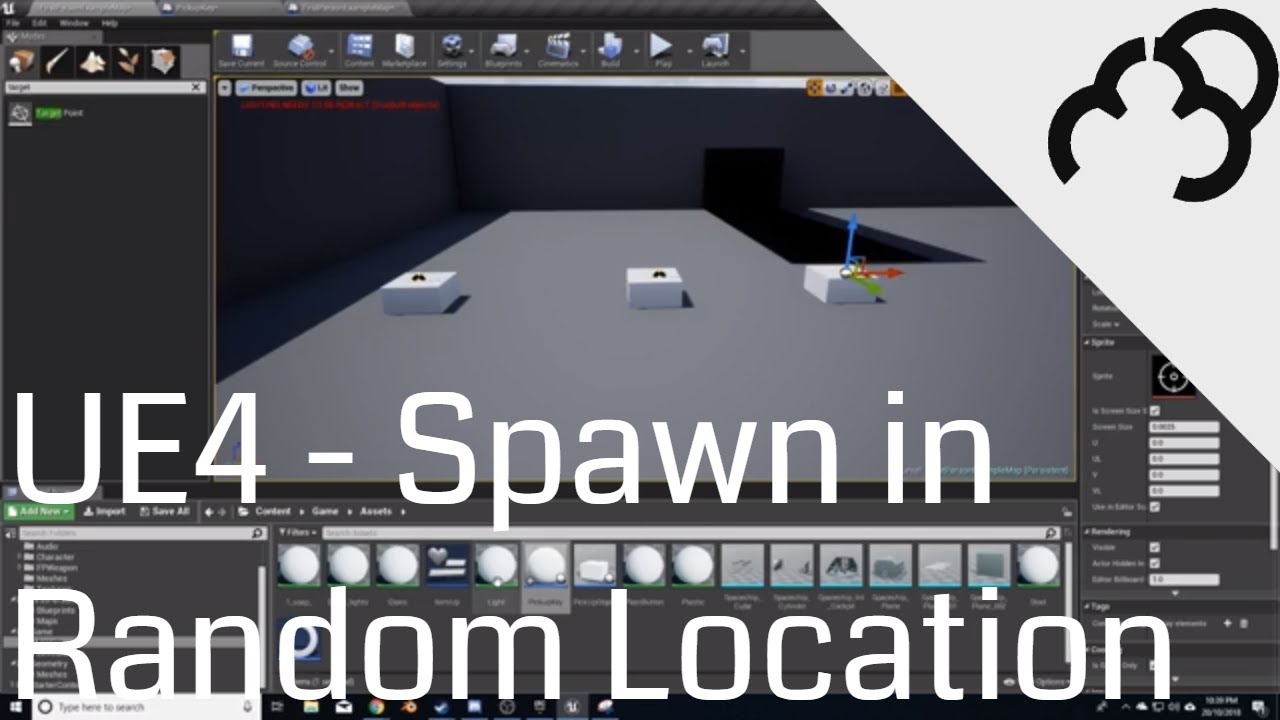
We go through the process of quickly setting a way to spawn an object in a random defined location
This is a very watered down version of the Unreal tutorial series, and it is more of a way for myself how to do this, then for anyone else. If however you would love to see more tutorials like this, then let me know.
+++++++++++++++++++
Donate...
 little storm
Im trying to make an array of string names, that can contain another array of string names, im not really to sure how to do this with blueprints
 icy dragon
little storm
Im trying to make an array of string names, that can contain another array of st...
icy dragon
little storm
Im trying to make an array of string names, that can contain another array of st...
Just lay it out in a single array.
gray chasm
@little storm If you desperately need to, create a struct with a single element that is array and make an array of the struct. You can't make a multi dimensional array in pure blueprint.
 woven lance
am i mistaken about something..? can you not set variables inside AnimNotifyStates?
gentle urchin
woven lance
am i mistaken about something..? can you not set variables inside AnimNotifyStat...
What variables are you talking about? But yes, I'm atleast doingnitn
woven lance
my own variables being added to a blueprint child of, say, AnimNotifyState
icy dragon
woven lance
am i mistaken about something..? can you not set variables inside AnimNotifyStat...
In a sense, Anim Notify BPs are functions.
woven lance
i can understand animnotify not letting you set something, since it'll be gone right after executing
but i would've assumed animnotifystates to be different
since i can save something in the begin, then perhaps use it during the tick, etc etc
gentle urchin
Guess i havnt tried to save stuff in the state itself beyond edited varibles from its instance (in the anim graph) ,
But atleast i've been successfully able to do that + edit stuff in the avtual char bp..
Didnt even consider if there would be issues setting 'internal' variables in the state itself
woven lance
yeah, that's the workaround i'm expecting to have to use
saving it on the char, but kind of pollute-y
gentle urchin
What exactly would you save in the state if i may ask?
woven lance
my use atm is to slow down an animation inside the ANS
and remembering what play rate it was before entering it
 velvet dagger
I'm wanting to make a 2D tower defense game and don't know where to start :(
I've never worked with 2D
 storm dove
hi guys how do i deal with my vectors being jiggle when far from center (0,0,0) in the level?
velvet dagger
And the fact it's in a 3D world is super confusing
gentle urchin
woven lance
my use atm is to slow down an animation inside the ANS
Yepp, it's definetly like a function. Cant set a variable in there at all
Setting up mine, i just followed the ActionRPG template from Epic, which just forwarded the entire state to the character bp
onyx token
is there a way to activate and deactivate parts of an actor? 
i got a building, which spawns an ai, and a wheat field, which contains a waypoint - that the AI walks to.
But when i spawn the field, and drag it around to place it - the field waypoint of course instantly exists, even though i'm still just moving it around.
Is there a way to temporarily deactivate the waypoint scene object in my wheat field actor - and only activate it again once it's placed?
if i could deactivate the "waypoint scene object" in that actor, my AI wouldn't recognize it and wouldn't immediately start walking
 undone kiln
how can i create a variable in a blueprint character class?

there is no any area for functions/variables
nvm. window -> my blueprint and it appeared
 robust condor


Does anyone know if this is an efficient way of regenerating foliage health? Im not sure which way is more performant. This method shown in the picture or just simply looping through all the foliage data and adding health to the damaged ones.
 gritty elm
onyx token
i got a building, which spawns an ai, and a wheat field, which contains a waypoi...
gritty elm
onyx token
i got a building, which spawns an ai, and a wheat field, which contains a waypoi...
you need to be more specific here. you can also set visibility to hide of components or changing scale to zero, or disable collision
onyx token
gritty elm
you need to be more specific here. you can also set visibility to hide of compon...
well- the way my ai works is this:

i just get the location of my waypoint
So if the waypoint doesn't exist, it's null
gritty elm
sure, so when it is null then what should happen
onyx token
nothing, i'll just replace it with the current AI location
so the AI won't walk
because the waypoint doesn't exist yet
as soon as i click - and place down the field - the waypoint exists - and the AI starts walking
gritty elm
so what needs to be fixed
onyx token
right now when i place a wheatfield, it first hovers over my mouse (the hovering is just a change location to mouse cursor on tick)
So it's the normal model.
But i would like a way to disable the waypoint scene object in my wheatfield actor
so my AI just gets null when it looks for the waypoint - since it doesn't exist
otherwise i'll have to make a boolean in my field that says "still hovering / placed" - which means i'll have to cast on each and every AI update...
and that'll become expensive real quick
gritty elm

components can be deactivated as well
no it will not be much expensive, creating bool is fine approach. unless you have many AI
try to make bool, and see fps and also use profiler tool to see the tick updates, if it doesn't make any difference then this approach is fine
onyx token
well i'm trying to kinda keep it optimized so i can have as many ai as possible 
still kinda figuring out what's fun and what's not
ok i solved it 
i gave my AI a "maximum search radius" and put this in my wheat field now.


stupid solutions best solutions
gritty elm
Great
spark steppe
i wouldn't hesitate to put the bool in there
like isPlaced
first of all, your AI is not gonna search every tick for new fields, but just when they try to find a new one
so the performance "impact" isn't anything to be concerned about, as long your AI doesn't stupid things (but then other stuff will hit you harder) 😄
those "workarounds" are hard to keep track of, you'll forget about them in a year, and wonder why stuff breaks if you change something related to it
gentle urchin
^
The waypoint could be added at runtime, or exist i the cornfield itself (if that's where it would be)
You can also connect things up here a bit for easier handling ;
MasterBuilding knows of all sub-buildings and related corn-fields and whatnot
NPC/AI farmer asks the Building for references to the cornfield(s) etc
So instead of doing some trace/collision overlap test to find cornfields, the npc would know which building it "belongs" to, and asks said building for references
spark steppe
that sounds also good
probably better as you won't have to deal with AI running to enemy field 😛
gentle urchin
Cornfield would be genericly replaced by "work area" or something like that. would work for any job
yeah exactly^^
onyx token
gentle urchin
You can also connect things up here a bit for easier handling ;
MasterBuilding ...
that sounds complicated
gentle urchin
complicated setup < complicated use
spark steppe
let's say you have a town hall
all buildings register to said town hall on placement
AI gets building data by querying said town hall
it's not that complicated
 plucky harness
how can i set single member within a struct without resetting all others?
spark steppe
set members in structname
then in the details panel of the node you can toggle which values you want to set
plucky harness
ty
onyx token
hmm...
So i give the townhall an array of building actors - and all of my AI actors all get coordinated by my townhall?
spark steppe
they get a list of the actors, and the location from the actors themself
onyx token
and then i just cast every time my actor does something?
onyx token
like i got "Farm 1, field1_1, field1_2"
And each time my actor reaches a waypoint, it asks my townhall what to do next?
gentle urchin
Probably wouldnt need to cast but yeah i guess
spark steppe
everytime your AI is idle
onyx token
but don't i need the locations of those waypoints from my townhall?
gentle urchin
Then later on it should be quite straight forward to add on to that funcitonality
spark steppe
the townhall could also be the AI
gentle urchin
like letting the player set priorities for the buildings f.ex.
spark steppe
and give jobs to actual entities
spark steppe
well, see it like this, you place a field, field tells the townhall "hey i'm there, i need a worker"
townhall searches for idle entity and sends it to the field
done, no pulling, all event based straight to the point
onyx token
but i don't know how i could do this without a bunch of casting every time tho...
Like in my mind it goes like this:
I spawn the farm, the farm casts to the townhall, and adds the "farm building" counter by +1
The townhall says "every farm has 3 workers, currently employed are 3, i have 2 farms now, so i need 3 new workers. So it casts to the workers, and makes them into "farmer""
The farmer says "I'm a farmer now, so i will search for a field near a farm, and start farming it"
or am i getting this wrong?
spark steppe
i would add an enumerator to define what job a worker has, to not have dozens of worker classes
onyx token
ok sure, i spawn the town hall first then.
Then i spawn the farm.
How is the townhall gonna know the farm exists?
spark steppe
you could go as far as saving the townhall reference in the player controller
if you are afraid of getAllActor(s)OfClass
onyx token
well- what i wanna do is i wanna make it as simple as possible, but try to have it a little optimized...
Since an RTS with a maximum of 20 units because my code is shit, is probably underwhelming
hmm i actually heard of having like a central "ai manager" in some tutorials
spark steppe
yea the townhall was an example, an invisible manager would work, too

fields are like^
onyx token
idk how you manage to communicate between blueprints without casting tho
show me your magic
wait wut? I can get variables from other blueprints without casting? 
I always thought you gotta cast for that...
spark steppe
worst case scenario
actually, you would add a enumerator to your actor base class like "job" which is set by the childs defaults
so you can get the job from the basetype without any cast
onyx token
so to put it concrete, if my variable is of the type "wheat field actor reference" instead of just "actor reference"
I don't need to cast and it's way cheaper?
spark steppe
😄.
onyx token
it will be slow anyways

good bye 100 ai actors
wait behavior trees are faster than blueprints?
yea, that's why i thought bp would be way better, because i thought behaviour trees would put additional overhead ontop of blueprints...
unreal engine = loopy land 
alright i'll do a tutorial on behavior trees and see if i can get some neat stuff that i can utilize in my rts project...
thanks!

ooh that looks neat
spark steppe
i would recommend to watch a few, some are very specific and don't cover all the features imho
onyx token
also daedalic is cute
not all needs to be bear. Bear must be used extensively, but not too extensively 
spark steppe
yea joby, you are only allowed to use bear emotes if you have a bear profile pic
it's a unwritten rule
don't get him confused too much yet
faint pasture
Can behavior tree nodes be written in c++?
So what would an ai manager subsystem look like, sorta like a quasi ECS or data driven setup with the subsystem calling all the shots?
spark steppe
what's ECS?
faint pasture
Entity Component System. Basically your game world is made up of Entities which are bundles of Components which are manipulated by Systems
spark steppe
so everything can be everything
faint pasture
Nah it perfectly explains it.
In OO style you'd have a component ProjectileMovementComponent which, on tick, traces through the world checking for hits and moving it's parent Actor
In ECS, your projectile would have components Position and Collision and ProjectileProperties, and the ProjectileSystem would update all Entities with those 3 components all at once in a big fat loop. Not exactly the most elegant or fine grained way to put it but you get the picture.
onyx token
hang on, one quick question, i have an idea:
Let's say i have 100 AI actors, like units that i wanna send somewhere...
How about, i split those up into like 20 groups of 5
Then i make an AI tick every frame
But each group just gets a tick every 20 frames- since there's 20 groups
spark steppe
that's what you would do if you screwed up already 😄
spark steppe
or if an task is reallllly taking that long that it would make sense
but for simple AI stuff like "move to", no
why would you have to send 100 units btw? for soldiers?
onyx token
sure
spark steppe
yea you could group those into units
sure, but they had quite some specific tasks each, other than attack entities
faint pasture
Just stick to BT and watch your service tick rate
spark steppe
well, he seems to try to understand how to implement it reasonable, nothing wrong with that (imho)

 fair enough
faint pasture
fair enough
faint pasture
Ya I would never unit merge unless it's a major part of the design like Civ. If units are mostly independent like AOE don't try any merge stuff
spark steppe
well, you can merge them on selection, and send them the same commands
faint pasture
I'm sure total war does something in the middle of those extremes but that's beyond you if you're a total nub to this. Get one dude to attack move for starters.
maiden wadi
At least on a PC with the right unit setups, you can manage 500-1000 simple AI above 60FPS. 😄 BP Only. Non Networking. Fun times.
spark steppe
however, lorash has a point, get started and come back if you fail 😄
faint pasture
spark steppe
well, you can merge them on selection, and send them the same commands
Well yeah but that's more like grouping. They aren't being merged to one entity under the hood, just grouped. In almost all games the AI is still at the individual level when grouped.
maiden wadi
Amusingly enough, you're going to hit the CMC wall before you hit the AI optimization wall.
spark steppe
CMC?
maiden wadi
Sweeping movements the CMC uses for default movement are insanely expensive.
faint pasture
Link? Never heard of it.
spark steppe
yea by that garage company
onyx token
every time i hear fortnite, i get reminded that blender wouldn't be as awesome as it is now-
If not for millions of 9 year old fortnite fans
thank you 9 year olds
spark steppe
but honestly, phones these days have insane amount of cpu power
onyx token
yes but they played fortnite, and epic took their fortnite money and invested some of it into blender
faint pasture
Ty based zoomers
spark steppe
😄.
onyx token
take that back 
onyx token
in that case we should go back to how it was in 2.5 
I liked it more.
spark steppe
xD don't quote me on it without context
the problem is, make an good UI that gives you access to that much features
because blender is literary everything (ok they took BGE out, but still)
is it still for video editing etc.?
onyx token
i don't like how it looks
maiden wadi
Personally, I prefer Autocad 3DSMAX But that shit is expensive. Much more intuitive UI though.
onyx token
also it has less keyboard reliancy which i also don't like
spark steppe
ok, took a look. looks like blender with candy
onyx token
and i always loved how blender didn't waste screenspace with completely useless shit such as


 late cave
onyx token
and i always loved how blender didn't waste screenspace with completely useless ...
late cave
onyx token
and i always loved how blender didn't waste screenspace with completely useless ...
Blender just wastes your time in 1000s of other ways 😉
onyx token
late cave
Blender just wastes your time in 1000s of other ways 😉
yea like the stupid simple deform modifier
which sucks so much
late cave
Anyway, this is #blueprint so, why can't I save a soft class reference to actor components in structs?
No error. I can save soft class references to actors just fine, but my component classes don't show up in the list...
spark steppe
welcome to BP structs, the pita of UE blueprint stuff
late cave
Oh wait... they DO show up when I make a new struct member... but not when I try to adjust the old one... whaat?
spark steppe
now cross fingers that the engine doesn't crash when you save your struct changes 😛
late cave
ok, and now that I added the soft component class reference to the new member, it shows up in the list for the old member too... wtf... the list just decided to take a nap, I guess?
Again, #blueprint 😛
I will add C++ to a project the day Epic removes the "something went wrong, please recompile from source" message... until that, FUCK C++! 😛
spark steppe
yea but i heard that they also aren't bulletproof when used in blueprints and you change something on the struct
maiden wadi
To be fair. When you start using C++, you just start the project from VS and it compiles it if anything has changed each time you open it.
spark steppe
not a tie if one comes with a UI 😛
maiden wadi
I don't think I've ever even seen the message mentioned above.
spark steppe
well ok, we just got a demo of what the UI is capable of...
late cave
Cool, but I'm taking it as a challenge now to finish an entire game in 100% blueprints (and complaining about Epic every step on the way) 😉
spark steppe
you need the coffee while you wait for your c++ structs to compile?! right?
yea, but you got to restart the engine once
late cave
My day job is in an industrial design firm, and there's 0% chance anyone there would ever come near anything C++, so it's not just a self-imposed problem
maiden wadi
To be fair. With your project set up correctly, restarting the editor takes <20 seconds.
spark steppe
you haven't been to linux land without some patchery 😄
it takes literary 5 minutes without patching a core lib -.-
maiden wadi
I have never once been interested in linux. I don't run servers. 😄
spark steppe
but yea, with the patch it's also ~10-20 seconds
maiden wadi
Paper2D
Sensible. BP Structs are for ease, and they're not often used seriously. Paper2D has the chance to steal a lot more Unity fans who think 2D is too difficult in Unreal.
spark steppe
structs are an issue since forever?!
actually, haven't tried in ue5 yet, maybe they fixed them silently?! 😛
maiden wadi
Besides that, I imagine that fixing BP Structs is a fuckton of a larger rabbit hole than Paper2D.
 bright frigate
Hello, can one explain what the sweep clockwise means in this context?

in the clamp node
spark steppe
i think the big problem with structs comes up when you split their output on something
bright frigate
does it have anything to do with physical direction of something rotating? Example here, I want to open a door towards me, which would be anti clockwise from my POV, is that waht it's talking about?
okay so my door will open towards me at -115 degrees and its original position is 40 degrees (absolute world). I don't want it to go beyond 40 (so it's only allowed to open towards me)
I did, both were wonky and have my brain broken 😄
although I'm disconnecting some of the other nodes to simplify it all
spark steppe
well, you have to consider the base orientation of the door
bright frigate
spark steppe
well, you have to consider the base orientation of the door
base orientation is 40 degrees according to the details panel
spark steppe
it's the opposite for one direction
bright frigate
and the limit I want it to open is going to be world location of -115
spark steppe
should it always open to the same side?
bright frigate
Z axis
bright frigate
spark steppe
should it always open to the same side?
yes, only towards me. Should not go away from me (after 40 degrees, its original closed position)
spark steppe
what if you go through it from the other side?
bright frigate
 bright frigate
spark steppe
what if you go through it from the other side?
bright frigate
spark steppe
what if you go through it from the other side?
so I'll be pushing the door out if on the opposite side. Wouldn't the absolute world rotations stay the same?
spark steppe
no
also consider making the door an actor with a static mesh component which is the door
that way you can work with 0 rotation as base orientation
no matter how it's placed in the world
bright frigate
spark steppe
also consider making the door an actor with a static mesh component which is the...
Yes this is what it is, it's a BP
Here's my code, following a tutorial

basically rotation is fine, it's just this clamping/min/max logic that's not working as I want it
so is it because I'm doing in a BP that it must be local rotations?
I have a print string at the end that is printing absolute world locations so it seems to be absolute that's going into the logic so I'm a bit lost (since we're using local rotation nodes too lol)
bright frigate
bright frigate
Here's my code, following a tutorial
I have disconnected the clamping logic in this, but assume the NOT is hooked up to that 3rd Branch node
uh oh 😄
it's cause I want an Amnesia-style mechanic
mouse click drag
would that still work?
I mean I know I'm torturing myself but I can't help it, I must have it! 😄
if I know which values the engine wants (absolute or local) then I should be able to figure it out.
oh yea, I forgot to check that
well either of them show the same values lol
but coming back to the clockwise thing
if I want it to open to -115 and it begins from 40 and the door is opening counter clockwise looking from above, which goes into which pin?
ok let's see what happens, the F1 race on the other monitor is distracting so maybe I'll be a bit later 😛
I think one of the problems is when the NOT is false, that is, if the clamp values become true, then it has to stop the door opening. The tutorial uses a positive open angle and mine is negative, so there is some opposites going on that I have to figure out
okay
late cave
My poor #blueprint eyes... 😝
 viral bolt
Hey everyone, I'm interested in learning some different techniques in creating a "Theater mode" using UE4. This isn't discussed very often. When I say theater mode I mean any type of replay or way of recording gameplay to view afterwords.
earnest tangle
iirc unreal has a system to record and play replay/demo type info builtin but I'm not sure how much of it is exposed to blueprints
but beyond that it would pretty much just be a question of having a UI where you can play/pause/seek
viral bolt
Thank you
 silver agate
I believe it's not entirely plug and play, you need to set the game up to actually make it replay. Here's some documentation about it 😄
https://docs.unrealengine.com/4.27/en-US/TestingAndOptimization/ReplaySystem/

Overview of the Replay system for recording and playback of gameplay
viral bolt
This looks promising. I'd like to create a way for players to record video and Saving it simultaneously while in-game. Then later than can view that content in-game as well.
icy dragon
Fortnite has the same replay system (and in turn what the Replay System is based off of)
 ruby meadow
How can I hide a **bone ** from the character's owner, but not for other players?
Bone is hidden for everyone.
 rancid steppe
how can i add this mesh to may character in unreal

 dire frost
so i noticed that when i play a sound in unreal it adds an object (Probably the sound itself) but this causes a memory leak. is there a way to remove the instance of the sound when it's done playing?
ruby meadow
ruby meadow
Bone is hidden for everyone.
I solved this. Simple and stoopid duplication, but this works!
How to hide mesh, but keep shadows?
Nope.
rancid steppe
ruby meadow
And add this mesh to your character.
thaaaaanks bro i will try it now
ruby meadow
ruby meadow
How to hide mesh, but keep shadows?
Render Main Pass.
dire frost
dire frost
so i noticed that when i play a sound in unreal it adds an object (Probably the ...
ok nvm, it turns out my AI was just adding to the vector array for no reason which caused the memory leak
he was adding the sound location to the array which made it look like the sounds were the ones causing the memory leak
 cinder raven
If I wanted to begin programming attacks would I need the character model and animations I plan to use to build them around? Or could I use placeholder stuff and easily slot in final assets later?
 trim matrix
anyone can help me?
bright frigate
ok I'm at my wit's end
lol
why doesn't this work? Door doesn't move

rather, I should say it gives true or false correctly from the print screen at the ended connected to that AND boolean, but the door isn't actually moving which is totally bizarre
earnest tangle
If the execution reaches the rotation node then the problem is probably either your rotation value is wrong, or the component is not movable
bright frigate
it's movable so no issue there
Earlier, I just couldn't get it to stop within the max open values, but out of nowhere now it's not even moving, I don't get it
earnest tangle
add a breakpoint and check what the rotation value is, or add a print node that prints it
bright frigate
the condition seems sound, if the rotation is between those two values (default is 40, open angle is -115), then keep adding rotation
earnest tangle
yeah you need to verify the values that are being used for rotating if everything else seems to check out
bright frigate

so is it that it reaches the false branch and dies because I've disconnected the false branch?
If I connect the false branch, then this happens. Upon click it instantly locks onto this weird angle that I haven't put anywhere
 earnest tangle
Yeah it's kinda hard to say without knowing what all the values in the code are, so you just need to find out why it's producing incorrect values
most likely your math is wrong somewhere
bright frigate
all I'm doing is this: reducing the angle by 1 at both extremes so it can allow me to continue moving the door but bounce off the limit

this is the full thing

sorry a bit messy
been trying lots of things
earnest tangle
Tbh it would probably be a lot easier to just Lerp between the min and max rotation and apply that as the rotation
bright frigate
so place lerps in front of the branches?
 bright frigate
I can't use a timeline as this is a mouse-buttong kind of thing
but I'll see what I can do
earnest tangle
"mouse button kind of thing"?
bright frigate
earnest tangle
"mouse button kind of thing"?
sorry I mean amnesia style
earnest tangle
I haven't played it
bright frigate
4.20 AM lol
bright frigate
earnest tangle
I haven't played it
you click and drag to open a door
earnest tangle
ahh I see
I guess you could use the mouse to run the Alpha value that goes into the Lerp in that case
instead of the timeline
bright frigate
yea thanks lemme try that
ok I'm stuck at which node to use for the lerp
I'm getting the make rotator output that goes into the addlocalrotation in the original thing
for a normal lerp that takes floats, its output is also float, so I will use a set relative rotation node
but then I cannot input the make rotator output which is using a scalar for sensitivity from the mouse
this guy
 earnest tangle
Well for the Lerp you would need to calculate a value between 0.0 and 1.0, where 0 would move the door to its minimum position and 1 would move it to its maximum position
gentle urchin
Would just clamp the set rotation i think
earnest tangle
you might be able to use a Rinterp node instead for rotators but not sure off the top of my head
bright frigate
yea I just read that I need to normalise
gentle urchin
Input axis value rarely needs any normalization if at all
gentle urchin
So the door has a set rotation, which is fed from a clamp, which is fed from a target rotation which axisninput is added/subtracted from
Lmb down -> select actor to recieve relevant event
Then on mouse input trigger related event (or reverse bind the door to the input binding instead, or enable input on it temporarily)
My explanation is pretty bad, not at pc yet so cant show you examples
bright frigate
bright frigate
this is the full thing
if we go back to this, why doesn't it respect the max/min angles? Why does it snap to this uncalled for angle and then refuse to move? It doesn't make sense
I'm removing the lerp stuff as it's made it really messy and complicated and I'm already noob
Hope it's a bit cleaner
 trim matrix
Hello guys, I have little problem with my project, I am working on theinventory system, I have this: when I get item, it is in the bag, okay, I want to make when I have 2 items in the inventory and I want to exchange the one item with the other item without moving the one slot and make it clear and then put the other. I want to do it when I select item, then press a key and it switch their positions.
https://blueprintue.com/blueprint/q8z7eh43/
when I test this system I have problem with the "Remove Items" node

No description provided
bright frigate
The door in world space is sitting at 39.999
DefaultAngle is set to 40
OpenAngle is set to -155 (the angle I want it to open towards me).
I want it to NOT open beyond 40, so it's an open-towards-me-only door if I'm outside and open-away-from-me-only door if I'm coming from the inside.
I forgot to connect one line, which was a comparison in the very last branch at the bottom right, but that was because I was rearranging things so it doesn't matter, but here it is all connected up anyway

so with this right now, if I move towards the -115 direction (opening the door towards openAngle) then it works fine
but if I push it out to touch 40 degrees (original starting angle) then it snaps to the strange angle much greater than the allowed angle
 tawdry surge
Hey dumb question but how do I get the correct object reference for my user widget?

 fallen glade
is it possible to have a master AnimInstance?
fallen glade
tawdry surge
missing object
trim matrix
trim matrix
Hello guys, I have little problem with my project, I am working on theinventory ...
someone who can help me with my drag and drop system? it is related with drop actually, I want to make it when I have 1 weapon on the weapon slot and want to put other, I want when I click on the first item to press button and they to change their positions instead of removing the firstweapon and then put the other, this system is started but I can't find the action which is related with the button T in the whole project, lol
the other bug that I see is that when I change their positions the widhet doesn't update, hmm
tawdry surge
I know.. How do I get the correct reference?
I cant find where the lil daisy chain starts
 bright frigate
This is what is strange. How is it managing to get into 43 degrees, when the conditions are to not allow it to get there?

if rotation >= defaultAngle (which is 40)
then defaultAngle = defaultAngle - 1 (i.e. do 40-1)
the same logic works fine for the -115 part of the door, but for this part it's not working
gentle urchin
@bright frigate
bright frigate
gentle urchin
<@!396990950842564608>
how u do dat
what's also strange is that instead of doing -1, my door is jumping like 20 degrees
gentle urchin
 bright frigate
this is really really really weird to me
bright frigate
bright frigate
this is really really really weird to me
the jump of anything other than 1 degree I mean
gentle urchin
There's a minor flaw regarding rotation in my setup,
i thought i'd get away with just setting relative rotation
but i was wrong
bright frigate
what's that coming out of the default scene root -> and then has the three relative x y z output pins?
gentle urchin
Get relative rotation?
bright frigate
okay my setup has getworldrotation
 bright frigate
So what was the flaw?
gentle urchin
setting relative rotation to root seem to be not relative (sorta makes sense)
rest is the same

 gentle urchin
In the PlayerController, all i need to do is enable these

Depends, if your mesh has proper axis root, then no
i just used a cube mesh with weird scale, so i had to just hotfix it
original axis root of the door

would be a mess to calculate the offset -
bright frigate
mine has the pivot in the right spot
 wet patrol
Hello guys so I asked this question days ago but I got it for a specific state change. Now it comes where I need the macro but more expendable and not limited. How would I make this where I can go 20 and or 40 (flip flop) on press but hold to go 60 on a vehicle and go back to normal(20-40)?
 bright frigate
 gentle urchin
bright frigate
gentle urchin
bright frigate
So then you can just set the relative rotation to the door instead
If you're wondering why relative, its because we want it to work regardless of the doors rotation in the world
bright frigate
okay so then -115 and 40 don't make sense and it would be from 0?
actually -115 would be correct
 gentle urchin
mouse already sort of handles linetracing by itself
bright frigate
 gentle urchin
It's presumably how it knows when its hovering/clicking collision objects
So I prefer just using the door collision directly


in the playercontroller you can define how this works, and which channel it uses (+ distance)
bright frigate
is this okay?

so it's working for the +ive angle, but it's going right around and resetting to the beginning
so it's doing a full 360
bright frigate
my bad I had the pins in the wrong slots
gentle urchin
Seem wrong pinmed
bright frigate
shinpai shimatta ne
btw, where do I get to those player controller settings?
I looked around and I couldn't get to them
is there some bp class?
gentle urchin
Yeah usually one likes to create custom ones from the base playercontroller class
bright frigate
ok I have no idea about that unfortunately at present
gentle urchin
For this you only need to create it, and swap those settings
Rest can just be left as is
bright frigate
I think for now I'll leave it as is
except I want to take this out of event tick
and put it into timers or something
since I have a billion doors
bright frigate
gentle urchin
Use the axis input instead
Do you think you could make a short do this do that for an ultra noob like me 😄 I have never touched anything regarding input other than action key mappings in the input section of project settings so I don't even know where to start
gentle urchin
This is part of the project settings ^^
The mouseturnx is just a project input axis event
With the key "mouse x"
bright frigate
this?
 bright frigate
Do I need to do the on clicked enable and disable input like you?
or is mine enough?
gentle urchin
Like mine yes
You only wanna override the turn event when the door is clicked (and held)
bright frigate
gentle urchin
In the PlayerController, all i need to do is enable these
I can't find this
otherwise, I am unable to move the door right now
the clicks are not registering
(they were before I setup enable input like you)
but then my whole perspective was locked
bright frigate
gentle urchin
Missing the setting in the playercontroller
I'm stupid, where do I get this from lol
gentle urchin
Well you could just set it at beginplay in the character
Just use the get playercon5roller to find the set bool
bright frigate
gentle urchin
Well you could just set it at beginplay in the character
but how do you have a whole menu for it? I can't find a single entry for 'mouse' in any of the blueprint classes
neither in first person nor in door
median jay
Is there any way you can set a heightmap on your level without generating any kind of terrain?
gentle urchin
Its in the playercontroller class
bright frigate
I don't even seem to have that 😵😵😵
bright frigate
nothing comes up
 odd ember
controller is a cpp class
bright frigate
odd ember
controller is a cpp class
but he shared a screenshot of a gui panel, like a details section
I can't even find a cpp class in my engine content with player or controller in it
 open crypt
Is it possible (or do you know of a MP plugin) that can send an alt-tab event to windows?
earnest tangle
You would probably need to use UE's C++ level platform libs, or the windows api
odd ember
yeah BP doesn't support system calls I don't think
earnest tangle
this sounds vaguely like what that guy was asking the other day about making a launcher for his 100 projects, he was also asking about alt tabbing
odd ember
I doubt you could even wrap them but then what do I know
earnest tangle
:D
late cave
👺 👺 👺
 earnest tangle
You probably could wrap it, I don't see why not. You might need to trampoline it or something but it should be possible
bright frigate
gentle urchin
Create new actor bp, parent class playercontroller
okay but don't I need to assign this now/
odd ember
you assign it in project settings
gentle urchin
You probably need a custom gamemode aswell
bright frigate
I assigned it in world settings
odd ember
you should assign it in project settings
bright frigate
but sigh now I can only turn the camera while right clicking
odd ember
otherwise it's only per level
bright frigate
once more I cannot find any field or entry where I can select it in project settings
there are just checkboxes and one gizmo library thing
ok used default to search instead
but it's greyed out
trim matrix
trim matrix
someone who can help me with my drag and drop system? it is related with drop ac...
and the other that I want to make is when I get item and paste it in chest to put it in the first free item but idk how to do it
Does anyone know where or who i ask for help?
bright frigate
man it's not working out, I can't figure out how to do this game mode class stuff. I made a new game mode class and assigned it in project settings, nothing happened. I reset, put the custom game controller in world settings, that's the only way I get something changed, but then it acts like it's the editor with the right click move of the mouse
but even then, there is no interaction with the door
gentle urchin
Did you enable the click event like i showed you?
open crypt
bright frigate
man it's not working out, I can't figure out how to do this game mode class stuf...
The world settings will override your project settings, every time
open crypt
Yes, this is how you can download a project from marketplace, open it up, and it works, because you are using THEIR demo level, and it has it's own world settings
odd ember
but that wasn't the question
bright frigate
gentle urchin
yup just like this
gentle urchin
And that playercontroller is set in the gamemode ur using ? Or world settings
I did nothing else than this in a new project and it worked right off the bat
bright frigate
I set it in world settings because I can't set it in project settings as it's greyed out
so I made a new gamemode and set it then, but then nothing happened,
it was as if there was no change from default
all greyed out
 gentle urchin
In the gamemode
bright frigate
and I cannot find it browser the default player controller if that's required
gentle urchin
You can set these default classes
bright frigate
but what baout the fact that in world settings, by default, the gamemode override is set to firstpersongamemode?
odd ember
bright frigate
all greyed out
you need a custom game mode I believe
gentle urchin
Probably because your using the firstperson template?
odd ember
once you set that they won't be greyed out
bright frigate
also, I cannot find GameModeBase even if I click on the magnifying glass
bright frigate
gentle urchin
Probably because your using the firstperson template?
yup
odd ember
it's a CPP class
odd ember
you need to create a class
bright frigate
odd ember
once you set that they won't be greyed out
I know I tried that but then nothing changed, it was as if it were default
gentle urchin
And really the rest of those base classes
bright frigate
ok but after I create the custom game mode class, it's as if nothing happened
odd ember
did you replace it in the project settings?
bright frigate
yes
bright frigate

If I do all this
then it still is stuck in the "right click to look around" mode
the door works
but it's right click to move around the camera
instead of just mouse movement
odd ember
I don't know what your custom logic is doing
bright frigate
I have no logic for the mouse
as in, everything is default
why does it rotate the mouse on right click?
the only functionality I have for right click is zoom in
so it zooms in fine but I can only look around whilst zoomed in
open crypt
I'm having to use an OnMouseMove event binding - what is it looking for in the return mode - it says "Event Reply" but none of the other structures are accepted - I made a variable of "EventReply" but couldn't access any part to see what it wants, nor split the one from the return node - the compiler wouldn't accept an empty return mode (even though I just want to fire something)
 gentle urchin
You need to add logic for the right click and look around
Handled/unhandled, isnt it blake?
Handled consumes it, unhandled passes it down the chain
bright frigate
gentle urchin
You need to add logic for the right click and look around
what do you mean? I'm saying that I just made a new game control and mode class like you said, so why by default is it binding the camera to right click?
I haven't manipulated the right click other than zoom in

this is in the first person character bp
bright frigate
yes but why is the regular mouse movement detached from the camera movement? It's not making sense lol
gentle urchin
The right click to look around most likely is from input mode plus default behavior in the pawn
Show mouse cursor makes the mouse being unconsumed, so when right clicking it consumes it and allows the llooking around
Horribly explained but
bright frigate
makes sense what you say
gentle urchin
Something along those lines
bright frigate
possessed would be a better word lol
any idea where I can find this setting, is it in yet another cpp class or hopefully a bp
player controller had nothing come up for input mode
gentle urchin
Just override it in your class, the turn axis event
In the character probably suffices
bright frigate
so undo all the custom controller game mode stuff?
gentle urchin
Nono
open crypt
gentle urchin
Handled/unhandled, isnt it blake?
I see those as acceptable event replies - thanks - I'm confused about how to make this On Mouse Move more event based - do once doesn't seem to work, so I can't make a bool to block it from continuing easily - it keeps firing
gentle urchin
What are you using it for?
Since you wanna reduce the call frequency
There's probably more suitsble functions for your usecase
trim matrix
does anyone know how to do this, so i type a word into an editable text box, is there a way to execute a console command using that word, so "summon the word i typed" without having to put summon into the text box
earnest tangle
you can just convert the value into a string, then use the append node to append your string after "summon "
 drowsy flame
hey is there any way to get Static Mesh Component Object Reference with just a name?
bright frigate
@gentle urchin ok so to override ... what do I actually do in BPs 😄 I mean I know how to do it in C++ (or did, 10 years ago) but as I've found out, BPs is a different world
just create the node?
trim matrix
earnest tangle
you can just convert the value into a string, then use the append node to append...
this right?
 earnest tangle
yep something like that
bright frigate
bright frigate
just create the node?
or put this thing in the player class?
 earnest tangle
drowsy flame
hey is there any way to get Static Mesh Component Object Reference with just a n...
earnest tangle
drowsy flame
hey is there any way to get Static Mesh Component Object Reference with just a n...
if you know which actor it's in, I think you can iterate all the components in it and compare names
bright frigate
but it still doesn't make sense how it'll solve the lack of mouse movement! This is so confusing!
drowsy flame
earnest tangle
if you know which actor it's in, I think you can iterate all the components in i...
do you know what function to use to get all static mesh object references?
drowsy flame
yeah from a single actor
trim matrix
trim matrix
this right?
yep this works
earnest tangle
@drowsy flame You would probably need to just do Get Components with a for each and a cast
Unless there's a get components by class (not sure if there is)
odd ember
in editor blueprints, is there a way to get cursor? or cursor location?
I've seen there is something called GetCursorWorldRay but I'm not sure it's the same, and there's no documentation
drowsy flame
Do static meshes have classes? It doesnt seem like they do
earnest tangle
What do you mean?
If you're trying to cast the components from Get Components, just do a Cast to Static Mesh Component
odd ember
nevermind, apparently that works
drowsy flame
earnest tangle
If you're trying to cast the components from Get Components, just do a Cast to S...
ok this is so confusing I will try to come back after I watch a video or two about casting and all about object references etc. Thank you D
😄
earnest tangle
sounds like a good idea :)
trim matrix
earnest tangle
yep something like that
is there a way to make the same thing but i press a seperate button to execute the command?
earnest tangle
Sure
You can just put the logic into the button click event instead, and read the value from the textbox
or store the full command into a variable in the commit event, then read it from the variable in the button click event
or any variation of something like that
bright frigate
I have also noticed that it's not just right click but also left click that turns the camera
trim matrix
earnest tangle
Sure
would any of these help
 earnest tangle
one of those is probably your textbox yes
if you go into the UI editor view, you can click on the textbox and then rename it, it has a box on the right side panel for the name
probably makes it easier if you call it something more descriptive :)
trim matrix
ok so it puts this here
 earnest tangle
Yeah if you drag from that pin you can do Get Text which should give you the value in the textbox
Usually the nodes are called something descriptive like that so if you have an idea what you want you can just try it and see
bright frigate
@gentle urchin this is completely strange. If I disable show mouse cursor, then I can move the mouse camera freely. But then dragging on the door, while it works, locks me in it. Then I can't detach from the door
and it seems to work on a click basis rather than a keep-clicked case
@gentle urchin if I keep show mouse cursor enabled, then it will click and drag as expected, but it doesn't allow free movement of mouse camera when playing the game
If I disable Show Mouse Cursor, then it only uses click-drag to activate the door code, after that I can rotate the door without clicking and I have to click again to "exit" this, although it takes a few clicks to do so.
Did you test yours out in actual play mode? You will definitely have missed it in just the simulation or editor
bright frigate
what can I do now?
I'm trying to put the original stuff into timer off tick so it doesn't chew processor time unnecessarily
gentle urchin
Test it in a new template to understand whats going on is what id advice
bright frigate
now even with default game mode and controller class and original event begin play dealing with enabling input, my camera is stuck looking up or down, can't look side to side
just great, just freaking perfect
things are exactly as they were before I tried the input axis stuff, yet everything is broken. I just don't get it sometimes. I keep original node configurations so I can avoid forgetting things and yet here we are
gentle urchin
Sounds like it may still be overridden
bright frigate
omg wtf is going on, everything has messed up! Now my jump sound is playing in my left ear
literally things I haven't touched are messed up
bright frigate
gentle urchin
Sounds like it may still be overridden
I can't see anywhere where it's not set to what it was originally
I feel like jumping off a building at this point
gentle urchin
I think it'd be a good idea to figure out how / why it worked in the first place
Or how to make it work yourself
To better understand whats going on
Starting with a very basic character with no extra logic,
bright frigate
I fully understood what you had me do regarding the clamp and it worked
I then moved onto the custom game mode and controller thing
then reverted
and everything has broken since
gentle urchin
Doesnt make sense for it to break because of a new gamemode alone
New playercontroller, possibly,
But there's gotta be more stuff that has been added/shiftet
Atleast thats what im thinking
The engine rarely if ever does things by itself
The templates usually has some basic logic setup tho
bright frigate
I just restarted the engine and the jump sound is playing even more to the left mono
gentle urchin
Could your default character class have ahidtet,
bright frigate
everything is default
 gentle urchin
Defaultpawn is not the same as firstpersonpawn
bright frigate
 gentle urchin
This looks more like it
bright frigate
bright frigate
everything is default
this is in project settings
bright frigate
bright frigate
this is in world settings
gentle urchin
I bet the firstpersoncharacter has the camera logic
Add yaw and pitch is probably existing there
bright frigate
it's shifting randomly. I am doing nothing other than playing and exiting and sometimes the jump sound is in the left, sometimes it's in the middle as it should be. Completely insane.
bright frigate
gentle urchin
I bet the firstpersoncharacter has the camera logic
I can't see anything there that isn't waht it was
I didn't touch anything
gentle urchin
Honestly it sounds like very fragile logic, barely working... could be wrong tho
bright frigate
does this seem fine?
 gentle urchin
Looks pretty standard
Whats not working atm?
Looking side to side?
Side to side relies on mouse X (the turn axis event)
Which is what the door overrides when clicked
Are you enabling input on the door at beginplay by any chance?
bright frigate
gentle urchin
Looking side to side?
yeah
this is how it was before I tried the axis mapping version

and it was working fine
I'm sleepy so maybe I'm not seeing something but so far it doesn't look like it
gentle urchin
You should enable input on the door at beginplay tho
That wouldnt work with multiple doors , atleast not directly
And it will cause complications down the line
bright frigate
If i do this then my axis is back

but then I also don't have any interaction with the door, even if I enable the input axis instead of event tick
bright frigate
bright frigate
This is what I had, remember? It was working! Why would it mess up now lol
gentle urchin
Because the two methods aren't interconnectable
 gentle urchin
With custom gamemode with custom controller?
eternal drum
why cant you get local rotation of things?
bright frigate
gentle urchin
With custom gamemode with custom controller?
all original
gentle urchin
Original doesnt have the click event enabled , as we talked about
bright frigate
Original had event tick and it was working with the click
with the event begin play enabling input
trim matrix
is there a way to show/hide the mouse with a button?
gentle urchin
trim matrix
is there a way to show/hide the mouse with a button?
Get playercontroller -> set show mouse button
bright frigate
this prints hello, but then nothing. No side to side and no more click hello
 gentle urchin
bright frigate
with the event begin play enabling input
gentle urchin
bright frigate
with the event begin play enabling input
See this is part of the problem ur facing now. Ur going back and forth between methods. If you prefer your own method, then work from that and fix the issues you're facing :p
 gentle urchin
Generally i've shown you a method of updating/setting the rotation, with the use of a clamp atleast, so that part can be used onwards
gentle urchin
trim matrix
Ur context must be playercontroller
trim matrix
 bright frigate
gentle urchin
See this is part of the problem ur facing now. Ur going back and forth between m...
bright frigate
gentle urchin
See this is part of the problem ur facing now. Ur going back and forth between m...
I'm going back and forth because I'm trying both and all possibilities where we know what happened or didn't happen and yet now results are different
bright frigate
gentle urchin
Generally i've shown you a method of updating/setting the rotation, with the use...
yes and this was working. When I tried the custom game mode stuff, nothing has been the same despite setting everything as it was before
gentle urchin
trim matrix
This is "get show mouse cursor". You want the "set show mouse cursor"
bright frigate
remember when I said I wanted to move off tick? You said try the input axis version. When I did that, I had to then make the custom controller and game mode. Since then it's all nuts.
gentle urchin
Have you tried adding several doors with your old logic btw ?
Just curious what problems that may cause
bright frigate
no, haven't done anything except this one door
gentle urchin
Regarding a bunch of input enabled doors listening for the same input
All consuming it
So last one goes first
And the rest is ignored
bright frigate
I haven't put any other doors
gentle urchin
I suggest you try it so it may illuminate some issues with your current iteration of code
bright frigate
I can only look left to right using the arrow keys
this is crazy, 2 years of work is going up in flames'
astonishing
 languid spear
hello, chat! I realize this is a long shot, but maybe somebody can suggest where to start looking. I am working on a multiplayer game with pickup items, which are skeletal meshes. The meshes are assigned sockets, and work fine for the listen server as well as the owning client. However, the other clients see the socketed items out of place. Quite confusing because I rarely see issues like this that don’t apply to every single client. any ideas? thank you 😄
bright frigate
it's broken already for literally no reason
as I keep saying, I reverted everything I had to default, and yet it is not behaving according to its OWN DEFAULTS
how doyou mean? Console commands?
seems fine

actually this is in the original backup file I had
GlobalDefaultGameMode=/Game/FirstPersonBP/Blueprints/FirstPersonGameMode.FirstPersonGameMode_C
gentle urchin
Ganemode should still be fpgamemode, not gamemodebase
bright frigate
even replacing that line from original to current, no change
anything wrong here?

 zinc portal
TLDR: How do I get rotation along one axis only from a look at rotation?
I have a suspension with a typical piston and cylinder of a shock. I want to use "find look at rotation" to tilt these parts to point at each others pivot.
In a totally planar situation it works but if the vehicle tilts in any direction funny stuff occurs.
In 3D software look at controllers are simple and you can simply choose active axises and pick an "up node" a reference orientation that helps solve weird gimbals and units flipping from positive to negative.
That being said this has to be super common thing to do but despite my googling efforts I was left confused.
any pointers to good tutorials or documentation would be super helpful.
in my image I want the red and blue to point towards each others' pivots.

 burnt trench
Hello Everyone!
My question is: I have a level with a nav bounds generating the navigation data for the AI
Now I have an actor with a navmodifier component it. On runtime I change the area class of the modifier but it does change anything on the navmesh. It only changes before playing and not runtime. Is there a way to generate the navmesh on runtime?
please tag me if you know a resource or know you to fix the issue
bright frigate
@gentle urchin If I delete the door BP from the level/viewport, then my mouse is coming back
freaking hell
it's just that node alone
InputAxis Turn
just leaving it there with no connections was locking the mouse AND stopping interaction with the door
deleting the node has fixed everything
gentle urchin
Ye it overrides
bright frigate
my God, this was a horrifying experience. Unsurprising since this happens so often but still ... bloody hell
worthy tendon
bright frigate
my God, this was a horrifying experience. Unsurprising since this happens so oft...
next time you know. so it wouldn't be as horrifying as now 😉
 slate apex
It's a dialogue class seperate from other stuff.
Part of the actual plugin
its essentially just a branching dialogue builder.
i just need a reliable way of calling dialogue for specific characters
after interacting with them
gentle urchin
Theres a free cpp dialog plugin that handled this quitr well imo
Dialog nodes its called
Guess its a cpp/bp plugin really
slate apex
gentle urchin
Theres a free cpp dialog plugin that handled this quitr well imo
I mean
i already have a really good one
but
bright frigate
worthy tendon
next time you know. so it wouldn't be as horrifying as now 😉
trouble is, it always ends up being something completely different next time 😅😅
slate apex
i just need to know more or less what i should do
to yknow.
actually make it appear on screen.
gentle urchin
Well
slate apex
Let me elaborate
gentle urchin
Unreal Engine Forums
Hello there! I’ve been working for a few months on a new game project for which our team had to develop or use a dialogue system. Turns out no solution satisfied us on the marketplace or elsewhere, thus here I am, making my own! **User experience **and game-agnosticism are very important notions to me, so I designed this pure game-logic syste...
 bright frigate
now the only thing I need to do is take it off tick and put it into events/timers, except my brain is fried and I need suggestions on where I should put the timer (event beginplay or at the end of the input of the mouse button) and then where the actual event would go too
slate apex
now, i need a way to make the main character detect which character its speaking to, and initiate dialogue based on that.
could i store every single dialogue option on every character?
gentle urchin
This is usually part of the dialog systems job really
slate apex
sounds a bit simpler
slate apex
gentle urchin
This is usually part of the dialog systems job really
Well, usually.
but.
 glossy bane
Anyone that can advise why I would get a warning when trying to delete a variable that it is in use, but when I check its references it will show 0 results?
earnest tangle
Click the binocular icon, it might be in use in other BP's
If you still get nothing then you might have removed the previous refs and not recompiled/saved and it thinks they still exist
glossy bane
earnest tangle
If you still get nothing then you might have removed the previous refs and not r...
Yeah I checked with the binocular, still says 0 results
Would it be safe to assume I can delete it even though it is warning me then?
 tight schooner
@zinc portal I may not have wrapped my head around the nuances of what you're doing (gimbal issues aren't my forte), but if it helps, I'd suggest doing your rotation/vector math in relative rather than world space and doing whatever conversions necessary to make that happen. For example, rotating a local-space vector by the parent will make it world space and vice versa (unrotate vector by a parent's rot to make it relative). And there are a slew of other nodes to convert rotators and transforms and stuff. I'm not an expert so you'll just have to Google and experiment with local/world conversion.
That's my read of a situation where stuff works until the parent component or actor deviates from a specific orientation and then everything spins apart — it sounds like too many things are happening in world space.
To avoid gimbal issues entirely there are quaternion rotators but I never looked into those.
You can also try parenting a problem component to a dummy Scene Component that's pre-rotated in a useful way to fix a gimbal issue on a specific component, and then doing your operations in that component's relative space (Set Relative Rotation, etc). So if your red & blue components are typically working at extreme pitch angles, that could be a way to claw them back from that gimbal lock threshold.
open crypt
is there anyway to send an ALT-Tab event from the game itself? (I have a special use case where I spawn a popup file browser box put it is put behind the game window (it's not a fullscreen/windowed issue) - and if I alt-tab, it immediately goes to that popup window (since it was the last window that windows recognized) so sending alt-tab would be a natural workaround. \
tight schooner
@open crypt I googled some stuff out of curiosity. https://docs.unrealengine.com/4.26/en-US/BlueprintAPI/Focus/SetFocustoGameViewport/
Set Focus to Game Viewport