#blueprint
402296 messages · Page 694 of 403
 surreal peak
 river zodiac
Ok so I'm trying to create something like Anthem's flight (the player can enter a slightly faster hover mode and also sprint from this mode to move super fast), and hover mode is currently working, but doing anything but moving in a straight line forwards causes an awful shaking and exiting flight causes the camera to jump in a seemingly random direction. I extended the default UE4 third person character, so it could be the default turning behavior from walking, but I'm not sure about that. Any ideas?
Here's a video too, it should show what I'm talking about: https://youtu.be/syoCqgClHsA

 indigo bough
I've got an Actor Component that has an interface to handle player interactions, and I was hoping it'd pick up interface calls from it's parent. However, that doesn't seem to work. Is there a way around this? Was hoping the interaction functionality could all live within the Actor Component, and not require any setup inside the parent Actor.


I'm guessing it's because it's not directly calling the interface event in the Actor Component, but wondering if there is a way I can bridge that gap somehow (without writing anything in the parent Actor)
I know I could 'GetComponentsByClass' and then pass the message onto the component. I guess I could do that in a base class for this object type.
 faint spire
I'm trying to set an instanced-based attenuation radius, but I can't figure out how to set those settings in blueprint. Is this possible? 😂
 snow harness
@faint spire Referring to this node?
 faint spire
Oh yes! Except mine is on a sound component
Audio component, to be specific
And that node does not seem to want to show up for me..
snow harness
@faint spire
 faint spire
Okay that is clutch 💯 thanks bro 🐐
 tired chasm
Hey, I'm trying to figure out how collision works with a 3rd person character. I started up a new 3rd person template project and I'm getting the same results. So as you can see from the gif, I can push the character into the water, but as soon as his movement reaches 0, I can no longer push him with the cube. This also happens when flying. I researched a bit and found people with the same issue but the best solutions I can find are using line traces, or a box collision or something, but I'm confused why collision works while standing and not flying, or swimming.

I do have "CCD" ticked on by the way. It seems the character just stops detecting collision when movement is at 0 and not idle on ground.
 steel sequoia
does anyone know how to make collisions only effect one type of actor?
tired chasm
oh boy...
steel sequoia
is it easy to explain?
im sorry if i sound like a fool but where do i find that?
?
thx
just to clarify i can block only the player and let AI through?
tired chasm
You would assign the collision channels to those actors and that would tell that actor what channels to collide with
steel sequoia
thx x
steel sequoia
:)))
should i be doing an object channel or trace?
ive got to this bit

or should i be doing this in a bp?
tired chasm
unless you're doing something specific, I think channels should be fine.
steel sequoia
i just want one specific type AI to be able to go through a specific wall
tired chasm
if you open the drop down menu for "Collision Enabled" you can choose custom collision. Then you choose what channels you want to collide with under "collision responses"
You can choose one of those, or you can make new ones in project settings
steel sequoia
thx
tired chasm
np! Yeah if you still can't get those channels set up, those links Lorash sent should get you want you need! : )
steel sequoia
ok thanks, yh im rlly struggling xD
tired chasm
you got this!
steel sequoia
🙂
ok so if i want AI with collision type <custom-1> to be able to walk through a wall with collision type <custom-2> but interact normally with everything else
is that possible?
im rlly srry ive testing this for so long and i cant figure it out
where

this menu right?
where does my custom one come from?
the penny has dropped
how do I tell the AI that a "zombiewindow" can be walked through?

ok thx
i thought i had it, i no longer have it
 sudden nimbus
steel sequoia
how do I tell the AI that a "zombiewindow" can be walked through?
sudden nimbus
steel sequoia
how do I tell the AI that a "zombiewindow" can be walked through?
the navmesh checks for Pawn Block to determine whether a collidable will block navmesh generation, but you could also just set Can Affect Navigation to false on it
use P to see where the navmesh got generated
sometimes #gameplay-ai come to you 🙂
 cyan kettle
It seems like i need to make several actors (blueprints) spawn at/around a point at once (during runtime, like at a click location). I looked at the spawn actor function, but is there a good way to create several blueprints/actors that should all be in the same transform relationship to each other in one function? (that is one on the left, one in the center, one on the right - if they are all rotated 90 degrees and stay in alignment thats good as well)
In other words whats the neatest way to plop several actors at runtime in one click? I think they gotta be separate actors
 drowsy anvil
Hello, total noob here, trying to make a platform that stops existing when I press a button and then comes back to existence when I press the same button again

this isn't working, but idk what I am doing so that might be the case
sudden nimbus
drowsy anvil
Hello, total noob here, trying to make a platform that stops existing when I pre...
is it disappearing, but not reappearing or not disappearing at all
drowsy anvil
not even disappearing, nothing is happening at all
cyan kettle
drowsy anvil
not even disappearing, nothing is happening at all
the lower castToThirdPersonCharacter has no exec pin going on, maybe that is the issue. however i am new to this
sudden nimbus
OK in that case its likely because the root Scene Component is not the Static Mesh for the platform
Try ticking the Propagate to Children boxes
tired chasm
cyan kettle
It seems like i need to make several actors (blueprints) spawn at/around a point...
I'm assuming this is the BP for the platform? How are you getting this reference? Are you sure that reference is working correctly when that event fires?
 drowsy anvil
that's the player for when the character enters the hitbox of the platform
sudden nimbus
also note that that "NOTE" there is telling you that you dont need to cast it
but thats a different thing
tired chasm
aaaah I see now.
drowsy anvil
sudden nimbus
Try ticking the Propagate to Children boxes
thanks it was that simple 😮
the button I used for this stopped working elsewhere, why is that?
steel sequoia
sudden nimbus
the navmesh checks for Pawn Block to determine whether a collidable will block n...
thx man i didnt see ur msg but thx x
drowsy anvil
like if this was a jump button, I could not jump if I set it to flip invisibility
 sudden nimbus
drowsy anvil
like if this was a jump button, I could not jump if I set it to flip invisibilit...
sudden nimbus
drowsy anvil
like if this was a jump button, I could not jump if I set it to flip invisibilit...
because the input was consumed by the red event block
steel sequoia
i tried swapping the pawn to ignore but the AI still ignore it and then also i can walk through it
sudden nimbus
you can disable Consume Input on the properties of the red event block if you really want to but usually there is a better way, by putting this all on your Character or Controller blueprint and having that be in charge but it's more complicated
sudden nimbus
steel sequoia
i tried swapping the pawn to ignore but the AI still ignore it and then also i c...
did you press P in the editor to look at the navmesh?
I should put this in my username I say it so much
sudden nimbus
yuss thx
steel sequoia
 sudden nimbus
looks like it is blocked by the other wall perhaps?
steel sequoia
nope
sudden nimbus
you can delete stuff, see how it updates the mesh and undo to understand better how it works
 sudden nimbus
oh I guess the Area Class is in control here but don't worry about that, I wouldn't do it this way anyway
you should check out Nav Links
you'll want to watch a tutorial or something though as they are tricky to get right
right off the bat, watch out for the difference between Smart and Simple in the nav link, but assuming you want the zombie to climb through the window or something you probably want Smart links where you write blueprint to handle the transition
steel sequoia
have you got any quick work arounds? ive only got like another hour on this project
yh idk how to make him "climb" so hes meant to just phase through the wall rn
sudden nimbus
ok then use nav link in Simple mode
drop it in and click the little pyramid things on each end
you just have one end touching the one side of the green nav mesh, and the other side touching the other side of the green nav mesh
sudden nimbus
the nav link tells him he can
sudden nimbus
its an actor that can be placed in the level, search for it
steel sequoia
ok thx
sudden nimbus
make sure to keep the P mode active so you can see its arrows and its bounds:
 steel sequoia
nav link proxy?
sudden nimbus
yep
steel sequoia
tah
cyan kettle
cyan kettle
It seems like i need to make several actors (blueprints) spawn at/around a point...
whats the most elegant way to reliably create like three actors in a set, with the right locations for each, during runtime? that's my question better put
 sudden nimbus
yeah
steel sequoia
thx
sudden nimbus
best of luck, im getting some food
cyan kettle
cyan kettle
whats the most elegant way to reliably create like three actors in a set, with t...
it seems like i can use AttachTo to keep this more organized - https://answers.unrealengine.com/questions/413136/how-to-use-transform-to-spawn-actor-relative-to-ot.html - would really like to keep things all together as a set somehow because they should always be linked as a group in whatever way
drowsy anvil
I replaced 'set visibility' with 'set hidden in game', but my character can still stand on top of the hidden object, why is that? I can't see it, but collision is there
 static charm
@cyan kettle not sure what your goal is, but there is an Child Actor Component, that you can add to a single actor. so you can make a new actor, with three of those components. then spawning the one actor will spawn all.
Splittertone
you have to manually disable collision as well
i know its a bit weird
drowsy anvil
how do I get the collision node?
static charm
at the same time you are Set Visibilty/Hidden
you can Set Actor Enable Collision
or if it's a component, Set Collision Enabled
drowsy anvil
that worked for collision, but the hidden in game stopped working
so the actor is always visible now
do I need a branch or something?
static charm
probably just a wire got cut when you added it
drowsy anvil
yes lmao
this is super hand holdy, but how do I add both in?
seems sequence works
cyan kettle
static charm
<@!279363722189733888> not sure what your goal is, but there is an Child Actor C...
oh cool i could not find that, thank you
static charm
yeah it's not commonly used
cyan kettle
great i think this will work for what i need. i gotta reach down into the child actor then, to alter some params later
static charm
you can also just refactor to make it one actor, with 3 regular components and all logic in the one actor.
depends what those original actors do/are
cyan kettle
one of the child actors would be the super complex NPC Manager Point of interest blueprint, and i dont want to have like tons of copies of that thing inside each POI/place that i want to plop around
so encapsulating it with a child actor sounds far more organized
 rustic yacht
GetComponentBounds doesn't work for Spline components?
static charm
I mean im not surprised if it doesn't
assuming you mean regular splines and not spline meshes
tired chasm
rustic yacht
GetComponentBounds doesn't work for Spline components?
Not sure what you're doing or if this would help, but you can get nearest point at spline location
 gritty aspen
GUYS
HOW CAN I PLAY MUSIQUE IN WIDGET
 north hedge
gritty aspen
GUYS
HOW CAN I PLAY MUSIQUE IN WIDGET
north hedge
gritty aspen
GUYS
HOW CAN I PLAY MUSIQUE IN WIDGET
Same way you'd play sound normally
Create a sound wave, assign an audio file to it, On Button Press/Widget Creation etc Play sound 2d or Play Sound at Location
 trim matrix
I'm following along with the character movement tutorial from the docs but one of my blueprint actions does not have the exec node like it does in the tutorial and I am unsure as to how I should proceed.


 frosty dune
gritty aspen
when the widget show up
frosty dune
gritty aspen
when the widget show up
as @north hedge just said but when the event that cause widget to show up is trigerred
static charm
@trim matrix right click the node and select the Convert to Pure
it's the same thing but just gets ride of execution wiring
or Convert to Impure, which adds the wiring back
frosty dune
trim matrix
I'm following along with the character movement tutorial from the docs but one o...
it seems that the cast to bp_playercharacter has no way of being called\
trim matrix
static charm
<@456226577798135808> right click the node and select the Convert to Pure
I don't see that option when right clicking
static charm
Convert to Impure
frosty dune
i think there must be some spaghetti connecting to the top left of the function
trim matrix
I see neither

 trim matrix
static charm
trim matrix
static charm
Thanks, I see it now
north hedge
gritty aspen
no not when pres button
You want Event Construct
Run Play Sound 2D from Event Construct
frosty dune
i think this one should be connected to something
 static charm
"I'm following along with the character movement tutorial"
he's probably not at that part of the tutorial
frosty dune
hm
frosty dune
does not have the exec node like it does in the tutorial
trim matrix
frosty dune
i think this one should be connected to something
That's from the tutorial not mine
frosty dune
i'm not a blueprint pro but i'm pretty sure that if you want this to work it should be connected
frosty dune
trim matrix
That's from the tutorial not mine
oh i see
trim matrix
And no It never gets connected in the tutorial
static charm
lol
trim matrix
I just started learning blueprints but I don't think all exec nodes need connections
rustic yacht
How would I go about spawning a child actor of a specific type and setting its public variables from a construction script?
north hedge
The entry exec node needs to connect otherwise it wont execute
or you can convert it to a pure cast as Gallonmate linked
trim matrix
Yeah I just checked and it connects just way at the end of the tut
north hedge
rustic yacht
How would I go about spawning a child actor of a specific type and setting its p...
Theres a toggle in the variables on the actor you want to spawn called "Expose on Spawn", click on the variables you want to set via spawn and tick Expose on Spawn
Now in the BP you want to spawn them from do a Spawn Actor From Class
rustic yacht
north hedge
Theres a toggle in the variables on the actor you want to spawn called "Expose o...
The problem is that I don't have access to those pins when creating a child actor. And I can't seem to access the SpawnActor node from the construction script 😦
north hedge
You might want to do some checks on Construction as well otherwise you'll end up spamming actors
Create a custom function that spawns the actor and then call that function from Construction

 north hedge
Does it work on BeginPlay?
rustic yacht
It does. I'm fairly certain I've managed to work around this at some earlier point in time though...
trim matrix
trim matrix
I'm following along with the character movement tutorial from the docs but one o...
I feel a bit stupid now. The problem was that I was editing in the AnimGraph, not the Event Graph.
rustic yacht
I think I might've found it
Construct Object From Class instead of Spawn Object From Class. For some reason one seems to be fine to call from the construction script while the other one isn't.
or maybe not
 harsh falcon
Okay dumb question, but if I trigger a custom event using "Call Function > Event" in one blueprint, will that trigger the event in other blueprints to execute without needing to due any Casting / Interfacing?
drowsy anvil
Hello, how do I split a wire to multiple places?
harsh falcon
harsh falcon
Okay dumb question, but if I trigger a custom event using "Call Function > Event...
Or do I need to cast my event triggers blueprint to blueprint
harsh falcon
drowsy anvil
Hello, how do I split a wire to multiple places?
Adding reroute node pins ; one way is to wire the node to one thing, then double click it somewhere in the middle of the wire. Another, is to drag it out and select "Add reroute pin"
which is under utility
harsh falcon
drowsy anvil
Hello, how do I split a wire to multiple places?
If you're trying to split an execute function, you would need to use a sequence node to break the execution into a sequence
drowsy anvil
so double clicking doesnt work there? but I need multiple functions like that to fire simultaneously
this sucks if I cant fire them all at once
 harsh falcon
drowsy anvil
so double clicking doesnt work there? but I need multiple functions like that to...
harsh falcon
drowsy anvil
so double clicking doesnt work there? but I need multiple functions like that to...
You cant split the execute wire because of the way code runs from my understanding. Sequence doesn't add any additional delay and functionally I would think they would execute nearly simultaneously in terms of user experience
Have you tried using sequence there and play testing it to see if it causes any issues? I'm not an expert and I'm sure there are use cases where sequencing does have a noticable effect
drowsy anvil
I thought sequence would fire them one after another each firing?
static charm
it does
drowsy anvil
when I press a button to trigger it, does it trigger all of them one after another all at once, or does it move to next part on the list with each key press and wont advance else I press the key again?
static charm
when you call sequence, it fires all outputs in the same frame/tick
one after the other
harsh falcon
Yeah it'll fire every step of the sequence when the event is triggered
drowsy anvil
ah ok thanks, the thermology confused me a bit but makes sense
 dull sky
So im new to blueprints and im not sure what to do here...
 steel sequoia
why does spawning these mean they dont perform their AI taks

@dull sky you dont have a beginning attached and that variable you are referencing may not be compiled yet in another actor
dull sky
ohh

 harsh falcon
Custom Event question: If I call a custom event to trigger, then have that Event node in a different blueprint, will the trigger carry over between blueprints? If not what would be the best way to do so; cast to that blueprint at the end of the original trigger? Hope that makes some sense lol
steel sequoia
@dull sky the top one on the left, nothing is feeding into cast to thirdperson character
so it will never be called
dull sky
oh
north hedge
harsh falcon
Custom Event question: If I call a custom event to trigger, then have that Event...
Sounds like Event Dispatchers could be handy
Anyone know why my Has Matching Gameplay Tags is empty?
It'd be because my Gameplay Tag Table List was empty 🙂
 fiery swallow
steel sequoia
why does spawning these mean they dont perform their AI taks
fiery swallow
steel sequoia
why does spawning these mean they dont perform their AI taks
There is an option for this, actors spawned from class do not automatically use become possessed by AI or whatever
 clever steppe
really simple question (i think): how can i start timing how long a button has been held down? i need to press a button and when it's released, know for how long it was held
north hedge
@clever steppe
An easy way to do it would be to get the time when started press and end press
and then compare them
 dull sky
so i was following a tutorial for moving the head with the camera expect im doing the arms and i dont know why its inverted can someone help?
 north hedge
invert the yaw
dull sky
Ok
dull sky
north hedge
invert the yaw
Would i just multiply instead of subtract ?
north hedge
I'd add but its up to you
 dull sky
Ok
 wary hare
hmm can someone help me think this? I've been working on my game for like 8hours and I can't think properly lol
dull sky
north hedge
Yeah, give it a shot
How would i go about inverting the pitch aswell?
wary hare
Can I LERP from 0 to 1 when a boolean switches from FALSE to TRUE?
north hedge
dull sky
How would i go about inverting the pitch aswell?
Same way
You can use y = x - x*2 or whatever other maths method you know to invert the value, there'd be a better way to do it but I feel like trash atm so my brain isn't working 100%
north hedge
wary hare
Can I LERP from 0 to 1 when a boolean switches from FALSE to TRUE?
Yes
You can use a Select statement on a Lerp/Interp
Select based on if the Boolean is false/true
wary hare
Let me look into that, thanks
wary hare
north hedge
Select based on if the Boolean is false/true
I don't see it making sense like this..
 north hedge
Id put the Select in the A/B but you can just put your update into the True and then nothing in the False, so that way
When X True > Lerp will actively lerp over Delta Time > else Nothing
wary hare
but isn't this kind of redundant if I'm working with 0 and 1 anyways?
north hedge
If you're using your Alpha to move over time then its not, but it depends on what you're using it for
wary hare
north hedge
If you're using your Alpha to move over time then its not, but it depends on wha...
I'll probably do that yeah
With World delta seconds?
north hedge
Yeah, you can do better versions because Delta has a few issues, but it gets the job done
Its more or less a handy replacement for an If statement where you're only using it to set a single value
So if X is true then you'd want it to lerp, otherwise you'd have it not do anything
eg
 north hedge
World Delta Seconds should give you the active delta tick of the world
For Time Since Creation there is just a "Get Game Time Since Creation" function call
wary hare
Hmm
Then I don't think it does what I intend
Lets say its currently on TRUE... switches to FALSE... and now goes back to TRUE, now, I'm using this boolean as a multiplier for a float
When it switches back to TRUE I want it to take 2 seconds(or any ammount) to go from 0 to 1
north hedge
Ahh
Then you can just do a value that increases by x amount /1 every y amount of time and set that as the Alpha
wary hare
I'd need a delay node that returns how much time is remaining
wary hare
Yeah
But I haven't figured out how to get that
the Delay node gives you a visual feedback on how much time is remaining
I'd like to use that value...
north hedge
Yeah the delay node isn't good to use because it'll stop whatever exists after it until its done
wary hare
Oh okay
dull sky
north hedge
Same way
You can use y = x - x*2 or whatever other maths method you know to inve...
So would I have to make this a - instead? Sorry im new to this..
 north hedge
Give it a shot
Honestly with Blueprint theres not really any wrong way to do it because you can always revert it
dull sky
Ok
dull sky
north hedge
Give it a shot
Honestly with Blueprint theres not really any wrong way to do it ...
What even
dull sky
Because im doing a true first person setup and i wanted the gun to kind of follow the head
north hedge
Oh, yeah you'll usually end up doing separate arms/body for that, but if you're going to do it that way you're going to have to get well acquainted with the UE4 rotation system
north hedge
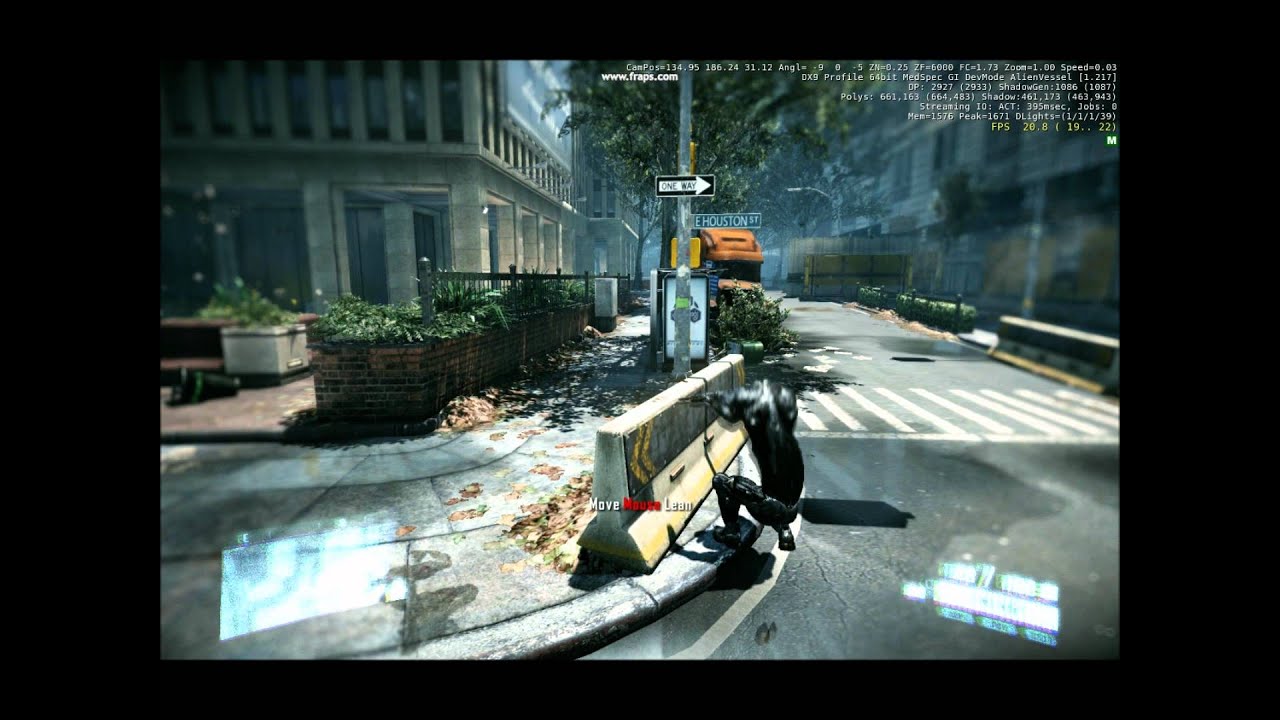
that's probably the "deformables" Crytek was advertising :D
You won't see this in the actual game and actually, one should admire that Crytek even uses a third person model to have correct hitboxes, many other games just have your arms displayed and nothing else.
The third person view is enabled in the editor via Trackview and a different c...
Upper half of the body is locked to the camera, lower is separate
river zodiac
Ok so I fixed my previous issue (mostly) and refined the system a bit, but I want there to be a second mode where the character leans forward further and enters a "6 Degrees Of Freedom" mode, unfortunately the the third person example blueprint has the camera rotation locked, does anyone have a quick way to unlock it without pulling up the C++ code? Or will I need to mess around with that to get anywhere?
river zodiac
Nevermind, I am foole, just found what should be a fix
 spice furnace
can someone tell how to make my first person char pick up item and attack using that item (I've never done any coding or blueprinting before)
i can't find any tutorial bout that
river zodiac
spice furnace
can someone tell how to make my first person char pick up item and attack using ...
I can get you started for sure, but I won't be great help
You will absolutely need some kind of inventory system for more than one, but here's a basic breakdown of how it usually happens
Part 1: If you want the player to be near the item to pick it up (like in Dark Souls, Monster Hunter, etc) you simply need to give the player a sphere collision that only responds to items (you can make custom types of object for collision purposes in the settings tab, abuse this!). Alternatively if you want the player to look at the item you need to make the player perform a line trace from the camera position and angle (you can get both of those from the context search menu with "rotation" or "location", use world versions of both!) that only hits items.
Part 2: You need to have a function or macro for every action the player will take with these items tied to an input action, but disabled. You'll also need either a way to quickly access the exact model used for the item, or to add every possible item to the character's hand properly and then to make them "hidden in game" until you need them.
Part 3: You need to give the items a unique identifier, anything from a name to a number, that tells the code what the item is and what it does, then you need to have the relevant details about the item stored somewhere, ideally in the item itself, so that you can tell the player to copy the identifier into either their inventory or hand and save all of that relevant information (though it might work better to save the relevant information from the item itself, as then you can keep track of what is needed and can just skip writing down the un-needed information for the item.
Part 4: Now unlock the correct function/macro from part 2, and either un-hide or add the properly positioned model.
there are other things relating to this like animations and inventory systems, but this is more-or-less how it works, there's a lot that needs to happen too so this isn't gonna be 100% accurate, it's just the fastest breakdown I can put together
I recommend mixing something like this (https://youtu.be/HnR1Gf5gXcY) with an inventory system tutorial and a tutorial on equipping things from an inventory

How to let your character pick up objects, Skyrim style (kinda...).
Twitter: https://twitter.com/Play_Ruff
Patreon: https://www.patreon.com/deanashford
 green eagle
Anyone have any opinions or references on whether its better practice to use a single "interface" with multiple "functions" or to create "multiple interfaces" with overlapping actors?
river zodiac
Are you talking about user interfaces?
sudden nimbus
green eagle
Anyone have any opinions or references on whether its better practice to use a s...
if you mean blueprint interfaces then each interface should do one thing, whether that's multiple functions or one depends on what the interface is meant to enable
green eagle
sudden nimbus
if you mean blueprint interfaces then each interface should do one thing, whethe...
bout what I figured just wasn't sure if what I have been working on is "best practice" or "worst" 😆
thank you for the feed back
green eagle
Struggling to think up how to start or go about creating a "puzzle"
There are 5 "instanced Actors" each has a "bool" for "bIsLit" which starts as 0 and when lit will be 1.
A door is set to open when all 5 instances of that actor are lit. Any direction on what to play with?
Thanks in advance
green eagle
river zodiac
Are you talking about user interfaces?
sorry i just saw you responded to that as well. Blueprint interfacing
 void needle
i have a problem, after changing resolution, my game is unplayable ( it becomes wide, and you cant see anything happening on the screen) does anybody know how can i fix it?
green eagle
void needle
i have a problem, after changing resolution, my game is unplayable ( it becomes ...
Where and how is Resolution being changed?
void needle
you just move screen
or auto
like, you just start the game, and it sees that you have iphone 8 with resolution 720x1080 (random numbers)
and after that, the game still need to look the same
green eagle
void needle
like, you just start the game, and it sees that you have iphone 8 with resolutio...
Im not horribly experienced with that but heres some info from udocs hope it might help in some way.
https://docs.unrealengine.com/4.26/en-US/InteractiveExperiences/UMG/HowTo/ScalingUI/
Shows how you can set up your UI to scale to different devices automatically using DPI Scaling.
void needle
ty, ill try it
trim matrix
green eagle
Struggling to think up how to start or go about creating a "puzzle"
There are...
I had something similar a while ago. i made a door actor which holds an array of switches, then each switch fires an event when it is switched. The door listens to those events and when all conditions are met, the door opens.
Event as in Event dispatcher, nto custom event^^
green eagle
trim matrix
I had something similar a while ago. i made a door actor which holds an array of...
not sure im following on the "Event Dispather" or the "listen" part of that. Switches hypothetically speaking or switches like script/code switches changing a value(ie. open/close) ?
Thanks for the feed back btw
 lime cairn
Can someone point me in the direction of how to choose an element from an array as a public variable?
As in, I've got an array ['A', 'B', 'C']. I put in three actors of the same BP with that array as a public variable. How can I choose a different element for each actor in the editor? With eg, a dropdown menu
trim matrix
Switches like actos in the world which u interact with (make them lit in your case)
green eagle
trim matrix
Switches like actos in the world which u interact with (make them lit in your ca...
Does this require a cast to each "switch" from the puzzle "door"
green eagle
lime cairn
Can someone point me in the direction of how to choose an element from an array ...
Might have to look into enums to get what you are wanting there. Sounds similar to some stuff I was doing with inventory templates and found arrays in BP to not be so helpful. Can't recall all of what i did. 😕
trim matrix
no, the array of references the door holds can be from the type of actor of the switch
green eagle
trim matrix
no, the array of references the door holds can be from the type of actor of the ...
So each switch is its own actor? or are they the same actor and different instances? Sorry for all the questions.
void needle
it didnt work
trim matrix
i will try to explain from scracth, gimme a minute
lime cairn
green eagle
Might have to look into enums to get what you are wanting there. Sounds similar ...
Ah thanks, I was barking up the wrong tree with structs

 green eagle
lime cairn
Ah thanks, I was barking up the wrong tree with structs
green eagle
lime cairn
Ah thanks, I was barking up the wrong tree with structs
Good Luck! And I might be way off! But the enums have been a great way to create unique id information between Objects for me. I was working on a complicated as all heck RPG inventory system template and enums had seemed to be the only efficient way to send unique data between things. Used ints and bitflags. Wish I had it more polished so I could send you screen shots. Been stuck on this tutorial project lately.
green eagle
trim matrix
i will try to explain from scracth, gimme a minute
This is what I have so far for a "need amount no order matters" type puzzle trigger system.
Uses an interface > when torch is lit sends a message adding an index to the array >
just realized how pointless that system using an array is.. could just use ++ #fail
 trim matrix
So you will have 2 actor blueprints. A) the switch B) the door.
The switch will have your variable "bIsLit" and a way to toggle this, i will leave that up to you. Whenever it is toggled it will fire the following event.
The switch also has an event dispatcher with the variable "bIsLit" (maybe named "Toggled").
The door will have a variable (instance editable) of the type of your switch blueprint, as an array.
On BeginPlay of the door, loop over the array and for each of those, bind a function ("HandleSwitchToggled" or something) to the "Toggled" Event of the object (switch is this case), so it gets informed when one of its switches is activated.
In "HandleSwitchToggled" you can check if all switches are lit and open the door if you need to.
When u place 1 door and several switches in the editor, you can fill the array of the door with those switches you just placed.
but always keep in mind, there is no perfect way to do something like this, just the perfect way for you.
in general i advise learning event dispatchers/handlers anyway cause they are quite useful for stuff like this
green eagle
trim matrix
but always keep in mind, there is no perfect way to do something like this, just...
I agree im following you a tenth of the way on that but it sounds legit. I need to look into that methodology. Thanks for the advice and help!
green eagle
trim matrix
yea its hard to grasp if you first hear of it
Its bugging me trying to think of where i heard of it before. Like which course was I doing where they implemented dispatchers. Must of been a long time ago.
trim matrix
green eagle
Its bugging me trying to think of where i heard of it before. Like which course ...
https://www.youtube.com/c/MathewWadsteinTutorials/search?query=event
I think this one is good enought to start

YouTube
This channel is dedicated to exploring Unreal Engine 4 and the Blueprint programming language that it uses. You can think of it as a companion to the API documentation as I try to cover the how and why for what things are used for when using the Blueprint system.
The master project for these tutorials can be found at https://github.com/MWadste...
green eagle
trim matrix
https://www.youtube.com/c/MathewWadsteinTutorials/search?query=event
I think thi...
AWESOME! Actually like that guys content!
Thanks again.
green eagle
trim matrix
yea its hard to grasp if you first hear of it
My next goal is to make it where the order in which each torch is lit matters..
sudden nimbus
ok im bored, whos got blueprint problems
trim matrix
green eagle
My next goal is to make it where the order in which each torch is lit matters..
once you get the hang of it, you will be able to do it this way aswell, since arrays have an order, you can check it in the handleswitchtoggled event aswell. and if u need, u can unlit all switches on wrong combination order aswell. neat stuff
green eagle
trim matrix
once you get the hang of it, you will be able to do it this way aswell, since ar...
if you at any point feel bold enough to send a screen shot example at anytime I would be very appreciative lol
green eagle
sudden nimbus
ok im bored, whos got blueprint problems
@void needle had an issue with UI scaling that I don't think got resolved not too far up
void needle
this is how it should always look
this is how it looks after changing resolution
oh
wanted to send ss also
but couldnt
i can resend them, if you want
green eagle
sudden nimbus
ok im bored, whos got blueprint problems
@lime cairn was seeking some advice or insight on an array/enum issue that I was only able to suggest looking more into enums for a solution but maybe you would have better advice
void needle
@sudden nimbus can you help me, plz?
 warped spindle
Hey. I have a problem with a bomb.
I've made a bomb ,but when I throw it it's taking life from all my actor (cubes)
I want to make it take lifes just from the cubes the sphere collision of bomb is touching.
sudden nimbus
void needle
this is how it looks after changing resolution
have you used the resizer in widget editor to see how your layout works for different sizes without launching on a platform?
void needle
no
trim matrix
warped spindle
Hey. I have a problem with a bomb.
I've made a bomb ,but when I throw it it's ...
when checking for overlaps, try to ignore the actor which spawned the bomb?
warped spindle
I've tried with" is overlaping" node ,but it doesn't work
No. It's not that the problem. Let me show you
sudden nimbus
lime cairn
Can someone point me in the direction of how to choose an element from an array ...
nothing I'm aware of that makes that a nice intuitive editor drop-down. Consider approaching it another way, like having a map from ID to value, or using primary asset IDs
sudden nimbus
void needle
no
do that, you should be able to understand how your widget will work at all resolutions right from the UMG editor
void needle
its not widget, its the game
sudden nimbus
void needle
i have a problem, after changing resolution, my game is unplayable ( it becomes ...
context link for convenience
ok so I assumed you mean your UI doesn't render as expected because the viewport is just a viewport
if you have a camera on 9:16 or 16:9 it just centers on the frustrum. So what is it exactly that you don't like?
void needle
that the game will be the same as before after changing resolution
like at the first ss, you can see everything, but at the second one, only the center
sudden nimbus
but those green squares look 2d, so it looks like umg
give some more info, your screenshots are not as obvious as you think
 teal dove
Hey guys, how can I save multiple actors and their respective transforms in an array? I know how to save actors in an array, but not how to save their individual transforms with them.
void needle
maybe i can dm you?
sudden nimbus
nah do it here, everyone else does
void needle
ok
so my game is a 2d game
and as you can see
it completely changes after changing resolution
and what im trying to do
is to make game look the same
like it does with aspect ratio
but without black cubes
thats all
sudden nimbus
teal dove
Hey guys, how can I save multiple actors and their respective transforms in an a...
saving actors themselves is much harder than saving the transforms of those actors. If you are truly saving the actors then it already includes the transforms of them. I'll assume you are saving part of the actors like their stats or something. You could add a FTransform to whatever structure is saving the "actors" or make a struct that has that data as a field alongside a Transform
sudden nimbus
void needle
thats all
yeah but if you aren't using umg to lay out those rows of green bricks than it's some custom code that I don't have. Can't tell you how to fix what I can't see
teal dove
sudden nimbus
saving actors themselves is much harder than saving the transforms of those acto...
My case is that I have areas where the player can go to - in these areas I spawn different actors (like rocks)
Now if the player leaves the area, I delete these actors - and when he reenters it, I want to spawn the same actor at the same location. So I need to somehow save the actor class in an array with the respective transforms.
void needle
i actually dont know what umg is
sudden nimbus
I mean you started off mentioning iphone, then gave us screenshots that show a verical layout becoming a landscape layout
can't do anything with that, it doesn't make sense
more information required
sudden nimbus
teal dove
My case is that I have areas where the player can go to - in these areas I spawn...
ok I see, so you are saving just the class rn
assuming rocks is a standin because apart from some very specific gameplay scenarios I can't imagine rocks states being worth saving, but yeah you need to make a blueprint structure with a class and a Transform and save that
whatever save means here--
the array would be of the new struct type
teal dove
sudden nimbus
assuming rocks is a standin because apart from some very specific gameplay scena...
Yeah it just needs to be the same actor class and the transform of it, so that it spawns in the same location with the same rotation.
I will look into array with struct, thank you for your help 🙂 🙂
sudden nimbus
np hope it's helpful
sudden nimbus
void needle
i actually dont know what umg is
umg is the UI system for unreal
it's used for things like 2d layouting
but if you've got a 2d game then it's all gonna be custom so I dunno without something more concrete
 bright dirge
Hello, does anyone know if there is a difference between those two nodes ?
 surreal peak
Iirc Assing is used for Local Variables in Macros to set a value on them.
Set By-Ref Var is used for variables that are passed into the Macro via Reference.
bright dirge
is it only to differentiate or it work differently ?
surreal peak
Idk how Macros work exactly, but they probably work differently
You can look at the StandardMacros for ForLoop and Increment Int to see usecases
bright dirge
okay will do some test to check in more details thanks
surreal peak


Parameters that are not passed by references are copied into the function scope.
So modifying those will NOT modify the original variable.
bright dirge
the macro scope you mean ?
bright dirge
what i understood was that macro were just copying their nodes where they were used
surreal peak
Yeah idk how they work exactly. I probably haven't created more then 2 macros in the past 3 years or so :D
And those were probably inverted for loops
Which by now are in the engine anyway
bright dirge
yeah i don't really like macro either but since we don't have template in blueprint i have to use them 😦
warped spindle
trim matrix
when checking for overlaps, try to ignore the actor which spawned the bomb?
I've made it work. It was indeed the overlaping ,was too big when i spawned the bomb.
trim matrix
warped spindle
I've made it work. It was indeed the overlaping ,was too big when i spawned the ...
that is a common problem, dont worry 😉
surreal peak
Is that a moving bomb?
There is a function, I think on the PrimitiveComponent (or maybe just the Actor), that is called "IgnoreActorWhileMoving"
You usually want to set those
E.g. Instigator and Owner are common actors to ignore
 fast fiber
I'm pulling my hair out over relative rotations
I thought it'd be simple, but I must be misunderstanding something
I have one mesh socketed to another, the Z axis of the child mesh points along the desired axis of rotation

Changing the yaw value in this tab does what I would expect, and rotates the child mesh

however when I look at the relative transform, it's swapped the axes around so that the yaw value in the actor editor becomes the pitch value in the game:

^ what i'm getting, vs what i expect:

this is an issue because I'm trying to set the yaw angle of the wheel to make it appear to turn, but specifically the pitch axis cannot be used for it
because of the gimbal lock problems around +-90 degrees
so I really need this to be the yaw axis

I still have the same issue when I try to get by the parent socket
world rotation is no use either

how can I get/set the angles of the Yaw Control Wheel mesh in a way that matches what I can manually set in the Actor editor?
trim matrix
So i have a get control rotation node, and i want it's pitch to go from -90 to +90, instead it goes from 270 to 90, how do i fix it?
warped spindle
I have a problem with a bomb. All it's working fine except the destroy actor.. when the bomb explodes i what to have a delay for about 0.2 Sec ,but the delay it's no working.
When i put just the destroy actor it works fine.
 deep warren
warped spindle
I have a problem with a bomb. All it's working fine except the destroy actor.. w...
deep warren
warped spindle
I have a problem with a bomb. All it's working fine except the destroy actor.. w...
Check SetLifespan
surreal peak
Also post your code
fast fiber
nobody have any idea how to fix my rotation issue?
warped spindle
deep warren
Check SetLifespan
Thanks you very much!!!
surreal peak
fast fiber
nobody have any idea how to fix my rotation issue?
I'm thinking about it atm
fast fiber
ah, thank you
surreal peak
If you want to work in relative space, why do you set the WorldRotation
surreal peak
trim matrix
So i have a get control rotation node, and i want it's pitch to go from -90 to +...
- 180 maybe?
fast fiber
surreal peak
If you want to work in relative space, why do you set the WorldRotation
I was trying set relative rotation but that doesn't help either
it still puts the editor yaw value into pitch
bright dirge
fast fiber
I was trying set relative rotation but that doesn't help either

worked for me
just change which axis you rotate around depending on your set up
fast fiber
yes, but i can't just do that for pitch
i'm copying the angle of a second component
which will be 180 to -180
but the pitch channel only goes 90 to -90
because of gimbal lock
in local coordinates, i am indeed rotating around yaw so that's fine
but for some reason the relative rotation etc is showing my yaw as pitch
bright dirge
which other component ?
fast fiber
the parent

grey component rotates relative to white one underneath
i want the orange component to rotate to match the twist angle of the grey and white constraint
bright dirge
you rotate orange to make grey rotate or the opposite ?
 stray rain
Hey guys a quick question.
When I start my game from "the main MENUMAP" and go into a gamelevel it does not posess the characters.
But when I go start from the GAMEMAP directly it (in the editor) works. What could be the problem? is it possible that the gamemode is not changing from the menu to the levels?
fast fiber
and attached at a socket
bright dirge
okay so if i understand correctly you want to get the rotation angle of the gray wheel and copy it to the orange wheel
fast fiber
not exactly, but yes basically
the issue i'm having isn't in getting and copying the angle
it's in setting the angle of the orange wheel
what i can set as the yaw angle in the editor is the pitch angle in blueprints
surreal peak
I would suggest a few steps
surreal peak
Place the actor itself unrotated into your level
And just apply relative rotation to the orange wheel
See if that works
Then rotate the actor and do the same
See if it still works
There might be some world/relative shit going on
bright dirge
if i am not telling crap i don' tthink there is gimbal lock with quaternion which is what ue use
surreal peak
You are telling half crap
fast fiber
blueprints uses euler angles to make quaternion
surreal peak
It is correct that Quaternions don't have that problem.
it is correct that UE4 uses Quats
But BPs don't.
So maybe 1/3 crap
bright dirge
not bad
surreal peak
Either way, without debugging this a bit more I won't be able to assist much
Do some tests in situations where you 100% expect a given result
Don't try ot get the whole thing working at once
surreal peak
Then what is the result of just rotating the wheel
With the actor itself being 0,0,0
fast fiber
The axes are incorrect
like I said before
rotating pitch rotates what should be yaw
etc
surreal peak


This works for me
The smaller box rotates around it's z axis
No matter the rotation of the whole actor
So something must be wonky in your setup
The second scene root is rotated so that the z axis faces inwards
Maybe attaching it to the socket is your issue, because you aren't keeping that rotation "alive"?
Try plugging a scene between it
@fast fiber
fast fiber
i'll try that
where are you getting that relative rotation node?
the closest I can find is Get Relative Transform
stray rain
do you guys set different gamemodes for different levels?
like, the mainmenu, do you have a different gamemode for that one?
stray rain
for each level you can change it ?
surreal peak
Depends on your game
If you have one common gameplay then one GM for the Gameplay is fine
GameModes are a remnant of Unreal Tournaments GameModes
stray rain
the problem I have is that when starting my game from the mainmenu, and then go into a level the possessing (that I have in the gamemode) is not working
but it does work when starting the level directly
bright dirge
fast fiber
i'll try that
Did exactly the thing you wanted to do without the socket part
 surreal peak
You can usually set the GameMode in multiple ways. First one is via Project Settings -> Maps and Modes. That defines the Default GameMode to use if nothing else is specified
Next up is per Map, where you open your Map in the Editor and change the GameMode to another one in the Blueprints Dropdown at the top
And the last one is dynamic, by supplying your OpenLevel/ServerTravel with the option ?game=Shortcode
Where Shortcode can be setup in Maps and Modes again, in the top most advanced menu. Game Mode Class Aliases or so
stray rain
I only kindof understand blueprints for now 😄
Im gonna do some debugging and check what isnt working
fast fiber
surreal peak
Nothing special. It's the variable itself
I must be dumb
But I can't find that anywhere
surreal peak
It's just a public member variable. You should be able to find it by dragging off a component and searching for it
Get Relative Rotation
surreal peak
Yeah it's context sensitive
The variable is part of the component class, so kinda need the component class :P
surreal peak
Can you not parent the mesh to the socket for testing
fast fiber
 stray rain
surreal peak
Next up is per Map, where you open your Map in the Editor and change the GameMod...
stray rain
surreal peak
Next up is per Map, where you open your Map in the Editor and change the GameMod...
U figured it out, I "set input mode game and UI" somehow it possessed but I wasnt able to get any input across
fast fiber

same result with it not parented to the socket
oops, unparented wrong thing from socket
now the rotation in the editor doesnt make any sense
 surreal peak
I just double checked. Mine prints yaw 180 if it set thati n the editor
fast fiber
Z axis is clearly coming out of the face of the crank, as I want
but then when I rotate about the Z axis in the editor

it actually rotates around the X axis
surreal peak
What's the Hierarchy
fast fiber
 surreal peak
What is Turret Floor
 surreal peak
Can you set all rotation to 0,0,0 on the orange one
And then adjust the Yaw, what does happen?

 surreal peak
And Pitch and Roll also make sense?
You can't do this without the SceneComponent in between
The Rotation is not relative to the components coordinate system
But to its parent
Add a SceneComponent between the gray mesh and the orange one
And set the orange one to 0,0,0
Then adjust teh scene component so the orange thing is point where you want it
Then it should work
fast fiber
I see, so a SceneComponent is like a local coordinate system?
surreal peak
Sort of
I think the main issue you have here is that you are mixing up what Relative Rotation means
It's not the Local Rotation of the Component in its own Coordinates
It's relative to the parent's Coordinate System
So what you saw in the Editor with "yaw is suddenly pitch" is totally correct
The Rotation is NOT relative to the Socket
It's relative to the Mesh
So if you plug the orange mesh into the socket location, it just inherits the rotation instead of having a relative 0,0,0 to the socket
fast fiber
Still not getting the result I expect
I've put the scene component in
and the wheel is at 0,0,0 rotation in it
bright dirge
fast fiber
Still not getting the result I expect
did you check my example ?
fast fiber
however, i'm still getting the yaw axis as the pitch axis etc in the editor
surreal peak
Can you show the hierarchy and the code


 surreal peak
For one the SceneComponent isn't parented to the correct parent I think, but that shouldn't matter
You are not by any chance modifying the rotation somewhere still?
fast fiber
definitely not
 vale grove
are spline mesh collisions broken? I've read some old threads that they are, not sure if it's still the case but I can't seem to get things working properly
surreal peak
fast fiber
definitely not
Not sure atm then. I get it to work fine in my minimal setup that I posted.
bright dirge
i repeat but this work and does what you want to do to

you just need to adjust the axis depending on your setup
bright dirge
its used to store the initial rotation of your orange wheel
fast fiber
surreal peak
Not sure atm then. I get it to work fine in my minimal setup that I posted.
do you mind showing me the heirarchy for this?
surreal peak
I think I did already
bright dirge
staticMesh is your orange wheel and shape cube is your grey wheel
fast fiber
yep, i saw
drowsy anvil
hello, I need an action that starts after 2 keyboard presses of the same key, instead of one
how would I do this?
 eager field
drowsy anvil
how would I do this?
eager field
drowsy anvil
how would I do this?
flip flop node
use the b in flip flop mode for 2nd press and a for the first press
bright dirge
flip flop node don't take into account the delay between key presses
eager field
yea
bright dirge
what you want to have is an input buffer
eager field
i have a question, how can i cast an actor to get a variable from it, well i know how to cast but in my case i have no way to find a parent or something related to it to put something in the object node
surreal peak

Announce Post: https://forums.unrealengine.com/showthread.php?101051
This Training Stream takes a look at Blueprint Communication. We find that Unreal Developers of all levels can sometimes struggle through the concepts behind moving data between objects. So in this video we'll take a look at the different ways to make Blueprints talk to one an...
By learning how to properly reference things
eager field
surreal peak
https://www.youtube.com/watch?v=EM_HYqQdToE
uhh bro, i know how to properly reference things, and its easy if it was doing it in an overlap event or something to get the other actor for it but thats not my case
fast fiber
got it mostly working now, but there's an issue at the 180/-180 crossover
bright dirge
?
fast fiber
uploading a clip, one mo
eager field
i even tried this
 bright dirge
eager field
i even tried this
bright dirge
eager field
i even tried this
what is your use case then ?
eager field
bright dirge
what is your use case then ?
the oscserver actor blueprint records values and under a specific condition of those values it sets a boolean variable, and i wanna get that variable in my other character controller blueprint when i press a button
bright dirge
oscserver inherit from what ?
eager field
bright dirge
oscserver inherit from what ?
thats what i am trying to wrap my head around, i have nothing to make it inherit from
bright dirge
you have a blueprint oscserver
eager field
yes and i wanna cast it in my player controller blueprint
 last abyss
you already have the reference using get all actors of class ?
 eager field
last abyss
you already have the reference using get all actors of class ?
eager field
last abyss
you already have the reference using get all actors of class ?
it doesnt work
bright dirge
what is it parent ?
eager field
thats my question too
surreal peak
Open it and look into the top right corner
bright dirge
look at the screenshot and you will have your answer
top right
under class option
surreal peak
Also GetAllActorsOfClass is a poor solution.
eager field
parent class is actor yes
eager field
surreal peak
Also GetAllActorsOfClass is a poor solution.
i know its just one of many i tried
bright dirge
then you have to drag and drop into your level to get get all actors to work
surreal peak
You cast looks just fine
The blue just means that the cast is redundant
Because the Node already casts internally for you
At least in that specific case
eager field
yea but the cast doesnt work
surreal peak
Do you get any errors when you stop playing?
eager field
i tried to make print string if the cast works
surreal peak
Especially Accessed None
eager field
surreal peak
Especially Accessed None
not when i tried casting but i got it when i used actor class method to cast
surreal peak
How do you spawn that Observer Actor?
eager field
surreal peak
How do you spawn that Observer Actor?
that just gave me an idea! I can spawn it to make it inherit
 surreal peak
Spawn it to make it inherit?
fast fiber
Here's that rotation bug I mentioned, tried clamping the range to 0/360 with map range clamp but the behaviour was the same (angle clamp only returned 0 for some reason)
surreal peak
You are mixing up quite a lot of terms
eager field
surreal peak
You are mixing up quite a lot of terms
i can spawn my actor from which i can get the return node to make my cast inherit from it
surreal peak
The word inherit is just wrong here
Inheritance happens when you create your BP class based of a parent class
Not when spawning or casting
Your Observer Inherits from AActor
That's it
Getting the basics right helps a lot
eager field
surreal peak
Your Observer Inherits from AActor
yea it does, it inherits from the actor which i will spawn
bright dirge
fast fiber
Here's that rotation bug I mentioned, tried clamping the range to 0/360 with map...
screenshot your graph
surreal peak
But yeah, if you spawn it you can save the reference. Then you don't need to cast anymore though
eager field
surreal peak
Getting the basics right helps a lot
I am clearly a beginner who is just running around with unreal documentation to do stuff
fast fiber

i don't think this is a graph issue
it's something to do with the rotation
the transition from 180 to -180
surreal peak
eager field
I am clearly a beginner who is just running around with unreal documentation to...
Well yeah, but you will have to learn and understand the basics of programming.
Inheritance, casting and especially how to use references properly.
You wrote you know how to do this, yet you are here mixing up terms and using GetAllActorsOfClass and what not
But again, if you spawn it, you can save the reference. Saves you the casting and what not
eager field
surreal peak
Well yeah, but you will have to learn and understand the basics of programming.
...
this is my first time casting and referencing, but i do know how parent classes work and I do know the basics of programming
bright dirge
fast fiber
what is yaw crank ?
 lone knoll
Hello! I was wondering how I would create perlin noise in UE5 with blueprints. All I can find is 1D perlin noise, but I need 2D. There aren't any plugins that do this for UE5, and the ones that work from previous versions are only for materials.
I want to use this for terrain generation.
 bright dirge
look at my example you have to use the inital rotation
surreal peak
lone knoll
Hello! I was wondering how I would create perlin noise in UE5 with blueprints. A...
lone knoll
Ok, sorry
bright dirge
you have to add the current rotation of the grey wheel to the starting rotation of the orange wheel
that what new var and combine rotator is here for
fast fiber
bright dirge
you have to add the current rotation of the grey wheel to the starting rotation ...
I don't see why
I already have the SceneComponent parented to the grey wheel
the issue is that the physics constraint swing angle doesnt go from -180 to 180
bright dirge
print your orange wheel relative rotation on begin play
fast fiber
it goes 0 to -180, then rolls back past 0 to 180
bright dirge
you will see its not 0, 0, 0
surreal peak
Pretty sure the issue is that it chooses to take the direct and not the shortest path
fast fiber
no, look at the print out from the physics constraint swing angle

-160

-80

80
160

it doesn't go 0 to 180 to -180 to 0
it goes 0, -160, 0, 160, 0
surreal peak
Can that have to do with your Constraint?
What if you use the Yaw of the Mesh directly
fast fiber
the angle of the wheel should be based on the relative angle of the grey and white parts
so the constraint is the most convenient way to get that
fast fiber
is this weird not-crossing-180 behaviour just a bug in the constraint code?
surreal peak
Idk
But instead of using the constraint, try the rotation itself and see if that works
You can always math out the angle between the two platforms
fast fiber
i can't find anything anywhere about how this is meant to behave
just seems to be a problem with swing 1
reorienting the physics constaint to use twist instead lets it rotate fine
 faint pasture
@fast fiber What exactly are you trying to do?
fast fiber
this (it works now :D): https://streamable.com/2zb70c

making it appear that the handle is turning the turret via some kind of geartrain
 ember veldt
I have a simple AI Move to, on success do damage script for an AI. However it is sometimes firing success despite being out of the acceptance range by a large margin. Any tips?
green eagle
anyone have any ideas what could be causing the "add controller pitch" to not work?
Looking at the Default "ThirdPersonCharacter_BP" it looks as everything is correct. But the Pitch won't change.
 ember veldt
green eagle
anyone have any ideas what could be causing the "add controller pitch" to not wo...
ember veldt
green eagle
anyone have any ideas what could be causing the "add controller pitch" to not wo...
Does the pawn/camera inherit pitch from controller?
green eagle
ember veldt
Does the pawn/camera inherit pitch from controller?
You mean like here? Not sure where I would see/set/change that.
The yaw from controller works.

and thank you for your response
ember veldt
In the Class Defaults tab at the top of the blueprint

Oh it's a 3rd person, you will want to set it in the spring arm I believe. My bad
faint pasture
green eagle
anyone have any ideas what could be causing the "add controller pitch" to not wo...
The Control Rotations Pitch is updating fine, you're just not using it anywhere. Look at your spring arms settings
green eagle
ember veldt
In the Class Defaults tab at the top of the blueprint
That was it! Thank you so much.. Never had a clue about that toggle... for like a year now any time i had this issue I just switched around and made the spring arm change relative as a work around. . . #thanks
 green eagle
faint pasture
The Control Rotations Pitch is updating fine, you're just not using it anywhere....
green eagle
faint pasture
The Control Rotations Pitch is updating fine, you're just not using it anywhere....
Thank you for the feedback. I needed to click that toggle for the controller defaults.
green eagle
Man that caused a couple weird things. Looking back at the "ThirdPersonCharacter_BP" the default does not have those boxes checked. So I feel something else is off.
Now the character's mesh moves with the pitch which looks really janky.
faint pasture
green eagle
Man that caused a couple weird things. Looking back at the "ThirdPersonCharacter...
Control Rotation is just a rotation that can be used for stuff. You can use it to drive anything. Typical 3PS setup is to have the capsule use control rotation yaw, and camera boom use yaw and pitch
You can have capsule use none of it tho if you want, and use orient rotation to movement. Depends on how you want things.
 quasi frost
How do I tell a widget to be screen or world space in blueprints when creating it?
green eagle
faint pasture
Control Rotation is just a rotation that can be used for stuff. You can use it t...
Sounds like youre saying I should just stick to how I had it working and move on from the inconsistencies I noticed between my work and the template in UE4 3PCharacter. Thanks again man.
surreal peak
quasi frost
How do I tell a widget to be screen or world space in blueprints when creating i...
WorldSpace only works via WidgetComponent. Otherwise you'll have to math out the conversion between world and screen space and position the widget yourself
 brave tree
My team moved an entire folder that was being loaded as a Mod plugin into the game folder, they fixed up all the redirectors, but for some reason the console commands to spawn assets still work with the old paths, shouldn't the redirectors be deleted now that all assets have been resaved with the new redirected references? How can I check the existing redirectors?
steel sequoia
what is this for and how do I use it?
 sudden nimbus
steel sequoia
what is this for and how do I use it?
sudden nimbus
steel sequoia
what is this for and how do I use it?
That is for passing data to the new level
You can use it however you want
steel sequoia
@sudden nimbus how do I recover that information when the new level loads?
for anyone who saw my dilemma yesterday, If you want AI to navigate through an object you can tick this box on the object once it is in the world

 sonic silo

 fading wren
i would like to rotate character, SetActroRotation, doest fit for that, because i am using AddControllerYawInput, so everytime i am using SetActorRotation, it rotate player for like 1 second, and then player rotate to position, that was before. So i am using AddImpulse(charactermovement). So question is how use rotate from XVector with AddImpulse ?
sudden nimbus
steel sequoia
<@!138013505545568256> how do I recover that information when the new level load...
well you can override InitGame from C++ on your game mode-- not sure if its exposed to BP though
alternatively you can save some info to your GameInstance and then fetch it out in the game mode when the level is loading
GameInstance remains alive the entire life of your game, Game Mode is per level
sudden nimbus
that statement doesnt make much sense --- the idea would be you would add variables to your Game Instance blueprint, then you would obtain the game instance using Get Game Instance and cast it to the specific subclass whereever you are doing the Open Level, then save your data onto Game Instance, and then in your Game Mode, do the same thing to get the game instance, and read the data out of the variables
you cannot get back the data you pass to "Options" on the Open Level with pure blueprint though to be clear (as far as I can tell)
but you dont need to pass anything there
 maiden wadi
@steel sequoiaI used that a lot in my Gamejam game. All you need to do is set a value and separate the entries with ? So like... "PerformanceMode=1?MyOtherOption=32?OptionNumThree=4" Then GetGameMode, GetOptionsString, and use GameplayStatic's GetIntOption or ParseOption

For instance.
steel sequoia
thx bro :)))
trim matrix
can anyone explain to me why sometimes a spline component is purple and cannot be edited ?

 cursive path
Hi i very confuse where i should put my blueprint for exp and level because there is gameinstance and function library and macro library too much info with this and now i cant decide what is the best to work with
sudden nimbus
maiden wadi
<@!286956637351182337>I used that a lot in my Gamejam game. All you need to do i...
oh my bad OptionsString is on GameModeBase not my subclass. well +1 for bp exposure
 marble tusk
trim matrix
can anyone explain to me why sometimes a spline component is purple and cannot b...
marble tusk
trim matrix
can anyone explain to me why sometimes a spline component is purple and cannot b...
I think that means you're programmatically creating the spline from within the blueprint using the "add spline component" node, and by default it doesn't let you edit it since it expects you to be programmatically editing it within the blueprint. This helps prevent you from messing it up with manual edits, but there's options to change this for when you do want to manually edit it.
Select the "add spline component" node, then in the details panel there's a few check boxes that's change this behavior. I think they're called something like "Input Spline Points to Construction Script" and "Modified by Construction Script" which either one or both might be needed to make it editable and work as expected again.
 willow phoenix
i spawn a child actor component via a "masterblueprint". how can i set a value in that child actor component? i tried blue print interface, but i can't even get it to print a "hello"
 fast blaze
hi! can't understand how to trace the angle of the left stick of the controller, maybe you can help me... trying inputaxis moveright, but it outputs symmetrical values from the top and down part of the stick... any ideas?
like I need to track point on 360 degree distance of the stick
sudden nimbus
willow phoenix
i spawn a child actor component via a "masterblueprint". how can i set a value i...
first off, child actor component is frustratingly limited. To answer your question though, you can set properties for the child actor in editor using Template, and at runtime just use the Get Child Actor I believe and cast it to your actor
I heard child actor was an afterthought for some licensee that needed it so it doesn't get a lot of love
you are likely trying to treat the component as the actor but that's not how it works
sudden nimbus
fast blaze
hi! can't understand how to trace the angle of the left stick of the controller,...
think of it like a 2d vector, you just need another vector that would be zero degrees, then get the angle between them
a handy way to do that is to make your two vectors as 3d with zero for Z's and then use find look at rotation, and then take the Z (yaw) from it
trim matrix
marble tusk
I think that means you're programmatically creating the spline from within the b...
actually I wonder if this is a bug. Splines become this color not because they are created with a node, but when I use Ctrl+C / Ctrl+V to duplicate them from an existing spline. This does not happen if I use the "Duplicate" command instead of copy and paste.
willow phoenix
that explains why its such a pain in the ****
sudden nimbus
yeah.... its
its weird
but it works i guess
easy to debate really -- for instance you cannot edit the template of it when placed in the world, but you can in a subclass blueprint
why? i dunno
 dawn warren
Hello guys! Can you indicate me some tutorial or guide on how create Lifters/Platforms up and down in an online experience? Im using dedicated server, my code of elevators is using the timeline and "Executes on server" and "Multicast" nodes, but in the major time is not working properly. Thanks!
 winter burrow
Im looking at the Greystone paragon BP and im trying to convert it to C++ for fun. Im struggling to understand when the "ResetCombo" custom event is being called in the event graph
does anyone have any idea?
facepalm that makes sense
Ok so I can set the anim notify on the montage and then call it as a function in the switch set?
Oh I see..Let me play around with the anim notifies and see if I can get it working. This was surprisingly not as hard as I thought it would be, though I had never used a switch in c++ before so that was interesting
appreciate the point in the right direction
It uses it in the BP?
 runic granite
can someone help me with this error?
Blueprint Runtime Error: "Accessed None trying to read property K2Node_DynamicCast_AsBP_Weapon_Master". Blueprint: BP_PlayerCharacter Function: Set Muzzle Rotation Graph: SetMuzzleRotation Node: Set MuzzleRotation
winter burrow
its definitely the closest Ive gotten to making a combo system in c++
bp was quite a bit easier but it got messy and complicated
this switch method seems surprisingly easier

 broken wadi
Not sure why this ammo box wont respawn. I was able to make other actors respawn without any issues. Any help would be much appreciated.

It gets destroyed but the last two nodes the delay and spawn don't seem to be working.
 summer jetty
Might be a weird question, but can I use two save game blueprints for my game? I want to create one ‘slot’ that runs for every single game regardless of which character is chosen (which all have their own slots). The game settings (volume, graphics, etc) are created in a separate menu before a character is created/selected (so potentially before a character save game slot exists). Not sure how/where to save the chosen game settings unless I use a separate save game blueprint that creates a slot when the game is first loaded and always uses that slot regardless of which character slot is then loaded afterwards. Is that even possible (running two slots together)?
summer jetty
Ooooh ok. I was expecting to get a ‘no lol’! So that’s good to know! Cheers
I understand the concept, but hadn’t seen anyone mention multiple blueprints before (just multiple slots from one blueprint). That’s really helpful!
Neat 👍🏻
 open crypt
I want to teleport an actor but remove certain units around that actor when it shows up - I could try to do some find point in box and see if that compares, but wouldn't it be better to just make an overlap event that compares if it matches the object in question (probably a cast) and then destroys that actor? Then I could trigger the event by simply turning on collisions so that overlap event fires - (this BP is actually stationary but I use it as a placeholder for the main actor - but I need to make sure that this space isn't occupied, (but I don't know when they will move, so it has to be a dynamic event that doesn't just remove everything that passes through it
But which one should I use?

 lusty hedge
I have made this blueprint to test to see if the paperCharacter is moving up down left or right. if he is moving it should play one of the flipbooks. but no matter what i try. the idle animation is all i get

 topaz horizon
Hey guys, I'm an unreal engine beginner 😅 . I tried to make a blueprint to allow an enemy to follow the main character. No matter what I do the animation is always just the idle animation. Here is the screenshot. Pls give help.
 open crypt
topaz horizon
Hey guys, I'm an unreal engine beginner 😅 . I tried to make a blueprint to allo...
open crypt
topaz horizon
Hey guys, I'm an unreal engine beginner 😅 . I tried to make a blueprint to allo...
check your Mesh and look on the right side make sure it's set to "USE ANIMATION BLUEPRINT"
might have defaulted to nothing
but you should REALLY take a class on udemy or unreal or whatever youtube series
topaz horizon
oh yeah I learn from a youtube series. I chose unreal engine as my first engine to work with cause it seemed cooler than unity
and i'll check to see if that was the problem
topaz horizon
open crypt
check your Mesh and look on the right side make sure it's set to "USE ANIMATION ...
It actually isn't the case. It's set to use animation blueprint and I made my own blendspace so it should work fine. I know the blendspace is fine.
open crypt
Use the playmode "simulate" and click on the character, then go look at the blueprint and choose the instance of it it will say selected here
 topaz horizon
ok one min
it says "CorpseCharacter" which is my character. Idk what is wrong. I also did the nav mesh so that isn't the problem
open crypt
you can lliterally look at your animation blueprint to see what is happening
topaz horizon
oh all that's happening in the viewport is just the character playing the idle animation
or do i look somewhere else?
open crypt
look at the state machine and the anim-graph
you can even test it out before the game, change the default values of the variables that control your blendspace
topaz horizon
oh ok. cool. thanks for your help
one min
let me just check that
it says the speed of my character is 0 when i checked, and when i checked the state machine it's on the idle animation for when the speed is 0
open crypt
set the speed to something that should change whatever your blend space is set too
if that updates correctly, then your ANIM BP is fine
topaz horizon
oh really that's it? thanks for the help let me try that.
oh wait. when i set the variable speed to the speed value I want, after i start simulating again it just goes back to 0
just so you know im on unreal 4.26
srry i gtg
ill fix the bug another time
bye
 proud sable
Kind of a dumb question on my part but how do I properly cache(?) a variable? I want to temporarily lower an enemy actor's movement speed then return it to the previous value after a number of seconds without hard coding the values.
What I have so far is Cast to Enemy > Get Character Movement > Promote to Variable "Character Movement Cache"> Get Character Movement (From cast node) > Set Max Walk Speed 0
Then when the effect ends I get the max walk speed from the cached variable, set the walk speed from the cast variable with that, then print the new value and it's still zero.
E: Tried getting the walk speed variable first and setting that instead of character movement, this worked but I'm not sure what the difference was. 
 onyx token
I wanna switch these depending on a boolean...
How can i do that?
 broken wadi
onyx token
I wanna switch these depending on a boolean...
How can i do that?
broken wadi
onyx token
I wanna switch these depending on a boolean...
How can i do that?
Might work with a Flipflop node. https://www.youtube.com/watch?v=ReMToas_8Yg
onyx token
hmm... well i googled, apparently all the sequence / branch / flipflop / etc. etc. nodes are all for signals, not for variables
which means i guess i have to compact all of my spaghetti into a bigass function and just copy that one a couple times
broken wadi
If you make a new boolean variable then you can flipflop it
 sand shore
@onyx token @broken wadi Select
onyx token
sand shore
<@359809433771180033> <@718923652137222205> Select
oooh that seems to be it!
Thanks!
 fast gale
proud sable
Kind of a dumb question on my part but how do I properly cache(?) a variable? I ...
fast gale
proud sable
Kind of a dumb question on my part but how do I properly cache(?) a variable? I ...
Maybe, when the effect ends, just apply the effect value*(-1), with protection handling of it exceeding max.
river zodiac
https://youtu.be/c3rQCp5ddJY
Ok so I've nearly completed the flight system I've been working on, but I have two issues I need to fix: firstly the character's friction when flying is absurdly low, but I want this ability to be for a highly controlled flight, I know that that the flying movement on the movement component has a ton of hidden settings but is there a way for me to access and set them without using C++? I have magic node installed so a small amount of C++ isn't much of an issue but I want the game I'm working on to run almost 100% in blueprints to make modding it easier, so minimal C++ is highly preferred. Secondly the camera's Yaw input inverts when the player is upside down, is there a way for me to force the camera manager to handle all input as relative rotations or will I need to invent a new rotation system?
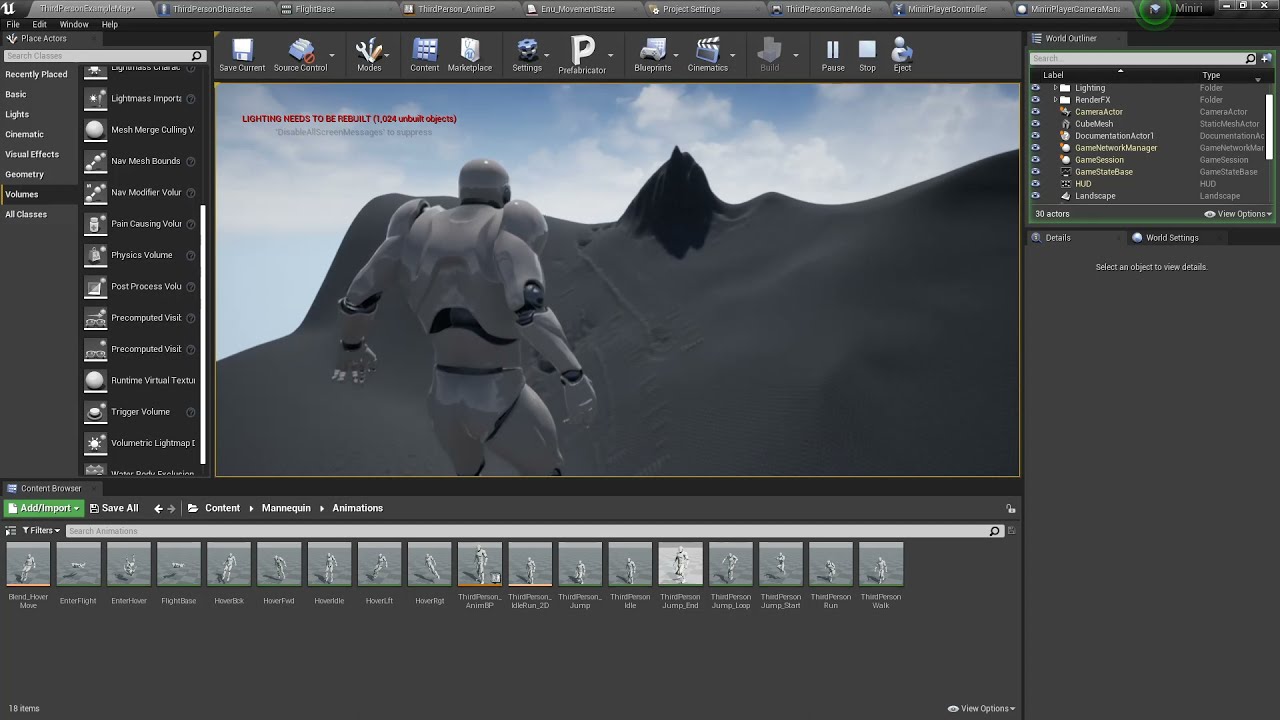
You could almost make an entire game around this ability, maybe I should do that and call it "Symphony", I hope if I did it turned out good and not barely passable corporate slurry created by artists who are really better than that.
 solemn musk
Hello so I am made a blueprint with a bunch of child blueprints and I was wondering how can I get all those child blueprints without placing them inside the level into an array and without adding them in manually?
sudden nimbus
solemn musk
Hello so I am made a blueprint with a bunch of child blueprints and I was wonder...
I actually think there might be a way but what is the goal
in most cases what you really want is the Asset Manager and primary asset types
enumerating all of the classes would require them to be loaded
primary assets remove that restriction
solemn musk
I am making weapons, and I use child blueprints, and I wanna make a menu thatll load those weapons that the player can choose
sudden nimbus
yes perfect, use primary assets then
solemn musk
Im basically trying to do a gmod like thing
sudden nimbus
solemn musk
I am making weapons, and I use child blueprints, and I wanna make a menu thatll ...
so my recommendation is to make a struct that represents a weapon. Put the info about the weapon here, including a class reference to your actor class for the weapon
then use a Data Asset for each weapon
and set up a Primary Asset type in project settings for it. Put all your data assets in one folder and tell the primary asset type about that folder
might actually be a Blueprint Class not a Struct for the type of the data Asset actually
solemn musk
wait isnt it possible for me to just put everything in the structure into an array then?
that way I can just add it in the list as I go?
sudden nimbus
if you do that, then all weapons will always be loaded
might be fine for you
primary assets let you load them on demand, and unload them on demand as needed
if you are going to have hundreds of weapons, then it matters
plus, it's nicer to just put it in a folder rather than have to mess with a big array in details
for one thing, you get the amazing Bulk Edit feature
so for instance if you add stats to the weapon or something, you could edit all the weapons stats in a nice grid view all at once
sudden nimbus
the reason for the extra structure, instead of just using your actor base class as the primary asset type is because it's kind of stupidly annoying to have a blueprint class as a primary asset
you almost certainly would need to write c++ for that
this is because GetPrimaryAssetId doesn't handle stripping the _C suffix of blueprints it's annoying
solemn musk
any video tutorial on this?
sudden nimbus
yes I'm sure there are, search "primary assets" or "asset manager"
epic also has an Inside Unreal video about it
oh there was another question in here but i guess it got deleted
 tidal marlin
Hello. How i can get name the level stream where actors be first?
solemn musk
Like the first level when you open the game?
 calm breach
Quick question about impulse. What am I doing wrong here? I'm trying to launch a cube straight up with a ton of force, but no matter how much I add to impulse, I dont see any change.
 surreal peak
Your code is node connected?
Also that tick event code.... Use a timer with 2 seconds on beginPlay
calm breach
node connected? Sorry I just started using the blue print system tonight and I'm still getting used to it.
I got rid of the delay because I ended up not needing it
calm breach
Ohhhh lol
Not sure if this is the best way to do it but this worked

Thank you eXi
surreal peak
Cheers
river zodiac
river zodiac
https://youtu.be/c3rQCp5ddJY
Ok so I've nearly completed the flight system I've ...
Any ideas? I really hope I'm not missing something simple
surreal peak
river zodiac
Any ideas? I really hope I'm not missing something simple
Do you mean the braking friction?
Most of the things you can change are visible in the class defaults of the Component
The camera rotation stuff is a bit tricky without cpp
You most likely hit some shitty gimballock
tidal marlin
solemn musk
Like the first level when you open the game?
What level does it belong to initially.
river zodiac
surreal peak
Do you mean the braking friction?
Nah, changing the breaking friction in game does nothing, that's a big part of the reason I'm asking, the values that actually change the physics are locked behind C++
about the camera stuff:
true, I guess I'll have to crack open Visual Studio and clear out the cobwebs lol, I'm not sure what options I have for altering how it's handled but I'm considering just duplicating the default input and altering it to apply relative rotation, hopefully that does the trick
surreal peak
Using Quaternions instead of Rotators
I would need to check the PhysFlying code to see what is all available
river zodiac
Ok, I'm not going to ask you to do that for me but I'm not sure what I'll be looking for when I do (I'd assume a variable named something like AirFriction, but for using Quaternions I'm not sure, especially since I want to alter the flight system to make the character roll into moves)
 sudden nimbus
 quick grove
sorry guys, do u know how can I cast to an actor in bp?
quick grove
sorry guys, do u know how can I cast to an actor in bp?
yes, but your screenshot doesnt have an actor to be casted
so thats your first problem
surreal peak
Generally speaking, you cast Instances of Objects
To ensure their Type if you don't already know it
BP_GameSetting sounds very specific, so I'm relatively sure you are actively creating those somewhere
At which point you would be saving them to a Variable
So not sure you need to cast, you just need to get your settings
quick grove
sudden nimbus
yes, but your screenshot doesnt have an actor to be casted
the actor is BP_GameSetting
quick grove
surreal peak
Is it placed into the Scene?
yes, it is
sudden nimbus
thats the class of the actor, the actor instance itself is what you cast, but you dont have one
sudden nimbus
^^
surreal peak
At least not placed
sudden nimbus
its a little weird yeah
surreal peak
Your problem atm is that you don't know how to get the reference to that actor
Which is normal because it's not straight forward
It would be easier if you let your GameMode spawn the Actor on BeginPlay for example
Then you can save it to a variable
And you can access that variable via GetGameMode->CastToYourGameMode->Variable
sudden nimbus
yeah. if you happen to be doing this in Level Blueprint (which you ultimately shouldnt do but when getting started it is easier), then you can just get a reference to an actor that is placed in level
surreal peak
river zodiac
Ok, I'm not going to ask you to do that for me but I'm not sure what I'll be loo...
PhysFlying uses CalcVelocity. Which has a Braking Deceleration Value, so when not pressing any input buttons, and a Friction Value.
The Braking one is called BrakingDecelerationFlying
So you should be able to adjust that
The friction is based on the PhysicsVolume you are in
const float Friction = 0.5f * GetPhysicsVolume()->FluidFriction;
Which I guess is "none"
Well not "none" as in nothing, but probably some default value on the CapsuleComponent of the Character
Tht's all fyling does
surreal peak
sudden nimbus
yeah. if you happen to be doing this in Level Blueprint (which you ultimately sh...
I usually refrain from teaching new users things they shouldn't use :D
Because that will still not teach them how to do it correctly the next time
river zodiac
surreal peak
Tht's all fyling does
Ok! I knew that flying had a variable for deceleration that didn't do much in blueprints, but knowing that the capsule component probably has a default fluid friction value makes a lot of sense, so I'll probably try to alter that to expose it to the blueprint system then change it when entering or exiting flight. Thanks for the help!
surreal peak
river zodiac
Ok! I knew that flying had a variable for deceleration that didn't do much in bl...
Ah the Physics Volume stuff is actually on the WorldSettings
Seems like you can make your own
quick grove
another question... do u know how to get the player count in the current session?
river zodiac
surreal peak
Ah the Physics Volume stuff is actually on the WorldSettings
Got it
sudden nimbus
surreal peak
I usually refrain from teaching new users things they shouldn't use :D
i dunno, in that case its so nuanced, and its so easy to get to a point where level blueprints cant possibly work that i think the tradeoff on that one is acceptable
i still use level blueprints for level specific gameplay events, triggers, etc -- sure i could make a BP class for each level to handle it, but as a single dev it doesnt buy me much. In a team it can be a bigger deal for sure
 icy dragon
sudden nimbus
i still use level blueprints for level specific gameplay events, triggers, etc -...
icy dragon
sudden nimbus
i still use level blueprints for level specific gameplay events, triggers, etc -...
IMO Level BPs are largely inefficient to do things and not reusable. I'd might as well do the same task somewhere else in a persistent BP.
I'm using zero level BP, knowing how limited it is, and won't work in open world situations.
Get All Actors Of Class (your character class) -> For Each Loop: Get every name var and add it to array -> List them all in a widget
Just make sure not to do it in every frame
surreal peak
icy dragon
I'm using zero level BP, knowing how limited it is, and won't work in open world...
It becomes more usable if you make your own level BP class. I had a project where maps could have different gravity settings. It was easy enough to add a variable to my levelscript actor and query it
Don't use GetAllActorsOfClass...
sudden nimbus
icy dragon
IMO Level BPs are largely inefficient to do things and not reusable. I'd might a...
its not intended to be reusable
surreal peak
Just make the list in a central place like the GameState and let the Actors add themselves to it
sudden nimbus
the way i use them is for things like- handle this specific trigger to show a narration and unlock a door somewhere in the level
 soft basin
icy dragon
sudden nimbus
its not _intended_ to be reusable
soft basin
icy dragon
sudden nimbus
its not _intended_ to be reusable
But I'm all for reusable code 😛
sudden nimbus
icy dragon
But I'm all for reusable code 😛
not if it means creating a blueprint class like "TriggerThatShowsNarrationAndThenUnlocksDoor" and then filling in a narration and providing a Door reference elsewhere in the level that you only use once
if you do it a lot, absolutely
surreal peak
Ah i guess most of this stuff can be solved without the levelbp
I havent used it since the gravity project either
icy dragon
sudden nimbus
not if it means creating a blueprint class like "TriggerThatShowsNarrationAndThe...
That is an option if the quest system is limited per level, and no backtracking to previous levels.
sudden nimbus
icy dragon
That is an option if the quest system is limited per level, and no backtracking ...
not for a quest, for a one time event
quest system cant be done in level blueprint, quests exist in multiple levels
icy dragon
My workflow is based around flexible quest, where quests shouldn't be limited per level chunk and still allows player to wander around before hand, even for one time events.
sudden nimbus
cant have inheritance in level blueprints even if you wanted to afaik
so it wouldnt make sense to build a quest system around that unless you only had one level
i struggle to even imagine how that would work with multiple levels
ah i see what you mean re: backtracking
there i have a way to enable persistence of such actions that does use my quest system
effectively a way to say LevelFlag("foo") and get back true/false
it uses a "Root" quest (quests in my game have persisted key/value pairs that define their state)
icy dragon
In my design doc, even one time event that happened in one place should be part of the quest system, regardless if it's tracked or not.
sudden nimbus
well yes and no -- so the triggering should be quest aware yes (unless its totally not backtrackable, which is a common use case)
but then the logic to handle, for instance, kicking off this dialog (using the dialog system), subscribing to when the dialog is over, then fading to black, then moving the character into the interior of the boat, having another dialog while you "sail" and get to know the party, and then finally fading to black to load next level, for instance
that is highly specific -- the value of putting something so specific into a separate BP class is avoiding locking the persistent level because the level blueprint is at the persistent level
if you have a big map and a big team and a perforce server, thats a problem
I think of level blueprint as the level sequencer of blueprint logic
if you are building reusable gameplay logic there, well that's just wrong. But for one offs that (at least currently) do not warrant a systemic approach, it's suitable
 candid nest
my cinimatic sequencer is not taking camera shot i added a camera cut but when i hit play it plays in viewport but not in sequencer can anybody help me with that if can
icy dragon
candid nest
my cinimatic sequencer is not taking camera shot i added a camera cut but when i...
 lost solstice
is there a way to keep the offset between these 2 physics enabled sphere when simulating or no
 maiden wadi
Well, it won't work on non spawned ones?
 ancient kestrel
i mean compared to dragged and dropped into the scene
sudden nimbus
yes it does
maiden wadi
Should be no difference there.
sudden nimbus
lost solstice
is there a way to keep the offset between these 2 physics enabled sphere when si...
I think you are looking for PhysicsConstraint
lost solstice
if i lock the position though it wont follow the root object if it falls
sudden nimbus
well if both spheres are components and are attached to their actor they are locked at a distance away from each other anyway
I guess you must mean two sphere actors
lost solstice
this is how they are attached
 maiden wadi
It's worth asking. What is the point of the offset one?
lost solstice
im trying to do something similar to the boneworks movement system. basically the root one has high friction and moves around the scene and the attached one has low friction which will prevent the character rolling up walls