#blueprint
402296 messages · Page 642 of 403
 paper galleon
 faint pasture
paper galleon
World or local?
faint pasture
paper galleon
World or local?
Probably world unless they share the same local parent.
 covert lake
does anyone know how to solve my question?
paper galleon
faint pasture
Probably world unless they share the same local parent.
Thank you. I'm currently using find look at rotation seems to work but it's not very smooth when moving
It's much better @faint pasture , thanks.
 shut fiber
Hey I'm having trouble using wildcards in macros, can anyone see what I've done wrong?

 proud hull
Does your reload have an animation you are tying it to? If so, use an anim notify to play the sound only once, but if the animation loops, it will play for each loop. Then when animation is done, sounds stop too.
 void cobalt
no animation yet
proud hull
Not really, and should be easy to setup an anim notify later too.
I guess it depends on what you are testing though, hehe
proud hull
Ah, so the engine has exactly what you need it seems, nice find.
 proud hull
Add an audio component to whatever is playing the sound. Then I guess you would play the sound through that component to use the stop delayed node.
Never used that component before, so not sure.
proud hull
shut fiber
Hey I'm having trouble using wildcards in macros, can anyone see what I've done ...
Can you show inside those macros?
 proud hull
What is local array of wildcards? Sorry I do notice it is a macro now, was assuming those were too, haha.
shut fiber
I mean that's just how you set up "local variables" inside macros, you can see that the string works fine. I have no idea why both wildcard variables don't work. The error says I need to assign them a variable, which I have...
proud hull
shut fiber
I mean that's just how you set up "local variables" inside macros, you can see t...
Can't the local array not be wildcards, since you have a specific array type as an input, shouldn't it just match that object type?
shut fiber
proud hull
Can't the local array not be wildcards, since you have a specific array type as ...
that's not how macros work unfortunately
 proud hull
Sorry I'm of no use here. I barely use macros, haha. From what I saw, it looks like it should work.
 dapper cradle
Anyone know how I could lock a characters rotation ?
I plan on doing it with a button press, so that the character will be forced to look in that direction and will run backwards if pulled back on the controllers joystick.
 eager peak
hey guys I have a custom made character. how do I make it so the get player character and get player controller work off this custom character?
faint pasture
eager peak
hey guys I have a custom made character. how do I make it so the get player char...
Get player character and get player controller both get whatever the current character and controller are. What exactly are you asking?
eager peak
weird
faint pasture
dapper cradle
Anyone know how I could lock a characters rotation ?
I plan on doing it with a...
It depends on how you are driving the rotation. The typical default setup is to have the capsule driven by control rotation, and that case, just set control rotation
eager peak
I'm doing a cinematic that triggers on collision, and disabling input of the character. I wasnt sure if the player controller / character controller had to be assigned
faint pasture
eager peak
hey guys I have a custom made character. how do I make it so the get player char...
If you're wondering how to get at your custom stuff in the character, you need to cast the reference from get player character to your custom class. It's just like if you had a function called get pet, and you wanted to call bark on it, you needed to cast the pet to dog so you can do dog things.
 deft nimbus
I don't want to interrupt, I hope this is a short one: this BP is a child of another BP calling the same event, but I can't add the parent function - does anyone know why?

 narrow bear
deft nimbus
I don't want to interrupt, I hope this is a short one: this BP is a child of ano...
narrow bear
deft nimbus
I don't want to interrupt, I hope this is a short one: this BP is a child of ano...
I don't think you can do that for that specific event, I had the same issue
deft nimbus
oh wow I am doomed if that's true XD
narrow bear
What you can do, is just separate all the logic in your parent into a separate event, and call that instead
Nah
Just separate it
faint pasture
deft nimbus
I don't want to interrupt, I hope this is a short one: this BP is a child of ano...
That is a delegate. If you want to have polymorphism, you'll have to have that delegate fire a custom event, which you can then override
narrow bear
All the logic that you have in your parent for the OnComponentBeginOverlap, just put that into a separate event, and call it from the OnComponentBeginOverlap.
deft nimbus
narrow bear
All the logic that you have in your parent for the OnComponentBeginOverlap, just...
I'll go with this one thank you!
Works like a charm!
 blissful lake
Hello, i have a question:
Is there a way to blend pose by int but with a Boolean condition, for example aiming?
dapper cradle
Thank you for the advice @faint pasture But how might that look in BP form ?
would I somehow get the world rotation I was hitting with the line trace and setworld rotation of the capsule using that, All while the button is being pressed ?
If I guessed correctly... i would have to figure out how I get that information out of the trace
 brazen prism
Does anyone know how i can access the data from "custom data channels"? just an array GET outputs "tx"

I can access it in the Material node system:

 gilded pond
guys, how to remove a comma from numbers greater than 999?
 dark crow
gilded pond
guys, how to remove a comma from numbers greater than 999?
dark crow
gilded pond
guys, how to remove a comma from numbers greater than 999?
Uncheck Use Grouping in ToText node
 runic parrot
Hi guys! can anyone guide me on where to look at for this? i'm trying to setup my targets when the touch with my crosshair (i'm using a line trace for this, already working ok)
but i also want to a circular area around that crosshair, so that if i'm not directly aiming to that target, if it's withing the area, i can still get it as a target.
any idea?
dark crow
Sounds more of a SphereTrace thing
runic parrot
let me check
dark crow
Same as LineTrace but it's in a Circular area instead of a Line
faint pasture
@dapper cradle it all depends on how your capsules being rotated. You can check the checkbox that tells it to use the control rotation, in that case, you would just set control rotation manually. The capsule might also not be rotating at all, or might be orienting itself to movement based on the setting in the character movement component. I'm guessing that you just have the capsule driven by the control rotation. In that case, just set control rotation manually each frame.
And you would use fine look at rotation to determine your target rotation
@runic parrot there are a bunch of caveats and edge cases regarding what you're trying to do. For example, what should an email if you have two targets that are both close to the crosshair? Which one does it aim at?
runic parrot
pretty much trying to emulate the system on bdo
if there's more than one on the sphere trace path, just need to pick the one closest to the crosshair positio
faint pasture
Is your impression that the area is a constant distance or constant angle?
runic parrot
constant distance
it looks like a circle around the croshair with radius X, anything withing that circle can be use as a target
faint pasture
That would be constant angle. The circle represents a greater distance the further away things are, correct?
runic parrot
i think i need to setup a sphere trace with center point on the camera forward vector and then look around for multiple colisions
faint pasture
At 10 m distance, you can lock on to something 1 m from crosshair. 100 m, do you lock onto something 1 m from crosshair or 10 m?
faint pasture
I'm guessing it's constant angle. Depending on the complexity of your setup and a number of targets and targeting distance etc, there are a number of ways to do it. Here's how I would do it.
Whatever you're targeting range is, figure out what size of sphere you want to represent the targeting distance at that range. Multisphere Trace from start point to end point.
Then, get all the outputs from that trace, and calculate the direction vector from character to Target.
Then, perform a DOT product between those direction vectors and aim vector. the target with the highest dot product is the one closest to your crosshair.you would want to exclude anything with the dot product below some value to exclude very close targets that are at a high angle from the crosshair.
You could also do it just with a overlap sphere attached to the character, and an array that holds all of the overlapping actors of interest. To select a target, you just select whichever actor of interest has the highest dot product between its direction vector and the aim direction vector
 trim matrix
how do i add a third party plugin to my game?
runic parrot
faint pasture
I'm guessing it's constant angle. Depending on the complexity of your setup and...
it's kind of weird, when you get closer to the target, it seems that you get a greater angle to check for targets, so if you are just around it, you don't need to exactly aim at it
i'm gonna try implementing your suggestion
faint pasture
runic parrot
it's kind of weird, when you get closer to the target, it seems that you get a g...
That sounds like a constant radius. In which case just choose a sphere radius that works (I'm guessing 1-2m)
Does it update every frame or only if you are pushing a button like lock Target or something?
runic parrot
every frame
my worry is that it's going to be really expensive to make a trace of that size every frame
faint pasture
runic parrot
my worry is that it's going to be really expensive to make a trace of that size ...
I run 1200 line traces per frame every frame, you're fine.
Although it would maybe be a bit more performant if you had a sphere collider on the character of radius Max targeting radius, and just selected your Target by the dot product method
Have the sphere collider only overlap pawns or whatever your targets are going to be.
 ruby surge
Can someone point me in the right direction as why my rotation is not replicated, but the forward and backward movement is?

the character is replicated
 astral estuary
movement input is replicated via the character movement component.
Rotating an object in the world doesn't go through that component
Movement input by itself doesn't do anything but trigger an event. charactermovement picks up that event and actually moves you
you should find something similar for rotation input...
@ruby surge
 ruby surge
Ok thanks, will give that a go
 cosmic basin
how i make this thing work without event tick?

cause this event happen only once
its on event beginplay ofc
 cosmic basin
behind get actor of class, if i put event tick, it's finding actor every frame and this event works
like it should, i mean if event from this bp is done, then timeline
astral estuary
ohhh, you want to "emit" an event from the other thingy and catch it 🤔
I think that you want something something delegate
let me see...
cosmic basin
yea
faint pasture
@cosmic basin what are you trying to do there?
cosmic basin
 faint pasture
You should definitely not be starting a timeline from The tick event execution chain
cosmic basin
i dont want this .
faint pasture
Whoa what the f*** yeah don't do that
cosmic basin
i know
astral estuary
Creating events that can be bound and added to the Event Dispatcher's events list.
faint pasture
So when do you want the timeline to play? He doesn't necessarily need a dispatcher right now
astral estuary
your lever will have an event
runic parrot
right, what are you trying to acomplish?
astral estuary
and your... whatever this is will register a delegate to that event
and that delegate starts the timeline
or something like that 😅
cosmic basin
if event is done from other bp, then this happen once
faint pasture
@cosmic basin I take it that timeline is for moving the lever? then you should make an event called interact or whatever which is what will kick off the whole thing
cosmic basin
ye[
runic parrot
how do you define wich others bp? the ones overlaping? near? variable set?
faint pasture
You'll actually probably want an interface with an interact event so other things can interact beyond just levers, but to start with, just make a custom event called interact and feed that into that logic chain
cosmic basin
timeline is for animation,
 faint pasture
Yes I understand that. You need to make a custom event that begins all of that business, and then figure out how you want to call it.
cosmic basin
and this is from bp_lever
 faint pasture
Wait a second, why do you have two different timelines. Isn't this BP lever you're working on?
astral estuary
instead of setting that boolean, call another event
runic parrot
yeah, wrap all that on a interact event and check how do you want to trigger it. from what i see a sphere with colission on the lever and a function on your character for "interact" would be enough.
when you use "interact" on the character, you check all the objects within that sphere and try to interact with them, you can setup filters later
faint pasture
Or is this for the door that the lever controls?
cosmic basin
last screen is from first lever
faint pasture
@cosmic basin just describe what you want to have happen when you trigger the first lever.
cosmic basin
1st lever triggered> start trigger second one
faint pasture
I'm assuming the interaction stuff works right now? The last thing that you sent?
cosmic basin
yea
runic parrot
a dispatcher may just do the work there
faint pasture
Disregarding the programming, why do you have a lever triggering another lever?
astral estuary
astral estuary
https://docs.unrealengine.com/en-US/ProgrammingAndScripting/Blueprints/UserGuide...
try this 
runic parrot
add a event disptacher on the first lever and make the second lever subscribe to that event, when you trigger first lever, call that event dispatcher and do something on the other lever that is listening
cosmic basin
i'm testing things
faint pasture
If levers are meant to be interchangeable and connected in various complicated ways, you should have an event called update lever or toggle lever.
Interact would call that. Also, other levers can call that through a dispatcher. Either way, you should not be recreating the code that does the lever movement.
So input action interact calls toggle lever. Toggle lever can call the toggle lever dispatcher, which can call toggle lever on other levers if you want.
I would start with a lever and door though, levers calling levers calling levers sounds like a spaghetti c**********
cosmic basin
astral estuary
try this <a:pphands:567434933073739828>
i will try 🙂
runic parrot
i think he's trying to do something like: if i trigger this lever to open the door, close this other doors.
you can make an array of levers on each lever and save a reference to some other levers that you want to change when triggering that first one.
astral estuary
cosmic basin
i will try 🙂
the BindEvent node you call it in the beginplay of your other thingy so it's bound at the beginning and then when your lever1 calls the event, the bound one reacts
 tranquil dome
What should i have for the UProperty to have details showing for edit in the details pane ?
Right now i have just this:
UPROPERTY(BlueprintReadWrite, EditAnywhere, Category = "Code")
USkeletalMesh* LeftMortarSkeleton;
 faint pasture
runic parrot
i think he's trying to do something like: if i trigger this lever to open the do...
faint pasture
runic parrot
i think he's trying to do something like: if i trigger this lever to open the do...
It'd be easy enough to, on trigger, set this lever to true, get all other levers, set to false
runic parrot
tranquil dome
What should i have for the UProperty to have details showing for edit in the det...
Try with expose on expawn and instance editable set as true (you can find them on the variable details)
 trail saddle
Hi, I am making a FPS game and there is bullet spread in it. I also have tracer rounds. When I walk I have my bullet spread high right? However the tracers still go straight and I was wondering on how to make the projectiles follow the line traces, thanks for the help! :D Please ping me
runic parrot
offset the trace by the same amount of spread you are using for the bullets maybe?
trail saddle
The tracer round is a projectile, I want the projectile to follow the Line Trace not the Line Trace to follow the projectile.
runic parrot
Maybe try:
- make a "find look at rotation" from the end of the weapon (where the bullet projectile probably is being spawned) to the end of the tracer.
than adjust the rotation of your bullet with that new vector
trail saddle
Oh, okay thanks I will try that!
 runic parrot
niceee
 unique fox
Hello, So I am trying to read a color from the Render texture.
But it seems not to read properly, I am always getting a default value of 1 in the R, 0 in G and 0 in B.
Despite there being any color in the Render texture.

 spark steppe
are you sure that theres no color? i had several cases where the alpha was just 0
unique fox
There is color and the render target shows properly in the editor, but in the value that comes out of the read render is incorrect
 pure beacon
Okay, this is going to sound really dumb, but I swear I have looked everywhere and cannot find an answer. How do I make it so I am moving a pawn? I have made a gamemode where the pawn I want to move is the default pawn. I have tried force possessing the pawn. I am possessing the pawn, I can tell because my camera is snapped to it, but I cannot move it, and none of the 'blueprint code' I have drawn out does anything. Anyone know how to help me out, or is this not enough information? I have no idea what else to say. I am brand new, clearly.
runic parrot
did you change anything on the template that you are using? they come working right off the bag
pure beacon
@runic parrot I just used a blank project. I found this video of movement I liked, so I just copied what they did in the video, cuz it also seems very easy to customize myself afterwards. My initial thought is that it isn't working because I used a pawn instead of a character, but they were using a pawn, and also, pawn possession is a thing. I don't like the default movement in the templates, which is why I just found a tutorial of implementing movement from scratch
 calm cobalt
I have a widget component on my harvestable tree for debug right now but to show resource amounts in game later. I like screen space because its always on top towards camera but its huge lol. It doesnt scale with distance. Is there a function or parameter im missing to do that?

 split cliff
is it possible to detach the blueprint editor from the main editor window so it doesn't minimize when the editor does?
 sand shore
calm cobalt
I have a widget component on my harvestable tree for debug right now but to show...
sand shore
calm cobalt
I have a widget component on my harvestable tree for debug right now but to show...
You would have to locally rotate all worldspace widgets towards the camera, automatically adjust the widgets scale from the widget itself, or define a new type of widget space to do the scaling for any given widget.
basically, workaround or make it yourself
calm cobalt
@sand shore I noticed it draws forever too so im just gonna put a overlap on it and only make it visible when you are in the overlap
astral estuary
@sand shore you can't just say that two data wires into the same node is legal and peace out 
I need answers
sand shore
@astral estuary
K2Node_CallFunction for your ... amusement?
basically the function can't do anything with an array, can't have any returns, ... and some other stuff
And then actual arrays or multiple pins can connect to the same input
I think it has to be the target pin?
astral estuary
does it excecute something on those pins? 
sand shore
becomes an implicit for each
astral estuary
say, what I saw was two character references for the same add movement input
both would get the input?
sand shore
any pure node connected to the input is evaluated for every object the function will be called on
sand shore
astral estuary
both would get the input?
yes
If that function allows this
anyway, as soon as an array is involved, it won't work (IIRC) - I'll let you discover why, if you like
 raven pilot
hi guys
i was wondering if anyone had advice for like a human catapult
i have tried a couple of things but didnt work
astral estuary
turn on the simulated flag on the skeletal mesh?
 static charm
did you put explosives underneath?
astral estuary
oh, and yeet it with launch character or something with launch in the name
sand shore
raven pilot
i have tried a couple of things but didnt work
what have you tried? otherwise you might get it suggested again here
raven pilot
astral estuary
turn on the simulated flag on the skeletal mesh?
is the node called simulated flag?
static charm
i think there's atleast one catapult tutorial on youtube
 raven pilot
sand shore
what have you tried? otherwise you might get it suggested again here
raven pilot
sand shore
what have you tried? otherwise you might get it suggested again here
well am not sure how to put it into words, but i basically followed this video and tried to make it work for my method https://www.youtube.com/watch?v=KhaebDKapCs&t=239s

In this video I go over how to give the player character the ability to force push characters.
Setting Up Animation 0:00
Adding Force Push : 2:00
Check Out My Website For a FREE 3D Model and more of my content : https://www.uisco.dev/
raven pilot
astral estuary
okay, i do have that set in
sand shore
well it's better than nothing at all! it's what you've tried
raven pilot
astral estuary
kinda
 raven pilot
sand shore
well it's better than nothing at all! it's what you've tried
raven pilot
sand shore
well it's better than nothing at all! it's what you've tried
indeed
astral estuary
your character should be falling limp, right? 🤔
raven pilot
static charm
i think there's atleast one catapult tutorial on youtube
yea there is, but not a human catapult tho, like launching yourself, so far from my 45 minutes of search
raven pilot
astral estuary
your character should be falling limp, right? 🤔
well after the ascend yes, once it starts descending
sand shore
What aspect isn't working? Or are you maybe asking for advice to make it feel better?
raven pilot
sand shore
What aspect isn't working? Or are you maybe asking for advice to make it feel be...
i will take a quick vid
raven pilot
sand shore
What aspect isn't working? Or are you maybe asking for advice to make it feel be...
am basically supposed to be launched in the air
astral estuary
ohhhhhhhhhh
raven pilot
i also get this error which i dont understand because i have ragdoll on
 astral estuary
yeh, no, you don't want ragdoll
raven pilot
oh
astral estuary
you shouldn't be flying like a ragdoll but actually superjumping kinda stuff
raven pilot
yea true
astral estuary
cheap way out: Launch yourself! 👀
 astral estuary
override your Z speed and weeeeeehhhhh
raven pilot
lol if this works
raven pilot
its best for free entry level until i start investing in courses 😭
astral estuary
sand shore
lmao youtube tutorials
the one with the R logo and the WTF is series are somewhat decent 🤷♀️
raven pilot
ima try that launch character node
@astral estuary lol it looks like it worked, thanks men
good progress so far, i will just edit the delay and add an anim
astral estuary
astral estuary
the one with the R logo and the WTF is series are somewhat decent 🤷♀️
just for reference, the one with the R logo is "Ryan Laley" and the other is "Mathew Wadstein" (not related to them, just sharing what worked for me)
astral estuary
raven pilot
<@!180816093827301385> lol it looks like it worked, thanks men
good progress so...
go toph! 
raven pilot
astral estuary
go toph! <:rooHappy:511386211961536512>
😳
sand shore
raven pilot
well am not sure how to put it into words, but i basically followed this video a...
Can I just recommend never watching "tutorials" from that channel again?
I don't know what they are trying to do with their casting and GetPlayerCharacter(0), but surely you can find someone who understands UE4 and BP to teach you for free on youtube without multiple long ads for a 2 minute video.
that seems like a failure to understand OOP
raven pilot
sand shore
Can I just recommend never watching "tutorials" from that channel again?
I don'...
haha the problem is that, am new so i cant tell who knows what they are doing and who doesn't, I just kinda have to hope for the best for the mean time 😅
i will probable have to unlearn some bad habits later on
astral estuary
I found this guy has nice "courses" https://www.youtube.com/channel/UCsS5i15vvUbwfr_1JdRKCAA
and when panik and a wild node appears, wtf is unreal engine: https://www.youtube.com/channel/UCOVfF7PfLbRdVEm0hONTrNQ
(again, not sponsored)
sand shore
Yeah. There'll come a point when something doesn't make sense but works anyway. Pay attention when that happens.
Also can recommend wtf is
raven pilot
astral estuary
I found this guy has nice "courses" https://www.youtube.com/channel/UCsS5i15vvUb...
@sand shore I have actually seen those guys
its just that usually i need a specific solution
so am more of a hobbist, so am not really trying to spend months studying game dev and programming, am just trying to do stuff that looks cool, which comes with a lot of pains 😫
astral estuary
Also, might seem counter intuitive, but the part where the network bible explains how and why there are gamemodes, gamestates, playerstates, controllers, and more crazy stuff was reaaaaally helpful for me to sort my classes out:
http://cedric-neukirchen.net/Downloads/Compendium/UE4_Network_Compendium_by_Cedric_eXi_Neukirchen.pdf (only pages 12, 20, 26, 31 and 40. You can read the entire stuff if you want to do networking, but those pages explain what are those magical ue classes)
sand shore
raven pilot
<@!112221040666542080> I have actually seen those guys
its just that usually i ...
the problem isn't you wanting to make the cool thing. the problem is that you'll come in here and you'll have a bug that only sets in after a few months and you don't remember the tutorial.
and if that happens, it's fine, but when you find bad tutorials you should avoid them so you can avoid those moments.
I totally have no real investment in what you watch
raven pilot
astral estuary
Also, might seem counter intuitive, but the part where the network bible explain...
wow, its like a bible, I will probable bookmark that and study it when i can
astral estuary
I don't know if somebody elses calls it a bible, but I chose to do so and trust my lord and savior eXi
sand shore
yeah that could be called a bible in the gamedev context
like super handy resource bundle
raven pilot
sand shore
the problem isn't you wanting to make the cool thing. the problem is that you'll...
oh yea i see, that would be problematic, so far i have one to look out for
raven pilot
astral estuary
I don't know if somebody elses calls it a bible, but I chose to do so and trust ...
lol, yea, i called it a bible as a simile
sand shore
I can't tell you the amount of hours I've spent debugging something, and was just missing a tiny little connection between nodes.
That's without a misleading reference
astral estuary
- Why my code is not working?!
- Oh, never plugged the exec wire

sand shore
I could easily see nobody catching a bad GetPlayerCharacter or a weird cast
raven pilot
sand shore
I can't tell you the amount of hours I've spent debugging something, and was jus...
wow yea, coding alone can get messy so i can understand it can get worse with messy guidance
sand shore
Yeah! not trying to be gatekeepy
static charm
wtf lambda admitting to mistake
sand shore
 raven pilot
lol
 raven pilot
astral estuary
I am new here, still learning the names 👀
raven pilot
astral estuary
I am new here, still learning the names 👀
oh ur new here?
 weak gulch
I feel like I'm going crazy here and I'm sure it's the lack of sleep, but I can't figure out some simple math I'm trying to do.
I am starting with 15000 as player "Credits". I want to take a Quarter of that, subtract by 0 (for now, eventually it will be a number), then take the Quarter amount and subtract it by the 15000. I would think it would be 3750. But I end up with -11250 as the result of the initial quarter and -2812 as the total result. .. How?? lol
 raven pilot
this is too advance for me 😭
sand shore
shouldn't that, as described, always be negative?
 unique harness
if you take .25 of 15000 and subtract 15000, it will be negative
astral estuary
raven pilot
oh ur new here?
Game developer since...  2017? 2016?
unrealing just this year
unique harness
.25 would be 3750
raven pilot
astral estuary
Game developer since... <:thonkeyes:504459001409306624> 2017? 2016?
_unrealing_...
oh wow, your pretty new
i kinda started in 2017, but i was consistence as you wore lol
sand shore
@weak gulch change the order on that subtract node. Also you don't need the temporary
weak gulch
unique harness
if you take .25 of 15000 and subtract 15000, it will be negative
oh man.. okay, feeling really stupid here. To get a percentage of something wouldn't I multiply by .25?
weak gulch
sand shore
<@277281914761773056> change the order on that subtract node. Also you don't nee...
Subtract before setting amount lost?
sand shore
no.
 steep robin
(3750 - 15000) = -11250
(15000 - 3750) = 11250
sand shore
flip the arguments
unique harness
weak gulch
oh man.. okay, feeling really stupid here. To get a percentage of something woul...
"of" is multiply
sand shore
weak gulch
Subtract before setting amount lost?

right here
just change this around
temp credits on top
astral estuary
maybe the custom math node can help here? 🤔
astral estuary
the loss is reaaaaaally big
sand shore
which seems right?
weak gulch
sand shore
temp credits on top
Ohhh, okay. Okay, that makes sense. So I'm not in the negative anymore. And then For getting the percentage, am I using the wrong kind of node there?
astral estuary
he lost 125% of his credits
weak gulch
lol, going super broke because I'm dumb with math.
astral estuary
you get 25% of credits and then add to another credits. U sure about this?
 weak gulch
astral estuary
you get 25% of credits and then add to another credits. U sure about this?
weak gulch
astral estuary
you get 25% of credits and then add to another credits. U sure about this?
The thought process is you'd lose the credits plus anything you made in that other "Credits Made Tonight" node
astral estuary
no idea what your game is about, but with that substraction flip things should work 👀
steep robin
With sleep deprivation, all things are impossible.
astral estuary
raven pilot
oh wow, your pretty new
i kinda started in 2017, but i was consistence as you w...
It's my job to make games 🤣
sand shore
it seems kinda interesting, got a busted mechanic and some sort of day delineated dungeon or level crawl
steep robin
Here's an idea: Don't subtract anything. Use only addition, and multiply by (-0.25) instead.
astral estuary
Spam comment blocks everywhere 
sand shore
MathExpression time?
astral estuary
sand shore
MathExpression time?
After finding that Wrap int is busted I made my own with 3 math expressions
some radioactive nodes I tell ya
weak gulch
astral estuary
no idea what your game is about, but with that substraction flip things should w...
Thank you so much everyone! Sorry I had a smooth brain moment there and couldn't figure out what was wrong.
sand shore
Wrap Int?
astral estuary
lemme search my rant...
weak gulch
Oops, sorry about the accidental reply
astral estuary
rant here.
steep robin
That is onions.
sand shore
astral estuary
rant here.
Oh that's a good yikes I guess nobody ever subtracts with those
astral estuary
🤣
I just needed something to keep my index inside the logical bounds of my array, a simple modulus wouldn't fix negative numbers
so I just crank the number into the positives and then modulus
3 maths expressions
sand shore
as is tradition
astral estuary
also, does your brain ever get used to the loops including the last index?
sand shore
do you just have a pepe set ready to go?
astral estuary

 sand shore
astral estuary
also, does your brain ever get used to the loops including the last index? <a:pp...
sand shore
astral estuary
also, does your brain ever get used to the loops including the last index? <a:pp...
nah, but I haven't used a for loop in BP in ... probably years?
raven pilot
astral estuary
It's my job to make games 🤣
lol oh, did u go to school or self taught?
astral estuary
self taught to code, tried studying engineering for some years, failed, self taught to make games, landed a job, here I am 👀
 smoky oak
hi everyone, do you know a good way to tell if an ai characters shot projectile missed "left or right", given projectile location at time, player location, and ai character location?
trying to train artificial intelligent aim using mindmaker and would like to pass it the player dodge pattern
sand shore
astral estuary
self taught to code, tried studying engineering for some years, failed, self tau...
similar to me, actually
astral estuary
go, dropout team!
 faint badge
Dropouts are where it's at!
Self taught programming from a young age, dropped out, had no idea what I wanted to do, ended up getting a job in a film company. Film company went bankrupt but I'd learned Unreal on the job and got lucky joining Epic right as they started getting into virtual production with the engine
astral estuary
Yeeeee... I kinda work for a sliiiiightly smaller team 😅
I work at killabunnies, an argentinian videogames studio 
faint badge
Boo, the Killabunnies website is down so I can't spy on what you're working on 💔
faint badge
Hmm, I turned off my work VPN and it started working. Was showing as "connection refused" before
It looks like a cool place! I really enjoy being able to work on lots of different styles of project and from the show real it looks like there's a lot of variety in the games you make
Also I feel bad for offtopic chat in the blueprints channel so I should probably offset it with a blueprint tip.
Erm... Calling delay with a 0 as the time will delay for precisely one frame so you can use it to defer some logic until the next frame no matter what the frame rate is?
sand shore
Nice recovery!
faint badge
Thanks!
sand shore
smoky oak
hi everyone, do you know a good way to tell if an ai characters shot projectile ...
(so this doesn't stay buried, to offset off topic) also losi, if you see this, I don't know
astral estuary
I guess that you can try to measure the angle between the direction from the shooter to bullet vs shooter to target? 🤔
faint badge
You can use the cross product and check the sign of the Z component
First form two vectors:
A = Bullet Position - Shooter Position
B = Target Position - Shooter Position
Then do Cross(A, B) which will get you a vector, check if the Z component is greater than 0. If it is then it's to the left of the Target, if it is less then then it's to the right, and if it's 0 then it's in the same direction.
I could also have my left and right mixed up so double check it, but the sign of Z will determine left right
smoky oak
I got something figured out, but I cant test it because my behavior tree is going bananas
trim matrix
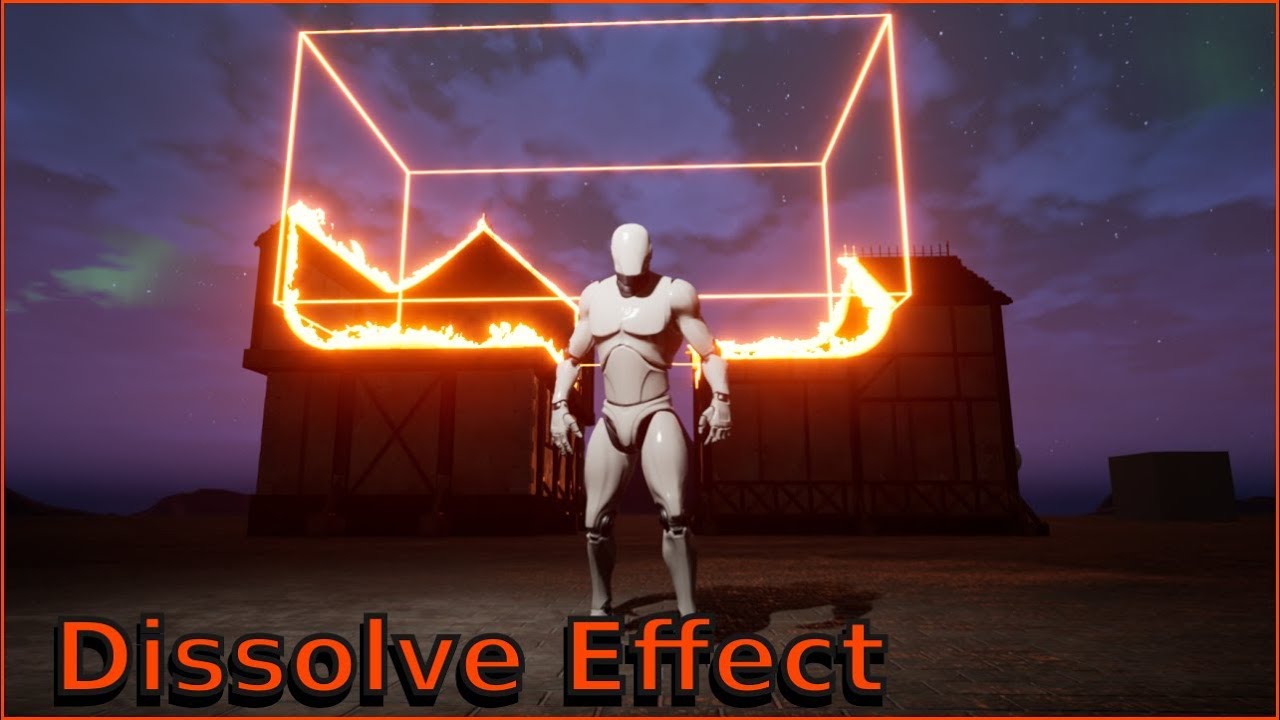
I create this dissolve effect with this tutorial https://www.youtube.com/watch?v=_YTw-pFuWig
But It's not workin when I'm rotating the box😭
please help me out

Project files : https://www.patreon.com/posts/29023822
In this tutorial, I will show you how to make a custom dissolve effect in unreal engine 4. this is an advanced material effect for ue4. In this, you can use a cube shape, a sphere shape and cylinder shape to dissolve objects.
We will be using nodes such and boxmask-3d, sphere mask and dra...
 unkempt valley
how would i go about making the character enter first person when entering a building then back to third once he leaves?
doing so with an ALS character
 gentle urchin
Guess you could either:
- have two cameras and switch between them when you enter the building
- adjust cameralocation to fp. And back again. I think two cams is the easier solution
trim matrix
I'm trying, this can anyone help me here?

 atomic salmon
@unkempt valley you can have two pawns, one first person and one third person and possess the former or the latter depending on what you need. Keeps it clean and you can have completely different code/logic for each one.
 magic summit
hello has anyone created inertia obeying spring interpolation? basically normal InterpTo node works as object is resisting air, however I would like to have delay when object is accelerating, but once there is steady speed/no acceleration then it would get back into its rest state
 topaz crypt
Hello there ! Does anyone also have Unreal crashing when plugging in layer instances into layers ? (I'm using the layering system on UE 4.26)
So when I clic this (see image) my Unreal crashes..
I get this message in the Crash Reporter:
Assertion failed: (Index >= 0) & (Index < ArrayNum) [File:D:\Build++UE4\Sync\Engine\Source\Runtime\Core\Public\Containers/Array.h] [Line: 674] Array index out of bounds: 0 from an array of size 0
Thanks in advance for your replies !
 atomic salmon
@magic summit you may want to check Finterp Ease In Out. Seems pretty close to what you need and it is already implemented for you.
@topaz crypt that error is the result of something that went wrong with either the setup or the data. Is there any other pointer before the Assertion failed? Any reference to something else?
magic summit
oh I was using vector interp actually, so didnt see it, will try it and let know if it worked
topaz crypt
atomic salmon
<@!182520266130325504> that error is the result of something that went wrong wit...
You mean in the crash reporter ? Not that I see.. :/
magic summit
@atomic salmon I think that ease in out is completely different, more like LERP with curve exponent
atomic salmon
@magic summit it gives that "inertia" feeling though, otherwise you need to code it from scratch or use a timeline
magic summit
yeas but you need to input alpha inside, which means it still needs some acceleration value
atomic salmon
@topaz crypt yes because that Assertion Failed is very low level and you need to find the root cause to it. Usually the crash log has other indications about what led to it.
@magic summit starting from F = m * a you can calculate a = F/m, where m is the mass of your actor and F the force you are applying to it. One you have a, the linear acceleration, you can integrate it one time to find v as v = v + a * DeltaTime.
When a has reached a threshold you can set yourself, you can simply set it to 0 and the actor will stop accelerating and maintain its speed constant.
This is equivalent to stop applying that force F to it.
magic summit
eeh I think when I dont have any mass (transforming ui widget in 3d space) and any force it would be hard to calculate acceleration from that
I have simple set world space based on socket location with not info of previous frame anything
atomic salmon
@magic summit it doesn't matter. If you want to get this inertia like effect you can use an arbitrary mass and arbitrary force and tweak them until it looks good.
magic summit
but wouldnt I get arbitrary acceleration then?
atomic salmon
Correct. Or you can set directly the acceleration and take it from there.
magic summit
force would be really specific based on how objects moves
acceleration is changing value
that needs to be calculated from something based on actual movement
atomic salmon
Acceleration (linear) is the ratio between a Force applied to an object and its mass.
All that matters in your case is that you want to simulate the movement of something (an UMG component) like it would be a physical object.
topaz crypt
atomic salmon
<@!182520266130325504> yes because that Assertion Failed is very low level and y...
I found a way to open the CrashContext.Runtime-xml file where there looks to be more details about why it crashes
(although I can't really link the whole file here because it contains some personal information)
Do you want me to look for something in particular ? I can send some parts of it
atomic salmon
@topaz crypt put it on pastebin or something similar and share the link here
@magic summit so you pick an arbitrary acceleration and then, at each Tick, you move your object by a delta position derived from the motion equation.
magic summit
ok so lets say I can set arbitrary value for mass as its constant, however for FORCE is simply missing so therefore I ask where do I get force from
it has to be based on object movement
atomic salmon
Ok, forget force and mass for a moment.
What you really need is an acceleration value because a = F/m and you need a.
magic summit
yeah I have idea how to calculate it kinda
atomic salmon
So you pick a value for a, say 10
Now you need to calculate the speed produced by this acceleration at each time step
v = v + a * Delta Time
This is your speed at each time step. It keeps increasing as long as a > 0
Now you have your speed. You need to calculate the new position at each time step
Same drill. p = p + v * Delta Time.
With that you know how to move your object/actor/whatever like it is driven by physics.
magic summit
ok all formulas are nice but real problems start at getting those values to plug them, how to get actuall values for each time step
atomic salmon
On Tick
Create 3 variables, a, v and p. Give a a value, set v =0 initially and p = the initial position of your object
Then On Tick, you just apply each time the formulas above and update v and p. Finally you set the location of your object to p. Delta Time is directly available from the On Tick event.
Incidentally, if you set a = g gravitational acceleration, you will see your object move like subject to gravity.
What we have done here is to simulate a micro-physics engine.
magic summit
so far what I tried is I need to actually save previous frames into variables
atomic salmon
v and p are updated at each frame, yes
a is constant until you set it to 0 to stop any further acceleration
you can do it with a Branch On Tick, like if v > v_max then a = 0
this will stop the acceleration as the object reaches v_max. This is somehow simulating air resistance.
magic summit
I got somethow that accelareation calculated, but problem is result is really jittery
atomic salmon
Show your code
magic summit
Im rebuilding and visualizing it
but esentially what I do I save previous position and then calculate motion vector then I compare previous frame motion vector and current frame motion vector and see their difference
difference is basically acceleration but it calculates it soley on two frames which changes/jitters a lot
atomic salmon
difference between two velocities is not the acceleration. you need to divide it by Delta Time to get the acceleration, but in that way you are doing it the other way around respect to what I suggested above.
anyway we should move this to #legacy-physics
have to jump onto a meeting now, so feel free to share your code in #legacy-physics and I will have a look later
ruby surge
Should movement input be in a character BP or in a PlayerController BP ? What is the best location for that? Currently I got it on the character, and it works, but I kinda feel it's not quite correct 🙂
magic summit
yeah indeed I need to plug delta time in there somehow
but need to visualize it, to understand it better
looks like what I need to do is pre-interpolate position so acceleration is smooth but yeah throwing in there 1/deltaS helped to accomodate frame time difference
magic summit
so I ended up with approach that I create that prediction vector, then smooth it with vinterpTo and then every frame nudge original vinterp by that prediction vector,, there is still some small jitter but much better
topaz crypt
@atomic salmon I think this should work https://pastebin.com/V5pHqKqJ
Pastebin
Pastebin.com is the number one paste tool since 2002. Pastebin is a website where you can store text online for a set period of time.
magic summit
so for me after some simplification I came up with this
 atomic salmon
@magic summit you shouldn't get any jitter though
But if it works for you go for it
@trim matrix #umg
magic summit
yeah Im not sure since I have 1 in that nudge interp, so it shoudl smooth out any jitter
interesting but fixed it by addint it post interp

 orchid pawn
there's the possibility on spawn actor to try adjust a product location if colliding, is there any way of doing that in an already placed product? (adjust if colliding)
 marsh brook
Hey guys, I have a idea in my head
A flipbook (gliding) and I reset a timer which tells when to take fall damage
To make it more real, I am in search of how Do I change the falling speed
trim matrix
trim matrix
I create this dissolve effect with this tutorial https://www.youtube.com/watch?v...
can anyone please me here?
 languid bronze
Hello friends,
I have an issue which is starting to get the better of me 😅.
-
I have a level which contains an object.
-
This object will rotate when two buttons have been 'pressed'.
-
To activate the rotation I have a check for two conditions. 1 for the first button, 1 for the second button. Their logic is self contained.
-
I am doing something wrong, since I cannot figure out how to fetch the variables from the buttons into my level. I've been trying various Casting solutions but I don't think I quite understand that node since it just tells me it cannot 'fetch none', etc.

(that 'and' node connects to a branch node checking if both buttons have been activated)
Does anyone have any ideas? :D
Thanks and have a nice day!
astral estuary
Buttons as in physical buttons on the 3d world of your game or 2 ui buttons? 🤔
also, more arrays going inside nodes that should take only one element 
I think you have digetic buttons, say, in your 3d world because you are getting all actors of Button class
the same way you got all the actors from class Button1 to tell them "hey, you were pressed" you should be able to get all buttons of class Button1 and ask them "hey, were you pressed?"
🤔
I would still use a foreach loop in that array, or a get element 0 if you are 110% sure there is one and only one button
languid bronze
astral estuary
Buttons as in physical buttons on the 3d world of your game or 2 ui buttons? 🤔
Right 😅 . So these are physical buttons (actors with logic in them) which you approach and press E by. This then sets a variable to true inside of the button's logic.
I have two of these buttons, _01 and _02, where the variables are also re-named to avoid any overlap...
astral estuary
ok, if you can find them to tell them "hey, the user pressed E" you should be able to find them and ask how their bool is doing 🤔
languid bronze
Yeah, that is where I am struggling.. 🙁 I don't know how to fetch that variable from the level
languid bronze
It is in the button:

I have one in each button, those are what I wish to fetch in the level
I have exposed them inside the button logic but when I go to fetch them in the level it demands I do casting, since it wants a target
The first image is the logic from within the level blueprint :)
astral estuary
if this gets you the button so you can call it's events, then it should also give you access to the variable
 languid bronze
Thanks, let me have a look! :)
Do you mean like this? Here is the issue I am currently having.
 trim matrix
you need to use for each loop
languid bronze
ahh...
trim matrix
trim matrix
I'm trying, this can anyone help me here?
???
languid bronze
You solved my issues, thank you so much @astral estuary and @trim matrix ❤️ .
astral estuary
Sorry aman, I suck at shaders 
 tulip iris
Alright math junkies. I have a question. I want to do a check to see which Forward Vector (FV1 or FV2) my mouse forward vector (mouse FV) is most = to.
So if it matches FV1 more than FV2 I can but that on a bool and it will pick one or the other.

 earnest tangle
You could possibly just calculate a plane that sits in the middle facing either directly left or directly right
then you can check which side of the plane the mouse is on
or just use screen coordinates if that's applicable, if it is the math should be fairly basic
tulip iris
Yeah, that would work but the mouse can be clicked anywhere on screen. So that strategy will not work in this case. If I use the traveling FV of the mouse then I can click anywhere.
 supple dome
i didnt really understand from the image but checking which one of two vectors are more equal to a third is
dot(v1, v3) > dot(v2, v3)
tulip iris
Ok, so you are saying I could get the dot which is the angle between them. Then I could store those in an array and get the smallest float associated. In turn giving me the nearest vector?
supple dome
not nearest vector, higher floats will give the one which points to the same direction, thats what i assumed by equal
if thats not what you looking for then forget the dots
i guess you want the distance from vectors then?
tulip iris
Yeah that was confusing. Not nearest (in terms of distance) just the most similar vector direction.
supple dome
yeah dot would give you that, just make sure all vectors are normalized
astral estuary
then the first answer was correct, dot will give you 0 if they areperpendicular (totally not in the same direction), -1 if they point away from eachother and 1 if they point in the same direction
tulip iris
It will give me all the ranges in between as well, and if I compare them once normalized then that should do the trick.
astral estuary
yep
tulip iris
I'm going to give that a go. Thank's for the assistance folks. 🙂
 ruby meadow
How to prevent spawning Actor inside the Static Mesh?

I will be appreciated if anybody help me.

I don't need it, how to fix?
 swift coral
I now have a simple actor moving to the desired location (block location v), whats the most efficient way to, for one: limit the movement to squares, so that this pathfinder moves from square to square (like a chess piece would) and secondly: how to track the amout of squares that were travelled?
 unique fox
Hello, So I am trying to read a color from the Render texture.
But it seems not to read properly, I am always getting a default value of 1 in the R, 0 in G and 0 in B.
Despite there being any color in the Render texture.
Does the Read from render texture function even work ?
The texture in my RT seems to be correct, The Uv's seem to be correct , but only the reading values don't make any sense
faint pasture
tulip iris
Alright math junkies. I have a question. I want to do a check to see which Forwa...
Check sign of dot(MouseVector, FV1)
If it's positive, you'reor closer to fv1, if it's negative, you're closer to fv2.
That is assuming FV1 and FV2 are opposite each other. If not, dot the MouseVector with both and choose whichever has a higher dot product
 blazing creek
Does anyone know how to modify values of variables directly in an asset? Id like to go over a bunch of blueprints and swap contents of their FText fields.
sand shore
 median moon
hey
can anyone help me with this
I have Migrate this material form an online source. But i don't know why it isn't showing up
trim matrix
astral estuary
Sorry aman, I suck at shaders <:sadest:694228990344560730>
Ohh glad you replied, is there any possible way to make transparent in shape with rotation?
median moon
this is what it showing.... can anyone help me with it?
 trim matrix
median moon
this is what it showing.... can anyone help me with it?
trim matrix
median moon
this is what it showing.... can anyone help me with it?
build lighting
median moon
Hey @trim matrix buddy. my name is also Aman 💯
 grave schooner
Hey people!
I am a bit stuck here, and I hope there is some smart people here who can point me in the right direction.
I have created a Editor Widget that are supposed to export all the used textures from the selected objects in the viewport. It does kinda work atm, but if there is a instanced material in some of the objects, it will not export those textures.
Here is my spaghetti..
Thanks in advance.
 trim matrix
median moon
Hey <@456226577798135808> buddy. my name is also Aman 💯
trim matrix
median moon
Hey <@456226577798135808> buddy. my name is also Aman 💯
That's very nice
if you're visual script-er can you help me?
median moon
trim matrix
That's very nice
if you're visual script-er can you help me?
Sorry bro, I'm just a newbie with unreal and coding
 chrome dust
Does anybody know how to remove any sort of VR enabling upon loading my packaged project? I have a friend who has a vive and any time he opens my project it automatically launches in VR on steam
 dawn gazelle
chrome dust
Does anybody know how to remove any sort of VR enabling upon loading my packaged...
dawn gazelle
chrome dust
Does anybody know how to remove any sort of VR enabling upon loading my packaged...
Edit your .uproject file and change the "SteamVR" entry to false
 earnest tangle
I'd highly recommend disabling the VR plugins if your project doesn't use them
I've tested gamejam entries which randomly launch both SteamVR and Oculus because that's what the plugins do by default in unreal, sometimes even messing up controls
 wild crater
Hi guys, I want to use the node "Set Selected Level Actors" but I just can't get it to appear. I've enabled the Editor Scripting Utilities Plugin. Any ideas?
raven pilot
is there a way to override the default "fall animation" to temporary play another fall animation
?
raven pilot
wild crater
Hi guys, I want to use the node "Set Selected Level Actors" but I just can't get...
even without context sensitivity?
wild crater
yes
raven pilot
wild crater
yes
i see, not too sure then, maybe its in the word blueprint file
wild crater
What do you mean by that?
ruby surge
Should movement input be in a character BP or in a PlayerController BP ? What is the best location for that? Currently I got it on the character, and it works, but I kinda feel it's supposed to be in the PC.
dawn gazelle
ruby surge
Should movement input be in a character BP or in a PlayerController BP ? What is...
It can be in either, however, if you have different characters that may have different controls, you would probably want to put it into the character. For example, you may be controlling a humanoid character who you want to have move around using WASD, but then you could also have a vehicle, which would control differently.
Rather than feeding the instructions from the player controller to the specific character being controlled, the character can just contain the movement events.
ruby surge
There is no downside in using it on the char blueprint opposed to the PC blueprint then?
dawn gazelle
Not specifically that I could tell you. You can still use some input on the PC, but just use it for things like UI control or other things not specifically character related.
ruby surge
Ok thanks for clearing that up.
 winter garnet
Hey guys - question.
I have an Blueprint Actor, let's call it AActor. I want to move all its functions to an Object. Do you know a way to do that without going manually?
 mental tendon
you can cut and copy functions by right clicking them
that makes it a bit easier
I'd like to change the properties of a Groom asset at runtime. I found a struct that contains stuff I want to change. It says: Show pin for properties.
Not sure what the Editor means by it...

 long smelt
Hey there.
Got a curve here:
- (0,0)
- (4,1)
Setting this to post extrapolation (cycle with offset) gives me (8,2) etc.
Is there any way I can force the gradient to be 3 instead of 4, while retaining the (0:4 , 0) property?
 dawn gazelle
mental tendon
I'd like to change the properties of a Groom asset at runtime. I found a struct ...
dawn gazelle
mental tendon
I'd like to change the properties of a Groom asset at runtime. I found a struct ...
Normally you would have options available if they can be made available in BP. In this case I don't think that particular structure can be modified in BP.
 mental tendon
@dawn gazelle USTRUCT(BlueprintType) <-- doesn't that mean it is exposed to the editor?
 dawn gazelle
The structure is, hence why you can pull it up, but the properties are not set to blueprint readwrite.
Here's the structure i was looking at:
 dawn gazelle
Make a C++ function library that contains some functions that manipulate the structure? Not too sure myself really.
 bitter iron
So I want to have the camera follow a character in the top down view with a set pitch/yaw (so as to not follow the characters rotation), and also be able to switch its focus between objects as necessary
so naturally, putting it on the character blueprint isn't great, so then I thought putting it on the controller would be nice but I don't think its usually done that way? just wondering what others have done
for instance, clicking on a building would zoom out a bit and move to focus on the building instead, keeping character in view, not follow character's rotation when the character moves, smooth camera movement etc. I all understand, just wondering what class its best to attach to
or I guess just make my own? I usually just hard code all this shit and it ends up biting me so I want to do it properly
long smelt
Making a Camera Actor would be good
 long smelt
they did a live training video about this exact thing ages ago with code you can use
 bitter iron
@long smelt like a cameramanager or is that not what you mean
long smelt

Richard Hinckley joins us again and discusses Gameplay Programming (GPP) using C++. One of the most important contributing factors to how your game feels is how the camera works. We explore some of the fundamentals of camera code and how it interacts with the player's character and other elements in the game.
[00:00:00] Intro/News
[00:00:54] Co...
mental tendon
dawn gazelle
just found it thx
 pastel garnet
quick question
can you make a basic antichwat
by calling a function every .001 seconds to set the max walk speed to 600?
dawn gazelle
pastel garnet
by calling a function every .001 seconds to set the max walk speed to 600?
Are you talking about in a multiplayer environment or single player?
dawn gazelle
Normally the server has control of what the player's speed is - even if the player changes their speed on their side, the server has its own value set.
dawn gazelle
Poor net code.
 stray island
Datura can i ask
pastel garnet
ah ok
dawn gazelle
Like, trusting client data to be true.
So a player reports in "I am at this position" and the server is just "OK! That's fine."
dawn gazelle
UE4 has that built in. It'll correct based on the server by default from what I've seen.
dawn gazelle
There are settings to enable the player to be authoritative for quick movement things and such where you may want to trust the client temporarily.
stray island
I am blacklisted i guess
pastel garnet
stray island
I am blacklisted i guess
wym
pastel garnet
dawn gazelle
There are settings to enable the player to be authoritative for quick movement t...
Ah ok
stray island
Datura ignoring
pastel garnet
its because u asked in a middle of an explanation
people will normally carry on and ignore
stray island
Oh really
pastel garnet
dawn gazelle
There are settings to enable the player to be authoritative for quick movement t...
Are there certain nodes for that or do you have to like make a custom function?
pastel garnet
stray island
Oh really
i mean from past experiences sure
stray island
Okay
dawn gazelle
stray island
Datura can i ask
Arche, you can ask whatever you want in here.
dawn gazelle
pastel garnet
Are there certain nodes for that or do you have to like make a custom function?
These would be turned on or off on the server.
 stray island
I know but i wanted to ask (You) specifically
pastel garnet
dawn gazelle
These would be turned on or off on the server.
Right
So that's just a basic prevention?
stray island
I have asked this before but i am wondering if you have different workflow or answer than others
I want to create a seamless panning scrolling static meshes
 dawn gazelle
pastel garnet
Right
dawn gazelle
pastel garnet
Right
The server will only allow the player to be where it thinks it should be unless you've set those booleans true. It won't allow players to move faster even if the player is saying they are faster or should be in a specific place. The server would push them to where it thinks they should be. That being said, I'm no expert on anti-cheat with UE4 either, and I imagine someone clever enough may be able to fool the server somehow, especially if the player is given a means to control certain things without the server verifying that they should be able to do it or not.
dawn gazelle
stray island
I have asked this before but i am wondering if you have different workflow or an...
Possibly just create a series of spawners, have the actors move upwards until they hit a kill-zone that destroys them?
Kinda beyond what I've messed with to be honest.
 languid lily
Hi, does anyone know how to make a gun customization system? I have no idea how to make it.
pastel garnet
could try following a modular gun attachment tut
dawn gazelle
pastel garnet
will this block sprinting?
So those are the default settings on the character movement component. If you change them, then it allows the client to have authority over their movement (allowing potential speed / flying exploits for those clever enough to read/write game memory etc.) If your sprint is set up as only changing the the player's max walk speed on their character movement component through blueprint, you'll find that it's very jerky, and the player will not run smoothly, and it's partly because of the server not being in sync with the client.
stray island
dawn gazelle
Possibly just create a series of spawners, have the actors move upwards until th...
Yes exactly they move up till they be killed and seamlessly start again from down
languid lily
pastel garnet
could try following a modular gun attachment tut
I've searched for some, but I cant find any 😦
pastel garnet
dawn gazelle
So those are the default settings on the character movement component. If you c...
Ah okay, thanks a lot for the help!

Many of you have requested a way to leave me a tip so I've created a PayPal and a Patreon.
PayPal: https://paypal.me/reidschannel?locale.x=en_US Patreon: https://www.patreon.com/reidschannel
Discord: https://discord.gg/PdvudWx
Hey! In this tutorial I'll be showing you how to create a system for picking up, switching between, and firing weapons. ...
sand shore
stray island
Yes exactly they move up till they be killed and seamlessly start again from dow...
I won't super elaborate, but you should pool these and just teleport them to the start again
destroying and recreating the actor is a bit much
stray island
sand shore
destroying and recreating the actor is a bit much
What i did is made them as hism then added them to a timeline that resets its location but when go back to start the location again there was a bit of hick up , the scrolling isn’t smooth
And then I should put a volume that hides these meshes when they enter it, instead of destroying
sand shore
that's a lot better!
almost makes sense to remove and add instances with minimal care on your end
stray island
@sand shore but the problem is the heckup / glitch when it resets location its not smooth , do u have a suggestion
 lean epoch
@languid lily The easy way; assign all meshes in one BP, in the right position, and all visible false. Create enumerators to any kind of piece (one for grip, body, silencer...) And one variable per enumerator. In the construction script just check the variables and show the piece assigned that enumerator. This way allows you to create BP child and just changing the variables you'll have any kind of weapon
 waxen gull
Is there the Opportunity of a Loop Which repeats every tick ?
faint pasture
waxen gull
Is there the Opportunity of a Loop Which repeats every tick ?
.... Wouldn't that just be tick?
waxen gull
Yea
but i dont want to make it by Branch in tick
because it is going to be computed every tick again
languid lily
lean epoch
<@696872301886439444> The easy way; assign all meshes in one BP, in the right po...
I have no idea how to do any of that
im sorry lmao
im a complete beginner
 wary tinsel
hey guys! I am currently working on a flight system for airplanes. Basically I want to draw a front/back loop by getting three points, let's say A(starting location), B(middle location) and C(final location). The problem is, how will I know if C(Final location) is placed "behind" A(starting location)? To draw a loop, when completed, I must always "arrive" behind the initial location. I tried something with the world position but of course it's not always working!
waxen gull
I would do it over the Rotation of the ship
Like if the rotation gets over 360 on one axis you succseded in a looping dont you ?
wary tinsel
If I do 360 yes rotation is successfully completed
but to be successfull I must be behind the starting location
faint pasture
@waxen gull what exactly are you trying to accomplish?
@wary tinsel you need more than just three points to define a loop.
wary tinsel
faint pasture
<@356068692863352833> you need more than just three points to define a loop.
mmm why exactly?
waxen gull
Like on a tick event my Computer tests everytime if a branch boolean again ... thats if you have a loot of branches in a tick event pretty inefficent, thats why i always try to avoid the tick function and try to trigger the event over something else ... in the case i got now it has to be in tick because i need to update the position when the even is triggert (which is happening pretty rarely) and i dont want to let my computer compute my computer if a branch is true or not ...
sry but my english isn't the best
incase its not understanable
dawn gazelle
waxen gull
Like on a tick event my Computer tests everytime if a branch boolean again ... t...
Maybe use a looping timeline instead and trigger it on and off as needed? basically the same thing as using tick as it fires its update path continually until stopped.
 waxen gull
Can i set the time again while the timeline is running ?
faint pasture
waxen gull
Like on a tick event my Computer tests everytime if a branch boolean again ... t...
It depends on what you're testing and how often you need results. If you want something slower than tick, use a timer. if you have to be able to start and stop it and it always lasts a certain amount of time, use a timeline.
But don't worry about tick, I run like 1400 line traces on tick and get 100 frames per second, worrying about tick is overblown.
faint pasture
@waxen gull what is this for? What are you checking?
waxen gull
I want to move an object by my mouse
it't kinda overblown ... youre right but i want to be efficent and something like that is the biggest nighmare i could get ^^
so thanks
faint pasture
For moving something by mouse you definitely want to do it every frame, otherwise you will only see the position update at whatever rate you are updating it. I don't think a laggy drag and drop is worth the 2 microseconds you'd save.
pastel garnet
I used a struct for my hunger system
and I had a devastating thought
will it replicate amongst others if it is all using the same struct?
faint pasture
pastel garnet
will it replicate amongst others if it is all using the same struct?
Structures just a data type like vector or float or string
pastel garnet
Ah okay, great!
gentle urchin
I cant imagine a bool taking any noticable computingpower
faint pasture
waxen gull
maby ... i gonnt try out with timeline
A timeline ticks every frame as well. How long do you expect to have something following the mouse? Like 2 seconds or minutes at a time or what?
waxen gull
youre kinda right
forgot about how timeline works
i guess i just take it like it is
and dont worry to much about performance ... especially when ue5 comes out
if its able to what theyre saying about it
 ancient spindle
Hello. I'm trying to make an RTS style camera movement work properly. The camera should scroll when the mouse cursor touches the borders of the window. However, only the top and left sides work properly. The bottom and right ones trigger the movement quite before the mouse reaches the actual borders. I pained with a red line the approximate location of the movement trigger area for reference. As you can see, it looks like the game thinks the window is actually much smaller than it really is. Any ideas of what I may be doing wrong? Thanks in advance.
 faint pasture
ancient spindle
Hello. I'm trying to make an RTS style camera movement work properly. The camera...
faint pasture
ancient spindle
Hello. I'm trying to make an RTS style camera movement work properly. The camera...
show how you are detecting when the mouse is at an edge
ancient spindle
faint pasture
show how you are detecting when the mouse is at an edge
This is my movement script
 faint pasture
ancient spindle
This is my movement script
faint pasture
ancient spindle
This is my movement script
have you printed the position and viewport size? do they line up?
ancient spindle
@faint pasture I haven't. How do I do that?
faint pasture
ancient spindle
<@!127902729677963264> I haven't. How do I do that?
just print string and see what the sizes and positions are and if they agree
smoky oak
Hi everyone, anyone know why this is happening? Point going in is fine but point coming out isnt within radius
 ancient spindle
faint pasture
just print string and see what the sizes and positions are and if they agree
ancient spindle
faint pasture
just print string and see what the sizes and positions are and if they agree
Sorry, I'm a bit confused. Where should I put the print string? I'm still quite new with blueprints. I just got hundreds of “hello” on the screen
ancient spindle
@faint pasture Ok, somehow I managed to do it, so I printed the position and viewport size. When the mouse position reaches the viewport's minimum or maximum size, the movement triggers. The problem is the viewport's size does not match the window size. So what I need to do is to make the viewport always match the window size and that's the part I honestly have no clue about. I'm actually confused about the fact they don't automatically match. Screenshot for reference.
 faint pasture
ancient spindle
<@!127902729677963264> Ok, somehow I managed to do it, so I printed the position...
faint pasture
ancient spindle
<@!127902729677963264> Ok, somehow I managed to do it, so I printed the position...
Try it in new window
 zinc portal
Data tables, working on how to structure my Level VO and using data table to store the relevant info. Is it really that the only way to search data table row is by the row name?

Sometimes it would be great to have the ability to search by some other column
 burnt edge
do debug strings only show up in PIE? is there a way to get them to show in Simulate? cant find a flag for them
ancient spindle
faint pasture
Try it in new window
It behaves weird. First I changed the window size and it still doesn't match, but when I maximize the window fullscreen, then the viewport size almost matches the window size. It still a bit smaller, but it seems the bigger the window the smaller the difference.
zinc portal
zinc portal
Column as a string
https://www.youtube.com/watch?v=DKqBKqcJ45c
What is the Get Data Table Column as String Node in Unreal Engine 4
Source Files: https://github.com/MWadstein/UnrealEngineProjects/tree/WTF-Examples
Note: You will need to be logged into your Epic approved GitHub account to access these examples files. https://github.com/EpicGames/Signup
stray island
 valid widget
idk why
valid widget
idk why
How u trying to call it
stray island
Why not use switch on?
 drifting anchor
Afternoon! I've got a weird issue where my mesh's collision remains after the actor has been destroyed. I would assume that everything associated with the actor would be removed from the level after OnDestroy is called. Am I missing something?
pastel garnet
yes it is suppose to destroy


Anybody know why it still damages the player?
dawn gazelle
You're not checking your booleans when applying the damage
 ruby surge
Hmm small question, earlier I was trying to replicate my characters rotation (which I solved with some help from you guys by using controller yaw input). But now I want to replicate the rotation of my turret (the character is a tank) and therefore I cannot use the controller yaw input, since that replicates the whole pawn :/
 spark steppe
sometimes i wonder if it's less time consuming to fix marketplace assets, or to create your own...
 dawn gazelle
pastel garnet
dawn gazelle
pastel garnet
The logic there is no good. Doing an OR into a branch where both the true and false connect to the same place means that it'll always go through.
dawn gazelle
And right now it doesn't matter if either are, it'll always go through.
pastel garnet
Howcome?
 pastel garnet
OHHH
spark steppe
it's still confusing, why is there a setBoth and setHungry but not a setThirsty?
pastel garnet
Right
pastel garnet
spark steppe
it's still confusing, why is there a setBoth and setHungry but not a setThirsty?
because
just because
spark steppe
gotcha
pastel garnet
dawn gazelle
I wanted it to be like
How would I go about fixing this issue?
Nevermind, I'm just dumb

problem solved, thanks Datura!
dawn gazelle
Also, it looks like all this logic is in the widgets? This shouldn't be the place. This kind of data should be handled on the character, and then you pass the data to the widgets to update.
pastel garnet
Right
I thought of doing this
but I didn't know what to put for Object in the Cast to HungerThirst
Will it work the same in the widget though?
dawn gazelle
Definitely not, especially if you're doing multiplayer.
pastel garnet
Howcome?
dawn gazelle
Widgets only exist on the client.
pastel garnet
isn't that is what is supposed to happen?
dawn gazelle
So player 1 knows nothing about player 2's widgets.
The server doens't know anything about anyone's widgets.
dawn gazelle
Widgets aren't replicated.
pastel garnet
so each individual client has a different food value and stuff
dawn gazelle
Widgets can't exist on server for them to replicate.
pastel garnet
Ah okay
When you mean 'multiplayer'
do you mean the food values to be shared amongst others?
dawn gazelle
I mean you are player 1, you join a server that is hosting the game. I am player 2. I join the server and I can see you and you can see me in the game.
pastel garnet
I understand that, what about the food system being 'multiplayer'?
dawn gazelle
You're dealing damage to a player in your widget. That should not be happening. The server is the one that should know and control whether or not a player is hungry, and reduce the health of the player if they are.
If you have the data and calculations in a widget, that is completely client side, so no other players would know about it, including the server itself.
pastel garnet
Ah right
Would it be hard to copy all the variables + functions to my player character?
dawn gazelle
Each would have to be copied individually.
pastel garnet
Okay
dawn gazelle
Yep
dawn gazelle
Widgets shouldn't really be doing much in terms of calculation (perhaps maybe if you're trying to determine a % value or something like that). They're there to display data. Game logic should really not be in them at all. You can pass data into your widgets to update them when needed (or they can bind to event dispatchers and the like)
pastel garnet
Right!
One last question before I head off and start the process
When setting the progress bar's percentages, do I have to cast to the widget, and if so - what do I put in the object pin?
drifting anchor
Anyone know why a collision belonging to a mesh would remain in a level after OnDestroy has been called on the Actor? I can't figure out for the life of me why this is happening.
dawn gazelle
pastel garnet
When setting the progress bar's percentages, do I have to cast to the widget, an...
Casting is when you're attempting to convert an object reference to a more specific object class. For example, here I have ActorBeginOverlap, and it returns a generic "Actor" reference. The "Actor" object type does have a lot of useful information, but doesn't include any details you may have created in your own blueprints.
When you're creating your widgets, you can save the reference to the widget directly, and that can be used as a way to access your widget without casting anything.

 pastel garnet
dawn gazelle
Casting is when you're attempting to convert an object reference to a more speci...
pastel garnet
dawn gazelle
Casting is when you're attempting to convert an object reference to a more speci...
Thank you so much!
Never knew about making a variable for the widget when creating it! :)
pastel garnet
drifting anchor
Anyone know why a collision belonging to a mesh would remain in a level after On...
Can you send a screenshot of your code?
drifting anchor
pastel garnet
Can you send a screenshot of your code?
This is where I'm calling onDestroy. Any other specifics you want to see?

@pastel garnet Also worth noting is that the actor does get destroyed as it's not in the world outliner after it's health is 0.
stray island
@dawn gazelle while ur at it can u test panning cubes if its simple
Horizontal or vertical doesnt matter
faint pasture
pastel garnet
Thank you so much!
I like the animal analogy. If you have an animal, and you want to call Bark on it, you would cast the animal to dog, and if it succeeds, then you know it is a dog and you can treat it as one and call Barkfunction
pastel garnet
ah okay
faint pasture
A built-in utility function like get player Pawn or get actor or whatever, only returns a reference of that type. so it returns a reference to the player pawn, but you don't know what class it is until you cast it.
pastel garnet
drifting anchor
This is where I'm calling onDestroy. Any other specifics you want to see?
Isn't it spawning something and then you are destroying it?
Do you even want collision on it?
faint pasture
It's like saying get animal, you know you have an animal, but you don't know what type of animal it is until you get more specific
drifting anchor
pastel garnet
Isn't it spawning something and then you are destroying it?
For reference, It's a woodpile that the player attacks until it is destroyed, and which point it spawns a pickup (wood resource). So it needs collision as I don't want the player standing in the middle of the mesh while they're harvesting.
faint pasture
Yes it is asking a question, is this object of this class? And if so, it returns a reference that you can treat as being an object of that class
pastel garnet
faint pasture
Yes it is asking a question, is this object of this class? And if so, it returns...
Right, thank you for helping me understand casts better!
pastel garnet
drifting anchor
For reference, It's a woodpile that the player attacks until it is destroyed, an...
Hmmm
Doesn't the spawn need a spawn transform/location?
drifting anchor
pastel garnet
Doesn't the spawn need a spawn transform/location?
It does. That's inside of the Spawn Resource function. That part is working great as it spawns the resource, and I can pick up in range. I just can't move through the original collision of the woodpile. Really weird haha
I did try moving the Spawn Resource bit after destroy and that didn't change anything.
 drifting anchor
Oh, no I havent. Seems weird that I'd have to disable the collision if it's getting destroyed anyway, but I'll see if that fixes it!
pastel garnet
Alright, it is very weird as when destroying the actor it should remove collision!
 drifting anchor
Using this guy but no change:
 drifting anchor
I know, right?!
Hierarchy shouldn't matter when it comes to components within an Actor in this case right?
I've got the Mesh as the root and a Box around it as an overlap so the player can only click to harvest when close enough.
For visual reference:
 drifting anchor
Well that's not the one blocking me. It's the simple collision around the mesh itself.
Stupid question, but can you remake the simple collision on a mesh?
pastel garnet
Don't think so
drifting anchor
I just did it. Click to delete, and then the Collision dropdown allows you to add a simple collision to it.
drifting anchor
All good! Didn't fix it anyway lol
spark steppe
so your new simple collision box is around the wood?
and the mesh collision profile is set to blockAll or something else that would block your player pawn?
drifting anchor
spark steppe
and the mesh collision profile is set to blockAll or something else that would b...
Yep! See here:

Collision is set to block all
spark steppe
and your player is still able to walk into it? did you save the mesh?
drifting anchor
Yes and yes.
spark steppe
does that happen with other meshs, too?
asking, because maybe your player collision is messed up, too?! xD
drifting anchor
Yep, I have a base deposit class that's a parent of this one. Happens there too. It's just a default cube that comes with the project haha
Would a video clip of the issue help at all here or?
spark steppe
probably not much
drifting anchor
Fair.
spark steppe
does your player have a capsule component?
drifting anchor
Yeah, it's the Top Down Template one.
spark steppe
ok
drifting anchor
!!! If the collision box surrounding the mesh is touching the floor, it causes the collision to remain lmao
Ugh, nevermind. I think it was just high enough for me to slip under. Sorry.
ruby surge
ruby surge
Hmm small question, earlier I was trying to replicate my characters rotation (wh...
Is there anyone who can help me out with this ^^
 primal smelt
ruby surge
Is there anyone who can help me out with this ^^
primal smelt
ruby surge
Is there anyone who can help me out with this ^^
When you say replicate, do you just want the player to be able to move only the turret using mouse pitch and yaw?
runic parrot
hI! Does anyone remember where to set the white lines on the midle for the blueprint graph?
primal smelt
If so you can just do two seperate input axis nodes for looking up/down and turning left/right and plug axis into add relative rotation to the turret component. Just bear in mind that you will likely hit the gimbal lock if you plug up/down into the Y (yaw) input of the add relative rotation node (try it to see what I mean). If you do (and it likely will) rotate the component 90 degrees on the "up" axis (pretty sure in blender it is Z, same as Unreal) and then when you import it into Unreal orient it how you want and plug the look up/down axis into the roll (X) input instead. @ruby surge
primal smelt
runic parrot
hI! Does anyone remember where to set the white lines on the midle for the bluep...
I'm not sure what you mean, sorry
ruby surge
primal smelt
When you say replicate, do you just want the player to be able to move only the ...
The movement is working just fine like this, but it's not being shown to other players (it;s not replicated for multiplayer). It will be different axis keys as well (not mouse, but that doesnt really matter i guess)
primal smelt
ruby surge
The movement is working just fine like this, but it's not being shown to other p...
Ah sorry thats what you meant by replicate. I have no experience with multiplayer, sorry 😦
ruby surge
darn 😉
runic parrot
primal smelt
I'm not sure what you mean, sorry
you can set on one of the editor preference so when you are creating a blueprint, you can set two white lines on the X and Y axis to get a reference on the center
primal smelt
runic parrot
you can set on one of the editor preference so when you are creating a blueprint...
Ah I didn't know that, which means I don't know the answer to your question :p Although, is it really beneficial having that? I tend to keep things in a single blueprint fairly grouped together and if something happens (usually clicking and dragging off screen edge which can wildly pan the view) I just do a find reference on a variable and double click the results to move the screen position back into place
runic parrot
it just freaks me out not seeing the center
also another question, anyone knows of a way to setup a widget position = another widget position?
faint pasture
@drifting anchor why do you have a collision box and also collision enabled on the mesh itself?
drifting anchor
faint pasture
<@415363466598023177> why do you have a collision box and also collision enabled...
I'm using the collision box for the begin component overlap event so I can check if the player is inside it so that when they click it damages the woodpile. The collision on the mesh is to actually stop the player from standing inside the mesh. Does that make sense?
 radiant adder
Can someone please explain me why I can't update the array elements of Maps Variable? Every time I try it doesn't work at all. This is my function, it's really easy, when I work with arrays it perfectly works, but with maps I can't achieve the same result.

I have 2 maps both of Strings -> Float , I want to reduce the value of the index 0 of the first map and increment the same index but for map 2. What's wrong with my nodes? I hope you can help me. thanks
 winged sentinel
im experience somethign weird where there is no way for me to add in camera shake to ue4.26

Client play camera shake isnt in bp either
woah they changed it to matinee
is there is a new one other than matinee that I should be using?
radiant adder
I've found out that Map logic is different than Arrays so the SET ARRAY ELEMENT node won't work... The only way is to use the ADD node and instead of the index put the specific KEY associated to the VALUE and it will replace in the specific position.
trim matrix
Hi! Iam new to UE and wanted to learn this Blueprint system and wanted to ask where I can find a good Tutorial on that. Maybe a documentation or YouTube Video will help. That would be awesome!
radiant adder
You can read the Unreal Engine 4 official documentation https://docs.unrealengine.com/en-US/index.html or search for tutorials on Youtube, there are plenty of videos with detailed explainations.

Complete resources for learning to use Unreal Engine 4
also I've learnt a lot watching videos from this channel. https://www.youtube.com/channel/UCOVfF7PfLbRdVEm0hONTrNQ There is almost 1 tutorial for each BP node.

YouTube
This channel is dedicated to exploring Unreal Engine 4 and the Blueprint programming language that it uses. You can think of it as a companion to the API documentation as I try to cover the how and why for what things are used for when using the Blueprint system.
The master project for these tutorials can be found at https://github.com/MWadste...
trim matrix
Thank you very much!
 prisma stag
Hello, I am reorganizing code rn and am going to have a BasePickup class and anything that can be picked up will inherit from it. However the code I want to go in the BasePickup that will be for all the child actors is a pickup event that is fired when the player hits e on the object. In the event collision is disabled for the base mesh however I would like to disable the collision for the entire mesh no matter how many other static meshes I add to each child. How could I do that?
 keen wedge
Could someone help me with a little bit of maths for input controllers?
I am using eye tracking to move a character left / right. The problem is that you have to look all the way to the far edge of either side of the screen to get a -1 or +1 value for the axis input.
What I'm trying to do is have a smaller area in the middle of the viewport so the player doesn't have to look so far, but the value still reaches -1 or +1 etc...
What I have currently doesn't seem to be scaling that value..

I got some help here with this the other night and I thought it was working, but it isnt...
The aim is to get an area half the size of the original viewport that is the "detecting" bit in the middle effective... so when they look at the right hand edge of that area, the value would be at +1 , when they look at the left of that area, it would be -1..
smoky oak
anyone ever had trouble with ai moveto? Mine is being passed the correct destination and then it goes to a point on the other side of the map
runic parrot
keen wedge
What I'm trying to do is have a smaller area in the middle of the viewport so th...
i'm not sure what you are trying to do, but check dot product
it may help
keen wedge
My maths isn't particularly strong...
runic parrot
prisma stag
Hello, I am reorganizing code rn and am going to have a BasePickup class and any...
OnConstruct event - > get mesh -> disable colission (may be other function, but something like that)
keen wedge
I'm basically trying to take the rectangle size of the viewport, halve it... and then have the -1 to +1 range that was from full left to right, to now be from left to right in that reduced retangle in the centre
 runic parrot
what is the thing that determinates how much forward or up?
is this raytrace? a canvas?
keen wedge
eye tracking
runic parrot
i'm not familiar with that, sorry >.>
prisma stag
runic parrot
OnConstruct event - > get mesh -> disable colission (may be other function, but ...
It cant work like that. Collision is enabled by default when not in players hands and in the world. But when the player picks it up, I need all the collisions to be disabled for the currently held item to ensure it doesnt mess up movement. Then when the player drop, or places the item, it is then reenabled. I was thinking of making an instance editable array and on begin play the array gets all the objects in the actor but I dont know if the variable would be used in the base class.
keen wedge
I'm only dealing with the horizontal. the gaze data returns the position on the screen the player is looking at..
 obtuse herald
keen wedge
I am using eye tracking to move a character left / right. The problem is that y...
obtuse herald
keen wedge
I am using eye tracking to move a character left / right. The problem is that y...
you can try to clamp the value so that a 0.5 input gives you a 1.0 as output
keen wedge
thats the kinda thing yeah...
but needs to be kinda linear from the centre, like it was when full screen..
in the screnshot above, I am already clamping though?
obtuse herald
Map Range Clamped
runic parrot
prisma stag
It cant work like that. Collision is enabled by default when not in players han...
get the mesh a custom colission and instead of blocking or disable, use overlap (it will check when collision happen, but not affect the physics)
obtuse herald
try it with this node
keen wedge
 prisma stag
runic parrot
get the mesh a custom colission and instead of blocking or disable, use overlap ...
prisma stag
runic parrot
get the mesh a custom colission and instead of blocking or disable, use overlap ...
Physics is also disabled when picking the item up and reenabled when dropped or picked up. 🙂
keen wedge
obtuse herald
https://docs.unrealengine.com/en-US/BlueprintAPI/Math/Float/MapRangeClamped/inde...
to use that I think I'd need to change a lot of how its calculating stuff though wouldn't i?
I dont get a 0.5 for example..
I get the coordinates of where the player is looking..
obtuse herald
keen wedge
I get the coordinates of where the player is looking..
Oh, i see
but you want to get a range from -1 to 1 right?
keen wedge
I thought this was working when I got some help the other night, but I can tell it isnt' because if I look all the way to the far edges of the viewport, the character moves faster etc..
yeah, I'm affectively trying to convert it to the same kinda range you'd get from a gamepad..
so, full viewport, works fine, I end up with -1 / +1... but now I want that for effectively half of the viewport, centred in the middle of the screen (you just dont see it etc, invisible area)
(sorry if I'm not explaining this very well)
obtuse herald
Does your speed increase linear when you look from the center to the edge?
keen wedge
I believe so... if I currently look very close to the character (in the centre), it moves very slowly... if I look a little further out, it speeds up a bit, if I look all the way to the edge, it moves at its fastest speed...
the above example I thought was creating that -1 to +1 range etc..

Thats the other side of it... the branches are just determining the direction its facing, but the AddMovementInput is the relevant bit really.
the check for 0.1 is just because if you look at the character itself, it never stands still, so I put in a little bit of a "sensitivity" check..
obtuse herald
Ok, as far as i understand it now you get -1 to 1 output, but you want to center it more.
I'm pretty sure you can use Map range clamp for that. put the -1 to 1 output as input for map range clamped. set InRangeA/B to -0.5/0.5 and OutRangeA/B to -1/1. This node will then basically output -1 when your input is -0.5, -0.5 when you input is -0.25 etc.
keen wedge
Like this?
 obtuse herald
yes
keen wedge
obviously those values are dealing with an exact 50% reduction... in my updated version I was passing in the scale, rather than always using the division of 2 etc...
I'll try the above quickly and see if it works though...
That definitely "feels" like its working, I dont feel as if I have to look so far across the screen etc and it maxes out the speed before I do anyway... so i think that's working...
So... how can I get that result, but using the "maths" kinda stuff instead... that way, I'd be able to pass anything in rather than always the division of 2 and wouldnt have the hard code range clamp etc.
?
looks like another division to me, but my maths really isnt this strong 😦
obtuse herald
keen wedge
So... how can I get that result, but using the "maths" kinda stuff instead... th...
do you want to know how map range works or what do you mean?
keen wedge
What I mean is, how can I get that same out put, but without using that node... and instead just change the calculation going on here..
 obtuse herald
Oh
keen wedge
that way, I can replace the division of 2.0, 2.0 etc, with anything I want, and the "maths" stuff will still work etc...
rather than having the hard coded 0.5 in the clamped range...
 pine idol
Can anyone tell me why, even though this transform array variable has multiple DIFFERENT values, it continues to only put pull the first value from the array in a for loop? https://gyazo.com/c1707feb77263cef5750c60617a046d9
 keen wedge
which feels like its doing something related to dividing my value by two perhaps?
obtuse herald
keen wedge
which feels like its doing something related to dividing my value by two perhaps...
You don't need to use -0.5/0.5 as InRange, meaning it's not related to the divison you do at the beginning.
You can also use -0.75/0.75 or -0.25/0.25 as InRange, which will change the sensity.
keen wedge
Yeah, I get that, what I mean is, I need to calculate that really... becaues that -0.5 / 0.5 range is because I'm trying to make the inner (invisible) area HALF of the size of the main viewport... but I dont want to be hard coding numbers in at all, I'd rather set the scale that I want once, and then have the maths take care of it... I guess I could take 1 and divide it by my scale and pass that into the ranges, but then I still have to handle the negative/positive stuff... just feels like I should be able to do something with the maths in that example above and not need the range clamp
keen wedge
pine idol
Can anyone tell me why, even though this transform array variable has multiple ...
(whats happening in the Loop Body and in that Completed execution pin)
pine idol
keen wedge
(whats happening in the Loop Body and in that Completed execution pin)
nearly nothing
 inland cargo
Silly question how do I get this node cant seem to find it ;/

 keen wedge
Without seeing what you're doing with the element from the loop its kinda hard to tell....
obtuse herald
inland cargo
Silly question how do I get this node cant seem to find it ;/
vector + vector
pine idol
keen wedge
Without seeing what you're doing with the element from the loop its kinda hard t...
Here you are. 🙂 https://blueprintue.com/blueprint/_30jc00f/
BlueprintUE
inland cargo
@obtuse herald cheers!
pine idol
ignore the double line trace, I know I need to fix it. haha
sand shore
@pine idol it loops the right amount of times but the transform never changes value on the output of the for loop?
pine idol
correct. it ALWAYS grabs the very first transform from the array, no matter what index it's on.
sand shore
Well it isn't hot reload
obtuse herald
pine idol
https://gyazo.com/8b381894feeac773556b85ce3e7d2824
you're adding something to the array while looping through the array, avoiding that could fix the issue
sand shore
@pine idol have you ever modified standard macros?
pine idol
obtuse herald
you're adding something to the array while looping through the array, avoiding t...
I am, yes, however, it adds to the end of the macro. And although not pictured, I've tried keeping the new additions to the array completely seperate until the loop has completed.
pine idol
sand shore
<@94680088389357568> have you ever modified standard macros?
Absolutely not, I would create a copy and modify it if I needed to
obtuse herald
pine idol
I am, yes, however, it adds to the end of the macro. And although not pictured, ...
try to not modify the array in the loop and see if that works
sand shore
@pine idol have you tried not storing that transform array in a struct?
keen wedge
there's a few things I cant work out with this, but that ForLoop doesn't have a starting index?
 sand shore
It might be a very weird thing with getting the array out of the struct. Containers work a little differently to plain values
pine idol
obtuse herald
try to not modify the array in the loop and see if that works
I will try that again, but I believe I've tried that before.
sand shore
keen wedge
there's a few things I cant work out with this, but that ForLoop doesn't have a ...
it will be treated as 0
pine idol
sand shore
<@94680088389357568> have you tried not storing that transform array in a struct...
I have not, but I've exposed the array before, and tried having it a public var just to view it, and same result
keen wedge
so, if the LastIndex was also 0, then it would only iterate once, yeah?
pine idol
keen wedge
The loop is for if I want to run index multiple times before moving to the next one. 🙂
obtuse herald
sand shore
It might be a very weird thing with getting the array out of the struct. Contain...
yeah that could be another reason, ue4 is sometimes weird with nesting structarrays
sand shore
@pine idol okay so, set a breakpoint right on the for loop, and show me the value of the copied array when it hits
pine idol
sand shore
<@94680088389357568> okay so, set a breakpoint right on the for loop, and show m...
I will try and do so asap, I have to run an errand right fast.
I appreciate yalls suggestions. Hopefully one of these fixes it. 🙂
sand shore
no worries!
pine idol
What are you looking for in the breakpoint, just in case I can't get back as soon as I think I can?
sand shore
@pine idol just what the values are right when the macro is instantiated
well that isn't the right word but whatever
keen wedge
any takers on the screen issue I was having... fully appreciate ToyB's suggestions, just wanna see if there's any others...
sand shore
keen wedge
any takers on the screen issue I was having... fully appreciate ToyB's suggestio...
make a curve asset
-1 to 1 input range. Whatever scale you need as output.
can have different curves and let players pick, or maybe you can even do an in game curve editor
keen wedge
its all getting too complicated... just wanted the "maths" bit I needed to add to the above to finish it 😦
 solid summit
Hello I'm wondering to hide my hud during the level sequence. This is what I've got in my level 1 blueprint. my hud is ac main widget.

 worthy frost
@solid summit why not call SetCinematicMode on the controller?
solid summit
@worthy frost This was my first time making a sequence cutscene and I was following a tutorial so I don't know about a setcinematic mode. How would I do that?
worthy frost
PlayerController->SetCinematicMode
astral estuary
Is there a text component just for debug stuff? Like arrow but with text 🤔
obtuse herald
Draw debug string
solid summit
Hmmm I've tried various ways of connecting it and it doesn't seem to be working. Thank you for your help though!
 rough wing
How can I call this function from an actor component?
 obtuse herald
rough wing
How can I call this function from an actor component?
obtuse herald
rough wing
How can I call this function from an actor component?
Call it with the GetOwner node
 obtuse herald
GetOwner > Cast to your actor > get BeamMesh > Add spline mesh component
but i wouldn't call that good practice, because your actor component will then only work with your actor making this an unnecessary step. But maybe i'm just missing something rn
 noble basin
im trying to run a check for when the player is using a controller to change ui elements to controller ui, i try using the is gamepad key function
but it always comes up false
would anyone know how to help?
sand shore
keen wedge
its all getting too complicated... just wanted the "maths" bit I needed to add t...
making a curve should be pretty simple and you can't beat them for configurability. everything else I mentioned? sure thats way overcomplicating it.
 cinder laurel
Hi, I'm trying to use the ExportFBX node frome sequencer in blueprint. But I have no idea how to create the Override Options for the input. Can someone help me?
trim matrix
Does anyone know how to do orthographic camera shakes in UE 4.26?
 dense tulip
When doing Migration, why does the whole project get migrated and not just the files i select ?
rough wing
Sometimes the files you want to migrate may require other assets to work
It will migrate everything related to the asset you want to migrate.
This is how I'm creating and adding spline mesh component

This is how I'm trying to delete the spline meshes

But they don't get deleted
 light glen
is it possible to do something like if value in array[1,4,5] ?
or can i only iterate over?
 tight schooner
@light glen is there an "array ==" node?
Open the "library" window in the BP editor and see what nodes are available for arrays
Maybe there's something useful
light glen
 swift coral
TL;DR. my nav mesh doesnt work with newly added objects. So as you can see in 1 i have two checker fields, both covered by the nav mesh and a pawn with movement that doesnt allow him to move over obstacles. as you can see in picture 2, when I place the same block that is later placed in the game manually in the scene, the navmesh actually gets divided. And when i try out to place something behind this block, it gives off the proper result (the material turns red) because the pawn notices that he cant reach his goal. But when I place blocks over the game as in 3 the pawn moves towards the object but doesnt notice that it cant reach it. It doesnt make the material red and does give me the result "request succesfull" after the AIMoveTo node. Partial Path is already turned off, so that cant be the reason. Have you any ideas, which setting I need to take, to avoid this issue?

 carmine quest
hello, is it normal that retriggerable delay is not blocking inside a for each loop? Basically I need the loop to wait for the delay to end before actually looping to the next item, is it possible? Right now it seems to be executing in parallel
earnest tangle
carmine quest
hello, is it normal that retriggerable delay is not blocking inside a for each l...
Delays are always in parallel. You'll have to manually implement the looping with the delay if you want it to behave like that
carmine quest
ok seems normal, will try to find a workaround based on this video as I need a different delay per loop iteration (https://www.youtube.com/watch?v=zh8xx9abzZY)
@earnest tangle thanks, it confirms what I found 🙂
trim matrix
Hi, anybody else have issue with changing keyframe values (trasform) in sequencer? I duplicated camera and i want to enter exact offset but it's not working. I can slide change but can not enter exact value. I tried in sequencer, in detals panel and on keyframe properties itself. Anybody knows whats going on here? Thanks!
 keen raven
hi, im new into unreal engine, how could i make a "health sphere" drop after a destructibe mesh tears into pieces?
earnest tangle
just spawn it in where ever you need it?
keen raven
i created a destructible mesh, and i want to spawn a health sphere (already created), after the object tears into pieces
but the destructible mesh doesnt have a blueprint
so i dont know how should i approach that problem
carmine quest
@keen raven create an actor blueprint with your destructible mesh as a component then register to event https://docs.unrealengine.com/en-US/BlueprintAPI/Components/Destructible/index.html
Destructible
OnActorFracture or OnComponentFracture
 haughty egret
If I am an actor(1) and bind to an event dispatcher in another actor and then actor1 is destroyed. Does that automatically clean up that binding or do you have to unbind everything prior to destruction?
keen raven
carmine quest
<@!150217168724688896> create an actor blueprint with your destructible mesh as...
thanks! ill try that
carmine quest
haughty egret
If I am an actor(1) and bind to an event dispatcher in another actor and then ac...
It should be cleaned up iirc
prisma stag
Hello, in my game I have a way for people to pickup and drop items, so I made a BasePickup class that any item that can be picked up inherits from. However, the problem Im having is, when you pick up an item I need that items collisions to be disabled. Now since this is the parent class I dont know how this will work, but what I made was and Object Array variable but the array element cant be put into a SetCollisionEnabled function. What else could I do?
 earnest tangle
@prisma stag you can use Get Root Component -> Cast to Primitive Component, and if it succeeds, you can set it to the target pin. You could alternatively have a function in your BasePickup class called "Picked Up" or whatever, which sets it into the correct state it needs to be in when it's been picked up.
prisma stag
earnest tangle
<@!324230048506707968> you can use Get Root Component -> Cast to Primitive Compo...
What do you mean setting it in the correct state for the second part?
Are you saying to do the Cast to Primitive Component for the loop body?
earnest tangle
Yeah you could do the get root and cast within the loop body
by "set to correct state" I mean the function would just do things like set the collisions off when called
spark steppe
why do some data types not show up when setting up function inputs/outputs? e.g. World
i want to create an interface where one method has an world input, but guess thats not possible with blueprint?!
prisma stag
earnest tangle
by "set to correct state" I mean the function would just do things like set the ...
I dont think this would would as the children of the BasePickup are gonna have different amount of static meshes so I need loop to be able to turn off all the collisions of the static meshes on the child when picked up.
I will try the cast and see how that goes.
earnest tangle
You could have it iterate all the static meshes within itself
there's a get components by class or something like that
the casting option would have the same problem, since you'd only be toggling it for the root component in that example
spark steppe
thank you lorash, both sounds like an valid approach
yea you just remembered me about how BP Function Libs do it with their world context object
but what i want to archive works with neither 😭
basically i have an actor which tells my game instance to stream in levels, now i want to notify the actor which level got loaded
well, guess i'll make a map with names <> worldSoftObjects
screw it, names <> uobject soft references xD
which i cant cast to world soft objects... oh deer
 patent ermine
I am loading glTF files from disk. Potentially hundreds. What the above blueprint does, is parses the folder for all available files, and then starts loading them. My issue with this is that the logic completely halts until all files are loaded, and at that point displays all meshes. What id like to do, is to start loading these files without blocking the render thread or game thread, so that as it gets loaded, it gets displayed. Any ideas as to how to achieve this? Any input is appreciated. Thanks

 cerulean venture
it would do the delay one at a time