#blueprint
402296 messages · Page 580 of 403
 weary crown
Yeah that feature doesn't help at all lol
How about rendering the UMG into a texture? The screen doesn't update too often so it might be fine.
 upper adder
Really wierd bug, i hope its common:
My Character can't fall for the first second after starting the game (he just lags in the air until the second is over).
More specifically: If the Character falls down from a cube just after loading a new level he will just stand/freeze in the air for one second and then fall down. This doesn't happen if you would stand on the cube for 2 seconds and then fall down.
Im just using an absolutley normal Character with it's normal character movement, didn't really change anything...<
Thanks for any help!
 neon sorrel
I got mostly everything working now. I just have this weird thing where when my character respawns, I delete the pawn of the old one and posses a new one yet it still makes a whole new character and has it as a "ghost" character that cant move
upper adder
Here a recording of my problem:
 odd ember
neon sorrel
I got mostly everything working now. I just have this weird thing where when my ...
odd ember
neon sorrel
I got mostly everything working now. I just have this weird thing where when my ...
you're spawning it in two places
neon sorrel
@upper adder Apologies for late reply, Could just be lag from loading the new level?
Hm, Let me check it over again, not so sure about that but ill see. Fixed it, accidently unchecked that bool value
 stray rock
hey guys i have a kinda big issue when i shoot with my character he shoots but slightly off the direction of the crosshair its like very hard to aim how can i fix this issue?
i didnt seen it at first but since i added a dot in the middle of the screen its pretty off i have done a whole damage system etc bullet decals so i dont want to start all over
neon sorrel
Check where your projectile actually fires?
neon sorrel
Hmm, camera thats doing the cast could be a bit off?
stray rock
i shoot the start from the guns barrel and the end from the muzzle
do i really have to record a video to show it why is streaming disabled here ._.
?
wdym
glass material? or lie what
stray rock
neon sorrel
Hmm, camera thats doing the cast could be a bit off?
@neon sorrel can you please check your pm 😉
neon sorrel
Im about to head off for the night, super late for me but been up fixing things
Sorry
stray rock
its ok maybe later cya gn
neon sorrel
@crisp kite #gameplay-ability-system
 crisp kite
Sorry, missed that
 burnt anvil
Good Morning people !
want to make an overhead healthbar like this , except i can't find a way to tell the value of the progress bar to be unique for each character ( multiplayer ) . with the prints you can see that the server is calculating the health correctly :
server : 70 / 100
client 0 : 70 / 100
client 1 : 100 / 70
But all the healthbars show the health value of the client health . i understand this is happening because i set the health value to get health from character pawn with index 0 . so i m looking for a way to reference that specific character that has it to use it instead of casting with an index of 0 always .
widget function :
widget inside of the character :
 orchid garden
is there a way to take and do a loop in a array starting from a given index?
orchid garden
burnt anvil
want to make an overhead healthbar like this , except i can't find a way to tell...
set the widgets health value from inside the actor rather then the widget?
(just a guess)
@burnt anvil this might help: https://www.youtube.com/watch?v=afQdY7enoXw

In this Unreal Engine 4 tutorial I show how to attach a UI Healthbar UMG widget to an NPC, to the enemy character.
It is just the UI part, I set the value of the healthbar / progressbar to a fake value, in the next part I will show you how to let the enemy take damage and how to bind this to the healthbar.
See my social profiles here
G+: https...
burnt anvil
Thanks , followed that , but implementing it to multiplayer is the part i m stuck at :/
orchid garden
have the server get the values then when setting the value on the actor do a multicast event pass the value to it, and have the event set the value?
 grizzled garden
guys u see that extra navmesh? why the navmesh is not choosing correctly? i tired to mess with the settings and it still not choosing only the road ( path ), it keep getting extra space and due to that my AI moves A LITTLE BIT off the road which making it not cool and like the AI is floating
burnt anvil
orchid garden
is there a way to take and do a loop in a array starting from a given index?
wouldnt this work ? ignore the get all actors of class just used it to get an array
orchid garden
burnt anvil
Thanks , followed that , but implementing it to multiplayer is the part i m stuc...
or if its just client based so only one client sees it, client calls server event -> server calculates health value then calls a client only event so that client sets the health value
burnt anvil
orchid garden
have the server get the values then when setting the value on the actor do a mul...
do you know any tutorials on this please ? never heard of the term multicast event pass before , new to networking and multiplayer
orchid garden
ah there's the loop i was looking for 😄
orchid garden
burnt anvil
do you know any tutorials on this please ? never heard of the term multicast eve...
normally events aren't replicated, but you can set them to replicate for server, multicast (all clients) or calling client
burnt anvil
which event would i set that to . i mean everyone is getting correct healthbars , it's the HUD that i m stuck at x)
grizzled garden
Help me guys
grizzled garden
grizzled garden
guys u see that extra navmesh? why the navmesh is not choosing correctly? i tire...
^
burnt anvil
Sorry i ve no idea :/ i dont know what a navmesh is .. x)) beginner here !
grizzled garden
Oh dont worry 🙂
You will use navmesh a lot, It is required for AI and some other cases 🙂
orchid garden
burnt anvil
Sorry i ve no idea :/ i dont know what a navmesh is .. x)) beginner here !
something like this is what i was saying:
 maiden wadi
Best way is usually to use a repnotify in the actor with the healthbar and to simply change the health on the server, let it replicate, and change it on all clients when it replicates via the repnotify function.
Keeps state too.
orchid garden
sounds like a better idea ^^
maiden wadi
When dealing with UE4 networking, always consider replication first. There are actually very few real uses for Multicasting and Client RPCs from what I've seen. Most times replication ends up winning out in that regard.
odd ember
repnotify OP
maiden wadi
Is there some buggyness with the PIE and custom cursors? I can't seem to make a userwidget cursor display.
orchid garden
so.... if i wanted to start at a specific index to search for a item of the same name.... i'd do something like??
or am i over thinking again?
odd ember
why not jusr use Find?
orchid garden
find will only find the first instance, there may be more then 1 in the array
orchid garden
hack?
odd ember
hack
orchid garden
i have stackable items with stack limits, so if something is picked up and it has more that the first stack can hold, i need to check for additional stacks and if they can hold more, if not, ad the item to the end of the array
i've already got the first routine done, and the 'no stack' routine done.
just the looking for additional im attempting to do.
odd ember
so within the stack you have additional stacks
orchid garden
no in the array i do.
say.....
array item #1 has a stack of 4 of 5
array #4 has a stack of 1 of 5
the pickup has a stack of 3
I add 1 to the first stack... then search array for second stack, and add the two to that.
i.e. the item table 'amount' in the ref pic
maiden wadi
I always did that as two different functions. One to add directly to a stack, would only add up to that stack's max. And then another separate function which simply added a full stack of something to the inventory, which iterated over the inventory to try and add to current stacks and if there were items left over, add them to the end. Then called those differently based on where the drag/drop operation landed on the UI.
orchid garden
yeah thats what i have right now Authaer, but, if they have two partial stacks it only adds to the first stack then adds the rest to the end, why i was wanting to do a check for additional partial stacks.
odd ember
you would ideally use lambda functionality for this really
and you have two conditions not one
Name == Item.Name && Item.Amount < Item.Type.MaxAmount
you want to run that recursively
instead of a loop
most likely
that'll simulate a lambda better
 twilit heath
i get the slots that have the matching item
then i go through them adding items to those slots, while having the OutOverflow parameter on the function
and then run that in a while loop
while i have items to add, i have overflow, and i have matching slots
i keep adding
then whatever is left i try to add in an empty slot
odd ember
LISTEN TO THIS MAN
orchid garden
thats basically what im trying to do.
odd ember
anyway it boils down to fixing the array over time, so recursion in some form is expected. whether you call the function in a loop or in itself is up to you
twilit heath
while is well suited for this
added bonus: when you fuck up while loop in BP, it just exits play mode, it doesn't freeze with stack overflow 😄
orchid garden
like this @twilit heath ?
twilit heath
you need 3 checks in the while to keep running
you need to have items to add, if those hit 0, its done
you need to have matching slots to add them to
well, basically 2 checks, as items to add become the overflow
so yeah
what type is your slot?
orchid garden
its a stuct
orchid garden
it only has 3 values, data table, row name, and amount
twilit heath
there is a FDataTableRowHandle struct iun engine btw
datatable + rowname
but its more user friendly in editor, as name is a dropdown of existing rownames
but if you copy a struct then add items to a copy
that won't do anything
so need to be careful about that
orchid garden
it'll probably have additional info in it later, like... spoil time, condition, etc. that needs to be saved.
twilit heath
if you are using c++ to any extent, this is where i'd advise making a trip there
as its significantly easier to handle
orchid garden
strictly blueprint
when im adding im making a new item:
just noticed it didn't save my last edits last night :/ so im gonna have to go back and put them back in...
 pastel rivet
Is it not possble to make custom tick update an location through construction script?
For some reason i can only update an location once, but when using an custom tick event through an interface and an editor update utility, it does not want to update any location related variables to any components for some reason. The tick is working in editor
orchid garden
@twilit heath the current stack and adding is working fine so far, no issues:
twilit heath
gg
orchid garden
yep... i can pickup and stack 'useless piles of goo' (default unknown item lol)
 signal cosmos
Isn't it strange that I have to put a negative delay in a timer to make it start instanly? I thought timers didn't have initial delays by default, and the "Time" pin was just for delays between each delegate call.
orchid garden
doesn't the timers first tick start at what 'time' is set to?
i.e. so if its set to fire every 5 seconds the first tick wont fire till 5 seconds have past?
initial delay is a override for that, setting it to 0 should make it fire instantly.
burnt anvil
sorry to interrupt , small quick question here , how do i get to the widget from somewhere else ( after casting to the character ) . ?
twilit heath
that is awkward
FTimerHandle UKismetSystemLibrary::K2_SetTimerDelegate(FTimerDynamicDelegate Delegate, float Time, bool bLooping, float InitialStartDelay, float InitialStartDelayVariance)
{
    FTimerHandle Handle;
    if (Delegate.IsBound())
    {
        const UWorld* const World = GEngine->GetWorldFromContextObject(Delegate.GetUObject(), EGetWorldErrorMode::LogAndReturnNull);
        if(World)
        {
            InitialStartDelay += FMath::RandRange(-InitialStartDelayVariance, InitialStartDelayVariance);
            if (Time <= 0.f || ((Time + InitialStartDelay) - InitialStartDelayVariance) < 0.f)
            {
                FFrame::KismetExecutionMessage(TEXT("SetTimer passed a negative or zero time.  The associated timer may fail to fire!  If using InitialStartDelayVariance, be sure it is smaller than (Time + InitialStartDelay)."), ELogVerbosity::Warning);
            }

            FTimerManager& TimerManager = World->GetTimerManager();
            Handle = TimerManager.K2_FindDynamicTimerHandle(Delegate);
            TimerManager.SetTimer(Handle, Delegate, Time, bLooping, (Time + InitialStartDelay));
        }
    }
``` @signal cosmosit passes the Time + Delay as initial delay to timer manager
and if that goes below zero, then initial delay gets ignored
so reason is epic did something very weird here
orchid garden
ur suprised?
twilit heath
not particularly, no
orchid garden
😉
signal cosmos
@orchid garden It seems to be the case yes.
@twilit heath Yes it's weird. But from what I see in the code, putting Time*-1 in the delay should work, cause it would be equal to 0 and not a negative value.
twilit heath
looking at the code here, yes
signal cosmos
Okay then 🙂 From now on, I know that timers have delays by default that is equal to Time.
orchid garden
hrm... this is my timer for dtamina drain and it seems to fire off as soon as the player is running:
twilit heath
in c++ you'd call SetTimer (last pasted line) directly
burnt anvil
with the maount of nodes there are in blueprints , do u guys think it's just worth it to learn c++ and get on with it ? lol
twilit heath
its always worth learning c++
BP doesn't actually have a large part of the functionality exposed
orchid garden
blueprint: just easier for me see where the problem is for learning.
twilit heath
i do see the appeal of not fighting both c++ and unreal API at the same time, don't get me wrong
but the right time to start learning c++ is, imo, when the limitations of blueprints start to annoy you
maiden wadi
You should definitely learn C++. But you also definitely should not try to ditch blueprints entirely. They're very useful from a design standpoint. But they are slow. Besides that, learning C++ will also teach you how half of the blueprint stuff is designed to be used anyhow. Teach you better practices in the end even for largely blueprint projects.
I cringed a couple weeks ago when someone in the C++ channel was adamant about not touching blueprints at all, even to set class defaults. I felt for him.
orchid garden
seen many games use a mix of both c++ and blueprints.
twilit heath
that is how unreal is designed to work
signal cosmos
I do use C++, but not for prototyping. I only use it when I want to optimize math heavy BPs or when I can't do it in BP because of its limitations.
twilit heath
for me, there are things i can do faster in BP, but am generally faster in c++
burnt anvil
the important question now , how long did it take u to become good enough to know your way around c++ x)) .
signal cosmos
Yeah I can understand, at some point I was doing more c++ than BP and I got faster. But then it was the compiling time that killed me XD Maybe it's my PC (I don't run UE4 on a SSD 😬 )
orchid garden
im old, and have problems remembering last week sooo... bp for me for now lol 😉
 pulsar basalt
How do I set a capsule to be on a trace collision channel? I have an actor that handles the trace channel ECC_GameTraceChannel1 but when I look at the channel options in the blueprint menu, I don't see any trace channels?
twilit heath
i was dabbling in c++ for a while, then worked with c# for about 8 years, then started with unreal, ending with about 6 months till i got comfortable with c++
 trim matrix
Does anyone know how to rebind keys in an options menu and with BP
odd ember
twilit heath
i was dabbling in c++ for a while, then worked with c# for about 8 years, then s...
UE4 cpp feels very comfortable tbh
it's cushy
twilit heath
i could write in it from the start, but not without effort
odd ember
then again it does most memory management and gc for you 😅
orchid garden
memory management? ah man im screwed my memory doesn't work good... oh wait you mean the machines memory..
twilit heath
learning best practices usually takes longer then learning a language, but BP can give you a head start there, as long as you don't c/p the tutorials into your project
since most of them are terrible as far as best practices go
twilit heath
they are
orchid garden
copy / paste doesn't teach you anything. i'm learning from other people, seeing how different code segments they've done are setup and then figuring out how i should do for mine.
odd ember
they should have made the language much stricter
like java/c# levels of strong types
then we could have all the good stuff like generics as well
maiden wadi
The greatest piece of advice anyone will ever be able to give you in here... Is to not be a tutorial follower. Use tutorials for understanding of how things are done sometimes, use them for ideas, use them for basic learning... But don't put one on and follow it without actually stopping to understand how and why it works. I've literally watched people in here for MONTHS asking the same questions, and you ask them what they're trying to do and they're just following a similar tutorial for something.
orchid garden
maiden wadi
The greatest piece of advice anyone will ever be able to give you in here... Is ...
i'll watch 3-4 tutorials on doing something so i can see how the things work, even looking through coding of others (store bought items) and seeing how they have done it. it is a great way to learn. then if you get stuck on a bump, there's great places like this to ask questions to see if your thinking about it right or not 🙂
maiden wadi
Also. Get to a point where you think you're hot shit, then participate in a GameJam and realize just how much work even a simple small game is. This GameJam is gonna kill me.
odd ember
or work tirelessly in the industry for several years just to show off this one thing that you did
upper adder
neon sorrel
<@!414737660587016193> Apologies for late reply, Could just be lag from loading ...
Nah it only happens when falling down..
odd ember
in a sea of things that other people did
maiden wadi
I don't think I have a fear of working in the industry. Zero academics. For me it's just a hobby or at the very best a solo dev project in a few years.
orchid garden
same here - a hobby 🙂
odd ember
Who's talking about fear
burnt anvil
how can i expose the damage value variable here please ? so when i can call this function i can plug something into it
like here i want to plug the damage into it . how can i expose it as a pin .
odd ember
add a parameter?
burnt anvil
oh you have to click on teh fucntion name for them to appear .... facepalm . thanks !
 teal dove
Hey guys! Does anyone know how I can do vertex painting / change material on part of a mesh which is inside a volume?
odd ember
a very valid blueprint question
teal dove
Well I want to do it via blueprint, but can't find any blueprint node so far
twilit heath
i don't think you're likely to, either
teal dove
aw 😦
odd ember
blueprint isn't some magic interface that will allow you to do anything you want
materials are in the domain of #graphics
maiden wadi
To be fair, that does sound like more of a blueprint question than a material one. Maybe not specifically the vertex painting, but the changing material based on if it's in a volume.
twilit heath
for the entire mesh, sure, for just part of it...
odd ember
have you checked that cable has the physics properties to be registered?
 jaunty dome
you mean this ?
odd ember
yes
if it doesn't or can't have physics properties you'll have to add collision manually
 faint pasture
@teal dove Changing vertex color at runtime is doable but you'll have to use C++ and it's pretty bad for performance. How many of these volumes do you expect to exist at once on a map?
teal dove
@faint pasture It will be one volume at a time I guess, but at multiple locations. If you check #graphics I explained it a bit better there. 🙂
 covert kestrel
What am I missing here? Trying to use a timeline to gradually increase the intensity of a light over 3 seconds, but this doesn't work. It does if I bypass the timeline, but I need to fade the light for effect.
odd ember
chances are something else triggered the timeline first? since you're just overlapping everything without any checks
covert kestrel
it gives me nothing. I enter the col box, but nothing happens. How can I check?
maiden wadi
@covert kestrel Breakpoints or prints. See if it's running before your player pawn over laps it.
 worthy tendon
covert kestrel
What am I missing here? Trying to use a timeline to gradually increase the inte...
worthy tendon
covert kestrel
What am I missing here? Trying to use a timeline to gradually increase the inte...
what is happening at the bottom?
burnt anvil
anyone knows why my bullet keep colliding with itself ? i set the type to proejctiel and set it to ignore proejctile yet it still collides with itself
worthy tendon
covert kestrel
What am I missing here? Trying to use a timeline to gradually increase the inte...
make sure "Use Last Keyframe" is checked as well.
covert kestrel
worthy tendon
what is happening at the bottom?
thats the exit out of the col box.
worthy tendon
otherwise your timeline would be 5 seconds long.
covert kestrel
the printstring and last keyframe is set. I enter and leave the col box. Just don't know how to wire them set intensity variable up
the print string works
worthy tendon
you might want to check your light intensity units as well. (maybe it's unitless but you are setting very low intensity)
covert kestrel
worthy tendon
you might want to check your light intensity units as well. (maybe it's unitless...
I've just set the timeline to 10000 and it works, but I want to use the instanced variable to set the units
it was set 0 to 1 before
odd ember
use a float lerp
worthy tendon
burnt anvil
anyone knows why my bullet keep colliding with itself ? i set the type to proejc...
can you describe more?
burnt anvil
solved this 3 seconds before you sent this message lol ! my bullet was colliding with itself as soon as it spawns .
even tho i set t's type to projectile andd told it to ignroe projectiles
worthy tendon
cool!
burnt anvil
but the collision box was actually colliding with the mesh which i forgot to set to no collision . that was what's causing the issue
covert kestrel
odd ember
use a float lerp
Thanks! Got it working now. Not sure if this is the correct fashion but I can now control the intensity via the variable.
we all start somewhere
odd ember
@covert kestrel you don't need to set the light intensity variable at all during that. just use it in the lerp B position as you have, and put 0 in the A position
worthy tendon
covert kestrel
Thanks! Got it working now. Not sure if this is the correct fashion but I can ...
just a little advise, use custom events instead of dragging pins all over the place. for example like this
https://docs.unrealengine.com/en-US/ProgrammingAndScripting/Blueprints/UserGuide/Events/Custom/index.html
Custom user-created events that can be fired off from within a Graph.
 pulsar arrow
jaunty dome
Why does LineTraceByChannel ignore PhysicsActor
pulsar arrow
jaunty dome
Why does LineTraceByChannel ignore PhysicsActor
Trace hits doesn't work with cable component. You need to use third party cable solutions or spawn custom collisions by getting segment location from cable component.
I was working on rope climbing mechanic and unfortunately UE4's cable component is not good enough
covert kestrel
odd ember
<@!778931529644245014> you don't need to set the light intensity variable at all...
Yes but I wanted to open it up for instances of the blueprint, as an exercise.
odd ember
doesn't matter
covert kestrel
worthy tendon
just a little advise, use custom events instead of dragging pins all over the pl...
Cheers, baby steps at the moment.
odd ember
the logic you put there won't help you do that
you'll have to do that during the construction script
or actually
you won't need to do anything at all
since it's just a single value
it auto updates
so you can just input it as is
and it will change accordingly, per instance
covert kestrel
So you're saying that overiding those values, intensity, color, timings for example, should really reside in a construction script, (should I intend to make more numerous copies ), or I should just change it in the blueprint if I'm just making a couple like one or two, and it won't matter if it's editable or not. OK.
odd ember
you don't need to put them anywhere unless you're using them for something else. e.g. to make something else happen. if they're just values, they will update automatically if you edit them on the front end
if you want to use them for e.g. calculations or whatever, or to spawn meshes etc., that would be where you would use construction script
 gusty willow
whats the right location to use to store files for android?
covert kestrel
theres two of these, for the gents and the ladies WC, so I wanted to make the colours different. Really I want to open it up, some more, so the user can control the colour via a widget, or control the intensity of the light. Basic, but what I'll take from this will be very useful to me on other things.
I'll read about a custom event
odd ember
if you're doing it through a widget then the widget will have send those values and you'll have to do it in a separate function
jaunty dome
pulsar arrow
Trace hits doesn't work with cable component. You need to use third party cable ...
thank I figured as much so i just scrapped the idea entirely from the game
odd ember
but that still doesn't mean you will be doing it after the timeline
 proud tiger
hello! ; ) Does anyone know how can I do this? I think that it's a custom material function but I don't have a knowledge to tell something more xd
covert kestrel
I see, not touched widgets yet
proud tiger
okey
 north herald
Is it possible to make an argument on a BP function optional?
odd ember
you could add a conditional check if it's left on a default value
worthy tendon
you can specify default value for some input parameters but you can not have overload functions in BP @north herald
odd ember
I mean that's why I suggested a conditional check on the default value
trim matrix
Does anyone know what's the best way or place to learn BP?
odd ember
learn a programming language, then come back and learn BP
 dusk flame
Why does this Create Event stuff look so weird?
I just want to bind to the event, and get a normal blueprint event to work with
I expect something more like this
 worn nebula
Does anyone a good way to create a handheld camera or any tutorials for it? I'm wondering how I could create a handheld camera where the player has it small like a wielded item in the bottom right screen, but you can see what the camera is recording on the little screen, then when the player right clicks, the camera is brought up close to the player so that's what they are looking through.
worthy tendon
dusk flame
with this node you can choose any matching function or event to bind. it's helpful to avoid long wires. (some times necessary for example when binding to an event inside a function where you don't have access to event graph)
dusk flame
Thanks for the context @worthy tendon
I eventually got it to compile by making it auto-create a matching event (graph). Feels a bit verbose, but since it has arguments I can see why.
trim matrix
odd ember
learn a programming language, then come back and learn BP
I know c#, python, java but not c++
odd ember
then you'll be fine
BP is OOP
class inheritance functions the same way
branch is your conditional statement
events are delegates
 surreal peak
EventDispatchers are Delegates*
odd ember
well yeah but they dispatch events
surreal peak
Why does your GameMode hold a variable called "TotalHealth"?
Also is that Singleplayer or Multiplayer?
 native grotto
singleplayer
surreal peak
ProjectSettings -> MapsAndModes
 exotic cradle
What node would I use to drag and drop a copy of the item from my item inventory menu sort of like how the Minecraft creative menu works instead of a inventory where the item is removed when dragging and dropping?
I’m sure I have to make a custom function for that?
surreal peak
There is no "Node" that does this all in one. You'll have to use the normal DragAndDrop stuff and in your "OnDrop" functionality, instead of moving the Item between InventorySlots, you will implement something else.
So you want a HotbarSlot or so instead of a normal inventory slot to code it differently
Should probably be enough to just save the index of the item you want to "Hotbar"
exotic cradle
Yeah I followed the Unreal UMG live training series from 2015 and have that setup currently. Was going to make the inventory portion into a item list that I can drag the item from that into my hotbar to use in building a structure
 mild pine
Hey guys, can anyone help me? I need the tree to fall towards the player's location, not in a random direction. Here's what I have right now. The Root Component comes from the Other Actor pin from an Overlap event: https://gyazo.com/e00c90ff69169c492fd27f2789b4e149
 faint pasture
mild pine
Hey guys, can anyone help me? I need the tree to fall towards the player's locat...
faint pasture
mild pine
Hey guys, can anyone help me? I need the tree to fall towards the player's locat...
Add Impulse At Location
you'll want your impulse direction to be (PlayerLocation - TreeLocation)(1,1,0) and applied at Treelocation + 0,0,500 or so
 regal folio
im trying to use an animation notify. i added the notify to the animation, and a custom event based on it to the animation blueprint. but nothing happens. im playing the animation using play animation in the actor BP. does the animation need to be played in the animation blueprint for the notify to work, or is there some other requirement i might have missed?
faint pasture
regal folio
im trying to use an animation notify. i added the notify to the animation, and a...
Notifies are in AnimMontages
 latent arch
@maiden wadi Hey buddy, if you up for it I PMed you a pretty mega vector math problem! 😁👍
faint pasture
latent arch
<@143471961723371520> Hey buddy, if you up for it I PMed you a pretty mega vecto...
Hit me with it too if you want
regal folio
@faint pasture what do you mean by that? do i have to play it as a montage? the definition of the notifies seems to just be on the animation sequence
latent arch
@faint pasture sure ok 🙂
mild pine
faint pasture
Add Impulse At Location
Thanks a lot! I added some higher values as the tree wouldn't move otherwise. However, the location seems to be preset, maybe I need to manually update the location between each actor I cut down? https://gyazo.com/042a6f5090a1124cddd2747867d07212

 visual granite
Why does a super simple material like this have so many instructions?
faint pasture
mild pine
Thanks a lot! I added some higher values as the tree wouldn't move otherwise. Ho...
There's a node called add impulse at location
lets you add the impulse at a point instead of just center of gravity
mild pine
Yeah I used that in the picture, unless there's another one?
 vital oyster
Why after running spawn actor from class,and hit play again it doesn't work ?
exotic cradle
surreal peak
Should probably be enough to just save the index of the item you want to "Hotbar...
Yeah I was thinking about using an item list to have an array made so whenever I add more items they are populated in the item inventory list in the game. Is that a smart move? I just have a feeling adding 100 slots to the make array inside the editorinventory widget is just gonna be pain staking work
So I followed the tutorial the first time and the inventory menu wouldnt close using the X button. I follow the tutorial a second time and now my hotbar is completely unresponsive, uhh did I miss something in the tutorial series because I know there are some hiccups between video 02 and video 03, is there more I am missing this time?
 thick siren
Hey guys, can anyone help me figure up this little thing. There is a spline that has only two points. point 0 is in zero coordinates, Point 1 is 200;0;0 you can see coordinates on the screen. And the first line is the 'get spline lenght' and it retrieves 250 for some reason. All points set to linear
 covert delta
hiccups
thick siren
If I set it to 300 apart it gives me 375 strangely enough
Adds roughly 25% of lenght for some reason
maiden wadi
@thick siren Generally you don't unless you can find the specific steps and reproduce it in a new project. Because that's exactly what epic will ask for. Otherwise it won't be looked at. No point in even glancing at a problem without steps that can be solved with an editor restart, too many other bugs to squash. 🤷♂️
orchid garden
math doesn't seem to be one of the engines strong suits
 earnest tangle
How so?
maiden wadi
I can't say I've ever had a problem with it. I'd argue the opposite, considering that they've managed to pool the programming required for multiple platforms all into the same calls both in C++ and Blueprint.
orchid garden
it may just be blueprints that end up with slightly off values of and on.
earnest tangle
"slightly off" values?
orchid garden
yep
earnest tangle
as in, something like division doesn't produce the exact value?
orchid garden
haven't messed with c++ for it so i can't say
floats defently. rounding them to the nearest intdoesn't always work either. sometimes you can have a float of 5.61 round it to the nearest and you get 5 instead of 6
earnest tangle
ah
yeah floating point math is not going to be completely accurate to the fractions, this is just how it works with float math
values over 5.5 should afaik always round up though, so not sure about that one
orchid garden
maybe in the game world
earnest tangle
I would recommend using floor and ceil instead of round if you always want a certain rounding direction
not just in "the game world", it's just a fact of life with floating point math
if you use float numbers in any programming language this is how it works due to the IEEE floating point math standard
orchid garden
strange, i can do floating point math properly....
maiden wadi
That's not the engine, that's the function. Truncate rounds towards lower. If you want to round, you need to use Round.
earnest tangle
double is more precise with it
but generally game engines and a lot of other programming languages use the regular less accurate float
orchid garden
that they do
maiden wadi
Now, as for something to really complain about, why Truncate is the default when connecting a float to an integer... WHY?
orchid garden
i've switched the things i want precise over to integers and am just using a larger number.
earnest tangle
yeah that's fairly common thing to do
orchid garden
i.e. instead of using 100 im using 1000
earnest tangle
for example with money related calculations where fractional precision is vital
orchid garden
then i just build my own float from it for display as 100.0 or 99.7
maiden wadi
This GameJam has refreshed my respect for UI designers... My project right now is about 25% game, 75% UI.
orchid garden
heh yeah ui takes a while to put together
maiden wadi
I used to do this sort of thing in LUA. I have never loved Blueprint more than I do right now.
exotic cradle
So another question. Whenever I load my new level the mouse is supposed to be visible. The problem is that it is visible when initially loading the level but as soon as I right click on the screen the mouse disappears
orchid garden
middle click will too i believe if right click is
exotic cradle
You are correct
maiden wadi
Are you using SetInputModeGameAndUI? If so, either set showmousecursor on the player controller after that is called, or try unchecking the HideCursorDuringCapture.
 elder stream
trucate remove the dot and make a int
round round the numbers and make a int
so 4.67 is 5 but trucated is 4
exotic cradle
I have that set with the cursor not being hidden during capture as well as for another function I have Set Show Mouse Cursor is switched between true and false which happens whether Right Mouse Button is pressed or released.
maiden wadi
When is it disappearing? Only when you have the button down, or even after you release it?
exotic cradle
It disappears the moment I press the mouse button and doesnt reappear even when released, same goes for middle mouse
faint pasture
@exotic cradle it's a focus thing,
maiden wadi
Whew. If I finish this tonight, I might just clone the project and rewrite some of this in C++.
orchid garden
is there a simple way to set a array length ? say the array needs to be 20 long, but i may only fill 10 initially?
in bp, not as a var default
exotic cradle
You could initially have an array added to another array
maiden wadi
Resize?
Resize should fill an array to the length you need with default values in the slots.
exotic cradle
orchid garden
is there a simple way to set a array length ? say the array needs to be 20 long,...
You could just have the array built from a list youve made so whenever you add more items when the array is built it will include those items. Probably not using the correct terminology but that is an idea
In simple speak that is how I am doing it. I only have 5 items to begin with but Ill be adding more and they should load into my inventory screen as I add more.
orchid garden
so just have a var for the limit? i.e. if array length <= add else do nothing?
exotic cradle
I think so
 daring thistle
Hello. How do I add multiple timers for function? I don't want them to reset themselves.
exotic cradle
So when I added the "Set Input Mode Game and UI" after everything in the Event Beginplay now my mouse doesnt appear at all until I initiate my "Hide Mouse Upon Right Mouse Press" function
Nevermind. Problem was it wasnt in a seperate viewport...lmao
maiden wadi
@daring thistle Not sure what you mean?
daring thistle
Well, I wanted to "set timer by function" every time given thing happens
But of course every time I set a timer on same function the previous one resets
And I don't want it to reset but to create another timer
 ocean radish
whats the goal, so we have more context?
orchid garden
you could setup the timers ahead of time..
then just pause and unpause them when needed / not needed.
 gusty shuttle
Question: Is there anyway to use OpenLevel and only show once everything is loaded like LoadStreamedLevel?
daring thistle
ocean radish
whats the goal, so we have more context?
Well I solved it some other way. But I think having multiple timers would be nice anyway.
I'm attaching damage indicators to HUD widget every time I get damaged. I want it to disappear after 0.5 seconds after attaching.
I solved it by creating a timer on damage indicator widget instead of main HUD widget, so every damage indicator has its own timer. But one day I might need this...
orchid garden
@daring thistle here's a example of one of the rutines that uses the precreated timers:
maiden wadi
Haha. I just did that myself, but I created an actor component for it. Component is added to the actor and slowly moves upwards in it's own tick, and destroys itself after a small duration.
orchid garden
^^ controlling mine in a component as well 🙂
maiden wadi
Hmm. I wonder what the profiling difference would be for a single WidgetComponent doing this with animations and slate vs each having it's own component is?
Might test that later. Way too much stuff to do now.
daring thistle
orchid garden
<@!214397539812769804> here's a example of one of the rutines that uses the prec...
Hmm, thank you, I might use something like this
orchid garden
its all these guys in here that have been giving me ideas 😉
maiden wadi
Hmm. Well that's interesting. One of the billions of plugins I disabled has killed my ability to add C++ classes to this project. O.o
orchid garden
lol oops
maiden wadi
Eh. Packaged project is still under 100Mb with Niagara!
92.6Mb at the moment to be exact.
ocean radish
@daring thistle if you wanted to add timers to play same function, you could prob use a actor comp, and add one of those for each instance and run it on the comp
ocean radish
fire away, if anyone can help they will usually speak up
 thick charm
Thanks!
im making this walk through demo, and its only one level, now i made a main menu when i start and its all built through widgets, i made 2 camera sequences ( both have the same starting position but the 2nd one changes according to what menu im in, for example if i click on SETTINGS the view changes) now Settings camera works, but Controls camera does not, and im also having difficulties starting the game at PlayerStart
im a new to this so please bear with me
ocean radish
I would get rid of the adding and removing of widgets all the time, and put them in one, then set there viability
thick charm
im not sure i will be able to make that on my own 😅
thick charm
oooh i get what you did there
ocean radish
then i reference the panel, and just turn them on and off
thick charm
can i get a sneek peek on the blueprint please ? 🙂
ocean radish
thick charm
omg xD only that much ?! nice job haha !
ocean radish
you'll have a little more, to add in the fade animations
but that way you only have to spawn the GUI once, then toggle the bits you need, theres a lot more you could do, thats just a very basic one to get me into game making sure i can load stuff
thick charm
Ooh so you separated them with different panels!
thick charm
wow looks like a nice way to do it, ima give it a try! Thank you so much!
ocean radish
np, good luck
 rough blade
Does anyone have an opinion on the right way to do a vehicle building system? Similar systems that I intend to mimic (craft building-wise) would be Kerbal and From the Depths.
ocean radish
@thick charm are both cameras from the same class?
ocean radish
just gonna rune a quick test, never tried swapping camera 😄
exotic cradle
rough blade
Does anyone have an opinion on the right way to do a vehicle building system? Si...
Thats what Im currently working on but before you try and do that I would suggest making the UI for the items first. Because how are you gonna know which items your placing down without having a menu to select which one you want first 😄 Its been alot of fun so far sarcasm implied
rough blade
@exotic cradle thats a fair point, this is just an idea at the moment and im more or less laying out what kind of systems need to be in play for the game I want to make. Building the vehicle piece by piece seems easy enough but I cant figure out how I would have it break apart or register what parts are taking damage.
exotic cradle
For instance rn I am trying to populate my uniform grid with my game objects with descriptions and such and its a booger considering there arent many tutorials on the exact system used. As the Inventory buttons are supposed to be generated for each object I made but I havent been able to figure it out yet. Maybe we could collaborate on the idea outside of this discord?
rough blade
I dont know if that would be worth your time. Im still fairly new to all of this and have a basic understanding of how everything works. Right now my system is a team of arrays that track different things from basic block data (loc, rot, model, health, name) to the static meshes that have been attached to the actor. Literally a 5 min build to see where i would get stuck.
latent arch
@maiden wadi hey bud, if your about i sent you a DM if your up for some more vector math shenanigans ehehe
exotic cradle
rough blade
I dont know if that would be worth your time. Im still fairly new to all of this...
Might be. Im just doing this as a side project/hobby thing to see if anything comes about it. No set deadlines etc. Plus the 3D modeling aspect is fairly easy. I was hoping that Id be able to give the player the ability to design the keel, transverse strake locations, and runner locations than have the hull generated on the outside of that but it will be a task indeed for that as the mesh has to be procedurally generated.
ocean radish
@thick charm ok need a little more detail as what it is thats not changing
rough blade
@exotic cradle See for me its 3d modeling thats the hard part. Ive gotten somewhat fluent in BP (still working on C++) but havent made any progress in the modeling department. If I am able to come up with a solution for my problem Ill give you a ping and show you what I have. Im looking into the voxel plugin as it may hold the key to making this easy.
exotic cradle
rough blade
<@!241705563753283595> See for me its 3d modeling thats the hard part. Ive gotte...
Yeah I was looking into that plugin as well.
 olive sedge
Is there a better way to check if an actor is inside a zone than beginOverlap / endOverlap?
 scenic scroll
I'm having trouble with my mod not working in multiplayer. I've got multiple blueprints like this one where you can activate something by pressing E at a certain place, they work great in single player, but in MP only the person using the script sees the results (which is a major problem) and i have no idea how to correct that
exotic cradle
You need a way to send that data to the server
ocean radish
your setting everything only on the client, look into replication and networking, check a few youtube tuts on the subject
scenic scroll
ocean radish
your setting everything only on the client, look into replication and networking...
thanks! i thought it was as simple as checking "replicates" but I guess it isn't after all
ocean radish

An introduction to multiplayer replication in Unreal Engine 4. In this video, learn some basic techniques to effectively produce multiplayer mechanics involving server and client logic. Topics covered: Blueprint scripting, level blueprints, RPCs (Remote Procedure Calls).
LINKS:
Part 2 - https://youtu.be/TuyLaN3FJGo
UE4 Network Compendium - htt...
seems to be sort of what your looking at doing
 true valve
So guys, if I have a placed physics Volume in a level, how can I create multiple instance of it.
So I have a physics volume in my level. I passed its ref via game instance then to my character bp
exotic cradle
Ill show you a quick snapshot of what itll look like once my other project loads.
 tired fog
what do i put for object?
im trying to get a combat system built using raycasts, but it attacks many times a second, so i'm using the do once node
but then resetting it at the end of the attack aniamtion
ocean radish
@true valve not sure what you want to accomplish, can you elaborate?
true valve
I have a swimming system. WHen I'm in the water I relocate the physics volume to actor's location and keep syncing its location with the actor.
It works with a single player but in multiplayer mode. I need to place multiple of them. But thinking about maybe using the same one or creating an instance of it.
THe final solution would be to spawn one on the spot but trying to avoid that
ocean radish
why not have it attached to the character, and turn it on and off
exotic cradle
^
true valve
Because you can't add physics volume to character
I think physics volumes are for level
trim matrix
Hello ! My pawn is currently a character. I have created a ball that is Actor. I'd like to change my pawn to control the ball but when I go in the GameMode, I don't see my ball. Should I create a new GameMode for the ball or something ? I don't understand...
true valve
@tired fog you can do multi-trace then it will tell you who got hit and how many times.
@ocean radish What do you think?
ocean radish
so whats the purpose of the volume?
true valve
for swimming ofcourse
ocean radish
animation notifies i've never used, so not sure on those
ok so you dont want large volumes, you just want small volumes that follow the player to allow the swimming, gotcha
true valve
yea
exotic cradle
I have a widget to make a button for my inventory system and than a widget for the inventory system itself in which the button is loaded into. My current problem has been trying to make an array to list my game objects similar to that of the Minecraft creative menu in the inventory item list while using the inventory button. I have a item struct for the object data and enumerators for the object category ie, hull, propulsion, electrical generation. Would I put the information into the inventory button widget I made or the inventory item list widget?
 unborn maple
so i see in unreal documentation how to drag an object thru gameplay but it messing the part where i can set an object at a specific location. so i pick up an object at point a and need to drop it on point b and for it to stick to that positon. should i just use a target point and if over lap spawn it there?
tired fog
how do i make a melee combat system
i can attack but it attacks loads per second, i want to only be able to deal damage once whilst the animation is playing
then allow me to deal damage again next time the animation plays through
ocean radish
@true valve AttachActorToActor seems to work in moving the volume with the character
dont really seem to be a way to spawn a volume at runtime, so only way i can think of which i dont like is if you know how many players you are going to have you can make that many in the level and attach them as players spawn
true valve
i was trying to avoid that but I guess i have no choice - thanks
ocean radish
has the new water system in 4.26 got any automatic functions built in, I saw a lot of cool features with that
true valve
I wish they included the fortnite swim system or at least a spline based physics volume. But as far as I know nothing new only water, underwater PP. But the water is way better then what's available on the market. It should perf way better than what I currently use
thick charm
An Extreeeemly nice guy just helped me fix all of my problems in a friggin 5 minute live tutorial A real legen his name is ToTaLoVeR
can someone tell what i need to add to the far right node so i can start playing at playerstart?
@ocean radish ? 🥺
 dim robin
you need to add "open level"
unborn maple
i figured out my issue above once i got down to doing the blueprint. i made target point, coded the spawning in level blueprint function, and then coded the checking in collsion actor to set a bool to true if person was in the correct spot to place actor.
probably better way to do it but im new. so im learning bits in peices in each thing i make.
orchid garden
hud woes... ug... just deleted my last 3 hrs of code to start over lol...
exotic cradle
Yeah I completely restarted my inventory at 8am this morning and its almost 6pm now and I am current present in this channel with a question. Got my data table setup and this is my first attempt at trying to use that data table to create a button in my inventory widget for each item on the data table. It looks like it should be creating them but I also realize that when adding buttons to the inventory I have to manually manipulate the row and column variables for each.
orchid garden
@exotic cradle im using a uniform grid and sticking the inventory items into it, need to fix it to skip the slots for the quicks slots, but this works currently maybe it'll give you some ideas:
 rough jay
how do i get my camera to not be affected by time dilation
exotic cradle
orchid garden
<@!241705563753283595> im using a uniform grid and sticking the inventory items ...
Honestly that does make more sense lol
 orchid garden
@exotic cradle my biggest issue is figuring how to update the quickbar when someone picks up a item that stacks something in it so it reflects it properly. tore apart several other peoples inventory systems, watched a few tutorials on quickbars, it all just made my head spin, everyone does it differently.
exotic cradle
Yeah. Like for mine Im not even worried about item stacks because you only need the hotbar so you know which item will be placed in the vehicle editor. I may have a small system not visible to the player where if you remove items it gets sent back to your total item count but there will be no limit that I know of
orchid garden
exotic cradle
Yeah. Like for mine Im not even worried about item stacks because you only need ...
if you do use a uniform grid, be sure to set the min desired slot width and height and padding (Child Layout Category)
exotic cradle
orchid garden
if you do use a uniform grid, be sure to set the min desired slot width and heig...
I have mine overriden for a permanent width and height in the inventory button widget
orchid garden
exotic cradle
I have mine overriden for a permanent width and height in the inventory button w...
if you don't set those and say you have 3 items in a box that can hold 5 it will stretch them to fill the width.
mine sits inside a scrollbox thats set to fill a vertical box with a set height and width
exotic cradle
Oh I dont have object containers yet like that
orchid garden
oh snap.... when i add a item i can check to see if its a quickslot index, and then just update that quickslot... >.<
exotic cradle
This is more of a creative menu where the player has access to all the objects to build with which is based off a data table
orchid garden
exotic cradle
This is more of a creative menu where the player has access to all the objects t...
my crafting menu is setup the same as the inventory menu
it'll be holding lists of icon based items they can craft (depending on inventory or container crafting)
its basically the same concept i think if im understanding what you mean by creative menu (too many games to think of with creative menus)
think im gonna have problems with drag n' drop too lol... ug my heads spinning i need a break.
true valve
Guys - do you know how to set brush type of a volume via blueprint?
odd ember
you can't
 pine trellis
does anyone know why on gods green earth I cant edit this variable?
pine trellis
its like greyed out
exotic cradle
orchid garden
think im gonna have problems with drag n' drop too lol... ug my heads spinning i...
No there is no crafting. Its just a list of the game items. The player than connects them together on screen to form some type of vehicle than once that is complete to spawn it checks if the player has enough money than allows it to spawn and subtracts the money
 void barn
@true valve i think its kinda weird how they didnt tie the water system into the movement component at all
true valve
So I spawn a physics volume and sets some settings when I jump into water including water volume
orchid garden
exotic cradle
No there is no crafting. Its just a list of the game items. The player than conn...
yeah i get that, creative doesn't need any crafting 🙂 i.e. like 7 days to die creative, or minecraft, or ark... or just about any game that lets you build lol 😉
true valve
void barn
<@!441113547540398091> i think its kinda weird how they didnt tie the water syst...
I was expecting built-in fortnite swimming system with the water.
exotic cradle
orchid garden
yeah i get that, creative doesn't need any crafting 🙂 i.e. like 7 days to die c...
Idk honestly be cool if someone started a spin off from 7DTD. That games been alpha for 7yrs...and its going no where.
true valve
@odd ember Would it work if I spawn a physics volume then set some settings to make a water volume for swimming?
odd ember
swimming is a property of the character movement component
void barn
true valve
I was expecting built-in fortnite swimming system with the water.
yeah its kinda strange they have a system for swimming but are leaving people to reroll thier own system with the water system idk
odd ember
all the volume has to do is tell the player that they're in water
true valve
So when I spawn a volume how come it doesn't work
exotic cradle
Could you use the collision capsule for that tho? So you could see how much of the player is in water so you arent trying to swim when the water is ankle deep?
odd ember
because you're not communicating with your player character
true valve
I spawn then attach it to a socket to my char mesh.
odd ember
yeah you're not doing it right
if you look at your character movement component it literally has swimming as part of its movement types
 odd ember
your volume isn't communicating to your player that the player is in water
void barn
spawning a physics volume sounds like some kinda black magic
true valve
it works with my current system
odd ember
it's completely unnecessary
literally all you have to consider is your character movement component
so if it works what's the problem?
void barn
if you change your movment mode to swimming with out being inside a physics volume set to water nothing actually happens
odd ember
it shouldn't matter whether it's a physics volume or not necessarily but you need to tell the player to swim not walk
there is no other way around that
void barn
it actually doesnt do anything tho js
 true valve
lol did you get offended when I expected swim system
odd ember
I'm not offended I just think it's entitled as fuck
void barn
lol dont awnser if you dont know what ur talking about
true valve
you don't have to help - instead you will be wasting ppl time
odd ember
it's your funeral
true valve
You sound like you are the dev who created the fortnite swimming system then got fired.
Now you are all pissed
void barn
its one thing to point somone in the right direction, but its cool to also say idk. also @true valve Korvax dont be a dick
odd ember
Detailed explanation of Character Movement Component
here
it's literally on their page
read it
like this is a basic google search away
true valve
Swimming only works with water volume- try it and proof me wrong

 wind void
is there a soft way to Destroy Actor? I'm trying to kill an actor, but I get errors that the destroyed actor trying is trying reference itself
 fresh bear
Hello ! Beginner here!
How do I make the following work for a 3rd person game ?
https://www.unrealengine.com/marketplace/en-US/product/damage-resource-and-stat-system
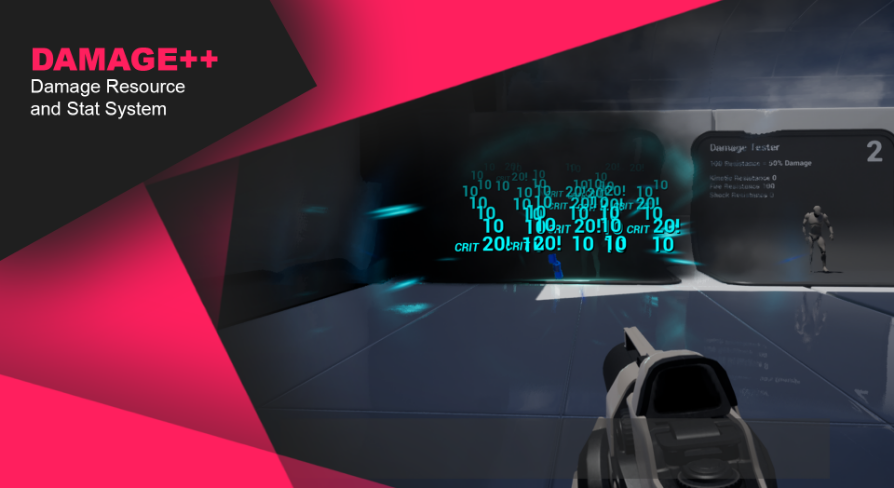
Unreal Engine
Expandable damage, stat and resource system with dynamic values.
Any Idea would be welcomed.
true valve
wind void
is there a **soft** way to Destroy Actor? I'm trying to kill an actor, but I get...
Validate before you destroy using either Destroy Actor or Set Life Span.
odd ember
wind void
is there a **soft** way to Destroy Actor? I'm trying to kill an actor, but I get...
sounds like you're destroying it before it's ready to be destroyed
or you're referencing it after it is pending kill
exotic cradle
orchid garden
yeah i get that, creative doesn't need any crafting 🙂 i.e. like 7 days to die c...
Got somewhere with the one picture you showed. Thank you! Supposed to be 12 slots but I only have 8 items in the data table and they have full functionality so far
wind void
@true valve & @odd ember. It appears that sequence seems to mess me up, as I thought functions were instant, but if I put a branch checking if self is valid, it removes the error. But only if I put the branch after the sequence not before.
Set Life Span.
I'll look into this method.
exotic cradle
Only issue now is the spacing between horizontal rows
wind void
true valve
Validate before you destroy using either Destroy Actor or Set Life Span.
Oh, I understand your comment now. But yea I am validating before I destroy. The problem is that inside the actor that is being destroyed, has blueprints that are refrencing it's destroyed self.
odd ember
wind void
<@!441113547540398091> & <@!224571781862653952>. It appears that `sequence` seem...
nothing is "instant"
all functions take time
it may take a very short time but it'll still take time
then add to that results may not be updated instantly, but rather only at the most basic interval, so every tick/frame
it's worth considering all time complexity to be that as a minimum
wind void
Do you have any suggestions on how to destroy my actor then?
Do I need to check if my actor is valid after every function?
odd ember
it's contextual
generally the easiest is just ensuring you are calling valid targets
but better system ensure that actors aren't called past expiration
maiden wadi
General rule. Always check if pointers are valid before calling functions on or getting variables from them.
wind void
maiden wadi
General rule. Always check if pointers are valid before calling functions on or ...
Well I figured referencing self would be safe. 🤷♂️
wind void
odd ember
but better system ensure that actors aren't called past expiration
Yea... I found out yesterday why you should never use Event Tick but a bit late to rewrite a bunch of my code. Ty for the explanations 👍
odd ember
if you show your setup we can take a look at it
almost certainly it's not the self reference causing issues
wind void
odd ember
if you show your setup we can take a look at it
Ehm, sure.
In my LevelGenerator. ||BP that controls generation of level, spawning in obstacles/floor and lastly player|| Eventually gets a references to the player and tries to delete it via DestroyActor ||tho rn it's `SetLifeSpan -> 0.5||
In my player's BP I have a EventTick that runs a bunch of functions. ||like 15|| Each function updates a part of the player such as whether the player is below the map, or updating on how many double jumps it has left.
The error however appears in my right after or during my most complex function.
My handlePhysics function. ||I didn't know how to use UE4's built in physics, so I made my own||
My physics function basically checks it's velocity variable, and uses a bunch of lineTraceByChannel to see whether it can move that direction.
in my physics function I have a sequences that checks it's X velocity first then it's Y velocity.
If I validate self before the sequence, I still get the error, if I validate self immediately after the Then 1 pin, the error isn't made.
So I assumed it's due to the sequence causing a tad bit of delay.
If you'd like screenshots of any of my functions/events lemme know.
Oh I also want to mention, that when I'm destroying my player I'm not destroying my PlayerController or my DefaultPawn. My default pawn refrences the player, validates it, then passes in input to move/control the player.
odd ember
well I was more looking for screenshots than a wall of text
you're talking about intention
which is not the same as what you've actually produced
wind void
Well, I mean that is what is happening. I can give you a wall of screenshots, but idk where to start.
odd ember
have you tried debugging?
wind void
yep. Which is how I found the error can be removed by validating self after the Then 1 pin in the sequence.
Which I mean, if it can happen there. The error of my character trying to reference self after it's pending kill, can probably happen anywhere when I'm trying to reference self. It just happens to almost always coincide with checking physics when my player is being destroyed.
odd ember
well it's really difficult to take a look at without anything to back it up. but from all of this it really sounds like it's not a solidly build system
and that's why it's starting to fall apart now
wind void
Ehh yea, it's not. I don't have a ton of experience with UE. Enough I can code, not enough to code well.
odd ember
it's less code experience and more system architecture
which it sounds like you don't have experience in
I'd say this: rebuild it from scratch, according to proper principles. because it's likely only going to get worse from here
and you'll spend more time bugfixing and hacking things together than actually building a game
technical debt is real
I've had to revamp a couple of my own systems as well
and tbh I still have to revamp a couple, but they're mostly isolated
and fully functional on their own
wind void
rebuild it from scratch
I honestly would if I could, but the game is for the Jam and there isn't much time left.
There are a ton of issues and optimizations I wish I could do, but just don't have time for as I'd like to have a functional game even if it's haphazardly put together and using lots of duct tape.
odd ember
then just tape it together the best you can
and hope it works
a game jam game doesn't have to be polished
inasmuch as it needs to be functional
pine trellis
hey I have a general blueprint question I fixed some issues with a door on a replicated map by making it the player controller the owner of the door, will there be any performance issues with this set up?
odd ember
add validation nodes where possible to skirt the issue, and pray that it doesn't come back to bite you in the ass in some weird bug from leftfield during a field test
 astral fiber
I am looking for something like "GetComponentByName" is there something like that?
exotic cradle
And it needs to output an array?
astral fiber
@exotic cradle A single Object
exotic cradle
Yeah I wish I could answer that but Im a bit busy myself and actually had a question xD
I just know you can get the display name of the object and than have a string produced as a result
unborn maple
Any idea when using set timer by event my minute is not being get to run a branch? it running fine on UI and dropping to -1 but if it checking to see if the value reach 0 for the game over it doesnt get the value. this is all being done in game mode.
when i watch the values as well seconds is being called fine.
 shut pond
Hello, im new here, can i ask, i was thinking about this for 2 days, and i cant get the solution for this
So, i want to make a top down arpg with same interaction like diablo
I already can attack when at certain range with target, and i can move to target if above attack range
But i cant make my player stop when approaching target and target is within attack range
Im using simple movement to location and get range to, any idea or tips?
wind void
astral fiber
Basicly like this but only ByName
that is technically it's name. What exactly are you looking for? As components are split into classes but each class has a human friendly property called display name. But that name isn't it's actual name, just the name we see. The components actual name is it's class.
If you want, you can get an array of different classes put together than for-each it, and check each one's display name.
or you can run getChildComponents and loop through those to try to find a matching name.
wind void
shut pond
Im using simple movement to location and get range to, any idea or tips?
I've never heard of either of those nodes, but I suggest instead of moving the player to a spot, move the player partially to the spot, like 10 units a tick and each tick check whether player is in range of any enemies.
wind void
shut pond
So, i want to make a top down arpg with same interaction like diablo
I already ...
Or you can check for nearby enemies, then move to their location minus your range
exotic cradle
I have a function to add InventoryButton widgets to a uniform grid panel based on a datatable so if I have 36 entrys in the data table it creates 36 buttons. How would I go about, when pressing say an X-button, removing all of those InventoryButton widgets from the uniform grid panel? Currently it acts as a dropdown menu but when I press the dropdown button again the widgets in the panel remain. I tried using remove from parent and it removes them but when I press the button again the grid is not regenerated
faint pasture
wind void
Ehm, sure.
In my LevelGenerator. ||BP that controls generation of level, spawnin...
So you basically wrote your own CharacterMovementComponent and also implemented your own version of possession? That's....something. You're gonna wanna refactor to play nice with the engine or this will become an absolute nightmare going forward.
astral fiber
@wind void Is it possible to have something like a Construct node inside an ActorComponent? The only 3 things I can override are BeginPlay, EndPlay and Event Tick.
wind void
exotic cradle
I have a function to add InventoryButton widgets to a uniform grid panel based o...
instead of removing them, try setting the uniform grid panel's visibility to collapse to make everything hidden, but not deleted.
exotic cradle
wind void
instead of removing them, try setting the uniform grid panel's visibility to `co...
I tried that as well and nothing happened
wind void
faint pasture
So you basically wrote your own CharacterMovementComponent and also implemented ...
ikr I botch things together too much for my own good.
faint pasture
shut pond
So, i want to make a top down arpg with same interaction like diablo
I already ...
When you right click a target that's out of range, you don't want to move to it, you want to move to the location within range of it.
exotic cradle
I tried having each panel be bound to an ESlateVisibility node and it doesnt change anything :/
wind void
astral fiber
<@!244590122811523082> Is it possible to have something like a Construct node in...
afaik no, however you can do whatever setup you want to the component immediatly after spawning/adding it, since thats basically what the construction event usually is for.
wind void
exotic cradle
I tried having each panel be bound to an ESlateVisibility node and it doesnt cha...
You tried this?
astral fiber
wind void
afaik no, however you can do whatever setup you want to the component immediatly...
Ok, the problem is that I change some rotations and I can only see the correct rotations in the game but not inside the editor
exotic cradle
wind void
You tried this?
Lmao the one thing I didnt try
wind void
What would happen to int / int if it would normally output a float. does it round/ciel/floor it?
pine trellis
can someone please help, I am trying to get a random code off another blueprint and print it into the widget but it keeps saying its not valid, I made a reference in the blueprint, but its saying its not valid, whats the correct way to send a random number from one blueprint to a widget so it displays on the screen
wind void
Is the Get Actor Of Class returning a valid actor? I think it's supposed to be the plural: Get Actors Of Class and then you just get the first one.
 topaz rune
Is there a way in blueprints to create a generic parent object, for the sake of grouping? IE in Unity you just create an empty game object.
 pulsar lodge
topaz rune
Is there a way in blueprints to create a generic parent object, for the sake of ...
pulsar lodge
topaz rune
Is there a way in blueprints to create a generic parent object, for the sake of ...
sure, just create a new blueprint child of actor and parent your new blueprints to it
topaz rune
...
duh
I've obviously not had enough coffee today, thanks
I have in fact done that several times in this project, brain must be fried
unborn maple
anyone know what cause an integer to not read in a branch even though it being readeverywhere else and even in the UI.
pine trellis
@wind void so your saying get all actors of class ? I tried like this and it did not work
what kind of wild card can I use for a cast node to an actor?
i want to try a cast to see if it works
wind void
pine trellis
<@!244590122811523082> so your saying get all actors of class ? I tried like thi...
Yea I had assumed like that.
Wait, your event construct is that a Custom Event? I've never seen that event. You should instead move your setting actor to the ConstructionScript
pine trellis
its a widget
wind void
🤦 oh duh
pulsar lodge
I have the weirdest problem
a variable seems to be set and not set at the same time
wind void
pine trellis
its a widget
Is the widget being constructed before the BP keypad terminal is constructed?
wind void
pulsar lodge
The variable Door Entrance is either set by the time the first set is called
or the variable is cleared by the time the 2nd set is called.
pulsar lodge
it is at the same time as you can see in the screenshot
two copies of the same variable have different results
wind void
thats not how BP works. Just cuz they at the same location, or even far apart, The point in time when the white splines catch up with the variable is when it's actually accessed. Otherwise it's pointless.
You can copy paste tons of nodes, but if no white splines are attached, they never actually used. So the variable is actually different because they are used at 2 different points of time.
pulsar lodge
ok
wind void
For example the variable Hurt Counter is at the same location, but accessed at two different points, there is a change in between the two points. So they are technically two different values.
trim matrix
Hey guys. I'm in the Advanced Locomotion System template. I have a "Event On Landed" node on the main character which works. I added another character : a simple ball with also a character type. I added a "Event On Landed" node on this second character (the ball) and added a Print String just after this node. I also added a Print String just after the "Event On Landed" node of my first character. I change the pawn to my ball in order to play with the ball. I can play with my ball but the Print String appears only when I start the game. If I jump or fall, it does not appear. Even more weird, I see sometimes the Print String of my first character appears but I don't play with him ! What does it happen ? I don't understand...
 sand shore
@wind void @pulsar lodge There's a video in the pins by me which attempts to explain it
it's pretty rough, but I haven't found another video that bothers to try
pulsar lodge
sand shore
<@244590122811523082> <@129014166408134656> There's a video in the pins by me wh...
what is the pins?
sand shore
the pinned messages
it's a concept that many channels in a variety of servers utilize
a core fundamental of the platform
Are you on desktop or mobile?
wind void
sand shore
<@244590122811523082> <@129014166408134656> There's a video in the pins by me wh...
Giving it a watch 👍
sand shore
pulsar lodge
but my problem is not like that
ahhh you're using the debugger
it interacts very strangely, I think the values displayed there are updated when the impure node is evaluated
trim matrix
Can I have a simple ball in a character class BP (instead of an actor) ? I'm wondering if it's not the cause of my issue...
sand shore
Does the ball do its own collision, or are you still using the capsule?
Because you can totally force the character class to be okay with having a ball. But when you do that, things might break in unexpected ways.
OnLanded is broadcast from a particular place in code and I betcha something is preventing it from firing, but you could use Event Hit
trim matrix
Thanks for this explanation. I understand.
Btw I still using the capsule
I'm gonna resize it and see...
Mh nope... Nothing changed
sand shore
what is more strange is your old character still triggering the callback
trim matrix
Yep, definitly
Maybe there is something with the GameMode. It is a bit complex because it's the setup of the Advanced Locomotion Pack
Moreover, I tried to change the pawn in this game mode, in order to have my ball as a pawn but as I'm not very familiar with this thing, maybe I done something wrong... I don't know...
Actually, I chose a Character Class for my ball because when I gone in my Game Mode and want to change my pawn for my ball, I did not see my ball BP. Apparently, it sees only Character classes. Though, getting what you've just said, maybe I should not have done this... 🤔
fresh bear
My character in a 3rd person game can't kill anyone as yet and can't be harmed.
Any simple blueprint suggestion that I could use is most welcomed !
trim matrix
@sand shore Oh ! I've just realized the ball's BP class of the default rolling ball template is a PAWN, not an ACTOR. And if I set my ball as a pawn so yep, I can select it as a pawn in my GameMode (pretty logics actually...)
Though...
I don't have the "Event On Landed" node anymore... 😦
But you've just said this actually...
Is there a way (not too hard for a beginner if it's possible 😅) to recreate a similar function i order to have this work with my pawn class ?
Oh I didn't see... You also said I can use Event Hit ! Gonna try this !
 neat frost
@fresh bear make sure the delegates ur using are assigned correctly, for instance if ur dealing point damage, bind the event to on point damage rather than any damage
trim matrix
Mh, if I use Event Hit insted of Event On Landed, I believe I should cast to ALL the things that my ball can collide... Or at least all the grounds of my platforms... Uggh... Maybe it's not a good idea :/
 spark steppe
you wont get an "onLanded" event in an normal actor, thats an ALS specific implementation
and ALS is not a good reference for creating a ball game, as it's designed for humanoid characters and has TONS of stuff in it which you probably never need
what exactly do you need the event for? what should it trigger?
trim matrix
@spark steppe I use ALS for a third person game with humanoid characters, which is just the purpose of the ALS, you're totally right ! But I would also like to implement a ball character, just for fun =]
My humanoid character have this code :
In short : when he falls from a too high level, it activates the ragdoll.
I'd like this kind of thing for my ball : when the ball falls from a too high level, it triggers a game over or something like this...
But unfortunetaly, I can't use the Event On Landed with the ball because it's not a character class
orchid garden
exotic cradle
Only issue now is the spacing between horizontal rows
Do like i did with mine @exotic cradle Vertical box set to the size you want it, sense you don't want a scrollbox, just stick the grid inside of the veritcal box and align it to top and left, that should resolve the spacing.
trim matrix
@spark steppe ( Btw don't look at the values you see in the InRange node. It is wrong, I've just changed it to test something. Nevermind... )
orchid garden
trim matrix
<@!280376753363353600> I use ALS for a third person game with humanoid character...
on movement check if is falling, if so set a timer to check the time the ball is falling for, if ball falls for x time trigger your endgame, if not falling, stop timer reset time counter.
trim matrix
@orchid garden You're right. It sounds pretty simple but I did not think to this. I'm gonna try it. Thank you !
shut pond
faint pasture
When you right click a target that's out of range, you don't want to move to it,...
Thanks alot for your help man, sry just got home from work
shut pond
wind void
I've never heard of either of those nodes, but I suggest instead of moving the p...
Thanks for the reply
 little cosmos
Hi all! A question about Blueprint when used only for a reusable solution of static meshes (like a prefab). (not programming related) - When placing an instance of a BP in my scene, how can I delete a certain mesh from it? I can only uncheck "Visible" and "Hidden in game". but is this the only way? Thanks
fresh bear
neat frost
<@762156388129701948> make sure the delegates ur using are assigned correctly, f...
Thank you ! @neat frost Will do that and if you are not bothered I can let you know if it worked !
 plush ridge
Why is my "stat fps" different from the fps I'm getting in BP? The BP one is very chaotic, dropping as low as 60-something, but the "stat fps" display remains stable at 78-80 consistently, never dropping below 78
surreal peak
Looks like it avarages the frames over the whole second?
 worthy frost
^ that is what the FPS that is shown, its the average for a sample of frames iirc
little cosmos
A question about Blueprint when used only for a reusable solution of static meshes (like a prefab). (not programming related) - When placing an instance of a BP in my scene, how can I delete a certain mesh from it? I can only uncheck "Visible" and "Hidden in game". but is this the only way? Thanks
worthy tendon
little cosmos
A question about Blueprint when used only for a reusable solution of static mesh...
do you want to remove the component that says "Inherited" in front of that component name?
little cosmos
I guess
I wanna have a blueprint of reusable meshes, but in some instances I don't want all the meshes
Wanna be able to delete some of them sometimes
@worthy tendon
worthy tendon
how about creating only the meshes that you want? you can do this in Construction script.
you could destroy the unneeded components in construction script as well. but I don't think it's safe. also you have to be careful about working with those components that might be destroyed. Instead I suggest you to create just the components that you need.
@little cosmos
little cosmos
Nice direction but not what I need mate
ocean radish
@little cosmos
little cosmos
Im actually looking for a solution in editor, simply delete static mesh components of a BP instance. Is this not possible?
worthy tendon
nope
little cosmos
Okay. Thanks !
 tight schooner
@plush ridge Stat Raw will graph un-smoothened frame times if you want to see those
little cosmos
@ocean radish But what if it needs to be per instance?
Editing the construction script of the main BP will delete all instanced of that mesh. I need only SOME instanced of this BP to remove <SOME MESH>
plush ridge
@tight schooner Do you know how the stat fps averages frames? I'm okay with the average framerate, but I want to display that in a widget (instead of the real calculated framerate)
maiden wadi
@plush ridge You can get a framerate via 1/DeltaTime
plush ridge
@maiden wadi I'm doing that, yeah -- but the value is very chaotic compared to the averaged "stat fps" value (which is what I want to output)
maiden wadi
Ah. didn't read above. If you want a more fluid version, you could probably save a few of those frames in an array or something, average them by multiplying them together and dividing by length of array. It might smoothen it out a little.
signal cosmos
Is it worth it to create a function if I only use it once in the actor? Or is it "better" to just collapse the nodes?
maiden wadi
There's no difference between performance in the two of those, so it's up to you. I like creating a new function myself. Keeps me consistent with C++ since I hide large blocks of code away in single use functions there too.
Not to mention, functions get to return and quit the function. Collapsed blocks can't always do that.
worthy tendon
plush ridge
<@!143471961723371520> I'm doing that, yeah -- but the value is very chaotic com...
try WMA. weight of 1 will always output current sample. weight of 0 will always output previous sample. weight of .5 will be the average of current sample and previous sample.
maiden wadi
O.o Is that just a fancily wrapped Lerp?
worthy tendon
yes 😂
plush ridge
hmm
maiden wadi
Ah. It is. Except one major difference, it clamps the Alpha.
plush ridge
I still get pretty chaotic results. This is for VR, my "stat fps" shows 89-90 FPS when its stable, and then if it goes down, reprojection kicks in and my "stat fps" value shows 44-45 FPS instead. But in both cases, it shows a stable 89-90, or a stable 44-45 and that value is what I'm after
I'm just not sure how UE is getting that value
maiden wadi
Lerp won't clamp the alpha, it allows you to go over 1.0 and under 0.0. The weighted function clamps it between 0.0 and 1.0 to force numbers in that range.
I'd try saving a few frames and averaging them. Because it's likely that the profiler either does that, or simply only checks every ten or so frames.
plush ridge
the stat fps value shown in the editor seems to be flickering each frame between 89-90, so it does change every frame, but between those two values
olive sedge
can I make it possible to type into a 3d widget without manually assigning every key to an event?
just basically a catch all key press event with the pressed key as an output?
plush ridge
Will try averaging frames over some amount of time
ocean radish
@plush ridge might be totally off here, but seems to be somthing like v-sync
the way its halving your frames
worthy tendon
olive sedge
just basically a catch all key press event with the pressed key as an output?
override OnKeyDown function. then return Handled if you want to handle the key press.
plush ridge
Does UE have a way to average a float array quickly
or will I need to do it manually
ocean radish
worthy tendon
olive sedge
<@!384045222599983104>
Yes. it's inside the list above. here is a quick test.
when you return Handled, the input is consumed and won't be passed to other widgets or players.
your widget must be also Focusable.
and for key events to be passed to your widget it must be focused. but i don't know much about the difference of these functions.
olive sedge
ok, man, thank you
but.. how did you override the on key down?
is that in an actor?
olive sedge
ok, I think there lies my Problem. I don't know how to make events on the actual widget blueprint
maiden wadi
@plush ridge Funny enough there's one for Vectors, but not floats. Should be easy enough to throw in a Library or something though. In Array by ref and this.
olive sedge
so.. how do you open the event graph on a widget blueprint?
worthy tendon
top right
maiden wadi
No! Don't do it! Don't go to the Widgets! You'll never get out! It's a trap!
olive sedge
😄
maiden wadi
@olive sedge Also, just gonna say this before you start delving too deep into UI. Try to keep it so that Widgets don't have gameplay functionality. UI should only ever really display values from actors, or call functions in actors. So like.. for an over simplified example, if you have an actor and a button. Instead of making the button's event OnClicked move the actor, the actor should have that event and the button should call the event in the actor to make it move itself.
olive sedge
right, separate concerns
makes sense
I'm creating a 3d widget right now where you can input the server IP to connect to
my main menu is 3rd person with character
@maiden wadi thanks for the heads up
maiden wadi
I'm doing a lot of that in my little merchant game. I really want to go back to that. I just have to figure out this random, illogical bug in this gamejam game.
olive sedge
what's your merchant game anyway? I've seen Merchant a lot when you paste screens of BPs
and can I maybe help with that bug?
maiden wadi
The bug is.. I'm making a tiny little Asteroids inspired game. So. Asteroids moving along a single plane with a top down view.
Asteroids are supposed to be snapped to a plane at 0,0,1 so facing straight up at 0,0,200.0 so 200 units above world center. IE, they stay at exactly a height of 200 units at all times. They move via Projectile Movement Component with no gravity.
olive sedge
with you so far
maiden wadi
So the bug is that they split when shot and scale down. Starting at 5 scale, then 2.5 then 1.. and in like 1 out of every 25 maps, randomly, the 2.5 scale cannot be shot. The bullet goes "over" the asteroid. Yet position prints correctly at 200 height for both the asteroid and the bullet. I have no mesh offsets from root components or anything, and when it happens in that map, it happens for EVERY 2.5 scale asteroid. Upon next level in the same game, it works fine again.
maiden wadi
I can't seem to find a single thing that causes it because like I said, bullet is at 200 height, asteroid is at 200 height, and there's no pattern for when it happens in a level.
It is for the 5.0 scale asteroid, but not for the 2.5 scale one pretty much. But more than that, I can actually see the bullet go over the asteroid. Asteroid is larger, so it should go through it.
olive sedge
so it literally goes 'over' it as in above?
maiden wadi
Yep.
olive sedge
while both are set to the same height
maiden wadi
Yep. And no Collision either. Everything is done via Overlaps, not Blocks, so there's nothing pushing anything out of the way.
olive sedge
hm.. I don't know how much effort it would be to implement this but could you make the game pausable and the camera movable?
because as I understand it the camera is top down
so you could check if it really is above it in the world or if it only shows that way
and then also.. maybe it has to do with how you load the level?
is it only after you completed a level or does it sometimes happen in the very first level
maiden wadi
Sometimes first, sometimes the 23rd.
maiden wadi
The level it happens on is nondeterministically random.
olive sedge
this is always the same level I presume but a fresh load when you get to X score?
maiden wadi
Like, if I had read someone else saying this, I'd have told them to make sure their mesh wasn't offset from the bullet. Cause like I said, I can print locations and they're at the same location, bullet should be IN the asteroid, yet I can see it over the asteroid.
Same level reloaded. Pretty much just keeps going and going until you die. Each level gets harder and harder.
olive sedge
bullet should be IN the asteroid, yet I can see it over the asteroid.
this is why I would like to see it from the side. to check if it really is literally above it or only if it shows that way
can you maybe picture in picture a second camera from the side?
maiden wadi
I'll set that up a little later. Need to finish my scanner thing here and then I'm actually done with gameplay. At least then I can upload it!
olive sedge
cool 👍
maiden wadi
For the test, I can just pause the game and unpossess the viewport pawn.
maiden wadi
It's just a derpy little arcade game, but it's the first project I've actually 'finished'. Hoping the Niagara particles don't fry a Judge's computer. :/
olive sedge
😄
maiden wadi
On a side note.. It's oddly hard to blur a masking texture in shaders. Gimp/Photoshop makes this shit look easy.
olive sedge
I haven't worked with shaders or textures yet.. Not really anyway so not sure what that means ;D
maiden wadi
Masking textures are just black and white textures. They numerically represent 0-1 values. So that the shader can decide how transparent to make the texture at that pixel based on that masking texture's pixel value.
olive sedge
ah, I see
 dense saffron
Anyone know if it's possible to get the uv point from a channel trace into a landscape?
maiden wadi
@dense saffron Of the landscape itself?
dense saffron
Yeah I'm trying to draw things onto the landscape via a render target
best result I've gotten so far is getting the location, trying to normalize it by dividing by the landscape size. I'm hoping theres something easier though
maiden wadi
I imagine that you could use the Landscape's actor location and the hit location's X and Y location. Z should be irrelevant for UV coordinates.
 calm cargo
Does it seem logical implementing a death cam with a camera modifier that follows the third person mesh component like so, and removing said modifier on revival?
Is this one of the intended use cases of camera modifiers? Or is there a more elegant / clean way of doing this?
olive sedge
is there any way to assign an onHover on an entire widget?
thick charm
hello guys i have only one level
how can i start the game
the main menu is in the same level too
(the far right is where i need to add the node)
maiden wadi
@olive sedge Make the main panel for the widget HitTestable. I think the mouse over functions will fire then.
olive sedge
hm, too late, now I have a trigger box in front of it 😆
 indigo bough
Hey folks, bit of a theory question, I have a lot of premade sidewalk curb/edge meshes which are modular to create fun shapes.
However I'm wondering of ways I could create a blueprint system to generate a 'fill' mesh for the actual sidewalk surface. That way I can build out the sidewalk edge, place my spline road to follow it, and then 'fill' the gap between the edge and the building/grass as well. My thought was some sort of generated mesh from a spline? World-aligned textures will be used to avoid UVing and/or overlap issues.
As you can see, the 'fill' shape could be very arbitrary so it needs some decent flexibility. The depth of the fill (to the building/grass) could be arbitrarily deep as well.
Any guidance or suggestions for a route that I might take would be amazing!
Excuse the terrible 'topology' just to illustrate my point about arbitrary depth / etc.
The main reason behind not just "modelling" these insert pieces is that there could be a lot of concave areas which would either require hundreds or thousands of very small sidewalk surface pieces to fill without spilling over the concave areas, or lots of bespoke shapes which... Honestly I just can't be bothered with.
ocean radish
@indigo bough https://www.linkedin.com/pulse/planar-meshing-from-outline-part-1-ryan-gadz?trk=read_related_article-card_title old one i found when looking at a similar idea

An outline is an incredibly useful tool in computer graphics. It provides enough information to fill in text, make procedural generated shapes, or fill in user drawn areas during run-time of a content creation application.
indigo bough
Awesome, thank you!
 gritty elm
is it possible to use ue4 runtime bsp at runtime?
odd ember
no, no experts here
odd ember
gritty elm
is it possible to use ue4 runtime bsp at runtime?
what you just said made no sense
gritty elm
odd ember
what you just said made no sense
need help, i want to extrude the mesh be selecting edge of face of mesh at runtime, what is the best option for that?
 granite barn
Curious, when using pawn sensing, how can I ensure that when my player is behind a wall or object with a collision box, that it wont sense my player?
worn nebula
Hey guys, does anyone know how to improve the resolution of the camera feed I have here? I've tried turning motion blur off and stuff but doesn't seem to work either https://gyazo.com/14fe31f5b281c0401478e7a3d875bdb3
odd ember
I'd say there's probably something you could do with rendering it at a higher resolution and scaling it down
but the practicality of implementing that in blueprint seems a bit far fetched
olive sedge
How do you remove focus from a widget?
odd ember
on the other hand it is a cool effect on the camera
olive sedge
so I can get my controls back
 lusty escarp
@olive sedge 'Set Input mode UI'
olive sedge
mh, no
I have a 3d widget and I call SetFocus on it when I enter a trigger box
that works well. But I want to unfocs when esc is pressed
surreal peak
ClearFocus or so?
odd ember
I think set focus has a tickbox no
would make sense either way
I've done it before but I can't remember and I don't have UE open
olive sedge
hm, the actual problem might be: I SetKeyboardFocus on an editableText
orchid garden
not sure if im asking this right... i have a quickslot bar on my hud, and i need to be able to update those slots when the player inventory changes (array in a component), what do you think would be the best way to handle that?
they are seperate slots from the inventory themselves
odd ember
it's another array
orchid garden
just asking for suggestions not coding
so store a list of references to them in a array?
odd ember
or you could make it into a map if you want to associate other properties to it
pretty much yeah
you don't even have to move them between arrays as quick slots presumably don't "exist" in the world
but rather are a convenience on part of the game
orchid garden
what do you mean by make it into a map?
odd ember
the BP hashmap implementation
I mean just do the array implementation for now
you can always change it to a map later if you need to
orchid garden
okay ty @odd ember i'll give it a go
unborn maple
even though minutes is already 0 it look like it not calling the branch because it setting it self to false tho the minutes by default is 0 even if i change it to 1 it doesnt return true after hitting 0 any idea why? i am use the set by timer event function to call timer.
orchid garden
should i destroy the hud display widget when displaying the inventory screen or just hide it?
orchid garden
unborn maple
even though minutes is already 0 it look like it not calling the branch because ...
did you try using <= ?
unborn maple
i have not. i thought = equal would be enought ill try that.
it still kept going to -1
orchid garden
thats the part thats handling the math function?
unborn maple
it getting the value to so it odd that it would still count down
yes it a custom event
orchid garden
wait i know...
its your previous check before sec->min
if seconds < 0 AND minutes > 0 is what it should be before you subtract a minute and add 59 seconds
od
i'd probably do if seconds == 0 AND minutes > 0 then minutes --
unborn maple
ok
unborn maple
lol it ok
maiden wadi
@orchid garden I usually just hide mine and call a refresh function before adding it back to screen. Also the == for arrays is extremely cheap. I use it on tick while the inventory is open to detect changes easily. Doesn't really break a game since it stops running when the window is removed from parent.
unborn maple
and then after it check that i just put the end game on false correct
orchid garden
@maiden wadi <= was just a trouble shooting step.
maiden wadi
I meant that to your inventory question.
unborn maple
true would be subtract and continue then false just end game
orchid garden
yep cause minutes = 0 and seconds would = 0, a timer function would be better as Authaer said
unborn maple
ok cool
orchid garden
you wouldn't have to do the math, just the math to display the time left inside the timer function.
maiden wadi
@orchid garden I meant that to your Hotbar inventory thing. If it's an array, the == for Array == Array is really cheap since they normally do it via a hash check. So if you have an inventory, and you cache it in the widget, and == the cache to the current inventory, you can detect if it changes very easily.
orchid garden
no worries, simple things get overlooked i fought for a hour on one of my widgets because a var link got broke inside a blueprint and it was staring me in the face. on my bad @maiden wadi
maiden wadi
Whew. Well.. Now I have to go reinstall 4.26. Cause I gutted it to death to get my build under 100Mb for the gamejam.
orchid garden
@maiden wadi the bar in the widget is fixed not a array of added slots
maiden wadi
I don't follow?
maiden wadi
orchid garden
not sure if im asking this right... i have a quickslot bar on my hud, and i need...
I was responding to this part.
olive sedge
I have a widget with a really wide text input field but the text stops showing after only a couple of characters, why is that? Seems almost like the widget is only so wide?
maiden wadi
The array in the component. If you cache that in the widget, and use the widget's tick to == the cache to the one still in the component, you can detect if the inventory in the component has changed.
orchid garden
ah a tick, none of my widgets have ticks
the hud widget is using binds for stat number updates
maiden wadi
You don't have, or you don't want to use?
orchid garden
i'd like to avoid using ticks as much as possible
maiden wadi
It's a fair sentiment. I just found it easier that way personally. Widgets don't tick when removed from parent even if they still exist or if they're collapsed, so it's really no big deal. Otherwise you're going to have to be absolutely certain that you don't bind multiple times, and that you actually call bindings in every single place that the array can be updated.
orchid garden
so far my project is tick free
maiden wadi
If you're using timers of any kind, it's not tick free.
orchid garden
timers and ticks are different
maiden wadi
Not so much. Timers are updated on tick, once per frame.
In fact, if you're doing any form of networking, all of that is evaluated or checked if it needs to be evaluated once per frame on the server.
@olive sedge Make sure the WidgetComponent's size is large enough. Looks like the Widget's size is larger than the component.
orchid garden
my timers are in a component controlled at a central location where as ticks are dependent on the blueprint, this allows me to activate, pause, destroy timers on the fly where as with ticks you don't have as much control.
maiden wadi
You can disable and enable, as well as change the rate at which something ticks at runtime.
olive sedge
@maiden wadi by widget component you mean the thing that I added to the actor?
maiden wadi
Yep. It should have an X and Y size somewhere in it's properties.
This thing, DrawSize
Make sure that's wide enough to fit the Widget.
 grand torrent
Hey all. Is there a way to send a keyevent to level viewport from an editor widget?
worn nebula
Does anyone know how to reduce the frame rate loss when the camera is active? https://gyazo.com/e11450f4f5375d3638734cc004fd6b15
neat frost
fresh bear
Thank you ! <@!578668767316410371> Will do that and if you are not bothered I c...
I don't mind, feel free to dm me 😄
tight schooner
@worn nebula if you're using a scene capture component, it's just expensive. In the component you can try disabling rendering features (shadows, particle effects, LOD bias, volumetric fog, etc.) but you also might end up with some visual discontinuity.
gusty shuttle
Is there a way to level stream a level in fresh? As in, if I unload it, and load it back in, it has the same stuff as it was unloaded. Is there anyway?
Besides OpenLevel
worn nebula
Yeah I am using a scene capture component, is the a way that's less expensive to do the same thing?
tight schooner
Maybe you can somehow use the frame buffer as a texture... #graphics would have better advice.
worn nebula
Okay i'll try in there, thanks!
trim matrix
Hi there,
I have a simple ball mesh which is a pawn (or an actor... actually, I tried the two and I'm not sure of what is the best) that I can control with some Add Impulse nodes. I'd like that when the ball hits a surface with a certain velocity, it takes damage or triggers a game over. I think we can do something something like this for a character class : https://forums.unrealengine.com/filedata/fetch?id=1841422&d=1607584769

But problem is that I don't have the Event On Landed node in a pawn or an actor class. I would also set my ball as a character class but it seems that the Event On Landed doesn't work as expected. Almost does not work at all, actually... Is there a way to do what I am looking for for an actor or a pawn class ?
I'm thinking about "Event Hit" maybe but I'm not sure. There is many surfaces in my game so if I should cast all the surfaces of all my assets in the ball BP or create a Event Hit on all my assets, it would be much tedious than with On Landed...
tight schooner
If you had an On Hit event, why would you need to cast to every surface actor?
Does the On Hit event provide impulse information on its own?
Event Hit
trim matrix
tight schooner
If you had an On Hit event, why would you need to cast to every surface actor?
Because I have to indicate to the BP the surfaces that can be hit by the ball ? But it's the first time that I use the Event Hit so I don't know really...
tight schooner
Wait... Does the ball get destroyed on a big impact or the other actor?
trim matrix
First, I think I'm gonna just display a game over screen when the ball hit a surface at high speed
Then maybe do a damage system if it works
No need that the ball is really destroyed but yeah, it's kinda the idea
tight schooner
If the hit actors don't do stuff in reaction to getting hit by the ball, then I don't see the need for casting
or otherwise having the ball "communicate" with those actors
If the other actors need to do stuff in reaction, the two ways to avoid casting are...
- Use a Blueprint Interface
- Make all actors that react to hits child classes of a common parent class. Then the ball can cast to the parent class to interface with all the children.
trim matrix
Ok, glad to see there is a possibility
tight schooner
The benefit of approach #2 is the child classes will inherit the parent class behavior unless explicitly overridden, so you can define default behavior for hit-able actors