#blueprint
402296 messages · Page 554 of 403
 plain flare
 hardy swallow
plain flare
hardy swallow
plain flare
Ok, I'm going to try
 haughty egret
Does anyone know how to stop actors moving instead of teleporting when using SetActorLocation?
 maiden wadi
@haughty egret What exactly do you mean by stop it from moving? Like.. Not go through walls, or? If that's what you mean, use the sweep option.
haughty egret
I mean when I use SetActorLocation with sweep false and teleport true. I still see the model move quickly towards the point like it's interpolating there instead of instantly moving. @maiden wadi
maiden wadi
You're going to need to show what you're doing. That's not normal behavior. SetActorLocation is a single teleporting movement.
 still trellis
https://gyazo.com/10f6f786f045b5726972aadc87573814
the Restriction parameter of AddOutgoingDamageRestriction and the SourceRestrictions parameter of ApplyDamage take the same type (FDamageCondition const&) but one takes a TArray of them and will not allow me to assign a function to it via the Create Event node. any ideas on how to fix this?
 haughty egret
@maiden wadi I don't know where else I can be getting this wrong... This is the node
Is there a setting on actors or skeletal meshes around how they move or something?
 short pawn
hey guys does anyone know how i could change the black bars when you constrain the aspect ratio to a material?
 atomic salmon
@haughty egret SetActorLocation takes place instantly (next frame) so not sure why you see it moving "gradually" toward the destination. What else is happening in the level? How is your frame rate?
Unless there is something else acting on the same actor and countering your SetActorLocation. How does your actor look like?
 karmic tree
Hey guys, my problem is that when I press E to open the drawer, the flipbook loops continuously. After that I managed to stop it with the "Set looping" block, but now if I press E to reopen it it won't open. Because now the loop has been interrupted. Anyone know how to fix
 slate apex
https://gyazo.com/400b0681efcc837a3fdc1cd39d5a5a7f In a top down game like this, i directly translate movement from inputaxis to player movement. The issue is, if i walk diagonally, it doubles due to two inputs. Any idea how to do this easily in an event graph? I'd rather avoid hopping on visual studio.

im sure theres a simple solution, but for UE4, i havent found one
 trim matrix
hey my game info instance not working don't know why any bp which I cam cast to gameinfoinstance isn't showing response????
 hollow mica
sorry I am new so what I should put between Jump and Stop Jumping because when Jump and Stop Jumping are connected Player cant jump and when i dont connect them Player jumps for eternity. I think I have to add some delay please help
maiden wadi
@hollow mica Generally you're only supposed to call jump on an action event instead of an axis event. Axis event runs every frame. Input event only happens once.
 undone timber
so i need to create a grid that goes from negative to positive integers through 0 included, but for some reason loop is not storing the int=0 values on the array
so i am getting holes like this, and when i need to find this values on the struct afterwards, well is failing
haughty egret
@atomic salmon It's not that it moves gradually but I can see the actor move quickly the spot instead of disappearing and reappearing. The level doesn't have any special logic. Frame rate is variable but it still happens at high frame rate.
atomic salmon
@trim matrix you really have to make your questions more understandable or none will answer you. 1. What are you trying to achieve? 2. What is the problem and what isn't working as expected? 3. What did you try already but didn't give the expected result?
undone timber
marco you can do a simple hack to use an axis input for your commands that require repetition
you can use a compare and ignore value 0 of the axis
and just execute commands when the value is > or <
haughty egret
As for something else acting on the actor. Yes it does have a movement component but I can't see how it would interfere with this. I'm using the set actor location on idle actors.
undone timber
not perfect... but better than the annoyance that is setting single input commands
trim matrix
@atomic salmon I have created game info instance and when I am calling it from level bp it is not working and the code is right too
 vapid shard
Does anyone know what might cause random spikes in "Transform or Renderdata" & "Post Tick Component Update"? I have an enemy blueprint that all of a sudden is causing intermittent freezes, and I notice these two spike when using the stat game command. I'm not sure what it could be, and googling doesn't yield much on those two. Any insihgt?
hollow mica
@hollow mica Generally you're only supposed to call jump on an action event instead of an axis event. Axis event runs every frame. Input event only happens once.
@maiden wadi works. Thank you
 atomic salmon
@undone timber you need to tag the OP. It wasn't me.
undone timber
oh sorry hah
anyway, anyone that had issue before ? trying to create a 2d array with a struct, is not saving the 0 values
atomic salmon
@haughty egret can you try with: https://docs.unrealengine.com/en-US/BlueprintAPI/Utilities/Transformation/Teleport/index.html
Teleport
haughty egret
I'll see
atomic salmon
@undone timber can you show the code you are using to create the grid?
undone timber
atomic salmon
@trim matrix it's not working means what? What is the exact error?
undone timber
that means the cast is failing probably @trim matrix
haughty egret
@atomic salmon Yea they're still zooming to the location instead of disappearing reappearing
trim matrix
@undone timber yes earlier it used to work don't know what happened
atomic salmon
@haughty egret no multiplayer, right?
haughty egret
It is multiplayer
atomic salmon
@undone timber does it work with literal indexes? If you put -10, 10 in the For Each Loop?
Instead of using a variable
haughty egret
It's server locations being altered and replicating to clients
Oh maybe there is something interpolating there...
hmm
undone timber
it creates the grid, is just that the struct is having empty spaces instead of a value, which i am interpreting as it storing 0 as null instead of an actual value
atomic salmon
@haughty egret check it because it seems there is something else interfering with the movement
@undone timber you mean the indexes? X,Y?
undone timber
yes
atomic salmon
Can you take the index from the first loop and store it to a variable before entering the second loop
In the second loop use the value of the variable instead of dragging out directly from the Integer from the first loop
karmic tree
Can someone help me please
undone timber
see this is what is generating
and where x is 0 this is what turns out
which is just not consistent
oh wait you think maybe because loops are private functions they are unable to read the value from the other loop?
let me try your idea
well it seems to be more consistent now... tho thats hwo the struct is looking
when x is 0 and y is 0 its just not putting anything there at all...
maiden wadi
None of your zero values are being added, not just the 0,0. To be fair though. I've never liked blueprint's debugging systems. Print out that list after the adding loops in another for each loop and check the log to see if it's printing the right values.
undone timber
exactly that's what i mean, the 0 values are just ... null i think
maiden wadi
Not likely. More likely that the blueprint debugging system is just messed up. I'd seriously try printing them
haughty egret
@atomic salmon Ah yea somehow we're interferring with the location replication
Thanks for the help
undone timber
thanks @maiden wadi
maiden wadi
That's odd though. Why do you still have single values there?
Shouldn't they all be a struct of two integers?
undone timber
no, is a struct with 2 int arrays inside of it
... its because unreal doesnt support 2 dimensional arrays
so i had to hack it with a struct
i mean is an struct array with int int
 frank quest
Hey, I’m new here but I have an assignment this year where I have to write some C++ code to supplement a blueprint project, so my question is;
TL;DR What are some simple custom nodes I could write in C++ that could build upon and support the existing blueprints system?
 tawny bison
@frank quest I think what you want is something simple like one input and one output or a few inputs and one ouput
maiden wadi
Really depends on the project. I mean, if you want some quick and simples, do one that takes in an array of actors and either a location or another actor and return the closest actor in the array to the other input.
Another of my favorites was a node I made for a top down camera pawn. It scales the pawn's movement speed based on the min/max length of the spring arm input. So that the camera pawn moves faster the more zoomed out the camera was.
I made one for UI that gets the angle that the mouse is moving from a point on screen, so I could use it for radial menus.
tawny bison
I need to learn how to do that. I need to get look at rotations on tick for lots of actors. It needs to get the look at rotation of two actors and find the right rotation between them.
I do nativize it I wonder if that is as good as writing it in C++
maiden wadi
Close in a lot of cases. Nativizing is supposed to speed blueprints up a lot, but it's never quite as fast as pure C++. The Nativization adds a lot of bloated code.
I always avoided Nativizing for the simple fact that it has some buggy issues in more complex cases. Rather than spend time learning those, I just dove into making C++ functions in a C++ BlueprintFunctionLibrary.
tawny bison
ah ok I guess the goal would be to start transferring the blueprint to c++. Its a component that only has code on tick. So it should be strait forward.
maiden wadi
Should be. What was the use case? Finding the actors in front of another actor, or?
tawny bison
no it is something very heavy. We are releasing Paper3D next week. It is a component that brings 2D 8 sided sprite sheets into a 3D world. To face that many flipbooks to the camera with full 3D rotation is heavy and you can imagine why. My first game uses Paper3D and I was able to handle 60 ai on a 2gb older android
But that was with nativizing
maiden wadi
Hmm. Fair. You could likely easily optimize that by only rotating the ones with a unit vector from the camera to the object that have a positive dotproduct when compared to the camera forward vector.
Since that should mean that that item would have to be 180 degrees in front of the player and most cameras are near 90degrees in FOV.
tawny bison
Yea because my game is top down, I was able to turn the tick off when actors were not visible. But now we are getting into full 3D with view distance that is much farther.
I would not be changing the blueprint for Paper3D this would be more for a personal use.
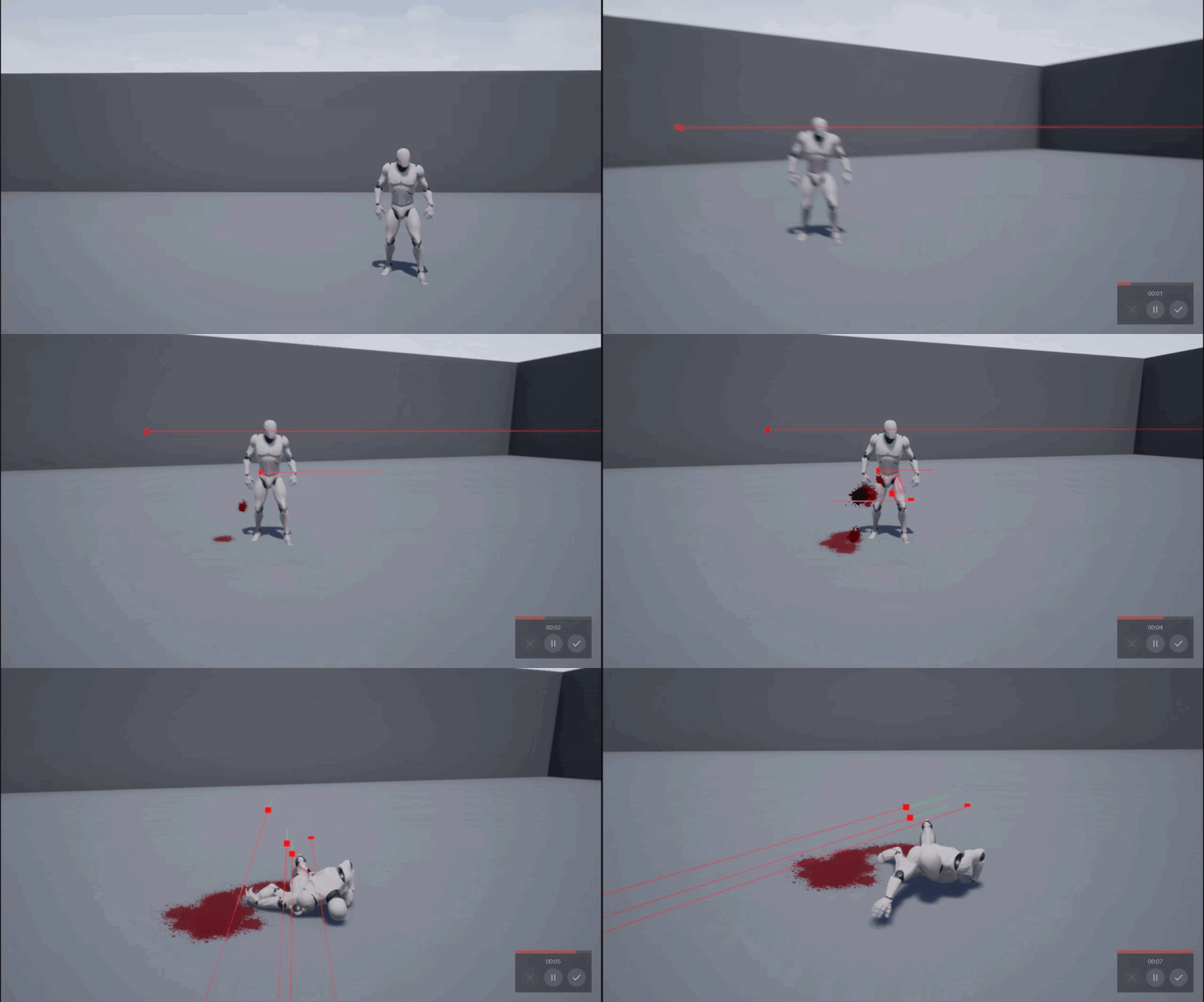 tawny bison
differently going to try that though. Any way I can optimize it will be great and it does not need to rotate to the camera if the player can not see the flipbook
maiden wadi
For top down, that might not work so well. You'd have to check more like if the dot product is > 0.6 then rotate. Or just use LookAtRotation if Rotation near equals the camera's world rotation then do.
tawny bison
oh yea i have it covered for top down. It is just that Paper3D is not top down but 3rd first or top down. I am sure anyone using our system would pick a play mode and design around that but it would be nice to be able to change in mid gameplay.
I could use a bool to use the current method for top down mode and try what you suggested for 3rd and first person
I think there would be an option to run the component on a different thread?
 zinc portal
This is not maybe too relevant here but the project is all BP and I was discussing yesterday so I will continue.
happened so far. My (90FPS VR project) frame rate drops sometimes to 45. Trying to find the root cause. SO cooked game yesterday. The cooked game got 4-8FPS (clearly some issue).
I switched from forward rendering to deferred. As my other project made in deferred had good FPS. Now I get 45ish FPS in PIE and worse (but 30 ish) in the standalone (cooked)
Rift and UE 4.24
Any clues how to progress hunting this down?
 hollow cape
VR is generally going to run at 90Hz (or whatever the set rate is), or 1/2 that rate (reprojection). It going lower than 1/2 rated Hz means there are bigger issues. Cooking games DOES NOT necessarily make them run like they run in the editor
You probably have scaling in the editor that keeps it running smooth. You will need to play with the scalability group settings etc to get it to run smooth
zinc portal
what do you mean scaling?
hollow cape
Not sure why you wouldn't run it with forward renderer and instanced stereo
check the sg. command line settings
zinc portal
I want to run forward rendered, it was just trouble shooting
sg? sorry I am a newbie
hollow cape
sg = scalability group, there are docs on it
zinc portal
the level is super simple. btw, very little content.
hollow cape
VR is a different beast
also, #virtual-reality is where you want to post VR specific content in the future
zinc portal
will do, it just is bit quite and about Facebook/oculus lately 🙂
I will check the SG stuff. Did you check the profiling captures, where the frame time is going?
(I am trying to figure out if my stereo layer UI widgets are the issue)
thanks regardless.
 astral epoch
I'm getting an "accessed none" error when trying to use the Is Valid node. Its for a checkpoint system and this only happens on the final checkpoint (used print strings to check and its definitely executed properly on other checkpoints). Any ideas why Is Valid isn't working?
 violet leaf
i have problem with getting the rotation value of an actor in an animation blueprint when i get the value it does not seems to get the updated value does anyone know what might cause this to happen ?
trim matrix
How can I make the player jump higher when holding down the button
@trim matrix do you know any good tutorial that explains how to do it?
hollow cape
@astral epoch show code
astral epoch
@astral epoch show code
@hollow cape Backtracked a little bit and found it wasn't the thing it was claiming was missing, but rather its parent. I'm working with some god-awful legacy code here.
hollow cape
lol
astral epoch
Player Car > User Ref > Timer, timer is the one being checked for validity.
Oddly, this works as intended for every other checkpoint, so I'm not sure why the final one isn't picking it up. This is triggered by on-overlap.
trim matrix
@trim matrix I am using the standard jump function but I don't know how transform it to that
 wide kayak
Hey nice people ! I am having some issues with gameplay tags, as i think i do not quite understand how it works. But basically what i am trying to do is to check when the line trace hits an actor, it goes through all the tags in a tag container and check if it matches with the switch option. But for some reason i am not able to trigger it.
It doesn't give me any error, it just does the loop and then it doesn't continue to flow .I assume the problem might be that the actor doesn't have the gameplay tag. But i think i added it correctly ( through a blueprint in the corresponding actor, which is the floor )
I think it's correct, since it appears here :
maiden wadi
@wide kayak Understandable mix up, but those aren't the same kind of tags.
I don't honestly know what Gameplay tags are generally for, I've never had to use them, but what you're after are normal actor tags.
 simple lantern
Does anyone have any good resources on procedural mesh generation? I know there's a lot out there a lot of it feels pretty basic/low-level, i'm specifically trying to generate architecture based on simple rules
by which I mean procedurally selecting walls in which to have windows based on the size of the wall, overhangs that auto generate columns, etc
wide kayak
@maiden wadi I thought that the gameplay tags were kinda the same, but had the possibility of having all those data tables,etc.
violet leaf
i have problem with getting the rotation value of an actor in an animation blueprint when i get the value it does not seems to get the updated value does anyone know what might cause this to happen ? please guys i need help with this i have been trying for hours
 exotic warren
i directly translate movement from inputaxis to player movement
@slate apex Normalize the PlayerMovement input vector
violet leaf
if you guys need pictures of the blueprints let me know
wide kayak
@violet leaf i would suggest any time you put a question, to always try to contextualize as best as possible and to show images of it, so it makes it easier to detect any issue
@violet leaf that said, i am not proficient enough in it to help you 😦
@maiden wadi Do you know if there's a better way to get a reference to different types of objects, all from one source? Like i can use tags, but i would have to manually go object by object and add it to it
@maiden wadi Also i don't find a way to get a switch based on tags 😆 damn it
violet leaf
the thing is really simple for some reason is not working i am using set actor rotation on the level blueprint and i am trying to get the value of the actor in an animation blueprint inside the function "blueprint animation update" but the value always stay the same even if the rotation is being applied on the game world
hollow cape
@violet leaf show code
maiden wadi
Until we actually know what you're doing, the only honest good answer you're going to get is "You're doing something wrong."
hollow cape
^
violet leaf
this is when i try to get the value in the animation blueprint update function
maiden wadi
@wide kayak Not sure what you mean by all from one source? What are you trying to do exactly?
hollow cape
@jade surge you left out the most important part...how are you referencing that actor
also get control rotation isn't the same as world rotation
violet leaf
ok i will take another shot
wide kayak
So for example, for the gameplay tags i can just go to the project settings and set it all there. @maiden wadi
 rough wing
Control rotation is like your mouse rotation in a sense
Not your player character rotation
Where your character or camera wants to look at
hollow cape
switch out the get control rotation for get actor rotation
hollow cape
aside from that, as a point of contention, I would get the player pawn, cast and save reference on initialize instead of on tick. That doesn't solve your problem, just thought I'd mention
Is the print string actually printing?
violet leaf
@hollow cape yep
maiden wadi
Also, don't use GetPlayerPawn unless you're doing a specialized effect with other things. Use TryGetPawnOwner
violet leaf
@hollow cape i will post a video now of the print
hollow cape
is your pawn actually rotating in the world? I'm assuming "Player" is the pawn class name
rough wing
Why are you casting to player from player pawn
hollow cape
Also, please tell me you aren't calling get all actors of class on tick on the same class that you're getting all actors of?
violet leaf
this a video of the print
@hollow cape i did not understand what do you mean by your last statement
hollow cape
is the ACTOR rotating, or is the mesh rotating?
maiden wadi
@wide kayak Ah. I see what you mean. Honestly, I don't know. I don't use tags all that often. A lot of my logic is based on actor types. The only time I ever use tags are for specialized circumstances where I need to tell one actor from another one of the exact same type.
hollow cape
You're doing a "get all actors of class", of class Player. Is that being called on the Player class?
wide kayak
@maiden wadi So is it possible for me to get instead of a reference by tag, by the type of actor? I want to do that but not managing to find anything like that.
violet leaf
the actor is thing rotating im using set actor rotation so it will always
rotate the actor is not ?
@hollow cape bro i told you it is in the level blueprint
hollow cape
Missed that "bro"
maiden wadi
@wide kayak Depends on your use case. What is the switch for? What are you trying to do overall?
wide kayak
So i just want to click on an object with the mouse and get a reference to that object. That's it. From there onward, i can do all of type's of things, depending on the object
If it's a char -> sit / Bed -> Sleep / Etc
maiden wadi
I strongly recommend interfaces for this. It's literally the perfect thing for doing different stuff based on the same action.
rough wing
If you can click and get the object you can do whatever with it
violet leaf
@hollow cape i don't understand why so aggressive like this
maiden wadi
For a simple example. You could make an interface, and make your classes that need to do something inherit from it. Then say you have a chair and a door. If you walk up to it and line trace it and then call this message on the chair, the chair actor can set up your controls and put your pawn into their chair and set it's values up for the animation, etc and maybe make it a pawn so that movement resets these values and such and you don't need to pollute your character or controller blueprint with anything but the interact trace. Same with the door. Trace, hit the door, call the exact same interact function on it and instead of doing all of that, it'd simple open or close the door.
hollow cape
No aggression at all, just kinda wondering where the "bro" came from. The issue could be with how you're getting the reference to the owning actor in the animbp as Authaer said
maiden wadi
No, I was talking to you when I said that. Use TryGetPawnOwner instead of GetPlayerPawn
Animblueprints should always reference the actor that they're attached to unless you're doing something special.
wide kayak
@maiden wadi @rough wing Yeah that seems great and that's exactly where i want to head to, but there's a step missing before that, since the blueprint in the image i posted here is a Controller, which is where i am sending orders from. So when i want to click in an object, it gives me the reference to the object clicked and then it Casts to the Player Character (Itself) where it provides that reference to actually use it for different actions
violet leaf
@maiden wadi yeah i actually i was doing that
but i changed it so i can see only player one values
maiden wadi
@wide kayak On click makes it even easier. You can do whatever you need without the interface calls in whatever class you want from their own Clicked events.
Well, that depends. When you say Clicked. Are you using the actual click events, or are you tracing from the mouse location on screen?
wide kayak
Second one
maiden wadi
Ah, then you'd need to do an interface the same as I was saying.
wide kayak
maiden wadi
More or les...
violet leaf
so you are saying i need an interface to notify when the rotation value change ?
wide kayak
@violet leaf no the interface explanation was for me
violet leaf
oh sorry 😆
maiden wadi
@wide kayak Your controller trace would look about like this.
Have an interface like so.
And in the actual actor, you'd do something like this after adding that interface to that actor.
Because you can do that in multiple different actor types that have no base class, and do whatever you want from that left click.
wide kayak
Yeah yeah
dammmn
that works well for sure ( haven't tried,but it seems to 😄 )
so much better and simpler
so much time i wasted on this xD
ahahhahah
thankks !
let's see how it goes
maiden wadi
For example. Completely different class, and can have different code altogether, and nothing needs to change in your controller left click call.
hollow cape
BPIs are life
 slender hawk
I'm confuse.
How do I set a timespan variable in the editor?
When I try output it to a string in my UI it just shows up as 00:00
If I use make timespan it shows up fine.
 drowsy tide
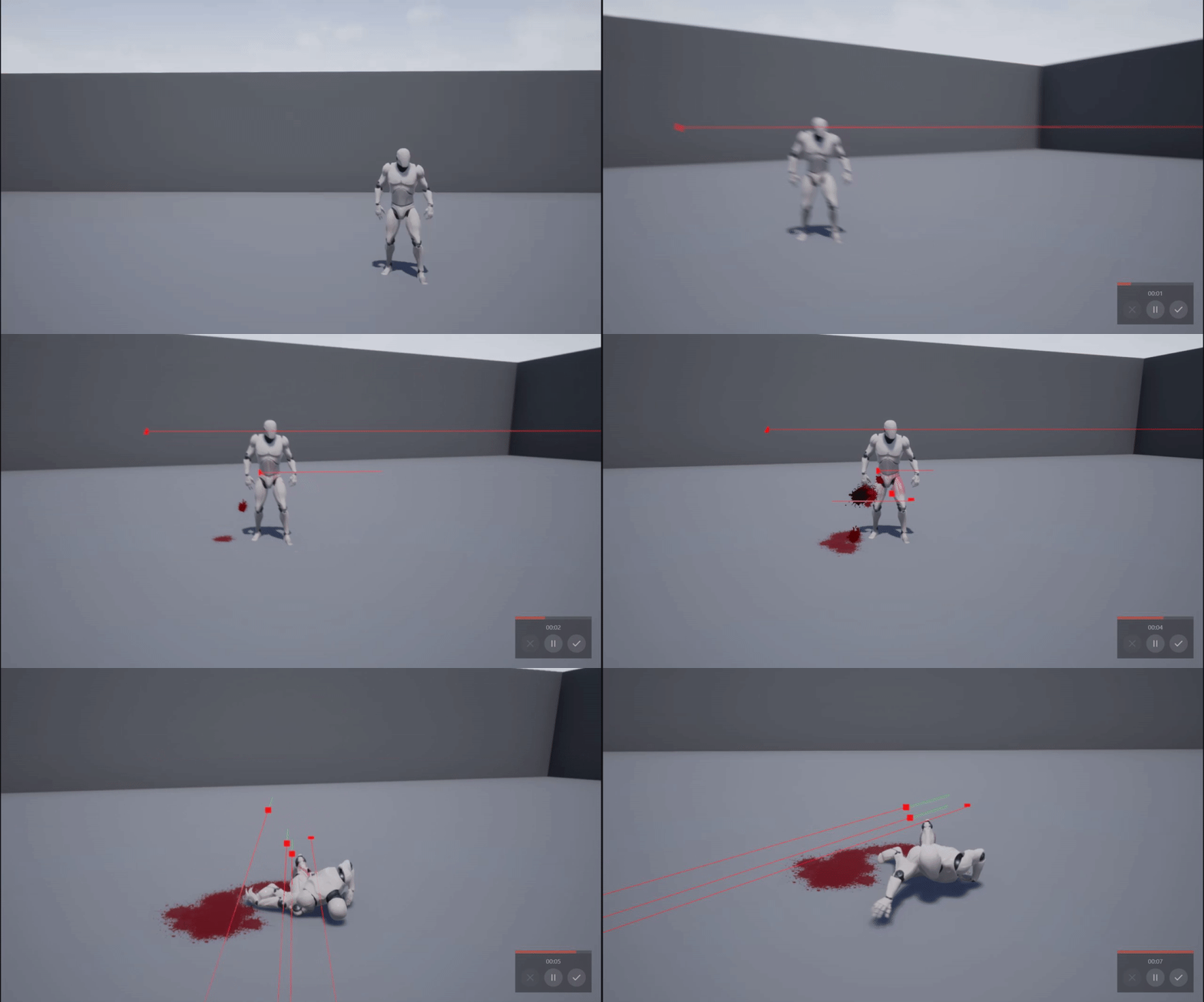 trim matrix
I guess I could ask here
This doesn't autowrap in a scrollbox, it just goes in one line untill it ends
any idea?
Looks like this in unreal, but in game
(And yes, the reply 1-1 is way longer than on that screen)
wide kayak
@maiden wadi How do you make a blueprint inherit a interface?
I am trying to call it on another actor, can't find a reference to it
maiden wadi
maiden wadi
Your 'Chair' or 'Door' actor need to inherit the interface, not the class making the interface call.
wide kayak
Yeah, in this case, the TopDownCharacter is inheriting it
maiden wadi
To do the call, you'd just drag off of the actor pin from your trace and start typing your RequestTargetInfo, it should show up as...
Make sure it's the message. The other is a direct call, which you don't normally want.
slender hawk
I want to have a time for how long a status effect lasts, i.e., 1min 6sec.
Is timespan the right thing for this?
wide kayak
@maiden wadi So in the sender i use the interface call correct? and in the object that inherits the interface in this case, my character, should have the message, but it just doesn't appear there. Could i be missing something?
maiden wadi
@wide kayak Is your mouse click in the controller?
@slender hawk Possibly, but it's overkill and going to end up being annoying for coding. You're better off just using a float in most cases. So. Status Effect lasts for 66.0f seconds.
maiden wadi
Kay. The controller does not need the interface in this case since it doesn't need to have that event. All you should need to do is have the character inherit the interface. Once it does, you should see a little interfaces thing near your variables on the left with all the interface functions. So you can get that event two ways. Either right click it in the Interfaces part and "Implement function" like this
Or search for it in the graph like this
That'll get you the event that fires in your character when it's clicked on. Back in your controller, all you need to do is line trace, and send that function as a message from the clicked actor.
wide kayak
Hum i don't have that option when i right click on the Interface in my Character Blueprint. So in the controller blueprint yes i am calling it. But in the character that option doesn't appear
slender hawk
@maiden wadi ok cheers. I can't figure out how to get a pre-set timespan variable to output anything anyway. They just seem to output 0? 😮
maiden wadi
@wide kayak Ah, I didn't think about that, it returns values, so it cannot be an Event. In this case, it's a function. Just double click on it and it'll open up the function for you.
wide kayak
@maiden wadi So you mean like this? So the logic should be between these 2 ports?
maiden wadi
Yep.
@wide kayak Also, not sure if you know, but a function can have multiple return nodes. You're not limited to just the one. It'll still only pass one value out per thing, but it can make functions easy to write.
wide kayak
@maiden wadi So with that Return node, i can't see it in Event graph or pass it there can i?
@maiden wadi Return nodes or return types? If it's return nodes i wasn't aware of that
maiden wadi
Both. In this case I did mean return nodes though.
I'm not sure I follow the first question though?
wide kayak
Yes
The first question is, that Return node, where does it return?
Ah okey nevermind
LOL XD
 manic knot
Hey everyone! I'm not good at math lol, how would I go about take an incrementing DateTime variable and convert it to a float that "pulsates" like a Sine? Im looking to have the DateTime drive the Audio Level of Day/Night ambient background audio based on the DateTime variable in a smooth sine so that at midnight it doesnt just switch to 0 or 1
manic knot
Yes but how to make that a sine that reverses when it hits 0 or 1
 dense mica
so it will go up to 1 first then revert back to 0, right? @manic knot
my English not good enough to understand what "sine" and "pulstates" meaning but if i get the idea right, you can just use timelines to do that 😄
manic knot
yes smoothly, like going back in reverse and back
I unfortunately cant use timelines as it depends on the DateTime variable
 weary jackal
There's a node finterptTo that interpolate between 2 values gradually
rough wing
Does the datetime variable keep incrementing
dense mica
finterptTo requires alpha input afaik
manic knot
Does the datetime variable keep incrementing
@rough wing yes every 10 milliseconds
maiden wadi
@manic knot Do you want it to go to 1 in the middle of the day, or at night, and then the next day goes back to 0? Or where is your sine top?
rough wing
I'm thinking you might use a modulo for that (%) but I can't really think how you would apply it
dense mica
i would just hardcode* the way out lol
manic knot
@maiden wadi Ill have 2 sines ultimately, One for DayAudio, One for NightAudio. Id like them to "crest" or max out at opposite times
weary jackal
finterptTo requires alpha input afaik
@dense mica nah. It requires initial val, final val, time, interpolation speed
rough wing
Every time it hits 1 change your target
dense mica
🤔
manic knot
I am familliar with the FInterpto node! Im not sure how to make it sine however
dense mica
that must solve the problem then
rough wing
Like every 1, 2, 3 dateTime
dense mica
does timelines update till their time is out?
manic knot
Every time it hits 1 change your target
@rough wing im thinking this but I would like each to fade out/in smoothly over a long period of time
dense mica
if it is you can still use it maybe
maiden wadi
@manic knot If I understood correctly, you only need one sine. You're doing this off of DateTime?
dense mica
with fInterpTo
maiden wadi
And you're looking for a float return of 0-1?
manic knot
@maiden wadi yes. I can already lerp or finterp into another range, but im looking to have it return back to 0 smoothly
maiden wadi
@manic knot How often is the update?
manic knot
10 ms
the main issue is when it hits midnight, the time become 000 so it just turns the volume down/up suddenly
trim matrix
Hello I need a lil help. Everything is described in my screenshot, but basically I'm doing Linetrace every .01 secs with a timer and then if hit is true, it should set text on the widget, if not it should clear text. I figured out, the problem is with updating the text on widget every .01 secs, because it causes animation and movement lags on the other clients. I think the best idea would be to update the text only, when the hit variable changes. How could I do that, or do you have better idea, how it could work?
 viscid blaze
Do you guys know if there are any other good blueprint sharing sites like BlueprintUE?
manic knot
@trim matrix an Event Dispatcher would probably be ideal for that
manic knot
@rough wing it increments every 10ms but the DateTime variable type has built in handling of time advancement. so its not infinite, the type resets to 0 at midnight and increments the day month year etc
rough wing
At what dateTime value does one cycle complete?
trim matrix
@manic knot Instead of custom event?
manic knot
@trim matrix You would create an Event Dispatcher at the place doing the line trace, and in the widget On Construct Bind a Custom Event to that Event Dispatcher
So you still use an event but then you dont have to check constantly.
trim matrix
@manic knot Ahh I'll check it out, and let you know then. Thank you for now. I appreciate it!
manic knot
@maiden wadi Im doing somthing very similar to interp the datetime values into float ranges to drive the SkyLight etc, but how would I have it smoothly "reverse" or go back down to 0 when it hits 1? Im hoping to do this with just math so I dont have to do any hacky "ifmidnight" bools and stuff
maiden wadi
Could switch on the day's modulus. Basically do a mod on the day, and if day's mod == 0 then do one way, if it is 1 then do the other way. Like...
rough wing
Hmm
You can keep track of the difference between current date time and the midpoint
And increase if youre moving towards it
But nvm it's meaningless. Its the same thing as not checking for it
manic knot
@rough wing like, at what time of day should be the 1 max value?
rough wing
Yeah
Oh wait maybe it's not that meaningless
Yeah it makes sense
Check if you're moving away from the midpoint and if so decrease sound
If you're moving towards it increase sound
Now you created a sine wave I think
So that just means you added some offset to your graph, the max point is now not at the loop point
manic knot
@rough wing There is a built-in IsAfternoon function in the DateTime type. I could use that
 blissful cosmos
I'm currently struggling over a logical Issue:
In my game I want to have items that themselves can contain other items (like a bag containing two more bags containing health potions).
I am trying to define a structure to define what an item is, and for now I think it should hold a key to a data table defining the item itself, as well as an array of items that reflect the contained items.
That array should be of type item, but you can't have a class contain itself....I'm not sure how to best proceed. Does anyone have any inputs? How do I make a class contain more of itself?
trim matrix
@manic knot So did you mean something like that? (Hope you don't mind the ping)
maiden wadi
@blissful cosmos You could get away with an inventory itself as an array of structs. Inside of the structs, have the basic information about the item and if it's an actual item like say a currently equipped weapon, or your bags, have each struct have a pointer that is connected to that spawned actor or object. Then you'd have a bag which might be an actor with an array of structs, and in those structs one points to another bag, which is also an inventory, so it has a similar array.
blissful cosmos
I think that wouldn't work unless I spawn every item into the world
Which I want to avoid
 meager vessel
Hey quick question: I populate a combobox with an enum like this.
blissful cosmos
Plus, I need to store the entire inventory between plays, so the objects would be destroyed - therefore it needs to be storable without spawning it in
meager vessel
How do I get the enum on selection changed of the combo box when the combobox just returns a string?
 round basin
What should I use if I want the duration of the animation not to depend on the framerate? Someone said timecode but he wasn't sure.
 wet notch
Hey there! Wasn't sure where to ask this question but my actor isn't being destroyed by the Kill Z (which isn't set too far away and is set in the world settings). I also tried placing a Kill Z volume in the level but that isn't destroying it either. Would the problem be in the actor itself, or is there some setting for the Kill Z that I'm completely missing? Never mind, I set up a box collision to solve this lol
meager vessel
Don't quite get how this should help me
blissful cosmos
@meager vessel You could have an array of strings that define all options (to make sure the order is consistent) and then get the currently selected index for example
Yes it was my mistake @meager vessel , I got something mixed up
meager vessel
Oh ok
Hm i will try that
Already saw that solution with selected index but wasn't sure about the order and my enum, like if it is always the same
But thanks!
blissful cosmos
If you add the options in a consistent way then the index will also be consistent
But if you know all options before game start, it's better to define them in the UMG editor and not via "Add option"
meager vessel
Well the enum is not in it's final stage and i would like to avoid having multiple different spots to change after adding or removing an option
blissful cosmos
You could also compare strings I think. Convert your enum to string and check which one is selected in the combobox currently
manic knot
@trim matrix yeah how’s that working?
trim matrix
@manic knot The CustomEvent_0 in WBP is not called for some reason, so the text is not shown
manic knot
is the cast to character successful?
trim matrix
Yes
manic knot
the other clunkier way would be to cast on tick but, dang 🤔 i have similar setup working in my game rn
is it multiplayer?
 shell snow
hey
short question
my unreal crashes after deleting a node
how can i fix that?
Assertion failed: false [File:D:/Build/++UE4/Sync/Engine/Source/Runtime/Engine/Private/EdGraph/EdGraphPin.cpp] [Line: 1875] Pin named StructOut was serialized while trashed - requesting pin named StructRef owned by node K2Node_SetFieldsInStruct_0
maiden wadi
@trim matrix How come you do the linetrace on the server?
trim matrix
@maiden wadi I need to make sure, the player can interact with the object
maiden wadi
You might be much better off letting the client do that on their own, and then check both on the client and server side if the player is facing the right way and close enough or something. I'd simplify your netcode a lot.
 faint pasture
@round basin by default it shouldn't depend on frame rate. The animation gets interpolated to the frame.
round basin
@round basin by default it shouldn't depend on frame rate. The animation gets interpolated to the frame.
@faint pasture Thanks !
 raw escarp
Hey guys just a quick question, i have made a collision preset and want to toggle it with a key how can i make a variable of the preset to toggle?
faint pasture
@blissful cosmos Structs can't self reference so you'll want to use a class
raw escarp
so i cant do it in blueprints?
trim matrix
@maiden wadi Ah so you mean like check it on the server and client separately and then If I want to do some action, then check only if for example "hit" variable on the client and server side are the same value right?
faint pasture
@raw escarp quick and dirty way would be to track the state with a boolean or enum, when you press the key, change the variable, then get collision and apply the settings
So pressing the key sets bCollisionMode = ! bCollisionMode, then updates collision settings based on bCollisionMode
raw escarp
ok im gonna try it out then thank you adriel 😄
blissful cosmos
@faint pasture Is there a significant performance penalty for using classess since you need to spawn them into the game world, as opposed to being just a variable in a class (as would be the case with structs)?
 twilit heath
@blissful cosmos you can use full struct inventory in c++
i would advise against it in blueprint
as you don't really have any struct functionality there
faint pasture
@raw escarp I'm not 100% sure that this node changes the preset but this is the general logic.
you could also use a flip flop which basically does the same thing with its own boolean
@blissful cosmos Structs are fixed memory size so a structure that contains itself is of an unbounded size.
weary jackal
@faint pasture but if a capsule becomes 'no collision' then it can not step on any floor
faint pasture
@weary jackal fill in the blanks with whatever collision profile you want.
blissful cosmos
@faint pasture I am aware, hence my question
maiden wadi
@trim matrix I mean more to do the line trace on the client. Both for the check and the interaction. Then when you want to interact, that's when you would do the distance/rotation check and then RPC, and then on the server do the same distance/rotation check so the client doesn't cheat. Then the only netcode is your server RPC for the interaction.
faint pasture
@blissful cosmos there might be a sort of work around you could do with IDs
Instead of the struct containing another whole struct, you could have a list of IDs of structs contained within it.
It depends on how stateful your Structs need to be. It's pretty easy to say the bag contains bag contains Apple
Wait a second, no
Ya good luck lol. You'll at least need objects for your bag to contain something with state.
trim matrix
@maiden wadi Yeah it'd probably lighten netcode, but how much? Because the linetrace is executed only, when player is near the object and it's sending only some properties of the object so I should show what's type of object it is (in the wbp) and for example if it's available. And I still need to know the location of the player on the server.
faint pasture
You could do it if you have a dynamic table. Then the contained items would be the IDS in the dynamic table.
So Bag contains id11, look at table, id11 is a Bag which contains id14, and id15, which are Apples.
So the entire state of the items in the world would be in that table and you traverse it to see what's inside what.
 dense pine
I seriously need help from someone willing to go to PMs, I'll pay you for your time, should take seriously 10 minutes. I just need to set up object rotation based off of gamepad input and nothing is working for me.
twilit heath
you should be able to put an array of Struct A into Struct A
maiden wadi
@trim matrix By a lot. It turns those line traces and actor references being passed into a single RPC with maybe a couple parameters.
@trim matrix For example, what is your use case? FPS, trying to press a button to interact with an object the player is looking at?
trim matrix
@maiden wadi Something like that. Trying to collect an item from an object (crate for example). But the player doesn't need to look at the object. It must be just near by and there can't be any obstacle like wall or something. And I can't do that simply by "Press key to collect" -> "Linetrace" (true) -> "Collect", because I wanna to make it shared between other players near by, which must fulfill the same conditions.
maiden wadi
And what is showing up on the widget? The ability to pick up the item, or that it's just close by?
trim matrix
"Press {key} to collect", if you're collecting it, then some kind of status. So basically some properties from that object
maiden wadi
And the trace to be able to collect, is that from the character's head position, or more center?
trim matrix
I think it doesn't matter much, but maybe better to be from the center, because there can be situation where obstacle can be smaller than player so head will see that object
faint pasture
@twilit heath not seeing it as possible in bp
 gritty elm
is there any console command that gives information about character name, or player controller name etc
maiden wadi
@trim matrix Okay. This is a bit of a mess, but it was tossed together. So...
This is all ran on the client. No server processing.
This is that macro both events are using.
Simple distance finding thing to get the closest pickup to the character.
Once it finds a valid pickupable, and the player presses F, and it finds the same one, it calls the RPC with a single argument of the actor's pointer. The server does the distance and line trace check to double check and if they succeed, do the pickup logic.
In the end, literally the only net code besides what you might replicate after the pickup logic, is that single RPC for the pickup itself.
 sick crown
nice
trim matrix

maiden wadi
I did actually miss an Isvalid very first thing on the server side of things, and your pickup objects need to be replicated as well so that the server can resolve the pointer correctly from the client.
trim matrix
@maiden wadi That looks nice, do you have it in separate project and you could send me it? Or did you test it in some of yours project? Because I still didn't solve a situation what should be picked first, if there will be two objects near by and that could actually solve it.
 echo scaffold
Hey peeps I wanna ship a marketplace thing but I'm using regex for replacing every character in a string between [ and ] characters
Is there a non regex way of soing this so I can use only vanilla BP nodes?
maiden wadi
You'd have to copy it from the screens, I don't have it up anymore.
trim matrix
Okay, thanks I'll try it then
trim matrix
I have added a dash function in my game but don´t know how to get the forward vector to point the dash in the facing direction can anybody help me?
 zenith scarab
What does you dash function look like now? @trim matrix
 tender sierra
How can I alter a Material Instance in the scene without the need to specify a static-mesh-target? ie as if I change the material instance and the affect would be global on all the meshes that uses it
trim matrix
@zenith scarab all I need is a vector that points in the direction I am supposed to dash
zenith scarab
There are multiple ways
Depending on either your game style or your blueprint setup
The easiest way is to use get actor forward vector or get forward vector on your character mesh
trim matrix
So yeah it kind of works with get vector forward
zenith scarab
@tender sierra look into a parameter collection you can use in materials then you simply change the value on the collection and it changes on all materials using that collection
https://docs.unrealengine.com/en-US/Engine/Rendering/Materials/ParameterCollections/index.html
Assets that store an arbitrary set of scalar and vector parameters which can be referenced in any Material.
trim matrix
But I have the default 3d side scroller set up so when I turn my character in the other move direction when moving there is a short rotation that makes the character turn
and if I dash during the rotation the character can dash towards the camera
zenith scarab
The side scroller defines a definitive direction I assume you move along the y axis, then simply get the actor forward vector and there the y value if this float is greater then 0 you add an impulse at positive y and if it's smaller then 0 then you add an impulse at negative y direction
If the whole game moves along the x axis you get the x value for sure and add impulses according to the rotation at positive / negative x
I hope that makes sense for you
trim matrix
Yeah I got it
 vernal bramble
Why get current level returns a string but open level expects a name and they don't have the same data type?
 rain ravine
IDK but inside it transform the FName to FString anyways
@vernal bramble
so probably safe to use FStrings
zenith scarab
@trim matrix use bigger or smaller 0
vernal bramble
@rain ravine lol so it goes string -> convert to name -> convert to string 👌 
zenith scarab
You are moving along the y axis if moving forward you normally go along the positive y axis so the y value of forward vector is > 0 if you move the other way so along the negative y the forward y value is <0
rain ravine
@vernal bramble yeah, if you want to go to the nitty gritty a FString is just a normal string, FName is string which has a unique int value, so it's cheaper to compare with other FNames and FText is like FString but it also supporst localization by default
but they can be cast to each other just fine
vernal bramble
👌
trim matrix
@zenith scarab I works for dashing but it still doesn't solve my problem
This is what happens when I dash while changing move direction
zenith scarab
And you are adding the impulse how?
trim matrix
oh sry right
i am new to unreal and havent used that before
how should I add it?@zenith scarab
zenith scarab
Show me how you do it at the moment
trim matrix
the dash or the movement?
zenith scarab
The dash
trim matrix
zenith scarab
Okay so what you will have to do to keep your stuff there is :
Delete the forward vector at the end and for the multiply use a select node for the vector input
The first vector is x0y1z0 and the second one is x0y-1z0
The condition is get actor forward vector, split the vector, and then the node float > float connected to the y value
trim matrix
select node?
trim matrix
what is a select node?
rain ravine
right click, type select and create it
input is bunch of variables and a control (int / bool / enum) that decides which variable it puts into output
basically like switch but with variables instead of exec pins
trim matrix
@rain ravine thx
 sinful zealot
Is it possible to dispatch an event from an actor to the game instance?:
I can't get it to work, the blueprint nodes do not show up in the list. Therefore I am misundertsanding how they work.
 sand shore
You could be asking a few different things there, can you maybe rephrase?
sinful zealot
Can I have a blueprint in one class "call" or trigger the event node on a(ny other) different blueprint class? (I though event dispatchers could implement this, but boy are they unintuitive)
trim matrix
I think you can
sinful zealot
I read on C++ delegates, and got very confused, so I thought I'd try a quick blueprint demo.
sand shore
Okay, yes that's possible. And event dispatchers are the right thing
meager vessel
Is there an easy way to sort an Array of actors? I made a waypoint system for my AI and each waypoint is an actor. When I play the game in the unreal engine it works fine but if i run it as a standalone the order is all messed up. So I need to sort the Array. Thought about just naming the waypoints 1, 2, 3, ..., n and sort by name but sadly there is no proper built-in function i think
sand shore
- Make a dispatcher in your actor class.
- Figure out where you want to have the dispatcher triggered. Use the "Call Event ..." node.
- In your game state class, figure out how to get a reference to a specific YourActor instance.
- Use a "Assign Event to ..." node.
@sinful zealot
YourActor doesn't need to know that YourState wants to run logic OnCustomDispatcher.
But your state absolutely has to know about OnCustomDispatcher, as well as YourActor
trim matrix
Have they taken out jump max hold time in the most recent update?
 shadow saddle
im having trouble with apply damage node
somehow it wont execute the event for the damaged actor side
sinful zealot
Which class is listening in this scenario, the GameInstance or the Actor? (I can't picture dispatchers at all)
sinful zealot
My brain can't digest DX
I know that a class can bind its local custom event to its own local dispatcher, and that the same class can also call its own dispatcher (No use for it there) And other blueprints can't seem to access any dispatchers outside of their graph.
sand shore
Oh sorry. I thought you were asking about a game state.
The GameInstance is listening
Well you can't just have arbitrary access to a dispatcher
You have to have a specific actor to bind your event to its dispatcher
you can't (in BP) just bind an event to some event that can happen based on the type alone
sinful zealot
I'm trying to have the single GameInstance listen in on Actor messages. So Actors tell the game to run its event node. There is only one instance.
sand shore
Okay, it sounds like you need the GameInstance to get a notification of when an actor spawns?
sinful zealot
Sure. My only intent is to see how dispatchers work. I still can't convince myself that they work. (Especially can't tell which direction they go because of the ambiguous name= who are you dispatching to?!)
sand shore
In your actors begin play, get the game instance and cast to your specific type. Have a function which takes a param of your specific actor
Call it RegisterForEventCallbacks
sinful zealot
Cast... 0_O of course
sand shore
Whhh
sinful zealot
OOOhhhhhhhhhhhh Thats why it didn't show up. I'm a silly.
sinful zealot
Because I derived a blueprint class off the base GameInstance class. Then added the dispatcher to the AnomeGameInstance blueprint.
sand shore
Oh. the dispatcher is on the GameInstance?
sinful zealot
In this case, yes.
sinful zealot
Ok. So The GameInstance, the sender creates a "Dispatcher".
Wait...
But the Actors make calls to the dispatcher. Doesn't this imply the actors are calling the event on the dispatcher?
sand shore
What do you mean they make calls to the dispatcher?
Can you show me the actor making a call on the dispatcher?
sinful zealot
I'm interpreting "Call to dispatcher" to be a sender broadcasting to the blueprint with the dispatcher.
sand shore
Let's see the graph work that you're looking at.
sand shore
Ahh I see
yes, "Call Dispatcher" results in it being executed for all listeners
you want to use Bind or Assign in the actors
Also Event Init is super early in the life cycle
Your actors may not Begin play in time for Event Init
sinful zealot
Maybe I placed the "Dispatcher" variable in the listener, when I should have placed it in the sender.
It still works, but I did it in a unintuitive way.
sand shore
Hrm
So you have one thing that you want to control some notification
that specific one thing would have the event dispatcher as a member
That's the sender.
You may have many things which want to know when the notification occurs. Those are listeners.
It's okay to have a single listener and many senders.
It's also okay to have many listeners and a single sender
I know this doesn't help your confusion...
but maybe it can help narrow the definitions of the words
sand shore
You're only doing this to understand dispatchers?
sinful zealot
To try to understand* them. I can't guarantee my success.
....Only listeners can "Bind" or "Subscribe" to be notified by other blueprints! maybe
sand shore
the easiest thing is a single sender. I would do what you originally had.
GameInstance delays from Event Init. After some time X, it calls a dispatcher which exists as a member of GameInstance.
Event Actor grabs the GameInstance on Begin Play and it binds a custom event within the Event Actor graph to the dispatcher which is on the GameInstance
Have the custom event just print string
sinful zealot
So the dispatching blueprint cannot tell other classes to listen.
sand shore
Exactly
sinful zealot
Only other classes can ask the sender to include them in his newletter. Thanks Immutable. Now Ima provei can do dees!
sand shore
Yes
Newsletters often do not care which people are subscribes
@sinful zealot Also I like how you type, it's quite tidy. (editing your responses in)
sinful zealot
Yooooooshi! I finally have confidence that I understand dispatchers (working demo). I'm going to forget this so I'm writing this down. ^0^ I guess Blueprints is what other people hoped how I would perceive python, a fun toy. (How I hate Python)
 gusty shuttle
I didn't understand dispatchers for years aha. Only now I am using them and they are great
sinful zealot
I'm also learning how to write Blueprint Nodes in C++, so I'm pretty excited for the future.
gusty shuttle
Yes, that's going to open some sweet marketplace plugins me thinks. All kinds of cool stuff people are going to make
 late shuttle
Are there any functions available to get random points on a mesh? I would like explosions to be randomly generated on the surface of a very large space ship upon destruction.
rain ravine
idk about mesh, but what about random in a sphere and casting it on mesh?
it's not precisely random on mesh but close enough?
shadow saddle
for charge attack i can do something like when pressed do cahrge atk and released do normal attack
but how about shield attack
holddown rmb then click lmb to attack
nvm
figured it out
just let ur attack node check if its blocking , if it is
do guard atk isntead of normal atk
blissful cosmos
How do I make a UMG image widget display a "screenshot" of a 3d model in my game? For example, if I want to take a picture of my character in the world and display that as an avatar. How would I do this?
trim matrix
hey wise folk. I have a problem where my character has a ramp that he can jump but immediately after the ramp he falls down unrealistically. I know its something to do with character movement. Anyone have a fix or workaround? is it possible to disable char movement on the lip or edge of the ramp?
rough wing
Does this select start from option 0 when the minimum input index is 1?
Or does the integer correspond to the exact same option?
Nvm just tested it
 mild halo
I'm using a projector blueprint that projects images onto mesh as seen in the first image. It has built in functionality to update its world location etc. in order to view changes made in the viewport as seen in image 2. The way this functionality works is by using the Event Tick node in the Event Graph. I have added keyframes to this projector to use it for a video and attached keyframes synced with camera position of the video I am going to use. The problem is, in both the viewport and if I render it using the sequencer, the image gets left behind as shown in image 3.
I am thinking that this has to do with keyframes and event tick not working together properly but I have not found any info on the matter. Does anyone know what could be causing this issue?
 wind harbor
I'm trying to do some Cube marhcing, and I wish I could make a byte out of 8 bools in Blueprints. Anyone done this? 🙂
In order to do some faster lookups
Ground as in "Geometry"?
Cause I think I too have had problems with that =d
trim matrix
Ye exactly
rain ravine
@blissful cosmos SceneCapture component and render target texture
scene captures acts as a camera that puts the image to the render target
then use the render target in material in the UMG widget
blissful cosmos
This sounds like I need to have the object exist for the entire time then, but what if I want to just make a one-time snapshot?
I envision to do 50-100 of these per map load, so I want to create them, take a screenshot, save that in ram/display in UMG and then destroy the object without loosing the UMG representation @rain ravine
rain ravine
no you can render it only once
well you will need some kind of manager that creates and keeps those render targets
but then you just spawn actor, snap and spawn next, snap to another render target etc
just make sure you have enough ram / the targets are small enough
USceneCaptureComponent2D, set bCaptureEveryFrame and bCaptureOnMovement to false
then call CaptureScene() when you need to
then change TextureTarget and capture again and so forth
 pine trellis
I need some blueprint big bro advice, I get this error, I know I need an is valid check but does anyone know where I could put the isvalid code?
thats the node that it sent me to when I clicked branch
thats a component blueprintBTW
rain ravine
yes, blueprint macro library
@photon what about the actor has tag?
this one
only actor ref I see there
 woven turret
just started utilizing and getting into function libraries, is it possible to cast to a character actor that isn't controlled by the player? I have a base actor i'm using to create children NPCs from, and i'd like to use my function library to share functions between the player character and NPC characters - that way I don't need to keep copy-pastaing functions that do the exact same thing when I change or add onto them
pine trellis
@rain ravine thanks big bro!
maiden wadi
@woven turret Generally for something like that, you would need a base class between your NPC classes and your player character class.
rain ravine
yeah basically do something like
ACharacter -> AMyCharacter -> APlayerCharacter
-> AAICHaracter
woven turret
i thought I could do that, but then the NPC children will have components that only the player will need to use, ie follow camera, etc, wouldnt this be a bad idea?
rain ravine
and call your code on AMyCharacter
no put player stuff on player, ai stuff on ai
shared stuff on AMyCharacter
woven turret
oh wait, duh yeah, I wasnt following what you meant there - no problem adding onto the normal gameplay components to the player child actor then, so I'll just start out with a blank parent base class for only the functions, and go from there
rain ravine
and if you ever need to share something between completely different classes
like a chair and enemy
use interfaces for that
 mellow folio
Tin Can - If you want actors to share functionality, your first approach should always be for them to share a parent.
The NPC child can add whatever extra custom components it wants and this will not affect the Player child.
sinful zealot
Is it possible to have an Entire Blueprint Class as an outer for a UObject? I thought only instances could be treated as Outer.
woven turret
yeah I got it, for some reason I was thinking theres no way to add new components, variables, etc to the child classes 😛
rain ravine
@sinful zealot that's weird, just put in self
it's probably just shit you got loaded in editor at the moment
and unreal is confused
sinful zealot
The price of true freedom.
 opal sable
I've made a blueprint that accesses a parent's component and it works, but I do get a few errors that the components I'm trying to access are null
I'm assuming this is because it's not guaranteed that parents are fully initialized before children
 odd ember
does a SetViewTargetWithBlend exist for camera components within an actor?
opal sable
if that's the case, what's the best way of making sure that everything is fully initialized before assigning component references?
 narrow kelp
@opal sable you could have an initialize function on the component that is called by the actors begin play
opal sable
I actually just managed to solve this by checking if the component was valid
I had a bit of a dumb moment and forgot I was doing this every frame instead of just once
narrow kelp
right on
opal sable
I might still have a problem though since I read that the initialization order gets changed around on release builds
but for now it works so I'm going to live in blissful ignorance
 fickle blaze
anyone know why my conditional loop for my AI will just keep doing the same thing even though it's not in the Enum value where it should?
for example I have it set to idle but it is trying to attack
why does this happen
oh nvm I did not have the eye checked
:p
 peak crater
if i want procedural leaning that doesn't affect current animation overlay state
can i just grab a spine bone and rotate on keypress?
 brave trout
I'm trying to make a paper 2d platforming game for mobile and would like it so that wherever i touch on the screen my character will jump towards that direction. is there an easy way to do this? i've been messing around with add movement input but the scale value is throwing me off, and using simple move to location doesn't do anything.
 flint surge
How do I return nullptr from a BP BlueprintImplementableEvent, if I'm expecting a UObject* or Object Reference on the BP side? If I leave the pin empty, is it guaranteed to be zeroed instead of some random garbage?
I can't find a BP node that would give me a constant reference, do I just make a const int 0 and try to cast that to object reference?
eh, looks like that only lets me cast objects
@brave trout Isn't your character in world coordinates, and the touch inputs in screen coordinates?
Although, I guess you don't need to deproject if you just take the touch XY in screen coordinates, subtracted from screen center XY, and use that with some scaling to move your character, since you get to discard a coordinate axis in a 2D game
brave trout
that makes sense as to why the coordinates were giving me fits
flint surge
I mean if your camera is looking down the world Z-axis, things might just line up 1:1 more or less anyway (edit: also with the correct roll, such that screen +X and screen +Y line up with the world +X +Y)
I haven't tried making anything 2D so I don't know if UE has some kind of "true" 2D mode
brave trout
aye it does. how do you reference screen center?
flint surge
hm... I think you get there through player controller somehow, you can find like a view or screen or something, and read its dimensions
I remember having to also get the scale because the editor window being resized doesn't get reflected in the resolution in PIE, and instead messed with some separate scale variable and screwed up my deprojections
brave trout
this is quite the fix then
maybe it's better to just use a controller to navigate and a tap to jump
flint surge
eh, it's not a tough thing to implement
in this case I wouldn't let a small hurdle deter you from proceeding with the preferred control scheme
I can check a project where I was messing with more of that stuff in BP for reference
brave trout
that would be awesome if you would have the time
flint surge
I can't find an example of where I would reference screen center, but there's a lot of this sort of stuff
but you can probably mess around with these sorts of nodes
I guess the one that returns a Vector2D might be more appropriate for your purposes than the ints
brave trout
ah i see where you're coming from now
this is for mouse cursor though, would it be the same for input touch?
flint surge
I mean the viewport stuff should be, but if you're talking about Get Mouse Position on Viewport, I wouldn't even try using that
I've never messed with touch input though so I have no idea how that comes in
maiden wadi
@brave trout If your character is always dead center in your screen, the screen center might work, but for gameplay, it may be better to use a simple line trace with a Line plane intersection. It's not an actual line trace, but basically some vector math that lets you specify two points, the center location of the plane, and then the direction you want the plane to look in. And it'll give you a point on that plane as if you were tracing and hitting an invisible wall. It's a very cheap operation that is perfect for 2d games, specially if you ever have any camera movement stuff like a camera lag, because that'd mean your character can sometimes not be dead center on the screen.
 obsidian juniper
Now I would like to know if there is perhaps a way to make some kind of variables inside variables. For example on the bottom right you can see I have an array with two static meshes. Well I'd like for each of these to have sub-variables for them like transform,rotation, and so on. Is it possible ? Thank you much for your clarifications, you rock ! ❤️
@trim matrix What you are looking for are structures. You can create a structure, which you can add members of any type to. If you are using blueprints, the structure is it's own asset you have to create. You can use this structure as your variable type for the array. So every array element will have all the members you declared in the structure.
 mild shell
how can I add a socket with blueprints? Ive found the Add Socket node but I'm not sure how it works cause it doenst have transform value
slender hawk
If I have an array that stores a struct (with the 'Time Remaining' being of interest here) for my status effect system, and I want to update the time remaining 60 times a second; is it going to be more intensive than having and updating a second array that just contains 'Time Remaining'?
When I access the struct doesn't it make a copy?
Then to access the Time Remaining variable it's also making a copy?
Then finally I believe I would need to set them BOTH again.
In a worst case I can see potentially hundreds of status effects active at once.
maiden wadi
@slender hawk Honestly, from a programming standpoint, don't worry about that so much. Struct modifying is cheap. If your game is crawling because you're copying structs to set them, then you need a bigger calculator. But yes, in blueprint, you would generally need to break the struct, and then make a new struct with the modified value and then set that struct in your array again.
obsidian juniper
In a worst case I can see potentially hundreds of status effects active at once.
@slender hawk Try to avoid updating the remaining time all together. The only instance in which you would need it updated all the time would be for displaying the remaining time, but you would not do that for hundrets of status effects.
What i do in my ARPG is i dont keep the remaining time. I keep the duration and start time and have a function GetRemainingDuration, which calculates the remaining time on demand. The end of the status effect is handled by a timer, so i dont need to check all the time if the effect should be ended.
slender hawk
@obsidian juniper yeah I've been debating how to handle the time for a while.
But I figure having a timer showing how long is left is a handy feature.
I was going to use timers too, but they are not very flexible and seem rather annoying if you need to make a new one for every new ability you add, or multiple if you want to have unique stacks, or even the same ability with a different skill level.
Currently I have a timer that acts as a tick for my system, and on tick I am going to update the timers, should also let me perform abiltiy ticks (add 10 health every 2 seconds).
maiden wadi
Yeah, Starttime/Endtime or StartTime/Duration with an extrapolation function would be much better. But still just a point. Don't stress about that kind of optimization for a while. You'll drive yourself stagnant focusing on things like that. On a side note, do avoid your other thought as much as possible. Keeping two arrays updated in sync is possible, but not advised. Unnecessary complication over just using an array of structs.
slender hawk
hehe yep I wanted to avoid synced arrays for just that reason.
@maiden wadi
what variable type would you use for storing a start time/duration.
I tried Timespan yesterday, but any pre-set variables only output 00:00
obsidian juniper
yeah, i mean we implemented our own ability system which is linked together with our own attribute system and buff system (for effects over time). So, if i want to buff/debuff a character by an ability, i just create a buff and it does it's thing. But it took some effort to get it all working well. Especially with stacking of the same buffs. We ended up implementing different stacking methods, so each buff can stack differently depending what makes more sense. Some just top of the duration, some increase a stack number and add their effect to the already existing buff. Some work as seperate buffs, being their own component.
slender hawk
@obsidian juniper yeah nice. It's basically what I'm making. A system that handles Resources, abilities, and Status Effects.
maiden wadi
Depends. You could do it as simple as two floats. Really depends on how you plan to save the data, and such.
slender hawk
ah yeah sorry you did say floats yesterday. Which I did listen, and it's what I've been playing with today
maiden wadi
I mean, GetTimeSeconds is fairly good for most time related stuff. You could use that for the start time, and then a float for the duration. Then in your extrapolating function just do this. Should leave you with a float of the remaining time.
(Duration - (GetTimeSeconds - AbilityStartTime))
slender hawk
awesome cheers, I'll have a play around with it now. 🙂
 rose canyon
Hey guys. Just working on a vehicle that my player can get into and drive. I have the Third Person camera rotation set up, however i'm unsure what nodes i need in order to get the First Person camera to rotate correctly. Can anyone advise? I have a branch setup that detects which camera is active, so i just need to add the first person rotation code to the False output of this branch:
Also, just noticed by True output wasn't hooked up, sorted that now so ignore that in the screenshot lol
 tame steeple
Does anyone know how can I get momentary location changes or (differential coefficient) on touch moved ??? I mean it’s change in the moment compared to the last moment
maiden wadi
@tame steeple If you mean the delta of how far a touch moved from one frame to the last, you'd just have to save the touch location each frame and get the difference between them.
You could do this in your controller class pretty easy by just saving a couple of variables. Keep the last frame's location of touch and use that to update a second Vector2D with the delta. Then once the delta is updated, overwrite the touch location for the next frame.
sinful zealot
I keep coming up with new creative ways of doing things wrong. This BP graph is inside my custom GameInstance blueprint. It says it is an invalid player controller, maps and modes is using the default controller class.
As far as I am aware, Get Player Controller at Index 0 should have a very hard time failing to get the player controller. Maybe I am not allowed to use it in Game Instance? But I find that hard to believe.
sand shore
@sinful zealot During Event Init?
sinful zealot
Yes! 😄
sinful zealot
Is it hard to time this with the GameInstance blueprint? I might as well move the logic to a player controller bp.
sand shore
I forget the exact flow, but Init is not where you want to start gameplay logic
That's GameMode or GameState stuff
maiden wadi
Probably don't want to use the GameInstance too much for widget related stuff either. I'd assume Init in the GameInstance only ever runs once per application start, and those widgets are going to get trashed every map load.
sand shore
Basically, GameInstance can be mentally thought of as the UObject that corresponds to your process.
It starts up when the game launches, and it stays until the game exits. It is the instance of your game.
obsidian juniper
yeah, during init, there is no player controller existing, that happens basically when your game starts
sinful zealot
So Game Instance is good for keeping track of data (and for my Actors/Objects finding other UObjects), but should not be an "active" participator.
sand shore
Lots of glossing over, very simplified... but GameInstance is mostly good for managing things that need to persist across map transitions (such as loading screens or connection data)
Look into the other framework classes that I mentioned.
sinful zealot
Will do. Thanks for the advice.
sand shore
Those are equally accessible and a better fit for most things
 void oak
do you need an animation blueprint for flipbook characters?
or is it standard practice to set all flipbook states inside the actors?
sand shore
Not only do you not need one, it can't be directly used for a flipbook.
Not sure how you could "export" the result of the state machine, but if you managed that you could drive your flipbook based on the FSM - from an event graph
You're better off with a BT, almost
void oak
i saw something like this and it made me confused
ok i will just use BT.
Thanks @sand shore
sand shore
neither of them are going to be easy to drive a flipbook with
maybe don't thank me yet 😂
void oak
naw its alot of move left use this flipbook for every char
sand shore
heh yeah Paper2d is sort of threadbare
 rough marsh
How can I set the Speed of the Character? Not the Max speed. I want that the character immediately reaches the given speed (aslong it's <= max speed ofc).
In one case I don't want him to accelerate slowly until he reaches max speed. I want that he immediately reaches max speed.
 fading marsh
Guys do you know how I can change a console variable in blueprints? I need to set the MicNoiseGateThreshold (from VoiceConfig.cpp in the engine files) lower for our voice chat to properly work and I was told I can use the Execute console cammond node for that. But I have absolutely no idea what I need to type in
maiden wadi
@rough marsh You could just set the acceleration incredibly high. It shouldn't pass max speed, but would reach it instantly.
rough marsh
I try that
 wispy star
Are Static Mesh components ticking? Even in Static Actors?
rough marsh
that does the trick. Thx @maiden wadi
 outer robin
So I'm trying to make a slowfall ability for my character, I've made it so that it actually works but for some reason I can only get it to actually work in specific conditions. I'll post some screenshots maybe you guys can help me.
Main Slow Fall Ability Code
So it correctly allows you to slow fall if you press S or down while your Z velocity is currently decreasing (falling) but it will only activate if you are already falling.
If I hold S and then fall off a cliff it won't start the slow fall which is what I want it to do, I have to already be falling which I want it to activate slow fall any time that my vertical velocity is decreasing not only if I press it while it's already decreasing.
 mortal wharf
How would i make an ai that only moves if i am looking away? but stands still if i look in it's direction?
sinful zealot
For starters. The AI will need the camera that looks at it to tell it if its inside its view. (I imagine) Ideally, the camera has access to an event that tells it when an object enters/exits its view.
maiden wadi
@outer robin What is going on on your tick? What's up with the 0.0 delay(Delay of any kind definitely shouldn't be used on tick), and what is that other execution line from?
outer robin
@maiden wadi the delay is to split the old from the new value, won't they be the same without a delay? because i'm comparing them against each other to check if one is lesser than the other so that it can tell that the velocity is actually decreasing.
sinful zealot
@mortal wharf I just found somethign which may be relevant. https://docs.unrealengine.com/en-US/API/Runtime/Engine/GameFramework/AActor/WasRecentlyRendered/index.html
Returns true if this actor has been rendered
outer robin
I'm a bit newer to blueprints honestly
mortal wharf
@sinful zealot So i should add a component or something to the camera to the firstpersoncharacter?
outer robin
@maiden wadi the other execution line is from beginplay
sinful zealot
@mortal wharf I haven't been able to confirm my initial assumption about the camera. But I'd say that you can use "WasRecentlyRendered" on the actor directly to tell if you are being "seen" or not.
maiden wadi
@outer robin You'd have a lot easier time just saving one value in a variable, using it in the tick function and then updating it at the end of tick.
sinful zealot
Assuming an actor is only renderred when the player's camera looks at it. (I can't confirm this though, render means something is drawn on the computer monitor)
outer robin
I have no idea how to do that 🙃
let me think lol
Well the thing is they both need to update, I can't have a static float value for my var cuz it's comparing them
because I need it to see that my velocity last frame is lower/higher than my velocity the next frame or am I understanding you wrong @maiden wadi
sinful zealot
@mortal wharf You could test something that looks like this. (e.g. Move when being rendered (Possibly seen?) by the player camera ).
mortal wharf
Alright i'll give it a try
sinful zealot
Note: If you want the "Rendered" BP node to show up, drag out the pin from an actor ( the self node this case) for it to show up n the context menu. (Or right click the graph background, that works too)
maiden wadi
@outer robin Like this, use the old one, then set it after using it. Then it'll be ready to be used next frame, etc.
outer robin
alright let me try that
@maiden wadi how do you have return value x y and z on your get velocity
mine just says return value without using a break node
gusty shuttle
Question: How do you guys go about detecting which controller is being used? I'm making a PC game but I want scaleability for people who play my game with keyboard or xbox/playstation controller
maiden wadi
@outer robin Right click the vector pin and split it. A Vector variable is just a struct of three floats, and you can break any struct pin like this in blueprints.
sinful zealot
When Recently rendered is true. You are "looking at it" (An object "rendered" is an object "drawn on the computer screen" )
outer robin
ooooh ok awesome
maiden wadi
If you need to use the full vector at any point, you can also do what you were doing with the Break Vector, same thing. Just simpler to split it sometimes.
sinful zealot
Now that I say it out loud, (I am now convinced that) the object should only be rendered when you can see it.
maiden wadi
@gusty shuttle Most people do this by detecting if a controller was recently used by having controls update a variable somewhere easily accessible like the HUD or PlayerController class. I'm not sure how they differentiate controller types on PC though, but I think there might be a way. I'm fairly sure I've seen a plugin that does this at some point.
mortal wharf
Yeah when i look at him he should stand still and when i look away he should move towards me @sinful zealot
gusty shuttle
@maiden wadi Aye, I checked out the plugin, looks decent. I was kind of hoping to learn it without having to buy something first, also so I could understand it better too. But if I must, I must. Any keywords for searching?
outer robin
@maiden wadi I set that up but now slowfall doesn't seem to work at all whether I'm actually decending or not
Here's the code again that the vars get put into
maiden wadi
@gusty shuttle I'm a bit lost on that one myself besides conceptualizing. I haven't done much with controllers yet. PC/Keyboard scrub. Really should try some of that out sometime though.
gusty shuttle
Cool cool. Spanks for answering
maiden wadi
@outer robin Sec, doing minor testing.
outer robin
yeah np
maiden wadi
Oh, duh. I'm stupid, that's my bad. I missed that in your first post. So. Checking velocity against the old velocity like that won't work.
Because. Your old velocity vs your current velocity will always be generally higher. You're always accelerating towards somewhere except that moment you're not.
So... actually, you should simply be able to just use Velocity itself without saving it, and check if Z is < 0.0 then you're moving down. Alternatively, you'd have to save your actor's Z location value and check that next frame. But Velocity would be simpler.
maiden wadi
outer robin
but that puts me back to where i started essentially
yeah
so the slowfall works again
but only if I press S while I'm already falling
if I press and hold S then walk off a cliff it won't work
That's what I need to fix
maiden wadi
Well, for that, you need to put your slowfall check on tick. Which is something else I was about to suggest for your gravity change.
outer robin
yeah how would I do that?
I've tried doing it before but failed each time
Do I just hook up event tick to the slowfall? Because that didn't work for me.
maiden wadi
Something like this might work.
outer robin
What is Gate?
maiden wadi
A fancy bool. It lets or stops execution through the Enter part based on whether you've opened it or not.
outer robin
oh ok
maiden wadi
In this case, my thinking was that the tick would continuously try to go through the gate. If the button is pressed, it'll let it through, and if your velocity is below 0.00, then it'll set the gravity scale to 0.0 to allow slow falling. Otherwise gravity would be normal. When the button is released, tick stops checking the velocity and stops at the gate again, and gravity is set back to normal.
outer robin
What it's doing right now is if i press S it will just always have low grav even after releasing
maiden wadi
Even when the character is moving upwards?
maiden wadi
What are you wanting it to do differently? I was basing this off of what you had before, which looked like it would do that.
outer robin
well
I want the player to be able to slow their fall only while they are falling even if they press and hold the button before the fall
how I had it was it will slow their fall correctly but only if they press S after they've already started falling
how this one works that you gave me is it just swaps the gravity permenantly after pressing S at any time to low grav
maiden wadi
You could try upping the velocityZ < check to something more relatable to falling. Like anything under... maybe -50?
sick crown
Is it normal for online rpgs to have web servers to store data? and if this is the case does the engine have to do string conversions to get variables to their actual type?
sick crown
@outer robin can you set a toggle boolean?
outer robin
You might want to scroll up a bit I have a bunch of stuff I tried
thing is it should be changing the gravity scale back to 1.0 but it doesn't on button release
maiden wadi
That's very odd. I'm testing the exact same thing and it's working fine. Releasing the button sets gravity back to normal.
 worn nebula
Hey guys, I've got a map that appears when I press M, but I can't seem to get it to work smoothly for when they go upstairs to change the map to the second floor map. This is what I have so far
outer robin
hmm
I was able to get it working by setting both the press and gravity change to toggle instead @maiden wadi
now i just need to get it so it only happens when it's actually falling
sick crown
@worn nebula trying removing the reference to the map?
worn nebula
How do you mean, sorry?
sick crown
uh, nvm there two different widgets
worn nebula
Yeah, one for the each floor
It's almost like the overlap doesn't read it properly, sometimes it changes the widget, sometimes it doesnt, and if the widget is already open when you go down or up the stairs, then it opens a new one
sick crown
@worn nebula The FlipFlop nodes seem wierd
worn nebula
I wasn't sure which was best for making the boolean true or not
sick crown
well, the top one might work
but the button two say the middle one, will execute add to parent the first time m is pushed, and then the second time m is pushed it will remove it
one momento
worn nebula
Yeah that's just a toggle
maiden wadi
@outer robin What do you define as falling? Because it should only happen when your velocity's Z is negative, which is falling.
worn nebula
yeah so they press m, can view the map on the screen, press it again to remove it
outer robin
@maiden wadi yeah that's correct, but for some reason it's still doing it even if I'm moving upwards mid jump
sick crown
@worn nebula what part doesnt work smoothly?
maiden wadi
@outer robin Do you have something else going on somewhere? Because with what you last posted, that's not possible.
worn nebula
The overlap really, doesn't really work great, sometimes it doesn't read the player has overlapped with it, sometimes it doesn't change the map, sometimes i can open the map while going down the stairs, and reopen the map having 2 widgets overlay
outer robin
sick crown
@swift pewter should wok that way, if it only hapopens when the game loads it seems as if its set to begin play event.
outer robin
The movement input and jump came with the test project @maiden wadi
and F base gravity isn't even in use
For example if I hold S and press W at the same time i'll jump really high because it's not activating only when I'm descending
sick crown
@worn nebula, i wonder if by passing "weirdly?" through your map trigger volume it doesnt set your map bool properly
worn nebula
Maybe, when i go through the hello is triggering like 5 times
sick crown
@swift pewter im thniking you should put a 'print function' after your mouse click, and after the line trace.
and maybe after your set beams
maiden wadi
@outer robin With defaulted character movement component settings, I can't reproduce that. It's working as intended. Character jumps, if slow fall is held, they move slower when moving downwards.
sick crown
@swift pewter sseems your issue isnt that it only happens at the start, but only happens once, im assuminging as you click to take control of the window.
outer robin
maybe it's just the way i'm testing it @maiden wadi
it works as intended if i press w then s right, try holding S while you press W (or whatever your jump key is) once it gets to the point that it should be declining it just keeps going up. maybe i just need to force the velocity to 0 once it hits the peak and then after like 0.5s activate slow fall. I could try that
@maiden wadi
sick crown
does the print function work more then once after your 'beam dunction'?
function*
both?
;p
and also right at the begging?
maiden wadi
@outer robin Nah. Works fine still. Are you doing anything else with S or down?
outer robin
nope
this is literally just the default 3d sidescroller project with the slowfall code added
sick crown
@swift pewter im just g unna compare it to the one i have
outer robin
maybe it's because i'm on the 3d slidescroller project and you're on the standard 3d @maiden wadi if you're on that one
idk I'll figure something out, maybe I'll just directly change the player's velocity instead of gravity, thanks for all the help @maiden wadi 😄
sick crown
@swift pewter one diffference is after i add the two vectors i pass the added value into what would be your 'beam target' instead of from the result of the 'line trace'
@swift pewter hmm, its nearly identical to what i have
@swift pewter my trace channel is set to camera
issue with the beam?
is that in the 'beam' functions?
maiden wadi
@outer robin Just set it up in a fresh Sidescroller project, 3D, not the Sidescroller2D. I used the character's default movement component settings for the gravity and it still seems to work fine using S as the key.
 lean burrow
Hello.
Does someone know how this functions return value is supposed to be set?
In my AnyDamage event on the receiver side I don't have the possibility to return the value (since it's an event duh).
I tried setting the damage value that comes in the AnyDamage event to the new value by reference, but it seems to be passed by value so it's still the value that didn't factor in resistances.
I could do it by faking a return by making another rpc, but if they offer this return value there is probably an intended way for it's use right?
sick crown
@lean burrow It might be set up that way for different types of multiplayer servers. like a listen server
Seems like this might be for dedicated servers.
lean burrow
I intend to use it serverside. The damage application itself works fine. It's just that I want to return the value with factored in resistances to show the actual damage numbers on the instigators screen and not the base damage.
maiden wadi
@lean burrow That server icon simply means that it's a server function. It'll run on either listenserver or dedicated. The return is there, because of the damage types. It's there because Point and Radius damage types can lower damage based on conditions. If you're just using the Default Apply Damage, it looks like it'll never modify that return value from the BaseDamage you put into it.
 fierce birch
I am trying to make this ability that latches on to an actor and drains health from it, only when pressed, the problem is that he can spam press and multiple of the ability comes on, i tried making a for each loop that prevents this and it does, only about 80%, any suggestions?
sick crown
@fierce birch you want a cool down?
actually maybe you want a if statement to disalllow the character from casting if already casting
fierce birch
@sick crown, i just want to spawn one actor when pressed and on release i delete it
but the problem is it you spam press multiple times, it wont delete it
i dont know if a for loop to refrence each index works or not
sick crown
can u not have a branch, and set a bool to true while your casting?
each time you press the key check the bool for casting?
lean burrow
@lean burrow That server icon simply means that it's a server function. It'll run on either listenserver or dedicated. The return is there, because of the damage types. It's there because Point and Radius damage types can lower damage based on conditions. If you're just using the Default Apply Damage, it looks like it'll never modify that return value from the BaseDamage you put into it.
@maiden wadi
When I use PointDamage isntead of AnyDamage I have the same problem.
So yea I guess it would technically make sense for radial damage since it has built in falloff. Idk why point damage has it tho. Whatever.
Guess Ill just return my real value with another custom RPC and use that one instead.
Thanks anyways. 👍
fierce birch
thats the thing
sick crown
@lean burrow whats the class node do?
fierce birch
when i press it, i can hold it for any time
@sick crown if i put a bool on released idk if it will work
let me try
didnt work
im testing it by pressing as fast as possible
@sick crown i just said when it is pressed i added a bool is casting and set it true, and released i set it to false
if false destroy actor
works, but if i press super fast and release, then i run into issues
 deft canyon
How to create curve data table? I cannot find it in any menu..
 onyx harbor
i have multiple player controllers how do i make it so that if i click on another actor it dissapears?
but i need to check if the player clicking on the other play controller has a certain variable before making the other actor dissapear
sick crown
@fierce birch might have to tie some more logic in with maybe a slight cooldown, or something ;o
@onyx harbor from the other actor reference on overlap see if you can get 'certain' variable?
onyx harbor
well im not even sure how to do it since there all the same actors just multiple instances of them
one actor has a 'killer' variable and i want to make other actors destroyed when the killer kills (clicks) them
(multiplayer), i tried asking on #multiplayer but it was busy at the time
sick crown
@onyx harbor each has its own reference. so each reference can be different.
@onyx harbor im trying to get a login to work ;p
onyx harbor
oh im not even sure abt any of that im doing basic networking lol
so where do i acc put the click code? in the actual actor blueprint?
sick crown
@onyx harbor if you want to say shoot someone, that would be a character function. so in the character makes sense.
onyx harbor
oh ok
so i put on 'onclick' node in the actor blueprint and then get the actor who clicked on it?
sick crown
@onyx harbor Like these are different characters, per say, so you could compare them against each other. might have to do some extra work to get the references from a line trace or something.
 tranquil oxide
Assertion failed: Result + NumToAdd <= MaxElements [File:D:/Build/++UE4/Sync/Engine/Source/Runtime/CoreUObject/Public\UObject/UObjectArray.h] [Line: 534]
LogPlayLevel: Error: 10-30 14:54:04.420 24522 24582 D UE4 : [2020.10.30-18.54.04:420][504]LogAndroid: Error: Maximum number of UObjects (196608) exceeded, make sure you update MaxObjectsInGame/MaxObjectsInEditor/MaxObjectsInProgram in project settings.
Im getting this error, how can I tell which script is causing the crash? All it tells me is that its has to do with an array but that doesnt help me much. Any help?
I set the Max number of uobjects to 0, i assume that means unlimited
onyx harbor
@sick crown ok thank you so much
fierce birch
can anyone help me out, i have a sphere that overlaps an enemy which happens, i made it so that if it overlaps an enemy within that class it checks to see if its that particular enemy, but the false gets executed,any suggestions?
 grave hearth
My BP_IngamePlayerController of a derived custom playercontroller just randomly imploded after renaming another BP, deleting all variables and now its self does not refer to a player controlled object anymore, apparently.
Anyone know how to fix this other than redoing the whole thing?
Tried reparenting
sick crown
@fierce birch can you try plugging in a 'reference to self' to the '==' you have plugged into 'other actor'?
fierce birch
im trying to check to see within the class, what enemy is it overlapping with
sick crown
because the other actor will never find that its overlapping with the other actor
but i guess it should see that the other actor is a reference of a class the other actor is overlapping.
 native terrace
i'm having trouble understanding the problem, you want a specific actor of class A being detected by your sphere, but no other any actors, wether they are other class or even class A ?
sick crown
it always returns false?
fierce birch
just an enemy, that the sphere overlaps with, i only want to apply damage to that specific actor
instead of all of them
native terrace
why don't you just use a cast then
fierce birch
because im planning on having multiple enemies
zenith scarab
Create a custom collision type, and let the sphere only overlap that collision type, set the object you want to be overlapped to that collision type
native terrace
i don't get why just damaging the "Other Actor" ends up damaging every actor ? On Begin Overlap only fires when something enters the sphere and only for the actor entering
ye please do 
fierce birch
it doesnt
for some reason idk why it exec to false but anyways
i have multiple enemies within a class
zenith scarab
Does the true part run once? Add a breakpoint to see if it is
fierce birch
childs of the base class
i have an ability that has a collision sphere to it
before i use that ability i go up to some random enemy
then i use the ability
but it wont damage the enemy
if i plug the false in
it damages all of the enemies
native terrace
i don't get why your begin overlap thingy has to be that complex
if all your ennemies that are child of your base ennemy can all be damaged,
just cast "Other Actor" to the mother class, if casts works then it is child of base enemy, so you can damage it
fierce birch
@zenith scarab it doesnt run
zenith scarab
Okay then there is no overlap detected between the sphere and your actor
fierce birch
there is
sorry if i confused you
its the true part that i was talking about
@native terrace because if i attack one enemy then all of the other enemies will have the same remaining health
i just want to damage one actor
but im going to create multiple instances of it in the world
native terrace
no that's not how it works
if you attack one ennemy with that ability
the Overlap event will only be triggered for that specific instance of ennemy
fierce birch
wdym, it works with my other ability though
native terrace
so it won't change the health of any other ennemy except this one
zenith scarab
Now I get what you intended
fierce birch
thank you
zenith scarab
Yes using other actor will only affect the actor that's referenced
native terrace
your whole loop and stuff is probably replaced with a single cast and the damage event
or a is child of node, which is the same
is other actor child of "damageable ennemy"? yes: damage it, no: do nothing
fierce birch
so i took out the loop and apparently it doesnt work
native terrace
your base ennemy class will always be damegable right?
fierce birch
ohh
native terrace


also no
you're wrong
unless i'm mistaken
why are you casting to main character
native terrace
sphere is a component from your spell or whatever right?
native terrace
you plugged other actor to damaged actor?
fierce birch
yes