#blueprint
402296 messages · Page 552 of 403
 proud hull
 errant cradle
@proud hull get overlapping actors, gonna try now mom
proud hull
@errant cradle That node will get all actors overlapping with the collision component you want to test. You may need to run it on tick or a looping timed event.
 trim matrix
@trim matrix If you have a reference to the widget that needs to be removed, use remove from parent node.
@proud hull Oh thank you. I didn't know about RemoveFromParent
Also is called "IsValid" on the object reference of the widget okay to check if I should remove it or not?
So I grab the instance, call IsValid, then branch
If it's true, I remove from parent.
Otherwise, I perform other steps
proud hull
No problem calling isValid.
trim matrix
Sweet
proud hull
I've seen projects where they call isValid before using any variable, hehe. Overkill, but prevents errors. Usually only need to use it if multiple blueprints access/change the same variable, so each BP would need to validate it before using it.
 steep wind
anyone here got any experience with teleportation for 3d platformers? currently having an issue where I have portals in the hub world that successfully move players to each levels but I cant get the player to pop out near the level portal after they finish the level
 atomic salmon
@bronze hinge those nodes appear like that because they are technically disabled. They will automatically enable as soon as they are connected to something else.
There is option in the Editor which allows you do enable/disable nodes, after which you will be able to disable them again if needed.
 round basin
What should I use if I want the duration of the animation not to depend on the framerate?
steep wind
I would have to say possibly timecode?
 hollow drift
hi, why does my yaw rotate more then 90 degrees?
I set Timeline: set a curve from 0 time 0 to 1 time 1 and my object rotates like crazy
round basin
I would have to say possibly timecode?
@steep wind Thank you
BTW does "delay" depends on the framerate ?
 earnest tangle
Not unless your delay is extremely short and your framerate is on the level of a slideshow
round basin
Not unless your delay is extremely short and your framerate is on the level of a slideshow
@earnest tangle Okay thank you! So if the game is supposed to be played at 60fps and it runs at 30 if there's a 0.5 seconds delay it should be fine ?
 swift sedge
Hello! I would like to ask for advice, what would be a good approach for changing the lighting in a room using blueprint functionality?
The goal is that at the start, a room is completely dark besides a spot light shining down on an asset. Once the player touches the asset I want that the room gets filled with lights (preferably in a controllable manner, like how fast or smooth the lights go from 0 to 1). I think using a directional light won't be very wise for this because the room is basically a box, therefore the directional light will probably only illuminate the outside of the room.
Would placing Point Lights in the viewport of the BP and then activating those using nodes be the way to go?
atomic salmon
@round basin the Delay is always in real seconds (or fraction of). The only limitation is on its low side, which is minimum 1 frame.
round basin
@round basin the Delay is always in real seconds (or fraction of). The only limitation is on its low side, which is minimum 1 frame.
@atomic salmon Thanks !
 maiden wadi
@swift sedge Honestly, if the sequence of lighting is the same, I'd just use a sequencer and do the lighting manually. It'll give you a nice gui to work with. Then you can just play that sequence when the player touches the object.
swift sedge
@maiden wadi That is a good one, I will look into that thanks! Do you think Point lights will work the best for this in an interior environment? And maybe add a post process volume and tweak the brightness levels, if this would be possible in the same sequencer?
maiden wadi
Hmm. Both should be easily possible in a sequencer I'd assume. As far as which lights to use, I'm not a lighting specialist, but since you're in a contained box, I'd go with PointLights, SpotLights, and.. I don't know if the global illumination light works inside of contained areas?
swift sedge
Not sure, I can test it as well but I noticed that after placing a Directional Light, it only illuminated the outsides of the contained box, but I think Point Lights and maybe the brightness settings of a post process volume can do the job. BP wise it would then just be adding the nodes to play the sequence to the specific asset right? And would this also be a good solution for a VR game or does it not really matter what type of game will be using this?
maiden wadi
Game type shouldn't matter. But yeah. Are your objects spawned in, or directly placed in the editor?
swift sedge
Directly placed in the editor
As of now, it is a static mesh of a closed book, the player touches it and it hides the static mesh of the closed book and makes a static mesh of an open book visible (this will change into a "book opening" animation, but the book asset is not rigged yet).
In the BP of the book is a Spot Light shining down on the book to grab the player's attention in the dark room. Then I think I'll add Point Lights in the book's BP as well and then create a sequence to adjust the intensity of those Point Lights, or would it be better to separately place the Point Lights in the level and just call the sequence in the book's bp and play it?
 whole hollow
how would i destroy both the actor and the particle that it emitted with at the same time when the player collides with it?
 worn nebula
hey guys, I have a widget that has a background and a text block in it. When I call the widget to be displayed just once, it only displays the background, I have to call it twice for the text as well, does anyone know why?
atomic salmon
@trim matrix FInterp
@swift pewter Delay in Start means in Begin Play or what? Anyway it seems a use case for a Timer. You can also call the same Event linked to the timer when your player dies.
 tropic wolf
https://media.discordapp.net/attachments/418977920913113089/770204339725271040/hmmmmm.gif Hello, I am having a bit of a problem with the blueprint editor not giving the same result as in the world editor

The world editor is rotating weird, but the blueprint editor works fine?

I am, it just isn't clear in the gif
it might be that
atomic salmon
@trim matrix Sorry I don't get your remark. You asked to interpolate a float, so FInterp is the answer. And yes it needs to be used On Tick. VInterp is for vectors.
tropic wolf
it rotates correct in the world when not playing
this is just a cut down version of the base fp blueprint
atomic salmon
@trim matrix timelines have an associated overhead. For a simple 0 to 1 linear interpolation over multiple frames I would use FInterp On Tick.
Definitely you can also write your own node for that, but it would be a bit of an overkill.
tropic wolf
Is there any other thoughts on my issue? I dont think there is much other code running that would force the perspective
it just seems to be behaving different inside of play mode :/
atomic salmon
@swift pewter cool but you need to give a bit more context pls. What are you trying to achieve? What doesn't work as expected?
What did you try already to solve the problem but didn't work?
@swift pewter just move the Delay after the custom event (red node) and call the event also from your Player Died portion
 weary jackal
@swift pewter you said you want to call the custom event when player dies and you have the bool
 shadow sedge
Hey! someone knows how to select a specific audio input device?
weary jackal
So simply create a event dispatcher and bind that stop ice event with it
And in your playerBP when your IsDead bool turns true, just call that dispatcher
Well for that you can set a timer that checks for those 8 seconds
atomic salmon
If you don't want the delay when the player dies you just trigger the Stop Ice Event right away
weary jackal
Exactly
 rocky plume
Hello, I'm getting the following error when trying to package a build :
Ensure condition failed: !FPackageName::IsShortPackageName(Path) [File:D:/Build/++UE4/Sync/Engine/Source/Runtime/CoreUObject/Private/UObject/SoftObjectPath.cpp] [Line: 79]
Error: Cannot create SoftObjectPath with short package name 'False'! You must pass in fully qualified package names
The stack trace was not particularly helpful, how do i even begin to debug this? :S
weary jackal
If i understood correctly then when on end overlap it still requires 8 seconds and after that the event called. And in between these 8 seconds if your player dies then you have to call that event right
atomic salmon
@rocky plume you begin by googling the error and checking if someone else has solved it already: https://answers.unrealengine.com/questions/719014/packaging-build-failed.html
May not be exactly your case, but at least it gets you started
weary jackal
So here's my approach,
On end overlap I'm gonna create another bool 'InDanger' and set it to true onEndOverlap. Now will check if when player died if that InDanger is true if then call the event directly otherwise simply after 8 seconds it will called. And after that set 'InDanger' to false
rocky plume
Yes that was the obvious thing i did first, which didn't help ( including that link hehe )
weary jackal
@swift pewter did you understand the InDanger one?
So in your PlayerBp make a bool 'InDanger' default value is false.
OnEndOverlap of BPIce set in danger to true >delay for 8 sec>set Indanger to false > branch if the player is not dead then do the Effect
Now where the IsDead changes
Check if the InDanger is true
If it is true you can call that effect
Otherwise that effect simply call after 8 secs
You've to work in 2 Blueprints simultaneously
tropic wolf
so I think I sorta figured out my issue, but now the value jumps around back and forth when I turn fast and im not sure whats causing it?
I am basically trying to get a new pivot point for the camera to rotate around
both the camera and arrow start doing this Yaw dance
trim matrix
Anyone have a good understanding of ALS camera controller ?
 quiet valley
I need some help with vector functions
 regal folio
is it true that you can't spawn new components in BP from a class reference? it seems you can only add therse "Add <somecomponenttype> Component" nodes, but not add components just with a class reference.
 haughty ember
@regal folio Components are more of an editor-constant-time thing rather than dynamic. I would be careful with the "add <component type> component" nodes as well
quiet valley
@everyone I have 2 objects (right now, the same, but they may vary).. when I get the vectorLength from one to another (in a overlapping event), I get 120.. (which is the size of the box), but they are actually overlapping.. how do I get the "ACTUAL" distance, which in this case if something is overlapping just by its side, should be 0 or near 0..
made myself clear?
maiden wadi
@quiet valley Should be less than zero, but why do you need it?
 last walrus
what am I doing wrong?
1'st object is created but not the second one
(here's all source code if you need a close look: https://blueprintue.com/blueprint/jgzs7eto/ )
BlueprintUE
quiet valley
@maiden wadi I made a build system, and when I place a object just by the side of another object it overlaps, which doesn't make a lot of sense, it its overlapping its by 0.02 or so.. this is annoying, so I want to "disable" the ability to build only if the overlap is actually one object over another
over = in place
let me show u
annoying overlapping
maiden wadi
@last walrus Your attachment rules. This is one reason a lot of people don't mess with scale that much. The second one is being created fine, you just can't see it because... You've actually scaled it to 0.031, 0.125, 0.031
IE, change your attachment rules scale to KeepWorld.
last walrus
@last walrus Your attachment rules. This is one reason a lot of people don't mess with scale that much. The second one is being created fine, you just can't see it because... You've actually scaled it to 0.031, 0.125, 0.031
@maiden wadi no no
the 0.031, 0.125, 0.031 is visible
and its the first one
but I cant see the second one
maiden wadi
@last walrus No. Your first one is scaled to 0.125, 0.5, 0.125. I'm saying that your cube shaped one, the 0.25, 0.25, 0.25 is being scaled to 0.031, 0.125, 0.031
You're telling it to be 0.25, 0.25, 0.25 of 0.125, 0.5, 0.125., thus it is actually 0.031, 0.125, 0.031
last walrus
oh
I got it
then how do I do this:
IE, change your attachment rules scale to KeepWorld.
?
maiden wadi
On your AttachComponentToComponent, change the scale rule from KeepRelative to KeepWorld.
last walrus
it seems like it works now 😄
maiden wadi
@quiet valley Hmm. I see what you mean now. Honestly, the math for that is very hard. You'd need to have multiple points on the object and test them for their distance to be able to get an accurate reading on the actual distance. Truth be told, I'd just make a second slightly smaller box and use that for your overlap test instead of the main box. That way the ones 'right' next to each other can touch without 'overlapping', since the other box wouldn't touch the slightly smaller box.
quiet valley
@maiden wadi yeah, I tried that and it works..
 stray folio
God im on collison problesm too
maiden wadi
If it were a sphere, the math for that is very simple. ((Sphere1Radius +Sphere2Radius) - DistanceBetweenTwoSpheres) But being a cube, that's brutal math and multiple checks in loops. Nevermind anything of a more complex shape.
quiet valley
but limits to have to create blueprints for all the objects, and I was expecting something more dynamic
maiden wadi
I do this same thing with a 'placer' blueprint. Has two components. One is for looks and is the main component. The second is a slightly scaled down 0.95 scale version of the same mesh with an invisible texture that does the actual overlap events. Then you can tell it to use whatever mesh you want and set both of those components to the same mesh.
When you spawn the object, you spawn it without the second overlapping component part.
quiet valley
@maiden wadi I liked that
maiden wadi
@last walrus Check the other attachement node below that for the character attachment. Might need to change the scale rule there too.
last walrus
@last walrus Check the other attachement node below that for the character attachment. Might need to change the scale rule there too.
no need cuz character's scale is 1.1.1
but for future I did it
maiden wadi
Fair, that's odd then. It shows up fine when I copy your Blueprintue.
last walrus
anyway now it finally looks like normal wand )
stray folio
So now that i made a dragon
i want to be able to code it where it can move more like a dragon
then a heli copter
so that means it can tilt and
such
hmm
Anyone got any examples of a plane or
a what not
a video would do
steep wind
@stray folio you can map tilts to the animation blueprint as skeletal mesh animations or as bone position offsets
last walrus
how do I get mesh from get node if at moment when blueprint is created this mesh is not existing?
stray folio
like you want to ref a mesh?
and replace root with the ref?
oh
.__. explain more please
last walrus
I want to get a ref of not existing mesh from another blueprint
last walrus
nowhere
Idk for to get node for not existing mesh that will be created after...
stray folio
if the mesh exist in the content browser, you can make a normal variable but instead of a float or a Boolean, you can just make a variable type that is the blueprint
like heres a var for my dragon
and here is me refing it on my Enter command
last walrus
which one?
last walrus
oookay
here's this var
but
what I should do now to get required mesh?
stray folio
.-. so your saying its not a blueprint
you might have to make it
guys
I'm having trouble having Dragon with pitch, and collison
last walrus
Im too stupid for this sorry :/
stray folio
your not
just have to keep at it
every single one of us in here had to start where your at
trust me my dragon is sinking in the ground, and i just now got it to be a vechine to drive
last walrus
replace dragon with boat
replace ground with water
maiden wadi
@last walrus For your mesh thing. What were you trying to do exactly?
stray folio
(who good at physic coding? I need help with physics and collison)
maiden wadi
@stray folio What movement component does your dragon thing have?
last walrus
hmmm
dragon is still sinking
maybe try to change this collision from block all dynamic to block all?
maiden wadi
It's likely not a Physics issue. More likely it's a movement component issue.
 tawny hound
damn quicksand
 meager vessel
Can someone help me with dynamically setting the opacity on a material? I have 2 Meshes and i'm setting the material for both to the same material. But i want one of them to have an opacity of 1 and the other of 0.5. I googled a bit and found something like this but it doesn't work
 violet leaf
i used try get pawn owner inside a transition and it gave me this warning
"Node Result uses potentially thread-unsafe call Try Get Pawn Owner . Disable threaded update or use a thread-safe call. Function may need BlueprintThreadSafe metadata adding.
"
meager vessel
Can someone tell me how to do this?
last walrus
@last walrus For your mesh thing. What were you trying to do exactly?
Ok
I'll try to explain as clear as I can
in another blueprint I'm creating some mesh
in this blueprint I want to get this mesh (that is not listed nowhere) and catch it's location
1'st screenshot - creating mesh, 2'nd - trying to catch it
maiden wadi
@stray folio What movement component is the dragon using. What type of actor is it? Actor? Pawn? Character? Are you just Simulating Physics on the mesh and letting it sink?
stray folio
Okay imma answer it all at once one moment
it is a blueprint, Pawn type, No physics on it yet but I have pitch and throttle
i can show my small physics in soon
maiden wadi
@meager vessel Your material needs to have a Scalar Parameter. You create a Material InstanceDynamic out of that material, apply it to the mesh, then use that MaterialInstanceDynamic to set the ScalarParameter that is in the actual material itself.
maiden wadi
What about the water green stuff. What collision is on it?
maiden wadi
Someone said sinking earlier. Brain went to water. But yeah, that. Does it keep falling through it, or only partially?
maiden wadi
Only reason I can see for this is if your collision channels between the dragon and landscape are off, or if you somehow accidentally drop the dragon's root component slightly under the landscape which causes it not to 'collide' with the landscape, which means it won't stay on it.
stray folio
the dragon stays 5 feet in the air (And falls through the ground)
so i can practice riding on it
collision channels?
maiden wadi
Just went back to reread things. Is it just sort of 'flying' halfway through the ground?
stray folio
i have gravity
set to it
ill give oyu that
wait wait
thats when fly is there
....
hm
maiden wadi
What about Component list?
stray folio
let me show
collision box isnt really aroudn the dragon
the
you know
box on the bottom
swift sedge
Hello! I'm working on a BP for lights in my level. I want the intensity of the lights (spot lights and point lights) to be 0 and when the player interacts with an asset, a timeline node plays and the intensity of the light changes from 0 to 1, would it be better to create one single BP with in that both the lights and the asset or is it better to create 2 separate BPs one for the lights and one for the interaction asset and how can I create the communication between those?
stray folio
i dont know if having one blueprint is better then two
but to answer that last question
is you make a ref
meager vessel
@maiden wadi Thanks i got it!
stray folio
to the blueprint
swift sedge
All right and then with that ref it would be possible to check if the asset is triggered by the player so that the intensity of the lights has to increase?
stray folio
this here is a ref to my dragon
this is getting on said dragon
which is using a Ref from the one blueprint
how you do it from there is the tricky part
swift sedge
Okay interesting, blueprint scripting is completely new for me so it is a bit hard to understand what would be the smart approach hahaha
swift sedge
I guess the most reusable approach would be to place a spot light in the level, create a BP for that spot light, add a timeline node which has 0 intensity at 0 and 25 (final intensity that i want) at 1 and then before the timeline node starts put a boolean to check if the specific interaction asset in the level is used by the player?
stray folio
lol i dont know about that
i have this dragon that happens to love
sinking into the ground
so my mind is like on this ya know
maiden wadi
@stray folio What is the collision on your "dragon" Static mesh? Cause that's your root component, and it's the one that'll count for movement collision I believe.
stray folio
its the one i shown
i put it to blockall
does Owner have to do with anything?
nah it makes it where the character
can step up to it
maiden wadi
Owner is just an Actor variable that is used for network stuff for the most part.
maiden wadi
Hmm. If the Static mesh root component is set to block all, I'm at a loss then. Personally though, I'd follow the character example and use a simple shape for the collision instead of the mesh.
stray folio
would box collison work?
atomic salmon
When a kinematic actor is moved (with sweep) only the root component is checked for collisions
stray folio
Really?
Thanks for telling me that
Do you have a clue of how to get my collision to work?>
you knew i had a sweep
atomic salmon
It depends on how accurate you want them. In general you would use a box, sphere or capsule as root
atomic salmon
Size it so it includes your actor, at least the main portion of it
Yes the mesh can stay if you need it, but not as root. What is in the static mesh?
stray folio
in the static mesh
well its set to be invisable
but this is what it looks like
the static mesh is invisible
but the skeletical mesh is
visable
the two boxes
are the enter boxes
atomic salmon
Got it. Use a box or sphere around the whole dragon.
shadow sedge
Heys guys, do you know how to change the input audio device (microphone) in the game via blueprints?
 rough blade
Hello! Currently, I have game settings (team names, team ai #, and more) stored in the player instance (details are set at the main menu before the level is loaded). This seems to work fine for single player but online it appears to fail for the server host and for the clients. What is the proper way to set up a game and carry those details thru into the level where it will be utilized?
@shadow sedge there are a few plugins for this, I am not sure if this is supported by default in the engine.
atomic salmon
@stray folio yes the box should be the root
shadow sedge
@shadow sedge there are a few plugins for this, I am not sure if this is supported by default in the engine.
@rough blade I found one on the store thx
 amber rune
ok so this sounds stupid but i tried evrything but how can i do a very simple line trace from a camera component and shoots a line trace from that point and gets the hit location
 swift sphinx
is there a way to find out where the player is (the coords) inside a box collision (the Z axis only)?
amber rune
what do you need as a output a vector or a float
swift sphinx
not sure actualy i can take both so
amber rune
you might be able tp get a relative location
so the box cast to the player or visa versa and get a ralative location
this may not work as im currently very tired and sick of messing around with locations and rotations but thats the most i can advise
swift sphinx
On Component Begin Overlap -> Cast To Player -> Get Relative Location?
amber rune
yep
wait ima do a quick check
ok so i was wrong relative ransforms only work for the scene root but you should be able to get the loaction of the box and the loaction of the player and subtract them from each other
yeah i sometimes feel that to
 echo scaffold
echo scaffold
echo scaffold
Quick Q, if a print string is done like this what happens in a packaged build?
Will it break or will it just go through and ignore it?
amber rune
i think it just ignores it and dosent show
but idk packiging seems to be my arch nemisis
swift sphinx
@amber rune just to be clear, i need to find the bottom of the Box Collision and when the player enters the Box Collision find out how close to the bottom the player is, i would still do the same you told me above?
amber rune
oh sorry i misread i dont know that
but i usally just mess around with locations and components and see what works any why
fr i bearly watch tutorials and made a homemade gravity plugin
sorry not plugin system
 tight schooner
@tall island I'm not an expert, but I'd say approach interfaces like a solution to a problem — to manage dependency relationships and to consolidate casting to unrelated classes. Like the example Epic gives of a flamethrower weapon setting flammable things of different classes on fire.
There are other ways to handle "interfacing", like casting to a lightweight parent class and using parent functions as an interface to all the child classes, so BP Interfaces aren't the only approach. And, you know, sometimes a regular old cast is the most appropriate, keeping in mind the dependency relationship that creates.
You'll know if you're over-using it when it makes the BP communication workflow needlessly complicated
amber rune
just get the big variable and hit it with a hammer until its small
but just clone the animations and scale down the base bone
stray folio
but it was normal size until i replaced the dragon's root with a box collision
amber rune
oh
maby just scale down the component
also nice dragon the ones i made looked like dogs that got unfriedly with a hammer
stray folio
thanks
yayyyy
so now i just have to mess with my least favorite type of coding! (mostly cause i dont know it all yet.)
PHYSICS!
atomic salmon
@stray folio if you need any help feel free to ask on #legacy-physics
atomic salmon
You are welcome. I will read you there.
 late kraken
Hello! Is there an easy fix to this? Thanks :)
(An animation with root motion rotate my character at the end)
https://puu.sh/GH5Mc/c05c92b07a.mp4
trim matrix
How do I handle an object which once it's fired it gets slowly bigger per frame until it collides or goes out of the game.
Do I just change it's scale each frame?
 teal burrow
Event tick, increase scale by tick delta times something
trim matrix
Is there an update that gets called every from for each actor that I can override?
Oh ReceiveTick?
 sonic crescent
Hi there, im creating a Boss that is spawning a lot of Bullets. But i have a lag when i do a Loop for 100 bullets. There is a technique to avoid this lag? Like spawing bullet one per tick then activate the projectile at one time, or something?
tight schooner
@sonic crescent yeah, what you described is a technique called "pooling" (actor pooling)
spawning a bunch of actors in advance, and/or reusing actors
I don't think UE provides any system for doing that, so you'll have to roll your own
but yeah, if spawning 100 actors in one frame is a pain point, then pre-spawning them is an approach
sonic crescent
@tight schooner Thank you
swift sphinx
so i have an Arrow at the floor how can i get the distances between player and arrow (Z Axis)?
tight schooner
I can speak generally to getting the distance between two things... Use a Distance node
with the two world locations plugged in
if it's just Z-axis, you can subtract Z position 1 from Z position 2 and use an "abs" (absolute value) node on the result of that
sonic crescent
what is more expensive? A Cast or an Event Dispatcher?
tight schooner
Sometimes I daydream about making a blog that entertains esoteric blueprint performance questions like that one. Or like, is a big math expression node really that much faster than a bunch of individual math nodes? What's the performance cost of functions, macros, collapsed graphs, and calling events in attached components? Does a saved reference save significant performance over continual re-casting? Does a blueprint interface message cost more than a direct function call? lol
Long story short I don't know offhand
You'd have to devise some benchmark to find out
swift sphinx
this works but how can i make/round it out to 0 - 100 ? 😆 im sooo bad at math 😛
tight schooner
I'm not sure what you mean
there's a Round node if you want a whole number
You can always do something like this to round to the nearest N... https://forums.unrealengine.com/filedata/fetch?id=1579071

I want to say there's some single-node solution to doing that but I forget what it is..
 flat raft
Didn't know one could replace a variable with another like variable just by dragging over it
swift sphinx
hehe not exactly what i want! currently it counts from 300 to 0 but i want to make it count from 100 to 0 no matter what the distance is
tight schooner
Modulo (%) gives you the remainder of a division
so like 250 % 100 = 50.... I think that's how it works
(obligatory Mathew W video: https://youtu.be/HXCkOzkgamU)
or if you're thinking about clamping the value so that it never exceeds 100 (250 becomes 100)
either use a Clamp node (which clamps both ends) or a Min node, which always selects the smaller number
swift sphinx
yea got it working with Map Range Clamped node 🙂
 rich lava
how do u make it so when u call a custom event on a widget blueprint it doesnt update every players UI
only the player that called the custom event
 tough cipher
try add to player screen but i'm not too sure
 night fog
Can I offset a public vector variable in a construction script while still being able to interact with the widget?
maiden wadi
@sonic crescent Unlike Youtube believes, casts are not expensive.
teal burrow
Casts are faster than interface calls last I remember
 neon sorrel
Can I somehow swap this out to cast to character so it gets multiple models? I want it to be able to check the name tag of any actor it gets, regardless of name since theres different ones.
 modern cove
Something funky's going on with my project; I have a Remove All Widgets node in a function what switches the Menus, and I know from having placed a Breakpoint on it that it is being reached, but the Menu in question stays on the screen, albeit in a weird way, where the 4 buttons' pictures go blank, though they reappear if I navigate to them.
 icy saddle
Anyone know how can I fix this compiler error on this BP function?
the content of the function just makes a line trace
I also tried to make the function pure but it complains that my function is "can modify state" even though I'm not setting any variables in it.
tight schooner
It seems like you're doing line traces but in a function that's inside of a pure function. Maybe line traces are considered impure by UE
I guess the answer is do the line trace as an executed function rather than as part of a pure function. I mean one would think it's not modifying state, but it is doing stuff with the physics engine and potentially drawing debug lines
I can't comment too much on it cuz I'm not a programmer
 covert arrow
i need help having a line trace start from the barrel of a gun maybe start from the muzzle socket how would i do this
teal burrow
Pretty sure you can have traces in pure functions
What seems to happen here is the trace function is called in a class that isn't its owner
icy saddle
What seems to happen here is the trace function is called in a class that isn't its owner
@teal burrow what do you mean?
i think the trace function doesnt require a "target" right?
teal burrow
It wants a target that's your pawn or wherever you implemented that trace
icy saddle
It wants a target that's your pawn or wherever you implemented that trace
@teal burrow how do you specifiy the target of the line trace function since it doesn't have a Target pin like this one?
teal burrow
What class are you calling that from?
trim matrix
Is that a good health system
idk if you really need the nearly equal branch just use less than or equal
@trim matrix
icy saddle
What class are you calling that from?
@teal burrow It's just the default ThirdPersonCharacter BP that inherits from Character class
teal burrow
Huh
icy saddle
if i took all those nodes outside of that function then line trace works
teal burrow
Weird why that would cause an error
icy saddle
but when I try to put it inside the funciton it gives me the error
trim matrix
@trim matrix @trim matrix that cause errors like miss caculations
 sudden lynx
How to regex replace so a string has only numbers, colons, and periods?
 zealous moth
would anyone have any tips to benchmark performance for sprites vs static meshes?
trim matrix
@zealous moth wdym
zealous moth
well i can check the FPS and the STAT UNIT but there barely is any difference. I recall there was a way to check draw calls but I forget...
Apart from that, not sure what else...
I am trying to compare the use of sprites for backgrounds instead of meshes
trim matrix
Use unreal docs
 obtuse sand
back again for some more help. If i want to "black out" everything outside a certain radius on a third person camera......kinda like unexplored areas in rts games......is there a way to do this? so a character can only see a certain distance in front of them?
sudden lynx
@zealous moth there's a viewing mode in the editor and PIE which shows the draw call density as a color spectrum, the closer to black and green, the better. The closer to pink and white, the worse.
So you can look around your game as it is happening and see what sprites AND meshes are costing the most GPU
As well as what COMBINATIONS of different sprites and meshes are costing, when on the screen together or overlapping, etc. (like translucent ones)
zealous moth
i ended up checking the draw calls and pushing it to the limit but so far it seems sprites take a drawcall each whereas static meshes are instanced
sudden lynx
Really it's a draw call per material.
I think. Maybe per material per WAY the material is being used.
zealous moth
it is a bit odd, i would've thought sprites would have taken less
if i put 3 meshes next to each other, it's 1 draw call; 3 sprites is 3 draw calls
sudden lynx
Maybe that means each sprite is its own dynamic material instance?
zealous moth
hm.... i don't see why
sudden lynx
shrug
sudden lynx
They probably optimize particle draws but not individual sprite actors.
Maybe also tilemaps
modern cove
Can a Widget not be Removed during its own Event Construct Sequence?
flat raft
Hey yoooo! Can I mark a variable in a Struct as Const?
I don't want future me to change it.
 shrewd jasper
If anyone's familiar with sonic unleashed or the new crash 4, they both have an effect where they collect a ring or a wumpa fruit and it travels to a corner on their HUD. Now this would be fine and everything but during gameplay, my FOV changes so the area I send the collected object to looks way off in the new FOV. I've been trying to work with deproject screen to world so that the object always travels to the corner of the screen no matter what FOV I'm at but no dice. Any help would be greatly appreciated
flat raft
Is ur wumpa a umg widget? If not, that's one solution.
trim matrix
Hello guys I am trying to make a shader for my strategy project from august 2020 but I can't still make it, noone could help me, I watched the whole yt for thess videos, read the whole do and when I do it, it doesn't work 😦 , if someone can help me tag me or dm me, will appreciate it a lot
 graceful forum
I would like to learn more about EventGraphs on Blueprint. Like what does it mean to have more than one graph or how does the execution of the events handled, is there concurrency, is it just a big function call queue, what about performance and this kind of things. Is there any recommended article/tutorial that explains the technical details about event graphs?
flat raft
@trim matrix what kind of shader?
@graceful forum does nothing. It's just to organize, I think.
trim matrix
making simple outline like when you are in ue 4 and select an object it has an outline @flat raft
flat raft
I've only used 1, I've seen people use 2 graphs..
trim matrix
I watched the whole yt for this stuff and read the docs and it didn't work
the problem is that in yt the videos are made for overlaping, but I need when I hover my mouse cursor on the mesh
flat raft
So when you move your mouse over the object, it highlights.
there are 2 parts, the outline, and the mouse trace
 plush ridge
I have a pre-made blueprint with a bunch of components put together to make a house, any way to copy all of this out into the level (retaining relative transforms)?
flat raft
Drag it into the level ?
graceful forum
so it has nothing to do with FAsyncTask tasks right?
shrewd jasper
Is ur wumpa a umg widget? If not, that's one solution.
@flat raft It's a 3d model in crash and the item I'm using is a 3d model in my project
plush ridge
I don't want the blueprint itself, I want all the components copied into the level itself as individual static meshes making up the same house that is made inside the BP actor
shrewd jasper
just that deproject screen to world never makes the object go to where it needs to
flat raft
@plush ridge sorry, don't know. I don't think so.
 exotic light
so this is weird i was editing some landscape and now when i hit play my characters reverses his left and right movements and depeneding on where camera is looking he just stops completely when moving left or right
trim matrix
there are 2 parts, the outline, and the mouse trace
@flat raft okay, have not idea how I can do it-link tutorial or screenshare at dm
plush ridge
no worries, thanks!
shrewd jasper
I'm only using deproject screen to world because I have a camera with a changing fov so I need the ring to go to one place everytime. It sucks because it just doesn't work properly
flat raft
@shrewd jasper use a render target, and apply it to a widget. https://youtu.be/EY-ZBvCFRdw

Many of you have requested a way to leave me a tip so I've created a PayPal and a Patreon.
PayPal: https://paypal.me/reidschannel?locale.x=en_US Patreon: https://www.patreon.com/reidtreharne
Discord: https://discord.gg/PdvudWx
Hey! In this video I'll be showing you how to recr...
shrewd jasper
wait you are so right
I'll experiment more with this, thanks. Better solution than I could think off rn
flat raft
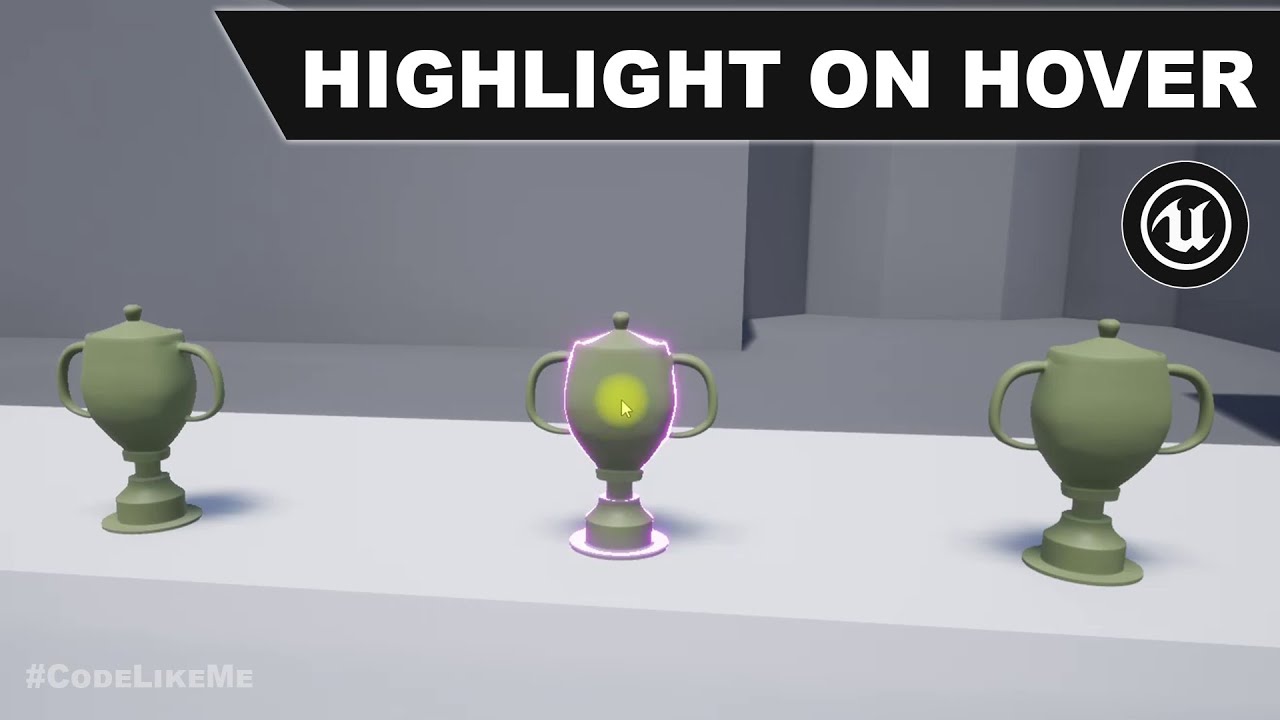
@trim matrix https://youtu.be/ctToub0bwrA
project Files : https://www.patreon.com/posts/35152293
This is a special request tutorial from one of the patrons.
The objective is to implement an item inspection system. as the first part, highlighting an object when hovering the mouse over it. So that the player would know...
Try this?
trim matrix
okay will try to watch it
 brazen sphinx
3
i need help having a line trace start from the barrel of a gun maybe start from the muzzle socket how would i do this
@covert arrow You would get the world location of the muzzle socket and make it the start point of your line trace. This example has it starting with the third person camera. You could do it like this, except you would do it from the muzzle socket instead of the camera.
trim matrix
@trim matrix https://youtu.be/ctToub0bwrA
@flat raft okay I watched it and did it but when I hover the mouse it doesn't make this highlight 😦
project Files : https://www.patreon.com/posts/35152293
This is a special request tutorial from one of the patrons.
The objective is to implement an item inspection system. as the first part, highlighting an object when hovering the mouse over it. So that the player would know...
trim matrix
I did it
it works
finally
but why it works only on 1 mesh?
I added the same bp actor but doesn't work on the others, hmmm
it is so buggy
now I removed this mesh that it worked on it and I added again the same mesh and it doesn't change the material, hmmm
 worthy belfry
Hey guys I am trying to play a anim montage but it does play , I have already set and ensure the animation blueprint and the montage has the same slot and that the section name is correct ,anyone knows why its not playing?
*doesn't
trim matrix
I figure it out why it doesn't work, cus I need to set this material in the mesh, lol cus it was with this by default
worthy belfry
noice
I've been trying to play a simple anim montag since the start of the day haha!
 plain flare
Hey, i dont know how can i create a button system like that. With 2 buttons. You understand i think but im gonna try to explain what im trying to do. For example, i select "OFF", the second should be TAA and third should be FXAA. So, when i press the left side button, i need to go FXAA then. And when i press right side, i have to go to TAA
And at the same time, when i press the second time to right side, i have to come to fxaa
Like i said, i think you understand and i dont want to make things confuse
trim matrix
but now there is little problem, in the material is set on base color to be parameter which has color but I want by default to be the material of the chair
plain flare
Hey i want to click to a button 2 times. When i click 1, for example i want to see "A" , and when i click second time, i want to see "B" . How can i do ?
worthy belfry
@plain flare use a switch on int node
plain flare
Ok, im going to try
 warm scarab
Not sure what channel to put this in ... In the Editor when I press play using the "Selected Viewport" option, it plays fine. The "Standalone Game" option also works fine. But when I choose "Simulate," I get no lighting and no widgets are visible. Same when I exit out of the editor altogether and right click on the .uproject file and click "Launch Game" -- pitch black, with the cursor visible, but nothing else (including the UI). What am I doing wrong?
shrewd jasper
how could I do something like this in blueprints? https://nerivec.github.io/old-ue4-wiki/pages/get-screen-size-bounds-of-an-actor.html
tight schooner
@plain flare flipflop node maybe
 opaque blade
Hey, i dont know how can i create a button system like that. With 2 buttons. You understand i think but im gonna try to explain what im trying to do. For example, i select "OFF", the second should be TAA and third should be FXAA. So, when i press the left side button, i need to go FXAA then. And when i press right side, i have to go to TAA
@plain flare basically you want to build a ring, with a switch node for 3 this is simple if you have more options and array of enums might be sufficient
Looping logic for arrays is like
forwards: (CurrentIdx + 1) % ArrayLength
backwards: ((CurrentIdx - 1) % ArrayLength + ArrayLength) % ArrayLength
Or just use backwards with +1 and you have a singular formula for both directions
plain flare
@worthy belfry yeah thank you i did it !
worthy belfry
yay very cool!
trim matrix
but now there is little problem, in the material is set on base color to be parameter which has color but I want by default to be the material of the chair
@trim matrix anyone?
tight schooner
@trim matrix I might be missing part of the plot, but... You want a chair to change color when you select it. So you did that by... I'm guessing... creating a dynamic material instance and setting a parameter on it.
To revert it back I guess you could... re-set the mesh somehow? Like if it's a static mesh component, you can Get Static Mesh from that component and use it to Set Static Mesh. I'm not sure if that'll work, lol, but in my mind it would revert it to the default state
Another approach is to Get Materials and then save the array to a variable before you make your Dynamic Material Instance(s), and then you basically have an array of the mesh's default materials that you can use to re-set it.
@swift pewter "Accessed none" means it's trying to get data but there's nothing there. "Pending kill" means it's an actor (or component) that had Destroy called on it, but you're still trying to manipulate it (run nodes, get data, etc.) which is a no-no, and UE4 is complaining about it.
I haven't wrapped my mind around the minutiae of your BP script but that delay node seems suspect. Is it maybe trying to do stuff to an actor that had DestroyActor called on it?
just a guess
yeah
worthy belfry
"Hey guys I am trying to play a anim montage but it does play , I have already set and ensure the animation blueprint and the montage has the same slot and that the section name is correct ,anyone knows why its not playing?"
can someone help me out on this?
3 hours on and i still got nothing haha!😩
tight schooner
@swift pewter On the error messages, it says the nodes causing problems are SetGroundFriction, SetBrakingFriction, etc.
you can click the links on those errors to jump to the problem nodes
Just start from there and work backward; figure out why these nodes are trying to do stuff on a dead actor
I can't say offhand. Like yeah, the error doesn't lie; some nodes are trying to "access" a thing that had DestroyActor called on it prior. I'm not sure about the IsDead boolean.
 tall pine
http://prntscr.com/v7ry9m can i reprogram this without the use of tick?
 tight schooner
... If you have an actor reference, you can check if it's valid before running further logic on it (SetGroundFriction etc.)
A lazy man's approach I like to use is instead of DestroyActor, use a Set Lifespan node, which basically gives it a death timer
and then I don't have to think too hard about the order of execution, lol
as long as enough of the dying actor is disabled (collision objects disabled, things made invisible, etc.)
opaque blade
Someone knows of a way to lift ChildActors (from ChildActorComponents) to persistent actors ?
persistent in the sense they don't get destroyed when the original actor is destroyed
tight schooner
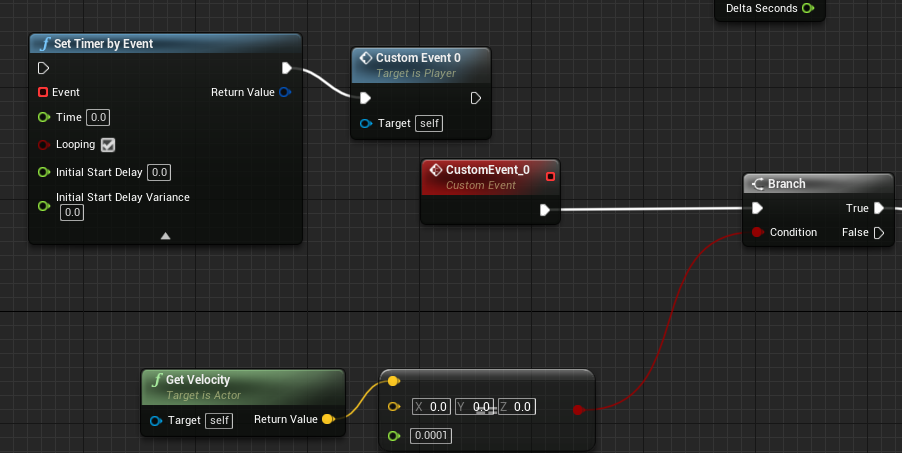
@tall pine Short of anyone giving you a better answer, I'll say that you can do it on a looping timer event (SetTimerByEvent) or use a custom tick interval; either approach will do it less often if responsiveness is not a priority. Otherwise IDK offhand, sorry.
opaque blade
Otherwise I need to write my own method - i mean spawning from that actors template is easily done in Cpp, just wondering if this is already in engine 🤔
worthy belfry
idk why but when i used this node it actually played the anim montag it,but when i use play anim montage it doesn't :/
tall pine
@tight schooner http://prntscr.com/v7s792 like that?
 worn nebula
How can I change the text of a widget in the level blueprint?
opaque blade
How can I change the text of a widget in the level blueprint?
@worn nebula get the reference from the creating actor, and call a method on your widget blueprint or on the child directly
tight schooner
@tall pine You gotta connect the red "Event" pin to the similar looking red square on your CustomEvent_0
and get rid of the blue-colored node (Custom Event 0)
and then connect your SetTimerByEvent node to some execution line so that it actually runs
like on Event Beginplay or something
worn nebula
@opaque blade this is what I've got, and the subtitles function just sets the variable of text
tall pine
@tight schooner done, so it will loop based on the timers, what do each seconds do? i dont understand how to setup them
tight schooner
Time is the interval. If you set Time to 0.1, it'll run every 0.1 seconds (therefore 10 times per second)
for example
opaque blade
@opaque blade this is what I've got, and the subtitles function just sets the variable of text
@worn nebula you create everytime a new widget on top of all the other ones
But back to your issue
You need to add a new Text input to your "Set Subtitle" method and then drag the "Subtitle" output of the event to it
and then in your widget use it
tall pine
@tight schooner tho is it me or is it hard wiring things together with limited events, like i can't have multiple ticks or beginplays, i always have to fork things together somehow and that
opaque blade
@tight schooner http://prntscr.com/v7s792 like that?
@tall pine PlayAnimMontage is weird, and uses a different call to Montage_Play than PlayMontage, probably a bug (atleast in 4.24)
 halcyon grove
this is probably one of those really obvious questions but what's a good alternative to tonnes of branches?
worn nebula
@opaque blade This is where I'm at now, almost there, I'm getting the widget background come up, but no text still?
opaque blade
do you actually set the text in your widget?
plus now you double call your event once you call the event then again you create another with null
worn nebula
This is in my widget
worn nebula
Oh yeah I've binded it in there
opaque blade
so in your designer click your Text Widget and mark "Is variable"
and then use that variable in your graph with "Set Text"
Don't bind, binds in widgets are slow, they query each frame
tight schooner
@halcyon grove It depends. If you have a ton of mutually exclusive boolean variables, it might be better handled by an enumerator. And then you can do a switch-on-enum instead of a series of branches.
If instead you're trying to check various conditions before executing a certain line, then you can use boolean operators -- "and", "or", etc. to join the booleans together before plugging it into a branch. Like all these things must be true ("and" operator), or one of these things must be true ("or" operator), or some combination of
tight schooner
fun little reference for boolean operators: https://forums.unrealengine.com/development-discussion/blueprint-visual-scripting/72482-how-boolean-gates-operate-for-beginners
halcyon grove
thanks
worn nebula
@opaque blade Sorry - I don't ever use widgets, it's saying it's not compatible?
opaque blade
not set on the textblock
use the textblock as a variable (get) and drag from it there is a "Set Text" method
worn nebula
Oh I got you, it's still coming out as text block and not as what I've written in, is this because I'm calling it twice, not that I'm sure where i'm doing that haha
It's not linking somehow, I've stopped calling the widget twice now, but it's still saying text block
maiden wadi
@worn nebula The set text is fine. How are you getting a reference to this widget to call the SetSubtitle function?
maiden wadi
Why do you create a new one after getting all of the existing ones to set their subtitles?
 solid rapids
Why do you create a new one after getting all of the existing ones to set their subtitles?
That's a good question lol
worn nebula
I... don't know 😂 Think I fixed it
solid rapids
lol
maiden wadi
Cause right now.. you're literally getting all subtitle widgets that exist(which would be none unless you're creating them somewhere else), then setting their subtitles. Then you're creating a NEW subtitle widget, adding that to the screen, and then deleting it after a couple seconds.
worn nebula
Okay, thank you for explaining that, very new to widgets... Thank you everyone that helped!
maiden wadi
@worn nebula For future reference. Something that you might consider is making a simple call somewhere in a main widget. Have that main widget have a little subtitle area in the right spot, and have the simple call send in your new subtitle and start a widget animation that makes the subtitle Opaque for a number of seconds and then quickly fades it out to invisible. This'll do three immediate things for you. Make your subtitles an easy single call without worrying about the amount of widgets that you're spamming, It will also make sure that you don't overlap subtitles by having more than one on the screen since you're simply updating the one, and it'll give you a neat little fade out at the end if you want it so it's not quite as 'snappy'.
worn nebula
Okay thank you, I've done the animation already, and okay will do, thank you very much!
 zinc portal
Ticks and other timed events question.
I have fair amount of gauges and indicators (air craft instruments) that need frequent updating.
As I am working on a 90fps target (VR) I want to run those at lower rate.
I have now done it so that my PlayerController has a timed events looping at different rates triggering EventDispatchers (10FPS, 20FPS and 30FPS)
Then my widgets have events bound to the event dispatchers. Is this an ok solution? Or are there better ones.
the 10,20 and 30 are for different needs. Some things like the radar needs higher rate to look ok vs numeric data
 thorn moth
You can just have a reference and send to the reference the update
when something is created just send in your game state the reference
zinc portal
@thorn moth if that is for me I don't quite get it sorry.
maiden wadi
Honestly, I think that's premature optimization. I'd just put all of their update in one place at your normal tick rate. A few widgets updating 90 times a second will not touch your performance much if at all. Even less so if you just have one widget ticking and updating all of it.
trim matrix
Hello. How would I approach changing my Playable character to AIController and then start using a behaviour tree for that AI. Right now I am using Unpossess which is fine, but cant fire up the behaviour tree..
maiden wadi
@trim matrix You likely need to spawn an AI controller as well to possess your unpossessed character.
Then run your behavior tree.
tight schooner
@zinc portal My gut reaction seeing the game thread time (11.35ms) is that it seems pretty high and you should narrow down what is causing that. Are you sure it's the widgets? Like if you remove them, do you see a huge reduction in the game thread time?
zinc portal
@maiden wadi ok cool. The flight computer is quite complex and consist of several child widgets being hidden and unhidden. Basically whole game UI lives there from save games to mission goals etc. Same with radar updating its awareness of tracked items (I call them NPEs - non-player-entities)
@tight schooner good call. Potentially not. so far it is quite simple. I do have physics forces (the control systems for the craft) operating on tick along with some running average calcs related to those. But really - not that much.
tight schooner
Play-in-editor can artificially kill performance (vs standalone preview or a packaged build), but otherwise that seems pretty high
trim matrix
@maiden wadi yes spawned the AIController, but still wont move. I made printstring in middle of the behaviourtree task that when it is moving but it just fires the print every tick but doesnt move. Nav mesh is enabled.
zinc portal
one thing I do which can be heavy is the stereo layers - I have several widgets rendering to stereo layer texture.
I assume that is not very light operation
maiden wadi
The greatest thing about widget tick, is that it stops when the widget isn't on screen. This includes in WidgetSwitchers and such as well. So only the appropriate code is ever ticking.
trim matrix
sorry. It got fixed. the navmesh was blocked
tight schooner
@zinc portal I'd suspect that would hit the draw thread or the GPU instead of the game thread. I'm not a VR expert though. Game thread is stuff related to updating the world state -- physics, BP, C++
zinc portal
@maiden wadi (ticks on widgets) does that stop it also when I hide it? I assume yes. Because now I create widgets whenever they are called for by the UI but the ones not needed (different page) stay "on" but are hidden. I was goin to do a separate de-activation code but from what you say it seems that I wouldn't need to
maiden wadi
Haven't tested visibility with that. For collapsed, possibly. Not sure about hidden.
zinc portal
yes, I set them collapsed
but from the looks of it - seems that I might have some other gremlins to worry about.
I read a lot of warnings about ticks but I have no gut feel what is a lot to compute
maiden wadi
But honestly, check out the Session Frontend profiling tool. We don't know your game, so we'd be throwing random ideas out. Just set that up, put in the console command, let it run for thirty seconds and then use the console command to stop it. Then you can open up the profile log and see where your CPU time is going.
zinc portal
once a reference between two actor is established is reading a variable much heavier from another actror?
great!, thanks a ton., this has been valuable 10 min already!
I am really a farming 3d artist so bit clueless 😉
tight schooner
There aren't a lot of individually expensive BP operations AFAIK. There are some, but for most things, you have to do it 10,000 times for it to impact your frame time. Your performance issue could be BP or it could even be physics, like if it's doing several hundred physics checks on a complex-collision mesh or something
but ultimately like Authaer says, the profiling tools will tell you
(or at least some stat commands like Stat Physics and Stat Game can at least narrow down what category of thing is eating up perf at a glance)
 slender hawk
If I have an array that lives for a long time and has many indices added/removed during it's life, am I going to run into issues (ie., memory leak)?
tight schooner
short of someone providing a more programmer-y answer, I think the answer is no, assuming the array doesn't balloon unchecked into infinity or something.
stray folio
morning programmers and nerds :S
tight schooner
UE4 manages memory with a "garbage collection" system https://docs.unrealengine.com/en-US/Programming/UnrealArchitecture/Objects/Optimizations/index.html#garbagecollection
... so periodically it flushes unused things
stray folio
does anyone know
a full fleadge do everything Unreal Engine course?
not a begining course, for i have coded a lot
just want a course that will tell me all the documentation and nodes
tight schooner
watch every Matthew Wadstein video
stray folio
lots of nice videos there Seanny
maiden wadi
@slender hawk You likely won't run into any direct issues regarding the array's lifetime or use. But like Seanny said, the size you let it get to would be the defining factor there. What are you using the Array for?
 celest oar
Has any 1 implemented a random map system?
slender hawk
@tight schooner
@maiden wadi
Yeah I had hoped garbage collection would take care of it, but I was a little unsure if removing and index would mean it'd be cleaned up while the original array still existed. I'm still new when it comes to stuff like pointers, etc.
I'm trying to make a system that handles Status Effects. So the lists would be active for the life of the character.
celest oar
i am tryign to figure out how to make the server spawn with a random map
does UE4 have any support for that kind of stuff?
oh snap im on the wrong section my bad
zinc portal
I got the profiler working but I don't have any idea how to analyze the results
maiden wadi
@slender hawk As long as you program it properly, your Array should be fine. Just make sure you're actually removing the Index and not setting the value to default and still adding more. Removing the index automatically resizes the array down, so you don't have to worry about the ballooning unless you're using nodes like Resize, or SetArrayElem instead of strictly Add/Remove
slender hawk
@maiden wadi yeah sweet that's what I was hoping. 🙂
maiden wadi
@zinc portal Look for a listing named GameThread.
zinc portal
now I can understand at least a little
better crop
what are slate operations and slateinput
maiden wadi
@zinc portal Do bear in mind that you're going to get some mixed results doing this in PIE. I think Standalone works okay. But doing it in PIE will tell you that you have a bad amount of slate stuff since it's also profiling the editor.
zinc portal
here even better crop :)
ah ok. I have never packaged my game 🙂 I will workout how to set the VR stuff for a standalone and do that.
I will stop bugging now. Thanks - anyway looks like I have probably something silly going on - which - in a way - is good news
maiden wadi
@zinc portal You don't have to package. Just run it as Standalone.
@meager vessel I'd try #graphics. They're going to know a lot better about shaders and materials there.
zinc portal
@maiden wadi ah yes. I tried it and I get 3ms for game but wasn't really able to operate or see the instruments - as it wouldn't run as a VR. I will sort that and see what happens
maiden wadi
Ah. Didn't consider the VR aspect. That 'might' need packaging? Not sure there.
meager vessel
@maiden wadi yeah wrong channel, my bad 😅
 wide kayak
Hey guys, first time posting a question here. I have a question regarding something that i am not able to solve.
So what i want is to check that any actor that is hit, it returns it's actor type(Mesh,Character,Other custom actors or blueprint classes etc) or gameplay tag and then i can use a switch statement to perform an action depending on the type and cast it to the right one.
stray folio
so whats the question
wide kayak
So basically the question is, is there a way for me to use the hit result and get for example the object that is hitted and get it's gameplay tag?
stray folio
yes
seems like a linetrace with a hot tag
theres way to do it
a hot tag is what want
or just ref a tag
wide kayak
Im using the "Get Hit Result Under Cursor By Channel" and then it connects to the Break Hit Result so i can know what type of object is being clicked for example
stray folio
so have you tried to ref a tag?
wide kayak
Not yet. To do that, i reference when hit on something and then use the referenced tag ?
stray folio
well
you can check for the actor
im not familiar, but i believe linetrace
is the way to go
wide kayak
Yeah, but linetrace is the tool that you use to send a raycast right? and then when it hits something, you can use that information
is that correct?
so what i want is when i use the information, i want to be able to do " If it's this type A -> Do A, Type B -> Do B" etc.
wide kayak
In any case, thanks for the reply i'll probably need to work on it deeper so i can also bring some pertinent questions
If you have a similar video that would be great 🙂
maiden wadi
@wide kayak You ever figure that out?
stray folio

In this video we look at using line traces and talk about what useful purposes they can serve.
If you have any questions or comments please let us know. If you like the video and want to see more, go ahead and subscribe. Or consider supporting us on patreon https://www.patreon...
i think this helps
it talks about hitscans
wide kayak
That video is very interresting but it just missed the part i wanted which is the logic "after" using the linetracing 😄
maiden wadi
Check this out, see if it works for you.
stray folio
@maiden wadi lol guess what. After I got the collision to work on my dragon, i had to work on physics. And then when I found that the Flying Template has a better physics, so i convert into that
guess where im back at
well imma get it going
wide kayak
Wow @maiden wadi That's basically it! I tried something similar but i wasn't happy with the result which is the "For Loop". Can i avoid using the branch between the for loop and the Switch? So it checks in the switch directly for the results in the Output pin
@maiden wadi I am trying to but right now i am having issues with the engine, specially with c++, since i was trying to create my own custom blueprint node.
stray folio
Authaer is really good
maiden wadi
Node to do what?
wide kayak
Well, before you replying here, i thought there wasn't an easier/cleaner way of doing this, so i wanted to make my own node. And now i am having some issues with c++ 😄
I am going to give it a try as soon as i manage to fix this
thanks so much !!
stray folio
God i hate collision
now i have to print sstring just to see where the new dragon is at
wide kayak
Also @stray folio thanks for the help 🙂
stray folio
see if its not appearing or if its flyin
wide kayak
And @maiden wadi
stray folio
@wide kayak lol im still at a loss there
@wide kayak havent had the pleasure of tags yet
i been working on this freaking dragon for a month now
Learned a lot about physics over the past days
imma try setting my acceleration to 0
see if dont move
HA!
found it
it moves hits the mountains and flys off to space
awesome phyics
good. It has good physics -w-......................
now if only i can ride the dragon >:L
wide kayak
Nicee enjoy it 😄
stray folio
l3 i fixed my problem
had current forward speed to 500
question
where do i set the pawn again
i looked in the default settings for the actor
:L how do i make my blueprint a pawn
i forgot that step
sulks in the corner.
tight schooner
@stray folio I think it's in the class settings
you can set the parent class to Pawn
stray folio
thank you. Seems it wasnt the problem
so i think it has to be in the Enter and Exit code
Yay me
found it AHA!
 severe kettle
Hi everyone,
I was wondering how could I make a health/stamina regeneration system without using the tick event, because I've read the less you have in event tick, the better.
I thought about an event timer, but this would also be connected to an event tick because in my case stamina will be always increasing unless it's at max. How would you do it?
stray folio
could you do it in animation update?
or you could set it where it calls a event in the attack or anima nofity
or call the event somewhere in the code
@tight schooner thank you again btw
severe kettle
I would have to call it after releasing sprint or after rolling I guess, for stamina
wide kayak
What about using a timer ( every 1s? ) @severe kettle
I think the timer you could start it once you enter combat for example or something similar. When the game starts,etc
And every second you trigger an event.
wide kayak
Probably better than every frame?
stray folio
if a enemie hits you
and you wait on getitng hurt
like 3 secons
you could still win
even if you was suppose to lose
wide kayak
But then you have this issue Kasher is telling. The other way around is to instead of every frame, maybe every 10 frames? or something?
tight schooner
@severe kettle I think you're misunderstanding how a timer works if you think you have to connect it to an Event Tick. I mean, if you call a Set Timer By Event node with "looping" checked, and the time set to 0.1 seconds, and then connect the red delegate wire to a new custom event... that new custom event will fire 10 times a second (once per 0.1s) until you tell it to stop. No tick involved.
Another approach, if you're not using tick for anything else, is set a custom tick interval. I think it's in the class defaults.
Generally speaking using tick isn't the end of the world, but you want to be aware of how you're using it because it fires every frame. If you don't need your health regen to be ultra-responsive, then it makes sense to do it with a looped timer. Get 1HP or whatever every X seconds.
severe kettle
but that timer by event requires an execution input. So I would have to connect it from a event tick or from every stamina consuming function I have
 glacial eagle

 stray folio
Sergio
cant you make the timer start at
a custom event of a sort
to appear when the attack or damage is done?
ofc i would just use Tick
urgh i hate intergration
the Riding is the Flyingpawn
and i want to
get the Enter function from it
not the Target is Dragonriding blueprint
which is my old code
nvm
i just tried it
and did it
wth
severe kettle
Yes, the health will trigger regeneration after taking damage and stop with clear and invalidate when regeneration must stop. I'll try using timers on receive damage and stamina spent functions/events and see if it works well
severe kettle
When I started with blueprints I put everything connected to the character's event tick lol. I had like 11 sequences. I will try to learn little by little to not depend so much on the event tick.
 west ferry
newb question: How do I get the world space location of an Actor that has "Simulate Physics" enabled? I need to get the location of an Actor that I have applied an impulse to and GetActorLocation only returns the location prior the impulse being applied
west ferry
Vectors?
tight schooner
If you applied an impulse and, in the same frame, you're getting the location... wouldn't the location be the same?
Doesn't it have to move over time?
west ferry
I call GetActorLocation every tick just to debug and the actor position is always reported as the position where it was before the impulse was applied
even though it is very far away from that location
tight schooner
@severe kettle Usually when I think of stamina bars in games (mainly thinking of Dark Souls here), there are constant states like running, and then there are discrete events like swinging a sword which eats a chunk of the stamina bar all at once, and then pauses regen for X seconds. One way to approach handling the constant stuff is to do it with booleans/enumerators; each time the looping (or ticked) stamina regen/drain functions are called, it can read some bools/enums and figure out what to do. Is the character running? Drain stamina. Is he resting? Gain stamina. What are his equips that affect stamina regen? Add up all the effects and apply it to the current stamina.
So that's one way to decouple the script that updates the stamina bar from the things that affect the stamina bar. If like in Dark Souls, you swing the sword and there's a 1s pause until stamina starts to regain, the swingy-sword event removes 100 stamina points directly, and then sets a boolean called StamRegenPaused or something. And then it calls a timer on a function that releases the pause. Meanwhile the stamina update ticker/timer reads that boolean and pauses regen until it's released.
I'm no expert at this stuff, but I've done something like that in my current project. I find that easier to manage than like, making every stamina-related event manipulate the looping stamina updater directly. Instead they set variables for the updater to make decisions with.
@west ferry I don't have a lot of experience with physics sim objects, but... are you applying simulation to the whole actor, or just a certain component?
west ferry
Let me check
tight schooner
I'm just wondering if a component is flying off somewhere but the actor root is staying in the same place. That's all that comes to mind for me.
 slender idol
Hi, I have a world map with different countries, I need to create an arrow pointing from one country (mesh) to another but I need to have it a bolt, sort of like a curve in the air and not just a straight line from point A to point B. Is this possible with spline mesh components and is it possible to create them at runtime?
tight schooner
yeah, you can create spline components at runtime and use them in a timeline animation or something
(if the curve is simple enough, you could probably make the animation with simple math alone, but the spline component approach can work too...)
slender idol
@tight schooner Could you expand on the timeline animation part? I simply need a line from point A to point B with a curve in the air, do I need to use timelines for that?
tight schooner
oh ok, I misunderstood what you meant by "bolt in the air"
I was picturing a cursor that moved from country to country with a curvy motion over time
but yeah if you want something like a curvey line that visually connects different countries
you can make a spline component and a spline mesh component at runtime
slender idol
I've so far tried to put a spline mesh component in an actor but I'm unable to give it a "middle point" along the mesh
in order to lift the point and create the curve
tight schooner
yeah, basically you need a new spline mesh component for every "spline point" you want to have in your curve
 fathom slate
can yall help me with somthimng
tight schooner
I don't think it's possible to do it with a single spline mesh component
usually what people do is make a spline component first that describes the whole shape, and then create spline mesh components all along the points of the spline
but I guess it's possible to make the spline mesh components directly
@fathom slate yeah just ask, and if anyone knows they'll answer
fathom slate
so basicaly im trying to make a cinema you can walk around and watch films in on a media player screen but everytime i have to repackage the game and get my friends to download it again and again so i need to find out how to make an interface in game that lets me change the link that plays on the media player
tight schooner
@slender idol actually now that I think of it, it might be possible to do it with a single spline mesh component... like if the tangents are made to point upward, then it could create a nice arch shape
so the key in that case is manipulating the tangents
fathom slate
anyone got any ideas
slender idol
@tight schooner Hmm, I have no idea what the tangents on the spline actually do, if you don't mind me asking, what value would you give both of them in order to recreate such an arc?
fathom slate
before i watch that, does it have to be youtube videos or can it be another video link
slender idol
just a simple cube as a spline mesh component
stray folio
got a new bug finally
tight schooner
@slender idol Tangents define where each point is facing... it's kind of hard to describe. But if you think of a spline editor in any software, the tangents are kind of like the control points that make the line curvy
so I would experiment with it, like see what happens if you give one point a tangent of +100 Z or something. Curves might happen.
stray folio
my dragon wont take off due the player still being there
gonna try the method...of having a new static mesh appear as the character for now
so imma delete the acotr
slender idol
@tight schooner okay thanks Ill take a look, but why am I not able to add simple spline points to a spline mesh component like I am able to to a simple spline component?
tight schooner
Ok
 real tree
I'm wondering. How would I go about overlaying one render target (Such as something used for a widget, such as a spectator screen), on top of another render target (Such as the spectator view)?
I'm wondering, because there's seemingly no option to display a UMG widget on only the VR spectator view.
stray folio
i dont think im doing this right
it still shoots them through the ground or
idk
just not good
also do i need this if i delete the actor?
is that just a socket thing?
 lapis inlet
Yo Im getting into blueprint scripting, and I need some help
I have some tasks to do, and the first one is changing the intensity of a light from 0 to 100. Anyone know how to do that using blueprints?
stray folio
Can someone tell me what im doing wrong here
seem does seem to work but it sends into the ground
or idk
imma strong it right now
this here is the location of where im standing (about where i press exit from my dragon)
the Z is wrong
let me try something
thats when im flying the dragon, still using the debug location vector string
so the verdict is that the exit code is some how sending my combat character into the ground
why o-o
;n;
@clear turtle is it againest the rules to be posting this much coding?
 clear turtle
no, you should describe your issue a bit more though.
stray folio
Well i tried lol
lapis inlet
Arrrrghhh I cannot even open blueprints for the lights
stray folio
okay
as you saw from my errors, is that I keep getting sent through the ground, even though im in a flying awesome dragon
when i press exit
okay imma try
 warm parcel
@lapis inlet what you probably want to do is make a blueprint that contains a light, or make a blueprint that can reference a light.
stray folio
you can make a variable too
warm parcel
@lapis inlet So because you’re starting out, making a blueprint that contains a light is probably simpler. You do that through add component— just add a point light component.
lapis inlet
YES, its the fuckin 'Add Blueprint'
warm parcel
@lapis inlet Then, go to the event graph, and drag and drop your point light component from the “components” menu in the upper right onto the vent graph slate.
 snow spruce
I have a NavMeshBoundsVolume with a RecastNavMesh-Default for working AIs in my level that attack the player. I'm trying to set dress in Unreal and in my scene with these enabled. It's pretty frustrating to move objects around to then have it rebuild navmesh almost every time I move said object. I currently have 'Force Rebuild on Load' unchecked and it's still doing this. Is there a way to turn this the auto rebuild off for setdressing purposes? Or is the only solution is deleting the navmesh and the recastnavmesh?
warm parcel
@stray folio It’s hard to tell, especially with those errors going on. I would try finding what’s causing them first. My best guess from those errors is that something is destroying the “AnimMan” component of whatever playerriding is referencing before it’s detached in the node you posted.
@snow spruce I think there is in the editor settings "automatically rebuild navmesh"
You can try turning that off
stray folio
i did find something else out too anwnn just now
it does spawn the actor, but i see......like it doesnt go to the right spot
imma look int othe thing
anwnn can i share my screen for you?
warm parcel
@stray folio It’s hard to answer questions asking “why is my thing doing this?” without being able to look at all the related code. For that reason, I think this discord is probably not the best place for such general questions. The UE4 answerhub, where you can upload your project/code snippets, might be able to better help you answer your question.
stray folio
Yeah i dont feel comfortable posting my entire code
snow spruce
@warm parcel Thank you! That fixed it! And will it automatically rebuild navmesh when I switch it back on?
warm parcel
@snow spruce as far as I know, it should! If not, go to the build menu and there’s an option to rebuild navigation
lapis inlet
How do I link the trigger boxes to the blueprint of the light? I want to make it so the player can turn the light on or off depending on which box they go to
stray folio
box collisions
stray folio
check if they overlap
lapis inlet
Triggers and collisions are different
I meant, how do I apply the triggers into the blueprint
Also the triggers do not intersect
stray folio
right there is my code for enter my dragon
which has collison boxes
for triggers
check if the collison overlap
then trigger
whole hollow
how do you stop this from happening?
my character is pretty tall and the gun is quite small too, but it clips through literally anything including the floor - even tho the floor is quite far away from the gun itself
 last jetty
Anyone got any advice for changing the direction of gravity?
last jetty
I can't find a way to interact with UE4's default gravity settings via blueprints
 wind sequoia
@whole hollow is ur chartacter a true fp or just a fp
whole hollow
what do you mean by true?
wind sequoia
where u can see the leghs
wind sequoia
so then just scale the camera, gun and mesh down
it will lok the same
just wont clip
whole hollow
"camera gun " ?
lapis inlet
@stray folio Sorry but that blueprinting is beyond my current level of expertise
whole hollow
ty <3
stray folio
is there a way to set your char Pitch, Roll, and Yaw to default when exiting a dragon?
yeah i think i igot it
or not really
shrewd jasper
how could I do something like this in blueprints? https://nerivec.github.io/old-ue4-wiki/pages/get-screen-size-bounds-of-an-actor.html
stray folio
What are types of Collision prolfile name
found out
would anyone care to know where to find the profile names?
otherwise imma keep coding
okay now new problem
The character is attached to the ground, and dragon wont take off. Also when exiting the dragon, the character will stay in the air, and wont be able to move (still can roll, and attack)
yay me
here is the code i believe to the prime suspect
amber rune
ok so this is a stupid question and should be easy but how can i get a line trace form the camra forward until i get the hit location and rotation
lapis inlet
Brooooo im struggling
I have absolutely no idea how to link a trigger box to a goddamn light so I can turn it on or off
 narrow kelp
@amber rune make your target camera location + (camera forward * distance)
lapis inlet
Anyone willing to help me on making a trigger box change the luminosity of a light?
amber rune
oh that ill check real quick
lapis inlet
 onyx harbor
im new to blueprints and im rly not sure why this isn't working, it appears print string isn't working at all either when testing a simple 'hello'
amber rune
the get all actors and the string arnt connected
there needs to be a white line inbetween
onyx harbor
omg thank you
amber rune
ik i made the same mistake a lot when i was new just always make sure its connected
onyx harbor
why does it need to be connected what does the print string take from the get all actors?
amber rune
the white line shows what to do and in what order
onyx harbor
ahh ok that makes sense thank you
amber rune
eg the red node is an event and activates and starts a new line and it firsts connects to get all actors then the string so it will do that in that order
but if there are no connections in the left it will never occur
onyx harbor
ah ok
btw
when i connect a print string to the 'length' block it just returns one
even tho there are 4 people on my game in total
lapis inlet
How do you connect a trigger box to a seperate blueprint?
onyx harbor
do i have to multicast?
amber rune
what you have there just gets a random number from 1 to 4 if you want the number of contents in that you need to get just length and put that into the string
@lapis inlet cast to the actor you want (im assuming the player) so just get cast to the player blueprint class then for the bottom input just get player character
onyx harbor
but it's only recognizing 1 player controller
swift sphinx
hmmm can't figure this out!
so i have a Floor Actor that is moving up (Z Axis) with a box collision in it when the character overlap that box collision im setting Fog Density in the ExponentialHeightFog
Problem:
when the floor is moving up and hits the character the fog for a split second goes to 1.0 and then 0.0 (this while standing still, but if i move inside it i can see the fog but when i stop again it goes away) :S BUT if i stop the moving floor and then walk in it with my character it behaves normaly and as it should and i can stand still and the fog is there :S
onyx harbor
i did the just length thing
lapis inlet
How does casting work?
amber rune
ahh is the game multiplayer
onyx harbor
yeah
lapis inlet
What is the object node for in the cast?
amber rune
@lapis inlet idk but you can get the components and varaibles and even edit them from a diffrent blueprint
the object is the spicific object you want to cast to
maiden wadi
@onyx harbor Only one PlayerController exists per client on the client. Multiple Controllers only exist on the server.
amber rune
@swift sphinx a solution might be to just for a few ticks just to repeatadly set it to 0
onyx harbor
im doing it from server
should i just check the authority
or how do i do it through server?
swift sphinx
@amber rune did not work :/
amber rune
oh
swift sphinx
it's weird that it behaves like that :S
amber rune
lemme think
swift sphinx
if i (the player) walks into the collision box the fog appears as it should and stays when i stop walking around :S
but when the rising floor is moving up and hits the player the fog shows in a split second and then goes away and i have to move my character around to make the fog show :S
amber rune
ok so what should happen fog appears when in the box and fog leaves when you exit
swift sphinx
exactly
im calculating the distance between character and the bottom of box collision and then remapping from
300 - 0
0 - 1
amber rune
ok so this might be not what you want but what if you scale the box vericaly infanately (or just really high)
and when it might interfere add boxes that stop it
swift sphinx
lapis inlet
I'm trying to cast to the light source, to tell it to shut off, but its not working.
maiden wadi
@lapis inlet Casting does not get you a reference. It tells your code to treat the reference you already have as a different type.
lapis inlet
Then what should I do
maiden wadi
Are those lights inside of a blueprint?
amber rune
in level blueprint get when overlap with the box get a refrence to the light actor and edit it from there
lapis inlet
Its a central light in the room
That will take commands from every podium
The lights inside the boxes are just to help guide the player to the podiums when the light is out
onyx harbor
i run the blueprint to get the player count and set it to 'run on server' but when i do it through client even tho it should run the function on server it still is only counting 1 and when i try it on server it works still
maiden wadi
@onyx harbor What play settings are you using? These.
onyx harbor
no im using listen server and 4 players
amber rune
and to get the refrence to the light just drag it out from the world outliner and into the blueprint
lapis inlet
The light is physically already in the level though
Its not applied to the trigger box
Its seperate
And I need to alter its values by interacting with the seperate trigger box
onyx harbor
wait actually this doesn't rly need fixing
amber rune
ok ok so all i did was make a new point light and a new box
onyx harbor
since the host should be the only one able to start anyway
lapis inlet
Which isn't what I need
amber rune
click on the box and then in the level blueprint get a actor over lap event
oh sorry
what do you need
onyx harbor
but i would still like to know what im doing wrong just for future reference
amber rune
idk im a bit confused expain it all to me
lapis inlet
lapis inlet
Ok
amber rune
then click on the light and go the the world outliner (right) and drag the light into the level blueprint
lapis inlet
World outliner?
onyx harbor
how would i delete an interface or make it disappear through blueprints?
amber rune
in the map editor
amber rune
@onyx harbor remove from parent
amber rune
yes
ok the drag the point off and set intensity
dont worry about the node inbetween
lapis inlet
onyx harbor
thank you