#blueprint
402296 messages · Page 518 of 403
 round basin
 simple lantern
first off, rebuild your random page selection BP in a normal actor bp
then, in that BP create a Custom Event, call it something like Random Page
hook it up to the branch
 fair magnet
Ladys and Chritsopher's I managed to make my DayNightCycle Replicated
simple lantern
then in your other BP with the On Clicked event, connect Automation Wait for Landing to a Get Actor of Class, and in the drop down select your BP that randomly chooses pages
simple lantern
did you make a new actor BP?
simple lantern
alright, check it
you're honestly better off watching some tutorials about the basics of Unreal, because this is really fundamental stuff
simple lantern
but delete the random page graph, and go to the "EventGraph"
round basin
simple lantern
of your Actor BP
right click, custom event, call it something like Random Page
copy all of those nodes in there
connect Random Page to the branch node
in your other BP, the one with the On Clicked node
drag off of On Clicked, and create a Get Actor of Class node
in the dropdown, select the actor that has all the random page nodes in it
drag the execution pin off of that node, and type in "Random Page" or whatever you called your custom event
fair magnet
Hay uhm if I set the render opacity of a button to 0 would the player still be able to click it ?
simple lantern
connect the return value of the "Get Actor Of Class" to the Target node of the "Random Page" node
if done properly, you've made it so that when ever On Clicked gets triggered, the other BP is accessed and the Random Page event is fired as well
@fair magnet Honestly couldn't say
try it out?
round basin
Thank you @simple lantern 👍
fair magnet
so the button is there for the server... but not for the client ? (I mean that's what I wanted... but I didn't do anything lol)
fair magnet
I mean... the day night stuff is also only server side... maybe ue4 knows....
creepy
simple lantern
Hey @maiden wadi if you're out there, what's the best way to set a rotation value of 0,0,0 while my character is facing a certain actor, which I could use to tell if my back was turned to it?
I've been messing with Get Actor Forward Vector and Find Look At Rotation but I can't quite wrap my head around the math
 maiden wadi
Wait, what is the use case? Do you just want a bool of true/false if your actor is facing another one?
 severe iris
I've got an issue with unit. Doing this, my collision sphere looks to be about 1cm radius (according to the debug sphere), but in actually the sphere is more like 1m in radius. I thought both of those would be in cm but it doesn't seem to be the case. Any idea? https://puu.sh/Glea2/9fc192a69b.png
 simple lantern
@maiden wadi I plan on using the rotation to tell if an actor is in front, to the right, to the left, or behind my character, to drive certain IK interactions
severe iris
(The sphere and the component it's attached to all have 1,1,1 scale too)
maiden wadi
@simple lantern Do you care about the Z vector? Like.. It doesn't matter how high/low they are in comparison, just the direction?
simple lantern
right, just direction
@severe iris you're saying that when you set the collision sphere to 1, during gameplay it's much bigger?
severe iris
Yes, the overlap test clearly triggers at much more than 1cm
I reckon it's 1m, since getting a sphere radius of 0.01 and multiplying to 100 the radius of the debug sphere seems to work fine
Just trying to figure out if that's normal, not much doc but people seem to say all those units should be the usual cm
simple lantern
the scale would be the first thing I'd think of in that case
maiden wadi
Well, I could break it down to first front/behind, and then right/left. You could branch from that to get which one you need?
severe iris
@simple lantern Yeah, would be my first thought to, but the collision sphere is just attached to a VR glove index bone (both the glove and the socket are at 1,1,1 scale)
fair magnet
ehh ?
simple lantern
@maiden wadi For sure, all I really need is a rotation that zeros out when the forward vector lines up with the actor. I figured I would make ranges for the rotator to get left right front back positions
maiden wadi
Well, the forward vector one is easy. I think. Let me try something quick.
fair magnet
nah it's the event
because I've created the even by right clicking so it was missing an output
simple lantern
hmm
maiden wadi
@simple lantern Wow. I wrote this in C++ earlier in like three lines. Blueprint is so convoluted for some things! This is what I was using for a test. You can replace the GetActorOfClass with your other actor. Anything Self will be the player character. The return value from InverseTransformRotation should be what you're after.
simple lantern
@maiden wadi Oh man I was so close!
I'll try that out, thanks for putting some time into it
maiden wadi
I love vector math stuff. No problem. More or less this is just getting a vector for the other actor, moving that vector's Z to match the character's. Then making a rotation out of the direction on a level z field. Taking the world space rotator and converting it into the relative space of the player character.
simple lantern
lol it's as soon as you start making vectors relative to eachother and converting to rotators is where my brain starts to melt
but i'm definitely curious enough to hopefully get it all to stick one of these days
maiden wadi
With this, only the Yaw of the rotator will ever change. Both other values will be 0.0. The yaw can be used to tell you if it's left/right by checking the positive negative. Positive it's on the right, negative it's on the left. If it's within -90 to 90 degrees, it's in the front, anything above or below that and it's behind.
 dire copper
I can't make a chat system in Unreal Engine 4.24.3
Please could Somebody help me
I Am able to make the message pop up locally
But it doesn't show on the other player's UI
 trim matrix
i have this variable called MyPlayerLocation from my player blueprint and i am trying to acess it in the enemy blueprint does anyone know how i could get it to work
not the right way apprently
 livid plume
Newbie Alert: I'm following a tutorial, trying to turn on a light when I walk though a Trigger Volume. This doesn't seem to work--can anyone recommend fixes?
 brittle shard
hello so you have to bind the red event thing to a custom event (not with the exec pin but with the red thing)
this custom event will b triggered when the actor begins the overlap
so the last thing you have to do is just to pin the set visibility node to th custom event.
 tender sierra
Hi!
I'd like to confirm if it is possible to alter the environment, like HeightFog, Light actor, SkyLight and AtmosphericFog during runtime.
I've got a blueprint that lets me switch between different setups, and I would like to see if someone knows of a tutorial that shows how to create a UI Widget (if terminology is correct) that lets me do this change during runtime
round basin
hello I would like to know how I could make a PV system (3 hearts) (a variable that works on different pages)
 left quiver
Hi all, anyway to create an android share button for a game/app?
something like this for sending strings to this other apps
fair magnet
How do I give a Player which is the listen server the a Tag ?
I want to tag him so he's able to perform certain actions like setting time or kicking
 rustic steppe
can someone tell me why my mesh doesnt move with this setup?
 earnest tangle
It doesn't look like you have a movement component
I seem to recall if you use add movement input you'd need a movement component or handle it yourself with some other method
rustic steppe
Is movement component a variable?
or what is it exactly, I cant find info about it anywhere
maiden wadi
Movement component is an actor component. There are a few that can be added to any Actor class. Character comes with it's own much more complex version by default.
rustic steppe
okay
maiden wadi
Try adding a FloatingMovementComponent to your pawn there.
rustic steppe
but like I added the floating pawn movement component, how do I make it read from BP and start moving
Do I need to connect inputaxis with component to work?
maiden wadi
It should with what you have there.
rustic steppe
it doesnt move
maiden wadi
Is AxisValue anything other than zero?
rustic steppe
oh wait you do have add movement input
OH MY GOD
IT WORKED
HAHA after struggling for 3 days
I wanna die now
rustic steppe
Finally
after all this I made my first working plane
how do you add a camera delay?
so when specific acceleration or turn occurs it is slighty further or slighty delayed
oh okay found out its a camera lag on the spring arm
so much to learn yet :p
 olive vessel
Hi, I was messing a little bit with some movement in blueprints, but the movement is stuttery on client while smooth on server. I created a simple test where it occurs. Could someone please tell me what should be different in this example in order for the movement on client to be smooth? This is screenshot from the character blueprint
maiden wadi
@olive vessel Most likely your stuff is moving at the same speed, but because of the difference between client and server, server is overwritting client. You should check out some of the movement components. They handle movement replication well.
 untold fossil
What is the best way to completely disable a component so it has 0 impact on performance? I'm trying to get the absolute maximum out of an actor which has a lot of child components. I want to hide and fully disable those components when the actor is far away. But no matter what I try (hide in-game, visible false, deactivate component, disable tick, disable collisions) It doesn't seem to have any effect. The components still seem to get updated each tick when the parent actor moves. How can I fully optimize these components?
The main thing that impacts performance is the transformation update of each component (and its countless sub components)
So what would work I assume is to make the component stop updating with the parent's transform, but how do you do that?
maiden wadi
Setting the component's tick to false should stop it from ticking. It won't stop other things from accessing it, but anything you have on it's tick should stop.
untold fossil
Yeah but the component's transformation still seems to be updated
which is 99% of the problem 😛
so what would be amazing is if I could disable the transformation update while the component is invisible
But can't get that to work sadly
what could I work maybe is detaching them from the parent actor and reattaching them each time to come into view, but that seems ridiculously overkill and weird
 harsh night
If the component's transform completely stopped updating then the component would stop following the actor and "left behind" no?
untold fossil
I tried that but nope
it still moves with the parent actor
I tried detaching and that works
I might set up a detach and reattach system for this while the component is invisible
I mean it does the trick
not as clean as I want it to be though sadly
wish the Deactivate actually "deactivated" the component completely but it really doesn't. It deactivates parts of it, but not completely which makes the node kinda useless :/
You'd think that node exist for the sake of optimisation, but it does anything BUT that
kinda silly 😛
harsh night
It might be intentional. I have no idea what is happening under the hood but they might have decided to make it non-trivial to do what you want to do so that components are not easily "left behind" by the parent actor
untold fossil
Perhaps yeah, and maybe in a situation where the components are not attached to moving actors it works as intended. But the problem with moving actors and it's child components is that transform update every tick is HELLA expensive and is BY FAR the biggest hit on performance
like 99% of the performance cost 😛
So disable component node wins me about 1% xD
Which is completely useless lol
harsh night
I understand. If deactivate blocked transform updates then there would need to be a way to automatically update the transform on reactivation and that might not have been in the specs for that node. The alternative is components strewn around levels, away from their actor.
untold fossil
yeah true
I do understand the reasoning behind always having the components close to their owning actors for quite obvious reasons
otherwise invisible components would be all over the place
but yeah in my case that's kinda what I need
AS it's the only way to improve performance
harsh night
Did you try physics constraints / lock position and lock rotation along with Disable?
untold fossil
Not yet, but I think i'll just go with a simple detach / attach function I can call whenever a component is turned invisible or visible
as that seems to work
harsh night
It's probably the most straight forward way to do this yeah, even if I agree it 'feels' like overkill
untold fossil
Yeah feels a bit dirty 😛
But well if performance goes up I'll let it slide this one time haha
What would be nice is an included boolean in the deactivate component node to also block transform updates
which is disabled by default for obvious reasons, so it becomes more of a use at own risk type of deal
But yeah, one can dream lol
 tight venture
Am I doing something wrong here or is BP variable category reordering bugged?
rustic steppe
How can I keep the velocity of an object?
or how to keep the speed of a pawn if I dont want it to constantly accelerate/decelerate
when not pressing the button?
tight venture
what do you mean "keep"
 restive dagger
I want to make a rocket that follows the player, like in mario odyssy. it launches and then it follows the player..and when the player move away from its sight then the rocket will go forward and hit the walls
 quick lark
Is it possible to interact with a widget from a blueprint without casting it to a widget? I want to avoid the performance cost associated with casting
restive dagger
any tutorial/tips for me to do that?
 meager spade
@quick lark You want various types of widgets to be able to respond in their own way to the same type of call?
quick lark
@meager spade Thanks for the response - I don't know enough about the domain to correctly answer the question
I have a widget with a text element in it. I am trying to modify the text from an actor blueprint.
meager spade
I can't open the editor atm but you should probably be able to get the TextBox upon creation or whenever and store it in a variable
From the return value of the CreateWidget
And then you can use the set text function on it from the desired blueprint
quick lark
Thanks 🙂
restive dagger
anyone has an answer to my question?
rustic steppe
@tight venture I mean that it moves consistently on that velocity
One input adds velocity, another decreases velocity, but when it is untouched it stays on that velocity
tight venture
@rustic steppe You using a movement component?
 tight schooner
@restive dagger Here's a top-of-dome idea FWIW.
-
Rocket (on tick or looped timer or w/e) does Get Player Pawn --> Get World Location
-
Rocket checks if player is within its "field of view". There are probably several ways to go about determining this. One way is to get the rocket's forward vector (Get Forward Vector node), and get the player's location vector relative to rocket (pawn's world location - rocket's world location --> normalize vector), and feed those two vectors into a dot product node. The dot product node compares the two vectors and spits out a value ranging from +1 (total similarity) to -1 (total dissimilarity) IIRC. Then you can use a ">" node to set a similarity threshold and use that to branch the rocket's behavior.
-
Make use of the nodes Find Look At Rotation and Lerp Rotator to orient the rocket toward the player. If you're using per-frame tick, World Delta Seconds has to be factored into the alpha input. This approach won't keep the rocket's rotation speed consistent like it is in Mario Odyssey but I'll leave that problem for you to solve, lol.
(4. On tick, the rocket moves forward by World Delta Seconds × multiplier of your choice, ofc.)
tight venture
Hmmm... I'm not sure if you can... the velocity value for a movement component isn't "how fast it's going" but rather the forces being applied to it in order to make it move. Like if you had a car driving game and you drive your car up against a wall and keep the accelerate button held down, the velocity would report as non-zero even though your wheels are just spinning
So, well, I guess then I take that back, you can set the velocity to a constant, but I don't think that's what you meant by velocity
You meant how fast it's going right
 crisp lance
I want to make a Material Function with the same input as the A > B, A <= B, etc. from If nodes (meaning any value really). Is this possible?
tight venture
I have a question:
I want to draw an arrow on screen, but it's going to be part of the game. Is it okay to use DrawDebugArrow in a shipping build or is there some "production" way to draw an arrow?
@crisp lance you may wanna ask that in #graphics. That's what that channel is for
Koward you can't just do that with function input nodes?
crisp lance
There does not seem to be any Generic-like type, that's why I come here. But I'll try #graphics, thanks 😉
 tribal axle
Im trying to do a lean, like in Rainbow Six Siege. But when I rotate the camera, the camera in game doesn't look like it's rotating. This is because of the pawn control rotation check. But the point is now, when I take pawn control rotation off. I can't look up and down...
tight venture
@crisp lance just use a function input type scalar
 wintry grove
real quick which color means it is facing the forward direction. i swear its red but now im thinking its green
tight venture
I think the X axis is "forward"
wintry grove
red
tight venture
yeah
@tribal axle Maybe add a separate movement component for your camera? Or just manually move the camera when you lean
 narrow kelp
Hey folks, I'm building custom movement system for AI characters and am having trouble with them clipping their capsules through walls. I'm using AddActorWorldOffset with sweep enabled.
tribal axle
But if i take pawn control rotation off, it works, but I can't look up and down. Should I make a sphere and parent that to the camera and just rotate the sphere?
 dusk dust
i found a way to set the post process material inside of a blueprint, im creating a dynamic material instance to set it, and the volume is unbound
but when i have multiple of the same blueprint in one level, the post process material isnt duplicated
tight venture
@tribal axle By "manually", I meant in OnTick
 fickle blaze
I have a question about how to make this movement more smooth with a start speed 0 and a max speed 50 I want the speed to slowly ramp up and down how would I do this to make the movement more smooth
tight venture
But if i take pawn control rotation off, it works, but I can't look up and down. Should I make a sphere and parent that to the camera and just rotate the sphere?
@tribal axle that's a cool idea, did that work?
@fickle blaze Just Use a VInterpTo node
tribal axle
No, same thing. And by on tick, how do I do that?
tight venture
or VInterpToConstant but you said you wanted the movement to slowly ramp up in speed so just VInterpTo is what you're looking for I think
fickle blaze
where would I put it?
tight venture
VInterpTo takes two vectors and interpolates between them
It's a form of Lerp
So put your actor's current position vector and the destination's position vector in for those
fickle blaze
tight venture
np
@tribal axle I just mean, if you can't figure out a better way to do it, you could always just do like Durin Crombie is doing there, and call SetActorLocation in OnTick on your camera
You'd have to do all the calculations yourself though, as far as how it moves
tribal axle
Well the point is, if I rotate the camera in any way. The camera in game doesn't...
tight venture
Have you looked at using a... what's it called... camera boom? I think
tight venture
I'm not exactly sure what you're trying to achieve, really. I've never played Rainbow Six Siege
trim matrix
is there something wrong with my timer code for it to be saying it is 0? https://blueprintue.com/blueprint/tb_-8guf/
BlueprintUE
the game would not start if it was
so hm
tribal axle
Just look at the beginning of this video
tight venture
you'll have to... show your code dude for anyone to be able to help
tribal axle

How to pc lean on CONSOLE easiest trick
SUBSCRIBE OR I’LL KIDNAP YOUR PET
LIKE AND SHARE OR ELSE I’LL EAT YOUR FOOD
LOL
——————————————————
FOLLOW MY SOCIALS
• Instagram - https://instagram.com/arifaffendy
• Twitter - https://twitter.com/arifaffendyy
———————————————...
tribal axle
No, you need to press a button to lean
tribal axle
Give me a sec
trim matrix
nvm
i did not say self When referencing the blueprint for the widget to recognize it
got it to work (:
tribal axle
The code works, the point is theres a check called pawn control rotation on the camera, and when i uncheck it, everything works fine, except i can't look up and down
tight venture
If you force your entire character to rotate, then the camera rotates, right?
cuz of that check box
tight venture
It looks like you're using one of the built-in UE characters right?
tight venture
It says that there should be a "spring arm" attached to the camera
tribal axle
Yeah?
tight venture
And it has a setting for rotation which defaults to "absolute"
Maybe change that
I got the idea from that post
tribal axle
I'm not seeing absolute
tight venture
you seeing the spring arm, though?
tribal axle
Yeah
tight venture
There may be some property of that that is stopping the camera from rotating
tight venture
That's what that spring arm does, afterall, is control/restrict movements of a camera
Other than that, I don't know if I am the person to help you, sry
tribal axle
Oh, well just so you know, the spring arm is attached to a flashlight, it's not supposed to do anything to the camera. So now I don't know how I'm going to be able to do this
fickle blaze
@tribal axle just make another one
tribal axle
Another Spring arm?
fickle blaze
yeah
tribal axle
But the spring arm is used to lag objects behind the parent
fickle blaze
make another and sperate the code for it then add your cameras control code to only affect the new one
tribal axle
The spring arm isn't doing anything to the camera that's the point
The camera itself isn't rotating
 high swift
I am trying to do voxel terrain and have encountered a strange bug.
Chunk "A" has a voxel at (14, 15, 15)
Chunk "B" needs that voxel's data (solid or see-through)
For some reason using "FIND" in Object "B" claims the voxel doesn't exist.
edit: Yes I know the Select is redundant here, and I have yet to rename "New Var 0" as something reasonable (ie. Voxels).
trim matrix
Does a forloop loop everything that came after it?
high swift
@trim matrix It is inside of a forloop and yes one comes after it, sort of. It is in a function with the loops outside the function.
trim matrix
So it will loop everything until the last index on the for loop, and then when its complete it will stop looping and do whatever is connected to the completed node?
 marble tusk
Yes
You can actually double click the loop node to see how it works. It's just a blueprint macro
earnest tangle
^ the only exception to this is if you have a Return Node inside your for loop
in that case it will just exit from the function
just thought it's worth mentioning as I've seen a few people have problems with it :)
high swift
@trim matrix Sorry thought you trying to answer my question earlier.
But to answer your question, yes.
For every time the first loop body executes, the second loop will execute all of it's loops.
You will get the following from this setup:
10
20
30
40
11
21
31
41
...
Alright thank you! :)
 terse spruce
Anyone know if it's possible to"walk up" a skeleton tree with blue print
As in getting the child bone given it's parent
 rich lava
how would i make a camera shake have less and less scale the further away an object gets from the player
high swift
Any one have any idea why I'm getting nothing here?
Note: The Map is gotten from another object.
simple lantern
@rich lava Create a CameraShake BP Class, and drive it's Anim Scale in your char BP with the the Vector distance between your player and object
 grim lantern
How can i get the name of a variable in blueprint? i want to pass it to the print output
high swift
@grim lantern I'm not sure if that's possible.
grim lantern
Yeah guess not...
high swift
@grim lantern I'll look into it for a few minutes, need to blow off some steam from my problem that no one in this discord server seem to want to help with.
@grim lantern It seems you can get/set a variable by name but not the other way around
 static charm
Ive got 6 mins to answer questions
fickle blaze
@static charm what is the meaning of life?
static charm
42
high swift
@static charm Any clue as to my problem posted in this channel at 7:11 PM?
static charm
When is that key value added?
Also might be better to set that out to a value and then do the check from it.
Ive had similar issues with booleans
 sick galleon
@static charm do you have any questions ?
static charm
Yes how to make the best microwave pizza?
sick galleon
Thank you for having answered my question. 10/10 would ask questions again.
static charm
Wtf lol
sick galleon
(also, the answer is easy : buy a high quality microwave, chop it in small pieces, spread over pizza dough, add pepperoni and mozzarella and whatever you like, bake at 200°C for 13 minutes)
high swift
@static charm Theoretically before it tries to find the voxel but perhaps not. I will have to look into this.
Thank you for at least responding to me.
static charm
yeah basically just set a new variable from the output of the Manager 3D Bp and then check using that new variable
im starting to remember having that issue with maps now too.
high swift
@static charm There seems to be the issue! Thanks a lot!
I have an integer to record the progress of the chunk being processed.
Despite ue4 saying the processing step is 1, when i plugged it into a print string it converted to the string "-1". Meaning no voxels were generated yet.
static charm
yeah unfortuantely it applies to a lot of things, booleans, other variables, etc
when in doubt, set it
high swift
Now I just have to figure out how I want stop the processing of chunk meshes until all the chunks are generated.
 icy saddle
does blueprint evaluate floats in a different way than C++?
icy saddle
@thorny marsh because when I evaluate if a certain float is equal to zero or not in blueprint, it acts as if the float is zero. However, when I look at the same float in C++, it's not zero but 77.14
 thorny marsh
How are you evaluating it in Blueprint?
thorny marsh
Were are you pulling that value from?
icy saddle
the float in question here is the one I feed to the Target input of FIntepTo (which in this case is my own version of UE's FInterpTo. Mine is identical to UE's except that it also prints ue logs when target does not equal zero).
I feed that same float to the Compare Float node
(forgive all the mess, I tried many ways to use BP to print out the value of the float to the screen to try to understand why would this value be evaluated as zero in blueprint but not in C++)
thorny marsh
Is your Actor in the GetActorRotation node invalid when you try and print the Float?
Make sure its valid.
If it isnt, your probably getting a Zero Yaw value
icy saddle
it's valid, I have tried printing the actor rotation to the screen and it shows my current rotation properly
thorny marsh
But is it valid at the same time
icy saddle
what do you mean? the actor rotation is always as far as I can see
if I run around, it just keeps printing my rotation
thorny marsh
Just FYI you can put a Duration of 0 on the Print nodes when using them in Tick to only have it appear once.
Instead of spamming.
icy saddle
oh I see, thanks!
this is how I was printing it for reference
icy saddle
I'm dissecting the way that Paragon uses changes in camera/aim Yaw in order to apply a lean to the character so that I can implement it on my own game.
I was trying to examine each variable one by one to understand how it all works.
Then realized that for some reason when you use FInterpTo the value that it returns is some number that is not zero even though as far as I could tell, the Current and Target values that were being passed to it were zero.
I'm not sure what is TIP, what's that?
 unborn turret
icy saddle
unborn turret
icy saddle
While I have some C++ exp, I'm fairly new to Unreal and Blueprint so I'm trying to see if there's something essential about the way blueprints evaluate floats that I'm not understanding.
--
It's very confusing to me why blueprint is able to pass the float value of 77.14 to the C++ function FInterpTo, but it is not able to print out the value or use it in blueprint itself, it always prints out as zero. I even tried using the "ToText (float)" node and assigning 100 digits of decimal precision but it was still printing zero in the screen when using the PrintString node in blueprint.
 faint pasture
@icy saddle zoom out, have you tried just drat and dropping the float on the print to cast it to string?
er convert
icy saddle
yeah, that was the first thing I tried but it was all just 0.0 so I though "maybe this is such a small float that it rounded it to zero" and that's how I ended up spending 2 hours trying all the different methods I could find to print floats to the screen
but every single method printed out some form of zero (0.0 0.000000, +0.00000000000000000, etc)
which makes sense, because when I used a branch and an != node to evaluate it, blueprint acted as if the value is zero
so I dont think it's just a printing issue but that in fact blueprint believes this value to be zero for all cases where it is used in blueprint
strangely though, it passes the right value to C++ blueprint callable functions
icy saddle
the float in question comes from the Z(Yaw) value of an FRotator
https://media.discordapp.net/attachments/221798862938046464/747634044962865213/unknown.png

does that help? or that's not what you were asking for?@faint pasture
 tiny meteor
anyone know why I can't add an arrow component to my blueprint
icy saddle
I'm basically calculating the actor's change in Yaw from the previous frame to the current one, then dividing that value by delta time, then dividing that by 7
tiny meteor
I am trying to add an arrow component in the construction script, but it wont work (Add Arrow Component Node)
icy saddle
honestly, I'm kinda close to opening a ticket and report this as a bug because it doesnt make any sense to me that blueprint treats this non-zero float as zero
I thought that maybe I was just missing something essential or obvious since I'm really new to blueprint but, does this look like a bug with the BP system to you guys that have more experience with using BPs?
faint pasture
I really doubt it's a bug, keep checking each float in the rat's next spaghetti chain you got going on until you figure out where it's breaking
just convert it to string like that green.pink node
tiny meteor
Editor Preferences : Blueprint Editor : Hide Construction Script Components in Details View. if anyone is curious
it was spawning them, but now showing them in BP
icy saddle
I've checked every single point in that chain, from the calculation of the delta rotation to the dividing by delta time to the dividing by 7 and it's been zero all the time for any of these points
faint pasture
@icy saddle Do you set RotationOnLastTick before or after the print?
 shadow root
Hi guys is there a way to change the default controls when you set the controller to Game and UI? I set it to Game and UI and set the mouse cursor to always show which by default makes it so i can control the camera by either left clicking, right clicking, or holding the middle mouse button. Is there a way to change this? For example if you didn't want to control the camera with right click?
faint pasture
@shadow root You tried UI Only?
icy saddle
I set it before the print
faint pasture
That there's ya problem@icy saddle
the delta rotator is zero
when it's evaluated for the print
those are pure functions
shadow root
@faint pasture I'll have to give that a try
icy saddle
@faint pasture I think that might be the case in the 1st frame but RotationOnLastTick has a value for all the frames after the first frame
faint pasture
Your print is going to evaluate that whole chain again, and RotationOnLastTick will be equal to GetActorRotation. Just move the print to before setting RotationOnLastTick
icy saddle
ohhhh
@faint pasture thanks so much! that was the answer!
I was going crazy lol
@faint pasture Is the reason why it re-evaluates the entire chain before printing out the float due to the float not being a variable but just a literal number that's being passed?
faint pasture
@icy saddle It's due to those being pure functions. The values are never cached or saved anywhere, but evaluated on demand. If there's no exec pin, the return value will be evaluated when used.
tiny meteor
hi, does anyone know how to return an index from a list of strings in BP?
kinda like an enum
or a switch statement
faint pasture
@tiny meteor list or array? What exactly are you asking?
tiny meteor
except instead of an exec pin, it returns an index
something like switch on string, where I give it a list of string values, and it returns the index
I mean, I can make an array of the cases, and use find in array, but idk if there is a faster way
icy saddle
@faint pasture I see, I had to look up what Pure Functions were before I understood it but it all makes sense now, thanks again! 😄
 chrome orchid
hey how would i keep track of all actors one one class because i need to know how many are left every seccond
faint pasture
@chrome orchid What's the context? What's spawning/destroying them?
chrome orchid
its just an actor placed in the game that will get destroyed if sood in the collision radious for long enough
icy saddle
you could maybe decrease a counter every time each is destroyed?
instad of actually finding all actors of the class
so you dont use as much cpu
icy saddle
@chrome orchid otherwise, you could use this https://www.ue4community.wiki/legacy/iterators:-object-and-actor-iterators-optional-class-scope-for-faster-search-l51dnrnd
Overview Author () Contributing Author () Dear Community, In the UE4 engine two of the most powerful tools I use constantly are the Object and the Actor Iterators. You can use these functions to se...
 tardy hollow
Is the EdRenderComp not included in the TrainingNavigaitonTestingActor? I have a 4.18 project and when I click on my object, it contains both
But when I port it to 4.25, there's no EdRenderComp anymore
Which cause the whole editor to crash when I toggle the pathfinding search start checkbox or move the debug show step index
 flat raft
@trim matrix vector3
tardy hollow
Is the EdRenderComponent not initialized anymore in the newest versions of UE4?
 shut hinge
. I was doing Layley's inventory system, and the inventory system was working. But soon as i changed the Pawn char class to test another npc in the game under world settings then changed the character class back again, the code no longer displays the thumbnails of the picked up items.
 ripe rose
is there a BP version of "IsForegroundWindow()"?
 zealous sundial
Haha, just discovery math expression node.
haha.
if someone else wasn't aware about this stuff, let's start crying together please.
tender sierra
Is it possible to alter the environment, like HeightFog, Light actor, SkyLight and AtmosphericFog during runtime.
I've got a blueprint that lets me switch between different setups, and I would like to see if someone knows of a tutorial that shows how to create a UI Widget (if terminology is correct) that lets me do this change during runtime
 wicked vale
is there a way to make it so the cubes keep pushing me instead of just stopping in front of me. My aim is to make it so that they can push you of the ledge.🤞🏼
severe iris
Is there a good solution to rotator lerp doing flips? I've had that issue in different shapes and forms over the years, but never had a really elegant solution without edge cases for each axis...etc https://puu.sh/Glyuz/4beb47be5d.webm
(this would be a very simple snippet causing it https://puu.sh/GlyvK/16a55f0dcc.png)

Oh actually it looks like the RInterp node handles that nicely by itself 😄
 fair berry
Hello! I've a very strange issue inside a blueprint
When I modified an array of struct then hit compile the array is reset
 minor cliff
has anyone ever done anything with grace periods for jumping in unreal?
round basin
Can I create a variable that can be used in all my blueprints ?
Is there a simple way to change the color of a text according to the value (0 = green, 100 = orange, 200 = red)
 surreal peak
Can I create a variable that can be used in all my blueprints ?
As in a global static variable? Not directly. There are some Blueprints that are easier to access than others, but the Variable would still be inside of them, not just somewhere "outside".
 pine trellis
how come I lose my replication options when I bind this custom even to event bind to
round basin
I want to use the variable in different widgets
surreal peak
how come I lose my replication options when I bind this custom even to event bind to
Your BP fails to compile properly as far as I can see
I want to use the variable in different widgets
Make a base widget class and put it in there and let your other widgets inherit from it?
round basin
Make a base widget class and put it in there and let your other widgets inherit from it?
I'll try that
BTW how do I export my project (android, I want to try the difficulty of my game)
surreal peak
#mobile + UE4 Docs + Google. I sadly barely work with mobile. Haven't touched that in ages.
round basin
Thank you
 snow vortex
i did this now i can turn off the light but i cant turn it on again how can i make this work properly
 hidden portal
My experience is a bit limited but you may want to consider using a "FlipFlop" node somewhere in there.

Flip Flop A Flip Flop has two output pins identified by A and B. When the Flip Flop is executed, only one of the output pins is executed...
snow vortex
thanks it worked
hidden portal
Awesome.
round basin
Actually I don't think I understood, (I want every time I click on a button a value increases so I can display it on screen) except that the buttons are on different widgets (I know how to increase a value, and how to display it, but I don't know how to share the variable with different widgets) (I'm new to UE4) @surreal peak
chrome orchid
When i add a point to a team in multiplayer, it doesnt replicate to the clients just the server
 blissful nacelle
hello there. can any one help me with HP widget pls?. I want to make big HP bar on the top of the screen when appears boss. and in fact i did it, but i did a mistake somewhere and HP doesnt go left , while boss dies after some shots. can you check pls my screenshots and tell me what is the mistake . on youtube there are other type of HP widgets not this one that i need. there are only for FPC or enemy with hp bar above their body. i did that and it worcks but that is not what i need. hope for your help
i need HP bar for my enemy AI not for FPC
 autumn heath
You need to clamp the health value between 0 and 1
Also, don't create the widgets and add them to the viewport on tick
That's hella expensive
Your cast to a a class is unnecessary as you can get actors from a class with a drop-down menu iirc
@blissful nacelle
blissful nacelle
event tick i used because i spawn boss and time to time line is not moving but ok i will test more ant will check
about other didnt got
how can i clamp?
i mean where?
 woeful elk
hey does anyone know how I can line these up because it is driving me crazy
autumn heath
Yeah you can't
woeful elk
wai
autumn heath
You can probably use some reroute nodes but it's not worth it
autumn heath
@blissful nacelle there is a node for that, it's called surprisingly Clamp
@blissful nacelle https://docs.unrealengine.com/en-US/BlueprintAPI/Math/Float/Clamp_float/index.html
Clamp (float)
blissful nacelle
thank you
well i clamped my hp between 0 and 1 . till now left still on event tick to see if it worcks but not. gues problem is with cast/ you said that i can use drop down menu iirc/ can you give me a link or smth? or may be an example please?
@autumn heath
autumn heath
Get Actor Of Class
 teal nexus
currently I have controller's thumbstick making player move (forward/back and moving sideways left/right). I'd like to enter custom movement mode and dash left/right when flicking thumbstick to the left or right. How can I do that (the flicking part in particular) ?
blissful nacelle
got it now. ty @autumn heath
autumn heath
@teal nexus you can try using the scale of the axis for that
teal nexus
for flick? what's "scale of the axis" ?
teal nexus
I don't really do whole a lot of controller input stuff @autumn heath
blissful nacelle
@autumn heath still not mooving
 unique finch
@thin rapids
autumn heath
@blissful nacelle you aren't clamping the HP
unique finch
how do you make footstep sounds for my game
unique finch
@blissful nacelle how do you make footstep sound effects for a player?
why is nobody talking?
unique finch
hello
autumn heath
Just Google this
blissful nacelle
@unique finch i am not worcking with sounds yet, but you can try add sound every time when your speed is more then 0 and stop when is 0
unique finch
to do audio cues
@blissful nacelle mine keeps playing the sound constantly
@autumn heath i want one that doesn't use the animations from the third person character
blissful nacelle
@unique finch then add branch, add some booleans
unique finch
but can i not a play a sound once wait for it to be finish and then play it again
autumn heath
@unique finch mm not sure how to do it
unique finch
Do i have to use the third person bp?
cuz i have a bobble head effect on my character
sorry i mean the animations
blissful nacelle
@autumn heath well it is still not worcking. i shoot the boss and he dies . variable is right so no mistakes . HP goes down from 1 to 0 and boss disappears. dont understand the problem
autumn heath
@blissful nacelle did you get it to work
unique finch
@autumn heath can i ask you one thing will an audio cue play once?
and not a million times
blissful nacelle
@unique finch make your sound short for 0.3 sec max and you will be ok
and repeat it when you are still walking
autumn heath
I am not good with audio, can't help you, sorry
unique finch
and play that
unique finch
it doesn't it just keeps playing the sound constantly with the first sound not stopping
it sounds like really bad
like earrape basically
blissful nacelle
short sound + loop function while speed more then 0
if you dont like sound , change it
 thin rapids
but should i use an audio cue?
@unique finch it can either be and audio cue or a normal audio file
your choice
blissful nacelle
if doesnt worcks ask some one else i am not shure about it now sorry i am bad in it
unique finch
@thin rapids but will it constantly play?
thin rapids
audio cue is useful when you want sound attenuation for example
@thin rapids but will it constantly play?
@unique finch if you make it do that yes
unique finch
How can i not make it do that?
thin rapids
How can i not make it do that?
@unique finch disable looping
thin rapids
np
unique finch
hopefuly this works with my event tick
 onyx marlin
Use Anim Notifies inside your walk/run animation.
 fallow orchid
Hi! how to add watermark to screen shot in vr? All is working just fine with visible widget. But I need no in-game additional widgets, only as watermark on final screenshot.
 vivid fog
I would just add that in post 🤷♀️ (one of the few times I've ever said that unironically, LOL)
 alpine halo
@blissful nacelle how do you make footstep sound effects for a player?
@unique finch use Anim notifier in your animation
unique finch
Yeah but is there an easier way other than using animation?
I mean daniell gave me an way
so what's the point
unless it doesn't work ofc
alpine halo
No you have the third person animation right. It's inbuilt in ue4
You just have to add a notifier in it by right clicking the animation time where you want to add it
Then in animation blueprint call that anim notifier event
unique finch
but my mesh is invisible
for my character
so there's really no point
let me try what daniell says and ill just come back and tell if it works
alpine halo
Is it like FP character?
alpine halo
Well better is you can do line trace by channel for types of material you walk on like wood, water, stone and it will give different footsteps according. For recognizing the material, use physical material. And for not playing it consistently add condition like speed! =0
Wei

Project Files : https://www.patreon.com/CodeLikeMe/posts?tag=source code
Support my work on Patreon : https://www.patreon.com/CodeLikeMe
In this video, I'll show you how to play different footstep sounds based on the surface type the character step on. For this, I will use t...
alpine halo
You can refer the line tracing part from this
unique finch
help @alpine halo
its a custom event
and i do the custom event on event tick
god damn it
unique finch
Uh how?
unique finch
uh but
alpine halo
Attach the footsteps event event 't' seconds if you want a constant sound
unique finch
but where?
like
like how
where do i put the node?
replacing event tick?
like idk
alpine halo
When pressing axis (movement key)
unique finch
but this is for my bobble head
alpine halo
Branch it with speed! =0
unique finch
no dude
my movement is not on here
this is so that i can add like a bobble effect
where should i add it?
alpine halo
I'm girl btw
unique finch
Ok sorry
But please help me here
where the hell do i place something like this?
it requires an event
which idk what i should put there
should i put this here
alpine halo
You just want footstep sound doesn't matter if it's moving or idle?
alpine halo
Exactly
unique finch
should i put it here?
unique finch
ok here
alpine halo
Add 'call timer by event'
And there make a custom event for footsteps
And call it every 't' seconds
unique finch
alpine halo
And if the button released then clear that timer
alpine halo
The right red square node
alpine halo
Attach it with your custom event
The custom event has the same red square
And in that custom event play sound 2d
Now check with the axis value
If it not equal to 0 then do this all things
If it's 0 then clear the timer
unique finch
wait i think i understand
alpine halo
🤗
alpine halo
Tick the looping
alpine halo
Nah
First tick the looping
Then do not check it on your footstep custom event for the character is moving or not
unique finch
tick which looping?
unique finch
should i just use the tut you showed me?
alpine halo
Nah it's something different
unique finch
But its used for different noise right?
alpine halo
Yea
alpine halo
Look, there's Axis value in InputAxis moveForward
Add a branch after it
If the axis value not equal to 0 then do all these
If it's 0 then clear the timer you just called
unique finch
btw will this decrease performance?
alpine halo
Nah
unique finch
i got "Clear timer by function name"
btw
ik
i promoted that to a variable
but when i get the variable
and use it from the clear timer
it doesn't let me use it
alpine halo
It should
alpine halo
Get the timer variable, pull a node from that variable, search clear timer
unique finch
i found "Clear and invalidate timer by handle"
alpine halo
Yea
tender sierra
How do you split flow lines and place them like this?
pine trellis
is anyone here, I have been robbed by a dev and they left with me with a C++ plugin thats un-finished but I only need to replicate it but for some reason the custom even loses its options to replicate when connected Bind/Unbind Event to and I cant figure it out, if someone can please help again the dev took my money and ran . I posted it on the paste bin for blueprints you can look at the code. https://blueprintue.com/blueprint/o5t04a9e/ I just need to know if it can be replicated or not because the character cant wall walk in online mode
BlueprintUE
thin rapids
How do you split flow lines and place them like this?
@tender sierra editor preferences->Content Editors-> Blueprint Editor -> Draw midpoint arrows in Blueprints
earnest tangle
^ does the midpoint thing actually do something or is it just a visual thing?
 wooden nebula
has anyone encountered issue where enabling Show Mouse Cursor for PlayerController makes the mouse act very strangely? In example I have setup where I rotate my RTS styled Observer Pawn when user presses middle mouse button and moves the mouse on x-axis
however it only works first time after launching the game but not on second attempt to rotate
....and immediately figured it out after typing it here
I had setup PlayerController to Game Only mode on BeginPlay instead of Game And UI
round basin
I want every time I click on a button a value increases so I can display it on screen, except that the buttons are on different widgets (I know how to increase a value, and how to display it, but I don't know how to share the variable with different widgets) (I'm new to UE4) can you help me?
flat raft
This again... anyone been able to fix these?
 twilit heath
it usually happens when a .uproject with wrong version gets committed or there is some plugin fuckup
cure: open VS and compile
meager spade
@round basin Do you want multiple buttons to increase the same value or you want one button to increase the value of multiple texts?
round basin
Multiple buttons for one value
twilit heath
i don't think it matters @meager spade , the solution is the same
meager spade
Kinda yeah, you want to have a increment text function that gets called everytime one of the buttons is called
twilit heath
set function for the value, event dispatcher called when its changed, and all the buttons bind an event updating their text when it is
meager spade
So you need the blueprint that increments the text to at least once access the buttons so you can bind to the on clicked event
round basin
Uh
meager spade
I'm so bad at explaining it's insane but you basically need to bind to the button's on clicked event
flat raft
cure: open VS and compile
@twilit heath This is a full BP project. There are no CPP classes.
twilit heath
check .uproject for any unexpected entries then
round basin
Yes but I want a variable that work with differents widgets
twilit heath
your... number? its a variable on some UObject, correct?
meager spade
I'm guessing he has used the bind variable that goes on tick
twilit heath
but if they are not updating then they don't have the same context
but each button has its own, and that can never work
flat raft
check .uproject for any unexpected entries then
@twilit heath everything looks default{ "FileVersion": 3, "EngineAssociation": "4.22", "Category": "", "Description": "", "Modules": [ { "Name": "WNR_GrabRelease", "Type": "Runtime", "LoadingPhase": "Default" } ] }
 dense isle
Silly question, but why does the camera preview never update? What are the things that could have messed up that?
twilit heath
but that variable is inside a widget
round basin
Yes
twilit heath
not in an underlying object that all widgets reference
dense isle
Talking about that type of preview during a PIE session
twilit heath
and therein lies your problem
tight venture
With a member variable that is of type Reference-to-an-object, is not selecting anything from a node more or less equivalent to an "unset"? i.e. will a subsequent call to IsValid() return true or false?
twilit heath
@tight venture false
tight venture
k just making sure, thx
round basin
the number of clicked buttons
meager spade
Aren't you supposed to import them from within the editor?
twilit heath
and what do you do with it?
round basin
display it on screen
dense isle
Silly question, but why does the camera preview never update? What are the things that could have messed up that?
First of all, is that preview supposed to update in real time on a PIE session? Or is it useful just for setting the initial view?
twilit heath
@rough marsh you can save assets?
 slate hound
is this the best way to do this??
Im trying to play sound on overlap with certain foliage types
using a map to say which sound to play
based on the base material
of the mesh
it seems too expensive though
round basin
they do have a purpose i imagine
@twilit heath it's to see my score (like the level)
slate hound
maybe I should just add a max cues created step
twilit heath
basically
you put your variable somewhere outside the widgets
and give each widget a reference to the object the variable is a member of when you create them (expose on spawn)
then each widget accesses the same variable
and you no longer have that problem
if its score, gamestate isn't a terrible place to do it
then you can skip the exposing on spawn, as each widget can access the game state directly
then each of your buttons pressed increments the variable in your custom gamestate
round basin
Where should I put the variable ?
twilit heath
and each one displays its value
round basin
In a new widget ?
twilit heath
no
if its a score, put it inside your gamestate class
then you can access it from anywhere
with GetGameState->CastToMyCustomGameState->Get/SetMyVariable
round basin
flat raft
@slate hound are you adding this to the foliage, or the character?
flat raft
what is the coliision responing to ? like a bush, grass ?
twilit heath
that looks like a controller, which might work, if its single player
twilit heath
gamestate is still better
round basin
I don't have any "gamestate" (i think)
twilit heath
it seems you should
so make a new blueprint, inheriting from gamestate
in your worldsettings on the level, set gamestate class to match your new blueprint
add Score variable to your GameState
and from anywhere in the game, any BP, you can access it with GetGameState -> CastToWhateverYouCalledYourGameState -> GetScore or SetScore
flat raft
@slate hound i'm trying to think of a way to sample the surface without traces.
untold fossil
Does anyone know how I can scale a mesh (say a cube for example) between two points. To clarify, imagine have point A and point B which change location. What I would like to do is have a mesh (rope like) where one end of the rope mesh is attached to point A and the other end is attached to point B. When the points move location the rope ends should update so it always has the ends attached to the points. I know there is a cable plugin, but this is way too expensive and is not what im looking for. I'm basically trying to make a very simple rope myself. Anyone know how I can do this?
 delicate drum
Guys, if i have couple of widgets in one wbp how do i get exact widget that i clicked on?
round basin
@twilit heath Thank you I think it worked !
 barren frigate
Hi! I'm trying to replicate shooting in my game, but there seems to be a problem. If I spam the LMB, the bullets keep spawning good for a moment of time and then some of them keep disappearing. I'm not receiving any errors from UE about any wrong variable or something like that. Sometimes when they don't spawn at all, after a time, some of the not-spawned ones get visible again and I don't think it's because of the camera because if I get closer to the bullets, they still don't spawn back in. If I play offline, everything seems to be fine, but if I play as 'Listen Server' or as 'Client', the problem is still there. Everything is replicated as it should be, but I can't find a reason why some of the bullets keep disappearing. I can see them not spawning because I've set the bullet speed to 500 and the bullet size is half the size of the Third Person Character so I can see what's happening
slate hound
@flat raft Im going to use Physical Materials instead of the base material
that way I can just set the phys material on multiple types of meshes/materiasls
and it seems cheaper to call the phys material
by like a micro second
chrome orchid
how would i display a widget to all players
with replicated values
delicate drum
Why does not widget show up in variables list in blueprint? I binded it with
UPROPERTY(BlueprintReadWrite, meta = (BindWidget))
class UPanelWidget* EffectsList;
and checked "is variable" box. Tried to restart the editor, no result
 worthy frost
do you have the widget in your UMG?
you have to make the panel widget and call it EffectsList
 dusk whale
Hey guys, I'm trying to make a vehicle enter / exit function, but it doesn't seem to be working. Here's my code:
^from firstpersoncharacter
^from vehicle
sorry if it's a little hard to see, I'm trying to fit all the code onto the screen
harsh night
Why are you using Get Owner as the Object input for the Cast node?
 rough eagle
Hello, i have a beginenr question. how can i set a (variable) transform location ? I have this, but it does not feel right, because it does not return a modifier transform.
is there a "set transform location" node, or something ?
snow vortex
is this a bad way to loop?
flat raft
@snow vortex it is a bit odd. There is no escape to the loop.
I think most people use the Tick, and a bool to control the loop.
@rough eagle right click on Spawn Transform and break the struct. It will give you the Translate, Rotate, Scale. What you have is fine, it's just more nodes.
shut hinge
Ok how do I get the inventory showing its pickup icons again. It went off when I changed Classes in World Settings to test an NPC out and when I changed classes back the icons no longer show up..
Thi is the problem with the Blueprints, they break far too easily even when changing a character class just for testing purposes it seems to break something..
rough eagle
@flat raft Thx. but is there a ay to just modify the transform variable? i want to save it and use it later too
flat raft
I don't understand. You can use Set <your transform>
harsh night
Where are you setting the value of Transform and Location at the far left?
rough eagle
hello. i have this to trace a line on the front of my character, but is draw it to his left. why would my left be the "get forward" ?
i got this :
it work "well" if i use the transform right, but it is probably not what i should do. can i set the "forward'" someware ?
 ocean island
is this a bad way to loop?
@snow vortex
You can do a timer by function and promote the timer handle to a variable to control it if need be
snow vortex
actually my question was about performance but nvm im too new for these stuff thanks anyway
ocean island
usually I would try to avoid event tick personally if possible but now a days it doesnt effect it as much on small things like that
oh wait that wasnt event tick😂
 royal rain
so is there any really good melee tutorials for unreal engine ive been trying to find one that would be useful for me
im just looking to prototype some stuff, i saw some stuff didnt even have a character rig, just a melee weapon moving around. i need something like that
alpine halo
Fps or vr?
royal rain
fps
btw im trying to parrot dark messiah's combat because there was a lot of cool things in it, that I want to try to see if i can make in a newer engine
alpine halo
Indeed there're melee tutorials and it doesn't actually matter if it's tps or fps if you want to make a proper gameplay.
Fps character can have a capsule collider to reference it like a mesh
royal rain
ok
flat raft
@rough eagle your character should be facing down the X axis for forward to work. Which way is ur character facing in the Blueprint?
@royal rain check out CodeLikeMe on YT. He has a Open World Series that has all sorts of combat.
alpine halo
it work "well" if i use the transform right, but it is probably not what i should do. can i set the "forward'" someware ?
@rough eagle how about using an arrow component
 crisp nacelle
@snow vortex also no matter how you call a call a function or anything for that fact..... if you are calling something that Tick you are calling it on Tick ..... timer.... endless loop.... timeline... all is the same. So it is not that a loop is wrong just can lead to some serious draws in the end.(uncontrolled) If you are looking to optimize your scripts really quick you can set in the settings to create all scripts with Tick disabled.....quick tip... So to further the point if you have a Tick function enabled in a script with out even using it it still ticks.(Did I Get Used?)
 ember dawn
I'm trying to do some random generation stuff, and the best method I've found so far is to go with "Random Interger In Range" connected to "Switch on Int". Or alternatively, using an Array/Set and then running a "For Each" loop connected to "Switch on Int". Is this actually the best method, or is there a superior way?
flat raft
@snow vortex also no matter how you call a call a function or anything for that fact..... if you are calling something that Tick you are calling it on Tick ..... timer.... endless loop.... timeline... all is the same. So it is not that a loop is wrong just can lead to some serious draws in the end.(uncontrolled) If you are looking to optimize your scripts really quick you can set in the settings to create all scripts with Tick disabled.....quick tip... So to further the point if you have a Tick function enabled in a script with out even using it it still ticks.(Did I Get Used?)
@crisp nacelle For reallzzz? Didn't know that.
Ahh... just found the Enable/Disable Tick node.
faint pasture
@ember dawn It really depends on what you're trying to do. If it works, it works. I've got a lot of milage out of Random Bool with weights.
crisp nacelle
@ember dawn like was mentioned there are many ways of doing such.... in the end you will need some way to locate the objects or names or characters... eg. using integers crossed with Data tables. But yes the scope of work will definitely decide the direction of action.
royal rain
@flat raft to ill check it out
alpine halo
Hey guys, I'm trying to make a vehicle enter / exit function, but it doesn't seem to be working. Here's my code:
@dusk whale https://i.gyazo.com/0a9cbdf9026e6095ed67a1d7700a9494.png

for exiting
in here the vehicle is pawn
royal rain
I mean I look at code like me and its not really what I'm looking for. His other videos might be useful but I'm looking more for a fps melee combat thing. And I kinda got the physics based combat of dark messiah really stuck it my head i wish I could look to try to do that but with a better engine
 true valve
I'm trying to find the right logic to play ambience on day and night. They are going to be different. Let's say if the hour is => 18 or <= 5, it's night else it's day.
flat raft
@alpine halo debug. Take it piece by piece and see where it breaks
flat raft
@royal rain lemme see a YouTube example of what u wanna make
alpine halo
@true valve make time variable in bp sky sphere
true valve
Let's say I have the time already. I need help playing the ambience
alpine halo

Project Files : https://www.patreon.com/CodeLikeMe/posts?tag=source code
Support my work on Patreon : https://www.patreon.com/CodeLikeMe
In this episode, I will explain how to add ambient sounds to the dynamic seasons system we created with unreal engine 4. I will be using s...
flat raft
Codelikeme is so good
alpine halo
yeah in my initial days i was following him and ryan laley
dusk whale
Ty Teddypanics!!
simple lantern
Is there a problem with adding too many Event Timers and traces to a BP or something? I've been adding a lot of functionality to my Character BP and things are starting to not fire off correctly. I have a lot of timer events going on simultaneously, like one checking for zvelocity, one checking for overlaps with specific actors, one checking for actors that the player is looking at with a trace, one continually updating the cameras post process settings with a DOF autofocus function.. and a couple others. Now when adding a new timed event check I've noticed that the execution flow is starting to look staggered all over the place in the BP, as if the rate time is significantly longer. My game isn't getting laggy though, it just seems like the BP is getting bogged down or something. Am I stuffing too much in to one BP or does it sound more like shoddy inefficient coding?
rustic steppe
How can I make rotation system where a flying object rotation speed is based on how far the cursor is from the middle?
like the one in war thunder and no man sky
tight schooner
@simple lantern this is anecdotal but if you're talking about a bunch of timers being set across the BP with ostensibly the same delay value but executing a frame off from each other instead of firing in the same frame, I've experienced a lot of that too. I have an unsubstantiated theory as to why (BP script taking actual time to execute and thus creating offsets) but I tend to assume timers could be off by a frame and design around that.
If you're not talking about that, then idk. If you're using a fast looping timer instead of tick to update things that affect visual appearance, tick should be used when smoothness is desired. I haven't experienced issues with setting lots of timers but that's just me.
 neat stream
How can I make rotation system where a flying object rotation speed is based on how far the cursor is from the middle?
@rustic steppe The mouse cursor ?
Just make the rotation speed a function of the vector length
simple lantern
@tight schooner Huh I hadn't thought of that. What have you done to work around it? I just now consolidated all of my timed events into one timer with a .01 delay, and that actually solved some of my problems. Before I had two timers with .01 and two timers with .1, all of which are meant to happen constantly, which I realized doesn't make any sense
rustic steppe
@neat stream im not sure what function it is
neat stream
Ok maybee I wasn't very specific/clear
simple lantern
some of things I'm trying to update don't need a .01 delay, but I figure if there is already a timed event with .01 delay and it's constantly going off why make another, slower one, just put it all together.
rustic steppe
I found the vector lenght but i dont really know how to combine it properly xd
tight schooner
I'm making a game with music-synced action, so I centralized the calling of tempo events (16th note, etc) to a master tempo BP that dispatches those events to the other BPs. Previously each actor was running their own tempo clocks but the sync didn't line up exactly. @simple lantern
neat stream
When you're near the center it's close to 0 (Vector length), in the middle let's say 0.5 , at the max (you can define) it's one, let's say this Variable is RotationFactor.
RotationSpeed(float) * RotationFactor(float)
rustic steppe
uhhuh
simple lantern
@tight schooner Just out of curiosity why did you choose to dispatch events instead of going with an interface or some other means? Still trying to figure out the differences
rustic steppe
so it is connected with the rotator?
neat stream
you can multiply the rotator axis you want to affect by a float
rotator gives you when you split it : pitch / yaw / roll
tight schooner
@simple lantern I don't have any strong reason... I never used a dispatcher before so it seemed like a way to learn it lol. It also seemed like the textbook use case for a dispatcher — actors can independently subscribe (bind) to the master tempo clock and unsubscribe situationally instead of the master tempo clock having to retrieve all actors by some criteria and looping through them all, sending a tempo message. The dispatcher approach seemed more appropriate.
rustic steppe
am stupid as a brick
rustic steppe
Do I need to make a new variable which is rotation factor?
rustic steppe
my controller is pretty simple
simple lantern
@tight schooner Got ya, thanks for sharing
rustic steppe
i made more space for that new controller, but i need to realize how the thing works and in what order lol
neat stream
oh the basic one see "there is already a float multiplying a rotator
rustic steppe
huh
neat stream
you can multiply your rotation factor by axis value)
neat stream
yes but you will then need to get the vector length to define the "rotation factor"
neat stream
Go and look at some tutorials
cause you need the basics of math in a 3D space
you need to know what and how you are adding
rustic steppe
I know plenty, its just i am not very familiar with words in this software
neat stream
What is a Vector in Unreal Engine 4 Blueprints?
Source Files: https://github.com/MWadstein/wtf-hdi-files
rustic steppe
okay
tho i still dont understand what the hell do I need to make the center vector xd
So I need to make vector lenght that defines wether it is away from the axis and define the amount of rotation it makes based on that?
rustic steppe
huh?
when did another vector come in place
and what are those vectors now
2 vector lenghts?
ohhhh
so like
 opaque blade
and what are those vectors now
@rustic steppe Points, two points in space are also vectors from (0,0,0) to that point
to get the distance between two points in space you just subtract their value from another to get the difference vector
rustic steppe
vector x - vector y= vector lenght?
opaque blade
vectorX - vectorY = vectorZ ( pointing from Y to X - if we would talk directions )
So if you add vectorZ to vectorY you land on X
Then you have to get the distance of vectorZ to get the distance between X and Y
rustic steppe
So I need to create variables for vector x and y
opaque blade
not necessarily - if those are actor locations you already got them
rustic steppe
but there is no function or anything like that to define vector x and y
opaque blade
Just use Vector Distance function https://docs.unrealengine.com/en-US/BlueprintAPI/Math/Vector/Distance_Vector/index.html
Distance (Vector)
You put in a point V1 and V2 - and get the distance between those two
To get any arbitrary point between those two you could use a lerp
V1 + (V2 - V1) * Percentage
Meaning Percentage=0.5 - is the half point / center point between those two points
opaque blade
You need to plug in vectors, you currently take the length of (0,0,0) and convert it into a vector so you get the distance between (0,0,0) as V1 and V2, which is 0
opaque blade
Into Distance (Vector)
rustic steppe
If I do this it just rotates and unable to control the ration
wait
huh?
ah
fuck it, too confusing
none of the options work
tried to draw on my paper sheet but it doenst make sense whatsoever
x vector - y vector doesnt make it xy vector
opaque blade
X-Y = the vector pointing from Y to X
Easy to remember
The vector pointing from (0,0,0) to (1,1,1) is (1,1,1)-(0,0,0) and not (0,0,0)-(1,1,1)
rustic steppe
i did something, idk if its correct now
idk if I need to do anything there
im so confused with everything lmao
So I did like
x is 2,0,0 and y is 0,3,0
that means it is x - y = xy
but if it gets 2 vectors how does it know to do it with -?
opaque blade
x-y is (2,-3,0)
Vector Distance does all the steps for you
Subtract
and the result gets (Euclidean) Distance calculated and returned to you
if you want to do it basic
just use the vector subtract node
vector-vector
and calculate everything yourself
simple lantern
Does an overlap event generate constant overhead? Is the engine constantly performing a check on whether the overlap has happened, or do I have the wrong idea of how it works? I'm deciding on whether to use an overlap begin event for a volume around my character, or a line trace to detect when the player is in proximity of an object. The line trace would be firing off of a timed event, but then I started thinking about an overlap and figured that would have to work the same way, just under the hood, no?
opaque blade
So i need 2 distance vectors?'
@rustic steppe A distance is between TWO vectors
opaque blade
Does an overlap event generate constant overhead? Is the engine constantly performing a check on whether the overlap has happened, or do I have the wrong idea of how it works? I'm deciding on whether to use an overlap begin event for a volume around my character, or a line trace to detect when the player is in proximity of an object. The line trace would be firing off of a timed event, but then I started thinking about an overlap and figured that would have to work the same way, just under the hood, no?
@simple lantern it happens in steps
A quick check if something is even remotely of interest happens before the full check, but yes it has to perform that constantly
rustic steppe
okay. As Simple as it can go. I got distance vector and substraction node. What do I need to do next
simple lantern
@opaque blade Got it, thanks
rustic steppe
add values and connect them?
ripe rose
i can't figure out what's causing deceleration for me. everything I could find that involves friction or decel is set to 0.
https://i.imgur.com/zxuOESa.png
https://streamable.com/y78lpm
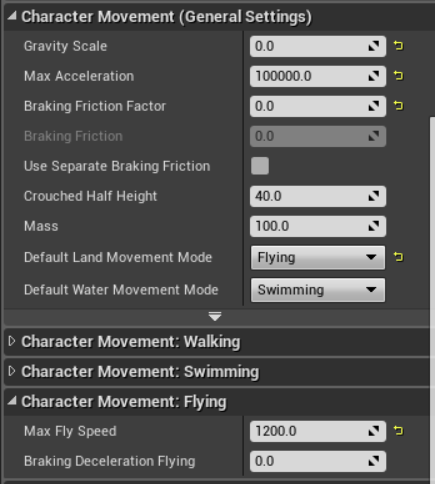


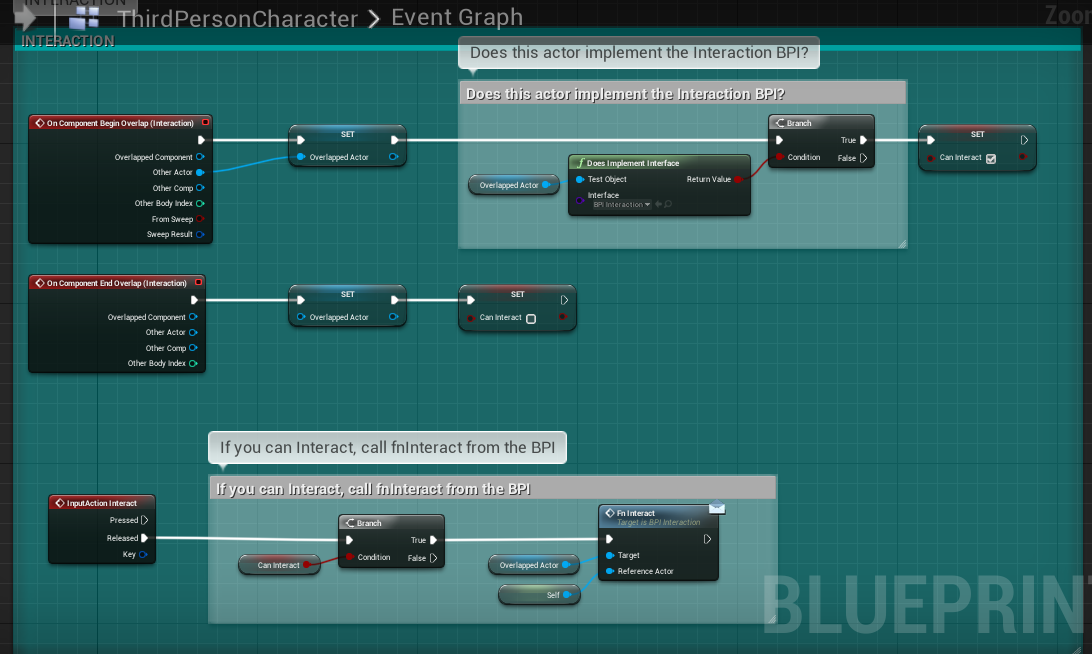

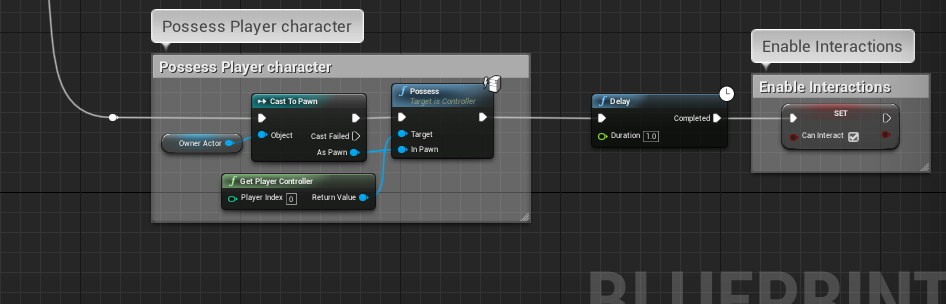

you can see my speed in the top left in this clip
nvm i found it
ripe rose
it's some hidden variable
opaque blade
i think you can set it when you have a physics volume in your level
ripe rose
probably
opaque blade
as those are always present "like a default one"
ripe rose
idk what a physics volume is though
opaque blade
those are used to change physics properties like bouyancy etc.
for when you enter water
ripe rose
ooh
tender sierra
I bought an asset pack from Marketplace, which includes among others a blueprint.
When I open the blueprint, UE hangs.
Anyone who knows of possible reasons why opening a blueprint can cause UE to freeze?
ripe rose
one possible reason is the version of UE4 you're using is older than the version the BP was made it
tender sierra
ok, I'll try with the latest. Tried previously with 4.24, so not too old if you ask me
ripe rose
it could be something else
tender sierra
yet, the BP works in 4.24, just the opening part wont
Will try in 4.25
tender sierra
one possible reason is the version of UE4 you're using is older than the version the BP was made it
@ripe rose
it appeared to be related to the UE version.
I could not open it in 24, but in 25.
How come that the BP did work in 24 then? only the opening caused it to hang?
tender sierra
ok, problem isolated
For those who might benefit from knowing.
It appears, the UE version had nothing to do with it.
Instead, the asset was added into the ArchViz Raytrace project, so something there was interfering, causing UE to crash. Could be pure RT related conflicts.
simple lantern
Is there a flow control node that splits the execution through multiple pins and each one can be enabled/disabled by it's own boolean? So basically a sequence node, but each outgoing pin is controlled by it's own boolean condition
I know I can replicate it with a series of branches but it would be nice if there was an all in one node
alpine halo
select?
simple lantern
select?
@alpine halo Searched it and nothing came up?
No matter anyway I made my own macro to do it
 obtuse nimbus
I'm fairly new to Unreal Egine, and I need help learning how to properly make and use Blueprints. Could someone help me?
I know exactly what I want my camera to do, just not sure how to set it up
Or would it be a better idea to watch online tutorials?
simple lantern
@obtuse nimbus That's a biggie. You're better off finding a good tutorial on youtube honestly
obtuse nimbus
I just want to press A and D to move my camera to the left and right
simple lantern
just a floating camera? what is it looking at?
obtuse nimbus
it would normally look forward
simple lantern
so like an FPS view?
obtuse nimbus
yes
but when you press (or hold, haven't decided yet) A or D, you look left and right
simple lantern
so it's not moving, it's turning
obtuse nimbus
yeah
you press A, you look to the left by like 90 degrees, you press D, you look back to the center, press D again, look to the right, etc
simple lantern
is that the only thing in your project you need a blueprint for?
obtuse nimbus
i basically want a sort of FNAF type game, where you do stuff on your pc (front), close the curtains on the left when monsters are there, and close the door on the right when monsters are there
i just need the A and D to turn and a Hold Space to close Curtain/Door system
that's kinda it