#blueprint
402296 messages · Page 507 of 403
 foggy sundial
is the skeletal mesh animating?
foggy sundial
ah then make sure your attaching the actor to a socket on the skeletal mesh
 thorny cedar
i want to spin the white wheel and copy the rotation on the skeletal wheel in my animation blueprint
foggy sundial
if it's not attached to a socket it will ignore the animations and just sort of float
thorny cedar
so it doesnt stick with the mesh. hope that helps
@foggy sundial can you help me to set it up correctly. I created a socket in my skelettal mesh
foggy sundial
that looks fine as long as you've set up the socket in the skeletal mesh asset with that exact name
thorny cedar
i did that, but when i swing the wheel i get the same result
it snaps back to the old position
 shut hinge
ok i was told that to stop my pawns from turning off their ticks when you switch to a different pawn, I have to set up a player state for the pawns, how do I do that?
 dire copper
How can I make the content of a Editable Text Block, output to a normal Text Box, when the Editable Text Box is Committed?
dire copper
I don't know what to research
And I am confused
@twilit heath Could you possibly show me a full screenshot of that On Text Committed part please?
It would really help me
shut hinge
i need to see how to set up this player state with my pawns.
is it like the set up for the pawn registration code?
 twilit heath
you don't need it, select your EditableTextBox variable and on bottom of details panel you have its event handlers
add them by hitting +
 glacial eagle
@foggy sundial Scratch first message - https://programming.guide/random-point-within-circle.html
twilit heath
what are you trying to do when the text is commited?
twilit heath
this is a full multiplayer situation?
twilit heath
you think so?
dire copper
Yes
twilit heath
well, im not going to write you a tutorial on MP basics
twilit heath
dire copper
How would I get it to work on the client
Non - Server side
Like without the multiplayer
twilit heath
and if its not MP, what do you want to do?
dire copper
I want to know how to output a message from the Editable Text Box's content
To a Non - Editable Text Box
How would I be able to output the content of the Editable Text Box
twilit heath
and what part of what i told you earlier was unclear?
dire copper
I didn't understand any of it
twilit heath
CreateWidget a custom widget that has a TextBox in it
dire copper
I tried it for 1 hour and 20 mins
twilit heath
and Text variable ExposedOnSpawn
add it to ScrollBox with AddChild
and on its Construct on its WidgetText or w/e you call the TextBox, SetText to the value of exposed variable
and that is all
dire copper
I can't expose it on spawn
twilit heath
if you can't find your way through that i suggest more tutorials
dire copper
 hoary orchid
Does anyone know why Casting to Game Mode from UMG fails?
 shut magnet
hey guys i wanna ask im currently polishing my mount system (specificly on horse),rn i wanna do when i use the A and D button it will rotate the camera and i managed to figured out to use the controller pitch from the mouse stuff...i solved that but i wanna do when ithe camera rotate,the horse will play the turn animation just and when moving it will turn when i using A/D
this is what i have so far
https://gyazo.com/70d6cd8fbb563c2e745445a409a2ab44
this is what i have in mind
when i pressed A/D alone
https://gyazo.com/388665194e13f7da48c67679255582f3
this is when moving
https://gyazo.com/9733db58d9d2b1e4603daf6b38c9e52f
twilit heath
@hoary orchid no reason it should
shut hinge
hmm i tried the horse mount system, but my player keep sliding off the horse when I mounted it.
shut magnet
i figured i need to do the turn in place when pressing A/D but the curve thign like in paragon anim idk how to do that
and when go the left and right using AD while moving it didnt play the aniamtion liek turning the horse front to the right it just rotate the camera even though the blendspace i have set the anim up
the way i set up my horse is according this video and the turn in place that i figured i would do is based on this video.. anyone can help me?https://www.youtube.com/watch?v=yjcnHkF-INo https://www.youtube.com/watch?v=QHAjoF0XIMU&t=1067s
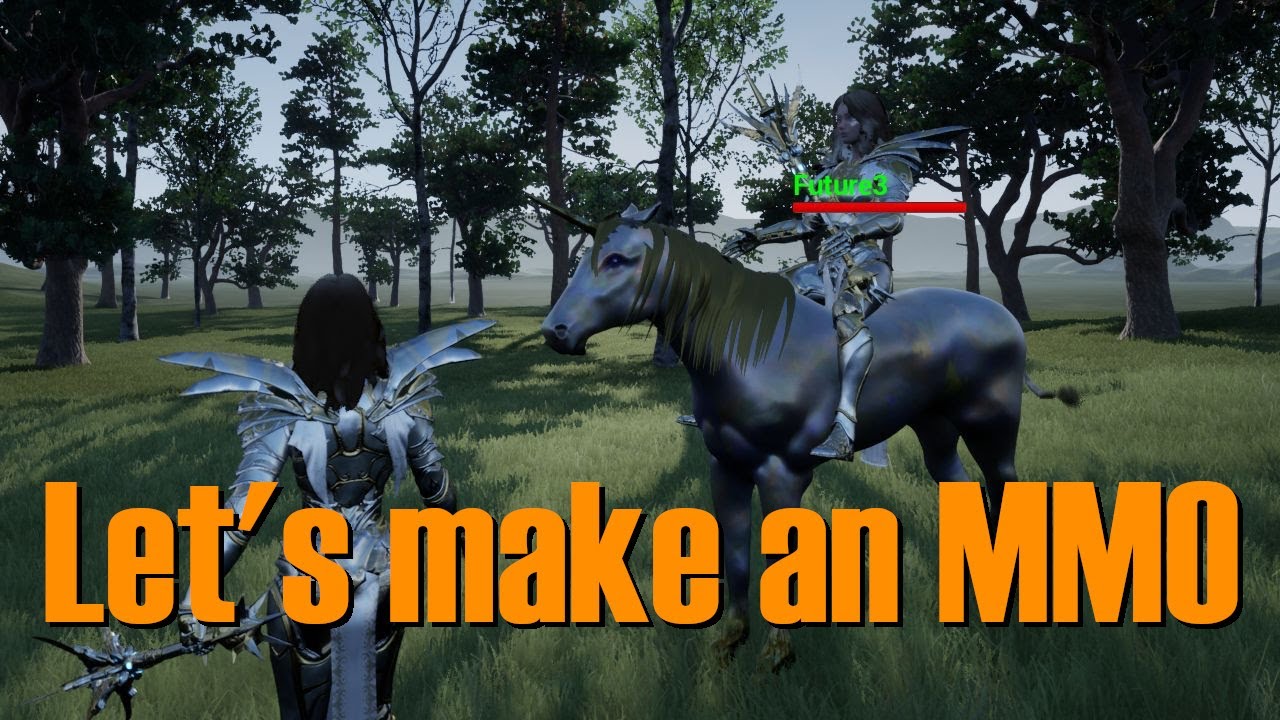
In this video we add a Unicorn (because a horse just wouldn't do) for Serath to ride.
Special thanks to Gpfth for creating the Unicorn and Unicorn animations for us. You can download the Unicorn assets we use here:
https://drive.google.com/open?id=1spzS9uhSkw4MckE8zoB1g7IXX...

In this video we add a turn in place system to our Anim BP using the Paragon turn in place anims for Serath.
Download the Project: http://www.sabredartstudios.com/Docs/LetsMakeAnMMO
Get OWS: http://www.sabredartstudios.com/Marketing/FreeTrial
dire copper
"and Text variable ExposedOnSpawn"
@twilit heath What Text variable?
The Editable Text Box?
hoary orchid
@shut magnet what do u mean curve thighs?
 onyx prairie
quick question, what's a good way to break up an array so i can set the location randomly for each unique object?
 maiden wadi
@hoary orchid Is your project multiplayer?
hoary orchid
yeah
maiden wadi
@hoary orchid UMG is client side. UMG should never ever be replicated. Since that's the case, you cannot access the GameMode in UMG because Game Mode does not exist on clients.
hoary orchid
so if i get data on player controller from GM, and then to UMG, will that work?
or is there any other way to make it work @maiden wadi
maiden wadi
If you use the controller to get it from the server and save it client side and then get it. Can I ask what you're doing in GameMode that you need the client's UI to see?
hoary orchid
It's a match timer
I am trying to get latest values
I think, I should do it in Game State instead
maiden wadi
GameState might be a better use. GameState is a great place to keep things that all players might need to see, but that do not specifically involve one player. GameState is also replicated to all clients by default so it should be easy to create a replicated variable to use for it.
 sand shore
@snow halo did you get it working?
shut hinge
How do I fix this code? is Event Construct the correct node to use?
I only have access to just Event Construct. Not Event Begin Play as this is inside of the widget.
I'm not sure how to wire the rest of this part of the code. (that's why its disconnected). until i know what the node is I need to put on it because I don't know, never had to wire up a Binding Event Timer to a Levelling system
widget before.
onyx prairie
if i use foreachloopwithbreak, it takes every object in array and it runs the code on them?
 trim matrix
Yep, the loop body will run a separate time for each index in your array.
Each time it runs, the array index and array element outputs will change accordingly.
@onyx prairie
onyx prairie
ah k. Is there a way i can break up my array to be sure its checking for that?
Just trying to move each unique actor class around for now
trim matrix
For widgets, event construct would be the equivalent to begin play yes. I don’t see an issue with setting up your bindings on event construct either. Since I’m assuming you want those bindings to be ready as soon as the widget is constructed. @shut hinge
onyx prairie
ignore some of the things not linked. those are just laying around unused for now.
shut hinge
What I'm trying to do is when I switch over to a different pawn, is get the pawn to not lose their party status off the screen when I make the switch. This is not easy to try to do.
trim matrix
Oh yikes btw a bigger issue is your using a get all actors of class on event tick, then proceeding to loop through everyone. @onyx prairie
Very expensive that would be
shut hinge
this is what I mean
trim matrix
And generally like the worst possible practice
onyx prairie
yeah. no idea what to use differently.
trim matrix
Ah well I gotta go now srry and gl
shut hinge
So when I switch to different party members, this problem happens, the Level Component only displays up for only 1 pawn at a time, (the pawn that I switch into) and dos not light up for all the others that have the levelling component.
trim matrix
Good time of day. How to select few or more variables in BP at the same time. In order to drag them to the work space?
 still trellis
any way to set float precision in BP? i see there's a snap to grid node that is probably not intended for use like this but could you set it to .01 or .001 and use it as a rounding node?
edit: to answer my own question, the snap to grid node does work for rounding, its just some multiplication. it does warn that setting grid size too low might make rounding errors happen.
 earnest prism
Is there a way to fill in the empty space when using a mask to make things partly invisible? Ping me if anyone has any answers.
trim matrix
Is there a way to access blueprint actor from one level in another level? In my case i need that for loading screen level, i have box trigger that is loading "LoadingScreenLevel" but i need to open another level after 5 seconds of "LoadingScreenLevel" being open
I can just create new loading level for each regular level and set it manually just was wondering if i can set directly in my change level trigger box
 minor sand
@barren relic in the video series you recommended me, in the third vid the guy does some math with blocks but i can't seem to find the right math block for the top one.
the top one
or can anybody else help me?
Somebody send me the answer. thanks
 brazen elm
I'm trying to load a level while playing on the current level, then once the load is complete, it will send you to the next level. How do i do that?
trim matrix
Use level streaming for that
I am not sure if you can unload previous level but if you can do that then
 proven mason
@maiden wadi I apprecreicate that your help but I'm really lost with the blue print code you did there.
maiden wadi
@proven mason Which?
proven mason
given that I'm very new to blueprint I'm kinda lost why you did a marcro function?
I do have some coding experience but I'm not a major guru at it.
also what's a Sequence?
maiden wadi
I like the local variables in them sometimes.
proven mason
is it like a Switch statement?
maiden wadi
Keeps the main blueprint a little cleaner.
And no, it's just a Do this then do that.
proven mason
alternatively instead of macros you can also do this in a function?
there's a node called set timer by function name
maiden wadi
Function problem is that the local variables are removed when they finish executing. Macro Local Variables remain.
 odd plume
How can I print out this set in a debug?
maiden wadi
There are two major differences between macros and functions. Functions can be called on an instance of the actor/object. Macros cannot, they need to be executed from within, you can't get a reference to the actor and call a macro like a function.
The other difference is that macros do not self implode afterwards. Their local variables remain much like if they had been placed in the blueprint itself. Macros vary only a little bit from a collapsed graph, but they're very similar.
@odd plume You need to convert it to an array and then for each loop it.
 unique wyvern
does an actor's begin play event fire when the actor is a part of a streaming level being loaded in?
odd plume
How would I be able to see the data from a set, if it is public in C++
proven mason
@maiden wadi how did you get the Set Float(by Ref) node?
within your macros container?
it's that blue node near the center
trim matrix
@proven mason That's because you need a reference first and thus only works in Functions or Macros. Simply mark the input variables as "pass by reference", after that you can "set XYZ (by ref)"
proven mason
thanx, how did you get this node
the one in red circle
trim matrix
if it's green, it's likely a float right?
so assume it's math ops. so in that case, type the type followed by the syntax of the operation -
proven mason
yep makes sense
trim matrix
you'll learn that as you keep using unreal
subtlety abounds
i can differentiate int from float colors pretty well
bool is a flushing bright red .. so
that one's clear
hope that helps
 true plaza
when I attach to socket, the dog just kicks the ball away, what could I change?
true plaza
tried to toggle collision after I throw the ball, but ¯_(ツ)_/¯
 untold anchor
i do believe we're gonna need more context than that lol
true plaza
I'm going to minutely comb over all the physics/collision settings of both actors, but to explain more, I have an AI character that follows a cube after I throw it using AI Move To, then I want to attach the cube to the AI Character socket when it gets there, but after going to the socket it just throws it away, though I thought I turned off all collision already
trim matrix
How do you prevent a spring arm from inheriting it's parents' rotation?
 keen goblet
@trim matrix Maybe go to the Details panel of the spring arm comp and set its rotation to absolute instead of the default relative. Just spitballing; not sure if that'll do it
 marsh meadow
Hi guys, I'm working on the SaveGame mechanic. On my MainMenu Widget, I create my version called SaveGameState (which was made in C++) which is derived from the UE4 Save Game class.
So, in my MainMenu, I created a variable of the SaveGameState type, which I initialize to nothing. In another Widget, I populate it with a valid instance in a Load Function. Now, I want to use the instance of this SaveGameState in my game, but it seems I'm having difficulty writting and getting data back from it. Could be this be a problem of the type of the variable? Should I use Soft Object / Class reference?
 worthy frost
@loud cipher that is loop
 loud cipher
Ah, how can i set it to loop?
worthy frost
loud cipher
Thanks
trim matrix
@keen goblet That worked, thank you!
 grizzled rain
upon unloading and then loading a stream level again. All actors that were spawned previously are still there. Is it possible to have it loaded so that spawned actors will dissapear from the stream level upon reloading?
grizzled rain
Is it possible that "Spawn actor" Is spawning things to the persistent level?
 tacit lake
I'm confused on what Clear and Invalidate Timer by Handle does.
I'm pretty sure what it's supposed to do is stop the timer, correct?
Because I'm trying to stop this timer when my variable reaches a certain level and it's not working
trim matrix
@tacit lake try Clear timer by Function Name with shadowPassive as the function name in your above example
 tropic robin
I am in a situation where I need to edit a seralized blueprint but dont know the format. Does anybody have any file format info on blueprints. I am trying to uncorrupt a save file manually.
 brittle fiber
morning masters
im working on a Blueprint
The BluePrint that holds my Fluid ArtWork Has A camera actor that you observe.. If duplicate components of this ArtWork, and reduce the scale, I will create smaller ArtWorks with camera actors.. I have to Cycle Cameras.. Loops and Cycling across things is new to me.. Is there any resource or topic I can search, to help me find an Answer?
trim matrix
@brittle fiber make a "demo" room with one camera and one static mesh wall for your artwork and duplicate the portraits and change the images in each portrait. then keyframe your camera if you want to pan it through time using sequencer or something similar to that.
unreal engine content examples has a demo room via: Unreal Engine 4 Documentation > Samples and Tutorials > Content Examples > Using Content Examples in documentation
brittle fiber
@trim matrix Good morning! Thank you for reply. This is a third person shooter game, and its a map with a Blueprint which holds a Trigger. When overlapped, camera actor of this BP is Activated and now I Only Observe the ArtWork, not the pawn. On End overlap, camera goes back to Pawn Control.
Now there are 4 camera Actors in total within 1 BP
trim matrix
you usually want to encapsulate stuff in separate blueprints
so make one camera actor per blueprint and possess the cameras externally using on overlap
brittle fiber
@trim matrix
you usually want to encapsulate stuff in separate blueprints
@trim matrix is this for the sake of performance and lag?
trim matrix
encapsulation is a programming paradigm that is followed universally
you have stuff in blueprints specific to each blueprint
and you assemble them in levels to act together. you reference them using object references, casts, and access functions. and finally you can also use interfaces for references.
hope that helps
brittle fiber
that certainly does.. I came with no background in programming, but at this stage I think you mean that it is better to use stuff seperately and use VS commands to call them, rather then cluttering One BP with different Expensive components
I will separate them following your advise, but what Im looking for is the way or command to cycle between them.. I assume it has to be an array or something.. Like Press F and Next available related Camera Actor will be within viewport
I mean how to command to posses different cameras?
or will it be better to move camera to anchored location on command?
making second one is more possible for me atm but learning first would be LVL up
for example. On Input Action: check what camera actors with name : ..1 ..2 ..3 are available near by, if camera actor found, set view camera with Blend
brittle fiber
@trim matrix only way bro
trim matrix
@brittle fiber Set View Target with Blend might help blending between cameras.
You'll have 3 options here:
- Do not switch cameras Rather than switching between cameras, change the position of the current camera by manipulating its relative offset
set the camera's relative location and rotation to instantly switch between the viewpoints
or interpolate between the 2 locations either during tick or using a Timeline if a smooth transition is needed - Use Child Actors + Set View Target with Blend
in Blueprints, Set View Target with Blend cannot be directly forced to use a specific camera (unless something changed recently), this node selects the first active camera it finds. If you cannot afford to activate and deactivate cameras (let's say you need a rear-view mirror in the car which needs to be active all the time), having cameras as Child Actors is a decent enough solution. - Keep only 1 camera active and Set View Target with Blend
Deactivate current camera component, activate the desired one and then Set View Target with Blend
use FlipFlop node if there are only 2 cameras to operate
brittle fiber
@trim matrix Thank you again for swiftness, I will read it many times and try to understand and implement it.
If there is anything i can do for you, let me know.
Ill get back with some progress
trim matrix
Guys I need help with this plz. How do i send information that the player is in mid-air and has killed and enemy.Like the player shoots and calls the interface to take damage and the quest system reads the delegate OnEnemyDeath and updates the count. How can I pass in conditions , do i pass in the player class in the event dispatcher too?
 thin heart
How to capture a video for passes with blueprint
 weak cosmos
Hi, my build name is "es2" when I packaged the game, but I only checked "support ES3.1" by default, why this is happening?
How can I understand which pipeline my game using in mobile phone?
Hi, my build name is "es2" when I packaged the game, but I only checked "support ES3.1" by default, why this is happening?
I just didnt understand is my apk runs es2 or vulkan or 3.1 right now
still trellis
I have a struct that is a local variable of a function. That function passes the struct by ref to another function to be modified. Inside the second function I am getting "this is a Read Only property and can not be modified directly" but I'm not sure why. What's the point of passing by refence if i can't modify it?
interestingly i only get this warning when the struct ref is hooked up to a "Set Members in Struct" node
and not when hooked up to a Set By-Ref Var node
 main lake
Is anyone really good with Unreal Engine and could help / guide me creating dockable and resizeable windows with UMG and blueprint please ? Like I found no tutorials at all on this subject and I don't understand why ... By dockable I mean you can drag the window around your screen and when it's above another window you can choose if you want it to split the overlapped window in 2 or put it as a tab, and resizeable is that when you resize a window the other windows take the space left over by the resized window (check the screenshots it's more explicit) https://user-images.githubusercontent.com/687817/52872726-ea09c200-3155-11e9-8141-1e9e0f0ab935.gif
Please tag me if any answer 🙂

 haughty egret
Both of these have the same vector as their last element
But in the == node on the right they come back false
How much tolerance should I need for this?? I would have expected === to work since they literally have the same values.
It's even returning false with 100 as the tolerance. Something clearly isn't right here, what am I missing?
trim matrix
@haughty egret have you tried breaking the vectors using a Break Vector node and comparing the floats after you lower the precision?
you can set float precision in this method https://answers.unrealengine.com/questions/94901/how-can-i-set-float-precision.html if you set the float precision pretty low, they will likely equate when compared and the equality will pass as true
 simple sky
My server spawns some actors during game-play, and when the level is changed back to the main menu those actors still exist - how is this normally handled? I.e. just to wipe out all actors and load the main menu as if the game as reset
haughty egret
@trim matrix OK a reasonable workaround by why does it not work to start with? It seems like that is what vector == is for?
trim matrix
@haughty egret just have to make sure the same logic is driving the setting of the vectors in the first place. if they are truly equal then the precision will be unnecessary. it depends on your logic and how the vectors are set. this is your code.
Guys anyone know how to make physic body not collide with Visibility?
 storm dove
@trim matrix select all capsules/spheres and set their colision
 dusty ibex
Hello. How can I play Camera Anim Sequnce in 4.25? Play camera anim node only accepts regular camera anims.
trim matrix
Hello i am trying to make looping code where this code will constantly teleport the gameobject over and over again however it only happens once
 thin rapids
Hello i am trying to make looping code where this code will constantly teleport the gameobject over and over again however it only happens once
@trim matrix you're setting it to a single location, so its teleporting in place after it teleports once
dusty ibex
@trim matrix Loop goes through all iterations instanly and then teleport to the location set in completed part. if you want time delay, maybe better thing would be to use looping timer "Set Timer by Event", and than clear time handle after set number of times
trim matrix
so like event begin play for loop then a delay of 0.5 set actor to location then delay and set actor to location?
thin rapids
@trim matrix you're setting it to a single location, so its teleporting in place after it teleports once
@trim matrix also this
trim matrix
so the issue is once it goes to a location once it will stay in place afterwars while still trying to run the other side of code but its going to just keep staying put?
thin rapids
yes, because you are (apparently) never changing that vector
so it only teleports to that fixed location
trim matrix
ah but the thing is both the vectors are that diffrent locations
so i should introduce the timedleay into the code?
thin rapids
but in your loop body its only setting to that same location and then only when it completes it changes location to the other vector
trim matrix
oh so i just need to change which one is the loop body then
and witch is compelete? or its a matter of excuting after
the frist one has instead of setting it to compelte
like this?
so its still teleporting in place
hm
the switching btween the two point is what isn't working Loops doing its job but it can only set the actor location once as the other run?
am i understanding the error properly?
so i think i need a branch
then a true or false statement to determin when it needs to switch
If theres nothing wrong with the loop then it's set actor location and I'm not using it right
Bc it already sets and it can only set once not twice
i pretty much use the extent that is my knowledge of blueprints but it does not work
so maybe im lacking in understanding of how blueprints work then bc i already done a simliar thing in unity once before
 rich falcon
Hi everyone, I have been having this issue all day today and really have no idea what causes it.
After successfully building, my app crashes on iOS with the following exceptions
Error: Cycle Node /Game/Blueprints/BP/BGPlanets/BP_BGPlanet_BrokenStar 2 Export_Create /Game/Blueprints/BP/BGPlanets/BP_BGPlanet_BrokenStar/Default__BP_BGPlanet_BrokenStar_C/
This happened after making a parent class BP_BGPlanet_Master and couple of child classes derriving from it.
What do theses errors even mean?
Bc it already sets and it can only set once not twice
@trim matrix I can't really read whats going on so I font know what you are trying to achieve, but I know for sure you cant use delays in loops
trim matrix
so i should get rid of the delays ok. @rich falcon i am just trying to achive a looping peice of code which would teleport a gameovject back and fourth
rich falcon
Loops start and finish in the same frame
try using a timeline node with a lerp instead
trim matrix
timeline node with a lerp? sorry still learning blueprints
rich falcon
sure, sec
This document contains an overview of Timelines in Unreal Engine 4 Blueprints.
basically you create a node that contains a graph, when fired this node will "play" the graph's values over time
Connecting another node to the update execution will allow it to be fired every timeline tick
https://www.youtube.com/watch?v=v7bdcvGlgIg
wheather you are only starting to learn or not, this guy is a god

What is a Timeline in Unreal Engine 4.
Source Files: https://github.com/MWadstein/wtf-hdi-files
trim matrix
alright i'll watch the video thanks @rich falcon
rich falcon
Good luck!
Hi everyone, I have been having this issue all day today and really have no idea what causes it.
After successfully building, my app crashes on iOS with the following exceptions
Error: Cycle Node /Game/Blueprints/BP/BGPlanets/BP_BGPlanet_BrokenStar 2 Export_Create /Game/Blueprints/BP/BGPlanets/BP_BGPlanet_BrokenStar/Default__BP_BGPlanet_BrokenStar_C/This happened after making a parent class
BP_BGPlanet_Masterand couple of child classes derriving from it.What do theses errors even mean?
@rich falcon Shameless bump?
unique wyvern
is it possible to switch on the type of actor something is?, I'd rather not create a ton of if statements for every scenario
 astral cedar
Dose blueprint have a tween node in godot I use the tween function a lot for smooth object movement/interpolation that doesn’t require ticks and is FPS independent but dose Ue4 have this at all
 bold osprey
Hey guys newbie question but is it a bad idea to use retrigarable delays like this?
 distant olive
I have a problem with attached particles. If I move while spawning this particle, it deforms (see right hand side of image). Only moving actors sees this deformation, not other players who are standing still.
maiden wadi
@distant olive Does the camera move when the actor moves? If the camera moves, check some post process blurring effects like anti aliasing, motion blur, etc.
@unique wyvern Not really. That's the reason that interfaces and class inheritance exists. You need a base class or an interface to know what function or event to call on the reference.
 void oak
Is there a way to put a delay inside of a task blueprint?
distant olive
@maiden wadi Wow, it really was that simple.. It was the motion blur. Thanks a lot! Here I am thinking that something NOT ticked, and grayed out, is not in use. But not in Unreal Engine!
@void oak No, but if you manage to get it into a macro instead, you can use delays!
My only problem with macros is that they only allow one return path (which you can work around 🙂 )
maiden wadi
Do try to avoid using delays as much as possible beyond vague testing. It's almost always better to set an event by timer, or use a bit of boolean logic on tick if necessary.
Specially in AI, if you need a delay, put a Wait in the actual behavior tree if you need to AI to wait for something.
trim matrix
fixed it timelines were the answer just going to figure out how to make it loop now
 fallen glade
can someone help me figure this out please?
the last one is the broken macro .... seems ok to me : /
anyone? it keeps telling me to connect something the the array node but something is : /
storm dove
@fallen glade i guess u cant get array item from gray wildcald array pin
why not function?
with local variable
fallen glade
yeah
storm dove
yeah it would be nice
im not sure if you really cant get array item from wildcard array
but looks like its what the error is saying
fallen glade
I guess it's just another case of unreal being unreal
storm dove
im sure its a limitation in fundamentals of blueprinting
otherwise bps are like a gift from god
fallen glade
Fair enough, I could have not started this project without blueprints
maiden wadi
I might be mistaken, but I think your issue might be the make array.
Technically that should make a new array from the get every time that AddUnique calls for the array.
fallen glade
I see, it's not stored when crated like a local variable?
it won't let me create a local array
fallen glade
needs to be a wildcard for what I "need"
maiden wadi
If you have any CPP experience a simple wildcard input blueprint function would work well.
@fallen glade If you aren't against creating a C++ Blueprint function library, I could show you how to create a wildcard input if you need it.
void oak
Is this the correct way to implement a delay? I want it to execute left to right.
unique wyvern
@maiden wadi so how would you implement such a thing
in reference to ```is it possible to switch on the type of actor something is?, I'd rather not create a ton of if statements for every scenario
using interfaces
maiden wadi
Don't know much about level streaming. What are you trying to do on beginplay?
trim matrix
Hi, I'm not sure if this is the right question to be asking about Animation BPs, but I'll ask here anyway.
I've been following these tutorials:
https://youtu.be/yP4ygKHwlS0
https://karllewisdesign.com/unreal-immersive-fps-part1/
I'm trying to create a turn in place animation system for my character, but I'm having a problem where my turn in place animations are playing consistently when my Root Yaw Offset goes past 90. My character doesn't appear to be turning correctly either.
I know I'm being vague but I don't want to spam this chat with a crap ton of pictures of my code and more, is there anyone that I can message directly to help me solve this problem? Sorry if I'm asking for much, I've just been losing sleep on this last final issue and I'm looking for anyone that is willing to help me with this.
I believe the problem is fairly small, I am just not understanding what's going wrong and therefor not seeing the underlying issue at hand.
Thanks 🙂
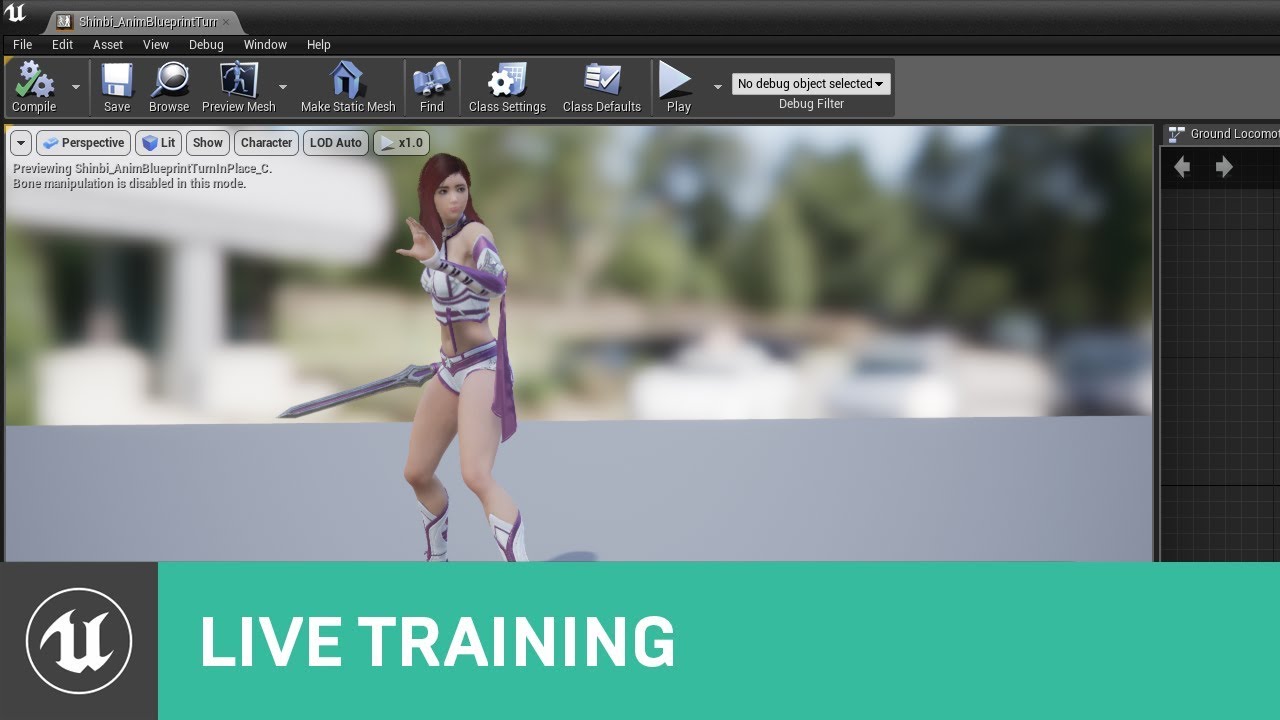
This week, Jay will demonstrate the coveted turn-in-place! He will also cover methods an animator or designer can use to take a seemingly daunting feature like 'turning in place' and breaking it down into smaller pieces to get the results you're looking for.
During this strea...

KARL LEWIS
One of the things I’ve always loved about video games when compared to other creative mediums like film, music, and writing is how they can pull their audience directly into an experience and give them the ability to influence it in some way. Well, maybe not entirely “directly...
maiden wadi
@unique wyvern You would need to create an interface, add it to whatever classes you want to affect, create a new event or function in the interface, implement that function in whatever classes you added the interface to, do what you want to happen in that class when you call that function on that class. Then where you're calling your if statement, you just use your reference to call an interface message.
odd plume
I want to add an integer to the set playerskeno card with each buttons OnClick. But nothing is being added to the set. What is happening
keen goblet
Can anyone point me to documentation for what the game makes and saves when you build a map?
 lusty harness
I need help, when I import skeleton to unreal engine 4, I get incorrect results.
 faint pasture
@odd plume entries to a set must be unique. Every time you try to add the entry 1 past the first, it won't work.
 opaque forum
    static ConstructorHelpers::FClassFinder<UBlueprint> HUDRefClass(TEXT("/Game/Blueprints/UI/HUD"));
    if (HUDRefClass.Class != NULL)
    {
        HUDClass = HUDRefClass.Class;
}``` how do i load blueprint hud in game mode?this gives crash
trim matrix
Suppose I need to switch between 3 guns
Do they guns stay as actors in the world?
I cant reference them from the content browser right?
 lapis mortar
Im new to unreal engine and im trying to setup an AIController to move an enemy character in a game, i followed this docs: https://docs.unrealengine.com/en-US/Engine/AI/BehaviorTrees/QuickStart/index.html
Overviews and examples AI
It seems to work fine but I am getting a Blueprint Runtime Error which I cant seem to fix, anyone willing to help me out?
 nimble bloom
Have an interesting issue- I have a custom event to trigger a bool to set a branch in an event tick:
The true condition is not triggering on the event tick
But does trigger on the custom event
nimble bloom
Well what I'm trying to do is set an alpha in an on paint color
Incrementing a float down from 0.5-0 could work too, but I had an animation setup for the fadein that works, and using a reverse of that (which works in test cases) minus that bool not firing.
Well, it fires on the custom event but the on tick isn't "seeing" it
maiden wadi
@vast lion You need to get the key or values array and loop over that. Alternatively, you could create your own map loop macro probably with K/V outputs.
 vast lion
Ok thanks @maiden wadi
lapis mortar
anyone who knows anything about the error Im getting : ?
maiden wadi
@lapis mortar The reference that you're trying to call a function on or get a variable from is invalid.
trim matrix
Hey all! I've ran into quite an advanced issue, I'm trying to change the **PER INSTANCE collision **of a Hierarchical Instanced Static Mesh Actor (HISMA), anyone know if this is possible through Blueprint? Or will I have to modify the engine in VS? (UE4 v4.19)
lapis mortar
@maiden wadi I call a function to it in the same manner in a different service but that one does not give me an error
maiden wadi
@lapis mortar Not sure then. But your GetValueAsActor is returning an invalid reference. You could get rid of the error by checking if the reference is valid with an IsValid macro. But you've still got the issue that it'll be invalid.
lapis mortar
its the topleft TargetToFollow, its a Blackboard Key
maiden wadi
@lapis mortar 'What are you doing with the one that works?
maiden wadi
Let me check something on the AIMoveTo node.
maiden wadi
@lapis mortar Okay. I'm pretty sure that your issue is the reference type, not the validity. Looking through the AIMoveTo C++, it looks like the reference eventually gets casted to AActor to get the location. You're not casting it on your one with the problem, so it's like you're trying to get a world location of a UObject, which doesn't have a world location.
TLDR, change the blackboard value reference type, or cast it to actor before getting the location.
Actually the get node should cast it too, let me look at that. Since it gives an Actor Reference. But try changing the BaseClass value to actor too if you haven't.
Hmm. Nope, the get as actor casts it too.
lapis mortar
this no longer gives an error
maiden wadi
Changing the BaseType of the Key should also do that for you and save you a node when you use it.
lapis mortar
but when I watch the BehaviorTree in realtime it still only uses the left side and glitches out, it never uses the right side : \
maiden wadi
What are your conditions? What does the tree look like?
 meager spade
Does you Is At Locations have the appropriate radius?
maiden wadi
You might take out the top condition on the right side for start. You shouldn't need it since the top one on the left would go to the right if it wasn't set anyhow.
meager spade
Also, you are checking TargetLocation Is Set & TargetLocation Is Not Set
In the same Sequence
I'm sorry but you are gonna have to make up your mind 😉
lapis mortar
Also, you are checking
TargetLocation Is Set&TargetLocation Is Not Set
@meager spade is the documentation incorrect then : \
weird
meager spade
Check your left sequence, you can't have the TargetLocation bot the set and not set
All of them has to be true if the sequence should execute
right*
lapis mortar
You might take out the top condition on the right side for start. You shouldn't need it since the top one on the left would go to the right if it wasn't set anyhow.
@maiden wadi so remove the Blackboard based condition on the right-topside
meager spade
Might as well keep them for clarity imo
You have to chose either and the bottom one should be removed
lapis mortar
so remove 1 of those and see if it works correctly
trim matrix
Can someone please get back to me on my Hierarchical Instanced Static Mesh Actor problem? ^ Many thanks.
lapis mortar
removing the bottom one doesnt do much it seems
meager spade
What's you acceptance radius on the Is At Location?
lapis mortar
50
meager spade
Nvm, It shouldn't really matter
I'm actually dumb, you want to in fact make sure the TargetLocation is set
lapis mortar
removing the top one does make it switch between them
although the enemy AI moves a bit weird
meager spade
Yeah mb, I thought you did it in another way
lapis mortar
the AI moves to the Player when he sees him, when he doesnt he moves to Home, but after a while he moves to lastseen area
 fair magnet
Dumb Question but... why can't I use my "input Axis" stuff in the player controller instead of the player pawn ? I mean... I can use it but it's not really working
worthy frost
should have really been asked in #gameplay-ai 😄
trim matrix
@fair magnet you have to make sure to properly cast to the player pawn from the player controller if you want input axis events called in the player controller to work. i have several examples where i run a custom marketplace plugin that handles action events, call them from my gameplayer player controller (affecting the plugin component), and then they trigger code events in the player pawn.
to summarize - action events can be called from the player controller. if you want to trigger events in your player pawn (the controlled pawn) you have to make sure to get a reference to it and cast to it accordingly.
fair magnet
@trim matrix So it won't work like this ?
brittle fiber
@trim matrix Im still u
@brittle fiber
Set View Target with Blendmight help blending between cameras.You'll have 3 options here:
- Do not switch cameras Rather than switching between cameras, change the position of the current camera by manipulating its relative offset
set the camera's relative location and rotation to instantly switch between the viewpoints
or interpolate between the 2 locations either during tick or using a Timeline if a smooth transition is needed- Use Child Actors + Set View Target with Blend
in Blueprints, Set View Target with Blend cannot be directly forced to use a specific camera (unless something changed recently), this node selects the first active camera it finds. If you cannot afford to activate and deactivate cameras (let's say you need a rear-view mirror in the car which needs to be active all the time), having cameras as Child Actors is a decent enough solution.- Keep only 1 camera active and Set View Target with Blend
Deactivate current camera component, activate the desired one and then Set View Target with Blend
use FlipFlop node if there are only 2 cameras to operate
@trim matrix nscribing what you wrote dude..
trim matrix
@fair magnet SetCharacter is a custom event.. it's not an input axis. i was talking to you about actual Input events.
fair magnet
Yes I know it's because then I can call it when ever the character changes
sec
So this is how my whole Controller Blueprint looks like.... and like this it's not moving the character at all... neither does the mouse input work
lapis mortar
finally got it all to work like in the documentation, there where some other wrong configs I found, thanks @maiden wadi @meager spade
fair magnet
So I guess i can't controll the character directly from my controller blueprint
trim matrix
@fair magnet did you set the player controller in the world settings / project settings properly? are they actually tied together?
trim matrix
check your output log for warnings that the cast isn't working?
when you cast to PL master?
PlayerControllerThe PlayerController implements functionality for taking the input data from the player and translating that into actions, such as movement, using items, firing weapons, etc. this is from Unreal Engine 4 Documentation > Gameplay Guide > Gameplay Framework > Controller > PlayerController
if it's in the official documentation that player controllers are meant to receive input data.. then something is not working with your implementation. this is the purpose of the player controller.
So I guess i can't controll the character directly from my controller blueprint
so that is not correct
did you check the log?
fair magnet
Well the character itself has no code in it... and it does work if I put that exact same code in the character. but as I said I wanna controll it from the controller o:
and yes the log is just... telling me log things... like startup time and all this... no errors
trim matrix
@fair magnet what does the input section in your project settings look like? did you correctly target stuff there?
fair magnet
The default "third person template" stuff haven't touched it yet
trim matrix
try something like this, avoiding the variable you used
player character ref variable might not be being set properly because beginplay might be being called
fair magnet
@trim matrix Ok so I've set an override in my world to use the Gamemode I've created and now it's working just fine... Wonder why it doesn't work as the default game mode ?
trim matrix
you set it in the world settings of that specific level? @fair magnet
fair magnet
yes
fair magnet
yes
trim matrix
this should not be needed.
if you set it in maps and modes.
double check it's set there?
trim matrix
it's good it's working
but i want to try something
you see the small yellow arrow in world settings?
to revert it
fair magnet
ye
trim matrix
if you press that - does it CHANGE the player controller value in world settings?
trim matrix
okay i think what is happening here is, intermittency issue since you last saved the maps and modes setting
you might need to restart the engine to get it to accept the change - OR you could just set them all manually in world settings
seems odd
fair magnet
so for whatever reason the default gamemode isn't working riht
trim matrix
it shouldn't work that way
fair magnet
now as I've deleted that character which is staying at the start
trim matrix
might want to restart engine. might fix it. to accept the changes into all world settings.
trim matrix
you should usually just use custom game mode anyways, so looks like your custom one is probably more useful there
switch it back to GM Master
did you make it the default game mode?
fair magnet
well the world override is sett to none
trim matrix
Hi, I'm trying to create turn in place animations, but for some reason when the turn in place animation triggers the Root Yaw Offset doesn't update along with it, causing the turn in place animation to get stuck in this endless loop. Any help on this would be great, if I'm not including enough information let me know please 🙂
https://gyazo.com/7856ae75cddcd1feea66a7dece7d9d55
 fair magnet
and it stopped working
trim matrix
set the world settings player controller to PC master
might be your only workaround for now until the maps and modes settings percolate
fair magnet
Yea I'm just restarting the engine real quick
gonna see if it does the job
@trim matrix so after restarting and fixing another 5 weird things... (like my default map being unselect and my gamemode not being found) everything is like it should be... I hope o.o
nimble bloom
Managed to get my issue fixed by casting from a variable from its parent. But still not really sure why it wasn't working logic-wise in the blueprint itself. shrug
fair magnet
@trim matrix Guess which bug came back
Also I've noticed... my "compiler result" window is opening randomly upon opening the Game mode
trim matrix
might just have to set the override manually in each world settings section of each level. maps and modes should do it if you set the player controller there using a custom game mode class. i hope you resolve it eventually.
brittle fiber
@trim matrix you got to get me out of this loop.. so if i use 2nd way. having. how to insert the active camera or deactivate camera.. I assume this 2nd options would reflect what I had showed you at night..
trim matrix
@brittle fiber i found that info on https://forums.unrealengine.com/development-discussion/blueprint-visual-scripting/1536601-how-to-switch-between-2-camera-s-in-the-player-pawn-camera-viewport-tab
Unreal Engine Forums
Is it possible to add a second camera to the pawn/actor so I have a total of 2 camera's in my third person game. One camera behind my character. The second
there should be more information there. i usually just have one camera with a spring arm and just attach it to objects. i don't use multiple cameras in my setups.
@brittle fiber to make cameras a child actor, just have the camera in the blueprint as components. then you set view target with blend on each component as needed. but again i don't really think this is the best way to do it. check this for more info please https://www.youtube.com/watch?v=uW86ZGxesmc
How do I use the Set View Target with Blend node to change cameras during gameplay using Unreal Engine 4 Blueprints.
Source Files: https://github.com/MWadstein/wtf-hdi-files
fair magnet
So If I understood that right... The Player State is created for each independend Player...
So I technically could store the Stat information like Healthpoints and stuff in there right ?
trim matrix
@fair magnet i usually create that stuff in the pawn class
i actually have a health component i add to all my pawns
for things like ammo, keys and game items i store integer values for it in my player pawn class
faint pasture
@trim matrix Why are all those weapon specific values not on the weapons?
trim matrix
@faint pasture I don't have separate weapon classes.
i only have weapon powerups
all the weapon data, code for firing them, etc. is stored in my pawn
they have no physical mesh
fair magnet
Hey @trim matrix I'm sorry to disturb you AGAIN buuuut... I cannot move my character anymore... I mean.. it's not moving at all... no animation and nothing... I've tried to make a print string in delta time to check if its frozen completly but that's not the case... Log isn't telling me anything... The Skybox however is moving it's only the character who's frozen
trim matrix
did you make heavy mods from the default first person template?
if not start a new project and import your changes
trim matrix
@fair magnet fixed it? just need to copy the changes from your old project to the fresh remake
you may have an issue with data corruption in your old project.
which is why some features are working not as intended
fair magnet
@trim matrix not sure but it fixed itself as I've deleted the playerstate actor.... Don't know what the one has to do with the other but
fair magnet
maybe my "costum player state" were missing on some basic stuff
trim matrix
perhaps
fair magnet
gonna keep working ! :D
trim matrix
@fair magnet here are some examples i use of playerstate
it stores if the camera is in first person view, and stores if the chat is enabled or disabled for the player
you can use it to store score and player name which is replicated to other users in the game.
if you have multiplayer
i didn't do it this way as my score is single player only though.
fair magnet
where is the default playerstate located at ? maybe it works better if I create a child from it
fair magnet
well that's what I did earlier
fair magnet
well whatever Imma just avoid using it lol
 dreamy kindle
Hi, I'm trying to create turn in place animations, but for some reason when the turn in place animation triggers the Root Yaw Offset doesn't update along with it, causing the turn in place animation to get stuck in this endless loop. Any help on this would be great, if I'm not including enough information let me know please 🙂
https://gyazo.com/7856ae75cddcd1feea66a7dece7d9d55
astral cedar
How can I get the global location of a child actor
 abstract summit
How do I calculate velocity regardless of pawn direction
 strong shadow
do both of these work the same way, or would one run better than the other? wondering if i could make the BP cleaner by using the bottom one or if it could cause some performance drop or other issues.
 white crypt
@strong shadow you should be able to double click on the top "is valid"
and you will see what i does
personally i always use the validate option, right click on the variable and look for that option
strong shadow
ah, thanks for that
white crypt
oh double click on the bottom one, mb
but ideally i would use this as i mentioned above, just showing an example if it wasnt clear enough https://prnt.sc/tu6ly9
 strong shadow
thanks
 modern cove
Trying to decide something here. I'm making an Equipment menu that shows before and after results of new weapons and armors when they're selected. Items are structs that have many data items, including a String for Category (eg Weapon, Headpiece, Body armor, Accessory, etc) and a Boolean for if the item is currently equipped.
I'm trying to see if there's a good way to search the Inventory array for an item with a True for Equipped and a Category matching the selected item. I was also considering adding Item variables to my Playable Character Structs that could be assigned names equal to the Category of Equipment and use that to find out how to compare them.
Which way sounds best?
modern cove
New ?: If I tell it to Get Index -1 of an Array, does it return an Item of Default Value of the type stored in the array? That's what appeared to happen in my last experiment but I wanted to make sure
 drifting kite
is there a way to handle the seed of this node?
 pale blade
Is there a way to get like a one line if/else without having to use exec of branch? Like: "(y1>=y2) ? 1.0 : -1.0"
In this blueprint, I have to repeat the top right and bottom right even though they're basically the same
It works, but just feels messy
 lilac lance
@drifting kite what do you mean by the seed?
This is a random node with only two possibilities, so its a 50% chance of beeing true or false
drifting kite
i want a way to alter this 50% chance of being true or false
lilac lance
@pale blade there is a node for what you want i belive, but i cant remember the name
@drifting kite you want to create a custom probability ?
drifting kite
yes
drifting kite
but i am using it for a branch node, which only accepts bool values?
lilac lance
Yes yes
Check if int is greater than 30 for example
Then use the bool of that in the branch
drifting kite
Okay, I think I get it now, thanks! !
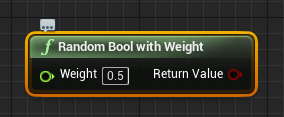 drifting kite
weight?
lilac lance
By definition what ever number you compare,, greater or lesser or whatever,, by definition is a probability
white crypt
 lilac lance
100 diffrent posibilities, and you are allowing for only a certain amount
drifting kite
I will check both of the methods out, thank you! @lilac lance @white crypt
white crypt
just a cleaner variation
removes the need to check the output (if you are doing it with integers)
white crypt
before i used random in range until i discovered this
ofc both will work, but this seems to be the "intended" approach
drifting kite
okay the one with weight works
lilac lance
Its better
pale blade
Select Float
lilac lance
You can say 0.543 for a 54.3% chance
drifting kite
I created a public float variable for the user to control it
but thank you two once again!
lapis mortar
Ive got a bit of a problem, id like to have multiple Characters (AI) use the same AIController/Tree etc.
but in my Aggression-check Service I can only select 1 character
white crypt
if you are using get all actors of class then do a for each loop after
since its an array
ofc other AI should have the same class, if not then you will have to use get all actors for each class
lapis mortar
but it will still only have 1 character selected under 'Actor Class' right :\
white crypt
you should not have created a new bp, right click on enemycharacter and create child blueprint
then both of them will have the same parent class
white crypt
you make main enemy bp and create Childs out of it
lapis mortar
yea makes sense
white crypt
they will inherit all the logic from their parent
and you can make some modifications inside each child but they will still be under the same parent class which you will be able to use with get all actors
pale blade
Is there a difference between the top and bottom?
The top one works as expected, does it after 5 seconds
But the bottom one is instant (not 5 seconds)
The default value is 5 seconds so it should be the same, right?
white crypt
if you call the bottom one the second time and the delay is not finished, then it will reset the delay
oh wait the top one is the same
😄
for some reason your float gets set to 0
add a print string to make sure
pale blade
You're right, the float is 0 when I print string
That's weird though, it's set as 5.0 default value
Why is this?
white crypt
maybe you are setting it somewhere else. or are you using a child bp which might have a different value
pale blade
It's only used in this place
white crypt
compile/save blueprint and try it again or just restart the editor just to be safe
pale blade
Restarted and recompiled, still same
My other variables are fine, it's just this one in particular..
white crypt
ue4 magic
pale blade
It's gonna seriously bother me
pale blade
Makes me uncomfortable, what kind of other broken things there could be that should supposedly work
simple sky
When doing line traces (for bullets hitting actors) is it normal to ignore the capsule collider and just hit against the mesh? Or do you just use the capsule colliders always?
lapis mortar
Does the AI MoveTo only trigger when ALL EXECS are true? or does it trigger if 1 of them is true
I only want it to trigger when all the execs are triggered is that possible?
 gloomy linden
use booleans
 obsidian zephyr
For some reason get direction isn't available for me
Anybody knows how to get it back?
obsidian zephyr
Trying get Direction from cast character
using get rotation and velocity
Need to open a node called Get Direction from Cast Character
gloomy linden
you mean get the actor rotation like you have there?
obsidian zephyr
Need to calculate direction from cast to character
But the option calculate direction doesn't pop up
gloomy linden
you mean this thenhttps://www.youtube.com/watch?v=_JCWLsRyz0Y ?
What is the Get Unit Direction Vector Node in Unreal Engine 4
Source Files: https://github.com/MWadstein/UnrealEngineProjects/tree/WTF-Examples
Note: You will need to be logged into your Epic approved GitHub account to access these examples files.
thin heart
Can anyone help me about
brittle fiber
its unavoidable and i must face the unknown to proceed my work. Camera actor must be within blueprint or it must be attached to sub point of a point. There will be a lot of camera actors on my map. When User within trigger zone optional key input that if pressed will leave player camera and target camera will occupy the view port. Not yet all, here comes the hard part. On input camera must be switched to the next near camera and then the next near camera and ability to go back, left and righy along the points. Today i learned that i wish not to submit my idea to external sources and funds, i rather present my idea to Epic, but to present it. This BP porn act must be accomplished. Camera actors are within the blueprint, there are many actors on the map but they are seperated from each other in blueprints. I have spent past 48 hours aimlesly clicking trigers arays and blend views within level bp and event graph, all i could accomplish is on overlap he focuses on my ArtWork by switching player camera to camera within blueprint child, trigger zone of which was overlapped.. After this mystery, technical preperation will be enough to proceed further. I need a guidance through this.
Q: be able to control flow of the camera, making it able to either attach itself to the rotating socket or switch to the other camera instead
be able to change camera on trigger overlap
be able to control the camera actor by changing front and back to nearly available camera
be blend
thin heart
SP.PanoramicMovie
thin heart
Video capture with SP.PanoramicMovie
gloomy linden
thin heart
Please help me
gloomy linden
@obsidian zephyr When you search it, did you disable the Context Sensitivity?
@brittle fiber I dont think someone will ever awnser that\
it reads like an essay
@thin heart formulate a question helps
thin heart
@gloomy linden panaromic capture for video
gloomy linden
if you're looking for tutoring or coaching, place a job in #looking-for-talent
thin heart
I am working on that
I need help how to fo capture ba video with different render passes
obsidian zephyr
Remco no worries my guy, it's the version I got, I need to do it a bit different
brittle fiber
call camera from blueprint component_on trigger overlap loose player camera _ focus on main camera view blueprint view with blend(can do this)_(next cant)_find next camera actor_on imput key_switch to that camera actor_set able to switch/move up or down line of available camera actor or sockets to move main camera to?
call event how to
gloomy linden
i read that 3 times and I still dont know what youre trying to tell
 uneven dock
Hello, The cast to player class in my animation blueprint fails.
But the get pawn owner is valid
And I'm sure the classes are the same
Anything else I need to check?
gloomy linden
are you casting to the right actor?
does the player posses the pawn you're trying to cast to?
gloomy linden
does the player possess that actor at the moment you try to cast to it?
uneven dock
Hmm actually I should check that just to make sure
maiden wadi
What does the animation blueprint's get pawn owner have to do with character player controller possession?
It should just return the pawn that has a mesh which the animblueprint is assigned to.
gloomy linden
not player controller possession
Try Get Pawn Owner and the Actor you try to cast to from that result pin doesnt have to be the same actor
if you posses the actor at a later point, the anim bp tries then to cast with a pawn actor result that is not the player character actor
gloomy linden
what does the log say?
uneven dock
Wait a minute the log says:
Wed Aug 05 14:38:07 CEST 2020 Log LogBlueprintUserMess [BP_MainCharacter_C_0] Unpossessed
maiden wadi
@uneven dock Can you show how you're using the trygetpawnowner and the cast?
 gloomy linden
does it print there Not valid?
gloomy linden
so it prints first Not valid and then Valid?
uneven dock
Yeah
gloomy linden
how do you posses your player character actor?
uneven dock
I think I'll look into it myself for a moment. I'm a bit slow
Thanks for the help guys
maiden wadi
What exactly do you mean with possession? TryGetPawnOwner doesn't have anything to do with player controller possession. TryGetPawnOwner just gets the skeletal mesh that the animblueprint is owned by, and then returns that skeletal mesh's owning actor.
gloomy linden
so why does it loop between the 2 then? something is getting changed
uneven dock
I think he means that try get pawn returns not valid when it's unpossessed and that probably happens somewhere
maiden wadi
This is all that node does. It returns an actor pointer to the Pawn that owns the skeletal mesh that owns the animblueprint.
uneven dock
🤔
maiden wadi
Er, pawn pointer.
uneven dock
You're right it's not about possession then!
maiden wadi
Is that the only place you're making that print, in the animblueprint? And are those the only two print nodes there?
maiden wadi
I would go through and recompile blueprints that involve spawning any actors that use this animblueprint. If that doesn't solve anything, you can always just cache the valid reference. I tend to do that in animblueprints anyway because getting and casting to the correct pawn type is slightly more expensive every tick than just getting it once and validating the get.
Forgot the isvalid after the characterref set, but still. Same point.
 surreal peak
Are you should that you don't have two Instances of that AnimBP?
uneven dock
Thanks, but ehh I just restarted everything and now it works
surreal peak
Restarted? You reopened the Editor?
maiden wadi
I was getting the same prints with notvalid when I went to test, just recompiled the two blueprints that were spawning the actors with the animblueprint in them and it stopped printing notvalid.
uneven dock
Yeah I just saved everything restarted my compiler and ran it again
 rancid quartz
Good morning. If I'm calling a function on a class that already has a reference to the caller, is there any performance difference in the two ways the function could access its data? Function parameters vs directly through the reference.
void oak
Hello all, I was wondering how you would get a reference to Gamemode in a task blueprint.
maiden wadi
@void oak Task as in AITask? And is your project multiplayer?
void oak
It will be multiplayer, i do have things replicated. No its for standard task blueprint, not used in a tree.
maiden wadi
Not sure what kind of blueprint you mean then, not a lot of experience with with AI beyond the Tasks/Decorators/Services. But you should be able to use GetGameMode anywhere. But it'll return null or invalid in a multiplayer game unless it's being ran on the server machine.
void oak
Yeah it wont allow me to "get game mode" inside of this task blueprint, it works in non task blueprints though.
maiden wadi
Curious what you mean by task blueprint though. Only thing I'm finding is for AI, and it allows the use of GetGameMode.
void oak
Sorry its parent is a class default "object" blueprint.
worthy frost
@uneven dock having the AnimBP open will cause it to also run
which will return Not Valid for the Preview Instance
 cyan kestrel
is there a simple way to make a compact (no invalid values) array from a few input pins whose values might be invalid?
 solar bison
I'm having an issue with Unreal Advanced Vehicle. Steps:
- Create project with Advanced Vehicle template (C++)
- Create blueprint from the Vehicle Pawn Class
- Everything craps out. The vehicle stops functioning normally, and the physics is completely thrown off.
The issue is reproducible
If anyone wants to try
cyan kestrel
i am guessing it has bad defaults? Have you compared the defaults of the pawn in the example level with what you get on your subclass? I have seen that changing the values only a small amount makes it stop working (behave wildly), also when you change only small things on the model. Have not figured it out at all and found it very confusing
solar bison
Interesting. Sounds like you've run into this issue before?
maiden wadi
@cyan kestrel Not sure what you're asking for? You have a few pointer variables and you want to convert them to an array and filter out the invalid pointers?
cyan kestrel
yes they are child actor component references @maiden wadi , i also need to get the actual child actor and cast them if they are valid
@solar bison i only looked at the example level and tried fiddling with the example pawn and saw that it breaks too easily, I am not a professional ue dev though, just a beginner
maiden wadi
Casting them would be tricky unless they all use the same end class or share the same end class as a parent. As for the rest, I'd probably just use the MakeArray node and run that make array through a simple function that creates a filtered array and returns it.
Without casting, you could make a function that'd work for any type of reference.
cyan kestrel
well, i didnt want to use a solution that pessimistically assigns a giant array and compacts afterward. I wondered if there were utilities for compacting arrays built in
 fleet cedar
Hey guys! I want to restrict my camera so it slows down as it gets closer to it’s limited rotation. How would I go about setting up that effect?
maiden wadi
@cyan kestrel I don't think there's a default function that takes references and filters out the invalid ones. But making one would be pretty simple.
solar bison
@cyan kestrel it's reproducible, could you try? Won't take more than 5 mins
Looks like everything is the same for class defaults
We've checked all values by the way. The wheel values, the base pawn's values, the class defaults, everything
I've even posted a video on #legacy-physics to show how the pawn moves when we do this
cyan kestrel
yeah the video is very reminiscent of what ive seen, im creating the project now
that was a regular vehicle pawn though, not an advanced one
solar bison
i'll ping you on personal
 turbid lantern
hey guys, im trying to play around with the Advanced Sessions plugin, and im just trying to make a lobby to show joined players. Since from BP i cant change the player state player name, i was going to rely more on the player name from the Advanced Sessions. But Im having a bit of a problem in that the AS get player name, requires the player controller to get/set, and as far as i can tell, the only way to get the connected players is via Player Array, which returns a set of Player State, which, I cant seem to get a Player controller from. Any suggestions on how to approach this? I did notice, that when i set the name vis AS it seems to clear the player state player name (goes from my computer name to blank)
the only thought I had was to create my own player state and then create something like a PlayerNameOverride or something like that, and have it sorta handle it
 remote meteor
owner of Player State = their respective Player Controller
dreamy kindle
Hi, I'm trying to create turn in place animations, but for some reason when the turn in place animation triggers the Root Yaw Offset doesn't update along with it, causing the turn in place animation to get stuck in this endless loop. Any help on this would be great, if I'm not including enough information let me know please 🙂
https://gyazo.com/7856ae75cddcd1feea66a7dece7d9d55
 stiff hatch
If a projectile has stopped moving and is on the ground and I them set its velocity while not moving it wont move but if its fall ing in air and I tell it to move then it moves with the velocity. Is there a way I can get it to move when I switch its velocity while its sitting still on the ground?
marsh meadow
I'm making powerups for my game. Each powerup have a button to buy and to upgrade. Every powerup have the same function name for such things. Is there a way to create a single buy and powerup button for every powerup or it's just easier to do the button of every one of the powerups? :D
Thanks!
faint pasture
@marsh meadow make a base power up with the events and functions on it, then override or implement them in the child classes.
That's pretty much the whole point of inheritance
marsh meadow
@faint pasture I can do inheritance on cpp, but I don't have any ideia how to do it in blueprints. I'll take a look at it, thanks!
maiden wadi
@stiff hatch This is something to do with optimization in the movement components. Once it's done 'moving' it'll null the pointer to the component that it's supposed to move. If you set a new update component and then set velocity, it'll work.
@marsh meadow Just right click the base class and create child blueprint class.
marsh meadow
@maiden wadi Hmm, I don't see this option (The powerup is a Widget).
maiden wadi
Ah. I thought you meant for actor classes. I didn't read your first post. Easiest way to create multiples might be to create a template of the button that has your text/icons or whatever. Bind an event in the main widget that holds the buttons that the buttons can call on clicked, pass in an index or variable on button creation that they can send back through the bind. In the main widget, when that bound function is called, use that index or variable to apply your powerups.
That way you only have to create one button widget and one power up applying function and then use instances of the button widget.
marsh meadow
@maiden wadi Thanks for the comprehensive answer. I'll try to do it. 🙂
maiden wadi
@marsh meadow Also, small side note that doesn't apply to your issue but is similar. Widgets handle inheritance different than other classes. You can reparent one widget to another, but I do believe that only functions and variables are inherited. Any actual ui stuff is deleted in the inherited widget class. Just in case you ever try to use inheritance on them.
marsh meadow
@maiden wadi Thanks for the tip.
Now I'm setting every powerup a integer index. The buy/upgrade button, through a Switch On Int, will get that index and call the specific "Get All Widgets of Class" references and call the respective functions.
Just a note too: "Get All Widgets Of Class" (getting the MainMenu widget reference) seems to fail sometimes when called in a "On Initialize" in another Widget. Now I've made that call a function and calling every time I have to use it.
PS: "Top Level" is set to false.
maiden wadi
I don't know much about that. I routinely avoid using the get all of anything. All of my UI is spawned and handled through the HUD class. It makes it easier to keep track of both on my singleplayer and multiplayer projects since even on multiplayer only one hud is ever created per machine and is linked through the player controller, which only one exists per machine. I just keep main references to widgets in the HUD and use that to get/create them.
 strange pike
you know this seems basic however, can someone tell me what i need to plug into my character bp cast is?https://media.discordapp.net/attachments/506513608105263104/740633031450165250/unknown.png?width=1111&height=677
 maiden wadi
@strange pike Is this in a blueprint library?
maiden wadi
I'm not even sure how you got that GetPlayerController with the World Context outside of a Library.
Right click in the graph, and get a new version of it by typing GetPlayerController, see if it's still the same.
It should look like this.
maiden wadi
Replace the one with the world context pin.
On a side note, Player Controllers don't often have world locations unless you've chosen to attach them to their pawns, which is not enabled by default.
Usually getting world location in a controller will return a zerovector.
strange pike
On a side note, Player Controllers don't often have world locations unless you've chosen to attach them to their pawns, which is not enabled by default.
@maiden wadi to be honest im trying to make a testbed to tinker/fine tune a wind mechanic. using an AI to (hopefully) move in the direction of a "cube" (not sure what kind bp i need though)
 upper stone
Hi all
I have a problem with my blueprints after having programmed everything for my weather and my temperature the text does not adjust in my HUD, can someone help me?
faint pasture
@strange pike wind should live on the game state or in the level via actors. Why are you doing it on the controller?
strange pike
i have the wind made. it'll be a simple add force on character movement on final implementation. the ai to test and tinker with the value of the wind @faint pasture
maiden wadi
@upper stone Not sure how you're setting your text, since that's dealing with the reference. But on another note, it's much easier to get your hud from the player controller and then cast it to the correct hud class from there.
upper stone
Ok thanks
I follow Titanic Game tutorial and i don't understand why i have problem with Hud actually.
trim matrix
I have an Actor that has a sphere collision that checks if player character is overlapping. How do I listen for an input from the player in the Actor?
maiden wadi
@trim matrix Input as in keypresses?
trim matrix
yah
maiden wadi
OnOverlap and end overlap, check if playerpawn is overlapping this actor, if yes, enable input, if no disable input. Add in the keyboard/mouse event and do what you want.
trim matrix
well i want to listen for input from that player when hes overlapping this actor then have the player active a different object
basically what i have is an object that is like a computer lets say that activates another object
but i want to have a person at that computer then when hes getting overlapped to check an input from him like E
maiden wadi
Your actor that gets overlapped would need a reference to your other actor, on keypress, use that reference to call something in the desired actor.
trim matrix
yes
but i need to know if hes getting overlapped
from the computer
for me to interact with that other object
maiden wadi
You want the player to overlap the computer, and on keypress, like.. open a door somewhere far away?
trim matrix
yah
maiden wadi
Right, so put a reference to the door in the computer, and on the computer's overlap, enable input, on keypress use the reference to make the door open.
Could probably use direct communication for the reference if need be.
trim matrix
well i have an interface set up
so would i just like on e pressed call my computer? then check if that player is overlapping
then if im overlapping interact with other object
only really want to call the computer if im overlapping already though
instead of checking after
so thats why i need a reference to the computer hmm
i think i can figure this out
thxs for the insight Authaer as always
maiden wadi
The computer itself should have the input event.
trim matrix
ill see what i can do then post if i get stuck
maiden wadi
If it works, go with it. But once you start learning about pointers and passing them around and saving them in better locations, using things like GetAllActorsOfClass shouldn't be used. For small projects it won't matter, but in larger maps they can be highly performance costly.
 true valve
Is there a way to flatten landscape using blueprint?
Let's say I place a foundation on the ground. I want the land to be flatten when placed as well remove grasses.
faint pasture
What would be the simplest way to do a sort of town to dungeon mechanic like Diablo or Torchlight, seamlessly.?
obsidian zephyr
My character animation run cycle keeps looping
Anybody has witnessed this issue?
maiden wadi
@true valve Flattening I'm unsure. But the grass can be handled by painting on the terrain material instance that has grass foliage on the layer that's getting painted away.
@obsidian zephyr Animblueprint?
obsidian zephyr
@maiden wadi yes
maiden wadi
@true valve Yeah. I did the same thing with a fog of war by making a line trace paint a circle on the plane's material instance. Looked terrible, but it was a fun test.
@obsidian zephyr How are you handling the state machine? Are you telling it to go back to idle when speed < like 5?
obsidian zephyr
@maiden wadi Haven't mentioned it in the third person blueprint
maiden wadi
Using a blendspace also works if it has the idle animation in it.
trim matrix
how do i call this binded event
maiden wadi
@obsidian zephyr Does that blendspace actually have your Idle Animation in it?
 chrome orchid
how would i make it so that a player could pickup another player like dead by daylight
maiden wadi
@obsidian zephyr If I'm looking at that correctly, is the bottom center one your idle animation, or the center center one?
obsidian zephyr
@maiden wadi yes
 exotic zenith
Hi, is it possible to create a blueprint Actor class that inherits from a custom blueprint UObject class?
I'd like to work with different types of custom BP classes/objects in memory (let's say an inventory or similar) but also have the possibility to spawn them as actors.
maiden wadi
@obsidian zephyr If the bottom center one is the idle animation, I'm unsure. It should play that one when the direction and speed are near 0.
 astral fiber
https://answers.unrealengine.com/questions/379015/widget-component-changing-variables.html
I cannot find "Get User Widget Object" does this node still existr?
 royal warren
im trying to create a bow and arrow but when i shoot it the arrow seems to disapear
whats weird is that it used to go through the air
when i run the program i get the print of projectile movement created
but i don't get the print of component destroyed
chrome orchid
how would i have the players of the game see a character not a pair of floating hands because i have special ones i rigged. would i be able to use the third person character and have the hands still?
maiden wadi
@sacred bear It exists. You need to call it from a WidgetComponent.
@chrome orchid Are you talking about having different meshes for a character in a multiplayer game?
maiden wadi
@chrome orchid Usually you would have two meshes in the character. One for the first person that is owner only see, and a second one that is owner no see. There is a good example of this in the ShooterGame under the learning tab.
maiden wadi
Probably. Not that big on sitting through tutorials personally. I like the content examples. The ShooterGame in the learning tab does it pretty well.
chrome orchid
ok
trim matrix
Authaer i got it working just first did it the hard way should of read that node you showed me better.
 boreal kettle
Is this a good place to ask about anim blueprints?
 hoary gazelle
boreal kettle
hoary gazelle
boreal kettle
Okay 🙂
 unborn turret
I have a custom sky in all my levels
how can i access this sky in my game state?
trim matrix
yo so i have a problem cause im spawning some apples that fall from the tree and most of the time that i spawn them they go through the landscape and they have block all and i even put a sphere colision on them with also block all and idk why that happens xd
faint pasture
For an interaction interface -> picking up item action, would you guys have the Interact interface call trigger any logic on the Item actor itself or just do all the logic on the Character? I guess the options would be more like
Press Interact -> Interact with Item -> Item calls Equip on interacting Character -> Character runs Equip
or
Press Interact -> Detect that Interact is with Item -> Character runs Equip
stiff hatch
@unborn turret unless you manage to provide the game state a valid reference then use "get all actors of class" and get the first index or so
 sterile light
This code always does 100% percent damage. Does anybody know why that might be happening?
"fall damage start distance" is 900 and "max distance" is 1600 and even if I just jump in place, which returns around -400, normalize to range spits out 1.0
faint pasture
@sterile light Not sure but is there any reason you aren't just using a map range node?
not 100% sure what normalize to range does but I'd just map range with input of z velocity or impact normal velocity, and map range of 900, 1600, 0, 1
faint pasture
@sterile light I'd do something like this
 dusk dust
sterile light
dusk dust
sterile light
@faint pasture thanks a lot that fixed it but Im still curious why my version didn't work
it was working before
 analog perch
@faint pasture that is essentially normalized to range, normailized just means 0-1
sterile light
interesting... I inputed the variables instead of manually entering the numbers and it 1 shotted me agani
again*
faint pasture
@analog perch oh so normalize is just the map range but to out range of 0-1 only
analog perch
right
faint pasture
wait no it isnt
I think i figured it out
wait no it is
🤷
@sterile light Just print string until you figure out where it's always outputting big numbers
or add a breakpoint and inspect
analog perch
normailze does let you go past your mapped range, if your value is 200 and your max is 100 it would output 2
sterile light
Well I cant find the reason, guess I will just input the numbers manually. I won't change them ofter so not a big problem
analog perch
seems ok, you did set a static mesh on it right?
marsh meadow
On my MainMenu, I created a SaveGame of SaveGameState (my type). On some widgtes, I get the reference of that SaveGame e change some variables. In another WIdgets, I get the same reference and when I started modifiyng the variables, the previous Widget changes are undone!
I don't save between the Widgets interactions, only when the player wants, but I suppose the variables I changed have to be still there unless I change the SaveSlot, close the game or something similar.
analog perch
@marsh meadow if you are making a struct, you need to set all the members. if you are only setting a few you can use set members in struct and select the one to modify
marsh meadow
@analog perch I can't see the options to set individuals variables only. If I take out a "wire" of that "Player Stats" (struct which contains the variables), the only options I see is "Break PlayerStats", which give me the option to get and set the variables in that struct.
PS: I think I see the problem now. In the node I'm setting, the other unhooked nodes are set to 0. Maybe I can create a temp struct to get all the variables, modify the ones I need and copy to the save.
Thanks, I'll try that.
 lucid osprey
what would be the best way when combining 2 character blueprints? ex: Using the movement from one character and implementing it to another? essentially i have a character blueprint that has wallrunning/sliding/climbing, but i want to use the first person animations, mesh and projectiles of another.
trim matrix
@lucid osprey implementing non cosmetic functionality into components.
marsh meadow
Or is there a way to only get some variable in a struct which I don't know?
trim matrix
Then you can simply add the component to any charecter with minimal setup
Only get some variable in a struct?
You can hide pins your not using if that’s what you need.
marsh meadow
The ones I don't use is set to 0, as you can see in the picture. I'm not sure if hiding it will solve it.
trim matrix
So you mean you have a struct, and you just don’t even need to use some variables in the struct?
Like there pointless for whatever your doing? So you just set them to zero right?
marsh meadow
Yes, that it.
trim matrix
Nah nothing you can do. Other then making a different struct
marsh meadow
Is a struct of my SaveGame file, so I need to preserve all the variables, except for the ones I want to change
trim matrix
Ahh
Then yes
You a node called, set members in Struct
You can select which variables you want to change
marsh meadow
From a Save Game reference, what they choose which one to load.
But i've found this video:
https://www.youtube.com/watch?v=jRArn63hgvg
seems is what I'm looking for

Faster way of setting desired variables within a struct.
trim matrix
ill have to look at this too
analog perch
@marsh meadow if you look in the detail panel with the set members node selected, there are check boxes for what members you want to set
marsh meadow
@analog perch Ohh, thanks. That Details panels resides in a weird spot here. Would not ever notice it. ahah
Many thanks!
dusk dust
@analog perch i did but nothing shows up
analog perch
might just be in a weird spot, maybe try wireframe (F1) and see if you can see the mesh somewhere?
i have had plenty of issues with local coordinates with those @dusk dust
analog perch
hmmm, idk. I guess I would start printing the point locations and scales your setting to make sure the values make sense.
pale blade
What do you guys usually use for Line/Sphere Trace? By Channel or For Objects?
 shut chasm
You could use "spawn sound at location" which creates a reference to the sound that you could plug into a stop sound node
faint pasture
@paper quail have the previous sound component play a different sound instead of just starting up another.
@paper quail I thought you wanted the old one to stop and new one start? Just get whatever is playing the old one and change the sound cue it's playing
dusk dust
@analog perch do you think i could stream sometime in a call and show you?
pale blade
What exactly does this mean...
"Channels are used for things like visibility and the camera"
 dapper kiln
If you go to any actor and look at the collision settings in the details panel, you'll see there are two categories for collision, trace , and object. Objects are exactly that, objects. Traces are kind of like the type of a trace. For example when you use a line trace you set what type of trace channel you want it to be. You can create custom ones as well. I have one called "bullet" that I use when I shoot my weapon's line trace. That way I can make some actors ignore it and others block it. I hope this makes sense. Just think in terms of collision. Somebody else jump in if they can explain it better.
 winged kettle
Anyone ever have a problem with "Set Relative Location" in BP moving component to world space even when it has a parent? Get attach parent also returns nothing. This is a procedural mesh I'm trying to recenter after it has been sliced and copied to another actor. Im so lost. lol Does it need registered to see its parent? Is it registered, I have no clue.
true valve
Which is better for player to use line trace to pickup objects from a level or object with overlap detects player then highlights so the player can grab it
dapper kiln
You can combine both and use an overlap to display info such as pickup info of the object, then use a trace to actually pick it up.
true valve
which is more performant
AAA games use the later ones it seems
I always thought line trace would be more performant.
dapper kiln
I think traces are the way to go most of the time especially with interaction.
true valve
So you can always keep the line trace on and ONLY use that to do both get item description as well as pickup items.
dapper kiln
I wouldn't have a linetrace going all the time. That's just a waste of performance I would think.
true valve
The later one is easier to pickup since you don't have to place your cross-hair on it. You can simply walk by and grab it
Then you won't be able to get description of the item.
Unless you keep the items overlaps running
dapper kiln
overlap events only execute once so that could be a good thing but also a bad thing. It just depends on what you're wanting
true valve
but it runs on every frame
dapper kiln
An overlap event will only execute when a player either enters it "overlaps it" or when a player leaves it "end overlap" it doesn't tick
Lets say you had a weapon pickup and you want to see the description floating below the model. Such as "This is a cool weapon". You could put a collision sphere around it and when a player overlaps it, it would make that description appear, then when the player leaves it would disappear. But if a player wanted to pick up the weapon, then a line trace would be used, Shot one time from the player towards the weapon, if hit, then pickup the weapon.
That's just one way, there are always a ton of different ways to do things.
 bleak vector
I'm trying to get a child component to move its owning actor, but get owner -> set actor location doesn't work 🤔 any tips?
winged kettle
Cast to "actor" maybe?
bleak vector
Nevermind, I needed to do the array backwards 🙂 😆
winged kettle
lol
bleak vector
What's a good alternative to timelines on an actor component? I'm trying to move something along a path over time
white crypt
plenty of ways, move component to, vinterp, lerp(vector)
 marble tusk
Anyone know if you can make custom icons for macros like this one?
bleak vector
@white crypt hmm, how to get relative location between two vectors? subtraction doesn't do it 🤔
marble tusk
I think you want to flip the subtract around
 humble scarab
I'm not able to get this "Disconnect" function at the end, I have everything else I just can't seem to get that one, is it under a new name? (I am trying to add gamesparks)
Mine ^

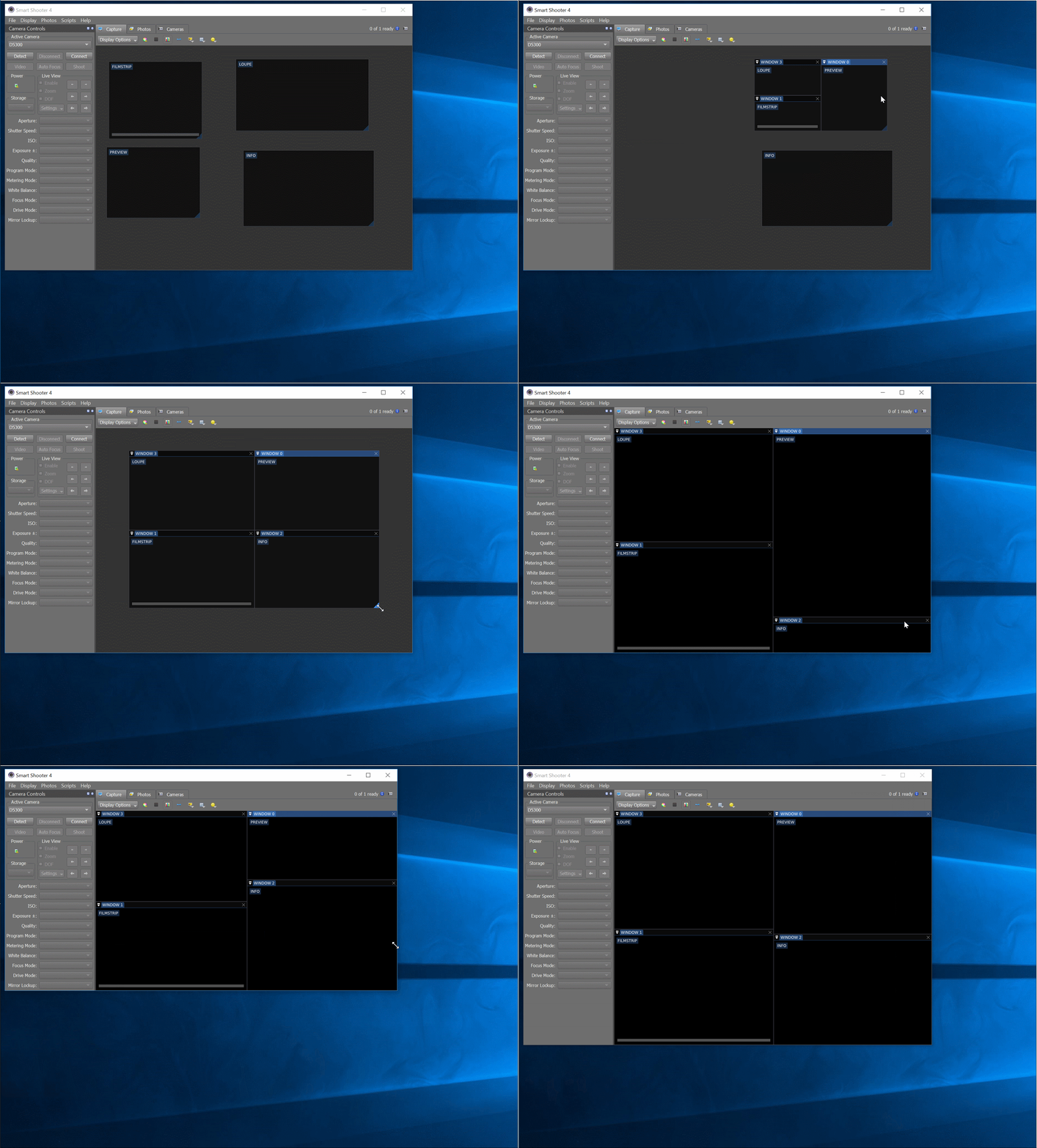

 boreal pilot
hello every1
i’m new to blueprint so i hope i don’t sound dumb
but i have a question
humble scarab
I'm dragging from GSObjects and have turned case sensitive off
boreal pilot
is it possible to create a blueprint that essentially stops time for everything except the player?
specifically for a VR game
 ripe silo
So total UE4 noob here, I am trying to make a VR game while learning some stuff about UE, but I can't figure this one out
What I want it to do is get this trail (the fire trail from advanced magic FX 12) behind my sword when I am moving it in VR, but I can't figure out how to actually do this and get it working with blueprints
any help is welcome.
thorny cedar
i have a followSpline setup that i dont understand anymore and need to expand. Can someone help me to get some ideas?
It is a Spline with a sphere. the sphere finds the closest point on the sphere based on the location of a follower
thorny cedar
i want my vehicle to stop at a specific spot on my path
obsidian zephyr
I've created a simple movement animation through animation blue print and from there to form the run and walk cycle I made a blend space which I added to my blue print, also where I added conditions from IDLE to Walk/Run. Then I added the animation bp to my third person character, although for some reason the animation keeps looping as the person walks or runs
thorny cedar
is this the right way to get the distance between two locations?
 thorn ermine
You can also use the convenience function ( if both are actors ) Actor->GetDistanceTo(Another Actor) https://docs.unrealengine.com/en-US/BlueprintAPI/Utilities/Transformation/GetDistanceTo/index.html
thorny cedar
oh yeah it works anyway
thorn ermine
cool. also, if you are doing it every tick you can also try and use size squared ( so no square root required ) for your result, and comparator, it will save some valuable performance. but if its going to be displayed somewhere of course it will still need to be rooted. all depends i guess.
thorny cedar
somehow this does not work. I want to call sth when my Sphere matches a index position
 tight schooner
I don't see anything strange in that script so you'll have to debug it. Maybe print the distance to see how close it is. The threshold you entered for comparison (0.0001) means the sphere needs to be almost exactly on there.