#blueprint
402296 messages · Page 447 of 403
 pure heron
pure heron
pure heron
Aight, that's the answer I needed, thanks
 trim matrix
can't seem to find a mode with all these inputs
 simple bison
lol only had to read 5 doc pages, but now ik what yield is
 sturdy notch
I've ran into an issue with Foot IK where the character seems to bounce a bit on stairs - any trick to fixing the collision to have the feet land where they need to AND have smooth motion up/down stairs? I'd like to keep the IK feel and not turn all stairs into ramps.
 marble tusk
@trim matrix That's in the material editor, not a blueprint
 minor karma
hey, question, i wanna make a lock on system, and this one based off darksouls seems p solid

i just have no idea how i'd exicute it, anyone maybe able to break it down for me? you don't have to actually code it. but just a sorta like, *you'll need x, and y, using x to do (thing) and y to do (other thing)
 dense tulip
@lusty shard thanks for the help, got it working now !
 lusty shard
how? @dense tulip
 rough wing
Here's a quick tutorial if anybody needs it.
https://youtu.be/w_-Quor4rSM

Hello devs! Here I showed a very simple method of smoothing a camera. In the video, I showed an FPS character specifically, but this should work on all characters, however you may need to adjust the "Use Character Pawn Rotation" to suit your needs. Thank you for watching!
Tar...
 tight cobalt
Hi, what would be the approach to highlight one of the wheels when user selects them? Currently its working fine, but there is no visual way from determening which one is selected. Is there a way to do material swap, with highlighted version or what is the approach for this? tnx
https://youtu.be/teAR6SGlvi0

 vocal urchin
Set custom render depth
tight cobalt
Gonna look into it, never used it before. Thank you
tight cobalt
Thanks, much appreciated
vocal urchin
No prob
 sharp juniper
@pure heron The term you're looking for is coroutine, or generator. UE can do a variety of similar things. http://unktomi.github.io/Latent-Actions-Cont/Cont.html this has various options available
pure heron
Ah, great to know, thanks!
sharp juniper
@minor karma Reading the source, looks relatively straightforward. The most important part is https://github.com/donanroherty/UE4_DarkSoulsCamera/blob/master/Source/DarkSoulsCamera/Private/DSCharacter.cpp#L188
minor karma
not gr8 with c++ but i sorta understand pieces of it at a glance
sharp juniper
tl;dr, they made a TargetComponent to add to any actors that are targetable, cast a sphere to find a list of potential targets, sort by distance and angle (so closest and most directly in front of view), bind input to go down the list, and then use this code to adjust the Control Rotation to the character to point at the target
You can see in the video the boom stays attached to the character, and rotates around the character still, but the angle keeps the target centered
sharp juniper
Yep, totally can
sharp juniper
I personally would use tags or something to find potential targets
Easier than custom components
sharp juniper
Cool
minor karma
then somehow remember all the ones in an aoe
sharp juniper
Also looks like there's camera lag enabled on the boom
Can obviously also do interpolation
sharp juniper
And they added a lock break, if the char gets too far away
But yeah, the basics are easy
minor karma
and yee, i'll need that
sharp juniper
Find angle to target, set control rotation to it, ignore rotation input
minor karma
i have somewhat of a decent grasp on ue4, so i'll try my best heh
sharp juniper
I might build my own, I'm near the point I need a lockon system to use orientation warping with
The biggest 'gotcha' in store is doing too much array processing in blueprints
Afaik, can easily end up tanking performance that way
As an example, instead of sphere tracing and gathering and sorting all your targets every tick, I'd be inclined to run that check far less often. Maybe once a second.
 balmy jewel
So I want to use one of the Paragon Characters in a side scroller. How do I fix the issue with Input Axis in the Player Character BP?
sharp juniper
Decide what inputs you need. Presumably MoveForward (+/- axis) and Jump. Look and Turn (regular and rate versions) aren't relevant, I imagine. If it's a true 2D sidescroller
So adding the inputs to the controller isn't what you want, so remove them
I assume the camera will be off to the character's side, and not rotate around it ever, so look/turn are never wanted
Likewise, MoveRight would be in/out of the screen, if viewing from the side, so also not wanted
There's also a ton of stuff in the animation BP for paragon chars, might need to provide some default values various places
It detects things like rotation rate and ground slope for leans
Ground slope is fine, rotation rate is not
So start hacking and trimming :P
balmy jewel
Thank you I kind of thought I could just delete unused nodes but I'm kinda new to this. Thanks
sharp juniper
Np
vocal urchin
Is there a way to force geometry into screen space and not world space?
Let's say, if I had a plane I always wanted to have appear at the same size
balmy jewel
Hmm I cant seem to figure it out. Even just swapped him out in the side scroll character BP and he still always thinks he is running sideways
 sick sapphire
the sound seems to not start to play until i walk up to the actor, within hearing range. i want it to keep playing continuously so that not matter when i walk up to it it will be playing. however, now i walk up to the actor and I need to wait however much is left on the delay until i hear noise again. the audio file is the same length as the delay. how can i fix this?
 low gull
is "Get all Actors of Class Matching Tag Query" still busted ?
or how the hell do u use it
lusty shard
If you have 1 blueprint that you've called door, and you dragged it into your level 10 times, and then only gave 5 of those door bps a tag of brown and the other 5 didn't have a tag, the get all actors of class matching tag should get the brown doors if you specified that in the node.
trim matrix
anyone got an example of detecting doubles in an array? i cannot figure out what it is that i'm doing wrong, keeps detecting too much, i used 2 nested foreach loops and i check if they have teh same index, then i ignore it
trim matrix
because i need to check for doubles to do stuff, it goes further then removing the doubles
lusty shard
Oh got it
trim matrix
its just the detecting doubles part that i have issues with, everything else is working great at this point 🙂
its kindof weird that something so minor can be so hard 😄
its probably my stupid brain not wanting to cooperate
trim matrix
i'm sure someone has done this before it doesn't seem that crazy of an idea
lusty shard
It doesn't
 late gorge
how do i remove an actor class from a trace channel?
there's one class i dont want in any trace channel
trim matrix
well yeah that's what i am trying of course... just doesnt work as intended, at this point i'm just looking for an example i tried anything i can think of
late gorge
since it's messing with all my interact code
lusty shard
If you can you should be able to choose an actor to ignore. I have seen something like that
Not sure of a class
trim matrix
oh that was for him sorry 🙂
lusty shard
No lol I'm bouncing around
lusty shard
Oneoreed I think we can figure yours out with more time
Max you might have to just do a check vs an array from the hit actor
Or something like that
Maz
late gorge
nvm, i realized there's a component that keeps track of nearby actors of the class i want to ignore
lusty shard
After the trace has a chance to hit, then if has tag, tmdo or dont do things
late gorge
can just feed that into the ActorsToIgnore for the trace
trim matrix
@lusty shard i already told you, just 2 nested loops, and i ignore the same indexes
so it cannot check an element against the same element
trim matrix
I'm getting into weird situations where my breakpoints in BP's are not triggering. Have anyone else ran into similar issues?
the code seems to run but breakpoints aren't hit
 spark steppe
you may have to select the debug object on top of the blueprint editor
@trim matrix
but thats just a guess
trim matrix
@spark steppe seems like that was it! thanks a bunch
spark steppe
does anyone know how to move the player to a certain location and get an event if he reached it? the only way i can move my player is the simple move to nodes, but i would need something like the move to Location or actor node which has an on move finished output
i could probably spawn an triggerbox at the target location to fire an event, but that seems like an dirty hack
trim matrix
anyone know how to restart the values of the game instance when i open another level
tight cobalt
What should I plug here. I am getting the boolean information from one of the blueprint actors, that basically prevents user from shooting while reading the document. In the blueprint actor i have only triggerbox.
So I just want to get this bool "can i fire during riddle" in first person character bp
Usually with character i plug character pawn there..
trim matrix
an object of the class you are casting to @tight cobalt
spark steppe
whatever you want to check against oO
spark steppe
as you seem to toggle it by overlapping
you could just check if the player overlaps with the riddle thing
tight cobalt
So the character comes to triggerbox, gets message to press E if he wants to interact, then if he presses E I will hide the gun and and i want him to prevent from shooting.
spark steppe
ah ok
then check if the player gun is hidden before firing, if its hidden, dont fire
tight cobalt
Yea I get that part.
I have to do that in the character blueprint
How do i pass infro from this BP to character bp.
spark steppe
so you dont have the stuff to hide the gun done yet?
spark steppe
yes
trim matrix
@tight cobalt input whatever is your "riddle wheel trigger" to the cast
trim matrix
your "Riddle_Wheel_Trigger" whatever it may be
@trim matrix do u know how i can restart my game while resetting my game instance variables?
spark steppe
i dont get your logic... you already set can fire during riddle on the player, why would you check it on the wheel riddle?
remove that cast to wheel riddle, and just check the flag on the player before firing
spark steppe
rakan god, why do you use gameinstance in the first place if you dont want the data to move over while changing the level?
trim matrix
anyone got an example of detecting duplicate elements in an array? (i know about addunique)
spark steppe
only the bruteforce one which involves iterating over the array for each element, and comparing them if the array index doesn't match
trim matrix
@spark steppe that's exactly what i tried a bunch of times but i cannot seem to get it to work properly, it keeps detecting too much
trim matrix
yep and ignored when the same index
just 2 nested foreach loops with a check against the indexes and then an == to detect the same when the indexes don't match
spark steppe
i kinda remember that i had trouble with that at one point too
so i think i just made sure to not add duplicates 😄
trim matrix
i had so much trouble at this point i just stopped trying lol
@spark steppe well i need duplicates
spark steppe
is it an inventory?
trim matrix
nope
spark steppe
cant you use a map with the object as key, and the count as value?
maps pretty much ensure that there arent duplicated keys
trim matrix
never used those before i'll look into them and see if they could be useful for me
@spark steppe nah that won't help me
nice to know that they exist though, in case i ever need them
 late cave
what's a current blueprint node to check if it's a shipping build or not?
 cunning creek
how can i decrease that progres bar with smoothly animation? i want to decrease it while im sprinting
spark steppe
is that an UMG widget?
then you could override the function for retrieving the value, and return the remaining sprint time
 covert stirrup
hey guys, the current event dispatcher system I am using relies on an event tick to fire if the message is being dispatched.
Is this inefficient, or completely acceptable?
 maiden wadi
@covert stirrup I mean, there are worse ways I'm sure, but what are you using the button for?
covert stirrup
I have a BP_Button Class that can be added to sockets of another BP, which then can be pressed independently of all the rest.
In my current setup, without the event tick the event will only trigger once, even though I want it to continously fire until button is no longer active
so that setup you see is in the BP_Button, and the other things that use it are not hooked into an event tick, it's done through the dispatcher
maiden wadi
If it's not a lot of work, I'd probably use the dispatcher to send a bool when the bool changes and make the other objects handle their own tick, but that's just nitpicking. I mean if it works and it's not dropping performance too much, go for it.
trim matrix
i print what i remove and then print the array again and extra stuff is missing lol..... i am so confused
maiden wadi
What are you trying to do?@trim matrix
covert stirrup
thats not too difficult, it was pretty much the original way of doing it but I think this way looks better? what do you think? (Performance wise I have no idea honestly,
I feel like the second method is cheaper where the button ticks a single bool?
@trim matrix what Authaer said, what are you trying to achieve?
You may not know this but if you remove from an array, it shifts the array down, so your objects might be loosing their original reference
trim matrix
@covert stirrup i am using a reverse foreach
@maiden wadi i am detecting duplicates, then remove them, the print looks fine, the result does not
also: if you use addunique on a struct does it validate the entire struct? i assume it does but i am getting weird results with that too
doesn't matter much though i can get around that
covert stirrup
yea make it work without the struct then add that in after to see if it breaks
Can you show a screenshot of the print vs the array info?
trim matrix
@covert stirrup do you not believe me lol?
covert stirrup
o.0
It's not about believing, I am not on your project, don't know how its coded, don't know its purpose ect ect ect so any visual things to comb through is extremely helpful
trim matrix
its literally just a print "Removed x" when it removes something, then right after i print the whole thing to see the result
it removes 4 things that i expect it to remove, but in the result more is missing
covert stirrup
whats the node structure look like?
maiden wadi
If you're just removing duplicates, why not just send your array into a set and then back to an array? Bam, all duplicates gone.
covert stirrup
ooo thats a good idea
trim matrix
2 nested reverse foreach nodes, i check for the same index, so i don't compare the same element to itself, then i remove stuff, the print output shows that it removes the correct stuff
and because of the reverse foreach it cannot be an index issue
covert stirrup
never really looked into Sets before
trim matrix
@maiden wadi there's some more logic behind what i want to do that i want to keep out of the discussion as its not relevant
maiden wadi
Set is just an array that cannot have duplicates. It'll delete any existing duplicates from an array that's added to it.
trim matrix
@maiden wadi but because of that a set is not an option 😦
just trying to figure out why there is magically extra stuff removed between my print and the next print
it removes exactly what it prints out that it removes, but it seems to remove more without making any sense whatsoever
not much though, just 2 extra elements for my specific test
but nothing whatsoever is done with the array after the removal loop / prints, i just print the whole thing again with a foreach
also i use a copy of the array as input for the reverse foreach loops
so the removal cannot mess with the array (not that it should matter with a reverse foreach anyway :s)
the input array that is
maiden wadi
Can't really help without seeing what you're doing though. This is with Integers, but the effect is the same with actors or anything else.
 spark robin
Not quite sure if this is the right channel but, whats like the opposite of this node in the materials editor?
(something that lets you assemble several color inputs to a RGB or SRGB output)
(Please ping on reply ❤️ )
trim matrix
@maiden wadi its too confusing to screenshot without half a page of trying to explain what i am doing
spark robin
okay
maiden wadi
Probably. Definitely not familiar with the material editor yet.
spark robin
This is all what shows up 🤷🏻♀️
trim matrix
@maiden wadi but its pretty much what you screenshotted except i remove from the first loop as well, based on a condition, but the output looks absolutely what i want, somehow there's just 2 more elements missing :-s
it removes 4, and 2 extra ones missing that it does not print about
spark steppe
makeFloat3 @spark robin
trim matrix
its like magic
 errant jackal
So I've got a system to predict the trajectory of an arrow but I was wondering how to do it without the debug but with a spline mesh or something instead?
https://cdn.discordapp.com/attachments/455044559240429568/701401990961430538/unknown.png
like this, something that follows the curve of the projectile
https://cdn.discordapp.com/attachments/455044559240429568/701402448048423037/unknown.png

 spark robin
Thanks Ben, but like, will this really be recognized as RGB or SRGB if you connect the output to a color input? 🤔
Its a little worrying that the inputs are coordinates rather than color inputs
trim matrix
@maiden wadi so because i removed from oen or the other loop (based on a simple extra comparison) when i find a duplicate both my loops are reverse
maiden wadi
@errant jackal Particles could be fun for that. Splines could also work.
spark steppe
pretty sure they do
trim matrix
@maiden wadi hold on i think i get it now from explaining it.... loool
it might have to do with removing from the top loop as well as the inner
maiden wadi
@trim matrix I have to be honest, I don't see how you're handling that just with reverse loops.
trim matrix
@maiden wadi input array is another one as the one i delete from, so thats no issue, but it might be an issue removing from the top loop, i'll just run it twice instead
errant jackal
Thanks @maiden wadi
spark robin
I should probably explain what Im trying todo (didnt get it to work the way I figured using the makevector node).
So I basically just wanna make everything that is black in my texture to the right to make the finished material display whats on my image to the left, and everything that is gray on my image to the right, to display my image to the right
In Blender (which Im more familiar with when it comes to materials), I would just drive the masking texture through a black/white colorramp and drag the output of that to the fac of a "mix" node, and then I would be able to assign the 2 different textures I want to mask to the remaining 2 inputs of the mix node.
So Im guessing that lerp is prob. what Im looking for, but Idk how to convert my gray/black image to something that can drag to the lerp nodes alpha input
trim matrix
@maiden wadi well i tried, makes no difference, it still prints the same stuff and removes more then it prints
only using the index from the inner loop now to remove stuff
spark steppe
@spark robin wouldnt it be easier to save the black/gray image with alpha in the first place?
well, lets continue this in #graphics
maiden wadi
I dunno. Hard to say without looking at the logic of it.
trim matrix
i cant believe this is where i get stuck lol..... at the very end after verifying that everything works great, just need to remove a bit of extra data (been at it for like 10 days on and off)
is about a nanometer away from giving up and shelving his stuff
what the actual ****... i print the entire array before the removal just to make sure it's got what it should have and now it works o.O
i literally did nothing but add a print
so this is what an LSD trip must feel like
what could possibly cause this? this is the weirdest thing i have ever encountered
maiden wadi
Dunno. Does it go back to being weird with the print out?
sharp juniper
Printing takes a small amount of time, perhaps you've got a race condition that a delay is solving
trim matrix
@maiden wadi no the print was fine since the beginning it just magically had elements disappear, now i added a print BEFORE the removes, and that fixed it
as in a foreach to print the array
maiden wadi
Yeah. I know. I'm asking if you take out the print that you just added, does it start acting weird again?
trim matrix
ill take a look
@maiden wadi nope o.O
still fine
calls the hospital
must be having a stroke
maiden wadi
Then I'd put money on one of two things. Either you reconnected things differently with the print somehow, or one of your nodes was being weird and refreshing the pin fixed it. The second is uncommon, but it happens.
trim matrix
no changes so must be the second one
@maiden wadi so if i ever encounter really weird issues like this again i should refresh the nodes?
maiden wadi
I've rebuilt entire functions for that reason. Screenshotted and identical, but creating new nodes and placing them in the exact same order fixed it. Only had it happen twice but it's something to watch for I suppose.
covert stirrup
is there a way of making a look check names to see if it has a certain prefix, for example "Corner_01" "Corner_02" ect ect are selected because they all start with Corner
so they are not identical names but have a similarity
maiden wadi
You can search strings. But what is this for?
 stable plume
Why can't I create children of a widget bp??
covert stirrup
so I have an array of names and I want it to scan that array for names that start with "Corner" so that anything that fits this category will be selected
maiden wadi
@stable plume You're generally not supposed to use Widgets like that. How come you need a child widget class?
trim matrix
https://jumpshare.com/v/7iUktfNZy5m2HyPCvtH0
I want to break this mesh to backwards so my player can go on. What should I change?
 stable plume
@maiden wadi The widget bp loads the mesh actor and then the player 'fiddles' with it 🙂 - changes it's size and swaps components, etc
covert stirrup
So UE4 allows tag names on sockets, but I cannot find a way to reference that name
maiden wadi
@stable plume Like an RPG inventory?
stable plume
@maiden wadi Building a bespoke area
maiden wadi
@covert stirrup You can get all sockets from a skeletal mesh. Returns an Array of names.
covert stirrup
this is a staticmesh socket system
I have the array of socket names built, But I want a certain type of name to get flagged
stable plume
Widgets within bp used to adjust said sizes, etc @maiden wadi
covert stirrup
basically this
maiden wadi
@stable plume I strongly recommend using some sort of actor to do the spawning and such. Widgets are used for only two things, accepting input and displaying information to the user. In this case, use the widget to call functions on an actor that'll spawn your meshes. And the buttons can call events or functions that change sizes and such.
@covert stirrup Try this, style. It seems to be okay. Branch and Contains to check for the naming convention you're after.
covert stirrup
ooo thanks, I will give that a go!
I was messing with tags, found a way of referencing but it seems to overpost so not useful
I will try your way!
stable plume
@maiden wadi Thanks for that - sounds like I need to re-think this - just out of interest, is there a reason why widgets are only used for two things, accepting input and displaying information to the user, (other than the fact I can't make children of them), or is it just the way things are done with UE4?
maiden wadi
I honestly don't know. That's not really a UE4 convention so much as general game design practice. UI should be light and work as an interface for the player to handle the objects in the world or understand objects in the world.
There's a few different good examples. Like, think of a village builder game. You click on the villagers and display information. You see their name, age, title, profession, whatever. You only need one widget template for this and you don't need a widget for every villager because you're not storing those variables there, you're storing them on the villager and getting them to show the user with that widget template.
Another one might be something like an RPG. Instead of making the player's inventory in the Widget, you'd make it in an object. This is specially true for multiplayer. Widgets are client side only, so if one player has an inventory and the other player wanted to look at it, the other player wouldn't be able to see it if you were doing it in a widget. You'd have to send all of that information through the server instead of just having the inventory on the server in an object where anyone can look at it at will with a very light UI.
stable plume
@maiden wadi Yer cool - I see what you mean - thanks again 😄
maiden wadi
Anytime! I could talk for hours about game design conventions.
stable plume
Lol ^
stable plume
@maiden wadi Do you have any good tutorials bookmarked that I can look at to see how this would work?
tight cobalt
Guys, need small help again.
In level blueprint I have function that begins at the event begin play tracks the time(increment) and set timer by function name, it keeps ticking until all tasks are finished, then it stops and the number is stored in the variable that is located in character blueprint
Now I want to display that number when player collides with one triggerbox, but i just cant do it. I assigned the value of the variable to widget bp text..but i cant display the widget on the screen when i stand on trigger box..
The only way to display this variable in the widget is if I add it directly to the event begin play, but then it displays the number all the time, and i don't want that.
What I basically want to do is to track the time for the player of how long it took to solve all puzzles then display that number at the end of the level when he comes into the cave.
maiden wadi
@stable plume I don't keep tutorials. I think I've only actually followed through one on a city builder game to learn the engine. What are you trying to do with your area thing?
@tight cobalt So the Widget is updating fine when on begin play. But the triggerbox isn't opening the widget at the right time when you don't show it on beginplay?
tight cobalt
@maiden wadi Yep,
Updating without probs in begin play
See here, https://youtu.be/HyVjRls5yg0

@vocal urchin as you can see, ended up using the change material node instead of custom depth to indicate the wheel in use.
stable plume
@maiden wadi Ok no problemo - I'll have a look through inventory tuts as you suggested previously - thanks again
@tight cobalt looking good!
tight cobalt
Tnx. been bashing my head for days.
Wish i could animate it using timeline, but...i am new. still struggling with basic things.
maiden wadi
@tight cobalt When you trigger the trigger volume, can you put a print on it and make sure that the event itself is firing?
tight cobalt
It was firing I have a blueprint on another screen.
It was jsut not shown.
Do you want me to make it again and show you my blueprint?
maiden wadi
How are you showing the Widget?
stable plume
@tight cobalt just my 2 pennys worth and if Authaer is on it ....well, but do you need to look at making the widget visible/ invisible - maybe
tight cobalt
But I dont know how to display it then
maiden wadi
And the reference to the widget is not null?
Actually, start from the beginning, where are you actually creating the widget initially?
tight cobalt
Level blueprint.
But I could make the actor bp too with the triggerbox in it.
It was jsut easier to use level bp cause I just needone trigger box.
maiden wadi
Are you doing it when you're triggering the overlap?
tight cobalt
Yes.
BUt..I had to add it first at event begin play
So I can connect return node to ...ok..wait
let me show you
tight cobalt
@maiden wadi https://www.youtube.com/watch?v=PxiVeEJ5rMA
 maiden wadi
@tight cobalt That set node for the character variable also needs to go to the trigger event.
@tight cobalt In fact, if you want an easier time, just click on the player character variable in your widget, and check true for ExposeOnSpawn.
maiden wadi
Yeah, but try something quick.
tight cobalt
Oh damn..It worked.
maiden wadi
At 46 seconds you're showing the FPSsomething variable, you clicked on it in the Widget Graph
Click on that, and in the top right, Check true for Expose On Spawn
maiden wadi
Then go back to the level, change the CrateWidget class to anything else and then back to your DisplayFinishedTime_Widget
You should see a new blue pin on the Create Widget node.
Oh, my bad, that Variable also needs to be marked as Instance Editable.
tight cobalt
The first thing worked too..
maiden wadi
tight cobalt
Officcially i think I have to add you to my level lol
maiden wadi
It should give you a compile error in the widget without the Instance Editable checked too.
maiden wadi
But now you should have an extra variable there that you can set on spawn, instead of creating it and adding it after the fact.
maiden wadi
It's specially good if you're using bindings, if you don't do this, you can sometimes end up with a couple NullRef errors.
tight cobalt
I think I am pretty much done with my thesis.
This was one of the last things
This widget
maiden wadi
Nice! Project looks great.
tight cobalt
Yea,, I am really happy.
Spent last 8 months on it
Modeling , texturing..design...
I learned how not to do project. 🙂
maiden wadi
Haha. Welcome to the life.
maiden wadi
Anytime man.
stable plume
@maiden wadi So when you say 'The widget calls functions on an Actor that'll spawn meshes' would that be some sort of invisible 'Manager Actor' ? Is there a specific type I should use?
maiden wadi
It can be visible or invisible. Doesn't matter. Just depends on use case. I can answer better if I know how you're trying to make the player use the area. Like what you intend the player to do and see.
dense tulip
Hi Everyone !
trim matrix
hi all! how do you check if a playerstart is blocked?
how can i create a simple shooter gamemode in bp?
 lean thistle
Hey anyone know how to stop decals from fading out when you get too far? Or just make the distance at which this happens larger?
@trim matrix gamemode is just a type of blueprint so to get it you just do New Blueprint and search for Gamemode. Are you asking what you'd actually code to make the gamemode work as you intend?
trim matrix
yes
minor karma
heya, me again, i'm trying to follow this tutorial for a lock on, because i've been so stuck with it

In this video we'll take a look at For Honor's lock on enemies mechanic which let's you focus on one enemy at a time instead of fighting all of them at once.
If you don't know what exactly the lock on does, it makes your camera follow the selected enemy and disables input on t...
at about 18:25, he shows how to demo it, but, i can't sample it in the way he is
i'm basically trying to get it to lock onto that temp actor, but it refuses to select anything but the third person character. any idea why?
trim matrix
what type of variable is it
check the blueprint
variable is thirdperson character so has to be a 3pchar
minor karma
it's sorta an array
looking for an actor
so, i made that cube (temp actor) as a lil... test
trim matrix
yah i don't think you can just use an actor as a test
if i was you i'd just make an enemy character
then do it on that
minor karma
okay, it didn't
now that i think about it
that'll probably cause many issues unless i specifically make all enemies based off the 3rd person character
maiden wadi
You can use Actor for that. Anything that extends from an actor can also be an actor.
minor karma
okay, then any idea why my dummy cube isn't working?
like, ue4 simply refuses to select it
or reconize it in the dropdown menu
maiden wadi
Aren't you telling it to look for a ThirdPersonCharacter with that variable though?
minor karma
i think, idk, i've been having issues with doing it myself, so i defaulted to this tutorial
and i think with his tests, he just ctrl+w'd the player character, and called it at that
trim matrix
static meshes are not third person characters
minor karma
so, my guess is i need to somehow change it to work with random actors
fuk
okay, well, i'm lost lol
maiden wadi
Well. Your cube there is an Actor.
What happens if you change the variable type from ThirdPersonblahblah to Actor?
minor karma
my point, and i'm trying to figue out how to do that, the issue is:
trim matrix
you really don't know unreal then
minor karma
i don't lol
maiden wadi
You just click on the variable and click on Variable Type, and change it.
minor karma
oh no, i got that, there's just like, 15 options
and i'm hoping i chose the right one
trim matrix
trim matrix
yay!
minor karma
thx for the help lol, now time to poke and prod this thing lol
 hard oracle
is there any documentation on a possible way to send an HTTP request to a website?
trim matrix
actors are just blueprints 🙂
just letting you know
blueprints you drag in the level
minor karma
yee, i think i got that, hopefully i can expand my understanding lol
trim matrix
its hard to grasp when you do big undertakings like what you're trying to accomplish
but you want that functionally 🙂
because its awesome
maiden wadi
Honestly, I didn't look at that video, but it hurt me a little that someone made a half hour tutorial about left and right targeting.
 cobalt slate
Hey everyone! Can someone please explain this strange text overlapping issue I'm having?? I made a "killfeed" that updates when characters do specific things. i have it set to a vertical box with plenty of room to stack, but no matter how large or small I make the vertical box, all text is overlapping each other. I do a typical add child to vertical box node with a simple text box UMG. I've pulled up a few multiplayer examples and youtube tutorials, this is really no different than any of them. Aren't vertical box children supposed to automatically stack with the add child node attached??
spark robin
So I've made several gray scale textures that I wish to be able to control the tint/color of in the materials editor with help of a parameter, do anyone happen to know how to do this? ❤️
(Please ping on reply )
trim matrix
@spark robin take a look at material instances i think
maybe that helps
const's or (vec2/3/4) right click convert to parameters.
for basecolor i guess you would clamp it
and for emission you wouldn't
then after you make an instance of the master material you have access to these parameters
@spark robin hope that helps
 simple orbit
Can you use sdf for handheld objects, and can you deform or change an sdf at runtime?
maiden wadi
@minor karma @trim matrix Got bored. This is all you need to return an actor from the left or right within a radius with a target selected or not. Left the test stuff in for visual aid.
stable plume
@cobalt slate I'm a noob but does Set Row work with Vertical Box?
maiden wadi
@stable plume I'm not that familiar with it, but just glancing, I think you're supposed to use Index.
trim matrix
Authaer if you don't mind can you take higher quality screenshots closer ones
stable plume
Hey @maiden wadi sorry I didn't get back to you had to deal with a someit- its a builder like Rust. Would it be acceptable to spawn the mesh from widget and then do everything in the spawned bp as you suggested earlier
maiden wadi
@trim matrix Thought I did! Looking at them though, wow. Just a sec.
trim matrix
of the first one only
stable plume
@maiden wadi That pic I posted is my reply to Ksimpson question - if that is what you're referring to above
 jagged night
Hey uh im new to ue and i wonder if anyone has a bp for rapid fire that they are willing to share?
maiden wadi
@trim matrix There, that turned out better.
@jagged night What exactly do you mean by rapid fire? In general you just call the shoot function more often.
trim matrix
yah a bit better what i do is right click open image in new tab
maiden wadi
I think I'm actually going to break that down and put it in a function library with an extra bool and an input for current target.
trim matrix
sounds sweet
jagged night
By rapid fire i mean to shoot repetadly while the left mous button is being held
I tried some tutorials online but nothing works
maiden wadi
You'd need to show how you're shooting. People make weapons differently.
jagged night
Im using the template FPS character stuff but i will send a pic of the bp anyways
hold up
late cave
I'm super bad a math... anyone know any helpful nodes that may help me to get the center point of an actor that might be rotated (and that I know has it's origin in it's bottom left corner)?
get actor rotation returns a rotator, and those are scary 🙂
maiden wadi
@late cave So, I'm confused, what are you trying to do with the colorful circles and the blue arrow?
late cave
@trim matrix ahh, if that was a reply to me that's super neat, but unfortunately it's not a skeletal mesh...
trim matrix
darn 🙂
late cave
@maiden wadi I have the red position, I want the yellow, but the blue makes it so I can't just add size/2 to +x and +y because it might be rotated
maiden wadi
@late cave Is this a consistent point from the target actor? If you know the local point, that's easy.
trim matrix
has anyone have issues with ai move to. its been working and now all of a sudden my enemies dont track me
late cave
@maiden wadi I've gotten this far...
maiden wadi
Ohhh.. I probably don't get it but just taking a stab. You want grid points based off of the red Actor location based on which direction it's facing?
No, that variable tells me I'm wrong.
late cave
@maiden wadi well, this is math, and world vs relative locations, and english it not my native language, but it sounded right 🙂
maiden wadi
I'm just trying to understand what you're asking. Cause getting the center point of an actor is based on bounds, but I get the impression that's not what you mean.
late cave
if red actor would never have been rotated, I could just add grid/2 to x and y world, but since it can be rotated, sometimes I think I need to subtract x and y instead
I'm trying to think if I can do this without any branches... need to see what those rotators return with lots of prints 😛
maiden wadi
And you need to know where the new yellow dot would be in relation to red rotating?
late cave
yes
maiden wadi
@late cave Are these point ALWAYS at the same distance from the red actor in the same local direction?
late cave
@maiden wadi yes, red actor is of a consistent size placed in a grid, but may be rotated 0, 90, 180 or 360 degrees...
maiden wadi
Perfect. TransformLocation I think is what you're after.
maiden wadi
late cave
@maiden wadi yesssss, that looks like the magic I was looking for! thank you so much! 😄
I love it when blueprints do the math for me!
maiden wadi
Those have saved me so much headache with vector math.
trim matrix
i wish i could find good explanations on vector math with unreal
that would be really helpful
afk
maiden wadi
@trim matrix Just says the M4A1 in the character isn't valid.
trim matrix
i know i just dont know how its in valid
maiden wadi
@jagged night Sorry for the slow reply. Short story is that you want to trigger that function often. You can do that a couple of ways, but the easiest is to set an event by timer with a loop and a low timer, and then invalidate and clear it on button release.
trim matrix
Everything works like it should but still gives me errors
maiden wadi
@trim matrix Then just use IsValid checks before the returns. Then it won't check when they're not valid.
maiden wadi
Then your Widget is asking for it before it's spawned.
trim matrix
ahhhhh ok thank you!
trim matrix
Whats this Node exactly its not a custom event right.
late cave
UMG is my mortal enemy in Unreal 😛
 novel stirrup
@late cave , hahahaha why what happen , are you stuck in something, i am also noob in UE4 , but just want to know
maiden wadi
@trim matrix That's the start of the function.
novel stirrup
for me i cannot reference in blueprint, like say enemy and my player, i always have hard time for this, i don't know i forgot or what, haha
late cave
what, in UMG? I just found it limiting that UMG ate all grid navigation inputs and I wasn't allowed to call onclick myself, so I had to just skip "input mode" entirely and write my own UI input handling
novel stirrup
you mean touch buttons
late cave
I mean all of it
novel stirrup
haha , because i am also stuck making that touch buttons, so i did in a different way haha 😄
maiden wadi
@late cave Why not just make a custom event or function and call it onclick and where ever else you want to use it instead of calling onclick from somewhere else?
late cave
sort of what I did
but I feel it would have been so much easier if I was allowed to call onclick myself, or let user widgets create their own default response events in whatever widget they're added to (without casting)
minor karma
hey authaer, could i bug you about 1 think real q.
i get the purple nodes are send/receiving in a construction blueprint (at least i think) but does it go anywhere else from their? i jsut feel like i'm missing something with that
(note, i haven't attempted to rebuild it yet, just starting that now)
maiden wadi
Are you trying to make child userwidgets that contain buttons call functionality in the parent widget or something?
late cave
yes 🙂
 west pilot
How to I swap the FastFirstPerson to Striker? Says invalid direction. I duplicated the class and just trying to move my references over to the new character bp
late cave
since that's essentially what onclick does
maiden wadi
@late cave You should use eventDispatchers to let the child with the button communicate with the parent.
@minor karma The purple nodes have nothing to do with construction. They're Function nodes.
minor karma
rip me lol
late cave
yes, I read about those, but couldn't figure out how they're different from regular events... so I just made my own solution that works for me... as long as nobody professional sees it, I guess 😅
minor karma
ohh, i think i'm following it now
maiden wadi
@late cave They're pretty easy and very nice to use. I strongly recommend spending some time learning about them, they'll make a lot of workflow much easier in some regards. Specially when dealing with custom made childwidgets. But also for Actor related things as well.
minor karma
so, those are the outs if i'm following. and the return actor is the end of the other screenshot.
late cave
@maiden wadi yeah... I guess I'll watch a few tutorials, because reading about them didn't help me much
minor karma
if i have it right, if so, i just have 1 last q
maiden wadi
Sup?
minor karma
well, do i have that right?
my understanding that is, to make sure i'm not going to dive in and mess up
like, this is it if i'm getting right
just wanna be 100% before i jump in
maiden wadi
Ah, yeah, that's right.
minor karma
okay, what are those custom nodes called so i can read up on them?
just so i don't gotta ask you to walk me threw it lol
maiden wadi
@minor karma The FindClosestActorToDirection node you mean?
low gull
goes insane
maiden wadi
It's just a function.
minor karma
yes, okay, i still don't quite follow, but hello ue4 forms and manual
 half beacon
Trying to follow the 3rd Person from blank but cant seem to find this
trim matrix
Authaer I got the code working that's so awesome
 true valve
So I have a game main menu in level 1 and from there I want to load my streamable level. I tried Open level but didn't work.
maiden wadi
@late cave By the way, if you want a simple, small demonstration, I use this for stuff like clicking on actionbars. First is child, second is the parent spawning the button widgets into a horizontal box.
trim matrix
maiden wadi
low gull
ok... I'm trying to make an editor widget
and I'm spawning another widget inside of it..
but it wont take my imputs
so it creates the widget
I am adding it to a list
late cave
@maiden wadi I've seen similar examples before but never been able to wrap my head around that method... so I realize it works, I just have to figure out why... but now I already have a different method that works, so... 🙂 but I'm still going to watch some videos on dispatchers!
low gull
but it does not take the inputs
trim matrix
i want to cast to my boss blueprint in my widget to get a variable what do i put in the object
maiden wadi
@trim matrix You need a reference to the boss before you can cast to it.
 hard charm
How could a circle that is in a certain place represent on a minimap?
trim matrix
@maiden wadi
maiden wadi
@trim matrix Line Trace, Shape Trace, MultiTrace, SphereOverlap, Box Overlap, Collision events, Hit Events
trim matrix
Hey guys how come on this video there are two transforms
But on my side in unreal there are none
maiden wadi
@trim matrix Right click on the orange pin and select Split Struct Pin
trim matrix
thank you
minor karma
hey authaer, me again lmao
to target said desired actor, it'd be basically just "get local actor" and set camera rotation to whatever said actor is right?
then, the switching should be handled by the script correct?
trim matrix
How can i get ride of a print screen error or make my item despawn fastor?
 prime merlin
Hello i have a problem with my navmesh when i switch level its saying ''Navmesh needs to be rebuilt'' but i have allready done that so what causing the problem? 🙂
 strange stream
I'm trying to do a minion wave spawn system like in a MOBA, but I can't really seem to find the correct tutorial. I've watched this: https://www.youtube.com/watch?v=eND5XlHvX0o
But its an incomplete tutorial and I feel like its overly complicated for what I'm trying to do.
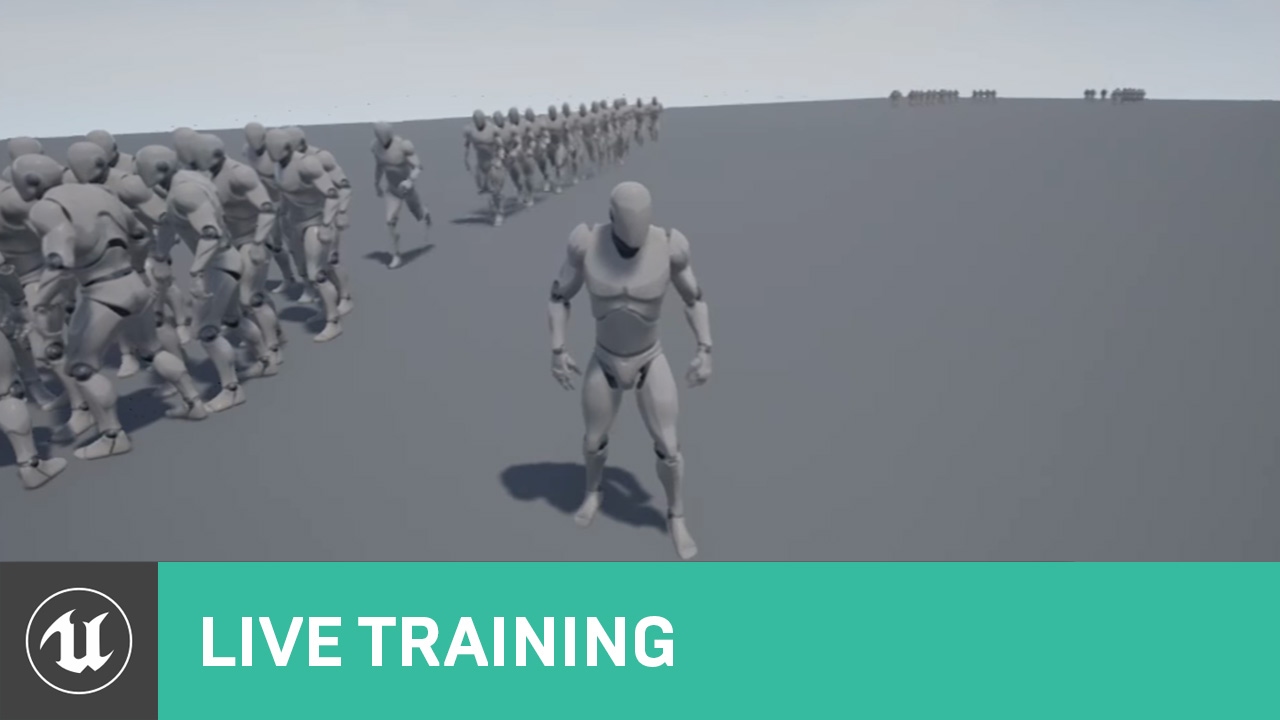
Announce Post: https://forums.unrealengine.com/showthread.php?109449
In this Live Training Stream, Ian and Alexander talk about what we'll need to create MOBA Minion AI. In part one: we'll start with an overview of observed behaviors, then create a new project, and finally mo...
minor karma
aaand, the code isn't working that authaer showed, rip
at least with my understanding
lusty shard
Authaer probably went to bed lol
minor karma
lol, probz
lusty shard
im not as good as he is imo lol but maybe i can help. let me read these
 surreal moss
Im using the FPS Multiplayer template converted to 3rd person and i have pedestrians in my map. i would like to spawn as them randomly with the intentions of being a different character every game, while also concealing identity to the other players. My BPing is weak, but i came up with this random spawn code. Now, assuming it works, where should i put it?? Anybody have a better idea for this??
lusty shard
insert, why does the actor have to be local? why is local specified?
@prime merlin is your navmesh settings set to dynamic? You do have to rebuild usually whenever you move something within the navmesh volume, unless navmesh is set to dynamic I believe
minor karma
@lusty shard maybe mind if i dm you? just so it's cleaner and easier to interact one on one? lol
lusty shard
sure
minor karma
coolio, one sec
lusty shard
not an expert btw
prime merlin
@lusty shard how do i set it to dynamic?
lusty shard
also some options for navmesh in project and editor settings
one of those. never get those 2 right lol
prime merlin
i dont have that option in my navmesh?
lusty shard
screenshot your world outliner?
prime merlin


 lusty shard
That's because you're searching for navmeshb
prime merlin
yeah? but this is my navmesh? the 1 im talking about
lusty shard
But in my screenshot, what do I have selected?
prime merlin
idk? not a navmesh for sure xD
lusty shard
K good luck
prime merlin
like dude im just asking for i need to rebuild everytime i chance map but u are talking about something diffrent and u have something on your navmesh that i dont..
u can clearly see that
 old badger
Hi guys
lusty shard
in your link you might want to "set input mode" to game", or "game and ui" in begin play of the new level
old badger
I tried all that modes, actually setting up for the game and ui lost the camera movement then
because when I run as independent level all works :/
I did it if set lvl begin play as game only
but what happend when i add the widget for the inventory it will show mouse properly?
Sorry im new at this I come from full website programming
trim matrix
I have a tracking laser and im trying for it to apply damage every time i am on top of it.
old badger
can i do like this to? which is better solution?
 twilit heath
that doesn't work
OpenLevel = hard travel = new instance of PlayerController is created after Login
you setting the input mode on the already destroyed instance of the PC won't do anything
except add an error line in your message log
twilit heath
you should really use BeginPlay on the new level
twilit heath
probably having a different PC class for gamelevel as well
we have 3 different player controller classes for menu, lobby/setup and game
old badger
hum as im a noob i think Im using the same player controller class for everything xd
can you show me a video of how to use it properly?
what i should search for?
twilit heath
why would i want to branch the ever increasingly complex logic depending on what level im in?
each level can set a GameMode, PC, Pawn, HUD, GameState, PlayerState and Spectator classes
in its WorldSettings panel
old badger
yes I know that but what should I use and from what
for what im understading if im in game level i should use one class, in a widget i use other?
twilit heath
well, you don't want GameOnly in the the Menu
twilit heath
you rarely want GameOnly in the game either, because that will ignore the player's hud completly
like no clicking to activate a skill or hovering to see an item tooltip
old badger
so in the mainlevel menu which is a widget what i need to change?
old badger
ok, but my widget login when i open a new level doesnt move the camera
i needed to change for game only
twilit heath
its difficult to make a widget that completely blocks the game input by accident
old badger
im seeing, and when blocks what we need to do?
in that youtbe video u can see that blocks the camera movement
twilit heath
the user input passes through viewport - which houses the entire UI
old badger
i corrected that by change new level to game only
twilit heath
anything that doesn't hit a widget, or the widget doesn't return as Handled will get passed to the PC (game)
old badger
so u are telling me to set game and ui in the event begin play of new level?
twilit heath
that usually works, yes
old badger
i did that now, in the new level cant move the camera
twilit heath
i don't actually have much of an idea on how your problem manifests
old badger
happens the same as here: youtu.be/CJItdGrZfK0
twilit heath
but at the moment, i'd guess that its not your UI consuming the input
but rather your focus is off
something along the lines of your login widget hasn't been destroyed and it still has keyboard focus
so WASD gets consumed by the widget
old badger
hum, how i destroyd that keyboard read?
or how can i break that login widget connection when delay is happening
twilit heath
you remove it from viewport (RemoveFromParent function) and if there is nothing keeping a hard reference to it GC will collect it
you don't really want to explicitly destroy UObjects, unreal isn't designed to work that way
old badger
im trying to remove but the viewport is on the level blueprints
and the code in widger_login
twilit heath
i find it best to put as little logic as possible in level blueprints
twilit heath
my MainMenuLevel shows the main menu on BeginPlay
old badger
yh mine too
twilit heath
most other code on "level blueprints" is actually in c++, to avoid having level designers link references on actor instances and such manually (which they often forget to do)
also
if you are making a multiplayer game
i'd lose the GetPlayerController[0] habit really early
 oblique frigate
hey so i discovered there is dynamic anim montage. what is the difference between vanilla anim montage?
twilit heath
that thing you did there just might crash a dedicated server even from blueprint
old badger
i'd lose the GetPlayerController[0] habit really early
@twilit heath what suggest in using instead?
the id form the database?
twilit heath
GetPlayerController[0] is
a local player controller in standalone or client
a host's player controller on listen server
or a controller of whichever player logged in first on dedicated server
twilit heath
that has nothing to do with player controllers whatsoever
9/10 errors in multiplayer when wires get crossed between players is using GetPlayerController/Character/Pawn[0]
and they are usually spectacular
like whenever anyone gets enough damage to get killed, the first player that logged in dies
vocal urchin
Is there a way to click a widget in the world and return what actor it is attached to?
twilit heath
as in one on a WidgetComponent?
vocal urchin
Yep. I have a widget I can click, but I need to get the actor it's a part of so I can add that actor to an array.
twilit heath
the WidgetComponentis its GetOuterObject
you can either cast to ActorComponent and GetOwner
or just GetOuterObject from GetOuterObject and cast that to an Actor
you can also push a reference to an Actor into the widget
covert stirrup
I have an orientation problem, my object rotates to face the object, but because I model the panel face down the forward vector is 90 degrees rotated from UE4.
What is the best way to adjust the rotation to take this into account?
twilit heath
like BeginPlay->GetWidgetComponent->GetUserWidgetObject->CastToMyWidget->SetActorRef to Self
and then just access the ActorRef
vocal urchin
@twilit heath Thanks, I'll give it a try.
Wait one sec.
How do I cast to it if it's already part of the actor?
That's the widget
twilit heath
thats a WidgetComponent
twilit heath
it can access the Widget with GetUserWidgetObject
but that is a UUserWidget reference, not one of your custom widget type
so it requires a Cast
Widget != WidgetComponent
vocal urchin
Yeah, I have the WidgetComponent in the actor.
So...do I cast to the Actor from my pawn, and then get the WidgetComponent?
vocal urchin
I meant the player pawn
vocal urchin
Not even sure what to ask at this point. Sorry, I am totally new to widgets and am getting super buried in it the past day or so.
old badger
how can i force the widget to stop working so that all input from player goes as should?
we should all see widet tutorial for hours kkkk
vocal urchin
They suck, man. By far the hardest thing I've had to do in Unreal. I just don't get them at all.
@twilit heath When I spawn the SquadMarkActor , the widget component appears. I can then use the mouse to click on it. I want to be able to find the actor that the WidgetComponent is a part of. My problem at the moment is that I don't understand the relationship between the click event and how to get any information from it.
vocal urchin
Yes.
twilit heath
and that WIdgetComponent has a Widget in it
vocal urchin
Ok, hold up
twilit heath
because you don't click the WidgetComponent
vocal urchin
Maybe this is where I'm getting confused.
twilit heath
you click the Widget
twilit heath
the one you set in its details panel
twilit heath
so
from Actor
WidgetComponent is GetWidgetComponent
from WidgetComponent
Widget is GetUserWidgetObject->CastToInfantrySquadMarker_Button
the other way around
from Widget the WidgetComponent is GetOuterObject->CastToWidgetComponent
from Widget Actor is either GetOuterObject->GetOuterObject->CastToWhateverTypeYourActorIs
or
GetOuterObject->CastToWidgetComponent->GetOwner->CastIfYouHaveTo
vocal urchin
Ok - there. This is where I'm getting all tripped up.
what actor am I putting this in?
 marble lantern
@twilit heath hey could you help me out after you help dave
twilit heath
what actor needs squadmarker?
vocal urchin
It's my player pawn. They're clicking on the Widget, and from that action, the squad then needs to be placed into a "selected squads" array
twilit heath
and btw, inheritance goes
vocal urchin
Or, I'd probably want to do this through the HUD, since that's where all the nice selection stuff for normal units is, and I'd like to keep it all together. But same difference. Eventually it's going to end up in the selected squads array in the player pawn
twilit heath
Object -> ActorComponent -> SceneComponent -> WidgetComponent
-> Actor -> Pawn -> YourCustomPawn
i'd probably put that in an ActorComponent on a PlayerController
vocal urchin
But how do you know when you've clicked the widget? That's only in the widget graph.
Idk how to explain how I'm confused at this point. It's like...there's no event except for what's in the widget graph?
Do you see what I'm saying?
This just returns "WidgetTree_0"
And this doesn't even print anything at all
vocal urchin
Yes, it is a button. Wound up making more sense than an image.
twilit heath
not outer of button
Outer of Widget
so unhook that pin and let it default to Self
vocal urchin
Something like this?
vocal urchin
Still prints nothing
twilit heath
if that doesn't compile or work
then connect Self
i rarely do stuff like this in blueprints
vocal urchin
It's ok. Still getting nothing from it.
vocal urchin
Yup. Nada
 gloomy linden
What are you trying to do?
twilit heath
hes trying to access the Actor from a Widget in its WidgetComponent
vocal urchin
^
gloomy linden
Player actor or another actor?
twilit heath
doesn't matter
gloomy linden
Get All Actors of Class
twilit heath
the actor that has the component on it
and no
yuck
@vocal urchin what does GetDisplayName of GetOuterObject of Self print?
gloomy linden
Well, thats no way to get an actor
twilit heath
no, the proper way is inject a dependency
gloomy linden
You could do Get All Actors With Tag
twilit heath
GetAllActors is not the way to access the Actor in this case, or rarely any case
gloomy linden
Well then: hoe do you define the actor that you want to get?
If you dont have mountains of actors, its not a problem
vocal urchin
Shouldn't you be able to just follow the hierarchy of whatever it's a child of?
Why would I want to search every single actor?
twilit heath
@vocal urchin add a variable of type Actor to your SquadButton
gloomy linden
The widget is the child of the owner, in most cases the player
vocal urchin
What kind of variable?
twilit heath
BeginPlay->GetWidgetComponent->GetUserWidgetObject->CastToInfantrySquad_Button->SetActorRef to Self
just an Actor ref is good, you can go more specific, but you don't really need to
this is a Widget on a WidgetComponent
so its tied to the Actor the component is on
its not added by a HUD to the viewport
@gloomy linden
twilit heath
you add a variable of type Actor called ActorRef
to the widget
BeginPlay->GetWidgetComponent->GetUserWidgetObject->CastToInfantrySquad_Button
this gets you a reference to a widget on that specific Actor
then its just setting a variable
and you set it to ReferenceToSelf
vocal urchin
Alright, not sure how to set ReferenceToSelf
gloomy linden
Wait, he just wants a button on top of an actor he can click in the world to select it?
vocal urchin
In the Widget, yeah
twilit heath
then its SetSquad
not GetSquad
and from the input pin of SetSquad pull and type "Self"
vocal urchin
Like so?
gloomy linden
Add a var in the widget with type Actor, call it Parent, make it Editable and enable Expose on Spawn, then in the squad actor bp spawn the widget and connect Self to the Parent pin...
vocal urchin
My brain is lifting from the sludge...I think I'm seeing the light. Hold on one sec.
@twilit heath has spoken. This is the way.
twilit heath
this is preferable in many ways to burrowing backwards to an Actor from a Widget
vocal urchin
All hail this glorious simplicity.
twilit heath
for example
if you wanted different units to have a different image inside the button
you could add a Texture2D reference to the Pawns (oversimplifying now, but a working example nonetheless)
and bind the Image to Squad->SquadImage (SquadImage being the texture)
and all you'd have to do is set different textures on different pawns and it would just work
vocal urchin
That is exactly what I need to do eventually
And now I know the method
Go from actor > widget, not the other way around.
twilit heath
this is one exception to the rule
vocal urchin
Stepping back, it only makes sense, because it's already in the actor. So of course it's right there.
twilit heath
the WidgetComponent housed Widgets
generally your Game should never reference the UI
but for Widgets in WidgetComponent its required to give them context (a reference to what they are supposed to display)
reason for this is you want your UI/Game code to be structured in such a way that you can completely replace the UI without ever touching the game code
its called Separation of Concerns
UI usually gets replaced and overhauled over the course of development several times, and you want it to be as painless as possible
unreal has a class designed to manage the widgets (HUD)
vocal urchin
So answer me this, now that I'm understanding this a bit better - I'm doing a ton of unit selection and unit pre-selection highlighting through the UI. When various conditions are met, I call actions in the unit Actors and either make them "selected" or highlighted.
Yes, I'm doing this all in the HUD
I guess maybe I need to think about redesigning this somehow and putting it in the player pawn.
twilit heath
really don't
it doesn't belong in player pawn
its a multiple unit RTS?
or turn based, doesn't really matter there
vocal urchin
Yep. I'm using "GetActorsInSelectionRectangle" for the basis of my normal unit selection (i.e., not squads). Squads, though, have morphed into this widget component based system out of necessity.
twilit heath
its good enough for now i guess, you will eventualy want to get rid of that
if you get as far as production
vocal urchin
Yeah, sounds like it. This has already given me some ideas.
twilit heath
SceneComponents and Slate/UMG aren't free
or cheap for that matter
you won't notice on few dozen units, but with few hundred to few thousand, it accumulates fast
vocal urchin
Yeah, when not in "squad mode", not every unit will have a widget.
twilit heath
you might want to take a look at MaterialBillboards
vocal urchin
Just a little transparent ring around their feet/wheelbase to indicate that they've been selected
twilit heath
calculating that "widget" on the GPU is faster
then you don't have a widget - just a billboard with material on it
vocal urchin
Ah, smart
But then I'd need a material for every squad icon, right?
Could be dozens
twilit heath
you need a texture for every squad icon too
you need one material and you set its vector parameter to the texture
vocal urchin
Maybe this is a perfect way to learn about texture atlases... 🙄
 karmic rampart
How do I make a ball (possessed pawn/player) bounce with blueprints? I went to Project Settings -> Input and added Space as an event. I want the space bar to cause the ball to jump briefly. I also made a variable called JumpHeight and gave it a value of 20.
My blueprint so far
karmic rampart
Thank you, I'll try it out.
sharp juniper
There's a variable in the component defaults, called Jump Z Velocity
That's the primary way to control the jump height
And if your class is derived from Character, your class defaults will have two jump related variables as well, Jump Max Hold Time and Jump Max Count
karmic rampart
I don't see Jump/Stop Jumping. This was an empty blueprints project, added a sphere, and have a camera attached to it.
So, I doubt it has charactermovement.
sharp juniper
Ah, well then, if you just want to implement your own, and you're already using physics for movement as I see you are, then just make a vertical vector and add an impulse
karmic rampart
So I have an InputAction Jump, Make Vector and a Add Impulse. Is that right?
sharp juniper
Pretty much.
You'll probably want some extra logic though
So you can't spam the input and keep jumping higher. Which means detecting and tracking when you hit the ground
karmic rampart
This is my first day with blueprints, went over a tutorial on making a game, but it didn't go over how to jump.
marble lantern
can someone help me out with lasers hurting you
sharp juniper
@karmic rampart Ah, well, for the moment then, just do the input/vector/impulse, get it working for Z axis. Should be reasonably easy
sharp juniper
You have a JumpHeight variable, so drag it in, connect it to Z, leave X and Y at 0, wire up Add Impulse to the Jump action Pressed
If your ball is rolling, this might get interesting though. Which will depend on how velocity is applied and gets into coordinate systems
 late shuttle
I have a timer that keeps track of an integer of how many minutes have passed. I want to increase difficulty every 5 minutes passed. How can I accomplish this?
My guess would be divide the minutes passed integer by 5 and check to see if there's a remainder... but I'm unsure how to check for remainder....
 spark brook
has anyone tried to override the default cheat manager screen? I want to add some additional debug information to it, but can't seem to find any documentation about that. I'm building for mobile, if that changes anything.
@late shuttle you want the modulo operator for that
https://forums.unrealengine.com/development-discussion/blueprint-visual-scripting/1382311-modulo like so
Unreal Engine Forums
Hey guys, I'm new to programming and I really hit the wall here. I know what modulo or modulus is but my comprehension falls short in this case. BTW this is
sharp juniper
@karmic rampart Poking at it. Might be your jump height isn't sufficient, or you need to check the velocity change box
karmic rampart
Yay, the velocity change button worked when checked.
sharp juniper
Cool
Yeah it just wasn't enough to overcome gravity when applying it as a one-shot impulse :P
karmic rampart
Hah, the ball comes back down, but I can press the space bar while it's in mid air and it will go up another 200+ in z.
It might work if the space bar is disabled until it hits a platform again.
sharp juniper
Correct. That's what I said a bit ago :)
So you can't spam the input and keep jumping higher. Which means detecting and tracking when you hit the ground```And disable axis keys til it hits the platform, too, because I can change the direction of it.
Yeah
No magic button for that?
sharp juniper
Sure there is, if you use a character derived blueprint, and the charactermovement component handles all this stuff for you nicely.
If you're doing it all yourself, you'll need to generate collision events and implement the logic yourself
karmic rampart
Ah ok
Well, it was a good tutorial anyway.
I'm more of a c++ person though, and got my first taste of blueprints. Not bad. Can both be used simultaneously in one project?
sharp juniper
Yep, and often are
On larger teams especially, there'll be dedicated designers vs engineers. The former wire up custom behavior the latter has created in C++ and exposed for blueprint use
https://docs.unrealengine.com/en-US/Resources/SampleGames/ARPG/BalancingBlueprintAndCPP/index.html here's a pretty good doc page from Epic on some of that
Describe how to make a combination Blueprint/C++ game, and decisions you might make along the way.
old badger
You can also pass the blueprints trough c++ unreal can make that for you
and the time to execute is the same as it was made in c++ from start
karmic rampart
You mean it translates blueprints to c++?
old badger
yeah kind generate the files, nativizon or natizon something like that
Im reading a lot of tutorials that is possible, cant tell you how but is possible
Describe how to make a combination Blueprint/C++ game, and decisions you might make along the way.
https://docs.unrealengine.com/en-US/Engine/Blueprints/TechnicalGuide/NativizingBlueprints/index.html

Technical guide for programmers exposing gameplay elements to Blueprints.
sharp juniper
Nativization exists, yes, but it's not generating C++ that's human-consumable very easily
It's a compact code generator. Think more like cooking blueprints for performance
Not "converting" for further use in C++
karmic rampart
I'd like to find a C++ intro to a game-focused tutorial to UE4. Seems a lot of them are in Blueprints on YouTube.
old badger
oh but can have the same or very similar perfomances right?
sharp juniper
Yes it usually increases performance
But as Epic says, blueprints are slower, but that doesn't mean they're slow
Don't worry too much about premature optimization
sharp juniper
Yep. There's only a handful of specific things that can't be done in pure blueprints, currently
But you can wrap them in code you expose to BPs
old badger
nice, hope get the really basic systems working and then improve them, add more content
old badger
Im reading all tutorials about blueprint, widgets, design, doing all unreal courses and paths
sharp juniper
There's paid courses too on Udemy
Also, Unreal has learning courses on their platform
old badger
I think blueprints is enough, I have a lot to learn imagine c++ now xd
Yh I know, also my first game, is more than fine xd Im happy until now with the outcome
karmic rampart
Thanks
 haughty axle
hello people of internet, have question. Can I assign mesh socket to Enumerator? like have 3 sockets on mesh and 3 in enumerator, and i want to assign each socket to each on enumerator???
 vagrant crag
Hey guys, new guy here! I have a small project with two levels: the game level and a level containing the main menu. Thing is, whenever I play in the editor, both levels load. I can tell because I'm on the main menu level and I can hear the sounds of the game level in the background. Any ideas of why this happens???? Thanks!
 sand shore
@haughty axle I'd use a map variable. You use them to associate unique keys to a single value
@vagrant crag You give way too few details. There's a number of reasons why you get both the menu and the level sounds.
haughty axle
@sand shore thx man will check, did bit different, right now skipped on mapping sockets. will se if will need it
sand shore
For instance, Chuster, you might be spawning the menu in with your pawn. If that's the case, it has nothing to do with the levels themselves.
vagrant crag
Well, I'm rather new to this. All I did was create the main menu widget out from Event BeginPlay
And assign it to the viewport etc
vagrant crag
@sand shore What other reasons could be? So I can check tomorrow morning. I dont think I'm spawning the menu with my pawn, tho.
sand shore
@vagrant crag it's a complex engine, I literally cannot guess accurately.
I'll give you another example that would work
vagrant crag
Crap. Hah
sand shore
Let's say you bound a callback function to the core delegates WorldLoaded event.
You could spawn the menu off that (if you used C++)
trim matrix
hello I got a character question bp if anyone can help 🙂
sand shore
You'd have to give all the details of your project for me to reconstruct how you're having the menu and the game sounds
trim matrix
my first person character movement is off, when it looks at the ground it seems like its velocity is going towards where it looks instead of moving forward, how do i make it where it moves in the direction it looks horizontially and not vertically
trim matrix
no i have a first person arms character
sand shore
can you show us a gif?
trim matrix
ye