#blueprint
402296 messages · Page 417 of 403
 surreal peak
Nevermind, didn't see the WorldDeltaSeconds node
I would start by printing the values tbh
And see if what you expect makes sense
The Yaw value for example is an angle of 0 to 360. If you add 100 to that cause you moved 100 units on the screen, it will be pretty fast
 fallow fox
Printed out the yaw in a constant way from a location to another and it's jumping high from a value to another
Or this depends how fast or slow I'm moving ? Because of StartLoc and MoveLoc
 solemn igloo
Guys hello. does anyone know if you can adjust time dilation on niagra systems?
it is possible for cascade
but i cant figure it out for niagra
 blazing ridge
heyo, I'm having a little issue with Spline Mesh Components. It's been a while and some versions that I've used them. In the pic attached you can see a little gap between the 2 components. Why does that appear and how can I fix it?
 sour raft
if I have an array which has two elements set, lets say [5] and [10], is there a way I can read 'the previous entry' at a given index? So if i want to read [7] but its non existent, it will read [5]? Without needing to loop through all entries because this has to work fast
 worthy frost
@solemn igloo #niagara
@sour raft an array will always be the correct index
if you have two items, it will be 0, and 1
sour raft
oh, yeah you're right
sour raft
hm
is there any 'find in array' which is fast enough to do a lot, or does that just loop through everything
nah wait that wouldnt work anyway
wait no i dont think thats right what you said about 0,1
i think it fills in the middle ones with 0
im using SetArrayElement
so if I set [0], then set [10], those two are the valid entries, but [6] is returning 0
i was hoping for a way that if i set specific elements, then read one that isnt set, it would find the previous value.. but if the 'size to fit' just fills it with blank entries that wont work
 trim matrix
any way to import columns from a spreadsheet as CSV file as key and value pairs of a TMap member of a struct?
in a datatable
trim matrix
just why is it not possible to import csv as string table 🤨
 teal spade
Hi folks! Has anyone dabbled with making a climbing system, for the TopDown game mode? I'm in the middle of it, and got stuck at a point, where I can't modify a jumping input, regardless where or what I'm changing. For some reason I can't seem to modify the "Get move right" function, even though I've tried to over write it with a custom input (with "Get input analog keys") sorry @surreal peak for bugging you! 🙂
 untold pine
so you want to modify the normal jump to be climb jump? & why you want to modify the get move right?
teal spade
@untold pine well, I'm using the mouse as primary movement control. I already made (cough hacked it) it so that when you approach a wall, the player can climb it, and move side to side (without using any input from the keyboard). However, the tutorial I'm following (and adjusting on the way), requires a keyboard action (in this case left/right arrow keys) in order to perform a jump action, when the character reaches a corner, and if there's a small enough gab (traced) to make the jump. But because I'm using mouse controls, I need to override the default action that is associated with the "Move right" function. And that binding of control isn't in the TopDown Game mode, which complicates things.
untold pine
I see, it's been a while since I'm worked on climbing system but I remember the headache of it, anyway, so moving left & right is by mouse & you want to detect when you move the mouse you can jump?
teal spade
Yes and more. I've the edge detection in place (I think), but the key mapping doesn't work (I suspect, because there's no arrow keys defined as input under the character controller; for listening as an input, not under the project settings). Wait, let me show you: https://youtu.be/ob92ngKxZac @untold pine
 untold pine
why the character moved to the right a little bit even tho the mouse is on left of the character? almost at the end
teal spade
that comes from the hack, as is that's the only way I can make it work (lack of knowledge). Basically it does a simple check on whether the mouse moves in the + or the - direction, and moves the character accordingly
initially I wanted to move it based on the location of the mouse, similarly the way it moves on the ground. But not sure if that's possible to make
to make the side movement easier, I've bind the X and Y position of the mouse, to correspond + or - movements
this is only for a tech demo, so nothing too serious! 🙂
untold pine
I see & are you moving just by moving the mouse? or you need to click or hold click a mouse button?
teal spade
purely based on the movement of the mouse
because I couldn't interpret the complex movement of the mouse to world than to action thing to work in this case too
untold pine
so the only way for the character to stay still is by leaving the mouse?
 odd ember
@teal spade why aren't you using mouse delta?
teal spade
@odd ember um because I didn't know that existed, just as of yet. nor know how to use it. I'm a beginner! 🙂
odd ember
how dare you
teal spade
XD
I'm trying to use google, but it's not much of a help, plus the Unreal answer servers are down
soo-oo
odd ember
it's okay A A ron
teal spade
I don't want to nag you guys unnecessarily, but...
untold pine
So first I'm not that expert in anyway, but what I'm thinking is to make a trace from the camera to the mouse in world, then you'll get the mouse location, which you may already done
then I'll divide the screen to 3 areas (in case you don't want hold click to move)
the character -+ 200 this area for the character to do nothing..
& if the mouse outside of that area even if your mouse isn't moving the character will move based on if the mouse is on the left or right of the character
& based on that you can set 2 bools "IsMovingRight" & "IsMovingLeft" & you can set the jump based on that
you may like the result of this!
odd ember
you don't need to do extra bools
the input event for move right has a scale value that will move between 1..-1
getting the sign of that will give you direction
i.e. left equals -1 and right equals 1
teal spade
ooo geez @untold pine that sounds complicated, but will try questionmark
teal spade
but EVEN, if I manage to pull this one off, how will that solve my problem, that I can't bind a key to jump
untold pine
// on the side
Does collisions have really that high cost? I mean, I have over 7k objects in my level, I think more than half, no need for collisions really.. will setting them to no collision make that big a difference in performance?
odd ember
you can if you go to input under project settings and add an input for jampu
collisions are among the highest costs in any game really
teal spade
@odd ember topdown doesn't have keyboard controls, need to set them up for listening in TopDown controller blueprint
untold pine
do I need to open each object & remove the collision? or just setting them to no collision is a lot better?
odd ember
just add the input keys under the input names that exist then
pretty sure no collision is fine for performance, but removing the collision itself will also make a different in space and potentially memory
untold pine
hmmm, if I had no physics for the object, what do you think about setting all the level for no collision & then create a medium collision for the character to set any object in it to collision ON?
too much?
odd ember
custom collisions that are optimized are generally better
teal spade
@odd ember that was the first thing I tried. And this is what the control listening input looks like: https://blueprintue.com/blueprint/ymyyu20v/
BlueprintUE
odd ember
atrocious
my suggestion for top down is to take a third person template and change the camera
teal spade
I'll take that as a compliment!
odd ember
input will be on the character, which you'll want to move into player controller but otherwise it's very workable
the camera is easy to set etc.
in either case
you need to add stuff under input in project settings
I'm sure there are a million tutorials for this on youtube
or whatever your favorite video service is
teal spade
I just wanted to know, if I've missed a thing, a hidden function or whatnot that controls that irritating Move right function
😛
odd ember
teal spade
I tried to modify that but didn't work
giving it a custom axis value, aka. removing it
and feeding it with other imputs
thank you anyways @odd ember @untold pine will try to figure out what's wrong with this puzzle, or how to hack it in a way that would work!
 fathom portal
Hey all, is there a way to reference a variable itself, as opposed to the value it holds?
Trying to make a stat system, and instead of having like a 1200-deep switch/case statement, trying to make it a bit more abstract
So like an item could have a value of "Speed modifier" and "1", which would modify the player's speed by 1%. But the goal is to avoid a giant switch statement
 fair estuary
maps are a good way to do that. You can pair a unique name with a variable and it's value and then get the variable based on the name of the variable
fathom portal
I love maps, but if I set the value to variable "speed", it will just return whatever their speed is, no?
 thorn crane
not having much luck finding info on how to have a mini cam pop up when i click something in game, so its easier to see what the player is doing
what is that technique called
fair estuary
So for a stats type of system, I've built modifiers into a data table before. this allows me to tinker with values in one central location. In the function that calls the datatable, I pass the name of the modifier to apply and grab that row from the DT and use it to modify the gear or character whos stats need buffed. I wish that I was at home right now as I could open the project to show you what I mean.
fathom portal
So you use a data table as a live system of storing the stats?
Basically, I'm trying to avoid this:
And make it more abstract, like somehow pass it the correct variable to modify, as opposed to having to hard code it
But I need a method of passing a variable
I know you're typing, but trying to give more information, something like this is what I'm looking for:
fair estuary
No I use it for the modifiers, I use game instance with map objects to store live values. So for instance you have a stat map with mapped value of name=speed type=float with a base stat in it. You can then get your game instance as a cast or a set variable. what ever is calling to modify the stat should contain the named reference to the stat modifer and the stat. Example, I have a piece of gear we will call "bp_boots", on that I would have a variable called "statModiferName" which should contain the row name of the speed stat modifier as well as the name of the target stat that you're looking for, in this case "speed". From there, in the function that modifies the stat, pass in the row name and the stat name. Do a get data table row against the stat modifier data table with the row name that was passed and get your stat map from game instance and do a find in the stat map for the stat name "speed" which will give you the float value of speed. Modify the value so (speed = speed * speedmodifer) and set the element back into the stat map. (I hope this makes sense and will do my best to clarify)
 fallen karma
Hello, I am very new to Unreal (have done some games in unity previously) and I'm building a small game for a school project. You need to escort a cube from point A-B by opening doors and such, however, I'm having big trouble with Collisions in the game, could someone help me out?:)
fair estuary
What issue are you having with collisions?
 rough wing
My AI, which are pawns aren't seeing each other with pawn sense?
But they can sense me
my player character
Found something
fair estuary
There is a tick box for enemy neutral and friendly reponse on the pawn sense @rough wing , tick them all.
fallen karma
@fair estuary I think it might have something to do with Physics but not sure? I am moving a box using Move Component To and it coneccts with the player but not other stuff
 glad depot
hi guys, i have a dumb question, how would you go around making an image viewer with zoomable and scrollable capacities for a touch device?
rough wing
Theres a tick bos names Only Sense Players, unticked that and its working thank you
glad depot
i got the zoom working and i can scroll it around but i can't figure out how to stop the movement when i hit the borders of the image in my camera view
hardcoded values won't work because the limits vary based on zoom amount
fathom portal
Thank you for sharing your method, @fair estuary
fair estuary
@fathom portal no problem, I'd be happy to clarify if need be or help with a different work around depending on your goals here. then again, I may have missed the point entirely 😛
@fallen karma Are you using attach component to attach it to things?
or attach actor to
fathom portal
I think I came up with a method that will work well, but we'll see if it pans out. Gimme like an hourish and if I can't, I'll PM you, that cool?
fallen karma
@fair estuary
these are the scripts for the box
and these are the setting for physics and collisions
glad depot
can someone give me some input please? i've been trying to get this working for hours
fair estuary
@fallen karma you should look into attach to component and attach to actor. If I'm not mistaken, your continuously updating the place where the cube should be located right?
@fathom portal that sounds good!
fallen karma
@fair estuary Hmm i guess so, not entierly sure about what all the nodes due ^^ But it seems like it would just move it to a certain position ^^
fair estuary
@glad depot is your image viewer in a blueprint? If so, have you tried a collision box to stop the movement either with collision or on end overlap?
glad depot
@fair estuary yes, i did try collisions but they wouldn't work for some reason
i'm using floating pawn movement
whatever setting i would use it would be ignored
fair estuary
I think that there is a stop all movement immediately node for the pawn or movement component so in theory, you could use a collision box with on end overlap event and call stop all movement immediately, and set the camera back to overlapping with a 1 or 2 point change on the x or y axis depending on top or bottom. @glad depot
@fallen karma What is the goal? Grab cube, move player and cube from a to b and then attach cube somewhere else to win?
glad depot
@fair estuary that could work, thanks for the help, i'm gonna try that now
fair estuary
@glad depot no problem 🙂 good luck!
fallen karma
@fair estuary The goal is to have a cube that constantly moves to the left or right and stops when coming into collision with like walls and doors, they player then has to opens those doors/walls to keep the cube moving 🙂
fair estuary
Okay, so you may have to go about this a bit differently. It just occurred that move component to move the target component will move the that one piece to where ever you decide. What you need is to move the entire actor. In this case, you should have a timeline with a float that goes from 0 to 1 over X time frame (X=how long you want it to take) and use an interp node to move from actors location to target location being the end of the level. Mind you, this method will only do a straight line and more complex math or using AI behavior tree will allow for variation. Actually, I found this video that should help you https://www.youtube.com/watch?v=dffXoEOeAwg @fallen karma

A simple interpolation to move an object between two points. There's a new node called "Move Component To" or something like that, that does the same thing but much simpler. I highly recommend you check out that node.
Back later!@
fallen karma
@fair estuary oh nice il check it out! Thanks a bunch mate! 🙂
 fickle plank
hi having truoble with blendspace, on my leftside i have the normal stuff to change direction, speed etc, but on the righthand side i dont see my assests. somehow my view changed or i missed something. i'm trying to create an walk/run and dont see my assests to pull to the grid. any suggestions?
 astral zenith
Hello. I have just discovered a difficult discrepancy in our packaged builds. Within a UMG widget, ProjectWorldLocationToXXX functions are returning values about 3000x larger in a packaged build vs PIE. All inputs are the same. Can anybody give me some ideas on avenues to troubleshoot?
 nova pagoda
Hey guys, anyone with some experience in Physical Assets used with skeletal mesh characters?
 solemn dagger
hello, i want to drag a bp with the mouse but i want it to restrict the move to one axis, i tried by using temporary plane and linetrace from mouse to that plane but its not very good , any suggestions ?
nova pagoda
I can't get my character to have his feet/ankles locked dead in one position. whenever he drags his foot across the floor the foot flips over or does some proper glitchy stuff in simulations. I can't find the right settings
fathom portal
Hey friends, do I have to have a reference to another object in order to call a dispatcher from one object to another?
I'm trying to have an "exit" door, where if the player goes over it and presses the activation key to activate the door
Now, I know 3 or 4 ways to get that to work, but I believe event dispatchers are the best practice, which I'm not sure how exactly to do those yet
 frigid anvil
Do you mean during runtime or in the editor @solemn dagger ?
 ocean radish
@glad depot I would play with somthing along the lines of getting the box extents then look at a bit of math revolving around the screen aspect and resolution to limit the max movement over collisions
@MFG i would just raycast or collision test and use an interface to call the event
@fathom portal i would just raycast or collision test and use an interface to call the event
fathom portal
I think interface might be the thing im looking for isntead of event dispatcher
I've never used an interface before, tho
Ill have to do some googling, unless someone wants to be awesome and walk me through it
ocean radish
@fathom portal https://www.youtube.com/watch?v=G_hLUkm7v44

What is a Blueprint Interface in Unreal Engine 4 Blueprints?
Source Files: https://github.com/MWadstein/wtf-hdi-files
@fathom portal that will help more than someone talking you through it
ocean radish
@fathom portal basically with interfaces you can send events to other objects that use the same interface, without having to reference it dircetly, just do an overlap even or somthing like that get the objects and send the event to any that use that interface
fathom portal
Ok im two minutes in, and something he hasn't said yet (But may yet) is can I just have one interfact with a bunch of events? Or is it smarter to use a shitton of interfaces?
ocean radish
@fathom portal yes you can have as many event in there as you want, and I tend to split my interfaces up to stuff that will use those events, so I might make an interface with an interact event in it, when i use that on a door it might open it, when i use it on a lightswitch it turns it on
fathom portal
Right, that makes sense. I can also use "does implement interface" to show like a text widget that says "press E to interact" or something
Without having to cast to a bunch of specific classes
sweet, that's exactly what I was looking for,thanks @ocean radish
ocean radish
@fathom portal yep exactly, its a very useful feature, your welcome
astral zenith
...if anybody is thinking about my PorjectWorldToScreen problem... looking at the SceneView source, my best educated guess is that in the packaged build the ViewProjectionMatrix is coming in collapsed or the ViewRect is coming in ginormous... but I'm not sure how to check these things at runtime.
 spark robin
If I have 2 locations, point A and B, how would I get the vector required to get from A to B with blueprint programming?
(Please ping on reply ❤️ )
fathom portal
@spark robin you would use the "Find look at rotation"
spark robin
I will check it out 🙂 Thanks
fathom portal
Well, that would get you the rotation actually
You want to minus your end point from your start point
spark robin
I believe rotation will do tho in my case tho ❤️ I will come back if I run into issues
fathom portal
Sure
Example ^
Or it might be the target vector minus the starting one
One or the other
spark robin
How do I add 2 transform values together? I have one containing only location and one containing only rotation
fathom portal
I believe you want the "make transform" node
spark robin
(Need both of the values into this)
fathom portal
Yeah pull that off and do make transform
ocean radish
RIght click the tranform and split the pin
fathom portal
Or that ^
spark robin
Ah, thanks
spark robin
Ah yes lol, Im using mine for a aiming system as well
fathom portal
Yupyup
spark robin
Seems to be working on first try even :' D
spark robin
Indeed lmao
Yeah
But I based it of a already working firing system, I just wanted to make the bullets always hit where the crosshair is pointing at
(So Im using linetracing to get the location of the middle of the players screen to get the target location for the bullets to move towards, and then using collisions to register hits from the physical bullets)
fathom portal
Excellent, makes sense
 cold sinew
Hey guys When im trying to reference Master Item BP from Player Character BP not working
idk if thats wrong
cold sinew
Im trying to call a function from Pickable Ref to show it when player Press F
its gives me this Error
spark robin
Is there a node that lets me change the target input for getworldlocation and getworldrotation depending on if my branch outputs true or false?
(Please ping on reply ❤️ )
fathom portal
@cold sinew
1: Interfaces might be a better idea for these
2: Are you sure the owner of wherever that code is is a BP_master item? Have you tried adding a print string to the "Cast Failed" to make sure that's not the issue?
fathom portal
@cold sinew are you getting "Tried to reference NONE" type errors when you stop simulating?
fathom portal
That means the variable isn't set, and I'd wager it's simply a cast issue
You should look into interfaces, I've been trying to learn them and it's for use in the exact situation you describe
fathom portal
@spark robin you want to pull off "target" and type in "select" and do "select"
fair estuary
@spark robin a select node will work for that I think. https://docs.unrealengine.com/en-US/BlueprintAPI/Utilities/Select/index.html
Select
fathom portal
^
fair estuary
you beat me to it 😂
fathom portal
Lmao this town's not big enough for the two of us
Quicker on the draw wins
Anyway, select is.... really important to say the least:
fathom portal
No worries @cold sinew, it happens. Now, you simply have to figure out why it's not the parent you thought it was
Or, again, interfaces
spark robin
What is the wildcard then supposed to be? Is it supposed to be 0, 1 or 2 etc depending on what input I want?
cold sinew
Its an actor so do i need to cast to other thing ?
spark robin
Oh okay 🙂 Thanks MFG
fathom portal
The right is what you want to set. The index is what you want to switch on (Enum, boolean true/false, etc) and then you put in whatever you want into the diamonds (reference points):
@cold sinew You need either an interface, or you need a method of referencing the other object. It's not it's owner, otherwise your cast would have worked
I would watch this short video @ocean radish showed me:
What is a Blueprint Interface in Unreal Engine 4 Blueprints?
Source Files: https://github.com/MWadstein/wtf-hdi-files
Even if you don't end up using interfaces for this specific instance, knowing them seems important
fathom portal
Sure man, please update yeah
cold sinew
thanks
fathom portal
Too bad discord doesn't have like a points system like a lot of forums do
I love watching a number rise like a rep number or something
Maybe we should get the meeseeks bot up in here
fair estuary
I thought the same thing earlier lol, like almost exactly @fathom portal down to the bot
fathom portal
Are you me?
fair estuary
Maybe? I'm not sure, I thought you were me.
fathom portal
So, implimenting this new interface thing, I've just made a simple printstring to make sure it's working:
But for some reason, it triggers multiple times, even though both boxes should only be happening once:
Character hitbox:
odd ember
yeah I've had that happen to me before as well
fathom portal
And stairs hitbox:
I'm generous with the sizing on both, later they'll both be shrunk
odd ember
does the actor inherit from a class with that also has the same event?
 winter kettle
the particles here doesn't seem disappear when this event is called, is this how you destroy particles?
fathom portal
@winter kettle if it's a particle emitter, try using the deactivate function instead of the destroy
@odd ember I do not believe so? I cut it down to two, I forgot my little gold center marker had collision
Now I need to figure out what else is colliding
odd ember
yeah do
fathom portal
winter kettle
would deactivate destroy the emitter eventually or do I still need to use the destroy component node
fathom portal
@winter kettle I believe deactivate won't destroy the emiitter, but I believe it should cut off the particles immediately
Whatcha got @astral zenith
Bring it
astral zenith
when I print the ouput of ProjectWorldToScreen using the actor location of the player during tick, the results are as expected until you first nudge/move the character, then the results are super-inflated from that point on.
fathom portal
@odd ember it was my firing point, turns out I didn't disable collisions on that either lol
astral zenith
I'm just sound boarding... trying to solve this issue
winter kettle
deactivate doesn't seem to turn off the particles
 indigo zenith
how would someone go for some kind of way to keep track of last impact received , for example a bullet hitting an enemy. if there isnt another bullet hit for 1 second it doesnt do anything and if something happens within the first second. there does something happen.
fathom portal
Sorry @winter kettle, apparently I've got my particle facts wrong
@indigo zenith should be as simple as storing the impact point as a variable
indigo zenith
i need time?
astral zenith
yeah, standby
fathom portal
You can record time at the same time, sure
astral zenith
I've simplified it down to just this:
astral zenith
actor location barely moves from the origin, and the camera is only about 3000 units away
fathom portal
@astral zenith I've never used the "project world to screen" before, I'm not sure how to help, sorry friend
Maybe we can approach it from another direction: What is the end goal with recording that value? Like what are you needing it to do?
astral zenith
@fathom portal In a UMG, I use this to get screen position of enemy actors in the world and overlay UI information on them. It works 100% as wexpected all the time in PIE and Standalone... but in a packaged build it explodes on me.
spark robin
Yeah I guess thats it
astral zenith
@fathom portal I'm going to give the build log a more thorough search
odd ember
@spark robin #graphics is where you wanna take your node setups, those aren't blueprints
fathom portal
Ok, cool @astral zenith
Any particular reason you don't attach the text to each actor itself instead of the widget? Like with a text render widget
fair estuary
@astral zenith could it have something to do with screen resolution in packaged builds? Have you tried changing the screen resolution in the packed build to see if that makes a difference?
fathom portal
Or simply relay the information to a widget on the UI. I don't know your setup though, your method might work the best
odd ember
@astral zenith could try adding WasRecentlyRendered when checking for your character, in case it isn't picking up your character on screen
astral zenith
@fathom portal I'm not sure how to answer you. The user widget overlays are essentially in screen space and don't scale... so I need to get the screen position. There's also this reticle for a 3rd person perspective that does some lerping between the player pawn and the edges of the screen.
@odd ember I will investigate that right now.
indigo zenith
extremely stupid question here, is there a way to restart the timer trough the timer reference or do i need to make a function and use that to "start" the timer again?
i know about clear and invalidate
astral zenith
@fathom portal regardless, I'm worried about working around things that simply confound me. It is now a holy quest to understand why this function is returning these unexpected results in packaged builds.
indigo zenith
i prolly have to use invalidate to reset the timer,... nvm
cold sinew
@fathom portal Mate i've tried to make BPI i used a function with Input String
..
i have tried to use it from both side its working thanks ❤️ ❤️
astral zenith
@odd ember it is always rendered. 🤔
Also... I have done debugging logging the actor locations that are feeding the projection function... as well as any other viewport related values I could think of, and everything is consistent and expected in all forms of runtime EXCEPT the output of ProjectWorldTo[XXX] functions in the pckaged builds.
heh, I even did all my debugging steps turning off all my extra monitors to see if my desktop size was interferring.
fathom portal
@cold sinew awesome, glad I could help. But, unless specifically passing like a message/string of something you need, try to stick with enums and stuff
cold sinew
Ok Cool im trying to make Throwing function when the player pick up an item he will be able to throw it
astral zenith
...going to watch the relationship between the camer and the player to see if there's anything unexpected
ocean radish
@fathom portal Make sure you've not got collision on other objects enable might be triggering on the sprite as well as the hitbox
@astral zenith becarful spending all your time on one particular issue, it may well be a bug with the building process, i would submit a report and do a blank project and see if you can recreate it
fathom portal
Yup @ocean radish I solved it earlier, it was exactly that, I forgot to remove collisions on some stuff
astral zenith
@ocean radish Right. Good advice. Now I'm just trying to figure out another way to get the screen coordinates of world positions without... ProjectWorldToScreen functions.
 marble lantern
This might be super hard but I'm trying to setup a boss where one of the states is he picks up objects and throws it at you
anyone know how i should tackle it
kinda how deadspace has with their telekinesis
fathom portal
@marble lantern pick up a specific item from the world, or like "bend down, grab the ground and suddenly have a rock in their hand" type thing?
marble lantern
@fathom portal its more like he looks at the player and an object will get pulled to his side and he launches it at you
i feel like its simpler than im making it out to be but im not sure
fathom portal
So no arms or anything?
Just "pick item, drag it towards the boss, launch it at player"?
fathom portal
Well, I think there's a better node, but interping the location would work. So like inside the boss, set a few locations where things can move towards
Make 4-5 "Fire Locations" where the boss can shoot from
Loop those, pick the closest one to the object
Move the object over time towards the fire location
Once it's at the fire location, wait for a second or two, then fire it at the player
marble lantern
so for the setting a few locations how would i do that
fathom portal
marble lantern
is it a array
fathom portal
Either an array instantiated inside the begin play function, or simply using a point in space in the viewport
So like for my character, his firing point is where his projectiles come from:
And then I move the firing point around based on mouse movement
Or rather, I will eventually. Right now it's not setup perfectly
marble lantern
understandable
so i would set some meshes to indicate the fire locations
and by looping
would you use the for loop?
fathom portal
You would most likely want the "for each" loop
marble lantern
alright and how does he pick up is it based on timeline
fathom portal
For loop: Looping numbers, generally from lowest to highest
For each loop: Looping a list of objects
Going from point A to point B yeah, you'd need a timeline, or an interp, or a lerp, something of the sort
fathom portal
I'm no expert in timelines, however, so specifics you'll ahve to figure it out
Yup
That all looks right
Then inside the loop, compare the target (like the rock you want to pickup)'s location with each cube's location
Get the lowest one, because that is the closest point
Then, do fancy math to move the rock towards that point over time
 swift sphinx
is there any tutorials online where they show how i can make a "linetrace" that shows where the bullet will travle/hit (befor i've shot) i hope i made this clear! 😛
fathom portal
fathom portal
That checks the distance between two points
so like your rock and each shoot poiont
marble lantern
oh ok
and can the rock be in a seperate blueprint
or will it need to be the same
fathom portal
Nope, can be seperate, not a problem
Someone correct me if I'm wrong, but I believe "get overlapping actors" isn't intensive, right?
Like not as intensive as something like "get all actors of class" and then checking distance, rather
So make a hitbox inside your boss that's as large as you wish them to be able to find rocks
marble lantern
ok
ocean radish
@astral zenith Can you not use a widget component then set it to screenspace and set the render scale in BP?
swift sphinx
how do i make this prediction follow the rotation of the pawn?
surreal peak
By feeding it a velocity that is not just straight along X
E.g. ActorForwardVector * 1000
ocean radish
@swift sphinx your only inputting velocity on the x
ocean radish
^^ beat me
astral zenith
@ocean radish well... yes... and I just did some simple tests and that may be the obvious easy solution. Thanks.
marble lantern
@surreal peak are you talking about me or kris
marble lantern
mb
astral zenith
@ocean radish It occurs to me that I have been misinterpreting exactly how screen space 3D widget components work. I think I just never experimented with them appropriately. But you've set me on a good track.
@fathom portal And kudos to you for also suggesting this.
fathom portal
Dont forget to come back with an update so other people can learn from it
swift sphinx
@surreal peak so the launch velocity has to be exact as the projectile im shooting out right?
for it to be correct
surreal peak
Direction * Speed, yes
odd ember
@surreal peak any chance you've worked with behavior tree components?
swift sphinx
something weird is happening tho when i go over a certain float value it only shows the "Trace path" the red ball not the rest :S for some reason
surreal peak
You have MaxSimTime and that stuff
Play around with that
@odd ember Not enough to help
odd ember
thanks anyway
 late cave
@sand shore not being able to assign a default/null value on enums in wildcard macros got logged as a "feature request" from my bug submission. just thought you should know 😅
 sand shore
oh that's good
fathom portal
Hey friends, for some reason my "On component end overlap" fires when I stop moving inside my collision box, is that intended?
Like when I start moving again, inside the box, it fires the "begin overlap" function
Simple example:
 shell estuary
Could anyone help with this issue? I am trying to make a platform that slowly reduces radius in size. I successfully got this working, however after a few moments it deletes my character from the screen and readjusted my viewpoint to slightly above the platform. I was wondering if anyone can help, everything works fine when I don't have this plugged in.
fathom portal
I don't quite understand what any of that is, but I believe a lerp can get you the result you want, and might be a little simpler:
 twilit heath
@shell estuary lerp the initial scale to final scale with elapsed time / time alpha
fathom portal
So the A would be the original size, B would be the target size (Probably 0,0,0) then the "Alpha" can move you towards that in a controlled motion
twilit heath
and then set the result directly
shell estuary
what does lerp do @twilit heath
twilit heath
linear interpolation
its alpha "%" of the way from start to end value
the result
Start + (End - Start)*Alpha
 sullen palm
@fathom portal Use this event.
fathom portal
Oh, as opposed to the specific component?
twilit heath
(it will not solve your character issue, but its far better way to go about this)
fathom portal
Well the collision box is a specific omponent im trying to track
Update: It only calls when I'm moving right for some reason:
shell estuary
@twilit heath Ah ok I have still not set it up yet, not really 100% as I am using the vectors
shell estuary
@twilit heath can you provide a quick example of how to write that out?
ill give it a shot though
twilit heath
you put a lerp vector node
you plug the start and end scales into it
you divide elapsed time with time and plug that into alpha
and you plug the result into setscale
 ember wharf
wondering if someone can help me out here. i had to set my capsule component as a BP scene root because if i used a scene root the object wouldn't collide with the floor, but now when my character fires the projectile it pushes him. I'm assuming its because the projectile is interacting with his collision which i set to ignore pawn but i still get the same results. i dont know if theres a way i can move the root a little further from the character.
 slow hill
oops
fathom portal
//cnihtcm#PW01992
slow hill
now you just have to figure out what that password was for before i change it 😋
trim matrix
@ember wharf or you can just spawn your projectile further from your capsul component?^^
is there any way to get time remaining on an anim sequence
@trim matrix do you want to make a locomotion? for your character
no
just was using placeholder anims and now need to use real anims so was reworking system
but jump was using time remaining
and now that I am on anim sequences I am lost lol
so if you want to make sequence hmm i believe you can use a event for this
odd ember
@fathom portal what's the reason you're using interface?
trim matrix
@trim matrix i m not sure how to make this sorryy^^
shell estuary
Can anyone explain this wild phenomena? I have a character that sits on a platform. the platform slowly decreases diameter and then randomly my character gets destroyed.
shell estuary
Anyone have a more advanced tutorial than Virtus blueprint tutorial?
 late gorge
if you mean free, probably nothing better than virtus out there, udemy has paid courses that are probably better tho
or more extensive, i should say
shell estuary
id pay for some udemy courses if anyone can recommend some good ones
 zenith pond
I made a spline construction script that crashes UE4 randomly while playing with values, yay
sour raft
Is there a way, in blueprint, to access the 'occlusion' state of an object? r.visualizeoccludedprimitives lets the editor draw bounding boxes around occluded objects, but i want to utilize that info to know which objects are being rendered
winter kettle
how do I manually destroy a particle emitter
using DestroyComponent and Disable didnt work
 manic maple
Hey, setting input mode to UI only in blueprint and trying to then set it back to 'Game Only'. When I set it back to 'Game Only', my camera moves, but my keyboard inputs do nothing.
Any advice?

This is on construct of widget

This is button to close it
Opening the widget works great and focuses to that menu, but closing it halts gameplay by ignoring my keyboard input
 brazen sinew
Im pretty new to unreal engine and am a bit confused with the player controller. My final goal is a networked game so apparently a player controller is almost necessary to achieve this. Im just not sure how to set up a player controller with a character blueprint. After looking online I was under the impression that you should handle input events in the player controller and then from there, run functions in the character blueprint for things like movement, but after messing around in the engine I cant even figure out how to posses the character with the player controller. Any help would be great
twilit heath
its not almost necessary, without it no game in unreal would work, networked or otherwise
and possessing a pawn is as simple as calling possess from the PC with reference to the pawn connected to the node
brazen sinew
how would you posses a character?
also in the player controller blueprint, how would you run a function in the possessed character?
shell estuary
Could anyone provide some insight on where I may be going wrong? I basically have a ball that is moving on a shrinking platform. After a certain while the ball actor is destroyed. I am not sure how I can track down where I am going wrong.

I know the platform is still there and continues shrinking. One other thing that I noticed is that if I remove the code for the shrinking platform, there is no problem. Another note is that this project is using replication via blueprints.
astral zenith
@ocean radish @fathom portal JFC! I converted over all my hud elements to screen space widgets... works in PIE and Standalone but not packaged build. The world locations are correct, but the elements are gone again, presumably off to those inflated screen coordinates I was suffering in my previous iteration.
zenith pond
Ahhhh, I figured out the crash, I'm making a spline using construction script, if I click on a spline point, and then reduce the number of spline points below that spline's number, it crashes
So if a selected spline point number is below the total number of spline points, crash
Guess I'll have to make the spline not selectable?
Anyone want to test my theory and see if it causes a crash for them? I could provide a blueprint
 candid dirge
@shell estuary Are you absolutely certain it's actually getting destroyed in the programming sense? It looks like it might be getting launched due to physics.
shell estuary
@candid dirge An update: I moved all spawn points onto the center of the circle and now my actor doesn't despawn or launch. I did notice that when I brought the random spawn points too close together, the actor collided with another ball and "launched"
now I am having an issue where I run into an invisible barrier int he center
 candid dirge
is the platform shrinking there too? might again have something to do with physics, try disabling the shrinking and see if the "barrier" is still there
shell estuary
yea without the shrink effect its not there
candid dirge
i think what's happening is that your ball is being dragged back since you're hitting the point where it's shrinking the opposite direction of movement
kind of like a treadmill
candid dirge
do you get stuck in the center unable to leave?
shell estuary
no, I can move around it is just like a barrier, idk if you can see the gif above
oh I guess it did look like I got stuck
but I can move around freely, its just theres an invisible barrier
candid dirge
hm it's tough to say without having the stuff on hand you know, but i'm pretty sure it's physics not an actual barrier
to be clear all is well w ithout shrinking right?
shell estuary
I do have replication stuff going on for the network players, but I tried turning physics off for the actor
yea if I turn off the shrink event, theres no issues
ahh
wait a second
its still there it looks like
yea its still there just harder to tell
candid dirge
yeah I dunno then
fathom portal
@astral zenith I've no idea why it's not working, but I've never used anything related to screen space.
@sour raft I'm not at my computer, but there should be some sort of "time last rendered" or something of the sort
@odd ember I'm using interfaces to mark interactions between like my entrance/exits and my characters
astral zenith
I don't blame you... but I am about to drag Unreal out back and shoot it in the head.
fathom portal
Yup, I definitely know the feel
 bleak vector
yikes
shell estuary
@candid dirge lmao I have no idea how to trouble shoot this, there is literally nothing there in the map so I have no idea how shrinking the platform would somehow spawn an invisible barrier at the center
candid dirge
well it's there even w/o shrinking tho
shell estuary
true actually
it has to do with my spawn points I think
yea apparently my spawn points are invisible barriers
candid dirge
custom spawn points or you using player start class?
shell estuary
player start class
ok so apparently
if I put it in the air, the spawn point drops down and becomes an invisible barrier, if I put a block right under the spawn point, it doesnt drop down and there isn't an issue
candid dirge
super weird
shell estuary
odd ember
@fathom portal why not just use casts if you're only using a single hierarchy?
fathom portal
Well because eventually it might change, I don't want to be forced to sticking with something I dont want
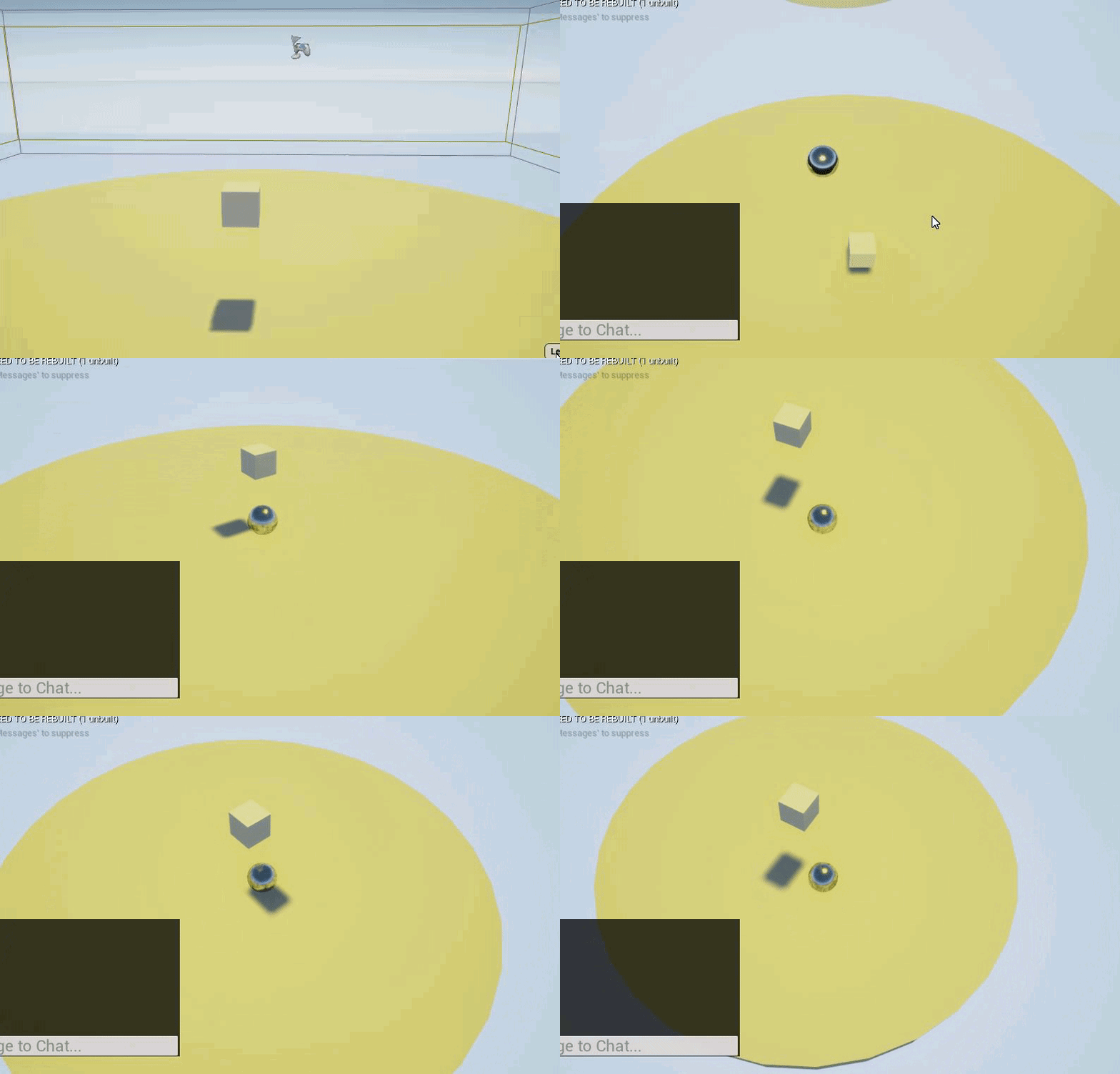 candid dirge
what are you showing there
shell estuary
so the first clip shows me putting the block directly under the spawn point. then if I drop down I do not collide with anything.
the second clip shows me moving the block not directly under the spawn point, there is shows I randomly run into a collision where the spawn point is, as if the spawn point dropped down to the floor
candid dirge
thing is plyer start has no collision so its just weird
shell estuary
yea agreed, if anyone can explain what's happening here I would appreciate it
again idk if this has to do with things being replicated for network
candid dirge
try this, in game type 'show collision' see if there's anything there
shell estuary
How do I do that in the sim?
candid dirge
hit ~ key, then type in that console command
shell estuary
YEA
thats it its the fucking player spawn capsule lol
how do I get this little boy to stop moving
candid dirge
you must be suing something other than player start since mine doesn't have collision at all
shell estuary
ahh ok
alright well thanks for looking into this with me I appreciate it! I can just work around it for now
candid dirge
Gl
shell estuary
for event tick
is there a way to put a delay on stacking the event tick?
starting*
zenith pond
What math do I need to figure out what to scale the tangent by in order to get circular spine curves for different angles between spline points?
1.66667 works perfect for 3 points, but not for 4
1.25 seems to work for 4
1.15 for 5
 dusty lintel
hi
fathom portal
Hi @dusty lintel
You need some help?
@shell estuary to delay the event tick, use a "gate" that's set to closed by default at the start of your tick function, then put a delay into your "event begin play", and after the delay, wire it to open the gate. Whatever the delay is will be how long the tick will sleep before firing
@shell estuary This will delay your tick event for 5 seconds, then use the tick normally for the rest of the time:
 opaque warren
Morning! (at least here). Quick question. There is any way that I can generate a nav mesh in a movable platform? So a navmesh that automatically updates while this platforms move along a path.
 thorny cedar
 short pawn
Hey guys, I have a metallic material thet reflects lights in 4.24, but if I put an e missive particle system near it it does not reflect those lights, how do I fix this
 cyan lion
@fathom portal or you can delay tick like that ;p
 tight schooner
@shell estuary @fathom portal yeah it's better practice to use Set Actor Tick Enabled
trim matrix
@thorny cedar big branches i suppose
you can always use ANDs, ORs, XORs and so on
or i mean you could use a state enum
and check for this
 full glade
How can I set a specific resolution while being fullscreen borderless?
My screen is 1920x1080 but I want my program to run in borderless mode but with resolution 800x600.
I tried using r.SetRes 800x600 which sets the window to that size but not borderless, doing r.SetRes 800x600wf makes it borderless but puts the resolution to 1920x1080
nova pagoda
Hey guys, how would you synchronise server and client clocks?
 static charm
@full glade you would need to set the scale or screen percentage to achieve that. (resolution is pixels. scaling/percentaging that makes it smaller/bigger than pixel size)
ocean radish
@nova pagoda in gamestate you can get server game time
Anyone have an idea of a good way of sorting an array based on priority(custom value) of an enum?
I have a global job list on my gamemode and use that to store all the jobs my actors can do, eg lumberjacking, crafting so on, I want to take that array and sort it out based on the Characters priority on that job so he's a lumberjack and his lumberjack skill is set to priority 1, so he will filter all lumberjack skills first
static charm
did someone say sorting an array 
ocean radish
well not really sorting it, just getting the values i need from it
Im thinking i may be better off with a datatable?
static charm
yeah im still trying to read exactly what you want/need
i can show you how to sort an array no problem but im still waking up
ocean radish
If you have played rimworld , similar to the job system they use, the ai will pick jobs based on what you assign there priority in that skill
If you havent played, i'll try explain the concept, you have AI in the world you dont directly control them, you just say i want this built i want that demolished and the AI will organise themselve to complete the tasks, Im just struggling to determine the best way to acomplish that, atm I have the jobs held in an array of structs the structs hold the information related to the job, so the type of skill it needs(Enum) the location the job is at(Vector) and the Actual object reference(actor) I'm just struggling with the concept of getting certain structs out of the array based on there values without it turning into a real mess and hard to add on to
 twin osprey
We get a surprising number of users attempting to play Wrench with AZERTY layout keyboards. Is there any easy way to detect the keyboard layout and swap input schemes or does is the user going to have to set it manually?
static charm
ill re-read your lastest comment and give a better example if i can
now that i see you have more info
ocean radish
thanks very much apperciated
static charm
@twin osprey no good way to detect other than user prompt or check box.
ocean radish
@twin osprey no way to detect by default there is an addon in the marketplace that could help if you search for azerty ue4
@twin osprey easiest way might be a dropdown for different keyboards and just automatically reassign based on the selected
twin osprey
Yeah. People can set it up in windows and windows key + spacebar to quickly swap layouts but most users don't seem to know about that
 ocean radish
what kind of trace are you doing?
 tawny tinsel
hey how do i make it fade out into transparent at the end of the animation?
its a particle effect that just scales from 0 to 100
manic maple
Calling an event, through an interaction interface. It's incrementing a float correctly on just one, but then somehow hangs onto the same one and calls both
tawny tinsel
but id also would like for it to fade out at the end
manic maple
I'm doing a line trace by channel @ocean radish
If that was directed at me
Pulling the actor pin from the hit result, and calling an interaction interface via blueprint interface.
ocean radish
@manic maple just with you stadning to the side wondered if it was triggering correctly, just happened to be overlapping both
manic maple
Definitely not overlapping
I can move them further apart if that helps, but the hitbox is very small
ocean radish
@manic maple nah, just trying the simplest solution first 😄
@manic maple The event that runs is on the box?
manic maple
Yeah
ocean radish
@manic maple are they widget components?
manic maple
The incrementing circle is a dynamic material instance on a plane
ocean radish
Ahh and you create the material when hovered?
cyan lion
sounds like it get same DMI on both
ocean radish
yea thats what it sounds like to me
manic maple
I think the root of my issue, is that I'm not correctly updating when I'm NOT looking at the object. I don't know how to do that via the line trace.. Sorry I'm a bit nooby at this, sort of making it up as I go with general programming concepts 😅
ocean radish
@manic maple you could use a timer to keep it updating
ocean radish
do you know which material/textures are causing it, usually caused by a bug by having duped textures
fathom portal
@cyan lion @tight schooner thanks for the assist, I completely forgot you can enable/disable tick like that instead
fickle plank
hi, if i have problems with blendspace view/options what category should i post in?
odd ember
 dense flare
Anyone know how to get rid of warnings "asset is different engine version?" after updating?
manic maple

This is being called on tick for testing purposes, that float is routinely changing all the time, between 0 and 100. The hidden in game never triggers. Any ideas why?
[I've tried printing the float, it goes to 100 very clearly]

Doing this even, calls the 'Hello' printed string after the thing I want it to do...
It's just not doing the specific thing I want it to do...
Any help appreciated this is really annoying...
 modest gulch
When Event BeginPlay of map blueprint is called? I have problem when I need certain data (from save) in one blueprint actor that are used in Event BeginPlay of this actor, but it is unavailable. In map blueprint I call loading of save as very first thing in BeginPlay. Is there any way to ensure save data are available for everything from beginning?
odd ember
putting all load/save/meta in game instance
modest gulch
hmm, I will look it up
 twilit lily
So I am destroying my player when they die, however the camera is on the player and there is a death effect that I want to be seen. I've added a cine camera component via blueprint after the target is destroyed however I'm not sure what to do after that. any suggestions?
surreal peak
I would just hide the dead actor and destroyed it after a delay
That way the viewtarget doesn't need to be changed
 naive patrol
guys that dynamic material instances can be destroyable?
if not what happen if reach created 1k material instances?
(why did seperate buff material: because much shader complex and basepass, thats why want to use that meterial when taken debuffs.)
naive patrol
anyway did custom idea without destroying
 fickle nebula
Hey guys, Which value should I set in spawn actor rotate to make this two half coco nuts one rotating for right and the other for left according to my forward vector?
fathom portal
@fickle nebula it could be as simple as "Rotate Vector"
As in rotating the vector before using it to spawn them
fickle nebula
@fathom portal
how I convert the forward vector
to make the spawn in right rotation
fathom portal
So right click the "return value X" and click recombine
fickle nebula
ok
fathom portal
Then, set your X/Y/Z, whichever rotation you need to stand up those wheels
One of them should be 90
And then one of them should be either -90 or 270, if you're trying to parallelize them
fickle nebula
humm, I'm spawing one.. and the value for the other half coconut I'm just multiplying for -1
so let's find the value for just one half
I still didn't understand T.T
ocean radish
@fickle nebula whats the end result meant to be, could you not make a blueprint with both in already how you want them, or do you need them to be separate actors
 pliant oracle
essentially she wants the coconut to be rotated 90 degrees relative to the player, so that the halves fall on left and right and split down the middle
fickle nebula
I want a effect to when I cut the coco, they seem to open in front of me
ocean radish
are they physics based?
fickle nebula
yes
ocean radish
I would make 2 bps of the same object then on spawn apply a little force to the left or right vector
fickle nebula
they're working but not in right direction
ocean radish
which way are they moving?
pliant oracle
sideways not relative to the player. 😄
ocean radish
so can you reference the player, then get its right vector
and neg value on the other
fickle nebula
yes
ocean radish
make sure your player is actually facing forward in there BP too and same with the coconut
incase thats confusing things
fickle nebula
and if i print the forward vector how can I know if this is correct?
I dont know what should expect
ocean radish
it wouldnt, look in the Blueprint of the ojbects and make sure the objects are point in the right direction, along the x usually
fickle nebula
I dont know how to make this
ocean radish
Ok try this instead of get player controller, try doing the same but with get camera manager
see if that changes anything
surreal peak
Why are you using the PlayerController for this?
Despite the ControlRotation, you usally don't need its transform.
Either you use your Characters ForwardVector or you get the ControlRotation from the Controller and get the ForwardVector defined by that Rotation.
fickle nebula
I'm in event receive anydamage in BP_coconut
so I dont have the player ref there, that's why o thought i could use the get controller
pliant oracle
in her situation would Cross product make any sense?
surreal peak
@fickle nebula Well either you get it via "GetPlayerCharacter" (not Controller) or you make sure that you pass that info along.
I haven't looked into your full conversation. If this is a singleplayer game, then GetPlayerCharacter should work fine.
fickle nebula
yes still singleplayer
I'll try with getplayercharacter but which value i should use after that
 swift warren
can i ask about non scripting blueprint stuff like putting together the actor here?
 plush ridge
what's the problem @swift warren
swift warren
so my player needs to have a capsule running down the middle
i have that
but in game
the capsule is moved
its not a child of the camera or anything
plush ridge
That's because it's colliding with the bigger capsule, the engine will push it out. You need to set the collisions up so that they collide with whatever you need them to collide with but not with each other
plush ridge
hmm .. not set to Block anything?
swift warren
nope
it has a custom collision object type
and the bigger capsule is set to ignore it completely
the smaller capsule is overlap all
with the object type set
im using it for a portal
thats the smaller
plush ridge
That's very strange
plush ridge
Change collision enabled to Query Only if you're doing overlaps
plush ridge
Not sure if that'll fix it but definitely more efficient
swift warren
still no
plush ridge
Have you tried this with a Box for overlaps instead of the Capsule
plush ridge
Line trace won't hit it if it's set to Overlap all, you need to Block the trace channel you're using (visibility is default)
What's the mechanic you're building with this capsule? Maybe there's a better way
swift warren
well im making a portal but the other way also wasnt working
the portal isnt exactly a portal though
its a mirror
plush ridge
So when you walk into it you want to send the player elsewhere
swift warren
yeah thats y its important this stays in the middle
i have a line trace detecting if the middle of the player is in the portal
and once the middle crosses that line, they get teleported
plush ridge
Okay, try this instead:
Delete the smaller capsule, and create a Box overlap instead. But parent the box to the Camera component, and then scale it however you need. Use that to detect the overlap
swift warren
i originally had overlap events with the portal itself but that wasnt working for some reason
plush ridge
This way would also let you do portals that are above or below you, if you ever do need them, since the overlap is parented to the camera and it's not locked to any axis
swift warren
nah the portal will always be on the same level as you
plush ridge
actually yeah nvm, the camera method has some potential problems I just realized
hard to tell what could be going wrong if your collisions are set up correctly. Do you have TeamViewer? I could take a look if you want
plush ridge
yeah do it and PM me, I'll see if I can help
no worries, mine are a shitstorm when I'm prototyping hahah
plush ridge
sure what's up
trim matrix
i made a projectile and im trying to figure out how to get it to stop going through world objects
the event hit doesnt work and overlap event destroys the projectile when it spawns cause of the player hitbox
idk what to do
plush ridge
does your projectile have a collision sphere or something set up?
If yes, enable "simulation generates hit events" (called something like that), and then make sure its collision settings are set up correctly. For example, make it ignore your player's capsule, but block your player's mesh.
plush ridge
Safer to use Custom and set them up yourself. For example:
Player Capsule
Object type Pawn, block world static, the rest is up to you
Player Mesh
PhysicsBody, block PhysicsBody, the rest is up to you
Projectile's Collision
PhysicsBody, block PhysicsBody, the rest is up to you
This way your projectile will ignore the capsule but hit the player's body, assuming you have generate h it events enabled on the projectile's collision, it should give you what you need.
trim matrix
alright thanks
fickle nebula
@ocean radish , @fathom portal , @surreal peak and @pliant oracle Thank u guys! I solve it that way ->
pliant oracle
<Hashtag>ProudOfThat
fathom portal
Proud of you @fickle nebula. Learning something new every day
 celest oar
why is saving the sound volume such an user unfriendly mess? am i doing somethign wrong? this sound mix thing is absolutely horrible
ocean radish
@fickle nebula instead of using forward vector, try it with get right vector, might clean it up a little
fathom portal
@ocean radish I wasn't aware that was a thing heh
swift warren
to launch the player i would just use this right?
to launch the player in a certain direction*
well i say right but its not right cuz its not working for me
so whats the problem with it?
the direction is the player's forward vector btw
fickle nebula
@ocean radish hummm, I didn't know about this right vector, I'll try
yes, It works, thanks
static charm
nut show your velocity
it's best to make launch velocity by using direction x float
the float will be the strength of the launch
swift warren
the velocity has to be a vector
its whatever the players velocity was at a past time
im trying to retain velocity through a portal
swift warren
?
static charm
yup
as long as the direction is normalized to 1.0, etc, it should retain speed, just made in new direction
swift warren
it worked perfect
i just gotta get a good direction now
forward vector only works in some cases
it falls apart once i start moving backwards
would a normalized vector be the direction @static charm
velocity vector*
static charm
yup
swift warren
perfect
fallow fox
Hello everybody! I want to make auto fire for a FPS game like in fortnite mobile. So when the line trace detects the enemies, should start shooting the weapon. The problem is that if I aim to the enemy and after a half a second I move to something else it still shooting.
For a pistol for example it's working because the fire rate is very low, but if I have a shotgun with higher fire rate, it shoots even if I aim to a wall for example, after one second
 narrow kelp
are you talking about the delay between pressing a shoot button and when the bullet leaves the the gun?
via animation?
if you are, then you want to add an anim notify on the shooting animation
that does the line trace
rather than doing it with the input
fallow fox
I'm talking about the shooting itself when it detects the enemy. I can't make the fire rate work, because Line trace calls every frame the 'WeaponShooting' and it resets the delay
I'm not using a button. I want to auto fire when it detects any enemies
Added isShooting to a branch, so when it's not detecting any enemies it will stop shooting, but the problem is that at first detection, it will start firing only after one second
narrow kelp
it sounds like you need one line trace for checking vision, and another every time you fire
ember wharf
@trim matrix sorry i didn't see your response. I cant move it otherwise my collision will be off. and it'll still bump my character around
 clever cedar
I'm trying to spawn an actor from an object class reference... any idea how to do so? I get the error Object Class Reference is not compatible with Actor Class Reference
 distant sedge
@clever cedar Try casting it to an Actor Class
worthy frost
anyone here used animation sharing plugin?
odd ember
@clever cedar you should be able to pick it out from the drop down list or from the asset browser, anything else is unnecessary. if you're looking to create an object, use Construct Object from Class
clever cedar
casting worked, thanks SparkyMcSparks- I had thought casting wouldn't work since I didn't know ahead of time which class it needs to be cast to, but casting to the base class was enough.
 sturdy notch
This is driving me nuts - I'm trying to spawn an arrow (fake fired) from a line trace at the hit location. I can spawn the arrow without issue, but I cannot seem to get it to match the angle of the object that it hits so it appears to have been fired. Thank you in advance.
odd ember
@sturdy notch impact normal should be what you're looking for?
sturdy notch
That's what I'm using - I'm just not sure what math to use to set the rotation for the spawned object after the fact so it matches the traces angle.
odd ember
rotation from xvector?
sturdy notch
I've tried that, but it seems to change the rotation to match the object it's hitting...let me try something..
Yeah - it goes flat against the wall or floor parallel to the object once hit rather than sticking straight out of it. It also does not pull the angle of the trace, just flat places it.
odd ember
then the worst case scenario is using (traceStart-traceEnd).normalized
that'll be your trace direction
if you want the rotational value it's RotationFromXVector(traceStart-traceEnd).normalized)
sturdy notch
How does that translate to BP, from the C++?
sturdy notch
I'll give it a shot. Thanks.
 frail plaza
Is there something better to use than a data table when you just want keys tied to a single value but you don't need it actor specific?
shell estuary
Anyone have any idea how I can create a mode where I have 4 players, and the last one with the surviving actor wins? Just not sure how to get started, is this done in game mode?
im thinking it has to be something like an event where it displays a message when there is < 2 players alive, saying so and so player wins. then have a short delay of a few seconds and return to the lobby map, just not sure how to start it off
odd ember
you'd do it in game mode yes
probably something with an array of players and some event dispatchers used for when a player dies etc.
sand shore
Yup GameMode also controls spawning pawns, perfect place to bind to a custom on died
shell estuary
hmm not sure what event to start with
so would I maybe add it to the end of my spawn players event?
after it is possessed
I can do an if player number of players (not destroyed) <2 then return to lobby?
not sure how do check how many are "alive"
trim matrix
How can i code in an effect where when you open a door, it disables player input, slides the player to the other side of the door, closes the door, then reenables input?
trim matrix
a sequence is just a cutscene it wont disable player input or slide
i just want the player
player's input disabled and slid
sorry i pressed enter too early
sand shore
... I meant sequentially, not using a sequence. Sorry, that term is kind of overloaded
You can disable input though
trim matrix
well how would i do that? Redirect me to the proper channel if you want
not how would i disable the input talking about the sequence stuff
sand shore
Yeah I'm confused what your question is, then?
trim matrix
ok so
sand shore
Sliding the player?
shell estuary
@sand shore Can you help explain a little bit further how to end the game and return to lobby when only 1 player remains active? I see the event on destroyed so I mean I know I could now take the destroyed player and somehow put him/her as a spectator. but then not sure how to end game
sand shore
Sec
trim matrix
ok so this box is everything to do in a sequence ```
-> when player presses E next to door, disable input
-> Slide him through the door
-> Close the door
-> Reenable input
that's what i want
@sand shore
nvm then
ill look elsewhere hmph
shell estuary
im strugglin
trim matrix
@sand shore
sand shore
My guy.
I am allowed to not instantly walk you through something you appear to have a good idea of how to do. @trim matrix
sand shore
And yeah, continue to look elsewhere. Don't ping me in another 12 minutes. (or do, it's discord. Just know I won't help you if you're going tohmpf me)
trim matrix
i thought you were ignoring me tho
sand shore
@shell estuary So you know how you're running logic when a player dies? You want to run additional logic (but in the game mode) which ends the game if there's only one left.
fathom portal
Please dpm'
sand shore
You can just use an event dispatcher @shell estuary
fathom portal
Please don't abuse the ping system to annoy people @trim matrix
trim matrix
i didnt
sand shore
Nah he can ping it's fine
fathom portal
You just pinged them then deleted it
trim matrix
you don't see a message
sand shore
He just shouldn't expect anything.
fathom portal
Why lie about it lol, what a weird thing to lie about
sand shore
I will vouch that you pinged me then deleted it.
I literally watched you do it.
@ Moderators
Don't make me remove the space.
fathom portal
Don't ping the mods, they tend to react without reading the conversations
sand shore
True enough.
@shell estuary And you'd want to call your dispatcher when your player dies (runs out of health, etc).
There's this video https://www.youtube.com/watch?v=EM_HYqQdToE in the channel pins

Announce Post: https://forums.unrealengine.com/showthread.php?101051
This Training Stream takes a look at Blueprint Communication. We find that Unreal Developers of all levels can sometimes struggle through the concepts behind moving data between objects. So in this video we'...
You should go through those
Did he actually leave because he couldn't lie 😂
sand shore
¯_(ツ)_/¯
shell estuary
ty @sand shore I will check through the videos first and see if I can figure from there
sand shore
Interfaces don't allow "remote" notification.
shell estuary
I kind of screwed up I am new to the blueprints and everything and kind of started with this multiplayer blueprint tutorial file from scratch, I went through the tutorial but couldn't follow along with everything
sand shore
Which is to say, you'd have to keep a list of all the interface pointers which need to know about an event
fathom portal
Ah, sweet, thanks
sand shore
A dispatcher does that for you, only there isn't an interface involved.
fathom portal
I might be misunderstanding dispatchers, I thought dispatchers required a hard reference for it to work?
Got a weird problem for you guys: My collision box only seems to work if I'm actively holding right (D). If I'm moving in any other direction, or if I stop moving, my hitbox no longer registers. here is an example:
The exit sign shows up when I start overlapping, and it's supposed to stop showing it when I stop overlapping, but for some reason it thinks I stopped overlapping when I stop moving, and it thinks I never overlaped if I'm moving in any other direction
I've checked the colision boxes and they overlap (they're both set to oversized while I'm testing)
sand shore
You have to have a hard reference to what the dispatcher is on.
The thing that the dispatcher is broadcast from doesn't need a hard reference to you
With a list of interfaces, both you and the broadcaster need hard refs to each other
(typically you pass yourself to a "register" function, so in practice only user code has to track down the reference to the broadcaster)
fathom portal
I really just need to learn more about interfaces and dispatchers
I barely use either, trying to get smarter about it
Especially since all my stuff is procedurally generated, they don't always know about each other
sand shore
Right.
Well, if you spawn something in you can then give the reference of the spawned thing to whatever needs to know about it
That, in itself, can be accomplished via an event dispatcher
btw I almost thought your box was embedded in the wall until you stuttered to the right all the way over from the left of the stairs
Impossible to know what's going on with it if you don't post any nodework
fathom portal
I mean, I can post the nodework
I've tried like 3 different ways, each dumber than the last
Finally got it working by literally just looping for player pawns and checking distance, which is just about the dumbest way I could think of lol
Getting images, one sec
This is how it currently works, it ignores overlaps and stuff and just checks every .1 seconds to see if there's a player nearby:
I realize that's an awful way, but that's the only thing I could do to get it to work
Here's the previously (non-working) code that only worked when I was actively moving right:
So on begin overlap, if the other actor impliments my interface, I know it's something that can interact with stuff, so it shows the text
Then, inside the "component end overlap function", I tried multiple ways to hide the text, finally ending on literally just hiding the text if the thing that stopped overlapping had the interface:
sand shore
Do you spawn/despawn actors right now?
particularly around the player?
Yeah you can do a few things to make this better. Could keep a list of things which are interacting and show when it's not empty
Could keep just one - the player - and only hide when that particular one stops overlapping
If you're casting to the player anyway, just do that cast and don't bother with the interface
fathom portal
Nothing spawning/despawning, at least not at runtime
sand shore
You generally want to make sure you're only responding to the overlap events which you care about
fathom portal
I triedf to keep a list, but when the player stops moving for some reason it counts that as "end overlap", even when I'm clearly still overlapping
fathom portal
Right, of course, that's why I'm using the "does implement interface" check
My stairs are set to "overlap all dynamic"
so it overlaps all but projectile
wait, my pawn is set to
Is that right? Shouldnt it overlap something?
sand shore
Pawn might need to overlap WorldDynamic
fathom portal
Lmao
so update
Now:
If I'm actively moving right: It shows the text
If my last moved direction is down, it shows, but only if I'm standing still
Oh wow now it's all over the place:
sand shore
What
fathom portal
Right?
sand shore
Do a search for everywhere that changes the visibility of that text
fathom portal
So: set to visible in the "on component begin overlap"
Then: Once when the player pawn (specifically) stops overlapping
Then once during event begin play to hide it at the beginning of the game
The rest are other attempts and aren't connected
Now it's functioning fine*
I changed from "on component begin/end overlap" to "event actorend/beginoverlap"
It had to have been the pawn being set to the "overlap world dynamic"
sand shore
yeah there's no real reason to do component overlap
you'll get those for like.
any primitive comp
fathom portal
So I assumed I needed to get it's overlap instead of the overall actor
Ah, my hitbox for this stuff isn't the "root" object, it's a separate added box:
I thought the actor might have multiple things it would consider in overlapping, so overlap checking on the actor would mess up (I presumed wrong, clearly)
In the image, the "Box" is the collision
sand shore
You're not using character movement, which is good.
fathom portal
Lmao uh, I don't know what that means, so I guess I accidentally dodged a bullet, woot woot
sand shore
Movement components will move around the root and that doesn't overlap other attached comps, IIRC
fathom portal
ah
sand shore
Another gotcha to watch out for, but it doesn't apply at all here
fathom portal
Ok, I swapped to my much smarter tracker, which supports multiple players (One player leaving the stairs won't hide the text until all players leave) and it still works:
Sad that it took like 3 hours to figure this out, but at least I'm learning
10 points to @sand shore
fathom portal
Yeah, my programming is more data driven then specifically unreal engine stuff
So it's a learning curve for sure
Like random generation, smart algorithms and stuff no problem, but simple overlaps are too much apparently
fathom portal
These let the player abandon their run (upstairs) or progress further into a newly generated level (downstairs)
Literally everything is generated at runtime, literally building a world, but overlaps? Naaa dog, that aint me
Taking off the training wheels, feels so good:
 static charm
whats this shake to break node thing?
sand shore
My avi this androgynous?
fathom portal
It's part of the node graph asistant plugin
sand shore
Oh, does that work in reverse? Like I line up the exec underneath the pins and it'll autoconnect?
fathom portal
Yup