#blueprint
1 messages · Page 388 of 1
 maiden wadi
Likely either set as a default property on your custom CameraManager if you have one or you have some code setting that on the generic camera manager somewhere.
 lofty rapids
 maiden wadi
He said limits though. Those nodes don't limit anything.
lofty rapids
so ig i'm just looking at the original problem and i thought that was the issue
🤷♂️ confused as usual ig 
 pine carbon
Whazzat?
 whole ridge
lofty rapids
🤷♂️ confused as usual ig <:old_man_yells_at_unreal:989354160925327400>
whole ridge
lofty rapids
🤷♂️ confused as usual ig <:old_man_yells_at_unreal:989354160925327400>
Sorry guys stepped away for a second.
The camera works in both views. Just when I am walking and moving around in First Person the WASD keys don't work correctly. In First Person when moving around, the camera has left and right limits when I look from left to right.
whole ridge
maiden wadi
Likely either set as a default property on your custom CameraManager if you have...
I wonder if I just look through the details panel for the First Person Camera if I'll find something there. I feel like once I hit the limits when looking left and right it completely throws the WASD movement all out of whack?
maiden wadi
whole ridge
I wonder if I just look through the details panel for the First Person Camera if...
By limits you mean that you move the camera so far right and continuing to move the mouse that direction stops moving the camera at all? Just clamps it?
whole ridge
maiden wadi
By limits you mean that you move the camera so far right and continuing to move ...
That's exactly it. You explained it better than I did, thank you.
maiden wadi
I would check the camera manager stuff then. In your PlayerController class, look in it's details for a property name CameraManager, is one specified there?
whole ridge
maiden wadi
By limits you mean that you move the camera so far right and continuing to move ...
I feel like when that happens it is bugging out my movement. I must've missed a node or I missed a connection somewhere.
Hmm, let me check standby.
whole ridge
maiden wadi
I would check the camera manager stuff then. In your PlayerController class, loo...
I found the setting. It says, None.
whole ridge
maiden wadi
I would check the camera manager stuff then. In your PlayerController class, loo...
 maiden wadi
Hmm. Okay. Can you open up a Find In All Blueprints?
whole ridge
Like to search?

 whole ridge
maiden wadi
Search for
```ViewYawMin||ViewYawMax```
whole ridge
maiden wadi
Search for
```ViewYawMin||ViewYawMax```
Interesting. No Results found.
 wispy mulch
I want the wall to bounce the enemies the opposite direction of the hit (ignore the other obvious bugs for now). How do I calculate the impulse vector to apply?
Vector math is NOT my specialty, clearly.
maiden wadi
whole ridge
Interesting. No Results found.
Then you have some other system restricting the camera movements. 🤔
whole ridge
maiden wadi
Then you have some other system restricting the camera movements. 🤔
I agree, I'm not entirely sure. I've been taking my time making this work and smoothly. I must've missed something. Care if I PM you when I do work on this again? I'm going to turn in. Thank you, and to everyone trying to assist me.
 north bobcat
can someone show me how you would go about making source engine / csgo surfing in ue5 blueprints?
pine carbon
north bobcat
can someone show me how you would go about making source engine / csgo surfing i...
Uh . . . no.
Think about that statement. Source Engine.
You could try and replicate the behavior, but that would require a solid knowledge of both Source and Unreal depending on how in-depth you want to get.
north bobcat
thats what I'm asking
pine carbon
north bobcat
thats what I'm asking
Your question is way too high-level, basically.
north bobcat
I've seen it done
pine carbon
pine carbon
Your question is way too high-level, basically.
.
pine carbon
Do you have any experience with Unreal Physics at all?
That's gonna be your first step if not.
north bobcat
I've been using unreal for 2 years now, surfing is the one thing I have not been able to achieve and I have not seen anyone else do it in blueprints
I have air strafing and I can surf down ramps but I cant surf up them thats the only thing
pine carbon
That's a lot more specific of a question than what you initially asked. Try #chaos-physics with specifically that. With pictures of your setup.
north bobcat
chaos is physics destruction
pine carbon
north bobcat
chaos is physics destruction
That's where I get my physics advice.
north bobcat
referring other people to text channels isnt helpful either buddy
its like saying im too stupid to read my screen
pine carbon
north bobcat
chaos is physics destruction

Epic Games Developer
Chaos Physics is a light-weight physics simulation solution available in Unreal Engine.
north bobcat
sending me an epic games documentation is more of an insult lmao
my problem isnt learning physics, its that my character cant surf up any ramps
pine carbon
You are patently incorrect that Chaos is only destruction, as is clearly demonstrated by the link you are mocking. Believe me, I hate Unreal documentation as much as anyone, but what you said is outright false.
north bobcat
nope
pine carbon
Look man, I'm not a CSGO guy so I don't know exactly how it works in that specifically, but I do know some Trimping in TF2. Given that both are Source games, I'm guessing it works the same way, and the reason Trimping (in case you don't know TF2 lingo, Trimping is basically surfing specifically up a ramp) works is because Source really really doesn't like considering you grounded when you have upwards velocity. You can't just port physics simulation behavior between engines so it would be helpful to know what specifically you can do currently and what isn't working the way you want it to.

 pine carbon
I'm sorry, you lost me with that one. What emotion is being conveyed here?
north bobcat
https://youtu.be/qKK-ZLom_3k?si=fVqlL2NXtsX5rWV5 this is the closest thing someone has done a blueprint tutorial on, but it isnt even close

https://discord.gg/PwGBQBR7MM Please like and subscribe if you liked the video and join our discord server!
pine carbon
north bobcat
https://youtu.be/qKK-ZLom_3k?si=fVqlL2NXtsX5rWV5 this is the closest thing someo...
Of course it's not close, they're entirely different engines.
You're attempting to do something that will be quite difficult to recreate faithfully.
Source Surfing is essentially a physics exploit. It wasn't "designed" perse by anyone. Recreating it to feel exact is probably going to require that you have a deep understanding of the Source physics engine itself, something I certainly do not have. I've heard working in Source drains sanity.
north bobcat
I just need to find the right vector to push the character in so you can go up and still have your momentum, you knocking me down and saying I'd need to learn the whole physics engine is very strange
and It also need to carry velocity and lower it when going up too
I'm just missing that one calculation its not that I have to learn the ins and outs of an engine thats stupid lol
it would be a massive waste of my time
so the real question is, what vector would the impulse need that carries momentum and lowers velocity the more you go upwards
pine carbon
north bobcat
I just need to find the right vector to push the character in so you can go up a...
If you are manually applying a vector you are doing this fundamentally wrong, assuming you want it to feel like Source.
Surfing up ramps in Source works because your forward momentum is converted into upwards momentum when you contact a ramp.
 pine carbon
I'm not trying to insult you with this, I promise. How much do you know about vectors?
 frosty heron
pine carbon
Surfing up ramps in Source works because your forward momentum is converted into...
frosty heron
pine carbon
Surfing up ramps in Source works because your forward momentum is converted into...
Everything is a vector though. Like force / friction / break.
pine carbon
I am aware.
Unless I am misunderstanding Swing, which is possible, he's trying to craft a launch vector for a ramp. Which isn't how the thing he's trying to emulate works.
I think the best way to emulate the behavior in Unreal without overhauling the physics system would be to crank your friction really low, but you'd need to do that only when you have upward velocity, and Unreal is a lot better at figuring out when you're grounded than Source. You could accomplish this with designated Surfing areas, but that again won't feel like Source where all you need is a ramp with enough of an angle and some speed.
Surfing up ramps is fundamentally a result of Source treating you as airborne when you're going up. Something that most games tend to NOT want. You're gonna be fighting the engine to make that happen.
 pallid locust
Can anyone try to help me with my double tap sprint detecting other movement keys?
Current Bug is when I press two different movement keys nearly simultaneously (example: W then A within my double-tap window), the system treats it as a valid double-tap and triggers sprint. I want sprint to only trigger when the same key is pressed twice rapidly—not when different keys are pressed close together.
What I Need is a method to track which specific key was pressed last, so the double-tap validation only passes if the current key matches the previous key. Must work with Enhanced Input and four separate movement keys (W, A, S, D). Constraints
any help or tips would be greatly appreciated
(tryna cook something up with Ai help but its not going too well) (I have found 2 solutions but they seem very ineffiecient, and i feel like theres a smarter and more simpler way going about this)
 north bobcat
pine carbon
Surfing up ramps is fundamentally a result of Source treating you as airborne wh...
north bobcat
pine carbon
Surfing up ramps is fundamentally a result of Source treating you as airborne wh...
but they should be a blueprints tutorial out there it would go viral
pine carbon
So make one and go viral, man. I ain't stopping you.
north bobcat
I dont know the math
if I knew the math I would
thats why im here
And I will if I ever figure it out
I bet you cant if you tried lol
pine carbon
Funny you say that.
pine carbon
I hacked together some physics-based movement and yeah you can launch yourself off ramps pretty easily. The problem is that this is EXCLUSIVELY physics-based movement, as you can see from how it looks like I'm on ice. This probably isn't exactly what you want but I think it would be a good place to start.
north bobcat
yeah that looks alright but try it when the ramps are 45 - 50 degrees
and make it so velocity slows down the more you have upwards travel
then it gets hard
pine carbon
north bobcat
and make it so velocity slows down the more you have upwards travel
Not really, the game does all that automatically. The hard part is getting it to do this in the contexts you want.
north bobcat
for me on 45 degree ramps the game doesnt allow upward travel at all
thats my problem
I can show you in vc if you want
pine carbon
pine carbon
north bobcat
I can show you in vc if you want
I believe you. You're probably doing it completely different from this.
Like I said earlier, it sounds like you aren't really doing a very physics-based implementation, which is what you need.
north bobcat
so how in the world would I do that then
north bobcat
pine carbon
isnt this just launch character
pine carbon
north bobcat
so how in the world would I do that then
Before I show you, it's very important to understand that this will not play well with other, normal forms of movement. Getting it to work in the contexts you want will be the biggest challenge.
pine carbon
north bobcat
isnt this just launch character
Nope. This is entirely the physics engine. I'm not touching CharacterMovementComponent at all here.
In your capsule component, you need physics enabled, and you need to lock X and Y rotation. The rotation lock is very important. If you don't do that, you will fall over.
 north bobcat
I cant move lol
pine carbon
Yes. You need to apply movement differently, and that's why this is gonna be tricky for a full game.
I'm assuming you're using the default movement or something similar. You can replace that with this to get identical behavior to me. I can explain what this is doing if you don't understand.
 north bobcat
right
pine carbon
And then the bursts of speed are accomplished with this action.
 north bobcat
I dont think I can do this because I have air accel set up for add impulse
pine carbon
Impulses stack.
You can have multiple fire in one tick and they'll all apply together.
Oh yeah you'll also be more slidey if you set your phys mat override on the capsule component to ice.
 north bobcat
this aint gonna work with the movement system I already have
my character isnt physics
pine carbon
pine carbon
Before I show you, it's very important to understand that this will not play wel...
.
Do you think I'm lying to you? You're trying to emulate a physics exploit. Physics is necessary, especially if you want that ramp launching behavior. Unreal is going to do its best to keep you stuck to ramps if you're walking up them with the CharacterMovementComponent features.
north bobcat
I could set physics enabled when the trace for the ramp hits
pine carbon
north bobcat
I could set physics enabled when the trace for the ramp hits
Yes. I did mention that possibility earlier. It won't produce faithful surfing, but it will create designated surfing zones.
north bobcat
they should change that
pine carbon
If you are content with that, it is not a terrible option.
north bobcat
well can you do trimping without the physics then? I might add that too
pine carbon
north bobcat
they should change that
No they should NOT change that. There is a reason I'm calling it an exploit. In almost all circumstances, you want players to stick to ramps. Ramp jumping is for vehicles and world objects.
pine carbon
north bobcat
well can you do trimping without the physics then? I might add that too
Not really. It's inherently a physics interaction. It's going to feel clunky if you try and implement it without simulating momentum somehow.
If you've ever played a bad racing game, think about how terrible it feels when turning your car just changes what direction your "forward" is.
It'd be like that.
north bobcat
isnt it just applying equal up vector on the impulse to what velocity you had going into it
pine carbon
Noooo.
That's a trigonometry thing, but the amount of up you get is directly related to the angle of the ramp.
north bobcat
north bobcat
isnt it just applying equal up vector on the impulse to what velocity you had go...
nah it defo looks like it could be done this way
pine carbon
It could. It will be physically incorrect and feel bad.
north bobcat
no
pine carbon
Well, "bad" is subjective, but it won't feel like the thing you're emulating.
pine carbon
north bobcat
you tried it?
Because I know basic projectile physics. I'm by no means a physics expert, but I know my trig and linear algebra. If you have forward velocity into a ramp, part of it should be converted to vertical velocity if you want to feel consistent. There's a few ways of going about it depending on whether or not you're picky about maintaining the magnitude of your initial velocity (and the CharacterMovement that you have by default actually does have a toggle for this when it comes to the sticky movement on ramps), but it's proportional either way.
north bobcat
"If you have forward velocity into a ramp, part of it should be converted to vertical velocity if you want to feel consistent." thats literally what I said
pine carbon
You said equal to your velocity going into it.
If you're driving in a car at 30mph and you start going up a ramp at a 30 degree incline, you don't suddenly starting traveling both upwards and forwards at 30mph.
pine carbon
north bobcat
isnt it just applying equal up vector on the impulse to what velocity you had go...
Here, look how I go waaaaaaaaay more up than forwards when I hit the ramp.
north bobcat
cool
 wintry cloud
Hey everyone. I’m currently developing a game in Unreal Engine and the entire game takes place inside a closed building — there are no windows or natural light sources. Because of that, all the lighting has to be artificial, and I’ve realized it’s a lot more complex than I expected.
I’d really appreciate any advice on how to properly light indoor environments. If you know any good tutorials, videos, or general tips for interior lighting in Unreal Engine, please share them. Thanks!
 low glade
All I mean is is it accurate enough?
 gentle urchin
low glade
All I mean is is it accurate enough?
gentle urchin
low glade
All I mean is is it accurate enough?
It is as accurate as you get it
Just test and see if it works for you
low glade
gentle urchin
It is as accurate as you get it
Wdym as accurate as i get it? Is there something that I can do to make it more accurate?
 junior quest
Im wondering when i should get a copy vs when I should get a ref. The note says get getting a ref will effect the array and im only getting a copy to manipulate it and set it again later. im wondering if im doing too much


 sand shore
junior quest
Im wondering when i should get a copy vs when I should get a ref. The note says ...
sand shore
junior quest
Im wondering when i should get a copy vs when I should get a ref. The note says ...
instead of "Set array elem" you can Get (by ref) and then use the "Set members in struct" node
working with arrays of structs will always be a pain, doubly so with nested arrays (an array of structs where each struct has an array)
the summary though is that if you were gonna use Set Array Elem, you might prefer to Get (by ref), otherwise, just reading the array it should probably be a copy
 gentle urchin
low glade
Wdym as accurate as i get it? Is there something that I can do to make it more a...
gentle urchin
low glade
Wdym as accurate as i get it? Is there something that I can do to make it more a...
How many decimals do you want ? Whats accurate?
Just test it
sand shore
junior quest
so the alternative would be like this?
Yep!
with this small example they do seem quite similar, but imagine if you had a complicated struct, or many branching paths.
sand shore
junior quest
so the alternative would be like this?
actually no, there's another node "set members in S Item Instance Structure"
 shy vapor
I created a lighting system. The lights use a reference, and the referenced light glows slightly. However, because the isnexthint variable isn't working correctly, the overlap event of the other lights isn't working properly either.
gentle urchin
you might want to set this on completed

unsure what you're actually trying to do
the bool states dont make to much sense to me
 scarlet root
junior quest
Im wondering when i should get a copy vs when I should get a ref. The note says ...
scarlet root
junior quest
Im wondering when i should get a copy vs when I should get a ref. The note says ...
A reference is mostly used to set stuff on the target directly, without the need to write back.
A Copy is a clone of the pointer address, you need to write values back to actively set em.
Example of Reference is f.e. the Integer "++", which sets the integer directly.. instead of
Get Integer -> Add(1) -> Set Integer
frosty heron
scarlet root
A reference is mostly used to set stuff on the target directly, without the need...
a copy is a copy. Not necessarily the address of a memory.
If you get a copy of struct, then you get a copy of that struct. It's entirely different object and does not live at the same memory address.
if you get a copy of reference then you do get a copy of the memory address.
afterall it's just int8
scarlet root
you are right.. would say it depends on the type..
 dark drum
Does anyone know if there's any sort of order in terms of when things get destroyed when switching to a new level or closing out of the game? (assuming you're not doing a force close)
Like it it actors first, followed by game state, game mode etc... before the level itself is then destroyed.
 narrow kite
dark drum
Does anyone know if there's any sort of order in terms of when things get destro...
narrow kite
dark drum
Does anyone know if there's any sort of order in terms of when things get destro...
This might not answer that exactly, but it does give general info for actors
When switching levels in Unreal Engine (using
Open Level or level streaming), all actors associated with the outgoing level are destroyed or removed. The order of removal generally follows the order in which they exist in the World Outliner, but in terms of architectural priority, the following applies:
Sublevel Actors First: If using level streaming, actors within the sub-levels being unloaded are removed first.
Non-Persistent Level Actors: Any actor not explicitly placed in the persistent level (the main, container level) is removed when its respective level is unloaded.
Specific Actor Behavior: When changing levels, actors in the current world are destroyed, meaning only actors residing in the persistent level or those specifically marked to persist (like those managed by the GameInstance or via seamless travel) survive.
Level Instances: When breaking or switching, Level Instance actors are removed from the world and replaced with the original assets.
So it seems like Game Mode then Game State are some of the last things to be destroyed before the level itself is destroyed. Player Controller seems to be one of the first to get destroyed from what I can tell.
frosty heron
narrow kite
This might not answer that exactly, but it does give general info for actors
Wh...
Do you have source for this?
narrow kite
frosty heron
Do you have source for this?
Just a Google AI result. However, nearly every result regarding steps required or basic funcationality has been pretty good.
dark drum
narrow kite
Just a Google AI result. However, nearly every result regarding steps required ...
Please don't blindly share AI results. This can allow incorrect/misleading information to spread. If you don't know, there's no need to reply. If someone wants an AI result they can get it themselves.
frosty heron
always take what A.I says with grain of salts, especially when it comes to Unreal Engine.
narrow kite
frosty heron
always take what A.I says with grain of salts, especially when it comes to Unrea...
That's simply not true. I am very skeptical of AI results in general. However, I don't think I recall a single case of where it has been wrong when looking for general information like this.
frosty heron
how would you know if it's true or not? the only way is to look at the source code and doing some breakpoints.
I can assure you A.I vomit a lot of BS when it comes to unreal engine.
it's annoying enough that I can;t stand the amount of times it tell me non existence function.
and ofc it keep apologizing when corrected but continue to throw another hallucination.
narrow kite
It "could" be wrong along with any posted information. However, I have used it a lot for information across the board on how to do this or how this works and I can't recall a single time it has really been just bad information.
frosty heron
A.I telling lies is bad information and worse if it's prepetuated around.
it could be wrong at any given time. It has trouble saying, i don't know.
the model rather tell you sweet lies.
which doesn't help anyone.
narrow kite
frosty heron
A.I telling lies is bad information and worse if it's prepetuated around.
No, that's you spreading bad information. AI in general is known for making up information in some cases and just throwing things together. And it's known to just grab information from unknown sources.
However, as I stated with many aspects such as simple steps or general info like this it's been extremely reliable.
dark drum
narrow kite
It "could" be wrong along with any posted information. However, I have used it ...
Just because you have a nice experience doesn't mean its the norm. For all we know it might have been pulling information for UE4 or maybe even UDK. Some might still be relevant, some might not.
lofty rapids
dark drum
So it seems like Game Mode then Game State are some of the last things to be des...
maybe override the unload functions in c++ ? write them to a log ?
narrow kite
dark drum
Just because you have a nice experience doesn't mean its the norm. For all we kn...
That is true, but if I do 200+ searches and find the steps provided are proven (as working implementations would dictate) it's not just a "oh AI sucks lol" argument. It's based on much more reliable data.
Anyone that posted information also could have been wrong for the same reasons you stated.
dark drum
lofty rapids
maybe override the unload functions in c++ ? write them to a log ?
From what I can tell from looking at source, End Play is called on all actors then Shutdown is called on the game instance. Not sure at what point they actually start getting destroyed though. Not the easiest to follow. 😅
dark drum
narrow kite
That is true, but if I do 200+ searches and find the steps provided are proven (...
Again, if someones wants an AI response, they'd ask it themselves. Just accept your mudding the waters and move on.
lofty rapids
i would assume they unload from the end of the array
i really have no clue just assuming
like i would get the list of them and remove them from the back
dark drum
lofty rapids
like i would get the list of them and remove them from the back
That's what I thought but I couldn't figure out how the Actor Iterator works it uses. It does seem that the game state gets destroyed last which is enough for what I wanted.
 crimson briar
narrow kite
That's simply not true. I am very skeptical of AI results in general. However,...
crimson briar
narrow kite
That's simply not true. I am very skeptical of AI results in general. However,...
I'll just add to it. AI can and will be wrong at times. I'm using AI to convert my stuff to C++, but I have programming knowledge etc. So I can check what it gives me.
Several times I had problems with bs answers. Sometimes it uses deprecated stuff. Sometimes it meshes two answers together suggesting functions that don't exist. Often it uses UE4 things that shouldn't be used in UE5 and are left as a compatibility thing.
In one particularly bad example it invented a few function names from nowhere, the only mention of them online I found was from Unity.
So no. You should NEVER answer someones quesiton with an AI. Especially without saying it is AI.
frosty heron
someone would have probably dive deep into it considering many of them make editor tools.
lofty rapids
i think if you quote ai atleast show the source
like "this is a quote" -gemini
this way people can see its more of a close enough
which is what ai is good for, close enough
dark drum
frosty heron
<@430016173694779402> should ask the <#221799439008923648> guys/girls.
I probably will at some point. I've got what I need for now, granted from some experiementation. lol.
Anyone else hate when UE does this? As in, you close them all and then when you reopen they're all there again. 😕
 low glade
gentle urchin
How many decimals do you want ? Whats accurate?
low glade
gentle urchin
How many decimals do you want ? Whats accurate?
Oh I'm just getting an integer
I don't want crazy accuracy
gentle urchin
so why the push for accuracy xD
lofty rapids
i have a hard time with it it bounces around like crazy for me
so i average them as well
lofty rapids
dark drum
Anyone else hate when UE does this? As in, you close them all and then when you ...
i don't even use these tabs and it just fills up like crazy
gentle urchin
framespikes is not a good sign 😛
dark drum
lofty rapids
i don't even use these tabs and it just fills up like crazy
If it's a fresh BP I tend to use them but the moment you get so many functions its like it goes 'Oh... You need to see all these right? Let me open them up... All of them.'
 cunning vapor
Hey Guys!
Just a quick one - i thought this would work - am i overlooking anything ?
Im trying to add the loot to an array (content array) and if it already exists add 1 to the existing stack

 low glade
gentle urchin
so why the push for accuracy xD
low glade
gentle urchin
so why the push for accuracy xD
Im not asking weather it's accurate on the decimal point all I'm asking is if it's accurate at all or if there is some better method but it seems like it fits my needs
lofty rapids
gentle urchin
framespikes is not a good sign 😛
its just up and down its like this in any project even empty
lofty rapids
low glade
Im not asking weather it's accurate on the decimal point all I'm asking is if it...
its perfectly fine
dark drum
cunning vapor
Hey Guys!
Just a quick one - i thought this would work - am i overlooking anyth...
The issue is the 'Find'. Generally it doesn't work well with structs because in BP, its always a copy so from its perspective, they're all unique even if they data inside is the same.
cunning vapor
dark drum
The issue is the 'Find'. Generally it doesn't work well with structs because in ...
ah ok so instead of a find maybe just for each the contents
lofty rapids
lofty rapids
its just up and down its like this in any project even empty
let me check 5.7 actually i have not checked hmm
dark drum
cunning vapor
ah ok so instead of a find maybe just for each the contents
Pretty much. You'd have to manually check the Item ID to find one that matches.
cunning vapor
dark drum
Pretty much. You'd have to manually check the Item ID to find one that matches.
thanks, patty coming in clutch again 😛
dark drum
lofty rapids
its just up and down its like this in any project even empty
My frame rate is usually pretty stable.
lofty rapids
idk why but mine is always jumping 10 or so fps
its really fast
not like its slow for awhile
it just bounces really fkn fast i've always had the problem in unreal
i believe i asked about it before but still same issue
dark drum
lofty rapids
it just bounces really fkn fast i've always had the problem in unreal
Profile the editor, see whats causing it. (The unreal insights thing)
lofty rapids

this is how it sits blank level
nothing happening
its not bouncing much its just twitchy
but its worse once i get stuff in the level
its always twitchy like this idk wtf, ig i'll try profile it
lofty rapids
lofty rapids
https://streamable.com/87u5sv
this is literally just a blank level lol
dark drum
lofty rapids
its not bouncing much its just twitchy
Oh, I see what you mean. It looks like your ms has a fluctuation of about 0.1. Mine is around 0.01 with a few things in the level.
dark drum
lofty rapids
as i add stuff it gets worse but it still runs fine
Maybe just hardware variations.
 dark meadow
Hiya, I've not been active here for a long time but I was wondering if anyone could help me figure out how to make a sprite, or a part of an actor, face the camera?
 dark drum
dark meadow
Hiya, I've not been active here for a long time but I was wondering if anyone co...
dark drum
dark meadow
Hiya, I've not been active here for a long time but I was wondering if anyone co...
Swap the 'GetRotationXVector' for 'GetWorldLocation'.
dark meadow
world location for the spell object or player camera?
dark drum
dark meadow
world location for the spell object or player camera?
You need to connect the world location of your sprite to the Start pin on the find look at rotation.
Get Rotation X Vector just gets the rotation as a normalized vector (-1 to 1). With the way its currently setup, you're pretty much saying, the start location is always 0,0,0 to your camera location.
dark meadow
Like this?
 dark drum
dark meadow
Like this?
dark drum
dark meadow
Like this?
Yea. If the sprite backwards, you can swap the start and target locations around.
dark drum
dark meadow
It spawns facing the camera, then never faces it again
Remove the 'Delay' node.
dark meadow
I forgot i had that there, I had it from earlier code I changedoops
No, it still doesn't change rotation
lofty rapids
show what you have is your cast working ?
check the case failed, and add a print at the end like you had
 lofty rapids
put a print on the tick, is it ticking properly ?
dark meadow
Yeah it's ticking fine
lofty rapids
what does your paper flipbook look like ? it sets it at start but then later won't change ?
dark meadow
Yeah
Hang on
So I have it so that on my player, the hand is a flip book and it holds a spell
When shooting, it passes the size of the spell flip book to the projectile but when shooting it doesn't rotate


 lofty rapids
ok so what are you actually rotating ? the thing in your hand or the thing you shoot out ?
what is that variable that your using ?
you set it to the projectile ?
lofty rapids
dark meadow
the paper flipbook variable here
dark meadow
I'm rotating the projectile, which has a flipbook in it
I'm rotating the flipbook so it doesn't rotate the actor and change projectile aim
lofty rapids
so is this tick on the thing your shooting ?
dark meadow
Yes
low glade
lofty rapids
its perfectly fine
Ok thanks
dark meadow

 dark meadow
Ok so I need to rename it but in the first person character, "Spell" is this IN the hand

The "Spell" in the projectile "Basic_Spell" is the flipbook
lofty rapids
but wait spell is what you hold in your hand, are you literally throwing what your holding ?
lofty rapids
dark meadow
The "Spell" in the projectile "Basic_Spell" is the flipbook
ok this is what your trying to rotate, its a flipbook ?
dark meadow
yeah
dark drum
dark meadow
instead of setting world rotation of the spell sprite (component). Try setting the rotation of the actor its in instead.
dark meadow


No description provided
dark meadow
dark drum
instead of setting world rotation of the spell sprite (component). Try setting t...
Wont that effect the projectile movement
lofty rapids
dark meadow
https://blueprintue.com/blueprint/7q09ksd5/
i don't see spell that your rotating ?
dark meadow
How do you mean?
 faint pasture
dark meadow
https://blueprintue.com/blueprint/7q09ksd5/
faint pasture
dark meadow
https://blueprintue.com/blueprint/7q09ksd5/
find look at rotation is your problem
that will always have a roll of 0
Or is it not even facing the camera at all?
lofty rapids
dark meadow
How do you mean?
i mean your rotating spell, but its not a component, where do you set this variable ?
dark meadow
It's the "Spell_visual_flipbook"
lofty rapids
drag that and use get, and try to rotate that
because its not because it would say that ?
it just say spell
dark meadow
Yeah I did after it caused confusion
faint pasture
anyway, what is happening? Does its rotation change at all?
 dark meadow
So initially, when I set component rotation, it'd spawn with the spell changing rotation ONCE
then never again
I have now changed to actor rotation, that works. But I'm worried it may cause issues in the futue
dark meadow
lofty rapids
where do you set it ?
Same one, I just renamed it now, look
https://blueprintue.com/blueprint/7q09ksd5/
No description provided
lofty rapids

dark meadow
Because earlier you were confused by my 2 actors both having a variable called "Spell"
which is fair that is confusing
faint pasture
dark meadow
Same one, I just renamed it now, look
https://blueprintue.com/blueprint/7q09ksd5...
For future reference you should probably use playercameramanager here instead of getting the pawn
You don't really care about what pawn the player is possessing, you care about the flipbook facing the camera
dark meadow
So i "get playercameramanager" and plug that into where the camera is?
lofty rapids
drag out from the manager, and i think you can get the camera
then replace that with the camera variable your using
faint pasture
That way it'll always face the camera, no matter what pawn you are possessing (if any)
dark meadow
Yeah that works, I just tested it
thank you
now to make it so the projectile deletes itself when hitting stuff, but as of yet that doesn't work
lofty rapids
on overlap -> destroy actor ?
dark meadow
I'm trying to make it destroy on the world as well
if I do overlap it just goes through it all
lofty rapids
wdym "on the world" ?
and wdym goes through ?
when it overlaps -> destroy
show explosion
 autumn pulsar
What happens if you use an invalid index into an array in blueprint?
dark meadow
lofty rapids
when it overlaps -> destroy

It then just, goes through everything
Like if it collides with a physics object, it pushes it
If it touches the floor or walls, it goes through
faint pasture
dark meadow
If it touches the floor or walls, it goes through
because the root component doesn't have collision
projectile movement component moves the root component of the actor it's on
make the root a sphere
dark meadow
As in I should move my collision to be the root?

Nah that still goes through stuff
Now it's colliding with the player 🙃
lofty rapids
dark meadow
whats the collision setting on the bp ?
dark meadow
I don't even know anymore ngl
This is "sphere1"

this is "Collision"


Having anything as the root decide anything immediately turns off all collision
That sphere is actually whats colliding, and it's hitting my player
All the components in the player are set as "Player" or "no collision"
I think I got it working
crimson briar
autumn pulsar
What happens if you use an invalid index into an array in blueprint?
You get an error and the code might not work depending on what it was related to. But you shouldn't get a crash in most cases
cunning vapor
cunning vapor
Hey Guys!
Just a quick one - i thought this would work - am i overlooking anyth...
Doing a foreach on the array to get a better result - like recomended im getting the correct result (in the bp) but seem to still be getting incorrect numbers (incorrect loot) ive screenshotted it - can anyone tell me where its going wrong and im not going crazy 😛
Apologies for all the Screenshots - just wanted to get all the functions and breakpoints there so you all can see
According to the BP's - i should be getting 1 apple - not 7


 lost wolf
cunning vapor
Doing a foreach on the array to get a better result - like recomended im getting...
lost wolf
cunning vapor
Doing a foreach on the array to get a better result - like recomended im getting...
hav you tried putting a breakpoint and going through it step by step
cunning vapor
lost wolf
hav you tried putting a breakpoint and going through it step by step
i have and i cant find the number 7 anywhere xD
ill breakpoints the whole thing and try again - but am still a tad confused
lost wolf
cunning vapor
i have and i cant find the number 7 anywhere xD
where are you setting it
cunning vapor
in the "how much in stack" - its set to 1 - and the loop for "how many drops" is also one so looping that once should set it to 1 ?
lost wolf
if you put a breakpoint on both of the add to inventory functions in that function are they only being called once with the correct amounts ?
lofty rapids
hmm i see weighted random, nice
cunning vapor
lost wolf
if you put a breakpoint on both of the add to inventory functions in that functi...
i have found the issues
my bad
one sec ill post
lofty rapids
or you can blame the engine lol
lost wolf
skill issue
dark drum
lost wolf
haha it always is the developers fault
Subtle lol.
lost wolf
compiler bugs are the more advanced version of blaming the engine
if you dont know whats wrong
blame compilers
cunning vapor
sc-1762 INCORECT
sc-1763 - correct
I was subtracting 1 incrementaly not the whole amount that was added

 lost wolf
atleast you learned how to debug a bit more
cunning vapor
its always as soon as i start explaining and going through it with people i see my errors xD when i just breakpoint and look it it repeatedly i feel like im going insane
lost wolf
its called rubber ducking it quite effective
you can use ai for it now
better then chatting to a wall because nobody likes you
dark drum
cunning vapor
its always as soon as i start explaining and going through it with people i see ...
I'm glad you figured it out. I do however just like to point out that your setup seems a little convoluted. 'Add To Inventory' should check if the item already exists and update the quantity accordingly or create a new stack if stack size has been reached and a free slot is available.
Assuming I'm following your setup correctly, I assume 'FindSlot' checks for if an item already exists but you have another where you check if the item exists. I would just swap it out for the find slot function.
cunning vapor
dark drum
I'm glad you figured it out. I do however just like to point out that your setup...
It is a tad overkill at points lol
lost wolf
could be like a page of c++
dark drum
I find for inventory systems there are a handful of core functions and after that you're just assembling the core functions.
Things like:
Add Item
Remove Item
Get Item Slot
Get Free Slot
Get Item
Once you've got them you can use them to make:
Add Items
Remove Items
Has Item
Get Item Count
Etc...
cunning vapor
dark drum
I'm glad you figured it out. I do however just like to point out that your setup...
you are indeed correct the whole for ea is not needed if i were to just use the find slot - overthinking at its finest
gentle urchin
if only ai just didnt run circles, and claim solutions
narrow kite
I use this niagara trail on the player for this slash attack. It shows correctly as the image and follows the attack animation.


When it's on the enemy though it's doing this

Enemy BP
 maiden wadi
gentle urchin
if only ai just didnt run circles, and claim solutions
maiden wadi
gentle urchin
if only ai just didnt run circles, and claim solutions
How do you mean?
maiden wadi
narrow kite
When it's on the enemy though it's doing this
My only guess is that the emitter is scaled by the socket somehow, which is causing it to render weirdly? Also you shouldn't need to do that GetSocketLocation part. Just change the LocationType to SnapToTarget
narrow kite
maiden wadi
My only guess is that the emitter is scaled by the socket somehow, which is caus...
I updated both. No change. The character still displays it correct, the enemy does not.
 maiden wadi
narrow kite
I updated both. No change. The character still displays it correct, the enemy ...
maiden wadi
narrow kite
I updated both. No change. The character still displays it correct, the enemy ...
Nah. I wouldn't have expected that change to affect it. I just meant you could simplify your callsite here.
To.... Test maybe... Can you drag off the return value on them both and SetWorldScale or whatever and set that to 1,1,1?
Cause Scale is the only thing coming to mind that could differ with these. If it's that, we can fix it in the emitter.
narrow kite
There are minor differences such as using on notify anim. I tested that and it shouldn't matter though. It's just a matter of starting from the beggining montage frame or when the anim notify starts.
maiden wadi
The notifies won't matter unless you're actually affecting the system paramters on them.
narrow kite
maiden wadi
The notifies won't matter unless you're actually affecting the system paramters ...
Agreed, just pointing out any differences. Also things that can't be seen in those images. Such as the animation notify on the montage.
maiden wadi
Yeah, emitter won't care about that. All it cares about is it's own state. And judging by this, the only state change that could even be possible between these two is scale. Or rotation, but I'm assuming rotation won't affect it if your character makes the same motions and it's like a velocity effect.
Scale would also explain that your character's is very small line, and the enemy has a wider spawn area.
narrow kite
Isn't that affect the effect though?
 maiden wadi
Does this affect it at all?
narrow kite
I can add it to player also. No effect on enemy
maiden wadi
Super weird. Test on the player. If no change. Screen your niagara emitter here.
gentle urchin
maiden wadi
How do you mean?
"Ah yes, it doesnt work because your code is commented out. Once you uncomment it, it will worl perfectly."
"Didnt work, tried x.y.z"
"Ofcourse, thats because you have mesh set to 0. Just fix that and giddy up!"
"As stated, i tried x.y.z."
"Ah, my mistake. Its clear that your method dont work because your exec wire is disconnected"
/tableflip
maiden wadi
GPT? 😄
gentle urchin
Claudeeee
maiden wadi
Oh really? Claude's never done that to me. GPT did it constantly.
gentle urchin
Gpt was way worse, i atleast managed to migrate my project with claude doing 90% of the work
Ofcourse, with the lack of documentation on Mass, i shouldnt expect to much from it
Im also testing out abit in regard to contexts etc
narrow kite
That's on the player. At 1 no effect so I tested 2x and still no change.

Any specific area?
 maiden wadi
Checking something. Need a sec
narrow kite
Ultimately it may not matter. Obviously there is something different between the 2 Niag effects. Including the sparks. This is using the Ribbon Fountain NS. It appears to be the same and is working.
 maiden wadi
narrow kite
Ultimately it may not matter. Obviously there is something different between th...
maiden wadi
narrow kite
Ultimately it may not matter. Obviously there is something different between th...
In your... sparks emitter

Under the Shape Location, set the Scale Mode to None
That should make it consistent between the two regardless of scaling.
maiden wadi
gentle urchin
Claudeeee
Also fair question. Which Claude? Sonnet or Opus?
gentle urchin
Sonnet
narrow kite
maiden wadi
Still showing the original incorrect NS with none.
maiden wadi
gentle urchin
Sonnet
Ehh. That'll be part of the issue. Sonnet is a dumbass. Smarter than GPT, but it's ability to reason and keep things consistent and coherent are abysmal. Good for general questions. Not so great for anything that requires logical process.
narrow kite
maiden wadi
I think the sparks emitter was a test maybe at some point. I disabled it entirely and it doesn't change anything.
maiden wadi
But the ribbon functions correctly now?
narrow kite
This changes it, but it's still wrong.
 gentle urchin
maiden wadi
Ehh. That'll be part of the issue. Sonnet is a dumbass. Smarter than GPT, but it...
gentle urchin
maiden wadi
Ehh. That'll be part of the issue. Sonnet is a dumbass. Smarter than GPT, but it...
Dang, ill try opus tomorrow then! I gave sonnet a run for the money 😂
Worked fine as long as it just did work
Thinking : not so great
narrow kite
The only way it's working right now is using the other NS effect. I think the NS 15 was a copy of the original ribbon fountain. So maybe it' s the original working for both and the modified is in some way changed to not work with both.
maiden wadi
Sonnet is defintiely better than a lot of the other economy models. But Opus is a lot smarter and coherent. Sometimes a little too much. It'll spin a question for a bit if you're not concise enough and it has to factor... everything.
maiden wadi
gentle urchin
Dang, ill try opus tomorrow then! I gave sonnet a run for the money 😂
Also, fun fact. Claude at least needs to be coddled. And I mean this literally. In your preferences. Tell it that it's safe, you're not fragile, and you won't leave the conversation, that it doesn't need to be careful.
It'll try to appease you less and give you more realistic answers. Otherwise it'll tone check you just give you the most simple appeasing answer.
narrow kite
maiden wadi
Checking something. Need a sec
I was going through the settings, but could not identify it. It's definitely a setting though. I just moved the original fountain into NS 15 and it's working for both.

Regardless, it's resolved. Thanks for your time.
 civic abyss
Hello, maybe i missed a appropriate channel for this question. I Enabled Camera Rotation Lag Onto Spring Arm. But When i swing my mouse a little faster whole character body is rotated fast and sometimes even makes full 360, Does Anyone know a Fix? Or maybe how i can make my own Camera Rotation Lag Without Needing Spring Arm?
maiden wadi
civic abyss
Hello, maybe i missed a appropriate channel for this question. I Enabled Camera ...
Uncertain on that with the spring arm. But if you want to make your own it's a fairly simple concept. Rather than rely on the camera to follow the spring arm by movement propagation, you set it's rotation and location to Absolute so that it won't move with the Spring arm and you do your own interpolation math on tick.
narrow kite
Is there a way to manage all the embitters from the main controller? (Terminology may be wrong) The blue box vs the organge

Despite that being on infinite these will only run 1 time.

I could go through and update every single one to run twice. But is there a better way? I have found some NS with 20+ emmiters.
It's fixed.
maiden wadi
narrow kite
I could go through and update every single one to run twice. But is there a bet...
Can do it programmatically with an editor utility. But realistically that's cumbersome. Easier just to select them all and search in the details panel and go through them quickly.
narrow kite

I just set them to all update on system update. Then set the system to run twice.
That would also be a lot more efficient for testing. If I needed to test various settings.
Good progress. I changed his weapon trail and added a stun effect.
maiden wadi
Noice
 dusk forge
Any YT recommendations for setting up animations the right way? I understand statemachines not the best?
narrow kite
The enemy BP mesh doesn't really look like the static mesh in the editor?


It appears to be the same mesh?
 crystal mesa
Howdy folks wondering if anyone's particularly aware of when the 'auto-spacing' for Blueprints may have disappeared? I'm realizing I've started defaulting to underscores but that came from the loss of autospacing in names

I could have sworn in the past at least the Functions visualisation would automatically add spacings
maiden wadi
narrow kite
The enemy BP mesh doesn't really look like the static mesh in the editor?
Looks the same. Just shadowed different. And the animation is curving the spiked mace hands in more.
narrow kite
It's effected in the level also. I think it's the way lighting was changed. I disabled lumen and used a night setting. The view will be a little different from play in editor (point light on play) vs the editor itself. However, I put the mesh in a brand new level with default lighting and it looks a lot better.
maiden wadi
crystal mesa
Howdy folks wondering if anyone's particularly aware of when the 'auto-spacing' ...
Can you search your Editor Preferences for "Show Friendly Variable Names"? Is this disabled by chance?

 crystal mesa
maiden wadi
Can you search your Editor Preferences for "Show Friendly Variable Names"? Is th...
crystal mesa
maiden wadi
Can you search your Editor Preferences for "Show Friendly Variable Names"? Is th...
Seems alright, I am running from 5.6.1 and have some plugins like NodeGraphAssist so will compare to stock later. Was hoping it was an easy one like this
 narrow kite
It's the directional light. With

Without

I'll have to play around with the settings. I don't really want the bottom image, but I don't want the top either. That would require a fully high lit game world in a dungeon environment. Maybe if I can tone it down I can find something. Thoughts?
narrow kite
maiden wadi
Looks the same. Just shadowed different. And the animation is curving the spiked...
The difference in posture I think is because the the asset originally came with some UR4 skeleton, but possibly not the same as the default. It feels scrunched and off a little. I think the original UE4 manny is slightly different or it just isn't matching up.
It's supposed to be UR4 manny, but possible a different one. I might be able to test the original skeleton with it and just assign animations to that. It looks ok, but I think you can tell it's off.
pallid locust
does anybody know how i can turn this off? tryna fix a bug that when i remove and add an IMC it keeps triggering my enhanced IA. this seems to fix it (but may cause another problem) but i still learning my way around unreal engine and just cant manage to find this to toggle it off
 crimson briar
Item Drop mechanic failed... successfully?
 umbral venture
ive reached a point where im very stuck! been for a few days-
im trying to make my character grab ledges that he is close to and are facing. I have the IK rig setup and controlpoints. I also have the world location that i got from a spline along the ledges. I am using this for a fast interaction when walking up to stuff like boxes or vaults. How do i get this hand position vector into the animbp or controlrig? i fear i may have done it wrong so many times now that i forgot how to do simplse stuff right but its been a week since i got something that works haha
lost wolf
if you can support 1 specific ledge height and then you just allign yourself to a point and play a static animation
umbral venture
lost wolf
if you can support 1 specific ledge height and then you just allign yourself to ...
can you rephrase this?
lost wolf
or what do you mean with grabbing? climbing ledges?
umbral venture
i intent is for it to be holding on to tables you walk close to
lost wolf
can you find any other game that does that
do you want to grab the table and move it
or just brush your hand on it while you walk past it
umbral venture
brush my hand on it while walkin past it
thats the step i cant figure out
the rest ill do afterward
lost wolf
first i would think pretty hard if you really need it
then i would look for reference in other games that do that
cause i can''t really think of any games that have that level of player character animations
umbral venture
its not going to be a small ambience thing no
lost wolf
is it like a cutscene
do you really need to have player input
because its not gonna be easy
umbral venture
walking up to a table and entering a game of tag with the oponent on the other side
lost wolf
ah so you will walk up and press a button to enter into a locked interaction state with the table
lost wolf
its a bit like sitting on a seat and playing a game from the seat
except you are not sitting down and still moving around
umbral venture
it wont be a button prombt so im hoping to preserve player movement while it happends
umbral venture
true
lost wolf
first make your character stand in the correct position and rotation then enter into the table state then use a static walk left and right animation where he is holding his hand in the right position
or just blend some arm animations into the walk
umbral venture
yup- i was going to mask the lower body from the walking cycle and just have the hands glued to a spline
i have made it so i know where the hands should go- but i cant figure out how to set that location as an ikgoal
and i feel like that should be the simple part
lost wolf
so the input is not only moving left and right but it's also moving the hands to different places ?
yeah i would just follow an ik tutorial video
umbral venture
most ik tutorial videos have to do with rifles
i think i may just not be able to find the right tutorial tbf

 hollow mural
hi... I have a problem with my monster...
if my character sneak behind the back of my monster, the monster will keep attacking the air forever facing the other direction instead of readjust its rotation
as long as the player near him in punching distance the monster will keep punching the same direction
so you can get behind the back of the monster and stay there forever
this is the problem

its always allowing me to forward even tho this number is not > -15 or < 15
hollow mural
get distance to?
lofty rapids
hollow mural
show what attack ploayer looks like, is this on tick ?
hollow mural
lofty rapids
show what attack ploayer looks like, is this on tick ?
nope
lofty rapids
when does this run ?
 lofty rapids
hollow mural
lofty rapids
hollow mural
this animation is playing right ?
hollow mural
only when you piss off the monster
hollow mural
lofty rapids
this animation is playing right ?
yes
lofty rapids
hmm
i see you have on montage complete chase player
is the other code in chase player ?
hollow mural
lofty rapids
is the other code in chase player ?
chase player chases player
but he's already found the player
lofty rapids
lofty rapids
i'm trying to understanding what your doing by asking questions
hollow mural
he's attacking while looking the other way
hollow mural
im trying to figure out how to make the actor rotate towards my character but slowly
lofty rapids
or else i can't help
lofty rapids
hollow mural
im trying to figure out how to make the actor rotate towards my character but sl...
sso this is seperate thing, so the rotation works or not ?
your congusing
hollow mural
there is no rotation in any of those pics I just showed
because I haven't done it yet
 lofty rapids
do you know what inerpolation is ?
hollow mural
lofty rapids
do you know what inerpolation is ?
yes of course
lofty rapids
so do that
hollow mural
but would I have to put it on tick?
lofty rapids
yes, or if your scared of tick for whatever reason, use a timeline and lerp
lofty rapids
hollow mural
but would I have to put it on tick?
do you think this is a problem ?
maybe you watched a video that said tick bad ?
hollow mural
lofty rapids
maybe you watched a video that said tick bad ?
no
lofty rapids
tick not so bad
defiantely want to be careful how much you put on it
but some interp not too bad
"Performance issues arise only when interpolating thousands of objects per frame" -gemini
i think even a bunch of timelines would be significant on performance as well
hollow mural
lofty rapids
"Performance issues arise only when interpolating thousands of objects per frame...
During runtime the game can create thousands of actors based on gameplay
lofty rapids
c++
hollow mural
lofty rapids
maybe you watched a video that said tick bad ?
no, but I profiled it and I see which actors are causing problems and it's the ticking actors
hollow mural
lofty rapids
c++
yes but in this case I optimized it with blueprint already
lofty rapids
hollow mural
no, but I profiled it and I see which actors are causing problems and it's the t...
you mean the actors you put code onto the tick ?
hollow mural
I dont put any code on tick, they have tick enabled by default
I dont put code on tick
lofty rapids
what are you doing on tick ? and if its thousands your out of luck
blueprint can't handle that much stuff
so your saying
a blank tick is bogging you down ?
a tick that does nothing should be basically free
hollow mural
I think so
oh, ok
hmmmm... but then why not keep all those ticks disabled?
for example without tick enabled, your actors dont have AI logic to move around and do stuff
they just remain frozen without tick enabled
lofty rapids
hmm
well if you have 1000 ai
i can see why it would be an issue
thats actually a lot on screen
are you using nanite ?
i think if what your saying thousands
you probably want to use nanite
altho idk much about it i have never used it, from what i understand it will help
but anyway your logic should be in c++
you'll notice a significant performance gain
narrow kite
hollow mural
I'm unclear if the rotation isn't working or just the slow turn. Regardless here is an example of enemy rotating toward player.
 hollow mural
narrow kite
I'm unclear if the rotation isn't working or just the slow turn. Regardless her...
hollow mural
narrow kite
I'm unclear if the rotation isn't working or just the slow turn. Regardless her...
yes but this will be instant rotate
 narrow kite
hollow mural
yes but this will be instant rotate
narrow kite
hollow mural
yes but this will be instant rotate
Correct. The rotation is in the right direction, but I don't use anything to slow it down.
hollow mural
im thinking about adding a * multiply here
and then do your rotation + the desired rotation
or +
i wanna slow it down, to give the player time to react
lofty rapids
hollow mural
have you ever used a timeline ?
lofty rapids
hollow mural
yes
have you used the lerp node ?
lofty rapids
you want the timeline 0-1
hollow mural
ok I can copy that logic from that
lofty rapids
and then lerp from a to b, alpha timeline output
 narrow kite

Hey guys, in today's video, I'm going to be showing you how to quickly improve the looks of your AI. We will stop it from snapping when turning, and have it instead have a nice smooth rotation on the spot.
#Ue4 #UnrealEngine4 #Ue4Tutorial
00:00 - Intro
00:13 - Overview
...
 atomic hollow
how to get GPU total memory (VRAM) or in general the info about the GPU.
i want to change some settings based on some info.
narrow kite
try stat gpu
atomic hollow
narrow kite
try stat gpu
i want at runtime, not just i want to see my system
narrow kite
I'm not sure exactly what you are looking for, but that will show you the memory/gpu usage in real time during the editor play for example. To at least get an idea on what is consuming resources. Lighting, volume clouds etc.
 serene wharf
Hello!
Im trying to pass a variable from one widget to another but i have a weird issue. When passing the player controller reference into my own variable "Player Controller" (you can see it exposed on the create widget node) it returns as invalid when I try to use it inside the widget graph (showed in the second image). HOWEVER when i pass the player controller reference as the owner of the actor instead of into my own variable i am able to succesfully get the reference (its valid!). This would solve my problem if it was singleplayer but my game is supposed to be multiplayer so i need to pass the player controller reference variable in order to get steam name, and other stuff, etc.
If you have any idea how to work around or solve this i would appreaciate it!

 atomic hollow
narrow kite
I'm not sure exactly what you are looking for, but that will show you the memory...
atomic hollow
narrow kite
I'm not sure exactly what you are looking for, but that will show you the memory...
i mean if my game run on other gamer PC how to get the details of his GPU, so i optimize my game according to that
dark drum
atomic hollow
i mean if my game run on other gamer PC how to get the details of his GPU, so i ...
I don't believe you can get it in a BP only project. There is however the auto detect scalability function where you can use modifiers to set the scalability settings.
 sullen violet
Hello, I have a problem with ComboBoxString — the OnSelectionChanged binding is not working in the 3D widget.


 atomic hollow
dark drum
I don't believe you can get it in a BP only project. There is however the auto d...
atomic hollow
dark drum
I don't believe you can get it in a BP only project. There is however the auto d...
Yeah I know that, there are some things like distance to nearest surface node in material, is not working on some laptops which have 500MB VRAM, so there unreal not creates distance field, and I just want the underlying system details, so that I do some different math in some materials based on the users GPU
dark drum
atomic hollow
Yeah I know that, there are some things like distance to nearest surface node in...
I think there's a scalability switch in materials that might help.
Edit: I might have imagined it as I can't find it. O.o it might be worth asking in #materials
narrow kite
I'm trying to set the location of this text box from the 3rd person BP.


The pop up number is the text box reference. I can't attach it to set position though. Only the PC Hud itself.
 lean pawn
Hi, i created an actor class. For some reason im trying to call it in here but it doesnt works, its getting nule, however the class should be my resource madera but its not working and idk why


It does have the class actor Madera, but its getting nule for some reason
 cursive pelican
Hey guys, I'm new so please correct me if I posted in the wrong channel/wrong format etc
I am trying to make a mod for Expedition 33 - I was already able to change DataTables but I'm struggling with Blueprints. Which tool can I use to extract/edit Blueprints which are stored in cooked assets (.uasset)?
UAssetGUI shows me scripts like these but they are not editable:
  "Script": [
    {
      "Inst": "LocalVirtualFunction",
      "FunctionName": "VerifyBattleIndex",
      "Parameters": [
        {
          "Inst": "LocalVariable",
          "Variable Outer": {
            "PinCategory": "Int",
            "PinSubCategory": "Int"
          },
          "Variable Name": "BattleIndex"
        },
        {
          "Inst": "LocalVariable",
          "Variable Outer": {
            "PinCategory": "Bool",
            "PinSubCategory": "Bool"
          },
          "Variable Name": "CallFunc_VerifyBattleIndex_IsValid"
        }
      ],
      "StatementIndex": 0
},```@atomic hollow @dark drum
You're looking for scalability settings.
If you're concerned about people not picking the right scalability settings on their own, offer a one time hardware benchmark at the start of your game. This'll run a quick timed benchmark on their hardware which will auto apply scalability settings you can accept.
Check out the GameUserSettings class for
RunHardwareBenchmark and ApplyHardwareBenchmarkResults
These do exactly what they say, run the benchmark and apply the results via scalability settings
To set these up for your game Open or create a DefaultScalability.ini in your project.
Under the [ScalabilitySettings] area you can set PerfIndexThresholds settings
EG for shadow quality:
PerfIndexThresholds_ShadowQuality="GPU 115 250 500"
These settings correlate to the benchmark. It return a CPU and a GPU number. In this setting I'm checking the GPU value of the benchmark.
Anything that benchmarks below 115 is low, between 115 and 250 is medium, between 250 and 500 is high, anything above 500 is Epic.
 forest timber
Does anyone know how to add the ability to change/select your mic with blueprints? For a voice chat system
lofty rapids
narrow kite
are you using the raw hit location ?
lofty rapids
lean pawn
Hi, i created an actor class. For some reason im trying to call it in here but i...
did you set the data anywhere ?
narrow kite
lofty rapids
are you using the raw hit location ?
Yes it wasn't really the location. This resolved it. Although it's part of a much bigger process to handle multiple instances. I don't think it's really optimized, but I thinkt he result will be good

I moved it away from the PC HUD and made it it's own widget
atomic hollow
maiden wadi
<@1131752557077872670> <@430016173694779402>
You're looking for scalability sett...
Thanks i will try
❤️
narrow kite
lofty rapids
are you using the raw hit location ?
It's moving the new umg widget so it works for a single location. It's supposed to just move this, but I couldn't see how to grab the text box only.
 atomic hollow
narrow kite
It's moving the new umg widget so it works for a single location. It's supposed...
atomic hollow
narrow kite
It's moving the new umg widget so it works for a single location. It's supposed...
why not to use 3D widget, which also works in screen space, instead of world
narrow kite
atomic hollow
why not to use 3D widget, which also works in screen space, instead of world
So I don't have to keep updating the rotation to face the screen when the player moves around
atomic hollow
narrow kite
So I don't have to keep updating the rotation to face the screen when the player...
Yeah it all done by that 3D widget component
narrow kite
When it uses X/Y position and places the widget it's correct


Same X,Y position with moving the canvas slot


It's the DPI scale.
How can I remove that on the bottom blueprints?
It will only be correct in full screen. The DPI scale shifts it's position if viewing smaller
I janked it up in the project settings so it looks fine in the editor for now
frosty heron
sasawqawszx
 queen dagger
So I am working on an inventory system and each players inventory is based on a save game slot that right now is physically chossen by pressing 1,2,3 for the clients, and is automatically set for the host, is there any way i can have this save game slot automatically set instead of having to select them each time and if so how

I feel like it could be tied to the controller id or something however i am unsure how that would work
 spark steppe
where does the get object path connect to?
might aswell pick the one which you already use after casting
 brave spruce
into array elements in the for each loop
 spark steppe
then i would try to nail down where the issue happens, e.g. try with hardcoded source string, and try with hardcoded parameter for the format text node
or do good old print string debugging
even if it's an editor tool the messages would show up in the output log
brave spruce
ok, ill try that out. I'm pretty new to blueprinting so I'm having trouble with it ty 
 cloud token
narrow kite
Same X,Y position with moving the canvas slot
cloud token
narrow kite
Same X,Y position with moving the canvas slot
Do you plan to have a lot of dmg numbers on screen?
You could use Niagara to make it lighter. Let me know and i will give you a link 🥰

GitHub: https://github.com/LucianTranc/NiagaraTextToolkit
Discord: https://discord.gg/3MKs6QjWbt
Steam Game:https://store.steampowered.com/app/4242070/Gumdrop_Gladiator/
Patreon: https://patreon.com/LucianTranc?utm_medium=unknown&utm_source=join_link&utm_campaign=creatorshare_creator&utm_content=copyLink
This video presents a free plugin for ...
 lofty oxide
I need help, are there any tutorials regarding this type of EQS ? I need EQS that will generate points based on the door and the walls, i need the points to follow the wall

 steady night
Hey Everyone, i still have issues with corruped Mesh on character https://gyazo.com/50455b8ba6757144c69de0f592d8f2f5

even when creating new...
i need Help!
steady night
yeah lol, did new project same thing there
lost wolf
reinstall engine, reinstall windows
steady night
reinstall windows O.o ???
lofty rapids
steady night
Hey Everyone, i still have issues with corruped Mesh on character https://gyazo....
what is the problem ?
this is expected
now add the mesh
lofty rapids
where did you read that ?
steady night
erhm its not suppose to be like that :/ ?
steady night
recent experience and my projects acting weird with the skeltal meshes
lofty rapids
...
 lofty rapids
steady night
but it cant be found
lofty rapids
steady night
but it cant be found
wdym can't be found ? where ?
steady night

 steady night
 lofty rapids
well its not zero
hmm
get the socket location on the actual actor
check bow is valid before you print location
and maybe add an index to the print
steady night
did
lofty rapids
can you get the socket location from within the actor ?


 lofty rapids
steady night
lofty rapids
steady night
use the same transform here
lofty rapids
steady night
use this node same
lofty rapids
ok that should work
steady night

well when i get transform from "component to get socket from" it prints the location correctly
But when i try and get a socket from transform it gives me the relative location of the socket :/
lofty rapids
steady night
well when i get transform from "component to get socket from" it prints the loc...
" get a socket from transform" <-- this is even possible ?
lofty rapids
steady night
are you saying these are two different output, becfause they are two different things thats expected
 lofty rapids
you are using nanite ?
lofty rapids
steady night
project crashes when trying it now -.-.-.-.-
when trying what ? what makes it crash ?
 slow plank
made a fully working moving slide for my project
 steady night
lofty rapids
you are using nanite ?
steady night
lofty rapids
you are using nanite ?
i am using nanite yes
steady night
lofty rapids
when trying what ? what makes it crash ?
im just trying to test the proj and it crashes...
steady night
on what or any ?
is it possible to move everything to a new project or is the risk of stuff breaking high?
steady night
just copy past whole folder ?
steady night
well that V is fkd also i think but gah
why did i not source ->.<
something is wrong with the charactermesh0...

it is corrupted
imam try switch to another V i suppose se what happens
narrow kite
cloud token
Do you plan to have a lot of dmg numbers on screen?
You could use Niagara to ma...
Thanks, that's interesting. I do already have a niagara pop up system for text/digits. The issue is they rotate correctly during their original placement. However, they are not currently being tracked and updated individually. Because they are still 2d images this way when the player moves around they are not updating.
I have a test method using an extra widget. It would need to contain roughly 20 variables and rotate through them. In case people are herding enemies, poison dmg pop up, aoe, player/enemy etc. It's essentially just recording the value/position of each variable/component and a tracking variable to just insert the value into the next slot. They only last a little over 1 second so for most purpose it would be under 6.
The niag effect is essentially already doing that. Just placing an individual instance including built in timers to erase. The niag loop amount/duration.
I think the answer is to modify the niag effect to use the players settings movement/rotation. Looking into it
cloud token
I don't know much about it, just wanted to share it with you 🥰
 odd kiln
How guys will you go to do a "Bridge Rope sway animation" in UE5 for games ?
Should I use physics or shader or just a Blueprint logic into an "Event Tick" ? (Want it to be performant for low end PC)
lost wolf
start with a rope simulation
then make a rope bridge
then tweak it to not explode when you walk over it
oh do you just want animation not simulated ?
odd kiln
lost wolf
oh do you just want animation not simulated ?
I just want a left to right swinging animation but the Player will be able to walk on it
maiden wadi
narrow kite
Thanks, that's interesting. I do already have a niagara pop up system for text/...
If you want super ultra fast, the fastest way to do that is in the NativePaint function of a userwidget that can read from a POD array somewhere.
lost wolf
odd kiln
I just want a left to right swinging animation but the Player will be able to wa...
you can just play an animation on the object
odd kiln
lost wolf
you can just play an animation on the object
So I have to create bones for this bridge ? And animate it in Blender ?
lost wolf
if you dont want to do that you can procedurally generate animations with either code that you write yourself or with simulations
odd kiln
I think I will try to do that with code. I don't find anything on this subject on Google
 narrow surge
would having like 50-60 actors doing this cause alot of lower pc's to struggle? I know looping 'can' be bad but i dont have frame of reference for what kinda damage this could do.
 lofty rapids
narrow surge
would having like 50-60 actors doing this cause alot of lower pc's to struggle? ...
lofty rapids
narrow surge
would having like 50-60 actors doing this cause alot of lower pc's to struggle? ...
i would suggest don't do this, what are you trying to accomplish ?
lofty rapids
narrow surge
would having like 50-60 actors doing this cause alot of lower pc's to struggle? ...
if your delay small like this 0.05 just use tick
i would interp if i see what your doing is moving something
tick with a bool and interp
narrow kite
What node would allow access to this via user parameter for the vector?

This is the closest I could find, but it's an array of vectors

The texture object node already comes with the parameter. The issue is most don't. They use a string value.
 lofty rapids
narrow kite
What node would allow access to this via user parameter for the vector?
lofty rapids
narrow kite
What node would allow access to this via user parameter for the vector?
set niagara variable (vector3)
narrow kite
lofty rapids
set niagara variable (vector3)
 lofty rapids
thats what your trying to set right ?
PlayerPosition variable name
plug in the target
and set the value
its wroth a try, idk much about niagara
but thats what i use for my settings
narrow kite
lofty rapids
plug in the target
The difference is in the set texture object it knows to refer to the parameter name. Not variable name. In the first image it refers to the object as niagara data interface. I'm not sure if that's built in. I found one to test, but couldn't add it.
The niagara settings appear to have a built in face the camera, but it's not working or maybe not updating when set. It's not set in this image, but it's this location.
 narrow kite
lofty rapids
thats what your trying to set right ?
narrow kite
lofty rapids
thats what your trying to set right ?
My hunch is these user paramaters are meant to be accessed from the outliner not a blue print. Someone made a paid plug in to access them, possibly why. The user texture is listed as niagara data interface, perhaps that's why the paramater is accessible in the texture node?
 ruby ivy
how can i make a carying system like cary the glass 2 players cary a physic object?
narrow kite
Also if anyone has information regarding this it may help. It seems that's supposed to dynamically rotate the UV/texture being used to face the camera automatically.

 wheat citrus
In C++ you can add descriptions to function parameters using the Javadoc style. Is it also possible to add such descriptions to blueprint function parameters i.e. functions made in BP only? Was loooking at the inputs section but couldnt find anything there

Ah, figured it out. You can just use the same Javadoc style in the description field and its updated when recreating the function node
 narrow kite
lofty rapids
narrow kite
lofty rapids
Looks like an average business Server Room connectivity........what's the issue?
lofty rapids
narrow kite
Looks like an average business Server Room connectivity........what's the issue?
the issue is wtf is going on here ? lol just that i should reorganize this mess
it works fine tbh
narrow kite
lofty rapids
the issue is wtf is going on here ? lol just that i should reorganize this mess
Rule of thumb: If your Internet is working no one cares about the wiring .......... outside of IT 😉

 narrow kite
Would it be possible this does actually work, but only on the intital spawn?
To rotate UVs toward the camera in Niagara,
use the Sample Texture module in Particle Update and enable "Transform UV into position" and "Orient UVs to Camera". For mesh renderers, set the facing mode to "camera position".
gentle urchin
@maiden wadi oh lord what a difference with Opus
maiden wadi
Yeah. 😄 Pretty night and day. And it's just contextual. It picks up and understands things a ton better. Better focus?
gentle urchin
Definetly . And fewer (none so far) mistakes
 sly forge
Prints server and client1, but authority switch runs authority only, input not enabled even without the switch, Placing a break point only breaks once.
Actor is set to replicate and net load on client disabled

Editor restart fixed it
 next path
Hi everyone! 🙂 I’m not completely sure this is the right channel to ask in, so feel free to correct me if not.
I have a question about surface-based footsteps in GASP — has anyone set that up and can recommend where to start? With a regular Character class it’s pretty straightforward, but with GASP it’s not very clear to me.
I also haven’t worked with audio in Unreal yet, so I’d really appreciate any help or guidance.
maiden wadi
Holy spam bots today.
narrow kite
Somehow UR 5.7 seems to be currently capped at 60 FPS. The t.maxfps does not work. If I set it to 20 for example nothing changes that doesn't cap it. It's not Vsync in Nvidia. I managed to run the same project before conversion in 5.6 at 150 even with lumen on. (Standing still). It's not set to a fixed frame rate or using smoothing?
maiden wadi
narrow kite
Somehow UR 5.7 seems to be currently capped at 60 FPS. The t.maxfps does not wo...
In editor?
narrow kite
maiden wadi
In editor?
Yes testing a few things
maiden wadi
Are you sure you don't have anything else setting t.maxfps anywhere? Cause I know for a fact that works on 5.7 in editor. Was capping FPS to 15 to test some things just a couple days ago.
narrow kite
maiden wadi
Are you sure you don't have anything else setting t.maxfps anywhere? Cause I kno...
It may have been through multiple restarts. I check on this loading and it was in fact being limited to 60 frame rate. Ticket in the project settings. However, I know that was only from testing and changing multiple locations. I then set it maxfps to 20 and it worked and it can run at 120 again. Something is going on though. I thought maybe if it's sits to long even minimized? Maybe that's what eventually causing the limit?
I know when I tested earlier I verified the fixed frame rate wasn't set and it still wouldn't go past 60.
maiden wadi
The only two things I know of that cap that are VSync, which requires you to be in actual Fullscreen mode, this won't work in PIE. Only Standalone and cooked game. And the framerate limit. Anything else is likely coming from outside of the editor somehow. Drivers or something?
There is also the dynamic framerate thing or FPS smoothing maybe. I haven't messed with either of those yet.
narrow kite
maiden wadi
The only two things I know of that cap that are VSync, which requires you to be ...
In the editor window reduced to roughly 70% of screen and in PIE also reduced it can run at 120 FPS.
Anyway I'll keep an eye on it and test if possible. It's done this a few times. Right now for testing I can't get it to fail.
narrow surge
how would i check if any element is an array exist print true if none exist false.
a for loops sounds right but it prints both true and false. is there some sort of gate. i feel like theres a simple way to do this
gentle urchin
branch?
or just gate
or multi gate
NOT Array.IsEmpty()
or Array.IsValidIndex(0)
or Array.Find(object to find)
steady night
All my projects new and with different versions all skeletalmeshes have "skeletalmeshes0" .... i dont know what to do
 cloud token
https://dev.epicgames.com/community/assistant/unreal-engine
use this AI instead
narrow kite
Heal | Montage, VXF, Sound
Power Heal | Weapon effect | Add resistance as heal
Combo Heal | Ghost Step - Heal
Regen | Weapon effect | Add regen effect to combo heal
One main skill 4 outcomes. Going well nearly done

 warped juniper
Hey! For geometry scripting, how would you make a triangle fan?
Just something for debugging as this dynamic mesh looks a bit too noisy, specially at some angles.
 narrow surge
i want an event to trigger when a variable is changed, i forgot where i do that
 frozen hedge
What variable is it?
For example for health variable, I do dispatcher
 sick sky
narrow surge
found it rep notify
sick sky
narrow surge
found it rep notify
you shouldnt use that if its not a multiplayer game
make your own Set function and delegate
narrow kite
A little heal/regen test
dark meadow
Hey, does anyone know why my trace is aiming slightly higher than my camera is looking?

The cursor is in the centre but the trace for some reason is slightly above it

 pseudo perch
Hi everyone, I’m making an rpg with farming sim elements and have been struggling w building a crop system that has different meshes for growth stages. I know this is probably super annoying but i wanted to ask if anyone here could point me in the right direction as far as blueprint logic or even just link me to a good tutorial
I made my own meshes for each individual crop’s separate stages in blender and have my tools and animations already set up and functioning in game
For context it’s a topdown game and my movement system is point and click, pressing 1 equips the seed bag from inventory and pressing 2 equips watering can, etc
When the player interacts w the BP_SoilPlot while the seed bag is equipped, the planting animation plays and the soilplot mesh shows a seed planted
But now I’m struggling w how to get that seed mesh to turn into the sapling, and so on
Sapling/sprout i should say
narrow kite
pseudo perch
Hi everyone, I’m making an rpg with farming sim elements and have been strugglin...
Sounds like you are looking for something like this https://www.youtube.com/watch?v=rt51LqqoetA

Please WISHLIST Circulation on Steam:
https://store.steampowered.com/app/2895170/Circulation/?beta=0
Here is how you can create a simple tool to flip through meshes inside one object and choose the Mesh you want.
Let me know what you think, your feedback is welcomed.
Get the Blueprint here:
https://dev.epicgames.com/community/snippets/wpOW/un...
Sounds like you are just swapping out the static mesh as stages of plant progression.
pseudo perch
so i use mesh switching in my watering can set up so after the watering can is equipped and u interact w the soil plot the soil plot switches to a darker mesh (watered) and i figured the same logic would work for the crop meshes but im kind of lost on how to time the switch to the plant progression
 dusk cipher
So i am trying to implement swapping in my game. When i swap i am setting the anim layer class of whatever weapon i am swapping into. Right now i am not playing an animation testing setting the anim layer class but when i do it while moving the leg jerks and looks weird. Ive tried messing with this but couldnt find a solution for this.

 narrow kite
pseudo perch
so i use mesh switching in my watering can set up so after the watering can is e...
narrow kite
pseudo perch
so i use mesh switching in my watering can set up so after the watering can is e...
You might have to play around with establishing control variables for when things are done or timers. Set timer by event/function name will call that event after (x) time passed. It could be more fused into the animation montage with a notify event calling things to take place. Such as the final frames start (x) process.
pseudo perch
Thank you!! I’m going to try that, I’m very new to this so i just rlly didn’t know where to start lol so this is super helpful!
narrow kite
pseudo perch
Thank you!! I’m going to try that, I’m very new to this so i just rlly didn’t kn...
This is a notify event that is in the enemy attack montage. So it's actual attack doesn't start until a specific frame. That way the attack more accuracy matches when the enemy would be making contact with the player.
 pseudo perch
Awesome thank you so much gonna look into how to apply similar logic to my game following ur approach, i rlly appreciate the help
narrow surge
hi i think ive run into a noob trap using a "move component to" node for an actor. its causing issues for me when trying to get the location of the actor because i guess the actor itself isnt moving just the components, do you know what node would be preferable to move an actor in a straight line? i think i need to add actor world offset then do something with deltas but its been a bit so i forget how to use math to change the delta location
narrow kite
pseudo perch
Awesome thank you so much gonna look into how to apply similar logic to my game ...
For things like a sliding door or interact message I use a blueprint with an mesh attached to it. It's not just a 3d mesh in the game world. The BP displays the mesh, but also handles the logic for it.
pseudo perch
I have my soil blueprint set up like that right now, but i think im going to have to apply that same logic to the actual crop seed itself to show the growth changes
Here is what i have so far lol again i am very new to this i only just taught myself blender and am trying my best to learn unreal
narrow kite
narrow surge
hi i think ive run into a noob trap using a "move component to" node for an acto...
There are many ways. It's often done with time lines to control the time it takes to move the distance

Pretty much the same thing this is the Ghost Step in the heal example

It's that first dash before the heal
narrow surge
i found i can fix my specific issue by making the component replace the default root component for the time being
thankyou for your time and insights
narrow kite
narrow surge
i found i can fix my specific issue by making the component replace the default ...
Sounds like you're doing something like this. I use that for a projectile. It's moving a collision box at the player to detect hit.
 frosty heron
Need to use the component as the default root component just as he did.
 dusky orbit
Long long time standing feature I've wanted in blueprint. LOOK HOW BIG MY CONTEXT MENU IS.

No more need for the laggy palette window.
 narrow surge
unreal thinks this is infinite. Can someone inform me why. And what a better solution is. A manual loop is not working for some reason and a while loop seems perfect. but unless i basically enter the while loop with overlapping false it just say infinite and crashes
 narrow kite
narrow surge
unreal thinks this is infinite. Can someone inform me why. And what a better sol...
narrow kite
narrow surge
unreal thinks this is infinite. Can someone inform me why. And what a better sol...
A delay on a loop does not sound like a good idea regardless of other issues.
Why isn't that just using the built in on overlap event?
narrow surge
narrow kite
A delay on a loop does not sound like a good idea regardless of other issues.
this part is being called from it, im telling an object not to move so long as its not overlapping specific things. theres lots of objects on screen triggering on overlap start and end disable and enable and occasionally they cross eachother retriggering the overlap start event and overlap end event dispite the initial overlapping objects to still be overlapping it triggers the end event.
so im trying to add a check at the end of the end overlap that checks if the initial object is still there. then if it is keep checking until it isnt. but the problem is no matter what i do it doesnt wanna seem to loop back and retry, does UEBP not support a single actor running multiple loops with delays across different events?
narrow kite
narrow surge
this part is being called from it, im telling an object not to move so long as i...
Sounds like you might want to apply a tag or detect specific objects on the overlap.
narrow surge
yeah thats there, ill just make dispatchers and jump between events i guess.
sand shore
narrow surge
unreal thinks this is infinite. Can someone inform me why. And what a better sol...
Well it is. Loops don’t work as you might expect with delay nodes (or any latent node).
The loop will start a timer, then reach the end of the loop body, then start the same timer (does nothing), then reach the end of the loop body…
Since the loop isn’t “waiting” for the nodes at the other end of the latent node to occur, an infinite amount of iterations happen in that one frame
Something better is to use a repeating timer. If your condition is met, cancel the timer
Or, for overlap end detection, use the end overlap event
You also can make a loop macro that will delay as part of the loop
gentle urchin
While Loop -> Delay = kill thread
If you need a batched for each loop wait, i got one here ^
I'd prob just make a tiny statemachine with the suggested start and end overlap events then gate Event Tick
frosty heron
narrow surge
unreal thinks this is infinite. Can someone inform me why. And what a better sol...
The loop will keep going on the same frame until it reach the specified number that trigger infinite loop.
 vital saffron
frosty heron
The loop will keep going on the same frame until it reach the specified number t...
vital saffron
frosty heron
The loop will keep going on the same frame until it reach the specified number t...
i need hhelp making a dash cool down can u help?
frosty heron
in what way? If you want a pointer, personally I used gameplay ability system.
vital saffron
frosty heron
in what way? If you want a pointer, personally I used gameplay ability system.
im using play montage and timeline now im clueless
 frosty heron
if you are not doing anything special or physic based or anything custom.
For a simple dash forward, I would just use root motion.
you achieved that by animating the root of the dash animation asset.
vital saffron
frosty heron
if you are not doing anything special or physic based or anything custom.
For a ...
yea but how do i do thhat? can u show in blue print?
frosty heron
the blueprint just calls the play montage
the movement are driven by the root motion.

Epic Games Developer
An overview Root Motion Animations in Unreal Engine.
vital saffron
frosty heron
https://dev.epicgames.com/documentation/en-us/unreal-engine/root-motion-in-unrea...
so i just need to do sth like thhis?
 vital saffron
frosty heron
I mean yeah, for playing the dash
vital saffron
frosty heron
I mean yeah, for playing the dash
like i wanna set cool odwn or limited for the dash
the animation is fine but im clueless on where to put it in blue print it just wont work
frosty heron
I prefer to use GameplayAbilitySystem, as I can read states to determine if dashing is allowed beside using cool down.
but if you don't want to use that system, then perhaps you can just check if the cooldown is <= 0 to check if you can dash again or not.
You will need a variable. Cooldown can be represented with a float.
dark drum
narrow surge
unreal thinks this is infinite. Can someone inform me why. And what a better sol...
The while loop is bound to the tick its called in meaning it will continue to fire in the same tick while its condition is true. (the tick won't end) The delay is a latent node so spans across multiple ticks meaning it'll have no bearing on the while loop.
What are you trying to achieve?
vital saffron
frosty heron
but if you don't want to use that system, then perhaps you can just check if the...
i wanna to use the simple delay one i cant get it to work
frosty heron
vital saffron
i wanna to use the simple delay one i cant get it to work
there is no need for delay
Dash -> Check CoolDown -> Dash
-> Do Nothing
vital saffron
frosty heron
Dash -> Check CoolDown -> Dash
...
ngl imm still clueless
frosty heron
Create a variable, call it dash cooldown, type float.
vital saffron
yea ik that but the check cool down one
frosty heron
event tick -> dashCooldown = dashCooldown - delta time (clamp value to 0 so it doesn't go negative).
Dash-> if DashCooldown <= 0.f -> Dash -> dashChooldown = 4.f
Else Do nothing
vital saffron
frosty heron
Dash-> if DashCooldown <= 0.f -> Dash -> dashChooldown = 4.f
...
im lost

 vital saffron
frosty heron
vital saffron
frosty heron
i kinda need those for movement lock
vital saffron
frosty heron
is there anywa i could invlude movement llock without breakinng the cooldown?
it work now but without movement lock the dash look bad
frosty heron
I don't know how movement locked is used on your end.
vital saffron
frosty heron
I don't know how movement locked is used on your end.
there not much different but its lock movement right after dash so thhe animation wont get overlap
frosty heron
i'm still not sure what that does. Why would the animation overlap if your cooldown is higher than the dash time.
vital saffron
frosty heron
i'm still not sure what that does. Why would the animation overlap if your coold...
ur right cool down kinda fix it too
frosty heron
overall these doesn't really address all edge casses if lets say you are working on RPG game.
if there are buff, where the character isn't allowed to dash. E.g when stunned, when knocked back, etc.
Then cooldown alone isn't suffice.
vital saffron
frosty heron
if there are buff, where the character isn't allowed to dash. E.g when stunned, ...
yea
slow plank
WHAT
 dark drum
slow plank
WHAT
dark drum
slow plank
WHAT
Whats the parent class of 'BP Game Instance'? The message is stating it's not a child of 'Game Instance' and thus would always fail.
slow plank
dark drum
Whats the parent class of 'BP Game Instance'? The message is stating it's not a ...
i'm making a mod for a game and trying to make a dummy reference to the game instance since we dont have access to base game classes
for a whitelist
dark drum
slow plank
i'm making a mod for a game and trying to make a dummy reference to the game ins...
That doesn't really answer my question. What is the parent class of 'BP Game Instance'?
slow plank
dark drum
That doesn't really answer my question. What is the parent class of 'BP Game Ins...
it's a blueprint actor, there's no other way to make a dummy reference
dark drum
slow plank
it's a blueprint actor, there's no other way to make a dummy reference
That's the reason it fails to cast then. A cast is just a type check.
For example, is this animal a type of dog. Is this dog a Labrador.
What are you actually trying to do? I know you mentioned something to do with creating a whitelist but can you provide more details.
slow plank
dark drum
That's the reason it fails to cast then. A cast is just a type check.
For examp...
a gun usable only by some people (yes, the game uses VRGK and the compiler only compiles things from a specific folder, thats why i just made it a bp actor)


pretty sure the game wont crash over a failed cast
dark drum
slow plank
pretty sure the game wont crash over a failed cast
You'd get access none messages, the name will always return empty.
slow plank
actually let me test it
dark drum
slow plank
actually let me test it
There's nothing to test lol.
slow plank
i'll open the game in flatscreen if it works
slow plank
slow plank
i'll open the game in flatscreen if it works
made it so when you're not on the whitelist the local players game closes
dark drum
slow plank
made it so when you're not on the whitelist the local players game closes
It'll always close.
dark drum
slow plank
it's just a dummy actor 😭
The logic is doing exactly what you're telling it.
Are the names the actual names of the individual players? (Usernames)
slow plank
dark drum
The logic is doing exactly what you're telling it.
Are the names the actual nam...
yeah
since the SDK doesnt have a "get player name"
node then i have to make my own thing
dark drum
slow plank
since the SDK doesnt have a "get player name"
The player name is on the 'Player State'. No need to cast either.
 slow plank
dark drum
The player name is on the 'Player State'. No need to cast either.
slow plank
dark drum
The player name is on the 'Player State'. No need to cast either.
does the same thing apply to betide studios' EOS integration kit?
thats apparently what dsvr uses
it works!!!
now i'll try to launch the game offline
if it closes my game
dark drum
slow plank
now i'll try to launch the game offline
The player name for offline games (assuming you aren't manually setting it) default to your system name. (as an FYI)
slow plank
actually offline it defaults to "User"+[random number between 0 and 999]
and it actually works
dark drum
slow plank
actually offline it defaults to "User"+[random number between 0 and 999]
Interesting, maybe the system name is only if playing in the editor.
dark drum
slow plank
and it actually works
Glad its working for you though. 🙂
slow plank
dark drum
Interesting, maybe the system name is only if playing in the editor.
instead of play-in-editor we have:
 dark drum
slow plank
instead of play-in-editor we have:
dark drum
slow plank
instead of play-in-editor we have:
I see. The VR template thing your using might be changing it then.
slow plank
dark drum
I see. The VR template thing your using might be changing it then.
nope, i'm not using the full VRGK, it's where the dummy game instance resides
still... using the full VRGK would be pretty stupid
dark meadow
Heya, idk if this is the right channel but I'm trying to reduce the FPS of a particle effect, does anyone know how I can do this?
dark drum
dark meadow
Heya, idk if this is the right channel but I'm trying to reduce the FPS of a par...
By FPS, do you mean you want to cap how frequently a particle system updates?
dark meadow
Yeah, I think so, essentially I've edited the default explosion particle but the particle kinda looks too smooth
I'm going for a Doom kinda vibe and it just doesn't look quite right in the lower quality
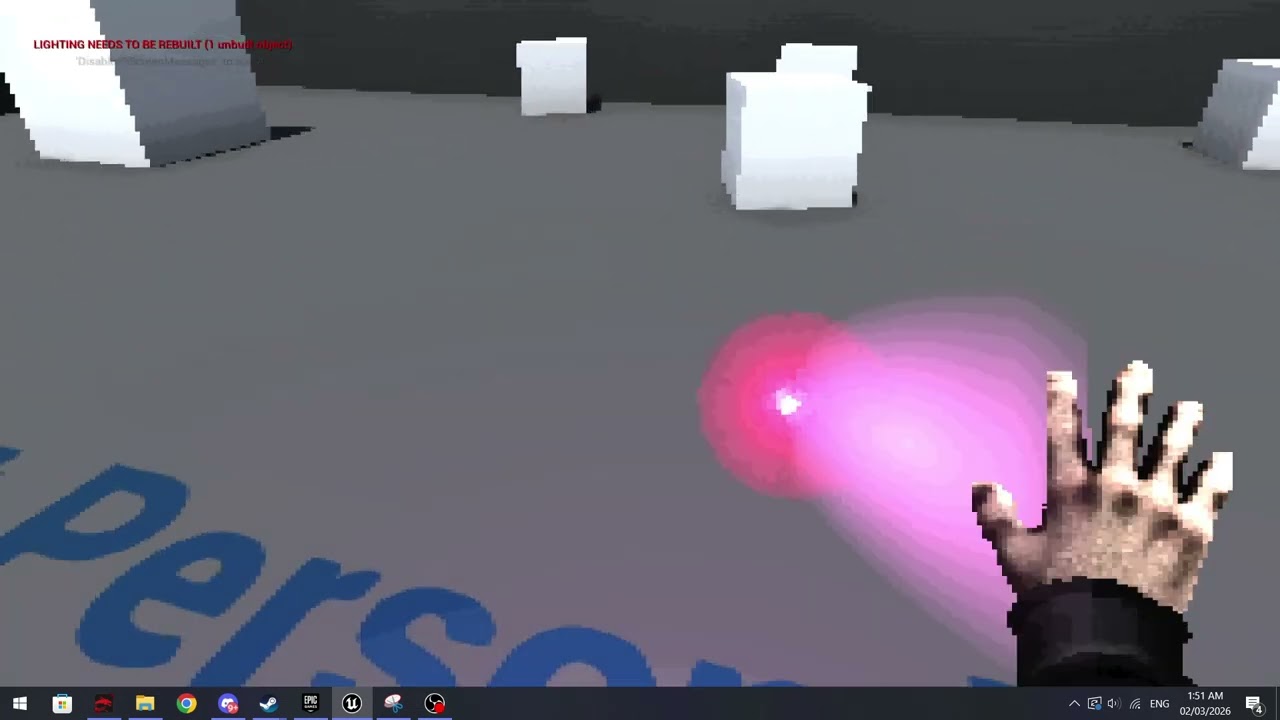 dark drum
dark meadow
Yeah, I think so, essentially I've edited the default explosion particle but the...
dark drum
dark meadow
Yeah, I think so, essentially I've edited the default explosion particle but the...
I'm not sure if it's possible but you might get more luck asking in #niagara If not, they might have suggestions on how to achieve it either way.
dark meadow
Alright sure, I'm using Cascade so I'll specify that
lost wolf
you probably cant
it depends on how its made but you could bake a flipbook with animation frames and then only go to the next frame every 0.3 seconds
dark drum
dark meadow
Alright sure, I'm using Cascade so I'll specify that
Ahh. How come you're using the legacy system?
dark meadow
It's more simple
dark meadow
lost wolf
it depends on how its made but you could bake a flipbook with animation frames a...
Hmm I could, I just don't want to have to make new sprites every time I want a slightly different impact, you know? We'll see how it goes
lost wolf
i would probably just not do it , looks fine without atm
dark meadow
Okay, thanks, if if you're sure :D
odd kiln
Is it normal that the "Wind Source" actor does not work on Physics actors ?
maiden wadi
odd kiln
Is it normal that the "Wind Source" actor does not work on Physics actors ?
Probably. That would be stupidly expensive. The wind thing AFAIK is just a material parameter affector isn't it?
odd kiln
maiden wadi
Probably. That would be stupidly expensive. The wind thing AFAIK is just a mater...
I think you're right.
I need to make a rope bridge swinging from left to right but I can't find how. If someone has an idea maybe ?
That's why I was trying to use Physics Constraints but it does not work how I want it
All videos are for "bouncing" from top to bottom physics
faint pasture
odd kiln
That's why I was trying to use Physics Constraints but it does not work how I wa...
It could do it
First off what's moving the things walking on this bridge?
odd kiln
faint pasture
It could do it
The wind. But I don't need it to be real wind
I just need a basic "Left to Right" swinging animation
But the player can walk on this bridge
faint pasture
odd kiln
But the player can walk on this bridge
Do you want the character to have any influence on it at all or just for the bridge to move like the player wasn't even there?
odd kiln
faint pasture
Do you want the character to have any influence on it at all or just for the bri...
No influence from the character just the bridge move
Like this video https://www.youtube.com/shorts/yYBfHFdMbZw
I don't get it if it's bones / physics or something else ? I guess it's not shader driven right ?
faint pasture
It'd be a skeletal mesh yes
start with getting walking on an animated bridge working first
then later consider making it not just be an animation if you want
odd kiln
Is it not too expensive to make a Skeletal Mesh for that ? I mean I would need too many bones, no ?
faint pasture
I mean it could be 1
odd kiln
Only one bone ?
faint pasture
besides the root bone yeah
odd kiln
Because I need to fix the "ropes" into both ends "poles"
This is with Weight Painting right ?
faint pasture
Have you animated anything ever?
faint pasture
odd kiln
Only one bone ?

red is rootbone's collision, green is other
remember the collision will not BEND
collision is basically rigid, but if it's just swing then otherbone can roll left and right
odd kiln
Ok will try this right now, thanks a lot !
 glad trellis
Hi everyone, I need help. I'm trying to make an indie project of a simplified roguelike, where there is a balancing board on which objects are placed. I can't implement the mechanics when you drag a 3D object from the cards in your hand onto the board like in Heartstone. I would be grateful for any help. Also, if anyone is interested in the project, I'm looking for a programmer.
faint pasture
odd kiln
Ok will try this right now, thanks a lot !
Actually move the otherbone up so it can just rotate, like so

Viewed along the length of the bridge you can rotate it clockwise and counterclockwise to sway it
faint pasture
glad trellis
Hi everyone, I need help. I'm trying to make an indie project of a simplified ro...
How far did you get in your implementation?
Card to spawned actor, card to actor class, what
glad trellis
I made a system of cards in my hand and stopped there
faint pasture
Get dragging a card to print out the class name of the thing it should spawn
odd kiln
faint pasture
Actually move the otherbone up so it can just rotate, like so
Ok I did that and now I got some vertex stretching
I mean I painted the start of the bridge on red in the root bone
faint pasture
you'll have to have a nice smooth gradient from red to green along the bridge, it's just like any other weight painting
odd kiln
Ok thanks ! But in the "root" bone I just have to paint the start and end on red and all the rest in black, right ?
Or I have to make a gradient for both bones ?
faint pasture
Start and end are 100% root, center of bridge is 100% other, in between is in between
odd kiln
Ok thanks !
narrow kite
When you swap between multiple characters is that typically separate 3rd person blue prints with their own skeletal mesh, or using a single 3rd person BP to just change the appearance?
faint pasture
narrow kite
When you swap between multiple characters is that typically separate 3rd person ...
totally depends
maiden wadi
narrow kite
When you swap between multiple characters is that typically separate 3rd person ...
This highly depends on context. 90% of the time it's going to be separate character instances you'll possess individually.
That said there are rare cases where you can simply swap out a mesh/stats on the already possessed one.
odd kiln
faint pasture
Thank you very much I made it ! I just have issues with collisions, I don't know how to set it like a static mesh, I don't want to simulate phyiscs