#blueprint
1 messages · Page 379 of 1
 lofty rapids
 vocal garden
lofty rapids
vocal garden
lofty rapids
shit that radius is huge ?
so i'm not exactly sure but it looked you got a couple hits
lofty rapids
so you want all this stuff together i see its not just look at the enemy
so you got contact
have you ever debugged ?
your battle system looks really weird
like it's not connecting the hits properly
 gentle urchin
Not sure what im looking at tbh
vocal garden
you're making it more confusing
lofty rapids
ok
vocal garden
I did not understand a thing what you just spout.
lofty rapids
ok just get used to debugging
lofty rapids
idk what you mean ?
vocal garden
It means its not fucking finish
lofty rapids
but i can stop trying to help i just like to help if i can
vocal garden
then stop
lofty rapids
np good luck
vocal garden
I'll just go find someone else
lofty rapids
theres many people on here who know how to do things
 frozen hedge
To be fair if you asked for help, atleast show respect to the guy who is trying to help you 😢
lofty rapids
format text is op
i made a similar thing in my visual scripting and its so nice to work with
gentle urchin
Oh i never knew how op it was !
Like
I thought i had to do the format logic on the node itself !
Didnt realize it can substitute things in an incoming text with the correct arguments !
And yes, I shamefully admit that i realized this not long time ago
lofty rapids
that and rich text box
rich text box is great as well
two really sneaky features that are op
since i've used blueprints i've really enjoyed visual programming
lofty rapids
nice
gentle urchin
Just proved once again why i should stick to programming and avoid anything visual lol
lofty rapids
i think mine looks pretty nice

i had ai help me make the node system because i'm much more productive this way tbh
i made this node system in a week would of taken me months
gentle urchin
Nice! Nodes are troublesome 😂
Been fiddling with snother plugin with custom nodes and its always a pain pushing stuff all the way
lofty rapids
i was making a language for a game and it turned into this project its an IDE
made with unreal
basically just the ui elements lol
two web widgets
lofty rapids
lofty rapids
i got a bunch of themes and i can just have ai come up with more np 1000 themes are like not an issue right now

using a web page as a front end makes designing much easier imo
my frontend is independent so i could make this, another one, people could make custom ones
but anyway its inspired by blueprints heavily
lofty rapids
gentle urchin
Been fiddling with snother plugin with custom nodes and its always a pain pushin...
my only major issue is the math for the wires, other then that i have done most of before from scratch
gentle urchin
You could also say its inspired by LD programming 😄
Ladder
From plc world
Node based aswell
Sorry, function block diagram*
lofty rapids
hmm ? this is a node language ?
gentle urchin
 lofty rapids
makes sense looks exactly like it
lofty rapids
its so much to program visually
frozen hedge
lofty rapids
format text is op
It is useful yes
lofty rapids
i have a format string node, and just a format node, the format takes out the quotes
so you can format source code
like an object or array
lofty rapids
gentle urchin
Its why my quest system can have dynamic text !
i will eventually program the quest system in dragon visual scripting
i been working on it in text format for awhlie
gentle urchin
Dragon?
lofty rapids
lofty rapids
gentle urchin
Dragon?
ya my language i been working on
gentle urchin
Ah right right
 gloomy mist
Asking here because I'm not 100% what I'm searching for, I know it's blueprint related. I'm Hoping some may help point me in the right direction. A little context first: I'm a teacher and trying to create a base project we can use as faculty to work into a fun project. My current objective (we already have a working game over all) is to create a character select and level select based around folders. Rather than having to populate these lists manually. I don't even know if this is possible, so that would be my first question, and second would be to ask what nodes I might be wanting to look more into, or if there are search terms I might be able to use to help direct me to the right resources. (that is, if it is indeed possible). Otherwise I'll just need to populate those lists myself.
 pine carbon
gloomy mist
Asking here because I'm not 100% what I'm searching for, I know it's blueprint r...
pine carbon
gloomy mist
Asking here because I'm not 100% what I'm searching for, I know it's blueprint r...
Sounds like this might be a job for a Data Asset?
Could you elaborate on "based around folders"?
gloomy mist
yeah, what we have is a bunch of students in groups. They will each make a character which all share the same rig, but will have their own mesh and Animation blueprints. They are also, as a group, going to build levels with their own assets. My hope was having a way to auto populate these lists.
 steady night
how can i get blueprints into a data table ?
pine carbon
gloomy mist
yeah, what we have is a bunch of students in groups. They will each make a chara...
Do you mean literally just make those folder names, and they're responsible for filling them?
 errant snow
Or even a PrimaryDataAsset. Which is a lot to start out with, but they are a subtype of data asset that are very easy to enumerate all of the instances in the content folder.
pine carbon
That's a job for like, a basic Python script.
gloomy mist
pine carbon
Do you mean literally just make those folder names, and they're responsible for ...
otherwise I'll have a single day to upload, organize, and and populate lists with 50+ characters. So they can all play once we finish the project
if I can use some sort of naming convention and or folders to auto populate, it reduces the workload
pine carbon
Yeah that would probably be a job for a python/whatever language you know script. Whether that will actually be faster than doing it manually depends on your experience working with filesystems in code.
It is definitely a thing which is possible to do.
If you can export your list of student names in a format like JSON or something, there's a lot of existing resources that will make it very simple to process that.
gloomy mist
yeah, ok. Probably Manual then. I was hoping there was a system for it. Considering things like fighting games contain mulitple characters to select from and mods which create new characters..
Ohh, hmmm.. JSON might be something.
Thanks Foxlord. You've helped me at least find a direction to look. Even if, in the end I have to do it manually. I appreciate the feedback and info 🙂
pine carbon
gloomy mist
Thanks Foxlord. You've helped me at least find a direction to look. Even if, in ...
names = JSON.load("path_to_student_names")
for n in names:
  folder = "C:/Students/" + name
  if not os.path.exists(folder):
    os.makedirs(folder)
Pseudocodey starting point for what you want in Python. I don't have the JSON loader syntax memorized but it's well-documented.
gloomy mist
Yeah, what I'm thinking is I can get them to format lists for me, allowing me to copy paste into the final JSON so I'm not entering each one. I'm looking into JSON objects right now. Thanks again!
pine carbon
Np.
 versed oasis
In my blueprint, does anyone know how i can make my Rotating Movement component move only a specific item in the blueprint?
steady night
So first time using datatable.... made a data table containing my BP, how do i get it in the graph ?


I wanna get random "row/item*"
 crimson briar
You don't need a reference variable. You use a node called eee... something data table row by name?
And choose the datatable in the node
There is also a function to get all of the row names in case you want to randomly choose one
Also is that a reference to a blueprint in the data table? Is it a soft one or a standard one?
steady night
its a blueprint
standard one
should i use the soft one instead ?
tbh never used soft ref either
 next hollow
Thats the correct var.
But, you need to use the helper functions.
get data table row names, and get data table row
steady night
crimson briar
You don't need a reference variable. You use a node called eee... something data...
ok but then i just get the name how do i get the content* ?
gentle urchin
It spits out the content in a struct
steady night
ok do i need to cast or ?
 next hollow
Wrong function.
gentle urchin
You want the values
next hollow
 steady night
oh ok, whats the random row node called ?
next hollow
You just get a random row name
It returns a normal array
 gentle urchin
Yuss
 frosty heron
If u dont plan to load the entite inventory in existence then you nees soft ref.
Downside / upside is you have to load it.
Imagine you have 1k items. With its icon and mesh.
You only want to load the one the user have in their backpack.
Instead loading the entire game inventory.
steady night
so if i use random search function i wont load them all ?
frosty heron
Simply having the data table there already load every hard reference it points to.
Typically your data table content should use soft ref.
Like inventory struct then you do want the icon and mesh to be soft ref.
But if your game is small enough
With like 40 to 50 items
Then its your choice to just load them all without a care.
It clearly wont scale in big project though.
steady night
mkey
frosty heron
@maiden wadi im a bit struggling with bundling atm. Cuz i am making rpg game, player may have any item on their backpack. So i kinda async load any item that come to play.
Like if a game have factions or groups then it do be easier to put them into bundle.
For the game im making, apart from the enemies im still trying to figure out how best to load assets.
Cuz ideally i want to load them in the loading screen.
Btw for pocket world, is the only option to display the world to the player is by slapping the RT material in a widget?
 maiden wadi
frosty heron
Btw for pocket world, is the only option to display the world to the player is b...
maiden wadi
frosty heron
Btw for pocket world, is the only option to display the world to the player is b...
Or some other material option like a plane oriented to camera.
frosty heron
Hmmm
Will it feel just as if im looking with normal camera? I should clarify i want to see the whole world in native resolution.
maiden wadi
For bundling. It just depends on the use case. For an RPG you can get away with a lot more in game async loading than you can in like an RTS where everything needs to be loaded before match start.
frosty heron
Gotcha.
As for the pokcet world though, i want to see the entire pocket world while stopping render on the main world.
Im curious at where are the codes that actually bring the scene to the player screen.
maiden wadi
frosty heron
Will it feel just as if im looking with normal camera? I should clarify i want t...
I'd probably dig into engine stuff for this if I was more interested. The normal view is nothing but a scene rendered to an RT. Stupidly dumbed down version of what happens. But if you could control WHICH scene gets rendered instead of just the main world with something overlaying it, you'll probably get a lot better performance not rendering two worlds.
frosty heron
maiden wadi
I'd probably dig into engine stuff for this if I was more interested. The normal...
Yup, rexonat already know how to stop rendering the main world, I will ask him to share later.
But i guess my only option is RT displsyed in full screen in a widget.

 midnight night
guys, for chaos vehicles, how to check if car is In Air?
 sullen violet
Hey — I'm trying to start creating a dialogue system, but I can't understand how to implement it correctly, more precisely, through what. In the guides everyone does it differently: some via Behavior Tree, others via State Tree, a third just inherit a bunch of components. I can't understand which method to choose correctly.
 jaunty solstice
Does anyone know of a way to change the default camera perspective in the blueprint viewport?
 thin panther
sullen violet
Hey — I'm trying to start creating a dialogue system, but I can't understand how...
thin panther
sullen violet
Hey — I'm trying to start creating a dialogue system, but I can't understand how...
Dialogue systems are insanely specific to your needs and desires. There is no correct method. Personally I think the right method for dialogue is probably a custom asset editor in C++, or using some framework that allows usage of a dialogue scripting language. They make the most sense to me, but they might not for others. Go for a method that gets your game released, in a manner that isn't too annoying to maintain and properly fits your needs for dialogue. Some games need text on screen. Some games need that text synced to voice lines. Some games need cinematic camera switches. Some games need dialogue to respond to progress in game and be dynamic.
There is no "right" way
sullen violet
thin panther
Dialogue systems are insanely specific to your needs and desires. There is no co...
thanks for the answer
 faint pasture
State Trees are a decent approach as they're a nice way to build the data that represents a dialogue and compose it out of reusable parts.
Dialogue is typically represented as states + state transitions, that's what state trees are good at representing.
thin panther
That's probably what I'd choose too if I wasn't going to go third party or roll a custom asset editor.
sullen violet
I think the same, but I asked around and people say they're not optimized for that and only work properly with AI.
thin panther
Behaviour trees seem a bit jank, but then again a fair amount of dialogue systems I've seen have their fair share of jank 🤣
frosty heron
gentle urchin
What is this pocket world i keep reading about? 😆
Another instance of UWorld for the purpose of rendering.
faint pasture
sullen violet
I think the same, but I asked around and people say they're not optimized for th...
They'd be fine
Unless you want to spend a year making your own editor just use BT or, if your dialogue is simple enough, just have some sort of a structure and fill them out manually.
frosty heron
@gentle urchin https://m.youtube.com/watch?v=mu7I4PsXY44&pp=ygUaUG9ja2V0IHdvcmxkIHVucmVhbCBlbmdpbmXYBuUE

No fluff, just three general purpose extensions to the Engine, GameFramework, and Iris, that will improve the productivity and stability of your codebase. Each extension doubles as a technical deep dive into its domain, exposing the inner workings of Unreal Engine for you to harness for your specific needs.
- UWorldFactory (Engine): Open 'pocke...
I also like the part where he explain AAnyMeshActor.
Thats useful for my items as well. Sucks to have different code path when dealing with item that is a static mesh and item that is skeletal mesh.
 eager thicket
Question everyone:
I have an object that's travelling at a high speed. I spawn seperate static meshes (which represent broken objects) off it as it travels.
How do I get these seperate static meshes to maintain the same initial travel direction and speed as the main object?
 mental trellis
Set their velocity to the same as the parent object?
 flat coral
How do you check if an enum is valid in BP?
faint pasture
flat coral
How do you check if an enum is valid in BP?
how would it not be?
flat coral
Like if it's an input and I don't supply any value
frosty heron
flat coral
How do you check if an enum is valid in BP?
Enum is just a named integer. They are pre defined so it wouldnt be invalid.
next hollow
Then it just becomes the first possible value.
frosty heron
flat coral
Like if it's an input and I don't supply any value
Can you show how you do it?
mental trellis
Set the default value to something not usually possible, like -1?
Or use TOptional
Or an edit condition with an inline edit condition toggle.
flat coral
frosty heron
Can you show how you do it?
 faint pasture
Enum is like a bool with extra states, a true enum type can't be invalid. I think Unreal adds a hidden default value which you can probably use for this purpose.
next hollow
If you debug that, what does it say?
Cuz, shouldn't it just be the first possible value?
and, if its not, then whatever debugging says, you can just see if its that.
flat coral
I realize my argument is with the language here not y'all, but "It can't be invalid because it randomly picks a valid value!" is a terrible approach to null safety.
frosty heron
flat coral
Depend on what goes in that pure node.
It might just go over switch statement. If you dont provide anything either its probably gonna be the first one or the default case.
faint pasture
flat coral
I realize my argument is with the language here not y'all, but "It can't be inva...
can an integer be null?
Enum is just a named subset of integers
you can use 0 as your undefined or none case
next hollow
Wouldn't 0 be used?
Or, do enums start at 1? lol
next hollow
Oh, I see.
flat coral
faint pasture
can an integer be null?
Integer lets you specify a default
Anyway this code sucks, this function shouldn't have any input at all
The problem is I got AIs which are responsive to some types of signals when inactive. EG a hidden turret won't respond to the player standing nearby or making sounds, but WILL respond to damage or script events
But of course during decay there is no signal type
next hollow
Ok.
Why not just let it be the dropdown like usual?
Then, that fixes any percieved issues.
faint pasture
flat coral
But of course during decay there is no signal type
What are we decaying here, some sort of attention which is increased by signals (which have a type) and decays over time?
flat coral
Yeah exactly. If you imagine a game where AIs have like a detection meter that fills up as they see you, this handles the decay over time (if you're undetected)
I just moved the signal config check to the recieve method, it should always have been there TBH. The awareness check is kinda separate
Behold, my sin! (getting so frustrated with AI perception that I just rolled my own custom system)
 frosty heron
flat coral
Yeah exactly. If you imagine a game where AIs have like a detection meter that f...
frosty heron
flat coral
Yeah exactly. If you imagine a game where AIs have like a detection meter that f...
Im doing this as well, what do you need the enum for?
flat coral
frosty heron
Im doing this as well, what do you need the enum for?
Eh, used to be that some signal types bypassed being responded to in inactive AIs that were generally non-responsive. But I changed it so the enum is part of a different thing (you can see it in the second bool in that code I linked)
What I'm actually doing right now is trying to split my perception system into a superclass controller which JUST handles perception and a subclass that has all the other baseline AI functionality I need
so that I can use the superclass to handle perception on things like cameras and laser grids that aren't really AI pawns in any real sense
 sand shore
Ah you have an enum and you wish to detect and handle unset defaults
You need to create a special value that enum can be set to, called “Invalid” or some such
flat coral
Nah the whole thing's just gone now 🙂
sand shore
Essentially you define what the representation of validity is, as enums are just numbers.
Conversion FROM byte would be another case where the byte is a value that isn’t represented within the enum
Edit: and the normal pattern to detect this is to compare the byte to the highest known value, if the byte is larger then you set the enum to the Invalid state or a sensible default
But outside of those cases it’s a bit meaningless to ask if an enum that is by-value is invalid
Blueprint doesn’t support TOptional or that might be a general way to describe a parameter as absent
mental trellis
Sticking it in a struct with a bool that says whether it's set or not is an option, if bad ux.
(effectively toptional)
 knotty falcon
flat coral
Behold, my sin! (getting so frustrated with AI perception that I just rolled my ...
knotty falcon
flat coral
Behold, my sin! (getting so frustrated with AI perception that I just rolled my ...
Do you just have a huge curved monitor?
I never thought about getting one until i saw that mamoth blueprint screenshot. sounds like a dream putting together blueperints on that
flat coral
knotty falcon
Do you just have a huge curved monitor?
Haha nah I've got two midsized curved monitors
I just stretched the window over both
knotty falcon
youve got me over here pricing monitors now instead of working 
flat coral
FWIW I used to use a single ultrawide at work and honestly wasn't the BIGGEST fan? most things I do benefit from a side monitor anyway
mental trellis
The issue I have is that i'd like one that's 3 "screens" wide.
But they're usually not that big.
knotty falcon
flat coral
FWIW I used to use a single ultrawide at work and honestly wasn't the BIGGEST fa...
what size is the ones you have now?
flat coral
knotty falcon
what size is the ones you have now?
I think they're 27" curved
jaunty solstice
A sine node in a Material can form the basis for a blinking emissive turn signal light.
But what if you want to do the same in a Blueprint using a point light instead of a emissive material?
mental trellis
Use world time and the sine function?
faint pasture
jaunty solstice
A sine node in a Material can form the basis for a blinking emissive turn signal...
or a timeline if you want something more dramatic than a sine wave
 fading raptor
hello everybody ! I'm trying to make a moon that can get closer/further from the surface of the level with an input from the player. The problem I have right now is that on Begin Play, I set a Play Rate for the Timeline for the movement but it only play the timeline at defined time once and after that it always moves instantly. Here are some screenshots of my Event that handles the whole movement part. If anybody knows why it does thaht, it'll be truly helpful, thx in advance !


 next hollow
Gotta do play from start.
Else its just already played to the end on next running
gentle urchin
Am i blind ?
Or just tired?
Cant see anything changing the playrate
But yeah, think you gotta trigger Play or PlayfromStart whwn you change it
Cant recall it being all that dynamic
 harsh nebula
fading raptor
hello everybody ! I'm trying to make a moon that can get closer/further from the...
harsh nebula
fading raptor
hello everybody ! I'm trying to make a moon that can get closer/further from the...
Try ticking the sweep boolean inputs on your set relative location nodes. As long as that is false, set relative will be instant.
 stuck mulch
Hi! So I have a simple question.
What is the best way to Reference a BP for use of a Function or Setting a Variable?
I have BP_Manager and want to use "Get Server World Time Seconds" in it.
So Now i would just go and add a Variable "GamestateRef" as "BP_GameState Object" in my BP_Manager and use this Varible as Target for the function.
BUT - what are other ways to do this? What are maybe better ways? I dont feel like it is good to ref a whole BP if i only need it once.
gentle urchin
interface is an option,
component is another
a complex highly efficient internal target agnostic bus system is a third method
crimson briar
For things like gamestate though, it is mostly fine to just get it and cast. Since they always exist in the level anyway. Unless of course your project would use multiple gamestates with the same actors, then it is a good idea to look into other solutions.
But for single mode games I don't think it is worth it to overcomplicate core classes like gamestate with interfaces and such.
maiden wadi
stuck mulch
Hi! So I have a simple question.
What is the best way to Reference a BP for use ...
Why do you need a GameStateRef? And even if you wanted to cache the pointer, which you shouldn't bother doing, why does it need to be BP_GameState?
You're drastically overcomplicating this.
GetServerWorldTimeSeconds is a GameStateBase function. You can pull it from a simple GetGameState->GetServerWorldTimeSeconds. No casts, no caching needed.
fading raptor
harsh nebula
Try ticking the sweep boolean inputs on your set relative location nodes. As lon...
Oh okay I'll try that, thanks !
harsh nebula
fading raptor
Oh okay I'll try that, thanks !
Ok. Keep us posted on your progress. If that doesn't help then someone else will have the answer, it might take a bit of time due to time zones lol
gentle urchin
Personally I'd probably just use a interp / lerp node
if its player input based, interp is pretty smooth to work with
 wide tree
guys i want to be able to achieve this but i am not so sure how to achieve that type of ragdoll to fit

this is what i did, so is that correct?

 faint creek
Hi guys, I've created my first BPI_Interface, making some test that if I press a key, the mesh with the BPI integrated, change the material. If the key is released material is restored t othe original. However, it doesn't works and I don't understand why. Somebody could help me please?
I think the issue could be the "Target" of the interactable objects influenced by this action, so the "Nearby Interactable"?


 dusky cobalt
The setup looks ok, but the Actor Interactable variable is probably null. How did you set it?
faint creek
dusky cobalt
The setup looks ok, but the Actor Interactable variable is probably null. How di...
Like this?
 crimson briar
faint creek
Like this?
crimson briar
faint creek
Like this?
He meant how did you put a reference into the Interactable variable. An actor variable is just a container, you need to somehow tell the engine what specific object to put there.
faint creek
crimson briar
He meant how did you put a reference into the Interactable variable. An actor va...
Ok so I've just added it because I didn't do that before, but where I have to plug them?

 steady night
https://gyazo.com/35c29e00f4d7ecb8f1c007d3bbb4623f Hey im using overlay material to highlight

but why is the bottom part turning gray ?
next hollow
Probably not marked to work with cloth physics?
Since, it looks like that thing is cloth?
next hollow
Just turn on the used with in the material
steady night
the highlight material ?
next hollow
Yeah
 shut blaze
I've got a problem with this function:
First one sets the NiagaraSystem to active, but then all 6 print false
(in this scenario only the UP one should be set to active
)


are functions just buggy when it comes to some stuff?
for example I used to call a function in a function, and the second one was called twice whilst only being called once
 ember vale
heyy guys, can i use same BP_savegame to add settings variables there what i made to save my game progress at checkpoint? or i need to create another blueprint for these variables?
shut blaze
You can save them wherever you like
ember vale
but when call save game to slot, can i use same "checkpoint" as slot name? or i need another for settings?
shut blaze
You ideally should have a slot for game and another for settings
Just so it's more organised
But you can save them in the same slot which isn't a big problem for small games
ember vale
okay thanks
shut blaze
ember vale
okay thanks
If u have 2 slots
U can delete just one for testing purposes
But having one, means u will reset everything if u delete it
ember vale
shut blaze
If u have 2 slots
U can delete just one for testing purposes
But having one, mea...
ohh, ok i understood😅 , better to use 2 slots
shut blaze
shut blaze
I've got a problem with this function:
First one sets the NiagaraSystem to activ...
Now somebody tell me why are functions cursed 
shut blaze
shut blaze
I've got a problem with this function:
First one sets the NiagaraSystem to activ...
I just realised I am setting the mesh to activate Niagara System
Wow
 mental trellis
It should be full of onions.
 twin shore
Hi guys! I have a question related to unreal pawns. I have a character blueprint where the capsule component moves, but not the skeletal mesh that is child of it. What could be the problem? So when I input for the movement, the capsule, and even the camera moves, but not the skeletal mesh itself

 noble quiver
Hey folks, I'm recreating pipe dream in ue5 (as part of a bigger game). Currently having an issue where the pipes aren't disconnecting when they're 2 or more connections in a row. I know why it's happening (pipes are looking at overlapped pipes to see if conneted, which returns true), I just can't see how to fix it.
BP below https://blueprintue.com/blueprint/hrh8x8wt/
Video Example:

No description provided
lofty rapids
noble quiver
Hey folks, I'm recreating pipe dream in ue5 (as part of a bigger game). Currentl...
i would check for connections when you rotate piece
jaunty solstice
faint pasture
or a timeline if you want something more dramatic than a sine wave
A sin node in a Material can form the basis for a blinking emissive turn signal light.
But what if you want to do the same in a Blueprint using
Thanks!!
Editing static meshes once they are in a Blueprint is extremely cumbersome!
1- How do you change the default camera perspective of the Blueprint viewport?
2- How do you edit any individual static meshes? ie there doesn't seem to be a way to edit a static mesh in Modeling mode once it is inside a Blueprint.
 meager igloo
I'm having trouble with "Weighted Moving Average Vectors",
I'm using this for rigged car damage, bones move in collisions. I'm using this node to smooth out bone movement.
If I set the weight lower, they won't reach the proper final distance.
Why distance even changes with the weight? I can't figure this out
 flat coral
What's the most graceful way to fail if you're in an invalid state?
Like this pawn needs to work with a specific type of controller. If it doesn't have that, it's fucked, errors everywhere, nothing works, it's a mess. So really I'd want this branch to just lead to "Throw" or something like that.
 flat coral
meager igloo
I'm having trouble with "Weighted Moving Average Vectors",
I'm using this for ri...
flat coral
meager igloo
I'm having trouble with "Weighted Moving Average Vectors",
I'm using this for ri...
Also, I'm not surprised you cant figure anything out staring at that spaghetti maze you've trapped yourself in
meager igloo
ok cool, let me zoom out 👌
 flat coral
For reference, this is a really complicated BP in my project. AI-powered turret. It's also old, my newer AI actors have a lot more code centralized but I haven't gone back to update this.
 next hollow
Not even considering the spaghetti.
The value between 2 graph chunks scares me...
faint creek
faint creek
Ok so I've just added it because I didn't do that before, but where I have to pl...
Somebody could help me please?
meager igloo
meager igloo
I'm having trouble with "Weighted Moving Average Vectors",
I'm using this for ri...
Wait, maybe it works after all, just very slowly 
I probably just need to have more weight in it
fading raptor
harsh nebula
Ok. Keep us posted on your progress. If that doesn't help then someone else will...
well even with sweep checked it doesn't fix it so I don't know..
fading raptor
fading raptor
hello everybody ! I'm trying to make a moon that can get closer/further from the...
if anybody has an idea I'd be glad to read it !
 granite nacelle
I'm having problems inside my localization dashboard basically all important buttons like Gather text, Count words and Compile text just aren't working, i click them and they just buffer for hours.
fading raptor
fading raptor
if anybody has an idea I'd be glad to read it !
Here's a video of it if it helps !
next hollow
We told you?
You gotta play from start, not just play
Play, is from the current position, which is the end
fading raptor
next hollow
We told you?
I already switched it but it didn't fix it, when I press the input to move the moon, the movement still is done even though it shouldn't

if I wait the duration I set for my timeline's play rate, it does the fluid movement again but it seems if I press the input before the end of the timeline, the movement is still done even though it shouldn't do so as the true isn't linked to anything
frosty heron
fading raptor
I already switched it but it didn't fix it, when I press the input to move the m...
What r u trying to do?
Why is moon move according to input?
fading raptor
because it's for a puzzle game, here a puzzle with gravity platforms that move up or down depending on the distance between the moon and them
and the code is right for now since it moves but it moves even when it's not supposed to, I dunno why
frosty heron
And they r fixed? Meaning it has fixed start and end?
Timeline works for something with fixed length.
frosty heron
fading raptor
and the code is right for now since it moves but it moves even when it's not sup...
Like wdym? Changing the bool will not stop the timeline.
If you want to stop the timeline while its playing you probably need to get the handle and call stop
fading raptor
frosty heron
Timeline works for something with fixed length.
to do the movements I use the base relative position of the object and then set a fixed X value, don't know if that's the way to do it
 frosty heron
fading raptor
to do the movements I use the base relative position of the object and then set ...
frosty heron
fading raptor
to do the movements I use the base relative position of the object and then set ...
No this gonma give you random values.
The start has to be pre determine so is the end.
If the relative location CHANGES on the update then you are not gonna get the result you want.
- Evaluate start and end.
- Only then run the timer, with the pre evaluated start and before the timer runs.
If u r looking for something that isnt of fix length then dont use timeline.
fading raptor
frosty heron
Like wdym? Changing the bool will not stop the timeline.
but in all my previous blueprints I did it that way to avoid the player activating multiple times the Timeline (here is an example of a Lever I did and I can't pull it until the timeline has finished)
 frosty heron
fading raptor
but in all my previous blueprints I did it that way to avoid the player activati...
frosty heron
fading raptor
but in all my previous blueprints I did it that way to avoid the player activati...
Yea you cant pull it again but its npt as if the timeline stop
You have to get a reference to the timeline and call stop if you actually want to stop a timeline that is currently playing.
fading raptor
frosty heron
1. Evaluate start and end.
2. Only then run the timer, with the pre evaluated st...
I'll do that then, thx for your guidance
fading raptor
frosty heron
You have to get a reference to the timeline and call stop if you actually want t...
but I just want the player to not be able to trigger it multiple times so I must stop it if he tries to trigger it before it has finished ?
I don't really see how to do that
frosty heron
Whats the actual flow of the game?
Press X then moon start moving from A to B position and when X pressed agin the moon stops?
fading raptor
frosty heron
Whats the actual flow of the game?
Press X then moon start moving from A to B p...
No, it's more of : Press X the Moon starts moving from A to B position and pressing X won't do anything until the moon has finished its movement
frosty heron
Then determine start and end before calling the timeline.
Timeline output value between 0 and 1. 0 is the start, 1 is the end. Make sure 0 is at start timelin 1 is the end of timeline.
Use the output to lerp between start and end. Thats it.
You can keep the bool likr whst you have if all you want is to do nothing when pressing the button again.
fading raptor
ok I'll try that then, thanks !
frosty heron
fading raptor
but in all my previous blueprints I did it that way to avoid the player activati...
Look at your lever logic here.
Its got the right idea.
fading raptor
frosty heron
Look at your lever logic here.
well I'm calculating the values but I ended up using another method I found on a tutorial that worked as intended without using the values I calculated
frosty heron
The issue with your moon logic is that the relative location must have been changed on the fly.
fading raptor
frosty heron
You can keep the bool likr whst you have if all you want is to do nothing when p...
I did as you adviced but I still get the same problem even though the boolean is set and everything, I did everything the same way I did it for the rotation input of my moon but it doesn't behave the same, dunno why
 fading raptor
I did as you adviced but I still get the same problem even though the boolean is...
fading raptor
fading raptor
I did as you adviced but I still get the same problem even though the boolean is...
finally fixed, just changed the branch & the set of the boolean before the whole calculation and it seems it fixes it !
thx all for your help !
shut blaze
Why no one told me you could put emojis in comments? 😭

 keen crest
Ok so there is a load level node that im using in my custom level streamer.
Does that tend to have trouble loading builddata?
because my shadows are getting really messed up ingame and the streamer is the only thing i can think iof
shut blaze
keen crest
Ok so there is a load level node that im using in my custom level streamer.
Doe...
-
I think you gotta either build lighting when all levels are loaded (if for example: Level_Room + Level_Props)
Or for each individually (if u dont want levels having mixed data) -
Remember to delete the BuiltData first and then rebuild
(I'm not really sure about the first one, still experimenting with streaming myself)
keen crest
shut blaze
1. I think you gotta either build lighting when all levels are loaded (if for ex...
well i have lighting for specific areas of the map
and i just bake the areas that have lighting in that specific map
so i bake the map in chunks essentially
shut blaze
How are they getting messed up?
shut blaze
keen crest
so i bake the map in chunks essentially
I've looked at your screenshot from #lighting
Alright, posible fixes:
- Delete > Bake again
- Making sure you only show the levels you want to bake light
- Make sure there is nothing blocking the light from the source to the wall (like a prop)
Posible indicators:
- Try moving lights then bake to see what points to the cause
- Same but this time objects
- In the Levels Window, hide/show different levels and see which ones affect the baked light (see which ones cause bad shadows)
 visual crest
I need to get a random point inside a box and that point needs to be within a radius of my vector. This works but can throw a infloop error so its a no go. Any one know how to do this?

 dire rose
guys im trying to get my character to super jump when i jump on a wall then press S but shit is NOT working what should i doooooo
 visual crest
dire rose
guys im trying to get my character to super jump when i jump on a wall then pres...
visual crest
dire rose
guys im trying to get my character to super jump when i jump on a wall then pres...
most likely your animation is root motion and launch character does not work during a root motion animation. Its something I constantly have hit my head against too.
frosty heron
dire rose
guys im trying to get my character to super jump when i jump on a wall then pres...
Dont ever cross pin like that.
Might want to brush on some blueprint starter material if you dont fully understand how exec pin flow.
visual crest
frosty heron
Dont ever cross pin like that.
Oh I did not even see he had a branch plugged into inputaxis lol. Yea thats not going to work
dire rose
do yall have a quick fix or something
cuz i dont have no root animation or anything
idk man just learning and stuff
visual crest
on you inputaxis have a branch if (new varible "wallruning") = true launch
Wallrunning get set true when wall running.
errant snow
visual crest
I need to get a random point inside a box and that point needs to be within a ra...
Well one big no-no is that you shouldn't have multiple nodes connected to the output pin of a random generator node.
It will generate different values for each input. You should cache that into a variable (or right click the node and select 'Show Execs' if you have an engine version that supports that)
Secondly, your false branch still needs a return node (logically with the output of the GetSpawnLocation call wired to the return value).
But it's going to be a tough thing pair of constraints to meet. Do you have other code that only calls this if it's even possible? Like if that box and the sphere actually overlap?
 narrow kite
dire rose
guys im trying to get my character to super jump when i jump on a wall then pres...
narrow kite
dire rose
guys im trying to get my character to super jump when i jump on a wall then pres...
The back end coding for super jump is something like this
 narrow kite
frosty heron
Dont ever cross pin like that.
narrow kite
frosty heron
Dont ever cross pin like that.
Good advise
 visual crest
errant snow
Well one big no-no is that you shouldn't have multiple nodes connected to the ou...
visual crest
errant snow
Well one big no-no is that you shouldn't have multiple nodes connected to the ou...
that was a code I quickly put together I know it don't work I want some thing that clamps the result to inside radius AND inside box.
errant snow
visual crest
that was a code I quickly put together I know it don't work I want some thing th...
Off the cuff my best recommendation is an approximation:
Calculate the bounding box of the sphere. Calculate the box that is the intersection of the spawn box and the sphere box.
Generate a random point in the overlap box.
It may produce some points outside the range of sphere, but it's a practical check vs the math to compute some box/sphere overlap shape that's difficult to randomize a point within.
And it will be easy to detect the error case because the overlap box will be inside out. (max < min in at least one dimension)
narrow kite
visual crest
I need to get a random point inside a box and that point needs to be within a ra...
Not sure what your talking about with the vector or why it matters. This is a simplified version that does a random spawn in a box.

 proud bridge
Hi everyone, this is not a straight up UE question, but I m desperate and need to ask.
I have an interview with Rockstar Games on 31st for Gameplay Tools and Engineer post. They want UE experience. Can anyone point me in any direction as to what to expect or prepare for the interview. Since this is Rockstar, i only get one good chance so i have to rock this interview. Thanks!
narrow kite
You can change the box size anyway for each instance
narrow kite
proud bridge
Hi everyone, this is not a straight up UE question, but I m desperate and need t...
Realisticly if you have to ask that question you don't have the experience needed.
proud bridge
narrow kite
Realisticly if you have to ask that question you don't have the experience neede...
Visit www.lanykea.com for my work. Thanks!
narrow kite
That's not needed. If you are actually applying for a job where UE experience is needed or even preferred you should be familiar enough with the program to know many of it's aspects and how it works.
proud bridge
narrow kite
That's not needed. If you are actually applying for a job where UE experience i...
I do know. I want some information as to what to expect from the interview. How do they screen people. What else should I prepare for
narrow kite
You should be able to hold a converstation about UE knowing the basics and terminology.
In a first screener interview on the phone most people look up the info anyway. Those are just hiring companies to ensure you may qualify.
If it's an actual interview you should be looking at videos anyway. The 10,000 made for that purpose.
proud bridge
narrow kite
In a first screener interview on the phone most people look up the info anyway. ...
All these are done. I have already cleared two rounds. Now they are calling me for a tech interview
visual crest
narrow kite
Not sure what your talking about with the vector or why it matters. This is a s...
I am doing an open world Bullet heaven area that also randomly spawns an obelisk that spawn extra enemies around it. So the enemies need to spawn in a radius around the obelisk which by its self is easy but they also have to make sure they are not spawning outside of the Bullet heaven area. lol
 narrow kite
proud bridge
All these are done. I have already cleared two rounds. Now they are calling me f...
narrow kite
proud bridge
All these are done. I have already cleared two rounds. Now they are calling me f...
I did a tech interview in a different field. I already had years of experience and the technical knowledge. It was easy in a live 1 on 1. They will KNOW whether you know or not.
proud bridge
narrow kite
I did a tech interview in a different field. I already had years of experience ...
Should I showcase my work myself or only showcase when asked?
narrow kite
If you don't know what a blueprint or c++ is you might have an issue 😉
Don't push yourself on them. Let them dictate it. But be prepared if you have work to provide.
proud bridge
narrow kite
If you don't know what a blueprint or c++ is you might have an issue 😉
Dude i have deployed a multiplayer shooter game single handedly. So yea i know
proud bridge
narrow kite
Don't push yourself on them. Let them dictate it. But be prepared if you have ...
So only showcase when asked
narrow kite
Yes
lofty rapids
visual crest
I am doing an open world Bullet heaven area that also randomly spawns an obelisk...
Could you just spawn out from center at random rotation, if your outside pull back until your inside
visual crest
then I am just looping like the example I showed. No?
narrow kite
2 seconds on google might help, To find a random point within a specific radius of a location in Unreal Engine, use the "
Get Random Reachable Point in Radius"
 violet bison
anyone know how to make chat auto-move to next line?
 frosty heron
There is a tick box you can tick iirc
Open up the detail panel and explore
See if auto warp helps.
@violet bison
violet bison
found it

 warped juniper
Hey, I'm using assets from the default UE5 fps pack for debug and testing, but I found an issue. Not sure why but, when the character moves forward too fast the bullets / darts get spawned inside the player capsule.
This creates a visual bumping effects as the bullets push the character away
 hardy merlin
I've spawned a default Trigger Sphere and it's set to Trigger collision profile, which includes Pawn. My player character is of type Pawn. The trigger sphere has "Generate Overlap Events" enabled. However, overlapping it does not trigger the event I bound to On Actor Begin Overlap. Switching collision profile to Overlap All does generate overlaps, but I am confused why it doesn't work with default Trigger profile.
Stranger, it's reacting to my hitboxes but not the player character.
narrow kite
violet bison
found it
If it's text from the UMG widget you may already have a check box
 violet bison
narrow kite
If it's text from the UMG widget you may already have a check box
violet bison
narrow kite
If it's text from the UMG widget you may already have a check box
I foudn it already, but thanks anyways!
violet bison
warped juniper
Hey, I'm using assets from the default UE5 fps pack for debug and testing, but I...
set source variable on spawn (actor)
overlap/hit actor !=source
hardy merlin
hardy merlin
I've spawned a default Trigger Sphere and it's set to Trigger collision profile,...
Solved this! Apparently the Character Capsule has to be marked as "Generate Overlap Events", not just the trigger.
frosty heron
warped juniper
This creates a visual bumping effects as the bullets push the character away
Well the bullet shouldnt collide with the owner. Anyway you probably want overlap instead of blocking.
Just ignore owner on the overlap event.
warped juniper
frosty heron
Well the bullet shouldnt collide with the owner. Anyway you probably want overla...
I did that exact thing a few minutes ago on my own
Still use Projectile Hit for non pawn collision tho
frosty heron
Sure, thats fine
 narrow pulsar
I need some help figuring out how to fix an issue. I made my AI behavior tree movement like in the screenshot. Essentially it follows the player when not within range and the acceptance radius is attack range of the AI * 0.9 so that it's well within range to perform the attacks.
The issue is that if I move slightly bit backwards, I get just outside the range and the AI for some reason gets stuck and does not move within range to perform the attack. I gotta move like a full 1-2m for it to move again and get within range again.
 crimson briar
Not sure how you are handling the attacking, but in general you need a condition that aborts the attacking when the distance goes over some value
I forgot how they were named, not decorators but... uh
crimson briar
narrow pulsar
I need some help figuring out how to fix an issue. I made my AI behavior tree mo...

Epic Games Developer
Describes the concepts behind Behavior Trees in Unreal Engine and how they differ from traditional Behavior Trees.
Although not sure if this is what you want. But either way you need to abort the attack either right away or after a short delay - to not make the enemies stick too much to the player
narrow pulsar
they dont stick too much
they just get within range and thats it
the issue is that the AI isn't moving when its just barely outside range
for some reason
narrow pulsar

Watch Issue by Steeljardas and millions of other Unreal Engine videos on Medal. #unrealengine
Notice how I move just slightly backwards just enough to get outside of his range and he just gets stuck
it gets into the move to node but never actually moves enough to get within range
steady night
Just so im not missing anything this puts the players "sound source" where he takes all the info about sound from and attaches it to the "camera objects root componenet"

am i using the wrong node ?
is there a way to "show the audio listener ingame" so i can debugg where its going
maiden wadi
steady night
is there a way to "show the audio listener ingame" so i can debugg where its goi...
Nothing that is BP exposed.
/** get audio listener position and orientation */
ENGINE_API virtual void GetAudioListenerPosition(FVector& OutLocation, FVector& OutFrontDir, FVector& OutRightDir) const;

/** Gets the attenuation position override. */
ENGINE_API virtual bool GetAudioListenerAttenuationOverridePosition(FVector& OutLocation) const;```hmm okey
lofty rapids
narrow pulsar
https://medal.tv/games/unreal-engine/clips/m0GjKBCJouonyO4e4
thats bugging out it looks like a race condition
lofty rapids
narrow pulsar
https://medal.tv/games/unreal-engine/clips/m0GjKBCJouonyO4e4
one problem might be the delay, what is that for ?
narrow pulsar
lofty rapids
thats bugging out it looks like a race condition
dont think so because looking at the graph it's constantly re-queue'ing the custom move to node, it simply does not move because it's technically within range the acceptable radius. (Based on whatever internal calculation it's doing).
narrow pulsar
lofty rapids
one problem might be the delay, what is that for ?
This is running on hundreds of AI, it's used to avoid 100+ AI from moving in the exact same tick, basically spreading it out over multiple ticks
narrow pulsar
Will do give me a couple mins
 little moat
If I do this, does each line get a randomized integer?
 narrow pulsar
Nothing really changes seems like
next hollow
little moat
If I do this, does each line get a randomized integer?
Yes, any time a pure node is used, its re-ran.
Its not cached like functions with exec lines.
 dark drum
When you get an editor crash, does anyone know if the breadcrumb file denotes the source of the crash?
I keep getting a crash but I can't for the life of me figure out what's causing it.
 little moat
next hollow
Yes, any time a pure node is used, its re-ran.
Its not cached like functions wit...
little moat
next hollow
Yes, any time a pure node is used, its re-ran.
Its not cached like functions wit...
So all the shit I use the randomizer for gets a new randomized value?
Damn
I got a problem tho
I'm trying to make my npc's go from place to place randomized, but how do I prevent the same patrol point from getting rolled twice in a row?
next hollow
Just make it re-roll if its the same?
If current point == new point, get new point again
versed oasis
I seriously need help, im genuinely losing it. I have been trying to make a 3d widget's button clickable but no matter what i have tried it just doesnt work. I am currently running a line trace to see what the button actually hits and it seems to be hitting the widget normally (if my logic is set up right)
It is in fact printing the widget so the click should be registering. However no matter what i have tried, plus having added a hover over of the mouse to the widget, its still printing nothing almost like the widget isnt detecting the cursor at all.
The widget and its clicks work on 2d space as long as i set the Z to 100

 little moat
next hollow
If current point == new point, get new point again
little moat
next hollow
If current point == new point, get new point again
Yeah except how do I set up those variables? I haven't programmed in a while so I'm forgetting basic logic
versed oasis
I started making this game through the First Person template. Chances its actually interfering with me using a 3d widget's buttons?
dark drum
Does anyone have any ideas what would cause the editor to crash only when playing in the viewport during a level change?
When I go to 'Open Level' the editor crashes with:
Unhandled Exception: EXCEPTION_ACCESS_VIOLATION reading address 0x0000001100000000
This is from the logs before it crashes:
LogBlueprintUserMessages [W_Compounds_V2_C_0] Starting compound level load! Log LogGlobalStatus UEngine::Browse Started Browse: "/Game/Maps/Runtime_CompoundMap?/Game/Blueprints/Compounds/Active/001_PrimeMatter/C_Dihydrogen.C_Dihydrogen" Log LogNet Browse: /Game/Maps/Runtime_CompoundMap?/Game/Blueprints/Compounds/Active/001_PrimeMatter/C_Dihydrogen.C_Dihydrogen Log LogLoad LoadMap: /Game/Maps/Runtime_CompoundMap?/Game/Blueprints/Compounds/Active/001_PrimeMatter/C_Dihydrogen.C_Dihydrogen Log LogWorld BeginTearingDown for /Game/Maps/UEDPIE_0_MenuMap Log LogWorld UWorld::CleanupWorld for MenuMap, bSessionEnded=true, bCleanupResources=true Log LogSlate InvalidateAllWidgets triggered. All widgets were invalidated
 next hollow
Sounds like you should install the debug symbols from EPIC, so you can actually know the crash stack.
Your gonna get no where, without at least function call info.
 flat scarab
Hi. Not sure if this is the right place to ask, but in Lyra, where can I find the Blueprint that defines the timer it takes for a 'Game Experience' like the Expanse level? When I start the level, I notice it counts down 12 minutes. But I can't seem to find where that is defined in the project.
next hollow
little moat
Yeah except how do I set up those variables? I haven't programmed in a while so ...
At a basic level, just some like current point, and next point vars
Set next point to the random value, then if they equal, loop back to the set again.
Assuming you always have multiple points, then you should never have issues.
(cuz, if you ever don't have multiple, then it'll just lockup the game, cuz infinite loop.
little moat
next hollow
At a basic level, just some like `current point`, and `next point` vars
Set next...
No description provided
Well here's the code
Shouldn't it work?
It doesn't, but I don't understand what's wrong
next hollow
For one.
What doesn't work?
It always goes to the same one, it doesn't move, or what?
Second, would be debug.
Whats the length, what ths current/ last values, and etc.
Cuz, for all I know that patrol points are invalid, or have no length.
So, your AI is just walking to 0,0,0 over and over.
dark drum
next hollow
Sounds like you should install the debug symbols from EPIC, so you can actually ...
This is the stack trace I get. They all seem to be engine functions.
next hollow
Oh, well.
Thats a whole not helpful in anyway, like I had imagined. lol
dark drum
next hollow
Oh, well.
Thats a whole not helpful in anyway, like I had imagined. lol
I'm glad its not just me. 😅
next hollow
I thought it was gonna be some basic function that got a null.
Not just oh, garbage collection died
dark drum
The breadcrumb file points to one of my widgets but beyond that I'm at a loss. The last thing it does it calls the open level function.
next hollow
Do you have that seamless travel or whatever enabled?
Cuz, if you do, the thing that comes to mind is an object reference in your Gamemode, or game state.
dark drum
next hollow
Do you have that seamless travel or whatever enabled?
Cuz, if you do, the thing ...
I don't believe so but I'll give it a check after I've done the school run.
next hollow
If that breadcrumb leads to the widget, could simply try calling remove from parent right before the open level.
But, I only recall widgets causing issues like that in super duper old 4.5.1
Can you send that file.
Can't say i've heard of/ seen that file before, but maybe???
jaunty solstice
How do you trigger a Timeline animation in sequencer?
I tried simply adding a Delay node before (BeginPlay>Delay>Timelinenode)
but doesn't work. My Timeline plays immediately when rendering in Sequencer.
dark drum
next hollow
If that breadcrumb leads to the widget, could simply try calling `remove from pa...
Seamless travel was disabled in the various game modes. I also tried removing the widget from parent before i open level but that doesn't seem to have done anything.
dark drum
next hollow
Can you send that file.
Can't say i've heard of/ seen that file before, but mayb...
I don't mind sharing the widget but its a widget I've setup and would break (not function) unless I share other stuff.
dark drum
next hollow
I mean that breadcrumb file.
Oh, yea, there's not much in it.
next hollow
Oh, does the game instance have a ref to the widget?
dark drum
next hollow
Oh, does the game instance have a ref to the widget?
No, but i think it might be something to do with a local player subsystem to aid in pushing widgets to the viewport.
 storm solar
I want to enable camera movement while the came is paused.
Looking online it seems I have to do this by enabling FullTickWhenPaused in player controller.
pc is a c++ class and not a BP. When looking at pc I see that shouldpreformFullTickWhenPaused is set to 1 so it should be true? I tried making it into a bp but I cant see where to change pc to my custom made pc.
 warm hare
How do I modify my interaction system so the player does not have to look directly at the item, but can be withing range of the item and they can interact with it? Similar to Resident Evil where you can walk near and item and pick it up if you are within range.

 frozen hedge
warm hare
How do I modify my interaction system so the player does not have to look direct...
frozen hedge
warm hare
How do I modify my interaction system so the player does not have to look direct...
A collision overlap?
warm hare
frozen hedge
A collision overlap?
My items have a collision overlap already but it only enables the input, but I still have to look at the object due to the line trace
maiden wadi
dark drum
Oh, yea, there's not much in it.
TLDR you're crashing on garbage collection. What all does this widget link to?
frosty heron
storm solar
I want to enable camera movement while the came is paused.
Looking online it see...
Game mode
dark drum
maiden wadi
TLDR you're crashing on garbage collection. What all does this widget link to?
Yea I think I've fixed it. I believe it was a local player subsystem that I used to help manage some UI stuff. I set it to clear all widget references on world tear down and I'm no longer able to repo.
narrow kite
warm hare
My items have a collision overlap already but it only enables the input, but I s...
Use the overlap as the interact trigger not the trace. Or expand the radius of the trace. Just don't put two interactions to close together.
 worthy echo
I'm making a first-person character ladder
Above mentioned blueprint is my code, but problem is that the player is not coming from upside to down but if i use the ladder from down to to and from mid to up and down both work
and 2nd problem i tried it don't use the ladder from side edge rod but its still using from that i want it just work from mid part of ladder
any suggestions how can i implement this


 faint creek
Hi guys, I'm making a portal with my first person character. It works however the rotation of my character is not well oriented. What I don't understand how to make is that when the player crosses the trigger, player is teleported to the position of another object while maintaining his relative orientation and offset.
Somebody could help me please?
 frosty heron
Pluggijg 0,0,0 to the rotation will keep the character rotation.
Maybe what you want is for the character to face certain point.
In that case you need to evaluate and plug the result to the dest rotation.
E.g facing portal forward vector.
 last peak
worthy echo
I'm making a first-person character ladder
Above mentioned blueprint is my code...
last peak
worthy echo
I'm making a first-person character ladder
Above mentioned blueprint is my code...
What?
faint creek
frosty heron
E.g facing portal forward vector.
Could you exmplain it in details please?
I'm trying to make the PT style infinite hallway
faint creek
frosty heron
E.g facing portal forward vector.
I've tried to do this but nothing
 pine carbon
Is there a debug command to draw the local rotation axis of actors?
 worn bramble
Having problems with my Blueprints, was building off of a tutorial and attempted to add hearing to my behavior tree but it is skipped and idk why. My goal is to add the ability for the AI to hear a Sound perception input and go to it.


 astral flame
Is this a solid stamina system I created functions for my Sprinting/Walking Speed then custom events for the rest use a base stamina system then a Use Stamina and Regen Stamina
 astral flame
worn bramble
Having problems with my Blueprints, was building off of a tutorial and attempted...
astral flame
worn bramble
Having problems with my Blueprints, was building off of a tutorial and attempted...
Can't see the first picture clearly.
worn bramble
Sorry, I tried to putting everything closer so i can screenshot them together better


Or Perhaps are there any good tutorials on how to have Multiple AI_Perception senses so i can better utilize both
pine carbon
This feels silly but it's driving me insane. How do I make the LaunchToPoint function call "stick" to that panel? It's tedious having to select the object from the tree every time I run it.
 astral flame
This is my Stamina/Regen Logic im trying to get it so there is a slight delay then regen stamina. Everytime I do this the delay play and only regens my stamina 2% every 4 seconds. how do add a delay but trigger it once then by passes the delay then continues to regen stamina? I tried the do once node and that just let me regen 2% and stopped the whole regen code

 unborn anchor
If I wanted to make a top down action style game like Zelda ALTTP, do you guys think its better to have the camera oriented to the side or literally from above?


just wondering because I can see both ways having pros and cons
narrow kite
astral flame
This is my Stamina/Regen Logic im trying to get it so there is a slight delay th...
Set timer by function name can be set to loop at a specified interval. You could probably just regen stam at a given interval completely separate from consumption.
astral flame
narrow kite
Set timer by function name can be set to loop at a specified interval. You coul...
What do you think about timer by custom event
narrow kite
That doesn't matter. You create your function to regen stam. The timer just calls it on intervals. Whether it's custom or added function doesn't matter.
pine carbon
How in the heck do I read the project level gravity value at runtime?
I did not expect this to be hard.
I don't wanna just hard-code it in. That's awful practice.
worthy echo
last peak
What?
I’m making a first-person ladder system in Unreal Engine using Blueprints, and I’m facing two problems. First, when the player enters the ladder from the top, they are unable to climb down. Climbing from the bottom to the top works correctly, and entering from the middle allows both upward and downward movement, but entering from above does not allow downward movement. Second, even though I tried to restrict ladder usage, the player can still start climbing from the side rods of the ladder. I want the ladder to only be usable when the player is aligned with the center of the ladder, not from the sides. I’ve attached my Blueprint above and would appreciate any suggestions on how to implement this properly so the player can climb down from the top and only interact with the ladder from its middle section.
frozen hedge
worn bramble
Sorry, I tried to putting everything closer so i can screenshot them together be...
Put them in functions
- sight sense
- hear sense
To make it easier to debug
I have done a hear sense on a input
gentle urchin
pine carbon
How in the heck do I read the project level gravity value at runtime?
gravity is applied per actor is it not
frozen hedge
narrow kite
That doesn't matter. You create your function to regen stam. The timer just ca...
Agreed
I added at the start - 2 stamina * 0.2 for example while using function timer for regen and drain

 pine carbon
gentle urchin
gravity is applied per actor is it not
pine carbon
gentle urchin
gravity is applied per actor is it not
There's a project-level gravity setting and I cannot seem to access it from inside an actor.
gentle urchin
where do you find that ?
this is the only thing i find, which yes, comes from the settings
 dark drum
pine carbon
There's a project-level gravity setting and I cannot seem to access it from insi...
dark drum
pine carbon
There's a project-level gravity setting and I cannot seem to access it from insi...
If I remember correctly it's not exposed to BP.
pine carbon
Ugh.
gentle urchin
you could expose it if you do any c++
a simple bpfl function and you're good to go
 sturdy wraith
hello i wanted to add trace to my sword so i wanted top and bottom points of my sword and when i added them my sword now spawns in sky instead of hand previously it was working fine when press 1 sword was spawning correctly


 dark drum
sturdy wraith
hello i wanted to add trace to my sword so i wanted top and bottom points of my ...
dark drum
sturdy wraith
hello i wanted to add trace to my sword so i wanted top and bottom points of my ...
The sword mesh isn't the root and has an offset from the actor origin. This would be the offset you see.
narrow kite
dark drum
The sword mesh isn't the root and has an offset from the actor origin. This woul...
That sound correct. However, if you look closely that weapon probably out weighs the body which could also be the reason for an offset 😉
Try to pick up at a 280 pound sword and see what happens.
sturdy wraith
dark drum
The sword mesh isn't the root and has an offset from the actor origin. This woul...
thanks it worked
narrow kite
Is a single skeleton intended to be assigned to multiple player/enemy meshes?
Or are they really intended to each have their own skeleton? Unreal doesn't seem to like doing that
crimson briar
Skeletons in general should be shared whenever possible. With humanoids there is no reason to not share the same skeleton between players. Or enemies.
dark drum
narrow kite
Is a single skeleton intended to be assigned to multiple player/enemy meshes?
Adding to what Verael said, every character having their own skeleton means animations can't be reused across different characters. (easily) Even if for the most part would be the same.
Its easy enough to use the same skeleton but have unique animations where it makes sense. (female/male walk cycles for example)
maiden wadi
I personally prefer to keep my skeletons in the closet, away from my enemies.
gentle urchin
I was wondering why i saw you order the XXL closet the other day
maiden wadi
 ember vale
i don't understand anything anymore what is happening with this UE5, why first structure he can save can load can display on my widget, but second structure can't display on my widget, wtf?


i made absolute same things for every structures, i tried to add a print string inside Game Instance with changed value and it shows saved values and loaded values, but when i add same print string with same value changed inside my widget blueprint, it shows 0 values saved 0 loaded, and this is happening only with second structure, first structure shows everything good when i connect a print string to them inside widget blueprint
if i call saved structure form BP_Savegame, all works fine, but when i call it from Game Instance it shows 0 values 🤦 , but why when i call first structure from same game instance all works fine?
 lusty ore
Hi everyone,
I'm looking for a professional method to generate a 2D CAD floorplan from a large Unreal Engine level
I need an exact, technically accurate drawing of the level including all objects. My end goal is actual geometry or vector-based lines for precise measurements where the 1:1 scale is maintained.
My first thought was taking an orthographic top-down image and converting it to vectors, but this is rarely precise enough for technical documentation.
I am currently experimenting with an Editor Utility Actor using Box Traces to "scan" the floor geometry and capture coordinates.
Is there a professional "best practice" for this? Perhaps a specific workflow involving external software or a reliable image-to-vector converter that actually preserves architectural scale?
Are there any existing plugins (free or paid) designed for this type of CAD export?
If I have to build the tool myself, are there specific architectural design patterns in Blueprints I should follow to ensure the data is "CAD-ready"?
I'm open to using other programs alongside Unreal if necessary to solve this.
Thanks in advance for any tips!
Best regards, Simon Ohlsson
ember vale
another thing, can't understand why on first screenshot all works fine, but for second i need to make another cast to my game instance because it shows access none

 dark drum
ember vale
if i call saved structure form BP_Savegame, all works fine, but when i call it f...
dark drum
ember vale
if i call saved structure form BP_Savegame, all works fine, but when i call it f...
How do you set the reference to your game instance?
ember vale
dark drum
How do you set the reference to your game instance?
this is inside event construct of my widget blueprint

but works fine for get current game settings structure, and when i made same thing for get current video settings is not working anymore
dark drum
ember vale
but works fine for get current game settings structure, and when i made same thi...
Have you cleared previous saved game data for the settings? (located in the 'SaveGames' folder)
ember vale
yes
i think is something wrong with this why it shows access none and i need to make another cast to game instance to fix the error
 dark drum
ember vale
this is inside event construct of my widget blueprint
dark drum
ember vale
this is inside event construct of my widget blueprint
When do you call 'SetSettings'?
ember vale
dark drum
When do you call 'SetSettings'?
event construct of my widget blueprint
ember vale
ember vale
i think is something wrong with this why it shows access none and i need to make...
yes is because of this thing, i deconnected it and not widget shows loaded values, now how to fix this event here
if i add an another cast this removes the error, but turn back all saved values to 0🤔
@dark drumi added a print string and it shows the name of game instance, so it works fine, but why when i connect to that nodes set members it show error?

🤷
 dark drum
ember vale
event construct of my widget blueprint
dark drum
ember vale
event construct of my widget blueprint
Can you show it?
ember vale
@dark drum

i just added the game instance cast inside my custom widget blueprint and error is fixed, but if i connect these nodes set members, my settings widget still show 0 values
 ember vale
fixed it, inside custom widget blueprint was a problem with dispatcher🫡
 waxen nacelle
Hello, I'm moving a UserWidget position from the tick method of a component, however there is a small delay in the render update which makes the sprite moving a bit awkward.
I tried with a WidgetComponent rendered in screen space and it works fine, no delay
What can I do to fix this delay? Thanks
 eternal marsh
Can I change the velocity vector of a projectile component mid flight? I am building a ricochet system and everything looks correct but the bullet stops. I am doing a line trace and my ricochet vector looks correct. I thought maybe the projectile is far enough in the collision it can’t escape on hit but even if I offset it on impact and then add velocity it is not moving. Thanks!
dark drum
Does anyone have any suggestions on how to sort an array of primary asset IDs without having to load them to check some sort of Int value for the order?
faint creek
Hi guys, I'm making a Night Vision system, but it doesn't work when in the room there is no light. Somebody know how to fix this? I'm trying to create a night vision in a compleately dark scene with no lights

I changed the exposure but nothing
 errant snow
dark drum
Does anyone have any suggestions on how to sort an array of primary asset IDs wi...
errant snow
dark drum
Does anyone have any suggestions on how to sort an array of primary asset IDs wi...
If you make the property Asset Registry Searchable, I believe you can get the value through the asset registry. The asset registry probably doesn't take a primary asset ID, but you should be able to get whatever it does need using the id and the asset manager.
narrow kite
dark drum
Adding to what Verael said, every character having their own skeleton means anim...
@crimson briar Thank you both. That was the goal and direction I was hoping for. However, the reason for the question is because I have come across many assets which use a custom skeleton even for humanoid types. I just ran into this issue with a set of skeleton's. I didn't want to try to match up a bunch of animations to that specific skeleton.
However, in doing so it seems in many cases they have extra bones or different names. So if you re assign the skeleton without trying to add the bones it will simply fail. If you merge them it may cause issues with other assets using the skeleton.
It can also lead to an error where an auto fix is applied to repair it and says you need to save the skeleton. Which can keep re occurring even after saves. And seemingly reappears randomly.
 compact vapor
Is it possible to multi trace and hit each surface normal of a mesh?
 idle crescent
Is there any kind of async function for blueprints?
maiden wadi
idle crescent
Is there any kind of async function for blueprints?
If you mean async as in threading, then no. Some plugins give the ability but it's a fairly dangerous thing to be doing in scripting territory.
If you mean running things over multiple frames like time slicing, not by default but it should be fairly easy to put in some helpers if you understand how to do something like that. Essentially time the work you do, and at intervals stop and set a timer for next frame and continue after that.
idle crescent
Alright. I just am trying to not have it get overwhelmed and lock up
maiden wadi
What are you doing that is causing the lockup?
idle crescent
Querying a lot of terrain data. A LOT.
In a square KM, but I need to do it only once pre-runtime.
Perhaps too much. I don't know the machine limits yet, though
little moat
I'm trying to have a system where the AI picks a patrol point to go to and if it's the same as the last one, it rerolls it. So shouldn't this work? https://blueprintue.com/blueprint/q-rwchi1/
No description provided
lofty rapids
little moat
I'm trying to have a system where the AI picks a patrol point to go to and if it...
looks like all your doing on true is finishing execution ?
is it supposed to execute again i'm assuming is what your doing ?
little moat
lofty rapids
is it supposed to execute again i'm assuming is what your doing ?
Yeah
Reroll the thing
Doesn't finish execution redo it?
 lofty rapids
little moat
So shouldn't it always restart it anyways?
lofty rapids
little moat
So shouldn't it always restart it anyways?
what happens if just on false you just finish execution , put a print string
little moat
lofty rapids
what happens if just on false you just finish execution , put a print string
Never prints it
Weird.
little moat
lofty rapids
does it print
Yeah, when they get stuck and when they start without getting stuck
They get stuck for some reason
lofty rapids
little moat
Yeah, when they get stuck and when they start without getting stuck
at the beginning before the branch its not always printing ?
little moat
Or if they don't, they'll get stuck on X amount of times
little moat
lofty rapids
at the beginning before the branch its not always printing ?
It is always printing
little moat
So my guess is that it's somehow still getting stuck on "AI move to"
little moat
lofty rapids
so put a finish execution at the end of the false
Well nothing happens
lofty rapids
ok so whats happening
lofty rapids
little moat
Well nothing happens
make sure your cast is succeeding
little moat
So basically I'm trying to randomize the patrol points of an npc and if the next one is the same as the previous one, it rerolls the patrol point they're going to
little moat
little moat
So basically I'm trying to randomize the patrol points of an npc and if the next...
Then when it isn't the same, it moves the AI there and sets the last PP index as the current one of the PP they're moving to
lofty rapids
so what i would have is a patrol, then when it gets to a point, run another node that sets the new patrol point after a delay
maiden wadi
The task will never finish, based on what you posted above.
little moat
lofty rapids
make sure your cast is succeeding
It is
little moat
maiden wadi
The task will never finish, based on what you posted above.
Why wouldn't it?
lofty rapids
i know why its getting stuck
little moat
Even if I add finish execute on both, they still randomly get stuck
little moat
lofty rapids
becuase your constantly running false
Question is why tho
little moat
lofty rapids
theres no wait for it to do the walking ?
No
maiden wadi
It's random. You are randomizing it every time.
You have to essentially get lucky for it to stop.
lofty rapids
you are randomizing it on tick basically
have a seperate patrol
and then use the tree to switch
little moat
maiden wadi
It's random. You are randomizing it every time.
Yeah but I'm randomizing the current PP they're moving to
little moat
maiden wadi
Then?
Then I assign the last PP index to the one they're going to. Then I rerun the code
Then I check if the last PP index is the one that got rolled
little moat
little moat
Then I check if the last PP index is the one that got rolled
If it is, I rerun the code
lofty rapids
your randomizing on tick basically, this is not good
he probably looks like a break dancer ?
little moat
lofty rapids
your randomizing on tick basically, this is not good
Yeah but that can't be the problem
little moat
lofty rapids
he probably looks like a break dancer ?
No.
little moat
They just get randomly stuck at the beginning or get stuck after an X amount of times of switching between patrol points after they've moved to it
lofty rapids
well you should probably have what i'm saying and thats a patrol node, then when you get to your point ...
little moat
Here's another run
They should keep walking to the other patrol point every time basically since I only have two
lofty rapids
well i would have a target on the blackboard
and switch the target after getting to a target
little moat
Dude I'm lwk embarrased. My characters don't have clothes and I got those fuckass mixamo animations 😭
little moat
lofty rapids
well i would have a target on the blackboard
Why on the blackboard tho?
I just wanna have one task run the patrolling, shouldn't be that hard
lofty rapids
i mean you can use the patrol node, then when you hti the spot, delay, run the next node which is your pick a target node
i think theres even a node for that
lofty rapids
little moat
I just wanna have one task run the patrolling, shouldn't be that hard
then don't even use a tree
just use regular nodes
little moat
lofty rapids
i mean you can use the patrol node, then when you hti the spot, delay, run the n...
So separate the check and the moving?
little moat
lofty rapids
just use regular nodes
Uhhhh how
lofty rapids
ai moveto
little moat
I just don't understand why it's not working, that's the issue
It's completely random whether they get stuck or not
How does my true not run?
lofty rapids
i mean i already said what i said
i believe its probably random on tick
which is not so good
little moat
lofty rapids
i believe its probably random on tick
Well it isn't on tick
Technically
little moat
Well when the character is moving, it doesn't really run on tick
little moat
lofty rapids
does it not continously run ?
No.
lofty rapids
i asked and you said yes lol
hmm
i specifically asked for you to print at the beginning
little moat
No I ment that it runs, but not continuously. I ment that it runs every time the code gets ran
lofty rapids
when does it run ?
little moat
lofty rapids
when does it run ?
Every time the game starts and when they get to their patrol point
BUT if I run it after the branch on the true, it runs completely randomly
lofty rapids
little moat
Every time the game starts and when they get to their patrol point
show the print string
actually printing
little moat
Sometimes it runs when they get stuck, sometimes it doesn't.
little moat
lofty rapids
i mean don't even use a tree
little moat
lofty rapids
but i think your problem is the logic
little moat
lofty rapids
but i think your problem is the logic
How so
I mean yeah me too, just don't know what
lofty rapids
it only log that two times because you probably don't have finish execution at the end
like i mentioned you should have
little moat
I do have it now
Like I don't understand. It's random whether it prints it
And why is the AI stuck without printing it at the start?
little moat
lofty rapids
try again on fail as well
On false?
lofty rapids
on fail
little moat
Well I did
little moat
little moat
Like I don't understand. It's random whether it prints it
here's the result
lofty rapids
did what ?
lofty rapids
ffs
on fail
retry
like you do on success
thats why its not printing again
no success
 lofty rapids
do you know how nodes execute ?
little moat
On fail of AI move to
little moat
My bad
lofty rapids
but i would retry on that
little moat
Okay so now it prints when they get stuck
That's great
But why would it fail?
What causes a simple move to to fail?
little moat
lofty rapids
probably because it's colliding with the platforms
Yeah but they get stuck in the beginning too
little moat
lofty rapids
make the platforms no collision
How did I do that again with a static mesh?
I removed the mesh
Still gets stuck at the beginning
lofty rapids
little moat
Still gets stuck at the beginning
whats the default last value
if its a possible first value then your probably freezing
i usually start it with a negative or something
little moat
lofty rapids
whats the default last value
-1
lofty rapids
little moat
-1
print the target actor classname
so on false
when you get the item from the array
print the index, and the item name
little moat
lofty rapids
print the index, and the item name
lofty rapids
little moat
ya subtract one
your using length
but arrays are zero index
so 2 items is 0,1
not 0,1,2
little moat
So I'm using an index above the max of my array?
lofty rapids
yes i think so when you close it is it error ?
lofty rapids
little moat
So I'm using an index above the max of my array?
yes because arrays start at index 0, and length is the technicall amount of items
little moat
lofty rapids
yes i think so when you close it is it error ?
Nope
lofty rapids
ai move to is probably just silently failing
little moat
But why would it use 1, 2 instead of 0, 1?
lofty rapids
because length is 2
and you get a random between 0,2
theres a node specifically for this reason
lastindex
right ?
i think so atleast lol
ember vale
someone know why dlss and fsr not working?, tried to change AA, i tried to enable disable remove save settings files, i can't understand why it not work,
 little moat
lofty rapids
i think so atleast lol
little moat
lofty rapids
i think so atleast lol
Oh yeahh, there is
Holy ball knowledge tho, how do you know this
lofty rapids
its extremely common in programming
its a real fkn pain you have to get length - 1
so like in dragon you can actual use negative indexes
some languages do that
little moat
ember vale
someone know why dlss and fsr not working?, tried to change AA, i tried to enab...
I don't have knowledge on graphics so I can't really help
lofty rapids
ember vale
someone know why dlss and fsr not working?, tried to change AA, i tried to enab...
are you sure the value going to the switch is correct ?
put a print on the execution make sure its running
ember vale
lofty rapids
are you sure the value going to the switch is correct ?
yes, i tried same commands direct in console and still no changes
ember vale
lofty rapids
put a print on the execution make sure its running
are running i already tried everything, i can't understand what is wrong
lofty rapids
ember vale
yes, i tried same commands direct in console and still no changes
so they are not working in general ?
its not necessarily the blueprints
they are not actually working
ember vale
lofty rapids
so they are not working in general ?
sometimes FSR works only, but dlss 0 changes
i didn't touched anything for now, i just runned the game again and FSR started to work again, but dlss still nothing
lofty rapids
ember vale
sometimes FSR works only, but dlss 0 changes
is there a plugin you need to enable for dlss ? idk much about this stuff tbh
ember vale
random things are happening with this UE5😂
ember vale
lofty rapids
is there a plugin you need to enable for dlss ? idk much about this stuff tbh
i enabled them
 lofty rapids
ember vale
i enabled them
lofty rapids
ember vale
i enabled them
and you restarted ?
ember vale
yes
lofty rapids
your drivers are up to date ?
lofty rapids
ember vale
i enabled them
i would enable all the nvidia stuff just to be sure
ember vale
lofty rapids
i would enable all the nvidia stuff just to be sure
closed the game, started again, FSR not working anymore, AGAIN🤬
what is happening i dont understand😂
little moat
Is there not a simpler way to do this 😭
 mental trellis
Yes. C++ 😂
little moat
mental trellis
Yes. C++ 😂
I do C++, just not in this case
Wait why am I not doing C++?
little moat
Do people usually do AI logic in C++?
little moat
I'm just trynna check if the sphere collisions of my NPC's will collide in the future
Isn't that logic right tho?
I'm checking their future locations and squaring their distance. Then I check if r1 + r2 <= the distance squared
Except why the fuck do I get a copy tho?
Yeah... it does not work
Prints "hello" every time it runs
mental trellis
Maybe it's lonely?
 spark steppe
that part of your issue is obvious
little moat
Nvm, still printing
little moat
spark steppe
that part of your issue is obvious
Yeah, I'm not exactly a math guy
spark steppe
wth are you even doing, we can only see half of it
question 1.) where does this code run?
little moat
No description provided
little moat
spark steppe
question 1.) where does this code run?
My npc bp
spark steppe
i hope NPC Future Locations doesn't contain the NPC which this runs on?!
little moat
spark steppe
i hope `NPC Future Locations` doesn't contain the NPC which this runs on?!
Uhhh
Shit.
Well...
yeah.
So that explains it
I'm checking the npc that's doing the checking
spark steppe
yea that one will be exact 0.0 away
little moat
Simple fix: if the index of the npc is the same as the array index, start over?
Do you have a better idea?
spark steppe
yea, use a map...
npc as key, location as value
and just skip if npc == self, or only add to the map when npc != self
and remove the square stuff and use normal distance node and no pow2
that's the least of your "optimization" issues
write working code first, optimize later
little moat
What would be the most?
spark steppe
depends™ but likely missing caching of variables which get calculated
and the fact that you calculate future locations on every NPC, for every other NPC
little moat
spark steppe
yea, use a map...
Yeah, if I would know what even is a map
lemme try and chatgpt
Yeah except now I gotta learn how to use a map instead of an array
How do I add actual instances to a map?
@spark steppe Is this what I do with maps to get instances in them?

 fiery swallow
if I had a dollar everytime gpt was dead wrong about something unreal engine related
confidently wrong, and arguing with me about it too
little moat
fiery swallow
confidently wrong, and arguing with me about it too
Was I wrong?
fiery swallow
I haven't read anything, I just seen you said you were gonna ask a chatgpt question
fiery swallow
make sure you take it as a maybe and not a real answer. Though I guess it's fine if the topic is simple and easy
little moat
fiery swallow
make sure you take it as a maybe and not a real answer. Though I guess it's fine...
yeah I will
fiery swallow
spark steppe
that's the kind of stuff that ChatGPT can tell you tho
agree
little moat
Yeah except now it hallucinates when I try to ask it about updating the values inside my map
fiery swallow
little moat
<@280376753363353600> Is this what I do with maps to get instances in them?
also you're using that map incorrectly, no point in making a map with a key and index, a regular array does the same thing
Ben was saying to make the value the location
right now you have it as an integer
little moat
I thought I already made it a fucking vector
Shit
Well what if I wanted to use the NPC reference for something else?
fiery swallow
https://i.gyazo.com/3ad74b165280d21353c78467b748eb54.png
https://i.gyazo.com/d50a608c1258fd90590fd6cf84912b59.png



 little moat
fiery swallow
https://i.gyazo.com/3ad74b165280d21353c78467b748eb54.png
https://i.gyazo.com/d50...
little moat
fiery swallow
https://i.gyazo.com/3ad74b165280d21353c78467b748eb54.png
https://i.gyazo.com/d50...
Yeah
fiery swallow
I'm looking at the blueprint, what are you trying to do? Are you trying to predict whether two AI paths will intercept?
little moat
Okay so previously I had an array of NPC's and their future locations in my NPC controller. Then I updated the future location using a set array elem and some calculations in my NPC bp. How do I use a map instead?
little moat
fiery swallow
I'm looking at the blueprint, what are you trying to do? Are you trying to predi...
yes
fiery swallow
where is this code getting called from? A manager? (I hope) or each individual NPC?
little moat
fiery swallow
where is this code getting called from? A manager? (I hope) or each individual N...
Which code?
Uhh
In the controller I had simply set the npc instances and had the variable for future locations
fiery swallow
the blueprint stuff you posted
little moat
Then in the NPC itself I'm doing the calculations for the future locations, then setting them, then checking if they're gonna collide
fiery swallow
just wondering about time, I see you're accounting for collision
do we care about time?
little moat
fiery swallow
do we care about time?
What do you mean by that
fiery swallow
the NPC's are moving around, even though their paths might cross it doesn't necessary mean the NPC's will collide with eachother right?
there paths would have to cross and the NPC's would have to get to that same point at a specific time in order for a collision to occur
so I'm wondering do you care about that, or do you just want to know if their paths intercept
little moat
I just wanna check if they're gonna collide so I can do avoidance logic
little moat
fiery swallow
the NPC's are moving around, even though their paths might cross it doesn't nece...
I don't mean cross
I'm purely calculating whether at a future point in time their capsule collision is gonna overlap
fiery swallow
but that's what I'm saying I don't see any time calculations in your blueprint snippet
I can't even start to help until I know exactly what you want
spark steppe
i feel like this might be a bad/expensive way of doing it, + the general BP overhead
little moat
fiery swallow
but that's what I'm saying I don't see any time calculations in your blueprint s...
 little moat
spark steppe
i feel like this might be a bad/expensive way of doing it, + the general BP over...
little moat
spark steppe
i feel like this might be a bad/expensive way of doing it, + the general BP over...
I discussed it with someone and they told me it might be the most efficient way
spark steppe
was that someone ChatGPT?
little moat
I'm checking every 0.5 seconds if the capsule collision of one actor is going to overlap with another capsule collision in the future
little moat
spark steppe
was that someone ChatGPT?
@deep helm I think
spark steppe
ok, thought you do it every frame
so you already trade lower update frequency for a bit inaccuracy, which is good
tho i would do that in some global place, a manager actor or similar
instead of running this on each NPC, as you get a bunch of checks twice the current way
little moat
spark steppe
tho i would do that in some global place, a manager actor or similar
Hmmm, like what?
I just don't understand how could I handle that check in some other actor
I mean
fiery swallow
also did you remember to filter out yourself, and also what is index?
little moat
I technically could take all the NPC's and try and do the collision calculations there
fiery swallow
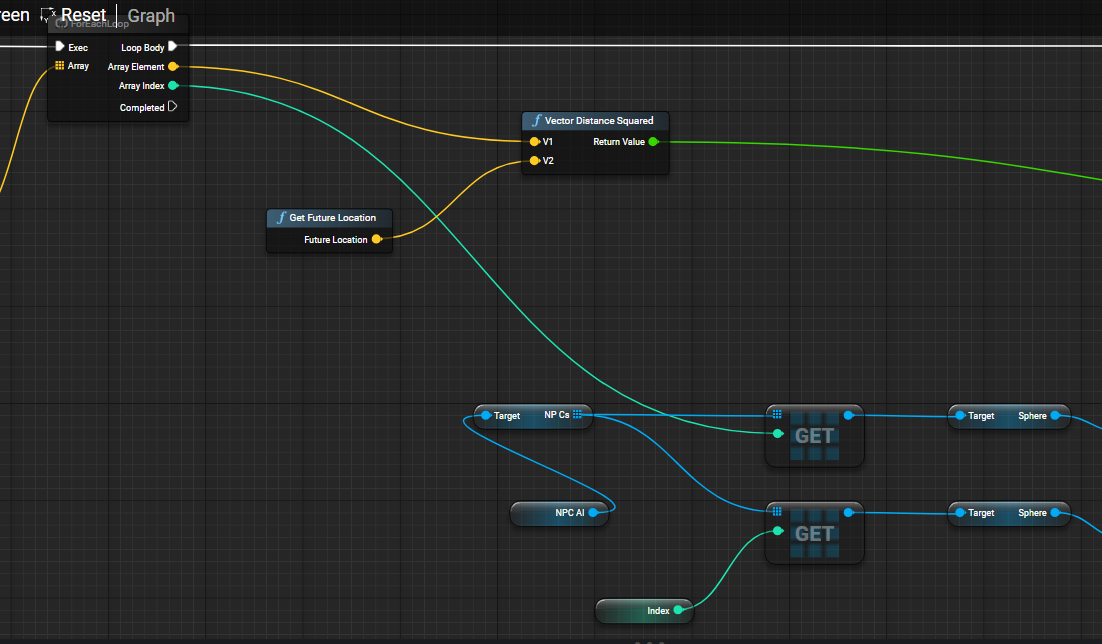
 little moat
fiery swallow
also did you remember to filter out yourself, and also what is index?
little moat
fiery swallow
also did you remember to filter out yourself, and also what is index?
The index is the index of the NPC BP itself
It's spot in the array of NPC's I had
fiery swallow
what's the current result?
you never collide with anyone, or are you always colliding?
little moat
fiery swallow
you never collide with anyone, or are you always colliding?
Well the result was that it probably worked
I didn't get to exclude self from the check, but it probably did work according to logic
But yeah I now understand why do it on a manager
If I do it on the NPC bp, you're checking every other npc on every npc
fiery swallow
A manager definitely helps with optimization and simplicity. There isn't really an easier way to check if two actors are about to hit eachother. This looks like the easiest way albeit not really a great way
though it's fine if it works for your games needs
little moat
fiery swallow
A manager definitely helps with optimization and simplicity. There isn't really ...
Well what would be the most performance to complexity ratio way?
 narrow sentinel
Out of interest does anyone know whatd be better in this situation. My player is in the players ship level. And they when they go to warp i fake going to warp and then when out of warp theyll be a location so space station etc. The player ship will appear to move towards station and appear to dock with it. Obvs player ship never actually moves though
Apparently i have two options, i move the transform of the stream level which the space station is on, or i move a root actor everything in that level is attached to
The players ship cant move either due to how its built which is of alot of peices
maiden wadi
narrow sentinel
Out of interest does anyone know whatd be better in this situation. My player is...
Usually in this case the best option would be to fake the station. Make a big outside model for it and move that during docking so the player can visually attribute that to their ship moving.
Then you can stream in the station level inside of this mesh once docking is completed.
idle crescent
Anybody know how I can get the slope of an impact point, in degrees? Only the slope.
narrow sentinel
maiden wadi
Usually in this case the best option would be to fake the station. Make a big ou...
So i was gonna have them load screen into the station level
maiden wadi
I mean in that case it's easier. Cinematic the fake station into place and then loading screen.
maiden wadi
idle crescent
Anybody know how I can get the slope of an impact point, in degrees? Only the sl...
Sounds like you want to get the DotProduct of VectorUp to your ramp's normal, then ACOSd that.
fiery swallow
maiden wadi
Sounds like you want to get the DotProduct of VectorUp to your ramp's normal, th...
the fact that you know that from the top of your head is a little impressive, took me a while to figure out the formula for it way back... Are you a math wizard, or do you just have it memorized ? 😄
maiden wadi
Memory. 😄 I used it a lot in UI stuff
fiery swallow
little moat
Well what would be the most performance to complexity ratio way?
It's not even worth it, doing your checks in a manager at a reasonable time is fine until it isn't
fiery swallow
maiden wadi
Memory. 😄 I used it a lot in UI stuff
ah, I know you're just trying to be humble. He's a math wizard
idle crescent
I probably have forgotten most of what I learned in school, if I ever learned it.
maiden wadi
Math was not my thing. I was always annoyed by the memorization tasks. Didn't interest me, so I didn't want to memorize it.
In the case of the above math though. It's really useful in UI. Rotating things correctly in like radial boxes. Like an analog quick select menu for example.
idle crescent
Huh. Thanks again anyways.
I think that does it. I know dot product is multiplying two vectors, basically, isn't it?
maiden wadi
Not multiplying it tells you how closely two vectors are pointing to the same direction.
narrow sentinel
maiden wadi
I mean in that case it's easier. Cinematic the fake station into place and then ...
Yeah thats what i was thinking but id put the station or location in its own stream level to be streamed in when needed. How perfoemance impactjng is it though to move the station root actor with station and other actors in a cinimatic sequence
maiden wadi
Like...
VectorUp DOT VectorUp would give you a 1.0. They're both pointing identically the same.
VectorUp DOT VectorDown would give you a -1.0. They're pointing opposite.
VectorUp DOT a vector pointing to the horizon would give 0.0, halfway between Up and Down. Cause it's perpendicular.
idle crescent
Weird. I don't get math much either.
How did you know to apply arc cos to it, I'll never know.
maiden wadi
I looked it up a few times. Eventually remembered it. 😄
Couldn't explain what it does. No idea. I know what DotProduct gives as a value, and I know what ACOSd gives. But I've never bothered to learn the actual math for them.
idle crescent
I'm guessing it's like the opposite angle based on the dot product or something?
Fair, totally.
narrow sentinel
And id somehow id need to have it where the location would mive into rifht place
idle crescent
I take it this could be used to find other things too, like if you hit a surface with a project, inverting the direction it came from, using that as dot product with the surface angle and acos?
This is also a long shot, does anyone know how grand strategy games where it's a whole world do the map wrap around effect?
little moat
fiery swallow
It's not even worth it, doing your checks in a manager at a reasonable time is f...
Yeah but what is the best way?
 prisma cedar
I tried to make the player character move on a spline in a loop but this also causes a hitch when the player character reaches the start/end point of the spline. How do I fix this hitch?
 maiden wadi
prisma cedar
I tried to make the player character move on a spline in a loop but this also ca...
maiden wadi
prisma cedar
I tried to make the player character move on a spline in a loop but this also ca...
Are you talking about the camera jump at 3s in the video?
Oh. No I see what you mean now. When it crosses zero
prisma cedar
Yeah
maiden wadi
I'm confused by this though. Where else are you using distance? Your numbers are going down but Distance isn't negative like your branch suggests it should be.
These branches are bugging me I think. You shouldn't need to do anything but increase Distance. And then if it's > Spline Distance, subtract spline distance from it.
prisma cedar
maiden wadi
I'm confused by this though. Where else are you using distance? Your numbers are...

 maiden wadi
Yeah. So your original function should be making use of this Backwards check as well. Basically...
Actually your original function is useless unless I'm mistaken.
prisma cedar
maiden wadi
Actually your original function is useless unless I'm mistaken.
Without it the player character stops moving when it reaches the start/end point of the spline
maiden wadi

Try something like this.
On your last screenshot. And remove the wrap thing.
Well. Leave the wrap thing but remove the True part of Loop
Oh. I missed your delta modifier. But yeah. Mostly just the wrap addition.
prisma cedar
Thanks!
 teal gyro
Hello everyone and good afternoon, I hope you are all doing well. I need a little help from you.
I'm creating my game in Unreal Engine 5.5. A few days ago I converted my world to World Partition, I configured it and everything seemed fine, but here's the problem: a few days later, when exporting the game, I realized that World Partition wasn't working because it was loading the entire map. I would appreciate it if you could help me.
narrow kite
Where did my enemies find better weapons than mine?
frosty heron
send him back to sword school
narrow kite
frosty heron
send him back to sword school
I need a blacksmith that sells +21 glowing weapons
warped juniper
Hey, I need some help
I tried using the fps remplate for some tests but I ran into an issue
I added a simple sprint function but I found out that for some reason, when sprinting forward and firing a bullet, the bullet hits hitself. somehow. This makes it stop in place and bump the player
frosty heron
warped juniper
Hey, I need some help
I tried using the fps remplate for some tests but I ran in...
You already asked this another day, haven't you try to ensure that the bullet doesn't hit the owner?
warped juniper
This is something different altogether
warped juniper
frosty heron
You already asked this another day, haven't you try to ensure that the bullet do...
I did a print debug. Pink is the projectile actor, and blue is the component the actor hit.
 frosty heron
warped juniper
I did a print debug. Pink is the projectile actor, and blue is the component the...
frosty heron
warped juniper
I did a print debug. Pink is the projectile actor, and blue is the component the...
well what do you find from that debugging?
seems like it's hitting it self
warped juniper
That's exactly what it seems to do
frosty heron
but I don't even know how you print this, so can't tell for sure.
warped juniper
But it only seems to happen when the player sprints
And here's where it gets printed
 frosty heron
print the hit actor
if it's hitting the owner, then make changes to the collision so it doesn't hit the owner.
Normally for a projectile, you don't set hit on pawns anyway. Just overlap and you can destroy the projectile on overlap.
so when the overlap happend on owner, you can simply do nothing.
projectile can still block static and world dynamic
warped juniper
I was trying to understand how epic does it, mostly
Since this is the default of the template
warped juniper
frosty heron
print the hit actor
Just tried it. Still prints the exact same actor.
So it quite literally hits itself if spawned while moving too fast
frosty heron
address that then, a projectile shouldn't hit it self.
check your collision settings
warped juniper
Yeah I will but what confuses me is, HOW can it even hit itself?
frosty heron
a component hitting another component within the same actor
i mean it doesn't really care whom the actor belong too. Component can collide with anything.
warped juniper
No but it's somehow hitting its collision component
The only component with any collision on the actor
@frosty heron I tried everything. I know for a fact the projectile somehow hits its own collision component, but I cannot make it not do that.
frosty heron
warped juniper
<@1050954229902213150> I tried everything. I know for a fact the projectile some...
post more information, like how your projectile actor is setup.
show the components, it's properties, etc.
warped juniper


 frosty heron
Why is it blocking everything??