#blueprint
1 messages · Page 367 of 1
 crude dew
think this might be what you need.

 frosty heron
the service will set what the target will be.
crude dew
That will Get the value that you define in the Blackboard and use that as a AttackRange the Acceptable Radius input.
 sudden garnet
Thanks, it still didn't work :/ . Do you think I should set Instance Synced to true?
If I manually set "Acceptance Radius" to 600 it does work
 maiden wadi
If that didn't work then your AI's BT isn't set to what you think it is. Where are you setting it?

 crude dew
Are you checking the AI Debugger to make sure the AttackRadius is set?
sudden garnet
I don't think I've ever used Ai Debugger.. How can I access it?
crude dew
use the Apostrophe key to bring it up, It,ll show you this.
 sudden garnet
ohhhh right! that's helpful, thanks
crude dew
Ofc if you have more than one enemy you may need to select the enemy you want to debug by running the game in editor, Ejecting from the player and then go select the enemy you want to debug and then re-insert back into the player model to view that enemies debug.
sudden garnet
right.. I think it might be because I've only set Run Behavior Tree for 2 types of enemies where I have another 3 as well I haven't setup
crude dew
It,ll just ignore the 3rd option if it doesnt exist.
sudden garnet
Because Ai Debugger said Melee Enemy BT was executing but once more enemies spawned there was no BT being executed
crude dew
Are the new enemys being assigned an Enum (Ranged, Melee, Boss)?
sudden garnet
not yet, I think that's what's missing
crude dew
as soon as they are spawned set them to their enemy type so it knows which tree to run.
else it,ll run the default option you select which could be melee for a ranged enemy.
Would highly recommend this guys tutorial also -> https://www.youtube.com/watch?v=zNJEvAGiw7w (its quite an old video but i think it is still relevant for Behaviour Trees) I think he has a UE5 version also
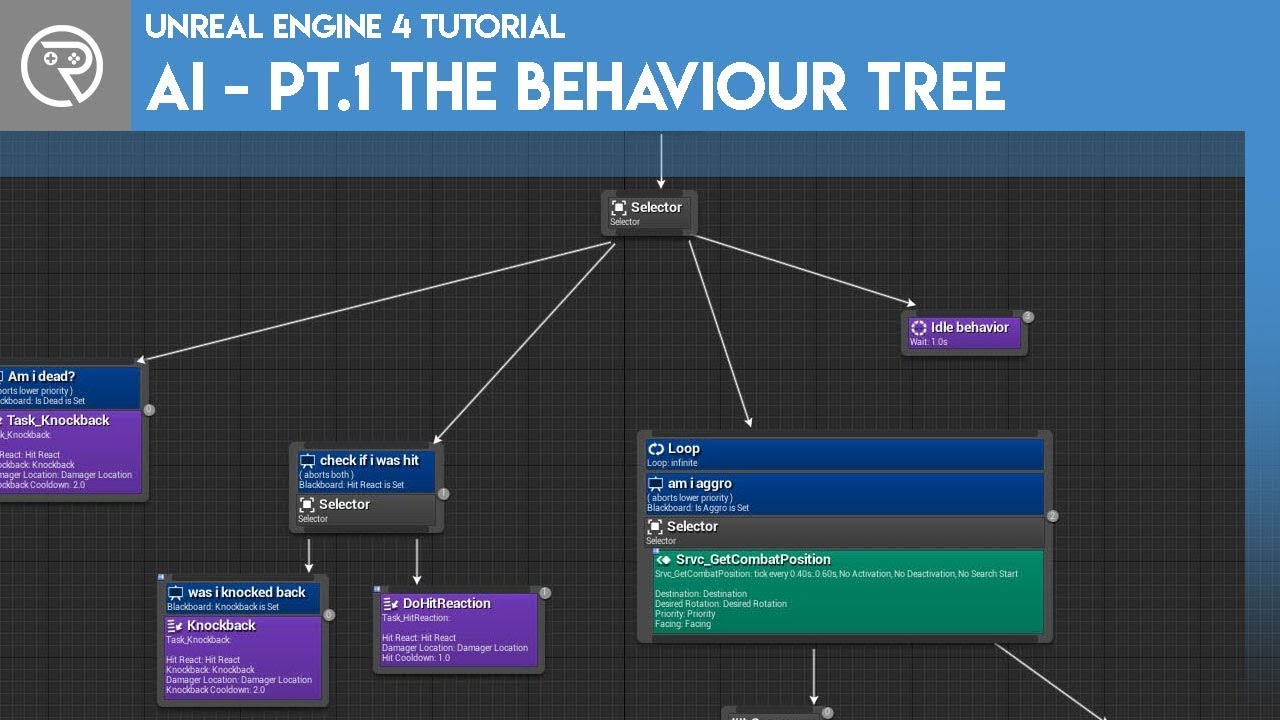
Welcome to the start of a brand new series. This time we are diving into AI for games. This episode introduces the concepts being used in AI design and in particular, the behaviour tree. In this episode we add an NPC that can randomly roam around the level.
Support me on Patreon and get access to videos early, join our developer community on Di...
sudden garnet
Thanks! :). I will have a look
crude dew
Sorry heres the newer one -> https://www.youtube.com/watch?v=IDZh0epFTRY

In this video tutorial series we will going over everything regarding AI in Unreal Engine 5; including some examples of AI behavior typically seen in commercial video games.
In Part 1 we do some basic character setup to prepare a character for use as an AI character.
SUPPORT ME
Patreon I https://www.patreon.com/ryanlaley
Buy Me a Coffee I buym...
 austere coyote
I need some help. I've been stuck with this problem for a few days now. I have modeled a vending machine with buttons (seperate meshes) that i want to be able to click with the mouse. I have already made it so the player can use the mouse when interacting (Press E) with the vending machine. however, even though i enabled the click and mouse over events, only the hover events trigger when clicking, and the onClicked() events don't trigger at all. I have already made sure that visibility is not blocked my any other collision in my vending machine BP. Can anyone help me find the source of the problem?
The hover and click events of the buttons only print text currently, to ensure they work when they should.
i have set the collision of the buttons to BlockAll, so i don't think thats the problem...
crude dew
How are you handling the click event?
I just done a test on a basic cube and when i click it , it prints out

 white parrot
austere coyote
I need some help. I've been stuck with this problem for a few days now. I have m...
white parrot
austere coyote
I need some help. I've been stuck with this problem for a few days now. I have m...
Does the button get focus when clicking on it (via the Widget Reflector)?
austere coyote
crude dew
How are you handling the click event?
i just use an onClicked event. should i create a custom event?
 austere coyote
white parrot
Does the button get focus when clicking on it (via the Widget Reflector)?
austere coyote
white parrot
Does the button get focus when clicking on it (via the Widget Reflector)?
i'm gonna sound stupid here, whats the widget reflector?
crude dew
Are you doing this inside the UMG ?
white parrot
austere coyote
i'm gonna sound stupid here, whats the widget reflector?
Tools->Debug Tools->Widget Reflector->Show Focus
It will enable you to view what's being focused by the Viewport
crude dew
@Pingo it sounds like hes not using widgets would the reflector thingy still work ? Just asking coz i had no clue about it either 😄
white parrot
IIRC it should still function properly, since it's a button
austere coyote
im not sure what i'm looking for in the widget reflector, but nothing indicated anything being focused (to my extremely untrained eye.
 white parrot
austere coyote
im not sure what i'm looking for in the widget reflector, but nothing indicated ...
white parrot
austere coyote
im not sure what i'm looking for in the widget reflector, but nothing indicated ...
Click on the 3 dots next to Pick Hit-Testable widget, should be a dropdown with show focus
austere coyote
👍 found it
white parrot
white parrot
IIRC it should still function properly, since it's a button
On second thought, if its a custom event like Drib sent it might not have an affect, i had the assumption that it's a button on the mesh
austere coyote
oh no its not.
its just a mesh
does the onClicked event only work on UI elements?
white parrot
If you're having a special interaction when you click E, like panning the camera to focus on the vending machine, having invisible buttons would make your life easier
austere coyote
is there really no easy way to just click the mesh?
white parrot
Well what you're describing sounds like UI
austere coyote
fair. it just seems like such a simple thing to do, guess ill try the UI approach.
thanks for the help y'all.

 austere coyote
wow! thanks
crude dew
The buttons are just cubes with Text Render Components attached to them with the names.
austere coyote
unfortunately doesnt look any different to what i did.
 last peak
austere coyote
unfortunately doesnt look any different to what i did.
last peak
austere coyote
unfortunately doesnt look any different to what i did.
you could just do a linetrace
austere coyote
could the collision box i use to determine the interaction range interfere with my mouse clicks? i did make sure it didnt block visibility though...
crude dew
Did you enable the click events for the player controller?
austere coyote
i did
crude dew
show the full logic for the vending machine with bp please?


 crude dew
ok 1 sec, let me test something. 🙂
austere coyote
sure thing!
 merry mirage
austere coyote
merry mirage
austere coyote
I would recommend, instead of setting it on BeginPlay, to change the bool directly in the PlayerController Blueprint Details Panel
There might be logic ran internally that is skipped because the bool is not true before BeginPlay
 crude dew
What does the hierarchy look like and the collisions on the buttons?
austere coyote
 merry mirage
austere coyote
i did that earlier. I just tried it again and nothing changes...
merry mirage
austere coyote
i did that earlier. I just tried it again and nothing changes...
Also double check that your DefaultClickTraceChannel has the appropriate collision preset (we use camera), and that there is a ClickEventKey in the array, otherwise there will be no reaction to it whatsoever.
(Both of these are also in the PlayerController Blueprint)
 crude dew
This is what mine looks like and seems to work


Silly question do you have a mouse cursor enabled during game ? if not you,ll need to do a line trace to see which button the player is trying to interact with.
I was assuming you kind of entered into an interact mode where you show the controls to the player and then they can click on them with the mouse.
austere coyote
i do have the mouse cursor enabled when im close enough to the vending machine.
austere coyote
crude dew
I was assuming you kind of entered into an interact mode where you show the cont...
i dont really 'show controls' but the cursor just becomes visible and i enable the mouse over and click events.
white parrot
It's also relevant to consider how will you achieve this with Gamepad? (if you plan to support it)
austere coyote
white parrot
It's also relevant to consider how will you achieve this with Gamepad? (if you p...
i'm not planning to do that, but thanks for the tip.
crude dew
Ok just tested it again, should work but not sure why its not for you, Try copying my one to a new blueprint actor and see if it works otherwise im out of ideas. 🙂
 austere coyote
i will. thanks again for the help. i will let you know if that works.
crude dew
np! the background main box holding the buttons has no collision enabled btw
austere coyote
Huh, this seems to have done the trick. its far from ideal, because it only triggers on double clicking, but at least the click events trigger this time.
crude dew
Not sure why it would only work on double click.
austere coyote
same here, anyways, i'm gonna take a break from this frustrating issue. thanks to you i finally made some progress. Thanks again!
maiden wadi
crude dew
Ok just tested it again, should work but not sure why its not for you, Try copyi...
😮 You remeoved Pepsi. You heathen!
crude dew
lol @maiden wadi
CAn someone tell me why this logic is still adding the player character to the list of actors please? 🙂


Im guessing coz the Other Actor pin is being pulled out past the branch so its not checking it... I imagine
maiden wadi
You're == a pointer to an instance. Not the type. You're looking for a cast, or a GetClass->IsChildOf check.
crude dew
Ahh thanks i,ll try that! and I promise to readd pepsi when we get more in stock 😄
@maiden wadi Just for you, We added new product also 😛
 maiden wadi
I haven't tried that one yet. I should sometime. I do Pepsi Max through Sodadstream. Might have to try it with real limes.
crude dew
Pepsi Lime is so nice and the Cream Soda one is too
Pepsi Max Lime and Pepsi Max Cream Soda.
 hollow pond
hey folks, I'm looking to make a small personal project where I'll be using render targets to create static portal surfaces (purely visual - you won't actually walk through the portals. think the Looking Glass screens in Prey). I want to have quite a lot of these in my singular level, but I know that'll be memory-intensive as these all need to be 1920x1080 RTs. I reckon I'll need some sort of pooling system, but I'm honestly quite rusty with Unreal, so I'd appreciate a bit of guidance
my thinking is that I'll have a manager object/actor that manages creating and keeping references to roughly 4 render targets, and passes weak references to Screen actors when the player is looking at them. does that sound reasonable?
maiden wadi
hollow pond
hey folks, I'm looking to make a small personal project where I'll be using rend...
Do you have some sort of vague visual for this? Kind of interested in the topic. Have never done anything with dynamically reallocating an RT in this way before though.
hollow pond
one sec...
https://youtu.be/tbOslasgf5g?t=73 timestamped

Hey guys just wanted to make a guide on how to diagnose & repair the looking glass server connection for the mission "Through a Glass Darkly" for Prey. Thanks for watching.
the screens are effectively portals into a copy of the room at a different point in time, since they track your position to change what's on the screen. it's kinda like VR but on a surface in the world rather than on your face
I've done functional portals before, but there was only one of them in the level, so I never had to do dynamic allocation/management
 dark drum
hollow pond
hey folks, I'm looking to make a small personal project where I'll be using rend...
dark drum
hollow pond
hey folks, I'm looking to make a small personal project where I'll be using rend...
I personally would try to avoid having more than 1 active render target at a time, assuming you want the same quality/fiedelity as seen through the player camera.
You have to remember, each one has to render the world from its own view. So even with one, you're rendering two different scenes.
With this in mind, you can always enable/disable them based on distance to the player.
maiden wadi
This also gets shitty with SceneCaptures in UE5 if you're using the new render tools. Nanite and Lumen kind of shit themselves with SceneCaps. It effectively causes the Nanite and Lumen buffers to redraw. Which causes them to flush nearly fully every frame. And this causes you to pay a fuckload in rendering costs with just one scene cap invalidating those caches every frame. More than just "Capture this scene twice."
hollow pond
I'm willing to disable nanite & lumen and even do stuff like go to baked lighting. this is all for a month-long university project, it's not a long-term thing that I need to sell
like asset-wise this is basically going to be a playable blockout
maiden wadi
My initial thought is to say... Consider trying to make a manager that'll resize some rendertargets. There's a ResizeRenderTarget2D. I'm not sure of the implications with this or what it might cost, but you could occasionally resize RTs based on their importance to the view.
On top this the same importance can cause how often they're refreshed.
I think you could get pretty far with that approach unless we're talking like hundreds of portals.
Past that. You're into custom rendering territory.
hollow pond
maiden wadi
My initial thought is to say... Consider trying to make a manager that'll resize...
nah I won't need hundreds, I'm thinking at most 6, maybe 8 visible at a time (but there could be a lot more in the level - they just wouldn't be rendering). I was also thinking of dynamically resizing render targets (maybe in steps), seeing that ResizeRenderTarget2D exists should help me
the absolute worst-case scenario is that this doesn't work, so I switch to working in Godot which I know can do this weird stuff without too much management on my end
 summer tendon
any idea i am in editor utility widget trying to call another utility blueprint with reference i am using "is Valid" but i get crash when trying to call it and load new level with crash Assertion failed: !LevelList.Contains(TickTaskLevel) [File:D:\build++UE5\Sync\Engine\Source\Runtime\Engine\Private\TickTaskManager.cpp] [Line: 1458]
dark drum
hollow pond
nah I won't need hundreds, I'm thinking at most 6, maybe 8 visible at a time (bu...
6 is still a lot to be capturing at once. Even in the example you shared, they very carefully positioned the screens so that the player can only ever see one at a time.
Granted if you disable all lighting and fake it with with hand drawn lighting (using emissive) you might be able to handle more.
Note, that this is a problem with all game engines and I can also most guarantee that the developers of Godot haven't solved the problem either. Its also related to the issues that plagues reflections. Old style reflections worked by just rendering the scene again from a different perspective, its why they were often low quality reflections.
last peak
hollow pond
the absolute worst-case scenario is that this doesn't work, so I switch to worki...
there is a portal asset pack on fab
https://www.fab.com/de/listings/3690a740-4091-4742-9700-ecf3bc7e5fe6
Might be worth looking into that ?
They dont use render targets at all
 burnt mirage
Force lod 0 is actually auto lod while Force lod 1 is actually lod 0 ?

 narrow sentinel
Anyone know if I'm doing this right ?

essetially I'm attempting to see if the Tag Container which AI has on them contains a specific tag
at the moment I believe this is failing yet I can't understand why
white parrot
Is the Testing Gameplay Tag a tag or a container?
naming suggests both are just tags
narrow sentinel
so the testing tag is container
the required is a specific tag
which is required
at the moment no matter what I'm getting false being returned on that condition task even though AI does have the tag which is set in the required
narrow sentinel
white parrot
Is the ``Testing Gameplay Tag`` a tag or a container?
naming suggests both are j...
also just to show the one is a container and other a tag

obvs I've just changed name of one of them but their types are correct
 barren hollow
disabled every possible collision, still the character squeezes out of the attached component. this is actor attach to component type to possess vehicle. any solution?
barren hollow
barren hollow
disabled every possible collision, still the character squeezes out of the attac...
 hollow pond
dark drum
6 is still a lot to be capturing at once. Even in the example you shared, they v...
hollow pond
dark drum
6 is still a lot to be capturing at once. Even in the example you shared, they v...
there's examples elsewhere in the game where there are 3 of the portal-screens visible at once, so really 6 portal-screens is an absolute worst case scenario, I could still do my project with only 3-4 visible at a time.
I have much more control over rendering features (and thus rendering complexity) in Godot, so I'm confident that it would run better. I could also decide not to target 1080p (i.e. go for a pseudo-retro style at a lower resolution) which would free up resources, which is again something I'd rather do in Godot, but I can wrangle Unreal to do that as well
white parrot
narrow sentinel
also just to show the one is a container and other a tag
It should work then.. one of the benefits of GameplayTags is avoiding typos, did you try to print the tags in the container and the RequiredGameplayTag?
narrow sentinel
so think I found my issue

the tag container some how is empty
even though here on a global task I'm setting it

well getting it and then setting it locally on State Tree
hollow pond
last peak
there is a portal asset pack on fab
https://www.fab.com/de/listings/3690a740-40...
I miiiight look into this since the RT-less approach sounds nice, but I already have the portal visuals working, it's just the RT juggling that I have to figure out
narrow sentinel
i assume thats how you print the tags in the container

i'm doing this in cpp to add the tag to container could that be the issue ??
AIStateTags.AddTag(FGameplayTag::RequestGameplayTag("AI.Investigate.Door"));
I can see it has the tag though so can't be the issue
 white parrot
Unless there's apparent code that empties the container, it shouldn't be
For sanity though, set the tag in editor
narrow sentinel
so i do a check of that continer on tick and i can see once it's set it remains set
this is because state tree triggers the function where in turn that tag is added
and becuase the function doesn't fire again the tag is never removed
issue seems to be this condition task constantly returning false
white parrot
Either run with the debugger for the entire process to see where the tag goes missing, or print the container in intervals
Passing tags to a task shouldn't be an issue
narrow sentinel
fixed it so it turns out the issue seemed to be race condition
so when that function ran it was finishing the State tree task at exact same time the tag was being altered
delaying further execution in state tree by like 5 seconds stuff is working fine as by that time the tag will have been added to the container
 charred granite
Hey guys, I've implemented a roll animation and set up the code. The roll would work as intended but I could still roll in the air when jumping, which I didnt want. So I created a variable "IsJumping" and added that to the code.
Now I can't roll during my jump animation, but after I've jumped I can NOT roll anymore att all for some reason. I'm definitely forgetting something, I just cant find what lol.
Blueprints of both Jump and Roll below. Thanks for the feedback.


 charred granite
I managed to fix it another way, I used the "Is Falling" function instead of the jumping one, I'd still like to know what I'm doing wrong or forgetting if I were to go with the "IsJumping" node 😄
 ruby cobalt
I got a OnRep function in my parent class but i'll need it in the child.. how do i build the stuff in the child instead?
oh I see the override drop down menu in my child but.. the onRep function won,t show up
i guess i can have the onRep trig another function
 pine carbon
What is the difference between timelines and timeline components?
ruby cobalt
within a BP? I believe the timeline is the timeline itself.. lets you create automation..
the component will be the reference that lets you stop it or change its rate
pine carbon
I'm quite confused about the nature of timelines, honestly.
ruby cobalt
when i create a timeline I use Add Timeline (last option) and it also creates the component on the left side
dark drum
pine carbon
What is the difference between timelines and timeline components?
A timeline is a timeline component wrapped in a fancy node.
As a pro tip, you can call the start and end functions using the timeline component. Even set the track curve dynamically.
pine carbon
They just sit there as nodes normally? They don't seem to be found anywhere else in a class blueprint.
 lofty rapids
charred granite
lofty rapids
charred granite
you have it on notify, i'm assuming you have a notify in the montage ?
crude dew
Anyone can tell me why my AI units do not repeat the task in the state tree please? I have the tree set to return to it,s previous state upon completion but it doesnt seem to work
 ruby cobalt
halp! I making this 6 axis game pad thingy that can go in both direction -1 or 1.. but sometimes it's stuck at -0..
-0 will break my branch check because it's indeed not 0...

i can add an abs() to my value but.. is there a better way to build this logic
crude dew
Nvm fixed it i had to tell it that once the roam move had finished it was to transition back into itself.
ruby cobalt
hmm tried with greater than but some values get stuck even though they are equal to 0..
surely there is a better way to handle this kind of stuff?

 crimson briar
ruby cobalt
hmm tried with greater than but some values get stuck even though they are equal...
crimson briar
ruby cobalt
hmm tried with greater than but some values get stuck even though they are equal...
Try NearlyEqual and see if it will be the same problem
crimson briar
ruby cobalt
I got a OnRep function in my parent class but i'll need it in the child.. how do...
You can't in BPs, not sure if you can in C++. I go around it by creating a OnRepEvent, that is called by the OnRep function
 steady night
Hi, im trying to rotate character towards direction
i remeber some node had a "use closest path" something
can someone refresh my memory pls
 lunar sleet
steady night
Hi, im trying to rotate character towards direction
lunar sleet
steady night
Hi, im trying to rotate character towards direction
There are use controller rotation settings you can toggle on and off if that’s what you mean
steady night
lunar sleet
There are use controller rotation settings you can toggle on and off if that’s w...
this is what i was after

*ty
ruby cobalt
crimson briar
Try NearlyEqual and see if it will be the same problem
ahh! yes that helps.
ruby cobalt
crimson briar
You can't in BPs, not sure if you can in C++. I go around it by creating a OnRep...
yeah it's not a big deal to create more functions called by the onRep in the parent.. let me name things better as the onRep is always tied to just this parameter but it can do things that can be triggered by other sources.
ruby cobalt
crimson briar
Try NearlyEqual and see if it will be the same problem
i'm wondering if there ar ebetter ways to handle this in general
i created a c++ class to handle this kind of stuff when it's more efficient to do it using c++ too
i guess it's light in either cases
 cursive cosmos
So I have a ingame camera that takes photos when pressing a button but they always come out at 1920x1080. is there a way to make the size different? smth like 500x500? (and no, changing the reso in the first BP doesnt work)

 maiden wadi
cursive cosmos
So I have a ingame camera that takes photos when pressing a button but they alwa...
maiden wadi
cursive cosmos
So I have a ingame camera that takes photos when pressing a button but they alwa...
Can you show what is taking the actual image? Cause this is just creating a rendertarget.
cursive cosmos
maiden wadi
Can you show what is taking the actual image? Cause this is just creating a rend...


 maiden wadi
cursive cosmos
maiden wadi
cursive cosmos
In you scene cap component's details. In your fourth image. Can you search for bMainViewResolution and bMainViewCamera?


 maiden wadi
Weird. That is the only check I see for that.
cursive cosmos
hmm
maiden wadi
Specifically this bottom function.
inline bool ShouldRenderInMainRenderer() const
{
        return bRenderInMainRenderer && (CaptureSource == ESceneCaptureSource::SCS_SceneDepth || CaptureSource == ESceneCaptureSource::SCS_DeviceDepth || CaptureSource == ESceneCaptureSource::SCS_BaseColor || CaptureSource == ESceneCaptureSource::SCS_Normal || CaptureSource == ESceneCaptureSource::SCS_SceneColorHDR || CaptureSource == ESceneCaptureSource::SCS_SceneColorHDRNoAlpha || CaptureSource == ESceneCaptureSource::SCS_SceneColorSceneDepth);
}

inline bool ShouldRenderWithMainViewResolution() const
{
    return bMainViewResolution || bMainViewCamera || (ShouldRenderInMainRenderer() && (!UserSceneTextureBaseColor.IsNone() || !UserSceneTextureNormal.IsNone() || !UserSceneTextureSceneColor.IsNone()));
}```So if bRenderInMainRenderer, bMainViewResolution, and bMainViewCamera are all false... it shouldn't be resizing it.
cursive cosmos
@maiden wadi Turns out it was being cropped. I was just being dumb haha! thnxs tho :) fixed
charred granite
lofty rapids
you have it on notify, i'm assuming you have a notify in the montage ?
correct, Im using an animnotify for the roll
lofty rapids
charred granite
correct, Im using an animnotify for the roll
is it firing off ?
dark drum
charred granite
Hey guys, I've implemented a roll animation and set up the code. The roll would ...
You never set 'IsJumping' back to false when the player lands.
(It's better to use isfalling in this usecase anyway)
charred granite
lofty rapids
is it firing off ?
I ended up going with IsFalling, seems to work correctly now
kk, thanks for the help and confirming, I did end up going with IsFalling as that seemed better and worked
 hidden pecan
I have two characters, one using the first person template, the second I just made is using the third person template.
Is there any easy way I can transfer functions and blueprints from the first person character over to the other?

 dusty spruce
hidden pecan
I have two characters, one using the first person template, the second I just ma...
dusty spruce
hidden pecan
I have two characters, one using the first person template, the second I just ma...
I tried this once and it didn't go well. I think it was a problem with the game mode but I'm not sure
I'm having a similar problem right now actually. I'm trying to switch pawns from the third person character to a big boss character using the Possess node but I'm not able to get the controls to work
hidden pecan
dusty spruce
I tried this once and it didn't go well. I think it was a problem with the game ...
Oh! Well I just finished copying everything over gonna test rn and see if it works
oh yeah its going great 😃

 boreal basin
Hmm, I have 2 Jump systems I wish to combine to one, but I'm not sure where do I start to ensure all three functions(double jump, wall jump & glide) + jump itself work in sync: https://blueprintue.com/blueprint/36wq2r9k/

No description provided
 modern cove
When I use Spawn Actor from Class, my spawned actor won't move. Won't even fall to the ground. When I use Spawn AI from Class to make one, I can't set values to any Expose on Spawn Variables, which I need in order to determine if the spawned actor drops in place or jumps sideways first. How do I do both: spawn an actor that moves and can be sent variable values?
last peak
modern cove
When I use Spawn Actor from Class, my spawned actor won't move. Won't even fall...
Auto possess is off by default for spawned actors
boreal basin
boreal basin
Hmm, I have 2 Jump systems I wish to combine to one, but I'm not sure where do I...
Got Jump & Wall Jump to work but is every time I jump or wall jump, the double-jump doesn't trigger.
https://blueprintue.com/blueprint/ie94rh3f/
GPT says I should do this:
    → Get Avatar Actor from Actor Info
        → Cast To BP_ThirdPersonCharacter
            → Branch (Condition: CharacterMovement->IsFalling)

                False (NOT falling → regular jump):
                    → Jump (Target: As BP_ThirdPersonCharacter)
                    → Set HasDoubleJumped = false   (optional, but safe)

                True (falling → maybe double jump):
                    → Branch (Condition: NOT HasDoubleJumped)
                        True:
                            → Jump (Target: As BP_ThirdPersonCharacter)
                            → Set HasDoubleJumped = true
                            → Print "Double Jumped!"
                        False:
                            (do nothing, already used double)
But I'm not sure if it'll work.
No description provided
last peak
boreal basin
Got Jump & Wall Jump to work but is every time I jump or wall jump, the double-j...
depends on how your wall jump is set up
boreal basin
last peak
depends on how your wall jump is set up
I'm using their wall jump template.
As shown from my blueprint above.
last peak
boreal basin
As shown from my blueprint above.
several problems with that
the delay simply pauses execution
after a wall jump you dont want to execute the rest of the code
boreal basin
last peak
after a wall jump you dont want to execute the rest of the code
So remove everything after the wall jump bit?
last peak
your sequence is the problem
and the delay
what happens right now is this you jump
If you are close to a wall you do the wall jump your code pauses for wall jump delay seconds then it tries to execute a normal jumop right after that
you need to change your delay to a timer
boreal basin
Anything else? You're welcome to edit it if needed be.
last peak
this is pretty shit too

it will work for now but you will be able to double jump from everything not just walls
unless this channel is only reserved for walls
 boreal basin
last peak
unless this channel is only reserved for walls
boreal basin
last peak
unless this channel is only reserved for walls
Think its only reserved for walls.
last peak
ah ok then its fine
time based code isnt great just as a general rule of thumb
however if you replace the delay with a timer it will work
boreal basin
Let me try it later after my gym, which is in 40 mins.
crimson briar
hidden pecan
I have two characters, one using the first person template, the second I just ma...
I don't remember how different the two characters are so some stuff may break when doing it. But in general you would approach it by making another class, like a GeneralCharacter. Write your shared code there. Then reparent the two characters to this class. So they would be children of this general class.
But reparenting and moving code in this way takes some work and some stuff might break. You should plan this sort of things from the start so you don't need to use reparenting.
 proven pecan
This is probably silly, but does anyone know how i can get my sections in the details panel of a blueprint to show up at the top? For example, I create a custom class say AProjectile then I make a BP off it. Maybe I have a section called ImpactProperties i labeled things in the c++ code. How can i see these custom made sections at the top of the details panel and not somewhere i have to hunt them down?
dark drum
proven pecan
This is probably silly, but does anyone know how i can get my sections in the de...
Short answer is with great difficulty. 😅 There isn't any specific way to reorganise the properties groups in the details panel. :/ It kinda just places them how it likes.
proven pecan
dark drum
Short answer is with great difficulty. 😅 There isn't any specific way to reorg...
well. damn lol. i was hoping that wasnt the case. it isnt alphabetical or anything i could try and take advantage of? ive seen there is some custom details panel creation i could do for my class but wasnt ready to jump into it right now but maybe i must
dark drum
proven pecan
well. damn lol. i was hoping that wasnt the case. it isnt alphabetical or anythi...
Unfortunately not. And yes, it's very annoying. 😅 The only solution I've seen is to make your own custom details panel as you mentioned.
proven pecan
dark drum
Unfortunately not. And yes, it's very annoying. 😅 The only solution I've seen i...
well thank you for the confirmation! learning to be done lol
white parrot
proven pecan
This is probably silly, but does anyone know how i can get my sections in the de...
You mean like this?
 crimson briar
I would suggest first reorganizing your code and deleting useless nodes. There are at least two casts that are not used for anything. It is hard to help with code that is in this state.
Also plug more prints to the False/Failed pins and then tell us specifically which one the code prints
And what does "restrain the movement" mean?
austere coyote
I need some help (again, i was here yesterday). I have created a vending machine with buttons that i can click on with the mouse. I have made an interaction mode that allows the player to switch the camera view to click the buttons when they are within the interaction collision of the vending machine. i also made a test mode that allows click events without changing the camera view or being inside the collision. By doing this i have discovered that my click events do not trigger if my character is inside the interaction collision. Can anyone tell me how i can make sure my click events trigger when the player is inside the interaction box?


 dense rampart
last peak
thats only like half of your code
dense rampart
last peak
thats only like half of your code
 dense rampart
crimson briar
And what does "restrain the movement" mean?
dense rampart
crimson briar
And what does "restrain the movement" mean?
have a set movement range and then have it stop if it reaches said range
last peak
dense rampart
add a print string before the branch and plug the return of this in there
 lofty rapids
dense rampart
lofty rapids
dense rampart
whats up with the double distance and converting the float to a vector ?
last peak
I would just get current location subtract that with closet palyer location get the vector length and compare that
the conversion in here is really odd... tbh i have no clue whats happening if you do that
 dense rampart
i removed it
lofty rapids
dense rampart
so your saying if the enemy is within a certain range of any player ?
lofty rapids
dense rampart
have a set movement range and then have it stop if it reaches said range
oh i see lol i missed this
dense rampart
lofty rapids
this is on the enemy bp ?
ai
dense rampart
i've tested and does work as intended however i want it to read the player regardless of distance and if it doesn't reach them
lofty rapids
wdym "read the player"
take it one step at at ime
everything works as intended now ?
lofty rapids
wdym "aware"
lofty rapids
ok so thats what you wanted correct ?
lofty rapids
ok so now you want what ?
i dno't get "aware" or "knows"
doesn't it already know?
because you have a closest player function
tbh if the distance thing is working, then it "knows" or is "aware"
i'm just not clear what your wanting
dense rampart
lofty rapids
doesn't it already know?
after testing it only moves when the player is bit closer
from faraway it doesn't seem to move at all
when i want it to move to the player regardless of distance
lofty rapids
dense rampart
have a set movement range and then have it stop if it reaches said range
what does this mean then "stop"
lofty rapids
dense rampart
when i want it to move to the player regardless of distance
ok but when its within a certain range you want to do something else correct ?
lofty rapids
dense rampart
when i want it to move to the player regardless of distance
are you trying to make the enemy move towards the player, and attack within range ?
dense rampart
lofty rapids
are you trying to make the enemy move towards the player, and attack within rang...
yes but i haven't reached that part yet. for the moment the enemy's movement goes to the player and continuously moves until it collides with it which is not what I want, I want a set movement range
lofty rapids
wdym "set movement range" ?
dense rampart
a fixed distance the enemy can travel in a turn
dense rampart
yes
lofty rapids
ok so whats the idea ? that the enemy can only move a certain distance per turn ?
dense rampart
yes
lofty rapids
how do you determin its turn and when the turn is over ?
dense rampart
when all movement actions has been made, i enable and disable movement on the player and call the switch turn function which does a rest on the actions
player movement script:

switch turn function:
 lofty rapids
hmm you have a weird foreach
its empty loops
hmm ngl your logic is strange
so its tough to see whats going on, maybe im just not seeing it
lofty rapids
dense rampart
switch turn function:
the lower foreach you have here is pretty useless
lofty rapids
dense rampart
switch turn function:
the top foreach runs on completed as well ?
dense rampart
lofty rapids
the lower foreach you have here is pretty useless
there are 4 characters the player controls, the actor references their parent.
lofty rapids
dense rampart
there are 4 characters the player controls, the actor references their parent.
well do you see that foreach has nothing going on in the loop >?
its like useless
dusty spruce
boreal basin
Hmm, I have 2 Jump systems I wish to combine to one, but I'm not sure where do I...
I'm a little surprised you're not using timelines to handle transitions
boreal basin
dusty spruce
I'm a little surprised you're not using timelines to handle transitions
Kinda new to GAS...
dusty spruce
boreal basin
Kinda new to GAS...
me too, I just learned about timelines and I think it might be the way to handle transitions like this. It gives you speed curves and interruption triggers.
boreal basin
last peak
however if you replace the delay with a timer it will work
I'm hoping this is the correct timer.
 last peak
boreal basin
I'm hoping this is the correct timer.
last peak
boreal basin
I'm hoping this is the correct timer.
set timer by event or function anem either works
now you need to create a new event
the timer should not be looping
the bool should not be set after the timer but in the new event
boreal basin
last peak
the bool should not be set after the timer but in the new event
Gotcha. Will do that tmrw.
And which bool?
cursive cosmos
 ocean gate
Does anyone have any idea why Normal Impulse from On Component Hit on my character actor always returns 0 when it hits something, even if it hits it at high speed?
last peak
and what couldbe the reason for that what do you think`?
proven pecan
white parrot
You mean like this?
Yes
white parrot
proven pecan
Yes
UCLASS(meta=(PrioritizeCategories="foo"))
proven pecan
white parrot
``UCLASS(meta=(PrioritizeCategories="foo"))``
Can you only do one or can you list many?
white parrot
proven pecan
Can you only do one or can you list many?
Pretty sure you can have multiple, didn't test it myself
proven pecan
white parrot
Pretty sure you can have multiple, didn't test it myself
I will try after work. Thank you 🙏
proven pecan
Good call
dark drum
white parrot
``UCLASS(meta=(PrioritizeCategories="foo"))``
I often get mixed results with this. It can work with the class but then do its own thing on a child. 🥲 I normally just hide the cats I don't need. 😅
white parrot
dark drum
I often get mixed results with this. It can work with the class but then do its ...
Did u try specifying it again in the child? i wonder if it makes any difference
dark drum
white parrot
Did u try specifying it again in the child? i wonder if it makes any difference
I was creating the child as a BP so not able too.
white parrot
Wdym, i thought you mean C++ -> C++ -> BP, with C++ -> BP i didn't have any hiccups yet
 hollow bane
Hi i have a question. I am trying to create a RTS controller. Right now I have WASD navigation and orbit/camera rotation inputs.
Both work but as soon as I orbit around too much my WASD navigation gets messed up and is inverted.


 dark drum
white parrot
Wdym, i thought you mean C++ -> C++ -> BP, with C++ -> BP i didn't have any hicc...
dark drum
white parrot
Wdym, i thought you mean C++ -> C++ -> BP, with C++ -> BP i didn't have any hicc...
C++ -> BP
But yea, I don't get it either lol. I spent far to long trying to find a solution, turns out I'm not the only one it doesn't like. 😅
hollow bane
here is a video of the navigation, once I am rotating too much the wasd get weird and inverted, sorry for the music.
hollow bane
could this be part of the issue?

 ornate trail
hollow bane
here is a video of the navigation, once I am rotating too much the wasd get weir...
ornate trail
hollow bane
here is a video of the navigation, once I am rotating too much the wasd get weir...
what node are you using to apply movement, this is usually relative to something like the control right vector which is changing while you move the control. Therefore your wasd changes. You would need to make it smth like relative to your camera right or forward vector since it's essentially this seem to stay constant in your case
 hollow bane
ornate trail
what node are you using to apply movement, this is usually relative to something...
hollow bane
ornate trail
what node are you using to apply movement, this is usually relative to something...
shared screenshots of the nodes one post before ^^ i am using the get actor forward and right vector right now
ornate trail
hollow bane
shared screenshots of the nodes one post before ^^ i am using the get actor forw...
what is your actor you are moving the camera
ornate trail
hollow bane
with a spring arm and a camera and a floatingpawnmovement
https://www.youtube.com/watch?v=CVIv3KEjcdA
just replace the mouse XY with your WASD. your negation seems correct

How to set the camera to rotate around an object and zoom, good for a custom camera setup for a third person game or if you want to show off a product being displayed in Unreal.
Twitter: https://twitter.com/Game_Dev_Man
Facebook: https://www.facebook.com/GameDevMan
hollow bane
ornate trail
https://www.youtube.com/watch?v=CVIv3KEjcdA
just replace the mouse XY with your...
will have a look, thanks!
dark drum
hollow bane
could this be part of the issue?
It could be. You only need to swivle the inputs that need to move the 1 value from the X to the Y. (left/right i think)
 faint pasture
hollow bane
Hi i have a question. I am trying to create a RTS controller. Right now I have W...
faint pasture
hollow bane
Hi i have a question. I am trying to create a RTS controller. Right now I have W...
Why do you have a rotating spring arm AND a rotating actor here?
just rotate the spring arm and have it be the thing that movement inputs are relative to
hollow bane
faint pasture
Why do you have a rotating spring arm AND a rotating actor here?
I’ve been following a video and was also wondering why they chose to do it this way. I will redo all that tmr again and see if I can identify my mistake
 distant grotto
how do I animate a widget component scaling up and down without it affecting the border width? currently ive got a sizebbox as the parent, i figured that would wrk but it doesnt


 faint pasture
hollow bane
I’ve been following a video and was also wondering why they chose to do it this ...
faint pasture
hollow bane
I’ve been following a video and was also wondering why they chose to do it this ...
I would use ControlRotation, that's pretty much what it's meant to be. Lots of things can opt in to use it.
I usually like to turn movement inputs into a vector, then rotate that vector to end up with the final world-space input vector. Mathematically it's the same as the axis values x the forward and right directions though
 valid dew
Hi everyone, nice to meet you. First message here! I hope it's ok to cut in... I was wondering if someone can help me. When inspecting an item with L (when testing it), the item starts out zoomed as if I was already zooming on it manually. If I actually zoom on it, it will start working as intended. Any ideas? I checked the tutorial I am following (https://www.youtube.com/watch?v=XOH_f1Y8kco) multiple times but no luck... The settings related to FOV look good, the order of the nodes, the timelines taking care of the zooms too... I tried to show some stuff that could help in the video... But probably not where the error is eh. I am a total noob, so I'm sorry if the error is obvious. It's like I am unable to learn... ! Don't hesitate to ask whatver may help. 🙂
faint pasture
valid dew
Hi everyone, nice to meet you. First message here! I hope it's ok to cut in... I...
The thing might jsut be starting out too close
starting out at the close position instead of the far one
valid dew
Aaah! Thank you. I finally found what I did wrong thanks to your comment. I already tried to fix it there yesterday and today but I finally understood just now. https://youtu.be/XOH_f1Y8kco?t=777 I was letting my "Inspect_Item" be at x -40 in front of the camera instead of putting it to 0 (to then move it to -40 while zooming through the code.) 💀
 lost hemlock
Hi I made a library function in c++ with these 3 functions but due to other technical problems I wasn't able to build these functions properly

So I decided Imma try to do this in blueprint... Is it even possible to do something like that in blueprint?
f_RenderTargetToColorArray, & f_ColorArrayToTexture2D or f_ColorArrayToRenderTarget
This is for my save/load system, which I wanna do this to serialize my instances, if I save instances it will simply wont work the next time I try to load it from the game instance
 next hollow
I think you can go from texture -> color
But, I don't personally know of a color -> texture?
You could always look at the functions used in your C++, and see if they are exposed to BP
 pallid locust
can anyone possibly help me with this

ive tried velocity-based release bug–check thresholds and frame updates but i dont think im doing it right
lost hemlock
next hollow
I think you can go from texture -> color
But, I don't personally know of a color...
You could always look at the functions used in your C++, and see if they are exposed to BP
they are
but anyway, it's a big story
they were but still couldn't work with them
because they were using texture render target 2d
and my blueprint uses render target 2d, not texture render target 2d type variables
next hollow
Like, I know BP has this.
For render -> color
But, it appears any BP version of color -> render is editor only

 twin tinsel
Hello, Im working on a survival multiplayer project messing around with replication and I dont know much about it but the best way for me to learn is to do so
So Im working on a modular attribute system for the player how it works
call modify attribute event from anywhere (not replicated)
switch has authority
3 if authority calls the internal function
if not calls server event then calls said internal function
 next hollow
A horrible idea to do that.
If this were for instance, in a live game, let alone popular.
Now a hacker can just set the stats to whatever they want.
You never want direct Run On Server events, for stuff like this
twin tinsel
next hollow
If this were for instance, in a live game, let alone popular.
Now a hacker can j...
Damn, I didn't really think about that
next hollow
For any "tips"
What I like to do is have that ROS function just call the origional function, which has the server check.
No need to have 2 instances of that internal being ran.
Like this.


Its especially worse, that you can choose all the values like now.
While some weird ass like set over weight (as an ROS function), would still be bad.
It at least does a static thing, I can't not do overweight by calling it.
But, it also still bad, cuz the client code can just use cheats to not call said over weight function.
twin tinsel
next hollow
For any "tips"
What I like to do is have that ROS function just call the origion...
Perfect, Thank you!
wouldn't that cause a loop?
next hollow
No.
If its server, it does the multi code, which does the actual stuff.
it makes the attack happen.
While this Try function is just bool checks, and such
Well, I guess it would technically cause a loop, if you ran it wrong.
Aka, the client not having authority to call an ROS function.
But, that should never happen under controlled code.
At worse, it would fuck with random ass hackers. 😛
twin tinsel
next hollow
No.
If its server, it does the multi code, which does the actual stuff.
it makes...
Gotcha, Thank you for the tips
Lmao, I'm no pro yet but I do love to learn new things!
next hollow
Oh, secondary tip, and technically I didn't do it in my code either.
But, it would fix your worry of a loop.
I always suggest, to do a server/ auth check even inside of an ROS function.
For this case, it would stop any potential loop.
For other cases, it would stop any confusion of the replication failing, and now the client is unintentially modifying the health, and suddely has 10 health client side, sorta deal.
Like this.

Cuz, if a replicated event fails for whatever reason, the origional runner, runs it.
So, client can run an ROS function, sorta deal.
twin tinsel
next hollow
Oh, secondary tip, and technically I didn't do it in my code either.
But, it wou...
Ahh, gotcha!
 gentle urchin
Huh, did i miss a ping
gentle urchin
next hollow
Oh, secondary tip, and technically I didn't do it in my code either.
But, it wou...
why'd you check for server if its a ROS ?
crude dew
Anyone know why this wont work ?? I figured I could succeed the task when the AI has reached the point and then wait X seconds before telling the state tree to succeed the task and transition to a different state but it just seems to reach the destination and then never finishes as the state never changes please.
 dark drum
crude dew
Anyone know why this wont work ?? I figured I could succeed the task when the AI...
dark drum
crude dew
Anyone know why this wont work ?? I figured I could succeed the task when the AI...
Does finish task get called?
white parrot
crude dew
Anyone know why this wont work ?? I figured I could succeed the task when the AI...
IIRC it's better to hop onto wait task
crude dew
@dark drum Yes the finish task does enter which should tell the state to go to Roam which never seems to happen for some reason,
 crude dew
white parrot
IIRC it's better to hop onto wait task
crude dew
white parrot
IIRC it's better to hop onto wait task
Is the wait task just a delay node inside a Task named ST_Wait or is there some premade thing im missing thanks 🙂
Here is the Roam state in the tree, so why StartSearch never goes back to Roam im not sure ****

Also tried adding the Send State Tree event which is supposed to tell the tree to go to Roam State but I thin doing this it might not ever reach the finish task node for Search but none of it seems to work and i do not understand why, If someone can shed some light please. 🙂

 white parrot
crude dew
Is the wait task just a delay node inside a Task named ST_Wait or is there some ...
white parrot
crude dew
Is the wait task just a delay node inside a Task named ST_Wait or is there some ...
Isn’t there a premade “wait n seconds” task
crude dew
I couldnt seem to find one
Ah Delay Task maybe ?
Was looking for wait or something but is this the one you mean ?
white parrot
Yeah that’s the one IIRC
crude dew
but wont that delay the whole task from starting and not when just before succeeding ? Or does it work at the end so when the task succeeds it then performs the delay ?
crude dew
Ahh so the tasks run in order instead of asynchronoously ? I thought as soon as the state was entered all tasks ran at the same time, Not one after the other, I read so much conflicting info its hard to know which is right lol
and then OnStateCompleted should trigger the transition to go back to Roam after the delay task has succeeded thus finishing the state right?
Whats the difference between State Completed and State Succeeded? I kinda feel they are the same thing ? Or is the State Completed (IE... When all tasks have completed/failed) and State Succeeded = when a specific task has succeeded?
dark drum
crude dew
Whats the difference between State Completed and State Succeeded? I kinda feel t...
State completed is if it's succeeded or failed. If you end the state through other means, it wouldn't fire.
crude dew
ahh i think i get it thanks !
dark drum
crude dew
Ahh so the tasks run in order instead of asynchronoously ? I thought as soon as ...
And yea, the tasks run in sequence.
crude dew
@dark drum Thank you for the info !
white parrot
Also you can overflow the buffer if you interrupt tasks without finishing them
crude dew
So always best to finish task or fail never not run them without it ?
 north pike
Good day everyone. Please can anyone help me with the noc manage pack. Please 🙏🏽.
It's for a project 😄
dark drum
Not that im aware of. UE does have live coding that allows you to recompile during runtime but I believe its for C++ code only. Not really looked into it but it might have something for BP's as well.
dark drum
north pike
Good day everyone. Please can anyone help me with the noc manage pack. Please �...
Don't ask to ask for help. Just share what you need help with, if someone can help, they will.
 tidal marlin
dark drum
Not that im aware of. UE does have live coding that allows you to recompile duri...
tidal marlin
dark drum
Not that im aware of. UE does have live coding that allows you to recompile duri...
Year, i know about live coding.
It just seems completely absurd to me that there is no runtime edit feature for the blueprint Graph.
Especially since, conceptually, it should be safer and easier than LiveCoding, Hot Reload, and ect.
next hollow
gentle urchin
why'd you check for server if its a ROS ?
Because if replication fails, the original runner runs it.
So, client running ROS, the client runs it.
Server running ROC, then server runs it.
It prevents accidental client confusion, and potentially server crashes, with client visuals.
 fallow sierra
hey everyone, just wondering if there is a way to automatically move this image out of the way as the text becomes longer
 dark drum
fallow sierra
hey everyone, just wondering if there is a way to automatically move this image ...
dark drum
fallow sierra
hey everyone, just wondering if there is a way to automatically move this image ...
Use a horizontal box and place both of them in it.
fallow sierra
dark drum
Use a horizontal box and place both of them in it.
when i placed the image in the box it became very stretched, the actual image size stayed the same and i dont know why
north pike
dark drum
Don't ask to ask for help. Just share what you need help with, if someone can he...
alright, thanks
maiden wadi
fallow sierra
when i placed the image in the box it became very stretched, the actual image si...
Change the alignments for it's slot to left/center
fallow sierra
maiden wadi
Change the alignments for it's slot to left/center
it stayed the same
image for reference
 maiden wadi
fallow sierra
it stayed the same
maiden wadi
fallow sierra
it stayed the same
Click on the image to select it and show your details panel please.
fallow sierra

 maiden wadi
874 size is massive here. Try making that something more like 32x32 or 64x64
 fallow sierra
okay yeah that helped, thanks
 timid shadow
Hey all! Just wondering if there's a sort of "go to" guide on making power ups for games. something that goes deep and has lots of detail? I'd like to really learn how to make a lot of different abilities but I am struggling a lot. Thank you!
gentle urchin
next hollow
Because if replication fails, the original runner runs it.
So, client running RO...
Can it fail tho? Never heard of such
Unless you by fail mean called incorrectly
dusty spruce
When changing a player's pawn and input mapping context, do you need to remove the previous IMC somehow?
maiden wadi
timid shadow
Hey all! Just wondering if there's a sort of "go to" guide on making power ups f...
What you're describing is nothing more than an every day buffing system, usually through an ability system.
gentle urchin
dusty spruce
When changing a player's pawn and input mapping context, do you need to remove t...
You can, but isnt required to
Depends on what you wanna achieve
I think of them as layers 😅
maiden wadi
Shouldn't need to remove a Pawns IMC ever.
dusty spruce
gentle urchin
You can, but isnt required to
I'm just getting an issue with the pause menu after I switch where it's not going away so I thought maybe it's firing twice
dusty spruce
maiden wadi
Shouldn't need to remove a Pawns IMC ever.
I meant remove it from the player controller I think
gentle urchin
Youd just 'overlay' the imc with the menu imc on open, and remove the menu imc on close if im not mistaken
timid shadow
maiden wadi
What you're describing is nothing more than an every day buffing system, usually...
Yea a buffing system is what i am looking for, just very new to all of this and was hoping there was an in depth guide. I'm seeing lots of "make an enum" "name it this" "destroy the pick up on overlap" but not much in the ways of actually working out the buffs
dusty spruce
gentle urchin
Youd just 'overlay' the imc with the menu imc on open, and remove the menu imc ...
my menu doesn't have an IMC. Should it?
maiden wadi
To clarify, an IMC is just a set of actions you can maybe perform in a neat list. Think like... IMC_WalkingCharacter, IMC_Car, IMC_Boat, IMC_Airplane.
These four things have very different controls. But to possess a boat doesn't mean you need to remove the WalkingCharacter IMC. You leave both on and enabled Possession is what changes the real control sets here.
The rare moments you'll remove and add an IMC at runtime is for layered controls. BuildingMode is a common one, where building mode overrides other IMCs.
dark drum
dusty spruce
my menu doesn't have an IMC. Should it?
Yes, its apart of enhanced inputs which is currently the main input system used by UE. Any other is most likely the legacy version which you should avoid using.
All the templates use enhanced inputs and will have some Input context mappings setup already.
gentle urchin
maiden wadi
The rare moments you'll remove and add an IMC at runtime is for layered controls...
Menu sounds like it'd fit this too?
maiden wadi
timid shadow
Yea a buffing system is what i am looking for, just very new to all of this and ...
First question would be, do you have C++ capability? If yes I strongly recommend checking out GAS.
If no, @dark drum might have some ideas or guides of his own maybe. I've never hated myself enough to make a BP only ability system. 😂
timid shadow
maiden wadi
First question would be, do you have C++ capability? If yes I strongly recommend...
hahaha that sounds scary as i don't have any C++ experience!
gentle urchin
Pattym got your back
timid shadow
thank you very much
dusty spruce
dark drum
Yes, its apart of enhanced inputs which is currently the main input system used ...
I just create a widget on pause and then remove it on unpause. Does that need an IMC?
Thanks for your help everyone! I have duplicate pausing logic on my different IMCs so I think I need to find a way to have both IMCs share the same logic or something
maiden wadi
Or move them into their own IMC
dark drum
maiden wadi
First question would be, do you have C++ capability? If yes I strongly recommend...
Surprising no, I've not done a BP only ability system. The closest I've done is a stats system but I over engineered that. 😅
As a direction thought, you want to use an actor component to manage the buffs/abilities/stats (what ever you want to call them) which would be a custom uobject.
gentle urchin
Yepp stat/buff component is the path to go
Id prob combine them
They're kinda tied together anyways
timid shadow
dark drum
Surprising no, I've not done a BP only ability system. The closest I've done is ...
hahaha this explains why i can't find it on your channel 🙂
timid shadow
dark drum
Surprising no, I've not done a BP only ability system. The closest I've done is ...
Right now i was making one actor per power up, but that seems nuts if i'm going to make a lot of power ups (in this hypothetical future) Should there be a centralized location for all the power up abilities in one blueprint then just call the specific part of the blueprint that's needed when picking up a certain item? I hope this made sense 🙂
maiden wadi
timid shadow
Right now i was making one actor per power up, but that seems nuts if i'm going ...
When you say "power up" what are we talking about here? Like walk over the actor and automatically get it's buff?
timid shadow
maiden wadi
When you say "power up" what are we talking about here? Like walk over the actor...
more or less yea, i'm trying to make a Missile Command game where i shoot dropped items and they give the owning tower of that projectile buffs. it could be fire rate increase, explosion size increase, health increase, any sort of buff once destroyed. I'd liek there to be a wide variety of towers and missiles and buffs
maiden wadi
I would make your "pickup" actor a single actor class that takes a data asset.
Make a data asset that has a property for whatever you need to display it, mesh, icons, name, etc. This asset also holds the "buff" granted to the tower. You make a new instance of this asset class in the content browser for each pickup type that can appear when something dies.
Make buff data asset class that houses the static data of your buffs. 10% attack speed for example, duration etc. Maybe with optional names or display icons for UI. You make a new instance of this asset class in the content browser for each buff type that can be applied.
There's a lot extra to do here to get it to work how you want. But after you have the data like this you can make a component that goes on your towers which houses your current attributes and applied buffs. After that it's just a matter of setting up how you want the buff pickup actors to spawn, how you want to shoot them to apply the buff to said turret etc.
timid shadow
maiden wadi
I would make your "pickup" actor a single actor class that takes a data asset.
...
Interesting thank you very much, i haven't considered data assets so I will look into those now and see what i can pull of. Much appreciated!!
faint pasture
maiden wadi
I would make your "pickup" actor a single actor class that takes a data asset.
...
What's the fundamental difference between doing it that way vs just data only BP subclasses of PickupActor?
I suppose if you wanted to refer to a buff on its own without the pickup, yeah that makes sense.
maiden wadi
I'm a fan of async preloading of heavy assets. Which data assets make much easier to do.
If I can preload all of my data assets before I even load into a map where they're used, that's a lot of complexity removed from having to async load stuff or hitch mid game. Less bug prone that way while still retaining the decoupled nature.
 tepid solar
I have a question regarding interfaces. I want to implement an get function that gets an array of an actor that hit an world trigger box. But I cannot implement the get Function so I dont know how I am supposed to do that. Maybe there is another way to do that. Anyone of you have done somthing like that already?
dark drum
tepid solar
I have a question regarding interfaces. I want to implement an get function that...
You can bind to its overlap events or get current overlapping actors.
I'm not sure why you'd need an interface to begin with.
tepid solar
I got this idea by searching for a way to do it
faint pasture
tepid solar
I have a question regarding interfaces. I want to implement an get function that...
What are you actually trying to do here?
You want to do XXXXX when YYYY happens.
tepid solar
faint pasture
What are you actually trying to do here?
You want to do XXXXX when YYYY happens.
I want to get an array of an vehicle when it drives through a triggerbox. This array contains positions that the vehicle collected. On that positions I want to spawn something.
faint pasture
tepid solar
I want to get an array of an vehicle when it drives through a triggerbox. This a...
And where does this code live, in the trigger box actor itself or some other thing?
tepid solar
the triggerbox bp code is in the wolrd bp. I want to implement the getPositions function in the vehicleactor
faint pasture
You mean LevelBP?
LevelBP isn't great but anyway, the thing that is doing all this managing should bind an event to TriggerBox's BeginOverlap dispatcher. When that event fires, you can cast the overlapping actor to YourVehicleClass (to check if it's a vehicle), and if that cast succeeds, you can just pull the positions array off it.
The order of events will go like this:
- Something overlapped the trigger box
- Trigger box fires the OnBeginOverlap dispatcher, triggering any bound events
- Your bound event casts the OverlappingActor to YourVehicle
- If the cast succeeds, that means it was a YourVehicle, you can now pull the array of positions from it
tepid solar
Ok even better when i dont need an interface
faint pasture
yeah you don't need an interface here
Interfaces are mosly for when you want to implement the same function with the same signature on various different classes. Stuff like Interact is the classic case
But you can do the same thing with components and dispatchers. You can think of a component as an interface with state in that case.
tepid solar
Ok first how i bind the event to triggerbox. The rest I think i can do but that part puzzels me
faint pasture
The ThingDoingThisLogic would bind an event it has to Triggerbox.OnBeginOverlap, so the triggerbox will automatically trigger it when something overlaps.
You could do all this from a custom actor which holds the trigger box, that's what I'd do unless there's some real reason why you need the logic to be outside of the trigger box actor.
tepid solar
No this is perfect
because i need this seperate actor to be in one fixed position anyway
faint pasture
I would recommend not using LevelBP though, you can accomplish all this management with just a manager actor you plop in the scene
tepid solar
that was also my plan I ended whith this just because bp is very confusing and not intuitive
anyway thank you for your help
tepid solar
faint pasture
I would recommend not using LevelBP though, you can accomplish all this manageme...
for some reason I ended up needing the interface because the cast to vehicle would fail. But thanks to you what i wanted to aclomplish works now so thank you very much
faint pasture
tepid solar
for some reason I ended up needing the interface because the cast to vehicle wou...
You don't need an interface here
some of the casts will fail, that's the case when something other than a vehicle overlapped the trigger box
you don't care about a bullet or the landscape overlapping, all you care about is a vehicle overlapping
tepid solar
yeah but it didnt trigger when I do that
but with the interface it does for whatever reason

 tepid solar
tepid solar
tepid solar
this is what accesses it
faint pasture
You're saying that this other actor, cast to YourVehicle, never succeeds?

Print OtherActor
tepid solar
it works know. . .
i dont know mybe i did something wrong befor that
this is how it is now
 faint pasture
Is this car the only thing that'll ever be doing scanning?
tepid solar
yeah. But I plan to have multiple
faint pasture
Probably make a scanner actor or scanner component IMO
then you can just put that on any old thing and make it a scanning thing
then your test isn't a cast or an interface check, it's a "does this actor have this component" aka get component by class
What you really care about is if a thing that can do scanning has overlapped the trigger. Just get component ScannerComponent from OtherActor, if there is one, then you're in business.
tepid solar
I see. That makes sense. The Idea of the hole project is to get scanning vehicles that get the positions of everything the see to then create a map with the help of those positions
faint pasture
yeah make a scanner actor or scanner component
actor if you must also have scanning particle fx and scanning sounds and a scanner mesh, otherwise just a scene component.
tepid solar
would be cool but for know i just want the proof of concept
faint pasture
at least switch to a component when it comes time for multiple things that can scan
tepid solar
yes
faint pasture
it's dummy easy and can help keep from all the scanning code cluttering up your vehicle
tepid solar
I am also suprised that I didnt encounter an write after read problem or anything like that. Seems unreal is pretty robust here
faint pasture
how would you have a write after read here?
tepid solar
the code that is scanning adding to the array while the build actor reads from it
the way it is now it doesnt stop scanning while the build event is triggerd
faint pasture
There isn't really a while here. At some certain point in time, the array got read and the build event got kicked off, then later some more scanning happened
faint pasture
tepid solar
this is how it is now
This reaches Completed on the for loop, doing all of its work, before anything else even happens that frame
tepid solar
i see. So it doesn't do it simultaneous
 wispy star
Hello. I have an issue. I set a world rotation of a ~~root ~~scene component, and then I read the rotation of the sub component, and it does not match the visual representation ( i.e. if I place an arrow component and will read the forward vector, it will point to another direction). The Set World Rotation when used on root scene breaks is somehow. Is there a proper way?
faint pasture
wispy star
Hello. I have an issue. I set a world rotation of a ~~root ~~scene component, an...
show code
wispy star
faint pasture
show code
My bad, it was not the root, it was one under.
wispy star
faint pasture
show code


 faint pasture
zoom in on arrowanchor and arrow in the 3d view of the bp editor
make sure they point in the directions you think they do
wispy star
@faint pasture they do, as just using arrow will produce same effect


 faint pasture
wispy star
<@127902729677963264> they do, as just using arrow will produce same effect
faint pasture
wispy star
<@127902729677963264> they do, as just using arrow will produce same effect
Send a cap with scene selected like this in the editor

You sure you haven't turned on absolute rotation for the arrow?
wispy star
 faint pasture
wispy star
faint pasture
wispy star
now with scene selected
wispy star
faint pasture
now with scene selected
 faint pasture
why is arrowanchor gone now?
faint pasture
wispy star
show the code that calls reset and update
wispy star

 wispy star
lunar sleet
What’s inside the Update function
wispy star
lunar sleet
What’s inside the Update function
The screenshot is above (just the debug trace)
lunar sleet
Oh 😅
wispy star
It seems it only breaks if it runs by a construction script.
 mossy fiber
Is it really impossible for an actor in a sublevel, to reference another actor in the persistent level, without using a soft object ptr?
wispy star
mossy fiber
Is it really impossible for an actor in a sublevel, to reference another actor i...
You can use object ref. But make sure you keep it relevant. As level may be unloaded etc. You can use tags to refresh the reference.
dark drum
mossy fiber
Is it really impossible for an actor in a sublevel, to reference another actor i...
If you want to define it at editor time it has to be a soft ref.
 tropic torrent
its about time i learn how tf to do this
When moving an object in the world editor there is 'global' and 'local' options
When using vectors, it seems to be global based
how do i get a 'local' vector?
more specifically, i want to do knockback AWAY from the player, not just knockback forwards
crimson briar
Get look at direction from the player to the target. This gives you a direction which is a Unit vector. Multiply the vector by a number (distance/strength you want). You will have a vector that you can add to the target location to move it into another position. Or to use inside an impulse/force
Wait, I conflated direction with look at rotation
The direction node is called just GetUnitDirection
tropic torrent
where do i connect it here?

attaching it to the normalize seems to work, if im wrong feel free to @ me
faint pasture
tropic torrent
where do i connect it here?
normalized direction IS the unit direction vector
faint pasture
tropic torrent
where do i connect it here?
Do you want to knock them towards you or away?
from them to you is towards you
from you to them is away from you/towards them
faint pasture
Normalize(A - B) and UnitDirectionVector(B,A) are the same, the problem probably was that you have 1 version knocking away and 1 version knocking towards.
 still wigeon
This is an editor utility widget function. When this event fires it would get the selected data smith actor, and replace it with a standard actor.. and reparent the child actors. When I execute its working but only the first child actor is getting reparented. Any others are lose in the outliner. Any ideas?

 faint pasture
still wigeon
This is an editor utility widget function. When this event fires it would get th...
faint pasture
still wigeon
This is an editor utility widget function. When this event fires it would get th...
are they recursively attached or all attached directly to the datasmith one?
still wigeon
Here are two examples:

It's attaching some of the child actors, but not all and just getting very inconsistent results on what it choses to re-attach and what it leaves out. **
faint pasture
Are you using actual child actor components here or is it just attachment?
still wigeon
If I understand correctly, Just attachment no actual child actors. They datasmith scene actors are basically just created on import as replacements for C4D nulls. So you can transform a group of meshes.
faint pasture
still wigeon
I wonder what Reset Array means here
Just for fun, try saving that array to a variable before processing it
still wigeon
ok
That definitely helped. The 2nd more complex actor highlighted in that last screenshot had some actors that were left out but im thinking I may need to run this on any child data smith actors first, then the parent.
But it appears to work well for most simple actors thank you!

Ah for the actors it was not re-parenting they were imported with mobility to static. Once that is changed to moveable.. the function will move them as well. Thanks again
crude dew
Hi, Am i being stupid here but I cant seem to find how to pass from the Run EQS Query Task to the standard Move To task in the State Tree?? Do i need to build a custom task to break out the vectors out of the Query Result please? Seems a bit weird having pre-build tasks to Run EQS Query and Move To but not have them interact directly with each other.
 dark drum
crude dew
Hi, Am i being stupid here but I cant seem to find how to pass from the Run EQS ...
dark drum
crude dew
Hi, Am i being stupid here but I cant seem to find how to pass from the Run EQS ...
Whats the 'Result' parameter on the EQS task? Is this not where you specify the parameter the result will get applied to?
crude dew
@Pattym it says its an array of Query Config
but the standard Move To seems to only accept a Vector so theres no way inbetween to pass directly between these 2 tasks it looks like
this is the EQS Query itself

omg im stupid...
Theres a result output at the very top of the EQS task. #shameface

 storm solar
When I re posses my pawn, if it was facing down when repossesed controls will be reversed, if it was facing left and right inputs do nothing and if its up it works fine. How can i fix this? Orient to movement is set to on.

 dark drum
storm solar
When I re posses my pawn, if it was facing down when repossesed controls will be...
dark drum
storm solar
When I re posses my pawn, if it was facing down when repossesed controls will be...
If i was to take a guess, its probably because you multiply the controller right vector with the right vector of the camera. If you're using the control rotation, then the camera would most likley have the same right vector.
 jaunty solstice
Nested Blueprint Actors?
Is there any issue doing this?
I've been using level instances to group collections of Blueprint Actors.
However I need to be able to easily keyframe these groups of BPs.
You cannot keyframe Level Instances!
So I think the only solution is to nest the group of Blueprint Actors inside another parent Blueprint Actor.
wispy star
jaunty solstice
Nested Blueprint Actors?
Is there any issue doing this?
I've been using level i...
You can't nest Actors in actors.
You can however make a component, called Child Actor Component. But its performance and related issues may cause you to regret of that decision.
last peak
Uhh i would be really carefull with child actor Comps
 woeful mesa
Would there be any way to make it so that I can change this colour (white, vector parameter) from white to orange in blueprints?

 thin panther
Yes, you'd need to create and apply a dynamic material instance to the object in question, at which point you can set a vector parameter on it
woeful mesa
It's a post process, do you think it would still work?
thin panther
should do
woeful mesa
thin panther
should do
I have done this so far but it won't find the parameter.


 wispy star
woeful mesa
It's a post process, do you think it would still work?
wispy star
woeful mesa
It's a post process, do you think it would still work?
I recommend to switch to a Material Parameter Collection route for PP materials, as only one can be active anyway and you don't need to store it per instance.
thin panther
woeful mesa
I have done this so far but it won't find the parameter.
Yeah, that's not how it works. You need to do what I said. Create a dynamic material instance, assign it to the pp volume, then use the set vector parameter node.
Ther material parameter collection route seems neat, not heard of that one. https://forums.unrealengine.com/t/change-post-process-material/448103/9, this appears to detail both methods
wispy star
woeful mesa
I have done this so far but it won't find the parameter.
in post process struct you need to fina a material and assign a DMI (dinamic material instance) to it, and then you can modify parameters of this DMI.
woeful mesa
I've tried this, but now it won't change colour. And I can't connect it to lerp because it is float4, whereas lerp is float3
 lofty rapids
woeful mesa
I've tried this, but now it won't change colour. And I can't connect it to lerp ...
lofty rapids
woeful mesa
I've tried this, but now it won't change colour. And I can't connect it to lerp ...
lerp is whatever the two types are i'm pretty sure ?
lofty rapids
woeful mesa
I've tried this, but now it won't change colour. And I can't connect it to lerp ...
does this work ?
woeful mesa
No, because the colour stays white even if i change it
lofty rapids
woeful mesa
No, because the colour stays white even if i change it
break and make ?
its look like your plugging the float4 into the x y and z which is weird to me
 woeful mesa
Yeah because when I connect it to only 2, then it just becomes some random colour
Oh
Ohhhh it works now. Sorry, I am quite inexperienced with materials lol. Thank you alot!
 cobalt bramble
i cant find alot on line but i have a decal BP that uses and atlas that i can shift through but I cant seam to get the BP to accept another MI in the viewport. right now im having to c/p the BP and give it the material in the BP. anyone know how i can make this accept a new MI?


 trim matrix
hey if i have a bp that acts as a puzzle that has either an on or off marked by a bool, how can i save like the state of the bp (either true or false on that bool) and then load it again on loading game, i have save and loading working but when trying to save the puzzles it dosnt seem to work, (this bp is in my instance. first one is inside the save function, second is in the load)


the error print string never prints either
dense rampart
for my TBS i have made an enemy shooting script I am testing out. and despite the efforts of a cooldown if the enemy shoots at the player the enemy kills them in an instant which isn't what i would like


i'm not sure if there is an order issue or there is an additional way to try and get the main blueprint activate only once at a time with a value
i have checked everywhere else and this apply damage if taken off just removes damage entirely so there isn't anything getting in the way
crimson briar
trim matrix
hey if i have a bp that acts as a puzzle that has either an on or off marked by ...
- Make sure the number of entries when saving is the same as loading
- You are saving inside the loop after adding an entry to the array, seems very unnecessary
- Hard to tell without more code but my guess is it is possible you don't clear the array after loading a save but then add to it when saving again, stacking more and more data in the array.
trim matrix
the save i forgot to move back to outside the loop
but thats the only code i have touching the struct

 flat coral
No but seriously what the heck is going on here? The reported relative locations for BOTH components are wrong, and also, the reported distance between them doesn't match EITHER the difference between their reported locations (0) OR the difference between their actual locations (40)!


The object in question isn't even complicated other than the phys constraint. The last piece of the puzzle is that -1323 isn't a coincidence, that's the location of the object in-world. But like, who cares, that's why I'm using relative location.


I mean, look at this. How can the distance between their relative locations be nothing like the distance between their world locations?

I can obviously solve this bug by just using their world locations, that's reporting the correct value give or take some float bullshit, but like........ why
distant grotto
is there any way to replace with user widget?
 trim matrix
crimson briar
1. Make sure the number of entries when saving is the same as loading
2. You are...
trim matrix
crimson briar
1. Make sure the number of entries when saving is the same as loading
2. You are...
would doing it this way be better?


 nova grotto
hi guys im having this weird bug in my game where my player 2 cant move as well as not being effected by add impulse, add impulse, or launch character does anyone have an idea of what could be stopping it from moving at all
faint pasture
nova grotto
hi guys im having this weird bug in my game where my player 2 cant move as well ...
We need way more info than that, how is it set up? Did it ever work?
 flat cypress
Hello.... so I'm performing a cast and it succeeds, but whenever I'm accessing the casted type, I'm getting an error log. I breakpoint the access and it says that the class type is unknown, but for all intents and purposes, everything works as intended.
Should I be worried about the "unknown" class, and any idea of what might cause it?
Actually, I may have an idea, since I've ran into something similar before.... lemme check
Nope, it was not what I think it was, which was the base class is a CPP file, and I exposed a get function in blueprint to a forward declared type, but blueprints didn't like that so I had to include the header file...
Doing the same thing did not work here
nova grotto
faint pasture
We need way more info than that, how is it set up? Did it ever work?
it did use to work i have it on a debug setup im not entirely sure what changed but if i set its location to be higher it doesnt fall down either
 faint pasture
flat cypress
Hello.... so I'm performing a cast and it succeeds, but whenever I'm accessing t...
faint pasture
flat cypress
Hello.... so I'm performing a cast and it succeeds, but whenever I'm accessing t...
show code
next hollow
I've somewhat recently realized casts don't actually do an is valid, so it very well could be that being the cause of the issue.
flat cypress
next hollow
I've somewhat recently realized casts don't actually do an `is valid`, so it ver...
That hardly makes any sense because casting a null will always fail because there's no type information. If it the before casted pointer is valid, a cast succeeding must return a valid pointer, otherwise there isn't much point to having a cast succeed and cast failed pin
And it seems restarting Unreal after some bit got it fixed, because I did restart in the past and it still did the same behaviour
next hollow
Sure, a null is null.
But, an invalid ref is not always null.
Since, invalid is just being marked for destruction, or null.
It was just an odd thing I ran into, and had similar issues with.
Cast was a success, but would get errors, for invalid target.
maiden wadi
It's possible. Because the Cast node internal does a if (Thing) instead of if (IsValid(Thing)). Pretty sure that needs fixed.
next hollow
Time for random C++ engine edit #10
 blissful summit
game instance shutdown is not getting triggered for me...? does stopping play from PIE not trigger it or something?
blissful summit
oh it works, it just the breakpoint doesnt work
 light thorn
Anyone knows how to apply a billboard effect to a flipbook component? Having trouble with finding a way to do it
 blissful grail
maiden wadi
It's possible. Because the Cast node internal does a if (Thing) instead of if (I...
blissful grail
maiden wadi
It's possible. Because the Cast node internal does a if (Thing) instead of if (I...
Until Epic says, "we can't - some licensee depends on this behavior"
maiden wadi
blissful grail
Until Epic says, "we can't - some licensee depends on this behavior"
Honestly. I could see this happening. And I would love to be in the middle of the conversation where some weirdo needs access to a pointer in BP while something is pending kill.
crimson briar
trim matrix
would doing it this way be better?
I can't see any direct problems with the code you provided. It can have other problems somewhere else.
Or some data can be already in the save file if you don't start with a clean one each time - this is why I suggested checking the count of the actors when saving and the size of the array when loading. Just to see if it is what you expect it to be
dark drum
trim matrix
would doing it this way be better?
The only change I would make is using a 'Name' var type instead of 'String'.
dark drum
Does anyone know why this would produce a trace thats lower than the cursor location?

For context, I'm performing a trace during a drag drop operation so I can't use the 'Get Hit Result Under Cursor by Channel'. Trying to do the trace manual results in it being off.
Edit: Never mind, I figured it out. I needed to use the mouse position of the viewport.
 primal hare
I have a BP which is used multiple times in the level. Is this a good way to check and make sure only the instance that is being currently interacted with is firing (and not all the instances in the level).
I'm using this to set a boolean condition in the BP itself.
 dark drum
primal hare
I have a BP which is used multiple times in the level. Is this a good way to che...
dark drum
primal hare
I have a BP which is used multiple times in the level. Is this a good way to che...
Short answer is no. The 'Get All Actors of Class' node should be considered a 'last resort' type of node. For context, you would normally need to loop through the result which can sometimes be hundreds of actors. If you have a couple in your level, you then effectively have 1000's of loops. This can balloon massively, especially if you then do something similar in another actor that's placed a few times. Before you know it, your game thread is bogged down just looping through arrays.
For something like this, just check who's interacting at the time of the interaction.
last peak
You can just add a name to your bp and set that differently for each instance to differentiate them
What you are doing right now is this
When you interact with this bp it looks trough all of the instances in the level then it checks which one is self and then it executes the function stop interaction on self
All of that is 100% useless, you could just instantly do stop interaction
 soft lion
idk why I love this about blueprints, but whoever decided to make the self reference in blueprints appear when you drag off and type this into the search box is my best friend

I'm so used to C++ I type this instictively
dark drum
soft lion
idk why I love this about blueprints, but whoever decided to make the self refer...
Yea, there's a few things like that. A relatively new feature is being able to convert a bool into a branched node. Same with object refs to an isvalid. (This ones been in a while though)
Getting the input vars on a function as a variable node is nice too. I tried that recently in UE4 and damn it threw me when it didn't work lol.
soft lion
dark drum
Yea, there's a few things like that. A relatively new feature is being able to c...
Yea I saw the boolean to the branch that was nuts
I still like my meta specifier ExpandBoolAsExecs
I make some funny nodes sometimes
Oh but the 5.6 addition of IsA (soft) was nuts also... I couldn't explain how to recreate a cheap
Actor->IsA<Class>();
then boom... there's the node now
maiden wadi
soft lion
Oh but the 5.6 addition of `IsA (soft)` was nuts also... I couldn't explain how ...
For record you could have created this by simply checking if the class was valid. If yes resolve and IsA. If the class wasn't valid it means it wasn't loaded which means the actor can't be that.
soft lion
maiden wadi
For record you could have created this by simply checking if the class was valid...
How can you do that in blueprints
I really avoid blueprints a lot I'm sorry there's probably a bunch I don't know how works truthfully inside them
soft lion
My issue is that's now creating 2 hard class refs to run that function

The whole point is no refs to anything to type check
Test object and soft class and type check complete
 maiden wadi
Would have looked something like this.
 maiden wadi
Object and Softclass are both of UObject level. So no extra loading.
soft lion
That was my next question
That doesn't need resolved to use like that
You can just get the class off it without it having to load
last peak
soft lion
I'm so used to C++ I type this instictively
if also turns in a branch
guess its because its pretty much the same in every language
maiden wadi
Still maintain that the hands down best feature in BP since I started using Unreal in 4.23, is Show Exec Pins.
soft lion
maiden wadi
Still maintain that the hands down best feature in BP since I started using Unre...
?
Aren't all the exec pins shown
unless it's macro or pure
maiden wadi
Forcing them on a Pure node.
soft lion
isn't the point of pure to... not hook it up to execs
maiden wadi


Would you rather just hook this node up or be forced to save a local integer to not have two randoms?
Arrays are the bigger one for this though. So many functions return arrays and are pure because they're const. And when you feed that function into a ForEach loop, you run that function AT LEAST three times PER INDEX.
soft lion
maiden wadi
Would you rather just hook this node up or be forced to save a local integer to ...
I don't understand this.
maiden wadi
Sec
soft lion
I can't imagine a code snippet functioning the two different ways
maiden wadi
I'll get two different integers here right?

 soft lion
Oooooooooooooooooooooooooooooooooooooooooooooooo
 last peak
 maiden wadi
But you can't do this in event graphs. Because they can't have local vars.
soft lion
also yis
maiden wadi
Which makes it a class property. Which is just fucky.
soft lion
Blueprints are magic behind the veil
I just use text it's fine
But it's funny I do see blueprints where people use pure functions with the multiple wires out and wonder why it's different values a lot
very beginner fun things to explain
dark drum
soft lion
Blueprints are magic behind the veil
Especially compared to its precursor... Kismet.
soft lion
dark drum
Especially compared to its precursor... Kismet.
I'm not old enough to really know what Kismet was... however I'm very much friends with the word Kismet in much of my things I use.
I know K2_whatever as the indication that it's a blueprint event or function because of the second iteration of Kismet I think
dark drum
soft lion
I'm not old enough to really know what Kismet was... however I'm very much frien...
Its what was used in UE3. Its the equivalent of just having the level BP in UE4+. 😅
But yea, old kismet code is still used throughout the engine.

 maiden wadi
I'm kind of looking forward to Verse if they ever do it out of Fortnite.
soft lion
maiden wadi
I'm kind of looking forward to Verse if they ever do it out of Fortnite.
I'm waiting on Mover 2.0 to be smooth for multiplayer without me having to finish the netcode
So I can try having less CMCs draining the bandwidth with more characters
dark drum
soft lion
good ole `UKismetSystemLibrary`
Here's a nice BP trick. Some functions can accept arrays. Calling the function on all the objects in the array. This can save you having to use the BP for each loop.
 soft lion
dark drum
Here's a nice BP trick. Some functions can accept arrays. Calling the function o...
soft lion
dark drum
Here's a nice BP trick. Some functions can accept arrays. Calling the function o...
wut is this
maiden wadi
Does mover really cost less? My impression of character costs are that it's largely just transform and animation updates.
soft lion
maiden wadi
Does mover really cost less? My impression of character costs are that it's larg...
The CMC is massive and the replication is good sure, but there's a bunch of stuff that's just super heavy. Mover 2.0 from what every is telling me is still in the works, but it's supposed to be significantly lighter than CMC and better on the network. The caveat is of course that the netcode isn't complete so we can all say the next iteration is going to be better, but we'll see in the end.
I thought GAS had fat classes, then you open CMC it's stupid
maiden wadi
dark drum
Here's a nice BP trick. Some functions can accept arrays. Calling the function o...
I'm still highly amused that passing single instances to the same pin like this is faster than both a manual array and what you pasted. Cause BP for each loop fucking suchs and all what you pasted does is inserts an invisible foreach loop there.
dark drum
maiden wadi
Does mover really cost less? My impression of character costs are that it's larg...
I think the idea of mover is to uncouple the character from the movement component. Things like root motion for example is handled by the movement component so if you're not using the 'Character' class you have to handle it yourself.
It can also be tricky to work with for none humanoid characters.
soft lion
dark drum
I think the idea of mover is to uncouple the character from the movement compone...
If that's the case I wonder how you'd handle creating the new character class. Jump Crouch are Character functions that call on the CMC to do things
so what if there's no default CMC anymore and you wanna use Mover how do you tell Jump and Crouch or LaunchCharacter
maiden wadi
To be fair I see those in the same light as the ApplyDamage stuff. Replaced by a real ability system.
dark drum
soft lion
so what if there's no default CMC anymore and you wanna use Mover how do you tel...
Its been a while since i've looked into mover but (if i remember correctly) you assign movement objects to the mover that define how it can move. Jump, crouch etc would just be one of these objects.
soft lion
dark drum
Its been a while since i've looked into mover but (if i remember correctly) you ...
That would make sense
idk I haven't messed around with too much after I talked to people but that was a while ago and I just ask opinions since. I've never actually attempted to add Mover and mess with it in its current state
maiden wadi
How is mover actually cheaper though? I'm mostly just curious about that because the CMC's movement costs are not actually that atrocious compared to the rest of the costs of characters like animation updates. Which is all skeletal mesh stuff.
Even basic transform updates are massively larger than CMC
dark drum
maiden wadi
I'm still highly amused that passing single instances to the same pin like this ...
If i get a moment, i might test it to see if there's any performance difference.
soft lion
maiden wadi
How is mover actually cheaper though? I'm mostly just curious about that because...
That's what I've been told by several different people at different times based on their understanding of it and what they told me was the intention. I've never actually read Mover code or anything, however I have read the CMC code and there's insane amounts of math for every frame calculations on how to move
dark drum
maiden wadi
How is mover actually cheaper though? I'm mostly just curious about that because...
I don't know the actual answer but it wouldn't surprise me if Epic have set something up to batch update all movers so you can have more characters running around.
Just 100 CMC's and your gamethread is around 30fps. Having said that though, there is the controller as well. 🤔
primal hare
dark drum
Short answer is no. The 'Get All Actors of Class' node should be considered a 'l...
It's always the player interacting with these BP instances.
Basically, Player movement, triggers something in the BP, but what is happening is that, player movement is triggering the event in ALL the instances at the same time.
dark drum
primal hare
It's always the player interacting with these BP instances.
Basically, Player m...
How is the player movement triggering stuff setup? I would look at changing it.
primal hare
Is there no way to "deativate" other instances and only have the current (latest interacted) instance of the BP get triggered?
dark drum
primal hare
Is there no way to "deativate" other instances and only have the current (latest...
It depends what the movement stuff you've mentioned is all about.
soft lion
primal hare
Is there no way to "deativate" other instances and only have the current (latest...
I'm curious to see how the activation is coded
primal hare
activation is triggered by sphere Trace
 primal hare
Sphere trace picks the instance of the BP
dark drum
primal hare
activation is triggered by sphere Trace
Show dont tell. 😉
soft lion
need screenshots
primal hare
ok let me serve my special spaghetti
maiden wadi
I like the little spiral pasta things better but. 🤷♂️
soft lion
maiden wadi
I like the little spiral pasta things better but. 🤷♂️
I'm a manicotti guy
Gimme that tube stuffed with cheese
primal hare
😆
maiden wadi
Big tube. Gonna refer to that as mortar pasta from now on.
soft lion
maiden wadi
Big tube. Gonna refer to that as mortar pasta from now on.
I tried typing something about big tubes and me liking them but I can't bring myself to hit enter
maiden wadi
"One plate of mortar pasta with cheese bomb filling."
primal hare
This is basically a BP, that let player walk along a spline. The red arrows is the part that is triggered when the player moves, so there is correction on the players location
soft lion
primal hare
I have a BP which is used multiple times in the level. Is this a good way to che...
None of that code shows how this function is activated that you need to filter the instances
primal hare
So if the multiple instances are triggering, the player goes haywire
soft lion
Where's the sphere overlap
primal hare
This is in the player BP
soft lion
primal hare
This is in the player BP
Is this activated on tick while you're moving
The white exec wire disappears bottom right
idk how often this is called
primal hare
It is called on movement button
soft lion
Ok so yes
Here's the issue imo what I can understand
That trace with a single hit result if youre sphere overlaps multiple, it will just pick the first one the code sends through of the 4 splines you hit
So if you're retracing every movement frame it will randomly cycle which spline is the chosen actor in that 70 radius
primal hare
no the BP splines don't overlap
soft lion
So that sphere trace only hits 1 single spline at a time but teleports you across multiple instances
That radius 70 sphere never hits more than 1 instance of the spline
primal hare
but the the palyer movement is triggering the code in all instances of the BP
primal hare
soft lion
That radius 70 sphere never hits more than 1 instance of the spline
yes never, it leaves one before hitting another
maiden wadi
What do those interface things at the end do?
primal hare
like walking on different branches
soft lion
Ok I think your issue actually is the Event Dispatchers
You see in blueprints like that you're calling Spline On dispatchert
and all instances of splines have a callback bound to that dispatcher
So the single call of that delegate dispatcher will activate them all
primal hare
yes
soft lion
You need to create a custom event inside the spline, not a dispatcher
and then from the HIT SPLINE Object Reference, call the Spline On and Spline Off custom events from the Object Reference only
primal hare
I think I get what you are saying
It is amazing all this coding game is just about freaking correct reference haha
soft lion
Well, it's not correct reference here, you're looking at 2 different ways of calling something
a delegate by design is supposed to broadcast to all things bound to it at the same time
that way you can bind to it all over the place and it JustWorks™
making something happen on a single instance only but having all instances be capable of doing the same thing is the design of the object reference
primal hare
yes, perfect sense!
maiden wadi
At least you're not writing a game agnostic savegame system that can generically save anything.
soft lion
maiden wadi
At least you're not writing a game agnostic savegame system that can generically...
I make my savegame with the same function calls in all games cuz my method is generic in just how to call the functions and passing the timing around... but are you saying some agnostic data storage?
Like the types are agnostic?
maiden wadi
I'm currently extending my savegame system for work. It saves objects generically. Grabs anything with the SaveGame flag and serializes it to byte data and can replace it.
I also just added instanced structs as shards that can save special data sets for things though. Simple examples are like transforms for Actors or SceneComponents. It doesn't save this data for like non Scene ActorComponents. Similarly with things like attachment hierarchies or detatchment from said hierarchies. Another one are primitive settings. Their materials and or dynamically set parameters for said materials.
Intention is more or less that it can be used in literally any game. Works well. I'm just fighting some resolvers for the GameFramework classes. Playerstates in particular are slightly annoying.
soft lion
maiden wadi
I'm currently extending my savegame system for work. It saves objects genericall...
Yeah that sounds nice
I only save at the Actor and below
Object and some properties like that would be nice
I still serialize all the stuff with SaveGame to bytes but just not as high up as you

I run it on an ActorInterator
maiden wadi
I've so far managed to entirely avoid interfaces. 😂
soft lion
maiden wadi
I've so far managed to entirely avoid interfaces. 😂

Interfaces is the entire concept of mine so well done
dark drum
I still need to learn how to handle save versioning. You know so when you make a change you don't automatically break all previous saved data. 
soft lion
dark drum
I still need to learn how to handle save versioning. You know so when you make a...
Ok I ragequit my multiplayer project for like 2 weeks because I couldn't figure out why my inventory wouldn't load on my client test pc in shipping builds... then I came back and checked and the save game file was still there but I changed the save data and stuff and forgot to delete the save game... all I had to do was clear the save file and then my game worked
Naturally I have an if check that if it's bad to not load anything so of course it was always bad and all I had to do was clear the savefileeee
maiden wadi
void UAuthaerSaveGame::WriteObjectsToSaveUsingConfig(const UObject* WorldContextObject, UAuthaerSaveGameConfig* Config)
{
    if (!Config || !WorldContextObject)
        return;

    CollectAllDataShardTypes();
    CollectAllClassResolverTypes();

    UWorld* World = GEngine ? GEngine->GetWorldFromContextObject(WorldContextObject, EGetWorldErrorMode::LogAndReturnNull) : nullptr;
    if (!World)
        return;

    TArray<UObject*> AllSavedOuters;

    for (const FSaveSubsystemEntry& Entry : Config->SubsystemEntries)
    {
        if (USubsystem* Subsystem = FindSubsystemByClass(World, Entry.Class))
        {
            CreateObjectRecordForObject(Subsystem, ESaveObjectType::Subsystem, Entry.bOnlySaveGame);
            AllSavedOuters.Add(Subsystem);
        }
    }

    TArray<AActor*> SavedActors;
    for (const FSaveActorEntry& Entry : Config->ActorEntries)
    {
        for (TActorIterator<AActor> It(World, Entry.Class); It; ++It)
        {
            CreateObjectRecordForObject(*It, ESaveObjectType::Actor, Entry.bOnlySaveGame);
            AllSavedOuters.Add(*It);
            SavedActors.Add(*It);
        }
    }
    for (AActor* SavedActor : SavedActors)
    {
        if (!SavedActor)
            continue;

        TArray<UActorComponent*> Components;
        SavedActor->GetComponents(Components);

        for (UActorComponent* Comp : Components)
        {
            for (const FSaveComponentEntry& Entry : Config->ComponentEntries)
            {
                if (Comp->IsA(Entry.Class))
                {
                    CreateObjectRecordForObject(Comp, ESaveObjectType::Component, Entry.bOnlySaveGame);
                    AllSavedOuters.Add(Comp);
                    break;
                }
            }
        }
    }

    int32 OuterIndex = 0;
    while (OuterIndex < AllSavedOuters.Num())
    {
        UObject* Outer = AllSavedOuters[OuterIndex];

        ForEachObjectWithOuter(Outer, [&](UObject* SubObject)
        {
            if (SubObject->IsA<AActor>() || SubObject->IsA<UActorComponent>())
                return;

            if (TempObjects.Contains(SubObject))
                return;

            for (const FSaveObjectEntry& Entry : Config->ObjectEntries)
            {
                if (SubObject->IsA(Entry.Class))
                {
                    CreateObjectRecordForObject(SubObject, ESaveObjectType::Object, Entry.bOnlySaveGame);
                    AllSavedOuters.Add(SubObject);
                    break;
                }
            }
        }, false);

        OuterIndex++;
    }
}```I went this route. Data asset that defines what wants to be saved into the Savegame. This function just looks them up and dumps them into the savegame.
dark drum
Turns out the issue I had earlier with tracing under the cursor isn't fixed.
Does anyone know how to get the relevant location under the cursor (with direction) so I can trace into the world without it having a weird offset? My initial solution only worked in full screen. :/
 normal raft
I have damaged one of blueprints either during begin player or construction, but I turned off auto compile on load and disabled the nodes I suspect from being compiled also but these setttings dont seem to be helping is there any thing else i can try .. i know the blue print would 100% open if it wernt for executing the constructor(s)
I am like 99% sure its trying to creates static mesh from mesh but its just a absurd amount of tessellation on the mesh i was trying to type 32 into the box but the 1 was still there and it made it 132 then i hit compile which was the last time i saw the blueprint
tbh to my eye those settings basically do sweet fa?
and are largely useless if they only apply per bp instance
maiden wadi
dark drum
Turns out the issue I had earlier with tracing under the cursor isn't fixed.
Do...
Are you running into the issue where it doesn't work while dragging?
dark drum
maiden wadi
Are you running into the issue where it doesn't work while dragging?
Technically when I end a drag but yea. The 'Get Hit Under Cursor' doesn't so i'm trying to do it manually but I can't get the right world locations.
maiden wadi
What was wrong with the ones you have atm? You said that goes too low?
dark drum
maiden wadi
What was wrong with the ones you have atm? You said that goes too low?
If in fullscreen yea, but the offset gets pretty messed up when windowed.
dark drum
normal raft
I have damaged one of blueprints either during begin player or construction, but...
Check the auto saves folder to see if there's on older version you can revert to.
normal raft
ah yeah there are a few
Thank god.. thanks so much for the tip 😄
I really dont want to loose that code .. at first i thought shouldnt be to bad to rebuild... 10 hours later How in the mother of all hell did i do it before!
maiden wadi
dark drum
If in fullscreen yea, but the offset gets pretty messed up when windowed.
https...
I'm curious if the Screen part on the deproject node is correct...
For science, what happens if you do GetMousePositionOnViewport?
The functions for this say screen space. But they're acting like they're for viewport space all the way down into FSceneView unless I'm misreading this.
dark drum
maiden wadi
For science, what happens if you do GetMousePositionOnViewport?
Printing them gives me these results. This was the upper left most corner.

 normal raft
literally saved the earth @dark drum
😄
 dark drum
maiden wadi
The functions for this say screen space. But they're acting like they're for vie...
dark drum
maiden wadi
The functions for this say screen space. But they're acting like they're for vie...
The viewport one is closest but only works in fullscreen. In windowed, the further down and right I go, the bigger the offset gets. :/
maiden wadi
dark drum
The viewport one is closest but only works in fullscreen. In windowed, the furth...
Okay. Divide that by Viewport scale before feeding it to the Deproject.
The functions for this say screen space. But they're acting like they're for viewport space all the way down into FSceneView. I think someone messed up their space names.
dark drum
maiden wadi
Okay. Divide that by Viewport scale before feeding it to the Deproject.
That was what I needed. Thanks.
maiden wadi
Epic™ Unreal™
dark drum
maiden wadi
The functions for this say screen space. But they're acting like they're for vie...
That's a possibility. It does seem like the descriptions didn't line up so I was getting very confused. 😅
maiden wadi
Unless I'm mistaken ScreenSpace is like.. Your whole monitor? But relative to said monitor unlike AbsoluteSpace.
Doesn't really make sense for the SceneView to care about places that aren't related to it. Should only care about Viewport space.
 obtuse vapor
Hello everyone!
For the last 5 days I tried to implement a Load & Save system but with no success... YT, ChatGPT, nothing helped and this is my last hope, I just started building a game and learning the basics, from tutorial to tutorial and so on..
I have a Character Creator Map where the player can select his body parts then when he presses start the level starts with the selected body parts..
Somehow, when I press "R", everything its saved because when I press "L", the character stays the same.
But when I exit the game and start again, player body parts are empty..
Does someone know or have the time to help me please?
I'll attach here a short video and some screenshots.
Thanks everyone in advance and I owe a beer to the heroes who will help!


 dark drum
maiden wadi
Doesn't really make sense for the SceneView to care about places that aren't rel...
dark drum
maiden wadi
Doesn't really make sense for the SceneView to care about places that aren't rel...
Yea, you'd think this would do the same as getting the viewport position but it does not. 😅
 cursive cosmos
Hey all, is there a node or something to track if another actor has been hit by a line trace channel? Basically I have a line trace from FirstPerson character and I want it when it hits another actor in the level that actor sets off an animation. but I will have multiple different actors. so is there like a singular node that will check for line traces
Cos i also dont want to cast for all of them different actors
maiden wadi
dark drum
Yea, you'd think this would do the same as getting the viewport position but it ...
....Wanna know why?
 dark drum
maiden wadi
....Wanna know why?
dark drum
maiden wadi
....Wanna know why?
If I was to guess it classes the editor as the viewport which messes up playing in pie.
 dark drum
obtuse vapor
Hello everyone!
For the last 5 days I tried to implement a Load & Save system b...
dark drum
obtuse vapor
Hello everyone!
For the last 5 days I tried to implement a Load & Save system b...
You've not shown where you store the selected meshes in the save game object.
dark drum
cursive cosmos
Hey all, is there a node or something to track if another actor has been hit by ...
No there isn't. It seems like you want some sort of focus event. These tend to be common in interaction systems so it might be worth taking a look at some of these.
obtuse vapor
dark drum
You've not shown where you store the selected meshes in the save game object.
In BP_SaveGame, here I have only Current & Max Health, Player Pos and Feet (Skeletal Mesh).
For now I want only to save & load the feet, if it will work I will do for the rest
 dark drum
obtuse vapor
In BP_SaveGame, here I have only Current & Max Health, Player Pos and Feet (Skel...
dark drum
obtuse vapor
In BP_SaveGame, here I have only Current & Max Health, Player Pos and Feet (Skel...
Let me rephase. You haven't actually set it in the SGO.
obtuse vapor
and persistently on game instance
 dark drum
obtuse vapor
and persistently on game instance
dark drum
obtuse vapor
and persistently on game instance
Also, don't put gameplay related stuff in the game instance. It'll get bloated very quickly and could cause a lot of issues later in the project.
obtuse vapor
dark drum
Also, don't put gameplay related stuff in the game instance. It'll get bloated v...
Noted 

And what am I missing, where I'm not setting it in the SGO?
maiden wadi
obtuse vapor
Noted <:noted:1345892826151653528> <:thankyou:1316599095615426580>
And what am ...
Look at this again.

 normal raft
just curious if the snap grid size might mess with your editor related creations in C++?
dark drum
obtuse vapor
Noted <:noted:1345892826151653528> <:thankyou:1316599095615426580>
And what am ...
Here's an example of saving/loading in the project i'm currently working on. The first one either loads the save game object if the save exists or creates a new object.
The second one puts the information into it and saves to disc.

 obtuse vapor
But then why the current health get saved and when I restart the game, it shows the correct health, so health is saved and loaded but the feet don't?
dark drum
obtuse vapor
But then why the current health get saved and when I restart the game, it shows ...
Again, because you aren't setting the feet in the save game object.
What you do is set the skeletal mesh asset for as skeletal mesh component. This has no bearing on the information in the SGO.
--
Would anyone have any idea why, the on mouse down event fires in a widget but the on mouse up event doesn't?
For the mouse up I have to effectively double click.
Input mode is set to game and UI.
maiden wadi
It's so hard to talk about savegame stuff at this scale while I'm trying to do it so globally. 😂
white parrot
dark drum
--
Would anyone have any idea why, the on mouse down event fires in a widget bu...
PreviewOnMouseButtonDown or MouseButtonDown
dark drum
white parrot
PreviewOnMouseButtonDown or MouseButtonDown
Specifically On Mouse Button Up.
On Mouse Button down works without having to double click.

Never mind. 'Sigh'
Epic done it again. I just need to override on mouse button down (just pass handled) then up works without double clicking.
 white parrot

woeful mesa
I have this fog material assigned to post process in a blueprint, but how do I make it so I can change the parameters in the blueprint?


 tropic wolf
woeful mesa
I have this fog material assigned to post process in a blueprint, but how do I m...
tropic wolf
woeful mesa
I have this fog material assigned to post process in a blueprint, but how do I m...
Set Vector Parameter Value
woeful mesa
oh thank you so much
woeful mesa
Would there be any way I can connect a curve to the vector parameter value? I'm trying to make a fog system where in morning fog is orange, during day fog is white, etc. I have a working curve for it already, but I have no idea how to connect it to the "Set vector parameter value" node.

 last peak
 steel shadow
why am i cat on profile
steel shadow
why am i cat on profile
 woeful mesa
Would there be any way I can connect a curve to the vector parameter value? I'm ...
woeful mesa
woeful mesa
Would there be any way I can connect a curve to the vector parameter value? I'm ...
Figured it out
lunar sleet
steel shadow
but i like but why
Because
tropic torrent
why doesn't this work 🙁 (this is in a boss's blueprint)

it sets input mode to UI only
but it doesn't display my beautiful widget
 white parrot
tropic torrent
why doesn't this work 🙁 (this is in a boss's blueprint)
white parrot
tropic torrent
why doesn't this work 🙁 (this is in a boss's blueprint)
You didnt add to Viewport
tropic torrent
how do i do that lol
im normally not the ui guy XD
oh it popped up when dragging out of create widget
white parrot
ReturnValue from the widget -> AddToViewport
tropic torrent
ty
tropic torrent
I have run into an interesting error, I am getting "infinite loop"
Context: Dumb_Enemy is the parent, and Boss_Enemy is the child
Child blueprints that matter


cleaning up messy parent blueprints rn lol
maiden wadi
What is the actual infinite loop error?
tropic torrent
Infinite loop detected. Blueprint: BP_Dumb_Enemy Function: Attack Player Call Stack: Show
maiden wadi
What does AttackPlayer do?
tropic torrent
ES0 AI, Default AI (How is attack player an error if 5 isn't selected-), attack player is called by the Dash Pursue Attack event too though)

 tropic torrent
maiden wadi
What does AttackPlayer do?
tropic torrent
maiden wadi
What does AttackPlayer do?
its a long execution line, do i have to get multiple screenshots or is there a more effective way?
maiden wadi
Probably multiple
tropic torrent


weird
changing random int in range gives the error on Dash Pursue Attack
Infinite loop detected. Blueprint: BP_Dumb_Enemy Function: Dash Pursue Attack Call Stack: Show
these calls are where the error directs me

i only got it after making this tho, even upon deleting this it goes away

idk, shouldn't it say the error is that ES0 AI is calling Default AI, specifically in BP_Boss_Enemy, the child?
maiden wadi
tropic torrent
`Infinite loop detected. Blueprint: BP_Dumb_Enemy Function: Attack Player Call...
When you click on Show here. Does it give you an actual function list?
 tidal ridge
Hey guys, have question dose Get actor Rotation Work with Character Movement Input? when i tried this but when i was trying to go right or left my character justs spins around and when going backwards your faceing the front, im wondering Because Characters belived to be actors as well but i dont know whats the Difference Between Get actor rotation and Get Controller Rotation?
tropic torrent
maiden wadi
When you click on Show here. Does it give you an actual function list?
yes
etc
 maiden wadi
tropic torrent
etc
maiden wadi
tropic torrent
etc
What does your ESO AI do? Seems like it might call your DefaultAI
tropic torrent
tropic torrent
ES0 AI, Default AI (How is attack player an error if 5 isn't selected-), attack ...
it does call default AI, its this one
tropic torrent
tropic torrent
Child blueprints that matter
but the child should be where the loop is cause this
next hollow
You see in the stack trace, it flip-flops.
Cuz, one is overridden, the other is not.
tropic torrent
?
next hollow
You see.
It flips between Boss_Enemy, and Dumb_Enemy
Just the jump to was on the Dumb_Enemy.
dark drum
tropic torrent
I have run into an interesting error, I am getting "infinite loop"
Default AI calls ESO AI and that also calls Default AI, hence the loop.
tropic torrent
why's it link me to the parent though
next hollow
Cuz, you call the parent in your graph.
tropic torrent
i think i just have to find a different way to do this
i don't understand what yall saying
next hollow
EOS AI is calling Default AI, and default AI is calling EOS AI
Thus infinite loop.

 tropic torrent
yes i know that i already said that
next hollow
Then, whats your confusion here?
Just why it jumps to the parent?
I already said why?
tropic torrent
i'll just not parent it ig
 main nova
what do u guys think? https://scratch.mit.edu/projects/1251524227
maiden wadi
main nova
what do u guys think? https://scratch.mit.edu/projects/1251524227
This isn't a showcase channel. And that does not look like it has anything to do with Unreal.
main nova
maiden wadi
This isn't a showcase channel. And that does not look like it has anything to do...
ok...
 surreal peak
main nova
what do u guys think? https://scratch.mit.edu/projects/1251524227
surreal peak
main nova
what do u guys think? https://scratch.mit.edu/projects/1251524227
What Authaer said. Also is this part of some study stuff? There are a lot of teknik-## accounts that all follow each other. And then a sus Tshark account that looks like it was made just to comment on the submission :D
main nova
surreal peak
What Authaer said. Also is this part of some study stuff? There are a lot of tek...
bro xD
tshark is my bro
frosty heron
capsule shringking doesn't mean the mesh gets moved
it could be anything at this point, you will need to provide more informatio. A video would be helpful.
one of reason could also be that your crouching animation doesn't use root motion so it stray away from the root (capsule).
but again, it's all just a guess untill you provide more information.
 narrow pulsar
For people experienced with animation & ANIMBP in general. If you buy animations from FAB and they're not really aiming properly or don't have the hands where you want (lets say you want the hands to always be on screen for a first person shooter as an example). Do you have anyway to ensure that the attacks & animations are always on the screen & aiming towards the middle of the screen or is that something that just has to be tweaked directly in the animation itself to fit your skeletal mesh/skeleton
ornate trail
narrow pulsar
For people experienced with animation & ANIMBP in general. If you buy animations...
Depends on the animations you buy but essentially you always need ones with the hands/arms you need (or you can create the poses yourself). The you can blend the locomotion animations with the arms you need say at the clavicles or smth. AnimBP has an layered blend per bone node for this. As far as 'aiming' with the arms look up aiming blendspaces.
narrow pulsar
ornate trail
Depends on the animations you buy but essentially you always need ones with the ...
well, I have a true first person mesh (I dont do double mesh, jsut single mesh which is full body, not just arms), don't I need to retarget those arms only mesh anyways to the skeleton?
And thanks i'll look it up
ornate trail
narrow pulsar
well, I have a true first person mesh (I dont do double mesh, jsut single mesh w...
why retarget? if the anims are already made for your skelly or you make poses based on it no need.
what you're doing is blending 1 animation for the body and overriding the arms with another. As long as they are all already made for your skelly it will work.
narrow pulsar
ornate trail
why retarget? if the anims are already made for your skelly or you make poses ba...
They arent is the issue, a large majority of fab animations are for UE4 skelly, I'm using SK_Mannequin from UE5
ornate trail
narrow pulsar
They arent is the issue, a large majority of fab animations are for UE4 skelly, ...
in that case yes retarget everything first. if the packs say they are compatible with 5. 6 / 7 They should have retargeters set up. If not it's fairly straight forward to do in the latest versions.
narrow pulsar
All I do is pick the skeleton I'm using and just press retarget animations, dunno if there's a better way to do it or not but yea they come out a little funky or not "perfect" as if it was arms only
but I guess it's expected since im retargetting to a full body skeleton
ornate trail
hmm? what is the skelly on the arms look like?
narrow pulsar
ornate trail
hmm? what is the skelly on the arms look like?
what you mean? Right now it's like:
UE 4 Skeleton -> Arms only Mesh Animations
I retarget to:
UE 5 Skeleton -> Full body mesh Animations
They always become a little funky
IE: Original animations aim perfectly towards the middle / crosshair, whereas after retargetting they're not aiming too well at all and fall short
ornate trail
from 4 to 5 manny they should come out exact. The fact that the animations only drives (deforms) the arms makes no difference as long as the skeletons map correctly. It's probably the retarget settings.
ornate trail
your're using this with the default operator stack? most of the stuff you probably don't even need. turn stuff off and only keep what helps

 signal rapids
hey guys, i’m trying to create a custom gravity system. i was trying to do something similar to this: https://youtu.be/gsGJP_rOOnw?si=xFwkOObokf70xsrF
but in first person. i’ve tried quite a few different versions with different logic and math to get it to work, but it just doesn’t seem to. any ideas what would need to change between the function they create at around the 27 minute mark to one being used for a first person setup?
If you want to get started making your first inter-planetary space game, like No Man's Sky, then this is the video you need!
In this Unreal Engine 5.5 blueprint tutorial, MizzoFrizzo will show you how to create a planetary locomotion system with custom gravity and gravity direction, and a full functional camera system, as well as the ability to...
feel free to dm me if you have any ideas and the time. thanks i appreciate it!
narrow pulsar
ornate trail
your're using this with the default operator stack? most of the stuff you probab...
no I didn't do any of that hmm, I just did this


then export animations
How do I get to that screen ur at?
ornate trail
narrow pulsar
no I didn't do any of that hmm, I just did this
there's a few steps but it's pretty easy.
https://www.youtube.com/watch?v=kUGHf6F7IWM
🎮Learn to create a game in Unreal Engine 5: https://www.unfgames.com/action-game
Book a coaching session with us: https://www.unfgames.com/coaching
🎭Are you creating a game in Unreal Engine? Join our community! https://discord.gg/zdcBWgqGKT
--------------------------------------------------------------------------------------------------...
narrow pulsar
ornate trail
there's a few steps but it's pretty easy.
https://www.youtube.com/watch?v=kUGHf...
❤️ Thank you gonna have a look! Although I'm in 5.5 so hopefully its not 5.6 specific
 eternal charm
i have a screen widget component on a bp actor and in the widget i have buttons but clients cant hover and cant click buttons why could that be?
trim matrix
dark drum
The only change I would make is using a 'Name' var type instead of 'String'.
so like this?
 narrow pulsar
ornate trail
there's a few steps but it's pretty easy.
https://www.youtube.com/watch?v=kUGHf...
narrow pulsar
ornate trail
there's a few steps but it's pretty easy.
https://www.youtube.com/watch?v=kUGHf...
I followed it and had same results tbh
Attacks still not centered, etc
could also be related to camera positioning ig
just feels weird something like thsi is not centered https://medal.tv/games/screen-capture/clips/lEBpLPQCeNgSOVQ7j?invite=cr-MSxEb08sMjAwNTA1NDU4
 crude tartan
eternal charm
i have a screen widget component on a bp actor and in the widget i have buttons ...
crude tartan
eternal charm
i have a screen widget component on a bp actor and in the widget i have buttons ...
Can’t remember the exact name but you need to change the input mode to UI and make sure mouse cursor visible. Just showing the widget in the viewport doesn’t do this automatically.
eternal charm
crude tartan
Can’t remember the exact name but you need to change the input mode to UI and ma...
i am doing them, it works for the server (p2p) but not for the client
ornate trail
narrow pulsar
Attacks still not centered, etc
That video is really dark so not sure. did you play the play the animation with the retargeter open? you should see exactly how things are lining up frame by frame. Also if you press ; in pie you can detach your camera and see how the character looks. unhide the camera in your player, this might help visualize it too.
narrow pulsar
ornate trail
That video is really dark so not sure. did you play the play the animation with ...
yea I figured out the issue is that I was doing a layered blend per bone

this was not turned on, now it is and its fixed

for the most part. The attacks are still aiming a little bit too much to the right instead of dead center but yea
its fixed for the most part
ornate trail
yeah tweaking the weights and settings in the blends can help. are you blending at the clavicle? could try like spine05 or upperarm to see the differences
but yeah that's the idea
distant grotto
is there a way to reset UMG widget animations (so the widgets go back to their state frm before an animation)?
the PlayAnimation node has restore state bool, but play animation with finished event doesnt
white parrot
What's the use case?
distant grotto
I've got a scrolling hotbar type thing where the icons cycle forwards and back.
and Im kind of faking it by just having an animation for one cycle and resetting the positions of all the icons as soon as it ends
but the contents of the icons gets reset in the same frame too so it doesnt actually look like the position got reset
im not sure that made sense
white parrot
Not sure i understand, what triggers the animation? scrolling the hotbar means what? the selected icon is animated?
distant grotto
Maybe this will make sense. the numbers are icon widgets, the letters are icon contents, or basically an image. And the first row represents the active slot so whatever is in that slot is what the player will activate when they press the E key.
12345 Anim Start
ABCD
51234 Anim Finish
DABC
12345 Reset Widget positions
DABC
white parrot
distant grotto
Maybe this will make sense. the numbers are icon widgets, the letters are icon c...
Maybe a screenshot would help more..
Two options I'm aware of if you're not using the regular "PlayAnimation" maybe one of them fits the use case:
- IIRC play animation Time range with event has a start time, if it doesn't, on the finished event, get animation -> Set Animation Current Time (0)
- if it's viable after the animation finishes, PlayAnimationReverse
 tough badge
So I'm fiddling around with a prototype of a game where it's an open world tile-based game like runescape. I was wondering what's the best way to store tile information (walkable, obstacle, etc.)? I'm not using actors for the tiles just a key/value pair at the moment but was curious if anyone had any suggestions
last peak
tough badge
So I'm fiddling around with a prototype of a game where it's an open world tile-...
Data assets or datatables maybe
To save them you will still have to break them up into arrays
If its just 1 single value like walkable, a 2d array
tough badge
last peak
If its just 1 single value like walkable, a 2d array
My plan is to only store tiles that have some sort of unique property, and if they don't I just won't store them and assume they're walkable. Thank you for the reply!
faint pasture
tough badge
So I'm fiddling around with a prototype of a game where it's an open world tile-...
map or array with coordinate conversions
map is fine if it's meant to be sparse. Map of tile coord to whateverisatthattile
If it's meant to be multiplayer that changes things a little bit
 swift iron
I'm having an issue with my blueprints where adding a child actor component causes that component to reset it's location to 0,0,0 on play even when set manually in-editor.
frosty heron
swift iron
I'm having an issue with my blueprints where adding a child actor component caus...
You can live without Child actor component, avoid using the broken feature.
Even epic employee suggest to not use it.

Epic Games Developer
Are Ticks really that problematic? Should you make all your meshes Nanite? Is the ChildActorComponent truly cursed? Should you never use Cast?
You've pr...
mossy fiber
I have a level script actor where literally no event fires. No Begin Play, no overlap event, nothing. It's the script actor for a persistent level. This started happening after reparenting it from a deprecated class. Is the script actor corrupted, and how to fix it?
lost hemlock

Hi... im trying to export some textures... but nothing is being exported

Im creating a render target here... and then setting the texture parameter value
actually my export fails

when I debug it I do see numbers being exported there & saved to the instance tho
but I don't have any files here outside
on my saved folder
