#blueprint
1 messages · Page 362 of 1
 tropic torrent
tropic torrent
tropic torrent
what do I put in the parent ability so it references children abilities /// if that's done in the parent character, how do I do that
 faint pasture
tropic torrent
what do I put in the parent ability so it references children abilities /// if t...
faint pasture
tropic torrent
what do I put in the parent ability so it references children abilities /// if t...
nothing
abilities exist at the level of the parent
 faint pasture
oh yeah you just override start and stop in children
the same way your begin play was overriding begin play
ParentAbility
Start -> does nothing
Stop -> does nothing
ChildAbility
Start -> ???
Stop -> ????
tropic torrent
ah, +function, Start Ability?
faint pasture
just right click in the event graph and type start or stop
you'll find it
exact same way you do any other event
tropic torrent
ye
faint pasture
just you don't need to add a parent call as the parent version of it does nothing
 faint pasture
ye
faint pasture
you might eventually want stuff in parent like ticking down Cooldown or whatever but baby steps
tropic torrent
dude that's awesome I can make full ability stuff
tropic torrent
faint pasture
you might eventually want stuff in parent like ticking down Cooldown or whatever...
each spell would have different cooldowns
but ic what you mean
My dash would be connected to a parent dash in this same way
Since dash abilities exist
faint pasture
tropic torrent
each spell would have different cooldowns
each spell would have a different default value for BaseCooldown
but all spells would tick over and reduce CurrentCooldown the same way
tropic torrent
and then I'd add the Parent: Start Ability
Under parent, have the dash
under the ability, the bonus effect
tropic torrent
faint pasture
each spell would have a different default value for BaseCooldown
right since the inherited variables are different
faint pasture
I wouldn't go too crazy with subclassing but yeah that's the idea
I wouldn't go like:
Ability
Dash
SomeDashVariant
probably not
tropic torrent
ye, different parent for each ability 'type' since wizard of Legend has them separate
faint pasture
I'd just go like:
Ability
DashA
DashB
Fireball
IceBlast
tropic torrent
WoL has a Melee, a Dash, and you can pick 2-4 normal things
faint pasture
sure yeah you can use a subclass as a sort of category
that way you can restrict the slot by class
only allow subclasses of Melee in the MeleeClass slot
tropic torrent
I'd do
Melee Abilities
Melee ability option 1
2
Etc
Dash Abilities
"
Normal Abilities
"
faint pasture
sure that's not too bad
I just wouldn't put too much functionality at the intermediate levels, I'd put it all in base if you can and just use the category level as a sort of tag
 pulsar geode
i thought the diagram made it clear but ill create it in 3d.
visually, the model will always appear to face the same direction, but it leans towards a different actor.
in this case it is leaning towards the location of the donut while always facing the same direction
 tropic torrent
how do I do having multiple abilities, just make an additional purple and blue variable?
wait yeah
🦆
faint pasture
You could use arrays but just make them individual if you know the max amount of slots
tropic torrent
So I have it on F to do abilities
faint pasture
M1, M2, SpaceBar, etc
tropic torrent
connect an ai AND keyboard to the start ability to make it work on enemies?
from an ST
faint pasture
pulsar geode
i thought the diagram made it clear but ill create it in 3d.
visually, the model...
so you're saying its Forward is always the same but it's Up or Right can change? It can roll basically
tropic torrent
Imma just use Do AI Combo Attack as my example
faint pasture
tropic torrent
connect an ai AND keyboard to the start ability to make it work on enemies?
Player controlled:
F key -> start ability
AI COntrolled
AI decides whatever -> calls StartAbility
tropic torrent
Ahhhh I need to call the ST tree on this lmaooo
how do I add the ST to the parent- or is this a sign to duplicate the enemy thing first and not the player?
faint pasture
I'd recommend just having 1 character class right now, put everything in it
tropic torrent
Yes
faint pasture
make it work with ai and player driven
tropic torrent
Going to do that for sure
Have to move the existing ones into it
no need remaking the AI right now if it exists already
faint pasture
pulsar geode
i thought the diagram made it clear but ill create it in 3d.
visually, the model...
MakeRotationFromXZ is the key here
that'll cook up the rotation that will have it roll all the way over
then you need to limit the delta from default to that and apply it
pulsar geode
so you're saying its Forward is always
 paper smelt
I know this is a mess lol but why is the remove index not registering? its not removing anything...
 tropic torrent
Is it because it's set to 0?
paper smelt
No arrays start at 0
tropic torrent
If no arrays start at 0, what's it removing
paper smelt
No no you misunderstand. its my fault for not adding a , Arrays do start at 0
tropic torrent
ye, I'm asking if you have to change the 0 since it starts at that, just curious
paper smelt
No I don't as im trying to remove the first thing on there and for arrays the first thing is 0
think of it like a list
that starts at 0
for some reason
tropic torrent
Definitely
pulsar geode
faint pasture
MakeRotationFromXZ is the key here
got it working. in the end it was find look at rotation of actor A to B, then break rotator and set X and Y to 0, then get right vector of that rotator, then plug it in to rotator from axis and angle and pick your angle, then break rotator and set Z to 0, then plug all that into a set world rotation for actor A
 marble tusk
paper smelt
I know this is a mess lol but why is the remove index not registering? its not r...
marble tusk
paper smelt
I know this is a mess lol but why is the remove index not registering? its not r...
What's before the break build piece node?
paper smelt
marble tusk
What's before the break build piece node?
Let me load up the project again to send a pic

 elfin hazel
Manipulating arrays in structures has been problematic in the past, can't remember if that was something that is fixed.
You could try making a local variable that holds the array and see if that part works.
If it does, you could try the node "set member" for the struct and select just the mesh array, then plug in the local array that you changed.
If that works, then it is likely that arrays can not be manipulated directly in a struct.
It's a bit of a mess especially for a beginner.
But your blueprint logic looks weird, that the first loop only executes the rest on completion. Meaning only the last member of that first array will be operated on.
faint pasture
paper smelt
 paper smelt
elfin hazel
Manipulating arrays in structures has been problematic in the past, can't rememb...
paper smelt
elfin hazel
Manipulating arrays in structures has been problematic in the past, can't rememb...
I would have but the problem is this is a building system and It needs to check for multiple objects with multiple different mesh objects so that would not work
faint pasture
paper smelt
in plain English what is this rat's nest supposed to be doing here?
paper smelt
faint pasture
in plain English what is this rat's nest supposed to be doing here?
Haha yeah sorry I know its messy rn
Its supposed to be a building system
faint pasture
I see it's called TryUseResource, so what are the paths this logic can take.
paper smelt
How do you mean?
If you would like I can record a video showing what is does
the code mostly works
I just cant get rid of the array elements
paper smelt
It gets an actor (That has a stack size) and sets a bunch of meshes materials that are in the mesh array to be a build material
but I cant get rid of the meshes in the array that I already changed the material of
and thats the issue
cuz if one object has the stack size of 5
it will turn 5 meshes to have the right material
but after that If I have another actor and the stack size is 1 it wont look like it did anything cuz it changes array element 0 for that thing again
I do this in construction script

I would just use a integer to add the value to the for loop but the problem with that is this system has the ability to add multiple different objects as its a building system
paper smelt
Lol
faint pasture
Like, what small mechanic is this meant to do here. Convert an actor to its visual building mode representation?
tropic torrent
I'm back able to formally ask my question-
elfin hazel
I still suspect it's a problem of the engine, where it just won't let you manipulate an array of a struct, or it could be that it is an array of a struct of an array.
Make a new struct that has just an array member. It could be just an int array, set it to have 2 members. Now in blueprint make a variable of that struct type, remove one of the indices and see if that works. If it doesn't, there's the Set Member node, see if that works.
Then change your variable to be an array and try until you get it working. Then you know what is required for the editor to do what you want.
tropic torrent
The default combat enemy references a state tree and has this Custom Event on its event graph
How do I put events from state trees on my event graphs?
 paper smelt
elfin hazel
I still suspect it's a problem of the engine, where it just won't let you manipu...
paper smelt
elfin hazel
I still suspect it's a problem of the engine, where it just won't let you manipu...
Yeah It prob just is a limitation. Truly sucks..
elfin hazel
tropic torrent
The default combat enemy references a state tree and has this Custom Event on it...
As I interpret it, if you add the task "charged attack", when the BT reaches that task, it will call that function.
It is just a custom event, and you'd call it from your task by getting the actor-cast to - call the event.
paper smelt
 frosty heron
there's no issue with manipulating arrays or arrays of structs.
frosty heron
there's no issue with manipulating arrays or arrays of structs.
Then why aint it working?
frosty heron
paper smelt
Then why aint it working?
I can't read your code nor interpret it.
I have remove elements from arrays, no problem here.
elfin hazel
frosty heron
there's no issue with manipulating arrays or arrays of structs.
What editor version?
frosty heron
one thing to watch out for when removing elements in a loop is that people don't use reverse for loop.
paper smelt
Well yes thats not an issue. this array is in a struct though
frosty heron
elfin hazel
What editor version?
4.2 to 5.6, I've been around for long time, never have issue.
frosty heron
paper smelt
Well yes thats not an issue. this array is in a struct though
Yeah that's not an issue either.
frosty heron
well I can't even read your code, nor I understand your intend.
frosty heron
absolutely not, all I see is just a rock that went into an abyss and nothing happend.
paper smelt
Lol
frosty heron
it's easier if you just write in plain english like Adrian says and explain what you want to do.
paper smelt
The rock has a stack value on it
the first one is 4
it sets the the first 4 material indexes material
that works
frosty heron
which rock? the one on the ground? or the one you throwing?
paper smelt
but the seccond rock I threw had a value of one
paper smelt
frosty heron
which rock? the one on the ground? or the one you throwing?
The one im throwing
 cedar sleet
paper smelt
cedar sleet
paper smelt
i get its halloween but man dont be posting stuff that scary
paper smelt
The seccond rock I threw had a value of one and did not visibly change any mesh as the index did not get removed
paper smelt
cedar sleet
i get its halloween but man dont be posting stuff that scary
I was deleting and remaking a bunch of times ok🤣🤣
Trying to find a solution

That makes it somewhat easier to understand
elfin hazel
Makes me wonder if "Set material" is even called. Have you verified that?
elfin hazel
I guess i'd start troubleshooting that by printing the array lengths. What's the length of the mesh array, before you try to remove from it? What's the length after. If it did remove, what's the length of the mesh array of index 0 of the build pieces.
I see you're trying there at the end, but that prints after you have nuked your original array.
paper smelt
Yeah that's what im doing now, ill just keep scewing with the code will it works, thanks for your time
faint pasture
paper smelt
What's wrong with:
Event add resource/mesh/whatever -> update how much resource the thing has -> update the mats on the mesh array
why are you doing all those BP backflips when it could be an addition and one loop through the array
paper smelt
This is not the full code. It needs to account for a lot more
im just trying to get this part to work
Ill figure it out.
 maiden linden
n00b here, working on a turn based game with somewhat unique systems and am wondering if anyone would be willing to dm me so I might pick their brain on a few different approaches.
faint pasture
maiden linden
n00b here, working on a turn based game with somewhat unique systems and am wond...
just ask the questions tbh
marble tusk
paper smelt
Yup, just as I thought. You're issue is you're modifying a copy of the build piece. The For Each Loop uses a GET (copy) for it's Array Element output, so every time you use that output you're getting a new copy of that element. So you remove an index from the array of a copy, then get another copy where it wasn't changed and set that back to the original array with the Set Array Elem node.
oh, I meant to reply to the earlier image
marble tusk
paper smelt
this one
marble tusk
It's a common issue people run into with the for each loop
 uncut elk
Does anyone here know if theres a way to fix the "slowmotion" effect with frame drops when "Fixed Frame Rate" is enabled in project settings? I need it enabled as it makes all things in my game more consistent and certain plugins require it.
but , to reiterate, if you drop frames the games goes in slow motion ,rather then "skipping" those frames like you would normally see. you can see this issue mentioned in some old threads like this. https://www.reddit.com/r/unrealengine/comments/7cfnem/why_fixed_frame_rate_option_makes_game_slower/
Reddit
Explore this post and more from the unrealengine community
marble tusk
paper smelt
Thanks lol, oversight on my part
So all you should need to do is use a GET (ref) outside the For Each Loop using the array index from the for each loop as the index of the GET (ref) node. There's some other changes you could do since you don't need to set the entire struct with the Set Array Elem node, but that wouldn't make it not work
paper smelt
marble tusk
So all you should need to do is use a GET (ref) outside the For Each Loop using ...
Yeah it works now
I just didnt realize I had the copy one
miss clicked
maiden linden
Ok I just didn't want to take too much space from other askers, and this is going to be quite the word vomit.
The end result I'm looking for is to have several similar (some will be duplicates) actors on screen be able to click on them have a widget pop up in the viewport, press one of several buttons on the widget. once each player has made a selection for each of their actors and have pressed a ready button each of these actors will do their thing, which in this instance will be each of them moving to a specific spot along a spline in an initiative order after each move each actor will be given the opportunity to perform a different kind of action from a different widget.
I've already implemented game state system keeping track of the different phases of each turn I have a basic widget and so far I have an actor that will check that game phase and if in the right phase will display the widget.
Im happy to privide clarification
tropic torrent
elfin hazel
As I interpret it, if you add the task "charged attack", when the BT reaches tha...
so i literally just name them the same thing? there are no actor cast tos btw, it is a state tree, mentioned that in the thing
tropic torrent
hmm, thinking it might be easier to rebuild the character
 plain cypress
I've been using chatgpt more and more to debug blueprints by simply pasting screenshots of whole graphs and its crazy how well its working..
tropic torrent
i borked my lifebar when trying to combbine into a parent class, can anyone help me
think i need to remake these


my variables seem to be broken

i recreated all of them, they probably lack some essential properties
jfc man lmao
just copied it from a new save and then manually replaced 'em
 dark drum
tropic torrent
think i need to remake these
dark drum
tropic torrent
think i need to remake these
I would look at event dispatchers and actor components. I rarely have to store a ref to a widget, I set them up so they pull the data they need. This allows them to be more self contained without requiring extend calls (beyond initialization stuff).
 odd hornet
Hello. I wonder how can I get that location where the two rails intersects.

 frigid quartz
Hey guys, am I doing something wrong, or BP debugger is broken?
I'm comparing 2 float values and branching based on result. The debugger shows that we choose (A>=B = false) path, but at the same time the value of A is clearly >= than the value of B. How is this possible?


Something is clearly very wrong here. If I swap >= with <, nothing changes:

Oh, it looks like this feature is bugged:

I just recreated this node completely, and it works fine now
 shut blaze
Is there any way to get a refference pin to the level blueprint?

 crimson briar
shut blaze
Is there any way to get a refference pin to the level blueprint?
crimson briar
shut blaze
Is there any way to get a refference pin to the level blueprint?
Not really. There are only some gimmicky ways in C++ i believe. Level blueprint shouldn't be used for anything needing interaction though.
And if you need it for something - make events inside of it and bind to dispatchers on other actors.
shut blaze
Yeah figured :/
Thanks
dark drum
shut blaze
Is there any way to get a refference pin to the level blueprint?
Technically yes but if you think you need to you, you probably need to change how you're trying to do something.
shut blaze
I was just curious
 glad mesa
Hi, how do I force the packaged game to launch in actuall fullscreen windowed in the user's monitor resolution? Because it is launching supposedly in that but is not covering the whole screen space only like 1/4 of it. I tried this which is fired on first level/main menu launch
 dark drum
shut blaze
I was just curious
dark drum
shut blaze
I was just curious
If it's purely academic, my video on it might be of interest. 😅 Whilst I wouldn't normally recommend doing whats shown in the video, there might be some rare scenarios where it might be useful.

In this video I go over a few unknown aspects of the level blueprint. Whilst I would normally recommend an actor over the level blueprint, sometimes it can be the best option and knowing these extra tricks might help you out for some of the rarer edge cases you might have.
Want to continue the discussion? Why not join my discord.
Discord: disc...
dark drum
glad mesa
Hi, how do I force the packaged game to launch in actuall fullscreen windowed in...
Windowed Fullscreen is different to Fullscreen. Fullscreen for example, can't be tested in the editor. Changing resolutions in Windowed Fullscreen can be a little wierd sometimes.
glad mesa
I mean a ready game, like any other they usually launch covering whole screen space

I launch from the .exe file and I have to press ALT+ENTER everytime
dark drum
glad mesa
I'm pretty sure UE defaults to fullscreen when launching a build. As i've mentioned though, you can't actually go fullscreen when testing in the editor.
glad mesa
I am not testing in editor I launch the game as any other
dark drum
glad mesa
I am not testing in editor I launch the game as any other
And you're setting to fullscreen? (Not to be confused with 'Windowed Fullscreen')
glad mesa
I want it to be windowed fullscreen
/borderless fullscreen
hmm It sets the default resolution to 2k but my monitor res is 4k so when I change in game to 4k its fine
dark drum
glad mesa
I want it to be windowed fullscreen
Ahh ok. If I remember correctly, I had to toggle it to windowed before setting it to windowed fullscreen for it to use the specified resolution.
However, is the 'GetDesktopResolution' returning the 4k resolution? or the 2k one?
dark drum
glad mesa
~~its returning 2k~~
You might want to try 'GetSupportedFullScreenResolutions' instead and use the last one.
 maiden wadi
Changing the resolution shouldn't do anything in FullscreenBorderless. It should natively use the desktop's.
 normal raft
any ideas why this calculation is so strange .. kind of works .. very loose but some what accurate like 10km planet you can jump quiet high and if you remove a decimal from the mega division is makes the jumping allot more strict

not sure if there's a math guru freaking out some where because it can be done allot more eloquently
glad mesa
yea I guess Ill go fullscreen as default
I checked the generated GameUserSettings.ini and its not the same as the one that is created in editor

 glass blade
macros are not inherited?
 sand shore
glass blade
macros are not inherited?
sand shore
glass blade
macros are not inherited?
So if you create a brand new macro "class" in the content browser, you can choose for it to be "Object Macros" which can be used by any Object, or "Actor Macros" which is only usable on actors. You can choose any class in this way, and the macro will only be usable by the descendent objects of that class.
If you create a macro within a specific blueprint class, it's usable in the event & function graphs of any derived classes along with itself, but it won't appear in the details list on the descendent classes. You can't override the macro in descendent classes.
 winter plume
dumb question probably, but does anyone know why this is happening? my spring arm keeps snapping into my pawns booty https://youtu.be/nvIm_bTPvLc

 dusky cobalt
do you have something in construction script ?
winter plume
tried a different level and it works fine. i guess just something was in the way idk
wasted an hour of my life lol
tropic torrent
how am i supposed to do this?

i want to make it so during the Parent Event, which makes the dasher (player/enemy) dash, they do damage when the dash overlaps an enemy
should i just make a custom event to apply the damage?
 hardy merlin
tropic torrent
how am i supposed to do this?
hardy merlin
tropic torrent
how am i supposed to do this?
Never do links across different events like that. It causes undefined behavior. Yes, you can make a custom event. Drag off the red Event node and use the option "CreateEvent". That will let you either pick a matching event that exists already or create a new one with the parameters you need. Just remember to unbind when the dash is done.
tropic torrent
hardy merlin
Never do links across different events like that. It causes undefined behavior....
ended up with

fixed that warning too dw about it
when i damage enemies, their animation breaks

what on earth
using my dash
the normal punches are fine
so the total issues that i can tell is:
their animation breaks (maybe because it doesn't apply impulse and stuff like the punches)
when being killed via the dash, their capsule collision stays until Handle Death removes their body
nvm collision always stays on death
thats easier to fix
tropic torrent
fixed it with a delay, the issue was they only got physics back when landing after damage, 🦆
 smoky solstice
I followed a tutorial to try to make this camera tilt thing in the first person character blueprint but it doesn't work. I saw some comments saying they were having issues with it being choppy and stuff but mine just straight up doesn't work and I have no idea why
 tropic torrent
is it supposed to be strength on the bottom one and tilt on the top? shouldn't both get the same thing? just curious, idk how to fix it
since everything else there seems to be mirrored
 white parrot
smoky solstice
I followed a tutorial to try to make this camera tilt thing in the first person ...
white parrot
smoky solstice
I followed a tutorial to try to make this camera tilt thing in the first person ...
MouseX/MouseY are not connected to anything.
smoky solstice
tropic torrent
is it supposed to be strength on the bottom one and tilt on the top? shouldn't b...
Well that's my bad but that would only break the Y axis, the X still doesn't work so that isn't the main issue
smoky solstice
white parrot
MouseX/MouseY are not connected to anything.
yeah neither were the guy in the tutorial I followeds but his works
tropic torrent
haha this is definitely it
I don't think you should get their thing without executing them
what happens if you connect them to their sets?
dark drum
smoky solstice
I followed a tutorial to try to make this camera tilt thing in the first person ...
The main issue is most likely because you'reusing 'Lerp'. This takes 2 values and lerps between them based on the alpha value specified.
You probably meant to use the FInterp node instead.
smoky solstice
guy in the vid uses lerp but I'll try swapping to FInterp instead to try it out
finterp changes nothing :/
dark drum
smoky solstice
guy in the vid uses lerp but I'll try swapping to FInterp instead to try it out
Its a weird setup to be honest. It means that the tilt values can only ever be 10% of the tilt strength. (the 0.1 alpha)
If the strength is too low, it probably looks like nothing happens.
dark drum
smoky solstice
I followed a tutorial to try to make this camera tilt thing in the first person ...
If its not doing anything at all, make sure the spring arm isn't set to use the control rotation.
smoky solstice
dark drum
If its not doing anything at all, make sure the spring arm isn't set to use the ...
That fixed it. It was set to use control rotation. The guy in the video didn't mention that at all :/
 gentle urchin
Finterp is the way to go
 halcyon heath
I have an animated escalator that I made that only animates every 3 steps in a smooth loop, so once step 1 reaches the position of step 4 it teleports back to its original position.
My goal is to make this a functioning elevator with a collision for each step. Currently I have a box collision attached to each step via it's socket, which means the collision box teleports back to its original position after 4 steps. WHat I didn't realize is that when a player is standing on it, they also teleport back WITH the collision box rather than transferring to the next collision. I'm hoping to avoid calculating the players movement separately, and just use the step collisions, but is there a way to make the player not teleport with the collision?
dark drum
halcyon heath
I have an animated escalator that I made that only animates every 3 steps in a s...
How are you handling it?
 leaden charm
Hello, how to make a blueprint class abstract UCLASS(Abstract)
Is it even possible in blueprint ? for UserWidgets Childs ?
 real siren
why does this cause a packaging error? how else am I supposed to select the class
 dark drum
leaden charm
Hello, how to make a blueprint class abstract UCLASS(Abstract)
Is it even possib...
dark drum
leaden charm
Hello, how to make a blueprint class abstract UCLASS(Abstract)
Is it even possib...
Yes, under the class settings, theres an option to mark it as abstract.
dark drum
real siren
why does this cause a packaging error? how else am I supposed to select the clas...
Whats the error?
real siren
PackagingResults: Error: [Compiler] COMPILER ERROR: failed building connection with 'Actor Class Reference is not compatible with Class Reference.' at SpawnActor from Source: /Game/Blueprints/BP_Lane.BP_Lane
PackagingResults: Error: [Compiler] In use pin Initial Velocity no longer exists on node SpawnActor . Please refresh node or break links to remove pin. from Source: /Game/Blueprints/BP_Lane.BP_Lane
I already tried refreshing everything and recompiling
removing the spawn actor node allows it to package
leaden charm
dark drum
Yes, under the class settings, theres an option to mark it as abstract.
where ?
@dark drum can you send a picture please
halcyon heath
dark drum
How are you handling it?
Just in a blueprint. No code within the blueprint, just collision boxes attached to the steps via the sockets of the steps, which are animated with an animation asset
dark drum
leaden charm
where ?
I don't have UE open at the moment but when you open the blueprint, (you have to be on the event graph if its a widget) near the top, there should be an option for 'Class Settings'. When you click it, on the details panel, under 'Advanced' there's a tick box for 'Generate Abstract Class'.
dark drum
real siren
PackagingResults: Error: [Compiler] COMPILER ERROR: failed building connection w...
I assume all the vehicles extend from the same parent class?
dark drum
real siren
yes
The only thing i can think of is that maybe the class isn't being included in the build.
 sharp sparrow
There's a problem here, but I can't find it. Can someone please help?
If stamina is FULL, the stamina bar should be HIDDEN.
If stamina is NOT full, the stamina bar should be VISIBLE.
 dark drum
halcyon heath
Just in a blueprint. No code within the blueprint, just collision boxes attached...
dark drum
halcyon heath
Just in a blueprint. No code within the blueprint, just collision boxes attached...
Not sure then. I would look at the collision settings on the collision boxes to see if there's a setting related to how it handles it. I think it's refered to as basing or something like that.
dark drum
sharp sparrow
There's a problem here, but I can't find it. Can someone please help?
If stamin...
Assuming stamina goes down when sprinting and its clamped between 0-100 then when you stop printing, it'll never be 100. You might like need to do the check as the stamina is changed instead of when the player starts/stop sprinting.
real siren
dark drum
The only thing i can think of is that maybe the class isn't being included in th...
i think the issue is coming from that the base class is from a plugin that is on a different UE version
dark drum
real siren
i think the issue is coming from that the base class is from a plugin that is on...
Possibly, make sure its updated and its set to be included in the build.
halcyon heath
dark drum
Not sure then. I would look at the collision settings on the collision boxes to ...
Yeah no luck with those, thanks anyway. I ended up just looping the entire set of stairs in the animation
 lofty rapids
sharp sparrow
There's a problem here, but I can't find it. Can someone please help?
If stamin...
lofty rapids
sharp sparrow
There's a problem here, but I can't find it. Can someone please help?
If stamin...
possibly put this on tick
 hidden pecan
I made a vent where you interact with each screw to open the vent however if you click on another screw mid animation it pauses the animation of the first screw, and pops out the second
I have a variable called "CanUseScrewdriver" which is set where in theory you should only be able to interact with another screw until after the 1st one is finished, but It doesn't seem to be working as intended

 crimson briar
The code seems okayish. Are you sure the animation is no longer than 1.5s?
Also you can add prints in the seonc part - after entering the branch, then right before the destroy node - to have an indicaiton when these events happen during PIE
One thing is a little weird, not sure if it is related to the problem - you compare the Component on first SS, set the SkeletalMesh Component. But on the second screenshot you use the animation on the SkeletalMeshCOmponent variable, but destroy the COmponent variable. Not sure if you have these variables affected by anything else but it seems weird
Also the whole branching on the first screenshot seems unnecessary. You access the Component variable on the second SS anyway and you don't pass it to anything, seems pointless
hidden pecan
To add some context everything works fine as long as you wait for the animation to finish its only if you interact mid animation things get weird
crimson briar
hidden pecan
To add some context everything works fine as long as you wait for the animation ...
Unless something else changed the bool or the animation is longer than the delay - I don't see how anything could break there
hidden pecan
Yeah me neither that's what confuses me >_<
Like you shouldn't be able to use the screwdriver in the first place so I don't know why any thing is happening when you click interact with it mid animation
crimson briar
Slap a bunch of prints before/after important branches and track what is going on.
Or use breaks to folow the execution node by node
Also do a search on the name of the Bool variable - maybe some part of the code changes it and you forgot
hidden pecan
I'll do that 👍
I think I know what it is
It changes the component when you interact

Maybe I should put a branch before "set component"
crimson briar
It is definitely a bad idea to change a variable that is used after the delay
hidden pecan
IT WORKS PERECTLY 😭
crimson briar
In the future I recommend passing the variable via the event inputs instead of making them global variables
hidden pecan
 hidden pecan
crimson briar
In the future I recommend passing the variable via the event inputs instead of m...
hidden pecan
crimson briar
In the future I recommend passing the variable via the event inputs instead of m...
What is an event input?
crimson briar
When you select the event, on the right side there are inputs
You can add let's say a float
And when calling an event you connect some float to it
And the event execution has access to the float it received
hidden pecan
Oh okay that does sound better
crimson briar
In other terms, it is like "Have this, execute your code with this value"
 crimson briar
In your case you could scrap the entire "UnlockVent" event. Instead add an input to the ScrewRemoval event - I'm not sure what type is the component you pass, but use that as the type. And then you just call the ScrewRemoval with the component from the interaction. And drag it to relevant nodes
crimson briar
hidden pecan
So these would be local variables to the event?
Not completely local in a programming sense, but somewhat, yes. They can be accessed from the event by dragging from the pin
hidden pecan
Oh okay that's good to know thanks for the help!
 north bobcat
why isnt this working?


its supposed to change the text when I click the button but doesnt work ingame
sand shore
north bobcat
why isnt this working?
What is the relationship between the two graphs? Does Speed Run Timer get changed anywhere?
north bobcat
nope this is the only times I used it
the left image is a bind for the text in the ui
and the right is to set it to something else (the current time formatted)
forgive me as it is my first time using a struct
if you want I could hop in a call and show you what exactly it is
 ancient iron
https://youtu.be/mANXKjnhe_I anyone knows how to make these combat and defence system any idea?

🎮 The Archaic: UNAUTHORIZED — a story-driven 3D action platformer
Explore a forgotten future ruled by digital memory and false immortality.
Fight as the last organic human. Rewrite the oath of return.
📝 Add to your wishlist on Steam:
👉 https://store.steampowered.com/app/3709850/The_Archaic_UNAUTHORIZED/
📅 Coming soon
 mental rampart
is it possible to get current active camera (whatever that is) of a player controller or a player?
faint pasture
mental rampart
is it possible to get current active camera (whatever that is) of a player contr...
I'd probably poke around in PlayerCameraManager
you can get the view transform, but the current view target, I haven't seen a way to get in BP
 eternal trout
Hi I'm looking to find a way to integrate 2 gamepad support for a local multiplayer game in 5.6.1. Tried finding resources online but can't really get anything that isnt super vague
 charred berry
Did you check YouTube or there's something new at on your engine it's a developer assistant beta
At unreal engine
eternal trout
I've checked forums and looked through the PRs on the repo, but nothing is giving me enough info
sand shore
north bobcat
nope this is the only times I used it
Well you need to have that float Speed Run Timer change if you want the text to change?
sand shore
north bobcat
if you want I could hop in a call and show you what exactly it is
Nah, I prefer to interact in the channels so that others may also benefit
 wraith loom
So I can't get my character to look straight down. I'm using Unreal default characters, but even if I switch to a pawn with a just a pawn floating movement component I still can't look straight down. There's like a 40 degree cone directly below the character that I can't look at. Anyone know how to fix this?
 rigid bay
wraith loom
So I can't get my character to look straight down. I'm using Unreal default char...
rigid bay
wraith loom
So I can't get my character to look straight down. I'm using Unreal default char...
You can use this to achieve what you want. Just set the angles to where you want them.
https://youtu.be/hsBzIQfYZw0?si=GZgyotrMnNEqnTHV

Hey guys, in today's video I'm going to be showing you how to clamp the camera rotation between two values to give us a camera lock effect.
#UE5 #UnrealEngine5 #UE5Tutorial
00:00 - Intro
00:14 - Overview
01:20 - Tutorial
04:12 - Final Overview
04:27 - Outro
____________...
faint pasture
wraith loom
So I can't get my character to look straight down. I'm using Unreal default char...
show a clip
white parrot
wraith loom
So I can't get my character to look straight down. I'm using Unreal default char...
If i understand what you mean, you can tweak those settings in the CameraManager
rigid bay
Does anybody know anything about the cinematic sequencer? I'm making a turn based rpg, and I wanted to use the sequencer to play action animations, but given that the starting and ending points will change from actor to actor, I'm not sure if that's the way to go. Should I use something else? Or is there a way to use the sequencer to get what I want?
wraith loom
rigid bay
You can use this to achieve what you want. Just set the angles to where you want...
thanks!
 crimson pollen
I think I found a bug with UE 5.6
and IDK how this slipped past Epic Games
I've been trying to calculate speed in KPH all day and I kept getting the wrong number compared to what I wanted it to be. I set the character max speed to 600. When I print out from that value it reads like 1277.780029
so that's odd and then I was like ok well lets make a manual variable that says 600 because that works for testing purposes but I also noticed add movement input node is also giving me incorrect speeds when I plug in the scale values. Its bringing my KPH to like 46.blahhh
I have tested this on a brand new character blueprint and the glitch seems repeatable.
so because of this glitch it would seem using a character blueprint you could never actually get a correct movement speed because of this
gentle urchin
Tried in 5.5 ? Since you think its a 5.6 bug?
crimson pollen
yeah ill try it out in a bit. I am downloading it now
ok thats odd
the older one is showing the correct values but restarting my computer made the 5.6 version work correctly
IDK maybe something in memory stuck around and effected my values
mental rampart
for a multiplayer game, what's a better solution to this node (when creating ui elements for player 1 and player 2)?
 uncut elk
Hey all , I need to store recorded transforms at run time for "gold,silver, and bronze" ghost times in my game, however im not sure how to actually store that information,
At first I thought to store it on a savegame but when creating a shipped build, save games are stored in appdata, so players wont have the edited savegame with the times, itll be a default one.
alternatively I could put the transforms as default information in the savegame when its first generated, but I have no idea how id get an array of transforms at runtime, to then use in editor and paste into my savegame by default so its always there
any ideas/advice would be great.
 lunar sleet
mental rampart
for a multiplayer game, what's a better solution to this node (when creating ui ...
lunar sleet
mental rampart
for a multiplayer game, what's a better solution to this node (when creating ui ...
GetController. But also #multiplayer has a lot of different rules on top of single player ones so try there
sand shore
mental rampart
for a multiplayer game, what's a better solution to this node (when creating ui ...
Depends where you’re creating it. If that’s on the game state, you can iterate over the player states that are in the match, get their controllers, and give their UI (on each machine)
wraith loom
Can someone explain to me what a statetree is? I've watched several tutorials but no one seems to really explain how it works. For example, is the root called every tick or does each state have to complete its tasks before the next state is called?
 olive yarrow
I'm atttempting to get my npcs head to revert back to its original position.... i've got it tracking the player perfectly but whenver the player leaves it refuuuuses to go back to its original position. Any ideas?
 wraith loom
olive yarrow
I'm atttempting to get my npcs head to revert back to its original position.... ...
wraith loom
olive yarrow
I'm atttempting to get my npcs head to revert back to its original position.... ...
i would try to help but you got a serious case of the spaghetti code
olive yarrow
oh mate, that ain't spaghetti
dang nabbit, i was hoping to avoid an offset or BoneTransform. Guess i gotta face the music...
thanks!
tropic torrent
wraith loom
i would try to help but you got a serious case of the spaghetti code
wdym that looks relatively normal, its just broken up by segment
 dapper escarp
Hey! I'm trying to make my game as lightweight as possible as it is targeted to VR, it currently runs around 3ms, but I plan to add more stuff soon.
I noticed that when I was working on my custom car physics that performance drops the more components I add to a car such as scene components and meshes. I use AddForceAtLocation on the root for movement, but I think the performance hit comes from all the component transforms updating every frame on the game thread.
All ticks are disabled, shadows are off and I've already done all the basic optimizations. The problem seems to be that every car updates its components one after another on the game thread.
Is there any way to make component position updates faster, like skipping updates for invisible parts or maybe multithreading the transform updates somehow?
olive yarrow
Holy hell that looks good
faint pasture
olive yarrow
I'm atttempting to get my npcs head to revert back to its original position.... ...
rinterp to is meant to be called per frame
Tick -> rinterp to Target
Your logic -> set Target
should really be in the animbp but sure put it in this
Either way, the problem is that your EndOverlap (which will run if anything ends overlap, not just if ThingYou'reLookingAt does), doesn't do anything
sand shore
wraith loom
Can someone explain to me what a statetree is? I've watched several tutorials bu...
So, the root is “called” every tick, sorta. If you imagine that you have a series of branches, where some branches can themselves have branches, then also imagine that there is always one path that goes all the way to the leaves and is active. So one leaf is active, and the branches leading to it are also active.
A state can be placed as a leaf but also on a branch. When the state BECOMES active, it can respond to that event, same thing when it goes inactive. An active state can be ticked the entire time it’s active.
Sorry, that’s probably not all that helpful. If you understand behavior trees they’re sort of similar. Otherwise I would look for information on the state tree debugger and play with that or ask again in #gameplay-ai
wraith loom
sand shore
So, the root is “called” every tick, sorta. If you imagine that you have a serie...
Ok, so do you mean all active states' tasks are run every time the leaf node changes? (and what do you mean by "it can be ticked the entire time it's active?) And how often can this path from the root the leaf node change, like can it change multiple times per tick? i know this is a lot of questions its ok if you can't respond to everything
P.S. I know the state tree debugger would be really helpful but whenever I put break points they're just ignored for some reason, the code just never pauses execution.
sand shore
No, the state tree debugger is a whole separate thing, I'm not talking about regular BP breakpoints at all. https://dev.epicgames.com/documentation/en-us/unreal-engine/statetree-debugger-quick-start-guide#thedebuggertab

Epic Games Developer
Quick start guide of the StateTree Debugger in Unreal Engine.
Ok, so do you mean all active states' tasks are run every time the leaf node changes?
There's 3 different events that "run". One is when a state is activated, deactivated, or a tick while it's active.
And how often can this path from the root the leaf node change, like can it change multiple times per tick?
Yes, the active state can change multiple times per tick.
The mental model I think they want you to use is that if you put a state tree task on the root, that:
- It will activate once, when the tree starts running.
- The entire time that the tree runs, it will tick once per frame (assuming that State Tree ticking is on)
- Once the tree stops running, it will deactivate once.
Then, for any other state tree task, that pattern applies to when the branch is active.
But I may be conflating some vocabulary here, it's been a bit since I used state tree.
@wraith loom I think that setting up experiments and observing the behavior will get you further than a tutorial, beyond basic stuff like "where can I find the debugger / how do I understand the UI"
 spiral meadow
Hey, when the flashlight attach to hand socket of the character then the spotlight which is connected to the flashlight static mesh parent of the bp, its working yesterday but now it isn't working anymore I tried every thing I know but doesn't work, need help
 merry mirage
uncut elk
Hey all , I need to store recorded transforms at run time for "gold,silver, and ...
merry mirage
uncut elk
Hey all , I need to store recorded transforms at run time for "gold,silver, and ...
Sorry for the necro, but you could potentially set up your ghosts as Sequences no? That way you can even tweak them easily via the timeline. Otherwise if you just need to store an array of Transforms you could just store that wherever no? The Game Mode or perhaps Player State if you want it to be related to the Player?
dark drum
uncut elk
Hey all , I need to store recorded transforms at run time for "gold,silver, and ...
Assuming the transforms are generated at runtime, you'd just store them in a save game object and then save it to disc. When you load the game you can check if the save game data exists, if it does, load it and use those values. If not, generate the data, create a save game object, save to disc to store for next time.
uncut elk
merry mirage
Sorry for the necro, but you could potentially set up your ghosts as Sequences n...
its appreciated but I think you misunderstand, I already have ghost data set up for the player,it functions as normal, I store transforms on the save game, but
I have no way of storing something like a "staff Ghost" like you see in mario kart. for the player to challenge.
I would need to manually record the transforms at runtime, and then access that runtime transform array I just made, and store it as default information on the save game.
dark drum
spiral meadow
Hey, when the flashlight attach to hand socket of the character then the spotli...
Whats not working?
crimson briar
uncut elk
its appreciated but I think you misunderstand, I already have ghost data set up ...
It doesn't need to be stored in the sava game, it could be in the same place that accesses the information. If ArrayFromSaveEmpty -> use DefaultArray
But yeah, you need to somehow record it first
uncut elk
dark drum
Assuming the transforms are generated at runtime, you'd just store them in a sav...
well thats the thing , in a shipped build this information wouldnt exist? i cant package modified saves to be used. in editor sure i can record the times to specific vars but in a shipped build the save game will be generated in appdata, and it wont have the ghost data i manually created for my existing savegame, unless theres a way to create a savegame file with specific information for shipped builds, that you can package, rather then generating a fresh one.
dark drum
uncut elk
well thats the thing , in a shipped build this information wouldnt exist? i cant...
So you want to generate data at runtime (via the editor) that is utlimately used for the final shipped game? At which point the data is static (wouldn't change)?
uncut elk
yes, I already have the players ghost data saved in arrays for each track. the issue is primarily recording "staff ghost" like times at runtime and being able to set it as static information that wont ever change.
dark drum
uncut elk
yes, I already have the _players_ ghost data saved in arrays for each track. the...
I would use data assets then. You can modify the data at runtime and if it's in the editor, you can save the data asset to lockin the new data. You'd be able to open the data asset up in the editor to see the data directly and make manual tweaks as well.
uncut elk
I havent looked into data assets yet, ill do some research then, thanks a million
dark drum
uncut elk
I havent looked into data assets yet, ill do some research then, thanks a millio...
One thing to be aware about with data assets is they're singletons so everything that references a specific data asset all reference the same one.
But data assets are really nice to work with. I think I use them in most projects these days.
uncut elk
hmm ,to be sure, this would be saving my arrays to a data asset at runtime, then opening that data asset in editor , and pasting the information into where ever i want?
if im understanding I wouldnt really neeeed to keep the asset, i just need something as a sort of clipboard as id just put the information on my savegame by default
dark drum
uncut elk
hmm ,to be sure, this would be saving my arrays to a data asset at runtime, then...
You could if you wanted. If the data is for specific things, and might be used in different places, I would just have them get the data directly from the data asset. This would save you having to paste it into multiple places if you ever want to change the data again.
uncut elk
okay cool , thx , ill keep that in mind 
 rain egret
Setup:
a instanced static mesh with two cubes.
A multi sphere trace passes trough both of them, since it's only one mesh the trace will only return one hit result -> returns only the first cube
How could I detect both of them? I am thinking of writing a function that does small sphere traces along the trace trajectory where each trace returns its own hit -> chance to return the second cube
But how would I go about handling a "explosion"
A trace going from A to B gives me the vector AB on which I can do my previously explained trace method
But what if it's only a big sphere trace at A?
Fake the explosion radius using a bunch of box traces? That doesn't seem performant nor straight forward, there's got to be a easier solution to this
 unique bronze
hi guys! quick question, any way to check if a spline point is being held and dragged? I want to turn off mesh visibility whenever Im aligning a spline point and show again when released. Nvm, there is none, need to write a custom function likely checking if mouse is held or the point is clicked on 😓
 dark drum
normal raft
dark drum
normal raft
You need to increase the gravity scale. Using a negative number is saying that gravity should go in the opposite direction. I've had some nice results using values around 3 for gravity scale.
spiral meadow
dark drum
Whats not working?
Spotlight on and off function under the flashlight actor bp
When it attach to hand socket of character then it didn't work
normal raft
dark drum
You need to increase the gravity scale. Using a negative number is saying that g...
ah ok let me see if that helps.... thing is with my planets gravity scale it seems that it needs a negative value -0.41 to make the character behave correctly for the 10km planet (gives quiet a nice lowish gravity jump capability but keeps him from floating off or anything
aha it working lol
not sure why it just dosnt feel like it any where as fast when he's falling from orbit
i wonder if set simulate physics is switching gravity off
and then my planetside detection code is switching it back on ?
then it falls only under physics velocity/mass
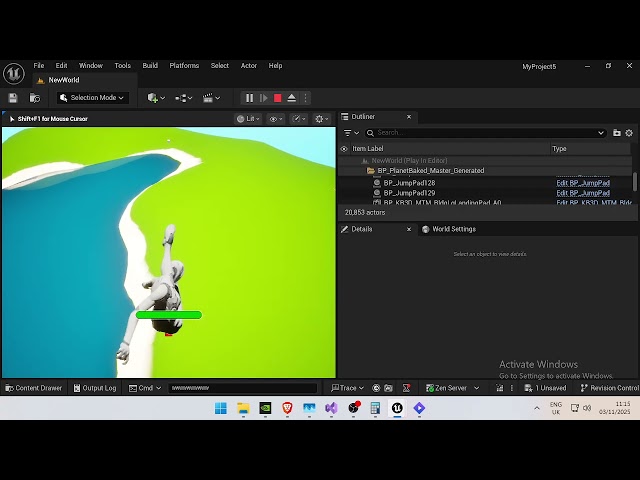
normal raft
 dark drum
normal raft
then it falls only under physics velocity/mass
dark drum
normal raft
then it falls only under physics velocity/mass
Possibly, I know the character movement component handles gravity of the character instead of using the standard physics. I believe this is to keep the character upright.
normal raft
hm yea puzzling
i made sure nothing is turning gravity back on before hes back on the surface

 ocean cloak
Can you recommend a single YouTube Tutorial or Free Course link that thoroughly covers Blueprint Variables (Bool, Object Reference), Execution Flow nodes (Branch, Delay), and creating a simple Trigger using Overlap Events, so I can complete the fundamentals section?
normal raft

YouTube
A series of Unreal Engine Blueprint Tutorials that give you the foundational elements of Visual Scripting that you may not know if you have never taking any ...
?
of course if you also learned C# and C programming in general allot of it would also be second nature..
but that is much more steep road to try and climb
 sick sky
ocean cloak
Can you recommend a single YouTube Tutorial or Free Course link that thoroughly ...
sick sky
ocean cloak
Can you recommend a single YouTube Tutorial or Free Course link that thoroughly ...
Articles are generaly better
https://notes.hzfishy.fr/Unreal-Engine/Extra/Learn/Unreal-Engine-learning-speedrun#engine-anatomy--basics
The goal of this page is to teach you how Unreal Engine, Blueprints and visual scripting works. Everything here should be understandable by someone who has never programmed or used Unreal Engine.
 acoustic whale
hey guys, im trying to implement chunking in my android project. i can see the chunks in the editor platform but i cant see them for Android. how do i fix this

 spiral meadow
When it attach to hand socket of character then it didn't work
spiral meadow
spiral meadow
When it attach to hand socket of character then it didn't work
Need help
sick sky
Show code
 polar barn
I need some help on this
I have this code where when its triggered it shuffles an Boolean Array which consists of ( 7 False ) & ( 1 True ) - and it works on what i want to do for the most part - once it does land on True it will not activate true until I reset by clicking stop in Viewport
is there a way i can reset it where it will only trigger once per round then be reset when round is over
Note:
Rounds are started by a ( Widget BP Button )
It needs to cycle through the Boolean Array 4 times before resetting e.g 5,6,7,8 then reset - once WBP Button is pressed
Right Now the Code is slightly modified for testing purposes event tick is normally not used in my code
Let me know if you need anymore info

 deep geode
Here's something weird I've run into recently: I've been wanting to use PlayerCameraManager's Blueprint Update Camera function to perform camera-agnostic modifications to camera position/rotation/FOV as I hop between various View Targets in my project. Weirdly, though, this function doesn't execute when I make a CameraActor a View Target but it works fine when I make any other kind of actor a View Target (like an empty actor with a CameraComponent, for example)
It seems goofy to replace all the CameraActors in my game with some new custom actor containing nothing but a CameraComponent, so I'd love to know why CameraActor is butting heads with this function executing
normal raft
i wonder if a render-target might be what you need
like how they do the rear view mirror in car games but just switching to it at full screen resolution
basically a render target it hooked onto a specific camera that is placed somewhere or moved as needed the way i understand it
kind how they made sonic style game
deep geode
I'm not looking to capture things to a new buffer, just tap into the camera-switching mechanisms in place
normal raft
yeah in that case i have ran into similar problems before my self that i couldn't really ratify certainly not at component level any way
seems counter logical they way it was handling the camera switching
hence you never really see more then two cams in any tutorial or anything i guess
tell i lie i did see one guy make bike riding game which had 3 third person cameras
but thats all at the character level
 cunning vapor
Anyone good with a simple materials?
#materials message
 hollow tendon
cunning vapor
Anyone good with a simple materials?
https://discord.com/channels/18721764300921...
hollow tendon
cunning vapor
Anyone good with a simple materials?
https://discord.com/channels/18721764300921...
could it be UV mapping?
 rugged ridge
Hi all! New here. I am a currently unemployed Senior Level Designer who is just starting to play around with making my own side-scroller project in order to stay sharp and expand my understanding. I'm just using the generic side-scroller project for now.
Some things I am running into that I'm hoping to get some help on:
-
When jumping, Manny's feet don't line up with the bottom of the collision capsule. This means that the capsule can get caught on ledges when it looks like Manny should clear them. I'm currently changing the half-height on the capsule when in falling state to try to address this. This seems to be working, but I'd be curious if there are better solutions.
-
When landing, the collision capsule hits the ground before Manny's feet do. The result is that Manny hangs in the air for a fraction of a second before dropping to the ground. I was hoping the above "fix" would address this too, but it doesn't. Unfortunately, I'm not sure what the source of this issue is. Is it on the character side where I need to move the mesh down when falling so that it matches the bottom of the capsule? Is it on the animation side where I need to adjust the landing animation? I increased the default gravity to 2.75 so that Manny wouldn't feel so floaty, but maybe this has had knock-on effects?
Any help or direction would be greatly appreciated!
dark drum
rugged ridge
Hi all! New here. I am a currently unemployed Senior Level Designer who is just ...
So you'd normally adjust the capsule height and the z position of the skeletal mesh inside the character BP. If everything is good here and the animations look like they float above the floor, this can indicate an issue with the animation. You can check the sequences specifically to see how they look.
 surreal peak
- is probably caused by the way the default AnimBP is set up.
It will only transition out of the falling sequence when the capsule hits the floor. You'd need to change that setup to "look into the future" and predict that the character will soon hit the floor.
That's more or less what the Motion Matching, or whatever it was called, Sample is doing.
rugged ridge
surreal peak
2. is probably caused by the way the default AnimBP is set up.
It will only tran...
Interesting. So I could do that with a downward trace. Theoretically, if I get the length of the trace right to match the needed timing for the animation I could see that working.
I'm not familiar with the Motion Matching Sample. Is that a route you would suggest I go? Or would the trace thing be more straightforward?
Ah. I looked up Motion Matching. I think I'd heard about it using a different name/acronym. I think it's probably overkill for a side scroller. Or even for any solo project. Looks like I'll go the trace route. I'll plan to make a new bIsCloseToGround to drive the animation state change and drive that variable with a trace. I'll let you know how that ends up working. Thanks!
 lost hemlock
Hi I have a question... im making a saving/loading system in my game.. and today im working on a painting system... this is the begin play... its a canvas with a plane in front of it (thats where I paint)

im confused abotu what I need to save/load specifically and how..
I tried to save/load the variable texture render target 2d and it didn't work
perhaps I need to export render target?
But this doesn't give me any return value to save... and I don't know how many render target exports the player is going to create or how they're going to be named..

because that depends on how many instances will be created
To get the save-data I do this...


and then to load them im doing this... so as Im regularly spawning them...

 ruby cobalt
refresh my mind regarding how to set this up:
i have a struct where the first item is a name... later on i want to have a menu (enum) with all of those names.
should the name variable type in my struct be a name?.. and I use my for loop to "edit" the enum?is that how it works?
basically, i'm looking for ways to pick a struct entry via a menu
 placid elbow
Can someone help me with my logic for my inventory system please? Player looks an object, can pick it up and it goes into inventory as a class reference. If its of type Weapon, the object gets held by the player and stored in a separate array of actors so I have a ref to the instanced object and the item gets teleported out of map bounds(no destroy or spawning). Is this the best way to go about this?
faint pasture
placid elbow
Can someone help me with my logic for my inventory system please? Player looks ...
Keep it consistent
if class ref is enough to talk about a item, then just have a few arrays of class refs
one of which is your equipped stuff, those are spawned and attached
ClassRefArray StuffInBackpack
ClassRefArray StuffEquipped
etc
placid elbow
faint pasture
Keep it consistent
How do I interact with an object if its a class ref? Currently, I have a interface on the item, and assign an item actor object ref to that object I am holding and do interface messages to that object based on player input
 sick lake
Hey everyone! Is there anyone, who can help me with CommonUI, specially with "common activatable widget switcher". What I think that should works with activatable widgets, but when I change widget A to widget B, it does not trigger OnActiveate/OnDeactivate events...
But it should I guess..
btw UE5 v5.5
faint pasture
placid elbow
How do I interact with an object if its a class ref? Currently, I have a inter...
have 2 parallel arraysw
one array is the class ref for the equipped items
the other is the object ref for them spawned and attached
when you drop an item, remove the same index from both
placid elbow
faint pasture
have 2 parallel arraysw
Okay I will try this out 😄 thank you
faint pasture
inventories (bag, equipped, held in hand, etc) are arrays of class refs. Certain inventories (equipped, held) also spawn and attach those actors.
not the best item setup but it'll work for now
placid elbow
faint pasture
not the best item setup but it'll work for now
Yeah I agree, I wanted to roll with something I made on my own instead of just following a tutorial or walkthrough
faint pasture
You can probably handle spawned stuff without the class refs if you're robust about the storing (get class from actor, destroy actor) and equpping/dropping (spawn actor from class, remove class from array) events.
The "rule" could be that items are either stored (a class ref) or spawned (dropped/equipped) at any given time.
placid elbow
faint pasture
You can probably handle spawned stuff without the class refs if you're robust ab...
That makes much more sense. I was having trouble picking up ammo and then using it in inventory because the instanced actor didnt exist in the game world lol
Thank you for the help! I really appreciate it 🙂
!thanks
sick lake
sick lake
Hey everyone! Is there anyone, who can help me with CommonUI, specially with "co...
or can someone show me example how it should be implemented?
I can't see difference between normal switcher and common activatable widget switcher
white parrot
sick lake
Hey everyone! Is there anyone, who can help me with CommonUI, specially with "co...
Have used the CommonSwitcher + CommonTabList and it does trigger OnActivated.
Also the class name is CommonActivatableWidgetSwitcher..so..the name implies that it does.
Regarding the difference between them, the CommonUI's version inherits from CommonAnimatedSwitcher which inherits from the WidgetSwitcher so i'm assuming thats the main benefit, have yet to use the animated properties or dug deep into extra features.
sick lake
Also the class name is CommonActivatableWidgetSwitcher..so..the name implies that it does.
Yeah, that's what I thought, but when Im trying to switch widgets by node "Activate Next Widget" it will not trigger those events..

But anyway, many thanks for reply I will keep digging.
white parrot
sick lake
> Also the class name is CommonActivatableWidgetSwitcher..so..the name implies t...
Is the switcher populated (has any children)? try getting a specific index instead.
Check also if CommonUI is outputting any logs when this code runs, usually when you're not doing anything properly it will let you know about it..
For example not overriding GetDesiredFocusTarget
white parrot
sick lake
> Also the class name is CommonActivatableWidgetSwitcher..so..the name implies t...
Not sure if this screenshot is just an example, but this is not hooked up to anything
sick lake
white parrot
Not sure if this screenshot is just an example, but this is not hooked up to any...
Yeah it's just showing the node what I tried to use
 distant grotto
Is it a bad idea to make a master blueprint class thats empty just so child blueprint classes can be passed along in the same variable?
faint pasture
distant grotto
Is it a bad idea to make a master blueprint class thats empty just so child blue...
why is it empty?
it being empty is a bit of a smell. What is this class?
distant grotto
ive got an inventory component and im working on a hotbar component. I want to be able to pass both through as references for a drag and drop event
faint pasture
Sure that'll work probably.
If you're talking about the data side of things (not the UI), you probably want an interface here.
Is everything on the hotbar also in the inventory or is it like a separate inventory?
distant grotto
its also in the inventory, so it needs slightly different behavior to regular inventory slots
copied the inventory system from a tutorial more or less. I more or less understand how it works but its still tricky figuring out how to extend it
distant grotto
faint pasture
If you're talking about the data side of things (not the UI), you probably want ...
could you expand on the interface a bit?
faint pasture
An interface is how you can talk to disparate classes with the same "language"
faint pasture
distant grotto
its also in the inventory, so it needs slightly different behavior to regular in...
I wouldn't use a common base class here
the hotbar is not a separate inventory
it's a view into the inventory
you just need both things to respond to "Item/Ability got dropped in this slot"
I see no reason why this can't just be handled at the UI level, there's no reason for whatever the HotbarComponent is to know about a drag and drop action.
the hotbar widget and inventory widget know about the innerds of the hotbar component and inventory component, and they are what handles the drag and drop and what it means
distant grotto
thats a good point
the drag and drop operation passes along a reference to inventory component so it can transfer between inventories like the player and an item box, but i dont need that for the htbar
faint pasture
distant grotto
the drag and drop operation passes along a reference to inventory component so i...
Maybe have the operation know what widgets its dragging and dropping from/to
and the widgets decide what that means
you probably want to handle this centrally,
dragging from inventory to inventory -> transfer
dragging from inventory to paper doll slot -> equip
dragging from inventory to hotbar -> whatever that means
dragging from inventory to nothing -> drop
dragging from paper doll slot to nothing -> unequip
either centrally or make it the responsibility of the originating widget to decide what item action it means. Either way, they can't really come to a concensus about it, something somewhere needs to decide what to do.
Whichever way it's done, it should all just end up doing some inventory/hotbar system transaction
totally agnostic as to whether it originated from UI operations or just a hotkey or whatever
 grizzled plaza
can someone help me
context : new to unreal, barely know what im doing
made this spawner as a prototype something simple but I want it to be controlled random spawns, how can i make it so they don't spawn to close to the player character? Kind of similar to something like vampire survivors (spawning offscreen)
 faint pasture
grizzled plaza
can someone help me
context : new to unreal, barely know what im doing
made th...
faint pasture
grizzled plaza
can someone help me
context : new to unreal, barely know what im doing
made th...
Is that the only random reachable point generator you have available?
grizzled plaza
faint pasture
Is that the only random reachable point generator you have available?
uhhh i just had the thought to set that as the origin bc i thought that would make it spawn around the character? that was my thinking
faint pasture
grizzled plaza
uhhh i just had the thought to set that as the origin bc i thought that would ma...
Yes, but you want more than that
you want a point that's within some distance of the player, and off the screen
maybe look into the Filter Class
 knotty current
any idea so
any idea how i can have a uniform grid panel
and the elements right
they shrink slowly as more are added
but their size aspect ratio is CONSTANT
no matter what
so it can shrink down but always at the same ratio, and it shrinks just enough to fit the predetermined columns and rows
someone help lol
@faint pasture u helped me last time any chance u can clutch up for me ts time as well
faint pasture
knotty current
any idea so
any idea how i can have a uniform grid panel
and the elements right
...
no clue I don't do UI really.
Ask #umg
 broken zodiac
grizzled plaza
can someone help me
context : new to unreal, barely know what im doing
made th...
broken zodiac
grizzled plaza
can someone help me
context : new to unreal, barely know what im doing
made th...
I haven't played Vampire survivors but.. if you want things to spawn away from the player run a sphere trace on the player and make it big enough to cover the screen then just run a call to disable any spawn points you have active. That's how I would do it I think 🤔
 modern cove
Freakin hate it when something I had working last night decides to not work anymore today.
 onyx pawn
/job freelance
rain egret
I Wonder, how can I save data I created during gameplay. What I mean is, let's say I have a editor which allows me to place instances in a ismc, the important data here would be the transform array. I want that data to be stored in a way where I can access it from the editor as a template
faint pasture
rain egret
I Wonder, how can I save data I created during gameplay. What I mean is, let's s...
I know a trick
hint: both gameplay and editor can read and write to savegame files
rain egret
Interesting
crimson briar
grizzled plaza
can someone help me
context : new to unreal, barely know what im doing
made th...
Make a vector with the desired distance. For example, 2000 units: 2000,0,0
Rotate the vector by a random degree from 1-360 around the Z axis.
Add your player location to it.
Then optionally do the GetReachablePoint in radius of like 200, to make sure the point you got is on the navmesh
rain egret
I have seen some blueprints, volumetric cloud plugin for example, that had a setup where a render target/ virtual texture (don't know which one it is in ue4) took a picture of a noise material over time and Stiched it together into one texture that was then accessible in the editor
I'd need something similiar but for a object
In pseudo code it'd be:
-create object
-object.setData()
-save
 sleek iron
any help? Soft reference doesn't get resolved
 sleek iron
any help? Soft reference doesn't get resolved
sleek iron
sleek iron
any help? Soft reference doesn't get resolved
except when I forced them to refresh by changing one of the classes back and forth it starts to work...with ALL of the classes
crimson briar
sleek iron
any help? Soft reference doesn't get resolved
Do you load the classes somewhere else before trying to convert them to standard references?
dark drum
rain egret
I Wonder, how can I save data I created during gameplay. What I mean is, let's s...
Adding to what Adriel said, depending on your use case, data assets can be an option as well. These can be edited at runtime and the changes will persists. (You have to make sure you save it though)
dark drum
sleek iron
any help? Soft reference doesn't get resolved
Adding to what Verael said, in short, the classes aren't loaded which is why they fail to be resolved. When using soft references, you have to load them if they aren't already loaded into memory otherwise the resolve will fail.
Based on the screenshot you provided, I would however have the select node pick from the soft references. That way you can just load/resolve the one that is picked instead of having to do it with all options beforehand.
 teal dove
Hey guys, is there a way to hide everything in the level except a selected object / pawn?
I want to create a 3D starmap for my space game, but have no idea how to display it in the level, so that other stuff is not showing up in it or clipping into it. Any advice? 😳
rain egret
dark drum
Adding to what Adriel said, depending on your use case, data assets can be an op...
That might be it yes.
Right now I am constructing a Editor for generating space ships. Module Placement and so on, i already have all the data I need to spawn and outfit a ship using GameState to hold the data on level change.
Goal is to save a few templates and have them be spawned and then controlled by AI controller
sleek iron
crimson briar
Do you load the classes somewhere else before trying to convert them to standard...
Ah, thanks, that must be it.
 steady night
Hi, Advice:
i using a array variable for my items drop on my npc´s and im also using a array variable for my items drops on my "loot boxes"
how would i made a 3rd part that makes the arrays use the same array
right now i have to add items on both classes seperetly
"duplicate"
i could use a struct with a varaible inside that i preset i suppose ?
 willow gate
Good morning smart people! I'm looking for some advice/a starting point for creating a simple (as simple as possible anyway) physics based rope and pulley system where players can grab the unattached end of the rope and pull it to raise or lower the object attached at the other end. I'm planning to use cable components for the visuals and my initial thought is to use physics constraints and add force to move the objects or platforms the ropes are attached to. For pulleys I'm thinking I'll have two cable components, both connected to the pulley mesh end to end. When the player "pulls" their Cable component, it increases in length while the other cable component which is attached to an object decreases in length. Any advice would be welcome
rain egret
Apply physics and then the vector is from the grab location to the pulley location *1000 * alpha
Alpha changes depending on how much you pull.
Let's say you want the rope to only be able to be pulled 10 units from its initial location if you exceed that then alpha is 1, if not its 0
Ideally alpha won't instantly cut to 1/0 and instead slowly increase/ decrease.
You can then use that alpha on the other side to raise / lower the platforms location
I don't recall details but I used something similiar before
spiral meadow
it is not working anymore after flashlight actor pickup in hand socket of the character but working without picking it up


 dense bloom
Hey. I do not see any python related section so i ask there, do any of you know how to properly add in UE5.5 a keyframe and bind event in Python? There is a snippit from my current code:

This code fails at adding event for some reason and do not know how to do it in proper way. It basically loads a sequence from template, adds cameras from scene and binds event track to it. Now i need add event key at keyframe 0
It works fine till addSection () then it wont add key properly
spiral meadow
spiral meadow
it is not working anymore after flashlight actor pickup in hand socket of the ch...
I just added the SetActorEnableCollision node to disable and when i try it works but on the next day when checking it again it didn't worked anymore
 ruby cobalt
i'm making a "gamepad" to move an object relative to camera view.
I figured out the location using forward vector and stuff.
but what about rotation? which nodes am i looking for?
 hybrid pollen
How can I play a Level Sequence while using the Gameplay Camera System? It doesn’t start properly with my gameplay camera active.
willow gate
rain egret
Apply physics and then the vector is from the grab location to the pulley locati...
Appreciate it. I will keep this in mind when I get to that step. Right now I'm trying to figure out the pully itself and how to change the length of the cable compoenent, which you don't seem to be able to do at runtime.
rain egret
You don't change the length, you change the start and end locations
Cables will also club trough geometry and not coil around it
There are tricks but they are rather complex
And usually with coding you want a "good enough for my need" solution
dark drum
steady night
how would i made a 3rd part that makes the arrays use the same array
Data asset. Create one called 'Loot Box' that has the data in it for the items. On the NPC's you just specify the loot box (or multiple if you wanted) and you can pull the data from it when needed.
willow gate
rain egret
And usually with coding you want a "good enough for my need" solution
That's my approach. I'm not overly concerned with the cable comp "wrapping around' the pully. I'll cheat the visuals. Speaking of which, I think this conversation just inspired an idea. I don't think the player cable will need to change at all. I'll just have the end that attaches to the platform or object change end location using your vector formula (from cable end to pully mesh) and go from there.
spiral meadow
spiral meadow
it is not working anymore after flashlight actor pickup in hand socket of the ch...
Hey Guys, what's the issue here and if it didn't work then will I put the spotlight directly inside the character bp, I didn't get it
dense bloom
dense bloom
Hey. I do not see any python related section so i ask there, do any of you know ...
Anyone? Fighting with it for 3 days now. Its just keyframe left and available examples break, think api might change in 5.5
dark drum
spiral meadow
it is not working anymore after flashlight actor pickup in hand socket of the ch...
how do you handle equiping the flashlight?
dark drum
dense bloom
Anyone? Fighting with it for 3 days now. Its just keyframe left and available ex...
You might be better asking in #editor-scripting
dense bloom
Okay thanks. It was not so clear so i thought it was more about Blueprint utilities ect 😛
spiral meadow
dark drum
how do you handle equiping the flashlight?
Using line trace and interface
dark drum
spiral meadow
Using line trace and interface
a line trace just queries the environment. I'm referring to how you add it to your inventory and then equip it when you select it in the inventory.
spiral meadow
dark drum
a line trace just queries the environment. I'm referring to how you add it to yo...
Well, Will I tell you tomorrow, coz pc is turn off and I just dont get it in my mind how it's added to my inventory.
Besides I am using arrays of struct to get it inside in my inventory and the actor in map its just fake destroy it in place of destroy actor
Plus, I insert all actors info inside the data table to equip it and I have a master item bp where all the equipment are their child bp
spiral meadow
dark drum
a line trace just queries the environment. I'm referring to how you add it to yo...
This is all I know, if u want I will send pics of how I set it up the bp and I am using actor component too
ruby cobalt
how do i rotate an object on an axis relative to my camera? I'm trying to use forward/up/right vector from the camera but i can,t figure it out
i'd try to avoid gimbal lock.. so trying to use quat.
hollow tendon
ruby cobalt
how do i rotate an object on an axis relative to my camera? I'm trying to use fo...
get your camera relative rotation then subtract/add the object based on that
i believe it is more of a math thing
ruby cobalt
so no forward/up/right vector?
i want to rotate using a gamepad/joystick whatever
yeah it's more complex than that... here if camera moves, the axis of rotation changes.
 willow gate
rain egret
You don't change the length, you change the start and end locations
willow gate
rain egret
You don't change the length, you change the start and end locations
So I'm trying to change the end location of the cable component at runtime but it doesn't seem to have any affect on the cable at all. It just continues to swing even though my tests show the alpha for the lerp is adjusting as intended.
 tropic torrent
I doubt y'all can help without me having a screenshot BUT
I used the actor overlap into custom event node, but the output of the custom even is actors (makes sense), how could I get character movement from that?
crimson briar
tropic torrent
I doubt y'all can help without me having a screenshot BUT
I used the actor overl...
Get Component by Class
crimson briar
It attempts to find a component of the specified class, inside the given actor and returns it (if it found any ofc)
ruby cobalt
how do i rotate an object on an axis relative to my camera? I'm trying to use forward/up/right vector from the camera but i can,t figure it out
i'd try to avoid gimbal lock.. so trying to use quat.
This doesn't really work.

what am my missing here?
cam front = object does pitch rot (relative to my view)
cam side = object does roll rot relative to my view
cam top = object does yaw rot relative to my view.
even though the forward, right and up vector move when the camera change position
rain egret
willow gate
So I'm trying to change the end location of the cable component at runtime but i...
something something set attached end location was it i think
ancient iron
need help for my level and Ai talk
willow gate
rain egret
something something set attached end location was it i think
Hmmm... I will look for that.
rain egret
i successfully stored my data in an asset, however the bool that save loaded asset returns is false and the ship disappears from the asset manager if i open the project

despite it being created
hardy merlin
Is there a built-in function for getting the base of a capsule collider?
rugged ridge
hardy merlin
Is there a built-in function for getting the base of a capsule collider?
I'd look at Get Capsule Half Height. Not sure if that gets you exactly what you want, but I think it gives enough to figure out what you want. Maybe?
rugged ridge
hardy merlin
Is there a built-in function for getting the base of a capsule collider?
If you have the capsule's location and subtract half height and hemisphere radius from the Z, I think that will leave you with the base, won't it?
rugged ridge
hardy merlin
Is there a built-in function for getting the base of a capsule collider?
Unless you are scaling the capsule, then you need to take that into account too.
hardy merlin
Good call on the scaling.
 warm hare
I am having issues with my gate not rising when I interact with it. Everything else works in regards to playing the sound, but the gate won't lift. Any insight on where I should be looking?


 fallow fox
warm hare
I am having issues with my gate not rising when I interact with it. Everything e...
fallow fox
warm hare
I am having issues with my gate not rising when I interact with it. Everything e...
Get the relative location of the door and add the alpha -> new location
Ah you have the curve at 256?
lunar sleet
Flip Flop is not ideal for anything other than prototyping and that’s a lot of crossing wires making it difficult to read your own code
As for your timeline you’re better off having a float curve between 1 and 0 and update lerp between fixed locations A and B, with the timeline only changing the alpha pin of the lerp
crimson briar
I mean, both of the do once are completely redundant. Since they reset eachother and are inside a flipflop. The flipflop itself achieves the same thing without them
gentle urchin
Yupp
crimson briar
But it doesn't look like iit shouldn't work, unless something is interfering with the relative location. I would print the gate location before/after each set
gentle urchin
Generally doing cross paths is prone for bugs tho , unless you can guarantee call order etc, and even then ..
crimson briar
gentle urchin
Generally doing cross paths is prone for bugs tho , unless you can guarantee cal...
It wouldn't bug here, only resetting the do once is crossed. There is no continuation after hitting the Reset pin
gentle urchin
In this exact scenario, no
The buggy ones are typically dragging references from one event chain to another without storing them in a variable and validating them
They also seem to play the same sound tho... could play it pre flip flop, and clear it on completed if im not.mistaken
lunar sleet
crimson briar
It wouldn't bug here, only resetting the do once is crossed. There is no continu...
It forms bad habits and it will cause bugs further down the line
 inner warren
Hi there
Has anyone ever done a start/stop timer using collision box? Im trying but I can't figure it out.
Anyway help would be appreciated
lunar sleet
inner warren
Hi there
Has anyone ever done a start/stop timer using collision box? Im trying ...
Which part are you struggling with
lost hemlock
Today I tried to export & save & load back by importing render target files into pngs
So if you paint something in your canvas, it's gonna export them when you save, and its gonna load then when you load your game...
but the... textures are invalid.. and when I open them it says it's not valid bitmap
has anyone ever done anything like this?

 fervent breach
so I'm trying to make a object pool for my projectiles - and for the most part it works, but for some reason when a projectile hits level geometry and gets recycled back to being used, the bullet won't move. The only way for the bullet to detect level geometry is through a Hit-event, so that's clearly at the source of the problem, but how to I get the projectile to move again after a Hit-event?
I already reset its velocity, but that doesn't work when it hits the level geometry
 next hollow
Thats the exact opposite of what they want to do. lol
lol, ok.
Depends on how there game is made.
Cuz, an object pool can help a lot.
Especially if said projectiles/ weapons are used a ton, or even a core focus of the game.
 simple berry
Does anyone know a good way to allow hover/clickthrough on a scenecapture 2d widget? im setting up a 3d minimap and need some things to show their name/let you click them via the widget and cant seem to find any good ways to do it
rain egret
Asking this again, after opening the project the created data asset is gone

And save returns false
But it still creates one
inner warren
lunar sleet
Which part are you struggling with
So i have the timer starting but unsure how to make it stop when player hit another collision box
surreal peak
rain egret
Asking this again, after opening the project the created data asset is gone
Could it not be dirty and the save fails?
rain egret
surreal peak
Could it not be dirty and the save fails?
I tried it with both options and had the same outcome.
surreal peak
Do you see the file on your drive?
hollow tendon
rain egret
Asking this again, after opening the project the created data asset is gone
Right click on the nodes then hit refresh
surreal peak
And I assume you are doing this during Editor, not during PIE?
rain egret
This here is a setup I found online. And while I don't need to reparent my data. I am sure it has something to do with the fact that I linked the cast reference to save

I Play in Editor
And the file appears in editor
It just doesn't save
rain egret
hollow tendon
Open bp class --> file --> refresh all nodes
I will do do once back from work
surreal peak
rain egret
I Play in Editor
Hm. I don't know if the AssetTools are meant to be used during play.
That stuff is usually meant for Editor Tooling.
DataAssets are usually created upfront, during design-time, and not really touched during play. They are more or less read-only data.
Wondering if you are maybe using this for something it wasn't meant for.
Given your function on the ShipRef is called "Prepare Modules For Save", I feel like you are trying to create a save game. And the AssetTools would not be the way to do that.
rain egret
surreal peak
Given your function on the ShipRef is called "Prepare Modules For Save", I feel ...
My function returns a struct with a array with a class and a transform. The file gets created and I can create with it. Only saving doesn't work
Goal is to create a data asset with the necessary data to replicate a ship that I built using a Editor I made. Then in play I want to use that custom data to spawn in a new ship
surreal peak
Yeah sure, but are you just trying to create a traditional save game that you can load?
Ah.
rain egret
Nö
surreal peak
But the ship is built during play?
surreal peak
to replicate a ship that I built using a Editor I made
I meant this. That "Editor" is still requiring you to press play?
Cause I still wonder if the Asset Tools don't support being used during play.
rain egret
Yes, it required me to press play
surreal peak
It might create a "Transient" DataAsset, which might not save.
surreal peak
Would need to check the functions you are using. Guess I can have a quick look.
surreal peak
rain egret
What would be the right approach for what I am trying to do
Well, in theory, you would want to only do things during play that are relevant to your gameplay. And if you are doing any "development" work upfront, that shouldn't be done through playing the game.
But given we are in #blueprint , and I'm not sure how much the Editor Tooling allows you to go crazy, this might not really be possible for you as it often requires C++.
E.g., if I were to make a Ship Assembly for a Ship System I coded, to create Ships that are later used during gameplay, I would code that into the Editor directly.
E.g. I would have a C++ DataAsset and would create an Editor module that defines what happens if I open that DataAsset. That then would open a custom Editor instead of the usuall BP data view.
That's at least the "usual way", but also requires C++.
rain egret
Not possible and redundant since the player would use that same editor (without the save to asset functionality) in gameplay
Not writing it twice
surreal peak
Fair enough, didn't know that.
rain egret
surreal peak
Well, in theory, you would want to only do things during play that are relevant ...
Extra button in the top left that let's me save everything on the ship to a data asset
surreal peak
Hmm. For normal saving there is a SaveGame system, but that of course doesn't actively cook the content but just sits in the saved folder which one usually doesn't ship anyway.
Wondering about a mixed setup. I see why you are trying to use the Asset Tools.
Lemme check the methods.
rain egret
Thank you
surreal peak
No worries.
One thing you could try, just in case this is a deadend, is to create a DataAsset upfront, and then modify it through the ShipEditor and try to re-save that. That's a bit more annoying in terms of the UX/flow, but might at least result in what you want. But that's just me thinking out loud.
I don't see anything in the CreateAsset method so far. It should also be automatically marked dirty (which makes sense).
// Mark the package dirty...
Pkg->MarkPackageDirty();
Also the one my lecturer showed me had a timeline
surreal peak
Aha
inner warren
 surreal peak
bool UEditorAssetSubsystem::SaveLoadedAsset(UObject* AssetToSave, bool bOnlyIfIsDirty)
{
    TGuardValue<bool> UnattendedScriptGuard(GIsRunningUnattendedScript, true);

    if ((UE::Editor::Private::AllowSavingAssetsDuringPIE == 0 && !EditorScriptingHelpers::CheckIfInEditorAndPIE()) || !UE::EditorAssetUtils::EnsureAssetsLoaded())
    {
        return false;
    }
@rain egret This looks sus.
There is def a silent "fail" path in the SaveLoadedAsset method if you are playing.
AllowSavingAssetsDuringPIE also seems false by default.
Here is the CVar you can use to allow that. Maybe that resolves your problem.
namespace UE::Editor::Private
{
    int32 AllowSavingAssetsDuringPIE = 0;
}

static FAutoConsoleVariableRef CVarAllowSavingAssetsDuringPIE(
    TEXT("Editor.AllowSavingAssetsDuringPIE"),
    UE::Editor::Private::AllowSavingAssetsDuringPIE,
    TEXT("Allow assets to get saved during PIE through the EditorAssetSubsystem. Set to 0 (default) to disable and 1 to enable this option."),
    ECVF_Default
);
Editor.AllowSavingAssetsDuringPIE 1
surreal peak
inner warren
Also the one my lecturer showed me had a timeline
You might want to share what you actually have done so far. Images of it. Starting and stopping a Timer is pretty straight forward.
inner warren
surreal peak
You might want to share what you actually have done so far. Images of it. Starti...
Not for my brain lmao
But yeah il put what I have
surreal peak
Well, "straight forward" as in, there aren't many nodes involved.
lunar sleet
inner warren
So i have the timer starting but unsure how to make it stop when player hit ano...
Make a separate bp for the collision, then on the character use event overlap and cast the overlapped actor to the collision box’ s bp to make sure it’s the correct thing, on success you run your timer. If none of that made sense to you save yourself some time by watching the 2nd pin (bp comms) in full
inner warren

 surreal peak
Right yeah, that's all over the place.
One of the big "problems" you put onto yourself is mixing what object is updating what.
Spawning the Widget and then updating it from outside is messy.
rain egret
surreal peak
`AllowSavingAssetsDuringPIE` also seems false by default.
Here is the CVar you ...
I See, that'd require me to edit it using c++ right?
Hm, well it doesn't have to be done using data assets, that was just something I was recommended.
The requirements are only:
create data > store data > access created data in editor
surreal peak
rain egret
I See, that'd require me to edit it using c++ right?
Hm, well it doesn't have ...
No, it's a CVar.
You just put the line I gave you into the console.
rain egret
Oh interesting
surreal peak
inner warren
Btw, when you write "Timer", almost everyone will think about the "SetTimer" nodes and not a widget with an integer that you increment manually.
Tick with the delay is also nasty.
Lemme show you what you would want to do.
inner warren
Yeah this is from another student that tried to help. It works but I wanted like milliseconds, seconds and minutes displayed. Im dumb when it comes to coding 😭
So I really appreciate any help 😊
surreal peak
inner warren
Yeah this is from another student that tried to help. It works but I wanted like...
Do you need milliseconds or is seconds enough?
inner warren
Seconds is enough. I just thought it would look better
surreal peak
Lemme show you what you would want to do
 small moat
anyone knows if there's a bp math node for snapping a normalized vector to the axis it's closest to? like either up, down, left, right, forwards, backwards, but not inbetween
surreal peak
small moat
anyone knows if there's a bp math node for snapping a normalized vector to the a...
Like, to a grid?
small moat
as in I have a normalized direction vector that can be pointing anywhere and I want it to point straight up, down, left, right, forward or backward, whichever is "closest"
 mental trellis
You'd probably just find which axis has the biggest magnitude and use that, noting whether it's negative or positive.
small moat
just compare them against eachother manually then? just wanted to make sure I wasn't missing some "fancy" math operation for this kind of case
surreal peak
Wouldn't you already know which one is the closest due to having access to the X, Y and Z values?
If it's a normalized vector, then the "largest" component is the axis it's closest to, or not?
small moat
yeah
like comparing them manually does the job, I just wanted to know if there wasn't an even simpler way before doing it
 remote girder
if I control a camera trough PlayerCameraManager - will it use it's spring arms with the camera or only the camera transform itself will be affected, so I need to make my own collision detection for it? I want to separate camera from a player pawn, because I don't want to player pawn being only using the camera.
for now, I don't know even if it worth it with those convoluted problems, lol (or I'm missing something with player camera manager itself)
tropic torrent
not that this was working before, but get component by class is the newest change

the dash itself works, which is the parent event, but this custom event is giving me issues
Blueprint Runtime Error: "Accessed None trying to read (real) property CallFunc_GetCharacterOwner_ReturnValue in not an UClass". Node:  Launch Character Graph:  EventGraph Function:  Execute Ubergraph BP Dashes KB Blueprint:  BP_Dashes_KB
Blueprint Runtime Error: "Accessed None trying to read (real) property CallFunc_GetCharacterOwner_ReturnValue in not an UClass". Node:  Launch Character Graph:  EventGraph Function:  Execute Ubergraph BP Dashes KB Blueprint:  BP_Dashes_KB
Blueprint Runtime Error: "Accessed None". Node: Launch Character Graph: EventGraph Function: Execute Ubergraph BP Dashes KB Blueprint: BP_Dashes_KB```and in game the dash will work, but the knockback is borked, sometimes it stays out for longer than the dash lasts, and sometimes it doesn't work, don't even know why they're being launched in such weird directions either
 distant elk
I'm trying to prune using collision and I'm just having no luck. What is the correct way to do this?
dark drum
tropic torrent
```Blueprint Runtime Error: "Accessed None trying to read (real) property CallFu...
From the error message it looks like 'Other Actor' doesn't have a 'Character Movement Component'. Chances are your character performing the dash is overlapping with other actors.
Try adding an is valid node between the event start and launch character and connect the output of the get component by class node as the thing you check.
dark drum
distant elk
I'm trying to prune using collision and I'm just having no luck. What is the cor...
Trying to prune what? You'll need to add more context.
distant elk
dark drum
Trying to prune what? You'll need to add more context.
I have a bunch of tree and rock points. All of them have data/meshes assigned using set and match. I've been pruning using bounds, but would like more accurate pruning.
tropic torrent
dark drum
From the error message it looks like 'Other Actor' doesn't have a 'Character Mov...
it's supposed to overlap with enemy characters, that's why I have actor overlap
dark drum
remote girder
if I control a camera trough PlayerCameraManager - will it use it's spring arms ...
In short thats right. The player camera manager is just a transform so if you want similar behavior to a spring arm, you'd have to set it up yourself.
crimson briar
tropic torrent
not that this was working before, but get component by class is the newest chang...
You are using the Character class function anyway. SO you might as well just skip the finding component and cast the other actor to a Character class instead. This way you will do three things at once - validate if the overlapped thing is a character, get the character reference, and get the movement component reference (it can be retrieved from the character class, because all characters have it)
dark drum
tropic torrent
skip find component by class?
Yea, instead of using the find component by class, just replace it with a cast to 'Character'. (cast the 'Other Actor' to 'Character')
The character movement component only works if it's on the character class anyway. (Just the way epic set it up)
tropic torrent
I remember that not exactly working but I'll have to check it-
crimson briar
Something like this (I skipped the calculations)
 tropic torrent
doesn't hurt to try
tropic torrent
crimson briar
Something like this (I skipped the calculations)
Stopped giving the error message but uh
why is it still launching characters when the dash is done
dark drum
tropic torrent
Stopped giving the error message but uh
Something like this. I noticed you were using the forward vector of the thing being hit and not the thing doing the dash.
 tropic torrent
Wouldn't doing the dash mean forward instead of outward?
dark drum
<@&213101288538374145>
dark drum
tropic torrent
Wouldn't doing the dash mean forward instead of outward?
Yes but you would expect the thing hit to travel in the same direction of the thing doing the dash, not the direction the thing being hit is facing.
tropic torrent
probably a whole other thing I have to figure out
you're right though, for what this is trying to do
I intend to make one that launches them away from the character instead, but another option doesn't hurt
atm the only other problem is that it stays on, which is very weird lol
dark drum
distant elk
I have a bunch of tree and rock points. All of them have data/meshes assigned us...
Pruning in what context? Distance? Field of View? Something else? (By prune I assume you mean to remove)
tropic torrent
Oh it's when I re-overlap
dark drum
tropic torrent
atm the only other problem is that it stays on, which is very weird lol
So when the dash has finished, do you unbind from the overlap event?
 dark drum
tropic torrent
dark drum
tropic torrent
Using the 'Dasher' input from the 'DashInput' event could cause issues as it's across execution paths.
tropic torrent
seems to do the trick right now
tropic torrent
dark drum
Using the 'Dasher' input from the 'DashInput' event could cause issues as it's a...
What should I use instead?
dark drum
tropic torrent
seems to do the trick right now
As a safe guard, I would store the 'Dasher' in a var. You can then use this for the unbind and clear it afterwards.
However, does it make sense that the dash would only end once something has been overlapped?
What if they miss the target?
dark drum
I mean for the dash. Should it stay active until something is hit?
tropic torrent
dark drum
I mean for the dash. Should it stay active until something is hit?
the parent right?
dark drum
tropic torrent
the parent right?
yea.
tropic torrent
intentionally doesn't

the inside of that thrust forward is similar to the other launch
dark drum
tropic torrent
intentionally doesn't
Ahh ok. If its a timed thing, you need to have it unbind after the dash duration as well.
tropic torrent
just also includes a velocity tracker
im ngl
the delay is just a time i chose thats close enough to how long the launch takes
the dash being set collision + launch on forward vector is very funny, but it makes timing things to it a little difficult
 blissful summit
Am I understanding correctly that LoadStreamLevel will ensure that all models are loaded in when its completed?
I'm not getting that behaviour, so either I'm understanding something wrong or I did something wrong. Not sure which
dark drum
tropic torrent
the delay is just a time i chose thats close enough to how long the launch takes
Changing the collision response won't affect the binding which might result in the overlap logic getting triggered when it shouldn't.
So lets say you activate the dash and it never overlaps with anything. The bindings are still active so the next time you enable to collision response for something else, the dash stuff could also fire when not needed.
tropic torrent
the ones for the knockback (the child?)
dark drum
tropic torrent
the ones for the knockback (the child?)
for the dasher.
tropic torrent
ye i mean in the parent blueprint where collision is set, or the child, where the launching of others is done
dark drum
I'm not sure you're understanding what I'm saying.
tropic torrent
oh
tropic torrent
tropic torrent
make the execution line connect to the top instead of the bottom
with a delay
equal to the dash duration?
 dark drum
That could work, but I try to avoid delays where I can. Personally, I would do something event driven (DashStart/DashEnd) that can be listened too.
tropic torrent
oh my god you're right
then i wouldn't have to guess the duration
i need to use more custom events man
dark drum
tropic torrent
i need to use more custom events man
*event dispatchers. 😉
Does anyone have any suggestions for sending data to a loaded level as part of the level transition? For context, I just need to know what data asset should be used on the loaded level once its loaded.
(Just want to see if they're any other ideas other than setting up a save game object for just one var.)
mental trellis
How big is the data?
dark drum
mental trellis
How big is the data?
It's just a data asset so the soft ref string.
mental trellis
If it's just a string referencing an asset, you could pass it as part of the level transition call. Not sure if you're using like "open mapname" or whatever. But "open mapname?data=pathtothing" could work.
Or just store it in the game instance.
tropic torrent
rookie mistake, forgot add call to parent 😔
beautiful, all i need to do now is edit collision sizes
dark drum
mental trellis
If it's just a string referencing an asset, you could pass it as part of the lev...
I use the 'Open Level' node. So would that the the options pin?
 mental trellis
Yup
dark drum
mental trellis
Yup
Ok, this could work. How do i get it on the other side?
mental trellis
I'm not sure how you retrieve that info in bp. 🙁
There must be a way or even having it as an option is a bit silly.
dark drum
mental trellis
I'm not sure how you retrieve that info in bp. 🙁
Oh! there's an 'Options String' on the game mode.
 mental trellis
That might just be it!
mental trellis
Np.
dark drum
For anyone else interested, this works. Just have to remove the ? and then I can convert it back to a soft ref.
 mental trellis
For reference, unreal does a kind of "url" thing when opening a level
it's mapname?param=value?param2=value?param3=value
So that's why it starts with a ?
You can use that to change the game mode when opening a level too, so you can load any arbitrary game mode
Instead of the one defined in the world settings.
rain egret
surreal peak
You just put the line I gave you into the console.
unfortunately this did not work
surreal peak
Hmpf
rain egret
i doubt i will be able to go with the json approach since important structs are built like this
class, transform
okay i solved it
that was suprisingly easy
its true that you cannot save them at runtime
so heres what you CAN do
you create your data asset and fill it


your original data asset will show up in the content browser
duplicate it, rename it
and now you have a data asset that will stay even if you reload the project
a bit of a hack but hey it works
and judging by how i did not read anything about this online... i guess i am the first to do that? altough i doubt that
this is awesome lmao
 neat goblet
rain egret
neat goblet
rain egret
creating the ships at runtime works great, however its skeleton mesh components do not show up. i wonder why, maybe they are culled out because the player camera doesnt see them

well one thing at a time i suppose
rain egret

 swift pewter
I'm trying to implement grabbing on physics-based character but am struggling with some mechanics. When the player is near a lever that's attached to a wall and grabs it, it should place the hand on top of the lever and prevent the player from moving away until it releases the lever, similar to Human Fall Flat. I tried using the PhysicsConstraint component to prevent the player from walking away but that didn't work. Hand IK isn't working either. I use a virtual bone for the hand IK

 faint pasture
swift pewter
I'm trying to implement grabbing on physics-based character but am struggling wi...
faint pasture
swift pewter
I'm trying to implement grabbing on physics-based character but am struggling wi...
At a fundamental level, how are your characters moving?
I'm guessing force is being applied to something, what is it being applied to, and what's the chain of constraints from that thing to the hand?
 chilly plank
In a first person project, I'm trying to add a UI element that is essentially a box surrounding the item the player is currently targeting via my interaction system. I'm projecting the bounds of the target to screen space and grabbing the minimum X and Y values to determine the location and size of a canvas panel, but it's not properly getting the screen space rectangle for some reason. What's more, the position/size seem to be affected by the current resolution in an undesirable fashion.
 tidal ridge
hey guys, in UE is player controller used for controlling different characters, i know it can control one character at a time but im saying switching characters like lego star wars, but for Ex: Ninja Gaiden 2 single player, in different levels you play different characters like say your start in this level as this character and in the other level or chapter you might say your start as this other character, but yeah is that used for that purpose as well? there are other Ex: like Gears of war 5 were the story missions Begin with JD then after those missions it switched to kate in the the next missions or the entire campaign, or call of duty as well?
lost hemlock

Im painting on some canvases... I need to return the correct values. [M.I.D.] = Material Instance Dynamic... but when I reload I wanna load the right values at the right canvases... so to give you an example of how Im testing this is this: I place 3 canvases... A, B, C... and each has a number... Left(A)1, Center(B)2, Right(C)3... But if I use Random it will fuck up this order...
so, when I click save... it will save them inside of that array in a random sequence... but when I load them I need each photo to load when it needs to be loaded.
swift pewter
faint pasture
At a fundamental level, how are your characters moving?
It still uses the CMC and animations but it has a PhysicalAnimation component to blend the anims with some physics. Server_GrabVerticalLever calls the function in the screenshot where the constraint is being set. Not sure if it can be related to the physics asset
 faint pasture
swift pewter
It still uses the CMC and animations but it has a PhysicalAnimation component to...
faint pasture
swift pewter
It still uses the CMC and animations but it has a PhysicalAnimation component to...
Nothing there is telling the CMC it can't move away from the lever
basically the CMC is an unstoppable force as far as physics is concerned
swift pewter
faint pasture
basically the CMC is an unstoppable force as far as physics is concerned
Right, I thought the physics constraints somehow prevented the limbs from stretching out like in the video. How can I ensure that the character can't move away? Call StopMovementImmediately on Tick as long is the player is holding onto it or will that prevent any movement including jumping
faint pasture
swift pewter
Right, I thought the physics constraints somehow prevented the limbs from stretc...
If you're going whole-hog on physics I'd just physics all the things
how much physics driven movement should be applied to the character?
swift pewter
faint pasture
how much physics driven movement should be applied to the character?
Ideally I don't want it to be 100% physics. What I have currently is fine. But I suppose certain things will be harder to do when going 50-50
 worthy bough
Is UE5.6.1 blueprint really buggy?
I made a post on the unreal forums showing a tracing issue on 5.6.1 & showed it working fine on 5.5.4 but it's been 25 days and I haven't got any responses. I noticed the 5.7 preview came out and tried it on there but it had the same issue as 5.6.1... and now I've run into another issue where 2 floats with the same values are showing false with an equals node...
Here is the whole thing. I also tried this in UE5.5.4 and it works unlike 5.6.1

and here is the link to the forums post about the tracing issue.
https://forums.unrealengine.com/t/ue5-6-bug-traces-dont-hit-when-starting-inside-a-mesh-using-complex-as-simple-collision/2664614

Epic Developer Community Forums
I tried it with a sphere trace in the video but I’ve tested it with a line trace as well and had the same result. I made a 2 minute video showing the problem happening on UE5.6.1 and showing it working as intended on UE5.5.4 Here is a link to download both of the projects if you want:
I am using windows 10 still... could that be the issue?
 hollow pond
worthy bough
Here is the whole thing. I also tried this in UE5.5.4 and it works unlike 5.6.1
hollow pond
worthy bough
Here is the whole thing. I also tried this in UE5.5.4 and it works unlike 5.6.1
this whole thing not working could just be because you're using Equals Exactly rather than Nearly Equal. floating point maths is weird, 0.1 + 0.2 does not equal 0.3 on a computer. Nearly Equal has a 'Tolerance' value that will allow the two numbers to be slightly different while still registering as equal.
I can't actually tell what this code is for though. that could just be me, I'm very tired
worthy bough
hollow pond
this whole thing not working could just be because you're using Equals Exactly r...
I know about floating point errors but I thought since the floats show the exact same number and it works perfectly on UE5.5.4 it would work. I was looking for nearly equal but forgot the name thank you lol, that work around fixes that issue.
Do you know why the tracing issue I have on the forums post is happening? I can post the video here directly if you want
crimson briar
worthy bough
and here is the link to the forums post about the tracing issue.
https://forums....
I can't answer why it worked on a previous version, but from my understanding not detecting hits from inside on Complex as Simple is an expected behavior.
Complex as Simple checks collisions against the triangles and the triangles in meshes are by default one-sided. So I would think not detecting a hit from inside is a valid result. Simple collision uses volumes instead.
Simple Collision and Complex Collision are not exactly the same, it is not only about the shape/complexity but the engine itself handles them differently - but I don't have deep knowledge, I only know that using Complex collision unnecessarily has caused me several problems in the past.
worthy bough
crimson briar
I can't answer why it worked on a previous version, but from my understanding no...
I can make a long video showing why I need it for my project but I don't think anyone wants to spent the time watching that. I feel like I should just transfer my whole project back to UE5.5.4 unfortunately, where it works
tropic torrent
tidal ridge
hey guys, in UE is player controller used for controlling different characters, ...
different level as different characters (Dev chooses, player doesn't) as actually really easy, it's a dropdown that let's you choose which character
swift pewter
faint pasture
If you're going whole-hog on physics I'd just physics all the things
Btw, is placing the hand on the grabbed lever with IK not working because of the combination of physics and non-physics, just like with the CMC?
 uneven gazelle
Hello there! If anyone here is able to give me a direction: is there any conventional way making a procedure IK system of a character reaching a movable target? I struggle making my full-body vr character to stick its hand to a rope segment represented by a skeletal mesh.
faint pasture
swift pewter
Btw, is placing the hand on the grabbed lever with IK not working because of the...
The IK has zero influence on the CMC
that's the problem
the IK says "put hand on the lever"
The CMC doesn't care and moves the capsule/skelmesh away from it anyway
swift pewter
faint pasture
the IK says "put hand on the lever"
The CMC doesn't care and moves the capsule/s...
Gotcha, thank you. I have implemented basic physics movement without CMC but I'm struggling to keep the mesh upright by utilizing constraints in the physics assets. Do you know by any chance if it's possible to do so or do I need to run logic on Tick?
dark drum
Does anyone know if there's an overview for all depreciated function calls and where they're being used?
I know I can do a search for each individual function but wondering if there's more of a global check.
blissful summit
soo, what is the official method that is triggered when all models are fully loaded in a level ? I've tried FCoreUObjectDelegates::PostLoadMapWithWorld and LoadStreamLevel completed pin, but both seems to not be called when all models are loaded in. Is it something to do with assets being streamed in or something?
I have a screenshot functionality that takes a bunch of pictures of the level on beginplay of the gamemode, but this seems to trigger way too early.
dark drum
blissful summit
soo, what is the official method that is triggered when all models are fully loa...
I'm not sure of any specific call back for it but on the world, there's a getter function called 'GetBegunPlay()'. This returns true once begin play has been called on all actors in the world. (I'm not sure how it works with level streaming though)
However, I don't believe the above is accessible in BP only as you can't get a world ref.
surreal peak
This returns true once begin play has been called on all actors in the world.
It returns true if the World has begun play. It can still happen that actors spawn/load in later that then run BeginPlay. Not sure this really marks a point at which "everything" is loaded.
Also no clue where to get that point in time from. Could be worth a custom system that keeps track.
dark drum
surreal peak
> This returns true once begin play has been called on all actors in the world. ...
Good to know. Not always easy following the flow of events from source. 😅
 past compass
can you adjust a timelines update tick?
rugged ridge
blissful summit
soo, what is the official method that is triggered when all models are fully loa...
This sounds like the kind of situation where I'd use a SetTimerForNextTickByEvent in my BeginPlay. Would that work for you?
dark drum
rugged ridge
This sounds like the kind of situation where I'd use a SetTimerForNextTickByEven...
Sometimes it can work but you can still end up with race conditions.
rugged ridge
dark drum
Sometimes it can work but you can still end up with race conditions.
I remember an entire discussion at Respawn about how to guarantee something happens the next frame, and it wasn't nearly as straightforward as one might hope. 😛
dark drum
rugged ridge
I remember an entire discussion at Respawn about how to guarantee something happ...
The next frame isn't to difficult, the issue is the order. 😅 The vain of any loading system lol.
simple berry
Anybody know a good way to make a 2d scenecapture render target show screenspace declared widgets? Like how they show up in world space but always render to the screen, i.e. floating player name?
lofty rapids
so one way i kind of fix things that load out of order is a retry
like, if it's null delay then try again
as long as its a "guaranteed" thing
it works pretty well
by "guaranteed" i just mean that it will eventually be valid
 jovial steeple
Sometimes the initialization order can be annoying to work with tbh.
lofty rapids
so i have a multiplayer game i'm working on and i have this issue when loading
and this retry method solves all the issues
jovial steeple
The actors that are placed in the level vs spawned in, initializing at different times.
Yes the delay at strategy is a classic 😂
lofty rapids
lol it gets the job done
it just has to be a guaranteed valid thing
or its infinite
i think an increment
and a tolerance of loops would help in areas
just in case
 errant mason
i need help. i have BP first character and BP flashlight. in first character i press a key to interact and ive set up an interface and the interface is implemented in the flashlight bp. when triggered it destroys the flashlight. that all works. my issue is that on destroy i cant communicate back to the bp first person character to set a bool to true when it is destroyed. basically i want: first person picks up flash light which sets bool to true and then enables functionality of the flashlight (turn on/off).
errant mason
lofty rapids
lol it gets the job done
hey its you!
lofty rapids
errant mason
i need help. i have BP first character and BP flashlight. in first character i p...
get player character ?
cast to your player character bp name
then set the bool
errant mason
lofty rapids
then set the bool
i tried it doesnt work
first person character:

flashlight:

interact system in first person character:
 lofty rapids
errant mason
flashlight:
lofty rapids
errant mason
flashlight:
does this note say it doesn't inherit ? or that it already is that class ?
lofty rapids
errant mason
flashlight:
probably remove the cast and put the setting before destroy actor
because you destroy self
and then try to do stuff
if your going to destroy self you most likely want to do it at the end
not before some other stuff
errant mason
lofty rapids
does this note say it doesn't inherit ? or that it already is that class ?
no
errant mason
lofty rapids
probably remove the cast and put the setting before destroy actor
its not that either
lofty rapids
errant mason
no
this was an a or b question
errant mason
lofty rapids
this was an a or b question
 faint pasture
errant mason
faint pasture
errant mason
Yes, indeed the question "Is this thing a BP First Person Character?" when you're asking it about something you KNOW (the variable type) is a BPFirstPersonCharacter is redundant.
That's what casting is, it's a question "Is this thing a XXXX? If it is, let me treat it like one and do XXXX things with it"
errant mason
i also tried avoiding the cast but it didnt update the variable in the BP_FIrstPersonCharacter blueprint.
 lofty rapids
errant mason
lofty rapids
errant mason
your doing the same thing
why do you think that will work
do you see your destroying self
lofty rapids
errant mason
did the print string show ? i can't imagine it did
errant mason
lofty rapids
did the print string show ? i can't imagine it did
it did show
lofty rapids
hmm weird
lofty rapids
errant mason
what is self ?
errant mason
flashlight
lofty rapids
put the destory actor after the print string
errant mason
no difference
lofty rapids
errant mason
how are you checking this variable ?
and do you have more then one player ?
lofty rapids
how do you know its not set ?
lofty rapids
errant mason
first person character:
the flip flop is probably an issue as well
errant mason
lofty rapids
how do you know its not set ?
i jsut assumed that because if my clicking my flashlight on and off doesnt work then the variable is not being updated
lofty rapids
errant mason
first person character:
whats the point of this flip flop ? isn't the boolean supposed to do that ?
lofty rapids
errant mason
i jsut assumed that because if my clicking my flashlight on and off doesnt work ...
so when you change the variable what do you expect to happen ?
errant mason
lofty rapids
whats the point of this flip flop ? isn't the boolean supposed to do that ?
the boolean is supposed to enable that the flashlight works. so once the flashlight is destroyed its like i equipped it or get that function in game. the boolean being set to true means that each time i click flashlight on or off it flips between on and off
lofty rapids
i'm guessing you want it to be invisible if destroyed ?
lofty rapids
errant mason
the boolean is supposed to enable that the flashlight works. so once the flashli...
don't you want the ability to switch it on and off when its not destroyed ?
so that would be on false
then when you switch it to destroyed
errant mason
lofty rapids
don't you want the ability to switch it on and off when its not destroyed ?
no because i dont have the flashlight yet
lofty rapids
it will switch that flip flop off
lofty rapids
errant mason
no because i dont have the flashlight yet
your not making sense
lofty rapids
errant mason
no because i dont have the flashlight yet
the logic doesn't make sense if destroyed you can switch it on and off ?
thats not right
errant mason
put it like this: i play the game and a flashlight is there in the level. i press x on the flashlight and that equips it (destroys it). once equipped (destroyed) it should set the boolean to true. when the boolean is trued it enables me to click y to flip between on and off
lofty rapids
so destroyed is just logically backwards lol ok
lofty rapids
errant mason
first person character:
add a print string on just after the true here, does it print before you get the flashlight, and/or after ?
i'm not a huge fan of flip flop ime they are unreliable
i would use another boolean tbh
errant mason
lofty rapids
add a print string on just after the true here, does it print before you get th...
doesnt work before or after
lofty rapids
errant mason
doesnt work before or after
put a print before the branch
does it show ?
errant mason
the problem must be that the bool is not updating. or the bool, like in other blueprints like the widget blueprints, is only being updated once.
lofty rapids
lofty rapids
put a print before the branch
^.^
see if the event is even firing
often times its not
errant mason
lofty rapids
does it show ?
yes
lofty rapids
errant mason
how do you set first person character, and are there any errors when you close it ?
how do you set the actual variable your using to set the true
i'm assuming you either didn't set it to anything and are using an empty variable, in which case it should of errord i think
or you didn't get the correct thing and set it
errant mason
 lofty rapids
errant mason
lofty rapids
errant mason
yes you have an empty variable
you probably made the variable and assumed because you set the type
that its the same as setting the actual variable ?
but thats not the case
you have have to get player character, cast to your class, and then connect that output to your variale
i would do it on begin play of the flashlight
errant mason
lofty rapids
you have have to get player character, cast to your class, and then connect that...
im confused can you show me what you mean by this?
lofty rapids
errant mason
im confused can you show me what you mean by this?

For the full tutorial playlist:
https://www.youtube.com/playlist?list=PLZlv_N0_O1ga2b_ZaJoaR5dLHOFw4-MMl
This video overviews the concepts of variables in Blueprints and how you can create and use them.
A link to the wiki for further notes is available here -
https://wiki.unrealengine.com/Blueprint_Essentials:_Variables_Overview
errant mason
lofty rapids
you have have to get player character, cast to your class, and then connect that...
ok i didnt understand how the video relates to your above comment, but I implemented what your comment said and it works. BUT, i still dont understand why it works:
 lofty rapids
you probably made the variable and assumed because you set the type
lofty rapids
lofty rapids
you probably made the variable and assumed because you set the type
Because of this most likely
errant mason
lofty rapids
Because of this most likely
i dont actually get that but ill think about it more because i really want to understand it.
could it be because the pure function 'get player character' gets a reference to the character instance in the level? and its not just casting to a whole class?
lofty rapids
errant mason
could it be because the pure function 'get player character' gets a reference to...
It is getting the instance and the variable wasnt
The variable was just ety
errant mason
lofty rapids
It is getting the instance and the variable wasnt
ty for help man, thats the second time!
 unreal gulch
Could any1 help with this issue, I currently have a main character blueprint that has special gravity functionalities and I want to make another character blueprint that has all functionalities of that one except doesnt have the gravity. what is the right way to do this?
 white parrot
unreal gulch
Could any1 help with this issue, I currently have a main character blueprint tha...
white parrot
unreal gulch
Could any1 help with this issue, I currently have a main character blueprint tha...
Simplest way is probably to have the physics functionality locked behind a Boolean and create a child of that character, with the Boolean set to false for the child
unreal gulch
hmm ok thanks ill give that a tryt
lunar sleet
unreal gulch
Could any1 help with this issue, I currently have a main character blueprint tha...
I mean ideally you should be doing this the other way around where the parent has everything else and the child has the extra gravity functionality. Inheritance
You can also put the gravity functionality inside an actor component if you want to carry it across projects and such
dark drum
unreal gulch
Could any1 help with this issue, I currently have a main character blueprint tha...
+1 for using an actor component.
 hard charm
Guys, I have a question. Is it correct to assign a data loader from an object database to an item in my GameInstance to store its structs and avoid constantly making requests to the database?
My idea is to load the database data into a map to make searching for information faster.
dark drum
hard charm
Guys, I have a question. Is it correct to assign a data loader from an object da...
When you say database, are you referring to a data table?
hard charm
yes
dark drum
hard charm
yes
How big is it and what sort of data is in it?
hard charm
The map will contain quite a few records; I have two data tables, one for weapons and one for clothing. Both tables have more than 10 records, and I'm only storing their structure in the map.
 sonic badge
Heya, anyone decent with State Trees, got a clue how to abort a "Move to location or actor" command to force a new transition on tick? I have transition on tick, but it doesn't execute before my AI reached its destination.
The last two replies to this thread highlights my issue aswell, but sadly no answer was provided: https://forums.unrealengine.com/t/unreal-state-tree-abort-functionality/2297455/6?u=mukamole

Epic Developer Community Forums
Hey, I am having the same issue. How did you fix this? I have a Transition on Event that is supposed to transition to the other State but it still completes the AI Move To before doing the next task. How did you solve this?
dark drum
hard charm
The map will contain quite a few records; I have two data tables, one for weapon...
I don't think it would make much of a difference. If any asset references are soft references the size would be pretty small anyway.
crimson briar
I believe datatables use Names for keys, which are optimized for lookup.
And the whole datatable is loaded into the memory whenever you do anything with it anyway.
Unless you want to have a smaller subset of the data in a map (like filtered by something else than just the name), I don't see any benefit to it
Or if you have a giant datatable and manualy unload it after getting what you need from it
hard charm
I want to avoid constantly calling the table. I'd prefer to have all the objects I'm going to use already loaded into memory. I'm doing this in the gameInstance.
crimson briar
The datatable will be loaded anyway. It is loaded as one asset, not each row by itself
hard charm
Yes, but I only make the call to the table once, not every time I need objects.
dark drum
hard charm
Yes, but I only make the call to the table once, not every time I need objects.
This would be neglibile unless you're doing it a lot. If you just want sub set of data, look at using data assets instead.
crimson briar
I often make a Lib functions with "GetItemByName" or something and use that to get data from a table. You can make a separate map if you want, but I doubt it will have any significant effect on performance
hard charm
I would be making this data call to the database every time I assign an item to my inventory or items to my equipment. In other words, it happens very, very frequently.
crimson briar
You are just guessing
dark drum
hard charm
I would be making this data call to the database every time I assign an item to ...
I would possibly use data assets. Keeping all the data loaded for every item in a game can lead to massive memory issues if you're not careful.
hard charm
Sure, but that data will only be done once in my game instance; it's not constant.
dark drum
hard charm
Sure, but that data will only be done once in my game instance; it's not constan...
I'm not sure what your get at. Keeping all your item data loaded, more often than not is a terrible idea. You load what you need when you need it. It makes no sense to have meshes, materials, sfx etc... loaded for items that aren't actually being used.
Adding to that, you should avoid putting anything gameplay related in the game instance.
hard charm
My data is only structs, not meshes or anything like that