#blueprint
1 messages · Page 344 of 1
 maiden wadi
 lofty rapids
Mass × some constant
 desert flint
lofty rapids
Mass × some constant
desert flint
lofty rapids
Mass × some constant
hm
desert flint
yeah, might just search up tutorials on stuff like gravity guns to try and get a better understanding, cause i cant figure this out.
 eager thicket
dk how to get it? everything bricks, i have to shut off my computer
unless theres a way?
lofty rapids
eager thicket
dk how to get it? everything bricks, i have to shut off my computer
The screen go black ?
maiden wadi
eager thicket
dk how to get it? everything bricks, i have to shut off my computer
Uncertain. Can you unhook the set resolution and make sure you're getting a valid value from the print?
I can't explain why that would do that. :/ Never seen it personally or had to fix it.
lofty rapids
Did you get the valid s reen res or your just testing custom resolutions?
Invalid resolution can fk things up sometimes on computers in general
Is it on certain resolution or any one ?
eager thicket
I get resolutions from get supported resolutions
lofty rapids
That's why usually you need to confirm a r e s worked

 lofty rapids
Is it on certain resolution or any one ?
lofty rapids
lofty rapids
Is it on certain resolution or any one ?
...
You would think the supported res are fine
But I like to make sure of things
 trim matrix
hi i have this load game function in my game instance, and it works fine when used in a level the player has control of (i have a debug button on my pause menu that calls the function and a debug key input in my charcter bp that calls it) but when i try to call it from my main menu ui/level. the loading dosnt function properly it acts as tho the player is invalid, also attatching my save function thats in the instance bp the debug key input in my player bp also works fine, just i cant seem to get it to work loading from the menu, my main menu and my starting level are differnt levels/maps (theres alot of unused variables yes ik ive been testing differnt ideas on how to fix this for a few hours n im stumped atp)


sry forgot to attatch the save game bp too
 lofty rapids
trim matrix
hi i have this load game function in my game instance, and it works fine when us...
lofty rapids
trim matrix
hi i have this load game function in my game instance, and it works fine when us...
Wdym acring like ? Is there an error ?
lofty rapids
trim matrix
hi i have this load game function in my game instance, and it works fine when us...
PUT SOME PRINT STRINGS ON THOSE IS VALID CHECK IF IT FAILING
caps was on lol
trim matrix
lofty rapids
PUT SOME PRINT STRINGS ON THOSE IS VALID CHECK IF IT FAILING
i have had print strings, they are now failing in my game mode in the function i overwrote,
 lofty rapids
trim matrix
hi i have this load game function in my game instance, and it works fine when us...
lofty rapids
trim matrix
hi i have this load game function in my game instance, and it works fine when us...
So what is happening it's printing invalid ?
maiden wadi
trim matrix
hi i have this load game function in my game instance, and it works fine when us...
Print this and make sure it's what you're expecting here.
 trim matrix
lofty rapids
So what is happening it's printing invalid ?
trim matrix
lofty rapids
So what is happening it's printing invalid ?
yes when laoding from the menu
trim matrix
maiden wadi
Print this and make sure it's what you're expecting here.
it is
trim matrix
yea
lofty rapids
trim matrix
i have had print strings, they are now failing in my game mode in the function i...
What does it actually print tho ?
trim matrix
maiden wadi
You're loading into the other level right?
but it loads at player start location not the saved player location
trim matrix
lofty rapids
What does it actually print tho ?
 maiden wadi
This player reference won't travel. You just opened the level.

Open level means everything gets nuked to dust.
trim matrix
ik that was from a cast i had there i just needed to finish getting rid of, bc i had saving set up from a tutorial to start n that ofc was shit
 lofty rapids
trim matrix
lofty rapids
trim matrix
There's two things plugged into that which one is the problem ?
trim matrix
afaik its the save ref not being vaild bc the branch w the bool i added after i noticed the load button wasnt working from the menu
trim matrix
i had it in load but removed it bc it wasnt working just put it back to like base nodes i had somewhat functional
lofty rapids
trim matrix
afaik its the save ref not being vaild bc the branch w the bool i added after i ...
Don't assume, break down the problem figure out which one giving you the print
So you can go from there
trim matrix
i am rn
its the save ref, i completely removed the branch to check the bool and it acts the same
 maiden wadi
Where are you storing that SaveGame in the GameMode?
trim matrix
yes and in the instance
maiden wadi
Where though?
trim matrix
 maiden wadi
That isn't the one in the GameMode

This one specifically.
It has to have a set node somewhere early on. But really you can probably just not use it and IsValid the one from the GameInstance you're actually pulling values out of.
trim matrix
just as a variable, bc pulling it from the instance makes the player fall through the map
 maiden wadi
But the transform will be the same regardless of which pointer you pull it out of.
 marsh sonnet
Hello! I just need to find out if a controller is plugged in on begin play, is there a plug-in or easy way to do this?
trim matrix
maiden wadi
But the transform will be the same regardless of which pointer you pull it out o...
yet pulling from the instance does this
lofty rapids
trim matrix
just as a variable, bc pulling it from the instance makes the player fall throug...
Ok so now it's valid any errors ?
trim matrix
lofty rapids
Ok so now it's valid any errors ?
no but the player falls through the world
trim matrix
i didnt save anything, i clicked new game from my menu so there shouldnt be a saved transform the spawn default pawn at transform function should be spawning the charcater at the player start actor in the level
lofty rapids
trim matrix
i didnt save anything, i clicked new game from my menu so there shouldnt be a sa...
Check to see if that is running, something wrong in the flow of the code
Your pro ably loading a default transform
trim matrix
lofty rapids
Check to see if that is running, something wrong in the flow of the code
this printed
 trim matrix
no i didnt save anything, i think i found the issue for that, there was stuff off event init i forgot to remove from testing fixes
ok now that i got rid of that, it seems to be working from the menu. i think lemme test it a lil more
 vagrant quest
trim matrix
this printed
vagrant quest
trim matrix
this printed
please clean this shit up after you make it work 😭
 mental rampart
does anyone know what would be the cause of the fullscreen function not working (only part of the screen is filled when selected)?
 surreal peak
mental rampart
does anyone know what would be the cause of the fullscreen function not working ...
surreal peak
mental rampart
does anyone know what would be the cause of the fullscreen function not working ...
If you see black bars then you might have a fixed screensize ratio set on your camera or camera manager.
 granite nacelle
Hey I'm having a small issue where my mesh flashes in and out like as if its disappearing
surreal peak
granite nacelle
Hey I'm having a small issue where my mesh flashes in and out like as if its dis...
Usually a matter of bounds and clipping.
granite nacelle
surreal peak
Usually a matter of bounds and clipping.
i tried clipping in the edit window, could you tell me more about bounds?
surreal peak
granite nacelle
i tried clipping in the edit window, could you tell me more about bounds?
UE only renders primitives, aka meshes, when their bounds are on the screen/visible. Bounds are a box/sphere encompassing the primitive/mesh.
When seeing meshes becoming invisible even though they shouldn't it's often cause either the bounds are too small or they are placed "wrong".
You might want to check the component that holds those FP arms for that stuff
I don't think FP arms should ever even be considered invisible due to bounds, so maybe it can be disabled.
granite nacelle
surreal peak
UE only renders primitives, aka meshes, when their bounds are on the screen/visi...
Yup it worked out thanks, its funny how it took me 7 months to find this though💯 👌
surreal peak
7 months o.o
 steady night
opening my project now takes abou 1-4 minutes, nothing wrong just alot of content, is there any tips on how to reduce this or a better way to work ? iv´e heard ppl mentioning working in a new project to save time but that feels innefective
granite nacelle
how many gigabytes is your project? mine is 20 and it takes from 30 to 1 min
granite nacelle
steady night
74*
Damn!! You can either check in your task manager if there's anything running in the background, sometimes there are heavy softwares that are running that puts load on your CPU or you could just look through your project and delete certain assets that you dont need but BE CAREFUL sometimes assets are connected
steady night
aye well 70% is not used atm yeah i think its just to manage
old PC also, due to an uppdrage tbh
granite nacelle
steady night
old PC also, due to an uppdrage tbh
are you using a SSD?
steady night
ofc
granite nacelle
oh well since you say your CPU isn't under any load I suggest you do the 2nd option delete anything you dont need
steady night
aye
big issue is that im using Github to store the project
that alone creates a duplicate for 40% of the space .... zzz
but its really good to have
granite nacelle
steady night
aye
🤔 you can try to change the LOD of some of the meshes or you can create a level that doesn't have much things in it, like a testing level and set it to open first when you open the project try those
steady night
hm aye ill think about it
 frosty heron
steady night
big issue is that im using Github to store the project
frosty heron
steady night
big issue is that im using Github to store the project
AzureDevOps is free for a small team. no hard limit
I can say going full BP without a care of hard reference kills the project.
After 2 - 3 minutes, BP stops working. Right clicking just shows empty context and require the project to be restarted which takes like 3 minutes to boot.
frosty heron
editor
steady night
oh you mena like somethimes when i try to copy/paste stuff its all grayed out
so i have to restart the engine
frosty heron
I can't drop any node in BP as right clicking just pop the window for 1 frame before dissapearing.
this happend about 4 minutes into editing the project on my end.
probably out of ram or something
steady night
hmm never had that issue tho
i usually have that i cant copy paste stuff and have to reboot but thats randomly like once a day or so
frosty heron
Yeah, one doesn't have it until they do.
my project kinda massive for an RPG.
everything is hard referenced, loading the editor loads the entire game.
frosty heron
Worked on that project for years.
steady night
what platform ?
steady night
link ?
frosty heron
can't do 🙂
 patent kettle
frosty heron
I can say going full BP without a care of hard reference kills the project.
Aft...
patent kettle
frosty heron
I can say going full BP without a care of hard reference kills the project.
Aft...
Has happened more than once to me, too. Really annoying
frosty heron
patent kettle
Has happened more than once to me, too. Really annoying
well in my case it's happend all the time 4 mins into the project.
steady night
frosty heron
lost more money that I earn
but just think of all the fun u had doing it 
patent kettle
frosty heron
well in my case it's happend all the time 4 mins into the project.
Yeah. I have it happen a lot with Animation Blueprints, especially
steady night
my game devin career still has earn 0£
patent kettle
Seems to particularly like doing it there
frosty heron
steady night
but just think of all the fun u had doing it <:crying:1316599219188011038>
well I gain experience for sure
steady night
but cost me hundres of thousands for sure
frosty heron
steady night
but cost me hundres of thousands for sure
already?
steady night
yeah sure i spent 300K going to Game desiugner school for 2 years
and lets not talk about all the assets ive bought...
endless
frosty heron
Ahh I see, I wasted money on university too doing Game Arts and Design
such a facade, I did nothing but do research and write essays
steady night
yupp
frosty heron
self studying would have get me further
steady night
the only thing i learn from the 2 years was the things i did home alone with help from this channel tbh...
such a waste of time the school stuff
steady night
frosty heron
self studying would have get me further
100%
but i guess thats the thing with this game devving its like i drug, cant get it out of my head never could
just a bummer that im stupid 
frosty heron
You can always improve, don't limit your self.
steady night
yeah ofc i am
frosty heron
I always say I won't be able to code but I can actually take baby steps.
steady night
jupp i dont mind being stupid i just love doing this stuff
but i do remembere when eXi cedric said to me a few years ago
- dude youve been here to long to ask for stuff like this
made me proud 😄
frosty heron
motivation kept us going 🙂
steady night
frosty heron
I always say I won't be able to code but I can actually take baby steps.
its all about the dedication
yepp
the project im on now tbh is the first one that i have hopes on realeasing
turning out nice
however not MP thats usually whats breaking me 😛
couch co-op atleast
frosty heron
MP outside of simple interaction is a big gamble.
steady night
yupp
frosty heron
working on MP too but don't know how far I can take it.
as long the SP works, MP is an extra for me.
actually not many games have good Net Code. I played Final fantasy recently and it was pretty bad.
so if AAA have issues, I guess I can compromise on my end too.
steady night
haha sure
 jovial steeple
 narrow sentinel
so got a odd issue

so i have an exception being hit their but I can't work out how cause i'm doing a is valid check but
okay so found where the issue is
 chilly thicket
im having huge issues with the sequencer and im not sure if its a bug or im messing up.
my transform keys on my cinecam are being destroyed when i hit record or the render will come from "noshot"
 ruby sapphire

Epic Developer Community Forums
Assertion failed: IsInParallelRenderingThread() [File:D:\build++UE5\Sync\Engine\Source\Runtime\Engine\Private\Materials\MaterialShared.cpp] [Line: 1287] 0x00007ff658a8d6d9 Museum.exe!FDefaultMaterialInstance::GetMaterialNoFallback() 0x00007ff656659905 Museum.exe!FSingleLayerWaterDepthPrepassMeshProcessor::CollectPSOInitializers() 0x00007ff6...
 narrow swift
thx mate
 verbal kayak
is there any quick node where i can calculate accumulated rotation (over 360) or even better the pitch 90 limit? Or do I have to code it when it reaches the wrapover point?
trim matrix
vagrant quest
please clean this shit up after you make it work 😭
💀😐im planning on it..
 unkempt plover
Hi is it possible to create and move spline points through a line trace?
This is how im trying to do it

so I try to connect the index [0] of the cable to a point and then the other index [1] should be placed based on line trace movement.
but I don't see anywhere any spline or static mesh spline
 storm solar
Using enhanced input system. The down face button on my gamepad will not register EI events but every other button on my game pad will.
How do I get the 'A'(xbox) or 'X' (PS) to register EI while the widget is open?
https://youtu.be/DdMjtmMqgbs
 verbal kayak
how to get accumulated rotation?
lofty rapids
storm solar
Using enhanced input system. The down face button on my gamepad will not registe...
did you set game mode and ui ?
that might help idk
storm solar
yeah, it didnt work
lofty rapids
hmm
storm solar

Epic Developer Community Forums
Hi, I am running into an interesting problem where my User Widgets no longer recognize “Gamepad Bottom Face Button” when I have UI inputs enabled for a focused widget (even if the widget is a non Common UI inherited widget). I’ve managed to link the issue to use of Common UI in the project, where if I have the Game viewport Client Class ...
lofty rapids
storm solar
https://forums.unrealengine.com/t/common-ui-is-consuming-bottom-face-button-inpu...
your using common ui ?
storm solar
lofty rapids
your using common ui ?
I dont see anything for generic input
 lofty rapids
storm solar
I dont see anything for generic input
lofty rapids
storm solar
I dont see anything for generic input
i never used common ui so i only know what google says about it lol
 night forum
I apologize if this seems like a trivial error as I am new to learning. However, I have recently added a Gaspal character to my project in Unreal Engine. Still, I am unsure how to adjust the camera settings to ensure it functions solely in First-Person Perspective (FPP). Any assistance would be greatly appreciated.
 dusky cobalt
unkempt plover
This is how im trying to do it
dusky cobalt
unkempt plover
This is how im trying to do it
you need to spawn for example Point 0 of spline at the start and then point 1, and as you are clicking you would update the spline point 2 and then update whole spline. you got some spagetification going on because it's hard to understand what you really want. also I recommend to using some DrawDebugSphere for debuging splines and hit locations (just drawsphere at location) it will help you understand what is happening. also work on your functions so they better describe what is happening as well as NameFunction should be formated better and not so freely, also dont forget to have something that will clear your timer so the effect actually stops (drawing/getting locationor whatever you want to happen)
dusky cobalt
unkempt plover
This is how im trying to do it
If you want to
- Get Start Location and set there spline point 0
and then on Event Timer you: Get Location (new/hit) and Add Spline Point (index). - You also need Index variable that will track the current number of points added, so each new one will be +1, basically just Index++ after GetHitLocation -> AddNewSplinePoint(index)
- When you stop: Clear timer, clear all spline points, index = 0
This would make it so you ever have 1 spline at the moment, so it will dissapear when you stop holding button for example.
If you want spline to be 'created' then every time you Start -> Create Spline -> Add Point (index 0), StartScan -> GetLocation-> Index ++ -> AddSplinePointAtLocation etc.
 tame spear
i was using r-tune veh plguin
so
anyone could tell me like when i packaged it it says r-tune plugin was missing so how to include it
tell me
cuz in addition assets in cocked build section have this /NNEDenoiser and this nammed folder was in my pacaged plugin foleder so means i have to add directory of my plugin here right
 forest tangle
Hey guys, I'm completely out of ideas about a problem I'm having. I'm making a simple playtime tracking mod for a game and for some reason the playtime gets increasingly inaccurate the higher it gets. You can see the core of it in the screenshot - this is what's being executed each time the playtime is requested. The JoinTime map holds the DateTimeStructures of player joins. The Playtime map holds playtime of all players up until last request

I'm fearing this has something to do with float rounding because I really can't think of a possibility why it would become less accurate over time
marsh sonnet
This might not be the right spot but so many of y’all have been really helpful! Is there anyone available today to pop on a call with me and help me figure out how to fix my save and load feature? It’s overwriting the structure or not pulling the right structure.
I can give a little money through Venmo or PayPal or something! 50 an hour for the last minute help?
 dark drum
marsh sonnet
This might not be the right spot but so many of y’all have been really helpful! ...
dark drum
marsh sonnet
This might not be the right spot but so many of y’all have been really helpful! ...
Just share some screenshots of some of your logic.
dark drum
forest tangle
Hey guys, I'm completely out of ideas about a problem I'm having. I'm making a s...
Its most likely because you're only handling total hours. If they've been playing for 59 minutes it wouldn't get saved meaning they'll lose an hour.
forest tangle
dark drum
Its most likely because you're only handling total hours. If they've been playin...
Wouldn't 59 minutes in total hours just be about 0.9?
 tawny hedge
98.33
forest tangle
You mean 0.9833?
tawny hedge
98.33%
forest tangle
I don't understand...
tawny hedge
but yeah, 0.9833
dark drum
forest tangle
Wouldn't 59 minutes in total hours just be about 0.9?
Oh yea, sorry, i though it was returning ints for some reasons. 😅
forest tangle
dark drum
Oh yea, sorry, i though it was returning ints for some reasons. 😅
Yea, that's the Get Hours node. Not the Get Total Hours node
dark drum
forest tangle
Hey guys, I'm completely out of ideas about a problem I'm having. I'm making a s...
What the purpose of it? Just tracking how long a player has played on a server?
forest tangle
yep
dark drum
How off does it get?
forest tangle
Like, really off. It tends to track less then the actual playtime
Seems like it tracks less the longer your playtime gets. It's really weird
dark drum
Wheres the logic located and is it only called on the server?
forest tangle
dark drum
Wheres the logic located and is it only called on the server?
It's server-side only. The logic executes every time the playtime is requested, i.e. command to view playtime is used, playtime needs to be saved, player disconnects
dark drum
forest tangle
It's server-side only. The logic executes every time the playtime is requested, ...
Ok give me a few mins I've got an idea of what you could try.
forest tangle
Thought about doing it a completely different way but it would require reworking the whole mod. I may test it some time to see if it actually works
Like you could also work with the "Get Real Time Seconds" node or with timers
marsh sonnet
dark drum
Just share some screenshots of some of your logic.
I'll try to share, it's a lot though--it's a multi-slot save system where players can only save one game per hero choice. Here's everywhere the struct is called


The only parts cut off in these screenshots are print strings, btw
dark drum
forest tangle
Thought about doing it a completely different way but it would require reworking...
Something like this.
 forest tangle
dark drum
Something like this.
forest tangle
dark drum
Something like this.
I'm basically already doing it like this. Though your logic actually wouldn't work for me since I'm also using this function when the player is not online/disconnecting. It would keep tracking playtime when the player is offline
I'm just readding the "Last Play Time Checked" variable only when the player is online. Appart from that, it's basically the same
I'm actually unsure what your take was here
Alright, I'll need to go for today. Let me hear more suggestions if you have any but I won't respond for a while
maiden wadi
forest tangle
Hey guys, I'm completely out of ideas about a problem I'm having. I'm making a s...
Out of curiosity, what is this code for specifically? Looks like you're using a string ID to track how long a specific player has played?
dark drum
forest tangle
I'm basically already doing it like this. Though your logic actually wouldn't wo...
I believe the issue with what you showed is that you removed the time the player joined when you update it. If it's updated before they log off, they could have time that'll never get added they are no longer in the time joined.
In my example, I just update the values without removing them for both the time and time since it was last checked/updated.
maiden wadi
This also isn't really how I'd track this. Log the time they joined. When they're leaving or when you're updating log the current time. Make a timespan out of the two and add it to the saved timespan.
I think that's similar to what's being attempted above, but i'm so thrown by the hours part.
ruby sapphire

Epic Developer Community Forums
so this doesn’t work? although it only fails on this map
forest tangle
maiden wadi
Out of curiosity, what is this code for specifically? Looks like you're using a ...
It's simply used for a small server-side mod for a game that allows you to track how much time players have spent on your server. PlayFabIDs are simply unique player IDs the game uses
steady night

Hi how would i make it "Eaither -1200/-450 Or 1200/450
not random between those numbers ?
forest tangle
dark drum
I believe the issue with what you showed is that you removed the time the player...
"Join Time" gets readded on player join. I didn't make this part clear, sorry
steady night
(Without doing branches and stuff)
forest tangle
maiden wadi
This also isn't really how I'd track this. Log the time they joined. When they'r...
This
So yeah, really no idea what could be causing the issue at this point. I've only been told that it doesn't track properly but wasn't able to reproduce anything myself
 burnt escarp
Hey i got a problem, i'm trying to make SCP 173 but when i'm behind a wall the AI do two thing :
She move around a certain radius behind the wall
Or she just don't move
How can i fix that ? (every collision are in BlockAll status)

 shut blaze
This stopped working when I tried to adjust the time float (with code)
Reopened the engine too
Calling this function any other way works
Can someone try to call a function with a timer or am I going nuts?


fixed it, idk how
sometimes the engine works sometimes it doesn't
 spark steppe
you shouldn't really use call by function name to begin with
bind the function with an event delegate
shut blaze
I mean it's cleaner, why not?
spark steppe
it's not cleaner
spark steppe
1 wire...
shut blaze
With more wires it adds up
spark steppe
and you actually have a resolvable reference between the two

you use this node
that's one more node and wire, which you can have close
shut blaze
looks complicated idk
spark steppe
it's just a function reference
trim matrix
hi, i have my loading working slightly but now when the player collects pickup items and saves then loads again the previous collected act as they havent been collecrted,i attatched the clip pickup bp and its collect function, and my save fucntion thats also in my instance


 icy gust
So this may be a silly question but I'm hoping someone can provide some guidance as I'm not the best programmer.
Basically my question is this:
If I have an NPC that gives a series independent but sequential quests should I pack all of that logic into one NPC blueprint or should I break it up into multiple versions of the same NPC with each having it's own individual quest logic?
I guess my concern is if would there be a performance penalty to having all of that logic stored in a singular NPC? This is a low res image but it shows the logic for a singular quest with dialogue and whatnot, so it would be similiar to this but have a branching path for each questline with about this amount amount of code.

 sand shore
icy gust
So this may be a silly question but I'm hoping someone can provide some guidance...
sand shore
icy gust
So this may be a silly question but I'm hoping someone can provide some guidance...
I think you should try to change your approach somehow. Having some amount of one-off, quest specific code is fine -- expected even. It's just, the way you're describing this, it sounds like a real big pain to maintain or extend.
Anyway, I think you could have two parts to this NPC - Anytime there's something that NPC needs to always be able to do, like hold a weapon, that can be part of the base NPC blueprint.
Whenever there's something the NPC is really only doing for the one quest, you could have that be implemented in a NPCScenario or NPCScriptedBehavior or whatever actor. You'd build it in such a way that the NPCScenario can take over the NPC, make it do montages, etc, or spawn the meshes it needs to for the scene to work.
trim matrix
trim matrix
hi, i have my loading working slightly but now when the player collects pickup i...
removing this clear in my load function seemed to get them to stop respawning on load, but if the save function is saving the first array to another already there shouldnt be an issue?
 sand shore
There's nothing wrong with having a few actors that help flesh out the "conveyed" state of a single NPC - like one to walk around in the world, one to stand in a menu, one to be puppeted around by sequencer...
You can do it the other way too, ofc, for example with different state tree assets/components
icy gust
I guess I should have mentioned this NPC doesn't really do anything except provide dialogue and assign quests so as far as behavior goes it doesn't need anything too complex. What I have layed out now is a framework for that where its pretty simple to copy and paste those functions and swap out the dialogue tables, item requirements, spawning of things ect.
But I see what you mean, this method is limiting but that's ok for my needs right now
sand shore
icy gust
I guess I should have mentioned this NPC doesn't really do anything except provi...
A specific suggestion: DialogueBase class that provides all the functions for following a table, and then each time you need a different class to follow a dialogue table you can derive from that.
If you're not already
sand shore
trim matrix
removing this clear in my load function seemed to get them to stop respawning on...
I'm not sure it's causing this problem for you, but I noticed that you might be losing some clip IDs each time you save (which seems to be every single time you collect a clip)
 icy gust
sand shore
Anyway, I think you could have two parts to this NPC - Anytime there's something...
icy gust
sand shore
Anyway, I think you could have two parts to this NPC - Anytime there's something...
I'll look into doing that, but I do have branching dialogue options that require specific event triggers depending on the conversation so I'm not sure how I would implement that into a base class. I'm more artists than programmer though so I'm already using a lot of brute force solutions which are far from the most efficient methods. My main concern is not bogging down a single NPC with lots of code if that's going to effect performance in the long run. I'm not sure why it would because it will only be checking for specific items in inventory to trigger each questline so it won't be running them all simultanously but like I said, I'm a noob to this.
trim matrix
sand shore
I'm not sure it's causing this problem for you, but I noticed that you might be...
i wasnt originally saving each time a clip was collected just wanted it to be able to happen quickly, but when collected the clips should be adding their ids to the session array, then when saving save to the saved array to be loaded
sand shore
I've got two suggestions here:
- Change these String Arrays out so that they're String Sets: This will allow you to always add a clip ID to the container when its relevant, and no matter how many times you collect a clip ID, it's only ever in the container one time
- When you go to save the game, I would combine the two sets, the Clips Collected Session and Clips Collected Saved into one String Set, which you then save to the SaveGame object.
I kind of don't see where you're saving the arrays to the SaveGame now that I think about it more
sand shore
sand shore
I'm not sure it's causing this problem for you, but I noticed that you might be...
I thought it was happening in this screenshot, but this is just wiping the previous value of the not-SaveGame ClipsCollectedSaved
trim matrix
sand shore
I kind of don't see where you're saving the arrays to the SaveGame now that I th...

 sand shore
That second image, see how "Set Clips Collected Saved" doesn't have a target pin?
trim matrix
yea
sand shore
I think it should have a target pin, and it should be targeting the SaveGame
trim matrix
so the issue may be im saving to the wrong variable since im calling one from the instance bp instead of my save game bp?
sand shore
trim matrix
so the issue may be im saving to the wrong variable since im calling one from th...
Yeah, I think so
trim matrix
now they are all respawning on load instead of staying collected
sand shore
I think what's happening here is that you:
- Put a clip in the GameInstance Session container.
- Save the game
2a: You copy the Session container into the GameInstance SavedContainer. Edit: This loses the original contents of the GameInstance SavedContainer -- it is NOT adding both of the arrays together (you need an Append call for that). - You load the game
3a: You copy the SaveGame's SavedContainer onto the GameInstance SavedContainer. Edit: This loses the original contents of the GameInstance SavedContainer -- it is NOT adding both of the arrays together (you need an Append call for that).
At this point, the clip is only in the GameInstance Session container - the SaveGame's SavedContainer was never updated, it is empty
So, if you Clear the GameInstance Session container, the clip is nowhere. If you DON'T clear it, then the clip is in the Session container
sand shore
icy gust
I'll look into doing that, but I do have branching dialogue options that require...
The only performance consideration is to your computer as you develop the game, tbh -- unless you have every single possible quest all active and ticking at the same time, until they're completed.
And I suppose you'll always have all the assets for all the questlines loaded - but that's memory and you might be fine even after you ship
On the subject of perf: #blueprint message and some of the other pins in this channel are good resources for understanding perf
trim matrix
sand shore
I think what's happening here is that you:
1. Put a clip in the GameInstance Se...
so i need to add an append and remove the clear?
sand shore
trim matrix
so i need to add an append and remove the clear?
Removing the clear isn't required as long as you do actually save the clip collection
I see what you were doing with the clear - that idea is fine
trim matrix
ok so replace the add unique w an append? or replacing the setting the session container to the saved w an append
 sand shore
trim matrix
ok so replace the add unique w an append? or replacing the setting the session c...
sand shore
trim matrix
ok so replace the add unique w an append? or replacing the setting the session c...
So the order of the Append input matters. I think you need to swap those around so that the one with the target pin is going to the input on top
Although maybe not, what function is that in?
sand shore
Can you show me the save/load functions again, what you have now?
trim matrix


 sand shore
You're taking the GameInstance CollectedSave container and assigning it to itself

 trim matrix
so like this
 trim matrix
it seems to be working 😭
trim matrix
sand shore
There's one other thing that might be an issue
uh oh hm
sand shore
It's possible that these two might be different

And so you might be loading from a slot that didn't exist
trim matrix
theyr the same i just have been testing a bunch n have forgot to replug it back in
sand shore
But you hadn't said much of anything about other stuff behaving unexpectedly
Ah, gotcha
trim matrix
the only other thing ik thats not rly working great is i have a bp that tracks the clips, like the yellow collision boxes in the clip i sent, the clips are assigned to them, and they link to my ui to display the variable of how many clips are left, im not sure it may be working better now but ik when i load in sometimes the count isnt updated, or will be buggy and count down instead, lemme check
(the count looks like its off by a few but its bc the 4 clips right outside the box collision are also linked), but it seems to be the issue left is when the player loads and they spawn inside the box collision the updating of the ui dosnt update, it stays at the default value of 0


im assuming (prolly wrongly) but would it be relating to the fact the fucniton is in the player, the player gets destroyed when opening a new level and the menu is its own level
 knotty flare
If I may chime in - I've had issues often with player pawn starting inside a volume. Maybe you could have external management when the level loads that updates the proper clip count independently from any overlap event!
Initializing your volumes as 'toggled off' and toggling them on after the player has spawned might also work.
Apologies if I misread the BPs and you're already doing that
sand shore
trim matrix
(the count looks like its off by a few but its bc the 4 clips right outside the ...
BeginPlay may occur before you've updated the values from the SaveGame, and also BeginPlay for different actors may occur in any order.
So, if your player BeginsPlay before your clips, and your clips default to not active, then it'll be zero clips remaining in the UI
knotty flare
Such a valid point. Especially in replication contexts, begin play is quite unreliable.
sand shore
What I like to do is make a new event dispatcher in the GameInstance like On Save Loaded. Your widget could bind to that, and "On Save Loaded" is only broadcast once all the clips have had a chance to determine if they're active.
In order to actually do that properly, you need to be able to know that all the clips have definitely seen the save game - remember, you can't reliably figure this out from BeginPlay, so you'll have to come up with something different.
I think an interface, like Save Load Interface, for blueprints that need to know about the save game is useful - I think you can Get All Actors With Interface (Save Load Interface), then you can iterate over all of those, and tell them the save is loaded, and after that point you can broadcast your Save Loaded dispather
trim matrix
hm, that makes sense, i didnt know begin play was that unreliable for something like this lol, lemme try that n see
knotty flare
It's just difficult to control order of execution if all actors process OnBeginPlay, especially when that BeginPlay interacts with external actors / managers.
sand shore
This works for things where the order of the saved actors doesn't matter - because you give them stable IDs it doesn't matter the ordering, but the Get All Actors call has an unreliable ordering also
trim matrix
so inside my instance bp add an event dispatch "onsaveloaded"
then where i have the ui function being updated bind it? or do i need to add things to it inside the instance bp
 trim matrix
not to sound stupid, but im confused form here, i think the adding the saving into it has confused me bc ive used event dispatchers before just not much. am i binding it in here? and adding the logic that handles the ui like moving it from where i had it setup to here, or do i call the dispatcher where i have the ui setup already

 sand shore
 knotty flare
Thinking out loud: Maybe the Async load could help you. This way you'd know for sure that the save game is loaded before executing anything else (and doing the level transition)

Latent nodes are 🔥
trim matrix
sand shore
how do i get broadcast?
sand shore
Hmm, maybe its "Call" or "Execute" in BP
 sand shore
yea
that's the last thing that the LoadGame function should do, if it managed to load the SaveGame
trim matrix
 sand shore
yeah!
trim matrix
so then i have to call it again where i have the ui logic using message maybe? im guessing 😭 trying to understand
sand shore
Nah, you only call it at that one place
on the pawn begin play you wanna Bind Event to On Save Loaded
trim matrix
 sand shore
... not like that
Pawn needs to Bind to GameInstance's OnSaveLoaded, and you want to connect the event input to a separate event
trim matrix
so i need to make an event that assigns the count for the ui and bind it to the save loaded
knotty flare
Is this what you're trying to achieve?
- Load Save Game (collected clip IDs)
- Initialize all clips to be visible/collidable or not (If clip ID is saved as picked up or not)
- Update UI clip count
trim matrix
yes while also keeping the overlap events to update the ui count too bc im planning to have multiple room manager bps in a level since the level will be a house w a few rooms
knotty flare
Alright! Additional question- is the 'Load Save Game' happening before loading the level or once the level is loaded?
sand shore
knotty flare
Alright! Additional question- is the 'Load Save Game' happening before loading t...
The LoadSave function calls Open Level
trim matrix
beat me to it
knotty flare
Got ya. I think a way to keep this super simple is to guarantee the save game has finished loading before calling OpenLevel. You could try the Async load and connect the rest of your script to the Completed > output.
Your level would only load once the save game is loaded and all clips could read the Clip ID array value without fail.
To fix the player overlap thingy - I think a good failsafe would also be to make sure your clips' default state is OFF (Invisible + No collision) and only enable them if their ID is not in the save game data.
I hope that makes sense
knotty flare
Are you in a function or a graph? You can't use latent nodes inside functions.
trim matrix
im in my load function
knotty flare
you'd have to convert the function to an event (Right-click the function)
desert flint
anyone know how to make this tutorial work for a pc game rather than a vr game? https://www.youtube.com/watch?v=OSzKzrxlbsA&t=181s
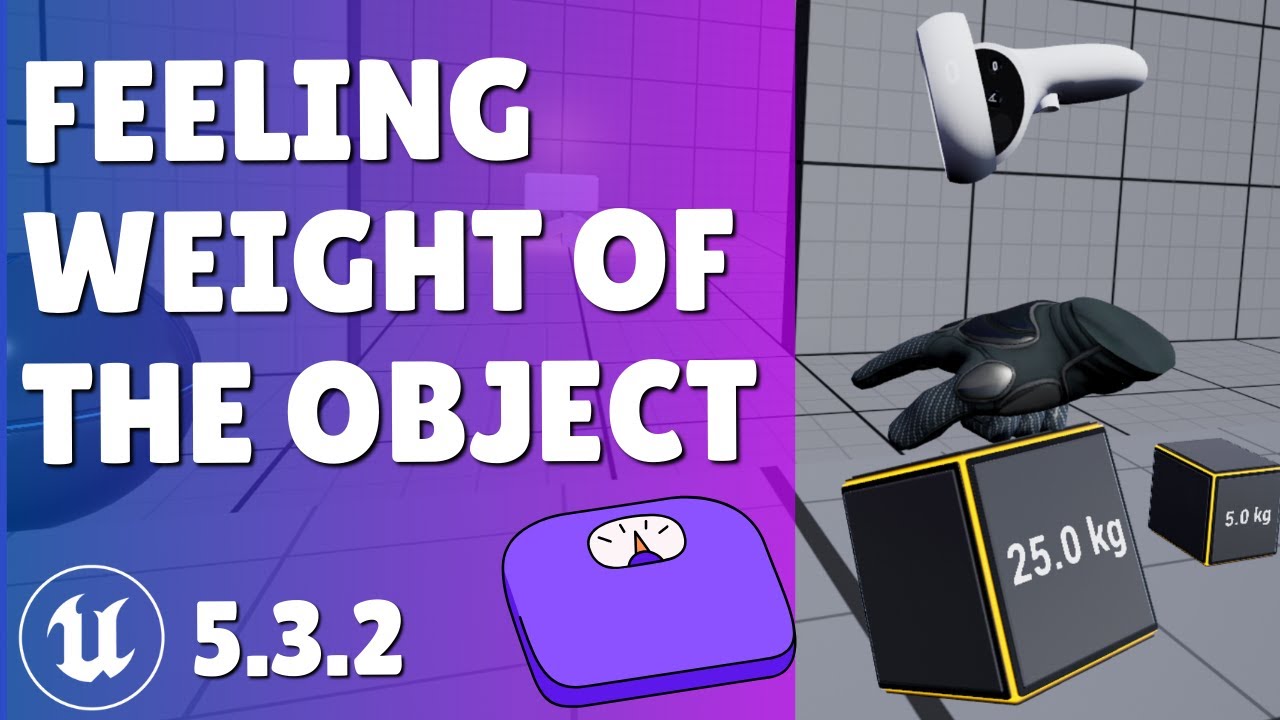
Hit that like button and write a comment, it motivates me to keep up with the content!
Today we will look into how to feel object's weight, but only with one handed grab, which I am sorry for, could not come up with straightforward approach, will need some more time on that!
Got Questions? Join Discord Community!
------------------------------...
trim matrix
knotty flare
you'd have to convert the function to an event (Right-click the function)
 knotty flare
Almost! But you want to use the 'Completed' output, not the empty one - the one you connected instantly fires, before the save game is done loading
 trim matrix
ohh, i thought id have to leave that one connected then off completed reconnect the rest that makes more sense
knotty flare
For UI purpose, you'll probably want to disable input on 'Load game' button while this Async node does its thing to avoid spam clicking the load button
and probably later on handle the 'Success = false' output in case load game fails for some reason. But it should work for a first test!
trim matrix
the ui count isnt working still its doing the same thing
knotty flare
It's probably because nothing calls the 'Update UI' function.
Can you try having the room manager call the function once all clips have been initialized?
That or - fix the player overlap bug! Both should work
trim matrix
knotty flare
Can you try having the room manager call the function once all clips have been i...
wdym, this is the begin play of the room manager bp
 unkempt plover
dusky cobalt
you need to spawn for example Point 0 of spline at the start and then point 1, a...
unkempt plover
dusky cobalt
you need to spawn for example Point 0 of spline at the start and then point 1, a...
What I initially thought of this timer is to be a slower tick to preview my spline mesh but the deciding factor was supposed to be the mouse button down event, so you were supposed to lock position with the mouse button event..
Thanks for that, the DrawDebugSphere was able to show me that the initial point works, and now after plugging the connection to that Add Spline Component node...
Also after doing some research on youtube and Google I was able to find a person that did **almost **exactly what im trying to do... and so this influenced me to follow it.... I found he also had posted a thread on epic forums...
So this is the way he is doing it...


so to have a for each loop it looks like it's important to have an "ADD" to array, so you need to create an array in the first place too... But im not sure where he is getting this from...

Also having something like this looks important because my static meshes even tho they are spawned every second by my timer, they don't connect to one another... So I will definitelly need to use that Set Start and End node
 unkempt plover
unkempt plover
unkempt plover
but now because of this, I ended up more confused than before, so my graph is getting more confusing after trying to follow that guy's screenshot.
ok I just tested it, it works the same way as before ✅
 desert flint
frosty heron
desert flint
frosty heron
Go easy on the crossposting
desert flint
desert flint
i think i should use something like vinterp or changing the linear damping n stiffiness in my physics handle. but i have no clue on how to use those in my current set up.
 paper gate
Im having some rotation math issues, that I think come down to order of operations
If I have a character constrained to a spline, and I want them to curve with that spline BUT be able to also face forward or backward on that spline how would I reconcile the 2 rotations? Because I have the character's rotation and the actual spline rotation
desert flint
frosty heron
Go easy on the crossposting
sorry, but i usually just never get any answers from the bp channel.
frosty heron
You dont always get answers, especially on a system. You are not alone when in the end you end up having to figure it out your self.
As for my 2 cent, your object is lagging behind your arm.
 meager spade
If you don't get an answer chances are your question is "too big"
frosty heron
I would say make the object snap to the adm for a start and as weight affect the arm speed and nothing else.
desert flint
frosty heron
As for my 2 cent, your object is lagging behind your arm.
thats just from me playing around with linear stiffiness and stuff.
desert flint
frosty heron
I would say make the object snap to the adm for a start and as weight affect the...
uh what?
frosty heron
The object weight simply interp the arm where it should be without the weight.
Thats how I would do it.
desert flint
frosty heron
I would say make the object snap to the adm for a start and as weight affect the...
i don't think you get what im saying
i don't want it to just affect the speed.
i want it to not even be able to pick up if its too heavy, but maybe be able to slightly drag
frosty heron
The easiest would be to just slow down the arm imo, where if the thing is heavy enough the arm only move by an inch.
desert flint
frosty heron
The easiest would be to just slow down the arm imo, where if the thing is heavy ...
I don't want to fake the weight?
frosty heron
But sure you can do what you like, such as drag and dont have any z set but that would involve more math.
desert flint
this would cause SOOOO many more problems later on
frosty heron
desert flint
I don't want to fake the weight?
No one says to fake the weight?
desert flint
frosty heron
No one says to fake the weight?
??? dude.
frosty heron
Weight affect the arm speed.
Heavier item makes the arm lag behind even more
Well im just giving my 2 cent
desert flint
frosty heron
Weight affect the arm speed.
Heavier item makes the arm lag behind even more
So you're saying. i can lift a 5000 pound dumbell, id just be slow and it would eventually move up over time?
this isn't how physics works
thats faked in game physics
frosty heron
You do move it 0.000001 cm a sec
Game fake physics all the time, as long its look beliveable. You dont seriously think unreal physich handle everything real life?
Btw object always attract each other. You can place ball a and ball b next to each other. The one with less mass will move into the one with bigger mass, just it may move 0.00001 cm a year.
desert flint
frosty heron
Game fake physics all the time, as long its look beliveable. You dont seriously ...
my game is literally relying on real physics . i want somethign that atleast works to how my game would work though.
 remote meteor
desert flint
So you're saying. i can lift a 5000 pound dumbell, id just be slow and it would ...
remote meteor
desert flint
So you're saying. i can lift a 5000 pound dumbell, id just be slow and it would ...
if gravity is 0, yes
time to study gravity
desert flint
So, i want to make it so i can combine a variable strength and another variable object weight, and plug it into some type of node a long with the location of the object im grabbing. and it would edit the location based off the strength and object weight.
so... is there a node for gravity, where i can plug in the strength, and the object weight, and it sorts it all out like this?
remote meteor
default gravity is set in project settings, although each world can actually override what gravity value it uses
 dreamy kindle
Hi does anyone know why when I create my widget event it’s returning none for get owning player controller in multiplayer? Thanks!


 frosty heron
dreamy kindle
Hi does anyone know why when I create my widget event it’s returning none for ge...
frosty heron
dreamy kindle
Hi does anyone know why when I create my widget event it’s returning none for ge...
Client will only ever know their own controller.
aside from that widget is not replicated anyway. There shouldn't be any logic where you need to reach other player's widget, because it's not reachable.
dreamy kindle
frosty heron
Client will only ever know their own controller.
Yeah, I’m trying to get the hang of juggling what should be on the server and the client and then having it all connect proper it seems like there might be a timing issue perhaps or maybe I have something completely wrong with the code
frosty heron
Since widget is not replicated, all the logic is handled on each machine. It's actually make everything easier if you think all the widget need to do is just to read or display a state of component.
dreamy kindle
Could there be timing issues with initialization like the owning player is being created before it is available?
I’m running low on ideas how to fix but I will keep trying to figure the client issue out in player controller
frosty heron
Why do you need to know whos widget owned by which player?
because as stated, as client, that's impossible to know anyway since only their OWN controller exist in their machine.
Listen server (player 1), player 2(client), player3 (client).
Listen server have everyone's Player controller. so PC1, PC2, PC3.
_
Player 2 only have their own Controller in their machine. The listen server's and Player 3 controller DOES NOT exist in this machine.
Player 3 only have their own controller in their machine. The listen server's and Player 2 controller DOES NOT exist in this machine.
look up exi's mp compedium and wizard tips and trick in #multiplayer
Why is showing or hiding widget is an RPC too?
Why do you need to ask, Hey server, can I open or close my widget?
you should be able to open your widget anytime, without the need to communicate to the server in like 90% of casses, but then again it depends on what sort of game you are doing.
Like I don't need to ask server to ask if I can open my inventory widget. I just do that locally.
Press I -> Toggle show my inventory widget, no asking server (RPC) or server telling client they can open/close their widget.
Unless you want the server to remotely tell the client to run a function to do something i.e close / open their widget then no RPC Is needed but hard to say what you are doing from those snippets alone.
dreamy kindle
frosty heron
Why do you need to know whos widget owned by which player?
Hi I am doing a Udemy course the goal is on begin play a team selection widget pops up and depending on which team you spawn at selected spawn points and so on ?
You select and turn off something seems to be wrong because I’ve had this same but twice now
I select my team and it never registers an owning player on button click event
frosty heron
Well which part you are stuck at? Break down your problem step by step.
Starting from having client to request server of their team selection
Then having client see the Team they are at.
dreamy kindle
I’m stuck at that button select event on click
 frosty heron
Example.
Client Request if they can be in Team A. (Server RPC).
Server checks if slot is available, etc. If it is assign the player to the Team A.
Team is a replicated variable which can go to game state.
Client sees which player belong to who in the game state.
frosty heron
dreamy kindle
I’m stuck at that button select event on click
This will acomplish nothing.
dreamy kindle
I see
frosty heron
Your button click should be a request to server, hey put me in this Team
OnClick -> GetMyPC -> Server RPC -> ChangeTeam
dreamy kindle
So call owning player to player controller or different method the select team event is what spawns player and makes it server
dreamy kindle
frosty heron
OnClick -> GetMyPC -> Server RPC -> ChangeTeam
Ya that’s about what I have just can’t get that player controller at start to register a owning player controller
frosty heron
Just use GetPlayerController with index 0
in this case
Client only know their own controller anyway
frosty heron
misunderstanding that been discussed
I used to think that way too because dedicated / listen.
dreamy kindle
Interesting let me try that good point on that
frosty heron
@dreamy kindle #multiplayer message
First pinned msg.
dreamy kindle
Like for this case it might work I can give it a test
dreamy kindle
frosty heron
<@403400360275738625> https://discord.com/channels/187217643009212416/2217993856...
Nice! I need to pin this somehow I was curious the logic flow details
frosty heron
dreamy kindle
Ya that works but I heard not for multiplayer ?
ofc you don't want to use GetPCwithIndex with any other logic.
You just call the GetController method in the pawn to get the Controller of the pawn.
dreamy kindle
Player controller is weird as it handles both server and client and some things like UI are client only. I just don’t understand why owning player is not working but if get player controller 0 works and each client has their own PC I’m good
Sorry I’m new to coding a bit
dreamy kindle
Self ?
frosty heron
 dreamy kindle
Ok I will confirm
Thanks 🙏
 atomic solstice
Sorry if obvious but why is this infinite loop bad logic? (I get a "infinite loop" error on run time)
I want my NPC's to strafe infinitely on beginplay. I troubleshooted using a delay node and it works which is even more confusing.
 desert flint
remote meteor
default gravity is set in project settings, although each world can actually ove...
desert flint
remote meteor
default gravity is set in project settings, although each world can actually ove...
Well that’s not to matter of what I’m doing right now
frosty heron
atomic solstice
Sorry if obvious but why is this infinite loop bad logic? (I get a "infinite loo...
infinite loop is a bad logic because you are blocking the game thread from progressing.
you cannot have something that call it self
atomic solstice
frosty heron
infinite loop is a bad logic because you are blocking the game thread from progr...
If i want my NPC's to indefinitely move around upon beginplay, what would i change here?
 full badge
atomic solstice
Sorry if obvious but why is this infinite loop bad logic? (I get a "infinite loo...
full badge
atomic solstice
Sorry if obvious but why is this infinite loop bad logic? (I get a "infinite loo...
what are you even trying to do
full badge
atomic solstice
If i want my NPC's to indefinitely move around upon beginplay, what would i chan...
connect move node to event tick or a timer
frosty heron
atomic solstice
If i want my NPC's to indefinitely move around upon beginplay, what would i chan...
use tick event
frosty heron
atomic solstice
Sorry if obvious but why is this infinite loop bad logic? (I get a "infinite loo...
I look a bit into the code and I see it's an AI for shooting game.
you will not get any decent result like this, you need to get into Behavior Tree and EQS.
https://www.youtube.com/watch?v=Oy_LojjRiWo
good place to start imo.

In this Unreal Engine Game development Tutorial you will learn the following:
- EQS: How to create Environment Queries to position your AI in a more advanced and smart way
- Run EQS: How to run the EQS in your behavior tree
- Strafing: How to make the enemy AI strafe around the player using the EQS
- Taking Cover: How to make the enemy AI find c...
atomic solstice
oh ya not actually making AI, just practicing bps for simple stuff like moving characters and logic
frosty heron
understood but sometime simple doesn't cut it. Game will start to break when there is a wall or obstacles in the way.
atomic solstice
oh sure, just for context, I'm am environment artist working on a scene of a shooting range. I just wanted a bit of practice on basics of BP's
just wanted a simple strafe movement for the tarets
remote meteor
Can probably use tick and a gate
dusky cobalt
atomic solstice
Sorry if obvious but why is this infinite loop bad logic? (I get a "infinite loo...
Don't get confused infinite loop, with event based system that you ahve right now. Nothing is wrong with that and if it's exactly what you need then all good.
frosty heron
it's exactly what's wrong with it. An event that call it self, will hang the thread forever.
hence infinite loop.
dusky cobalt
He has 2 events calling itself with a delay, it's not infinite loop, it's event-driven timers. It's a loop with delays, not infinite. It won't freeze game.
He could argueably work on a order of events like first Move and then call timer and just have it on one event OR it would be the same as ticking Loop on the node.
frosty heron
I would suggest to look at whats posted again.
Also the editor only throw infinite loop error after it looped for 10k times ( by default ) within the same frame.
So it the game stops and throw you thst error then something is causing infinite loop
Btw i dont even c any delay
And the timer hardly matter
It went from move to end to move again
Hence infinite loop
dusky cobalt
lol I didn't realize it's connected like this

just fix the flow and not make it call itself, basically go and see how Set Timer by Events are working and are supposed to be used @atomic solstice
frosty heron
Ye but not just that, even if you take out the timer. Its still callig event 1 to event 2 then back to event 1
Wat can he do is have event 1 and event 2.
Then on begin play just set timer that calls event 1 and event 2
He can get the effect of walking x direction for Y secpnd and Z direction for N second.
trim matrix
holy balls im looking at all your guys blueprints and realising how shocking mine are 😭
dark drum
atomic solstice
Sorry if obvious but why is this infinite loop bad logic? (I get a "infinite loo...
This is your loop.
 atomic solstice
yeah thats the point. NPC should strafe left and right randomly
dark drum
atomic solstice
yeah thats the point. NPC should strafe left and right randomly
As a quick setup something like this would work. It might be enough for you to build on.
*Side direction is 1 by default.
It currently just flips the movement direction ever 2 seconds but you can add some variance to this. You might however get instances where the target drifts to one side. This might not actually much of an issue though.
 unkempt plover
Hi I have some issues with this. These are supposed to be water pipes.
- so the first problem is my bamboos don't always get attached to the right bamboo. they only attach to socket 1 and socket 4 I think
- spline static mesh attached upwards or side ways. but they never connect with their butts straight forward properly into this water reservoir


 knotty flare
Hi I have some issues with this. These
 outer terrace
does Open Level not use teh default game mode for the new level by default? for some reason i loose ability of moving camera with mouse after i click this button.. but if i load the level manually it works fine

i'm not channging input mode which is why im confused
lofty rapids
did you create a blank level ?
outer terrace
no. it loads the level correctly, i just cant look around with mouse
outer terrace
its loading the 3rd person template map which has BP_ThirdPersonGameMode set to its override in world settings
if i load the map manually in the editor it works fine
lofty rapids
because it's possessing the pawn
outer terrace
its only when i click the button in my main menu UI its not loading properly
lofty rapids
outer terrace
its only when i click the button in my main menu UI its not loading properly
so it possess the pawn, but the mouse move isn't working ?
outer terrace
correct. keyboard works fine, mouse doesnt
i even tried in level blueprint to set input mode to game only thinking it would force it to accept mouse input
but its not
lofty rapids
what does your override look like?
 void jewel
How do you use Make Camera Tracking Focus Settings in blueprint when there's a Soft Reference? I see some old screenshots have the actor reference. I don't want it to be tied to any level
eager thicket
Does anyone know a good tutorial for button remapping? maybe in the context of common ui and/or enhanced input?
 silent pilot
where should all my game progression logic be stored?
to be more specific, I'm making a game which game progression is similar to Smash
so you enter a round
and once you die you respawn
and you have a score
so where should all that logic be stored?
making players respawn, displaying "3! 2! 1!", stuff like that
 edgy field
I'm looking into adding a sort of "loading screen" to tell players about each game mode for a few secs
but dunno if I should consider level streaming or not ? (think smth like fall guys loading screen)
 dreamy marten
silent pilot
making players respawn, displaying "3! 2! 1!", stuff like that
dreamy marten
silent pilot
making players respawn, displaying "3! 2! 1!", stuff like that
That should be the job of the Gamemode class
maiden wadi
@silent pilot
The issue is that there's no one place for this.
GameMode contains respawn and maybe score setting.
The actual score should live on the PlayerState because it's state for the player.
Health or such related things should be in the player's Pawn. Game mode shouldn't handle the player dying but it should listen for it or be notified from death code which usually is an ability or directly on the pawn.
The respawn display should be a widget, and should be triggered to show through something like the player's controller from the game mode.
silent pilot
why should the game mode not handle the player dying?
is that a really solid unreal engine general thing you do or specific for most games?
because in my game the only way to die is to get in a certain zone (collision box)
so wouldn't that be the gamemode handling it? Otherwise I've already got all the death delegates setup on the players so it's ok but just curious
 next hollow
In my eyes
Player handles dying/ HP.
Gamemode just handles respawn/ making new character to possess
dreamy marten
I second that, the logic for HPs and death should be in a reusable component if you want maximum flexibility, and you would place this component on the character
But for the rest, you can manage those in the Gamemode to keep it simple, especially if you don't have a lot of things to track
maiden wadi
silent pilot
why should the game mode not handle the player dying?
Consider for a bit, why would it? Do you need a special game mode to let the player die?
You make a Deathmath Gamemode where people die and score increments.
You make another GameMode where you have to capture the flag but people can die.
Consider where you'd rather have the logic, in the character which is reused in both of these, or the GameMode?
There is a case here where you can make a parent of the game mode, but now you're just unnecessarily linking the classes in complexity where it's not needed.
As I like to generally say. Your character has the ABILITY to die. It has the ABILITY to jump. It has the ABILITY to open it's inventory. For this reason it should be related to the character. It isn't the GameMode's ability to make the character die, or the GameMode's ability to make the character jump. How you grant said abilities is up to your game code. GAS is easy since you can literally just give a list of abilities. But in simpler games if you avoid GAS it can just be some boolean toggles or whatever.
silent pilot
Makes sense. Thanks!
desert flint
So, i want to make it so i can combine a variable strength and another variable object weight, and plug it into some type of node a long with the location of the object im grabbing. and it would edit the location based off the strength and object weight.
so... is there a node for gravity, where i can plug in the strength, and the object weight, and it sorts it all out like this? (just fyi i don't want to fake the weight too much, like i want it to have real physics, such as if its too heavy, i can drag it but not lift it, etc)
 faint pasture
desert flint
So, i want to make it so i can combine a variable` strength` and another variabl...
faint pasture
desert flint
So, i want to make it so i can combine a variable` strength` and another variabl...
WHy not just use physics
there's a grabber component with strength as a parameter
lofty rapids
desert flint
So, i want to make it so i can combine a variable` strength` and another variabl...
you can use the interpolation speed and linear/angular settings like damping based on mass

i would do something like this
mess with the values a bit
and change the mass of the different objects
once you have it set right it will feel like it has weight
and you can use that as a basis for strength
lofty rapids
faint pasture
there's a grabber component with strength as a parameter
or this lol seems easier imo, the last few times they said they were using physics handle
faint pasture
same thing
anyways, thats the thing you wanna use for grabbing stuff from a kinematic actor like Character
desert flint
lofty rapids
you can use the interpolation speed and linear/angular settings like damping bas...
so i started on this, and i was told that it doesn't do what i want, but only makes it slow down.
desert flint
faint pasture
there's a grabber component with strength as a parameter
uh, can you tell me what this component is called?
 hallow saddle
Heyo, does anyone know of a blueprint function that can access the actor that you have currently selected in the viewport? I'm assuming something like this would be accessible in the Construction Graph or in an Editor Utility Blueprint.
lofty rapids
desert flint
so i started on this, and i was told that it doesn't do what i want, but only ma...
hmm, makes sense
desert flint
lofty rapids
hmm, makes sense
so do you think the thing the other guy said would work as actual physics? and not make it just slow down?
lofty rapids
desert flint
so do you think the thing the other guy said would work as actual physics? and n...
idk, probably i would try it
desert flint
lofty rapids
idk, probably i would try it
ok, what component was he talking about? and how does the setup work
lofty rapids
he was talking about the grabbing one, idk how to set it up
desert flint
faint pasture
there's a grabber component with strength as a parameter
@faint pasture can you tell me what component did this and how i can set t up (sorry for the ping)
faint pasture
desert flint
<@127902729677963264> can you tell me what component did this and how i can set ...
grabber or handle or something of the sort
desert flint
faint pasture
grabber or handle or something of the sort
wait, physics handle? but whats the actual name of the node that has strength as a parameter?
faint pasture
desert flint
wait, physics handle? but whats the actual name of the node that has strength as...
stiffness, strength, spring rate, something like that

those 5 parameters
thats what you want to play with
 neat wharf
what is the difference between these nodes?
 next hollow
One creates and registers.
One just registers
neat wharf
okay
desert flint
faint pasture
stiffness, strength, spring rate, something like that
I was told that only reduces speed instead of making actual weight
faint pasture
desert flint
I was told that only reduces speed instead of making actual weight
the interpolation speed would, but the stiffness and damping values will 100% interact with weight
desert flint
Okay, so I only do stuffiness and dampening, and do I use angular or linear or both
Also should I edit anything with the camera rotation? Because the object is always going to try and move to the center of my screen
atomic solstice
dark drum
As a quick setup something like this would work. It might be enough for you to b...
late reply but appreciate the guidance! Got it working thanks! 👍
desert flint
whats the difference of angular and linear, and what does damping and stiffness do, i want to understand what im doing

because as of right now, the heaviest items are the lightest, and the lightest are the heaviest
next hollow
angular is rotation, linear is directions
Dampening is how quickly they stop doing stuff.
Stiffness is how much they do that, when they try to do that.
10/ 10 explanation I know. 😛
desert flint
Ok, I’m plugging “get mass” into all of those and it’s making it so the lighter objects are the heaviest and the heaviest are the lightest, to put it simply
desert flint
next hollow
angular is rotation, linear is directions
Dampening is how quickly they stop doi...
What can I do instead of “get mass of picked up object” > all of those nodes
Do I inverse the number… I’m confused on this subject
faint pasture
You don't need to plug mass into anything
picture a spring
heavy thing stretch spring far
light thing not stretch it far
just tune the parameters to where you want them and big things will be sluggish and light things will be quick
faint pasture
desert flint
Also should I edit anything with the camera rotation? Because the object is alwa...
you set the target location based on camera rotation
use math to cook up the target location based on where your cam is and where it's looking + a distance
desert flint
faint pasture
You don't need to plug mass into anything
Well there will be several diffeeent objects, and each object has a different weight, so I want to get the mass and adjust the stiffness and damping to the weight so it feels like I’m actually picking up a object.
faint pasture
desert flint
Well there will be several diffeeent objects, and each object has a different we...
stiffness and damping already take mass into account
a heavier thing will be harder to pick up and will droop more
go tie a feather to a rubber band and then a brick. The stiffness is the same, the response is dictated by the mass in relation to the stiffness
desert flint
faint pasture
stiffness and damping already take mass into account
I’m confused what you mean, the code wouldn’t work if I didn’t set the damping and stiffness as a number, I’m setting it as the mass so I can replicate the feeling of picking up a object with the objects weight instead of doing vintners with several different variables n stuff.
 crude spruce
@faint pasture was it you that made the wave form collapse that you showed me like 4 years ago?
dungeon generation
silent pilot
Hey, in the construction script, how do I instantiate several child actors?
I want to create an actor that instantites several APlayerStart s around it

I've tried that but only one is created, although printing shows 10 executions of this
frosty heron
I tend to avoid construction script for anything like that.
Also child actor component is broken, better avoid that too.
silent pilot
oh right
what would you do then? I just want to procedurally create a circle of APlayerStart
frosty heron
Spawn actor at begin play soo far.
silent pilot
frosty heron
Spawn actor at begin play soo far.
but I won't be able to visualize it when placing it on the map?
dusky cobalt
silent pilot
but I won't be able to visualize it when placing it on the map?
You can put CollisionBoxes and make them visible, then make array of them, and for each on begin play spawn what you need.
So just by placing 1 actor you are even able to move these collision boxes in different places on the map and then there would be the spawns.
silent pilot
okay thanks
lofty rapids
desert flint
I’m confused what you mean, the code wouldn’t work if I didn’t set the damping a...
Maybe a custom drag component ?
That would simulate weight when you pick it up and throw it i think something like what your looking for
More back force on heavier things
Damping will work but it will have side effects
Like floating if you don't tune it when you throw things
Give your items a constant down or drag force based on weight
this might be simplest to make it harder to pick up heavier objects
 grave horizon
Hey guys, quick question that I feel should be obvious but research and experimentaiton is blanking me here. I have the FPS character template, and want to flip the character upside down. Changing the CMC's gravity direction is no problem, but to make it feel right I also need to rotate the camera.
But given that the camera uses "Use Pawn Control Rotation", nothing I do seems to rotate the camera, so I assume it's being overridden. Is there a correct way, or a correct place, to do this? Thanks!
lofty rapids
grave horizon
Hey guys, quick question that I feel should be obvious but research and experime...
single player or multiplayer ?
lofty rapids
grave horizon
Hey guys, quick question that I feel should be obvious but research and experime...
you may want to try this

this works for single player
but if your doing multiplayer you just need the proper controller
grave horizon
This is multiplayer, but I'm comfortable adapting things in multiplayer!
I need it to be upside down but still have full control with the mouse,i f that will work
lofty rapids
so get the control rotatin
flip it 180 on one of the axis (i think roll)
then set it
see what happens
lofty rapids
grave horizon
I need it to be upside down but still have full control with the mouse,i f that ...
it should because the mouse is usually adding to the controller, not setting it completely
the look will most likely be flipped
silent pilot
from the gamemode, what's the proper way of getting the map's spawnpoint?
should I just use GetActorsOfClass?
crude spruce
silent pilot
from the gamemode, what's the proper way of getting the map's spawnpoint?
create a circle spline and add it to the blueprint and use world position at normalised splinetime for spawn location
lofty rapids
silent pilot
should I just use GetActorsOfClass?
sure if you want multiple, do you only have one use getactor
silent pilot
crude spruce
create a circle spline and add it to the blueprint and use world position at nor...
that's very useful but I was just looking to get the position of that
 crude spruce
silent pilot
that's very useful but I was just looking to get the position of that
crude spruce
silent pilot
that's very useful but I was just looking to get the position of that
but that isnt a circle
 silent pilot
crude spruce
but that isnt a circle
silent pilot
crude spruce
but that isnt a circle
oh yeah but the circle was my previous question
I'm making a circle in a different piece of code now because Add Child Actor Component is broken apparently
crude spruce
you can add components
make the circle in the same blueprint tho
make one of those to test with. create it in the world and then just snag it into the bp
grave horizon
lofty rapids
it should because the mouse is usually adding to the controller, not setting it ...
Apologies for the delay! Thanks for the help. It didn't actually work like that alone, but adding the control rotation worked! Now I just need to invert the horizontal controls. Thanks!
 lofty rapids
grave horizon
Apologies for the delay! Thanks for the help. It didn't actually work like that ...
lofty rapids
grave horizon
Apologies for the delay! Thanks for the help. It didn't actually work like that ...
yes exactly , get control rotation, invert roll, set control rotation
inverting is easy multiply by -1
grave horizon
Yep! Shouldn't be a problem. Thanks!
 faint creek
Hi guys, is there a way to enable/disable compleatly a specific Input Action only in a specific level ?
I've found this node, but seems it's not available in ue5 anymore
 frosty heron
that's for legacy input anyway
lofty rapids
faint creek
Hi guys, is there a way to enable/disable compleatly a specific Input Action onl...
a boolean isn't good enough ?
faint creek
lofty rapids
a boolean isn't good enough ?
Yes, but if I have two different IA with the same button, they could go in conflict maybe?
lofty rapids
faint creek
Yes, but if I have two different IA with the same button, they could go in confl...
i don't know what you mean by this ?
i'm not sure you should even do that
lol, but either way just put the boolean on both
i don't see the issue
frosty heron
just add condition to your input events.
E.g X key is pressed -> if (not in cinematic, not in invetory, etc) then do Y
lofty rapids
right a boolean with a branch is what i'm thinking
faint creek
@lofty rapids @frosty heron like this?
 frosty heron
that's war crime to me. To hardcore a level name like that.
I would just have a state that checks if the input can be pressed or not.
Such as bCanUseInventory? for example.
then in the game mode which is tied to a specific map.
On begin play when the controller/character is spawned (where ever the input is), I set bCanUseInventory to false.
lofty rapids
i mean it should work that way
frosty heron
that way, my inputs doesn't need to care about a specific map or any other map.
faint creek
frosty heron
I would just have a state that checks if the input can be pressed or not.
Such ...
Do you have a blueprint example please?
frosty heron
it's handled externally by an object that is defined level specific (i.e game mode)
frosty heron
faint creek
Do you have a blueprint example please?
no, but you should be able to follow along?
it's just a boolean variable.
which get sets by the game mode if you need to disable input on specific map, since the game mode can be created for specific level.
frosty heron
not at all
lofty rapids
whats so different ?
frosty heron
My input now doesn't need to handle all the Gameplay logic of 100 maps.
Imagine your Player controller
if Lvl 1
if Lvl 2
If Lvl 3
If lvl 4
🤮
lofty rapids
i would juse an array
so your saying in the game mode
have a different one for each level ?
frosty heron
Sure, it's tied to the map.
and anytime you want to have the same effect on some map, just apply the same game mode.
maiden wadi
Level designer changed the map name. No idea why controls aren't working correctly. :/
frosty heron
instead Lvl 4 and Lvl 5 comparsion
lofty rapids
maiden wadi
Level designer changed the map name. No idea why controls aren't working correct...
lol so true, but on a personal project it's not an issue
for a solo dev atleast
but i see the point it's better to just switch the boolean for that level
so the name doesn't even matter
maiden wadi
It's more true though. I dunno about you, but I go through so much information that I don't keep a mental map of wtf I was doing two months ago. I get an urge to clean shit up and suddenly it's not working? That's a fucknope from me.
lofty rapids
i tend to be able to follow the flow of code very well
but not everyone can do that
maiden wadi
I mean don't get me wrong. I'd keep that in mind for sure, cause it's a giant red flag. But in average cases if I wasn't worried about it.
frosty heron
@maiden wadi I feel defeated today, my push events have been working ok for the most part but there are times where my widget doesn't get highlighted.
Ends up with a bandaid that checks every tick. Since I am using struct, the amount of copies made is pretty upsetting.
Hope it doesn't bite me in the end.
maiden wadi
It's not really about following the code though. Sure you can follow the code. Why isn't this input working? Cause the map name is now changed. Easy. It's the mental effort of having to care about that. Like 80% of my actual programming is thinking through how much of it is going to bite me in the ass later.
maiden wadi
frosty heron
<@143471961723371520> I feel defeated today, my push events have been working ok...
Push events?
frosty heron
sorry delegates
maiden wadi
What are the widgets and what is the highlight?
frosty heron
It updates my widget fine for the most part but some edge casses it doesn't and I can't figure out why :D.
lofty rapids
damn edge cases
frosty heron
The highlight is the item that is selected / viewed.
frosty heron
can consistently, but don't know how it happend exactly.
lofty rapids
if you can consistently, can you show it happening ?
frosty heron
been dumping breakpoint but it's hard to debug something that gets updated every tick.
lofty rapids
or when is it happening ?
frosty heron
well my bandaid "fixed" it but at the cost of extra steps
lofty rapids
frosty heron
been dumping breakpoint but it's hard to debug something that gets updated every...
i usually print string and watch like a fkn madman
maiden wadi
Do you have a difference between Selected and Viewed?
In my player interaction component I track a difference between selected and hovered. Cause you can use the state same in most all games from an RTS to a shooter. Sometimes in like shooters the selected thing is the same as hovered. But the update code for them is fairly simple overall for both cases. ATM I'm reworking hovered cause it was a single entity and I didn't account for selection rects. Reworking that atm into an array instead.
frosty heron
There is no hover, just highlighted and unhighlighted.
My issue stem from that my widget is not always 1 : 1 with the source component data since widget remove the no longer valid data after the animation is completed.
But aside from that index hardly matter because it's a complete nightmare to track. Especially when there are lots of items that get removed, the index become scrambled.
I tried using pointer to a struct but was told that I will have issues when the array get re-allocated.
Thought this kind of container would be simple enough to do but I end up with a lot of time spent + band-aid.
faint creek
frosty heron
it's handled externally by an object that is defined level specific (i.e game mo...
So I have tocreate different game mode
frosty heron
faint creek
So I have tocreate different game mode
Sure and you can re-use that game mode to any maps where you want to disable the input.
lofty rapids
frosty heron
There is no hover, just highlighted and unhighlighted.
My issue stem from that...
you indexes get scrambled ? i see the menu switches to pickup, did you select something ? whats going on here i can't even tell
frosty heron
Nothing wrong in the video because the band-aid does the trick. I just check every tick, if nothing highlighted in the widget, iterate through my source component and force highlight on matching data.
Indexes get scrambled when things are taken out from the widget.
e.g when I am no longer within the distance of the items.
Say you have 0 ,1 ,2 ,... 10 (array)
then 4 get removed, it could be any number.
It's hard to know which index was the highlighted element.
faint creek
frosty heron
Sure and you can re-use that game mode to any maps where you want to disable the...
ok thx 🙂
lofty rapids
frosty heron
Say you have 0 ,1 ,2 ,... 10 (array)
then 4 get removed, it could be any number...
so when you highlight you don't set the index ?
or i'm not following ?
frosty heron
faint creek
ok thx 🙂
doing it this way.
You can re-use the same function without the need to keep compare any map.
Your controller / character is less convoluted.
And when you re-name the map, your code doesn't suddenly break.
frosty heron
lofty rapids
or i'm not following ?
sure I set the index, given the example above, how will you offset the new index for the now shrinked array?
lofty rapids
frosty heron
sure I set the index, given the example above, how will you offset the new index...
as far as offset ? which one are you looking to target ?
like when the array shrinks
which index would be the proper one ?
closest, first, last ?
frosty heron
because it needs to point to the same data
lofty rapids
i see so you want the slot to be the same ?
lofty rapids
well why not relate the selected thing with the selection
so you can just select the box not the index
maiden wadi
I think I'd have to see the code to follow it. Not envisioning the logic well enough in my head.
lofty rapids
i'm not really understanding well, just asking to figure it out
frosty heron
maiden wadi
I think I'd have to see the code to follow it. Not envisioning the logic well en...
perhaps my most abomination code. I don't want to trouble you with the headache.
lofty rapids
but if it works, thats always good
frosty heron
well I am not that happy because I make a lot of copies. I don't feel any performance problem but hope it doesn't bite back.
this feels like setting something in the widget on tick
instead of just updating something when the value changes.
lofty rapids
i mean if you want the same slot, can't you just reference a slot and not the index
save last focused slot on switch
and then the index wouldn't even matter
frosty heron
Tried going that route but told to use index instead since re-allocating array apparently will screw me over.
lofty rapids
i'm saying both
just save curernt slot for this purpose only
when altering the array
pick the slot, and then this will give you the index ?
if it doesn't exist pick the last or first
but i don't think it really matters if you on tick, should be fine, but event driven is usually way more efficient
but i put everything on tick
lol definately feal the fps hit from it tho
faint creek
frosty heron
doing it this way.
You can re-use the same function without the need to keep com...
I was thinking, it could be also with multiple Input Map Context
I make an array, and I add a specific map for every specific level, checking it only in teh Begin Play
To run only one
@lofty rapids @frosty heron could be?
faint creek
lofty rapids
this sounds like "it could be also"
yes
lofty rapids
it being what ? are you saying you need some variables ?
i don't understand the question
faint creek
No, it could works also that system, instead of different game modes or braches
lofty rapids
as far as either way you need to know the current map
the game mode just makes it so that specific game mode means its one of the maps that need this particular thing
you can switch context if thats what your asking ?
but you still would use the same tool to decipher the level
 willow gate
Hey all. Are there any good tutorials/documentation for 2d vehicles? I'm trying to make a tank type vehicle for a side-scrolling game and I want the treads to follow the ground like a tank would. Any suggestions to point me in the right direction?
lofty rapids
willow gate
Hey all. Are there any good tutorials/documentation for 2d vehicles? I'm trying ...
is this vehicle using physics ?
#chaos-physics might know more about it
willow gate
lofty rapids
is this vehicle using physics ?
No it doesn't need to use physics I suppose. So I guess that answers my question. I could easily use a line trace for the wheels on the treads to keep them in line with the ground and then maybe a spline or something for the tracks.... that would be an interesting challenge
Or maybe I'm overthinking it and there's a simpler way
lofty rapids
willow gate
Or maybe I'm overthinking it and there's a simpler way
do you have an animation ?
lofty rapids
willow gate
Or maybe I'm overthinking it and there's a simpler way
line traces is probably what you'll end up doing no matter how you slice it if you want them tracks on that locations
willow gate
lofty rapids
do you have an animation ?
No. I'll just rotate the wheels dynamically using player input.
lofty rapids
willow gate
No. I'll just rotate the wheels dynamically using player input.
oh the wheels are seperate mesh ?
thats a good way to do it i guess
willow gate
So this will be paper2d. But yes the wheels are separate objects from the tracks in a read tank and if I want them to adhere to the ground they'd have to be separate anyway
 dusky meadow
Hi how do i remove the decimal point using the to text function I have already been able to remove the 0 but the decimal is still there ?

 lofty rapids
dusky meadow
Hi how do i remove the decimal point using the to text function I have already b...
lofty rapids
dusky meadow
Hi how do i remove the decimal point using the to text function I have already b...
click the totext arrow down
set maximum to 0
dusky meadow
lofty rapids
click the totext arrow down
that just removes the number
lofty rapids
dusky meadow
that just removes the number
oh i see you want the digits after the .
dusky meadow
lofty rapids
oh i see you want the digits after the .
yes just without the decimal point
lofty rapids
substring
i don't know how to do that with text
but convert it to string
and substring
dusky meadow
lofty rapids
substring
It worked thank you
 heady burrow
Anyone knows if its possible to re-map the right mouse button to let say middle mouse btn when you drag in the editor? My right mouse btn is semi-broken. wcyd.
I tried looking into settings and in the .ini file, couldnt find anything useful
lofty rapids
i would say get a new one
 old sonnet

Wouldn't it be great to have a button you could click to convert a Blueprint to C++, one that updates your entire project instantly, and leaves it in a fully compiled and runnable state?
Everyone knows that converting Blueprints manually is tedious and highly error-prone, often to the point where you can’t justify the effort and simply live w...
heady burrow
lofty rapids
i would say get a new one

found it
I was looking into the keys mapping
wasnt getting anywhere
 teal tendon
I know this is basic but in BP first person projectile, why is the bullet still genrates hit event without setting simulate physics on and set collison to query and physics.

 tepid meteor
Hey guys, I'm trying to assign different emission values per quadrant of UV. Is there a more clever way to do that than this one? (I need X if U>0.5 && V>0.5 and Y if U>0.5 && V<0.5, 0 otherwise)
 faint pasture
crude spruce
<@127902729677963264> was it you that made the wave form collapse that you showe...
faint pasture
crude spruce
<@127902729677963264> was it you that made the wave form collapse that you showe...
Yeah probably, you trying to do WFC?
dusky meadow
Hi why is am i getting duplicates from this since when i print the array at the end it has removed them ?


 crude spruce
faint pasture
Yeah probably, you trying to do WFC?
crude spruce
faint pasture
Yeah probably, you trying to do WFC?
not yet or probably not at all.
But I'm currently looking at good ways to share grid and world data between blueprints, materials and niagara. For making very responsive fog of war and irregular circumferences for spawning enemies. Was hoping you would know any pointers.
i just made good progress on marching squares data generation in blueprint
dusky meadow
Anyone ?
crude spruce
dusky meadow
Anyone ?
more than 1 actor?
initializing in construct?
dusky meadow
crude spruce
more than 1 actor?
initializing in construct?
This is on the level blueprint for all actors of a type I've simplified the it a bit but it still is giving me duplicates


 dusky meadow
crude spruce
is that remove node doing anything
dusky meadow
crude spruce
is that remove node doing anything
thats the annoying part when i print the array afterwards most of it is missing which would imply it is working but i get duplicates on the actors
crude spruce
unless i missed something i dont think you are removing from the array you are passing into the loop
not sure if you can reference the output without a variable unless you are only reading from it
dusky meadow
the loop is the actors and i am removing from the possible values which is the other array
crude spruce
you are looping Temp Setup
dusky meadow
yes
crude spruce
either way
i dont think the first remove does anything
and i dont even know what you get duplicates of 🙂
dusky meadow
this is the array i am setting a value on each actor in that class i do not want any duplicates

ignore the multiple 0s
thats not the issue
crude spruce
i get hung up on this
 full badge
teal tendon
I know this is basic but in BP first person projectile, why is the bullet still ...
full badge
teal tendon
I know this is basic but in BP first person projectile, why is the bullet still ...
it has projectile movement component
dusky meadow
this is simply to remove the players box from the rest of the boxes so the player gets priority
crude spruce
oh its output that is removed from player box?
also i dont think using level blueprints is a good idea
not many people like it
dusky meadow
there are 11 boxes which are identical actors one of these has a variable saying its the player each of these gets assigned a different value from the array
Also why is it a bad idea to use level blueprints ?
crude spruce
i assume because you cant reuse them in the same way as actors
desert flint
lofty rapids
Like floating if you don't tune it when you throw things
Well I’m only applying it to the physics handle and it changes each time I pick up a item so it’s fine
dusky meadow
thats fine for this since i only need this for one level but i just dont understand why it isnt working when i print the array at the end most of it is missing but some of the values that have already picked are still in the array
desert flint
However I still don’t know how I can make it so heavier items aren’t light while light items are heavy
I know what the problem is, and I could assign variables to each object I make, but that is a lot of casting.
lofty rapids
dusky meadow
there are 11 boxes which are identical actors one of these has a variable saying...
i use booleans on blueprints all the time to differentiate instead of seperate bps
defiantely if you want all the same stuff, just maybe some different thing
but child actors work for this as well
dusky meadow
okay but why isnt it removing the items from the array
crude spruce
which array
lofty rapids
dusky meadow
This is on the level blueprint for all actors of a type I've simplified the it a...
cache the random
pure nodes run every time they are pulled from
two seperate randoms
dusky meadow
But in that case it should be taking a new random each time and removing the old one
 lofty rapids
dusky meadow
But in that case it should be taking a new random each time and removing the old...
lofty rapids
dusky meadow
But in that case it should be taking a new random each time and removing the old...
cache the random
desert flint
desert flint
I know what the problem is, and I could assign variables to each object I make, ...
Is there a way to reverse the damping and stiffness variable? Because the lower the number the harder it is to pick up, but I’m being lazy and plugging “get mass” into em so I’d prefer if I can like reverse how they work
dusky meadow
I think it worked thank you
desert flint
Got a ping here but I don’t see a message
lofty rapids
desert flint
Got a ping here but I don’t see a message
i deleted it
lofty rapids
desert flint
Got a ping here but I don’t see a message
"ghost ping" lol
desert flint
Ah ok
lofty rapids
desert flint
Got a ping here but I don’t see a message
you can pick a number that is like 10000-mass
and even multiply that number by another number to scale it
desert flint
Sure I could put a random number on the item bp, but that’s a ton of referencing n casting
lofty rapids
desert flint
Ah ok
well actually what i deleted was almost correct, you can do 1000/mass
desert flint
lofty rapids
well actually what i deleted was almost correct, you can do 1000/mass
What does that mean?
Like divide 1000 by my mass?
lofty rapids
desert flint
What does that mean?
this means the higher the mass the smaller the number
lofty rapids
desert flint
Like divide 1000 by my mass?
yes exactly, but maybe higher number like 10000
try different numbers
this will be a configuration
make it a variable like MassDivisor or something
lofty rapids
desert flint
Wouldn’t this make the heavier objects not heavy?
you want heavier items to have smaller numbers correct ?
thats how you would do it
max/number
desert flint
Alright I’ll try It when I get home
 surreal wagon
Have you guys made a "PlayerOnly" tag? Character controller behaves weird if it's not pawn
 storm solar
What's going on here, why is my pawn target changing values when converted to a string?


 crude spruce
storm solar
What's going on here, why is my pawn target changing values when converted to a ...
crude spruce
storm solar
What's going on here, why is my pawn target changing values when converted to a ...
i dont know if literal string is a thing but try that when comparing
storm solar
crude spruce
i dont know if literal string is a thing but try that when comparing
Does the same thing when using make string literal.
crude spruce
what is the value that you say is changing?
storm solar
In the first 2 pics pawn target changes when converted to string.
The bool should be false but the issue makes it true.
crude spruce
storm solar
In the first 2 pics pawn target changes when converted to string.
The bool shoul...
these pictures dont say much at all
storm solar
crude spruce
these pictures dont say much at all
Picture 1 is pawn target = bp ai character.
Picture 2 is that same value converted to a string that says pawn target =bp warrior class.
lofty rapids
print string for validation
crude spruce
storm solar
Picture 1 is pawn target = bp ai character.
Picture 2 is that same value convert...
oh i ment more why you need them as strings or compare them at all. its difficult to understand just from the pictures. but if you only want to know why the value changes i cant help there.
storm solar
That was what I asked for in my original post. “Why is my pawn value changing when converted to a string?”
crude spruce
print them to confirm the value is different
i dont think there is any change here
you are just looking at different node links
Its unclear if you are trying to get something like comparing the instances at runtime or comparing if one instance is the same class as another. But there are more nodes for that. get object name etc.
desert flint
lofty rapids
yes exactly, but maybe higher number like 10000
makes it so heavy objects are extremely light.
 steady wolf
yo can anybody help me make a movement animation owrk?(i allready have the animations but they dont play when i want them to)
 mild jacinth
is there any debugging method for determining what function destroys specific actor
a universal one
maiden wadi
Implement it's destroyed function, breakpoint it. Look at the callstack.
mild jacinth
maiden wadi
Implement it's destroyed function, breakpoint it. Look at the callstack.
you mean like this but how can i determine whats calling this, or it will tell me itself?
 dark drum
dusky meadow
This is on the level blueprint for all actors of a type I've simplified the it a...
dark drum
dusky meadow
This is on the level blueprint for all actors of a type I've simplified the it a...
You need to cache the random value. The random element node is pure so you'll end up with 2 different values. One for the set and another for the remove.
Edit: I see it was already mention. I guess I joined the party late. 😅
maiden wadi
mild jacinth
you mean like this but how can i determine whats calling this, or it will tell m...
At the top of the editor, drop down Debug. And look for Blueprint Debugger. Open it and change to the Callstack tab.
lofty rapids
desert flint
makes it so heavy objects are extremely light.
and you tried a small number like 1000 ?
lofty rapids
desert flint
makes it so heavy objects are extremely light.
you'll need to mess with the numbers but if it's doing the opposite then you didn't need to flip it ?
or is everything light maybe a smaller number
 noble shale
Can someone help me figure out the best way to bind individiual input actions to specific array index? Like, if i use left click - it will trigger array element with index 0, if i do thumb mouse button then index 3 eyc.
dark drum
noble shale
Can someone help me figure out the best way to bind individiual input actions to...
Make sure the input action type is a float.
In your ICM, add the input action and add an entry for each key/button. Then under modifiers add a scalar modifier and set the relevant value.
Where you implement the input action, get the action value and round it to an int and subtract 1. This will give you the index.
When setting the scalar modifiers, just be aware that the input action won't trigger if the value is less than 0.5.
steady wolf
yo guys how do i make a shift to sprint blueprint
maiden wadi


In this tutorial I show you how to make a sprint system in Unreal Engine 5. Leave a comment on what tutorial you would like to see next. If you enjoyed, or found the tutorial useful, leave a LIKE and SUBSCRIBE for more!
Who am I?
I am a currently enrolled c...
desert flint
lofty rapids
or is everything light maybe a smaller number
everything light is a small number and I want to reverse what it does to the stiffness and damping node, but all item weight I pick up will be random.
Sure I could make lighter numbers have a heavier mass but that affects other stuff in game
lofty rapids
i'm not sure what you mean, if you want heavier things to smaller numbers
then use the divide
desert flint
? That affects the final weight that doesn’t do what you think it does
It doesn’t do what you think it does lol
It just makes it so heavy objects are lighter than the smaller objects
lofty rapids
1000/250 is smaller then 1000/100
which means 1000/weight the heavier weights are smaller numbers
then you use that number to set your damping
crude spruce
thats a good explenation
i used this to make larger scale enemies animate slower with their scale modifier, like that
lofty rapids
if you need smaller number with heavier mass then thats how you do it
if it does the opposite then multiply the mass by a number and thats what you use
i thought heavier damping would be for heavier things
it's the interpolation speed that you can adjust with the divide
 spiral pond
if i have a blueprint effect that’s activating with a custom event on component (box) overlap — but id like to set up another custom event with a different effect on that same box overlap — how would i set it up to be able to toggle off and on using effect 1 or effect 2, in the details panel when dragging and dropping the blueprint
lofty rapids
spiral pond
if i have a blueprint effect that’s activating with a custom event on component ...
instance editable integer that you can switch on int
so you could have a bunch of different types
an enum would be best, but an integer is an easy goto
spiral pond
component overlap > branch (true) > switch on int > input activate effect 1 in slot 0 and active effect 2 in slot 1?
that seems to make sense to me
spiral pond
one or the other
lofty rapids
if you want more you can use the switch on int
if you just want the two a boolean
but idk why you have a boolean and a switch
but it doesn't matter either way
but the switch should handle depending on which integer is set on the instance run the correct code
 faint pasture
Whoever is doing the spring/damper thing, just enforce a maximum displacement and then you don't need to care about weight, it'll just automagically work
Picture a spring, you hold one end, and you connect the other end to the thing you're grabbing. Just enforce that the spring can only stretch so much and light things will move pretty much instantly, medium things will require more pulling, and super heavy things will hit the stretch limit and not move.
You do not need to read the mass at all unless you're after some nonlinear effects but I doubt that
 cold raft
Hey guys is there a way to preload a level and switch with SeamlessTravel almost instantly?
frosty heron
If you load the level first the loading should be instant.
https://m.youtube.com/watch?v=GwCD2WQ7-4U&pp=ygUUdWU1IGFzeW5jIGxvYWQgbGV2ZWw%3D
Doubt its available in bp though.

Unreal Engine 5.0.0 Early Access How to async level load (with C++)
UE4/Unreal Engine 4.26.2
@cold raft
noble shale
dark drum
Make sure the input action type is a float.
In your ICM, add the input action a...
Thx, but that's not my problem actually. My problem is not with getting required index from input action
 cold raft
frosty heron
If you load the level first the loading should be instant.
https://m.youtube.c...
cold raft
frosty heron
If you load the level first the loading should be instant.
https://m.youtube.c...
but i dont want it to be in the same level want to use gamemodes
lets see the video
noble shale
as example, i can get the index from IA, but i need something in the middle to connect the index i want to that Use Item event
frosty heron
cold raft
but i dont want it to be in the same level want to use gamemodes
Not sure wym
The node simply load a level w.e you give it.
frosty heron
But like you will end up loading two worlds, it can get very heavy.
Thats what seamless travel tackle. It move you to transition map.
Without transition map you ends up with loading 2 level at the same time. Picture big town level A and big town level B. Pray the computer can handle it.
I will just go with loading screen and load on travel but if your game small enough I guess it doesnt matter.
cold raft
i might just make a small transition map
thanks anyways
i could just use one persistent level and stream those levels but then i wouldnt be able to switch game modes
crude spruce
cold raft
i could just use one persistent level and stream those levels but then i wouldnt...
why do you need to switch game mode?
cold raft
i have some custom logic in my game modes and already setup some default controllers, i could just do it manually when i stream level but it just makes extra work
thought i can preload a level and switch to make it seem instantly, as it seems better to just use one persistant level
crude spruce
ah ok
cold raft
i can probably just spawn some custom actor with logic
crude spruce
any reason why you cant have the same game mode everywhere?
cold raft
crude spruce
any reason why you cant have the same game mode everywhere?
spawning the default pawn and setting up the controllers just extra work but i ll combine all of them to one game mode
no other option i guess
crude spruce
👍
noble shale
Can someone help me understand, why do i get 0 as a result of my INT select?
frosty heron
Don't cross pin
If Input4 is run, that action index at the bottom is never set. Hence 0.
So tldr never ever cross pin, thats not how bp work.
crude spruce
wasnt it returning 3
noble shale
Yeah i don't think i quite understood
frosty heron
Also your game going to break under low fps with those melee trace.
noble shale
frosty heron
Also your game going to break under low fps with those melee trace.
why?
will not get enough ticks to trace ?
crude spruce
melee tracing is hard so no stress. just bookmark that it needs to be more detailed eventually.
frosty heron
noble shale
will not get enough ticks to trace ?
Yup. And faster attack would even be more of an issue.
No easy solution, I end up baking my melee trace.
noble shale
frosty heron
Yup. And faster attack would even be more of an issue.
ok, yeah these are just placeholders, not actually focused on the combat component atm, just learning UE figuring out stuff
So i still don't get how this INT selection works. Now when i have 1 hardcoded as index, bot input actions work just fine
 noble shale
frosty heron
Also your game going to break under low fps with those melee trace.
noble shale
frosty heron
Also your game going to break under low fps with those melee trace.
would doing sphere trace instead of line trace be better? Like sphere is wider and you get more chances to detect hit on low fps
frosty heron
noble shale
would doing sphere trace instead of line trace be better? Like sphere is wider a...
More chance but not 100%
Imagine if you only got 2 traces. You will have a gap in the middle.
noble shale
but we are talking about like what, 10-15 fps where such issue can occur? would it still be a problem on 30 fps ?
frosty heron
Deffinitly even 60 fps
noble shale
wow
frosty heron
Even 140 fps for fast paced game.
But yeah its no easy problem to tackle especially when you just start. Perhaps focus on something else first.
crude spruce