#blueprint
1 messages · Page 342 of 1
 lofty rapids
 sterile trench
That was for the print string just to send screenshots here
That was my bad
lofty rapids
not just that
comming from the make
you have two seperate lines
this will also run twice
cache that value as well
befoer using the second time
sterile trench
lofty rapids
you have two seperate lines
I fixed it with the same results
 lofty rapids
sterile trench
I fixed it with the same results
lofty rapids
sterile trench
I fixed it with the same results
try fresh gets, don't use the set
lofty rapids
sterile trench
I fixed it with the same results
what happened to the second line, did you change it down the road ?
sterile trench
Spent 2 days on this and now have writing this again XDDD
Oh well, lol
lofty rapids
use fresh gets not the set
sterile trench
sterile trench
I fixed it with the same results
The second line was when I was testing it to see what's wrong
This was the original code (without the print string) and it was not working
lofty rapids
keep the print string
geez
you want the print strings
idk you need to fix that tho
but i see you think all hope is lost, this is usual
lol
sterile trench
Dude, I'm sorry if I seem difficult
I have a learning disability and sometimes it takes me ages to get things, lol
lofty rapids
thats fine
i'm not exactly perfect lol
but you want the print strings
but use the cache value
so that you can actually see what you ahve
before the pure nodes were causing it to look fkd
sterile trench
WHAT THE ACTUAL HECKKKKKK
IT STARTED WORKING AFTER RESTARTING THE ENGINE
I DIDN'T TOUCH A THING
somethings I want to kms while using unreal
sterile trench
lofty rapids
easy fix
BTW, thank you soooooo much for being patiently helping me
lofty rapids
they run for every line connected to it
sterile trench
lofty rapids
it be like that
The pure node thing was just for the screenshots for our convo
I accidently plugged them in there instead of the variable I had right underneath it
It was still bugging out
But it magically started working after an engine restart
Anyways
Thank you ❤️
lofty rapids
i'm just saying for next time make sure you got accurate info
but ya a restart can definately help if things looks fkd
typically if things look ok and it's not working, the first thing to do is restart
 empty anvil
I'm playing a muzzle flash particle in an anim montage but its positioning is off and for some reason changing the different offset variables here does nothing, how come?

 novel aspen
do you mean that i make DataAssets at runtime and save them later? i'm not doing anything like that, just saving DataAssets in editor and then try to use them at runtime
 dusky cobalt
novel aspen
do you mean that i make DataAssets at runtime and save them later? i'm not doing...
dusky cobalt
novel aspen
do you mean that i make DataAssets at runtime and save them later? i'm not doing...
but inside these assets do you have some structs or enums that you created in blueprint?
not on runtime just in editor enums/structs files
novel aspen
dusky cobalt
not on runtime just in editor enums/structs files
i don't have structs or enums in DataAsset, i have:
- object references to assets (icon, mesh)
- primitives
i also tried to use soft object references but it works the same
 muted gorge
why i get Unknown from a value, I referenced everything
dusky cobalt
novel aspen
i don't have structs or enums in DataAsset, i have:
1) object references to asse...
hmm, what are these icons btw?

 dusky cobalt
this is how my data assets looks like
 novel aspen
dusky cobalt
hmm, what are these icons btw?
novel aspen
dusky cobalt
hmm, what are these icons btw?
i guess plugin developer uses custom icons for assets
dusky cobalt
hmm okay, never heard of that
novel aspen

 jagged moss
sometimes when I reimport a data table everything breaks afterwards and i have to reload everything. sometimes its enough just to reload the UI blueprint and the main character but some times i have to reload nodes too. is there a way to just reload everything at once?
 rose citrus
How can I save a render target as a texture? I have a photo camera with a scene capture, and on input it captures scene. I can see the photo i took on a material with the render target, but how can I save that to a texture so I can set it as an image on a widget, and then take more photos and save each one seperately?
 frosty heron
rose citrus
How can I save a render target as a texture? I have a photo camera with a scene...
frosty heron
rose citrus
How can I save a render target as a texture? I have a photo camera with a scene...
There is option to export to .png. You can then read the exported file.
I have an array of paths of all the saves image file.
 junior creek
hi everyone!
I'm having trouble with my ragdoll + character movement. When using a physics handler to connect a ragdoll manny to the player, the original manny capsule (and collision) remains in place.
Is there an easy way to make it follow the ragdoll?
 frosty heron
When you need to load the image just load with import as Texture2D
empty anvil
junior creek
hi everyone!
I'm having trouble with my ragdoll + character movement. When usin...
Could you not just disable the capsule collision all together when they're ragdolling or do you still need it?
rose citrus
frosty heron
There is option to export to .png. You can then read the exported file.
oh it has to be exported? It is for co-op and I want everyone to be able to see the photo. Do the photos stay or delete when the game session is over
junior creek
empty anvil
Could you not just disable the capsule collision all together when they're ragdo...
I need it so another player can come and help carry the same ragdoll
empty anvil
junior creek
I need it so another player can come and help carry the same ragdoll
You could always have your line trace (which I assume you're using to check for interactions, correct me if I'm wrong) hit the skeletal mesh itself and disable the capsule.
frosty heron
rose citrus
oh it has to be exported? It is for co-op and I want everyone to be able to see ...
You cannot replicate an image file out of the box. There's plugin for it though
If you dont want to replicate , you can just call the function locally on each player to export and load.
However each player will not the same thing this way as everyone is running their own instance and there is delay. So picture taking a picture while everyone is running around. The likely hood that everyone sees the same exact picture is very low.
Coop or competetive makes no different here.
junior creek
empty anvil
You could always have your line trace (which I assume you're using to check for ...
Nice, thank you!
I changed the object type to Physics Body instead of Pawn and now I can regrab the mesh anywhere it lands
now I just need to handle the capsule whenever it is radgolled, but that is easy
empty anvil
junior creek
Nice, thank you!
I changed the object type to Physics Body instead of Pawn and n...
Great, glad I could help!
rose citrus
frosty heron
You cannot replicate an image file out of the box. There's plugin for it though ...
What if I create a render target for each photo, say 10 max. for each photo I switch render targets, and then on the widget, I set the images to the 10 render target materials
frosty heron
rose citrus
What if I create a render target for each photo, say 10 max. for each photo I sw...
You dont need to do that as you just save the snapshot that is taken to the disk then reloading it.
But for multiplayer the same principle applies. You will not see the exact same photo.
If you want to make it the same, you do have to replicate the image from the person that is taking the photo.
 maiden wadi
Big data, much bandwidth, many bits.
 slow pumice
Hello
When i create a function with some "for each loop" in a row. link with the "completed" pin.
Will the function stop and move on to the next function when the first loop is finished or when all loops are finished?
on my exemple, is the function 2 will get trigger avec the first each loop or the third of the function 1 (imagine there are some node avec each "loop body") ?

 maiden wadi
slow pumice
Hello
When i create a function with some "for each loop" in a row. link with the...
maiden wadi
slow pumice
Hello
When i create a function with some "for each loop" in a row. link with the...
The function will not finish until you explicitly call return, or your execution hits the "end". Which in this case will be the unhooked completed pin on your third loop node.
To be more explicitly clear. Function2 cannot in any way shape or form, no matter what you do, ever execute before anything inside of function1.
 distant grotto
is it bad to pull variables forwards like this? From what I understand the only issue is that they might be out of date if later nodes are executed on a different frame

 heady terrace
I did this yesterday and it worked. I was absolutely sure I tried this already, but I must have forgotten it or I was too hasty. Thanks @spark steppe
slow pumice
maiden wadi
To be more explicitly clear. Function2 cannot in any way shape or form, no matte...
Thank you very much for these information
heady terrace
Hi Harvey, I was able to get this working after switching a few nodes around. Everything works. Thank you!
 maiden wadi
distant grotto
is it bad to pull variables forwards like this? From what I understand the only ...
maiden wadi
distant grotto
is it bad to pull variables forwards like this? From what I understand the only ...
It's "fine". You just have to understand that the red node updates it's variables when it's called. So if you call it with Y being 1.0, start playing that montage, and then in the middle of the montage before your notify is ran, call the red node again with Y being -1, the notify will use the -1 value.
lofty rapids
 steady night
probably with a curve
 spark steppe
sphere trace and math to filter out wrong results
steady night
aye thats what i have in mind tbh
 atomic solstice
Anyone familiar with arrays?
Trying to cycle through a bunch of levels but I dont know how to "add 1" to the Array Element output.
 frosty heron
atomic solstice
Anyone familiar with arrays?
Trying to cycle through a bunch of levels but I do...
frosty heron
atomic solstice
Anyone familiar with arrays?
Trying to cycle through a bunch of levels but I do...
Use get, feed index + 1
You will also need to check if you hitting the end of the line, otherwise you will try to access index that is out of bound.
If index + 1 >= array length then do nothing
 astral mist
steady night
anyone got advice on how to Trace in a cone ?
astral mist
steady night
anyone got advice on how to Trace in a cone ?
Either with a series of line traces or you'll have to implement your own. Another idea would be to use a sphere trace and check the resulting objects are within the allowed angles. you could also limit per "height" as well.
I would go with the latter unless there's some very specific reason not to.
it's just obtaining the dot product between the normalized forward vector and directions then check that the cosine is larger or equal to the cone angle you want.
 vestal dragon
so how do i communicate from a widget to a actor?
lofty rapids
vestal dragon
so how do i communicate from a widget to a actor?
what are you trying to "communicate" ?
the first thing you need is a reference
vestal dragon
lofty rapids
what are you trying to "communicate" ?
a int
trying to have a cash var show in a widget but it changes from a different blueprint
lofty rapids
vestal dragon
trying to have a cash var show in a widget but it changes from a different bluep...
so you can do a couple things, you can bind it so it just auto updates to the value, or you can use events which is usually more efficient
frosty heron
The widget just read the cash variable from the actor.
lofty rapids
bind makes it so you just change the variable and it will update in the widget
pretty nice tbh
but i think it runs on tick
frosty heron
You can pass the reference of the actor when you initialise the widget.
After that its just getMyActor-> cash

 vestal dragon
lofty rapids
so you can do a couple things, you can bind it so it just auto updates to the va...
vestal dragon
lofty rapids
so you can do a couple things, you can bind it so it just auto updates to the va...
i used event
lofty rapids
vestal dragon
i used event
does it work ?
it makes sense what you did there, got your cash value and passed it to the widget
vestal dragon
lofty rapids
does it work ?
no
lofty rapids
vestal dragon
no
check that the code is running with a print string
and check if your cast is failing if it is running
the image on the right
vestal dragon
lofty rapids
check that the code is running with a print string
well i cant bc its an interact
so id have to join as a vr
lofty rapids
oh thats a bummer you can't just test things
that makes the development process a lot harder imo
in order to resolve a problem, you need to be able to test things
vestal dragon
well yea but i can only really simulate
vestal dragon
lofty rapids
check that the code is running with a print string
could i do this but with a show/hide actor
like with a bool
frosty heron
vestal dragon
A lot of bad things going there tbh
vestal dragon
oh
frosty heron
You dont want an event to call for money to update. You do that by binding delegate. The actor shouldnt need to ever tell the widget, hey do this
The actor should work with or without the widget.
One way depedency is important.
Your widget job is just to read.
Not being told what to do by other source.
This may sound not matter but it matters a lot, especially down the line.
If you are still struggling with blueprint coms i would slow down on multiplayer.
My 2 cent is to start getting familiar with event dispatcher and have the widget to just read.
vestal dragon
frosty heron
My 2 cent is to start getting familiar with event dispatcher and have the widget...
well i kinda have to do it for this whole thing
frosty heron
Condolences but all the best
@vestal dragon https://youtu.be/y4fE2JdFdvY?si=6jITCmu0pttEURAC
I would personally recommend this channel.

The Mediator Pattern:
Software Design Patterns are like a guide on how to write good code, whether you're using Blueprints or C++, knowing good software practices is a MUST!
This video goes over the mediator pattern to build a "Combat manager" to coordinate actions between multiple enemies and the player.
We will also be combining the mediator ...
lofty rapids
vestal dragon
could i do this but with a show/hide actor
I'm not sure what you mean ? I was suggesting to debug
vestal dragon
nvm
vestal dragon
frosty heron
<@792182505842278400> https://youtu.be/y4fE2JdFdvY?si=6jITCmu0pttEURAC
I would ...
ok thx
 faint pasture
steady night
anyone got advice on how to Trace in a cone ?
faint pasture
steady night
anyone got advice on how to Trace in a cone ?
Sphere trace and filter by dot product
or just have a cone mesh and use it, depends on what you're actually after
Consider the small circles as the origins of the trace and the object. If you need this hit to be detected then you'll need an actual cone collider

If you're ok with that being a miss but this being a hit then dot product filtering will work for you

basically the dot product approach can tell you if the origin of a thing is in the cone, not if any tiny piece of it is.
vestal dragon
frosty heron
<@792182505842278400> https://youtu.be/y4fE2JdFdvY?si=6jITCmu0pttEURAC
I would ...
does he mention ui?
still just wanting to mainly fix thatg
faint pasture
It's the same idea
the UI should care about the things in the game world, the things in the game world shouldn't care or know about the UI at all
vestal dragon
oh
faint pasture
Instead of:
"Pawn tells UI to update the display for health"
it should be:
"Pawn broadcasts to whoever cares (dispatcher) that its health has changed, they can do whatever they want with that information"
that way pawn doesn't need to know or care if it has a hp bar, it just says "hey my health changed whoever is listening" and goes about its day
vestal dragon
well i got that code from a forum
 odd compass
Does anyone know of a way to get the collision response that was triggered when a collision component is overlapped?
vestal dragon
faint pasture
that way pawn doesn't need to know or care if it has a hp bar, it just says "hey...
so the should cast and NOT the bluprint?
faint pasture
vestal dragon
so the should cast and NOT the bluprint?
wat
nothing is casting here
cast is not an action verb
it's not a "send"
vestal dragon
i mean the ui should get info and not bp
faint pasture
yes
vestal dragon
ok
faint pasture
I mean the dispatcher can be sending info but the important thing is that it doesn't know or care who's listening
vestal dragon
how would i do that?
faint pasture
you can add parameters to a dispatcher
faint pasture
you want "press button, widget shows how much cash you have"?
vestal dragon
no
its a vr thing it shows the cash you have when you press it
whitch is the point of an interact box
faint pasture
In CashDisplayingThingy:
Interact -> get InteractingPawn.Cash -> update display
make sure the thing getting interacted with knows who's doing the interacting so it can pull info from them
who being the pawn or playerstate or whatever
vestal dragon
faint pasture
make sure the thing getting interacted with knows who's doing the interacting so...
thats the player info
faint pasture
ok so it sounds like you have what you need
muted gorge
is it possible to record every frame with any camera, it gonna be a item, as a hand recorder. (im gonna sleep, i can check 10hrs later)
faint pasture
muted gorge
is it possible to record every frame with any camera, it gonna be a item, as a h...
probably hell no
You could do some stuff with video encoding etc
it's much easier to record the data used to draw that frame (objects and motions), that's WAAAAY less data than the video
 celest trench
Does anyone know if it's possible to attach GPU spawned meshes to still rotate with a CPU mesh? Trying to have GPU only ISMs spin on the planet they spawn on
I noticed that if I spawn the GPU mesh it doesn't attach to the parent actor in the same way that spawning a CPU mesh does
vestal dragon
faint pasture
ok so it sounds like you have what you need
so whys it not working
faint pasture
vestal dragon
so whys it not working
Debug it, make sure everyone agrees on the boolean's state at all times
print it on tick
vestal dragon
faint pasture
Debug it, make sure everyone agrees on the boolean's state at all times
well if the code is right how would ik whats wrong thats whats confusing me a lot recently, people would say my code is right but it still wont work.
i cant find what is wrong idk
 fleet prism
Hello, I was following a tutorial to the T and I'm not getting the same result any help? The tutorial in question is "Unreal Engine - Grab - Move - Throw and rotate objects tutorial" by Qworco - Unreal Engine. By the 11 min mark he finishes the basic set up and Is able to move the cube around I am not sure what is going on did I mess something up or dose it just not work I did everything he did. Is anyone able to see what is going wrong and why its not working as intended. I've attached a short clip showing all my blueprints
 tiny tundra
My fbx came in super-small and I want to change the scale. I figured I could just change this number but nothing happens. I tried hitting Reload after and still no change, what am I missing?

 graceful sage
fleet prism
Hello, I was following a tutorial to the T and I'm not getting the same result a...
graceful sage
fleet prism
Hello, I was following a tutorial to the T and I'm not getting the same result a...
Have you done any print strings
fleet prism
graceful sage
Have you done any print strings
yes, Only the trace function is working. nothing else seems to be getting an update
graceful sage
fleet prism
yes, Only the trace function is working. nothing else seems to be getting an upd...
Is the bool being set true? What all have you checked/printed? Also I could be wrong but does the cube have physics enabled?
Been awhile since messed with physics handle
 agile loom
fleet prism
Hello, I was following a tutorial to the T and I'm not getting the same result a...
agile loom
fleet prism
Hello, I was following a tutorial to the T and I'm not getting the same result a...
Is this not supposed to be connected? (the struct)
 fleet prism
graceful sage
Is the bool being set true? What all have you checked/printed? Also I could be w...
fleet prism
graceful sage
Is the bool being set true? What all have you checked/printed? Also I could be w...
I checked the trace function which is working, the grab object function which is not updating, the Marco for check below, and hooking everything up in the event graph in the First person Blueprint was checked to I only received feedback from the Trace function. and yes the cube has physics enabled. and I believe the bool is being set true, still a noob so I could be wrong in that regard.
 tawny hedge
fighting hard with a Fill & Spill inventory mechanic, any recommendations for a tutorial or some info for best practices? I wanna avoid duping and stuff like that
fleet prism
agile loom
Is this not supposed to be connected? (the struct)
He never connected it in the video and it didn't change anything anyways
graceful sage
fleet prism
I checked the trace function which is working, the grab object function which is...
So when you check for interface you have nothing selected
graceful sage
fleet prism
I checked the trace function which is working, the grab object function which is...
Do you have an interface implemented on the cube
fleet prism
graceful sage
Do you have an interface implemented on the cube
yes
graceful sage
Ok so does implement interface you need to select the interface
fleet prism
graceful sage
Ok so does implement interface you need to select the interface
you worded that weird but my interface is added to the cube now their is nothing in the interface blueprint yet because that's later in the video. But up to the ponit I am right now he is able to pick up the cube and move it around I am not
 graceful sage
fleet prism
you worded that weird but my interface is added to the cube now their is nothing...
graceful sage
fleet prism
you worded that weird but my interface is added to the cube now their is nothing...
Im talking about the node on grab object function
Im on mobile and you posted a video or else I'd post the screenshot
fleet prism
graceful sage
Im talking about the node on grab object function
no it wasn't I must of missed that bit. Thanks for your help and patience it works as intended now
graceful sage
Np
fleet prism
I'm a visual learner so it can be a bit hard sometimes
 crude hearth
what's the best way to have settings in UE
like i want each settings to have a description a type and a name and i want to be able to save it and also cast to it and check it in runtime
 surreal peak
crude hearth
what's the best way to have settings in UE
like i want each settings to have ...
surreal peak
crude hearth
what's the best way to have settings in UE
like i want each settings to have ...
GameUserSettings class is usually for that. Some stuff is also inside input related code.
I think Lyra has a GameSettings plugin that offers most of what you want
crude hearth
so i need to download it and copy the files?
 astral summit
Guys, I have two arrays. One contains actors, and the other contains the integer points of each actor. The two arrays are identical in index. I used a sort node to sort the integer array in ascending order. Now I need to make the actors' index the same as the integer array. How do I do this? Is there a simple solution?
 dusky hemlock
Why don't you use a map?
astral summit
dusky hemlock
Why don't you use a map?
The sort node cannot be used with it
 dusky hemlock
why do you need to sort it?
astral summit
dusky hemlock
why do you need to sort it?
In order to place the players' points in ascending order in the UI
dusky hemlock
you could just manually sort them instead of using the sort function so you can swap both indeces with one operation
 tame pecan
Have I been dreaming when I've seen you can change the class of a component in a child class like in C++ FObjectInitializer::Get().SetDefaultSubobjectClass<MyCustomComponent>("ComponentNameToOverride")
but in the BP menu
 dark drum
astral summit
Guys, I have two arrays. One contains actors, and the other contains the integer...
dark drum
astral summit
Guys, I have two arrays. One contains actors, and the other contains the integer...
How many elements would be in the array? (Roughly on the top end)
frosty heron
astral summit
The sort node cannot be used with it
If you care about the order you shouldnt use map.
lofty rapids
astral summit
The sort node cannot be used with it
there is even a sort in bp ?
probably a custom sort node would be better
where you can sort by value and it sorts the keys
 errant prism
Hey, are there any people in the community that work with vehicle integrations, mainly the vehicle template from unreal ? Hope I got the correct chat category to ask 😄
astral summit
dark drum
How many elements would be in the array? (Roughly on the top end)
There is no limit to the elements of the array
astral summit
frosty heron
If you care about the order you shouldnt use map.
What do I use?
frosty heron
astral summit
What do I use?
Array
dusky hemlock
you didn't read the original message
frosty heron
You dont sort map though because index is irrelevant
dusky hemlock
astral summit
Guys, I have two arrays. One contains actors, and the other contains the integer...
.
astral summit
frosty heron
Array
I have two arrays. I want to sort the points in ascending order, and sort the players with the same point index
frosty heron
dusky hemlock
.
If he wants to sort then map still irrelevant.
astral summit
lofty rapids
where you can sort by value and it sorts the keys
Is there a picture of the solution?
frosty heron
astral summit
I have two arrays. I want to sort the points in ascending order, and sort the pl...
You have trouble sorting or whats the issue?
lofty rapids
astral summit
Is there a picture of the solution?
whats wrong with arrays ?
frosty heron
When your sort condition is met, store temp value to swap the index.
lofty rapids
and is there is a sort in Blueprint ?
 little agate
i would just create another array of int and sort it, assuming the array content is the array index of both array
lofty rapids
must be custom ? or did they add it inew version ?
astral summit
lofty rapids
and is there is a sort in Blueprint ?
Yes, just for intger array
frosty heron
Sort your self manually, create a new array / temp array as the sort happend.
Look up bubble sort if you need starting point.
lofty rapids
custom sort would be best you can sort both arrays at once
astral summit
lofty rapids
custom sort would be best you can sort both arrays at once
I think it will be kind of complicated,
lofty rapids
astral summit
I think it will be kind of complicated,
it is
little agate
just make a struct and merge the data into single array god damnt
astral summit
little agate
just make a struct and merge the data into single array god damnt
Can you send an illustrative image?
dark drum
little agate
just make a struct and merge the data into single array god damnt
This with a custom sort function would probably be best.
astral summit
dark drum
This with a custom sort function would probably be best.
I feel like it's the best solution, but I still don't understand the method
little agate
bubble sort
lofty rapids
astral summit
I feel like it's the best solution, but I still don't understand the method
 astral summit
lofty rapids
https://youtu.be/TLW757acOG0?si=xegynqfrpABlpxRq&t=324
astral summit
lofty rapids
https://youtu.be/TLW757acOG0?si=xegynqfrpABlpxRq&t=324
This manual method, to sort the array, I thought there was a shortcut
lofty rapids
astral summit
This manual method, to sort the array, I thought there was a shortcut
well sort is built in, that would be your short cut
copy that and make it custom to your own needs
but like mentioned instead of two arrays, an array of structs would better
so you only have to sort one array
astral summit
lofty rapids
but like mentioned instead of two arrays, an array of structs would better
Even if I use an array, a structure, there is no quick way to sort it, copy the custom function every time in another project, this is tiring
lofty rapids
make a BFL, called tools that you can migrate to your projects
it's pretty simple, no copy/paste
sorting wasn't even built in untill recently
you had to use c++ or a custom sort function anyway
but a function that you pass the two arrays, sort the numbers, and alter both arrays as long as the indexes match up would work
or even a manager actor with functions on it is ok, but the bfl is nice imo
lofty rapids
astral summit
Even if I use an array, a structure, there is no quick way to sort it, copy the ...
you may be able to get away with sorting a string array that is formatted properly as well
so instead of making a sort function, you just alter the data a bit
either way its some code and isn't that simple
little agate
astral summit
Even if I use an array, a structure, there is no quick way to sort it, copy the ...
it is just 1 step to avoid future bad data structure design I guess, worth a try. I wonder why ue doesnt have generic utility for this like making an interface with bool compare(Actor a, Actor b) and let the actor implement it, so we can sort any actor with custom comparator
muted gorge
faint pasture
it's much easier to record the data used to draw that frame (objects and motions...
is the problem getting every frame and save it
or
recording it with a own camera of item;
I mean, it cant be a record from the hand, i want a item that records the video when you have the item in your hands and press the spesific key
sorry for latency, i was sleeping
lofty rapids
you want to "record" every frame ?
muted gorge
capture
 meager spade
little agate
it is just 1 step to avoid future bad data structure design I guess, worth a try...
meager spade
little agate
it is just 1 step to avoid future bad data structure design I guess, worth a try...
Not sure if I missunderstand you but this exists, sort of. Nvm I did missunderstand you 😄
little agate
meager spade
Not sure if I missunderstand you but this exists, sort of. Nvm I did missunderst...
No, you probably right, actually i am new in unreal dev, lol
meager spade
little agate
No, you probably right, actually i am new in unreal dev, lol
No I didn't read your entire post, you are talking about creating your own sorting predicate right? I just zoned out at creating you own compare nodes which you can indeed do to achieve pretty similar functionality to operator overloading
little agate
meager spade
No I didn't read your entire post, you are talking about creating your own sorti...
yes, it is common thing in programming to have custom sorting predicate, and just create a generic sorting utility to handle all kind of sorting needs, not sure if unreal have this, that is why i wonder it
 sand shore
lofty rapids
sorting wasn't even built in untill recently
sand shore
lofty rapids
sorting wasn't even built in untill recently
What do you mean built in?
meager spade
I've never bothered trying to sort stuff in BP, that was the reason I started doing stuff in cpp to begin with
lofty rapids
sand shore
What do you mean built in?
i mean in blueprint isn't the sorting nodes new or they have been there for awhile ?
sand shore
I hadn’t seen anything about them
So they must be new(ish))
Aside from like Sort Ints or Floats
meager spade
little agate
yes, it is common thing in programming to have custom sorting predicate, and jus...
In cpp you have Algo::sort() where you can give a predicate at least
little agate
meager spade
In cpp you have ``Algo::sort()`` where you can give a predicate at least
I mean blueprint utility
 tawny shore
Hey! I'm facing a problem. I made a Main menu widget,everything works fine,except the Play button. When i press on it,the level doesnt load. Here's some screenshots about the level blueprint and Play button graph

 lofty rapids
tawny shore
Hey! I'm facing a problem. I made a Main menu widget,everything works fine,excep...
lofty rapids
tawny shore
Hey! I'm facing a problem. I made a Main menu widget,everything works fine,excep...
does the event fire off ?
put a print string at the begin, does it say hello when you press the button ?
tawny shore
when i press play in the editor,i can switch between the main menu,settings,credits,etc.. Only the play doesnt work
idk
lofty rapids
so debuggin is something that really helps narrow down the problem
and the first thing i would do is check if the play event is firing off
basically when you have a system that has many parts, you need to narrow down which part is the problem
another thing is i'm not sure the code after load level will do anything if it works properly
tawny shore
ima check again at the main menu graph,maybe the level bp has something
 loud tree
Well one thing I notice, probably isnt THE problem, but you're not actually focusing on the widget you're creating.
tawny shore
So i got it 😄 The default map was the "Untitled map",and in the Open level i wanted to open the same level,so thats why it wasnt doing anything
muted gorge
my tab key input action (it is input action) does not work on client, but it works on standalone and listen server
 dusky crane
Is there a way for me to check from which graph a specific function got called when using breakpoints? i have a function which gets called 8 times instead of just 1 and i dont know what could be causing it 😅
muted gorge
use blueprint debugger
window bar > Debug > blueprint debugger
and then call stack
dusky crane
muted gorge
use blueprint debugger
Thank you so much 🙏 it was a rogue debug function i forgot to remove after i no longer needed it
muted gorge
no probleem
 sonic spruce
i need some help with blueprints, its not making sense to me. Does anyone know why this works

but this doesnt

like it prints the on / off strings, but doesnt actually deactivate the PortalCamera
Whereas in Event begin play it works just as expected
lofty rapids
sonic spruce
Whereas in Event begin play it works just as expected
any errors ?
lofty rapids
the worst kind of fail lol
lofty rapids
sonic spruce
but this doesnt
and this is the same bp ?
lofty rapids
sonic spruce
but this doesnt
i think you want to clear on the endoverlap ?
atleast to match your original code
you didn't clear when you set active in the begin play
sonic spruce
lofty rapids
and this is the same bp ?
yes, same bp
sonic spruce
lofty rapids
you didn't clear when you set active in the begin play
the clear is just cosmetic, i have a bunch of portals in the map that need to be optimized
if i turn the portals on, framerates drops from 60 to 30, the clear is only there to visualize if a portal is on or off ^^
lofty rapids
yes render target is tough on fps
do you need it live ?
i see so your trying to turn them on when you overlap
so they are not always on
makes sense
dusky cobalt
Try to print on tick if it’s enabled or disabled. Also this actor overlap you didn’t specify what thing should overlap it or stop overlap so anything can be triggering it. Grab from other actor and check tag or anything if it matches, then turn on and off. @sonic spruce
It means that even floor might cause overlap or not overlap and it’s just getting confused maybe ?
 icy jacinth
How can I adjust the parameters of a MI when it's applied to the brush of an image component in a widget? Most everything I've tried is causing the healthbar to appear distorted in the HUD. The parent maerial is set to UI and no textures are used


 sonic spruce
dusky cobalt
Try to print on tick if it’s enabled or disabled. Also this actor overlap you di...
sonic spruce
dusky cobalt
Try to print on tick if it’s enabled or disabled. Also this actor overlap you di...
hm, if everything would trigger the overlap, i think id get spammed with the print statements, but they only appear when the character overlaps
lofty rapids
icy jacinth
How can I adjust the parameters of a MI when it's applied to the brush of an ima...
i use collection parameters
but your saying the settings work, but they are just not working correctly ?
what does the material look like ?
icy jacinth
The material is pretty identical, with the exception of the shear applied in the widget. adjusting the parameters in the material show everything working as intended, but when I try to adjust the parameters from the widget (the blueprint in the original message), it causes the distortion with the segmentation 🤔

(I should say, I can't figure out quite how to adjust the parameters in the first place - but trying to create or get the Dynamic Material Instance for the image causes the distortion. I'm not sure if not being able to change the parameters is related or separate)
 astral wyvern
Hey I'm trying to animate a widget in an out the screen, but the size of that widget can change. So right now, sometimes part of it remains on screen, takes longer to get to screen, etc. I tried relative transform animation but it's not working. Any ideas?
vestal dragon
vestal dragon
well if the code is right how would ik whats wrong thats whats confusing me a lo...
@faint pasture so I decided to bind it but now it’ll stay at 0 even when the player presses the check money button. Should I try making it each tick to update the text?
 violet bison
how to make sound cues fade out?
lofty rapids
icy jacinth
(I should say, I can't figure out quite how to adjust the parameters in the firs...
so basically you create the instance through bp, you create dynamic texture, then promote to variable
this way you have a reference
then you set the material to that instance
and use the variable to change the parameters
icy jacinth
Ahh, I think the 'create dynamic texture' is what I was missing. I'll give that a shot once I can - thanks as always for the help, engage!
lofty rapids
icy jacinth
The material is pretty identical, with the exception of the shear applied in the...
you should also be able to just use the instance and set them manually but to dynamically alter it use the reference
 shell lance
hi guys, just came across this video, and it left me confused. Should delay nodes be avoided? Should we always use timers in production code?
https://www.youtube.com/watch?v=KUYRBPagAY8&list=WL&index=10&t=44s&ab_channel=DoppelgangerStudios
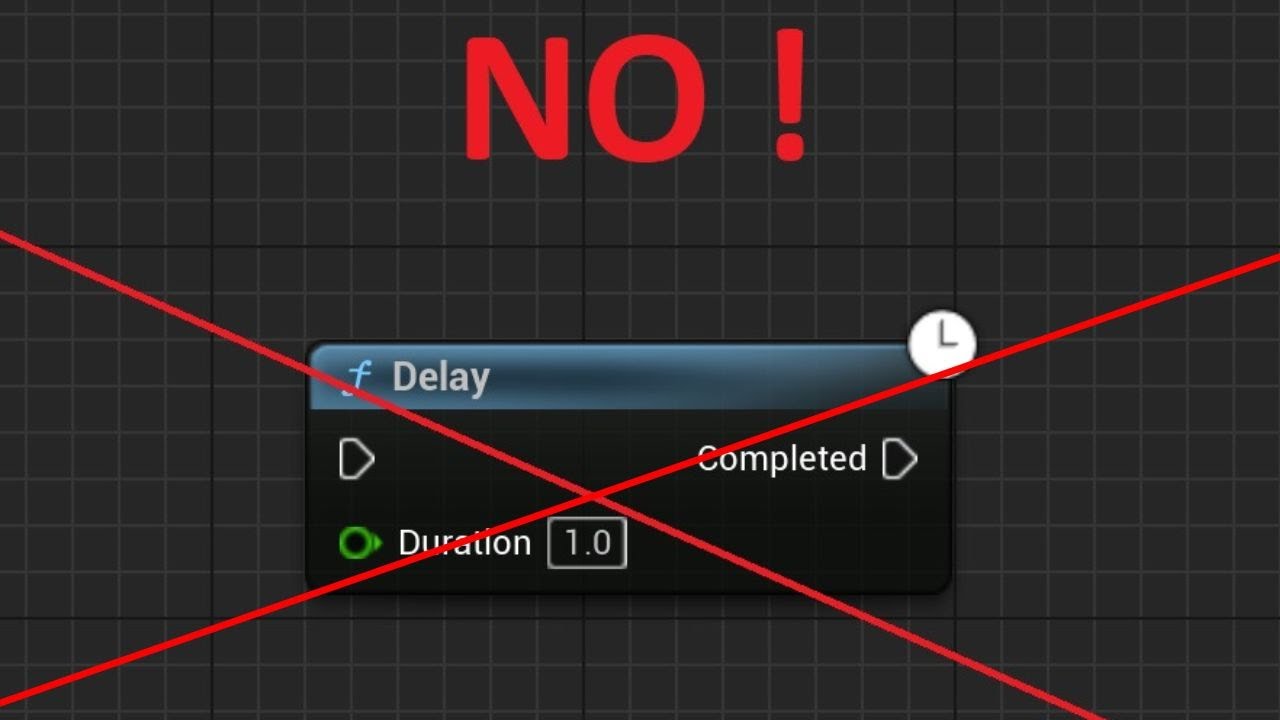
Join Patreon and get 3D Models and 2D Assets:
https://patreon.com/DoppelgangerStudios?utm_medium=unknown&utm_source=join_link&utm_campaign=creatorshare_creator&utm_content=copyLink
Unreal Engine Blueprints Optimization Course 50% OFF!
https://www.udemy.com/course/unreal-eng...
sand shore
shell lance
hi guys, just came across this video, and it left me confused. Should delay node...
I’m not watching all that, but the answer is always “know the behavior of the tool in your toolbox; it depends”.
The main quirk of Delay is that you might expect it to be 1:1 - if you call it 5 times on a frame, you might expect to get 5 callbacks on one frame in X seconds. That’s not the case.
But delay nodes are timers under the hood
 dire trench
shell lance
hi guys, just came across this video, and it left me confused. Should delay node...
dire trench
shell lance
hi guys, just came across this video, and it left me confused. Should delay node...
Yes use timers in prod code and make sure to clear them or you'll get mem leaks
Less control, you cannot end a delay the way you can end a timer
sand shore
sand shore
I’m not watching all that, but the answer is always “know the behavior of the to...
I would also say that if using a delay seems unintuitive to you, that is plenty of reason to avoid it
shell lance
but in a lot of cases there doesn't seem to be any disadvantage of using delay?
sand shore
A strict rule you follow 100% of the time will likely mean you spend an excess of time working around your choice
shell lance
I mostly use C++ and we have to use timers there, but I guess delays are fine for simple logic in blueprints?
sand shore
I see delays in production quite a lot
I also convert delays into event driven patterns sometimes
shell lance
sand shore
A strict rule you follow 100% of the time will likely mean you spend an excess o...
yeah I'm just trying to get the pros and cons, no strict rule here
 leaden shale
Hey everyone, I've been having an issue in which my assets, when switching, are snapping from the top instead of from it's position. This has only been happening since I've updated to 5.6. It was working fine in 5.5. Would anyone be able to help me on this?
dire trench
I have absolutely no idea what happened in the above video either, I can confirm it did only happen by updating from ue5.5 to ue5.6 😅🙃 Set Skeletal Mesh seems to have a jump/spawns a bit above their actual lock points when set oddly. The skeletal mesh component is already attached to the character.
No code or bp changes besides the update.
jagged moss
Can anyone see what im doing wrong? the one with 8 works, the one with 4 does not. I have rebuilt this from scratch and even copied it but I cant get the one with 4 to work and i dont see what im doing wrong. Its suppose to find the highest forward vector and save it

 maiden wadi
jagged moss
Can anyone see what im doing wrong? the one with 8 works, the one with 4 does no...
maiden wadi
jagged moss
Can anyone see what im doing wrong? the one with 8 works, the one with 4 does no...
Seems fine, assuming your 1234 properties are set correctly.
jagged moss
maiden wadi
Seems fine, assuming your 1234 properties are set correctly.
they are arrow components, issue is that it returns the wrong one on the one with 4. i cant figure out why. im not sure if it returns randomly or if its a pattern to it
ive been stuck on this for hours and i just cant figure it out, tried rebuilding it so many times, maybe there is something else causing the issue but im not sure what it could be
maiden wadi
For a start you could debug draw your values near their arrows.
jagged moss
maiden wadi
For a start you could debug draw your values near their arrows.
thanks, i didnt fully know how to see it but set up another debug tool for it now with an event tick and it seems the numbers are inverted so swapping the greater with a lesser node and it works
maiden wadi
Not entirely sure what you mean here since a character is already kinematic. At least their capsule movement. But if you want it to be similar to the spectator, put it in flying mode.
jagged moss
any thought on why forward vector is negative on one and positive on the other even tho both using the same arrow components?
 edgy marsh
I want to make car pawn into clients but car pawn's inputs are not working on the client working in only standalone how do i fix it?
 maiden wadi
jagged moss
any thought on why forward vector is negative on one and positive on the other e...
maiden wadi
jagged moss
any thought on why forward vector is negative on one and positive on the other e...
Off the top of my head, none. The forward vector is the component's facing direction. There's no chance you accidentally set them facing the wrong way? I'm vaguely sure that even like.. inverting the scale of the actor wouldn't casue that to be incorrect.
For walking mode, no. You need gravity to walk, kind of a prerequisite. Flying mode will act identical to the spectator pawn though if that is what you're after.
faint pasture
vestal dragon
<@127902729677963264> so I decided to bind it but now it’ll stay at 0 even when ...
Show your current code, from the player's input all the way to the text being updated
maiden wadi
edgy marsh
I want to make car pawn into clients but car pawn's inputs are not working on th...
For a start, basically never use GetPlayerController in networking stuff. You always have contextual ways to get the correct controller related to what you're doing.
For example, look at your Event Possessed node, it has a Controller.
That node won't do what you want it to do though. If you look at it's tooltip it states it only runs on the server. "Event called when the Pawn is possessed by a Controller. Only called on the server (or in standalone) "
Override ReceiveControllerChanged instead, that has a NewController. You can use that to pass to your subsystem getter node.
vestal dragon
faint pasture
Show your current code, from the player's input all the way to the text being up...
Ok I’ll so that in a lil while
maiden wadi
There should be a set movement mode function I think. I can't recall off hand. But you should be able to set it either by default or on beginplay.
faint pasture
edgy marsh
I want to make car pawn into clients but car pawn's inputs are not working on th...

Not sure if that's hte best way to do it but it does the job
maiden wadi
It'll work. Realistically you shouldn't need to apply these at runtime. Walking, Flying, Driving, Boat inputs are all separate and should be so that you can set them separately in the options menu. You can just apply all of the contexts at the start of the game and rely on possession to change the controls.
jagged moss
maiden wadi
Off the top of my head, none. The forward vector is the component's facing direc...
i mean its an arrow and its pointing in the right direction, so i dont think so
maiden wadi
Yeah I dunno. :/ I was thinking the same thing when I wrote that, that it'd be hard to make the arrow face the wrong way.
edgy marsh
faint pasture
still not working
edgy marsh
faint pasture
I want to possess the car pawn but Inputs started not working its only working in standalone
faint pasture
edgy marsh
I want to possess the car pawn but Inputs started not working its only working i...
show the code path from some input to the car being possessed

 faint pasture
edgy marsh
faint pasture
edgy marsh
all the way back to the input
start at the input node and show the whole path
this multiplayer?
edgy marsh
faint pasture
this multiplayer?
yes
faint pasture
edgy marsh
yes
so where's the bit where the client tells the server that it wants to do a possession?
between your input and the possess call you need a run on server event somewhere
edgy marsh
 faint pasture
edgy marsh
faint pasture
edgy marsh
not multicast, a run on server event
edgy marsh
faint pasture
not multicast, a run on server event
ok
faint pasture
the client has to tell the server it wants to possess something
and you don't need to pass over the controller, just use the pawns controller on the serverside, not get player controller 0
edgy marsh
faint pasture
and you don't need to pass over the controller, just use the pawns controller on...
get controller?
instead of player 0
 faint pasture
edgy marsh
like this
faint pasture
edgy marsh
like this
The server knows about the controller
just pass a ref to the pawn you want to possess over
and it should be called ServerPossessCar, you are telling the server you want to possess the car
 nova imp
I have a question that mixes a bit of Blueprints & Materials I posted it in both channels (hope that's ok)
I'm trying to make a material that can give me an outline that adjusts to the "tiles" as a group outlining the whole shape when multiple pieces are put together. (the red lines are the actual planes & the blue lines are the material effect). The screenshot is a prototype of the system I got to work but it requires having around 16 material instances with 3 or 4 layers on each and a lot of selects or branches. I just don't want to believe that this is the only way to do this. (not an expert on materials so maybe I'm missing something). I've thought about using a more modular approach with just one material and way to many lerp nodes but I worry that it'll be too heavy as to my knowledge unlike static switches lerps still have to "load" the nodes that won't be visible. Any help is appreciated thanks in advance 😅

 rose citrus
Can I only set variables from the AnimBP on Update Animation? On the Enemy BP, I get the Anim Instance, cast and set a reference to the AnimBP, then on Death Event, I get AnimBP ref and set isDead. The variable doesn't change in the AnimBP.
Usually I just use the Enemy/player References from their AnimBP to set variables, but was trying to see if I can set it from the enemy/player BP instead so it's not setting the variables every tick
maiden wadi
nova imp
I have a question that mixes a bit of Blueprints & Materials I posted it in both...
To start, lerps are fine depending on where you use them. Using a lerp at the start of two very huge diversions of shaders with several hundreds of instructions on both sides is not so great.
And to be clear, there's no loading here. It's on the GPU, everything is loaded, it's simply processing those shaders each frame.
But to get the blue outline, I'd probably default to something like the post process outline stuff. Create a mask out of your meshes by marking them with a custom depth stencil value that you can read in the post process.
nova imp
maiden wadi
To start, lerps are fine depending on where you use them. Using a lerp at the st...
Okay so the one big material isn’t happenning then.
Makes sense, so the processing would just be a lot longer if I use an unoptimized material.
I’ll give the custom stencil depth a go didnt think of it and will be a lot easier than what I was trying.
Thanks for the help
 kind willow
I'm trying to create a point&click game and use 2 widget buttons to rotate the camera. When button is hovered over, camera rotates, but the issue is that the buttons also consume mouse clicks, meaning that objects in the rotation zones cannot be clicked (See 2nd image, where the trace hits just stop on the sides)
Is there any way to make the buttons pass the clicks trough?


I guess I could use images instead of buttons, but then the logic of "is hovered" would have to run per tick
lofty rapids
kind willow
I'm trying to create a point&click game and use 2 widget buttons to rotate the c...
just check the x, if it's > or < then
this way you don't even need the widget
kind willow
lofty rapids
just check the x, if it's > or < then
I tried that, but I had issue with the user's screen resolution, which would mess up the alignment of the rotation zones
lofty rapids
ya usually you get the screen into a -1 to 1 or 0 to 1 range
kind willow
For some reason get cursor position and get viewport resolution would give me 2 different values
lofty rapids
i have not done that yet in unreal tbh
kind willow
lofty rapids
i have not done that yet in unreal tbh
me neither. This is my first point and click game, hence my struggle with the basics
lofty rapids
kind willow
me neither. This is my first point and click game, hence my struggle with the ba...
did you try this node ?
 kind willow
lofty rapids
did you try this node ?
kind willow
lofty rapids
did you try this node ?
Yup, used exactly this one
lofty rapids
kind willow
Yup, used exactly this one
and you tried the other ones
the viewport one, and the other one ?
kind willow
I also used this, but as I said, the value shown by get mouse position and get viewport size are calculated completly differently and seemingly not compatible

I cannot determinate the centre of the screen
faint pasture
kind willow
I also used this, but as I said, the value shown by get mouse position and get v...
what does get mouse position return when it's in the corners?
kind willow
faint pasture
what does get mouse position return when it's in the corners?
Left upper corner returns 0 0
lofty rapids
center of the screen should 0.5,0.5
kind willow

0,5 would be like half a pixel from the left
Usually I'd divide the mouse locatrion by screen width to get a dot product, but the screen resolution and mouse position numbers are completly different
 idle crescent
Has anyone tested at what instance count removing instances stalls?
lofty rapids
kind willow
Left upper corner returns 0 0
i got in 0 to 1 range, which is what you want
this way always 0.5 is center
kind willow
lofty rapids
i got in 0 to 1 range, which is what you want
No idea then. Maybe it's some difference in engine versions? I'm on 5.5.4 and I only get distance from left from the "Get Mouse Position Scaled by DPI" node...
 kind willow
lofty rapids
kind willow
lofty rapids
Oh, I see. Let me try
lofty rapids
left to right
no matter the size of the viewport
so 0.5 is always center
i use zero to one a lot in unreal lol
but there is also -1 to 1
so zero is center
kind willow
lofty rapids
Huh, not sure what I did wrong before, but yeah, this works. Maybe I multiplied the wrong thing?
If I can't figure out the button thing, I'll use that instead. Thanks 👍
lofty rapids
just say if you greater then 0.8 your on the right, or less then 0.2 your on the left
or whatever numbers make sense
this is easy just flip some booleans
kind willow
Yeah, I can take it from here, I just didn't know how to get the value right I guess
atomic solstice
Is this bad practice?
I have a simple button BP that triggers stuff when I click on it, but I also wanted to press G to trigger it.
Aren't I supposed to put Keyboard event stuff like this into the PlayerCharacter BP's or is it ok to put inside the button BP?
 maiden wadi
Really requires context of the game type. What is clicking on it? Are we an FPS/TPS game pointing the camera at it? side scroller with character standing on it? etc.
atomic solstice
Initial button press requires me to look at the button but I don't want the G key to have to "click" on anything.
I just got tired of constantly running over to the button to trigger it during runtime. I guess its just for testing purposes? Was curious if I'm comitting some cardinal sin for BP's 😅

@maiden wadi
maiden wadi
atomic solstice
Initial button press requires me to look at the button but I don't want the G ke...
If it's just for testing, it's kind of whatever. 🤷♂️ But for future reference, it may be easier to trigger it from console. Makes it easier than setting up inputs on things.
If you have an object with say a custom event named MySuperCoolCustomEvent, you can trigger that on all instances by doing "ke * MySuperCoolCustomEvent", ke standing for Kismet Event, the * is for all instances. You can put the exact name in there too if you only want one instance and you know it's object name.
 icy gust
Anyone know why pressing E isnt working here? It works fine with the same function in a seperate blueprint but it doesn't fire at all in this one. Both have the same input and modifier settings

this is the exact same setup in a separate blue print that works fine

the overlapping works, its just the E press does nothing
 sick sky
where is the working and not working BP event node placed ?
icy gust
Nvm I fixed it and it was super simple, I just had to enable the input for this one for some reason

I'm not sure why the other one works without that though
 dusty cave
So I've been doing some testing lately, and found a way to get similar results to multicast, but without replication nor calling server events.
I do this by binding Event dispatchers from Data Assets onto regular events triggered by the player.
Apparently, data assets work similar to the gamemode, by letting the player get server-level clearance.
Is this useful, or should I stop this tanget of research?
 rustic sundial
is there a node for assigning a tag to an actor or component?
I want to be able to spawn a mesh into the world during runtime and give that mesh a random tag with each spawn. How can I achieve this??

 next hollow
Get the tags array, and add to it.
 onyx tapir
rustic sundial
onyx tapir
rustic sundial
☝️
 rustic sundial
next hollow
Get the tags array, and add to it.
rustic sundial
next hollow
Get the tags array, and add to it.
what is "the tags array"?
Are you talking about the gameplay tags or are you saying I need to make my own tags array
onyx tapir
It's an array of names that all static meshes come w/ same as actors, no need to create your own.
 atomic hollow
icy gust
atomic hollow
icy gust
you will need to enable the input for the actor to get it.
it is in class defaults, search receive input or something same.
fleet prism
Is anyone able to let me know why this is not working properly? The goal is to have the door open when you put the box in the hole and when you take it out the door will close. and this works my problem is when the cube is sitting in the hole instead of the door staying open it will constantly open and close. So how do I make it so it stays open when the cube is in the hole?


 atomic hollow
fleet prism
Is anyone able to let me know why this is not working properly? The goal is to h...
atomic hollow
fleet prism
Is anyone able to let me know why this is not working properly? The goal is to h...
the two events for overlapping can be triggered multiple times very fast and is not suitable for this situation
Find distance between the overlapbox position and the box position that need to be placed in the hole and check on tick every 3 to 5 times per second depends on your situation. And see if the distance between them is nearly some threshold the door will be opened else the door will be closed.
 foggy otter
any idea why this instantly crashes the editor every time? for context, im doing listen server multiplayer. this gets run on all computes. tho running with only 1 player crashes too. are these guards somehow not enough? the material itself is fine, manually adding it to the camera works no problem. im on 5.5.4

 zenith egret
Hi, I am experimenting with the new gameplay camera system. I am facing an issue with the Rotation Offset. Whenever I set the x, for example, to 1, the value keeps on accumulating leading to wrong behavior and the camera ends up in a weird pose.
I tried different offset spaces but they all behave in a wrong way ..
appreciate the help, thank you
 dusky cobalt
fleet prism
Is anyone able to let me know why this is not working properly? The goal is to h...
dusky cobalt
fleet prism
Is anyone able to let me know why this is not working properly? The goal is to h...
is cube and box 2 different items but they are both have the same parent PickUpBase?
or the problem is that when you start game with cube/box inside the hole it's acting like that?
is the hole a box?
maiden wadi
dusty cave
So I've been doing some testing lately, and found a way to get similar results t...
I'm unsure how your test was set up, but this won't work normally. I'm assuming that you're testing in PIE? If so, I assume that you're getting a broadcast off of the static asset. Your data asset is application global. It's similar to a static mesh asset, you don't want to load it twice just to display it in two different PIE instances. Similarly with data assets that are meant to house unchanging static data, there's no reason to load them twice so you get the same asset in both pie instances.
I'm assuming that you bound a dispatcher to this on both pie players somehow and made one broadcast, which ran events for both pie instances for this reason. As a point of test for this, you can see the callbacks even if you're in a non networked pie test in two separate standalone instances.
In a real situation there is one single class that can determine networking and that is Actors. You have to have an actor channel to communicate with the same actor channel on another machine. ActorComponents and other similar subobjects all use their owning actor's channel to do their networking. Data assets have no owning actor and no context to do networking.
maiden wadi
foggy otter
any idea why this instantly crashes the editor every time? for context, im doing...
Can't help much with that without a callstack or at least crash reason.
frosty heron
dusty cave
So I've been doing some testing lately, and found a way to get similar results t...
Surely this is misunderstanding on your end?
How does binding event dispatcher to a data asset have anything to do with server telling clients to run function.
dark drum
dusty cave
So I've been doing some testing lately, and found a way to get similar results t...
From my understanding data assets don't replicate. (As they're intended to be immutable data) If you're testing locally in the editor, all pie instances would use the same data asset. This wouldn't work on a build as all clients would then have their own instance of the data asset, which aren't linked or replicated.
frosty heron
They dont but what he is doing has nothing to do with replication or rpc
He just bind the event on all machine and they get called when it get called.
This is the same as like having an overlap event in an actor and thinking theres some sort of multicast or rpc happening.
 visual crest
I need some help with gimbal lock. I am rotating accessories via UI. Any time Y is around -90 or 90 X and Z do the exact same thing as each other

 maiden wadi
Manually recreate the rotator.
Like... You're at 0 yaw, 0 roll and 89 pitch. If you add 2 to pitch, recreate this by flipping yaw and roll. Move them to 180 and 180 and then set pitch to -1.
visual crest
maiden wadi
Manually recreate the rotator.
Ok how do I do that in nodes?
kind willow
How do I get the skeleton object reference from an animation asset?
maiden wadi
visual crest
Ok how do I do that in nodes?
Editor isn't open so can't do it. But the simplest way would be a function library. Make a function that takes in a Start and Delta rotator. Normalize them. Createa new local variable called EndRotation. Add each axis of both rotators together and set them in this EndRotation. Then do branch checks to see if the pitch is > 90 or <-90. If so invert EndRotation's Yaw and Roll by adding 180 to it. Normalize them again and return.
visual crest
maiden wadi
Editor isn't open so can't do it. But the simplest way would be a function libra...
Ok Ill try. Thank you. My start would be from get transform rotation? and my delta would be my current + the slider value?

or delat be get transform rotation + slider value? If its current were would I update my current rotation Variable?
maiden wadi
Start is the current rotation of the object. Delta is how much you want to rotate it by, so the slider value
visual crest
thanks
 cedar remnant
Good morning! I have a general BP question centered around how the engine executes BP nodes.
In the pictured example, Do rows 1, 2, 3, and 4 execute on different frames? Or do they all execute on the same frame?
 maiden wadi
cedar remnant
Good morning! I have a general BP question centered around how the engine execut...
maiden wadi
cedar remnant
Good morning! I have a general BP question centered around how the engine execut...
Same frame. You have no latent nodes here.
So this is all execution blocking. Has to happen in order.
cedar remnant
maiden wadi
Same frame. You have no latent nodes here.
So even if I’m calling different events it doesn’t disrupt the logic from executing on the same frame?
maiden wadi
I'm not sure how best to explain this. Are you more familiar with any written languages?
cedar remnant
As long as the node isn’t Async I’m good?
I’ve written a good amount of C++ in Unreal though some of the technical terms of scripting language might be foreign
Calling events is just like calling different functions in C++ no?
 tight pollen

I have fps drops, I don't know why, I didn't have this before, I don't know if the editor started to malfunction or what
wait for task
 maiden wadi
cedar remnant
I’ve written a good amount of C++ in Unreal though some of the technical terms o...
maiden wadi
cedar remnant
I’ve written a good amount of C++ in Unreal though some of the technical terms o...
If you're familiar with C++, then what you just pasted is relatively similar to...
void ActivateAbility()
{
  if (CheckAndSetupCachables())
  {
    ActivateWeapon();
  }
}

void ActivateWeapon()
{
  HandleShotFired();
}

void HandleShotFired()
{
  EndAbility();
}
I put your macro in an if statement because I wasn't sure of it's internals, but it looks like a stopper, so similar to a check.
But your code in BP there would run the same as if you wrote it like this in C++.
the exception migh tbe that macro. I'm not sure what you're doing inside of it.
maiden wadi
tight pollen
This at least looks like editor stuff. If you're profiling game stuff I would advise doing it in Standalone at least. Cooked is better. In editor you get a lot of false data you have to sift through like slate time being really high. If you're profiling the editor on purpose, hard to say with just slow paint path. Need more data in the profile to know what widget is causing that paint function.
cedar remnant
maiden wadi
the exception migh tbe that macro. I'm not sure what you're doing inside of it.
Nothing but a couple casts. Nothing Async/latent. thank you!
 floral stump
🤔

this blueprint was compiled originally in 4.26 and it gives this error in 5.4
but if I recall a fresh Set Text from the return value it fixes the issue
 surreal peak
floral stump
but if I recall a fresh `Set Text` from the return value it fixes the issue
surreal peak
floral stump
but if I recall a fresh `Set Text` from the return value it fixes the issue
They might have changed the original one to not be exposed and exposed a new BP version with a display name.
 thorny kestrel
Is it possible to connect input value from different event/exec results?
In the picture, the above and below logic are the same (begin/end overlap)
But I cant connect the other actor to the above logic, I have to copy and paste the whole thing down.
Any methods in solving this?

 full badge
thorny kestrel
Is it possible to connect input value from different event/exec results?
In the...
full badge
thorny kestrel
Is it possible to connect input value from different event/exec results?
In the...
promote input as a variable and set it after event
then just use the variable
thorny kestrel
full badge
promote input as a variable and set it after event
I thought about this, but won't that make my local variables messy?
Since I might encounter the same situation multiple times, making multiple temp variables seems weird.
full badge
im also annoyed by this
another solution is to create an event and pass the variables as input
then just call the event
thorny kestrel
full badge
im also annoyed by this
another solution is to create an event and pass the vari...
I think there's some hidden methods to enable it
Deactivate node built-in can take multiple inputs like so
I'll take the advise tho, thanks.
 full badge
thorny kestrel
I think there's some hidden methods to enable it
`Deactivate` node built-in can ...
full badge
thorny kestrel
I think there's some hidden methods to enable it
`Deactivate` node built-in can ...
that node is calling a function of an object
as long as it has no return value it can take multiple input
you can do the same thing with your own actors/components
you can also directly pass an array of that object

 jagged moss
Why isnt there just a checkbox if pressing enter is gonna commit or not? do i really need tons of functions to make it work?
 maiden wadi
jagged moss
Why isnt there just a checkbox if pressing enter is gonna commit or not? do i re...
maiden wadi
jagged moss
Why isnt there just a checkbox if pressing enter is gonna commit or not? do i re...
Need more context. What is your issue here?
jagged moss
maiden wadi
Need more context. What is your issue here?
when using a text with multiple lines in a widget it consumes the Enter key and makes a new line when trying to press enter to send.
I swapped it with a normal edit box and it works now, but i could not get it to work with the Multi-line Editable text
crude hearth
sick sky
crude hearth
right click on node and see options to add entries
crude hearth
OMG Thanks
spark steppe
or use a chooser table
 tranquil path
Hey, I have a question. I’m working on a Hearthstone-like game, but in 3D, with cards as 3D models. Right now, I just want to animate them with some simple translation, scaling, and rotation.
However, in my project, a single card is made up of multiple skeletal meshes assembled to look like a real card (for now, they all only have a root bone).
I’d like to know how to create these animations and how to play a single montage that would apply to all skeletal meshes at once for example, if I want to shake the entire assembly and store that in one montage.

 tacit kayak
tranquil path
Hey, I have a question. I’m working on a Hearthstone-like game, but in 3D, with ...
tacit kayak
tranquil path
Hey, I have a question. I’m working on a Hearthstone-like game, but in 3D, with ...
You can create a new skeleton with exact same bones animate it, and then make all card part child's of that skeleton and then, I don't remember which one is but then you need to put a node that syncs all the animations by following the skeleton animation and applying them at the same time
tranquil path
tacit kayak
You can create a new skeleton with exact same bones animate it, and then make al...
Thanks! I didn’t know about that method at all, but it’s exactly what I need. I found the node you were talking about it’s either SetMasterPoseComponent or Copy Pose From Mesh. Now i just have to play the animation on the master skeletal and it will spread over all childs, I'll try this
tacit kayak
tranquil path
Thanks! I didn’t know about that method at all, but it’s exactly what I need. I ...
It wasn't that node but if work, you know
 unkempt plover
Hi I have a question, I have a really big world, and in that world I have some animals. It looks something like this from above. I have created some places where some random animals exist for example this one...
But on runtime I want the player to be able to take one of these animals, like think for example of a horse. Take this horse by the lease and move it somewhere else in the map. So I want to move that nav mesh box somewhere else in runtime. aka recreate it, this will be the box which the horse will move around in... So the animal NPC will not be able to move too much, but only move within a short box or sphere radius.

I tried to look this up on youtube, but I was able to find something like this.. https://www.youtube.com/watch?v=YAStYjqSVzA&t=307s&ab_channel=GamingDev2020
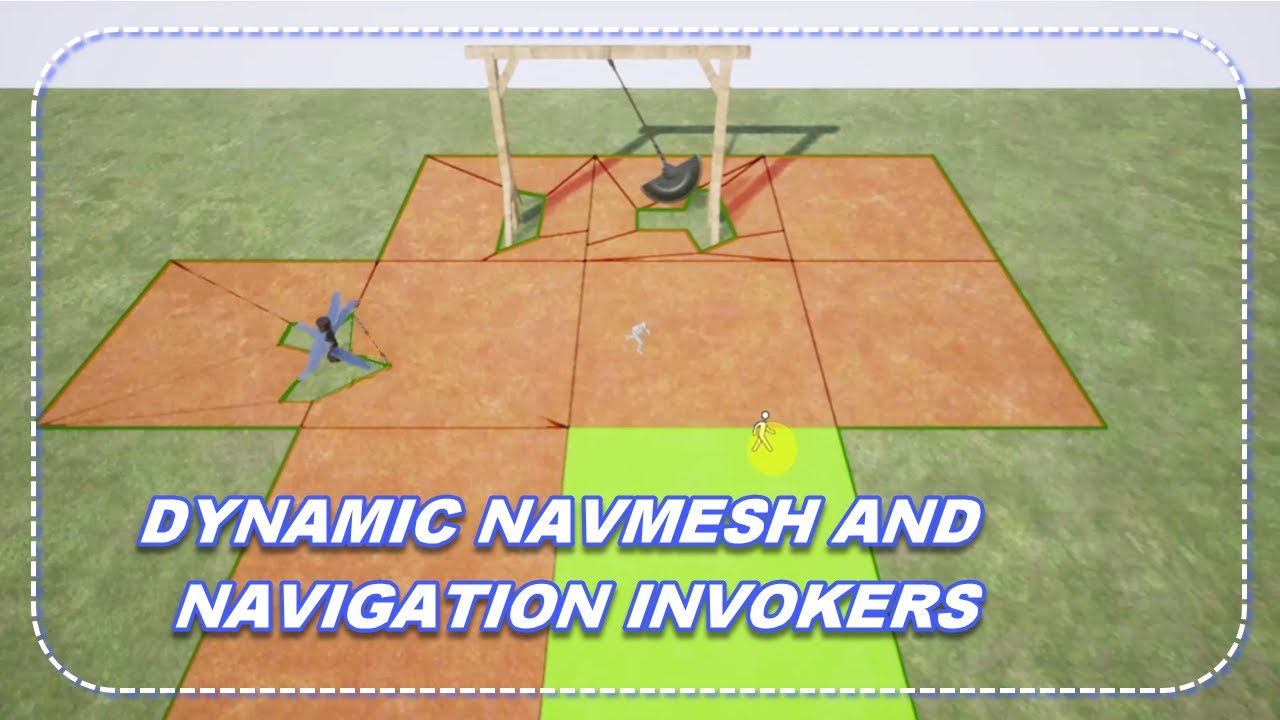
Use the Fully Dynamic NavMesh and apply Navigation Invokers to it.
Need to optimize your Dynamic NavMesh? Check out this video:
https://youtu.be/II5agHlxUe4
Check out the other video for Dynamic NavMesh with Nav Modifiers!
https://youtu.be/0AQzDuRtZnM
Follow along:
00:19 - Setting Up The Dynamic NavMesh
01:17 - See How The Dynamic NavMesh Wor...
Dynamic Navmesh and navigation invokers. I also tried reading a bit into the documentation of "Modifying the Navigation Mesh" at dev.epicgames.com but It didn't have anything related to moving nav-mesh in via blueprint in runtime
maiden wadi
I'm not sure I'd rely on Nav areas for this so much. Usually it's best to do these kind of restraints in your actual AI code. Your navigation mesh stuff should be kept stupid simple because it's fragile enough as is. It costs a ton of frametime to update sometimes and the more you can avoid that the better off you are.
unkempt plover
maiden wadi
I'm not sure I'd rely on Nav areas for this so much. Usually it's best to do the...
sure but I have a big map, 8k x 8k and if I had to do these restraints in my AI code then I'd still need to have the Nav Mesh cover the entire 8k x 8k landscape right? That also has a high resource overhead, thats why I thought of keeping the nav meshes shrunk into small chunks
maiden wadi
Yeah, not sure there. I know some open world stuff uses nav invokers on the aI themselves. How they manage complex pathing I'm not entirely sure because I fought that in some of our bigger maps in an RTS. Wanted to get rid of the huge navmesh volume around the level but couldn't really come up with a way to use invokers well.
Realistically I don't think that the navmesh around the level would be an issue for us with a static level. But our maps are 100% generated. So it's a chunk of time at load after the map is generated that we can't just cook with the map. 🤷♂️
unkempt plover
maiden wadi
Realistically I don't think that the navmesh around the level would be an issue ...
I found something better

In this video we’re going to optimise the navigation and pathfinding in our games using navigation invokers and nav mesh bounds volume! This means the AI can only move within a certain radius around the player, outside that radius they will remain still.
🔗Resources
...
but this is for AI pathfinding to the player. I tried to do the same thing only this time instead of giving the player this component. I gave it to my NPC. But still doesn't work as intended. It didn't change the nav mesh.
I used the command: ShowFlag.Navigation = 1 to debug it

I also changed the following settings in project settings


I guess this isn't really made for passive NPCs but for hunter ones that chase you
odd compass
Hello, does anyone know a way to fix the Project World Location To Widget Position node, my issue is that when an actor is barely off screen the node will project the widget in a 3d Space rather than a 2D space, and when the player is facing far enough away (for instance, facing the complete opposite way of the actor) the node will fail and project the UI at (0,0) in a 2D space. I have some pictures of in-game and of my blueprints


 visual crest
maiden wadi
Editor isn't open so can't do it. But the simplest way would be a function libra...
visual crest
maiden wadi
Editor isn't open so can't do it. But the simplest way would be a function libra...
Do you have the editor open now? My gimbal lock salution didn't go so well
 thin acorn
If I teleport my character high into the sky and let them fall, they clip into the Landscape at the ground and keep falling while being stuck in the ground.
The character is the basic FirstPerson one provided by UE5
I think the issue is with how I'm teleporting the player

This works, no idea what the differences are
 visual crest
I need some help with gimbal lock. I am rotating accessories via UI. Any time Y is around -90 or 90 X and Z do the exact same thing as each other. Authear tould me what to do but I flubed it up some where and I am not sure how to fix it.


Any help would be awsome. This whole gimbal lock problem thing I just can't wrap my mind around it at all... I just don't get why X is not all ways X and why and Z can become X.
maiden wadi
visual crest
I need some help with gimbal lock. I am rotating accessories via UI. Any time Y ...
You may also have to manually normalize pitch. I think the normalize axis only works at 180. Can you show what it's doing atm?
visual crest
maiden wadi
You may also have to manually normalize pitch. I think the normalize axis only w...
Its doing about exactly what it was doing before any time Y is near 90 z and x are mirrored.
What do you mean manualy normalize pitch?
maiden wadi
Basically if you have a pitch that is 93 make it 87. If it's -93 make it -87. If it's 120 make it 60. Etc.
Actually that might not help either. 🤔
visual crest
If I did that then items will not be able to be in certain positions and 90* angles usaly look the best
maiden wadi
I'm not sure you can solve it entirely without saving pitch as it's own thing fully outside of the component's current rotation.
 versed sun
I took an easy route and clamped it -89.9 to 89.9
 maiden wadi
Cause the issue is, you set pitch over 90 from like 10 degrees over 85 to 95. You normalize that to 85 and flip roll and yaw. But now what happens when you need to up pitch again. You get gimbal lock by going up again.
Some weather systems save the rotation as a whole 0-360 value and just set it directly.
versed sun
can you change your < and > to 89.9
maiden wadi
@visual crest
This is a showcase for using the current rotation to add vs saving a persistent rotator and adding to that and using it to set current.
visual crest
so just get current and add?
maiden wadi
No, that'll get stuck. That's what red is doing.
Blue is just a rotator variable that gets it's pitch added to. Sec. I can show this a little better.
Look at the blue numbers for P. Bottom is the rotator, top blue is the current rotation of the arrow. Note that the rotator's P just keeps getting added to.
maiden wadi
Sliders are fine. In fact if you're using sliders you could set their values directly from the slider and it'd avoid issues.
visual crest
I have been using slider and still having gimbal lock problems
maiden wadi
Your pitch slider is set between -90 to 90?
I assume you're talking about a literal USlider in a widget.
visual crest
Yes and I have -180 min 180 max I have also tried 0 min and 360 max
maiden wadi
Test this. Set the component's RelativeRotation directly from the slider values. Yaw and Roll should be -180 to 180 and pitch from -90 to 90
visual crest
It kinda works but you really have to fidle with it to get the rotation you want and X and Z are still constantly getting mirrored
I checked with AI and Chat gpt says i should use Quaternions instead of Euler like I currently am but I have no clue how to do that and its instructions are extremely confusing.
maiden wadi
You can't do that in BP. And it doesn't so much apply here. Realistically you won't get much better than setting the relative rotation from your slider values. Quats are for things like flight rotations or spacewalk rotations kind of thing.
I'm not fully sure what your issue is with the mirroring and such.
Maybe if you were using a gimbal wheel thing. Like the rotation tool in engine, quats might help. 🤷♂️ But for sliders for each angle, not so much.
 heady burrow
question, is there a way to have a second tick node? I want to encapsulate the workflow of my RTS piece creation block
so for example, if I want to move the soon to be ghosted piece actor, I have to put that in the tick execution line
no idea how to do it differently
ideas welcome
maiden wadi
A Second node, no. You need to either make two functions called in order, or do sequence nodes.
heady burrow
bleh
 mental rampart
when you "blend" between two cameras, does that mean the view itself blends from one location to another?
or is it "blend" in the video editing sense
 lunar sleet
mental rampart
when you "blend" between two cameras, does that mean the view itself blends from...
lunar sleet
mental rampart
when you "blend" between two cameras, does that mean the view itself blends from...
It just means it’s a smooth transition
mental rampart
a smooth transition between locations or like a windows movie maker blend
lunar sleet
It will move a ghost camera between camera a and camera b yes
mental rampart
ah ok
thankyou
So i have a camera facing down on a car, but when the car flips over, the camera flips over too and goes through the floor (because of the way its rotated) how would I make it so the camera is always in the top-down position no matter what the car is doing?
bit of a loaded question but hopefully someone has an answer
maiden wadi
Is the camera always supposed to be facing down?
Like typical top down camera following what you're controlling?
mental rampart
it's a generic chase camera for a car. i guess by "top down" i mean it's angled downwards like any car game has
my bad, probably should use better wording
lunar sleet
mental rampart
So i have a camera facing down on a car, but when the car flips over, the camera...
You could maybe just rotate the car’s mesh instead of the whole actor and make sure the spring arm is parented to the actor itself independent of the mesh
But if that doesn’t work maybe have the camera a separate actor and change its location on tick to match the car’s location (offset for your camera angle) but not its rotation
dusky cobalt
Did you put the camera into same blueprint as car like it’s your main character that you follow ?
mental rampart
dusky cobalt
Did you put the camera into same blueprint as car like it’s your main character ...
yep. it's the same bp as the car.
dusky cobalt
mental rampart
yep. it's the same bp as the car.
yeah so it follows something it's attached to, like it's relative location will be to whatever it is attached to, if you want to have camera that is separate from anything and is like in top-down games then create pawn that you posses and put camera on it, you can make a toogle that you click space and it will follow the car or unlock from it as well if you want
lofty rapids
mental rampart
yep. it's the same bp as the car.
seperate camera actor for sure
surreal peak
Or use the PlayerCameraManager to just return the camera location and rotation you want.
 trim matrix
Good morning, I'm creating a dual wield mod for the game Oblivion Remastered and I'm having some issues with I believe the blueprint logic or animation blueprint?When I get ingame and press my desired key to switch to my animation BP nothing happens. Still only unsheathes 1 blade so not showing my dual swords either. I know I haven't setup hitboxes and have only got the logic for the right and left attack put down for now, I want to make sure I can get the swords showing ingame and that I can get even 1 animation to play before creating the rest. I also am assuming that I have the parent classes for my animation blueprint or my logic blueprint incorrect. I'm baby brand new to this stuff so I'm honestly not too too sure what I'm doing lol


 lofty rapids
trim matrix
Good morning, I'm creating a dual wield mod for the game Oblivion Remastered and...
lofty rapids
trim matrix
Good morning, I'm creating a dual wield mod for the game Oblivion Remastered and...
so basically your trying to switch the animation blueprint to your new one right ?
and it's when you press k
trim matrix
lofty rapids
so basically your trying to switch the animation blueprint to your new one right...
Correct
lofty rapids
trim matrix
Correct
any errors ?
trim matrix
lofty rapids
any errors ?
Not that I can immediately tell, the game doesn't crash and Im able to successfully do the console command to add the mod to the game and load it it's just doing nothing when I press k
lofty rapids
can you print messages in the game ?
put a breakpoint on the set anim instance
does it hit when you press K ?
idk about modding, but normally you can print string when you press K
this way you can see if the key is registering
which it should be, but with debugging you should confirm things not assume
trim matrix
I see, Ill setup the print string and see what happens. I appreciate your responses and help!
 storm vigil
Do we need to async load (soft objects) animations sequence or montage in the weapon blueprint for weapon animations? or its footprints are too low to add another logic
Btw, im using semi procedural, so its mostly the idle and reload animations leftr
maiden wadi
storm vigil
Do we need to async load (soft objects) animations sequence or montage in the we...
That's up to your game size and how big the files are. Generally speaking though, it's usually best just to load gameplay critical stuff as bundles which is why primary data assets exist.
mental rampart
How do I possess an external camera that is seperate from the controlled pawn?
is it this?
 maiden wadi
You don't possess it. But if the camera is on a separate actor from the pawn, you can SetViewTargetWithBlend on it.
 analog heron
Hey I am getting this weird issue with opening a level in UE5. I've have a collision end level that simply opens a level by object ref if it's player. But for some reason it keeps trying to open that last level then the new one and flips back and forth. I've been stuck for ages on this and it makes no sense what is happening. Here's a video of the issue happening. I have tried the same method on a different project and it worked just fine. It's most likely a simply fix and I'm being a moron but I can't see why this is happening. Cheers for any help with this.
nevermind I was just being stupid
dusky cobalt
analog heron
nevermind I was just being stupid
don't say that, things like that happen everyday couple of times in game dev 😄
 civic oar
I couldn't get this event feed on the bottom left of the screen to work entirely properly--it does update the first slot though, but the bottom three slots never update correctly. I created what is called a "structure," which I think is the equivalent of a container, which contains the text box itself and the text. So I iterate through the structures in the "Event Slots" array, update the text in that text box and store the previous value in the "Text To Move Down" variable. That's as far as it works, something happens after that which fills the other three event slots with empty text.

Here's where I construct everything:
 maiden wadi
civic oar
I couldn't get this event feed on the bottom left of the screen to work entirely...
maiden wadi
civic oar
I couldn't get this event feed on the bottom left of the screen to work entirely...
You're modifying copies here for a start.
Check your Get node. It has a circular dark blue pin. Change that out for a Get(by ref) instead of Get(copy). It'll have a dark blue diamond pin.
trim matrix
trim matrix
Good morning, I'm creating a dual wield mod for the game Oblivion Remastered and...
I seem to still be having an issue with input being registered. Tried doing print string and copy to clipboard as a test but nothing happens upon key press
dusky cobalt
trim matrix
I seem to still be having an issue with input being registered. Tried doing prin...
These Input Actions should be in your PlayerController, try adding any key to PlayerController, and print you will see it starts to work, so then you will have to modify architecture so PlayerController handles inputs and sends the logic to happen in things that are supposed to do something.
Also preferably you should get to know Enhanced Input Mappings and use Input Context Mapping with Input Actions.
trim matrix
I was just looking into the enhanced input mappings in project settings I'll definitely give this a shot thank you very much!
dusky cobalt
Yeah, and mosty likely current issue is just that Input Mappings are not possible to be used from Character, their place is in PlayerController
and btw these that you are using are valid for debuging and just doing things quick
maiden wadi
You can use input mappings from a character?
civic oar
maiden wadi
You're modifying copies here for a start.
I’ll be back on my editor in several hours, I’ll update you then.
dusky cobalt
maiden wadi
You can use input mappings from a character?
oh, then maybe @trim matrix you are spawning wrong class of your Character?
that is why these dont work
trim matrix
I just changed the parent class to player controller
maiden wadi
Input needs three things if you're using enhanced input.
trim matrix
Which makes sense controlling the player since im trying to do dual wield animations
dusky cobalt
trim matrix
I just changed the parent class to player controller
PlayerController is PlayerController, Character is Character, don't mix them 🙂
maiden wadi
Your input mode needs to be set to Game or GameAndUI.
The pawn with the input needs to be possessed, our the input needs to be in your player controller, the level, or some other actor you have explicitly called EnableInput on.
You need to have the correct input mapping context applied with your input actions.
Past that, you can put input actions in any class mentioned in the second thing above and they'll work.
The input mode functions as a full "you can or cannot have game level inputs", the input context mappings function as a filter, and possession is just a special case for enabling input in the actor.
Does Oblivion Remastered use Enhanced Input or are they still using legacy controls?
There are some debug key inputs you can use that'll ignore the context mapping filters as long as the actor has input enabled to make sure that's not an issue.
 trim matrix
Ohhhh I see I see, I know it was made in ue 5.3.2 so maybe enhanced? I wouldnt wanna assume im not too sure
I did try and change the setting to possess but that resulted in a crash Im hoping since I now have the correct parent class set I should see results or I hope so
maiden wadi
Likely enhanced input then unless they went to a lot of trouble to backport it. Which wouldn't make much sense.
 quaint vortex
Hey. I have a question - i would like to set Expose on Spawn to Struct, but i don't have that option. Is it removed or i made something wrong?
 maiden wadi
trim matrix
I did try and change the setting to possess but that resulted in a crash Im hopi...
maiden wadi
trim matrix
I did try and change the setting to possess but that resulted in a crash Im hopi...
Making it a player controller won't help. You already have a player controller and it's a singular class per player. What are you making specifically? Is this like your played character or is this like a display dummy thing?
Or some NPC, etc.
maiden wadi
quaint vortex
Hey. I have a question - i would like to set Expose on Spawn to Struct, but i do...
What class is this in? And this is a normal BP struct?
trim matrix
maiden wadi
Making it a player controller won't help. You already have a player controller a...
My knowledge is so brand new but I am trying to upon key press switch animation blueprints for the player character to my own so when I equip my dual swords it will play my own dual wield animations
quaint vortex
maiden wadi
What class is this in? And this is a normal BP struct?
Yes. That's normal structure
maiden wadi
quaint vortex
Yes. That's normal structure
What class is your screenshot from? What is it's parent class?
quaint vortex
maiden wadi
What class is your screenshot from? What is it's parent class?
That's a widget. I would like to connect to structure.
maiden wadi
trim matrix
My knowledge is so brand new but I am trying to upon key press switch animation ...
Do you happen to know if they made that on top of Lyra or did something similar? Lyra has a nice way to enable features dynamically. Essentially your mod could inject an actor component into the player's character or controller that you could put your input and logic in. Or is there any API for anything like that?
maiden wadi
quaint vortex
That's a widget. I would like to connect to structure.
Which widget class specifically? I tested UserWidget and Widget and I can't seem to cause that. 🙁
trim matrix
maiden wadi
Do you happen to know if they made that on top of Lyra or did something similar?...
I apologize but I have no idea. I've mainly been mesh modding this game since it came out and now after learning how to get cloth physics working I was wanting to do something more technical involving blueprint modding and dual wielding is my most wanted feature/mod
quaint vortex
maiden wadi
Which widget class specifically? I tested UserWidget and Widget and I can't seem...
UserWidget
quaint vortex
maiden wadi
Which widget class specifically? I tested UserWidget and Widget and I can't seem...
I can set that for Integer, Bool etc, but not for structure
maiden wadi
Huh.. Neat. The gate for that is quite small.
Can you test creating a new BP struct and check if that shows?
What is in your item struct?
It's also worth the question of whether saving everything and restarting the editor fixes it?
quaint vortex
 quaint vortex
maiden wadi
Can you test creating a new BP struct and check if that shows?
quaint vortex
maiden wadi
Can you test creating a new BP struct and check if that shows?
It works on new structure
quaint vortex
quaint vortex
It works on new structure
But replacing references crash ue xD
maiden wadi
I'm trying to recreate the issue. But from looking through code, I can't see a reason for that. It's worth a note that a lot of people start C++ for this reason. Blueprint structs are notoriously cursed for multiple reasons.
Yeah I can't cause it even purposely doing a circular dependency. 🤷♂️
quaint vortex
I recreated references by hand and works. Good that it's beginning of project and was only few to fix.
trim matrix
dusky cobalt
These Input Actions should be in your PlayerController, try adding any key to Pl...
How do I add a player controller to a key press?
dusky cobalt
You need to create new class with a PlayerController as parent. Then in your level you settings (GameMode) you set that PlayerController as the one you want to be working. When you enter the level it will then use that PlayerController class. Inside it you can just add these Input Actions (keys) -> and then execute do x and do y.
These should also actually work from your Character.
Btw if you show what you have so far or what you are looking at it would be easier to probably help you. Also did you try to print anything and did it work or not?
trim matrix
dusky cobalt
You need to create new class with a PlayerController as parent. Then in your lev...
This is my logic setup right now, and yeah my inputs aren't being recognized or doing anything when pressing them

My combat idle animation is playing when I get ingame but thats about it
dusky cobalt
add these nodes to your character

these are related to player controller so you will ahve to use GetPlayerController node first instead of self in my case
and same for ShowMouseCursor (it's also in PlayerController)
trim matrix
dusky cobalt
add these nodes to your character
Do I still set my anim instance after the red set node
dusky cobalt
Let's figure out first if your inputs are working
trim matrix
dusky cobalt
Let's figure out first if your inputs are working
How did you set the show mouse cursor node without the blue target node
It wont let me compile without a target
I also don't know how you got self to connect to player controller
dusky cobalt
trim matrix
I also don't know how you got self to connect to player controller

you need to use GetPlayerController because you are not doing it in PlayerController
dusky cobalt
dusky cobalt
these are related to player controller so you will ahve to use GetPlayerControll...
^
trim matrix
dusky cobalt
I see, and this will allow input to be recognized?
Sorry Im so new to this the ins and outs and all the logic gets overwhelming very quickly
dusky cobalt
Take it slow and try to understand small things first and basics. Yes, this is one part of making input beeing recognized. It's all about trying and trying. If it doesn't work still don't worry there might be something more that needs to be done.
Did you watch any like really basic tutorials to get a bit more info about UE or did you jump straight into it 😄
trim matrix
I always dive right into the wolves lol
I figured most of it wouldnt apply since im modding a game and not making my own
So I'd need to adhere to any kind of stuff Oblivion Remastered has already done or so I assume. I dont know anything lol
dusky cobalt
oh it's not gonna be easy to skip a lot of things without literally giving you step by step solution which you won't learn much from it
it's ok to ask questions, but I would start with check pinned messages, there is a blueprint introduction tutorial
then you can watch tutorial about Enhanced Input Mappings
this will already give you a lot
trim matrix
I appreciate it, I dont want to sit through a 2 hour video for input mappings but im sure i'll figure it out eventually
Thank you guys very much for helping me out and responding today!
dusky cobalt
trim matrix
Thank you guys very much for helping me out and responding today!
if you have questions just go ahead and ask them, best if you have any context, screenshots, errors etc. it's easier than guessing
trim matrix
dusky cobalt
if you have questions just go ahead and ask them, best if you have any context, ...
I just know I have the animation blueprint and my state machine with it's transition rules created, I have the blueprint for the logic down which is the screenshots above, and the inputs ingame aren't being recognized. I tried changing the parent class for my logic blueprint to Actor, Character, and PlayerController but they all still havent led to inputs being recognized
trim matrix
Ingame? Yeah I spawned the blueprintlogic
At least I think I have the right one spawned lol
dusky cobalt
can you check what did you put into level?
trim matrix
When I load p in game the combat idle animation from my stuff is playing and yes I will
Okay so I have no idea what I did differently but I made a test to copy to clipboard that K is pressed when I press K and it recognized that input!
dusky cobalt
dusky cobalt
add these nodes to your character
and can you show how did you added this?
trim matrix
But now my dude is in a tpose lol
And the actorr I spawned in is my dualwieldlogic blueprint
dusky cobalt
oh, instead of copy to clipoart search for Print node
and test, it's much easier to see
you can write there something and it will show in the left corner, so it's perfect for debuging things
also if it works the T pose is because of logic on Event Tick
put print on event tick so you can see what it does
 trim matrix
Do devleopmental only nodes like that work in game? Or is that in level editor
I figured I couldnt test stuff in the level since it doesnt operate like oblivion re ingame does or I assume so
dusky cobalt
what do you mean? how are you testing it? are you packing the game?
maiden wadi
Development Only nodes work in editor and cooked builds that are not Shipping.
trim matrix
dusky cobalt
what do you mean? how are you testing it? are you packing the game?
Yeah I package and test ingame every time
maiden wadi
You don't have a way to test mods in PIE? O.o
trim matrix
Im not sure what pie is but I just assumed the level wasn't the same environment as being ingame in Oblivion so things would behave differently
maiden wadi
PIE is the Play In Editor. Little quick test tool.
And 85% of things function same. There are caveats, but for input handling, spawning, messing with animations and such, it'll be 1:1
dusky cobalt
trim matrix
Im not sure what pie is but I just assumed the level wasn't the same environment...
Don't assume, just try
trim matrix
I do be asusming things
dusky cobalt

also if you packaged with Shipping then you don't see Debug tools
all other modes allow you to see prints/debug tools
trim matrix
I am in development and Ill look up how to place my dude in the level and control him
Let me stop asusming and try
maiden wadi
I had to test our last project a lot in Standalone/Cooked. 🤮 Ugh, never again.
dusky cobalt
maiden wadi
I had to test our last project a lot in Standalone/Cooked. 🤮 Ugh, never again.
sounds like pain 😄
what was the reason why btw?
maiden wadi
Just some bad structure we never changed. Moving from lobby to combat game is seamless travel. And you can't test that in PIE.
dusky cobalt
ohh, yeah....
 sharp harbor
Hello, good day, I added leg ik foot placement and stride warping to my character, but my character's feet are digging into the ground and I can't figure it out. How can I fix it?

 trim matrix
dusky cobalt
Don't assume, just try
trim matrix
dusky cobalt
Don't assume, just try
So small update, Inputs are being recognized but not playing my attack animations my combat idle animation plays but when I move its just my static combat idle pose rather than my attacks or walk animation
 naive elm
Been editing a blueprint a lot. Now it started to randomly crash the engine when changing some variables in editor, how bad is this?
 void jewel
What is the reason there is no possibility of using timelines in components? I see there's plugins for it and you can essentially recreate it yourself using timers etc. - but still curious why epic just didn't include this themselves? the fact that it's been so long makes me think there's some good reason to not use timelines in your components specifically?
dusky cobalt
naive elm
Been editing a blueprint a lot. Now it started to randomly crash the engine when...
did you try to restart editor and see? sometimes the errors don't pop up immidiatelly after changing
naive elm
dusky cobalt
did you try to restart editor and see? sometimes the errors don't pop up immidia...
of course, it crashes the project so I have to restart
dusky cobalt
trim matrix
So small update, Inputs are being recognized but not playing my attack animation...
im the worst when it comes to animations so I think i cannot help
dusky cobalt
naive elm
of course, it crashes the project so I have to restart
any screenshots, what variables, where they are? did you try removing and re-adding them?
naive elm
just default vars that are defined in components that come with the engine
will change it, crash, reopen, change it again and it doesn't crash
totally random vars too
trim matrix
dusky cobalt
im the worst when it comes to animations so I think i cannot help
I'm very grateful for your help!!
maiden wadi
naive elm
will change it, crash, reopen, change it again and it doesn't crash
Crash it and give a crash report. It's impossible to say what the issue is without even a vague hint of where it's crashing.
Chances are you may need to install editor symbols to get a better crash report, but with luck maybe not.
naive elm
ill post it if it crashes again
civic oar
maiden wadi
You're modifying copies here for a start.
So I fixed what you said and there's still the same issue.
I.e. the Get node is now getting a reference and the dark blue dot is now a diamond
maiden wadi
Realistically. I would consider just saving an array of times. How you display it in UI is an issue for UI. And I say that because you have to separate gameplay and UI.
Your gameplay class should just say This is an array of times.
The UI can display n entries and fill as many as it can and display -- or whatever for non filled ones.
That is also to say, your UI should never store gameplay state either. So your times should go someplace more gameplay related. Either the playerstate, GameState, Car, some LapManager, etc.
civic oar
Yes, that happens elsewhhere in the VehiclePlayerController. The blueprint class im working within is the VehicleUI, the HUD
maiden wadi
The VehiclePlayerController has an array of your times?
civic oar
Yes, stored in a class called Lap
maiden wadi
Do you have any event dispatchers that run when a new lap or whatever is added/updated?
civic oar
The event dispatcher happens every time the driver hits a split, a checkpoint essentially.
So yes essentially
the event dispatcher just sends with it a split time, a string
But I could modify that if that's related to whats going wrong
maiden wadi
So your UI could bind to that and do an "UpdateDisplay" function whenever it's called and also at construct and just pull the active state of the laps and display them.
A single textblock could display what you have their currently as well.
civic oar
maiden wadi
A single textblock could display what you have their currently as well.
How do you create a new line? Im trying to have each event in the feed on its own separate line
{Linebreak} in format text?
maiden wadi
In a single textblock? You just format it. You pick your lap times and just format each line in. Like...
civic oar
Got it
maiden wadi
civic oar
How do you create a new line? Im trying to have each event in the feed on its o...
You end up with something like this. Set up the loop for how many laps you expect to see, etc.

If you want more complex displays, intro animations, etc. You should look into DynamicEntryBox for a dynamic setup where each line is it's own widget, etc. But this will be an okay start.
lofty rapids
maiden wadi
You end up with something like this. Set up the loop for how many laps you expec...
does this not pull from the get even if its invalid index ?
because it's pure select runs both no matter what ?
trim matrix
trim matrix
So small update, Inputs are being recognized but not playing my attack animation...
Def seems like my transition rules for my state machine are wonky at best, it'll play the animation no problem but wont smoothly just go back to combat idle after playing an attack animation
 formal talon
I'm new to Unreal and want to make a tower defense game. Can you recommend any YouTubers?
maiden wadi
trim matrix
Def seems like my transition rules for my state machine are wonky at best, it'll...
It's worth a note that you don't usually play things like specific attack animations using the state machine.
trim matrix
I was looking into animation montages
maiden wadi
The StateMachine is mostly for like.. General stats. CrouchIdle, Crouched, Walk, Run, RunWithWeapons, WalkWithWeapons. That sort of stuff.
And yeah, Anim Montages are what you'll use to play a slotted animation on top of your state machine so that they blend together.
AnimMontages are for like, attacks. Or like cheers. Gun shooting kickbacks, sword swings, clapping, etc.
Like you should be able to walk and do all three of those things, so you need your state machine moving the parts the montage doesn't override still and the montage does targetted animations on top of the state machine.
trim matrix
I did see that you'd add sections to make sure the attacks flow together
And unreal just knows when to stop the attack and stuff?
maiden wadi
It's based on the montage asset you create out of your attack animation.
I haven't personally gotten heavily enough into it to mess with like attack interruptions and such like if you swing and something happens halfway through like a parry, that kind of stuff. But I imagine it would essentially be stopping the active montage and playing another. But how you handle that kind of stuff is heavily dependent on your ability system. I'm not sure if Oblivion is using GAS or their own ability system, like what usually constitutes an "attack". These are usually wrapped inside of an ability that plays the montage and such.
trim matrix
maiden wadi
I haven't personally gotten heavily enough into it to mess with like attack inte...
Gotcha gotcha, thank you very much
It's been so challenging, fun, and rewarding diving into all this UE stuff
maiden wadi
It is certainly an experience. 😄 Sometimes great, sometimes terrible.
unkempt plover
I shrunk my blueprint nodes into as much of a packed space as possible so that I can capture this in one picture.
So what im making is a bird that will fly away when you approach it. On the begin play I've put a 40 second delay so that I can see it fly away. The problem is instead of them moving upwards (vertically) it moves horizontally
 unkempt plover
ok so I made a mistake, as in I didn't notice that only these 2 parts of this code are being executed


Now it's gonna look something like this
it flies away smoother, but still it's not flying upwards
full badge
unkempt plover
it flies away smoother, but still it's not flying upwards
the default navigation doesn't support flying movement
so it still acts like it's walking
unkempt plover
full badge
the default navigation doesn't support flying movement
what would we use instead?
trim matrix
maiden wadi
It is certainly an experience. 😄 Sometimes great, sometimes terrible.
Just wanted to update and let you know I got inputs recognized and my attack animations playing ingame!!! Thank you, AmberLeaf, and Engage very much!
maiden wadi
Nice. 😄
full badge
unkempt plover
what would we use instead?
you need to do custom flying navigation
if you don't need the bird to avoid obstacles you can just do add movement input
unkempt plover
full badge
you need to do custom flying navigation
the obstacles part isn't really a problem... they are not to be controlled by me, isnt movement input the thing you use when you want to control a character?
 keen sun
I want to work on realistic car drifting phyiscs but there isnt much content available on this topic can anyone help if they have any experience or their know any available resources that are helpful
dusky cobalt
Ok, this one is funny.
I have Actor with a BoxCollision that should affect NavigationMesh. I put it in the level, but the BoxCollision Extent first is set to size (1,1,1).
On Begin Play it should be updated to whatever size it should be (from data asset).
The problem is, it doesn't update the affected mesh?
The 2nd photo is after BeginPlay, you can see the square (it's the modified size, which is like 50,50,50), but the affected navigation mesh doesn't change.
What is funny is that If i put on begin play to Set Actor Location (same x,y) and Z +1, it will work. Do I really have to hack it that way for the nav mesh to register the new 'obstacle'?


 unkempt plover
dusky cobalt
Ok, this one is funny.
I have Actor with a BoxCollision that should affect Nav...
unkempt plover
dusky cobalt
Ok, this one is funny.
I have Actor with a BoxCollision that should affect Nav...
I dont understand what the problem is but I have a problem with nav mesh rn too. My problem is it doesn't generate on the landscape, but generates on trees just fine, it was working 2-3 hours ago, and then it suddenly broke and now its ignoring the landscape, I also scanned every forum post on google and couldnt find any solution that works
the green part generates on top of trees at the very top but not on the bottom of my flat landscape
could you explain again what the issue is with this problem you're having?
dusky cobalt
So as you can see on the first picture, there is a small red area. This small red area is caused by the CollisionBox (but it's so small you don't see it yet).
Then this Collision Box actually gets resized to 50,50,50 (yellow box in 2nd picture). This is the thing that should affect navigation, but it doesn't update the area (it should be bigger).
Finally on the 3rd photo I hack the system by Set Actor Location on begin play, which actually refreshes it and finally registers that this big box is affecting navigationm mesh and so now you see the area around is bigger as it suposed to be, kind of.
@unkempt plover
For your landscape, I have similiar problem I think, but i'm not s ure what was causing that. I created new level with new ladnscape and it started to work, You have to set it Used For Navigation that is for sure (but it doesn't help in my level that was bugged).

In the bugged level I also copied landscape from other project so it might be it.
unkempt plover
dusky cobalt
For your landscape, I have similiar problem I think, but i'm not s ure what was ...
 dusky cobalt
did you also run Build Paths?
unkempt plover
dusky cobalt
In the bugged level I also copied landscape from other project so it might be it...
yes I havent tried that yet, I think I'll copy-paste the level into new, and rename the 2nd one so that they dont have the same name, UE's (5.4) is kinda weird with levels
if you copy paste they can have the same name and if you delete one it deletes both etc.
unkempt plover
dusky cobalt
did you also run Build Paths?
where?
dusky cobalt

 dusky cobalt
unkempt plover
it generates like this
dusky cobalt
unkempt plover
it generates like this
hmm
unkempt plover
dusky cobalt
Ok, this one is funny.
I have Actor with a BoxCollision that should affect Nav...
query only? query and physics?
dusky cobalt
unkempt plover
query only? query and physics?
It doesn't matter what is the collision settings because it works, it's just that it doesn't automatically update without moving the actor.
unkempt plover
dusky cobalt
It doesn't matter what is the collision settings because it works, it's just tha...
why do you want to update it?
dusky cobalt
because it's dynamic for every actors based on data asset variable
like every actor will ahve different dimensions
measured in tiles... so one is 2x2 one is 1x1
and i'm updating it live, but without hacking it's not auto
unkempt plover
dusky cobalt
and i'm updating it live, but without hacking it's not auto
so you use blueprint to update the nav mesh level component?
maybe trying this could also solve my problem
dusky cobalt
no, I just have to Set Actor Location to the literally same location 😄
unkempt plover
dusky cobalt
no, I just have to Set Actor Location to the literally same location 😄
ok so you refresh the actor itself and then it works?
🤔
sounds very weird
dusky cobalt
ye it updates the Obstacle area..
like look this is if i hack it

and this if i dont

doesn't register the Obstacle area around it
but for your issue try to create new level and just put navmesh and click P
unkempt plover
dusky cobalt
but for your issue try to create new level and just put navmesh and click P
yes I did and it didn't work
unkempt plover
dusky cobalt
but for your issue try to create new level and just put navmesh and click P
can you export me your own nav mesh settings from your own ue project?

someone on reddit fixed it like this
dusky cobalt
he exported it from the fresh project
unkempt plover
dusky cobalt
he exported it from the fresh project
yes but my nav mesh on my fresh project also doesnt work
so its likely that my global unreal engine nav mesh is broken
maybe I need to uninstall unreal engine and re-install it? Im not sure if that would fix it. I tried everything literally
dusky cobalt
i dont think so, because it works on the trrees instead of land basically
so it works, jsut has weird settings
maybe you need to modify agent radius or something
unkempt plover
dusky cobalt
maybe you need to modify agent radius or something
yes I tried that too
maybe i need to download another unreal version
I need to exhaust all the possible causes
ok it works on a new level

ok now it works
that was just a weird engine bug
I had to open a new level and add a nav mesh there, so now it will work on your main level
crude hearth
what am i doing wrong i just want that my equip animation will take as long as the equip time of the weapon
 dusky cobalt
unkempt plover
ok it works on a new level
dusky cobalt
unkempt plover
ok it works on a new level
unforutnately didn't work for me but I found this 'solution' on reddit as well 😄
 narrow sentinel
bit of a stupid question here but how would I input sensitivity in this so the mouse vertical movement does or does not affect as much the movement

if that makes snse
lofty rapids
narrow sentinel
bit of a stupid question here but how would I input sensitivity in this so the m...
Your sensitivity variable should be what you want to change
This is you speed of movement
narrow sentinel
so the it's instance editable but from what I can see it does work but only when it's between 0 to 0.2 ish
unkempt plover
question... I have a blend space here...
it goes from idle, to walk to hop.


but the problem is I never see my bird walking, it just slides and the animation is frozen
but the idle animation works when its not moving
 full badge
dusky cobalt
like look this is if i hack it
full badge
dusky cobalt
like look this is if i hack it
just try to turn off collision of it and turn it on
should update navigation
dusky cobalt
full badge
just try to turn off collision of it and turn it on
like on begin play?
lofty rapids
unkempt plover
question... I have a blend space here...
it goes from idle, to walk to hop.
if you change speed in the animation, do you see the preview of it walking, or hop based on the number you put in ?
just hardcode the speed to test it
 lucid ore
hey guys, I had a quick question. I am working on a vr project where the disc (checkered) is around the player. The idea is to make it rotate with the oculus left joystick controller. I must say I have no experience with vr and blueprints for interactivity but basically I want to have smooth rotation when the joystick is interacted with and stop in whatever position is was when the player stops interacting with it. I used gpt 5 and gemini 2.5 pro but they can only get me so far. Could someone help me out please? Thanks in advance! ❤️


 lucid ore
*when I compile i get no errors but it still does not work. GPT told me to use a get player controller on event begin for the vr pawn but i cant seem to find that specific blueprint, only get player controller id and another one
 inland walrus
Is it possible to make the mouse the target some how but only on the X & Y? I want my niagara to follow the mouse and leave trail etc and setting the location glitches the trail

I basically need to replace sprite with mouse
 rare venture
Is there a node that gives me the value of INT_MAX?
I can’t find anything in the docs the mentions something like this so asking here
maiden wadi
I don't recall there being one but I could be mistaken. I've always just coped it into a literal int node.
maiden wadi
lucid ore
hey guys, I had a quick question. I am working on a vr project where the disc (c...
Need more context on what isn't working. Just to note, you're adding the same IMC_Default twice in a row. But have you put prints on your IA nodes like where you're rotating the disk to see if you're getting any input at all?
maiden wadi
inland walrus
Is it possible to make the mouse the target some how but only on the X & Y? I wa...
Short answer: No. But what you can do is either update a vector in the system on tick. Or create a second component and pass that to the target like you're doing now and move that to the mouse location on tick.
lucid ore
maiden wadi
Need more context on what isn't working. Just to note, you're adding the same IM...
True I just realized its twice. The issue is that the disc is not rotating on command although everything else works
maiden wadi
lucid ore
True I just realized its twice. The issue is that the disc is not rotating on co...
This is also an issue if you haven't hooked this up since screenshots.
 lucid ore
I see its because i used gemini. hmm any direction on how I could connect it? I hope its not too complicated since I dont want to take a lot of your time either
or any resources I could look up for something similar
maiden wadi
You just need to connect the white triangle from the UpdateRotationAxis to the Set node
lucid ore
omg haha damn
maiden wadi
Your Set node has no execution here, so it won't execute.
lucid ore
oh my it works! Thank you soo soo much
maiden wadi
🥳
maiden wadi
Welcome to gamedev. 😄 You'll spend three more days on something derpy shortly in the future too. Seems to be a constant.
inland walrus
maiden wadi
Short answer: No. But what you can do is either update a vector in the system on...
I did this but it only works on the ground axis
 maiden wadi
Hmm
rare venture
maiden wadi
I don't recall there being one but I could be mistaken. I've always just coped i...
Looking over it and the docs it appears there isn't one. I just exposed my own function as a bp library but kinda strange this isn't something already exposed. x.x
inland walrus
maiden wadi
Hmm

I did this and it works but the plane doesnt move with the camera
so if I move away from the plane, the niagara stays in its place
maiden wadi
rare venture
Looking over it and the docs it appears there isn't one. I just exposed my own f...
You're gonna repeat that sentiment a lot. There's a lot of "why isn't this default?" in the BP API. 😄
inland walrus
inland walrus
maiden wadi
inland walrus
What I would do is use the other function it's a little more clear. Half sec, I need the editor open.
@inland walrus Oh, right I updated main branch. Oof. Okay. We'll do it from memory. Uh.. There's a node called.. Line Plane Intersection (Origin & Normal) I think?
It's similar to the one you're using, but you can specify a plane location and direction easier than using the Plane struct.
So you can make your character the plane origin.
inland walrus
got it, I'll try that, I just did this and it worked too
 maiden wadi
I've never learned how to use the Plane struct. 😄 Probably should someday. Never had a reason.
inland walrus
maiden wadi
I've never learned how to use the Plane struct. 😄 Probably should someday. Neve...
xD, it seems to be working but now I need to figure out how to make it stay on the player screen and not get hidden inside buildings
maiden wadi
I think in RS2 we have some similar effects where our materials render on top of anything else. I don't recall how that's done. But it'd probaobly be the easiest solution ehre to make your particle materials do that. Otherwise you're going to be doing derpy projection and traces.
inland walrus
maiden wadi
I think in RS2 we have some similar effects where our materials render on top of...
I've put a plane right in front of the camera and changed the W target. It works, now so I guess I just need to make the particle scale smaller
maiden wadi
inland walrus
I've put a plane right in front of the camera and changed the W target. It works...
https://www.youtube.com/watch?v=sLAEee1t29g&t=1906s
This is what I meant by the material thing. The 0% Critical is UI. But the yellow text below it and the arrow with it are in world space. They're a plane and a text render. And they're actually underneath of those containers. If it wasn't for the late render material you wouldn't see them here. But that makes them always draw through anything. And we don't have to do complex placement.

Episode Start 00:00
Loadout Stuff 04:35
Mission Start 17:01
Mission End 34:50
My Main Loadout 38:19
Plan your strategy and undertake real-time combat missions, in this sequel to the best-selling tactical game Red Solstice!
Welcome Executor!
It's the year 117 After Earth and you have a very important mission. You were awakened to lead the C...
muted gorge
Hi guys me again, I have an system in my mind. But it's really complicated because of my limited knowledge 😭. I don't know I should type it directly here, because I didn't get the copyrights, about the game mechanic. And if I send the idea, can somebody steal the idea? I'm really nervous about that
It's not like Inventory or other systems...
maiden wadi
muted gorge
Hi guys me again, I have an system in my mind. But it's really complicated becau...
Game design isn't about ideas. Someone's already had your idea most likely. Execution of ideas and a ton of work are what make games. And systems are whatever.
muted gorge
maiden wadi
Game design isn't about ideas. Someone's already had your idea most likely. Exec...
im pretty sure that this idea is never executed
right now
because I checked a lot and It's different from other games
where is rules channel tho I wanna check something
maiden wadi
I didn't say someone did it. 😄 I just meant someone has probably had it or similar. But either way. Systems are eh. Unless you're Nintendo and want to sue everyone.
muted gorge
maiden wadi
I didn't say someone did it. 😄 I just meant someone has probably had it or simi...
Ohh
thanks for the channel
i will be bake
back*
okay I came back
so I can put a job volunteer thingy
but if people make theyre own game with the project details?
I'm really afraid of that
😔
im trying to develop the game for 1 years, im still designing the things and note them since 2023
all the effort 😔
maiden wadi
Someone made a project named Sekiro. Someone else made a project named Jedi: Fallen Order. They're essentially identical at their core. Gameplay ideas are cheap. What you do with them matters. If you have an IP, get it copywritten.
muted gorge
maiden wadi
Someone made a project named Sekiro. Someone else made a project named Jedi: Fal...
domains be like
hmmm
can I say that the some details are private for leakability/stealablity reasons
sand shore
muted gorge
can I say that the some details are private for leakability/stealablity reasons
What you’d probably be most interested in doing is getting them under contract, if it’s protection you’re after. You may be able to get them to sign based on rev share. You can claim the rights to all work they create (or allow them partial rights, for their use and portfolio, or even allow them commercial use) - and in that contract you can specifically stipulate that your existing works and IP derived from it are yours.
I’m not a lawyer or anything, but if you’re not getting an agreement like this, it’s going to be a lot more difficult to have standing if you ever need to sue.
If you can’t afford to sue, it’s pretty moot
But for general help inquiries, just share what you’re comfortable with
sand shore
muted gorge
but if people make theyre own game with the project details?
This happens constantly in the mobile development space, but it usually happens even after games release.
 lilac storm
Hi everyone, I need some advice on implementation.
I have a small market with NPC vendors, and each vendor should perform many different actions.
For example, a fish seller might:
Arrange fish on the shelves ,
Then place fish and go cut a different one with a knife,
Then maybe go clear the floor.
So basically set of actions where npc needs to interact with environment (fish,knife, mop etc and it should natural)
Should I create a series of Level Sequences for each vendor?
Or would it be better to use a Behaviour Tree for each one, considering I need many different vendors with unique sets of actions?
or there are other some better ways?
maiden wadi
lilac storm
Hi everyone, I need some advice on implementation.
I have a small market with NP...
Given the possible dynamic nature of this. I'd personally be inclined to start making smart objects or actors that prompt the correct behavior that can be placed near them and they can access. Maybe give them cooldowns and they can randomly pick or pick by priority, etc. This way you can simply link the behavior and do it for each one separately as a level designer. And your possibilities become endless as a designer. So in this case, behavior trees. Or more accurately one behavior tree that is tasked to go to the spot and perform the action.
muted gorge
sand shore
What you’d probably be most interested in doing is getting them under contract, ...
THEY SUE PEOPLE WITH A FEE WHAT
ohhhhh
thats really good idea
thanks!
sand shore
muted gorge
THEY SUE PEOPLE WITH A FEE WHAT
Well they can
Not necessarily a good idea
You might not get much payoff
muted gorge
ohhh, okay
 proud bridge
Hey is there anyway to mask the background blur available in UMG?
maiden wadi
proud bridge
Hey is there anyway to mask the background blur available in UMG?
Short answer: No.
But you can make your own now. There's a video showcasing it from.. I think Bitter Joyrock, I'll see if I can find it. She uses some new tools in 5.5 or was it 5.4? Where UI materials can access the draw buffer now.
5.4 I guess. 😄 https://www.youtube.com/watch?v=4ga0DDK1t0c

Little into tutorial going of the new Slate Post Buffer in 5.4 to get post processing effects in UMG and your UI
Link to the documentation:
https://dev.epicgames.com/documentation/en-us/unreal-engine/using-slate-postbuffers-in-unreal-engine?application_version=5.4
Link to the content examples project:
https://www.unrealengine.com/marketplace/e...
proud bridge
maiden wadi
Short answer: No.
But you can make your own now. There's a video showcasing it ...
I am on 5.3 and ended up making a blur material with the mask. I ll learn this though. Thank you for sharing.
faint pasture
muted gorge
Hi guys me again, I have an system in my mind. But it's really complicated becau...
Nobody is interested in stealing your idea or working on it for free. Either ask questions about implementing it or figure out how to implement it yourself if you're so nervous about it being public.
 trim pollen
Is it me or is the json package garbage? You can't have nested parameters, cant create a json file / has to already exist... is this a skill issue?
maiden wadi
trim pollen
Is it me or is the json package garbage? You can't have nested parameters, cant ...
Unsure what you're meaning? Never used a JSon package I don't think. I only use the JSon to and from structs stuff.
trim pollen
The json blueprint nodes are part of a package. It might come with ue by default, dont remember.
Sorry i mean plugin not package

Epic Games Developer
Load Json from File
keen sun
I want to work on realistic car drifting phyiscs but there isnt much content available on this topic can anyone help if they have any experience or their know any available resources that are helpful
muted gorge
how can I input the object?

 pulsar osprey
- only a single branch is getting used there
- what is being passed in the event? it looks like they are already player controllers
muted gorge
i fixed the single branch, the passed thing is controller type (old, new)
if the player uses old controller it gonna cast to player controller as old controller
if it is new it gonna cast to player controller as new controller
ohhh waitt
bruh, okay my bad
its old controller not "old"
my begginerless
 paper latch
Would anyone happen to know in which version of Unreal this feature showed up for running Editor Utility blueprint? It's there in 5.6, but wondering if it's brand new, of if it came sooner

 paper gate
Ok I have encounted a bug that makes zero sense. I made a brand new anim notify state. Made a brand new variable and tired to add it to the graph to set it to a value
and its telling me that it cant because its "read only" If I just made both things fresh out of the box how is it read only? and how can I fix it
icy jacinth
I'm still having some trouble updating the parameters of the Material that's used for my healthbar widget. I've added the logic used to generate the material, the logic I'm attempting to use to adjust the parameters of the material in the widget, and a view of the distorted rendering. The two issues are:
- The distorted segmentation of the healthbar -- I've narrowed this down to the Set Scalar Parameter Value node for Total Segments.
- The parameters of the Material are not being set via the logic in the widget.
No texture is used in the material, and I've verified that the required variables (color, Healthbar MID, Max Total Health, etc.) are valid


 lofty rapids
icy jacinth
I'm still having some trouble updating the parameters of the Material that's use...
lofty rapids
icy jacinth
I'm still having some trouble updating the parameters of the Material that's use...
how do you know that node causes distortion if the parameter isn't get set ?
icy jacinth
lofty rapids
how do you know that node causes distortion if the parameter isn't get set ?
That's another point of confusion, but when that node is skipped entirely (Then1 > Set Parameter [Base Health Segments]), the distortion doesn't appear.
lofty rapids
thats interesting
icy jacinth
(Also I couldn't find a node for setting a dynamic texture based on your suggestion yesterday, but I'm currently creating a dynamic Material Instance in Event Construct and binding it to the slate brush of the image component)
sharp harbor
Hello, good day, I added leg ik foot placement and stride warping to my character, but my character’s feet are digging into the ground and I can’t figure it out. How can I fix it?
 lofty rapids
icy jacinth
(Also I couldn't find a node for setting a dynamic texture based on your suggest...
lofty rapids
icy jacinth
(Also I couldn't find a node for setting a dynamic texture based on your suggest...
yes dynamic material instance, then you can use that you set the material on the mesh to the instance, then you can set the parameters
lofty rapids
sharp harbor
Hello, good day, I added leg ik foot placement and stride warping to my characte...
are you spawning in like this ? try to raise your character up a bit, or what does it look like in your viewport of the character bp ?
sharp harbor
lofty rapids
are you spawning in like this ? try to raise your character up a bit, or what do...
I tried moving the character up in the character blueprint, but it didn't work. I got frustrated and started the whole project over again. If it doesn't work this time, I'll ask again. Thanks for your help.
unkempt plover
So I tried something like this yesterday and it didn't quite work... #blueprint message
Today im using this method to get my bird to fly, but it just disapears
 unkempt plover
full badge
if you don't need the bird to avoid obstacles you can just do add movement input
unkempt plover
full badge
if you don't need the bird to avoid obstacles you can just do add movement input
I was already using add movement input in that screenshot