#blueprint
1 messages · Page 340 of 1
 paper gate
which it should just go to that location and sit there unless told to do something else but it wants to sit off to the side for some reason
 lofty rapids
paper gate
which it *should* just go to that location and sit there unless told to do somet...
lofty rapids
paper gate
which it *should* just go to that location and sit there unless told to do somet...
does it go anywhere ?
paper gate
what do you mean?
lofty rapids
paper gate
what do you mean?
does it actualy interp to anywhere ?
or it just sitting there
paper gate
oh ya it moves just to the wrong spot.
lofty rapids
ok so show where you set the target location
paper gate
This is inside that collision box actor

the "target location" is being set by one of those 3D widgets
lofty rapids
where do you actually set the value ?
because all i see a variable being used in a function
but you need to set it
is the target location default to 0,0,0 and thats where it's going to ?
set the default to something else, does it go there ?
paper gate
no im doing an "instance editable" with one of these

 paper gate
ya and it then passes that back to the camera component
but the camera ends up off to the side for some reason despite it being told interp to this spot with 0 other math involved
lofty rapids
paper gate
but the camera ends up off to the side for some reason despite it being told int...
maybe you need to transform to world
paper gate
I think I am tho this is inside the camera comp

and I do this on game start to initialize everything
 lofty rapids
paper gate
I think I am tho this is inside the camera comp
lofty rapids
paper gate
I think I am tho this is inside the camera comp
well what i'm saying is the target location might be in relative space
paper gate
oh...
how do I check that? I didnt know just a vector variable could be set in world/relative space
lofty rapids
paper gate
how do I check that? I didnt know just a vector variable could be set in world/r...
use transform location
plug in the actors transform
and the location
see if that fixes it
try to use the output of that in your interp
paper gate
the transform of the collider? cause that will just move it to that things location no?
lofty rapids
paper gate
the transform of the collider? cause that will just move it to that things locat...
try to get actor location, and add the variable to that
paper gate
ohhh
lofty rapids
the actor being the one that holds the target position
paper gate
so collider location + the variable itself
lofty rapids
try it and see
paper gate
ok that worked, first off thank you that was driving me up a fking wall
second, I dont fully understand the vector math thats working there
why wouldnt just using the location of that 3D widget just work as a locator in space?
 mint forge
Hi all. Please help. Would this be possible and how to achieve it > While holding a key, a float value will rise with delta time and when it reaches certain amount, let say 100, to automatically break/cut the holding input from a key, no matter if user continues to hold it. In short, how to break/cut hold input from a key. Am i clear enough ?
lofty rapids
make a boolean, set it to true on started, false on completed, but you can set this boolean false anytime you want while the key is being held down
but wdym "break cut" ? you want to trigger something when your pressed ?
booleans i think is what you want
something like canRun on triggered, then set it to false at some point, it will shut off because you do nothing on false
mint forge
sorry im not good with terms. basically how to disable "held down" input, disable incoming data from that input, idk how to say it differently
lofty rapids
lofty rapids
something like canRun on triggered, then set it to false at some point, it will...
this
is what you need
a boolean that you branch on triggered, and run true execution
nothing from false
then just shut the boolean off when you want to stop it
set the boolean to false
and it will not run the true branch
mint forge
i need "Stop Listening for Input" but for blueprint. Stop listening is for widgets
something like that
 faint pasture
mint forge
i need "Stop Listening for Input" but for blueprint. Stop listening is for widge...
faint pasture
mint forge
i need "Stop Listening for Input" but for blueprint. Stop listening is for widge...
set enable input?
mint forge
faint pasture
set enable input?
ok there are enable and disable Input nodes. ill try both
faint pasture
I couldn't recall if it was enable/disable or SetEnable(bool) but that's the general idea, try that
 dusky crane
Im having an issue where when i hit a breakpoint all widgets are completely hidden. makes it really hard to debug my UI. Anything i can do to stop it from going invisible?
lofty rapids
are you setting it invisible at some point ? idk why it would just randomly go invisible
dusky crane
lofty rapids
are you setting it invisible at some point ? idk why it would just randomly go i...
nope, just as soon as the breakpoint hits the entire ui is hidden
lofty rapids
dusky crane
nope, just as soon as the breakpoint hits the entire ui is hidden
this is strange, if you go after or before is the ui still visible ?
dusky crane
its hidden until i continue execution, then its visibile again
and im not actually changing anything visibility-wise at any point
lofty rapids
so it doesn't matter where you break point ?
any place will blank out the ui ?
did you restart the engine, the machine, and update drivers ?
dusky crane
lofty rapids
so it doesn't matter where you break point ?
it does have to hit the breakpoint, just placing it isnt the issue. I havent yet tried restarting or updating drivers
lofty rapids
i'm asking if it doesn't matter where you put the breakpoint
or if its only on this particular spot
dusky crane
oh yeah it doesnt matter
ive tried it on different functions, as soon as it hits the breakpoint the ui is hidden
lofty rapids
dusky crane
ive tried it on different functions, as soon as it hits the breakpoint the ui is...
what version ?
dusky crane
lofty rapids
what version ?
5.5
lofty rapids
dusky crane
5.5
have you ever used the widget reflector ?
dusky crane
I have not, i only found about it while trying to find a solution to my ui dissapearing online 😅
 indigo bough
Hey folks, is there a reliable way to get the editor camera location at editor time within a standard actor blueprint?
I'm doing some camera post process logic via a custom mesh overlap, and while this works flawlessly at runtime with my pawn camera(s), I would love the editor preview to show the same thing from the editor camera's perspective.
If I can get the editor camera's world location at tick I can just do a simple point overlap check.
dusky crane
@lofty rapids While i wasnt able to figure out what was causing my ui to dissapear during breakpoints, i was able to fix the bug i was trying to figure out in the first place. Hopefully wont need breakpoints to debug my ui again anytime soon. Thank you so much for trying to help me to figure out the problem 😄
 modest pecan
can anyone help me with comunicating betwen blueprints?
 rose citrus
If I have a sequence within a function, and if there is a return node in the middle, does the sequence and function stop there, or does it continue until the end
 graceful sage
rose citrus
If I have a sequence within a function, and if there is a return node in the mid...
graceful sage
rose citrus
If I have a sequence within a function, and if there is a return node in the mid...
wym middle
once it hits return it will exit the function
rose citrus
graceful sage
wym middle
For example, the sequence has 4 pins, and say in the second pin, there is a return node and I don't want the function to continue. Then the last 2 pins won't execute.
rose citrus
graceful sage
once it hits return it will exit the function
That's what I wanted to make sure. Thanks
 frosty heron
rose citrus
For example, the sequence has 4 pins, and say in the second pin, there is a retu...
frosty heron
rose citrus
For example, the sequence has 4 pins, and say in the second pin, there is a retu...
Hitting return is the end of the function
@indigo bough https://forums.unrealengine.com/t/accessing-the-position-of-the-editor-viewport-camera/297487/7

Epic Developer Community Forums
Digging out an old topic, but I made a plugin that shows the camera position inside a Level Viewport. It can also set this position to a desire location 🙂 The actual code checking the stuff is if (GCurrentLevelEditingViewportClient) { FViewportCameraTransform& ViewTransform = GCurrentLevelEditingViewportClient->GetViewTransform(); vi...
 modern horizon
How do i implement a anim bp to my main characters blueprint? im a bit new
paper gate
modern horizon
How do i implement a anim bp to my main characters blueprint? im a bit new
simply select the skeletal mesh in your blueprint. On the right under details there should be a tab for selecting your animation blueprint
 cyan wren
If i wanted to trigger an event whenever a player exceeded a certain velocity, would i have to strap a branch onto event tick? It seems taxing and i want to make sure theres not another way
 lunar sleet
cyan wren
If i wanted to trigger an event whenever a player exceeded a certain velocity, w...
lunar sleet
cyan wren
If i wanted to trigger an event whenever a player exceeded a certain velocity, w...
It’s not really that taxing, just math
cyan wren
lunar sleet
It’s not really that taxing, just math
im new, i dont know whats bad for the engine yet, id be adjusting the fov proportionally to velocity past a certain threshold, figured that executing so many times per second could be problematic but idk
lunar sleet
cyan wren
im new, i dont know whats bad for the engine yet, id be adjusting the fov propor...
It’s not
Tick is not something you should be afraid of
Just don’t do dumb things like putting a delay on tick or spawning actors on tick
cyan wren
lunar sleet
Just don’t do dumb things like putting a delay on tick or spawning actors on tic...
gotcha lmao, yea nah
i appreciate you!
modern horizon
paper gate
simply select the skeletal mesh in your blueprint. On the right under details th...
Ok, ty


 tight pollen


some ideas?
I have no idea why I don't have anything in "Details", there are no references to this slot, it's just in the Child Widget
frosty heron
missing detail panels normally point to bp corruption, at least in my experience.
 frosty heron
is there any c++ involved? that's how you normally break it.
if not, just create a new widget and see if the problem remain.
tight pollen
frosty heron
is there any c++ involved? that's how you normally break it.
everything in blueprints
frosty heron
I just create a widget named slot and add an image as the children, no issue with the detail panel.
tight pollen
frosty heron
I just create a widget named slot and add an image as the children, no issue wit...
and copy this children widget
duplicate
I have this problem after duplication
sometimes
frosty heron
@tight pollen named slot can only have one children?
so why would you duplicate there.
tight pollen
I have 1 main widget and for example I want to have 6 other children. instead of creating 1 from scratch, I duplicate 1 of those 6
and change the content of this namedSlot
I just want a different look, but the logic is the same
tight pollen
frosty heron
<@693223765072543857> named slot can only have one children?
I know that if I wanted to add more content, I would first have to add, for example, an overlay, a horizontal box, etc.
I duplicate the subclass
/ Widget
 ancient dagger
Is there a way to "Properly" replicate animation montages? basically, i want the player to play a animation when opening or closing a door, i got the door rotation logic set up, but i can't seem to figure out to get the animations to play properly, for some reason it plays on the character in the editor viewport instead of the standalone window.

 maiden wadi
ancient dagger
Is there a way to "Properly" replicate animation montages? basically, i want the...
maiden wadi
ancient dagger
Is there a way to "Properly" replicate animation montages? basically, i want the...
You told it to play on the first character, not specifically the one interacting with the door.
 ancient dagger
maiden wadi
You told it to play on the first character, not specifically the one interacting...
ancient dagger
maiden wadi
You told it to play on the first character, not specifically the one interacting...
Yeah i just figured that out, so is there a way to make it play on the character interacting with the door?
maiden wadi
That's up to your interaction system. I'm assuming that is what your pointer named Interacor is on the interact event? I'm not sure what you've passed there. If it's the character you can pass that to the multicast that plays the montage. Make sure to pass it through the RPC.
ancient dagger
maiden wadi
That's up to your interaction system. I'm assuming that is what your pointer nam...
Ok, seems like i fixed it, now it works as intended, thank you!
frosty heron
ancient dagger
Ok, seems like i fixed it, now it works as intended, thank you!
what ever you fix, you will just come up with another bug ahead.
You shouldn't use multicast for Stateful behavior. If something needs to be sync, dont use Multicast. RPC is a one time event.
You will need to handle the door closing / opening with OnRep.
for polish, use struct and add time stamp data but I won't worry about that for now.
ancient dagger
frosty heron
what ever you fix, you will just come up with another bug ahead.
You shouldn't u...
Wow ok i didn't know that lol, thanks
maiden wadi
I figured baby steps. 😄 Realistically this shouldn't care about the character and we should be talking about an actual interaction system, but 🤷♂️
 tardy pond
 maiden wadi
It's technically valid as a wildcard. 🤷♂️
 narrow sentinel
am i being stupid here, I'm sure thats how I've set the scale of a noise texture before

sorted it, the material editor was being odd
 tame bay
Hi there !
I'm quite new to UE and am trying to have a BP spawn another one when pressing an input. I have the spawner BP in the level but when pressing spacebar, nothing happens, did I forgot to do something ?
These are the BP, IMC, and IA
Thanks in advance 🙂


 maiden wadi
tame bay
Hi there !
I'm quite new to UE and am trying to have a BP spawn another one whe...
maiden wadi
tame bay
Hi there !
I'm quite new to UE and am trying to have a BP spawn another one whe...
This code is in the blueprint that is in the level?
tame bay
maiden wadi
This code is in the blueprint that is in the level?
Yep !
maiden wadi
You need to call EnableInput with the playercontroller on this class. By default only the Level, PlayerController, PossessedPawn have input.
tame bay
It's my first time using Blueprints and EnhancedInputSystem so I'm trying to figure things out but it's a lot to take in haha
tame bay
maiden wadi
You need to call EnableInput with the playercontroller on this class. By default...
Okay thanks ! Where sould I put it in said class ?
maiden wadi
You can probably put it right after the adding context mapping if the controller is valid then.
tame bay
Hmmm, doesn't change anything, when I play in editor it still doesn't spawn anything when pressing spacebar
Is there a setup to do for the enhanced input actions to work properly ?
maiden wadi
I would start with some waits and a debug print at the end. Like...

Bit hacky. But it makes sure that the controller is ready. Things added to the level can be early.
 empty anvil
Made a super simple blueprint setup to play a basic fade in/out animation on my UI, however for some reason it doesn't work unless I add a delay of at least 0.2 seconds before calling the function (or call it on event construct). I've checked with breakpoints and the "Play animation forward" node is still called even without the delay, it just decides not to play. Anyone know what's going on cos this has me stumped lol?
 maiden wadi
empty anvil
Made a super simple blueprint setup to play a basic fade in/out animation on my ...
maiden wadi
empty anvil
Made a super simple blueprint setup to play a basic fade in/out animation on my ...
Where are you calling it if not construct?
empty anvil
maiden wadi
Where are you calling it if not construct?
I call it from a separate weapon blueprint, I've confirmed that all references to the widget from there are valid and like I said the animation node is being called and it's still not playing.
maiden wadi
Can you show the calling code?
empty anvil
Sure, literally just this, the nodes before it are just a function to get the player ref which loops until it returns valid. It could be an issue with the player ref but I did try setting up another is valid node before calling the anim function and it returned true.

Oh and I should add I call other functions in the same widget blueprint just after which work just fine.
maiden wadi
Is the widget added to viewport or it's parent before this is called?
empty anvil
Yeah the widget gets added to viewport by the player on begin play, well before this function can ever possibly be called
maiden wadi
Odd. I'd done plenty of PlayAnimation calls and I've never witnessed that. It's also odd that it works on construct as well but not long after that without a delay.
Can you double check that you're not accidentally visually overwriting it with a second call? Like calling fade in and then fade out right after?
empty anvil
maiden wadi
Can you double check that you're not accidentally visually overwriting it with a...
Good shout but no unfortunately, doesn't seem to be the case.
Nevermind I figured it out - the solution was that I'm a dumbass 😭. Another blueprint was removing the widget temporarily at the same time I was trying to call the function. Thanks for your help anyway lol.
maiden wadi
Lol, that'll do it. 😄 Glad you found it.
tame bay
maiden wadi
Bit hacky. But it makes sure that the controller is ready. Things added to the l...
Hmm I've tried and there's the "LogPawn: Error: EnableInput can only be specified on a Pawn for its Controller" that pops up, tried looking it up but didn't find an answer that fit the problem
maiden wadi
Is the blueprint you put in the level a Pawn?
tame bay
Yeah
maiden wadi
Pawns are usually possessed for control. If you're not possessing it, you probably won't want it to be a pawn.
tame bay
Okay !
Basically what I was trying to do after following a lil tutorial was have a blueprint in my scene that just spawns an actor on input
But since I'm new to both BP and inputs system i'm having a hard time figuring it out on my own
maiden wadi
Yeah.. 😄 Input gets fun in Unreal.
tame bay
The rest of the blueprints should work they're partly from said tutorial but I can't figure out how to simply spawn an actor 😮💨
maiden wadi
You can try reparenting your BP from Pawn to Actor and see if it works.
tame bay
Okay well the error is gone but now it says I can't spawn an actor from a NULL class weird
I suppose it's talking about my Ground Slash actor I'm trying to spawn but idk why it says it has a null class
maiden wadi
tame bay
I suppose it's talking about my Ground Slash actor I'm trying to spawn but idk w...
Click this purple variable and show it's details panel.
 tame bay
maiden wadi
Click this purple variable and show it's details panel.
tame bay
maiden wadi
Click this purple variable and show it's details panel.
Okay yeah simple dumb "error", there was no default value

Lmao so it's fixed only have to add speed and see how it works thanks !
 pallid cypress
Hello I make the material and mesh that is dissolve the other mesh object and it's work fine on viewport but in game mode nothing happening. What could be the problem?

 lofty rapids
pallid cypress
Hello I make the material and mesh that is dissolve the other mesh object and it...
lofty rapids
pallid cypress
Hello I make the material and mesh that is dissolve the other mesh object and it...
so play in viewport it works ?
what does the material look like, is it big ?
do they have collision ?
because if they collide in game they may spread out
pallid cypress
I'll show you
lofty rapids
it's probably the collision if it works in editor, but not in game
pallid cypress
lofty rapids
pallid cypress
#materials might know more if nobody knows in here
pallid cypress
ok
 spice shore
im having inssues with setting up a flashlight, ive been foloowing a few tutorials closley and getting diffrent results. I am trying to have it so when you press left click on the mouse, it flashes a red light. I have it set up as an input key, as well as in my player blueprint
However i seem to spawn in with it, and once i click the button to turn it on/off, it seems to turn off permantly
(One of the Videos i tried to follow https://www.youtube.com/watch?v=tFYa5rgWWA4)


nvm i found the issue but just clicking new visability im a dumbass
 little helm
Is there any way to open comboBox using gamepad or keyboard in unreal engine ?
maiden wadi
Focus it and hit A/X. I believe Enter or space work on keyboard.
little helm
maiden wadi
Focus it and hit A/X. I believe Enter or space work on keyboard.
Oh got it thanks!
 dim geyser
im making a name tag so if your e.g an owner it give u a special tag called owner on the widget but its not working can eny one DM me and help me with this


 honest arch
how do i disable the slow-down for walk/run when a destination is being reached in the movement system component. i want the movement to be a consistent run speed
or do i have to not use the base animation schematic
maiden wadi
honest arch
how do i disable the slow-down for walk/run when a destination is being reached ...
Sounds like character's CMC settings. Braking, etc.
honest arch
i tried those.
i put breaking to 10000, and it doesnt change it to instant. when the character reaches a few steps away from its target it switches to walking animation and slows down to reach it
maiden wadi
AI or player?
And are you using anything special or is this a basic animbp on a generic character?
honest arch
player, but top down click navigation. i found it tho, instead of walk cmc i needed to check this off

you did lead me to searching for all brake related settings, so thanks for your help
maiden wadi
Nice find. Is that CMC or character?
honest arch
CMC
maiden wadi
Will have to try to remember that.
modern horizon
does anyone know why, whenever i shoot my hand out, it moves my location super far away to the left?
 honest arch
ok it is i double checked
modern horizon
it has to be something to do with the coordinates. ill send them over in a second
modern horizon
modern horizon
does anyone know why, whenever i shoot my hand out, it moves my location super f...

ignore the bottom 2 numbers
honest arch
modern horizon
does anyone know why, whenever i shoot my hand out, it moves my location super f...
need more context
maiden wadi
Need more context. This shooting hand thing runs and then the character moves to the left?
Are you doing any like set actor locations, or?
modern horizon
its like a grapple hook, i shoot the hand out to grab a object and it just teleports it far away from me
honest arch
if you have any video recording software, take a video of the issue
and a more full picture of your graph
modern horizon
hold on, let me try something really quickly to try and resolve the issue
Ok let me try getting a video
ignore the cord btw
thats a place holder for the mesh
honest arch
i dont see you moving
in fact, this looks like its working pretty well?
besides that weird shadow
modern horizon
honest arch
in fact, this looks like its working pretty well?
No.... ignore the cord, that was a place holder for the skeletal mesh
modern horizon
honest arch
besides that weird shadow
im looking at the weird shadow
because
that is the skeletal mesh
its teleported far behind me and i can't really show you, other than the shadow.
honest arch
you can detach from the character with f1 while in the PIE
and then use the camera to look around
 inland walrus
Am I right in thinking this should find the lowest value between slot1 slot2 and slot3 and then minus it from the other values? (only working on slot1 rn)
 honest arch
modern horizon
honest arch
modern horizon
also pro tip, go to your OBS output settings and increase the bitrate
try 3000
modern horizon
honest arch
you can detach from the character with f1 while in the PIE

something to do with the coordinates
honest arch
so is this a different object than the grapple itself?
 modern horizon
honest arch
so is this a different object than the grapple itself?
modern horizon
honest arch
so is this a different object than the grapple itself?
Yes, i said it was a cord
just ignore that. it was a place holder for the skeletal mesh
so i could get my code to work
honest arch
oh cord. i thought you meant short for coordinate
modern horizon
ah ok
honest arch
ok well you didnt show me enough of the graph. give me a bigger picture of the entire function
modern horizon
ill show you both the anim bp and where the function happens
anim bp

function bp

theres more, but that is where it happens
honest arch
whats to the right of that though
 honest arch
why are you adding actor location to the anim grab point
honest arch
ok where do you summon the cord. clearly that is working, so use whatever vector that you have for that
modern horizon
The cord is always there, it just changes the visibility
honest arch
and where do you set the location for that

 honest arch
and then you use this for the end location of the trace?
maiden wadi
inland walrus
Am I right in thinking this should find the lowest value between slot1 slot2 and...
What do you mean "minus it from the other values"?
modern horizon
honest arch
and then you use this for the end location of the trace?
grab point is the impact point. i'm not sure what you mean though
oh
no, this is a tick
if it ever notices that the "is grabbing" function changes, it executes this code
honest arch
ok well this is based on Grab Point correct? so, just copy whatever youre doing here to set the grab location
instead of whatever this is
 inland walrus
maiden wadi
What do you mean "minus it from the other values"?
inland walrus
maiden wadi
What do you mean "minus it from the other values"?
All good, I think I've solved it
Slot01 = 5
Slot02 = 2
Slot03 = 0
Which means it should then set Slot01 as 3
honest arch
youre setting grab point here, so clearly that is valid
do this after the trace

and input that instead
modern horizon
honest arch
do this after the trace
now its closer. when i do this

 honest arch
great!
ok so now is it possible youre not setting rotation?
its still horizontal to the ground
modern horizon
honest arch
ok so now is it possible youre not setting rotation?
would be correct

but i don't want it to really rotate my arm.
honest arch
no you need to rotate the grapple
modern horizon
Ok, what do i set rotate to then?
honest arch
well thats a good question. you need to do some math. calculate the angular difference between the start point and the end point, and set that as a rotator or something
im not rly a math guy
modern horizon
so theos
honest arch
but you have a cord already, so why not just use that instead of a solid grapple
modern horizon
i just opened up modify bone
and found out it wasnt on world space
i changed it
now its just going to 0 0 0
 honest arch
i dont rly know anything about bones or models or anything tho. id assume you want local space, and any world-space calculations you would transform into local based on your character
modern horizon
ah ok
honest arch
so why have a solid grapple btw. why not just have the grapple claw, and the cord. you shoot the grapple claw to the location, the cord represents the actual cord a grapple would have, and youre good
modern horizon
honest arch
so why have a solid grapple btw. why not just have the grapple claw, and the cor...
because this is supposed to be the players arm
honest arch
oh
honest arch
ok thats fair. so you gotta figure out the rotation math then
google something like "formula to find the rotation of a line in 3d space with the start and end point"
then use that in blueprints
and then find out that there is a math node that already exists in blueprints that does exactly that
and then get depressed you wasted an hour doing it yourself
and then go eat ice cream
also, make sure the pivot point for your arm is the shoulder, and calculate based on that
honest arch
np np
honest arch
modern horizon
alright
this would be a different direction to look into. little more free form, doesnt have any sticking actions.
you can combine this with some socket attachment kind of things maybe to make grabbing
https://www.youtube.com/watch?v=Hh4om_A7ufk

Intermediate Tutorial for Unreal Engine 5.
0:00 Intro
0:33 Make Animations
3:24 Make Blendspace
5:45 Custom Player Controller
9:16 Use Arm Boolean
11:54 Anim BP
15:31 Fin
@modern horizon https://www.youtube.com/watch?v=xsvvA042l98
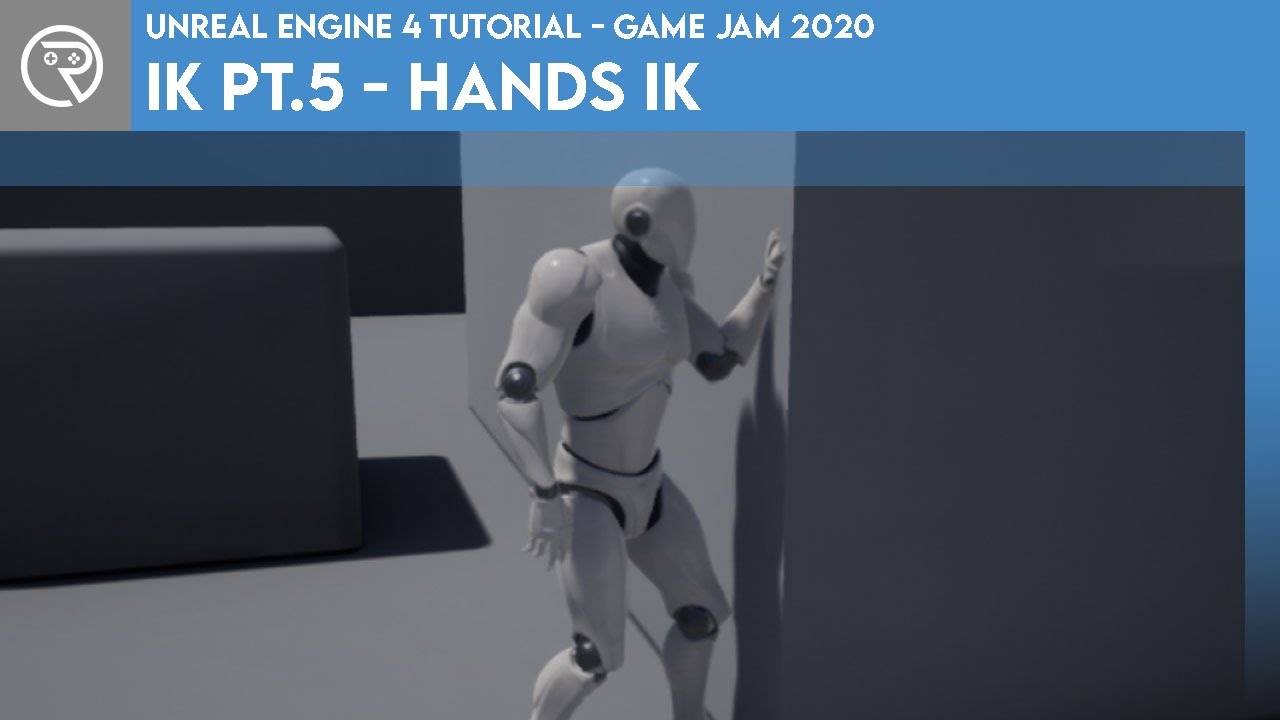
In this mini-series we go through what IK is and how it can be used to complete something like foot placement. In Part 5 we go through how to use the IK system to make the character automatically place their hands out in front to brace the wall in front.
Project files for this project are available on Patreon for Gold Patrons: https://www.patre...
this might be exactly what you want
honest arch
does anyone know how i can get my character to stop directly on top of the target location instead of right when it reaches it?
 prime stump
Hi, I have fire alarm actors that when any single alarm is interacted with it'll trigger all fire bells in the map.. what is the best way to communicate this so that when the fire alarm is interacted with it starts playing the sound effect on every bell actor in the map?
I don't want every fire alarm actor having a direct references to all fire bells, I would rather keep them decoupled if possible and it also need to work for multiplayer too, I have an Interaction event through an interface that's implemented on the fire alarm actor which always runs on the server, on this actor it should just set a RepNotify variable 'Trigger Alarm' or something that will end up calling for all the bells to play the sound but what would be the best method to actually communicate between the two?
Also trying to avoid using a 'Get All Actor Of/With' in case I wanna expand it out later, but this also sorta rules out using an interface I think
Using an event dispatcher will need a direct reference to bind to it on the other actor creating a dependency
maiden wadi
You're not going to avoid GetAllActorsOfClass here unless you manually hook these all up to a manager actor in the level.
I mean you could also make them register to a manager and then do it that way. But realistically there isn't much difference between that and GetAllActorsOfClass.
prime stump
maiden wadi
I mean you could also make them register to a manager and then do it that way. B...
For this system I'm sure I can get away with using that or GetAllActorsWithInterface or something but I more so wanted to know how its handled at bigger scales cause 'GetAllActors' can be slow can't they? So you would create a separate class that references both actors directly to communicate messages across between them?
 blissful lagoon
WHY AM I GETTING A COPY OF MY PLAYER WHEN I HAVE ALREADY SPAWNED.....I AHVE ATTACHED THE BP LOGIC
 maiden wadi
prime stump
For this system I'm sure I can get away with using that or GetAllActorsWithInter...
maiden wadi
prime stump
For this system I'm sure I can get away with using that or GetAllActorsWithInter...
GetAllActorsOfClass is barely slower than accessing a prefilled array of the actors. The only cost difference will be the array allocation.
That said. I'm vaguely curious if the sound system has something for this that is better. Materials at least have the concept of global material parameter collections where you can set a single value and it updates all materials using it. I wonder if you could simply toggle some sound value somewhere for this.
prime stump
maiden wadi
GetAllActorsOfClass is barely slower than accessing a prefilled array of the act...
Interesting.. that would be pretty danm handy if that's possible
 radiant coyote
Hi, I'm using Unreal Engine's default Crouch and UnCrouch nodes. To make the transition smoother, I'm adjusting the camera's Z location manually. However, the problem is that when Unreal Engine performs a crouch, it instantly teleports the camera downward, which ruins my smooth transition.
How can I fix this?
radiant coyote
blissful lagoon
WHY AM I GETTING A COPY OF MY PLAYER WHEN I HAVE ALREADY SPAWNED.....I AHVE ATTA...
When interacting with this begin overlap box, you need to destroy the current character and then spawn the new one. Right now, you're spawning a new character without destroying the previous one
radiant coyote
blissful lagoon
already tried that buddy
Can you send a screenshot showing how you tried it?
prime stump
radiant coyote
Hi, I'm using Unreal Engine's default Crouch and UnCrouch nodes. To make the tra...
Its jolting like that because I imagine your capsule itself is changing from standing height to crouch height immediately, smoothing out the capsule height change from standing height to crouched height using a FInterpTo will in-turn smooth the camera
blissful lagoon
radiant coyote
Can you send a screenshot showing how you tried it?
 lofty rapids
blissful lagoon
lofty rapids
blissful lagoon
so your respawning in respawn game ?
but here you create a widget, this will create it every time
do you destroy this thing ?
lofty rapids
blissful lagoon
why are you destroying the controller ?
radiant coyote
prime stump
Its jolting like that because I imagine your capsule itself is changing from sta...
I know, but the capsule half-height and the crouch half-height are different. When crouch is activated, the crouch half-height is set immediately, so I guess there’s no way to lerp it directly
blissful lagoon
lofty rapids
do you destroy this thing ?
you talking about the widget or player
lofty rapids
radiant coyote
Hi, I'm using Unreal Engine's default Crouch and UnCrouch nodes. To make the tra...
you can compensate for it
blissful lagoon
lofty rapids
why are you destroying the controller ?
i want to spawn new actor
prime stump
radiant coyote
I know, but the capsule half-height and the crouch half-height are different. Wh...
Not sure using the default crouch and uncrouch events, im handling mine manually and im using the GMC plugin so that last node isn't in standard UE but this is how i'm doing mine,

Running that function essentially on tick
lofty rapids
radiant coyote
I know, but the capsule half-height and the crouch half-height are different. Wh...
boolean, isCrouching, offset camera
i think there is a built in boolelan you can branch with
lofty rapids
radiant coyote
I know, but the capsule half-height and the crouch half-height are different. Wh...

something like this
idk if it works i didn't test it but its the idea, you may have to play around witha f ew settings
blissful lagoon
blissful lagoon
anyone one have any idea what shoul i do ?
lofty rapids
blissful lagoon
what are you trying to do, and whats the problem ?
radiant coyote
lofty rapids
idk if it works i didn't test it but its the idea, you may have to play around w...
No, when the Crouch event runs, it automatically sets the value inside Character Movement. So, we can’t set it manually via Blueprint afterward
lofty rapids
radiant coyote
No, when the Crouch event runs, it automatically sets the value inside Character...
you can definately set the target offset
which will compensate for it
blissful lagoon
blissful lagoon
WHY AM I GETTING A COPY OF MY PLAYER WHEN I HAVE ALREADY SPAWNED.....I AHVE ATTA...
i have already respawned but my copy is aslo there as showend in video
lofty rapids
blissful lagoon
i have already respawned but my copy is aslo there as showend in video
well your not explaining much or showing code that makes much sense, why are you removing the controller ?
and is respawn, spawn it again, andd thats the issue ?
i only know what i can see on here
lofty rapids
lofty rapids
run this on tick
blissful lagoon
blissful lagoon
this is my code i am first destroying it because in my respawn event it is spawned again
lofty rapids
and is that working ?
blissful lagoon
no not working
lofty rapids
try get player character instead of geet player controller
prime stump
blissful lagoon
Remove the DestroyActor & GetPlayerController calls and show the code of your Respawn Game event

 worn dune
hi guys does anyone know how to make doors like in outlast like animation of opening and the player can't move and so on?
lofty rapids
blissful lagoon
code of respawn
get actor of class, bp third person character, destroy actor in this event
i would also add a is valid check
prime stump
blissful lagoon
code of respawn
What is it you're actually trying to do?
lofty rapids
radiant coyote
No, when the Crouch event runs, it automatically sets the value inside Character...
yes run that code on tick, try it and see
blissful lagoon
every thing i wanted to do is already happening the issue is that i am spawing with a copy of mine as showen in video
lofty rapids
worn dune
hi guys does anyone know how to make doors like in outlast like animation of ope...
does the hand open the door on thee knob ?
lofty rapids
lofty rapids
get actor of class, bp third person character, destroy actor in this event
@blissful lagoon ^ this, do you understand what i'm saying ?
radiant coyote
lofty rapids
yes run that code on tick, try it and see
It won't work you can try it yourself and see, my friend. It seems like you don't fully understand how it works
lofty rapids
it will wowrk, but if you think not thats fine
blissful lagoon
lofty rapids
<@1386645853703376907> ^ this, do you understand what i'm saying ?
nope can you explain it easily
lofty rapids
radiant coyote
It won't work you can try it yourself and see, my friend. It seems like you don'...
maybe your right, but i'm pretty sure it will work
prime stump
blissful lagoon
every thing i wanted to do is already happening the issue is that i am spawing w...
Well there's a copy because destroying the player controller isn't the same as destroying your character/pawn
lofty rapids
blissful lagoon
nope can you explain it easily
get actor of class ? you know what that is ?
it's gets that actor in the scene
the first one of that class
blissful lagoon
i know what that is but i dnot understand what you are trying to say
lofty rapids
you get actor of class
worn dune
lofty rapids
does the hand open the door on thee knob ?
like that
lofty rapids
of the blueprint your trying to destroy
lofty rapids
lofty rapids
of the blueprint your trying to destroy
then destroy actor
it's pretty simple
maybe you should watch some tut
on blueprints because i can't explain it any simpler
it's literally two nodes
radiant coyote
lofty rapids
maybe your right, but i'm pretty sure it will work
No bro, its not gonna work
worn dune
lofty rapids
of the blueprint your trying to destroy
https://www.youtube.com/watch?v=kmAxj6mFqQg&t=6s (TIMECODE: 2:21) like that open the door
Follow My Gamejolt: https://gamejolt.com/invite/DarkTaurus
Extras Mode: https://www.youtube.com/DarkTaurus/join
FNAF Fanverse The Joy of Creation office demo!
https://store.steampowered.com/app/2948730/THE_JOY_OF_CREATION/
My Other Activities
Channel 2: https://youtube.com/DawnTaurus
Twitter: https://twitter.com/DarkTaurusYT
Instagram: https:/...
lofty rapids
radiant coyote
No bro, its not gonna work
i'll try it, one min
prime stump
blissful lagoon
Okay hold on.. what class have you got this overlap event in? Is it an actor with a box collider that covers that body of water or is this event on your character/pawn class?
blissful lagoon
it is box collison bp
prime stump
I dont know what that is
blissful lagoon
box collider
prime stump
Thats not a type of class i dont know what that it
blissful lagoon
actor with box collider
prime stump
In the top right corner of the class it says Parent Class: XXXX, whats yours say?
blissful lagoon
actor
prime stump
Okay so its an Actor class that has a box collision component attached to it which you're placing over that body of water to cover it, yeah?
blissful lagoon
yes
prime stump
If you want to destroy the character and respawn them use the OtherActor output on the overlap and plug that into the destroy actor node
prime stump
blissful lagoon
yes
So do this - #blueprint message - but instead of GetPlayerController, plug in OtherActor from the overlap into DestroyActor instead
blissful lagoon
now my respawn logic is not working
prime stump
blissful lagoon
now my respawn logic is not working
put a print statement on the game mode casts cast failed pin, does it get fired?
lofty rapids
radiant coyote
No bro, its not gonna work
your right that hacking won't work very well, your best bet is probably a seperact actor as your camera
so it won't matter your player crouching
atleast thats how i would do it
 vagrant fog
Hey all - I think I'm working a bit above my skill level and want some clarification/guidance if someone has time
First, my intent:
Use Data Assets for Equipment in my RPG-style game, storing both Male and Female meshes within the singular Data Asset.
Then for how I am trying to do it:
Use a Blueprint Interface to send Data Asset data on "EquipItem" event on my PDA_Equipment_Armor (Primary Data Asset Blueprint) to my PlayerCharacter Blueprint
On my PlayerCharacter Blueprint I retrieve the "EquipItem" data sent to fArmorPartSet and send it through a For Each loop, splitting the Map Value, grabbing each output as a variable.
I use the two enum pulled from the map to split out to one of 5 equipment types and then the individual body parts based on equipment type using Switch nodes. The reasoning behind this is that boots would contain 2 potential meshes (Right/Left), but a ChestArmor would contain 7 individual meshes (Torso/Shoulder&RL/ArmUpperL&R/ElbowAttachmentL&R), so I think this should be having the for each look check for the "Boots" enum value, then move on and find the "LegLeft" & "LegRight" enum values
I then use the Mesh I pulled from the For Each loop to set a specific body part as that Mesh
My biggest "worry" is that the For Each is not going to filter through the enums like I am expecting, and if it doesn't, how would I properly implement this data into a Data Asset to be then sent to my PlayerCharacter when I equip it.
I'm also not entirely sure why I am setting the GamePlayTag from the Key value of my ArmorPartMeshTag Map as a variable in the For Each loop. I would think I could in the future use that to trigger "Set Bonuses" if specific armor pieces are worn together - I just don't think(?) I need it for setting the mesh
I've attached screenshots of my blueprint events and of the boots I am going to be testing, as well as an example of my PlayerCharacter Skeletal Component structure.


(Am I missing anything obvious here? (I'm new to gamedev in general, not to mention just UE5).
I am about to (try to) create an event that I can use to trigger the "EquipItem" event for the boots I have in the example, as I haven't tested my current setup and am just wondering if I'm doing something obviously "wrong" here.
Finally - I know this was a lot, so thank you to anyone who has the time the respond!
blissful lagoon
prime stump
put a print statement on the game mode casts cast failed pin, does it get fired?
it dosent get fired but my copy is spawned as the same problem
lofty rapids
blissful lagoon
it dosent get fired but my copy is spawned as the same problem
show the code
this is normally really simple thing


 blissful lagoon
i have made 2 trigger 1 is swwimming trigger (over lap one ) event destroyed is called when i enter a different trigger
prime stump
blissful lagoon
You should also really drag off of OtherActor and CastTo the Character or Pawn class and then if its successful DestroyActor, right now OtherActor can be anything of type Actor whereas you only want it to trigger when the thing overlapping your box collider is a Character and not just any actor
prime stump
blissful lagoon
i have made 2 trigger 1 is swwimming trigger (over lap one ) event destroyed is...
He's right you're calling it twice.. Event Destroyed is a function that already exists in the character class which you're overriding, Event Destroyed will get called when the character is destroyed which you're doing on the overlap and then the overlap is also calling Respawn Game so its called twice
blissful lagoon
okky i will try thanks for your help
 hidden oxide
hey, is there a fix for this issue I'm encountering in making it so you can open a door with a mouse drag in ue5?
https://www.reddit.com/r/unrealengine/comments/1mg2zkl/how_would_i_make_a_system_that_allows_me_to_open/
basically I'm able to open the door from one side but from the other side it reverses my mouse drag and I can't seem to figure out a way to fix it.

someone there responded but I can't seem to figure out what they mean.
lofty rapids
hidden oxide
hey, is there a fix for this issue I'm encountering in making it so you can open...
whats this comment all about ? is this the solution ? did you try to change it to + and see if it switched working directions ?
probably absolute mousex
hidden oxide
lofty rapids
whats this comment all about ? is this the solution ? did you try to change it t...
changing it to addition switched working directions. There is a comment of what I could do to try and fix it, but I don't quite understand that. The comment is this:
This is tricky. I've done math movement for doors and levers and its always a pain. But one way would be to get the cursor position and the Y size of your screen and do some math with a Map In Range node. You'd get distance from cursor at moment of interaction (mouse click or whatever) and then track its Y movement in relation to the screen Y. Then with the In Range node you can set a distance number that translates relatively to the Z rotation of the door.
Or you could use your character movement instead if mouse if you want to use your forward or backward walk to open the door.
An easier way may be to simulate physics on the door and use a physics handle to swing it open. But these are obviously 2 very different feels depending on what you are going for.
lofty rapids
hmm
lofty rapids
hidden oxide
hey, is there a fix for this issue I'm encountering in making it so you can open...
abs lastMouseX
lastMouseX->abs->plug into minus
does it fk up the movement ?
hidden oxide
lofty rapids
does it fk up the movement ?
yeah.
lofty rapids
hidden oxide
hey, is there a fix for this issue I'm encountering in making it so you can open...
normally what i do for this is if not dragging then set the mouseX
if draggin, mouseX - current
= amount from original
does that make sense ?
you check that when you click set MouseX
then when you drag, you au re using the relative amount
from where you clicked
this is the best way to do this
imo
hidden oxide
lofty rapids
= amount from original
okay, I'll let you know if it works.
maiden wadi
You can't do this correctly with the data that is there. For starts the door needs a starting poiint. Your mouse movement should be compared to where the door hinges are to determine if your mouse movement opens or closes. And it should also handle this itself since you can just keep spinning the door without clamps.
hidden oxide
maiden wadi
You can't do this correctly with the data that is there. For starts the door nee...
It has clamps and it has the Z rotation (yaw) at which the door is considered closed and a Z rotation variable at which the door is considered open to the max it can be.
maiden wadi
But you also need the door's hinge location along with the original door placement. Maybe the static mesh's location could work for the hinge location. Cause you need to determine which side of the door you're on and you have to do that from the door's preopened state. Cause doing it as it's moving from it's current state will cause it to derp out.
hidden oxide
maiden wadi
But you also need the door's hinge location along with the original door placeme...
sorry, I don't quite understand what you're saying, but the mesh is centered around the vertical middle of the hinge.
hidden oxide
lofty rapids
does that make sense ?
okay, I flipped the last mouse x and current mouse x values around in the subtraction and that seems to reverse the working direction too, but didn't help anything. I also tried removing the second subtraction, putting abs after either subtraction operation, and none of those worked either. I think I may be interpreting what you're saying wrong, but idk.
 maiden wadi
To maybe phrase it better. You need to determine if you're on the inside or the outside of the door. Like say you're in the hallway looking at a door on the right side of the hallway. It swings away from you and to the right if you open it. You want to click on this and drag your mouse right to open it and left to close it. You need to know that you're on the outside of this door to pick these directions. Because likewise if you were on the other side of the door, inside of the room, you would want to move your mouse right to close it and left to open it. So if you know the door's original rotation and placement, you can get a dotproduct of it's forward or right vector to determine what side of the door you're on.
hidden oxide
maiden wadi
To maybe phrase it better. You need to determine if you're on the inside or the ...
Okay, so I would want to use the "Get Forward Vector" node and plug in the original rotator of the door and use that to determine which side of the door the character is facing?
maiden wadi
Not the character's facing so much. You need to dotproduct the original facing's right vector. Say the original facing is from the door's hinges to it's handle. That means if you're inside of the room you're on the door's right side. So you get the direction from the door to the player. You dotproduct this direction with the door's rightvector. This gets you a -1 to 1 value. -1 to 0 means you're on the left side, outside of the door. 0 to 1 means you're on the right side, inside of the door.
lofty rapids
hidden oxide
okay, I flipped the last mouse x and current mouse x values around in the subtra...

this is what i'm saying
not saying it will solve your problem, but just how i usually do this sort of thing with the mouse
where AdjustAmount is the amount to move/rotate object from position when clicked
hidden oxide
lofty rapids
not saying it will solve your problem, but just how i usually do this sort of th...
oh, okay, thanks! I should probably use the scaled by dpi thing as well, so I'll try it out.
maiden wadi
To help with my explanation. You need to use the pink arrow direction dot prouct with the player location. Red arrow is the door's original direction. Pink arrow is it's original direction's rightvector. Orange is where it swings.

Your directions and whatnot may be different for your use cases, but the general principal still stands that you need to figure which side of the door you're on to determine what left and right does correctly.
hidden oxide
maiden wadi
To help with my explanation. You need to use the pink arrow direction dot prouct...
okay, but in your previous comment, what do you mean by "original facing is from the door's hinges to it's handle", like you mean the door is closed or?
maiden wadi
The red arrow. If it's hinges are where the pink and red arrow starts. It's facing towards the handle.
 robust lance
how can i make it so when i load a blueprint, the 3d viewport in that window doesnt have the camera miles away from the center, it seems to focus to fit everything in the window or something
and i have to keep increasing my camera speeds to insane ammounts to get back the center
maiden wadi
Double click one of the smaller components. It'll zoom to it for you I think?
Not sure how to not make it open like that though.
robust lance
@maiden wadi do you mean in the component tree or the viewport?
in the component tree it does nothing, in the view port i have a sphere scaled to 10000 as a skysphere, so its selecting that
but even when im inside that sphere, it still doesnt zoom in to other components so
maiden wadi
robust lance
<@143471961723371520> do you mean in the component tree or the viewport?
There's this at least.
 hidden oxide
maiden wadi
The red arrow. If it's hinges are where the pink and red arrow starts. It's faci...
hidden oxide
maiden wadi
The red arrow. If it's hinges are where the pink and red arrow starts. It's faci...
okay, I got something working, but it seems to (because of the direction the door is in) only change when i go sideways to the door, and not when i'm in front of or behind the door.

 distant grotto
compiled a blueprint with an infinite whiile loop in the construction script lol
and placed an instance of it in the default level
so now i cant open the project
 remote wasp
Hi, I've noticed a really weird issue with my 2D platformer
I'm using "Launch Character" to bounce on enemies, but the behavior of the launch varies depending on if I play in viewport or in a new window
hidden oxide
didn't know Unreal Engine worked well with 2d games.
lunar sleet
It works fine, even if it’s not necessarily geared towards them
lunar sleet
distant grotto
so now i cant open the project
Source control
remote wasp
remote wasp
Hi, I've noticed a really weird issue with my 2D platformer
I'm using "Launch Ch...
Nevermind, solved it on my own
 wild sage
Hey everyone! I’m currently working on the architecture of enemy AI in my Unreal Engine project, and I’d appreciate some advice regarding how best to organize the system.
To clarify, I’m not struggling with how to implement individual features—my main concern is the high number of possible combinations creating a messy explosion of Blueprints, AIControllers, and Behavior Trees.
Here’s the scenario:
Enemies have two main behavior categories:
- Origin (defines enemy initial and general behavior)
-
Spawner: Patrol, aggro/reset logic
-
Totem: Spawn/despawn based on player actions
-
Triggered: Idle until activated by an external event
-
Chaser: Initially pursues a specific NPC, switches to player if attacked
-
Neutral: Idle until attacked by player
- Combat (defines enemy attack behavior)
-
Melee: Circles around the player (strafing) and attacks up-close
-
Ranged: Keeps distance, finds strategic positions, and shoots at the player
Additionally, certain weapons grant special skills (like blocking & counter-attacking for shielded enemies, or melee strikes and evasions for ranged enemies carrying rifles). These skills slightly modify behavior but don’t fundamentally change the melee/ranged behavior trees.
AI perception is handled by AIPerception component, and I want it to be cleanly integrated into whatever architecture I use.
My question is: how would you structure such a system in Unreal to minimize Blueprint, Behavior Tree, and AIController explosion?
-
Would you suggest a single flexible AIController or multiple specialized controllers?
-
How would you approach integrating small behavior differences (like weapon-based special skills) without creating dozens of slight variations of Behavior Trees?
lunar sleet
wild sage
Hey everyone! I’m currently working on the architecture of enemy AI in my Unreal...
Move your post to #gameplay-ai there’s some people there that would prly be willing to tackle all that
 open furnace
Hey guys 👋
If you're working with structs in Blueprints, my friend released this free utility:
https://www.fab.com/listings/18e36a64-d5c7-487c-a0be-2438bc7e92ac
Project-wide features:
Refresh structs (Unreal can get cranky when struct properties change)
Hide unused pins
Find unused properties
Find references
❤️ ❤️ ❤️

Fab.com
📚 DOCUMENTATION | 💬 DISCORD SUPPORTStructs Helper is an indispensable Unreal Engine editor plugin designed to simplify and accelerate your development workflow when working with structs. This powerful set of tools empowers you to maintain pristine blueprints and significantly cut down on the tedious tasks of cleanup and refactoring.Key Fea...
 hallow nest
Hey Guys, can someone send me to some tutorial or docs for changing IMC while possessing different pawns ?
 dusky cobalt
wild sage
Hey everyone! I’m currently working on the architecture of enemy AI in my Unreal...
dusky cobalt
wild sage
Hey everyone! I’m currently working on the architecture of enemy AI in my Unreal...
I'm working on something similiar and I made the 'end-actions' to be modules that are very individual. Then I just active module that I need, when I need. Current activated module is just handled by component. Component has ActivateModule (just examples but it can be anything BeAggressive (looks for target on whole map, and goes to it OR other module SearchTarget, goes to location and pulses in radius until finds target on target found -> activate module (X) which let's you make so many combinations.
For the types of attack I basically have something similiar but here it's: doesn't matter if it's ranged or melee for the first part because it will just try to go to the Range, what matters is what he does when he reaches, so melee would just AttackMelee (module) or AttackRange(module) which would spawn projectile and projectile then handles itself (it has target).
On top of that you can have some more inteligent behavior that tells it to move here, back off etc. with behavior trees.
dusky cobalt
hallow nest
Hey Guys, can someone send me to some tutorial or docs for changing IMC while po...
Just deactivate previous context and add new one. When adding new one set it as Current (so then you can remove current, add new and set it as new).

 hallow nest
dusky cobalt
Just deactivate previous context and add new one. When adding new one set it as ...
hallow nest
dusky cobalt
Just deactivate previous context and add new one. When adding new one set it as ...
😊 thank you so much, I will try this out
hallow nest
small question, your ''current commander context'' is a variable reference ?
dusky cobalt
hallow nest
small question, your ''current commander context'' is a variable reference ?
It's a Input Context Mapping and I set it after I add context that I want to be current I can remove it before adding new one (so it works like a switch).
 spark steppe
@hallow nest implent the removal of pawn dependent IMCs in the Unpossessed event of the pawn
that keeps your BP clean and predictable
same for @dusky cobalt
little helm
Is there any way during gameplay to detect whether the input is coming from keyboard , mouse or gamepad ?
 oak pine
My speed value isn’t changing.
 frosty heron
oak pine
My speed value isn’t changing.
frosty heron
oak pine
My speed value isn’t changing.
and it's not plugged in either
maiden wadi
little helm
Is there any way during gameplay to detect whether the input is coming from keyb...
CommonUI switches an Enum based on the last input pressed. But it assumes KB/Mouse are the same. It's three states are KB/Mouse, Gamepad, Touch
 sick sky
i want to use the data layer system but this requires to enable world partition, but i dont want to use the cell streaming method, is there a way to tell WP to alwasy load the full level/not generate/use cells ?
 astral mist
oak pine
My speed value isn’t changing.
astral mist
oak pine
My speed value isn’t changing.
It won't because there's nothing to execute here. You must start execution from an event be it Begin Play or whatever is used by this type of blueprint class.
Execution runs from left to right and you can see the flow if you're debugging the object. I suggest you watch the course "your first hour in unreal 5" and take it from there.
In order for the float variable "Speed" to be set these conditions must be met: exeuction must flow to the Cast node. The cast node must succeed and flow to the Set node.
 austere vapor
Quick question about timers. Working on a puzzle game and I want a timer that's accurate down to Milliseconds. I currently have an integer incrementing based off a "Set Timer by Function" timer but I worry that there's no guarantee it fires or will fire as often as needed. How accurate and reliable are the SetTimerBy nodes? Can they fire off every Ms without worry?
 maiden wadi
austere vapor
Quick question about timers. Working on a puzzle game and I want a timer that's ...
maiden wadi
austere vapor
Quick question about timers. Working on a puzzle game and I want a timer that's ...
No, because that's not how timers or even the game engine works. Timers are evaluated every frame. Every frame depends on a lot of factors like other code running and hardware.
So say you have a timer for 1s. You have a framerate of 59.5 frames per second. This means that there are 16.806722 ms each frame or so. TLDR in a 60s time span your timer won't run at 60s. It'll run the next frame because that is when it will have passed it's time needed.
austere vapor
I thought timers were frame independent? I know not to tie any time functions to Tick for that reason. It seems to keep pace with my phone when I tab out and the editor runs at 5 fps.
What im gathering is that while the timer "updates" at the right rate, nothing can happen between those updates. IE if I have a time limit of 10 minutes, a timer at 9:59:600 might not update and time you out until 10:00:200 due to frame times, even if the timer is accurate to real world time.
little helm
maiden wadi
CommonUI switches an Enum based on the last input pressed. But it assumes KB/Mou...
I know but does it works well in shipping build?
Epic put caution ⚠ on that.
maiden wadi
austere vapor
I thought timers were frame independent? I know not to tie any time functions to...
The timer manager runs on tick just like everything else which is where it internally evaluates. Can I ask why you need such precision? I'm wondering if there's a different way to handle your needs?
maiden wadi
little helm
I know but does it works well in shipping build?
Epic put caution ⚠ on that.
What engine version are you on?
maiden wadi
little helm
I know but does it works well in shipping build?
Epic put caution ⚠ on that.
I have no idea why it's still marked Beta. Specially since it's versioned at 1.0. I think someone derped. But I can say that it's used in Fortnite. There are a few other games it's used in. We used an alpha version of it in Red Solstice 2 that we had to apply some minor fixes to but this was in 4.27. And we're using the newer fixed version of it in Atre: Dominance Wars at the moment without issues which is currently 5.5 I think.
astral mist
Beware of letting idealism reign supreme over your game design decisions. Given tactile stimulus has an average response time of almost 200ms this simply seems ridiculous however you look at it. As per wide spans of time this also becomes highly irrelevant. Just a thought. Games aren't real nor literal -- It's all an illusion to pass the time. If you wanted to implement a competitive mode with true time this would not be the way to do it.
I would first focus on making a fun and engaging game that other people would want to play.
maiden wadi
astral mist
Beware of letting idealism reign supreme over your game design decisions. Given ...
In all fairness. Timing is a pretty critical component of game design. And it's not overbearing to assume you want times down to the milliseconds even without competitive play. There's nothing wrong with factoring this level of detail into your designs early on. Specially in cases like a crafting system or similar where you have things queued right after each other. You shouldn't craft slower just because your timers end up offset to your slower framerate more than someone else. And these things are very easy to compensate for. Rather than relying on the timers for the precision, you queue your items with timestamps of when they're started/how long they take. Then you register a timer to callback when it should finish. Your item may not craft precisely at that time, but queueing ten items will end up with ten crafts at roughly the same time, because they're based on timestamps instead of timer callbacks.
And that kind of thinking is critical to game design. Because it's not just about the timeframes here. If you have a crafting system that manages one timer for the closest item to be done, you save a lot on performance by not registering possibly thousands of timers for every individual thing. You get one timer to run at the closest craft to being done. You evaluate if anything else should finish that frame and then start the timer back up for the next closest craft to being done.
astral mist
I seem to have triggered your fight or flight response over a cautionary tale. Here's the problem, you don't have the context and neither do I but I can assume he's prematurely "optimizing" just as you can assume he's right or wrong.
Perhaps an actual atomic clock should be issued as part of every motherboard from now on.
Because apparently measuring deltas won't cut it.
I would try to make a point by staying within topic. We can all pose different scenarios to justify why we spend so much time behind the keyboard to justify our pay but that's not relevant to the aforementioned cautionary tale.
 quartz pawn
Howdy, I'm having a very odd problem here. I have two interactables all childs of a parent interactable class. The one interactable is a sphere and properly triggers the ActorBeginOverlap function when someone overlaps the actor. The other interactable is a cylinder and will not trigger the ActorBeginOverlap no matter what. Both actors are set to OverlapAllDynamic. Anyone got any thoughts as to why this is happening?
astral mist
As per optimization (thousands of timers sounds like a terrible design) I'm all for it but that's also a separate discussion.
austere vapor
maiden wadi
The timer manager runs on tick just like everything else which is where it inter...
Im working on a competitive puzzle game inspired by Tetris. idk if youve ever seen the Tetr.io leagues but it gets pretty intense, and there are other speed-based modes like Sprints. Races like these really get down to Ms timing.
I saw some places say something about global time and taking the delta between when the game started and ended but I'm not sure if that is what I want either
astral mist
Wouldn't work on blueprint based timing for anything competitive to begin with.
austere vapor
damn u right
little helm
maiden wadi
What engine version are you on?
5.4
astral mist
Deltas may work. But reconsider your options. How precise are you willing to go?.
Also @maiden wadi all of your points are correct but the tale was just that. Not meant to start a personal argument just a side conversation.
astral mist
austere vapor
Im working on a competitive puzzle game inspired by Tetris. idk if youve ever se...
As long as you are aware that competitive means the player can't have any say in terms of timing and you are willing to decouple this from their client...
We may reach a "cheating" discussion as well.
maiden wadi
astral mist
I seem to have triggered your fight or flight response over a cautionary tale. H...
Lol, just becuase someone doesn't agree with you fully doesn't mean you triggered their fight or flight response. It isn't about getting perfect precision. It's about making sure that 1000 crafts take about the same time for someone running at 30fps and someone running at 1000fps. You can see this in some games where things craft nearly instantly but you can queue them. If you lower your framerate each craft follows your framerate. Other games such as Space Engineers you can see dozens of items craft per frame. And these small things add up quick.
astral mist
It's one of those cases when someone mentions a rock and instead of avoiding it you decide to faceplant it.
I don't know where the crafts came from. This is a puzzle game?.
I agreed thousands of timers for a crafting system sounds like a terrible design.
maiden wadi
little helm
5.4
You should be fine. Though I would stay away from the Action Domains. I recall they had a bug in recent versions where they weren't applying input modes correctly. But they're not really necessary.
 olive yarrow
I finally got an error free projectile pool working. buuuut now im in the issue where my projectiles are just.. wonky. the collisions are wildly inconsistent - and u yeah
 austere vapor
Its a puzzle game akin to tetris yes, and i dont plan on this taking the main stage for any competetive events. Its mostly a sandbox experience where people can design and share challenges or create their own puzzles
little helm
maiden wadi
You should be fine. Though I would stay away from the Action Domains. I recall t...
Thanks will look into that
astral mist
If we gather a bit more context perhaps we could give out our ideas and help uwuziel.
astral mist
austere vapor
Its a puzzle game akin to tetris yes, and i dont plan on this taking the main st...
It's just that if we understand the premise. Both players will be online or offline? Same machine? If they're playing on the same system then they both suffer the same timing innacuracies.
"online" would bring other issues to the table.
austere vapor
It would be mostly single player play, although i had hopes to allow players to connect and share a lobby so they can play or train together.
right now the timer logic is in the board, so each board keeps track of its own timer. All local.
astral mist
This introduces plenty of issues of course.
You would require a server to keep track of time, events. etc. that isn't tied to any of the clients for a proper competitive scenario to work. And you'd have to consider certain basic anti-cheating measures as well.
If this isn't worth it then perhaps lower your requirements for the time being.
austere vapor
Thats way beyond the scope of what I want
Im activley looking for something smaller. Its competitive but not like. Global leaderboards type competitive
Its like. 2 hour grind with a friend at 11pm type competitive
astral mist
Authaer would probably agree on being efficient. Despite our feather ruffling. There's of course the concept of properly designing a system as to avoid refactoring in the future but you also have to consider the cost/benefit of doing this and whether going all-out on something that may become an issue or not is worth it for you.
You could expose the performance timers from Windows (or the equivalent for your platform) and work with them instead. You obviously still have a main loop that won't be running at the speed of real time.
austere vapor
That sounds like it would be platform dependent
quartz pawn
quartz pawn
Howdy, I'm having a very odd problem here. I have two interactables all childs o...
Can someone please assist with this problem. I'm stumped and not sure why two identical blueprints are having these collision issues.
maiden wadi
Watching some of these tetr.io things. One thing I can say is that the simplicity of the game negates some of the performance issues. It's such a simple game that keeping frametimes insanely high would be easy. But for anything multiplayer I'd wonder about a lockstep input system.
astral mist
maiden wadi
Watching some of these tetr.io things. One thing I can say is that the simplicit...
Wouldn't this also mean $$$ would give you an advantage?
austere vapor
the og actually looked up Tetrio
my guy 🐿️
olive yarrow
olive yarrow
I finally got an error free projectile pool working. buuuut now im in the issue ...
oh wait the collision works when an enemy ai uses the bullet but not me... checks out
austere vapor
whats lockstep btw?
maiden wadi
Partially. But the same is true for any competitive game such as Fortnite/Apex Legends, etc.
astral mist
Up to a point yes
Visually also. Not the case but it can give you an advantage for sure to have the best gaming setup.
austere vapor
well when the game looks like this in dont think graphics advantage is a thing
(Tetr.io, not my game)
 astral mist
That's why I mention this isn't the case where a high refresh screen would help
For a puzzle game I may want to lock the framerate for the main loop.
Just consider that people will inevitably cheat.
austere vapor
I dont care about people cheating. Theres no matchmaking. or rank system. Its invite only lobbies meant for friends.
astral mist
I mean in C++ just using the class FPlatformTime will expose you to the best timing available by the platform.
But of course we're talking BP here...
austere vapor
I know theres ways you can combine C++ and BP
maiden wadi
austere vapor
whats lockstep btw?
I can't say much beyond that it's basically a system where you pass the inputs rather than active states. But I've never implemented, or seen one implemented. But they're recommended a lot for timing critical and complex games like RTS games. I think Starcraft2 ran a deterministic lockstep. I think Factorio may as well.
astral mist
Just keep in mind tick is frame by frame.
austere vapor
maiden wadi
I can't say much beyond that it's basically a system where you pass the inputs r...
I'll take a look into it. Seems Epic has some documentation on bLockStepMode
astral mist
maiden wadi
I can't say much beyond that it's basically a system where you pass the inputs r...
You are basically synchronizing the inputs and the results happen organically because each simulation / game is highly deterministic. You can have comparisons in-between states for safety sake though.
It would be the ideal method in this case. You have a deterministic outcome.
oak pine
astral mist
It won't because there's nothing to execute here. You must start execution from ...
Thanks. I haven’t really learned Blueprints since I use C++, but a lot of people say I should use them for animations. 😅
astral mist
oak pine
Thanks. I haven’t really learned Blueprints since I use C++, but a lot of people...
Any context where they can help save time would be a good use of blueprints. IMO Specially for highly visual outcomes / art dependent assets. But this is also a huge debating topic...
Are there not 3 types of UE devs? the c++ diehards that won't touch blueprints with a laser. The BP-only guys and then the realistic "everything has a place and a reason to be" guys.
spark steppe
you shouldn't jump straight to C++ when starting Unreal
astral mist
They complement each other. Everything has a purpose and extremes are never a good idea :p
I would agree to start with BPs.
oak pine
astral mist
They complement each other. Everything has a purpose and extremes are never a go...
yeah ig😅
spark steppe
Laura's (Mostly) Unreal Blog
Gain months’ worth of Unreal C++ experience in a single article.
astral mist
Then slowly implement your own custom classes exposing bp nodes in cases where speed is required or the functionality isn't natively available.
oak pine
astral mist
I would agree to start with BPs.
I actually started learning C++ before using Unreal, and I just feel more comfortable using C++ instead of Blueprints
astral mist
You can obviously make entire games in BP and there's nothing wrong with it. But once you detect a performance issue you should consider C++ (yes you can write bad c++ code also, that's a thing)
astral mist
oak pine
I actually started learning C++ before using Unreal, and I just feel more comfor...
Just give them a chance. They are best buddies.
spark steppe
also i prototype pretty much everything in BP before moving it to C++
it just allows faster iteration
astral mist
I find that's also the case but it comes with experience. There's a learning curve obviously
spark steppe
and it's annoying to restart the editor just because you forgot to add a struct member
astral mist
You didn't forget. Someone changed the design. 😏
oak pine
spark steppe
and it's annoying to restart the editor just because you forgot to add a struct ...
yeahh and live coding sucks
astral mist
With time you'll know certain things are obviously not going to perform well in BP but if you are just starting out I feel it may be important to learn the ropes first and BPs are just an intricate part of UE
Consider a very simple car physics simulation where most of the code runs on tick. Yes c++ makes complete sense (specially for the math) but for a quick prototype and also considering the game may just simulate one single car perhaps BPs would be enough if you know what you're doing. Then we can discuss whether that's efficient or not but it depends on how complex the simulation would be.
 meager spade
The thing I probably hate the most about BP is when you run into a problem that would be solved by a function that for no reason isn't BlueprintCallable so you have to make one in a library yourself
astral mist
Personally I despise poorly written code that is resource wasteful in general terms but sandboxing is an exception.
astral mist
meager spade
The thing I probably hate the most about BP is when you run into a problem that ...
But at least we can make it heh
spark steppe
now imagine an engine like Unity where you have to work with a blackbox
astral mist
spark steppe
now imagine an engine like Unity where you have to work with a blackbox
No thanks.
If you've used it you would also know their naming convention has changed a lot over time
And they are not consistent.
Deprecation is more of a guess at this point with them.
But this is offtopic. I just think the diehard fanboys are too invested to realize or admit their beloved engine has placed them inside a toxic relationship.
For studios that have already invested time/money into it and they have a proper workflow going it's not as bad but I feel they're just using it as a "thin client" at this point and not a full blown solution because they have to manage most of the code themselves now given it is a blackbox and anything that isn't standard must be implemented (by purchasing a plugin or writing it yourself).
maiden wadi
They must make a decent amount off of their enterprise stuff given that they won't opensource it like Unreal has. Personally I would love Unity's C# workflow. Been considering looking into U# or Angelscript, but ugh. I hate being locked into engine versions. Would never touch Unity though. Company itself is unstable given it's history.
vagrant fog
If anyone has some time, could they help me with a question about my equipment system/logic?
I placed two blueprints (children of my BP_EquipmentArmor) in my test world.
They are able to pull their respective static meshes and set it from the data asset I assigned to them in the parent construction script (so I know the blueprints are able to access the Data Assets storing the item data)
Then I'm trying to do a simple "run into item -> equip item" setup by getting a map of the GamePlayTag:SkeletalMesh from the assigned data asset, send that through a blueprint interface to be received by my PlayerCharacter blueprint and set the mesh(es) based on the map.
I've attached screenshots of everything relevant, but if I'm missing something please let me know.
Right now I see the PrintString of the item name when I run into it. I added another PrintString (not shown) after the bIsMale check on my Player Character blueprint, but that does not trigger when I run into the item (and the meshes aren't set).


 maiden wadi
vagrant fog
If anyone has some time, could they help me with a question about my equipment s...
maiden wadi
vagrant fog
If anyone has some time, could they help me with a question about my equipment s...
I'm confused by your code around the interface? One is the implemented event which looks like it's on the character, where the IsMale property is? If that's so. Why are you calling the interface function with Self as a target on the overlapped thing?
vagrant fog
maiden wadi
I'm confused by your code around the interface? One is the implemented event whi...
so the screenshot of code showing is male is on the bp_playercharacter. isMale is set by selecting player gender (bound to keyboard event for testing - shown in screenshot attached)
The idea is that it checks the player gender, then splits off for setting male/female meshes.
My "BPI_SetMesh" blueprint interface just has a function that has the ArmorPartMeshTagMap set as the input.
The idea there was that when an item is being equipped, the mesh information is pulled from the data asset, sent through the interface, and received by my playercharacter, then assigned to the correct component based on the gameplay tag in the map key


 maiden wadi
vagrant fog
so the screenshot of code showing is male is on the bp_playercharacter. isMale i...
maiden wadi
vagrant fog
so the screenshot of code showing is male is on the bp_playercharacter. isMale i...
Right. So that is likely your issue. This is in the overlapped actor in the world. And it's calling that interface function on itself, not the character. Chances are you're looking to pass the OtherActor as the Target of the Interface function here.
 vagrant fog
I understand some of those words.
But I am a bit confused. I had thought it was "When my player overlaps with this item, the item would send it's data through the interface, to my player"
So why would it not be self referencing if it's the blueprint that holds the data containing the skeletal meshes? (I am new to software/game dev stuff, so I'm still trying to understand how things work)
Edit: It's probably me misunderstanding the interfaces, but, I thought the point of the interface was for it to be agnostic of who is "listening". Meaning, my item is calling out "fArmorPartSlot", then on my player blueprint I am listening for "fArmorPartSlot". When the playercharacter receives a "fArmorPartSlot" event, it takes the data sent with the event and processes it on the playercharacter blueprint
 abstract pine
help.. I set simulate physic on my AI npc character when being shot at by don't want to to fall under the floor. How can I do it ?

which setting should I pick
 maiden wadi
vagrant fog
I understand some of those words.
But I am a bit confused. I had thought it was...
maiden wadi
vagrant fog
I understand some of those words.
But I am a bit confused. I had thought it was...
Realistically, I would avoid using interfaces until you actually need them and understand what they're for. Youtube/Schools like to throw them around a lot as a miracle and generally don't ever explain why... or actually use them correctly most of the time.
An interface function is simply a function with no logic that can be implemented in any class. Lets say you have an interface function named Damage. In your Character and in ZeldoPot which have no base class you implement this function separately in both of them. In the character function you apply damage to the player's health. In the ZeldaPot you simply shatter it's static mesh and maybe spawn a rupee. You need to call the same function Damage here, but you don't want to care what you call it on, and these things need to handle this differently.
You here have some data on Pickupable. Pickupable needs to tell Character what it should equip. Right now your Pickupable is telling itself to equip the item, cause you're calling the interface function on Self, Self is the Pickupable. You need to tell the character what to equip instead, which will be the OtherActor from the OnOverlap event.
maiden wadi
abstract pine
help.. I set simulate physic on my AI npc character when being shot at by don't...
Before calling SimulatePhysics, set it's collision preset to Ragdoll, I think. That should fix your issue.
 valid elbow
Peeps, I have no idea where to ask this. But I have such an strange bug.... Been scratching my head for a day now...
- I have a BP_Music in my level. That just does this (screen 1), play from a audio component.
- The audio file looks like this (screen 2)
- Then I have another Actor in the level also with another audio component. And if I use this node (screen 3), it will start a different song from BP_Music.
How is this possible. Where do I start looking? And to make matters worse... It only happens in a build, not in editor?!
Yes, I rebuild everything from c++, yes I removed the cached, interim folders, etc and let Unreal recompile all. Yes when I disconnect the Play from S Ballspin it doesnt do it in the build.


 vagrant fog
maiden wadi
Realistically, I would avoid using interfaces until you actually need them and u...
vagrant fog
maiden wadi
Realistically, I would avoid using interfaces until you actually need them and u...
Ok - so I feel like I understand the "why" part of the interfaces - e.g, you want a special thing to happen, such as "OnBurn", but you want different objects to interpret what that means on their own. Meaning, a rock might melt to magma, a tree might burn down, or a puddle might turn to steam depending on the logic built into the thing when receiving the "OnBurn" message.
In my case, I want to use the interface for equipping weapons/armors to my player character, which would ideally facilitate the transfer of all meshes/stat bonuses/etc... stored in the Data Asset on the item's blueprint to the relevant blueprint(s).
So on my "BP_Equipment_Armor", my understanding is that I am taking the Data Asset, extracting the map I've pre-defined, and sending that map to the "fArmorPartSet" event that exists on my "BP_3rdPersonPC".
But you're telling me that with my current code I'm telling the "BP_Equipment_Armor" to run the event? I thought I was just sending the information through the interface so that the event defined in my "BP_3rdPersonPC" could be executed.
How do I instead just send the information from my Equipment Blueprint to my 3rdPersonPC blueprint like I'm intending? You said it should be the "OtherActor" from the EventBeginOverlap, but I can't connect those pins - the blueprint doesn't let me

 maiden wadi
Ah, I only glanced at that. You need the other interface call type, the "Message". It has a little envelope on it. Should let you set anything as the target.
vagrant fog
Would it be this one?
Ooooh. I think I understand. I was calling the fArmorPartSet, but I was calling it on the BP_Equipment_Armor, (as shown in the "title bar subtitle" of the node.) Is that right?

 maiden wadi
That one will work, it'll let you cast the otheractor to your character class and use it. But that isn't the generic interface call.
EG ig this is my interface function.

You'd see this on search.


 storm obsidian
Is there a any way to make copy of component? I mean copy, that after coping is absolutely not related to original component.
empty anvil
Hey, not sure if this is the right place to ask but worth a try. I'm having a super strange issue where upon adding a begin play node to a specific blueprint and attempting to compile it crashes the whole engine and gives me this error code:
Unhandled Exception: EXCEPTION_ACCESS_VIOLATION reading address 0x0000000200000038
UnrealEditor_CoreUObject
UnrealEditor_CoreUObject
UnrealEditor_CoreUObject
UnrealEditor_CoreUObject
UnrealEditor_CoreUObject
UnrealEditor_CoreUObject
UnrealEditor_CoreUObject
UnrealEditor_CoreUObject
UnrealEditor_CoreUObject
UnrealEditor_Engine
UnrealEditor_Engine
UnrealEditor_Engine
UnrealEditor_UnrealEd
UnrealEditor_UnrealEd
UnrealEditor_UnrealEd
UnrealEditor_Kismet
UnrealEditor_Kismet
UnrealEditor_UnrealEd
UnrealEditor_Kismet
UnrealEditor_Kismet
UnrealEditor_Slate
UnrealEditor_Slate
UnrealEditor_Slate
UnrealEditor_Slate
UnrealEditor_Slate
UnrealEditor_Slate
UnrealEditor_Slate
UnrealEditor_Slate
UnrealEditor_Slate
UnrealEditor_Slate
UnrealEditor_Slate
UnrealEditor_ApplicationCore
UnrealEditor_ApplicationCore
UnrealEditor_ApplicationCore
UnrealEditor_ApplicationCore
user32
user32
UnrealEditor_ApplicationCore
UnrealEditor
UnrealEditor
UnrealEditor
UnrealEditor
UnrealEditor
UnrealEditor
kernel32
ntdll
I've already tried rebuilding from source and literally deleting and remaking the whole blueprint component and yet it still causes issues, seemingly every other blueprint is fine.
maiden wadi
empty anvil
Hey, not sure if this is the right place to ask but worth a try. I'm having a su...
Need symbols installed if you're using a launcher engine. Need a better callstack here.
storm obsidian
storm obsidian
Is there a any way to make copy of component? I mean copy, that after coping is ...
 empty anvil
maiden wadi
Need symbols installed if you're using a launcher engine. Need a better callstac...
empty anvil
maiden wadi
Need symbols installed if you're using a launcher engine. Need a better callstac...
Will do, I'll install and try to get it to crash again.
 austere orchid
storm obsidian
Is there a any way to make copy of component? I mean copy, that after coping is ...
austere orchid
storm obsidian
Is there a any way to make copy of component? I mean copy, that after coping is ...
Can you be more specific? What are you trying to mod in?
 desert flint
how can i make it, so when my hand hits a object, it just stays put and stays attached to the object/floor
empty anvil
maiden wadi
Need symbols installed if you're using a launcher engine. Need a better callstac...
Ok so I'm cautiously optimistic that I fixed it, literally just had to validate assets and dependencies, then reload the asset and it seems to be much more stable now. I'll send the crash logs with symbols if it happens again.
vagrant fog
maiden wadi
That one will work, it'll let you cast the otheractor to your character class an...
Okay - you've helped me an absolute ton. The message is now being sent properly from the item to my BP_3rdPersonPC's fArmorPartSet function graph.
After some tweaking (and re-adding a BodyPart enum & a IsMaleArmor boolean to my map...) I am now successfully equipping my boots - and shirts for both genders - I believe it's properly selecting between male & female options, but these meshes are very similar for the two genders lol
Thanks a ton! I'm sure I'll be back to ask questions about other misunderstandings in the future
Edit: Confirmed after unchecking my "IsMaleArmor" boolean on the male mesh, he no longer equips the torso item. So this has been a huge success that should be the foundation for every item going forward.
Now just to figure out skin color changes & reverting back to the player-saved default mesh (with color)
 maiden wadi
empty anvil
Ok so I'm cautiously optimistic that I fixed it, literally just had to validate ...
maiden wadi
empty anvil
Ok so I'm cautiously optimistic that I fixed it, literally just had to validate ...
Nice. Hopefully it's fixed. 😄 But yeah symbols will help a lot with any further crashes cause you get a nicer callstack with actual function names, and the actual causing line of the crash.
maiden wadi
vagrant fog
Okay - you've helped me an absolute ton. The message is now being sent properly ...
Really nice. 😄 I will at least say that when I did an equip system I made it a lot more modular and data driven where the visuals were an after affect. It was essentially... Here's a list of things you have equipped. Validate them to make sure they don't cancel each other out and that they can be equipped. Then apply their stats. Then figure out which ones to visually apply to the character with whatever overrides and such.
vagrant fog
maiden wadi
Really nice. 😄 I will at least say that when I did an equip system I made it a ...
Ideally this system should be fully modular - in that I have my primary parent equipment blueprint that controls all other equipment types via child blueprints that I assign data assets to.
The Data Asset is what actually contains the data - I just needed a way to get the skeletal mesh information from the data asset to my player character's body, which I was struggling with.
I believe I should be able to add the rest of my item data (e.g., armor/stat bonuses/level requirements/etc...) by just updating the Primary Data Asset with new variables that I then define on the "child" Data Assets. Then I'd use a similar interface function to get those values from the data assets over to my player character blueprint (or wherever I'm storing the player's current stats/status effects/etc..).
But in theory I should now be able to just create all of my items in my data assets and if I have an "Equip Event", it would send their meshes to my player character to be displayed - whether that's a cape, a pair of boots or gloves, or whatever - based on the Switch on E_BodyParts, which I have assigned to each mesh in the map on my data asset.
Though I'm sure I'll come across some limitation or something doesn't work how I think it should work and I'll be back asking for advice lol.
I know I will still need to work on some type of validation. My original plan was having an enum assigned in the map in the data asset as well dictating the body part that the armor goes on (e.g., Helmet/ChestArmor/LegArmor/Boots/Gloves/Cape) and then defining that only 1 item from each category could be equipped and if a different item was found to be equipped to remove the effects from the data asset (stats/status effects/visuals).
I'm not entirely sure how all of that will work, but, one step at a time.... Anyways - thanks again, it feels like it's been days since I've made anything that amounts to progress lol
 desert flint
How do I pull the weight of an object/mesh in my physics handle?
vagrant fog
I was thinking gameplay tags could be used for some kind of validation in that regard, as the map in my data asset is a GamePlayTag:SkeletalMesh/Enum/bisMaleArmor
So in theory I could just check to see if the character has gameplay tags assigned, since all equipment will have unique assigned gameplay tags.
I might need to re-organize them though so that I can check for something like "Does player have Gameplay Tag "Equipment.Armor.Boots" (since the gameplay tag I plan on using should be something like Equipment.Armor.Boots.Leather.Tier#.LegLeft.Male, which is a sub-tag of Equipment.Armor.Boots)
So if I understand what I read/watched on Gameplay Tags correctly, I should be able to validate current equipment against whether the player has any of the "Equipment.Armor.Type" to determine if something is equipped when swapping gear, as well as determining exactly what is equipped at any time since all of the variables of the armor/weapon would be inside of the Gameplay Tag assigned to the equipment.
inland walrus
Anyone know why these 2 print strings are basically printing different values when they are the same?

 lofty rapids
inland walrus
Anyone know why these 2 print strings are basically printing different values wh...
lofty rapids
inland walrus
Anyone know why these 2 print strings are basically printing different values wh...
i don't see right off the bat why, but you saying it should be 1 1 0 ?
 tidal ridge
hey quick question what is the difference between character states and stats?
inland walrus
lofty rapids
i don't see right off the bat why, but you saying it should be 1 1 0 ?
Length is working properly, it's the items, for some reason it's not clearing them. I check the length, the length says it has nothing but then the item says it has something
maiden wadi
tidal ridge
hey quick question what is the difference between character states and stats?
A stat is a state.
lofty rapids
inland walrus
Length is working properly, it's the items, for some reason it's not clearing th...
but you don't have theh item in the slot ?
inland walrus
lofty rapids
but you don't have theh item in the slot ?
It's weird because sometimes it works and sometimes it doesnt, but the print item never works
maiden wadi
inland walrus
Anyone know why these 2 print strings are basically printing different values wh...
Length is not the same thing as the value at the index.
desert flint
How do I get the weight of an object/mesh in my physics handle?
inland walrus
maiden wadi
Length is not the same thing as the value at the index.
I know but I'm clearing the slot if its less than 0
 desert flint
lofty rapids
i mean can't you just use mass ?
desert flint
lofty rapids
i mean can't you just use mass ?
yes, but how do i connec tthat to whatever im grabbing
im using a physics handle
nvm, figured it out
also i have a question
desert flint
desert flint
how can i make it, so when my hand hits a object, it just stays put and stays at...
do you know how to do this?
inland walrus
I've done a set to empty it which is working, but the length is still 1 after it's emptied, I tried clear & remove and that doesnt work either

 maiden wadi
inland walrus
I've done a set to empty it which is working, but the length is still 1 after it...
maiden wadi
inland walrus
I've done a set to empty it which is working, but the length is still 1 after it...
Need more overview of the prints in relation to this code removing things.
inland walrus
maiden wadi
Need more overview of the prints in relation to this code removing things.
https://blueprintue.com/blueprint/b7tqriu8/
Sure, I've put it here as it's too big for screenshots

No description provided
lofty rapids
inland walrus
I've done a set to empty it which is working, but the length is still 1 after it...
so 1 it shows one, and one it shows 0 ?
but they are both empty ?
lofty rapids
inland walrus
I've done a set to empty it which is working, but the length is still 1 after it...
when you set it, don't plug anything in
just set it to empty
inland walrus
lofty rapids
when you set it, don't plug anything in
It doesnt let me not plug anything in
 tidal ridge
maiden wadi
A stat is a state.
tidal ridge
maiden wadi
A stat is a state.
oh i thought there both different like stats are attacking or death, and state is health and stamina sort of thing?
lofty rapids
inland walrus
It doesnt let me not plug anything in
and you tried clear ?
inland walrus
lofty rapids
and you tried clear ?
Yeah, if I clear, it doesnt actually clear, it still thinks there is an item there. Clear fixes the length back to 0 but then still says there is an item.
Images are my print event


Glowshroom shouldn't be there, it should be Nettle x3, x0, x0
maiden wadi
tidal ridge
oh i thought there both different like stats are attacking or death, and state i...
Stats are state. Stats are health, mana, strength, stamina, shields. These are state. They are stateful values.
But so are tags or similar that note things like what you mentioned with attacking, dead, unconscious, falling, etc. These are also state.
Both are the state of an object. Stats are just more specifically usually related to attributes.
lofty rapids
inland walrus
Yeah, if I clear, it doesnt actually clear, it still thinks there is an item the...
are you clearing the same map, is this all in the samee blueprint ?
do you have more then one slot set of variables ?
this is weird that it says zero length
and therers an item in it
inland walrus
lofty rapids
are you clearing the same map, is this all in the samee blueprint ?
https://blueprintue.com/blueprint/880gpb7j/
This is my full logic, the only place I do anything else to do with the Slots Map variables, is when pressing + or -. But the event we're using here, locks the + and - buttons then runs the combine event we're using, so it cant be them
No description provided
lofty rapids
inland walrus
https://blueprintue.com/blueprint/880gpb7j/
This is my full logic, the only pla...
also try a restart
inland walrus
lofty rapids
also try a restart
Tried that too 😅
lofty rapids
inland walrus
Tried that too 😅
put a break point and some watch values
what does that say ?
inland walrus
lofty rapids
put a break point and some watch values
inland walrus
lofty rapids
what does that say ?
It is running through the right bit
 granite nacelle
Hello, I need some help with an inventory system seems like the item keeps getting destroyed when I close the inventory window or I click on it twice I get this error but validating it doesn't help : Blueprint Runtime Error: "Attempted to access BP_BasementKey_C_2 via property Item, but BP_BasementKey_C_2 is not valid (pending kill or garbage)". Node: Open Item from Inventory Graph: EventGraph Function: Execute Ubergraph WB Inventory Slots Blueprint: WB_InventorySlots
inland walrus
lofty rapids
put a break point and some watch values
zoomed in a bit so you can see it better
lofty rapids
inland walrus
zoomed in a bit so you can see it better
check keys, length instead
i wonder why they don't match up
thats really odd
it says 0, but shows an item
something with get value by index
granite nacelle
granite nacelle
Hello, I need some help with an inventory system seems like the item keeps getti...
It keeps bringing me here
 frosty heron
granite nacelle
It keeps bringing me here
frosty heron
granite nacelle
It keeps bringing me here
It probably collides with the player character.
If you want to forcefully spawn the actor despite colliding with something, you need to change the spawn handling.
In the spawn actor node where it says spawn handling override, click and chose something like always spawn ignore collision.
granite nacelle
frosty heron
It probably collides with the player character.
Sorry if I didn't explain myself well enough, but this is a part of my inventory system, so I've been getting this error message, so I placed some print strings and saw that it's been destroying itself when I close the inventory or click on it twice. I find that my destroy component might be the cause for it because if I remove it, I don't get that issue, but I'm only using it so I can keep track of the items and if they've been destroyed or not in my save system, so that's the main issue.
granite nacelle
frosty heron
It probably collides with the player character.
Here's a small vid of it
frosty heron
@granite nacelle i can only reiterate
Read again what ive said
Its pending kill / destriyed because i believed the actor you spawn collide with the character.
Try to change the spawn rule like stated.
granite nacelle
frosty heron
Try to change the spawn rule like stated.
I did though
inland walrus
lofty rapids
check keys, length instead
Sorry slow reply, I'm in bath and my partner is trying to do it
The slot02 = is correct but it's still printing glowshroom when it should be x0

 lofty rapids
inland walrus
Sorry slow reply, I'm in bath and my partner is trying to do it
The slot02 = i...
lofty rapids
inland walrus
Sorry slow reply, I'm in bath and my partner is trying to do it
The slot02 = i...
hmm so that says the right thing, it's a bit confusing tbh, something with the get value by index most likely
lofty rapids
inland walrus
Anyone know why these 2 print strings are basically printing different values wh...
so does it only not work on slot2 ? or do all the slots not work like this ?
frosty heron
granite nacelle
It keeps bringing me here
Your widget shoudlny do any logic like this or cache the item.
Widget job is just to read. Relay this function to your inventory system.
OnClick -> get MyInventory -> spawn item
inland walrus
lofty rapids
so does it only not work on slot2 ? or do all the slots not work like this ?
Same issue with all the slots, slot02 is just the easiest one to test on
granite nacelle
frosty heron
Your widget shoudlny do any logic like this or cache the item.
Widget job is ju...
yeah it was from an old tutorial, the widget button only spawns the item for the player to inspect it, it was working fine a while back but I dont know what happened
frosty heron
I would reactor it by keeping the reference and spawn function in your inventory system.
Like you want the function to still work regardless if your widget exist or not.
2 way dependency is either questionable or bad. In the case of UI its almost bad everytime.
lofty rapids
inland walrus
Same issue with all the slots, slot02 is just the easiest one to test on
since length is zero i wouldn't worry about it, but it very strange, if keys length is zero as well then i would have to guess it's the get value by index node thats just returning the last value
inland walrus
lofty rapids
since length is zero i wouldn't worry about it, but it very strange, if keys len...
So strange, but I'll take your word for it lol and not worry about it
lofty rapids
inland walrus
So strange, but I'll take your word for it lol and not worry about it
if length is zero, just test the code out and see if it works, check if length is zero before you use that node
if length is zero, don't even use it, but someone might know why that happens, but it's really strange to me
inland walrus
got you haha thanks man
lofty rapids
inland walrus
got you haha thanks man
"Unreal Engine Blueprints (under the hood in C++) don’t invalidate the return variable from Get (by Index) if the index is out of bounds — they just return the default-constructed value for that type. And Blueprint variables (pins) tend to “hold” the last value shown unless overwritten, which can be misleading."
this is what chatgpt says about it
"Get Key/Value by Index can return the last accessed value if the map is empty — because the returned value is not automatically invalidated or cleared."
granite nacelle
frosty heron
I would reactor it by keeping the reference and spawn function in your inventory...
inventory was difficult enough but thanks.
 next hollow
lofty rapids
"Unreal Engine Blueprints (under the hood in C++) don’t invalidate the return va...
next hollow
lofty rapids
"Unreal Engine Blueprints (under the hood in C++) don’t invalidate the return va...
I loved learning about this, cuz the same happens if you never call the return node on a function. 😛
inland walrus
lofty rapids
"Unreal Engine Blueprints (under the hood in C++) don’t invalidate the return va...
ah sweet, thanks man so it truly doesnt matter haha
lofty rapids
inland walrus
ah sweet, thanks man so it truly doesnt matter haha
i think because your accessing index out of bounds it just returns fkd up
basically there is no zero, your getting zero
which is a no go, normally you check the length first
inland walrus
So it just gets the last used value
lofty rapids
thats what the ai is saying, idk how true that is, but it seems to be the case
it doesn't make sense any other way imo
but i could be missing something, i just don't see it
inland walrus
I agree, that's relieving, I've been trying to fix it for hours lol
I can rest easy
cyan wren
How can i take the impulse applied by this weapon and apply it to the ragdoll that i spawn
Unsure how id even really store the value even
Im newer to unreal, forgive me
cyan wren
it applies adds impulse to meshes and everything but the biped is unaffected due to its physics, i can shoot the ragdoll and it moves however
lofty rapids
cyan wren
it applies adds impulse to meshes and everything but the biped is unaffected due...
You want to add impulse when he gets hit and you turn it to ragdoll ?
cyan wren
lofty rapids
You want to add impulse when he gets hit and you turn it to ragdoll ?
i want to carry the impulse from the gun over and apply it to the ragdoll

the line trace from the gun applies an impulse but idk how id get the spawned ragdoll to be affected
 worn dove
Something weird is happening with my ListView. Whenever I make a change to the object reference for Event OnListObjectItemSet, it doesn't change. Is it returning a copy of the data instead of a reference?
frosty heron
worn dove
Something weird is happening with my ListView. Whenever I make a change to the o...
Object reference is an address. If you get a copy, you will get a copy of the ptr. The object pointed by the ptr will be the same instance, not copies.
worn dove
frosty heron
Object reference is an address. If you get a copy, you will get a copy of the pt...
That's what I was thinking, but modifying any variable in the data doesn't work. If I store a reference to the WBP containing the ListView in the data, and access that reference in the data in ListView item WBP, none of my changes to it get applied to the real WBP.
cyan wren
graceful sage
Have you tried checking velocity change
it applies velocity fine to all other objects, everythings working relatively as intended, i just cant figure out how to apply the velocity of that final shot to the ragdoll
graceful sage
cyan wren
it applies velocity fine to all other objects, everythings working relatively as...
Maybe I'm not understanding all what's going on the hit trace object is the character correct?
cyan wren
The screenshot is of my weapon bp, when the trigger is pulled it makes a line trace from the camera and applies damage and an impulse to the hit objects
It can push boxes around and everything, the issue is however i dont want the enemies to be under impulse by the guns, though this makes it hard to save the impulse of that final shot and apply it the ragdoll mesh that is spawned
graceful sage
Why you spawning a ragdoll mesh
cyan wren
graceful sage
Why you spawning a ragdoll mesh
I want the enemy to be ragdoll when they die?
graceful sage
You could check the health to decide whether to apply impulse
Couldn't just set physics enabled when they die?
cyan wren
graceful sage
Couldn't just set physics enabled when they die?
Shit yea my bad, that is what i did, sorry its been a while since i touched this script
cyan wren
graceful sage
You could check the health to decide whether to apply impulse
My issue is how would i save the impulse applied to them? How would i get it to communicate
Idk, sorry i couldve asked this better
graceful sage
Probably use an interface to send to the hit actor
graceful sage
cyan wren
My issue is how would i save the impulse applied to them? How would i get it to ...
You're wanting to send the amount that's plugged into the apply impulse to the hit actor?
cyan wren
sort of yea, i want the impulse that is applied to him while he has physics disabled to transfer to him after his physics is enabled
all of the impulse i apply is nullified by the fact he has no physics at the moment
graceful sage
Yeah could create a variable to just add to and apply for the final blow i assume
cyan wren
would i need to cast for that? im fairly new
graceful sage
You could but I would look into blueprint interfaces and how they work
cyan wren
alrighty, gracias
graceful sage
But you could simply add to a vector and then if dead if health is 0 apply impulse instead of what you have now
I assume
Instead of applying impulse on the trace event do it on branch check on ontakedamage
cyan wren
yea, i was mostly struggling with the extrapolation of that applied impulse, i didnt know if i could grab that from within my biped or if i had to port it over from my weapon
 uneven sundial
Hi,
I'm experiencing an issue in Unreal Engine 5.6 related to UMG widgets. When I add components like TextBlock or Image in the Designer and check "Is Variable", they work correctly in the Graph, but I cannot enable options like "Instance Editable", "Expose on Spawn", or "Expose to Cinematics" in the details panel.
However, if I manually create a variable in the Blueprint (such as FText, Texture2D, Integer, etc.), those options appear as expected.
As far as I understand, visual widgets (like TextBlock) might not support those flags by design, but I’d like to confirm:
→ Is this a limitation of the engine, a UI bug, or is there a recommended way to expose such variables to instance editing without breaking their layout bindings?
If there's any official or recommended workaround, I’d really appreciate it.
Thanks in advance!
next hollow
I don't even wanna start to wonder how cursed that'd get, if you could expose on spawn, or edit there value. 😛
That is by design, because there direct like refs to the widget elements, not some generic just variable.
little helm
How to auto detect the user's default language in OS and change in that language in the game for the first time ?
little helm
One OF OUR USERS IS OF CHINESE ORIGIN AND HIS OS LANGUAGE IS IN CHINESE ALSO . WHEN HE OPENS OUR GAME THEN ALL THE BUTTONS ARE HIDDEN
HOW TO SOLVE IT ?
 full badge
little helm
How to auto detect the user's default language in OS and change in that language...
full badge
little helm
How to auto detect the user's default language in OS and change in that language...
it should be automatically
little helm
full badge
it should be automatically
WELL THEN THE FONT IS NOT SUPPORTED IN THAT CASE.
ANY WAY TO STOP AUTO DETECTION ?
I AM SORRY FOR WRITING IN UPPER CASE . I'VE CHANGE MY SYSTEM LANGUAGE TO CHINESE FOR TESTING PURPOSE. I WON'T BE ABLE TO WRITE IN LOWER CASE RIGHT NOW
full badge
im Chinese user and i can still type in lower case
full badge
little helm
WELL THEN THE FONT IS NOT SUPPORTED IN THAT CASE.
ANY WAY TO STOP AUTO DETECTIO...
try just set language to English or sth by default when game launch
little helm
full badge
im Chinese user and i can still type in lower case
I'M NON CHINESE USER BRO. I'M STRUGGLING LOL. I'M GETTING RANDOM CHINESE SUGGESTIONS ON TYPING
full badge
bruh
full badge
full badge
try just set language to English or sth by default when game launch
try this
full badge
little helm
I'M NON CHINESE USER BRO. I'M STRUGGLING LOL. I'M GETTING RANDOM CHINESE SUGGEST...
try pressing shift for once
little helm
full badge
try this
OK THANKS LET ME CHECK
 supple needle
Can someone help me? I'm making a VR basketball game but I want to also make it in such a manner that it still works with mouse and keyboard inputs. I'm using a VR template for the project. I've already created the environment and also have a working score system
I don't have a VR headset with me currently but I want to be able to playtest things with regular keyboard and mouse inputs without having to wear a VR headset
 little agate
Hi guys, is there anyway to prevent common activable widget to take over user input, especially for character control. I even used same IMC for both game and ui, but the character input is blocked somehow when the common ui activable widget got activated. My use case is for interact button using common activable widget when player could be able to move around when the button showed up.
modern horizon
i'm trying to use physics to move objects of different mass with a extendable hand, does this look right to change linear damping and stiffness? i just need a way to give myself a set number of strength to pick up mass, and lets say if my strength is 28 and im trying to pick up a object thats 44, i will still be able to drag it and pick it up slightly.

i don't know how to replicate the physics stuff
little agate
little agate
Hi guys, is there anyway to prevent common activable widget to take over user in...
kinda funny, been stuck for 1 day, when i posted the question here, i got the solution 
 dusky cobalt
little agate
Hi guys, is there anyway to prevent common activable widget to take over user in...
dusky cobalt
little agate
Hi guys, is there anyway to prevent common activable widget to take over user in...
Sometimes also ''Is Focusable" on button settings might help.
 slow seal
hey friends, i have a question about "Get Bone Transform". I'm not sure which channel would be best to post about it in.
The question:
- Can someone clearly explain or point me to documentation that explains exactly what each of the 4 "Transform Space" options are relative to?
Context:
- I'm working on a reinforcement learning system to fully control the Manny Simple skeletal mesh, which requires careful shaping of each of the inputs to ensure quality observation signals for the model.

 north maple
hello, i have a problem on getting hit result on mouse hold. when i stop pressing left click, i don't expect "no click" print get executed but somehow it does. i tried some logic but completed event is getting called after false hit flag. how can i prevent this?
 dusky cobalt
north maple
hello, i have a problem on getting hit result on mouse hold. when i stop pressin...
dusky cobalt
north maple
hello, i have a problem on getting hit result on mouse hold. when i stop pressin...
I think it's because the trigger is basically very spammy and it manages to sent 2 more 'pings' as you are taking your finger out, so it fired 2 extra, but the hit result by touch was already not touching so you got no click messages printed.
dusky cobalt
north maple
hello, i have a problem on getting hit result on mouse hold. when i stop pressin...
Also the Completed logic is called AFTER all triggers finish, not when you stop clicking the button. You might try to use Canceled to set Is Still Touching faster, so then the logic after it won't fire.
 neon zealot
Hi i have a question not necessarily blueprint, but id like to know if theres a smaller and more optimised version of epics city sample
full badge
slow seal
hey friends, i have a question about "Get Bone Transform". I'm not sure which c...
rts world is the bone's absolutely transform
rts actor is relative to the actor with skeletal mesh component's origin
rts component is relative to skeletal component's origin
rts parent bone space is relative to that bone's parent bone
lofty rapids
cyan wren
ok so you have the impulse normal, when do you ragdoll the thing? i think just after you ragdoll, add the impulse ?
north maple
dusky cobalt
Also the Completed logic is called AFTER all triggers finish, not when you stop ...
i just tried but still same behaviour :/
dusky cobalt
north maple
i just tried but still same behaviour :/
These booleans that you have, they basically don't change anything.
The Started always run before Triggered so it will set it to true. The Completed always finished after the last trigger, which is already too late for you.
Why do you care about these 2 pulses calling No Click? It's basically how it's supposed to logically be. What else are you trying to achieve? What for?
If you remove boolean, your logic stays the same, might just give you some insight on what are you really want and why are you trying to achieve it with booleans.
You might want to use just normal Get Hit Result by Channel/Object instead of under finger one?
north maple
while i hold i get hit result and save the hit location and on release i put move indicator at that point. getting no clicks saves 0,0,0 for hit location and indicator position gets messed up basically. tried normal get hit result too
i have other logics depending on the drag distance so it's kind of a problem for me


on 2nd screenshot my hitlocation gets messed up so it puts on my character's location. you can see no click print on top
lofty rapids
north maple
hello, i have a problem on getting hit result on mouse hold. when i stop pressin...
are you use mouse for touch ?
north maple
lofty rapids
are you use mouse for touch ?
yes
lofty rapids
north maple
yes
how is the input setup ?

 surreal peak
north maple
you mean this?
surreal peak
north maple
you mean this?
I would move that trace to Tick and simply use the Down or Hold trigger or whatever it is to set a Boolean to true/false to have the trace. Assuming you want it to trace for as long as the key is down
lofty rapids
north maple
hello, i have a problem on getting hit result on mouse hold. when i stop pressin...
what bp is this on ?
north maple
surreal peak
I would move that trace to Tick and simply use the Down or Hold trigger or whate...
yes, it makes sense. i will try it thank you
north maple
lofty rapids
what bp is this on ?
controller
surreal peak
In the end, the trigger pin is calling on tick anyway for the triggers that continuesly trigger.
There is fwiw also Ongoing as a pin
narrow sentinel
so i'm confused if I have widget and within it a vertical box which I have created widgets and added them as children to the vertical box yet when I get children of the vertical box it returns that there is no children at all
surreal peak
Either way you most likely don't need 3 different triggers

 lofty rapids
narrow sentinel
and I'm looking up the widgets children and removing like that
lofty rapids
narrow sentinel
and I'm looking up the widgets children and removing like that
is the cast failing ?
 lofty rapids
print string on cast failed
narrow sentinel
yet according to that there is no children
 lofty rapids
the only way to really know
lofty rapids
narrow sentinel
yet according to that there is no children
check with a print string
narrow sentinel
 lofty rapids
i have found this debug view to be misleading
lofty rapids
narrow sentinel
if it was zero it wouldn't even run
narrow sentinel
strange so no it says theres two, oh wait I'm stupid haha I think I know why

so it seems the issue is it's only doing one of them loops
 lofty rapids
is the cast failing ?
narrow sentinel
nope
lofty rapids
so its only removing one ?
narrow sentinel
it just seems to after doing one of them it the completes even though there is another one
narrow sentinel
so i've changed it to use loop int instead and it still seems to only do one and then completes
lofty rapids
well foreach should work, but print string the length of get all chilren before the loop
narrow sentinel
so i've sorted it
well I believe i have wether its a workaround I've invented ended up using a for loop int rather then array for loop
and caching the length of the array before doing the loop rather then using the length value of the array directly
lofty rapids
narrow sentinel
so i've sorted it
yes cache it, i see the problem your removing while looping
lofty rapids
narrow sentinel
and caching the length of the array before doing the loop rather then using the ...
loop in reverse
or use the cache version should work
lofty rapids
narrow sentinel
and I'm looking up the widgets children and removing like that
so when you remove from the parent the one, the size of the array changes, you should never delete from the array your looping over
unless doing the loop in reverse
narrow sentinel
But would reverse loop be the same
lofty rapids
or in this case, like you mentioned a cache will probably work
lofty rapids
narrow sentinel
But would reverse loop be the same
no it's not the same
narrow sentinel
Cause id still be removing from the array the loop is directly referencing
lofty rapids
 lofty rapids
narrow sentinel
Cause id still be removing from the array the loop is directly referencing
lofty rapids
narrow sentinel
Cause id still be removing from the array the loop is directly referencing
"When you loop through an array from the end to the beginning and remove elements, the indices of the elements that have not yet been processed remain unaffected by the removal."
when you loop from beginning to end and remove from beginning/middle
the whole array structure changes that your looping
this can cause many errors
but either way you should cache it
before you loop, this is for performance
because the pure node connected to the foreach will run every one of the loop
if it's cache it's better
 narrow sentinel
I'll remeber this cause I think i do similar removing elsewhere
narrow sentinel
never thought of it tbf like that it would cause an issue but you learn something new every day
 small moat
hey is there a blueprint accessible callback anywhere for when viewport size has changed? I have a render target whose resolution needs to match the screen & I prob shouldn't resize it every tick
lofty rapids
small moat
hey is there a blueprint accessible callback anywhere for when viewport size has...
"I prob shouldn't resize it every tick" <-- right but what you can do is trigger an update on change
if it doesn't change, don't do anything
small moat
"hey is there a blueprint accessible callback anywhere for when viewport size has changed?"
lofty rapids
when it changes update
lofty rapids
small moat
"hey is there a blueprint accessible callback anywhere for when viewport size ha...
not in blueprints that i know of
you can use the tick, but just update when it changes
small moat
ok, thank you
 distant elk
Hi. A general question: I'm migrating stuff from 5.5 and some blueprints refuse to show up. They're on disk, but I can't see them in the content browser. Any gotchas I should check?
lofty rapids
distant elk
Hi. A general question: I'm migrating stuff from 5.5 and some blueprints refuse ...
when migrating, did you literally migrate, or just copy ?
distant elk
lofty rapids
when migrating, did you literally migrate, or just copy ?
I migrated, it's a tool with several BPs, some show up, others don't
lofty rapids
but they are in the content folder when you goto explorer ?
distant elk
lofty rapids
but they are in the content folder when you goto explorer ?
Yes. I just found the error, it's a new project and I forgot that PCG is disabled by default, the missing BPs were using PCG compontents. Thanks and sorry to waste your time!
uneven sundial
Good morning everyone!
Could you please help me? I'm opening the TAB, but the inventory isn't opening. I've already created a game mode, put things there, and also entered the correct entry in the project preferences. If anyone can help me, please contact me privately.


 lofty rapids
uneven sundial
Good morning everyone!
Could you please help me? I'm opening the TAB, but the in...
lofty rapids
uneven sundial
Good morning everyone!
Could you please help me? I'm opening the TAB, but the in...
whats not working ?
is it printing hello ?
 worthy fractal
Does anyone know if there is an easy way to draw a rectangle in the UI around an in-world actor, like in Deus Ex:


 thorny kestrel
I'm using Chaos Vehicle along with City Sample Vehicle
I want to access the Wheels Setup array variable, so I can access bone names without promoting and filling another array variable (duplicated information), but I just couldn't find the getter for it.
I've looked into the header file, that array variable should be public, editable and readable if I'm not misunderstanding it.
Anyone knows how to access it?
(The Get Wheels node only return an array of Wheel Status struct
(Which doesn't include connected bone informations nor wheel center positions in it

 lofty rapids
worthy fractal
Does anyone know if there is an easy way to draw a rectangle in the UI around an...
lofty rapids
worthy fractal
Does anyone know if there is an easy way to draw a rectangle in the UI around an...
you can draw things straight in the HUD class
 calm bear
Hello, is there a way to update an editor utility widget on actor selection change ?
worthy fractal
lofty rapids
you can draw things straight in the HUD class
yeah, but once I have an actor selected, how do I get the vertice coordenates for the retangle so that it fits over the actor?
Is there a way to get the 2D footprint of the 3D object in the screen?
If necessary I can use a highlight material or an outline, but I would really prefer the rectangle, or at least it´s vertices
lofty rapids
worthy fractal
Is there a way to get the 2D footprint of the 3D object in the screen?
If neces...
yes there is, i'm trying to draw a material on the hud to start with, but i'm having trouble lol
but i'm workingg on it
lofty rapids
worthy fractal
Is there a way to get the 2D footprint of the 3D object in the screen?
If neces...
project world to screen node
this will help you calculate where you need to place the box
or lines
a simple way would be with a texture or material
but that would also scale with size
but drawing lines won't be too difficult
worthy fractal
thanks, will try.
dusky cobalt
uneven sundial
Good morning everyone!
Could you please help me? I'm opening the TAB, but the in...
Create Main HUD widget in the HUD class, not in GameMode class. Also print literally everything on the way from first screen, is game mode getting printed and then all the rest?
maiden wadi
prime stump
Interesting.. that would be pretty danm handy if that's possible
So on this note, funny enough I had to set up the volume settings for our latest project today and it made me think of this conversation. So there are sound classes that can be affected by buses. Like for example I just hooked out our music cues to a SC_Music that is affected by the MusicVolumeControlBus.
And I'm wondering if you could more or less do the same thing without a control bus that is exposed to settings. Like set it to 0 when the alarms aren't playing, and set it to 1 when they are. Effectively the sounds would always be playing in this regard, but the volume of them would be multiplied by the bus. So you could effectively turn them on and off globally just by affecting the control bus.
lofty rapids
worthy fractal
thanks, will try.
project world to screen node, get actor location, get actor bounds, calculate using these nodes
worthy fractal
Get actor bounds is what I was missing, thanks a lot.
Exactly what i wanted
 slow pumice
Hello, does anyone know how to add all the elements in an array?
For example, an array containing 1, 2, and 3 would need to output the value 6 into a variable.
lofty rapids
slow pumice
Hello, does anyone know how to add all the elements in an array?
For example, an...
Create a variable, set it to zero, for each loop over the array, in loop body add array element to new variable
Coming out of completed the variable is the total
slow pumice
oh ... thank !!! I've been trying to do something too complex for a while but it's that simple ❤️
cyan wren
lofty rapids
ok so you have the impulse normal, when do you ragdoll the thing? i think just a...
My gun casts a line trace and applies an impulse to anything with physics, it also applies damage and when my biped dies it then ragdolls. Im wondering now if the solution would be add a set simulate physics node into my gun and make it apply to the hit actor before the impulse is applied. But then what happens if i shoot walls? Will i then have to give every physics object a tag?
lofty rapids
cyan wren
My gun casts a line trace and applies an impulse to anything with physics, it al...
Why not add impulse after you ragdoll ?
It will seem instant
Shoot another trace or something
cyan wren
It ragdolls after all the health is lost from you shooting it
lofty rapids
Ok so where is your impulse var located ?
cyan wren
lofty rapids
The problem is it hits then ragdolls ?
Yes, and i cant store the impulse because it doesnt have physics until it ragdolls
cyan wren
lofty rapids
Ok so where is your impulse var located ?
I have all of my gun scripts within my first person bp, it casts a line trace from camera and calculates impulse within there
cyan wren
lofty rapids
On the actor
How?
lofty rapids
When the projectile hits the thing
Save the last hit
Get the thing hit, store a var
It's one way to do it
cyan wren
AAAHHH EUREKA, or whatever the kids say, idk why that didnt click
I can save it in the gun bp
Have a short term memory to save all hit impulses and make a call from the biped
When it ragdolls i mean
Thank you btw
 flat coral
I've got an issue with bullet decals where they don't properly move with the surface if it's a ragdolled skeletal mesh. I know there must be an option to stick them to a bone but I can't find it.

This is what my spawn logic looks like right now

 half prism
flat coral
This is what my spawn logic looks like right now
half prism
flat coral
This is what my spawn logic looks like right now
To attach it to the bone.. from the line trace hit result, break the hit result and get the Hit Bone Name, then plug it into the "Attach Point Name" input on the Spawn Decal Attached node (as shown in your screenshot). Hope this helps! 🙏
flat coral
Oh! I assumed I'd have to create attachment points manually! Let me try this out!
 dusk bolt
Very quick and simple question. Taking an integer like '100' and i want it to display like '1 0 0' as Text. What is the name of the code that adds things to text
lunar sleet
dusk bolt
Very quick and simple question. Taking an integer like '100' and i want it to di...
Format Text node is one option
dusk bolt
lunar sleet
Format Text node is one option
Thanks. I also dumbly realized I should just use Letter Spacing in a Widget :P
little helm
I'm facing some issue in my unreal engine shipping build, when I open the build and navigate using buttons then everything is fine. But when I minimize my application window and do some other task in my PC . Let's say after 5 minutes , I open the application then buttons are not working on clicking and main menu got disappeared when I press back from settings.
 knotty plover
little helm
I'm facing some issue in my unreal engine shipping build, when I open the build ...
knotty plover
little helm
I'm facing some issue in my unreal engine shipping build, when I open the build ...
have you tested running a in editor version of the game and leaving that idle for the same amount of time to see if that also becomes locked out?
little helm
knotty plover
have you tested running a in editor version of the game and leaving that idle fo...
I'm running in standalone mode in unreal editor and still facing the same issue.
When I minimize it , the application get paused and then after 5-10 minutes when I open the application tab then all the menu buttons are nont working
knotty plover
I'm just wondering if windows could be doing some weird security stuff with unrecognised applications running in the background or something, that's why I'm curious if the play in editor window version also gets locked out of input, honestly that's a wild guess though
if the PIE version doesn't get locked out but the standalone and packaged build do then maybe it could point to something like that
little helm
knotty plover
if the PIE version doesn't get locked out but the standalone and packaged build ...
the buttons are clickable but the widget is not opening. Is there anything related to garbage collection in guess.
knotty plover
little helm
the buttons are clickable but the widget is not opening. Is there anything relat...
ah ok, I've no idea then sorry, maybe describe the issue and ask gpt to find any discussion threads online talking about similar problems
tight pollen
tight pollen
what is better: Level Streaming Volume or Custom Trigger BP?
someone?
I generally have lag when I use BP load stream level
but it's possible that it's only in the editor, in a packed game loading and unloading should be smooth, if not, I'll probably have to split the levels into even smaller parts
Do you have any advice? Honestly, I'd split the level into as small pieces as possible for better optimization.
or maybe there are better ways to optimize level 1, which is not big but has a lot of objects on it, I generally use UE5.3
In general, does it make sense to use Level Streaming in rooms that the player passes through quite often?
this is about constant unloading and loading levels, won't that be bad?
spark steppe
that depends on your target hardware budget
 dark drum
tight pollen
In general, does it make sense to use Level Streaming in rooms that the player p...
dark drum
tight pollen
In general, does it make sense to use Level Streaming in rooms that the player p...
It depends on the scale and what resources are available. If they have a lot of unique meshes in the individual rooms it could be beneficial to free up ram.
If this isn't needed, you can just hide the level to free up a little on the render thread.
The only way to know is to test it. You can still create them as individual levels as you can control when they load/unload. It might be unloading them isn't needed but without profiling you wouldn't know.
tight pollen
dark drum
It depends on the scale and what resources are available. If they have a lot of ...
Overall, I came up with something like this. what do you think about this?


@spark steppe @dark drum Sorry for the ping 🙂 Let me know what you think about it, and if there's anything better.
dark drum
tight pollen
Overall, I came up with something like this. what do you think about this?
Level streaming already has volumes specific for handling the loading/unloading of streamed levels.
tight pollen
But I have more control in BP
For example, I can split the level into smaller parts and load them more smoothly — at least that’s how I see it
dark drum
tight pollen
But I have more control in BP
I see the load/unload nodes more for loading/unloading levels from events like as you go to open/close a door.
With the streaming volumes you can have them control multiple streaming levels. When the player enters them it'll load all the the specified levels.
Of course I'm not saying you couldn't use them how you are but sometimes its best to see if you can use whats already available. No point reinventing the wheel.
tight pollen
Yeah, I think you're right — using Volumes will probably be the better option
@dark drum sorry for ping again
I unload and load 3 levels using streaming volumes.
I don't feel like packaging it right now, but in the packaged version, will the level loading be asynchronous?
dark drum
tight pollen
<@430016173694779402> sorry for ping again
Streaming is handled a little different in the editor so it's best to test in a build.
Its normally fine in a build.
lofty rapids
little helm
the buttons are clickable but the widget is not opening. Is there anything relat...
what are you doing to "open the widget" that isn't working ?
little helm
lofty rapids
what are you doing to "open the widget" that isn't working ?
I've created all the widget objects in the beginning of the game.
To open the widget
Current widget visibility -> Collapsed
Next widget visibility -> Visible
It's working fine when my game application is active but when I minimize it to do some other task for 5-10 minutes then it's not working
lofty rapids
little helm
I've created all the widget objects in the beginning of the game.
To open the wi...
show where it does this
i'ts probably losing, current, next imo
little helm
lofty rapids
i'ts probably losing, current, next imo
Maybe objects are deallocating and set to NULL if I minimize the application for sometime . It shouldn't happen
lofty rapids
lofty rapids
show where it does this
^
 steady night
Hi, having issues with collision,
This is for projectile wich collides with target and stuff happens, im trying to do so it pierces, but upon collition the projectile stops, is there any way to prevent this Without changing the collision preset to overlap rather then block since thaat would require a rework of the entire game really ?

since its stopping on the first collision i need to add velocity or something
lofty rapids
so what is happening is it's colliding, and this ignore actor stuff isn't working ?
steady night
it is but the projectile stops, and when another actor overlapps it triggers
its just hte projectile stops at first hit, and then the velocity stops,but i cant make it "not stop"
i mean in normal cases i would just use overlapp, but im using on hit then it need the blocking collisoon to activate
 lofty rapids
steady night
i mean in normal cases i would just use overlapp, but im using on hit then it ne...
lofty rapids
steady night
i mean in normal cases i would just use overlapp, but im using on hit then it ne...
you have to have block instead of overlap ? why is this ?
steady night
im currently changing that, its just an old settup idnno why i did it like that but chanigng it will make it work, but needs to redo some stuff
lofty rapids
ya save a backup
go to town lol
trying ot make an old system fit new ways, sometimes you need to rebuild stuff
because the old system you didn't have the forward thinking that you would need this thing
steady night
yepp
lofty rapids
rebuilding can be great too, you clean up stuff and program better the next time around
steady night
do something then redo it
classic
yeah so now it works
just have to test alot to se where things is fucking up 😉
lofty rapids
can't you use a custom channel for the projectile ?
set it to block default, overlap on the enemys ?
steady night
yupp thats what ive done
old system... needed rework know better these days so
yeah
 digital lantern
Hello ! I'm currently working on a system to try to target the middle of a "group" of enemies, currently I know how to do it by summing their progress on the Spline then / by the number of enemies to get an average that I divide by 2, then, in a second for each loop, I take their current progress - the average - and I take the one with the least deviation, but I'd like to be able to add the option of choosing a "group" of enemies with the most max life, and I've found a way of doing this in 3 for each loop, but it's getting to be a lot, so do you have any other ideas? (Ping me please and thanks)
lofty rapids
digital lantern
Hello ! I'm currently working on a system to try to target the middle of a "grou...
so they are on a spline ?
you have an array of enemies and you want the middle one ?
digital lantern
Yes i have an array but the ennemies have a different speed so they can double up
 harsh rapids
digital lantern
Hello ! I'm currently working on a system to try to target the middle of a "grou...
harsh rapids
digital lantern
Hello ! I'm currently working on a system to try to target the middle of a "grou...
Just compute a weighted average of enemy spline progress using their HP as the weight (Σ(progress * HP) / Σ(HP)) when you want to favor the strongest group, store each enemy’s progress and HP in a single pass, then run one quick pass to pick the enemy whose progress is closest to that weighted center.
this replaces your three loops with just two simple ones.
maiden wadi
digital lantern
Hello ! I'm currently working on a system to try to target the middle of a "grou...
Tower defence tower or ability hitting beat group of targets?
digital lantern
Yeah it’s for a tower defence ^^
digital lantern
harsh rapids
Just compute a weighted average of enemy spline progress using their HP as the w...
I try it later