#blueprint
1 messages · Page 333 of 1
 pallid cypress
just camera
 lofty rapids
is the camera at 0,0,0 ?
pallid cypress
 lofty rapids
ok yea it looks close to 0,0,0
 lofty rapids
you can use an interp
thats your best bet
on tick, interp from the current camera position, to a variable that is a vector
then when you change that vector, it will move to that spot smoothly
pallid cypress
I was planing to use timeline for that
pallid cypress
like in this tutorial
 lofty rapids
ya interp imo is a little better, but whatever you want to smooth it out
the point is now you have click event
and now you just move your camera
pallid cypress
yes
 icy imp
For my RTS game, I have a set of BP that have a gametag that I assign to map to a datatable to get the stats. This works just fine. I have further mapping I need in the UI for the user to build a unit or building and I want to make the UI data driven so I can swap out the UI based on the faction. What I want to know if there is a way to find a BP class that has a particular variable value. (i.e. Find the unit BP class that has this tag set. Then, spawn that BP class.)
lofty rapids
pallid cypress
yes
get the camera position, add some vector to it, set camera position
in reality you can just use bp_player actor
pallid cypress
ok
pallid cypress
I can do the changing the position for the camera
I just want to access the click event from other Blueprint
so I was thinikng I gonna do it from Level BP
lofty rapids
wdym access click event from other blueprint ?
you can bind to on clicked
the level bp is useless you cant get a ref to it, unless your just testing something out
pallid cypress
so you mean I gonna make click event in BP_Actor for that?
pallid cypress
I did this in BP_Actor

but it's not working
I think I mess up something there
I was playing a bit with it
pallid cypress
torso
lofty rapids
it's not working ?
pallid cypress
no
but maybe I mess up something
becasuse I was changing a lot of there
this is collision on troso
 lofty rapids
pallid cypress
this is collision on troso
lofty rapids
pallid cypress
this is collision on troso
enable simulation generates hit events
try again
pallid cypress
not working 😦
but if I do on body

that is parent of torso

than it works
but that will work for whole body and I want only on torso
lofty rapids
idk much about the clicks and heirarchy why that might or might not work
theres another option which is a line trace
and then you can cast to check for different parts
 sharp ferry
hi, i'm tring to make my camera to change when i Interact with my BP character with E is not working can someone help me

the camera is a component of a mesh i have to interact with
lofty rapids
sharp ferry
hi, i'm tring to make my camera to change when i Interact with my BP character w...
is the e key registering at all ?
sharp ferry
when i interact with the box collision is should works, but it doenst
 sharp ferry
lofty rapids
is the e key registering at all ?
sharp ferry
lofty rapids
is the e key registering at all ?
yess, i also have other anims and stuff with E key working
pallid cypress
lofty rapids
theres another option which is a line trace
yes I don't really understand how to use line tracing to help on that
I understand that Body object i consume the clicking event?
lofty rapids
pallid cypress
yes I don't really understand how to use line tracing to help on that
well with a multi line trace you can go through things
sharp ferry
can i know why not working
lofty rapids
pallid cypress
I understand that Body object i consume the clicking event?
seems to be so
sharp ferry
sharp ferry
is this ok?
lofty rapids
sharp ferry
can i know why not working
do any inputs work in your camera ?
sharp ferry
lofty rapids
do any inputs work in your camera ?
are not
i added a print on last part and is not
lofty rapids
try to enable input on it
pallid cypress
lofty rapids
seems to be so
are you able to explain me how I can do it so the clicking even would work?
sharp ferry
lofty rapids
try to enable input on it
instead of disable?
lofty rapids
sharp ferry
instead of disable?
no when you spawn the thing, on begin play, right click do enable input
put self in there
lofty rapids
pallid cypress
are you able to explain me how I can do it so the clicking even would work?
well you would multi line trace by channel, which would give you an array of hits, you would then loop through the array and check if one of those hits was torso, i'm not sure it would work but it's worth a shot
lofty rapids
sharp ferry
camera not swap
is e firing ?
pallid cypress
I was checking one tutorial about it but I couldn't figure out how to use it in my case
anyway I'll try more, thank you for help
sharp ferry
lofty rapids
is e firing ?
is not
added a print string on the Bp_mesh pressing E not working
when i get close to the mesh collision
i dont understand why is not working E
lofty rapids
sharp ferry
i dont understand why is not working E
usually these things are done on the player or controller
where E would work fine
sharp ferry
lofty rapids
usually these things are done on the player or controller
you mean i have to do this logic not on the BP_Mesh but on my Bp character?
lofty rapids
sharp ferry
you mean i have to do this logic not on the BP_Mesh but on my Bp character?
you could ya
sharp ferry
but its messy
i want the interaction on the mesh
why is not working with E like this?
lofty rapids
idk, enabling input usually fixes it
sharp ferry
when i did the spawn random money on a box collision i did it not on the charactrer and worked
always with E
lofty rapids
with the character its no problem it's setup for input
normal actors are not
but usually enabling input lets it work
sharp ferry
what can i do can u help me out
i added enable input on event begin inside the BP_Mesh
is not working
sharp ferry
is fornello
is the baker
im doing it there
all
i want all the logic inside the fornello

i added the enable input see?
lofty rapids
you didn't plug in the player controller
get player controller
is this one player game ?
sharp ferry
i cant plug that enable inot get player controller node
lofty rapids
you plug the get player controller node, into the player controller
are you saying they don't plug in ? because i'm pretty sure they do
lofty rapids
do you know your inputs from your outputs ?
you have an enable input node
with two inputs
one is a player controller
you need to get the player controller
and plug it into the input
sharp ferry
is it hard now to get back to my camera?
sharp ferry
lofty rapids
<https://www.google.com/search?q=what+is+the+player+controller+in+unreal>
theres something wrong because my character behind keeps moving
with wasd
she shoul'd stops
how i stop my character when the camera switch?
i have disable input but is not disabling
lofty rapids
i have a fealing you want to posses another character ?
lofty rapids
sharp ferry
i have disable input but is not disabling
ok show how you disabled input on the character
 lofty rapids
sharp ferry
am i wrong?
lofty rapids
sharp ferry
am i wrong?
yes because your disabling it on self, set the target to the thing you want to disable
sharp ferry
so self is the fornello?
lofty rapids
correct
self is a little weird sometimes like with parent classes
i'm not fully sure how self works all the time, but it typically means exactly what it is
"self"
lofty rapids
get player character might work
sharp ferry
yes
worked
thank you. i want to now returns to the main camera
and movements of my character re pressing E

i try with Gemini
thank u btw
 rose crest
Chet player character>as new view target. As for input, it's in the controller so just create logic
sharp ferry
rose crest
Chet player character>as new view target. As for input, it's in the controller s...
you talking to me?
 crystal moon
hey guys! im having an issue w an event dispatcher, new to blueprints and wanted to test out calling and receiving. im doing it from a widget to the player character. but it seems like the event part won't go off, even when it's just a print string.

 lofty rapids
crystal moon
hey guys! im having an issue w an event dispatcher, new to blueprints and wanted...
lofty rapids
crystal moon
hey guys! im having an issue w an event dispatcher, new to blueprints and wanted...
it print string "Valid" ?
crystal moon
yup
lofty rapids
can you try dragging from the bind event, to the custom event without the create event
crystal moon
still not getting the received
 lofty rapids
crystal moon
hey guys! im having an issue w an event dispatcher, new to blueprints and wanted...
lofty rapids
crystal moon
hey guys! im having an issue w an event dispatcher, new to blueprints and wanted...
and on pressed is obviosuly in the same bp ?
rose crest
Probably it's not valid, it binds to none
crystal moon
lofty rapids
and on pressed is obviosuly in the same bp ?
are you not able to call from one bp to another with the event dispatchers?
lofty rapids
crystal moon
are you not able to call from one bp to another with the event dispatchers?
yes you are, but you need the target to be the one your calling too
rose crest
Ah, didn't notice message earlier xD
lofty rapids
crystal moon
hey guys! im having an issue w an event dispatcher, new to blueprints and wanted...
this image on the left target is self, so it's calling on self
crystal moon
lofty rapids
this image on the left target is self, so it's calling on self
ohhhh gotcha
lofty rapids
do you have another dispatcher with the same name on another bp ?
how did you even get that node lol
rose crest
Lol, you can dispatch without target
lofty rapids
right but they must of copied the node from the bp with actual event dispatcher in it
most likely
 waxen ice
lofty rapids
how did you even get that node lol
waxen ice
lofty rapids
how did you even get that node lol
Probably because it is in the blueprint that added this Dispatcher
rose crest
Maybe, dispatched tents to bugs out if copied
crystal moon
i didnt do copy
rose crest
crystal moon
i didnt do copy
Drag and call?
lofty rapids
hmm, thats interesting i'm surprised it was able to right click and show up
in a different bp
waxen ice
@crystal moon is UIReference valid at BeginPlay?
crystal moon
waxen ice
<@186724388928880642> is UIReference valid at BeginPlay?
yup
waxen ice
lofty rapids
in a different bp
But is it in different bp?
rose crest
Ok,.how do you setup reference?
crystal moon
widget is the one with the call, and then i set up the receive in the character
the reference is an object reference to the widget
rose crest
As you check it on begin play. How do you set the reference, since it's begin play...
Somhe don't have valid pointer
lofty rapids
crystal moon
the reference is an object reference to the widget
you should be able to use widget reference as target and be good to go
crystal moon
rose crest
As you check it on begin play. How do you set the reference, since it's begin pl...
i was wondering if that was the issue, but i have it set up in here
 rose crest
If he create it runtime then wouldnt
crystal moon
where it says uireference, i have it set to the widget
 crude glacier
anyone knwo how to turn a for loop t ofor loop with 1 sec delay?
rose crest
crude glacier
anyone knwo how to turn a for loop t ofor loop with 1 sec delay?
Copy engine macro into new library and add delay/timer in it..there are tutorials on yt
lofty rapids
crude glacier
anyone knwo how to turn a for loop t ofor loop with 1 sec delay?
you can create your own macro, but you can also delay 1 second * index
 rose crest
World context
lofty rapids
you got the wrong delay
waxen ice
crude glacier
ye but theres error
Delay can't be used in functions
rose crest
Drag pin for object input
crude glacier
oh
crude glacier
so should i use a timer?
rose crest
Now I think timer wouldn't work xD
waxen ice
crystal moon
i was wondering if that was the issue, but i have it set up in here
I never set widget like that. Does it even show what you want?
lofty rapids
crude glacier
so should i use a timer?
you'll need to move the function to an event
crude glacier
alright ill try
 rose crest
waxen ice
Delay can't be used in functions
rose crest
waxen ice
Delay can't be used in functions
Just make macro not function
crystal moon
waxen ice
I never set widget like that. Does it even show what you want?
im tryna set up a widget that when clicked, it makes the player camera turn 90 degrees to the left or right. thus the widget, when press left, calls to the player character, and then that issue is happenin with the receive
crystal moon
the widget is simple just two buttons left and right, and then the on pressed (left) code as i ss above
 waxen ice
crystal moon
the widget is simple just two buttons left and right, and then the on pressed (l...
waxen ice
crystal moon
the widget is simple just two buttons left and right, and then the on pressed (l...
Ok but does it after this initialization show on the screen buttons?
waxen ice
crude glacier
alright ill try
Why would you need loop with 1s delay in construction script? 😄
crystal moon
waxen ice
Ok but does it after this initialization show on the screen buttons?

this is the viewport on play
lofty rapids
that reference should be valid
but your ui reference
is not your ui, its the camera
so it's valid
but incorrect thing i think
where do you add to viewport
crystal moon
crystal moon
still not getting the received
so i should be making it the camera instead for here?
crystal moon
lofty rapids
where do you add to viewport
from gamemode
crude glacier
waxen ice
Why would you need loop with 1s delay in construction script? 😄
basically spline generation forward, i run scriot and a spline is generated forward and so on
lofty rapids
crude glacier
basically spline generation forward, i run scriot and a spline is generated forw...
you can make an event that you can Call in Editor
sharp ferry
is difficult engage to now get out of the camera and go back to my view?
and re -enable the input of my character?
crude glacier
lofty rapids
you can make an event that you can Call in Editor
how, im kind of new to ue5
rose crest
I would create widget component and set it there, get reference and then assign
I just think manual reference doesn't work well and it assigns to different object
lofty rapids
crude glacier
how, im kind of new to ue5
make a custom event in the bp, click call in editor in the details
crystal moon
rose crest
I just think manual reference doesn't work well and it assigns to different obje...
gotcha, let me try that
ty everyone!
crude glacier
lofty rapids
make a custom event in the bp, click call in editor in the details
in eventgraph?
lofty rapids
crude glacier
in eventgraph?
ya right click add custom event
print string hello
if you click on the event
in the details on the right
waxen ice
rose crest
I just think manual reference doesn't work well and it assigns to different obje...
It probably assign to CDO
lofty rapids
theres a checkbox
sharp ferry
@lofty rapids sorry to Interrupt is difficult to go back to my camera and re enable the input?
lofty rapids
sharp ferry
<@910231430074859570> sorry to Interrupt is difficult to go back to my camera an...
no it's very similar to what you already did, but you'll need a boolean
crude glacier
lofty rapids
in the details on the right
ye but I need track generation using spline for what im doing
sharp ferry
lofty rapids
no it's very similar to what you already did, but you'll need a boolean
got it
ty
 cunning zodiac
would this server be the right place to ask if someone would be willing to get on a discord call to troubleshoot my inputs not working issue? Not right now, as I am at the office and don't have access to a microphone. I'm going to be taking the files home though. Our work wifi sucks so I'm cut off of a lot of UE5 forums do to 'privacy' concerns. I've been staring at this for two days and I think I reached a point I need more specific help. If not this server, where would you recommend?
lofty rapids
crude glacier
ye but I need track generation using spline for what im doing
i'm not sure what your saying
crude glacier
so Im trying to make a splnie that every secondgenreates antoehr spline point forward
lofty rapids
crude glacier
so Im trying to make a splnie that every secondgenreates antoehr spline point fo...
yes so did you make a custom event ?
and check to see if its checked off
put a print string in there
when you place that actor in the scene
click on it
and in the details you can click the button that is the event
waxen ice
cunning zodiac
would this server be the right place to ask if someone would be willing to get o...
Try to reach me dm. I can try to help you
lofty rapids
it will run in editor
crude glacier
brb
cunning zodiac
waxen ice
Try to reach me dm. I can try to help you
That's very kind of you! Thank you. I will reach out later on once I'm set up at home
lofty rapids
cunning zodiac
would this server be the right place to ask if someone would be willing to get o...
this server is good, you can check out #enhanced-input-system if it's enhanced inputs, and also the official unreal forum is a good place to post as well
waxen ice
cunning zodiac
That's very kind of you! Thank you. I will reach out later on once I'm set up at...
Its already 9pm im my area so I may answer tomorrow
 silent pilot
for debug purposes, is there a way to slow down the whole game?
i don't know if blueprint is the way to go for that but I'm asking here in case
cunning zodiac
waxen ice
Its already 9pm im my area so I may answer tomorrow
absolutely! I totally understand
lofty rapids
silent pilot
i don't know if blueprint is the way to go for that but I'm asking here in case
time dilation ?
What is Custom Time Dilation in Unreal Engine 4
Source Files: https://github.com/MWadstein/wtf-hdi-files
there is a global
lofty rapids
silent pilot
where would it be
right click, time dilation
silent pilot
by global you mean for the whole project?
that's what I'm looking for
I need my whole project to slow down, not just an actor
silent pilot
right nice thanks!!
sharp ferry
@lofty rapids its getting back to my character controls but the camera is not in the position it should be
its like inside the chest
lofty rapids
thats weird the camera moved ? did you change the camera position ?
sharp ferry
lofty rapids
thats weird the camera moved ? did you change the camera position ?
no i didint, the camera when going back to my character its like inside the chest
lofty rapids
show the code you used
sharp ferry
lofty rapids
show the code you used
i just fixed using again the player character i forgot to add it to ''new target''
i show u anyway maybe smth is wrong
lofty rapids
sharp ferry
i just fixed using again the player character i forgot to add it to ''new target...
oh ok you fixed it, nice
sharp ferry

that one up is the logic for getting back to the camera of my character
now i want to add an animation when i interact
and audio too like a music
should use a montage if i remmeber
lofty rapids
your using an anim bp ?
sharp ferry
lofty rapids
your using an anim bp ?
i dont know
lofty rapids
i would probably put a default slot in there and play montage might be best bet
sharp ferry
default slot on the same logic?
lofty rapids
you'll need an anim bp, and a default slot to play montages i think
sharp ferry
i forgot how to do it
lofty rapids
i'm guessing you have anim bp
lofty rapids
and what is your anim class in the mesh details of your character ?
sharp ferry
character movement?
crude glacier
then how would i add a delay to my add spline point, i dont understand a timer?
sharp ferry
do i have to open ABP?
lofty rapids
crude glacier
then how would i add a delay to my add spline point, i dont understand a timer?
1 second times the index
so the first one is on 1 second, the second on 2 second
and so on
so they don't all fire at once

 sand shore
lofty rapids
try to think of this logically ...
sand shore
lofty rapids
try to think of this logically ...
heh, actually this doesn't work
All the timers get stomped one after the other ignored since the first timer is still pending (edit: I was thinking about retriggerable delays, which cancel the previous timer handle)
You need to break out the manual "Set Timer By" nodes for that setup to work
sand shore
It's also more difficult to track which spline point each individual callback is for - at least in BP
lofty rapids
but the nodes are wrong
sharp ferry
this is so difficult
crude glacier
it does not work ye
sand shore
Personally, I would use a single timer for this, but make it repeating.
At the start, when creating the timer, set the CurrentPointIndex to 0.
When each timer callback happens, use the CurrentPointIndex to know the spline point you're doing a thing about. Then, increment the CurrentPointIndex when the callback is finished.
When you no longer have any spline points, you can cancel the timer (make sure to save the timer's handle)
 lofty rapids
lofty rapids
lofty rapids
i still have no clue about latency
lofty rapids
sand shore
Personally, I would use a single timer for this, but make it repeating.
At the ...

this doesn't work either ?
it just stacks up then prints once
thats wild
sand shore
Do not use Loops
lofty rapids
i know the other way is better
that you mentioned, just was wondering what this is all about
it stacks up on itself
it's such an odd behavior to me
sand shore
 lofty rapids
yes but why wouldn't it work the other way ?
lofty rapids
something about latency i'm not getting, it stacks up on itself
and just prints once
sand shore
Ok, so it has to do with the Delay node's implementation. Delay doesn't do anything if the timer it manages was already set.
This is why the delay node has a different behavior to the timer - the timer event is always set.
There's another node, Retriggerable Delay, that cancels a previous timer instead of ignoring any new timers.
crude glacier
uh how do i make it striaght, i meassed up
 icy imp
For my RTS game, I have a set of BP that have a gametag that I assign to map to ...
icy imp
icy imp
For my RTS game, I have a set of BP that have a gametag that I assign to map to ...
Just to add a bit of details, the data for units, buildings, etc. are coming from a database with datsa keyed to Tags, which are used to populate the tag list. I could edit each record in my datatable and have the actual class reference there, but I was hoping for a way to look up classes
lofty rapids
sand shore
Ok, so it has to do with the Delay node's implementation. Delay doesn't do anyth...
i'm still not understanding why it doesn't work, i just know it doesn't and that they all stack up on each other, its as if i set it one time for the last amount
very strange to me
lofty rapids
crude glacier
uh how do i make it striaght, i meassed up
whats the code look like ?
crude glacier


 sharp ferry
I DID this but not works it print string it but not works the animation
 lofty rapids
crude glacier
lofty rapids
crude glacier
your adding a spline to the last ploint + 500 on all three axis
 crude glacier
lofty rapids
your adding a spline to the last ploint + 500 on all three axis
crude glacier
lofty rapids
your adding a spline to the last ploint + 500 on all three axis
oh
ye your right
so smart
well idk why its doing htat

nvm somehow fixed it
Ill add the timer start in a sec
thanks
crystal moon
crystal moon
hey guys! im having an issue w an event dispatcher, new to blueprints and wanted...
got it to work btw, had to do it like this, thanks everyone for helpin!
 sharp ferry
cant beleive i made it my own
lofty rapids
crude glacier
Ill add the timer start in a sec

In this short we go over creating a for loop with a delay in Unreal Engine 4. Enjoy :)
Join My discord:
https://discord.gg/FBz3amt
Follow me on Instagram:
https://instagram.com/srvrcb
icy imp
icy imp
Just to add a bit of details, the data for units, buildings, etc. are coming fro...
I figured it out. I added a Primary Asset Type to Scan in Project setting for each of parent classes - Unit, Building, etc. Then, on game start, I loop through these to get the class and then the gameplay tag associated and store this mapping.
 waxen ice
crystal moon
got it to work btw, had to do it like this, thanks everyone for helpin!
waxen ice
crystal moon
got it to work btw, had to do it like this, thanks everyone for helpin!
To be honest its terrible solution. 😄 To make it proper way you should just on beginplay create a widget and add it to the viewport. Then store its reference and use wherever you need
crystal moon
waxen ice
To be honest its terrible solution. 😄 To make it proper way you should just on ...
LMAOO ill do that then !
rose crest
Or get widget component from character>get widget>cast to it and set reference
waxen ice
That's also valid solution
 olive yarrow
Why do my projectiles specifically fly in one direction when spawning from a pool? When i was still spawning them as a BP like an idiot it worked perfectly normal but now... help plz
Im positive its this function in my AC_ObjectPool, but i have rotation being added
 crude glacier
lofty rapids
https://www.youtube.com/shorts/Ehu9md6uZm8
crude glacier
lofty rapids
https://www.youtube.com/shorts/Ehu9md6uZm8
thanks
lofty rapids
olive yarrow
Im positive its this function in my AC_ObjectPool, but i have rotation being add...
you set the spawn rotation, what is it set too ?
olive yarrow
lofty rapids
you set the spawn rotation, what is it set too ?
Ain't gonna lie to you homie, im not even sure.
i followed Ali;s object pool tut though. Ended up swapping a forward vector in some spot elsewhere and it fixed the issue - no idea why but i really wasn't wanting to allocate this brain space to this today, so i'm just gonna accept it and keep rollin 😢
 elfin lagoon
how can i get "acceptance radius" functionality, if i use a "simple move to location" node for moving player-controlled characters?
 rose crest
get random point in bounding box
i think it could create similar effect or goal -
goal vector - your acceptance
pallid cypress
Hello
I add widget with one button to my viewport, now all my click events that are on the scene are not working. I guess the widget consume all of them. How I can make that I can clilck the button on Widget and also still have my click events in the scene?
 pallid cypress
where I should disable collision?
rose crest
visibility>non hit tracable
rose crest
yes
on whatever is overlaying screen
or is it just 1 button?
can you show widget screen?>
 elfin lagoon
rose crest
goal vector - your acceptance
elfin lagoon
rose crest
goal vector - your acceptance
nope, goal - dont work correctly, stage is mirrored and centered around 0 coordinates
rose crest
borders
pallid cypress
I don't see any collision option on the boarders
rose crest
visibility
 cyan wren
Ive made a destructable crate that spawns individual pieces of debris when destroyed, is there an easier way to do this? One thats less taxing on the engine? Or is this the strat? I can send a video example of the destruction if necessary


The pieces are loaded into the map without collision or visibility and then teleported to the location and orientation of the main piece. The one issue with this however other than the size of my blueprint is the fact that the killing shot does not give any impulse to my debris and it leads to a break of immersion in the bad physics
cyan wren
rose crest
CHAOS physics
Im worried itll perform badly and that it wont look as clean as handmade assets, i also want them to be interactable and what not. Im also still going to have to do this to certain assets that break cleanly, like armor getting shot off of someone or a pallete of tied down crates that blows apart when you shoot it
 tiny tundra
I have a billboard sprite, and I am looking through an orthographic camera. I want the sprite to maintain the same size when I increase/decrease my camera's ortho width - anyone have an idea of an easy way to accomplish this?
 trim matrix
hi, i have this object bp that when player uses a vacuum input it checks if they have an item already if not sets the item info from struct and players held item from the one that is sucked up, (the sucking up just scales the mesh, lerps towards the player, and then is set to hidden) but i have a blow input that im trying to then spawn a new actor but copy the data from the sucked up item and have the new one i spawn have the same info or "copy" the sucked up item as if the player is moving items from room to room w the vacuum, but when i do the only part working is the class it spawns, once i spawn the new item and suck it back up i cant blow it back out again, the class being valid fails after you suck the item up a second time,


 trim matrix
i also have noticed the trace keeps randomly refiring itself still even when im not hitting the input
 forest timber
Why does project to world stop updating the screen position, even when I turn and move and rotate?
forest timber
trim matrix
hi, i have this object bp that when player uses a vacuum input it checks if they...
So after you spawn it again, it can't be sucked up? In your OnVacumn effect, have you tried checking if it's not firing on the is alive(?) or can be added to inv? It looks like you're not getting anything after the branch of "Can be saved"
trim matrix
forest timber
So after you spawn it again, it can't be sucked up? In your OnVacumn effect, hav...
it can be spawned then once you suck the newly spawned back up, the loop dosnt flow back to being able to spawn another new version of the object, instead acts like the player no longer has an item
forest timber
trim matrix
it can be spawned then once you suck the newly spawned back up, the loop dosnt f...
That is so weird, Ive been looking at it for a bit. I can't tell you why, but the second time you go to suck it up, there are no printed strings for adding to inventory, so you still technically have nothing in your inventory after you blow for the first time. Something is going wrong when you suck it up for the second time
trim matrix
forest timber
That is so weird, Ive been looking at it for a bit. I can't tell you why, but th...
ik 😭 i been fucking around trying things to see if changing shit fixes it sofar nothing has
forest timber
Whats the false out node of cant be added to inv?
trim matrix
forest timber
Whats the false out node of cant be added to inv?
wdym
forest timber
trim matrix
wdym
On your on vacuum, you have a second if to check if it can be added to your inventory, what happens if it's false? I dont see any screenshot for that
Im just so curious now, this is weird haha
 agile moss
I need help with math :/
I want to cast a ray, if colliding adjust the location 10 times, if it fails dont teleport, otherwise teleport


the main focus is getting the capsule to move down the ray by 50 each time to move
 primal schooner
I need help figuring out how to fire off a delegate that I've defined in C++..
I have a workout manager class which exposes a ptr to WorkoutEvents, which are just a bunch of multicast delegates.
When I click a button in my WBP, I want to trigger one of those delegates so anyone listening to it can respond.
But I'm not sure how to work the editor UI to let me do that. If I try and drag a pin from GetWorkoutEvents, all I can do is bind

 spark steppe
did you declare it as BlueprintCallable?
primal schooner
I just realized that's missing and I'm building and hoping that fixes it 😅
primal schooner
that worked!
spark steppe
that was a long compile...
agile moss
agile moss
I need help with math :/
I want to cast a ray, if colliding adjust the location...
found out
"channel did not hit anything
prints string: hit = true; hit items = -1
quits job"
 pastel apex
unsure if this belongs here. I have this actor that has movement mode flying and when i knock it down, even when setting gravity scale to 1 on their movement component, when they hit the ground they slide alongside it. Is there a way i can have it firmly be planted on where it lands in the same way as an actor whose movement mode is walking?
pastel apex
 steel shadow
Set can walk to false
steel shadow
Set can walk to false
i'll keep that in mind
so far my solution was to set movement mode to none and it kept them in place
 uneven warren
Hi everyone
im tryna get the game instance inside editor utility widget, but none of these opts seems to work. How can i access my game instance to change a value from editor utility widget before running PIE
thanks in advance

 surreal peak
uneven warren
Hi everyone
im tryna get the game instance inside editor utility widget, but no...
surreal peak
uneven warren
Hi everyone
im tryna get the game instance inside editor utility widget, but no...
You can't.
GameInstance doesn't exist before PIE.
 frosty heron
surreal peak
GameInstance doesn't exist before PIE.
frosty heron
surreal peak
GameInstance doesn't exist before PIE.
Whats the alternative for bp? Save game object? Or no viable storage for bp only project.
surreal peak
frosty heron
Whats the alternative for bp? Save game object? Or no viable storage for bp only...
I'm not sure I follow
sharp ferry
@lofty rapids Hello, you helped me yesterday to create the logic of interacting with my fornello and start and close the aniamtion with E input. i wanted now to add an item to the hand socket. for some reason is not showing up during the animation these are the nodes i Used, do you have any idea why is not showing? as default in the item i've setted it on ''not visible''

''baking soda'' is the name of the item attach to the hand
 full badge
uneven warren
Hi everyone
im tryna get the game instance inside editor utility widget, but no...
full badge
uneven warren
Hi everyone
im tryna get the game instance inside editor utility widget, but no...
gameinstance doesn't exist in editor
you can try use savegame to store the values instead
frosty heron
surreal peak
I'm not sure I follow
That person seems to need to pull some data that is stored and readily available for editor utility widget.
Since GI won't be instantiated before PIE, was wondering what would the alternative be.
UDeveloper setting doesn't seems to be an option for bp.
 dark drum
frosty heron
UDeveloper setting doesn't seems to be an option for bp.
dark drum
frosty heron
UDeveloper setting doesn't seems to be an option for bp.
Data assets can be a good option.
Also, I think Save Game Objects still work.
 little agate
I wonder why I rarely seen dev using json for savegames
spark steppe
because unreal's json library is... questionable
and unreal has pretty good buildin binary serialization, which is just faster than parsing/generating a json file
little agate
it is not like we need to serialize/deserialize it frequently though
frosty heron
little agate
I wonder why I rarely seen dev using json for savegames
Any specific reason to use JSon?
little agate
very easy to maintain, also for backward compatibility, and also if I need to store it to persistent server DB like mongoDB. it is widely supported and seamless
frosty heron
You can store anything on the db including the .sav.
Using json mean even a 6 y.o can open their text editor and edit the values.
The .sav would work on any UE version too
Maybe it has some implications but I dont see any real benefit for my game.
little agate
is it more like to prevent access to user to modify it?
frosty heron
Not only that but it works, I see using json as a detour
Json file is just a map/dictionary. It would be easy to just open it and look for the gold and edit the value.
little agate
I like it because I can easily convert is to the whole struct seamlessly, lol
little agate
frosty heron
Json file is just a map/dictionary. It would be easy to just open it and look fo...
yeah, that is why, it is easier to maintain both programatically and even manual
frosty heron
Save game object already have serialize function.
Its easy to save and load especially in cpp.
frosty heron
little agate
yeah, that is why, it is easier to maintain both programatically and even manual
I dont know in what way but I am not a programmer.
little agate
I asked this because I haven't reach the point when I make gamesave, I play around with json now as data initializer. haven't decide it yet if I want to use it for savegame
dark drum
little agate
I asked this because I haven't reach the point when I make gamesave, I play arou...
Unless you want to be able to edit them externally there isn't much point in my opinion. Its easy enough to just add vars to a Save game object, set the data and then save to disc. Loading the save game object from disc automatically creates the relevant save game object type and parses the data into the relevant vars.
frosty heron
Yeah and it create a temporary object too instead directly modifying the source.
Thats already enough reason that json alone is not ready for save and load, out of the box.
sharp ferry
guys why my widget not showing up when i interact
 frosty heron
sharp ferry
guys why my widget not showing up when i interact
frosty heron
sharp ferry
guys why my widget not showing up when i interact
You need to add the widget to the viewport
Atm you are adding null as you never set the reference.
frosty heron
What you can do here is before add to viewport, from the return value, connect it to your set variable
Then you can use that variable and add to viewport
frosty heron
sharp ferry
i thought the view port is already calculating it
This has nothing to do with calculation what so ever. You may want to get familiar with objects and object reference to move forward.
sharp ferry
its already connencted to the variable
the create WB is already conecteed to my variable in return value
little agate
dark drum
Unless you want to be able to edit them externally there isn't much point in my ...
will try both I guess before I decide, especially the backward compatibility and data migration in case of new version changes. will be a headache i guess if i ignore this after releaseing the game
sharp ferry
the problem still persist
frosty heron
sharp ferry
the problem still persist
Send screen shoot
Your previous picture show why nothing added to the viewport and I can see it in plain sight
little agate
frosty heron
Send screen shoot
why, you can read mind 
sharp ferry
frosty heron
Your previous picture show why nothing added to the viewport and I can see it in...
i dont understand
i connected the WB to the variable as u said
in return value
frosty heron
Please send screen shoot so I can assess it
Im back on my computer, can draw squiggle
sharp ferry

 frosty heron
show screen shoot
my screen shoot has nothing to do with your character going to T pose or not.
it just added the widget to the viewport
sharp ferry
 frosty heron
bruh
sharp ferry
what i did
frosty heron
please look at the screen shoot again and apply the fix
frosty heron
can you see where the red line is going?
Look at my picture again, you are still not connecting the exec pin
 sharp ferry
frosty heron
can you see where the red line is going?
sharp ferry
frosty heron
can you see where the red line is going?
ty it worked
frosty heron
computer reads line from top to bottom
sharp ferry
yes i not seen well
frosty heron
in blueprint it follows the white line
lofty rapids
sharp ferry

This video explores the fundamentals of using nodes and wires in Blueprint Scripts for Unreal.
It is part of a series on Blueprint Scripting in unreal. The visual scripting language is based on the use of nodes (boxes) and wires (lines) and this video explains the principles of how they are used clearly. It was created using UE4.26 but the use ...
rose crest
at this point I think he's trolling ;D
 safe quail
does anyone know how you'd go about developing this grid to show the curvature of the landscape? I'm completely stuck 😓
 spark steppe
probably by somehow sampling the height of the landscape
not sure which ways you have
safe quail
Sampling the height of the landscape is the obvious part, but how are they drawing the grid? Is it a HISM-like system connecting lines together? How do they do the movement of the lines when the slope increases? is it a mesh with a tail that moves along the surface, is it a material that's surface aware? Maybe it's just a big plane with a grid texture? I'm not even sure how to begin 
spark steppe
since that's an proprietary engine i guess they just use a custom shader which draws lines
safe quail
i think this is unity, similar system

I had something kind of working with a HISM, but it came at too much of a performance hit
 devout bolt
Hello everyone 🙂 I'm trying to understand a thing that's probably very beginner. I created a new level and even if there's no GameMode selected for that level, when I run it, it generate a ThirPersonCharacter within the scene. Can anyone tell me why? Btw, to solve this I created a new GameMode (with default pawn class on None) and I selected that new GM for this new level. Now it doesn't create the ThirdPersonChar anymore, but it still remove the cursor when I run the level (seems like it set it on "Input Mode Game Only". Since I have to create a MainMenu, I'd like the cursor to be visible but if I set it on "Input Mode UI Only" the cursor still disappear.
Can anyone tell me where the choise to make the cursor disappear is made within the editor and how to fix this?
Thanks a lot to anyone who can help ❤️
surreal peak
little agate
I asked this because I haven't reach the point when I make gamesave, I play arou...
UEs SaveGames system also has support for Versioning, which is quite useful. Plus it can store information more densely packed. A lot of games need a lot of data saved, and that could cause large save game files and long loading times. Iirc the long loading times of GTA5 were mainly due to a shitty json deserializer.
On top of that, using the serializer for uobjects means you can more or less just write out the objects directly without needing any additional setup.
If you want user editable files you'd use config/ini files.
surreal peak
devout bolt
Hello everyone 🙂 I'm trying to understand a thing that's probably very beginner...
The GameMode stuff comes from the default GameMode that is selected in the Project Settings -> Maps and Modes.
The one in the level is to override it. UE also allows dynamically selecting a GameMode to use with a level runtime, via shortcodes you can set up in the same settings menu. These codes map a name to a GameMode class and can be used by adding ?game=Shortcode to the open level or server travel commands.
That's usually used if you have a game that can have different GameModes used with the same level. It's a bit more traditional stuff Deathmatch vs Team Deathmatch and such things. (Unreal Tournament)
InputMode is usually managed in the PlayerController, or, if you are more up to date with UE features, via the CommonUI plugin that adds ActivatableWidgets which apply an InputMode.
The simplest setup is a GameMode that serves as an overall base class, followed by a GameMode that inherits from it for your MainMenu. That MainMenu one would then be able to have an equally set up PlayerController (Base + MainMenu) which can set the InputMode and ShowMouseCorsur Boolean on BeginPlay.
 heavy perch
Does anyone have any idea what could cause this behavior?
surreal peak
I would say the widget doesn't know what size to use for the border.
You can try wrapping the whole widget with a size box or at least set the preview on the top right to some fixed values instead of desired.
Does it do that same in the game or only in the UMG editor?
heavy perch
surreal peak
Does it do that same in the game or only in the UMG editor?
Both, but I think I've figured it out, I have a C++ base class for them to override the size boxes' width/height and I didn't give it the right reference in the graph
I hate being stupid 😦
surreal peak
heavy perch
Both, but I think I've figured it out, I have a C++ base class for them to overr...
Right reference in the graph?
Did you not use the BindWidget stuff?
lofty rapids
devout bolt
Hello everyone 🙂 I'm trying to understand a thing that's probably very beginner...
in your player controller, select show cursor
lofty rapids
devout bolt
Hello everyone 🙂 I'm trying to understand a thing that's probably very beginner...
i'm guessing you used the template and thats why it keeps loading the thirdpersonplayer
but what you did is how you want it setup, a custom game mode, with custom stuff, and the default pawn will spawn at player start
heavy perch
surreal peak
Did you not use the BindWidget stuff?
Not for this, I check if the input size box is valid, and if it is, I override its height/width, but instead of the outer size box, I used one of the interior ones
lofty rapids
safe quail
i think this is unity, similar system
i'm looking into projecting virtual textures, i'm going to try to do this its an interesting concept
safe quail
lofty rapids
i'm looking into projecting virtual textures, i'm going to try to do this its an...
Let me know how you go, I've given up for now
 long moat
hey fellas i have quick question, im in a bit of an interesting spot, i have about 3100 lines in my excel spreadsheet im using for my starmap, i'm struggling to get the instancing to work. rip apart the bottom half of my instancing and code here, i tried to fit it all in one screen:


there we go
lofty rapids
safe quail
Let me know how you go, I've given up for now
so what i did was blend a texture sample at a world position - offset with the help of a couple tutorials, the idea is you have an instance of the landscape material, and just overlay the grid texture at the specific spot within a range
 safe quail
lofty rapids
so what i did was blend a texture sample at a world position - offset with the h...
safe quail
lofty rapids
so what i did was blend a texture sample at a world position - offset with the h...
oh wow thats awesome!
and then you could colour the texture sample based on magnitude of the slope
lofty rapids
i'm not that great with textures, but i'm sure you could do a bunch of stuff
safe quail
would you mind sending me the texture sample you used please? Looks nice
lofty rapids
safe quail
would you mind sending me the texture sample you used please? Looks nice
it's T_1x1_Grid

then just make an instance
set the landscape material to the instance
and alter the parameters
but you could add some sort of way to turn it on/off other then 0 radius
safe quail
the material itself could probably animate moving arrows along it too, wonder if that would require not using a grid tho
as the texture
lofty rapids
idk it was just an idea that kind of works, doesn't have any animations just the grid
i was trying something simple lol
without messing with shader code
surreal peak
Your actor needs at least one collision primitive
The actor one generally calls for the actor. The component one is if you have different components that do different things
I don't think I usually use the actor one fwiw
If you want your Pawn to overlap with other Pawns, yes
Needs the generate overlap events check box above it too
lofty rapids
how to set the landscape material at runtime?
so that i can have a dynamic instance, and alter it
lofty rapids
lofty rapids
so that i can have a dynamic instance, and alter it
material parameter collection, this worked instead of instance
cyan wren


I have a crate breaking system that enables collision and visibility and teleports debris pieces to the destroyed crate with parent orientation.
Im wondering if theres a more efficient or less... technically cumbersome way to do this
I cant just use chaos physics for every model, im gonna have larger crates that split into smaller crates and things like armor pieces you can shoot off, so i cant really beat around the system i dont think..
surreal peak
Object type should probably be Dynamic or so
 grim sand
I am a little confused by the error log that happens on an infinite loop in my A* pathfinding functionality. How am I actually supposed to debug these types of errors?

Like it shows which functions it is calling in what order and I know the exact use case of when the infinite loop kicks off, but I have no clue as to what part of the code is infinitely looping
 lunar sleet
grim sand
Like it shows which functions it is calling in what order and I know the exact u...
lunar sleet
grim sand
Like it shows which functions it is calling in what order and I know the exact u...
Assuming you made this function in #cpp , ask in that channel
And maybe show the actual code
grim sand
lunar sleet
Assuming you made this function in <#221799439008923648> , ask in that channel
Sorry, should have clarified that this is happening in blueprints
lunar sleet
lunar sleet
And maybe show the actual code
This still applies
 lunar sleet
That sort macro take more than one tick?
grim sand
lunar sleet
That sort macro take more than one tick?
That could be it, but it is iterating through really small numbers, a couple hundred at most.
lunar sleet
Well you have a nested loop and a lot of stuff going on, and all of this has to complete in one tick, cause it’s a function
If it exceeds that, you usually end up getting those infinite loop warnings
grim sand
Right I see. What would you suggest? Splitting up into multiple functions?
lunar sleet
First, I’d take out the part that contains the macro and test
If it works fine, then that’s your culprit
And if it’s the sort itself that takes too long to complete you’ll need to find a way around it
grim sand
Right that is fair. Let me go and try that. Thanks for the pointers!
 surreal wagon
Do I have to get a reference to where the event dispatcher comes from? Does that not defeat the whole purpose of decoupled design? I'm sure I'm missing something
 maiden wadi
The decouple comes from the thing having the dispatcher not needing to know what needs it's message.
But yes. If you need something on B to bind to a dispatcher on A, the B needs to know about A. But A does not need to know or care about B.
 crystal granite
surreal wagon
Do I have to get a reference to where the event dispatcher comes from? Does that...
crystal granite
surreal wagon
Do I have to get a reference to where the event dispatcher comes from? Does that...
Event Dispatchers are yet another way to communicate between blueprints, much like interfaces or casting, but with some differences. In this video I cover many topics pertaining to Event Dispatchers, such as what they are, how to use them, and what scenarios they are commonly used in. Event Dispatchers are an essential part of scripting in Unrea...
crystal granite
surreal wagon
Do I have to get a reference to where the event dispatcher comes from? Does that...
if need variant without using direct references
its more advanced technique
General Use
https://unrealcommunity.wiki/gameplaymessagesystem-74b916
https://www.youtube.com/watch?v=Qnxk6iiy7sU&ab_channel=CodeLikeMe
For UI
https://www.youtube.com/watch?v=93NTeqTiXIw&ab_channel=AmrMakesGames
For Abilities Gameplay Ability System made on top of gameplay message system
https://www.youtube.com/watch?v=7Xp5osLp2W8&ab_channel=CodeWithRo
Overview of the GameplayMessageSystem

Project Files: https://www.patreon.com/posts/129405631 .
In this tutorial, I am going to show you how to use the gameplay messaging subsystem that comes as a part of Lyra Project. Here I will show you how to export the plugin from lyra and integrate into your own project. Then you will be able to use it to broadcast and listen to gameplay messag...

If you are wondering, what is a better way to communicate data between gameplay code and UI? Is there is a better alternative to property binding, getting all actors or all widgets of class? How can utilize Event-Driven UI in Unreal? What are View models and How to use them? Then this video is for you!
We'll go over How to create view models in...

Website: https://codewithro.com/
Support me on Patreon: https://www.patreon.com/CodeWithRo
Join my Discord Server: https://discord.gg/gZH4JDpgdT
Donations: https://ko-fi.com/codewithro
Synty Store: https://syntystore.com/CodeWithRo
Ithappy Store: https://ithappystudios.com/?ref=codewithro
Use Code: CODEWITHRO25 to get 25% all Ithappy assets!
Bus...
surreal wagon
why do they make it hard to enable?
 distant grotto
I'm trying to get movement to replicate on a listen server, but the execute on server event never fires

it works on server but doesnt update at all on client
lunar sleet
Ah, CodeLikeMe, one of the worst creators out there lol
lunar sleet
distant grotto
it works on server but doesnt update at all on client
#multiplayer should be able to help
crystal granite
lunar sleet
Ah, CodeLikeMe, one of the worst creators out there lol
any better example of use GameplayMessageSystem?
lunar sleet
Not sure, maybe #gameplay-ability-system has some links since it tends to use that system
surreal wagon
Not the same thing
surreal wagon
You need to install Lyra to get this plugin
I feel I'm entering uncharted territories
 proud magnet
Hey can anyone give me a little help here? In my BP, there is a 0-4 chance of a jumpscare happening when opening the fridge as you can see in the clip. For some reason, even though the branch is set to do the jumpscare when the Int=4, it does it randomly. In the video it does it on 0, but when I set the branch to be 0, it does it on 4?? I can't for the life of me figure out whats going on here???
trim matrix
forest timber
On your on vacuum, you have a second if to check if it can be added to your inve...
it calls this event,

 surreal wagon
Any expert here? Is this a no-no?
 maiden wadi
surreal wagon
Any expert here? Is this a no-no?
maiden wadi
surreal wagon
Any expert here? Is this a no-no?
Is this an honest question? O.o
maiden wadi
proud magnet
Hey can anyone give me a little help here? In my BP, there is a 0-4 chance of a ...
Right click the random node and "Show Exec Pins" and hook it up before the Print. Your issue is that the Print node calls that once for one random number and the branch calls it again for a second random number.
If you show exec pins you convert it from a pure node to an executed one and it will only pull one single random number when it's executed, not when something needs it.
frosty heron
distant grotto
I'm trying to get movement to replicate on a listen server, but the execute on s...
You cant change speed like that in blueprint for networked movement. The ones on YouTube are actually scam because they didn't test with delay.
You will need to dive into cpp.
How cmc work is the client pack the movement data into a struct called FSavedMove, there are bits you can use to represent state (e.g sprinting etc). Where it will apply the move locally then send to server where server will simulate and check if the move is valid and apply correction when its not.
surreal wagon
maiden wadi
Is this an honest question? O.o
You can register it once on beginplay XD
proud magnet
maiden wadi
Right click the random node and "Show Exec Pins" and hook it up before the Print...
This makes sense, but I dont see any "Show Exec Pins" when right clicking the random Int node!
 maiden wadi
proud magnet
This makes sense, but I dont see any "Show Exec Pins" when right clicking the ra...
maiden wadi
proud magnet
This makes sense, but I dont see any "Show Exec Pins" when right clicking the ra...
Ah. This is only available in.. 5.5 I think? Are you on an older engine version?
maiden wadi
The old method is that you'd drop the pure node into a local function that has exec pins or populate it's output into a variable before use.
 autumn pulsar
Would there be any specific benefit to setting up a weapon with a data asset vs a uobject?
was wanting to allow for some "onhit" effects
proud magnet
Would it work if I set the variable on beginPlay and then read from that?
waxen ice
proud magnet
Hey can anyone give me a little help here? In my BP, there is a 0-4 chance of a ...
Its because random is getting called everytime u are using it
so its getting called on print string and on the branch and its two different numbers
proud magnet
Got it. So technically it is working as intended, just the print string is showing a different number right?
maiden wadi
Correct.
waxen ice
to print string it properly, store it in some temp variable and use it then
waxen ice
maiden wadi
Correct.
Oh you already answered it, sorry
autumn pulsar
proud magnet
Hey can anyone give me a little help here? In my BP, there is a 0-4 chance of a ...
Or just make it non pure
proud magnet
Okay well as long as its working properly I'm happy lol. Thank you guys for the insight!
autumn pulsar
whoops didn't mean to reply to that
maiden wadi
And you can do it on begin play if it is only ever meant to be set once for an instance. But if not it is more readable to populate it into a variable or make it impure.
autumn pulsar
proud magnet
Okay well as long as its working properly I'm happy lol. Thank you guys for the ...
In Unreal there are "pure" nodes which are nodes that don't have the little "exec" arrow. These are called pretty much every time something requests an output. Normally this means it outputs the same thing every time, but with the random node, it's random every time it's called
maiden wadi
autumn pulsar
Would there be any specific benefit to setting up a weapon with a data asset vs ...
Unsure of the question here. If you need instances created at runtime, then definitely UObject. If you're only using content browser static data instances then DataAssets should be fine. The OnHit comment makes me assume UObject, but it depends on if you'd put it in this class or somewhere else?
lofty rapids
proud magnet
Would it work if I set the variable on beginPlay and then read from that?
i usually cache the random into a variable
5.3.2
autumn pulsar
maiden wadi
Unsure of the question here. If you need instances created at runtime, then defi...
Was thinking of putting it in the weapon class yeah
proud magnet
autumn pulsar
In Unreal there are "pure" nodes which are nodes that don't have the little "exe...
Right. I'm aware of this from pure casts, just didnt know it happened with random int as well
autumn pulsar
So a fire sword will cause a target to ignite no matter who or what holds it
proud magnet
lofty rapids
i usually cache the random into a variable
In the same BP or a different one?
autumn pulsar
proud magnet
Right. I'm aware of this from pure casts, just didnt know it happened with rando...
Yeah that node is a function
Typically any non fundamental types are function calls
autumn pulsar
proud magnet
In the same BP or a different one?
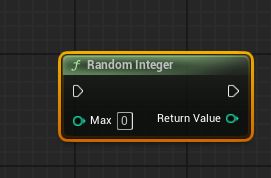
If you do show exec pins you can then reuse the output multiple times
lofty rapids
proud magnet
In the same BP or a different one?
it doesn't matter where you store the variable
proud magnet
autumn pulsar
https://i.imgur.com/x2cecvF.png
Yes, unfortunately I'm on 5.4 and thats only available on 5.5 as Authear said
autumn pulsar
is it? I could have sworn I did it in UE4 as well
maiden wadi
autumn pulsar
Was thinking of putting it in the weapon class yeah
This is a difficult question for me because to me a weapon is more than one class. We use GAS, so the working logic is all abilities. The weapon actor class is nothing but visuals and runtime data(ammo counts, etc), meshes and such. And then there's a data asset which contains all of it's static non changing data.
 proud magnet
yup but its okay as long as its working which it seems it is 😭
maiden wadi
I wish it had been in ue4. I solved a lot of performance issues on Red Solstice 2 by making quite a few functions impure.
proud magnet
yeah i feel like a lot of aspects of my game could be streamlined with inpure functions
but im not about to update my game to 5.5 a month before release lol
maiden wadi
If you have source control I would fork it and test it out. There are a lot of amazing performance updates to rendering in 5.5
autumn pulsar
5.6 is going to be crazy
proud magnet
really? I see a lot of people saying that anything past 5.3 has a lot of unnecessary stuff
i heard 5.5 is bloated
 potent bear
I have a Blueprint system that updates a texture icon whenever a player acquires a mutation. The flow works like this:
OnMutationAddedevent fires when player gets a mutation- Gets the icon from the mutation component
- Async loads the asset and casts it to Texture2D
- Updates the brush texture
The Problem:
- First time getting any mutation: ✅ Icon updates correctly
- Getting a different mutation: ✅ Icon updates correctly
- Getting the same mutation again: ❌ Icon doesn't update
The Blueprint logic appears to execute (no errors), but the visual icon remains unchanged when acquiring duplicate mutations. It seems like the system isn't recognizing that it needs to refresh the texture when it's the same asset being loaded again. Does anyone know why this is happening?
 maiden wadi
proud magnet
i heard 5.5 is bloated
maiden wadi
proud magnet
i heard 5.5 is bloated
??? Bloated by what?
proud magnet
maiden wadi
??? Bloated by what?
I dont really know lol take what i say with a grain of salt im mainly just thinking of the people who hate on UE5 games for having shitty performance
as someone who only has like a year of ue under their belt im still fairly new to optimization
lofty rapids
potent bear
I have a Blueprint system that updates a texture icon whenever a player acquires...
i mean if your getting the same thing, then why would it change ?
surreal wagon
Just turn off effects lol
autumn pulsar
proud magnet
as someone who only has like a year of ue under their belt im still fairly new t...
Most optimization is just limiting what gets called on a single frame
proud magnet
yeah i recently did a shit ton of work unbottlenecking my game thread in 5,4
lofty rapids
i micro optimize everything
autumn pulsar
Micro Optimizing is usually bad
lofty rapids
seems to help me with overall performance
proud magnet
since im still new and barely know c++ optimization is pretty far down on my list lol
potent bear
lofty rapids
i mean if your getting the same thing, then why would it change ?
Then I guess my question would be how would I load the same asset? I changed it to use soft object to test how it would work, and while I like it, I still don't know how I can then load the correct asset if it was already loaded
lofty rapids
c++ is the way to go though, for sure if you want performance
autumn pulsar
Only really worth it to micro optimize if you're dealing with shitloads of things
proud magnet
lofty rapids
c++ is the way to go though, for sure if you want performance
yeah id choose c++ anyday if it didnt x10 the time it takes for me to make things 😭
lofty rapids
potent bear
Then I guess my question would be how would I load the same asset? I changed it ...
if you load the same asset, won't it be the same same texture ? so you wouldn't notice the difference
lofty rapids
proud magnet
yeah id choose c++ anyday if it didnt x10 the time it takes for me to make thing...
i just use a BFL, and , c++ nodes in blueprint, np
maiden wadi
proud magnet
I dont really know lol take what i say with a grain of salt im mainly just think...
IMHO, I tend to basically ignore anything that comes from a non certified source(person who's worked on an actual game). And I specially ignore Youtube clickbaits.
5.5 had a lot of extra threading for the renderthread. Stuff was moved off of it to give it more time. We only got like 10-20FPS increases when we did it. But I went back and forth a couple of times to take some samples and I can say that our game runs more smoothly in 5.5 due to less jumping frametimes. It feels like the framerate doubled for us.
proud magnet
lofty rapids
i just use a BFL, and , c++ nodes in blueprint, np
Right, I've heard a lot about BFL's but still dont really understand them
proud magnet
maiden wadi
IMHO, I tend to basically ignore anything that comes from a non certified source...
I'll definitely have to look into it soon.
lofty rapids
proud magnet
Right, I've heard a lot about BFL's but still dont really understand them
they are perfect for tools, basically it's just a spot for functions that are "global"
you can access them from basically anywhere
potent bear
lofty rapids
if you load the same asset, won't it be the same same texture ? so you wouldn't ...
I wish that was the case XD.
Currently I have two Mutations in the scene:
- Mutation 1
- & Mutation 2
When I pick up Mutation 1, the event gets called and I get its Icon, and I update the image with the new icon (Mutation 1 has a unique Icon). When I pick up Mutation 2, the same thing happens (Unique icon too). But when I go back to pick up Mutation 1 again, the icon doesn't change. That's the issue that I'm facing.
proud magnet
maiden wadi
IMHO, I tend to basically ignore anything that comes from a non certified source...
What's the style of your game? I'm using ue5 for the hyper-realistic graphics so thats my main performance block. Is 5.5 better for stuff like that?
lofty rapids
potent bear
I have a Blueprint system that updates a texture icon whenever a player acquires...
and what are you passing into this event as mutation ?
potent bear
lofty rapids
and what are you passing into this event as mutation ?
The entire Mutation class. From that class I call a function that returns the Icon as a soft object reference.
/*************************************/
/* Returns the Icon for the Mutation */
TSoftObjectPtr<UTexture2D> UMutation::GetIcon() const
{
    return Icon;
}
It has a lot of lumen and hardware raytracing performance enhancements on top of the renderthreading I mentioned. For our style, our biggest issue was trees and lumen not liking them. I can't really say what our art style is. Semi realistic fantasy? The art has been considerably updated since the Steam images, but you can check out "Atre: Dominance Wars" on Steam. I can't really show anything unofficial here.
lofty rapids
potent bear
The entire Mutation class. From that class I call a function that returns the Ic...
at some point your calling the event and passing mutation
lofty rapids
potent bear
I have a Blueprint system that updates a texture icon whenever a player acquires...
is this event connected to a bind ?
potent bear
lofty rapids
at some point your calling the event and passing mutation
This is when it gets called (it is connected to a bind)
This is where it's being called OnMutationAdded.Broadcast(this, Mutations[Mutations.Num() - 1]; //broadcast mutation added
void UMutationComponent::AddMutation(AActor* Instigator, TSubclassOf<UMutation> MutationClass)
{
    UMutation* NewMutation = NewObject<UMutation>(GetOwner(), MutationClass);
    if (NewMutation)
    {
        ...
        if (Mutations.IsEmpty() || IsMutationNew(NewMutation))
        {
            ...
            OnMutationAdded.Broadcast(this, Mutations[Mutations.Num() - 1];     //broadcast mutation added
                        ...
        }
        else if (!Mutations.IsEmpty())
        {
            if (Mutations[RepeatedMutationIndex]->GetMutationTier() <= EMutationTier::Tier_4)
            {
                ...
                OnMutationChange.Broadcast(this, Mutations[RepeatedMutationIndex]); //broadcast mutation change
                                ...
            }
        }
                ...
    }
}
Wow! That's super high quality, really impressive! Optimizing Lumen is like the #1 thing for me right now since without it my game looks terrible lol. This first game of mine is more of a learning experience than anything else but doesn't mean I don't want my game to look and play the best it can. If you care at all its Sub Terra on steam :)
potent bear
lofty rapids
is this event connected to a bind ?
There are two broadcasts. For debugging purpeses I'm forcing it to only call OnMutationAdded.Broadcast(this, Mutations[Mutations.Num() - 1]; //broadcast mutation added
actually
I'm an idiot
potent bear
potent bear
There are two broadcasts. For debugging purpeses I'm forcing it to only call `On...
By typing this I found the issue
I wasn't forcing it to repeat the call
potent bear
lofty rapids
next time <#221799439008923648> because this is <#221798862938046464>
The reason I added it here was because of this. I thought I could have done something through here

I thought it was a simple error of mine through the blueprint side
lofty rapids
makes sense
potent bear
potent bear
I thought it was a simple error of mine through the blueprint side
which it ended up being.
maiden wadi
proud magnet
Wow! That's super high quality, really impressive! Optimizing Lumen is like the ...
Nice, yeah I would definitely check out 5.5 when you get a few. I'd be curious to know how it helps your benchmarks when you do. And like I said, also check out the feel. We had a bit of a stuttery feel on 5.4 even with decent framerates and same rates on 5.5 just feel a lot smoother due to the lack of framejumps.
lofty rapids
potent bear
which it ended up being.
always the simple things
potent bear
lofty rapids
makes sense
In case you wanted to know. The issue stemmed from the fact that it was never calling the blueprint code because it wasn't calling the same broadcast. Because the user already had the mutation, it wasn't going to if (Mutations.IsEmpty() || IsMutationNew(NewMutation)) (first if after the NewMutation check), it was going straight to the second if else if (!Mutations.IsEmpty()).
void UMutationComponent::AddMutation(AActor* Instigator, TSubclassOf<UMutation> MutationClass)
{
    UMutation* NewMutation = NewObject<UMutation>(GetOwner(), MutationClass);
    if (NewMutation)
    {
        ...
        if (Mutations.IsEmpty() || IsMutationNew(NewMutation))
        {
            ...
            OnMutationAdded.Broadcast(this, Mutations[Mutations.Num() - 1];     //broadcast mutation added
                        ...
        }
        else if (!Mutations.IsEmpty())
        {
            if (Mutations[RepeatedMutationIndex]->GetMutationTier() <= EMutationTier::Tier_4)
            {
                ...
                OnMutationChange.Broadcast(this, Mutations[RepeatedMutationIndex]); //broadcast mutation change
                                ...
            }
        }
                ...
    }
}
FYI I would check out the SetBrushFromSoftTexture/Material functions to streamline this. It takes care of the async loading for you. Less bug prone if your thing updates too fast sometimes.
potent bear
maiden wadi
FYI I would check out the SetBrushFromSoftTexture/Material functions to streamli...
Thanks. I'll check it out now
maiden wadi
Like if you have ImageB loaded, and you call yours with ImageA and then with ImageB before ImageA loads, it'll show ImageA, because it'll set it up for ImageB immediately and then once A loads it'll callback again and set it for A. UImage's SetBrushFromSoft function internally dismiss the loading handle so it will only ever show the latest one you told it to show regardless of loading orders and such. Nice little feature from UImage.
potent bear
thanks
 faint pasture
frosty heron
proud magnet
i heard 5.5 is bloated
faint pasture
frosty heron
proud magnet
i heard 5.5 is bloated
Way smoother for me fps wise leaping from 5.1 to 5.5
 jaunty magnet
Hello everyone, it’s my first time asking anything here, but i’m stuck and i really need help. I’m making the most simple thing ever - door opens after stepping on a button. And for some reason even this logic doesn’t work. If i uncheck IsLocked just walking up to the door works and it opens, but if IsLocked is checked, and i step on the button and walk over to the door it won’t open. I’d appreciate any help. Thanks!


 crisp hawk
Hey all,
Using UE5.6, I'm trying to get a post process to render at display resolution, while my scene renders at a lower resolution.
I'm not using TSR or TAAU in this project though, which it seems means there's no way to put this post process material strictly under the display resolution.
But even if I did, when using TSR/TAA, it seems I can still manipulate the density of the effect by changing screen percentage.
SceneViewExtensions seems to be the way to go? But before I get into learning this whole new thing for me, I want to make sure there's no easy, simple way to achieve this. It seems like such a trivial thing to expect to have available.
I even thought of using UMG somehow to get there, but this seems like too hacky of a way to do it.
Not sure what's the right way to achieve this.
waxen ice
jaunty magnet
Unfortunetaly it's hard to see. Can you upload Blueprints on blueprintue?
jaunty magnet
yep, just did.
BP_Button
BP_SlidingDoor
waxen ice
jaunty magnet
yep, just did.
BP_Button
BP_SlidingDoor
Can you share the links? 😄
jaunty magnet
yes absolutely my bad 😆

No description provided
No description provided
waxen ice
jaunty magnet
yes absolutely my bad 😆
https://blueprintue.com/blueprint/ehud6il_/
https://...
I see you calling event dispatchers but where do you bind them?
jaunty magnet
After i called the dispatcher in my door bp i set the button parameter in details tab to my button
 waxen ice
jaunty magnet
After i called the dispatcher in my door bp i set the button parameter in detail...
waxen ice
jaunty magnet
After i called the dispatcher in my door bp i set the button parameter in detail...
Bur you have to bind some function to Dispatcher if you want it to do something
jaunty magnet
oh okay. I have the unlock function, and i need to bind them. Makes sense. And if I wanted to do so, how would i do it? Sorry it’s my first solo project and i don’t have much experience with UE yet
waxen ice
jaunty magnet
oh okay. I have the unlock function, and i need to bind them. Makes sense. And i...
No need to be sorry. 😄 everyone starts somewhere.
Dispatcher is called in button right?
So in door you have to have pointer to the button and then in doors beginplay for example you can drag this pointer to button and search for assign to "your event dispatcher"
jaunty magnet
OHHH well that makes even more sense now. Thank you very much!!!!!!
waxen ice
jaunty magnet
OHHH well that makes even more sense now. Thank you very much!!!!!!
To clarify what event dispatcher are doing.
When you call it you can imagine they are shouting that they did something.
Now if nobody is listening to them nothing happens so you have to set that somebody is listening to them and they will react when they shout. 😄
 barren sonnet
Is there a cheap way to change model based off distance to camera ? I want to add some bushes that become ragdolls when you are close to them so they can be interacted with and turn to static versions in the distance to make them cheaper.
jaunty magnet
waxen ice
To clarify what event dispatcher are doing.
When you call it you can imagine th...
yes thank you so much for help!!!!!!!!!
 unique bronze
hello, I need some advice on how to tackle this properly:
I have set up 4 sockets (and will want to add more later).
Those sockets are used to spawn a SceneComponent which is used as a component I attach an Actor to later on.
I have two "modes" I can switch from, midpoint and individual.
For the first "mode" Im getting mid point location between two of the sockets (s1-s2=mid), and for the second mode, the midpoint calculation has to be off and both sockets are treated as their own locations instead to spawn a SceneComponent on both.
So far I thought of two functions, one takes two socket locations and gets their midpoint, and a second function just takes in a list of socketnames, but this is not very scalable if I decide to make more sockets.
What Im trying to make is a function which can take N amount of predefined sockets (pref. a list of already existing sockets, instead of typing the name) and depending on "mode", switch between average location of the chosen sockets or get each location individually.
So far Ive seen DataAssets, Tables and Structs, but they all sound overkill for just that 🤔
rose crest
unique bronze
hello, I need some advice on how to tackle this properly:
I have set up 4 socke...
is it inside actor or each socket is individual actor?
if its inside actor I would just get all child components (put socket as childs of scene component) or get all components with tag. Add them to array and you have array of references
unique bronze
Its inside a custom FirstPerson Skeleton, two sockets are at fingers level and other two between palms, the ones between palms are only read to get the middle point between them. Essentially I need 1 vector location in one case and two vector locations in another.
rose crest
ah, skeletal mesh sockets
unique bronze
sorry I didnt know any other sockets existed xD
rose crest
it sounded like anything that can be used as location reference
mesh-> get all socket names
but you'll have to have logic inside your actors to define what socket and mode you want to use, simple make array of names, get length>1 then use average function, else get index 0
unique bronze
rose crest
but you'll have to have logic inside your actors to define what socket and mode ...
Thanks for the info! Im using an Enum to switch two modes with an IA_SwitchMode action. Then get their midpoint with "hardcoded socket names".
Is it possible to write a function which will change its Inputs based on Enum selected?
For Standard mode it lets me choose two points from a list (of filtered sockets, so its not possible to choose feet sockets for example), and the Rapidfire mode changes the function inputs to specific two point also from their own list.
Maybe using prefix on sockets or something 🤔


 unique bronze
I didnt figure out how to get the index from the selected enum entry from inside function to use the select node 😅
rose crest
unique bronze
I didnt figure out how to get the index from the selected enum entry from inside...
just use enmum as index
unique bronze
lmao
I really didnt know enum is an index already

thanks!
And for prefixes comparison I just use prefixes as names (also some map or predefined list) and compare to the socket name array?
rose crest
yes, i think its enough
unique bronze
okay thank you!
waxen ice
unique bronze
I really didnt know enum is an index already
It is worth to know that under the hood enums are just integers. 😛
unique bronze
waxen ice
It is worth to know that under the hood enums are just integers. 😛
I think i was confusing it with map or something like that xD Thanks!
sharp ferry
why its so difficult to create logic of my widget....
dark drum
sharp ferry
why its so difficult to create logic of my widget....
What are you trying to do?
steel shadow
Is format text where I want to display ''x {integer}" more efficient than doing: inttostring on the integer, append string ("x" and the"inttostring") and then string to text?
 turbid pecan
Wanna run something by y’all: I’ve made a helicopter and put it in a pawn blueprint. It’s controllable (not using physics, just setting locations), but I’m stumped with the collision behavior. Right now I have a scene root collision box at the landing gear area which allows it to land. It’s set to block all. If I chuck any other collision boxes or capsules in the root (next to the helicopter skeletal mesh in the hierarchy) - no amount of block settings make those extra collisions do anything in the environment.
I’m sure this is a skill issue. Like how in the world am I supposed to have collision segments all actually colliding with the environment while sitting inside my pawn blueprint in some sane way? Is there some standard to do this properly?
dark drum
steel shadow
Is format text where I want to display ''x {integer}" more efficient than doing:...
Yes, format text allows you to specify the text you want to display but denote variables that you can then connect. These get replaced with the values inputted.
 mental trellis
That isn't really what he asked.
steel shadow
Haha yeah they are both of the order of 0.001ms but this is in widgets of which I may have 150+. So it adds up
unique bronze
waxen ice
It is worth to know that under the hood enums are just integers. 😛
I found the situation where I struggle with enums and getting their index. The blend poses by int inside the animbp needs an int index to switch between state machines (irrelevant).
Im getting the enum from the character, which isnt an index so it cant be plugged in, so I made a Mode Index in the character bp which sets its index according to its current enum selected so the blend poses by int node can distinguish between which mode was selected.


So now thanks to andaron suggestion using select node it looks like this, I think its okay, but surely removes the need to of extra int variable xD Im open for better ways!
 frosty heron
Why is mode Index an integer.
it's kinda hard to read
if they represent a state, may as well turn it into enum, or gameplay tag.
anyone reading the code will be able to deduce it.
unique bronze
yeah thats what I had before, but all I want is to switch between speific logic on button press (for example sword stances)
frosty heron
that doesn't justify using integer to represent a state
like 0 and 1 could be antyhing, it's a magic number which only you will know.
dark drum
steel shadow
Haha yeah they are both of the order of 0.001ms but this is in widgets of which ...
Oh sorry, you're asking specifically about the performance. Set something up on a loop and profile. Easiest way to find out. I would imagine the format text would be faster as there would be less BP nodes in the middle.
unique bronze
I removed it, like I said, the picture was before and after xD Unless i still misunderstand something?
 maiden wadi
steel shadow
Is format text where I want to display ''x {integer}" more efficient than doing:...
maiden wadi
steel shadow
Is format text where I want to display ''x {integer}" more efficient than doing:...
It is more efficient usually. But efficiency isn't really the issue here as much as localization. The moment you convert it to string, you lose loc. If you for example were to have the server multicast that, everyone would get the string version in the server's language. If it's an FText it's sent differently with the properties uses to format and reconstructed on the client in their own language. Similar issues with language changes in the middle of the game without a restart happen if you to string it and back to text it. It loses it's original text key so it can't relocalize on a language swap.
frosty heron
@maiden wadi Sorry for the ping, say I have 3 elements in this box. And I want to pop the one selected out, so I need to detached it from the parent, I wonder if that's possible.
Then I need to offset the rest of the element so it align with the red line.
Do I just play with the offset here?
 maiden wadi
TLDR it doesn't matter. You should never to string anything player facing.
Instantly, or animated?
frosty heron
unique bronze
So now thanks to andaron suggestion using select node it looks like this, I thin...
btw there is blend pose by enum
unique bronze
frosty heron
like 0 and 1 could be antyhing, it's a magic number which only you will know.
you meant its just bad practice? the "Mode Index" variable, right? Not the SpellMode Enum?
frosty heron
maiden wadi
Instantly, or animated?
animated 😦
unique bronze
frosty heron
btw there is blend pose by enum
only with GAS apparently :/
frosty heron
unique bronze
only with GAS apparently :/
nothing to do with GAS
frosty heron
unique bronze
you meant its just bad practice? the "Mode Index" variable, right? Not the Spell...
Yeah the Mode Index is just a no no in my book.
 steel shadow
maiden wadi
It is more efficient usually. But efficiency isn't really the issue here as much...
steel shadow
maiden wadi
It is more efficient usually. But efficiency isn't really the issue here as much...
Oh interesting yeah I saw a lot of this mentioned as I was googling. In my case it's irrelevant since it's just a number and game is only English and Spanish. Performance is the only thing I am concerned with.
unique bronze
lol.. was I high or something? I swear I couldnt find it, then googled for an hour to come to a conclusion after some posts mentioning it only being with GAS, even a youtuber said "Unfortunately you need GAS for this node so we wont go into it here" WTF

xD
This solves it all honestly, thank you!
turbid pecan
steel shadow
Haha yeah they are both of the order of 0.001ms but this is in widgets of which ...
Not to sound like a stackoverlow user - but should you really be prematurely optimising? If the problem is format text nodes in terms of performance something’s gone terribly right.
That being said - if I recall format node uses FText under the hood (citation needed) and for UI stuff is probably more than fine..?
My point really is that if you come to some performance issue and it turns out that formatting is the thing you’re paying a lot of compute for - perhaps then it’s time to optimise.
steel shadow
like I said, context matters, very small operations add up if they are being called on 150 UI elements
unique bronze
Cause I totally agree, I hate this index fuckery too, its unreadable and messy, it feels wrong, even the blend nodes look better with "Actual PoseName" instead of "Blend Pose 0, 1, 2"
steel shadow
If it was just a one time thing then yes it's irrelevant
frosty heron
unique bronze
This solves it all honestly, thank you!
Yeah that detour with converting to int may also cause bugs, if you decide to remove / modify some of the enum.
turbid pecan
steel shadow
like I said, context matters, very small operations add up if they are being cal...
Sure, but why don’t you use it in 150 elements first, run a profiler and add up the cost of all of that to see just how much it’s hurting you if at all
steel shadow
I did
and each convert to string and append string is like 0.002 - 0.004 ms
so multiply by 150 and that can be significant when ur aiming 20 ms
unique bronze
I see why people love this engine and what people miss out on, simplification. Thanks for the info!
turbid pecan
steel shadow
and each convert to string and append string is like 0.002 - 0.004 ms
Why not use the format text node with string interpolation as a comparison? Like replace all that string append stuff with just my final {text} outcome to compare. Unless you did already?
maiden wadi
frosty heron
animated 😦
The easiest way I've found to do that is to have yourself a repeater track animation that calls an event in the children.
When something in the parent changes it prenotifies the children. They save their current viewport space location.
The parent then reorders the children into their new place. and then postnotifies them that they've moved.
The children set up immediately by offsetting themselves from their new location by their old screenspace one, this makes them visually look like they're in the same spot they were before. Then the repeater track runs each frame to move them into their new spot.
For the removed one it depends on how it's animated out. But you can put it in something like a common visual attachment which makes it take up 1px space so the others are in their correct space and it can just animate to the right or something internally and only actually remove itself from parent when it's done animating.
frosty heron

I will comeback in 3 weeks to show the result 😄
love doing U.I except when it gets complicated.
maiden wadi
Best time to do UI. 😄 If you want to keep it really clean. Make yourself a base class for the container and child widgets, so that you don't have to repeat a lot of work if you choose to do different layouts or use it multiple times.
frosty heron
on it, Thx :3
dark drum
Must be UI day. 😅 I'm trying to wrap my head around how the action bars work in CommonUI. 👀
mental trellis
steel shadow
Haha yeah they are both of the order of 0.001ms but this is in widgets of which ...
Do it a thousand times per widget in a loop. See which tanks your fps more.
maiden wadi
dark drum
Must be UI day. 😅 I'm trying to wrap my head around how the action bars work i...
The simplest form is that CommonUserWidgets can register actions for the closest CommonActivatableWidget. And when that widget is active a common bound action bar will try to place action buttons in itself for the current actions available.
dark drum
maiden wadi
The simplest form is that CommonUserWidgets can register actions for the closest...
Yea, that's what I assumed but I can't get it to work. I assumed its based on the 'Input Mapping' for the widget but it doesn't display anything. I'm obviously missing a piece of the puzzle.
maiden wadi
I'm not sure with IAs. I'm still using legacy datatable ones for ours because when I was setting them up IAs were still having some issues.
steel shadow
mental trellis
Do it a thousand times per widget in a loop. See which tanks your fps more.
yeah will try that on my next optimisation pass
sharp ferry
dark drum
What are you trying to do?
i was trying to craete a mini game bar skill check
press space when the line is on the right spot skill check minigame
dark drum
sharp ferry
press space when the line is on the right spot skill check minigame
What was you struggling with? It's just having a number that increases (from 0 - 1) and then when you press the button check its value to see if its in range.
sharp ferry
dark drum
What was you struggling with? It's just having a number that increases (from 0 -...
gemini guided me to create like 6 variables
speed, direction, float variables, and 1 bool
then started to tell me to add, multiply node, add and got lost
dont tell me gemini is usless, is mostly helping me to create the basic nodes to do things i want to do and with some of your helps i always managed to get the final result
dark drum
sharp ferry
gemini guided me to create like 6 variables
I'd say 4 for the core logic but you'd probably need to add a few extra things. This assumes that it's from 0 - 1 so the speed would how much it changes per second. Direction should be either -1 or 1 to control if the value goes up or down.
 sharp ferry
dark drum
I'd say 4 for the core logic but you'd probably need to add a few extra things. ...
sharp ferry
dark drum
I'd say 4 for the core logic but you'd probably need to add a few extra things. ...
thanks this loook so difficult
rose crest
if youre looking for options what can you do with enums just type enum name in search window 😉
surreal wagon
If it gets the velocity when landing, that means that it has to be 0?
 dark drum
surreal wagon
If it gets the velocity when landing, that means that it has to be 0?
dark drum
surreal wagon
If it gets the velocity when landing, that means that it has to be 0?
The velocity is what it is at the time of hitting. So the speed before its reset to 0.
surreal wagon
Does this node broadcast the velocity or do I have to do Get player character - get velocity?
nvm
 storm solar
for common activatable widgets, is there anyway I can run events on enhanced input action without it running input actions outside of said widget?
dark drum
storm solar
for common activatable widgets, is there anyway I can run events on enhanced inp...
Unfortunately not.
storm solar
dark drum
Unfortunately not.
It seems so backwards that I cant do that.
Like, If I am opened on an equipment menu on character A and want to use the shoulder buttons the swap to character B equip page... the system natively wouldn't allow that?
So are all comercial games using C++ for stuff like this?
I could have a variable attached to every input that checks if you're in a focused widget or not and run actions based off that but it seems overkill.
dark drum
storm solar
It seems so backwards that I cant do that.
Like, If I am opened on an equipment ...
Its because there's two inputs systems one for the game and one for the UI. When they made enhanced inputs it runs on the game inputs. This means if you're using input mode UI only, the enhanced inputs don't trigger. With CommonUI they've attempted to solve this with the Common UI Action Router but having spent the last few hours trying to wrap my head around it, feels overly convoluted for what is essentially a bandaid solution. Even then, it doesn't allow you to directly use the input action event nodes.
storm solar
dark drum
Its because there's two inputs systems one for the game and one for the UI. When...
Besides it being clunky, how bad is turning input mode to game in the widget and having a check done every time the action is triggered?
It seems if there isnt a solution this may be the next best thing.
 crude glacier
when i add it to game space it instantyl adds it all at once, how do i make it wait then add wait then add ect


 languid pagoda
Hello everyone. Has anyone encountered an issue where the following occurs in regards to widgets/input action events.
- Press ESC to toggle pause menu | Pause menu Appears (Intended)
- Press "Resume Button" on pause menu | Pause menu disappears (Intended)
-Press ESC | Nothing happens (UNINTENDED) pause menu should pull up
-Press ESC again | Pause menu appears
Logic
 lunar sleet
languid pagoda
Logic
lunar sleet
languid pagoda
Logic
Best to use a Boolean instead of a flip flop, the latter can do weird things sometimes. Use a breakpoint and step through the code to see what happens
languid pagoda
lunar sleet
Best to use a Boolean instead of a flip flop, the latter can do weird things som...
ok let me give that a try
languid pagoda
lunar sleet
Best to use a Boolean instead of a flip flop, the latter can do weird things som...
Amazing Bools were the answer. Thank you @lunar sleet

 graceful sage
I want to get my data here from an Actor Component and set the brush on the widget while handling async loading on my Actor Component. Would this be a good way to handle this or is there a better way. I did sorta successfully do this but it set all my instances of this widget to the same texture.
 lunar sleet
crude glacier
when i add it to game space it instantyl adds it all at once, how do i make it w...
lunar sleet
crude glacier
when i add it to game space it instantyl adds it all at once, how do i make it w...
A for loop executes in one tick, so it will always happen all at once. I’d add everything to an array with the for loop, and then on completed set a timer by event to run at whatever interval you see fit, with the event itself taking each index and doing what you want it to do
languid pagoda
What do you all typically use for your Object Reference when casting to a Widget Blueprint?
lunar sleet
crude glacier
I read for loop as foot loop
Yeah it’s stupid phone autocorrect
lunar sleet
languid pagoda
What do you all typically use for your Object Reference when casting to a Widget...
The ref to a widget
Cast just takes a ref and verifies that it is of the correct type, it’s not a magic wand 😀
If you’re asking how to get the ref, it’s easiest to store it in a variable when you first create it. Sometimes you can use get user widget depending on the use case
languid pagoda
lunar sleet
Cast just takes a ref and verifies that it is of the correct type, it’s not a ma...
Let me break it down further. So I have a WBP_Settings, when I cast to it the object reference can only be itself so I get the "note" at the bottom of my cast
I can't find another parent to reference to, but his is only a problem with widgets
like player character or pawn is easy
lunar sleet
languid pagoda
Let me break it down further. So I have a WBP_Settings, when I cast to it the ob...
That note means you don’t need a cast because it’s already set to that ref, but it usually means you created an empty variable of that widget bp type that contains nothing and you’re expecting it to autofill
languid pagoda
SO it works, but it just bothers me that its a soft error
languid pagoda
 languid pagoda
 graceful sage
The return value is already that type
lunar sleet
It takes object A and determines whether or not it is of the type you want (in this case WBP_SettingMenu)
If you just plug in WBP_SettingMenu you already know it is the correct type
languid pagoda
lunar sleet
It takes object A and determines whether or not it is of the type you want (in t...
I need to have acces to the settingsmenu though because that's where the "back" button is
lunar sleet
So promote the return value of the Create node to a variable
Then just GET that variable and use it
You don’t need a cast to access its insides because you already know what’s in it
So you can just drag from that variable and do whatever you need to it
When you have time watch the video in the second pin, so you can understand bp comms like cast and so on
languid pagoda
Oh wow that worked
lunar sleet
Ofc it worked
You just created the widget and know what it is, no point in checking what it is 😀
languid pagoda
lunar sleet
When you have time watch the video in the second pin, so you can understand bp c...
Dang 2.5 hours. Watching now
lunar sleet
languid pagoda
Dang 2.5 hours. Watching now
I promise it’s the best 2.5h you’ll ever spend when it comes to UE.
languid pagoda
lunar sleet
I promise it’s the best 2.5h you’ll ever spend when it comes to UE.
Will do, I'm going to watch teh whole thing
crude glacier
lunar sleet
A for loop executes in one tick, so it will always happen all at once. I’d add e...
im kinda dumb so where do i connect it to 😭
lunar sleet
crude glacier
im kinda dumb so where do i connect it to 😭
Which part
crude glacier
ye
lunar sleet
For set timer by event connect the red square pin to the red square pin of the actual event
crude glacier
ok thanjs very much
crude glacier
less go after a week of trying i nearly have it working
 verbal girder
Does anyone have any idea why , for the exact same actor being referenced (in the same simulation run too), that one of these calls to my interface works, and the other one does not?
Context: It's a Component (AC_HealthAbility) that accepts the TakeDamage message for this pictured type of actor.
The thing that works: In my BT_Enemy tree, BTT_HitPlayer makes the first of these calls where it takes simply an actor reference and tells it to TakeDamage according to BI_Damageable. This works regardless of if the interface is implemented in a subcomponent of the actor or the actor's class itself.
The thing that doesn't work: When a spike bush is overlapped, it tells the other actor to TakeDamage, which only works here if the interface is implemented in the blueprint class and not in a component's class. This means my Player class will not receive the damage, but the Enemy class (Which has a top level interface implementation) will, so it IS firing that message.


I can easily hardcode my overlap function to check if it's a player and then yank that component and manually call the take damage function... but that kinda defeats the whole purpose of me setting up this interface heh
maiden wadi
verbal girder
Does anyone have any idea why , for the exact same actor being referenced (in th...
You don't need an interface here unless you want a slightly faster getter for the component(which won't be faster in BP, only in C++).
You're misunderstanding interfaces. They're meant to patch holes between two different classes that need to accept the same event or run the same function but have drastically different functionalities or cannot share a base class for some reason(which is never a good reason because of my next point)
You are already making this compositional. You don't need an interface. You have a component. You can get this component literally from any actor by GetComponentByClass. Without casting a reference you can call this on any Actor level pointer and get your component to directly call a function on without the abstration of an interface. If you want an easier function that hides this away, make a function library that takesn an actor and internally does this and silently fails for any actor that can't take damage, or logs it.
verbal girder
maiden wadi
You don't need an interface here unless you want a slightly faster getter for th...
This interface it utilized by multiple other classes. Specifically this bush class can damage anything damageable (you can kite enemies into it, or throw breakables into it).
surreal peak
This works regardless of if the interface is implemented in a subcomponent of the actor or the actor's class itself.
I kinda doubt that.
maiden wadi
You did not read what I wrote.
verbal girder
Kk ill re read
surreal peak
You can't call interface functions on classes that don't have the interface.
maiden wadi
You are already making this compositional. You don't need an interface. You have a component. You can get this component literally from any actor by GetComponentByClass. Without casting a reference you can call this on any Actor level pointer and get your component to directly call a function on without the abstration of an interface.
verbal girder
The player health component is only for player health, other objects I want to take damage simply react to it, like by breaking
maiden wadi
Then I would still make a library function that tries to get the component if it exists. Else just run the interface on the actor.
trim matrix
hi, using these camera spring arm settings ive gotten my camera to rotate nice when the player moves, but now im running into an issue where the players inputs dont rotate along with them, that once the camera rotates pressing w no longer is forward, etc. how could i fix that?
 verbal girder
surreal peak
> This works regardless of if the interface is implemented in a subcomponent of ...
verbal girder
surreal peak
> This works regardless of if the interface is implemented in a subcomponent of ...
This does function. The component of my main player class is what implements the interface, and it's able to receive the message from multiple sources, but not this new one that I'm calling in the same way


whups meant to include that part

you can see no implemented or inherited interfaces there
(for damageable)
I don't mind "Do this completely differently" but I would like to know why that works sometimes and other times doesn't
surreal peak
Is that some Blueprint-only shit? You usually can only call Interface Functions on Classes (or Child Classes) that have the Interface added to them.
verbal girder
Could be. Wonder if it's a bug
But it functions on my builds
it has to have some reason it propagates to components
surreal peak
How do you even add the Interface events to the graph if you don't have the Interface added to it?
verbal girder
I don't. The AC_HealthAbility implements the interface.
and also then adds the event
surreal peak
But the Pawn doesn't, and you call the Interface on the Pawn ?
verbal girder
No, I just say "Actor from overlap, take damage!"
surreal peak
How the f*ck does that end up in the Component o.o
verbal girder
Heh well it sounds like that's not the right way to do it but yeah it does work lmao
well, in one three places and not my latest one
dark drum
In short the reason its not working is because it's implemented on the health component, not the pawn. This means when you call the event, you need to pass a ref to the thing that implements it, in this case the health component.
dark drum
Personally, I would just have the health component get its owner, (the actor) and bind to the on damage events that is available on all actors. Then when you want to apply damage, just call the damage function on the actor.
verbal girder
dark drum
Personally, I would just have the health component get its owner, (the actor) an...
Yeah, that was the passthrough fix I implemented and that works fine, I just thought that interface messages would propagate to components since... it did... just not every time. I'll have to assume it's something fucky with my AI blackboards that I don't understand
This is an example of one that works where the actor is reffed, take damage is call, and the component of the actor receives the call.
 dark drum
verbal girder
Yeah, that was the passthrough fix I implemented and that works fine, I just tho...
dark drum
verbal girder
Yeah, that was the passthrough fix I implemented and that works fine, I just tho...
This for reference.
 verbal girder
trim matrix
hi, using these camera spring arm settings ive gotten my camera to rotate nice w...
verbal girder
trim matrix
hi, using these camera spring arm settings ive gotten my camera to rotate nice w...
I'd guess this is because when you are setting the direction of your move input you are asking the orientation of the model, and not the camera?
attached is our input action that changes the direction you are going according to the player view point (Which is the player camera, not the model, confusing I know haha).
 verbal girder
maiden wadi
You did not read what I wrote.
verbal girder
maiden wadi
You did not read what I wrote.
To re read this, your point is "Don't use interfaces ever, here is a different way to do this"?
 random jolt
Hi everyone, I'm new to Unreal. I'm using a DeformableCollisionActor with chaos. I would like to know if there is some way through blueprint to add in the field in photo (which is of DeformableCollisionActor) once the simulation starts a static mesh that I have in the scene at run time.
If this last mesh was available in editor mode, there would not be this problem. However, the static mesh is spawned at run time. I would like to avoid to add it manually each time

 verbal girder
To re read this, your point is "Don't use interfaces ever, here is a different w...
verbal girder
verbal girder
To re read this, your point is "Don't use interfaces ever, here is a different w...
A little different, rather, use them when they have COMPLETELY different reactions to the same event.
maiden wadi
verbal girder
To re read this, your point is "Don't use interfaces ever, here is a different w...
I never meant don't use interfaces ever. Your case if like harming a bush or pot that doesn't have a health component is a good use case. But it can be made easier with a function library function which internally tries to do the component first and falls back to a direct interface call on the hit object. So that normal gameplay things with a health component can process their health normally and special cases like things that just break can handle their stuff internally. And things that need to damage stuff can call this one function without having to care where it's routed.
verbal girder
Gotcha, I appreciate your clarifaction!
I should rewrite my health component to be more broadly applicable then I think as well
dark drum
verbal girder
A little different, rather, use them when they have COMPLETELY different reactio...
Interfaces have there place but in BP they should be the last option and only used when nothing else is suitable. (My opinion)
You tend to get better results using hierarchy or components.
verbal girder
dark drum
Interfaces have there place but in BP they should be the last option and only us...
Hmmm. Well, the base of my game is that I have elemental ammo that reacts differently to everything, and also that all these elemental obstacles react with enemies, so you can knock them into them and such. Interfaces seemed like the way to go for that architecturally because take damage has an elemental enum that gets passed along with it. Broadly, a lot of things take damage differently depending on the element, (fire on fire does nothing, ice it doubles, etc).
So take damage passing an element in an interface allows for a custom reaction from everything that can take damage (including some that simply break from any damage). I'm not sure architecturally how to do that with components in a manner where they could be hit by a fire wall vs an ice bullet vs walking in to an acid pool vs a pot to the face, and have that reaction for the players and enemies and inanimate damageable objects (You can push an ice block into a fire wall, acid pool, etc).
Some things take that damage by just dying, others by changing. (A rusty door takes acid and becomes usable)
dark drum
verbal girder
Hmmm. Well, the base of my game is that I have elemental ammo that reacts differ...
All actors can implement the 'AnyDamage' event. No interface needed. Plus components can bind to it as well. This is whats triggered when you call the 'Apply Damage' function on an actor.
 verbal girder
dark drum
All actors can implement the 'AnyDamage' event. No interface needed. Plus compon...
verbal girder
dark drum
All actors can implement the 'AnyDamage' event. No interface needed. Plus compon...
That doesn't pass what kind of element is hitting it, though?
A few things don't need that info, but the majority do
 mellow folio
I wouldn't spend 5 seconds trying to avoid an interface if that setup makes sense to you.
He's right that the other options are to use components or for all your objects to share a base class (hierarchy)
If you find yourself rewriting the same code over and over again in the various objects that received the interface, that would be a good indication that the other approaches would have been a bit better
verbal girder
Gotcha, and that hasn't really happened other than "React to this by dying" which is trivial
dark drum
verbal girder
That doesn't pass what kind of element is hitting it, though?
You can create damage types.
 rose citrus
If I have a blueprint with several Static Meshes. Is there a way I can select them based on their name? For example, say they are all name SM_01, SM_02, SM_03 ..etc. And then I have an integer. Can I select a static mesh by putting together "SM_" + Integer?
mellow folio
That sounds possible but it also seems like a pretty bad idea Danny, there must be an easier way to achieve what you're trying to do. What are you trying to do
verbal girder
dark drum
You can create damage types.
I see, and the damage type is an object and has a causer as well, yeap I coulda just used this. I basically just made a simpler version of that built in stuff haha
rose citrus
mellow folio
That sounds possible but it also seems like a pretty bad idea Danny, there must ...
I have an Ammo Box with a tray of 50 bullets, and when I interact with the Ammo Box holding a magazine, it loads them into the magazine one at a time.
dark drum
verbal girder
I see, and the damage type is an object and has a causer as well, yeap I coulda ...
I don't see people using the built in damage events much. Not sure why because it does what most people need lol.
mellow folio
So you want the player to be able to interact with specific meshes
mellow folio
dark drum
I don't see people using the built in damage events much. Not sure why because i...
Everybody's damage systems are slightly different, it just ends up being a headache to use the built-in event
verbal girder
There's a bit of nervousness to altering built in systems that look technical
feels like I could really fuck it up so I end up creating my own aha
rose citrus
mellow folio
So you want the player to be able to interact with specific meshes
The player only interacts with the Box. So each interaction gets rid of a bullet from the box. So let's say the box has 50 total bullets. Player interacts with box, SM_Bullet50 is destroyed or visibility off, then TotalBullets - 1.
trim matrix
verbal girder
I'd guess this is because when you are setting the direction of your move input ...
how would i do this for all movement directions?
 rose citrus
I wouldn't want to do a switch on int for 50 values
mellow folio
rose citrus
The player only interacts with the Box. So each interaction gets rid of a bulle...
So the ammo meshes should just be in an array and each time you destroy the next one
rose citrus
mellow folio
So the ammo meshes should just be in an array and each time you destroy the next...
Ah, I didn't even think of that. Yea that sounds good thanks!
mellow folio
rose citrus
Ah, I didn't even think of that. Yea that sounds good thanks!
Slightly more correct approaches would be to use instanced static mesh systems or toggling the visibility instead of destroying the meshes
dark drum
mellow folio
Everybody's damage systems are slightly different, it just ends up being a heada...
I get that but using the built in system isn't a headache. It's pretty bare bones to be honest. When applying damage what else do you need other than the target, damage causer, damage amount and damage type?
random jolt
random jolt
Hi everyone, I'm new to Unreal. I'm using a DeformableCollisionActor with chaos....
Sorry but I'll respond only to make it visible again. I really need a hand🥲
verbal girder
trim matrix
how would i do this for all movement directions?
Movement Input should work for all directions, assuming you've calculated the direction you want them to move from the camera. It's just a relationship between the Camera's right vector and the Input's XY values.
mellow folio
random jolt
Sorry but I'll respond only to make it visible again. I really need a hand🥲
Can you rephrase the question
 flat coral
I just noticed Eternal Strands seems to be able to detect whether you're on a PS or Xbox controller to show different tutorial prompts? Anyone know how they're doing that? I know how to tell if the user is on a gamepad, but not what type.
unique bronze
Hello, I have a (for me) complicated mechanic, and Id like to split it into 4-5 functions, caveat is that one function needs to be called inside another so I dont have to pass inputs/outputs all the time, but is just made for the sake of splitting up a larger task.
Is calling a function inside another function considered bad practice?
flat coral
unique bronze
Hello, I have a (for me) complicated mechanic, and Id like to split it into 4-5 ...
God, no. Complex code is functions inside functions inside functions, all day long
Even stuff that seems basic is just a built-in function anyways. Add to array? Function. Get a variable value? Function. For loop? I think that's a macro.
unique bronze
oh so its standard practice? great, very good, time to rewrite some stuff. But it does get complex in terms of modularity though, sometimes I feel like "there are too many functions" cause I cant find which one was doing what exactly, thats why I need to have them very very specific. Calling SpawnAndAttach sounds somewhat weirder to me than calling Spawn and then calling Attach passing the spawned Object.
flat coral
It does get complicated, but that's because it IS complicated. When a thing is fundamentally complex, there's always going to be trade-offs in how you represent it. Break it up, and parts of it can become opaque. Centralize it, and it becomes overwhelming.
But here's the trick: "Parts of it can become opaque" is a feature, not a bug. By wrapping a self-contained unit of logic in a function, giving it a good name and a decent description, it lets you abstract that bit of logic and only consider the details of it when relevant
mellow folio
unique bronze
oh so its standard practice? great, very good, time to rewrite some stuff. But i...
As you gain experience you will feel less overwhelmed by how many functions there are. At high levels of productivity, most functions will be pretty small, but not all
unique bronze
that makes sense, without breaking the stuff up into "modules", things will be unreadable-complicated, so I guess the trade off would be that its readable and needs to be understood, both things a human brain can do well. As long it makes logical sense of course.
So the complexity didnt go away, it only changes into different complexity which allow depth as it seems.
flat coral
The zen of it is taking a little piece of code and putting it in a box that summarizes it, and then you don't have to think about the code, you just think about the box.
And you're already doing this, without knowing it! Look at this bullshit code:
 mellow folio
Also keep in mind that functions are the only safe way to ensure that complex logic occurs in the proper order, because standard blueprint events start a new chain of logic which may or may not complete before the logic which called it.
unique bronze
mellow folio
As you gain experience you will feel less overwhelmed by how many functions ther...
glad to hear that lol, I found it very cool when I was able to reuse a function at two different situations, just because a part of the other situation was doing the exact same thing, that was some dopamine rush
flat coral
flat coral
And you're already doing this, without knowing it! Look at this bullshit code:
Seems pretty complicated right? Well, that's "For Each". You've almost certianly used it. But I bet you never even looked inside it, you didn't need to know about this complexity to use it.
unique bronze
flat coral
And you're already doing this, without knowing it! Look at this bullshit code:
so its okay to follow the "if it works, dont touch it" rule, close the damn box and just use it all over?
unique bronze
flat coral
Seems pretty complicated right? Well, that's "For Each". You've almost certianly...
i did, for 3 seconds, then closed, yep, "fuck that, it works"
mellow folio
I wouldn't collapse graphs, it doesn't actually enhance readability
flat coral
Basically, yeah. I mean, the cool part is you can still mess with what's in the box, it's just then you can do that JUST in the function and it becomes it's own small managable problem.
mellow folio
Just keep grinding and eventually you'll be able to read a function in a split second just by the colors of the nodes
flat coral
And it means you can test and debug in isolation too. Is this small function the problem? No, it's getting the inputs I expect, and returning the output I expect. Okay, close that box up again, and go up a layer
unique bronze
flat coral
Basically, yeah. I mean, the cool part is you can still mess with what's in the ...
do you think of "inputs and outputs" while working in that small manageable problem? I often find myself not being able to think of what inputs are okay to add from outside vs just get a ref inside the function itself.

 unique bronze
mellow folio
Just keep grinding and eventually you'll be able to read a function in a split s...
unique bronze
mellow folio
Just keep grinding and eventually you'll be able to read a function in a split s...
grinding sounds right, thanks, Im a little addicted atm too, but sometimes it feels like I dont know what Im doing, but the after some more grind things eventually work out somehow
flat coral
I mean, there are times I'd do things each of those ways. Generally, if it's always going to be the value of some variable you're already storing, then just use that. But also, if you're only using the variable one place, don't store it.
dark drum
unique bronze
do you think of "inputs and outputs" while working in that small manageable prob...
It depends on the context. Having an input can be nice as it means you could manually specify the enum without needing var. If the function is only specific to a given thing then pulling directly from the var can make more sense.
mellow folio
That's just a question of whether or not the sender or the receiver of that event has easier access to the information. It's actually really bad to have references to objects that aren't necessary.
flat coral
See here's a good example of why you'd do it the first way. This map exit has to assign itself to the exits list of both rooms it touches, so I'm calling my custom function GetPriorityRoom twice, with two different location values
 unique bronze
flat coral
I mean, there are times I'd do things each of those ways. Generally, if it's alw...
unique bronze
flat coral
I mean, there are times I'd do things each of those ways. Generally, if it's alw...
ah okay so like think if this function will be used where this specific variable wont be accessible, or if it always will be able to then maybe provide the input so it cant be used without it?
unique bronze
mellow folio
That's just a question of whether or not the sender or the receiver of that even...
I see, yeah makes sense, so if the function is exclusive to the same bp where the variable is from, it makes sense to me not to add the input pin
flat coral
End of the day, an input is just a temporary variable anyway. Create it if it'll be useful to you, skip it if it won't.
mellow folio
Yeah
unique bronze
flat coral
See here's a good example of why you'd do it the first way. This map exit has to...
yup that makes sense, needed a moment to understand what the answer is for, but yeah I understand, if will not be able to use this function when the Room Location vector isnt available where I want to call the function from, and doing it inside the function still needs some ref from outside too. Thanks for the info!
mellow folio
Either approach here would be very acceptable. One of the arch demons of object-oriented programming is convoluted object references, where one object is linking to another object linking to another object making another object to look up a value. Be mindful about doing less of that. Specifically, core classes like your player character should never have references to more peripheral classes, like a door. If a door wanted to send a message to a player character, it's fine for a door to have a reference to the player, but very bad for a player character to have a reference to a door. It would be very bad for the player character to look up a value on the door, the door should send it. This is because for most games, the door will be loaded in and out of memory but the character will not.
unique bronze
it's fine for a door to have a reference to the player, but very bad for a player character to have a reference to a door.
Okay this is music to my ears, because all I do is FOCUS on doing exactly that, decoupling useless stuff from other stuff, and wonder if Im overthinking or not doing that.
Things which dont feel right, dont feel logical, need to be elsewhere, otherwise I noticed I have too many variables storing the same stuff.
It feel "rough" and not "polished" or rounded up to me if things dont have their logical place
mellow folio
To rephrase that, it's very acceptable for the various objects in your game to read values on other objects which are Central to your logic and will always be in memory. The player character and player controller are good examples. Conversely, the central objects should not be looking up values on more peripheral objects.
Using these rules will guide which references exist where, and that will guide whether or not you use inputs in your functions
unique bronze
Hmm I think I understand, or Im close to it, would you agree on saying to think of "read-write" in this case, and central logic shouldnt be written by peripheral logic, only read, while central should write to peripheral ?
mellow folio
No. Reading and writing are equally problematic. It's a question of references, when a blueprint has a reference to another blueprint, the game cannot load blueprint a without also loading blueprint b into memory. This means that if your main menu has your player character in it, and your player character has a reference to a door which exists somewhere in your world, then you can't even open the main menu of your game without loading that door into memory.
This is all about memory management