#blueprint
1 messages · Page 331 of 1
 cyan wren
 frosty heron
Yeah I suppose but I am just re-iterating wisdom from wise people.
frosty heron
cyan wren
unreal is so much nicer
everything have learning curve, it's pain and joy.
cyan wren
frosty heron
everything have learning curve, it's pain and joy.
i did a lot of stuff on halo infinite and its so nice learning unreal cause its like the same stuff im used to but on unreal it actually works
 dark drum
frosty heron
Yeah I suppose but I am just re-iterating wisdom from wise people.
dark drum
frosty heron
Yeah I suppose but I am just re-iterating wisdom from wise people.
That might be the case but the built-in damage system passes all the information you could need. It seems silly to remake pretty much the same thing. 🤷
cyan wren
are the blueprints noticeably slower than hard code? wondering if i should try to stay away from them or if it doesnt matter?
frosty heron
I don't like routing through interface, also it's already implement damage in it's own way.
So not much I can modify when it comes to multiplayer when I need to control the flow (e.g. lag compensation)
And on top of that, I rather have control on everything. Damage system isn't hard to make anyway, so if I need to embed attributes and other data, it's easier to make one my self.
dark drum
cyan wren
are the blueprints noticeably slower than hard code? wondering if i should try t...
It depends what your doing but I don't tend to notice unless I'm doing some heavy loop stuff.
frosty heron
cyan wren
are the blueprints noticeably slower than hard code? wondering if i should try t...
depends ™
but it's a fact that blueprint is limited.
most of the power is burried in cpp land.
lets look at the most common feature in a game. Loading screen. Can it be done in bp? nope.
cyan wren
frosty heron
lets look at the most common feature in a game. Loading screen. Can it be done i...
cant you just lock movement and then cover the screen w ui?
frosty heron
blueprint is powerful to connect nodes and hold asset reference.
But doing a system in blueprint can be a spaghetti real quick.
frosty heron
cyan wren
cant you just lock movement and then cover the screen w ui?
that's just slapping a still picture on the player, to me that is not a loading screen.
there should be an ability to async load the next level and have the loading screen not LOCKED.
cyan wren
frosty heron
that's just slapping a still picture on the player, to me that is not a loading ...
what is a loading screen then?
complete de-load and reload?
frosty heron
A system that doesn't block the game thread while loading the next level.
Show loading screen -> Have it display loading bar without hitches / freeze the game completly -> Async load the next level -> Unload the loading screen.
dark drum
frosty heron
I don't like routing through interface, also it's already implement damage in it...
The damage stuff isn't an interface, it's setup on the actor class. And from the instigator, damage causer and damage type you could get what you need.
Of course if it's easier to make it yourself then there is not much for me to say.
dark drum
frosty heron
A system that doesn't block the game thread while loading the next level.
I am surprised they haven't added an 'Async Load Level'.
frosty heron
dark drum
I am surprised they haven't added an 'Async Load Level'.
It's there in cpp, I am using it atm.
but gonna completly start over and follow common loading screen.
cyan wren
what is async load, is that calling from memory rather than complete reload? im somewhat unfamiliar with the concept?
dark drum
frosty heron
It's there in cpp, I am using it atm.
Missing those magic words to expose I'm sure lol.
frosty heron
dark drum
Missing those magic words to expose I'm sure lol.
anything related to world seems to be hidden. I think epic scared of what designer may do.
dark drum
cyan wren
what is async load, is that calling from memory rather than complete reload? im ...
Loads using a separate thread so it doesn't block the main thread.
cyan wren
dark drum
Loads using a separate thread so it doesn't block the main thread.
so its just loading anything without interupting gameplay? im confused?
dark drum
frosty heron
anything related to world seems to be hidden. I think epic scared of what design...
Yea they should loosen up a bit in that. I get hiding the world object ref so people can't force load map after map but beyond that, give me access lol.
dark drum
cyan wren
so its just loading anything without interupting gameplay? im confused?
If you load on the main thread it prevents anything else from happening until it's completed.
Async load happens on a different thread meaning you can still do stuff on the main thread.
Loading a lot of assets can sometimes take a second which can result in stuttering if done frequently.
cyan wren
dark drum
If you load on the main thread it prevents anything else from happening until it...
okay, okay, ill try to read up on it, i didnt even think of that as an issue honestly. thank you btw
 proud magnet
Thank you for the insight! I think you're totally right and it makes sense to me. The issue is fixing it! I need to figure out whats wrong with the widget so that there is no offset...
dark drum
cyan wren
okay, okay, ill try to read up on it, i didnt even think of that as an issue hon...
Definitely worth reading up on soft references. However, if you're working on a small game where all your assets are being used in the map, they'll all be loaded anyway so might not be a necessity. The only thing I'd async load in this scenario are audio files.
Bigger games with lots of different assets being needed at different times then it can be a requirement.
cyan wren
dark drum
Definitely worth reading up on soft references. However, if you're working on a ...
I can code, i figure why not, and im probably gonna have a lot of loading lol, its gonna be a linear fps campaign type deal
Knowledge is power
cyan wren
proud magnet
Thank you for the insight! I think you're totally right and it makes sense to me...
Im glad i could help :)
dark drum
cyan wren
Knowledge is power
To fully utilise soft references you need to have good hierarchy and composition so it's definitely worth brushing up on that if you need too.
cyan wren
dark drum
To fully utilise soft references you need to have good hierarchy and composition...
Any idea where i would start trying to find that or am i gonna have to break into a lecture hall?
Like the logistics of save load and everything
dark drum
cyan wren
Any idea where i would start trying to find that or am i gonna have to break int...
I don't have any specific sources. I just read different things for object oriented programming.
frosty heron

This week Christian Allen will provide an overview of Hard & Soft Object references in Blueprints, why the differences are important to know about, and how you can utilize Soft Object references in your project to help with memory management.
Watch Inside Unreal live at twitch.tv/unrealengine, Thursdays @ 2PM ET
DISCUSSION THREAD
https://forum...
Epic official video is quiet formative
dark drum
cyan wren
Like the logistics of save load and everything
Saving and loading data generated during gameplay is its own thing but that's save game objects in BP. C++ has some stuff to help make it a little easier if you don't mind dabbling.
cyan wren
Really appreciate you guys, gave me some pretty interesting shtuff to look at and helped me pass a screen id been staring at for an hour, pretty damn cool thank ya lol! :)
 astral summit
Great, does it accept changing the path using Blueprint? Like changing the start location and the end location is fixed
 full badge
astral summit
Great, does it accept changing the path using Blueprint? Like changing the start...
full badge
astral summit
Great, does it accept changing the path using Blueprint? Like changing the start...
you can make it play different level sequence?
astral summit
full badge
you can make it play different level sequence?
I have a bunch of cards in different locations in the map. I want to make them all go to the center of the map. It's tiring to make level sequences for each one. Can I do one for all of them?
The Marketplace has a plugin to move actors that solves this problem, but I’m wondering if UE5 has its own built-in solution for it
 pallid cypress
Hi guys. I have problem to be able to click the mesh that is inside the mesh. So I have this actor BP and if I click it I want to play event, but click around it I want to be able to rotate it by dragging the mouse. So I create the cylinder object that bigger than the character. So when I hold the mouse button and drag everythigs works good, but now when I click on the body it's nothing happening becasue the cylinder object is cover the characer. So how can do that the clicking the body will take as higher pioryty but in the same time it will not ignore the event when I click on cylidner?


I believe it's something about Collision now my collision for Cylinder looks like this

and for the body

 graceful sage
Do I need to do this in c++ for UObject it doesn't have a tick function
 lofty rapids
pallid cypress
Hi guys. I have problem to be able to click the mesh that is inside the mesh. S...
lofty rapids
pallid cypress
Hi guys. I have problem to be able to click the mesh that is inside the mesh. S...
instead of using this cycinder you can do some maths using the bounds multiplied by a scale
to do what your doing, instead of using the click events
use some custom channels and line traces
but imo it may be more efficient to do some math calculations and rotate based on mousedown position vs current position
dark drum
graceful sage
Do I need to do this in c++ for UObject it doesn't have a tick function
Yes if you want an actual 'Tick' event but you can set it up using a manager component that keeps track of the uobjects and on tick, calls a function on the uobjects and passes delta time.
pallid cypress
lofty rapids
use some custom channels and line traces
How can I do this? Sorry I'm beginning
graceful sage
pallid cypress
How can I do this? Sorry I'm beginning
In project settings under collision
frosty heron
graceful sage
Do I need to do this in c++ for UObject it doesn't have a tick function
For timeline, you don't need C++
you can make the timeline lives inside the UObject or an actor component.
Instantiate one everytime you want to create a timer and have a callback.
graceful sage
dark drum
Yes if you want an actual 'Tick' event but you can set it up using a manager com...
By manager component you mean actor component? I don't think it need to go that far but not sure. Just needing somewhere to manager money depletion
frosty heron
though I can't say that's the issue with what ever you have right now.
lofty rapids
pallid cypress
How can I do this? Sorry I'm beginning
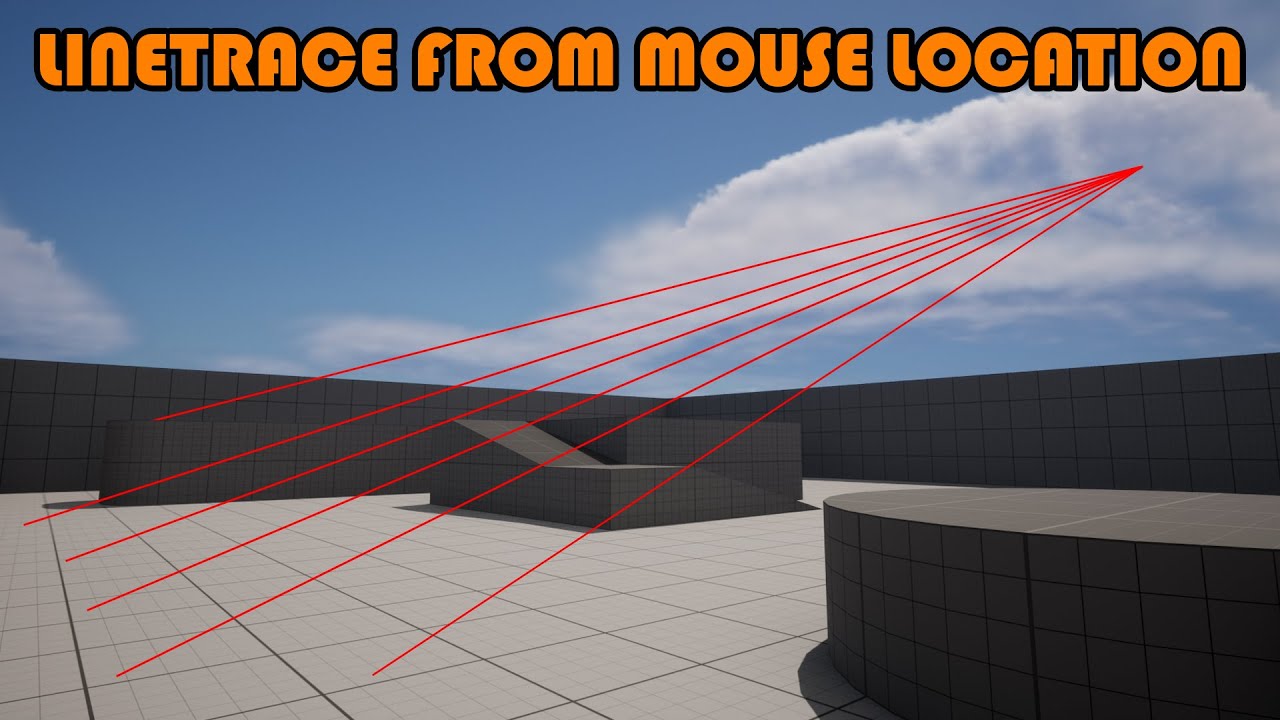
Hey guys, in today's video I'm going to be showing you how to spawn a linetrace from the camera to where the player is clicking on screen. This is great for many different applications, for example 3D menus, top down movement, and more!
#UE5 #UnrealEngine5 #UE5Tutorial
...

How to use custom trace channels? How to define them? How to use custom trace channels for collisions?
SUPPORT ME
Patreon I https://www.patreon.com/ryanlaley
Buy Me a Coffee I buymeacoffee.com/RyanLaley
Donations I paypal.me/ryanlaley
PRIVATE 1-2-1 SESSIONS
Email me at support@ryanlaley.com for more information and rates, or visit http://www.r...
dark drum
graceful sage
By manager component you mean actor component? I don't think it need to go that ...
Either way, you shouldn't be keeping tack of things like money in widgets. Widgets just pull its data from none widgets and display it.
frosty heron
1000%

The Mediator Pattern:
Software Design Patterns are like a guide on how to write good code, whether you're using Blueprints or C++, knowing good software practices is a MUST!
This video goes over the mediator pattern to build a "Combat manager" to coordinate actions between multiple enemies and the player.
We will also be combining the mediator ...
graceful sage
Well it does it smoothly now and readys correctly but I think it's flawed how I deplete the money because it's not accounting for other objects depleting the money so I end up with the money depleting down to incorrect amount
I understand that.
graceful sage
I've gotten rid of money left to deplete it was kinda dumb how I did that
dark drum
graceful sage
Well it does it smoothly now and readys correctly but I think it's flawed how I...
It sounds like you need some sort of manager class to keep track and handle it. 😉
frosty heron
having money on each of your Build UI sounds like a total mistake.
I mean shouldn't you get money from one source. Which is the player that owns the widget.
Widget -> Get Owner -> Get Inventory Component -> Get Money.
lofty rapids
i'm a big fan of manager actor
graceful sage
dark drum
It sounds like you need some sort of manager class to keep track and handle it. ...
Lol that's why I was going to use a object
dark drum
If your not thinking, 'Do my managers need a manager?' your doing it wrong. 😛
graceful sage
I need a ceo
graceful sage
frosty heron
having money on each of your Build UI sounds like a total mistake.
I mean should...
The money variable is located on the controller
lofty rapids
graceful sage
I've gotten rid of money left to deplete it was kinda dumb how I did that
whats the code look like now that isn't working ?
i would put the money in the game instance tbh
but if your not loading seperate levels, it doesn't matter
graceful sage
I just haven't ironed all that out as I was trying to think of best way to deplete ig
frosty heron
For a game jam, maybe that doesn't matter, but controller should, well control what ever pawn / unit it owns, not manage money.
You should make an actor component which you then attach to your controller. That actor component can hold your attribute, including money.
lofty rapids
graceful sage
I just haven't ironed all that out as I was trying to think of best way to deple...
money = money - (cost * delta)
dark drum
lofty rapids
i would put the money in the game instance tbh
GameState or GameMode
I wouldn't put gameplay stuff on the game instance.
lofty rapids
dark drum
GameState or GameMode
I wouldn't put gameplay stuff on the game instance.
they don't persist through levels though ?
graceful sage
lofty rapids
money = money - (cost * delta)
I've tried that i think didn't exactly work i think
dark drum
lofty rapids
they don't persist through levels though ?
It takes like 5 mins to save it using a save game object if you need it to persist across levels.
lofty rapids
i'd wrather not lol
just my opinion i put all my globals in the game instance
anything i need to persist across levels
but if it's one level, it doesn't even matter where you put it imo
graceful sage
I'm basically making a command and conquer type rts so money wouldn't need to be carried over
frosty heron
I wouldn't use the main GI either. At the very least a GI subsystem, but it's really questionable to do that...
What if you have another game mode on the next level? What if you want to restart the resource?
Imo, keep gameplay stuff outside GI. If you need the value to be transfered over, then you can pass to G.I.
dark drum
lofty rapids
just my opinion i put all my globals in the game instance
You could just create a globals save game object. Either way, if you want progress to be saved after you close out, its got to be saved anyway. Plus it stops your game instance from getting cluttered.
lofty rapids
lofty rapids
whats the code look like now that isn't working ?
^
graceful sage
I'll have to boot it up one sec
I'm using finterp cause some suggested before I forget who
frosty heron
graceful sage
I'm basically making a command and conquer type rts so money wouldn't need to be...
even if it did, there's no reason to store that in your G.I. Infact that will be the wrong move imho.
The money should belong to the player, not some persistent object.
I would guess you are not doing multiplayer but if you are, then each player will have their own money and you can track it that way.
Doing that on the G.I will be a hot mess.
pallid cypress
lofty rapids
https://www.youtube.com/watch?v=hiEAVfbFsCw
https://www.youtube.com/watch?v=SPQm...
Thank you I will check that
graceful sage
frosty heron
even if it did, there's no reason to store that in your G.I. Infact that will be...
That's why it's on controller
frosty heron
lofty rapids
it's really can be anywhere
not really, needs to make sense.
lofty rapids
no it doesn't lol
if someone wants in a place they can have it that way
it doesn't need to make sense imo
frosty heron
that's totally wrong
if you don';t pick the right tool, you will end up making a hot mess.
lofty rapids
it's just a programming theory of mine, freedom to do what you want
dark drum
lofty rapids
it doesn't need to make sense imo
Only for single player and your the only dev.
lofty rapids
it may not be right, but it's definately possible
right for single player of course
frosty heron
dark drum
Only for single player and your the only dev.
even for single player, why should we pick the wrong object type?
need something that you can just attach to any actor? use component.
Inventories, attributes, etc.
dark drum
frosty heron
even for single player, why should we pick the wrong object type?
Yea, I'd still try to get into good habits. You never know what the future holds.
frosty heron
Need a singleton to manage instances? then yeah use object.
lofty rapids
i'm saying it technically doesn't matter, if they want it in the controller it can be there
frosty heron
imagine making your attributes in G.I.
Next time you want to make attributes for an enemy A.I, what you gonna do? start over and make a new one in G.I?
it does matter.
technically IT matters a lot
graceful sage
this works but Obvisously if doing more than one it depletes wrong cause of target needs to be adjusted
 frosty heron
I don't want to argue but that's such a harmful advice I gotta say something.
graceful sage
and i know interp sppeed is high
frosty heron
graceful sage
this works but Obvisously if doing more than one it depletes wrong cause of targ...
get used to let widget Read only.
you are placing all the gameplay stuff in the widget all over the place.
lofty rapids
graceful sage
this works but Obvisously if doing more than one it depletes wrong cause of targ...
that interp speed is wild
lofty rapids
graceful sage
and i know interp sppeed is high
lol, ya it's a scale i think
graceful sage
frosty heron
you are placing all the gameplay stuff in the widget all over the place.
wym this tick?
frosty heron
graceful sage
wym this tick?
I'm not talking about tick, I'm talking about build time, StartTime, is building, and the rest of them.
graceful sage
thats not being used
frosty heron
that should be a value you pulled from some manager or component, not something you dump in the widget.
graceful sage
i just created to reference for later
frosty heron
You should be able to construct your building WITHOUT your widget.
frosty heron
The moment you let Widget just read and show visual, you will thank your self.
I've been there m8.
 lofty rapids
graceful sage
this works but Obvisously if doing more than one it depletes wrong cause of targ...
lofty rapids
graceful sage
this works but Obvisously if doing more than one it depletes wrong cause of targ...
this could be in a manager actor like mentioned, you could put it on tick and run a loop instead of ticking each one
graceful sage
lofty rapids
this could be in a manager actor like mentioned, you could put it on tick and ru...
thats the plan
lofty rapids
graceful sage
thats the plan
be careful with loops in bp, they are so slow its really fkd
try to be efficient
graceful sage
for sure
so if i put in a manager i would just update the progress and money text from there
?
frosty heron
easiest way to picture it, is to get pen and paper.
lofty rapids
graceful sage
so if i put in a manager i would just update the progress and money text from th...
right, get a reference to the widget from where you created it
frosty heron
You establish relationship, members variables and doddle the functions on what each class has/does.
PlayerController can have Buildings Component.
Buildings Component can contain an array of Buildings. It represents the buildings the player own.
Each Building has it's own data. Building Time, Cost, etc.
You can then construct those data in the widget anytime, by passing the component reference to the widget.
 little agate
make class diagram and ERD lol
little agate
frosty heron
masih bangun? 😄
still too early for that
lofty rapids
graceful sage
this works but Obvisously if doing more than one it depletes wrong cause of targ...
try money = money - (cost * delta) instead of interp
clamp it probably
graceful sage
im gonna go to sleep too ive been up for 26 hours lol
dark drum
graceful sage
so if i put in a manager i would just update the progress and money text from th...
These are the classes I use. The Crafting manager creates the 'Crafting Task' objects and stores them. The Crafting task store the recipe it relates to (a data asset) and the time remaining. The 'Crafter' component is use to control a visual representation in the world. A crafting task can be assigned to it and it'll pull its data and bind to the relevent event dispatchers so it can update the visual stuff in the world.
When I want to display the crafting tasks in the UI, i get the crafting manager and get the Crafting Tasks and create an icon for each of them.
 graceful sage
dark drum
These are the classes I use. The Crafting manager creates the 'Crafting Task' ob...
graceful sage
dark drum
These are the classes I use. The Crafting manager creates the 'Crafting Task' ob...
interesting
dark drum
graceful sage
interesting
It'll also make it easier when it comes to saving because all the data is in one place.
 zinc flicker
I have a question about Object Pooling
I understand the principle of Object Pooling, you have 50 Bullets hidden and when you shoot it takes one of it out of the pool and when it hits a wall and explodes it goes back to the pool.
Now my first question is with a following example that is easy to understand.
What if i make a game like Vampire Survivors where you have tons of different bullets and weapons.
Lets say you have a gun that shoots 10 bullets around you ever 2 seconds, so maybe there total of 30 displayed at any time, that means i would need to pool 30 of them.
Now lets say i have multiple weapons like 10 throwing axes, 20 fireballs, 10 electro balls etc.
Does that mean i need to pool like 500 bullets? Even if some of them are never used since the player might not have the specific weapon?
Is that a wise idea or does that have some performance issue?
Now question two
If i can use object pooling for bullets, i can use it for enemys too, so lets say first wave is 20 skeletons and every time one dies it spawns a new one. So that means i pool 20 skeletons.
Lets say later on there 50 zombies and other monsters, lets say at the end there is 300 slimes.
Not all monster are displayed maybe the skeletons are only displayed in first 5min and later on not again.
Would that mean i need to pool 20 skeletons, 50 zombies, 300 slimes + all other waves?
Lets say its a total amount of 1500 monster that sometimes are used depends on the time.
My question is if i pool lets say 500 bullets and 1500 monsters is that something that will have a performance impact?
Since they don't really require some complex AI i could just use general blueprint with walking animation mesh and 2 collider for dmg and collision and a health component and a move to player.
For the bullets its the same a collision when exploding on the wall and a mesh / niagara effect when flying and a dmg component.
Thanks
 gusty crater
Im just starting to male a game similar. At the start i won't jave any bullets pooled. But as they are shooting i will add them to a pool, if the pool runs out it'll spawn an extra 10 and add to the pool, and keep going etc. Im pretty new and don't know if ots a good way, just what i was thinking
 unkempt hound
My GOATs. A quick question regarding some text with context. Incoming NPC text needs to refer to the player by name. What's a good way to format it?
For example the incoming dialogue says "Hey {$playername} Good to see you!" and this comes in dynamically to a Rich Text Box. What's a good way to set this up?
Maybe do a if string contains {$playername} replace it with playername variable?
dark drum
unkempt hound
Maybe do a if string contains {$playername} replace it with playername variable?
You can use the format text node to build the final text to be displayed.
unkempt hound
dark drum
You can use the format text node to build the final text to be displayed.
Thank you Patty King 🙏 👑
lofty rapids
one of my favorite nodes, format text
 tight pollen
I’m creating a cone angle using line traces, but when the character rotates, the traces get misaligned.

some ideas?
I probably need to account for the actor’s rotation somehow, but I’m not really sure how to do it — I’m not very good with vector math.
 faint pasture
tight pollen
I probably need to account for the actor’s rotation somehow, but I’m not really ...
faint pasture
tight pollen
I probably need to account for the actor’s rotation somehow, but I’m not really ...
Forward already does, but you are doing your math in a way that's sensitive to gimbal lock
You want to cook up the pitched rotation, then combine with the roll to do the cone, then combine with control rotation or forward to rotation
Combine rotators
The only time you should see an euler angle is the first node where you pitch by cone angle
 sand shore
zinc flicker
I have a question about **Object Pooling**
I understand the principle of Object...
sand shore
zinc flicker
I have a question about **Object Pooling**
I understand the principle of Object...
Answer 1: Generally this is more of a question of memory, because you can spawn these projectiles behind a loading screen, or with spare frametime.
Answer 2: You could release a pool when you’re done with it, however it won’t necessarily immediately relieve memory pressure - you would need to also garbage collect, but I don’t know if you can trigger that from BP.
Something you might be able to do is flatten your enemy/projectile actors into a single type (one enemy type , one projectile type). When you need a specific enemy, take an enemy actor from the pool and assign it a mesh, behavior set, etc. Returning it to the pool involves detaching behaviors, maybe clearing the mesh. If you have stateful behaviors and those are implemented as objects, you can also pool those.
If you roll graphics of some kind after the player has chosen a new weapon, then you can use those frames to populate the pool
zinc flicker
sand shore
Answer 1: Generally this is more of a question of **memory**, because you can sp...
Thanks a lot, to answer 2, if i understand you correct you dont pool 20 zombies 50 skeletons 300 slimes, you just pool 300 ENEMYS and when a enemy is pooled the "mesh" gets replaced with the enemy that you want and the health gets adjusted for that enemy. So in total you no longer pool 1500 enemys rather maybe 400.
To answer 1, yes in theory i could fade in black before playing the game like 1-2 sec black screen, not really sure how much time it takes to pool everything but i guess that might be enough.
The other thing you mention is "releasing a pool" lets say you release the zombies and then you only have the skeletons and slimes left. But i think the option with creating 300 enemys pools and then assign the specific typ might be better.
What i wonder is, could that be used for bullets too so now you no longer have 50 fire bullets, 20 light bullets, and 100 water bullets, you just have 200 "bullets" and it takes what it needs and assign a new type.
I wonder if that assigning is heavy when you need replace the mesh / speed / animation / health of each pool.
And would you add a time blocker for example only 1 pool every 0.1 sec on a timer? Because lets say you kill 50 enemys with 1 ultimate attack it would instant put 50 enemy back to the pool and respawn them, not sure that takes performance or if thats actually the best way of doing.
One thing that i read in the forums is that Navmesh and Acotr movement component would take tons of performance, so i was rather thinking to use just "blueprint" and the mesh is permanent in a walking animation with a "MOVE TO PLAYER" node.
Someone in the forum mention you could just do a event on TICK and move towards the player on tick without navmesh...
But when i think about 300 actors moving towards a player on TICK i almost feel like i dont want to have 60 ticks on 300 actors boosting on my pc...
sand shore
I wonder if that assigning is heavy when you need replace the mesh / speed / animation / health of each pool.
Well, the best way to understand how the game performs is to profile it. If you use the profiler and find that assignment of the behaviors/mesh takes a long time, then an option you have is to have a general pool of EnemyActor and then smaller pools for Vampire EnemyActors (which are EnemyActors that are already configured to BE Vampires). When you're about to spawn a wave of Vampires, you spend a few (dozen?) frames populating the Vampire pool from the general enemy pool, then you spawn vamps from the vamp pool. When the wave is over, you wait for all the vamps to be released to the vamp pool, then you release the vamp pool to the general pool.
Keep in mind also that Niagara has a pooling system too.
And would you add a time blocker for example only 1 pool every 0.1 sec on a timer? Because lets say you kill 50 enemys with 1 ultimate attack it would instant put 50 enemy back to the pool and respawn them, not sure that takes performance or if thats actually the best way of doing.
The ideal way to do something like this is with a queue and the idea of "timeslicing". Essentially, you wait until the end of the frame, and you keep processing the queue until you run out of "spare" frametime.
Say you're targeting 60fps. If you know how long it's been since you LAST finished processing the queue (for our example let's say it's been 13ms), then you have some amount of time to do things to your queue (~3.6ms in the example, as 60fps is 16.66ms) before you threaten to go "over" your frametime budget.
So you take an item off the queue, do your thing to it, and re-check how long its been. It might have taken you 4ms to do your thing, so you're out of time and need to immediately let the next frame start.
This is way more significant when populating a general pool with freshly spawned actors
one of the best things about video games is that they're software. you can make your enemies do whatever you want, use navmesh, have dozens of particles, have a whole animation component, and just have fun. But suddenly, if you need to support lower hardware, or you discover that your enemy eats a lot of performance, you can then just ... not do it that way. You can remove the navmesh and replace it with just interpolation. You can go from ticking 400 individual actors and you can update actors some other way.
Nobody is going to be able to outline a plan for your specific unique game that strikes the right balance between game "juice" and performance on a blank whiteboard
zinc flicker
sand shore
Nobody is going to be able to outline a plan for your specific unique game that ...
I see thanks again i will research little more and test around, i was just thinking i start with one specific direction.
I read on some forums that "object pooling" is more an unity thing since the performance is like +300% for unity, but for Unreal its almost not necessary.
But i still think it might be a good way of doing it, if i have 300 enemy's.
I try to figure out if just "destroying and spawning" would be a huge impact on performance, since some sources say the impact is minimal other say its huge.
sand shore
zinc flicker
I see thanks again i will research little more and test around, i was just think...
Spawning / object creation can be heavy
zinc flicker
I see, jeah most guides stuff i followed where "spawning and destroying" but it was mostly bullets and now then an enemy but not in the scale i like to swarm the player.
sand shore
It's a great technique to practice, but you won't know if it was worth it until you're spawning real enemies and real particles, and you profile with/without the pooling.
I'd guess that if you want Vampire Survivor type waves (like, almost nothing, then, full screen of individual enemies) that you probably want pooling
zinc flicker
There was even another term that i need to research that poped up with pooling, called "garbage collection" but i need to look that up because that term does tell me barley anything.
I was mostly searching for stuff to prevent memory leak and optimizing.
 languid pagoda
would anyone be able to tell me why this blueprint displays the UI, but doens't remove it once tab is pressed again?
 lofty rapids
languid pagoda
would anyone be able to tell me why this blueprint displays the UI, but doens't ...
lofty rapids
languid pagoda
would anyone be able to tell me why this blueprint displays the UI, but doens't ...
right click the return value from the create widget and promote to variable, then get the variable on the false branch and plug into the object of isvalid
languid pagoda
lofty rapids
right click the return value from the create widget and promote to variable, the...
UIReference is the return value, I tried plugging that into the IsValid and still nothing 😦
 tawny hedge
any way to trigger on begin overlap without projectile movement component? i have an enemy and i cast a skill, it spawns an actor with sphere collision but doesn't trigger the overlap
lofty rapids
languid pagoda
UIReference is the return value, I tried plugging that into the IsValid and stil...
use the get, drag out from the get and type is valid
replace it
lofty rapids
languid pagoda
would anyone be able to tell me why this blueprint displays the UI, but doens't ...
and replace ureference with the reference of the widget
atleast i think thats what you want to do, turn off the one you turned on ?
you can also just switch visibility as well
languid pagoda
lofty rapids
atleast i think thats what you want to do, turn off the one you turned on ?
yeah exactly I want the UI to appear if not showing with TAB and remove it TAB is pressed again
languid pagoda
lofty rapids
you can also just switch visibility as well
oh?
lofty rapids
but to fix your original problem use the new reference that you get is valid of, to remove from parent
so that you remove the last one that you created
lofty rapids
languid pagoda
oh?
yes you can set visibility also, it's a little more efficient if your going to be using this menu often
languid pagoda
lofty rapids
but to fix your original problem use the new reference that you get is valid of,...
seems like the logic is right as it alternates between hidden and visable, but the UI remains no matter what

I feel like I'm issing something small like a cast or something
lofty rapids
languid pagoda
I feel like I'm issing something small like a cast or something
your missing setting the reference to the newly created widget
lofty rapids
lofty rapids
right click the return value from the create widget and promote to variable, the...
^
promote to variable
use that reference
languid pagoda
lofty rapids
your missing setting the reference to the newly created widget
So promote the return value of "Create WBP Main UI Widget to a variable and reference it?
lofty rapids
languid pagoda
So promote the return value of "Create WBP Main UI Widget to a variable and refe...
yes, you want to reference the one you created
so that it shuts it off, if not then the reference is something else whatever you set it to
languid pagoda
lofty rapids
so that it shuts it off, if not then the reference is something else whatever yo...
ok tried that and still not removing it from the screen. I'm sure Its operator error, but I'm not sure what I'm not doing
lofty rapids
languid pagoda
ok tried that and still not removing it from the screen. I'm sure Its operator e...
show what you have now
languid pagoda
 lofty rapids
languid pagoda
lofty rapids
languid pagoda
you need the set it created
did you delete it ?
probably a good tutorial on variables might help
possibly stuff on references
you want that set that happens when you promote to variable
so you set the variable
to use it's reference
languid pagoda
lofty rapids
to use it's reference
OMG I see what you meant now
it's working

Thanks a bunch @lofty rapids
languid pagoda
lofty rapids
you want that set that happens when you promote to variable
But nonetheless I do need to watch something to understand this better
languid pagoda
lofty rapids
ya sometimes i have a hard time explaining things as well
all good I just appreciate the help
frosty heron
languid pagoda
One thing that most tutorial hell participant fall into is that they create dependency that will end up hurting them.
Your player character should never tell the widget to do anything, in turn the widget only read from the source (the character in this case).
So dont do playerCharacter-> get widget -> set visibility.
Handle that in your widget, on construct -> set visibility.
If you tie it up with your character then the widget no longer work if it's not the character that summons it since the code lives there.
Get used to one way dependency.
As for toggling your menu, look into event dispatcher.
lofty rapids
languid pagoda
also don't do this
because your creating them over and over
create the widget on begin play
frosty heron
That too and have your hud create the widget instead of the character.
languid pagoda
frosty heron
One thing that most tutorial hell participant fall into is that they create depe...
So having anything regarding my widget in my "Character" in my game it's a camera is incorrect?
languid pagoda
lofty rapids
because your creating them over and over
Oh wow
frosty heron
A character deals what a character must do.
Hud deals with the player hud.
Throw codes where they belong too.
languid pagoda
frosty heron
Throw codes where they belong too.
that makes sense
lofty rapids
languid pagoda
Oh wow
it wouldn't be bad if you we remove from parent, but your setting visibility
cyan wren
New to unreal, if i want to create a crate with different models indicating different damage states, how would i change the mesh? Would i just use a toggle visibility to hide the mesh that isnt being used? Or is there a better way
 golden stump
cyan wren
New to unreal, if i want to create a crate with different models indicating diff...
golden stump
cyan wren
New to unreal, if i want to create a crate with different models indicating diff...
You'd probably want to change a mesh in your Static Mesh component.
languid pagoda
got the spawning of the UI on begin play and only have visablity toggle now

@lofty rapids
golden stump
cyan wren
New to unreal, if i want to create a crate with different models indicating diff...
The simplest approach would be something like that
It would be better to use some kind of Data Table to link percent with mesh reference but if you'r just starting you probably don't need to go beyond the very basic way🙃
 cyan wren
golden stump
The simplest approach would be something like that
It would be better to use s...
cyan wren
golden stump
The simplest approach would be something like that
It would be better to use s...
Badass man! Thank you a ton!
sand shore
languid pagoda
If you wanna be technical...
Controller
The controller should bind Inputs like "Toggle UI" because it isn't very likely to be specific to any particular pawn type you might have. Imagine if you wanted to let the player fly around the level as a spectator once they're dead - if your Toggle UI binding is in the pawn actor, now you have to duplicate it for the spectator pawn.
The controller should have an Event Dispatcher that's something along the lines of "MainUiToggleChanged" with boolean parameter
HUD
If you're going to use the HUD actor, it should listen for the controller's MainUiToggleChanged and it can add/remove the Main Widget to/from the viewport
*** -- OR -- ***
Widget
The widget is added by the HUD's begin play, and the widget listens for the controller's MainUiToggleChanged delegate and sets its own visibility depending on that
 sand shore
There's always more ways you can bring your work in line with "best practices", but I would prioritize becoming comfortable with the fundamentals, like reference handling first.
If you wanna learn more about "Event Dispatchers", https://dev.epicgames.com/documentation/en-us/unreal-engine/blueprint-communications-in-unreal-engine

Epic Games Developer
Examples of how to set up and use different methods of Blueprint Communication.
languid pagoda
sand shore
If you wanna learn more about "Event Dispatchers", https://dev.epicgames.com/doc...
I def do, thanks for the detailed post and the link. I'm going to go through it now
 brazen pulsar
So, I've been working on a lock on mechanic for a third person shooter, trouble is I can't seem to get it as tight as I want it to be. Take a look


 frosty heron
zinc flicker
There was even another term that i need to research that poped up with pooling, ...
frosty heron
zinc flicker
There was even another term that i need to research that poped up with pooling, ...
Object pooling revoles around reusing existing objects.
Say you have a budget of 400 bullets, you can spawn them and when one is "destroyed" they r not really destroyed memory wise.
Hide the bullet and return it to the manager where it's ready to be fired from a weapon again.
Garbage collection works by clearing unreachable objects that no longer used every so often.
If you are in blueprint only project you dont need to worry about it as it is handled already.
Its mostly for folks that allocate memory on the heap. There are instances where they need to manually destroy the object.
languid pagoda
sand shore
If you wanna be technical...
**Controller**
The controller should bind Inputs ...
Quick question. If my game is single player does this logic still track? And I thought the HUD actor was a sort of legacy type thing. Is it still ok to use it?
sand shore
languid pagoda
Quick question. If my game is single player does this logic still track? And I t...
HUD can be a useful place to store UI-only logic. Instead of shoving it in your controller class and gating it behind Is Locally Controlled, you can use AHUD.
Personally, I only mention it because ColdSummer brought it up. HUD does serve the UI role in a strict "one actor per responsibility" sense, but there are alternatives even in that case, and I'm usually wary of overloading folks who are trying to learn
languid pagoda
sand shore
HUD can be a useful place to store UI-only logic. Instead of shoving it in your ...
Understood, thanks. Also, the link you sent me is very helpful, thanks again.
lofty rapids
i usually put my widget references in the HUD class
because i know where they are
and i can access them from anywhere
languid pagoda
lofty rapids
i usually put my widget references in the HUD class
Gotcha, I'm going to try and convert it over. Nice challenge for the day 😄
lofty rapids
Whats good about that is you can carry it over to different levels in the gamemode override
set the hud class, you got your widgets
sand shore
You can also change the HUD class at any particular moment: https://youtu.be/ahuYbfo0mfM

What is the HUD: Client Set HUD Node in Unreal Engine 4.
Source Files: https://github.com/MWadstein/UnrealEngineProjects/tree/WTF-Examples
Note: You will need to be logged into your Epic approved GitHub account to access these examples files.
I would have had the HUDs used in the video have different widgets, but, eh
(being able to change it out like that is one of the advantages HUD has over other alternatives, out of the box)
 tropic lark
I'm trying to set up a system where, after an actor gets destroyed (like when its health reaches zero), a new instance of that actor is spawned at a random location inside a defined area or volume in the level.
How can I do this in Blueprint?

 lofty rapids
tropic lark
I'm trying to set up a system where, after an actor gets destroyed (like when it...
lofty rapids
tropic lark
I'm trying to set up a system where, after an actor gets destroyed (like when it...
you can just spawn right before you destroy or use the destroyed event
tropic lark
Which node should I use?
lofty rapids
spawn actor of class
tropic lark
But I want it to spawn in a location I specify.
lofty rapids
see the transform ?
right click and split pin
transform is, location, rotation, scale
tropic lark
thanks i will try
tropic lark
lofty rapids
transform is, location, rotation, scale
So how will it spawn in an area I specify, like aimlabs?
lofty rapids
tropic lark
So how will it spawn in an area I specify, like aimlabs?
idk what aimlabs is
lofty rapids
tropic lark
So how will it spawn in an area I specify, like aimlabs?
do you know how nodes have inputs and outputs ?
 tropic lark
no I just started
lofty rapids
there is an input to this node called spawn transform
lofty rapids
lofty rapids
see the transform ?
^
tropic lark
 lofty rapids
that should do it
tropic lark
spawns in the same place
tropic lark
Wait I will send you a video

Twitch: https://www.twitch.tv/Horcus
Twitter: https://twitter.com/Horcus
Instagram: https://www.instagram.com/Horcus
Tik Tok: https://www.tiktok.com/@horcus
Discord: https://discord.gg/xJzvkzSG7c
👆 He sido TOP 1 Radiant del mundo varias veces y te voy a enseñar como mejorar en Valorant 2023 ❤️
✔️ Sigue mis redes y ACTIVA las notific...
I want to make a system like the game below
I want it to switch places like this
lofty rapids
then you want to generate random places within a range
or just create an array of locations
tropic lark
lofty rapids
then you want to generate random places within a range
i want it
lofty rapids
tropic lark
i want it
get the center of the location as a variable
 frosty heron
The naive approach is to use GetRandomReachablePointInRadius or something like that.
The better way is to get into EQS but that's too advance for beginner.
frosty heron
tropic lark
Is it like this?
If you want a random point then you need to provide a random point.
lofty rapids
tropic lark
Is it like this?
is the actor the space you want to spawn these things ?
frosty heron
Get actor location will return the location of the instance that is calling , it will not be random.
 lofty rapids
tropic lark
Come to the voice if you want tell me what I should do
lofty rapids
tropic lark
Come to the voice if you want tell me what I should do
i prefer in chat, but ^ (above) this is how i would randomize that
where your center point is the actor location
you may have to flip the axis depending on how you have it setup
 spark steppe
wasn't the a random unit vector node? could just scale it by rand range (0, radius)
and flatten/normalize again if you want one axis to be flat
that should do!? (for an random point in a radius, on a flat z circle)
 zinc flicker
frosty heron
Object pooling revoles around reusing existing objects.
Say you have a budget o...
zinc flicker
frosty heron
Object pooling revoles around reusing existing objects.
Say you have a budget o...
Thanks a lot guess one thing i can take off the list, i currently check some pooling videos and FAB asset store a lot of them use C++ somehow they say its better then doing the youtube video style of "hiding the object and unhinding it"
But not sure if its really better or not so i almost wanne buy them but on the other hand i rather like to do it myself in BP.
Not sure if we talking here about 500% performance or like 5% from C++ vs BP pooling.
lofty rapids
c++ is significantly faster at just about everything i think
imo at least from what ive used
 loud tree
tropic lark
i want it
loud tree
tropic lark
i want it
Random point in bounding box.
You're welcome.
(Hopefully)
I believe thats how they are doing it in the video
 lunar sleet
zinc flicker
Thanks a lot guess one thing i can take off the list, i currently check some poo...
lunar sleet
zinc flicker
Thanks a lot guess one thing i can take off the list, i currently check some poo...
Cpp used to be 10x faster, the gap might be less now. But still I’d say save your money for now, depending on the scale of your project you may not need that much perf increase. Better to build and test first and adjust as needed
 unborn shale
Can someone help me with this? I can't seem to find the XYZ values for these nodes unlike the demos.


 sour island
If i want to make two bp actors and want to put boolean in act 1 branch if true, and act 2 with set boolean to be true what did i miss ?, The branch of act 1 wont go true why?
little agate
unborn shale
Can someone help me with this? I can't seem to find the XYZ values for these nod...

 violet bison
unborn shale
Can someone help me with this? I can't seem to find the XYZ values for these nod...
violet bison
unborn shale
Can someone help me with this? I can't seem to find the XYZ values for these nod...
right click the output
split it
unborn shale
 ty
ty
frosty heron
zinc flicker
Thanks a lot guess one thing i can take off the list, i currently check some poo...
Its impossible to say about how much performance you gain. It all depends on how memory intensive the object you are trying to spawn.
At the end of the day, you will have to profile to see the difference.
cyan wren

im new to unreal, i have this grabbing object script that lets you pickup crates under a certain weight and what not
this script would work fine if i didnt have an inertia based damage system causing everything i pickup to break due to the instant acceleration the object experiences
its pretty funny but not exactly what im after
this system also allows me to huck things at insane velocities which is admittedly fun but not exactly realistic
im trying to figure out how i could slow down the object or make it so it isnt immedietly snapped to my cursor in the way it is
 magic parcel
Is there another BP node for server travel than the execute command line argument?
cyan wren
magic parcel
Is there another BP node for server travel than the execute command line argumen...
Everything here you see is the bp
magic parcel
I am aware
cyan wren
The location is set by the sequence "is grabbing " script below
frosty heron
magic parcel
Is there another BP node for server travel than the execute command line argumen...

Epic Games Developer
In this video tutorial, I will demonstrate how to implement Server Travel in Unreal Engine. Server Travel allows you to seamlessly transition between di...
magic parcel
I think you got the wrong person lol
cyan wren
magic parcel
I am aware
Im sorry im not entirely sure what youre asking
magic parcel
frosty heron
https://dev.epicgames.com/community/learning/tutorials/Ep0d/server-travel-unreal...
he is using advanced sessions...
cyan wren
magic parcel
I think you got the wrong person lol
LMAO im sorry i thought you were responding to my thing for some reason lol
magic parcel
so I need to use advanced sessions? because I am using SteamCore
frosty heron
magic parcel
he is using advanced sessions...
That node has nothing to do with advance session
Server travel is epic code
frosty heron
Ahh yeah maybe its from advance session
As in server travel is probably not exposed to bp but the plugin does it.
magic parcel
"https://youtu.be/VL1Ne2cOFfs?t=13" - he says in the first 10 sec
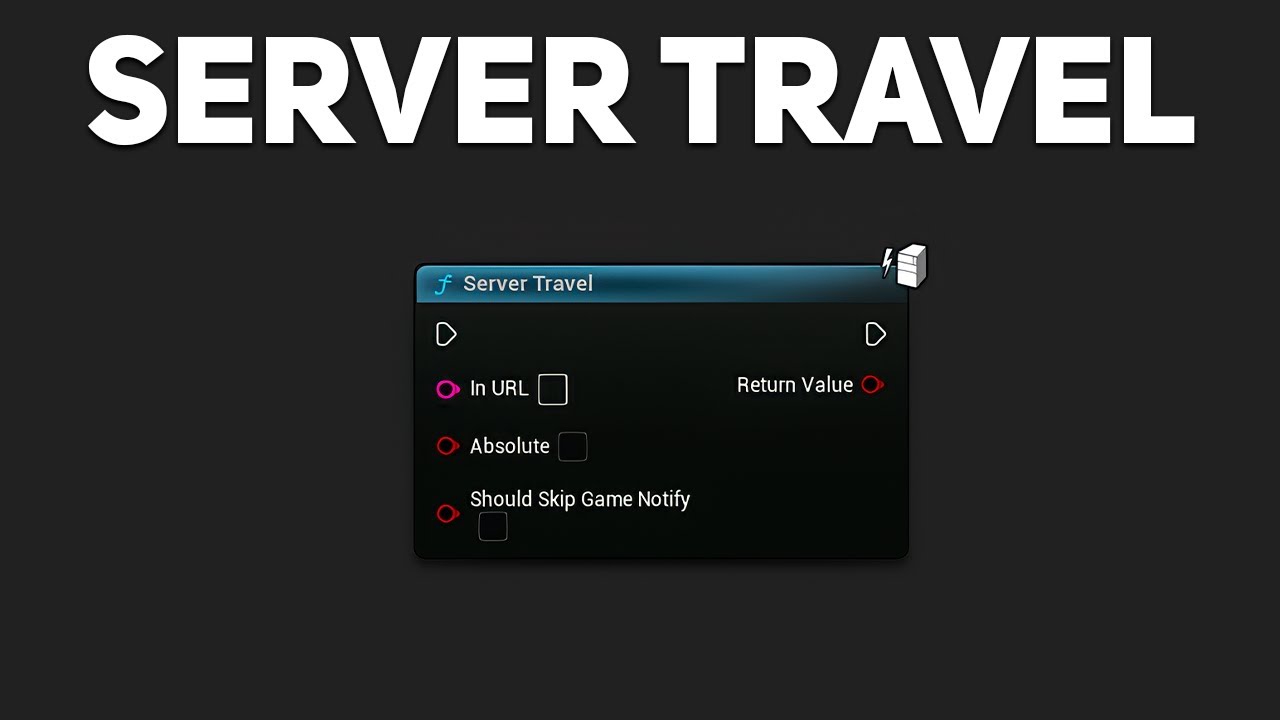
In this video tutorial, I will demonstrate how to implement Server Travel in Unreal Engine. Server Travel allows you to seamlessly transition between different maps or levels within a multiplayer game, creating a smooth and uninterrupted gaming experience for players.
Advanced Sessions Plugin - https://vreue4.com/advanced-sessions-binaries
Pro...
you need advanced sessions lol
So I could access it in C++ ?
magic parcel
Okay, I am not in a rush, would love any help you can provide because I am almost certain we are doing it right. However, we all know how UE has those little check boxes.. lol
frosty heron
@magic parcel https://dev.epicgames.com/documentation/en-us/unreal-engine/travelling-in-multiplayer-in-unreal-engine

Epic Games Developer
An overview of how travelling works in multiplayer.
Its not in game mode i lied.
Function lies in UWorld, yeah I bet its not exposed to bp.
magic parcel
So, we enabled the seamless travel already, and tried with the command. The command works in editor, just not on a shipping build.
I will check the C++ and see if we can get it to work from there
Appreciate the answer, seems so silly SteamCore doesnt have this
frosty heron
@magic parcel are you sure that the map you travelled to exist in shipping?
magic parcel
Yeah, I thought about that to, and yes
frosty heron
Make sure its included in the project settings
magic parcel
 frosty heron
So what happend? Nothing happend at all or did the server travel to new map while client got booted to the main menu?
magic parcel
nothing happens at all
in editor, the clients transfer, and then the server transfers
frosty heron
Btw #multiplayer folk may be able to answer this quickly.
magic parcel
in shipping, we all just stare at one another and wait for the world to end
magic parcel
frosty heron
Btw <#221799385611239424> folk may be able to answer this quickly.
Yeah, I tried there as well, crickets 😛
frosty heron
I personally only travel to server with client travel. Haven't done server travel yet.
I get the theory but never do the actual thing.
magic parcel
Yeah, we were talking about just putting the lobby in the main wrold
and calling it good, but.... ... I dont know, that seems hacky
frosty heron
Hmm yeah nahh
magic parcel
This is for a gamejam, so hacky is fine, I guess
frosty heron
At some point you want to server travel anyway.
If the server needs to take everyone to a new level.
@magic parcel i take a peak at your command, did you add ?listen at the end?
Not sure if that matters though for server travel.
magic parcel
no, I can try that
frosty heron
I know it matters when hosting
magic parcel
ServerTravel LVL_riuthamus_00 ?listen
if, in a shipping build, do I need to do the absolute path?
or can the name just work
frosty heron
No clue sorry
Maybe start from Game/ ?
The internet may have some example.
Though if you have an IDE you can just check the actual implementation and we dont have to guess what happend under the hood.
It should comes with comments regarding the path.
tawny hedge
for which part of GAS do I need to use c++? the attributes? and can I also use it with blueprint only for a project? what are the limitations for bp?
frosty heron
tawny hedge
for which part of GAS do I need to use c++? the attributes? and can I also use i...
The attribute needs to be declared in cpp
Cpp just infinitely more powerful, you can write your own script.
tawny hedge
ah that's all?
frosty heron
With blueprint you only use what someone else write for you.
So very limited option when modifying the system or accessing functions that's not exposed to bp.
tawny hedge
so basically I expose my stuff from cpp and use it in bp, and the attributes are just variables? Do I also write in cpp the logic behind how dmg is mitigated for example?
frosty heron
I do most of my stuff in cpp and blueprint to connect some nodes.
For abilities i used both.
But on the bp side its mostly just connecting a few to a dozen nodes.
GAS is a generic system, you will benefit from using it.
dark drum
Does anyone have any tips/suggestions for handling saved data when using streaming levels? I have a save game manager that objects can bind to so they receive global save/load requests but when a streaming level loads its normally after this has ran. (as you would expect)
I was thinking of having a save manager for each level but I'm not sure if that would be the best option. (I currently just have one on the game state)
 tough creek
I have this blueprint I made which is a core of my projects functionality & I've used in several 100 levels, and when I attempt to migrate it, it's attempting to export a metahuman & all their assets.
The blueprint has nothing to do with metahumans & doesn't reference them anywhere AFAIK.
I'd like to try and remove this reference to the metahuman so I can export the levels, without also getting all that metahuman data coming in too.
Any suggestions how to track down this link to the metahuman given it's not coming up in reference viewer?
 dark drum
tough creek
I have this blueprint I made which is a core of my projects functionality & I've...
dark drum
tough creek
I have this blueprint I made which is a core of my projects functionality & I've...
When you go to migrate the blueprint, untick that assets you don't want. If anything is missing you'll know when you open it in the new project.
gusty crater
My mouse controls rotation, how can i make it so if im running left, and then turn my mouse to face the other way, but animation will play running back instead of forward? i used a bled space with x and y axis. just unsure on how to actually set x and y from that
 tough creek
dark drum
When you go to migrate the blueprint, untick that assets you don't want. If anyt...
tough creek
dark drum
When you go to migrate the blueprint, untick that assets you don't want. If anyt...
I know that's an option, but there's so many assets migrating that I don't want, and I want to be able to migrate many levels without the tedious task of unticking all the boxes.
I've discovered this dropdown in the reference viewer, I've found my migrated reference is coming from editor rather than game.
But it's got this weird purple line?

 dark drum
tough creek
I know that's an option, but there's so many assets migrating that I don't want,...
dark drum
tough creek
I know that's an option, but there's so many assets migrating that I don't want,...
If you're migrating levels as well, then anything the levels reference will be migrated as well. You can check the size map to see the bigger picture.
astral summit
Hi, how can I make the direction change based on the actor's rotation?
how can I make an actor move in a direction that follows its rotation?
I asked the question in different ways to make more clear what I mean.
 lofty rapids
astral summit
Hi, how can I make the direction change based on the actor's rotation?
how can ...
lofty rapids
astral summit
Hi, how can I make the direction change based on the actor's rotation?
how can ...
you want it to move "forward" ?
dark drum
astral summit
Hi, how can I make the direction change based on the actor's rotation?
how can ...
Get the actors forward vector and multiply by how much you want it to move.
astral summit
lofty rapids
you want it to move "forward" ?
For example, if its rotation is 0, it moves 30. If its rotation is 180, it moves -30
lofty rapids
astral summit
For example, if its rotation is 0, it moves 30. If its rotation is 180, it moves...
if it's rotation is 180, it moves -30 ? are you saying it moves backward if it's rotated 180 ?
violet bison
astral summit
Hi, how can I make the direction change based on the actor's rotation?
how can ...
get actor rotation?
 dense hinge
Hiya. I'd like some help double checking to see why I'm not getting the info from an array of an array. I know it works, because up until the array of OffsetIndexValues, it all works and passes the info through. It's jsut the nested array doesn't work, and I can't figure out why it's not

 lofty rapids
dense hinge
Hiya. I'd like some help double checking to see why I'm not getting the info fro...
lofty rapids
dense hinge
Hiya. I'd like some help double checking to see why I'm not getting the info fro...
are you looking at the default settings, thinking it's not working ?
dense hinge
lofty rapids
are you looking at the default settings, thinking it's not working ?
No, I'm also checking in PCG to see if the information passed though, but it's still showing up as all 0
astral summit
dark drum
Get the actors forward vector and multiply by how much you want it to move.
For some strange reason it doesn't work with Timeline
 lofty rapids
astral summit
For some strange reason it doesn't work with Timeline
lofty rapids
astral summit
For some strange reason it doesn't work with Timeline
idk whats going with the lerps, but as far as actor location, you want to get the current location, and add the forward * movement, i think
or instead of set actor location, add movement
astral summit
lofty rapids
idk whats going with the lerps, but as far as actor location, you want to get th...
lerps simply have one for forward movement, the other for backward movement. Both are 100 degrees apart. I'm currently using the forward vector, but it doesn't do things right
 lofty rapids
astral summit
lerps simply have one for forward movement, the other for backward movement. Bot...
lofty rapids
astral summit
lerps simply have one for forward movement, the other for backward movement. Bot...
oh ok so you don't want to add thea ctor location
because your all ready using the actor location
but don't multiply the forward by the actor location
you want to multiply the forward by a float for distance
lofty rapids
astral summit
lerps simply have one for forward movement, the other for backward movement. Bot...
what exactly are you trying to do with this timeline ?
looks like you want to move x by 100 ?
back or forth
but i'm not sure what the forward vector is all about tbh
astral summit
lofty rapids
what exactly are you trying to do with this timeline ?
If I press a cube, it advances 100 degrees, and if I press it again, it returns to its original position of -100
Now the problem is that I want the cube to change based on the rotation I place it in
For example, if I press it and the rotation is 0, it advances 100 degrees
But if I press it and the rotation is 180 degrees, it advances -100 degrees
lofty rapids
wdym advances 100 degrees ?
it moves a certain amount ?
you usually don't move in degrees ?
astral summit
lofty rapids
wdym advances 100 degrees ?
x by 100
lofty rapids
astral summit
If I press a cube, it advances 100 degrees, and if I press it again, it returns ...
well if you plug the result of the make vector into set actor location
it will move 100
as long actor location is correct
because your adding 100 to the x, so it should move that much
your getting actor location, lerping to x+100
so just plug that in
lofty rapids
astral summit
x by 100
are you trying to turn it or move it ? its confusing because your saying degrees
but your using location
astral summit
lofty rapids
are you trying to turn it or move it ? its confusing because your saying degrees
The results are strange.
I will do further testing and then let you know the results
dense hinge
lofty rapids
are you looking at the default settings, thinking it's not working ?
Do you happen to have any other ideas on how to get the info out? I've been trying to even Print string the info, but still nothing
lofty rapids
dense hinge
Do you happen to have any other ideas on how to get the info out? I've been tryi...
did you store the info somewhere ?
dense hinge
lofty rapids
did you store the info somewhere ?
Other than that variable? All the info is derived from a DA. I'm just trying to break down the DA into a struct array so that PCG can read it
lofty rapids
dense hinge
Hiya. I'd like some help double checking to see why I'm not getting the info fro...
is offset floor settings correct ?
check that the array holds the proper data
dense hinge
lofty rapids
is offset floor settings correct ?
Yes, it's correct and is stored correctly
 lofty rapids
dense hinge
Yes, it's correct and is stored correctly
lofty rapids
dense hinge
Yes, it's correct and is stored correctly
i mean the actually variable your setting
get 0
and check a value
 kind estuary

In this tutorial we will be creating a very powerful and easy to use save system.
Let's create systems playlist: https://www.youtube.com/playlist?list=PLNBX4kIrA68lvWElEzhRaCOtCjZ7L05xv
Join the Discord server here: https://discord.gg/zBeebU7uv3
Support the work of LeafBranchGames on Patreon here: https://www.patreon.com/LeafBranchGames
In this tuts leafy saves game by making interface in each actor.
so then each actor saves its own data to the BP_SaveGame
Thats quite cool, but isnt it complicating a lot?
Wouldnt it be better to just have it all centralized in the actual BP_SaveGame
so in this case the BP_SaveGame would check all the actors and save the needed data, pow pow
instead of doing all these spaghetti al carbonara
🍝
dense hinge
lofty rapids
i mean the actually variable your setting
That's a no. It doesn't pass the info even if I drop it to a single variable of the struct
lofty rapids
so whats before that, what are you dragging from ?
i can only see the line going into the picture
dense hinge
Data asset to a struct variable from the PDA and then breaking the struct to get the variable from inside it

Replaced the image to show the value from the BP as well
lofty rapids
dense hinge
and building data asset is set to the one on the screen ?
lofty rapids
dense hinge
Yes
and floor criteria is empty as well ?
i think you need to load asset
dense hinge
lofty rapids
and floor criteria is empty as well ?
Shows up empty in BP, but passes all the information. Seems the issue is jsut with this new variable.Could it be that the DA broke when upgrading from 5.5.4 to 5.6?
dense hinge
lofty rapids
i think you need to load asset
How do i do that?
lofty rapids
dense hinge
How do i do that?
right click, you can async load, or load blocking
i would try load blocking see if it works
but if you can load it async, that would be better on load times
dark drum
kind estuary
so then each actor saves its own data to the BP_SaveGame
Having a single save game object for all your saved data is a bad idea unless it's an extremely basic game. The moment you have different levels or even using level streaming this could result in a ton of data being loaded thats not actually needed.
kind estuary
dark drum
Having a single save game object for all your saved data is a bad idea unless it...
🫡 got it. So for a strategy game where you have only one level, its ok?
though the ammount of crap i have to save in my game is mind blogging
dark drum
kind estuary
🫡 got it. So for a strategy game where you have only one level, its ok?
Possibly. Hard to say without knowing more about what you need to save.
kind estuary
dark drum
Possibly. Hard to say without knowing more about what you need to save.
need to save regions, armies that are in regions, players that have references to regionsowned, armiesowned.
the biggest challenge im facing and i see not tuts about it:
is how to save the actual regions when they have reference to the current armies in the regions
and the armies also have references to the regions
if i load the game these references are null
and i was told that i have to use FGuid
dense hinge
lofty rapids
but if you can load it async, that would be better on load times
Neither worked, but I ended up getting the info by making a function in the PDA and outputting the info from there
kind estuary
and that sounds like a PITA 🍑🔥
so im trying to watch many tuts before i jump in
but it seems no tuts is complete enough
the best one so far is leafy
dark drum
kind estuary
if i load the game these references are null
Its sounds like you need to implement loading stages. This can allow you to do different things at different times.
Sometimes you need to create everything first (applying what data you can) and then do a second pass to sort your references out.
kind estuary
dark drum
Its sounds like you need to implement loading stages. This can allow you to do d...
Nice thats exactly what i did with my last game that only required GameInstance
So i first spawned all the stuff, the units, then the tiles
then i tie them al together in a second iteration
though since this used GameInstance
I stored the UObjects by DuplicateUObject
so i didnt even need to save variables
just DuplicateObject to the GameInstance and voilá
then DuplicateObject back to the game
dark drum
kind estuary
just DuplicateObject to the GameInstance and voilá
Thats not really how it works. UObjects have an outer and when its outer is destroyed so are they. So unless your setting there outer to the game instance (which I wouldn't advise) they'll get destroyed when the level is destroyed.
The game instance shouldn't really be used for gameplay stuff.
kind estuary
dark drum
Thats not really how it works. UObjects have an outer and when its outer is dest...
yes thats what i did:
UArmyObj* SavedArmy = DuplicateObject<UArmyObj>(Original, GameInstance);
saving...
UArmyObj* Army = DuplicateObject<UArmyObj>(ArmyData, CampaignMapManager);
loading...
this doesnt require all the manual stuff of copying every single variable
you just duplicate the object to the gameinstance
ta da
 surreal peak
Wouldn't it be enough to just change the outer?
kind estuary
surreal peak
Wouldn't it be enough to just change the outer?
😵💫  maybe
maybe
dark drum
kind estuary
yes thats what i did:
UArmyObj* SavedArmy = DuplicateObject<UArmyObj>(Or...
Yea if you were using c++ you could just change the outer. (not possible in BP :/ )
Does anyone know if theres a call back for when a streamed level is about to be unloaded?
Theres the 'OnLevelUnloaded' on the streaming level object but that calls after its already unloaded.
frosty heron
dark drum
Theres the 'OnLevelUnloaded' on the streaming level object but that calls after ...
Dunnoe if this help but breakpoint the event and see the call stacks.
See if theres something you can use beforehand.
Hopefully the header file come with delegates that you need though, have you skim through it?
 dusky hemlock
I have a question regarding seamless travel or data persistence in particular. The doc for seamless travel says "By default, these actors will persist automatically: [...] - All PlayerControllers (Server only) [...]", but from my experience that is simply not the case.
I have the "net.AllowPIESeamlessTravel" set to true, the game mode has "Uses Seamless Travel" enabled and I use the console command ServerTravel to travel to the map I'm currently in for testing purposes. However when I compare the saved player controller of my game instance to the "persisted" player controller they are not the same.
Is there anything else I need to do to have the player controller persist?
dark drum
frosty heron
See if theres something you can use beforehand.
It looks like it seems hide the level before unloading so I think i'll be able to use the 'OnLevelHidden'.
frosty heron
dusky hemlock
I have a question regarding seamless travel or data persistence in particular. T...
dusky hemlock
well, it's not multiplayer related, I am not using sessions or anything
surreal peak
Seamless Travel is a multiplayer concept
It's triggered as part of a Server Travel.
And for your PlayerController question: It gives you the chance in the GameMode to move data from the old to the new one when seamless traveling. Via OnSwapPlayerControllers. It will, however, keep the old PlayerController if the class is the same on both GameModes.
 sick sky
dusky hemlock
I have a question regarding seamless travel or data persistence in particular. T...
sick sky
dusky hemlock
I have a question regarding seamless travel or data persistence in particular. T...
the PCs are copied, but not the same exact UObject address
see the player controll duplicate functions
surreal peak
Also please don't cache Actors in the GameInstance. The GameInstance isn't meant to hold references to them.
dusky hemlock
surreal peak
Also please don't cache Actors in the GameInstance. The GameInstance isn't meant...
I know, that was only to check that the player controller is not the same after seamless travel
 hollow lagoon
Hello smart people! I'm trying to calculate the difference in yaw rotation between two points to get a value between 0-1, if the yaw rotation is identical it'll return 1 and if they're opposite itll return 0, anyone know a bit about vector maths that could help me out?
surreal peak
hollow lagoon
Hello smart people! I'm trying to calculate the difference in yaw rotation betwe...
Two points form one direction. You'd need a second direction to actually get an angle.
sick sky
hollow lagoon
Hello smart people! I'm trying to calculate the difference in yaw rotation betwe...
dot product
surreal peak
If you take a piece of paper and draw two dots on it, where would you get the angle from? Like the angle to what exactly?
hollow lagoon
surreal peak
Two points form one direction. You'd need a second direction to actually get an ...
Hi, each point has a rotator attribute stored inside, I'm doing pcg stuff. Sorry, shouldve said that
sick sky
get the 2 rotations (here yaw only) as vectors (get direction from rotation)
then use dot product
you will get a number between -1 and 1 iirc
surreal peak
Something like that, yeah
sick sky
this is the same logic than checking if 2 actors are facing each other (but here you use the forward vector directly)
astral summit
lofty rapids
are you trying to turn it or move it ? its confusing because your saying degrees
I fixed it, I had to multiply 100 x with the forward at the beginning of the process, not the end
hollow lagoon
ok! I'll give it a go. I think I might get stuck on getting a direction from rotation, idk if PCG has a node like that
I'll give it a go tho
sick sky
in BP i dont know
surreal peak
hollow lagoon
ok! I'll give it a go. I think I might get stuck on getting a direction from rot...
If you need 1 to 0 instead of 1 to -1, then you can add one to the result and multiply it by 0.5
dusky hemlock
Thanks for the answers, I will see what I can do with that new found knowledge
sick sky
surreal peak
If you need 1 to 0 instead of 1 to -1, then you can add one to the result and mu...
its funny, some say multiply to 0.5, ill say divide by 2 😆
surreal peak
sick sky
its funny, some say multiply to 0.5, ill say divide by 2 😆
Divide is more expensive.
sick sky
i guess multiply is a reflex to avoid checking for 0
sick sky
surreal peak
Divide is more expensive.
well thats a fun fact i didnt know about
surreal peak
The more you know.
sick sky
isnt a surprise tho
zinc flicker
lunar sleet
Cpp used to be 10x faster, the gap might be less now. But still I’d say save you...
I see thanks a lot, yeah i saw lot of nice Object Pooling FAB products but i think i try first the regular blueprint tutorials see how much performance i get from that.
The only thing i see often is that the blueprint tutorials only spawn the whole PILE like 1000 objects all at one, but the FAB ones offer sometimes delayed ones like every 0.1 sec
Not sure which one is better because if you kill 50 monster at the same time i wonder if that lags for killing them or if its more like they just teleport away.
lofty rapids
Lets say there is a landscape sort of hill, and you want to place a mesh on that hill, how would i go about flattening the landscape a bit to not clip the landscape
i'd like to do a line trace, hit the landscape, and lower it to a different z basically
i know i can manually drop it down to fix the issue, but i was hoping to get an automated solution to making it easier to make a map
i place these at runtime, so doing it manually is actually a pain in the ass
faint pasture
lofty rapids
i place these at runtime, so doing it manually is actually a pain in the ass
Can't do it at runtime AFAIK, at least not easily
lofty rapids
thats a bummer
faint pasture
You can maybe do some stuff in the landscape shader to move the verts visually
lofty rapids
interesting, i have worked with shader before, but i'm not that good with it yet
i have not worked with shader in unreal yet
 agile mural
Hi ! Anyone have any knowledge about asymetrical gameplay (vr/computer on the same game instance) ?
 agile moss
help, how to make the cast not fail :/

just need to store a variable that can be accessed at all times
I just described an instance
just realised I can only have 1 game instance, which makes sense now 
lofty rapids
agile moss
help, how to make the cast not fail :/
edit project settings, search for game instance
pick your game instance class
 fresh trellis
hey guys! could any of you please help me with repeats in blueprint with delays? I've been stuck on the same snag for ~ 4hrs
lofty rapids
fresh trellis
hey guys! could any of you please help me with repeats in blueprint with delays?...
wdym "repeats" ?
fresh trellis
so imagine: In python, I would use a for i in range loop and then at in a wait command in the loop body
but because of blueprint's nature (from what I understand), the loop executes immediately, meaning that delays don't really work inside a for loop
for me, I want to play an animation in a widget and then, after the animation is over, I remove the widget from the viewport.
intially, I had:
PlayAnim -> Delay 30s -> Get IsValid (WB_Vig) -> Branch
If True:
Remove from parent
but the thing is that, there is a certain variable (OOB) that I want to control it, so it OOB is true, then the loop continues, but if it is false, the loop instantly breaks
for this reason, I couldn't use the delay 30, so I added in a branch at the end of the playanim event to check if true and then made it recursive
then I added a counter and a delay inside the thing itself
and if the counter was above 30, nothing would happen
breaking the event
then, it insta-deleted the widget
I have the same problem with another one
lofty rapids
fresh trellis
I have the same problem with another one

maybe this is usefull
insteady of waiting for a delay amount
fire an event when it's finished
i don't know how that will help the loop situation
lofty rapids
fresh trellis
for me, I want to play an animation in a widget and then, after the animation is...
and you want to do this inside a loop ?
fresh trellis
I mean like I want to loop the animation 30 times and then stop OR, if the variable is set to false in the Middle of the animation loop, to cancel the loop
lofty rapids
fresh trellis
I mean like I want to loop the animation 30 times and then stop OR, if the varia...

Join the Discord: https://discord.gg/mTb62g2
Follow us on X/Twitter: https://twitter.com/AuroraGameworks
Like us on Facebook: https://www.facebook.com/AuroraGameworks
Aurora Gameworks is an indie game studio run by Andrew Welsh. I use Unreal Engine to create fun, high-quality games. Follow me on other platforms for more updates.
SYSTEM SPECS:
...
fresh trellis
Would this work in ue5?
lofty rapids
fresh trellis
I mean like I want to loop the animation 30 times and then stop OR, if the varia...
sounds like a timer or tick thing to me
fresh trellis
Also I'm sorry guys I'm a solo dev who just started ue a few days ago and I'm 15
 stone turret
Hello Everyone guys i am a game dev from India and I am trying to make my zombie, survival horror, FPS game in UE5. I am looking for a experienced programmer to please join me in collaboration.
I will be putting this game up for consideration for Epic Mega Grants
lofty rapids
fresh trellis
Also I'm sorry guys I'm a solo dev who just started ue a few days ago and I'm 15
loops are "blocking"
lofty rapids
fresh trellis
Would this work in ue5?
probably
your basically making a new for loop
 unborn moss
why the cape of this character is going through the body? How do I fix it?
https://www.fab.com/listings/0641220a-cff6-4833-aaab-52eb1e4b3ec5

Fab.com
Detailed video OverviewYOUTUBEA short example VIDEO to demonstrate how this asset can be integrated intoClose Combat: Swordsman project from UE marketplaceDetails:The advanced Material system gives you a possibility to customize the characters and make them look unique. Each body/armor part can be tweaked separately. In addition to the customiza...
there is a cape skeleton and also the cape is together with the character skeleton
i dont find anything related to collision

 unborn moss
oh, I think I just needed to change the physics asset

 sage jungle
lofty rapids
why when i run this a bunch of times it only deletes the last one ?
sage jungle
lofty rapids
why when i run this a bunch of times it only deletes the last one ?
where you called this event? in this event you delete widget reference not list reference
lofty rapids
sage jungle
where you called this event? in this event you delete widget reference not list ...

i tried all three inputs
sage jungle
what do you want to do exactly
lofty rapids
sage jungle
what do you want to do exactly
i want to show a message and then remove the message after awhile
it shows the message fine
but it's only ever getting the last ones references
lofty rapids
lofty rapids
something here i'm not understanding with timer
is it pulling fresh from the input when it runs ?
sage jungle
lofty rapids
is it pulling fresh from the input when it runs ?
the delay event capture inputs before start i think
it's probably a lambda function in c++
lofty rapids
i'm fairly new to latency and what that even means
i don't use delay very often but for this it would be perfect
frosty heron
By the time the delay is done your reference would be pointing to the last one.
frosty heron
You should handle deleting in the msg widget it self.
lofty rapids
ok
frosty heron
So each instance handle its deletion and can run the timer indepedently.
lofty rapids
so on construct
sage jungle
frosty heron
You should handle deleting in the msg widget it self.
yes is better
frosty heron
U can just make an event with param.
And call that event as soon as you construct the widget , up to you.
lofty rapids
ok, that makes sense i'll try it
lofty rapids
frosty heron
You should handle deleting in the msg widget it self.
works perfect, thanks

i'm basically replacing the print string with a rich text box
 sharp ferry
hi. how can i copy my posterize volume cube into another level?
kind estuary
im trying to load game from a save game, but cant seem to be able to Respawn actors. So the SaveGame class doesnt have Spawn Actor, only the GameInstance, so im using the GameInstance since its also being used to load data, but it doesnt work. Actors are not being respawned there. So i figured it must be because GameInstance doesnt have world. So what other class should i use to respawn my reloaded actors. Save Load game is confusing AF.
ok chatgpt is saying to use the controller or the gamemode?
frosty heron
You are still using chat gpt
Can you stop saying chat gpt says
Presistent (save game and GI) object exist outside the world.
You can handle spawning with an actor that is placed to the world.
kind estuary
frosty heron
Presistent (save game and GI) object exist outside the world.
🫡 got it
 steep sonnet
what could be the reason for the "Is not an UClass" error? I was trying to make a system following a tutorial where if you overlap an instanced foliage it would play a sound which works, then i wanted to make it so the sound volume is impacted by the foliage scale (didn't know how else to do it) which is where the Get Actor Of Class, Get Comp by Class and Get World Scale comes in but that leads to the error

and this foliage is a custom class by the way
 spark steppe
get foliage sounds didn't return anything
 formal umbra
I'm moving a character with SetActorLocation for specific reasons, but the movement animations won't trigger. I calculated the characters velocity while moving and set it to be the MovementComponent's velocity but it's still not working. Any ideas? I'm using the Manny character and animeBP. The printed ground velocity also shows the character moving normally.
 hasty merlin
is there a way i can set one part of the value0 and value1 to ahve a gameplay tag? they are a struct requiring gameplay tags and itemID (name). i onyl want to set the gameplay tag for each slot sot aht it cant be changed later

is this what im looking for?

the make node that is
cyan wren
How can i make an event node have a five second delay before it can activate again? I have a crate with an event hit node but it updates way too frequently, do i just create a tive variable connected to a branch? Or is there a specific node
frosty heron
cyan wren
How can i make an event node have a five second delay before it can activate aga...
A simple boolean check.
If bActive = false do nothing
If bActive -> set bActive to false, delay X seconds-> set bActive to true again.
cyan wren
frosty heron
A simple boolean check.
Gracias
 uneven crest
How can I set the camera thats in another actor as the viewport
 frosty heron
uneven crest
How can I set the camera thats in another actor as the viewport
frosty heron
uneven crest
How can I set the camera thats in another actor as the viewport
Get a reference of the target actor
Your controller will blend into the target actor active camera.
For the target you need to plugin your player controller.
uneven crest
I know thats messed up what i have
i didnt mean to put the primary weapon as the target
but im not able to drag the iron sight cam into the new view target
frosty heron
Because iron sight cam is not an actor, its a camera component.
uneven crest
Im ngl, im lost
frosty heron
Where do primary weapon come from?
uneven crest
in the character, i spawned it
frosty heron
Show the whole bp, uncropped
uneven crest
 frosty heron
And your set view with target blend have you updated it to target your controller?
frosty heron
Make sure that camera is active and if theres any other camera in the same bp, unavtivate it.
Other than that, no clue. Hard w.o seeing more info / pic.
Works for me but I dont use that node anymore.
 steel shadow
Does 'get overlapping actors' only return actors colliding with the faces of a static mesh (or maybe the verts)?
frosty heron
steel shadow
Does 'get overlapping actors' only return actors colliding with the faces of a s...
You are not using complex collision are you?
steel shadow
shouldn't matter should it? complex collision just makes the collision conform better to the faces
frosty heron
In general static meshes uses simple collisions, so I am wondering why you think it overlap with the faces / vertices.
Collision can be generated per poly with complex collision but that's not how collision should be for general meshes.

Epic Games Developer
How to set up a static mesh and its associated LODs in your DCC of choice, export it, and import it to UE using the FBX content pipeline.
The faces and vertices matter not. Again, with complex collision you can generate per poly but by default your meshes doesn't have any collision. You need to create simple collisions prefixed with UCX. Its these collider that will be your collision.
little agate
it will be disaster if we use faces for collision
frosty heron
steel shadow
shouldn't matter should it? complex collision just makes the collision conform b...
It does matter a lot yeah. They are way more expensive , you shouldn't use it for anything that doesn't need down the grain accurate collision.
steel shadow
mate ur completely missing the point of what i originally asked
just like u did yesterday when i asked about some optimisation stuff and you said i shouldt use tick when i didnt even mention tick lol
frosty heron
Don't know what ur. Talking about
steel shadow
but yeah i should have phrased it better, i meant the faces of the collision rather than the phases of the mesh
frosty heron
Clearly agitated though so I'm gonna leave you alone.
little agate
frosty heron
Clearly agitated though so I'm gonna leave you alone.
hey, get back to work!!
steel shadow
frosty heron
I am at work 🤣
I hope you didn't take that as more aggressive than it was. I appreciate you trying to help.
hasty merlin
is there a way to set an element of a map? i need to find the key, check the gameplay tag belonging to it and then set the ItemID to taht map key. i dont know how to set the ItemID
 surreal peak
hasty merlin
is there a way to set an element of a map? i need to find the key, check the gam...
surreal peak
hasty merlin
is there a way to set an element of a map? i need to find the key, check the gam...
Ah, yeah, nested Map/Struct stuff can be annoying. For Arrays there is a Get Ref node that can be combined with a SetMembersInStruct node.
For Maps you probably have to be a bit more "manual". If you find the matching element, you'll most likely have to call Add on the Map again with the same key but new value.
hasty merlin
surreal peak
Ah, yeah, nested Map/Struct stuff can be annoying. For Arrays there is a Get Ref...
while doing some research (took a while) i found that the Add node can both add a new key and element to the map as well as simply update the element in the said key
now does remove work the same way?
surreal peak
The reason why this is so annoying to deal with is that Blueprints do a lot of stuff by copy. So if you start calling SetMembersInStruct on that Map Value pin of the For Loop, you actually just modify a copy. That's significantly easier in C++. I feel like one should PR some better Map and Array tools.
hasty merlin
so i would need to get ref first then update that?
surreal peak
hasty merlin
while doing some research (took a while) i found that the Add node can both add ...
Correct. There is no update node otherwise. In C++ you could get the element by key as a ref or pointer and modifying it will modify the underlying Map element. BPs doesn't have that.
At least not for Maps iirc
surreal peak
hasty merlin
now does remove work the same way?
Na there should be a remove node
But you shouldn't remove during a for loop unless you loop backwards over it.
At least when talking about arrays. Idk what that for loop for maps is doing internally
hasty merlin
im using the loop simply to find out if there is a matching slotID
surreal peak
Yeah just answering the remove question
hasty merlin
so tehres a specific remove node?
surreal peak
hasty merlin
so i would need to get ref first then update that?
I'm not sure if you can get a ref of a Map element in Blueprints
hasty merlin
no i cannot
the only thing id need ot remove is the itemID from the slot not the entire slto or the gameplayteg the slot has
surreal peak
You'd probably need to get the element, which is then a copy, save it to some local variable, alter it with the SetMembersInStruct node, and then call add on the Map with the same key, passing in the local variable
hasty merlin
so should i just add and set the itemID to be None?
surreal peak
If you don't want to resize the map and fully remove the element, then yes.
If you want to fully remove it then you'd, well, remove the element with a remove node
hasty merlin
im trying to make it so that in my WeaponSlotMelee there is a GPTag for item.type.weapon.melee and the itemID. the GPTag is to make sure that the item going into the slot matches the tag and if not it cant go there
 charred granite
Has anyone managed to use PCG for overgrowth recently in UE 5.5? All the tutorials I seem to find are outdated and the nodes aren't applicable or don't exist anymore.. would love to add some overgrowth in my scene.
I've also tried the feedback from the video comments but no succes.

If you find my tutorials helpful, please consider buying me a coffee here:
https://www.buymeacoffee.com/sappydev
In this tutorial, we will look at the procedural content generation framework to create this overgrowth effect in Unreal Engine 5.2 #unrealenginetutorial #proceduralgeneration
Link for the PCG Intro Video :
https://youtu.be/Zc56x0M1aRg
 pale shore
How to detect corners on any static mesh? regardless its orientation. I want to corner location of static mesh component, like top 4 corners and bottom 4 corners.
 shut magnet
anyone can help me implement a way to have spawning transform is level and instances dependent. what i mean is lets say i have a interactactor in level 1 in x1 location, right now, in the pictures i hardcoded the spawning value to x1 location. what i want is the spawning actor location will always be spawn in front of the interactactor. riht now the problem is if i have another instance of interactactor in the same level in x2, this logic become wrong instantly as we "hardcoded"the location. same if we add this interactactor instance in another level since the value is hardcoded in level 1 and not level 2
here the current way i did it:
the first image is using local transform and use transform location and transform rotation to convert from local to world space (this one tbf i copy what ChatGPT did because i have no idea how to do this)
the second image is the same but only the rotation convert to local to world space..
i just multiply from the actor forward vector and multiply is by 20 so it be in front.


i just want on every instance of my interactoractor the thing i ant to spawn will always spawn in front of it
idk if that make sense
 wary topaz
Hello, does anyone know why this add SKM component node isn't actually attaching the SKMs? I've tried adding the generated components to a variable and it does populate, however it has a 'TRASH' prefix, i'm not sure how to debug this.


 dark drum
wary topaz
Hello, does anyone know why this add SKM component node isn't actually attaching...
dark drum
wary topaz
Hello, does anyone know why this add SKM component node isn't actually attaching...
The component has been garbage collected. It can happen when spawning components dynamically. I would recommend clearing the array you're storing them in before you generate them. Sometimes it can regenerate the actor and call the construction script resulting in lingering data.
wary topaz
dark drum
The component has been garbage collected. It can happen when spawning components...
Thank you, It was as easy as adding the function to the false path 😅
 sharp ferry
i dont undertstand why my character keep falling down the floor
the collision on the mesh are the same as the first level mesh and there it works
 grave relic
Hey I need some help with some BP logic. So I have this weapon that the player can pick up(so the logic is contained in the weapon). And I want it so when the player has the weapon equiped, and they hold right click a target area on the floor goes out in the players direction they are looking. And if they let go of right click it comes back to the player. And if the player presses left click. Then something happens where the target area is. So what I need help with is: How can I have a target thing come out in the players looking direction, and align it with the floor. Thank you 🙂
 steady night
Hmm how can i make the "ground speed" negative if im running away from my chars rotation "direction" ?

 zealous moth
@edgy ingot dunno where Auther went, but anyways, I figured out the usecase of datatables vs data assets: patching.
If you want to patch new content, packaging a data asset ref in a .pak and mounting it works whereas datatables don't work at all.
Otherwise, in a ready-made game, neither have any impacts; I would argue that datatables are easier to work with
dark drum
zealous moth
<@1078573396234862632> dunno where Auther went, but anyways, I figured out the u...
What (in your opinion) makes data tables easier to work with? I'm the opposite and prefer data assets.
 mental trellis
The inate ability to import data from spreadsheets is nice.
zealous moth
This ^
I can easily export, re-sort, work with it in excel and obtain all sorts of metadata (avg, median, count, etc)
mental trellis
Of course people write stuff to do that with data assets too, but it's not there by default.
dark drum
I could see why some people would like that. I'm not a fan though, unless the data table only contains text and numbers you'd have to select all your assets in the editor anyway.
mental trellis
You can export and import them via text as well.
 icy jacinth
BPs don't seem to allow Map variables to plug into a For Each node. What's the best workaround for this?
lofty rapids
you can get values, and loop that as well
lofty rapids
icy jacinth
BPs don't seem to allow Map variables to plug into a For Each node. What's the b...
 icy jacinth
Perfect - thank you!
 willow topaz
I can't seem to find any documentation on how to get the position of a widget if it is organized using the grid layout.
Essentially I have:
Grid--
---Button
---Button
Lets say I want to find out where a button is in pixels on the widget, is there any way to actually do so?
I suppose I can manually calculate it using the grid specifications and the render resolution of the widget....
 grand surge
is there a guy who bought relaistic assault rigle pack?

Fab.com
👉 Try the Free Demo Here👉 Watch the Trailer Here👉 Explore the Full DocumentationA fully customizable Unreal Engine 5 FPS template featuring a game-ready assault rifle, modular attachments, professional animations, and a robust FPS Blueprint system - providing a strong foundation and giving you full control over animations, weapon behavi...
i need help
 lucid fulcrum
So... any reason why the dummy model does this when ragdolling?
 unique timber
lucid fulcrum
So... any reason why the dummy model does this when ragdolling?
unique timber
lucid fulcrum
So... any reason why the dummy model does this when ragdolling?
seems something adds the velocity or force to it
surreal peak
grand surge
https://www.fab.com/listings/05dbb53b-d75f-4a08-bcc2-fc02de484866
If you need help with it you should ask the creator for support.
lucid fulcrum
unique timber
seems something adds the velocity or force to it
checked that, I just think the PA is just wonky? even the lyra ragdoll does that
unique timber
lucid fulcrum
checked that, I just think the PA is just wonky? even the lyra ragdoll does that
i didnt had anything like that it seems like first force is consistant and doesnt change - so your ragdoll keep moving
 chilly thicket
hi i really need some help with storing info across levels would anyone mind helping please ping or msg me! thank you
lofty rapids
chilly thicket
hi i really need some help with storing info across levels would anyone mind hel...
single player or multiplayer ?
chilly thicket
lofty rapids
single player or multiplayer ?
single, its just confilcting with my current code
lofty rapids
you can save stuff in a save game to persist across levels, or you can use the game instance
the game instance is pretty much the only that persists between levels tbh
it's either that or save to a file
chilly thicket
lofty rapids
the game instance is pretty much the only that persists between levels tbh
i just dont know how to set it up and implement it in my code
lofty rapids
chilly thicket
i just dont know how to set it up and implement it in my code
open the content browser
right click and create new blueprint
search for game instance
and create an empty GI
chilly thicket
lofty rapids
open the content browser
u available for a call? i have the instance i just need to find a play to call it
im pretty sure its gonna be simple im just lost atm
lofty rapids
chilly thicket
im pretty sure its gonna be simple im just lost atm
so you created the game instance ?
now go into your project settings, and set the game instance class
chilly thicket
done all that
lofty rapids
ok so do you have any variables on the game instance ?
lofty rapids
ok so wherever you want to access them from
in the bp
right click and get game instance
then cast to your bp game instance
chilly thicket
where in my code tho? because i do what i think it is and im still getting the errors i kinda need someone to look at it.
 chilly thicket
yes do i put it in my player controller or game state or...
lofty rapids
this is what you should be doing, then getting/setting the variable from that reference
chilly thicket
is it off begin play?
lofty rapids
i can't guess you should show a screenshot of how you did it
the image i showed, is how you get the game instance
then you set the variables to save them across levels
the save game is a bit more complicated, but also an option
chilly thicket
see im not sure what to show you because i tried implementing this in multiple different places but it didnt work so i have removed it. but i tried in my controller and game state
graceful sage
chilly thicket
see im not sure what to show you because i tried implementing this in multiple d...
just show what you have currently?
chilly thicket
show what my player controller, game state, player character, the intance its self? this is a large part of my question
faint pasture
lucid fulcrum
So... any reason why the dummy model does this when ragdolling?
collision
show the physics asset for the skelmesh
lofty rapids
chilly thicket
show what my player controller, game state, player character, the intance its se...
so your trying to access the game instance, so show that
graceful sage
chilly thicket
show what my player controller, game state, player character, the intance its se...
show where you're trying to access to GI
lofty rapids
if you do it correctly, it will persist across levels
lucid fulcrum
faint pasture
show the physics asset for the skelmesh
its the standard TPP mesh/PA that UE5 comes with.
graceful sage
Also you said you have errors would show that
faint pasture
lucid fulcrum
its the standard TPP mesh/PA that UE5 comes with.
show the physics asset
 faint pasture
it's either 2 bones in the physics asset running into each other, or collision between the skelmesh and something else in the character.
It's the same problem as prop surfing
chilly thicket
my errors, these errors only exist in my lvl2, not 1
 faint pasture
chilly thicket
my errors, these errors only exist in my lvl2, not 1
faint pasture
chilly thicket
my errors, these errors only exist in my lvl2, not 1
your gamestate is trying to get at hud elements that aren't there
lucid fulcrum
@faint pasture
 faint pasture
lucid fulcrum
<@127902729677963264>
faint pasture
lucid fulcrum
<@127902729677963264>
pelvis vs lower chest
collision should be disabled between each ADJACENT pair, but it looks like pelvis vs lower chest is colliding
anyway the problem is in the spine bones
make sure the only overlaps are between adjacent bones
chilly thicket
faint pasture
your gamestate is trying to get at hud elements that aren't there
yes im trying to get them there
lucid fulcrum
faint pasture
make sure the only overlaps are between adjacent bones
noted, ill keep that in mind
thanks
faint pasture
Main Hud Ref and PlayerRef are unset in your level 2 for some reason. That's the root of the problem
faint pasture
lucid fulcrum
<@127902729677963264>
That's basically a shit physics asset so just needs some cleanup to be worth ragdolling
chilly thicket
faint pasture
Main Hud Ref and PlayerRef are unset in your level 2 for some reason. That's th...
ok i have reduced my error by putting this in the lvl2 bp and current errors attached as well

 faint pasture
chilly thicket
ok i have reduced my error by putting this in the lvl2 bp and current errors att...
faint pasture
chilly thicket
ok i have reduced my error by putting this in the lvl2 bp and current errors att...
why do you have different game states per level
that's silly
 mossy fern
Does anyone know this issue
LogHttpListener: Error: HttpListener unable to bind to 127.0.0.1:20026
faint pasture
chilly thicket
ok i have reduced my error by putting this in the lvl2 bp and current errors att...
What about the game is fundamentally different about level 2 vs level 1?
mossy fern
It's my first time encountering it
mental trellis
mossy fern
LogHttpListener: Error: HttpListener unable to bind to 127.0.0.1:20026
Firewall issue? Port already in use (2 editors open?)
chilly thicket
i dont or atleast i shouldnt in my project setting is says there in the same game state, and absolutley nothing my worst case senario fix is to move lvl 2 to level one but i know there is a fix
mossy fern
@mental trellis sorry for the ping but do you think you can help me haha
faint pasture
chilly thicket
i dont or atleast i shouldnt in my project setting is says there in the same gam...
The fix is to not do things in a silly way. Just have YourGameState and YourGamePawn and YourGameMode, you don't need to make new ones per level
any fundamental gameplay differences between levels will be set up in the actual level.
Mario wouldn't have GameState1-1 and GameState1-2, it'd just have MarioGameState
chilly thicket
faint pasture
The fix is to not do things in a silly way. Just have YourGameState and YourGam...
i dont see anything in my code to indicate they are different in each level, to my understanding my state, and pawn and mode are the same between the levels
i have 1 state 1 pawn and 1 mode
faint pasture
chilly thicket
i dont see anything in my code to indicate they are different in each level, to ...
is your gamemode coming from a level override or set at the project level?
chilly thicket
aside from my main menu
faint pasture
the level can override the gamemode which is what says which gamestate and pawn and such to use
make sure it's not overridden in the level and is set in Maps and Modes in project settings
mental trellis
mossy fern
<@163374417634656257> sorry for the ping but do you think you can help me haha
Those are really your 2 options. 😦
Port is in use or your firewall is blocking it.
chilly thicket
faint pasture
make sure it's not overridden in the level and is set in Maps and Modes in proje...
does this look correct?
 faint pasture
chilly thicket
does this look correct?
faint pasture
chilly thicket
does this look correct?
why are all your classes prefixed with L1
CaveGameState and CavePlayerController are what they should be
chilly thicket
i was only gonan have one level intially but i added the second, the l1 can be deleted but its for lvl1 and 2
mossy fern
mental trellis
Port is in use or your firewall is blocking it.
Know how I can change my port
Or the firewall thing
mental trellis
Nope
 chilly thicket
faint pasture
why are all your classes prefixed with L1
chilly thicket
faint pasture
why are all your classes prefixed with L1
should i remove the overrides and just let the default handle it?
faint pasture
chilly thicket
should i remove the overrides and just let the default handle it?
I'd remove the overrides yeah. The only override you should have is for the main menu map
mental trellis
I'm not sure why you'd have any overrides there. They all seem like it's very map specific.
i.e. set them in the worldsettings of the map.
 devout yarrow
I found a plugin that said it works in 5.3, but should work in others. It kinda "works" in 5.5.4, but only in the current session. If I close UE and reload, it always does this to my nodes and i have to remake it
when I reload the engine, this is in the log
LogPluginManager: Mounting Project plugin Spout2
LogConfig: Branch 'Spout2' had been unloaded. Reloading on-demand took 0.11ms
LogLinker: Warning: [AssetLog] W:\UnrealProjects\TerrainGenTest\Content\ThirdPerson\Blueprints\BP_ThirdPersonCharacter.uasset: VerifyImport: Failed to find script package for import object 'Package /Script/Spout2'
LogLinker: Warning: Unable to load SpoutSender_GEN_VARIABLE with outer BlueprintGeneratedClass /Game/ThirdPerson/Blueprints/BP_ThirdPersonCharacter.BP_ThirdPersonCharacter_C because its class (SpoutSender) does not exist
LogLinker: Warning: Unable to load SpoutReceiver_GEN_VARIABLE with outer BlueprintGeneratedClass /Game/ThirdPerson/Blueprints/BP_ThirdPersonCharacter.BP_ThirdPersonCharacter_C because its class (SpoutReceiver) does not exist

idk what to dooo
GitHub
A plugin enables Unreal Engine 5 to support Spout 2. - ryanwang0521/UE5-Spout2
thats the plugin
am i posting in the right place?
chilly thicket
faint pasture
I'd remove the overrides yeah. The only override you should have is for the mai...
ok so i removed them and changed things around, i no longer get the errors but, in lvl 1 the PC completes 3 objectives and upon entering lvl2 you restart to the first objective. This snippet is in my lvl2 bp
 faint pasture
chilly thicket
ok so i removed them and changed things around, i no longer get the errors but, ...
faint pasture
chilly thicket
ok so i removed them and changed things around, i no longer get the errors but, ...
I have no idea what your objective setup should be
lofty rapids
whats wrong with game instance ?
its the best place for persistent information
across levels
or a save game ig
chilly thicket
lofty rapids
whats wrong with game instance ?
im not sure but its not saving my obj-data
lofty rapids
well your not using game instance
your using game state, and your casting twice btw
its the same both times it looks like
but you won't get the get game state
that resets with a new level
you can copy the variables you need to the GI
faint pasture
zombie show where you are saving progress
show the representation of progress
at this point I don't even know what your actual problem is here. Do you want a saved record of what was done in which level? Or do you just want to move to the next level once an individual level is completed
chilly thicket
lofty rapids
your using game state, and your casting twice btw
just caught that and i changed ti to my instance but the problem is still there.
faint pasture
or a savegame
lofty rapids
or a savegame
faint pasture
save it into something
chilly thicket
faint pasture
at this point I don't even know what your actual problem is here. Do you want a...
saved record, so you complete the 3 objs then when you get to lvl 2 you lose the obj progress
lofty rapids
or switch your gets to the game instance gets
faint pasture
chilly thicket
saved record, so you complete the 3 objs then when you get to lvl 2 you lose the...
if obj progress is a property of gamestate you'd lose it anyway
which sounds correct
do you want to lose the progress or not? You haven't asked a question, you're just stating things that either are happening or you want to happen, can't tell lol
lofty rapids
lofty rapids
^
chilly thicket
my question is how do i save it
faint pasture
with a save game or game instance
chilly thicket
its not supposed to reset
faint pasture
I'd say save game since you presumably don't want it to reset when you close the game
chilly thicket
i dont want it to reset lol
faint pasture
ok then do what people have said
put the progress in a save game
make a save game class and give it variables representing whatever you want
what is this progress? Is it keys collected, things killed, what
This will help. Type out what the data should look like for someone entering level 3
chilly thicket
lvl1 is just hit boxes walked thru its 3 different ones, then in lvl 2 its a labrinth and you have 4 relics to colect before you can leave
lofty rapids
what you do is store the variables on the game instance, then when you want to use them use the ones on the game instance
so in your code nothing changes
you goto next level and it's pulling from the game instance
so it's automatically up to date
or do a save game, either way work
the issue with a save game, you need to save and load it for each level
faint pasture
chilly thicket
lvl1 is just hit boxes walked thru its 3 different ones, then in lvl 2 its a lab...
Later on, do you care about the progress within the level or just that the level was completed?
if the data per level is different that's WAY more difficult to handle then just saving the fact that the level was completed
chilly thicket
faint pasture
Later on, do you care about the progress within the level or just that the level...
no, the game ends after lvl2 and the progress for lvl1 is really just to keep you on the right path in finding a cave entrance. walk to this walk to that ect
chilly thicket
youd restart entirely the game is pretty short, lvl2 is the majority of the game
faint pasture
ok what about lvl 2 then
I'm halfway though the labyrinth and alt f4
what should I see when I relaunch
faint pasture
ok then you really just need 2 bools in your save game lol
hell 1 would do it
bHasClearedLevelOne
chilly thicket
basically when you start lvl2 it resets the objs that are on lvl 1, for instance walk here, walk there walk to the cave, but when you enter the cave instead of telling you find the relic is tells you to walk here.
obj 1-2-3 then enter cave and instead of being on 4 your back on obj 1
faint pasture
It's starting to sound like you don't need to save anything ever
chilly thicket
maybe i just need my obj not to reset at the start of lvl2
faint pasture
Why would it matter? If you're at lvl 2 then you got all the relics
the fact that you're on lvl 2 is enough
is there any way to get to lvl 2 without all the relics
chilly thicket
no, the all the relics are on lvl 2
faint pasture
ok write out a walkthrough, starting from main menu, and explaining when a new level loads
Main menu, click on button and load level 1
level 1, do xxxxxxxxxxxxxxxxxxxxxxxxxxxx, load level 2
etc
chilly thicket
maybe this is better, so on the right hand side IDNAME trail, ToCave, and Entercave are on lvl1. FindWhiskey is in lvl2, th issue is at the start of lvl 2 it resets to IDNAME trail. so you cant actually complete the objective findwhisky
 lofty rapids
so do you have this set up so you can change current OBJ ?
and this is basically your progress ?
or i see your array of objectives
ya i would store that on the game instance
chilly thicket
i do have this but when i tried to force set it in lvl2 thats wherw i was getting my errors
 chilly thicket
lofty rapids
or i see your array of objectives
chilly thicket
lofty rapids
or i see your array of objectives
i have the array as a variable in my instance already
lofty rapids
it's really simple tbh, if you know what data you want to store that is
lofty rapids
chilly thicket
i have the array as a variable in my instance already
ok but your not using it
your using the one thats local to the other bp
you want to use the one in the game instance
chilly thicket
do i use it in my lvl2 bp or in my controller or should it just already know?

this is in my lvl2 bp
lofty rapids
chilly thicket
do i use it in my lvl2 bp or in my controller or should it just already know?
think about this... if you getting from the current bp it gets destroyed when the level ends, so when you try to get it in level 2 it's back to default... if you get it from game instance then it doesn't matter, when your in level 2 you'll get it from game instance like in level 1, or in level 100
and the variable will be the one in the instance that you changed
it's really simple to do as well, you just replace the variable
lofty rapids
chilly thicket
ok so you have the game instance
lofty rapids
chilly thicket
this is in my lvl2 bp
you don't need anything in the lvl2
lofty rapids
chilly thicket
maybe this is better, so on the right hand side IDNAME trail, ToCave, and Enterc...
what bp is this ?
chilly thicket
lvl2 bp
lofty rapids
wtf
graceful sage
are you saying in a level bp?
lofty rapids
chilly thicket
lvl2 bp
i thought the status was in lvl1 ?
is this just something you tried ?
chilly thicket
the status of the objectives? is in my gamestate
faint pasture
in level 2, why do you care about the status of the lvl 1 objectives at all? You did them, that's how you got to level 2
your objectives should be defined within the level btw, not hard coded into game state but that's another point entirely
lofty rapids
repeating stuff is useless, you can scroll up if you want to know what to do
it's really simple
and what i showed you an hour ago is what you can use
thats literally all you need, drag out of the cast and get the variable
use this instead of the local variable
chilly thicket
this is all my set obj bp in my gamestate


 lofty rapids
chilly thicket
this is all my set obj bp in my gamestate
lofty rapids
chilly thicket
this is all my set obj bp in my gamestate
replace the two objective variables with variables from your GI
it will solve all your problems
chilly thicket
lofty rapids
replace the two objective variables with variables from your GI
in which function?
lofty rapids
do you not see the object arrays ? did you code this ?
did you use a tutorial ?
your using an array called objectives
the problem your having is it's on the game state this is local
do you know about variables ?
you may need to learn some stuff before you do this
chilly thicket
i did use a tutorial, i didnt know if you ment the local variables or the arrays
lofty rapids
chilly thicket
i did use a tutorial, i didnt know if you ment the local variables or the arrays

What is the GameInstance Object in Unreal Engine 4?
Source Files: https://github.com/MWadstein/wtf-hdi-files
doesn't show much lol
chilly thicket
lofty rapids
https://www.youtube.com/watch?v=Mg_DtpnZVlo
i see so is the core issue that my objective data is stored in my game instance?
lofty rapids
chilly thicket
i see so is the core issue that my objective data is stored in my game instance?
are you reading what i write ?
lofty rapids
chilly thicket
i see so is the core issue that my objective data is stored in my game instance?
your data isn't stored on the game instance