#blueprint
1 messages · Page 327 of 1
 lime yoke
 zealous moth
@lime yoke it is.
lime yoke
zealous moth
<@91380619644264448> it is.
Thank you.
 lofty rapids
lime yoke
I don't know if having an input of the class character could be considered equal...
lofty rapids
lime yoke
I don't know if having an input of the class character could be considered equal...
i mean at some point when you call this, you need to cast to that anyway right ?
zealous moth
@sharp ferry you would need tonuse a material parameter collection and a post process effect.
@lime crow you can also type ~ to get the cmd prompt and type 'fps' and enter. Toggles it
 lime crow
zealous moth
<@659543932182724608> you can also type ~ to get the cmd prompt and type 'fps' a...
lime crow
zealous moth
<@659543932182724608> you can also type ~ to get the cmd prompt and type 'fps' a...
Ahh thats handy, thanks
 visual ember
cast is a virtual problem. the reference to an asset iscan be a real one
 mental bobcat
I have a stats struct that is in a Data Asset.
during runtime, I modify the stats struct when I pickup a power up.
The changes are persisting/updating the struct in the Data Asset even after runtime ends.
Is that normal or a bug of some sort?
lofty rapids
mental bobcat
I have a stats struct that is in a Data Asset.
during runtime, I modify the sta...
so you alter the data asset in runtime, and it changes the valueu when you go back to editor ?
lofty rapids
mental bobcat
I have a stats struct that is in a Data Asset.
during runtime, I modify the sta...
"Data Assets are designed to be read-only templates"
mental bobcat
only altering the stats held in the struct on a spawned in during runtime actor that has the data asset as a variable. and yeah the values are staying changed
lofty rapids
mental bobcat
only altering the stats held in the struct on a spawned in during runtime actor ...
does it happen in PIE ?


 lofty rapids
mental bobcat
lofty rapids
mental bobcat
right so i'm guessing you just want to update the stats during runtime and not keep these right ?
lofty rapids
mental bobcat
excuse the spaghetti here lol
what bp is this on ?
lofty rapids
mental bobcat
you have stats on the weapon as a structure, did you set them to the values from the data asset to begin with ?
mental bobcat
yes only keep the stats during runtime. but I'm building out a bigger system for weapons in general.
the modify stats is on the weapon base
lofty rapids
mental bobcat
excuse the spaghetti here lol
instead of weapon data asset -> item, set the item from the character ?
lofty rapids
mental bobcat
excuse the spaghetti here lol
so your updating player stats here ? by the amount in the data asset ?
and you want the player stats to update but not the asset ?
lofty rapids
mental bobcat
player stats are being added to the weapon stats
instead of weapon data asset -> item, use weapon -> stats
lofty rapids
mental bobcat
player stats are being added to the weapon stats
so your currently adding the data from the asset to the player stats, which you probably want the Stats variable on the weapon instead
and anywhere you reference the asset to get the data, reference the weapon
get the data from the asset when you spawn the weapon
and set the original stats
then use the variable on the weapon
 sharp ferry
zealous moth
<@1252047825227743282> you would need tonuse a material parameter collection and...
sharp ferry
zealous moth
<@1252047825227743282> you would need tonuse a material parameter collection and...
i crated it but i would like to make it more uniform
seems like i have too much lights. i tried to play with paramentres

i would like to make less posterizaztion and more darker i show u my material
 mental bobcat
this is setting the stats on the weapon. not on the player. so its not quite what you're saying. I'm taking the players stats and adding them to the weapons stats then setting the weapons stats.
 lofty rapids
mental bobcat
this is setting the stats on the weapon. not on the player. so its not quite wha...
lofty rapids
mental bobcat
this is setting the stats on the weapon. not on the player. so its not quite wha...
this is actually setting members in the asset, this is the problem
sharp ferry
chat gpt was suggesting me only to set B6.0 AND ON divde 6.0 too. i had to increase because if i set 6. on both its totally dark
then it suggested me a ramp node but i've tried to add and i cant do a thing with it idk
lofty rapids
mental bobcat
this is setting the stats on the weapon. not on the player. so its not quite wha...
or wait i'm confused af, lol so weapon data asset is your data asset ? or your actual weapon reference ?
lofty rapids
mental bobcat
this is setting the stats on the weapon. not on the player. so its not quite wha...
by this i mean what is Weapon Data Asset here ? what is it refeerencing ?
the name is misleading if it's the actual weapon
mental bobcat
hmm yeah, I think its over complicated. I may just nuke some of it and simplify
lofty rapids
what you do is take from the Data Table, and put it in a variable where you can access it
then just use that variable
and it won't effect the original data
mental bobcat
don't want to use data tables but sure
mental bobcat
yeah, got what you were saying, just didn't want to use tables lol
lofty rapids
mental bobcat
yeah, got what you were saying, just didn't want to use tables lol
well you don't need tables i thought you were using already
it's not complicated, it's confusing what your saying
lofty rapids
mental bobcat
I have a stats struct that is in a Data Asset.
during runtime, I modify the sta...
i meant Data Asset
lofty rapids
mental bobcat
yeah, got what you were saying, just didn't want to use tables lol
i meant asset not tables
mental bobcat

my thought was to make a weapon base blueprint, store a Primary data asset in it that could be changed out as needed
lofty rapids
lofty rapids
what is weapon data asset ?
^...
mental bobcat
WeaponDataAsset = PDA_Weapon but I think, like you said, its the problem because its editing the main one, not a variable
lofty rapids
mental bobcat
where do you set Stats on the weapon is that the only spot ?
mental bobcat
there and the modify stats function
lofty rapids
because your modifying the asset is the problem most likely
make a copy of it in a variable when you load the game
mental bobcat
I didn't know you could do that
lofty rapids
to use instead
visual ember
I was avoiding data assets myself, so know very little, but I don't think they get edited permanently when packaged, only when you run from editor
lofty rapids
ya i also read that
visual ember
I'd check packaged game first
lofty rapids
still annoying to mess with trying to play test
mental bobcat
is that an engine bug maybe?
visual ember
UE works in mysterious ways
mental bobcat
I have UDN/Epic Pro Support so I'd happily put in a ticket for it if it is a bug
mental bobcat
technically only changing the struct haha
But I guess I can just put the struct in the blueprint
lofty rapids
use the data asset, to load data into somewhere else
then modify that value instead of the actual data asset
you could put it on the weapon that would be if you don't destroy it
if you destroy it, the data is lost
 blissful grail
const-like data belongs in the data asset
runtime-like data belongs on an actor/object.
lofty rapids
i would probably have a map of weapon id to stats struct
and just alter those, probably in game instance
blissful grail
I have a data table that has the weapon stats themselves. Then a data asset with the row handle. Then I have buffs/debuffs that apply based on those. So say I have a buff that increases the my magazine capacity by 10%. The DT will still say 30, but when I am getting that value, I'll check for the buffed value. So GetMagazineCapacity() would return something like Row->MagazineCapacity * buff (how the buff actually happens doesn't really matter, that's why I wrote the pseudocode like this)
mental bobcat
hmm neat, the weapon stats only need to be changed during runtime
making a vampire survivors-like
blissful grail
So my BP_Weapon has a reference to the data asset that has all the other stuff (like the vfx, sfx, meshes, etc...). Then I access the row through the data asset.
To create a new weapon, I just need a new DA and new row in that stats DT.
lofty rapids
lofty rapids
i would probably have a map of weapon id to stats struct

then just load em up with the data assets information
then stat lookup time is really quick with a map
O(1) ftw
 dusky meadow
Hi why does my character still crouch while in the air ?

 high crescent
dusky meadow
Hi why does my character still crouch while in the air ?
high crescent
dusky meadow
Hi why does my character still crouch while in the air ?
What exactly are you asking? Why’s it crouching after you jump? Why’s it crouching when you’re falling? Give us more details. Why wouldn’t you be able to crouch in-air? It’s a feature in many games like Halo
Id assume your “Can Crouch” function has nothing blocking crouch when you’re in the falling state
Either way, we dont really know enough about your project to answer
dusky meadow
high crescent
What exactly are you asking? Why’s it crouching after you jump? Why’s it crouchi...
The can crouch is a stock ue4 function also the issue is i dont want the player to be able to crouch in midair
Also if I manually check that the player isnt falling or flying it works as intended so i dont know why that function isnt working
lofty rapids
dusky meadow
Also if I manually check that the player isnt falling or flying it works as inte...
i would just suggest using isfalling and call it a day
it could be a bug, or maybe it was designed that way, but the issue is doesn't work either way
did you try a reboot and it still doing the same thing ?
dusky meadow
Okay thank you for the advice and i will reboot now
It seems like that function is just bugged will use is falling instead
 sick sky
dusky meadow
Hi why does my character still crouch while in the air ?
sick sky
dusky meadow
Hi why does my character still crouch while in the air ?
because it simply doesnt check for it
iirc you can override the can crouch function on your character

so its not a bug, its just the default implementation
dusky meadow
Oh thats interesting strange they included it in blueprints without any options or warnings
lofty rapids
i'm trying to vinterp my camera actor to my player, basically this should take 10 seconds to get there, but it's just instead

i need to cache the value ?
it's supposed to be like a camera lag in theory
is it because i'm setting the location and this resets the current ?
visual ember
lofty rapids
is it because i'm setting the location and this resets the current ?
the actor location will be read first, then set, so no, it's not overriding in such way
visual ember
any changes to location whatsoever?
visual ember
so it just snaps?
lofty rapids
correct
visual ember
tried lower speed?
lofty rapids
visual ember
tried lower speed?
i think that was it i just had it to high
lofty rapids
visual ember
tried lower speed?
thank you that worked
it's the simple things that can be a pain in the ass lol

this is the effect i was going after
 faint pasture
blissful grail
To create a new weapon, I just need a new DA and new row in that stats DT.
faint pasture
blissful grail
To create a new weapon, I just need a new DA and new row in that stats DT.
Why doesn't the DA include the stats as well?
blissful grail
faint pasture
Why doesn't the DA include the stats as well?
Easier to work with in excel (DTs) and the hotpatcher so you don't have to deploy a new binary. You can just do a server update and the client doesn't need to download an update per say.
I used to put the stats in the DA as well until I learned about the hot patcher. Plus it does have the benefit of the one DT having all of the stats. So less jumping around when doing balancing changes.
 remote girder
What is the better way of binding events to event dispatcher between actors? Like, now I'm using Level BP as middleman between event holders and callback holders, but I don't know if it's right thing to do with Level BP. My main logic for using it like that: Level BP already has all hard refs for all level objects, so why not use it as middleman and call it a day, lol.
lofty rapids
so your setting up bindings in the level bp ?
remote girder
yeap
lofty rapids
how are you calling them ?
remote girder
That's the problem too, because I need to listen for some trigger events to trigger events from Level BP, etc. etc.
Like, I kinda don't want to do coupling between objects, but level BP is kinda bloated with that
So, I want to find a better way of doing that, hehe
lofty rapids
well what are you trying to do ?
blissful grail
In BP? Your options are kind of meh.
Is there any particular reason you don't just have your callback holder have a reference to the actor that it is trying to listen to?
Instead of having the level BP be the middleman?
remote girder
I'm kinda afraid of hard refs (as far as I see, binding needs a hard ref), heh. And I kinda would like to avoid a hard ref coupling between actors.
lofty rapids
remote girder
That's the problem too, because I need to listen for some trigger events to trig...
idk of anyway to call the function\events from another bp in the level bp, i don't know how to get the level brueprint to access that
visual ember
if you are looking for decoupling and a form of pub-sub solution, then check Dispatchito on Fab
it's my first plugin. free for personal use, so might just give it a try 🙂
blissful grail
remote girder
I'm kinda afraid of hard refs (as far as I see, binding needs a hard ref), heh. ...
Why? What is the actual thing you gain from it in this specific scenario?
remote girder
blissful grail
Why? What is the actual thing you gain from it in this specific scenario?
I suppose less unexpected things in the memory loaded with an actor, who listens to other actor and other actors listen to another ones, etc. etc.
Doesn't it work like that with hard refs? I'm kinda new to UE. Or I'm a bit paranoid with it?
faint pasture
remote girder
I suppose less unexpected things in the memory loaded with an actor, who listens...
the class is loaded, and in your scenario, it would be anyways
at least do a message bus on GameState or something, not LevelBP
lofty rapids
remote girder
I suppose less unexpected things in the memory loaded with an actor, who listens...
"You cannot directly reference or call functions inside a Level Blueprint from other Blueprints" <-- your kind of stuck with this situation
idk how to get a reference to the level
faint pasture
All tutorials are shit.
They really aren't, but you won't know the difference until you don't need them.
blissful grail
remote girder
I suppose less unexpected things in the memory loaded with an actor, who listens...
- The map already has both actors in memory. So the first point is moot.
- You're being overly paranoid, yes.
Hard references are bad if you are using them incorrectly. As are most things in programming. A keypad hard referencing a door actor to unlock it is perfectly fine. And many games (even AAA) are still being released with this kind of thing happening.
If you really don't want to hard reference anything, BP is rough with it. But what you can do is build an actor component that acts as your message bus. Put it on your gamestate.
Inside this component you have a few approaches you can take. You can have the component have the event dispatchers that you care about. Then your actors that were triggering their own event dispatcher, can now instead trigger this. Then other things would just listen to it. This works fine for smaller games, but can get hairy as the game grows and the component ends up having like a bajillion event dispatchers. THAT DOESN'T MEAN YOU SHOULDN'T USE THIS APPROACH. Just build with this in mind.
Another approach would be to build some approach that allows you to create event "channels". So people would only listen for a specific channel. People typically build the channels with gameplay tags.
remote girder
blissful grail
1) The map already has both actors in memory. So the first point is moot.
2) You...
Wow, thanks!
Yeah, I kinda feel like I'm a bit harsh on hard refs.
Will try to be a bit easy on it and just do what works and not very ugly to use/see. Also, maybe try with some GameState stuff, because I totally forgot they are exist, hehe.
visual ember
Shameless plug again:
My plugin Dispatchito is an event system based on a subsystem and using GameplayTag as topic/channel. So a centralized solution you can subscribe or send to from anywhere, without knowing "who's on the other side". Nothing crazy, but it's exactly what Duroxxigar described.
https://www.fab.com/listings/33543080-3d28-4ca1-911d-bfe8c0c37e21
blissful grail
People get caught up with trying to do everything perfectly. Don't. That doesn't mean to just outright do bad things. But situation dictates. As long as you understand the why on advices, that is what matters. Because then you can correctly articulate why the dang thing is either applicable or not.
 snow halo
what is this?

 surreal peak
snow halo
what is this?
surreal peak
snow halo
what is this?
Looks like something isn't properly loading anymore. Did you rename, move or delete anything recently? Might want to try cleaning up redirectors in all folders.
snow halo
surreal peak
Looks like something isn't properly loading anymore. Did you rename, move or del...
thanks
This abruptly broke

I have no idea why. They used to be able to be connected
Now it all kind of broke down after I tried to use a data table variable instead of all these pins
I quickly regreted and realized Ive made a big mistake
my thought was: hey I already have all this data inside of a data table
surreal peak
I don't think this can connect, unless the cast node you are dragging off of is of the type you expect.
snow halo
and there's a difference sometimes between item names the player sees, and item names my unreal engine data tables and blueprint sees
difference in names caused problems
because in my crafting menu I couldn't hava spaces between words
and_they_all_had_to_be_like_this
with_an_underscore_inbetween_all_words
surreal peak
Whatever you use internally to identify your items shouldn't be player-facing.
You always want an FText to be player-facing, so they can be localized.
In theory it's also fine to grab the Class Defaults of the Item and do it that way.
snow halo
i mean its a soft class
 surreal peak
Another alternative is to utilize DataAssets (that's what most peeps would probably do).
So the Blueprint would not hold the data, but the Data would be in the DataAsset, and the DataAsset would additionally have a class pointer to the Blueprint.
That way youc an work with the DataAsset everywhere.
And potentially also use UEs "Asset Manager" to return you all DataAssets of a given Class (e.g. items).
But that's besides the point. You have a generic Soft Class Reference there.
You can try changing that input to be a soft class of the actual item Blueprint
And see if using the "ToClass" on that turns it into the right classe.
snow halo
would that be more simple?
surreal peak
That said, I'm not sure if that node actually loads the Asset, which means you could just get a nullptr acception, aka accessed none, when trying to read the properties.
surreal peak
snow halo
would that be more simple?
Wouldn't say simple.
snow halo
the problem is this...
surreal peak
Just different. fwiw.
snow halo
any time I have to make a new item
I would have to write the name of that item
in sooooo many places
surreal peak
Why
Even if you don't use DataAssets. If you put your Items into a single DataTable, you would have access to it via the DataTable.

 surreal peak
Sure, btw that first property "Torch" doesn't seem to be an FText.
I would change that rather earlier than later :D
snow halo
row names hav eto have underscores
snow halo
surreal peak
Sure, btw that first property "Torch" doesn't seem to be an FText.
what do you mean?
it works
 surreal peak
Are you using C++?
 surreal peak
You must have moved, renamed or deleted something recently.
surreal peak
Based on your reaction I assume you did not set up #source-control before starting on your project.
surreal peak
If you lose that project and all your hours spent on it, it's gonna haunt you.
Anyway, I still don't see why you need to write the Item name everywhere.
snow halo
the problem was, showcase of item, and item in computer language was different, thats what caused errors
surreal peak
Also the name property I'm asking about should be in the Struct that you use for that DataTable.
snow halo
surreal peak
Anyway, I still don't see why you need to write the Item name everywhere.
what version control would you recommend?
surreal peak
For a single developer that potentially doesn't want to spent any money ,probably P4 on a free Azure Server.
snow halo
surreal peak
Also the name property I'm asking about should be in the Struct that you use for...
is it
snow halo
surreal peak
For a single developer that potentially doesn't want to spent any money ,probabl...
but my project is really big
like almost 30-40 GB
and I think im losing my project
surreal peak
That's pretty standard size fwiw.
snow halo
oh
surreal peak
Not having #source-control is a really bad idea. If you corrupt the project by any chance, you can restart. Only thing you can otherwise do is hope there is a backup of some of the files in the Saved folder.
snow halo
wouldn't getting a 50 euro hard drive disk with 2 terrabyte size be an easier idea?
surreal peak
But let's stick with the project for now.
- I still don't understand why you need to put the name of the item everywhere. If you set it up once in the Item DataTable, then you can always reference it via that DataTable by using a DataTableRowHandle variable.
- Can you please tell me the type of the "Name" property.
surreal peak
snow halo
wouldn't getting a 50 euro hard drive disk with 2 terrabyte size be an easier id...
Well of course, but 99% of a time I tell someone to use Perforce, they tell me they can't afford 5€ per month.
So I stopped expecting someone to set up a small mini server with some diskspace locally.
If you can afford throwing a few terrybyte into an old PC that can run next to your main one, then that would be the simplest for now. You can installt the P4 Server on that.
That thing can still go down the drain, but at least you have one layer of proper backups.
snow halo
ive heard that version control doesnt save your whole project
only changes made in it
aka blueprints
etc.
surreal peak
That's half-true.
It does save a base-version of the file.
And then it saves further revisions to it.
How exactly this is done is more complex than one would think, cause there are a lot of things to consider when trying to store data efficiently.
snow halo
that would mean that it could go really easily up to 100 GB or more
what if you bring in a lot of models too
autosaves folder is like 10 GB right now
surreal peak
Assets are probably the biggest source of space, yes.
snow halo
and autosaves only keeps a few files saved everytime I make a change
surreal peak
But mostly everything else will barely take space.
I think after two 1-2 years of working on our internal project, we got to like 19.3GB on the Git Server (won't be much different on P4), vs the 5.12GB footprint of the project on my disk.
And this doesn't scale the same way, so 10GB project won't be 40GB on the Server. Only because you have 5GB more in the project doesn't mean it will produce another 15GB of revisions.
And that includes a bunch of source files. You should just make sure that you don't bombard your project with FAB/Marketplace assets that you upload but never use.
surreal peak
surreal peak
But let's stick with the project for now.
- I still don't understand why you nee...
This message is still open btw.
 sand shore
snow halo
ive heard that version control doesnt save your whole project
sand shore
snow halo
ive heard that version control doesnt save your whole project
Of note, if you sync from source control at a specific CL, you DO get the entire project as-represented by that specific CL. It’s more like automatically saving thousands of versions of your project instead of manually saving a dozen versions.
And it scales much better than a full backup would
 opaque island
is it possible to blend between 2 blendspaces? not per bone, but for the whole skeleton?

 ancient dagger
Anyone know why my stamina system isn't working? Basically, I made a stamina system that drains when i start sprinting, and when it fully drains, it stops sprinting and regenerates, this works as intended, however theres a weird issue where if i keep holding down the sprint key, it drains but also regens at the same time, allowing me to sprint endlessly, because it never actually fully drains.
ancient dagger
ancient dagger
Anyone know why my stamina system isn't working? Basically, I made a stamina sys...


 trim matrix
hi, i have this camera bp that tracks the players movement but if the player walks into the trigger in a way thats rotated (like dosnt line up with the camera) the controls dont rotate to match along with the camera, in the clip im still pressing wasd in the same way each time after hitting the triggers but the controls i wasnt sure how to get them to follow along, rn i have it slightly working w locking camera input in the player bp when the player hits one of the camera triggers and that helped with another bug i had but this one is now left. just didnt know what i should do to fix this one
 faint pasture
ancient dagger
faint pasture
ancient dagger
why the delays
trim matrix
wrong screenshot the first set iscameralocked should be true
faint pasture
ancient dagger
You can do that much simpler.
Tick -> do any bools need changing? if so, change them -> update stamina and movement speed based on bools (select stamina regen or drain rate)
Input -> set a bool
The bools you'd have are bWantsToSprint and bIsSprinting
input sets if you WANT to sprint
on tick, if you want to sprint and you can sprint (stamina > 0), then you are sprinting
Stamina += Select(bIsSprinting, NegativeNumber, PositiveNumber) x DeltaSeconds
Speed = Select(bIsSprinting, BigNumber, SmallNumber)
ancient dagger
faint pasture
You can do that much simpler.
Tick -> do any bools need changing? if so, change...
ok, i think i solved it, its working as intended now, thanks
 fierce birch
anyone know how to approach playable boundries
im thinking about making a wall with a spline
but for the shader should it be transleucent all the time
in your own opinion whats the best visual appeal?
 uneven crest
I dont know why no AI Move function is working. The actor was spawned into the world. In the class setting I have a the AI controller set to spawned, and their is a nav mesh

 spark steppe
your acceptance radius is very very very small
characters often have their origin in the middle of the skeletal mesh, so you would either subtract the capsule half height from your destination z value
or increase the acceptance radius
try with 200 radius, to check if it's that (because there could be other reasons, too)
@uneven crest
uneven crest
spark steppe
try with 200 radius, to check if it's that (because there could be other reasons...
Ok thank you, I’ll try that in the morning. I’ve been losing my mind over it
Is AI move to the best option or a different one @spark steppe
snow halo
Hi im having a problem
This is the logic that I think is problematic

This old system was always working, but it abruptly stopped working recently, idk why 💔
The problem with it is that its always gonna break one item image

so right now the image that is breaking is "axe" image

but if I connect this data to the Item ID Row Name, then ALL of my images will break, not just one
And this Row Name thing needs to be fed some data


Ok this one seems to be almost a good fix for now, only one item didnt have its image load, which im going to inspect now 🔍
 frosty wadi
Yo guys I have question, so I used fracturing and Chaos System to seperate my object in chunks, is there way to remove or drop a specific/one chunk only?
I was thinking disabling physics for the GeometryCollection and then enabling physics for specific chunk but that doesnt seem to be possible
 novel goblet
Anyone done emission adjustments on decals with blueprints before? I can't seem to get it to work Temperature is the name of my scalar param

this is just a dummy test to see if I can make it brighter or not
lofty rapids
novel goblet
Anyone done emission adjustments on decals with blueprints before? I can't seem ...
are you using the instance, or the original material ?
novel goblet
lofty rapids
are you using the instance, or the original material ?
I Tried both, didn't have any luck.
I went and redid what I needed with just a material attached to a plane and it works fine so its something weird with Decals as far as I can tell. I tried doing Material Istiance -> Create dynamic -> set scalar _> set new decal material etc still no luck just couldnt' get it to adjust
works with the normal material just fine though
sharp ferry
the % of usage of my GPU while im working on the game is the same % of the final product?
because i have pretty lowpoly assets and not much
but % during the work is higher, probably is ray tracing or smth?
lofty rapids
sharp ferry
the % of usage of my GPU while im working on the game is the same % of the final...
have you packaged yet ?
personally i just check the task manager in windows while the packaged game is running
this gives mea good estimate of how much it's taking up
lofty rapids
novel goblet
I Tried both, didn't have any luck.
I went and redid what I needed with just a ...
ya i would think this would work, and your sure the material has this parameter name that matches ?
sharp ferry
lofty rapids
have you packaged yet ?
nope
sharp ferry
lofty rapids
personally i just check the task manager in windows while the packaged game is r...
i have nvidia up telling me temp and all %
but it changes when u pack?
lofty rapids
sharp ferry
but it changes when u pack?
well think about the overhead of the editor
novel goblet
lofty rapids
ya i would think this would work, and your sure the material has this parameter ...
yeah i double checked everything. Like I said I swapped it to being a material on a plane instead of a decal and it worked fine. So it must just be something weird with decals
lofty rapids
interesting, whatever works
sharp ferry
how do I enter in wireframe mode
novel goblet
yeah I'd like it to work with decals but for what I need right now its good enough
sharp ferry
yesterday i started to work on the accessories and products
 lofty rapids
sharp ferry
how do I enter in wireframe mode
lofty rapids
sharp ferry
how do I enter in wireframe mode
in the editor you can wireframe
thats also a good question for google
google is essential for stuff like this, try to google small things like this as people tend to help wiith things, but don't want to help with every little thing (usually imo)
sharp ferry
lofty rapids
google is essential for stuff like this, try to google small things like this as...
true yea
thanks
lofty rapids
did you solve this ?
https://streamable.com/nsqtud

 frosty heron
I would entirely not use set view target with blend.
Imo if i were in your shoes i will make the camera movement logic from scratch.
lofty rapids
frosty heron
I would entirely not use set view target with blend.
tbh i used a seperate camera actor and it works pretty well
frosty heron
Meh
Imo for the reference video, you just control the transition with timeline and curve
With some math
Take full control of the camera manager
Do the logic on update view (tick)
lofty rapids
i just interp the camera character to selected character position
keeping the rotation the same
but i think the curve idea is good for the jump
which i didnt include
frosty heron
Yeah you cant add custom behaviour like the jump with set view blend
It just interpolate all axis probably
lofty rapids
that was my first thought (svtwb), but interp with seperate camera is what i landed on that works
frosty heron
But you cant dictate the jump since it just interpolate from current view to target view
lofty rapids
either way you need a seperate camera
lofty rapids
lofty rapids
but i think the curve idea is good for the jump
^
frosty heron
Not how I will do it
Just one camera
All you need to know is where the position of the camera should be
lofty rapids
frosty heron
Just one camera
same, i'm saying seperate from the characters
frosty heron
The curve cant be applied to set view target with blend, so at the end of the day you cant get the result you want imo.
Going. From location a to location b with z offset shouldn't be a hard task
But then again camera is very tricky and not easy to solve
E.g when hitting the walls
Spring arm = shit camera
lofty rapids
frosty heron
All you need to know is where the position of the camera should be
how would you input someething into a timeline to curve from one to another ?
or woould you use the returned vector as like a offset ?
 icy mango
hey, i need help. the objective system i've made works when i play in engine but doesn't after packaging (the text doesn't change) 😭 i tried adding delay and tweaking some settings, it still doesn't work

 frosty heron
lofty rapids
how would you input someething into a timeline to curve from one to another ?
frosty heron
lofty rapids
how would you input someething into a timeline to curve from one to another ?
Timeline for z curve, rest is on tick.
You will have control with curve like ease in ease out, etc for the jump
Actually you dont need timeline
Just curve and tick
Variables you need is start time, end time. Starting location, end location and z offset.
Doodling with pen and paper is my best friend when thinking on what to do.
icy mango
icy mango
hey, i need help. the objective system i've made works when i play in engine but...
@frosty heron can you guess what the problem might be
frosty heron
icy mango
<@1050954229902213150> can you guess what the problem might be
No but you can do some debugging
Try to break point or print string all the parts where they meant to be triggered
Then work your way forward
icy mango
yo i just checked again and got to know that if i turn on settings ui the objective ui doesn't work but if i don't it works properly
lofty rapids
frosty heron
Actually you dont need timeline

This is a reply to an AnswerHub thread regarding interpolation of character steps. I show you how to do an interpolation between two points dynamically. The bouncing candle stick here could be seen as a "footstep" for the IK system.
This technique is pretty basic and can be used for a lot of things.
AnswerHub: https://answers.unrealengine.com/...
probably just do this with the camera actor
 wild pumice
@lofty rapids @frosty heron Just saw the messages. Thanks! looks very helpful. I'll definitely go through this later. Was very busy the past week so couldn't get around to this. My initial solutions did include set view with target blend and I did have issues since one solution incorporated delays because I wanted to possess the pawn after the blend was completed to not have a camera jump cut and the method @lofty rapids had that moved the camera back to starting position after possessing and then blending back to the possessed pawn.
After skimming the new replies, a custom camera is probably necessary. Can't wait to test these ideas out later today or tomorrow.
Thanks!
lofty rapids
wild pumice
<@910231430074859570> <@1050954229902213150> Just saw the messages. Thanks! look...
my original solution was a bit hacky, i found it better to use a camera character, then just vinterp it's position to the selected character, much better and not so much a hack, also fairly simple
lofty rapids
lofty rapids
this... and just switch the playerOne Reference
wild pumice
question on that. Since I will be using a camera actor now, once it reaches the new character, do I have to attach it to the spring arm of the pawn? I haven't messed with cameras too much but aren't there a bunch of springarm settings available in the components when you use the default third person camera.
lofty rapids
wild pumice
question on that. Since I will be using a camera actor now, once it reaches the ...
soo i made an empty character as my camera actor
which has a spring-arm and camera
it's just empty no character
and then i interp the location, to the selected character
so i'm actually possessing the camera actor
not the character
wild pumice
I see. Cool can't wait to test all this out.
lofty rapids

the way i set it up, you just set player one
so much better then view target with blend and trying to mash the alignment
lofty rapids
lofty rapids
this... and just switch the playerOne Reference
^and this and it's like magic lol
this only works btw if you have a parent class you can use
so hopefully you have a parent class that has all these characters as children
because switching the character on interp, you need to have the variable the parent class
so you can just set it to whatever is a child, else you need probably seperate paths and it'll be a mess
lofty rapids
sharp ferry
like ambience room, walking?
for walking do you have a walking animation ?
i'm going to assume yes, and say you can trigger the sounds when you actually step
great for walking sounds
 zenith pond
Do you think there's a faster way to voxelize an area based off collision with just blueprints? It's fast enough with the 20^3 volume, but becomes a crawl at anything much larger

 lofty rapids
zenith pond
Do you think there's a faster way to voxelize an area based off collision with j...
lofty rapids
zenith pond
Do you think there's a faster way to voxelize an area based off collision with j...
unfortunately blueprints is just not built for loops
make a BFL in c++, and offload this to c++ you'll see a significant difference
zenith pond
I figured, just thought it was a fun exercise and wanted to make sure I wasn't missing anything that might help
lofty rapids

ブループリントとC++のパフォーマンスの比較をしてみました。ブループリントのネイティブ化をした結果も動画の後半に載せています。
I tried to compare the performance of blueprint and C++. Blueprint Nativization is posted in the latter half of the movie.
zenith pond
Like a better way to check collision or instance
lofty rapids
hmm i'm not sure what your doing in the pic, your doing a ton of loops ?
i cant really read the pic, it's not very high quality
lofty rapids
zenith pond
Like a better way to check collision or instance
what are you trying to do create this sphere ?
zenith pond
Oh if you tell discord to open the image in a browser it should be readable
I want it to work with any geometry so I based it on collision checks
lofty rapids
zenith pond
I want it to work with any geometry so I based it on collision checks
what is it doing ?
your createing the sphere right ?
zenith pond
I just have a hidden sphere thats within the volume, but I want it to work for anything
 summer frost
Is there any way to generate a custom error at blueprint compile time?
I have a subclass of Actor with a member TSubclassOf<MyThing> that can be edited in blueprints. I want to ensure that the user remembers to set this in any blueprint-derived class, and a blueprint compilation error seems like a great way to do that
blissful grail
I don't think so. Maybe using an asset validator.
That's the only thing that comes to mind for something like this.
Otherwise - C++ land.
 thin panther
Or add a log into the message log, the standard practice for using unset references
summer frost
blissful grail
Otherwise - C++ land.
I'm fine working in C++, just don't know how to trigger C++ code after a blueprint compile
blissful grail
summer frost
I'm fine working in C++, just don't know how to trigger C++ code after a bluepri...
summer frost
IsDataValid() gets called as part of blueprint compilation and is exactly what I was looking for, thanks
 cyan viper
Hey everyone, I’m trying to migrate the vehicles from the City Sample project by Epic into my own project, but I’m running into issues.
I migrated the "City Sample Vehicles" subproject separately, Works fine but its don’t include the destructible meshes .
Has anyone successfully migrated the City Sample vehicles with full functionality (e.g. destruction, physics)?
Is there a proper way to bring everything over, or am I missing some critical references from the main City Sample project?
 azure rune
cyan viper
Hey everyone, I’m trying to migrate the vehicles from the City Sample project by...
azure rune
cyan viper
Hey everyone, I’m trying to migrate the vehicles from the City Sample project by...
https://www.youtube.com/watch?v=nuEPJspwFe4 i found something on that it seems they handle it in a control rig
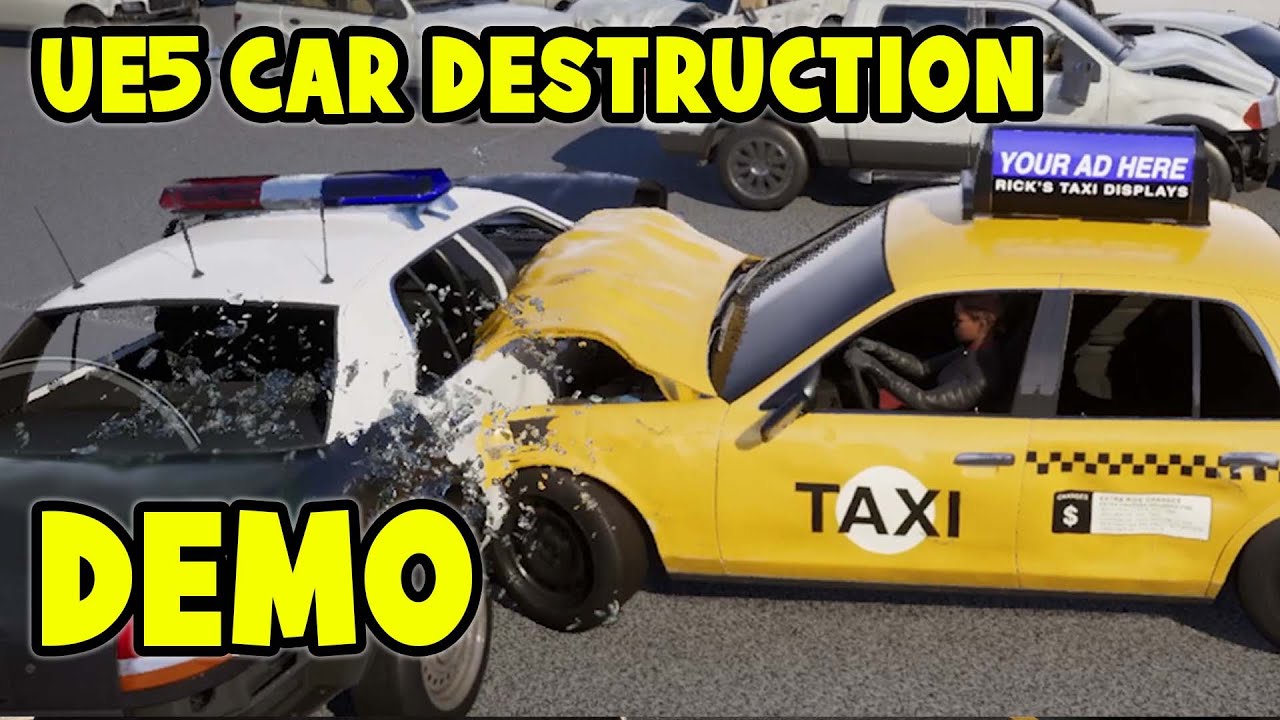
In this video we're going to check out the destructible vehicles from the Matrix Awakens Demo. I showcase how you can drive all the vehicles, and also how the destruction system is setup in the engine!
DOWNLOAD THE VEHICLES FREE:
https://www.unrealengine.com/marketplace/en-US/product/city-sample-vehicles
LINKS:
------------------------------...
check the end he shows you how it works
 wicked cairn
Is there a way to get the Water Body Components to act like when using a Physics Volume and enabling Water Volume? Or do I have to put physics volumes everywhere my character can swim, ontop of the Water Bodies? The player's swimming only ever actually functions when using the Physics Volume, but when overlapping a Water Body it doesn't.
lofty rapids
wild pumice
I see. Cool can't wait to test all this out.

pretty darn close imo
i used a curve for the z
 proud notch
Hi I am reading some strings from a database and I need to breaklines at some of the variables. what is the correct "simbol" to do that?, I tried \n or {\n} with no luck. one solution is to find the \n in the input and conver it to shift+enter (see image) but I am wondering if there a more direct solution. or what the shift+enter character is? maybe I can save it directly to the data base without the need to convert it later.
 lofty rapids
proud notch
Hi I am reading some strings from a database and I need to breaklines at some of...
lofty rapids
proud notch
Hi I am reading some strings from a database and I need to breaklines at some of...
does this work ?
proud notch
lofty rapids
does this work ?
apparently yes. but I am wondering if there is a better way.
remote girder
I kinda don't know which channel topic this problem is (if it's not appropriate to this channel, I will move it to UE4 channel): my custom player controller is SET inside my custom game mode (the setup is on pic 2) with all stuff, BUT input is not working and it spawns default camera (player BP has a camera inside btw) and for some reason it's NOT ENABLED on start no matter what I do (pic 1). Like it's been spawned, but just ignored or something like this.
Why it does that? I never touched it's lifecycle or enable/disable it anywhere, so I'm very confused why it does that. Maybe I mess up some settings somewhere, but I don't know even where it can cause it.

 lofty rapids
remote girder
I kinda don't know which channel topic this problem is (if it's not appropriate ...
lofty rapids
remote girder
I kinda don't know which channel topic this problem is (if it's not appropriate ...
the character is being spawned but not possessed ?
can you see the character in the world while your flying around ?
lofty rapids
remote girder
I kinda don't know which channel topic this problem is (if it's not appropriate ...
do you have a player start ?
 past jungle
Hello!
Does anyone know if there's a way to save / load render targets to a save game object in Blueprint?
 steady night
question

if i add "melee rank2" as a Unique bool an an array bool
will it just fill as a "bool variable" or as the specific bool
if i add melee rank 1 can the array tell them apart ?
not from the order they got added by ther identity*?
 dreamy marten
steady night
not from the order they got added by ther identity*?
dreamy marten
steady night
not from the order they got added by ther identity*?
In an array of bools, adding a "unique" element will either overwrite any "True" bool or any "False" bool. There is no way to specifically identify one bool (unless you give each bool a known index and only modify that index)
You may want to look at Maps if you wish to associate one unique identifier with one bool
steady night
hmm aye thanks
frosty heron
past jungle
Hello!
Does anyone know if there's a way to save / load render targets to a save...
Whats the goal? Like saving a picture maybe?
lofty rapids
steady night
not from the order they got added by ther identity*?
the don't have any identity really other then the index in the array
faint pasture
steady night
question
What are you trying to do here
What does this array represent?
steady night
yeah nothing really, i solved it i was just thinking loud.. (like ive never used an array before... lel)
 ivory vapor
Hello everyone!
Maybe not directly blueprint related/feasible only with blueprints but I'm unsure where to post it to be honest.
I'm looking for a tutorial on making something like this https://youtu.be/SEk51GQdeag?feature=shared&t=455 (the landscape block building system. The video is already timed to start on it) or looking for an available ressource/plugin that already provides something similar ready to use. Would anyone know if such ressources exist somewhere?
Thanks and have a nice day!

Learn the necessary techniques for making gorgeous 2D/3D Hybrids in Unreal Engine 5
Get my full Unreal 2D Top Down Course: https://tinyurl.com/Unreal2DTopDown
Support the channel on Patreon:
https://www.patreon.com/CobraCode
People often ask me what Pixel Art Software I use.
I started out with Aseprite on PC, but switched over to Pixquare on ...
 sudden briar
I'm using GASP. I have made the camera first person. My problem is the turn in place is slow so the player is able to see into itself if they spin the camera quickly, anyone know of a fix for this?
 shrewd mural
Is there a way to cut connections/links in a BP graph by interacting with the connection/link itself?
zealous moth
@shrewd mural alt + click?
shrewd mural
That does the trick, thank you!
zealous moth
@ivory vapor there were a few on the marketplace but apparently the landscape tool can do this if tweaked properly.
ivory vapor
zealous moth
<@901252306572542002> there were a few on the marketplace but apparently the lan...
I guess past tense means there is non currently up to date on fab? (I'm using 5.5)
Do you know any ressource on tweaking the landscape tool for this?
I have tried looking up for landscape block building system but only stull I found is how to make IN GAME block building like minecraft etc.
zealous moth
@ivory vapor last I checked there is a grid based one but otherwise there was another made public on git and there is this guy that is making a pokemon clone in unreal that made it work.
The problem with that last one is that he didn't code it in a friendly manner and you will need to reverse it to get it to work.
For the landscape, trial and error. It's not the most obvious.
ivory vapor
Would you have the names of those three? Whatever I look for doesn't seem to find them
past jungle
frosty heron
Whats the goal? Like saving a picture maybe?
Hello!
Sorry for the delay. I allow the player to paint the landscape at runtime by applying brush strokes to a render target that controls a blend mask in the landscape material. So now I need to save / load the state of that render target whenever I save / load the world.
frosty heron
past jungle
Hello!
Sorry for the delay. I allow the player to paint the landscape at runtime...
In this case, I am not sure then. Im assuming you probably have to serialize the data (r,g,b?) Arrays to the disk then load the array back when you need it.
Probably not a blueprint territory, but it's all assumption since I never try to do anything similar.
If what you need is to export the target data as texture, then theres already the function in blueprint.
 spark kestrel
hey guys, just got into the server i have been running into an issue with my climbing mechanics in a 3rd person project. All of the mechanics for climbing seem to work fine except for whenever i approach the wall and call onto the climbing code it will teleport the actor back to the spawn location. Any ideas as to how to fix this?
surreal peak
spark kestrel
hey guys, just got into the server i have been running into an issue with my cli...
You'd need to share your code. Otherwise quite impossible to know.
spark kestrel
im happy to do that what would be the easiest way for me to?
surreal peak
Screenshots of the parts of your graph that contain the logic you are talking about.
Or blueprintUE website, but I'm usually more in favor of the screenshots. Could do both fwiw.
spark kestrel
ok one moment ill get the screenshots
spark kestrel
surreal peak
Screenshots of the parts of your graph that contain the logic you are talking ab...


 spark kestrel
surreal peak
Screenshots of the parts of your graph that contain the logic you are talking ab...
spark kestrel
surreal peak
Screenshots of the parts of your graph that contain the logic you are talking ab...
i also get this in the Output log when the respawn happens
LogScript: Warning: Script Msg: A null object was passed as a world context object to UEngine::GetWorldFromContextObject().
LogScript: Warning: Script Msg called by: BP_ThirdPersonCharacter_C /Game/ThirdPerson/UEDPIE_0_Lvl_ThirdPerson.Lvl_ThirdPerson:PersistentLevel.BP_ThirdPersonCharacter_C_0
surreal peak
spark kestrel
That MoveComponentTo node is sus
You aren't actually giving it a component
spark kestrel
in which line?
surreal peak
Ypu only have one of them or?
When you start climbing, at the end
Try to give that the capsule component and if that still doesn't work, try to set location and rotation of the character directly for now
spark kestrel
in all honestly i had been working on it for a while running into issues of it not registering the walls correctly so i looked up the issue and followed a video from like 2 years ago and it all worked great except the repawn happening so i wasnt sure what it was all about but i didnt want to break the code by trying to adjust it too much. This is my first full project so im still learning one step at a time.
spark kestrel
surreal peak
Try to give that the capsule component and if that still doesn't work, try to se...
ill try this and see if it works
surreal peak
spark kestrel
in all honestly i had been working on it for a while running into issues of it n...
It's not respawning. You probably just have the spawnpoint close to 0,0,0 or stuff like that. You might also want to print the location you are passing into that node
spark kestrel
im using default spawn for now which i believe is 0,0,0. The Capsule Component into that MovementTo got rid of the warning in the output log but didnt stop the teleportation
surreal peak
spark kestrel
im using default spawn for now which i believe is 0,0,0. The Capsule Component i...
Then try to set the Location and Rotation of the whole Actor directly and see if that helps.
If that still puts you to 0,0,0, then the location you are passing into that node is already wrong.
Start printing it across your code to see where it goes wrong if that's the case.
The MoveComponentTo can be replaced with a Timeline or similar, so it's not so crucial atm.
spark kestrel
surreal peak
Then try to set the Location and Rotation of the whole Actor directly and see if...
i fixed the teleportation. i figured out one of my "get actor rotations" was plugged into where it was supposed to be "get actor location" so it was reading the rotation and translating it to the location where i was being sent
surreal peak
Ah yeah that wasn't visible on my phone. I see it now
spark kestrel
but now the issue im running into is after i changed that the rotation is no longer locked in place so as im climbing my character is "spinning" and clipping through the wall and effectively not reading the solid wall in the line trace so it drops the "climbing" structure.
surreal peak
I think it wasn't meant to be GetActorLocation
I think you wanted to use SETActorRotation
While you are using SETActorLocation.
The code looks like it was supposed to rotate you towards the wall normal.

That's the bad one
spark kestrel
well great after i "fixed" that i no longer teleported lol
 compact heath
Good morning! I have a question about motion matching and manipulating it for top down controls. Am i in the right place for dialogue?
 robust belfry
Idk why my quality options don't save just the text of combo box


AND OTHER
only volume save but idk how i've watched a tutorial for it and it's using savegame bp etc
 tawny hedge
any recommandations for an advanced targeting system tutorial/course, has to include single/multi targets, lock on, skillshots ( projectile, trace, aoe )?
past jungle
frosty heron
In this case, I am not sure then. Im assuming you probably have to serialize the...
Exporting as a texture could work as long as it could be imported again. I see nodes for exporting to texture, but they're editor only and I would need to be doing this at runtime as part of saving / loading the game.
I thought about serializing the rgba data. I don't know how smarter people than myself might do it, but that would be over 1 million pixel values to read / write in blueprint, even for just a 1k texture. Doesn't seem viable.
frosty heron
past jungle
Exporting as a texture could work as long as it could be imported again. I see n...
1 million pixels? I mean isn't a render target data is just one single static image.
past jungle
frosty heron
1 million pixels? I mean isn't a render target data is just one single static im...
Yeah, 1024 x 1024 is 1,048,576 by my count.
frosty heron
I see but in any case it should be a cheap ass operation
if your computer can draw and update in real time, then your computer can easily store the bits.
past jungle
frosty heron
if your computer can draw and update in real time, then your computer can easily...
Couldn't hurt to try I suppose. I figured there was some kind of optimization wizardry being done that I don't know about.
frosty heron
I wouldn't try to optimize it yet, just try to serialize the bits and load it first.
it's a one time operation anyway. How bad saving a 1024x1024 can be.
formats
 lofty rapids
is the only way to change to windowed mode using the console command ? there are no project settings ? i looked in windows section of preferences it doesn'tt have a setting
i mean in a packaged build
frosty heron
lofty rapids
is the only way to change to windowed mode using the console command ? there are...
Have you checked GameSettings?
I can switch between fullscreen/windowed/borderless in package using that.
lofty rapids
frosty heron
Have you checked GameSettings?
where is this ?
frosty heron
lofty rapids
where is this ?
right click on empty space in a blueprint and type game settings
should show you something
That's where you can change screen resolution, scalabilities, screen mode, etc.
lofty rapids
frosty heron
should show you something
i got get game user settings, but no set
frosty heron
lofty rapids
i got get game user settings, but no set
GameUserSettings -> Set Screenmode or something like that
should give you an enum option where you can pick between fullscreen, window mode and borderless.
lofty rapids
frosty heron
GameUserSettings -> Set Screenmode or something like that
got it thanks,
i was looking for a straight set to windowed node, or a set game settings node, had to use get game user settings, then set node
frosty heron
you need to find the code that actually does that. With blueprint, it lives in the GameUserSettings.
can't pull a node out of thin air, it has to belong to some class, somewhere.
unless it's a static function I guess.
lofty rapids
makes sense

it would be nice if this was in it's own node though
set game settings, or set fullscreen mode
i mean you can always make a function to simplify this, but this would be convenient
visual ember
no, because you are not overriding the settings object
you get the object and act upon it
to set would mean to have second settings object and set it as a value
but not sure how consistent engine is with this approach 😛
frosty heron
Ehh, there's probably only one user setting object
I have my money the object is a singleton
Get Game User settings should return you the same object reference, where ever you call it.
you can test it with print string
No time to experiment my self.
lofty rapids
lofty rapids
where would you put this for optimal switch time so thats it set and doesn't full screen then go back down at any point, the game instance runs first correct ?
frosty heron
lofty rapids
where would you put this for optimal switch time so thats it set and doesn't ful...
Do you really want to force the player to always run on windowed mode?
lofty rapids
frosty heron
Do you really want to force the player to always run on windowed mode?
yes i do, untill there is settings i want to test it in packaged build and i want it to be windowed
so i can open multiples and test some stuff
frosty heron
Dunnoe if this is available in blueprint but I used GameInstance::Init to do stuff.
lofty rapids
frosty heron
Dunnoe if this is available in blueprint but I used GameInstance::Init to do stu...
it is available, thanks i'll try that (works great)
lofty rapids
how do you adjust timing in a packaged build ? as far as whats loaded and when ? i have a few ideas about it but the loading order is different in a packaged build ?
visual ember
lofty rapids
how do you adjust timing in a packaged build ? as far as whats loaded and when ?...
I think standalone has the same order as packaged
There's also chart in here. Not sure if there is an updated version:
https://dev.epicgames.com/documentation/en-us/unreal-engine/game-flow-overview?application_version=4.27
past jungle
frosty heron
formats
Turns out there's an export render target and import file as texture 2D node that are not flagged as editor only. I'll see if I can use those for my purposes. I haven't yet found a way to delete files in blueprint though, which I'll eventually need to prevent save game folders from filling up with unused textures.
frosty heron
past jungle
Turns out there's an export render target and import file as texture 2D node tha...
There is, I pretty much save photos I take from the render target to a folder, then just load every image as texture when the game needs to load my picture library.
but that doesn't address the part where you convert texture to a render target.
this is not blueprint territory imo and you may get better help in #cpp
for what you are doing, I wouldn't even use texture.
just serialize the bits then load the bits when you need to restore the state.
I guess 1. Find a way to store the bits in format of your choice.
2. Find a way to load the bits back to a target render target
past jungle
I would prefer that, but the blueprint nodes exposed for render targets are weirdly limited. There are functions for reading pixel values, but not writing. There's even an operation for converting an entire render target into an array of structs made up or RGBA bytes, but no node as far as I can tell for writing to a render target using that same array of bytes.
As far as converting the texture to a render target, the "import file as texture 2D" node outputs a texture 2d, which I imagine I can use in a material parameter and then draw material to render target.
frosty heron
blueprints are made for designer not programmers
if you want to unlock the true potential of unreal then do what you have to do.
or live with the limitation
past jungle
frosty heron
blueprints are made for designer not programmers
I'll see if those export / import png nodes work for me. deleting unused files manually will be fine for prototyping purposes. Thanks very much for your help!
 arctic viper
guys in my game i have stamina/sprint but when i hit left shift the progress bar goes up bıt when i release it it does get the stamina value can someone help me?
snow halo
Hi I seem to be having a problem with a widget.
If a slot has an item, then clicking doesn't work.
The only way it works if when I double press fast.
But when a slot is completelly empty, then it works any way. Single press works only on empty black slots.
I dont want to double press fast on a transferable item slot to get it to move to the other side, that's kind of confusing, I would to have more consistency... Empty slots work with a single click
This is the slot im using
sick sky
snow halo
Hi I seem to be having a problem with a widget.
If a slot has an item, then cli...
seems like the item is blocking the hit
snow halo
sick sky
well image blocks hit i think
just open your item widget and see the visibilty value of all elements
snow halo
sick sky
just open your item widget and see the visibilty value of all elements

IMG_Icon is inside of this overlay
sick sky
by visibility i mean the visibility enum in the details panel
each UI elemnt has one
you need something like Visible & not hit testable
snow halo
sick sky
you need something like Visible & not hit testable
I've set this overlay to non-hit testable and I've also just set it to all children

still same problem
 snow halo
I've put it on all these selected ones
But this will cause an unexpected side effect which is not really wanted
which one specifically should I set to non hit testable?
which one is specifically causing the problem?
This is what will happen if I try to compile
its not letting me affect any change
sick sky
do you have some code runnong on construct ?
also, i usually have the item widget handle the clicks
and the slots doesnt
snow halo
sick sky
do you have some code runnong on construct ?

oh yeah, I got this on pre-construct
its probably why its not changing
 maiden wadi
snow halo
maiden wadi
snow halo
Don't set it on every element. Set it on the root element and set it for not hit testable self and all children. So they everything else still functions as intended when this isn't blocking them.
snow halo
maiden wadi
Don't set it on every element. Set it on the root element and set it for not hit...
but this will mean, nothing will be clickable
 paper smelt
Why am I able to move the object from side to side? I want to move it along a spline. It attaches and does move along the spline but the issue is When its following the spline it is still is able to move side to side if I move my hand side to side.


 maiden wadi
snow halo
but this will mean, nothing will be clickable
maiden wadi
snow halo
but this will mean, nothing will be clickable
I meant on the ones you don't want to be clickable. In this case your BRD_Border I think.
snow halo
maiden wadi
I meant on the ones you don't want to be clickable. In this case your BRD_Border...

do you mean to say that i should also be setting it via code to non hit testable
if row not found? etc.
 snow halo
I fixed it
I actually had an override function - on mouse button down 🖱️ 🐭
the problem is that no slot has an itemID
but I also have a different kind of problem whigh might be related 🤔💡

I've made a duplicate of my slots
to distinguish character inventory slots from chest slots
so on begin play each itemID is going to have a unique name ID, im even setting in a variable at the end to save it 💾


but in the end when I go and make a click event 🖱️this itemID will no longer have data inside of it 🗃️📝

everything inside has been removed 🗑️
snow halo
snow halo
This is kind of like a russian doll, each doll hides another inside, getting smaller and smaller. 📦 Box inside of box. 📦 Also a related fact about it is. Im passing the character reference like a baton here to validate it. 🏃♂️➡️🏃♀️ passed down like an Olympic torch of data 🔥... And so each thing will have the valid inventory_system_component actor reference which holds all the remove from inventory, add to inventory logic etc etc. But im not sure if this is going to be the right way to update the widget.. ⏲️ (But anyway thats another problem for me to handle later)

 chrome kelp
Hey guys, is there a way to view return types of nodes in the material editor? In regular BP it's all color coded, but in the material BP graphs they are all white
compact heath
Okay im going crazy over here. I imported Motion Matching Animations to my project and I'm trying to manipulate it to be top down. Going for the "Seven the days long gone" vibe. The most trouble i'm having is getting my character to break idle root motion so as to turn in place when following the cursor. I've looked everywhere and I can't seem to find where the problem is. Has anyone done this before and been able to succeed?
 crisp moon
so i have a widget it show that it is new.
after player clicks it in all instances it needs to disappear but i wasn't able to.
is there a way.


 midnight hound
hi. i am working on timelines and need to fire specific event while middle of animation. how to check the track time and update animation in blueprint. tq
 last peak
midnight hound
hi. i am working on timelines and need to fire specific event while middle of an...
last peak
midnight hound
hi. i am working on timelines and need to fire specific event while middle of an...
Just create a anim notify
 oak holly
Hi guys, anyone know if there is a node like the Evaluate Curve node (in RigVM) in standard blueprints?
 last peak
oak holly
Hi guys, anyone know if there is a node like the Evaluate Curve node (in RigVM) ...
last peak
oak holly
Hi guys, anyone know if there is a node like the Evaluate Curve node (in RigVM) ...
It would help if you explain what this node is supposed to do
midnight hound
last peak
Just create a anim notify
need to do hide widget at specific time while animating between widgets.
 last peak
midnight hound
need to do hide widget at specific time while animating between widgets.
last peak
midnight hound
need to do hide widget at specific time while animating between widgets.
So use a timer
 lusty birch
oak holly
Hi guys, anyone know if there is a node like the Evaluate Curve node (in RigVM) ...
lusty birch
oak holly
Hi guys, anyone know if there is a node like the Evaluate Curve node (in RigVM) ...
yes, its got similiar name afaik
midnight hound
last peak
So use a timer
how to use?. im new to unreal plz explain
lusty birch
but curve asset needs to be external
last peak
midnight hound
how to use?. im new to unreal plz explain

What are the Set Timer by Function and Event Name Nodes in Unreal Engine 4
Source Files: https://github.com/MWadstein/wtf-hdi-files
lusty birch
oak holly
Hi guys, anyone know if there is a node like the Evaluate Curve node (in RigVM) ...
 oak holly
I see, thanks @lusty birch , thats really helpful!
lusty birch
there are also nodes for curve table, so you can store all curves in one happy table
midnight hound
last peak
https://www.youtube.com/watch?v=qc5WpNq7RFg
i can i use it in my case. i already have a timeline, just need to check the specific track point in timeline and fire an event. this is completely different i think
sharp ferry
Im planning to learn to make my character sit on a chair today. As first thing
Is it gonna be hard?
blissful grail
Not really
sharp ferry
So im gonna do now the animation first and with chatgpt that supports me i need to understand all nodes as well.
sharp ferry
blissful grail
Not really
For a total beginner in BP how difficult it is on a scale 1/10?
Total beginner in programming too
blissful grail
Don't worry about those things. They don't matter. Just work on doing it.
sharp ferry
blissful grail
Don't worry about those things. They don't matter. Just work on doing it.
I dont want to encounter tooo many nodes as first thing thats why, I need to undeestand them and connections
blissful grail
And you won't until you just start doing the work.
It is an easy enough goal. That I can assure you.
So go forth and be excellent
sharp ferry
Got it, im gonna try
Today i managed to add sounds, to the room, steps syncro and lights with chatgpt supports
blissful grail
Look at you. Already doing awesome. Just keep it up.
 keen atlas
I do not get how these two values can even be None.. They are Widget of this blueprint

 maiden wadi
keen atlas
I do not get how these two values can even be None.. They are Widget of this blu...
maiden wadi
keen atlas
I do not get how these two values can even be None.. They are Widget of this blu...
Are you calling SetValues from OnInitialized?
keen atlas
No, but I believe I might as well be. I call it on the same frame as the Spawn I think..
steady night
hey im confused, im getting false on first branche if save game exists then i create a save game object then i cast from the load and it fails, what is the "load game form slot" getting the save from ?=

 next hollow
Its gets it from the files.
Creating a save just creates the internal UE memory of it, you would need to "save to slot" to be able to then "load" it later.
 maiden wadi
keen atlas
No, but I believe I might as well be. I call it on the same frame as the Spawn I...
maiden wadi
keen atlas
No, but I believe I might as well be. I call it on the same frame as the Spawn I...
Make sure you call it after the widget has been added to a parent. The subwidgets aren't created until then which is why Construct or PreConstruct is usualy a better event to do init on than Init.
next hollow
steady night
Seems a bit redundent, but yeah.
It works
steady night
hmm still getting cast fail
next hollow
Check the savegame folder.
It may not allow the creation of a savegame that is blank/ 0 bytes of data.
Or, that string is blank.
sharp ferry
im still trying to make my character interact With E key to the chair, it supposed until now to teleport on the chair because i added also a Hittarget on the chair. what am i doing wrong?
 steady night
@next hollow how would i "clear" a save slot via blueprint ?
just "delete game in slot" ?
maiden wadi
You can just delete it.
steady night
ah ok
midnight hound
hi. i need to animate the widget inside another animation. it should have a fade in kind of effect. problem is i have a border in my widget and i am not able to render border using render opacity property. any idea?
midnight hound
last peak
https://www.youtube.com/watch?v=qc5WpNq7RFg
thanks.
faint pasture
steady night
hey im confused, im getting false on first branche if save game exists then i cr...
my guy just copy paste that save game object node, no need to have a waterfall of lines coming off it
it's all the same thing, just much easier to follow
steady night
ha yeah i know, im only doing some tests now x)
sharp ferry
can someone help me please

my character should be able to telport on the chair when im close with E
but its not
i dont even have errors below i dont get what is wrong
faint pasture
sharp ferry
can someone help me please
follow your execution line
sharp ferry
faint pasture
follow your execution line
where is that?
faint pasture
the white
execution starts at your input event, and proceeds down the white lines
Nothing after GetAllActorsOfClass will happen, that's the end of it
sharp ferry
i dont understand, i have my Input that supposed to be E my first red node. i have the White line on pressed what should I move
maiden wadi
Look at the right of the GetAllActorsOfClass node.
faint pasture
sharp ferry
i dont understand, i have my Input that supposed to be E my first red node. i ha...
 maiden wadi
There's an unhooked white triangle.
faint pasture
white is the Do Things path
faint pasture
show your code as it is right now
if that bool is false then execution will stop at the branch
are you sure your input is even set up right? Have the input just print something
 faint pasture
What class is this code in?
sharp ferry
BP_ my character
my main character
i made all the nodes inside there as i should
i also added the target and collision box to the chair
properly
faint pasture
Hook the input up to a print node, make sure the input is working
maiden wadi
Adriel (show your code) — 12:01 AM
show your code as it is right now
sharp ferry
the box colision is big enough
faint pasture
sharp ferry
can someone help me please
Let's see this again as it is right now
faint pasture
show your code
 faint pasture
sharp ferry
faint pasture
sharp ferry
Does anything print at all?
faint pasture
ok then either the bool is false, or there are no chairs to teleport to
sharp ferry
my bool is with the eye closed
maiden wadi
If it prints once, the bool is false.
faint pasture
the eye doesn't matter
maiden wadi
Does it print once or twice?
sharp ferry
see
 sharp ferry
maiden wadi
Does it print once or twice?
sharp ferry
maiden wadi
Does it print once or twice?
i deleted the first print now
the second is not printing
the first was
maiden wadi
Cause the bool is false.
maiden wadi
Then something is setting it false.
There's nothing to stop that print besides that branch.
faint pasture
If the input works, either the bool is false, or there are no chairs
faint pasture
Show where the bool gets set
sharp ferry
is B is vicino a sedia
faint pasture
show how that bool gets set true
faint pasture
You probably have some code in your OnOverlap that set the bool, unless you want to be able to sit in the chair from across the room
show all code that changes that bool
 faint pasture
sharp ferry
faint pasture
sharp ferry
look at the execution pins again
sharp ferry
are off?
faint pasture
they are not connected
lofty rapids
is therer anyway to set a delay when you close the window ?
sharp ferry
was this the issue?
ok now is triggering Hello
but is not teleporting on it
it should teleport on the chair
lofty rapids
lofty rapids
is therer anyway to set a delay when you close the window ?
like if someone closes the window, i want to play some animation or something before it actually closes
i need to be able to pause it for a second
while i execute something
last peak
lofty rapids
is therer anyway to set a delay when you close the window ?
Delay ?
maiden wadi
lofty rapids
like if someone closes the window, i want to play some animation or something be...
By window, do you mean widget?
Or like PIE?
sharp ferry
I also have a sittarget properly placed on the chair
lofty rapids
maiden wadi
By window, do you mean widget?
i want to pause the unloading, i created a multiplayer game and i'm using the browser widget with php as a server, i want to send a command to the browser on exit
i could just put a close connection button, but i was hoping to automate it
maiden wadi
If you want to dip into C++, you can override uhh...
sharp ferry
i don't understand why is not teleporting my Bp character to the HitTarget i've placed on the chair
can anybody help me to finish the task
faint pasture
sharp ferry
can anybody help me to finish the task
Use breakpoints and prints, figure out where it stops working
sharp ferry
faint pasture
Use breakpoints and prints, figure out where it stops working
i cant connect anymore Prints from there
last peak
sharp ferry
i cant connect anymore Prints from there
Ofc you can lol
maiden wadi
lofty rapids
i want to pause the unloading, i created a multiplayer game and i'm using the br...
UWidget::RemoveFromParent()
UUserwidget(which I assume is what your browser is a child of) will inherit this from UWidget. You can override it as it's virtual and do your animation and then call the super of this post animation or whatever.
last peak
sharp ferry
i cant connect anymore Prints from there
print the result of get all actors of class, print the sit target then print its world location
sharp ferry
last peak
print the result of get all actors of class, print the sit target then print its...
like this ?
 last peak
sharp ferry
like this ?
last peak
sharp ferry
like this ?
you should probably try it
sharp ferry
it downst allow me to connect a string to the GET node
lofty rapids
maiden wadi
UWidget::RemoveFromParent()
UUserwidget(which I assume is what your browser is ...
ok, i was hoping to keep it blueprints
last peak
And why do you think that is ?
lofty rapids
sharp ferry
is not triggering Hello
you have no execution
the white lines are important
maiden wadi
lofty rapids
ok, i was hoping to keep it blueprints
No luck there I don't think. If you just want a message send, that's easy, do it on Destruct, that runs when it's removed from parent. But if you want anything that should remove this widget to do an animation before and then remove it, you have to override that so that it won't remove it before the animation.
faint pasture
sharp ferry
like this ?
my guy, where does the execution go after GetAllActorsOfClass?
last peak
Into the nether 😄
sharp ferry
faint pasture
my guy, where does the execution go after GetAllActorsOfClass?
connected
im blind
is not saying hello
oh no its working hello now
so from there thres no mistake
last peak
So now we know that your execution works untill you print hello for the first time#
Whats next?
sharp ferry
yes
the problem is the Hittarget
i connnected another one to the last node
to set actor location
a print to execu set actor location is not saying hello now when E
last peak
Why should it say hello`?
sharp ferry
last peak
Why should it say hello`?
should say hello if the logic is working
in this case is saying hello
but still my character is not teleporting to that hitarget
and i connected the last print to the last node nothing happening
says hello but my character not moving to that chair
maiden wadi
Show your currrent code again.
 last peak
Ok where are the other print strings ?
sharp ferry
last peak
Ok where are the other print strings ?
i removed bc was fine since behind there
last peak
XD
last peak
You are trying to debug, you have a bug in your code now you need to figure out whats wrong
To do that you need to print everything to pinpoint where the error is
First you print the reult of get all actors of class - get 0 - print string to see if it even exists, then you print sit target to see if that exists and finally you get world location and then you print that aswell to see what location its returning to you
sharp ferry
ok 1s. is ok
seems like last one is not
working
set actor location
like this? is not working

this supposed to be last print check
last peak
You need to connect something to your print string or else its useless
blue pin into pink hole of your print string
sharp ferry
last peak
blue pin into pink hole of your print string
to my pink print what should i insert there from which node?
done
there were
a node execution not connected
the get all actor of classs not connected to the last one
finally

now i will add the anim
thank u
still not clear how to connect a print in such a situation btw
last peak
 last peak
it converts vector into string
sharp ferry
and what message it pops out like this?
last peak
sharp ferry
and what message it pops out like this?
Well read the nodes and tell me what you think
sharp ferry
it automatically generated the display name to me too
In string?
should says in string maybe
last peak
you get all actors of class
Then you get index 0 which means the first one you find
Then you get its display name convert it to string and then you print it
For the second print you get its world location which is a vector x 100 y 100 z 0 then it converts it into a string and prints it
sharp ferry
why would u get its world location
i dont underttand
understand why x2 string here
the final one
last peak
if you want to teleport your character you need to know its location
last peak
The first print will show you the display name which is
Bp_Chair
But if it doesnt work for you you have to go step by step trough your code to find out where the issue is
sharp ferry
i managed to add the animation but now the problem is she's inside the chair and if i move the Hittarget, pressing wasd movs she not stay blocked on the chair
snow halo
i have a npc skeleton imported from fabcom for my ue and to that skeleton body BP i have a lot of seperated skeleton meshes inside of it as componets, so head is a different skeleton, arms etc, but that blueprint follows on every skeleton the same animations, im just wondering how to use it because that seems kinda complicated, also it has a delay on begin play 10 seconds and then simulated physics on all but some stay up and never touch the ground or they move kind of weird when they are being simulated, like the skull stays up 5 meters or 10 meters above the ground

they dont fully touch the ground but they do fall down and they do have physics
faint pasture
snow halo
i have a npc skeleton imported from fabcom for my ue and to that skeleton body B...
Isn't the whole point of a skeletal mesh that it's 1 thing with many bones?
snow halo
faint pasture
Isn't the whole point of a skeletal mesh that it's 1 thing with many bones?
idk?
snow halo
whats cool about it I guess is that the skeleton seperates
faint pasture
You can do that with a skeletal mesh anyway
snow halo
I wont be able to get it to seperate its bones if I have 1skm
faint pasture
yes you can
snow halo
how?
faint pasture
just do it? Bones can go anywhere
snow halo
I mean I would have to go to blender to unite all these bones right?
snow halo
but when how would I seperate them again?
faint pasture
vertices are weighted to bones which can do anything
snow halo
I didnt make it, like I said I got it from fab.com, its not mine, so I wouldnt make it like this, but the creator who made it seems to be officially backed by unreal as unreal sponsored their content for free some months ago and the creator seems to be having a lot of star reviews on their assets
snow halo
faint pasture
or whatever made the thing
so i imagined maybe im just too dumb to understand it but people tell me no, it's the creator who made this who made it in a dumb way
faint pasture
 snow halo
faint pasture
vertices are weighted to bones which can do anything
snow halo
faint pasture
vertices are weighted to bones which can do anything
yes but that is still only one skeleton
faint pasture
Here's a skeletal mesh being blown apart
What's your goal for the seperation, what do you need separation for?
snow halo
faint pasture
What's your goal for the seperation, what do you need separation for?
I dont but it looks very cool
faint pasture
I mean what use case, for death effects etc?
or do you permanently need just a skull running around for a long time
snow halo
yeah I think that would look very cool
faint pasture
You can totally do that with a regular single skeletal mesh
snow halo
not running around but should have smart ai logic similar to my bear or my chicken
although more like the bear which is a hunter type animal that chases you to kill you
snow halo
faint pasture
You can totally do that with a regular single skeletal mesh
not a victim prey animal but a big bad guy (predator) actor npc
and I barely made the other things work
using state trees which I found kind of easier than behavior trees
and that after I realized that coding all the ai logic into bp would be superrrrr complicated, I tried it and code got sooooo big and complicated and didnt work properly
and realized ok instead of ai logic inside of the actor bp itself i must have it inside of state trees
but I kinda hate state trees because they're so complicated too
and kinda hard to understand
i have very simply state tree logic at the moment
faint pasture
ok so what's any of this got to do with the model being 20 skeletal meshes in a trench coat
snow halo
faint pasture
ok so what's any of this got to do with the model being 20 skeletal meshes in a ...
nothing, just an interesting death effect 😅 😂
Im just wondering btw... how did you do this seperate meshes logic?
you said it was skeleton mesh?
if its static mesh compoentns then I know how to do that too i think
if I show you how cool the skeleton death effect looks you'll think you wanna keep it too.
faint pasture
snow halo
Im just wondering btw... how did you do this seperate meshes logic?
just simulate physics on it
it's a ragdoll where the bones aren't constrained to each other
that's it
sharp ferry
i managed to do it and also block the wasd movts but hold the camera
i thought was more simple i need to re understand what i exactly used and did, but its done
 snow halo
faint pasture
it's a ragdoll where the bones aren't constrained to each other
snow halo
faint pasture
it's a ragdoll where the bones aren't constrained to each other
ok but check this out
last peak
snow halo
ok but check this out
Holy crap that are many skeletal meshes lmfao
Isnt that totally nuking your performance ?
spark steppe
the irony is that it could be one with many static meshes which use nanite 😄
i'll go back to struggling with the basics i guess... ||use a leader pose component!||
snow halo
last peak
Isnt that totally nuking your performance ?
nope
snow halo
spark steppe
the irony is that it could be one with many static meshes which use nanite 😄
why nanite?
I prefer to use LOD
nanine isn't really performative on small poly meshes like this one
I've been told by many professionals that nanite is even worse for performance if meshes are not very extremely high poly, like this skeleton, the components of it aren't that geometrically complex
edit: ok it's around 20 k per SKM component (it's kinda big in total)
i thought this would be much lower 💀
maiden wadi
snow halo
I've been told by many professionals that nanite is even worse for performance i...
I'd be curious to know their standpoints on this. Because my understanding of this is that this is false. Specially with virtual shadow maps which rely heavily on the nanite buffers to be quicker.
last peak
maiden wadi
I'd be curious to know their standpoints on this. Because my understanding of th...
I thought thats common consens
If i enable nanite on a project with models that have up to 20k each i get a heavy performance drop
snow halo
20k isn't low complexity
last peak
snow halo
20k isn't low complexity
Up to 20k is not something i would describe as high poly ...
spark steppe
that's all pretty irrelevant without context
maiden wadi
But have you profiled why? And what kind of scene are we talking about? The newer systems work together to perform better as a whole. They have a higher entry cost, but with any complex scene they'll be immensely lower cost than older systems without things like distance meshes popping in and whatnot.
spark steppe
you can't test nanite performance in a small scene, you must test it within a reasonable scene in your final game, and then everything possible should use nanite
snow halo
My thinking is, 20k by 20 SKMs
 last peak
maiden wadi
But have you profiled why? And what kind of scene are we talking about? The newe...
last peak
maiden wadi
But have you profiled why? And what kind of scene are we talking about? The newe...
Well i looked up online why thats happening an pretty much every post i could find on the unreal forums and on reddit told me it comes at a insane upfront costs that only pays out if yo use super high poly models
Something like the city sample and that traditional lod's are almost always more performant by a lot
spark steppe
bullshit
maiden wadi
Super complex scenes. Not models. There are a lot of other considerations like massive drawcalls reductions and whatnot as well.
There is a higher entry cost. But it's more than worth paying for any game that isn't pong.
last peak
spark steppe
bullshit
It seems to be the case for all my projects too, i have tried it a few times over the years and i never archieved higher perf with nanite enabled
Now to be fair my scenes were not ultra reallistic scenes with 1000000 triangles on screen
spark steppe
that's 2 1/2 skeletons for the other guy 😄
maiden wadi
Here, have a couple dozen trees. There goes your million triangle count.
last peak
What trees are you guys using?
if you use the nanite trees then sure .... mine have more like a few thousand
maiden wadi
That's like 300 trees or so. Now lets talk about the grass. And the rocks, and the mushrooms, and the characters, and the thousands of other meshes. It adds up quickly.
faint pasture
Nanite is basically a moderate base cost but kinda cheap/free scaling right?
spark steppe
i feel like dense non-organic areas also benefit because culling scales better
last peak
faint pasture
Nanite is basically a moderate base cost but kinda cheap/free scaling right?
As i understand it at a certain point it can reduce performance costs drastically but that point is rather high
spark steppe
if you use lumen + vsm you are most likely always better with Nanite
snow halo
spark steppe
i'll go back to struggling with the basics i guess... ||use a leader pose compon...
use a leader pose component!
I probably will not use that asset at all or I might use another one just for simplicity shake. But Im just curious for learning and knowledge sake, is ladder pose component a plugin?
i'll go back to struggling with the basics i guess...
Is there or has there ever been anything in Unreal or game development in the past that you "struggled" or "struggle" with that other people would find basic?
spark steppe
but after all, you got to test on your own in your project, in a reasonable scene
lucky enough it's not a big deal to switch between nanite and old LOD system
last peak
I would rather use Nanite and dont create Lod's if it would work reasonably for me 😄
snow halo
spark steppe
lucky enough it's not a big deal to switch between nanite and old LOD system
or use both ✅
spark steppe
use google, and don't search for "ladder pose component"...
unless you want ladders
last peak
I just never made it work
faint pasture
What's the approach to hard surface skelmeshes and nanite? You just have a skeleton and attach static mesh components or can it treat a skeleton with no weight blending as static and nanite it?
spark steppe
you have to attach them manually
i think since 5.5 there's also nanite for skeletal mesh support, but at least for me, there wasn't much performance difference yet, maybe it's better in 5.6 now 🤷
snow halo
spark steppe
use google, and don't search for "ladder pose component"...
I think you meant to say "Leader"
spark steppe
i said wrote that
sharp ferry
Tomorrow i will try to make her stand up always with E key
blissful grail
faint pasture
Nanite is basically a moderate base cost but kinda cheap/free scaling right?
Higher upfront cost - wayyyyyyy better scalability than traditional methods
maiden wadi
Our current project has both set up. All meshes have LODs for non nanite uses and whatnot. RTS with topdown camera and some pretty highly detailed meshes and such. If I turn off nanite, my framerate drops by about 10-50% depending on zoom and content. It's never better without Nanite.


In fact, having it off also causes me a lot of heavy spikes from shadows. VSMs really hate non nanite meshes.
blissful grail
My games still perform better than if I had Nanite on. So it still depends on the project.
 limpid flicker
maiden wadi
Our current project has both set up. All meshes have LODs for non nanite uses an...
limpid flicker
maiden wadi
Our current project has both set up. All meshes have LODs for non nanite uses an...
can I see what ur game looks like? :3
 dull tiger
Hello, does anyone know how I could create a setting in my settings menu to change audio output device during runtime? My game has VOIP and woudl like people to change their microphone
if anyones done this before, I'd be willing to pay for you to explain to me
 dreamy kindle
Hi my weapon is backwards and no matter what I do in the actor rotation for my BP_Weapon it remains backwards.. any ideas thanks! https://cdn.discordapp.com/attachments/580659034546241537/1387991030384689283/image.png?ex=685f5ae1&is=685e0961&hm=69319356ec14cf4b2c9810cd3a0138ca1f89e5cebc78046ad99e1e367a7afc47&
https://cdn.discordapp.com/attachments/580659034546241537/1387985731598946374/image.png?ex=685f55f1&is=685e0471&hm=95fbe486f83a2cf8aef760e995df9a5d29f8cc9a3b6d554c6500080adac6a384&


zoom in of attachment of hands from the rep notify
 surreal peak
@dreamy kindle One small note: Replicated Actor that get attached have Attachment usually already replicated by the Engine.
It could be that you are fighting that already existing replication path with your OnRep attachment.
Just something to keep in mind.
You are also attaching twice. It should be enough to only attach either the Actor or the RootComponent
And if you use SnapToTarget, you need to ensure the Socket is rotated correctly.
dreamy kindle
Ok I will try that and other things thanks 🙏
dreamy kindle
surreal peak
<@403400360275738625> One small note: Replicated Actor that get attached have At...
for now added a transform in code and it seems to work so far! weird issue..https://gyazo.com/c3027ab79170b925658dbbfaeffdfd7c
 surreal peak
dreamy kindle
for now added a transform in code and it seems to work so far! weird issue..http...
surreal peak
dreamy kindle
for now added a transform in code and it seems to work so far! weird issue..http...
Can you show me the Socket on the Skeleton, especially its orientation (in 3D and the numbers), as well as the Weapon's MeshComponent (also 3D and the numbers)?
I feel like the Socket is just 180° off.
Or the bone it's attached to is rotated wrong in the 3D software already. Who knows.
dreamy kindle
whats weird is I tried rotating the socket inside the skeletal editor and it worked before as a non attached weapon item
only in code after attachment it seems to stick
surreal peak
Hm yeah, the problem will be easier to debug once you posted the additional info.
dreamy kindle
ok let me seek to do that, im still a bit new to BP but trying to learn thanks for replys
dreamy kindle
surreal peak
Hm yeah, the problem will be easier to debug once you posted the additional info...
 surreal peak
How does it look like if you toggle that

And also show me the numbers in the details panel on the right please.
 surreal peak
I just noticed I should have additional asked you to select the animation you are using when playing as a preview. My bad.
dreamy kindle
 surreal peak
 dreamy kindle
hm strange that the root is stretched
surreal peak
Can you select that specific Animation and take the 3D picture of the Socket twice more?
Once with Relative and once with World (the button I pointed at in the earlier picture)?
surreal peak
dreamy kindle
hm strange that the root is stretched
The bone to the back/right doesn't seem to be the root bone.


 surreal peak
The root bone should be where the 3D Gizmo is in that image.
surreal peak
All good, just trying to see where the rotation comes from
Can you please show me a screenshot of the actual Weapon Blueprint?
With the MeshComponent selected?
I want to see if it's additional rotated there.
So far, the Socket seems to already be wrong, as in UE the RED arrow is FORWARD (at least for now..).
Meaning the socket should be rotated 90° counter clockwise to point the red arrow to the "right" (right, based on that image).

But it depends a bit on the Weapon Blueprint.