#blueprint
1 messages · Page 326 of 1
 trim matrix
 sharp ferry
is it difficult to make an animation of my character start (idle animation) when my character grab and hold a box?
now i already have a idle and walking animation on her
but i need to add this idle where she has the arms lifted up to hold the box
 lofty rapids
if you do something like this then just add a web directory in the director that the exe is in

and then you got access to the files
but a server is better all around
 vagrant slate
Thanks I'll try that next!
lofty rapids
i find it easy you can just keep a folder for your web stuff, but i wouldn't use this function in development
it's a wild directory and not what you want to work with
but perfect for a packaged game
theres some stuff in c++ you can use to determine if your in shipping or not
but in straight bp i don't know if thats possible, probably just a boolean branch
some boolean like isDevelopment that you'll need to switch on and off
and replace launch dir, with your dev folder
it's the best way i have found to mess with files, two different modes
the directorys while your in editor are just hard to use in comparison
vagrant slate
hmm I can't seem to construct that format text node- was there a trick to it?
lofty rapids
vagrant slate
hmm I can't seem to construct that format text node- was there a trick to it?
so you got the format text node ?
vagrant slate
yes
lofty rapids
the things that you can plugin to on the left
those are in the string as {variableName}
vagrant slate
I just have the format pin and text box
lofty rapids
type whats in the picture and press enter
vagrant slate
oh lol
thank you!
and the page to open?
what's the format like for that string?
 steady night
How can i get nav ontop of the statuic meshes ?

since if i stand on it the AI cant detect me
vagrant slate
lofty rapids
filename.html
new guid doesn't want to connect to the pin for some reason?
lofty rapids
vagrant slate
new guid doesn't want to connect to the pin for some reason?
it won't auto convert, you need drag out find: to string
then plug that in
 surreal peak
steady night
How can i get nav ontop of the statuic meshes ?
surreal peak
steady night
How can i get nav ontop of the statuic meshes ?
Increase the nav volume height?
vagrant slate
yeah I definitely tried that
lofty rapids
vagrant slate
yeah I definitely tried that
are you saying you couldn't find tostring ?
vagrant slate
I can find it but it just pops out disconnected
steady night
surreal peak
Increase the nav volume height?
i have, but im guessing the objects are "to small" or can i adjust the hell size someghow +
lofty rapids
vagrant slate
I can find it but it just pops out disconnected

you don't have this ?
surreal peak
steady night
i have, but im guessing the objects are "to small" or can i adjust the hell size...
Could be too small, yeah. You can test by increasing the collision a bit
lofty rapids
vagrant slate
I can find it but it just pops out disconnected
what version of unreal ?
 lofty rapids
click on the return value of new guid, and drag out
then search for to string
it will give you the relative nodes for things when you drag out from them
vagrant slate
yeah did that from the start
lofty rapids
instead of just getting a new node
vagrant slate
also tried it the reverse way for all of them
lofty rapids
ya thats really strange
idk what it wouldn't show up and work
maybe restart the editor try it again
 inland walrus
Anyone know how to add line breaks via datatable?
 vagrant slate
I have adhd so I may have just missed it
lofty rapids
thats the one
lofty rapids
inland walrus
Anyone know how to add line breaks via datatable?
does shift enter not work ?
inland walrus
lofty rapids
does shift enter not work ?
No sirr
vagrant slate
lofty rapids
thats the one
thanks for the help- building now- fingers crossed
inland walrus
lofty rapids
does shift enter not work ?
Found it! you need to checkbox on the struct "multiline"
steady night
surreal peak
Could be too small, yeah. You can test by increasing the collision a bit
yeah had to make it like 2/3 times bitter for it to sense it :/
 floral stump
you make the collision channel of you character to be blocked by the vehicle, when vehicle hits the character you add linear physics force to the character move in the forward vector direction of the vehicle
vagrant slate
lofty rapids
thats the one
"Failed to load URL file:///Z:/.../Windows/web/75D258A34AB6578FCD1ECC8CAB84E186?uuiid=1-21-25.html with error ERR_FILE_NOT_FOUND (-6)."
Any ideas?
lofty rapids
vagrant slate
"Failed to load URL file:///Z:/.../Windows/web/75D258A34AB6578FCD1ECC8CAB84E186?...
ya you plugged the uuid and filenames into the wrong ones
vagrant slate
lofty rapids
ya you plugged the uuid and filenames into the wrong ones
YOU GLORIOUS GENIUS YOU
IT WORKS
steady night
@surreal peak Can i amke it so the player slides off the mesh instead, like making the collison to a triange
lofty rapids
just when you dev, i would suggest using launch dir to dev with
when deving use a dev folder
and just switch it out with launch dir when you package
it's kind of a pain in the ass, but best way to do it imo
you can like i mentioned also with c++ choose depending on if your in shipping or not
vagrant slate
seriously I appreciate the help
lofty rapids
np, i enjoy helping when i can
lofty rapids
well i just happened to be working on it as well lol
 uneven crest
This may sound wierd or hard to understand but, im creating a baseball game. I have main parent class that just has basic settings like name and rating and position. In each child class, i set the values for those 3 in the defaults. I then have a structure with each player actor as a variable. Im not able to get the information from the actors though like the rating. Is there a better way to do this? I can show the code I have if needed
lofty rapids
uneven crest
This may sound wierd or hard to understand but, im creating a baseball game. I h...
what is this structure ?
with each play actor as a variable ?
wdym
if you want to pull all the data from them
get all actors of class of the parent, this will get them all in an array, which you can loop through and use to populate whatever your doing
since the variables are in the parent, it should work just fine
uneven crest
Mason Vicker is the player

 lofty rapids
uneven crest
Mason Vicker is the player
lofty rapids
uneven crest
Mason Vicker is the player
so are you this way going to add player references to this ?
each player an individual reference ?
lofty rapids
uneven crest
Mason Vicker is the player
so name is not working ?
 lofty rapids
uneven crest
That error comes up
lofty rapids
uneven crest
That error comes up
yes because you have not actually filled that reference
you need to point the variable to the ref
by setting the variable
just setting the type won't set it to the proper refence
uneven crest
Even if i set the default in the structure?
Which i cant i just realized

would it be better to just store each players attributes in the struct instead of child actor
lofty rapids

i would construct the variable like this
passing the references for each player into the make
if you want to keep this structure
do this at some point in begin play when the players are loaded
usually things like this are stored in an array
lofty rapids
lofty rapids
do this when your people are loaded in the scene if you want this data structure
but honestly i would have an array of the parent class
but you can form your data however is clever for you
lofty rapids
uneven crest
would it be better to just store each players attributes in the struct instead o...
yes it would better to not have a bunch of references in your data if you can
so if you only need those values as data then you can just store them in something like a player struct
unless you want to be able to look up the references in the structure
i would have a couple arrays
one for team A, one for Team B, and in the team struct just pass in an array of parent class objects
so instead of all your players all different references
uneven crest
Ok thank you
Data table you think becasue each palyer has 4 ratings that contribute to them?
lofty rapids
why do you need the data table ?
i never used one before but I see it used on here a lot
uneven crest
Im thinking its easier because on each team, there are 14 players. Each player has 5 float variables, and an enum attached to them
lofty rapids
storing the raw data is better then the references if you can avoid it
unless the references are parent class
thats not too bad, but i suppose it wouldn't matter as all players are probably loaded
but if you were to do this for all teams, you would just make the two structs for the game
this way you would need a seperate struct for each team
lofty rapids
uneven crest
Im thinking its easier because on each team, there are 14 players. Each player h...
whatever works for you, data can be structured in several ways
lofty rapids
uneven crest
Im thinking its easier because on each team, there are 14 players. Each player h...
i would personally do this

if i was making player stats
a bunch of these for different teams
every team would essentially have one of these
then you could look up players pretty easy and fast
 hardy merlin
I've got a struct variable with a large amount of data inside it. What's the easiest way to change one specific piece of it through blueprint?
 maiden wadi
SetMember function
hardy merlin
I want to avoid using Break and Make and linking every single variable, especially if I add more.
Then what?
 maiden wadi
Select the node and look at the details panel.

 rapid stag
Hi everyone, might be a simple question, but can you have different interactions with compnents in the same bp? I have an interaction interace setup that activates on E being pressed, and want to know if different compnents can be interacted with to do different things.
 dark drum
rapid stag
Hi everyone, might be a simple question, but can you have different interactions...
dark drum
rapid stag
Hi everyone, might be a simple question, but can you have different interactions...
Sort answer is yes.
rapid stag
Does it make more sense to just make instances where i change the mesh and what happens with editable variables?
hardy merlin
Probably.
maiden wadi
The only real answer to that question is personal preference. Depends on how you feel you would like to set things up.
 agile moss
I want to trace a line from the player to where he is looking, one problem, idk how to find the end result
 lofty rapids
agile moss
I want to trace a line from the player to where he is looking, one problem, idk ...
lofty rapids
agile moss
I want to trace a line from the player to where he is looking, one problem, idk ...
from the center of the camera straight out ?
maiden wadi
StartPoint = CameraLocation
EndPoint = CameraLocation + (CameraDirection * TraceDistance)
You can get direction by getting the camera rotation and doing the XVector function I believe.
lofty rapids
i usually get the forward vector multiply it by the distance
maiden wadi
But you still have to add the start point back to it. Or your end point will be an offset from world zero.
agile moss
yeah, that is what i was thinking too, just can't get this right every time I do this. it's like the 5th time already I do one of these XD
 maiden wadi
that is mostly correct, but don't get the rotation of the component. Drag off the camera manager and GetCameraRotation.
agile moss
alr alr, thx
hardy merlin
Or get Controller View Direction.
maiden wadi
Where is that function from?
agile moss
this seems kinda much for a weapon swap system, any other aproaches? (expample: if holding secondary weapon swap that weapon)

nvm it's perfect
 void crescent
agile moss
this seems kinda much for a weapon swap system, any other aproaches? (expample: ...
void crescent
agile moss
this seems kinda much for a weapon swap system, any other aproaches? (expample: ...
I would say it is too less. 🙂 It's not even connected yet. You might tell your animBP that you wanna swap... wait until some anim notify says the current weapon is unequipped or in inventory so equipping the new weapon is fine and may play it's equip anim montage until the notify says it's ready (and may be fired) probably do some switch authority checks so a player does not by "mistake" swap his empty weapon with a loaded from his enemy and some is player dead checks. 🙂

 stark inlet
Hey guys, I'm just wanting a bit of guidance/help regarding this short game im making. It's going to make use of portals and have a similar system to Spyro where you need to collect items in each level to complete that 'world'. But I'm not sure how to use the portals. Do I have them teleport you to an entire different level to collect the items there or will it just teleport you to a different part of the main map (obviously I'd have to design the seperate parts quite far out). My concern is, how do I teleport to different levels without you losing your items or progress ? (I worry that teleporting will cause each level to restart when that isn't my goal). Sorry if this doesn't make much sense, never made a game before 💀
uneven crest
Got an issue. I spawned an actor and possessed it, but no funtions like left mouse button are working within the pawn. A little help?
 faint pasture
uneven crest
Got an issue. I spawned an actor and possessed it, but no funtions like left mou...
faint pasture
uneven crest
Got an issue. I spawned an actor and possessed it, but no funtions like left mou...
Show your code
hardy merlin
agile moss
this seems kinda much for a weapon swap system, any other aproaches? (expample: ...
You probably want to use UObject instead of Struct.
Especially if you're swapping often.
agile moss
hardy merlin
Especially if you're swapping often.
Ok, I will look into them
 mystic umbra
hello everyone!
i'd like to try optimizing the Instanced static meshes caves generation system using instanced static meshes. they are made of cubes ( 12 Triangles )
i have tried using CPP and multithreading. but i still get stutters when the world generates ( + extreme usage of memory )
would love to discuss about that

i have tried generating the caves slowly but this took an entire minute and a fest of stutters and frame drops. im trying to make this in realtime
 sick sky
mystic umbra
hello everyone!
i'd like to try optimizing the Instanced static meshes caves ge...
sick sky
mystic umbra
hello everyone!
i'd like to try optimizing the Instanced static meshes caves ge...
Maybe ask in #cpp ?
If you use a lot of loops BP is going to be a bottleneck
mystic umbra
Thats why i have switched the code to CPP
sick sky
How much
mystic umbra
all of it
i dont think its an issue with CPP either way. its probably how the editor generates instanced static meshes
mystic umbra
adding instances cant be multithreaded. otherwise it crashes. it needs to be returned to the game thread. which is causing the issue
that said im not really sure how to profile such thing OR memory
Look i really apologize for being stupid. my english is not that great and im relatively new here
sick sky
mystic umbra
adding instances cant be multithreaded. otherwise it crashes. it needs to be ret...
See how to use the basics of the profiler, and see what is really expensive
You can add custom trackers in your functions to see more details in your code
mystic umbra
i will try and give back feedback
faint pasture
mystic umbra
That is a metric assload of instances. How many? Over a million?
mystic umbra
Yeah. its fine on my end. its only spawning them ( even slowly ) thats causing stutters. im trying to make this realtime
faint pasture
Show your code for spawning them
mystic umbra
void AVoxelGenerator::Spawn3DVoxels()
{
if (!VoxelInstances.IsValidIndex(SelectedVoxelType) || !VoxelInstances[SelectedVoxelType])
{
UE_LOG(LogTemp, Error, TEXT("Invalid SelectedVoxelType or VoxelInstance!"));
return;
}
const FVector ActorLocation = GetActorLocation();
const int32 TotalWidth = 2 * Width + 1;
const float HeightRange = 18000.0f;
const int32 BatchSize = 2048;

const int32 ThreadCount = FMath::Min(4, FPlatformMisc::NumberOfCores());
const int32 TotalWork = TotalWidth * TotalWidth;
const int32 WorkPerThread = FMath::CeilToInt(static_cast<float>(TotalWork) / ThreadCount);

TArray<TPair<int32, int32>> XYPositions;
XYPositions.Reserve(TotalWork);
for (int32 X = -Width; X <= Width; ++X)
{
    for (int32 Y = -Width; Y <= Width; ++Y)
    {
        XYPositions.Emplace(X, Y);
    }
}

// Launch worker threads, collect results in futures
TArray<TFuture<TArray<FTransform>>> Tasks;
Tasks.Reserve(ThreadCount);

for (int32 ThreadIdx = 0; ThreadIdx < ThreadCount; ++ThreadIdx)
{
    const int32 StartIndex = ThreadIdx * WorkPerThread;
    const int32 EndIndex = FMath::Min(StartIndex + WorkPerThread, TotalWork);

    Tasks.Emplace(Async(EAsyncExecution::ThreadPool, [=, this]() -> TArray<FTransform>
        {
            TArray<FTransform> ThreadTransforms;
            ThreadTransforms.Reserve(BatchSize * 4);

            UFastNoiseWrapper* Noise2D = NewObject<UFastNoiseWrapper>(GetTransientPackage());
            Noise2D->SetupFastNoise(NoiseType, Seed, 0.00001f, Interpolation,
                FractalType, 111, 1.5f, 0.6f,
                1.0f, CellularDistanceFunction, CellularReturnType);
Are you using a single instance static mesh component and have you implemented chunks?
mystic umbra
my code is not full. the 2nd part is not sent for some reason
mystic umbra
dark drum
Are you using a single instance static mesh component and have you implemented c...
i have 2 of them. and yes i have implemented chunks. each chunk spawns it cubes. after its done the others can start working

 dark drum
mystic umbra
i have 2 of them. and yes i have implemented chunks. each chunk spawns it cubes....
dark drum
mystic umbra
i have 2 of them. and yes i have implemented chunks. each chunk spawns it cubes....
You most likely need more instance static mesh components.
mystic umbra
dark drum
You most likely need more instance static mesh components.
what do you mean? all of the cubes are instanced static mesh components

the blueprint part is not an issue when it runs
dark drum
mystic umbra
what do you mean? all of the cubes are instanced static mesh components
You start to get degraded returns when adding new instances when the count is high. (Usually around 10k for me but would most likely vary from machine to machine) The time it takes to add and update when adding a new instances takes longer. Splitting across multiple static mesh instances components tends to be a good solution.
dark drum
mystic umbra
Wait, so you're not adding an instance and instead creating a new component for each cube?
mystic umbra
No. this only happens one to initiliaze the components
when spawning the meshes. i get them from an array ( which consits of 2 values )
dark drum
Personally I would probably have 1 instance static mesh component per 4x4 chunk area. Maybe even a 2x2 chunk area.
mystic umbra
each actor generates 5 by 5 by 5 cubes.
i have tried playing with the numbers but no luck
dark drum
mystic umbra
each actor generates 5 by 5 by 5 cubes.
i have tried playing with the numbers b...
So you have an actor per 5x5x5 cubes? Actors can be pretty heavy when spawning in mass.
mystic umbra
it depends. i have tried having 4 actors ( 30 by 30 by 30 ) and i have tried 20 actors ( 10 by 10 by 10 )
however i put a delay between each of the actors so they dont all start spawning at once
mystic umbra
are instanced static meshes the best to do this either way?
faint pasture
mystic umbra
how many times is this BP code called?
mystic umbra
depends on the amount of actors in the scene. each actor calls it only once
so usually between 10 to 20 times
faint pasture
So where is the time spent?
You need to figure out how long your voxel data takes to generate, and then how long it takes to get a chunk from voxel data to instances
mystic umbra
i tried asking a friend before. he told me that Adding instances in general is a little heavy and cant be multithreaded. and that it needs to be on the game thread
its probably in the CPP side
faint pasture
time it
mystic umbra
Using the profiler?
faint pasture
yes, you can put your own scoped profiling stuff
Although you can probably just do it from BP to be honest, just do something like:
ButtonInput -> record time -> call into C++ to do the generation -> record time -> print
For example this is my tracing harness for something in my game
 mystic umbra
Oh you mean how long it takes for an actor to spawn all its instances?
( Good luck on your game bro ^^ )
if so then give me a second

Not the best naming possible xD
faint pasture
mystic umbra
Oh you mean how long it takes for an actor to spawn all its instances?
i mean scope out how long it takes for the all the parts
so you can see where it's slow
none of that looks slow, 6 ms to add like 100k instances doesn't seem nuts
mystic umbra
im looking for tips in general to optimize the generation even more. i get even better results when disabling collisions. but im looking to squeeze more ^^
faint pasture
your best bet is going to be not using 1 instance per voxel
mystic umbra
you mean per actor?
faint pasture
how many instances total does your scene contain?
instances, not actors, not components, instances
is it 1 instance per voxel?
mystic umbra
16 by 16 by 16. for 20 actors
about 80K
 blissful dirge
super noob here, I'm placing a bunch of trees in my level, these trees all have a variable referencing another actor in the level, what's the easy way to set that variable so every tree references the same actor without having to set it by hand every time I add a tree to the level?
faint pasture
mystic umbra
how many instances are in this whole scene
faint pasture
blissful dirge
super noob here, I'm placing a bunch of trees in my level, these trees all have ...
What are you actually trying to do here, what actor are they referencing and why?
mystic umbra
i dont remember. i changed some values
IIRC the original had the depth of 3. so 16x16x30x20
30*
blissful dirge
faint pasture
What are you actually trying to do here, what actor are they referencing and why...
It's an event dispatcher, it broadcasts events to the trees
mystic umbra
i tried playing around with the value of the first two digits ( X , Y ) and increase the amount of actors. same stutters, same time
i thought it could be because there is too many instances spawning per actor but it doesnt seem to make a difference
faint pasture
blissful dirge
It's an event dispatcher, it broadcasts events to the trees
And how many trees do you have?
faint pasture
mystic umbra
i tried playing around with the value of the first two digits ( X , Y ) and incr...
Gotta profile it to figure out where the time is
blissful dirge
I have one right now, I want to add hundreds or thousands
mystic umbra
faint pasture
Gotta profile it to figure out where the time is
i'm bad it CPP. so its taking me some time to mark those in the profiler
faint pasture
blissful dirge
I have one right now, I want to add hundreds or thousands
And what event is being dispatched, season?
You don't want the trees to be actors with their own code for this, have a thing that just updates trees instead
 charred oyster
Hi, I'm new to Unreal Blueprint and I'm kind of struggling with something right now. I have a game where I have to make a cube fall when shooting a projectile at it. I working on the lose condition that happens when you have no more projectiles left and the cube has no velocity. Currently, I know when the player has no more projectile and I display the lost screen. What I need to do, is to do a constant check of my cube velocity once the player shot his last projectile (If you know what node can be used for that, it will already help me). Then, if the velocity drops to 0 (with a threshold to prevent softlocks), I wait 1 or 2 seconds just in case while continuing to check the velocity (this is to prevent wrong true statement like when the cube is send in the air and he reach his max height, velocity will be 0 but the cube can still touch the floor). If the cube has velocity again then I continue the permanent check and if the cube has no velocity, I wait for 1 or 2 seconds again just to be sure. I also need to add a max duration to the whole thing. If the cube velocity is 0 or if the timer reached the max duration the player lost.
If you can give me a clue on which nodes could work for me or need more details, reach out here or in PM :)
Thanks to anyone who can help me
dark drum
charred oyster
Hi, I'm new to Unreal Blueprint and I'm kind of struggling with something right ...
Wake and Sleep events might be what you're looking for. It triggers an event when the physics objects is put to sleep (due to having no velocity) and when it's woken up again (when it starts moving)
 red topaz
Hello folks! I would like share my tutorial about Finding Blueprint code changes within version controll commits In Unreal Engine finding the blueprint code changes manually is time consuming. Compared to text based programming languages like c++ , C# , unreal blueprint codes are not in text file when saved as a file. They are in binary format. Hopefully using "UE Diff tool" + version controll system, it is one click to find the code changes on a blueprint code or parameter changes withing version controll commits or any other files that are manually migrated into the project.

In Unreal Engine finding the blueprint code changes manually is time consuming. Compared to text based programming languages like c++ , C# , unreal blueprint codes are not in text file when saved as a file. They are in binary format. Hopefully using "UE Diff tool" + version controll system, it is one click to find the code changes on a bluepri...
charred oyster
dark drum
Wake and Sleep events might be what you're looking for. It triggers an event whe...
I see, thank you very much. This is exactly what I need !
dark drum
Does anyone have any suggestions on how I could get the start of the line to hug the outline of the mesh? The outline a PP material using stencil buffer. The line is using the draw line function between two anchor points that I can move around.
In summary, how could I get the world location (or screen space) of the edge of the visible mesh?
 lofty rapids
dark drum
Does anyone have any suggestions on how I could get the start of the line to hug...
lofty rapids
dark drum
Does anyone have any suggestions on how I could get the start of the line to hug...
have you tried the bounds of the actor ?
i think if you need it screen space, once you have the bounds you can convert it
dark drum
lofty rapids
have you tried the bounds of the actor ?
Yea, I've tried using the bounds but it either ends up inside the outline or away from the outline depending on how it's being viewed.
lofty rapids
dark drum
Yea, I've tried using the bounds but it either ends up inside the outline or awa...
`

i did this and it seems to have places the spawned actor at the edge of the component
lofty rapids
dark drum
Yea, I've tried using the bounds but it either ends up inside the outline or awa...
thats a bummer, i thought it would work for ya

i spawned the blue ball at that point
that puts it in the center, you can use y as well to get it more to the front
dark drum
lofty rapids
Yea, with where the ball is, the line would start inside the outline. I guess a better description of what I'm wanting is to get the point along the edge of an object silhouette.
lofty rapids
dark drum
Yea, with where the ball is, the line would start inside the outline. I guess a ...
idk what you mean by solhouette of an object ? but using the bounds and adding an offset might get you there. and like i mentioned if you add y to then you get the outside front edge
dark drum
I've also trying getting the closest location on the collision which seemed better but there were still times the point would end up in an odd position.
 dark drum
lofty rapids
idk what you mean by solhouette of an object ? but using the bounds and adding a...
dark drum
lofty rapids
idk what you mean by solhouette of an object ? but using the bounds and adding a...
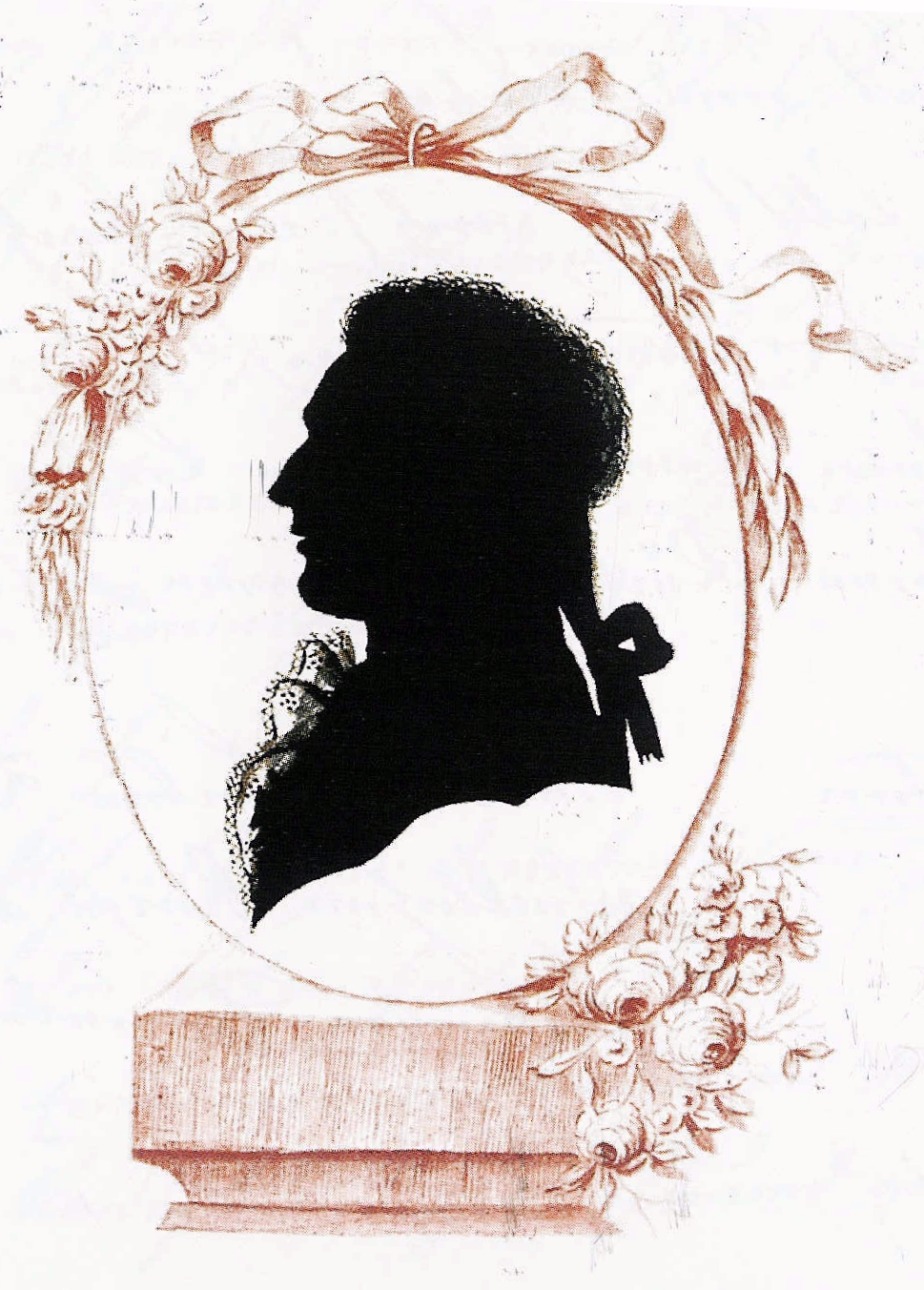
A silhouette (English: , French: [silwɛt]) is the image of a person, animal, object or scene represented as a solid shape of a single colour, usually black, with its edges matching the outline of the subject. The interior of a silhouette is featureless, and the silhouette is usually presented on a light background, usually white, or none at all...
lofty rapids
dark drum
https://en.wikipedia.org/wiki/Silhouette
oh geez, you want a point along the head ?
lofty rapids
dark drum
I've also trying getting the closest location on the collision which seemed bett...
could you maybe draw a bunch of line traces in a row untill it misses ?
dark drum
lofty rapids
oh geez, you want a point along the head ?
Not the head specifically lol. That's just an example of a silhouette.
In the case of what you showed it would be the point at the edge of the black bit.
 lofty rapids
could you maybe draw a bunch of line traces in a row untill it misses ?
lofty rapids
lofty rapids
could you maybe draw a bunch of line traces in a row untill it misses ?
i think this would work
if you shot a trace from the camera to the center of the thing
and then just moved it over a bit for abunch of tries
untill it misses
sounds a bit much but could work to do this
i don't know how fast it would be for when you move
it's just a quick thought might be worth a shot
dark drum
This is what the stencil buffer looks like that's used to make the outline.
I did think of using line traces but yea, it seems a little over kill. I might give it a try though.

 lofty rapids
dark drum
Not the head specifically lol. That's just an example of a silhouette.
In the c...
lofty rapids
dark drum
Not the head specifically lol. That's just an example of a silhouette.
In the c...
you could also try to get all the areas + bounding, then calculate the right most or left most or whatever you want one
you w ould have to turn them to screen space first
then check for the right most point
might be more efficient then a bunch of traces so close together
dark drum
lofty rapids
you could also try to get all the areas + bounding, then calculate the right mos...
hmmm yea sampling a few points and finding the one furthest way (in screen space) is a good idea.
 naive egret
Hey how do you make a 3d widget appear based on click with blueprints?
lofty rapids
dark drum
hmmm yea sampling a few points and finding the one furthest way (in screen space...
 lofty rapids
naive egret
Hey how do you make a 3d widget appear based on click with blueprints?
lofty rapids
naive egret
Hey how do you make a 3d widget appear based on click with blueprints?
is the widget on your player ? or some other character
 lofty rapids
naive egret
Hey how do you make a 3d widget appear based on click with blueprints?
lofty rapids
naive egret
Hey how do you make a 3d widget appear based on click with blueprints?
do you want to click on an actor ? or just whenever you press left mouse button it goes on and off
 lunar coyote
In the BP editor, does right clicking to bring upp the node menu also cause UE to "repopulate" the list every time for you guys? For me, I see a blue bar and nodes being added to that menu. It only takes like 0.3s every time, but it's still annoying. It used to just have all the options instantly before.
lofty rapids
lunar coyote
In the BP editor, does right clicking to bring upp the node menu also cause UE t...
is your computer making a lot of noise ? are you on windows ?
lunar coyote
Noise no, only on 30% gpu, 10% cpu. Windows yes
lofty rapids
interesting i was going to say check the task manager, but 10% cpu thats weird it's taking time
and you restart the editor ? nothing changes ? what about a blank project ?
lunar coyote
@lofty rapids I'll try. So that doesn't happen to you too?
lofty rapids
no it's pretty fast actually
i don't see a blue bar at all
sometimes it takes awhile to load on a big blueprint
but usually it pops right up
naive egret
lofty rapids
do you want to click on an actor ? or just whenever you press left mouse button ...
I want to click on an actor specifically
lofty rapids
naive egret
I want to click on an actor specifically
go to the actor, in the details all the way at the button there is on clicked
 lofty rapids
naive egret
lofty rapids
naive egret
does this work ?
naive egret
lofty rapids
does this work ?
nope
lunar coyote
@lofty rapids It still happens in an empty project. I mean it's fast, just a fraction of a second every time, so it's not a problem, but I'm just baffled by it lol. It used to be instant in previous versions. But this isn't the worst performance issue at all so it's fine.
naive egret
lofty rapids
does this work ?
I added breakpoints aswell its not being triggered at all
lofty rapids
naive egret
nope
did you enable click events in your player controller ?
naive egret
lofty rapids
did you enable click events in your player controller ?
I don't think so
 opaque geyser
Hello, I am working on a project that involves gravity manipulation. I'm trying to make a system that smoothly trasnition from one gravity oreintation to the other. (If you just set new gravity direction it snaps to that direction). My code seems to work very well untill the last second. If starts to jitter the character. At more extreme changes in gravity (like flipping totally upside-down) it jitters even earlier and never reaches the new orientation. Any ideas? My math could very well be flawed.
 lofty rapids
naive egret
I don't think so
lofty rapids
naive egret
I don't think so
do that, it should work
naive egret
this right I just enabled it
 lunar coyote
@lofty rapids oh you know what I think it is? Editor Preferences > Blueprint Editor Settings > Advanced> Context Menu: Non-Blocking Per-Frame Threshold (ms).
By default it's at 50. if I set it to 1, that context menu takes forever to populate, if I set it to 1000, it's a short delay to open that menu but it's populated when it opens. I assume that value was something like 150-200 in previous versions, so that's why I didn't notice that delay in earlier versions.
naive egret
lofty rapids
do that, it should work
did that still doesn't work anything else that needs to be enabled?
lofty rapids
naive egret
did that still doesn't work anything else that needs to be enabled?
not that i know of
lofty rapids
naive egret
did that still doesn't work anything else that needs to be enabled?
are you setting the game mode anywhere ?
naive egret
lofty rapids
are you setting the game mode anywhere ?
this is? this is for my main level
 lofty rapids
naive egret
this is? this is for my main level
lofty rapids
naive egret
this is? this is for my main level
i mean thee node set game mode ui or anything ?
theres set game mode ui, set game mode only, set game mode an ui
are you using any of these anywhere ?
naive egret
lofty rapids
i mean thee node set game mode ui or anything ?
where do I see that?
lofty rapids
naive egret
where do I see that?
it would be in your bps somewhere, could be anywhere but probably on a begin play if so
faint pasture
opaque geyser
Hello, I am working on a project that involves gravity manipulation. I'm trying ...
that math looks borked
opaque geyser
faint pasture
that math looks borked
I just simplified to this, but it is still probably wrong! lol

I'm definetly not a math expert
faint pasture
just use current as current, and set target to be MakeFromZX with Z being gravity and X being current forward
naive egret
lofty rapids
it would be in your bps somewhere, could be anywhere but probably on a begin pla...
this is the BP I don't see it anywhere
 faint pasture
that'll enforce up as being gravity, and x being as close to previous x as it can get
naive egret
lofty rapids
it would be in your bps somewhere, could be anywhere but probably on a begin pla...
tbh im kinda new at this idk what im doing half the time
lofty rapids
naive egret
tbh im kinda new at this idk what im doing half the time
it takes time to practice and learn, i'm still learning all the time and i've been using unreal for a bit of time
on and off atleast
lofty rapids
naive egret
this is the BP I don't see it anywhere
what does you character begin play look like ?
 opaque geyser
faint pasture
just use current as current, and set target to be MakeFromZX with Z being gravit...
opaque geyser
faint pasture
just use current as current, and set target to be MakeFromZX with Z being gravit...
Like this, cause this definitely isn't working, lol
 faint pasture
opaque geyser
Like this, cause this definitely isn't working, lol
faint pasture
opaque geyser
Like this, cause this definitely isn't working, lol
that's not at all what i said
have current rotation be the literal current rotation
opaque geyser
faint pasture
that's not at all what i said
Wait, yea, it's not
opaque geyser
faint pasture
have current rotation be the literal current rotation
Oh gottcha
faint pasture
have target be MakeFromZX(-Gravity, CurrentRotation.Forward)
lofty rapids
naive egret
do you even see a mouse cursor ?
lofty rapids
naive egret
this right I just enabled it
here in your controller, enable show mouse cursor
naive egret
ok and?
lofty rapids
did you have a mouse cursor before ?
opaque geyser
faint pasture
have target be MakeFromZX(-Gravity, CurrentRotation.Forward)
Like this, lol
 naive egret
yes
lofty rapids
or when you click it went away ?
naive egret
lofty rapids
or when you click it went away ?
it is there
enabled it when I enabled on click
lofty rapids
ok, and your sure your using that player controller ?
lofty rapids
naive egret
enabled it when I enabled on click
ya can't click without the mouse, but was the mouse showing before you did this ?
naive egret
lofty rapids
ya can't click without the mouse, but was the mouse showing before you did this ...
LEMME CHECK RQ
sorry for caps
faint pasture
opaque geyser
Lol, that's not working either <@127902729677963264>
Make sure rotation isn't being clobbered or set by anything else, also CMC doesn't like non-vertical oriented capsules btw
lofty rapids
naive egret
LEMME CHECK RQ
because if it was, you may not be using the right controller, and enabling things won't matter r if it's not actually in the gamemode override
opaque geyser
faint pasture
Make sure rotation isn't being clobbered or set by anything else, also CMC doesn...
It isn't, I learned about capsule rotation the hard way, originally was just trying to set capsule rotation. With setting the gravity, CMC doesn't count the capsule at rotated because the bottom of the capsule is always facing gravity, hence whhy I'm changing gravity in order to rotate and turning gravity off untill the desired gravity is reached
faint pasture
opaque geyser
It isn't, I learned about capsule rotation the hard way, originally was just try...
does setting gravity cause the cmc to orient the capsule?
opaque geyser
faint pasture
does setting gravity cause the cmc to orient the capsule?
Yes, the capsule snaps in the direction of the new gravity which I why I am trying to smooth out the transition. Normally if I set a new gravity direction my character will just flip to face the new direction
faint pasture
opaque geyser
Yes, the capsule snaps in the direction of the new gravity which I why I am tryi...
ok so just smoothly interpolate that
lofty rapids
opaque geyser
Yes, the capsule snaps in the direction of the new gravity which I why I am tryi...
how to change the gravity direction ?
faint pasture
how does a VInterpTo on gravity behave?
opaque geyser
faint pasture
ok so just smoothly interpolate that
That's what I'm trying to do, interpolate between my current gravity direction and the gravity direction I eventually want to reach
opaque geyser
lofty rapids
how to change the gravity direction ?
It was added in 5.4 I believe, it's just a node for character movement that sets the gravity direction taking in a vector. To get the camera to work properly, it requires a c++ class. (which I have)
opaque geyser
faint pasture
how does a VInterpTo on gravity behave?
I tried Vinterp earlier, could've still just been a me thing, but it was basically doing the wierd shaking thing, but the entire time, it never got anywhere
lofty rapids
opaque geyser
It was added in 5.4 I believe, it's just a node for character movement that sets...
another reason to upgrade ig
i have 5.3.2
so i can't get this node
opaque geyser
faint pasture
how does a VInterpTo on gravity behave?
Wait, I take that back, the problem with that was that if the gravity exactly 180 degree change, then it would only change that one value of the vector resulting in a snapped flip once it finally reached the other way instead of rotating. So that's why I started with rotators rather than using vectors. It's a shame, cause if it weren't for that, it would work perfectly
opaque geyser
lofty rapids
i have 5.3.2
Oh, lol, yea, it's vey nice when it works
Yea, it's 5.4, this was the documentation/tutorial when it released https://dev.epicgames.com/community/learning/tutorials/w6l7/unreal-engine-custom-gravity-in-ue-5-4

Epic Games Developer
Unreal 5.4 introduced support for custom gravity in the CharacterMovementController. See how to take advantage of it and do cool things like gravity puz...
naive egret
lofty rapids
because if it was, you may not be using the right controller, and enabling thing...
it is using the same controller I just verified
naive egret
nav mesh?
opaque geyser
I think Adriel gave up on me, lol
lofty rapids
naive egret
nav mesh?
i don't think that would stop the clicks, if you had a widget that was on the screen and blocking then that might make sense
naive egret
lofty rapids
do you have a main widget at all ?
Main widget as in something that is there in the level when game begins?
lofty rapids
naive egret
Main widget as in something that is there in the level when game begins?
as in a user widget like a hud or something, a main widget that you added to the project
naive egret
there is this
 lofty rapids
ya this
lofty rapids
naive egret
there is this
in your players begin play, set input mode game and ui
naive egret
naive egret
From this I need to set default?
lofty rapids
naive egret
From this I need to set default?

if this doesn't work, then somethings probably on the widget full screen blocking
naive egret
lofty rapids
if this doesn't work, then somethings probably on the widget full screen blockin...
ok imma try it out
faint pasture
opaque geyser
Wait, I take that back, the problem with that was that if the gravity exactly 18...
Is your gravity always the same strength?
opaque geyser
faint pasture
Is your gravity always the same strength?
Within the rotation yes. Overall, no. Before it starts I set it to 0 so I don't have to worry about it trying to "fall" with gravity as it changes and then one the final direction is reached and the "rotation" is finished, I set it back to default.
naive egret
lofty rapids
I should add the widget aswell right?
faint pasture
You can try SlerpVectorToDirection with your own math to make it the same behavior as vinterpto
or just maintain a rotation and rinterpto it all the time and set gravity based on it, might have some artifacts though
lofty rapids
naive egret
I should add the widget aswell right?
you could put itt in as focus ig if thats what you mean as "add" it's already added to viewport
naive egret
ok
opaque geyser
faint pasture
You can try SlerpVectorToDirection with your own math to make it the same behavi...
Unreal is deciding to be choppy on my seond rate gpu, but I think that may have just worked, one moment
naive egret
lofty rapids
if this doesn't work, then somethings probably on the widget full screen blockin...
something is blocking
lofty rapids
naive egret
something is blocking
show the widget
lofty rapids
naive egret
something is blocking
is the widget mouse stuff working like clicks on the widget ?
naive egret
lofty rapids
show the widget
 opaque geyser
@faint pasture Thank you so much, that did just work. I've been working on that for a LONG time. Migrated to MOVER for a short while so I could rotate my capsule, it was an awful experiene. Thanks, that was days of my life, lol
lofty rapids
naive egret
click on overlay
naive egret
lofty rapids
click on overlay
 lofty rapids
this doesn't look like the right widget though
lofty rapids
lofty rapids
this doesn't look like the right widget though
you want the main widget that you add to viewport, is this the whole thing that creates all the stuff on the screen ?
 lofty rapids
check the visibility of the containers
i think this might be a thing for widget reflector, i've never used it before but i heard you can see what widget is getting the inputs with it
lofty rapids
naive egret
you think this hud is blocking the mouse from clicking the actor?
ya, tools, debug, widget, reflector
naive egret
hmm
lofty rapids
click pick hit testable widgets
and hover over the viewport while your playing, and click see what it shows
naive egret
ok
lofty rapids
you should just be abble to hover
and if your not getting blocked it will be the viewport
but if a widget is blocking it it should show that
for instance if you just started a new project, show mouse cursor, and enable click events
the on clicked should work, pretty much thats all you need
lofty rapids
naive egret
is line trace better?
i mean you could perhaps do a line trace on click, but i don't think it's "better"
imo this would be just hiding a problem instead of fixing it
but it could be a possible work around
it's easier to implement the onclick on each one, then line tracing, and calling an interface function
i would take a look at what the widget reflector says
if it says your viewport isn't the one getting input, and shows a widget then thats your issue
 crimson arch
hello . I'm new on this server. Can someone please help with my blueprint? I don't see the problem , but when the zombie comes near me , it stands for like 5-10 seconds and then attacks me, but I want it to attack me instantly. here's my blueprint if someone knows please respond
 naive egret
lofty rapids
if it says your viewport isn't the one getting input, and shows a widget then th...
naive egret
lofty rapids
if it says your viewport isn't the one getting input, and shows a widget then th...
so when I clicked on the screen this is what the reflector says

does that mean the viewport is getting the input?
lofty rapids
naive egret
does that mean the viewport is getting the input?
ya i think it's not a widget, wild
lofty rapids
crimson arch
hello . I'm new on this server. Can someone please help with my blueprint? I do...
in the attack player event, right at the start put a print string, is that delayed as well ?
lofty rapids
naive egret
so when I clicked on the screen this is what the reflector says
thats the same mine says everything should be ok
hmm
crimson arch
lofty rapids
in the attack player event, right at the start put a print string, is that delay...
wait a sec imma try it
 snow halo
Hi I have a question. I have a widget made for my main menu. Im pressing the Play button, but nothing happens, not even the play event works, it's as if the click input doesnt go anywhere. 🖱️😞


 crimson arch
lofty rapids
in the attack player event, right at the start put a print string, is that delay...
crimson arch
lofty rapids
in the attack player event, right at the start put a print string, is that delay...
yes , its delayed as well idk why tho
snow halo
I have also an event dispatcher that will unfreeze the game and will turn it to normal speed where's when you're in the menu selection it's time is frozen ⏲️ 🥶 🧊
lofty rapids
snow halo
Hi I have a question. I have a widget made for my main menu. Im pressing the Pla...
does the event fire ?
snow halo
lofty rapids
does the event fire ?
no
lofty rapids
snow halo
what is this doing? your creating a main, then looping over all main, and adding a main ?
naive egret
lofty rapids
hmm
I gotta dip for now Imma continue searching about this tmmr thanks for the help !!
snow halo
lofty rapids
what is this doing? your creating a main, then looping over all main, and adding...
now it looks like this
 lofty rapids
make sure this is set in your project settings as well
 snow halo
 lofty rapids
snow halo
Hi I have a question. I have a widget made for my main menu. Im pressing the Pla...
lofty rapids
snow halo
Hi I have a question. I have a widget made for my main menu. Im pressing the Pla...
what is the visibility on the vertical box ?
snow halo
lofty rapids
what is the visibility on the vertical box ?
oh I think there's the problem, thanks
 lofty rapids
crimson arch
hello . I'm new on this server. Can someone please help with my blueprint? I do...
lofty rapids
crimson arch
hello . I'm new on this server. Can someone please help with my blueprint? I do...
well why is the tatrget actor your player controller ?
lofty rapids
snow halo
oh I think there's the problem, thanks
well thats what you want i think
self only
so it doesn't effect the children
snow halo
lofty rapids
so it doesn't effect the children
still doesnt work 😅
lofty rapids
whats the visibility of the button ?
 snow halo
lofty rapids
does the quitt button work ?
snow halo
lofty rapids
does the quitt button work ?
it doesnt
crimson arch
lofty rapids
well why is the tatrget actor your player controller ?
I didnt even notice that lol
snow halo
I've added this {self} here

but no change
I've set global time dilation to 0.1 instead of 0, still doesn't work

I think this problem might be related to having the widget blueprint on the level blueprint
any time that I've created widgets inside of actors they worked
only now im creating a widget from a level blueprint for the first time & it doesnt work
and i have many widgets in my world and I never had this problem
But I need to have this code inside of level blueprint, although I can also have this code inside of controller
because im using the same game state, im not switching around any levels or anything, im in the same island level both in menu & after I press play
crimson arch
lofty rapids
well why is the tatrget actor your player controller ?
yooo thank you bro I fixed it thank you so much man
lofty rapids
snow halo
But I need to have this code inside of level blueprint, although I can also have...
mamybe #umg might know more about it ?
 lunar sleet
snow halo
I think this problem might be related to having the widget blueprint on the leve...
lunar sleet
snow halo
I think this problem might be related to having the widget blueprint on the leve...
So don’t use level bp. You cannot communicate with it, it is pre-Kismet 2.0
lunar sleet
snow halo
But I need to have this code inside of level blueprint, although I can also have...
I very much doubt you need to have it in the level bp
snow halo
lunar sleet
So don’t use level bp. You cannot communicate with it, it is pre-Kismet 2.0
I can with event dispatchers
lunar sleet
snow halo
I can with event dispatchers
Oh, does it work? Cause it sounded like it wasn’t working
snow halo
lunar sleet
Oh, does it work? Cause it sounded like it wasn’t working

only for these

not for this one
im also using these now but still doesnt work

inside of the widget
snow halo
lunar sleet
Oh, does it work? Cause it sounded like it wasn’t working
it doesnt work because of the click events not working
but the dispatchers can work, im curious where could I put these instead of the level blueprint? Is there a better blueprint to house them?
lunar sleet
Yeah, I’d say do your best to avoid level bp. If need be you can always set different player controllers or just use one and have a check that does diff things depending on the level
But to answer your question player controller or game mode or even game instance would prly be ideal
Depending on your approach
snow halo
lunar sleet
But to answer your question player controller or game mode or even game instance...
game instance is a blueprint?
lunar sleet
Yes
snow halo
which of these is the game instance?
 lunar sleet
You have to create a GI bp parented to Game Instance, same as you would for your PC or GM
lunar sleet
snow halo
which of these is the game instance?
It’s not there because it persists across all levels
Hence why I said it depends on your approach
snow halo
oh I was going to do this anyways after I created a main menu , because I needed to do that anyways for my saving system, but I thought I can't have a saving system before a main menu first 😅
 narrow sentinel
if theres anyone in this channel that knows how to do control rig stuff at all would love some help over in that channel, having a bit of a mare with it
snow halo
lunar sleet
It’s not there because it persists across all levels
I assume Init in gameInstance is the same as begin play?
 lunar sleet
Not quite, I think it happens earlier
I think it should have its own begin play but I can’t rmbr
lunar sleet
Oh maybe then. I wouldn’t assume it replaces begin play tho, GI init could be occurring way before anything else, but you can always test it
snow halo
lunar sleet
Oh maybe then. I wouldn’t assume it replaces begin play tho, GI init could be oc...
im doing something like this

mouse button events still dont work, seems its not related
lofty rapids
did you check the widget reflector ? something i learned about the other day
it will tell you if something is blocking
it will tell you when you hover over the button what is currently consuming input
lunar sleet
When it comes to widgets sometimes there’s things on top that can cover the area where you’re trying to get a click response from
lofty rapids
snow halo
mouse button events still dont work, seems its not related
do you set game mode anywhere ?
lunar sleet
You mean set input mode?
 lofty rapids
interesting
snow halo
Though I think it's kinda weird how I have it right now


so it first goes to game instance from level blueprint, and then from level blueprint to widget and then back to game instance like a ping-pong with this dispatcher here 🏓🎾
 lofty rapids
when you hover over the button, do you notice any change or nothing happens ?
snow halo
But the problem is, if im going to make a modular menu with more functionality then this isn't really gonna be very modular
snow halo
lofty rapids
when you hover over the button, do you notice any change or nothing happens ?
nope
lofty rapids
ok so create a blank widget, throw a canvas on it, throw a button it
see if that reacts to your clicks
 robust belfry
Need help plsss
snow halo
lofty rapids
when you hover over the button, do you notice any change or nothing happens ?
btw this widget reflector thing doesn't show me any widget elements at all
lofty rapids
idk much about it, i just heard about it the other day
lofty rapids
snow halo
btw this widget reflector thing doesn't show me any widget elements at all
did you try another widget, see if that one recieves the input ?
lofty rapids
snow halo
btw this widget reflector thing doesn't show me any widget elements at all
you clicked pick hit testable ?
snow halo
lofty rapids
did you try another widget, see if that one recieves the input ?
yes and yes

for example here's crafting menu
lofty rapids
ok so it's working with other widgets
snow halo
also I just realized canvas has this collision
 snow halo
ill try to remake the widget
lofty rapids
also
try to remove from parent
the add to viewport
again later on
to see if something is over it
lofty rapids
iff you remove then add it will bring it to the top
so do that on button click or a keyy press
just to see if thahts the issue
snow halo
yes
somehow when I do that
for example
i click on a chest
it opens up a widget
then it works ➡️ ✅
or when I open up my crafting menu or any other menu

very strange
lofty rapids
when you are displaying it are you just changing visibility ?
lofty rapids
snow halo
for example here's crafting menu
can show what happens if you hover over the widget that doesn't work ?
does it not do anything ?
show what the widget reflector shows when you hover over the button
snow halo
lofty rapids
when do you run this event ?
So when I do that it thinks im hitting the player damage effect "blood widget" shows up infront of it

I just wish there was a way to set a priority on the widgets
lofty rapids
snow halo
I just wish there was a way to set a priority on the widgets
when you add to viewport you can set zorder
so you can set which ones go over what
click on the arrow down on the add to viewport
and enter a high number for thatt one
if you want it always on top
sharp ferry
Hi, how can i make the Followcamer not going out the view but having collision with walls?
 lofty rapids
sharp ferry
Hi, how can i make the Followcamer not going out the view but having collision w...
lofty rapids
sharp ferry
Hi, how can i make the Followcamer not going out the view but having collision w...
is the camera on your character ?
sharp ferry
lofty rapids
is the camera on your character ?
yes
lofty rapids
sharp ferry
yes
do you have a spring arm ?
sharp ferry
it goes out
 sharp ferry
lofty rapids
do you have a spring arm ?
sharp ferry
lofty rapids
do you have a spring arm ?
sorry i dont know what it is
lofty rapids
sharp ferry
sorry i dont know what it is
it's what you need most likely... you want when the camera is too far through a wall that it moves in so you always see your character ?
lofty rapids
sharp ferry
sorry i dont know what it is
it's a thing that you attach the camera too, and it has blocking built in
sharp ferry
lofty rapids
it's what you need most likely... you want when the camera is too far through a ...
i want that the camera respect the wall collisions, it needs to stay inside the room not see outside like there
the camera is behind

should i change some options to respect the wall collision when i move the visual?
lofty rapids
well you can do a line trace and move the camera, but a spring arm does this automatically
lofty rapids
sharp ferry
should i change some options to respect the wall collision when i move the visua...
add a spring arm, then drag the camera into the spring arm
sharp ferry
lofty rapids
add a spring arm, then drag the camera into the spring arm
is it simple to do?
lofty rapids
sharp ferry
is it simple to do?
ya in the components in the top left just add, spring arm
sharp ferry
where are components sry
lofty rapids
sharp ferry
where are components sry
hold on click camera boom
i think thats your spring arm
lofty rapids
sharp ferry
its below Folowcamera now
delete that because i think you already have one
sharp ferry
yea i have a camera boom
lofty rapids
sharp ferry
the camera is behind
in this picture, click on camera boom, i think thats your spring arm
sharp ferry
yes
lofty rapids
sharp ferry
yea i have a camera boom
click on that, in the details on the right
check do collision test
is it checkedd off ?
sharp ferry
''camera''
sharp ferry
mh need to check
 sharp ferry
is block all
snow halo
I'll try this to be sure 😁
lofty rapids
sharp ferry
is block all
hmm, i wonder because the spring arm is supposed to do what your talking about
snow halo
it works ✅ z.order works 💡
lofty rapids
i actually noticed it the other day
lofty rapids
sharp ferry
the camera is behind
click onno the camera boom and show me the whole red line
maybe your camera is offset
it doesn't seem like it in the picture it's just a bit off zero
steady night
hi i got this "lava" material but its like draining all the light making the room super dark

how do i turn that off ?
lofty rapids
steady night
how do i turn that off ?
you want the material not to glow like that ?
you can probably turn it down or off completely
steady night
yeah
lofty rapids
show the material
hopefully it's not too complicated, but there is #materials if so
steady night

No description provided
im thinking it could have with blend mode or shading model to do or ?
snow halo
Another question, I have a swimming post-process inside of my character blueprint.
Im trying to make a sequence video start on begin play. Like this video:
https://youtu.be/-b9FO8iQYSY
he deletes this Player Start Object, and adds in his FirstPersonCharacter object. But if I do this then before I start the game I'll have this post-process always in my face.
Although when I press play it goes away, I still want to understand why that happens. This post process...
My prost process on Character Begin Play is automatically set to disabled by default. It only enables when I enter the water 🌊 🏊♂️


Hello guys, in this quick and simple tutorial we are going to learn how to create an opening cinematic, and then switch into gameplay in Unreal Engine 5.
Detailed Level Sequence tutorial: https://www.youtube.com/watch?v=60iYC0fkjhE&t=189s
Follow me on Twitter: https://twitter.com/GorkaGames
Subscribe to the channel: https://www.youtube.com/chan...

I remove the character blueprint, and use the Player Start, it all works ✅
 lofty rapids
steady night
im thinking it could have with blend mode or shading model to do or ?
lofty rapids
steady night
im thinking it could have with blend mode or shading model to do or ?
first thing make a copy in case it fks up, but what you want to do is plug where it's going to emissive color, instead take that output and plug it in to just base color

emissive color is whats doing that i think
lofty rapids
steady night
however the emissiv stuff makes it glow obviously
are you using an instance of the material ?
or the material itself
lofty rapids
ok so theres probably a setting

possibly whatever this parameter is
for how much it glows maybe ?
or there should be propertys anyway hopefully with good names


 lofty rapids
ya thehre should be in the instance settings as parameters for this kind of thing
like brirghtness
steady night
i like the one where its glowning the 1.0 but its so dark on the platform
i made the material myelf, (tutorial)
lofty rapids
steady night
i like the one where its glowning the 1.0 but its so dark on the platform
change the color to a darker green maybe ?
so it won't be as bright
 lofty rapids
i can't help much more with materials, something i have just done a little not much with
snow halo
snow halo
I remove the character blueprint, and use the Player Start, it all works ✅
I fixed it
✅
steady night
hm alright ty , ill check with material
or i changed it to "unlit" hading modelk
much better
snow halo
lofty rapids
thats the goto for the beginning of the game
but I need to use player character blueprint instead
 lofty rapids
snow halo
but I need to use player character blueprint instead
lofty rapids
snow halo
but I need to use player character blueprint instead
wdym ?
snow halo
player start is an object
but player start is not the same as character bp
Hello guys, in this quick and simple tutorial we are going to learn how to create an opening cinematic, and then switch into gameplay in Unreal Engine 5.
Detailed Level Sequence tutorial: https://www.youtube.com/watch?v=60iYC0fkjhE&t=189s
Follow me on Twitter: https://twitter.com/GorkaGames
Subscribe to the channel: https://www.youtube.com/chan...
he uses his character bp, not the player start element
 onyx token
is there a smarter way to do this? 

to make 08 instead of 8
this seems really dumb.

 visual ember
 onyx token
oh god
sharp ferry
lofty rapids
click onno the camera boom and show me the whole red line
sorry i was eating
 onyx token
visual ember
onyx token
visual ember
oh that does do it, thank you!
lofty rapids
sharp ferry
click on your camera
set it the location to 0,0,0
yourcamera should be at the end of the red line
if you want to move your camera, rotate the spring arm
if you want it to go farther back use target arm length
sharp ferry
lofty rapids
if you want it to go farther back use target arm length
fixed thanks
i've learned also what is the spring arm too
uneven crest
Trying to get the end point of where my mouse is clicking but the logic isnt working

is something off with my code
it doesnt go where i clicked
lofty rapids
uneven crest
Trying to get the end point of where my mouse is clicking but the logic isnt wor...
so you wwant to click stuff with a trace ?
uneven crest
i want to spawn a actor from a certain point, and have it end where the mouse click is in the world
 lucid stream
I have a user widget that contains another user widget. My upper layer is ticked but the contained widget is not. Is that normal? Are we expected to manually tick containing widgets?
lofty rapids
uneven crest
i want to spawn a actor from a certain point, and have it end where the mouse cl...
i'm not sure i understand, you want it to start somewhere and end another place ? your current logic i'm not understand what is world direction supposed to do in this cases that you have ?
surreal peak
lucid stream
I have a user widget that contains another user widget. My upper layer is ticked...
The inner Widget should also tick if you add the event
uneven crest
lofty rapids
i'm not sure i understand, you want it to start somewhere and end another place ...
Basically im just trying to set a line trace to end where my mouse click is so that I can get that location
Nevermind got it to work
lofty rapids
uneven crest
Nevermind got it to work
what did you do ?
uneven crest
lofty rapids
what did you do ?
In the addition part, i put the world location into the top instead of the direction
 pastel garnet
anybody need an object pooling solution? I created one and looking to get feedback on actual use cases for it and the performance benefits
https://github.com/Lazy-Jason/LazyGenericDynamicObjectPool.git
im trying to improve my skills in unreal and get myself ready for industry level optimisation consideration 🤧 this is just start
GitHub
Provides an all in one generic pooling system for all actor type allowing for dynamic allocation of actors to a pool with similar types and auto shrinks when to free up memory of unused pools. - La...
snow halo
Hi, I have a problem 🎮 🪲 🦠
So when I start my game. I have an camera sequence playing 📽️ the camera is floating around etc etc.
and the main menu shows up on the screen 📺 💻 🖥️
while the screen is moving around
this all happens on begin play! ▶️
but as soon as I begin play there is going to be a character getting created. How does that happen? I dont want a character to be created by begin play 
I wanna try to create & spawn it through blueprint manually 🪄 ✨
lofty rapids
snow halo
but as soon as I begin play there is going to be a character getting created. Ho...
are you saying as soon as you load the level it possesses a character ?
snow halo
yes
lofty rapids
in your game mode override
select none as default pawn
snow halo
and I have both Player Start element as well as the character blueprint deleted from the level
lofty rapids
snow halo
and I have both Player Start element as well as the character blueprint deleted ...
its probably your override in world settings, it's got a default pawn in it
snow halo
lofty rapids
are you saying as soon as you load the level it possesses a character ?
yes but that only happens on (PIE) not on selected viewport


(I just noticed this)
lofty rapids
it happens in selected vieport i'm pretty sure
snow halo
lofty rapids
its probably your override in world settings, it's got a default pawn in it
should I remove the default pawn?
lofty rapids
ya thats whats happening, the level is loading from the override
snow halo
This is why I wanna destroy the player character
 snow halo
lofty rapids
it happens in selected vieport i'm pretty sure
snow halo
lofty rapids
it happens in selected vieport i'm pretty sure
sometimes for example I get spawned in the middle of the ocean way way out of the map something like 0,0,0
🤔
snow halo
lofty rapids
but don't have the override load the pawn
But this will still create these character widget elements on the screen 💻 🖥️📲
lofty rapids
snow halo
But this will still create these character widget elements on the screen 💻 🖥️�...
if you don't want the pawn to load then thats how, but if the widgets are still on the screen then the pawnn doesn't add them to viewport it's probably happening somewhere else
sharp ferry
i-ve followed step by step a tutorial to grab and object with E and drop it holding t, i setted all the nodes like he did but hes in first person im in third, he use the Fir person camera as first node, what should i use_
lunar sleet
sharp ferry
i-ve followed step by step a tutorial to grab and object with E and drop it hold...
Show a proper screenshot of the nodes
sharp ferry
yes
snow halo
lofty rapids
if you don't want the pawn to load then thats how, but if the widgets are still ...
it's probably happening somewhere else
but when that happens the Character is created
 sharp ferry
lunar sleet
Show a proper screenshot of the nodes
sharp ferry
lunar sleet
Show a proper screenshot of the nodes

 lofty rapids
snow halo
> it's probably happening somewhere else
but when that happens the Character i...
lofty rapids
snow halo
> it's probably happening somewhere else
but when that happens the Character i...
oh then it could be the character, is there one in the outliner before you press play ?
snow halo
lofty rapids
oh then it could be the character, is there one in the outliner before you press...
nope
sharp ferry
i did that on my main character BP
lofty rapids
sharp ferry
is your line trace not hitting or going straight ?
lofty rapids
sharp ferry
you don't want to multiply, try a add instead on that trace
sharp ferry
lofty rapids
you don't want to multiply, try a add instead on that trace
the blue one_
the blu node?
i understand nothing of that i just copied his nodes and did exactly the same so is so difficulty to understand how to add instead of multiply
i guess the multiple are the two yellows nodes
lofty rapids

see this is multiply, it's usually add
but draw the trace
draw debug type
select persistent
then when you press the key you'll see the trace
to see if it's going straight and far enough
sharp ferry
i
added the +
instad of multply
i cant pick up the two objects
i dont understand what should i add instead of first person camera
bc i dont have first prson camera
im third person
so i added the capsule that
there*
lofty rapids
ya the capsule should be fine
read what i wrote above
draw debug type
you can track what is going on with this trace
atleast see if that is working
lofty rapids
lofty rapids
draw debug type
on the trace by channel node
lofty rapids
sharp ferry
i started unrealengine today
ok so its hard to help this early for me because you won't know what i'm saying to you
sharp ferry
lofty rapids
ok so its hard to help this early for me because you won't know what i'm saying ...
yea indeed
its weird i followed the tutorial step by step node by node
i know about the trace that lights up meaning its working
if u mean the dynamic connection smooth
sharp ferry
lofty rapids
ok so its hard to help this early for me because you won't know what i'm saying ...
whats the first thing i can do easy as BP? this is already too complex i dont understand a single node here
id like to understand what im adding and doing
to be self-sufficient later
i will try another tutorial in Third person same grab and drop
lofty rapids
sharp ferry
to be self-sufficient later
lookup blueprint beginners tutorial specifically
it will do more to help with thhe nodes
sharp ferry
lofty rapids
it will do more to help with thhe nodes
when i look at these tutorials i just wonder how they can understand what to do all the time is soo difficutl
lofty rapids
likee how the nodes work, what variables are, functionns, stuff like that
sharp ferry
yea indeed i dont even know whats a function or variable
lofty rapids
How to understand blueprint nodes? How to know the difference between nodes?
Welcome to How to... a snack-size video for a snack-size question in Unreal Engine 4.
SUPPORT ME
Patreon I https://www.patreon.com/ryanlaley
Buy Me a Coffee I buymeacoffee.com/RyanLaley
Donations I paypal.me/ryanlaley
PRIVATE 1-2-1 SESSIONS
Email me at support@ryanl...

In todays episode we are looking at all things Variables and what you might use them for when making your game.
If you enjoyed this episode please consider subscribing. If you want a tutorial created let me know what you need to know in the comments.
Check Out MeesterMeerkats Channel BurrowGames with the link below:
lofty rapids
sharp ferry
yea indeed i dont even know whats a function or variable
this is stuff you'll have to look into, its fundamental programming stuff
sharp ferry
thanks im gonna save the videos
 glossy fern
Hey guys, I have a small questions, if I have a character blueprint X , with a component Y , the component Y is implementing an interface Z, if I call a function from that interface from another blueprint outside of this scope, does the call work on the character X or is it ignored ?
faint pasture
glossy fern
Hey guys, I have a small questions, if I have a character blueprint X , with a c...
Do you mean, if you call Character.Zfunction, will it do anything? No, the character does not implement the interface, the component does.
What component and interface is this?
You can probably get rid of the interface
glossy fern
I meant like a projectile hits a character X, character X has component Y (custom BPC), component Y is implementing interface Z.
- a projectile K hits character X , and calls a function from the interface Z , does that call go through or not?
if its too unclear please tell me 😅
faint pasture
glossy fern
I meant like a projectile hits a character X, character X has component Y (custo...
makes the Z interface call on WHAT OBJECT?
Does the projectile call Character.Z or Character.ComponentY.Z?
glossy fern
faint pasture
Does the projectile call Character.Z or Character.ComponentY.Z?
I am trying to avoid doing that, trying to avoid hard calls and casting
so no, it does a call on the hit object
faint pasture
Character does not implement Z so no it won't do anything
Is this health and damage?
glossy fern
which is the character X, but the projectile doesnt cast or anything it just calls the interface function with the hit object as a target
faint pasture
that casts under the hood
but casting is fine
to base classes that are commonly used its basically free
glossy fern
faint pasture
Is this health and damage?
i think so, I had a small Idea Im trying to implement
yeah just like health and damage
faint pasture
I'd just keep the component energy going though, doing damage to something can just be "Get component by class HPComponent, call HPComponent.TakeDamage if it exists"
you can think of a component as an interface + state
glossy fern
ahaaaaa nice !!
glossy fern
faint pasture
I'd just keep the component energy going though, doing damage to something can j...
ill check it out !
uneven crest
Anybody know why its not firing the projectile

it spawns the acotr
actor
but doesnt shoot
projectile movement is added to the class
Nevermind got it
lofty rapids
uneven crest
Nevermind got it
i'm guessing you were missing initial speed ?
sharp ferry
i almost comploted the tutorial but im stucked in one place, about the third person grab an object holding it with mouse left. so the problme is, he used ABP_mANNY and have different nodes like this but on my character i can't connect that grey node to add a pin and procede with the tutorial


in this phase im trying to add ( i think) the carrying animation of the box
uneven crest
lofty rapids
i'm guessing you were missing initial speed ?
had inital speed. on the sphere i had simulate physics
lofty rapids
sharp ferry
so whats the problem the warning ?
sharp ferry
lofty rapids
so whats the problem the warning ?
I have different layouts than Manny, i don't know how can I connect the grey node to create a new pin on my character
i was litearlly to the end of the tutorial
lofty rapids
sharp ferry
I have different layouts than Manny, i don't know how can I connect the grey nod...
i don't know what this means
"create a new pin" ?
are you still not sure what the white lines do ?
sharp ferry
lofty rapids
are you still not sure what the white lines do ?
i was just trying to finish this tutorial to grab and hold/move an object customizing a idle animation and split it half bones with Run animation too
holding my BP box
sharp ferry
lofty rapids
are you still not sure what the white lines do ?
i dont know how to connect that in my Nodes layout, is differnet than manny
faint pasture
sharp ferry
Do you know what any of this code does?
sharp ferry
faint pasture
Do you know what any of this code does?
i don't
but i just would like to try to complete the turoail and add this function to my ''game''
faint pasture
Then slow down and figure out what it is you're actually doing
faint pasture
This is just a sequence node, it's just there for convenience

A -> Sequence -> B
-> C
-> D
-> E
is exactly the same thing as:
A -> B -> C -> D -> E
sharp ferry
what is that for? to connect what?
i think i need to keep on the tutorial with that thing to connect my Idle carrying animation as a new pin
sharp ferry
sharp ferry
How can i connect that in my case
faint pasture

Why do you need a sequence though
it's the same as just adding stuff to the end of your execution
you really need to back up and just do something super simple, make an actor that does something super simple on begin play, like:
Begin Play -> delay -> do something -> delay -> do something else
sharp ferry
im holding the box, and now proceding with tutorial i need to add the idle with the splitted Idle carrying and walking animation
 sharp ferry
faint pasture
sharp ferry
faint pasture
gonna try this ty
i dont get why in the left panel of ''MY BP'' he has ''character'' and i dont
below Reference, i do not have ''character''
sharp ferry
faint pasture
you're flying blind here
if onyl moving a box is just so difficult, what can i start with?
sharp ferry
faint pasture
You have Nadine
yea nadine is my character but i dont see the same as him in tutorial 😐
faint pasture
sharp ferry
if onyl moving a box is just so difficult, what can i start with?
Start with something super small, and do it without a tutorial
make a door that opens when the player gets near it
sharp ferry
i will start to watch the two tutorials that engage snet me
faint pasture
make a platform that moves up and down forever
sharp ferry
faint pasture
make a platform that moves up and down forever
so carrying a box and holding dropping is taht hard?
faint pasture
It's easy, but you don't even know what execution pins do right now
sharp ferry
even to make my character move with WASD i understood nothing followed the tutorial but did it
yea is wrong i know
but probably the door is gonna be complex as well
faint pasture
Make an actor that does something super simple, and do it without a tutorial
it's not complex at all
sharp ferry
faint pasture
Make an actor that does something super simple, and do it without a tutorial
i cant
i understand nothing of this nodes
faint pasture
Then go back all the way to the beginning
faint pasture
Do you understand basic programming?
the concept of a function, a variable, a class?
sharp ferry
faint pasture
Do you understand basic programming?
nope
i thought bluprint was easiest
than coding like unity
or idk
well with time i willl learn some new stuff
today i've learned a bit the layot, import materials, assets and others basic stuff
collisions, camera settings etc
i have in program to make a game where my Nadine cook drugs in this garage and i will also change her clothing
faint pasture
sharp ferry
nope

Harvard University
An introduction to the intellectual enterprises of computer science and the art of programming.
Blueprint is easy but it's still programming, you still need to know the concepts
sharp ferry
faint pasture
Blueprint is easy but it's still programming, you still need to know the concept...
indeed
sharp ferry
faint pasture
https://pll.harvard.edu/course/cs50-introduction-computer-science
im italian sometimes even all the infos in english are harder
sharp ferry
faint pasture
https://pll.harvard.edu/course/cs50-introduction-computer-science
whats is this?
faint pasture
sharp ferry
whats is this?
free computer science course from Harvard
Very very good for getting the basics
sharp ferry
faint pasture
free computer science course from Harvard
i think i need something in my mother language for stuff like that
uneven crest
I have a projectile sphere that when it lands, just goes through the level. I have bounce ticked on the projectile movement. what else do i need to tick?
lunar sleet
Collision
uneven crest
i added a collision but it still doesnt do anything
 karmic sinew
is there any way to keep a player moving in a direction without input, and be able to direct themselves while doing so?
i've tried fiddling around with the character movement parameters and nothing worked, so i came up with a roundabout method with a counting script (pictured here), but is there any way to do it without it?

player rotates using AddActorWorldRotation, and these are operated by button presses so it all starts off EventTick
snow halo
Hi I have a question about a struct im making.

This video will teach you how to save and load your unreal engine 5 game in the most scalable and flexible way. I aim to teach you good code architecture and how to structure your systems in a way that makes them easily reusable, maintainable and scalable.
By the end you will have a system that contains a reusable save and load system that can ...
Im on to this video, (timestamped already)
my question is... I have a world with many many actors
some of these actors are manipulated
like you pick up a fruit
that fruit never grows back
or you break down a plant or you create a farm somewhere
aka you plow the dirt (it creates a plow dirt blueprint somewhere in that level) but now think of this... I have many types of items and probably a lot of these items are gonna be placed at maaaany many areas around the map
so my guess is, load and save could get a bit expensive or heavy, this can be kind of complicated

this is the player struct I have so far.
However, I've made it so that trees grow back after 50 seconds so now I dont have to save anything regarding trees
but the farming system will probably get really complicated
 steady thicket
Hi! I’m currently working on a third-person movement system using Enhanced Input, and I want the player’s movement to be relative to the camera’s rotation and position. Basically, when the player presses W, the character should move forward in the direction the camera is facing, and A/D should strafe left and right accordingly. However, right now the movement is completely off — pressing W moves the character to the left, S moves right, A moves down, and D moves up. I'm using the camera’s world rotation and then getting the forward and right vectors, which I plug into Add Movement Input. But I think I may have wired the input values (X and Y) incorrectly or misunderstood how to apply the camera's rotation. Could someone clarify the correct way to use the forward and right vector from the camera for this type of movement? Should I ignore the camera's pitch or swap the X and Y input axes?
 uneven crest
Is there a way to get the closest actor to a certain location?
faint pasture
uneven crest
Is there a way to get the closest actor to a certain location?
just start checking
What's the use case
I'd probably do some traces instead of iterating over every actor in the world
crimson arch
steady thicket
Hi! I’m currently working on a third-person movement system using Enhanced Input...
DId you check that the input actions are right?
 full badge
uneven crest
Is there a way to get the closest actor to a certain location?
full badge
uneven crest
Is there a way to get the closest actor to a certain location?
try 'get closest actor' node
 burnt citrus
uhm, if i have a function that end with a loop, do i need to use a return node on the "completed" output of the loop?
i mean if i need to add a different function or other stuff on the same exec line
i'm worried to add stuff after the function and they are still looping
visual ember
burnt citrus
uhm, if i have a function that end with a loop, do i need to use a return node o...
the loop runs inside the function and continues through the Completed exec pin on the loop node. if you have nothing after that, then the function just exits
burnt citrus
visual ember
the loop runs inside the function and continues through the Completed exec pin ...
ok thanks, so when i attach another function after the first function is not looping
i suspected that but i wanted to be sure 😄
visual ember
burnt citrus
ok thanks, so when i attach another function after the first function is not lo...
the next one in line won't loop
functions are "scopes". so whatever happens in the scope, stays in the scope, so to speak. once you exit (return) the function is no more, so is the loop inside of it
burnt citrus
so if i attach a return node to the looping part inside a function, the next function won't loop either?
visual ember
burnt citrus
so if i attach a return node to the looping part inside a function, the next fun...
what do you think?
burnt citrus
i think it will not loop :p
visual ember
and why is that?
burnt citrus
cuase you said function are scopes? 😄
visual ember
and what follows from that? 😄
burnt citrus
btw i can just attach a print string after a function to see :p
i was just asking to be really sure
visual ember
and I just suggest to "think it through" quickly first. should help with understanding 🙂
and then test to confirm your prediction
(but yes, once the return is called, the function stops the execution, including the loop)
burnt citrus
so basically return nodes are used only for output variables
visual ember
burnt citrus
so basically return nodes are used only for output variables
no. you can return at any point, say based on a condition. like in your loop, you can have a branch to check a value and put a return node there. so the loop will end and the function will exit
 burnt citrus
ah, nice
visual ember
other than that return nodes are somewhat optional
cause the function will return automatically once it has nothing else to call (execute) next
it's advised to put return nodes explicitly though, so the intent is clear
 lime crow
anyone know where the show fps button has gone in 5.6?
 lime crow
visual ember
lime crow
visual ember
Legend, thank you
 remote shore
i have some issue trying to send information between 2 blueprint. The Item BP has the item information and on event i want the information to go to my component BP_Inventory. BP_Inventory is also inside my player controller

 lofty rapids
remote shore
i have some issue trying to send information between 2 blueprint. The Item BP ha...
lofty rapids
remote shore
i have some issue trying to send information between 2 blueprint. The Item BP ha...
is the print string showing up ?
remote shore
lofty rapids
is the print string showing up ?
defn not, because like said above it is inside a component in the player so i can't set a reference on scene. Give a error on accessing something empty
lofty rapids
remote shore
defn not, because like said above it is inside a component in the player so i ca...
ok so you set the reference type, but it's not actually set

this node might be what your after
remote shore
 lofty rapids
lofty rapids
lofty rapids
^i think this node will work
set the target to be the playercontroller reference
or just get player controller and use that if it's the active one which i bet it is
and then use that as target, then get component of class, bp_inventory
then drag out from that and run the event
remote shore
lofty rapids
wherre i put that?
lofty rapids
remote shore
defn not, because like said above it is inside a component in the player so i ca...
accessed none, this is a typical mistake i see a lot, the variable has a type set but this does not actually set the reference
you need to actually set the variables value after you assign a type
lofty rapids
remote shore
wherre i put that?
you know anything about getting references ?
remote shore
lofty rapids
you know anything about getting references ?
50/50
lofty rapids
remote shore
i have some issue trying to send information between 2 blueprint. The Item BP ha...
you see where you have the item plugged into the event call in bp item
you can replace that item with get player controller -> get component of class
then when you drag out, you should be able to call the event
oops you started a thread mb
 granite nacelle
can someone please help me with this. My skull pawn moves weird when moving to patrol points, I wanna know what could be causing this and how to fix it, the second video is its blueprint
lofty rapids
granite nacelle
can someone please help me with this. My skull pawn moves weird when moving to p...
unhook the set rotation, possibly it's rotating and moving forward trying to find the path again
the tick, unhook it just to test
granite nacelle
lofty rapids
unhook the set rotation, possibly it's rotating and moving forward trying to fin...
i unhooked the set rotation but it doesn't stop the jagged movement
lofty rapids
granite nacelle
can someone please help me with this. My skull pawn moves weird when moving to p...
i have a hard time with videos and bp it's a pain the ass tbh
but can you show what it does without the tick hooked up ?
granite nacelle
lofty rapids
but can you show what it does without the tick hooked up ?
just tried it and its the same, when it reaches a patrol point it shakes all over the place
tried begin play also
lofty rapids
granite nacelle
tried begin play also
put the tick logic at the end when it hits a spot
so it lands, rotates toward the next, then delay and move again
lofty rapids
granite nacelle
can someone please help me with this. My skull pawn moves weird when moving to p...
is there any reason your using move to, and not ai move to ?
sharp ferry
to add a Posterize effect to my render, i have to do with a material?
or is it possible to do with BP on the whole scene?
granite nacelle
lofty rapids
put the tick logic at the end when it hits a spot
so I set the skulls collision to overlap with pawn only and it seems to be working now, it seems that the collision was colliding with something or everything
lofty rapids
granite nacelle
so I set the skulls collision to overlap with pawn only and it seems to be worki...
oh nice
collision can be a pain, it needs to be seet just right
granite nacelle
lofty rapids
is there any reason your using move to, and not ai move to ?
I already set it once so I didn't use it again
granite nacelle
lofty rapids
collision can be a pain, it needs to be seet just right
yeah thanks for the help though
lofty rapids
granite nacelle
yeah thanks for the help though
its a lot easier to help (for me atleast idk about anyone else), if show images or use : https://blueprintue.com/
videos are a pain tbh, you have to pause and click through to get views on what is going on it's hard to track imo
videos are good for showing the problem not the code i think
 void pewter
hi guys i just need help what's the material function. I really confused about this. I don't get it clearly
lofty rapids
void pewter
hi guys i just need help what's the material function. I really confused about t...
wdym " material function " ?
are you asking what is a material used for ?
void pewter
lofty rapids
are you asking what is a material used for ?
i mean What are material functions used for?
 lofty rapids
void pewter
i mean What are material functions used for?
lofty rapids
void pewter
i mean What are material functions used for?
#materials know all about this stuff, but i thinks it's basically a function set for materials that you can use, never used one before myself
void pewter
lofty rapids
<#1014244767854510262> know all about this stuff, but i thinks it's basically a ...
thy
lofty rapids
void pewter
i mean What are material functions used for?
"Encapsulates complex logic into a single, easy-to-use node that can be shared between materials"
 lime yoke
I'm curious about these situations. I know using cast is mostly bad with some exceptions and if possible using interfaces are the best option, but between these two type of events, which is "better"? I'm using Character as an example but I'd replace that with my own PlayerCharacter class with has much more features and components (which may require more memory usage?)

 zealous moth
@void pewter let's say you need to sample all 9 directions of a single pixel. You can either copy paste the same thing 8 more times or make it a function and have a different input.
lofty rapids
lime yoke
I'm curious about these situations. I know using cast is mostly bad with some ex...
i mean before you launch player on the top one, theres a cast just further down the line correct ? or am i missing something ?
zealous moth
@lime yoke using cast isn't bad. Having several hard references in a container or using non-specific casts can be bad but most of the time aren't.
Interfaces are used for messages in a sense that if it has that interface, then it will see it so you don't need to cast to 100 objects at once.
To answer your question, you can use get player character and launch that instead of casting.