#blueprint
1 messages · Page 321 of 1
 dense hinge
 devout yarrow
is there no way to use a name to find a gameplay tag?
since you can get a name from a gameplay tag?
 maiden wadi
devout yarrow
is there no way to use a name to find a gameplay tag?
maiden wadi
devout yarrow
is there no way to use a name to find a gameplay tag?
In C++ you can do RequestGameplayTag. I'm unsure if that is exposed to BP.
Doesn't seem like there is anything exposed for it. Would be a trivial function library function though if you can add C++ do your project.
devout yarrow
maiden wadi
Doesn't seem like there is anything exposed for it. Would be a trivial function ...
oh man, idk anything about c++ at the moment 😖
i just did this when the game starts so i can reference them later lol

 narrow sentinel
out of interest is there a way at all for a component within an actor to simply only present within editor but in a packaged bill just not be there ?? Say a editor only mesh thats present in editor builds but not packaged game builds, but Obvs I'd still want the actor itself to be there in both builds as it's used for varied stuff
narrow sentinel
so seems theres a tick box in the actor BP to exclude the component from Non editor builds
so if I have an static mesh with a transuclent material is it normal for mouse clicks on that actor in the viewport are ignored or pass through
 narrow sentinel
arrr maybe I've pressed T at some point and never realised
thanks for the knowladge
 agile moss
why is the pawn the default the pawn of UE that can only float around?


bruh, I am gonna have an aneurysm with this engine
 lofty rapids
is the problem you have a default pawn in the override, but it's not possessing it ?
do you have a camera on your pawn ?
agile moss
lofty rapids
is the problem you have a default pawn in the override, but it's not possessing ...
ok, apparently when I use the default GM from the template it works for both pawns (my pawn is just the third person character duplicated) but when I use my own gm it gets overwritten by the spectator pawn
and I switched to my own GM again now and it works
bro what
🥲
lofty rapids
wild
 last peak
agile moss
ok, apparently when I use the default GM from the template it works for both paw...
last peak
agile moss
ok, apparently when I use the default GM from the template it works for both paw...
Open your gamemode and set the default pawn to something else 🤷
agile moss
its done don't worry, engine bug
last peak
Does anyone else have the problem that after a while of usage your windows start behaving super odd? Especially when i switch windows a lot all of a sudden they start to black out randomly and i have to restart the engine to make them work again
I have no idea if its a engine bug or if its a problem on my end
agile moss
Try reinstalling the engine
lofty rapids
last peak
Does anyone else have the problem that after a while of usage your windows start...
does it happen to other software or just unreal ?
last peak
lofty rapids
does it happen to other software or just unreal ?
only unreal engine
lofty rapids
have you used it with success before, it always does this from the start ?
last peak
pre 5.4 i never had this problem as far as i can remember
lofty rapids
i c, so you upgraded and now it's broken ?
last peak
i switched to 5.5 but the problem still persists
lofty rapids
how much memory you got ?
last peak
lofty rapids
i c, so you upgraded and now it's broken ?
Not directly, i didnt upgrade my project i created a new 5.4 project but the problem with the windows only started with 5,4
last peak
lofty rapids
how much memory you got ?
32gb
lofty rapids
and your graphics drivers are up to date ?
 sick sky
Seems like a GPU issue
 dark drum
last peak
Does anyone else have the problem that after a while of usage your windows start...
dark drum
last peak
Does anyone else have the problem that after a while of usage your windows start...
Are you using win 11 by any chance?
last peak
dark drum
Are you using win 11 by any chance?
10
last peak
lofty rapids
and your graphics drivers are up to date ?
ofc
dark drum
last peak
10
Not what I thought then. I used to have an issue with windows always on top feature and graphics drivers. It resulted in menu popups (such as right click menu and drop downs) being invisible. Only seemed to happen with UE.
last peak
dark drum
Not what I thought then. I used to have an issue with windows always on top feat...
That also happens sometimes, if i have the window in fullscreen it will black out, if i put the window in non fulscreen whenever i press rmb in my graph the context menu turns invisible
dark drum
last peak
That also happens sometimes, if i have the window in fullscreen it will black ou...
It makes me wonder if it's the same issue presenting in a different way.
maiden wadi
last peak
ofc
I would also recommend trying older drivers if you have not. I'm unsure about editor issues, but we have had some crashes on the latest nvidia drivers just last week
last peak
maiden wadi
I would also recommend trying older drivers if you have not. I'm unsure about ed...
I have the problem since 5.4 came out so i cant imagine its a driver problem
maiden wadi
last peak
I have the problem since 5.4 came out so i cant imagine its a driver problem
Ah. Odd. Sorry if it was said earlier. I only skimmed. What GPU?
last peak
3060ti
maiden wadi
last peak
3060ti
I'm not seeing much for this other than people saying resetting to defaults in their NVidia control panel fixes it sometimes.
One other person reset the layout in their editor. And randomly one other person said they downloaded UE4. Opened UE4 and didn't have the issue there. So they opened 5.2, and didn't have it there and went back to 5.4 and it was suddenly gone.
 autumn pulsar
Can I pass a variable to a blueprint function to set?
or would I need to "flow" through it
lofty rapids
autumn pulsar
Can I pass a variable to a blueprint function to set?
can you pass a variable to a function ? yes when you create the function on the right you'll have inputs
autumn pulsar
lofty rapids
can you pass a variable to a function ? yes when you create the function on the ...
I mean the variable itself if that makes sense
because I have a struct stored in a variable, and I want a function to just modify it
lofty rapids
autumn pulsar
I mean the variable itself if that makes sense
oh you mean a reference and not just a copy ? idk if you can do that in bp
i know you can do it in c++ with a ref &
autumn pulsar
sort of like the "array" node
yeah I know you can do it in C++ which was why I was asking if it was available in BP
oh neat there's a set by ref node
that works
 finite hearth
I need some help understanding Asset Manager.
From what I've gathered, I need to:
- Create a Primary Asset Type (ArmorBaseAsset)
- Create a child (DA_Fullplate) of this for each item that I want to be added under the asset registry
- Set a Primary Asset Type in my project settings
Then I should be able to load/unload assets based on the primary type. I've done the above, but there's an error in my implementation or understanding.
I am trying to "Get Primary Asset Id List", but it's returning empty. I would expect to see my DA_Fullplate as part of this list.
Are there any asset manager pros that can help me out?


 storm orbit
finite hearth
I need some help understanding Asset Manager.
From what I've gathered, I need t...
storm orbit
finite hearth
I need some help understanding Asset Manager.
From what I've gathered, I need t...
Step 2 is slightly incorrect - you must create a Data Asset (Right click in content browser-> Misc -> Data Asset) and choose your Primary Data Asset as the template.
Data Assets will be red/maroon colored assets
Children of Primary Data Assets are simply Primary Data Assets that share a hierarchy. For example you could have a PDA for "Items" and have a child PDA for "Potions", but you would still need to generate dozens of Data Assets for Lesser Healing Potion or Greater Healing Potion etc.
finite hearth
Thank you! I've created a red/maroon data asset (DA_FullPlate2) based on ArmorBaseAsset
Is there further setup or loading required before it would show up in the get primary asset id list?
I still don't see it when calling this func.
storm orbit
You must restart the editor. The asset manager reads the disc to register the primary data assets on startup. Any new DATA ASSETS you make can get registered without a restart, but PRIMARY DATA ASSETS require restarting if you're trying to use them in blueprint or get PIDs
If it still persists, lemme know and I can look more closely
Coincidentally, if you defining PDAs in code, you'd need to recompile the editor/restart anyway, so you never run into that. It's only for Blueprint PDAs
 storm orbit
On to the next thing then: If it is a blueprint PDA, you MUST append a _Cto the asset registry name
finite hearth
Is that the filename in the content browser?
storm orbit

no, in this field
It must be named the same as the blueprint
with _C
So, ArmorBaseAsset_C
(again, restart, lemme know if that fixes)
You do NOT need to add _C if the primary data asset was defined in code. You DO need to add the registry there, though
finite hearth
No luck 😢
 storm orbit
can you show me your call to get primary asset id? it will have changed since you changed the registry name
finite hearth
Ah that was it. For some reason the node was caching the old" "Armor" name
storm orbit
Yeah, those registry handles get stale. If you change the registry name, you have to manually change it back. Try to commit to a data name early 😄
I feel like I could do a whole tutorial on how to do blueprint PDAs - there's a truckload of 'gotchas'
finite hearth
We fixed! Thank you Ryedan. I don't think I would have ever gotten this working without your help.
 lunar ginkgo
if someone can help me with the first steps into BP dialogue system write me in private im in trouble 

 faint pasture
storm orbit
I feel like I could do a whole tutorial on how to do blueprint PDAs - there's a ...
faint pasture
storm orbit
I feel like I could do a whole tutorial on how to do blueprint PDAs - there's a ...
Do one on getting bp classes through the asset manager.
finite hearth
Is there a trick to debugging asset load/unload?
Once loaded, it looks like it persists as a ref in the editor. Do I need to reboot each time I want to test something?
storm orbit
Yeah, it's tricky with the editor running - it will aggressively hold data assets
I'd have to poke around to see if there's a way to simulate ACTUALLY unloading assets
storm orbit
faint pasture
Do one on getting bp classes through the asset manager.
What specifically do you mean by getting bp classes through the asset manager?
 odd compass
Hello! Does anyone know how to move a bone/hand while playing an animation montage? I'm trying to play a pickup animation but I need to move the hand so it animates/moves the hand to a certain location while playing the animation.
 storm orbit
It depends how you're animating. If you're using control rig, there are lots of ways to layer the animation on
If you're using your own rig, you could try adding Motion Warping
https://dev.epicgames.com/documentation/en-us/unreal-engine/motion-warping-in-unreal-engine

Epic Games Developer
An in depth look at Motion Warping for animations in Unreal Engine.
odd compass
Motion warping will probably be my best option since I'm using the GASP and it doesn't use a control rig
storm orbit
Sorry, I haven't personally gone down that rabbit hole (yet) so I can't offer any specifics. There's a few tutorials and articles about it, though
odd compass
yeah it's a weird thing, but you're good. GASP uses motion warping so I know now that definitely is the best option. Once I figure it out I can help others with it
odd compass
storm orbit
It depends how you're animating. If you're using control rig, there are lots of ...
I followed the article and did some trial and error, but when I use motion warping, the whole body warps when I only want the hand to warp so idk what to do.
 mystic blade
cant move after CanMove? is set to true. im trying to do like crossy road/frogger movement where you can only move forward one step at a time once your character is touching the floor

attempting to create a similar effect
 drifting coral
anyone able to help out with some inventory/tile view not populating my dummy item?
First here is my Add Item function

Here is my inventory panel binding.

Here is my refresh inventory

And here is my inventory slot

and here is how i have my dummy item just to see if it works. the "Hello" is my first item with a random 2d texture as an image so it should populate.

 static hazel
can someone explain or show me please how to make a menu to select weapons, like if a player clicks on "create a class" button, they can equip weapons and spawn in with those weapons
storm orbit
odd compass
I followed the article and did some trial and error, but when I use motion warpi...
Your animation blueprint is where you can isolate certain animations to upper/lower body etc. You could make a layer mask for only the arm, maybe?
storm orbit
drifting coral
anyone able to help out with some inventory/tile view not populating my dummy it...
Is the row name supposed to be hooked up to something? Or are you grabbing a specific row?
drifting coral
i fixed that
but still not working
 storm orbit
do any of your debug messages print? where does it seem to be failing?
drifting coral
either ADd item function or the bind on inventoryupdate area
storm orbit
Does the "Handler Inventory Update Triggered" message fire when you fire the refresh?
drifting coral
not it does not
storm orbit
mystic blade
cant move after CanMove? is set to true. im trying to do like crossy road/frogge...
You need to set "CanMove?" when you land, not when you're pressing inputs. If you press forward and let go, the code after your launch function won't ever run - it only runs WHILE you press "Move"
mystic blade
storm orbit
You need to set "CanMove?" when you land, not when you're pressing inputs. If yo...
i am
i have an isFalling node
storm orbit
Yes, but you're checking that as part of the move function
add a "Print string" right before your first branch node and print out your "CanMove?" boolean. You'll see it's probably false even when you land if you're not holding a direction. You'll also see that it only prints while you're holding a direction
(Character blueprints have an event for "OnLanded" - change your boolean there instead)
storm orbit
drifting coral
not it does not
Verify that the component you're trying to find actually exists - put a break point down and step through to make sure everything is there when you're looking
drifting coral
i am not that well versed still pretty new.. my AC_Inventory is the only component i have (minus primary stats but thats on AC_Stats) what is a break point or how would i go about setting one up etc
and it is a set component inside BP_Thirdperson char
storm orbit
in your panel blueprint, select the first blue node after "Event Construct" and press F9 to toggle a blueprint breakpoint. When you play the game and your code reaches that point, the game will pause and you'll be able to inspect the pin values - if you see something as "[Unknown]" it means it's not valid.
Press F10 to advance one "node" at a time to step through and see which paths the script takes
this way you can sort of trace where it's going and why it might not be where you expect
As a general thing, you should probably check to see if a thing is valid before storing a reference to it.
drifting coral
oh gotcha thats cool thank you let me play around with it and ill let ya know what i find
storm orbit
Keep in mind that the breakpoint triggers RIGHT BEFORE the node gets evaluated. That means you might need to step past the node (F10) before you can see what values are stored
don't be fooled by hitting a breakpoint and thinking everything is "null" when it's just waiting to process the result for the next node
drifting coral
okay so this helped. but how do i fix this.. when i hit this breakpoint.
the next node it goes to is this >how does it go from add item right to refresh without actually adding the item>


it doesnt finish the rest of the Add item function it goes from Get Data Table Row all the way to refresh
If i move the line from Row not found it does move onto the For each loop so wondering how i can fix the row being actually found.
 storm orbit
Yep - It's not finding the row name you're plugging in. Can you take a screenshot of your item data table? I bet your row names are the default 0,1,2,3 etc.


 drifting coral
omg. i thought ItemID was the row name?
storm orbit
Nope, they're both FNames, but the first one is the row name
storm orbit
Yes, I sometimes do that for data tables - I have a Rowname followed by a Display Name and they're identical (In English)
You can't leave it blank - it needs to be filled in
as that serves as the cheap lookup key
Without the row name, you're forced to load the entire table and iterate all the entries to find something if you want to look for, say, an ItemID
You cannot change the name of "RowName" because it's a required field, and it's always first
Basically, it's Index | Row Name | ... All the data from your struct
drifting coral
hmm okay it is still not finding the row.. weird
storm orbit
What is it named now?
drifting coral
i changed row name to ItemID and then ItemID to Sword01

 storm orbit
No, You need to put the Item ID (Sword01) as BOTH the item ID and the row name
You're looking up the row by row name, so it needs to be something unique to that row - which is the ID
It might be more clear if you do "GetDataTableRow" for the DT_Items and have you click the dropdown for the name - you'll see what the "RowName" field is used for in that context
Like, just do it in the blueprint on the side, don't have to hook it up
maiden wadi
So very happy I do this from data assets. Datatables are tedious with inventory stuff.
drifting coral
okay that makes sense. but what if my im playing the game and i want to use my add item function but it isnt that specific row name?? you mean just do this for testing?
 storm orbit
Yes - you see how it says Sword01? That's reading from teh RowName column
go ahead and hook up the item ID to teh row name
drifting coral
okay getting somewhere.. it now finds the row, then takes me to for each loop.. but then it goes right to refresh inventory and skips rest of Add item code
storm orbit
by doing that, you're making a contract with your data table - you're saying "I promise to name each row the same as the ItemID. In exchange, I get to lookup any item I want from this list by only using the item ID, which I'll probably have on hand"
 storm orbit
Probably because that branch fails. Or, if it never goes inside the foreach, that means your InventoryArray (the dark blue array) is empty
That's why I say debug and step through, one node at a time, inspect any relevant pins
drifting coral
kk ill check it out. ty
storm orbit
maiden wadi
So very happy I do this from data assets. Datatables are tedious with inventory ...
Yep - I'm much happier with data assets, but they are definitely another level above in terms of difficulty to setup
maiden wadi
You can just make the class, and then create new assets from it and then use them in the inventory as pointers rather than the datatable row. Only really gets complicated when you start doing loading managing from the asset manager. But that's not required.
storm orbit
You won't be able to package your game without the requisite Asset Registries. You can play in editor because everything is discovered, but when cooking and packaging they won't. It's not as simple as Data Tables that get automatically cooked due to them being hard referenced
That's why I say the setup can be a pain to do correctly, when data tables are incredibly "what-you-see-is-what-you-get"
maiden wadi
Depends on how you use them. If they're hard reffed like function inputs, they will get cooked, same as any other asset. Which if you're replacing a datatable workflow, it works the same as using a rowhandle or the table and a rowname.
The asset manager stuff only comes into play if you want to reference generically by like primary asset ids and whatnot.
 snow halo
How is this possible?

So Im trying to make a system in which I shouldn't be able to **eat ** 🍽️ if im already full 🤰🤢
or almost full or if the food is too big to fit into your stomach 😂 I guess 🤔🍰
 dawn gazelle
snow halo
How is this possible?
dawn gazelle
snow halo
How is this possible?
Might not show the evaluation until the next node. Put the breakpoint on the Increase Satiety node.
snow halo
I thought that this would be much simpler than doing a branch check that checks if your hunger level is at a fixed certain level
dawn gazelle
If it reaches the node, then you know its working too 🙂
snow halo
dawn gazelle
If it reaches the node, then you know its working too 🙂
I know, I did that too, but it doesn't ❌
it never did 🛑🚧
I wanted to make all my food item blueprints more centralized so that I don't have to individually hard-code everything, so this EAT function is a shared-centralized function.... Instead of walking to every room to turn off lights, you have a smart panel or app. One place = control all lights in a house. This makes my life so much easier, but I guess we can't have nice things
drifting coral
storm orbit
That's why I say debug and step through, one node at a time, inspect any relevan...
So how do i fill the array. I thought i did it right. I have ST_Items which feeds the basic info to my DT_Items but in the add inventory function. i am using this. which is ST_PlayerInventoryItem which only houses ItemID and Quantity


 storm orbit
I'm not sure what you're doing there. What is in the details panel for the Inventory Array variable?
drifting coral
omg i got somethign to work.. i needed to set array elem before i went into loop. it wasnt setting the inventory arry correctly
storm orbit
snow halo
I wanted to make all my food item blueprints more centralized so that I don't ha...
Does that happen every time? Or does it work some times and not others?
mystic blade
storm orbit
You need to set "CanMove?" when you land, not when you're pressing inputs. If yo...
this is what i ended up with
 storm orbit
That seems much cleaner - does that work?
mystic blade
yeah
snow halo
storm orbit
Does that happen every time? Or does it work some times and not others?
almost every time that I tried it yes
 idle crescent
I'm trying to make an object fall naturally, but it's falling too much.

I think my math must be off. It's moving 800 m/s
snow halo
storm orbit
I'm not sure what you're doing there. What is in the details panel for the Inven...
the branch will always say its true
no matter what the value comparison is
storm orbit
snow halo
the branch will always say its true
Put a print string node from the false side, put a breakpoint on it and then go back and read the values. See if they are still incorrect, and post the findings
idle crescent
Maybe I just need to make it delta time instead of flight time?
storm orbit
idle crescent
Maybe I just need to make it delta time instead of flight time?
how are you using this gravity function? If you're doing it each tick, you should just use delta time
idle crescent
I'm just calculating how far it needs to move down each tick. Based on how long it's been flying. Or been trying to do something like that.
I multiply it by a (0,0,-1) vector later on

I must have it wrong somewhere. It's dropping way too much
storm orbit
Are you not able to use physics/gravity on this for some reason?
storm orbit
I assume it's 980 (decimeters?) /s ^2
but you haven't time sliced it for each frame
so multiply it by delta time
idle crescent
I increase flight time by delta time after the calculations each frame too
Ok. So I multiply flight time * deltaTime?
Then square it?
I'm really bad at math and physics.
Like this?
 storm orbit
That's assuming this thing starts at zero velocity and is free-falling
it won't work on something that starts with a positive velocity, for example
idle crescent
Ok.
I'm just trying to move it down based on gravity, regardless of other velocity.
storm orbit
Are you saying this object moves too fast for physics
idle crescent
To be a rigidbody. Right now it moves at 800 M/s
storm orbit
Is it a pawn? You could give it a movement component with gravity without using physics
idle crescent
No. It's just an actor.
storm orbit
sorry, are you saying it's supposed to move 800m/s? like it's a space rock? or is that the issue you're trying to fix?
idle crescent
It's a bullet.
I think you're getting off course.
Well. I still don't have it. But I will keep trying.
 glossy cloak
So I'm building a weather system in my open world multiplayer RPG. I've got it all functioning well with localized rain via a blueprint actor (it was the cleanest way after a bunch of trial and error), but I'm running into issues with it raining indoors and inside caves.
How would you handle this? I tried collisions on my particles, but that doesn't seem to be very reliable (I'm in 4.26 still using cascade, though I could use the early Niagara if it's better for this.)
faint pasture
idle crescent
It's a bullet.
Why are you doing all this inside out and backwards math and not just storing a position and velocity vector and updating them on the tick?
Tick
Velocity += gravity * deltatime
Position += velocity * deltatime
done
idle crescent
Velocity being down movement?
faint pasture
velocity being the bullets velocity
say you fired at 10000 speed in X, it's initial velocity would be 10000, 0, 0
say your delta seconds was 0.01, gravity is 0,0,-980, so your new velocity would be 10000,0,-9.8
idle crescent
I'm just trying to make it true to life
faint pasture
that's exactly what I'm describgin
idle crescent
Ok. I'm bad at following sometimes
So, er frame, for downwards moving, to my variable for down movement, I add to it 981 * deltaTime?
faint pasture
downwards ACCELERATION
things don't move down at a steady speed, they accelerate
so your speed changes by 0,0,-980 per second
ignoring drag etc
idle crescent
Yes, I know,
faint pasture
so per frame, cook up the new velocity, and from that new velocity, cook up the new position, and either trace to there or sweep to there
if trace or sweep hits, do the OnBulletHit logic
idle crescent
Yeah, I'm just trying to get the new position right
faint pasture
new pos = oldpos + velocity * deltaseconds
idle crescent
And not have it move down too much or little
I think we don't get each other still. I gotta sleep now
faint pasture

Acceleration should be 0,0,-980, it's a variable here so it can be modified for homing
idle crescent
Ok. I think I was doing something like that, maybe I shouldn't have been squaring time flying
faint pasture
Yeah it looks like you found a closed form function for position based on flight time and mixed half of it in with this typical integration
There's many ways to skin this cat but they all boil down to cooking up a position per frame
idle crescent
I'm really bad at math
faint pasture
You can just slap a ProjectileMovementComponent on the thing which just literally does all this for you
with some extra functionality
all it does is exactly what we've been talking about.
Calculate new velocity
calculate new position
Sweep a collider to there
idle crescent
Does it work at very high velocities? Almost 1KM/second?
idle crescent
It looks more accurate movement at least when I tried, now I want to read the source code
faint pasture
idle crescent
Does it work at very high velocities? Almost 1KM/second?
1km/sec bullets
drifting coral
i know im close, but wanted to see f anyone can help me.
I have my fals branch working where it adds the item in tile view if its not stackable.. however.. if it is a stackable item how do i increase the quantiy. If i do an add integer note with a clamp and max stack. it just adds it one time no matter how many times i use th efunction
 storm orbit
You need to add quantity to the current quantity. Right now you're just overwriting the quantity with a new value (which I suspect is 1)
drifting coral
where do i pull current quantiy from
 marble tusk
I'm thinking you'd have to get the current quantity from the Inventory Array, then add the 'AddItem' quantity to it
So probably loop through the inventory array, check if the item id equals the item being added, if yes add the new quantity to the quantity in the item array and set it. If it's not added by the time the loop is completed then add it as a new item like the previous branch's false
 final goblet
transitions between different camera assets with new camera system seem to be completely broken in 5.6? everything worked in 5.5
or am i missing something
lofty rapids
is there no way to make this return value a float ? i know i can just write the nodes and it can switch it but is this a limitation of math expression ?

it won't allow me to change the return value to a float

it should be changeable ? but ig its just math expressions being weird about it
 thin panther
A point of a truncation is to turn it into an int
lofty rapids
right but then the /10 i want a float
thin panther
Ah I see. No I don't believe there's a cast in math expression nodes. They're very limited
lofty rapids
ok i figured its a limitation of the node i was just wondering if it was a bug
 spark steppe
0.1 * (Truncate((A * 10))) shouldn't that do?
that put's the float first, and somehow determines the output type
lofty rapids
spark steppe
`0.1 * (Truncate((A * 10)))` shouldn't that do?
yes using * 0.1 gave me a float thanks
spark steppe
i can't find a way to get an Int input for pow() tho 😦
so that you can set the decimals
lofty rapids
spark steppe
i can't find a way to get an Int input for pow() tho 😦
you can change the inputs on the right in the panel
just switch it to integer
 spark steppe
i avoid that node... iirc i also had the crash issue
lofty rapids
ya if i make a new one np, but if i edit one it's a whole crash
spark steppe
so if you pow the 0.1 and 10 in the formula, you should be able to set the decimals
lofty rapids
i'm not getting it, idk much about pow
i know how a number is to the power of a number
but other then that i don't see how that applies
spark steppe
pow(0.1, Decimals) * (Truncate((Value * pow(10, Decimals))))
lofty rapids
ok thanx, that works well
lofty rapids
spark steppe
i avoid that node... iirc i also had the crash issue
just wanted to use it to test some formulas and then it crashed, kind of disappointing
spark steppe
in 5.5 it seems to be more stable
lofty rapids
it's only when i edit it, it works fine just the first time and running doesn't crash it, just editing the formula
just a pain in the ass i got to get the formula right the first time lol
i'll upgrade eventually but this is a minor problem i can just do the nodes or write in c++
maiden wadi
lofty rapids
is there no way to make this return value a float ? i know i can just write the ...
10.0, not 10
lofty rapids
maiden wadi
10.0, not 10
yes i c now if you use a float it changes it, thanks
 wild pumice
Hi all, I am currently trying to make a character switch system like Final Fantasy 7 Rebirth. I currently possess a Pawn that represents the other character ( It has its own camera attached). But the view orientation eases into the direction the pawn is facing. Is there a way to keep the view direction the camera is facing like in the example video?
Should I be tackling this issue differently? Maybe have 1 camera instead of one in each player pawn and move it somehow? I cant figure out to make it like the game. Their camera even goes up in elevation a bit and comes back down to the new active player.

Oh I failed to specify. For the game reference video, it's near the end when their is no lock on target. The camera remains facing the same direction. They seem to have 2 different behaviors, one where it rotates to locked target when locked on and switching and the other without lock on that keeps the camera orientation.
lofty rapids
perhaps you can rotate the camera of the other one to the rotation of the first one before you do a view target with blend ?
so set the same rotation, then blend
you might end up having something that is set to the same angle when you switch this way
wild pumice
I think I found it
lofty rapids
are you using spring arms ?
wild pumice
Yes. sorry for the spaghetti code. I tried to set the rotation before doing the Set view target with blend, but it still just rotates to the pawn's default camera view.

I'll have to test moving the pawns view with these nodes first to see how they work.
lofty rapids
wild pumice
Yes. sorry for the spaghetti code. I tried to set the rotation before doing the ...
ya i been testing it, i got it switching characters but like you said it just sets to default camera when you possess
 dusky meadow
Hi i have a paradox style province map how do i get the rgb value of the part of the image the map clicked on when the image is on a plane ?
 dark drum
dusky meadow
dark drum
dusky meadow
You might be able to use 'GetPixelLinearColor' node.
dusky meadow
dark drum
You might be able to use 'GetPixelLinearColor' node.
How do i call that node i cant seem to find it im on ue4 if that matters
dark drum
dusky meadow
How do i call that node i cant seem to find it im on ue4 if that matters
oh, yea it might not be in UE4. You might need to check out Rama's plugins, I believe he has one that allows you to get the colour value from a pixel. Beyond that, I don't believe it's possible in BP only with you using UE4.
dusky meadow
dark drum
oh, yea it might not be in UE4. You might need to check out Rama's plugins, I be...
Okay thank you for the advise
lofty rapids
wild pumice
I'll have to test moving the pawns view with these nodes first to see how they w...
https://blueprintue.com/blueprint/74u4fzq3/
this is the closest i could get for just an example, i'll get back to it maybe make it better later

No description provided
 wet swan
I have a turret actor that shoots bullets. the bullet uses ignore actor when moving to ignore collision with the turret that fired it. This works well but when I make the turret blueprint a child actor of another blueprint, the bullet start colliding with a static mesh component inside the turret itself (Ive tried turning off turret collision and its parent's collision, still hits). Does anyone know how to solve this? Thanks
wild pumice
lofty rapids
https://blueprintue.com/blueprint/74u4fzq3/
this is the closest i could get for ...
Wow awesome. Thanks for testing. I will check this out later today. Thank you.
lofty rapids
it's a little off but something to consider how i had to get it to work, there may be a better way i'm still testing stuff
wild pumice
thanks, anything helps. I always like testing things, so looking at any perspective helps even if it's not the final solution. Thanks for brainstorming with me.
lofty rapids
wild pumice
thanks, anything helps. I always like testing things, so looking at any perspect...

 brisk briar
This is the top down BP for click to move. I would like to disable holding the mouse and only enabling single clicks to move, what function in the BP is making that happen?
 lofty rapids
see how it says triggered ?
this is firing a bunch of times
i would just break all the connections, and use the top code on started except instead of running follow function, run the move to
just one line of code comming out of started
if you hover over the things on the event it will tell you when it fires off
 lost obsidian
Hi! What does it mean that the HierarchicalInstancedStaticMeshComponent has "Empty Bounds"?
Are the bounds something I need to set manually? Or is it taken automatically from the mesh?

 steady night
can i set a collsion preset to ignore specific unit somehow +
lofty rapids
lost obsidian
Hi! What does it mean that the HierarchicalInstancedStaticMeshComponent has "Em...
"The component is considered to have no physical presence in 3D space"
"Check that instance transforms have valid scale/position"
lost obsidian
Ah... then I guess it doesn't like the transform being left empty?
 lost obsidian
lofty rapids
"Check that instance transforms have valid scale/position"
lost obsidian
lofty rapids
"Check that instance transforms have valid scale/position"
Is this considered a valid scale and position?
The warning still seems to appear even though I split the transform.
 lost obsidian
lofty rapids
"The component is considered to have no physical presence in 3D space"
lost obsidian
lofty rapids
"The component is considered to have no physical presence in 3D space"
How can I check if the component has physical precence? Does it mean geomety, collider or something else?
Sorry for being a newbie with this. I am trying to "repair" a marketplace asset that is giving me warnings after upgrading to 5.6 😅
lofty rapids
you running build tree ?
lofty rapids
lost obsidian
How can I check if the component has physical precence? Does it mean geomety, co...
idk much about it i never used instanced static mesh components, just what i am finding around the web
lost obsidian
It is some sort of spline that generates a planter box with plants inside hehe


The Spline plant is a child blueprint of the Spline
lost obsidian
lofty rapids
idk much about it i never used instanced static mesh components, just what i am ...
Gotcha, thanks though! I read something similar when I googled it too, but I had trouble understanding what to do to fix it.
lofty rapids
lost obsidian
Gotcha, thanks though! I read something similar when I googled it too, but I had...
what are you doing with the return value ?
lost obsidian
I can check, i didn't write the code so it might take me a little time. But I will try to send a screenshot
Oh wait, I have duplicate code. Sorry, I think the previous screenshots of the blueprints were of a different blueprint 🙃
This should be the correct one

 lost obsidian
lofty rapids
what are you doing with the return value ?
lost obsidian
lofty rapids
what are you doing with the return value ?
 brisk briar
lofty rapids
i would just break all the connections, and use the top code on started except i...
brisk briar
lofty rapids
i would just break all the connections, and use the top code on started except i...
Brilliant, thank you! It's working well.
lost obsidian
lost obsidian
Ok so I tested disconnecting the Add Hierarchical Instanced Static Mesh Component node and the error disappeared, so now I know I am at the right place atleast.
 lost obsidian
Hmm, good question, I'll try to find out 👍
I am a bit unsure, I can't see a clear connection between the errors and the specific nodes. But if I disconnect all the nodes from the breakpoint to the create mesh then the warning doesn't appear.
lost obsidian
lost obsidian
This does not create an error (see the earlier screenshot with the disconnected node)
lost obsidian
lost obsidian
I am a bit unsure, I can't see a clear connection between the errors and the spe...
But if it is connected like in the videon, then it does create an error.
Since the warning seem to be about the navigationOctree I am guessing the warning might be coming from the navmesh, but me creating the instanced static meshes is causing it to warn me.
 marsh sonnet
I'm trying to implement controller support for a game that relies heavily on UI widgets (lots of visual novel elements in there). I've had to manually store the buttons and then check to see if they're focused on timers/tick when the widget is on screen. This worked for most my widgets, but not settings--because I also have some sliders in there, so I can't store the sliders and buttons in the same map variables. Any advice on how to reconfigure this to recognize focus on sliders AND buttons?
lost obsidian
lofty rapids
is it at that node that it errors ?
I created a very simplified version of the blueprint that just spawns one of the meshes, seems like this does not generate any warnings. So I guess I will try to keep debugging from here.
Thanks for the help btw, sorry for asking so complicated questions all the time 😅

I'm gonna create a thread for this so that I don't spam the rest of the chat.
thin panther
marsh sonnet
I'm trying to implement controller support for a game that relies heavily on UI ...
Are you using CommonUI
 maiden zealot
Hi, I have a bit of a weird optimization question...
Currently I'm using blueprints to make an Exterior/Interior pair of sets for a board, that has varying sizes and shapes. The interior represents all tiles that the board contains, whereas Exterior represents just the spaces that directly border the interior.
I'm making union operations to merge two boards together. This is easy enough with Interior, as it's just the union of the sets. But for the exterior, I need to check if it's inside the other interior. Fortunately, there is a "difference" node that takes set A minus set B, which can let me cleanly remove exteriors that are inside the other board's interior.
My question however is as follows: the boards will be QUITE big sometimes, and the exterior is almost guaranteed to be smaller than the interior. If I do the set difference A minus B, is Unreal smart enough to know not to check every element of set B since A is so much smaller?
I acknowledge that this is a hyper-specific question regarding underlying functionality, but I thought I'd at least ask.
marsh sonnet
thin panther
Are you using CommonUI
I have it enabled, I’m not entirely sure how much of it I’m using?
I’m still fairly new to unreal
maiden zealot
Another question - are blueprint function libraries broken right now, I can't seem to reference any functions I make in them
faint pasture
maiden zealot
Hi, I have a bit of a weird optimization question...
Currently I'm using bluepr...
What do you mean by board here? Show a picture or something of what you're trying to figure out
maiden zealot
faint pasture
What do you mean by board here? Show a picture or something of what you're tryi...
It's just a grid of 2D tiles.
 zealous moth
@maiden zealot what version?
maiden zealot
maiden zealot
Another question - are blueprint function libraries broken right now, I can't se...
If you mean this question @zealous moth , 5.6
zealous moth
Ah. Probably. Always wait until 5.x.1 so they iron out the bugs. It's still in preview
maiden zealot
... I actually switched to 5.6 from 5.5 because in part the blueprint libraries were broken
So now I'm just confused if nobody else has mentioned this, or Epic is working on it
maiden zealot
I'm very curious then because it's likely something I did
For reference, I'm making some IntVector operations because (to my knowledge?) Unreal doesn't actually let you do basic things like add them
Wrong screenshot, here's a sample:

Does anything look wrong?
faint pasture
maiden zealot
It's just a grid of 2D tiles.
Yeah i think i gotcha, have you ran into perf problems yet? Test with some bigass sets and see how it does. I bet you can't even find it on the profiler tbh unless you're joining HUGE boards many times per frame
That is assuming the actual work is being done in C++ and you're not trying to do the union and difference logic in BP.
maiden zealot
faint pasture
Yeah i think i gotcha, have you ran into perf problems yet? Test with some biga...
Ah. Just for some more context here, this is for procedural world generation - it's not infinite, but I haven't decided on a size and don't want to accidentally screw myself later. I'll keep testing as I go 🙂
faint pasture
Will the world mostly be pretty full?
maiden zealot
Think dungeon-esque, long corridors that lead to big rooms. Enter the gungeon would be a good comparison, but on a grid.
maiden zealot
faint pasture
That is assuming the actual work is being done in C++ and you're not trying to d...
I... am. I was hoping the nodes in BP would be fine, or at least abstracted enough into C++
faint pasture
maiden zealot
I... am. I was hoping the nodes in BP would be fine, or at least abstracted enou...
What i mean is the guts of the logic, the heavy loop, should be happening in C++
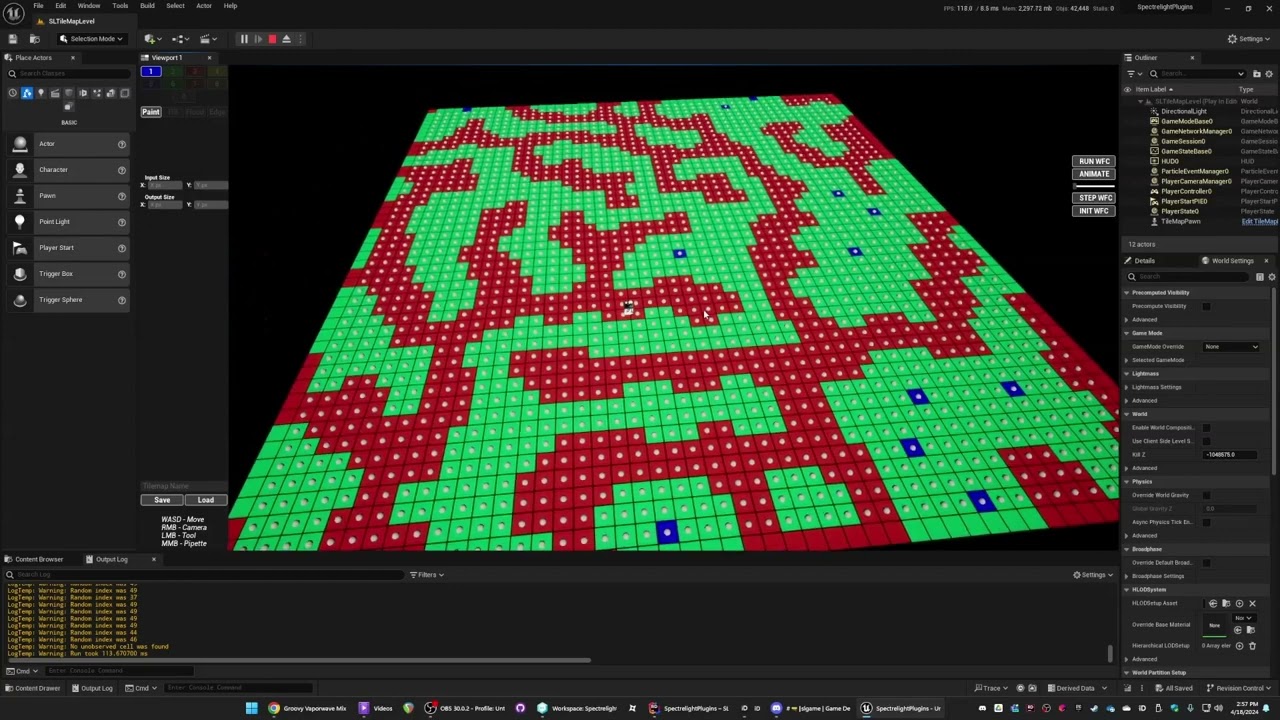
I'm working on a tileset plugin that does some of this stuff, you never want your hot loops in BP.
https://www.youtube.com/watch?v=guIauFrpe7s
 maiden zealot
faint pasture
What i mean is the guts of the logic, the heavy loop, should be happening in C++
maiden zealot
faint pasture
What i mean is the guts of the logic, the heavy loop, should be happening in C++
There's no loop if I use the right nodes. Here's the logic:
 faint pasture
maiden zealot
There's no loop if I use the right nodes. Here's the logic:
faint pasture
maiden zealot
There's no loop if I use the right nodes. Here's the logic:
yeah tahts fine
maiden zealot
But this also depends on what the difference node is doing, so I wanted to ask
faint pasture
What are these things, are they just bags of coordinates?
maiden zealot
For now, yeah. The actual tiles are held separately.
faint pasture
Like does a "board" with 2 tiles look like
Interior = 0,0 0,1
Exterior = -1,-1 0,-1 1,-1 -1,0 1,0 -1,1 1,1 -1,2 0,2 1,2
maiden zealot
Here's a visual of a tiny board:
E E E E E
E I I I E
E I I I E E E
E I I I I I E
E E E I I I E
    E I I I E
    E E E E E
yeah the I would be the interior set and E exterior
maiden zealot
'E' squares are either non-existant or impassible
faint pasture
why precalculate exterior, just for perf?
maiden zealot
Yeah. I'm trying to squeeze as much as I can out of this.
faint pasture
are these premade or are the small boards being produced at runtime?
maiden zealot
They would be produced once before a level is loaded, and gradually revealed to the player via fog of war.
Since this isn't infinite, I figure I can get away with holding it all in memory
faint pasture
I mean the exterior sets, are those calculated based on interior sets at runtime or in the editor?
faint pasture
I'd just cook up the exteriors after the merge then
you're doing more work cooking them up before
maiden zealot
The idea of sampling all the interiors gave me an O(n^2) tummy ache
faint pasture
You don't have to redo stuff that's been done before, you just have to sample the new stuff when it's added
maiden zealot
That's... kind of the idea here?
I think there's more context necessary so here goes: I was going to have a list of generators that apply to the map on construction, each customized to produce a different effect (Generators can use other generators too), and so I needed a way to merge two maps that two competing generators would produce.
So it's not added one at a time, there's multiple things running at once and I need to merge the results
faint pasture
I mean see if it's fast enough as you're doing it but I'd just merge all the I then calculate the E when committing the map
Either way you need to calculate all the E one way or another, at least this way you're not throwing out half of it
maiden zealot
I'm probably making a fuss over peanuts, I just wanted to make it as clean as possible.
faint pasture
E is for placing walls etc right?
maiden zealot
There's a few other things such as creating exits, but yeah
E is tiny as I gets bigger, so half of E is nothing compared to sampling all of I
faint pasture
But you have sampled all of I at that point, many times in fact
maiden zealot
That is also true
faint pasture
I'm guessing you have some pass somewhere that turns the sets into what's actually in the world, how do you handle dirtying cells when you extend the world?
faint pasture
oh if it's never extended in game then yeah I'd just calculate E at the very end
it's way less work than doing it on all the little bits then merging
maiden zealot
I keep saying level and that might be confusing - I mean that once a player enters the board, it's created
maiden zealot
faint pasture
oh if it's never extended in game then yeah I'd just calculate E at the very end
Ok, guess it's not that many extra steps
maiden zealot
maiden zealot
Wrong screenshot, here's a sample:
Also, since I have you here - do you know what's happening with BFL, where I can't find my functions?
faint pasture
I haven't made a BP BPFL in years, they're simple enough to do in C++ that I just do that
never ran into that problem with a C++ BPFL
maiden zealot
Hm
faint pasture
BPFL is a great introduction to C++, you can just put all your custom types and a BPFL in the same file
in my case I use a single byte to represent a tile, since WFC works on superposition then 11111111 is "all tiles at once" while 00000100 is wall
maiden zealot
Seems limiting...
faint pasture
It just describes the behavior, not what the things are in game
a 1 x 1 wall can be a tree
it just means you can't walk through it
1 x 1 wall in forest biome is tree, 1 x 1 wall in interior biome is a column
maiden zealot
So it's a collision matrix
faint pasture
yeah basically
faint pasture
The whole point of the plugin was to get WFC to run as fast as humanly possible, it's pretty fast but not completely finished.
Can crank out a 100 x 100 in a frame, which is pretty quick since WFC scales really badly
 steel shadow
when are actor tags added? I am using index for actor tags but I add some tags in game and im worried sometimes the tags I add get added before the default tags, messing with the indices
i.e. the tags in the details panel
dawn gazelle
steel shadow
when are actor tags added? I am using index for actor tags but I add some tags i...
The tags is just an array. Whatever you enter in the field is the default value. Any changes you make to the tags at runtime is manipulating that array.
 dull hare
Question, Parent_Actor has a variable "shape component" with 'Instance Editable' and 'Expose on Spawn' checked — shouldn't it show up in the Class Defaults as editable? Because it don't show up, I want to use it as a reference to proper collision shape in Child_Actors
dawn gazelle
dull hare
Question, Parent_Actor has a variable "shape component" with 'Instance Editable'...
Don't think so. You can't set references to components or other objects that would exist only at runtime.
You can set the value in the construction script however.
autumn pulsar
So what are gameplay tags internally? Are they strings or just a fancy global enum? I was thinking of passing them around, but if they’re strings that might get kind of bad
faint pasture
autumn pulsar
So what are gameplay tags internally? Are they strings or just a fancy global en...
I think they're backed by ints or something but they are light
You can think of them as heirarchical enums
autumn pulsar
faint pasture
You can think of them as heirarchical enums
Yeah was just making a health and damage system and thinking through how I was going to store and pass things like factions, and damage categories
Was thinking tags might be a good way to do it
snow halo
Hi I have a problem, I followed this tutorial 2-3-4 times. Im now even more stuck than I was before
https://youtu.be/wIfovfaf01w
I tried to understand what I was doing wrong so I start this in a different blank project

👉 Learn To Make Games In Unreal Engine In Weeks : https://unreal-university.io/learnunreal?video=wIfovfaf01w
👉Get My Free Unreal Engine Beginner Course : https://unreal-university.io/freecourse?video=wIfovfaf01w
#Rendertargets #UnrealEngine5 #Uisco
📚 Chapters
Intro 0:00
Creating The UI 0:10
Creating The Materials 1:44
Creating The Can...
because I ussed there would be something wrong with my project
but no
no matter what project it is, this thing always renders the black dot on the top right or the top left corner

This is what the draw Brush blueprint code looks like
And this is what its supposed to be like according to the video tutorial

none work
faint pasture
Do you know what any of those nodes do?
snow halo
faint pasture
Do you know what any of those nodes do?
nope, I dont have experience with them, never worked with these nodes before
and this is the most detailed & informative documentation page Epic Games could come up with
 faint pasture
snow halo
and this is the most detailed & informative documentation page Epic Games could ...
faint pasture
snow halo
and this is the most detailed & informative documentation page Epic Games could ...
That all makes sense
What draw location are you feeding this function?
WHERE are you telling it to draw at?
snow halo
faint pasture
WHERE are you telling it to draw at?
most likely at this function & these 2 nodes specifically
 faint pasture
snow halo
most likely at this function & these 2 nodes specifically
faint pasture
snow halo
most likely at this function & these 2 nodes specifically

what values are you feeding DrawBrush for Drawlocation?
I'm guessing none, so it just has its default value of 0,0 which is the top left corner
snow halo
Draw location is here
 faint pasture
snow halo
Draw location is here
faint pasture
snow halo
Draw location is here
show what's calling this function
show your code that calls Draw Brush
 faint pasture
snow halo
faint pasture
snow halo
print the result of that find collision UV
make sure its actually giving a result besides 0,0
Do you know what UVs are?
snow halo
faint pasture
print the result of that find collision UV
this is on a new test project, so its totally empty, here's the print values

all zeros
faint pasture
well you found the problem
you're only ever telling it to draw at 0,0 so it's only ever drawing at 0,0
so now the problem has moved to "why the hell doesn't it return the actual UV of where I'm aiming"
What mesh is that, the default plane?
or a cube
snow halo
plane
spark steppe
he would know that if he wouldn't struggle with the basics... 😄
afaik UV result is disabled by default
snow halo
No I actually got here before, and if im not mistaken
I debugged this and showed this again
faint pasture
spark steppe
afaik UV result is disabled by default
how?
snow halo
I know this is the problem, i just dont know how to fix it
spark steppe
i only barely remember reading something like that somewhere, not 100% sure on it
faint pasture
enabling Support UV From Hit Results in Project Settings.
 faint pasture
you turn that on recently?
have you restarted the editor since turning it on? I'm seeing that can be a thing
 snow halo
faint pasture
have you restarted the editor since turning it on? I'm seeing that can be a thin...
snow halo
faint pasture
have you restarted the editor since turning it on? I'm seeing that can be a thin...
yes
faint pasture
try that
snow halo
I also tried that 🙂 on my main project
but I'll try it again, to take it step by step again
faint pasture
I think the root of the issue is you need to actually trace against complex collision since simple collision doesn't HAVE UVs
so you need to trace vs complex AND not be using simple as complex
the trace has to be vs the actual mesh geometry since that's what has UVs to return
snow halo
ok now it should be complex collisions
 faint pasture
snow halo
ok now it should be complex collisions
faint pasture
snow halo
ok now it should be complex collisions
What was it before?
snow halo
this is a new blank project, so it was default, but on my main project I tried all methods available on the internet/forums/etc
but i'll try it again, because maybe i missed something
faint pasture
Anyways you found the core of the problem, you're not getting the mesh UV's from the hit
snow halo
oh, now it works
faint pasture
voila
snow halo
wtf 😂
I swear to god if I go to my main project, something is gonna break
anyway, thanks, I guess there's always value in taking things step-by-step methodically etc.
I went into a lot of complex rabbit holes the last time I had this issue on my main project to find out what it was
faint pasture
Your best bet to debug anything is to go step by step through the function to make sure the data looks like what it should look like
and if you don't know what it should look like or WHY you're doing what you're doing, then figure that out. You can't just paint by numbers.
spark steppe
 maiden zealot
If I use ConstructObjectFromClass, it has a field to suggest an 'Outer' object, that owns the object in question. Will this prevent the created object from being picked up by garbage collection?
wild pumice
lofty rapids
https://streamable.com/ijteie
I tried this before the set view with target blend node. Similar to the blueprint you shared, I posses first then set control rotation and then target blend. When it reaches the posses part, it just snaps to the pawn view instantly with the default camera rotation. Could this be an Unreal Engine 5 thing? I see your test is in UE4.
(ignore the set active player, that is separate code to manage party members).

 tawny hedge
If I run a branch on cooldown bool which is true on the moment of casting it, why does the execution go further in the next function?
 sand shore
tawny hedge
If I run a branch on cooldown bool which is true on the moment of casting it, wh...
sand shore
tawny hedge
If I run a branch on cooldown bool which is true on the moment of casting it, wh...
Post a screenshot?
tawny hedge
or a better example,
I have this
inside a function, and the following function Deduct Costs
So if the conditions for the cost are not met, why does it proceed with the deduction?


the first screenshot is inside the targeting part
sand shore
The branches inside one function have no bearing on the wiring inside the other functions
tawny hedge
allright, so I need to use a macro between functions?
sand shore
No
No, if you want to use this mental model you need to exclusively use macros for this (having subgraphs like this, but the first subgraph influences whether the second subgraph runs)
faint pasture
tawny hedge
allright, so I need to use a macro between functions?
Get this thing to work as one chain of logic, then break out functions where it makes sense
in your case, your functions should return bools saying whether it can proceed or not
sand shore
Consider each function as an independent block - you’re calling 3 individual blocks, they all will start regardless of if any one finishes
faint pasture
Start -> we got targets and such? -> yes -> we got mana for this spell? -> yes -> apply costs -> fire the spell off
tawny hedge
sand shore
No, if you want to use this mental model you need to exclusively use macros for ...
I see, so for having conditioning inside I can use macros if I want to stop the chain based on the logic inside the macro but inside a function it only stops the logic within that specific function but still triggers the execution of the overall bigger chain
sand shore
Returning a value is better here IMO
tawny hedge
faint pasture
Start -> we got targets and such? -> yes -> we got mana for this spell? -> yes -...
cheers
faint pasture
tawny hedge
or a better example,
I have this
inside a function, and the following functio...
because you said to. You'd want your costs checking function to return a bool that you can use to proceed (or not)
sand shore
I would have first suggested a return value but I needed to clarify what I meant by macros
tawny hedge
but if I have 10 chained functions I need to pass it through each one I'm asuming and run the check in each one
sand shore
If they can all fail in their own way, that could happen yeah
faint pasture
why do you have 10 chained functions to cast a spell?
tawny hedge
faint pasture
why do you have 10 chained functions to cast a spell?
was an extreme example
sand shore
If you need to model complex prerequisites/costs, its better to make those objects or structs, then you can do things like checking all the prerequisites in a single function, all costs in another
Rather than a function separately for “do I have enough stamina”, “can I even sprint here”, “is my armor blocking my sprint”
faint pasture
Gettin' really GASsy in here
tawny hedge
The way I want to do it is Check CD & Resource > Targeting System Activation > Activating The Skill & Deduct the Costs
I'm asuming the 1st part can be a macro the way you explained
sand shore
Yeah, macro would be the most direct way to use that code structure in the way you wanted
And I use macros for stuff like this sometimes
But they’re NOT functions and can have issues: changes to macros will mean that anything that uses those macros MUST be recompiled & resaved (and many other possible faults)
But a macro in your blueprint to do this is probably a good use case
tawny hedge
ah yes that worked. thanks a lot!

now it stops the chain if conditions are not met
snow halo
spark steppe
he would know that if he wouldn't struggle with the basics... 😄
usually I come here to ask basic questions that I know will easily be answered by others. This is also why I made a new blank project to test this system isolated, which is now failing again when I implement it in my main project for some reason
snow halo
faint pasture
and if you don't know what it should look like or WHY you're doing what you're d...
So it doesnt work on the main project

This is its collision profile
And this is the plane im using. As you can see it's using complex collisions

i get the same error again.
line trace works fine, functions work fine, materials work the same way
everything is the same

this time the dot is on the top left side.
thats the only difference

the find Collision UV is at 0,0 once again
faint pasture
you got the option turned on in ProjectSettings?
snow halo
faint pasture
you got the option turned on in ProjectSettings?
yes of course, otherwise Id see a warning

perhaps its something Im not seeing and I need to take some things step-by-step (?) im not rly sure, i've been looking at everything
faint pasture
snow halo
So it doesnt work on the main project
you sure you're hitting the right component?
lose the easel, have the actor just have the thing you want to paint on


 snow halo
faint pasture
you sure you're hitting the right component?
snow halo
faint pasture
you sure you're hitting the right component?
yes because im actually painting it

but on zero,zero
faint pasture
you're hitting the right ACTOR, make sure you're hitting the right COMPONENT
move the plane away so you can be sure that's the only thing you're hitting
snow halo
faint pasture
you're hitting the right ACTOR, make sure you're hitting the right COMPONENT

I moved it a little bit forward
and now it says it's hitting my plane
but if I put it back in its place it wont be the case anymore

if I put them too close, its gonna hit the back canvas static mesh rather than the thin little layer of paper in-front
ill try to completelly nuke all the collisions that my canvas has, or just the interactives ones or smth along those lines
this is very weird tho

perhaps changing the channel from visibility to interactives should fix that

or i'll be doing this from now on
oh it works lol
 lime crow
i get an error accessed none unless i use an is valid node, but is this not bad practice? is it just not masking a problem?
sand shore
lime crow
i get an error accessed none unless i use an is valid node, but is this not bad ...
is this not just masking a problem?
Well, maybe. It depends on why something is “none”. There’s a pretty common pattern based on something being none.
Say you want to toggle a widget. One way to do this is to use a variable to reference a widget. To toggle, if the variable is “none”, you need to spawn the widget and store the reference to it (in the variable). If the variable isn’t “none” (the variable “Is Valid”), then you should remove it from the viewport and then clear the reference (setting it to “none”).
On the other hand, if the blueprint class is usually instantiated at Begin Play and it lives most of the game, and you want to reference a player’s controller, then if you set the reference in Begin Play you should be able to treat it as valid in Tick… right? So if you have to check Is Valid it might be masking an issue (a single tick prior to Begin Play? The variable is a specific type of controller which isn’t the one in use?) —- side note, the assumption I used for this paragraph is actually a bad assumption for some games, as some controllers can be added/removed particularly in multiplayer servers or local coop.
But I would say that in general, handling “none” by Is Valid is good practice.
If you think that a “none” should be treated as an expected case (like that widget case), then an Is Valid isn’t masking anything.
Otherwise you can log an error for the case where the variable was “none” / not valid
lime crow
sand shore
> is this not just masking a problem?
Well, maybe. It depends on why something ...
Ahh ok, yeah i see what you mean, thanks for clarifying that, its useful knowledge
sand shore
lime crow
Ahh ok, yeah i see what you mean, thanks for clarifying that, its useful knowled...
Oh, and if you use that widget pattern and need other code to try to do things with the widget, that code needs to Is Valid that widget (at least once per function/ custom event) because it is known to be “none” in some situations “randomly”
No problem, glad to help
faint pasture
lime crow
i get an error accessed none unless i use an is valid node, but is this not bad ...
Is it masking a problem to check if you have a weapon before asking it to fire?
lime crow
faint pasture
Is it masking a problem to check if you have a weapon before asking it to fire?
No, it wouldnt. I guess i was overthinking it, like if it it failed to call for whaterver reason, it could throw an error and break the game,
 lofty rapids
it definately has its use like mentioned above, but is not a patch all for access none something i have seen here a couple times
faint pasture
lofty rapids
it definately has its use like mentioned above, but is not a patch all for acces...
What's a situation where it wouldn't apply?
lofty rapids
you made a variable set the type, but didn't set the actual value
it wouldn't be a fix for something like that ?
faint pasture
spark steppe
next week on YT: **Never** use IsValid
Never use IsValid, use a 0.01s timer instead of tick, make a million interfaces. Anything else I should know?
spark steppe
install UEFN, learn Verse and become a better human
faint pasture
lofty rapids
you made a variable set the type, but didn't set the actual value
If it's something that can legitimately be unset at runtime (race condition etc), then a validity check is appropriate.
lofty rapids
personally i cast on tick
lofty rapids
i do a lot on tick, uses a lot of cpu
faint pasture
You should see what the physics engine does on tick.
 unique bronze
Im trying to understand interfaces, for the hundreds time, now I feel like Im getting there but maybe not, is this correct?
 spark steppe
interfaces are like walking blind into a store and asking for shoes
you either get shoes, or you don't
lofty rapids
unique bronze
Im trying to understand interfaces, for the hundreds time, now I feel like Im ge...
an interface is basically a set of functions that you implement
how the functions actually operate is overriden in the actor that implements the interface
its a set of function signatures essentially
last peak
unique bronze
Im trying to understand interfaces, for the hundreds time, now I feel like Im ge...
The interface is like a phone, you can only call someone that has a phone aswell(actor 2 implements interface)
The actor reference you get in your actor1 is a phone number
Spawn actor from class-> the reference is the number -> does implement interface? You try to ring the number once just to see if that number has a valid phone attached to it
The engine has no idea who the number belongs to specifically (Bp_actor2) but it knows the number is attached to a working phone
The functions you create in the interface are the things that you want to tell actor 2 eg. start walking and if your done give me your location with a vector back (you add a vector return to the function)
unique bronze
Thanks guys, great explanations!
So both have to implement the same interface?
In terms of a Widget with a Healthbar and an Actor with its Health variable, do they both need to implement the interface since one calls and the other executes the events associated with it?
Because whats confusing for me is the difference between functions inside the interface and its red node, I always thought interfaces can only have functions (purple node) .
Or are the functions just to pass values between the actors and the event is to actually start doing it?
 silent plaza
Hi all,
I'm having a problem moving my character in Third Person in UE5.5 with the Enhanced Input system.
I want to keep the rotation rate high enough for the character to turn quickly with the left joystick, but I've got a visual bug:
it ‘flashes’ or jerks from left to right when I push the right stick in front of me. It seems to oscillate very quickly between two directions, as if it were receiving micro-variations of input.
I've disabled Orient Rotation to Movement, and set a radial Dead Zone (0.2 - 1.0), but it doesn't change anything.
Has anyone managed to solve this kind of problem?
Thanks in advance!
lofty rapids
silent plaza
Hi all,
I'm having a problem moving my character in Third Person in UE5.5 with t...
have tried a seperate joystick to see if it's only that one ?
silent plaza
yes I tried with different joysticks I have the same problem all the time. I migrated my character blueprint to a new project and I didn't have that behavior before so I think it's linked to the Input Actions but I can't manage to solve this weird jitters
 tranquil lagoon
I'm pulling my hair out trying to replicate the strategy game/crusader kings 3 zoom to cursor location, specifically keeping the object location under the mouse cursor throughout the zoom in instead of just centering it. (zoom out should just do proper from center) Does anyone have any idea how I could do this in blueprints? 😭
Not sure if it's allowed, but I'd love to gift a 10-15 USD game/asset for anyone who helps me out step by step 😓
faint pasture
unique bronze
Thanks guys, great explanations!
So both have to implement the same interface?
...
Why do you need an interface for health bars
wild pumice
wild pumice
I tried this before the set view with target blend node. Similar to the blueprin...
Hi @lofty rapids, do you have any idea what might be causing this? just woke up to work on it again.
faint pasture
silent plaza
Hi all,
I'm having a problem moving my character in Third Person in UE5.5 with t...
show a clip
unique bronze
faint pasture
Why do you need an interface for health bars
So I dont use binding because its updated every tick. My enemies need some kind of indication when they're about to die
lofty rapids
wild pumice
I tried this before the set view with target blend node. Similar to the blueprin...
you want to store the control rotation in a variable, because your pulling from a pure node after you possess this is the current rotation of the player
faint pasture
unique bronze
So I dont use binding because its updated every tick. My enemies need some kind ...
Where does health live, directly in the actor or on a component?
You still don't need an interface
lofty rapids
wild pumice
I tried this before the set view with target blend node. Similar to the blueprin...
so store the get control rotation before you possess, and then set control rotation to the stored rotation after
brisk briar
How do I export this value in my blueprint? It's the absolute Z rotation of my camera spring arm, I want to set middle mouse button axis to increase the value + and - respectively.
But how do I reference the value?
I am used to Godot 😛
 unique bronze
faint pasture
Where does health live, directly in the actor or on a component?
unique bronze
faint pasture
Where does health live, directly in the actor or on a component?
In a component which is attached to the enemy actor, and controls its health
faint pasture
unique bronze
In a component which is attached to the enemy actor, and controls its health
ok so just talk to the component, no need for an interface
you can think of a component as an interface with state
unique bronze
what about the health bar? Its another component which needs an update from the health component
or do you mean because they both share the same actor?
like.. components can talk freeley between each other?
faint pasture
yes
The act of "checking how much health this actor has" is Actor.GetComponentByClass<HealthComponent>.Health
lofty rapids
wild pumice
I tried this before the set view with target blend node. Similar to the blueprin...
actually its in 5.3.2
silent plaza
wild pumice
lofty rapids
you want to store the control rotation in a variable, because your pulling from ...
I see, Thanks!
lofty rapids
silent plaza
this only happens with the joystick ? what if you just use the keys ?
silent plaza
I'm pretty sure it's coming from input actions, as I used this exact blueprint in another project and didn't get this behavior. But I can't find why ?

 lofty rapids

here is default
it might be the micro increment
you may need to scalar it like in the default settings
but just from looking at it, it looks sort of like an animation skip tbh
silent plaza
I have similar jitter with scalar 50,50,1... I just can't understand what's happening
silent plaza
lofty rapids
but just from looking at it, it looks sort of like an animation skip tbh
what do you mean?
silent plaza
I have no problems with keys because the input is always 1
problems happen when between 0-1
and with the scalar at 50 my character can't walk. I would like a standard to walk / run following joystick inclination
lofty rapids
so you have a blend space and some numbers for your animation ?
silent plaza
I have the same problem with the basic Third Person Template BP
lofty rapids
interesting
lofty rapids
wild pumice
I see, Thanks!
it's a little glitchy i been just messing with it and it's not very reliable it still fks up but thats as far as i got
wild pumice
storing the variable worked. It's a start. I'll continue to mess with it.
silent plaza
Ok I solved it : I have to add another "Dead Zone" but on Axial ! To disable small increments on X (<0.15) axis!
wild pumice
lofty rapids
it's a little glitchy i been just messing with it and it's not very reliable it ...
one thing that is confusing me is why did you do the first view target blend with target self and no blend time? Removing this also makes the second blend just snap and not smoothly blend.
 lofty rapids
wild pumice
one thing that is confusing me is why did you do the first view target blend wit...
lofty rapids
wild pumice
one thing that is confusing me is why did you do the first view target blend wit...
because you possess the other pawn then set the control rotation, now your at the other player and facing the right direction hopefully
but then you need to go back to the source, and blend the view back to the target
when you possess your already at the target
it's a slight camera trick
but possibly using a camera manager might work better idk i have just heard about it
wild pumice
Ah I see, so control is instant to the possesed pawn but then we set the view to the original pawn and blend to the new one.
lofty rapids
yep, it was a simple solution to a tough problem so idk about bugs
you may want to get more in depth like setting the spring arm
or setting the camera, whatever to just make it more accurate
wild pumice
Yeah. I'll have to get more in depth eventually if I want the camera to also have the upwards movement they use where it kind of "jumps" between targets.
lofty rapids
ya at that point i would look into a seperate camera and how to manage it
idk much about it yet i can barely switch cameras lol
but thats the idea you just need to copy more settings before you blend
wild pumice
But right now with your method it actually looks so close to what I want lol.
if only things were that simple
lofty rapids
it's definately not that simple, theres a few more things to consider, and if you want that jumping look well then thats a whole thing with math most likely
but i would look into a camera management system
and build out some functionality that works the maths
probably trigonometry and possibly some one might know in #game-math
wild pumice
Yeah I feel cameras are going to take up my next week. I'll start reading up and will circle back to #game-math when I reach that point. Thanks.
mystic blade
Blueprint Runtime Error: "Accessed None". Node: Set World Transform Graph: EventGraph Function: Execute Ubergraph BP Car Blueprint: BP_Car


wtf does this mean?
dawn gazelle
mystic blade
Blueprint Runtime Error: "Accessed None". Node: Set World Transform Graph: Eve...
Accessed None errors indicate you are trying to access an empty reference variable. In your case, it's most likely to be the "Road Spline" variable - you've set the type to "BP Road Spline" but it's being accessed before you've set a value into the variable. If you're doing so on Begin Play, event tick can happen before that variable is set, so you should convert that get to a validated get by right clicking on it, then selecting "Convert to Validated Get" and only proceed with setting the world transform if it is valid.
mystic blade
convert the spline node?
lofty rapids
mystic blade
Blueprint Runtime Error: "Accessed None". Node: Set World Transform Graph: Eve...
looks like your not doing anything on begin play ? did you set the variable type but not the actual value ?
if it's empty then you most likely didn't set it but just set the type
mystic blade
lofty rapids
looks like your not doing anything on begin play ? did you set the variable type...
there is no begin play

In this video i will show you how to make an actor move along spline! Hope You Enjoy!
ㅤ
- LIKE and SUBSCRIBE if you enjoyed the video =)
Patreon https://patreon.com/JemGames
Discord https://discord.gg/9N7w49AwKR
this is the video i followed
i just modified it slightly
lofty rapids
well it's saying your variable is empty
where do you set it's value ?
normally that would be somewhere like in begin play
lofty rapids
the variable RoadSpline
where do you actually set it's value ?
it's most likely empty and not set
mystic blade
 lofty rapids
that sets the type
that doesn't set the value
you created a variable but you need to actually put something into it
common mistake i have seen a few times
 lofty rapids
mystic blade
idk dude
lofty rapids
mystic blade
idk dude
setting the type of the variable doesn't set its value, since you did different then the tutorial you may want to learn about how variables work first
lofty rapids
i didn't say you idiot lol but i feel like your not getting what i'm saying
unique bronze
faint pasture
ok so just talk to the component, no need for an interface
I cant figure out how. I have a Widget Component HPBar which Class is a Widget Blueprint EnemyHud. I cant access the Progress Bar from Enemy Blueprint inside that Widget
lofty rapids
mystic blade
this does not set the RoadSpline variable to that bp, it's merely the type
notice in the tutorial he uses a different variable
which is the spline component on self
it's already set its the actual component on the actor
mystic blade
yeah but i have my spline as a separate actor
lofty rapids
so you need to get a reference to it
and put that reference in that variable
most likely on begin play
mystic blade
do i just drag the spline variable out and set it on begin play?
lofty rapids
are you going to have multiple splines or is this a one off ?
mystic blade
multiple splines of the same length
lofty rapids
you'll need a way to determine which one your on
mystic blade
theyll be like roads for cars
lofty rapids
and switch from one to other
mystic blade
think like frogger
all the roads act independently from each other
or like crossy road ig
lofty rapids
are the splines all children of a parent ? that might be best
and then on the parent you can put an id variable
thats how i determine things a lot of times
is by id
if you want to say select one of them to ride along
you would get all actors of class, loop through and get the id your looking for
and break the loop
you would have the one your targeting
mystic blade
wtf are u talking about?
lofty rapids
but if you only have one and want to see how it works just use get actor of class
mystic blade
i was able to have like 3 splines and they were able to go at the time when the game started
no loops
they were just copied and pasted from one another
mystic blade
is that variable not a reference tho?
mystic blade
yeah but the type is of BP_CarSpline
lofty rapids
with that type, thats what i tried to tell you a couple times already
lofty rapids
lofty rapids
this does not set the RoadSpline variable to that bp, it's merely the type
^
define not "new" to unreal
i'm suprised if you got so far but didn't figure this out
it's really a common mistake i c it happen to people who are new to blueprints
dark drum
mystic blade
ive already made a complete game with blueprints
I find that hard to believe if you aren't aware that an object ref needs to be set first. 🤷
dark drum
mystic blade
yeah but the type is of BP_CarSpline
When you create an object based variable, the type is just what it can store a reference too. Until you set it, it doesn't reference anything. (null)
Setting the type to BP_CarSpline just means it can only store a reference to objects that are a BP_CarSpline or a child of the class.
If you have 10 of them in the level, there's no way of it knowing which one it should be referencing. That's why you have to set it.
lofty rapids
and an id is just a way to be able to set it to a specific one easily
you could use many ways to id them but i like using some sort of uuid
interesting
 worthy tendon
Is it possible to swap out a blueprint asset in editor? I want to replace a blueprint asset in Lyra with something else without touching lyra content. Is it possible with asset manager?
lofty rapids
dark drum
When you create an object based variable, the type is just what it can store a r...
something similar to this would be good to have on a bot command
i have seen it all too often happen
dark drum
lofty rapids
something similar to this would be good to have on a bot command
What i visualize when I get access none. 😅
https://tenor.com/view/empty-nothing-thanks-for-present-gif-13072400
 lofty rapids
mystic blade
lofty rapids
mystic blade

What are the Is Valid Nodes in Unreal Engine 4
Source Files: https://github.com/MWadstein/wtf-hdi-files
lofty rapids
unique bronze
I cant figure out how. I have a Widget Component HPBar which Class is a Widget B...
the progress bar is in an enemy blueprint, the enemy blueprint is inside that widget ? from where are you trying to acess this progress bar ?
lofty rapids
are you trying to access from one widget to another ?
faint pasture
unique bronze
I cant figure out how. I have a Widget Component HPBar which Class is a Widget B...
the actor shouldn't care about the UI
the UI can care about the actor
if you don't want to check for stuff changing every tick, the UI can bind to a dispatcher on the actor
lost obsidian
After upgrading a project to 5.6 has anyone else started getting the error Unable to find RecastNavMesh instance while trying to create UCrowdManager instance and if yes, how did you fix it?
mystic blade
if I have more than one spline, it will just group with the first spline that was placed instead of the copies acting independently from each other. how could i accomplish this?


 fervent jolt
how would you like the copies to act independently from each other?
like you want the cars distance along the spline to be randomized?
lofty rapids
the web says you can connect them into one
mystic blade
the car and spline are separate instead of being in the same actor
so what its doing now is that all cars go to the original spline
lofty rapids
right and it's not going to the next makes sense
Choose one of the splines you want to connect.
Ctrl + Click: Hold down the Ctrl key and left-click on the spline you want to join it to. This will create a connection between the two splines.
try this
idk if you can join from two seperate actors but it's worth a try
fervent jolt
oh, so your image is your car? yeah if you want it to follow some spline holding actors spline other than the very first one GetActorsOfClass finds, you'll need to have whatever spawns the car set its "target spline", giving it a reference either to the BP_RoadSpline or its SplineComponent.
If the purpose of BP_RoadSpline is just to have a car follow it, it might be easier to just have BP_RoadSpline just automatically spawn a car for itself when it is spawned. (assuming that wont make a circular dependency)
lofty rapids
you can try to join it all into one, or use ids and create patterns
mystic blade
would it be better to just have the car be a part of the spline actor? instead of having the car and spline be separate?
fervent jolt
it is one of many solutions. although I more meant a child actor component sort of deal
lofty rapids
mystic blade
would it be better to just have the car be a part of the spline actor? instead o...
it wouldn't matter, you'd still be selecting the one spline and each car would just have there own spline
it's probably a good setup for something like a car driving to be seperate so you can jump around to different ones
mystic blade
i mean having them as one actor does what i want it to do. each copy will move along its own spline
lofty rapids
if thats what you want then ya, if you just want them to drive on there own paths and not like on a street
do what works best to get the job done that you need
 turbid shell
why doesnt ai moveto execute on success or on fail if my ai controller has a custom path following component?
lofty rapids
so its not comming out of either path ? success or fail isn't firing ?
turbid shell
yeah
lofty rapids
is it comming out of the top ?
turbid shell
it is
lofty rapids
you have a navmesh ?
turbid shell
i do
everything works as it should with the normal path following comp but if i set it to my own custom one then neither success or fail execute at all
lofty rapids
then i would go ahead and assume it's your custom thing thats not working properly
it's a component that you made in blueprint ?
 carmine scaffold
how would i check if character overlapping an actor has a gameplay tag using a Interface?
faint pasture
carmine scaffold
how would i check if character overlapping an actor has a gameplay tag using a I...
Do you care if it's a character or not?
If you do, you can just cast to TheCharacterClass and get its tag container
otherwise you can make an interface that anything can implement that can implement the check. I'd probably make a component though so you can just get component of class -> check if it has the tags
 clear ledge
Hey guys. Could someone tell me if I'm thinking of this logic correctly?
I have a 6 hexagon map tile. When I spawn a map tile, I want each hex to randomly select from 4 terrain types.
I would need to make a base hexagon BP that takes in my HexType enum and is able to set meshes and hex types.
Then I need to assign 6 instances of this hexBP to the Map Tile with.....?
spark steppe
easiest way is probably to make a lookup map somewhere, so that you have HexType as key and HexClass as value
if i understand correct that this is what you are looking for
faint pasture
clear ledge
Hey guys. Could someone tell me if I'm thinking of this logic correctly?
I have...
Show a picture of one map tile
clear ledge
faint pasture
Show a picture of one map tile
Like this
 faint pasture
clear ledge
Like this
faint pasture
clear ledge
Like this
Is that the smallest thing that will ever be spawned or can an individual hex be spawned?
clear ledge
It's the smallest thing
faint pasture
K then make it as a class and give it 6 static meshes or whatever and on begin play or construct roll the terrain types for them and set whatever that means
Why are you doing it like this though, why not just 1 hex at a time?
clear ledge
Okay. That makes sense. Thank you.
There is both a lore reason as well as a game mechanics one. Specifically, players will be placing and piecing them together so doing it hex by hex would be time consuming
 pine moth
I was using the new side scroller variant but for some reason it stops right here. And i cant continue to the other side where is more platforms

so if someone knows how to disable this on the blueprints can you tell. Meanwhile imma try to figure this out myself
clear ledge
faint pasture
K then make it as a class and give it 6 static meshes or whatever and on begin p...
Got it. It will need refining but it works.

Thanks!
 limpid flicker
Hi friends, I noticed the UE5.6 RTS Template does this to get the "starting position" of the mouse for the left-click drag selection box. What's the point of wrapping the native "Get Mouse Position" in a function and reusing it vs. just calling "Get Mouse Position" each time?
Just curious if there's a benefit to this in some way - whether it's raw performance or just nice to keep organized (in case you want to modify the mouse location info in some unified way).
Thanks!

 dark drum
limpid flicker
Hi friends, I noticed the UE5.6 RTS Template does this to get the "starting posi...
dark drum
limpid flicker
Hi friends, I noticed the UE5.6 RTS Template does this to get the "starting posi...
Convenience because the get mouse position requires the player controller as well. It has the added benefit of keeping things tidy.
It also has the added benefit of being overridable in a child BP meaning if (for what ever reason) you wanted to handle it differently you can.
limpid flicker
dark drum
Convenience because the get mouse position requires the player controller as wel...
I see, so if I'm calling "Get Mouse Position" outside of the player controller, then I can't just rely on the "self" target each time and would have to manually set the correct player controller each time. Is that right?
dark drum
limpid flicker
I see, so if I'm calling "Get Mouse Position" outside of the player controller, ...
Pretty much yea.
limpid flicker
dark drum
Pretty much yea.
what's the difference between using Get Player Controller [Player Index 0] vs. letting that default to "self" in the Player Controller? Will it create some weird bugs during multiplayer or something?
dark drum
limpid flicker
what's the difference between using `Get Player Controller [Player Index 0]` vs....
If it's on the player controller when called using 'self' then it will automatically use the player controller it's on to get the mouse position.
Using 'Get Player Controller' will get the local player controller. Unless you're doing local multiplayer, index 0 will always be the controller for the person playing on the given machine.
limpid flicker
dark drum
If it's on the player controller when called using 'self' then it will automatic...
Ahhh so only potential bug is if I implement local multiplayer or something?
dark drum
limpid flicker
Ahhh so only potential bug is if I implement local multiplayer or something?
In the use case you showed above, yea.
 unborn moss
What's the best way to store data for my skills? I have different skills where each skills have different float variables like knockdown, damage, radius etc. datatable doesn't seem to the best way..
dark drum
unborn moss
What's the best way to store data for my skills? I have different skills where e...
data assets. (maybe)
last peak
unborn moss
What's the best way to store data for my skills? I have different skills where e...
uobjects are really easy to work with, other than that data tables and structs
Gas would be an option if wou want apremade system but you need a little bit of c++
limpid flicker
dark drum
In the use case you showed above, yea.
thanks
 dreamy mountain
how would i be able to store variable values across sessions?
 mental trellis
Between restarting the editor / game?
dreamy mountain
yeah
mental trellis
Use of config variables.
If you're in the editor, developer settings is a good choice. You can access them automatically through the project settings then too.
dreamy mountain
it needs to persist across games when built, its for a leaderboard
mental trellis
Use a save game slot?
dreamy mountain
good point, i forgot about save game slots
unborn moss
dark drum
data assets. (maybe)
does it work well if i want to keep changing the data of the skills?
limpid flicker
Hey all - having a hard time wrapping my head around this.
I'm trying to pass a variable called StartingMousePos (Vector 2D) from my BP_PlayerController to my UI_RTS blueprint widget.
👉 What I expect: When I press down on LMB, I want the current mouse X/Y to be stored in that UI widget (until cleared, cancelled, etc).
I'm doing this so that while I'm working on my IA_SelectionBox (a marquee-style RTS selection box) I can see the "starting position" of the mouse when I press down on LMB to ensure it's being stored with the number I expect.
I can already get the mouse starting position to print to the screen with no problems and store it into a variable called StartingMousePos inside my BP_PlayerController, but I don't know the best way to carry that variable data over from the BP_PlayerController -> UI_RTS.
Open to any high-level advice or tips!
 lofty rapids
limpid flicker
Hey all - having a hard time wrapping my head around this.
I'm trying to pass a...
lofty rapids
limpid flicker
Hey all - having a hard time wrapping my head around this.
I'm trying to pass a...
you can put it in the controller, personally i would put something like this in the game instance
then you would just get the game instance, get the variable in your widget
but you should be able to get player controller, cast to your bp, get the variable as well
the game instance is just my goto for globals
dark drum
lofty rapids
the game instance is just my goto for globals
I wouldn't use the game instance for gameplay related globals. Id use either the game mode or game state. (possibly even the player state if it's player specific)
lofty rapids
makes sense
dark drum
lofty rapids
makes sense
I don't think the game instance is replicated either so could become problematic if you're working with MP.
lofty rapids
lofty rapids
but you should be able to get player controller, cast to your bp, get the variab...
^ this probably the better answer for the question
the player controller a bad place for that variable ?
dark drum
limpid flicker
Hey all - having a hard time wrapping my head around this.
I'm trying to pass a...
Personally, I would create an actor component for handling clicks and drags. I would imagine for an RTS this is something that might need to be listened to by a lot of things.
If using an actor component, you can use event dispatchers for things like 'OnSelectionStart' and 'OnSelectionEnd', 'OnUnitClicked' etc... so things such as the UI can update accordingly once they've bound to the events.
tawny hedge
any recommandations on a tutorial/course for how to use timers from inside a structure ( array of structures ) along with for each loop?
dark drum
tawny hedge
any recommandations on a tutorial/course for how to use timers from inside a str...
That's not something you can do in BP. I'm not even sure you can in c++ either. What are you trying to do?
dark drum
tawny hedge
instances of DoT
DoT?
tawny hedge
damage over time or heal over time. I want to save the details for the specific effect in structure, so would have an array of that specific struct for multiple effects. I see I can use a variable for the timer and was thinking if it's possible to somehow set the timer inside that struct for each specific index with the timer details and set an individual timer for each instance of the effect
 frosty heron
dark drum
I don't think the game instance is replicated either so could become problematic...
frosty heron
dark drum
I don't think the game instance is replicated either so could become problematic...
It is not. Every machine have their own GI.
Can always exchange information with rpc but there's no way to sync the values without rpc since the GI is not replicated.
Game mode is server only, so having GI subsystem is ok imo.
For things like player name for example, and some other info for cozy multiplayer game where you need the info from the client.
Personally i kept the save file locally for each player.
So i just load and save using GI.
When joining a game, just send the info from the GI to the server.
dark drum
tawny hedge
damage over time or heal over time. I want to save the details for the specific ...
Timers run through the timer manager that the world creates so when you create a timer, it (in the background) gets the timer manager from the world and starts the timer. The timer handle is pretty much just an Int the timer manager uses to keep track of it's own floats it has its its own array.
However... in BP, starting a timer with the same delegate will just restart the timer. One way around this is to use custom uobjects but the issue with doing this from BP is that custom UObjects don't have context to the world by default and thus unable to start/stop timers in any meaningful way.
An alternative solution is to keep track of your own float that are decremented by delta time on tick and when reaches 0 does something.
tawny hedge
Yeah the last part is what I need to do it seems. Use the timer by event/function to keep track of the times to tick decrement along with the period itself.
 turbid pecan
I am losing my mind.. (it is a skill issue).
All I wanna do is make the player (controller or bptp char) move in a fixed grid a-la: I press W so the char moves forward a set amount. So on with the remaining axes. But I also wanna make use of IK which is inherent in CMC. Right now I have a movement system I made myself which achieves everything but IK or climbing. Which sucks. CMC would allow my char to climb naturally.
But there does NOT seem to be anything (or I cannot find it) to say "move this char in a fixed line if a box trace detects nothing and play all animations and do IK automagically.
It kinda needs to work in all four directions, no diagonal movement and it needs to be in strict increments so the movement cannot overshoot, fall short or get "out of step".
Would anyone like to contribute thoughts?
Like in the TP template when you move around by introducing a constant velocity, the climbing and stuff happens automatically. But I kinda wanna end up in this state where I say - move from X:0 to X:300 in the world and then my brain dies. Do I set the velocity myself? If I do - what movement input do I use for this? Current code sits in a controller. Should this be in the char..?
sand shore
turbid pecan
I am losing my mind.. (it is a skill issue).
All I wanna do is make the player ...
So, you can use CMC for this and it shouldn’t be too arduous.
-
Your input events, WASD, no longer directly add movement input. Instead, they check if movement is already happening and if so, they do nothing (for now- you can change this up later for queued inputs).
-
When your movement keys are pressed and there is no movement already happening, they start a movement to the next grid over. You want to immediately set that some movement is occurring- store stuff like the destination grid and have a bool. You can also cache the movement direction if you need to.
-
Every tick, while movement is supposed to be occurring, check if you’re already really close to the grid point. If you’re not, add movement input towards the destination grid point’s world location.
-
When you arrive at the location, it wouldn’t hurt to teleport into place just in case you’re slightly off - it doesn’t apply here but things like AI move To use an “acceptance radius” which can add error over time in a system like this, and it’s easy to introduce similar behavior. Then, you’ll wanna clear any state related to the movement (like setting the bool to false)
You ALSO could have step 3 automated if you didn’t directly possess the pawn in question, if that were an AI and if you had the AI controller move to a point- that has the advantage that it can use nav mesh
If you set it up with AI Move To, you probably wanna teleport it even if the movement fails or whatever
 dreamy ice
So, I have a Door Actor but I have seperate Keypad Actors to control the door. Is there any way to nest these into one object or can I format the keypad into a different type of class and then nest it within the door actor?
tawny hedge
just to make sure. Remove Item node for arrays removes ALL instances of the same item if present multiple times?
frosty heron
Depends on your use case i suppose. If the game is complex enough that modularity saves you time then you can attach the keypad to the door (dont use child actor component, just attach an actor to actor)
If the game is simple enough, perhaps you can just make 2 types of door. One with keypad and one without and just handle the keypad logic on the door with the keypad.
With the former method, you do want to contain the keypad logic inside the keypad.
 tropic token
hey guys, is there any way to see the difference between two blueprint properties values? Like I have two blueprints with same base class and I want to go through all properties to make sure they have correct values
frosty heron
tropic token
hey guys, is there any way to see the difference between two blueprint propertie...
What would be deemed correct though?
dreamy ice
They'll all have keypads, I was trying to not have to place a keypad for each door and rather have it be part of it. It would make sense to just include the keypad as part of the door itself even if not as a seperate actor. It just means anytime I update keypads that I'll have to update each actor that uses the keypad rather than one master keypad.
tropic token
frosty heron
What would be deemed correct though?
I just want to make sure I didn't forget anything. I basically have corrupted blueprint and want to make new one.
frosty heron
tropic token
I just want to make sure I didn't forget anything. I basically have corrupted bl...
There's blueprint property transfer plugin.
Works even with different base class.
I used to use that for band aid when dealing with blueprint struct.
tropic token
do you have the link by any chance?
frosty heron
Don't think so, you can type it and see what you get. I have 9% battery left.
dreamy ice
Would it make sense to instead spawn keypads in the construction script of the door based on an array of keypad locations?
frosty heron
Also not sure with corrupted bp that lose its detail panel.
I honestly do minimum bp as much as possible because of the amount of work I have to redo when dealing with corrupted bp.
tropic token
oh wow, just copying blueprint fixed my issue it seems
I had two components with different name, because I wanted to rename it.. :/
frosty heron
tropic token
I had two components with different name, because I wanted to rename it.. :/
Been there 😵
dreamy ice
cant spawn actors in the construction script... hmmm
frosty heron
dreamy ice
Would it make sense to instead spawn keypads in the construction script of the d...
So a door may have multiple keypads?
I feel like you should de couple the keypad in this case.
If you are not doing procedural game, then you can just drop the keypads to the level, and populate the keypad array reference of the door in the level.
Do all the logic of the keypad in the bp keypad.
Have event delegates from the bp keypad (code entered, cancelled etc)
Bind those delegate on your bp door on begin play.
When a code is entered, track and check in bp door if all keypads has been unlocked.
dreamy ice
I ended up using a prefab plugin, hopefully it isn't terrible on performance. Time will tell!
 minor geyser
Does anyone know why timelines in blueprints create warnings when their blueprint actor gets duplicated in the scene? I keep getting: "LogClass: Warning: Short type name "BP_Timeline_C_2" provided for TryFindType. Please convert it to a path name (suggested: "None")."
I am trying to resolve this warning without using any c++ since my project is currently blueprint only
dark drum
dreamy ice
They'll all have keypads, I was trying to not have to place a keypad for each do...
Create a custom static mesh component BP that spawns an actor version on begin play and then destroys itself.
You can then just add it to your door BP where you want it.
 surreal peak
minor geyser
Does anyone know why timelines in blueprints create warnings when their blueprin...
surreal peak
minor geyser
Does anyone know why timelines in blueprints create warnings when their blueprin...
Is the BP itself called "BP_Timeline?
Nothing really points to the Timeline itself causing this.
Also doesn't that warning usually print a callstack too?
minor geyser
surreal peak
Is the BP itself called "BP_Timeline?
Yes, and yes there is a callstack.
The whole thing is:
"LogClass: Warning: Short type name "BP_Timeline_C_1" provided for TryFindType. Please convert it to a path name (suggested: "None"). Callstack:
FWindowsPlatformStackWalk::CaptureStackBackTrace() [D:\build++UE5\Sync\Engine\Source\Runtime\Core\Private\Windows\WindowsPlatformStackWalk.cpp:380]
UClass::TryFindTypeSlow() [D:\build++UE5\Sync\Engine\Source\Runtime\CoreUObject\Private\UObject\Class.cpp:6031]
DelegatePropertyTools::ImportDelegateFromText() [D:\build++UE5\Sync\Engine\Source\Runtime\CoreUObject\Private\UObject\PropertyHelper.h:240]
FProperty::ImportText_Direct() [D:\build++UE5\Sync\Engine\Source\Runtime\CoreUObject\Public\UObject\UnrealType.h:572]
FProperty::ImportSingleProperty() [D:\build++UE5\Sync\Engine\Source\Runtime\CoreUObject\Private\UObject\Property.cpp:1900]
UScriptStruct::ImportText() [D:\build++UE5\Sync\Engine\Source\Runtime\CoreUObject\Private\UObject\Class.cpp:2843]
FStructProperty::ImportText_Internal() [D:\build++UE5\Sync\Engine\Source\Runtime\CoreUObject\Private\UObject\PropertyStruct.cpp:343]
FProperty::ImportText_Direct() [D:\build++UE5\Sync\Engine\Source\Runtime\CoreUObject\Public\UObject\UnrealType.h:572]
FProperty::ImportSingleProperty() [D:\build++UE5\Sync\Engine\Source\Runtime\CoreUObject\Private\UObject\Property.cpp:1900]
ImportProperties() [D:\build++UE5\Sync\Engine\Source\Editor\UnrealEd\Private\EditorObject.cpp:334]"
minor geyser
surreal peak
Nothing really points to the Timeline itself causing this.
This is the entire code:

I am on 5.1 but it still persists in 5.6
unique bronze
I cant figure out where the "Fire" event for the rifle spawning yellow ball in the default BP_FirstPersonCharacter is. Its not inside Rifle either, but when I pick it up it shoots. The event graph is empty (apart from my two events).
Feel like magic it shooting without any logic in the event graph
surreal peak
unique bronze
I cant figure out where the "Fire" event for the rifle spawning yellow ball in t...
Probably in the Character itself?
minor geyser
unique bronze
I cant figure out where the "Fire" event for the rifle spawning yellow ball in t...
Pretty sure it is in BP_Weapon_Component
 unique bronze
My fps character (default)

where did you find the WeaponComponent? I even used search and nothing
minor geyser
unique bronze
where did you find the WeaponComponent? I even used search and nothing

I assume you are using the FPS template, so it should be here
I am in 5.1 though so it may be a bit different in your version
unique bronze
xD Seriously, what is this magic

 unique bronze
minor geyser
I assume you are using the FPS template, so it should be here
unique bronze
minor geyser
I assume you are using the FPS template, so it should be here
yes I am
minor geyser
unique bronze
yes I am
What version of UE5 are you using?
unique bronze
5.5.4
maybe its worth noting that my Project is C++ checked instead of Blueprints on creation, could it be in C++ code somewhere instead now?
surreal peak
I don't think you can fix that.
minor geyser
unique bronze
5.5.4
I am testing in 5.5.4 soon. It's been awhile so I gotta compile shaders
unique bronze
minor geyser
I am testing in 5.5.4 soon. It's been awhile so I gotta compile shaders
Ill really appreciate if you share once found
minor geyser
surreal peak
It's probably an Engine "bug".
That's what I was afraid of. I guess I'll just ignore it. I am submitting my project to Fab so I generally try to release without any warnings, but it doesn't impact the functionality of it so I guess I'll just live with it
surreal peak
minor geyser
That's what I was afraid of. I guess I'll just ignore it. I am submitting my pro...
I wouldn't worry about a warning that can be reproduced by duplicating an actor in a scene, where the actor is a empty despite a timeline.
But I get it.
surreal peak
unique bronze
maybe its worth noting that my Project is C++ checked instead of Blueprints on c...
So you used these new templates? Or are they only for 5.6?
minor geyser
unique bronze
Ill really appreciate if you share once found
The weapon component is there in 5.5 when it is blueprint only so you're assumption of it being in c++ is looking more likely
surreal peak
I would also assume the binding to the InputAction is in C++
unique bronze
Damn, I didnt see any mention about this anywhere whatsover, thats too bad, probably need to make my own BP and pickup if I want to control stuff
Thanks guys
surreal peak
unique bronze
Damn, I didnt see any mention about this anywhere whatsover, thats too bad, prob...
Why did you make it a C++ one if you aren't using C++ though?
unique bronze
surreal peak
So you used these new templates? Or are they only for 5.6?
I only created a new C++ project and used the FPS templatem, so yeah.. wonder if I can add it afterwards though
unique bronze
surreal peak
Why did you make it a C++ one if you aren't using C++ though?
I started a new project and decided to go with some C++ learning in between, just in case, Ive read that it works bothways (using bp's in c++ project and c++ can be used in bp projects), so I assumed nothing of that sort can happen. Just not ready to dig in yet.
Just wanted to have that option open
surreal peak
unique bronze
I started a new project and decided to go with some C++ learning in between, jus...
it works bothways (using bp's in c++ project and c++ can be used in bp projects)
That's possibly a miunderstanding.
You can have BP only projects, they won't have any C++ in them.
You can add C++ to them later down the line if you want to.
You can use C++ classes to inherit from for BP classes, but not the other way round.
If you plan on using C++, you usually code the majority of important and core logic in C++, especially Struct and Enum types.
unique bronze
Damn, any way to revert it?
I mean I think its okay, then Ill create a new weapon pickup. I somehow sorted came until now in the project, and Ill need to make my own weapon system anyways, so why not dive head first into that tutorial hell and learn some stuff xD
Unless there is more problems waiting down the line
I could try to migrate
surreal peak
I assume the C++ version of the templates has the majority of logic in C++.
There isn't really anything to revert back to.
unique bronze
Okay, so as long I create my own BP's instead of trying to use the default premade stuff, then i shouldnt run into any issues?
surreal peak
If you haven't done much yet, create a fresh one as a Blueprint one.
But keep in mind that even if you later add C++ to it, moving the core-logic that you potentailly already coded in Blueprints will be a royal pita.
surreal peak
unique bronze
Okay, so as long I create my own BP's instead of trying to use the default prema...
Yes, fwiw there are steps somewhere on how to fully remove C++ again from your project. But not sure that's worth it. You can delete most of the premade stuff, despite the Target.cs, Build.cs and GameModule.h/.cpp files.
If Blueprints are already inheriting from them they will break though.
You'd need to recompile in your IDE for DevelopmentEditor once, so you can continue opening it via the Uproject file.
unique bronze
Yea that sounds more painful than having to do some c++ if there is no other way around, so far all the stuff was done in custom BP's and only the FPSCharacter is modified a bit, the Weapon pickup with the first major thing I tried to modify.
surreal peak
When working on a project with C++ as a C++ programmer, you usually start the Editor from the IDE with DebugGame Editor fwiw, but if you don't want that and you don't touch the C++ code, then that's not needed.
unique bronze
I see, okay I just keep as is and try to work around. I think for just a "working shooting something" I could even use a Fab premade plugin in this case.
Thanks for the info!
surreal peak
You could, but you'd also end up not learning much, which will lead to getting stuck quickly if you want to alter something. Let alone the gamble of the FAB stuff even being done correctly.
unique bronze
Yeah thats true, I should do one myself, I might as well not do the other stuff for now.
Ill think about it, its whole other topic and I just came out of some for me complicated blueprint hell, more or less successfully with a huge SIGH and a small bug.
But Ill take a good tutorial recommendation to get started anytime
faint pasture
unique bronze
Just wanted to have that option open
Remake the BP template, you can still just add c++ code to it but it'll have the BP version of the things instead of the C++ version for learning
unique bronze
Yeah Ill have to I guess, there is no easier way apparently.
Especially after exi mentioning the pain in case C++ is needed and the project is BP only. So down the line, logically, its better to keep the C++ so when I HAVE to use C++ I can learn on the fly. For prototyping, making custom BP's is more than enough I think. All I need is a projectile flying out of players face lol
cant be that hard
thanks guys, good tips opened a way out, SET Panic = 0
lofty rapids
i always select bp
but i just use a BFL with c++ and call it a day nothing fancy
also if you have a c++ project it will be more performant
if you select it at the beginning vs after the fact
unique bronze
Yeah Ill keep it C++, when I created it, I remember the mindset "I wanted to look into it anyways", just didnt know it might be so soon already, but I can definitely finish the prototype with a working vertical slice, get stuck somewhere game-design wise (boring game, etc), and then move on to the new project with some other challenges.
Are all the Nodes available in C++ the same as in BP only?
All the functions etc. too?
lofty rapids
pretty much anything you can do in bp you can do in c++, and then theres extra stuff as well
personally i just add a c++ BFL and run everything c++ through the functions which are exposed everywhere in BP
but if you start the project with c++ some other files are made in c++
unique bronze
okay, yeah then its just the premade stuff which I miss out on, but thats fine, its just the gun, I even thought of making my own fps character, which I did more once more or less, but I remember it being a serious pain about animation
unique bronze
lofty rapids
personally i just add a c++ BFL and run everything c++ through the functions whi...
I can add that later too when necessary?
lofty rapids
you can just keep creating c++ classes
and using them in the game making it more efficient
lofty rapids
unique bronze
I can add that later too when necessary?
ya you can add a Blueprint Function Library at any time, it's perfect for introduction in c++, you just create functions and they are BP's very simple and you get the efficiency of compiled code
you need a little understanding of function paramaters in c++ but thats pretty basic stuff
i'm still learning but this way is way simple for me to understand and use so far
unique bronze
okay thanks for the info!
surreal peak
Please keep in mind that Function Libraries are in theory meant to house utility functions for a given system. They are static and don't hold any state.
They are useful if you have that exact usecase, but please don't see them as something you can throw everything at.
You should still be creating classes based on the Engine framework for everything else.
surreal peak
unique bronze
Are all the Nodes available in C++ the same as in BP only?
Blueprints are a subset of C++. Everything in Blueprints, in terms of properties and functions, is available in C++. The only thing you are usually lacking in C++ is the visual part. E.g. the Designer of Widgets, the Curve Editor., DataTable Editor, BehaviorTree for AI, etc. Some of it you can do in C++ but that's not the idea behind this.
You are meant to use both.
The majority of code usually sits in C++, with any "setup" or "data" being created/assigned through Blueprint assets.
You usually don't reference any Blueprint stuff in C++ (you even can't in a lot of cases), so the assigning of e.g. a SkeletalMesh to your SkeletalMeshComponent would happen in a BP that inherits form a powerful custom C++ class.