#blueprint
1 messages · Page 317 of 1
 lofty rapids
 delicate torrent
yeah it was the issue, but after that I hit a wall that I encountered previously
I decided to backup the vrpawn before changes I did and to make the hybrid of a vehicle and VR pawn, which will be just possessed by player, and keep whatever VR controls I will use
 true valve
Anybody knows how to extract the sound and destruction part of the City Sample to City Vehicle
 sand shore
Ehhh. I haven't wanted to add to your stress, but you'd be better served learning more fundamentals before striking out on building a new version of your project idea (which has some potential!)
Unless they've covered other discliplines (like teaching you how to make the art, the sound, the music, how to write for games) too - or maybe gave you a ton of networking opportunities, it seems like you didn't get your money's worth
 dreamy kindle
Hello does anyone know what might be causing this error or how to fix?. it happens when the team select UI comes up for the player to choose and when I click yes or no, it does not spawn the player correctly and gives me this error. Thanks 🙏

 mental trellis
Get Owning Player is returning nullptr?
 dark drum
dreamy kindle
Hello does anyone know what might be causing this error or how to fix?. it happe...
dark drum
dreamy kindle
Hello does anyone know what might be causing this error or how to fix?. it happe...
Get Owning Player already returns the player controller that owns the widget. There's no reason to have an interface call, just cast to the specific controller class.
mental trellis
(None)
dreamy kindle
dark drum
Get Owning Player already returns the player controller that owns the widget. Th...
So do a cast from get owning player to the player controller instead of using the interface? I think all it showed was a interface option
Not sure I’m just trying to follow along with tutorial still not sure what I did wrong
dreamy kindle
dark drum
Get Owning Player already returns the player controller that owns the widget. Th...
I’ll try to cast again thanks
dreamy kindle
mental trellis
Get Owning Player is returning nullptr?
I think so
delicate torrent
sand shore
Unless they've covered other discliplines (like teaching you how to make the art...
I didn't honestly
They never covered anything of gamedev except couple years ONE teacher and otehr students had an option to submit games at the end of the year as courseworks
the one with the best game submitted - automatically gets 95% mark
so, merging the pawns went smooth surprisingly
 ebon sorrel
delicate torrent
so, merging the pawns went smooth surprisingly
ebon sorrel
delicate torrent
so, merging the pawns went smooth surprisingly
earlier in your blueprint for the vehicle did you implement the input actions for the IMC_STEERING.. input mapping?
 glass blade
think of casting like this, not like "casting" a spell in a video game for example
 delicate torrent
ebon sorrel
earlier in your blueprint for the vehicle did you implement the input actions fo...
delicate torrent
ebon sorrel
earlier in your blueprint for the vehicle did you implement the input actions fo...
yes it gets implemented somewhere in the BP
dark drum
dreamy kindle
Not sure I’m just trying to follow along with tutorial still not sure what I did...
If the tutorial is having you use an interface on a player controller to return a player controller, find a different tutorial. The author most likely has little to no understanding of interfaces or casting.
An interface is just a way for classes that don't share a common parent to have/implement the same set of functions. It isn't a replacement for casting.
 shrewd moss
I'm messing around with a kart racer, going with the add force at wheels method of suspension instead of chaos vehicles, but for whatever reason my karts are so front heavy they nose dive immediately off of even a shallow ramp, and messing with the center of mass isn't seeming to have any effect
delicate torrent
I decided to make a modifie player controller for my game, so hopefully it'll get the controls of both car and VR working on it's own
 ivory epoch
How could I set it so when my character isn't moving the sprint bar doesn't go down and when in the air it doesn't do the same thing? And having a bar where it fades when at max cap and fades back in when sprint is being pressed with a delay?
 delicate torrent
IT WORKS, IT WOOOORKS, I now have to fix where player gets spawned in when possesses the vehicle pawn and I am set to pokish off visuals and package the project
adding a custom gamemode and player controller did make everything better
 woven pond
I am looking for some direction when using ActorComponents, I couldnt find anything on spawning actors from a component.... I've created a Team ActorComponent and am trying to use it to spawn a decal on its parent actor to show a team ring if it is a Character/Unit and set the DecalColor on that Decal.
I seem to be spawning the decal as i can print string after the spawn decal attached node is called however it is returning as invalid when i try to get the "spawned" Decal component. Am I missing something obvious? As in does the component need to be activated/ spawn decal component on an iniated event not begin play

additionally should one cast to the character in order to gain access to the mesh and if not what would be the recommended method?
true valve
Anybody knows which plugin has these functions?
 delicate torrent
IT WORKS, IT WOOOORKS, I now have to fix where player gets spawned in when posse...
delicate torrent
delicate torrent
IT WORKS, IT WOOOORKS, I now have to fix where player gets spawned in when posse...
While it works it spawns in the car in random place, often outside, I believe it's because of tracking origin, idk how to solve the issue
 primal bone
Apologies if this is a really stupid question. I'm following the QuickStart for Multiplayer in UE5.5. However the tutorial is setup using the old Input system, and the Starter content uses the Enhanced Input Actions.
I'm adding in a new UPROPERTY for the FireAction, but I cannot for the life of me get it to show up in the Blueprint inspector despite it having my class as the parent. I see all the others that came out of the box, but not mine
/** Look Input Action - This was in the generated code, shows up in inspector */
UPROPERTY(EditAnywhere, BlueprintReadOnly, Category = Input, meta = (AllowPrivateAccess = "true"))
UInputAction* LookAction;

/** Fire Input Action - This is mine, doesn't show */
UPROPERTY(EditAnywhere, BlueprintReadOnly, Category = Input, meta = (AllowPrivateAccess = "true"))
UInputAction* FireAction;
I guess I'm missing something really basic here, but I'll be honest I'm stumped
delicate torrent
delicate torrent
While it works it spawns in the car in random place, often outside, I believe it...
behold, the workaround, lmao,
Upd: worked like 50% of intended way

 granite nacelle
can someone link a tutorial on how to set up a drone AI
 lunar sleet
granite nacelle
can someone link a tutorial on how to set up a drone AI
lunar sleet
granite nacelle
can someone link a tutorial on how to set up a drone AI
Go to #gameplay-ai pins, there’s a vid on behaviour trees and EQS that pretty much does that
granite nacelle
lunar sleet
Go to <#221798778208780288> pins, there’s a vid on behaviour trees and EQS that ...
Rephrase I wanna knw how to do it without a behavior tree only in the drone blueprint
woven pond
Let's make this super simple then can any one confirm or point me in the direction of how to properly access an attached character's mesh from an ActorComponent?
delicate torrent
back to square three
vrpawn and vehicle pawn mixed pawn spawns the VR part elsewhere, bummer

with the updated gamemode and player controller I wanna try the previous iteration of vehicle pawn to see if it's gonna do anything about it
sand shore
delicate torrent
back to square three
vrpawn and vehicle pawn mixed pawn spawns the VR part else...
If you can get the player camera location - the players view or viewpoint (either from the player controller or the player controller’s camera manager), you can compute the extra offset you need to always spawn the player’s view into the driver’s seat
You can even factor in the rotation by doing this all in transforms, but you should start with just vectors
I think you need it like this:
RequiredSeatOffset = VRPawnWorldLocation - PlayerCameraWorldLocation;
sand shore
delicate torrent
IT WORKS, IT WOOOORKS, I now have to fix where player gets spawned in when posse...
Also, congratulations! 🎉
delicate torrent
sand shore
If you can get the player camera location - the players view or viewpoint (eithe...
I can try, I just find it weird that it spawns exactly in that location, VR Origin is where it must be
sand shore
That all does assume the VR origin was aligned with the VRPawn
delicate torrent
I decided to put the mixed pawn on the back burner, I think I have an idea which should work
 pastel fable
Hey guys, has anyone here use a True FPS character?
I'm working on it but I can't figure how to stop players from clipping the head when swimming?
delicate torrent
delicate torrent
I decided to put the mixed pawn on the back burner, I think I have an idea which...
While on another coffee break I came across this good thing

Epic Developer Community Forums
Can be done with no possession and you do not even need an interface, we just need a reference to that Pawn. You’d use an interface if you wanted to control an RC car, an RC human and an RC hot air ballon. I can imagine they would have very different movement methods that could be implemented inside them. A Player Controller can send a Move F...
woven pond
Ok so turns out it was failing when using spawn decal attached but it is perfectly fine with spawn decal at location. Does any one have any advice. Id like the decal to move with the actor is moves on screen as an indicator for its team.... I am now considering using a plane and adding the decal and attaching that to the mesh but does any one have any suggestions for just using spawn decal attached?

I dont see a difference that would cause there not to be a decal, update 2 spawn decal at location and then attach component to component seems to work so wondering if any one else hashad this issue
 vestal totem
I have a function that is identical in two different BluePrints. The BP's do not (and should not) share a parent.
The function unfortunately contains a Delay node.
Is there a way to create this in 1 location (to avoid duplicate code) and use it in both, like the global BluePrint Function Library? but one that supports a Delay node?
Seems I can potentially split it into 2 parts and stick the delay in the middle I guess.
 dawn gazelle
vestal totem
I have a function that is identical in two different BluePrints. The BP's do no...
dawn gazelle
vestal totem
I have a function that is identical in two different BluePrints. The BP's do no...
A component.
vestal totem
Ooh that's a good idea if it works. I'll check it out.
Thanks!
delicate torrent
in vehicle movement component I turned off requireing controller for inputs
I hope this'll work
I will get a reference to VRPawn from here just in case, vrpawn has needed IMC's enabled either way

seems that vehicle still doesn't recieve inputs, I did put different things in the enable input, reference to vr pawn, controller in other slot, idk what else can be done for it to receive inputs from vrpawn without getting possessed by it
vestal totem
dawn gazelle
A component.
I transferred some code to a component and it functions.
However, I need the ability to chain another node on completion of the delay node in the component.
Is there some sort of callback I can use for that? The component node just runs straight through and triggers the additional chained node immediately
dawn gazelle
You can create an event dispatcher in the component and then within the actor that has it bind to it.
Call the dispatcher whenever you wish after the delay.
vestal totem
Ah ok. That makes sense.
 scenic robin
I have a seemingly simple question but I'm unsure what the "standard practice" is here : what's the best method to create an array of all actors sharing a common actor component?
vestal totem
dawn gazelle
You can create an event dispatcher in the component and then within the actor th...
Thanks for this. That really helped clean up some of my BPs
 frosty heron
scenic robin
I have a seemingly simple question but I'm unsure what the "standard practice" i...
frosty heron
scenic robin
I have a seemingly simple question but I'm unsure what the "standard practice" i...
You can make a blueprint function library if this is something you need to check .
Create a function with 2 parameters. The actors array to check and the component class you are testing against.
Loop through the actor array
If the actor doesn't own the .component, then remove it from the list.
Then return the array of filtered actor.
Though I wonder what are you doing that you need to do this?
lunar sleet
woven pond
Let's make this super simple then can any one confirm or point me in the directi...
Get the parent, cast to the desired char bp, get the mesh
delicate torrent
car now recieves inputs from vrpawn, now I gotta figure out how to not control it while not inside of the car, I think on overlapped with something specific in the car I add mapping context
but I should remove it from player controller first
delicate torrent
guys, how can I narrow down the actors which it will work with? because it's gonna react to every actor with "generate overlap events" on
I see the "other actor" pin but idk how to use it
It's 7am the next day I work on this thing and I am a bit slow right now, so I can't think of a way to do it

 low glade
delicate torrent
guys, how can I narrow down the actors which it will work with? because it's gon...
low glade
delicate torrent
guys, how can I narrow down the actors which it will work with? because it's gon...
Drag the other actors pin and check for a specific tag you use or cast to an actor class
delicate torrent
low glade
Drag the other actors pin and check for a specific tag you use or cast to an act...
Yeah I went with casting
And it works
Now I gotta troubleshoot the throttle issues
 winter sundial
hi everyone! noob here, so sorry if I don't quite explain things right. i'm using blueprints for my game and created a pause menu.
i added music to play during the pause menu, but am having trouble ending it when the game resumes.
when i click out of the menu, the music is still playing. totally open to any suggestions on how to fix this 


 topaz condor
anyone know how to change the direction the niagara effect goes?
 frosty heron
winter sundial
hi everyone! noob here, so sorry if I don't quite explain things right. i'm usin...
frosty heron
winter sundial
hi everyone! noob here, so sorry if I don't quite explain things right. i'm usin...
Play sound 2D is a fire and forget function. It doesn't return a reference of the sound object.
Basically you only want to use that for something that fire once and you don't have to look back.
E.g shooting a gun or opening a door.
If you need to play a sound and stop it at some point. Use audio component instead.
winter sundial
frosty heron
Play sound 2D is a fire and forget function. It doesn't return a reference of th...
!! that makes sense, so basically me looping that audio meant it never ended... ty for the help!!
~~time to look up how to put an audio component  ~~
~~
frosty heron
winter sundial
!! that makes sense, so basically me looping that audio meant it never ended... ...
Yeah, the issue with that function is you can't reach the audio that you played since the function doesn't return a reference.
So it will forever play and the only way to stop it is via level change where things get destroyed or you close the game.
For a background music, you might want to have a manager or subsystem. But don't let it go over your head, if you just starting out.
For easy mode, you can add audio component in your player controller.
Go to your player controller , hit the plus button on the component tab, look for audio component.
Rename it to music / BGM / w.e suits the purpose.
Create a custom event, call it PlayMusic.
Drag the audio component you create to an empty space in blueprint and select get.
From there drag the blue pin and type set audio.
Afterwards do the same but look for play audio.
I have no editor right now so there's no visual example to show.
Drop your attempt here though, I'm sure others can help.
winter sundial
!! WAIT OMG I GOT IT TO WORK WITH AUDIO COMPONENT TY TY ISTG I SPENT 2HRS ON THIS 😭 THANKS SM
frosty heron
Yea stopping the audio should be as simple as GetAudioComponent -> stop sound
winter sundial
frosty heron
Yea stopping the audio should be as simple as GetAudioComponent -> stop sound
roger, i'll try this if it breaks again tysm
 inland crystal
Are 'break struct' nodes called multiple times like other multipin pure nodes? they don't get the new 'show exec pins' option like other pure nodes do
low glade
delicate torrent
Yeah I went with casting
And it works
Now I gotta troubleshoot the throttle iss...
Casting is just more expensive. I only do it if I need the actor refference
Hello, I have a 4 legged animal ai and it runs into stuff constantly. Like if I make it follow me and while it's between some trees I suddenly change direction it just clips through the tree so it can turn to face me, or sometimes while it's walking it gets stuck between 2 trees because i have set my navmesh to a high agent radius so it avoids trees, but the collision ends up getting stuck between no navmesh areas. I understand most of these issues ar cause by the fact that characters have capsule collisions, how do people usually deal with that? I mean with a capsule collision if an animal turns around and an object is beside it most of the times it will go right through
frosty heron
inland crystal
Are 'break struct' nodes called multiple times like other multipin pure nodes? t...
Shouldn't matter anyway? What's the actual concern.
It's just a getter
Pure function on the otherhand evaluated on every call, so if you are doing something heavy, they can be wasteful since there are times you can just cache the result.
frosty heron
low glade
Casting is just more expensive. I only do it if I need the actor refference
Casting is more expensive than what?
Becareful with listening to youtubers
 weary mango
Question: In Blueprints when have an Array exposed and place the actor in the level and then you have 20000+ entries in the Array Unreal runs out of RAM trying to make the UI elements for it in details panel 😐
I've seen this in HSM actor aswell - but there the list gets hidden when it has too many assets. .... Anyway this can be done for normal arrays or is that just a ui 'bug' that nobody ever runs into?
low glade
frosty heron
Casting is more expensive than what?
Than checking if an actor has a tag
I think
frosty heron
The two does different things.
weary mango
Not if the actor is def already loaded I believe
low glade
frosty heron
The two does different things.
I know but the other guy needed it to just check for an actor I think
frosty heron
Casting is a type check, you do use that to access the member variables.
low glade
I don't think he needed a refference
low glade
frosty heron
Casting is a type check, you do use that to access the member variables.
I know I'm saying if you don't need access to variables you can just check for a tag
inland crystal
frosty heron
Shouldn't matter anyway? What's the actual concern.
Yeah it's not a big deal, I'm just using https://github.com/Flassari/CommonValidators and it popped validation warnings on the break struct nodes, I was wondering if I should take them seriously, I wound up changing the validator's code to ignore getters and break structs
frosty heron
Probably better to ask the #cpp guys / girls. Most of us here don't know how things work internally.
 last peak
Wanna know a Unreal life hack?
You can add a component to an actor and then instead of ever casting you can just take the actor and then you get component by class, if you store your character variables in the component you never have to cast nor do you have to setup a interface
 maiden wadi
last peak
Wanna know a Unreal life hack?
You can add a component to an actor and then ins...
maiden wadi
last peak
Wanna know a Unreal life hack?
You can add a component to an actor and then ins...
That is a good revelation. But it's for all the wrong reasons. There's nothing wrong with casting. You should be putting things into components to make reusable functionality, not to avoid casting.
 remote meteor
good luck having interaction between components if you have to 
last peak
maiden wadi
That is a good revelation. But it's for all the wrong reasons. There's nothing w...
I rather avoid casting if the thing im casting to is not in memory, also i dont want to have a 15 gb blueprint bec i cast left and right everywhere
last peak
remote meteor
good luck having interaction between components if you have to <:YangyangPeek:10...
What do you mean ?
Get owner - get component by class - component 2 ?
maiden wadi
last peak
I rather avoid casting if the thing im casting to is not in memory, also i dont ...
Right. But this is why code only base classes exist. You should always be free to cast to MyProjectsGeneralCharacterClass where 95% of the components are anyhow.
remote meteor
then it would be just the same as if all the variable is in the actor with extra steps
the real problem is hard references to mesh/skeletalmesh/animation/material/texture
last peak
remote meteor
the real problem is hard references to mesh/skeletalmesh/animation/material/text...
but you dont have a hard reference if you use the components ?
maiden wadi
Or code only base classes.
It's no different than casting to a C++ class. This is why a lot of studios enforce casting only to C++ classes to avoid the linkers to assets like that. You can effectively do the same thing in BP with a little caution.
last peak
maiden wadi
Or code only base classes.
What is a code only base class?
A c++ class exposed to bp ?
maiden wadi
No. A class with no assets defined.
last peak
oh
maiden wadi
Do note I'm not against components. I'm very pro composition. But I'm very anti-"Casting is bad" as well.
mental trellis
Do what is appropriate!
last peak
Casting in bp's is meh, if you know what your doing no problem but oh my gode once i worked with a guy that wanted to put 25% of the entire code in a god class and casted to everything else in the game from there
After i told him that his approach is shit he got super angry lmfao
maiden wadi
I've seen people do the same thing in C++. It's not just a BP only issue. When you have to work in a PlayerController that is twice as long as the CMC class.. eh.
mental trellis
Depends what he was doing, tbh. A large data-driven class has its place.
last peak
mental trellis
Depends what he was doing, tbh. A large data-driven class has its place.
He put player in there, all scripted stuff in the level, enemies ....
Took 10 minutes to load that thing
mental trellis
Yeah, that's probably not good.
frosty heron
last peak
I rather avoid casting if the thing im casting to is not in memory, also i dont ...
Casting doesn't load the object to memory, it's the hard reference to a blueprint asset that does.
People say use interface don't cast, but interface also cast under the hood.
Casting is free, casting to blueprint asset however, produce hard reference to the blueprint asset which create dependency.
When you need to access an object property, you will need the hard reference anyway. That's why c++ base class is required.
Bp only approach will always be hell for any project that isn't small scale.

Epic Games Developer
Are Ticks really that problematic? Should you make all your meshes Nanite? Is the ChildActorComponent truly cursed? Should you never use Cast?
You've pr...
last peak
frosty heron
Casting doesn't load the object to memory, it's the hard reference to a blueprin...
ye, i know
low glade
frosty heron
Not how I would do it
How would you do it?
frosty heron
low glade
How would you do it?
If I am checking for a type? I will just cast
it's free, I always cast to the native class.
 copper lion
i have an item, i added rotation to it to rotate in-game and i also want it to go up and down, it goes up with this timeline, but never comes back down, if know what i mean, a little hop animation

 frank timber
Hey is it possible to make the switch on gameplay tag not be exact?
 sharp rapids
copper lion
i have an item, i added rotation to it to rotate in-game and i also want it to g...
sharp rapids
copper lion
i have an item, i added rotation to it to rotate in-game and i also want it to g...
What's the Location curve like?
 sharp rapids
copper lion
i have an item, i added rotation to it to rotate in-game and i also want it to g...
sharp rapids
copper lion
i have an item, i added rotation to it to rotate in-game and i also want it to g...
You're getting a Fresh 'Actor Location' every frame and then adding the position to it
You need to hold the Initial Actor location in a variable and then add the position to that variable
Or Better yet, Instead of adding the Location, you can Lerp between two positions using the Curve
copper lion
sharp rapids
Or Better yet, Instead of adding the Location, you can Lerp between two position...
how?
sharp rapids
copper lion
how?
Make the Location curve go from 0 to 1 and then back to 0
Use this Location output as the input in the Lerp Node, and then put the result in the Set Location node
 woven saddle
bit of a logic puzzle here: I have a puzzle in my game that when the player enters a collision, time is meant to slow down so they can launch themselves in a different direction, one issue: when I slow the player down (through custom time dilation), this also slows down the camera movement (obviously as the camera is a child component), is there a way for me to slow down the player specifically while let them freely move the camera?
last peak
woven saddle
bit of a logic puzzle here: I have a puzzle in my game that when the player ente...
You could slow down his animations
woven saddle
last peak
You could slow down his animations
tried! but the launch velocity stays the same (so if the character is jumping to this collision, it just keeps going)
last peak
woven saddle
tried! but the launch velocity stays the same (so if the character is jumping to...
Launch velocity? how does that come in play?
woven saddle
I'm launching the character to this collision in the air, so it doesn't matter if the animation is slowed down as the velocity isn't affected
last peak
woven saddle
I'm launching the character to this collision in the air, so it doesn't matter i...
Can you seperate the camera from the player and put it on the controller?
woven saddle
last peak
Can you seperate the camera from the player and put it on the controller?
interesting thought! though I think I have fixed it now haha
I just increase the camera rotation lag speed
and it works as I wanted !
woven pond
Does event begincursorover in actors have a default channel? or require anything to be setup to use im trying to use a print string to even say im hovering it but i get nothing returned and im sure this doesnt need to be a big thing
I have enable mouse over events enabled in player controller and tried default trace channel variations
delicate torrent
low glade
Casting is just more expensive. I only do it if I need the actor refference
I casted once, set the reference and used said reference for every event and what not that I needed
low glade
delicate torrent
I casted once, set the reference and used said reference for every event and wha...
Yeah that's what I usually do
 tropic token
you can't have timeline in actor component, right?
tropic token
tropic token
you can't have timeline in actor component, right?
but how do you do scalable stuff then? like I have disolve function that applies particular materials to mesh and then run timeline on material parameters. I would love to use it in several places
last peak
tropic token
but how do you do scalable stuff then? like I have disolve function that applies...
in the actor
tropic token
last peak
in the actor
yeah, but I have many actors with different parents.. I will have to implement it sevaral times 😢
or maybe I'm missing something
maybe maybe interface to get a timeline from owner actor xD
last peak
tropic token
yeah, but I have many actors with different parents.. I will have to implement i...
You could let them all derive from a class, a interface can work but you cant send the timeline
Or you use a blueprint function libary
tropic token
you can't use timelines in functions
so I guess you can't
need event graph for it
sand shore
You can’t use a timeline node in a function, but I think you CAN spawn a timeline component and have it play a timeline in functions
 void crescent
tropic token
you can't have timeline in actor component, right?
void crescent
tropic token
you can't have timeline in actor component, right?
There are a few fab assets that provide you that (if you can't workaround using the actor timeline). https://www.fab.com/listings/dcae9d59-ec20-401d-b21c-4e5f5ef0a031

Fab.com
100% of Blueprint Actor Timeline Features, Easy to Use!Showcase Video - youtube.com/watch?v=EF_dmPJceLwThe Component Timeline plugin provides all the functionality of the Timeline node from the actor blueprint with the added convenience of placing timeline nodes directly in component blueprints. It's easy to set up and use. With features such as...
last peak
tropic token
need event graph for it
You could also really dirty create a manager actor with a event in it and let all other actors call that event, you would outsource that part of your code just to another actor
tropic token
last peak
You could also really dirty create a manager actor with a event in it and let al...
sounds interesting actually.. xD why do you think it's dirty?
 wheat viper
Hello,
I need help with the math part in a game I am making. In the catch and throw feature I implemented for my AI enemy I want before throwing to calculate the best shooting position at which there would be no collisions? Tried using EQS didn't turn out so well. I also tried using some math from the internet also did not work.
But how would you implement such a system, of if there is collision after catch go to a better shooting position?
Thank you !
 last peak
tropic token
sounds interesting actually.. xD why do you think it's dirty?
last peak
tropic token
sounds interesting actually.. xD why do you think it's dirty?
I dont know it feels more like a workaround 😄
tropic token
last peak
I dont know it feels more like a workaround 😄
Sounds like you have this logic incapsulated 🙂 and easy to use..
I dunno how will it do several timelines at the same time xD need to have pool of them I guess
tropic token
sand shore
You can’t use a timeline *node* in a function, but I think you CAN spawn a timel...
I'm not sure I find how to do it. Can't find anything with timeline in it, beyond casts, in function context
lunar sleet
tropic token
I'm not sure I find how to do it. Can't find anything with timeline in it, beyon...
You can’t have a timeline inside a function, functions run in one tick, timeline is latent
lunar sleet
wheat viper
Hello,
I need help with the math part in a game I am making. In the catch and t...
wheat viper
lunar sleet
<#1174844469850419241>
Thanks
lunar sleet
tropic token
yeah, but I have many actors with different parents.. I will have to implement i...
You know, you can just create a new parent like MasterCharacter or w/e and just reparent them all to that so you only do that thing across all actors
dreamy kindle
Can anyone help me sort out a bug I have for a FPS Multiplayer Udemy course?
For some reason when I click the team select buttons, it does nothing, no player spawned or anything and gives me an error. Here is some info to help you. Any idea what it could be? Im on 5.5 thanks! https://gyazo.com/4322a91fd6a659431ff15ba8fb87ad8b
 tropic token
lunar sleet
You know, you can just create a new parent like MasterCharacter or w/e and just ...
tropic token
lunar sleet
You know, you can just create a new parent like MasterCharacter or w/e and just ...
the problem is that the parent in cpp, and it also has a few children in cpp. maybe I just need to implement it in cpp parent. but it will be painful to use timeline in cpp. never tried it myself though
lunar sleet
tropic token
the problem is that the parent in cpp, and it also has a few children in cpp. ma...
Don’t. Timelines are one of the few things you don’t want to do in cpp. But you can expose the cpp parent to bp and implement it there
tropic token
lunar sleet
Don’t. Timelines are one of the few things you don’t want to do in cpp. But you ...
how do you do it? I mean for example I have:
ActorInTheWorld - this one has mesh
    ActorInTheRoom - this one is attached to room
        ContainerInTheRoom - this one is actor and container having inventory component
Each of them can have BP child.
Is it possible to add Dissolve implementation to ActorInTheWorld in BP and make it available for Children?
Like I do BlueprintImplementableEvent on the function in ActorInTheWorld make BP that is derived from ActorInTheWorld and implement dissolve there, right? But ActorInTheRoom and ContainerInTheRoom won't be able to call it?
I will have to make BPs derived from this BP ActorInTheWorld :/
lunar sleet
tropic token
I will have to make BPs derived from this BP ActorInTheWorld :/
#cpp can help more but essentially just make a parent actor for both of those, and in bp add the event with the timeline. Then call that event as needed
 magic horizon
Is there a way to navigate world outliner files in my bp code
I'm trying to make this moving platform system modular but my way of organizing instances is through sibling folders and names

as far as i know get assets by path only works on the /content files
frank timber
Hey anyone know if its possible to make the switch on a GameplayTag not be a exact match?
maiden wadi
magic horizon
Is there a way to navigate world outliner files in my bp code
I'm trying to make...
There's not. These folders are only for editor organization.
magic horizon
i see
maiden wadi
frank timber
Hey anyone know if its possible to make the switch on a GameplayTag not be a exa...
Doesn't seem like it. In fact the function being used internally for that is really badly named. TagTag and compares a Tag and String.
static GAMEPLAYTAGS_API bool NotEqual_TagTag(FGameplayTag A, FString B);
magic horizon
maiden wadi
There's not. These folders are only for editor organization.
is it still possible to reference an instance of class by name?
 crude dew
Hi, I am wondering whats the best way to approach this problem I,ve been stuck for 3 hrs now lol, I have a Set which has an Enum and a Integer to store how many of a certain type of enemy to spawn for a wave. (See Image)

How would be the best way to iterate this set please? I have tried using For Each and For Loops but I cant find a way to dictate the current index in the set.
I have tried various things but cant figure it out, I know how to access the values and keys but cant stop the For loop from iterating the entire Colours Keys.

Was aiming for a Loop Index 0 (Get 1st colour) then move into 1st value (number to spawn ) then in that loop use a Set Timer By Event to spawn the Actors and when the Actors spawned is equal to the number of allowed Colours then move to next Colour and rinse and repeat.
maiden wadi
crude dew
Hi, I am wondering whats the best way to approach this problem I,ve been stuck f...
Get the wave index, get the map and get it's Keys. Loop over the keys and pull the value using the key from the map.
crude dew
How can I tell the 1st key to wait for a "I have spawned 5 actors " now move to the next key?
This is something i tried also

 faint pasture
crude dew
How can I tell the 1st key to wait for a "I have spawned 5 actors " now move to ...
faint pasture
crude dew
How can I tell the 1st key to wait for a "I have spawned 5 actors " now move to ...
per key, you can pull out the array and foreach over it
Entry -> get keys -> for each key, get value -> foreach entry in value -> spawn thing
 maiden wadi
magic horizon
is it still possible to reference an instance of class by name?
maiden wadi
magic horizon
is it still possible to reference an instance of class by name?
Possible. But not really advised unless you have a specific understanding of pathnames. And even then I'd never use it for gameplay relations. I only ever use that kind of stuff for savegames and whatnot which doesn't care about the specific object so much, it just needs it's name to recreate it correctly.
Usually to refer to a specific thing from a level you'd tag the stuff on the level in it's Tags array, or have it register somewhere global with some form of context you like handling with. 🤷♂️
faint pasture
crude dew
I think i tried that already
the outer foreach loop doesn't care about the timer
crude dew
Ok so ForEach Colour - > ForEach NumberToSpawn (Then I can do the Set Timer here to spawn say X Balloons) then when the Timer has been cleared ie... the number of balllons has been spawned I can return to the ForEach Colour for the next Number and rinse /repeat?
faint pasture
crude dew
Ok so ForEach Colour - > ForEach NumberToSpawn (Then I can do the Set Timer here...
What's the goal here, that there is a sort of rhythm to the spawning?
Should there be any gaps or is it just 1 after the other the whole way
crude dew
There should be a 1 second gap between each spawning and I want to spawn 3 black ones then 4 Green ones etc.
faint pasture
crude dew
Hi, I am wondering whats the best way to approach this problem I,ve been stuck f...
Should this just spawn at 1s intervals like:
R R R R R G G G B B B B B B B B B B B
?
crude dew
Yes
faint pasture
I'd just foreach everything slamming all the results into an array, then the timer takes over and processess the array 1 index at a time
crude dew
I might just end up using an Array of Balloon colours instead of trying to use Enum+Int set.
faint pasture
crude dew
I might just end up using an Array of Balloon colours instead of trying to use E...
Yes I'd do that, but you can do it in the intermediate like I said
process your data into an array of baloon colors, then spawn on timer from that array
crude dew
I,ll try that, Thanks a lot for the advice!
frank timber
maiden wadi
Doesn't seem like it. In fact the function being used internally for that is rea...
I see thanks. Btw this is also regarding gameplay tag. Say if I had a tag like one.two.three is it possible to get one.two ?
I wanna use it for a map using gameplay tag as key. So instead of useing one.two.three I would like to get one level higher
Is the only way to just make it into string? Then split join?
frank timber
maiden wadi
Doesn't seem like it. In fact the function being used internally for that is rea...
This sucks tho. Would have been cool
 storm orbit
You should use tag queries or "matches tag" tests for gameplay tags. Don't think of them as strings.
You can't "get" the parent tag, but you can provide it and use that to query the tag.
It usually requires laying out all the branches and logic yourself. The queries are extremely fast, so don't worry about having a large 20-node function for taking in a tag and 'breaking it down' to the type that best fits.
 oblique torrent
presumably a dumb question cause i generally try to avoid unreal and have thus forgotten its twisted and evil ways but in an animnotify class after overriding recieved notify how does one actually edit that function
 maiden wadi
frank timber
This sucks tho. Would have been cool
maiden wadi
frank timber
This sucks tho. Would have been cool
In all seriousness it should be nothing more than a checkbox on the node like "Only exact matches". Could be worth a PR
storm orbit
Exact matches do not involve a lookup. A tag query is what does the hierarchical search, and that's highly optimized.
You would could make your own K2 node that can have out pins for each tag, but have an in pin for the typw of query
A "switch" node implies they all work the same, which would mean "exact match" just like an int switch
Thats why there's no "float" switch node - how you round the float changes the logic
maiden wadi
storm orbit
Thats why there's no "float" switch node - how you round the float changes the l...
There's no switch on float because it doesn't make sense logically. There are switch on int/name/enum/tag because these are concepts of keys.
Since out of the four, Tags are the only ones with a hierarchy, it does make sense to simply put a parameter on them to choose whether the switch is exact or using the matches query.
It is true that an exact is much faster than a tag matches query. But we're also talking about BP here. Which is a scripting language and should not be forced to the same strictness of C++ switches.
In scripting, QOL and ease of use with options wins out over speed any day.
storm orbit
I just think it's weird to have a switch case where multiple "cases" could be matches and the order is determined by, what, pin creation order? It's no longer a key at that point
 spark steppe
maiden wadi
There's no switch on float because it doesn't make sense logically. There are sw...
spark steppe
maiden wadi
There's no switch on float because it doesn't make sense logically. There are sw...
ofc it makes sense

this is on float range, but on float would equally make sense, given some error tolerancy
 steady thicket
Hi! I'm trying to get the AIController of an AI character in Blueprint, but I'm getting a 'None' error at runtime. I'm using GetAIController, but the return value is null even though the actor is a child of AIPCBasketballPlayer and has AIController set. Any idea why GetAIController isn't returning the AI controller? Am I calling it too early or missing something in the setup?


 dawn gazelle
steady thicket
Hi! I'm trying to get the AIController of an AI character in Blueprint, but I'm ...
dawn gazelle
steady thicket
Hi! I'm trying to get the AIController of an AI character in Blueprint, but I'm ...
"Get AI Controller" would be expecting to get the possessing AI Controller of the "Controlled Actor". If the reference you're feeding into that node is an AIPCBasketballPlayer that wouldn't be an actor that would be getting possessed by an AIPCBasketballPlayer.
steady thicket
I'm calling this in a player state

 atomic hollow
how can i remove the below collision object types in overall project or the engine.
 dawn gazelle
steady thicket
I'm calling this in a player state
dawn gazelle
steady thicket
I'm calling this in a player state
A PlayerState woudln't have an AI Controller. This is the description on the node:
 faint pasture
atomic hollow
how can i remove the below collision object types in overall project or the engi...
faint pasture
atomic hollow
how can i remove the below collision object types in overall project or the engi...
Probably can't, at least not easily, but you don't need to use them
atomic hollow
faint pasture
Probably can't, at least not easily, but you don't need to use them
i thought there will be any way to this like for collision presets in BaseEngine.ini, but it is unreal what can we do finally ===== Nothing.
 maiden wadi
atomic hollow
i thought there will be any way to this like for collision presets in ```BaseEng...
maiden wadi
atomic hollow
i thought there will be any way to this like for collision presets in ```BaseEng...
You can literally download the entire engine's source code and to anything you want to do. But I'm not really sure why you would want to hide specific collision types. They're still going to exist and have defaulted values, you just wouldn't be able to change them. And if changing them is your issue, you should make whatever class requires this specific value set itself up to force these values to something specific.
atomic hollow
maiden wadi
You can literally download the entire engine's source code and to anything you w...
i think so what you said at last
atomic hollow
@faint pasture and @maiden wadi without doing anything in the map it shows the start symbol again after saving and even after opening that the map is not saved. what causes the problem does any one know?
 dreamy kindle
dark drum
Get Owning Player already returns the player controller that owns the widget. Th...
dreamy kindle
dark drum
Get Owning Player already returns the player controller that owns the widget. Th...
Hi I am following a Udemy tutorial, any reason why this might be happening in the game? Thanks!

 astral mist
dreamy kindle
https://cdn.discordapp.com/attachments/597649341997514763/1376724352711786566/im...
astral mist
dreamy kindle
https://cdn.discordapp.com/attachments/597649341997514763/1376724352711786566/im...
The code assumes everything will return as it should at the time called but in reality it's possible the player controller returned is null.
You need to sanitize the code and debug it to see why it's failing to return the desired value
Best practice is to always check the returned variable with an is valid or similar.
dreamy kindle
Hm ok
astral mist
So the failure is handled (but this will also let you figure out a work-around in case it's failing early say because there's no controller maybe or whatever)
Since I don't have the course it's hard to pin-point
dreamy kindle
Yaa
I do have a screen control app you can use if you really wanted to help
It’s just a link you click really easy
astral mist
Interesting wording... Anyway check the returned "Player Controller" to see if its valid first.
Some courses are better than others, but I would double check to see if I've missed something of course.
dreamy kindle
astral mist
Interesting wording... Anyway check the returned "Player Controller" to see if i...
seems to be working like this so far? https://gyazo.com/0868b3649883d31a98d1e12453641660
frosty heron
dreamy kindle
https://cdn.discordapp.com/attachments/597649341997514763/1376724352711786566/im...
Read exi compendium in multiplayer section.
Client only know their own controller while server have their own copy. Read that part and understand it before you work on your team system.
If owning player of the hud is not the character the client possess, then it will return null, as they don't have any way to access other players controller
dreamy kindle
makes sense
generally speaking
yeah all activation starts at the widget bp and runs through the PC and then gamemode
and back again through PC for final spawn
just not sure what im doing wrong for player not to spawn and ui to go away but yeah
faint pasture
dreamy kindle
yeah all activation starts at the widget bp and runs through the PC and then gam...
gamemode doesn't exist on clients
read the compendium
or at least look at this
 dreamy kindle
Very useful I was wondering what a game state was thanks !
lunar sleet
It’s the state of the game 🙃
ivory epoch
I'm having a issue where the sprint stamina continue to increases when i release holding the w key but keep holding the shift and still keeps the same stamina speed.

No description provided
tropic token
guys, what do I need to do, to make this item fall? it's blueprint with static mesh and some sphere collision
 faint pasture
tropic token
guys, what do I need to do, to make this item fall? it's blueprint with static m...
faint pasture
tropic token
guys, what do I need to do, to make this item fall? it's blueprint with static m...
Physics or projectile movement component is the easy answer
or just move it with a timeline or whatever
What have you tried?
tropic token
Simulate physics wasn't enabled
faint pasture
ivory epoch
I'm having a issue where the sprint stamina continue to increases when i release...
It's doing exactly what you told it to do
Rename bSprint to bWantsToSprint to better represent the intent
you aren't sprinting when shift is down, you WANT to sprint
you are sprinting if shift is down AND w is down
tropic token
tropic token
Simulate physics wasn't enabled
Hmm, it doesn't work every time. Funny xD
faint pasture
tropic token
Hmm, it doesn't work every time. Funny xD
what do you mean, you turn physics on and it doesn't move?
tropic token
faint pasture
what do you mean, you turn physics on and it doesn't move?
Yea, I do it in begin play, cuz I attach the mesh in run time. So I attach mesh and do SetSimulatePhysics(true) and sometimes it falls, sometimes it stays hanging.. It's client/server
I wonder why it's not falling also, just appear on the ground :/
oh, no it's okay. it's actually falling. but the property won't be setting every time I do it. strange
like if I debug it, it falls every time, but if not, it's more often not falling then falling. I guess something is not being initialized on time
ivory epoch
faint pasture
you aren't sprinting when shift is down, you WANT to sprint
How could I prevent it from it not wanting to sprint?
faint pasture
tropic token
like if I debug it, it falls every time, but if not, it's more often not falling...
Show the code
sounds like a race condition
tropic token
faint pasture
Show the code
well, it's simple:
void ACOR_ItemInWorld::BeginPlay()
{
    Super::BeginPlay();

    if (HasAuthority())
    {
        if (IsValid(ItemInfoDataAsset))
        {
            SetItemInfo(ItemInfoDataAsset->GetItemInfo());
        }
    }
}

void ACOR_ItemInWorld::SetItemInfo(const FInstancedStruct& InItemInfo)
{
    ItemInfo = InItemInfo;
    BasicItemInfo = InItemInfo.Get<FCOR_ItemInfo>();

    if (BasicItemInfo.ItemSkeletalMesh)
    {
        SetSkeletalMesh(BasicItemInfo.ItemSkeletalMesh);
    }
    else if (BasicItemInfo.ItemStaticMesh)
    {
        SetStaticMesh(BasicItemInfo.ItemStaticMesh);
    }

    GetPrimitiveComponent()->SetSimulatePhysics(true);
}
Not sure if it's correct to set SetSimulatePhysics on server only. But I can't figure out the delegate or anything else to set it on the client as well. BUt actually it works even if I call it on server only :/
not sure if it's BP related lol xD
I guess it's more suited to multiplayer
faint pasture
tropic token
well, it's simple:
```
void ACOR_ItemInWorld::BeginPlay()
{
Super::BeginPlay...
do you have replicate movement turned on?
Is this actor being spawned on server only?
tropic token
faint pasture
do you have replicate movement turned on?
I guess the right question is:
how do I make sure that StaticMeshComponent got StaticMesh replicated to the client after SetStaticMesh?
I asked that in multiplayer
faint pasture
It probably just should assuming you have Component Replicates
but doesn't that depend on some sort of replicated data anyway?
if BasicItemInfo replicates then just derive it from that. In that case no need to gate anything on beginplay by authority
 midnight cradle
Why does my camera view rotate?
 distant elk
Hi. I can't get undo to work in a scriptable tool. I tried begin/end transaction and a couple of other things, but no luck. What would I need to do?
storm orbit
Did you call transact on the object after beginning the transaction?
 tawny hedge
can anyone recommend a course or tutorial for modular skills&stats systems? using interfaces, data tables, arrays etc for something like an rpg, moba, etc.
 severe terrace
Issue with Mesh Runtime Import: Material Slot Names Missing
I'm encountering an issue where importing a mesh at runtime causes it to lose its material slot names, the mesh loads fine though with textures.
When I use the GetMaterialSlotNames node, it returns an empty array. I need to assign materials using slot names, but due to this issue, it doesn't work. However, if I use SetMaterial with the element index instead, it works as expected. This suggests that the material slots still exist, but their names are missing.
Has anyone faced this before?


 toxic drift
(Still kinda new to this) I'm doing a very simple inventory system. Can only hold one item at a time (Logs, fish, repair parts, etc.) Pick it up, have it in your inventory, when use it where it needs to be used (Or drop it) then your inventory goes back to empty. What's the best way to do this? I'm thinking an Array? Have it's only value in it be "empty" and then when I pick something up it clears the array and adds the item. When I use the item where it's needed or dumped it clears the array and once again adds the value "empty" to the array. There a better way to do this or does that seem fine?
 runic phoenix
Yeah use an array. Start with that, you can use a MAP of name - integer for item and count, then look up the name from a data table if you need more info
Otherwise you can use an array of stuctures
astral mist
midnight cradle
Why does my camera view rotate?
are you blending between two separate cameras or just using one?
 violet bison
is there anyway to have an input for a gameplay ability?
a vector etc
last peak
toxic drift
(Still kinda new to this) I'm doing a very simple inventory system. Can only hol...
If its just 1 single item at a time a reference to an actor might be enough already
Actor "held item" in your player and whenever you drop something or pick something else up you clear that reference
midnight cradle
astral mist
are you blending between two separate cameras or just using one?
Actually, i solved it. All i did was set the control rotation value to 0. It worked in my specific scenario.
 faint creek
Hi guys, I don't know where to ask this but I have a issue with the gamepad:
The gamepad works, however switching from keyboard to gamepad, pluggin it, it doesn't work. I have to restart the game to make joypad works.
If the joypad is already plugged when I open the game, it works
So the question is, how can I change gamepad in runtime? 🥲
 dawn gazelle
violet bison
is there anyway to have an input for a gameplay ability?
a vector etc
dawn gazelle
violet bison
is there anyway to have an input for a gameplay ability?
a vector etc
You can activate abiltiies with events and those events take in a structure which have a few fields you can populate as you wish, and they can even take object payloads. If I remember right any values that are input into this structure are replicated to the server as well, but any objects you feed into the object payload need to be replicated objects in order for the server to be able to reference them.
faint pasture
toxic drift
(Still kinda new to this) I'm doing a very simple inventory system. Can only hol...
I mean if it's just one item then it can just be a single variable
dawn gazelle
faint creek
Hi guys, I don't know where to ask this but I have a issue with the gamepad:
Th...
It should work no problem from the get-go.
I'm using an XBOX360 USB controller, I just have to set it up like this in the IMC and can plug it in after the game is already running and it works just fine.
Do you see little pop-up messages in the bottom right in the editor indicating that hardware is changing?
 faint creek
dawn gazelle
It should work no problem from the get-go.
I'm using an XBOX360 USB controller...
faint creek
dawn gazelle
It should work no problem from the get-go.
I'm using an XBOX360 USB controller...
With the xbox pad I don't have any problems, I have issues with ps4, ps5 and every general joypad
I'm using "Raw Input " plugin for implementing them
dark drum
faint creek
With the xbox pad I don't have any problems, I have issues with ps4, ps5 and eve...
Assuming you're on windows, you need something like DS4 Windows for the dualshock controller to function correctly on windows. (I believe steam can handle DS inputs for you when a game is launched through steam)
Also, for full DS support you'll need to enable the dualshock plugin.
faint creek
dark drum
Assuming you're on windows, you need something like DS4 Windows for the dualshoc...
And for all other general game controller, excluding xbox and Playstation?
dark drum
faint creek
And for all other general game controller, excluding xbox and Playstation?
Xbox controllers automatically work with windows but I'd imagine it could depend with a generic game controller. I'd imagine some might need some sort of driver.
faint creek
dark drum
Also, for full DS support you'll need to enable the dualshock plugin.
got it
 faint creek
dark drum
Xbox controllers automatically work with windows but I'd imagine it could depend...
faint creek
dark drum
Xbox controllers automatically work with windows but I'd imagine it could depend...
Yeah, the "strange " thing is that they always work: however they work only if they are already plug when I open the application in ue5 or the build project
For example if I want to switch in runtime from ps4 to another gamepad they don't work
dark drum
faint creek
For example if I want to switch in runtime from ps4 to another gamepad they don'...
I often unplug/replug my PS4 controller while playing in PIE and it works fine. As I've mentioned though, I use DS4 Windows which probably sends some sort of notifier so software knows it's been connected/disconnected.
faint creek
dark drum
I often unplug/replug my PS4 controller while playing in PIE and it works fine. ...
So I supposed that if you published your game, and players want to use DS4 they have to install DS4 Windows ?🙈
 steel mason
don't click!
dark drum
faint creek
So I supposed that if you published your game, and players want to use DS4 they ...
Yes but it's just so windows detects the controller correctly.
oblique torrent
steel mason
don't click!
youre just trying to keep the free money to youreslf...
astral mist
Don't click ya'll, please.
 oblique torrent
im gonna guess its + unreal seems like the sort of engine whered theyd use +
astral mist
Thanks mod (whoever it was!)
oblique torrent
no more free money :(
astral mist
There's no such thing though.
Your account would end up doing the same, spamming all of your servers.
steel mason
are there any free RVT spline projects/blueprints? unreal store or somewhere. looking for some rn. like any in the free ue5 project category?
astral mist
We take care of this automatically in another server where it's a daily issue...
maiden wadi
For reference. If you see those kinds of messages report them like this. Easier for mods.

 olive breach
heya im making a dash mechanic for my game that launches you omnidirectionally. running into a problem for when i trigger the dash and jump input at the exact same time it doesn't launch the character. it does next parts of the code correctly but just doesn't launch. any help would be appreciated :)

 oblique torrent
im gonna guess its + unreal seems like the sort of engine whered theyd use +
oblique torrent
oblique torrent
im gonna guess its + unreal seems like the sort of engine whered theyd use +
nvm seperate function where they call it something insane like combine shouldve guessed
maiden wadi
olive breach
heya im making a dash mechanic for my game that launches you omnidirectionally. ...
On a side note, there is a jump function you can use. It comes with the ability to simply specify extra jumps for your double jump thing. So all you need to call is Jump.
 hoary summit
I have a weird issue - this event breaks every time I re-open the project.
 olive breach
maiden wadi
On a side note, there is a jump function you can use. It comes with the ability ...
olive breach
maiden wadi
On a side note, there is a jump function you can use. It comes with the ability ...
true but it just doesnt apply the second jump properly if i'm falling which is why did some custom code :) maybe im missing a setting? i want to apply the same jump z velocity force on the second jump
hoary summit
So, it works fine, I can package the project fine. But when I close and re-open the project it just has become this

anyone got any ideas?
 gentle quartz
So I made two functions in my Inventory component one is destroy actor on server one is destroy actor Multicast.. When I remove the item I call the destroy actor on server and pass the actor but it only works on the server on the client the actor is not getting destroyed.. How can I fix this issue? Anything you need in regards of helping me.. Screen shots etc just let me know
lofty rapids
hoary summit
So, it works fine, I can package the project fine. But when I close and re-open ...
hover over the warning, what does it say ?
oh i c it broke your connection as well ?
hoary summit
no, connection was still made
lofty rapids
i mean the gameplay tag is no longer has a line comming out of it
what is it connected to ?
hoary summit
yeah i disconnected that
not sure what the warning was, some like generic fail
its on my weapon, the weapon has the weapon BPI
lofty rapids
ya i c it's just custom event now, thats strange
hoary summit
so not sure why it is resetting
yeah every time i re open the project
really strange
lofty rapids
any c++ ?
hoary summit
nah
i mean i did have to convert it to C++ just for the steam advance sessions plugin
but my code base is all just in blueprints
lofty rapids
anything else happening ? have you tried to remake the blueprint and see if it happens ?
hoary summit
haven't, might try that. nothing else happening, packages and runs fine
just means i have to remeber to go in here and swap out the node every time i open the project which is long
or my enemies never land from their jump anims lol
lofty rapids
right i would try to remake the blueprint
hoary summit
will give it a go, cheers
lofty rapids
hopefully it's not too much to do but it seems like best bet
lofty rapids
gentle quartz
So I made two functions in my Inventory component one is destroy actor on server...
#multiplayer might be a better fit for this question
gentle quartz
@lofty rapids Gotcha. Ill post it there, Thanks.
hoary summit
gentle quartz
So I made two functions in my Inventory component one is destroy actor on server...
my best guess - deletion should happen on the client only - server should just send the message to the multicast - make sure they are both set to reliable
gentle quartz
I'll give that a try and see if it fixes my issue
dreamy kindle
Hi anyone know why this isnt showing the camera actor viewport when the UI pops up? hm https://gyazo.com/3643545794b239fecb49d49eaec53148
its only camera actor in level
 narrow sentinel
SO it seems i'm getting this issue when trying to do the above for the value on the player view model

 lofty rapids
dreamy kindle
Hi anyone know why this isnt showing the camera actor viewport when the UI pops ...
lofty rapids
dreamy kindle
Hi anyone know why this isnt showing the camera actor viewport when the UI pops ...
can you roam around freely with the camera ?
trying to see if it's still at default camera view
i usually use a pawn and attach a camera, then possess the pawn
and it looks through the camera
 willow gate
Hey smart people. So I'm currently using this simple little setup inside of my PlayerController to detect whether or not the player is using a gamepad or keyboard (so I can do stuff like switch out icons contextually). It works fine except inside of widget blueprints. I'm assuming that its because input is detected differently in UI Only Input mode? Anyone know how I can fix this or a different way to detect input type? (I'm not using CommonUI yet fyi).

This is what's happening in my menu widget blueprint:

It works somewhat because if I open the menu using my keyboard input, it displays the keyboard input widget and vice-versa with gamepad. It just isn't doing it in realtime. So if I'm in the menu already, using the keyboard, and then I switch to using my gamepad, it will stay on the keyboard screen. So it must not be calling the SetCurrentInputType in the gameinstance when I'm in UI Only Input mode.
 pastel garnet
willow gate
It works somewhat because if I open the menu using my keyboard input, it display...
pastel garnet
willow gate
It works somewhat because if I open the menu using my keyboard input, it display...
is the game paused when in the menu?
willow gate
Yes
pastel garnet
willow gate
Hey smart people. So I'm currently using this simple little setup inside of my P...
and keep in mind that if the player doesnt have input any key wont work
willow gate
oh duh. I need to use a branch and use IsGamePasued
lofty rapids
"check the box for Execute When Paused."
willow gate
pastel garnet
and keep in mind that if the player doesnt have input any key wont work
Well the controller still has UI input when paused
willow gate
lofty rapids
"check the box for Execute When Paused."
Would this be in the event or in the actor? Not sure where to find this check box
lofty rapids
click on the event, see if its on the details
i'm not sure but i think if you change to ui only it might also change the firing of the event
willow gate
lofty rapids
click on the event, see if its on the details
It doesn't. It's a custom event, which is a delegate on a timer so it has even fewer options than a normal custom event.
dreamy kindle
lofty rapids
can you roam around freely with the camera ?
No, I cannot move at all
lofty rapids
dreamy kindle
No, I cannot move at all
did you create from blank project or you use a template ?
dreamy kindle
lofty rapids
did you create from blank project or you use a template ?
its blank project actually
lofty rapids
dreamy kindle
its blank project actually
have you done any overloads ?
dreamy kindle
not sure what that is
lofty rapids
not overloads lol override
dreamy kindle
do you want me to pass you control of my screen or no
lofty rapids
no, but usually i do gamemode override
you create an empty gamemode
then you set the default pawn class
and in there i would have a camera
just an empty pawn with a camera
and this will load when you load the level
dreamy kindle
im doing a multiplayer fps Udemy course, its a online tutorial course
ah i see
yeah sadly im so new to bp im just having to follow the tutorial in attempt to get MP going
it works for him in tutorial so not sure what im doing wrong
lofty rapids
what you did just add the camera and hit play ?
lofty rapids
dreamy kindle
it works for him in tutorial so not sure what im doing wrong
is it an old tutorial ? same version as your using ?
dawn gazelle
dreamy kindle
Hi anyone know why this isnt showing the camera actor viewport when the UI pops ...
When you created your custom game mode, did you make it using "GameMode" or "GameModeBase"?
dreamy kindle
dawn gazelle
When you created your custom game mode, did you make it using "GameMode" or "Gam...
Hmm I need to check I will soon thanks !
dreamy kindle
lofty rapids
is it an old tutorial ? same version as your using ?
Not same
Version it is a 2022 tutorial or so
dreamy kindle
dawn gazelle
When you created your custom game mode, did you make it using "GameMode" or "Gam...
I think it’s gamemode base ?
lofty rapids
he doesn't do anything like set view target in the tutorial ?
dreamy kindle
lofty rapids
he doesn't do anything like set view target in the tutorial ?
Hm let me check
faint creek
dark drum
Yes but it's just so windows detects the controller correctly.
Thx 🍻
dreamy kindle
lofty rapids
he doesn't do anything like set view target in the tutorial ?
Don’t think I see a view target
dawn gazelle
dreamy kindle
https://gyazo.com/4322a91fd6a659431ff15ba8fb87ad8b
What does the implementation of the "Get Player Controller Ref" on your "PC Spawn Master" look like?
Double click on this:

 uncut elk
does anyone know if theres a way to make the Game instance ignore time dilation
 stone field
uncut elk
does anyone know if theres a way to make the Game instance ignore time dilation
stone field
uncut elk
does anyone know if theres a way to make the Game instance ignore time dilation
If you have some bits that need to maintain real time, you could use Get Real Time Seconds
 tiny tundra
Event Dispatchers - I KIND OF get how to use them. But I am having an issue understanding how to properly bind something, that is independent without having to cast to the ED that is calling it. Say I have a button on a UI widget that I press.. in some arbitrary other place, I want it to listen when that specific ED is fired and then do some event. It seems like this is possible and should be easy enough to setup, but I am just not finding it..
stone field
tiny tundra
Event Dispatchers - I KIND OF get how to use them. But I am having an issue unde...
Yeah, the basic binding demands a hard reference, which is a bit suboptimal in cases where comms are not happening a nice clean hierarchy. I have to admit I haven't used it yet myself, but I have seen this mentioned a few times : GameplayMessageRouter plugin, can be found in the Lyra template
It's worth learning to bind and listen to events still. Remember to Unbind as well, or you start getting multiple listeners...
tiny tundra
stone field
It's worth learning to bind and listen to events still. Remember to Unbind as we...
I'm pretty spoiled I guess, because in Unity you can simply subscribe/unsubscribe, it's so simple. Must be a way to do it easily in Unreal..
stone field
tiny tundra
I'm pretty spoiled I guess, because in Unity you can simply subscribe/unsubscrib...
I believe the basic Unreal Event Dispatchers are an Observer pattern : the Observer has to know the Publisher.
Whereas the Gameplay Message Subsystem ( aka GameplayMessageRouter ) is a Publisher-Subscriber pattern, ( maybe like UnityEvents? I forget how they worked, been a few years ) : the Publisher and Subscriber need to know only about the Router
dark drum
tiny tundra
Event Dispatchers - I KIND OF get how to use them. But I am having an issue unde...
Event dispatchers are my go to for a lot of things. Get a ref to the thing with the event dispatcher and call the relevant bind to function. On the red square add a 'Create Event' node and select the desired function. If the function is on a different actor/object to where the binding is being setup, you can connect said actor/object to the target instead. It'll update the function list to show the function it instead. (applicable to the ref type)
stone field
The main thing I find a bit worrying with Events is if a very generic name like OnClick is used in a lot of places by a lot of different things, it can make tracing things a bit of a hassle at times. I try to name them a bit more verbosely to keep things more manageable
dark drum
stone field
The main thing I find a bit worrying with Events is if a very generic name like ...
I was referring to the 'Create Event' node that is used to setup a delegate. Not to be confused with a custom event node. They should rename it to 'Create Delegate' but hey.
faint creek
dark drum
Yes but it's just so windows detects the controller correctly.
So at least, in UE5 you can't plug the PS controller without a third party plugin, like xbox by default(?)
This is crazy 🙈 
maiden wadi
faint creek
So at least, in UE5 you can't plug the PS controller without a third party plug...
Not crazy. Sony.
dark drum
faint creek
So at least, in UE5 you can't plug the PS controller without a third party plug...
Correct but that's not because of UE specifically. Its down to windows, by default it doesn't care to know what you've plugged in because it's not an xbox controller. Plus (As Authaer mentioned) Sony doesn't make there own drivers for windows.
Steam does some stuff for you to handle PS controller without DS4 but that's not helpful if you're not going through steam. (Like the editor)
maiden wadi
AFAIK Sony also offers some developers the ability to add special handling in their game for their hardware. But I think you might also have to be releasing on a playstation as well for that. Second hand info for me though so take with a healthy salt dose.
I don't think we ever did anything for that at work. We put controller handling in for PC when we did console work. I used a DualShock, but I ran DS4Windows when testing in editor.
faint creek
Wow
dark drum
maiden wadi
I don't think we ever did anything for that at work. We put controller handling ...
Yea DS4 is pretty boss when it comes to getting the controller to work on windows.
Fun fact, the touch pad on a PS4 controller moves the mouse in the editor. 😅
maiden wadi
Yeah, that gets fun with CommonUI when every other controller button hides it. 😄
dreamy kindle
dawn gazelle
What does the implementation of the "Get Player Controller Ref" on your "PC Spaw...
It is connected to my player controller but with self
dreamy kindle
dawn gazelle
What does the implementation of the "Get Player Controller Ref" on your "PC Spaw...
 dreamy kindle
lofty rapids
he doesn't do anything like set view target in the tutorial ?
dreamy kindle
lofty rapids
he doesn't do anything like set view target in the tutorial ?
view target is set here
 dawn gazelle
dreamy kindle
I think it’s gamemode base ?
dawn gazelle
dreamy kindle
I think it’s gamemode base ?
Can you verify this? If you open the game mode, it should tell you the parent class at the top right. It's important because there is some odd behavior that can happen if there is a mismatch between GameMode and GameState if they're not both using the appropriate base class. From your videos I can see your GameState is set to GameStateBase so your GameMode would need to be based off of GameModeBase.
dreamy kindle
dawn gazelle
Can you verify this? If you open the game mode, it should tell you the parent c...

looks to be gamemodebase
ok i got it to work
dreamy kindle
dawn gazelle
Can you verify this? If you open the game mode, it should tell you the parent c...
I had to move all the logic for that part to the initialize client and plug into the UI at very end
wasnt how tutorial showed but it works
vestal totem
I created a Component that manages an array of items that gets transfered from a spawn table to a character, and vice versa. I'd like to have multiple arrays for different types of items, and I see that I can simply add the component to a character twice.
What is the recommended way to define which item a given component would be responsible for?
I see Component Tags and Asset User Data on the component details. Is that how you would do it?
Or do I add an internal variable to set the desired item class, and set that on BeginPlay or something?
 jovial steeple
vestal totem
I created a Component that manages an array of items that gets transfered from a...
jovial steeple
vestal totem
I created a Component that manages an array of items that gets transfered from a...
This seems like an odd approach. If you really wanted multiple arrays for different items, you could add multiple array variables in the same component. Although typically, you usually just have a single array variable that stores all items, then a function on your inventory component which searches the inventory, constructs a temporary array with only items that meet the search conditions, then returns that array as a function output.
 paper gate
Maybe a dumb question but I cant figure it out for the life of me. I understand how master BPs work and inheritance, is there a way for me to make children BPs inherit both their parents interfaces AND their parent's definition of those interfaces
for example if my master BP implements an interface and defines the function in X way, can I make the child inherit that definition as well? or am I forced to have every child define it independently as well? cause they inherit the interface just fin, but not the actual defenition
vestal totem
@jovial steeple Having multiple arrays in the component means having to set each up with an item type specifically. It also means duplicating important variables about each array. And if I go to expand the list of items types I have to edit each component instance to accommodate. Since this component is specifically designed to be shared across a variety of actors that should be able to transfer items, that could be a lot of work.
Using a single array gets complicated because I'm also visually adjusting a stack height for objects as the array fills or empties. If I have a set of say 6 boxes, I need to increment the height of the next box each time I add one, or decrement it, so the boxes stack up correctly. Doing a query on an array would be fine if this was just a list of boxes items that didn't impact the position of their actor. I'm sure that's possible to do, but my skills are lacking in that area. 🙂
What I've done instead is set up each component as basically an instance where I can specify an object type that it manages. Sort of like making a master Actor with an empty static mesh component and in each Child actor specifying the mesh to use.
Each component instance has it's own set of related array variables, and a specific class that it manages. I have a validation node that checks if the class of the input object is the same as the one assigned to it.
Now I can just add the same component to an actor (like a character) and add the class I want it to use to an array which keeps track of all the item types that can be transferred to/from that actor.


 vestal totem
paper gate
Maybe a dumb question but I cant figure it out for the life of me. I understand ...
vestal totem
paper gate
Maybe a dumb question but I cant figure it out for the life of me. I understand ...
Just define the interface in the parent and the inherited child will use that same functionality.
My child class Event Graphs are completely empty due to this.
paper gate
.................
really wish there was any kind of marker for unreal to say it was doing that
kinda like how events have the parent marker next to them
well thanks I didnt know it did it that way
I assumed blank = wasnt doing anything
vestal totem
paper gate
.................
By default it'll use the parent. BUT you can implement the child event directly and I believe it should override whatever the parent was gonna do.
dawn gazelle
Yeah it automatically inherits any functions or interface functions... Now if you wanted to extend what the parent class may do, you can also right-click on the definition and select "Add Call to Parent" which gives you a node that then calls to the parent and allows you to override while still calling to the parent at some point in your code.
paper gate
dawn gazelle
Yeah it automatically inherits any functions or interface functions... Now if yo...
you can do that for interface function? I know you can with events like the ones that auto built for child blueprints but I didnt know you could do it for interface functions
well I'll be damned it works. Thanks to both you guys, still really think there should be some kind of marker telling you its inheriting, I mean they do it in other places. But either way knowing that works that way now is gonna save me a lot of busy work
vestal totem
paper gate
you can do that for interface function? I know you can with events like the ones...
I'm not seeing a way to call the parent function with Add Call to Parent, but then again, NOTHING comes up when I type that. lol Maybe I don't have seomthing enabled.
paper gate
Ya I didnt either, but I did a test where the child BP had a blank function but it did the parent's deffienition. I knew that worked for normal functions, it just calls back to the parent, but the interface ones being actually blank made me think it didnt workt that way
vestal totem
I know the Construction Script comes with a call to the parent by default, but if I delete it and try to recreate it, the node doesn't appear, with or without the "context sensitive".
vestal totem
paper gate
Ya I didnt either, but I did a test where the child BP had a blank function but ...
Ahhh figured it out. Didn't read Datura's comment correctly.
Right click and implement the interface. Then right click on the new node and you'll see Add call to parent function in the drop down menu
dark drum
paper gate
Maybe a dumb question but I cant figure it out for the life of me. I understand ...
Interfaces will rarely be used if using good hierarchy and class structure.
Children will automatically inherit anything the parent has unless overridden. You can decide when the parent logic is called by adding logic before or after the specific call to parent node. (Right click menu) This is the same as any function/event.
However, Look at using class components where possible for reusable behavior. Interfaces often result in a lot of repeat logic which can be mitigated when using a component instead of an interface.
paper gate
dark drum
Interfaces will rarely be used if using good hierarchy and class structure.
Chi...
I hear ya, and I'll look into class components, I've heard of those but not actually used them before.
The interface in this case is acting as the glue for a damage system. Where it has things like take damage, get health ect. I'm sure there's probably another way to do it, but having the children default to their parent's settings for that system is what I was looking for. Everything else is handled with proper hierarchies and such
But thanks for the advice either way
paper gate
dark drum
Interfaces will rarely be used if using good hierarchy and class structure.
Chi...
Wait when you say class components are you refering to actor components? Or no?
Just wanted to clarify cause it seems like they are the same thing maybe just different titles or something. Either way I do use several components through the project I'm currently working on, ironically this interface that was in my original question is what passes data up into it but all the major code is in the component for reusability and modular reasons like you said
dark drum
paper gate
Wait when you say class components are you refering to actor components? Or no?
Yea actor components.
dark drum
paper gate
Just wanted to clarify cause it seems like they are the same thing maybe just di...
Just remember an interface is just a way for different classes that don't share a common parent to have/implement the same set of functions. If the interface is only used on one thing it's a pointless interface and adds an unnecessary layer to what it's doing.
 devout oak
Can someone help me figure out how to fix this code. I'm trying to get my eye to rotate to face whatever direction the player is. This is my current code. https://i.imgur.com/D6r0hf7.png
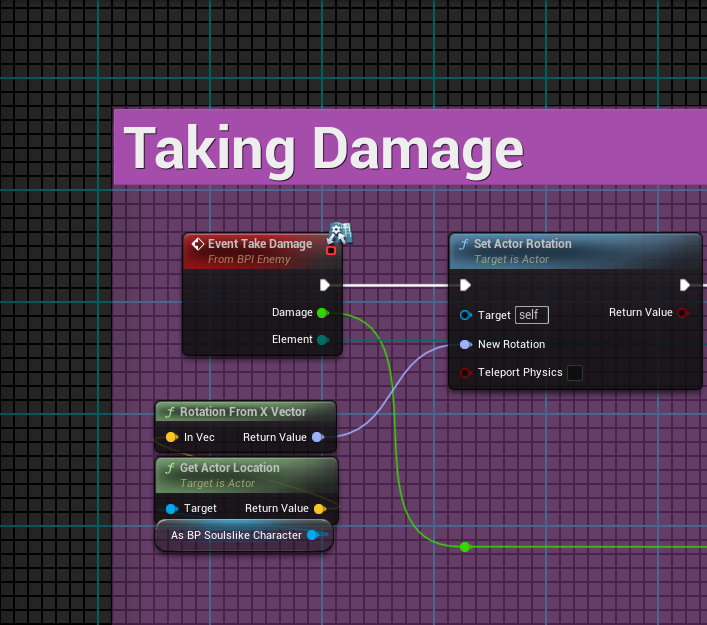
This also isnt my code im trying to work with a group mates code
dark drum
devout oak
Can someone help me figure out how to fix this code. I'm trying to get my eye to...
You can use the 'GetLookAtRotation' node to find to rotation from one location to another.
 ocean gate
Hi! Does anyone know why my actor slowly falls through the floor if the floor is relatively thin?
And how to fix it?
lofty rapids
you make the floor thicker and it works ?
is the problem that the min thickness is too thick ?
ocean gate
lofty rapids
you make the floor thicker and it works ?
oooh ok so I tried doing this, but it seems even weirder. Even if I increase the width of the collision on the floor mesh, it doesnt seem to make any different in how the colliding actor behaves? It still slowly falls through the floor and jitters like crazy!
lofty rapids
do you have the collisions set up properly ?
frosty heron
dark drum
Just remember an interface is just a way for different classes that don't share ...
I think Java describe it as a contract 🤔
maiden wadi
ocean gate
oooh ok so I tried doing this, but it seems even weirder. Even if I increase the...
What is the actor? How is it moving? Is there multiplayer involved?
lofty rapids
ocean gate
oooh ok so I tried doing this, but it seems even weirder. Even if I increase the...
are you using physics ?
dark drum
frosty heron
I think Java describe it as a contract 🤔
Yea its not a bad way to describe interfaces. One thing i tend to see a lot is where an interface will have a handful of functions but the thing using it only ever implements one of them. 🥲 (I'd say a breach of contract 😅 )
lofty rapids
ocean gate
oooh ok so I tried doing this, but it seems even weirder. Even if I increase the...
wdym "collision on floor" ? the floor itself should be the collision ? Collision blocks doesn't block you from walking through
ocean gate
lofty rapids
do you have the collisions set up properly ?
I have simplified the scenario so now its just my platform and a simple cube with simulate physics enabled. The cube jitters when it stands on the platform and seems quite unstable, and seemingly at random it also slowly drifts down through the platform and continues to do so until its either all the way through, in which case it falls to the ground, or it snaps back up again and the process starts over.
ocean gate
maiden wadi
What is the actor? How is it moving? Is there multiplayer involved?
Yes physics and gravity is being used on the cube, but not on the platform. There is no multiplayer involved.
dark drum
ocean gate
I have simplified the scenario so now its just my platform and a simple cube wit...
Can you show a video?
lofty rapids
maybe Enable CCD
ocean gate
lofty rapids
or Substepping
ocean gate
lofty rapids
maybe Enable CCD
CCD does not seem to make any difference
dark drum
ocean gate
Avoid using plane collision? I personally avoid any collision thinner than 1cm.
ocean gate
substepping is also enabled, with these parameters;
 ocean gate
dark drum
Avoid using plane collision? I personally avoid any collision thinner than 1cm.
ocean gate
dark drum
Avoid using plane collision? I personally avoid any collision thinner than 1cm.
it is not a plane, it is a box collision on the mesh
it is 20uu in thickness
dark drum
ocean gate
it is not a plane, it is a box collision on the mesh
Show hows its setup on the mesh.
ocean gate
dark drum
Show hows its setup on the mesh.
 lofty rapids
oh i was thinking box collision in the actor, i c your actually applying collision
dark drum
ocean gate
Yea that should be fine. How odd. Are you applying any downward force anywhere?
lofty rapids
is it dropping on ? or is it loading while on it ?
i think if your loaded in it it would do that
frosty heron
dark drum
Yea its not a bad way to describe interfaces. One thing i tend to see a lot is w...
Hmm is that even possible? Pretty sure you can't compile at least outside bp of the method isn't implemented.
dark drum
frosty heron
Hmm is that even possible? Pretty sure you can't compile at least outside bp of ...
BP automatically implements them but not set to do anything. (sort of)
frosty heron
Btw, im trying to use delegate as you suggested, but I'm afraid I'm restricted to events.
ocean gate
dark drum
Yea that should be fine. How odd. Are you applying any downward force anywhere?
I'm not, the cube is just a simple default cube with simulate physics enabled
dark drum
frosty heron
Btw, im trying to use delegate as you suggested, but I'm afraid I'm restricted t...
I'm working on my interaction system at the minute if you want to jump in a call and I screenshare? It might give you some ideas.
frosty heron
dark drum
I'm working on my interaction system at the minute if you want to jump in a call...
Would love to, thank you for the offer. But I'm eating dinner rn and gotta hit the hay for work tomorrow.
I got ideas but just such that I think I made a worse wheel.
dark drum
frosty heron
Would love to, thank you for the offer. But I'm eating dinner rn and gotta hit t...
No worries.
frosty heron
Totally regret basing my entire cosmetic around data table
Shoulda use DA and asset manager
But that's another thing I have yet to tackle
maiden wadi
Make some editor utilites to create data assets for you from your DTs
Good practice for data reorganization too.
 wicked osprey
Guys anyone know is there any ingame gameplay recording system in unreal engine? I need to save recorded video on PC in mp4 format
dark drum
maiden wadi
Make some editor utilites to create data assets for you from your DTs
That's a really good idea. Sounds like a good little project to familiarize oneself with editor utilities.
wicked osprey
This logic needs to work in shipping build
maiden wadi
wicked osprey
Guys anyone know is there any ingame gameplay recording system in unreal engine?...
None that I'm aware of. Usually external tools are used for recording gameplay footage AFAIK. Only the editor has rendering capability I think.
dark drum
wicked osprey
This logic needs to work in shipping build
I don't believe there is anything that would work in a shipping build. You can render out level sequences but thats in the editor.
maiden wadi
@dark drum @frosty heron I did similar when we started on our current project. We had a list from elsewhere for our spells at first.
The only part not in default editor or in BP that is helpful is the CreateAndSaveNewObjectWithPackage.
UObject* UAuthaerEditorExtensionsLibrary::CreateAndSaveNewObjectWithPackage(TSubclassOf<UObject> ObjectType, FString PackageSavePath, FString NewObjectName)
{
    if (!IsValid(ObjectType))
    {
        return nullptr;
    }

    UPackage* NewPackage = CreatePackage(*(PackageSavePath+NewObjectName));
    UObject* NewCreatedObject = NewObject<UObject>(NewPackage, ObjectType, FName(NewObjectName), EObjectFlags::RF_Public | EObjectFlags::RF_Standalone);

    if (GEditor->GetEditorSubsystem<UEditorAssetSubsystem>()->SaveAsset((PackageSavePath+NewObjectName), false))
    {
        return NewCreatedObject;
    }

    return nullptr;
}


This just parses some strings into usable data and sets values. You could do the same thing reading datatable rows as well.
ocean gate
Problem solved! The issue was with the platform actually. I was using box trace to set the collision interaction states and was setting the collision response channel every frame to the same thing, which somehow caused collision to not work correctly with physics actors specifically. I'm not sure but this feels like its not intended behavior on UEs side, anyhow a simple do-once to just do it once when needed fixed the problem completely
lofty rapids
parse into array, one of my favorite nodes
dark drum
lofty rapids
parse into array, one of my favorite nodes
Yea it's a very handy node.
lofty rapids
i use strings and a delimeter all over the place
dark drum
lofty rapids
i use strings and a delimeter all over the place
I try to avoid strings but when i do, it usually involves the parse node. 😅 Parsing out manually built strings used for saving comes to mind.
maiden wadi
Yeah, hard to avoid when you're given a random set of data in a grid from a website that needs to be parsed into usable types. 😄
lofty rapids
i use it for storing level data for a procedural generated levels, instead of building out the level i build the strings, then build the level
i prefer using | when seperating data instead of a comma
| on the outer, then something like ; for the inner, then maybe comma
maiden wadi
I did that for Red Solstice 2's marine equipment importer/exporter. Fun little project. 😄
I kind of did that for our map editor in the current project. Kind of. Parsed data into a json string from structs. Technically the same thing?
lofty rapids
what kind of data did you parse ?
it's all parsing ig
json is a great way to store data
i have yet to use it in blueprints but i have used it with other languages
it looks kind of difficult, like i want to build something simpler
i went the simple route and created an .ini reader/writer
maiden wadi
RS2's stuff is all by datatable handles mostly. But there's only certain kind of slots. So I abbreviated the slots and used the rowhandle of the datatable with the slot abreviation.
I could have done JSon too there, but the point was to try to make it short enough for discord pastes.
Like exporting the default suit data is
MaCl:1|MD:EnergyBladeModule|MD:Stimulants|MD:PowerCore_S|MD:PowerCore_S|MO:CriticalStrike|MO:GrenadeModule|MO:StunShot|MO:PowerCore_S|MO:AdaptiveSystems|MS:ReviveStickUpgrade|MS:ReviveStickUpgrade|MS:PowerCore_S|MS:PowerCore_S|MS:PowerCore_S|PW:GAR|SW:ShotgunFast|PWS:0|PWPC:X=1.000 Y=0.475 Z=0.000|PWSC:X=0.000 Y=0.000 Z=0.000|SWS:0|SWPC:X=0.297 Y=0.385 Z=0.311|SWSC:X=0.000 Y=0.000 Z=0.000|MaS:None|MaPC:X=0.117 Y=0.237 Z=0.500|MaSC:X=0.194 Y=0.268 Z=1.000
MD is Module Defensive, MO is Module Offensive, MS is Module Support. PW is Primary Weeapon, PWPC is Primary Weapon Primary Color, etc etc.
So each module is separated by | and you have SlotType:Value for each one.
lofty rapids
nice, works like a charm i bet
maiden wadi
Surprisingly never had issues with it. 😄 One of those rare things that just worked well and never needed touched again.
lofty rapids
i use ini for my game settings
another parser that i made
i know it's built in to use ini, but my functions was just a lot simpler
but this helps i can alter the game and run it pretty quickly check changes
maiden wadi
Reminds me of modding ARK.
lofty rapids
ya it allows for anyone to mod the game
because most things are a variable
for instance my friend can change things and he doesn't know much about making a game yet, but he can edit an ini and see what happens np
and i can then adjust the actual game if need be
settings.ini
i made a simple ini parser, no need for complication, just section & item of an ini string loaded from a file
but the actual level is an array of strings that are like
id:type:style:xloc,yloc,zloc:xscale,yscale,zscale:options|repeat...
it was just easier to generate these strings, and then load it all
then actually load it while generating
it gives me live levels too where you only see 3 sections that are loaded, but you can go back and forth and load the sections np, and track things like got items with the id

Gameplay of demo version you can get here: https://jeetahstudios.itch.io/sideways
these levels are actual build with that structure
first game i ever really made that actually has playability so i could of done it differently but thats what seemed to be the best idea
fun project
lofty rapids
maiden wadi
So each module is separated by | and you have SlotType:Value for each one.
as far as delimeter goes | <-- this is by far imo the best one
the : and ; i would say is a close second
then i like to use comma about 3 or 4 deep for things like arrays
unfortunately blueprints is a pain when parsing a large string or set of strings
so i need to do most of that in c++ because it's just much faster
i talk about it only because it's a great way to store/retrieve data
as it's simple and doesn't require much but loading/parse node
i actually use parse live as you get to each section
it's live i parse the data and build it on the fly
using "mostly" blueprints i just been slowly adding c++ to crucial functions
same way i store highscores
which i should probably encrypt in some way but the potential for hack is there
 maiden wadi
lofty rapids
which i should probably encrypt in some way but the potential for hack is there
maiden wadi
lofty rapids
which i should probably encrypt in some way but the potential for hack is there
Eh. I'm on the fence about that with games. There's one real truth about local data. It can be manipulated. Period. And the extents you would need to go to, to punish it are only really appropriate for competitive games.
Encryption doesn't do much except raise the bar for the level of people that can manipulate it.
I always remember that one post about the guy that decompiled.. GTA I think it was? And found out that they were rereading a whole JSon string or something for every character parsed or some shit, which caused their loading screen to have a couple extra minutes of time. Cause he just stepped through the working assembly code.
lofty rapids
maiden wadi
Eh. I'm on the fence about that with games. There's one real truth about local d...
once it's cracked there can be made an app that does it for you, but i prefer having to make them work for it so a little more secure imo is better
spark steppe
maiden wadi
Eh. I'm on the fence about that with games. There's one real truth about local d...
meh.
GTA Online. Infamous for its slow loading times. Having picked up the game again to finish some of the newer heists I was shocked (/s) to discover that it still loads just as slow as the day it was re


 elder pasture
Hi! I'm trying to compute a normal for a material, but I seem to end-up with the following error whenever I connect world position to the material's normal input.
Here is what I have observed so far:
- Using
WorldPositiondirectly results in the error. - Using
MakeFloat3with default inputs (0) results in NO error. - Using
WorldPosition->BreakOutFloat3->MakeFloat3results in the same error. - Even when the
WorldPositiongoes through complex computations (including dot products) the error persists. - Using
VertexNormalWSresults in NO error. (despite also being a float3 input)
(Note: I am using tangent space for the normal, and I am aware that the shown wiring makes no sense from a material perspective, this is just for debugging purposes, trying to simplify as much as possible to get rid of the error)
Any clues on what might be going on?
 elder pasture
Okay, so as it turns out, the issue was that (as pointed out in the error message) there is no automatic conversion from LargeWorldCoordinates (LWC) to floats.
Adding the seemingly undocumented (??) TruncateLWC node just after the WorldPosition resolves the type conflict, and seemingly computes the expected values...
 kind estuary
my 2 project mates keep saying that we dont need Instanced Static Mesh, because unreal Auto-instances everything
i dont know what else to tell them
 zealous moth
I'm drawing a blank on rows and columns. I'm loading up a widget with a uniform grid and I want to have the entries added as 3 per row and then add a new row past 3.
oblique torrent
is there a way to get an event when a variable changes
like an on dirty sort of thing
lofty rapids
run it through a function like a setter
oblique torrent
its for an editor thing, would work great for code but awkward in editor

i guess alternatively is there a way to get hash codes in blueprints
surely thats what this does internally surely

i guess none of this would run in editor though
isnt a huge issue but kinda unfortunate
lofty rapids
"hash codes" ?

 rigid bay
Hi, I'm having an issue where my character is moving slower on inclined surfaces. Is there a way to make that not happen?
spark steppe
oblique torrent
i guess none of this would run in editor though
why wouldn't it?
oblique torrent
by editor i mean like when the game isnt running
im assuming the tick functions wouldnt run
my thinking was just to check if its updated each frame lol
if there isnt a way to just get an event for that
spark steppe
maybe describe your actual goal
oblique torrent
i have an array of attachments, i have a function that applies those attachments

need to run the function when the array changes
spark steppe
that's something that would require c++
oblique torrent
inconvenient
spark steppe
and waiting for posteditchange() events
oblique torrent
worse idea is there a way to just like have a button in the properties
big update button that updates the thing
lol
spark steppe
yes, make a function/event without any parameters and set it to call in editor
oblique torrent
cool

 spark steppe
you could also do the check in your construction script
i think that runs any time you change a property
oblique torrent
only when the games running tho right
spark steppe
nope, should also fire in editor
lofty rapids
rigid bay
Hi, I'm having an issue where my character is moving slower on inclined surfaces...
"increasing the Walkable Slope Angle can help maintain movement speed"
rigid bay
lofty rapids
"increasing the Walkable Slope Angle can help maintain movement speed"
Tried that. It didn't work. I set it to 75 degrees and the angle of the slope is around 30. I also changed the walkable slope behavior to increase walkable slope and that didn't help either
lofty rapids
rigid bay
Tried that. It didn't work. I set it to 75 degrees and the angle of the slope is...
you could try "dynamically adjusting Max Walk Speed can help counteract sliding on steep slopes"
its worth a shot
but it involves getting the slope
and then setting things based on that
rigid bay
The character movement has a built in check for walkable floor, and you can break the hit to find the normal vector of the floor. I'm trying to figure out how to use that with my current add movement input nodes to see if that helps.
lofty rapids
"dynamically adjusting the Max Walk Speed can help reduce or prevent sliding on steep slopes in Unreal Engine"
i'm getting this from google i have not tried it, but it's basically saying set max walk speed based on angle
rigid bay
lofty rapids
i'm getting this from google i have not tried it, but it's basically saying set ...
I'm actually just braindead. My check to see if the character was in the air wasn't working properly and it was returning that the character was airborne when on the slope. I fixed it and it works now.
 jagged pilot

My nodes are suddenly all undeleteable?
Even new ones I throw in there I cannot delete
dark drum
jagged pilot
My nodes are suddenly all undeleteable?
Reopen the BP. If that doesn't work, restart the editor.
rigid bay
UE5 has had that bug for a while now. Are they tracking that?
uncut elk
So kind of a hailmary here , but has anyone ran into any strange new controller issues as of yesterday or so ?
im suddenly having really hard to explain issues that never existed and are plaguing really old builds too.
so im thinking some kind of windows/ UE update broke something.
maiden wadi
uncut elk
So kind of a hailmary here , but has anyone ran into any strange new controller ...
Gonna need more to go on than "strange new controller issues". What are your problems, in general?
uncut elk
maiden wadi
Gonna need more to go on than "strange new controller issues". What are your pro...
i was mostly just trying to see if any news has been spreading about controller issues or something of the sort recently. but for some reason as of yesterday , D Input controllers are firing the "AnyKey" event pretty much on tick. like its just constantly firing even if you arnt pressing anything
i had menu's set up in old builds that use Anykey and now suddenly D input controllers cause those interactions to happen the instant they can. rather then when a key is pressed. and i know these issues didnt exist back then , for a fact. so i thought something was wrong with my rig, but after sending the build to a friend he also had the issue. and ive done all my testing on D input controllers for over a year now.
maiden wadi
I doubt that you would see that from a generic update. If you're getting AnyKey events then something is processing a key as being pressed somehow. Even an analog stick being slightly off without a deadzone for instance. Only thing likely to affect that is probably hardware or drivers specific to it.
 visual crest
In build of my project it wont save screen shot.
 stone field
uncut elk
i had menu's set up in old builds that use Anykey and now suddenly D input contr...
stone field
uncut elk
i had menu's set up in old builds that use Anykey and now suddenly D input contr...
I would say 99.99% certainly problem is in your code
maiden wadi
visual crest
In build of my project it wont save screen shot.
You're checking the cooked content directory and not the project one, right?
visual crest
yes
maiden wadi
Odd. You see the prints though?
maiden wadi
But it works in editor?
visual crest
the print string says the right loc but it does not creat the screen shot folder or save the screen shot
I have even manualy made the folder and still nothing!
visual crest
maiden wadi
But it works in editor?
Yes
maiden wadi
Huh. Just a sec and I can set up a test for that. What is your cooked build? Development?
visual crest
I tried both ship and dev I am using dev atm to see print strings
maiden wadi
Oh, dur, right. You wouldn't see those in shipping.
visual crest
Thing is the save game creats folders and save perfectly but screen shot dose nothing

Task says it work print string is right and nothing
 maiden wadi
visual crest
Thing is the save game creats folders and save perfectly but screen shot dose no...
maiden wadi
visual crest
Thing is the save game creats folders and save perfectly but screen shot dose no...
Unclear what you mean with this?
It should be a png, not a sav
visual crest
I mean it should work but the file is not created
O I am saying that saving the game works
so I have permission and it can write to disk
but still the screen shot dose not appere
maiden wadi
Yeah. 🤷♂️ Weird. I can debug it a bit if I can repro it. Need to see if this test project will even build. 😄
stone field
visual crest
Task says it work print string is right and nothing
two // in the path might be a problem
visual crest
stone field
two // in the path might be a problem
Elaborate?
stone field
Saved//SavedGames
visual crest
0o ill try and see if thats it
maiden wadi
Possible. But it would be weird if that only breaks in cooked game. Seen weirder things though.
 sweet leaf
Hi all, I’m working on a Enemy Spawn system for a side scrolling beat em’ up and I’m trying to figure out how to make an actor take a set of actions before the AI controller takes over.
What I think I need is to pass information into a spawned actor from the SpawnActor node or barring that a method of how to infer this when an enemy is spawned into the world.
The main setup is
1.) A Battle Event actor that is a collision box checking for when all players overlap to start the battle event itself. It also holds a data asset reference with information about each “wave” of enemies I want to spawn for the event including
Number of waves that will spawn
what the transition between waves in (all enemies defeated or spawn next wave after a timer)
a list of enemies to spawn in the wave that includes
Reference to the class
2.) A battle event manager actor that listens for the battle event call from the battle event actors in the level
When the battle event sends the trigger event of “Battle Event Started” the battle event manager then handles a few things
1.) Ease the camera to the battle event area and lock it
2.) Set up level bounds so players can’t leave the screen area
3.) Set up information and remember information about the on going battle event (# of waves, current enemies, enemies defeated, etc..)
4.) Begin spawning enemies using said information
What I’m trying to achieve is, when an enemy spawns, it needs to set an animation (based upon position of the screen it’s coming in from, left, right, top or bottom) and then move onto the screen.
The hope here is you have the standard beat em’ up style of the enemy walking in from the sides before the AI controller takes over, but also can drop in from the top (like falling from a ceiling vent) or come in from the bottom (maybe they’re climbing up a cliff face the players are walking past)
I don’t think I can achieve having the “walk on” set of actions in the event manager as then each enemy would have to walk on one by one instead of all at the same time which is what I want.
I’m assuming that the best route here is in the begin play for the enemy to take in the passed in position and then switch upon what animation it should set (walking, falling, climbing) move onto the screen and then have the ai take control.
I’m just not sure how to pass in, upon dynamic spawn, the information for it to make that decision, so I was hoping I could get some help connecting those dots.
stone field
sweet leaf
What I’m trying to achieve is, when an enemy spawns, it needs to set an animatio...
Look at "Expose on Spawn" checkbox in the actor's variables maybe
maiden wadi
The only real info you'd need is where it was spawned, and the player's camera location and direction.
visual crest
sweet leaf
Hi all, I’m working on a Enemy Spawn system for a side scrolling beat em’ up and...
The way I handedled it is to have a actor spawner thar has trigers that send to them to spawn. Then just just delete all actaul npc when needed. This way the spawners are still intact.
 visual vector
thanks for that question , answer worked for me aswell!
stone field
As Authaer says, optimally given a point in which to spawn, the critter could make educated decisions on how to proceed from there : if the spawn is on a sewer manhole, climb out etc
visual crest
stone field
Saved//SavedGames
Sadly it did not work

yea the save file is there but the screen shot did not save
 stone field
visual crest
Sadly it did not work
stone field
visual crest
Sadly it did not work
This is some plugin maybe? do they have docs, where they might have more info? Does the Filename need .png extension?
Are there any logs which might give errors?
visual crest
I am the author of the plugin lol
stone field
jaaaa
visual crest
I am testing it to make sure it works and ran into this weird quirk lol
maiden wadi
@visual crest Improperly marked editor only function. Does nothing in cooked game.
 dawn gazelle
There's two slashes in the path between Saved and SaveGames... Could be part of the problem
 visual crest
dawn gazelle
There's two slashes in the path between Saved and SaveGames... Could be part of ...
visual crest
dawn gazelle
There's two slashes in the path between Saved and SaveGames... Could be part of ...
Yeah karma pointed that out and I fixed it already and still nothing Auther is saying my highress screen shot node is editor only lol
stone field
yeah, I seem to recall seeing other people get tripped over by this over the years. There's some pretty cheap plugins on fab, some free ones even ( probably with limitations )
So they probably do the work of capturing screen to a buffer, writing to a file etc in a packaged environment
maiden wadi
I know it's possible, just not sure if BP exposed, one minute.
visual crest
ok thank you for looking my C++ is know how is none existent
stone field
visual crest
ok thank you for looking my C++ is know how is none existent
even if you don't really know c++, it can be good to try out searching for stuff in IDE now and then. Like in this case you might search for "screenshot" and see what kind of stuff shows up
visual crest
So told Chat gpt its editor only and its telling me to do a SceneCapture2D setup
sweet leaf
stone field
Look at "Expose on Spawn" checkbox in the actor's variables maybe
Hmm i guess the hard part is when Spawning even if the variable is exposed, not sure how the Spawn Actor node would take it in?
I guess i'll need to rethink the spawning in general as putting in specific locations right now with the setup i have i guess wouldn't work.
I'm having a hard time trying to figure out the link between setting up a battle event, linking said "spawners" and then how the spawner would tell the enemy what to do.
My goal is to emulate how TMNT or Scott pilgrim kind of spawns things in, screen locks and then a few enemies walk in from each side, once they're destroyed and another round of enemies come in.
So in this scenario if I had a bunch of spawners set up around the "battle arena" my question then would be how then does it tell the actor that information of what to do. If it's effectively the same actor that could do differnet things, the SpawnActor node still doesn't seem to leave me with a way to be like "okay in this scenario do X, in this scenario do Y"
 stone field
sweet leaf
Hmm i guess the hard part is when Spawning even if the variable is exposed, not ...
stone field
sweet leaf
Hmm i guess the hard part is when Spawning even if the variable is exposed, not ...
Expose On Spawn will add the variables to the Spawn node
Camera stuff shouldnt be responsibility of the enemies
visual crest
sweet leaf
Hmm i guess the hard part is when Spawning even if the variable is exposed, not ...
some thing like this

The spawner then spawns the npc with the settings you want

as you can see I have a tone of options
This is usefull both for manually placing actors in the world and wave like bullet haven style stuff.
I never directly place NPC into the world
This can also be used with level scaling you make a data table of all possible spawns and then select the level range of each then attach it to your spawner
visual crest
sweet leaf
Hmm i guess the hard part is when Spawning even if the variable is exposed, not ...
Do you see what I am trying to explain?
sweet leaf
Somewhat, i'm sorry i'm still pretty new to unreal dev, so i'm trying to visualize how that SpawnActor BP works.
So it's its own actor that would exist in the overall world. Do you have multiple in the world or is it kind of a "one instance needs to exist" type thing. Cause it looks like you can pass in the transform and all other relevant info, so i'm assuming you can just then continue to invoke it to spawn different enemies, but i'm having trouble visualizing where it's invoked from and then I guess what it's doing underneath.
Cause i'm trying to think, if I passed in a list of enemies to that to for loop over and spawn.
Would one enemy
1.) Spawn
2.) Set an animation
3.) Move a fixed amount
4.) Finish
5.) Next enemy now repeats the previous
and thus you see them spawn and walk on one at a time
or are there multiple SpawnActorsBP in the world, you would invoke a set of ones based on your "trigger", so say I have one on the left side of the screen, one on the right side of the screen and invoke both to "spawn an enemy now"
sweet leaf
stone field
Camera stuff shouldnt be responsibility of the enemies
So it's not, i guess, my current implementation that i'm trying to get function you have the battle event that holds info about enemies and checks for players overlapping to trigger the "Battle event began" event
And then the event manager that starts setting thing sup
and then when the setup is done, spawns enemies based on the data asset passed in


 visual crest
sweet leaf
Somewhat, i'm sorry i'm still pretty new to unreal dev, so i'm trying to visuali...
visual crest
sweet leaf
Somewhat, i'm sorry i'm still pretty new to unreal dev, so i'm trying to visuali...
I have tones of them in my world and I attach them to spawn triggers I alo use them in my bullet heaven setup.

the yelow are the spawners controled by the select triger
sweet leaf
hmm okay
visual crest
then when the player dies I delete all actors of class BP_MasterAI and reset my triggers also resting at bonfire does the same thing
so the spawner can spawn again
This help lower the number of AI active in the world asweel
 autumn pulsar
If I have two slightly different things, is it usually better practice to make them seperate functions, or one function that changes what parameters it intakes based on a bool?
visual crest
autumn pulsar
If I have two slightly different things, is it usually better practice to make t...
Up to you I have some really complicated functions that have tones of options and some times I just duplicate a function and make minor changes
sweet leaf
Hmm... so tell me if this sounds viable.
Essentially having different "types" of spawners., BP_SideSpawn, BP_TopSpawn, BP_BottomSpawn.
Set a few up inside the combat area that makes sense (side spawns off to the side)
the Battle Event set up to reference an array of spawners and the Data Asset saying what "type of spawner" it wants to target for a particular enemy to spawn.
Player enters the Battle Event collision -> this triggers the BattleEventManager to do it's setup tasks. Wave starts and it loops over enemies in the data asset and find a corresponding spawner to invoke (this enemy should spawn in a ceiling spawn, find one not currently in the process of spawning something)
visual crest
sweet leaf
hmm okay
GTG hope i was able to help a bit
sweet leaf
visual crest
GTG hope i was able to help a bit
thoroughly appreciate the input, it's... given me ideas at least. Let's see if I can implement them xD
autumn pulsar
sweet leaf
Hmm... so tell me if this sounds viable.
Essentially having different "types" o...
I'd probably have a single spawner with an enum to determine which kind it is
sweet leaf
Yea fair, thinking even could be a variable for the actor itself.
autumn pulsar
or you could use a gameplay tag
then just find all spawners with the tag, and pick one
You could also make the spawner act as the manager
then the spawn points as just generic points with an orientation and flags
sweet leaf
yea not a bad idea.
Thing i'm still trying to think on is how they'll work when there are different enemy types.
Since assuming the spawner will handle the "set animation, move from x to y" information what happens if an enemy has a different spawn functionality if that's not owned in the enemy actor itself. Like one level I have in mind is like a skydiver type enemy that flies on to the screen in a bit of a curve. So owning all of the enemies "spawn actions" in the spawn actor itself makes me wonder how i'd achieve different enemy types with different actions on spawn
i guess in that potential scenario it just spawns off screen statically and then AI takes over to do those actions
like i said, still pretty new to unreal development so hitting these kinds of things and feeling like i don't quite have the knowledge yet to connect all those dots lol
autumn pulsar
sweet leaf
yea not a bad idea.
Thing i'm still trying to think on is how they'll work when...
The way I'd do it is to make the enemy blueprint have a "spawn" function, then it plays an animation or something before giving it control to the AI
autumn pulsar
sweet leaf
like i said, still pretty new to unreal development so hitting these kinds of th...
getting in over your head is one of the best ways to learn
sweet leaf
autumn pulsar
The way I'd do it is to make the enemy blueprint have a "spawn" function, then i...
So that is generally the theory I was trying to accomplish beforehand, but what i'm having trouble figuring out is giving it the info it needs to make those decisions since my thought is it would be different based on where it spawns.
Even using a spawner type thing i'm not sure how the enemy actor would get the information of "Oh I spawned from a top spawner" or how the spawner well tell the enemy "you spawned from me so in your code you know to do x"
autumn pulsar
sweet leaf
So that is generally the theory I was trying to accomplish beforehand, but what ...
There's a few ways you can do it
Easiest would just be to construct the object, cast to the actor class, then call a function
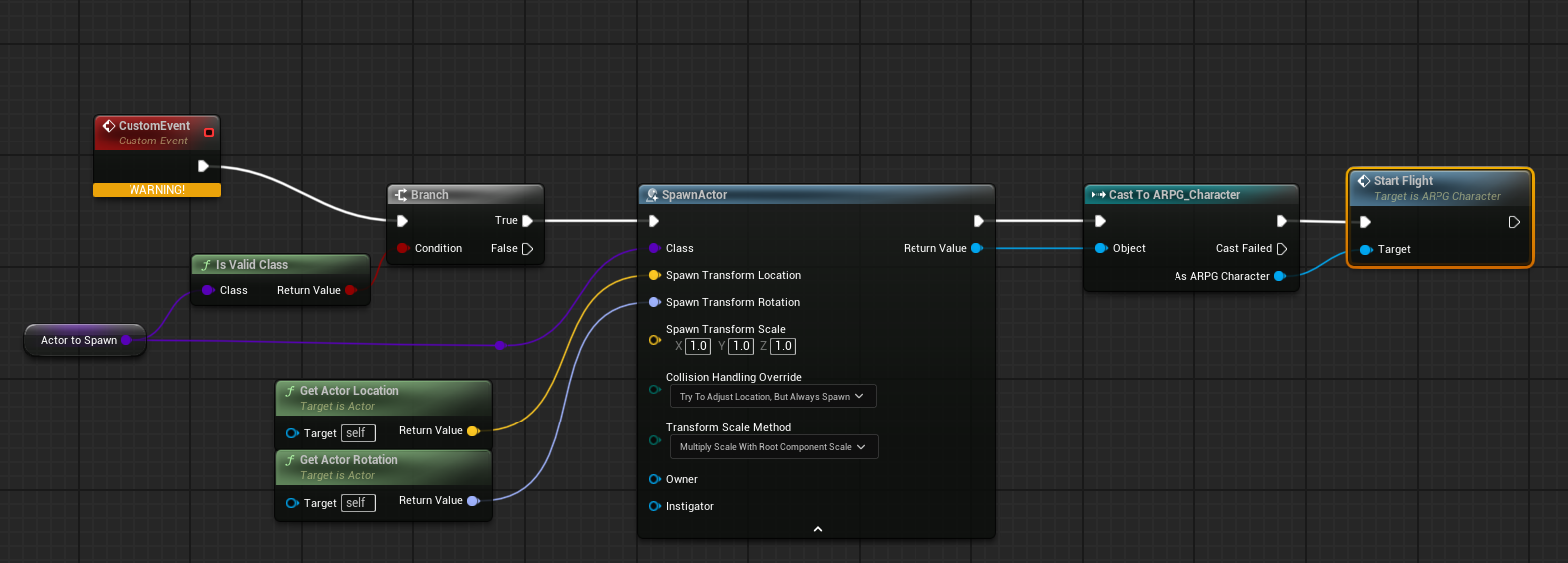
You can then pass the spawner details such as "spawner type" to the actor so it can then do what it wants to do based on the input given
If you're keeping track of the enemies, you can then bind an event
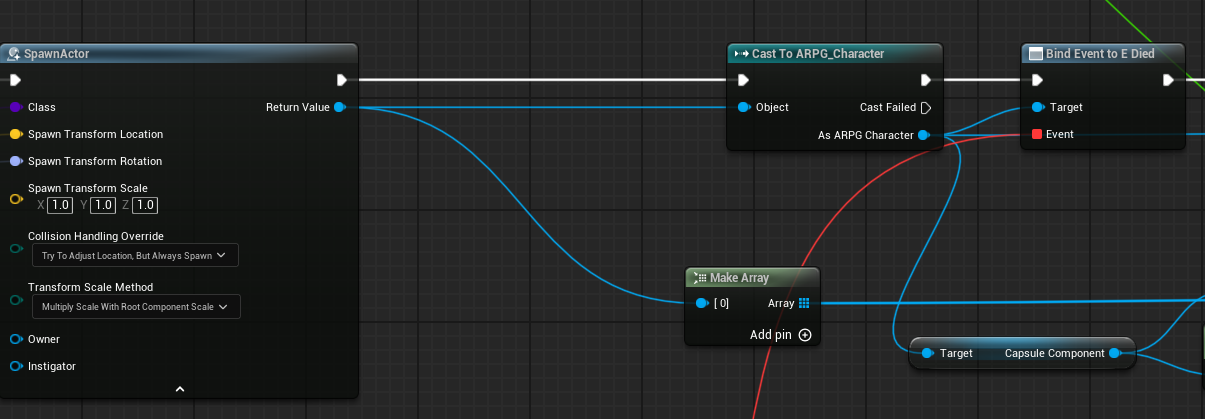
Like here I bind to the "Died" Event so I know when the pawn is dead and can remove the reference to it and subtract from the active counter
sweet leaf
ohhhhhhhh. Write the "Spawn Behavior" function in the enemy BP after the Spawn Actor, since we essentially have a reference to it at that point call it's own function of "these are the actions to take when you spawn"
autumn pulsar
yeah, basically tell the enemy pawn "Here's the type of spawner you came out of" and then let the enemy handle it
with spawnactor it gives you a reference to the thing you just spawned, so I just take that reference, and use it to call a function on it
sweet leaf
Okay I think that may have just formed the connection I was missing haha
autumn pulsar
You could also use an actor component if you have multiple actor blueprints, or a Blueprint Interface
Blueprint interface might make more sense for this
sweet leaf
yea, i think that'll be the best route. Initial thought was, as of right now all enemies come from a BP_EnemyBase class and are currently a child of said thing, but a BP_Interface of "SpawnActions" is probably the better/safer route
autumn pulsar
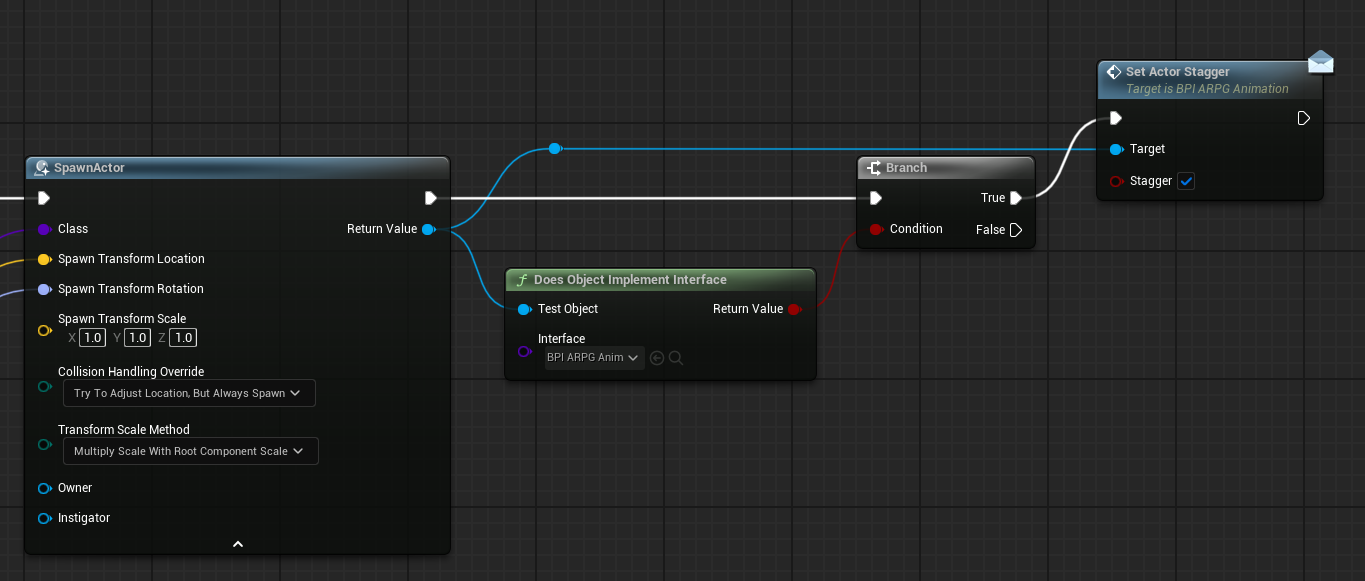
ignore the actual names, these are just random things
but I check to see if it implements it, then if it does call it
Then you can use the spawner for just about anything, even falling rocks
maiden wadi
You don' tneed to do that though. The message node does that internally.
autumn pulsar
maiden wadi
You don' tneed to do that though. The message node does that internally.
if you want to branch if it doesn't
for fallback behaviour
but yeah, if you just don't care you can go right into the message
sweet leaf
okay yea, no, that mixed with a spawner node system actually gives me a shit ton to work with, thanks guys!
autumn pulsar
meanwhile I'm trying to overengineer my health and weapon system
sweet leaf
if it's not overengineered it's underengineered amiright xD
autumn pulsar
ehhhhhh
With games, slipshod is almost better
You overengineer things you never finish anything
and things always change
sweet leaf
oh yea, scope creep and perfection is dangerous
Trying to find that sweet spot of keep things simple enough to work, but set myself up for success later by making them robust enough to reuse
autumn pulsar
robust is a lie
you'll spend more time engineering for use cases you'll never use
It's better to make a system easier to extend than to implement it from the outset
but I'm just making mmo mechanics for no specific reason other than it's fun 
but trying to figure out a good way to set up a weapon and skill system
and making animations work with all that
with like 5 layers of abstraction
sweet leaf
xD Well at least as long as its fun
autumn pulsar
like I make a staff weapon cool, it has skills cool, but something has got to determine the animation set you get with those skills and that weapon
I could hardcode it, but what if another actor gets that weapon
and just funky stuff like that
sweet leaf
Yea hmm. I mean it sounds cool, i'd be intrigued to see your eventual solution, but definitely beyind my current skill level
autumn pulsar
should the weapon store the potency, or the skill, or the hitbox itself lol
because I'm stupid and want players and enemies to use the same actor
sweet leaf
when you say potency, what are you referring to exactly?
autumn pulsar
I want multiple factors to determine the final damage
So it's the "base" damage of the weapon
or skill
I might do base weapon potency + skill potency + whatever else
sweet leaf
Hmm, so first thought actually i'm wondering if base level damage per item is based on player vs npc. But that's only if you want to potentially want to have different difficulty scalings vs players. But if it's an mmo type thing, you could probably go base weapon scaled to level?
autumn pulsar
doing a sort of levelless approach
sweet leaf
My, very uninformed, thought, it would then at least make sense to me on the base weapon impacted by owner skills. And i'd assume you could then get the owner to scale to game difficulty. But yea, i reiterate, very new
autumn pulsar
I'm just making a playground where I can spawn stuff in and bonk them
but say a troll swinging a hammer is going to do more ouch than a human with the same hammer (scaled down)
sweet leaf
i suppose in both cases though the item sets damage and the modifier being the owner?
autumn pulsar
Weapon sets base damage + skill damage + hitbox damage + crit damage + weakness damage
monsters would probably have stronger skills or whatever
sweet leaf
yea, seems to then at least make sense to have the weapon run the calc and assuming the weapon will fall under the hierarchy of owner that you could then cast out and make decisions based on "enemy type" and "enemy+player owned skills"
especially in a leveless type system, cause the weapon sets the playing field, and the owner and their skills sets modifiers
autumn pulsar
well I'm not thinking tooo deeply about balance
since I don't plan to actually make any game out of this
mostly just to practice and have fun
and commit mass copyright violation
run around as spongebob and smack elden ring bosses
naturally I have zero plans to release this
maybe eventually learn sculpting an animation and make some original goons to fight
 slender pike
hey guys just need some help if anybody can spare some time. my camera is rotating around my character which doesnt allow me to move forward. It only happens when i use a controller, for keyboard controls it works fine. I just wanted to kno why that is and how i could fix it? Im doing tank controls

oh wait maybe its my character that's spinning not the camera?
maiden wadi
What is that control rotation actually supposed to do?
slender pike
well honestly i was following a tutorial, i believe it was intended to rotate the character based on input direction but it’s actually rotating the controller (and the movement direction and camera), which isn’t what I want.
sorry i cant upload bigger files but here's how it is with keyboard, working tank controls
then when i do the same movements on controller
 spice gate
Is it a big change in performance if I use the same blueprint with instance editable variables (like static mash, a tag and an enum) compared to creating and using a different blueprint asset for every different item that is intercatable in the game (theres a lot of interactables but they don't execute logic)?
faint pasture
spice gate
Is it a big change in performance if I use the same blueprint with instance edit...
nah
a subclass that just changes defaults is kinda the dream typically
that's data-only BPs
spice gate
faint pasture
a subclass that just changes defaults is kinda the dream typically
wait what you mean?
spice gate
faint pasture
nah
Aight good cause I prefer using different assets for organization, even though they literally hold just a gameplay tag and an interface
And different static meshes
faint pasture
spice gate
wait what you mean?
MyProjectGunBase
Gun_M16 (just changes stats and mesh and anims)
Gun_AK47 (just changes stats and mesh and anims)
the BP can BE the asset
IDK if most people do it that way but I like it, works fine
spice gate
faint pasture
MyProjectGunBase
Gun_M16 (just changes stats and mesh and anims)
Gun_AK4...
You mean like a parent class?
I use a parent class for the basic things to setup and then just change mesh and tag on variables, I hold other important data on data assets
faint pasture
I'd choose one or the other
Class + data assets to fill in the details, or class + data-only subclasses to fill in the details
either way you have 1 class that does the work and others that just provide data
spice gate
Ok nice so im setup nicely I think
I literally just change the gameplay tag and the parent class does some basic stuff like taking the mesh from the data asset and sets it
dawn gazelle
If you have an actor blueprint and a data asset for every item, then you're probably doing it wrong.
spice gate
dawn gazelle
If you have an actor blueprint _and_ a data asset for every item, then you're pr...
🗿
faint pasture
Choose one or the other IMO
spice gate
Mmh
faint pasture
I like the actor BP for the flexibility and 3d visualization at design time
faint pasture
nobody said should, you can
typically you either have a data asset, a data-only or data-mostly subclass, or a data table row per item type
dawn gazelle
Either a single item class and a data asset for every item.
OR
Subclasses of item for every item.
spice gate
And then use only ONE blueprint and just change the tag on instance editor? (to initialize mesh etc)
spice gate
dawn gazelle
Either a single item class and a data asset for every item.
OR
Subclasses of ite...
Ok perfect I get it
spice gate
faint pasture
typically you either have a data asset, a data-only or data-mostly subclass, or ...
Thats exactly what I was wondering yeah
faint pasture
I think one benefit of data assets is that it is easier to make it play nice with auto-populating lists through the asset registry.
I just made an editor utility to fill my lists for me and called it a day
maiden wadi
Bundled loading is also rather nice.
spice gate
faint pasture
I just made an editor utility to fill my lists for me and called it a day
Thats actually dope, I gotta learn how to do that some day
Btw thank you very much for the clarification guys, time to organize some folders 🙏
 astral flame
Hey guys Im using the IsHoming Projectile movement. How do I get my arrow to change direction when homing.
faint pasture
astral flame
Hey guys Im using the IsHoming Projectile movement. How do I get my arrow to cha...
Projectile movement component should have a setting to orient towards velocity
yeah RotationFollowsVelocity
astral flame
@faint pasture TY!
 paper smelt
So I have this pawn. the root is a capsule with no gravity and physics simulated. I want my physics hands, when I push on walls to push me away (Like they should) but they dont seem to have any effect on moveing the character. Am I just being stupid?
 faint pasture
paper smelt
So I have this pawn. the root is a capsule with no gravity and physics simulated...
faint pasture
paper smelt
So I have this pawn. the root is a capsule with no gravity and physics simulated...
what do you mean by physics hands?
How are the hands moved?
paper smelt
So its all controlled by a phys constraint the thing the physics simulated hands are following are hand meshes that dont simulate that follow motion controller
faint pasture
Show the component heirarchy

 faint pasture
What you need is some sort of connection between the capsule and the hand colliders
The first and simplest way might be to have hand colliders copy the motion world transforms, and have hand colliders attached to capsule with welding
that'll be infinitely stiff, you punch a wall and you'll go flying backwards
paper smelt
Would I use tick for that?
paper smelt
Alrighty ill give that a go, Thanks
faint pasture
It won't be perfect but it'll be a start
be sure that the colliders are parented to the capsule and they have auto-weld checked
you'll end up with 1 physics body which has a capsule and 2 hand colliders. So when you move your hand into an object, the hand colliders will go with and penetrate, and physics will depenetrate.
 twin shale
visual vector
thanks for that question , answer worked for me aswell!
twin shale
visual vector
thanks for that question , answer worked for me aswell!
No problem! I felt like I was taking crazy pills when I was trying to get my size maps in check. Everyone says to use soft references but you basically lose all the benefits the moment you save one as a variable...and you still have to deal with loading them.
astral flame
When I saw my projectile it still collides with the player and idea why?

 faint pasture
astral flame
When I saw my projectile it still collides with the player and idea why?
faint pasture
astral flame
When I saw my projectile it still collides with the player and idea why?
saw?
you're also saying it SHOULDN"T ignore
astral flame
 faint pasture
astral flame
When I saw my projectile it still collides with the player and idea why?
faint pasture
astral flame
When I saw my projectile it still collides with the player and idea why?

check that box
astral flame
Still doing it.
faint pasture
character also has to ignore projectile
astral flame
where can i change that?
astral flame
waitr im confused
faint pasture
right now the character won't stop the projectile from moving, but the projectile will stop the character
astral flame
Is this is the BP_Player or settings for collision
faint pasture
 astral flame
 faint pasture
Just do this again but with the projectiles root collider ignoring self
 faint pasture
astral flame
faint pasture
astral flame
owner isn't the character
astral flame
well the owenr is set up so whatever actor/pawn spawns it in it should be ignored.
faint pasture
try do both of them from the firing code
astral flame
so if I use my spider enemy say to spit toxin it will ignore said enemy
faint pasture
print the result from GetOwner
 faint pasture
maybe begin play is too late
astral flame
delay maybe?
faint pasture
try set the ignore from the firing code like i said
Fire projectile -> tell it to ignore you -> tell you to ignore it
astral flame
what do I put as target sense its own component for projectile
So I havbe this but I cant pull it from my Projectile_Base
 faint pasture
From here, cast the spawned actors root component to PrimitiveComponent, tell it to ignore self when moving.

you want to tell your capsule to ignore spawnedactor, and you want spawnedactors root as primitive to ignore self
you need to cast it to primitive as scenecomponent doesn't have collision and that's all an Actor is guaranteed to have
astral flame
 faint pasture
astral flame
faint pasture
astral flame
get the spawned actor's box collision
you can either cast spawned actor to YourProjectileActor and get the box, or just cast spawned actor's root to Primitive, whichever you want
astral flame
Not letting me add it wth
faint pasture


 astral flame
Okay thats working better.. still colliding with my player tho...
faint pasture
show current code
also show the component layout of the projectile, gotta make sure that the collider is root and that other stuff under it do not have collision with pawns


 faint pasture
astral flame
faint pasture
astral flame
your execution isn't hooked up at the end there
that last ignore will never run
faint pasture
probably have your input set to down instead of pressed
meaning it'll fire every frame while down
astral flame
yes...
faint pasture
you can use Activated on the event for a once per press trigger i think
or just modify the actual input mapping context
or inputaction
astral flame
yeah started
its under started
and it works fine
is there a way I can set the input/projectile to ignore camera?
collisons
Thank you so much!
@faint pasture Thank you for you help...
 queen vault
I followed a Cobra Code's video on parallax background for 2D games and wanted to include it for my game. It works perfectly in the editor but when exporting/packaging the game the only thing that shows up is the static background. First image is the editor where it shows it works. 2nd image is after exporting the game. I've also attached my components and blueprint of the parallax material. Is there anything wrong or I need to change?


 obsidian mulch
ok so i am trying to make a procedural ads
but using ue5 firstpersonarms not the ue4 one
all the utube tuts are made using ue4 manny which in ue5 manny causes weired behaviour also my weapon is not as child actor compoennt in the character its attached on runtime
this is my current set up if possible it would be nice to have a video tutorial

waht i need to calculate in player bp and what in the anim bp
??
uncut elk
uncut elk
i was mostly just trying to see if any news has been spreading about controller ...
Figured it out, Im not sure what truly happened , but something in windows changed recently thats causing Windows RawInput to interpret inputs strangely , like the "anyKey" input event firing on tick for D-Input controllers with nothing being pressed and both sticks at zero. I know something system wide must have changed because very old builds that I have this enabled in are also suddenly broken , tested on 4 different rigs, but disabling it fixes it.
I had initially enabled this specifically for D-Input functionality in UE5.2 but its seemingly not needed in 5.5 , but i havent done thorough testing of multiple controllers yet .
 ocean gate
Hi! I have a problem in my game where inputs seem to be completely cancelled when moving between levels, and I can't seem to find a way to fix it!
For instance, when moving from one room to another (each room is a "level") and you keep holding any of the movement keys on the keyboard, nothing happens once you spawn in the next level unless you press the key again.
Its as if the Trigger events from the inputs aren't triggering anymore unless they're refreshed by another key press?
maiden wadi
ocean gate
For instance, when moving from one room to another (each room is a "level") and ...
While I'm unsure of a fix. I can say that this is intended behavior to stop inputs in places like loading screens and such.
By default, Unreal simply listens to inputs from the OS. As these come in, they're pushed down through UI and eventually arrive at the GameViewportClient. And that passes it to the PlayerController who does game inputs. The only thing that saves these gameplay input states is the controller, which is obliterated and recreated each level.
If you can dive into C++, it might be possible to make a setup where you save the KeyStateMap in the PlayerInput, and post load reapply it once the player is ready. But I'm not immediately sure if you can poll a lower level system for if the key is actually still pressed or not at said point.
TBF though if you can get the keys from a lower level system. It'd probably be worth trying to dive into the SlateApplication and just have it rerun their pressed code.
 stiff cedar
hi all, I'm having an odd issue trying to find a substring using a variable. When I try without using a variable it works fine:

but when I try with the variable it fails:

any idea why this would happen?
maiden wadi
stiff cedar
That's odd. Absolutely nothing is setting this string variable before this?
stiff cedar
nah, i literally just made the variable for this purpose
oh damn... i did set it - my bad 😓
rusty with unreal
maiden wadi
😄 Was about to ask you to print off the string being checked to double check that it isn't changing between testing iterations.
lofty rapids
obsidian mulch
ok so i am trying to make a procedural ads
but using ue5 firstpersonarms not the...
" make a procedural ads" ? huh ?
oh i c, Aim Down Sight ?
maybe https://www.youtube.com/watch?v=foVHtsnEwj0 i found online might be worth a look
obsidian mulch
lofty rapids
maybe <https://www.youtube.com/watch?v=foVHtsnEwj0> i found online might be wort...
Well my setup is much simpler than him he used too many components
I am trying to make it as simpler as I can
lofty rapids
obsidian mulch
Well my setup is much simpler than him he used too many components
I am trying ...
i would suggest searching youtube https://www.youtube.com/watch?v=Rdcd0n_N4QY
this one should be "simpler" it says so atleast
 robust flicker
Please help, my characters don’t want to move around the cells when Spline is on, if I turn it off, the character moves without problems.


 lofty rapids
robust flicker
Please help, my characters don’t want to move around the cells when Spline is on...
lofty rapids
robust flicker
Please help, my characters don’t want to move around the cells when Spline is on...
wdym "spline is on" ? when you set the timer to have an actual interval ?
 somber spruce
Hi all, is there any way to capture a screenshot (preferably from the packaged game) which includes the UI as well? I've tried HighResShot and Take Gameplay Automation Screenshot without success. Take Automation Screenshot variants are not working for me, haven't seen any image output. Thanks
faint pasture
obsidian mulch
ok so i am trying to make a procedural ads
but using ue5 firstpersonarms not the...
Get comfy with transforms and manipulating them
Once you do that, you can calculate the transform that the hands should have to hold the weapon so the sight is aligned with the camera
then you just IK the arms and voila
robust flicker
lofty rapids
wdym "spline is on" ? when you set the timer to have an actual interval ?
When I have Draw Spline connected to Set Timer by Event, the path the character will follow is drawn, but the character itself does not move when clicking on a grid cell.
lofty rapids
robust flicker
When I have Draw Spline connected to Set Timer by Event, the path the character ...
so it draws a spline, but you can't click and goto that point ?
idon't see that logic even to move when you click
robust flicker
lofty rapids
so it draws a spline, but you can't click and goto that point ?
It moves using AI Move To
lofty rapids
robust flicker
It moves using AI Move To
i c so you have that it moves to where you click, and this stops working when you run draw spline ? check if your getting a hit , check if your getting false on the branch
 wintry imp
Feel like I'm missing something really obvious here - with the new Gameplay Camera system, how do you change values in a Camera Variable Collection at runtime? I really want to love this new system, but this bit is driving me mad ... if I can just figure out how to feed a value into the dolly framing node it'll be perfect ...
Edit: Never mind, found it. The node doesn't have the word "camera" involved anywhere.
