#blueprint
1 messages · Page 307 of 1
 surreal peak
The BehaviorTree would have a parallel running node for moving, so you wouldn't run into the problem that two things want to move somewhere and override eachother.
 snow halo
surreal peak
The BehaviorTree would have a parallel running node for moving, so you wouldn't ...
snow halo
surreal peak
The BehaviorTree would have a parallel running node for moving, so you wouldn't ...
Which ones are better tho? behavior trees or state trees?
surreal peak
snow halo
Which ones are better tho? behavior trees or state trees?
StateTree is newer and more generic. You can use either, but if you are just getting started it might be easier via BehaviorTrees. Also not sure how BP extendable StateTrees are atm.
 cosmic venture
I'm making my game and within it, I've created a pause menu to choose various options such as: objects, characters, save, exit, so far so good, but when I test it and hit start, the menu opens, but when I hit start again to close, this menu doesn't close, can you help me?

 fierce birch
cosmic venture
I'm making my game and within it, I've created a pause menu to choose various op...
fierce birch
cosmic venture
I'm making my game and within it, I've created a pause menu to choose various op...
Is it set to execute when paused?
Breakpoint the branch and does it get triggered after you paused?
fierce birch
surreal peak
StateTree is newer and more generic. You can use either, but if you are just get...
Behavior trees in my knowledge are more bp extendable than state trees atm
cosmic venture
fierce birch
Behavior trees in my knowledge are more bp extendable than state trees atm
When I start the game and press start to open the menu, it opens, but when I press start again to close it, it doesn't close.
 frosty heron
cosmic venture
When I start the game and press start to open the menu, it opens, but when I pre...
frosty heron
cosmic venture
When I start the game and press start to open the menu, it opens, but when I pre...
Click the input action and print screen the detail panel
 little apex
Thank you so much. Is there any specific reference project, tutorial, or anything else that you might be able to possibly point me to with further specifics as to how to set this functionality up?
I’d want the image upload functionality to be triggered via a widget BP during runtime. I already have a BPI set up that can, when a button in the WBP is pressed, changes the texture of the material I want to change, but I don’t know how to add the functionality that will prompt users to upload an image during runtime
cosmic venture
frosty heron
Click the input action and print screen the detail panel
aqui te refieres?
 frosty heron
cosmic venture
I'm making my game and within it, I've created a pause menu to choose various op...
frosty heron
cosmic venture
I'm making my game and within it, I've created a pause menu to choose various op...
Here where it says pressed. Clicked on the node and screen shoot the detail panel.
surreal peak
Sounds to me like their UI is taking the Input and the Game doesn't get the pressed event anymore.
The old InputSystem they are using (which they shouldn't use anymore......) doesn't really have a way around that.
EnhancedInput + CommonUI/CommonInput would be the way.
frosty heron
On holiday and can't confirm but in the old system, I think there is a bool that stops the key from getting consumed if the game is paused.
But yeah, wouldn't ever use a legacy input beyond prototyping.
surreal peak
Yeah but that's for Pausing/Unpausing, which in-itself is problematic (usually one sets the TimeDilation to 0.f).
What happens here is that the PauseMenu Widget is probably just consuming the input.
frosty heron
Can I ask if that works alright in mp?
Cuz i think you said pausing is a shit show in mp
surreal peak
If the Server sets it, then everything is locked.
There isn't really a Client-side Pause
 ruby ivy
hi how can i set parameter of material instence with blueprint node ?
frosty heron
ruby ivy
hi how can i set parameter of material instence with blueprint node ?
Set scalar param value for floats.
Set texture param for texture2d
There is also one's for vector and color. You get the idea.
ruby ivy
frosty heron
Set scalar param value for floats.
Set texture param for texture2d
There is al...
am i need a create dynamic material instance
frosty heron
ruby ivy
am i need a create dynamic material instance
Yeah, as the name suggests dynamic means the material can be changed.
So if you want a door that can change in color, that door needs to use a dynamic material
Create an instance of the dynamic material and assign it to the object.
ruby ivy
frosty heron
Create an instance of the dynamic material and assign it to the object.
okey i fix it thanks
 dreamy stirrup
Does anyone out there have experience with the Menu widget in the VR Template? I’m no longer able to get it to close, it just opens another menu and I’m not sure how to best debug to find the issue. I see inside the default 'Toggle Menu' function, the menu reference is never returning valid, but I don't know why or where to look.
surreal peak
You might want to show the code of that ToggleMenu function
If it actively creates the Widget, then it might just not be setting the reference
dreamy stirrup
Ok, this is what's in the Toggle Menu function. I haven't made any changes from the default outside of changing the class in the SpawnActor
 frosty heron
You are not keeping a reference to the bp menu you spawn btw.
So there's no way to communicate with it.
See the return value on your spawn node.
You need to assign that to a variable.
Menu reference is never set.
dreamy stirrup
Ok, so I need to connect the spawn return value to the menu reference setter?
frosty heron
Btw it helps knowing what is an actor, and what is a widget component and what is widget.
I have a feeling you are mixing up objects in your function.
dreamy stirrup
You kind of lost me there. Which function are you referring to?
frosty heron
Referring the image you posted.
If menu reference is a widget then you won't be able to shove an actor reference because they are not the same type.
dreamy stirrup
Ok, yeah the menu reference is a widget (I think).
frosty heron
Well since you are working with VR. You will have to use widget component.
Your bp menu is an actor.
A widget component can hold a widget.
You need to know what they are before you proceed imo.
Or you will just get confused.
dreamy stirrup
Ok, I may have been wrong. If I replace the class from BP Menu to the original template default Menu and then connect that return value to the reference it works. So maybe it is an actor?
However, when I change the Menu Reference type to BP Menu rather than type Menu it fails to compile because of the type of Close Menu. Close Menu is an even it the BP_Menu, how do I change the type this expects though?


Nevermind, I was over thinking it. I got it working properly again. Thank you for your help!
 wicked surge
Hi, I couldn't find a Widget-specific forum, but this is a question about WidgetBlueprints...what does "bubble" and "tunnel" mean in the context of the Widget elements (please see attached screenshot)?

 timid sand
Hi All,
Does anyone know via blueprints how to spawn a Chaos Cache Collection into a level ?
Ive seen several similar posts on the UE forums but no one has an answer. The chaos cache items wont appear under spawn actor, effect … nothing at all.
Thanks
Mikey
surreal peak
wicked surge
Hi, I couldn't find a Widget-specific forum, but this is a question about Widget...
#umg is the blueprint widget-specific channel.
surreal peak
wicked surge
Hi, I couldn't find a Widget-specific forum, but this is a question about Widget...
To answer the question though: UMG/Slate Widgets are building a tree-like structure, with some widgets being able to have one or more child-widgets and others being purely leaf-widgets. That's a key thing to understand.
Bubbling
This describes the flow from Leaf-Widget to Root-Widget.
The Leaf-Widget of the current FocusPath, which is usually the actively focused Widget, will get a chance to "handle" or "consume" the event, before it "bubbles up" to the parent. The parent then gets a chance before the grandparent gets a chance, etc. etc. until we are at the root widget.
If any of the widgets on the way handle/consume the event, no other widget above it will be able to react to the event anymore.
E.g. if the leaf widget reacts to LeftMouseButton being pressed and returns HANDLED, then no widget above it will get to react to the LeftMouseButton press.
It's called bubbling, because of how bubbles underwater move upwards.
Tunneling
Basically the opposite. It moves from root to leaf. The rest applies but just inverted.
It's called tunneling, because of how a tunnel goes from top to bottom through the earth.
Peeps like to choose words that somewhat represent what their thing is about without it actually being the same :D so don't get too hung up about those.

 dreamy mountain
hey, which node would i use to update the location of a widget to match the location of the cursor? or better yet, is there a way to set the cursor to a specific image?
 kind estuary
Does Hit events always require Simulate Physics?
Im not being able to detect hit event without Simulate Physics ticked ?
I have these objects in the world that the player goes around them, but must also detect when you collide with them
I dont need physics, just need the cube to detect if a character touches it
Using overlap is not working because the cube is blocking already
Shoul i use 2 collisions for this? One to block and another to detect character overlap?
 maiden wadi
kind estuary
Does Hit events always require Simulate Physics?
maiden wadi
kind estuary
Does Hit events always require Simulate Physics?
Hit events do not require physics, but they do require sweeping movements. Traditionally this will be a root object like a character's capsule. For example a sword being swung by animations is usually not swept and so will not cause hit events. A projectile usually has it's own movement component that moves it with a sphere or other base collision object that the movement component sweeps and so tends to trigger hit events.
 dawn gazelle
dreamy mountain
hey, which node would i use to update the location of a widget to match the loca...
dawn gazelle
dreamy mountain
hey, which node would i use to update the location of a widget to match the loca...
You can search for some tutorials on cursors on youtube it's a few clicks in the preferences to set up a new cursor. From what I gather, Hardware = it uses just the base texture image you provide. Software = Uses a widget which can have additional logic and other fun stuff within the widget.
 obsidian hollow
i have a system where an object currently being picked up changes to a translucent texture. my issue is that when dropped, it does not know what material to change back into. i tried to do this to get and store its texture when hit by the line trace, but this isnt working (simplified / isolated here cuz my nodes are a mess) what should i do?
 dawn gazelle
You probably want to use "Element Index" from the hit results rather than the "Hit Item".
obsidian hollow
dawn gazelle
You probably want to use "Element Index" from the hit results rather than the "H...
works perfect, thank you!!
kind estuary
maiden wadi
Hit events do not require physics, but they do require sweeping movements. Tradi...
yeah though its my character capsule that is colliding with the Cube with Collision on Block, and the Hit event is not firing.
I mean shouldnt the cube detect block collision?
dreamy mountain
dawn gazelle
You can search for some tutorials on cursors on youtube it's a few clicks in the...
i managed to get it; i now have a different but basic issue that i could probably work out but im not seeing it
for some reason, the cast fails


thats how i spawn the enemy, it just keeps failing for seemingly no reason
 dusky cobalt
dreamy mountain
i managed to get it; i now have a different but basic issue that i could probabl...
dusky cobalt
dreamy mountain
i managed to get it; i now have a different but basic issue that i could probabl...
Try change collision settings on SpawnActor node
dreamy mountain
found the issue, it only triggered when i do the transition between characters
so because im possessing something that isnt a character, it fails the cast
dawn gazelle
dreamy mountain
i managed to get it; i now have a different but basic issue that i could probabl...
Casts failing means either the thing you're feeding in isn't valid or it isn't of the type you're casting to.
 odd kiln
Hi all !
I made a Dash with the "Set Actor Location" node to customize it as I want (distance, speed, etc..)
But I have an issue when I'm using this on a slope (up)
My Character is stuck due to the collision of the ground I guess
Any tips ?
 mental trellis
You could use the step distance to move the character up that much and see if it still collides. If it doesn't, repeat the trace from there, taking away the distance travelled.
And repeat that until you're out of distance to move.
You'd only hit issues where there's a gap that is roughly the same size as the character.
 wise tiger
Yoooo Kamron my man you did it!!! It works perfectly!!
odd kiln
mental trellis
You could use the step distance to move the character up that much and see if it...
So you mean while the Timeline of the "dash" function I have to spawn traces to check the Ground Impact Location and set my Character up a few each time ?
mental trellis
odd kiln
So you mean while the Timeline of the "dash" function I have to spawn traces to ...
Correct
odd kiln
mental trellis
Correct
But how to know "how much" I need to move up my Character ? Because it depends on the slope angle, right ?
mental trellis
Use the step up distance of the character?
If it's more than that, don't dash up it?
odd kiln
What is the step up distance ?
The "Max Step Height" of my "Character Movement", or the "Max Simulation Time Step" ?
little apex
little apex
Thank you so much. Is there any specific reference project, tutorial, or anythin...
Just following up on this @surreal peak in case you had more insight to lend? I understand if not and really appreciate your help thus far.
 sweet leaf
odd kiln
The "Max Step Height" of my "Character Movement", or the "Max Simulation Time St...
sweet leaf
odd kiln
The "Max Step Height" of my "Character Movement", or the "Max Simulation Time St...
you probably want the Max Step Height of character movement, as that determines how much of a slope the character can walk up.
Max Simulation Time Step seems to be more related to how often (in time) unreal will check gravity related information related to the character movement.
Beat Em' Up Spawn Location Help
 hexed cloak
wise tiger
Yoooo Kamron my man you did it!!! It works perfectly!!
hexed cloak
wise tiger
Yoooo Kamron my man you did it!!! It works perfectly!!
Glad to hear it 🙂
odd kiln
sweet leaf
you probably want the Max Step Height of character movement, as that determines ...
So you say I have to move up the Character of my Max Step Height value ?
sweet leaf
From what Daekesh is saying, and i'm still newish to Unreal so take my advice with a grain of salt is
When you enable the dash, you trace out but increase the height by that Max Step Height value. If you still collide, don't follow through with the dash (as it's too high to dash over, or you could get where the trace collides I guess and just dash to the collision point)
mental trellis
That was a suggestion 😛 You can probably do it in a more complex way.
wise tiger
hexed cloak
Glad to hear it 🙂
Sooooo guess what, I"m having a problem with the last funciton of the game 
I did everything else
it's done except this
and it's this, for some reason this does not work, the text won't show the item

oh this is a older photo btw. But all I changed is that I amde a "Master_Customer" Blueprint to hold all my customers
dawn gazelle
How are you setting the value to your "Customer Reference" variable?
wise tiger
like this
 wise tiger
dawn gazelle
How are you setting the value to your "Customer Reference" variable?
wise tiger
dawn gazelle
How are you setting the value to your "Customer Reference" variable?
oh wait sorry
I changed the Variable, it's now a object reference to "Master Custoemr" wich holds all my customers
dawn gazelle
How do you set its value?
It may be of type "Master Customer" but which customer is being set as the value?
dawn gazelle
How are you setting its value?
Not asking what the value is, but what are you doing to ensure there is a value in it?
wise tiger
If you mean how I make sure what items he wants I use an Array with all the items in it
dawn gazelle
No, I am asking, you have a variable called "Customer Reference". That variable can contain reference to a specific spawned customer how do you set the value of that "Customer Reference" variable.
 lofty rapids
wise tiger
and it's this, for some reason this does not work, the text won't show the item
lofty rapids
wise tiger
and it's this, for some reason this does not work, the text won't show the item
what does the note say on the cast ?
wise tiger
oooh...I think I forgot to set it 
dawn gazelle
Very likely to say something along the lines of already inherits from the class so cast is unnecessary.
wise tiger
lofty rapids
what does the note say on the cast ?
this one?
 lofty rapids
ok so now it's gone
wise tiger
oh yeah it just said that I aleardy had a refference to it
wise tiger
dawn gazelle
Very likely to say something along the lines of already inherits from the class ...
exactly this
 inland walrus
This is making my AI (or anyone with this event) slightly look up. Like it works, It's doing the right job, just slightly looking upwards. Any ideas?

Im going to try split and not use the z axis
didn't work
lofty rapids
why didn't you split the target as well ?
wise tiger
it's because they're rotating at the actor on all 3 axis
inland walrus
got you, thanks
maiden wadi
It's because the Attack Target is higher than the center of the actor.
inland walrus
Splitting the target seems to have it working
lofty rapids
hopefully your z is at zero
inland walrus
Yup
 willow gate
Hey everyone. I have a general question I wanted to put out there to all of you real programmers. I made a simple dialogue system for my game and I'm really happy with it. It just uses an actor component I can place on any actor and in that component I have a few variables: An array of strings for the dialogue, a float which gives a delay time between characters, a sound base for the dialogue sound effects, and a texture 2d for the character portrait.
My question is this: is there a major advantage to converting this to a data-driven system, ie: making a datatable that stores a struct with the 4 variables above, for each NPC or is it efficient enough just to create unique NPCs with their own variables and swap them out when they have follow-on dialogue through plot progression?
 hybrid lily
Greetings 🤗 I need help understanding the difference between Enumerator and GameplayTag
I'm interested in GAS because it seems to be highly recommended for a multiplayer project with characters with different attributes, states, etc
But I'm confused because I can see different types of Tags used in different places, especially for the character's movements/locomotion/stance. I understand that GameplayTags allow in-game actions to be authorized whether the player has a tag or not, etc. So, if they're running, they can't do certain things, for example.
My problem is that, according to my research, it uses enumerations for exclusive states (an actor can only have one state at a time), as well as static and fixed options (not modifiable at runtime). GameplayTags are perfect for anything dynamic and modifiable (add/remove while running) and combinable states (Bleeding + Stunned, etc.) 👀
Could you please explain why this isn't done as an enumeration instead of GameplayTags, for example:
Enum_LifeState
- Alive
- Dead
Enum_HealthTrend - Worsening
- Stable
- Recovering
Enum_ConsciousnessState - Awake
- Sleeping
- Drowsy
- Stunned
- Comatose
- Unconscious
Enum_CharacterPosture - Standing
- Sitting
- Crouching
- Prone
- Hanging
- Leaning
- Kneeling
- Lying
Enum_CharacterLocomotionMode - Grounded
- Aerial
- Submerged
 faint creek
Hi guys, somebody could help me to figure out why my enemies spawn at a distance like 200 or 500 if the radius is 3000?
 willow gate
faint creek
Hi guys, somebody could help me to figure out why my enemies spawn at a distance...
willow gate
faint creek
Hi guys, somebody could help me to figure out why my enemies spawn at a distance...
Because you're getting a random point within the radius of 3000. When you set your radius using random float in range, you're not changing the parameters in the "GetRandomReachablePointInRadius".
faint creek
willow gate
Because you're getting a random point within the radius of 3000. When you set yo...
So how can I spawn enemies from a minimum distance from the player?
willow gate
faint creek
So how can I spawn enemies from a minimum distance from the player?
Well, I'm sure there are several ways to skin this cat but you could do a for loop with a break which gets a random point in radius, then checks the distance from the player and if it is too close, it loops again, until it finds a point that is farther than your min distance then breaks the loop.
odd kiln
mental trellis
That was a suggestion 😛 You can probably do it in a more complex way.
If I just use the "Set Velocity" node from the "Character Movement Component" ?
willow gate
faint creek
So how can I spawn enemies from a minimum distance from the player?
I'll give you a quick example to get you started in a sec.
willow gate
faint creek
So how can I spawn enemies from a minimum distance from the player?
Something like this will probably work

Though a smarter person in here may have a more efficient way.
faint creek
willow gate
Something like this will probably work
wow boy thx :))
I never used "For loop with Break"
willow gate
faint creek
wow boy thx :))
I never used "For loop with Break"
It's a useful tool to have in your arsenol. 😉
willow gate
faint creek
wow boy thx :))
I never used "For loop with Break"
Do you understand what it's doing?
faint creek
willow gate
Do you understand what it's doing?
Yes but I don't understand the break
The difference between for each loop and the loop with break
willow gate
So what the break does is stops the loop when the condition is met. So if you just did a for loop it would iterate until it reached the last index. So in the example above it would loop 500 times no matter what it found. A for loop with a break stops when that break execution pin is executed. So in the above example, every iteration of the loop checks a random point, measures the distance from the player, if it is too close then it loops again. If the distance is far enough away, based on the Minimum Spawn Distance variable, you can see the redirect nodes fire off the "break" in the loop, and that in turn, executes the "Completed" pin, which spawns your character based on the last found location. And actually that won't work the way I have it. It needs to be modified slightly.
faint creek
willow gate
So what the break does is stops the loop when the condition is met. So if you ju...
Cooooool, thx for the help I'm going to test it 🍻
 willow gate
faint creek
Cooooool, thx for the help I'm going to test it 🍻
willow gate
faint creek
Cooooool, thx for the help I'm going to test it 🍻
No worries. So in the modified example, it stores the location every loop and then uses that stored location for the spawn, then nullifies the location after spawning. Cheers. Hope that works for you. I have to take off for a while.
faint creek
willow gate
No worries. So in the modified example, it stores the location every loop and th...
Thx🫶
odd kiln
odd kiln
If I just use the "Set Velocity" node from the "Character Movement Component" ?
I got it with this method. Pretty simple. Thank you all !
 sand shore
willow gate
Hey everyone. I have a general question I wanted to put out there to all of you ...
sand shore
willow gate
Hey everyone. I have a general question I wanted to put out there to all of you ...
Is there a major advantage to converting this to a data-driven system?
It really depends on your setup. Do you give these NPCs a lot of these dialog components?
I'll say this: Data assets are lighter weight (memory, both on disk and in ram) than full Components, but what matters most is that you can understand the system and that it works well enough for the type of dialog you expect in the game.
Do you need to make deeply contextual branching path narratives for your late game? Try it out right now! Make sure it works.
Do you just need to have a sequence of text that players are probably spam-clicking through? Your setup probably works.
Something to avoid is having duplicated logic. Make a base component for dialog that has all the functionality, and then make a child of that for the specific data.
One limitation that I can see with the setup you describe is that it might be challenging to have group conversations, or conversations where the partipants do not evenly take turns. So if John has two lines in a row, then Mary says something, the George has 3 lines, and John finishes the conversation... how would you express that in your system?
Personally, I'd either choose a dialog system from the marketplace, or build off of something like Flow Graph: https://github.com/MothCocoon/FlowGraph
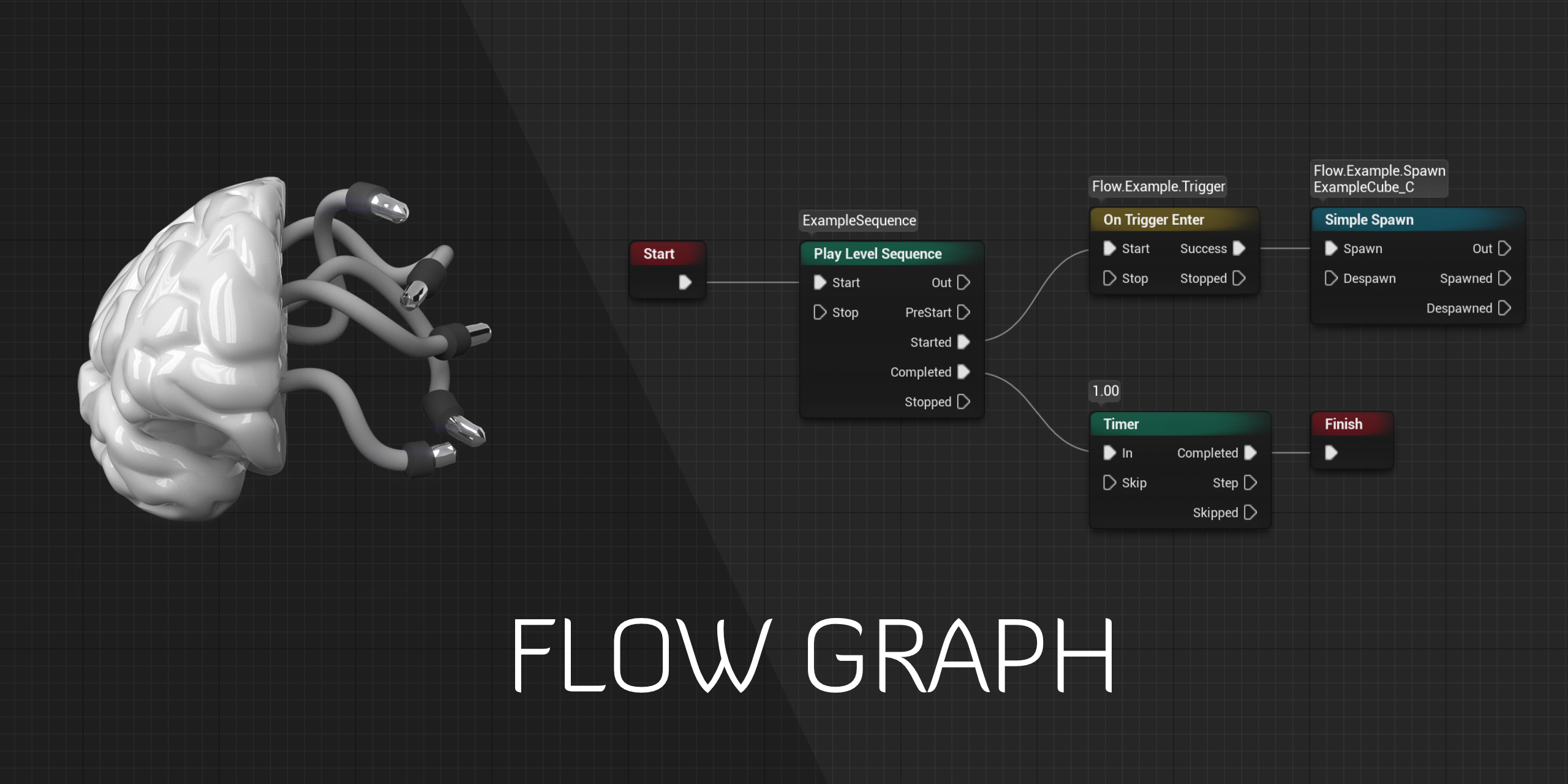
GitHub
Design-agnostic node system for scripting game’s flow in Unreal Engine - GitHub - MothCocoon/FlowGraph: Design-agnostic node system for scripting game’s flow in Unreal Engine
(This is because if I were to add dialog to one of my games, it'd tend to be deeper than just clicking through a linear text)
willow gate
sand shore
> Is there a major advantage to converting this to a data-driven system?
It re...
Thanks for the detailed response. Based off of what you said, I think because of the simple nature of my game's dialogue, I'll be fine building off of my current system and won't worry about making it data driven. I have several delegate events in my base dialogue component that can help me build additional functionality for things like group conversations and also for conversation stages as the character progresses or completes tasks for an NPC.
willow gate
sand shore
Personally, I'd either choose a dialog system from the marketplace, or build off...
Flowgraph looks really awesome. I may have to look at implementing this to handle all my game's narrative elements.
sand shore
Make sure to test the most complex case you expect before you start content production on dialouge
maiden wadi
hybrid lily
Greetings 🤗 I need help understanding the difference between Enumerator and Ga...
I'm unsure what you're saying uses enums? The short answer is that enums are terrible outside of ideals where you can define very specific small sets of exclusive states. Most of these don't look like anything to do with GAS outside of maybe the life state. They look like AnimBP helpers. And while connected, are not the same.
One example of how this is terribly muddled is the LifeState and ConsciousnessState. Why are these two different things? You cannot have any consciousness state while dead. You have to be alive for any of these to apply. So unless you need a special third life state where it does not apply to consciousness somehow LifeState is excessive when you can just put the Dead state on Consciousness.
ConsciousnessState in itself is a mess as well. You have be awake to be drowsy or stunned which implies drowsy and stunned is a substate of being awake. Comatose, Unconscious and Sleeping are the same thing, or at least Unconscious and Comatose are substates of sleeping. Things that can be cleared up by having a tag hierarchy.
HealthTrend is also not really useful outside of being a helper in an animation BP or something. You usually have something akin to HealthRegen attribute to tell you if it's going up or down or not moving. The enum is just a slightly unnecessary layer on top of that.
But the end answer is that Enums, FNames, and GameplayTags all serve the same purpose. They're named definitions that serve as state on things.
Enums cap out at 256 entries per idea and are not tiered but cannot be typoed and require their own full class to define each one.
FNames are infinite, not tiered and can be typoed, requires no extra class.
GameplayTags are infinite, tiered, and cannot be typoed, requires no extra class.
 fluid wraith

 sick sky
looks like you copy pasted a node where it shouldnt be
 plush ledge
hey, how can i change the static mesh of a child component? so far i didnt get very far
first screenshot is from the parent blueprint
second screenshot is from the child blueprint
it cannot be that hard can it?


never mind, i apperantly fixed it already half an hour ago, just forgot to check if the exposed varieble worked in the child
frosty heron
A suggestion to not use child actor component.
They r soo buggy that epic employee said avoid it
If it needs to be saved in any form, then don't use child actor.
E.g are you going to give shield to pre placed actor in the world? Then don't use child actor component.
 teal blade
Hey guys, I'm losing my mind over here. I'm working on a project based on GASP-ALS, and I can't seem to move when inhabiting spectator pawns? I can rotate the camera and look around, but not for any amount of love or money can I get that little guy to move. Anyone else run into this?
 errant harness
Hey all! I'm using Unreal 5.5+, and when my character moves it doesn't change the direction with the camera rotation. Here's my blueprints for camera and movement, I'm pretty new so bare with me!
 errant harness
teal blade
Hey guys, I'm losing my mind over here. I'm working on a project based on GASP-A...
errant harness
teal blade
Hey guys, I'm losing my mind over here. I'm working on a project based on GASP-A...
Are you using blueprints or code?
EDIT: I'm an idiot. What do your blueprints look like?
 chilly crane
This isn't going to cause an "infinate loop" error is it?

 dawn gazelle
chilly crane
This isn't going to cause an "infinate loop" error is it?
dawn gazelle
chilly crane
This isn't going to cause an "infinate loop" error is it?
Shouldn't.
 lunar sleet
dawn gazelle
Shouldn't.
lunar sleet
dawn gazelle
Shouldn't.
Really, you’re not gonna ask to see the rest of the code? 😃
dawn gazelle
Nah. If there was no delay, then there would be an infinite loop.
lunar sleet
What if he put this stuff inside for loops?
lunar sleet
Ah right good point 🧠
chilly crane
the other option would be a timer by event, but I don't plan on ever having regen disabled, it just clamps the value if it's already maxed
dawn gazelle
If these are both being run at the same time, then it might be beneficial to use a timer, just so they tick at the same time rather than relying on effectively two separate timers.
chilly crane
they're separate stats so I don't mind if they're not on the same tick, but I suppose I could put them together
dawn gazelle
"savings" in performance being rather negligible tho 😛
lunar sleet
Would look better tho 😀
chilly crane
also while I'm here, how do I cancel the anim to get the "interrupted" node triggered
 chilly crane
lunar sleet
Would look better tho 😀
chilly crane
lunar sleet
Would look better tho 😀
alright, well I'll move it into 1 line 😄
 errant harness
Hey all! I'm using Unreal 5.5+, and when my character moves it doesn't change th...
errant harness
errant harness
Hey all! I'm using Unreal 5.5+, and when my character moves it doesn't change th...
Any help here?
plush ledge
frosty heron
E.g are you going to give shield to pre placed actor in the world? Then don't us...
the shield is just a ability thats shields around the character in a sphere, destroys itself when all shells are broken. i think i just went a little overboard since i modelled the shield to be built out of 42 segments. each with thier own health pool. im not quite fimmiliar with arrays yet since its my 8th day learning blueprints so this was the most logical solution without breaking my head, since they are all animated with materials, timers, paramaters, etc. i decided to make 1 child shield shell to do all the code and then copy swap thier meshes to form the full shield. this was a little more scaleble for me if i wanted to do some more fancy stuff
dawn gazelle
errant harness
Any help here?
If you want your player movement to take the camera rotation into account, you need to use the camera's rotation or the control rotation into account for the world direction of your "Add movement input" nodes. This example is in the Third Person Template.
 errant harness
dawn gazelle
If you want your player movement to take the camera rotation into account, you n...
errant harness
dawn gazelle
If you want your player movement to take the camera rotation into account, you n...
I could literally marry you for showing me this thank you
 soft pewter
Bought a mac mini to port my unreal project to mac os. My play button doesn't work on mac builds for some reason. On click it just restarts the main menu instead of loading the level. Is there some mac specific settings I need to set to get this to work? My play button logic is:

The sequence is because I was later planning on tracking the number of runs but I can remove it if that is one of the causes.
Edit: Overall logic is the menu is a level with a widget that acts as the main menu. The buttons trigger various actions such as opening the level, settings menu, and credits. It works on windows but not on mac.
frosty heron
soft pewter
The sequence is because I was later planning on tracking the number of runs but ...
Do you mean maybe you can't open the level in packaged build?
You would need to include the map for packaging if that's the case.
soft pewter
frosty heron
Do you mean maybe you can't open the level in packaged build?
Sorry, yes in the packaged build. In unreal editor preview in the mac I can hit play and it runs but when I build and run the .app it doesn't load the level when I hit play. I was hitting mac os build to get a the build compiled. I'll look into seeing how can specifically add the level, thanks.
frosty heron
soft pewter
Sorry, yes in the packaged build. In unreal editor preview in the mac I can hit...
Go to project settings and go to maps section. Look for include map section and add your map.
The reason your game restart to star up map is because it cannot find the map to go to.
soft pewter
frosty heron
Go to project settings and go to maps section. Look for include map section and ...
Project > Maps & Modes, right? I see game default map is set to my main menu level? Didn't see any other relevant option. Did some googling off what you told me, could it be the packaging section with "List of maps to include in packaged build" section?
It was the packaging include section, thanks!
Out of curiosity, why do I need to do include on mac but the windows buils automatically pulls the required level when I build for it? 🤔
 steady night
https://gyazo.com/d39c12c93ce981ae13d53090bfe19725
Can Anyone Help me understand why my aimOffset dosent work

itworks in the Anim Graph as it shoud but its not changing "in th real world"+
 gusty onyx
Anyone familiar with state trees? I need to know how to interrupt a 'play montage' animation. I am running most anims with animBP for aimOffset etc. I just want the ability to play montages in my state tree and have them cancelled when i leave the state.
 gusty onyx
Anyone familiar with state trees? I need to know how to interrupt a 'play montag...
gusty onyx
gusty onyx
Anyone familiar with state trees? I need to know how to interrupt a 'play montag...
OK, nevermind. I solved it. Kinda obvious. Just get the animBP and stop that specific montage

 astral pilot
For this I just have to find/set the missing select cases right?

 frosty heron
Casting is just a type check.
If your cast failed then the object you are casting is not the type that you are casting into.
inland walrus
Fixed! I had to set owner of the sword
inland walrus
I have an issue where AI is damaging themselves when swinging sword, I still need them to be able to hit everyone but themselves (other ai)
 dusky cobalt
damage only if the hit actor is not the owner of the sword
inland walrus
dusky cobalt
damage only if the hit actor is not the owner of the sword
ahh nice I'll try that
inland walrus
dusky cobalt
damage only if the hit actor is not the owner of the sword
How do I get owner to fit bool?
 dusky cobalt
All you need to do is before you deal damage, check if the hit actor is not self. No idea about your architecture of things and what hits and what deals damage, but this is just main idea to fix issue where AI is damaging themselves when swinging sword. Just make check so they don't react to hiting themselves.
 wheat saffron
i added a camera shake to the camera of the first person blueprint in the first person example project , the camera is shaking but the first person mesh is not. now when i pick up the gun it is wobbling around, how can i make the camera shake affect the gun aswell? it is attached to the camera so i dont understand the issue
 random pulsar
how can i control tile size ?
for example i want to add collision to ground tiles,and they will be the same size as the grass,but i want them to be a lot smaller on z axis


 verbal reef
yo, why does niagara over scale?
Im changing the niagara component's scale itself
getting mid point correctly
random pulsar
random pulsar
how also how can i optimize it?
 little moat
https://blueprintue.com/blueprint/ypahe654/
Can someone help? I'm trying to create a system where I save the npcs future locations to an array so I can calculate if they collide and if I need to set up a new course for the npcs. But I don't know how do I handle removing the previous points where they were gonna be in.

No description provided
Wdym be event
I'm rusty
Should work?? I think
Why doesn't it work?
You don't see the even when accessing the child?
Ohh right you have a custom event that's in a child and you want to set it on the parent bp. Yeah it doesn't work like that
Afaik custom events are local to the blueprint
So an event dispatcher not a custom event?
Wdym by that?
Well do you have the child as a variable
blueprintUE is a tool for sharing blueprints for Unreal Engine. UE is a game engine which use visual scripting called blueprint.
Use this and show me the thing that works and what doesn't
 storm solar
For am event trigger of "On landing" if you check if the user is also falling itll return true. Why is that? Seems counterintuitive.
hybrid lily
maiden wadi
I'm unsure what you're saying uses enums? The short answer is that enums are ter...
Thank you very much for your feedback, it helps me a lot and I hadn't thought about the subcategories of each state. From now on I want to do everything in Gameplaytags haha
little moat
little moat
https://blueprintue.com/blueprint/ypahe654/
Can someone help? I'm trying to cre...
Help 😭
willow gate
Good morning smart people. So, I'm trying to set up a simple camera move system for my ARPG. I have a camera boom on my character that is a child of the Capsule Component. It doesn't us pawn control rotation or inherit pitch, yaw or roll because I want it to stay oriented in the same world rotation all the time while the character can move and rotate however they want. The code I snipped here works except that the relative direction changes when the player rotates. My brain isn't wrapping around how to fix the issue so that X is always horizontal and Y is always verticle. The camera doesn't need to move in the z or zoom at all. I've included a screenshot of the BP, the Boom/Character setup and an in-game look at the normal camera behavior.


 astral pilot
For this I just have to find/set the missing select cases right?
astral pilot
astral pilot
For this I just have to find/set the missing select cases right?
Just had to add back the surface type in the physics settings in project settings
sand shore
willow gate
Good morning smart people. So, I'm trying to set up a simple camera move system ...
This is a really good amount of framing for your issue here. I like that you shared relevant code, showed the attachment, and the baseline camera behavior. You haven’t shown what happens when you use your Look Input, though.
I can guess at what the behavior when you Look Input is, though.
Try using Add World Offset. https://m.youtube.com/watch?v=3Ab1gwl0maU
you wanna apply your camera inputs via Add World Offset. But then, when the camera input stops, you wanna bring that back to alignment— I wanna say Set Relative Location will work since you’re using 0,0,0 relative location. If not, you would have to use your desired offset in world space instead, using your camera boom component’s worldspace location as a base location for the worldspace offset

What is the Add World Offset Node in Unreal Engine 4
Source Files: https://github.com/MWadstein/wtf-hdi-files
This will only work for the code you currently showed. It seems like you might want to have the player able to smoothly move the camera around, yeah? If that’s true, you’ll need to always compute the LookOffset relative to the Camera Boom’s worldspace location. Good news- you can simplify the class. You won’t need to Set Relative Location or keep track of moving the camera - as long as you set the camera input variables to 0
And I say that because using Triggered is a little unusual for a 2D input. If you want smooth look input, you should make use of Ongoing as well
If you use Add World Offset with Ongoing, the player will be able to pilot the camera all over the place, not just within a fixed radius of the pawn
willow gate
Awesome. Thank you. I'll try to implement this later when I get home. Yes I want smooth camera movement but that's actually already built in with the camera lag. It makes sense to use ongoing so thanks for that. I'll give that a whirl. As far as the camera being constrained to the radius of the pawn, I'm planning on clamping the distance anyway because I really just want the player to be able to get a little look ahead rather than be able to glide over the entire map.
sand shore
I encourage you to try applying World Offset to your current code before making use of Ongoing. You prolly wanna be very fast with the thumb stick
inland walrus
Any easy methods on stopping them overlapping and perhaps flanking around the player?
willow gate
sand shore
I encourage you to try applying World Offset to your current code before making ...
Sounds good. I will try that first. Thanks so much!
sand shore
inland walrus
Any easy methods on stopping them overlapping and perhaps flanking around the pl...
Nothing in gamedev is ever so trivial as that, but you could probably use EQS to find points around the player and then assign each ai a different point. https://dev.epicgames.com/documentation/en-us/unreal-engine/environment-query-system-in-unreal-engine

Epic Games Developer
Documents the Environment Query System (EQS) and how it can be used to query the environment for data. That data can then be used to provide the AI with...
inland walrus
If I wanted to search for tutorials etc to do this very thing, any idea what I'd search? I tried AI flanking
 exotic gazelle
Hello there, im having issues with blueprints in general and i dont know how to solve this, is there any way to "rotate" the forward vector of player?
Basically in my game, the camera is independent from the player (cause the player 1 and 2 share it) and it spins around the map. So the issue that i have is that, when the camera does a 90º turn the movement of the players stays the same. Is there any way to make it spin according to the camera? I tried a lot of things and they dont work that well :(

 sand shore
inland walrus
If I wanted to search for tutorials etc to do this very thing, any idea what I'd...
sand shore
inland walrus
If I wanted to search for tutorials etc to do this very thing, any idea what I'd...
I searched Unreal ai surround eqs

This video explains how to implement shooting enemy in unreal engine. It talks about game design and development for close range shooting enemies.
Subscribe the YouTube channel to know more.
All your comments and feedback are appreciated.
Link for game demo: ...
No idea if this is exactly what you want tho
dawn gazelle
exotic gazelle
Hello there, im having issues with blueprints in general and i dont know how to ...
Rather than worrying about the forward vector of the player, you would worry about the control rotation or the rotation of the camera.
There is an example of this using the control rotation in the third person example project.
inland walrus
sand shore
I searched `Unreal ai surround eqs`
https://m.youtube.com/watch?v=1OucDvXyEpw&...
This is for shooting AI, I need it for melee
sand shore
Nothing about this is fundamentally incompatible with melee AI
dawn gazelle
Only difference between melee and ranged AI is the acceptable distance.
sand shore
Why do you need the tutorial to be so specific to your case?
inland walrus
Ah okay, I will give it a try and let you guys know & mainly to make it easier, I haven't worked with EQs before so I'd be jumping in the deep end
sand shore
Definitely give it a try- as you’re going through the video you might pause every so often and think about what to change so it works for your project. Maybe skip ahead to the eqs part, maybe don’t try copying it step by step without watching it through once
Are you using source control? You could try the tutorial in a copy of your project if you don’t want to use source control or make a backup
Also, if you want a deeper dive into EQS, there are lots of those. Here’s one https://m.youtube.com/watch?v=MwX1hmlsLM4&t=190s
@inland walrus

Live Stream recorded on 24th April 2021
Learn all about AI and the various AI settings inside of Unreal Engine 4. Also a great time to ask any questions you have about AI.
SUPPORT ME
Patreon I https://www.patreon.com/ryanlaley
Buy Me a Coffee I buymeacoffee.com/RyanLaley
Donations I paypal.me/ryanlaley
PRIVATE 1-2-1 SESSIONS
Email me at suppo...
plush ledge
hi everyone!
im trying to figure out how i can make this shield ball roll like a hamster ball around the character. i want the ball not to roll on its Z axis when the character turns. i have already made 3 versions of this that didnt all work quite well since the ball would roll up untill the rotation axis started mixing and roll wierdly sideways/45 degrees, etc
if someone would have the time to show me an example of how i can make this work and explain me what happens i'd be very thankfull. vector math isnt my strong suit yet D:

 inland walrus
sand shore
Also, if you want a deeper dive into EQS, there are lots of those. Here’s one ht...
inland walrus
sand shore
Also, if you want a deeper dive into EQS, there are lots of those. Here’s one ht...
Thanks you, I am certainly struggling. I have managed to get this but I don't know where to go from here
wise tiger
Does anybody know why it says "BluePotion_C"? specifically the C part


 abstract mango
Ok I'm totally lost here ... how do I rename the Pin of the lower Blendspace in the AnimBlueprint?

I somehow must change it from "None" to "Speed" 😐
dawn gazelle
wise tiger
Does anybody know why it says "BluePotion_C"? specifically the C part
That's part of how display names of objects are shown. You should really use a Text type variable for display names of things. You could store it within your base item class and then use "Get Class Default" from the class reference you're using right now to retrieve the text variable.
wise tiger
Got it, thanks
 fair tapir
Is there a reason why one of these have a line between the actor and component and the other doesn't?


Wondering because the ProjectileMovenent gets removed when pressing play, and I have no idea why.
sick sky
if the right screen is taken in the details panel while playing its probably because its simulated
simulated objects are detached from their static parent
fair tapir
sick sky
if the right screen is taken in the details panel while playing its probably bec...
Both are taken in the BP editor and not in playmode
sick sky
is one the child of the other ?
fair tapir
sick sky
is one the child of the other ?
Yeah Base -> Frag
Hmm nvm that seems to explain it.
dawn gazelle
fair tapir
Is there a reason why one of these have a line between the actor and component a...
Scene Components vs. Actor Components. Scene Components are attached to your actor in some way and have a location within the world. Actor Components do not.
fair tapir
dawn gazelle
Scene Components vs. Actor Components. Scene Components are attached to your ac...
Why would that change between actors with the same component?
dawn gazelle
That is defintiely a good question. I think that line should always be there 😛
As to why, I see the same behavior - the line only appears with child classes that have the actor component in the parent.
fair tapir
dawn gazelle
As to why, I see the same behavior - the line only appears with child classes th...
Hmm alright thanks for checking that. That component just vanishes when hitting play if inherited form c++ but is fine if added in blueprints so I just started suspecting every small detail lol. Been at it for an hour or so already.
lunar sleet
wise tiger
Does anybody know why it says "BluePotion_C"? specifically the C part
C stands for……….Class
wise tiger
lunar sleet
C stands for……….Class
I fixed it aleardy. And I knew that, maybe I should've been more clear, I needed help with removing it
wise tiger
I just used Left Chop to remove the last 2 letters
willow gate
sand shore
This will only work for the code you currently showed. It seems like you might w...
Thanks. This worked great. I just need to clamp it now to a max distance and this will work!
 thin panther
wise tiger
I just used Left Chop to remove the last 2 letters<:lurkin:1316599475447402550>
thin panther
wise tiger
I just used Left Chop to remove the last 2 letters<:lurkin:1316599475447402550>
Just to reiterate what Datura said, you really don't want your UI using strings. It prevents it from ever being localizable
wise tiger
thin panther
Just to reiterate what Datura said, you *really* don't want your UI using string...
Even so it works for what I need it to do , and I'm pretty sure it won't mess with anything in this specific project. And even if it does, I'll deal with it when it happens 
 chrome pumice
yo guys i followed this yt tutorial to make my character rotate with his camera up and down. but its doesnt work for multiplayer. should i update and multicast the pitch rotation of the character perma? wouldnt that overload and cause lags?


i made the variable replicated but now its only working for the sevrer and for none of the clients
willow gate
Hey all. I'm still working on the camera movement system, using my right thumbstick. AddWorldOffset works like a charm but I need to clamp the camera boom location to within a range of my player character so that the player can't just use the right thumbstick to explore the whole map. How would I go about doing that?
dawn gazelle
chrome pumice
yo guys i followed this yt tutorial to make my character rotate with his camera ...
Base Aim Rotation is already replicated for you
willow gate
I've tried several different things including this latest attempt but I guess I'm just not understanding correctly how I can clamp this component to a distance from the parent actor:
 chrome pumice
dawn gazelle
Base Aim Rotation is already replicated for you
chrome pumice
dawn gazelle
Base Aim Rotation is already replicated for you
but not up and down, i wanna make the character like rotate up and down with it
dawn gazelle
chrome pumice
but not up and down, i wanna make the character like rotate up and down with it
Base Aim Rotation is both pitch and yaw.
chrome pumice
hm idk why but it doesnt work. i made it run the variable on the server to update the rotation on camera input, found no other solution for now
dawn gazelle
chrome pumice
hm idk why but it doesnt work. i made it run the variable on the server to updat...
You don't need to replicate anything in regards to this particular node assuming you're using the control rotation correctly on your inputs. Your inputs should be using "Add Controller PItch Input" and "Add Controller Yaw Input" and then this value will automatically replicate through the pawn to all clients. Your animation blueprint would need to read this value from the pawn with the mesh and then you'd use the values to do what you'd like from it.
 chrome pumice
ohh okay let me try this
 olive yarrow
using blueprints only, how would you got keeping an actors component say... z+100 from the ground at all times?
I've got a line trace set up and messed with move component to but its bouncy with my dumb way. any advice?
chrome pumice
dawn gazelle
You don't need to replicate _anything_ in regards to this particular node assumi...
So its kinda working, its replicated but it kinda freaks out
does it have diffrent variables than control rotation?
if i look down he just stares up. if i look up anything above 0 works fine, just the minus variables freak out idk why xD
Omg it worked! thanks allot @dawn gazelle ❤️
the up/down movement looks a bit laggy tho, is it normal?
surreal peak
chrome pumice
the up/down movement looks a bit laggy tho, is it normal?
I guess yaw rotation is usually smoothed, Pitch being replicated extra is probably not. So you'd want to interpolate between last and current (latest replicated).
chrome pumice
alright thanks
i have another question and i cant really find a solution for this since months. my fps are capped on 60 which is fine i have 60hz. but every time there is a single window or pop up open it gets halved to exaclty 30 fps. as soon as i close it. (can be even the autosave popup) its back to 60 instantly. with every window opend the fps cap goes lower. i cant find anything in the internet abt this but this is really making it drop to beyond unsuable when i have 3-4 windows open or an autosave pops up
fps with the window


and the second i close
1 = 60 fps
2 = 30 fps
3 = 20 fps
4 = 15 fps
 teal nexus
is there a built-in way to detect VRAM size (and maybe some GPU stuff, system RAM, etc.) in UE5.5 ?
or a plugin maybe ?
 patent plinth
is addforce framerate independant if I have substeps enabled ? Cuz online ressources seem mitigated on that subject, and I still have some inconsistencies in very high FPS (300+). I asked chatgpt in my desperation and it was telling me that I need to enable "support substepping" in my meshes, which is an option I can't find.
any input would be most appreciated
dawn gazelle
patent plinth
is addforce framerate independant if I have substeps enabled ? Cuz online ressou...
I don't think so.
 chrome pumice
teal nexus
or a plugin maybe ?
chrome pumice
teal nexus
or a plugin maybe ?
could be plugins, every time i dont find anything in the internet is plugin related but idk which one does that
 faint python
Is there a way to view blueprints without having unreal engine installed? I wanted to see this GASShooter example project's GA_RiflePrimary but I don't have UE on my laptop right now aha. I wasn't sure if there was a way to copy paste it onto blueprintue.com without the editor (I tried the .uasset & opening in notepad to copy already).
lunar sleet
faint python
Is there a way to view blueprints without having unreal engine installed? I want...
No
But there’s prly a yt video or such that shows its insides
 desert glade
I couldn't find the PlayerController after the parent reference of the player controller was lost.

I found that my HUD would also have this situation.
 lunar sleet
Verify engine maybe
desert glade
lunar sleet
Verify engine maybe
I don't know what this means.This is the case for classes where the icon is not an Actor.
The reason is that I rename the name of the originally inherited C++ class, resulting in the loss of the reference.
desert glade
I promise I haven't modified the engine, but I will try this way.
dawn gazelle
faint python
Is there a way to view blueprints without having unreal engine installed? I want...
https://blueprintue.com/blueprint/stkqdy8c/
https://blueprintue.com/blueprint/jg6vjwrt/
https://blueprintue.com/blueprint/m2dhr6hp/
No description provided
No description provided
No description provided
maiden wadi
desert glade
I promise I haven't modified the engine, but I will try this way.
Doesn't matter if you have or not. Sometimes data just becomes corrupted and needs fixed.
 faint python
dawn gazelle
https://blueprintue.com/blueprint/stkqdy8c/
https://blueprintue.com/blueprint/jg...
faint python
dawn gazelle
https://blueprintue.com/blueprint/stkqdy8c/
https://blueprintue.com/blueprint/jg...
Ahhh I searched for "GA_Rifle_Primary" my bad haha Thanks bb
desert glade
I successfully modified the parent class to PlayerController by using the plugin I previously used to modify the invalid parent class of the blueprint Widget. It's so amazing.
https://github.com/PipeRift/BlueprintRetarget
GitHub
An small tool that allows retargeting invalid blueprints when its parent class is missing on UE4 - PipeRift/BlueprintRetarget
 steady thicket
How do I create this type of structure where the data type is a umap? What's the data type of a umap?
 surreal peak
steady thicket
How do I create this type of structure where the data type is a umap? What's the...
surreal peak
steady thicket
How do I create this type of structure where the data type is a umap? What's the...
ULevel potentially
steady thicket
there's no ulevel
 dawn gazelle
steady thicket
there's no ulevel
dawn gazelle
steady thicket
there's no ulevel
I think it's UWorld, but you probably won't be able to select it as a type in the editor - they don't want you messing up by setting it as a hard reference and then all of a sudden you have to load full levels before you're actually ready to. A trick I've used in this screenshot is to promote the "Level" pin to a variable, which lets you select the map you want to use but stores it as a soft reference.
 steady thicket
what if its in a structure?
 dawn gazelle
steady thicket
what if its in a structure?
dawn gazelle
steady thicket
what if its in a structure?
They really don't want you using references to levels within the editor. If you defined your strucutre in C++ you could create a property with the type of UWorld Soft Reference and then you should be able to select a level without much consequence. The problem again comes in when using hard references as then if that property has a level defined in it, then it would be loaded into memory when that property is loaded, and if you have a lot of them defined somewhere, then you'd be loading them all when you probably don't need to be.
frosty heron
steady thicket
How do I create this type of structure where the data type is a umap? What's the...
As others have pointed out. Cpp declared only. Also never use hard ref for the level, use soft ref so you don't end up loading all the levels in the game when you don't even have them open.
 swift kiln
Hey I'm working with skeletal merging and I want to create dynamic material instance from one of the meshes to merge so that I can change scalar parameter of that skeletal mesh only. The problem is that I'm getting skeletal mesh object reference and that doesn't have the option to create dynamic material instance. I can set material of the skeletal mesh asset directly, but that would end up removing the material from the slot after the game gets closed. Is there any other way to do this?
 frosty heron
swift kiln
Hey I'm working with skeletal merging and I want to create dynamic material inst...
frosty heron
swift kiln
Hey I'm working with skeletal merging and I want to create dynamic material inst...
Instance like the name implied are created at run time.
So yeah they will get removed when you close the app.
You will have to save the state and recreate them when you run the game again.
swift kiln
frosty heron
So yeah they will get removed when you close the app.
You will have to save the...
That's exactly what I'm trying to avoid :d
frosty heron
Answer remain the same though.
 trim matrix

How do I scroll smoothly? I can't use timeline in widget blueprint. is there another method ?
 merry sparrow
hey guys any one knows how to spawn couple static meshs on one static mesh ?
 autumn latch
Hi guys, i've create a chooser table associated to my ABP_Player, I created a blueprint variable of type Gameplay Tag in order to use it in the chooser table, but when I click "Bind" dropdown, nothing appears, like when it's unable to find any properties of that type.
Do you know what could be the issue? I'm using ue 5.5


 radiant wren
Hi! I've run into a snag with my game: I'm trying to get a "Nature System" working (a thing that facilitates the distribution of trees/rocks/grass/ect and then can remove them when needed)
So due to the sheer amount it spawns I'm using Instanced Static Meshes, the counts that properly fill the map is as follows:
20k trees, 7.5k big rocks, 30k tiny rocks, and 400k grass
all of that works great, it all spawns in random locations with random scales and all that and all its data is stored in a map so that individual data from these instances can be accessed later.
Now for a bit more context this is a grid-based building game and I wanted the trees and big rocks to block construction in the tiles they're in so the player has to remove them in order to build there, and then the tiny rocks and grass should just remove themselves when the player places a structure on that tile
The issue comes in at the actual removing stage: the point of the map I've made is to take a key (the NatureObject's location) store a value which holds the ISM component that needs to have an index removed and which index in that ISM needs to be removed, I thought it would just be that simple but I realized that when you remove an index from an ISM all the indexes shift, making the map that holds all these indexes completely invalid.
So I was wondering if anyone has a work around for this? Or perhaps does anyone have a better way to go about this entirely? I guess the overall question I'm trying to ask is: how do you handle your trees and rocks when there are thousands of them, and you need to be able to pick out specific ones and remove them?
I'm currently working in UE 5.4 if it helps
steady night
No description provided
UsingTwinstick movement wher right sick rotates the character towards direction
but its verry snappy
any ideas on how i can "lerp" between current and new rotation or any other ways ?
sand shore
radiant wren
Hi! I've run into a snag with my game: I'm trying to get a "Nature System" worki...
I forget- can you update a specific ISM instance transform via its index? You may be able to take the index that should be removed, and swap all of the data with the largest index’s data.
maiden wadi
steady night
any ideas on how i can "lerp" between current and new rotation or any other ways...
Literally that. Lerp from current to desired rotation. You may need to save a desired look rotation from input and use tick to do your interpolation.
radiant wren
sand shore
I forget- can you update a specific ISM instance transform via its index? You ma...
Yeah I'm currently messing with that avenue, it's working, it's just not very performant atm so I'm trying to see what I can do to help it
steady night
maiden wadi
Literally that. Lerp from current to desired rotation. You may need to save a de...
hmm yeah its the ticking part im unsure about but saving before mighht just do it il ltry
sand shore
radiant wren
Yeah I'm currently messing with that avenue, it's working, it's just not very pe...
I know that if you line trace directly at a HISM instance, the line trace results can give you its HISM index. I wonder if the same is true of overlap events.
If you can get the HISM index from the overlap events, maybe you can move away from keying off the location? I have no idea whether that's the bottleneck.
radiant wren
currently testing for the bottleneck, so far it's looking like this is it: (the find, to the for each, to the other find)
 sand shore
Also, what if the primary key of your system weren't the location or the HISM index? Then, you wouldn't have to actually copy any other data - so you could do things like have tree health if you wanted.
radiant wren
there's one map that stores the cell as the key and the actual location as the value, and then the other map that has the actual location as the key, and the data of that specific instance as the value
sand shore
IDK, you might need to have two maps then, a map to get from the HISM index to the primary key, and then the primary key to the data. I guess then you'd only really have to fixup the HISM->PrimaryKey map.
radiant wren
yeah did this to limit the search to a single tile, wasn't sure of a better way
sand shore
Well, map lookups stay constant with larger data sets, but arrays end up taking longer.
I'm just guessing, but also giving you something you might want to think about.
Map<PrimaryKey, ResourceISMData>
Map<HISMindex, PrimaryKey>
steady night
maiden wadi
Literally that. Lerp from current to desired rotation. You may need to save a de...
ohh i just read it again ok ill se about the tic
what am i doing wrong ?
radiant wren
sand shore
I'm just guessing, but also giving you something you might want to think about. ...
Might do that if needed, rn getting the stuff that will auto delete out of the way first, then moving on to the stuff that needs to be manually removed
sand shore
radiant wren
Might do that if needed, rn getting the stuff that will auto delete out of the w...
Another option might be to split the search across multiple frames - search 1/2 the array per frame, or whatever your timeslice factor should be for your given perf. Maybe remove 1 bit of foliage per frame, and take as many frames as you need until the building is clear?
Also, #cpp might make sense for this type of system, but only if you can understand it. I think you still have a lot you can do in BP before you truly need C++.
radiant wren
issue there is what happens when the player is building a line of buildings, or a really large one, the player isn't gonna wanna sit through that (I'd estimate an average of 5-10 micro-foliage per tile, which if you're looking at one tile that's no issue, but once you start looking at 10, 20, 50, or 100 tiles.... well then that becomes an issue)
radiant wren
sand shore
Also, <#221799439008923648> might make sense for this type of system, but only i...
Oh yeah someone would need to hold my hand through that XD I don't know the first thing of traditional coding languages short of the very basics of Java
kind estuary
How do i calculate the intersection of my Plane and a line. I understand how to make the line though how do i extract the APlane struct from my Plane mesh?


 radiant wren
kind estuary
radiant wren
kind estuary
can you right click -> split structure so we can see what that "APlane" actually is
(right click on that input pin)
kind estuary
I guess this can help
 kind estuary
radiant wren
can you right click -> split structure so we can see what that "APlane" actually...
kind estuary
radiant wren
can you right click -> split structure so we can see what that "APlane" actually...
yes i did that

 radiant wren
kind estuary
radiant wren
kind estuary
ah that's just a Vector4
What it wants is where one of the corners of the plane is, and then where the corner diagonally across from that corner is
It want's the x and y coordinates of these two corners of the plane
 kind estuary
im getting there
 kind estuary
 radiant wren
sand shore
I know that if you line trace directly at a HISM instance, the line trace result...
radiant wren
sand shore
I know that if you line trace directly at a HISM instance, the line trace result...
I found the bottleneck, and unfortunately it's the actual act of moving the instances... a batch update does exist but it doesn't accept specific indexes :/ it has a starting point and will only go up from that starting point not skipping any
kind estuary
radiant wren
well wait now that I think about it... shouldn't it need two z coords too?
at the end of the day maybe this would have been easier with just a ray trace
radiant wren
couldn't say XD Never used raytrace
storm solar
https://youtu.be/70vosF7ZecE
(UE5)Using blueprints Im having an issue with the timing and total frames an attack is active.
I have an attack animation that hits a notify trigger. This turns on an event tick in a combat blueprint that activates a line trace and to detect if it's collided with an enemy.
The problem is that the line traces start times vary. It could start at .612 seconds into the animation or as late as .621 seconds. And it could also draw 10 line traces in the attack or 7. How can I get the start time and amont of line traces to be more consistant?
 sand shore
radiant wren
I found the bottleneck, and unfortunately it's the actual act of moving the inst...
sand shore
radiant wren
I found the bottleneck, and unfortunately it's the actual act of moving the inst...
Oh really? Dang!
Is updating the whole set even performant?
radiant wren
sand shore
Oh really? Dang!
yeah found a fix (or possibly just a bandage) for it: just add the stuff that needs to be removed to a queue and every 5 frames the first item is moved
5 frames is the fastest I could make it work without frame drops
 surreal vortex
Someone knows how to get the current camera pos and rot with the new gameplay camera system?
 obtuse dawn
Is there a way I can set up collision physics in widgets?
 modern horizon
I'm trying to make it so my monster looks for players constantly, but since i'm pretty new to blueprint, i can't understand what is wrong.


i understand i can't connect the pins, but i don't know what i can do to fix it
lunar sleet
modern horizon
i understand i can't connect the pins, but i don't know what i can do to fix it
Delete the for loop. Add it again
modern horizon
lunar sleet
Delete the for loop. Add it again
Only delete and re-add it?
Oh thank you
olive yarrow
I'm attempting to get my 3d platforming character to "look at the mouse", but i can only find 2d tutorials and top down.
I figure i need my aim offset... but i'm at a loss on how to connect it all
 wanton lichen
Howdy, I have a general question regarding box collision blueprints and data arrays. I'm trying to create a procedurally generated room layout whilst also using world partition at runtime in order to avoid performance drops. Any room that is spawned will be despawned as normal from the partition. The issue is with my current blueprint is that its using actor object references which don't exist and its trying to find doorways that are also nonexistent because of the world partition. My potential solution is to save room transforms and doorway transforms in a data structure array. Using this I could get those transforms and spawn in collision blueprints with arrows. The goal is to have two separate blueprints, one with the collision and potential doorways of a room and the other to have the meshes and room logic. I want to know what would be the performance impact of spawning in all of these overlap actor blueprints with no logic in them as well as keeping track of lets say 200 instances in a array with 2 doors per room and their transforms? Would get all actors of class cause a big frame drop when despawning these overlap blueprints in one instant? Is there a better way to do what I need?
Data array example holds:
(BCB)Box Collision Blueprint
BCB Transform
-Room Doors Array
Scene Component(The Door)
Scene Transform(Door Transform)
 frosty heron
modern horizon
I'm trying to make it so my monster looks for players constantly, but since i'm ...
frosty heron
modern horizon
I'm trying to make it so my monster looks for players constantly, but since i'm ...
Don't ever cross pin like this.

the events are not executed simutaneousely.
don't have something that started from an event reaches out another node that belongs to another event.
modern horizon
frosty heron
don't have something that started from an event reaches out another node that be...
I don’t understand? Can you rephrase your sentence?
frosty heron
I can't, that's the best I can come up with.
don't cross pin, ever.
an event is those red boxes, if that's not clear.
modern horizon
frosty heron
I can't, that's the best I can come up with.
Yeah but I don’t understand what you tried to say
thin panther
don't have a pin from one event crossing over to another event
wanton lichen
modern horizon
Yeah but I don’t understand what you tried to say
The event begin play only fires when the character(I presume) is spawned into the world. The "lookforplayer" event would always fail to execute in time because of this. Making the branch statement always have the same outcome.
wanton lichen
wanton lichen
The event begin play only fires when the character(I presume) is spawned into th...
Having both events try to fire at the same time would be near impossible.
modern horizon
thin panther
don't have a pin from one event crossing over to another event
OHHHHH
ok ok ok
frosty heron
storm solar
https://youtu.be/70vosF7ZecE
(UE5)Using blueprints Im having an issue with the t...
The answer is to bake the data beforehand.
Right now you are FPS dependent. So the number of traces will depend on your current FPS.
If a player FPS is too low, you may even only get 1 or no traces, making them misses the enemy when they shouldn't.
you should do t.maxFps 20 if you want to target audience with 20 fps and see if the game is playable at all under those condition.
thin panther
even ignoring the branch issues, assuming things work perfectly and that executes a single time before the rest of begin play, the rest of the code just doesn't make sense logically
What you've said is "When we start, set a timer for every 0.3 seconds until the end of time. When that 0.3 second interval is up, check the distance to the player. Compare that to 800. Now, after we set the timer going, check a single time at the start to see if we are near the player."
modern horizon
thin panther
even ignoring the branch issues, assuming things work perfectly and that execute...
theres more to the code?
thin panther
Yes, but the section written doesn't make sense
You're probably going to want to restructure it something like having an event that checks the player distance, if true, call a different event that does whatever it needs.
The call that on begin play and bind a timere afterwards for every 0.3 seconds.
That way you've got your check once on startup, that isn't crossing wires or discarding results from things, and then you also have it automatically checking again every 0.3 seconds
olive yarrow
taking a pause on trying to get the player to follow the mouse and am trying to get my reticule to rotate with the mouse position (2d platformer). any help?
 modern horizon
thin panther
don't have a pin from one event crossing over to another event
modern horizon
thin panther
don't have a pin from one event crossing over to another event
i only had that to get rid of that error
 thin panther
except now that won't ever run
You should take a look at my latest message, should guide you down a solid path
modern horizon
thin panther
even ignoring the branch issues, assuming things work perfectly and that execute...
also, about this. heres my full code, it stops the timer dw
 modern horizon
thin panther
You should take a look at my latest message, should guide you down a solid path
modern horizon
thin panther
You should take a look at my latest message, should guide you down a solid path
Ok.
thin panther
modern horizon
also, about this. heres my full code, it stops the timer dw
That doesn't make sense. First of all, you're never running the for loop or the get actor of class. The white pins are unconnected, meaning that object reference will be null, meaning your distance check does nothing. The immediately after setting the timer, you clear it, preventing it from ever running. Moreover that timer doesm't execute anything, because the function name is invalid.
If you still don't get timers and references after having a look at my message, I reccomend looking at the First Hour in Unreal course, which should if memory serves me correctly, take you over the fundamentals of the blueprint graph. Following that I reccomend the Blueprint Communication live training from Epic which should cover how references work, and finally MathewW's WTF is SetTimer video, to cover how timers execute, they're not the most intuitive buggers in the world.
modern horizon
thin panther
That doesn't make sense. First of all, you're never running the for loop or the ...
the white pins are unconnected? what?
thin panther

That is unconnected
The node will not run, and thus the for each loop will not, and thus you won't have a valid reference for the distance check
modern horizon
thin panther
ohhhh. that part
maiden wadi
olive yarrow
I'm attempting to get my 3d platforming character to "look at the mouse", but i ...
A function that may help you is Uhh.. I think it's called Line Plane (Origin & Normal). It's a simple math function that takes a start and end point similar to a line trace and finds a point on a plane. And you can use this on a plane at your character's location, with a plane normal in the direction that is to the right of your level orientation.
 fleet prism
Hello, I'm looking for help on a project. I'm new to game development and UE5 as a whole. I've recently started my first game as of now. It's a 2d platformer where you swap controls over the main character and your companion unlocking new abilities and being able to unlock areas you weren't able to as one character you can as the other.
I had followed a tutorial by Cobra Code to initially set up my level after adding all the placeholder characters and animations I wanted to add the main mechanic.
I started by duplicating the main playable character as a start I then followed another tutorial on how to add the ai companion. After adding the Nav mesh bound volume and running into an error where it needed to be rebuilt I somehow fixed it. then pressing “p” so I could see where the ai could walk, nothing was showing so I expanded one of the boxes to see if it changed anything and it did.
But as I went to play test nothing happened the player has active gravity but just floats in the sky, when I disconnect the Event tick node to update animation the player gets stuck in a falling animation, and the character doesn't follow me at all
DMs would be best for communication for me


 hazy rain
changing the player's rotation causes bizarre spasms and keeps changing other rotations for seemingly no reason. There is literally nothing in the blueprint that could be causing it, because the shown movement inputs is the only currently connected function. Trying to change the rotation via blueprints also causes this issue
 surreal peak
hazy rain
changing the player's rotation causes bizarre spasms and keeps changing other ro...
surreal peak
hazy rain
changing the player's rotation causes bizarre spasms and keeps changing other ro...
I wouldn't change the rotation of the character when ejected tbh.
There is code on tick that is probably processing its rotation and additional variables in that code that you aren't modifying. And it will fight back to get that rotation corrected.
If this is a Character then it's probably the Character Movement Component that is rotating it back to what it should be or similar.
surreal peak
fleet prism
Hello, I'm looking for help on a project. I'm new to game development and UE5 as...
Make sure to also hook up the OnFail pin.
If your AI fails to follow you it won't retry.
One reason it could fail is that the player character is potentially invalid for at least 1 frame.
So there is no target to move to. And since the location as a fallback is 0,0,0 it might not be able to path there.
You might want to make sure you put a 1 frame delay between the fail and the retry though, so you don't end up in an infinite loop by mistake
Another thing you should do is start printing the MovementResult on Success and Fail, to ensure you get information about what is going on.
 hallow violet
hello there, I seem to have a weird issue, my gamemode blueprint makes me unable to open my project, as it gets stuck at 75%
removing it allows me to get back in but I need the gamemode blueprint for several things, such as for example, keeping track of time
hazy rain
surreal peak
If this is a Character then it's probably the Character Movement Component that ...
It turns out it was on the Pawn parent class. I had Use Controller Yaw checked
surreal peak
hallow violet
hello there, I seem to have a weird issue, my gamemode blueprint makes me unable...
If your GameMode BP causes that, then there is little you can do. That's why you should ALWAYS use #source-control .
If you aren't using it, start doing so. There are pinned messages for free options.
For the problem at hand, check if you maybe have some auto saves in the saved folder for it, that could save you this time. Otherwise, be prepared to create the GameMode BP again from scratch, this time with source control setup
 faint mulch
Hello everyone, I have this weird issue with the Game ability Sytem.
So I tried several approach to trigger an ability from an event using the Ability Triggers
I used 2 test cases, and one control ("The first one").
Out of the two, only one work. Why isn't it triggerring the ability, it's been bugging my mind

 frosty heron
@faint mulch might have more chance posting it to the channel dedicated for Gas
#gameplay-ability-system
faint mulch
Thank you @frosty heron i was looking for it !
hallow violet
surreal peak
If your GameMode BP causes that, then there is little you can do. That's why you...
source control as github for example? I do use it, in fact it happened right after I pulled it onto another computer
frosty heron
you should be able to rollback to working version then.
One can quiet often have corrupted assets.
try to commit frequently as nothing is quiet safe.
hallow violet
Will do, still I find it really weird it happened now since all I did was add a widget and stuff to send info from gamemode to it
can I rollback only the gamemode
?*
inland walrus
how to check how many times the same item is in array?
frosty heron
inland walrus
how to check how many times the same item is in array?
you can just make a simple function that loop through an array and checks how many times the same element appear.
just a simple counting.
if (Element == TargetItem)
count++
inland walrus
Would count be a variable?
frosty heron
sure, an integer
inland walrus
I'm not sure that'll work for what I need it for
I'm trying to make an array for a combat manager, of all AI that my enemyAI are attacking, if there is more than 1 enemy attacking Villager01, the 2nd enemy will use a bow instead of melee
The issue is making it count how many times each Villager is being attacked
If I use a variable count, I'd need one for each villager no?
frosty heron
the original question was how to check the number of items in an array.
inland walrus
frosty heron
the original question was how to check the number of items in an array.
I thought that's what I'd need lol
frosty heron
and the answer is as simple as counting how many times the element appear in the array.
inland walrus
I didn't know if there was already an array node which counted how many times
frosty heron
Don't think so but you can make the function your self and it's fairly simple.
inland walrus
Should I use a map instead of an array?
frosty heron
the answer is depends, each have it's use.
if you need indexes then array is the answer
if you need unique key pair values then map is the tool.
inland walrus
Got you, thanks! I think map will do what I need then
frosty heron
I don't think a map is what you want here.
more context needed though.
I'm trying to make an array for a combat manager, of all AI that my enemyAI are attacking, if there is more than 1 enemy attacking Villager01, the 2nd enemy will use a bow instead of melee
You can breakdown your problem and start with checking if there is more than 1 enemy attacking the villager
If you track Actors that target the Villager with an array, then you can just get it's length.
inland walrus
I don't know if this helps understand what I'm going for
 frosty heron
I think what you really want is the number of elements in the array.
length gives you that.
inland walrus
The thing is their will be multiple AI
Lets say with have a level with 2 different areas A & B
A) Bandit01 and Bandit02 are attacking Guard01
B) Bandit03 and Bandit04 are attacking Villager01
The length will be 4, I need it to count how many Bandits are attacking the same target (Actor variable)
Ultimate goal: As I want each bandit to do a different type of attack based on how many bandits are attacking the same target, i.e. 3 bandits attacking Guard01, Bandit01 is primary attacker and constantly meleeing player, Bandit02 will dip in and out of melee and Bandit03 will stick to ranged
frosty heron
make a function
For each Bandits -> Check if it's targeting the Target you are checking againts
then icnrease the count
inland walrus
frosty heron
then icnrease the count
Wouldn't that make the count also be adding A + B together?
If they're sharing the same count variable
frosty heron
you can seperate it as you like.
just gotta translate your condition and requirement into codes
inland walrus
I'll see what I can figure out
 topaz escarp
I put breakpoints into the cmc, the controlledcharactermove is being called. But the character is still jittering wildly while trying to move and gravity behaves unpredictably. I think you may be right about NetRoles maybe?? I've no idea what that is, as I've never run into them developing the asset. One thing I did check, set actor location works as intended.
surreal peak
topaz escarp
I put breakpoints into the cmc, the controlledcharactermove is being called. But...
If the character gets corrected back to where it was locally when trying to move then it's the server not being in line with the client and vice versa. Since the RPC wouldn't get to the server if you aren't the owner of the pawn, it can't really be that you count as a SimProxy
topaz escarp
Interesting. Not the owner of the pawn... Hmmm, but I tested that, I spawned a new character and possessed it with the client, making that player controller, at least I believe, owner of the pawn?
topaz escarp
surreal peak
If the character gets corrected back to where it was locally when trying to move...
It's weird, because if I call any server events/multicast events on the character, they work as normal.
Like, I can still look around without any jitter, and I can spawn objects and shoot, etc.
It's only the movement component that's throwing an absolute fit.
surreal peak
possessed it with the client
You should say "possessed it for the client with the server"
Because Client's can't possess Pawns that are networked.
surreal peak
Yes, but I assume you don't fully understand what I mean.
You can't call Possesses locally.
topaz escarp
I just ran a server custom event that spawns a character, and runs possession using the local player controller
surreal peak
It has to happen on the Server.
topaz escarp
surreal peak
You can't call Possesses locally.
Yeah, yeah, sorry, I misunderstood.
I get you now,.
surreal peak
Yeah then it's fine. But if you say "Possess with the client" it reads as if you did it locally.
topaz escarp
Nah, that doesn't work, because possession is handled on the server.
surreal peak
You'll need to debug the CMC further then. Step through the code and see where it fails.
surreal peak
topaz escarp
Nah, that doesn't work, because possession is handled on the server.
It does if the Pawn itself is also only locally spawned and not replicated down from the server.
But that's not the point here.
topaz escarp
Just very slowly, it's giving me a velocity, but the velocity is fluctuating wildly.
topaz escarp
surreal peak
It does if the Pawn itself is also only locally spawned and not replicated down ...
True true
So, it's not that the cmc isn't working, it's just that it's working wrong?
I'm not sure why I'm being dragged back down to the ground, not sure how I would debug that... 😔 I'm used to fixing things that don't work...
surreal peak
Can the Client move at all when this happens?
Or are you rubberbanding back to where you are standing?
topaz escarp
@surreal peak The client does indeed move when it happens
He doesn't rubber band all the way back to where he was standing
However, if I spawn the new character and possess it, that character cannot move at all
It's locked in place exactly where it spawned
topaz escarp
surreal peak
Can the Client move at all when this happens?
HOWEVER, after checking a bunch of stuff, the first thing I've found is that if you disable "replicate movement" the client's movement is unnaffected by the replay.
inland walrus
frosty heron
just gotta translate your condition and requirement into codes
Could this work?
 frosty heron
inland walrus
Could this work?
frosty heron
inland walrus
Could this work?
hard to say the intention. Why do you have Attack Target followed by a number.
Don't make a system with fixed number, make use of arrays.
inland walrus
frosty heron
hard to say the intention. Why do you have Attack Target followed by a number.
D...
I'm trying this now, I have gotten this far but can't seem to figure out what's going on
storm solar
frosty heron
The answer is to bake the data beforehand.
Right now you are FPS dependent. So t...
what do you mean by "bake the data beforehand?"
Also my computer is running the game at 120 - 119 fps with no dips when playing the animation.
Could this be an issue with Anim notify?
frosty heron
storm solar
what do you mean by "bake the data beforehand?"
Also my computer is running the ...
there's no issue with Anim Notify
 little agate
frosty heron
The answer is to bake the data beforehand.
Right now you are FPS dependent. So t...
little agate
frosty heron
The answer is to bake the data beforehand.
Right now you are FPS dependent. So t...
please explain 
frosty heron
by storing the data, you can simulate all the needed points, regardless of FPS.
@storm solar @little agate
little agate
nice
frosty heron
and in my case, it's just the socket location.
little agate
Want to see your approch too
frosty heron
Got ANS in my character, slice them, then for every slice, go to the time it's sliced and store the socket locations.
don't know BP solution though.
 little agate
frosty heron
Got ANS in my character, slice them, then for every slice, go to the time it's s...
little agate
frosty heron
Got ANS in my character, slice them, then for every slice, go to the time it's s...
ah so basically you use ANS to record this data?
and actually no need for ANS to execute the attack, just loop and trace when the attack begin without depending on anim notify
frosty heron
little agate
ah so basically you use ANS to record this data?
I have a custom actor that takes a skeletal mesh.
When I press the bake button, it will get the animation assigned to the skeletal mesh, which will then look into the ANS inside the montage.
And for every ANS found, they get "sliced". For every slice, play the animation at the sliced time stamp, then record the sockets location to the Melee Data Array.
on high level, it's fairly simple. Just slice the ANS and record the socket locations.
 little agate
frosty heron
on high level, it's fairly simple. Just slice the ANS and record the socket loca...
little agate
frosty heron
on high level, it's fairly simple. Just slice the ANS and record the socket loca...
clear now for the recording part, how you execute the data? using something like loop and delay based on the recorded timestamp?
frosty heron
Loop
For every slice -> fowars anim to time stamp.
Record
Repeat until all slice are recorded.
storm solar
frosty heron
Loop
For every slice -> fowars anim to time stamp.
Record
Repeat until all sl...
is meele trace a plugin?
frosty heron
For playing the trace you would use begin play, tick and end of the anim notify state.
frosty heron
storm solar
is meele trace a plugin?
Nah, I write it my self from advices on this discord server.
I'm not sure if there's plugin out there that can address low fps issue associated with not using baked data.
Says your sword swing is real quick but your fps is low.
If it cannot even have a half swing, from last frame to current frame, how do you fill the blanks?
That's why I used baked data, so essentially I can simulate any points that are not yet processed, regardless of fps.
frosty heron
storm solar
is meele trace a plugin?
There are plugins for traces, but i have my doubts. You are free to try them.
My 2 cent is to test your hit trace with the lowest fps of your target, see if your system doesn't break.
 astral summit
frosty heron
on high level, it's fairly simple. Just slice the ANS and record the socket loca...
astral summit
frosty heron
on high level, it's fairly simple. Just slice the ANS and record the socket loca...
I was wondering, if I have a lot of Notifies in the animation, is there a way to stop them from moving so I don't accidentally change their position?
little agate
frosty heron
Loop
For every slice -> fowars anim to time stamp.
Record
Repeat until all sl...
where you put this loop?
frosty heron
little agate
where you put this loop?
The script is run when a custom button is pressed.
I have it in my MeleeBakeActor.
It's just an actor that will serve to record.
 old sonnet
does Mutable only work for meta humans?
frosty heron
astral summit
I was wondering, if I have a lot of Notifies in the animation, is there a way to...
Not sure, normally I will just add new tracks to avoid moving unintended notifies.
little agate
frosty heron
The script is run when a custom button is pressed.
I have it in my MeleeBakeAct...
ah sorry not the recording part, the execution part in game
frosty heron
little agate
ah sorry not the recording part, the execution part in game
Begin notify, anim notify tick and end notify
 maiden pasture
Hi everyone, I need to integrate an existing website into the game. I initially tried using the Web Browser widget that comes with Unreal, but I found it uses a very old version of Chromium (CEF), which causes some modern elements of the website to not work properly.
Has anyone managed to update the CEF (Chromium Embedded Framework) manually or know of any viable ways to use a newer version of the Web Browser within Unreal?
Thanks in advance!
little agate
frosty heron
Begin notify, anim notify tick and end notify
thanks man, I am still using the tick, actually this is the recording part, lol
astral summit
Guys
If I wanted to set conditions for functions to determine whether they would work or not,
What's the best way to do this?
Using macros for each function would make my Blueprint cluttered. Are there any other solutions?
maiden wadi
astral summit
Guys
If I wanted to set conditions for functions to determine whether they would...
Depends on the reason for the condition.
olive yarrow
I'm still havin' a teensie trouble with my Spline making character - should i be using Move Component To or something....? I feel like the sweeping may be what's getting in the issue of staying X above ground level, so i tried a capsule but no dice

Switched the relative on the trace to world, now i get waaaaay more of what i need but the Sweeping no longer stops the components movement 😮💨
dawn gazelle
astral summit
Guys
If I wanted to set conditions for functions to determine whether they would...
within your function have your checks to see if the function should execute.
have your function return a bool true if it was allowed to execute
Call your function whenever you may expect it to exeute regardless if it will execute or not, and you can branch your logic as needed from the returned bool.
It can end up looking something like this:
 inland walrus
can anyone see anything wrong with this array?
It works at first, but for some reason leaves 1 behind
 olive yarrow
inland walrus
can anyone see anything wrong with this array?
It works at first, but for some ...
olive yarrow
inland walrus
can anyone see anything wrong with this array?
It works at first, but for some ...
Ugh, i had the same type of issue with my targetlock/radar system. I should be back by my project files in a good few hours - i'll check in with you then, maybe i'll be able to help
wait nvm i have an old copy here, So i used Remove instead of Remove Index. My adding is the same as yours, we just used different removals
inland walrus
Ah got you, the issue is though is I need it to show duplicates, remove removes the actor completely from the array
I need it to keep track of every AI being attacked
example:
Bandit01 and Bandit02 are attacking villager01
If Bandit01 loses sight, it will remove Villager01 from the array even though Bandit02 is still attacking Villager
I just tried it using the remove instead of remove index and still same issue of it leaving 1 behind
olive yarrow
Heard, my radar thing has to use duplicates too ( i think i'm thinking the same way you mean it, i have many repeat actorBPs on the field), I also have a shared event that triggers if an NPC is attacked without having an attacktarget (it basically just makes them look where they got hit from, then does extra junk specific to my needs) but after a trace it could re add the scanned target to the array
Hmm... I see. I'm happy to literally just give you my code - only issue is mines versed for sci fi and robots so it'll need tweaking.
It's also messy 🙂
inland walrus
Sure I'd be happy to take a look on how yours works so I can fix this issue 😅
maiden wadi
inland walrus
Ah got you, the issue is though is I need it to show duplicates, remove removes ...
Sounds like you need a Map, not an array.
inland walrus
maiden wadi
Sounds like you need a Map, not an array.
The problem with a map is that I cant get how many of that actor there is
or minus
olive yarrow
inland walrus
Sure I'd be happy to take a look on how yours works so I can fix this issue 😅
Dmed it, may the omnissiah have mercy on your eyes
maiden wadi
inland walrus
The problem with a map is that I cant get how many of that actor there is
It can if you make a struct with an array in it and make the target the Key of the map and the array the targetters. If you need the other direction as well you can also keep a second map that is just Targeter/Target. Then you have instant lookup of both directions. You can easily remove a targeter's target by finding the target from the targeter's map, removing it from that map and then using the found target to look up the target's targeter's in the second map and removing the targeter from that array. It's not a very complex thing to manage. Can even make some basic helper functions to manage the complexity for you. GetThingsTargetingActor, AddTargetForActor, RemoveTargetForActor, etc etc.
 violet bison
anyone know how to change capusule size and location and then check overlap actors?
trying to make a railgun attack and then it seemed the hitbox stayed original way
 willow gate
Hey folks. I have a noob question that my google searches have not been able to find an answer for. Is there a friction setting that I'm missing when I activate simulation on a mesh? I'm trying to move an object at the same velocity as my player but the object seems to be experiencing friction while my player is not.
 surreal peak
willow gate
Hey folks. I have a noob question that my google searches have not been able to ...
surreal peak
willow gate
Hey folks. I have a noob question that my google searches have not been able to ...
Are you sure the Object isn't just hitting the floor?
willow gate
surreal peak
Are you sure the Object isn't just hitting the floor?
I think it is hitting the floor which is the problem. I'm turning on simulate physics when the player interacts with it and then attempting to match velocities so that the player is "pushing/pulling" it around, which is working great with the above code but the push actor is moving slower than the player which leads me to believe that it is experiencing ground friction as it moves around. I'm just trying to figure out how to disable any kind of friction so that I can get predictable results for this.
surreal peak
Does it need to move exactly with the player? Or does it have some sort of "inertia"?
willow gate
It does need to move exactly with the player.
surreal peak
Hm, I assume this is not on a flat floor or so, right?
willow gate
The floor I am testing on is flat but they won't always be.
surreal peak
Cause it would be a lot easier to just save the initial offset between Player and Object and to set the Location based on that. But if the Object has to moved up/down some slopes or so it's gonna be a problem
You'd need to check the settings of the StaticMeshComponent for any physics related settings
My current assumption is that it's not friction but just the actor hitting the floor and thus not moving forward
Or at least not always.
You could, for testing, disable gravity on the physics object and turn its collision off when you start moving it like that and see if it then moves fine (with the expectation that it might drift into the floor over time).
willow gate
surreal peak
Or at least not always.
hmmm.. That makes sense. I'll try disabling gravity real quick. Otherwise, I guess your other your other solution should work as long as I constrain my puzzle design with this actor, to flat surfaces... or I make a little line trace system that orients the object to the ground normal...
surreal peak
Yeah
willow gate
Thinking about it, that might be the cleaner solution anyway since I can control all the factors involved. Thanks man.
obtuse dawn
Is there a way for me to detect when a widget overlaps an image in another widget? I have two widgets currently, a main widget and a secondary widget that is used inside the main. I want to set it up so when the secondary widget overlaps an image in the primary widget, it gets the current opacity of the image and based on a threshold for the opacity, it triggers an event. Is there a way I can do that or would I need to make whole new nodes? I'm in blueprints
steady night
maiden wadi
Literally that. Lerp from current to desired rotation. You may need to save a de...
Hey did u have time to look on this =
dusky cobalt
inland walrus
can anyone see anything wrong with this array?
It works at first, but for some ...
I would do it other way than you have it now where you are trying to make some manager that stores who attack what and when. Simply when the ai attacks player or sets it as its target, set on the player number of enemies currently attacking, based on that number have event dispatcher that fires when this number changes and call to array of AI's based on what number currently is attacking - do this, do that or this
on start attack, get target (player), ++currentattacking call OnNumberUpdated
on target lost (get previous target(player) is valid --currentattacking call OnNumberUpdated
 crisp moon
so what I want to do is a character has it's stats from DataTable.
but I wasn't able to use DT's values (directly, idk if this is the proper use) so I made an actor component and in the variables made a map For Adding those values to the chara but is it the best cuz I need to add them every time i started the game.
and I have a switch on name for upgrades


 dawn gazelle
crisp moon
so what I want to do is a character has it's stats from DataTable.
but I wasn't ...
dawn gazelle
crisp moon
so what I want to do is a character has it's stats from DataTable.
but I wasn't ...
DataTables are meant for static data so they're only used to be read at runtime. It's alright to use a data table to define a particular stat's base properties, but they can't be used to store the values as they change or to otherwise save the progress of the player.
crisp moon
dawn gazelle
DataTables are meant for static data so they're only used to be read at runtime....
than I've to save the variable Stat map and load from it right.
dawn gazelle
Yes, you'd probably want to save the Map and your UpgradeHIstory array.
crisp moon
Thanks
storm solar
how do you implement async physics?
I have tick physics asynch enabled in project settings and have event async physics tick in a BPC but nothing is firing.
How to I enable it? Is it c++ code or something else?
 woeful linden
I need my third person character to be flipped upside down and the gravity inverted (which i did), but then it cant stand on surfaces while upside down
It acts like its falling
I have no idea how to fix it
sand shore
woeful linden
I need my third person character to be flipped upside down and the gravity inver...
I think CharacterMovement assumes that -Z is always down.
Here’s a wild idea- instead of flipping the player, can you flip the entire world? All the things?
Otherwise you might need to change CMC or replace it
Also, if this is multiplayer at all, godspeed
woeful linden
sand shore
Otherwise you might need to change CMC or replace it
Whats cmc
sand shore
CharacterMovementComponent
woeful linden
sand shore
Also, if this is multiplayer at all, godspeed
Multiplayer would be way too much 😭
sand shore
It’s an engine class, it is what moves your player around
woeful linden
Is flipping the entire world actually the solution tho
woeful linden
sand shore
It’s an engine class, it is what moves your player around
I know i just didnt know the abbreviation
sand shore
woeful linden
Is flipping the entire world actually the solution tho
It might be the easiest solution if you’re not a programmer. If you’ve ever heard of Kerbal Space Program, that game usually moves the entire solar system instead of the player (among other tricks). They’re working around floating point limitations, but the same concept could alleviate your falling issues
dawn gazelle
 sand shore
But my gut says that CMC isn’t super flexible with gravity and detecting a floor along the gravity vector
woeful linden
I hate unreal engine so much 😭 i wanna go back to working with godot
sand shore
And you could replace CMC but that takes a while and you’ll lose lots of dev time
woeful linden
Im doing this for a school project and its such a pain in the butt
sand shore
Having a project where you flipped the entire Unreal scene would be such a good story tho
frosty heron
Most likely picked the wrong kind of proj
dawn gazelle
If I remember right, the CMC now has a gravity direction property and it becomes a matter of properly rotating your character's capsule & modifying the control rotation.
woeful linden
Im making a platformer where u climb up a big tower then the gravity inverts and you have to basically do it in reverse
woeful linden
dawn gazelle
If I remember right, the CMC now has a gravity direction property and it becomes...
How do i do that
Like in that way
 broken brook
Hello, I have a problem that I don't know how to fix, I made my game menu but the head movement that the character has stays there when you are in the menu and I don't know how to fix it, does anyone know?
inland walrus
Anyone know a work around for the rotation snapping? I'm using GASP, I want it to turn smoothly when it hears the player but as you can see it twitches every time I make a noise
dawn gazelle
woeful linden
How do i do that
Eh, it looks like all you need to do is set the Gravity Direction on the CMC to 1 on the Z axis (-1 is for normal gravity), and it just works with the default character in the sample projects.

 weak knot
how do you create a collision that only blocks a specific pawn?
I was hoping it'd be as easy as creating a custom object channel and setting it to block on both the collider on my pawn and the other object, but unless i also set the pawn collision to block it will just be ignored
so new collision channel "Special"
Pawn->Object Response to Special is block, object type is pawn
Blocker->Object Response to Special is block, object type is special, everything else is ignored
does this only work one way, so my pawn needs to be of the special collision type instead?
 faint pasture
What's the simplest and least annoying way to have a central data source that says "these are all the items classes that can be spawned"?
Data table with a row just being a class ref?
Data asset with an array of class refs?
weak knot
either should work fine, depends on your setup.
you'll probably want to use soft class references though or you'll blow up your memory if you store them all in a data table
dawn gazelle
faint pasture
What's the simplest and least annoying way to have a central data source that sa...
Use a data asset that builds the list itself at runtime using the asset manager to find all the children of your spawnable item class.
Then you don't have to worry about populating the list yourself 🙂
faint pasture
dawn gazelle
Then you don't have to worry about populating the list yourself 🙂
Doesn't that break for packaging though?
dawn gazelle
You wouldn't be trying to write the data asset at run time. It still exists as an object and can hold the data for you at runtime, and anywhere that you may want to use the list, you just need to give it a reference to that data asset and you can grab the list.
woeful linden
dawn gazelle
Eh, it looks like all you need to do is set the Gravity Direction on the CMC to ...
Oh my god why did i not do this sooner
dusky cobalt
faint pasture
What's the simplest and least annoying way to have a central data source that sa...
I use Data Assets with Class variable because you can really easy make arrays of what this thing should spawn, you simply assign data assets and treat them as ''items'' to spawn. Also works when you have some things that share class but are actually different.
willow gate
woeful linden
Oh my god why did i not do this sooner
Unreal is great. It's just like learning any other engine though. They all have their quirks and their classes and methods for accomplishing things. Learning the CMC is a daunting task. 😉
inland walrus
inland walrus
Anyone know a work around for the rotation snapping? I'm using GASP, I want it t...
bump
olive yarrow
inland walrus
Anyone know a work around for the rotation snapping? I'm using GASP, I want it t...
Lerps! Or a time line... Or both....
Start by googling lerps for a smooth rotation you should be good
faint pasture
dawn gazelle
You wouldn't be trying to write the data asset at run time. It still exists as ...
So would it fill the list at editor time? When does the asset registry get queried for all subclasses of Item to slam them into the array
faint pasture
inland walrus
Anyone know a work around for the rotation snapping? I'm using GASP, I want it t...
RInterpTo and RInterpToConstant
olive yarrow
I always get those two mixed up then get all miffed when the lerp doesn't work.
Wasn't sposed to be a lerp. 🤦♂️
faint pasture
Lerp linearly interpolates between the inputs based on the 3rd
The interptos interpolate between current and target based on the time and speed and math. They use some lerp under the hood.
If you want "2/3 of the way between A and B" then you'd use a lerp. If you want "chase A over time" then you'd use an interpto. If you wanted the chase speed to be constant you'd use an interptoconstant
storm solar
storm solar
https://youtu.be/70vosF7ZecE
(UE5)Using blueprints Im having an issue with the t...
Any idea on a solution for this?
I know async could be an option but dosen't seem to work.
I was also told to slice up the individual animations but that seems exesive.
Every released UE game has static / deterministic timing for attacks so there has to be a way to do it.
faint pasture
storm solar
Any idea on a solution for this?
I know async could be an option but dosen't see...
The timings probably aren't as static/ deterministic as you think
At a bare minimum, you are constrained to trace on a frame. So you will have at least one frames worth of wiggle room. And the frame rate will vary depending on the machine specs
storm solar
faint pasture
The timings probably aren't as static/ deterministic as you think
So, like in street fighter Ryu's punch wouldn't come out on frame 7 and be active for 3 frames?
Thats what Im trying to replicate.
faint pasture
But for your sword hit, instead of checking to see if the sword ends up inside of a collider during a frame, which is what you are doing, Trace from frame to frame to see if it hit it in between
Street fighter runs at a constant frame rate. Unreal engine does not
faint pasture
You could set it to if you wanted to, but there's various complications around that. You can avoid a lot of this tunneling behavior by tracing from frame to frame, not tracing within a frame.
Instead of asking, did the sword spend one frame inside of the person, ask, did the sword intersect the person from frame to frame.
storm solar
I can try that. Im just confused why unreal is so iffy on this.
My thought process is that every UE released has "frame data". Right? So wouldn't they set it up to be the same on every machine that can reasonably run it?
Like, ive had friends play Guilty gear or DMC on a potato. And id have to imagine it's counting those frames even if they're skipped.
Or like you said, I'm tunneling and maybe its like what your talking about.
Is there a good point I can start at, like should I just google "line trace between frames"? Or does royal skies have a video like that.
 pearl mason
Quick question, I assigned a anim bp to a NPC I am working on, but the npc is stuck in tpose. I have state going right into the idle anim pose, any ideas what I should check?
inland walrus
faint pasture
If you want "2/3 of the way between A and B" then you'd use a lerp. If you want ...
This works

instead of lerps
 cloud garnet
so I decided to take things down a step and add a sprint toggle, but when I set up the code, I can't seem to tell if it works. Any issues spotted?

changed it a bit to see if it works and string won't print
 cloud garnet
restarted and with the print string connected it'll pring but speed won't change

i think i see an issue
is anyone there?
cloud garnet
Figured it out finally, was looking at the wrong value to change the move speed with.
Sorry to clog up chat.
sand shore
cloud garnet
Sorry to clog up chat.
You weren't sure what was wrong, and you asked for help. That's what this server is for
And you also showed your setup.
(however, if you're feeling a little self conscious, you might want to start a thread - they're like little miniature channels)
cloud garnet
sand shore
(however, if you're feeling a little self conscious, you might want to start a t...
Ok, I'll consider it next time.
 uncut lynx
how to attach actor to camera so only owner able to see? I have item actor(contains only static mesh) that should can be animated like player drinks, etc and vfx,sfx . But i cant set only owner see as usual static mesh. What is best approach?
 dawn gazelle
cloud garnet
changed it a bit to see if it works and string won't print
dawn gazelle
cloud garnet
changed it a bit to see if it works and string won't print
World Direction is expecting a normalized input, meaning it's looking for values between -1.0 to 1.0 only, and it's meant to indicate where you want the movement to be going.
If you're using the Character class and the Character Movement Component, it has a Max Walk Speed setting that can augment how fast your character moves.
dawn gazelle
faint pasture
So would it fill the list at editor time? When does the asset registry get queri...
You could do it on your init of the Game Instance.
The main point really is to have something populate an array stored somewhere from the asset registry, just so you don't have to manually populate a list yourself.
 pallid ice
uncut lynx
how to attach actor to camera so only owner able to see? I have item actor(conta...
pallid ice
uncut lynx
how to attach actor to camera so only owner able to see? I have item actor(conta...
try this
its in the advanced rendering section in the details panel of the component. you can always set the owner of a component at runtime if the pawn isn't the owner yet.

 dense pelican
im trying to keep my mouse in the viewport center
but i cant figure out how?
thse settings dont seem to do anything

 tiny sigil
folks how can i get actor facing nearest point on spline which was no extra points rather then 2 defaults so how can i get that
pallid ice
tiny sigil
folks how can i get actor facing nearest point on spline which was no extra poin...
drag from spline component -> Find Location Closest To World Location
tiny sigil
ohk
 vestal moon
Hello, any idea how could i play youtube video from link only in runtime? without having to download the video?
mental trellis
Use the web browser integration?
 whole plover
Hello, does anyone know how to use this node, I can't seem to find "Movie scene property track object reference", the output of add track or find track an all is "Movie scene track object reference"

 hazy ether
Im trying to use world space widgets for my VR game, but thw widgets arent showing my widget and are instead showing what the HMD sees!
Anyone help?
cant screenshot because Im on mobile and the uni cant use discord...
 dreamy mountain
hey, with this, the characters overlap eachother; what do i need to set in the collision settings to make them not overlap themselves? im using add world offset to do movement, idk if thats the root of the issue


 hazy ether
Im trying to use world space widgets for my VR game, but thw widgets arent showi...
hazy ether
hazy ether
Im trying to use world space widgets for my VR game, but thw widgets arent showi...
I genuinely cant figure out why this isnt working! No tutorials work, not does chatgpt! Im stumped!
 wild crystal
Dynamic object references in for each loop
I want to collect all instance of spot lights in my scene , loop through them and change the light color.
But I also want to have the flexibility to collect instances of point lights and change their light color.
I'm using get all actors of class and a for-each loop to change spotlight color via set light color However when i change the class type to point lights,the for-each loop wont work ! . It still keeps the previous references (spot lights) hence preventing us to change the class type . How would I adapt the script to keep it flexible ?
Edit 01
I used enums and switch statements to get around this but that's such a wasteful workaround !


 pine carbon
Are there differences in how collision is processed when a game is packaged into an exe vs run in editor?
hazy ether
hazy ether
I genuinely cant figure out why this isnt working! No tutorials work, not does c...
never mind, managed to get it working! Idk what I did though 😂
lunar sleet
pine carbon
Are there differences in how collision is processed when a game is packaged into...
I don’t think so
 thorny forge
Quick question, I'm trying to work out the area of a closed spline loop in 3D space. I'm coming across all kinds of complex methods for working out areas of n-sided polygons in 3D space and using the shoelace method. Is this really necessary? I thought I could simply calculate the area from the lengths of each spline segment?
I found this:
https://blueprintue.com/blueprint/hvqr0e39/
Does it matter whether it's a flat spline on a 2D plane or spline oriented in any direction in 3D space?
No description provided
wild crystal
I used enums and switch statements to get around this but that's such a wasteful workaround ?
 little agate
wild crystal
I used enums and switch statements to get around this but that's such a wasteful...
little agate
wild crystal
I used enums and switch statements to get around this but that's such a wasteful...
You can do this maybe
 wild crystal
little agate
You can do this maybe
wild crystal
little agate
You can do this maybe
neat. how did you make an array of those two types (spot and point)
little agate
wild crystal
neat. how did you make an array of those two types (spot and point)
you can make a local array of light class variable, then drag "make array" node from "setter", if you are not using it, you can remove it. I don't know how to directly make it though
wild crystal
little agate
you can make a local array of light class variable, then drag "make array" node ...
thanks a bunch. will try 🙌🏼
 silent brook
Hi all, I have a problem. playing animation of changing the scale of the object is tied to fps, for example, if 60 fps then the animation of reducing the scale is played normally. But if the fps is 5, the animation plays very slowly. what is it connected with? how to solve such problems?

 round moth
i imagine this is one of if not the worst way to check a variable to control whether a laser pointer is on or off, but i dont know another way, any advice?
 thin panther
why check it on tick.
At some point you do something and set that bool to a different value.
Make a function that sets the bool and then sets the visibility
call that function, instead of changing the bool
round moth
yeah i kinda made it weird cause i like, make the laser on begin play so im not sure how to call it in other things. kinda made it overly complicated lol. but ill use a function to make it better
dawn gazelle
round moth
yeah i kinda made it weird cause i like, make the laser on begin play so im not ...
When you create it on begin play, then promote the return value to a variable - you now have a reference to the laser that you can use wherever you like.
round moth
Ooh cool
 flat coral
I'm having the weirdest issue with a projectile. Normally it's supposed to apply physics impulse to what it hits through a custom method, because generally the impulse is 0. Except every now and then, it hits with an absolutely MASSIVE impulse and rockets me across the map.
I turned the projectile damage to 1 so i can just sit in it while a stationary NPC shoots me constantly, and I'm printing out the results of OnComponentHit
MyComponent=BPI_BaseShip.BaseCollider OtherActor=BP_HostileProjectileBase_C_140 OtherComp=BP_HostileProjectileBase_C_140.CollisionComponent Impulse=X=0.000 Y=0.000 Z=0.000
( ... )
MyComponent=BPI_BaseShip.BaseCollider OtherActor=BP_HostileProjectileBase_C_165 OtherComp=BP_HostileProjectileBase_C_165.CollisionComponent Impulse=X=0.000 Y=0.000 Z=0.000
MyComponent=BPI_BaseShip.BaseCollider OtherActor=BP_HostileProjectileBase_C_176 OtherComp=BP_HostileProjectileBase_C_176.CollisionComponent Impulse=X=0.000 Y=0.000 Z=0.000
MyComponent=BPI_BaseShip.BaseCollider OtherActor=BP_HostileProjectileBase_C_178 OtherComp=BP_HostileProjectileBase_C_178.CollisionComponent Impulse=X=76723.221 Y=36995.122 Z=18095.677
dawn gazelle
flat coral
I turned the projectile damage to 1 so i can just sit in it while a stationary N...
Any kind of frame rate lag that happens just before it sends you flying?
flat coral
dawn gazelle
Any kind of frame rate lag that happens just before it sends you flying?
Good question. Maybe? What would that indicate?
I fixed it with a bit of a hack, disabled the ability of these to hit pawns whatsoever and I'm just handling the "impact" with BeginOverlap
dawn gazelle
If I remember, If an impulse gets applied multiple times in a frame they're additive.
flat coral
But that can't explain why the impulse went from zero to not-zero
dawn gazelle
All I can think of is an example, I don't know the full explanation.... In Satisfactory (a game made in unreal engine) when the game starts saving there is a hit to the frame rate. If you happen to be using your jetpack when the game saves, even just a little tap of it, the game can end up interpreting it as a much higher value and send you flying much further. I'm not sure if they use add impulse or add force, but randomly seeing a high amount of impulse on your end sounded very similar to what I've seen in Satisfactory..
flat coral
My theory is there's a race condition between the physics thread and BP engine. Most of the time the BP wins and is able to handle everything programatically like it's supposed to, but every once in a while the physics has a chance to finish simulating the collision before the BP thread cleans the projectile up
 past compass
is there an easy way to select a bunch of static meshes and turn them into a bp?
 chrome zinc
@past compass probably not am easy way but you might be able to set up a editor utility for it.
past compass
chrome zinc
<@769234399367397386> probably not am easy way but you might be able to set up a...
yea im trying to finesse a way but isn't really working
essnetially ahve a scene i'd like to make a bp and make instances of parts of it, could do it in world but would rather not
chrome zinc
You can create an assembly
Select your meshes then right click>level>crate level instance. This creates a "mini level" where all the meshes will be grouped from there you might be able to make a bp out of it
After creating it try "details">convert to reusable BP
Anyone worked with a tmap<gameplay tag, Struct> with the struct being <soft ref, and array of classes> i am assuming its because the tmap>find gets a copy of the struct but i am having trouble actually setting the value of the struct because i cant get into the structs by ref. Any solutions for this?
dusky cobalt
chrome zinc
Anyone worked with a tmap<gameplay tag, Struct> with the struct being <soft ref,...
Find get's you Key (gameplay tag) and then you can get Value (Struct) of that Key. To set value of struct you need to Add Value to the Found Key.
and in Maps simply Add either changes the value or adds new (if doesn't exist)
 empty iris
past compass
is there an easy way to select a bunch of static meshes and turn them into a bp?
empty iris
past compass
is there an easy way to select a bunch of static meshes and turn them into a bp?
You can use the built in model tools to add objects to one single BP 😉 something called mesh
past compass
empty iris
You can use the built in model tools to add objects to one single BP 😉 somethin...
is that like a plugin ?
chrome zinc
dusky cobalt
Find get's you Key (gameplay tag) and then you can get Value (Struct) of that Ke...
mesh components
dusky cobalt
past compass
is that like a plugin ?
Do you want these meshes to be separated after you create actor from them? or can they be as one mesh?
chrome zinc
tmap>values is also copys
empty iris
past compass
is that like a plugin ?
Top left drop down box click that and click modeling . You are probably in selection mode
empty iris
past compass
is that like a plugin ?
Click all the meshs you want in the level and click merge or append . It should add all objects to one blueprint
Make sure they are placed right lol
chrome zinc
dusky cobalt
Find get's you Key (gameplay tag) and then you can get Value (Struct) of that Ke...
whenever i do tmap>find and make a local variable then do "break struct" all the values are empty because its a copy. even though in another function i have tmap>add so the map has all the right values when i debug but when i try to get the array from the struct and "add array" i cannot pass that updated array back to the tmap because tmap works off copies
past compass
dusky cobalt
Do you want these meshes to be separated after you create actor from them? or ca...
i need them just in a bp, and i'd turn some into instances and do some logic inside for doors etc
so in other words, i need them seperated still
past compass
empty iris
Click all the meshs you want in the level and click merge or append . It should ...
ahh, this would make them all 1 tho ?
empty iris
past compass
ahh, this would make them all 1 tho ?
Yes
empty iris
past compass
ahh, this would make them all 1 tho ?
Probably make a shape for a door create a blueprint "actor" add static mesh set your static mesh you made for the door . Now do code for opening the door 🚪
Use a flip flop or timeliness to open the door, start small
If you need help just ping me 😉
chrome zinc
oh wait i solved my tmap issues, i just needed to do a second tmap>add and pass in the updated struct, i guess if you use a tmap<whatever, structs> you have set any updated values as local variables then push those back onto the tmap
 twilit jacinth
What is this issue? Everything had been good when I was closing the project. I open it and its broken

Have the same error in second widget that doesnt even override any parent functions
 chrome zinc
did you try to compile those BP and see if they compile??
dusky cobalt
Show screenshot of the graph, your event might been deleted? was it maybe interface?
empty iris
I'm new but I would dis connect small things you might think is wrong see if you can narrow it down

 empty iris
Do you ever create the widget again ? 🤔
dusky cobalt
select as many nodes everyhere as you can and click refresh nodes here and thereand then try to compile
empty iris
You removed the widget it's none
twilit jacinth
Ohhhh
empty iris
Try just setting visibility to collapsed or hidden
empty iris
OK then don't listen to me I'm new lol just trying to help 🙃
twilit jacinth
it wasnt the problem inside the BP itself, but inside implemented interface, but it didnt show that the interafce was the problem
twilit jacinth
empty iris
OK then don't listen to me I'm new lol just trying to help 🙃
thats alright, appreciate that
empty iris
Very strange I never seen that error tbh
twilit jacinth
Looks Like I have to stick much stronger with my BPI function naming conventions
empty iris
I'm thinking some how you want to use a widget that isn't created 🤔
It's to do with some override you did
Scam
Don't click the link it's a scam
chrome zinc
yea i just reported the message
past compass
empty iris
If you need help just ping me 😉
appreicate your help man
 agile moss
Is this a thing that structures just do? those are only 2 values why is it printing their original values (bool false ; actor "null") (on tick) Its not causing any problems just wondering

no I dont have anything set on repeat to change their values
 keen ember
I'm looking to create some dynamic level changes based on player triggering a sequence event. I've managed to make a simple prototype by just using Timeline node on a simple static mesh. But now I want to try to reach a step closer to something professional. My reference are the collapsing arena pieces while fighting Lilith https://www.youtube.com/watch?v=axsYkA9K-8M&t=104s
To me it almost looks like the effect of the ledge breaking apart is playing a very fine tuned animation in like Blender or Maya of each rock rubble within one actor, if that makes any sense? I'm not entirely sure if this is similar works of using the Fracture plugin? I'm looking to have not lean too much into the physics approach. But I'd love to hear some inputs on this

Are you having trouble beating Uber Lilith in Diablo 4? In this video, we'll show you how to easily beat her using a step-by-step guide that works for every class!Uber Lilith is one of the most difficult bosses in Diablo 4, and she's hard to beat without a strategy. In this video, we'll share with you a step-by-step guide that will help you beat...
And please redirect me if this maybe is fitting for another channel. Since I understand it might touch on many subjects.
chrome zinc
@keen ember you can use fracture to create a sequence animation so it will play the same destruction every time and save calculations for physics .
 reef forge
I don't suppose someone could point me in the direction of any kind of guide or documentation on achieving active ragdolls similar to Gang Beasts or Human Fall Flat? Found a few things that were close but not quite what I was after digging through youtube and google yesterday, any help would be appreciated
chrome zinc
Like when the player dies trigger rag doll? Or what, I'm pretty sure those games use physics interaction for most everything
reef forge
chrome zinc
Like when the player dies trigger rag doll? Or what, I'm pretty sure those games...
Not quite, that part's easy. The weird, floppy physics and such while the characters are running around are what I'm after
keen ember
chrome zinc
<@176122053940871168> you can use fracture to create a sequence animation so it ...
Thank you! That could be it. I'll look into it
chrome zinc
keen ember
Thank you! That could be it. I'll look into it
https://www.youtube.com/watch?v=6T8LzaIq3Qs check out at 36:00 is

In this talk by Matthias Worch, Jim Van Allen, and Michael Lentine during GDC 2019, you’ll get a first look at the future of physics and destruction in Unreal Engine, starting with 4.23. Check out the features that give creators the tools they need to build highly interactive worlds that can be dynamically fractured, shattered, and demolished....
chrome zinc
keen ember
Thank you! That could be it. I'll look into it
also https://www.youtube.com/watch?v=BD89wWXkDjY might help

Running simulation is great! But when you try to cache it and replay it in your sequencer, it can be tricky and frustrating.
In this video, I show you how to bring your Chaos Cache Manager from your Fracture simulation into your Sequencer, in the most simple and direct way !
No blah-blah guaranteed... !
🎁 Support my caffeine addiction fund...
keen ember
chrome zinc
also https://www.youtube.com/watch?v=BD89wWXkDjY might help
The first one I clicked on when I started looking 😄 thank you so much
chrome zinc
https://www.youtube.com/watch?v=mwbSi2R49ZY this is the other video similar to the first one but just more info about caching chaos to reuse so you dont have to calcualte the physics every time

Get a first look at the future of physics and destruction in Unreal Engine as Epic's Benn Gallagher and Jack Oakman walk through features that give content creators the tools they need to build highly interactive worlds that can be fractured, shattered, and demolished.
Learn more about Unreal Engine at http://www.unrealengine.com
reef forge

Announce Post: https://forums.unrealengine.com/showthread.php?121376
The "Physical Animation Component" is a new feature in UE4 with a lot of applications. In this stream, Ian Shadden will walk through setting up a third person template character with the Physical Animation Component to help get your started with your own physics-affected chara...
Of course the official blender video on the exact thing I need doesn't show up when I search it on youtube, but it does when I google it
chrome zinc
Yea youtubes search sucks because it's algorithm tries to find videos relevant to what you watch and not relevant to what you search.
dawn gazelle
Yea Youtube search is now like, maybe the first 3-5 videos are actually related to your search 😛
chrome zinc
it will even show videos completely unrelated to your seach because it would rather direct you to people you are subbed to
 wide imp
does anyone have any idea why this happens? very annoying ive been dealing with this for hours. the gun attaches weird to the server side's arms
 lofty rapids
#multiplayer might know better
faint pasture
What do you guys think about just hard reffing everything and paying the upfront load cost, assuming it's not that much memory, you can avoid a lot of hitches etc like that right?
Assuming, on average, most of your game's content will be around at any given time.
dawn gazelle
faint pasture
What do you guys think about just hard reffing everything and paying the upfront...
Just my opinion of it, but I'd imagine the only bad part is that if you have some hard ref to the thing that has all those other hard refs and that thing won't be around for a particular part of your game... I mean, something eating up a few megabytes of RAM probably isn't the worst, but if you're getting into hundreds of MBs or GBs, then you're potentially getting into having memory problems... If it's textures I think that's also bad as those I believe get loaded into VRAM which most people have less of.
frosty heron
My older project is bp only and hard ref everywhere
Takes 15 mins to load
And project will break after 10 mins.
dawn gazelle
@_@
frosty heron
Right clicking shows nothing
In blueprint class
After 10 minutes of editing.
Also loading the main menu == loading the entire game
It's such a shit show.
I'm not familiar with asset manager yet or how I can make use of it, but I'm going extra hard with soft ref on my current project.
faint pasture
dawn gazelle
Just my opinion of it, but I'd imagine the only bad part is that if you have som...
Just don't use textures ™️
dawn gazelle
XD
faint pasture
This project doesn't have that big of a memory footprint, it's like if battlefield had only 1 level and 15 guns, might as well just load it all up since it'll probably all be around anyway.
more like a battlefield level with space engineers parts but yeah
frosty heron
Yeah small project won't matter imo.
But building RPG or game that scales
I will go extra miles to come up with loading what I need
 dusk forge
are you guys doing behavior trees or no?
dusk forge
oh hi @frosty heron
dusk forge
frosty heron
<#221798778208780288> would know more though.
checking there also
frosty heron
It's a pain to do async loading on my character customisation system.
As there's no guarantee what get loaded first.
And sometime a material may depend on another material.
I end up "refreshing" for every load.
dusk forge
context of my question
 frosty heron
Bit of spaghetti but works
frosty heron
dusk forge
context of my question
I'm still not sure about the question.
If you want to do A.I and you need state machines, then behaviour tree is a good option.
dusk forge
theres gaps in functionality between c++ and blueprints right?
so im not sure i get deep into trees and then i find myself needing some sort of a functionality that i cant do with trees and get stuck and cant with with some sort of a hybrid approach
frosty heron
Well what is the specific functionality?
If you are new to A.I and using BP, don't think too much, just learn behaviour tree.
If you want to up your self afterwards there are state trees.
dawn gazelle
I'm not super well versed with behavior trees, but I imagine the trees themselves aren't where you'd worry much about C++ as having the visual means of creating said trees is kind of their appeal. The tasks however... Those you coudl potentially want to dip into C++ at times, and there'd be nothing wrong with doing so imo. But again, I'm not great with BTs in general yet. 🙃
dusk forge
frosty heron
Well what is the specific functionality?
at this point hypthetically
frosty heron
Same here, only touched ut this year. But I do probably stick making the BT as a blueprint asset.
If there needs to be custom task in cpp then do just that
dusk forge
frosty heron
If you are new to A.I and using BP, don't think too much, just learn behaviour t...
sure i think i am honestly
frosty heron
You will need to leap into EQS shortly.
dusk forge
dawn gazelle
I'm not super well versed with behavior trees, but I imagine the trees themselve...
thank you
thorny forge
Does anyone know a good way to use the points of a closed spline loop to generate triangles which I can calculate the area's from?
faint pasture
thorny forge
Does anyone know a good way to use the points of a closed spline loop to generat...
is the loop planar?
thorny forge
faint pasture
is the loop planar?
It's in 3D space, and its points are at any position in space
faint pasture
thorny forge
It's in 3D space, and its points are at any position in space
then there is no well defined area
thorny forge
I'm just completely baffled
thorny forge
faint pasture
then there is no well defined area
What I read is I need to use the shoelace method, which takes each point and projects downward a 2D plane which I can calculate from
but god I have no idea where to begin
faint pasture
I mean you could do that, you could end up with a zero area loop if it's all vertical
what are you ACTUALLY trying to do
what's the final result
thorny forge
I need a calculation of the area of a spline loop. I have measurements of each segment and the spline itself is linear, not curved. So whether I have 3 sides of varying sizes or 20 sides of varying sizes
I need the area of the whole loop
the interior space
 thorny forge
Well I don't expect people to be trying to make cubes with the spline, they will likely be more or less flat, but at varying angles because they'll be outlining paths, stairways and building foundations
faint pasture
if you're ok with projecting it to z then it's trivial
thorny forge
Sure but I don't even know how to project to the Z
faint pasture
choose an interior point, and sum up the areas of the triangles between 2 consecutive points and the interior point
faint pasture
thorny forge
Sure but I don't even know how to project to the Z
there's a project point to plane node
or just zero out the z
345, 253, 1245 -> 345, 253, 0
bam now they're all in a plane
thorny forge
Right, I didn't know about the node. So back to my original question you said to sum up the triangle
I wanted to know how I would even get the triangle from the points I'm making
Thanks for telling me about the node @faint pasture
faint pasture
thorny forge
I wanted to know how I would even get the triangle from the points I'm making

Then you make a triangle from all consecutive points and some interior point
and you sum their areas, making sure to apply a NEGATIVE area when the points go the other way

Yeah that's on the shoelace formula wiki page
point can be arbitrary
thorny forge
faint pasture
Then you make a triangle from all consecutive points and some interior point
This is the part I'm struggling with. I already have a method for getting the centre of my points thankfully
faint pasture
looks like it doesn't even need to be interior

2x2 determinant is AD - BC
just follow that example and it'll work, literally just plug and chug
thorny forge
faint pasture
just follow that example and it'll work, literally just plug and chug
See this is where I'm having trouble. I can just barely undrestand this but I don't even know what a detriment is
I couldn't understand the formulas
little agate
faint pasture
interesting, base on this calculation, we can create something like bound checker in 3d space based on that shape to some z?
faint pasture
little agate
interesting, base on this calculation, we can create something like bound checke...
yeah but getting if a point is in a 2d polygon is different by a little bit
faint pasture
thorny forge
See this is where I'm having trouble. I can just barely undrestand this but I do...
Say your spline points are 1,2 3,4 8,9 12,6
thorny forge
faint pasture
Say your spline points are 1,2 3,4 8,9 12,6
wouldn't they be more like 1,2,5 3,4, 8... since it's 3d?
faint pasture
thorny forge
wouldn't they be more like 1,2,5 3,4, 8... since it's 3d?
no, you zeroed out z
there is no area to a 3d spline
thorny forge
ok
faint pasture
faint pasture
Say your spline points are 1,2 3,4 8,9 12,6
2 x Area = (1x4 - 2x3) + (3x9 - 4x8) + (8x6 - 9x12) + (12x2 - 6x1)
2 x Area = 4 - 6 + 27 - 32 + 48 - 108 + 24 - 6
Area = -49 / 2
Since you don't care about sign your net area is 24.5
thorny forge
faint pasture
2 x Area = (1x4 - 2x3) + (3x9 - 4x8) + (8x6 - 9x12) + (12x2 - 6x1)
Right so is this using a central point as the starting point, then sequentially multiplying the XY of each point, and subtracting them from the adjacent point?
since I'm theoretically triangulating the loop
or have I got confused
faint pasture
thorny forge
Right so is this using a central point as the starting point, then sequentially ...
doesn't need to be central point
can be any point
just doing the math the way i showed will do it using 0,0 as the 3rd point
thorny forge
ohh that makes sense
right
just to be clear
2 x Area
what is the area?
in this example is the area already calculated for each triangle?
faint pasture
thorny forge
in this example is the area already calculated for each triangle?
the determinant calculates the area of a parallelogram
halving it gives area of tri
summing all of them gives signed area
thorny forge
faint pasture
the determinant calculates the area of a parallelogram
Ok great, thank you
I'll study what all this means in the morning and make another go at it
I really appreciate the help 🙂
 prime fulcrum
for some reason whenever i get to the part where this code is supposed to fire it fires for the server but not the client any help would be great
 thorny forge
prime fulcrum
for some reason whenever i get to the part where this code is supposed to fire i...
thorny forge
prime fulcrum
for some reason whenever i get to the part where this code is supposed to fire i...
Have you double checked all your variables n stuff are set to replicate?
prime fulcrum
thorny forge
Have you double checked all your variables n stuff are set to replicate?
I thought the variables in the game instance dont replicate?
but you may be right i will just turn them on brb
faint pasture
prime fulcrum
for some reason whenever i get to the part where this code is supposed to fire i...
why are your variables that represent the state of the game or state of the player in GameInstance, they should be in GameState or PlayerState
frosty heron
Don't use Client RPC to propagate variable change...
prime fulcrum
faint pasture
why are your variables that represent the state of the game or state of the play...
this is the third iteration ive done this from the gamemode gamestate and gameinstance i was just seeing what would happen
frosty heron
Mark the variable replicate and set in server. It's as simple as that.
Smelling youtube tutorial
prime fulcrum
frosty heron
Smelling youtube tutorial
nah all home cooked actually
prime fulcrum
but ill set it in server and go from there then
frosty heron
Well it helps knowing how replication work
Read the pinned material in #multiplayer and dozen of times till it click.
faint pasture
prime fulcrum
this is the third iteration ive done this from the gamemode gamestate and gamein...

GameInstance is local just like AHUD
prime fulcrum
fair
prime fulcrum
frosty heron
Read the pinned material in <#221799385611239424> and dozen of times till it cli...
got it
 upper raven
I'm trying to learn Flow Graph. Is there a way to show the variable on the node itself? I tried making it a pin but it doesn't display a text box

 barren tangle
hello can you help me.
I use the enhanced input mapping with an action input AI_move. Where i have 4 keys, up down left right.
I use the function add movement input with the point generated by the AI_move.
But i move on the red direction.
My camera has a field of view of 30.
How can i calculate the vector to map my up key to the blue one?
 pallid ice
barren tangle
hello can you help me.
I use the enhanced input mapping with an action input AI_...
pallid ice
barren tangle
hello can you help me.
I use the enhanced input mapping with an action input AI_...
Not sure but, did you try taking the forward or up vector of the camera (which i assume is the view i am looking through right now), break up the vector, only take the x and y components to make a new vector. normalize it and use that vector to move in the blue arrow direction, (which i assume is parallell to the ground still?)
frosty heron
barren tangle
hello can you help me.
I use the enhanced input mapping with an action input AI_...
The blue one is just an up vector of the pawn.
barren tangle
frosty heron
The blue one is just an up vector of the pawn.
no the up is the red
pallid ice
I am assuming you are going for a type of movement like minecraft dungeons (first game that came up in my head)
frosty heron
If it points up from the character then it's the UP vector of the character
barren tangle
pallid ice
Not sure but, did you try taking the forward or up vector of the camera (which i...
so i break the camera move forward vector, i normalize it and after how do i combine with the pawn vector?
frosty heron
You are probably mixing forward vector with up vector
pallid ice
barren tangle
so i break the camera move forward vector, i normalize it and after how do i com...
am i correct with my assumption about the movement you are trying to mimic?
barren tangle
pallid ice
am i correct with my assumption about the movement you are trying to mimic?
something like that
pallid ice
no combining, the reason i say break it up is that we want your pawn to move along the horizon, so just delete the Z component of your camera vector.
either that or you can project the camera forward vector with 'project onto plane' with the plane normal being 0,0,1
frosty heron
barren tangle
hello can you help me.
I use the enhanced input mapping with an action input AI_...
Now I get it after the video.. just do what uniwarrior says.
Your vector will depend on the camera
barren tangle
so i'm able to move up correctly but what about other direction?
pallid ice
take the right vector of your camera, do the same thing, eliminate the z
barren tangle
ok so i have to do manually all of them for each direction?
so based on my input

i need to make condition to adapt from the camera forward vector
pallid ice
barren tangle
ok so i have to do manually all of them for each direction?
for down and right you can just take the final results and multiply them by -1 but shouldn't your input already come with negative values?
barren tangle
the Action Value has all movement
i was thinking it was possible with that to do something with that directly?
pallid ice
kinda yes
 solar pawn
Is there a simple way of rolling over to the next data table entry? I want to set XPToLevel based on the next consecutive entry in the DT
 pallid ice
barren tangle
i was thinking it was possible with that to do something with that directly?
pallid ice
barren tangle
i was thinking it was possible with that to do something with that directly?
can you break up the action value, my unreal is still starting up and unreal 5 is not baked in yet in to my fresh memory xd
barren tangle
 frosty heron
solar pawn
Is there a simple way of rolling over to the next data table entry? I want to se...
frosty heron
solar pawn
Is there a simple way of rolling over to the next data table entry? I want to se...
You probably want to use a curve table instead for your use case.
barren tangle

if i multiply i get back to the pawn vector 😄
which is normal because y or x are = 0
pallid ice
barren tangle
not sure which one is witch, but my guess multiply Y with your projected up vector, X with your projected right vector,
afther that idk what is the best practice, do people add these vectors together and normalize it or do they do add movement with both vectors
frosty heron
solar pawn
Is there a simple way of rolling over to the next data table entry? I want to se...
You can get all the row names in a DT. Then get every single row and store them for indexing but that's kinda nasty imo. Just use curve table for your xp to level data.
solar pawn
frosty heron
You can get all the row names in a DT. Then get every single row and store them ...
looking into curve tables now, thanks for the hint :)
barren tangle
pallid ice
afther that idk what is the best practice, do people add these vectors together ...
yes i'm looking for the best practice to avoid to have huge code just for that.
pallid ice
barren tangle
yes i'm looking for the best practice to avoid to have huge code just for that.
I think if you add the vectors together after multiplying them, then normalize it your character will move consistent movement speed in all directions
while if you do it separate for both vectors your character will have the typical, i move faster when moving diagonal, thing
unless unreal handles that in the background, not sure, experiment i would say
barren tangle
pallid ice
I think if you add the vectors together after multiplying them, then normalize i...
ok thanks
i think it will be easier to split the Action Input in 2
one from the top down and one for the left and right
otherwise we need to play with branch and things like that
but i have to test if combinaison of input will works
vestal moon
does anyone know how to autoplay a youtube video with unreal webbrowser?
solar pawn
InXY is the total XP of the player, how can I return current level (in the table) based off that amount?


