#blueprint
1 messages · Page 302 of 1
 graceful holly
is the mouse button, not the keyboard
 queen valley
graceful holly
is the mouse button, not the keyboard
queen valley
graceful holly
is the mouse button, not the keyboard
no I mean on UI, is it a button you are trying to click
graceful holly
queen valley
no I mean on UI, is it a button you are trying to click
no it's a canvas panel
 faint pasture
because before the timeline plays, it's in a different place than at time 0 of the timeline. You are teleporting the elevator from where it started out life to where it should be at time 0 of the timeline.
queen valley
graceful holly
no it's a canvas panel
wouldn't hurt to make a button over it, would be a simple fix, but if you can't for some reason or don't want to try the mentioned above
queen valley
queen valley
try adding the on mouse enter event and executing the Set User Focus node
try this
graceful holly
queen valley
wouldn't hurt to make a button over it, would be a simple fix, but if you can't ...
didn't think about that, will try with a transparent image
queen valley
graceful holly
didn't think about that, will try with a transparent image
don't have to make a transparent image, just set the alpha to 0
 tropic token
I think it can possibly work as well xD

 faint creek
Hey man ok it works, but:
I'm using two actors: one elevator and one button to call the elevator.
If for example, after elevator's timeline go from A to B, and player fall it could able to recall the elevator using the button.
However, if the last timeline of the elevator go from A to B, and I need to call it from B to A(using the button), the elevator use the last position of the BP elevator and not the actual position, generating an instant teleport, sometimes on the wrong direction
queen valley
tropic token
I think it can possibly work as well xD
yes but if you want it to only fire once it is done, you have to add another input and plug the Finished into that input, and then plug that input into the completed, this will complete it even when it just updates
queen valley
faint creek
Hey man ok it works, but:
I'm using two actors: one elevator and one button to c...
yes, so set the current elevator position either at tick or when elevator finishes moving so you always have it
faint pasture
faint creek
Hey man ok it works, but:
I'm using two actors: one elevator and one button to c...
You want to play the timeline in reverse if the elevator is at the end state
queen valley
faint pasture
You want to play the timeline in reverse if the elevator is at the end state
or you could do this yea
faint creek
faint pasture
You want to play the timeline in reverse if the elevator is at the end state
the end state?
tropic token
hmmm, I can't debug macro? :/

 faint pasture
Here's how your elevator should be set up:
ButtonPress -> is the elevator stopped? -> yes -> bElevatorIsStopped = false-> is the elevator at bottom? -> yes -> play forwards Update -> set elevator location
-> no -> play backwards Finished -> bElevatorIsStopped = true
queen valley
tropic token
hmmm, I can't debug macro? :/
I think you can put print strings in it
faint pasture
get that nearly equal out of there
just check if its above or below the middle point or whatever
queen valley
faint pasture
get that nearly equal out of there
I didn't know this node existed before he used it lol
faint pasture
have Finished be what "unlocks" the elevator to be activated again
do you want the elevator to be able to reverse while moving?
or once moving is it stuck moving until it finishes
faint creek
faint pasture
or once moving is it stuck moving until it finishes
this yes
faint pasture
here you go, here's a dummy simple elevator

uses the LastDirection to choose what direction to go in when activated
tropic token
queen valley
yes but if you want it to only fire once it is done, you have to add another inp...
I'm not sure why. Something really strange is going on. My implementation calls update on timeline several times(while the delay node is working for Get Timeline length function output), then after delay it calls my completed event. All is good. But for some reason after that, it calls damn update on timeline again. Only once! xD
faint creek
faint pasture
Wow thx man
Can I also use the lerp?
tropic token
no matter what delay I put. I can even put 1 second, when timeline is only 0.1. it will still call update on timeline once again. Once! XD
queen valley
tropic token
I'm not sure why. Something really strange is going on. My implementation calls ...
What you have to do is add two exec inputs to the macro, plug the Update into the first input, plug the Finished into the second, drag off of the first input, do your logic, drag off of the second input to completed, delay is not needed here
tropic token
queen valley
What you have to do is add two exec inputs to the macro, plug the Update into th...
but it should work with delay anyways, no? :/
 rapid helm
yo lads i succeeded in doing something like this https://gyazo.com/b5a57deddb79d4d1cc5122f2456de57e.mp4
but there is a chance something like this might happen https://gyazo.com/6285b78162113a98c0c09dac7ce2109d.mp4
why?
queen valley
tropic token
but it should work with delay anyways, no? :/
I don't know, try adding + float and some number like .5 to the timeline length, but the way I described is much better because thats what macros are for, they can have more exec pins, for example all loops are done in macros, you can double click on them and read the macros
queen valley
rapid helm
yo lads i succeeded in doing something like this https://gyazo.com/b5a57deddb79d...
How about adding anti-aliasing next lol
rapid helm
hgheey d on't judge me 6 yr old pc 💔
tropic token
queen valley
I don't know, try adding + float and some number like .5 to the timeline length,...
Oh, shit. I guess I'm just to stupid to understand what you mean for my usecase lol xD I will go and try to implement it though..
queen valley
tropic token
Oh, shit. I guess I'm just to stupid to understand what you mean for my usecase ...
I so wish I was able to run Unreal, but it is still compiling so I cannot really show you
tropic token
I will send you binaries xD
queen valley
tropic token
Oh, shit. I guess I'm just to stupid to understand what you mean for my usecase ...
best I can do is join a voice chat and explain it to you if you screen share
tropic token
queen valley
best I can do is join a voice chat and explain it to you if you screen share
wow, we can try to do it, if you have 5 mins xD i'm totally up to it
queen valley
tropic token
I think it can possibly work as well xD
you click on the "Inputs" node and under the inputs where you added Portal variable, you add a new exec pin
queen valley
tropic token
wow, we can try to do it, if you have 5 mins xD i'm totally up to it
sure, do you want to go in a private call or a voice chat here?
it's simple really, shouldn't take too much time to explain
tropic token
queen valley
sure, do you want to go in a private call or a voice chat here?
I sent you message in private
 rough seal
how would you create a first person chaos motorcycle?


 faint pasture
faint creek
faint pasture
faint creek
That last one should work assuming A and B are correct
faint creek
faint pasture
That last one should work assuming A and B are correct
yes perfectly
The problem is when I fuse BP elevator with BP button together
It seems Timeline go in conflict
 pine carbon
Do repeated hit events override calls to Destroy for some reason?
<@&213101288538374145> Scammers.
(Sorry if there was someone else I'm supposed to ping.)
 weary bay
 faint pasture
faint creek
It seems Timeline go in conflict
faint pasture
faint creek
It seems Timeline go in conflict
Why are there multiple timelines
1 timeline
Button just tells elevator to go
faint creek
faint pasture
Why are there multiple timelines
Because the are two actors:
- elevator (the last one)
- button( the first one, that cause the conflict)
faint pasture
faint creek
Because the are two actors:
- elevator (the last one)
- button( the first one, t...
you don't need 2 timelines
button just tells elevator to do its thing, that's it
faint creek
faint pasture
button just tells elevator to do its thing, that's it
So I have to delite timeline in button?
faint pasture
faint creek
So I have to delite timeline in button?
What does the button timeline control?
faint creek
faint creek
What I change here?
faint pasture
faint creek
Which is button and which is elevator?
faint creek
This is elevator

This is the actor button that can call the elevator in case player is far from it
 faint pasture
faint creek
This is the actor button that can call the elevator in case player is far from i...
faint pasture
faint creek
This is the actor button that can call the elevator in case player is far from i...
why does it have its own timeline
it should just tell the elevator to go
faint pasture
add an event to the elevator that enteres the switch on direction and have button call that

button can just get actor of class elevator and call that event
that'd be the simplest
faint creek
So in the custom event I have to switch direction?
faint creek
faint pasture
Like this

Seems to work ahah
Two days
For figure out how to make this
faint pasture
The computer only ever does exactly what you tell it to do, nothing more, and nothing less
faint creek
Yeah its beautiful, its one year I'm studying UE
Thank you a lot man and everybody for help ;))
 trim matrix
The problem I have got is, when I make a FPS viewmode, with character model, when I look down and upper place, The hands doesn't follow them. Is there any methods that I can implement?
faint creek
faint pasture
Also,I didn't know could possible to link custom event there ahah
 hardy ice
Hey there, I have a problem regarding camera rotation.
Basically, I want my camera to follow my character's foot from a first-person perspective. I want the camera to follow the foot when it goes behind the player without flipping (which is what happens when I use FindLookAtRotation).
So far, I've got it working, as long as I don't rotate the character and the legs around, then it breaks.
I assume the problem is the VectorForward node, since it only works when the character isn't rotated in world space. However, I have no idea what to replace it with, and all my attempts so far have failed spectacularly, since I am not well-acquainted with Quaternions yet (I suck at math).
Any math wiz online who could help me out here?


Oh, and I've already tried Make Rot from XZ like this, but it exibits the same camera flipping behavior as Find Look At Rotation

 dreamy kindle
Hi anyone know why my retarget isnt working by chance? thx

its not letting me bake the Movement Set Pro anims to my custom Human Character to the right hmm
hardy ice
hardy ice
Hey there, I have a problem regarding camera rotation.
Basically, I want my cam...
nvm, I figured smth out that works for me
 granite prawn
Does anyone have a solution for editor slowing down from trying to show too many properties in details for a struct for example?
My current state is that i have an object, that has a TMap of other structs in it, but at a certain point its unbearable to edit because the editor lags even if im not looking at multiple values, and using EditConditions isn't doing anything to help even if i hide data in the structs
granite prawn
Editor Lag From Large DataSet
 knotty current
um
if somones around helping with this would rlly help
please
im rlly struggling
 pallid ice
knotty current
im rlly struggling
pallid ice
knotty current
im rlly struggling
is there a 'player start' in that level that might be overwriting your transform?
knotty current
pallid ice
is there a 'player start' in that level that might be overwriting your transform...
lemme check
how do i change this or make it so that it doesnt override my transform
@pallid ice

i just deleted the player start
ugh, sadly deleting the player start did nothing
 modern cove
What are good alternatives to While Loops? I tried to set one up such that the PLayer Character would walk from his starting location to an exact spot, but I got an Infinite Loop Error.
pallid ice
knotty current
ugh, sadly deleting the player start did nothing
Did you use breakpoint to confirm, the transform is correct and the player you are trying to teleport is not null?
knotty current
pallid ice
Did you use breakpoint to confirm, the transform is correct and the player you a...
no, i havent. how do i do that?
pallid ice
right click on the node and add breakpoint or press f9 when you have the node selected
compile afterwards
knotty current
pallid ice
right click on the node and add breakpoint or press f9 when you have the node se...
what node should i do this for?
faint pasture
knotty current
how do i change this or make it so that it doesnt override my transform
because you don't have a character to set the transform of
gamemode is what spawns your pawn and gives it to you, that's the thing that's dropping you at PlayerStart
either modify your gamemode to use the save system or otherwise get the moving to happen AFTER the pawn is created
you want to hook into the gamemode stuff so the dude is spawned at the correct transform to begin with, or do the teleport to saved location after spawning
GameMode is the boss
knotty current
faint pasture
because you don't have a character to set the transform of
gamemode is what spaw...
But the transform happens after the level is opened
knotty current
faint pasture
you want to hook into the gamemode stuff so the dude is spawned at the correct t...
I see
Ok, thanks
faint pasture
opening a level means everything gets nuked and you start from scratch with gamemode running the show
probably none of your code runs after the level opens, depending on what object is doing the open level call
it probably gets nuked along with the entire rest of the world
GameInstance survives but most other things don't
yeah from your code shown, the widget itself would die as soon as the level opens. Nothing after open level would run
You could move your code to GameInstance if you want that to be where you control things from
or just have GameMode default to loading the save at startup so you do the load and read every time a level opens
faint pasture
This is why it's usually best to have logic live somewhere and UI just kick it off
knotty current
once i get the save and load working, i can get to doing coop. which is gona be a pain in my ass
knotty current
faint pasture
This is why it's usually best to have logic live somewhere and UI just kick it o...
youre right.
faint pasture
if the logic lived in GameInstance then it'd be no problem, the ui would just tell GameInstance to change the level and it can teleport the pawn, but you might get a frame at the StartSpot. I'd just make the gamemode know about the save system IMO.
ok we opened a level
we got a save spot? Yes -> use it
No -> use the player start
knotty current
faint pasture
if the logic lived in GameInstance then it'd be no problem, the ui would just te...
wait, whats the "gamemode"
is that first person character?
or something else
 noble nymph
Can anyone help debug my interact system


 pallid ice
knotty current
wait, whats the "gamemode"
pallid ice
knotty current
wait, whats the "gamemode"
The gamemode is set in the project settings, you can make your custom one inheriting from this one.

You could indeed like Adriel sais, handle the save and load in your custom gamemode
pallid ice
noble nymph
Can anyone help debug my interact system
Breakpoints + put the draw debug type on your sphere trace to something other then none
and print strings
 thin panther
noble nymph
Can anyone help debug my interact system
thin panther
noble nymph
Can anyone help debug my interact system
also just move that timer over to tick
a 0.01 second timer is pointless
knotty current
pallid ice
The gamemode is set in the project settings, you can make your custom one inheri...
currently its set as first person i think
noble nymph
thin panther
also just move that timer over to tick
my thought behind it is it may be a little less taxing than a Event tick ?
thin panther
no
If anything it could be a little bit more. A timer is still ticking, it can't not.
The bonus with a timer is it's allowed to tick multiple times a frame in order to play catch up
noble nymph
thin panther
no
So remove timer just run event tick
pallid ice
Technically if you can avoid traces every tick
but i would put it on 0.2 depends what you do
pallid ice
knotty current
currently its set as first person i think
That is the default one from the first person project start isn't it?
knotty current
@pallid ice what exactly do i put in the game mode/game instance? should i make an event dispatch from my widget then recieve that dispatch from the game mode/game instance in order to begin the save loading
knotty current
pallid ice
That is the default one from the first person project start isn't it?
yes
pallid ice
knotty current
<@160714907992588288> what exactly do i put in the game mode/game instance? shou...
Have your widget call an event dispatcher indeed like 'OnPressLoad' and 'OnPressSave' or something and handle all the logic in the gamemode
wait forget that
your widget will have to call the gamemode functions
use this in your widget and cast to the gamemode you made and call the save and load from there
 knotty current
pallid ice
use this in your widget and cast to the gamemode you made and call the save and ...
knotty current
pallid ice
use this in your widget and cast to the gamemode you made and call the save and ...
ok thanks
faint pasture
knotty current
wait, whats the "gamemode"

Epic Games Developer
A quick guide to commonly used gameplay framework classes in Unreal Engine
get comfy with those
knotty current
faint pasture
get comfy with those
Thanks
 jade shell
Hey everyone, I'm working on a points and inventory system for my game, but I'm running into an issue. When I click on the first item and hit "Buy," everything works as expected, even if I click it multiple times. However, after selecting a second or different item, it ends up adding both the first and second items to the inventory and accumulating the points for both. I've been trying to pinpoint where the problem is, but I can't seem to figure it out.

 pine carbon
Anyone have ANY thoughts on this? I'm not even sure how to approach debugging it at this point.
 cold lion
Having some trouble with a progress bar, I can't seem to figure it out? It is supposed to work with a Timer Component on an NPC to indicate when time is up and drain respectively but the actor input returns as none?


 granite nacelle
Heyyy, I'm using a controller and keyboard for my main menu navigation, but for some reason the hovered sound only plays when using the mouse how can I use it with a controller?

 copper mica
pine carbon
Anyone have ANY thoughts on this? I'm not even sure how to approach debugging it...
copper mica
pine carbon
Anyone have ANY thoughts on this? I'm not even sure how to approach debugging it...
Does reverting gravity and then doing destroy fix it?
 frosty heron
thin panther
If anything it could be a little bit more. A timer is still ticking, it can't no...
frosty heron
thin panther
If anything it could be a little bit more. A timer is still ticking, it can't no...
Which ironically cost more performance by people who wants to avoid tick 🐈
 dusk forge
how do i fix this?

if enemy dies i want to get characters targeting component and remove the enemy from the array right now cast failed is printing
 dawn gazelle
dusk forge
how do i fix this?
dawn gazelle
dusk forge
how do i fix this?
What are you feeding into the Apply Damage node as the damage causer?
dusk forge
dawn gazelle
What are you feeding into the Apply Damage node as the damage causer?
oh right now nothing
i didnt know it took input
thought it was automatic 
thanks @dawn gazelle
 quartz iris
Hello... wondering if any of your blueprint gurus can help me get this final issue I have resolved so I can actually build the game I'm trying to make. It seems to be a common problem but all the solutions I've tried just don't work for me. I'm trying to drive a boat (no water physics or buoyancy being used here, just sliding the boat around for now and that's all I need). I've been pounding my head against the wall for the last 2 weeks trying to get this to work and I'm about to just give up.
The problem:
- My boat (static mesh controlled by a Pawn BP) moves forward and backward using W and S and Add Force no problem.
- My boat rotates left and right using A and D no problem.
- When the boat rotates, the forward direction of travel doesn't rotate with it so I end up strafing sideways.
I know the issue is related to the Pawn's direction not being updated correctly and that my rotation is probably only affecting the static mesh. I have a 99% feeling it's because I've done something realllllly basic and stupid but for the life of me cannot figure it out. :/
copper mica
quartz iris
Hello... wondering if any of your blueprint gurus can help me get this final iss...
Are you able to post the code of your boat?
quartz iris
sure... let me clean up the spaghetti noodles I have all over the place.. one sec.. (and thanks!!!)

1 and 2 are just variables that bump the amount of force/rotation
pretty sure "?" is where I'm screwing up
copper mica
quartz iris
Is your camera locked?
quartz iris
Not that I'm aware of:
 copper mica
I used the 3rd person template character, set the capsule component to SimulatePhysics, then I replicated your nodes
When I would press forward it would go forward based on where my camera was pointed.

It was a bit scuffed on my end but you could try to see if it works.
quartz iris
Hmm.. will do. Thanks a bunch for looking into this! Greatly appreciated!
 celest lotus
How can we detect splines at runtime? without using "GetAllActorsOfClass" or "GetActorOfClass" Node
 dark drum
celest lotus
How can we detect splines at runtime? without using "GetAllActorsOfClass" or "Ge...
dark drum
celest lotus
How can we detect splines at runtime? without using "GetAllActorsOfClass" or "Ge...
Spline components don't have collision so you would have to check if a given actor has the component. You can use the get component by class to help.
What is the end goal?
pallid ice
jade shell
Hey everyone, I'm working on a points and inventory system for my game, but I'm ...
where is your 'ActorOnClicked' happening?
cause to me it seems like you are making a new binding on your buy button everytime you click which is causing to trigger this multiple times eventually for each time you clicked on the actor.
Simplest fix for this would be to unbind from the 'buy' button at the end of your 'onclick' that is bound to your 'buy' button.
 lucid stone
Hello,
Could someone help me with this problem : https://www.youtube.com/watch?v=jnldSYSaFOE
I'd like to make the beginning of the wall where the first click is, and the end where the 2nd click is.
Thanks in advance
 celest lotus
dark drum
Spline components don't have collision so you would have to check if a given act...
celest lotus
dark drum
Spline components don't have collision so you would have to check if a given act...
Im facing a similar situation here and in my scenario, Im spawning more than 1k actors containing single spline so like 1k road splines in the world and my objective is to detect the road that is overlapping with an actor that I spawned and I figured out a way but this only works in my specific case I want to know how to handle this kind of situations in a general way.
 crude dew
Hi, Im having a moment and forgotten how to rotate Mesh Instances from a pivot point as you can see here I have 6 walls but each wall is rotating, I thought i had to parent the HISM Component to a Scene Root and then rotate the scene root to "pivot all the walls" but it seems to be affecting each instance of the wall, Any help please?

This is the blueprint im using
 pallid ice
lucid stone
Hello,
Could someone help me with this problem : https://www.youtube.com/watch?...
pallid ice
lucid stone
Hello,
Could someone help me with this problem : https://www.youtube.com/watch?...
i would use a ' make rot from xz ' or yz and use the direction vector as your x or y and but make sure its normalized first
z can be your world up
dark drum
celest lotus
Im facing a similar situation here and in my scenario, Im spawning more than 1k ...
I don't have an answer I'm afraid. I would imagine its not an easy thing to do in BP. You'd most likely need a single actor that stores the locations for the path so you can mathematically check. This would probably be better done in C++ though.
celest lotus
dark drum
I don't have an answer I'm afraid. I would imagine its not an easy thing to do i...
Understood, thanks for ur reply
lucid stone
pallid ice
i would use a ' make rot from xz ' or yz and use the direction vector as your x ...
In the BP_Wall or WallController ?
 lean elbow
Im trying to build and simulate discgolf disc flight, with 0 experience of unreal engine basing ALL my structure/data blureprints on ChatGPT help.
How likly am I to succeed? So far my discs are accelerating faster than an F1 car, which chat GPT thought was odd..
pallid ice
lucid stone
In the BP_Wall or WallController ?
instead of tangens
lucid stone
pallid ice
instead of tangens
So something like this ?
But what do you mean by "z can be your world up" ?
 pallid ice
 dark drum
lean elbow
Im trying to build and simulate discgolf disc flight, with 0 experience of unrea...
dark drum
lean elbow
Im trying to build and simulate discgolf disc flight, with 0 experience of unrea...
You'll get mixed results, GPT doesn't do BP very well at all. It might help you iron out the general logic but beyond that it won't help much.
lucid stone
pallid ice
thans ! it's better ! i think i just have some axis problems :
lucid stone
lucid stone
thans ! it's better ! i think i just have some axis problems :
sorry for the file
pallid ice
lucid stone
thans ! it's better ! i think i just have some axis problems :
Yeah looks like your rotation is fixed now but you need to do something with the pivot, not quite sure how that works
lucid stone
pallid ice
Yeah looks like your rotation is fixed now but you need to do something with the...
no problem i'll try some things, thank anyway 🙏
lean elbow
dark drum
You'll get mixed results, GPT doesn't do BP very well at all. It might help you ...
To be fair it helped me BUILD quite a lot, but now when im trying to run it, Im having issues 😄
dark drum
lean elbow
To be fair it helped me BUILD quite a lot, but now when im trying to run it, Im ...
I use GPT to help with C++ syntax but not found any uses from a BP perspective. It likes to make up nodes/functions that don't exist. 😅
lean elbow
dark drum
I use GPT to help with C++ syntax but not found any uses from a BP perspective. ...
This is the part im afraid of, I have no idea how to calculate how something flies, drag, etc. I dont know how familliar with discgolf you are, but im trying to create my own 'tech disc'.
dark drum
lean elbow
This is the part im afraid of, I have no idea how to calculate how something fli...
All you could want to know about disc golf disc flight. 😉
https://link.springer.com/article/10.1007/s12283-022-00390-5

SpringerLink
Sports Engineering - In the sport of disc golf, athletes utilize discs with various shapes to achieve their desired throws. Computational methods have the potential to give further insight into how...
lucid stone
Please, can someone help me to solve this issue ? I have the brain imploding 🤯😵
https://youtu.be/o5JoIPLv3yQ
 dark drum
lucid stone
Please, can someone help me to solve this issue ? I have the brain imploding 🤯�...
dark drum
lucid stone
Please, can someone help me to solve this issue ? I have the brain imploding 🤯�...
Where you get the length between the start and end points would only work if the end point is a bigger number than the start point. This is because vector length is based on 0,0,0.
There is a Distance (vector) node that will get the distance betweeen two vectors that will work in all scenarios.
 lost sierra
Hi all, looking for the best way to directly tie health of an objective to a buff to the players damage. Here is what I have so far, but know I'm missing something and I don't know what.
Blacksmith Buff (Happens every start of the wave) if it's between (health) then set the buff to 1.5 and play blacksmith buff. This sets the buff through an interface. The issue is that I don't know how to use this number now in the interface to apply it to the damage of the different turrets

If interfaces aren't the way to go, then I'm not sure what. This is just the best way that I knew of, and even then I don't know how I'd do it
(I have now realised I wasn't setting them to the BPI blacksmith buff, this has been fixed, but my issue still stands of not knowing where to go from here)
lucid stone
dark drum
Where you get the length between the start and end points would only work if the...
Thanks, but the problem is still there, there is a sort of mirror effect, and I don't know how to counter it :
https://youtu.be/C-6dpGsbow8
dark drum
lost sierra
If interfaces aren't the way to go, then I'm not sure what. This is just the bes...
It seems like a specific thing so interfaces aren't going to help. As a reminder, interfaces are for when you have different classes that don't share a common parent but need to have/use the same set of functions. If the functions are unique to a specific class then an interface is pointless.
In terms of you're question, if it's modifying the players damage, then just make the player apply x amount more damage. There wouldn't be any need for the turrets to even know. All they should care about it how much damage should be inflicted. (possibly damage type if you want to perform armor calculations or something similar)
lost sierra
ah thank you for the explanation on interfaces. When I say player damage, I mean as a whole, it would also affect turret damage. How would I do a player damage x amount more damage if I need to check the health of the objective? Sorry, this feels like something I should know. Maybe I'm just massively overthinking, but I can't for the life of me work it out
Nevermind, I was overthinking it
i've got it, thank you. The explanation of interfaces will help me out in the future
lucid stone
lucid stone
Thanks, but the problem is still there, there is a sort of mirror effect, and I ...
If someone as a solution please 🙏
 solemn folio
can anybody help with this problem im having. i created a guard blueprint that is tasked with following the player wherever they go but instead of chasing the player continuously, it goes to the player's spawn point and doesnt move from there even if the player moved from their intial position. These are the guard blueprints:

the guard:

if you have a solution just reply to my post so that i get pinged
dark drum
solemn folio
can anybody help with this problem im having. i created a guard blueprint that i...
As a guess, I'd say it's starting the move to before the player is spawned... Adding to that, if the player is off the nav mesh, this can result in the move to to fail which you don't handle.
solemn folio
dark drum
As a guess, I'd say it's starting the move to before the player is spawned... Ad...
i moved the player to the ground with the navmesh and the problem still persists
 brittle flint
Hello guys I have been trying to make a wall running system for 3 days and I didn't even finish it's half can someone please teach me how to make it or if there a yt tutorial for this in third person I will be really grateful thank you
 polar tinsel
solemn folio
can anybody help with this problem im having. i created a guard blueprint that i...
polar tinsel
polar tinsel
solemn folio
can anybody help with this problem im having. i created a guard blueprint that i...
Its because its not a continues action
On begin play, so when the level starts playing you are telling it "move to player"
You currently ONLY do this at the begin play, so only once, at the beginning.
So when the player moves it has 0 effect on the guard AI as it is not being told to do something again after begin play.
you could do it in event tick but if I were you I'd look into some basic AI videos on youtube 🙂 They helped me out a lot
solemn folio
polar tinsel
Its because its not a continues action
On begin play, so when the level starts p...
i call the function after it terminates again
it worked on my other projects
polar tinsel
Yes
But if the AI does not reach the player if it has already moved, then its not a succes.
You could do it on fail, which would probably solve your issue
 zealous fog
These new comment boxes are so much worse than the old ones. Is there a way to change it back in 5.5?
 solemn folio
polar tinsel
Yes
But if the AI does not reach the player if it has already moved, then its no...
solemn folio
polar tinsel
Yes
But if the AI does not reach the player if it has already moved, then its no...
ok
zealous fog
zealous fog
These new comment boxes are so much worse than the old ones. Is there a way to c...
I wanna have the classic white ones

so I can easily see its commented
who made this UI decision
I dont get it lmao
"lets make the comments harder to find and read"
like good luck seeing theres a comment here

fixed it 😎
@polar tinsel since you pointed out my comment
you can find it in editor settings
 polar tinsel
zealous fog
you can find it in editor settings
polar tinsel
zealous fog
you can find it in editor settings
Much love
 storm solar
I have a common user widget called menu stack and a common activatable widget called player menu.
When I create the menu stack I have a function that pushes player menu widget to the menu stack.
When I am done with the player menu I run deactivate widget.
How do I reactivate the player menu widget and make it visible again?
I've tried to activate the player menu from player menu itself and from menu stack and nether have worked.
dark drum
storm solar
I have a common user widget called menu stack and a common activatable widget ca...
Just repush the desired widget to the stack.
When working with activatable widgets, you have to get in the mind set that they are throw aways and should avoid storing a ref to the specific widget instance. This is because the widgets are pooled so when deactivated, they can be added to the pool and reused the next time that type of widget is requested to be pushed to the stack.
lean elbow
IS there any way to share or copy blueprints ? Is screenshots the only way?
 wild sage
Would it be possible to have the EditCondition metatag in Blueprints like it was in UnrealScript?
dark drum
wild sage
Would it be possible to have the EditCondition metatag in Blueprints like it was...
Not out the box, but there was a free plugin that exposed the meta tags to BP.
wild sage
dark drum
Not out the box, but there was a free plugin that exposed the meta tags to BP.
what's the name?
storm solar
dark drum
Just repush the desired widget to the stack.
When working with activatable widg...
So whats the point of activation or deactivation in this context? Couldn't I just destroy all widgets of player menu so I don't end up having a bunch of them taking up space?
dark drum
wild sage
what's the name?
GitHub
Extends the Unreal Engine blueprint details panel for variables with the ability to add property metadata key/values. - rfsheffer/DetailsMetadataExtension
dark drum
storm solar
So whats the point of activation or deactivation in this context? Couldn't I jus...
Lets say you push a widget to a que with two other widgets in it, it'll create the widget if required and add it to the que. When the the currently visible widget is deactivated, it then activates the next one in the que making it visible.
In summary, activating an activatable widget is handled by the stack or que that it's in so it knows it's now being shown. Deactivating an activatable widget tells the stack or que its in to show the next one.
dark drum
storm solar
So whats the point of activation or deactivation in this context? Couldn't I jus...
Also stacks and ques manage their own pool and will set unused widgets to be GC when they feel is appropriate.
storm solar
gotcha
lean elbow
So my disc is not exactly flying as I intended.
https://i.imgur.com/NDPpnCV.gif
 solemn depot
im trying to make a system where you can shoot targets in my game, and they will stay down untill all the targets have been shot and then they will all play the animation of coming back up. inside my target bp i need to call a variable i set up in my third person charicter bp (witch i made into a variable in my target actor's bp). however, whenever i use a variable from the third person charicter bp unreal gives me errors saying its failing to read.


the weridest thing is though, despite giving me errors, the code actualy works
solemn depot
nvm i found a work around
turned the event tick down to interval every 0.5 seconds instead of 0.0 to save preformance since i dont need it to be like, immediant

(this is the targets bp)
and then here is the targets anim bp

this is how it looks
thin panther
lean elbow
IS there any way to share or copy blueprints ? Is screenshots the only way?
blueprintue.
I will however point out that few people will be willing to debug and explain gpt output you have no knowledge of. There's an element of needing to understand the fundamentals for anything you approach, "vibe coding" stops working when the ai doesn't understand, or loses context. It's not really suited for anything outside of quick personal throwaway stuff.
Anything else you want to learn the fundamentals and build the skill
lean elbow
thin panther
blueprintue.
I will however point out that few people will be willing to debug ...
I have to say tho, yes, what I have is likly ass, but I do feel im learning still tho, granted likly many basic/beginner mistakes that I would know about if I did it more.
But its fair. I can understand that. Likly my blueprint woulnt make sense ither.
thin panther
It's less about it being ass, but that it would be hard for someone to try and convey information without those basics being there.
You often get hallucinations that make no sense, and it can be a game of cat and mouse trying to find out what's happening :)
 barren blaze
Can someone tell me how should I call this node I am not finding it , only enhanced Input Action is there , I want this one
Anyone please ?

 pulsar geode
[Solved]
Hey Everyone,
I have an actor component that is attached to multiple actors that is giving me issues
The component only has one event: using the strings provided by the actor, match the string to a row name in a data table containing an Int. Compare that Int to another random Int in range. Using a branch, if the data table Int is bigger than the rng Int, do something.
On paper this works fine, but in practice something weird is going on.
I currently have the event do a print function before the branch to print the value of both the data table Int and the rng Int as well as the greater than operation outcome and multiple times it will print a true or false that doesnt match what happens.
It has printed false before then the branch has done the true operation or vice versa. I am wondering what could be causing the difference in the print vs the branch outcome?
 maiden wadi
barren blaze
Can someone tell me how should I call this node I am not finding it , only enhan...
maiden wadi
barren blaze
Can someone tell me how should I call this node I am not finding it , only enhan...
The printstring?
barren blaze
No the Input Action one
maiden wadi
barren blaze
No the Input Action one
You need to create an Input Action asset. Then right click on the graph and you can find it by the same name as the asset.
maiden wadi
pulsar geode
[Solved]
Hey Everyone,
I have an actor component that is attached to multiple ac...
Code would be much easier to debug than verbatim logic. My initial assumption is that you're using a pure randomization on two different executed nodes and expecting it to have the same value.
pulsar geode
maiden wadi
Code would be much easier to debug than verbatim logic. My initial assumption is...
Here is what I am looking at, the feeds to the Append are coming directly from my Data Table

 maiden wadi
pulsar geode
Here is what I am looking at, the feeds to the Append are coming directly from m...
maiden wadi
pulsar geode
Here is what I am looking at, the feeds to the Append are coming directly from m...
Where are the values coming from on the left?
 summer spade
How do you do raycasting in blueprints?
For context, I made an event that spawns a static mesh behind the player and will remain there UNTIL they look at the mesh itself. I know you can achieve this through raycasting (if the line detects the specific mesh, it will trigger the event and whatnot). But it's not like UE5 has a specific node that lets you constantly have a raycast line in front of the player at all times.
I did try using the line trace by channel but it only traces in one specific spot and only does it for a short duration. What if the player doesn't look at the static mesh quickly enough? Will the line trace channel just disappear before they can look at it?
So I kinda need advice for this. Any starting point would be helpful!
 dusky cobalt
summer spade
How do you do raycasting in blueprints?
For context, I made an event that spaw...
dusky cobalt
summer spade
How do you do raycasting in blueprints?
For context, I made an event that spaw...
Event tick or set timer by event with line trace
summer spade
dusky cobalt
Event tick or set timer by event with line trace
right, i forgot the event tick node exists
 inland walrus
Apologies if this is the wrong channel, does anyone know how to unmerge assets I merged via ue5? If I cant unmerge I am going to have to basically redesign a lot of a map as I included a few assets that shouldn't of been merged
 lunar sleet
Restore from source control
inland walrus
That might be an issue xD
All good, turns out I accidentally backed that certain part of the map us as a BP
 pine ingot
Any way to add a Radial Impulse to an Actor with a Character Movement component? In my experiments the Radial Impulse has no effect on a Character.
lean elbow
When you deal with things with simulations, is it viable to depend on physics, or do you code out the behaviour. For example aerodynamics .
maiden wadi
inland walrus
Apologies if this is the wrong channel, does anyone know how to unmerge assets I...
Strongly recommend at least looking into AzureDevops and GithubDesktop. They're relatively easy to use and free. Good for personal source control.
 buoyant moat
Does anyone have a solution for the following : https://forums.unrealengine.com/t/ue5-4-how-to-ensure-materials-are-loaded-on-spawned-actors/1995832
I am experiencing the exact same problem 🫠
Epic Developer Community Forums
When my game starts (tower defense), I have a screen that shows a preview of the towers you can unlock and stats on enemies. This is done with a capture camera. Unfortunately, the materials aren’t showing as can be seen here: I’ve tried everything. I’ve tried making those assets primary assets and using the AssetManager. I’ve tried p...
 gusty shuttle
Question: Did any of you guys run into a problem where a Select node isn't doing it's job? Example, I set it to use Character via index. I tested it, it printed Character, yet it keeps trying to use Actor location. Any tips? It's like it's ignoring the index. Usually selects work as they normally do, it seems like it's bugged?
I breakpoint tested it, the enum is doing it's job, the Select node isn't in this case.
 maiden wadi
gusty shuttle
Question: Did any of you guys run into a problem where a Select node isn't doing...
maiden wadi
gusty shuttle
Question: Did any of you guys run into a problem where a Select node isn't doing...
Where does the enum come from?
gusty shuttle
maiden wadi
Where does the enum come from?
Through a level sequence
Trigger event in level sequence, that event calls custom event inside an actor in the world
That actor houses a variable (enum) that connects to the index
The info gets passed through as it should, that's not the problem...unless there's something I'm missing, like some strange multiple instances or something
 maiden wadi
Odd. :/ Normally stuff like this is the pure node mistakes with randomizations.
gusty shuttle
Right, that's why I'm stumped haha I never had a select node just ignore it. I might have to verify my engine or something.
I made a work around using branches but it gums things up, select nodes rock when they work
dark drum
gusty shuttle
Question: Did any of you guys run into a problem where a Select node isn't doing...
I had a similar issue with some logic not using the default value set in a child widget. After 30 minutes of scratching my head and an editor restart, it began working as expected.
To clarify, I didn't change anything. Just restarted lol.
gusty shuttle
dark drum
I had a similar issue with some logic not using the default value set in a child...
It be like that sometimes man. I dinked around with doing reverts and checkouts in source control and dirty nuked a file or two so I think I gummed something up in the back end. I'm doing a engine verify now, after that, hopefully when I wake up tomorrow, the Unreal Engine gods will smile upon me and auto-fix this magically haha
 zealous moth
@dusky cobalt @buoyant moat preload them; either async or loading screen with wait
@lean elbow both. I made a physics based game and tweaked it to make it feel good.
@pine ingot I believe you need to use launch. You can get the direction by subtracting both location vectors and multiply with coefficient
inland walrus
Anyone know why my navmesh doesn't want to go further than a certain point?
 maiden wadi
inland walrus
Anyone know why my navmesh doesn't want to go further than a certain point?
maiden wadi
inland walrus
Anyone know why my navmesh doesn't want to go further than a certain point?
You either do not have walkable collision there. You don't have a navmesh bounds volume covering it. Or you have a mesh acting as a Null modifier there.
 worldly sparrow
is there something special that needs to be done in the parent BP to spawn a geometry collection that can be changed to a different collection in the child bp?

that's my code in the parent. if i change the class to geomoetrycollectionactor it will not spawn anything from the child
that parent code though only spawns the GC in the bp being referenced in class and cannot be changed at the child level
granite nacelle
having a hard time changing my games UI button hovered or pressed its always black and I find myself only able to change how dark it can be, I'm using a blueprint in my widget to be able to do this dynamically

 hushed orchid
hello, any one facing issues in installing plugin to engine after epic launcher update? i am clicking on install to engine button, popup says install complete and available to use but i cannot see the folder in marketplace folder of engine
 graceful sage
granite nacelle
having a hard time changing my games UI button hovered or pressed its always bla...
graceful sage
granite nacelle
having a hard time changing my games UI button hovered or pressed its always bla...
What's the default values for the style variables
granite nacelle
hushed orchid
hello, any one facing issues in installing plugin to engine after epic launcher ...
they were set randomly after i saw the issue

the first ones alpha is set to 0 while the other two is set to 1
so I found the fix, my opacity was set to 0 all but for the alpha so that's why it was like this🤦♂️
 restive stag


 civic tiger
Hi! I got some problem here for anybody can help.. I want when inspecting items to have a blur background and have the item on top of that background to inspect it.. I have the render texture ready, the material, the image in the widget and everything needed but I cant figure out where and how the code should be.. Ive seen some people doing it with a SceneCaptureComponent2D and puting it to character and other puting it into the item actor, but both ways seems kinda off to me and not working.. Does anybody have any more instructions on how to do it? The coding part mostly
 teal tendon
Any Ideas on how fix this overlapping glitch. Basically there is an inspection camera that moves around the object using mouse, so does the item slot child actor. But the mesh of item ends up overlapping with the base object which does not look good. Is there a way around this .

 dark drum
civic tiger
Hi! I got some problem here for anybody can help.. I want when inspecting items ...
dark drum
civic tiger
Hi! I got some problem here for anybody can help.. I want when inspecting items ...
So the inspected item will be rendered in a widget? If so, you could use the blur panel and place it behind the item image in the widget.
 indigo kiln
Hey everyone! 👋
I’ve been learning Unreal Engine for a while now and have focused mainly on Blueprints so far. I've gone through:
"All Nodes You Need to Know" and "Blueprint Basic and Intermediate" from SmartPoly
The Subway Surfers course on Udemy
I’m now looking to take the next steps toward becoming an Unreal Engine developer and would love some guidance. Specifically, I’d like to know:
What are the best learning resources (courses, tutorials, or documentation) to go deeper into game development with Unreal?
Is there a structured roadmap for learning Unreal Engine professionally?
Any advice on what to focus on next to improve my skills and eventually work in game development?
I’d really appreciate any recommendations or insights! Thanks in advance! 🙌
civic tiger
dark drum
So the inspected item will be rendered in a widget? If so, you could use the blu...
Im doing so but in the shake of coding and material wise something is off.. im still trying to figure it.. im getting closer and closer.. now what I have done is to manage to show the item image but I want only the item to capture not all the scene in the image. and also now as im trying to rotate the object it is rotating with the 2drender camera for some reason.. but I think that should be easier to fix.. If you have any idea tho Im open to share 😅
lean elbow
indigo kiln
Hey everyone! 👋
I’ve been learning Unreal Engine for a while now and have focu...
Im a total newbie when it comes to unreal engine but Im decent in other related fields, such as 3d modelling/texturing, my best bet is to probably just dive in to some project. I.e Laerning my doing, "I dont know how to do this, so i guess I need to learn". Likly its good to understand the underlying code of the blueprints.
civic tiger
lean elbow
Im a total newbie when it comes to unreal engine but Im decent in other related ...
I would say the same! Im also kinda newbie to this and Im doing it that way and I can say its pretty efficient
dark drum
civic tiger
Im doing so but in the shake of coding and material wise something is off.. im s...
If you're using a render target, you can specify that it only captures specific actors.
teal tendon
So this is the camera setup I have made for the inspection mode, So I just want to ask if there is way to draw or render any mesh of the item slot on top every other object when it overlaps or like in general

 upper cairn
I'm facing an SDK issue on macOS 15.1, Unreal Engine 5.2.1 binary, is there anyone who can guide me through please, It would mean the whole world for me


 civic tiger
dark drum
If you're using a render target, you can specify that it only captures specific ...
civic tiger
dark drum
If you're using a render target, you can specify that it only captures specific ...
You remember the node? I saw that somewhere but I lost it now
dark drum
civic tiger
You remember the node? I saw that somewhere but I lost it now
You can set it on the scene capture component.
indigo kiln
lean elbow
Im a total newbie when it comes to unreal engine but Im decent in other related ...
thx
civic tiger
dark drum
You can set it on the scene capture component.
doesnt it has to do something with setting it capture only the self actor or something like that?
frosty heron
indigo kiln
thx
might want to unlearn some stuff from SmartPoly
especially how it used interface
anyway, you just gotta learn what you gotta learn. Don't worry soo much about roadmap, have a goal and learn everything that you need to acheive it.
if you are stuck on what to understand, you can always ask experience devs in this circle.
my advice is probably don't get stuck with blueprint tutorial hell
cuz a lot of those videos doesn't even have good practice.
but making mistakes or inefficient systems is part of the process
indigo kiln
frosty heron
anyway, you just gotta learn what you gotta learn. Don't worry soo much about ro...
thnk u for sharing ur advice i just hv a question for u
i got suggested start to learn C++ over BP wonder what u think?
dark drum
civic tiger
doesnt it has to do something with setting it capture only the self actor or som...
No, you can set the component to only capture specific actors, of which you can add to a list on the component.
frosty heron
indigo kiln
i got suggested start to learn C++ over BP wonder what u think?
there's no reward for going BP only. The more you know the more you can do better stuff.
So I guess it's up to your goal.
If your ultimate goal is to get hired as programmer, then you can't just use BP.
want to make Optimized games and something that is not a small scale? YOu will also need CPP
if the goal is just to re-create a small scale game then BP alone maybe enough.
 kind estuary
in my top down game, how do i move my character behind cubes, if the cubes block the click.
they are supposed to block the click because they are obstacles. but i want to be able to click behind the cube, and move my character behind the cube.
frosty heron
indigo kiln
i got suggested start to learn C++ over BP wonder what u think?
At the end of the day, bp can only do soo much but at the same time, even if you learn C++ you still shouldn't avoid BP.
Use Both!
indigo kiln
frosty heron
if the goal is just to re-create a small scale game then BP alone maybe enough.
well im working with a team and they are pretty busy to answer their interns and left us to learn how to become an UE developer by our selves so i reached for help
frosty heron
kind estuary
in my top down game, how do i move my character behind cubes, if the cubes block...
Have the cube to not block the click 😄
dark drum
indigo kiln
i got suggested start to learn C++ over BP wonder what u think?
If programming is new to you, starting with BP can be easier and in same ways make transitioning to C++ easier later on. It can also help ground you in terms of what you can and can't do from a BP perspective. Of course using C++ and BP together is the end goal.
indigo kiln
if u think for working with a corprate C++ is a plus then C++ it is ,thank u
indigo kiln
dark drum
If programming is new to you, starting with BP can be easier and in same ways ma...
thank you
dark drum
frosty heron
At the end of the day, bp can only do soo much but at the same time, even if you...
Use both so you can hide important stuff from BP. 😅
One thing I sometimes do is make a quick setup in BP so i know what sort of thing I'm after and help figure out what should and shouldn't be exposed to BP. Then I can create the relevant C++ classes (and functions) and reparent.
teal tendon
is there a way to showcase equiped item without this collison
 dark drum
teal tendon
is there a way to showcase equiped item without this collison
dark drum
teal tendon
is there a way to showcase equiped item without this collison
I'm not sure what you mean.
teal tendon
dark drum
I'm not sure what you mean.
I mean the item object is being overlapped with the object underneath it, so I want the item object to be render on top of any background object
dark drum
teal tendon
I mean the item object is being overlapped with the object underneath it, so I w...
So it ignores depth and renders on top of everything else?
teal tendon
I mean this is the glitch
dark drum
teal tendon
I mean this is the glitch
Not really a glitch, just the item passes through the other mesh. There's not really any simple way to solve it. Solutions often have their pros and cons. One is to make the object ignore depth so it's always rendered on top of other meshes. This doesn't always look good though but is the simplest of the options.
The other is to move the object so it doesn't intersect.
 little agate
frosty heron
Have the cube to not block the click 😄
little agate
frosty heron
Have the cube to not block the click 😄
hei, what are you doing here 
kind estuary
frosty heron
Have the cube to not block the click 😄
yeah its the Visibility that needs to be ignored, visibility sounds like something that shouldnt be disabled
frosty heron
kind estuary
yeah its the Visibility that needs to be ignored, visibility sounds like somethi...
You can make a custom channel for the trace.
frosty heron
little agate
hei, what are you doing here <:pepperSprayLaugh:822563037822451783>
Halo, I lived here 
frosty heron
little agate
hei, what are you doing here <:pepperSprayLaugh:822563037822451783>
You can check my total comments 😭
little agate
frosty heron
You can check my total comments 😭
oh my 
civic tiger
dark drum
No, you can set the component to only capture specific actors, of which you can ...
still dont get it man..
dark drum
civic tiger
still dont get it man..

 civic tiger
oh okey.. I was just looking in the detail panel and didnt found it but in the nodes I found it
now this happens..
idk why it came with a link but whatever
dark drum
civic tiger
now this happens..
This being what? Its usually good to provide context. 🙂
civic tiger
didnt underastand that
 inner minnow
Hey guys, trying to figure out how to do possess and un possess of a vehicle properly within the Lyra Framework if that changes anything.
When I try to re-possess the original pawn player, I have no movement controls as if the controller didn't actually attach or is of the wrong class perhaps.
I first get in the vehicle via a GAS interaction that does a sphere trace and then possess the vehicle pawn:
I can drive around in the vehicle just fine without issue. The problem occurs when I try to re-gain possession of the original pawn which I store in the On Un Possess overridden event in the Player Controller:
Does anybody know what I might be doing wrong or the right way to go about this?
There's also the issue where the original pawn still tries to run in place with a floating gun and plays footsteps while driving, but that's not my primary concern atm
storm solar
For common UI I converted one of my widgets for item selection to a common activatable widget that is pushed onto a widget stack.
The problem is that the widget will register every button I have to intereact with it except the gamepad confirm button (face button down) Every other gamepad input is registered along with keyboard inputs. It'll also work if I add an additionl gamepad button to confirm (face button left) but will not work for the original button. Im not sure what the issue is.


I also have controller and input action data setup but I don't remember what they're used for atm.


 glass blade
just found out that yuo cannot bind networked custom events
is that true or was i mixing things up?
more specifically run on client networked custom event
frosty heron
glass blade
just found out that yuo cannot bind networked custom events
you can of course but maybe the context is not understood.
it will just bind on the machine that calls it.
if the binding never get executed on player 2 computer then, don't expect player 2 to run the function.
but apart from that RunOnClient meant to be called by server anyway.
it will run a function on the client that owned the Actor Channel
 terse tree
Hello! Currently working on an assignment for my VR class. I’m making a cannon that moves left and right (yaw?) but only problem is that I have no idea on how to achieve it. I hope this doodle helps explain 😭
 storm solar
google? https://youtu.be/uFr-7At2lXQ
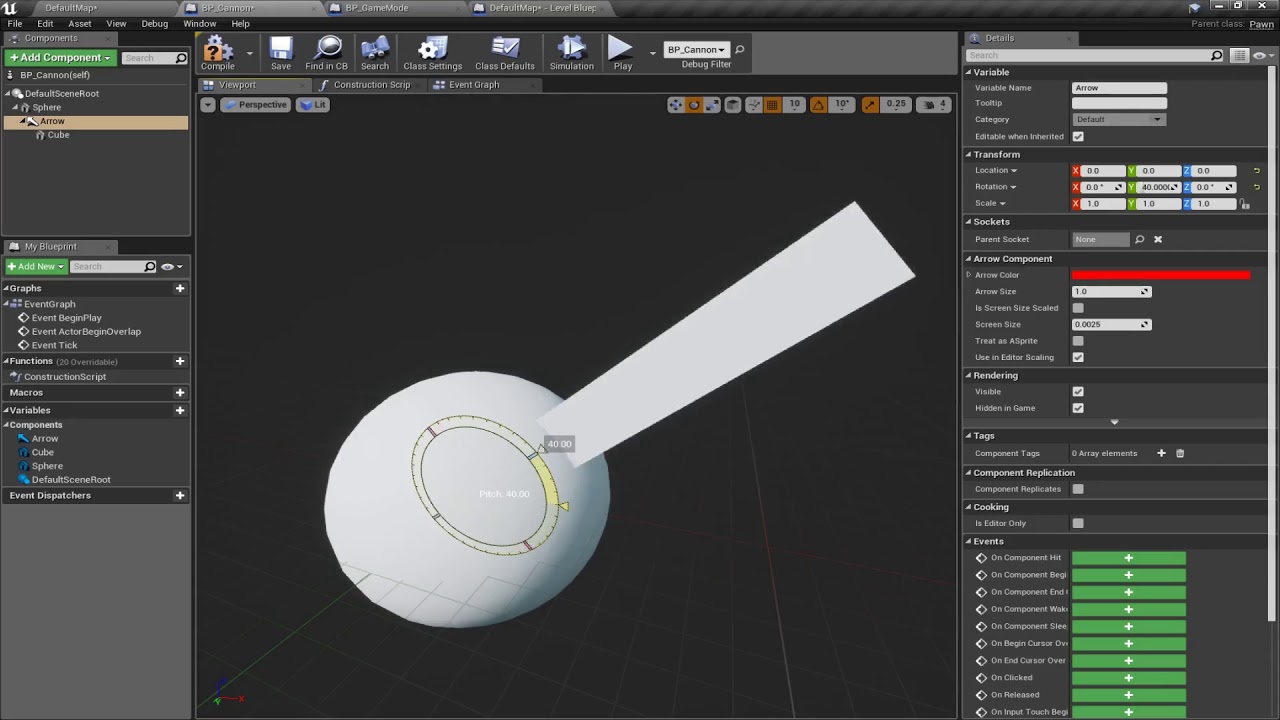
This is a beginner's tutorial for creating a simple cannon in UE4 using only built-in primitives. It was created to support the first assignment in my Fall 2017 Game Programming class, which is to create a game based on basic parabolic projectile motion.
The original upload had some editing errors that resulted in blank video. This is a clean e...
inland walrus
Does anyone know why my materials aren't showing? They worked yesterday, I switch on my pc today and not showing

 knotty flare
inland walrus
Does anyone know why my materials aren't showing? They worked yesterday, I switc...
knotty flare
inland walrus
Does anyone know why my materials aren't showing? They worked yesterday, I switc...
Do you see anything in the log related to that material? Is it possible that 'use with instanced meshes' isn't checked in the parent material?
kind estuary
how do i make my level unlit like in the unlit mode and keeping some other materials, like the characters, lit
All i know is the Execute command: "viewmode unlit", that does exactly what i want, but also disables the materials of characters etc...
maiden wadi
Sounds like a post process effect or something with stencils. If you could get both the lit and non lit data there.
kind estuary
maiden wadi
Sounds like a post process effect or something with stencils. If you could get b...
is it really that complicated?
i thought this would be like turning some light off or something
i have some images in my level, they are exactly like photos
they look with so much contrast, too dark in some places, and blinding light in other places. the images are beautiful, yet in game this contrast makes them look really bad
and i tried a bunch of stuff
maiden wadi
Are you trying to make the entire level unlit, or just these paintings?
kind estuary
maiden wadi
Are you trying to make the entire level unlit, or just these paintings?
just these paintings
thats the right word
terse tree
storm solar
google? https://youtu.be/uFr-7At2lXQ
Thx! Skimmed though the video but i found nothing I could apply to the BP 😦 . Many vids on youtube show you how to make a projectiles for guns and stuff but I don't see anything revolving around automatic motar actors + correct speed/physics for bullet arcs. Maybe i'm not looking hard enough?
 kind estuary
i want everything else to be normal, just the paintings need to be unlit @maiden wadi
dark drum
kind estuary
i want everything else to be normal, just the paintings need to be unlit <@14347...
On the material for the painting, connect the base colour to the emmisive would probably do what you want and set the mesh to not receive shadows.
kind estuary
dark drum
On the material for the painting, connect the base colour to the emmisive would ...
thats what i have, but still shows darkness
ill post some screens real quick
kind estuary
dark drum
On the material for the painting, connect the base colour to the emmisive would ...
unlit ^ viewmode
Lit viewmode
though the material is Unlit (with emissive), it doesnt matter it still does this terrible contrast
dark drum
kind estuary
though the material is Unlit (with emissive), it doesnt matter it still does thi...
I'm not sure what you're trying to achieve. The images haven't helped. 😅
 high gale
does anyone know how I can change these values with blueprints using the post process actor component?

I want to change the values of those materials but not sure what the node for it is if there is any
dark drum
high gale
I want to change the values of those materials but not sure what the node for it...
As in the weights for the PP materials?
high gale
yea
I want to change the values from 1 to 0 and the other from 0 to 1 when an event is called
kind estuary
dark drum
I'm not sure what you're trying to achieve. The images haven't helped. 😅
i just want my image to look the same as i have it as a texture, that is the same as the one seen in unlit mode
its quite frustrating
because you have a nice image
but then in the level when it receives light it gets this weird contrast
isnt there a way to disable the light for meshes?
The engine can do it, because the unlit mode is making it look exactly as i want
knotty flare
high gale
I want to change the values from 1 to 0 and the other from 0 to 1 when an event ...
You can access the settings struct directly - or I think this Add/Update blendable function might work too
 maiden wadi
kind estuary
unlit ^ viewmode
maiden wadi
kind estuary
unlit ^ viewmode
Is this just a texture on a plane? Can you make the plane not receive lighting?
knotty flare
maiden wadi
Is this just a texture on a plane? Can you make the plane not receive lighting?
^ yea this. Have you tried changing the lighting channel of your static mesh component?

Should work if your directional light is only on channel 0
kind estuary
maiden wadi
Is this just a texture on a plane? Can you make the plane not receive lighting?
yes just a texture on a plane
i found that this achieves almost the same as unlit:
r.TonemapperFilm 0
though will this be packaged?
must do it in execute console command at begin play right?
knotty flare
Yep, or add them to DefaultEngine.ini
high gale
knotty flare
You can access the settings struct directly - or I *think* this Add/Update blend...
the add or update blendable is crashing my engine and I dont think it is working
yea lol I tried testing it with begin play and it crashed twice
knotty flare
You could also try leaving blend weight to 1 - but handle lerping material values through an MPC - if that fits your context
Probably less costly than ticking blend weights (just a guess - haven't profiled that or anything)
storm solar
for my common activatable widget, when i am done with it i deactivate the widget and set it to invisible. When I try to activate it again and add it to the widget stack. I need to call it twice for it to appear.
 dark drum
storm solar
for my common activatable widget, when i am done with it i deactivate the widget...
dark drum
storm solar
for my common activatable widget, when i am done with it i deactivate the widget...
what is the 'Stack Ref' bpi function doing?
 celest trench
Hello! Is it possible to add a separate capsule to the player head and push the player capsule back if the head goes into a wall? We are trying to come up with solutions to avoid cameras clipping through walls in first person without making the player capsule enormous
If so, what would the process for this be like? I feel like applying a backwards velocity if the head clips would cause new issues and also feel strange for a player, but not sure what else to do
 sand shore
Have you tried a spring arm component that the camera attaches to?
celest trench
Yeah the camera is on a spring arm, but it's a first person game so it's attached to the head still and the head is able to clip into walls if the player looks far down


 storm solar
dark drum
what is the 'Stack Ref' bpi function doing?
storm solar
dark drum
what is the 'Stack Ref' bpi function doing?
it's just an interface.
"sends from base stack to whatever widget is added to the stack" I think...
Removing the node doesn't change anything.
The main issue Is I have input actions that are triggered inside the widget. But they only fire every odd time the widget is called.
I think it might have to do with the menu not being in focus...
https://youtu.be/3QrFy_iV_as?t=671


In this Ultimate Guide to CommonUI, learn how to create stunning UI designs in Unreal Engine 5 for gamepads! Master the art of UI with CommonUI.
#CommonUI
#unrealengine5
#ui
sand shore
celest trench
Yeah the camera is on a spring arm, but it's a first person game so it's attache...
Oh I see, maybe you could have a specific node in the physics asset that can be setup to not sweep into walls, with a large enough radius to prevent clipping, and the boom could attach to that socket?
This isn’t my strongest area of the engine, but should be easier than modifying the character’s movement. I guess another alternative might be implementing your own camera boom subclass?
 plush ridge
I have a pawn with a floating pawn movement component and on a dedicated server (testing in packaged build), it's choppy for clients. I'm using add movement input and add local rotation on the server to move it around (it's not player owned or possessed). From what I understand, it has something to do with this movement component not being smoothed, predicted, or replicated the way a regular character movement component is. Is there a way to make it smooth for clients?
glass blade
frosty heron
if the binding never get executed on player 2 computer then, don't expect player...
Weird. It would not fire when it was binded however it worked just fine when i called it directly from a function
kind estuary
I saw a tuts with a dev obsessing about Quad overlay in translucent materials.
Is it that important? In my case i have 3 textures on top of each with translucent material. Should i optimize this. It can be quite annoying
 stone field
kind estuary
I saw a tuts with a dev obsessing about Quad overlay in translucent materials.
...
stone field
kind estuary
I saw a tuts with a dev obsessing about Quad overlay in translucent materials.
...
"premature optimization is the root of all evil"
If they are not huge size and clearly causing problems, shouldn't be an issue.
on mobile they might be of interest on low end devices
 spark steppe
the best general advice i can give is to not listen to general advice
as Karma said, context is important
pine carbon
copper mica
Does reverting gravity and then doing destroy fix it?
Hi! Sorry for the delayed response, but . . . NOPE!
 humble wigeon
Hello, I've got an unwanted behaviour with my projectile bullet. for some reason it start spawning in the wrong position,it's supposed to be in front of my turret head.
I includeed a gif and some screenshots of the projectile movement component settings just in case. But I other than checking the initial speed and velocity, I don't see what could be causing this 🤔


 pine carbon
I did learn one thing, at least.
Enable Gravity from Blueprints does not work.
It definitely prevents Destroy from working.
What it does not do is enable gravity.
It IS able to correctly disable it though. For some freaking reason.
 arctic wren
Hi everyone,
I’m a beginner working with the New Sandbox Motion project in Unreal Engine 5.5, and I want to switch the camera to first-person perspective. I found a tutorial for UE 5.4, but some things have changed in 5.5 (e.g., certain variables or functions in the Blueprint).
My goal is to make the first-person camera work as expected, meaning with free look, proper movement, and interaction functionality. Since I’m still learning, a detailed explanation or an updated tutorial for UE 5.5 would be really helpful.
Thanks in advance!
pine carbon
I know this is disastrous, but I had to add a lot of checks to determine what was going on. It didn't work. Everything before and after the Destroy call happens, but no destruction is done.

This is the only logic that actually matters to work properly, and it doesn't if I have Enable Gravity turned on.

There's a bizarre permutation of interactions involved with this so I'll list them out:
If the Blueprint has Gravity Enabled on by default and it is turned off by code, gravity doesn't actually get disabled, but projectiles do get destroyed properly.
If the Blueprint has Gravity Enabled on by default and it is turned on again by code, gravity functions properly but projectiles do not get destroyed.
If the Blueprint does not have Gravity Enabled on by default and it is turned off again by code, gravity is correctly off and destruction happens as intended. This is the only case where everything works as intended.
If the Blueprint does not have Gravity Enabled on by default and is turned on by code, Gravity does not function, but projectiles do get destroyed properly.
And specifically if I have Enable Gravity on by default and disable it right before it hits the ground, THEN it disables gravity properly, but still doesn't get destroyed.
If I try to disable it AFTER Destroy, it still gets disabled, but triggers this non-crashing runtime error.

 jovial steeple
pine carbon
There's a bizarre permutation of interactions involved with this so I'll list th...
jovial steeple
pine carbon
There's a bizarre permutation of interactions involved with this so I'll list th...
After you disable velocity, you must also clear the physics velocity.

Gravtiy gives the physics object velocity.
But once it has velocity, it keeps its velocity
pine carbon
Why does that stop it from Destroying itself?
And why does the On by Default, Off at Runtime situation happen? That's the one where gravity stays on even though it shouldn't, but projectiles do get destroyed.
jovial steeple
pine carbon
If I try to disable it AFTER Destroy, it still gets disabled, but triggers this ...
Never run any code after calling DestroyActor. When destroy actor is called, the object is simply marked for destruction, and the game will remove that actor from memory soon so that the destruction process can be complete.
Garbage collection (The system that removes things from memory) only happens around once per second. This means that even after DestroyActor has been called, the actor still exists in memory in this "Destoyed" state for a small amount of time. Since the actor still exists in memory, it still is possible to run code on it, but you are not supposed to as it can be unsafe. This is what this error message is talking about. Its telling you that the actor is "pending kill or collection" and you shouldnt be running any more code on it.
pine carbon
jovial steeple
Never run any code after calling `DestroyActor`. When destroy actor is called, t...
I know it's a bad idea, but I wanted to try it to see if the error could give me any useful info.
Since goodness knows I haven't been able to figure anything else out with this.
jovial steeple
pine carbon
Why does that stop it from Destroying itself?
I do not know how your projectile determines when it should be destroyed.
pine carbon
jovial steeple
I do not know how your projectile determines when it should be destroyed.
OnHit events.
pine carbon
pine carbon
I know this is disastrous, but I had to add a lot of checks to determine what wa...
This disgusting web of nodes allowed me to discern that every node in the chain of deletion does trigger and is valid when they happen.
jovial steeple
You would have to show me the full on hit code as im sure there is more, disabling gravity does not disable on hit events, or actor destruction.
pine carbon
jovial steeple
You would have to show me the full on hit code as im sure there is more, disabli...
It doesn't disable hit events. Hit events trigger. And the destruction code triggers. But destruction doesn't. And the only variable that changes is disabling/enabling gravity.
Here ya' go.

Initialization looks like this, and yes, everything here comes in properly.
 jovial steeple
pine carbon
It doesn't disable hit events. Hit events trigger. And the destruction code trig...
jovial steeple
pine carbon
It doesn't disable hit events. Hit events trigger. And the destruction code trig...
"And the destruction code triggers." You have confirmed the DestroyActor function is getting ran?
Id imagine its not running, if the actor is not getting destroyed
jovial steeple
pine carbon
Here ya' go.
This doesnt show any inherit errors, you would need todo some simple debugging on your own.
pine carbon
jovial steeple
"And the destruction code triggers." You have confirmed the `DestroyActor` funct...
I've confirmed that print nodes placed after it execute and no errors or warnings are thrown without trying to access elements of self afterwards.
Nothing gets removed from the scene tree at runtime either.
All physics calculations and hit events continue to function.
jovial steeple
If destroy actor gets ran, and the actor is not destroyed, i dont know what to tell you. Ive never ran into a situation where that happens.
jovial steeple
Id imagine its nothing wrong with unreal though, and its propably a missunderstanding by you. Its best to assume its not unreals fault.
Cause 99/100, its not
pine carbon
Could it have something to do with spawning objects via templates?
pine carbon
This is how spawning works.

Specifically the usage of params.Template is what could potentially be doing things.
How does that interact with components?
jovial steeple
pine carbon
Specifically the usage of params.Template is what could potentially be doing thi...
I dont know ive never used that.
pine carbon
Lovely.
frosty heron
pine carbon
This is how spawning works.
This shouldn't compile?
pine carbon
It took me several days to even figure out how to put that together.
And now it is potentially causing an issue. I'm trying to parse through the SpawnActor source code, but it's a big freaking function.
pine carbon
frosty heron
Just look at example on how they are used.
Because that's not my problem.
I need to figure out if it has interactions with components that I didn't expect.
That's the only thing I can even think of causing this issue.
frosty heron
Breakpoint at your component on suspected lines then look at the call stack.
pine carbon
If you have a better idea, PLEASE enlighten me.
pine carbon
frosty heron
Breakpoint at your component on suspected lines then look at the call stack.
I don't even know what to look for right now. Can you do that from Blueprints?
pine carbon
Then it's not of use to me, sadly.
The actual setting of Enable Gravity and calling of Destroy is in Blueprints.
jovial steeple
If you build in debug editor, and breakpoint cpp code for the DestroyActor function, that might help.
Idk if you can do that without the source code though, can you?
frosty heron
I mean rider is free
jovial steeple
Everyone should just use the source code 
frosty heron
There's a process and learning but you gotta do what you gotta do i guess.
 grave apex
Im trying to check for tags (without casting) and found this node, what do I plug into the left here?
 pine carbon
I have Rider.
I'm using Rider to read source code right now.
My issue is that the things going wrong are in Blueprints.
To be clear, I do not actually know if the Templated SpawnActor has ANYTHING to do with the issue. It's just the only candidate I can even think of.
frosty heron
Override on Destroyed or w.e in your component or actor. Add breakpoint and watch the call stack to see what other functions get called prior the ondestroy
Though I don't know what your actual issue is.
pine carbon
frosty heron
Though I don't know what your actual issue is.
It was explained in great detail earlier.
pine carbon
pine carbon
There's a bizarre permutation of interactions involved with this so I'll list th...
Here.
frosty heron
Hmm i never play with gravity so can't offer opinion.
pine carbon
It's the weirdest bug I've ever seen.
frosty heron
But if afaik with physics at least, if you simulate a component it detach from the root or something.
pine carbon
frosty heron
But if afaik with physics at least, if you simulate a component it detach from t...
?
Could you elaborate on that?
frosty heron
So not knowing if this is your issue but take example player rag doll.
When simulate physics is enabled on the skeletal mesh component for the rag doll, the skeletal mesh detached from the root so it no longer follow the parent (capsule component)
Is there a reason to enable or disable gravity btw? What's the actual gameplay goal
jovial steeple
grave apex
Im trying to check for tags (without casting) and found this node, what do I plu...
That's a interface reference, you need to take an object reference, then cast it to an interface reference.
 frosty heron
Trying to see if maybe there's alternative in what you want.
grave apex
jovial steeple
That's a interface reference, you need to take an object reference, then cast it...
aah, what does this do specifically?
like, if my game objects had tags in a tag container variable
would it get them from this node?
if it implements the interface?
pine carbon
frosty heron
Is there a reason to enable or disable gravity btw? What's the actual gameplay g...
Have projectiles that do or do not use gravity.
Like one gun shoots lasers and another shoots large, heavy cannonballs.
frosty heron
And you are using projectile movement component?
pine carbon
This is the projectile Blueprint structure btw. And RadialForce does nothing, I was GOING to use that to generate an explosion right before destruction, but I have to FIX destruction first.
 pine carbon
frosty heron
And you are using projectile movement component?
pine carbon
frosty heron
And you are using projectile movement component?
Nooooo . . . Should I? Does that change things?
This is literally all they are. I apply an Impulse when they BeginPlay and after that it's up to the Physics engine, and whether or not I tell it to use gravity . . . IF THAT WORKED.
frosty heron
pine carbon
Nooooo . . . Should I? Does that change things?
Well that component handle general projectile. It has options like gravity, bounces etc.
Though I only used it to cast a fire ball in one direction atm.
pine carbon
The sphere does bounce currently, but only if the default setting is to have gravity enabled. Enabling it from code does not work unless it's done right before destruction. Why? No fricking idea. Despite it not working, it sure as frick stops destruction from working.
frosty heron
pine carbon
The sphere does bounce currently, but only if the default setting is to have gra...
Soo, can't you just tick enable gravity by default on proejctile that have gravity and untick it for those that doesn't?
make a child out of BP_BaseProjectile then override the gravity setting in respective class.
pine carbon
frosty heron
Soo, can't you just tick enable gravity by default on proejctile that have gravi...
No because there is only one projectile blueprint.
jovial steeple
grave apex
aah, what does this do specifically?
This code I have shown is changing one object reference into another kind of object reference.
Lets say there is a object in your computers memory called SpawnedGun01. This object has many different types it can count as. It can count as an AActor, AGun, and BPI_PolyDamageable (This one is the interface).
When you have a reference to any object in memory, that reference also has an object type.
Object reference (of type AActor): This is a pointer to a specific location in your computers memory.
Say its pointing to SpawnedGun01.
Its type is Actor, meaning with this pointer, you will be able to extrapolate all of the actor related information/functions regarding SpawnedGun01. Things like ActorLocation, or ActorRotation.
Object reference (of type BPI_PolyDamageable): This is a pointer to a specific location in your computers memory.
Say its pointing to SpawnedGun01.
Its type is BPI_PolyDamageable, meaning with this pointer, you will be able to extrapolate all of the BPI_PolyDamageable related information/funcitons regarding SpawnedGun01. Things like TryCombatDamage() function.
pine carbon
frosty heron
make a child out of BP_BaseProjectile then override the gravity setting in respe...
Everything you have seen thusfar is to prevent specifically this.
I don't want a bunch of subclassing for this project.
frosty heron
Is there a reason why you avoid inheritance?
how are you gonna differentiate between a laser projectile and a grenade?
jovial steeple
grave apex
Im trying to check for tags (without casting) and found this node, what do I plu...
The input for this node is a Object reference (of type GameplayAssetInterface)
pine carbon
Mostly to see how difficult it would be tbh.
And generally to keep my projects more organized in the future, IF I can actually figure out how to do this properly.
It's been vastly more complex than I anticipated. This bug in particular seems to be something that nobody has any actual understanding of.
frosty heron
I think you are making your life harder by avoiding tools. You will actually repeat a lot more if you avoid basic principle of OOP
pine carbon
frosty heron
I think you are making your life harder by avoiding tools. You will actually rep...
This system is an implementation of the Flyweight design pattern, hence that name in the C++ snippet.
It is a well-known and oft-used design pattern in game development intended to prevent subclassing and save memory when all that would change is instance variables. When you can actually do it correctly. Unreal's complex instancing process has made that difficult for me.
Or maybe it's something entirely different. Like I said, I have absolutely no idea why this is happening right now.
jovial steeple
pine carbon
Mostly to see how difficult it would be tbh.
Unreal is not designed to be used this way. It would be silly to use unreal in this manner.
pine carbon
Well, I'm 90% of the way there at this point.
jovial steeple
Most of unreals systems are designed to be extended by subclassing certian parts to.
Good luck
frosty heron
@pine carbon So the impulse doesn't work when the gravity is unticked?
i'm reading but it's hard to picture the actual failure without seeing
"The sphere does bounce currently, but only if the default setting is to have gravity enabled. Enabling it from code does not work unless it's done right before destruction. Why? No fricking idea. Despite it not working, it sure as frick stops destruction from working."
I mean yeah you shouldn't interact with something that is marked for destroy.
So if you can enable it with the code before you call destroy, is there an actual issue?
btw I just tested with ProjectileMovementComponent, there's no issue whatsoever and you can use gravity for it.
pine carbon
frosty heron
<@699304185522290769> So the impulse doesn't work when the gravity is unticked?
No the impulse does.
Destruction, and only destruction, doesn't.
frosty heron
with destruction too
opps HDR is on
@pine carbon I mean if above is what you after, maybe just use ProjectileMovementComponent?
pine carbon
It's very short.
 frosty heron
@pine carbon
pine carbon
Could you show me the component structure for that fireball?
frosty heron

using sphere collision to handle the destruction
if you want gravity, it's already enable by default.
Just set the gravity scale. 0 for no gravity
and higher number for stronger gravity.
and pretty sure they can be changed at runtime with no issue.
pine carbon
Okay I'm not gonna bother explaining why I'm asking this until I prove it works, but what's the best way to temporarily disable physics during runtime without throwing warnings?
pine carbon
Oooookay. I don't really understand it all, but I do seem to have solved it.
A.) For some ungodly reason, Enable Gravity settings do not propagate through the Template field when using SpawnActor. Why? I have absolutely no clue, but a bit of disgusting nested typecasting fixed that.
B.) For whatever reason, if I have my flyweight set to have its physics disabled, and then enable physics in the construction script of my spawned projectiles that use it, that makes destruction work. I do not know why and maybe I never will, but I'll take those dubs.
I'm open to suggestions on making this abomination more legible though.

 cursive drum
i wanted to attach an actor to my character and this pops up, what does it mean
 frosty heron
Show the node for the attachment
 arctic wren
I’m a beginner working with the New Sandbox Motion project in Unreal Engine 5.5, and I want to switch the camera to first-person perspective. I found a tutorial for UE 5.4, but some things have changed in 5.5 (e.g., certain variables or functions in the Blueprint).
My goal is to make the first-person camera work as expected, meaning with free look, proper movement, and interaction functionality. Since I’m still learning, a detailed explanation or an updated tutorial for UE 5.5 would be really helpful.
Thanks in advance!
 wispy kayak
Hi, why I can't destory my added component?
 dawn gazelle
wispy kayak
Hi, why I can't destory my added component?
dawn gazelle
wispy kayak
Hi, why I can't destory my added component?
Why would you bother adding a component just to destroy it immediately?
If you're trying to remove the Static Mesh Component from the Static Mesh Actor, the object you're casting may not be a static mesh actor which causes the cast to fail.
pine carbon
Add a typecheck print and see what you get.
kind estuary
what is better for performance:
A: 10 cubes merged as 1 mesh with complex collision, or
B: 10 separate cubes all with simple collision
wispy kayak
dawn gazelle
Why would you bother adding a component just to destroy it immediately?
If you'r...
How can I do it with Actor variable? Its working fine when I added the component to self actor.
dawn gazelle
wispy kayak
How can I do it with Actor variable? Its working fine when I added the component...
You could try just using a "Get Componnet by Class" and selecting "Static Mesh"... This'll return the first static mesh component if found on the actor, otherwise it'll return None.
wispy kayak
dawn gazelle
You could try just using a "Get Componnet by Class" and selecting "Static Mesh"....
Hi, but I have array mesh to spawn to that Actor. I can't get those array.
dawn gazelle
Then you'd have to cast to the specific actor type you're using that has that array of components.
wispy kayak
I can't still destroy my static mesh components. Which part I'm doing it wrong.
 dawn gazelle
wispy kayak
I can't still destroy my static mesh components. Which part I'm doing it wrong.
dawn gazelle
wispy kayak
I can't still destroy my static mesh components. Which part I'm doing it wrong.
Possibly here.
If it's a static mesh actor,it's not going to have an array of components. A static mesh actor is a very specific type of actor that is usually placed in a level to represent a single static mesh. You don't necessarily need to cast here if you want all static mesh components removed from all the actors in your array. If you want to make sure it's only for a specific actor class that you want to remove all static mesh components, then you'd have to cast to that specific actor class first.

 barren tangle
Hello, Do we have for an array the possibility to sort the array based on a value?
in an array i have a list of actors.
each actors has it's own X location
and i want to sort those actor based on that X location
is there some node allowing me to do that easily?
frosty heron
@barren tangle if you are interested in sorting your own array. You can look at bubble sort.
barren tangle
frosty heron
<@209619984006119425> if you are interested in sorting your own array. You can l...
he said it's simple but it's also considered like inefficient.
frosty heron
barren tangle
he said it's simple but it's also considered like inefficient.
fast enough for sorting distance check
barren tangle
ok 🙂
frosty heron
barren tangle
he said it's simple but it's also considered like inefficient.
ofc you can opt for another sorting algorithm
but bubble sort is by far the most beginner friendly
barren tangle
i was wondering if it exist some default algorithm in UE for those kind of stuff
frosty heron
Not really, and afterall you need to specify the rule / condition.
there's probably a plugin to sort int from lowest to highest
but I never hear anything that sort Actors based on distance check.
any programmer can do that easily though.
including you, just know how to sort the array
barren tangle
ok, i have already write an algorytme for that. (works) but i was wondering if i could do better or easier 🙂
that was meanly the purpose of my question if UE has tool to handle that easily
frosty heron
most likely not as they can't rule out the condition for the sorting
that is user specific
barren tangle
because you see i see that they have in a way foresee that for simple table

i guess it's sort the value there
but not with object based on a variable
lol what i did was a kind of bubble sort 😄
 boreal basin
Is there a way to make my IA_Run have the same input layout as IA_Move? Working on a run input when the player presses the movement keys for a few seconds after the IA_Move has been triggered.
 civic tiger
hi guys. Im breaking my head 2-3 days now trying to figure how to make this item in front of the blur background, basically trying to inspect it thats why I created a blur background just for when inspecting something. I got a Render Target and have the RT in an Image element in my UI and on my component 2d camera in my item but still cant figure out how to appear the item in front (oh and dont worry about the ZOrder in my UI its all good). Does anyone have any idea cuz its driving me crazy


 dark drum
civic tiger
hi guys. Im breaking my head 2-3 days now trying to figure how to make this item...
dark drum
civic tiger
hi guys. Im breaking my head 2-3 days now trying to figure how to make this item...
You could probably just get away with using Depth of Field if the items you inspect are roughly the same size and would be about the same distance from the camera.
 spark field
why cant i find multiply float node?
humble wigeon
spark field
why cant i find multiply float node?
You mean this one?
 civic tiger
dark drum
You could probably just get away with using Depth of Field if the items you insp...
civic tiger
dark drum
You could probably just get away with using Depth of Field if the items you insp...
I think I tried that and I dont think that maters for some reason..
spark field
can someone help, my balls doesnt move, is there still a step in between with multiplying the float?
 storm solar
any reason why my keyboard cannot select the button for this widget and just select the horizontal box?


 dark drum
storm solar
any reason why my keyboard cannot select the button for this widget and just sel...
dark drum
storm solar
any reason why my keyboard cannot select the button for this widget and just sel...
Make sure the horizontal box isn't focusable.
storm solar
dark drum
Make sure the horizontal box isn't focusable.
there is no focus detail option
 dark drum
storm solar
there is no focus detail option
dark drum
storm solar
there is no focus detail option
Whats it's visibility? Non Hittest (Self Only)?
storm solar
dark drum
Whats it's visibility? Non Hittest (Self Only)?
yup
 storm solar
dark drum
Whats it's visibility? Non Hittest (Self Only)?
storm solar
dark drum
Whats it's visibility? Non Hittest (Self Only)?
https://youtu.be/eZOQ9DMonIo
Stepping back this is the base issue im having. Every alternative seems to compile more issues of button / menu navigation
 pine carbon
barren tangle
each actors has it's own X location
pine carbon
barren tangle
each actors has it's own X location
Every frame?
How often do they move?
 grim sand
How do I retrieve the pure name of an actor reference? So instead of it being W_Container_Inventory_C_0 it would be W_Container_Inventory
Is there a standard function for this?
spark steppe
you want the class name?
grim sand
spark steppe
you want the class name?
Yea but without it losing its type (Widget in this case).
spark steppe
you can do GetClass()->GetClassName()
grim sand
That won't work for this node:

I need to retain all the data from the reference so that I can pass it through
Actually I don't. Hang on, I'm messing up on the logic here.
inland walrus
Is there a node I can use to select a random 1 of X sounds to play at location?
 dark drum
inland walrus
Is there a node I can use to select a random 1 of X sounds to play at location?
dark drum
inland walrus
Is there a node I can use to select a random 1 of X sounds to play at location?
Create an array of sounds and use the get random element node.
spark field
spark field
can someone help, my balls doesnt move, is there still a step in between with mu...
if someone could help?
 hearty moss
inland walrus
Is there a node I can use to select a random 1 of X sounds to play at location?
hearty moss
inland walrus
Is there a node I can use to select a random 1 of X sounds to play at location?
make a sound cue with a random
lean elbow
Where can I find what a specific node returns ? What unit or measurement such as is it m/s? or cm/s.
 maiden wadi
civic tiger
hi guys. Im breaking my head 2-3 days now trying to figure how to make this item...
maiden wadi
civic tiger
hi guys. Im breaking my head 2-3 days now trying to figure how to make this item...
If a DoF won't work for you then you're mostly looking for a post process here. Bluring post process, with a stencil applied to the object to avoid bluring it.
civic tiger
maiden wadi
If a DoF won't work for you then you're mostly looking for a post process here. ...
I think I tried that too but now that I think about it I also think that I forgot to turn off the blur I had in my UI.. I will try it tmrw and if I need anything I will come again here. Thank u
inland walrus
Any idea why my nav mesh isn't spreading properly?

 stable shale
Hey all, I want to download images in parallel. 9 images. I can see a sequence node but I want them to load at the same time not wait for the other to finish
faint pasture
lean elbow
Where can I find what a specific node returns ? What unit or measurement such as...
all velocities in Unreal are cm/s
the Unreal unit of distance is the cm, other things are derived from that
frosty heron
stable shale
Hey all, I want to download images in parallel. 9 images. I can see a sequence n...
Load with async instead blocking load
lean elbow
faint pasture
all velocities in Unreal are cm/s
Thank you
 hollow tendon
frosty heron
Load with async instead blocking load
hollow tendon
frosty heron
Load with async instead blocking load
did u change ur pfp
frosty heron
Every week
hollow tendon
or is there someone with same user name as u?
coz i swear someone with that username helped me
in c++ chnl
and had diff pfp
frosty heron
I rotate pfp
hollow tendon
thats amazing! i am happy for u
im thanking u for ur full support
u helped me a lot
hollow tendon
wow
why are u so kind and supportive 🥲
humanity still in hope. humans still care for fellow humans
and try to help each other
thanks
i kinda get half of what causing the issue so far
"boosters_array": [
    "boost1",
    "boost2"
  ]
this is the content of the boosters array json.
it does not match the boosters struct i guess?
stable shale
frosty heron
Load with async instead blocking load
new to UE, is the download images a blocking load?
frosty heron
stable shale
new to UE, is the download images a blocking load?
Not sure, can you post the node.
An async function will have a clock on the top right of the node.
frosty heron
hollow tendon
i kinda get half of what causing the issue so far
```json
"boosters_array": [
...
What does get field return?
How would it know the type that's being parsed i wonder

 hollow tendon
frosty heron
How would it know the type that's being parsed i wonder
hollow tendon
frosty heron
How would it know the type that's being parsed i wonder
it is wildcard
i tell it what typre
someone with similar pfp to urs
is talking with me in c++ chnk
wow
ur twin
dang, ur twin is pretty good at json
dark drum
inland walrus
Any idea why my nav mesh isn't spreading properly?
Have you tried rebuilding navigation? You can set it to automatically do it but this can be a pain if you move things frequently.
dawn gazelle
hollow tendon
i kinda get half of what causing the issue so far
```json
"boosters_array": [
...
If you did a Get Field of this "bossters_array" the return type would need to be an array of strings.
 pastel apex
question, wanted to know if it's expected for set timer by function name to silently fail when called inside a function?
i know it works on event graph
frosty heron
I don't think that's expected behaviour
pastel apex
weird
frosty heron
Basing it on memory that I have used and clear timer in a function by name.
hollow tendon
dawn gazelle
If you did a Get Field of this "bossters_array" the return type would need to be...
yep thats was the case
frosty heron
It maybe that you hit the return node in a function in unexpected way? Not sure.
hollow tendon
anoter person hepled me thro it, much apprceaite ur response tho
 midnight field
How would I declare an event in C++ that is exposed to blueprint and also outputs a pointer? Here's what I've got:
UFUNCTION(BlueprintNativeEvent)
void OnTargetChanged(AActor*& NewTarget);
You can drop the &
pastel apex
midnight field
How would I declare an event in C++ that is exposed to blueprint and also output...
BlueprintImplementableEvent iirc
or do you want it to just be called in blueprint?
sand shore
Either of them should work here
pastel apex
yeah
midnight field
sand shore
You can drop the `&`
Wouldn't that make it an input instead?
sand shore
Oh, I see, well, BP won't backpropagate changes to this field anyway
You'll see something like "Reference value won't be returned" from the compiler
frosty heron
Err
frosty heron
midnight field
How would I declare an event in C++ that is exposed to blueprint and also output...
Output in what sense? Events don't have output only function does
pastel apex
frosty heron
Basing it on memory that I have used and clear timer in a function by name.
oh ok it worked. I just had the timer way too long
midnight field
frosty heron
Output in what sense? Events don't have output only function does
Just a moment, Visual Studio decided to crap out on me. 😅
frosty heron

ben🌱ui
Sample code, screenshots and comments for all specifiers, including undocumented ones.
If you need to look at usages and specifier
sand shore
If you only need one thing to respond to this, you could try something like DECLARE_DYNAMIC_DELEGATE_RetVal and then make a BlueprintAssignable UPROPERTY of that delegate.
If you need multiple things to respond to it from the BP side, you'll have to work all the rest of that out yourself
midnight field
Ahh, right, I'd forgotten about those sorts of macros!
midnight field
Hm... doesn't EventTick output DeltaSeconds?
frosty heron
It does
But that's not return values if that's what you mean by output.
It's variable passed from the input param.
Just make a function and look at the detail tab.
There is input and output
You will see that output only possible in a function.
inland walrus
Is the random in range going to exclude 0 and 2 or only count 0, 1 & 2?
 thin panther
Seems pretty easy to test.
Set it up to a print string on tick
You'll have your answer in a second
frosty heron
inland walrus
Is the random in range going to exclude 0 and 2 or only count 0, 1 & 2?
It's going to include 0 all the way to number 2
If the aim is to get a random index from the whole array
Then starts from 0 and ends with length - 1
Or in bp i think there's a last index node.
I mean what if you changes your array size, you don't want to go to every random node and fix the magic number
midnight field
frosty heron
But that's not return values if that's what you mean by output.
It's variable p...
Seems I did just get my terms backwards for events, I was looking for inputs. It's working now!
inland walrus
frosty heron
I mean what if you changes your array size, you don't want to go to every random...
Thanks! So -1 gets all from array?
frosty heron
inland walrus
Thanks! So -1 gets all from array?
No
You are getting the element by index
And array starts with 0
inland walrus
So I do get in range of -1 and 2?
frosty heron
inland walrus
So I do get in range of -1 and 2?
If you want to get a random index from the array as a whole then your start index is 0 and your last index is the last index of your array
Last index = array length - 1
Say an array of 4 elements
That's 0, 1 , 2 , 3
Hence the last element is 4 - 1 = 3
inland walrus
So if I put 0 is it going to get the index 0 and play it or is it going to only get the numbers inbetween the min and max?
frosty heron
It will get all the numbers in between the range you specify
Test it like acuppa suggest
Event tick, print string the result
 fervent jolt
Hello. I am trying to get a AIPerception component AIStimulus's sense type (sight hearing etc) so I can send the stimulus correct sense handling function. (hence the switch.)
Currently I use a tmap to quickly set it into an enum, however for some reason it always fails and returns "Sight". I think this may have something to do with the AISense class not showing up as a variable type for blueprints (to make the tmap I had to promote the output of get sense class to a variable, possibly causing this strangeness?)
How can I bypass this issue? I tried making a function to cast instead, but still couldnt cast to the AISense classes (hearing, sight, etc).
 fervent jolt
found a workaround. this hurt.
 dawn gazelle
fervent jolt
Hello. I am trying to get a AIPerception component AIStimulus's sense type (sigh...
dawn gazelle
fervent jolt
Hello. I am trying to get a AIPerception component AIStimulus's sense type (sigh...
The return value from the Get Sense from Stimulus Return type is AISense, so your "Find" won't work properly since it's trying to find "AISense" rather than the actual class stored in the return value.
fervent jolt
ohh that makes sense. I will use the display name of the classes as the key instead
inland walrus
This is so strange, I have 4 NPC quest actors in the game. With 40fps, when I delete them, my FPS goes up to over 100fps, any idea why and a fix?

 dawn gazelle
inland walrus
This is so strange, I have 4 NPC quest actors in the game. With 40fps, when I de...
dawn gazelle
inland walrus
This is so strange, I have 4 NPC quest actors in the game. With 40fps, when I de...
Anything on them running on timers, tick, or timelines, including any components they may have?
inland walrus
dawn gazelle
Anything on them running on timers, tick, or timelines, including any components...
Yeah they do but they don't trigger unless the player overlaps
inland walrus
dawn gazelle
Anything on them running on timers, tick, or timelines, including any components...

No description provided
The only thing I think it could be is the fact that there is a lot of exposed on spawn and instance editable maybe
maiden wadi
inland walrus
This is so strange, I have 4 NPC quest actors in the game. With 40fps, when I de...

 hybrid lily
Hello 🤗 I need help with my multiplayer video game project in Unreal Engine 5.5 (Blueprint only)
I'm currently working on an interaction system
I currently have:
- A LineTraceByChanel in an Actor Component attached to my Character
- A BPI_Interactable with the "interact" function
- A 2D interaction widget (HUD) in my PlayerController
I would like to be able to achieve 5 different types of interactions:
- Interact
- Toggle
- Hold
- Repeated Press
- Hold and Release
For this, I'm using Enhanced Input Action Mapping
I would also like to be able to configure the parameters (press time, number of times repeated, etc.)
And can you please tell me where to write this (I'm a beginner, 1 year of Unreal and Blueprint)
Can you help me please? Thank you 🙏 🤠
maiden wadi
inland walrus
This is so strange, I have 4 NPC quest actors in the game. With 40fps, when I de...
For real though. AI can be a lot of things. Anything from you doing something crazy on their BT, their character tick functions, their AI controller tick functions. May not even be gamethread related and you're having gpu issues or renderthread issues of some kind because of them. Can't really track that down without a before and after profile.
Might not even be something you realize doing. Like maybe they're trying to generate an insanely long path every frame, or they're dirtying navmeshes. Not code you've done yourself, but both can be very costly.
inland walrus
Yeah, I cant find what's wrong, it might just be a case of dealing with it.
I'm trying to think of potential work around, like maybe on spawning it in when the player overlaps a different blueprint but then I imagine the player will experience large FPS jumps.
It's not the nav as the NPC isn't on a navible area
maiden wadi
You can't find what's wrong because you don't have a before and after profile. You're playing darts with a blindfold on. It'll tell you exactly what your issue is.
inland walrus
I know, but it's at a point kind of beyond return
Even if I cut events, it still has performance issues
noble nymph
Anyone have an idea how to stop a Linetrace hitting through walls
 queen valley
noble nymph
Anyone have an idea how to stop a Linetrace hitting through walls
queen valley
noble nymph
Anyone have an idea how to stop a Linetrace hitting through walls
You probybly have wrong trace channel setup
Check if the channel is visibility in line trace node
boreal basin
boreal basin
Is there a way to make my ``IA_Run`` have the same input layout as ``IA_Move``? ...
No dice for my question?
frosty heron
maiden wadi
For real though. AI can be a lot of things. Anything from you doing something cr...
Apart from pathing does regular bp operation tick matters?
maiden wadi
How do you mean?
frosty heron
I won't have more than 30 enemies , just checking to see if it's worth migrating earlier
I used BT with lots of services that run on tick.
Is it advised to be warry of BT ticks?
Or it depends on the operation
Like what sort of logic being run. E.g. resolving paths
frosty heron
boreal basin
Is there a way to make my ``IA_Run`` have the same input layout as ``IA_Move``? ...
You can make the same layout. Just match the layout in your input mapping context
Also expand by clicking the down arrow
 radiant kayak
Just tried another guide and it didn't work either
After having been at this for nearly a week with no results, I may stay in here all night until I can find someone to help me with this lol
If anyone could finally help me solve this problem it would be tremendously appreciated
 chilly gazelle
When I access an array like this in a blueprint of a different class, am I getting a copy of the array, or directly accessing that array?
 thin panther
chilly gazelle
When I access an array like this in a blueprint of a different class, am I getti...
thin panther
chilly gazelle
When I access an array like this in a blueprint of a different class, am I getti...
you're affecting it directly
radiant kayak
Really just follow the player at a distance for now, will add more function later
maiden wadi
frosty heron
Is it advised to be warry of BT ticks?
Depends. BTs themselves are rarely that expensive. Specially if you are careful and make each BT as a basic intention instead of making a giant spider.
radiant kayak
But all I need at the moment is for anyone to help me change the default camera. At this point I'm beginning to think something is fundamentally broken in my game or level, as no tutorials are working
I have the game mode, player controller, and camera manager set up correctly as far as I can tell, but I'm not sure
It just keeps defaulting the camera to within the player character, depite having attempted to change it in multiple locations
I just brought the camera actor back in, same thing
chilly gazelle
Huh, alright. Array operations are the bane of my existence lol removing and adding stuff to arrays makes me rage!
radiant kayak
frosty heron
It's just a container
Are you talking about my camera issue?
chilly gazelle
yea i just run into a lot of issues where, for instance, a block to remove an element from an array fires and returns true, but doesn't actually remove the element cause I made a mistake somewhere else.
radiant kayak
Just tried changing the player controller to a new one to see if that would help, same with a camera manager, no luck
frosty heron
radiant kayak
Are you talking about my camera issue?
Nope
boreal basin
frosty heron
Also expand by clicking the down arrow
Huh, noted. Tbh I'm trying to use IA_Walk as a combo function for IA_Run in a 'Press the move key softly to walk, press the move key hard to run' sort of command.
frosty heron
boreal basin
Huh, noted. Tbh I'm trying to use ``IA_Walk`` as a combo function for ``IA_Run``...
I don't get the idea of using 2 inputs to achieved what you are aiming.
R we talking about gamepad analogue?
If that's the case you can just get the analogue scalar value. Take it with grain of salt though, I don't do consoles / controller.
radiant kayak
frosty heron
Nope
Did you happen to see it?
boreal basin
frosty heron
R we talking about gamepad analogue?
No I'm talking about keyboard analouge.
frosty heron
Yeah but I don't know if i can elaborate anything.
@radiant kayak
The instruction given to you is to use your own custom camera manager
boreal basin
Sorry, tryna translate gamepad control states to keyboard control states.
frosty heron
Override the update view function. That will be your final view.
radiant kayak
frosty heron
The instruction given to you is to use your own custom camera manager
Right, and I feel like I was able to follow each of those steps, but I'm struggling wiht the funciton on the last step
frosty heron
As for the view, you can write any logic you need to dictate how the camera behave
radiant kayak
frosty heron
Override the update view function. That will be your final view.
Right, I've been trying, haven't found a guide that explains it, haven't seen any visual guides, ahve literally been tryign tof igure this out for a week
frosty heron
So iirc update view runs every frame. This will be what your character sees.
radiant kayak
Right, so what would those nodes look like?
frosty heron
So plugin your target camera transform, then may work
It's not about the node. The function is update view
You will need to provide the input for the final view.
Yeah
Well not really
I am not aware of a function called BlueprintUpdateCamera
Is that a function you create or override?
You need to OVerride update view function.
radiant kayak
Override, according to a guide given to me by another perosn here
But I'm willing to throw that guide out and try something else if you can walk me through it
I'm really at the end of my rope with this issue
frosty heron
You should see UpdateView function in camera manager
Override that one
I can't add anything else, that's how I do my camera.
radiant kayak
I appreciate it, let me check that
frosty heron
Also even if you found it, this doesn't make sense at all.
Why are you adding cac?
Tldr you provide w.e the update view is asking
frosty heron
boreal basin
Sorry, tryna translate gamepad control states to keyboard control states.
Keyboard don't have the same functionality as controller analogue
radiant kayak
frosty heron
You should see UpdateView function in camera manager
I'm not seeing this
frosty heron
You can only press and release a key
radiant kayak
Where specifically is it?
frosty heron
radiant kayak
I'm not seeing this
Do you know how to override function?
It should be in your custom camera manager
 obtuse kiln
Are while loops just completely broken in blueprint? Do they have some really low number of loops they're make before deciding they're infinite or something?
graceful sage
obtuse kiln
Are while loops just completely broken in blueprint? Do they have some really lo...
?
frosty heron
obtuse kiln
Are while loops just completely broken in blueprint? Do they have some really lo...
The number is 10k by default iirc. You can change the setting in the project setting.
obtuse kiln
I've never been able to use a while loop, even one that should complete in like 5 loops max, successfully
I see people saying to do them in CPP instead when I search
frosty heron
obtuse kiln
I've never been able to use a while loop, even one that should complete in like ...
Nah, if used incorrectly you will be stuck either way.
For a start you know the loop run in single frame right?
obtuse kiln
Yeah.
frosty heron
With that in mind if your escape condition is not satisfied , you will be stuck in infinite loop.
 gentle urchin
forloops work just fine in bp, but they're littered with traps
just like in c++
If there's an option, i prefer to use that instead
ForLoop is my very very last resort
dawn gazelle
Yeah like... Plugging in a Pure Getter function that somehow calculates the array to to use = every single iteration of the array that function is re-executed @_@
Oh WHILE loops.... I was thinking For Each XD
gentle urchin
Hence I havn't had to use one so far 😄
frosty heron
I have 0 while loop in my code base
obtuse kiln
I've no doubt there's a better way, but in my most recent failure I was trying to find an unused save slot name.
Don't have the code in front of me, just what I settled on, but it was basically this but while a while loop and the escape with the does save game exist and a Not bool
I guess maybe it was just too slow.
Also, open to a less dumb way to do this, was just trying to quickly fix the bug my previous version had where if you overwrote a save or deleted one then all subsequent saves would also overwrite something...
 gentle urchin
hmm, doesnt the spud return save objects already ?
gentle urchin
frosty heron
I have 0 while loop in my code base
well.,.. its not a forloop... 😄

but its functionally the same lol
frosty heron
Don't be, some people say there's a use case for it.
gentle urchin
not sure if there's an alternative in this case
i cant know if the loop is done untill i've done the next set of traces
and if its not done, i need to keep at it
frosty heron
Yeah when there's no alternative goto is fine based on what some wise people says.
gentle urchin
I really should clean up the code some day, but it works, and cleaning doesnt finish the game so...
frosty heron
Everytime i start a new project, i make everything pretty
With plenty of documentation
But I'm starting to waver now
I can feel the spaghetti is imminent
gentle urchin
haha yepp
starts out good, then some refactoring and extensions happen
"oh, i need to support blah"
some say multiple returns is bad practice
 frosty heron
Good to see I'm not the only one with addonscreen debug msg
Feel so left out
Planning to upgrade to 5.4 this weekend, maybe I can say goodbye to UELog
obtuse kiln
Because I started with zero programming knowledge of any kind I have some serious spaghetti I have to fix at some point. I'm shocked some of it works as well as it does, looking at it now.
And I'm still prone to doing things in very bizarre ways just because I don't realize the easy, quick, correct way to do it or even how to look that correct way up.
frosty heron
obtuse kiln
Because I started with zero programming knowledge of any kind I have some seriou...
No one can make Mona Lisa in a day.
I started with spaghetti and shitty system.
And at the present I am still stuck with spaghetti and inferior systems
gentle urchin
haha lol
I've been working on my superior quest system for over a year
refactoring and cleaning up never ends
was at 0.9 , almost release ready at one point
then realized my entire setup was flawed/limiting
trying to remove all assumptions of what a quest system is to someone
altho there are general rules that most quests follow, i wanna keep it open for whatever someone can come up with in whatever way they see fit
ended up scrapping my structs and introducing replicated uobjects instead
still some stuff im not super excited about (data and logic being 2 different uobjects for example)
dark drum
gentle urchin
some say multiple returns is bad practice
I thought it was nested if statements.
boreal basin
Is there a way to make a IA_Run transition from IA_Dash? Mainly when a player dashes once, the character runs instead of walks.
cursive drum
how to have input action with two keys that are opposite, like W for true and S for false
gentle urchin
dark drum
I thought it was nested if statements.
some go very far to avoid nesting
i guess some rule of thumb is max 3 nests if memory serveres me
as always there's exceptions : P
 bright crane
does event tick not work in gamemode?
gentle urchin
it does
bright crane
how do i run a blueprint every time the mouse is moved?
dark drum
bright crane
how do i run a blueprint every time the mouse is moved?
Set up an IA to use the mouse x/y as the input key. The IA event will trigger when the mouse is moved.
bright crane
dark drum
Set up an IA to use the mouse x/y as the input key. The IA event will trigger wh...
whats IA?
searching about it on google just keeps showing me ai tutorials
dark drum
bright crane
whats IA?
Input action.
bright crane
thanks
wispy kayak
Hi, how to store my last click of struct array? So the widget will show according to that.


 frosty heron
You are checking against thingy ( please write more descriptive name ). Not actor
dark drum
bright crane
why is this cast failing?
Because the parent actor isn't a 'Thingy'.
A player controller is an actor, the sky down is an actor, the cubes are actors, the player character is an actor etc... Anything that is spawned in the world is an actor. A cast is just a way to check if an actor is a specific type of actor. If the actor isn't of the specific type then the cast will fail.
frosty heron
A thingy is an actor but not vice versa
dark drum
wispy kayak
Hi, how to store my last click of struct array? So the widget will show accordi...
You can just get the last index from the array. You only need to store it if you might change it during the the first loop.
bright crane
frosty heron
A thingy is an actor but not vice versa
so what should i put there instead?
dark drum
bright crane
so what should i put there instead?
We'd need to know more about what you're doing and what parent actor is to be able to offer suggestions.
bright crane
i got it to work
and i think i understand how casting and classes work(debatable)
thanks for the help

 dry sleet
IIRC you can achieve that by something along the lines of "cached screen position" or something like that
If you search for 'cached' from the Dot getter, does that give you anything?
Should be a struct of some kind, maybe a Vector2d
GetCachedGeometry I think it might be
Might need to run it through LocalToViewport to get the actual screen position then
spark field
spark field
can someone help, my balls doesnt move, is there still a step in between with mu...
someone knows do i need to add a node inbetween add torque and the yellow node?
boreal basin
boreal basin
Is there a way to make a ``IA_Run`` transition from ``IA_Dash``? Mainly when a p...
I'm unsure how to achieve it.
dawn gazelle
boreal basin
I'm unsure how to achieve it.
If your character is walking, then that means you likely have IA_Move. IA_Run and IA_Dash should likely set some kind of movement flag that your IA_Move would then be able to use to know that the character is running, and when you press IA_Run again it would set the flag false.
boreal basin
dawn gazelle
If your character is walking, then that means you likely have IA_Move. IA_Run ...
I do have IA_Dash activated when the move keys are pressed twice, if it helps. I plan to have it so that if the player is moving via the keys still after IA_Dash has been pressed, then the character runs.
 pulsar hazel
newbiee question: what is the easiest way to remove the first person gun in run time (that default one that you need to 'collect' to add)
dawn gazelle
boreal basin
I do have ``IA_Dash`` activated when the move keys are pressed twice, if it help...
Essentially:
IA_Run > Set "IsRunning" to NOT IsRunning. (this will then act as a toggle)
IA_Dash > Set "IsRunning" to True + Whatever "Dash" logic you may have
IA_Move > Add Movement Input & use IsRunning value to help determine movement speed
boreal basin
dawn gazelle
Essentially:
IA_Run > Set "IsRunning" to NOT IsRunning. (this will then act as a...
Huh, noted. Before I start, would you need the blueprint as it is?(will share it tommorow) Only have the basic IA_Move and IA_Dash setup.
bright crane
dry sleet
Might need to run it through LocalToViewport to get the actual screen position t...
yoo thanks man
 lament adder
Hey Im building a car config. Is there any blueprint expert who could help me please?
bright crane
isnt there a car preset when youre making a new project?
cant you just copy paste it from there?
lament adder
Yes im using the variant manager templet but I need a few things in that Like I need the camera to spin when idle.
around the model


 ionic quiver
I would like to recreate the drawing functionality of the foliage tool. Where you can click and drag and it populates X thing with at least a certain distance between the points.
I can do a trace based on the camera but I'm a bit stumped on how to get points at least X distance apart in the area like the foliage tool. Does anyone have any info that could help point me in the right direction?
lament adder
bright crane
Appreciate your help but that doesnt work
bright crane
lament adder
Appreciate your help but that doesnt work
what abt this
 lament adder
Yea maybe if I use a spring arm instead of the templet. But any idea how do I spin the camera when idle?
This would spin every frame
like idle for 3 sec then it should spin and stops when i move the cam
bright crane
the way i would do it is i would create a variable that constantly goes up every second and if it reaches lets say 20 seconds then it would start rotating and everytim the player does anything the variable resets to zero
 leaden sun
What can I use instead of BP structs? I've had endless issues with changes to structs causing my entire project to break in various weird ways, so I need an alternative which can emulate that of a struct, and be easily serialised to a Save Game - any thoughts much appreciated!
lament adder
bright crane
the way i would do it is i would create a variable that constantly goes up every...
I created this with some help. It works on a 3rd person character but not for the pawn im using. No idea why

 somber tide
Anyone know of a way to have the character movement base ignore certain actors? I’m having an issue where jumping over physics objects on a moving platform breaks the character’s connection to the base platform
dawn gazelle
leaden sun
What can I use instead of BP structs? I've had endless issues with changes to st...
It's better to plan out what you're going to need with your structures first before you start using them. So long as you don't change the definition you'll usually be fine.
Otherwise, define your structures in C++ and you shouldn't run into problems with structures.
leaden sun
dawn gazelle
It's better to plan out what you're going to need with your structures first bef...
are C++ structures actually more reliable than the BP equivalent?
and are they more receptive to change than BP structs?
It's better to plan out what you're going to need with your structures first before you start using them. So long as you don't change the definition you'll usually be fine.
this is a very unrealistic way of building software 😄
bright crane
lament adder
I created this with some help. It works on a 3rd person character but not for t...
shouldnt this be the other way around?

 frigid jasper
is there a tool for blueprints that shows me their execution time directly? (similar to how the control rig graph does it, though stilldifferent obvioulsly since that runs on it's own VM)
or is the profiler the only way to do this?
lament adder
bright crane
shouldnt this be the other way around?
I just checked it seemed right. maybe a bit confusing. so if it isnt moving it should do anything but if its moving then execute the spin function
 bright crane
lament adder
I just checked it seemed right. maybe a bit confusing. so if it isnt moving it s...
bright crane
lament adder
I just checked it seemed right. maybe a bit confusing. so if it isnt moving it s...
i feel like this would solve it

sry im not on my pc anymore