#blueprint
1 messages · Page 286 of 1
 jovial steeple
 flat raft
no clear timer by handle
jovial steeple
Yes exactly what im saying
flat raft
no invalidate by handle
jovial steeple
use ClearTimerByFunctionName instead
flat raft
yea yea .. that doesn't work
jovial steeple
Idk then, it did on my test.
flat raft
it just keeps calling the function

 flat raft
ok cool. thanks for checking! I just though since there were some nodes missing, maybe I some how broke my engine.
yea, thats bascally what I tested with
jovial steeple
repeat the test by making two new classes.
Just a testing object
and a testing actor, which creates that object.
flat raft
k.. trying
 frosty heron
One thing missing here is your code btw 
jovial steeple
yea
jovial steeple
show the code of the original
jovial steeple
ok good luck then
flat raft
but hey, thanks for checking! Appreciate it
 steep wind
my issue is now fixed! I ended up having to change the input action's trigger from pressed to down to get the constant movement required for locomotion
 gaunt stirrup
anyone know why many textures show up black when game loaded, but when i click on them they return to normal ?

 maiden wadi
gaunt stirrup
maiden wadi
gaunt stirrup
Possibly unloading or mipping to conserve memory. Hard to say.
I assume you meant game loaded as in pie opened. Not the editor?
gaunt stirrup
maiden wadi
I assume you meant game loaded as in pie opened. Not the editor?
no the editor
maiden wadi
gaunt stirrup
no the editor
Some people are saying that disabling oodle for texture compressions works. But apparently it's just a thing in 5.5. Seems specially an issue for projects migrated from other versions. Opening and resaving the asset also seems to solve the issue maybe.
frosty heron
How does one do avoidance with AI characters without using crowd manager or RVO? Both method comes with issues 😦
 kindred galleon
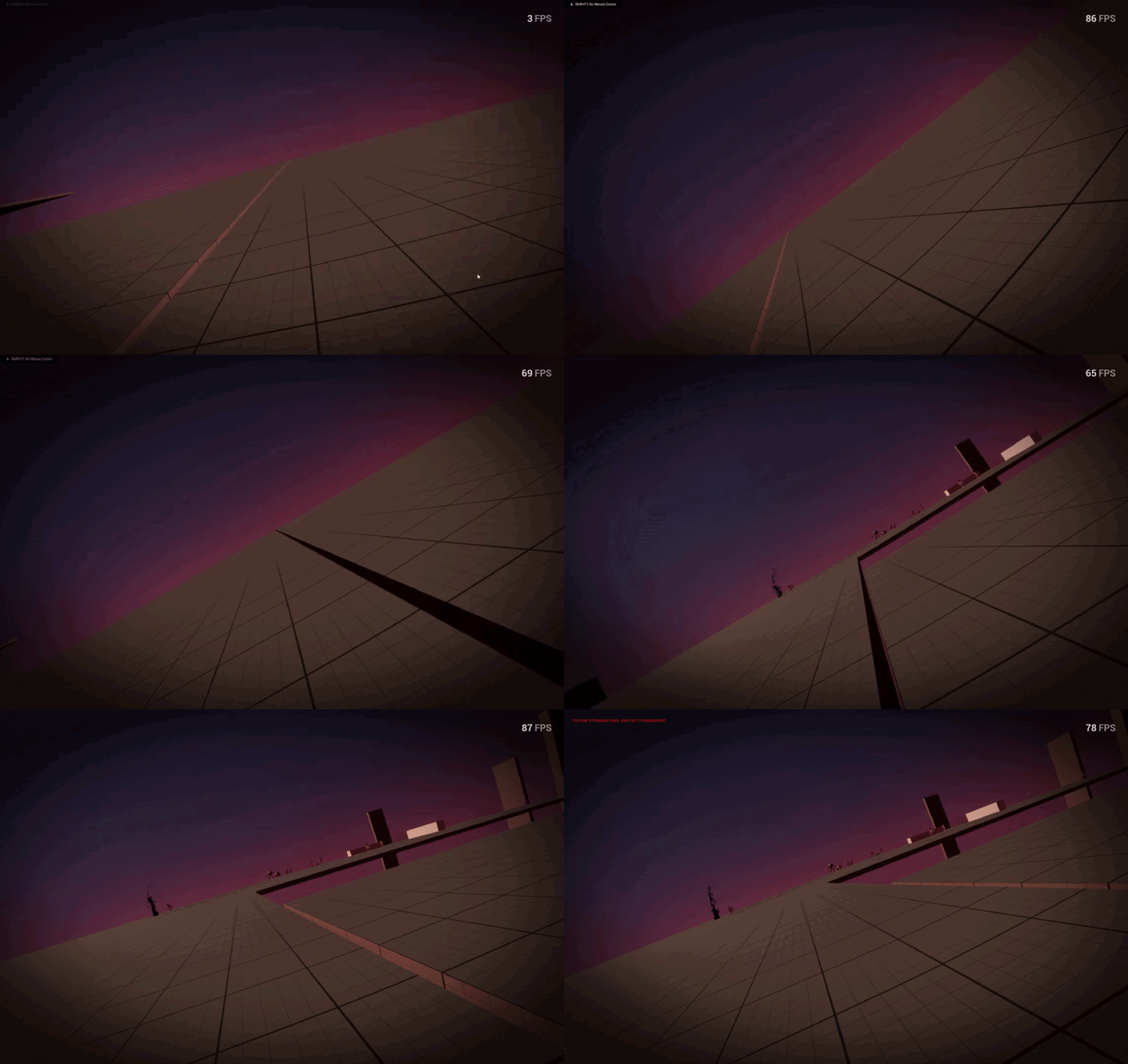
Im very lost, camera worked fine, i didnt add any animations or anyhing but whenever camera shake is triggered it tilts my screen permanently.
https://i.gyazo.com/80e4fd4bafb0d30182410aca13bcef48.gif
This did not happen before, it happened all the sudden yesterday, my old backup and beta game does not have this problem ( i prefer not to go back to the old backup, probably happen again if i kept going on that backup )
- ive deleted and remade the camera it didnt work
If someone know what to do please let me know. My suspicions are something to do with the camera manager.
 maiden wadi
frosty heron
How does one do avoidance with AI characters without using crowd manager or RVO?...
maiden wadi
frosty heron
How does one do avoidance with AI characters without using crowd manager or RVO?...
Have never done it without them. But I've always been super curious about implementing the same pathfinding that UFO:Afterlight uses. Where new character paths seem to query current paths and avoid the pawns that will be there at that time.
frosty heron
maiden wadi
Have never done it without them. But I've always been super curious about implem...
did you use Crowd manager?
my NPC keep jittering when closing to the goal
the two people that made docs about Crowd control didn't even end up using them.
because they also face issues with jittering
I'm cleaning up my crowd control classes and interface atm 😦
maiden wadi
I recall I usually used RVO. CrowdManager was more for like... Assassin's Creed large dumb crowds.
frosty heron
trying to use RVO as last resort
if still not working great, then ughhh I gotta turn off collisions on A.I
maiden wadi
Not the worst idea either. I always imagined games like AC didn't use them either due to the fact you can literally walk through AI and your character animates around them and just slows instead of stops. Doesn't have the same sort of hard stops as collision use.
At least as far as crowds go. Enemy AI may be different.
gaunt stirrup
maiden wadi
Some people are saying that disabling oodle for texture compressions works. But ...
5.5 💔
frosty heron
gaunt stirrup
5.5 💔
same thing to me on 5.1
I'm never bothered by it though
kinda relieved I don't have to think about 1000 texture being loaded everytime I open the editor
 spark steppe
i feel like the oodle claim is a false conclussion
it probably just triggers a texture compression update, and in turn some of the broken ones show up fine after disabling it
 dark drum
frosty heron
How does one do avoidance with AI characters without using crowd manager or RVO?...
dark drum
frosty heron
How does one do avoidance with AI characters without using crowd manager or RVO?...
Make the nav mesh be dynamic and have the NPC's affect it. 😅 (Don't actually do this unless it's a very small/tiny level)
dark drum
kindred galleon
Im very lost, camera worked fine, i didnt add any animations or anyhing but when...
How is the camera setup? just attached to the head?
frosty heron
dark drum
Make the nav mesh be dynamic and have the NPC's affect it. 😅 (Don't actually d...
Trying to address the part where they bump each other.
With avoidance, the one with higher weight will side step more
dark drum
frosty heron
Trying to address the part where they bump each other.
If you're using RVO, i believe you have to enable strafing on the NPC for best results. I can't say I was ever fully happy with the results when I used it but it was better than the alternative I was using.
 digital garnet
Anyone know how to make assets and blueprints in ue5.3 to work on ue5.5?
dark drum
digital garnet
Anyone know how to make assets and blueprints in ue5.3 to work on ue5.5?
You can normally just migrate them. The editor will normally update them to work in 5.5. Just note that it doesn't work backwards though. You might need to fix some materials or BP's though.
digital garnet
dark drum
You can normally just migrate them. The editor will normally update them to work...
Ahh okay, so right click, migrate and to another project file yeah?
dark drum
digital garnet
Ahh okay, so right click, migrate and to another project file yeah?
Yep. It should migrate any required assests as well.
digital garnet
dark drum
Yep. It should migrate any required assests as well.
Do I have to do it individually or can I do the entire folder?
dark drum
digital garnet
Do I have to do it individually or can I do the entire folder?
I believe you can do entire folders.
digital garnet
dark drum
I believe you can do entire folders.
Awesome thanks!!
kindred galleon
dark drum
How is the camera setup? just attached to the head?
attached to springarm which is attached to mesh
i did not change it since the project was started which was like 5 months ago
dark drum
kindred galleon
attached to springarm which is attached to mesh
How do you activate the camera shake?
 lethal pollen
Hi!
I think that there is an option in blueprint to show a button in the editor that runs a blueprint's function. Is that right?
Thanks!
I think is the CallInEditor
maiden wadi
CallInEditor. It's a setting on functions.
lethal pollen
Great! Thanks!
kindred galleon
dark drum
How do you activate the camera shake?

normally with any of these
new update on the problem: this problem ONLY starts when i move my camera.
so if i trigger the camera shake without moving my mouse, it is fine.
this only becomes a problem when i move my mouse while screenshake is happening
meaning it might be the mouse movement stuff
and i fixed it 😄
it was the camera input IA_look
this was dormant and i never touched it to begin with
its now activating a month later causing problems
idk why thats a thing
dark drum
kindred galleon
this was dormant and i never touched it to begin with
its now activating a month...
Chances are it updates the control rotation based on the various direction vectors of the camera. If you add a camera shake it could result in a change in the roll direction instead of the standard yaw and pitch which it's normally confined to.
kindred galleon
dark drum
Chances are it updates the control rotation based on the various direction vecto...
ah i see, what would be a simple fix on this
frosty heron
Hmm with ROV avoidance turned on, my AI avoid each other but they did not avoid my player character
dark drum
frosty heron
Hmm with ROV avoidance turned on, my AI avoid each other but they did not avoid ...
Does you're player character have RVO enabled?
dark drum
kindred galleon
ah i see, what would be a simple fix on this
It depends, how the camera movement input is being handled.
frosty heron
dark drum
Does you're player character have RVO enabled?
yup 😦
both the A.I and the player have RVO enabled
oh well, will comeback to this again after class
thanks
dark drum
frosty heron
yup 😦
The only other thing I can think off is if the RVO channels aren't setup correctly.
frosty heron
dark drum
The only other thing I can think off is if the RVO channels aren't setup correct...
should be default, I didn;t touch it
will check them again though
 dusky cobalt
frosty heron
both the A.I and the player have RVO enabled
dusky cobalt
frosty heron
both the A.I and the player have RVO enabled
so generally this topic is huge and from what I see most games that used not their own engine jsut decided to disable collisions, but what you probably want to do is override movement component (like floating movement component for example) and add there some checks and validations to make characters push each other (if 0 movement, this unit is pushed, save his location.. if still idle.. tell him to go back to the saved location), you can make indexes of what pushes what, and then more checks if it's ally or enemy (if you have case like this), i would say there is a lot on this topic in the internet but not a lot about of it in unreal, this can really be creative how you want it to do and what effect you need, if it's just 1:1 or 1:3 characters at max, probably something like collision that pushes things out, and saves their location to make them go back, its pretty simple and should be enough
or if its more like static npc you can always add nav mesh obstacle so your character will avoid it around it and wont get stuck
frosty heron
ye I am aware that some games just disable collision but it's not always the case
trying to see my options first
I am aware i am not a triple A studio and can only rely on what epic gave me
dusky cobalt
the built in options arent really good... like im not sure what is happening there but no matter the settings the outcome is not it
frosty heron
the crowd avoidance is actually not bad
but it doesn't perform well in narrow place
which is deal breaker for my use case
 vague moth
UI / options question:
Is it actually common practice to use console commands to do things like altering FPS and texture quality?
Cuz that's the one I've seen the most in tutorials.
If not, what other methods to be people use?
 drowsy rivet
anyone pls?
dark drum
vague moth
UI / options question:
Is it actually common practice to use console commands to...
In BP yes. console commands are just linked to a function. When the command is called, it just calls the relevant function and passes the data to it. For a lot of base core functions that are already a console command, there isn't much point Epic creating a specific UFUNCTION to then call the same function.
Just note though, some things are controlled via config files so it can be worth checking the GameSettings first to see if it can be updated via there. Things such as scalability settings are updated through that. Various ray tracing settings (as an example) however can only be changed via console commands.
frosty heron
they are not really saved though right?
if the option available in GameSettings then that would be my go to place
 lost obsidian
Hi all! Is it possible to replace a blueprint function with a function from a blueprint function library?
I need to clean my code a bit, and I just want to check if there is an easier way than just copying over my function to the blueprint function library, deleting the old local function in the blueprint and manually re-adding all the function call nodes.
dark drum
frosty heron
if the option available in GameSettings then that would be my go to place
Yea that's a point. Somethings are controlled by configs so would go through the game settings.
(I'll update my original message)
 ashen brook
Guyss i am making only a two player multiplayer game but i have a problem relating to movement. Basically beacuse in real testing there is lag or ping so whenever a player tries to move it sends the message to server and then the server moves the character and then it is replicated but this results in delay in input and actual movement which is frustrating for client, even if i work it around and when the input comes i move the character locally and then call server then the server will execute movementt but because there is lag and delay so when the client moves locally and some moments later the server moves the character it results in snapping the character back in clients screen. And i am into this problem for 2 days and cant figure it out how to solve this. Please someone help
vague moth
dark drum
In BP yes. console commands are just linked to a function. When the command is c...
I understand, thanks for your help 👍
frosty heron
ashen brook
Guyss i am making only a two player multiplayer game but i have a problem relati...
the short answer is there no bp solution
you need to toggle the FSavedMove flag
ashen brook
what is FSavedMove flag
frosty heron
doing otherwise is fighting the CMC framework, it will never work.
the other option is to just disable server Auth movement all together
which of course a whole new vulnerability
ashen brook
and then the other things which i want to replicate will also not work
frosty heron
ashen brook
what is FSavedMove flag
blueprint multiplayer is very limited
ashen brook
so i have to learn c++
frosty heron
yes if you want to make sprinting and extend CMC for multiplayer
ashen brook
and also then i have to learn how all the networking actually work
and then tweak it
acording to me
frosty heron
CMC is huge, persoanlly I just look at the breakdown that someone already done

https://discord.gg/uQjhcJSsRG
In this video I am introducing a series I will be making which explores the character movement component and how you can extend it in depth.
0:00 Intro
1:00 What is the CMC?
2:00 Do you need a custom CMC?
5:35 What does the CMC provide?
7:10 Outro
ashen brook
ok i will see
frosty heron
won't do much if you don't know C++ though, you can always spend a week in learncpp.com then comeback to tackle what you have to do
 prime stump
There is kinda a blueprint solution called the General Movement Component however that'll cost ya around $600
prime stump

Fab.com
🎥 DEVELOPER SHOWCASE - Check out this showcase of GMC-based games made by our community.🎞️ TRAILER - Watch the original GMC release trailer.🎮 DEVLOG - Hear about indie developer Rory's experience with the plugin (not sponsored).🏄 SURF DEMO - Surfing GoldSource physics demonstration.🐇 BHOP DEMO - Bunny Hopping GoldSource physics demonstration.🎓 F...
prime stump
I'm not entirely sure as i haven't implemented it myself (yet..) but effectively lets you do network prediction using BP's.. i think its probs a little more involved than it 'handling it for you' but gives you the BP's to set up network prediction yourself without having to use C++
ashen brook
ohh so it gives me some nodes
frosty heron
you can't really escape doing everything in blueprint for multiplayer
sooner or later (usually very soon)
ashen brook
to work
frosty heron
you will need to cross the other land
ashen brook
so how does c++ help
frosty heron
by doing things you can't do in blueprint
blueprint is like a canvas that others provide
you can only work with what ever they expose to you
the moment you need to extend, well you can't do that
ashen brook
can i use c++ and blueprint both
prime stump
yeah you are quite limited when using BP's, thats why people make $600 plugins exposing more shit to BPs lol
frosty heron
yes you can
ashen brook
so i can do the network stuff in c++ and rest of the stuff in blueprints
frosty heron
C++ to make the core system, blueprint to glue things together and asset reference
both are tools
use where it make sense
maiden wadi
And then cry when even C++ can't easily help you. Like testing if a system uses a battery or not.
ashen brook
is c++ that hard
frosty heron
you don't need to know everything about it to start using it
I probably only know 10% or less
dark drum
ashen brook
is c++ that hard
ChatGPT can be surprisingly helpful if you keep you're questions simple. I've been using it to help with syntax stuff.
ashen brook
ok
frosty heron
😵
those syntax stuff you will eventually learn your self as you go
you will make less or no syntax error
I am tired of chat gpt spitting non existence function
still used it to ask some simple math question
btw I got RVO to work, my player character wasn't the one that I edited
it's acceptable I guess
dark drum
frosty heron
those syntax stuff you will eventually learn your self as you go
hopefully yea. googling syntax errors would normally take too long because you don't know what to google haha.
frosty heron
maybe you just missed {} () or ;
dark drum
frosty heron
it's acceptable I guess
That was my response when I used it haha. Better than nothing but meh...
frosty heron
😛
dark drum
I told chatGPT to tidy up a header file earlier haha. What would have taken me a good 10-15 mins it spat out in 5 seconds. 💪
maiden wadi
GPT is useful if you give it specific tasks. Specially if you know how to write your own signatures. But it shouldn't be taken at face value. Most of the stuff it writes works. But some stuff it writes and I'm just... "Why did you do it with A and not B?" "Oh you're absolutely right, that would be better, here's me not being a derp!"
frosty heron
the worse thing about learning with chatgpt especially when it comes to unreal is when it's doing the wrong thing and you don't know that it's wrong.
if you know what you are doing, at least you can look at the generated code and tweak it
maiden wadi
It can be nice to ask for established standards too. I partially learned about minimum spanning trees from it. But still went to outside sources to read more on it. But that's just it though it's not good at... Can you write this feature into my game for me? Like a lot of people want. It can block out small logical instructions based on established principals, but even then you have to double check it's logical steps.
dark drum
maiden wadi
It can be nice to ask for established standards too. I partially learned about m...
Yea it can be a great starting point, even just for search terms. I wish there was a BP equivalent though but I can't even imagine how that would actually work.
maiden wadi
"Can you give me 1+1 in Blueprint?"
"Sure! Copy this into your blueprint graph!"
dark drum
maiden wadi
"Can you give me 1+1 in Blueprint?"
"Sure! Copy this into your blueprint graph!...
I got it to try that once, it didn't work. 🙃
prime stump
I wonder how good it is at converting BP to C++, problem is that you cant input enough into gpt, BP code is stupidly long lol
maiden wadi
Yeah. I'm not sure I'd want it to anyhow given how freely BP asyncs.
dark drum
prime stump
I wonder how good it is at converting BP to C++, problem is that you cant input ...
Yea length would be the issue, it handled what Authaer shared pretty well. (as in it'll work lol)
#include "Kismet/KismetSystemLibrary.h"
#include "Kismet/KismetMathLibrary.h"

void ExampleFunction()
{
    // Create two literal integers using MakeLiteralInt (in this case, value = 1)
    int32 IntValue1 = UKismetSystemLibrary::MakeLiteralInt(GetWorld(), 1);  // Equivalent to the first node (K2Node_CallFunction_3)
    int32 IntValue2 = UKismetSystemLibrary::MakeLiteralInt(GetWorld(), 1);  // Equivalent to the second node (K2Node_CallFunction_2)

    // Perform the addition operation between the two integers
    int32 Result = UKismetMathLibrary::Add_IntInt(IntValue1, IntValue2);  // Equivalent to the Add operator node (K2Node_PromotableOperator_0)

    // You can now use 'Result' as the final outcome of the addition operation.
}```Yeah i was more thinking 'Here's my game mode BP ive been making for 3 years, make C++ so i dont have too' lol
dark drum
prime stump
Yeah i was more thinking 'Here's my game mode BP ive been making for 3 years, ma...
Epic used to do the nativization thing which converted BP to C++. Wasn't always readable though meaning making changes was often difficult.
Imagine a BP node that allowed you to call C++ code... (Written in the node) C++ inception right there lol. I bet the compiler would explode trying to compile it.
prime stump
If these reasoning models keep getting better i wouldn't be surprised if epic has a built-in one by late UE5/UE6, especially if they make it agentic.. 'make code, tell me when your done'
I want AI to take my job 😂
dark drum
A built in IDE would be nice with a similar interface to BP for adding new functions, vars etc.... In BP if a function has a structure input you can just pull from it and make and you can see everything you need. C++ you end up class trawling and then by the time you go back to the class you're calling the function, you've forgotten all the types. 😅 Granted that could just be a me issue.
 plush hornet
Hi all, I have a main actor and have made 3 child actors from it. When the level starts all 3 child actors are spawned in. I've setup a custom Player controller where I can switch between which of these child actors I control. When I transfer to a new level it will always go back to the default actor. How would I set it up that it would remember which of the spawned actors I control? I tried setting up something in the game instance but it didn't work. Thanks
Below is the logic set up in my player controller:


I tried saving the local index variable and current character variable in the game instance and then calling it on the new level but it didn't work
 toxic nacelle
plush hornet
I tried saving the local index variable and current character variable in the ga...
toxic nacelle
plush hornet
I tried saving the local index variable and current character variable in the ga...
Don't use current character variable to search the next character because it'll be invalidated when switching levels (world destroys actors). Using local index (as integer) should works ! Check when you save/load this index, make sure the 3 child actors are already spawned before possessing the corresponding actor
plush hornet
toxic nacelle
Don't use current character variable to search the next character because it'll ...
How would you go about implementing this as far as i know you cant possess something off of an interger variable
toxic nacelle
plush hornet
How would you go about implementing this as far as i know you cant possess somet...
Simple and naive way to do this :
-
Create an array of Pawn classes you want the player to possess (an array with 3 pawn classes)
-
Create an integer variable corresponding to the index of the current possed pawn
-
Spawn all 3 pawns and set the index 0, get the pawn at index 0 and possess it
-
When you swap pawn, increase index +1 (and reset to 0 when out of pawn array bounds), then possess the pawn at this index.
-
When you switch level, if your current index is in your Game Instance, you can retrieve it at the start of the next level, and do the same process as before
Just : keep track of the current character with its index, and spawn pawns in deterministic order
 vestal moon
hi, by default i have my camera attached to the head socket of my player but i want to switch this socket with an event in game to stop the shaking, how can i do that? This doesent work

 dim agate
vestal moon
hi, by default i have my camera attached to the head socket of my player but i w...
dim agate
vestal moon
hi, by default i have my camera attached to the head socket of my player but i w...
Doesn't work in what sense? Also have you made sure w/e the event is that it's firing that line of execution successfully?
 blissful grail
dark drum
Imagine a BP node that allowed you to call C++ code... (Written in the node) C++...
blissful grail
dark drum
Imagine a BP node that allowed you to call C++ code... (Written in the node) C++...
Magic Nodes plugin
 surreal peak
blissful grail
Magic Nodes plugin
surreal peak
blissful grail
Magic Nodes plugin
Does that give you the benefit of writing C++ code for the benefit of shitty BP performance?
Jokes aside, does that plugin not suffer from the ByteCode VM?
blissful grail
¯_(ツ)_/¯
Never used it myself
@dense mica Can probably give a better guesstimate about that though.
https://www.fab.com/listings/07aad1f1-9853-4c3e-b000-a1df4aad2fc8
surreal peak
Take one for the team please.
blissful grail
lol
surreal peak
I already fight Mover and MotionMatching all day. I can't test potentially performance problems during the night :<
blissful grail
Like I said, Eren can probably give a more accurate guesstimate. So we can just wait.
surreal peak
Yaya, I also didn't mean for you to actually test it :D
blissful grail
I think it just creates a custom K2 node in the background.
So create it in-place pretty much
dark drum
Wizardary! They even have little compile buttons lol.
 maiden wadi
Now I'm curious. 🤔
Oh. oof. Need to go find it from Github or something. 😬 Non launcher engine.
dark drum
Yea, it looks like it creates a separate file for it to store the code which is then saved separately.
maiden wadi
That'll make the "I don't like so many files" people happy. 😂
blissful grail
dark drum
maiden wadi
That'll make the "I don't like so many files" people happy. 😂
Im ok if i can't see them. 🙃
maiden wadi
blissful grail
<https://github.com/BrUnOXaVIeRLeiTE/Unreal-Magic-Nodes>
Github version is apparently broken in 5.5
blissful grail
Noice
surreal peak
Okay, it actually creates .cpp and .h files and triggers a hot reload I think
void FMGC_Toolkit::CompileProject() {
    if (FSourceCodeNavigation::IsCompilerAvailable()) {
        FLevelEditorActionCallbacks::RecompileGameCode_Clicked();
    }
}
That happens after it parsed the code that was in that Node Editor from pattym's screenshot and saved it to some .cpp and .h files.
So I guess it won't have the overhead of BPs then.
But at that point I don't get why one wouldn't just code in C++ to begin with.
What's the benefit
Ah I guess the benefit is that it itself represents the node. Still seems like an oddly specific thing to use instead of just using C++ and BPs.
 desert juniper
The readme explains what it's real purpose is
With this I hope, with time, Blueprint developers have a first contact with C++ code and slowly become comfortable moving to Visual Studio workflow later on, if wanted
surreal peak
Hm I guess. Wonder if that actually servers its purpose well
desert juniper
yeah that's questionable. Personally I think it'd make things a bit tougher. your base classes would need to be in CPP anyways for it to be useful.
dark drum
If it was built in, it could be useful for special edge case stuff for mostly BP projects. You know, when you steal some code from somewhere but don't actually know how it works but you just know it does what you want.
surreal peak
Sort of like the HLSL shader nodes I guess
maiden wadi
TBF I would have loved that when I first started learning C++ code.
surreal peak
Yeah it gives you some sort of immediate feedback to the code your write with the node pins popping up
I will try to remember that if I ever have to teach someone UE + C++ again in the future. Maybe that's worth having a look at
desert juniper
for me the easiest intro was making something in BP, and then re-creating it in CPP
but i did have the benefit of already knowing how to program in other languages, so i can't really argue if it would have helped me or not
that's not a bad idea though
dark drum
Maybe they could utilize some of the code to allow people to create GAS attributes via the editor. 😅
desert juniper
there we go. that'd be a good usecase
GAS Companion does do that for those who want to touch C++ as little as possible. but it is a paid plugin
dark drum
It's what I'm currently look at at the moment. I feel like the attribute stuff could do with some work. It seems like there's a lot of copy and pasting with minor changes.
desert juniper
yeah GAS is boilerplate heavy. and that's when you're already using their macros
GASCompanion does create them for you through the editor, but if you want to do anything interesting with them, you're going to have to modify the attribute cpp files anyways
dark drum
Maybe just an attribute editor would be better. I find it odd that there's a min/max in the attribute meta data thing that isn't actually used. I feel like this would confuse a lot of people.
"Why is my value not maxing at when I set in here!!"
 pulsar osprey
attributes are meh. I'm always surprised by how static they are
thing is, there's so many different ways to clamp a value that there's no point in doing it for you
desert juniper
Well it's not designed for noobs. it's designed to be a production ready system for proffesional studios (Paragon and shifted over to Fortnite)
pulsar osprey
moving your clamp from one place to another could fundamentally change your RPG mechanics
dark drum
pulsar osprey
thing is, there's so many different ways to clamp a value that there's no point ...
Clamp objects. 😅 It defines how it should be clamped. They provide the usual and you can make new ones.
desert juniper
you can only cater to beginners so much. if you're building a robust system, that has real practical and proffesional applications, chances are, it's going to be out of scope of beginner friendly
pulsar osprey
i still use gas companion tbh
maiden wadi
I like that you can clamp stuff strictly in code. Percentiles should never go above 1. Health should never go above max health, max health should never go above healthcap, etc. Then you can let designers do wtf ever they dream of and not have fucky bugs cause somehow someone ended up with 999,999,999,999 health when the game is meant to hard cap at 2k.
pulsar osprey
some might say that's a feature
dark drum
maiden wadi
I like that you can clamp stuff strictly in code. Percentiles should never go ab...
"Why's my health exceeding the float max value!!" (32bit)
maiden wadi
Reminds me of that string hack. People keeping integers in strings and doing some wiiiiiild shit to math them, just so they can have stupid long damage numbers on screen.
desert juniper
who needs performance when you have æsthetics
dark drum
Having said that, didn't they change the BP nodes to support float64 now? So we can have bigger numbers.
pulsar osprey
mostly for precision but yeah
dark drum
Yes it would seem. 🤯 (And there's more that were cutoff)

 wooden steppe
hey, so I'm the middle of a headache and could use some help
I'm using google play cloud save feature, and the blueprint node for the data is an array of bytes.
I have lots of save game objects and can't figure out how to convert them to bytes
 dark drum
wooden steppe
hey, so I'm the middle of a headache and could use some help
I'm using google pl...
dark drum
wooden steppe
hey, so I'm the middle of a headache and could use some help
I'm using google pl...
Well bytes are a number from 0-255 serializing an entire object into an array of bytes in BP isn't possible as far as I'm aware.
 amber marlin
Hello, was just wondering if someone can explain something to me.
I'm trying to make my BP_Obby gradually increase but after a second or two it seems to reset
Does someone have a fix or an idea why it's occuring??

Not a coder and pretty new to the whole blueprint shenanigans so I have no idea where it's going wrong and even where to start looking
 tropic token
guys, what is the possible way of the is valid node returning false for what seems to be looking comletely valid reference? :/
 dark drum
tropic token
guys, what is the possible way of the is valid node returning false for what see...
dark drum
tropic token
guys, what is the possible way of the is valid node returning false for what see...
Until you jump to the next node, the nodes connected to the input havent been reevaluated so could be show the value the last time it was evaluated.
tropic token
damn bp debugging is hell
 dense mica
surreal peak
Jokes aside, does that plugin not suffer from the ByteCode VM?
dense mica
surreal peak
Jokes aside, does that plugin not suffer from the ByteCode VM?
Its same as writing a c++ function manually to your project and calling it in BP. MagicNodes gives you flexibility of keeping the code in the BP graph by generating a struct somewhere and referencing it through reflection and making a call to it. However its using livecoding/hotreload so its dangerous
surreal peak
dense mica
Its same as writing a c++ function manually to your project and calling it in BP...
If I later restart the Editor, do I have to recompile the "C++" code?
Or does it allow compiling it through natural means to avoid livecoding?
dense mica
surreal peak
If I later restart the Editor, do I have to recompile the "C++" code?
Or does it...
iirc it pastes the node's code to somewhere so UBT would detect it and treat it as a new cpp file, so restarting the editor would cause node's linked cpp files to recompiled but I'm not sure, just going by the memory when 2 years ago I inspected it
if I remember correctly its slightly slower than having a raw C++ function vs magicnode because the parms are generated in a struct which a custom thunk copies from to BP graph, so it should be adding extra indirection when marshalling parms back to VM
 queen vault
So I'm trying to make a spring obstacle where it launches the player up and it works. However I can't chain 2 springs together (for example I can't jump on one spring and then land on another spring and jump). How would I fix it? This is the code I have for it.

 vivid notch
I am having trouble trying to rotate a spring arm when my game character enters a new level. I can rotate the character itself but the camera stays in the same orientation
Here's a demonstration of the issue
queen vault
vivid notch
I am having trouble trying to rotate a spring arm when my game character enters ...
Is your spring arm set to relative or world?
It should be set to absolute rotation which would be world
vivid notch
queen vault
It should be set to absolute rotation which would be world
You mean this setting?:
 queen vault
vivid notch
You mean this setting?:
queen vault
vivid notch
You mean this setting?:
This. It's on your spring arm component.
 vivid notch
It does not seem to work for me. When I try to rotate it through blueprints it doesn't appear to rotate the spring arm.
When I debug the spring arm it's world rotation is zero even while rotating it around in the game:
Or maybe the spring arm doesn't rotate and instead rotates some internal rotational values?
 tiny tundra
Another basic question - in Unity, pretty easy to do (get meshFilter/mesh.bounds.max, etc) but in Unreal, I am not too sure. Say we have a cylinder with a Top and a Bottom, and I want to measure the distances between the two ends considering that the cylinder could scale (Fig A taller to Fig B smaller, for example).
As for the actual measurement bit, I have that figured out - but how can I "refer" to these boundaries? I tried Component Bounds, but of course that isn't the solution I need (if selects all the bounds, or the origin.. unless there is a way to specify min/max somehow).

 pulsar osprey
tiny tundra
Another basic question - in Unity, pretty easy to do (get meshFilter/mesh.bounds...
pulsar osprey
tiny tundra
Another basic question - in Unity, pretty easy to do (get meshFilter/mesh.bounds...
do you specifically want the distance between the center of those two face in specifically a cylinder? or just the max length of any mesh?
tiny tundra
pulsar osprey
do you specifically want the distance between the center of those two face in sp...
ideally to be able to get the face center, I suppose. Although I would be interested to know how to do it either way
dark drum
tiny tundra
Another basic question - in Unity, pretty easy to do (get meshFilter/mesh.bounds...
Get Bound of the static mesh asset instead of the bounds of the component. You can then multiply it by the world scale of the component.
The z would most likely be the length of the cylinder.
maiden wadi
GetComponentBounds works fine. It will get you the center and extents of the component's current bounds.
From that all you need is to test Dist(Origin.Z, Extent.Z) * 2.0
dark drum
maiden wadi
GetComponentBounds works fine. It will get you the center and extents of the com...
Rotations will mess it up though, making the bounds smaller and larger depending on its rotation.
dark drum
The bounds is always a world aligned cubiod as far as I'm aware. So if it's vertical the z would the longest but if your rotate 45 then the z would be equal to one of the other sides.
maiden wadi
Yeah, that's fair.
I'm semi sure you'd need some C++ to access the faces. And it may also need the CPU access flag on the mesh to do so too.
tiny tundra
Alternatively, if there is a way to, say, assign an ID to a vert or something and track the location of that, I suppose it would work too (if anyone has an idea how to do that?) Although I suppose it goes along the same lines as "getting specific faces" as @pulsar osprey was mentioning (I dunno how to accomplish that either)
pulsar osprey
you could probably transform the values you get back to a rotation of 0,0,0
 haughty axle
hello have some questions and need little help>
i am trying to add items to array, but have issues with checking if that item exist and then picking and adding new one.
basicly i have bunch of numbers in one array and picking random number and adding to other array, but idk i am to stupid to figure out how to do proper check if array contains that item
 dark drum
Getting the bounds of the mesh asset and multiply by scale is a work around if it's just the size your needing.
maiden wadi
Realistically I'd go with what Pattym said, if all you care about is how tall the mesh is, while being used in the component.
 austere orchid
hey, i'm trying to do a grab component with a skeletal mesh that is ragdolling, but it doesnt seem to be working. it works with static meshes but not skeletal meshes. what's the best solution?
dark drum
Other option, if you know the height of the cylinder, just multiply it by the z scale.
maiden wadi
haughty axle
hello have some questions and need little help>
i am trying to add items to arr...
For a start, are you on 5.5?
tiny tundra
dark drum
Other option, if you know the height of the cylinder, just multiply it by the z ...
I'm thinking toward that, although I was hoping to be able to control the length via blendShape instead of scaling, potentially
haughty axle
maiden wadi
For a start, are you on 5.5?
yes sir
maiden wadi
Right click your Random node, and "Show Exec Pins" and connect it before the Branch.
Right now you're randomizing one value and asking if the array contains it. Then you're randomizing a completely different value for the Add node.
haughty axle
maiden wadi
Right now you're randomizing one value and asking if the array contains it. Then...
god i am stupid :/ now if it finds same number it doesnt pick new one :/ sorry for stupid questions
maiden wadi
haughty axle
god i am stupid :/ now if it finds same number it doesnt pick new one :/ sorry f...
Not stupid. Just learning. 😄 Blueprint pure nodes aren't inherently clear to a beginner how they execute. But the rule is basically that for each EXECUTED node that needs a pure node, the pure node will run once.
So a random node hooked up to the same print string node twice will give the same number, it runs once and the second pin will be cached because the same executed node is requesting the value again. Two random nodes hooked up to one print node will give two separate values. And a single random node hooked up to two different print nodes will give you two different values.
 mental rampart
can i change the gravity force for specific static meshes?
I.e, one operates as if the gravity is 980, while another acts as if it's 2000
 storm solar
Trying to have my 3d mesh change size over time. Adding scale mesh size causes it to vanish?

 odd kiln
Hi all
Anyone has an idea how can I lock my player to the water surface in swimming mode ?
And to "dive" I have to press a button for example
vivid notch
Ok I figured out my issue. I just had to set the control rotation.
 tawny egret
Hey new to Unreal but I can’t get Enhanced input to work for the life of me.
Using xbox controller that works to move camera when game paused.
Keyboard won’t work either.
Have tried atleast 20 different ways to set blueprint up with ai and videos or reddit posts.
Swear ive gone through every setting possible
On 3rd separate project.
Have tried all of the tips for the issue.
Pleaseeee help me. Its been atleast 20 hours on this.
plush hornet
tawny egret
Hey new to Unreal but I can’t get Enhanced input to work for the life of me.
Us...
have you called it in your actor?
this might help:

Hello guys, in this quick and simple tutorial we are going to learn how to use the new Enhanced Input system in Unreal Engine 5.1
↪️Check out awesome Unreal Engine courses: https://bit.ly/GorkaGamesWingfoxCombat
Check out my Steam Game! https://bit.ly/3rVlXU1
Follow me on Twitter: https://twitter.com/GorkaGames
Subscribe to the channel: https:/...
tawny egret
plush hornet
have you called it in your actor?
Will take a look right now and get back to you thanks, because i have not tried this yet
plush hornet
tawny egret
Will take a look right now and get back to you thanks, because i have not tried ...
I would suggest watching the video as it will show pretty much all the basics in 10mins
Youtube is your friend
 autumn pulsar
Is there a way to set an object reference to null?
tawny egret
plush hornet
I would suggest watching the video as it will show pretty much all the basics in...
Okay nvm yes I have done that a bunch and have done everything in that video a bunch too. Thanks for the idea though
tawny egret
Okay so I may have figured out my problem with Enhanced input no working. But I just don’t know how to set this up to fix it. Basically my controller is set to control the UI when I click play and not set to actually control inside the game. It moves off the view port and highlights things around it. Any help would be dope


 spice viper
tawny egret
Okay so I may have figured out my problem with Enhanced input no working. But I ...
spice viper
tawny egret
Okay so I may have figured out my problem with Enhanced input no working. But I ...
Uhhh you got circular references first off. I'd organize that BP to be more easily understood. I would create an event on the PC, and have your widget or game mode call the PC's event. What's the begin play on?
tawny egret
spice viper
Uhhh you got circular references first off. I'd organize that BP to be more easi...
Gonna be honest man I know nothing about unreal. Have just over 20 hours with mostly ai telling me what to do, no clue how to fix circular references myself or what an event is or what that means. Is it really that far off? Besides just youtube videos is there some sort of document that explains the dos and don’ts of blueprints and the rules. Maybe some flash cards of each explaining how that node works? I actually have no clue where to start. The way id normally go about this is copy your text, send it to the ai and ask what you mean and ask the ai how to do it. But I’m learning the AIs are very bad
desert juniper
tawny egret
Gonna be honest man I know nothing about unreal. Have just over 20 hours with mo...
The AI's are terrible if you don't actually know how to interpret what they're saying
They don't "know" anything. they're just guessing what the next word is going to be from context. That's why they often "lie" to you
I'd start with any YT series on unreal, and avoid using AI at all, until you know what to ask it, and how to read it's responses
frosty heron
autumn pulsar
Is there a way to set an object reference to null?
Yeah drag out the setter and just plug nothing.
tawny egret
desert juniper
I'd start with any YT series on unreal, and avoid using AI at all, until you kno...
Noted, Any you recommend? Im trying to make a blueprint to fly a plane first before i learn anything else
desert juniper
i recommend you follow a tutorial series that teaches you the fundementals / basics before you try to make something on your own
Game Engines are technological beasts, and you're fighting a losing battle if you don't attempt to learn how they actually work
you're likely not going to find a series that teaches you to do exactly what you're trying to do. instead look for one that interests you.
spice viper
tawny egret
Gonna be honest man I know nothing about unreal. Have just over 20 hours with mo...

Epic Games Developer
In this course from Epic Online Learning, we cover the high-level basics of Unreal Engine 5.2. Learn to create new projects using project templates and ...
autumn pulsar
If I'm wanting something that I can just "run a script" so to speak, would using an actor component then binding functions, running execution, then self destructing be a good idea?
 verbal kayak
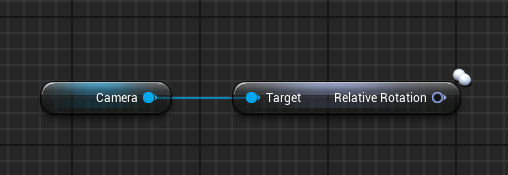
how can i get real relative rotation of component inside of the actor bp it is in? i want always 0 and not some other number if the actor itself is rotated.
autumn pulsar
verbal kayak
how can i get real relative rotation of component inside of the actor bp it is ...
most objects should have "get relative rotation"
verbal kayak
yeah not working.
autumn pulsar
 verbal kayak
yep, no.
frosty heron
autumn pulsar
If I'm wanting something that I can just "run a script" so to speak, would using...
Sounds like some use case for UObject
autumn pulsar
frosty heron
Sounds like some use case for UObject
I'm assuming that means creating it in C++?
or can I make a blueprint Uobject
frosty heron
autumn pulsar
I'm assuming that means creating it in C++?
No you can do it in bp
Just derive a bp class from object
You can create a new instance using construct object
autumn pulsar
so just construct, run script, then destruct?
frosty heron
I used them for my quests in the old project
frosty heron
autumn pulsar
so just construct, run script, then destruct?
Sure, if that's the behaviour that you are after
autumn pulsar
well, I'm using them for spells
so I just want to effectively create the object, give it some information or let it glean it itself, do what it's going to do, (spawn particles, projectiles, etc) then purge itself
frosty heron
You make me want to scream GAS
autumn pulsar
is GAS in UE4?
frosty heron
It's all already laid out for us, why re invent shitter wheel
Yeah gas is in UE 4 too
autumn pulsar
ah
autumn pulsar
frosty heron
It's all already laid out for us, why re invent shitter wheel
mostly a learning project in a way
frosty heron
Learning gas will give you insight how the pros does it.
frosty heron
When I first look into it, it's intimidating
And I keep trying to convince my self that it's not worth it
And tons of other excuese
Now that I used it.....
Everyday im thankful that it exist
autumn pulsar
is it built in or do I need a plugin?
frosty heron
Plugin is in the plugin manager
I would look at some video on how to get started with GAS
autumn pulsar
I'll also read the Epic Docs
 high iris
What could be the reason that some of my blueprint breakpoints don't seem to activate, but I can clearly tell from the state of the game that the event is still executing, confirmed by putting a print statement at the end of it.
What is the condition for BP breakpoints being ignored?
 fiery swallow
high iris
What could be the reason that some of my blueprint breakpoints don't seem to act...
fiery swallow
high iris
What could be the reason that some of my blueprint breakpoints don't seem to act...
Honestly man, a good old engine restart has always fixed the problem for me
That or a particular engine version did not work well (looking at you 5.0 - 5.2)
 ruby ivy
Is any way to set only one varible in Index I need set Id in the attachment
 fiery swallow
ruby ivy
Is any way to set only one varible in Index I need set Id in the attachment
fiery swallow
ruby ivy
Is any way to set only one varible in Index I need set Id in the attachment
set members node
in your case, set members in ST_Comblock
surreal peak
Be careful though if this is inside of a loop. The Element you get from the Loop is probably not a reference.
Might need to have a normal 0 to n-1 loop instead of a for each loop and then using GetRef on the array.
dark drum
autumn pulsar
I'll also read the Epic Docs
As an FYI, the Attributes stuff is probably the more complex part of GAS (in my opinion). Creating an attribute is simple enough but adding built in clamps and conditions can start to take some brain power. 😅
maiden wadi
dark drum
As an FYI, the Attributes stuff is probably the more complex part of GAS (in my ...
Nooo. It's super easy.
@dark drum For example. Affecting health if MaxHealth changes. There's two things happening here.
- If max health was zero, we're probably initializing, so we want to set health to max health.
- We clamp health to never go above max health.
void UHealthAttributeSet::PostAttributeChange(const FGameplayAttribute& Attribute, float OldValue, float NewValue)
{
    Super::PostAttributeChange(Attribute, OldValue, NewValue);

    if (Attribute == GetMaxHealthAttribute())
    {
        if (!FMath::IsNearlyZero(OldValue))
        {
            SetHealth(FMath::Clamp(GetHealth(), 0.0f, NewValue));
        }
        else
        {
            SetHealth(NewValue);
        }
    }
}```Yea, but then if you want to also clamp the upper bound to another attribute, and then that attribute probably needs it's own (hardcoded) bounds.
maiden wadi
By upper bound you mean max health?
dark drum
maiden wadi
By upper bound you mean max health?
In this example yea.
frosty heron
Even if there is learning curve for gas, once you get past declaring the attribute, you can reap the benefit right away.
Imo some people that says GAS is overkill without trying and knowing the benefit simply doesn't know what it does for them.
Not pointing at anyone just ranting at unpopular opinion.
maiden wadi
Sure. I do that with Caps. For most things like that I have a Current/Max/Cap.
dark drum
frosty heron
Even if there is learning curve for gas, once you get past declaring the attribu...
Yea the attributes system is very powerful. I kinda put off looking at it because I thought it would be the simple bit lol. Once setup it works very nicely.
frosty heron
dark drum
Yea the attributes system is very powerful. I kinda put off looking at it becaus...
Love the tags too
So nice to just block some abilities by specifying tags (which can be applied and removed by GE)
It's all set up for RPG imo
Makes buff, attribute and skills easy to manage
maiden wadi
My second favorite thing is that you can add abilities through GEs. My first favorite thing is that you can add GEs through GEs. 😄
dark drum
maiden wadi
My second favorite thing is that you can add abilities through GEs. My first fav...
I can second this. I use an GE to apply the relevant attack ability depending on the weapon. (well i would if I had more than one)
maiden wadi
It's a neat thing to be able to give designers all of the power to affect the game however they want. Even if you're the designer as well. I feel like a lot of programmers get too much into the control freak mode of "I don't want bugs, so I'm going to code-monkey this shit to the point NO ONE will know what's going on but me, so only I can modify it."
Then every time a designer wants to do something vaguely new. It's a week of programming time to extend the system.
tropic token
hey guys, are child actors safe to use?
I'm currently spawning my child actors in begin play, because I want them to be configured in parent blueprint props. I should be able to do the same with child actors, right? If so, where do I assign references to child actors class so I can pick them on parent actor in it's instance
dark drum
tropic token
hey guys, are child actors safe to use?
I'm currently spawning my child actor...
Depends what you're end goal is. Whats the BP that's currently spawning them?
frosty heron
I would avoid them all together tbh
tropic token
dark drum
Depends what you're end goal is. Whats the BP that's currently spawning them?
I'm not sure what kind of details I can provide. It's a room. And I have like 2 exits from the room in which I spawn actors of the class I declare per instance for room bp
 dry sleet
tropic token
hey guys, are child actors safe to use?
I'm currently spawning my child actor...
dry sleet
tropic token
hey guys, are child actors safe to use?
I'm currently spawning my child actor...
They're not great -- it seems like your current system would be better, I wouldn't replace it.
tropic token
It's working all good, but I don't see the actors in editor, would be great for designers
dark drum
tropic token
I'm not sure what kind of details I can provide. It's a room. And I have like 2 ...
So it's more for a visual in the editor?
tropic token
yea, so it's more convenient to place items around the exits, e.g.
room and exits look like this
these big doorways in the north and west
dark drum
tropic token
yea, so it's more convenient to place items around the exits, e.g.
So is it just the doors you want to visualize in the editor?
dark drum
tropic token
yep
I would probably look at using an Instance Static Mesh component. You should be able to extract the mesh used in the BP and spawn an instance of the mesh in the level where the BP would be spawned at runtime. On begin play, you can destroy the ISMC when you've spawned the BP to replace it.
tropic token
dark drum
I would probably look at using an Instance Static Mesh component. You should be ...
I can do it in construction script? Or how do I extract?
Like make CDO of BP and extract mesh field from it
I guess I can also make this Static Mesh Component hidden in game. Or it's not the same as destroying it in begin play?
dark drum
tropic token
I can do it in construction script? Or how do I extract?
Yea you can do it on construction. There's a get class default node which you might be able to use. How useful that is can depend on how the BP is setup.
tropic token
I guess it should do the trick. I will give it a try
Anyway I have objects I use to get transform from to put child actors inside the room. So I can have those instance static mesh components instead
I will give it a try. Thank you.
odd kiln
Any tutorial to make my character floating in water ? (Buoyancy) without plugin water ?
frosty heron
tropic token
It's working all good, but I don't see the actors in editor, would be great for ...
Child actor work until they don't. Something with serilization. Even epic employe said to avoid it and it was only used for a special effect and nothing more in fortnite.
odd kiln
I want my character to swim but not to dive automatically
dusky cobalt
Hey guys, would structure like this make sense? In a very simplified form. Create component with Passive Types (regenerate hp, give +10 armor, slow, speed,deal 3 damage every sec for 5sec), like PassiveComponent, put it on every unit that can receive it, and then when we want to apply it to him we just call it on the component Passive(Enum) and it switches and does something to the ''character''.
And then I'm thinking about something similiar but with ''Active Abilities'' (that spawn something, like aoe damage at location), and my only concern is if I want to have like 20 different abilities, putting everything into 1 component is ok or there is some better approach like making component for each abilitiy, and then putting it exactly on the hero/character I want it to use?
maiden wadi
Using components like that works. But it's not nearly as nice as GAS, which is essentially the identical thing, just with a better API and lighter weight.
frosty heron
Most of us that uses it probably draw the same conclusion when thinking about anything like you described.
How much pain would it takes just to make a worse wheel
dusky cobalt
I'm just thinking about if should I make each ability a separate component, or at least ''type'' of ability and feed it with data.
 ancient zephyr
We are having problems with UI and replication, when we are dealing damage through GAS we are getting no update on the health bar even though its called
dark drum
dusky cobalt
I'm just thinking about if should I make each ability a separate component, or a...
It would be better to have an ability manager that's the component and then a uobject that's you use to setup you're abilities. You can then tell the component what abilities to run by specifying the ability object. (Which it can then create and run)
And yes, this is similiar to how GAS handles it. 🙂
dusky cobalt
Passive effects probably need to be all in one component so I can call ''Bleed, Poision'' for example on each unit. The abilities either I can make each unique component for each unique ability or just component for type (aoe dmg, aoe heal, target heal, target dmg).
I don't want to hear about GAS omg 😄 it's too simple shit for GAS
spawn aoe, get overlap, apply dmg
frosty heron
Spawn aoe, overlap, apply damage. All handled in GAS with target data and gameplay effect
dark drum
dusky cobalt
Passive effects probably need to be all in one component so I can call ''Bleed, ...
For stat changes, have them as objects as well. (StatModObject) You can then have the main component spawn them and run what ever logic you setup. Whether is a one time thing or recuring effect.
dark drum
frosty heron
Spawn aoe, overlap, apply damage. All handled in GAS with target data and gamep...
Shhhh.... 🤪
dark drum
dusky cobalt
spawn aoe, get overlap, apply dmg
For this, it can be an AOE abilitiy that does a sphere trace and then applies a stat effect mod to anything it hits that has the abilities component. Using objects means you could specify multiple state modifier effects pretty easily like applying a standard damage, a fire damage (with burn) and a stun effect.
maiden wadi
ancient zephyr
We are having problems with UI and replication, when we are dealing damage throu...
Server should apply damage in the form of lowering health. Client should have a delegate to listen to for when health is changed, or tick the UI to update by pulling it from it's associated component.
If this isn't working, then either you didn't replicate Health in it's attribute set, you aren't ticking the UI or it's delegate isn't used correctly, you've given the UI on the client the wrong attribute component somehow, or you have accidentally created two healthbars and only the one behind the other is updating for whatever reason.
dark drum
But in summary, if you think you need to use different components, it's usually better to have one component that handles running many different objects with their own unique behaviors.
maiden wadi
dusky cobalt
I don't want to hear about GAS omg 😄 it's too simple shit for GAS
I'm curious why you feel like this? GAS isn't some huge monster. It's just attributes, abilities, cues, and effects. It's literally what you described in your component setup.
frosty heron
Also saying simple shit but also at the same time wanting to do passive skill, aoe target. Attribute manipulation, etc...
Maybe you should take what others that have used it at face value
dusky cobalt
maiden wadi
I'm curious why you feel like this? GAS isn't some huge monster. It's just attri...
Feels like its easier to get lost in something you dont know how someone did. It's easier to debug etc if you create something yourself
 mental trellis
maiden wadi
I'm curious why you feel like this? GAS isn't some huge monster. It's just attri...
mental trellis
maiden wadi
I'm curious why you feel like this? GAS isn't some huge monster. It's just attri...
We're kind of rewriting gas from scratch because it doesn't meet our needs. It's fun.
dusky cobalt
frosty heron
Also saying simple shit but also at the same time wanting to do passive skill, a...
I mean how complicated is spawning some sphere trace and target location and Apply Damage on all actors around.. xd
maiden wadi
It is, of course. And if you're looking for the experience of creating your own system, then do. If you're looking to simply set up a good working system then GAS has already done it for you and you just need to learn it, just like you're learning Unreal as a whole.
frosty heron
dusky cobalt
I mean how complicated is spawning some sphere trace and target location and App...
How great would it be when your ability can have generic targeting construct and objects that manipulate attribute and "special effectd"
dusky cobalt
maiden wadi
It is, of course. And if you're looking for the experience of creating your own ...
I'll take time and read about GAS but I will probably go still with trying to create my own simple system.
frosty heron
I mean you are just saying that because you have not used it. Just saying
dark drum
dusky cobalt
Feels like its easier to get lost in something you dont know how someone did. It...
I know what you mean. Either way, its work studing as it can give you ideas on how you can handle it yourself.
I learned the core concept used in GAS over a year ago and even just understand that helped me better structure my own systems for scalablity.
maiden wadi
mental trellis
We're kind of rewriting gas from scratch because it doesn't meet our needs. It's...
What needs, out of curiosity?
dusky cobalt
dark drum
I know what you mean. Either way, its work studing as it can give you ideas on h...
Yeah, makes sense to use it as example of good system architecture
mental trellis
maiden wadi
What needs, out of curiosity?
There were serious issues with networking and a lack of continuous stuff. It's all discrete and we didn't like that very much.
And the general convoluted nature of it all.
maiden wadi
Need to have all your stuff in one monolithic file so that stuff can reference everything? 😂
mental trellis
Not at all. Actually, anyone we bring on to the project always says we have the most tidy / well organised game codebase they've ever seen. 😂
frosty heron
Professionals are different
maiden wadi
mental trellis
And the general convoluted nature of it all.
I'm curious what convoluted here means then?
mental trellis
It's got a lot of stuff that just isn't necessary for the type of game we're making.
maiden wadi
Which is probably fine. But then for 95% of games it works just fine. I just wish people would stop telling new people that it's some giant monster that does so much insane stuff that it scares them away from it. Because not everyone has a few hundred thousand dollars laying around to keep a dedicated engineer on an in house ability system over the course of a project that will constantly need bug fixes and extensions.
frosty heron
95% of happy customers too
dusky cobalt
Question to you guys. Imagine if you were to implement simple AOE damage with 500 radius at target location, with effect poision overtime. How long would it take to setup it in GAS? Like you are already past the initial implementation, now you want to add ''new'' spell. How long it takes you to implement it?
maiden wadi
Your ability would just do an AoE grab of whatever it needs to poison and apply a GE to it. The GE is set for a duration to lower health by n every n seconds. Trigger ability, done.
dark drum
dusky cobalt
Question to you guys. Imagine if you were to implement simple AOE damage with 50...
Probs about 5mins. Gameplay ability that does a sphere trace, apply Gameplay effect to all hit targets.
dusky cobalt
thanks, ngl it sounds much better and practical than ''just use GAS it has everything'', but yeah you gotta learn the architecture first and it's gonna take some time
maiden wadi
GAS is insanely simple if you just break it down into the four parts.
Abilities do things, they apply effects, they spawn helper actors, they are the things that affect things.
Effects are definitions of how things can be affected. They are "buffs" or "status effects" in a sense. They can affect Attributes, they can apply other effects, they can grant abilities, etc.
Attributes are just tagged floats. Health, MaxHealth, CritRating, Armor, etc.
Cues are visuals and audio. They play sounds, spawn particles.
dusky cobalt
probably the easiest way would be to see good example how someone set it up, and then he shows you ''we add abilities like this, look if you want this and this you just go there, add this and here it go'' and then you can study the ''details''
feels like starting from the ''back'' would be much better with learning this system than with studying the theory, not saying it should be easy
maiden wadi
I would recommend opening Lyra, honestly, and checking out both their weapon firing GA and their grenade GA. They're both okay starter examples if you can break them down and remake both into simpler abilities for yourself.
prime stump
Hi, how much of a bitch is it for me to compare 2 strings together so I can sort them in alphabetical order? I want to be able to click on the 'Server Name' heading of my server browser and have it sort the sessions alphabetically and in asc/desc orders.. already got it setup for number of player by doing this but cant do that with strings and sadly don't have the compare function in bps
 surreal peak
Sorting in Blueprints is generally a shit show haha
Fwiw, there is a SortStringArray node, but that won't really help given you have an array of session results.
maiden wadi
I swear there used to be a BP > for strings? Is that not exposed to the 5.0+ nodes?
surreal peak
No clue, I think it's valid to suggest some free plugin with utility nodes for that stuff
 prime stump
surreal peak
Fwiw, there is a SortStringArray node, but that won't really help given you have...
prime stump
surreal peak
Fwiw, there is a SortStringArray node, but that won't really help given you have...
I suppose i could loop over the session results and add the server names into an array but weirdly i cant find that SortStringArray node even with context off lmao
mental trellis
maiden wadi
Which is probably fine. But then for 95% of games it works just fine. I just wis...
We're a volunteer project and we have 2 inhouse dedicated volunteers working on it 😄
prime stump
frosty heron
iirc rama have plugins to sort arrays
Will have a look at this 🙂
maiden wadi
mental trellis
We're a volunteer project and we have 2 inhouse dedicated volunteers working on ...
Lol, well that solves the money part. 😂
 proud bridge
why does setting a volume multiplier of an audio component in BP to 0.0 stops the song? if i change it back to >0.0, the song doesn't play/remains muted
mental trellis
We had an issue with that and metasound, I think. There was some option we had to change in the MS to stop it stopping when volume was set to 0.
proud bridge
not using metasound, plain old audio component
dark drum
proud bridge
why does setting a volume multiplier of an audio component in BP to 0.0 stops th...
Set it to 0.001 instead of 0.
frosty heron
proud bridge
why does setting a volume multiplier of an audio component in BP to 0.0 stops th...
iirc that's much to do with the sound it self not the audio component
there is a bool from memory u can tick to not stop the audio when the volume is set to 0
checking a sound asset
frosty heron

set it to play when silent
that will stop the sound resetting when faded to 0
so I lied, it's not a bool but enum
proud bridge
so i have to do this for every required sound cue?
frosty heron
or just have a base sound cue with the setting set to what ever your heart desire
but if you are talking about the current assets that you already have then the answer is probably yes
can always do editor utilities if you need to do a batch modify
frosty heron
don't we all
decade into unreal and I still think I know nothing
btw I came accross that problem when changing the volume of my main menu
kept wondering why the sound got reset
proud bridge
frosty heron
btw I came accross that problem when changing the volume of my main menu
now I know too ❤️
prime stump
frosty heron
https://d3kjluh73b9h9o.cloudfront.net/original/3X/2/b/2b6c7bf8b6093b45a4898332d1...
pretty useful little plugin 😀 using that Sort String Array node, putting in an unsorted array spits out an alphabetically sorted array which is good coz that'll give me the server names in ascending order, but any ideas how I would go about reversing that to give me the array in descending order too?
frosty heron
prime stump
pretty useful little plugin 😀 using that Sort String Array node, putting in an...
just sorting the array isn't useful I suppose, you need to grab the index too to make it meaningful as far as I can see
if you have both of them, then you can sort then dump them into new array. Then show from 0 to the end element for ascending order
and last to beginning for descending order
you might have to write your own sorting implementation 🤷♂️ , because you want to take in array and an out array.
if no one else have idea then I would suggest looking at bubble sort for a place to start.
prime stump
frosty heron
if no one else have idea then I would suggest looking at bubble sort for a place...
Bubble sort is what I'm doing here I think right? I just don't know how to amend it to compare strings instead of player count
 prime stump
That is player count and ping at the moment, haven't been able to do session names yet cause their strings
frosty heron
maybe check if the character code is written in ordered manner
not sure at this point tbh
but you can always research on what to look at
if you have access to IDE and C++ you can just open the plugin and see how it's done
and make a new function library that takes in session
 snow halo
is it recommended to use function libraries for common functions inside of many widget blueprints?
it's very repeatable and I wanna make my functions more scaleable
realistically i can control all from one central widget right?
too bad that in Unreal Engine 5.4 you can't create child widgets
idk about any other versions tho
bad design

 merry mirage
snow halo
in Unreal Engine 5.4 you can't create child widgets
merry mirage
snow halo
in Unreal Engine 5.4 you can't create child widgets
Depends what you mean with child widget, but you can definitely child logic, you can also kind of child layouts if you are using named slots
snow halo
merry mirage
Depends what you mean with child widget, but you can definitely child logic, you...
you can also kind of child layouts if you are using named

I mean I can copy paste functions from one place to the other
but i have a lot of widgets
And the way I was doing it before I'd have to change so many macros and collapsed graphs, and I realized that isn't gonna work very modularly
so what I decided to do is, hey maybe with functions I can actually send them from one place to the other via a central UI which will act kinda like the central airport traffic control to control all the other changes in other widgets
is that the kind of childing you mean?
merry mirage
I am talking children as how you would normally child non-UMG classes, if you have ALL your functions in a monolithic parent class you could pass them all down using inheritence..although I think that would be a very tightly-knit and messy system. If you find yourself reusing functions in a lot of separate widgets I would rather look into having a function library with those functions. Or if your widgets are related then maybe inheritence is the way to go for your use case
merry mirage
snow halo
> you can also kind of child layouts if you are using named

How do I get started with using the Named Slot Widget in UMG in Unreal Engine 4 Blueprints?
Source Files: https://github.com/MWadstein/wtf-hdi-files
snow halo
merry mirage
I am talking children as how you would normally child non-UMG classes, if you ha...
but how can I use inheritance if widget blueprints can be parents & childs
I can right click on actor blueprint for example and make child
maiden wadi
You can put logic in the parents. But not a widget layout.
dusky cobalt
Is this node in UObject legit for spawning actors? for singleplayer, don't care about multiplayer at all
 merry mirage
Yeah?
dusky cobalt
Ok
maiden wadi
What do you mean "In UObject"?
dusky cobalt
I mean in blueprint type of Object
prime stump
maiden wadi
I swear there used to be a BP > for strings? Is that not exposed to the 5.0+ nod...
Doesn't seem to be exposed but found this.. https://forums.unrealengine.com/t/striig-compare-noode/43986/8 no idea if it checks out tho lol

Epic Developer Community Forums
For example: CompareStrings.h #pragma once #include "Kismet/BlueprintFunctionLibrary.h" #include "CompareStrings.generated.h" UCLASS() class PROJECTNAME_API UCompareStrings : public UBlueprintFunctionLibrary { GENERATED_BODY() public: UFUNCTION(BlueprintPure, meta = (DisplayName = "String > String", CompactNodeTitle = ">", Keywords...
merry mirage
maiden wadi
You can put logic in the parents. But not a widget layout.
You can sort of inherit layout using named slots, but generally yes!
surreal peak

Fab.com
Preview: youtube.com/watch?v=pq673JapMG4The Extended Standard Library plugin provides you with blueprints that add a lot of functionality and improvements to the blueprint scripting language.The most important feature of this plugin is that this plugin has also been designed to be used in conjunction with a server programmed in Java, like an acc...
Iirc, that plugin has a more generic sort node.
void ULowEntryExtendedStandardLibrary::SortStructArrayDirectly(UPARAM(ref) TArray<FInstancedStruct>& StructArray, FDelegateULowEntryExtendedStandardLibraryCompareStructs Comparator, const bool Reversed)
{
    if (!Reversed)
    {
        StructArray.Sort([Comparator](const FInstancedStruct& A, const FInstancedStruct& B)
        {
            bool Result = false;
            Comparator.Execute(A, B, Result);
            return Result;
        });
    }
    else
    {
        StructArray.Sort([Comparator](const FInstancedStruct& A, const FInstancedStruct& B)
        {
            bool Result = false;
            Comparator.Execute(A, B, Result);
            return !Result;
        });
    }
}
As far as I can see, you'd parse your SessionResult into an Array of FInstancedStruct (available in BPs).
And then feed that into that node (function). It has an additional pin where you can connect a callback to (Comparator), which then allows you to grab the SessionResult from the InstancedStruct again and compare.
frosty heron
prime stump
That is player count and ping at the moment, haven't been able to do session nam...
btw if you are not doing dedicated, ping shouldn't work outside of Lan
prime stump
frosty heron
btw if you are not doing dedicated, ping shouldn't work outside of Lan
No it doesnt lol
surreal peak
The same Plugin also comes with String Comparison Nodes
prime stump
surreal peak
And then feed that into that node (function). It has an additional pin where you...
Interesting! Will give this a look as well
prime stump
frosty heron
btw if you are not doing dedicated, ping shouldn't work outside of Lan
Pings never worked, i do wonder how you actually do get the correct pings tho
surreal peak
On Steam?
surreal peak
If you use the old NetDriver, they spit out 9999
prime stump
Thats exactly what i get lol
surreal peak
If you want them to show correctly you'd need to use the newer one
frosty heron
will that work with steam advanced session?
surreal peak
SteamNetDriver is the old one iirc.
SteamSocketDriver or so is the new one
Wouldn't know why not.
maiden wadi
Yeah
prime stump
Ahhh interesting! I am using advanced sessions and just using the 'Get Ping in MS' node but just get 9999 back atm
surreal peak
SteamSocketsNetDriver seems to be the name
prime stump
So all i need to do is update that in the ini file?
maiden wadi
Steam advanced session is nothing but a wrapper mostly. A kind of bad one since it's so platform specific but 🤷♂️
odd kiln
When I'm in "Flying" movement mode, can I prevent my Character to go up when I walk against a slope ?
surreal peak
odd kiln
When I'm in "Flying" movement mode, can I prevent my Character to go up when I w...
Hm, good question.
odd kiln
Or I need to use a trace ?
prime stump
surreal peak
In theory, yes
Awesome, gonna try this as well see if i can finally fix ping lol
surreal peak
odd kiln
Or I need to use a trace ?
I don't see anything in the CMC specifically allowing you to disable this behavior for flying.
odd kiln
I guess I will use a Capsule Trace in the size of my Capsule Component ?
surreal peak
You could, pretty expensive of course.
CMC will try to StepUp when it hits something, and if it can't it will try to slide.
I don't see any overrides to disable that.
odd kiln
I know but I don't know how to stop this
I tried the "walkable angle floor" but not working in flying mode
surreal peak
Unless you know C++ and want to subclass the CMC, tracing might be your only option.
You can try around with the Slop Angle values in the CMC maybe
WalkableAngle Floor stuff doesn't really apply to flying.
That's used to figure out if the floor you stand on is walkable or not.
odd kiln
Or maybe in Event Tick I set the Z location of my actor to always be the same ? So it won't go up when I collide an object ?
 mental panther
dusky cobalt
Is this node in UObject legit for spawning actors? for singleplayer, don't care ...
mental panther
dusky cobalt
Is this node in UObject legit for spawning actors? for singleplayer, don't care ...
How did you make your node look like that? It looks nice
surreal peak
odd kiln
Or maybe in Event Tick I set the Z location of my actor to always be the same ? ...
If you want to stay in the same XY plane, you can try the Constraint settings i nthe CMC.
That might help you then.
odd kiln
surreal peak
If you want to stay in the same XY plane, you can try the Constraint settings i ...
But I need to be able to go up and down when I want etc..
I guess the best is a line trace to check if I'm against a wall so it stops movement ?
 hazy ether
i have this train, it slides on the white cylinders, and the red spheres make it follow the tracks, howerver,i need a way to lock the roll but allow pitch and yaw motion.
So it wont roll of the tracks but can still go up and down hills.

Bearing in mind its going around corners so the built in constraints dont work.
 gloomy hawk
Good afternoon everyone (reposting from the materials channel), does anyone know how to solve this little issue? I setup a material with controls using a vector parameter instead of individual scalar parameters. but now Im trying to acces those in a blueprint. when setting it up I noticed the Set Vector Parameter Value on Materials only takes in a float 3 , is there a way to make my float 4 value work in blueprint?
In the screenshot above I have setup some "global control" parameters. but the final Global Control Max is not doing anything right now because "set vector" node only takes in a F3 value
should I just rip it apart and make it all scalars in the Material?

 dark drum
gloomy hawk
Good afternoon everyone (reposting from the materials channel), does anyone know...
dark drum
gloomy hawk
Good afternoon everyone (reposting from the materials channel), does anyone know...
Separate them. Either at float 3 and a float or 4 floats. I feel like updating value should be it's own seperate thing anyway instead of being bundled with other vars.
tawny egret
spice viper
https://dev.epicgames.com/community/learning/courses/3ke/your-first-hour-in-unre...
Sweet thanks, will do this tonight
gloomy hawk
dark drum
Separate them. Either at float 3 and a float or 4 floats. I feel like updating v...
hmm I currently changed it by using dynamic material instances and they do support float 4 values. I dont really understand why a normal set vector on material only goes for F3 values and dynamic vectors do support F4 values?
 gloomy hawk
dark drum
Separate them. Either at float 3 and a float or 4 floats. I feel like updating v...
gloomy hawk
dark drum
Separate them. Either at float 3 and a float or 4 floats. I feel like updating v...
the reason why its bundled is because it makes it a lot easier to categorize big materials.
maiden wadi
gloomy hawk
hmm I currently changed it by using dynamic material instances and they do suppo...
Someone just didn't make a function for it. Those functions gets or creates a dynamic material for every material on the mesh. Those are just helpers for mesh components.
Realistically, it's more common to get and affect the dynamic material you specifically want to alter though, or use custom primitive data for the entire mesh.
hazy ether
hazy ether
i have this train, it slides on the white cylinders, and the red spheres make it...
Will it help if I switch to using a pawn for the train in the project?
vague moth
For anyone experienced with common UI:
Is there a way to map events to the inputs from the InputActionDataTable directly?
You can create a button and then assign an action mapping to it which was created in the IADT, but you can't do it directly in the event graph.
My current solution is to have events mapped to buttons which are outside of the Widgets view,
but I feel this is a bit silly and I feel theres a better way to go about this
gloomy hawk
maiden wadi
Someone just didn't make a function for it. Those functions gets or creates a dy...
I see, cool, thansk for the info!
odd kiln
Anyone has issues with climbing mechanic with complex collisions ?
amber marlin
Can anyone help me trouble shoot this issue I'm having?
I'm trying to get my movement to gradually increase and cap at 150(Using clamp) but the movement keeps resetting at random intervals

 bleak quest
Are there any general tips or tricks to improve fps?
 copper chasm
I have a menu that pops up when I right click - in PIE sessions it does not pop up next to the mouse, and in standalone tests it pops up closer, but not really consistently - what should I be looking for to make this work? ☹️
maiden wadi
copper chasm
I have a menu that pops up when I right click - in PIE sessions it does not pop ...
Sounds like your screen locations are off based on where you've told the menu to show up.
 hollow tendon
Hi, I have terrible performance due to widgets. fps drops from 60 to 45. i want to optmize widgets. the issue is, unlike blueprints actors, we can not disable widgets tick. blueprint i cant disable tick and save performance, the widget will ALWAYS TICK AND REDRAW THE ENTIRE thing each frame.
i used the invaldaition box but it has effecitvely zero impact, did i do something wrong or the cache box is bugged in the engine and does not do its thing?

@surreal peak scam above
Thanks Cedrick
 thin panther
your biggest issue with widgets is going to be things that increase slate passes afaik.
are you using tons of canvas panels and such?
maiden wadi
hollow tendon
<@94211915902889984> scam above
You can report messages through Quinn.
 hollow tendon
wow cup guy! i miss you man, been few days since i saw u! How are you?
thin panther
pretty good thanks, you?
hollow tendon
I am doing decent i think, just stressed from working, i cant believe i am so extremely close for release, i released closed beta for freinds and it went extremlly well, the only issue is widgets performance 😢
hollow tendon
thin panther
your biggest issue with widgets is going to be things that increase slate passes...
i dont understand, i have only 1-2 canvas on screen a time, no more
but i have many scale boxes so it scales correctly on all devices
thin panther
https://benui.ca/unreal/ui-performance/
give this a lil read
 hollow tendon
ofc! thanks a lot, i will read this right away
i found this using the stat slate

oof
that link u sent made me sad man
box i have been thro all of these, i dont have complex stuff going on in the widgets, in fact there is some basic code that happens onlyy once ( changes texture of an image ) and that is it, nothing else
yet the fps drops from 60 to 45 all the time
maiden wadi
Are you able to show the UI here?
hollow tendon
sure!
thanks authaer for help and coopeartion

Here is it! 🙏
Any issue with it?


😿
This is a high end device, on low end devices the performance will be disastrous and i can not ship the game
never i imagined the game will struggle with UI rather than the actual 3D scenes
maiden wadi
This is fine if this is an editor trace.
This widget isn't going to be even remotely a performance concern judging by it's layout.
hollow tendon
on the device
hollow tendon
maiden wadi
This widget isn't going to be even remotely a performance concern judging by it'...
yes! say more of this, give me hope
maiden wadi
The only things you usually have to care a lot about in UI are things that display a lot of. Huge lists like inventory, or shops. Maps with lots of elements. Buff displays that get a lot of entries. Too many damage display indicators at once. That sort of thing.
 thin panther
whenever you have performance concerns, always profile in the package. the editor adds a lot of extra overhead
hollow tendon
thin panther
whenever you have performance concerns, always profile in the package. the edito...
Hi, Thanks for the feedback!
sadly i already make all of my tests in the actual physical mobile phone
not the pc, as their spec are vastly diff, i dont see any benefit to test on pc
( expect for the stat slate test i made abovem that command does not work on mobile )
😢
the issue is 100% a cpu related issue ig, because even if i set r.screenpercentage to 5
it stills drops the performance badly
So at least, we have narrowed it down
thin panther
I can't see any reason why that would cause such a drop on mobile. You say that trace was from the package, not the editor?
hollow tendon
Yes sir
I genuinely appreciate your efforts to help me guys, it is a humanitarian gesture from you.
I guess I will create a MUCH simpler GUI and ship with that, The good thing is that i dont need big GUIS, i just want to toggle the audio on and off and pause/restart.
:)))))
dark drum
hollow tendon
So at least, we have narrowed it down
'stat ui' command will show how much time is spent drawing UI, does that work on mobile?
 hollow tendon
Hi pattym! i will check that right away!
0.30ms max
avg 0.15ms but i think this stat is bugged? even if i show more than 1 widget
it stills says 1 counter
yeah. the stats are the same even if show no widgets on screen
dark drum
hollow tendon
avg 0.15ms but i think this stat is bugged? even if i show more than 1 widget
What about 'stat slate'? it normally shows the total tick time at the top.
 hollow tendon
it works on a diff phone
ill see the tick rn
dam, this state slate command alone
tanked my fps from 65 to 43
💀
wild
ok so the slate tick increase by 1ms when i show the widget
No widgets shown Tick time is 0.54ms
When i show Pause widget Tick time becomes 1.25ms
When i show Won widget tick time becomes 2.26ms
 final heath
hey so question, my game has a lot of levels that the player routinely transitions in between and some of them have different music tracks, is there some way to add a music track variable to the level files themselves so i can easily change the song the game instance is playing if it isn't the same as the song that's currently playing? (this way the song keeps playing across level transitions)
like obviously i can add one to the level blueprints but that isn't exactly scalable/standardized
dark drum
final heath
hey so question, my game has a lot of levels that the player routinely transitio...
Are you using level streaming? or is it a straight up loading and transitioning to a new level?
hollow tendon
thats around 15% drop in performance or more
final heath
dark drum
Are you using level streaming? or is it a straight up loading and transitioning ...
the latter
 hard hedge
Heyo guys im wondering if anyone would be able to help me with an issue of mine:
I have two actors that I'm attempting to get to collide. It was working a few days ago but I had to rework how I implemented gravity in order to accommodate for acceleration and accidentally messed with the collision settings and now collision isn't working anymore. I've added a google drive link to a folder that has a video of the issue, and pictures of the corresponding actors collider and mesh physics and collision settings. To explain how the movement works, within the tick function the actor's location is changed using set actor transform (for the actor) and set world transform (for the collider/mesh on the actor bc that wont move with simulate physics on) they both have the sweep bool set to true so I don't think that would be the issue. If anyone could let me know what the problem is with the collision I would much appreciate it!
https://drive.google.com/drive/folders/14aF2HSaCIPI7xpy3kqvz_3HBWvXmZOSk?usp=sharing
No longer need this issue solved I fixed it!
dark drum
final heath
the latter
You could have a map var with the level names and the music track. When level transition has finished, you can get the current level name and see if there's an entry in the map var.
dusky cobalt
final heath
the latter
Add Level Manager Actor and make it Play Music, in Game Instancehave array of songs to play, get song from Array from GameInstance based on number/namelevel what ever and play it in Level Manager
If level 1 = play array [1] song
final heath
dark drum
You could have a map var with the level names and the music track. When level tr...
This might work
snow halo
is there a way to handle object animations more modularly if we have a lot of widget objects to be animated pretty much the same way in unreal or you have to make the same thing over and over again?
and then if you need to make a slight change you need to go over a thousand objects and change their animation via the timeline?
one at a time
dark drum
hollow tendon
No widgets shown Tick time is **0.54ms**
When i show Pause widget Tick time beco...
is there any addition info for what's causing the increase the the slate debug info?
copper chasm
maiden wadi
Sounds like your screen locations are off based on where you've told the menu to...
Would that matter between PIE and standalone testing?
hollow tendon
dark drum
is there any addition info for what's causing the increase the the slate debug i...
yeah, basically i have 2 widgets
first 0.54 is when i have no widget shown
when it becomes 1.25ms it means i added the pause widget
when it becoms 2.25+ it means i added the won widget
i assume since Epic has forbiden us from controlling to disable tick on widgets like we do with actors, i assume the increase in ms is just merely from stacking widgets
my current plan is to drink coffee and find what causing the issue at 4am when i wake up from sleep! i must sleep now, my brain overheated from not finding a soultion so far for this mystreious bug!
you can ping me anytime if u find any poteintal tips that could fix my issue that is preventing me from publiashing my game which is basically almost finished
gn ladies and gentlemen
maiden wadi
copper chasm
Would that matter between PIE and standalone testing?
Probably. Generally your PIE windows is in a different spot, or a different size than a standalone window, specailly if you fullscreen one or the other.
dark drum
hollow tendon
Just seen you're image of the pause menu. I think you could possibly structure it a little better which might help. All those scale boxes make me uncomfortable. You can try something like this.

 marble badger
Does anyone know what this node is?
 dark drum
marble badger
Does anyone know what this node is?
dark drum
marble badger
Does anyone know what this node is?
dot
haughty axle
hello, have question. i have grid array and its centered, how can i rearrange that the first element start from center?
but not from the corner
 marble badger
dark drum
dot
marble badger
dark drum
dot
thanks
copper chasm
maiden wadi
Probably. Generally your PIE windows is in a different spot, or a different size...
So I should make sure it looks right in standalone as a priority, and then just deal with it in PIE?
dark drum
hollow tendon
my current plan is to drink coffee and find what causing the issue at 4am when i...
Also, in the project settings you can locate the property binding rule and set to prevent and error.
These binding can be pretty heavy as they run on tick and normally there tends to be better options. The prevent and error option will prevent you from making any new ones and cause the BP's to error until you fix them.
 maiden wadi
copper chasm
So I should make sure it looks right in standalone as a priority, and then just ...
maiden wadi
copper chasm
So I should make sure it looks right in standalone as a priority, and then just ...
There is projection code to make it correct in both. Traditionally you would get the mouse position on platform, and you can use the parent you put the menu in's tick space geometry to conver AbsoluteToLocal and use that local space to place the menu in it's parent.
 pearl rose
Hey, may I ask if someone as a clue why the function Copy File (from the plugin file utils) doesn't success even if the file exist and the directory exist?
copper chasm
maiden wadi
There is projection code to make it correct in both. Traditionally you would get...
Will look into it, thanks
No clue why I started with UI, I just want to play the damn game
 river arch
Hopefully a noob question: I am building a utility widget that adds some quick screenshot buttons at my fingertips. Ive added a text field for custom name output, but It seems the 'take high res screenshot' node in blueprint will just keep overwriting the old image. is there a way to force it to append like "_1", "_2", etc?

I tried adding another variable that is like 'current file number' and gets iterated by 1 every time the screenshot button is pressed, but the downside of that is that it resets to 0 if the widget is closed then reopened
 dreamy mountain
Anyone know how to prompt a user to input a file? I'm trying to make an arcade which uses Libretro to play NES, SNES, Game Boy and Arcade games, but I need them to provide the ROM files
I then need to save it to a folder permanently
pearl rose
river arch
I tried adding another variable that is like 'current file number' and gets iter...
You could find the number of file inside the folder
pearl rose
river arch
Hopefully a noob question: I am building a utility widget that adds some quick s...
or save the value (wherever please you the more)
river arch
pearl rose
You could find the number of file inside the folder
I didnt know this is possible! how would i go about doing that?
pearl rose
dreamy mountain
Anyone know how to prompt a user to input a file? I'm trying to make an arcade w...
You can let player open the file explorer using this free plugin: https://www.fab.com/listings/110756d7-85db-417f-9dd0-0ffc57363466
pearl rose
river arch
I didnt know this is possible! how would i go about doing that?
To find the number of file inside a folder you can use the file utils (which is a default plugins that is disable by default in Unreal) or you can store a value by writing in a txt file or saving it through a save file
river arch
pearl rose
To find the number of file inside a folder you can use the file utils (which is ...
Is there no way to just make sure unreal doesnt overwrite any files and does whatever it needs to to write a unique file name? I am going to distribute this tool to two colleagues and I feel like needing to have the blueprint check the destination folder first might get complicated because its going to be used on multiple machines
pearl rose
What do you mean?
Why would unreal overwrite files?
ha sorry, was confused, you mean in your case
Well, if it has the same name, it will overide, this is how it work, the only way is to protect the file, but then that mean it can't be replaced
river arch
sorry sorry, so i mean like with my little widget here, i added a text field for a custom name for the screenshot. if i put the word "Image" in the field and hit my capture button, UE just keeps re writing a file called Image.png. I want it to automatically do something like Image1 image2, etc
kind of like how the default screenshot tool never overwrites files
it just keeps going HighresScreenshot0001, etc etc
even if multiple people use the same project file, the image numbers just keep going up
pearl rose
yeah this is what I told you, you need to keep track of it somehow or make a small logic like: check if file exist, if it does, than increment the number inside your name convention and use that new one 🙂
river arch
gotcha gotcha, and the only way to do that thru blueprint is to use the file utils plugin?
pearl rose
too figure if a file exist or not I believe the function File exist is native to Unreal
 pearl rose
one other easy way would be to use a UID

"Should" always be unique
I use it that kind of technique for my currents games and have not had conflict 😄
river arch
sorry one more question - in this situation, my two colleagues and I share projects on Onedrive. So at different times, we all might access the same project folder. do you know if there is a way to write a file path that is only relative to the uproject itself? (ie, my screenshots folder is something like JOE/Project/Saved/Screenshots, whereas my colleague's is like TOM/Project/Saved/Screenshots. Is there way to specify a filepath that is relative only to the project level?
river arch
pearl rose
Oh i will look into this, thank you!
pearl rose
river arch
sorry one more question - in this situation, my two colleagues and I share proj...
Outside your question, I highly recommand source control (git is your best starting point, I can explain you why if you want to know more)
Technically you only need the node "Project Content directory" and than you can aim at the project easily
river arch
haha, yes we 1000000% need git
but adopting things like that at my employer take a looong time
and for now we're using Onedrive 🙃
river arch
pearl rose
Outside your question, I highly recommand source control (git is your best start...
thanks so much for the help, youve completely solved my problem
dreamy mountain
pearl rose
You can let player open the file explorer using this free plugin: https://www.fa...
does this let me save a copy to the projects folder?
pearl rose
To copy a file you will need another plugin (either a paid one or the File Utils which is integrated but disable from Unreal by default)
dreamy mountain
theres a files plugin built into ue5?

 muted halo
Does anyone know how I can remove the /string from sending osc messages? Im really just looking for a way to send string data to a network address and port but its screwing up the result on the other side:
The second image is the output in a terminal, (Success! is the test string), everything else I dont want to receieve but I cant get this OSC stuff to work without providing some value in that ciricled box

 dreamy mountain
im trying to make an interact event, whats wrong with this? it shows the can interact string but not the can not interact one


the allow and disable interact events are on the arcademachine bp, and the other two are on the player bp
 full fjord
What's the blueprint prompt to call a custom event? I've done it in the past (railing collapse) is a custom event, but for the life of me I can't figure out what I need to search in the editor to call a custom event lol "call function" or "call event" don't work
Edit: Figured it out, you have to have the Actor blueprint in the level and selected, then you call it as a reference, and from there you can just type the name of the custom event stored in that actor blueprint
 dusky cobalt
dreamy mountain
im trying to make an interact event, whats wrong with this? it shows the `can in...
dusky cobalt
dreamy mountain
im trying to make an interact event, whats wrong with this? it shows the `can in...
I dont see whole code but probably your Check For Machine is not called at all in case when Arcade Machine is not on interact line? So this only fires when you line trace the object you want to interact, and it not fires this event when there is not anything.
 dusky cobalt
and if you debug it it always works as the object is valid and cast is valid?
dreamy mountain
i dont think its setting the machine variable properly
dusky cobalt
click right on cast node and add breakpoint
run game and show values
stop interacting and show values again
click F10 to go trough nodes
dreamy mountain


it just isnt setting machine, does it need to be a global variable instead of local maybes?
making it global fixed it
dusky cobalt
more weird thing is that you are setting Machine somewhere else?
because in these you are not setting it null
btw enablind and disabling interact doesnt make sense
line trace > interact
more straight forward
you dont need to make it no, it's obviously should not work when there is no line trace
also you are linetracing on tick so it means that when you are in another level without this machine already its still gonna try to Cast Failed and try to disable it even when its not in context
dreamy mountain
i only have the one level
im making an arcade
you walk around and interact with multiple machines
you press e to interact, it lets you play libretro games
so here i have panel de pon for the snes running

it just has no input yet because thats what im trying to make the interact do
basically possess the arcade machine, change the camera view and allow input to the game rather than the player character
currently, it does neither of them things lol
dusky cobalt
well if you have any specific questions go ahead then
odd kiln
I'm using "Add Movement Input" for Climbing but I have a Root Motion animation for this
But my Animation is not using the "Root Motion", it's only using the "Add Movement Input" node
I thought that if I have a Root Motion animation it would be the priority over the "Add Movement Input" node
Do I have to remove the "Add Movement Input" node ?
dreamy mountain
dusky cobalt
well if you have any specific questions go ahead then
ok, so these two events fully fire all the way to the end, but i cant trigger any other events, they just dont work, this event here doesnt trigger the print statement, so doesnt change the controls at all


 dusky cobalt
where are you adding enhanced input context mapping for that IA_Interact?
you need to Add Context Mapping
 warped juniper
How can I access a specific actor's Event Dispatcher call fromm the Level Blueprint graph?
Only the newest actor appears for me
Basically this is the issue. For whatever reason the Add Event only lets me add the latest actor added. The upper event works fine, just cannot find a way to add it if I delete it... This might be an issue for larger levels
 dreamy mountain
dusky cobalt
where are you adding enhanced input context mapping for that IA_Interact?
dreamy mountain
dusky cobalt
where are you adding enhanced input context mapping for that IA_Interact?
its in the movement mapping context

 autumn shell
Hey everyone! I'm busy with some procedural generation. Currently I'm spawning actors as 'rooms', but would love to use dynamic level instances
This is a good reference: https://www.quodsoler.com/blog/using-dynamic-level-instances-to-create-procedural-levels-in-unreal-engine-5
I mostly got it working, but after loading the level, I need to grab actors that are placed within loaded level (I want to entirely avoid GetAllActors, otherwise things get messy real quick)
Does someone know a solution to grab the loaded level's actors?
 sand spoke
By the way is changing from string to int a very fast function that there is no problem running that multiple times per frame?
 kind estuary
Cant find the TInterp To Constant. Only the TInterp To:
Anyone?

 rugged sonnet
Is there a break option (point1 in image) so I don't have to connect all those values I'm not using since I only need the image? I can get only the image with break but I don't have break in Point1 do I?

 meager spade
rugged sonnet
Is there a break option (point1 in image) so I don't have to connect all those v...
meager spade
rugged sonnet
Is there a break option (point1 in image) so I don't have to connect all those v...
Depends on if the variable is BP read only, you can use a node called something like Set Members in when you only need to set a few values
 hardy merlin
I spent five hours wasting time on this so I'm telling everyone as a warning: A montage will be considered root motion locked if ANY sequence has the root motion flag, not just the current sequence.
rugged sonnet
meager spade
Depends on if the variable is BP read only, you can use a node called something ...
Thanks, I found this is better yes
 hardy merlin
How can the Game Mode best detect when a player controller has possessed a new pawn?
dreamy mountain
dreamy mountain
you press e to interact, it lets you play libretro games
https://zip.player.gdn/u/VWiqiW.mp4 got it working
dusky cobalt
hardy merlin
How can the Game Mode best detect when a player controller has possessed a new p...
On Possessed?
hardy merlin
Is that on GameMode or on playercontroller?
frosty heron
dreamy mountain
making it global fixed it
There is no global or static variable in bp. You must be referring to something else
 dusk star
Anyone know if/how I could preview one widget animation going into the next (pinning the end state so I can preview the next animation)?
If I preview an “elimination” UI animation, then I select a “revive” UI animation, everything resets. I want to see how the end state of the first impacts the second.
kindred galleon
Hello just wanted to figure out whats happening, not like it affects me in anyway just wanted to know why its doing it and how to get rid of it.
Its just me placing a player character
https://cdn.discordapp.com/attachments/896679582646796299/1339445295301398628/2025-02-12_22-56-35.mp4?ex=67aebf24&is=67ad6da4&hm=e4877a060d76e2f81ec082e79f2816b9cc8df352da537a9af64bb0447c233d7e&
i think its due to post processing
desert juniper
kindred galleon
Hello just wanted to figure out whats happening, not like it affects me in anywa...
is this by any chance 5.2?
kindred galleon
desert juniper
is this by any chance 5.2?
5.4.4
desert juniper
darn. i know 5.2 had issues with occluding things at odd viewing angles, but idk about 5.4. sorry
kindred galleon
desert juniper
darn. i know 5.2 had issues with occluding things at odd viewing angles, but idk...
oh did 5.2 have the same issue as this?
i know 5.3 looked the same as this before iirc
desert juniper
kindred galleon
oh did 5.2 have the same issue as this?
oops im wrong 5.3.0 had it and it was fixed in later 5.3.x updates
kindred galleon
desert juniper
oops im wrong 5.3.0 had it and it was fixed in later 5.3.x updates
i see
 tropic kite
hey I have logic that correctly detects that the player is currently on a slope, but how can i calculate direction to determine if the player is going up for down?
 dawn gazelle
Probably something like the normal of the slope dot product with the forward vector of the player.
Compare against > 0.0. It should be true or false depending on which direction the player is moving and the slope.
tropic kite
dawn gazelle
Probably something like the normal of the slope dot product with the forward vec...
ahhh sick I'll try that thanks!
hollow tendon
dark drum
Also, in the project settings you can locate the property binding rule and set t...
This has impact on shipped game runtime?
hollow tendon
dark drum
Just seen you're image of the pause menu. I think you could possibly structure i...
this is impressive GUI! wow
hollow tendon
haughty axle
hello, have question. i have grid array and its centered, how can i rearrange th...
I have done something similar to this!
 hollow tendon
dark drum
Just seen you're image of the pause menu. I think you could possibly structure i...
hollow tendon
dark drum
Just seen you're image of the pause menu. I think you could possibly structure i...
this is not possible with my Won widget sadly
 haughty axle
hollow tendon
I have done something similar to this!
haughty axle
hollow tendon
I have done something similar to this!
Can you explain basic concept how you achieved it?
For what I want to do I have different approach, but I need to get tiles from set numbers or area. From 1 to 10, from 11 to 20 etc... and assign different actors to it.
sand spoke
I made this 1 to 10 num enum myself, which I can use an array of this to make any number between 0 and 10, by using an array using the 0 index as the number before the decimal point and 1, 2, 3 etc be the digits after the decimal place
 surreal peak
sand spoke
I made this 1 to 10 num enum myself, which I can use an array of this to make an...
surreal peak
sand spoke
I made this 1 to 10 num enum myself, which I can use an array of this to make an...
But why :D
Also that's 0 to 9, not 1 to 10
surreal peak
haughty axle
Can you explain basic concept how you achieved it?
You'd need to explain a bit more how the number should be ordered. The first one being in the center can still lead to lots of different arrangements for the rest of them.
In theory, this is "just" math.
sand spoke
surreal peak
But why :D
I just don’t like using the built in floating point numbers because sometimes they will make 0.1 as 0.09999999
sand spoke
sand spoke
I made this 1 to 10 num enum myself, which I can use an array of this to make an...
This can display all number x that 0 <=x <10
sand spoke
surreal peak
But why :D
If I make it a struct with an array of this enum with an int, then I can make any non negative real numbers. The int is used as the exponent in the scientific notation. Scientific notation uses a*10^n, where a is represented by the array of enum and the n is represented in an int
haughty axle
surreal peak
In theory, this is "just" math.
and i am bad at math 😄 i need it go from center [0] item all around the center like the guy posted. but its not like big a deal tho i have different solutions for my needs tho.

pardon my ms paint skills
if i can do this i can then take array items from 0 to 8 and give them what i want, then from 9 to 24 give different atributes and so on
 drowsy rapids
How do you get arbitrary actors in a level at runtime without using functions that cause hard references like Get All Actors of Class?
surreal peak
sand spoke
If I make it a struct with an array of this enum with an int, then I can make an...
But you could just have an Int Array.
haughty axle
surreal peak
You'd need to explain a bit more how the number should be ordered. The first one...
cuz at this point i just checking if component overlaps and then i get the items in array, not a big deal cuz i dont change it on runtime
 surreal peak
sand spoke
If I make it a struct with an array of this enum with an int, then I can make an...
surreal peak
sand spoke
If I make it a struct with an array of this enum with an int, then I can make an...
Or even just a normal int?
The enum seems somewhat redundant. If you just want to represent the digits in a larger number like this then an int array where you keep yourself to only enter digits 0 to 9 into each slot would be enough. Looping over that array with Digit * 10 ^ i would do what you want. And that still doesn't really explain why you'd need that. You could just type the number directly into an integer variable.
Seems a bit random without properly explaining why you do this.
Or even -i if you want to recreate the floating point I guess.
That 0.1 to 0.099999 is an IEEE problem. It's best to just live with that.

Might better with double precision by now fwiw.
Barely I guess.

Well, barely is maybe wrong, but it doesn't any never can fix it.
surreal peak
drowsy rapids
How do you get arbitrary actors in a level at runtime without using functions th...
Honestly, by not making it an arbitrary actor.
What exactly are you trying to solve?
There are a bunch of ways to get references and I applaud you for trying to not use GetAllActorsOfClass.
Let me know what you want to solve and I'm gonna push you in the right direction.
surreal peak
haughty axle
cuz at this point i just checking if component overlaps and then i get the items...
Overlaps are expensive though. Depends on how big this whole grid gets and how often you need to do this.
We recently released a game with a hexagon grid and the queries can be drastically improved if you plan the grid upfront.
haughty axle
surreal peak
Overlaps are expensive though. Depends on how big this whole grid gets and how o...
it just runs once generates before whole game starts to make set size map.
surreal peak
haughty axle
and i am bad at math 😄 i need it go from center [0] item all around the center ...
Yeah it can be a headache, easiest way is to literally grab pen and paper and drawing it out and thinking how the locations and the indices change.
That way you can build up rules for your equation.
The (0, 0) one is the easiest of course.
The next ring is basically going in a circle for 8 times, the next one 16 times. And the one afterthat would circle 24 times.
If you think about this a bit you notice a pattern.
Each ring has 8 * RingIndex entries.
With RingIndex 0 being a special case for (0, 0).
But you'd basically loop over the number of rings in this case.
haughty axle
i catch your point.
dark drum
hollow tendon
This has impact on shipped game runtime?
It can yea. Property binding can be pretty heavy. So much so, some studios disable it from the get go.
I can remember being brought up in Ari's (from Epic) research chat in here for the myth busting article.
surreal peak
haughty axle
i catch your point.
/// [24][ 9][10][11][12]
/// [23][ 8][ 1][ 2][13]
/// [22][ 7][ 0][ 3][14]
/// [21][ 6][ 5][ 4][15]
/// [20][19][18][17][16]
/// NumberOfRings = 3 (center counts as 1 ring here)
for (RingIndex = 0; RingIndex < NumberOfRings)
{
  if (RignIndex == 0)
  {
    /// Spawn center tile
    RingTileId = 0;
  }
  else
  {
    /// Rings (RingIndex from 1 to NumberOfRings - 1)
    /// First ring spawns 8 tiles, second spawns 16, etc.
    for (TileIndex = 0; TileIndex < RingIndex * 8)
    {
      /// Spawn ring tiles

      /// RingTileId being the Index/Id of the current Tile, center being 0.
      /// TileIndex will always go from 0 to RingIndex * 8 - 1.
      /// ((RingIndex - 1) * 8) will make sure we offset the index by the current RingIndex. Basically after the first 8, this will make sure we start at 8, not at 0.
      /// "+1" cause we already have the center one, so we gotta add one on top to account for that.
      RingTileId  = TileIndex + ((RingIndex - 1) * 8) + 1;

      /// First Ring
      /// RingTileId = 0 + ((1 - 1) * 8) + 1 = 0 + (0 * 8) + 1 = 1
      /// RingTileId = 1 + ((1 - 1) * 8) + 1 = 1 + (0 * 8) + 1 = 2
      /// ...
      /// RingTileId = 7 + ((1 - 1) * 8) + 1 = 7 + (0 * 8) + 1 = 8

      /// Second Ring
      /// RingTileId = 0 + ((2 - 1) * 8) + 1 = 0 + (1 * 8) + 1 = 9
      /// RingTileId = 1 + ((2 - 1) * 8) + 1 = 1 + (1 * 8) + 1 = 10
      /// ...
      /// RingTileId = 15 + ((2 - 1) * 8) + 1 = 15 + (1 * 8) + 1 = 24

      /// etc.
    }
  }
}
Now X and Y position might be a bit more tricky :D
dark drum
hollow tendon
this is not possible with my Won widget sadly
🤔 it'll be a little trickier but I'd say there's still some improvements for this one.
I'll send a possible layout later if I get chance.
surreal peak
(some fake code cause it's #blueprint after all)
surreal peak
dark drum
It can yea. Property binding can be pretty heavy. So much so, some studios disab...
PropertyBindings are expensive cause they just constantly tick. It depends on the stuff you do you in the binding ,but I assume a lot of people do casts and string/text operations in them, or some more complex conditions for visibility, and that makes it problematic.
Those, by themselves, aren't avoidable, but doing them every frame if nothing about them changes is the bad thing.
Would love for Epic to just put a big warning on them :D
dark drum
surreal peak
Would love for Epic to just put a big warning on them :D
An 'Allow but Warn' option in the project settings could be nice. (Selected by default)

 dark drum
surreal peak
https://discord.com/channels/187217643009212416/221799467689574410/3778993055011...
dark drum
surreal peak
https://discord.com/channels/187217643009212416/221799467689574410/3778993055011...
Did you have that saved for moments like this? Lol.
surreal peak
Na, just look for "binding" from Nick
dark drum
Looking back I've done pretty precarious stuff in those property bindings. 😅 Thankfully I know better now.
surreal peak
I need to have a look at the ViewModel stuff in 5.5
Last time I looked at it and tried to use it it wasn't functional enough for what I wanted.
dark drum
surreal peak
I need to have a look at the ViewModel stuff in 5.5
What's that?
surreal peak
dark drum
What's that?
You know MVVM from other programming/UI frameworks and languages?
E.g. webdev?
dark drum
surreal peak
You know MVVM from other programming/UI frameworks and languages?
Ahh ok. Yea they seem like they'd be useful.
lethal pollen
How can I rotate an actor's static mesh without rotating the actor?
 pulsar osprey
change the meshs rotation
 regal topaz
apply relative rotation to the component
pulsar osprey
as long as it isn't the root it shouldn't move everything with it
lethal pollen
Set relative location? My goal is to rotate a sphere, but before start rotating it around Z axis, I want to tilt the Z axis. To clarify it more, it would be like the Earth, whose axis of rotation is tilted by 23 degrees.

 hollow tendon
dark drum
🤔 it'll be a little trickier but I'd say there's still some improvements for th...
hollow tendon
dark drum
🤔 it'll be a little trickier but I'd say there's still some improvements for th...
Thanks! wow thanks
 bitter otter
Hey i've been trying to follow this tutorial: https://dev.epicgames.com/community/learning/tutorials/w6l7/unreal-engine-custom-gravity-in-ue-5-4
However when i change the player controller class at the end to the gravity based one, all my basic inputs stop doing anything in game, can anyone help?

Epic Games Developer
Unreal 5.4 introduced support for custom gravity in the CharacterMovementController. See how to take advantage of it and do cool things like gravity puz...
maiden wadi
bitter otter
Hey i've been trying to follow this tutorial: https://dev.epicgames.com/communit...
They never told you to add an input mapping context to the controller.
Unless that is in the pawn. Unsure. But usually inputs not working means that they're not configured correctly in their InputAction or InputMappingContext, the InputMappingContext has not been added, the game's input mode is not Game or GameAndUI, or the actor does not have input enabled. In your case it'll be the first, second, or third reason, because possessed pawns get input enabled automatically. You may also check if you're in the right input mode maybe as well.
bitter otter
thanks, i'll give it a try
dreamy mountain
frosty heron
There is no global or static variable in bp. You must be referring to something ...
I meant like instead of it being local to the function, it was just a normal variable
dark drum
dreamy mountain
I meant like instead of it being local to the function, it was just a normal var...
Probably not. Having it as a normal var just means it retains the value across ticks. (persists) where a local var is only accessible from inside the function and the value is discarded once the tick has finished.
What are you trying to do?
dreamy mountain
I've fixed it now, it was because I was storing a cast actor to a variable and using it to reference a function inside of that actors blueprint from another blueprint, but since the variable from the successful cast was local, it was discarded after the return node
I've fixed it though, there's no problems, everything works fine, I just need to make it look nicer lol
https://zip.player.gdn/u/VWiqiW.mp4
That's what I ended up with
dreamy mountain
dreamy mountain
I've fixed it now, it was because I was storing a cast actor to a variable and u...
Sent the same photo twice lol

 tropic token
dark drum
I would probably look at using an Instance Static Mesh component. You should be ...
tropic token
dark drum
I would probably look at using an Instance Static Mesh component. You should be ...
It wasn't really good choice for me as it turned out. Since I have multiple meshes inside my actor. So I decided to use Child Actors, but for editor only basically. I destroy them on begin play. So far it works good enough
I hope just having them in BP won't cause any issues 🙂
dusky cobalt
Anyone experienced with Objects? I want to assign Ability Object to the Component in the Class Defaults but it get's cleared every ''play''? Like it works 1 time and then it's cleared. I thought I can make ''Ability'' be Object and just Assign Abilities to the Class Default etc. but I cant? Or i have some weird bug?
 dark drum
dusky cobalt
Anyone experienced with Objects? I want to assign Ability Object to the Componen...
dark drum
dusky cobalt
Anyone experienced with Objects? I want to assign Ability Object to the Componen...
What the var type? Just a class ref of you're ability base?
dusky cobalt
Uhh, so the var type is declared in the C++
    UAbilityBase* Ability;```

And I had to Add **Instanced ** so I could even get ''choices'' to put, otherwise it was empty (didn't detect any abilities to ''put'').and the Abilities are Children of that C++ Class
dark drum
dusky cobalt
Uhh, so the var type is declared in the C++
```UPROPERTY(EditAnywhere, Blueprint...
I would do it as a TSubclassOf<UAbilityBase>. You would use the class to create the ability object instance at runtime when needed. (possibly during initialization)
dusky cobalt
I could probably change the way I 'fetch' ability into it beeing Data Asset, but I wanted it other way. I wanted the ''final'' ability to be Object with Effects and Data Asset.
 dusky cobalt
dark drum
I would do it as a TSubclassOf<UAbilityBase>. You would use the class to create ...
dusky cobalt
dark drum
I would do it as a TSubclassOf<UAbilityBase>. You would use the class to create ...
Uhh, so I have to create instance? I thought I can skip that 😄
dark drum
dusky cobalt
Uhh, so I have to create instance? I thought I can skip that 😄
I don't know enough about the Instance flag so I can't really say. I'm just used to using the classes instead and creating them when needed. You could try asking in #cpp someone in there might have more of an idea.
 granite frost
how do I check if an object is behind another other or is currently visible on the camera
The problem I am facing: The switch for my bulb is still showing UI even when I am looking at it from behind of a wall
dark drum
granite frost
The problem I am facing: The switch for my bulb is still showing UI even when I ...
Is this part of an interaction system?
dark drum
granite frost
I am not using raycast
How are you handling your interactions?
granite frost
dark drum
How are you handling your interactions?
I get the references of objects that comes inside my sphere and then select one of them to show UI for from all the options
Its working fine. Its just that the object is still showing UI Even if the item is behind another object like a wall
dark drum
granite frost
I get the references of objects that comes inside my sphere and then select one ...
You'll need to do a line trace to each of the option to see if you hit it. (or nothing) If you hit something else, don't show the UI for that object. (Try another object)
granite frost
dark drum
You'll need to do a line trace to each of the option to see if you hit it. (or n...
I am hoping for something like occlusion culling to see if its renderig or not
mental trellis
Actors have a property: was recently rendered.
granite frost
mental trellis
Actors have a property: was recently rendered.
I think I have heard something like this. Thanks, I'll look into it
granite frost
mental trellis
Actors have a property: was recently rendered.
Not working. I thinks its for visiblity? I am not sure
dark drum
mental trellis
Actors have a property: was recently rendered.
I can't remember if that's just for if it's in the render cone or not. (camera fulstrum) I think there's more to it than that as well as sometimes things outside might still be classed as being rendered.
granite frost

dark drum
granite frost
<:crying:1316599219188011038>
Going to have to trace. Do do a for each loop on you're actors and trace from the character to the actor. If you hit it (or miss everything) break and do you're thing.
maiden wadi
dark drum
I don't know enough about the Instance flag so I can't really say. I'm just used...
@dusky cobalt Instanced essentially creates the object of the class you pick for you in that class. It's not used as much in runtime classes. It's usually used to be able to make data classes a little nicer. It's used less on runtime classes because it literally creates a new UObject per entry for every instance. So just be aware of that when you consider how many you want to create at runtime.
granite frost
dark drum
Going to have to trace. Do do a for each loop on you're actors and trace from th...
Thats seems unnecesarily heavy since its would be done at each frame and would void the point of me not using ray cast from the start
dark drum
granite frost
Thats seems unnecesarily heavy since its would be done at each frame and would v...
line traces aren't heavy and as long as you're not looping through 100's of actors, you should be fine.
granite frost
dark drum
line traces aren't heavy and as long as you're not looping through 100's of acto...
but considering I didn't use them in the first place just to check a specific condition running them every frame as plus on the system I already have would make it heavy
dark drum
granite frost
but considering I didn't use them in the first place just to check a specific co...
Not really. I use line traces in one of my interaction systems to check each individual component on an actor to prevent triggering through walls.
Line traces are very quick and great for getting information about the environment.
granite frost
ummmmmm
dark drum
If there's only a handful of actors it'll loop through, your game thread probably won't even notice.
I have a weapon hit trace system that can easily perform 100's of line traces without negligible hit to performance.
dark drum
granite frost
I'll think about it
It'll take 2 mins to setup and you can see the difference in the frames. 🙂 (or lack of)
dark drum
granite frost
ummmmmmmm
There you go.
 granite frost
dark drum
There you go.
granite frost
dark drum
There you go.
I have already used line traces. I am just looking for occlusion methods.
😢
dark drum
granite frost
I have already used line traces. I am just looking for occlusion methods.
All occlusion methods would require querying the world data which is exactly what a line trace does. Why are you trying to avoid using line traces?
granite frost
dark drum
All occlusion methods would require querying the world data which is exactly wha...
because the things rendering on the screen are limited and pixel rendering is like one of the main things about game engine. They should have a method to check if an item is being rendered or not.
fiery swallow
dark drum
There you go.
btw you don't need the break macro there, you can just plug the return right after the true bool to end the loop
dusky cobalt
granite frost
because the things rendering on the screen are limited and pixel rendering is li...
There is node was recently rendered
granite frost
dusky cobalt
There is node was recently rendered
That won't work as intended without occlusion culling
dark drum
granite frost
because the things rendering on the screen are limited and pixel rendering is li...
That's not how the GPU works. Depth sorting is rendering everything in front of the camera starting with the things furthest away, overriding pixels if needed. If something is occluded it'll still show as being rendered because its data was passed to the GPU.
The only way to know if something is occluded is to trace for it. If there was something built in, it would just be doing a trace anyway.
I'm still not sure why you're trying to avoid traces, they are pretty much a necessity for any form of complex mechanic.
granite frost
dark drum
That's not how the GPU works. Depth sorting is rendering everything in front of ...
I am certainl using it now
dark drum
granite frost
I am certainl using it now
Here's an updated function that includes Moxie's point and includes the recently rendered to only line trace the things in front of the camera.
 prime stump
surreal peak
`SteamSocketsNetDriver` seems to be the name
prime stump
surreal peak
`SteamSocketsNetDriver` seems to be the name
Hi mate, I updated to using this one and it did indeed fix the pings however now I cant join sessions lol I've enabled the Steam Sockets plugin, does the 'Online Subsystem Steam' plugin still need to be enabled for it to work or do they conflict with each other?
Am i doing anything wrong in the ini?
`[OnlineSubsystemSteam]
bEnabled=true
SteamDevAppId=480
SteamAppId=480
bVACEnabled=True
bUseSteamNetworking=True
[OnlineSubsystem]
DefaultPlatformService=Steam
[/Script/Engine.Engine]
+ActiveGameNameRedirects=(OldGameName="TP_BlankBP",NewGameName="/Script/Rickstones")
+ActiveGameNameRedirects=(OldGameName="/Script/TP_BlankBP",NewGameName="/Script/Rickstones")
NearClipPlane=0.100000
!NetDriverDefinitions=ClearArray
+NetDriverDefinitions=(DefName="GameNetDriver",DriverClassName="SteamSockets.SteamSocketsNetDriver",DriverClassNameFallback="OnlineSubsystemUtils.IpNetDriver")
[/Script/OnlineSubsystemUtils.IpNetDriver]
MaxClientRate=1000000000
MaxInternetClientRate=1000000000
InitialConnectTimeout=120.0
[/Script/OnlineSubsystemSteam.SteamNetDriver]
NetConnectionClassName="SteamSockets.SteamSocketsNetConnection"`
dark drum
surreal peak
What's the boolean doing :D
Nothing. haha Forgot to remove.
granite frost
dark drum
Here's an updated function that includes Moxie's point and includes the recently...
I am working on it. Thanks for your help
dark drum
surreal peak
Despite having a questionmark in a variable name
In C++ in don't include a question mark but in BP it looks wrong without it. o.O lol
surreal peak
prime stump
Hi mate, I updated to using this one and it did indeed fix the pings however now...
Been a long while, not sure tbh. Check #online-subsystems for some help. And ensure to include server and client logs, cause "can't join sessions" isn't helpful.
dark drum
prime stump
Feels wrong
Feels like i'm asking a rhetorical question that nothing should be answering without it. 😅
prime stump
lol i think it feels wrong coz you dont do it for any other variable except booleans
dark drum
That might change with me doing more C++... You know because it screams at you for putting one. lol.
prime stump
as it should 😂
dusky cobalt
Guys, keyswords for ''faking'' spawning projectiles as actors? Or use actors but take them from Pool everytime? Like imagine you have to spawn 40 arrows every 2 sec and destroy them. Would even pooling them make sense since I have to create like 200 of them or more? Or is there something better to fake the ''spawn'', like just using niagara with some kind of trigger on impact etc?
dark drum
dusky cobalt
Guys, keyswords for ''faking'' spawning projectiles as actors? Or use actors but...
One sec, theres a video for that.
dark drum
dusky cobalt
Guys, keyswords for ''faking'' spawning projectiles as actors? Or use actors but...
This person goes over a few different techniques and covers the pros and cons. Worth a watch as it'll probably help you decide what direction to go in.
https://www.youtube.com/watch?v=XYPYfs-EMiw&ab_channel=GhislainGirardot

Files are available as a Tier 1 reward on my Patreon: https://www.patreon.com/GhislainGir
X: https://x.com/GhislainGir
Mastodon: @GhislainGir@mastodon.gamedev.place
0:00 Intro
2:57 Object Pooling
6:51 Data-Oriented Design
9:43 Niagara Projectiles
12:12 Niagara Impacts
13:22 Outro
Hey! Quick video to mention different methods, all widely used i...
dusky cobalt
damn, nice thanks!
sand spoke
Why can't I just plug my enum in as a byte
 prime stump
surreal peak
```c++
void ULowEntryExtendedStandardLibrary::SortStructArrayDirectly(UPARAM(ref...
prime stump
surreal peak
```c++
void ULowEntryExtendedStandardLibrary::SortStructArrayDirectly(UPARAM(ref...
I've also added in that plugin you mentioned for the sorting, although where did you find this code? i cant see a node for it unless its called something different
 dark drum
sand spoke
Why can't I just plug my enum in as a byte
dark drum
sand spoke
Why can't I just plug my enum in as a byte
You need to convert the enum to a byte first.
prime stump
surreal peak
I found it in the source code.
Hmm.. i'm in 5.3 atm is it possible its only in newer versions or something?
surreal peak
Na, this should exist since pre 5.0
dark drum
Is it exposed to BP?
surreal peak
Yes
Thei is a BP library after all
UFUNCTION(BlueprintCallable, Category = "Low Entry|Extended Standard Library|Utilities|Array", Meta = (DisplayName = "Sort (Struct Array)"))
static void SortStructArrayDirectly(UPARAM(ref) TArray<FInstancedStruct>& StructArray, FDelegateULowEntryExtendedStandardLibraryCompareStructs Comparator, const bool Reversed = false);
 sand spoke
dark drum
You need to convert the enum to a byte first.
sand spoke
dark drum
You need to convert the enum to a byte first.
Do I just use make literal byte?

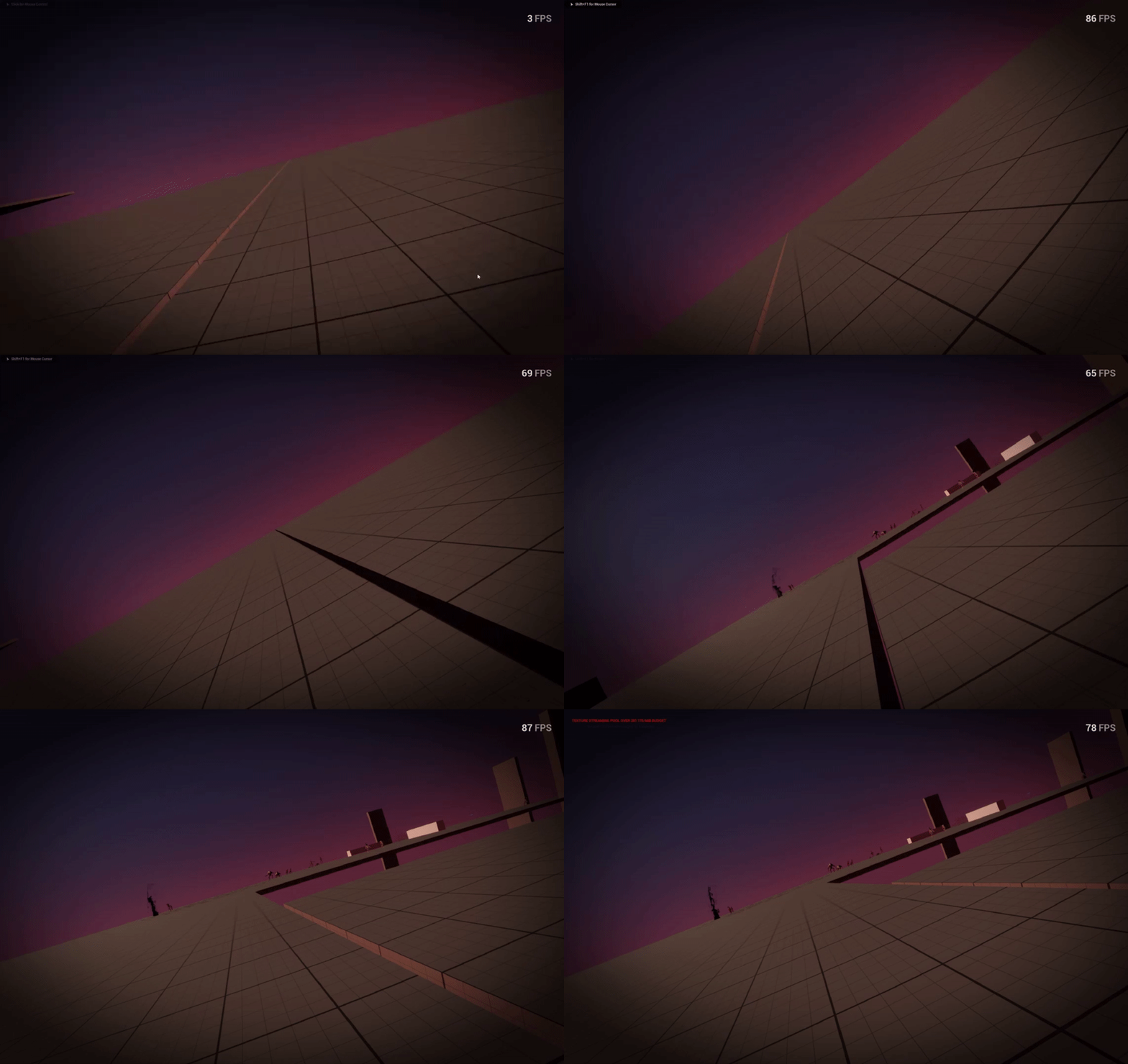

 prime stump
surreal peak
Check if it shows up in the Event Graph of an Actor
prime stump
surreal peak
Check if it shows up in the Event Graph of an Actor
Same thing in an actor class lol
maybe i need to reinstall it or something
sand spoke
What is the max amount of enum you can have for each enum?
surreal peak
prime stump
Same thing in an actor class lol
Does it come with C++ code?
dark drum
sand spoke
What is the max amount of enum you can have for each enum?
0 - 255 i think. BP enums get very slow when you get passed around 30 or 40. 😅
dreamy mountain
any idea how to fix this when possessing a pawn?
prime stump
surreal peak
Does it come with C++ code?
I can access the c++ files for it, is it the 'LowEntryExtendedStandardLibrary' class im looking for?
 steep oyster
Hello, I am trying to implement a destruction in my game that works like in the game "Deep Rock Galactic". It is like mesh booleans but way more advanced. The meshes itself can also be subdivided into different substances. Any help on how to achieve this is appreciated
prime stump
surreal peak
Yeah
I think its mugging me off lol
 surreal peak
Guess those functions really only got added 5.4
prime stump
surreal peak
https://github.com/LowEntry/lowentry-ue-extendedstandardlibrary/blob/f9e5f5fc9c8...
My 1726 line is this
UFUNCTION(BlueprintCallable, Category = "Low Entry|Extended Standard Library|Utilities|Delay (Frames)", meta = (Latent, WorldContext = "WorldContextObject", LatentInfo = "LatentInfo", DisplayName = "Delay (Frames)")) static void DelayFrames(UObject* WorldContextObject, int32 Frames, FLatentActionInfo LatentInfo);