
#blueprint
1 messages · Page 276 of 1
 inland walrus
 stone field
inland walrus
So for example, the target name should be the same either side but for some reas...
stone field
inland walrus
So for example, the target name should be the same either side but for some reas...
ah. You are populating data in a loop, but then using the 'break' data in a click way later. That's going to break for sure
You probably want to store either a key or ann index or all the data somewhere to get the correct stuff for the correct click
basically you feed the data into the widget, the 1st step looks ok. but then the click can't really know which data it's getting, it's probably using the variables from the last 'break'
so it should be getting the info from the widget which already has the right info, perhaps
If you didn't catch my drift : debug-step through the code, you may understand it better.
inland walrus
Thanks for the feedback
I'm fairly new to data tables, it's taken me a day or two to get this far
 mild jacinth
interesting, thanks
inland walrus
stone field
ah. You are populating data in a loop, but then using the 'break' data in a clic...
Would something like this work?

If each quest has an ID
and everytime you click the button, it sets the clicked variable ID to the bounty ID?
stone field
inland walrus
Would something like this work?
You are still being too greedy, pulling those long red lines from the break to the second stage
Accept that you cannot reuse them
inland walrus
stone field
You are still being too greedy, pulling those long red lines from the break to t...
Should I perhaps call the data table again then?
stone field
inland walrus
Should I perhaps call the data table again then?
yes, that should be fine
That said, I don't like binding events like that either ( in a loop )
that will likely cause you pain as well
I would prefer you to handle the onclick logic inside that widget itself
inland walrus
Alright, I'll get it working then I'll look at doing that
Currently it's pulling all descriptions

 stone field
- create widgets a, b, c, assigned with id x, y, z
- each widget then knows they have to do x/y/z when clicked
sort of thing
yeah, that part looks ok, but clicking those widgets should happen inside the widgets themselves imo
assuming I understand correctly : each widget has their own "accept"
inland walrus
stone field
assuming I understand correctly : each widget has their own "accept"
I'm not sure I follow fully but I get the gist, I'll change it/optimize it once I get it working
Currently I can't make it so that it only creates the widget of the clicked quest
 stone field
inland walrus
I'm not sure I follow fully but I get the gist, I'll change it/optimize it once ...
stone field
inland walrus
I'm not sure I follow fully but I get the gist, I'll change it/optimize it once ...
Handle it in the widget itself.
inland walrus
stone field
Handle it in the widget itself.
so just move the same logic across?
stone field
Create the mission widgets is fine. Handle the "accept" inside the mission widget.
inland walrus
stone field
Create the mission widgets is fine. Handle the "accept" inside the mission widge...
There's 3 widgets, I'm not sure which you mean
- Bounty Terminal (Master UI for terminal)
- BountyListItem (Creates the clickable button)
- BountyListItemDetails (Creates the description/accept page)


 stone field
inland walrus
There's 3 widgets, I'm not sure which you mean
1. Bounty Terminal (Master UI fo...
stone field
inland walrus
There's 3 widgets, I'm not sure which you mean
1. Bounty Terminal (Master UI fo...
I'm not sure what you mean by "clickable button" vs the "accept button" In any case:
I would think of it like this:
- You create the BountyListItems, just pass them a BountyID for each one.
- BountyListItem creates ListItemDetails ( it probably wants to know the BountyID as well. ) ( why bother with having it as two separate widgets here? not sure )
- ListItemDetails Accept button knows the BountyID, and communicates with whatever actor / save etc is holding the list of active bounties
If the place you need the Bounty details is the ListItemDetails, there is no need to be passing the text stuff down through the chain, just let the Details handle it themselves since you can pass it just the BountyID
inland walrus
Okay, sorry I'm not great at following, should I start by merging the bounty list item and the bounty list item details into one widget blueprint?
stone field
I try to think of widgets as stupid as possible, doing as little work as possible : focusing on visualizing data, and providing an interface for the controller to actually take care of things. ( That said, you don't always have a Controller, and often stuff kind of builds on itself, or a big layout widget is the controller )
"Hi I'm widget, what do I show?" - bounty #44 - "Thanks, will show it"
"I haz accept bounty #44 button, click" - Hey BountyController, the player just accepted bounty#44!
inland walrus
I get that xD but I don't know it in node form
stone field
inland walrus
I get that xD but I don't know it in node form
The question is : where is the Accept button ( and are we correct that that is indeed the button which we need )
There, inside the widget which holds the Accept button : there we should know the BountyID, and communicate with this Hub that I haz been selected
 autumn pulsar
Anyone know of good docs for syncing stuff between the animation blueprint and the pawn blueprint?
not sure if I needed to pass a bunch of bools to the animation
inland walrus
stone field
The question is : where is the Accept button ( and are we correct that that is i...
So Right now the Accept button is not in use.
The only button currently in use is the item list
stone field
inland walrus
So Right now the Accept button is not in use.
The only button currently in use ...
so pass the BountyID to that widget. And in that widget, Button should have it's own OnClicked
inland walrus
So you click the listed bounty > it creates the description on the right side
inland walrus
stone field
so pass the BountyID to that widget. And in that widget, Button should have it's...
I'm not sure what you mean by pass the bountyid to that widget
 stone field
inland walrus
I'm not sure what you mean by pass the bountyid to that widget
stone field
inland walrus
I'm not sure what you mean by pass the bountyid to that widget
add variable to this widget, BountyID
inland walrus
stone field
add variable to this widget, BountyID
Expose on spawn and Instance Editable?
stone field
it already has all the rest of the stuff, TargetName, Reward, Difficulty, add the ID
same as the rest
inland walrus
Okay done that
stone field
pass it in on creation, now this widget knows it's ID

 stone field
now when the button is pressed you need a reference to the hub which created it, and where you want to handle the accept
There are many ways to skin that cat, but perhaps simple version for now:
Passing the hub as well on creation, a variable "Hub" which gives the item a way to call the Hub
hub could have function "AcceptMission" with InVariable "BountyID"
Then the Widget calls Hub->AcceptMission(BountyID)

Epic Developer Community Forums
Suppose I have a widget called ‘Child_Widget’ which is a canvas panel containing a button. I then place a few of these inside another called ‘Parent_Widget’, but they might be nested in several layers in the hierarchy - inside a horizontal box, which is inside a scale box, which is inside a canvas panel, for example. And suppose the ‘Parent_Wid...
EventDispatchers are another very valid option, but I find myself being a bit wary of them as used indiscriminately things can get a bit messy
inland walrus
Alright, by "hub" do you mean the description side of the screen?
stone field
I am assuming Hub is where you create the bounty widgets
That seems to be the 'controller' of the whole show?
stone field
inland walrus
I'm unsure how to get a reference of a widget
make a variable of exact type of the hub/controller ( ? )
pass "Self" in on create, along with the other variables ( bounty id + details )
inland walrus
stone field
make a variable of exact type of the hub/controller ( ? )
pass "Self" in on crea...
I'm sorry you have lost me again
 stone field
inland walrus
I'm sorry you have lost me again
stone field
inland walrus
I'm sorry you have lost me again
In BountyTerminal, where you create the widgets in the loop. Pass self there to the created widget.
In the widget, GetTerminalWidgetReference and you should be able to call functions from that widget
inland walrus
 inland walrus
stone field
In BountyTerminal, where you create the widgets in the loop. Pass self there to ...
inland walrus
stone field
In BountyTerminal, where you create the widgets in the loop. Pass self there to ...
You mean here?
 stone field
Now each Widget will be able to "call home"
inland walrus
Where to I pull self from?
stone field
just create the Self node out of thin air ( r-click blank space and type self )
inland walrus
yep
I have the self I just don't know what to do with it
It won't go into the create widget
stone field
no worries
inland walrus
 stone field
now create in Terminal a new function "Accept Mission", give it an In variable of the bounty id type ( string? int? )then call it from the widget
inland walrus
an In variable? is that just creating a new variable?
stone field
Function details, In / Out, have to add them manually
 stone field
now you go back into the list item widget, TerminalReference->AcceptMission
and remember to check what type your bountyIDs are - ints or strings probably
inland walrus
stone field
now you go back into the list item widget, TerminalReference->AcceptMission
?
 stone field
inland walrus
?
stone field
inland walrus
?
yes indeed, you should now have things set up to go forth and profit
"AcceptBounty" to keep things all solid : )
you might need to have missions that are not bounties, and if using two names for one thing, it's a trap
 astral ravine
can someone help me with this? im trying to rotate my object so it follows the path but nothing is working
 inland walrus
stone field
you might need to have missions that are not bounties, and if using two names fo...
inland walrus
stone field
you might need to have missions that are not bounties, and if using two names fo...
I think we may have miscommunicated 😅
The accept button is here

The button we've been medaling with needs to spawn this widget in

with the correct data
stone field
inland walrus
The button we've been medaling with needs to spawn this widget in
doesn't matter, you now know how to link up widgets to talk to each other and should be able to sort things out
astral ravine
i cant even rotate the object in static mesh view either so idk what the hell is going on
inland walrus
stone field
doesn't matter, you now know how to link up widgets to talk to each other and sh...
Alright thanks I'll see what I can do
astral ravine
is it splin dir up?
 sharp crane
Hello! I have a map that keeps loading with about ~100 missing assets each time! When I rebuild, everything will return but will disappear after going to another map. And from what I can tell, it's random which assets don't load in, the number of missing assets is always changing. Where is a good starting point?
edit: The data layer only has 2 assets in it, and functions as expected

 astral ravine
anyone?
stone field
astral ravine
anyone?
I would sanity check your setup with a primitive cube to verify whether the issue is your setup or your actor
astral ravine
stone field
I would sanity check your setup with a primitive cube to verify whether the issu...
its the actor but how do I FLIP the path so it follows the direction of the object
inland walrus
stone field
doesn't matter, you now know how to link up widgets to talk to each other and sh...
Hey, Karma, once more quick question as I seem to have it working.. Any idea on how I'd only make it show 1? when you click another it removes the previous?

 dusky cobalt
inland walrus
Hey, Karma, once more quick question as I seem to have it working.. Any idea on ...
dusky cobalt
inland walrus
Hey, Karma, once more quick question as I seem to have it working.. Any idea on ...
Clear children before you add new one
inland walrus
dusky cobalt
Clear children before you add new one
Legend, thanks man
Also @stone field thank you so much for your consistent support
stone field
astral ravine
its the actor but how do I FLIP the path so it follows the direction of the obje...
I am a bit confused about what is flipping where, and which follows which.
Please try to compose your question on notepad/notepad++ for maximum clarity
perhaps show a working demo video of the thing you want to achieve, which works with a primitive, versus what the behaviour of your actor is
astral ravine
stone field
I am a bit confused about what is flipping where, and which follows which.
Pleas...
I'm not sure what's confusing.
I want the OBJECT to follow the direction of the spline, or change the direction of the spline, like this

this isnt correct

the red line is suppose to follow the length, not the width
 kind estuary
I'm making a game where you can change from 3D, to First person, to 2D top down.
When switching i switch the camera location.
Though the controls of the camera WASD behave differently for each view.
How should i handle this. Event dispatchers, and bind unbind as needed ?
sharp crane
sharp crane
Hello! I have a map that keeps loading with about ~100 missing assets each time!...
Can I get help with this when someone has the time? Been struggling to figure it out on my own
astral ravine
ughhhhh why isnt this working
stone field
sharp crane
Can I get help with this when someone has the time? Been struggling to figure it...
Have you checked logs for anything sus?
stone field
kind estuary
I'm making a game where you can change from 3D, to First person, to 2D top down....
Separate PlayerControllers for each mode maybe? With a single actual interface so you dont multiply the same code everywhere
 faint pasture
astral ravine
the red line is suppose to follow the length, not the width
faint pasture
astral ravine
the red line is suppose to follow the length, not the width
you modeled it such that forward is not along its length
dusky cobalt
kind estuary
I'm making a game where you can change from 3D, to First person, to 2D top down....
Probably you should use Input Mapping Contexts and create different mapping context for each ''mode''. Add Input Actions for each camera move and sort them to each mapping context.
kind estuary
stone field
Separate PlayerControllers for each mode maybe? With a single actual interface s...
I thought about this. Though that will complicate things too. When changing from 2d to 3d, do you spawn the pawn again with a new controller?
astral ravine
faint pasture
you modeled it such that forward is not along its length
right but can't I rotate it in the engine?
i used to be able to in UE4
kind estuary
dusky cobalt
Probably you should use Input Mapping Contexts and create different mapping cont...
is that the Enhanced Input Mapping?
im in UE4 💪
dusky cobalt
kind estuary
is that the Enhanced Input Mapping?
Yeah i think you should work with this one.
kind estuary
🫡
stone field
kind estuary
I thought about this. Though that will complicate things too. When changing from...
I think you can just switch controllers? It's been years since I did something like that so not certain. Amberleaf's suggestion sounds solid if it is available to you
faint pasture
kind estuary
I'm making a game where you can change from 3D, to First person, to 2D top down....
If that's all, I'd just switch on ModeEnum for the different behaviors
 verbal kayak
I have a one component in BP. the root. It has collision. Doesnt return me sweep hits in any way? why?
how do i move it to get any sweep collision?
astral ravine
ok i fixed the orenintation, but why is my spline not repeating every 400 meters? its just stretching it
faint pasture
astral ravine
ok i fixed the orenintation, but why is my spline not repeating every 400 meters...
I don't recall for sure but I don't think the repeating is automagic
I think you need to manage instances
astral ravine
faint pasture
I think you need to manage instances
in a spline mesh actor?
faint pasture
does it have any setting for count or repeat distance or anything like that?
astral ravine
no
kind estuary
faint pasture
If that's all, I'd just switch on ModeEnum for the different behaviors
so create an enum. then when you press W with enum 3D view, it goes forward, but enum is 2d it goes up (2d forward). is that right?
astral ravine
faint pasture
does it have any setting for count or repeat distance or anything like that?
not that I see
kind estuary
that might just be simpler and better
i hate destroying and spawning actor to change some weird dynamic
this sounds better hoenstly
astral ravine
faint pasture
does it have any setting for count or repeat distance or anything like that?
theres this but it says if its not set then it will use the bounding box, which it didnt

and changing the values just flips the the track upside down
faint pasture
astral ravine
not that I see
look at how the content example with a road does it
i think you need to manage instances
dusky cobalt
kind estuary
that might just be simpler and better
You can create set of Input Actions for Each Mode and assign invididual logic for each Input Action (event). Then you can just switch the Input Mapping (Mode) to use different set of Input Actions.
astral ravine
faint pasture
look at how the content example with a road does it
the what?
sharp crane
stone field
Have you checked logs for anything sus?
Of course now that I'm trying to reproduce the error it's not happening lol
faint pasture
astral ravine
the what?
there's a content example with a spline mesh road
been there forever
 scarlet urchin
Is there a quick way to make my game ignore all keyboard and mouse input and only accept gamepad input? I want to set it using a checkbox in the settings menu.
kind estuary
dusky cobalt
You can create set of Input Actions for Each Mode and assign invididual logic fo...
🫡
verbal kayak
why doesnt my location of arrow show correct world position? it is attached to a ball and the ball is set to hold a rotation, but i have force to move it ever so slightly and the ball actually rotates towards the velocity. and the arrow also visually does that. But the world location is not changing at all in Z ... it should decrease or increase when acc/decelerating
And by rotate towards, i mean a nudge of rotation.
 storm solar
I have a function w/ a time line needing to update positions of certain widgets.
The issue is when I need to update two of these widgets at (essentially) the same time, it halts the progress of the first one to move the second one. How do I fix this? Do I need to make it a blueprint component instead of a basic actor widget.
 faint pasture
storm solar
I have a function w/ a time line needing to update positions of certain widgets....
faint pasture
storm solar
I have a function w/ a time line needing to update positions of certain widgets....
what is that code meant to do?
We can't see what you're updating the transform of so we'll just have to guess
 olive yarrow
I thought i was storing right, but when i press Drop it comes back with 0 (the BP's original value), however when i pick up/interact with the weapon it shows the variable value i have set on the in world blueprint.
I'm attempting to take this blueprints variables and pass them on to the copy of its class im spawning when i drop the weapon, so i can pick it up and it still have that damage.
Basically, how can i save all the data on the weapon im holding - drop the weapon, and have that same data when picking it back up?

 slender harness
is there a node that allows me to re-enable a left mouse click? the issue i have, when i load into a game, and then i right click, that enables look movement, when i release, i snap back, but i cant hit the right click again and it re-activate the look.
im controlling the look in the pawn at the moment.
for testing
faint pasture
olive yarrow
I thought i was storing right, but when i press Drop it comes back with 0 (the B...
what does it mean to drop a weapon?
why drop a copy
just drop the one
 tribal gazelle
I'm having an issue with spawning the player at a playerstart inside a persistent level with sub-levels.. tried everything
olive yarrow
faint pasture
just drop the one
ive tried detaching the component from my actor and resetting the variable - this works but next time i pick up the weapon the damage variable resets to 0
y'know, i dont have a save system that prolly doesnt help
slender harness
sounds like you need to save the damage value in a variable upon drop
faint pasture
olive yarrow
ive tried detaching the component from my actor and resetting the variable - thi...
Are you spawning or resetting something on pickup?
olive yarrow
faint pasture
Are you spawning or resetting something on pickup?
Spawning!
faint pasture
olive yarrow
Spawning!
Why, just do the opposite of dropping the thing. Attach it, say that it's your weapon now, done.
olive yarrow
faint pasture
Why, just do the opposite of dropping the thing. Attach it, say that it's your w...
Hmmm... This mighta been the obvious brains torm I needed. I'ma try it
faint pasture
olive yarrow
Hmmm... This mighta been the obvious brains torm I needed. I'ma try it
Some people don't do that but I really like just making the thing once. It can have like a dropped mode and equipped mode.
 peak zodiac
olive yarrow
ive tried detaching the component from my actor and resetting the variable - thi...
peak zodiac
olive yarrow
ive tried detaching the component from my actor and resetting the variable - thi...
It sounds like you're dealing with a scope issue.
 copper chasm
is someone well versed in input actions? I'm having a brain fart moment with holding down middle mouse to rotate the camera freely
I would like to click+hold middle mouse, and have nothing happen until I move the mouse along left or right
I currently am able to click+hold middle mouse, but it slowly rotates in one direction - it DOES respond to mouse movement, but it feels like it is doing so against that pre-configured slow rotation
 normal cargo
is there a way to save the ui of UE? I put the event graph on the top next to viewport but every time i restart the engine or open a new bp, it puts it back in the bottom

 copper chasm
i think that was a bug for a bit tbh, I'm not sure how i fixed mine, I'll see if i can remember
autumn pulsar
if you call an event, which completes first, the event or the inputs after the event call?
normal cargo
autumn pulsar
if you call an event, which completes first, the event or the inputs after the e...
wdym inputs after the event call?
autumn pulsar
normal cargo
wdym `inputs after the event call`?
 normal cargo
autumn pulsar
https://i.imgur.com/MmH3Ale.png
normal cargo
autumn pulsar
https://i.imgur.com/MmH3Ale.png
the event and whatever is inside the event then the set function
normal cargo
Can someone explain me the logic here? (it works)
How does the Add Static Mesh Component know what mesh I assigned the Set Static Mesh to when its executed after the node?

 lost hemlock
oh I see something wrong already, scale on true is wrong. 1.2 x 2.0
but the problem remains, it still highlights all of them at the same time
Oh and this is what I tried to do before

but as you can imagine it didn't work as good either
As you scroll, each slot is processed (big ➡ small ➡ big), but im not isolating just the current one to scale up.
Instead, every slot in the loop gets scaled as I scroll, causing the "wave" effect
also the problem is when you start out you start before the 1st selection, im trynna make it similar to fortnite hotbar
So when you start out, nothing is selected at all, you gotta scroll up to select the first one,
 maiden wadi
normal cargo
Can someone explain me the logic here? (it works)
How does the `Add Static Mesh...
maiden wadi
normal cargo
Can someone explain me the logic here? (it works)
How does the `Add Static Mesh...
The first node creates a StaticMeshComponent and returns a memory pointer or "reference" to that component. The second node uses that reference to set a reference to the asset you want that component to display.
 zealous moth
I'm trying to do an instant cleave attack that's a semi circle.
I'm doing a multi sphere trace and then get the hits, then do a foreach to get the actors and filter out the dot product's values that are less than 0 (behind).
I'm just wondering if this is way too complicated and performance draining than just making a static mesh, get all overlapped actors and apply damage there...
maiden wadi
Depends. You pay every frame for having a static mesh attached and moving with the actor. And you have to upkeep it and make sure it doesn't interact with anything else too. The immediate call to get all overlapping actors might save you a tiny bit, but I'm not sure if it would be worth the rest of the overhead or possible complication. You won't really pay much for an overlap and dotproduct filter anyhow.
 crystal otter
was your issue solved?
 spare pike
Is this a good way of finding a target with the highest priority, or is there a more efficient way?

 hard sinew
https://astricx.is-from.space/2025-01-16_16-30-04.mp4
anyone know what is going on? 😭
look bottom right
maiden wadi
hard sinew
https://astricx.is-from.space/2025-01-16_16-30-04.mp4
anyone know what is going ...
Percent is usually a 0.0 to 1.0 value. So you would need to do Hunger divide by HungerMax to get a correct scalar.
hard sinew
ohh okay
so its not because of the component or anything, its just because i have no hunger max?
maiden wadi
I'm not 100% sure. But using an integer to pull that value would cause it to be zero or 1. Cause anything over one counts as one as well for the purposes of finding a percent.
hard sinew
okay i'll give it a go
 pulsar osprey
zealous moth
I'm trying to do an instant cleave attack that's a semi circle.
I'm doing a mult...
pulsar osprey
zealous moth
I'm trying to do an instant cleave attack that's a semi circle.
I'm doing a mult...
unless you're doing that many many times every frame I can't imagine it'll be that unperformant
can always either go to a normal line trace or reduce the number of sphere traces
hard sinew
maiden wadi
I'm not 100% sure. But using an integer to pull that value would cause it to be ...
i've changed it to this setup but i still get the flasing


oh wait
yeah its stuck at zero now

 tropic token
hey guys, out of nowhere I got this:
LogScript: Warning: Infinite script recursion (120 calls) detected - see log for stack trace
    WBP_PracticeSkillItem_C /Engine/Transient.UnrealEdEngine_0:BP_GameInstance_C_1.WBP_Overlay_C_0.WidgetTree_0.WBP_PracticeAndTrain.WidgetTree_0.WBP_PracticeSkillItem_C_27
    Function /Game/TopDown/Blueprints/UI/Masteries/WBP_PracticeSkillItem.WBP_PracticeSkillItem_C:ExecuteUbergraph_WBP_PracticeSkillItem:0000
PIE: Error: Infinite loop detected. Blueprint:  WBP_PracticeSkillItem Function:  Update Values Call Stack:  Show
this is the callstack:
Script call stack:
    Function /Game/TopDown/Blueprints/UI/Masteries/WBP_PracticeSkillItem.WBP_PracticeSkillItem_C:Construct
    Function /Game/TopDown/Blueprints/UI/Masteries/WBP_PracticeSkillItem.WBP_PracticeSkillItem_C:ExecuteUbergraph_WBP_PracticeSkillItem
    Function /Game/TopDown/Blueprints/UI/Masteries/WBP_PracticeSkillItem.WBP_PracticeSkillItem_C:UpdateValues
    Function /Game/TopDown/Blueprints/UI/Masteries/WBP_PracticeSkillItem.WBP_PracticeSkillItem_C:ExecuteUbergraph_WBP_PracticeSkillItem
Doesn't help much it seems. The script is fairly simple:
https://blueprintue.com/blueprint/3tvs9r6w/
Not sure what kind of recusion can it be

No description provided
 sturdy sorrel
im not sure if this is just an error with the preview window in the editor or if it will still be an issue with a fully packaged game but I am having an issue that when I switch my game to fullscreen and then kick the resolution all the way up part of the screen just does not render until I switch the game to windowed fullscreen and then back to fullscreen.
 merry mirage
tropic token
hey guys, out of nowhere I got this:
```
LogScript: Warning: Infinite script rec...
merry mirage
tropic token
hey guys, out of nowhere I got this:
```
LogScript: Warning: Infinite script rec...
It's somewhere you call "UpdateValues" a lot of times, not where the code of Update Values cause an infinite loop
tropic token
merry mirage
It's somewhere you call "UpdateValues" a lot of times, not where the code of Upd...
Oh, I found the problem
merry mirage
tropic token
Oh, I found the problem
Awesome!
 little prism
Hi,
I am working to design a very small (5px over 5px) widget to display progress bar and maybe some small text. However when I place it on the actor (using Widget actor component) nothing about the design look right... Text is fuzzy, the progress bar is not updating linearly but it stutters... Generally looks bad not as designed... Any tips or pointers?


 inland walrus
@stone field morning! are you able to help me figure out how to add a quest accepted and quest completed boolean for the data table
stone field
inland walrus
<@127136722419974144> morning! are you able to help me figure out how to add a q...
I don't think you should really store that in the data table. ( actually that might not even be possible? )
I personally think of data tables as just the raw authored information.
I would save the quest states separately in a save slot.
 trim matrix
inland walrus
<@127136722419974144> morning! are you able to help me figure out how to add a q...
trim matrix
inland walrus
<@127136722419974144> morning! are you able to help me figure out how to add a q...
You can use array
inland walrus
stone field
I don't think you should really store that in the data table. ( actually that mi...
Ah got you, Alright, what would you recommend? (I'm new to save game stuff and only really know how to save variables, I don't want to go too far out of my knowledge to the point where I don't recognise my own code)
stone field
QuestSave, arrays of QuestIDs:
- pending quests (available?)
- active quests
- completed quests
- rejected quests
maybe
trim matrix
Boolean Array, when you take a new new quest, a new index is created for that quest. Which makes it possible for your quests to have different IDs for each of them and use however you like
Let's say, there is a quest which you didn't even take, so
You search it with an array, if there is no ID (Which It is not for not taken quests) you will display an different UI or color of UI or style
It is just your creativity
inland walrus
trim matrix
It is just your creativity
Thanks but I'm still not sure how to go about it in blueprint terms
inland walrus
stone field
QuestSave, arrays of QuestIDs:
* pending quests (available?)
* active quests
* ...
Would this be a dt? or just variables?
stone field
inland walrus
Would this be a dt? or just variables?
BP_BountySave, with variables
inland walrus
stone field
BP_BountySave, with variables
Would it have to be a new blueprint or can I put it in my already bp save game?

Also what type of variable would they be? An interger?
stone field
inland walrus
Also what type of variable would they be? An interger?
What format is your BountyID
optimally you might actually consider using the string keys that you use to identify each quest in the data table across the board
inland walrus
stone field
What format is your BountyID
Float, so I can have my main quests as whole numbers e.g. 1.0 and the side quests for level 1 as 1.1, 1.2, 1.3 etc
stone field
hmmm... unusual but ok. Float comparisons can be a bit dodgy so I would not recommend using them like this really
inland walrus
stone field
hmmm... unusual but ok. Float comparisons can be a bit dodgy so I would not reco...
Alright so I use a string?
stone field
inland walrus
Alright so I use a string?
yes, I think that would be better if you want to use this 1.1 etc convention
inland walrus
If I change the bounty ID to a string I will have to redo parts like this?
no idea why my screenshot turned out like that xD
 stone field
probably yes. I gotta go, carry on : )
inland walrus
Alright thank you 🙂
 primal hare
Is this genius simplification or a bad idea? We really need the comment/review section back on product pages. https://www.fab.com/listings/2d251ddd-5bed-4a7b-b506-71b72238c0a4

Fab.com
📘 Documentation | ☕️ Discord CommunityOur free easy-to-use plugin leverages the powerful capabilities of Unreal Engine Subsystems to introduce a streamlined method for communication between Blueprints.This simplified approach helps you avoid creating dependencies between Blueprints, making asset migration easier and enhancing your Blueprint work...
 shell widget
Hey, hoping someone can help with a rotation problem I've been trying to solve.
So I have 2 actors, each with an arrow component that points in a certain direction (can vary depending on the actor that inherits from it, so the relative rotations won't always be the same). I want to find the world rotation to get one of the actors to face in a direction such that the arrows of both actors are lined up and facing opposite each other.
So I have a function that takes in 2 arrow components and returns a rotation, but I've been struggling to get the correct rotation. Can anyone help with that?
Edit: Figured it out, no idea how it works, just randomly trying different things, but it does mostly work.
 cunning tendon
Hey this a blueprint flow I created to switch from my car pawn to player character only problem is when I do switch from my car to player I still have the input from the car https://cdn.discordapp.com/attachments/978036466544422932/1329403849160523817/image.png?ex=678a3750&is=6788e5d0&hm=f27a2423d49de23a8235dffbcda2b9cc2351693b7e1951df11fc642e0a426554& im also not able to disable the input https://cdn.discordapp.com/attachments/978036466544422932/1329403946648862811/image.png?ex=678a3768&is=6788e5e8&hm=520ed03e1ef7fb54eeb21503db4e8dd00454f1720db10c2dbabd3173a5095310&


 calm cargo
Hmm will a set of UObjects magically auto remove elements from the set if the objects are destroyed?
 calm cargo
primal hare
Is this genius simplification or a bad idea? We really need the comment/review s...
calm cargo
primal hare
Is this genius simplification or a bad idea? We really need the comment/review s...
This seems like a good and simple idea, the fact that it's global & generic gives it merit imo
there is one arguement to be made, and that its usage causes some obfuscation of the system architecture
when an input device changes, like in the example, it'd help the reader know what actually called the thing, and know its type as well
but this is not very significant, especially if one can look up the identifier's usages in editor
 dark drum
primal hare
Is this genius simplification or a bad idea? We really need the comment/review s...
dark drum
primal hare
Is this genius simplification or a bad idea? We really need the comment/review s...
It would depend on the use case. Having everything send some sort of data object can become clunky and bloating as you're project scales. Sometimes using a gameplay tag is just as effective.
Personally however, I wouldn't use it as I have systems that do specific things that has there own event dispatchers that are called. If anything needs to know what it's doing it would just bind to the event dispatchers on the system in question.
calm cargo
yea, also agreed that the gameplay tag (or even just a string) could be more convenient than some object, hmm actually maybe less so because it'd be easier to just rename the identifier if its name should change
dark drum
calm cargo
Hmm will a set of UObjects magically auto remove elements from the set if the ob...
uObjects won't get garbage collected/destroyed if they are referenced.
calm cargo
dark drum
uObjects won't get garbage collected/destroyed if they are referenced.
oh shi thats a very good point, I keep defaulting to refs as weak refs in my silly head
ty
primal hare
Thank you guys. Some very good points!
 sand yacht
does anyone know why changing the yaw is doing the exact same as changing the roll?

shouldnt this be making the camera turn left and right?
merry mirage
primal hare
Is this genius simplification or a bad idea? We really need the comment/review s...
I think this is very cool for certain things, but not as useful as it first seems, a lot of the time you can accomplish similar results with interfaces, but sometimes you just need a lot of different things to react to a certain event, and then something like this can be invaluable. imho
You could also setup a system such as the plugin very easily yourself if you aren't afraid to touch (relatively) simple C++ code
 violet bison
hard sinew
yeah its stuck at zero now
violet bison
hard sinew
yeah its stuck at zero now
I think its about the integer first part...
(if someone answered that already sorry for the disturb)
the divide's output is integer (1/X -> 0)
and the divide will return 0 if less than 1
 narrow sentinel
Anyone know whats going on here, I have my Struct and then within the BP

And then I have my variable within my BP but for some reason it's saying I can't set that soft referece in class defaults

but i'm not trying to set it within Class defaults
violet bison
compile it?
or restart the editor
narrow sentinel
violet bison
compile it?
or restart the editor
compiling it didn't seem to fix it
slender harness
do you want something in it?
narrow sentinel
so i wanted to set the soft reference to actors within my level
storm solar
faint pasture
We can't see what you're updating the transform of so we'll just have to guess
The code updates the position of the widget over time (1 second).
If this is triggerd twice back to back, it stops the movement of the first widget.
 craggy belfry
Hi, when I change the position of objects in the grid panel, they slide downwards. What should I do to make it go upwards?


 gray lantern
If im building an inventory system does it make sense to put basically ALL my functions in the main component and just do event callbacks from all the children widgets so that all my logic is basically in one spot?
but then I can still have all my seperate widgets
merry mirage
If you want a centralized system then that's a good approach, but it will make it harder to decouple and making changes to particular parts of the system could be a nightmare
gray lantern
Don't you want to avoid circular references though, say my inventory has child widgets that call up to the parent widget/component to change things I mean
for a single player game that doesnt' really matter too much if the inventory is basically gunna be consistently referenced through out right?
merry mirage
You don't need circular references
You would definitely use delegates/event dispatchers for this though
merry mirage
gray lantern
What are those? I don't fully understand
Mathew can probably explain it better than I ever could
https://www.youtube.com/watch?v=sEcoWGrF1Hg

How do I use Event Dispatchers in Unreal Engine 4?
Source Files: https://github.com/MWadstein/wtf-hdi-files
gray lantern
I'll investigate thank you
merry mirage
No worries! Working with delegates (and interfaces if you don't already) will make your life a whole lot easier
 gentle urchin
Component > interface 😄
 marsh sonnet
Newbie, putting together a visual novel using a HUD: I have a settings widget, and on that widget, a button to return to main menu, which then prompts you to check for unsaved changes, and if you click "yes" to return to main menu, restarts the level... but there is a sound effect within the visual novel HUD (the letters typing out) that continues to play for a bit when they restart the level. Any ideas on how to make it stop playing?


 shadow flame
I have a Media Player that's simply not playing. Blueprint calls to play return false, it loads playlists just fine, it's just not playing media.
All checks on the playlists say that they've loaded the video files. The video files appear to play fine when loaded in the editor. They were playing a few days ago, and now the media player is no longer playing. I'm not sure where to even begin looking for a solution to this.
dark drum
marsh sonnet
Newbie, putting together a visual novel using a HUD: I have a settings widget, a...
Is it playing while it's loading the level or after?
 bronze mirage
anybody here mess with anim class layer linking? i'm trying to determine when it's necessary to manually unlink an ABP but the docs (and the internet in general) are not helpful. docs say that if a layer is not "grouped" then a separate linked instance is allocated, but i can't see anywhere to specify a "group" for an animation layer.
https://dev.epicgames.com/documentation/en-us/unreal-engine/BlueprintAPI/Components/SkeletalMesh/AnimationBlueprintLinking/LinkAnimClassLay-

Epic Games Developer
Link Anim Class Layers
 warped slate
Hey Developers!! Does anyone here have experience with building systems? 🤔 Could really use a hand, all the research and tutorials have been unhelpful to say the least 🫠
 floral wyvern
is this really the only way to call a delegate from function argument?
 dark drum
floral wyvern
is this really the only way to call a delegate from function argument?
dark drum
floral wyvern
is this really the only way to call a delegate from function argument?
This isn't how you would normally used event dispatchers.
dark drum
warped slate
Hey Developers!! Does anyone here have experience with building systems? 🤔 Cou...
What are you wanting to know?
floral wyvern
dark drum
This isn't how you would normally used event dispatchers.
I just want to call this event
I use it for bind too, but in case of error I just want to call it

so I have two variants
Hardcode or self dispatching
 warped slate
dark drum
What are you wanting to know?
warped slate
dark drum
What are you wanting to know?
Everything?? 🙃 😬 😂 I have it coded out and it should be working but it isn't and I can't seem to figure out why, could really use a second pair of eyes!
dark drum
floral wyvern
is this really the only way to call a delegate from function argument?
For context, event dispatchers are a way for Actor B to know when Actor A has done something and thus do something itself.
So if Actor A has an event dispatcher for 'OnPickup', you can have Actor B listen for the 'OnPickup' dispatcher to be called (when actor A is picked up, it will call it) and then do something.
floral wyvern
dark drum
For context, event dispatchers are a way for Actor B to know when Actor A has do...
I have a function that spawn a level. When level shown, I delegate an event to this "bind on level shown"
In case level failed to load, I want to call THIS delegated function. How I can do it?
How to invoke this delegate event by my own hands? Just like func()
 dark drum
floral wyvern
I have a function that spawn a level. When level shown, I delegate an event to t...
dark drum
floral wyvern
I have a function that spawn a level. When level shown, I delegate an event to t...
You'll need to show more of what you're doing. I'm not really following with these partial screenshots.
dark drum
warped slate
Everything?? 🙃 😬 😂 I have it coded out and it should be working but it isn't...
Did you follow a tutorial?
floral wyvern
dark drum
You'll need to show more of what you're doing. I'm not really following with the...
Question is simple - how to call event delegate?


I bind it, that ok. How to CALL it in another case?
warped slate
dark drum
Did you follow a tutorial?
More than one! And neither have worked for some reason ☠️
floral wyvern
I can call it only in C++?
dark drum
floral wyvern
Question is simple - how to call event delegate?
Any bound delegates are called when the event dispatcher is called. I'm still missing context in terms of your setup but I'm not entirely sure event dispatchers are what you're needing. Why not just call the function?


 floral wyvern
 dawn gazelle
Nope, I knew this. Question is how to invoke it without binding inside function
I just want to call this red function in case when level not succeed
 dawn gazelle
You can't. You're using a delegate to listen to the event being called.
floral wyvern
dawn gazelle
You can't. You're using a _delegate_ to listen to the event being called.
So I cant invoke delegate, only bind it?
So this creepy stuff actually working? But i dont like it anyway
 dark drum
warped slate
More than one! And neither have worked for some reason ☠️
dark drum
warped slate
More than one! And neither have worked for some reason ☠️
Building systems tend to have a few elements. The UI which is the players window into the pieces they can select/place. The second element is then using their selection to generate data which is stored somewhere. This is normally a transform and selected mesh. (this might just be an int depending on the setup) then the 3rd element is displaying the data the player has generated. Normally through the use of instance static meshes where and pieces not get displayed are added to the relevent ISM using the transform data generated by the player.
dawn gazelle
This is calling the event. Anything bound to it would execute.
 dark drum
floral wyvern
So this creepy stuff actually working? But i dont like it anyway
dark drum
floral wyvern
So this creepy stuff actually working? But i dont like it anyway
Whats the delegate?
floral wyvern
dark drum
Whats the delegate?
Red wire

 normal raft
hey.. all just to report .. i solved my problem .. the solution was simply in the Move Forward Macro (which was a 3rd person implementation)... what happens in such a scenario is you rotate your metahuman mesh which makes the camera work perfectly .. but then your controller orientation is incorrect .. how to fix it .. is with the get base anim rotation node and just plug that into add movement input .. the scale value takes care of the rest .. its crazy and brutally simple but it works 😄
floral wyvern
If level sucess, I want to BIND
If level fails, I want to CALL (invoke, whatever)
dark drum
floral wyvern
Red wire
Which is what?
floral wyvern
dark drum
Which is what?
Here it is - red wire is a DELEGATE (created event)
How to make this type of node?
 warped slate
dark drum
Building systems tend to have a few elements. The UI which is the players window...
warped slate
dark drum
Building systems tend to have a few elements. The UI which is the players window...
Yea, I have a data table to store the building I want to be able to place, I have the mesh, I have the line trace I have the mesh components etc. but it just doesnt show up. like there shouldnt be any reason for this not to work, I followed every step, missed nothing and even rewatched yet for some reason it's broken ☠️
floral wyvern
I can bind it, but how to call it immideatly? My variant with immidiatly call from event dispatcher is not good solution, what if it will be called few times until unbind
 dark drum
floral wyvern
Here it is - red wire is a DELEGATE (created event)
How to make this type of n...
dark drum
floral wyvern
Here it is - red wire is a DELEGATE (created event)
How to make this type of n...
Yea you can't just call a delegate in BP. Delegates in BP have to be bound to an event dispatcher, calling the event dispatcher would then call all the delegates.
floral wyvern
dark drum
Yea you can't just call a delegate in BP. Delegates in BP have to be bound to an...
but this stuff could be dangerous isnt it?
 dark drum
floral wyvern
but this stuff could be dangerous isnt it?
dark drum
floral wyvern
but this stuff could be dangerous isnt it?
You've still not said what the delegate is so it's difficult to offer any recommendations.
floral wyvern
dark drum
You've still not said what the delegate is so it's difficult to offer any recomm...
its a red wire

link to an event
OnSpawnEvent === Delegate
dark drum
floral wyvern
its a red wire
i'm refering to the function/object that makes up the delegate.
floral wyvern
It doesnt matter for sure
I create this event dispatcher just for calling this event
So answer is no - we cant call delegated event in blueprints for some reason
Only in C++
Creating UFUNCTION with one field that will call delegate is the only solution))0
dark drum
floral wyvern
So answer is no - we cant call delegated event in blueprints for some reason
On...
I can't say I've ever needed too. Delegates tend to be for triggering an event at an unknown time later when another event happens. It sounds like you can just call the function directly.
Failing that, you can always use the timer by event next tick and have it call the delegate the following tick.
floral wyvern
dark drum
I can't say I've ever needed too. Delegates tend to be for triggering an event a...
Thats sound like a solution - thanks!
 dark drum
floral wyvern
Thats sound like a solution - thanks!
dark drum
floral wyvern
Thats sound like a solution - thanks!
'Timer by event for next tick' 😉 don't call timers with 0 time. 🙂
floral wyvern
dark drum
'Timer by event for next tick' 😉 don't call timers with 0 time. 🙂
got it, thanks so much

I hope it will not break)
In this case, I just need to write simple ufunction that will call delegated event
shadow flame
So I reverted my commit to a previously working one. Made a new branch. Built and ran the project, the Media player played. However after about 30 minutes of work on a separate widget that doesn't touch anything connected to the media player, it failed to play again.
dark drum
floral wyvern
got it, thanks so much
as an FYI, it will call it the following tick so if there's anything in the given tick that needs the delegate, you might run into order of operations issues.
floral wyvern
dark drum
as an FYI, it will call it the following tick so if there's anything in the give...
Yep, in this case I need custom simple ufunction
But level loading is a time consuming process, so calling it on next tick if level failed will not be a problem
(I hope)
dark drum
floral wyvern
Yep, in this case I need custom simple ufunction
But level loading is a time co...
Well the level load node you're using is a blocking load so it'll stall the tick until done. You might be needing the async version which will happen in the background.
floral wyvern
dark drum
Well the level load node you're using is a blocking load so it'll stall the tick...
That node will return true or false in current tick
If true, it will bind an event to "on level shown", that can took a lot of time
If false, we will call this event on next tick, so this is quite the same
(next tick and "took some time" in this case is pretty the same result)
 pure jolt
Hello Guys, how can I have my AI facing only left and right but can move to all directions and when coming to attack me come to the right or left to attack me efficiently
marsh sonnet
dark drum
Is it playing while it's loading the level or after?
after, but i have time dilation set to 0 when i'm on settings menu
 brittle oxide
How do you remove items from an array, and 'clean' the array indexes to 'collapse' the gaps where the removed/empty items were in their indexes
 lofty rapids
brittle oxide
How do you remove items from an array, and 'clean' the array indexes to 'collaps...
lofty rapids
brittle oxide
How do you remove items from an array, and 'clean' the array indexes to 'collaps...
probably with a custom function
brittle oxide
no native functions? aight
 surreal peak
brittle oxide
no native functions? aight
surreal peak
brittle oxide
no native functions? aight
The native functions should have an option to resize usually.
brittle oxide
Which native functions do you mean
lofty rapids
you can resize, but is there one that clears empties out ?
i figured you would have to build a custom function for that
 heavy wagon
Hello, unsure where to post this question but seeing how spline components can pretty much only be found in blueprints I guess I can try here 😅 I'm trying to figure out if there is any way to change the origin point of the spline? it defaults to the first spline point but I would like it to be the center of the interior...

 pastel spade
Any ideas?
 marsh sonnet
Okay, trying again. I have a visual novel with multiple HUDs for settings, etc. I'm now trying to combine them into one HUD_Manager BP and use a widget switcher. The issue is I have different music and sound effects that play on each widget, so is there a way to make the sound active for only the active widget in switcher--or is there a better way to do this? Open to all suggestions, or links to tutorials!
pastel spade
marsh sonnet
Okay, trying again. I have a visual novel with multiple HUDs for settings, etc. ...
That was for me?
marsh sonnet
Nope--that's a question from me to the group
gentle urchin
marsh sonnet
Okay, trying again. I have a visual novel with multiple HUDs for settings, etc. ...
you're already using a widget switcher, so you can use the active widget index to know which music or whatever to play ?
shadow flame
Identified my issue with Media Player failing to Play.
All of my playlists had loaded media from a designated source. That source was blocking a loading function that searched by name for the videos.
marsh sonnet
gentle urchin
you're already using a widget switcher, so you can use the active widget index t...
Hmmmm so I would set the music within the manager, based on which is the active widget? That would solve my issue for the music, but not the sfx playing the typing sound for when the dialogue shows
gentle urchin
well if you have a manager of sorts, you can define "Sets" of vfx,sfx,music etc to use based on some identifier (hello there FGameplayTag)
then you'd just have a public method to that manager setting all these things with a little swosh
sturdy sorrel
sturdy sorrel
im not sure if this is just an error with the preview window in the editor or if...
anyone know if there is a fix for the attached behavior when switching display mode or if it is just a bug with the in engine preview?
gentle urchin
marsh sonnet
Hmmmm so I would set the music within the manager, based on which is the active ...
there's a thousand ways to do this, and surely you can make them soft pointers and all that jazz
but the principle would be the same

Any sound that is played, be it music, SFX, typing sounds, button clicks , is provided by the manager
manager has complete control of it with a single public method for updating the active "Set"
marsh sonnet
gentle urchin
manager has complete control of it with a single public method for updating the ...
Ooooo okay! That makes sense
gentle urchin
Could have this in a DT, or DA if you care to
marsh sonnet
That you so much!
I've never set up a manager before for huds, do you use interfaces to grab refs for them for when a button press on one leads to the switch, or event dispatchers, or?
gentle urchin
my manager would just be a component
in some player owned logical class that I can easily access
PlayerController could be one such class
widgets get it with GetOwningController
HUD uses GetOwner iirc
if its single player you can just GetPlayercontroller[0] from wherever
then get Component by class
Manager classes are neat, as they give you that one single class responsible for all things related to X
marsh sonnet
Ohhh okay, I haven't worked too much with components, sounds like I was thinking about this all wrong--gonna experiment with using component and playercontroller!
gentle urchin
You might also want to use Eventdispatchers
so that relevant classes (widgets, hud, whatever) can be notified whenever something has called the public method for changing the set
so they know to update their relevant variables (if needed)
marsh sonnet
Tysm!
slender harness
Anyone have an issue, where they have a widget that does not want to show up after you package, but shows up in UE just fine when you test play
little prism
little prism
Hi,
I am working to design a very small (5px over 5px) widget to display progres...
Replying to my question for attention as I didn’t get any response… any ideas?
dusky cobalt
little prism
Replying to my question for attention as I didn’t get any response… any ideas?
I mean it kind of looks exactly like in the editor, just doesn't show the text at all probably because it got updated with null and the progress bar probably didn't get updated at all? Try maybe first unconnect pins that are trying to ''update'' the variables (% and number), and just show the widget as it is with manually set variables (99% and % on progress bar). Then when you got it, try to work with the Widget itself and just do changes on the components (sizebox, borders, pb, text) and see how things work when you start changing them, that way you can check what was set wrong.
Also in this editor of widget you might want to change here to Desired on screen so you can see it a bit more ''live'' how it behaves.

 dusky cobalt
slender harness
Anyone have an issue, where they have a widget that does not want to show up aft...
dusky cobalt
slender harness
Anyone have an issue, where they have a widget that does not want to show up aft...
Widget Component on actor in the ''world/screen'' ?
slender harness
widget
dusky cobalt
just widget that you add to the viewport or add as a child to somewhere?
dusky cobalt
mind showing code how you are adding it and where?
slender harness
normally i wouldnt mind, i would show, but ive done a few different things and have moved around where its called.
Ive called the main UI in the PlayerController i have set up, which it functions. Ive tried calling it seperately, within and outside. I also dont mind hopping on a call
dusky cobalt
just show code where you are adding the widget that is working and where you are adding widget that doesn't work
are doing it in the HUD class?
or y ou have your main UI in the player controller and there you call to get HUD and add to viewport?
 slender harness
dusky cobalt
or y ou have your main UI in the player controller and there you call to get HUD...
slender harness
dusky cobalt
or y ou have your main UI in the player controller and there you call to get HUD...
here is me calling the overall UI that does work in the player controller
 dusky cobalt
 barren tangle
how do you manage that connection?
barren tangle
how do you manage that connection?
you ask how to do it with enum or what? you need to provide row name (variable type of Name) to get row of that data table
barren tangle
dusky cobalt
you ask how to do it with enum or what? you need to provide row name (variable t...
do i have to enter the name manually?
if i have a huge list of data table
slender harness
@dusky cobalt here is what it looks like, that green highlighted spot with the card wil not show up when i package the content

everything else shows up with out issue
barren tangle
do i really have to call with the correct name? can i have a drop down list or something?
slender harness
however in simulate, or whatever it shows up
dusky cobalt
barren tangle
do i have to enter the name manually?
you are calling that function GetColorsTable somewhere where you would provide name of DataTable ROW
slender harness
sorry it took me a minute to grab it
barren tangle
dusky cobalt
you are calling that function GetColorsTable somewhere where you would provide n...
yes, and is there a way to easily provide the name? that is my question
or i have to hardcode the name?
dusky cobalt
slender harness
<@716996204872859659> here is what it looks like, that green highlighted spot w...
Ok, so I guess this green thing is a wrapbox or some kind of pannel that is in MainUI already, yes?
little prism
dusky cobalt
I mean it kind of looks exactly like in the editor, just doesn't show the text a...
The values update as intended. I’ll try to make a video if this and post it here or at least set of screenshots.
You can also see on the last shot from the gameplay that left side of the widget is crooked, not like in editor
slender harness
dusky cobalt
Ok, so I guess this green thing is a wrapbox or some kind of pannel that is in M...
yes
dusky cobalt
little prism
The values update as intended. I’ll try to make a video if this and post it here...
Ok, so you probably created somewhere MainUI (Create Widget MainUI), you saved this as variable after creating (if not, u should do it).
Back to ''green'' panel, you should make sure it's set to Is Variable in the MainUI Widget Editor.
Then you can access Get MainUI, from there drag and Get GreenPanel.
After you Get MainUI, Get Green Panel, you can
Create Card Widget
And that Card Widget, you can add to Green Panel as a Child. (Add Child to WrapBox/what ever ''panel'' you added there).
slender harness
double checking
dusky cobalt
barren tangle
or i have to hardcode the name?
I don't understand ''hardcode'' the name part. It really depends what you want to do, whatever name you provide when you are ''calling'' this function from anywhere **GetColorsTable ** will be put to Get Data Table Row and then you are returning.
Theme Name, this is your ''input'' which it depends on you how you will let player ''enter'' it.
In other words, you give Row Name (anywhere you call this from) and you get in Return color of that corresponding Row Name.
barren tangle
dusky cobalt
I don't understand ''hardcode'' the name part. It really depends what you want t...
i will create a BPFL GetRowNameFromEnum
like that i will provide the enum name > it will convert the enum name to the name for my data table
like that i will avoid to hardcode the name when i call the function
Something like that

i was wondering if there was a non annoying way to do that
dusky cobalt
Its not annyoning I think if it's how your logic is supposed to work.
barren tangle
sometime there is some node that exist but no one know to do the same. my question was more oriented like that
is there a kind of things to do that, a feature that exist already to do what i'm doing ? 😄
dusky cobalt
Wait, why not just get Enum to Name ?
it's going to give you number instead of ''string'' ?
like just skip the ''switch'' ?

 wild pumice
Hi, I'm having a hard time finding tutorials on creating a Battle menu like an rpg, where you can select Attack, Skill, etc. and it cycles through the options. Most of the resources I'm seeing handle things like Main Menu, Options menu. I know they will function similarly, but does anyone know any resources that do a combat menu?
barren tangle
dusky cobalt
Wait, why not just get Enum to Name ?
so tha twas my question !!
😄

i will try 😄
thanks
dusky cobalt
try to print it for testing if its printing number or actual name of ''enym''
barren tangle
yes i will try 🙂
if it return the name that will be great
😄
if not i will continue with the manual conversion
dusky cobalt
I think you may need to first convert it to string and then to name
slender harness
im going to take about 30-45 minute then come back to this.
dusky cobalt
wild pumice
Hi, I'm having a hard time finding tutorials on creating a Battle menu like an r...
Try to put these things into smaller tasks. That is very general thing you want to do. Think if does player ever really usess UI buttons in rpg to attack to cast spell? No, you click Q and cast Q spell. Which means, that probably after you click that UI button you want to spawn somekind of indicator of the spell, and then by clicking again you spawn it. but these functions ''Get Idicator'' ''Cast Spell'' are programmed probably somewhere else, so you just call them with this button. Unless you want menu where player chooses skills before going into the fight? Need more details on what you exactly want.
barren tangle
dusky cobalt
I think you may need to first convert it to string and then to name
no it return the indice name of the enum (enumName0, enumName1,...)
wild pumice
dusky cobalt
Try to put these things into smaller tasks. That is very general thing you want ...
Something similar to Final Fantasy 7 Rebirth. You walk around Real time and at any time you can bring up the Commands Menu to select a skill, spell to cast or item etc.

Bottom left corner. It expands to show your selections.
barren tangle

this is strange that there is no existing node to do that convertion from Enum To Name when you know Data Table exist
gentle urchin
No
barren tangle
ha ok, make sens
gentle urchin
Enum is a byte value
Id suggest using gameplaytags if you want a list of predefined strings
Useful for many other things aswell 😎
barren tangle
gentle urchin
Id suggest using gameplaytags if you want a list of predefined strings
im reading the documentation, i don't have the feeling that it is for my use case. maybe i don't understand the concept
dusky cobalt
Can I get Collision Sphere and Attach it as a Child to Static Mesh? So the collision Sphere follows the static mesh? Preferably I would like to do it with node, not manually because I have parent with collision sphere, and then childs have ''different'' static meshes.
Attach Component to Component?
floral wyvern
Greetings, I need some async wizard here
I have a dungeon generator, and want to optimize it with async load node
But how can I managae it? Where store data until the asset is loaded? This node can spawn in the same room a few times, so maybe I don't need to do async load if that's level was spawned somewhere before?

If I understand conception of Async Load right, we dont need to load same asset twice. So we can skip it loading, and use a structure to hold data until load, right?

 pallid dagger
floral wyvern
If I understand conception of Async Load right, we dont need to load same asset ...
pallid dagger
floral wyvern
If I understand conception of Async Load right, we dont need to load same asset ...
what exactly are you optimizing? if asset is already loaded it will skip heavy part and call delegate (complete node) very quickly
floral wyvern
pallid dagger
what exactly are you optimizing? if asset is already loaded it will skip `heavy`...
I want to pass arguments into delegate, in this case - location and rotation of the level
My goal - is preventing game freeze on dungeon generation
I load A LOT of small sublevels at the same time, so Async Load Asset can create needed delay between spawns, but I don't know how to pass arguments to delegate
(F Handle Load Level function is just a Load Level By Name)
pallid dagger
floral wyvern
Greetings, I need some async wizard here
I have a dungeon generator, and want t...
directly connecting pins from event not working?
floral wyvern
pallid dagger
directly connecting pins from event not working?
Of course not, that's Async function
So If you will connect pins, you will have arguments from another call of this function
So we need to pass arguments into delegate, but how?
pallid dagger
floral wyvern
So we need to pass arguments into delegate, but how?
C++ 
autumn pulsar
For animation notify events, am I better off doing the logic I want to do in the animation notify itself, or call an event on the main actor?
or does it really matter?
pallid dagger
floral wyvern
So we need to pass arguments into delegate, but how?
as a workaround you can move initialization into level's BeginPlay or one of it's actor's BeginPlay. Those actors can report to some global entity when they complete loading assets so you can manage when to let next level to spawn e.g. N of total per tick
some randomized stuff can be provided by mentioned global entity
 granite nacelle
I have an issue with a widget. So what I want it to do is only show when a door is locked and I don't have the key, I can't tell where to put the blueprint exactly.
faint pasture
granite nacelle
I have an issue with a widget. So what I want it to do is only show when a door ...
the answer was inside you the whole time
AND
the branch that shows the widget, your case isn't if the door is shut, it's if the door is shut AND the interacting person doesn't have the key
or you can have 2 branches
Interact -> is it locked? -> yes -> do they have key? -> yes -> unlock and open
-> no -> open -> no -> show widget
 marble badger
How do I get the user's current continent? eg: SA
granite nacelle
faint pasture
Interact -> is it locked? -> yes -> do they have key? -> yes -> unlock and open
...
So put the third branch on the second branch of the interact
faint pasture
marble badger
How do I get the user's current continent? eg: SA
If it exists that'd be through the #online-subsystems
marble badger
faint pasture
If it exists that'd be through the <#850816436082966588>
ok
granite nacelle
faint pasture
Interact -> is it locked? -> yes -> do they have key? -> yes -> unlock and open
...
I don't understand this format but what i did was add the widget code to the false of the last branch
autumn pulsar
I'm wanting to store a table of SFX for footsteps and want to drive it by physical material. What would be the best way to store a map for the SFX?
trim matrix
I am pausing the game on tab key press through IA, the problem is when the game is paused input actions doesn't work so i can't unpause the game i can add a UI button in taskbar but is there anyway that my tab key( IA_Taskbar ) works even after game is paused?


 maiden wadi
trim matrix
I am pausing the game on tab key press through IA, the problem is when the game...
maiden wadi
trim matrix
I am pausing the game on tab key press through IA, the problem is when the game...
Double click the IA node, it'll take you to your input action definition. There's a setting there.
trim matrix
maiden wadi
Double click the IA node, it'll take you to your input action definition. There'...
oh 😆 thnx
hard sinew
I followed a tutorial about 3d characters in the ui using 2d scene captures, but for some reason, my scene capture doesnt update in real time?
and it tends to randomly do this

 shy matrix
hard sinew
I followed a tutorial about 3d characters in the ui using 2d scene captures, but...
shy matrix
hard sinew
I followed a tutorial about 3d characters in the ui using 2d scene captures, but...
Did you check that update on tick is on in the scene capture component?
hard sinew
yup its enabled

oh i fixed it
i had to place the pawn into the level
it finally worked 😭 but how could i get the input to pan around?
 maiden wadi
The scene capture component works as a camera more or less. So you would need your input to move the scene capture component.
hard sinew
Im unable to make it pan, even though i even enabled the input to be game and ui
 hard sinew
how could i get this on right click?
 glass blade
Hi, i have logic where after consuming a water bottle, it automatically re-draws the previously equipped weapon,but it won't play the equip animation for the one controlling that character, but the animation is visible from outside.
This logic works in single player testing. Where should i look if i want to debug this?
 storm stream
Question, why my spawned actor blueprint do not prevent mesh clip through it but placed the same mesh on map does?
storm stream
hard sinew
how could i get this on right click?
simply replace event tick to mouse event on hold, in ue5 there is something like "enchanted input actor" u can define if it click/hold and some other options. If ue4 doesnt have enchanted input actor u can make bool on mouse input
hard sinew
storm stream
simply replace event tick to mouse event on hold, in ue5 there is something like...
Wait I'm in ue4 why are you even suggesting this
storm stream
well, i didnt know that ue4 dont have it 😄
dark drum
hard sinew
Wait I'm in ue4 why are you even suggesting this
If you're using 4.27 (the last version), you can enable enhanced inputs in the plugin settings. UE5 was just when it became the default and the legacy system became depreciated.
Personally though, if you're near the start of a new project. I don't really see the point in using an older version.
hard sinew
Ahh okay
hard sinew
dark drum
If you're using 4.27 (the last version), you can enable enhanced inputs in the p...
I have quite a lot of stuff and I just personally don't like ue5 because it feels buggy
hard sinew
storm stream
well, i didnt know that ue4 dont have it 😄
also didnt mean to come off rude or anything. I was just asking 😅
dark drum
hard sinew
I have quite a lot of stuff and I just personally don't like ue5 because it feel...
It feels less buggy to me.
 gloomy hare
hey guys! im currently using Dungeon Architect in my roguelike game, and im quit struggling with how to edit it
slender harness
dusky cobalt
Ok, so you probably created somewhere MainUI (Create Widget MainUI), you saved t...
I wanted to make sure you know that i appreciate your help. I still can not get this to work, so i am going to tear this down, then go back to the drawing board to see if i can come up with a different way of doing this. Perhaps with visual interactions.
IE using actors and such
 jagged epoch
I moved the input from the controller to the character, and I created a function, but the callback didn't work. why?


 elfin goblet
I have a blueprint for a Flipbook that i want to rotate when moving left and back to normal when idle. So far it works but the issue is since its a 3D game , when my camera has turned enough and it detects me walking left (but towards the right side of the start of the level) it flips and makes the character sprite face the incorrect direction. Is there a fix i can try to fix this or would this be easier to do with something that detects if i am moving with W or A key (not sure if controller or if i map stuff differently will affect that in the long run)

 proper hull
Hello, I have a strange problem of reference (Unreal 5.3)
I have a variable "TSoftClassPtr" that "loses" its reference each time I restart the editor
This problem only appear when the referenced class is a blueprint child
You can see on the screen that the reference is still there but the class/file is not valid anymore, I have to open the referenced file (or reload manually) for it to work
Does someone know how to fix ? Or do I have to use TSubclassOf instead for blueprint class reference

 vague moth
https://www.youtube.com/watch?v=80flMwKhhcY&ab_channel=MrButier
hello so I tried the common UI Plugin and I have a question.
In this video, a InputActionDataTable is created with these elements
The Select and back buttons are explained and work fine
But it is never explained how to make the TabLeft and TabRight button functional.
To clarify, these are for switching tabs in the menu using the Gamepads shoulder buttons.
I really want to have gamepad buttons be interactable within Widgets and I think this is the way to go
If anyone has expierence with common UI please help😭

Welcome to our UE5 Common UI crash course! If you're diving into game development or just curious about creating cool interfaces in Unreal Engine 5, you're in the right place.
Buy Me a Coffee: https://buymeacoffee.com/mrbutier
Join my Discord: https://discord.gg/xdvsmCPbf7
Xelu's FREE Controller Prompts: https://thoseawesomeguys.com/prom...

I found it
You need to select the InputActionDataTable in the CommonButton, and then Select the action its associated to

 ripe pier
So I want to make an infinitely generating road that works in run time with bends and such. Can anyone help me out?
vague moth
ripe pier
So I want to make an infinitely generating road that works in run time with bend...
Should look into splines and spline meshes
There is a good unreal live about it
proper hull
proper hull
Hello, I have a strange problem of reference (Unreal 5.3)
I have a variable "TSo...
I found a fix
Before I was using IsValid() to check if the TSoftClassPtr was valid and then use LoadSynchronous()
I tried UKismetSystemLibrary::LoadClassAsset_Blocking and it works now even with TSoftClassPtr on blueprint class
dark drum
If i have an event dispatcher on a component and then in the actor the component is placed on, create an event for the event dispatcher, is it supposed to unbind the event when the unbind all is called? Doing so seems to render the event useless as you can't even use it to rebind.
I guess I naively assumed these were a permanent binding.
 pallid dagger
dark drum
If i have an event dispatcher on a component and then in the actor the component...
pallid dagger
dark drum
If i have an event dispatcher on a component and then in the actor the component...
you can't even use it to rebind
explain
dark drum
pallid dagger
> you can't even use it to rebind
explain
If you attempt to rebind it you get this error.
 pallid dagger
dark drum
If you attempt to rebind it you get this error.
pallid dagger
dark drum
If you attempt to rebind it you get this error.
verify that signature is correct (types of input params are matching)
dark drum
pallid dagger
verify that signature is correct (types of input params are matching)
It is, the event is created by right clicking on the component > add event which creates an event for the event dispatcher.
It fires once and then because of the unbind all, never fires again.
surreal peak
Pretty sure that Event is a bit more special than your usual one.
If you want re-bind behavior you will have to create your own custom event or function and bind to that by hand.
But funny idea to unbind the special AddEvent K2 Event haha
pallid dagger
dark drum
It is, the event is created by right clicking on the component > add event which...
click on event dispatcher and screenshot details panel
 dark drum
surreal peak
But funny idea to unbind the special AddEvent K2 Event haha
dark drum
surreal peak
But funny idea to unbind the special AddEvent K2 Event haha
Yea, i guess it's why I assumed it was a permanent bind. (Incorrectly) 😅
surreal peak
pallid dagger
click on event dispatcher and screenshot details panel
It's an automatically added binding from the Component into the Actor.
I know what you are trying to confirm, but the problem seems to be related to it being a "non-normal" custom Event due to that.
It's the same as adding a BeginOverlap event from the Details of a CollisionComponent via the Green Button at the bottom.
dark drum
pallid dagger
click on event dispatcher and screenshot details panel
It's nothing special lol.
 dark drum
surreal peak
It's the same as adding a BeginOverlap event from the Details of a CollisionComp...
dark drum
surreal peak
It's the same as adding a BeginOverlap event from the Details of a CollisionComp...
That's a point. o.O would it mess up those nodes as well if I was to unbind all overlap events.
surreal peak
dark drum
That's a point. o.O would it mess up those nodes as well if I was to unbind all ...
Yeah that's what I would expect. Just that no one really tries that :D
dark drum
surreal peak
Yeah that's what I would expect. Just that no one really tries that :D
So what we're saying is that it's a bug right? 😛
surreal peak
dark drum
So what we're saying is that it's a bug right? 😛
Potentially, yeah.
 warped juniper
How would you approach making an overlap check using multiple primitives, in a way that overlapping multiple colliders at once counts only for one event?
dark drum
surreal peak
Potentially, yeah.
I can't see anything on the bug tracker so I'll do some tests and submit it if needed as it could be an easy way to break stuff. :S
surreal peak
warped juniper
How would you approach making an overlap check using multiple primitives, in a w...
Keep track of whatever you overlap and ensure that you only call your event if that something is invalid
warped juniper
surreal peak
Keep track of whatever you overlap and ensure that you only call your event if t...
Hmmm could be...
I wish we had what godot has.
In that engine, you can create an overlap parent that is made up of multiple collision enabled objects. They act as a single unit and thus only one overlap applies when one or more of its children overlap.
It's the one nice feature the engine has I wish was more taken into unreal
surreal peak
warped juniper
It's the one nice feature the engine has I wish was more taken into unreal
You'd have people ask for the opposite
warped juniper
surreal peak
You'd have people ask for the opposite
Yeah of course, but Godot has nice things Unreal could pick up
They have by default cylinder primitive collision shapes... I absolutely NEED that
 lusty birch
you have cylinder in ue
surreal peak
Keep in mind that you should choose the Engine for your project.
If Godot fits better, then you might want to consider using that.
surreal peak
lusty birch
you have cylinder in ue
UE only has Sphere, Box and Capsule.
surreal peak
:P na
dark drum
I'd love a cone. 😅
lusty birch
never thought of that but for wheels could be nice? I assume they use convex collision now
in their sample projects
warped juniper
surreal peak
If Godot fits better, then you might want to consider using that.
Nah Godot is not it for me... It just has a handful of nice things against Unreal's trove of essential features.
Afaik, you could create your own custom collision shapes with CPP
And turn that into a plugin
Thing is cylinders are specially expensive when compared to spheres and capsules so it can make sense why Epic chooses not to include them by default
marble badger
HI, sound cue folloff distance not workingI set Inner Radius to 33000 and Folloff to 67000, but when my character moves about 1000 cm away from the emission source, the sound starts to lower until it disappears.
 crude helm
Hey folks, quick question.
I was going to have a Set<string> in my bp, mainly for a fast check, like set.contains(x), but then, I realize that you can't iterate over it without having to copy the set to an array.
So, if I instead, make a Map of nothing, a bool maybe, it would allow me to still have a fast contains, while keeping the For Each Item using map.keys.
Is that too silly? or is like a better way to iterate over a Set without having to copy the entire thing
 remote meteor
map.keys is also copying to a new array
you dont really have a choice in bp sadly
only doable in cpp
faint pasture
warped juniper
They have by default cylinder primitive collision shapes... I absolutely NEED th...
There are math reasons why Unreal has no primitive cylinder
warped juniper
faint pasture
There are math reasons why Unreal has no primitive cylinder
Yeah, I can imagine. Although I have gameplay reasons atm where I need a cylinder type shape in some designs
So you say it'd be non viable to try to implement cylinder shapes?
I know there are some workarounds though
For example, I know Tekken uses 3D cylinder meshes hidden from rendering for hit detection, which are parented to the character armature but with locked rotation, so only their location gets changed.
faint pasture
warped juniper
Yeah, I can imagine. Although I have gameplay reasons atm where I need a cylinde...
Just use a cylinder collider. You can make it high poly enough to basically be smooth
What are you actually trying to do?
warped juniper
faint pasture
Just use a cylinder collider. You can make it high poly enough to basically be s...
I could make a dynamic mesh that updates polycount as required to keep some performance...
faint pasture
crude helm
Hey folks, quick question.
I was going to have a Set<string> in my bp, mainly f...
How big will this set get to?
faint pasture
warped juniper
I could make a dynamic mesh that updates polycount as required to keep some perf...
Do you know what the perf hit of a 1k poly cylinder is?
warped juniper
faint pasture
What are you actually trying to do?
A cylinder shaped area around the player used to detect actors around the player based on horizontal distance. It breaks when using a sphere / capsule radius type detection.
warped juniper
faint pasture
Do you know what the perf hit of a 1k poly cylinder is?
Not for collision specifically, which is why I was hesitant a bit.
faint pasture
warped juniper
A cylinder shaped area around the player used to detect actors around the player...
How does it break?
crude helm
faint pasture
How big will this set get to?
into the thousands, but I don't think it will pass 100k, it should be like 5 to 10k, unless I messes it up some how 🤣
warped juniper
faint pasture
How does it break?
Basically when some verticality is involved. Like I want the player to be able to interact with any switch within 300 units of them, from the X Y axis alone, as an example. However, if using a sphere radius of 300, a switch 300 units away but higher than the center of the sphere radius would not be within that range
I have tried to think of some solutions for that. Some better, some worse, most very hacky.
faint pasture
warped juniper
Basically when some verticality is involved. Like I want the player to be able t...
I'd use a sphere and math
wild pumice
My animation montage that was working before suddenly is rotated incorrectly. On the right preview the animation itself has the correct orientation, but the montage is now facing upwards.
 warped juniper
faint pasture
I'd use a sphere and math
warped juniper
faint pasture
I'd use a sphere and math
Hmm... I think I have an idea for this.
But it relies on using a radius 0 sphere on thw switch to check against for overlaps.
faint pasture
warped juniper
Hmm... I think I have an idea for this.
But it relies on using a radius 0 sphere...
why? Just have a sphere of radius whatever you care about and then check that location.z - yourlocation.z > SomeThreshold
warped juniper
That could work too. Same result either way
wild pumice
wild pumice
My animation montage that was working before suddenly is rotated incorrectly. On...
Now also when I create new animation montages from the animation sequence, the new one also faces upwards.
I restarted Unreal Engine and now it works after changing literally nothing.
Wth Unreal Engine 💢 😡 give me my 20 mins. back
surreal peak
Pretty sure that's not a runtime node.
Unless you are aware of that
This looks like it literally creates a new level asset in the current level
Optionally moving selected actors from the current to the new one
 tawny flame
Totally aware, was just hoping someone might have seen a tutorial or docs on it. Had more particular questions about its use in editor-scripting, I should probably delete the question here to avoid duplicating.
surreal peak
Yeah, gotta remind you that crossposting isn't allowed
tawny flame
Fair! 🙂
surreal peak
The node doesn't look too complex. Hook it up with a button and give it a path to some folder and see what it gives. Path probably need to include the new name
If in doubt, check its c++ code

 broken wadi
 brazen stirrup
Set the input mode on the controller to be ui or game and ui with the widget as the target like this:
 brazen stirrup
ah I see
broken wadi
the straight line coming out of As Player Controller is for something else btw
 broken wadi
Pass in the widget
 broken wadi
For my game there's a BP_Screen players can interact with. It has mesh and a 3d widget component. I use Get Widget from the component and feed that into the Set Input Mode
broken wadi
can i see an updated screenshot?
I added a box collision using overlap to toggle the input mode between game and ui and just game as the player character moves in and out of the box.
then positioned that overlap collision box component to be just in front of the BP_Screen static mesh with the 3d widget on it
 broken wadi
So as they walk up it does the overlap and changes input mode so they can interact with the widget while still having character inputs
brazen stirrup
level bp :
 broken wadi
You've already confirmed the widget is working normally when its 2d? All the hovers and button clicks etc?
And there's nothing else in between the character and the 3D widget? No blocking volumes or anything like that?
 broken wadi
brazen stirrup
widget bp:
broken wadi
brazen stirrup
widget bp:
You're disabling collision but perhaps you want to use Query Only (no physics collision) instead?
 broken wadi
brazen stirrup
broken wadi
brazen stirrup
on the screenshot you are disabling it on the entire actor and the widget
brazen stirrup
oh
wait
sorry i have someone workig on this project with me
yup that was the issue
thank you man!
 lime crow
can i use to event fires or will this break stuff?
 hard sinew
can somebody just tell if how the hell to fix this nonesense
ive been struggling on it for more than a day now
kind estuary
Im making a game that is like a battle of orbs.
Some orbs attack with spears, others arrows, others attack with spears and arrows, others swords.
You know.
How should i manage this? I have all the orbs in a data table.
I can make if statements and spawn an attack component that each specific orb has
wild pumice
My Event Begin play on my Character Base creates a HUD widget and adds to viewport. The problem is I have Child actors of this player class that are also creating duplicate HUDs. Is there a way to limit this from running on the child classes?
 autumn pulsar
kind estuary
Im making a game that is like a battle of orbs.
Some orbs attack with spears, ot...
autumn pulsar
kind estuary
Im making a game that is like a battle of orbs.
Some orbs attack with spears, ot...
kind of a vague question asking how you're going to program your entire game. I wouldn't do if statements for that
wild pumice
autumn pulsar
kind of a vague question asking how you're going to program your entire game. I ...
Also, is it online? Thats a whole nother can of worms.
autumn pulsar
wild pumice
My Event Begin play on my Character Base creates a HUD widget and adds to viewpo...
are the child actors other players or
wild pumice
autumn pulsar
are the child actors other players or
The Child actors are Characters the Player can switch to real time.
autumn pulsar
wild pumice
The Child actors are Characters the Player can switch to real time.
can probably check if they're possed by player 0
then have an onposses event clear the old widget or so
wild pumice
I'll try that
 warm hare
Why is my gate not staying on tack when interacting?
 kind estuary
autumn pulsar
kind of a vague question asking how you're going to program your entire game. I ...
kind estuary
autumn pulsar
kind of a vague question asking how you're going to program your entire game. I ...
what would you do?
its important to know because i saw some stuff saying to create components for each attack type
or other alternaitve would be a GAS system.
But since this is an RTSish game, idk
kind estuary
warm hare
Why is my gate not staying on tack when interacting?
you are changing the Y and the X it seems
its at 0 , 0
Make Vector set the X and the Y properly
though not sure
warm hare
kind estuary
its at 0 , 0
Doh! Thank you. I put the right values in. Appreciate you
autumn pulsar
kind estuary
But since this is an RTSish game, idk
RTS is pretty ambitious for a first game
You'll need to deal with object pooling for any semblance of performance
wild pumice
I need to set an object reference to the Game Mode's Default Pawn class. How do I do this? nothing I'm trying seems to work.
 hushed fox
kind estuary
what would you do?
hushed fox
kind estuary
what would you do?
You could just make a parent class that has all the different types then enable it with a enum or integer for the child classes.
Or if you are wanting to set weapons per type you could use a dictionary map as an alternative to a large switch statement.
autumn pulsar
What does the "half size" in the box trace do?
autumn pulsar
wild pumice
I need to set an object reference to the Game Mode's Default Pawn class. How do ...
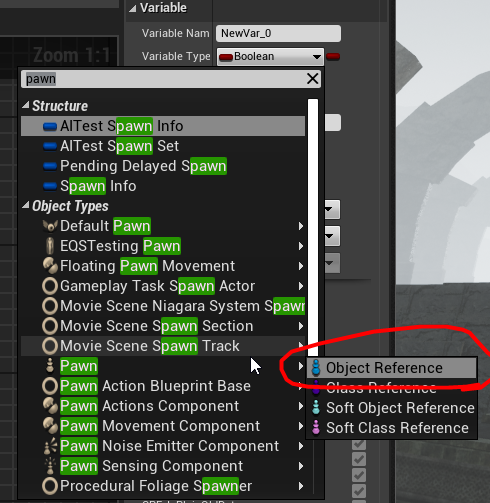
 wild pumice
autumn pulsar
https://i.imgur.com/KWK9xzb.png
wild pumice
autumn pulsar
https://i.imgur.com/KWK9xzb.png
Thanks
kind estuary
warm hare
Doh! Thank you. I put the right values in. Appreciate you
Np king. good luck
kind estuary
hushed fox
You could just make a parent class that has all the different types then enable ...
🫡 cheers
kind estuary
hushed fox
You could just make a parent class that has all the different types then enable ...
what about a GAS 💨 system? Maybe its not worth it
autumn pulsar
if I run an event twice on the same frame with different inputs, how does Unreal handle it?
hushed fox
kind estuary
what about a GAS 💨 system? Maybe its not worth it
I’m not sure, I’ve never used it. Seems complicated and you could just make your own framework built around your project needs
hushed fox
autumn pulsar
if I run an event twice on the same frame with different inputs, how does Unreal...
I’m pretty sure it just does it twice, the engine can handle more than one execution a frame.
autumn pulsar
Cannot construct objects of type '/Script/Engine.PrimitiveComponent' in Construct Object from Class
I'm trying to essentially spawn a box/sphere/capsule I can use to see if I impacted something
The Overlap functions don't support orientation of the shape
and I don't need to run a trace since i'm just testing a shape
Would trace really be my best bet?
maiden wadi
autumn pulsar
if I run an event twice on the same frame with different inputs, how does Unreal...
It will just run both like Blox said. Your executions cannot be cut off in the middle of a frame. If you put too many things in a single frame, it will simply extend the frame's time. This is how you get low framerate in games with bad optimization, you end up with too much stuff running per frame.
maiden wadi
hushed fox
I’m not sure, I’ve never used it. Seems complicated and you could just make your...
@kind estuary
GAS isn't really that complicated. It has four basic components.
Abilities do things, they're the actions of your system. They are the FireWeapon which spawns projectiles like bullets or grenades or does line traces directly to apply effects.
Effects are definitions of... effects. They contain attribute manipulations, and associated cues. You apply these as instant manipulations to attributes like an explosion. Or you apply one for a duration which applies attribute modifications every set time like a regeneration effect.
Attributes are just that, defined floats. (These come with the minor downside that they require C++ unless you use the GAS assisitant or helper plugin thing. But you can use a ton of GAS even without relying on attributes as well.)
And last are Cues. Cues are visual and sounds. You can associate a cue with an Effect to play along with it like keeping a regeneration particle going. Or you can execute them as one offs from abilities like a muzzle flash.
You're going to find that you're going to do all of these things if you make your own system as well so there's not really a lot of reason not to learn and use GAS in the end for most projects.
kind estuary
maiden wadi
<@711946020858101790>
GAS isn't really that complicated. It has four basic compo...
yeah 💯 i will use GAS if not to become better at it. I followed a tut of Ryan Loley a while, it was nice, but it was complicated, and it was in blueprints. But left my with the feeling it was useful because of how modular it was.
But i forgot all of it by now, so i have to see it again 😵
The other thing that worries me is that my characters are UObject, not AActor.
And then they have a reference to the instance mesh
This is better but its uncommon
maiden wadi
kind estuary
The other thing that worries me is that my characters are UObject, not AActor.
Why not just base them on AActor? Why UObject specifically? As a UObject they have to be based on some other actor anyhow for replication if you ever go to multiplayer. And there's only like a 100byte difference between an AActor and UObject class. which is not really a lot for the added functionality and ability to be compositional.
gentle urchin
Iirc correctly i saw a rather significant gain moving from aactor to uobject
If you have a large amount of things that require some Ecs-esque system, surely you wouldnt want to try and replicate them as normal aactors but use some replication manager instead
 foggy spire
how do i access a replicated object variable from an actor that is not locally controlled?
maiden wadi
gentle urchin
If you have a large amount of things that require some Ecs-esque system, surely ...
Depends on the thing in question. Most systems won't see much of a difference and should get more performance out of an actor based system unless you're causing something like too many actors running networking stuff. In which case you're probably already at a number where you should be considering a real ECS system like Mass or FLECS which won't use UObjects for anything more than static data like fragments.
maiden wadi
foggy spire
how do i access a replicated object variable from an actor that is not locally c...
Need more context. What is the object? What does locally controlled have to do with it?
foggy spire
(its replicated)the variable is an array of actors, and for each of them i want to change the color of their mesh material, suppose i have a 2 player listen server setup, from the client i want to change the material of the actors in its array and i also want to change the material of the actors in the other players array, in the server it works just fine, but in the client when i try to change the material of the actors in the array of the server player/ the the non locally controlled players, it gives an error, and it detects the actors in the array as invalid, okay i will show a video
maiden wadi
gentle urchin
If you have a large amount of things that require some Ecs-esque system, surely ...
I realized I didn't actually explain that. 😅 Actor based systems benefit from being culled network wise. Meaning you aren't always replicating to the client. Network manager systems basically encompass a system or area in a sense, and normally always replicate everything. So if you're doing 200 actors that are spread so far out that a player is only going to see max 20 of these at a time, you're wasting resources replicating the other 180 at all times when only 20 are relevant.
And there is something to be said that of course replicating smaller things allows for more, but again at that point you're complicating your implementations enough that you should just consider a real ECS system because chances are you're going to hit walls fast with any non ECS system, and unless you're already finished with the shipped product, it's going to get extended, which means a lot more than that initial 200 projection.
lost hemlock

Im only interacting with this wooden log once in my game
and once I do
I wanna destroy this macro/[function] completelly
but you can't destroy a macro/function
how can I destroy this piece of code after I destroy the first wooden_log_BP?
gentle urchin
maiden wadi
I realized I didn't actually explain that. 😅 Actor based systems benefit from b...
Glad im not planning on replicating my 5k 🤣
trim matrix
Question about AI optimizing method in Unreal Engine 5 with Blueprints only:
Method One: I will use normal Enemy AIs with NavMesh, Number of AI is 60, move to the location (There is Another AI types also)
Method Two: I will add spline to a actor spawner, I will spawn AI, give them simple functionality same as Method One, No NavMesh, I will move them with Timeline, when enemy goes to next point of spline, that event is called again and AI goes to next point with timeline again. Enemy AI number is 60 again
Which will be performant? My friends told me that you are tick, for moving the AI with timeline, and choose method 1
gentle urchin
Theyll both tick for movement. Theres a bunch of caveats and issues here tho
There could be written an entire diary of the different issues both methods will bring about. For the actual result you'd need to profile the final implementation as that will matter a lot on how performant it is
kind estuary
maiden wadi
Why not just base them on AActor? Why UObject specifically? As a UObject they ha...
I didnt know this. They are stored in a manager of soldiers. Which is an actor. So that will work? Im not thinking of multiplayer, but its good to know these things. I thought UObject was replicated too.
I like UObject, is like simple and clean
AActor has lots of stuff
Epic Developer Community Forums
That is really good information… thank you so much BrUnO!
here they are saying that Actor has 9k lines vs Component 3k lines
UObject works great for me because they dont need to tick, or anything just data
And it also supports functions
The only thing that sucks is the multiplayer
gentle urchin
It doesnt suck its just some extra work to set it up
component != uobject aswel, but that you already knew
maiden wadi
kind estuary
here they are saying that Actor has 9k lines vs Component 3k lines
The amount of lines in a class doesn't matter. A class can have ten million lines of code and still only take up four bytes with a single float value in it and cost nothing at runtime if none of those functions are running.
The functions of a class do not get "copied" or carry anything with each instance. Every instance shares those functions so having one or fifty instances makes no difference for how many lines of code it contains. The only thing that matters as far as instances being cheaper in the end is how much code is being ran each frame and how many properties the class has which take up actual memory space.
normal raft
hey .. been pulling your hair out with camera movement behaving weirdly no matter what you do .. followed 4000 tutorials .. asked every one every where.. spent hours and hours fiddling around in spring arm and camera settings ...here a top tip ... Goto that Piece of shit corrupted up Springarm Delete .. re-attach the camera be happy.. I suspect the spring arm might get dirty as my original template was built quiet a few versions back .. but something was defo messed up with mine as it wouldnt follow yaw oribit correctly all the way through 360degrees
 blissful horizon
Hi guys, does anyone knows anything about how to copy files from one directory to another using BP nodes only? I think I might have one (or both) incorrect input string?
Both the file and the target directory exists, I checked during execution
thank you in advance :)
 normal raft
not sure if you should be using / unless its linux but just worth mentioning does getparent content directory actually return with slashed ?
blissful horizon
@normal raft yes it does, I am checking if the file exist with the branch before execute copy file
it executes, but return a fals output so the file is not copied (I have checked it is not there)
dark drum
blissful horizon
Hi guys, does anyone knows anything about how to copy files from one directory t...
I think you need to use back slashes in the path. Also, I think you need to include one at the beginning of what you append as getting the content directory wont have one on the end.
If you've printed the paths and they are correct, it could be a permissions issue.
blissful horizon
this is the current output of the strings used

@dark drum @normal raft thank you I try that quickly see if it helps
dark drum
blissful horizon
this is the current output of the strings used
Oh... There's spaces in the path. It could be that that's throwing it off.
blissful horizon
same result with backslashes :(
 blissful horizon
dark drum
Oh... There's spaces in the path. It could be that that's throwing it off.
blissful horizon
dark drum
Oh... There's spaces in the path. It could be that that's throwing it off.
I thought of that too, but in that case it wouldnt find the file at all? I will test it quickly
dark drum
blissful horizon
I thought of that too, but in that case it wouldnt find the file at all? I will ...
Hard to say, you could try replacing the spaces in the path with '%20' and see if that works.
Of course it depends how the functions are setup to handle the spaces. There's no guarantee that both handle them lol.
normal raft
heh
dark drum
Another cause might be that the copy file node requires the folder destination to exist. Not used it so can't confirm but if it doesn't exist, you can try the create directory node first to create the destination folder before calling the copy.
blissful horizon
dark drum
Another cause might be that the copy file node requires the folder destination t...
still no good :(
there is a folder destination, I also checked that

 split dagger
Why are you trying to copy a sav file?
blissful horizon
it is triggering and executed through
 split dagger
Could you load the .sav file and just save it again with a different name?
blissful horizon
split dagger
Why are you trying to copy a sav file?
I want to add my save file to the default save file in the shipped build
it need to be in the default save folder so I can load the map
@split dagger

 indigo abyss
Sorry I don't want to interrupt but is there someone who would be able to help me resolve an issue with Floating Pawn Movement?
 little moat
Shouldn't this work for getting an actors direction?
 blissful horizon
only if it moves straight forward
little moat
blissful horizon
only if it moves straight forward
Yeah it does
I'm thinking of how to know if I need to have my AI calculate avoidance
normal raft
how can smoothly restore my spring arm after releasing the key for go forward .. I tried with Lerp but it didnt seem to work quiet how i expected ... but i wouldnt mind using a timeline though it dosnt seem to offer me a node for this?
this is in a macro so might be why it wont give us the node
 pulsar axle
I've bug fixed and bug tested so much I've actually found bugs in unreal's code instead of my own
maiden wadi
pulsar axle
I've bug fixed and bug tested so much I've actually found bugs in unreal's code ...
Which ones?
maiden wadi
indigo abyss
Sorry I don't want to interrupt but is there someone who would be able to help m...
Don't worry about interrupting. It's a public social space. Usually just post a question with your issue laid out as well as you can and if someone can help, they will try.
pulsar axle
maiden wadi
Which ones?
For some completely unknown reason, one of the components in my mesh refuses to move.
yes I've checked the moveability settings.
despite it being a part of a blueprint instance, it refuses to move with the rest of the instance when the game is running, even by simply moving it manually when simulating.
maiden wadi
pulsar axle
For some completely unknown reason, one of the components in my mesh refuses to ...
Any chance you're affecting it on tick somewhere?
pulsar axle
pulsar axle
For some completely unknown reason, one of the components in my mesh refuses to ...
demonstration
dark drum
pulsar axle
demonstration
What supposed to move that isn't? The green arrow?
pulsar axle
maiden wadi
Any chance you're affecting it on tick somewhere?
everything in my code comes out of the Event-Begin-Play node, so it's only executed once
pulsar axle
dark drum
What supposed to move that isn't? The green arrow?
You can see the outline around the room I am moving, the same outline is also around the arrow, meaning they belong to the same blueprint instance and thus should be moved together.
dark drum
pulsar axle
You can see the outline around the room I am moving, the same outline is also ar...
Ok, I'd say you've set it's location to absolute instead of local.
pulsar axle
using code to move the arrow ofc also doesn't work, it's fixed in place no matter what for some reason.
Please understand I have simplified ALL my code has been reduced to simply spawning a room in the position of the chosen arrow, I couldn't get more simple, that's how far down the debugging has gotten lmao
pulsar axle
dark drum
Ok, I'd say you've set it's location to absolute instead of local.
interesting, I'll look into what that means
dark drum
pulsar axle
interesting, I'll look into what that means
Select the component and in the details panel, next to the location, you can specify if it's local or absolute. Local means it's local to the actor it's in, absolute means it's based on the world. (something like that anyway)
If you use absolute you can move the actor and the component will stay in place. I've used it a few times lol.
pulsar axle
here?
 dark drum
pulsar axle
here?
dark drum
pulsar axle
here?
Yea, click where it says location with the little down arrow.
pulsar axle
dark drum
Yea, click where it says location with the little down arrow.
Nah it's still remaining in the same place

 dark drum
pulsar axle
Nah it's still remaining in the same place
dark drum
pulsar axle
Nah it's still remaining in the same place
is the component used anywhere? You can do a search.
pulsar axle
dark drum
is the component used anywhere? You can do a search.
OH
I just discovered something!
Somehow, someway, the arrow is being removed from the default scene route

but-
I have no code that could even do this? at least none that is set up right this moment.
as you can see, before simulating the game, the arrow is in the correct position
 pulsar axle
dark drum
is the component used anywhere? You can do a search.
pulsar axle
dark drum
is the component used anywhere? You can do a search.
full breakdown with my voice here @dark drum
dark drum
pulsar axle
full breakdown with my voice here <@430016173694779402>
Oh, so it's being detached from the scene component. Tis odd.
normal raft
man y epic do you have to make every thing so ugly
the epic dev that thinks that new time stuff on the timelines is perfectly fine wants thumping
dark drum
pulsar axle
full breakdown with my voice here <@430016173694779402>
If you unhook begin play, does it still detach?
pulsar axle
dark drum
If you unhook begin play, does it still detach?
It's not going to spawn anything if I unhook begin play though... they are all spawned using it, the world is empty prior to using it
dark drum
pulsar axle
It's not going to spawn anything if I unhook begin play though... they are all s...
Oh wait, you've shown logic in a different thing. What logic do you have in the rooms that actually have the arrow in them?
pulsar axle
OH

BUG
AttachTo: '/Game/VRTemplate/Maps/UEDPIE_0_VRTemplateMap.VRTemplateMap:PersistentLevel.Dungeon_Starter_Room_C_0.Overlap Folder' is not static (in blueprint "Dungeon_Starter_Room"), cannot attach '/Game/VRTemplate/Maps/UEDPIE_0_VRTemplateMap.VRTemplateMap:PersistentLevel.Dungeon_Starter_Room_C_0.OverlapBox1' which is static to it. Aborting.
FIXED
just needed to make all the scenes static
autumn pulsar
Does an actor component tick tick independently of the actor or with the actor?
wild pumice
I am current using Set View with Target Blend to switch between my characters. Is there a way to keep the rotation the camera is facing when switching? It always resets to the camera's default position on the character.
 dusky cobalt
Save the Current Camera Rotation when switching and set the new one as the one you just set?
wild pumice
dusky cobalt
Save the Current Camera Rotation when switching and set the new one as the one y...
any idea what node to use? Set Control Rotation isn't working.
gentle urchin
Id suggest overriding the cameramanager 😄
But i guess you can set the rotation of the target actors camera to match the source camera
 pale flame
I have a grid system that players can buy stuff and then place it on a grid spot. I want to be able to have a fence (which is already able to be bought) but I want to be able to place down a whole enclosure at the same time. I've tried a few things that didn't work at all. Could anyone point me to some resources that could help me along with this?
 kind willow
Is there a way to get actor's default value of a variable inherited from a parent?
 graceful gust
When I pause the game, the countdown timer keeps going.
kind willow
graceful gust
When I pause the game, the countdown timer keeps going.
Where is the timer stored?
graceful gust
Widget
kind willow
graceful gust
Widget
Try looking for a "Set Tickable when Paused" node
some things can still tick under pause, this should toggle it
graceful gust
Where do i connect the target?
dark drum
kind willow
Is there a way to get actor's default value of a variable inherited from a paren...
Get the class of the parent and use the get class defaults node.
kind willow
dark drum
Get the class of the parent and use the get class defaults node.
That gives me the default value of the parent
kind willow
graceful gust
Where do i connect the target?
The actor you want to toggle
graceful gust
The timer is stored in the widget
dark drum
kind willow
That gives me the default value of the parent
Is that not what you asked for?
kind willow
dark drum
Is that not what you asked for?
No. I need the value that child blueprint uses


I need the left one
graceful gust
Says that the blueprint (self) is not an actor
kind willow
graceful gust
Says that the blueprint (self) is not an actor
Hm, maybe try plugging it into the owner?
graceful gust
So when the timer is in the widget, do i have to move it elsewhere?
kind willow
graceful gust
So when the timer is in the widget, do i have to move it elsewhere?
That'd probably be for the best, unless the timer is for an animation or such. Let me look a bit deeper
dark drum
You can just use the get class default node, just plug in the class you want it for, whether it's a child or parent.
kind willow
dark drum
You can just use the get class default node, just plug in the class you want it ...
I already tried that. It will give the master class defaults
so, in my example, it'd output "100" in the health float
even if the class it uses has it set to 30
dark drum
kind willow
even if the class it uses has it set to 30
How are you setting it to 30? Modified per instance in the level?
kind willow
dark drum
How are you setting it to 30? Modified per instance in the level?
No, I go into the actor details and change it there
although, important to mention, the code runs inside the master actor
since each NPC needs it's health value stored for later, the master runs it on begin play
graceful gust
I need to cast to the widget from an actor
Where do i connect object?
Ah, i think i remembered
autumn pulsar
can I make a map but the secondary value is an array?
kind willow
autumn pulsar
can I make a map but the secondary value is an array?
no
would be nice though
autumn pulsar
I guess I have to make a struct that's just an array
dark drum
kind willow
since each NPC needs it's health value stored for later, the master runs it on b...
Can you show what you mean?
kind willow
dark drum
Can you show what you mean?
Not really I'm afraid. All I'm doing is MaxHealth == CurrentHealth inside the master
This is what I'm doing right now, just make sure the value is cloned only when the actoir ran for the first time

Because otherwise the value would be cloned every time the player loads the game, so a dead enemy would clone a value of 0
dark drum
kind willow
This is what I'm doing right now, just make sure the value is cloned only when t...
So your setting the max health to the health value, health being the variable you change in the details panel?
kind willow
dark drum
So your setting the max health to the health value, health being the variable yo...
Yes
dusky cobalt
isn't Has Ran Already checkd true by default?
kind willow
dusky cobalt
isn't Has Ran Already checkd true by default?
no. I just added it. This is an alternative to getting the default value
Originally there was no branch
dark drum
kind willow
Yes
I'm not sure why the get class default wouldn't work then. 🤷
kind willow
dark drum
I'm not sure why the get class default wouldn't work then. 🤷
Maybe a 5.3 bug?
dusky cobalt
can you show screenshot in the editor of the default value? also you can add breakpoints and see if this code is even firing
kind willow
kind willow
I did here
dusky cobalt
click on set max health node and add breakpoint
kind willow
the left is child, right is master
kind willow
dusky cobalt
click on set max health node and add breakpoint
it fires just fine, that's not the issue
just ignore the branch, it was added as a band-aid solution
dusky cobalt
ok so you are setting Max Health from Health variable right
are you doing this on begin play in the master class?
kind willow
dusky cobalt
ok so you are setting Max Health from Health variable right
are you doing this o...
yes. The issue is that it runs every time a game is loaded, so if the enemy got hurt, the variable will be set to whatever the current health value is
 jolly obsidian
I made this code to grab item, but it's not working, I've tried a few things, I've checked everything and nothing, does anyone know what it could be?


 dusky cobalt
kind willow
yes. The issue is that it runs every time a game is loaded, so if the enemy got ...
dusky cobalt
kind willow
yes. The issue is that it runs every time a game is loaded, so if the enemy got ...
do you mean when you load like 2nd lvl or what is the situation that this ''enemy'' is ever loaded again?
do you spawn this actor second time?
kind willow
jolly obsidian
I made this code to grab item, but it's not working, I've tried a few things, I'...
This looks to complex to debug from just pictures. You gotta get some prints and breakpoint to narrow down the issue first
kind willow
dusky cobalt
do you mean when you load like 2nd lvl or what is the situation that this ''enem...
If I save the game, then load the save
F5 -> F9
dark drum
kind willow
yes. The issue is that it runs every time a game is loaded, so if the enemy got ...
Would it not make sense to have the health set to max health instead? Then if your loading saved health it would override the health value without affecting the max health.
kind willow
dark drum
Would it not make sense to have the health set to max health instead? Then if yo...
Then the enemy would heal every time the game is loaded
dusky cobalt
where is the ''enemy'' respawned first time?
kind willow
dusky cobalt
where is the ''enemy'' respawned first time?
It is not respawned. The entire level gets reloaded on game load
dusky cobalt
ugh
kind willow
and so all actors are spawned again
dusky cobalt
so how do you save and load data? and why are you not saving the current health when doing save?
kind willow
dusky cobalt
so how do you save and load data? and why are you not saving the current health ...
I do save the current health! That's the issue. The value gets loaded then overrides the max health
dark drum
kind willow
Then the enemy would heal every time the game is loaded
You would save their current health and reapply it. If there's not saved health to apply set to max health.
dusky cobalt
okay, so you are saving it somewhere where we can access it?
kind willow
dusky cobalt
okay, so you are saving it somewhere where we can access it?
Yes, the actor itself
kind willow
dark drum
You would save their current health and reapply it. If there's not saved health ...
That's what the boolean does. I hoped I wouldn't need it though and I could get the default value instead
Which it seems I cant
dusky cobalt
but we dont see where you are saving it first and it doesnt looks like it gets loaded?
if its just on begin play then it happens on begin play
dark drum
kind willow
That's what the boolean does. I hoped I wouldn't need it though and I could get ...
OnBeginPlay -> Does save game exist -> if true, load saved game and apply health. If not set health to max health.
It seems odd that your setting max health to the current health at any point.
dusky cobalt
I feel like you just need to delete this part from begin play and make:
Create Custom Event
Initialize Enemy > Set Max Health from Health
This you go somewhere to level blueprint for example (or create new BP_EnemySpawner / BP_EnemyManager w/e)
There on begin play you Spawn Actor from class, after you spawn it you Initialize Data.
If it's only one enemy, then on begin play you check if this actor that was created exists, if exists already then you don't spawn it.
dusky cobalt
dark drum
OnBeginPlay -> Does save game exist -> if true, load saved game and apply health...
or you need something like this
like you are missing step to ''avoid'' begin play on your actor that you are trying to load
jolly obsidian
kind willow
This looks to complex to debug from just pictures. You gotta get some prints and...
After resolving some things with the break points, I arrived at this: the code runs entirely until the last breakpoint, but the object doesn't move the right way
When I hold the mouse on it it goes up, and when I release it it goes down, but it doesn't move or anything
dusky cobalt
jolly obsidian
I made this code to grab item, but it's not working, I've tried a few things, I'...
mostly these branch checks seems very off and also what is this function that checks if able to grab but doesn't give anything back? if something makes ''check'' then it should provide info back, either doesnt matter what it does unless you want it to do something at this point (change color for example)
also if you want to grab something and then be able to move it ''live'' you might need to put something on tick or timer by event, the rest ''more or less'' makes sense, but you would need to describe how it exactly should work

 jolly obsidian
Give me a second, I have an example of +- how it should work
split dagger
A little boolean in your event tick so it only moves the actor when the boolean is set.
dusky cobalt
also maybe disable collision first and then grab component
kind estuary
maiden wadi
The amount of lines in a class doesn't matter. A class can have ten million line...
🫡 thanks i didnt know that. so why do the pros of unreal always recommend using uobject when possible? Id rather use Actor, but i thought i was being better doing this way.
i mean there must be a reason, right ?
 ocean gate
Hi! Does anyone know why "Set members <struct name>" does not have any input except for the struct reference itself? In all posts I find online people usually have an input from the struct they're modifying such as an int or float or whatever?
 jolly obsidian
Give me a second, I have an example of +- how it should work
jolly obsidian
jolly obsidian
Give me a second, I have an example of +- how it should work
It was supposed to work like this, but I made the new code from scratch, because I'm making a system of parts and bolts, and I decided to do it from scratch to make it better, but the idea would be this
jolly obsidian
dusky cobalt
also maybe disable collision first and then grab component
I'll try that for a second
dusky cobalt
jolly obsidian
Give me a second, I have an example of +- how it should work
is this box actor or component? print if it actually hit the component (name of it), also you are disabling collision of the actor and not the component, also not sure what does this do
 split dagger
ocean gate
Hi! Does anyone know why "Set members <struct name>" does not have any input exc...
split dagger
ocean gate
Hi! Does anyone know why "Set members <struct name>" does not have any input exc...
try right clicking that when it's not connected. where it says "struct ref"
ocean gate
split dagger
try right clicking that when it's not connected. where it says "struct ref"
AH restore all structure pins fixed it! Thank you so much! :D
autumn pulsar
Any ideas why my MultiBoxTraceForObjects is hitting the same actor multiple times in a single trace? https://i.imgur.com/CbhJ1jK.png
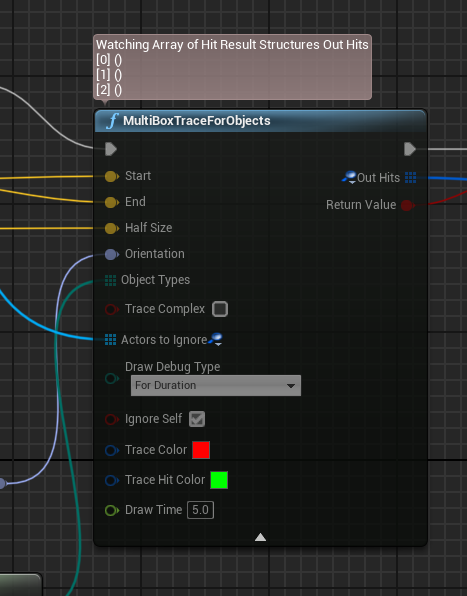 dusky cobalt
ocean gate
Hi! Does anyone know why "Set members <struct name>" does not have any input exc...
dusky cobalt
ocean gate
Hi! Does anyone know why "Set members <struct name>" does not have any input exc...
click on "set members node" and on the right you need to ''tick'' the pins that you want to set
dusky cobalt
autumn pulsar
Any ideas why my MultiBoxTraceForObjects is hitting the same actor multiple time...
how are you checking that?
autumn pulsar
dusky cobalt
how are you checking that?
wdym?
dusky cobalt
how are you checking that actor got hit multiple times and not once?
autumn pulsar
dusky cobalt
how are you checking that actor got hit multiple times and not once?
for each loop
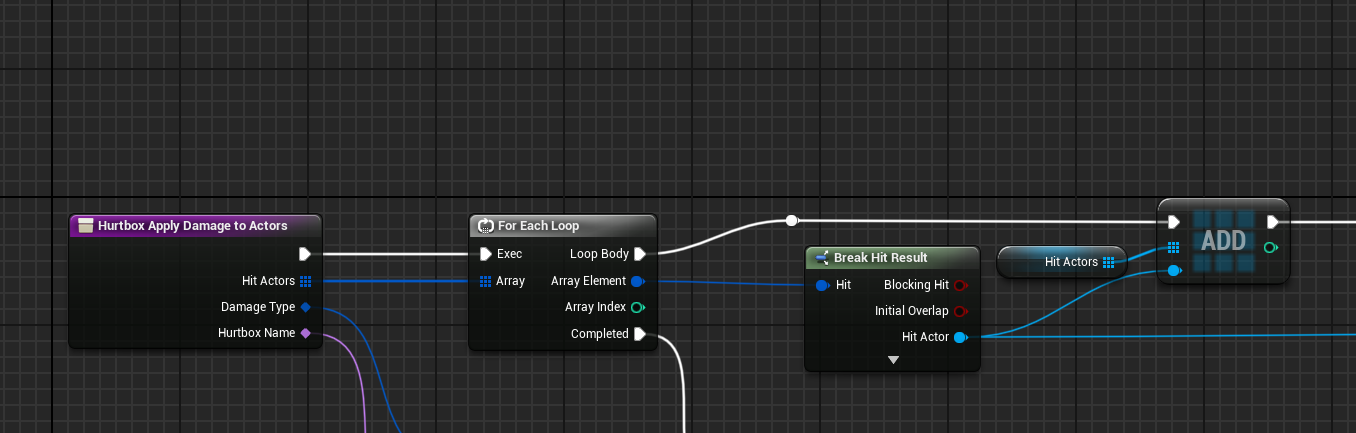
keeps adding the same actor to the array
split dagger
ocean gate
AH restore all structure pins fixed it! Thank you so much! :D
You're welcome! Glad I could help.
dusky cobalt
autumn pulsar
https://i.imgur.com/ejrJF1q.png
probably you need to clear array before you ''cast'' trace, that's one thing, and 2nd thing you can use add unique so it won't add the same actor 5 times
does it add actor 5 times on 1 hit?
autumn pulsar
dusky cobalt
does it add actor 5 times on 1 hit?
I could just discard the multiple hits, but I'm wondering why it's even hitting the same actor multiple times in a single trace
dusky cobalt
also you actually saved ''hits'' and for each ''hit'' you add the actor that was hit (once)
autumn pulsar
since it should be 1 actor per hit
unless I'm just not understanding how shape traces are designed to work
dusky cobalt
so if sphere/box registeres that it hit actor in 10 places, you get 10 for each loops that add the same actor 10 times
just use add unique when you are adding actor to the array
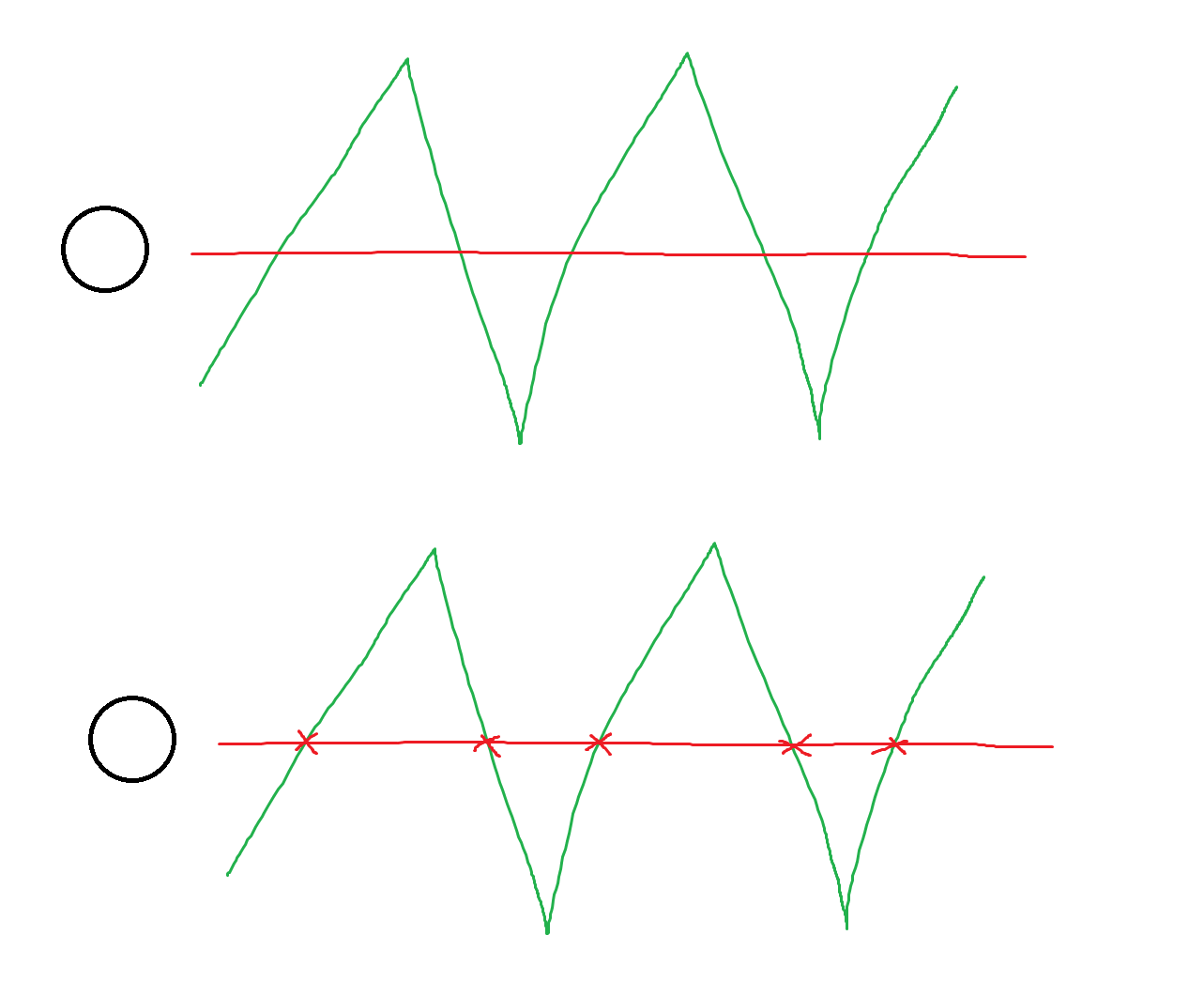 jolly obsidian
dusky cobalt
is this box actor or component? print if it actually hit the component (name of ...
jolly obsidian
dusky cobalt
is this box actor or component? print if it actually hit the component (name of ...
I think I found a solution, I don't know if it's the best, but I think it works, it's what I did in the old code, a simple loop
 dusky cobalt
probably 5
dusky cobalt
jolly obsidian
I think I found a solution, I don't know if it's the best, but I think it works,...
you can use Set Event by timer and just use 0.04, it's less costly but will work almost the same (adjust the time so it feels good)
and also you can toogle this timer on/off
jolly obsidian
I think I'm going to do something that checks that I want to get an item and if I go to get the item the timer starts, it's a solution to make it less expensive too
autumn pulsar
dusky cobalt
probably you need to clear array before you ''cast'' trace, that's one thing, an...
is INDEX_NONE -1?
dusky cobalt
autumn pulsar
is INDEX_NONE -1?
just try with add unique here
 autumn pulsar
yes I am
dusky cobalt
jolly obsidian
I think I'm going to do something that checks that I want to get an item and if ...
Start Event timer after grab something = true, release clear and invalidate
autumn pulsar
but I need to know if there was a collision
and it's supposed to return index_none if there is
dusky cobalt
autumn pulsar
but I need to know if there was a collision
but you already checking that?
jolly obsidian
dusky cobalt
Start Event timer after grab something = true, release clear and invalidate
exact, but anyway, thanks man
autumn pulsar
dusky cobalt
but you already checking that?
I have logic behind I need to branch
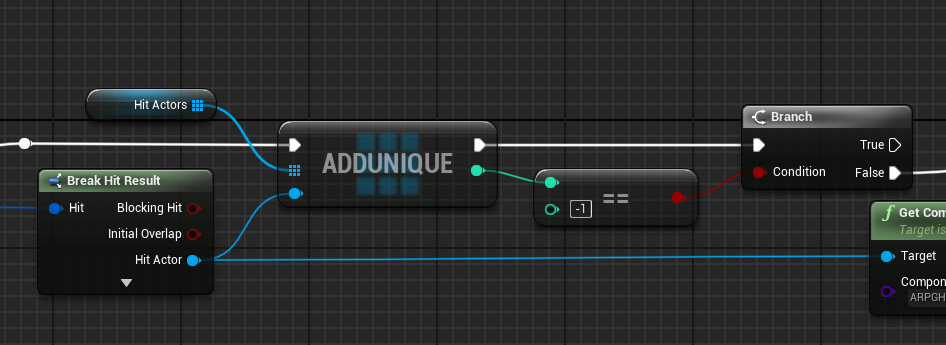
basically need to do nothing if it's something I already hit
jolly obsidian
Now I just make some adjustments to make the movement cleaner, but it looks good to me
dusky cobalt
autumn pulsar
basically need to do nothing if it's something I already hit
need more context
autumn pulsar
dusky cobalt
need more context
I mean I got it working, I was just explaining it
 lyric island
i have this scenecapture2d thats positioned really high up in the world and when i look at the contents of it, everything is extremely low res and jagged. the resolution of the render texture im using is 1920x1080 but it's still really really ugly. any way to improve the resolution or work arounds?
autumn pulsar
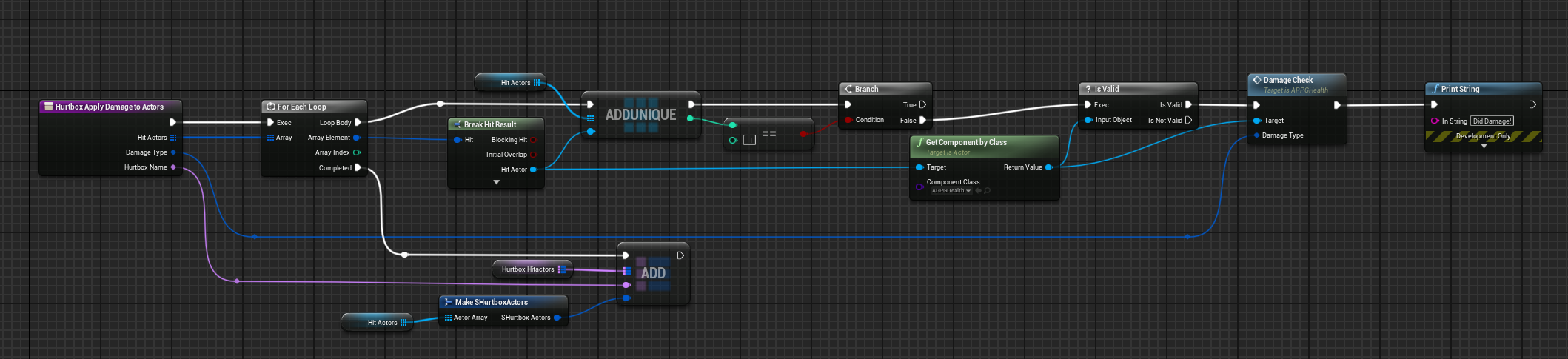 dusky cobalt
this will kind of never be true so its weird how you are checking it
 autumn pulsar
dusky cobalt
this will kind of never be true so its weird how you are checking it
autumn pulsar
dusky cobalt
this will kind of never be true so its weird how you are checking it
I have a trace
and it was hitting the same actor multiple times
so when I was iterating through the actors I hit, I kept running into the same actor, and applying damage multiple times
so I needed a way to add it to the pool, and discard it if it appears again in the same hit
dusky cobalt
yea because you were adding for each hit, the same actor, by changing it to unique this actor will get added only once, because on 2nd iteration of loop he is already in the array
so even if it gets hit 10 times it gets added to once
autumn pulsar
well yes, but the logic after it would still run
while he'd only be added to the array once, the damage calculation step would still run
dusky cobalt
this is your problem

you should Deal damage to all actors hit
(unique actors)
but this you do on complete for loop
so on Complete, you take Hit Actors array, For Each Loop on that array and Deal Damage
autumn pulsar
dusky cobalt
this is your problem
Okay, now I'm picking up what you're putting down
well
actually that wouldn't work
dusky cobalt
First Loop you check actors hit by hitbox, it adds them to the Hit Actors, then you take Hit Actor Array, and for each Deal Damage
autumn pulsar
That wouldn't quite work, because a subsequent hitbox would hit the actors, and I'd then be doing damage to an actor that already previously took damage
faint pasture
autumn pulsar
so if I do a trace, is this 1 hit or 5 hits?
a multi line trace would be 3 hits
or 5
depending on the normals of those faces
autumn pulsar
faint pasture
a multi line trace would be 3 hits
okay, so it can hit the same actor multiple times
dusky cobalt
autumn pulsar
That wouldn't quite work, because a subsequent hitbox would hit the actors, and ...
Do you even read what I write to you 😄
faint pasture
autumn pulsar
okay, so it can hit the same actor multiple times
Not 100% sure, test it. Probably with multi line trace I'm guessing
dusky cobalt
It can even hit the actor 500 times, what is the problem if you add him only once?
autumn pulsar
dusky cobalt
Do you even read what I write to you 😄
yes, I think you're missing context
dusky cobalt

 dusky cobalt
How it wouldn't work?
autumn pulsar
I'm spawning hurtboxes over time
faint pasture
autumn pulsar
https://i.imgur.com/qPt005O.png
then add them over time
begin -> clear array
dusky cobalt
yeah you also forgot to clear the array before first for each loop
so it's clear, looks for hits, looks for actors
faint pasture
If you want the hits to happen over time then you'll need 2 arrays
HitThisFrame vs HitThisAttack
autumn pulsar
dusky cobalt
yeah you also forgot to clear the array before first for each loop
I'm using the array to make sure actor 1 doesn't get hurt by the same sweep agaain
autumn pulsar
faint pasture
If you want the hits to happen over time then you'll need 2 arrays
kind of what I'm doing by just branching off the add unique
faint pasture
Do you want damage to occur on first hit or at end of anim?
jolly obsidian
Is there any way I can make an object only collide with certain objects?
 radiant talon
Hey I have a issue with sliding down a slope. Im trying to have it realistic when going down it curves. Let me know if this is possible with this thanks!
 faint pasture
jolly obsidian
Is there any way I can make an object only collide with certain objects?
faint pasture
jolly obsidian
Is there any way I can make an object only collide with certain objects?
The collision channels isn't enough?
what are you actually trying to do
faint pasture
radiant talon
Hey I have a issue with sliding down a slope. Im trying to have it realistic whe...
Just rip all the trig out and use vectors
jolly obsidian
faint pasture
The collision channels isn't enough?
Sorry, I already solved it, I had done something wrong
autumn pulsar
dusky cobalt
yeah you also forgot to clear the array before first for each loop
I'm using it further upstream to ignore the hit actors when I trace again
faint pasture
You can do it with one array like this
Start -> Clear array
Hit -> if thing not in array, damage it and add to array
This would be most elegant and work for hits over time and just 1 hitbox
autumn pulsar
actually
faint pasture
I'd use a set if there's a possibility for a lot of hits
set.contains is dummy fast
autumn pulsar
faint pasture
You can do it with one array like this
Start -> Clear array
Hit -> if thing not...
that's basically exactly what I'm doing
faint pasture
so what's the problem?
autumn pulsar
faint pasture
so what's the problem?
I was initially confused why my trace was returning the same object multiple times
then it kind of became a discussion of implementation
I don't clear the array because it's a local variable and gets destroyed on function exit
faint pasture
You'll want an array that lives for the entire animation time
autumn pulsar
I have a map that does that
faint pasture
what is your attack, an anim montage?
autumn pulsar
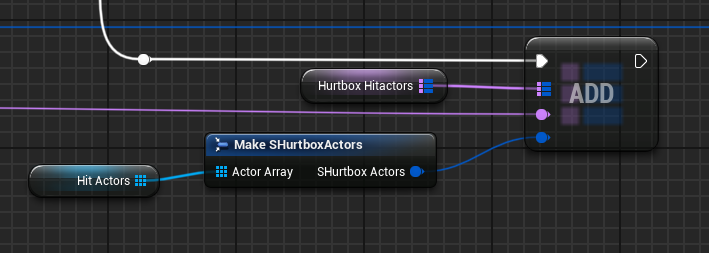 autumn pulsar
faint pasture
what is your attack, an anim montage?
autumn pulsar
faint pasture
what is your attack, an anim montage?
yeah
basically, my actor has a pool of active hurtboxes
and I use animation events to add and remove active hitboxes to a pool
faint pasture
you need a set that is cleared when you start the montage and per tick of anim, you damage and add to set anything that's not in set
unless you intend for 1 montage to hit a thing multiple times
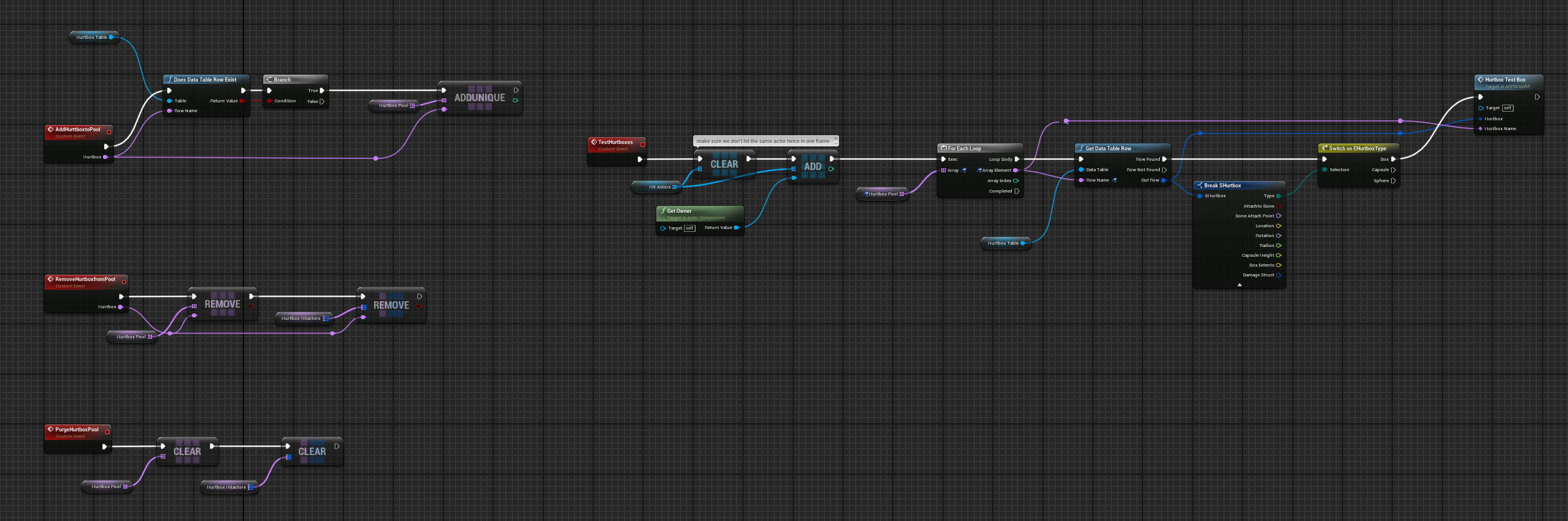
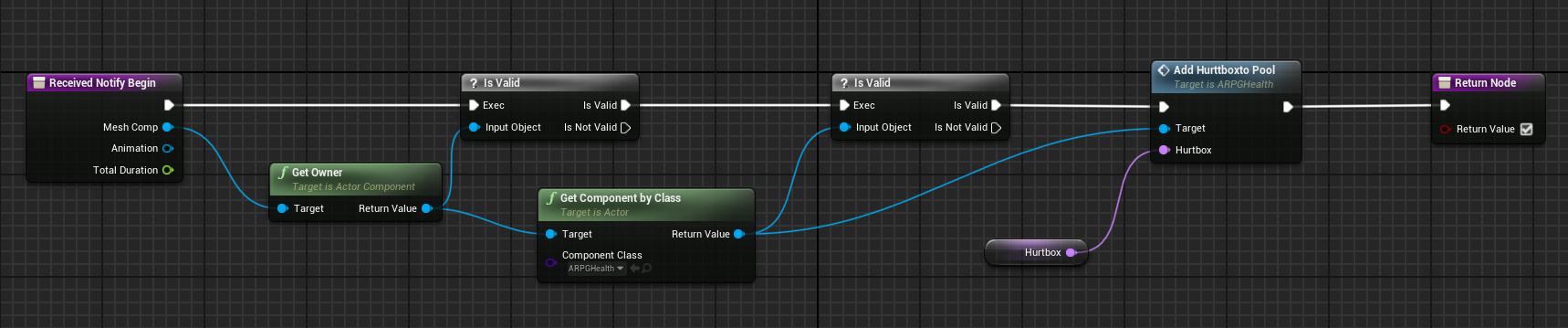


 faint pasture
Where is the bit where you damage an actor
autumn pulsar
Basically,
Animation Plays -> Add hitbox with name -> Adds hitbox name to active pool on actor
Tick -> Check each Hurtbox in the Pool -> Spawn the hurtbox and test for actors inside -> Run through the list of actors, if we haven't hit them before, add them to a list and then do damage to them -> Add all the actors we hit to the ignore map per hitbox and then loop
faint pasture
When does the ignore map get cleared?