#blueprint
1 messages · Page 262 of 1
 faint pasture
 wide beacon
ah you see thast where its worked out for me, ive managed to make it so i can swap the mesh name and description of the object in the editor.
 north prawn
Hello all, I am very new to UE5 and Blueprints, currently trying to remake my Godot project with it.
User-made content is an important aspect of my game, and I need to create a set of folders in the player's local files, for them to place their content. This was simple in Godot with DirAccess.make_dir_absolute("<path>"). However, I can't seem to find any Blueprint nodes that can create new folders. I can check if a path exists, and there is Make Directory Path, but it outputs a "Directory Path" as opposed to creating that path, and I do not know what I'm supposed to do with that Directory Path output.
 high iris
In blueprints, is there such as thing as a node that I can ask: "hey, is this object of any of these n types, and if so, can you give me an exec pin for each one of them + none"? Almost like a bulk cast attempt.
 frosty heron
high iris
In blueprints, is there such as thing as a node that I can ask: "hey, is this ob...
frosty heron
high iris
In blueprints, is there such as thing as a node that I can ask: "hey, is this ob...
But why? This sound like a code smell.
You do normally just have the function in the base class.
And if the objects have to derived from different class then this is where interface comes in but ask your self first if the objects can't derive from the same base class.
Nested casting is pretty messy and indication of bad design
high iris
frosty heron
But why? This sound like a code smell.
You do normally just have the function ...
It's very much in the temporary workaround territory, you make totally fair points there.
 wise ravine
Question: Is there any difference to putting movement login inside of player controller instead of player character?
 maiden wadi
wise ravine
Question: Is there any difference to putting movement login inside of player con...
maiden wadi
wise ravine
Question: Is there any difference to putting movement login inside of player con...
So you have a Character. And you have a Car. And you have a Plane. You can possess and control all three.
You put the logic in the PlayerController. The PlayerController needs to know about the character's movement controls, the car's movement controls, and the plane's movement controls. These can rebind and are differently named, so you're gonna have a different set of controls for all three. And you're gonna need the controller to know about all three, to be able to send the controls to the character, car, and plane.
Or you can just put the controls in the car, character, or plane.
 dawn gazelle
north prawn
Hello all, I am very new to UE5 and Blueprints, currently trying to remake my Go...
dawn gazelle
north prawn
Hello all, I am very new to UE5 and Blueprints, currently trying to remake my Go...
There is a plugin you can enable called "Blueprint File Utils" which gives you a "Make Directory" node.
 surreal lantern
how do i enable the node that represent the increment assignment " var a += 5 " ?
frosty heron
surreal lantern
how do i enable the node that represent the increment assignment " var a += 5 " ...
Just set the variable
A = A + 5 in bp
The increment node will require a ref
north prawn
dawn gazelle
There is a plugin you can enable called "Blueprint File Utils" which gives you a...
Thank you! That's exactly what I needed, and it works!
surreal lantern
frosty heron
Just set the variable
U mean , "set A" node receiving as input the sum of "get A" node with flat value 5
*?
frosty heron
surreal lantern
U mean , "set A" node receiving as input the sum of "get A" node with flat val...
if you really want the increment node, you can make your own macro\
just double click the macro and see how its done
 surreal lantern
Oh, so was probably this, i saw an node with the symbol '+=' in the unreal fellowship series
It was probably a macro
frosty heron
+= is operator in c++
a = a + 5
the shorthand would be
a += 5
they do the same thing
surreal lantern
Actally, it didnt have the macro labol
I know, i saw a video on unreal fellowship
frosty heron
maybe you can post the picture here
surreal lantern
Where yhe host uses a
frosty heron
gtg maybe someone else can take a look
surreal lantern
Sure, im not on the pc, but tomorrow i will take a print of it
 rigid bay
Hi, I'm having an issue with importing a model with animations. When I import the model, it gets scaled up, and all the animations turn the model into an eldritch horror. I am remaking my project in 5.5, after wanting to restart to better organize what I was doing, and I didn't have this issue in 5.4, so I don't know why this is happening.
Not sure if this is the right channel for this question, but I don't see another to put it in.

I managed to figure it out somehow
 odd widget
is there any chat to VC in regards to this, not particualrly to help, other than the occasional rubber duckying, just honestly find it gets a bit boring given im out of schedule with most of my teams and even in schedule they understandabvly would rather spend it with their own customized background noise
 normal raft
any one know which collision cylinder setting causes the glitchy walking?
hm nm i think i got it .. set the size to 75 and diameter to 21.5 and also set it so its a spectator
 rugged junco
so here's a problem i got. i want my player character to not do a spell animation and attack in the air, but the gameplay tags don't seem to be working with it comes to indicating when the player is on the ground or in the air. its either it will work both on ground and air or neither. any suggestions on what i should do?

 frosty heron
rugged junco
so here's a problem i got. i want my player character to not do a spell animatio...
frosty heron
rugged junco
so here's a problem i got. i want my player character to not do a spell animatio...
How would the tag magically do the check if the character is on air?
Can you go through the logic?
You are saying if character has this tag then do this else do that.
But what drives if the character has the tag or not? Where is the missing bits.
rugged junco
the ground and air tags are mapped to the jump input and toggle in between each other whenever the character is in the air or on the ground.

i think maybe it has something to do with the ability not having the reference to the player character directly
so maybe i could add that
 gentle urchin
This^ feels wrong
frosty heron
@rugged junco if you need to check if the character is in air, there is already variable for that in the cmc that is evaluated every frame.
BIsInAir or something. If not there look at third person template.
gentle urchin
You're also not checking if you can jump in the first place, meaning youd pass tags based on an event that may not happen
And being in air is a state that can happen without jumping
As Cold says, CMC does this, and has a movementmodeChanged delegate one could use
rugged junco
hmm
bingo

weird though, because i tried is falling before, and it didn't seemed to work, but now it does
unreal can be weird sometimes
 charred dew
I am trying to create an Inventory System using Blueprints and C++ and now I'm at the point where I'm adding the Items to a widget (WB_Inventory). I'm trying to add my variables to the other Widget (WB_Items) which will go into my vertical list in My Inventory Widget I don't know how to get my variables to be shown on screen I've tried binding but It doesn't work.
frosty heron
rugged junco
weird though, because i tried is falling before, and it didn't seemed to work, b...
Why do you get player character 0 though
You should make the ability generic (works with anyone that granted the ability).
Instead hard coding player character
Perhaps you don't need to grant the ability to anyone else but making it generic takes a few second.
Get avatar actor info-> get component by class -> cmc -> is falling.
 dim halo
im trying to delete obstacles from a course. I am adding obstacles to a a struct that houses an array like so. Pls ignore the adding to the first array and then carrying it over, im just doing that bc the blocks are of a variaty of actor classes so i couldnt just use make array. And then im deleting them and remvoing the array like this


does anyone why it wouldnt be deleting those actors
 marble tusk
dim halo
im trying to delete obstacles from a course. I am adding obstacles to a a struct...
marble tusk
dim halo
im trying to delete obstacles from a course. I am adding obstacles to a a struct...
The first thing which stands out to me is this. That Remove Index won't do anything since the actor this is on gets destroyed before it can be called. Although, if the Floor And Obstacles variable is on this actor, then it would also get destroyed with the actor anyway technically removing everything since it wouldn't exist anymore
 dim halo
its just the array. Originally it was the array floor and obstacles hence the name but it no longer is
i tried removing that and it made no difference tho
i tried using an array of actors and another array of ints to keep track of how many obstacles there were for each floor but that wasnt seeming to wrok either
maybe its because of the change you just listed tho
marble tusk
I think I'm missing part of this. When this ADD is called it's adding another index to the struct array which contains it's own version of the Obstacles array. Then later you're only getting the first index from the struct array, so if that struct array was added to more than once, then the first index likely doesn't include all the obstacles

 dim halo
the obstacles come in sets, i.e each floor has a set of obstacles, after clearing a floor i want to delete that floor and all the assosiated obstacles, so im only ever gonna want to delete the obstacles in habiting the first index I think. I could be misinterpreting how structs and arrays work
the array is only ever added to once when creating the obstacles for a floor. Everytime a floor is added a new set of obstacles is added to the struct but id only want to delete that one once that floor has been cleared. There are ten floors are at a time so the struct should hypothetically have ten imdexs at a time
but it doesnt
unfortunately my breakpoints havent bee working
frosty heron
going step by step helps
dim halo
yeah
frosty heron
write down the expected output, work your way up. Test the values
dim halo
frosty heron
write down the expected output, work your way up. Test the values
the random aspect of it was making it difficult to figure out what the unexpected output was and when it was being caused
i finally just simulated it like a hundred times and noticed a trend
dim halo
same here
gentle urchin
frosty heron
I'm debugging everyday 🤣
Life is debug, what else
I need to make a pathfinding visualizer today
So i can visualize the steps
 lost hemlock
What am I doing wrong with those loops?
 gentle urchin
Top loop aint comnected
marble tusk
both aren't
gentle urchin
So you never loop through the keys
lost hemlock
but if I connect it via the loop body it will not do the job properly, it will end the function really fast, it will half ass my function, it will just look at the first thing and then go tell to my branch (found or not found) but will not look thoroughly through everything
I want to make sure that they check through everything
 muted socket
why isn't my line trace starting from the center of the screen?

 lost hemlock
and then, and ONLY then go on.
marble tusk
You'll likely need a local boolean variable to store true if it can craft, then after both loops have completed you return that boolean through the return node
gentle urchin
Return should only be called in two situations :
- Both loops are completed, and thus not enough items were found
- early out if all items were found during looping
marble tusk
Oh yeah, could do that. Just connect both loops instead of completed, then move the unchecked return node to the completed of the first loop
That way it'll only call the can't craft return node if it's looped through everything and didn't find it, and if it does find one it exits early with the checked can craft node
lost hemlock
marble tusk
You'll likely need a local boolean variable to store true if it can craft, then ...
yeah but before that my loop wants to go on to something else via the loop body execution, and If I force it to return back to it via the first "Exec" pin then I will cause an infinite loop that will go on forever and ultimately crush my Unreal Engine Editor
lost hemlock
marble tusk
You'll likely need a local boolean variable to store true if it can craft, then ...
 gentle urchin
lost hemlock
yeah but before that my loop wants to go on to something else via the loop body ...
gentle urchin
lost hemlock
yeah but before that my loop wants to go on to something else via the loop body ...
You're doing it wrong then
marble tusk
Or those arrays are stupidly huge
lost hemlock
marble tusk
That way it'll only call the can't craft return node if it's looped through ever...
but it needs to run through both loops, that will mean it will only run through the first and then call it a day.
lost hemlock
marble tusk
Or those arrays are stupidly huge
Content is = 30 slots
marble tusk
This is what I mean
 gentle urchin
Yepp , outer loop is the definition of checking everything and still not completing it
lost hemlock
gentle urchin
Yepp , outer loop is the definition of checking everything and still not complet...
outer loop you mean second loop?
gentle urchin
No, first
First is always outer
If youd see this in cpp itd make more sense
/*Outermost Loop*/
for (auto Key : Keys)
{
    /* Inner Loop */
    for (auto Slot : Inventory)
     {
      // check here
     }
}```For each key you want to chevk if the inventory contains it
Personally
lost hemlock
oh, outer is a preposition word describing external spatial positioning, thats why i was confused here
gentle urchin
I would suggest doing it the other way around
So you only ever loop the inventory once
And TMap has a O(1) lookup cost
The way you're doing it you worst case end up looping the inventory once for every item in the recipe
lost hemlock
gentle urchin
And TMap has a O(1) lookup cost
I could make a new array or variable storing all the things and quantity of the items found, like a temporary variable, would that be performance efficient? Considering that I have 30 slots on my inventory, and my crafting can have around 20 different types of items with varying quantities each. (So far I've only added around 6-7 craftable items available in the game)
gentle urchin
Or just swapping the order
rugged junco
do you know how you can make a homing shot aim towards an actor only when the target lock is activated? so far, i was able to make it act like a homing attack, but i'll have to find out how to either toggle the homing ability or make it so i can tag enemies when i target them.


 lost hemlock
gentle urchin
And TMap has a O(1) lookup cost
lost hemlock
gentle urchin
And TMap has a O(1) lookup cost
I don't understand C++ terms. I haven't **unlocked **this **knowledge **yet.
what's TMap? What's 0(1) lookup cost?
gentle urchin
Just know its fast
TMap = Map
Your input parameter is of that type
So thats the recipe i assume
Also btw
I forgot a third returnn
If you dont find an item in the inventory, you can instantly return fast on Completed for the inner loop
No need to check for the rest since requirement cannot be met
muted socket
I'm getting closer, now the trace starts correctly from the center of the screen but ends a bit too low and to the left while it should go straight out from the viewport. Ideas?
 lost hemlock
gentle urchin
If you dont find an item in the inventory, you can instantly return fast on Comp...
lost hemlock
gentle urchin
If you dont find an item in the inventory, you can instantly return fast on Comp...
im already doing that or you mean i should try to do that for speed?
marble tusk
lost hemlock
Remove this link. When it's there it means it'll exit early no matter what
 gentle urchin
Let me slap up an example
lost hemlock
gentle urchin
TMap = Map
you mean to tell me i should use maps? im already using that for my crafting
but not for my inventory array
crafting is map/dictionary
gentle urchin
no im not saying that at all
inventory is fine as an array
recipe makes sense as a map
You want your outerloop to be inventory
and innerloop to be the tmap
or rather
its not even a loop
ill show you in a minute
the only loop you need is the inventory loop
worst case scenario, you loop through the entire inventory, and return false
best case, you end it before that
lost hemlock
marble tusk
Remove this link. When it's there it means it'll exit early no matter what
I find no bugs with that, though I only test it on 2 items with simple recipes so far.
gentle urchin
lost hemlock
you mean to tell me i should use maps? im already using that for my crafting

Loop through inventory -> Check if the current inventory slot is in the recipe -> remove the slot amount -> if new sum is less than or equal to 0, remove the item from the recipe (we've found enough of that item 🙂 ) , else, add (which replaces existing) new amount to the recipe list.
If recipe list turns out empty after removing an Entry, we can return with a success , as all items were found
If we complete the loop, it means we never found all items, which in turn means we failed.
Worst case complexity is O(n), meaning we'd loop the inventory one full loop.
 tawdry walrus
Hi, I want to store pistol ammo without resting when switching weapons. I have an idea to store it in data assets. Is it okay to store them?
frosty heron
tawdry walrus
Hi, I want to store pistol ammo without resting when switching weapons. I have a...
no, data assets are for read purposes
while it's not impossible to write to them, it make no sense
The ammunition should belong to your Weapon class
where each instance track their own ammo
The usses of data assets in these casses is probably to just initialize default data for the weapon instance
tawdry walrus
Thx
frosty heron
the end should be
EndLocation = WorldPosition + (Direction * distance)
not good at math, but maybe you can try that
If you skip the addition, it will kind of just start from the world origin. You gotta offset it to start from the StartLocation
@muted socket
 gritty aurora
Hey everyone! 👋
I’m running into an issue with my graphics settings in my game, and I could really use some advice.
Here’s the problem: When switching between graphics settings (e.g., Low, Medium, High, Ultra), everything works fine until I select Ultra. Once Ultra is selected, I can’t switch back to any other setting. I’m using a Blueprint setup with a clamped integer variable (GraphicsEX) that ranges from 0 to 5 for the different settings. I’ve also ensured that ApplySettings is called, but it still locks when selecting Ultra.
Does anyone know what might be causing this or have ideas on how to fix it? I’ve attached a screenshot of the logic for reference. Any help would be awesome! 😊
Thanks in advance! 🙏
 wide beacon
this code stops the players movement, and plays a message on screen, however it doesnt go back to walking after, i know the walking mode says none at the end. ive already tried changing that.

 surreal sonnet
gritty aurora
Hey everyone! 👋
I’m running into an issue with my graphics settings in my game...
surreal sonnet
gritty aurora
Hey everyone! 👋
I’m running into an issue with my graphics settings in my game...
you have +1 on both buttons
gritty aurora
surreal sonnet
you have +1 on both buttons
What should they be because I tried making it 1+ and -1 but it still doesn't allow me to go back from ultra to low
surreal sonnet
gritty aurora
What should they be because I tried making it 1+ and -1 but it still doesn't all...
try on clicked graphic- to either change value to -1 or use substract node
you can also print the value you are getting after button press to see what it does
 narrow sentinel
So if I do this get a ref to an array element and if I then use Set Memebers on the promoted variable will that alter the array element in the array or would I need to remove and re-add the element with the new values ?
 gentle urchin
It will alter the array element yes
 native canopy
Why when i changed the resize value, the logic looping by the resize value https://blueprintue.com/blueprint/ib3jxot5/

No description provided
frosty heron
native canopy
Why when i changed the resize value, the logic looping by the resize value https...
screen shoot your bp, that website can't represents something 1 : 1


 narrow sentinel
gentle urchin
It will alter the array element yes
narrow sentinel
gentle urchin
It will alter the array element yes
awsome thank you, normally I do this stuff in Cpp thats all so use to how it looks at works in there
So like that

the temp is the cache element from the array by ref and the new item data is the altered version of it with the changes
native canopy
frosty heron
screen shoot your bp, that website can't represents something 1 : 1
The Array index should be 0, but when i print the amount is 3
 frosty heron
native canopy
The Array index should be 0, but when i print the amount is 3
frosty heron
native canopy
The Array index should be 0, but when i print the amount is 3
why should it be 0? You resize it to 3.
So you have 0 , 1 , 2
native canopy
frosty heron
ok, so what's the issue?
the logic looping by the array resize value
native canopy
frosty heron
an array with 3 elements would be [0, 1, 2]
i know but the issue not that
frosty heron
maybe it's language barrier
native canopy
native canopy
read the comment
frosty heron
masalahnya apa terus?
native canopy
frosty heron
masalahnya apa terus?
bentar
native canopy
frosty heron
masalahnya apa terus?
The "Event_Pickup_Gun" Looping by the resize value
but for the "PickupItem" not looping even the resize change
frosty heron
Print the length of the array
native canopy
frosty heron
Print the length of the array
1."Items Items"
2."Items Gun"


the len is normal
frosty heron
so you are saying the loop doesn't loop 12 times?
if so, did you print the length just before the loop?
 surreal lantern
this node really exist ?
 native canopy
frosty heron
so you are saying the loop doesn't loop 12 times?
native canopy
frosty heron
so you are saying the loop doesn't loop 12 times?
wait
native canopy
frosty heron
so you are saying the loop doesn't loop 12 times?
i try to make a description from the issue
frosty heron
surreal lantern
this node really exist ?
source?
surreal lantern
some ia that i dont remember the name
frosty heron
ia? or AI?
frosty heron
then that explains it
surreal lantern
'+='
frosty heron
LLM spit something that doesn't exist quiet often than not
frosty heron
surreal lantern
i want to do the addition assignment but with a single node
your only option in bp is probably a macro
though what's wrong with just a = a + 5
surreal lantern
i saw a video of unreal fellowship, a node with this symbol '+=' that did the addition assignment
it didnt have the macro symbol in the node
is possible to change the symbol of the macro nodes ?
 remote meteor
perhaps its custom node
frosty heron
never seen it but I am gonna guess what ever you seeing is a macro anyway
remote meteor
can just make a macro really
native canopy
frosty heron
so you are saying the loop doesn't loop 12 times?
"PickupItem" not looping even the resize value change (this is what I want), but The "Event_Pickup_Gun" Looping when the resize value change (I don't want this),
Example :
items_items resize = 12
Run "PickupItem" only playing 1 time even the value 12 (this is what I want)
items_Gun = 3
Run "Event_Pickup_Gun" playing 3 times like the value (I don't want this)
frosty heron
function for that doesn't make sense as you probably want to re-use it in all your bps
frosty heron
native canopy
"PickupItem" not looping even the resize value change (this is what I want), but...

do a print string here of your index
before the is valid check
The loops just go over every element in the array
nothing can be suggested without knowing the context
native canopy
1.items_items
2.itmes-Gun

 frosty heron
yup, so everything in order
the loops just iterate every element in the array
What's the logic you are executing for every iteration?
native canopy
but if i pritn after valid
1.items_items
2.items_Gun

 native canopy
frosty heron
What's the logic you are executing for every iteration?
native canopy
frosty heron
What's the logic you are executing for every iteration?
to make Event_Pickup_Gun looping one time
frosty heron
what's the condition? You just want to break away at the first loop (index 0)?
then you wouldn't need to use loop at all and just get index 0, but I have a feeling you will end up with more bugs
native canopy
frosty heron
then you wouldn't need to use loop at all and just get index 0, but I have a fee...
make a sense, but the variable need to communicate with another blueprint
frosty heron
that's kinda irrelevant
native canopy
i can say same logic with different result
native canopy
frosty heron
that's kinda irrelevant
look this,

 surreal lantern
macro nodes can have execution pin ?
frosty heron
native canopy
look this,
What you probably want is loop over element that have valid item
but everything is a guessing game as I don't know how you tackle your inventory system
you should have a function that checks if an element is a valid item or not.
Checking if the name is empty can be one of the condition.
surreal lantern
anyone have any ideia on how do i enable that epic library

so i can use/enable this
 native canopy
frosty heron
but everything is a guessing game as I don't know how you tackle your inventory ...
native canopy
frosty heron
but everything is a guessing game as I don't know how you tackle your inventory ...
the first image, I ran the logic and showing 3 result when i picked a gun (1 gun), the secodn image , i ran the logic and showing 1 result when i picked 1 item.(the purpose is if i picked one the array only fill 1)
frosty heron
it's a library, you probably have to download it
frosty heron
native canopy
the first image, I ran the logic and showing 3 result when i picked a gun (1 gu...
then don't do resize?
or like I just suggested, you can just loop over valid items
If the Name is Empty, simply do nothing
native canopy
frosty heron
then don't do resize?
Yes, the resize only for the item slot
frosty heron
if you want to loop only over valid item, then do just that.
Check if the element has a valid Item Name, if false, do nothing
native canopy
The loop only for fill the slot, not for looping the logic
frosty heron
For every Item in Items
Index 0 - > Does it have valid Item Name? -> If true, do something, else do nothing
Index 1 -> Does it have valid Item Name? -> If true, do something, else do nothing
Index 2 -> Does it have valid Item Name? -> If true, do something, else do nothing
......
And so on
native canopy
frosty heron
For every Item in Items
Index 0 - > Does it have valid Item Name? -> If true, do...
Like that, but i don't know why when i picked 1 gun the logic do 3 Times
frosty heron
native canopy
Like that, but i don't know why when i picked 1 gun the logic do 3 Times
because For Each loop Iterates every element in the array
that said you can chose to not execute any code on Element without valid item, by doing the check
native canopy
frosty heron
because For Each loop Iterates every element in the array
why "PickupItem" only looping one time even the resize length is 12
not like "Event_Pickup_Gun" looping by the resize length
frosty heron
Show me a screen shot on how you print PickUpItem
 frosty heron
It's actually looping 3 times
but it doesn't go past the valid check on some indexes
it didn't for a fact only loop one time
native canopy
frosty heron
but it doesn't go past the valid check on some indexes
what wrong with "Event_Pickup_Gun"

there are same logics
frosty heron
Use break point and go step by step
remote meteor
-# might as well practice to make a standalone inventory system at this point
frosty heron
don't throw nodes without understanding what they do including the IsValid check
my final suggestion is, if you want to iterate over valid items in ItemGuns, you can check if the element has a valid ItemName
other than that, there's nothing else I can add.
native canopy
frosty heron
Use break point and go step by step
for each loop with break?
frosty heron
native canopy
for each loop with break?
no, it's a debugging technique
right click a node and add breakpoint, that will stop the game execution right at the node.
You can then go over the next nodes step by step.
native canopy
frosty heron
no, it's a debugging technique
i saw "PickupItem" looping 12 times, "Event_Pickup_Gun" 3 times
i just confused why the varibles fill 3 objects
frosty heron
native canopy
i just confused why the varibles fill 3 objects
you resize the array to 3 elements 🤷♂️
native canopy
frosty heron
you resize the array to 3 elements 🤷♂️
PickupItem fill 1 object even the resize 12
i'll use another technique
this is weird
frosty heron
native canopy
PickupItem fill 1 object even the resize 12
incorrect, there are 12 items in it
the print strings already proof it
native canopy
frosty heron
incorrect, there are 12 items in it
why this is fill 1
 frosty heron
probably cropped but ItemsItems have 12 elements
you are just changing the first index
the array still holds 12 elements
native canopy
i created the code but i confused with my code, really weird
 lofty rapids
comments can help if you forget your code, next time make some comments
but just try to follow the execution to figure out what is going on
unfortunately your lines are a little crossed up and hard to really see what is going on quickly
lost hemlock
marble tusk
Remove this link. When it's there it means it'll exit early no matter what
But this will say " craftable " when you can afford only just one of the items in the ingredients list.

E.g. here:

Note: My project wasn't saved properly earlier, because someone was experimenting with some broken devices and my house's electricity went out and so progress wasn't saved, so I had to redo everything again, there could be some bugs right now. Like for example the way the craft button is set to disabled right now.
 haughty ember
Is there a way to edit specific keys of specific bone inside animation sequence? (using editor utility blueprint)
lost hemlock
marble tusk
Remove this link. When it's there it means it'll exit early no matter what
Also I dont understand why it says "Craft" but the button is shown as disabled ???

It's still pressable though, Im pressing it and the color changes but the color of the text looks kinda anemic or smth.
 lost hemlock
But this will say " craftable " when you can afford only just one of the items i...
lost hemlock
lost hemlock
But this will say " craftable " when you can afford only just one of the items i...
Anyway that's irrelevant, I think the problem still remains here.
marble tusk
lost hemlock
But this will say " craftable " when you can afford only just one of the items i...
Does it need to be true when everything from the ingredients is in the content array?
gritty aurora
surreal sonnet
try on clicked graphic- to either change value to -1 or use substract node
So I went back and watched the Youtube video , and I found 1 mistake it should be subtract and add , but still when I go past ultra it goes away and doesnt loop back to low
 frosty heron
gritty aurora
So I went back and watched the Youtube video , and I found 1 mistake it should b...
frosty heron
gritty aurora
So I went back and watched the Youtube video , and I found 1 mistake it should b...
if you want it to loop then make it so
If Index > Max
Index = 0
If Index < 0
Index = Max
surreal sonnet
as coldsummer says, i made similar thing for my inventory hotbar, wanted to use wrap node but it did not work as intended for some reason so made custom function for that
i made mine like this in function library so i can reuse it
 lost hemlock
marble tusk
Does it need to be true when everything from the ingredients is in the content a...
lost hemlock
marble tusk
Does it need to be true when everything from the ingredients is in the content a...
I mean my logic right now would be equivalent to ... You cooking food, making the sauce but skip the pasta, veggies, and sides, and someone says, oh wow "This dish is perfect!"
gentle urchin
frosty heron
If Index < 0
Index = Max
Index % length
lost hemlock
Or, when you go to the grocery store for shopping, you're holding a 15-item list of essential thigns you agreed with your family you're gonna buy... you buy only chips, and the family says, "Great job stocking up!"
 muted socket
any idea why this works when I use the "Play" pin but doesn't work when I use "Play from start"?
Any quirk I should be aware of?
 haughty ember
Is there a way to edit specific keys of specific bone inside animation sequence? (using editor utility blueprint)
 lusty birch
muted socket
any idea why this works when I use the "Play" pin but doesn't work when I use "P...
lusty birch
muted socket
any idea why this works when I use the "Play" pin but doesn't work when I use "P...
show your timeline curve
muted socket
lusty birch
show your timeline curve
 lusty birch
muted socket
lusty birch
muted socket
looks ok...what is start pause button?
muted socket
It's another actor with a simple plane on it. It's these two buttons, I want them to grow slightly when the player looks at them
 frosty heron
muted socket
frosty heron
muted socket
btw are you sure it's not playing even once?
i mean it's one second it might be too fast for you to notice
muted socket
lusty birch
They are child actors?
yes
muted socket
lusty birch
(child actors are bugged)
bugged how?
muted socket
frosty heron
i mean it's one second it might be too fast for you to notice
I'm sure, I can see it play when I use "play", but it does nothing when I use "play from start"
frosty heron
Once you finished playing, it's not gonna play anymore
since the timeline would be at the end
frosty heron
muted socket
I'm sure, I can see it play when I use "play", but it does nothing when I use "p...
don't you mean the other way around?
muted socket
frosty heron
since the timeline would be at the end
isn't that the whole point of having "play from start"?
muted socket
frosty heron
don't you mean the other way around?
100% sure
frosty heron
yea well, it's working fine on my end
lusty birch
child actors have lots of bugs and you better not use it
muted socket
wait no maybe I know
lusty birch
create another test component on this actor and test if it behaves OK with this timeline
marble tusk
lost hemlock
So then you want it to return false if any of the ingredients aren't in the content array. Here's what I would do:
- Make a local boolean var. This will keep track of whether or not an ingredient is found in the content array.
- SET this boolean var to false before the second loop. This is to reset it before it checks for the next ingredient.
- After the branch's true SET the boolean to true. The ingredient was found.
- Add another branch after the second loop's completed and plug the boolean var into it. We'll act on whether or not the ingredient was found.
- Move the unchecked return node to the false of this new branch. If any ingredient is not found this will break out of the function saying it can't be crafted.
- Move the checked return node to the first loop's completed. If it gets far enough to have completed the first loop, then all ingredients were found.
muted socket
I use a line trace to trigger the "play" even. If the trace hits the button, start playing, but since the trace is still hitting the button it will trigger the "play from start" over and over, every frame
lost hemlock
marble tusk
So then you want it to return false if any of the ingredients aren't in the cont...
 frosty heron
muted socket
I use a line trace to trigger the "play" even. If the trace hits the button, sta...
frosty heron
muted socket
I use a line trace to trigger the "play" even. If the trace hits the button, sta...
yeah...
muted socket
I need to keep a "isPlaying" variable and only trigger the animation if "isPlaying" is false
frosty heron
shouldn't use play from start when growing or shringking buttons
When not looking -> Reverse the timeline
When looking Play the timeline
muted socket
frosty heron
When looking Play the timeline
that's what I was trying, but if I only use play I'll have to reset the timeline to 0 and then play otherwise it wouldn't play if I look away and then back onto it
frosty heron
muted socket
that's what I was trying, but if I only use play I'll have to reset the timeline...
you don't
you just reverse the timeline when you are not looking
this way u get a smooth transition instead snappy back to the scale at time 0 value
marble tusk
marble tusk
So then you want it to return false if any of the ingredients aren't in the cont...
The only problem I could see with this is if any recipe requires multiple separate instances of the same ingredient. Since each ingredient will be checked against the entire contents array it could count the same content index for multiple ingredients if that one item is needed multiple times.
Also, if there could be multiple stacks of the same item but in different entries of the content array it wouldn't count them together.
muted socket
frosty heron
you just reverse the timeline when you are not looking
I get that, that's for the shrinking, but if I then look back at it I will have to set timeline to 0 and play. I was planning of using "Play from start" for the growing and "Reverse from end" for the shrinking
frosty heron
muted socket
I get that, that's for the shrinking, but if I then look back at it I will have ...
No, if you are looking at it, keep it playing
when not looking shringking
so u dont SNAP the value to 0
If hovered Play anim
If Unhovered Play reverse
if I chose to play from the start, I will get snap effect
muted socket
I'm doing the same thing and it doesn't snap
frosty heron
if you finished the timeline
says it's already 200% the scale
Then you stop looking where it will windback to 0% within 3 seconds
but u look back within 1 second
the scale will snap to default scale again
muted socket
ah ok, I see what you mean
frosty heron
since looking is evaluated every frame, you can do some checks to not run the play function again when its already playing
but eh, honestly it's probably doesn't take much performance
if it's neglegible, I would just say, play the timeline when you look at it
and just rewind the timeline when you are no longer looking at it
muted socket
and for the "Look away" part, what would be the best way for it? Do you use the Tick event to check if you're looking at it or does the line trace have a handy helper?
lost hemlock
marble tusk
The only problem I could see with this is if any recipe requires multiple separa...
WDYM different entries?
muted socket
sorry found it, I can use a branch after the trace
frosty heron
You are already using tick for looking and it's only natural that you used tick here so you get the smootest experience.
If HitActor != Selected Actor
Selected Actor -> RunFunctionThePlayerStopLookingAtMe
and that function can just rewind the timeline
marble tusk
lost hemlock
WDYM different entries?
Like different indices of the content array. Since it's only checking each entry in the content array individually if there are multiple stacks of the same item spread out across multiple entries in the content array, then this method won't add them together. As in if you need 64 of an item, but it's spread out in two stacks of 32, then it'll see 32, say there's not enough, then see 32 again and say it's not enough without adding them together.
I don't know if this situation is possible for your use case or not though
 bronze lily
this is suposed to make the light flash increase in speed but doenst have that effect. Think about it like increasing danger, starts slow and then increases until boom, currently lights flash evenly and then boom. any surgestions would eb most welcome thank you
 gentle urchin
marble tusk
So then you want it to return false if any of the ingredients aren't in the cont...
gentle urchin
marble tusk
So then you want it to return false if any of the ingredients aren't in the cont...
I sent a functional snippet earlier
gentle urchin
gentle urchin
This^
gentle urchin
@lost hemlock just copy what my snippet does

 lost hemlock
gentle urchin
This is incorrect , as you probably know
lost hemlock
gentle urchin
This is incorrect , as you probably know
why so?
lost hemlock
lost hemlock
Im doing this now
You mean the first or the second? Because so far testing on these 2 items, axe (made out of 1 stone & 1 wood ) and basic wooden hammer (made out of 2 wood) gave me no problem with this technique up here
The 2nd is just an example to show the problem, im no longer using that version because it would let you craft even tho you had the recipe unfinished
remote meteor
you just have to find a single insufficient for it being "not craftable"
gentle urchin
Indeed
lost hemlock
remote meteor
you just have to find a single insufficient for it being "not craftable"
how would I find a single insufficient? 
gentle urchin
Inverse of finding the thing
If loop completes and you dont find what you're after ..
lost hemlock
gentle urchin
If loop completes and you dont find what you're after ..

But then it finishes as negative
 gentle urchin
Your setup has a squared complexity as it is now tho so if you aim for rather large inventory or craftables, this might spiral out of cost
lost hemlock
 lost hemlock
gentle urchin
Your setup has a squared complexity as it is now tho so if you aim for rather la...
lost hemlock
gentle urchin
Your setup has a squared complexity as it is now tho so if you aim for rather la...
you mean in terms of performance?
gentle urchin
Yes

 atomic shoal
what are you trying to do Terra?
lost hemlock
But I need to know how to prevent any performance issues
gentle urchin
For each item you're looking for you will worst case go through close to entire inventory
lost hemlock
(I am nervous about it)
lost hemlock
gentle urchin
For each item you're looking for you will worst case go through close to entire ...
yeah but what other better way is there?
gentle urchin
The one i sent you lol
lost hemlock
perhaps im using some kind of outdated medieval barbarian slow method
gentle urchin
Free of charge 😅
lost hemlock
btw, why would it cause performance issues?
atomic shoal
if you have 3000 items, worst case you'd have to loop through each one
lost hemlock
im guessing it will do no more than 30 loops ?
gentle urchin
atomic shoal
if you have 3000 items, worst case you'd have to loop through each one
If hes looking for 10 items, and those happen to be at the end of theninventory array
Thats 3000*10-10 iterations
atomic shoal
I think you'd want a map
gentle urchin
He got a map
But needs to swap the order
Complexity decrease to O(n), single loop
Which is "just" 3000 iterations
remote meteor
for each, if item is in the map, check if i have enough amount that the map needs
gentle urchin
Indeed
atomic shoal
yeap
gentle urchin
Which is what my suggestion does
lost hemlock
Doesn't the "Find" node also do some kind of boring iteration work inside of it? I mean how does it find the thing you want automatically?
atomic shoal
that's what I was wondering
lost hemlock
 gentle urchin
No, its using an internal hashmap,
remote meteor
yes but no 😄
gentle urchin
Maps are O(1) in lookup
remote meteor
it uses a hashmap to resolve the key to value in o(1)
maiden wadi
Meaning that it does not iterate. It simply asks the map where in it's memory said item key is and goes straight to it.
gentle urchin
Its like an array index kinda
 fiery swallow
lost hemlock
Doesn't the "Find" node also do some kind of boring iteration work inside of it?...
fiery swallow
lost hemlock
Doesn't the "Find" node also do some kind of boring iteration work inside of it?...
Not that it would really matter, iterating 10,000 times to check if something is in an inventoryits is lightwork.
remote meteor
Map and Set doesnt need to iterate when doing lookups
gentle urchin
If you wanna reduce cost further
lost hemlock
Does that mean that you can also get rid of this loop then?
 gentle urchin
You can maintain an additional list of items in inventory in a map
For the initial "does inventory have this item"
lost hemlock
loops are slow, inefficient and bureaucratic like the byzantine empire. I get it.
or are they?
maiden wadi
Only in BP.
fiery swallow
Lightwork in cpp
atomic shoal
this is so wrong nvm
fiery swallow
Also you can improve the foreach loop blueprint macro in UE by far if you know what you're doing
atomic shoal
this is what I'd do
maybe yall can tear it apart lol. I only work in bp so I don't know jack shit about inefficiency
gentle urchin
This is wrong i think
maiden wadi
The issue with BP loops is that for start they're a macro. Which means they loop every internal function each loop as well. It's something like almost two dozen function calls before you even get to what is in the loop body. Now if you access the array element or array index, you're also running much more than just a getter.
gentle urchin
 atomic shoal
fiery swallow
Also you can improve the foreach loop blueprint macro in UE by far if you know w...
atomic shoal
fiery swallow
Also you can improve the foreach loop blueprint macro in UE by far if you know w...
I remember seeing a video about that
lost hemlock
 atomic shoal
Using increment int
And a few other tweaks
I'm making a soulslike so I dont care about BP performance heheh. Graphics are what will do me in
remote meteor
it will be okay until a gamethread spike killed you on boss last hp 😆
atomic shoal
lol i had some things backwards, i thiiiink this would work. Would require everytime you add/subtract an item form inventory you update a map
 atomic shoal
remote meteor
it will be okay until a gamethread spike killed you on boss last hp 😆
atomic shoal
remote meteor
it will be okay until a gamethread spike killed you on boss last hp 😆
I still dont understand garbage collection and at this point Im terrified
remote meteor
atomic shoal
lol i had some things backwards, i thiiiink this would work. Would require ever...
looks good to me
 pastel apex
question for data assets, if I change data during runtime (like i have a variable stored in a data asset and i change its value), does it persist and if so, for how long?
remote meteor
it does persist until the asset is being reloaded(aka restart game), but you dont really want to do that
pastel apex
remote meteor
it does persist until the asset is being reloaded(aka restart game), but you don...
perfect
i just needed it to be able to reset if the game restarts
does it restart if i were to go to different scenes?
remote meteor
i dont know if it will go away or not when you loose reference to it (open level)
no body does that anyway
pastel apex
eye sea
i guess on safe side i'll just store some of its data onto a save file when moving scenes
mostly was the idea of storing a cumulation of a resource per skill to be used to activate it
and being able to keep track of it even if the skill were to be swapped out and then back in
just for as long as the player is in the dungeon
and then it just resets when they leave it
 drowsy anvil
Hello, I have this projectile that I cast to overlap with my pawn, but I also have other projectiles that I want to do this same code with, how do I make them all cast to this code?
 pastel apex
drowsy anvil
Hello, I have this projectile that I cast to overlap with my pawn, but I also ha...
pastel apex
drowsy anvil
Hello, I have this projectile that I cast to overlap with my pawn, but I also ha...
if the other projectiles are children of that projectile, package that into a function and the rest of the children will use that same function
pastel apex
atomic shoal
I'm making a soulslike so I dont care about BP performance heheh. Graphics are ...
Souls like but instead of ghosts invading your session, you get ghost frames invading your session
atomic shoal
Ghostlike
pastel apex
you have infinite I-frames but you don't know what attacks can actually hit you
atomic shoal
You get infinite iframes, spend them wisely
lost hemlock
gentle urchin
Wouldn't this be faster? If Im arraying over the inventory Content first and then the ingredients?

Comparing this to what I had before.

 swift bough
Am I missing something when it comes to debugging a function in a blueprint function library? There's no debug objects to select, so I can't watch or see any of the variables as they get set. Are there tricks to debugging these?
atomic shoal
lost hemlock
Wouldn't this be faster? If Im arraying over the inventory Content first and the...
Did you look at what I posted?
lost hemlock
atomic shoal
lol i had some things backwards, i thiiiink this would work. Would require ever...
oh, this?
atomic shoal
Yea that one
atomic shoal
swift bough
Am I missing something when it comes to debugging a function in a blueprint func...
Print strings. Print strings everywhere
gentle urchin
atomic shoal
Yea that one
Map container for inventory is usually not something one wants
To limiting
Not replicating etc
Order is not preserved
atomic shoal
Couldn’t you have the inventory and just keep a map that checks the items?
gentle urchin
You could maintain a map alongside the inventory array
atomic shoal
Yeah maybe not the best way to do it. I use an array of strucs
gentle urchin
If you truly aimed for 1000s of items in the inventory
atomic shoal
gentle urchin
You could maintain a map *alongside* the inventory array
That’s what I meant
gentle urchin
And needed a quick out, in bp only project
gentle urchin
atomic shoal
That’s what I meant
Ita troublesome to remove items then
You basically need to looop theninventory again
And check if any of the same item remains
atomic shoal
Yeah you wouldn’t be able to get out of using a loop at some point I don’t think
atomic shoal
If you had the inventory array and inventory map you could get the index without a loop using the map
gentle urchin
And one for checking after you're removed it from the inventory, so the map would be updated
atomic shoal
But yeah I don’t know what the logistics are of keeping the array and map in the same order
gentle urchin
I suppose you could get away with using the very same loop, since it would take the first index, and you'd "only" need to check the rest
 shy pecan
dont prematurely optimize
atomic shoal
True
gentle urchin
Take the low hanging fruits 💁♂️
 sick sky
shy pecan
dont prematurely optimize
sick sky
shy pecan
dont prematurely optimize
Sometime you should
shy pecan
if you call it just once its not worth it
atomic shoal
I think there’s a balance
sick sky
If you already have the solution and know the full skeleton of your system
And if editing that later costs to much time and rework
atomic shoal
You always should be thinking about optimization, but you need to balance over engineering
Imagine setting everything up with casts instead of interfaces. Couldn’t be me
sick sky
Maps for inventory are not always used because Maps arent supported in multiplayer
atomic shoal
Oh shit really?
atomic shoal
Damn I had no idea
sick sky
So you usually use Arrays, or fast array serializer (c++ only thing)
The later is useful if you add/remove/edit elements in a big array and get events when something got added/edited/removed
gentle urchin
Theres caveats with that one aswell
Fastarray, that is
Its not always what its named to be
sick sky
Its has a bigger overhead
gentle urchin
And is slower in some situations
sick sky
If your array is max around 20-50 you can be fine with regular arrays
gentle urchin
#multiplayer message you were in the chat ;p
Anyhow , tmap recipe list and array inventory goes neatly together so its a fine setup imo
 keen tinsel
------------question : best approach to handle x amount of actors , each with different logic ?
*context :
ive got a base bp actor that holds all the data regarding every other actor like mesh size , icon ....etc (extracted from data table)
now each actor can have different behaviour/animations/functionality , so im faced with two options :
1-use switch and enum in the base actor bp and go from there
2-use child bp from that and then do add the custom logic
ps (i tried child bp but casting to the child bp always fails )
gentle urchin
Child bp, with the events/functions in the parent
Then it just calls the functions as normal, and child overrides what that actually does
Regular inheritance
Never cast to a child class in a parent class
And dont push all your logic into a giga parent actor , imho. Separation of concerns and logic 🙂
keen tinsel
the casting part happens in another actor bp which is trigger box to make the item placement at specific spot , i made the custom logic in the child bp , and i need the overlap to be caused by this specific child to trigger the event yet it fails
thats if i were to avoid crowding parent bp with the logic of every actor
keen tinsel
gentle urchin
And dont push all your logic into a giga parent actor , imho. Separation of conc...
will this cause any performance issues ?
keen tinsel
i can manage ,since its the only approach thats whithin the range of my understanding
thank you
shy pecan
famous last words
 graceful gust
How do i remove a widget from viewport?
gentle urchin
Remove from parent
graceful gust
I need to cast to the widget then, right?
shy pecan
or store a reference to the widget when you first add it
gentle urchin
Or let it remove itself
Depending on whats fitting
I prefer, when i can, to let the widget logic rest in the widget itself
graceful gust
shy pecan
or store a reference to the widget when you first add it
How
shy pecan

Epic Games Developer
Properties that hold a value or reference an Object or Actor in the world.
101 things
graceful gust
Thanks
 cold ginkgo
Guys I feel like I'm going crazy, this feels like such a mundane thing and I cannot figure it out for the life of me. I'm making a linetrace of my first person camera and trying to get it to output to it's forward position, could I get some advice on what I'm doing wrong here?

I have no clue why it's firing in such a specific direction when all I'm trying to do is fire straight forward?
shy pecan
you need to multiply it
you are adding to the forward vector, when you need to multiply
shy pecan
i've pulled my hair out over tiny mistakes at night several times
 rough seal
why is my 4 second delay taking 12 seconds
cold ginkgo
Haha
rough seal
why is this 4 second delay taking 12 seconds

 silk star
hello - currently working on an animal crossing cylinder world style shader using this tutorial https://youtu.be/VCmDwfMz-jk?si=PBYzNI95XqbCL3Ri i've got the curvature working currently but all of the other things in the scene are floating. any ideas? I believe i've applied the function to all of the materials but that hasn't changed anything


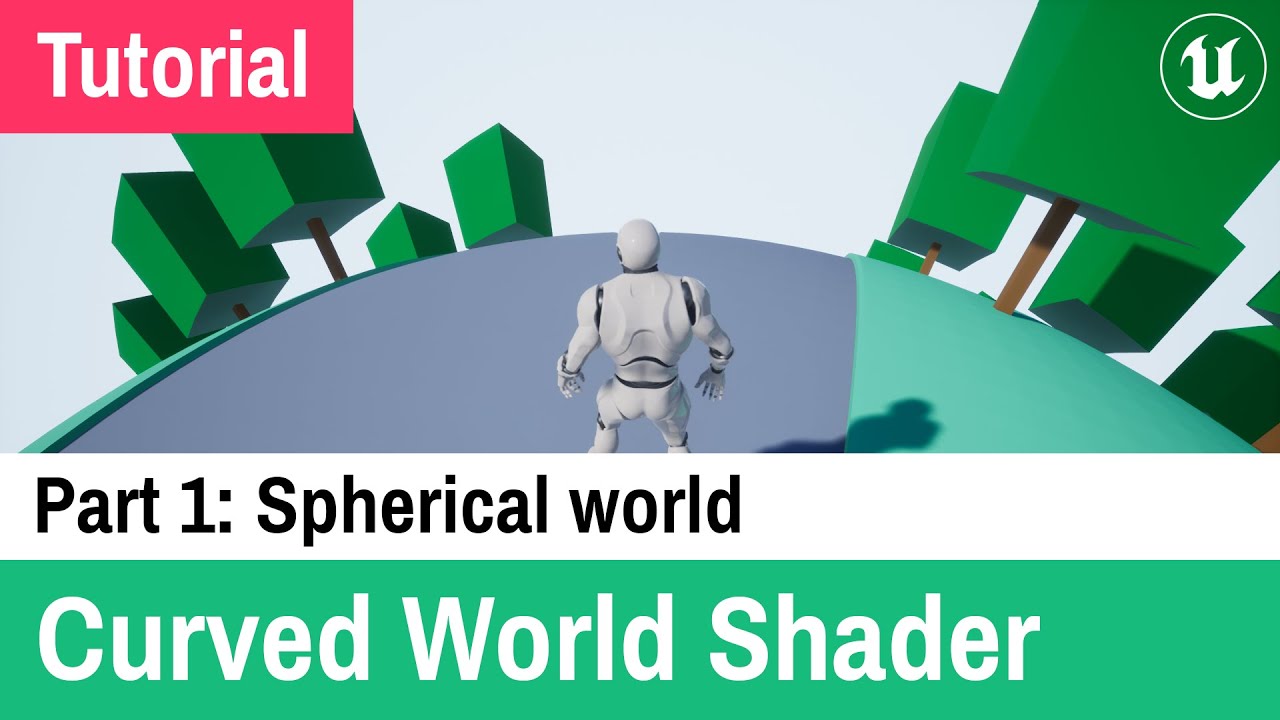
This is my first Unreal Engine 4 tutorial about Curved World Shader.
Chapters:
0:00 Introduction
0:28 Add Material Function and Material Parameter Collection
0:55 Add parameters to Material Parameter Collection
1:43 Make Material Function
3:45 Add material function to our materials
4:41 Add default parameter values
5:37 Flickering meshes fix
6:...
rough seal
rough seal
why is this 4 second delay taking 12 seconds
please can someone help me
keen tinsel
rough seal
please can someone help me
im no pro but it seems like u made a loop in there (assuming thats the case ) which means somehow theres a condition before that that makes those instructions fire 3 times ?
can you show the set up before that

 rough seal
keen tinsel
can you show the set up before that
rough seal
keen tinsel
can you show the set up before that
here it is
keen tinsel
can you disconnect the link of the last print node ? and then test and see if the prob still occurs
rough seal
its still not working
keen tinsel
try remove the delay and test again ?
rough seal
like this?
 keen tinsel
yeah
rough seal
it shows up instantly
keen tinsel
hmm , okay , put back the delay but disconnect the two branches
fire it directly without conditions , and keep the delay and see if it count for 4 seconds
gentle urchin
Things that would affect delays
rough seal
i shouldnt have anything that affects the delays
gentle urchin
If they take 12 seconds when they should take 4, im inclined to think you do
gentle urchin
Check class defaults
 gentle urchin
I think it'd show up there for default values
And please 😂
Collapse things to functions and clean it up a little :p
For your own sake
keen tinsel
its at the top in that bar where the green play button is
rough seal

 gentle urchin
Guess its not in class defaults then
Yep
On beginplay
You can print them
GetGlobalTimeDialation
And
GetCustomTimeDialation
Youd probably know tho tbh
Game would run slower
4/12 = 0.33
rough seal
it prints 1.0
rough seal
i just counted
gentle urchin
So its not reset ?
rough seal
exactly
gentle urchin
As in yoj cant jump again?

 rough seal
yeah
gentle urchin
Set timer by event
rough seal
otherwise u can just fly by spam jumping
rough seal
how would i do that? can u show/explain how i can do the set timer by event
bc i tried that
and
it didnt go so well
but
gentle urchin
Get character movement component -> isFalling
rough seal
then?
gentle urchin
Use that in a bramch instead of the reset
Remobe the 4sec delay and let the IsFalling ditctate wether you can jump again or not
Aalso, why isnt this regular jump?
rough seal
yeah but i also need the delay so u cant just run away from your enemy
its a dash feature
rough seal
how do i do the set timer by event
gentle urchin
Call that functionn
Drag from the red pin
Create custom event
Reset "DashCooldown"
rough seal
how would i reset it?
gentle urchin
With the custom event
 gentle urchin
Noot really
Replace doOnce with branch
On true of branch set DashIsOnCooldown (bool) to true -> call Swr rimer by event -> dash logic
Then Set timer by event -> custom event which only sets DashIsOnCooldown to false
rough seal
 silk star
hello - currently working on an animal crossing cylinder world style shader usin...
silk star
silk star
hello - currently working on an animal crossing cylinder world style shader usin...
Any shader experts that can help me out
 gentle urchin
Getting there
Branch checks that DashIsOnCooldown is false before continuing
And sets it to true instantly
The custom event sets it to false
rough seal
 rough seal
ok
lets say iw antewd a proggress bar that indicates when u can dash agian
how would i do that
rough seal
 gentle urchin
Allowing you to read elapsed time
rough seal
ok
rough seal
how?
gentle urchin
SetTimerByEvent has an output pin
Promote that to a variable
DashTimerHandle
Now you cam use that variable to get some info about it
rough seal
how?
gentle urchin
Grab the variable ?
 gentle urchin
Id let the widget read the dashTimerHandle variable from the characterbp
Not push the data to the widget
But let the widget read it
You could set it up with an event dispatcher instead if you wanted to
Id just let the widget tick handle it tho
 gentle urchin
Dashtimer should be the timer handle
Then you need to check if its valid
And if its valid (or the DashCooldown bool is true), take elapsed / DashCooldownTime(the float variable used in the timer)
rough seal
how do i check if its valid
gentle urchin
Drag from it
rough seal
how can i do allat
gentle urchin
Type is valid
rough seal
in the widget or
gentle urchin
Yes
rough seal
i cant
gentle urchin
You might need to clear and invalidate it when you set the DashCooldown to false
Im unsure if its invalid once it runs out
rough seal
 gentle urchin
Wrong variable
Or variabletype
Right click the outout pin from SetTimerByHandle
Promote to variable
rough seal
wait
gentle urchin
Thats the var you want in the widget
rough seal
this is in the widget blueprint
gentle urchin
Yep
 gentle urchin
Yepp
rough seal
is this right?
gentle urchin
Dashtimer should be the Time input on the SetTimerByHandle
With default value of 4.0
(Name is not very descriptive imo)
rough seal
set timer by handle doesnt exist
gentle urchin
Huh?
 gentle urchin
We're in the char bp still
rough seal
yes
rough seal
u mean set timer by event?
gentle urchin
Sry yes

 quasi steppe
I made a glider system, I switch to flying mode while flying. I use on land for landing on the ground, but on land does not work when in fling mode. I tested it, if I touch the ground in walking mode, on land works. How can I solve it?
gentle urchin
awesome
this is how mine would look like
ish


and something like this in the widget
since we have a timer handle, the extra bool is sorta redundant
gentle urchin
quasi steppe
I made a glider system, I switch to flying mode while flying. I use on land for ...
switch mode when you land
do a ground trace and define when to switch
or see if collision gets a hit
quasi steppe
gentle urchin
switch mode when you land
How do I change the mode when I land without realizing I've landed?
gentle urchin

OnLanding is very specific for falling
try EventHit instead

could be usefull in general, when gliding 🙂
quasi steppe
thanks I will try. have a good day
frosty heron
@gentle urchin a very patient teacher 🐱
gentle urchin
Sometimes, not always lol
 ornate wren
Anyone every used Set Focal Point for an AI?
rugged junco
is there a way to add a gameplay tag to an object you are targeting? i'm trying to make a toggle for a homing attack and i can't seem to figure out how to make it so the homing attack only homes onto an object when the target lock widget is activated

 frosty heron
rugged junco
is there a way to add a gameplay tag to an object you are targeting? i'm trying ...
frosty heron
rugged junco
is there a way to add a gameplay tag to an object you are targeting? i'm trying ...
I will try to understand one of the "issue" here
lets talk about adding or removing gameplay tag
what issue do you have with it
rugged junco
i need the gameplay tag to be added to a object when the target locks onto it in order for the homing shot to tell what to home onto

right now it will lock onto a target by default if the object already has the tag on them, but i want it so the tag toggles when the target lock widget is locked onto them
frosty heron
lets focus on the gameplay tag
did you succesfully added the tag to the target actor?
verify the result
rugged junco
unfortunately no, it didn't work. the only tag on them is the enemy tag on the actor menu
 dawn gazelle
The details panel there doesn't show you the runtime values.
You can use breakpoints (selecting a node and pressing F9 on it) which can halt execution and give you an indication of what logic chain is flowing
Alternatively, you can put print strings around and see which ones are being hit.
frosty heron
rugged junco
unfortunately no, it didn't work. the only tag on them is the enemy tag on the a...
read what datura says
you can eject from your controller, click on the actor during pie and see the value. Or just print string
what you seeing up there is a "template". It doesn't represent the actual instance created during run time.
rugged junco
i tried added a sphere collision to the target lock actor and seeing if that could trigger the overlap, and didn't seem to work
frosty heron
Tried helping you with one problem at a time but you are too focused doing stuff without testing if the actor has the tag or not.
rugged junco
i tested it, and no it didn't recognized if it had the tag.
rugged junco
i tried with the breakpoints and print string, and none of them triggered
frosty heron
Your earlier picture proves that you don't know how to check the values.
Show
Have you tried ejecting from the controller, select the actor and check the values?
rugged junco
excuse the bad editing, but i haven't tried ejecting the controller but i did do the breakpoints and checking the values of the actor
frosty heron
If the function never get called work your way up
Find out where it's supposed to be called and find out why it isn't being called
 zealous moth
is there a way to bind on widget destruction or removal?
 gritty raptor
increment and decrement don't call RepNotify?
maiden wadi
gritty raptor
increment and decrement don't call RepNotify?
Not on the server. The Set w/Notify node does that internally for the server. It's something that annoys a lot of network engineers because it's not as common to run OnReps on the server. Setting the value in any other way than that set node will only make it run when it arrives on the client if the client has a different value.
maiden wadi
zealous moth
is there a way to bind on widget destruction or removal?
Event Destruct is ran when it's removed from it's parent.
gritty raptor
Thanks, now i understand.
frosty heron
I dislike how Bp OnRep fire on server
maiden wadi
Curious why they didn't make that a project setting.
 mild jacinth
so, I have a problem where Structure is unknown again and gives me packaging errors. I know that this is a common problem with unreal engine where blueprints for the structures get corrupted, either by moving them or something else. is there a way to fix this without creating another structure file? I cant really replace the references everywhere.
frosty heron
mild jacinth
so, I have a problem where Structure is unknown again and gives me packaging err...
Don't use blueprint struct if you don't want to get that error
the "fix" not even fix, I would call it a bandaid, is to rename the struct
but this will revert all the values to default
blueprint struct is a minefield and it kills the project silently since you won't know you break it until you try to package the project
@mild jacinth declare the struct in cpp if you want to keep your sanity
cold ginkgo
Heya guys, back again with another query - trying to update a widget to display a specific string of dialogue on click, but my text variable is returning none despite it being inside the widget? InteractiveText is the name of the widget while it is being accessed by another blueprint, and it seems the issue is specifically coming from the Interaction Text variable?


Am I just missing something here?
When I go to assign something to the text (which I don't understand why I would need to if it's a variable from an existing text component?) I don't have anything to assign to it.
 frosty heron
cold ginkgo
When I go to assign something to the text (which I don't understand why I would ...
frosty heron
cold ginkgo
When I go to assign something to the text (which I don't understand why I would ...
That's just a variable of type text, it's not the text component inside your widget.
Show your widget in Designer tab
zealous moth
maiden wadi
Event Destruct is ran when it's removed from it's parent.
I'm trying to get a secondary widget to remove itself once the other widget is removed from parent
cold ginkgo
frosty heron
Show your widget in Designer tab
 frosty heron
cold ginkgo
frosty heron
cold ginkgo
show the full error
cold ginkgo
 frosty heron
weird, it looks like it should work
cold ginkgo
Yeah, I might just remake the widget and see if that fixes things
No dice. I've got no clue what I'm doing wrong here.
zealous moth
What does this do as opposed to a binding?

in a widget
I know bindings typically work on tick
does this work in another way?
frosty heron
zealous moth
you probably just bind it to barPercentFill variable?
it will just set the percent to barPercentFill value every tick
my guess
zealous moth
yeah but when i change that var, nothing happens
frosty heron
I normally just use the create binding if I need something updated every tick
zealous moth
i dont need it every tick
but i figured i could find easy ways to update it
and by easy i mean lazy
maiden wadi
The only two bindings that are not every frame, are TooltipWidget, and the new MVVM bindings.
dawn gazelle
zealous moth
yeah but when i change that var, nothing happens
Are you sure you're setting that variable to a value between 0.0 and 1.0?
zealous moth
yup, print string confirms it
maiden wadi
It definitely works. That said, I tend to personally despise UMG bindings. Run into too many issues with them. And on top of that I prefer just to be able to open my widgets and look at Event Tick to see everything that is poll updated.
frosty heron
need some help with math

I got the green vector, but I want to clamp it by considering the capsule radius of the target actor
How can I get the orange location?
zealous moth
how are you getting the vector? difference in 2 locations?
frosty heron
does subtracting p1 and p2 location gives the green vector?
maiden wadi
((Direction x -1) x CapsuleRadius) + P2
zealous moth
yes
zealous moth
did you want the location or directional vector?
maiden wadi
Direction is going towards P2, want it going away from.
frosty heron
zealous moth
did you want the location or directional vector?
kinda complicated, when the player too far away, I'm trying to just pull the character towards the target by some Pull Distance
but when too close, I need to clamp the range
zealous moth
Try Authar's method
maiden wadi
Presuming P1 and P2 are on equal Z levels, the above math will work to get the yellow location.
frosty heron
yeah doing it now, thanks
frosty heron
maiden wadi
Presuming P1 and P2 are on equal Z levels, the above math will work to get the y...
I got a flat level atm, but it wont always be flat
what if the Z is different?
btw direction would be P1 - P2 then normalize right?
maiden wadi
Maybe project it to a plane in that case. Get the yellow point in the same way. But then line plane intersect the points to a plane at that yellow location, facing P1
P2 - P1.
zealous moth
i would figure you want the same Z as the character so just break vectors and set the Z
maiden wadi
Target minus Start
frosty heron
Do I still need to flip the result if Target minus Start?
maiden wadi
You could do it the other way around in that case. I just assume you already had the direction from something else. 😄
zealous moth
what you could also do is normalize the vector for direction, get the distance between them and subtract the radius
maiden wadi
Doesn't quite work at differing Zlevels though.
frosty heron
🥹 I will try to use the basic solution first
maiden wadi
Yeah, you could do that and add the P2 Z back maybe.
frosty heron
z problem can come after
zealous moth
alternatively, if you know where you want it relative to the player, or character, put a scene comp and use that as a ref
which is probably easiest
 final ferry
hii, what did i do wrong here? my gun isnt shooting straight but i dont see anything wrong with the code and the socket isnt rotated weirdly

 frosty heron
// Too close, get the point just outside the target capsule radius
FVector DirectionFromTarget = TargetingComponent->SelectedActor->GetActorLocation() - Actor->GetActorLocation();
DirectionFromTarget.Normalize(0.01f);
FVector FinalLocation = TargetingComponent->SelectedActor->GetActorLocation() + (DirectionFromTarget * Cast<ACharacter>(TargetingComponent->SelectedActor)->GetCapsuleComponent()->GetScaledCapsuleRadius() * 1.5f;
disregarding the Z, does it look correct?
frosty heron
final ferry
hii, what did i do wrong here? my gun isnt shooting straight but i dont see anyt...
attach a preview asset to the muzzle
see if it actually pointing straight
final ferry
frosty heron
attach a preview asset to the muzzle
how do i do that? this is the first time im using unreal sorry for the dumb quesiton lol
frosty heron
right click here and select add preview assets

you probably want an arrow or something
final ferry
hmm yeah looks like thats the issue, so do i just rotate the muzzel by 90?
 frosty heron
that's not the best mesh to visualize
final ferry
i searched arrow and this popped up so i just used it
zealous moth
frosty heron
```cpp
// Too close, get the point just outside the target capsule radius
FVecto...
what is 1.5f?
frosty heron
zealous moth
what is 1.5f?
instead the edge of the capsule, I want to offset it more
zealous moth
oh ok
maiden wadi
Red arrow forward. Green arrow right. Blue arrow up.
zealous moth
yeah looks good to me
frosty heron
testing X_X
final ferry
maiden wadi
Red arrow forward. Green arrow right. Blue arrow up.
ahh ok that explains it thanks!
i changed it and the red arrow is pointing forward now but its still shooting sideways, this time more like a 45 angle
mild jacinth
If keys dont show up in Blackboard blueprint, is that corruption or something? I remember that you could add keys in there.
It just shows parent Blackboard class dropdown and thats it
 silent kiln
Hello I am having an issue with using PCG. I am creating a backrooms level 0 using PCG. I have created a way to specify where i want walls to not spawn (creates a room of whatever size i choose but no way in or out) and i have created a way to make doorways for that area. My issue is that instead of creating a doorway using the provided SM, it creates gaps. I will attach screenshots of the issue, the code, and a little debugging if anything else is needed please let me know
zealous moth
mild jacinth
If keys dont show up in Blackboard blueprint, is that corruption or something? I...
in the build or PIE? blackboards work differently
mild jacinth
zealous moth
in the build or PIE? blackboards work differently
In the Editor

No keys tab just the BT tab
No + sign to add new keys
zealous moth
either the BB wasn't tied to a BT or.... something else
mild jacinth
when I open BT itself under details I can see the default key

no way to modify or add new ones or remove any of those
zealous moth
I'd remake it and see if it works. Somewhere the link is broken
mild jacinth
still nothing
 mild jacinth
zealous moth
I'd remake it and see if it works. Somewhere the link is broken
mild jacinth
zealous moth
I'd remake it and see if it works. Somewhere the link is broken
wasnt enabled
 zealous moth
works now?
mild jacinth
yeah it was just hidden. no idea why one of the windows was disabled
zealous moth
frosty heron
Ok, I guess I have to flip the vector
doesn't it work?
i mean, in the static image, looks good to me 😄
frosty heron
zealous moth
doesn't it work?
I didn't flip the vector, it came out at the other side
flipping now
final ferry
the red arrow is pointing right now and the preview looks good as well but its still not shooting straight and for some reason it all looks like its pointing in the same direction
zealous moth
you should... uh... flip em with their legs up once in a while, you know, extra stun for the fans 😉 @frosty heron
try this @final ferry
 frosty heron
it's probably hard to align the muzzle to where the crosshair is pointing at
not sure how others do it, but I would probably just fake it in a sense that, there may be a little bit of bending but what;s important is, the linetrace hits where my crosshair is pointing at
final ferry
zealous moth
try this <@611073993382035456>
works perfectly now thanks, but can you explain it?
zealous moth
oh, is he trying to get where the screen is pointed at?
final ferry
zealous moth
oh, is he trying to get where the screen is pointed at?
im just trying to get it to where the gun is pointing it, for now
i will have another mechanic for where the bullet shoots later but i want to figure out what is happening with this for now cuz i might need to know later and its just better to not avoid bugs
zealous moth
final ferry
works perfectly now thanks, but can you explain it?
sure, so basically you have location vectors and directional vectors.
In your socket transform, your start is the location (hi5!)
For the end, you took the forward vector (a direction) and multiplied it by 1500. That makes no sense. You basically made something pointing somewhere times 1500.
What you want to do is add that value to another location to get the resulting location.
Location + Direction = new location.
Location - Location = direction to location (i forget which).
final ferry
i think i understand, i just followed a tutorial and it worked for him, i did use a model that i need to rotate myself so i thought that was the problem
frosty heron
@final ferry If you are missing the MuzzleLocation in EndLocation, then you will start from the world origin (0,0,0). You have to offset and start from the point that you want, which is the muzzle location
 zealous moth
vectors just need to be understood as either locations or directions.
In traces, you have 2 locations.
If you want to point from A to B, you need to add a direction to A to get to B.
gentle urchin
Wellllllll
final ferry
and this is the code from video im following, so now im confused why his works
 frosty heron
gentle urchin
Wellllllll
frosty heron
gentle urchin
Wellllllll
is the forward vector of the rotation, the direction?
zealous moth
it probably doesn't. he probably cut out when he does something out of the ordinary
yes
it's in the name
forward
final ferry
zealous moth
it probably doesn't. he probably cut out when he does something out of the ordin...
thats annoying, why would someone make a tutorial where they cut out the important bits lmao
zealous moth
 gentle urchin
Moving from A to B requires a directional vector multiplied by a magnitude
zealous moth
because they needed content and doesn't understand how it works
yes @gentle urchin is correct, i forgot to mention magnitude
good catch
final ferry
and magnitude is the 1500 i multiplied by?
frosty heron
@gentle urchin How's the path finding going?
zealous moth
yes
final ferry
got it thanks!
zealous moth
otherwise direction is 1
gentle urchin
frosty heron
<@231467939734355969> How's the path finding going?
No goood , no time yet 😅
zealous moth
? what's going on with pathfinding?
gentle urchin
Directional vectors are like an arrow. They got a fixed magnitude of 1, and only points in a direction
gentle urchin
zealous moth
? what's going on with pathfinding?
Nothing much, gonna give A* a go implementing my first pathfinding algo with some visualizer
zealous moth
turn based or live?
unreal has its own pathfinding thing
i used it for a maze game
gentle urchin
Turn based
zealous moth
hm, do you want a resource?
gentle urchin
Yeah i know but its not really attuned for any grid alternative
gentle urchin
For sure
zealous moth
i'll dm, sec
zealous moth
sec
dawn gazelle
gentle urchin
No goood , no time yet 😅
So could you say, you're having trouble finding the time to find the path to the path finding?
final ferry
found another thing where in the vid its perfectly fine but mine doesnt work
so after i damage an enemy they die and should ragdoll, they dying part works fine (i removed the ragdoll and the model just falls through the floor)
but with ragdoll, it got the error "Set to simulate physics but Collision Enabled is incompatible"
searched it up online and put collision enable to physics only and i stopped getting error but the npc stopped dying
the hitscan doesnt seem to work anymore so i checked the ignore box on hitscan for mesh like the capsule but that didnt fix it, whats wrong here?
(sorry for a block of text)
frosty heron
final ferry
found another thing where in the vid its perfectly fine but mine doesnt work
so ...
Query and Physics instead of Physics only
final ferry
frosty heron
Query and Physics instead of Physics only
you mean this?

i put it on mesh and it didnt work..
frosty heron
Go for Collision Enabled (Query and Physics)
well that might not make all your problem suddenly go away but that's should be the setting imo
As for your line trace, what are you trying to hit againts? The capsule or the physic assets of the character?
gentle urchin
dawn gazelle
So could you say, you're having trouble finding the time to find the path to the...
That would be accurate 😆
final ferry
frosty heron
As for your line trace, what are you trying to hit againts? The capsule or the p...
the assert itself
frosty heron
final ferry
the assert itself
if you are trying to hit againts the mesh component, then I do assumed you already have Physic assets
final ferry
still isnt working
 frosty heron
Post the physic assets and the collision settings
Also play in editor, open the console with ` key. Then type Show Collision
final ferry
i honeslty might be wrong and think the physic asset is something else so ill post the entire thing(this is the one that gives error)
ignore hitscan in mesh gives no error but enemy dont die


 zealous moth
dawn gazelle
So could you say, you're having trouble finding the time to find the path to the...
zealous moth
dawn gazelle
So could you say, you're having trouble finding the time to find the path to the...
snickers
frosty heron
when is this called? You are overriding the collision settings

at the time this is called, your hit scan will no longer work
zealous moth
well you are ignoring visibility
final ferry
this is the whole code
 zealous moth
in your previous shot, your collision for trace is visibility
but you set it to ignore
make it block or overlap (maybe?)
final ferry
zealous moth
make it block or overlap (maybe?)
for all 3?
frosty heron
for the Mesh component
zealous moth
whatever you want to trace against
 autumn pulsar
is there a way to detect the normal of collision touching my pawn?
frosty heron
I mean, if you switch it on the capsule component then the trace would hit againts your capsule instead
zealous moth
unless you need bodyparts, do capsule