#blueprint
1 messages · Page 255 of 1
 frosty heron
 lost hemlock
i got some items that aren't exactly inventory items

they just contain components inside of them that I wanna make inventory items
frosty heron
lost hemlock
i got some items that aren't exactly inventory items
I can't fix other people tutorial
lost hemlock
but not the actor itself
yeah and thats why i add some of the "addtoinventory" code inside of my character in specific cases
frosty heron
Then you can try to implement #gameplay-ability-system
lost hemlock
because inventory items can come from actors i break down, and i break them down into a different type of mesh, which i make visible another mesh, and destroy some other component and then i turn for example one raw material into another type of material
frosty heron
Most people that work on ability or rpg, ended up reinventing a shitter wheel because GAS have almost everything an ability based project need
lost hemlock
and then i wanna pick up and collect the processed material
 quiet hamlet
the visual scripting format itself is more of the problem for me, i do better with reading the nitty gritty of the cpp over the visual representation that bp provides. i can understand the cpp side of it in my head but the bp part of the visual scripting is the issue i'm having between cpp and blueprints
it's weird and complicated to explain how my brain works
frosty heron
Player interact line trace. Hit an actor derived from an interacted actor
Pickable Item -> get interacting player -> add item to inventory
frosty heron
quiet hamlet
the visual scripting format itself is more of the problem for me, i do better wi...
K like what's the hard part though? You don't know how to make function in bp?
The pin is the sequence
lost hemlock
frosty heron
Player interact line trace. Hit an actor derived from an interacted actor
Picka...
yes, that's in theory how it should work, but it's not meant to be multiplayer, so the interacting player is always going to be your own player
frosty heron
While in cpp it goes top to bottom (without go to) in blueprint the code is navigated by the arrow
frosty heron
lost hemlock
yes, that's in theory how it should work, but it's not meant to be multiplayer, ...
Multiplayer or not, it just make sense to get the interacting player or actor
quiet hamlet
ohhh, ok....that's why i can't seem to get a grasp of the visual aspect of bp....
frosty heron
There's no reason to gate your self with code that is not scaleable
quiet hamlet
that makes way more sense now
frosty heron
quiet hamlet
ohhh, ok....that's why i can't seem to get a grasp of the visual aspect of bp......
Just do a 1 hour bp tutorial
If you know cpp, that's cake
lost hemlock
frosty heron
Multiplayer or not, it just make sense to get the interacting player or actor
The problem is in those macros.


 frosty heron
lost hemlock
The problem is in those macros.
frosty heron
lost hemlock
The problem is in those macros.
Yeah, I don't suppose that come from tutorial
if it is, holy shieet
frosty heron
lost hemlock
The problem is in those macros.
problem is everywhere, not just the macros
your interaction should be generic
The player doesn't need to know if it's interacting with a coconut or an apple tree
it's simply interacted with an interactable actor
then that interactable actor can do it's implementation
quiet hamlet
frosty heron
K like what's the hard part though? You don't know how to make function in bp?
so, for me to learn best, i need half of it to be visually lined out in an i suppose very deconstructed linear fashion but i also need the hands-on piece of it and when i've tried learning more about bp before the part i wasn't grasping was where the pins for the functions came from for the bp. i feel like i might get a better understanding of bp after this interaction, thank you so much
frosty heron
quiet hamlet
so, for me to learn best, i need half of it to be visually lined out in an i sup...
in proper project, blueprint is good for defining asset paths and glueing things together. At the end of the day you do want to implement the core system in cpp
quiet hamlet
that makes sense
lost hemlock
frosty heron
your interaction should be generic
why?
lost hemlock
frosty heron
The player doesn't need to know if it's interacting with a coconut or an apple t...
true
yes but in my current set up it has to
like should i create Child Actor Components of a child blueprint class that will be compatible with my current inventory?
frosty heron
You should get rid of child actor components all together
no one can recommend that broken tool
and you've been told multiple times already above
lost hemlock
like these ones
lost hemlock
frosty heron
You should get rid of child actor components all together
I don't have C.A.Cs
right now
frosty heron
those ones are actor component, not child actor component. Sure it's a child of some other component but Child actor compoennt is a seperate thing
Every interactable actor should have Interacted Function
lost hemlock
yes and im asking about adding those inside of my BP_trees for example
frosty heron
and in your coconut tree Interacted function you can get rid of your static mesh or w/e you want
lost hemlock
trees drop fruit, which you pick up, destroy first and then you pick up. etc.
frosty heron
I'm gonna repeat this one last time,
All the player have to do is interact with an actor that implements interaction.
Then all you have to do is to call interaction function on the interacted actor.
A coconut tree can drop coconut,
A door can open / close it's door
this entire code shouldn't be anywhere but in the coconut tree bp
 lost hemlock
frosty heron
this entire code shouldn't be anywhere but in the coconut tree bp
lost hemlock
frosty heron
this entire code shouldn't be anywhere but in the coconut tree bp
But I already have a tree_bp parent and then some different types of child trees for more variation
 frosty heron
irrelevant
lost hemlock
should I use that one for the coconut tree as well or should i keep it in a seperate blueprint as a seperate thing?
maybe for like trees that drop stuff when they grow
frosty heron
look up on how inheritance works
that will help you with the planning and dividing the codes
lost hemlock
frosty heron
irrelevant
it's for doing stuff more generic
 storm vigil
Which is better implementation of interfaces in my case?
I have a character and also a wieldable actor. I plan to add an interface (BPI_WieldableActor) and have a function called IsAiming.
In my wieldable actor, i have a an event called AIM upon pressed (on) and released (off). I need to check this aim for certain events on my character.
A)
Should I add the interface on the Wieldable Actor BP and add an output for a boolean called IsAiming? By doing this I need to have a boolean on Aiming on the AIM even as on and off, then used this boolean to connect to the interface output i created within the bool actor. So in the character BP i have a function to check the wielded actor and i can get the interface IsAiming from the refernce and use that to check if I am aiming in the character BP.
B)
Alternatively if I add the interface on the character BP, I need to add in INPUT instead of output boolean called is Aiming. Then on the wieldable BP actor, instead of creating a boolean variable, i just need to get a reference to the playercharacter get the interface message and turn on on pressed and turn off on release on the AIM event. And going back to the character BP, i can implement the interface as an event but in this method i need to make the input of from the event as the aim variable.
So which one is better? I dont want also to add lots of variables to the character. Thanks
 fiery swallow
storm vigil
Which is better implementation of interfaces in my case?
I have a character and...
fiery swallow
storm vigil
Which is better implementation of interfaces in my case?
I have a character and...
C) use a component to handle equipping and wielding weapons and everything else related to it
It doesn't seem like you need an interface based on what I read
frosty heron
Component need more love
storm vigil
fiery swallow
C) use a component to handle equipping and wielding weapons and everything else ...
Thanks, unfortunately the base im using is hotwired already on that implentation to my inventory system where my weapons are childclasses, and the character has a child component (i know) on the arm. Hehe. It would take me ages to revamp everything especially the slot inventory etc.
frosty heron
storm vigil
Thanks, unfortunately the base im using is hotwired already on that implentation...
the unfotunate event here is you are using interface for something like that.
You used interface when you need something to be performed between classes that doesn't share the same base class
even then, I will just use component
Create a targeting compoenent and handle the aiming there
 quiet mason
frosty heron
the unfotunate event here is you are using interface for something like that.
quiet mason
frosty heron
the unfotunate event here is you are using interface for something like that.
hey can you help with something in my game? It's a crucial part of my game for it to work the way I want it, and there's no tutorials online. (not a surprise)
quiet mason
fiery swallow
C) use a component to handle equipping and wielding weapons and everything else ...
hey cna u help with something
 iron idol
I'm trying to make a skeletal mesh turn with its animation. I thought root motion is what did this? Am I missing something?
 obtuse kiln
Is there a less dumb way to do this in blueprint? Since I can't make an array of arrays and loop...

 gentle urchin
This looks... interesting
obtuse kiln
very diplomatic
gentle urchin
What is this exactly since you have so many optionals etc?
obtuse kiln
Mystery solving mechanic. Mostly for 'figure out what's up with this enemy to come up with a custom spell', but could be used for other things. Want to give feedback on answers that might feel plausible and occasionally have a genuine alternative answer.
frosty heron
obtuse kiln
Is there a less dumb way to do this in blueprint? Since I can't make an array of...
What's stopping you from making an array of arrays?
obtuse kiln
can't in bp as far as I know?
 lunar sleet
You should try it
obtuse kiln
is this a trick question?
 frosty heron
obtuse kiln
can't in bp as far as I know?
frosty heron
obtuse kiln
can't in bp as far as I know?
You can make an array that contains another array
what you are doing there is trying to plug an array to a single element in the make array node
obtuse kiln
my understanding is that you cannot directly nest arrays in blueprint, and everything I'm finding on google suggests the same?
the workaround I see is to have have a struct that contains an array and then make an array of that struct
or to just do it in cpp
frosty heron
@obtuse kiln You will have to make struct
same thing in cpp, unreal don't allow multidimensional array
not that it's the same thing anyway
just have to say now that bp struct is ass though
 round spruce
iam using add force in character movement i set the value of force to 5million but character wont move i debugged in c++ and the force that is being sent to the function is in this pic why is this happening ?

 flat jetty
Hello, I have BP_Tree class where i can cut trees and loot them. I want to create the trees with Procedural Content Creation, Can the objects that has been created with PCG can be interacted? Like cutting the trees, mining etc for a survival game. If so, Do i need another approach since they are static meshes when they have been created via PCG.
gentle urchin
Yepp
To make it easy for yourself ypu can make a bpc_interactable component and add to trees and rocks and whatnot
flat jetty
How would I approach to that? Since they are not class or anything (items spawned in PCG). Exactly, I have the fully interaction system. But how can i spawn them in PCG? Would it be still performant?
gentle urchin
Worst case ypu spawn them as dull blown actors
Pcg allows that
That removes any performance benefit tho afaik
 lyric rapids
i have a function that i want to call at runtime on my widget

how do i do this
cause it doesnt appear on the get widget node
 pine bridge
Need some ideas why this widget is not showing. Its another widget that i want to call. "Add to viewport" already added at beginplay for earlier widget.

this is the hierarchy for where im calling it to show, in case it helps

 patent mango
which roation changes when third person actor moves in third person template , its z right ?
gentle urchin
patent mango
which roation changes when third person actor moves in third person template , i...
Y i thought
patent mango
could it be that rotation changes but player does not changes direction ?
pine bridge
pine bridge
Need some ideas why this widget is not showing. Its another widget that i want t...
somehow removing the canvas fix it. not sure if it has to do with nested panels

 maiden wadi
pine bridge
this is the hierarchy for where im calling it to show, in case it helps
maiden wadi
pine bridge
this is the hierarchy for where im calling it to show, in case it helps
Which engine version was this?
Also did you set the UpgradeScreen to autosize?
pine bridge
maiden wadi
Which engine version was this?
5.5. It didnt have size option
speaking of it, how do i set this in blueprint?
 maiden wadi
SetHorizonalAlignment.
frosty heron
lyric rapids
i have a function that i want to call at runtime on my widget
Get the user widget object then cast it to w/e widget the reference is
 maiden wadi
And it does. If you click on the UpgradeScreen when it's in a CanvasPanel, it has a setting in the CanvasSlot for it.
 daring bison
obtuse kiln
my understanding is that you cannot directly nest arrays in blueprint, and every...
daring bison
obtuse kiln
my understanding is that you cannot directly nest arrays in blueprint, and every...
custom structs are unstable in UE, jsyk
atleast they are in 5.3 and didnt check if that was fixed in later versions
frosty heron
daring bison
custom structs are unstable in UE, jsyk
they are fine, just declare it in cpp
bp struct still broken, someone had the classic unknown struct error at 5.4 just yesterday
daring bison
frosty heron
bp struct still broken, someone had the classic unknown struct error at 5.4 just...
ye thats what I meant
 cedar sparrow
Is the construction script in BP the same as the constructor in CPP?
 thin panther
cedar sparrow
Is the construction script in BP the same as the constructor in CPP?
thin panther
cedar sparrow
Is the construction script in BP the same as the constructor in CPP?
no
Construction script is OnConstruction or something like that in CPP
not guaranteed to run and stripped out of shipping
the constructor for C++ runs before the editor even opens
when it hits roughly 75% it starts constructing stuff
thin panther
a construction script won't run in shipping, or shouldn't
it's for editor placed actors
lost hemlock
frosty heron
look up on how inheritance works
I already know how inheritance works lol
I've been using inheritance and object oriented programming my whole life, and did inheritance in C# and Unity before, but Im new to blueprint, and only started Unreal Engine like 5 months ago or somewhere around that
gentle urchin
Its no different with bp vs the others
maiden wadi
I've been wondering how viable it would be to ditch interaction components and interfaces all together and do them via giving interactable things an ability that handles their specific interaction. Cause you can tag them to activate them generically. And you can pass parameters. They can maintain their own state if needed as an instanced ability so timers and whatnot.
Grant your things that can interact with an ability that triggers the others. Which can keep your player from interacting with more than one thing, etc. Tempting thought.
 steady cosmos
How could I make a item rotation system like the one in My Summer car? I've gotten pretty close, but I can't figure out the rotation which should be the last missing piece to complete this. "Held Object" is the object that the player is holding.
 maiden wadi
steady cosmos
How could I make a item rotation system like the one in My Summer car? I've gott...
maiden wadi
steady cosmos
How could I make a item rotation system like the one in My Summer car? I've gott...
I haven't played it, but what are you trying to do? Make the object rotate to face the player, or?
steady cosmos
maiden wadi
I haven't played it, but what are you trying to do? Make the object rotate to fa...
pretty much yeah
i was hoping the video was good enough
it seems to keep some of the rotation axes
maiden wadi
You just need to get the player's camera location. You can get this from anywhere by GetCameraManager, and off of that GetCamera...Location? I think. Use the object's location and the camera location to FindLookAtRotation. And use that for your set world rotation.
That will snap the rotation. If you want interpolation you can add that simply by using the object's current rotation rinterpto the FindLookAtRotation.
steady cosmos
maiden wadi
You just need to get the player's camera location. You can get this from anywher...
and i should set yaw to the camera's yaw right?
maiden wadi
You shouldn't need anything except for the FindLookAtRotation. What it does is finds the directional vector of two locations and turns that into a rotator with the Yaw and Pitch set. Roll is always zeroed since it cannot be inferred from directional vectors.
steady cosmos
i get what you're saying but the result would just be that the object is facing where the camera is facing pretty much
one or more axes needs to be modified in a way to achieve the same look as in the original game
 ruby cobalt
yo. i have a spline here as you can see.. i'd like to make it curvier do i need to subdivide it? how do i do this using BP?
maiden wadi
steady cosmos
i get what you're saying but the result would just be that the object is facing ...
You want the object to always face the camera, right?
steady cosmos
maiden wadi
You want the object to always face the camera, right?
on 1 axis
do you have videos disabled on discord by any chance?
ruby cobalt
ruby cobalt
yo. i have a spline here as you can see.. i'd like to make it curvier do i need ...
I guess what i'M trying to ask here is how do I adjust the tangent based on the relative position between those two points?
maiden wadi
No. I saw what you posted. I'm just unsure specifically how you want it to rotate.
steady cosmos
ah okay
 dawn gazelle
Its orientation stays stationary relative to the camera.
steady cosmos
thats a good explanation damn
ruby cobalt
steady cosmos
How could I make a item rotation system like the one in My Summer car? I've gott...
you want the bag to face the viewer when they pick it up?
steady cosmos
ruby cobalt
you want the bag to face the viewer when they pick it up?
when you first pick up the item it has to pretty much look like its not rotating when you are looking around so sort of yes
it looks like the bag isnt rotating
when it is
that made it more confusing
Datura's explanation describes the effect perfectly
ruby cobalt
ah yes and it makes it look very static.. almost flat
hmm you can fix that with math but.. using physics to make it bouncy a bit could fix it for you no?
steady cosmos
ruby cobalt
hmm you can fix that with math but.. using physics to make it bouncy a bit could...
ive been experimenting with different offsets and stuff all day pretty much
maiden wadi
I think I'm confused because I just watched a video on that, and your current rotational movement looks the same?
ruby cobalt
steady cosmos
ive been experimenting with different offsets and stuff all day pretty much
i feel you.. i'm in the same boat.. everything is so slow because you gotta learn as you go..
have you checked out the physics control plugin by epic?
steady cosmos
maiden wadi
I think I'm confused because I just watched a video on that, and your current ro...
in the first video whenever i look around no new details get shown about the bag but in my version whenever i look around i can see new sides of the cubes
ruby cobalt

Watch the recording of our presentation ‘New Character Physics in UE5: Can You Pet the Dog?’, originally shown at our booth at GDC 2023.
The new Physics Control component is a plugin that enables you to add simple, intuitive, and powerful physically based controls to a Blueprint in Unreal Engine 5.
In this talk, we demonstrate the basics of g...
steady cosmos
ruby cobalt
have you checked out the physics control plugin by epic?
trying to make some stuff from scratch to learn ue5
ruby cobalt
it's time well invested I believe
steady cosmos
maiden wadi
I think I'm confused because I just watched a video on that, and your current ro...
its almost like the item that i picked up turns into a GUI element
might be a good example
ruby cobalt
how can I easily find the documentation page explaining each node in bp?
searching the documentation page doesn't work for me idk
dawn gazelle
So I was able to do something by attaching the actor to the player camera manager 😛
maiden wadi
Oh. 😂 This is me being impatient. I thought the first was yours, I didn't watch the second half which explains why I thought it was the same.
But yeah. You can do this by saving a local space rotator when you pick up the item. Then you simply set the object's rotation on tick or whatever to that rotator converted to world space.
That said. I would consider a physics handle. You'll have a hard time getting that same thing where the object kind of pushes out of the way when too close to something.
Can kind of do it with sweeps and such, but it's going to be a lot of trial and error vs simple setting a physics constraint to a specific rotation.
dawn gazelle
maiden wadi
The issue with direct attachement is that it'll fall through other items though.
dawn gazelle
(Definitely not the way to do it lol)
steady cosmos
i was using a physics handle at first but couldnt figure out a way to add the offset
always grabbed the center of mass
although its probably better if i try something more original rather than copying every single aspect of the game
thanks for the help guys
ruby cobalt
what do i have to do to learn more?
 thin panther
ruby cobalt
how can I easily find the documentation page explaining each node in bp?
thin panther
ruby cobalt
how can I easily find the documentation page explaining each node in bp?
You don't
The docs pages just show what the tool tips already do
ruby cobalt
ahh 😦
i'm having trouble figuring out the proper tangeant for my spline.. in my BP the values say 0 0 0 but doing so in BP crashes unreal
i got 2 poiints which I attach on an object at event tick.. i want to give it a curve
can't figure out the math,..
 paper smelt
Im trying to do this through a function library so I dont have to clutter my character with functions but it seems Set timer by function name does not work.
 dawn gazelle
paper smelt
Im trying to do this through a function library so I dont have to clutter my cha...
dawn gazelle
paper smelt
Im trying to do this through a function library so I dont have to clutter my cha...
Try using the Object as an input parameter on your function and passing in "Self" as the input. The timer manager needs to know what object contains the function name.
 spiral kite
I can't find where I set the player name in S_PlayerProfile, please help me how to find it
 maiden wadi
spiral kite
I can't find where I set the player name in S_PlayerProfile, please help me how ...
maiden wadi
spiral kite
I can't find where I set the player name in S_PlayerProfile, please help me how ...
Go to the FindInBlueprints tool. Wait for it to index. Search for PlayerName
spiral kite
I tried but I couldn't find it.
maiden wadi
Try searching the struct name then.
On a side note. Why save the players name like this?
maiden wadi
Why not just pull it from their Playerstate?
spiral kite
can I get steam names from player state
maiden wadi
Of course. It auto populates the PlayerName string in the PlayerState based on the user's platform name.
spiral kite
ty
 sly viper
silly question how can i make it so the player flips 180 when hitting a trigger cause this is not working

 dire frost
sly viper
silly question how can i make it so the player flips 180 when hitting a trigger ...
dire frost
sly viper
silly question how can i make it so the player flips 180 when hitting a trigger ...
trying getting the player controller then set the control rotation instead
sly viper
dire frost
trying getting the player controller then set the control rotation instead
cant get the control rotation in level blueprint
nv+ got it
dire frost
- you'll want to avoid level blueprint whenever possible. especially in your case where this seems like a useful volume to just have around multiple levels.
- yes you can :P
sly viper
so do it in a component?
sly viper
ah alright
 worn kernel
can the gamemode blueprint save variables between levels
thin panther
no
worn kernel
dam
thin panther
the game instance is your primary persistent data store
the game mode is for defining your game rules for the server
 faint pasture
worn kernel
can the gamemode blueprint save variables between levels
faint pasture
worn kernel
can the gamemode blueprint save variables between levels
Sure, with a savegame
There are exceptions but it's a good idea to consider everything as being destroyed on level change besides the GameInstance and your SaveGames
 heady grove
Hi, I have a strange question does anyone know why when I apply a set all bodies below simulate physics to my skeletalmesh from an exintor and grab it the mesh elements linked to the bones are scaled to 0.1?
(For context I am working with the unreal engine vr template and I want to make that when you grab the fire extinguisher it still has physics but only in the part of the hose and disable collisions in the other parts so I added that code)
 lost hemlock
@frosty heron Hi, I did as you told me
but now I came up with a different new problem
I followed this as well, and it work on almost all of my references
except for this specific one for some reason


this also used to work before in so many variations
but as soon as I used your method on this, it stopped working.
 frosty heron
Knowing what you are actually doing and what the node does is a requirement
You should know why things stop working
Use debugger, print string and break point
No room for guessing, you can drop a print string and observe if it ever get called
If not then work your way from there
lost hemlock
wrong blueprint
frosty heron
What you are using is considered a broken tool that any experience dev here have 0 child actor component in their project
 spare basin
working on learning unreal 5 with the end goal of making a basic fps, (through mini-goals), but my npc move spped is being directional for some reason, running in positive values, walking in negative, using the same move speed throughout, code is in images, can anyone explain why?

 lost hemlock
frosty heron
What you are using is considered a broken tool that any experience dev here have...
lost hemlock
frosty heron
What you are using is considered a broken tool that any experience dev here have...
Im not an experienced dev
I started (about) 5 months ago
frosty heron
lost hemlock
Im not an experienced dev
Kinda irrelevant though I'm just saying don't use child actor component
Get rid of it entirely from your project
But if you want to continue that path then up to you
 drifting rapids
so i have a helicopter with a spotlight on the bottom of it, I'm trying to rotate it to match the line trace, but it just refuses to work no matter what configuration I try, can someone tell me why this doesn't work?
 frosty heron
spare basin
working on learning unreal 5 with the end goal of making a basic fps, (through m...
frosty heron
spare basin
working on learning unreal 5 with the end goal of making a basic fps, (through m...
Wat do you want to grab? The speed of the character in positive values?
You can just get the length of the velocity vector
frosty heron
lost hemlock
I tried to use this method
Well do you have the box collision?
lost hemlock
frosty heron
Well do you have the box collision?
I don't have to reference a box collision

Do I?
Like yesterday I used this to reference static mesh component class
frosty heron
Not really, it depend what you have
@lost hemlock have you ever done debugging at all?
lost hemlock
frosty heron
Not really, it depend what you have
yeah so here I got this
 lost hemlock
frosty heron
<@734957464927207485> have you ever done debugging at all?
lost hemlock
frosty heron
<@734957464927207485> have you ever done debugging at all?
thats what I did just now
spare basin
frosty heron
Wat do you want to grab? The speed of the character in positive values?
I forgot to attach an image, (attached to this one), but it leads into the speed module of the animation, (control rigs), but for some reason, when the npc travels in a negative direction, the code makes it do a slower walk animation, while still doing a fast speed, I want to try to fix it so it does the correct anim speed in the future
 lost hemlock
frosty heron
<@734957464927207485> have you ever done debugging at all?
lost hemlock
frosty heron
<@734957464927207485> have you ever done debugging at all?
debugging doesn't show me anything though at the moment
frosty heron
lost hemlock
thats what I did just now
Not really, use break point, print the return values of those get component. Find out why the f it doesn't do anything at all.
Looking at the nodes ain't debugging
Observe the values
frosty heron
spare basin
I forgot to attach an image, (attached to this one), but it leads into the speed...
I don't know about your code but speed is just the length of velocity.
If you want to slow down the character when it's moving backward, then figure out which input direction the vector is (different solutions depending on the game type , e.g if the player rotation matter or not)
You can get the input direction with characterMovementComponent->GetLastInputVector or somewhere along those lines
lost hemlock
I don't see anything suspicious here though?

 lost hemlock
frosty heron
Not really, use break point, print the return values of those get component. Fin...
lost hemlock
frosty heron
Not really, use break point, print the return values of those get component. Fin...
Does it necessarily how to be primitive component?
I mean this one

 frosty heron
GetComponentByClass will look for a component you specified in the target you provide one
Will return null if there isn't one and will return the component if there is one.
lost hemlock
frosty heron
GetComponentByClass will look for a component you specified in the target you pr...

and it is there though
thats a component
lost hemlock
frosty heron
So move your way forward
wdym?
frosty heron
Figure out what else don't work
 frosty heron
You are still using cac
frosty heron
Gl next

 dense crest
when I run this, the inventory component becomes not valid. Is there a reason why?

 faint pasture
dense crest
when I run this, the inventory component becomes not valid. Is there a reason wh...
faint pasture
dense crest
when I run this, the inventory component becomes not valid. Is there a reason wh...
does your playercontroller have the inventory or your pawn?
dawn gazelle
lost hemlock
Datura recommended
I recommended nothing. I was just showing you how it can work as you commented earlier that you weren't able to use Child Actor Components.
My thought on Child Actor Components is here: #blueprint message
Another problem with the CAC is that because you're adding like 7 of them to a single actor, each actor in effect has to spawn 7 actors. So if you had 100 trees, that's now 800 actors & 700 static meshes vs. 100 actors & 700 Static meshes.
thin panther
Lol those thoughts were directed to the same person too
 scarlet marlin
is this the correct way to attach a weapon to a character using blueprints (this is inside the character blueprint)
 frosty heron
scarlet marlin
is this the correct way to attach a weapon to a character using blueprints (this...
frosty heron
scarlet marlin
is this the correct way to attach a weapon to a character using blueprints (this...
what is the goal? just attaching an actor to a component to a socket?
this should be enough
 scarlet marlin
frosty heron
this should be enough
scarlet marlin
frosty heron
this should be enough
huh the spawn transform pin isnt needed??
what's it for anyway
scarlet marlin
frosty heron
what is the goal? just attaching an actor to a component to a socket?
and yeah i just want the character to hold a weapon
frosty heron
@scarlet marlin you are going to snap the actor to the bone location anyway
you can spawn it nearby if that makes you feel better
scarlet marlin
so it's for changing the spawn location or what
frosty heron
Spawn transform is for the spawn location
you can keep that if you want, just don't forget to plug the spawned actor as the target
scarlet marlin
uhhh now it's giving errors when i compile
The current value of the ' Spawn Transform ' pin is invalid: 'Spawn Transform' in action 'Begin Deferred Actor Spawn from Class' must have an input wired into it ("by ref" params expect a valid input to operate on).
The current value of the ' Spawn Transform ' pin is invalid: 'Spawn Transform' in action 'Finish Spawning Actor' must have an input wired into it ("by ref" params expect a valid input to operate on).
what's going on....
frosty heron
need some value, if you don't want to plug anything (which isn't necessary) then split it
right click the spawn transform and select split
frosty heron
you will know why if you understand the error
the pin param is a reference so it needs a ref (something plugged into it) to grab the values from
 tiny tundra
Sockets - I understand the general concept, I want to use it a little differently if possible. I have a blueprint actor with several meshes (components) in it, I know how to put a socket on the individual meshes/components. But how can I refer to a socket in such a way? Say I want to tell a different actor to attach to this Blueprint Actor via a named socket?
 tiny delta
guys i want this blend space animation to play when i click a keyboard key for example the letter "E". when i click this i want this animation to play smoothly and seemlessly. i dont want the character to move from place to place. i just want him to play this animation. can somone help me!
iron idol
the "Saved" folder is safe to delete in your ue project right?
maiden wadi
iron idol
the "Saved" folder is safe to delete in your ue project right?
It's all generated files. Usually Savegames, profiling traces, and such.
iron idol
Thanks, my project is super bloated at the moment
maiden wadi
iron idol
Thanks, my project is super bloated at the moment
Whenever I feel like that, I have a bat file I use to purge any generated files. It's meant for a C++ project though so you can run it, regenerate visual studio files, and then rebuild.
CleanProject.bat
echo *********************************************************************************************************************
echo ******************************************** Clean Unreal Engine Project ********************************************
echo *********************************************************************************************************************
echo.
:PROMPT
SET /P AREYOUSURE=Are you sure to delete all Binaries, Build, Intermediate, Saved and DerivedDataCache folders in your project and plugins (y/[N])?
IF /I "%AREYOUSURE%" NEQ "y" GOTO END
echo.
echo Cleaning your project, please wait...
FOR /d /r %%d IN ("Binaries","Build","Intermediate","Saved","DerivedDataCache") DO @IF EXIST "%%d" rd /s /q "%%d"
del *.sln
echo.
echo Your project cleaned perfectly, you can click Generate Visual Studio project files now.
pause
:END
thats super nice
frosty heron
Hmm, pretty sure there's a button that returns the folder path

Can't seems to find it anymore.
iron idol
I'm pretty sure I've seen it but I dont remember where
how did you get colored folders?
frosty heron
there is one for assets but not folder...
frosty heron
iron idol
how did you get colored folders?
right click the folder and set color
iron idol
whaaaaa. lmfao. I'm like 800 hours into my project, have started to abandon all hope that it will ever truly organized and that feature was there the entire time. wild.
 hushed topaz
I managed to get the result by brute force, but what is a more elegant approach? Would also like to be able to randomise the timeline speed - https://imgur.com/a/gHuCRqi

 frosty heron
Pretty sure you can change the timeline play rate
 lethal pollen
What is a world space widget component?
frosty heron
lethal pollen
What is a world space widget component?
The widget component will use world space ( the location it's in ) to render the widget
lethal pollen
frosty heron
The widget component will use world space ( the location it's in ) to render the...
Thanks!
lost hemlock
dawn gazelle
Another problem with the CAC is that because you're adding like 7 of them to a s...
in what other way could I do this differently?
frosty heron
lost hemlock
in what other way could I do this differently?
static mesh component if just for visual.
Otherwise an actor where you attach manually.
lost hemlock
frosty heron
static mesh component if just for visual.
Otherwise an actor where you attach ma...
thats what I do lol
frosty heron
@lost hemlock last warning, you do what you want

 narrow sentinel
So i have an issue where I have this pod thing that moves player from and to the reactor core and when they sit in the seat I use Keep world however as the Pod moves the player character gets pushed out of the vehicle and through the world
gentle urchin
frosty heron
The widget component will use world space ( the location it's in ) to render the...
it will render the widget on a mesh plane in the world
Screenspace just lives as a regular widget, adjusted on screen relative to world
lost hemlock
frosty heron
<@734957464927207485> last warning, you do what you want
this works?
you didn't offer me an alternative option though, or maybe you did and Im not understanding what alternative method you offered? but seeing our conversation i don't see anything alternate to this
thin panther
The static mesh component for a visual, or spawn and attach actors
The alternative has been offered many times over the past couple of days
 limpid thorn
Guys
Im trying to make a cutscene before my chase scene,but I have to make a web model or rock model that’s triggered at the door the player went through so he won’t escape,how do I do that
?
lost hemlock
thin panther
The static mesh component for a visual, or spawn and attach actors
and I also did that and you told me, no
 visual crest
Any one here good with "common conversation" plugin The "get last message" Node seems to be gone all together in UE 5.5…
I have been trying for hours to figure out what replaces it.
I even tried copying it from the the sample project to my project. Sadly it says node could not be copied over.
Does any one know how to get the choices out and continue the conversation Now? Or why the node seems to be gone?

 tame flame
Hi guys! I am trying to set up my multiplayer character so that when it spawn, it gets some values from a data table and it sets the characters first and third person weapon. Character select and controller works fine, but i cant seem to get this setup to work. Is this looking way off? Im spawning my BP_BaseCharacter from my Player Controller, and im running this Function on the event Begin Play of the BaseCharacter
 faint pasture
tame flame
Hi guys! I am trying to set up my multiplayer character so that when it spawn, i...
faint pasture
tame flame
Hi guys! I am trying to set up my multiplayer character so that when it spawn, i...
begin play will run on either side anyways
no need to RPC
what's the actual problem?
tame flame
Sorry! The problem is that the FP weapon child actor and Skeletal mesh doesnt get set according to the Struct
faint pasture
tame flame
Sorry! The problem is that the FP weapon child actor and Skeletal mesh doesnt ge...
Where does the primary weapon string come from?
tame flame
That is set on the child blueprints of this base character. So on my BP_HumanCharacter i set the name to be Rifle01 ie. and when the Character Spawns it gets that string and should be able to use it in this function
faint pasture
you need to debug and make sure your string to struct stuff is working
but either way, no need for an RPC here
I wouldn't use a child actor component tho, just spawn and attach
tame flame
Thanks!
 zealous moth
In the editor, in the foliage mode, is there a way to make it follow a grid?
tame flame
It's weird cus it does get the correct items from the Data Table, it just will not replace the Child blueprint And the Skeletal Mesh

 steady cosmos
How good is composition in UE5? I found a 4 year old reddit post saying that UE mainly supports inheritance and barely supports composition, but I'm not sure if things have changed.
 lime crow
Honestly i feel like an idiot, i am trying to decrease a projectile from each time the player spawns a projectile, i have set the current ammo to 30 in the projectile eve nt begin play. it shows 29 on theprint screan every time i fire?

 dark drum
lime crow
Honestly i feel like an idiot, i am trying to decrease a projectile from each ti...
dark drum
lime crow
Honestly i feel like an idiot, i am trying to decrease a projectile from each ti...
This issue is you're storing the ammo amount in the projectile. When you spawn a new projectile, it'll have it's own ammo value.
lime crow
dark drum
This issue is you're storing the ammo amount in the projectile. When you spawn a...
but i am spawning from a projectile class and getting these variables from withing the bp projectile?
dark drum
lime crow
but i am spawning from a projectile class and getting these variables from withi...
The values in the projectile that is spawned will be the default values and won't reflect changes made in another spawned projectile. They don't share their vars.
dawn gazelle
steady cosmos
How good is composition in UE5? I found a 4 year old reddit post saying that UE ...
How does one define how "good" composition is, or how well it is supported?
Composition in Unreal is as simple as adding components to an actor, whether scene or actor, and then utilizing the code within them. You can easily bind to event dispatchers present within the components, and you can read data from the actor that the component is attached to from within the component.
Perhaps that person was previously using Unity and was used to using Prefabs, which Unreal doesn't really have a similar solution unless you count Child Actor Components but those aren't the best.
lime crow
dark drum
The values in the projectile that is spawned will be the default values and won'...
O yeah thats mental, i see what you mean. it works right away if i create a variable in the player blueprint. I want to create different projectile pickups each with there own set amount of ammo. How would i go about this if i cant access their variables?
dark drum
lime crow
O yeah thats mental, i see what you mean. it works right away if i create a vari...
Make some sort of inventory system. When you go to use use/spawn a new projectile, check if there's enough in the inventory, if there is spawn and then remove one (from the inventory).
lime crow
dark drum
Make some sort of inventory system. When you go to use use/spawn a new projectil...
Thanks
lime crow
dark drum
Make some sort of inventory system. When you go to use use/spawn a new projectil...
is it because spawned projectiles are independent instances? thats why i cant access te vars?
dawn gazelle
lime crow
is it because spawned projectiles are independent instances? thats why i cant ac...
A class is just a definition of what the thing is, including its properties and default value of those properties.
When you spawn something of that class, the spawned object is now a unique instance of that class and has all of its variables set to the defaults (though you can mark some variables as "expose on spawn" and "instance editable" which can allow you to set some values when spawning them or placing them in a level). When you have reference to a specific object, you can manipulate its properties and call its functions. None of these properties are shared with any other objects of that class, so any value you adjust, you're adjusting only the value in the one instance of the object. So in your case, every time you're spawning a projectile, it'll have a "Current Ammo" as the default value you've defined in the class.
This is why ammo should not normally be something stored in a projectile as the projectile itself is what represents that ammo when used. You'd usually have some other object that manages an ammo count for you, like the inventory that pattym recommends, and you'd check against that object if you have ammo available before spawning the projectile and then consuming 1 ammo when the projectile has successfully spawned.
lime crow
dawn gazelle
A class is just a definition of what the thing is, including its properties and ...
Thank you for the detailed answer. Maybe I could create an actor blueprint that holds an ammo inventory and tie it to an interface. That way, I can call the interface from the main player and avoid casting.
 tepid willow
Hello, I we were playtesting our game, and I crashed during active gameplay. I tried inspecting the crash log, and apparently it happened due to access none. AFAIK it should never be the case. Can anyone demystify this crash?
https://pastebin.com/VGUhks56
Pastebin
Pastebin.com is the number one paste tool since 2002. Pastebin is a website where you can store text online for a set period of time.
dawn gazelle
lime crow
Thank you for the detailed answer. Maybe I could create an actor blueprint that ...
Actor Components are a prime candidate for an inventory. Easily attachable to a variety of actors, allowing you to share the inventory functionality, and no casting required, just get component by class.
lime crow
dawn gazelle
Actor Components are a prime candidate for an inventory. Easily attachable to a...
Gotya, thank you
dawn gazelle
tepid willow
Hello, I we were playtesting our game, and I crashed during active gameplay. I t...
You likely have something here:
GSC_DailyRoutine_Cafeteria_C:OnPlayerTaskProgress
That is attempting to determine an index of an array, but its coming up with -1 but then you're still trying to access the array by that invalid index.
Attempted to access index -1 from array Entries of length 1!
That then eventually cascades into an "Access None" error.
tepid willow
Yeah, I do understand that I have a bug in my code, but I would imagine that BPs wouldn't cause my game to crash by trying to operate upon invalid references
dawn gazelle
The ensure calls in C++ make sure you're fixing your code by causing the crash intentionally.
If it didn't then it would still end up crashing due to a null pointer reference.
tepid willow
But it never hits an ensure for me when I do a lot of access none in BPs, at least in PIE. I'm running with DebugGame, I would've noticed that
dawn gazelle
In this case, you're hitting some C++ code that is hitting an ensure.
[2024.12.02-16.51.04:293][204]LogStats: FPlatformStackWalk::StackWalkAndDump - 0.652 s
[2024.12.02-16.51.04:293][204]LogOutputDevice: Error: === Handled ensure: ===
[2024.12.02-16.51.04:293][204]LogOutputDevice: Error:
[2024.12.02-16.51.04:293][204]LogOutputDevice: Error: Ensure condition failed: Stack.MostRecentPropertyAddress [File:D:\build++UE5\Sync\Engine\Source\Runtime\CoreUObject\Private\UObject\ScriptCore.cpp] [Line: 991]
[2024.12.02-16.51.04:293][204]LogOutputDevice: Error: MostRecentPropertyAddress was null. Blueprint callstack:
[2024.12.02-16.51.04:293][204]LogOutputDevice: Error: /Game/Gameplay/DailyRoutines/GSC_DailyRoutine_Base.GSC_DailyRoutine_Base_C.FindQuestEntry <---
tepid willow
That should be the code by the way

Quests should be empty because it didn't retrieve anything. QuestTag wouldn't be used in that case
dawn gazelle
Ok, but you're returning -1 if nothing is found.... Are you ensuring that you're not using that - 1 value afterwards to read from an array?
tepid willow
FindPlayerEntryIndex returns -1, so I get none out of Entries, which is then trying to get Tasks out of None. I guess it doesn't like that particular part?
 dawn gazelle
You should check if the index is valid to access from the array, and if not, don't access it.
tepid willow
dawn gazelle
Ok, but you're returning -1 if nothing is found.... Are you ensuring that you're...
I don't do any invalid index checks because this must always act upon valid player. The actual problem stems from something before that, I was just wondering why it crashed specifically
dawn gazelle
And this is the index value that is leading up to the cause of the crash.
 tepid willow
Apparently that's not the case. I tried to do this, and ForEachLoop gives me 3 errors, but just calling FindQuestEntry gives me the same ensure
 tepid willow
Apparently that's not the case. I tried to do this, and ForEachLoop gives me 3 e...
tepid willow
tepid willow
Apparently that's not the case. I tried to do this, and ForEachLoop gives me 3 e...
I also tried to do it like this. Calling FindQuestEntry triggers the ensure only. So it doesn't like when you pass an invalid array like that, but it's crash-safe when you try to use it in the same context
 dawn gazelle
The issue is coming from what is coming after Find Quest Entry.
You're getting -1 as the return value on it but you haven't shown how it's being used from this point.
 tepid willow
I also tried to do it like this. Calling FindQuestEntry triggers the ensure only...
tepid willow
tepid willow
I also tried to do it like this. Calling FindQuestEntry triggers the ensure only...
But I'm telling you that this piece of code triggers the same ensure, and I'm not using the ArrayIndex out of the function
The Then1 execution
dawn gazelle
Oh, you're using by refs as well with your Array Gets.. That could be part of the problem.
tepid willow
Oh, yeah, I didn't notice that
Lemme try to get by value
But I also access that by value in here, but it doesn't give it. The ensure is inside ProcessScript()

So I don't think that it should be it, but I'll try it regardless
dawn gazelle
Those look like by-ref
tepid willow
All of them are by ref, by I think the problem is that functions take array by ref only, so it fails to get a ref to the input value, no matter how I got it, by ref or by value
Nevermind, it doesn't give the warning without th Get by ref
So yeah, that's what is causing the ensure to happen 😛
steady cosmos
dawn gazelle
How does one define how "good" composition is, or how well it is supported?
Comp...
I was mainly worried about ease of use (dragging and dropping scripts/scenes to objects/nodes like in Unity and Godot) and support, but I think I got the answer from you.
dawn gazelle
tepid willow
So yeah, that's what is causing the ensure to happen 😛
Ideally, it'd be better to use By refs and just not access the arrays if you know you have an invalid index, and making special cases for that scenario so you can "always act" as needed without doing anything with invalid array indexes.
Like... you don't need to loop through those arrays if you don't have an array to begin with.
tepid willow
Yes, it makes sense, but the reason for that is that I assume that it will always valid, so that's relatively good that I crash when things go wrong
worn kernel
hey guys, I have a problem with Mouselocation to Worldspace. I have a fish eye lens (Body cam like lens) active so the trace always goes wild. inthis image, i meant to click the top arrow and it hit the bottom of the phone. any one dealt with this before?

 dreamy mountain
Is there a node to get the distance between two things? I'm wanting to implement damage drop off into my game, so the weapons deal 150 a shot at close range, and begin to drop off at 10m away, falling to 100 damage a shot at 50m away, like this.

 small ice
dreamy mountain
Is there a node to get the distance between two things? I'm wanting to implement...
small ice
dreamy mountain
Is there a node to get the distance between two things? I'm wanting to implement...
If you get the location of the player and the location of whatever they hit as vectors, you can use the Distance (Vector) node to get the distance between them as a number.
tiny delta
Can Unreal Engine 5.5's new Audio2Face feature run in real-time? Is it possible to integrate OpenAI's real-time voice API with Unreal Engine 5.5's Audio2Face and make it work in real-time? If so, how can this be done?
dreamy mountain
small ice
If you get the location of the player and the location of whatever they hit as v...
spectacular, thanks
maiden wadi
steady cosmos
How good is composition in UE5? I found a 4 year old reddit post saying that UE ...
My 2c on this is that whoever said that is kinda dumb. Not trying to be mean, but frank, that statement is entirely false. The entire engine is literally built around the idea of components and composition. Want a static mesh in scene? It may spawn a static mesh actor if you drop it in scene, but the actual static mesh handling is done in a StaticMeshComponent, you can drop the same component into any other actor to use it in the same manner to display a mesh.
You can do the same thing with your own game code very easily as well. Want an inventory component on a chest actor, a character, a car, and a crafting actor? Make the same component and place it on all of them, easy.
Composition is simply the idea of making things out of generic systems and reusing them. Inventory example above. Other examples include meshes for display, sound components, many of the basic components in the engine in fact. The core concept of the engine is literally built on the idea of composition where actors house and manage components which are compositional sets of code.
tiny delta
maiden wadi
My 2c on this is that whoever said that is kinda dumb. Not trying to be mean, bu...
Can Unreal Engine 5.5's new Audio2Face feature run in real-time? Is it possible to integrate OpenAI's real-time voice API with Unreal Engine 5.5's Audio2Face and make it work in real-time? If so, how can this be done?
steady cosmos
maiden wadi
My 2c on this is that whoever said that is kinda dumb. Not trying to be mean, bu...
Thanks!
maiden wadi
It's also worth noting that there is no such thing as composition versus inheritance. They're two separate sets of tools that do different things and both work together.
tiny delta
tiny delta
Can Unreal Engine 5.5's new Audio2Face feature run in real-time? Is it possible ...
i guess its not possible 😭 😭 🌸
maiden wadi
You'll get further asking the source code than random people who've never heard of the feature. 😄
tiny delta
😭 😭😭😭😭😭😭😭😭😭😭😭😭😭🌸
tiny delta
maiden wadi
You'll get further asking the source code than random people who've never heard ...
i tried, its soo confusing
tiny delta
maiden wadi
You'll get further asking the source code than random people who've never heard ...
do you know anyone that has knowledge on this feature?
maiden wadi

 frosty spruce
I have a question is there a way to easily reference a data table row in a struct or master pokemon blueprint the enum i have with all the names of the pokemon crashes everytime i select a one just because of how many are in the Enum so i created a data table with all the information i needed but i cant reference a specific row to my route 1 struct
here's the end of the data table to show how many mons are in the project

This is the route 1 struct this is for the spawning system of which pokemon can be found on route 1
 frosty heron
Why are you still using enum for this 👀
I have never see enum more than 10 length, let alone 625
You might as well just use the name as the row name
frosty spruce
I tried the Data asset and even had my information in the data asset but i couldnt call it to a different blue print to select what information i wanted to use
frosty heron
Last warning to not use enum for this
You do what you want
Even Fname makes more sense. What's good is drop down if you have to go through 600 items
Oh 700 now
frosty heron
frosty spruce
This is the route 1 struct this is for the spawning system of which pokemon can ...
You can use gameplay tags
But the data has to be pre defined I think. Meaning can't add more on run time.
If you want to work with CSV or generating more mon then maybe use the name as the row name.
frosty spruce
so i believe i did that in my main pokemonMaster_BP i dont know if i set it up correctly so imma try a print string test here soon


Ik its messy
yep it works
frosty heron
frosty spruce
so i believe i did that in my main pokemonMaster_BP i dont know if i set it up c...
Don't do this? This defeat the point of struct
Store them inside a struct instead
And when ever you want to get the value you get the member of the struct
frosty spruce
Thank You!!
Like this?

i define the row with a name variable so i type 1 - 721 in the name variable and then it sets all those variables within the info struct with whatever variables coraspont to the row i put in
 surreal sonnet
frosty spruce
Like this?
surreal sonnet
frosty spruce
Like this?
you dont have to break struct and connect pins individually, also when you use struct var later you can hide variables that you dont need at the moment, example struct on screenshot have 4 variables
 frosty spruce
AWESOME THANK YOU!!!!
 fast compass
If i have a blueprint with lets say 3 static meshes like a baseball bat, a ball and a hat. Then I want the ball to bob up and a down a few times, the hat to spin 3 laps, and then the bat will slam the ball - what is the best way to achieve this in a general sense? I have not used sequencer a lot but from my understanding it will be tied to the level, so if I want to move the actor around, copy it or make multiple ones in different levels, this doesnt work as well?
So far I've usually just used Timelines and Lerping stuff in Tick, but for a little bit more advanced "animations", it gets cumbersome. Back in Unity3D there was a feature to create Animations for prefabs, similar to blueprints - is there something similar to this for Unreal?
 paper gate
Hey, newbie question. May someone explain to me what "InterpSpeed" in the V/F/etc. Interp To nodes are? Are they supposed to be the amount stepped by every delta? Or is it like percentage based? Maybe it's like actual time, as in "this value will be equal to target after x seconds"?
I just can't seem to get an answer on it and UE's documentation isn't really helpful with only stating the variable as relating to how fast it will reach the value
It would seem intuitive that the higher value, the faster, with value == 1 being the fastest (as in "make the value the target after 1 deltaTime"), but UE says setting it to 0 will do that? That seems counterintuitive
frosty spruce

 surreal peak
paper gate
Hey, newbie question. May someone explain to me what "InterpSpeed" in the V/F/et...
surreal peak
paper gate
Hey, newbie question. May someone explain to me what "InterpSpeed" in the V/F/et...
It's multiplied with DeltaTime. InterpTo takes the difference between current and target and steps that times DeltaTime towards it iirc. You'd need to look at the exact code.
surreal peak
Iirc it's literally just a multiplier for the delta seconds.
So 2.f makes it twice as fast. There isn't really a time value here cause it's not a constant interp
 floral lynx
Has anyone here tried loading a UserWidget with the Common UI Load Guard? The Object always seems to return a WidgetBlueprint, which I can't turn into a Widget or UserWidget with cast node. I assume WidgetBlueprint refers to the literal file and not a widget instance?

 olive yarrow
HYPOTHETICALLY SPEAKING, if i shot a non-NP static mesh with a line trace - how would i make it react physics wise and move away from the impact point?
adding impulse just brings back None from either the hit 
 elfin lagoon
how to make a flip-flop equivalent here?
 olive yarrow
nvm got it out
 trim matrix
hey. so i am trying to recreate this game mode from wii party/wii party u. and im not really sure where i should start. https://youtu.be/xa0FPpFvvaM
ig it mostly is:
minigame explanation and minigames
each round one player gets an advantage
after each minigame points are rewarded and the players select who they think the sneak is
the sneak is revealed and points are given/taken away
repeat until a winner
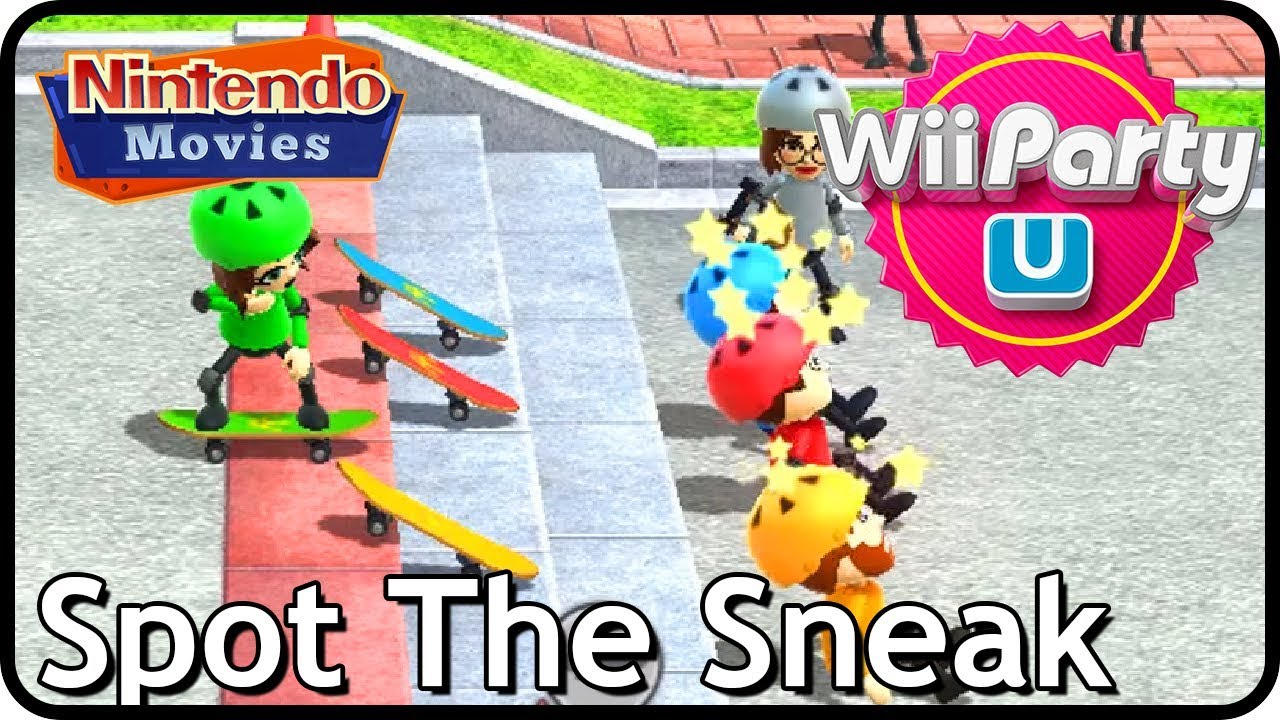
We play Spot the Sneak on Wii Party U with 4 players. Who cheats? Who plays a fake game? Find it out! Good luck finding the sneak!
Played by Maurits, Rik, Danique and Jop (we know he's ugly you don't have to tell us we wanted him to pick another face but he refused OK so please don't be mad we tried and he also knows the face is ugly but he fou...
olive yarrow
no wait no i don't got it, the items always fly on one specific access after impulse is applied
I'm tryna get static meshes to respond to my bbullets - currently they DO react but will always just fly in one specefic direction regardless what i plug into Impulse. Where'm i going wrong?

 grave crow
randomize impulse input?
grave crow
floral lynx
Has anyone here tried loading a UserWidget with the Common UI Load Guard? The Ob...
WidgetBlueprint is a package descriptor, you are loading an object/package with soft-object path rather than class with soft-class path. I assume you want to create an instance of a widget so you need to load its exported class
floral lynx
grave crow
`WidgetBlueprint` is a package descriptor, you are loading an object/package wit...
Yeah I actually know how to implement this exact thing on my own. I'm just a little confused why Common UI only offers this node with Soft Object Reference and not Soft Class Reference
 tulip bough
I’m struggling with this animation blendspace.
For some reason, when using a keyboard, the animations look fine. Smoothing and whatnot working as well. (Video 1)
But when using a controller, the animation plays at at angle, jumps around, and one of the legs IKs get funky. (Video 2)
Anyone seen this behavior before?
For more context, this is a 2.5d setup. It doesn’t matter if I use the water plugin or a basic physics volume. I’ve rebuilt the blendspace several times, even with other random animations. It ONLY works with keyboard and not controller.
My best guess, since I rebuilt everything else several times, that maybe its the AnimBluePrint?
I’m stumped.


 worldly bramble
Hi! Can someone explain to me, how it works?
I have thirdpersoncharacter character Blueprint from template and i Have unchecked "use controller desired rotation" and my spring arm has enabled "Use Pawn control rotation" and my camera rotates around my character. But I don't know why, because Pawn controlls rotation, not The controller so why does it work?
grave crow
tulip bough
I’m struggling with this animation blendspace.
For some reason, when using a ke...
Debug your player input values, somwhere it sends non-normalized probably or vice versa
 spark steppe
i have to revive this conversation... why are you even looping over components to find a component which you already have a reference for?!?
tulip bough
grave crow
Debug your player input values, somwhere it sends non-normalized probably or vic...
interesting.
X is giving me -100 or 100 (depending on direction) when using keyboard.
But controller is like 1500 to -3500. Its all over the place.
So strange. I have no idea what would cause this...
Edit: Normalizing doesn't fix. 😦
grave crow
just normalize the values
 warped juniper
How could I cast to the player widget HUD from the controller?
 odd compass
does anyone know how to change the direction of something on a spline, like making it go backwards then forwards, or is it a long process?
lunar sleet
warped juniper
How could I cast to the player widget HUD from the controller?
getHUD
warped juniper
Thanks. Though it was a bit tricky to set up the variables at first I feel this is cleaner
 neon lion
whats a good way to link a variable (in a component) to another component (on the same actor? )
It'd be nice if i could drag a component into a variable to populate it, is that possible?
I want to decide at authortime, which component that variable should point to, so my code can use its collision shape for stuff
dawn gazelle
neon lion
whats a good way to link a variable (in a component) to another component (on th...
From within the one component, get owner -> get component by class.
Though, this then makes that component dependent on the other.
neon lion
dawn gazelle
From within the one component, get owner -> get component by class.
yea but the code doesnt know what class to look for, thats something a level designer will decide
i'm trying to make an interaction system where one object may have multiple interactible parts, buttons, etc, and the interaction component needs to point to the appropriate collider for its segment, so we can know which one the player is looking at and thus attempting to use
dawn gazelle
You'd probably do that through the trace then and use the Hit Component
neon lion
yes
but then the hit code is going to look through the Interaction components on the actor, and find which one of them is pointing to the part that it hit
and to do that i first need to hook them together in the editor somehow
 proven loom
dawn gazelle
proven loom
proven loom
dawn gazelle
proven loom
 proven loom
dawn gazelle
proven loom
dawn gazelle
thank you!!!!
iron idol
how do you save what level you are on within your save system so that if a player alt f4's in the actual build it doesnt just open to the default level
is there a variable for that? Because I'm not seeing one.
 clever roost
protip if you're working with maps (keys:values). Only problem is I wasted a decent chunk of time not knowing this existed
 iron idol
but what variable type do you save it as in your save system
or do i have to program my own workaround
clever roost
iron idol
or do i have to program my own workaround
probably easier to do that than google for 3 hours anyway
clever roost
iron idol
but what variable type do you save it as in your save system
You could probably save the level name and then open level by name on load
 iron idol
yea thats likely the approach i would take. i feel like there should be a way to do it with your save system though
clever roost
god I love the search feature in the blueprint editor XD
iron idol
is it just a project setting?
clever roost
could do that too, obviously split the saving and loading parts out by themselves but this is the idea of how I would do it
 clever roost
iron idol
is it just a project setting?
clever roost
iron idol
is it just a project setting?
you talking about editor startup map?
clever roost
iron idol
i could maybe save a string variable
yea should work
iron idol
i'm getting close to a vertical slice and as stupid as it is i still havent taken the time to figure this out
clever roost
iron idol
i'm getting close to a vertical slice and as stupid as it is i still havent take...
can't know everything
this searchbar does help tho XD
 iron idol
it is nice. I for some reason had it in my mind that it would be a veriable type so I was searching there. Saving it as a string should work though.
surreal peak
iron idol
it is nice. I for some reason had it in my mind that it would be a veriable type...
For the Level you probably expected something like a SoftObjectRef which is just a string pointing to the asset itself which can be loaded and then used as a proper level reference. And that totally exists, but not in BPs I guess. There is an open level node for it, but i don't think there is a getter.
iron idol
ah good to know
pine bridge
Hi, any idea how i can achieve this? I want to output the blue highlighted item but ue only allow read row name but im trying to read the specific 2nd row
 gentle urchin
Unsure what exactly you're trying (read column?)
Seem they can be reduced to a simple formula tho
Range = BaseRange(100) + Level*RangeGrowth(5)
dense crest
I'm learning to build a function to drag item into another slot in a player inventory but it doesn't seem to work.

 iron idol
walk it back with print string. move a print string from node to node until you find the place where it doesnt fire.
 jovial steeple
dense crest
I'm learning to build a function to drag item into another slot in a player inve...
jovial steeple
dense crest
I'm learning to build a function to drag item into another slot in a player inve...
The transfer slot function doesnt make any sense.
Is this function attempting to swap the items between two entirely different inventory objects?
Or is it attempting to swap the items between two different "slots" within the same inventory object.
dense crest
jovial steeple
Or is it attempting to swap the items between two different "slots" within the s...
same inventory
dense crest
iron idol
walk it back with print string. move a print string from node to node until you ...
i tested it and all the node fired
jovial steeple
dense crest
same inventory
What is the purpose of the SourceInventory input then.
are you trying to also support transfers from different inventorys as well?
dense crest
jovial steeple
are you trying to also support transfers from different inventorys as well?
yes but haven't made it yet
jovial steeple
Ok I understand
Im going to list out in order what this function does, and it wont make any sense.
- Save the content of the
SourceSlot. This will be theSavedSourceSlot - Confirm the
DestinationIndexis over 0. (This should honeslty be replaced with aIsValidIndexnode). - Confirm both the
SourceSlotandDestinationSlothave the same exact item ID stored in both. - Put the contents of the
DestinationSlotinto theSourceSloton theSourceInventory. - Put the contents of the
SavedSourceSlotinto theSourceSloton theDestinationInventory. - Call MC update on the
DestinationInventory - Call MC update on the
SourceInventory
jovial steeple
dense crest
yes but haven't made it yet
part 3, and 5 make no sense to me.
For part 3, im not sure why swapping items would require both slots to have the same item id.
And I think part 5. needs to go.
5. Put the contents of the SavedSourceSlot into the DesinationSlot on the DestinationInventory.
dense crest
i found the problem now. thx for listing the order.
 burnt citrus
uhm, a simple (i hope) question: is it possible to map a series of integer arrays?
for example i want the number 0 to refer to an int array, the number 1 to another int array and so on...
frosty heron
clever roost
You could probably save the level name and then open level by name on load
I won't recommend to use that node. Use the Open Level (soft object ref) instead.
frosty heron
burnt citrus
for example i want the number 0 to refer to an int array, the number 1 to anothe...
What you want seems to be an array of array of ints
burnt citrus
frosty heron
What you want seems to be an array of array of ints
yeah basically, is possible to do that? to have a single variable that contains all
in fact i don't have the need to change the different arrays, i need only to read them
frosty heron
@burnt citrus You can have an array that contain an array
use structs
but blueprint struct is ass, I would declare them in cpp
frosty heron
you don't really need to know cpp to make struct in cpp tbf
@burnt citrus after you got visual studio setup, you can just right click on your blueprint struct (temporary, delete later) and select preview header.
Then you can create an .h file on your source folder then paste the content of the header.

here is probably what you are after. An array of struct that contain an array of ints.
 burnt citrus
ok thanks. first i need to learn what are struct
frosty heron
burnt citrus
ok thanks. first i need to learn what are struct
You can see it as user defined data type
 solemn aspen
Hey I wanna be able to keep my character in the air until the combo ends, is there a way to make that so.

 dark drum
solemn aspen
Hey I wanna be able to keep my character in the air until the combo ends, is the...
dark drum
solemn aspen
Hey I wanna be able to keep my character in the air until the combo ends, is the...
change to movement mode to either flying or none would probably work. Then just set it back to normal after the combo has ended.
elfin lagoon
how to get a reference to the AnimNotify from the inside of his function?
 frosty heron
elfin lagoon
how to get a reference to the AnimNotify from the inside of his function?
frosty heron
elfin lagoon
how to get a reference to the AnimNotify from the inside of his function?
That is the notify.... what do you want to do?
You suppose to drop the notify in an animation. It will fire received notify whenever the notify gets triggered.
elfin lagoon
frosty heron
That is the notify.... what do you want to do?
i want to run an event dispatcher here, in the notify
 frosty heron
Very odd to call event dispatcher in anim notify
The clean way to do this is to use #gameplay-ability-system and send a gameplay tag to actor imo.
solemn aspen
dark drum
change to movement mode to either flying or none would probably work. Then just ...
So should I change all instances of falling to flying?
dark drum
solemn aspen
So should I change all instances of falling to flying?
I would imagine you would want to change it when you start a combo.
 fallow sinew
I'm trying to make an editor validator that checks a variable in an animation blueprint, but I can't find a way to convert the incoming asset object into my animation blueprint type. Is it even possible to do this in BP?
dark drum
elfin lagoon
i want to run an event dispatcher here, in the notify
I would look for a different way to do what you're trying to do. Getting a reference to the individual notify event object that gets created isn't an easy thing to do, let alone bind to an event dispatcher in it.
frosty heron
@elfin lagoon An attack constitute as an ability. You better off learning how to use Gameplay Ability System if you are making ability based game.
It is what Epic uses for Fortnite. This is how I reset my combo, I have an anim notify that send a gameplay tag to an actor.
The actor then respond to the tag, in this case the character reset it's combo.

 dark drum
elfin lagoon
i want to run an event dispatcher here, in the notify
dark drum
elfin lagoon
i want to run an event dispatcher here, in the notify
As an example, create an actor component to handle/manage you're attacks. This component will have the 'AttackEnds' event dispatcher.
This component can then be placed on the character. The anim notify event would then get the owner of the mesh component and you can use the get component by class to get this actor component of which you can then call the event dispatcher. Anything that needs to bind to it can then do so by getting the component from the character and binding to it.
frosty heron
fallow sinew
I'm trying to make an editor validator that checks a variable in an animation bl...
Are you gonna be having a lot of anim bp?
imo not justified to do a unit test for an asset
fallow sinew
It's a throwaway validator for a change I'm working on for nativization
Our workflow for animations is a mess and we've only just gotten around to having actual programming support for the animators

frosty heron
Well I don't know anything about anim bp, as far as I know blueprint assets is not even the blueprint class.
I can grab asset and cast to types like material interface but not blueprint classes. Maybe ask #cpp for more chance to get an answer.
burnt citrus
there's any way to register the overlap on a collision box only with the center point of the mesh?
i was thinking to make another very small mesh to use as collider, but i was looking if there's some fast option to do that
 modest monolith
Hello guys, I have an issue regarding my game. When people complete level 4, they get redirected to the main menu where they have to select level 5 manually instead of going directly to L5 after completing L4. I think this is caused by the fact that one time I added a level in between and I had to change all level numbers (from 4 to 5 for example) or I decided that a level was better before another so I changed them in order. Also in one of the "moved/renamed" levels, some actors don't load their materials and in standalone mode they have the basic material. I tried to Fix Up Redirectors in Folder but nothing changes. Help plz? ^_^ thank you
 small moat
is there any way to get the asset path of a material in a regular, non editor utility blueprint? trying to set a material instance's parent in an Interchange pipeline
nvm got it with Get Soft Object Path + Break
burnt citrus
frosty heron
here is probably what you are after. An array of struct that contain an array of...
so... how do you create this array of arrays in the struct blueprint?
 lost sierra
Hey guys,
So I'm trying to make a game where the player can possess the enemies they encounter. Right now, I've got this set up as a Line Trace into a Break Hit Result which checks if the hit actor has the possession interface, through Does Object Implement Interface, and a branch. The issue I'm having is actually getting a reference to what is hit, as Possess works for Pawns only (this is fine as my enemies are pawns), but I don't see how I can get a reference for Possess without using casts. The main reason I don't want to use casts is because I've been told that interfaces are better for this type of thing, and I don't really want to have a massive list of cast to this? fail, cast to this? fail, cast to- you get the point
Does anyone have any advice for how I can get this to work? It's one of the main USP's I'm trying to get in for this project, and I'm not exactly sure how to get it in without the casts.
if it would be easier to understand with screenshots, I can send them as well
dawn gazelle
lost sierra
Hey guys,
So I'm trying to make a game where the player can possess the enemies...
Interfaces are not a replacement for casts, instead, they are a means of having a shared functionality across things that cannot share a hierarchy.
Casting is a type check and a means of accessing functions and properties of a reference if the cast succeeds.
Your line trace returns a hit result which contains a reference to a "Hit Actor". If you cast it to Pawn, then you're half way there and this cast will effectively cost nothing and won't cause any additional loading since "Pawn" is almost always loaded anyway. If you have something else that you want to use to then validate if that Pawn is something you're supposed to be allowed to possess, then it may be smarter to have a base class for all of these possessable actors that is based off of "Pawn" or "Character", and then you can cast to that base class instead. If you want, it can have additional functions or properties you'd call or check if it should be possessable or not, and run your logic for doing so in that base class.
An interface makes little sense in this case unless you were intending for your player to be able to "possess" things that are not pawns.
dawn gazelle
modest monolith
Hello guys, I have an issue regarding my game. When people complete level 4, the...
Are you able to show the code that is triggered that should be moving the player to level 5?
lost sierra
dawn gazelle
Interfaces are not a replacement for casts, instead, they are a means of having ...
Thank you for explaining this.
sorry if i'm not understanding correctly, but are you talking about parent and child actors? the base actor being the parent?
dawn gazelle
lost sierra
Thank you for explaining this.
sorry if i'm not understanding correctly, but a...
Child classes, yes.
"Character" is a child of "Pawn"
"Pawn" is a child of "Actor"
What I recommended is making a child class of "Pawn" or "Character" which you'd then use for all of your possessable Pawns, and if need be you can subclass that further if you have differing behaviors or logic.
flat jetty
Hey everyone, me and my friend are working on a project via Github, I use Darker Nodes & Electronic Nodes and it reflects on Github Desktop like ProjectName.uproject. I dont want to involve this in Github, but only that plugins. For example if I add PCG as plugin, he needs to take it as an update, but not my personal assets. How can i solve that?
I cant add it to git ignore directly ".uproject" file because I will need another plugins that he needs to fetch and pull.
 dawn gazelle
This doesn't really have anything to do with blueprints. If anything that sounds like a limitation of Git vs. anything to do with Unreal.
 blissful grail
dawn gazelle
Interfaces are not a replacement for casts, instead, they are a means of having ...
blissful grail
dawn gazelle
Interfaces are not a replacement for casts, instead, they are a means of having ...
Slight nitpick. I don't agree with interfaces being a thing that is for shared functionality, because it up to the implementing class to actually give the functionality. I like describing it as shared API. Components for shared functionality.
dawn gazelle
I just didn't have a good word for it.. Thanks XD
blissful grail
Most people describe it as shared functionality 😅. I even used to until I was thinking about it. Like...I'm not doing the same stuff in each of the implementing classes.
So therefore, the functionality is different. But not if you rely on components!
 languid hemlock
I have a structure and i use it everywhere in my project. If i add a MyActor object reference variable to struct, does it create dependencies everywhere in project? Sholud i I change the type of the object to “Actor” and cast only when needed? Or is using Soft MyActor object reference in the structure good idea?
blissful grail
Have a base BP class that is pretty much empty and only has the important data. Then have that be the type in your structure. Have child classes add additional functionality if needed/fill out the data in the child classes
languid hemlock
blissful grail
Have a base BP class that is pretty much empty and only has the important data. ...
Yep I do this. I have a parent class which has only common functions but im afraid to have its reference in dozens of other blueprints even if i dont use the reference. Isn't this a problem?
blissful grail
No
The heavy part of BP class referencing is the assets it loads. If you're casting to a lightweight BP class, it is trivial.
languid hemlock
Oh well then thank you 
modest monolith
dawn gazelle
Are you able to show the code that is triggered that should be moving the player...
The code is a simple "open level by name" but I'll show you.. gimme one sec
dawn gazelle
modest monolith
The code is a simple "open level by name" but I'll show you.. gimme one sec
Don't care so much about the single node, rather the logic that leads up to it being called.
 glad mesa
Hello, I cannot build my project for some reason, I see the line which is the cause right but I didn't change anything I got VS and it works too
hjelppls
also a blank empty level can be packaged
 lost sierra
dawn gazelle
Interfaces are not a replacement for casts, instead, they are a means of having ...
lost sierra
dawn gazelle
Interfaces are not a replacement for casts, instead, they are a means of having ...
ty, this has worked wonders
lunar sleet
glad mesa
Hello, I cannot build my project for some reason, I see the line which is the ca...
You need to scroll up
glad mesa
this much?
glad mesa
I assume this might be it
 lunar sleet
Looks like it
lost sierra
hey, so I've tried adding movement for the pawns that you possess, but for some reason this doesn't seem to be working, despite working for the original player character. Any advice?

 thin sequoia
Hello everyone! I want to design a function to display an object by pressing the R key, but that object is a blueprint of a door. After interaction, the Actor blueprint of the door will be opened and closed. I don't know how to connect it...😢Thank you in advance for reading!


 fiery swallow
lost sierra
hey, so I've tried adding movement for the pawns that you possess, but for some ...
fiery swallow
lost sierra
hey, so I've tried adding movement for the pawns that you possess, but for some ...
it's not enough to just add that little bit of code, you still need a movement component, most likely character movement component, there's also some other type of pawn movement but I forget what it's called
fiery swallow
thin sequoia
Hello everyone! I want to design a function to display an object by pressing the...
It looks like your BPDoor is not valid
meaning you have created a variable for it but you never set a reference to the actual door
let me paint you a picture...
Say you have 10 BPdoor's, and one reference to BPDoor, how is the computer suppose to know which door you are talking about?
you need to specifically tell it which door you're talking about, and there's like 100 ways to do it
fiery swallow
dawn gazelle
Interfaces are not a replacement for casts, instead, they are a means of having ...
"Interfaces are not a replacement for casts"
fight the good fight brother 🫡
If we all collectively type that sentence into the internet enough, we might overpower the youtubers spreading misinformation. Oh also, I'm pretty sure Pawn is Always loaded. Because it's a cpp class.
lost sierra
fiery swallow
it's not enough to just add that little bit of code, you still need a movement c...
ty knew i was forgetting something
thin sequoia
fiery swallow
Say you have 10 BPdoor's, and one reference to BPDoor, how is the computer suppo...
Ohhhhh! I understood immediately! Thank you very much, really...💖
lunar sleet
fiery swallow
If we all collectively type that sentence into the internet enough, we might ove...
We won’t, there are a lot of dummies out there
iron idol
is there a way to destroy all emitter components spawned by a forloop?
dawn gazelle
iron idol
is there a way to destroy all emitter components spawned by a forloop?
Store the components in an array as you create them, and then loop through the contents of that array and destroy them when you want to get rid of them.
iron idol
oh that genius. thanks.
 pine creek
For anyone making a game where one level might have many possible game modes, this is the most elegant solution I can think of. Define your modes in the game instance map variable, set your game mode enum key from a menu widget or however you like, and open the level using the "?Game=" options. You can change the gamemode bp variable to a struct to apply mode specific default settings on launch, as well as add override options to the match data struct (ie mode time limit, player count, etc). a struct data table could work well for defining all of that
 fiery swallow
pine creek
For anyone making a game where one level might have many possible game modes, th...
fiery swallow
pine creek
For anyone making a game where one level might have many possible game modes, th...
You could also just have different levels with different gamemodes set, and then the base level as a child in those levels. So you'd have like BaseLevel, and then FFALevel, TDM-Level.. They wouldn't need to have anything in them other then BaseLevel. But your creative method also seems cool I don't want to take that away from you
pine creek
fiery swallow
You could also just have different levels with different gamemodes set, and then...
I think that is a good method if the levels are small and finished, but I am trying to implement a game movement and objective system first and let the maps come later. The maps will also be big and customizable, so I dont want to keep track of many variations of each
 celest trench
Hey everyone! I have a planet that is constantly spinning. I want to have a way to know which continent is in the direct front or direct back at any given moment during the rotation. What would be the most optimized solution to do this? Should I figure out the rotation where each continent is at that location and map it to variables? Or should I raycast multiple heights when I need to determine which one is at the back at that time? Or any other options? Thank you 🙂
fiery swallow
It doesn't really work that way, so long as the map you are creating is inside of the gamemode maps, they would always be up to date, also I'm not sure what the size of the level would change considering you have to load it anyway
pine creek
celest trench
Hey everyone! I have a planet that is constantly spinning. I want to have a way ...
Are the continents completely defined or is there room for changes? You could have a collision box on the continent actor that extends up and just update data when the camera overlaps with one
Or do a line trace from the camera and cast to the continents
pine creek
fiery swallow
It doesn't really work that way, so long as the map you are creating is inside o...
file sizes is what im worried about
celest trench
They are always defined in the same location 😄
 fiery swallow
pine creek
file sizes is what im worried about
fiery swallow
pine creek
file sizes is what im worried about
adding a map as a child of another map does not copy the map, it just loads the map
fiery swallow
celest trench
They are always defined in the same location 😄
think the most efficient method based on what you have in the photo... would be to just do a line trace from camera to the planet, and you can get the locations of the continents and just do a distance check to figure out which one is closest
you don't have to do the complete trace either

something like this would allow you to get the correct line trace rotation, without needing to do a full trace
pine creek
fiery swallow
It doesn't really work that way, so long as the map you are creating is inside o...
it seems like there are good reasons to use child maps but i have a lot of modes and might end up with a lot of maps, which will need a child map for each mode. i dont yet have all the game modes defined and settled, so i think i would end up having a lot to keep track of
fiery swallow
fair enough  , as mentioned, your current method also seems just fine
pine creek
maybe im not following the setup correctly for the child maps and it would be cleaner but hopefully someone will have a good use for this setup one day
this would be my version for getting default mode settings from a data table. after this point, i would probably check for a custom game bool and override these with a menu widget set of variables
 glad mesa
Hi is me again, and I got my project packaged and it crashes on launch
 celest trench
fiery swallow
https://i.gyazo.com/7a35fa586a0e9824261f381e84535696.png
celest trench
fiery swallow
https://i.gyazo.com/7a35fa586a0e9824261f381e84535696.png
It's actually all meshes inside of the same planet actor so I am not completely sure how to do the trace properly 😬
There is an atmosphere mesh that it is always hitting before the continents but I can't add that to the actors to ignore because it is also just a mesh
 glad mesa
From what I understand it is not seeing my world settings?
 inland walrus
Does anybody know of any good building placement tutorials? it'd also be cool if when I placed the building down, it generated a path to more of a main path
 shut surge
idk if this is the right channel to ask this (if not please feel free to direct me to a better one) but i asked this already on reddit, here’s my question:
 maiden wadi
shut surge
idk if this is the right channel to ask this (if not please feel free to direct ...
maiden wadi
shut surge
idk if this is the right channel to ask this (if not please feel free to direct ...
I'm not 100% sure, but I believe you're looking for morph targets.
lost hemlock
Blueprint Overview:
||Yeah, it's messy. Here’s what I did:||
Visibility Check: Hides/shows the crafting menu widget based on whether it’s visible.
Mapping Context: Added and removed the input mapping context (IMC_Default and IMC_Default1 <--- the second one only has a IA_Crafting, all the other inputs removed) to switch controls on and off.
Input Modes: Used "Set Input Mode Game and UI" to allow widget interaction but freeze player movement.
Failed Attempts:
Remove Mapping Context: Input actions disappeared.
Ignore Input: Disabled movement but broke interactions.
UI-Only Input Mode: Locked out everything except staring.
Rebinding Inputs: Didn’t work.
Controller Tweaks: No luck at all.
So all the tried methods so far have failed
 trim matrix
Can anyone help, I added a moving elevator but it is messing with my camera
frosty heron
trim matrix
Can anyone help, I added a moving elevator but it is messing with my camera
Elaborate the messing part
Or just take a video and drop your codes
trim matrix
So this is my elevator blueprint

But when the movement ends it switches the camera to the starting one
frosty heron
Well nothing in that code shows how the camera is done.
Is this a template project as opposed to your own creation?
trim matrix
That's why I'm annoyed, every other transition works fine
frosty heron
Because it seems to me you are not sure where view is handled
trim matrix
Wdym?
frosty heron
I mean why don't you show the code where the camera transition to other scenes
trim matrix
So I don't have one set up for this elevator yet, when I added it, it still changed back to the default one
See this works exactly how I want..
 frosty heron
I can't see anything, nothing you provide is any help.
trim matrix

It works the same as the room transition, and exactly how I want, except. once the elevator stops it flicks to the starting room camera
frosty heron
It flick there for good?
trim matrix
Yes
dawn gazelle
Probably hitting the kill Z?
frosty heron
Maybe check if the player still exist. Might get killed by kill z
trim matrix
Oh, where do I check that?
trim matrix
Holy shit that fixed it thank you!
The platform finished at -1200 and it was set to -1000
frosty heron
trim matrix
So this is my elevator blueprint
Gl next, but my 2c. I would totally not handle input inside the elevator blueprint.
Instead create an interaction system with actor component.
trim matrix
frosty heron
Gl next, but my 2c. I would totally not handle input inside the elevator bluepri...
I'll look into that thanks, this is for my first class at uni with unreal and just followed the lecturer
frosty heron
trim matrix
I'll look into that thanks, this is for my first class at uni with unreal and ju...
What uni course is this? I would cry paying money to learn blueprint
Speaking from experience of wasting money on university on game degrees here. I should have get computer science degree instead.
trim matrix
frosty heron
What uni course is this? I would cry paying money to learn blueprint
I'm doing a bachelor of graphic design
This is an a subject in a part of a minor
frosty heron
I see
trim matrix
I'm not a game designer haha
lost hemlock
Hi @frosty heron may I ask you why this doesn't work?
So what I got here right now is:
Visibility Check: Hides/shows the crafting menu widget based on whether it’s visible.
Mapping Context: Added and removed the input mapping context (IMC_Default and IMC_Default1 <--- the second one only has a IA_Crafting, all the other inputs removed) to switch controls on and off.
Input Modes: Used "Set Input Mode Game and UI" to allow widget interaction but freeze player movement.
** What I tried but failed**:
Remove Mapping Context: Input actions disappeared.
Ignore Input: Disabled movement but broke interactions.
UI-Only Input Mode: Locked out everything except staring.
Rebinding Inputs: Didn’t work.
Controller Tweaks: No luck at all.
All of these methods tried so far

So I press the button, I can try to completelly remove input with the "Remove Mapping Input" node once I press the "C" key but from that point on I can't close it because all Input is flushed away and all keys are permamently disabled
frosty heron
lost hemlock
So I press the button, I can try to completelly remove input with the "Remove Ma...
So don't flush it?
frosty heron
You can just set to UI only mode
frosty heron
Don't touch add or removing mapping context imo
lost hemlock
frosty heron
Don't touch add or removing mapping context imo
So, what am I doing wrong? Because this doesn't work

I tried everything, and it doesn't work, what I mean by it doesn't work
1)I can still move the camera(2) i can still walk, jump, run etc.
@frosty heron What I meant earlier isn't flush input, I meant it disables or deletes inputs, flush is a word that is used differently here in this context
frosty heron
lost hemlock
<@1050954229902213150> What I meant earlier isn't flush input, I meant it disabl...
what you really want is to just disable game input.
Disabling input entirely can be done with player controller-> enable input
k it seems Enhanced input doesn't really differentiate between Game or UI input
scratch that it does
works for me
this stops my camera and all game input

 copper chasm
Can I somehow get variables from an actor component's owner? Like, if I had 2 blueprints with a variable "Name" and I wanted the component to do X if owner's name variable is Bob and Y if owner's name variable is Steve - how would I do that? I can't imagine it since the component doesn't know its owner until runtime
lost hemlock
frosty heron
scratch that it does
yeah, I tried everything and somehow it doesn't work
lost hemlock
frosty heron
this stops my camera and all game input
though you dont set it
lost hemlock
frosty heron
this stops my camera and all game input
Ok I kinda found solution to it
What's the opposite of this Disable Movement node?
 lunar sleet
EnableMovement?
thin panther
Set movement mode
frosty heron
lost hemlock
though you dont set it
wdym?
passing input to UI doesn't mean your character stop moving btw, since the input is already send, You need to call stop movement immediately or anything along those lines if you want to explicitly stop the character when you open the crafting menu.
All of my inputs get disabled when setting input to UI only. Camera no longer moves, no interaction, any input from game is ignored.
Hmm, really wished I know scripted actions earlier...
tulip bough
I'm using a Physics Volume for my water and am looking for a way to prevent this bobbing from happening if the player is pressing up when at the surface. (character is reaching the top of the volume then falling down back into it)
For some reason I thought changing the capsule height would work, but that doesn't change the behavior.
Any thoughts on how to prevent this? I was thinking of maybe just limiting the character in Z but not sure how to implement that.
gentle urchin
Cant you just trace the surface?
and limit the positive z velocity once near it ?
or the movement direction
seems you're already detecting above/below surface?
tulip bough
I have a box collider just above the surface that allows the player to launch (for jumping out and mantle on nearby edge)
 native canopy
Why the line trace sometimes hit sometimes no

 gentle urchin
native canopy
Why the line trace sometimes hit sometimes no
gentle urchin
native canopy
Why the line trace sometimes hit sometimes no
might be a tad to short
tulip bough
gentle urchin
Cant you just trace the surface?
So basically line trace up and use that info to limit movement? I suppose I could do similar for launching as well, so I don't have to cover the surface with another collider.
I'm still new to using line traces but that at least gives me an idea on where to start.

 gentle urchin
tulip bough
So basically line trace up and use that info to limit movement? I suppose I coul...
gentle urchin
tulip bough
So basically line trace up and use that info to limit movement? I suppose I coul...
that's what i would start out with anyways. Might get some edge cases with caves etc so make sure you differntiate the hit results
gentle urchin
native canopy
this is 2000
the one you showed last time wasn't 20k long
was it ?
looks totally different
unless its just the angle and being below the surface that make them look short ...
native canopy
gentle urchin
the one you showed last time wasn't 20k long
when hit the surface

the trace stopped for second line trace
 gentle urchin
try turning on complex trace
native canopy
gentle urchin
try turning on complex trace
a function?
gentle urchin
a checkbox on the trace
native canopy
worked
gentle urchin
Might be insufficient collision volumes on the mesh then
iron idol
is there a fairly easy way to copy a scene and paste it into a different level?
i've been simply highlighting all the things I want, then convert to static mesh. But this seems to have a bunch of issues that are very annoying to work around
gentle urchin


Epic Games Developer
Use the Levels window to manage your persistent level and sublevels.
 untold fossil
Hello. What is the purpose of "Optional Level Name Override" in the load level instance node? I'm trying to get my dungeon generator to work in multiplayer and I managed to get it working but I'm unsure if I'm doing it correctly. I'm not using this "Optional Level Name Override" for example, from what little I could find online this should be used for replication? However, I can't find any clear explanations as to **why **this should be used and how it works. Currently my "working" approach is to load the level instances on the server first. Server generates the entire dungeon. Then when the dungeon is fully generated, the world soft object references for the loaded levels and their transforms are replicated in a struct array. On rep notify, the clients then load all the required levels to form the dungeon. This works as expected and I'm not seeing any issues ATM, but I feel like this is not the right way and I'm missing something?
 dawn gazelle
untold fossil
Hello. What is the purpose of "Optional Level Name Override" in the load level i...
dawn gazelle
untold fossil
Hello. What is the purpose of "Optional Level Name Override" in the load level i...
Basically it sounds like it's a means of naming a loaded map without needing to use the full path.
 maiden wadi
untold fossil
Hello. What is the purpose of "Optional Level Name Override" in the load level i...
maiden wadi
untold fossil
Hello. What is the purpose of "Optional Level Name Override" in the load level i...
@dawn gazelle It allows you to name your levels differently. If you don't specify this, your level instance gets named like MapName_LevelInstance_7. If you do use this override you get to define your own name for it which can make it easier to track and affect them later. But it also becomes up to you to make sure your naming is unique for each instance.
untold fossil
Thanks for the info! In my usecase I just kinda need a dungeon to be generated. The only thing that can happen with the generated sections (levels) is for them to be removed when the dungeon is removed. So I'm not really in need of being able to access specific parts after having them loaded. Would in this case it be fine, the way I'm using it now, without specifying an override name?
 young meteor
Hey folks.
When I want to edit materials of a model it is showing the grey default.
How can I make it show the materials already assigned? (to make it easier to visually try different things)

 harsh peak
copper chasm
Can I somehow get variables from an actor component's owner? Like, if I had 2 bl...
harsh peak
copper chasm
Can I somehow get variables from an actor component's owner? Like, if I had 2 bl...
Tags in components works
dark drum
copper chasm
Can I somehow get variables from an actor component's owner? Like, if I had 2 bl...
From inside the actor component, you can use the 'GetOwner' which will get a ref to the things its been placed on. You can then cast to get the variable you want. If it'll be used on different types of actors, you might need to use an interface to get the relevant variable.
 chilly crane
I seem to be running into issues with the save part, doesn't want to seem to save my settings properly
dark drum
chilly crane
I seem to be running into issues with the save part, doesn't want to seem to sav...
Its usually better to share a screenshot of your logic.
 fallow epoch
Anyone around that can explain to me how to get my line trace to ignore overlapping spheres of other actors?
I can use ignore actors of class with tag but that is only that one specific actor. I feel like Im missing a basic concept here.
narrow sentinel
Anyone know when it comes to Widgets how to stop my widget resseting to that ??

 hidden fossil
With regard to blueprints, how would I go about implementing the persistent variables for things like retry counts (read: the number of times you can be sent back to a checkpoint on forced retreat, as opposed to having to go back to base aka game over), special attacks (to know which ones have been learned or acquired, as well as the use cost) and progression in general (assuming a non-linear, choose the order of your objectives design)?
maiden wadi
fallow epoch
Anyone around that can explain to me how to get my line trace to ignore overlapp...
You normally change channels for this. If the spheres aren't supposed to show up in this trace, they shouldn't be blocking the channel you're tracing on.
fallow epoch
I tried setting up a new channel in project settings. But it made everything ignore them even if I set it to overlap.
maiden wadi
hidden fossil
With regard to blueprints, how would I go about implementing the persistent vari...
First you're looking for SaveGame stuff. It's an object who's data you can easily write to disk. You should be saving gameplay progression of a player's progress in a game to a single slot.
As far as what data to save, that depends on how you like to structure data. For example we use DataAssets or GameplayTags to define a lot of things. So you could have an array of those for what has been unlocked.
Realistically when you get more into this, you learn how to serialize entire classes for easier saving and data restore, but this is a good place to start.
glad mesa
hello I got me some issues again, this is when I open project in ue
As to what I did, I moved to 5.5 from 5.4

The project launches if I press yes or no
I get a crash when launching the packaged build
fallow epoch
@maiden wadi Thanks I went back and did it again and figured out where I went wrong!
glad mesa
maiden wadi
fallow epoch
<@143471961723371520> Thanks I went back and did it again and figured out where ...
Glad it worked out. 😄 Traces and such get quickly get complicated.
hidden fossil
maiden wadi
First you're looking for SaveGame stuff. It's an object who's data you can easil...
OK thanks. Do you happen to have a practical example of laying things out so that I have something to follow along with? As well, I'm considering a continuous final mission (meaning a classic test of your skills en route to the final boss that's counted as a whole e.g. no recharge of your skill meter, no saving between segments and you automatically progress to the next area on completion of each objective).
glad mesa
okay I see my error is a 5.5 thing and the current "fix" is to check this
 maiden wadi
hidden fossil
OK thanks. Do you happen to have a practical example of laying things out so tha...
maiden wadi
hidden fossil
OK thanks. Do you happen to have a practical example of laying things out so tha...
I don't have any sharable examples. But as far as saving times, that is up to you and your game. You could either do the campfire style like DarkSouls/Jedi: Fallen Order, or just save at the end of a segment so the game knows where to transition you next on load. There is no specific right way, only the way that you can manage and that gets you the result you want.
 surreal coral
hey all, I'm having this issue with my chaos vehicle that it constantly jitters... I've tried everything and don't understand what could cause it anymore..
https://youtu.be/qHQuNu5oTfg

Does anyone have any pointers or thoughts?
maiden wadi
surreal coral
hey all, I'm having this issue with my chaos vehicle that it constantly jitters....
Judging by the lack of consistency, I want to say that you have something colliding with the mesh constantly as it's trying to move. That will be your general case of a mesh jittering is it trying to sweep to a location every frame and getting differing results due to where things are around it that could also move with it or near it that make it's movement not smooth.
surreal coral
I understand that, but in the mesh I made the wheels disconnected of anything else so i don't understand what could be colliding
narrow sentinel
narrow sentinel
Anyone know when it comes to Widgets how to stop my widget resseting to that ??
anyone have any idea on this please
 tawdry walrus
Hi, I want to limit the mouse cursor movement within a specific area of the viewport. Any help would be appreciated.
 pallid dagger
tawdry walrus
Hi, I want to limit the mouse cursor movement within a specific area of the view...
pallid dagger
tawdry walrus
Hi, I want to limit the mouse cursor movement within a specific area of the view...
Haven't faced similar tasks, though I would not restrict real mouse but make/fake my own cursor inside that area, so faked one will snap to real one (listen to position changes). If real mouse moves outside, then faked one can just keep it's last known valid position. Also I would ignore click events if real mouse is outside of area.
you can decompose this task into smaller ones and google/solve them separately:
- listening to mouse changes
- making fake cursor
in/out areadetection/math- click events
tawdry walrus
pallid dagger
Haven't faced similar tasks, though I would not restrict `real mouse` but make/f...
I appreciate your help.
 hallow tundra
I'm using PCG system. How do I Only get index 0 from my "Mesh Selector"
 tawdry walrus
hallow tundra
I'm using PCG system. How do I Only get index 0 from my "Mesh Selector"
tawdry walrus
hallow tundra
I'm using PCG system. How do I Only get index 0 from my "Mesh Selector"
You can ask your questions here #pcg-framework .
hallow tundra
tawdry walrus
You can ask your questions here <#1089670031782191145> .
oh ma bad
narrow sentinel
anyone know at all how to do it where I can do custom console commands ?
I tried doing it like making a function and ticking the Exec on that function but the code within it didn't seem to run at all
or the function didn't run
 cursive wigeon
hey so I am prototyping and I want my mouse to only access UI and my keyboard to only control my character. I have a ui only for after showing my mouse and there are no controls for my character to do with mouse. my issue atm is that when I click a button on my UI and then press space which is used alot it will click the last button i pushed on the ui. any ideas to solve this?
trim matrix
How do we set a variable to null again?
 lusty shard
trim matrix
How do we set a variable to null again?
lusty shard
trim matrix
How do we set a variable to null again?
just do a set node with nothing going into it
I am getting an error saying "Function 'OnRep_En_MouseState' called from On Rep En Mouse State should not be called from a Blueprint"
 faint pasture
trim matrix
How do we set a variable to null again?
faint pasture
trim matrix
How do we set a variable to null again?
just set it to nothing
lusty shard
but when i compile the owner of that function, the error goes away for any other blueprint
 pale tinsel
I’m trying to create a system where the player can walk on walls and other non-horizontal surfaces, similar to the gravity mechanics in Super Mario Galaxy.
So far, I’ve successfully used raycasts to calculate the surface normal underneath the player and adjust the gravity direction accordingly using the “Set Gravity Direction” node.
The issue I’m facing is rotating the player to align with the gravity direction while ensuring that the camera and movement controls behave correctly.
How can I rotate the player to match the surface orientation while maintaining intuitive camera and movement controls that adapt to the player’s current rotation?
Current Setup
https://blueprintue.com/blueprint/gl422qh7/

No description provided
 obtuse vine
Can someone help me for dynamic image change in widget blueprint... I want to change the Icon in function of the character speciality... Now its not dynamic and the return node can't support 2 output or more... thank u

Tag me if u want to respond me ( i dont speak english very well )
 tawdry surge
I'm having a strange issue where "set focus to game viewport" isn't working and player still have to click the window before having full pawn control. Anyone else run into this issue?
frosty heron
obtuse vine
Can someone help me for dynamic image change in widget blueprint... I want to ch...
You can make multiple return node. Just copy paste it
obtuse vine
frosty heron
You can make multiple return node. Just copy paste it
I will try again ... maybe
obtuse vine
frosty heron
You can make multiple return node. Just copy paste it
Idk why the first time was a fail but it works, thank u 😊
 errant storm
tawdry surge
I'm having a strange issue where "set focus to game viewport" isn't working and ...
errant storm
tawdry surge
I'm having a strange issue where "set focus to game viewport" isn't working and ...
Try setting focus to a button that is focus able instead of the main widget
tawdry surge
@errant storm They don't have any clickable Ui initally. Plus that would cause the same issue where the player needs to click in the viewport to initiate control of the pawn.
Setting input mode to game only works, but then it prevents click events/ cursor tracking from being properly handled.
 loud quest
Hey folks, is there a way to cap out a normalized input for my X and y inputs on a character look, I want to limit the speed the player can move their camera, and as a result, the players turn speed.
tawdry surge
Player camera manager and player controller have settings for limiting control rotation if it's using control rotation
loud quest
Thankyou, I am using player control rotation. I will check those out
narrow sentinel
Anyone know how to stop this ?

when ever I load engine the DPI scale of my widgets seem to keep getting reset even after I drag it out to match 1920, 1080
 steady night
H
i never used event disbatcher

on controller

on uinit
isent it suppose to work liek this ?
narrow sentinel
so event dispatchers shout out when called to anyone binded to them
gentle urchin
It does
Bindings must be explicitly setup on server, and on clients
And must be called there aswell
So typically an OnRep_SomeVariable calls a delegate
gentle urchin
narrow sentinel
so event dispatchers shout out when called to anyone binded to them
Indeed, like an X feed full of subscribers. Whoever signs up for it gets the update :p
narrow sentinel
gentle urchin
Indeed, like an X feed full of subscribers. Whoever signs up for it gets the upd...
not really
everyone binded gets the update
narrow sentinel
in that case yeah
narrow sentinel
narrow sentinel
Anyone know how to stop this ?
Anyone have any idea on this issue please cause I can't work out why the DPI scale keeps reseting and why it won't just stick to 1920/1080
steady night
@gentle urchinok so i should multicast the event or ?
dawn gazelle
steady night
Put the event dispatcher in the gamestate. Use the OnRep function of the Array variable to then call the event dispatcher.
Have anything that needs to know when the turn changed to get the gamestate and bind to it when it gets created (liek begin play or on construct in widget)
 split warren
hey, i have this issue where enemy npc does not follow the player all the time when it's sensed - it suddenly stops for a while after a couple seconds, then goes back to following the player. any help?
 dawn gazelle
split warren
hey, i have this issue where enemy npc does not follow the player all the time w...
dawn gazelle
split warren
hey, i have this issue where enemy npc does not follow the player all the time w...
The "Sense" triggers when the player is sensed for the first time, it doesn't continually fire, so the AI MoveTo eventually finishes and then the AI won't do anything until the sensing is triggered again.
To fix, you'd want to do something on the OnFail and OnSuccess pins from the AI Move To --- you'd need to do something to re-detect and then request the move again.
split warren
dawn gazelle
To fix, you'd want to do something on the OnFail and OnSuccess pins from the AI ...
okay, that's actually great to know, but what could i pin to OnFail and OnSuccess for example?
dawn gazelle
split warren
okay, that's actually great to know, but what could i pin to OnFail and OnSucces...
An event that calls the movement node again.
Something like this:
 gentle urchin
Isnt this an infinite loop?
Failed repeatedly ?
Might not be triggered as one if the async task is a frame delayed (dunno about its internals but)
split warren
dawn gazelle
An event that calls the movement node again.
Something like this:
thanks!
 plucky owl
Did you ever get that figured out? I'm running into something similar. My post process material worked fine in 5.4 but it crashes 5.5.
narrow sentinel
rather then where I set them which would be 1920/1080
split warren
dawn gazelle
An event that calls the movement node again.
Something like this:
well, im not sure if this is a fix after all :p, all i remember is that it worked like a week ago when i was doing it, now it suddenly doesnt; didnt update my unreal or anything
pale tinsel
do you guys know how can i make the first person character rotate accordingly to the current gravity direction?
 jagged moss
pale tinsel
do you guys know how can i make the first person character rotate accordingly to...
jagged moss
pale tinsel
do you guys know how can i make the first person character rotate accordingly to...
https://www.youtube.com/watch?v=CZK7QplEbJs&ab_channel=RyanLaley This might work, but I have never tried
pale tinsel
jagged moss
https://www.youtube.com/watch?v=CZK7QplEbJs&ab_channel=RyanLaley This might work...
that's the third person one and for some reason it rotates the mesh without having to do nothing
the movement and the camera are still messed up even in third person
 fiery swan
Anyone encountered GameplayTags inside of Structs not updating the default values when changing it in the struct?
i.e. :
-
make a struct called "Test"
-
add a gameplay tag var called "TestTag"
-
set default value (e.g. "Tag.Default")
-
add a "Make Test" node.
"TestTag" will have "Tag.Default" value -
change default value of "TestTag" to "Tag.NewDefault"
Old node will now have "TestTag" as "Tag.NewValue" -
add a new "Make Test" node
"TestTag" will still have "Tag.Default" value.
in UE5.3.2
split warren
dawn gazelle
An event that calls the movement node again.
Something like this:
yeah, ai still ends up resetting the movement
its just so awkward that it just stopped working smoothly as it used to
pale tinsel
jagged moss
https://www.youtube.com/watch?v=CZK7QplEbJs&ab_channel=RyanLaley This might work...
i managed to set correctly the actor rotation, but i still don't know how to rotate the controller the right way
 jagged moss
pale tinsel
i managed to set correctly the actor rotation, but i still don't know how to rot...
jagged moss
pale tinsel
i managed to set correctly the actor rotation, but i still don't know how to rot...
I dont have any clue on this sorry
pale tinsel
dw thanks anyway
 grim lantern
Does anyone have a BP Handy to draw a projectile path? (Velocity and arc)
pallid dagger
grim lantern
Does anyone have a BP Handy to draw a projectile path? (Velocity and arc)
try Spline Mesh Component or smth like this
pale tinsel
How i can set the Control Rotation of the first person character accordingly to the gravity without locking the movement of the camera?
I’ve managed to rotate the actor, but i can’t use the same method for the controller, since it will lock the movement of the camera
 pallid dagger
pale tinsel
How i can set the Control Rotation of the first person character accordingly to ...
pallid dagger
pale tinsel
How i can set the Control Rotation of the first person character accordingly to ...
sounds like contradiction, you either keep it lock-free or force by your rules
pale tinsel
I just want it to work according to the gravity
pallid dagger
wdym? what if Player is falling but moves camera at the same time 🤔
pale tinsel
like if I was walking normally, but if for example the gravity is upside down I want the camera to be upside down
pallid dagger
well let's stark with small task: have you able to make it custom (e.g. always rotated 180 deg)?
pale tinsel
currently I made a system that makes the player walk on a sphere like on a planet, and I want to make the camera work with that sistem, but for that system to work I need to continually check the surface to update the gravity and the camera rotation accordingly
pallid dagger
pale tinsel
currently I made a system that makes the player walk on a sphere like on a plane...
sounds fine, is it a problem to continually check?
pale tinsel
pallid dagger
well let's stark with small task: have you able to make it custom (e.g. always ...
yes you just need to rotate the player controller on the x axis by 180 degrees
yes because you need to constantly update the camera rotation and the method that I currently use to update it locks the up-down movement of the camera since it's based on the camera forward vector
 deep lagoon
hey how are texture collection data assets supposed to be used?
i can't figure out how to refference them in BP
I have a list of texture masks i want to be able to use as a randomized fallback for a visual i have
So i made a texture collection holding them all
now i don't know how to expose them to the blueprint in question
 sonic frost
I have a cell tower with 4 child zipline actors. I'm running into an issue where the child zipline actors of the cell tower bp are not calling their construction script. Is there anyway to call a child bp's construction script within the parent bp?
 split warren
gentle urchin
Failed repeatedly ?
split warren
gentle urchin
Failed repeatedly ?
yup, checked with print strings and thats what happens there
dawn gazelle
split warren
yup, checked with print strings and thats what happens there
If it's failing repeatedly then either the location is inaccessible or the target is no longer valid.
frosty heron
Why don't you look at the default top down template implementation?
 shut escarp
frosty heron
Why don't you look at the default top down template implementation?
shut escarp
frosty heron
Why don't you look at the default top down template implementation?
It uses hit result and doesn’t work when there’s nothing to click on
frosty heron
shut escarp
It uses hit result and doesn’t work when there’s nothing to click on
The area don't have a floor at all?
How to resolve the target point then?
frosty heron
Assuming you are using NavMesh anyway, you will need a valid path ( a floor in a navmesh volume )
 solemn musk
I am trying to make a simple fixed camera angle for a mp game and with it I wanted to use a Camera Pawn, a random actor with a camera, to use the Set View Target to, well, set the view target to that pawn.
On standalone and server, it works as intended but on the clients, it doesnt. Any advice on why this is?

 warped juniper
Hey, I need some help with the Character movement component...
I'm trying to make a boolean change the max walk speed value. Nothing too crazy. Just don't think it's ideal to run a set function every time the boolean changes, like adding extra work to something that should be the driving factor by itself
gentle urchin
branch (CanSprint) -> StartSprint()
 rancid monolith
plucky owl
Did you ever get that figured out? I'm running into something similar. My post p...
rancid monolith
plucky owl
Did you ever get that figured out? I'm running into something similar. My post p...
Havent worked with ue in ages but I think it was an issue with the shader itself, it wasnt compatible anymore so you have to Remake it
warped juniper
gentle urchin
`branch (CanSprint) -> StartSprint()`
I feel this is too vague for me... Care to go more in depth?
gentle urchin
warped juniper
I feel this is too vague for me... Care to go more in depth?
You might have some input method for starting to sprint right?
Then you got some criterias for when you can sprint (CanSprint(), checks if you got stamina? Got traction?)
And ffinally the StartSprint function which simply sets the maxWalkSpeed to the sprinting speed
 smoky solstice
I am very inexperienced with UE5. Could someone help me figure out how I can make audio loop while I walk but stop when I'm not moving? I'm on the third person template
frosty heron
smoky solstice
I am very inexperienced with UE5. Could someone help me figure out how I can mak...
why not just play foot step sound when the foot touch the ground? drop anim notify -> Play sound in your walking animation.
smoky solstice
frosty heron
why not just play foot step sound when the foot touch the ground? drop anim noti...
because this character is a slime so when it moves its just a looping goo sound
frosty heron
have you got the sound?
smoky solstice
yes
frosty heron
I would still play it in the animation asset first, see how that go
if you are not happy, can always look for another alternative
smoky solstice
ok
frosty heron
but it's the most straight forward way to play while you are moving
because when the animation is not playing, it will not play the sound
warped juniper
gentle urchin
And ffinally the StartSprint function which simply sets the maxWalkSpeed to the ...
Well that does what I ideally did not want to do if possible so I guess it's the only way
gentle urchin
warped juniper
Well that does what I ideally did not want to do if possible so I guess it's the...
why dont you want to do it ? and what exactly dont you want to do ?
you're thinking of some hyper optimized thing for something this simple?
frosty heron
Everytime I over complicate things.
The cleanest solution is normally the simpler one.

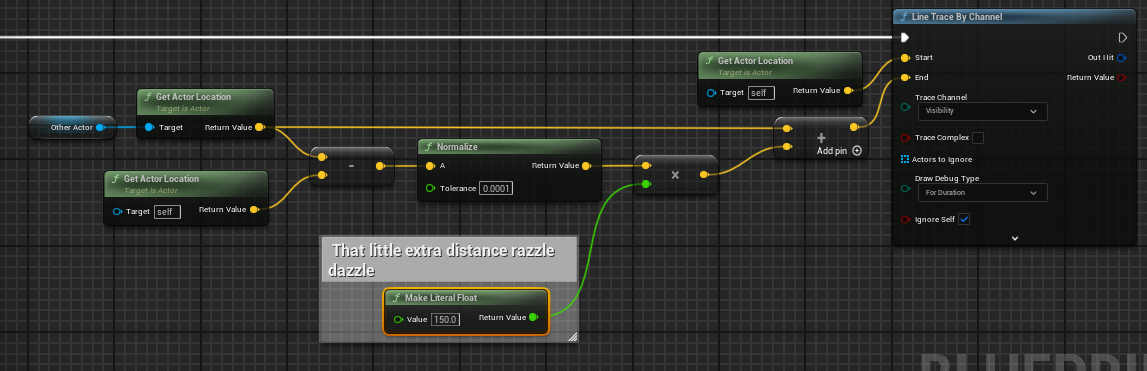 frosty heron
warped juniper
I'm trying to make a boolean change the max walk speed value. Nothing too crazy....
frosty heron
warped juniper
I'm trying to make a boolean change the max walk speed value. Nothing too crazy....
Cmc actually does this. Going to sprinting, crouching, or other states actually toggles a boolean which then run functions to change walk speed etc.
You can build on top of it ofc, like checking if the player is allowed to sprint or not.
As squize suggest
warped juniper
gentle urchin
why dont you want to do it ? and what exactly dont you want to do ?
Because it is something I would be doing a lot in game when the scope grows so I wanted something like a pure function for it
warped juniper
frosty heron
Cmc actually does this. Going to sprinting, crouching, or other states actually ...
I have a state but it isn't really sprinting / crouching for this particular case, but a slowdown effect while aiming a weapon
Are you familiar with a way to do an extra state like that?
 distant elk
How do I control the offset of the editor apply spline node? I get this when I do a basic setup
 warped juniper
Ahh dang
frosty heron
I'm opening the project now
frosty heron
well for my purposes, I didn't need to have different movement speed. While aiming the character can just go to walking state.
It does different animation since it will use BlendSpace when the character is currently aiming, but the movement will just be set to walking
I have targeting component, which gets activated by Gameplay Ability #gameplay-ability-system which then toggle a boolean flag to cmc (needed for multiplayer support)
 warped juniper
Hmmm got it
Then I guess I just overthought
Guess doing a function that Sets Speed and other things in one package is good enough
i have more things to worry about with widget stuff tho
frosty heron
widget is pretty easy imo
I have fun the most doing widget
no stress
It's job is to just read, nothing more
warped juniper
Well I have a weird thing to do
I have to make a reticle that moves over screen space to lay on top of an actor
gentle urchin
even if you ucall it on tick, it doesnt matter
not that you would but
calling it often has 0 cost
warped juniper
I cannot use widget components since it needs to lerp around
Calling widgets or calls in general
gentle urchin
i ment the changing of movespeed part
warped juniper
Ah fair.
Thanks for that then, I tend to hyperfocus on optimization
Sometimes it makes sense, like for each loops
thin panther
I wouldn't bother. If you were hyperfocused on optimization you wouldn't be using bp :P
There's obvious things you should and shouldn't do, and nicer ways of doing things, but the overhead of being in the bpvm is going to be greater than the cost saved of cutting out a function call
Unless you've profiled it as a specifically hot function
warped juniper
Maybe but tbh? There is no reason not to make a for each function without cpp
the performance increase to complexity ratio is too good
warped juniper
thin panther
I wouldn't bother. If you were hyperfocused on optimization you wouldn't be usin...
I am not dumb enough to ignore performance, but too dumb to grasp cpp proper hah
 fading sail
thin panther
I wouldn't bother. If you were hyperfocused on optimization you wouldn't be usin...
fading sail
thin panther
I wouldn't bother. If you were hyperfocused on optimization you wouldn't be usin...
since UE has a convert-bp-to-cpp functionality, I was idly wondering why it doesnt do so during cooking/packaging-only. or hoping it does or eventually introduces a setting for this (since would require compilation-during-build/cook/packaging). might not be as good as handwritten c++ but still faster than an at-runtime bytecode vm, at the cost of just more build time (so could be on only in shipping)
thin panther
fading sail
since UE has a convert-bp-to-cpp functionality, I was idly wondering why it does...
It doesn't. Nativisation has been gone a long while
And it's very broken and poorly made, hence why it went
fading sail
i need to create hundreds of Static Mesh Foliage assets for corresponding already-existing hundreds of Static Mesh assets, in editor. do people do this by hand? is there a not-found-by-me editor-built-in GUI way to do so? does one (learn to and then) code up a editor-only / plugin-ish blueprint? some good foss/free utility plugin / editor BPs out there for this sort of bulk action?
(yes they'd all have the same initial settings and then have to be hand-adjusted here & there / in smaller batches, but just their creation alone would be endlessly tedious to do manually)
fading sail
thx for the pointer @frosty heron will research, hadnt heard of that before =)
frosty heron
In this talk, Tanglewood Games will present how to add extra functionality to the Unreal Editor by leveraging its existing framework, enabling the creation of tools that feel native and intuitive to use, and that are tailored to custom projects, modular, and easy to maintain.
These frameworks will be presented through a series of practical e...
@fading sail check it out